See App.jsx for usage
- Install dependencies
npm install # or pnpm install or yarn install- Run the dev server
npm run dev-
Create an account with Builder.io if you don't already.
-
Log into your account at builder.io/login
-
Go to the models page (https://builder.io/models) and choose the "page" model and change the "editing url" to
http://localhost:3000to use your local dev server.
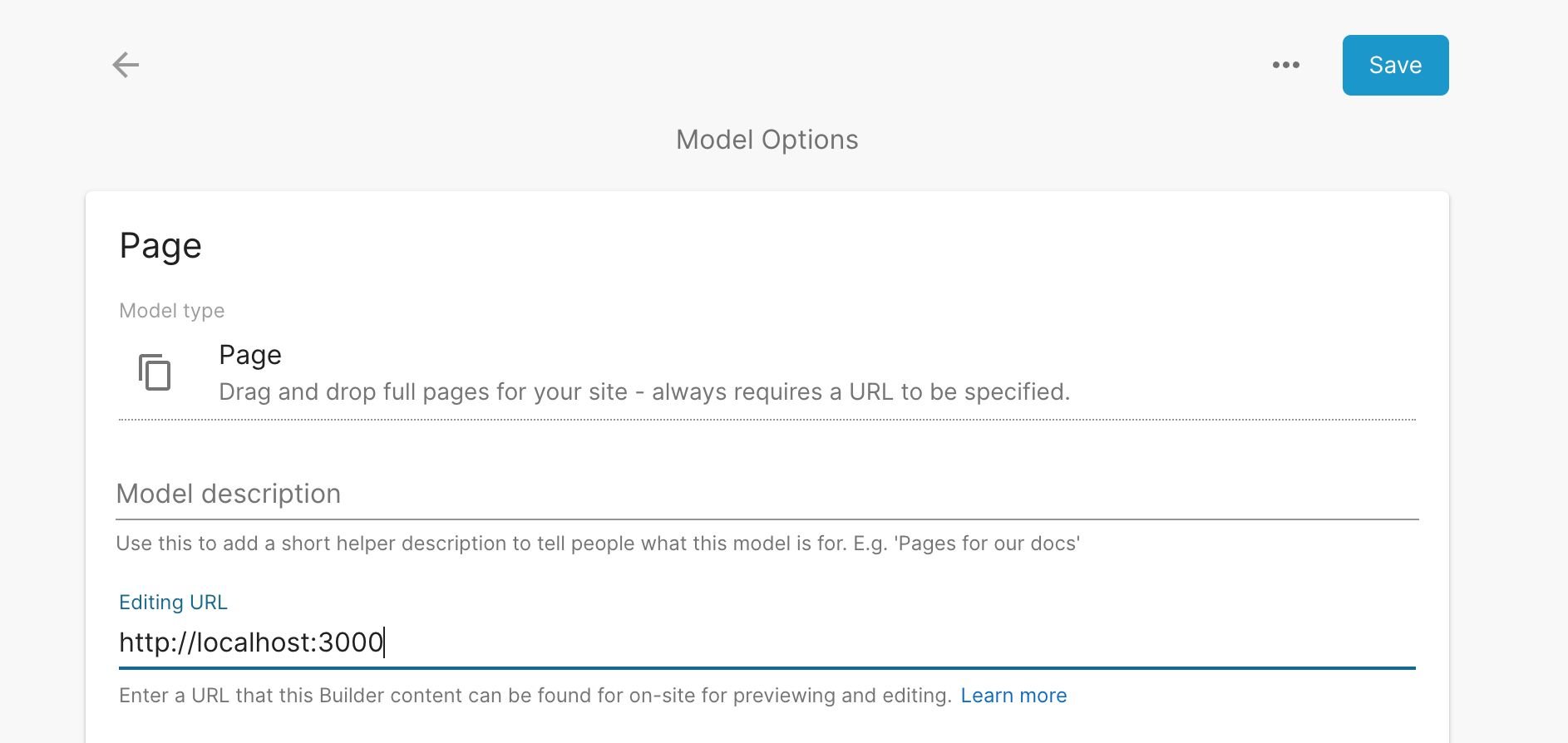
-
Then go to the account page (https://builder.io/account) and copy your public API key, and paste it into the
apiKeyvariable in the App.jsx file. -
Now, go to the content page (https://builder.io/content) and choose "+ new" in the top right and create a new page with URL
/
You should now be able to use the Builder drag and drop editor in your solidjs app. Be sure to always have the <Content> component be present anywhere

Learn more about previewing and editing in Builder.io
Learn more on the Solid Website and come chat with us on our Discord
In the project directory, you can run:
Runs the app in the development mode.
Open http://localhost:3000 to view it in the browser.
The page will reload if you make edits.
Builds the app for production to the dist folder.
It correctly bundles Solid in production mode and optimizes the build for the best performance.
The build is minified and the filenames include the hashes.
Your app is ready to be deployed!
You can deploy the dist folder to any static host provider (netlify, surge, now, etc.)