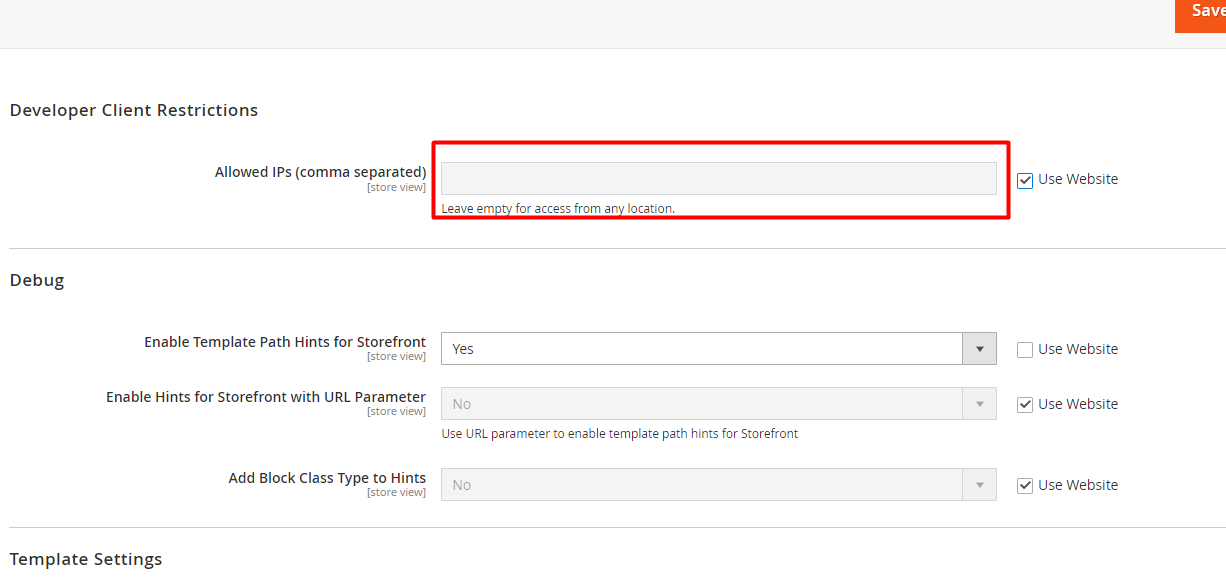
In my case, after enable the path Hints, from magento2 back-end section, its not showing. I enabled the settings in.
Store > Configuration > Advanced > Debug > Enabled Template Path Hints for Storefront > Yes
Can anyone tell me how fix this ?
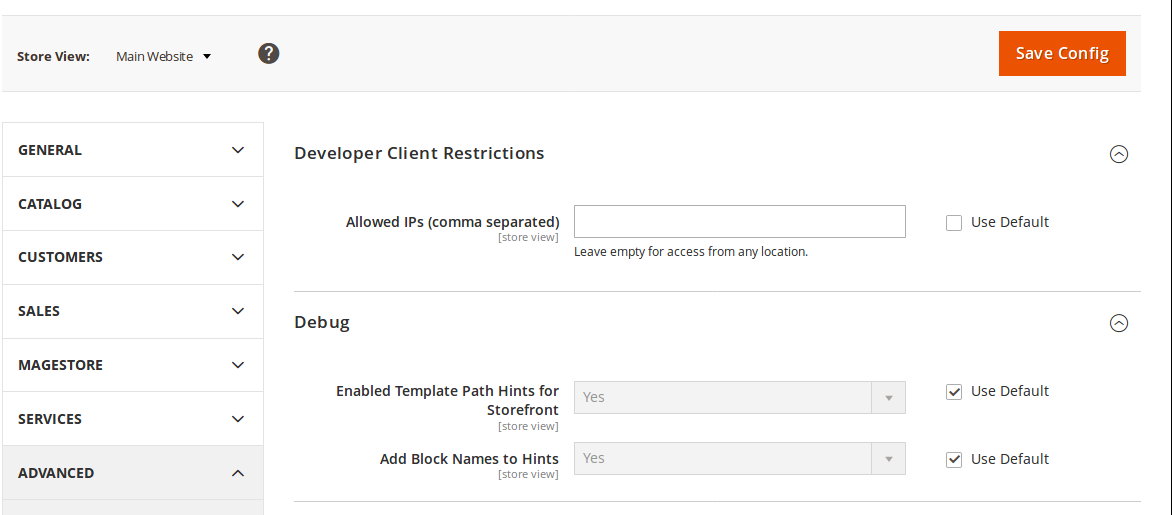


- Yes, I already select to scope .but it seems not fixed.Anikesh Shahi– Anikesh Shahi2017-11-02 08:59:38 +00:00Commented Nov 2, 2017 at 8:59
- Are you in production mode ?Kishan Patadia– Kishan Patadia2017-11-02 09:00:00 +00:00Commented Nov 2, 2017 at 9:00
- No,working on local server.Anikesh Shahi– Anikesh Shahi2017-11-02 09:03:50 +00:00Commented Nov 2, 2017 at 9:03
- You need to set Default Store view instead of Main website in your current scope.Rakesh Jesadiya– Rakesh Jesadiya2017-11-02 09:06:26 +00:00Commented Nov 2, 2017 at 9:06
- 6m2.3 use storurl/?templatehints=magentomatinict– matinict2019-03-27 07:47:07 +00:00Commented Mar 27, 2019 at 7:47
| Show 1 more comment
8 Answers
As @matinict mentioned in his comment, in Magento 2.3 you need to append ?templatehints=<Parameter Value> in your URL and your magento should be on Developer mode.
So your url will be look like as following:
and for any particular page URL will be like that
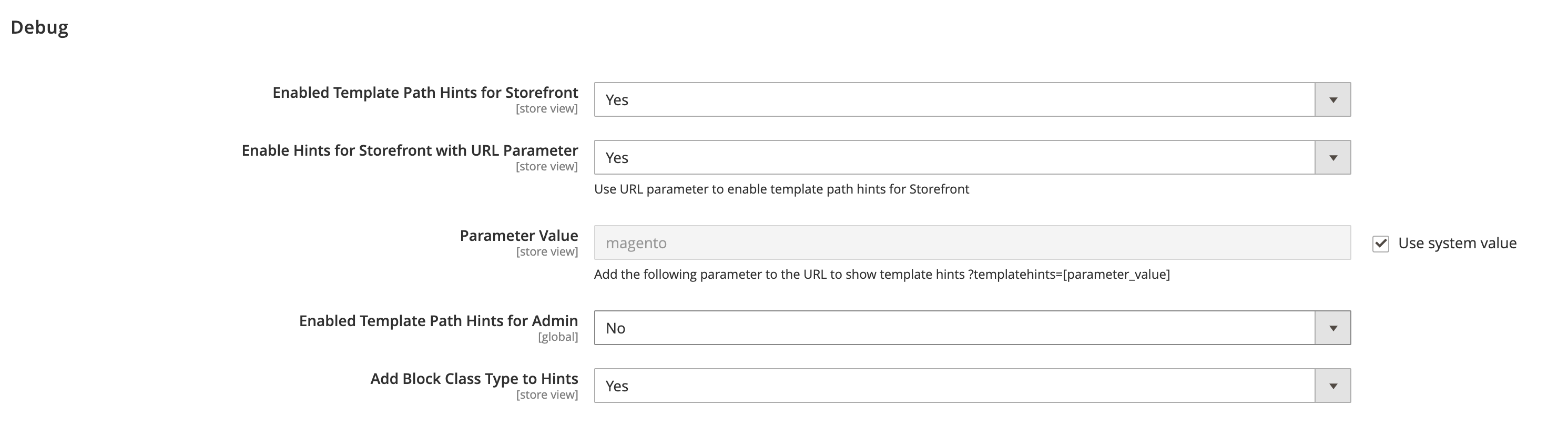


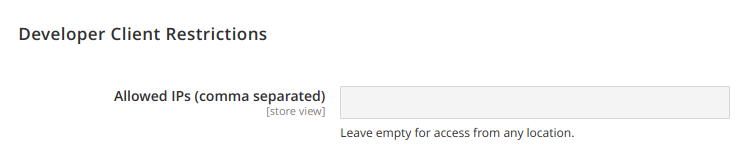
For future googlers - I had this same problem on a site that had the core Magento data migrated over from an M1 store I had no control over. The problem turned out to be an IP address in the developer client restrictions input. This overrides template hints.

- 1This worked for me.Sarasranglt– Sarasranglt2018-12-19 10:10:43 +00:00Commented Dec 19, 2018 at 10:10
- 1Thanks, this worked for me.L. D.A.W.– L. D.A.W.2019-05-13 10:24:45 +00:00Commented May 13, 2019 at 10:24
- 2Does not work, it still not shows. Edit: I had to set the store view to my store view in the upper left. There were also IP's entered in it.Black– Black2019-10-22 08:09:46 +00:00Commented Oct 22, 2019 at 8:09
- 1@Black cool, this was also my case.Magento Learner– Magento Learner2019-12-17 13:07:57 +00:00Commented Dec 17, 2019 at 13:07
- this worked for meSanaullah Ahmad– Sanaullah Ahmad2020-12-28 04:43:57 +00:00Commented Dec 28, 2020 at 4:43
You need to set scope Default store view or your current store view. You have set Main Website in Current configuration scope.
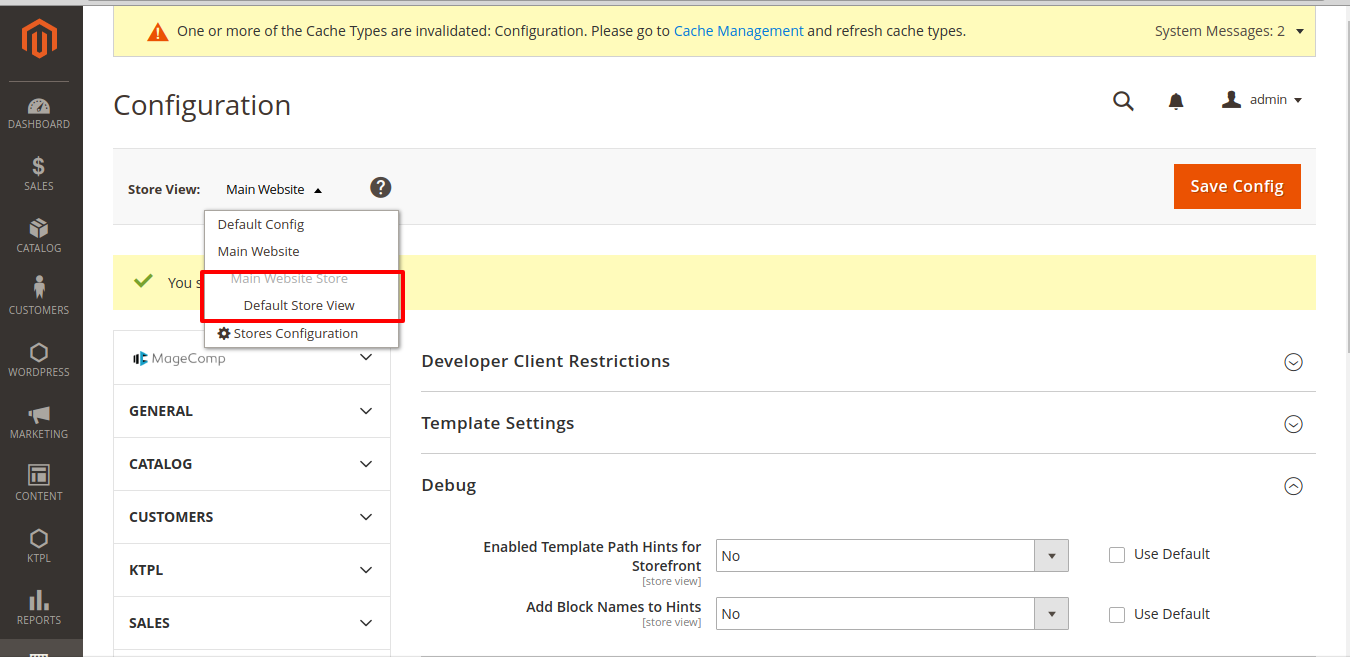
After set Current configuration as YOur Default store view and check Yes for storepath hints for front and Blockpath hints as Yes.

- thnks to all, its worked.Anikesh Shahi– Anikesh Shahi2017-11-02 09:22:47 +00:00Commented Nov 2, 2017 at 9:22
- Thanks! My problem was also wrong scopebdbdbd– bdbdbd2021-10-27 16:01:04 +00:00Commented Oct 27, 2021 at 16:01
If you are using Magento 2.2 then on production mode, the template hint will not work.
Also, you need to check the setting at last level of scope mean store view scope.


- How to view Template Path Hints for Storefront in Production Mode?zus– zus2020-10-14 03:42:33 +00:00Commented Oct 14, 2020 at 3:42
- You cannot do at Production. Need to some customization2020-10-14 06:17:39 +00:00Commented Oct 14, 2020 at 6:17
- Can i get any idea how to do the customization regard path hints?zus– zus2020-10-14 06:29:10 +00:00Commented Oct 14, 2020 at 6:29
I strongly discourage this method. Use it at your own risk. Only to be used on local system.
Open vendor/magento/module-developer/Model/TemplateEngine/Plugin/DebugHints.php (tested in 2.3.2)
write this code inside afterCreate function : (at the start, above the storecode line)
if(isset($_GET['shreyasPathHints']) && $_GET['shreyasPathHints'] == 'on'){ return $this->debugHintsFactory->create([ 'subject' => $invocationResult, 'showBlockHints' => 1, ]); } Now, you can open any Magento page and append ?shreyasPathHints=on to the URL. No need to run any commands.

Curiously. Now it works. Added a new block on the site and once again cleared the cache.

I'd like to put in my two cents as well. After scratching my head about why template hints weren't being displayed even though the setting is enabled, I eventually discovered that the ?templatehints={key} bit does not work with urls that include pagination, eg:
https://devserver1234.nxcli.net/mycategory.html?p=1?templatehints=magento
In this case, you would need to remove the ?p=1 portion of the url.

- If you have multiple parameters in an URL, separate them with an ampersand (&): devserver1234.nxcli.net/…bdbdbd– bdbdbd2021-10-27 16:02:41 +00:00Commented Oct 27, 2021 at 16:02
When I discovered my problem, I didn't know whether to laugh or cry with anger! haha
Basically when I activated templatehintes through the SHH console I had set an IP. I forgot to remove this IP. Obviously when my IP number changed, the template hints no longer worked.
I just needed to remove this IP and everything worked normally.