mycli
MyCLI is a command line interface for MySQL, MariaDB, and Percona with auto-completion and syntax highlighting.
- Source: https://github.com/dbcli/mycli
- Chat: Gitter
- Mailing List: https://groups.google.com/forum/#!forum/mycli-users
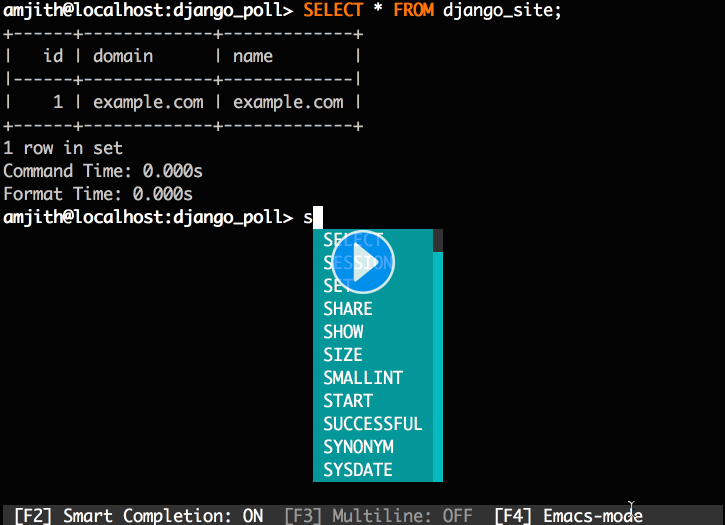
Quick Start
If you already know how to install python packages, then you can simply do:
$ pip install mycli If you're on macOS you can install it via homebrew.
$ brew update && brew install mycli If you're having trouble with the quick start, check the install page for detailed instructions.
Usage
$ mycli --help Usage: mycli [OPTIONS] [DATABASE] A MySQL terminal client with auto-completion and syntax highlighting. Examples: - mycli my_database - mycli -u my_user -h my_host.com my_database - mycli mysql://my_user@my_host.com:3306/my_database Options: -h, --host TEXT Host address of the database. -P, --port INTEGER Port number to use for connection. Honors $MYSQL_TCP_PORT. -u, --user TEXT User name to connect to the database. -S, --socket TEXT The socket file to use for connection. -p, --password TEXT Password to connect to the database. --pass TEXT Password to connect to the database. --ssh-user TEXT User name to connect to ssh server. --ssh-host TEXT Host name to connect to ssh server. --ssh-port INTEGER Port to connect to ssh server. --ssh-password TEXT Password to connect to ssh server. --ssh-key-filename TEXT Private key filename (identify file) for the ssh connection. --ssl-ca PATH CA file in PEM format. --ssl-capath TEXT CA directory. --ssl-cert PATH X509 cert in PEM format. --ssl-key PATH X509 key in PEM format. --ssl-cipher TEXT SSL cipher to use. --ssl-verify-server-cert Verify server's "Common Name" in its cert against hostname used when connecting. This option is disabled by default. -V, --version Output mycli's version. -v, --verbose Verbose output. -D, --database TEXT Database to use. -d, --dsn TEXT Use DSN configured into the [alias_dsn] section of myclirc file. --list-dsn list of DSN configured into the [alias_dsn] section of myclirc file. -R, --prompt TEXT Prompt format (Default: "\t \u@\h:\d> "). -l, --logfile FILENAME Log every query and its results to a file. --defaults-group-suffix TEXT Read MySQL config groups with the specified suffix. --defaults-file PATH Only read MySQL options from the given file. --myclirc PATH Location of myclirc file. --auto-vertical-output Automatically switch to vertical output mode if the result is wider than the terminal width. -t, --table Display batch output in table format. --csv Display batch output in CSV format. --warn / --no-warn Warn before running a destructive query. --local-infile BOOLEAN Enable/disable LOAD DATA LOCAL INFILE. --login-path TEXT Read this path from the login file. -e, --execute TEXT Execute command and quit. --help Show this message and exit.