
Materialize
🎨 Elegant themes for Sublime Text 3
Details
Installs
- Total 274K
- Win 149K
- Mac 63K
- Linux 62K
| Mar 27 | Mar 26 | Mar 25 | Mar 24 | Mar 23 | Mar 22 | Mar 21 | Mar 20 | Mar 19 | Mar 18 | Mar 17 | Mar 16 | Mar 15 | Mar 14 | Mar 13 | Mar 12 | Mar 11 | Mar 10 | Mar 9 | Mar 8 | Mar 7 | Mar 6 | Mar 5 | Mar 4 | Mar 3 | Mar 2 | Mar 1 | Feb 28 | Feb 27 | Feb 26 | Feb 25 | Feb 24 | Feb 23 | Feb 22 | Feb 21 | Feb 20 | Feb 19 | Feb 18 | Feb 17 | Feb 16 | Feb 15 | Feb 14 | Feb 13 | Feb 12 | Feb 11 | Feb 10 | |
|---|---|---|---|---|---|---|---|---|---|---|---|---|---|---|---|---|---|---|---|---|---|---|---|---|---|---|---|---|---|---|---|---|---|---|---|---|---|---|---|---|---|---|---|---|---|---|
| Windows | 3 | 3 | 5 | 7 | 6 | 4 | 1 | 7 | 8 | 4 | 8 | 6 | 2 | 6 | 10 | 3 | 11 | 10 | 7 | 4 | 4 | 5 | 3 | 6 | 8 | 3 | 10 | 3 | 3 | 9 | 7 | 12 | 3 | 6 | 6 | 5 | 8 | 6 | 3 | 7 | 4 | 4 | 8 | 8 | 6 | 7 |
| Mac | 2 | 6 | 2 | 3 | 2 | 0 | 1 | 3 | 4 | 0 | 2 | 3 | 3 | 3 | 4 | 0 | 3 | 1 | 2 | 0 | 0 | 2 | 2 | 1 | 2 | 2 | 3 | 2 | 3 | 3 | 4 | 3 | 4 | 1 | 3 | 2 | 1 | 3 | 0 | 3 | 6 | 6 | 2 | 5 | 2 | 5 |
| Linux | 1 | 4 | 5 | 3 | 2 | 6 | 4 | 2 | 4 | 5 | 2 | 6 | 4 | 2 | 7 | 2 | 6 | 5 | 1 | 3 | 1 | 4 | 4 | 0 | 3 | 1 | 4 | 7 | 4 | 4 | 3 | 7 | 5 | 3 | 3 | 1 | 4 | 6 | 3 | 2 | 4 | 3 | 5 | 7 | 3 | 6 |
Readme
- Source
- raw.githubusercontent.com
Materialize
Fork of Materialize to add colored title bars.



Bringing Material theme to the some of the most popular color schemes for Sublime Text 3 and Sublime Text 3 dev. Click here to see some more screenshots.
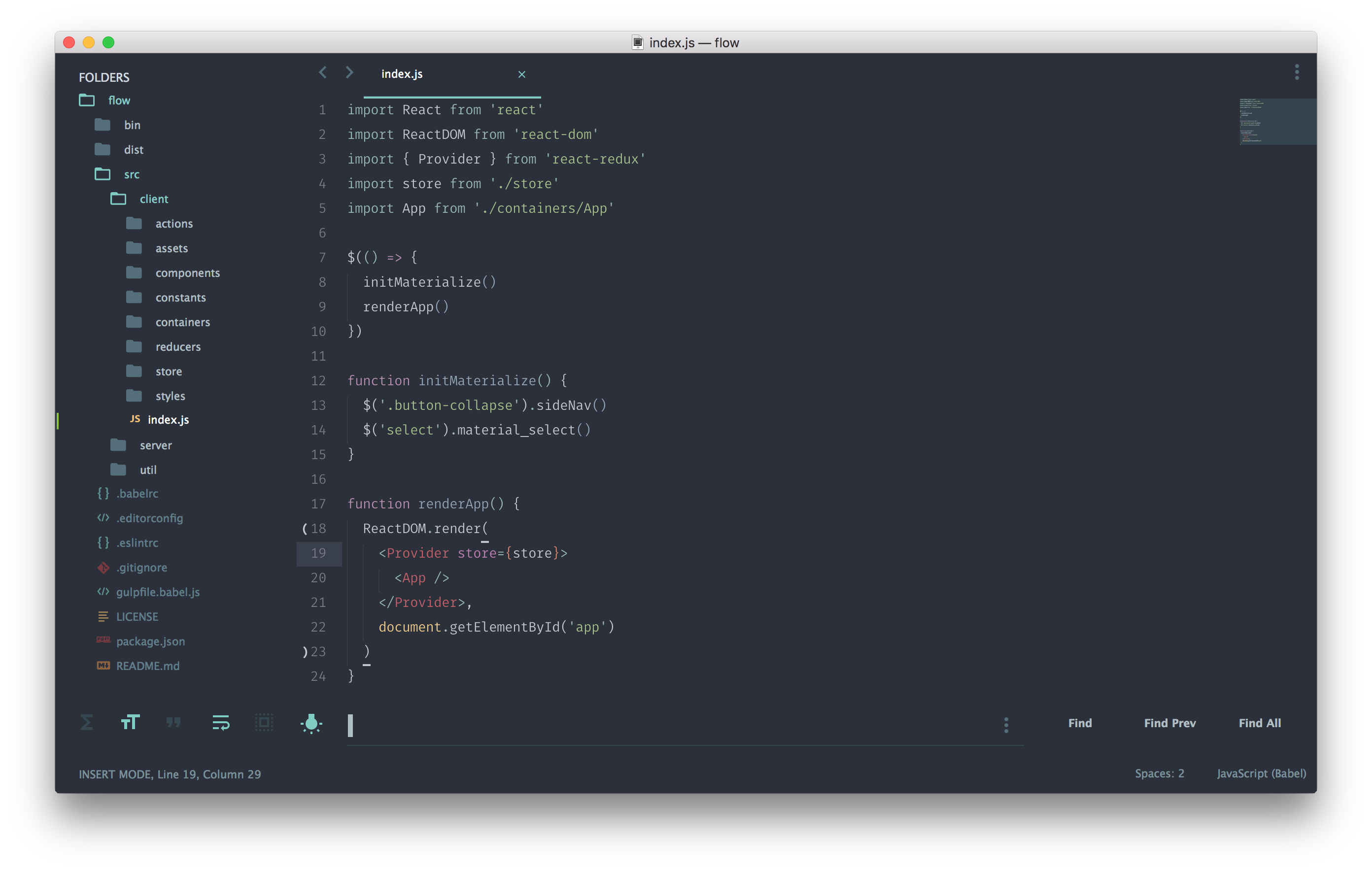
Materialize is based upon the Material theme created by @equinusocio and the following themes / color schemes:
- Augmented Reaction by ESWAT
- Behave by @fnky
- Brogrammer by @kenwheeler
- Cobalt by @kyleknighted
- Dracula by @Zeno Rocha
- Facebook by @mbixby
- Flatland by @thinkpixellab
- Glacier by @joeyfigaro
- Monokai by @sublimehq, Wimer Hazenberg
- Oceanic Next by @voronianski
- One Dark by @IceTimux
- Primer Light by @karelvuong
- Seti by @ctf0
- Solarized by @altercation
- Spaceblack by @TheBaronHimself
- Spacegray by @kkga
- Stereokai by @carlcalderon
- Toy Chest by @JacksonGariety
- Twilight by @sublimehq
- Vim Blackboard by @lisposter, @nelstrom
- Zenburn by @colinta
Installation
Via Package Control
The easiest way to install is using Will Bond's Sublime Package Control, just search for Materialize.
- Open Command Palette using menu item
Tools -> Command Palette...(or ⇧⌘P on Mac, CtrlShift ⇧P on Windows) - Choose
Package Control: Install Package - Find
Materializeand hit Enter
Manually
You can also install the theme manually:
- Download the latest release, extract and rename the folder to “Materialize”.
- Move the folder inside your sublime Packages directory. (Preferences > Browse packages…)
Activation
Activate the theme with the following preferences at (Preferences > Setting - User), based on the theme you want to use. If you wanted to use Brogrammer for example, you would need to do:
"color_scheme": "Packages/Materialize/schemes/Material Brogrammer.tmTheme", "theme": "Material Brogrammer.sublime-theme" Note : Remember to restart Sublime Text after activating the theme.
Theme Addons
Be sure to check out Materialize-Appbar and Materialize-White-Panels to add even more customization to your theme!
Theme options
"material_theme_tabs_autowidth" : true, "material_theme_contrast_mode": true, "material_theme_compact_sidebar": true, "material_theme_compact_panel": true, "material_theme_small_tab": true, "material_theme_disable_fileicons": true, "material_theme_disable_folder_animation": true, "material_theme_small_statusbar": true, "material_theme_disable_tree_indicator": true, "material_theme_bold_tab": true, "material_theme_accent_lime": true, "material_theme_accent_purple": true, "material_theme_accent_red": true, "material_theme_accent_orange": true, "material_theme_accent_yellow": true, "material_theme_accent_indigo": true Recommended UI and font settings
Here are some recommendations for your user settings to make a better experience with the theme:
"always_show_minimap_viewport": true, "bold_folder_labels": true, "caret_extra_bottom": 2, "caret_extra_top": 2, "caret_extra_width": 2, "caret_style": "phase", "drag_text": false, "line_padding_bottom": 1, "line_padding_top": 1, "overlay_scroll_bars": "enabled" Additionally, if you are on a Mac with Retina try:
"font_options": [ "gray_antialias" ] or on a Windows PC with high resolution try:
"font_options": [ "directwrite" ] Known issues
Please see the issue equinusocio/material-theme#67 if you cannot see the bottom panel (find/replace, rename, move, cannot see the box inputs in SidebarEnhancement, etc..). The quick fix is to just grab the border of the panel and move it like so:

Custom requests
If you have a color scheme that you would like me to create a Material theme for, I'd be happy to oblige. Simply create a new issue and use the theme request template provided, and I'll try to get to it as soon as possible.