
AI is easy to productionize
The AI developer platform to build AI agents, applications,
and models with confidence
import weave weave.init("quickstart") @weave.op() def llm_app(prompt): pass # Track LLM calls, document retrieval, agent steps import wandb run = wandb.init(project="my-model-training-project") run.config = {"epochs": 1337, "learning_rate": 3e-4} run.log({"metric": 42}) my_model_artifact = run.log_artifact("./my_model.pt", type="model") The world’s leading AI teams trust Weights & Biases



Weights & Biases AI developer platform
Models
Build and manage AI models
Training
Fine-tune AI models on agentic tasks
Inference
Serve hosted & fine-tuned AI models
Weave
Iterate, evaluate and monitor agents
Registry
Datasets | Models | Prompts | Code | Metadata
Core
Reports | Automations | SDK | Skills for coding agents
Secure deployment
Saas | Dedicated | Customer-managed




Models
Build and manage AI models
Training
Fine-tune with serverless RL
Inference
Access and explore hosted AI models
Weave
Iterate, evaluate and monitor agents
Registry
Datasets | Models | Prompts | Code | Metadata
Core
Reports | Automations | SDK
Secure deployment
Saas | Dedicated | Customer-managed


Now available:
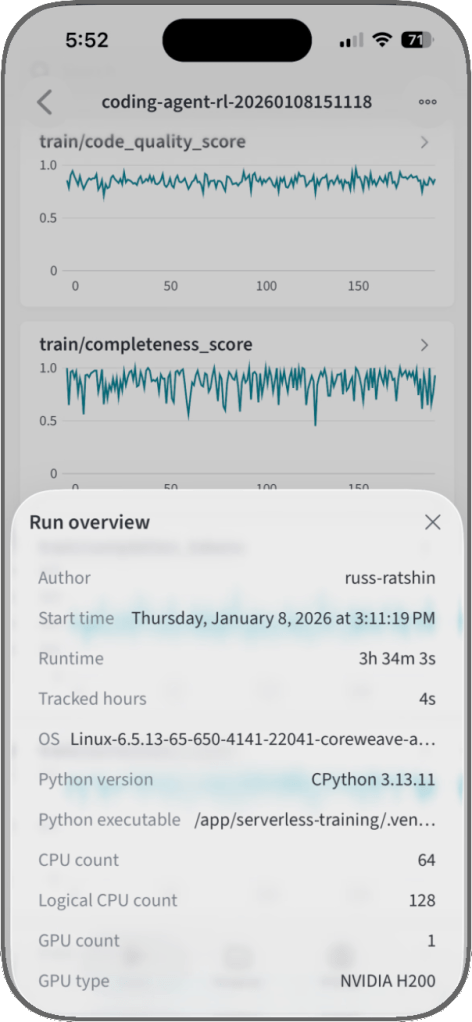
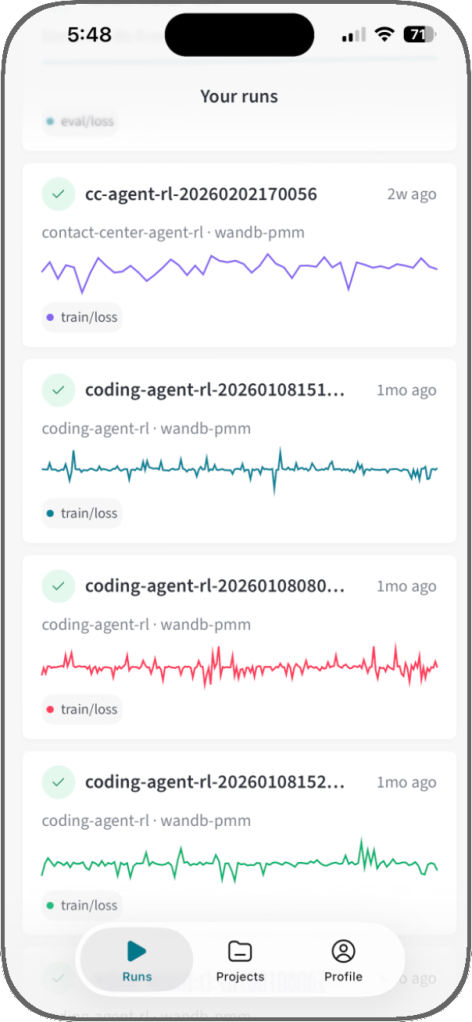
Weights & Biases mobile app
The first iOS app to monitor AI experiments and track training runs anytime, anywhere.
Compliance-ready for the enterprise
Weights & Biases AI development platform is certified under ISO/IEC 27001:2022, ISO/IEC 27017:2015, and ISO/IEC 27018:2019, and is compliant with SOC 2 and HIPAA standards. Our platform also helps customers comply with NIST 800-53 and we are in alignment with GDPR requirements for processing personal information.
Learn more about compliance with different deployment options:
Certified under
ISO 27001:2022
ISO 27017:2015
ISO 27018:2019
Compliant with
SOC 2
HIPAA
NIST 800-53
GDPR
Get started with one line of code
“I love Weave for a number of reasons. The fact that I could just add a library to our code and all of a sudden I’ve got a whole bunch of information about the GenAI portion of our product, in Weights & Biases, which I was already using and very familiar with. All those things that I’m watching for the performance of our AI, I can now report on quickly and easily with Weave.”

import openai, weave weave.init("weave-intro") @weave.op def correct_grammar(user_input): client = openai.OpenAI() response = client.chat.completions.create( model="o1-mini", messages=[{ "role": "user", "content": "Correct the grammar:\n\n" + user_input, }], ) return response.choices[0].message.content.strip() result = correct_grammar("That was peace of cake!") print(result) import weave from langchain_core.prompts import PromptTemplate from langchain_openai import ChatOpenAI # Initialize Weave with your project name weave.init("langchain_demo") llm = ChatOpenAI() prompt = PromptTemplate.from_template("1 + {number} = ") llm_chain = prompt | llm output = llm_chain.invoke({"number": 2}) print(output) import weave from llama_index.core.chat_engine import SimpleChatEngine # Initialize Weave with your project name weave.init("llamaindex_demo") chat_engine = SimpleChatEngine.from_defaults() response = chat_engine.chat( "Say something profound and romantic about fourth of July" ) print(response) import wandb # 1. Start a new run run = wandb.init(project="gpt5") # 2. Save model inputs and hyperparameters config = run.config config.dropout = 0.01 # 3. Log gradients and model parameters run.watch(model) for batch_idx, (data, target) in enumerate(train_loader): ... if batch_idx % args.log_interval == 0: # 4. Log metrics to visualize performance run.log({"loss": loss}) import wandb # 1. Define which wandb project to log to and name your run run = wandb.init(project="gpt-5", run_name="gpt-5-base-high-lr") # 2. Add wandb in your `TrainingArguments` args = TrainingArguments(..., report_to="wandb") # 3. W&B logging will begin automatically when your start training your Trainer trainer = Trainer(..., args=args) trainer.train() from lightning.pytorch.loggers import WandbLogger # initialise the logger wandb_logger = WandbLogger(project="llama-4-fine-tune") # add configs such as batch size etc to the wandb config wandb_logger.experiment.config["batch_size"] = batch_size # pass wandb_logger to the Trainer trainer = Trainer(..., logger=wandb_logger) # train the model trainer.fit(...) import wandb # 1. Start a new run run = wandb.init(project="gpt4") # 2. Save model inputs and hyperparameters config = wandb.config config.learning_rate = 0.01 # Model training here # 3. Log metrics to visualize performance over time with tf.Session() as sess: # ... wandb.tensorflow.log(tf.summary.merge_all()) import wandb from wandb.keras import ( WandbMetricsLogger, WandbModelCheckpoint, ) # 1. Start a new run run = wandb.init(project="gpt-4") # 2. Save model inputs and hyperparameters config = wandb.config config.learning_rate = 0.01 ... # Define a model # 3. Log layer dimensions and metrics wandb_callbacks = [ WandbMetricsLogger(log_freq=5), WandbModelCheckpoint("models"), ] model.fit( X_train, y_train, validation_data=(X_test, y_test), callbacks=wandb_callbacks, ) import wandb wandb.init(project="visualize-sklearn") # Model training here # Log classifier visualizations wandb.sklearn.plot_classifier(clf, X_train, X_test, y_train, y_test, y_pred, y_probas, labels, model_name="SVC", feature_names=None) # Log regression visualizations wandb.sklearn.plot_regressor(reg, X_train, X_test, y_train, y_test, model_name="Ridge") # Log clustering visualizations wandb.sklearn.plot_clusterer(kmeans, X_train, cluster_labels, labels=None, model_name="KMeans") import wandb from wandb.xgboost import wandb_callback # 1. Start a new run run = wandb.init(project="visualize-models") # 2. Add the callback bst = xgboost.train(param, xg_train, num_round, watchlist, callbacks=[wandb_callback()]) # Get predictions pred = bst.predict(xg_test)