Introduction of Unit Test on Android Kernel Jiahe Jou, 2012/11/22
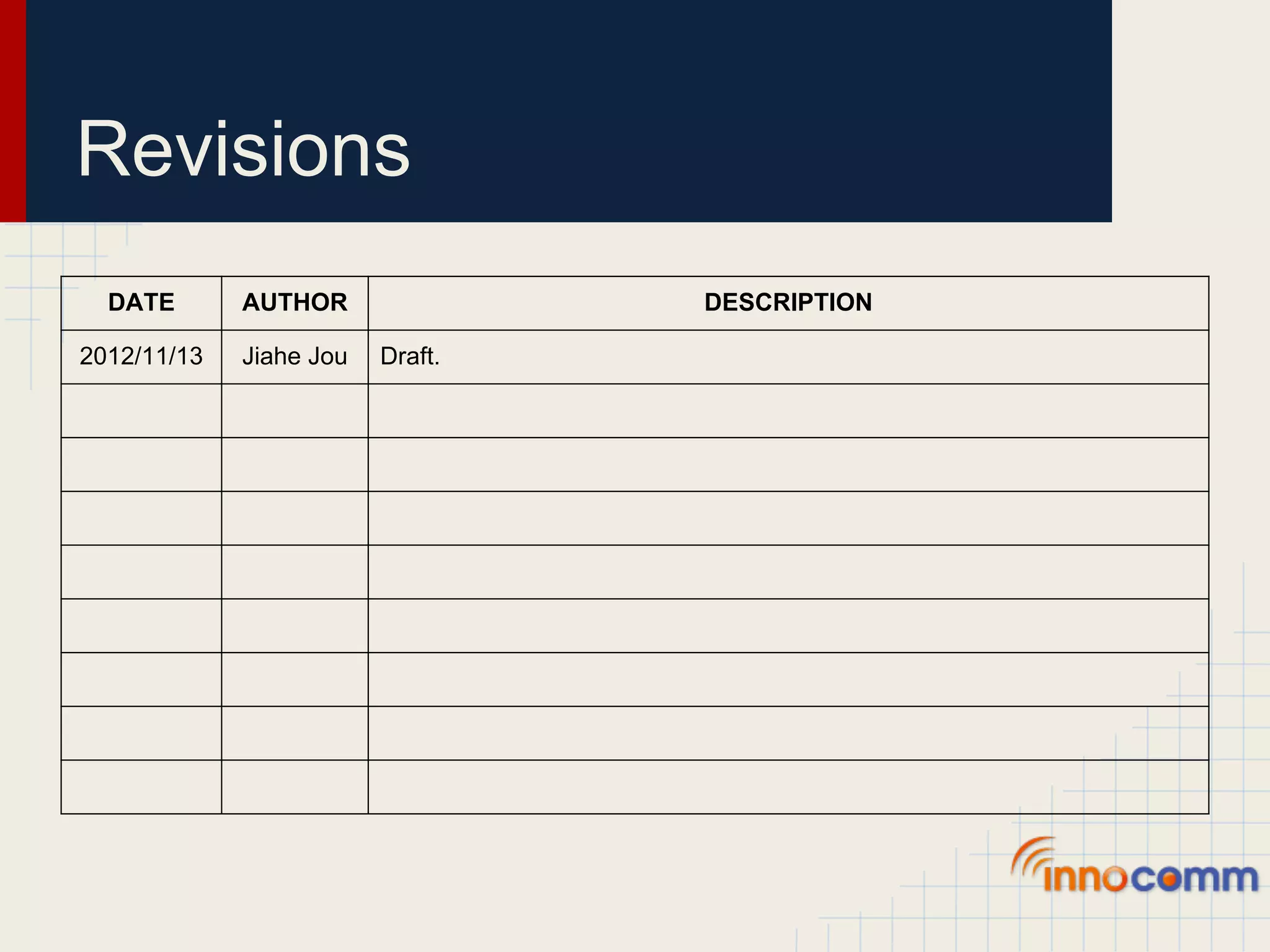
Revisions DATE AUTHOR DESCRIPTION 2012/11/13 Jiahe Jou Draft.
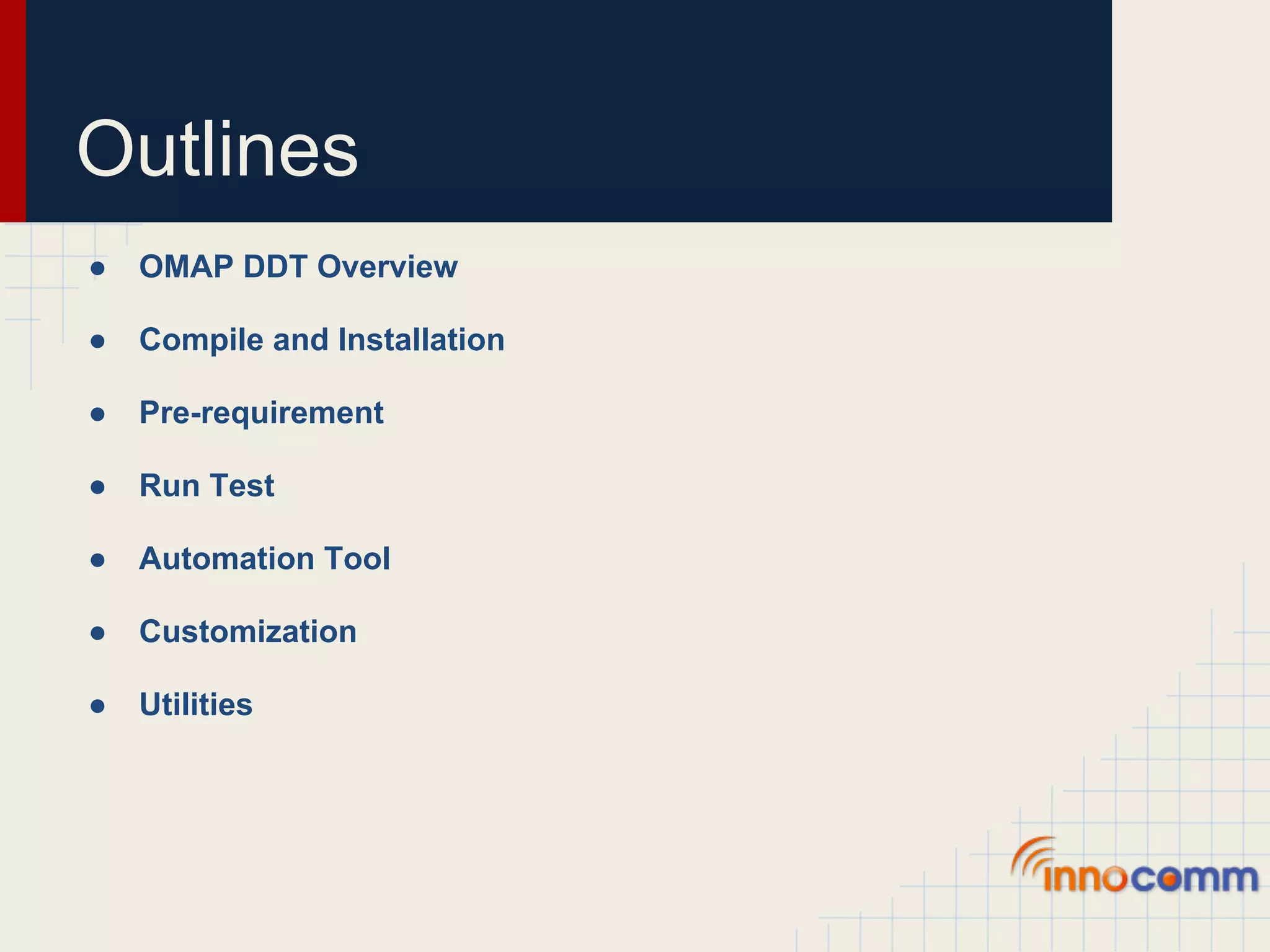
Outlines ● OMAP DDT Overview ● Compile and Installation ● Pre-requirement ● Run Test ● Automation Tool ● Customization ● Utilities
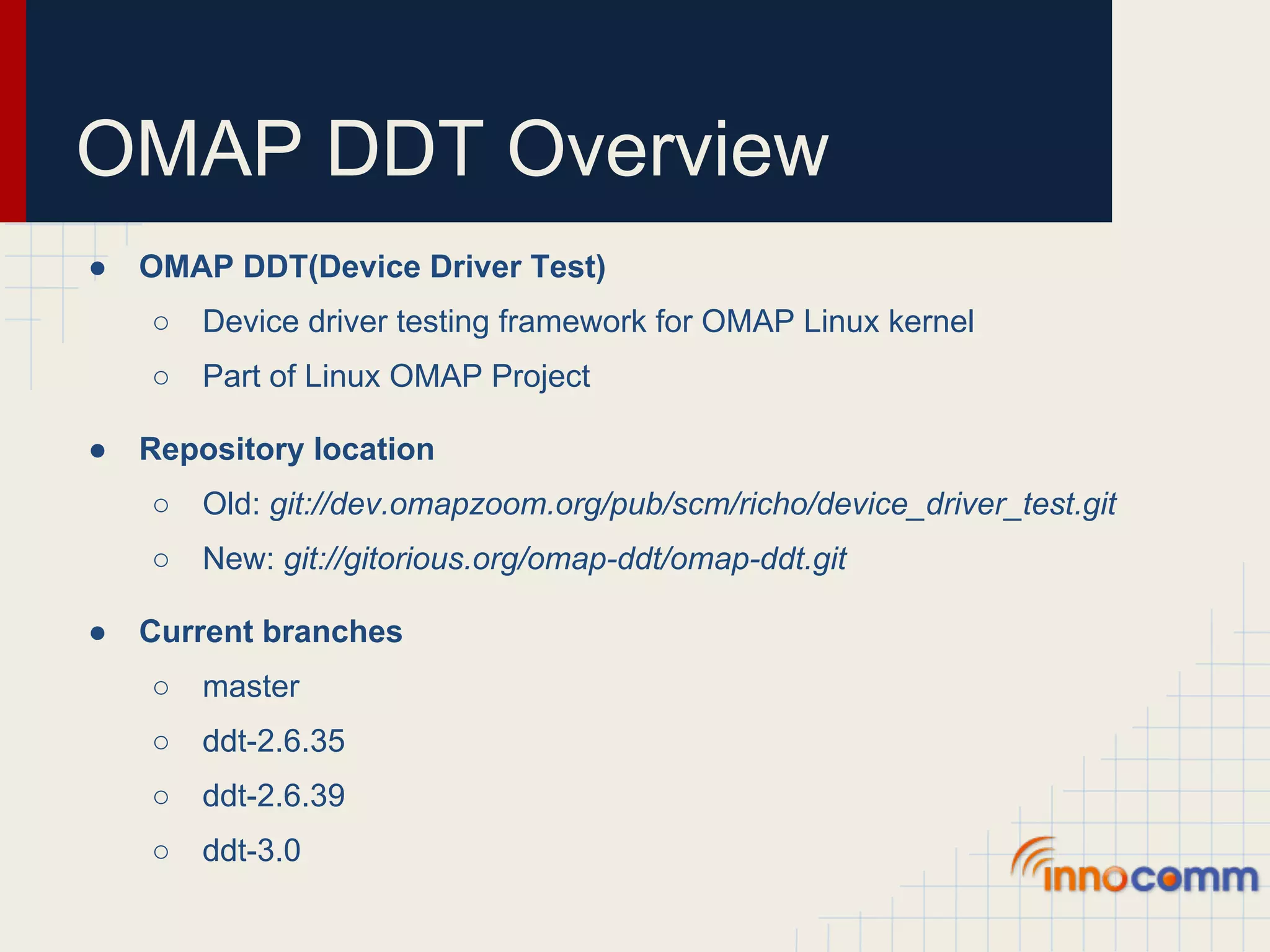
OMAP DDT Overview ● OMAP DDT(Device Driver Test) ○ Device driver testing framework for OMAP Linux kernel ○ Part of Linux OMAP Project ● Repository location ○ Old: git://dev.omapzoom.org/pub/scm/richo/device_driver_test.git ○ New: git://gitorious.org/omap-ddt/omap-ddt.git ● Current branches ○ master ○ ddt-2.6.35 ○ ddt-2.6.39 ○ ddt-3.0
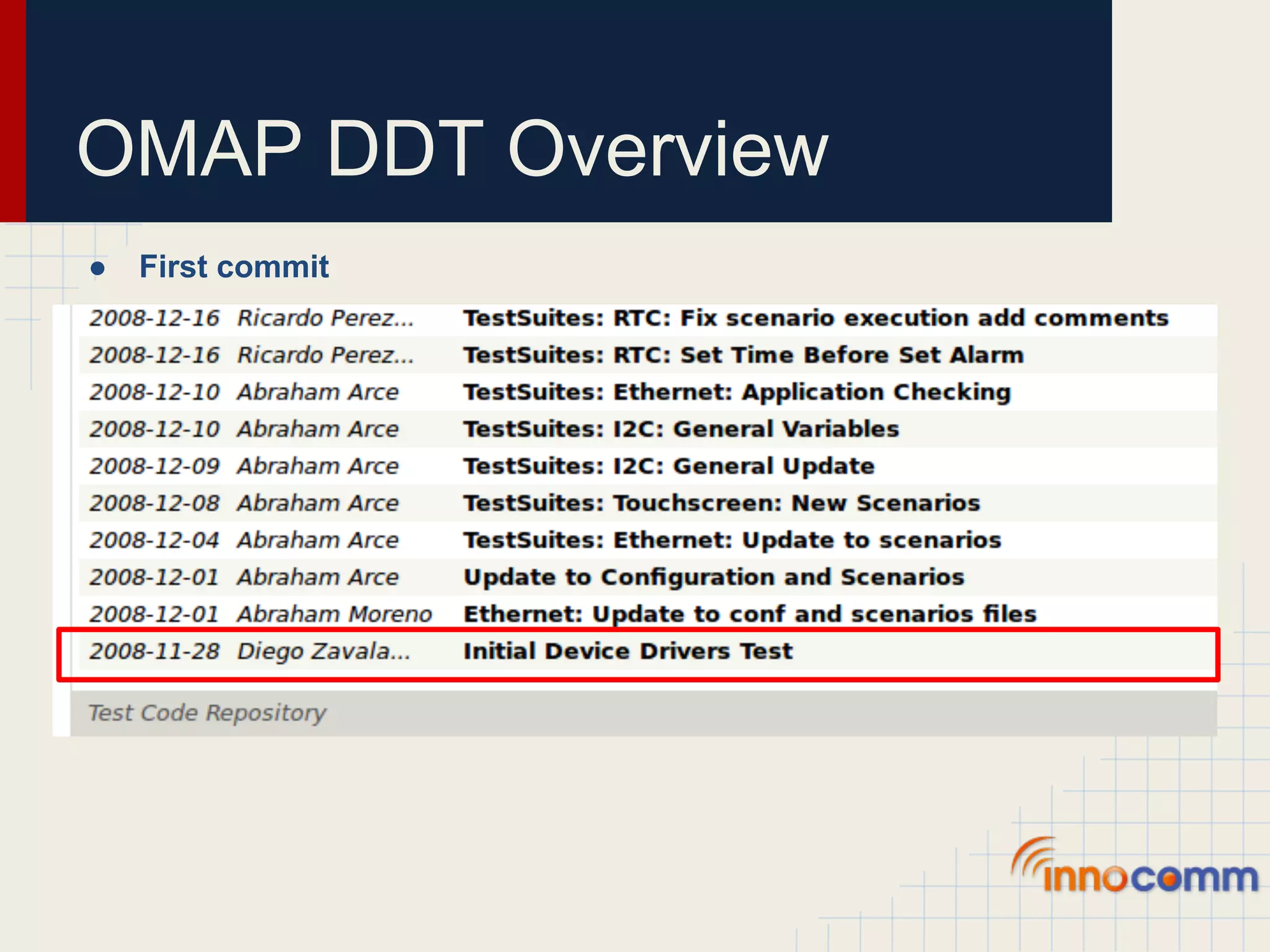
OMAP DDT Overview ● First commit
OMAP DDT Overview ● Current owner ● Committer ○ Leed Aguilar, leedsalim@gmail.com ○ Dmytro Kedrovskyi, x0158318@ti.com ○ Mariia Nagul, x0171643@ti.com
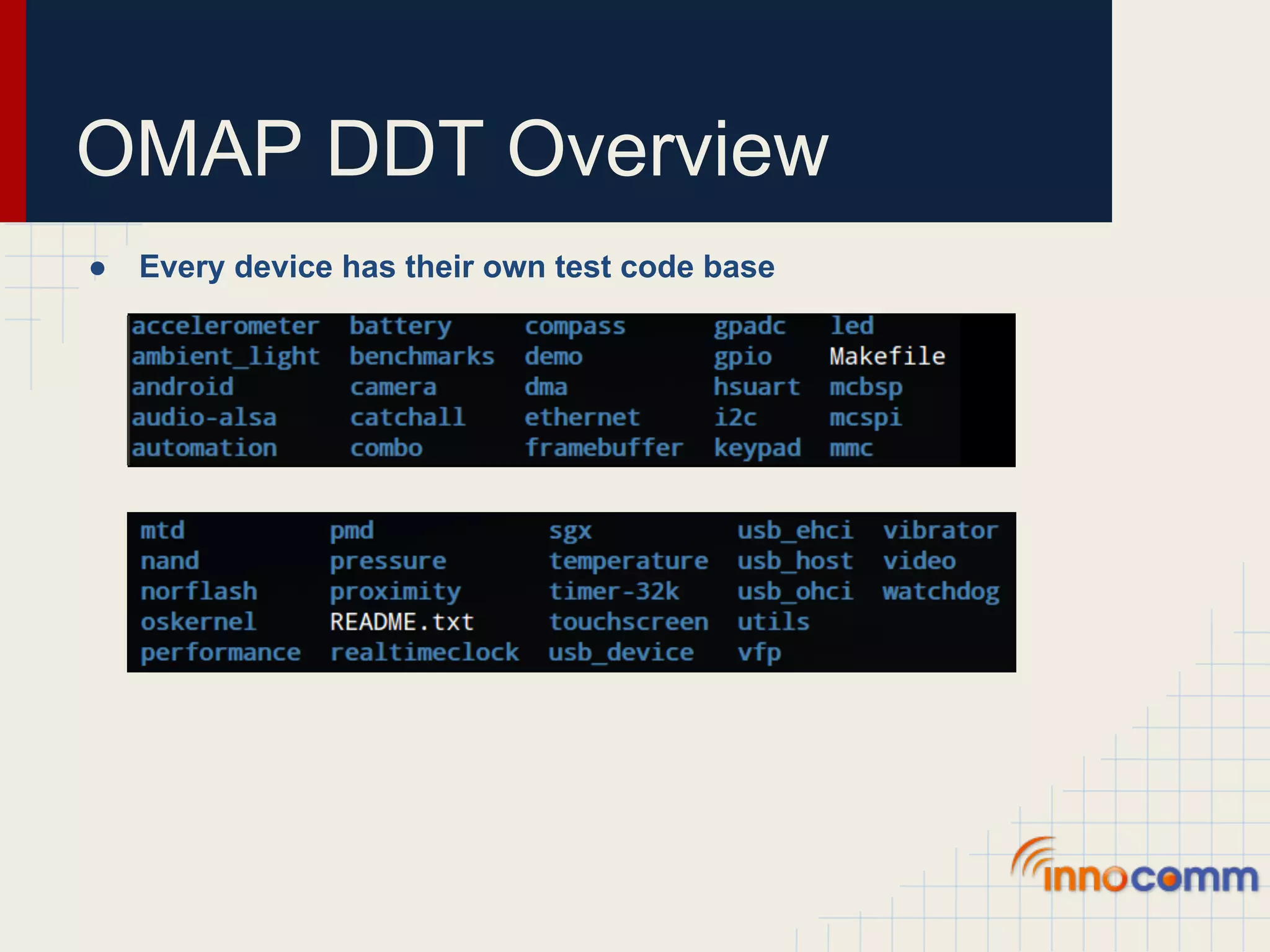
OMAP DDT Overview ● Every device has their own test code base
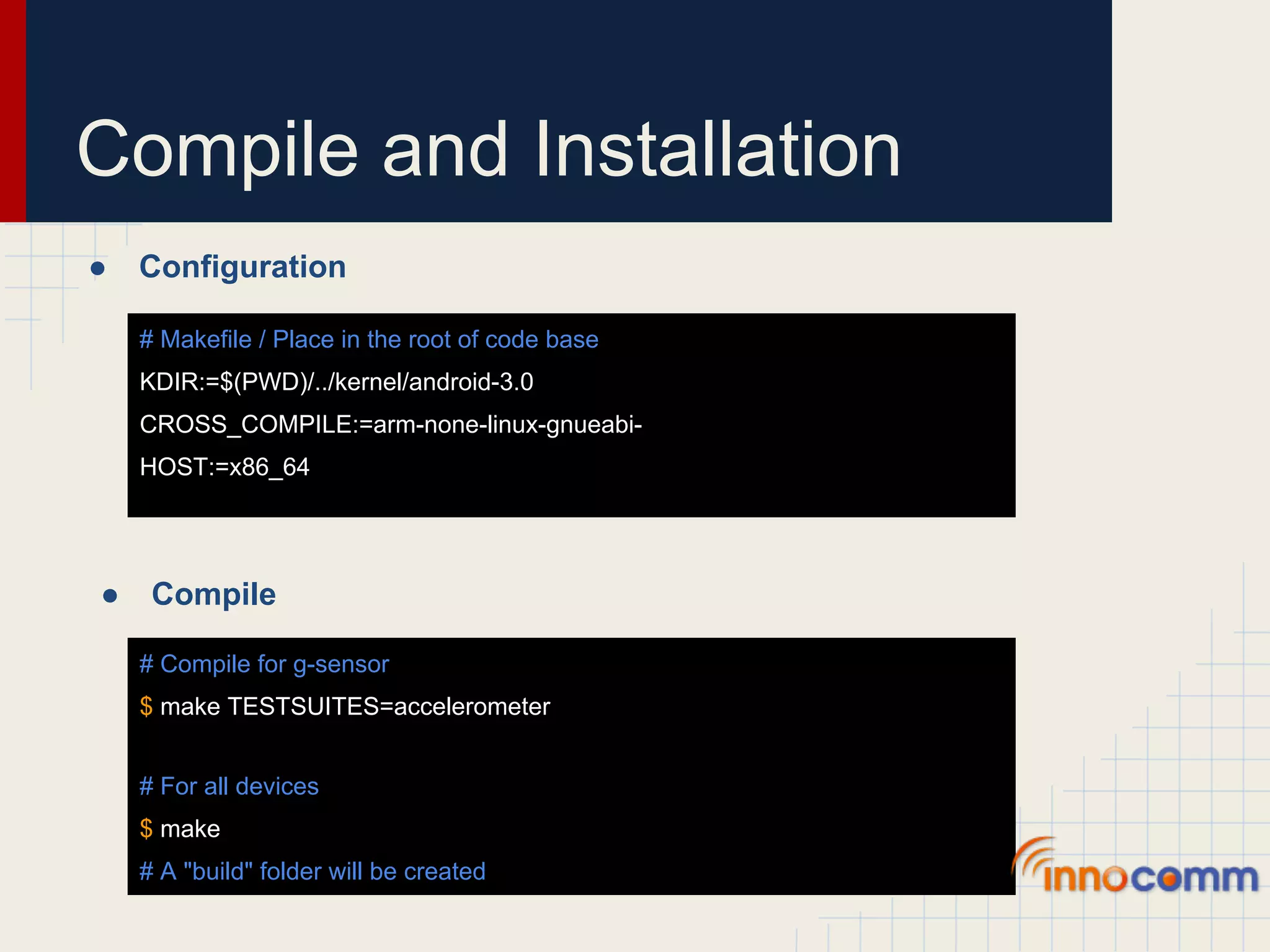
Compile and Installation ● Configuration # Makefile / Place in the root of code base KDIR:=$(PWD)/../kernel/android-3.0 CROSS_COMPILE:=arm-none-linux-gnueabi- HOST:=x86_64 ● Compile # Compile for g-sensor $ make TESTSUITES=accelerometer # For all devices $ make # A "build" folder will be created
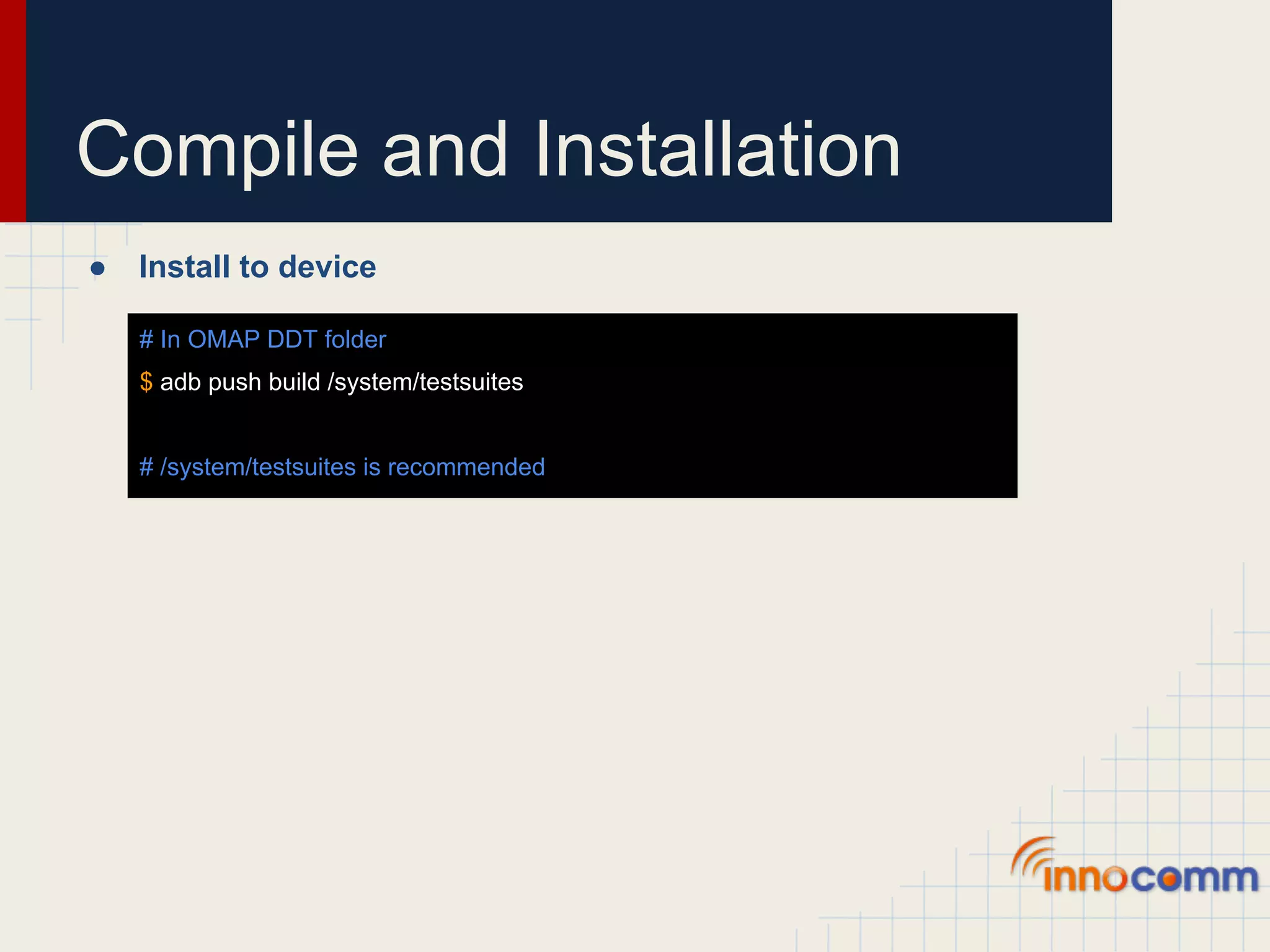
Compile and Installation ● Install to device # In OMAP DDT folder $ adb push build /system/testsuites # /system/testsuites is recommended
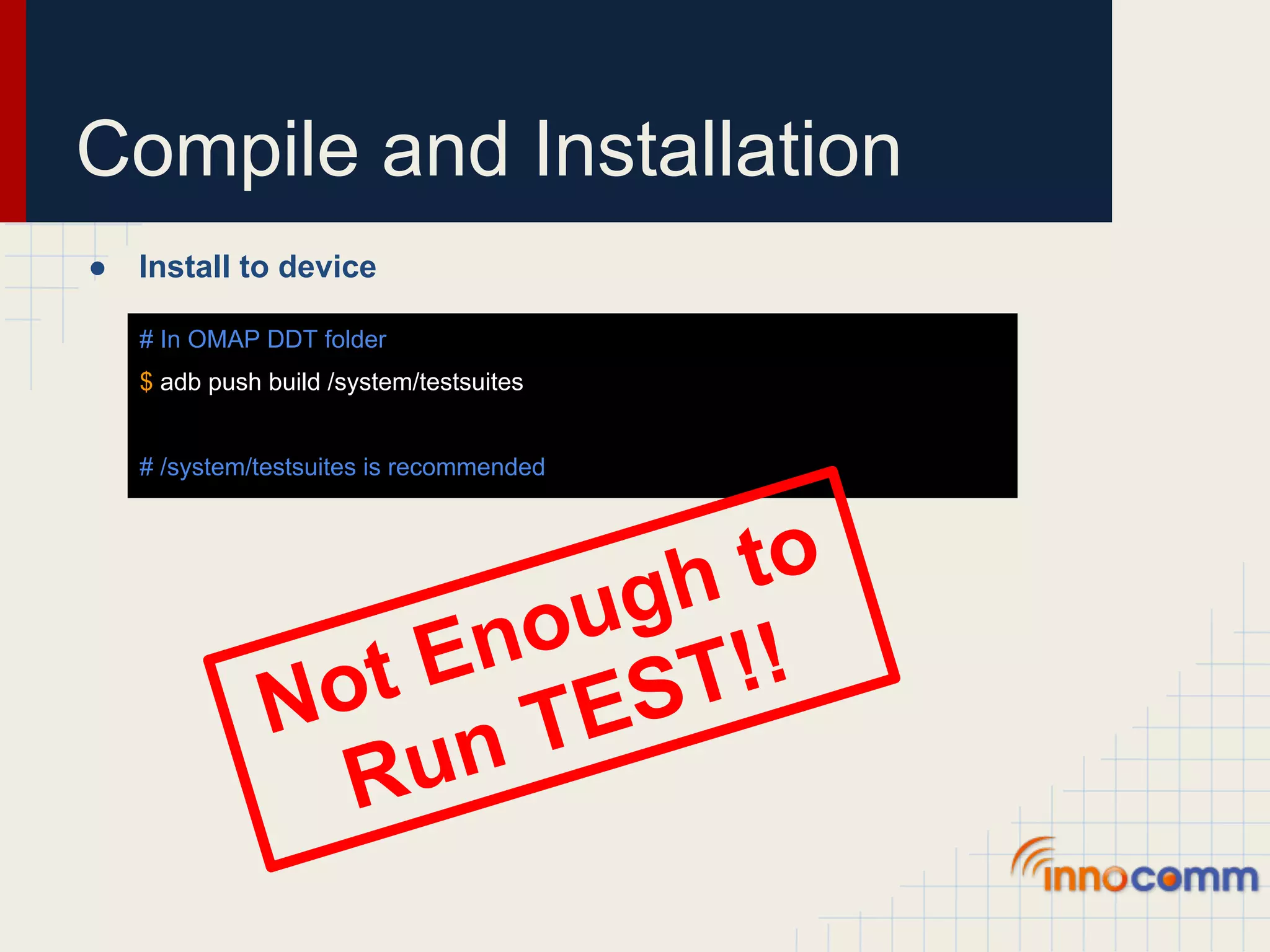
Compile and Installation ● Install to device # In OMAP DDT folder $ adb push build /system/testsuites # /system/testsuites is recommended gh to ou !! En ST Not TE R un
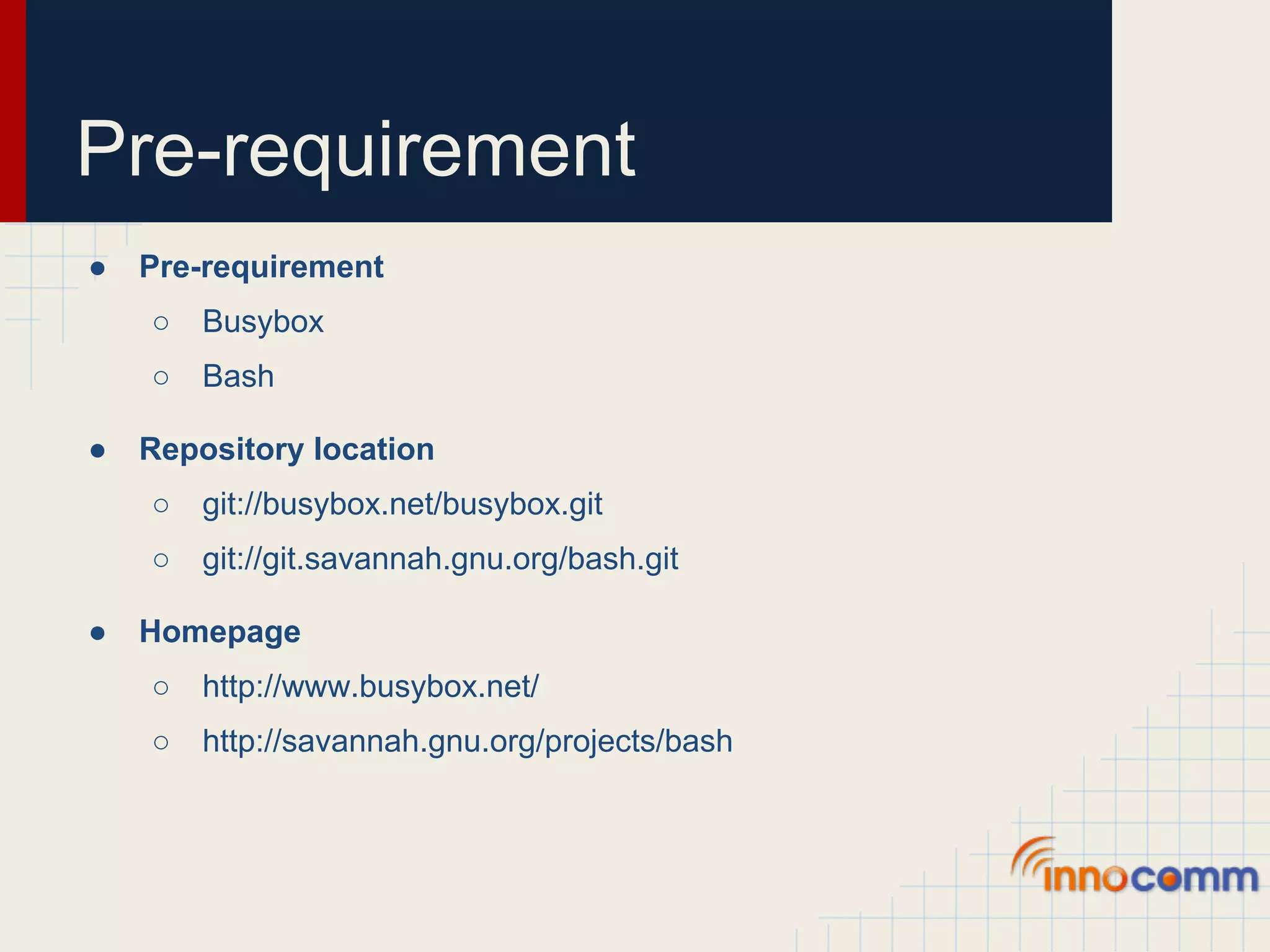
Pre-requirement ● Pre-requirement ○ Busybox ○ Bash ● Repository location ○ git://busybox.net/busybox.git ○ git://git.savannah.gnu.org/bash.git ● Homepage ○ http://www.busybox.net/ ○ http://savannah.gnu.org/projects/bash
Pre-requirement ● Configuration for Busybox Busybox Settings --> Build Options --> Build Busybox as a static binary (no shared libs) - Enable this option by pressing "Y" Busybox Settings --> Build Options --> Cross compiler prefix - Set this option equal to "arm-none-linux-gnueabi-" Busybox Settings --> General Configuration --> Don't use /usr - Enable this option by pressing "Y" Linux Module Utilities --> [ ] Simplified modutils [*] insmod [*] rmmod [*] lsmod [*] Pretty output [ ] modprobe [ ] depmod Linux Module Utilities --> [ ] Support version 2.2/2.4 Linux kernels Linux Module Utilities --> [ ] Try to load module from a mmap'ed area Linux Module Utilities --> [*] Support tainted module checking with new kernels Linux Module Utilities --> () Default directory containing modules - Set this option to nothing Linux Module Utilities --> () Default name of modules.dep - Set this option to nothing
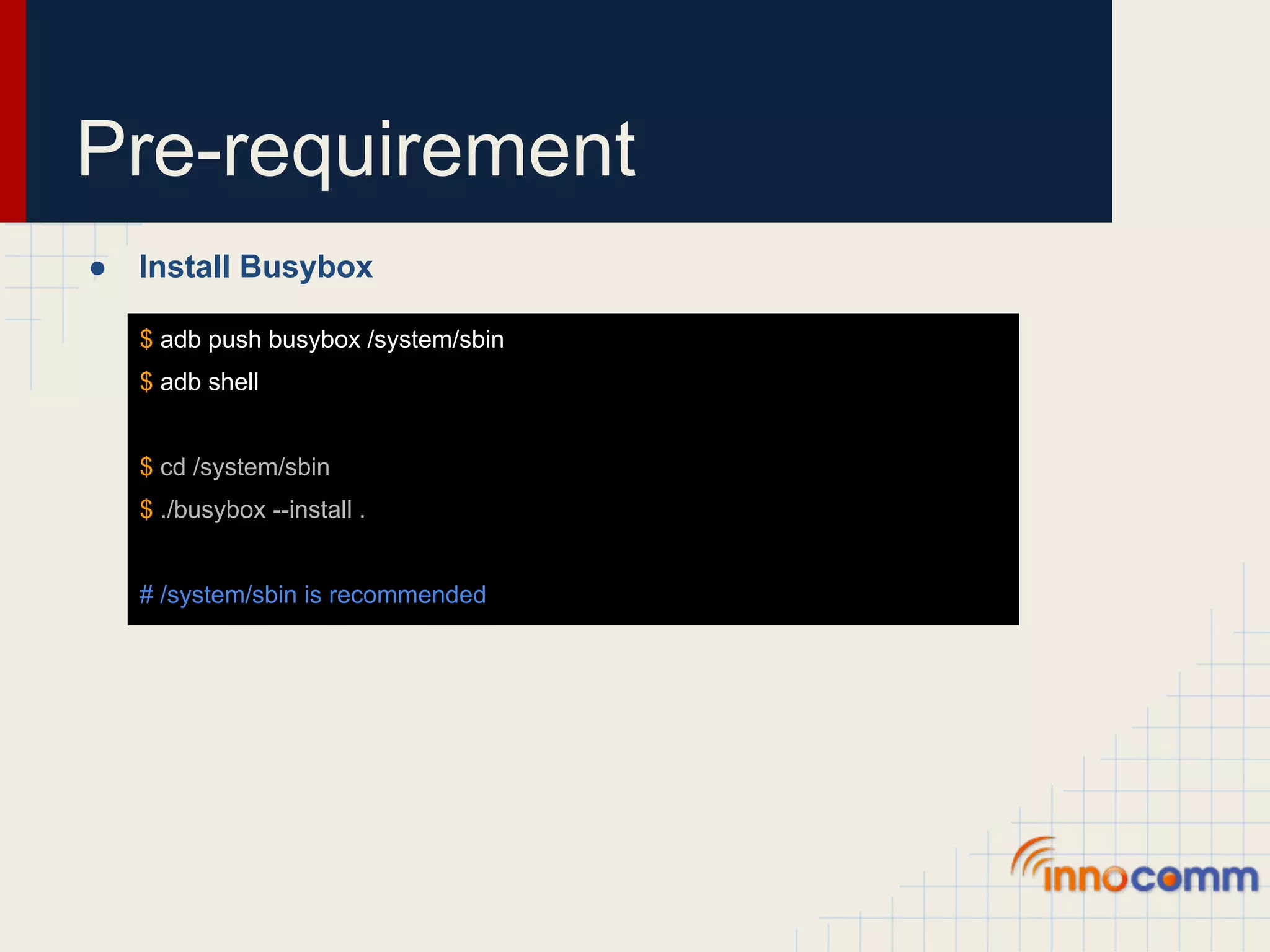
Pre-requirement ● Install Busybox $ adb push busybox /system/sbin $ adb shell $ cd /system/sbin $ ./busybox --install . # /system/sbin is recommended
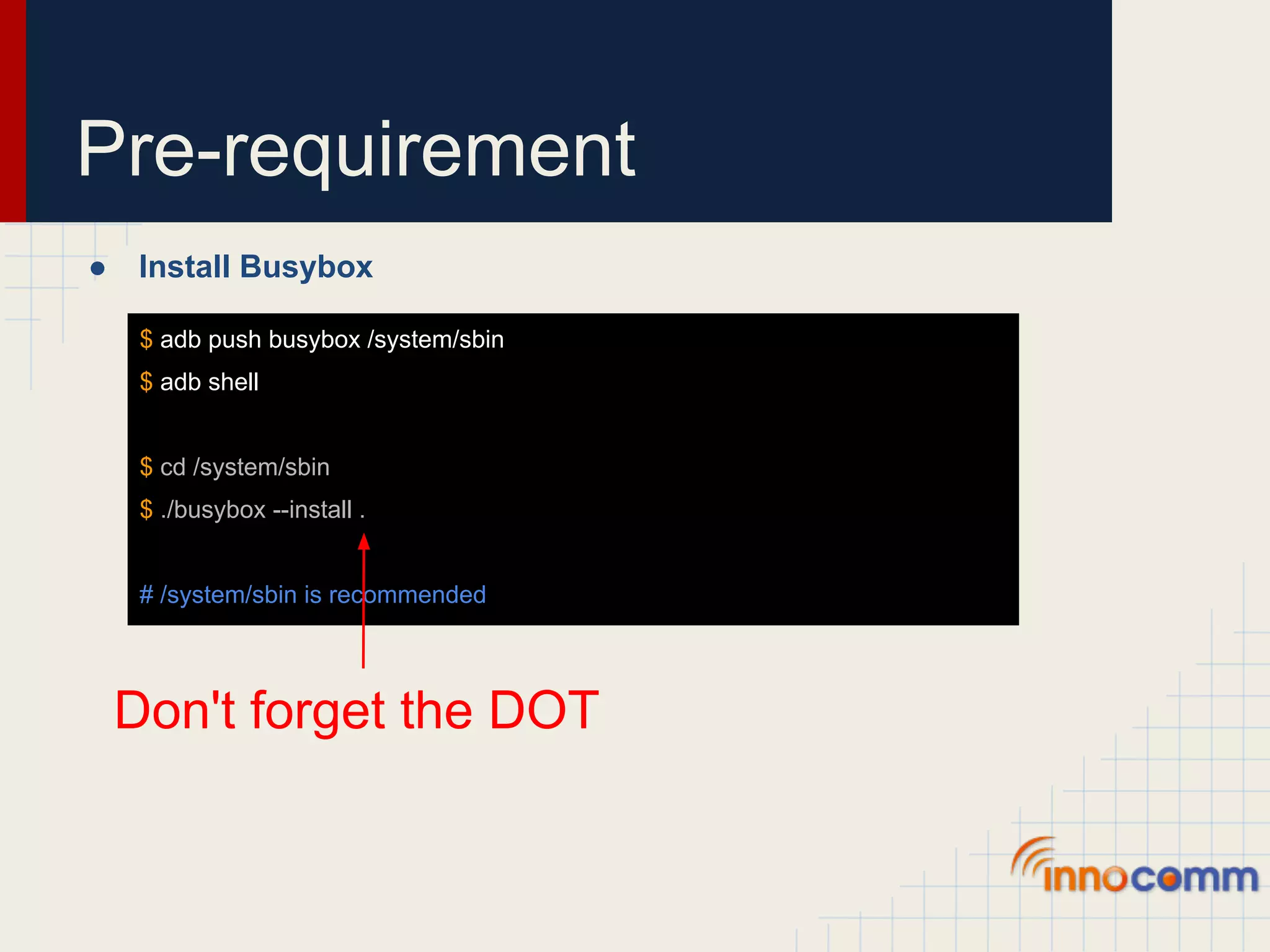
Pre-requirement ● Install Busybox $ adb push busybox /system/sbin $ adb shell $ cd /system/sbin $ ./busybox --install . # /system/sbin is recommended Don't forget the DOT
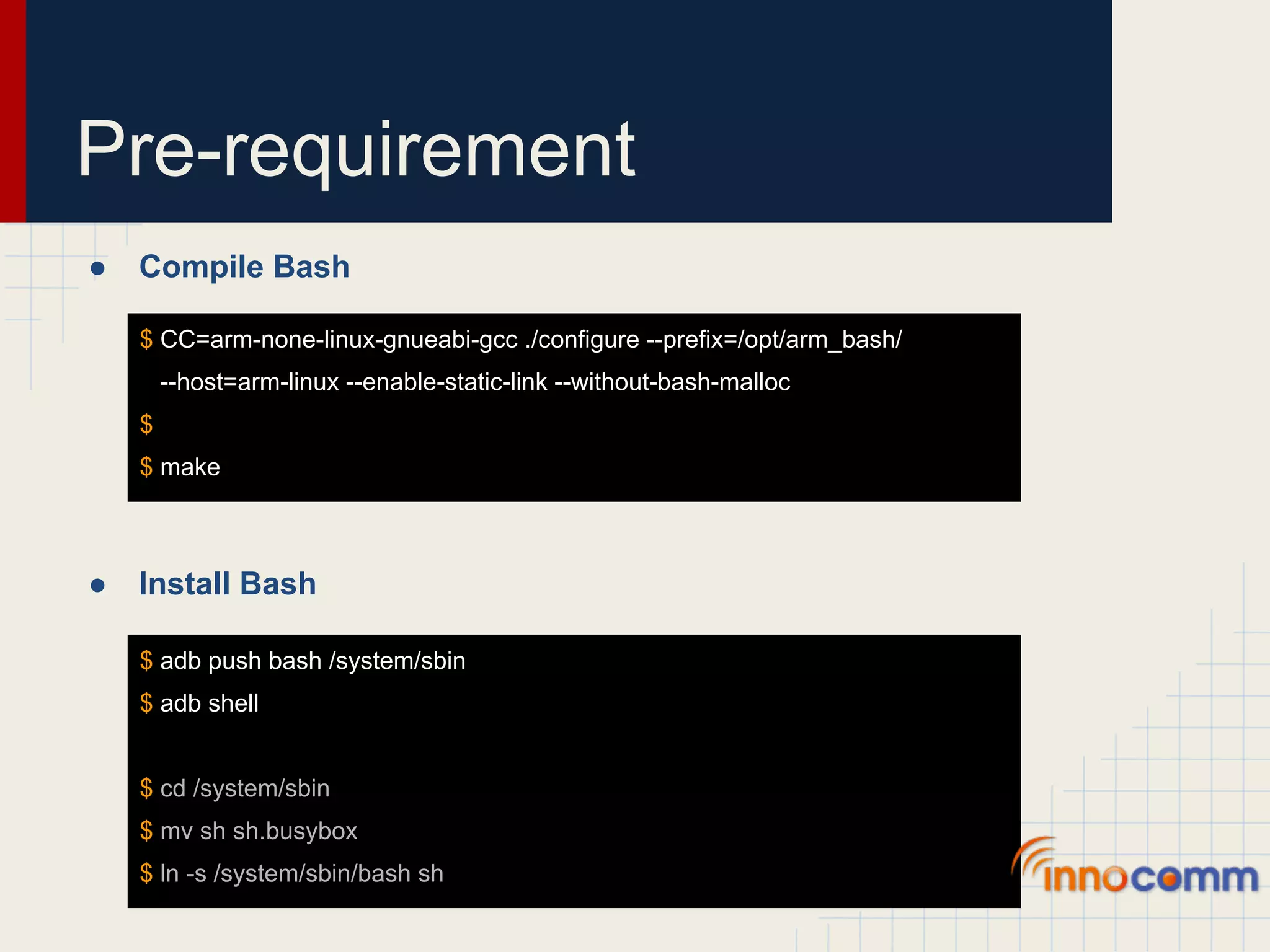
Pre-requirement ● Compile Bash $ CC=arm-none-linux-gnueabi-gcc ./configure --prefix=/opt/arm_bash/ --host=arm-linux --enable-static-link --without-bash-malloc $ $ make ● Install Bash $ adb push bash /system/sbin $ adb shell $ cd /system/sbin $ mv sh sh.busybox $ ln -s /system/sbin/bash sh
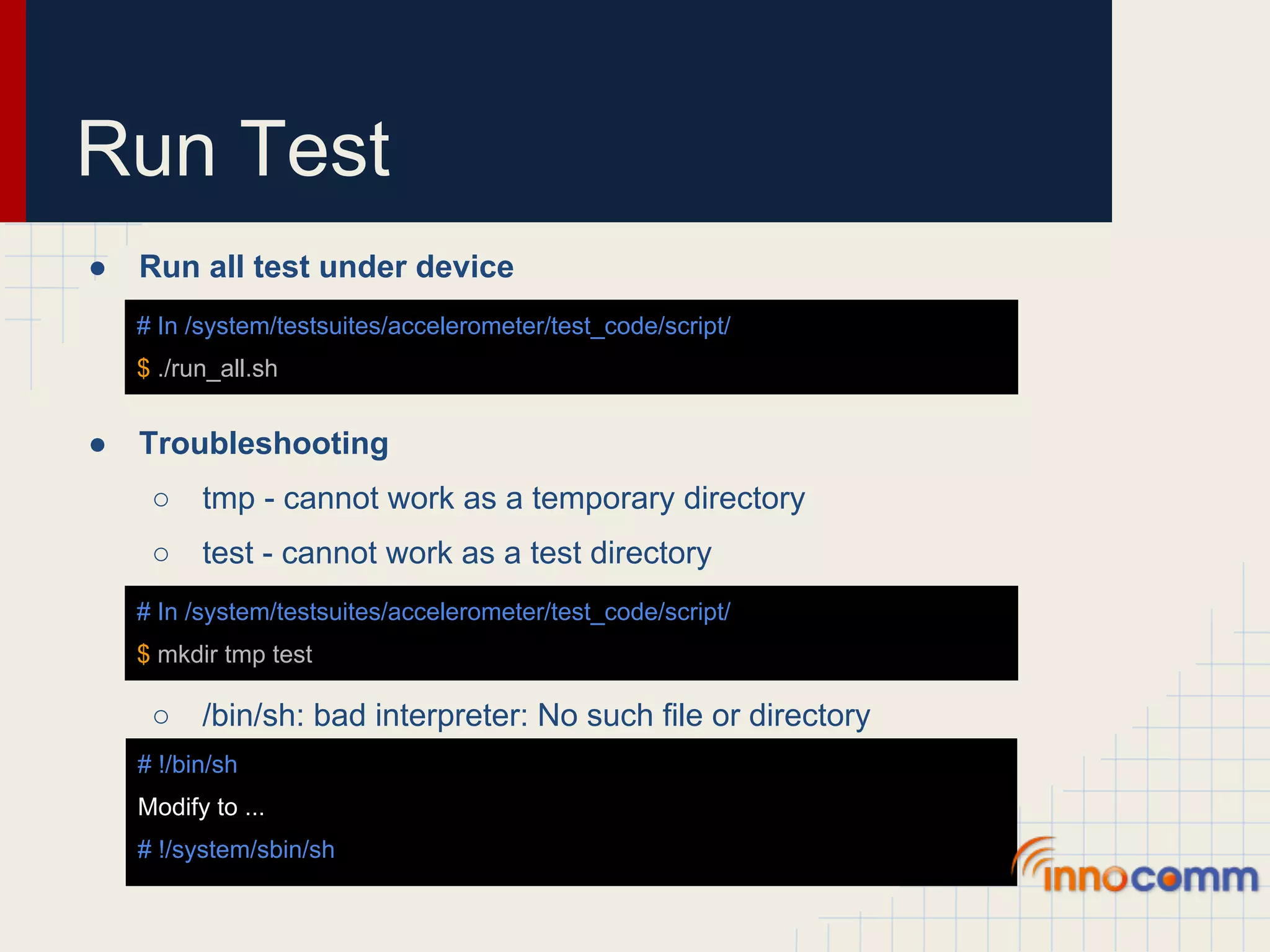
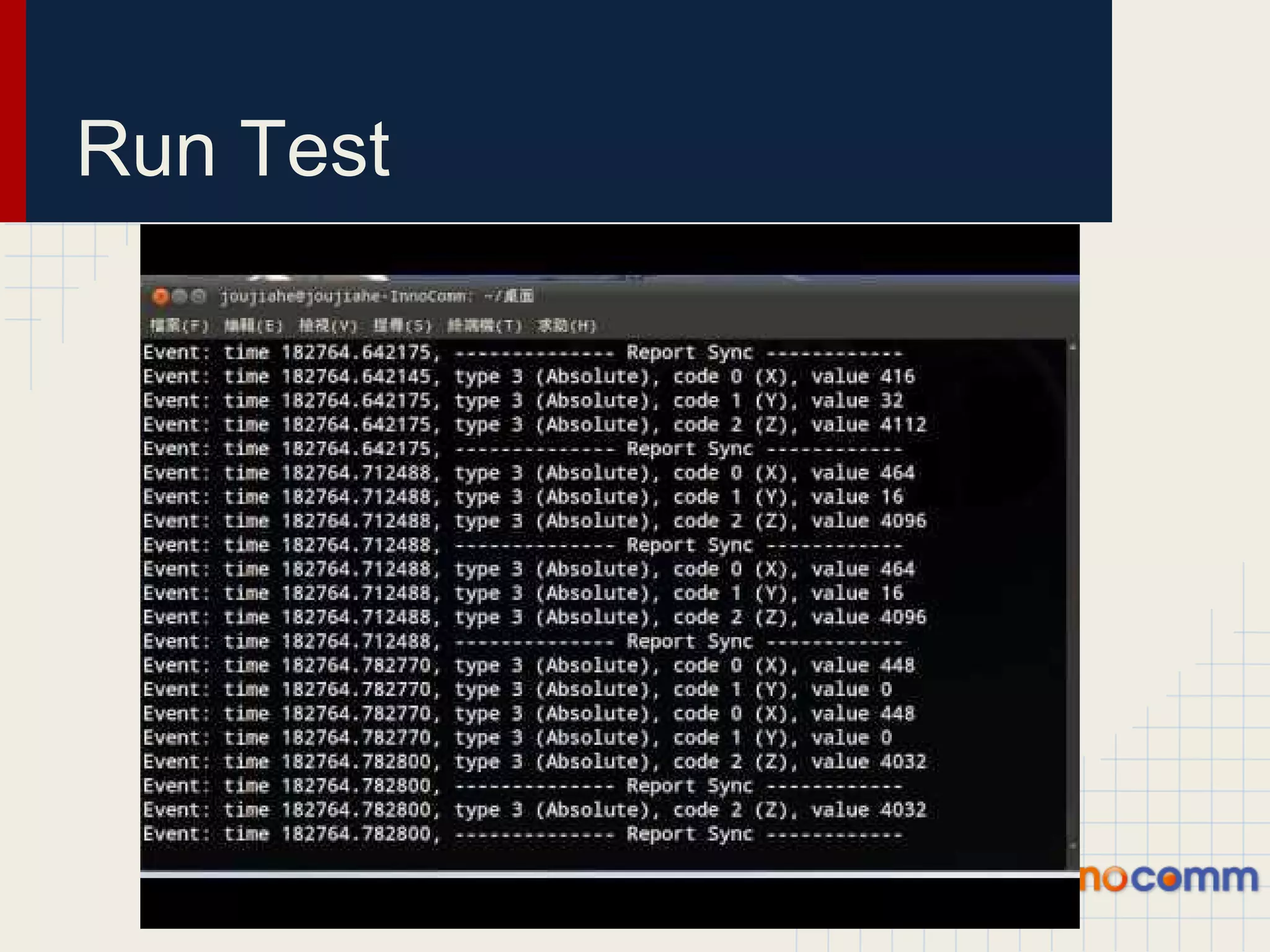
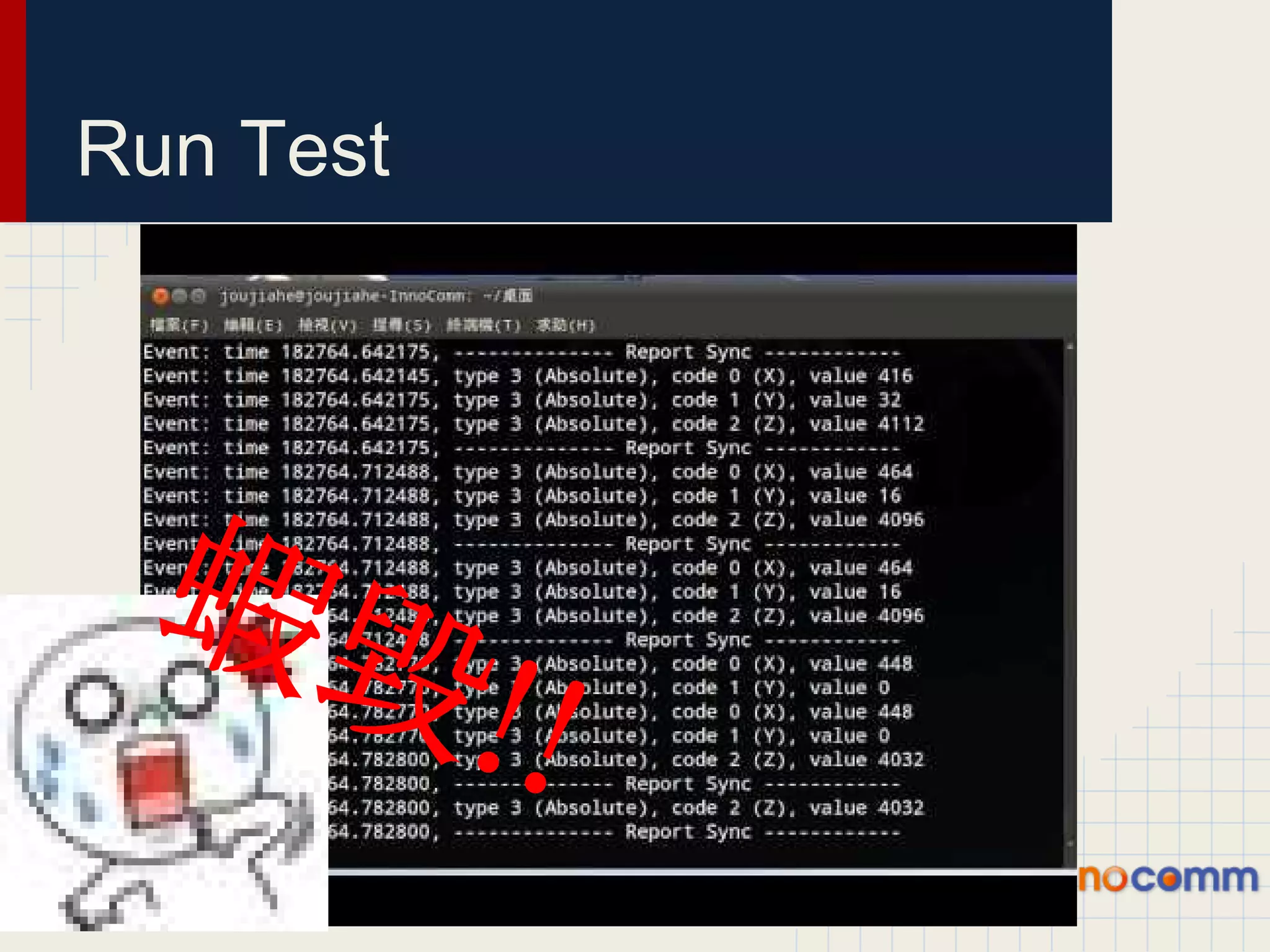
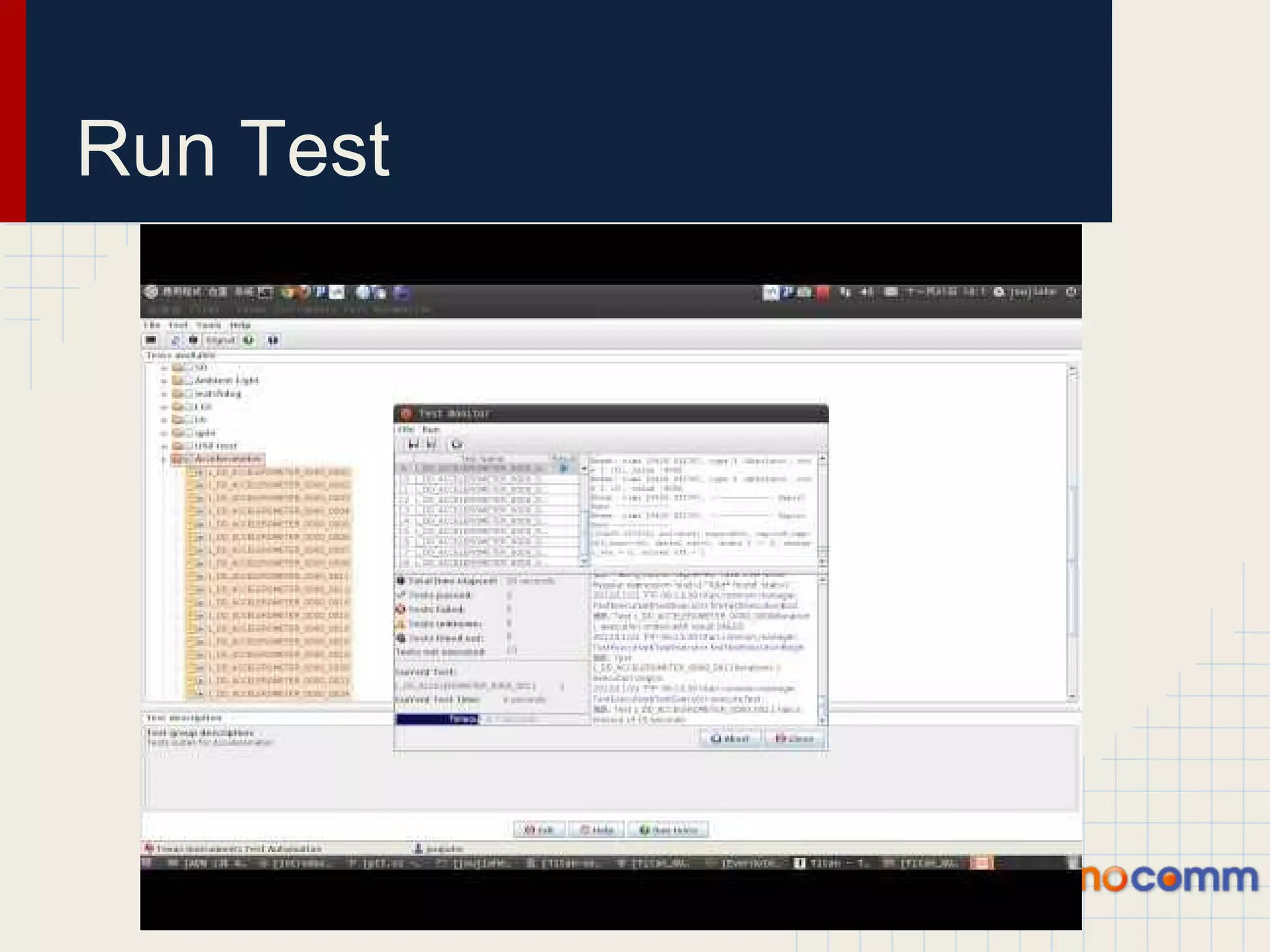
Run Test ● Run all test under device # In /system/testsuites/accelerometer/test_code/script/ $ ./run_all.sh ● Troubleshooting ○ tmp - cannot work as a temporary directory ○ test - cannot work as a test directory # In /system/testsuites/accelerometer/test_code/script/ $ mkdir tmp test ○ /bin/sh: bad interpreter: No such file or directory # !/bin/sh Modify to ... # !/system/sbin/sh
Run Test
Run Test 蝦毀 !!
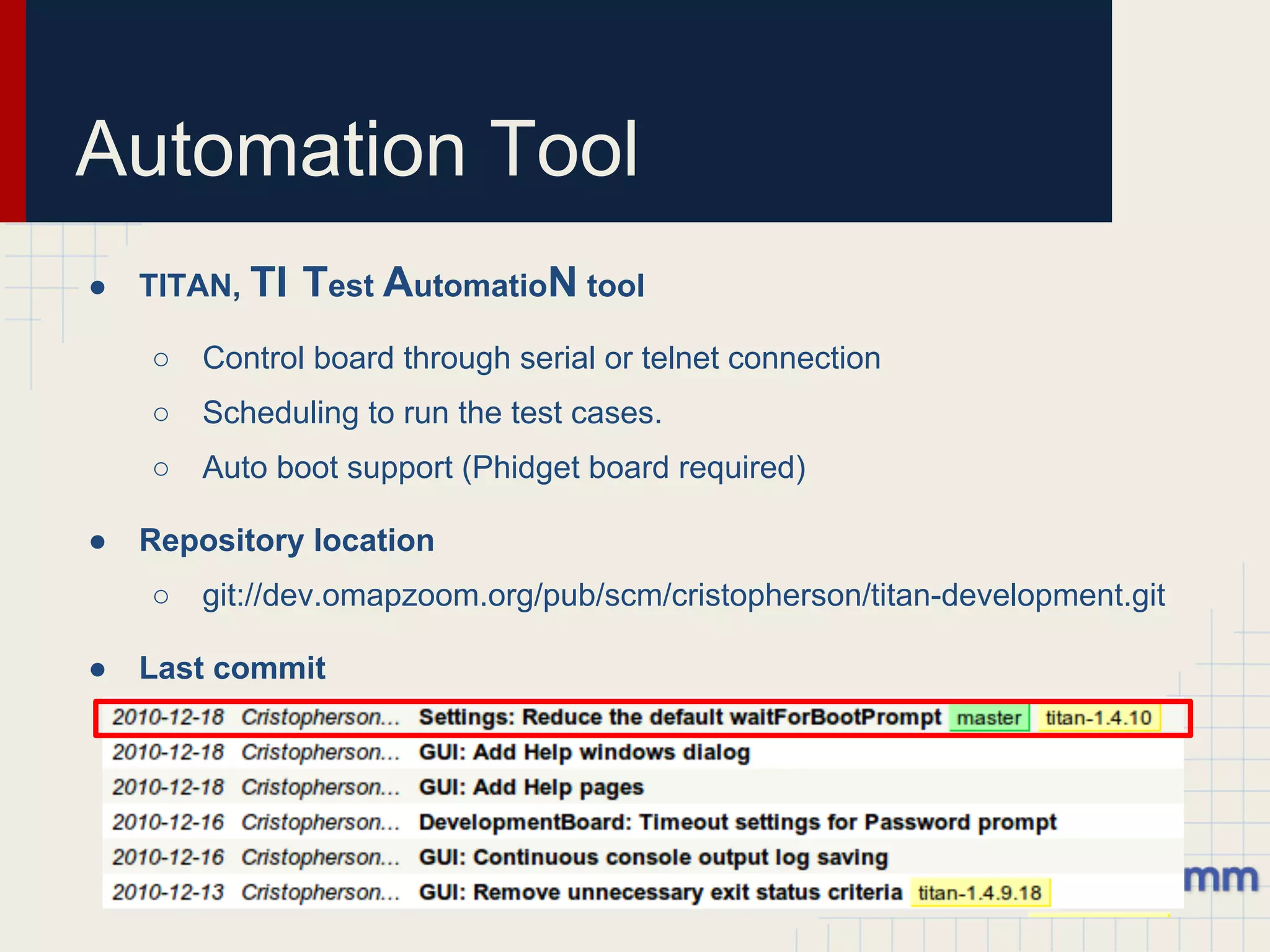
Automation Tool ● TITAN, TI Test AutomatioN tool ○ Control board through serial or telnet connection ○ Scheduling to run the test cases. ○ Auto boot support (Phidget board required) ● Repository location ○ git://dev.omapzoom.org/pub/scm/cristopherson/titan-development.git ● Last commit
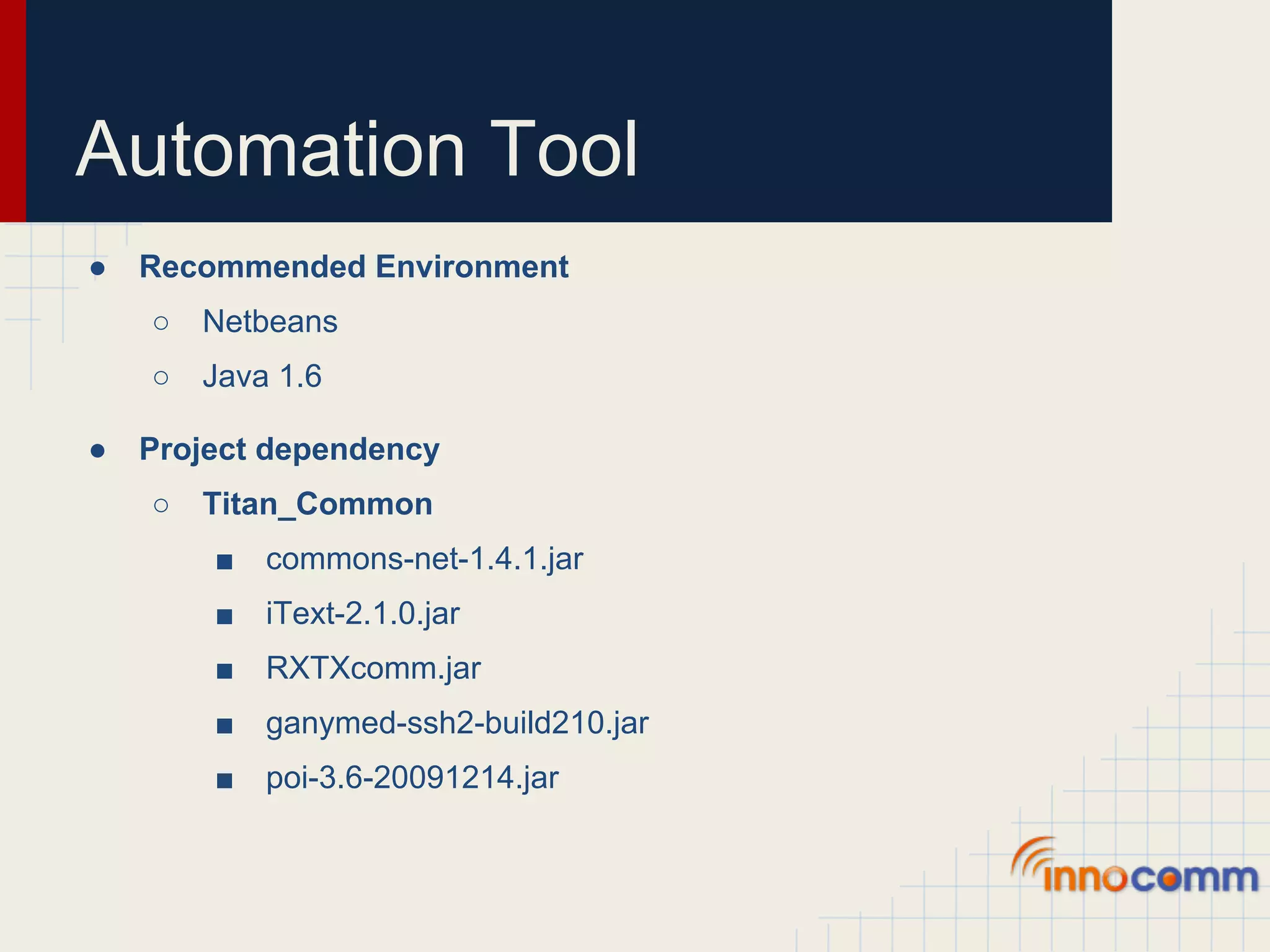
Automation Tool ● Recommended Environment ○ Netbeans ○ Java 1.6 ● Project dependency ○ Titan_Common ■ commons-net-1.4.1.jar ■ iText-2.1.0.jar ■ RXTXcomm.jar ■ ganymed-ssh2-build210.jar ■ poi-3.6-20091214.jar
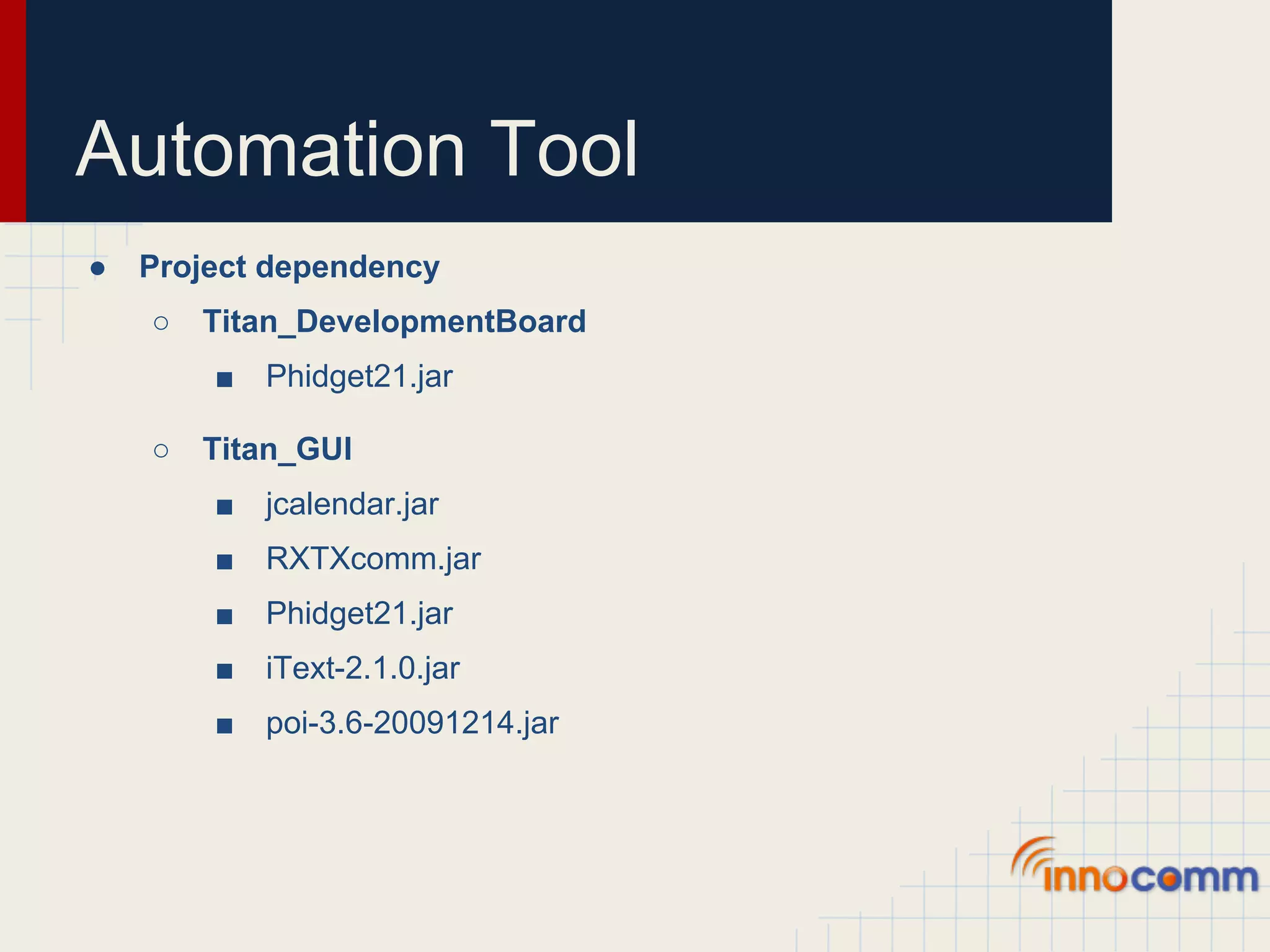
Automation Tool ● Project dependency ○ Titan_DevelopmentBoard ■ Phidget21.jar ○ Titan_GUI ■ jcalendar.jar ■ RXTXcomm.jar ■ Phidget21.jar ■ iText-2.1.0.jar ■ poi-3.6-20091214.jar
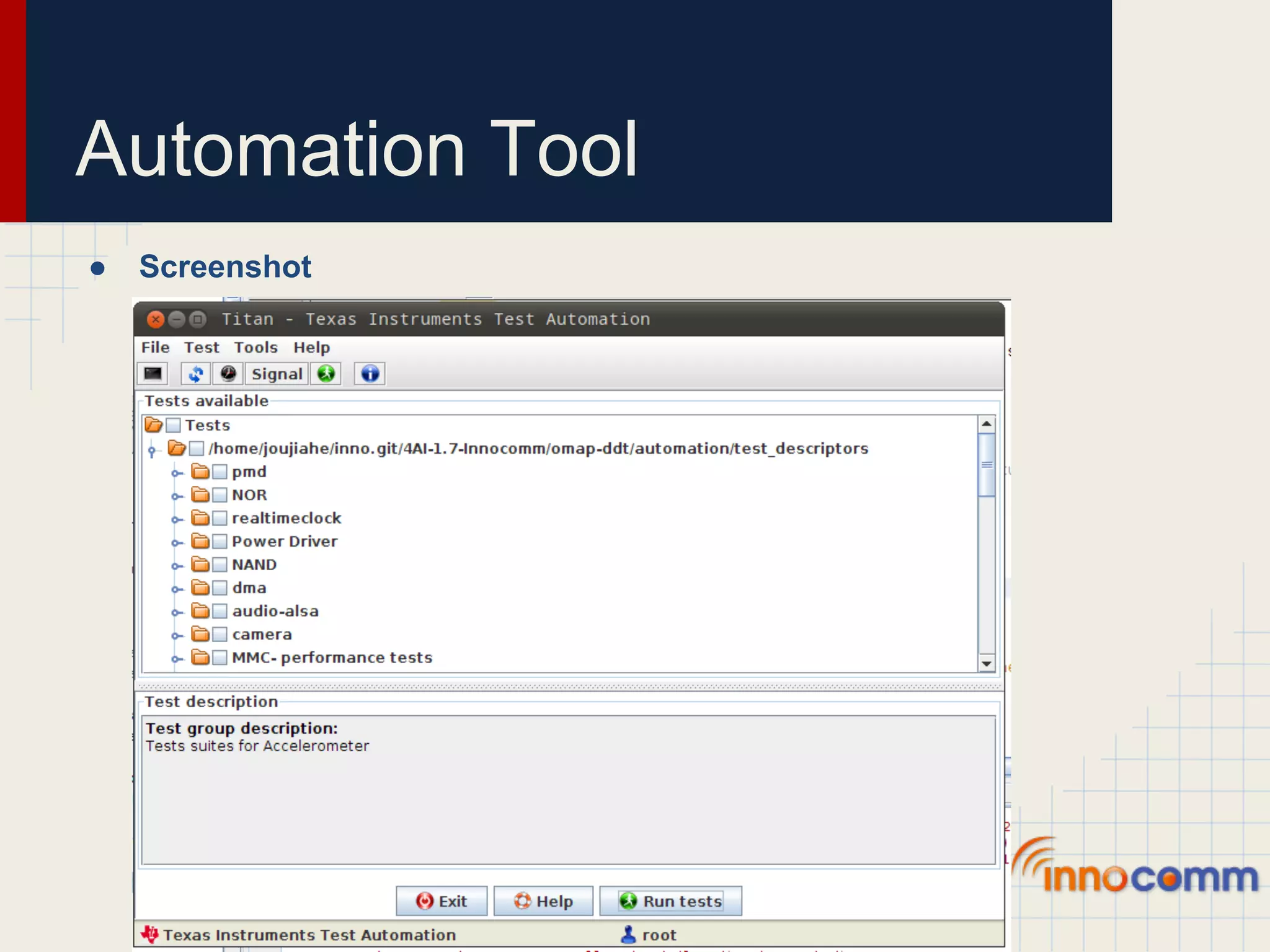
Automation Tool ● Screenshot
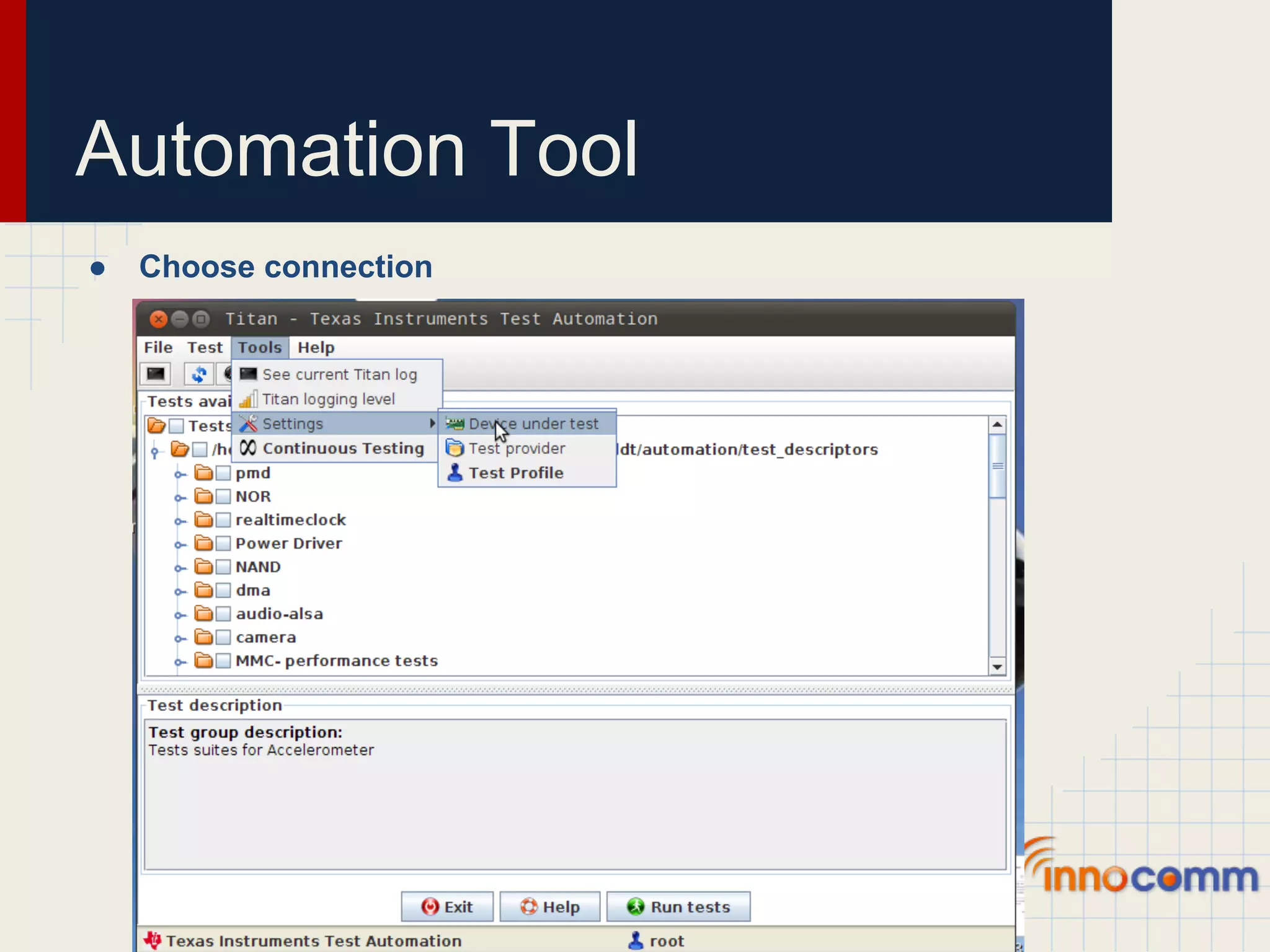
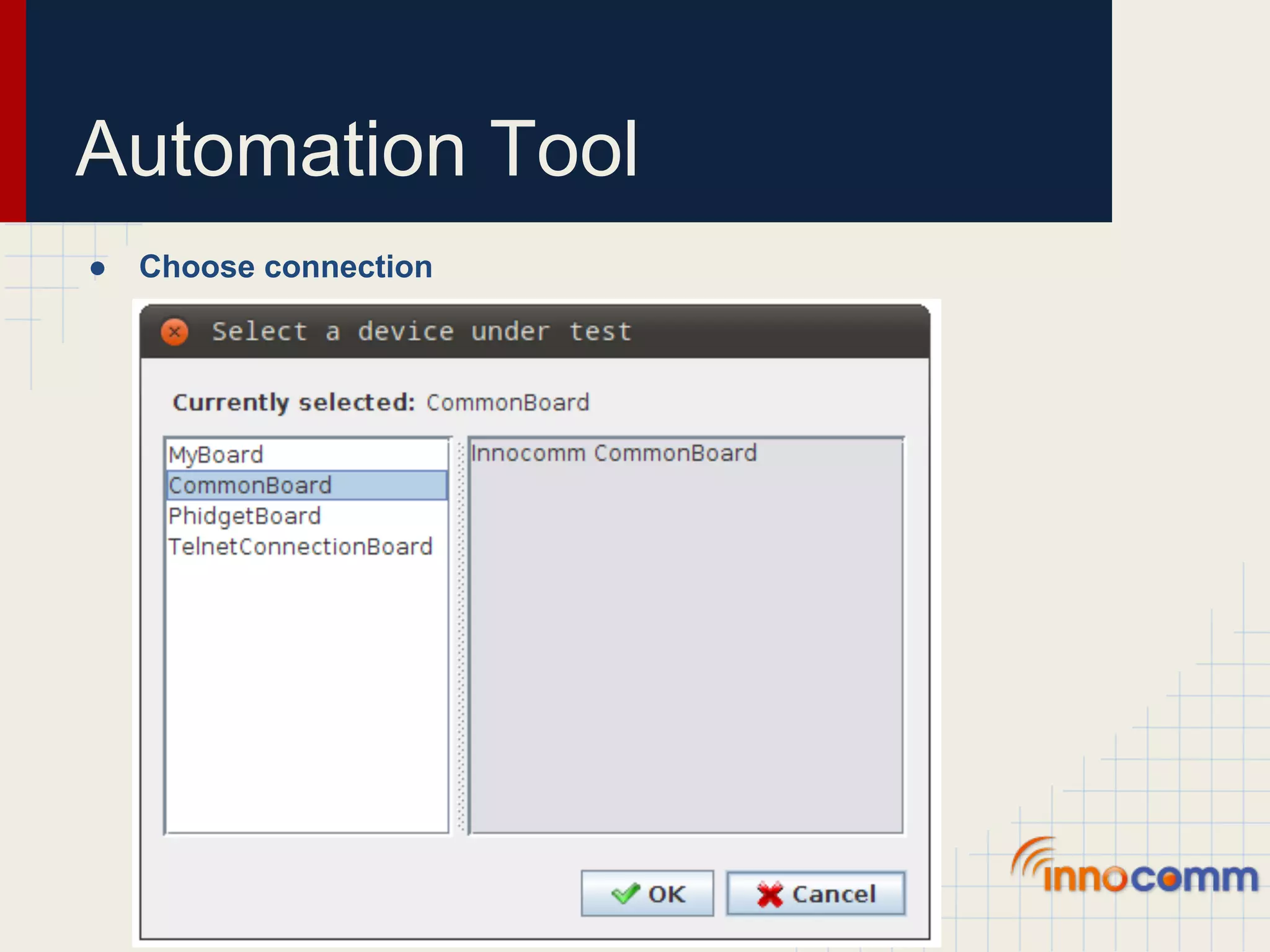
Automation Tool ● Choose connection
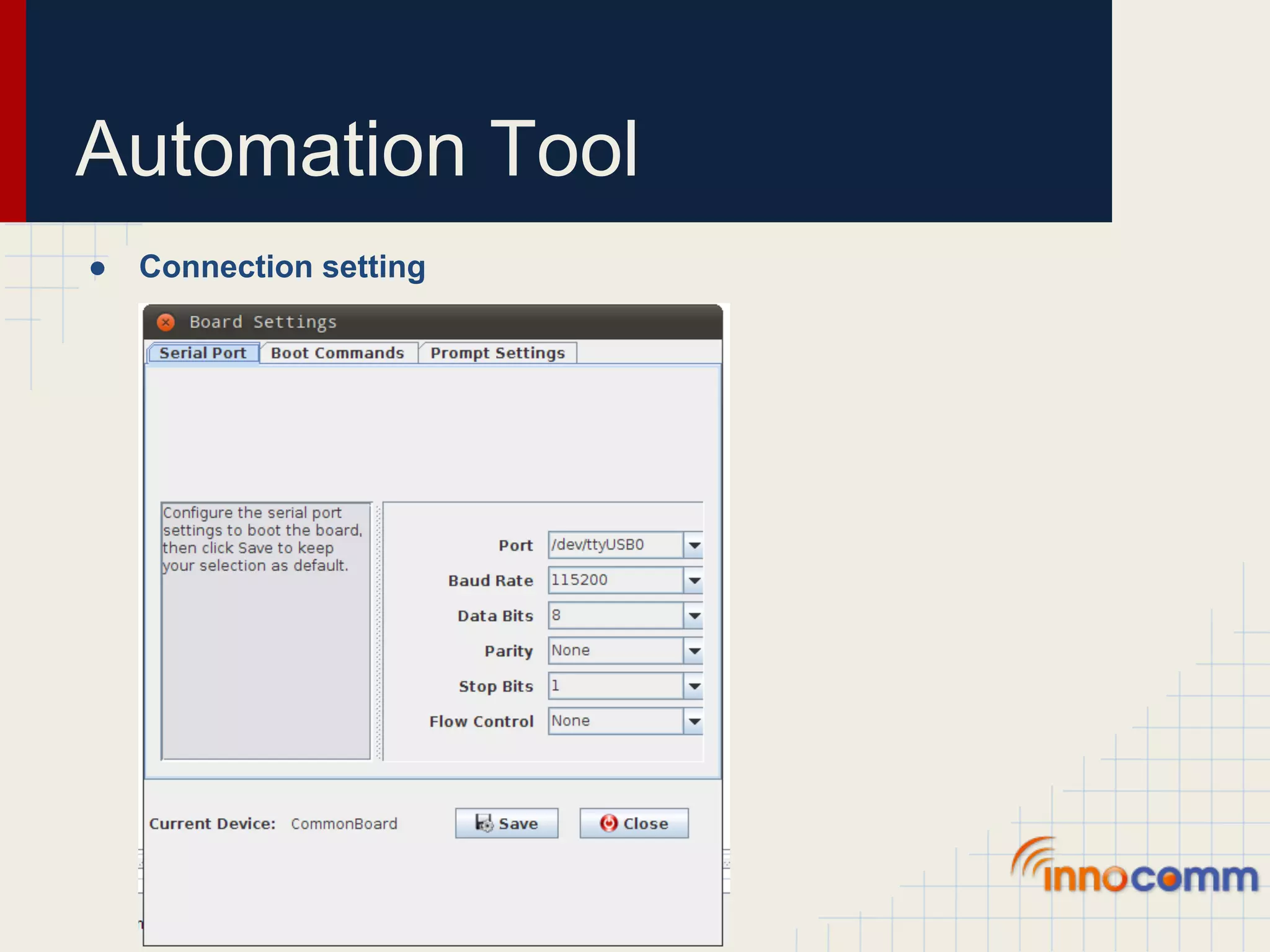
Automation Tool ● Connection setting
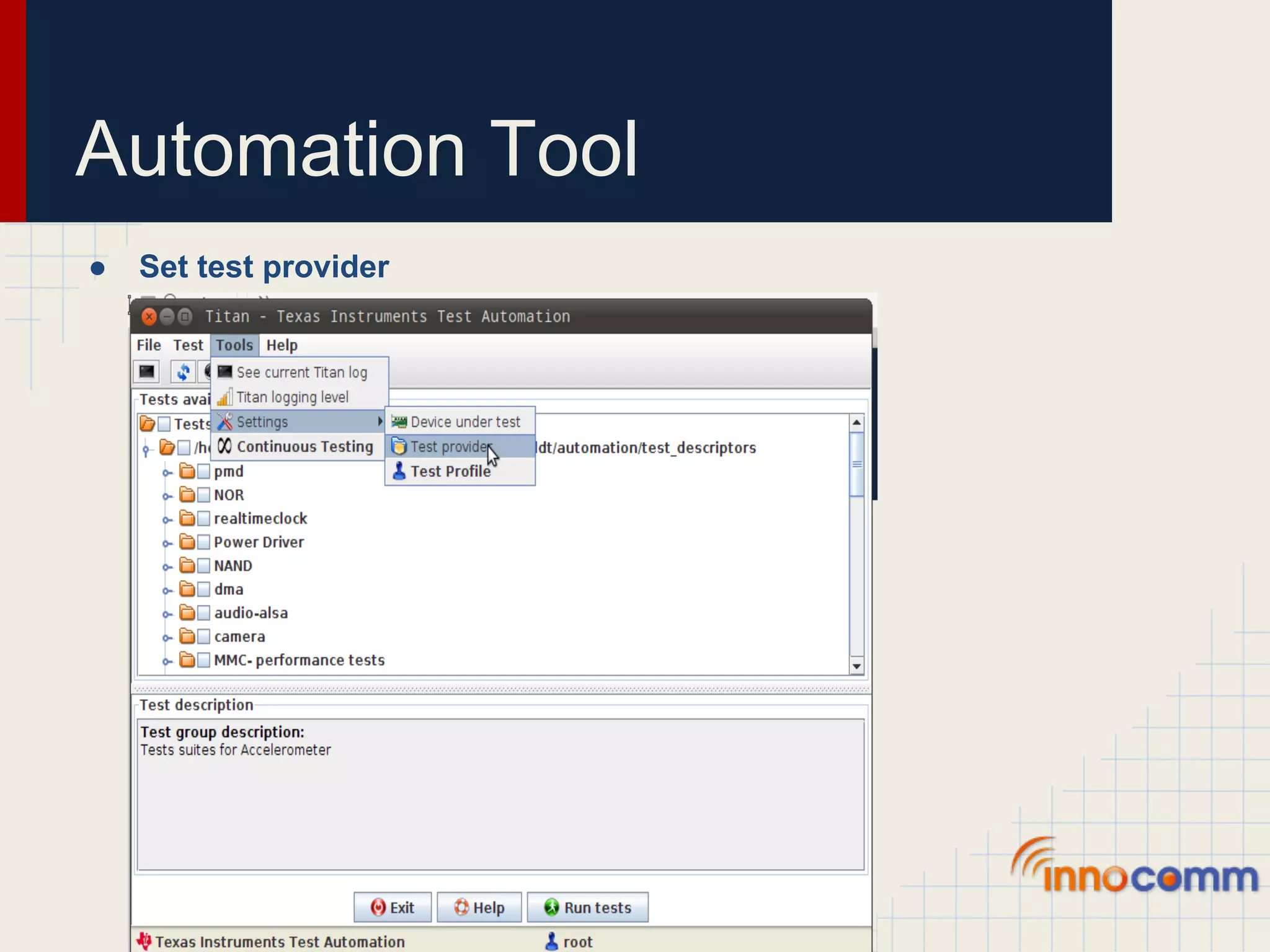
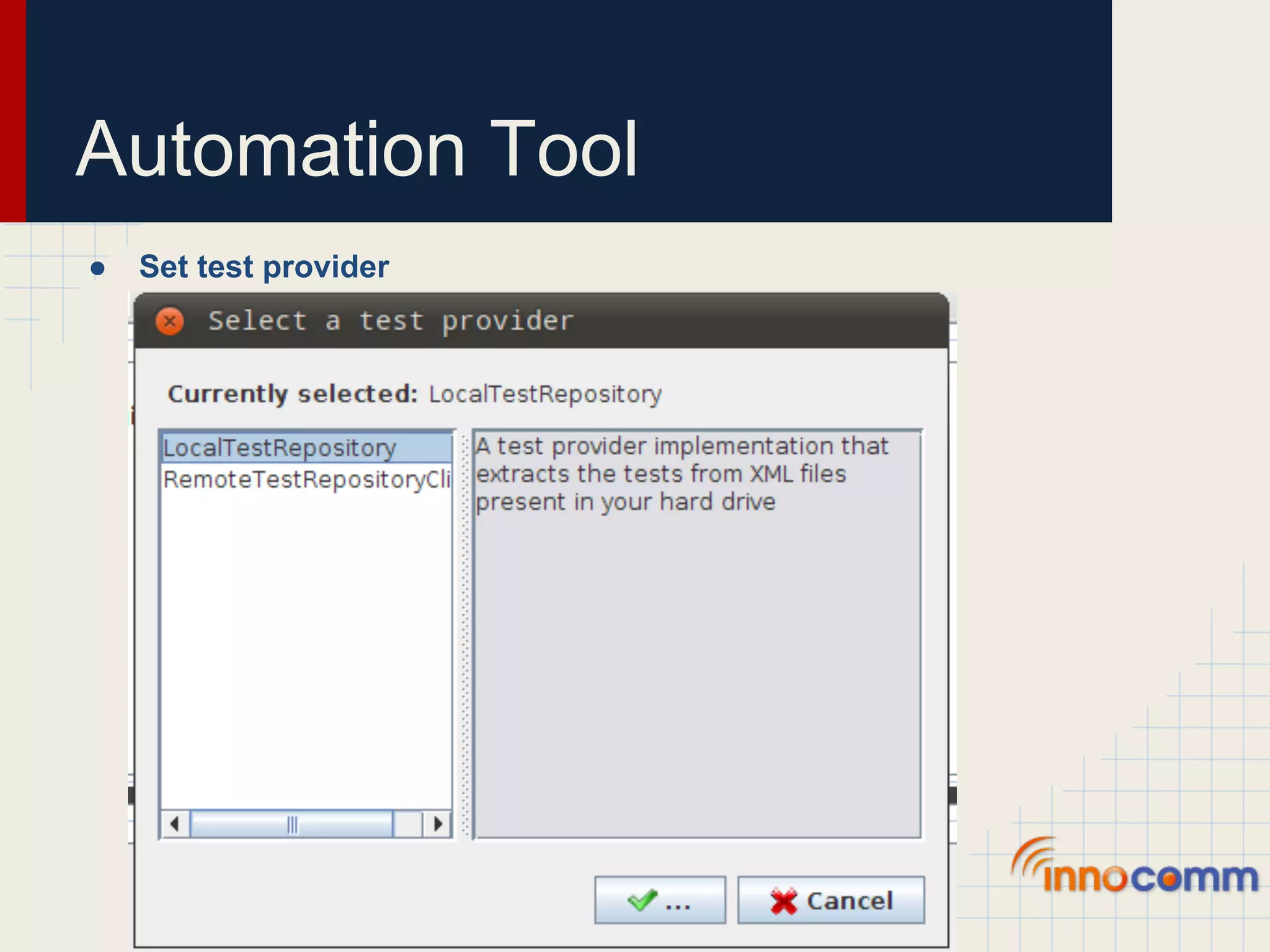
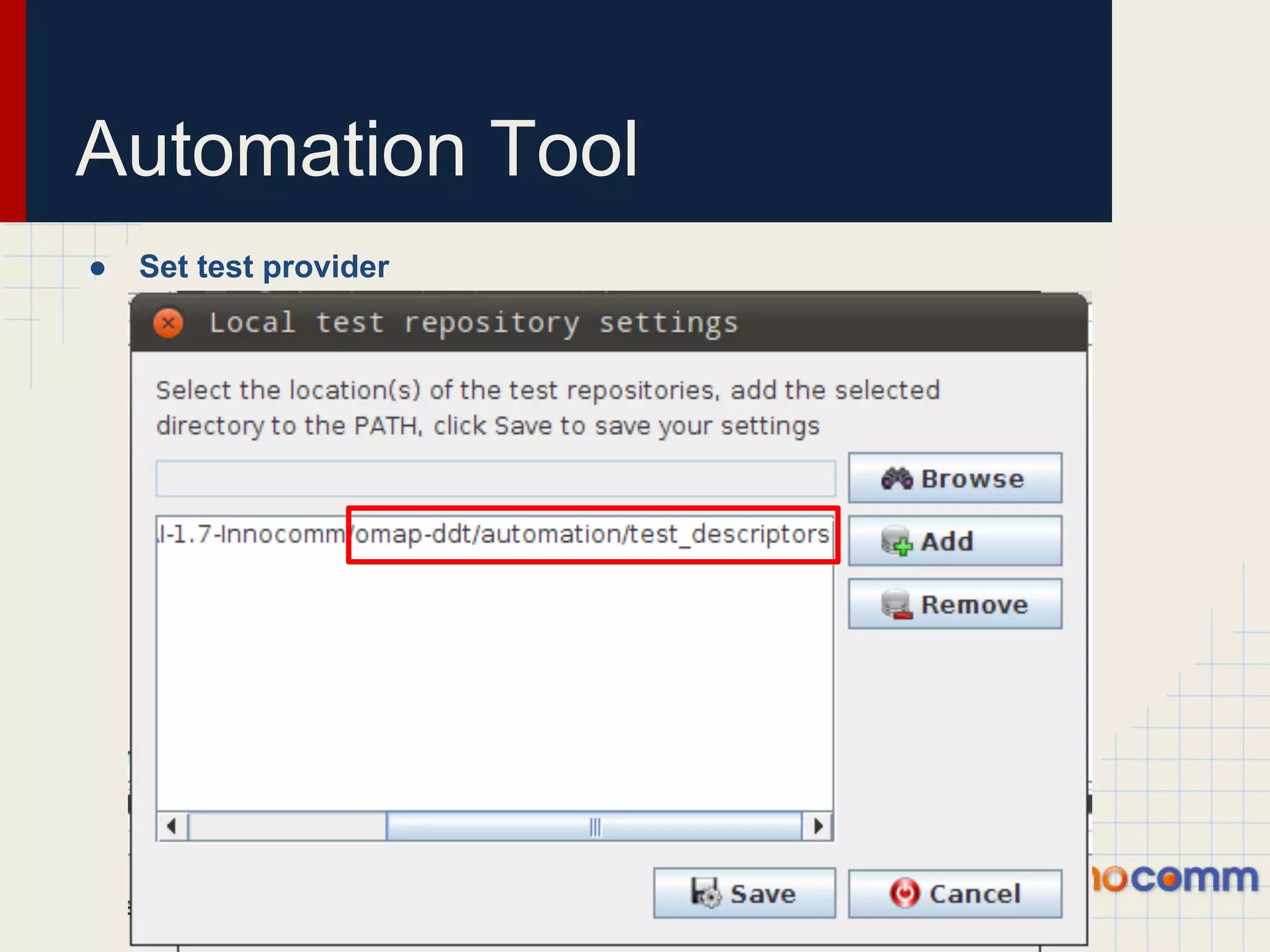
Automation Tool ● Set test provider
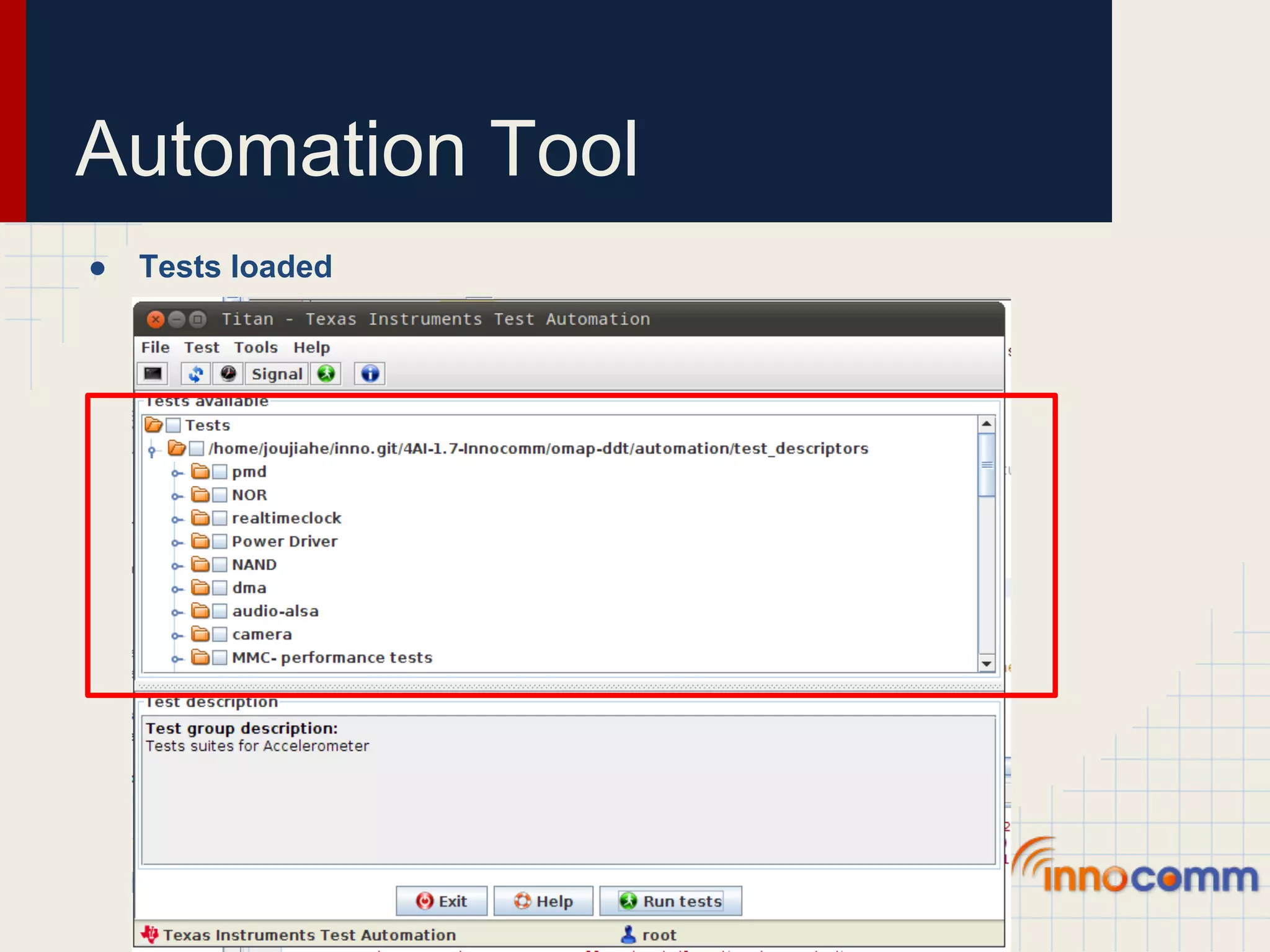
Automation Tool ● Tests loaded
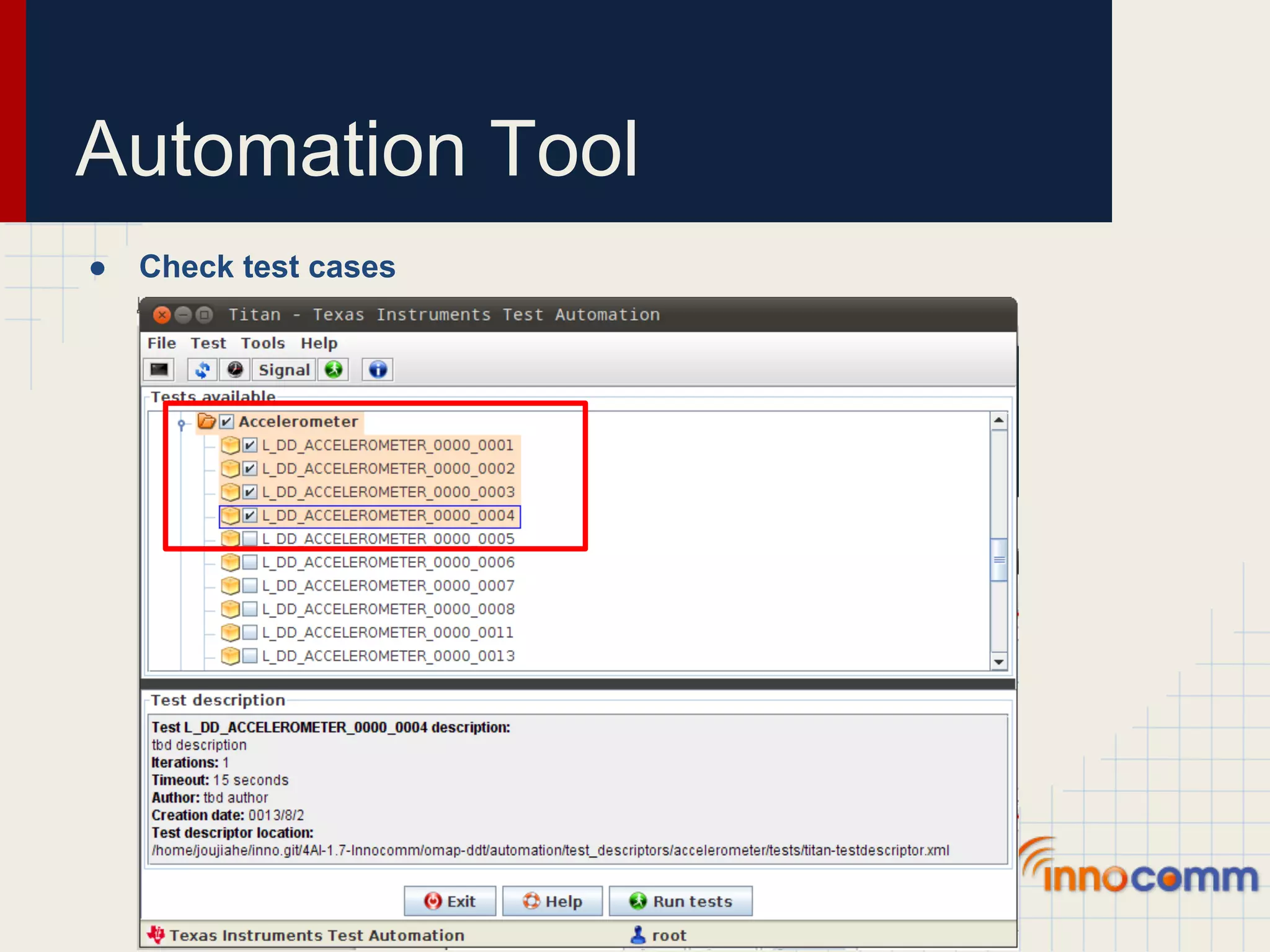
Automation Tool ● Check test cases
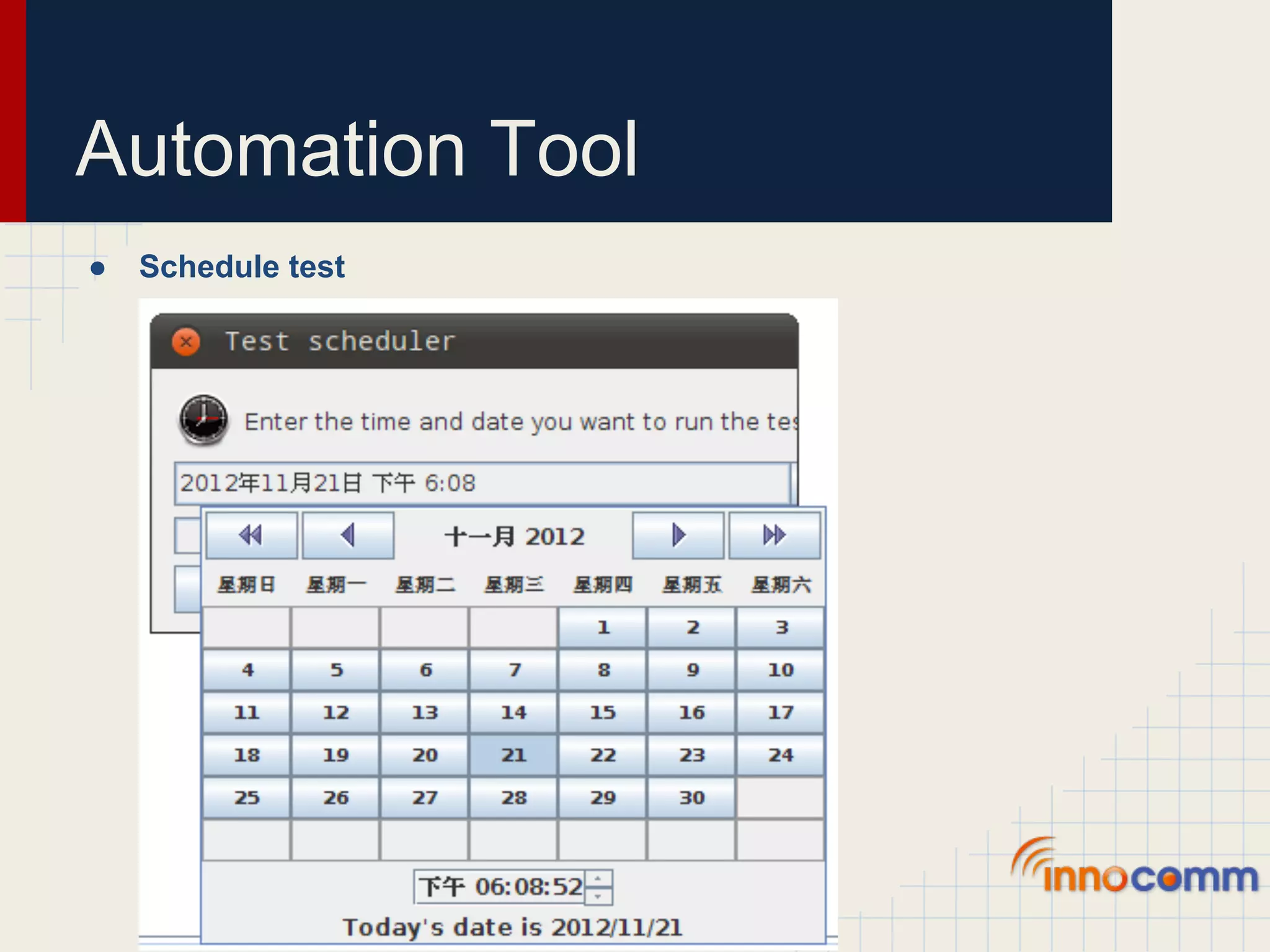
Automation Tool ● Schedule test
Run Test
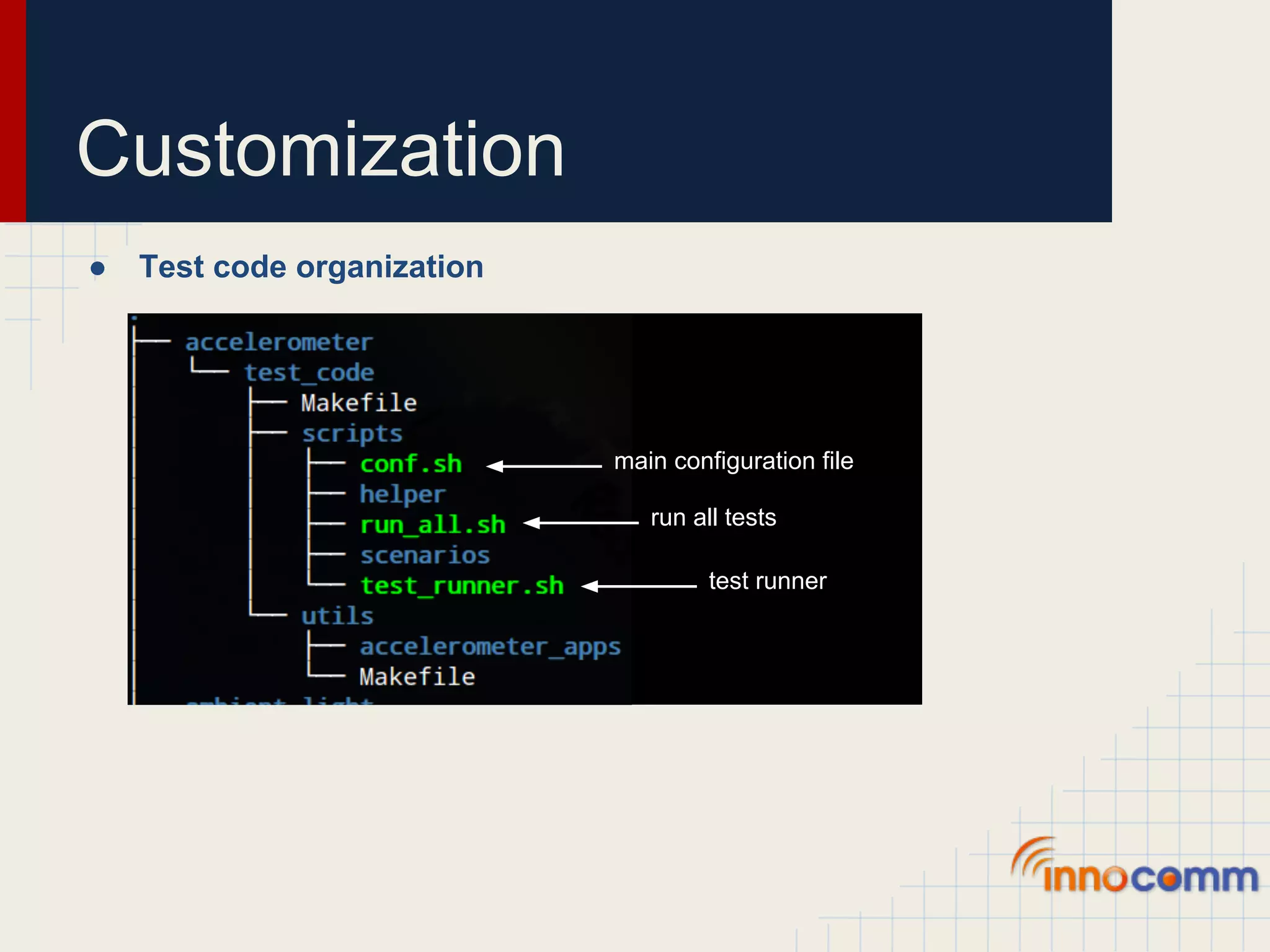
Customization ● Test code organization main configuration file run all tests test runner
Customization ● Default device configuration in conf.sh ○ BMA180 ... if [ `cat $SYSFS_BOARD_REV | grep -c "Tablet"` -ge 1 ]; then # Specific to bma180 sensor export ACCELEROMETER_SYSFS_PATH="/sys/bus/i2c/drivers/bma180_accel/4-0040" export ACCELEROMETER_HW="bma180" export ACCELEROMETER_POWERON_VAL=1 export ACCELEROMETER_POWEROFF_VAL=0 export ACCELEROMETER_ENABLE_POWER="$ACCELEROMETER_SYSFS_PATH/enable" ...
Customization ● Add my device configuration to conf.sh ○ BMA250E ... elif [ `cat $SYSFS_BOARD_REV | grep -c "Panda"` -ge 1 ]; then # Specific to bma250e sensor export ACCELEROMETER_SYSFS_PATH="/sys/devices/accelerometer" export ACCELEROMETER_HW="bma250e" export ACCELEROMETER_POWERON_VAL=1 export ACCELEROMETER_POWEROFF_VAL=0 export ACCELEROMETER_ENABLE_POWER="$ACCELEROMETER_SYSFS_PATH/enable" # Some extra configurations ...
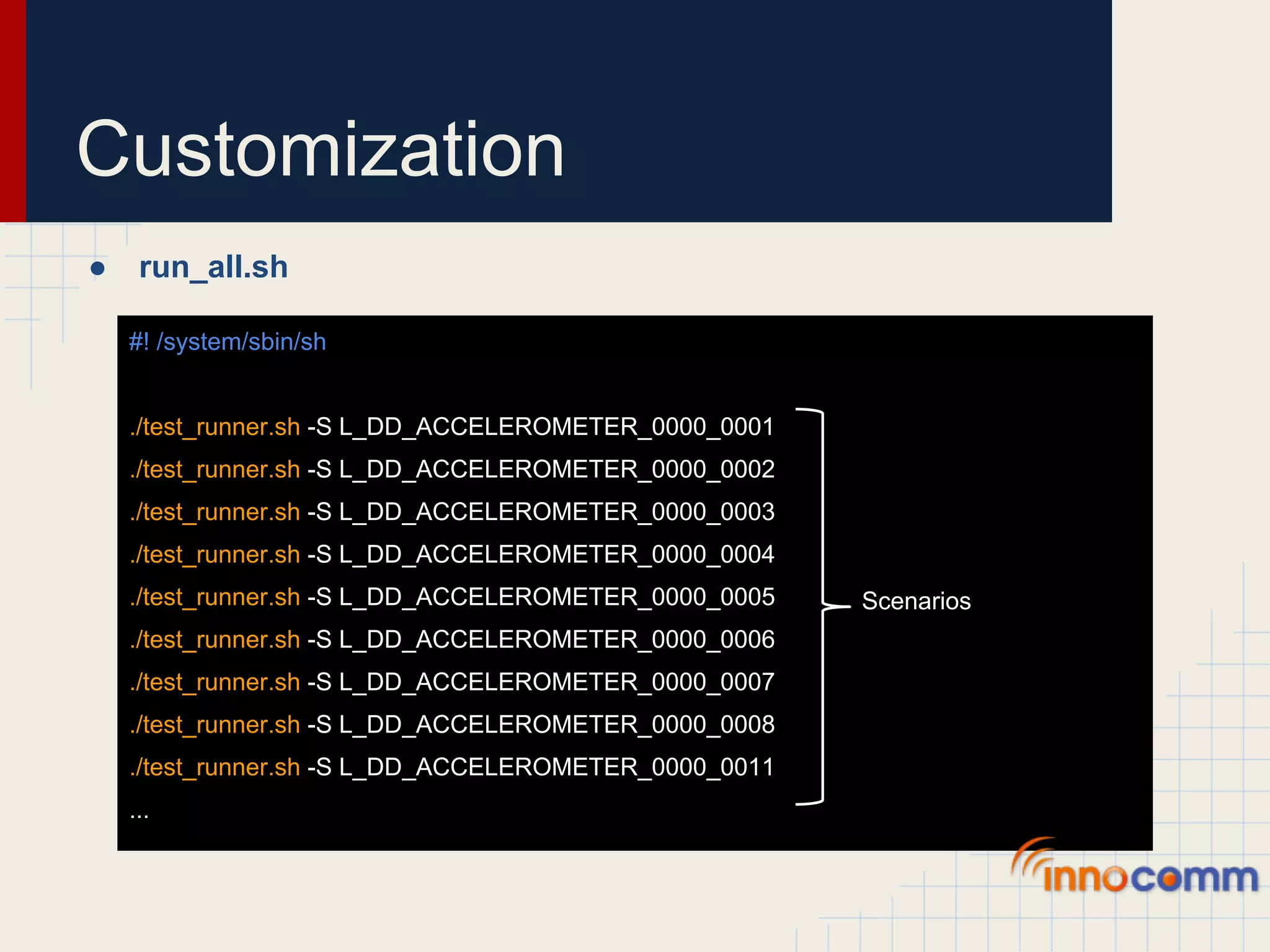
Customization ● run_all.sh #! /system/sbin/sh ./test_runner.sh -S L_DD_ACCELEROMETER_0000_0001 ./test_runner.sh -S L_DD_ACCELEROMETER_0000_0002 ./test_runner.sh -S L_DD_ACCELEROMETER_0000_0003 ./test_runner.sh -S L_DD_ACCELEROMETER_0000_0004 ./test_runner.sh -S L_DD_ACCELEROMETER_0000_0005 Scenarios ./test_runner.sh -S L_DD_ACCELEROMETER_0000_0006 ./test_runner.sh -S L_DD_ACCELEROMETER_0000_0007 ./test_runner.sh -S L_DD_ACCELEROMETER_0000_0008 ./test_runner.sh -S L_DD_ACCELEROMETER_0000_0011 ...
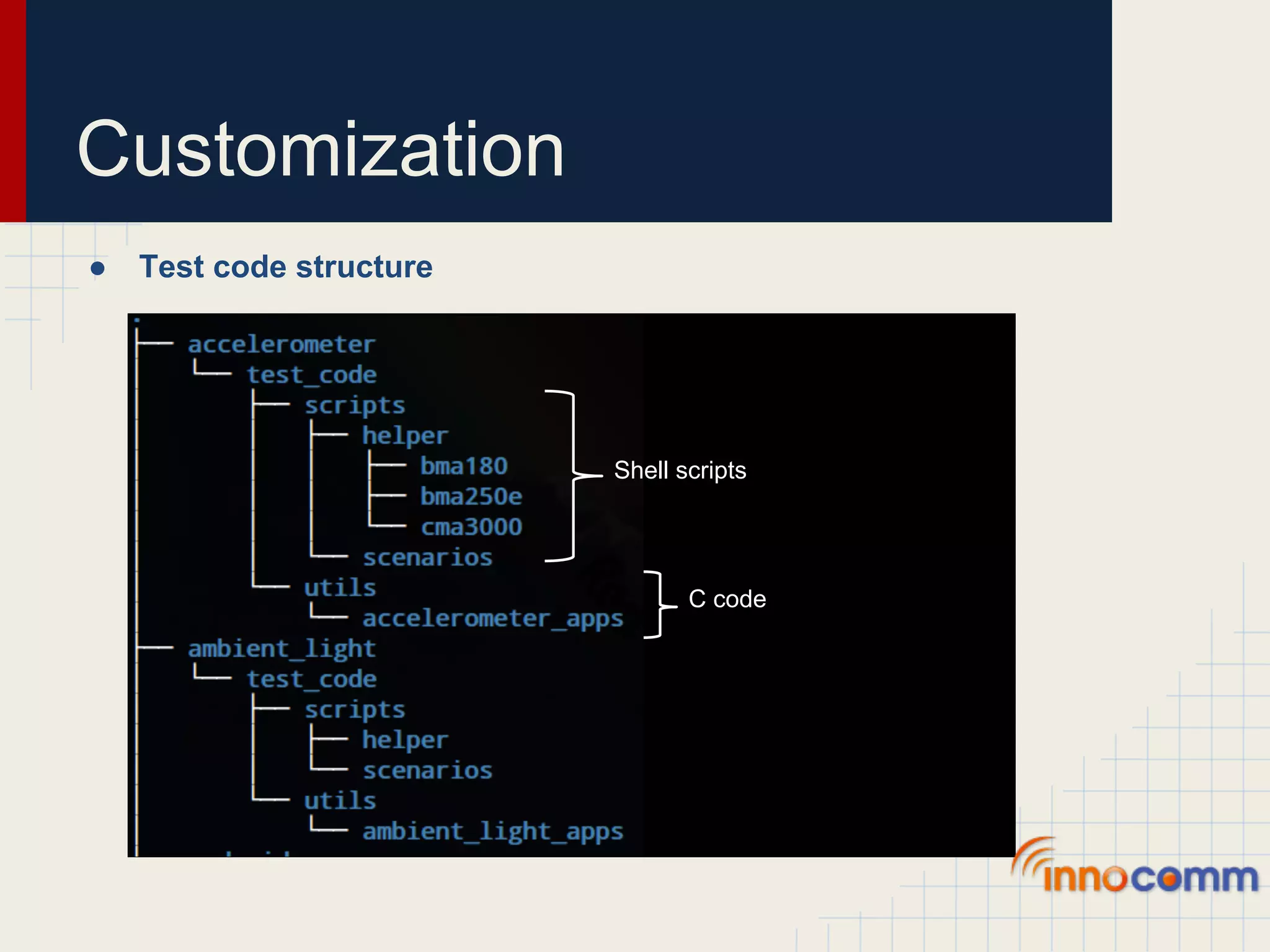
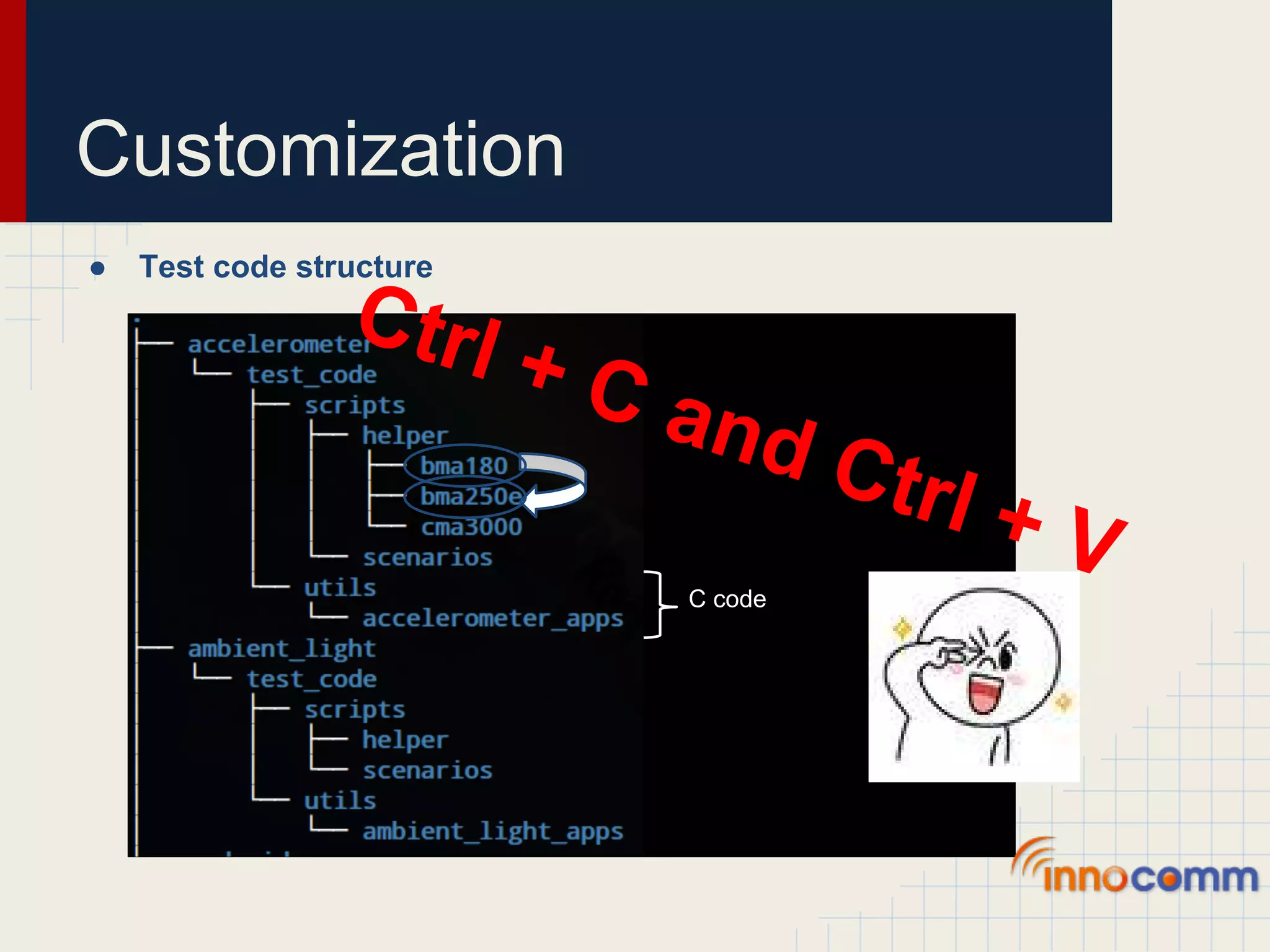
Customization ● Test code structure Shell scripts C code
Customization ● Test code structure Ctrl + C an d Ct rl + V C code
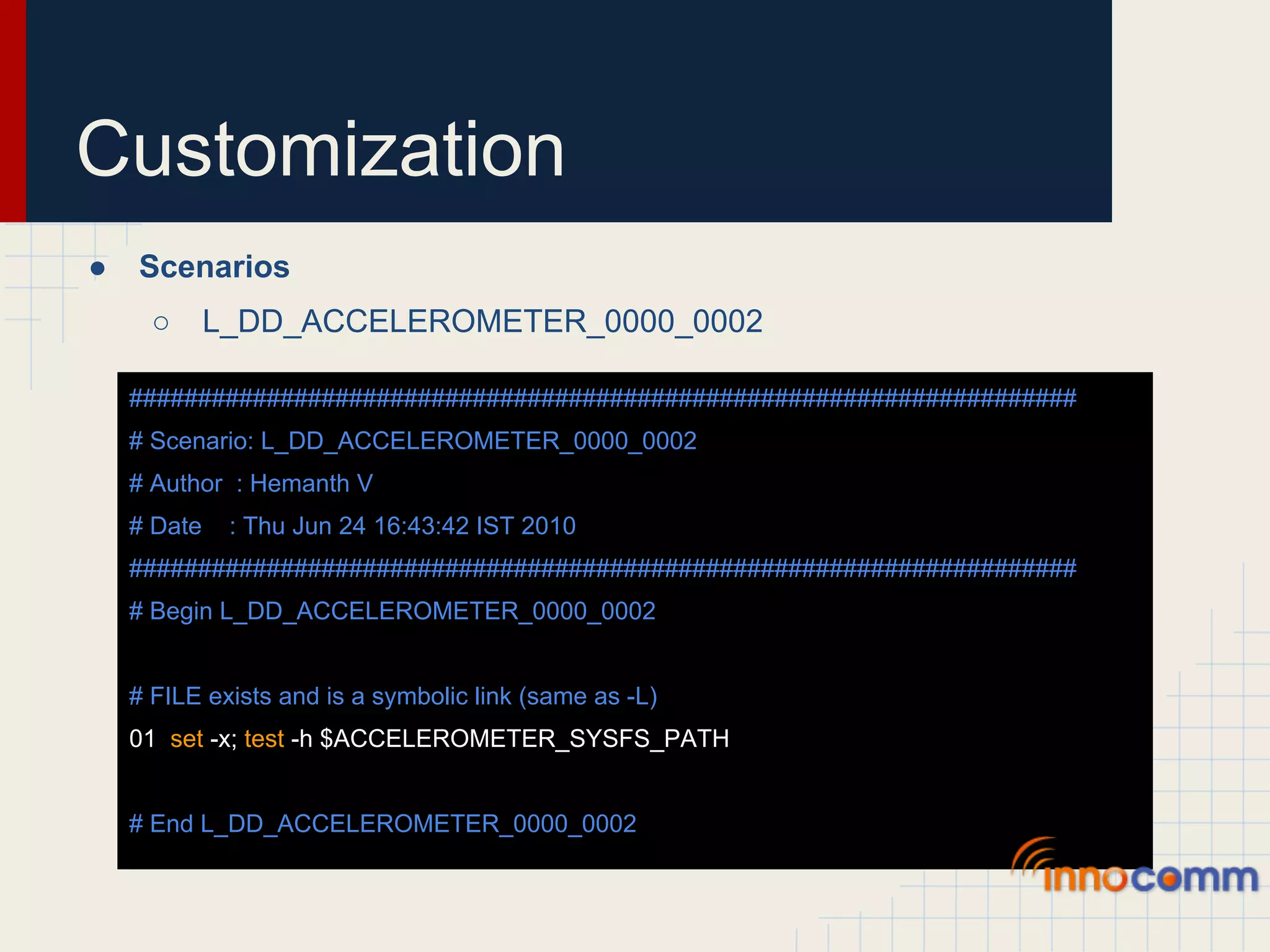
Customization ● Scenarios ○ L_DD_ACCELEROMETER_0000_0002 ##################################################################### # Scenario: L_DD_ACCELEROMETER_0000_0002 # Author : Hemanth V # Date : Thu Jun 24 16:43:42 IST 2010 ##################################################################### # Begin L_DD_ACCELEROMETER_0000_0002 # FILE exists and is a symbolic link (same as -L) 01 set -x; test -h $ACCELEROMETER_SYSFS_PATH # End L_DD_ACCELEROMETER_0000_0002
Customization ● Scenarios with helper ○ L_DD_ACCELEROMETER_0000_0005 ... 01 $ACCELEROMETER_DIR_HELPER/$ACCELEROMETER_HW/ACC_0000_0005 ... ○ ACC_0000_0005 echo -n "1" > $ACCELEROMETER_SYSFS_PATH/enable echo "Ensure board is Flat on the surfacen" value=`$ACCELEROMETER_DIR_BINARIES/acctest $DEVFS_ACCELEROMETER Z | grep Value | awk '{print $2}'` [ $value -ge 900 ]
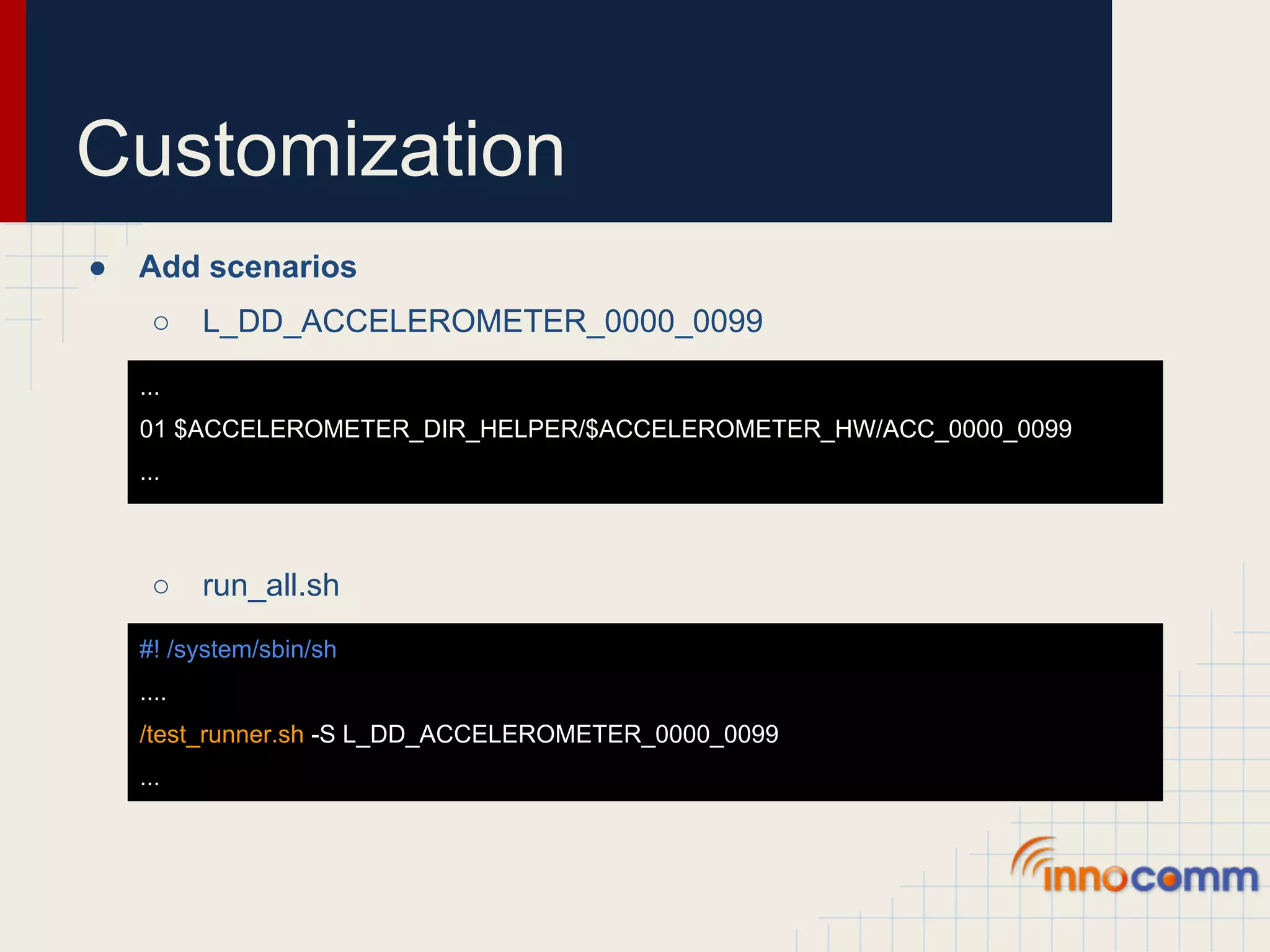
Customization ● Add scenarios ○ L_DD_ACCELEROMETER_0000_0099 ... 01 $ACCELEROMETER_DIR_HELPER/$ACCELEROMETER_HW/ACC_0000_0099 ... ○ run_all.sh #! /system/sbin/sh .... /test_runner.sh -S L_DD_ACCELEROMETER_0000_0099 ...
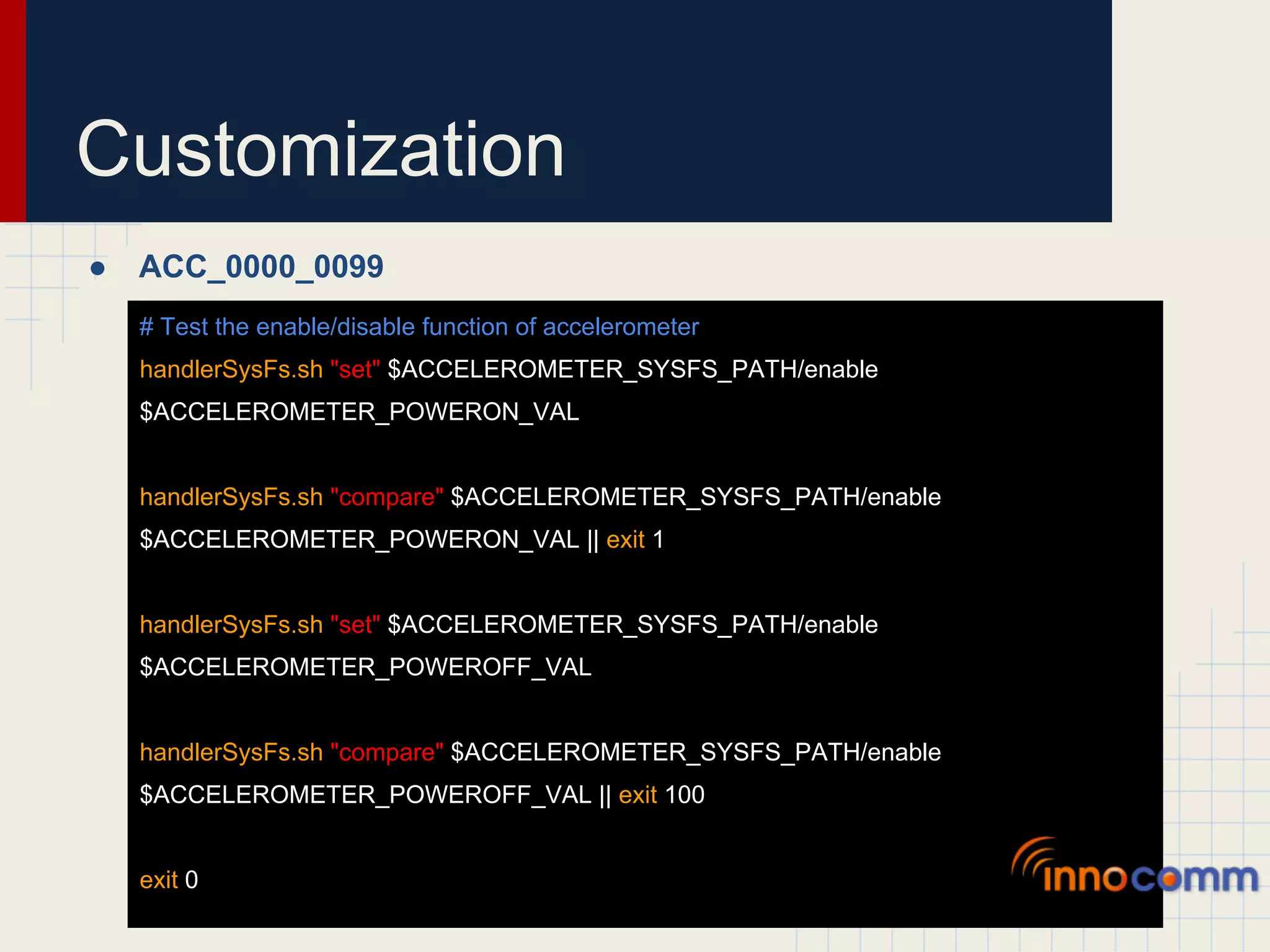
Customization ● ACC_0000_0099 # Test the enable/disable function of accelerometer handlerSysFs.sh "set" $ACCELEROMETER_SYSFS_PATH/enable $ACCELEROMETER_POWERON_VAL handlerSysFs.sh "compare" $ACCELEROMETER_SYSFS_PATH/enable $ACCELEROMETER_POWERON_VAL || exit 1 handlerSysFs.sh "set" $ACCELEROMETER_SYSFS_PATH/enable $ACCELEROMETER_POWEROFF_VAL handlerSysFs.sh "compare" $ACCELEROMETER_SYSFS_PATH/enable $ACCELEROMETER_POWEROFF_VAL || exit 100 exit 0
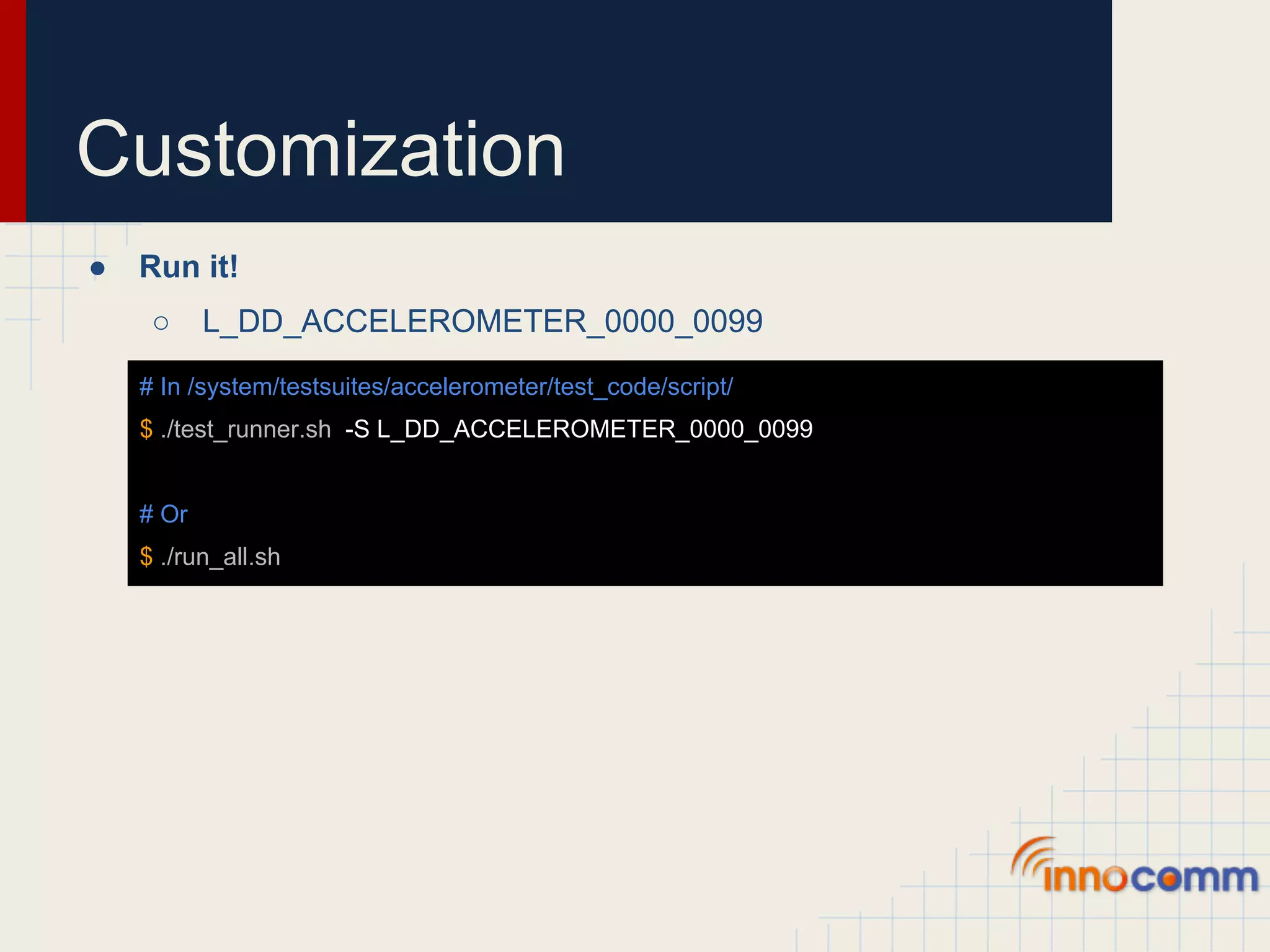
Customization ● Run it! ○ L_DD_ACCELEROMETER_0000_0099 # In /system/testsuites/accelerometer/test_code/script/ $ ./test_runner.sh -S L_DD_ACCELEROMETER_0000_0099 # Or $ ./run_all.sh
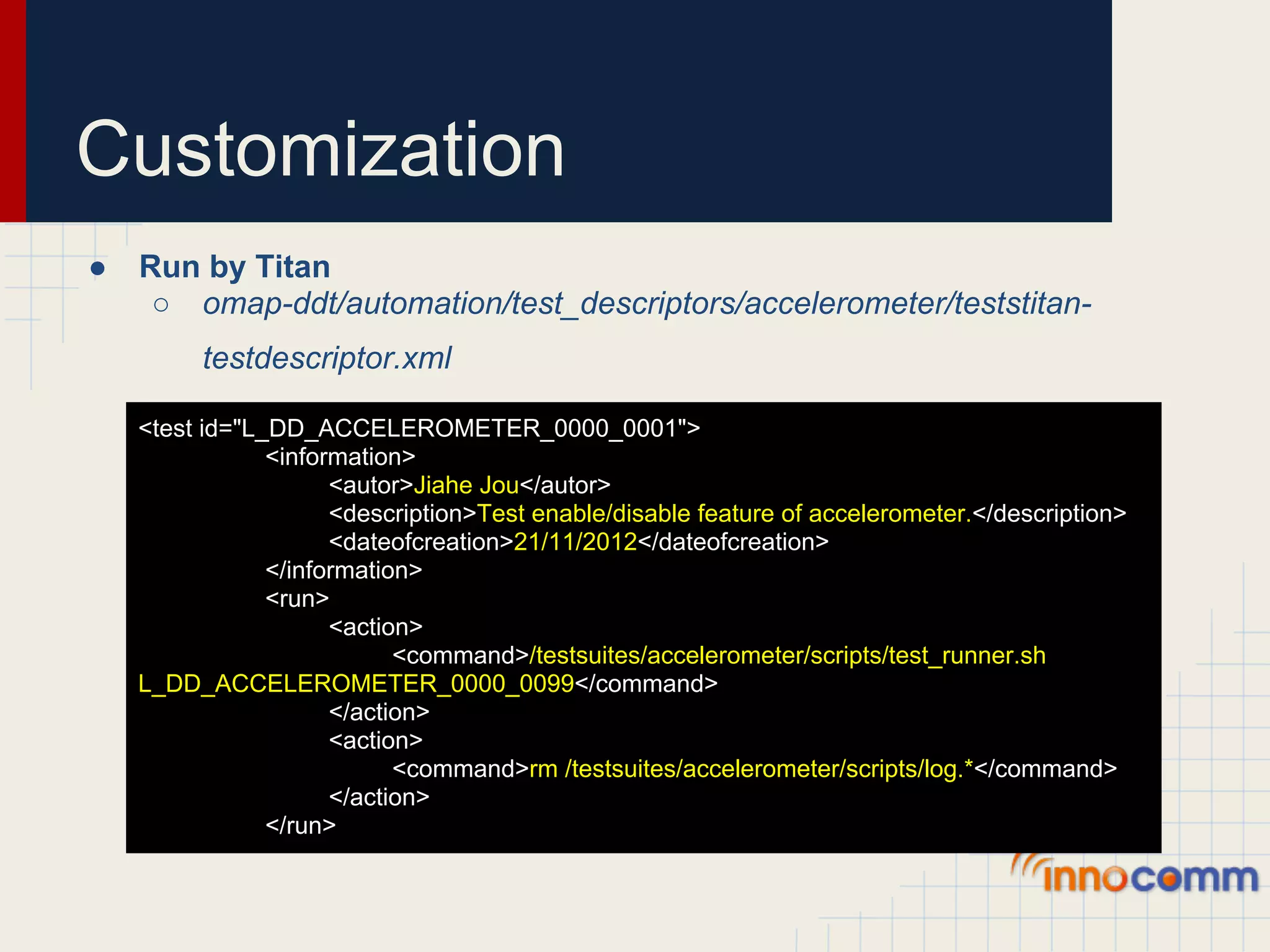
Customization ● Run by Titan ○ omap-ddt/automation/test_descriptors/accelerometer/teststitan- testdescriptor.xml <test id="L_DD_ACCELEROMETER_0000_0001"> <information> <autor>Jiahe Jou</autor> <description>Test enable/disable feature of accelerometer.</description> <dateofcreation>21/11/2012</dateofcreation> </information> <run> <action> <command>/testsuites/accelerometer/scripts/test_runner.sh L_DD_ACCELEROMETER_0000_0099</command> </action> <action> <command>rm /testsuites/accelerometer/scripts/log.*</command> </action> </run>
Customization ● Run by Titan ○ omap-ddt/automation/test_descriptors/accelerometer/teststitan- testdescriptor.xml <pass> <output> <value>stat=0</value> </output> </pass> <fail> <timeout time="15"/> <output> <regularexpression>stat=[^0]d*</regularexpression> </output> </fail> </test>
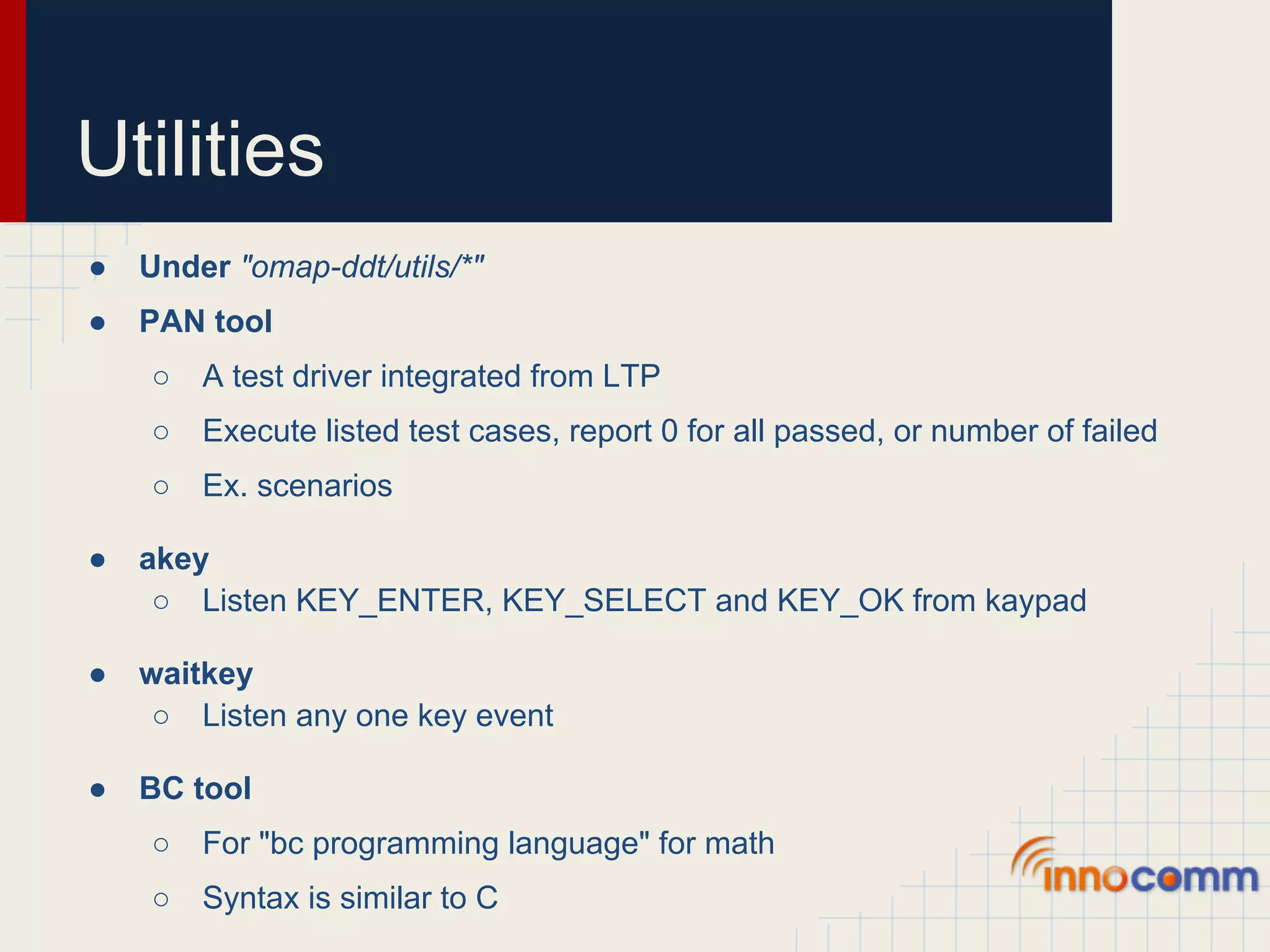
Utilities ● Under "omap-ddt/utils/*" ● PAN tool ○ A test driver integrated from LTP ○ Execute listed test cases, report 0 for all passed, or number of failed ○ Ex. scenarios ● akey ○ Listen KEY_ENTER, KEY_SELECT and KEY_OK from kaypad ● waitkey ○ Listen any one key event ● BC tool ○ For "bc programming language" for math ○ Syntax is similar to C
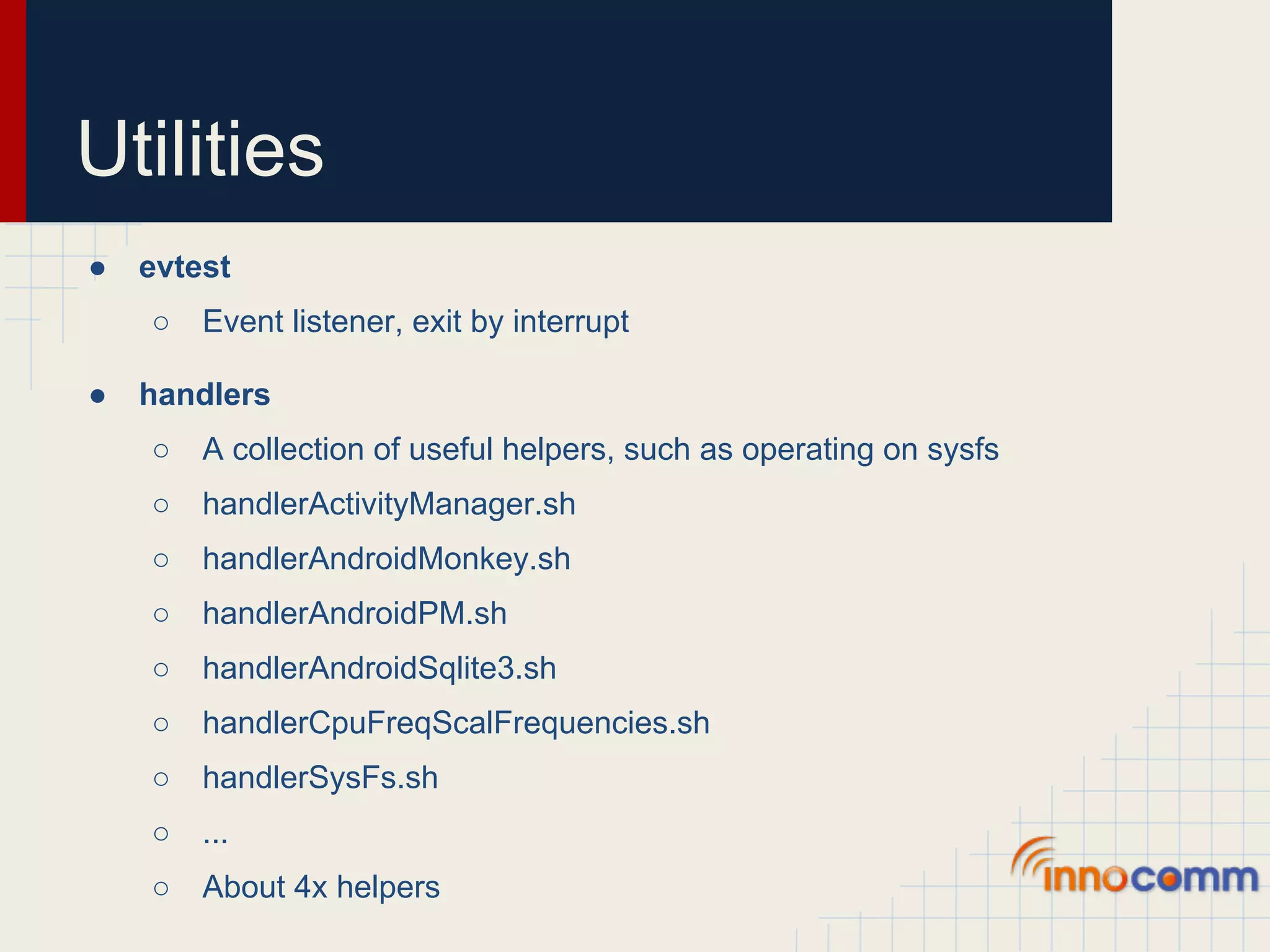
Utilities ● evtest ○ Event listener, exit by interrupt ● handlers ○ A collection of useful helpers, such as operating on sysfs ○ handlerActivityManager.sh ○ handlerAndroidMonkey.sh ○ handlerAndroidPM.sh ○ handlerAndroidSqlite3.sh ○ handlerCpuFreqScalFrequencies.sh ○ handlerSysFs.sh ○ ... ○ About 4x helpers
Utilities ● memtester tool ○ Memoey testing tool ● microcom tool ○ Minicom-like serial terminal emulator ● priority ○ Get and set processes' priority ● schedutils tool ○ Control processes's scheduling
Utilities ● scripts ○ A collection of useful scripts and monkey scripts ○ android_display_switch.sh ○ is_android_ready.sh ○ display.live.wallpaper.menu ○ display.system.wallpaper.menu ○ ics.set.max.screen.timeout.value ○ t2.ics.unlock.screen ○ ... ○ About 2x scripts
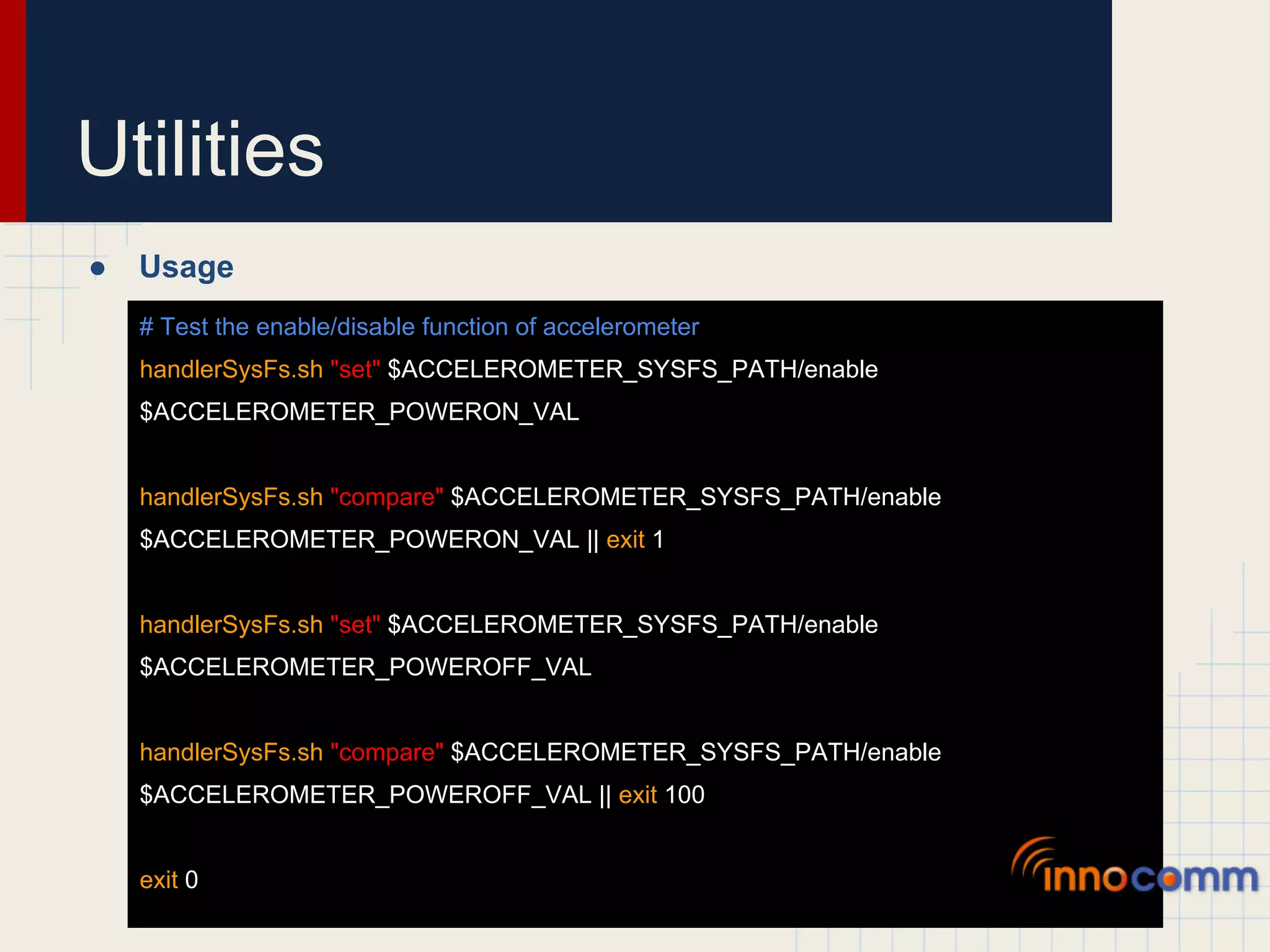
Utilities ● Usage # Test the enable/disable function of accelerometer handlerSysFs.sh "set" $ACCELEROMETER_SYSFS_PATH/enable $ACCELEROMETER_POWERON_VAL handlerSysFs.sh "compare" $ACCELEROMETER_SYSFS_PATH/enable $ACCELEROMETER_POWERON_VAL || exit 1 handlerSysFs.sh "set" $ACCELEROMETER_SYSFS_PATH/enable $ACCELEROMETER_POWEROFF_VAL handlerSysFs.sh "compare" $ACCELEROMETER_SYSFS_PATH/enable $ACCELEROMETER_POWEROFF_VAL || exit 100 exit 0
Utilities ● Usage ##################################################################### # Scenario: L_DD_ACCELEROMETER_0000_0005 # Author : Hemanth V # Date : Thu Jun 24 16:43:42 IST 2010 ##################################################################### # Begin L_DD_ACCELEROMETER_0000_0005 echo -n "1" > $ACCELEROMETER_SYSFS_PATH/enable echo "Ensure board is Flat on the surfacen" value=`$ACCELEROMETER_DIR_BINARIES/acctest $DEVFS_ACCELEROMETER Z | grep Value | awk '{print $2}'` [ $value -ge 900 ]
Q&A
End

Introduction of unit test on android kernel

  • 1.
    Introduction of UnitTest on Android Kernel Jiahe Jou, 2012/11/22
  • 2.
    Revisions DATE AUTHOR DESCRIPTION 2012/11/13 Jiahe Jou Draft.
  • 3.
    Outlines ● OMAP DDT Overview ● Compile and Installation ● Pre-requirement ● Run Test ● Automation Tool ● Customization ● Utilities
  • 4.
    OMAP DDT Overview ● OMAP DDT(Device Driver Test) ○ Device driver testing framework for OMAP Linux kernel ○ Part of Linux OMAP Project ● Repository location ○ Old: git://dev.omapzoom.org/pub/scm/richo/device_driver_test.git ○ New: git://gitorious.org/omap-ddt/omap-ddt.git ● Current branches ○ master ○ ddt-2.6.35 ○ ddt-2.6.39 ○ ddt-3.0
  • 5.
    OMAP DDT Overview ● First commit
  • 6.
    OMAP DDT Overview ● Current owner ● Committer ○ Leed Aguilar, leedsalim@gmail.com ○ Dmytro Kedrovskyi, x0158318@ti.com ○ Mariia Nagul, x0171643@ti.com
  • 7.
    OMAP DDT Overview ● Every device has their own test code base
  • 8.
    Compile and Installation ● Configuration # Makefile / Place in the root of code base KDIR:=$(PWD)/../kernel/android-3.0 CROSS_COMPILE:=arm-none-linux-gnueabi- HOST:=x86_64 ● Compile # Compile for g-sensor $ make TESTSUITES=accelerometer # For all devices $ make # A "build" folder will be created
  • 9.
    Compile and Installation ● Install to device # In OMAP DDT folder $ adb push build /system/testsuites # /system/testsuites is recommended
  • 10.
    Compile and Installation ● Install to device # In OMAP DDT folder $ adb push build /system/testsuites # /system/testsuites is recommended gh to ou !! En ST Not TE R un
  • 11.
    Pre-requirement ● Pre-requirement ○ Busybox ○ Bash ● Repository location ○ git://busybox.net/busybox.git ○ git://git.savannah.gnu.org/bash.git ● Homepage ○ http://www.busybox.net/ ○ http://savannah.gnu.org/projects/bash
  • 12.
    Pre-requirement ● Configuration for Busybox Busybox Settings --> Build Options --> Build Busybox as a static binary (no shared libs) - Enable this option by pressing "Y" Busybox Settings --> Build Options --> Cross compiler prefix - Set this option equal to "arm-none-linux-gnueabi-" Busybox Settings --> General Configuration --> Don't use /usr - Enable this option by pressing "Y" Linux Module Utilities --> [ ] Simplified modutils [*] insmod [*] rmmod [*] lsmod [*] Pretty output [ ] modprobe [ ] depmod Linux Module Utilities --> [ ] Support version 2.2/2.4 Linux kernels Linux Module Utilities --> [ ] Try to load module from a mmap'ed area Linux Module Utilities --> [*] Support tainted module checking with new kernels Linux Module Utilities --> () Default directory containing modules - Set this option to nothing Linux Module Utilities --> () Default name of modules.dep - Set this option to nothing
  • 13.
    Pre-requirement ● Install Busybox $ adb push busybox /system/sbin $ adb shell $ cd /system/sbin $ ./busybox --install . # /system/sbin is recommended
  • 14.
    Pre-requirement ● Install Busybox $ adb push busybox /system/sbin $ adb shell $ cd /system/sbin $ ./busybox --install . # /system/sbin is recommended Don't forget the DOT
  • 15.
    Pre-requirement ● Compile Bash $ CC=arm-none-linux-gnueabi-gcc ./configure --prefix=/opt/arm_bash/ --host=arm-linux --enable-static-link --without-bash-malloc $ $ make ● Install Bash $ adb push bash /system/sbin $ adb shell $ cd /system/sbin $ mv sh sh.busybox $ ln -s /system/sbin/bash sh
  • 16.
    Run Test ● Run all test under device # In /system/testsuites/accelerometer/test_code/script/ $ ./run_all.sh ● Troubleshooting ○ tmp - cannot work as a temporary directory ○ test - cannot work as a test directory # In /system/testsuites/accelerometer/test_code/script/ $ mkdir tmp test ○ /bin/sh: bad interpreter: No such file or directory # !/bin/sh Modify to ... # !/system/sbin/sh
  • 17.
  • 18.
  • 19.
    Automation Tool ● TITAN, TI Test AutomatioN tool ○ Control board through serial or telnet connection ○ Scheduling to run the test cases. ○ Auto boot support (Phidget board required) ● Repository location ○ git://dev.omapzoom.org/pub/scm/cristopherson/titan-development.git ● Last commit
  • 20.
    Automation Tool ● Recommended Environment ○ Netbeans ○ Java 1.6 ● Project dependency ○ Titan_Common ■ commons-net-1.4.1.jar ■ iText-2.1.0.jar ■ RXTXcomm.jar ■ ganymed-ssh2-build210.jar ■ poi-3.6-20091214.jar
  • 21.
    Automation Tool ● Project dependency ○ Titan_DevelopmentBoard ■ Phidget21.jar ○ Titan_GUI ■ jcalendar.jar ■ RXTXcomm.jar ■ Phidget21.jar ■ iText-2.1.0.jar ■ poi-3.6-20091214.jar
  • 22.
  • 23.
    Automation Tool ● Choose connection
  • 24.
    Automation Tool ● Choose connection
  • 25.
    Automation Tool ● Connection setting
  • 26.
    Automation Tool ● Set test provider
  • 27.
    Automation Tool ● Set test provider
  • 28.
    Automation Tool ● Set test provider
  • 29.
  • 30.
    Automation Tool ● Check test cases
  • 31.
    Automation Tool ● Schedule test
  • 32.
  • 33.
    Customization ● Test code organization main configuration file run all tests test runner
  • 34.
    Customization ● Default device configuration in conf.sh ○ BMA180 ... if [ `cat $SYSFS_BOARD_REV | grep -c "Tablet"` -ge 1 ]; then # Specific to bma180 sensor export ACCELEROMETER_SYSFS_PATH="/sys/bus/i2c/drivers/bma180_accel/4-0040" export ACCELEROMETER_HW="bma180" export ACCELEROMETER_POWERON_VAL=1 export ACCELEROMETER_POWEROFF_VAL=0 export ACCELEROMETER_ENABLE_POWER="$ACCELEROMETER_SYSFS_PATH/enable" ...
  • 35.
    Customization ● Add my device configuration to conf.sh ○ BMA250E ... elif [ `cat $SYSFS_BOARD_REV | grep -c "Panda"` -ge 1 ]; then # Specific to bma250e sensor export ACCELEROMETER_SYSFS_PATH="/sys/devices/accelerometer" export ACCELEROMETER_HW="bma250e" export ACCELEROMETER_POWERON_VAL=1 export ACCELEROMETER_POWEROFF_VAL=0 export ACCELEROMETER_ENABLE_POWER="$ACCELEROMETER_SYSFS_PATH/enable" # Some extra configurations ...
  • 36.
    Customization ● run_all.sh #! /system/sbin/sh ./test_runner.sh -S L_DD_ACCELEROMETER_0000_0001 ./test_runner.sh -S L_DD_ACCELEROMETER_0000_0002 ./test_runner.sh -S L_DD_ACCELEROMETER_0000_0003 ./test_runner.sh -S L_DD_ACCELEROMETER_0000_0004 ./test_runner.sh -S L_DD_ACCELEROMETER_0000_0005 Scenarios ./test_runner.sh -S L_DD_ACCELEROMETER_0000_0006 ./test_runner.sh -S L_DD_ACCELEROMETER_0000_0007 ./test_runner.sh -S L_DD_ACCELEROMETER_0000_0008 ./test_runner.sh -S L_DD_ACCELEROMETER_0000_0011 ...
  • 37.
    Customization ● Test code structure Shell scripts C code
  • 38.
    Customization ● Test code structure Ctrl + C an d Ct rl + V C code
  • 39.
    Customization ● Scenarios ○ L_DD_ACCELEROMETER_0000_0002 ##################################################################### # Scenario: L_DD_ACCELEROMETER_0000_0002 # Author : Hemanth V # Date : Thu Jun 24 16:43:42 IST 2010 ##################################################################### # Begin L_DD_ACCELEROMETER_0000_0002 # FILE exists and is a symbolic link (same as -L) 01 set -x; test -h $ACCELEROMETER_SYSFS_PATH # End L_DD_ACCELEROMETER_0000_0002
  • 40.
    Customization ● Scenarios with helper ○ L_DD_ACCELEROMETER_0000_0005 ... 01 $ACCELEROMETER_DIR_HELPER/$ACCELEROMETER_HW/ACC_0000_0005 ... ○ ACC_0000_0005 echo -n "1" > $ACCELEROMETER_SYSFS_PATH/enable echo "Ensure board is Flat on the surfacen" value=`$ACCELEROMETER_DIR_BINARIES/acctest $DEVFS_ACCELEROMETER Z | grep Value | awk '{print $2}'` [ $value -ge 900 ]
  • 41.
    Customization ● Add scenarios ○ L_DD_ACCELEROMETER_0000_0099 ... 01 $ACCELEROMETER_DIR_HELPER/$ACCELEROMETER_HW/ACC_0000_0099 ... ○ run_all.sh #! /system/sbin/sh .... /test_runner.sh -S L_DD_ACCELEROMETER_0000_0099 ...
  • 42.
    Customization ● ACC_0000_0099 # Test the enable/disable function of accelerometer handlerSysFs.sh "set" $ACCELEROMETER_SYSFS_PATH/enable $ACCELEROMETER_POWERON_VAL handlerSysFs.sh "compare" $ACCELEROMETER_SYSFS_PATH/enable $ACCELEROMETER_POWERON_VAL || exit 1 handlerSysFs.sh "set" $ACCELEROMETER_SYSFS_PATH/enable $ACCELEROMETER_POWEROFF_VAL handlerSysFs.sh "compare" $ACCELEROMETER_SYSFS_PATH/enable $ACCELEROMETER_POWEROFF_VAL || exit 100 exit 0
  • 43.
    Customization ● Run it! ○ L_DD_ACCELEROMETER_0000_0099 # In /system/testsuites/accelerometer/test_code/script/ $ ./test_runner.sh -S L_DD_ACCELEROMETER_0000_0099 # Or $ ./run_all.sh
  • 44.
    Customization ● Run by Titan ○ omap-ddt/automation/test_descriptors/accelerometer/teststitan- testdescriptor.xml <test id="L_DD_ACCELEROMETER_0000_0001"> <information> <autor>Jiahe Jou</autor> <description>Test enable/disable feature of accelerometer.</description> <dateofcreation>21/11/2012</dateofcreation> </information> <run> <action> <command>/testsuites/accelerometer/scripts/test_runner.sh L_DD_ACCELEROMETER_0000_0099</command> </action> <action> <command>rm /testsuites/accelerometer/scripts/log.*</command> </action> </run>
  • 45.
    Customization ● Run by Titan ○ omap-ddt/automation/test_descriptors/accelerometer/teststitan- testdescriptor.xml <pass> <output> <value>stat=0</value> </output> </pass> <fail> <timeout time="15"/> <output> <regularexpression>stat=[^0]d*</regularexpression> </output> </fail> </test>
  • 46.
    Utilities ● Under "omap-ddt/utils/*" ● PAN tool ○ A test driver integrated from LTP ○ Execute listed test cases, report 0 for all passed, or number of failed ○ Ex. scenarios ● akey ○ Listen KEY_ENTER, KEY_SELECT and KEY_OK from kaypad ● waitkey ○ Listen any one key event ● BC tool ○ For "bc programming language" for math ○ Syntax is similar to C
  • 47.
    Utilities ● evtest ○ Event listener, exit by interrupt ● handlers ○ A collection of useful helpers, such as operating on sysfs ○ handlerActivityManager.sh ○ handlerAndroidMonkey.sh ○ handlerAndroidPM.sh ○ handlerAndroidSqlite3.sh ○ handlerCpuFreqScalFrequencies.sh ○ handlerSysFs.sh ○ ... ○ About 4x helpers
  • 48.
    Utilities ● memtester tool ○ Memoey testing tool ● microcom tool ○ Minicom-like serial terminal emulator ● priority ○ Get and set processes' priority ● schedutils tool ○ Control processes's scheduling
  • 49.
    Utilities ● scripts ○ A collection of useful scripts and monkey scripts ○ android_display_switch.sh ○ is_android_ready.sh ○ display.live.wallpaper.menu ○ display.system.wallpaper.menu ○ ics.set.max.screen.timeout.value ○ t2.ics.unlock.screen ○ ... ○ About 2x scripts
  • 50.
    Utilities ● Usage # Test the enable/disable function of accelerometer handlerSysFs.sh "set" $ACCELEROMETER_SYSFS_PATH/enable $ACCELEROMETER_POWERON_VAL handlerSysFs.sh "compare" $ACCELEROMETER_SYSFS_PATH/enable $ACCELEROMETER_POWERON_VAL || exit 1 handlerSysFs.sh "set" $ACCELEROMETER_SYSFS_PATH/enable $ACCELEROMETER_POWEROFF_VAL handlerSysFs.sh "compare" $ACCELEROMETER_SYSFS_PATH/enable $ACCELEROMETER_POWEROFF_VAL || exit 100 exit 0
  • 51.
    Utilities ● Usage ##################################################################### # Scenario: L_DD_ACCELEROMETER_0000_0005 # Author : Hemanth V # Date : Thu Jun 24 16:43:42 IST 2010 ##################################################################### # Begin L_DD_ACCELEROMETER_0000_0005 echo -n "1" > $ACCELEROMETER_SYSFS_PATH/enable echo "Ensure board is Flat on the surfacen" value=`$ACCELEROMETER_DIR_BINARIES/acctest $DEVFS_ACCELEROMETER Z | grep Value | awk '{print $2}'` [ $value -ge 900 ]
  • 52.
  • 53.