


ggplot2 dot plot : Quick start guide - R software and data visualization
This R tutorial describes how to create a dot plot using R software and ggplot2 package.
The function geom_dotplot() is used.
Prepare the data
ToothGrowth data sets are used :
# Convert the variable dose from a numeric to a factor variable ToothGrowth$dose <- as.factor(ToothGrowth$dose) head(ToothGrowth)## len supp dose ## 1 4.2 VC 0.5 ## 2 11.5 VC 0.5 ## 3 7.3 VC 0.5 ## 4 5.8 VC 0.5 ## 5 6.4 VC 0.5 ## 6 10.0 VC 0.5Make sure that the variable dose is converted as a factor variable using the above R script.
Basic dot plots
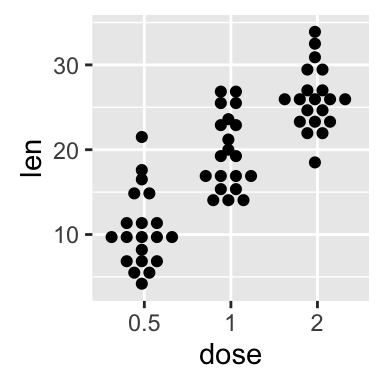
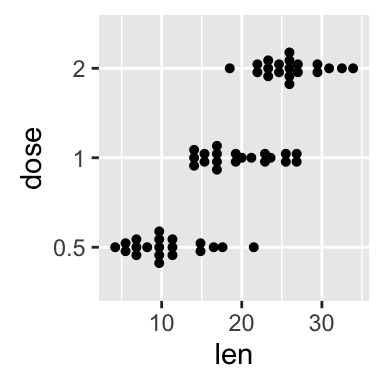
library(ggplot2) # Basic dot plot p<-ggplot(ToothGrowth, aes(x=dose, y=len)) + geom_dotplot(binaxis='y', stackdir='center') p # Change dotsize and stack ratio ggplot(ToothGrowth, aes(x=dose, y=len)) + geom_dotplot(binaxis='y', stackdir='center', stackratio=1.5, dotsize=1.2) # Rotate the dot plot p + coord_flip()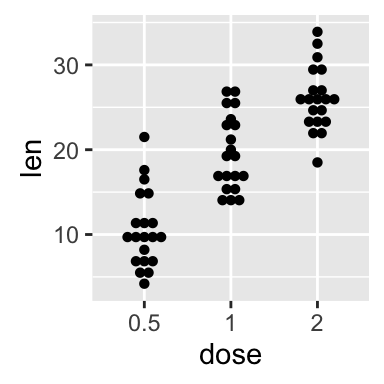
Choose which items to display :
p + scale_x_discrete(limits=c("0.5", "2"))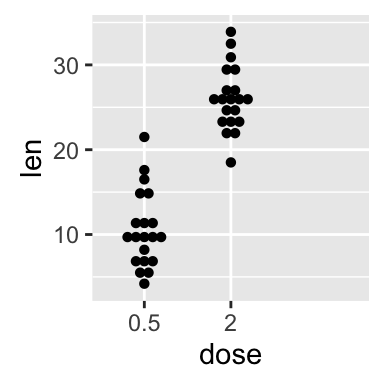
Add summary statistics on a dot plot
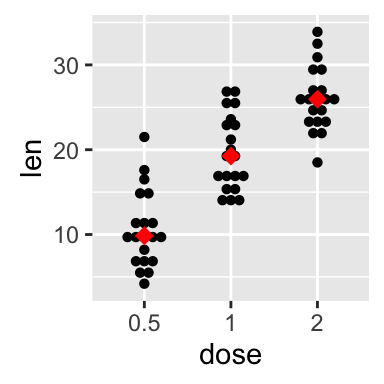
The function stat_summary() can be used to add mean/median points and more to a dot plot.
Add mean and median points
# dot plot with mean points p + stat_summary(fun.y=mean, geom="point", shape=18, size=3, color="red") # dot plot with median points p + stat_summary(fun.y=median, geom="point", shape=18, size=3, color="red")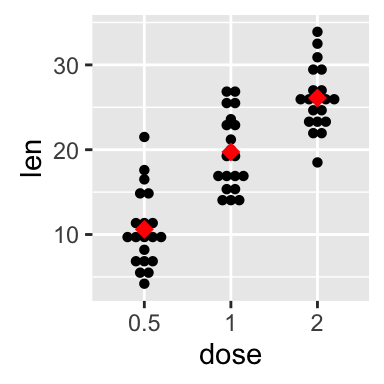
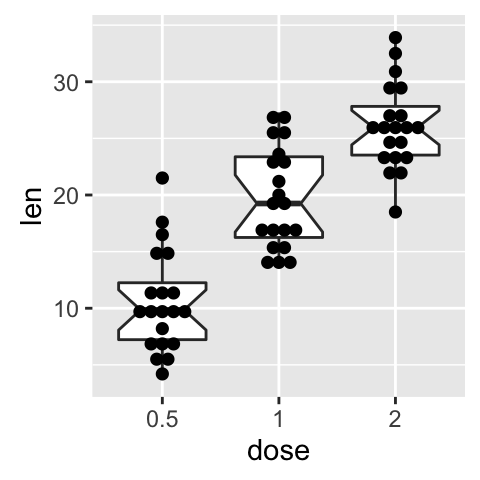
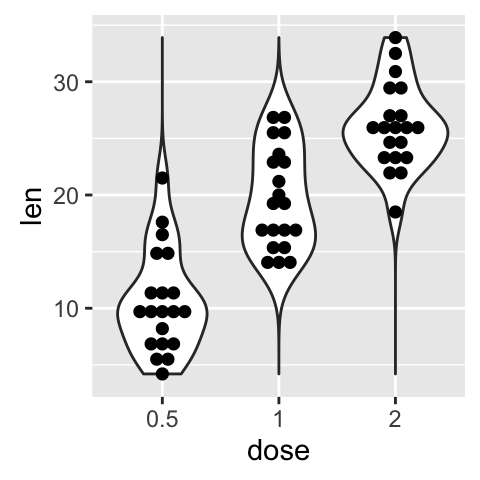
Dot plot with box plot and violin plot
# Add basic box plot ggplot(ToothGrowth, aes(x=dose, y=len)) + geom_boxplot()+ geom_dotplot(binaxis='y', stackdir='center') # Add notched box plot ggplot(ToothGrowth, aes(x=dose, y=len)) + geom_boxplot(notch = TRUE)+ geom_dotplot(binaxis='y', stackdir='center') # Add violin plot ggplot(ToothGrowth, aes(x=dose, y=len)) + geom_violin(trim = FALSE)+ geom_dotplot(binaxis='y', stackdir='center')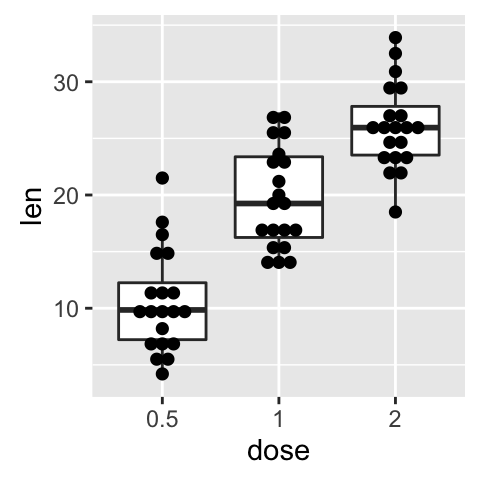
Read more on box plot : ggplot2 box plot
Read more on violin plot : ggplot2 violin plot
Add mean and standard deviation
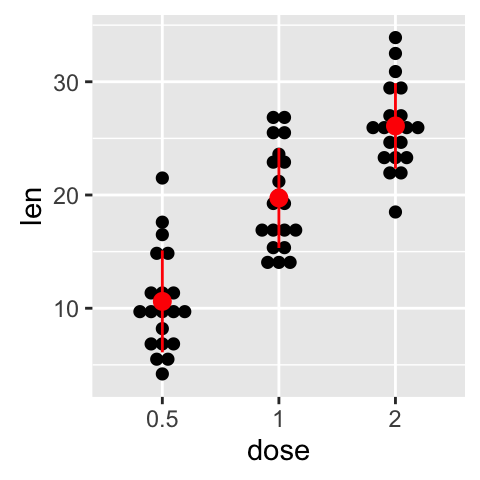
The function mean_sdl is used. mean_sdl computes the mean plus or minus a constant times the standard deviation.
In the R code below, the constant is specified using the argument mult (mult = 1). By default mult = 2.
The mean +/- SD can be added as a crossbar or a pointrange :
p <- ggplot(ToothGrowth, aes(x=dose, y=len)) + geom_dotplot(binaxis='y', stackdir='center') p + stat_summary(fun.data="mean_sdl", fun.args = list(mult=1), geom="crossbar", width=0.5) p + stat_summary(fun.data=mean_sdl, fun.args = list(mult=1), geom="pointrange", color="red")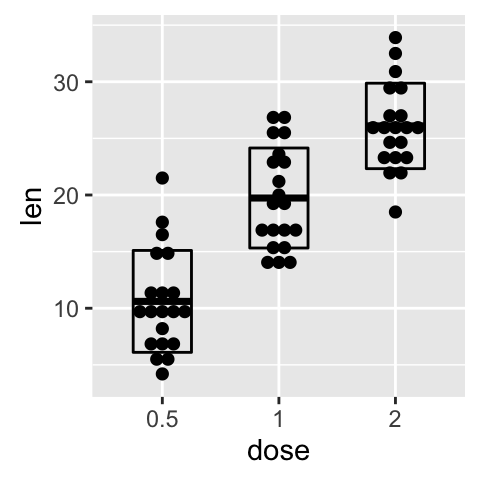
Note that, you can also define a custom function to produce summary statistics as follow.
# Function to produce summary statistics (mean and +/- sd) data_summary <- function(x) { m <- mean(x) ymin <- m-sd(x) ymax <- m+sd(x) return(c(y=m,ymin=ymin,ymax=ymax)) }Use a custom summary function :
p + stat_summary(fun.data=data_summary, color="blue")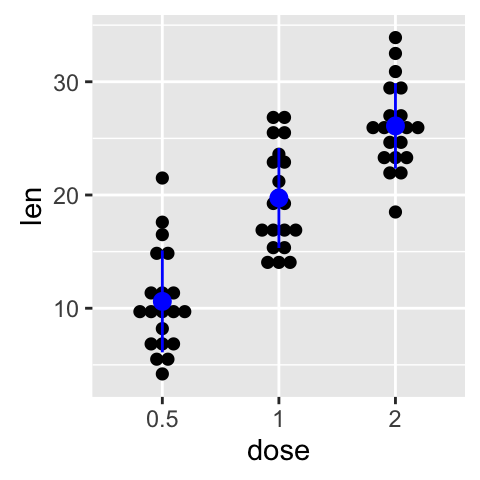
Change dot plot colors by groups
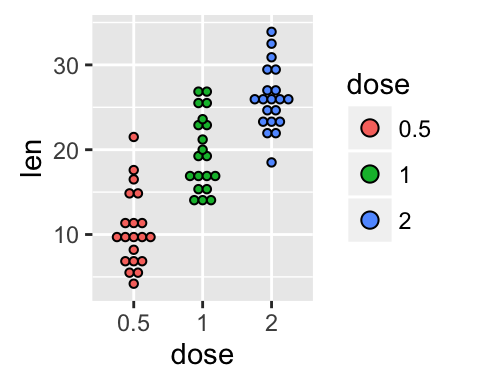
In the R code below, the fill colors of the dot plot are automatically controlled by the levels of dose :
# Use single fill color ggplot(ToothGrowth, aes(x=dose, y=len)) + geom_dotplot(binaxis='y', stackdir='center', fill="#FFAAD4") # Change dot plot colors by groups p<-ggplot(ToothGrowth, aes(x=dose, y=len, fill=dose)) + geom_dotplot(binaxis='y', stackdir='center') p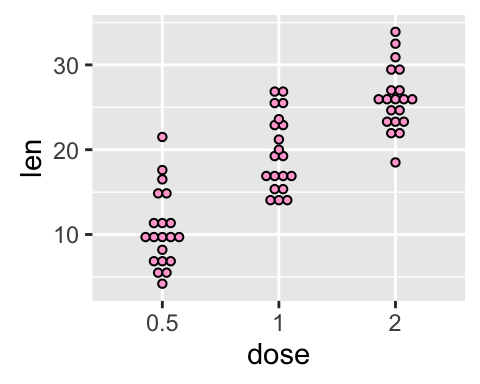
It is also possible to change manually dot plot colors using the functions :
- scale_fill_manual() : to use custom colors
- scale_fill_brewer() : to use color palettes from RColorBrewer package
- scale_fill_grey() : to use grey color palettes
# Use custom color palettes p+scale_fill_manual(values=c("#999999", "#E69F00", "#56B4E9")) # Use brewer color palettes p+scale_fill_brewer(palette="Dark2") # Use grey scale p + scale_fill_grey() + theme_classic()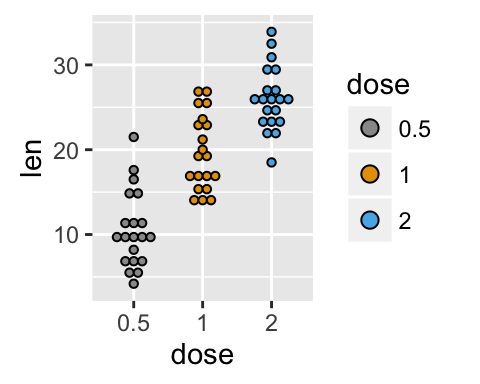
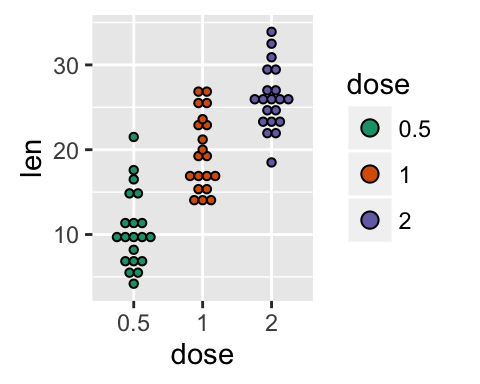
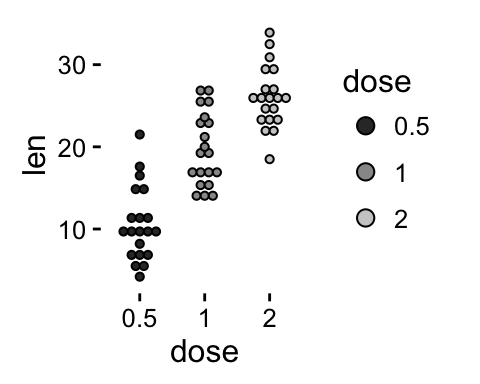
Read more on ggplot2 colors here : ggplot2 colors
Change the legend position
p + theme(legend.position="top") p + theme(legend.position="bottom") p + theme(legend.position="none") # Remove legend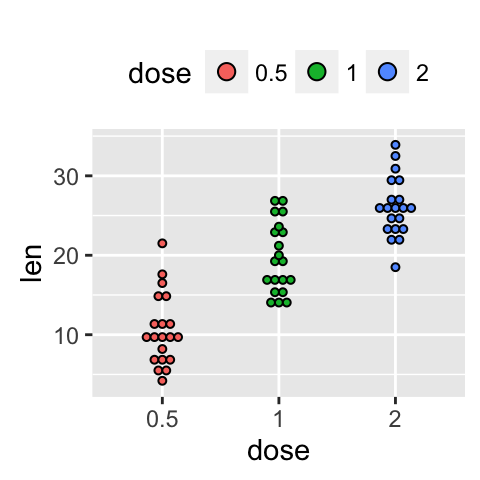
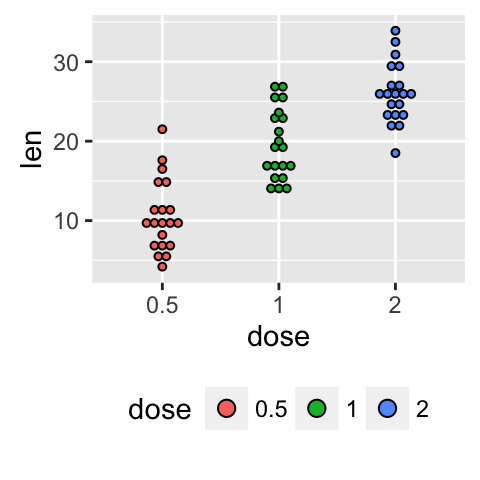
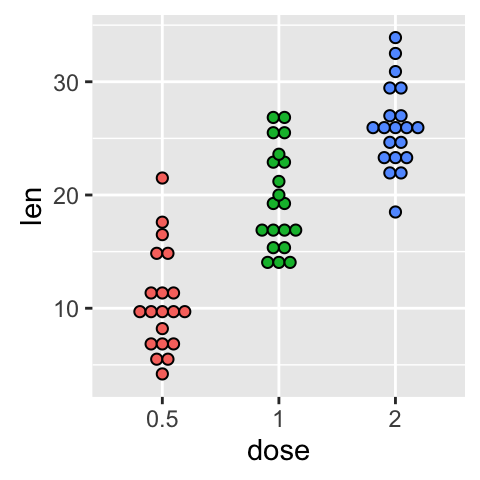
The allowed values for the arguments legend.position are : “left”,“top”, “right”, “bottom”.
Read more on ggplot legends : ggplot2 legend
Change the order of items in the legend
The function scale_x_discrete can be used to change the order of items to “2”, “0.5”, “1” :
p + scale_x_discrete(limits=c("2", "0.5", "1"))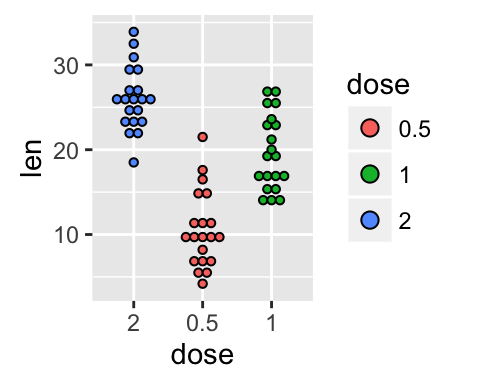
Dot plot with multiple groups
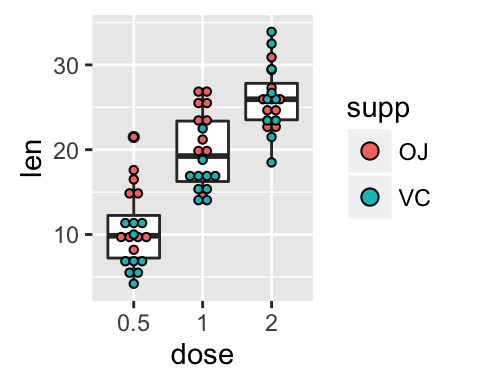
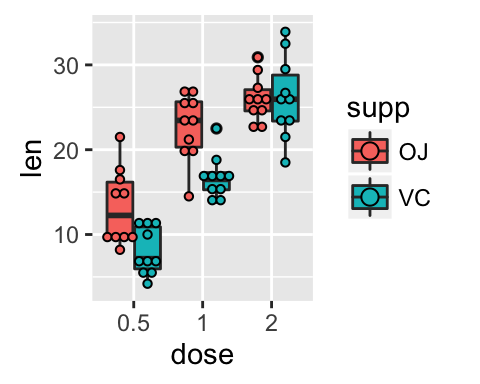
# Change dot plot colors by groups ggplot(ToothGrowth, aes(x=dose, y=len, fill=supp)) + geom_dotplot(binaxis='y', stackdir='center') # Change the position : interval between dot plot of the same group p<-ggplot(ToothGrowth, aes(x=dose, y=len, fill=supp)) + geom_dotplot(binaxis='y', stackdir='center', position=position_dodge(0.8)) p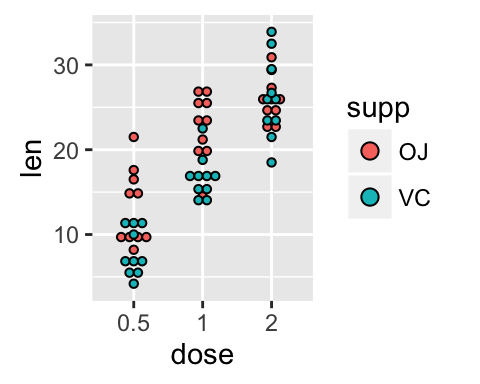

Change dot plot colors and add box plots :
# Change colors p+scale_fill_manual(values=c("#999999", "#E69F00", "#56B4E9")) # Add box plots ggplot(ToothGrowth, aes(x=dose, y=len, fill=supp)) + geom_boxplot(fill="white")+ geom_dotplot(binaxis='y', stackdir='center') # Change the position ggplot(ToothGrowth, aes(x=dose, y=len, fill=supp)) + geom_boxplot(position=position_dodge(0.8))+ geom_dotplot(binaxis='y', stackdir='center', position=position_dodge(0.8))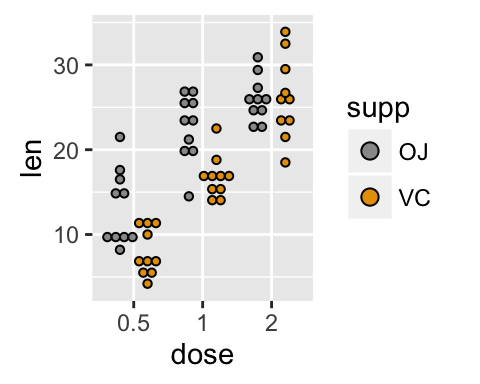
Customized dot plots
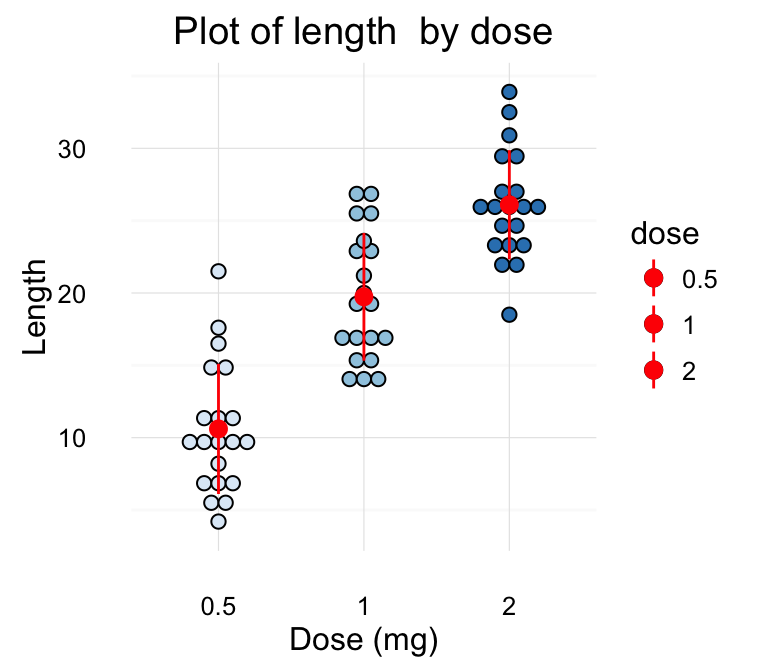
# Basic dot plot ggplot(ToothGrowth, aes(x=dose, y=len)) + geom_boxplot()+ geom_dotplot(binaxis='y', stackdir='center')+ labs(title="Plot of length by dose",x="Dose (mg)", y = "Length")+ theme_classic() # Change color by groups dp <-ggplot(ToothGrowth, aes(x=dose, y=len, fill=dose)) + geom_dotplot(binaxis='y', stackdir='center')+ labs(title="Plot of length by dose",x="Dose (mg)", y = "Length") dp + theme_classic()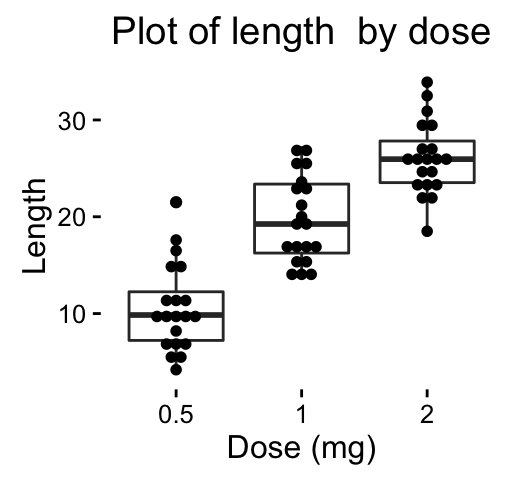
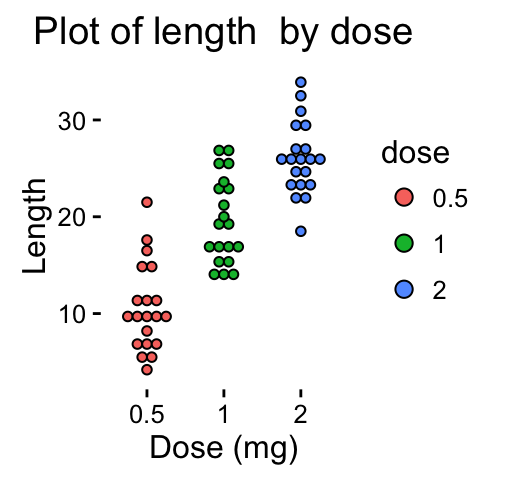
Change fill colors manually :
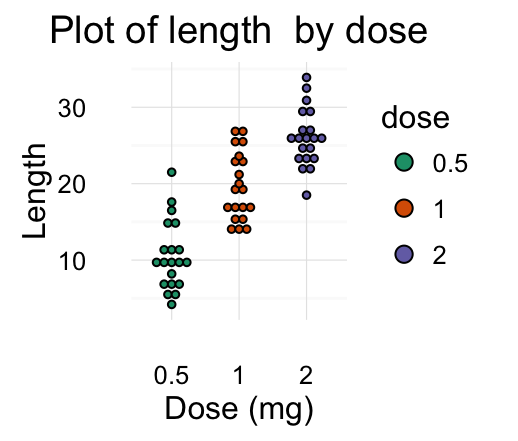
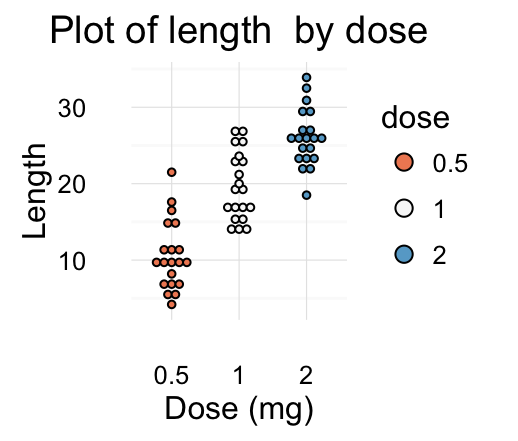
# Continuous colors dp + scale_fill_brewer(palette="Blues") + theme_classic() # Discrete colors dp + scale_fill_brewer(palette="Dark2") + theme_minimal() # Gradient colors dp + scale_fill_brewer(palette="RdBu") + theme_minimal()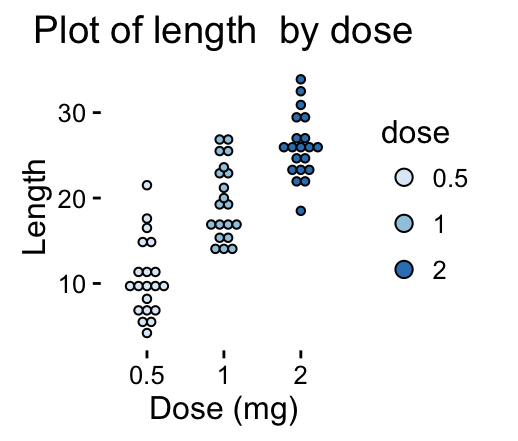
Read more on ggplot2 colors here : ggplot2 colors
Infos
This analysis has been performed using R software (ver. 3.2.4) and ggplot2 (ver. 2.1.0)
<!-- END HTML -->
Show me some love with the like buttons below... Thank you and please don't forget to share and comment below!!
Montrez-moi un peu d'amour avec les like ci-dessous ... Merci et n'oubliez pas, s'il vous plaît, de partager et de commenter ci-dessous!
Recommended for You!




Recommended for you
This section contains the best data science and self-development resources to help you on your path.
Books - Data Science
Our Books
- Practical Guide to Cluster Analysis in R by A. Kassambara (Datanovia)
- Practical Guide To Principal Component Methods in R by A. Kassambara (Datanovia)
- Machine Learning Essentials: Practical Guide in R by A. Kassambara (Datanovia)
- R Graphics Essentials for Great Data Visualization by A. Kassambara (Datanovia)
- GGPlot2 Essentials for Great Data Visualization in R by A. Kassambara (Datanovia)
- Network Analysis and Visualization in R by A. Kassambara (Datanovia)
- Practical Statistics in R for Comparing Groups: Numerical Variables by A. Kassambara (Datanovia)
- Inter-Rater Reliability Essentials: Practical Guide in R by A. Kassambara (Datanovia)
Others
- R for Data Science: Import, Tidy, Transform, Visualize, and Model Data by Hadley Wickham & Garrett Grolemund
- Hands-On Machine Learning with Scikit-Learn, Keras, and TensorFlow: Concepts, Tools, and Techniques to Build Intelligent Systems by Aurelien Géron
- Practical Statistics for Data Scientists: 50 Essential Concepts by Peter Bruce & Andrew Bruce
- Hands-On Programming with R: Write Your Own Functions And Simulations by Garrett Grolemund & Hadley Wickham
- An Introduction to Statistical Learning: with Applications in R by Gareth James et al.
- Deep Learning with R by François Chollet & J.J. Allaire
- Deep Learning with Python by François Chollet
Click to follow us on Facebook :
Comment this article by clicking on "Discussion" button (top-right position of this page)