AdGuard for Windows AdGuard for Mac AdGuard for Android AdGuard for iOS AdGuard Content Blocker AdGuard Browser Extension AdGuard Assistant AdGuard Home AdGuard Pro for iOS AdGuard for Safari AdGuard for Android TV AdGuard for Linux AdGuard Temp Mail AdGuard VPN AdGuard DNS AdGuard Mail β
AdGuard for Windows AdGuard for Mac AdGuard for Android AdGuard for iOS AdGuard Content Blocker AdGuard Browser Extension AdGuard Assistant AdGuard Home AdGuard Pro for iOS AdGuard for Safari AdGuard for Android TV AdGuard for Linux AdGuard Temp Mail AdGuard VPN AdGuard DNS AdGuard Mail AdGuard Content Blocker AdGuard Browser Extension AdGuard Assistant AdGuard Home AdGuard Pro for iOS AdGuard for Safari AdGuard for Android TV AdGuard for Linux AdGuard Temp Mail AdGuard VPN AdGuard DNS AdGuard Mail Other products
AdGuard Content Blocker AdGuard Browser Extension AdGuard Assistant AdGuard Home AdGuard Pro for iOS AdGuard for Safari AdGuard for Android TV AdGuard for Linux AdGuard Temp Mail AdGuard VPN AdGuard DNS AdGuard Mail 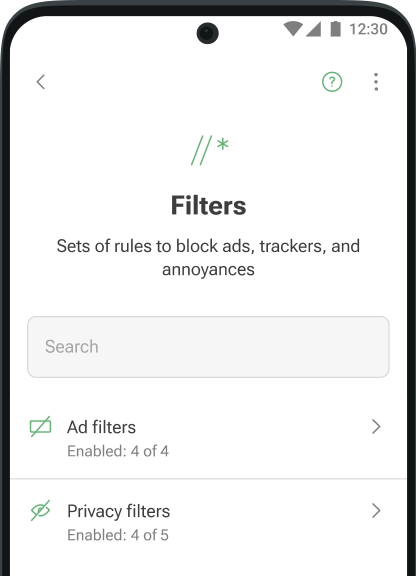

19,819 19819 user reviews
Excellent!
AdGuard for Android
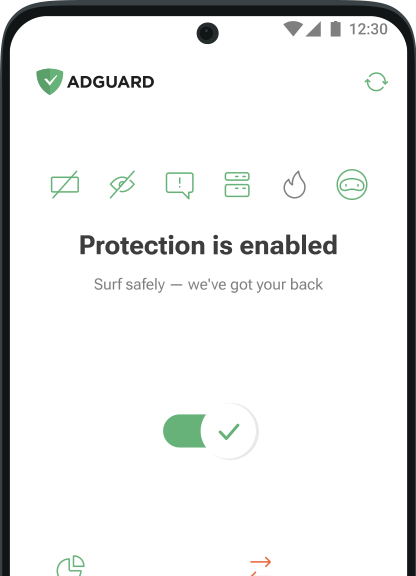
AdGuard for Android is a perfect solution for Android devices. Unlike most other ad blockers, AdGuard doesn't require root access and provides a wide range of app management options.
Scan to download
Use any QR-code reader available on your device
AdGuard for Android v4.12, 14-day trial period
- Blocks ads everywhereBlock ads everywhere on your device, including all types of ads in your apps, browsers, games, and websites. AdGuard has dozens of ad filters that are constantly updated to ensure the best filtering quality
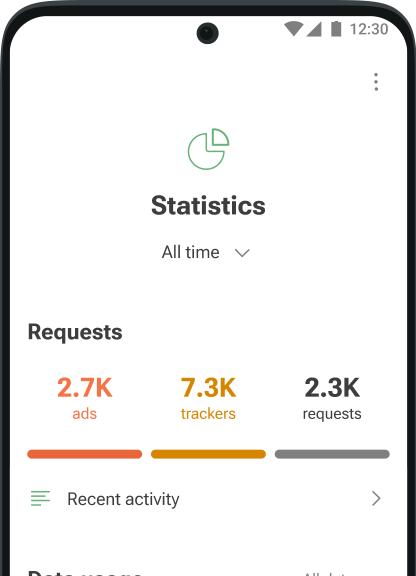
- Protects your privacyProtecting your data is our top priority. With AdGuard, you and your sensitive information are safe from any online tracker and analytics system that tries to spy on you while you surf the Web
- Saves traffic and batteryMore ads blocked means fewer ads loaded. Fewer ads loaded means more traffic and battery life saved. Simple math by AdGuard! Download the apk file, install the app, and spend your traffic on things you like instead of wasting it on voracious ads
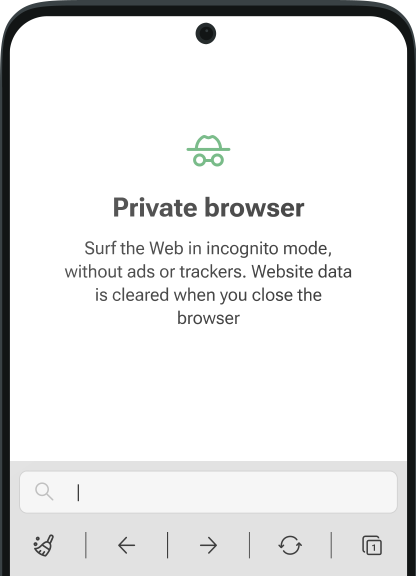
- Gives you controlYou decide what to filter and block on your device. A wide range of settings, from basic to advanced, and an app management tool help you tailor the filtering to your needs and control how apps consume traffic and access the Internet
Try AdGuard — it will exceed your expectations
Join the 160 million users who are protecting their privacy with AdGuard products!
Latest news
-
AdGuard for Android v4.12: Share settings and enjoy landscape mode
Oct 1, 2025AdGuard for Android v4.12 introduces landscape mode for tablets and a Share settings feature, making the app simpler and more comfortable to use. -
The Android gate just got a lock: Google’s new rule could limit app access
Sep 9, 2025Google will require developers who distribute their apps outside of the Play Store to verify their identity in the name of user protection. -
AdGuard for Android v4.11: A small update with bug fixes
Aug 27, 2025This release includes some under-the-hood improvements, a substantial number of bug fixes, and a CoreLibs update. -
AdGuard for Android v4.10: New HTTPS certificate installation flow
Jun 25, 2025In AdGuard for Android v4.10, setting up the HTTPS certificate is now easier for everyone, regardless of their technical background.
All done! Something went wrong Subscribe to our news
You’ve successfully subscribed to AdGuard news. Emails will be sent to ${email}
You can also subscribe using a different email address
Please try again. If it doesn’t help, please contact support
Be the first to get the latest news about online privacy and ad blocking, AdGuard product releases, upcoming sales, giveaways, and more
Invalid captcha
Captcha is required



AdGuard for Android in app stores
Rinan Draining battery on OS Android 10,
on Android 9, battery save
(Realme C3)
Chamidu kanishka English language input android device
harsha it works perfectly in android.
MaríaCarmen Date recibiré Android Google Driver

Thank you! You’ve helped us become a bit better
Failed to send review
Please try again or contact support
FAQ
- Content blockers are usually limited to a specific browser and have much less powerful ad-fighting tools. AdGuard for Android is a standalone app that can block ads and trackers in both browsers and apps. Its filtering quality is much better.
- Google Play doesn’t allow apps that can block ads across the device. This policy only leaves room for browser-specific content blockers. That’s why AdGuard, a full-featured ad blocker for Android, was removed from the store.
- The free version is excellent at removing ads from browsers, but it can’t filter apps and doesn’t have features like Browsing Security, Tracking protection, and Userscripts. To enjoy the advanced features that will help you block trackers and dangerous websites, get the paid version.
- Visit our Knowledge base to learn how to install AdGuard Ad Blocker for Android.
- To learn more about the key features of AdGuard for Android and how to get rid of ads on your device, read our Knowledge base article.
- No, you don’t. Unlike many other ad blockers, AdGuard uses a so-called local VPN to block ads on non-rooted devices.
- You can easily use AdGuard with AdGuard VPN. Their integration is automatically enabled once both apps are up and running.As for third-party VPN apps, there may be problems. AdGuard Ad Blocker runs a local VPN on your device to filter properly. Android doesn't allow running two VPNs at the same time, but there are workarounds. For rooted devices, we recommend switching AdGuard to Automatic proxy. This will allow your device to use another VPN app.Also, VPNs like PIA VPN or Nord VPN allow you to use an upstream proxy — check if your VPN has this option.
- If you have any questions, you can contact us 24/7 at support@adguard.com. It’s a good idea to check our FAQ first: it contains answers to 90% of user questions.
AdGuard for Windows AdGuard for Mac AdGuard for Android AdGuard for iOS AdGuard Content Blocker AdGuard Browser Extension AdGuard Assistant AdGuard Home AdGuard Pro for iOS AdGuard for Safari AdGuard for Android TV AdGuard for Linux AdGuard Temp Mail AdGuard VPN AdGuard DNS AdGuard Mail β
AdGuard VPN AdGuard DNS AdGuard Mail AdGuard Content Blocker AdGuard Browser Extension AdGuard Assistant AdGuard Home AdGuard Pro for iOS AdGuard for Safari AdGuard for Android TV AdGuard for Linux AdGuard Temp Mail AdGuard VPN AdGuard DNS AdGuard Mail Other products
AdGuard VPN AdGuard DNS AdGuard Mail 
19,819 19819 user reviews
Excellent!
AdGuard for Windows
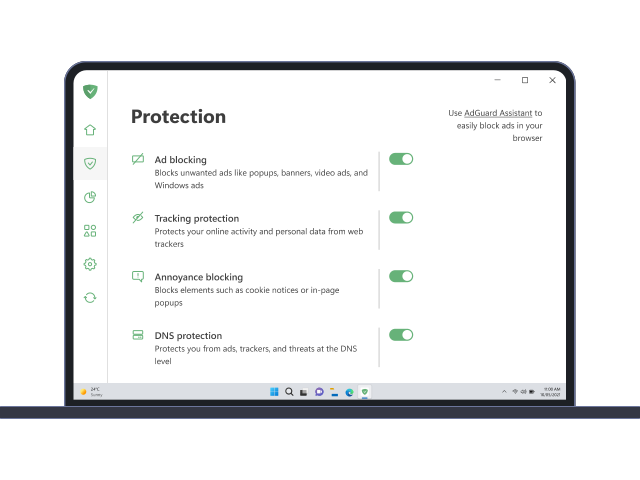
AdGuard for Windows is more than an ad blocker. It is a multipurpose tool that blocks ads, controls access to dangerous sites, speeds up page loading, and protects children from inappropriate content.
AdGuard for Windows v7.22, 14-day trial period
19,819 19819 user reviews
Excellent!
AdGuard for Mac
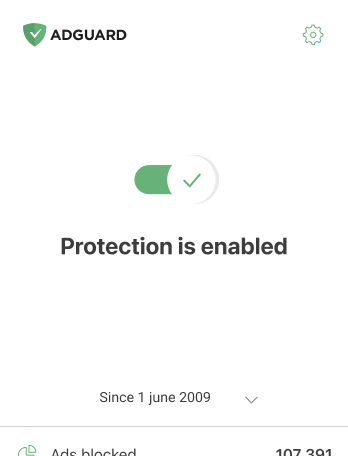
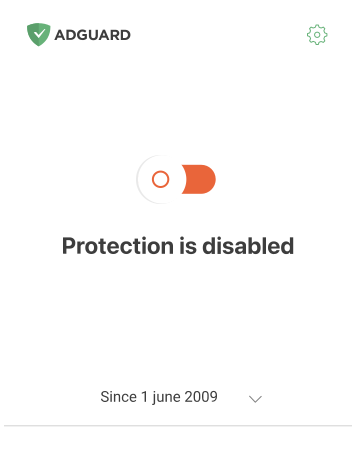
AdGuard for Mac is a unique ad blocker designed with macOS in mind. In addition to protecting you from annoying ads in browsers and apps, it shields you from tracking, phishing, and fraud.
AdGuard for Mac v2.17, 14-day trial period
19,819 19819 user reviews
Excellent!
AdGuard for Android
AdGuard for Android is a perfect solution for Android devices. Unlike most other ad blockers, AdGuard doesn't require root access and provides a wide range of app management options.
Scan to download
Use any QR-code reader available on your device
AdGuard for Android v4.12, 14-day trial period

19,819 19819 user reviews
Excellent!
AdGuard for iOS
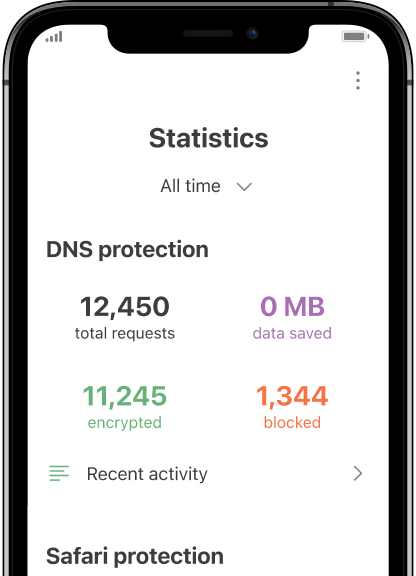
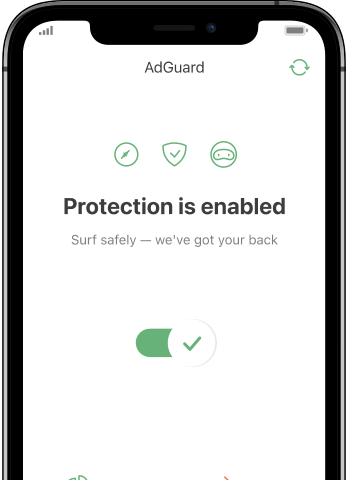
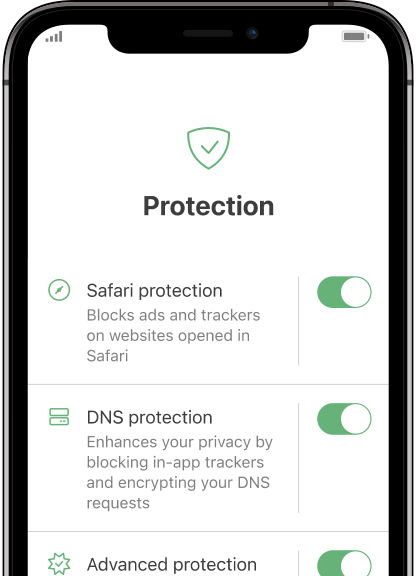
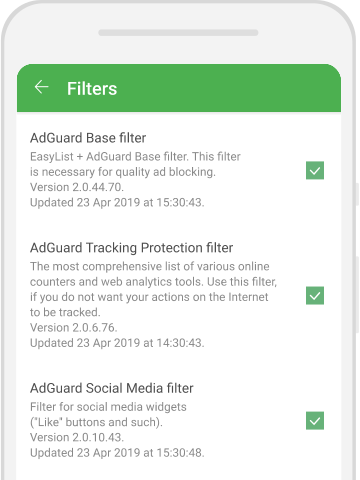
The best iOS ad blocker for iPhone and iPad. AdGuard eliminates all kinds of ads in Safari, protects your privacy, and speeds up page loading. AdGuard for iOS ad-blocking technology ensures the highest quality filtering and allows you to use multiple filters at the same time
Scan to download
Use any QR-code reader available on your device
AdGuard for iOS v4.5
19,819 19819 user reviews
Excellent!
AdGuard Content Blocker
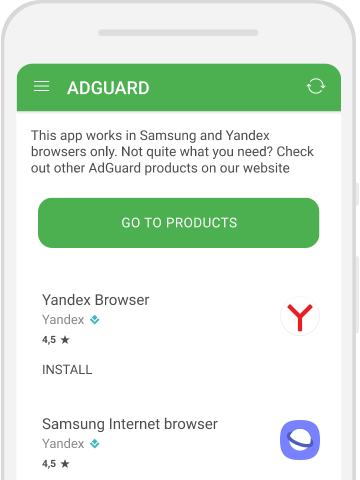
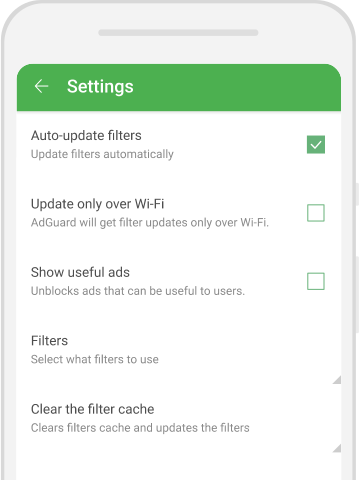
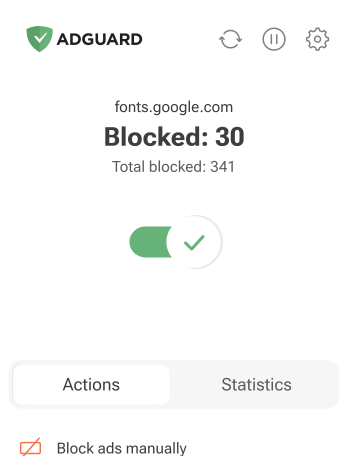
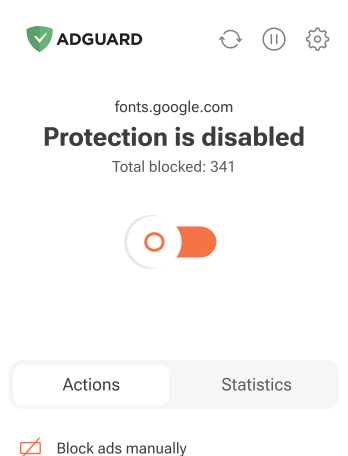
AdGuard Content Blocker eliminates all kinds of ads in mobile browsers that support content-blocking technology — namely, Samsung Internet and Yandex Browser. Its features are limited compared to AdGuard for Android, but it is free, easy to install, and efficient
AdGuard Content Blocker v2.8
19,819 19819 user reviews
Excellent!
AdGuard Browser Extension
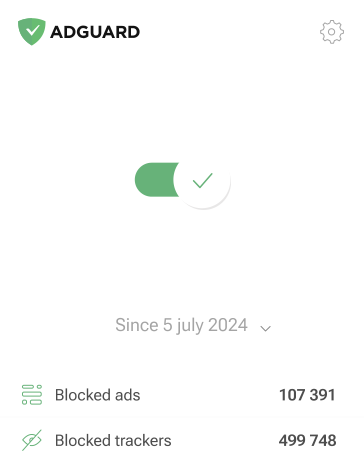
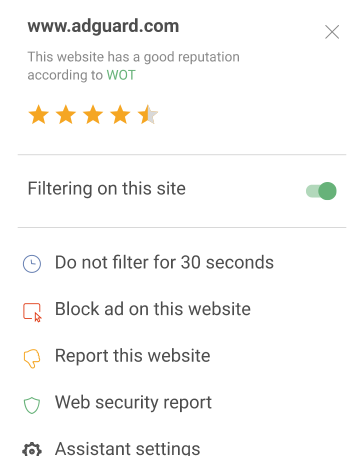
AdGuard is the fastest and most lightweight ad blocking extension that effectively blocks all types of ads on all web pages! Choose AdGuard for the browser you use and get ad-free, fast and safe browsing.
AdGuard Browser Extension v5.2
19,819 19819 user reviews
Excellent!
AdGuard Assistant
A companion browser extension for AdGuard desktop apps. It allows you to block custom items on websites, add websites to allowlist, and send reports directly from your browser
AdGuard Assistant v1.4

19,819 19819 user reviews
Excellent!
AdGuard Home
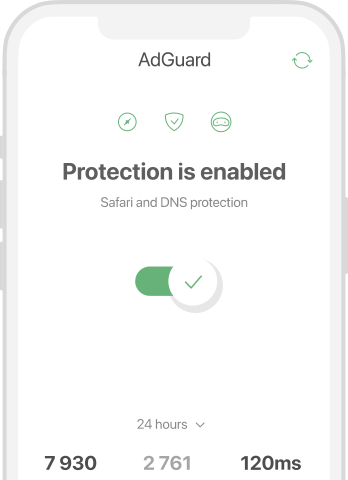
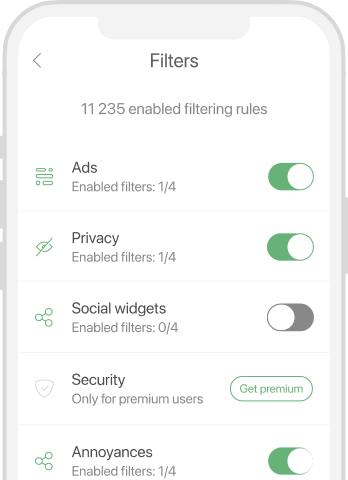
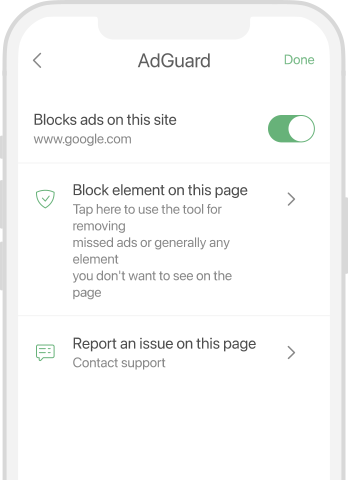
AdGuard Home is a network-based solution for blocking ads and trackers. Install it once on your router to cover all devices on your home network — no additional client software required. This is especially important for various IoT devices that often pose a threat to your privacy
AdGuard Home v0.107
19,819 19819 user reviews
Excellent!
AdGuard Pro for iOS
AdGuard Pro for iOS comes with all the advanced ad-blocking protection features enabled. It offers the same tools as the paid version of AdGuard for iOS. It excels at blocking ads in Safari and lets you customize DNS settings to tailor your protection. It blocks ads in browsers and apps, protects your kids from inappropriate content, and keeps your personal data safe
AdGuard Pro for iOS v4.5
19,819 19819 user reviews
Excellent!
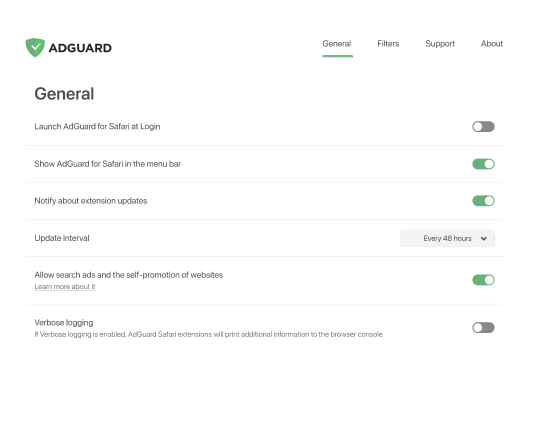
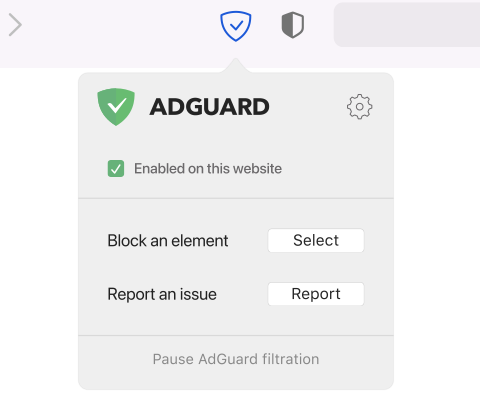
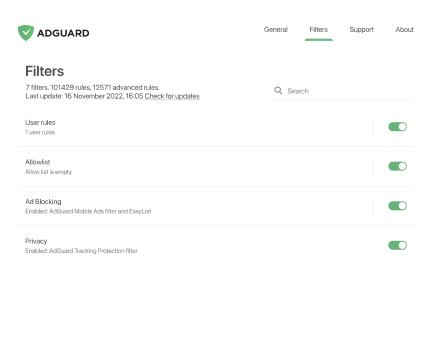
AdGuard for Safari
Our ad blocker for Safari has successfully risen to the challenge of Apple forcing everyone to use its new SDK. This AdGuard extension aims to bring back high-quality ad blocking to Safari
Are you looking for AdGuard for Mac or AdGuard for iOS?
AdGuard for Safari v1.11




19,819 19819 user reviews
Excellent!
AdGuard for Android TV
AdGuard for Android TV is the only app that blocks ads, guards your privacy, and acts as a firewall for your Smart TV. Get warnings about web threats, use secure DNS, and benefit from encrypted traffic. Relax and dive into your favorite shows with top-notch security and zero ads!
AdGuard for Android TV v4.12, 14-day trial period

19,819 19819 user reviews
Excellent!
AdGuard for Linux
AdGuard for Linux is the world’s first system-wide Linux ad blocker. Block ads and trackers at the device level, select from pre-installed filters, or add your own — all through the command-line interface
AdGuard for Linux v1.1

19,819 19819 user reviews
Excellent!
AdGuard Temp Mail
A free temporary email address generator that keeps you anonymous and protects your privacy. No spam in your main inbox!


19,819 19819 user reviews
Excellent!
AdGuard VPN
83 locations worldwide
Access to any content
Strong encryption
No-logging policy
Fastest connection
24/7 support


19,819 19819 user reviews
Excellent!
AdGuard DNS
AdGuard DNS is a foolproof way to block Internet ads that does not require installing any applications. It is easy to use, absolutely free, easily set up on any device, and provides you with minimal necessary functions to block ads, counters, malicious websites, and adult content.

19,819 19819 user reviews
Excellent!
AdGuard Mail β
Protect your identity, avoid spam, and keep your inbox secure with our aliases and temporary email addresses. Enjoy our free email forwarding service and apps for all operating systems
How AdGuard works
Desktop apps Android iOS
Desktop apps Android iOS
To perform filtering, AdGuard installs its network driver. If you decide to use HTTPS filtering, AdGuard will generate a unique root certificate and install it in the system. All changes made by AdGuard in the system will be reset after uninstalling the app
Browsers
Apps
System
DNS filtering
Network filtering
HTTPS filtering
Content filtering
WWW
WWW
Browsers
AdGuard "intercepts" the traffic of your browsers and leads it via its own filtering engine. Chrome, Firefox or any browser you like — you don't need to install any specific extensions to block ads there. AdGuard program works EVERYWHERE. (Although, you might want to additionally install AdGuard Browser Assistant — a small extension to the program to help you manage the filtering right in the browser).
Apps
Being a full-fledged software AdGuard is not limited in technical capabilities (while most ad blocking extensions are) and can filter outside browsers as well. AdGuard "intercepts" the traffic of all apps and leads it via its own filtering engine, so that you get them free of ads and trackers.
System
Operating system might sometimes track you and collect all kinds of telemetry (a bunch of diagnostic data). AdGuard can also prevent this.
DNS filtering
AdGuard intercepts DNS requests and can block them if it is an address of a known advertising or tracking server that is being requested. AdGuard can also automatically encrypt your DNS traffic.
Network filtering
AdGuard needs to work on a network level to control all apps on your device. To do so, we use a special network driver, which activates the actual transmission and receipt of data over the network.
HTTPS filtering
The encrypted connections are filtered right on your device. To do that, AdGuard generates a unique root certificate and installs it in the system. Then, each connection is decrypted and trackers and ads are removed locally. The connection is encrypted again for the "communication" with the server. No unencrypted data ever leaves your device. Learn more here.
Content filtering
AdGuard filters the content of web pages and removes all tracking and advertising requests from there. In browsers, it also applies additional cosmetic rules when blocking or hiding advertising elements (so that you see a nicely processed page rather than just blank spaces where ads just were).
World Wide Web
Next, websites or apps are connecting to the servers on the Internet. As all tracking and advertising requests were blocked, you don't connect to them. Thus, you get ad-free, safe, fast (as there are no extra elements to load) Web, and also save traffic.
System changes
To perform filtering, AdGuard installs its network driver. If you decide to use HTTPS filtering, AdGuard will generate a unique root certificate and install it in the system. All changes made by AdGuard in the system will be reset after uninstalling the app
Browsers
AdGuard "intercepts" the traffic of your browsers and leads it via its own filtering engine. Chrome, Firefox or any browser you like — you don't need to install any specific extensions to block ads there. AdGuard program works EVERYWHERE. (Although, you might want to additionally install AdGuard Browser Assistant — a small extension to the program to help you manage the filtering right in the browser).
Apps
Being a full-fledged software AdGuard is not limited in technical capabilities (while most ad blocking extensions are) and can filter outside browsers as well. AdGuard "intercepts" the traffic of all apps and leads it via its own filtering engine, so that you get them free of ads and trackers.
System
Operating system might sometimes track you and collect all kinds of telemetry (a bunch of diagnostic data). AdGuard can also prevent this.
DNS filtering
AdGuard intercepts DNS requests and can block them if it is an address of a known advertising or tracking server that is being requested. AdGuard can also automatically encrypt your DNS traffic.
Network filtering
AdGuard needs to work on a network level to control all apps on your device. To do so, we use a special network driver, which activates the actual transmission and receipt of data over the network.
HTTPS filtering
The encrypted connections are filtered right on your device. To do that, AdGuard generates a unique root certificate and installs it in the system. Then, each connection is decrypted and trackers and ads are removed locally. The connection is encrypted again for the "communication" with the server. No unencrypted data ever leaves your device. Learn more here.
Content filtering
AdGuard filters the content of web pages and removes all tracking and advertising requests from there. In browsers, it also applies additional cosmetic rules when blocking or hiding advertising elements (so that you see a nicely processed page rather than just blank spaces where ads just were).
World Wide Web
Next, websites or apps are connecting to the servers on the Internet. As all tracking and advertising requests were blocked, you don't connect to them. Thus, you get ad-free, safe, fast (as there are no extra elements to load) Web, and also save traffic.
System changes
To perform filtering, AdGuard installs its network driver. If you decide to use HTTPS filtering, AdGuard will generate a unique root certificate and install it in the system. All changes made by AdGuard in the system will be reset after uninstalling the app
To perform filtering, AdGuard installs its network driver. If you decide to use HTTPS filtering, AdGuard will generate a unique root certificate and install it in the system. All changes made by AdGuard in the system will be reset after uninstalling the app
Browsers
Apps
System
DNS filtering
Local VPN
HTTPS filtering
Content filtering
WWW
WWW
Browsers
AdGuard "intercepts" the traffic of your browsers and leads it via its own filtering engine. Chrome, Firefox or any browser you like — you don't need to install any specific extensions to block ads there. AdGuard program works EVERYWHERE. (Although, you might want to additionally install AdGuard Browser Assistant — a small extension to the program to help you manage the filtering right in the browser).
Apps
Being a full-fledged software AdGuard is not limited in technical capabilities (while most ad blocking extensions are) and can filter outside browsers as well. AdGuard "intercepts" the traffic of all apps and leads it via its own filtering engine, so that you get them free of ads and trackers.
System
Operating system might sometimes track you and collect all kinds of telemetry (a bunch of diagnostic data). AdGuard can also prevent this.
DNS filtering
AdGuard intercepts DNS requests and can block them if it is an address of a known advertising or tracking server that is being requested. AdGuard can also automatically encrypt your DNS traffic.
Local VPN
Network connections’ filtering is achieved by using a so called Local VPN. This approach means that a small VPN server is launched right on your device, and then it blocks tracking and advertising requests.
HTTPS filtering
The encrypted connections are filtered right on your device. To do that, AdGuard generates a unique root certificate and installs it in the system. Then, each connection is decrypted and trackers and ads are removed locally. The connection is encrypted again for the "communication" with the server. No unencrypted data ever leaves your device. Learn more here.
Content filtering
AdGuard filters the content of web pages and removes all tracking and advertising requests from there. In browsers, it also applies additional cosmetic rules when blocking or hiding advertising elements (so that you see a nicely processed page rather than just blank spaces where ads just were).
World Wide Web
Next, websites or apps are connecting to the servers on the Internet. As all tracking and advertising requests were blocked, you don't connect to them. Thus, you get ad-free, safe, fast (as there are no extra elements to load) Web, and also save traffic.
System changes
To perform filtering, AdGuard installs its network driver. If you decide to use HTTPS filtering, AdGuard will generate a unique root certificate and install it in the system. All changes made by AdGuard in the system will be reset after uninstalling the app
Browsers
AdGuard "intercepts" the traffic of your browsers and leads it via its own filtering engine. Chrome, Firefox or any browser you like — you don't need to install any specific extensions to block ads there. AdGuard program works EVERYWHERE. (Although, you might want to additionally install AdGuard Browser Assistant — a small extension to the program to help you manage the filtering right in the browser).
Apps
Being a full-fledged software AdGuard is not limited in technical capabilities (while most ad blocking extensions are) and can filter outside browsers as well. AdGuard "intercepts" the traffic of all apps and leads it via its own filtering engine, so that you get them free of ads and trackers.
System
Operating system might sometimes track you and collect all kinds of telemetry (a bunch of diagnostic data). AdGuard can also prevent this.
DNS filtering
AdGuard intercepts DNS requests and can block them if it is an address of a known advertising or tracking server that is being requested. AdGuard can also automatically encrypt your DNS traffic.
Local VPN
Network connections’ filtering is achieved by using a so called Local VPN. This approach means that a small VPN server is launched right on your device, and then it blocks tracking and advertising requests.
HTTPS filtering
The encrypted connections are filtered right on your device. To do that, AdGuard generates a unique root certificate and installs it in the system. Then, each connection is decrypted and trackers and ads are removed locally. The connection is encrypted again for the "communication" with the server. No unencrypted data ever leaves your device. Learn more here.
Content filtering
AdGuard filters the content of web pages and removes all tracking and advertising requests from there. In browsers, it also applies additional cosmetic rules when blocking or hiding advertising elements (so that you see a nicely processed page rather than just blank spaces where ads just were).
World Wide Web
Next, websites or apps are connecting to the servers on the Internet. As all tracking and advertising requests were blocked, you don't connect to them. Thus, you get ad-free, safe, fast (as there are no extra elements to load) Web, and also save traffic.
System changes
To perform filtering, AdGuard installs its network driver. If you decide to use HTTPS filtering, AdGuard will generate a unique root certificate and install it in the system. All changes made by AdGuard in the system will be reset after uninstalling the app
To perform filtering, AdGuard installs its network driver. If you decide to use HTTPS filtering, AdGuard will generate a unique root certificate and install it in the system. All changes made by AdGuard in the system will be reset after uninstalling the app
Safari
Apps
System
Content Blocking
Local VPN
DNS filtering
WWW
WWW
Browsers
AdGuard "intercepts" the traffic of your browsers and leads it via its own filtering engine. Chrome, Firefox or any browser you like — you don't need to install any specific extensions to block ads there. AdGuard program works EVERYWHERE. (Although, you might want to additionally install AdGuard Browser Assistant — a small extension to the program to help you manage the filtering right in the browser).
Apps
Being a full-fledged software AdGuard is not limited in technical capabilities (while most ad blocking extensions are) and can filter outside browsers as well. AdGuard "intercepts" the traffic of all apps and leads it via its own filtering engine, so that you get them free of ads and trackers.
System
Operating system might sometimes track you and collect all kinds of telemetry (a bunch of diagnostic data). AdGuard can also prevent this.
Content Blocking
AdGuard filters the content of web pages and removes all tracking and advertising requests from there. Thanks to its advanced technology, AdGuard is able to use 300k filtering rules (which is a lot, compared to only 50k rules that other ad blockers exploit).
Local VPN
Network connections’ filtering is achieved by using a so called Local VPN. This approach means that a small VPN server is launched right on your device, and then it blocks tracking and advertising requests.
DNS filtering
AdGuard intercepts DNS requests and can block them if it is an address of a known advertising or tracking server that is being requested. AdGuard can also automatically encrypt your DNS traffic.
World Wide Web
Next, websites or apps are connecting to the servers on the Internet. As all tracking and advertising requests were blocked, you don't connect to them. Thus, you get ad-free, safe, fast (as there are no extra elements to load) Web, and also save traffic.
System changes
To perform filtering, AdGuard installs its network driver. If you decide to use HTTPS filtering, AdGuard will generate a unique root certificate and install it in the system. All changes made by AdGuard in the system will be reset after uninstalling the app
Browsers
AdGuard "intercepts" the traffic of your browsers and leads it via its own filtering engine. Chrome, Firefox or any browser you like — you don't need to install any specific extensions to block ads there. AdGuard program works EVERYWHERE. (Although, you might want to additionally install AdGuard Browser Assistant — a small extension to the program to help you manage the filtering right in the browser).
Apps
Being a full-fledged software AdGuard is not limited in technical capabilities (while most ad blocking extensions are) and can filter outside browsers as well. AdGuard "intercepts" the traffic of all apps and leads it via its own filtering engine, so that you get them free of ads and trackers.
System
Operating system might sometimes track you and collect all kinds of telemetry (a bunch of diagnostic data). AdGuard can also prevent this.
Content Blocking
AdGuard filters the content of web pages and removes all tracking and advertising requests from there. Thanks to its advanced technology, AdGuard is able to use 300k filtering rules (which is a lot, compared to only 50k rules that other ad blockers exploit).
Local VPN
Network connections’ filtering is achieved by using a so called Local VPN. This approach means that a small VPN server is launched right on your device, and then it blocks tracking and advertising requests.
DNS filtering
AdGuard intercepts DNS requests and can block them if it is an address of a known advertising or tracking server that is being requested. AdGuard can also automatically encrypt your DNS traffic.
World Wide Web
Next, websites or apps are connecting to the servers on the Internet. As all tracking and advertising requests were blocked, you don't connect to them. Thus, you get ad-free, safe, fast (as there are no extra elements to load) Web, and also save traffic.
System changes
To perform filtering, AdGuard installs its network driver. If you decide to use HTTPS filtering, AdGuard will generate a unique root certificate and install it in the system. All changes made by AdGuard in the system will be reset after uninstalling the app



