
# Textarea Control
Elementor Core Basic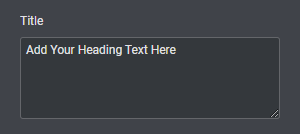
Elementor textarea control displays a classic textarea field with an option to set the number of rows.
The control is defined in Control_Textarea class which extends Base_Data_Control class.
When using this control, the type should be set to \Elementor\Controls_Manager::TEXTAREA constant.
# Arguments
| Name | Type | Default | Description |
|---|---|---|---|
type | string | textarea | The type of the control. |
label | string | The label that appears above of the field. | |
description | string | The description that appears below the field. | |
show_label | bool | true | Whether to display the label. |
label_block | bool | true | Whether to display the label in a separate line. |
separator | string | default | Set the position of the control separator. Available values are default, before and after. default will hide the separator, unless the control type has specific separator settings. before / after will position the separator before/after the control. |
rows | int | 5 | Number of rows. |
placeholder | string | The field placeholder that appears when the field has no values. | |
default | string | The field default value. |
# Return Value
(string) The textarea field value.
# Usage
<?php class Elementor_Test_Widget extends \Elementor\Widget_Base { protected function register_controls(): void { $this->start_controls_section( 'content_section', [ 'label' => esc_html__( 'Content', 'textdomain' ), 'tab' => \Elementor\Controls_Manager::TAB_CONTENT, ] ); $this->add_control( 'item_description', [ 'label' => esc_html__( 'Description', 'textdomain' ), 'type' => \Elementor\Controls_Manager::TEXTAREA, 'rows' => 10, 'default' => esc_html__( 'Default description', 'textdomain' ), 'placeholder' => esc_html__( 'Type your description here', 'textdomain' ), ] ); $this->end_controls_section(); } protected function render(): void { $settings = $this->get_settings_for_display(); if ( empty( $settings['item_description'] ) ) { return; } ?> <p class="description"> <?php echo $settings['item_description']; ?> </p> <?php } protected function content_template(): void { ?> <# if ( '' === settings.item_description ) { return; } #> <p class="description"> {{{ settings.item_description }}} </p> <?php } } 1
2
3
4
5
6
7
8
9
10
11
12
13
14
15
16
17
18
19
20
21
22
23
24
25
26
27
28
29
30
31
32
33
34
35
36
37
38
39
40
41
42
43
44
45
46
47
48
49
50
51
52
53
54
55
2
3
4
5
6
7
8
9
10
11
12
13
14
15
16
17
18
19
20
21
22
23
24
25
26
27
28
29
30
31
32
33
34
35
36
37
38
39
40
41
42
43
44
45
46
47
48
49
50
51
52
53
54
55