

























Arduino Quick Start
2. Devices & Examples
3. M5Unified
4. M5GFX
5. Extensions
Unit
Base
Cap
IoT
Accessories
Chain DualKey RGB LED
APIs and example programs related to Chain DualKey RGB LED.
Example Program
Build Requirements
- M5Stack Board Manager version ≥ 3.2.4
- Board option = M5ChainDualKey
- Adafruit NeoPixel library version ≥ 1.15.2
cpp
1 2 3 4 5 6 7 8 9 10 11 12 13 14 15 16 17 18 19 20 21 22 23 24 25 26 27 28 29 30 31 32 33 34 35 36 37 38 39 40 41 42 43 44 45
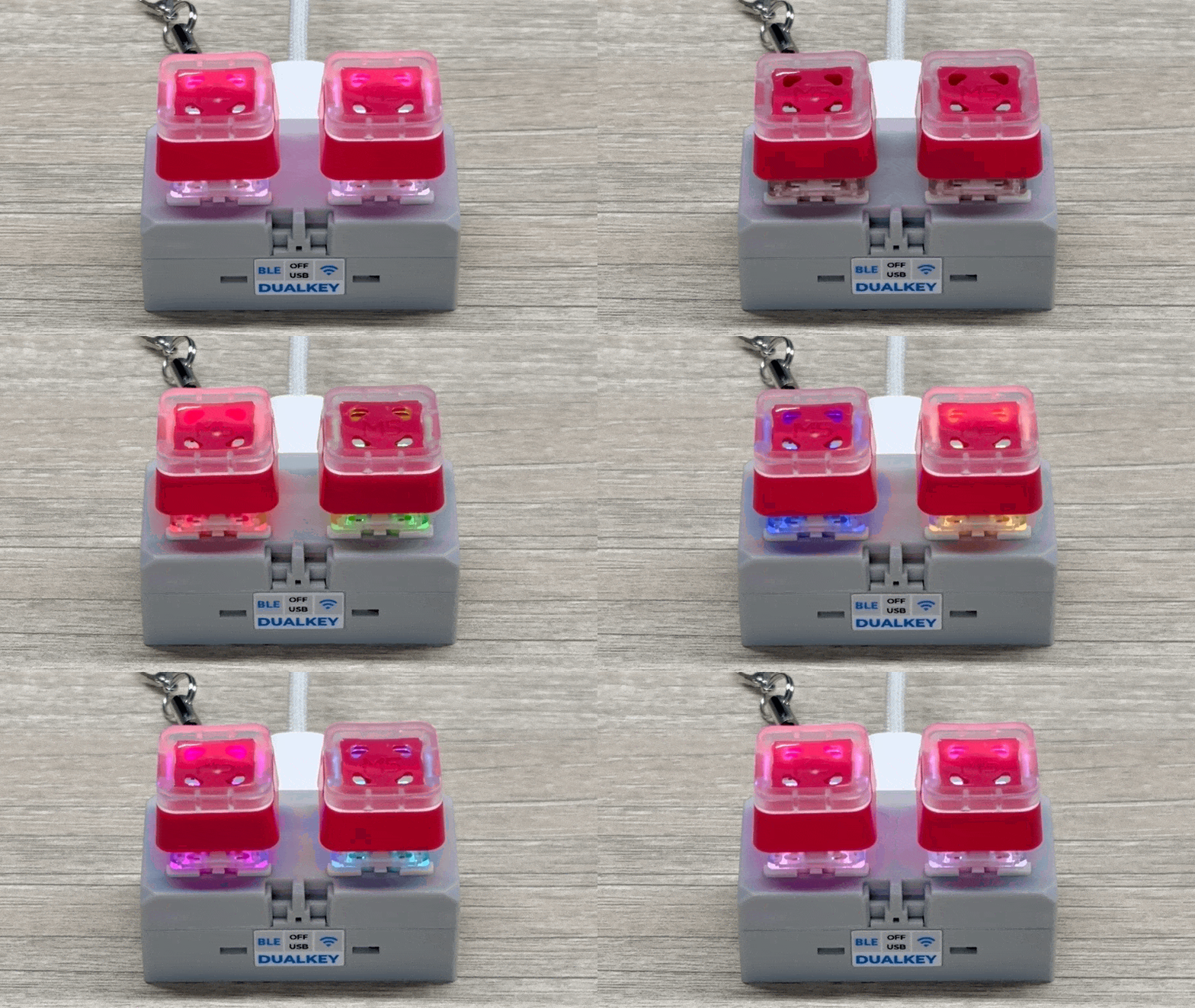
#define LED_PWR_PIN 40 #define LED_SIG_PIN 21 #define NUM_LEDS 2 #include <Adafruit_NeoPixel.h> Adafruit_NeoPixel LED(NUM_LEDS, LED_SIG_PIN, NEO_GRB + NEO_KHZ800); void setup() { pinMode(LED_PWR_PIN, OUTPUT); digitalWrite(LED_PWR_PIN, HIGH); LED.begin(); LED.show(); } void loop() { // White (all on) for (int i = 0; i <= NUM_LEDS; i++) { LED.setPixelColor(i, LED.Color(255, 255, 255)); } LED.show(); delay(500); // Black (all off) for (int i = 0; i <= NUM_LEDS; i++) { LED.setPixelColor(i, LED.Color(0, 0, 0)); } LED.show(); delay(500); // Red & Green LED.setPixelColor(0, LED.Color(255, 0, 0)); LED.setPixelColor(1, LED.Color(0, 255, 0)); LED.show(); delay(500); // Blue & Yellow LED.setPixelColor(0, LED.Color(0, 0, 255)); LED.setPixelColor(1, LED.Color(255, 255, 0)); LED.show(); delay(500); // Magenta & Cyan LED.setPixelColor(0, LED.Color(255, 0, 255)); LED.setPixelColor(1, LED.Color(0, 255, 255)); LED.show(); delay(500); }Running Effect:
API
The Chain DualKey RGB LED section uses the Adafruit NeoPixel library. For more related APIs, please refer to the following documents: