

























Arduino Quick Start
2. Devices & Examples
3. M5Unified
4. M5GFX
5. Extensions
Unit
Base
Cap
IoT
Accessories
Tough RTC Real-Time Clock
Tough RTC real-time clock related APIs and example programs.
Example Program
Build Requirements
- M5Stack Board Manager version >= 2.1.4
- Board selection = M5Tough
- M5Unified library version >= 0.2.5
- M5GFX library version >= 0.2.7
cpp
1 2 3 4 5 6 7 8 9 10 11 12 13 14 15 16 17 18 19 20 21 22 23 24 25 26 27 28 29 30 31 32 33 34 35 36 37 38 39 40 41 42 43 44 45 46 47 48 49 50 51 52 53 54 55 56 57 58 59 60 61 62 63 64 65 66 67 68 69 70 71 72 73 74 75 76 77 78 79 80 81 82 83 84 85 86 87 88 89 90 91 92 93 94
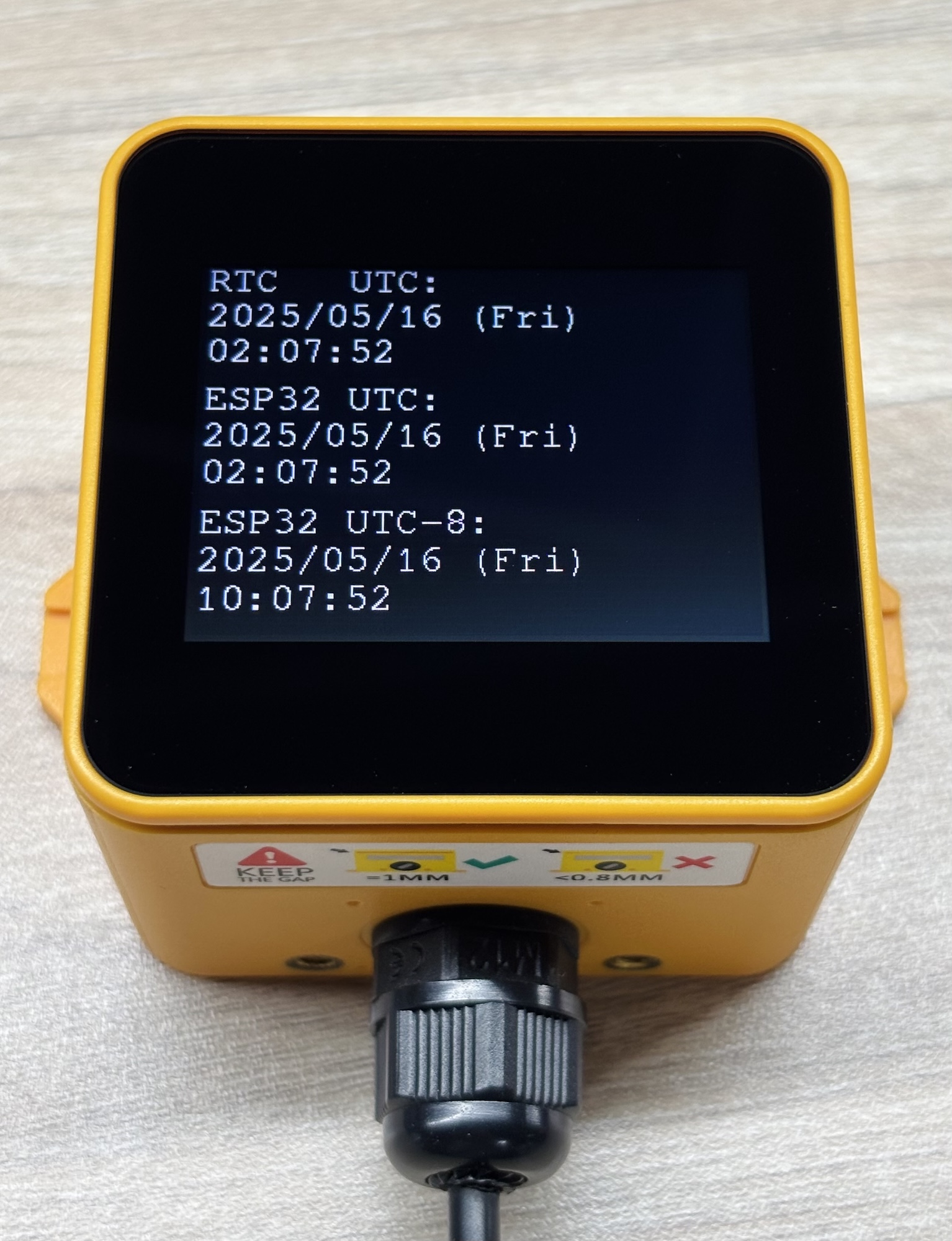
#define WIFI_SSID "********" #define WIFI_PASSWORD "********" #define NTP_TIMEZONE "UTC-8" // POSIX standard, in which "UTC+0" is UTC London, "UTC-8" is UTC+8 Beijing, "UTC+5" is UTC-5 New York #define NTP_SERVER1 "0.pool.ntp.org" #define NTP_SERVER2 "1.pool.ntp.org" #define NTP_SERVER3 "2.pool.ntp.org" #include <WiFi.h> // Different versions of the framework have different SNTP header file names and availability. #if __has_include(<esp_sntp.h>) #include <esp_sntp.h> #define SNTP_ENABLED 1 #elif __has_include(<sntp.h>) #include <sntp.h> #define SNTP_ENABLED 1 #endif #ifndef SNTP_ENABLED #define SNTP_ENABLED 0 #endif #include <M5Unified.h> static constexpr const char* const wd[7] = { "Sun", "Mon", "Tue", "Wed", "Thr", "Fri", "Sat" }; void setup() { M5.begin(); M5.Display.setRotation(1); M5.Display.setFont(&fonts::FreeMono12pt7b); if (!M5.Rtc.isEnabled()) { M5.Display.println("RTC not found"); while (true) { delay(500); } } M5.Display.println("RTC found"); M5.Display.print("WiFi: "); WiFi.begin(WIFI_SSID, WIFI_PASSWORD); while (WiFi.status() != WL_CONNECTED) { M5.Display.print("."); delay(500); } M5.Display.println("\nWiFi connected"); configTzTime(NTP_TIMEZONE, NTP_SERVER1, NTP_SERVER2, NTP_SERVER3); M5.Display.print("NTP: "); #if SNTP_ENABLED while (sntp_get_sync_status() != SNTP_SYNC_STATUS_COMPLETED) { M5.Display.print("."); delay(500); } #else struct tm timeInfo; while (!getLocalTime(&timeInfo, 1000)) { M5.Display.print("."); delay(500); } #endif M5.Display.println("\nNTP connected"); time_t t = time(nullptr) + 1; // Advance one second while (t > time(nullptr)) ; // Synchronization in seconds M5.Rtc.setDateTime(gmtime(&t)); delay(1000); M5.Display.clear(); } void loop() { auto dt = M5.Rtc.getDateTime(); M5.Display.setCursor(0, 0); M5.Display.printf("RTC UTC: \n%04d/%02d/%02d (%s) \n%02d:%02d:%02d", dt.date.year, dt.date.month, dt.date.date, wd[dt.date.weekDay], dt.time.hours, dt.time.minutes, dt.time.seconds); // ESP32 internal timer auto t = time(nullptr); { auto tm = gmtime(&t); // for UTC M5.Display.setCursor(0, 80); M5.Display.printf("ESP32 UTC: \n%04d/%02d/%02d (%s) \n%02d:%02d:%02d", tm->tm_year + 1900, tm->tm_mon + 1, tm->tm_mday, wd[tm->tm_wday], tm->tm_hour, tm->tm_min, tm->tm_sec); } { auto tm = localtime(&t); // for local timezone M5.Display.setCursor(0, 160); M5.Display.printf("ESP32 %s: \n%04d/%02d/%02d (%s) \n%02d:%02d:%02d", NTP_TIMEZONE, tm->tm_year + 1900, tm->tm_mon + 1, tm->tm_mday, wd[tm->tm_wday], tm->tm_hour, tm->tm_min, tm->tm_sec); } delay(500); }Fill in the Wi-Fi name and password, and your local time zone in the program. Click the upload button to display the real-time clock.
Note
The time zone definition
NTP_TIMEZONE in the program follows the POSIX standard, which is the reverse of the commonly used human-readable format. For example, "UTC+0" means UTC London, "UTC-8" means UTC+8 Beijing, and "UTC+5" means UTC-5 New York.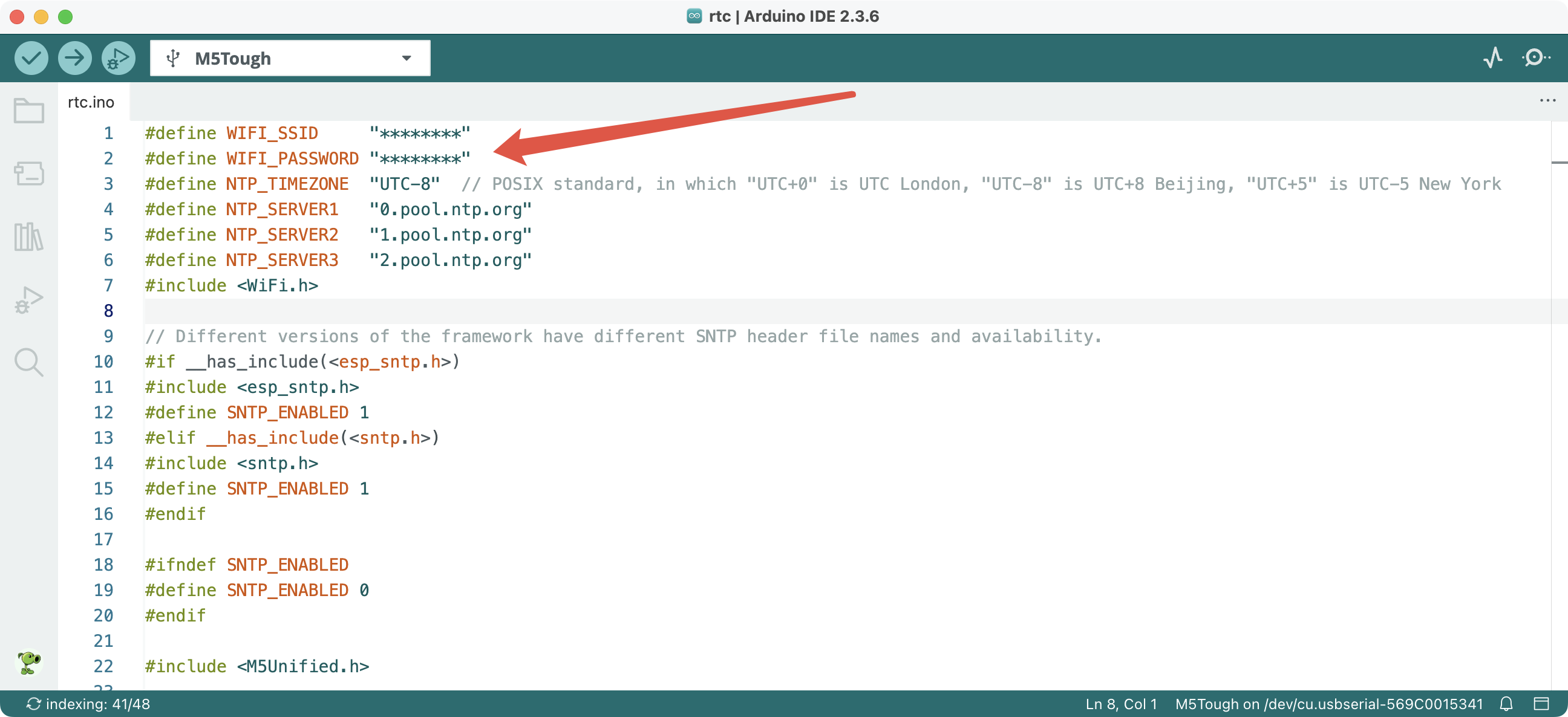
API
The Tough RTC real-time clock part uses the RTC8563_Class from the M5Unified library. For more related APIs, please refer to the following documentation: