

























Arduino Quick Start
2. Devices & Examples
3. M5Unified
4. M5GFX
5. Extensions
Unit
Base
Cap
IoT
Accessories
PowerHub Wakeup
APIs and example programs related to PowerHub Wakeup.
Example Program
Compile Requirements
- M5Stack board manager version >= 3.2.3
- Board selection = M5PowerHub
- M5Unified library version >= 0.2.11
cpp
1 2 3 4 5 6 7 8 9 10 11 12 13 14 15 16 17 18 19 20 21 22 23 24 25 26 27 28 29 30 31 32 33
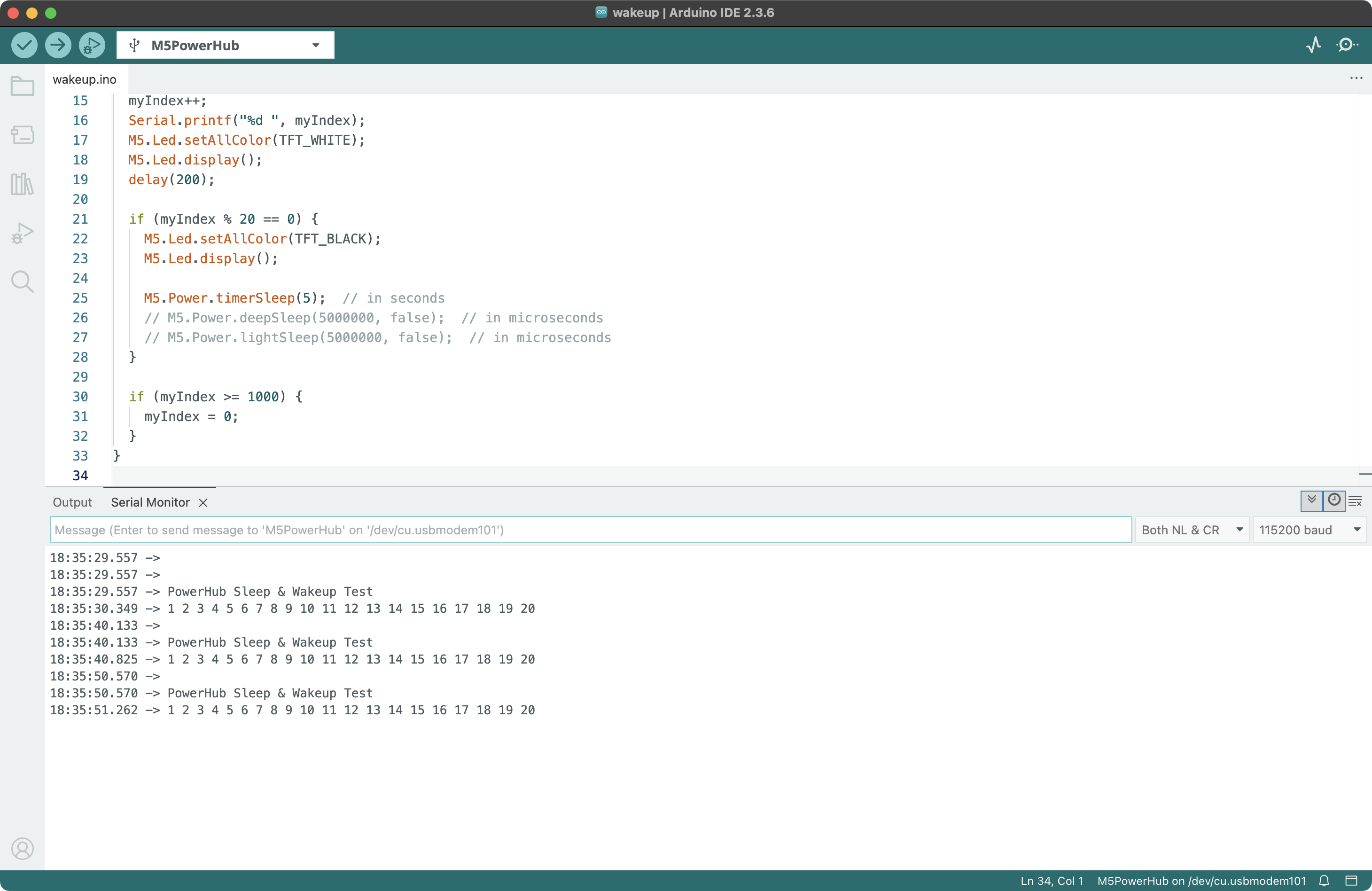
#include <M5Unified.h> int myIndex = 0; void setup() { M5.begin(); M5.Led.setBrightness(255); Serial.begin(115200); Serial.println("\n\nPowerHub Sleep & Wakeup Test"); delay(1000); } void loop() { myIndex++; Serial.printf("%d ", myIndex); M5.Led.setAllColor(TFT_WHITE); M5.Led.display(); delay(200); if (myIndex % 20 == 0) { M5.Led.setAllColor(TFT_BLACK); M5.Led.display(); M5.Power.timerSleep(5); // in seconds // M5.Power.deepSleep(5000000, false); // in microseconds // M5.Power.lightSleep(5000000, false); // in microseconds } if (myIndex >= 1000) { myIndex = 0; } }This program will turn on the LED and print a counter that starts from 0 and increments by 1 in the serial monitor. Each time the counter reaches a multiple of 20, the device will enter timed sleep mode for 5 seconds (LED turns off), then wake up, restart the program, and light up the LED again.
API
The PowerHub Wakeup driver uses the Power_Class from the M5Unified library. For more related APIs, refer to the following documentation:
Note
Since the PowerHub’s power and LED are controlled by a coprocessor STM32, the main controller ESP32-S3 entering sleep mode will not automatically change the power or LED state. If you want to save power through sleep mode, please turn off the power and LEDs before entering sleep mode. Refer to the Power and RGB LED pages for examples.