Tumblr Engineering

1.5M ratings
277k ratings

See, that’s what the app is perfect for.

Sounds perfect Wahhhh, I don’t wanna
engineering

How Reblogs Work

engineering

The reblog is a beautiful thing unique to Tumblr – often imitated, but never successfully reproduced elsewhere. The reblog puts someone else’s post on your own Tumblr blog, acting as a kind of signal boost, and also giving you the ability to add your own comment to it, which your followers and anyone looking at the post’s notes will see. Reblogs can also be reblogged themselves, creating awesome evolving reblog trails that are the source of so many memes we love. But what is a reblog trail versus a reblog tree, and how does it all work under the hood?

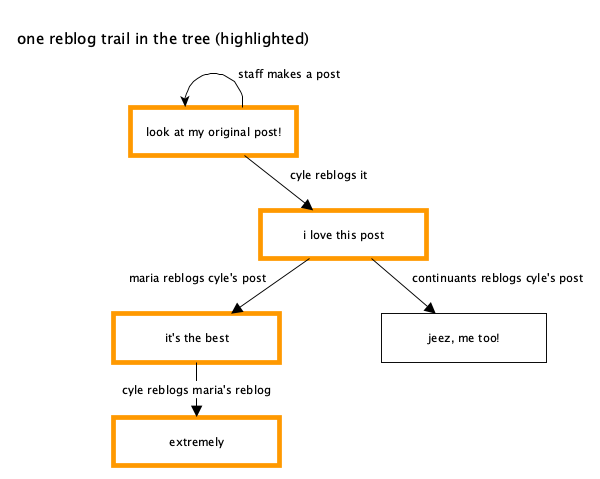
A “reblog tree” starts at the original post (we call it the “root post” internally at Tumblr) and extends outwards to each of its reblogs, and then each reblog of those reblogs, forming a tree-like structure with branches of “reblog trails”. As an example, you can imagine @staff​ making a post, and then someone reblogging it, and then others reblogging those reblogs. I can even come through and reblog one of the reblogs:

image

A “reblog trail” is one of those branches, starting at the original post and extending one at a time down to another post. In the reblog trail, there may actually be some reblogs that added their own content and some that didn’t – reblogs that added content are visible in the trail, while the intermediate ones that didn’t may not be visible.
image

You’ll notice that the reblog trail you’re viewing somewhere (like on your dashboard) doesn’t show all of this reblog tree – only part of it. If you open up the notes on any wildly popular post, you’ll probably see lots of reblogs in there that you aren’t seeing in your current view of the post’s reblog trail. The above diagram shows the whole reblog tree (which you don’t see) and the current reblog trail you’re actually viewing (in orange). If you want to visualize a post’s entire reblog tree, the reblog graphs Tumblr Labs experiment shows off these reblog trees and trails as kind of big floppy organisms. They’re a useful visualization of how content percolates around Tumblr via reblogs. You can turn on the experiment and see it on web only right now, but here’s an example:

image

The tiny orange dot is the post we’re viewing, and the green line is a reblog trail showing how the post got reblogged along many blogs. And there are tons of other branches/trails from the original post, making dozens of different reblog trails. This is a much larger, more realistic example than my simplified diagrams above. You can imagine that my diagram above is just the start of one of these huge reblog trees, after more and more people have reblogged parts of the existing tree.

Storing Reblog Trail Information

The way we actually store the information about a reblog and its trail has changed significantly over the last year. For all posts made before this year, all of a post’s content was stored as a combination of HTML and properties specific on our Post data model. A specific reblog also stored all of the contents of its entire reblog trail (but not the whole reblog tree). If you have ever built a theme on Tumblr or otherwise dug around the code on a reblog, you’ll be familiar with this classic blockquote structure:

<p><a class="tumblr_blog" href="http://maria.tumblr.com/post/5678">maria</a>:</p> <blockquote> <p><a class="tumblr_blog" href="http://cyle.tumblr.com/post/1234">cyle</a>:</p> <blockquote> <!-- original post content --> <p>look at my awesome original content</p> </blockquote> <!-- the reblog of the original post's content --> <p>well, it's just okay original content</p> </blockquote> <!-- this is the new content, added in our reblog of the reblog --> <p>jeez. thanks a lot.</p> 

This HTML represents a (fake) old text post. The original post is the blockquote most deeply nested in the HTML: “look at my awesome original content” and it was created by cyle. There’s a reference to the original post’s URL in the anchor tag above its blockquote tag. Moving out one level to the next blockquote is a reblog of that original post, made by maria, which itself adds some of its own commentary to the reblog trail. Moving out furthest, to the bottom of the HTML, is the latest reblog content being added in the post we’re viewing. With this structure, we have everything we need to show the post and its reblog trail without having to load those posts in between the original and this reblog.

If this looks and sounds confusing, that’s because it is quite complex. We’re right there with you, but the reasons behind using this structure were sound at the time. In a normal, traditional relational database, you’d expect something like the reblog trail to be represented as a series of references: a reblog post references its parent post, root post, and any intermediate posts, and we’d load those posts’ contents at runtime with a JOIN query or something very normalized and relational like that, making sure we don’t copy any data around, only reference it.

However, the major drawback of that traditional approach, especially at Tumblr’s scale, is that loading a reblog could go from just one query to several queries, depending on how many posts are in the reblog trail. Some of the reblog trails on Tumblr are thousands of posts long. Having to load a thousand other posts to load one reblog would be devastating. Instead, by actually copying the reblog trail content every time a reblog is made, we keep the number of queries needed constant: just one per post! A dashboard of 20 reblogs loads those 20 posts, not a variable amount based on how many reblogs are in each post’s trail. This is still an oversimplification of what Tumblr is really doing under the hood, but this core strategy is real.

Broken Reblog Trails

There is another obvious problem with the above blockquote/HTML strategy, one that you may have not realized you were seeing but you’ve probably experienced it before. If the only reference we have in the reblog trail above is a trail post’s permalink URL, what happens if that blog changes its name? Tumblr does not go through all posts and update that name in every copy of every reblog that blog has ever been involved in. Instead, it gracefully fails, and you may see a default avatar there as a placeholder. We literally don’t have any other choice, since no other useful information is stored with the old post content.

At worst, someone else takes the name of a blog used in the trail. Imagine if, in the above example, oli changed his blog name to british-oli and someone else snagged the name oli afterwards. Thankfully in that case, the post URL still does not work, as the post ID is tied to the old oli blog. The end result is that it looks like there’s a “broken” item in the reblog trail, usually manifesting as the blog looking deactivated or otherwise not accessible. This isn’t great.

As a part of the rollout of the Neue Post Format (NPF), we changed how we store the reblog trail on each post. For fully NPF reblog trails, we actually do store an immutable reference to each blog and post in the trail, instead of just the unreliable post URL. This allows us to have a much lower failure rate when someone changes their blog name or otherwise becomes unavailable. We keep the same beneficial strategy of usually having all the information we need so we don’t need to load any of those posts along the trail, but the option to load the individual post or blog is there if we absolutely need it, especially in cases like if one of those blogs is somebody you’re blocking.

If you’ve played around with reblog trails in NPF, you’ll see the result of this change. The reblog trail is no longer a messy nested blockquote chain, but instead a friendly and easy to parse JSON array, always starting with the original post and working down the trail. This includes a special case when an item in the trail is broken in a way we can’t recover from, which happens sometimes with very old posts.

The same reblog trail and new content as seen above, but in the Neue Post Format:

{ "trail": [ { "post": { "id": "1234", }, "blog": { "name": "cyle" }, "content": [ { "type": "text", "text": "look at my awesome original content" } ], "layout": [] }, { "post": { "id": "3456", }, "blog": { "name": "maria" }, "content": [ { "type": "text", "text": "well, it's just okay original content" } ], "layout": [] } ], "content": [ { "type": "text", "text": "jeez. thanks a lot." } ] } 

Got questions?

If you’ve ever wondered how something works on Tumblr behind the scenes, feel free to send us an ask!

- @cyle 

engineering

It’s been six years since this was originally posted, but we actually have a small update.

If you have been seeing fewer posts with broken reblog trails, that’s because we have been making some improvements on how we handle the old HTML reblogs, making our post resolving logic more resilient against blog name changes.

There will still be cases of broken reblog trails, but hopefully significantly less so.

@elt
Tumblr Hack Day, January 2026 Edition

Hack days are when our team gets to step away from the regular roadmap and work on whatever ideas they so desire. Here’s a taste of what came out of it:

Advanced Search

We added advanced search operators in a previous Hack Day. This time, @lesianlen added an exclusion operator to exclude posts that contain a specific word, phrase, or tag. @ex and @blowery helped out to add a spiffy modal that shows exactly how you can use all available advanced search operators.

image

Search in Communities

Speaking of search, @lesianlen also worked on adding search within individual Communities to find posts and conversations.

image

“Latest Comments” Community feed

@jubs and @lesianlen worked on creating a tab within individual communities that bumps a post to the top when someone adds a comment. Easily find posts where conversation is hot!

image

Nudge to Add Moderators

When your community is growing, you need more people to help run it. @jubs worked on a reminder that suggests just that. 

image

iOS Home Screen Widgets 

Ben worked on widgets with quick actions and Radar, making Tumblr even more accessible on your home screen.

iOS Shortcuts and Siri Support

@kostastsi4 explored making Tumblr play more nicely with your iPhone: showing quick links in Spotlight to jump straight to your Dashboard, Messages, Activity, or your blog. He also began adding support for Siri and Shortcuts to open specific tabs, start a new post, or search for exactly what you want.

Suggest Tags Based on Post Content

Tumblr runs on tags. However, picking the right tags for your post can be difficult unless you’re a Tumblr expert. Our current tag suggestions are a combination of tags you follow, tags you’ve used before, and some trending tags. @arandomblog31 worked on suggesting better tags based on the post you’re writing.

Reblog Explorer

Ever wondered how a post spread across Tumblr? @blowery built a full-screen version of the reblog graph view that lets you explore how a post traveled. Click through the graph to see the full reblog trail update in real-time explore different branches. There’s even keyboard navigation — press the up arrow repeatedly to follow the most popular reblog path through the entire graph, or walk backwards toward the original post to see what tags people added along the way.

image

Identities 

@elt began exploring what it would take to eliminate the limitations of secondary blogs.

Some of these will be rolling out soon, others need a bit more time in the oven. Keep an eye on @changes to see when they arrive!

tumblr engineering tumblr hack day tumblr hack week

Tumblr Hack Day, September 2024 Edition

Once again it was Hack Day at Tumblr! You’ve probably seen one of these posts before. A couple of times per year we slow down our normal work and spend a day working on scratching a personal itch or features we want as user and see how far we can get with our hacks. One thing from the last Hack Week in January made it out: new default blog avatars!

Here are some of the projects that got built for our most recent Hack Day in September. Some of these things you may also end up seeing on the site… and one of them isn’t included here because it’ll likely be a fun Halloween surprise. 👻

Advanced search operators

Instead of telling you about this here, we have the extreme pleasure of telling you that this already launched! Read all about it over on the Changes blog. Instead, what we can preview here are some potential new interface elements for these advanced search options, now that we have them thanks to @lesianlen:

image

“Live” engagements on posts

There are many thousands of reactions, likes, and reblogs happening on Tumblr every second. Right now you can only really “see” these happen if you are frantically refreshing your feed (which, we know, some of you do). Wouldn’t it be neat if the note count, reactions, etc, all update automatically as you scroll your favorite feed (or many feeds at once with Patio)? Check it out this hack from @leogcrespo:

image

Communities activity tracker

Likewise, some of our beta testing Communities are extremely active, with new members, comments, and reactions flying around. Right now we don’t have a way to show those actions, as they happen, inside the community, but we know we’ll need something like this. @yi5h hacked together a sidebar widget “activity tracker” that shows recent activity happening inside a community in near-real-time:

image

As always, stay tuned to the @changes blog to see if any of these hacks make it on Tumblr for real! Especially the aforementioned-but-as-yet-unrevealed Halloween surprise…

tumblr engineering tumblr hack day tumblr hack week

Tumblr Hack Week, January 2024 Edition

Once again it was Hack Week (more than just a day!) at Tumblr! This is getting repetitive in the best way. A couple of times per year we slow down our normal work and spend a week working on scratching a personal itch or features we want as user and see how far we can get with our hacks. One thing from the last Hack Week in September made it all the way to a new experiment out to some testers: Tumblr Patio!

Here are some of the projects that got built for our most recent Hack Week in January. Some of these things you may also end up seeing on the site…

Spoiler text, spoiler blocks, and centered text!

This one is so obvious and amazing, it’s wild we don’t already have it. For Hack Week, Katie added the ability to select text in a paragraph to be hidden behind a wall of black that can be revealed with a tap. This can be super useful to hide spoilers. And even better: whole spoiler blocks. And while we’re here, the ability to center text!

image
image

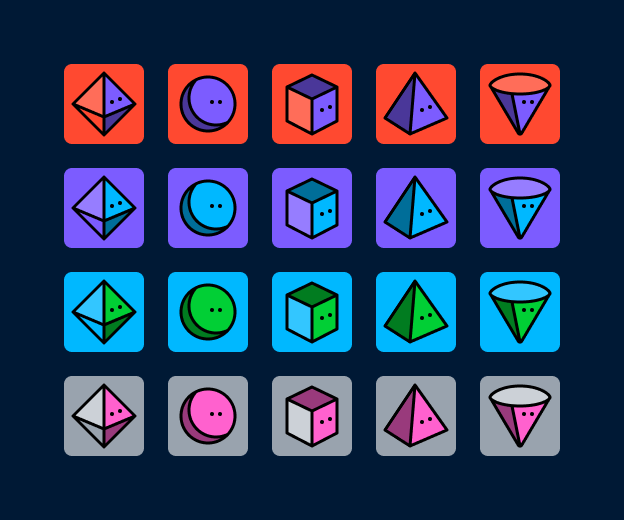
A plethora of new default blog avatars

We haven’t updated our default avatars in several years. (Some of you may remember this one from 10+ years ago.) They’re feeling a bit stale to us, so why not update them? And while we’re at it… make a ton more variations! Paul from the Tumblr Design team came up with a suite of new default avatars, using our latest Tumblr color palette. Here’s a look at some of them, but there are actually many dozens more using different colors:

image

Notifications and emails about engagement on your posts

This one is for the folks on Tumblr who love numbers and their Activity page. Daniel, @jesseatblr​, and the Feeds & Machine Learning team worked on some new notifications and emails we could send out to people about how their posts have been doing lately on the platform, such as how many views they’ve gotten, and by how many people. We already have this available (and more) when you Blaze a post, but why not open it up to more people? It’s really useful to the folks who use Tumblr to help build an audience for their work!

image

A new way of navigating the web: the Command Palette

Some apps we use a lot have a “command palette” accessible via a keyboard shortcut for quick keyboard-driven access to different parts of the platform. For example, Slack and Discord have Command + K to access their quick switchers to hop around conversations. What if Tumblr had one? Kelly and Paul built one! Press Command/Control + K on Tumblr and you can use your keyboard to jump to your blog, Activity, your recent conversations, search, dozens of places!

image

As always, stay tuned to the @changes​ blog to see if any of these hacks make it on Tumblr for real!

tumblr engineering tumblr hack week tumblr hack day
image

alias please=sudo

Keeping a site like Tumblr alive and snappy for you to post at a moment’s notice, all day and night, is no small feat. Pesky crabs sneak into our data centers and cut cables all the time…

If you want to help our small but excellent systems team, want to work from anywhere, and are deep into nginx, mysql, kubernetes, and caching, join us in this adventure. Or, if you have a friend or a colleague who’s good with servers, send them our way.

tumblr engineering engineering systems engineering

Tumblr Hack Week, September 2023 Edition

Once again it was Hack Week (more than just a day!) at Tumblr! A couple of times per year we slow down our normal work and spend a week working on scratching a personal itch or features we want as user and see how far we can get with our hacks. One thing from the last Hack Day in March made it all the way to production: redesigning how direct messaging looks on Tumblr! Pretty cool!

Here are some of the projects that got made for this most recent Hack Week in September. Some of these things you may also end up seeing on the site…

Tumblr Patio

Maybe this will look familiar to you, but we love this idea of being able to organize Tumblr feeds into many “columns” side-by-side, creating a very dense but lively view of Tumblr. Lenny, Kelly, and Paul hacked this together, and we’re pretty excited to see where it’ll go. Each column can be a different feed on Tumblr, like For You, Following, your Activity, a specific blog, a search, Trending, even a Collection, so many possibilities!

image
image
image

Tumblr Booths

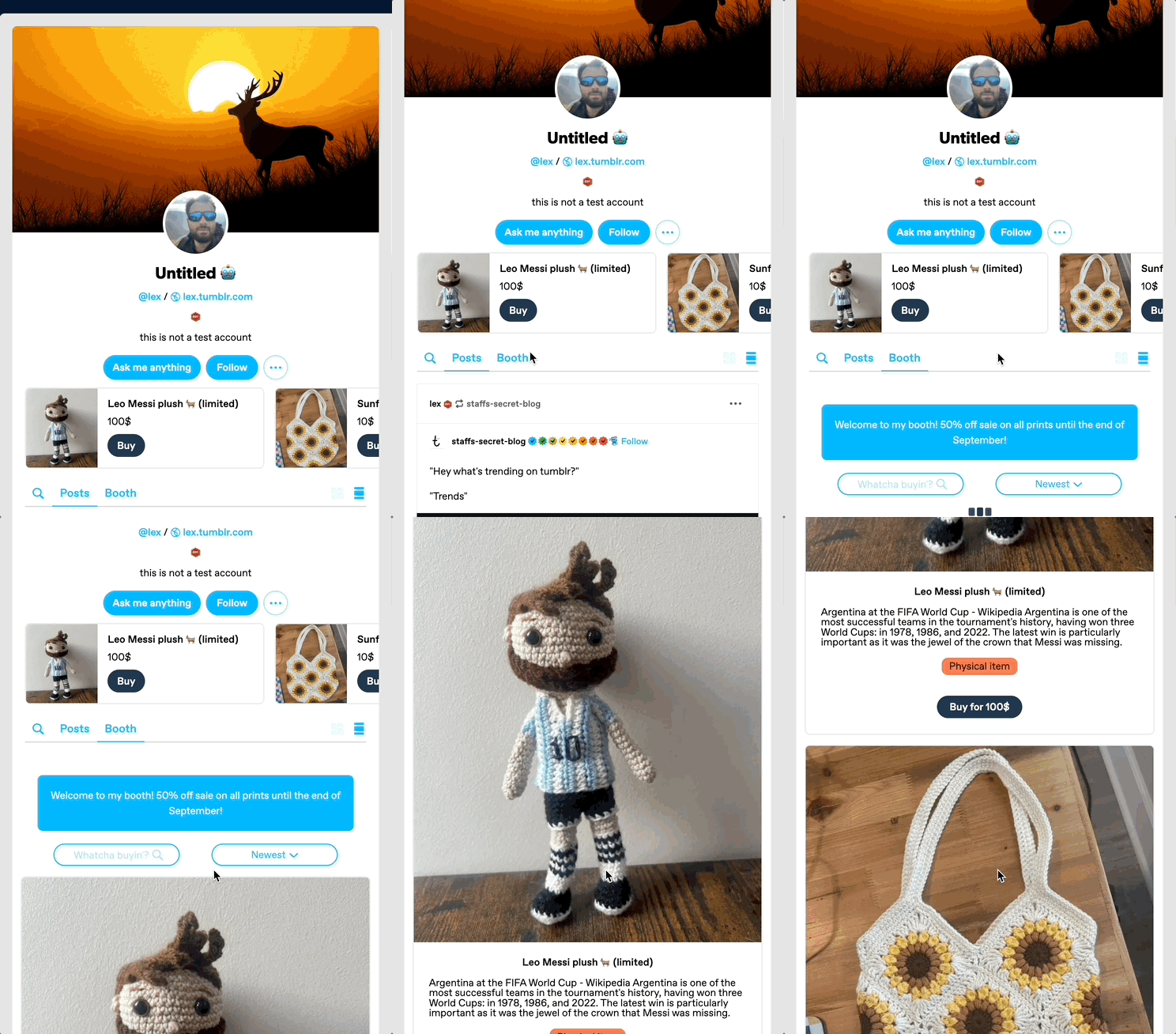
Meanwhile, a separate team of @autoplanes, Katie, @lex, Shaun, and Eve dug into the idea of selling digital and physical goods through blogs on Tumblr, leveraging our sibling platform WooCommerce! Blogs could put whatever they’d like for sale here, and have a dedicated space for it. We know there are so many amazing artists and artisans here who could use this to more easily sell their creations on Tumblr!

image
image

Avatar Frames/Hats

This one is a golden oldie, it keeps coming back hack day after hack day, and each time it gets even better. Santi and Maxime hacked together some example avatar “frames” and “hats” that folks on Tumblr could purchase for their blog. Maybe eventually people could create these and sell them or gift them to each other!

image

As always, stay tuned to the @changes blog to see if any of these hacks make it on Tumblr for real!

tumblr engineering tumblr hack week tumblr hack day

StreamBuilder: our open-source framework for powering your dashboard.

Today, we’re abnormally jazzed to announce that we’re open-sourcing the custom framework we built to power your dashboard on Tumblr. We call it StreamBuilder, and we’ve been using it for many years.

First things first. What is open-sourcing? Open sourcing is a decentralized software development model that encourages open collaboration. In more accessible language, it is any program whose source code is made available for use or modification as users or other developers see fit.

What, then, is StreamBuilder? Well, every time you hit your Following feed, or For You, or search results, a blog’s posts, a list of tagged posts, or even check out blog recommendations, you’re using this framework under the hood. If you want to dive into the code, check it out here on GitHub!

StreamBuilder has a lot going on. The primary architecture centers around “streams” of content: whether posts from a blog, a list of blogs you’re following, posts using a specific tag, or posts relating to a search. These are separate kinds of streams, which can be mixed together, filtered based on certain criteria, ranked for relevancy or engagement likelihood, and more.

On your Tumblr dashboard today you can see how there are posts from blogs you follow, mixed with posts from tags you follow, mixed with blog recommendations. Each of those is a separate stream, with its own logic, but sharing this same framework. We inject those recommendations at certain intervals, filter posts based on who you’re blocking, and rank the posts for relevancy if you have “Best stuff first” enabled. Those are all examples of the functionality StreamBuilder affords for us.

So, what’s included in the box?

  • The full framework library of code that we use today, on Tumblr, to power almost every feed of content you see on the platform.
  • A YAML syntax for composing streams of content, and how to filter, inject, and rank them.
  • Abstractions for programmatically composing, filtering, ranking, injecting, and debugging streams.
  • Abstractions for composing streams together—such as with carousels, for streams-within-streams.
  • An abstraction for cursor-based pagination for complex stream templates.
  • Unit tests covering the public interface for the library and most of the underlying code.

What’s still to come

  • Documentation. We have a lot to migrate from our own internal tools and put in here!
  • More example stream templates and example implementations of different common streams.

If you have questions, please check out the code and file an issue there.

opensource engineering tumblr

Tumblr Hack Day, March 2023 Edition

Well well well, it was Hack Day once again at Tumblr. A few times per year we slow down our normal work and spend a day (or sometimes a whole week) working on whatever we want and see how far we can get with our hacks. Here are some of the projects that got made for our most recent Hack Day earlier this month. Some of these things you may also end up seeing on the site…

image

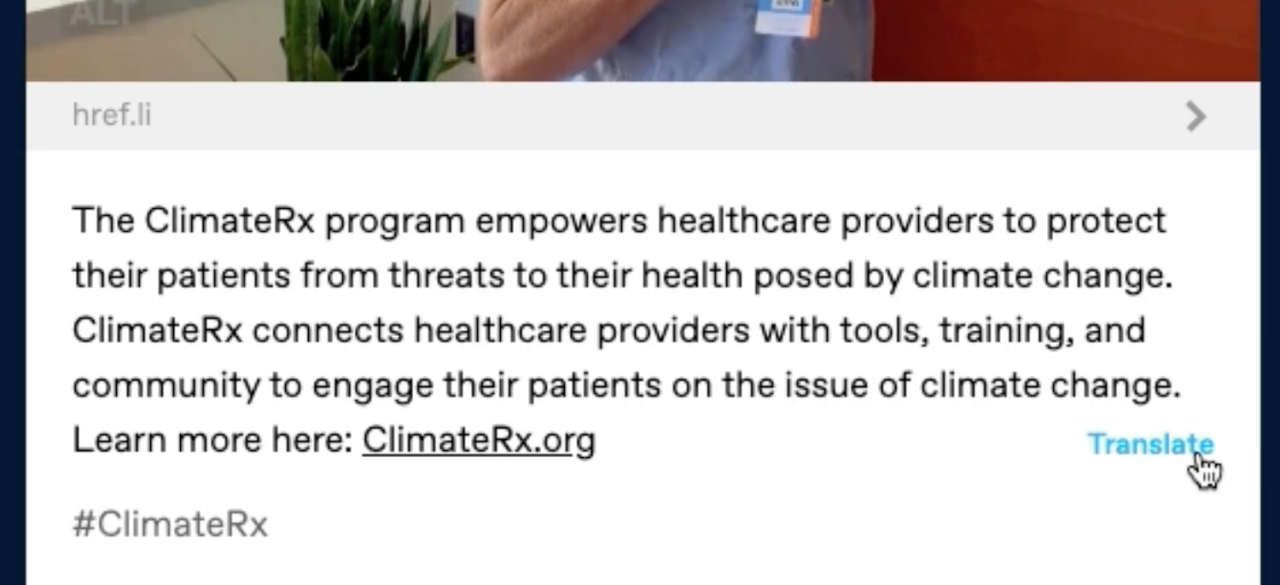
Wesley worked on adding the ability to translate the text content of posts using LibreTranslate, which works really well! We know this is a big pain point for folks who use Tumblr around the world, so we’re excited to keep experimenting with this.

image

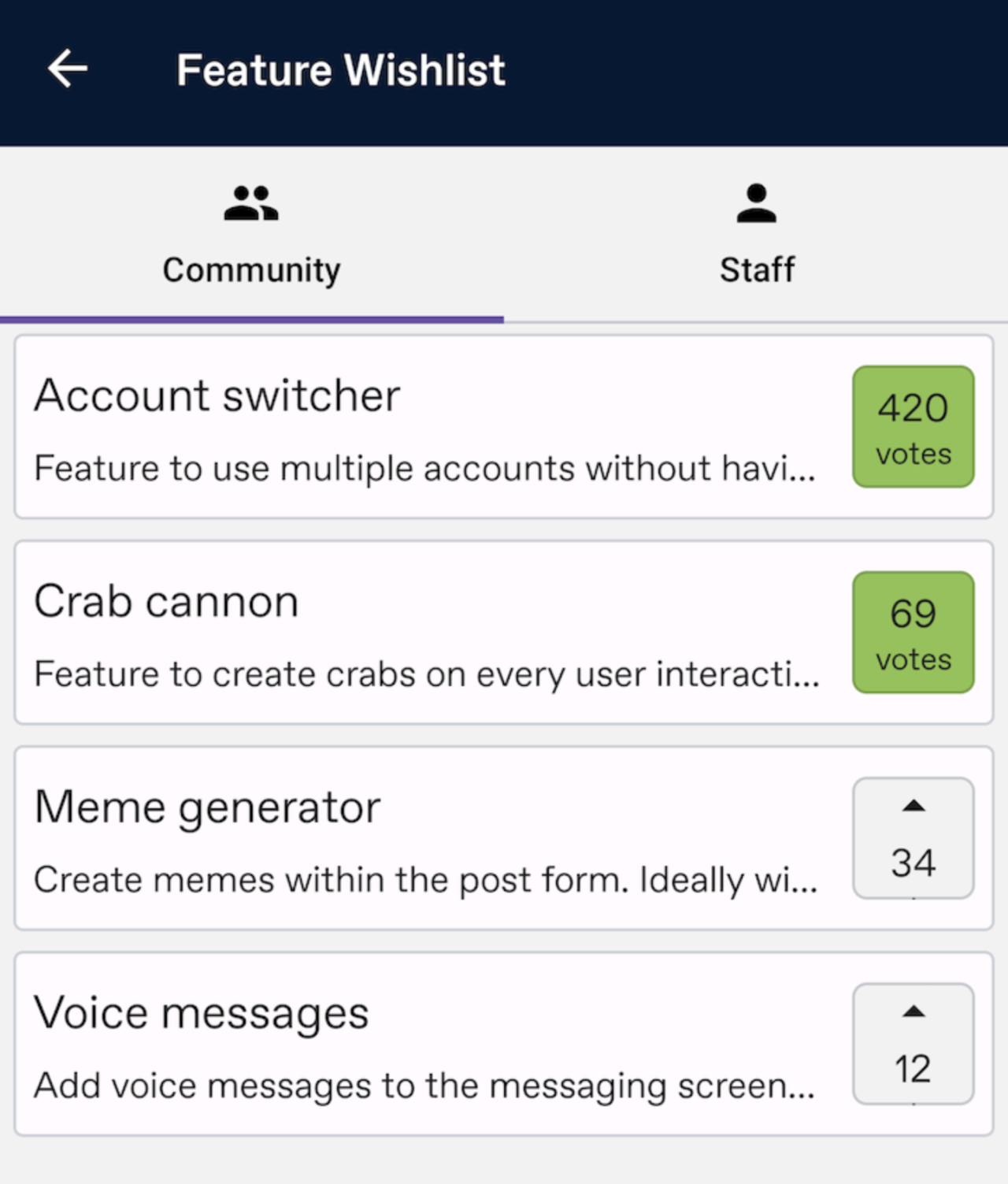
Omar built a Feature Wishlist for the Android app, which has different lists for community-driven and staff-driven feature ideas, with the ability to upvote which ones you’d like the most! Really cool, we’re trying to think of ways like this to expand what we can do to collaborate with the community, like we already do with the @wip and @changes blogs.

image

One thing that’s been bugging @blowery forever is trying to figure out who exactly added the tags when you’re viewing a reblog of a post. It can be hard to tell whether the person reblogging it added the tags, or if they’re meant to come from the reblogged post. To help distinguish this, they hacked together putting the reblogger’s avatar next to the tags they added at the bottom of their reblog!

image

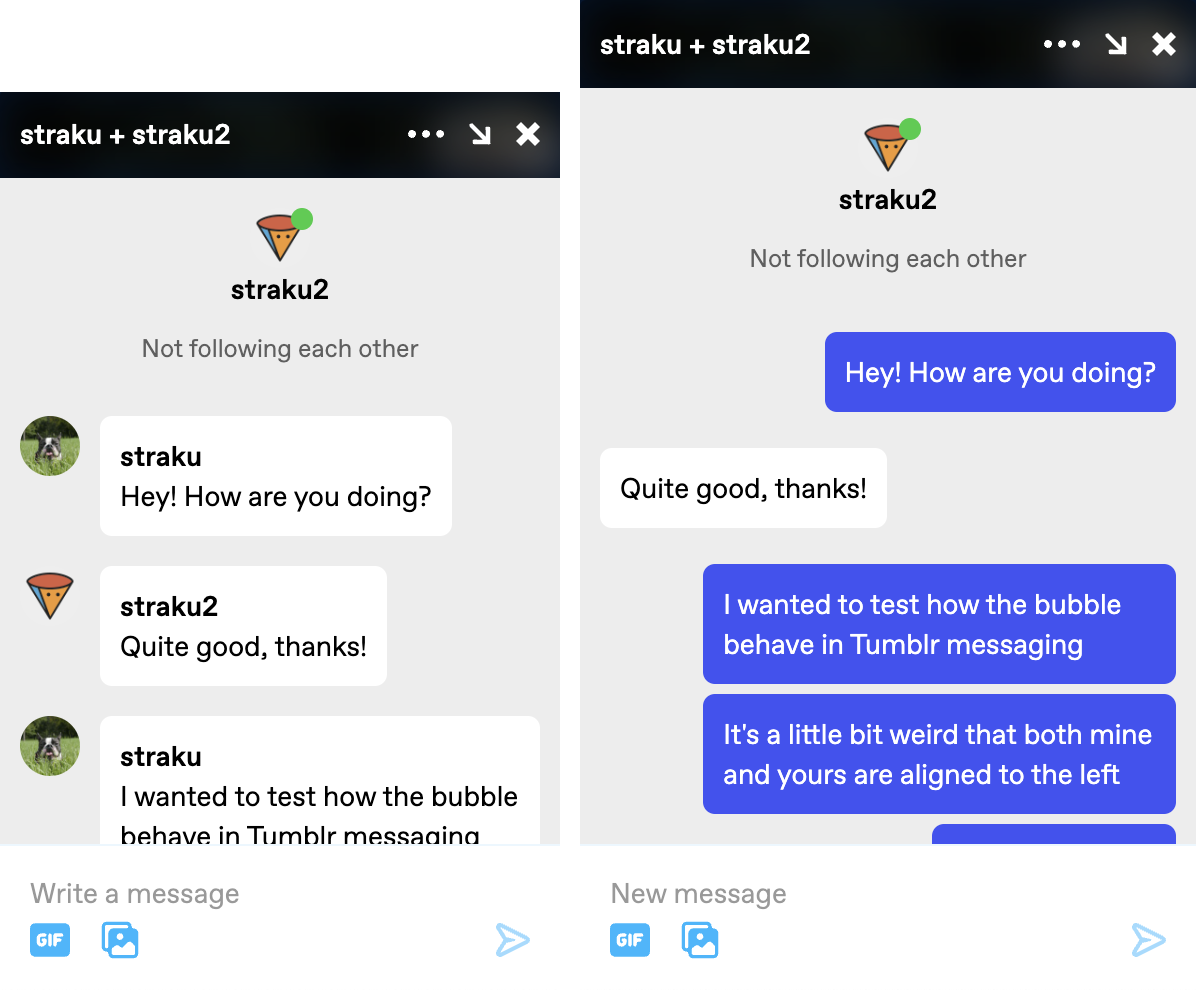
@straku hacked together a more modern look for our 1:1 messaging on Tumblr, bringing the message bubbles into a left-and-right back-and-forth format, and using some better colors. Looks a lot snazzier!

As always, stay tuned to the @changes blog to see if any of these hacks make it on Tumblr for real!

tumblr engineering tumblr hack day

Tumblr Hack Day, December 2022 Edition

Ah yes, it was Hack Day once again at Tumblr. A few times per year we slow down our normal work and spend a day (or sometimes a whole week) working on whatever we want and see how far we can get with our hacks. The main star of the last Hack Week was… pretty much all of them!

Here are some of the projects that got made for our most recent Hack Day earlier this month. Some of these things you may also end up seeing on the site…

image

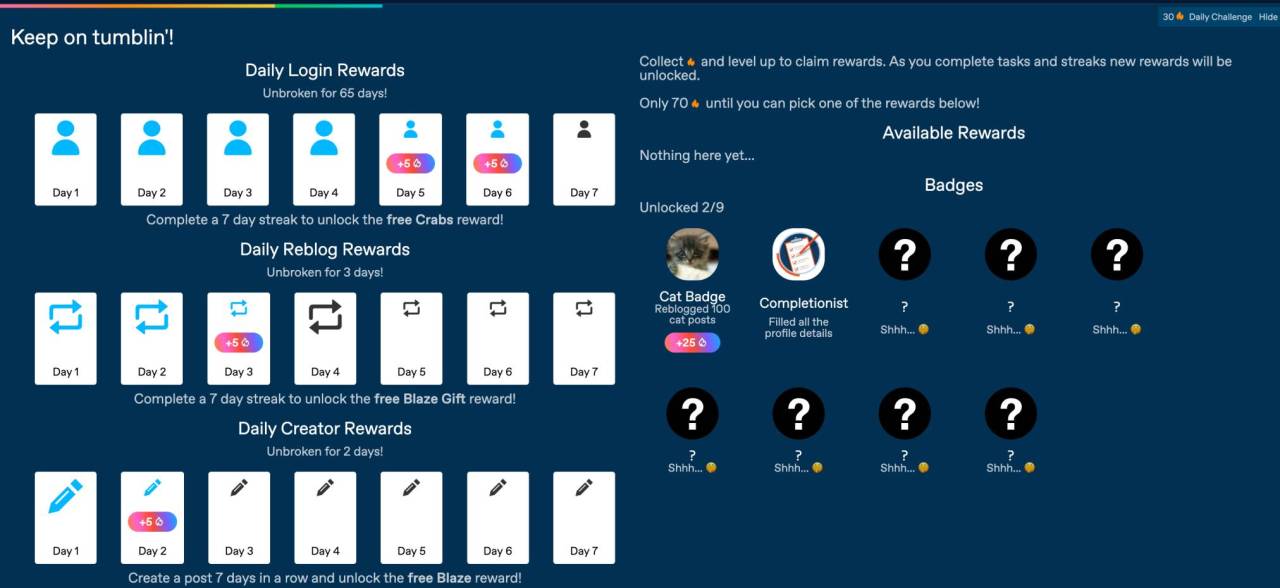
@yi5h worked on a huge suite of “rewards” that folks on Tumblr could unlock by doing various things on the platform, such as reblogging, creating content, even just logging in! Maybe you could earn badges this way to put on your blog…

image

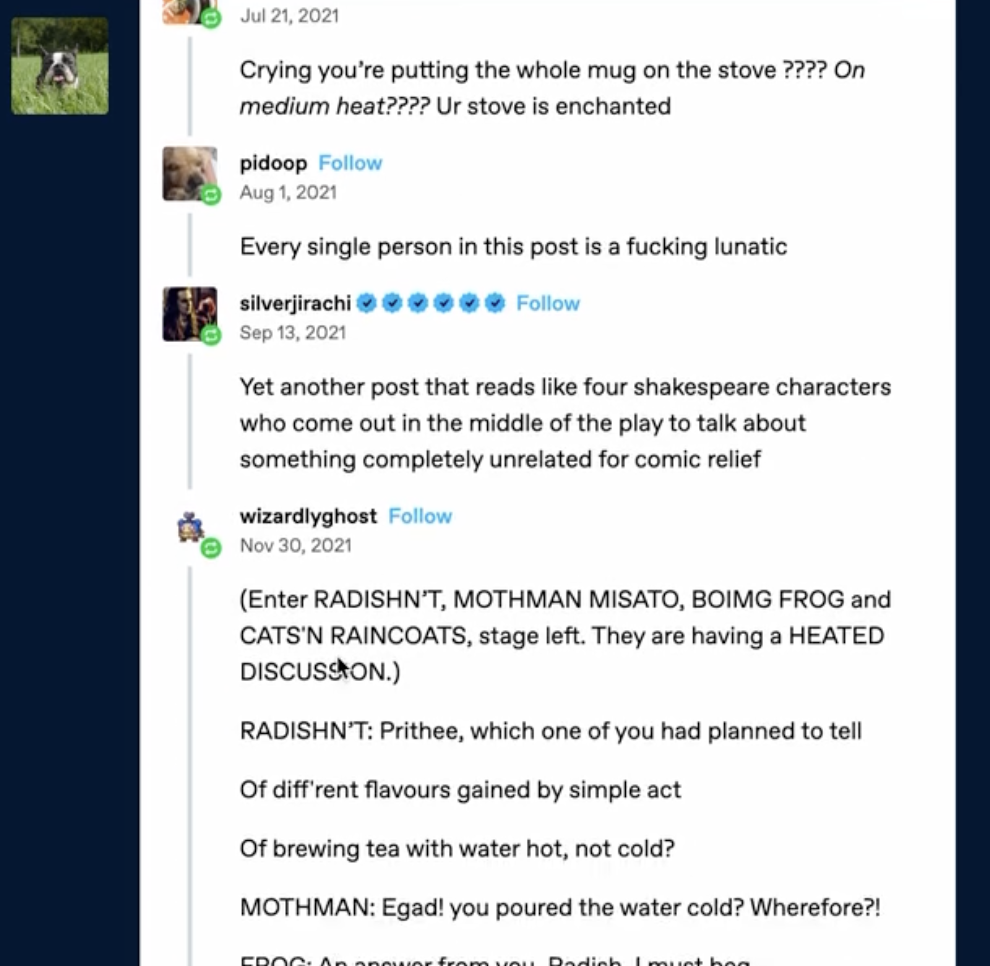
@straku hacked together a new way of viewing reblog trails. We commonly get feedback that reblog trails are difficult to understand, so styling them differently to make the information clearer is fun to try out!

image

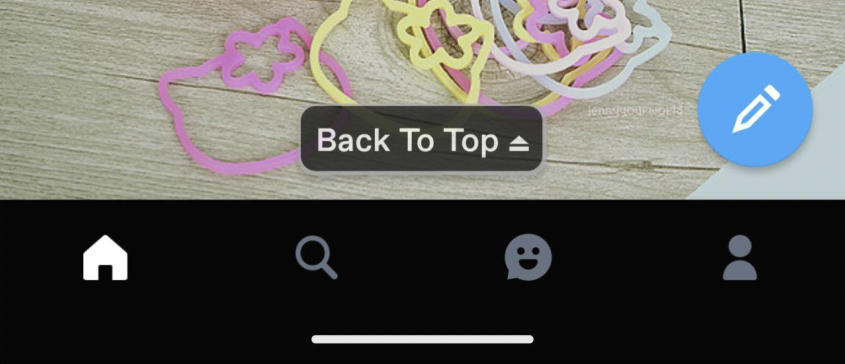
Meanwhile, Evgeniy built a beautifully simple “Back to Top” button for the Android app, which does exactly what it sounds like: brings you back to the top of whatever feed you’re currently viewing. No more scrolling, scrolling, scrolling — just one tap!

As always, stay tuned to the @changes blog to see if any of these hacks make it on Tumblr for real!

tumblr engineering tumblr hack day tumblr hack week

Tumblr Hack Week, September 2022 Edition

It was Hack Week (more than just a day!) once again at Tumblr! A couple of times per year we slow down our normal work and spend a week working on whatever we want and see how far we can get with our hacks. The main star of the last Hack Week was the “Summon crab!” button, and we loved it so much that we rolled it out not just for April Fools this year, but we made it our first gift-able widget in TumblrMart!

Here are some of the projects that got made for this most recent Hack Week in September. Some of these things you may also end up seeing on the site…

Tumbeast Digital Pet

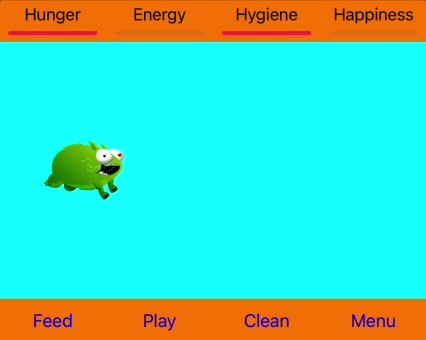
Ben worked on adding our friendly server room Tumbeasts to Tumblr as a cute little digital pet. You can feed them and play with them, and they poop and get unhappy and need tending, of course. Who wouldn’t want one of these to take care of every day on Tumblr, forever and ever?

image

Tumblr Blaze on TumblrMart

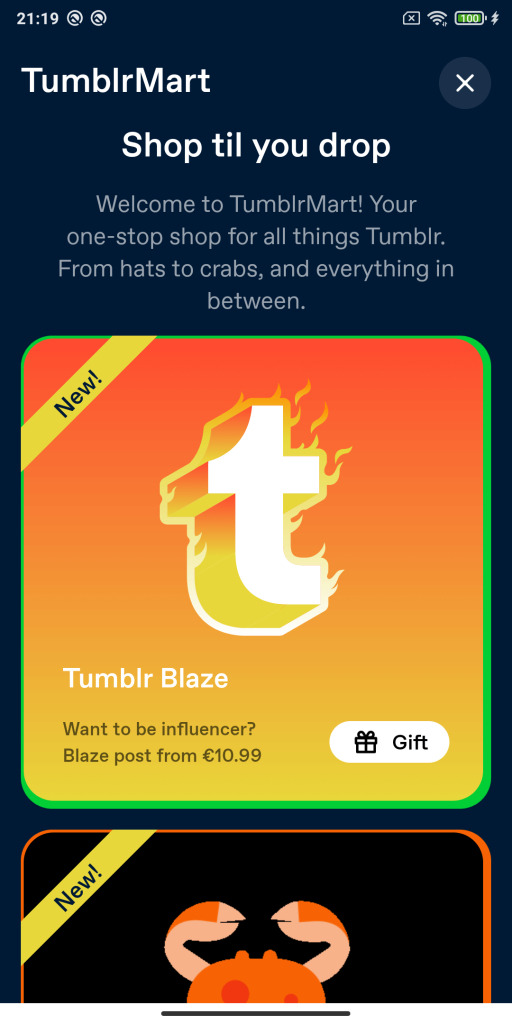
@adalpari added Tumblr Blaze as a gift-able item in TumblrMart, which would allow folks to buy Blaze “credits” for other people. Perfect for those times you see an amazing post on Tumblr that definitely deserves to be spread around, and you don’t mind throwing some money at letting that person have a chance to spread it via Blaze!

image

User Account Switcher

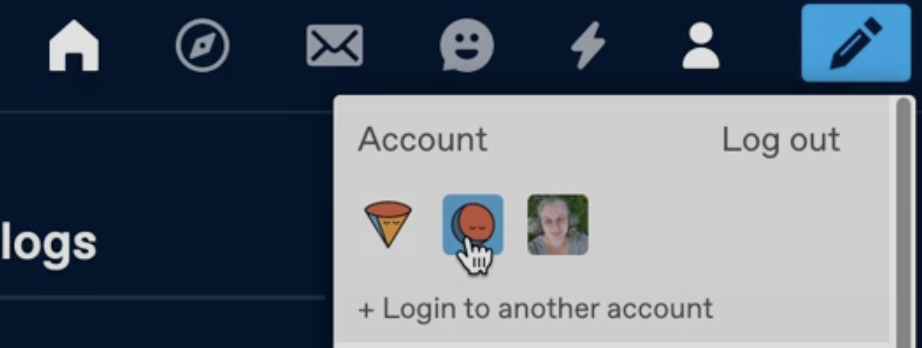
@yi5h hacked together an account switcher for the web, so that folks can log in to more than one Tumblr account and easily switch back and forth between them. Super handy if you have one account for your roleplaying character, and another for your Star Trek fandom discussions. Very useful!

image

Tumblr Collections

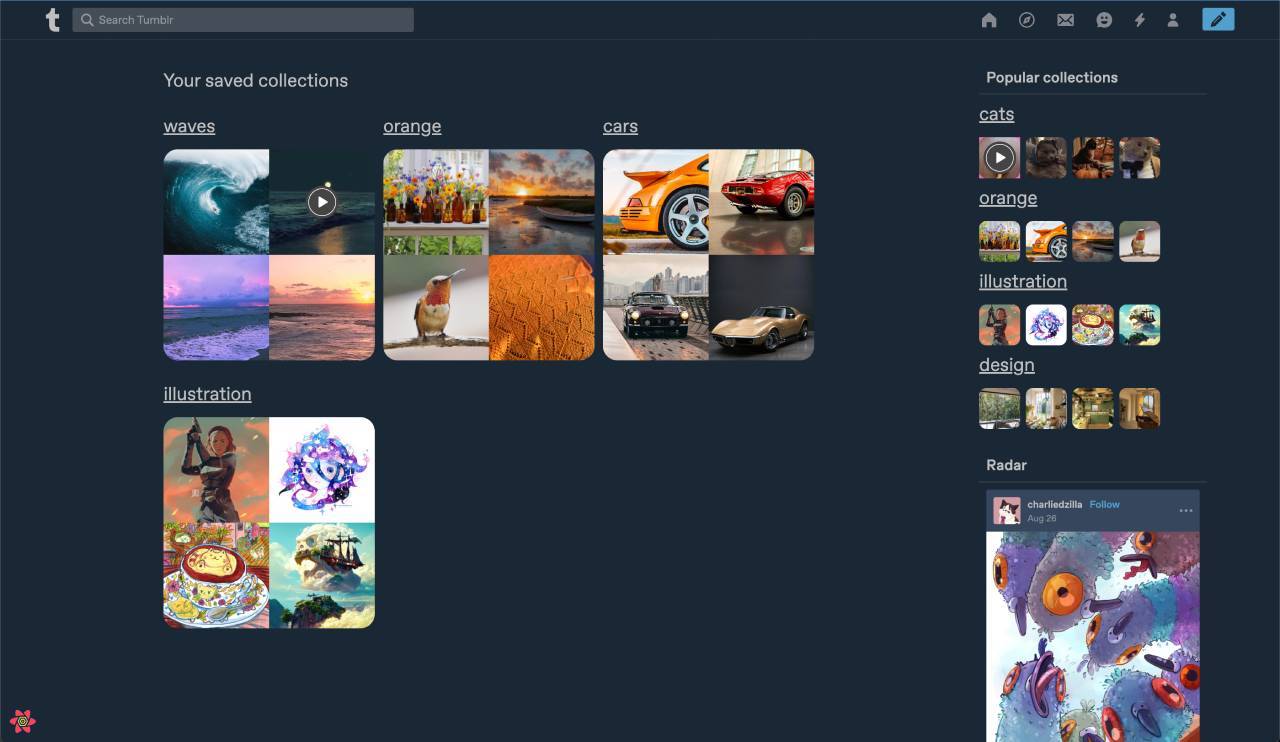
On web as well, João made a version of an idea that’s floated around many times, the idea of being able to organize posts on Tumblr into “collections” that can be named and shared. I think everyone would very much enjoy having a collection called “waves” that’s just soothing GIFs of ocean waves.

image

As always, stay tuned to the @changes blog to see if any of these hacks make it on Tumblr for real!

tumblr engineering tumblr hack day tumblr hack week

Making GIFs load faster

AKA why are some of my GIFs being turned into videos?

Overview

  • We’re experimenting with serving GIFs as MP4 videos instead of GIFV (which typically serves animated WebP) on the web to a small subset of folks on Tumblr, not everyone. This does not affect anyone using the mobile apps.
  • The performance improvements from using MP4s in this way are huge, and will make Tumblr load animated images faster and use less data in almost every circumstance, with no discernible loss in quality.
  • This conversion only applies to specific types of GIFs, such as ones without transparency in the first frame. We’ve tested this conversion on thousands of GIFs, and we’re still tuning it to be virtually indistinguishable from the original GIF.
  • XKit’s “Vanilla Videos” extension was causing a bug with this experiment, but a recent new XKit version release has fixed that issue.
  • If you’re served an MP4 instead of a GIF, clicking on the image will still open it in a lightbox, which you can download as GIFV or GIF, depending on what’s served.
  • Since this is still just an experiment, there is no way to opt-out yet; adding some kind of opt-out (on the creator and/or consumer side) is a possibility though.
  • If you’re served a GIF as MP4 and it looks wrong, please contact Support with a link to the image and what looks wrong about the conversion. We need examples to help us improve the experience. Also, please do not send duplicate support requests.

Keep reading

tumblr update

Tumblr Hack Week, March 2022 Edition

It was Hack Week (more than just a day!) once again at Tumblr! A couple of times per year we grind everything to a halt and spend a week working on whatever we want and see how far we can get with our hacks. Since last time, we’ve launched the ability to have a Discord => Tumblr integration, we’re close to launching Twitch embed support, and custom logos are now possible in the mobile apps! And from a previous Hack Day, we’ve launched “Timestamps Everywhere” on web, and we’re working on rolling it out to the mobile apps very soon!

Here are some of the projects that got made for this last Hack Week. Some of these things you may also end up seeing on the site…

Interacting as a Sideblog/Secondary blog

@designpatternpirate put together a proof of concept for switching to a sideblog/secondary blog when liking or replying to posts. Using this hack, you’d be able to switch which of your blogs you’re “acting as” when hitting the like button or when replying to a post, to start. You’d even have separate Likes pages for each blog!

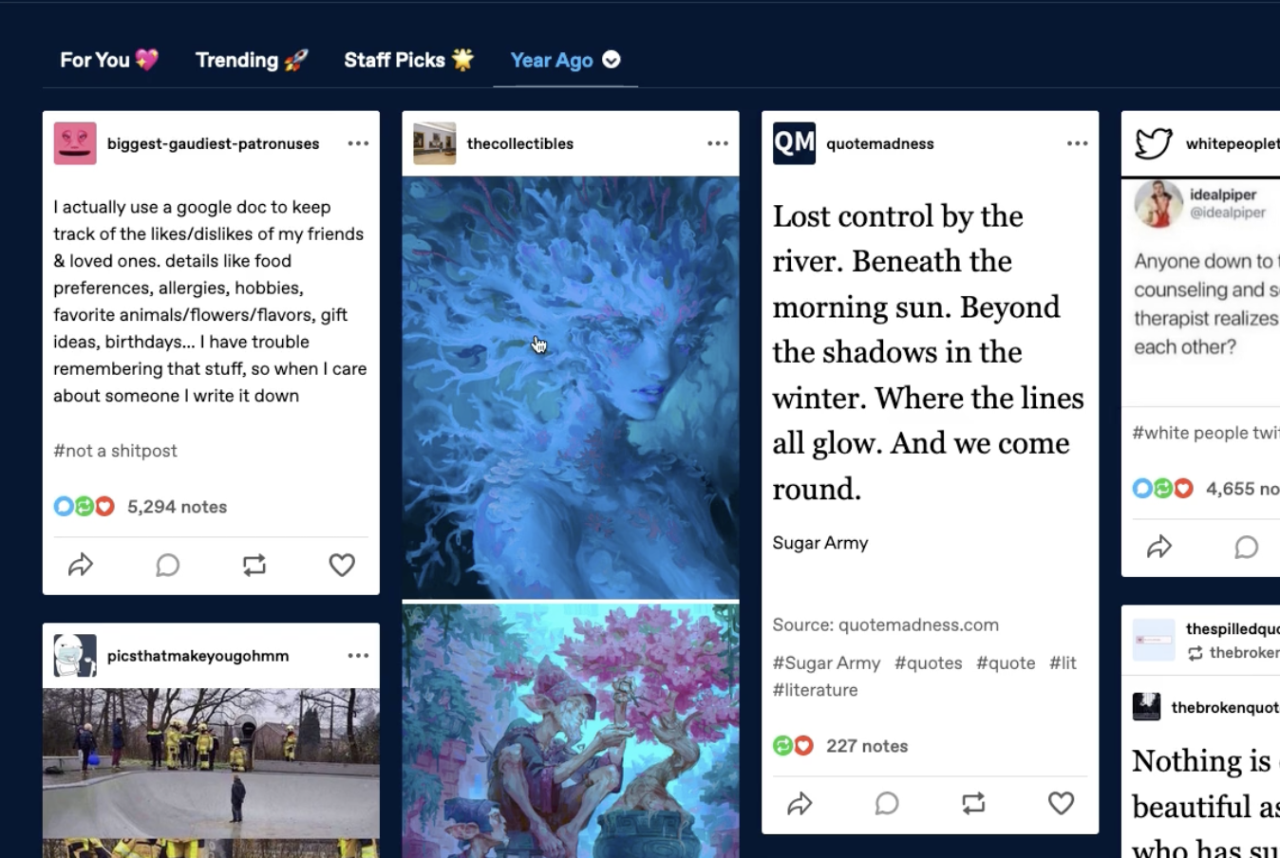
“One Year Ago” Dashboard Feed

André hacked together a feed which shows a portal backwards in time, to what the blogs you’re following were posting a year ago today:

image

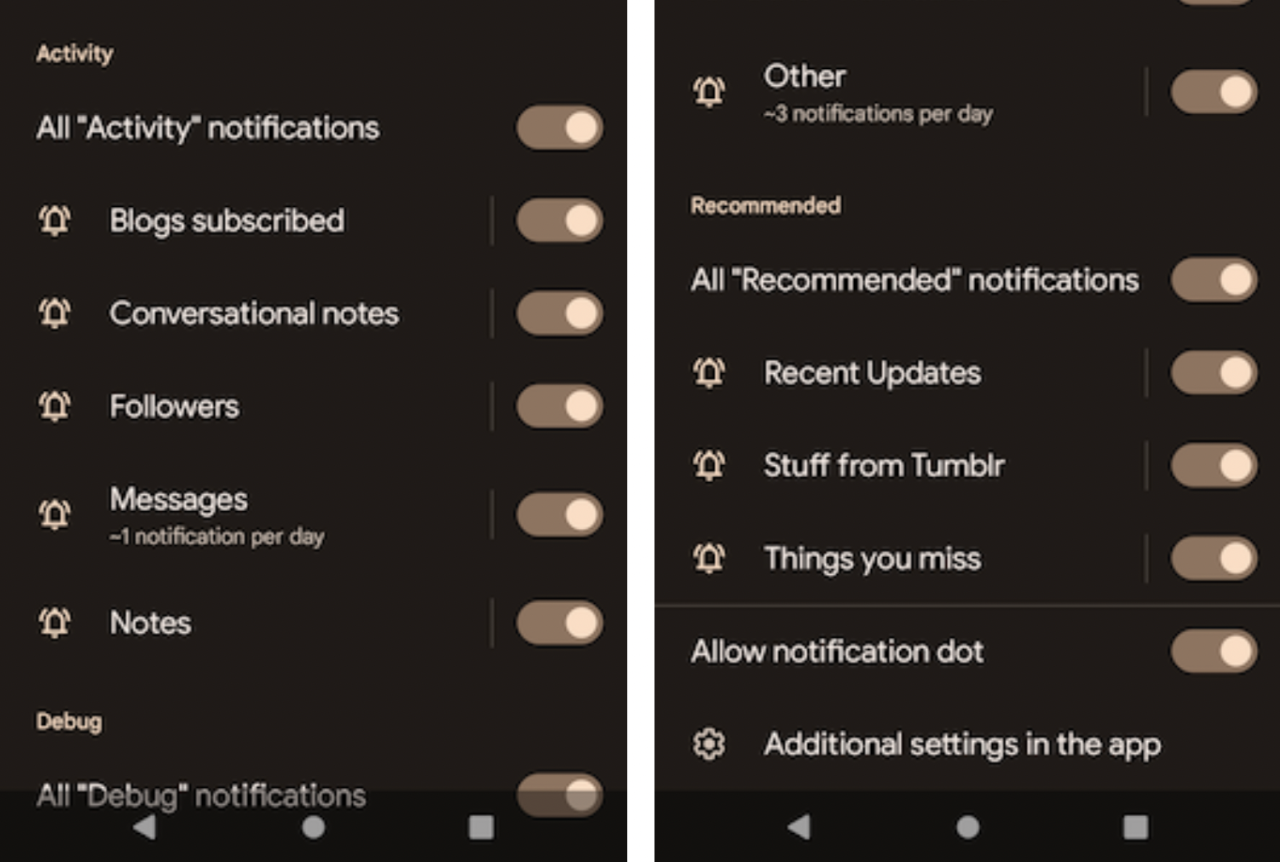
Moving Android notification settings

On Android, Omar moved all of our notification settings out of the Tumblr app and into the Android OS level notifications settings view, like other apps do:

image

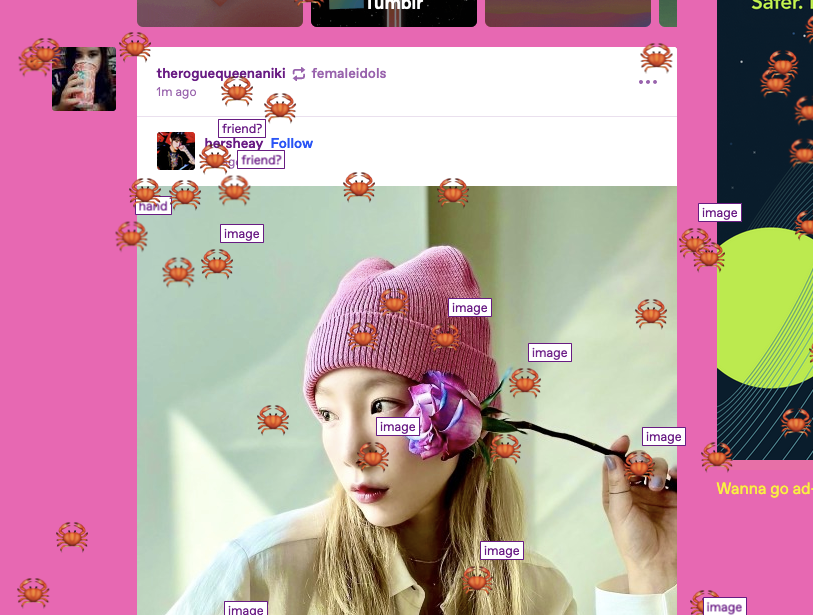
“Time for crab!” 🦀

@superchlorine hacked together a delightful button for the dashboard that summons crabs which scuttle across the page, and even comment on what they’re traipsing over:

image

As always, stay tuned to the @changes blog to see if any of these hacks make it on Tumblr for real!

tumblr engineering tumblr hack day tumblr hack week

Tumblr Hack Day, December 2021 Edition

It was Hack Day once again at Tumblr! A couple of times per year we grind everything to a halt and spend 24 hours working on whatever we want and see how far we can get with our hacks. Here are some of the projects that got made for Hack Day! Some of these things you may end up seeing on the site…

Twitch Embeds

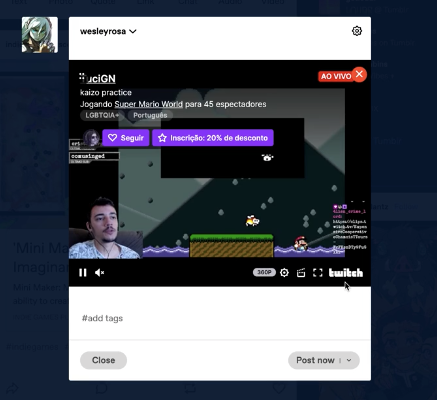
Wesley hacked together the ability to post Twitch streams to Tumblr! These can be live streams or clips.

image

Tumblr to Discord

@cyle put together a very simple webhook integration between Tumblr and Discord so you can send events about your blog to a Discord server:

image

Custom Tumblr logos on mobile

@mlu, @dakotairene, and friends hacked together the ability for us to put custom Tumblr logos in the mobile apps’ dashboard tab bar, like we do on the web!

image

Tumblr Time Machine

Lucila constructed an elaborate Tumblr Time Machine, so you can filter search results to a specific year:

image

Stay tuned to the @changes blog to see if any of these hacks make it on Tumblr for real!

image

(GIF by @jjjjjjjjjjohn )

tumblr engineering tumblr hack day

OAuth 2 on the Tumblr API

Ten years ago HTTPS wasn’t as nearly as widespread as today. It is hard to believe that HTTPS was essentially opt-in, if available at all! Back then, people also had to get creative when inventing means to delegate access to someone else. One solution was OAuth 1, conceived by the IETF, later adopted by Tumblr in 2011.

Time went by, and here we are in 2021, with hardly any popular website not shielded with HTTPS (including your own blog!). Today, it wouldn’t make much sense to adopt OAuth 1 as inconvenient as it is. Yet here we are, still asking people to use outdated protocols for their new fancy Tumblr apps. Not anymore!

Starting today, you have another option: we’re officially opening up OAuth 2 support for the Tumblr API!

Get started

OAuth 2 flow requires you to know two key URIs:

If you’re familiar with OAuth 2, register an application and check out our API documentation (specifically the section on OAuth 2) to get up and running.

The future of OAuth 1

There are no plans to shut down OAuth 1. Your app will continue to work as usual. But be sure to keep an eye on this blog just in case anything new pops up that would prevent us from serving OAuth 1 requests.

What’s more, if you wish to adopt OAuth 2 in your app, given its superior simplicity, you don’t have to migrate entirely to OAuth 2 at once. Instead, you can keep the old sign-up / log-in flow working, and exchange OAuth 1 access token to OAuth 2 tokens on the fly. There’s only one catch: this exchange will invalidate the original access token, so you should be using only the OAuth 2 Bearer authentication for any subsequent requests.

Next steps

  • We’ll be adding support for OAuth 2 to our API clients in the coming months. Follow this blog to learn firsthand when this happens.
  • Although we do support client-side OAuth 2 flow, we can’t recommend using it unless absolutely required. We might harden it with PKCE someday, though.

That’s all from us today. Happy hacking!

tumblr api tumblr engineering oauth2

Requiring HTTPS on the Tumblr API

The time has come folks! We’re officially dropping support for insecure (http://) requests to the Tumblr API after October 31st, 2021. Instead, please use https:// for all requests. The following day we’ll start failing all insecure requests and invalidating any credentials sent in plain text. You can expect the API to respond with a 403 Forbidden status and a 5006 subcode in this scenario.

Yes, this means you can still get freaky for one last Halloween, but please make sure you add the s to https before you head out for your annual trick-or-treating adventure!

tumblr api https