An interactive web application that transforms raw JSON data into an intuitive hierarchical tree structure, allowing users to explore, search, and interact with data visually — in real time.
https://json-visualizer-mu.vercel.app/
- Overview
- Features
- Tech Stack
- Architecture
- Getting Started
- How It Works
- Component Structure
- React Flow Implementation
- Usage Guide
- Future Enhancements
- License
JSON Tree Visualizer is a browser-based tool that helps developers, data scientists, and analysts understand and debug complex JSON structures with ease. It automatically parses and validates JSON, then renders a node-based tree graph using React Flow — where each key, value, and nested object becomes an interactive visual node.
- Real-time JSON Validation — Instantly detect syntax errors and receive friendly error messages.
- Interactive Tree Rendering — Explore your JSON through a clear, node-based tree layout powered by React Flow.
- JSONPath Search — Quickly locate nodes using JSONPath-like queries with instant highlighting.
- Dark/Light Mode — Seamless theme toggle for all-day coding comfort.
- Copy Node Path — Click any node to copy its JSON path to clipboard.
- Zoom & Pan Controls — Effortlessly navigate even the largest data structures.
- Objects → Blue/Indigo gradient
- Arrays → Green/Emerald gradient
- Primitives → Orange/Amber gradient (for strings, numbers, booleans, null)
- Search Highlights → Bright yellow glow + scale animation
- React 19.1.1 – Component-based UI framework
- Vite 7.1.7 – Fast development server and bundler
- React Flow 11.11.4 – Interactive graph visualization library
- Tailwind CSS 3.4.1 – Utility-first styling framework
- PostCSS & Autoprefixer – CSS transformations and cross-browser compatibility
- Lucide React 0.548.0 – Modern, clean icon library
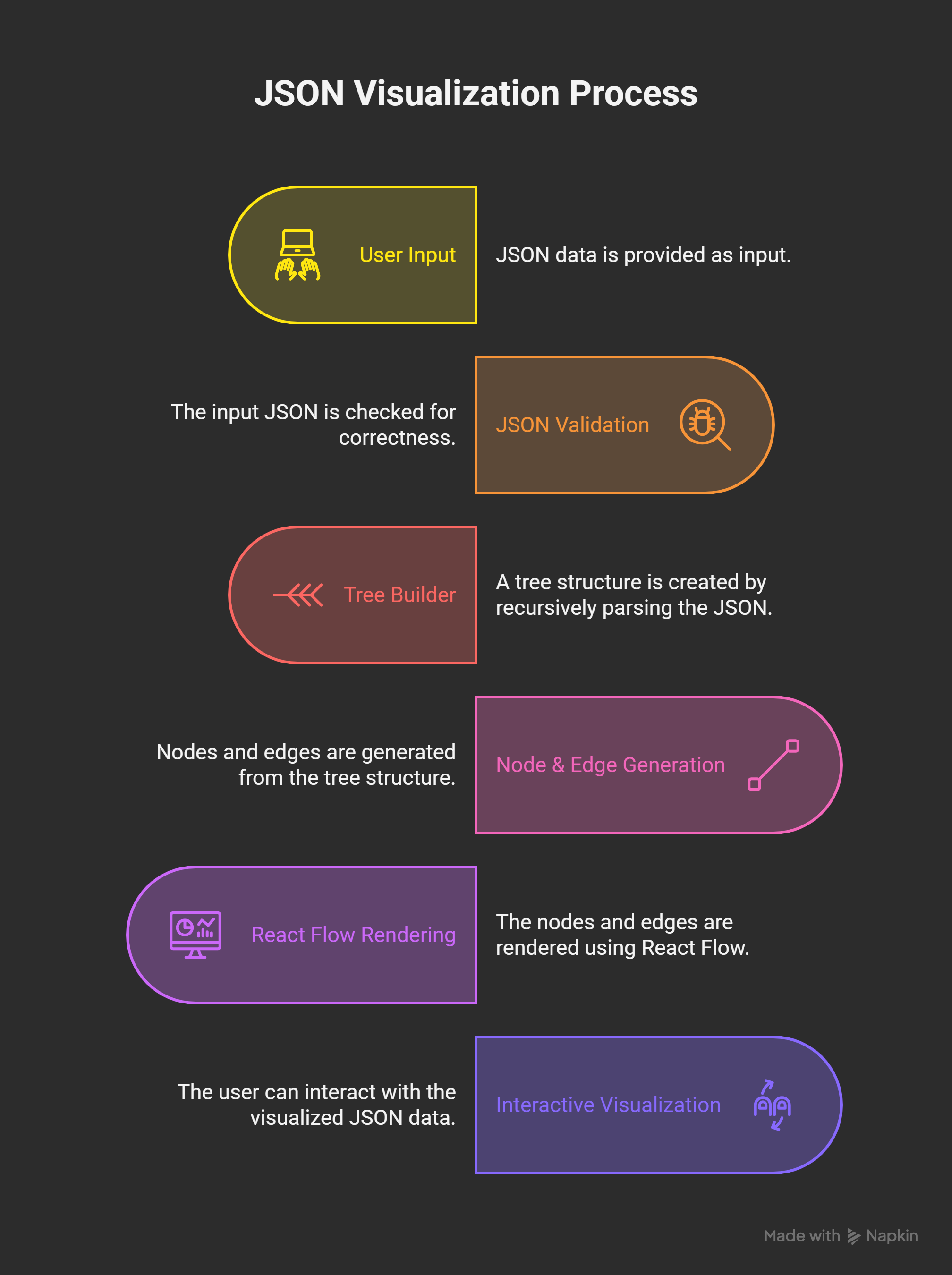
- Input Stage – User pastes or types JSON.
- Validation Stage – JSON.parse() ensures correct syntax.
- Transformation Stage – Tree builder recursively constructs nodes and edges.
- Rendering Stage – React Flow renders a visual graph.
- Interaction Stage – Search, zoom, pan, and node interactions are handled dynamically.
- Node.js v16+
- npm or yarn
# Clone repository git clone <repository-url> cd json-tree-visualizer # Install dependencies npm install # Start development server npm run dev # Build production version npm run build # Preview production build npm run previewServer runs at http://localhost:5173 by default.
Validates user input before visualization:
try { const data = JSON.parse(jsonInput); } catch (err) { setError('Invalid JSON: ' + err.message); }The buildTree function recursively processes JSON:
- Identify node type (object, array, primitive)
- Assign unique IDs
- Establish parent-child connections
- Position nodes hierarchically
- Y-axis → Depth Level - X-axis → Child Distribution - Parent Centered above children Each edge links parent and child:
{ id: 'edge-parent-child', source: 'parent-id', target: 'child-id', type: 'smoothstep', markerEnd: { type: MarkerType.ArrowClosed } }src/ ├── components/ │ ├── CustomNode.jsx │ ├── JsonInput.jsx │ ├── SearchPanel.jsx │ ├── TreeView.jsx │ └── JsonTreeVisualizer.jsx ├── utils/ │ └── treeBuilder.js ├── App.jsx └── main.jsx - CustomNode.jsx – Node rendering, type-based styling, and interaction handling
- JsonInput.jsx – JSON input + validation controls
- SearchPanel.jsx – Search interface and logic
- TreeView.jsx – React Flow setup and event handling
- JsonTreeVisualizer.jsx – Core orchestrator, state manager
- Custom node types via
useMemo - Edge definitions with smooth transitions
- Built-in controls for zoom and view management
- Highlighted node animation during search
- Input JSON → Paste or write your JSON.
- Visualize → Click View to render.
- Navigate → Scroll to zoom, drag to pan.
- Search → Type JSONPath (e.g.,
$.user.name). - Interact → Click nodes to copy path.
- Toggle Theme → Use the light/dark switch.
$.user.name → user’s name $.items[0].price → price of first item $.address.city → nested object property - Objects
{ } - Arrays
[ ] - Strings
"text" - Numbers
42 - Booleans
true / false - Null
null - Nested combinations
- Handles up to ~1000 nodes smoothly
- Deeply nested (>20 levels) JSONs may impact render speed
- Search optimized using in-memory data indexing
- Export tree as PNG/SVG
- Collapsible node groups
- Node filtering by type
- In-tree JSON editing
- Schema validation
- JSON comparison mode
- React Flow for visualization backbone
- Tailwind CSS for sleek styling
- Lucide React for icons