Flutter Pinput From Tornike & Great Contributors

Flutter package to create easily customizable Pin code input field (OTP) with slick animations.
Please see the Changelog if you are migrating from version < 2.0.0
- Animated Decoration Switching
- Form validation
- iOS SMS Autofill
- Android Autofill, requires further implementation, use any packages listed below
- android_sms_retriever, sms_autofill, otp_autofill, sms_otp_auto_verify - Standard Cursor
- Custom Cursor
- Cursor Animation
- Copy From Clipboard
- Ready For Custom Keyboard
- Standard Paste option
- Obscuring Character
- Obscuring Widget
- Haptic Feedback
- Close Keyboard After Completion
- Beautiful Examples
PRs Welcome
Discord Channel
Examples app on github has multiple templates to choose from
Don't forget to give it a star ⭐
| Live Demo | Rounded With Shadows | Rounded With Cursor |
|---|---|---|
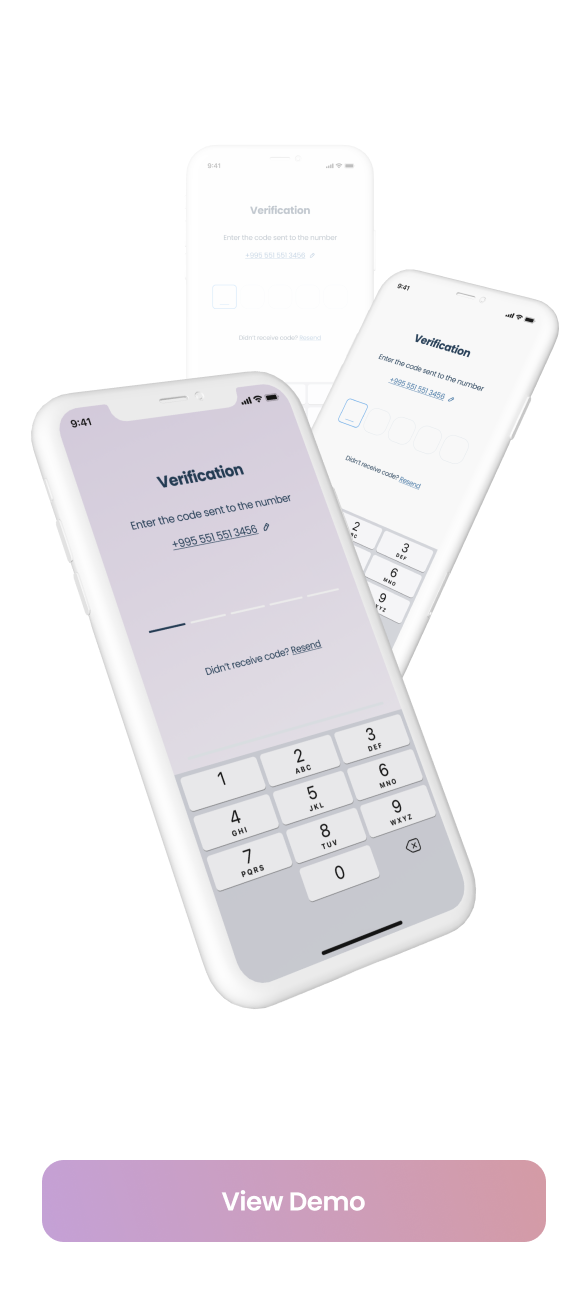 |  |  |
| Rounded Filled | With Bottom Cursor | Filled |
|---|---|---|
 |  |  |
Pin has 6 state default focused, submitted, following, disabled, error, you can customize each state by specifying theme parameter.
Pin smoothly animates from one state to another automatically.
PinTheme Class
| Property | Default/Type |
|---|---|
| width | 56.0 |
| height | 60.0 |
| textStyle | TextStyle() |
| margin | EdgeInsetsGeometry |
| padding | EdgeInsetsGeometry |
| constraints | BoxConstraints |
You can use standard Pinput like so
Widget buildPinPut() { return Pinput( onCompleted: (pin) => print(pin), ); } If you want to customize it, create defaultPinTheme first.
final defaultPinTheme = PinTheme( width: 56, height: 56, textStyle: TextStyle(fontSize: 20, color: Color.fromRGBO(30, 60, 87, 1), fontWeight: FontWeight.w600), decoration: BoxDecoration( border: Border.all(color: Color.fromRGBO(234, 239, 243, 1)), borderRadius: BorderRadius.circular(20), ), ); if you want all pins to be the same don't pass other theme parameters,
If not, create focusedPinTheme, submittedPinTheme, followingPinTheme, errorPinTheme from defaultPinTheme
final focusedPinTheme = defaultPinTheme.copyDecorationWith( border: Border.all(color: Color.fromRGBO(114, 178, 238, 1)), borderRadius: BorderRadius.circular(8), ); final submittedPinTheme = defaultPinTheme.copyWith( decoration: defaultPinTheme.decoration.copyWith( color: Color.fromRGBO(234, 239, 243, 1), ), ); Put everything together
final defaultPinTheme = PinTheme( width: 56, height: 56, textStyle: TextStyle(fontSize: 20, color: Color.fromRGBO(30, 60, 87, 1), fontWeight: FontWeight.w600), decoration: BoxDecoration( border: Border.all(color: Color.fromRGBO(234, 239, 243, 1)), borderRadius: BorderRadius.circular(20), ), ); final focusedPinTheme = defaultPinTheme.copyDecorationWith( border: Border.all(color: Color.fromRGBO(114, 178, 238, 1)), borderRadius: BorderRadius.circular(8), ); final submittedPinTheme = defaultPinTheme.copyWith( decoration: defaultPinTheme.decoration.copyWith( color: Color.fromRGBO(234, 239, 243, 1), ), ); return Pinput( defaultPinTheme: defaultPinTheme, focusedPinTheme: focusedPinTheme, submittedPinTheme: submittedPinTheme, validator: (s) { return s == '2222' ? null : 'Pin is incorrect'; }, pinputAutovalidateMode: PinputAutovalidateMode.onSubmit, showCursor: true, onCompleted: (pin) => print(pin), ); See Example app for more Pinput examples Examples
/// Create Controller final pinController = TextEditingController(); /// Set text programmatically pinController.setText('1222'); /// Append typed character, useful if you are using custom keyboard pinController.append('1', 4); /// Delete last character pinController.delete(); /// Don't call setText, append, delete in build method, this is just illustration. return Pinput( controller: pinController, ); /// Create FocusNode final pinputFocusNode = FocusNode(); /// Focus pinput pinputFocusNode.requestFocus(); /// UnFocus pinput pinputFocusNode.unfocus(); /// Don't call requestFocus, unfocus in build method, this is just illustration. return Pinput( focusNode: pinputFocusNode, ); /// Create key final formKey = GlobalKey<FormState>(); /// Validate manually /// Don't call validate in build method, this is just illustration. formKey.currentState!.validate(); return Form( key: formKey, child: Pinput( /// Auto validate after user tap on keyboard done button, or completes Pinput pinputAutovalidateMode: PinputAutovalidateMode.onSubmit, validator: (pin) { if (pin == '2224') return null; return 'Pin is incorrect'; }, ), ); /// Theme of the pin in default state final PinTheme? defaultPinTheme; /// Theme of the pin in focused state final PinTheme? focusedPinTheme; /// Theme of the pin in submitted state final PinTheme? submittedPinTheme; /// Theme of the pin in following state final PinTheme? followingPinTheme; /// Theme of the pin in disabled state final PinTheme? disabledPinTheme; /// Theme of the pin in error state final PinTheme? errorPinTheme; /// If true keyboard will be closed final bool closeKeyboardWhenCompleted; /// Displayed fields count. PIN code length. final int length; /// Fires when user completes pin input final ValueChanged<String>? onCompleted; /// Called every time input value changes. final ValueChanged<String>? onChanged; /// See [EditableText.onSubmitted] final ValueChanged<String>? onSubmitted; /// Called when user clicks on PinPut final VoidCallback? onTap; /// In order to catch event [enableInteractiveSelection] should be false final VoidCallback? onLongPress; /// Used to get, modify PinPut value and more. /// Don't forget to dispose controller /// ``` dart /// @override /// void dispose() { /// controller.dispose(); /// super.dispose(); /// } /// ``` final TextEditingController? controller; /// Defines the keyboard focus for this /// To give the keyboard focus to this widget, provide a [focusNode] and then /// use the current [FocusScope] to request the focus: /// Don't forget to dispose focusNode /// ``` dart /// @override /// void dispose() { /// focusNode.dispose(); /// super.dispose(); /// } /// ``` final FocusNode? focusNode; /// Widget that is displayed before field submitted. final Widget? preFilledWidget; /// Sets the positions where the separator should be shown final List<int>? separatorPositions; /// Builds a Pinput separator final Widget? separator; /// Defines how [Pinput] fields are being placed inside [Row] final MainAxisAlignment mainAxisAlignment; /// Defines how each [Pinput] field are being placed within the container final AlignmentGeometry pinContentAlignment; /// curve of every [Pinput] Animation final Curve animationCurve; /// Duration of every [Pinput] Animation final Duration animationDuration; /// Animation Type of each [Pinput] field /// options: /// none, scale, fade, slide, rotation final PinAnimationType pinAnimationType; /// Begin Offset of ever [Pinput] field when [pinAnimationType] is slide final Offset? slideTransitionBeginOffset; /// Defines [Pinput] state final bool enabled; /// See [EditableText.readOnly] final bool readOnly; /// See [EditableText.autofocus] final bool autofocus; /// Whether to use Native keyboard or custom one /// when flag is set to false [Pinput] wont be focusable anymore /// so you should set value of [Pinput]'s [TextEditingController] programmatically final bool useNativeKeyboard; /// If true, paste button will appear on longPress event final bool toolbarEnabled; /// Whether show cursor or not /// Default cursor '|' or [cursor] final bool showCursor; /// If [showCursor] true the focused field will show passed Widget final Widget? cursor; /// The appearance of the keyboard. /// This setting is only honored on iOS devices. /// If unset, defaults to [ThemeData.brightness]. final Brightness? keyboardAppearance; /// See [EditableText.inputFormatters] final List<TextInputFormatter> inputFormatters; /// See [EditableText.keyboardType] final TextInputType keyboardType; /// Provide any symbol to obscure each [Pinput] pin /// Recommended ● final String obscuringCharacter; /// IF [obscureText] is true typed text will be replaced with passed Widget final Widget? obscuringWidget; /// Whether hide typed pin or not final bool obscureText; /// See [EditableText.textCapitalization] final TextCapitalization textCapitalization; /// The type of action button to use for the keyboard. /// /// Defaults to [TextInputAction.newline] if [keyboardType] is /// [TextInputType.multiline] and [TextInputAction.done] otherwise. final TextInputAction? textInputAction; /// Configuration of toolbar options. /// /// If not set, select all and paste will default to be enabled. Copy and cut /// will be disabled if [obscureText] is true. If [readOnly] is true, /// paste and cut will be disabled regardless. final ToolbarOptions toolbarOptions; /// See [EditableText.autofillHints] final Iterable<String>? autofillHints; /// See [EditableText.enableSuggestions] final bool enableSuggestions; /// See [EditableText.selectionControls] final TextSelectionControls? selectionControls; /// See [TextField.restorationId] final String? restorationId; /// Fires when clipboard has text of Pinput's length final ValueChanged<String>? onClipboardFound; /// Use haptic feedback everytime user types on keyboard /// See more details in [HapticFeedback] final HapticFeedbackType hapticFeedbackType; /// See [EditableText.onAppPrivateCommand] final AppPrivateCommandCallback? onAppPrivateCommand; /// See [EditableText.mouseCursor] final MouseCursor? mouseCursor; /// Style of error text final TextStyle? errorTextStyle; /// If [showError] is true and [errorBuilder] is passed it will be rendered under the Pinput final PinputErrorBuilder? errorBuilder; /// Return null if pin is valid or any String otherwise final FormFieldValidator<String>? validator; /// Return null if pin is valid or any String otherwise final PinputAutovalidateMode pinputAutovalidateMode; 