


Overview & full documentation available on http://openjarvis.com/
Jarvis.sh is a lightweight configurable multi-lang voice assistant
Meant for home automation running on slow computers (ex: Raspberry Pi)
Installs automatically voice recognition & speech synthesis egines of your choice
Highly extendable thanks to a wide catalog of community plugins
Languages supported (for voice recognition and speech synthesis):
🇫🇷 🇬🇧 🇺🇸 🇪🇸 🇮🇹 🇩🇪
See Requirements.
$> git clone https://github.com/alexylem/jarvis.git $> cd jarvis/ $> ./jarvis.sh -iMore info on the site installation page.
$> jarvis 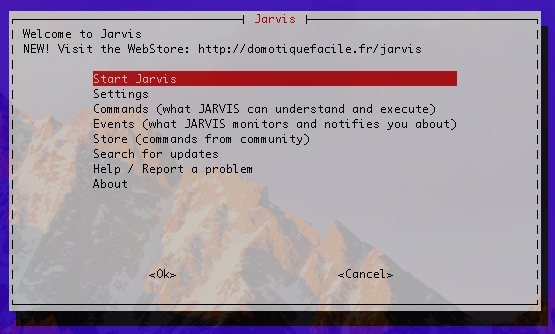

$> jarvis -h Main options are accessible through the application menu -b run in background (no menu, continues after terminal is closed) -c overrides conversation mode setting (true/false) -i install and setup wizard -h display this help -j output in JSON (for APIs) -k directly start in keyboard mode -l directly listen for one command (ex: launch from physical button) -m mute mode (overrides settings) -n directly start jarvis without menu -p install plugin, ex: jarvis -p https://github.com/alexylem/jarvis-time -q quit jarvis if running in background -r uninstall jarvis and its dependencies -s just say something and exit, ex: jarvis -s 'hello world' -u force update Jarvis and plugins (ex: use in cron) -v troubleshooting mode -w no colors in output -x execute order, ex: jarvis -x "switch on lights"http://openjarvis.com/content/support
