Oh My Zsh is an open source, community-driven framework for managing your zsh configuration.
Sounds boring. Let's try again.
Oh My Zsh will not make you a 10x developer...but you may feel like one.
Once installed, your terminal shell will become the talk of the town or your money back! With each keystroke in your command prompt, you'll take advantage of the hundreds of powerful plugins and beautiful themes. Strangers will come up to you in cafés and ask you, "that is amazing! are you some sort of genius?"
Finally, you'll begin to get the sort of attention that you have always felt you deserved. ...or maybe you'll use the time that you're saving to start flossing more often. 😬
- A Unix-like operating system: macOS, Linux, BSD. On Windows: WSL2 is preferred, but cygwin or msys also mostly work.
- Zsh should be installed (v4.3.9 or more recent is fine but we prefer 5.0.8 and newer). If not pre-installed (run
zsh --versionto confirm), check the following wiki instructions here: Installing ZSH curlorwgetshould be installedgitshould be installed (recommended v2.4.11 or higher)
It's a good idea to inspect the install script from projects you don't yet know. You can see the install script at the following URL:
https://raw.githubusercontent.com/ohmyzsh/ohmyzsh/master/tools/install.shOh My Zsh comes with a shitload of plugins for you to take advantage of.
Click here to see all Plugins
- 1password
- adb
- ag
- aliases
- alias-finder
- ansible
- ant
- apache2-macports
- arcanist
- archlinux
- asdf
- autoenv
- autojump
- autopep8
- aws
- battery
- bazel
- bbedit
- bedtools
- bgnotify
- boot2docker
- bower
- branch
- brew
- bundler
- cabal
- cake
- cakephp3
- capistrano
- cask
- catimg
- celery
- chruby
- chucknorris
- cloudfoundry
- codeclimate
- coffee
- colemak
- colored-man-pages
- colorize
- command-not-found
- common-aliases
- compleat
- composer
- copybuffer
- copydir
- copyfile
- cp
- cpanm
- dash
- debian
- deno
- dircycle
- direnv
- dirhistory
- dirpersist
- dnf
- dnote
- docker
- docker-compose
- docker-machine
- doctl
- dotenv
- dotnet
- droplr
- drush
- eecms
- emacs
- ember-cli
- emoji
- emoji-clock
- emotty
- encode64
- extract
- fabric
- fancy-ctrl-z
- fasd
- fastfile
- fbterm
- fd
- fig
- firewalld
- flutter
- fnm
- forklift
- fossil
- frontend-search
- fzf
- gas
- gatsby
- gb
- gcloud
- geeknote
- gem
- genpass
- gh
- git
- git-auto-fetch
- git-escape-magic
- git-extras
- gitfast
- git-flow
- git-flow-avh
- github
- git-hubflow
- gitignore
- git-lfs
- git-prompt
- glassfish
- globalias
- gnu-utils
- golang
- gpg-agent
- gradle
- grails
- grc
- grunt
- gulp
- hanami
- helm
- heroku
- history
- history-substring-search
- hitchhiker
- hitokoto
- homestead
- httpie
- invoke
- ionic
- ipfs
- isodate
- istioctl
- iterm2
- jake-node
- jenv
- jfrog
- jhbuild
- jira
- jruby
- jsontools
- juju
- jump
- kate
- keychain
- kitchen
- kn
- knife
- knife_ssh
- kops
- kubectl
- kubectx
- kube-ps1
- lando
- laravel
- laravel4
- laravel5
- last-working-dir
- lein
- lighthouse
- lol
- lpass
- lxd
- macos
- macports
- magic-enter
- man
- marked2
- mercurial
- meteor
- microk8s
- minikube
- mix
- mix-fast
- mongocli
- mosh
- mvn
- mysql-macports
- n98-magerun
- nanoc
- ng
- nmap
- node
- nomad
- npm
- nvm
- oc
- octozen
- operator-sdk
- otp
- pass
- paver
- pep8
- percol
- per-directory-history
- perl
- perms
- phing
- pip
- pipenv
- pj
- please
- pm2
- pod
- poetry
- postgres
- pow
- powder
- powify
- profiles
- pyenv
- pylint
- python
- rails
- rake
- rake-fast
- rand-quote
- rbenv
- rbfu
- rbw
- react-native
- rebar
- redis-cli
- repo
- ripgrep
- ros
- rsync
- ruby
- rust
- rvm
- safe-paste
- salt
- samtools
- sbt
- scala
- scd
- screen
- scw
- sdk
- sfdx
- sfffe
- shell-proxy
- shrink-path
- singlechar
- spring
- sprunge
- ssh-agent
- stack
- sublime
- sublime-merge
- sudo
- supervisor
- suse
- svcat
- svn
- svn-fast-info
- swiftpm
- symfony
- symfony2
- systemadmin
- systemd
- taskwarrior
- terminitor
- term_tab
- terraform
- textastic
- textmate
- thefuck
- themes
- thor
- tig
- timer
- tmux
- tmux-cssh
- tmuxinator
- torrent
- transfer
- tugboat
- ubuntu
- ufw
- universalarchive
- urltools
- vagrant
- vagrant-prompt
- vault
- vim-interaction
- vi-mode
- virtualenv
- virtualenvwrapper
- volta
- vscode
- vundle
- wakeonlan
- wd
- web-search
- wp-cli
- xcode
- yarn
- yii
- yii2
- yum
- z
- zbell
- zeus
- zoxide
- zsh-interactive-cd
- zsh-navigation-tools
- cargo: moved to the
rustplugin. - npx: new npm versions (>=7.0.0) do not provide the same functionality.
- osx: renamed to
macos. - rustup: moved to the
rustplugin.
- cloudapp: removed due to deprecated API.
- django: removed because Zsh provides a better completion for Django.
- fedora: use
dnfinstead. - git-remote-branch: not actively maintained.
- go: use
golanginstead. - nyan: the service that the plugin relied on is no longer available.
- zsh_reload: functionality baked into the CLI with
omz reload.
To see the plugins in the git repo, see https://github.com/ohmyzsh/ohmyzsh/tree/master/plugins
Go to the configurations tab, go to the Plugins configuration, and select the plugins you want to install.
Popular plugins include: git, macos, ruby etc
Each plugin includes a README, documenting it. This README should show the aliases (if the plugin adds any) and extra goodies that are included in that particular plugin.
We'll admit it. Early in the Oh My Zsh world, we may have gotten a bit too theme happy. We have over one hundred and fifty themes now bundled.
Click here to see screenshots of all the themes
The default that Robby Russell uses.
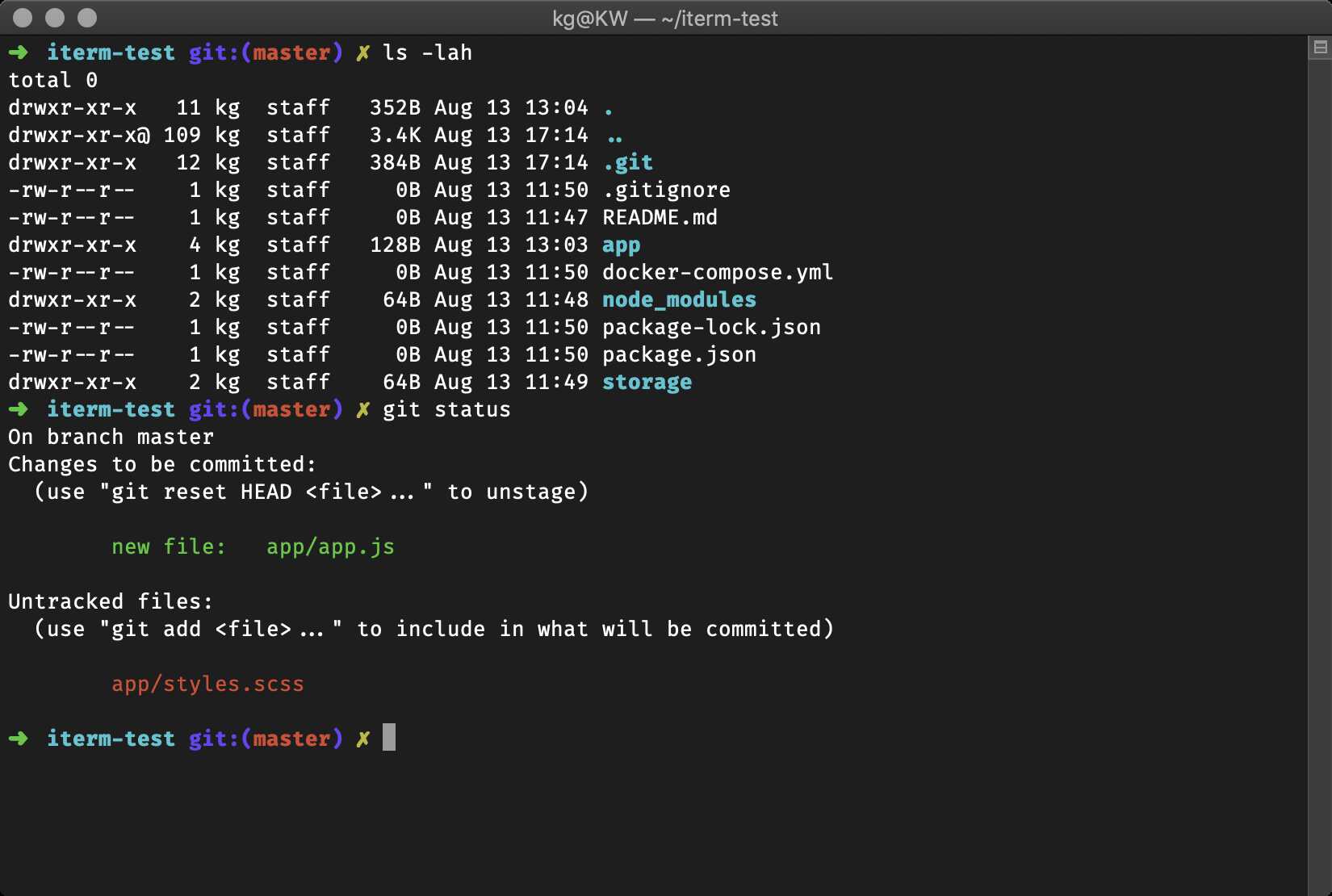
The rest of the themes, in alphabetical order:
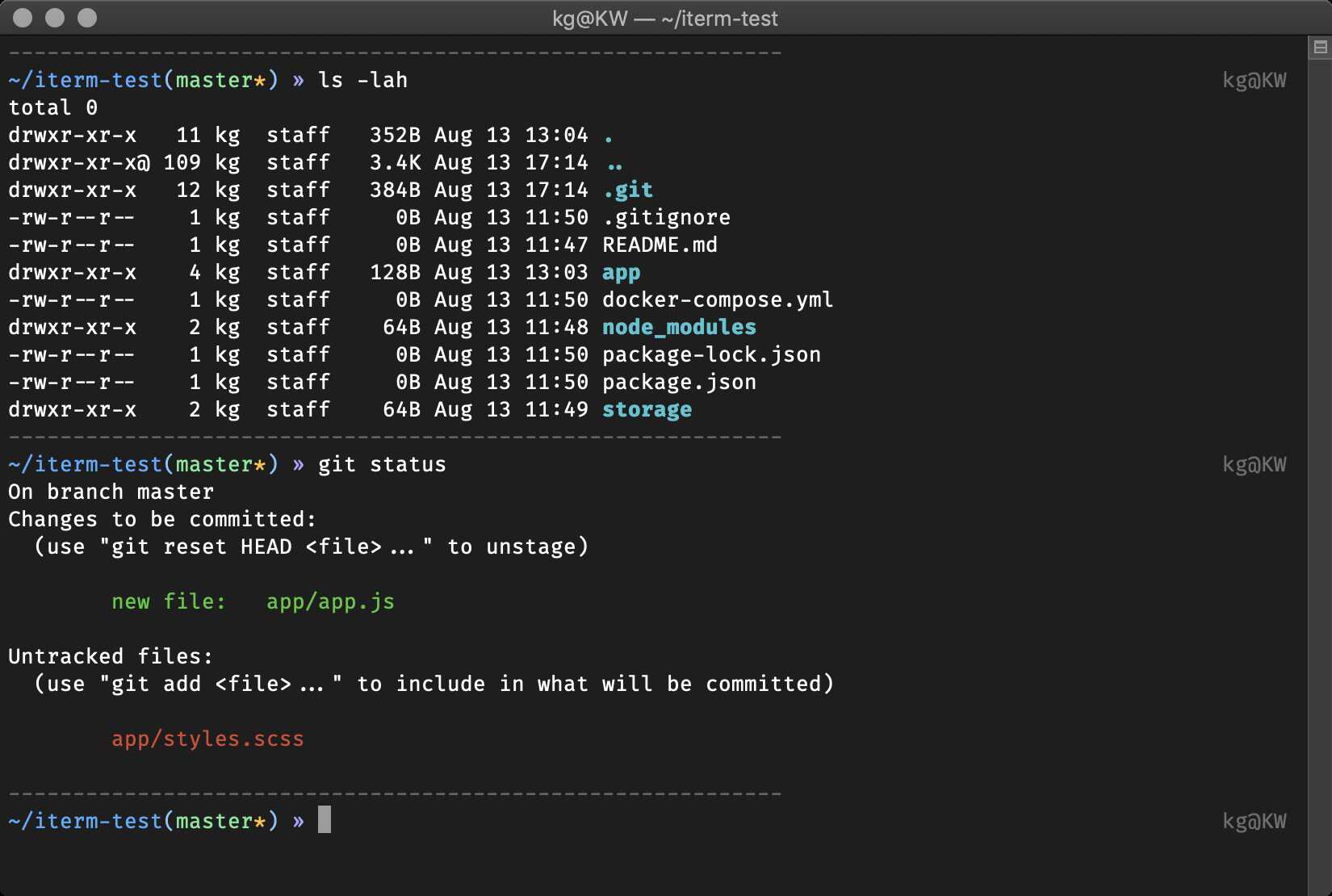

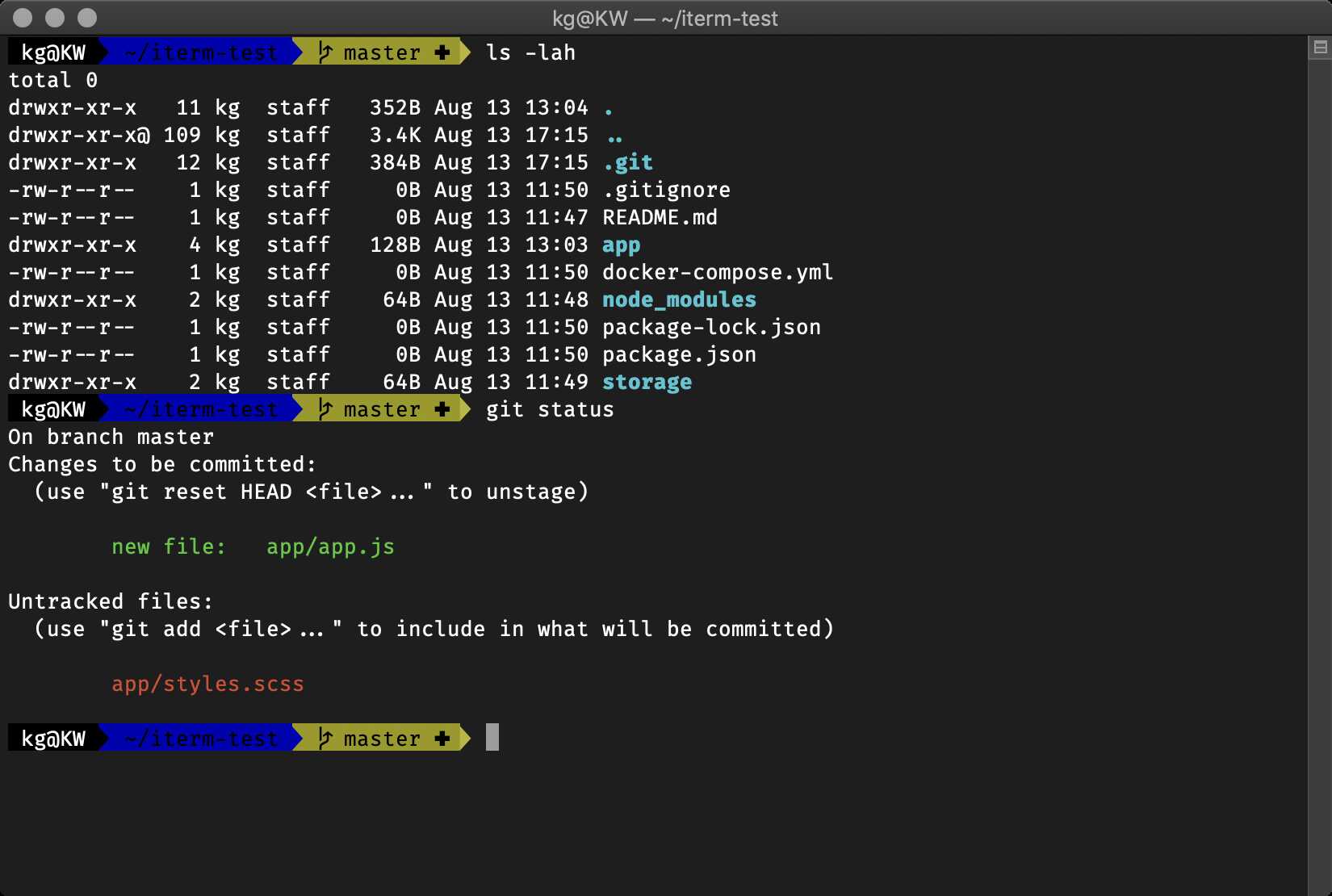
Additional setup:
- Install one of the patched fonts from Vim-Powerline or patch your own for the special characters.
- Optionally set
DEFAULT_USERto your regular username followed by prompt_context(){} in~/.zshrcto hide the “user@hostname” info when you’re logged in as yourself on your local machine.
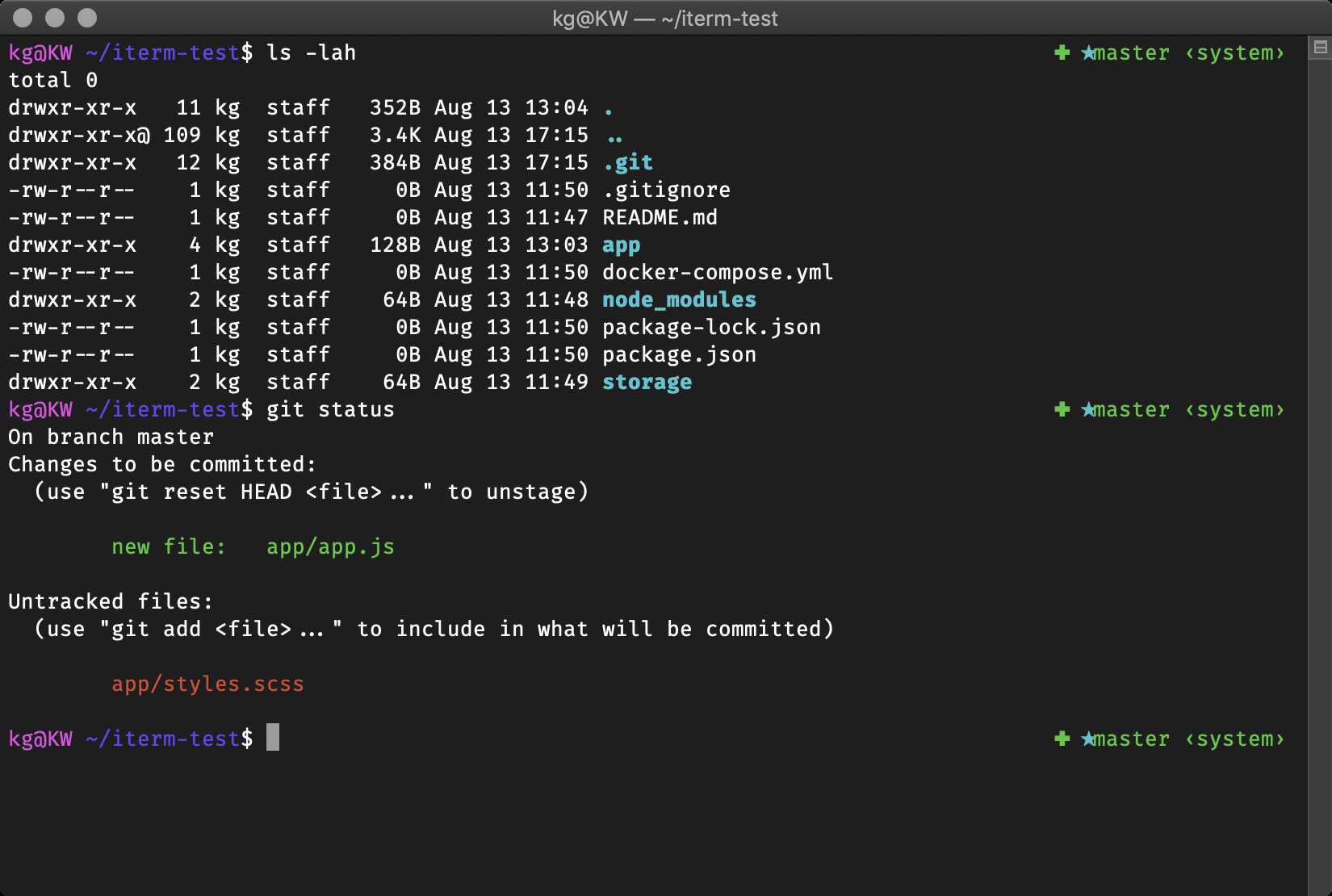

(You might need to install one of the patched powerline fonts for it to look the same)


To use: In the right prompt you see git status and (if you use nvm) the Node.js version.


The fish shell prompt with git support

Has git and vi-command mode support (when enabled)


It’s funky…


Totally ripped off Dallas theme


(As the name states, this only works on Linux)


Also tells you when logged in over ssh

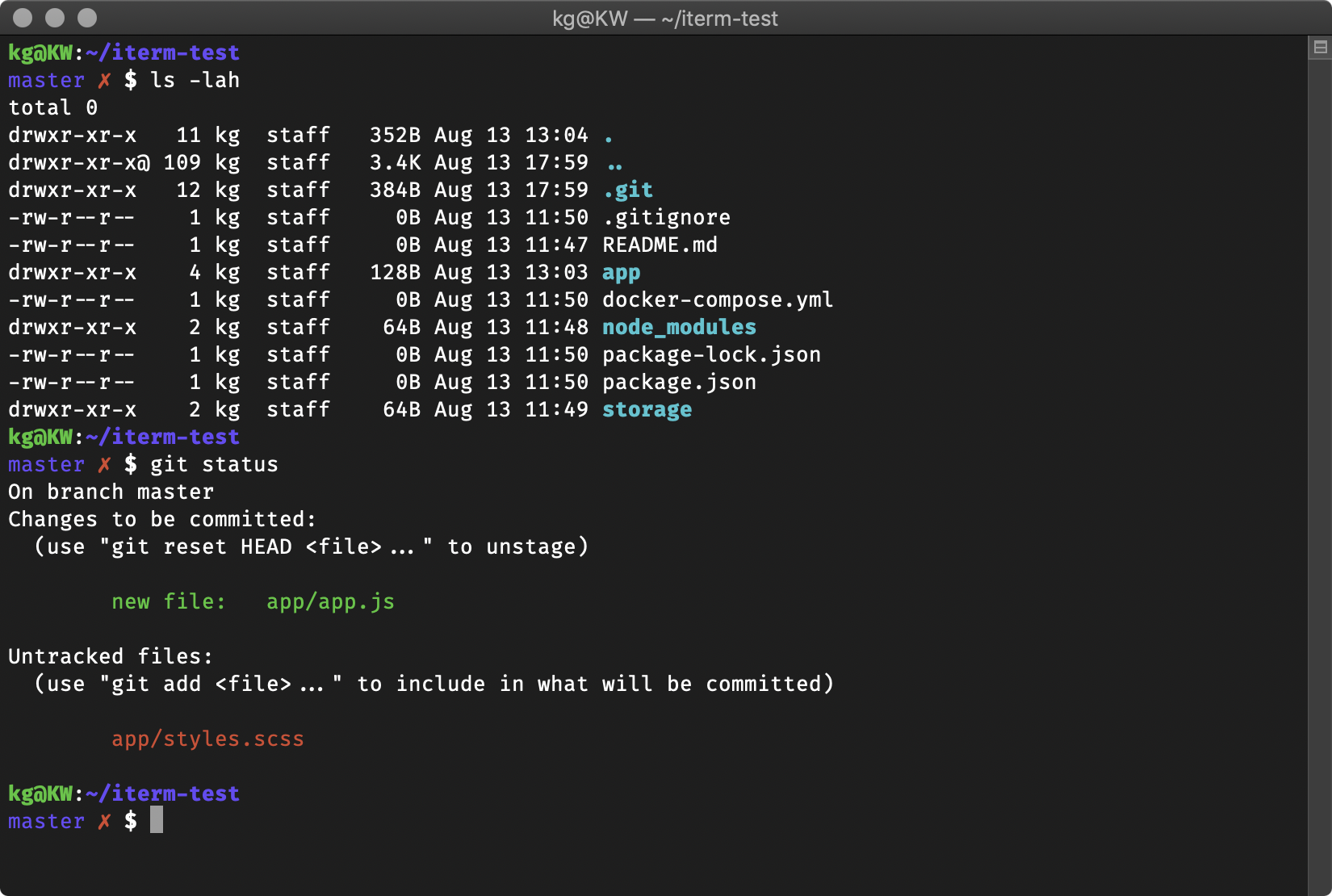


Exit status if nonzero, status & branch if git, pwd always.

Lightweight prompt with exit status and git status consistent mode line.

Git status, git branch, and ruby, all in a no muss, no fuss prompt! Works with RVM, chruby, and rbenv (just activate the corresponding plugin).

Username, host, directory, git branch and rvm gemset


There is a party every day.

Minimal, informative when it needs to be.

Based on dst, plus a lightning bolt and return codes.


Instructions to further customize the theme are available as comments in the theme file.


Clean, simple, compatible and meaningful.Tested on Linux, Unix and Windows under ANSI colors. It is recommended to use with a dark background.

You can find more themes here.

Once you find a theme that you'd like to use go to the configurations tab, go to the Theme configuration, and select the theme you'd like.
The default theme is robbyrussell. It's not the fanciest one. It's not the simplest one. It's just the right one (for him).
If you're feeling feisty, you can let the computer select one randomly for you each time you open a new terminal window.
- Set the Theme configuration to random
- [Optional] If you want random to only select from a list of your favorite themes, choose those themes in your Random Theme Candidates configuration variable
- [Optional] If you want random to ignore from a list of themes, choose those themes in your Ignored Random Theme Candidates configuration variable
- Several themes require installing the Powerline Fonts in order to render properly._
- In case you did not find a suitable theme for your needs, please have a look at the wiki for more of them.
If you have some more questions or issues, you might find a solution in our FAQ.
If you're the type that likes to get their hands dirty, these sections might resonate.
Some users may want to manually install Oh My Zsh, or change the default path or other settings that the installer accepts (these settings are also documented at the top of the install script).
The default location is ~/.oh-my-zsh (hidden in your home directory, you can access it with cd ~/.oh-my-zsh)
If you'd like to change the install directory with the ZSH environment variable, either by running export ZSH=/your/path before installing, or by setting it before the end of the install pipeline like this:
ZSH="$HOME/.dotfiles/oh-my-zsh" sh install.shIf you want to override any of the default behaviors, just add a new file (ending in .zsh) in the custom/ directory.
If you have many functions that go well together, you can put them as a XYZ.plugin.zsh file in the custom/plugins/ directory and then enable this plugin.
If you would like to override the functionality of a plugin distributed with Oh My Zsh, create a plugin of the same name in the custom/plugins/ directory and it will be loaded instead of the one in plugins/.
By default, you will be prompted to check for updates every 2 weeks. You can choose other update modes by adding a line to your ~/.zshrc file, before Oh My Zsh is loaded:
-
Automatic update without confirmation prompt:
zstyle ':omz:update' mode auto -
Just offer a reminder every few days, if there are updates available:
zstyle ':omz:update' mode reminder -
To disable automatic updates entirely:
zstyle ':omz:update' mode disabled
NOTE: you can control how often Oh My Zsh checks for updates with the following setting:
# This will check for updates every 7 days zstyle ':omz:update' frequency 7 # This will check for updates every time you open the terminal (not recommended) zstyle ':omz:update' frequency 0If you'd like to update at any point in time (maybe someone just released a new plugin and you don't want to wait a week?) you just need to run:
omz updateMagic! 🎉
Before you participate in our delightful community, please read the code of conduct.
I'm far from being a Zsh expert and suspect there are many ways to improve – if you have ideas on how to make the configuration easier to maintain (and faster), don't hesitate to fork and send pull requests!
We also need people to test out pull-requests. So take a look through the open issues and help where you can.
See Contributing for more details.
We have (more than) enough themes for the time being. Please add your theme to the external themes wiki page.
Oh My Zsh has a vibrant community of happy users and delightful contributors. Without all the time and help from our contributors, it wouldn't be so awesome.
Thank you so much!
We're on social media:
- @ohmyzsh on Twitter. You should follow it.
- Facebook poke us.
- Instagram tag us in your post showing Oh My Zsh!
- Discord to chat with us!
We have stickers, shirts, and coffee mugs available for you to show off your love of Oh My Zsh. Again, you will become the talk of the town!
Oh My Zsh is released under the MIT license.

Oh My Zsh was started by the team at Planet Argon, a Ruby on Rails development agency. Check out our other open source projects.