
Payment Forms
React Bootstrap 5 Payment Forms
Responsive React Payment Forms built with the latest Bootstrap 5. Credit card, PayPal, Stripe, eCommerce checkout, multi-step payment, donation form & more examples.
Basic example
Multi-step checkout template with discount details, order details, tax information and credit card form with switchable option.
Eligible
Pay$85.00
Diabites Pump & Supplies
Insurance Responsibility
$71.76
Insurance claim and all neccessary dependencies will be submitted to your insurer for the covered portion of this order.
Patient Balance
$13.24
Insurance claim and all neccessary dependencies will be submitted to your insurer for the covered portion of this order.
Coinsurance and copay $40.00
on insurance policy $40.00
import React from "react"; import { MDBContainer, MDBCol, MDBRow, MDBBtnGroup, MDBBtn, } from "mdb-react-ui-kit"; export default function App() { return ( <MDBContainer className="py-5"> <div className="d-flex justify-content-between align-items-center mb-5"> <div className="d-flex flex-row align-items-center"> <h4 className="text-uppercase mt-1">Eligible</h4> <span className="ms-2 me-3">Pay</span> </div> <a href="#!">Cancel and return to the website</a> </div> <MDBRow> <MDBCol md="7" lg="7" xl="6" className="mb-4 mb-md-0"> <h5 className="mb-0 text-success">$85.00</h5> <h5 className="mb-3">Diabites Pump & Supplies</h5> <div> <div className="d-flex justify-content-between"> <div className="d-flex flex-row mt-1"> <h6>Insurance Responsibility</h6> <h6 className="fw-bold text-success ms-1">$71.76</h6> </div> <div className="d-flex flex-row align-items-center text-primary"> <span className="ms-1">Add Insurer card</span> </div> </div> <p> Insurance claim and all neccessary dependencies will be submitted to your insurer for the covered portion of this order. </p> <div className="p-2 d-flex justify-content-between align-items-center" style={{ backgroundColor: "#eee" }} > <span>Aetna - Open Access</span> <span>Aetna - OAP</span> </div> <hr /> <div className="d-flex justify-content-between align-items-center"> <div className="d-flex flex-row mt-1"> <h6>Patient Balance</h6> <h6 className="fw-bold text-success ms-1">$13.24</h6> </div> <div className="d-flex flex-row align-items-center text-primary"> <span className="ms-1">Add Payment card</span> </div> </div> <p> Insurance claim and all neccessary dependencies will be submitted to your insurer for the covered portion of this order. </p> <div class="d-flex flex-column mb-3"> <MDBBtnGroup vertical aria-label="Vertical button group"> <input type="radio" className="btn-check" name="options" id="option1" autocomplete="off" /> <label className="btn btn-outline-primary btn-lg" for="option1"> <div className="d-flex justify-content-between"> <span>VISA </span> <span>**** 5436</span> </div> </label> <input type="radio" className="btn-check" name="options" id="option2" autocomplete="off" checked /> <label className="btn btn-outline-primary btn-lg" for="option2"> <div className="d-flex justify-content-between"> <span>MASTER CARD </span> <span>**** 5038</span> </div> </label> </MDBBtnGroup> </div> <MDBBtn color="success" size="lg" block> Proceed to payment </MDBBtn> </div> </MDBCol> <MDBCol md="5" lg="4" xl="4" offsetLg="1" offsetXl="2"> <div className="p-3" style={{ backgroundColor: "#eee" }}> <span className="fw-bold">Order Recap</span> <div className="d-flex justify-content-between mt-2"> <span>contracted Price</span> <span>$186.86</span> </div> <div className="d-flex justify-content-between mt-2"> <span>Amount Deductible</span> <span>$0.0</span> </div> <div className="d-flex justify-content-between mt-2"> <span>Coinsurance(0%)</span> <span>+ $0.0</span> </div> <div className="d-flex justify-content-between mt-2"> <span>Copayment </span> <span>+ 40.00</span> </div> <hr /> <div className="d-flex justify-content-between mt-2"> <span className="lh-sm"> Total Deductible, <br /> Coinsurance and copay </span> <span>$40.00</span> </div> <div className="d-flex justify-content-between mt-2"> <span className="lh-sm"> Maximum out-of-pocket <br /> on insurance policy </span> <span>$40.00</span> </div> <hr /> <div className="d-flex justify-content-between mt-2"> <span>Insurance Responsibility </span> <span>$71.76</span> </div> <div className="d-flex justify-content-between mt-2"> <span>Patient Balance </span> <span>$13.24</span> </div> <hr /> <div className="d-flex justify-content-between mt-2"> <span>Total </span> <span class="text-success">$85.00</span> </div> </div> </MDBCol> </MDBRow> </MDBContainer> ); } Ecommerce checkout page
A variation of a checkout page template - using radio buttons for debit card choice, and highlighting crucial payment information with different typography and icons.
ELIGIBLE |
Pay$85.00
Diabetes Pump & Supplies
Insurance Responsibility $71.76
Add insurance card
Insurance claims and all necessary dependencies will be submitted to your insurer for the coverred portion of this order
Patient Balance $13.24
Add payment card
This is an estimate for the portion of your order (not covered by insurance) due today . once insurance finalizes their review refunds and/or balances will reconcile automatically.
Order Recap
import React from "react"; import { MDBBtn, MDBCard, MDBCardBody, MDBCol, MDBContainer, MDBIcon, MDBRadio, MDBRow, } from "mdb-react-ui-kit"; export default function App() { return ( <MDBContainer fluid className="p-5" style={{ backgroundColor: "#eee" }}> <MDBCard> <MDBCardBody> <MDBRow className="d-flex justify-content-center pb-5"> <MDBCol md="7" xl="5" className="mb-4 mb-md-0"> <div className="py-4 d-flex flex-row"> <h5> <span className="far fa-check-square pe-2"></span> <b>ELIGIBLE</b> | </h5> <span className="ps-2">Pay</span> </div> <h4 className="text-success">$85.00</h4> <h4>Diabetes Pump & Supplies</h4> <div className="d-flex pt-2"> <div> <p> <b> Insurance Responsibility{" "} <span className="text-success">$71.76</span> </b> </p> </div> <div className="ms-auto"> <p className="text-primary"> <MDBIcon fas icon="plus-circle" className="text-primary pe-1" /> Add insurance card </p> </div> </div> <p> Insurance claims and all necessary dependencies will be submitted to your insurer for the coverred portion of this order </p> <div className="rounded d-flex" style={{ backgroundColor: "#f8f9fa" }} > <div className="p-2">Aetna-Open Access</div> <div className="ms-auto p-2">OAP</div> </div> <hr /> <div className="pt-2"> <div className="d-flex pb-2"> <div> <p> <b> Patient Balance{" "} <span className="text-success">$13.24</span> </b> </p> </div> <div className="ms-auto"> <p className="text-primary"> <MDBIcon fas icon="plus-circle" className="text-primary pe-1" /> Add payment card </p> </div> </div> <p> This is an estimate for the portion of your order (not covered by insurance) due today . once insurance finalizes their review refunds and/or balances will reconcile automatically. </p> <div className="d-flex flex-row pb-3"> <div className="d-flex align-items-center pe-2"> <MDBRadio name="radioNoLabel" id="radioNoLabel1" checked /> </div> <div className="rounded border d-flex w-100 p-3 align-items-center"> <p className="mb-0"> <MDBIcon fab icon="cc-visa" size="lg" className="text-primary pe-2" />{" "} Visa Debit Card </p> <div className="ms-auto">************3456</div> </div> </div> <div className="d-flex flex-row pb-3"> <div className="d-flex align-items-center pe-2"> <MDBRadio name="radioNoLabel" id="radioNoLabel1" checked /> </div> <div className="rounded border d-flex w-100 p-3 align-items-center"> <p className="mb-0"> <MDBIcon fab icon="cc-mastercard" size="lg" className="text-dark pe-2" />{" "} Mastercard Office </p> <div className="ms-auto">************1038</div> </div> </div> <MDBBtn block size="lg"> Proceed to payment </MDBBtn> </div> </MDBCol> <MDBCol md="5" xl="4" offsetXl="1"> {" "} <div className="py-4 d-flex justify-content-end"> <h6> <a href="#!">Cancel and return to website</a> </h6> </div> <div className="rounded d-flex flex-column p-2" style={{ backgroundColor: "#f8f9fa" }} > <div className="p-2 me-3"> <h4>Order Recap</h4> </div> <div className="p-2 d-flex"> <MDBCol size="8">Contracted Price</MDBCol> <div className="ms-auto">$186.76</div> </div> <div className="p-2 d-flex"> <MDBCol size="8">Amount toward deductible</MDBCol> <div className="ms-auto">$0.00</div> </div> <div className="p-2 d-flex"> <MDBCol size="8">Coinsurance(0%)</MDBCol> <div className="ms-auto">+ $0.00</div> </div> <div className="p-2 d-flex"> <MDBCol size="8">Copayment</MDBCol> <div className="ms-auto">+ $40.00</div> </div> <div className="border-top px-2 mx-2"></div> <div className="p-2 d-flex pt-3"> <MDBCol size="8"> Total Deductible, Coinsurance, and Copay </MDBCol> <div className="ms-auto">$40.00</div> </div> <div className="p-2 d-flex"> <MDBCol size="8"> Maximum out-of-pocket on Insurance Policy (not reached) </MDBCol> <div className="ms-auto">$6500.00</div> </div> <div className="border-top px-2 mx-2"></div> <div className="p-2 d-flex pt-3"> <MDBCol size="8">Insurance Responsibility</MDBCol> <div className="ms-auto"> <b>$71.76</b> </div> </div> <div className="p-2 d-flex"> <MDBCol size="8"> Patient Balance{" "} <span className="fa fa-question-circle text-dark"></span> </MDBCol> <div className="ms-auto"> <b>$71.76</b> </div> </div> <div className="border-top px-2 mx-2"></div> <div className="p-2 d-flex pt-3"> <MDBCol size="8"> <b>Total</b> </MDBCol> <div className="ms-auto"> <b className="text-success">$85.00</b> </div> </div> </div> </MDBCol> </MDBRow> </MDBCardBody> </MDBCard> </MDBContainer> ); } Payment card / Donation form
A simple payment form with credit card number and basic dollar amount input for customized amounts of payments / donations.
import React from "react"; import { MDBBtn, MDBCard, MDBCardBody, MDBCol, MDBContainer, MDBIcon, MDBInput, MDBRadio, MDBRow, } from "mdb-react-ui-kit"; export default function App() { return ( <MDBContainer fluid className="py-5" style={{ backgroundColor: "#eee" }}> <MDBRow className="d-flex justify-content-center"> <MDBCol md="8" lg="6" xl="4"> <MDBCard className="rounded-3"> <MDBCardBody className="mx-1 my-2"> <div className="d-flex align-items-center"> <div> <MDBIcon fab icon="cc-visa" size="4x" className="text-black pe-3" /> </div> <div> <p className="d-flex flex-column mb-0"> <b>Martina Thomas</b> <span className="small text-muted">**** 8880</span> </p> </div> </div> <div className="pt-3"> <div className="d-flex flex-row pb-3"> <div className="rounded border border-primary border-2 d-flex w-100 p-3 align-items-center" style={{ backgroundColor: "rgba(18, 101, 241, 0.07)" }} > <div className="d-flex align-items-center pe-3"> <MDBRadio name="radioNoLabelX" id="radioNoLabel11" defaultChecked /> </div> <div className="d-flex flex-column"> <p className="mb-1 small text-primary"> Total amount due </p> <h6 className="mb-0 text-primary">$8245</h6> </div> </div> </div> </div> <div className="d-flex flex-row pb-3"> <div className="rounded border d-flex w-100 px-3 py-2 align-items-center"> <div className="d-flex align-items-center pe-3"> <MDBRadio name="radioNoLabelX" id="radioNoLabel11" /> </div> <div className="d-flex flex-column py-1"> <p className="mb-1 small text-primary">Other amount</p> <div className="d-flex flex-row align-items-center"> <h6 className="mb-0 text-primary pe-1">$</h6> <MDBInput id="typeNumber" type="number" size="sm" style={{ width: "55px" }} /> </div> </div> </div> </div> <div className="d-flex justify-content-between align-items-center pb-1"> <a href="#!" className="text-muted"> Go back </a> <MDBBtn size="lg">Pay amount</MDBBtn> </div> </MDBCardBody> </MDBCard> </MDBCol> </MDBRow> </MDBContainer> ); } Pricing plan with credit card payment details
Upgrade payment form with basic pricing plan card and a credit card form input.
Upgrade your plan
Please make the payment to start enjoying all the features of our premium plan as soon as possible

Payment details

ADD PAYMENT METHOD
import React from "react"; import { MDBBtn, MDBCard, MDBCardBody, MDBCol, MDBContainer, MDBIcon, MDBInput, MDBRow, } from "mdb-react-ui-kit"; export default function App() { return ( <MDBContainer fluid className="py-5" style={{ backgroundColor: "#eee" }}> <MDBRow className="d-flex justify-content-center"> <MDBCol md="12" lg="10" xl="8"> <MDBCard> <MDBCardBody className="p-md-5"> <div> <h4>Upgrade your plan</h4> <p className="text-muted pb-2"> Please make the payment to start enjoying all the features of our premium plan as soon as possible </p> </div> <div className="px-3 py-4 border border-primary border-2 rounded mt-4 d-flex justify-content-between"> <div className="d-flex flex-row align-items-center"> <img src="https://i.imgur.com/S17BrTx.webp" className="rounded" width="60" /> <div className="d-flex flex-column ms-4"> <span className="h5 mb-1">Small Business</span> <span className="small text-muted">CHANGE PLAN</span> </div> </div> <div className="d-flex flex-row align-items-center"> <sup className="dollar font-weight-bold text-muted">$</sup> <span className="h2 mx-1 mb-0">8,350</span> <span className="text-muted font-weight-bold mt-2"> / year </span> </div> </div> <h4 className="mt-5">Payment details</h4> <div className="mt-4 d-flex justify-content-between align-items-center"> <div className="d-flex flex-row align-items-center"> <img src="https://i.imgur.com/qHX7vY1.webp" className="rounded" width="70" /> <div className="d-flex flex-column ms-3"> <span className="h5 mb-1">Credit Card</span> <span className="small text-muted"> 1234 XXXX XXXX 2570 </span> </div> </div> <MDBInput label="CVC" id="form1" type="text" style={{ width: "70px" }} /> </div> <div className="mt-4 d-flex justify-content-between align-items-center"> <div className="d-flex flex-row align-items-center"> <img src="https://i.imgur.com/qHX7vY1.webp" className="rounded" width="70" /> <div className="d-flex flex-column ms-3"> <span className="h5 mb-1">Credit Card</span> <span className="small text-muted"> 2344 XXXX XXXX 8880 </span> </div> </div> <MDBInput label="CVC" id="form2" type="text" style={{ width: "70px" }} /> </div> <h6 className="mt-4 mb-3 text-primary text-uppercase"> ADD PAYMENT METHOD </h6> <MDBInput label="Email address" id="form3" size="lg" type="email" /> <MDBBtn block size="lg" className="mt-3"> {" "} Proceed to payment <MDBIcon fas icon="long-arrow-alt-right" /> </MDBBtn> </MDBCardBody> </MDBCard> </MDBCol> </MDBRow> </MDBContainer> ); } Credit card payment form
Simplistic card details payment step. This template is ideal if you have your shopping cart on a separate page.
import React from "react"; import { MDBBtn, MDBCard, MDBCardBody, MDBCol, MDBContainer, MDBIcon, MDBInput, MDBRow, } from "mdb-react-ui-kit"; export default function App() { return ( <MDBContainer fluid className="py-5 gradient-custom"> <MDBRow className="d-flex justify-content-center py-5"> <MDBCol md="7" lg="5" xl="4"> <MDBCard style={{ borderRadius: "15px" }}> <MDBCardBody className="p-4"> <MDBRow className="d-flex align-items-center"> <MDBCol size="9"> <MDBInput label="Card Number" id="form1" type="text" placeholder="1234 5678 9012 3457" /> </MDBCol> <MDBCol size="3"> <img src="https://img.icons8.com/color/48/000000/visa.png" alt="visa" width="64px" /> </MDBCol> <MDBCol size="9"> <MDBInput label="Cardholder's Name" id="form2" type="text" placeholder="Cardholder's Name" /> </MDBCol> <MDBCol size="6"> <MDBInput label="Expiration" id="form2" type="text" placeholder="MM/YYYY" /> </MDBCol> <MDBCol size="3"> <MDBInput label="CVV" id="form2" type="text" placeholder="●●●" /> </MDBCol> <MDBCol size="3"> <MDBBtn color="info" rounded size="lg"> <MDBIcon fas icon="arrow-right" /> </MDBBtn> </MDBCol> </MDBRow> </MDBCardBody> </MDBCard> </MDBCol> </MDBRow> </MDBContainer> ); } .gradient-custom { background: radial-gradient(50% 123.47% at 50% 50%, #00ff94 0%, #720059 100%), linear-gradient(121.28deg, #669600 0%, #ff0000 100%), linear-gradient(360deg, #0029ff 0%, #8fff00 100%), radial-gradient(100% 164.72% at 100% 100%, #6100ff 0%, #00ff57 100%), radial-gradient(100% 148.07% at 0% 0%, #fff500 0%, #51d500 100%); background-blend-mode: screen, color-dodge, overlay, difference, normal; } Credit card payment settings form template
Credit card configuration panel with an option to save your credit card numbers.
Settings
Payment
import React from "react"; import { MDBBtn, MDBCard, MDBCardBody, MDBCol, MDBContainer, MDBInput, MDBRow, } from "mdb-react-ui-kit"; export default function App() { return ( <MDBContainer className="py-5" fluid style={{ backgroundImage: "url(https://mdbcdn.b-cdn.net/img/Photos/Others/background3.webp)", }} > <MDBRow className=" d-flex justify-content-center"> <MDBCol md="10" lg="8" xl="5"> <MDBCard className="rounded-3"> <MDBCardBody className="p-4"> <div className="text-center mb-4"> <h3>Settings</h3> <h6>Payment</h6> </div> <p className="fw-bold mb-4 pb-2">Saved cards:</p> <div className="d-flex flex-row align-items-center mb-4 pb-1"> <img className="img-fluid" src="https://img.icons8.com/color/48/000000/mastercard-logo.png" /> <div className="flex-fill mx-3"> <div className="form-outline"> <MDBInput label="Card Number" id="form1" type="text" size="lg" value="**** **** **** 3193" /> </div> </div> <a href="#!">Remove card</a> </div> <div className="d-flex flex-row align-items-center mb-4 pb-1"> <img className="img-fluid" src="https://img.icons8.com/color/48/000000/visa.png" /> <div className="flex-fill mx-3"> <div className="form-outline"> <MDBInput label="Card Number" id="form2" type="text" size="lg" value="**** **** **** 4296" /> </div> </div> <a href="#!">Remove card</a> </div> <p className="fw-bold mb-4">Add new card:</p> <MDBInput label="Cardholder's Name" id="form3" type="text" size="lg" value="Anna Doe" /> <MDBRow className="my-4"> <MDBCol size="7"> <MDBInput label="Card Number" id="form4" type="text" size="lg" value="1234 5678 1234 5678" /> </MDBCol> <MDBCol size="3"> <MDBInput label="Expire" id="form5" type="password" size="lg" placeholder="MM/YYYY" /> </MDBCol> <MDBCol size="2"> <MDBInput label="CVV" id="form6" type="password" size="lg" placeholder="CVV" /> </MDBCol> </MDBRow> <MDBBtn color="success" size="lg" block> Add card </MDBBtn> </MDBCardBody> </MDBCard> </MDBCol> </MDBRow> </MDBContainer> ); } Payment form
Payment form as a product card, it's possible to integrate this form with an eCommerce gallery.
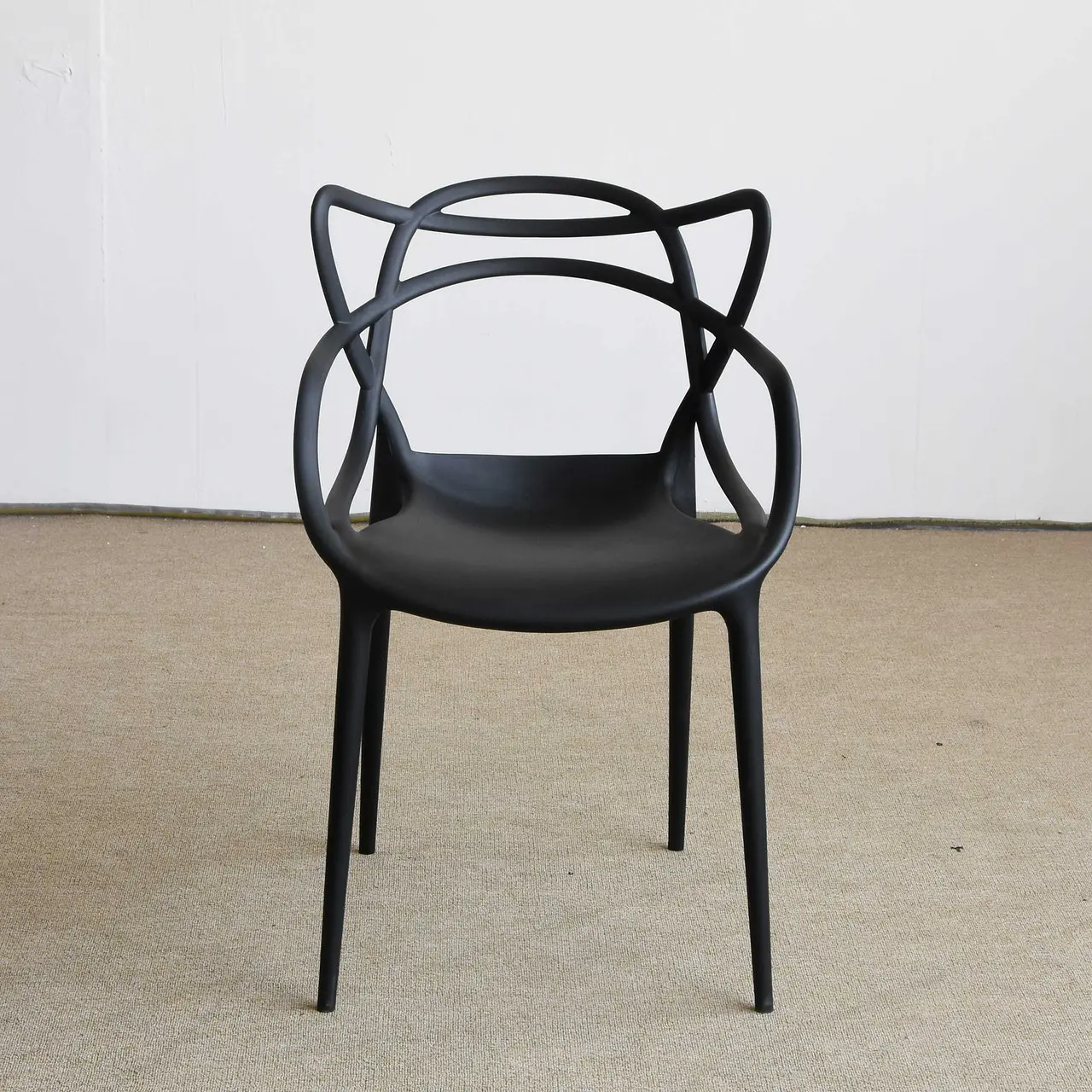
Retro Chair
$760
Your payment details
import React from "react"; import { MDBBtn, MDBCard, MDBCardBody, MDBCardImage, MDBCardTitle, MDBCol, MDBContainer, MDBInput, MDBRow, } from "mdb-react-ui-kit"; export default function App() { return ( <MDBContainer fluid className="py-5" style={{ backgroundColor: "#f9c9aa" }}> <MDBRow className="d-flex justify-content-center"> <MDBCol md="9" lg="7" xl="5"> <MDBCard> <MDBCardImage src="https://mdbcdn.b-cdn.net/img/Photos/new-templates/bootstrap-forms/img1.webp" position="top" alt="..." /> <MDBCardBody> <MDBCardTitle className="d-flex justify-content-between mb-0"> <p className="text-muted mb-0">Retro Chair</p> <p className="mb-0">$760</p> </MDBCardTitle> </MDBCardBody> <div className="rounded-bottom" style={{ backgroundColor: "#eee" }}> <MDBCardBody> {" "} <p className="mb-4">Your payment details</p> <MDBInput label="Card Number" id="form1" type="text" placeholder="1234 5678 1234 5678" wrapperClass="mb-3" /> <MDBRow className="mb-3"> <MDBCol size="6"> <MDBInput label="Expire" id="form2" type="password" placeholder="MM/YYYY" wrapperClass="mb-3" /> </MDBCol> <MDBCol size="6"> <MDBInput label="CVV" id="form4" type="password" placeholder="CVV" wrapperClass="mb-3" /> </MDBCol> </MDBRow> <MDBBtn block color="info"> Order now </MDBBtn> </MDBCardBody> </div> </MDBCard> </MDBCol> </MDBRow> </MDBContainer> ); }