Blueberry
Blueberry is an all-in-one Mac app that seamlessly integrates editing, terminal, and browsing for streamlined product.

About Blueberry
Blueberry is a cutting-edge macOS application designed for modern product builders who seek an integrated and efficient workspace for developing web applications. It combines a powerful code editor, terminal, and live preview browser into one seamless environment, eliminating the need to juggle multiple windows and applications. This AI-native platform empowers developers to ship applications that not only function well but also provide delightful user experiences. By connecting to models like Claude, Gemini, and Codex through the Blueberry MCP, users can access contextual insights from their entire project, including files, terminal outputs, and live previews, enhancing productivity and reducing the friction of context-switching. Blueberry is currently available for free during its beta phase, making it an attractive choice for developers looking to streamline their workflow and improve collaboration with AI.
Features of Blueberry
Integrated Workspace
Blueberry provides an all-in-one workspace that includes a terminal, code editor, and preview browser. This integration allows developers to work on their projects without the distraction of switching between different applications, promoting a focused and efficient workflow.
AI Contextual Awareness
With Blueberry's built-in MCP server, AI models like Claude and Codex gain full access to project context. This capability enables these models to understand the code, see live outputs, and interact with other tools, ensuring that developers receive relevant and timely assistance as they code.
Live Preview Across Devices
Blueberry allows users to preview their applications in real-time on various devices, including desktops, tablets, and mobile phones. This feature ensures that developers can see exactly how their users will experience the application, facilitating better design decisions and user testing.
Pinned Apps for Enhanced Collaboration
Users can keep essential applications such as GitHub, Figma, and Linear docked within the Blueberry workspace. These pinned apps load alongside projects and share live context with AI, making collaboration easier and more effective without leaving the development environment.
Use Cases of Blueberry
Streamlined Web Development
Developers can utilize Blueberry to streamline their web development workflow by accessing all necessary tools in one place. With integrated terminal commands, code editing, and live previews, teams can accelerate their development cycles and reduce time-to-market.
Enhanced AI Collaboration
By connecting AI models to the Blueberry environment, developers can leverage AI capabilities directly within their workflow. This enables real-time problem-solving, code suggestions, and overall enhanced productivity as the AI has access to the entire project context.
Efficient Bug Fixing
When bugs are identified, Blueberry allows developers to quickly switch between the code editor and live preview to see changes in real time. This instant feedback loop reduces the time spent troubleshooting and enhances the overall debugging process.
User Experience Testing
Blueberry's live preview feature enables developers to test user interactions across devices seamlessly. This capability ensures that the final product is user-friendly and meets design specifications without the hassle of switching between multiple testing platforms.
Frequently Asked Questions
What operating system does Blueberry support?
Blueberry is currently available exclusively for macOS, providing a tailored experience for Mac users engaged in web app development.
How does Blueberry's AI integration work?
Blueberry integrates with AI models like Claude and Codex through its MCP server, allowing these models to access project files, terminal outputs, and live previews for contextual assistance while coding.
Is Blueberry really free during its beta phase?
Yes, Blueberry is 100% free during its beta phase, allowing users to explore its features without any financial commitment while providing valuable feedback for future improvements.
Can I customize my workspace in Blueberry?
Yes, Blueberry allows users to customize their workspace by adding pinned apps and organizing their development environment to suit their workflow preferences, enhancing overall productivity and collaboration.
Explore more in this category:
Top Alternatives to Blueberry



qtrl.ai
qtrl.ai empowers QA teams to scale testing with AI agents while maintaining complete control and governance.


Whop Trends
Whop Trends identifies trending products daily, enabling you to capitalize on market insights and boost your income.

Lovalingo
Translate your React apps in 60 seconds with zero-flash, automated SEO, and unlimited languages for free.


Fallom
Fallom is an AI-native observability platform that enables real-time monitoring and optimization of LLM agents.
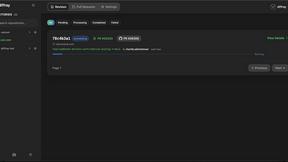

diffray
Diffray uses multi-agent AI to catch real bugs in code reviews, not just nitpicks.
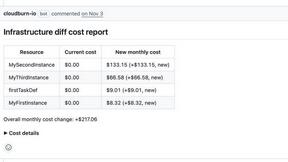

CloudBurn
CloudBurn shows AWS cost estimates in pull requests to prevent surprise bills.