Playwriter
Playwriter lets AI agents control your actual Chrome browser with logins and extensions intact.

About Playwriter
Playwriter is a revolutionary open-source tool that bridges the gap between AI agents and the real web. It solves the fundamental problem that most AI browser automation tools face: they operate in sterile, isolated environments. These "fresh" browser instances lack user logins, extensions, cookies, and session data, making them instantly detectable as bots and incapable of interacting with personalized web applications. Playwriter elegantly bypasses this by giving AI agents direct, programmable control over your actual, authenticated Chrome browser session. Through a simple Chrome extension and a local CLI, it exposes the full power of the Playwright automation API to any MCP-compatible client like Cursor, Claude Desktop, or VS Code. This means your AI assistant can browse, click, and interact with websites exactly as you do, with all your personalizations intact, while you watch and collaborate in real-time. It's designed for developers, power users, and AI enthusiasts who need reliable, context-aware, and collaborative web automation without the overhead of managing separate browser instances or dealing with constant anti-bot measures.
Features of Playwriter
Your Authenticated Browser Session
Playwriter's core innovation is leveraging your existing Chrome session. Instead of spawning a new, empty browser instance that consumes extra memory and lacks context, the extension attaches directly to your open tabs. This means the AI agent automatically has access to all your logged-in accounts, saved cookies, installed extensions (like password managers or ad blockers), and local storage. This eliminates bot detection triggers that occur with fresh profiles and allows automation to flow seamlessly through complex, authenticated workflows that are otherwise impossible for standard AI browsing tools.
Full Playwright API via a Single Tool
Unlike other MCP servers that expose a limited, predefined set of browser actions (like "click" or "type"), Playwriter provides agents with one powerful execute tool that can run any Playwright code. This grants the AI complete low-level control, including setting breakpoints, profiling performance, intercepting network requests, and using advanced selectors. This approach avoids "schema bloat" from dozens of individual tool definitions, drastically reducing context window usage and allowing for far more sophisticated and flexible automation scripts directly from your AI assistant.
Intelligent Accessibility Snapshots
Instead of relying on large, bandwidth-heavy screenshots (often 100KB+), Playwriter captures lightweight accessibility snapshots (5-20KB). These snapshots provide the AI agent with a structured, semantic view of the page, including roles, names, states, and hierarchical relationships of all elements. This is far more efficient and informative for an AI than pixel data, enabling it to reliably understand the page structure, choose the correct selectors (like aria-ref), and navigate complex UIs without constant visual recognition guesswork.
Built-in Debugger & Real-Time Collaboration
Playwriter transforms browser automation into a collaborative process. You can watch every action the AI performs in real-time within your own browser window. The suite includes a debugger with breakpoints and live code editing, allowing you to pause execution and inspect or modify the automation script on the fly. If the agent encounters a CAPTCHA, a consent modal, or simply gets stuck, you can manually intervene, solve the issue, and let the agent resume seamlessly. This human-in-the-loop model ensures complex tasks are completed reliably.
Use Cases of Playwriter
Automated Web Research & Data Extraction
Conduct in-depth, multi-step research across websites that require login credentials. An AI agent can use your authenticated sessions to log into academic journals, business intelligence platforms, or social media, navigate through pagination and filters, and extract structured data—all while you supervise and guide the process for complex decisions or unexpected roadblocks.
Automated Testing of User Journeys
Developers and QA engineers can use AI agents to automate complex, stateful user journey tests in their web applications. Since Playwriter uses the real browser with actual user data, it can test full flows like signing up, adding items to a cart, applying user-specific discounts, and checking out, ensuring the application behaves correctly for real user sessions and not just empty test environments.
AI-Assisted Daily Workflow Automation
Automate repetitive daily tasks that involve web applications, such as generating reports from an admin dashboard, posting scheduled content to CMS platforms, or reconciling data across SaaS tools. The AI handles the repetitive navigation and data entry within your logged-in accounts, freeing you to focus on higher-value work while maintaining full visibility and control.
Interactive AI Web Coaching & Tutoring
Use Playwriter as a teaching tool where an AI agent can demonstrate web-based tasks directly in your browser. For instance, it could guide you through a complex software setup in a cloud console, showing exactly where to click and what to input, with the ability to pause and let you take control at any step, creating an interactive, hands-on learning experience.
Frequently Asked Questions
How does Playwriter handle security and privacy?
Playwriter is designed with a strong privacy-first architecture. All communication happens via a WebSocket relay running exclusively on your local machine (localhost:19988). No browser data, screenshots, or automation commands are sent to any remote server. The extension only requires the debugger permission to attach to and control your tabs locally. Being open-source (MIT licensed) allows anyone to audit the code for complete transparency.
Can I use Playwriter with browsers other than Chrome?
Currently, Playwriter is built as a Chrome extension and leverages Chrome's DevTools Protocol (CDP) through the chrome.debugger API. This means it is specifically designed for Chrome and other Chromium-based browsers like Brave, Edge, or Vivaldi. Support for Firefox or Safari would require a different implementation and is not available at this time.
What happens if the AI gets stuck or encounters a CAPTCHA?
This is where Playwriter's collaborative model shines. You see everything happening in real-time in your browser. If a CAPTCHA appears or the agent seems lost, you can simply click the extension icon to detach it from that tab, solve the CAPTCHA or manually navigate past the obstacle yourself, then re-attach the extension. The agent can then continue its task from the new page state, creating a powerful human-AI teamwork dynamic.
Do I need to be a developer to install and use Playwriter?
The installation process is straightforward and requires basic comfort with the command line. You need to install the Chrome extension from the Web Store, install the Node.js-based CLI via npm, and add the MCP skill. However, to effectively direct the AI agent, some understanding of what you want to automate is necessary. You don't need to write Playwright code yourself; the AI generates it based on your instructions, but technical curiosity is beneficial.
Top Alternatives to Playwriter
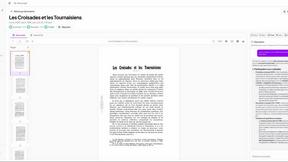

Patrivox
Patrivox leverages AI to digitize and organize your documents, making them fully searchable in minutes.


Stable Commerce
Launch your online store in under 2 minutes with AI that automates setup and optimization for effortless e-commerce.
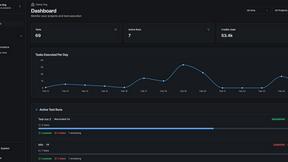

qtrl.ai
qtrl.ai empowers QA teams to scale testing with AI agents while maintaining complete control and governance.
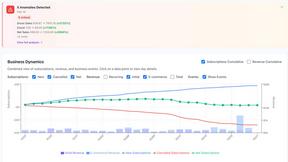

Finsi OS
Finsi OS transforms e-commerce by automating insights and actions to maximize customer lifetime value effortlessly.
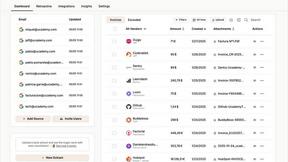

Tailride
Tailride automates invoice and receipt management from emails and portals, saving accountants hundreds of hours.


GTM Quest
GTM Quest empowers B2B SaaS companies to build scalable revenue engines with expert go-to-market strategies and.


Pipeline
Pipeline uncovers anonymous website traffic, turning visitors into leads without requiring form submissions.


Interhubz
Interhubz intelligently syncs Intercom chats to HubSpot as clean, single timeline entries.