The List<T> class in C# (in the System.Collections.Generic namespace) represents a strongly typed collection of objects that can be accessed by index and resized dynamically.
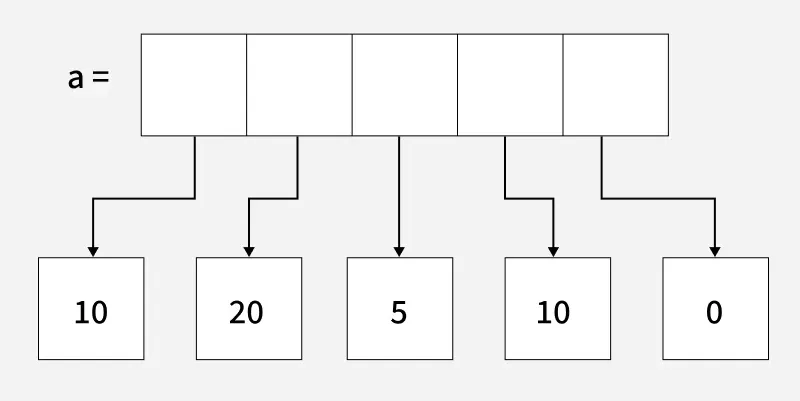 List Representation in C#
Example: Creating a list of integers
C# List<int> numbers = new List<int> { 5, 2, 9 }; Key Features of List<T> in C#
- Unlike arrays, List<T> can grow or shrink dynamically as elements are added or removed.
- Allows duplicate elements and accepts null values for reference types.
- Provides built-in methods to add, remove, search, sort and manipulate elements.
- Not sorted by default, elements are accessed using a zero-based index.
- Capacity grows automatically when needed by reallocating the internal array.
- Generic equivalent of ArrayList, implementing IList<T> for type safety.
Declaration of List
List<T> listName = new List<T>();
Example: Creating a list, adding elements to it and then displaying the elements using the for-each loop.
C# using System; using System.Collections.Generic; class Geeks { static void Main() { // Create a new list of integers List<int> l = new List<int>(); // Add elements to the list l.Add(10); l.Add(20); l.Add(30); l.Add(40); // Display the elements in the list Console.WriteLine("Elements in the list:"); foreach (int i in l){ Console.WriteLine(i); } } } OutputElements in the list: 10 20 30 40
Constructors
| Constructors | Description |
|---|
| List<T>() | Initializes an empty list with the default initial capacity. |
|---|
| List<T>(IEnumerable<T>) | Initializes a list with elements copied from the specified collection, with capacity set to fit them. |
|---|
| List<T>(Int32) | Initializes an empty list with the specified initial capacity. |
|---|
Example: This example demonstrates how to create an empty List and display its initial count.
C# using System; using System.Collections.Generic; class Geeks { public static void Main(String[] args){ // Creating a List of integers List<int> l = new List<int>(); // displaying the number of elements of List<T> Console.WriteLine(l.Count); } } Properties of List Class
The List class provides several properties to access its state.
| Properties | Description |
|---|
| Capacity | Gets or sets the total number of elements the internal data structure can hold without resizing. |
|---|
| Count | Gets the number of elements contained in the List<T>. |
|---|
| Item[Int32] | Gets or sets the element at the specified index. |
|---|
Example: This example, demonstrates the list capacity and count.
C# using System; using System.Collections.Generic; class Geeks { public static void Main(String[] args){ // Creating a List of integers List<int> l = new List<int>(); // Adding elements to the List one by one l.Add(1); l.Add(2); l.Add(3); l.Add(4); l.Add(5); l.Add(6); // Printing the Capacity and Count of l Console.WriteLine("Capacity: " + l.Capacity); Console.WriteLine("Count: " + l.Count); } } OutputCapacity: 8 Count: 6
Methods
| Method | Description |
|---|
| Add(T) | Adds an object to the end of the List<T>. |
| AddRange(IEnumerable<T>) | Adds elements of a collection to the end of the list. |
| AsReadOnly() | Returns a read-only wrapper for the list. |
| BinarySearch() | Searches for an element using binary search (list must be sorted). |
| Clear() | Removes all elements from the list. |
| Contains(T) | Determines whether an element is in the List<T>. |
| CopyTo() | Copies elements (or a range) to an array. |
| Exists(Predicate<T>) | Returns true if any element matches the condition. |
| Find(Predicate<T>) | Returns the first element matching a condition. |
| FindAll(Predicate<T>) | Returns all elements matching a condition. |
| FindIndex() | Returns the index of the first matching element. |
| FindLast(Predicate<T>) | Returns the last element matching a condition. |
| FindLastIndex() | Returns the index of the last matching element. |
| ForEach(Action<T>) | Performs the specified action on each element of the List<T>. |
| GetRange(int, int) | Creates a shallow copy of a range of elements in the source List<T>. |
| GetType() | Gets the Type of the current instance. |
| IndexOf() | Returns the index of the first occurrence of a value. |
| Insert(Int32, T) | Inserts an element into the List<T> at the specified index. |
| InsertRange(Int32,IEnumerable<>) | Inserts a collection at a specific index. |
| LastIndexOf() | Returns the index of the last occurrence of a value. |
| Remove(T) | Removes the first occurrence of a specific object from the List<T>. |
| RemoveAll(Predicate<T>) | Removes all the elements that match the conditions defined by the specified predicate. |
| RemoveAt(Int32) | Removes the element at the specified index of the List<T>. |
| RemoveRange(Int32, Int32) | Removes a range of elements from the List<T>. |
| Reverse() | Reverses the order of the elements in the List<T> or a portion of it. |
| Sort() | Sorts the elements or a portion of the elements in the List<T> using either the specified or default IComparer<T> implementation or a provided Comparison<T> delegate to compare list elements. |
| ToArray() | Copies the elements of the List<T> to a new array. |
| ToString() | Returns a string that represents the current object. |
| TrimExcess() | Sets the capacity to the actual number of elements in the List<T>, if that number is less than a threshold value. |
| TrueForAll(Predicate<T>) | Determines whether every element in the List<T> matches the conditions defined by the specified predicate. |
Example 1: This example demonstrates how to check if a specified element is present in the list using Contains().
C# using System; using System.Collections.Generic; class Geeks { public static void Main(String[] args) { // Creating an List<T> of Integers List<int> l = new List<int>(); // Adding elements to List l.Add(1); l.Add(2); l.Add(3); // Checking whether 2 is present in List or not Console.Write("Element 2 is presnt in the List?: " + l.Contains(2)); } } OutputElement 2 is presnt in the List?: True
Example 2: This example printing the list before and after removing elements at specified index.
C# using System; using System.Collections.Generic; class Geeks { public static void Main(String[] args) { // Creating a new List and adding elements to it List<int> l = new List<int>(); l.Add(17); l.Add(19); l.Add(21); l.Add(9); l.Add(75); l.Add(19); l.Add(73); // Printing the initial list Console.WriteLine("Initial List: " + string.Join(", ", l)); // Removing elements from the list l.RemoveAt(3); l.Remove(19); // Printing the updated list Console.WriteLine("Updated List: " + string.Join(", ", l)); } } OutputInitial List: 17, 19, 21, 9, 75, 19, 73 Updated List: 17, 21, 75, 19, 73
Explore
Introduction
Fundamentals
Control Statements
OOP Concepts
Methods
Arrays
ArrayList
String
Tuple
Indexers