Cloning Twitter With HBase Dr. Fabio Fumarola
A Twitter Clone • One of the most successful new Internet services of recent times is Twitter. • Since its launch it has exploded from niche usage to usage by the general populace, with celebrities such as Oprah Winfrey, Britney Spears, and Shaquille O'Neal, and politicians such as Barack Obama and Al Gore jumping into it. 2
Why Twitter? • Simple: it does not care what you share, as a long it is less than 140 characters • A means to have public conversation: Twitter allows a user to tweet and have users respond using '@' reply, comment, or re-tweet • Fan versus friend • Understanding user behavior • Easy to share through text messaging • Easy to access through multiple devices and applications 3
Twitter Stats • According to Compete (www.compete.com) 4
Main Features • Allow users to post status updates (known as 'tweets' in Twitter) to the public. • Allow users to follow and unfollow other users. Users can follow any other user but it is not reciprocal. • Allow users to send public messages directed to particular users using the @ replies convention (in Twitter this is known as mentions) 5
Main Features • Allow users to send direct messages to other users, messages are private to the sender and the recipient user only (direct messages are only to a single recipient). • Allow users to re-tweet or forward another user's status in their own status update. • Provide a public timeline where all statuses are publicly available for viewing. • Provide APIs to allow external applications access. 6
HBAse 7
Hbase: Features • Strictly consistent reads and writes. • Automatic and configurable sharding of tables • Automatic failover support between RegionServers. • Base classes for MapReduce jobs • Easy java API • Block cache and Bloom Filters for real-time queries. 8
Hbase: Features • Query predicate push down via server side Filters • Thrift gateway and a REST-ful Web service that supports XML, Protobuf, and binary data encoding options • Extensible jruby-based (JIRB) shell • Support for exporting metrics via the Hadoop metrics subsystem to files or Ganglia; or via JMX 9
Hbase: Installation • It can be run in 3 settings: – Single-node standalone – Pseudo-distributed single-machine – Fully-distributed cluster • We will see how to install HBase using Docker 10
Single Node 11
Single-node standalone • Source code at https://github.com/fabiofumarola/NoSQLDatabasesCourses • It uses the local file system not HDFS (not for production). • Download the tar distribution • Edit hbase-site.xml • Start HBase via start-hbase.sh • We can use jps to test if HBase is running 12
Hbase-site.xml The folders are created automatically by HBase <configuration> <property> <name>hbase.rootdir</name> <value>file:///hbase-data/hbase</value> </property> <property> <name>hbase.zookeeper.property.dataDir</name> <value>/hbase-data/zookeeper</value> </property> </configuration> 13
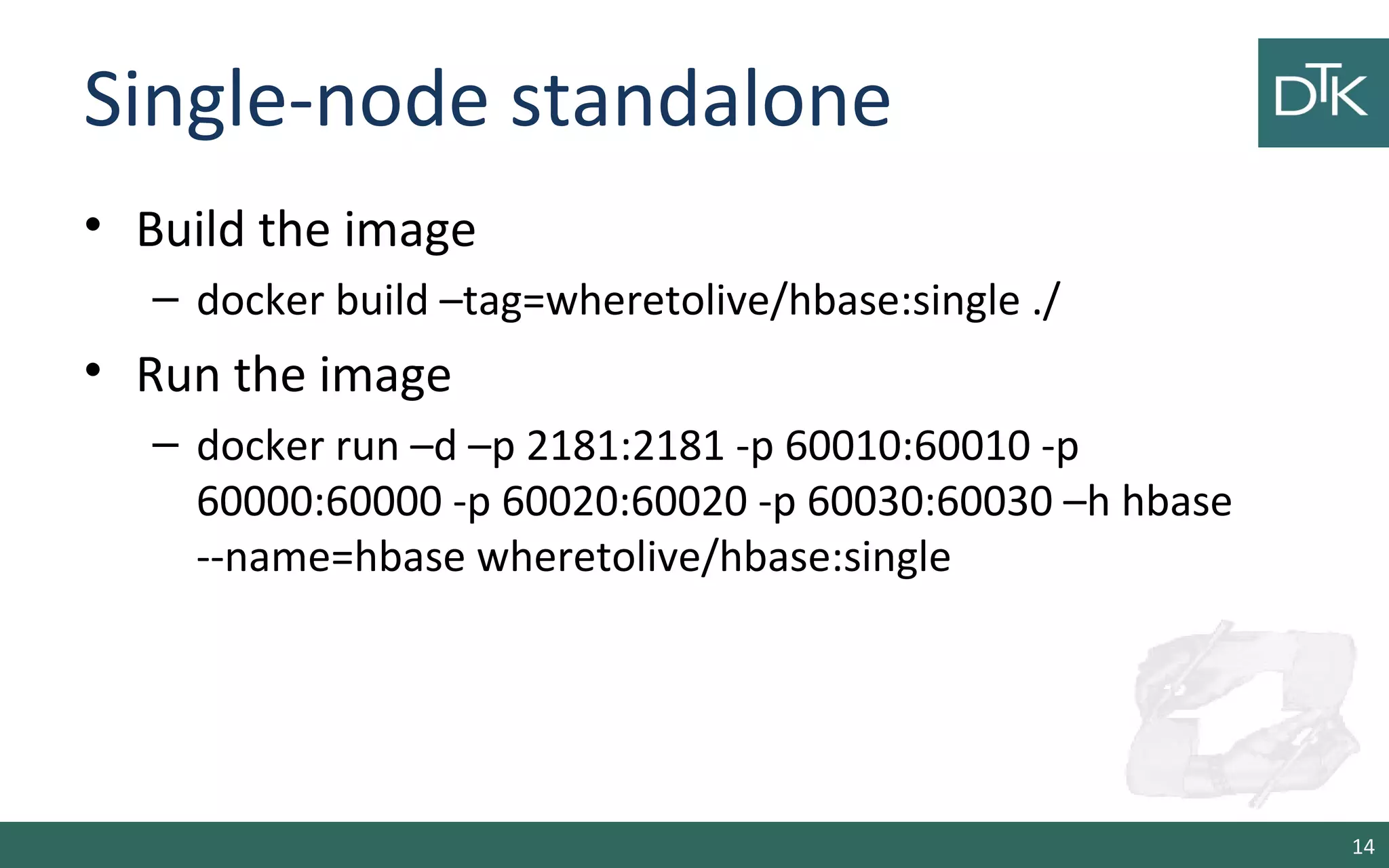
Single-node standalone • Build the image – docker build –tag=wheretolive/hbase:single ./ • Run the image – docker run –d –p 2181:2181 -p 60010:60010 -p 60000:60000 -p 60020:60020 -p 60030:60030 –h hbase --name=hbase wheretolive/hbase:single 14
Pseudo Distributed 15
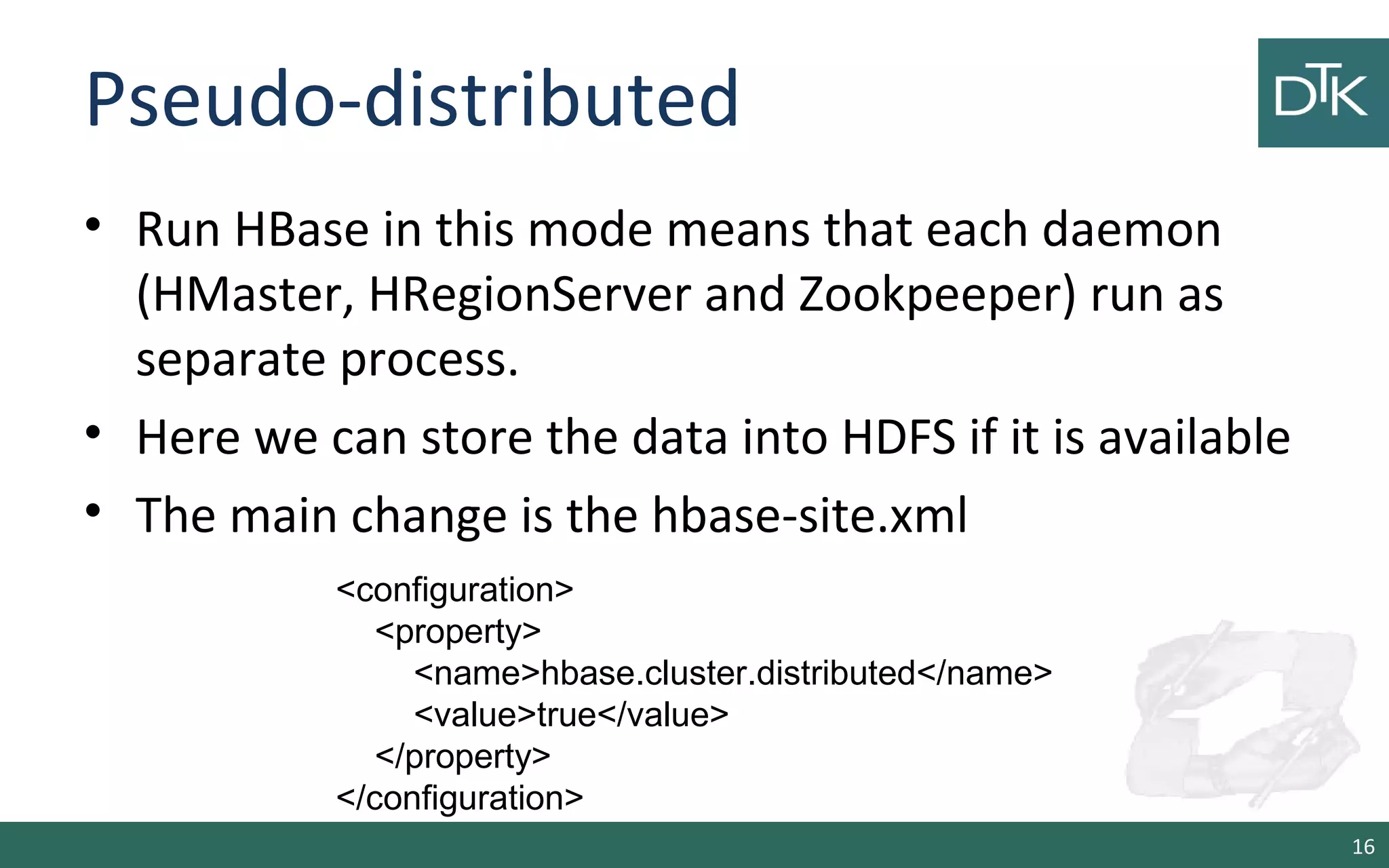
Pseudo-distributed • Run HBase in this mode means that each daemon (HMaster, HRegionServer and Zookpeeper) run as separate process. • Here we can store the data into HDFS if it is available • The main change is the hbase-site.xml 16 <configuration> <property> <name>hbase.cluster.distributed</name> <value>true</value> </property> </configuration>
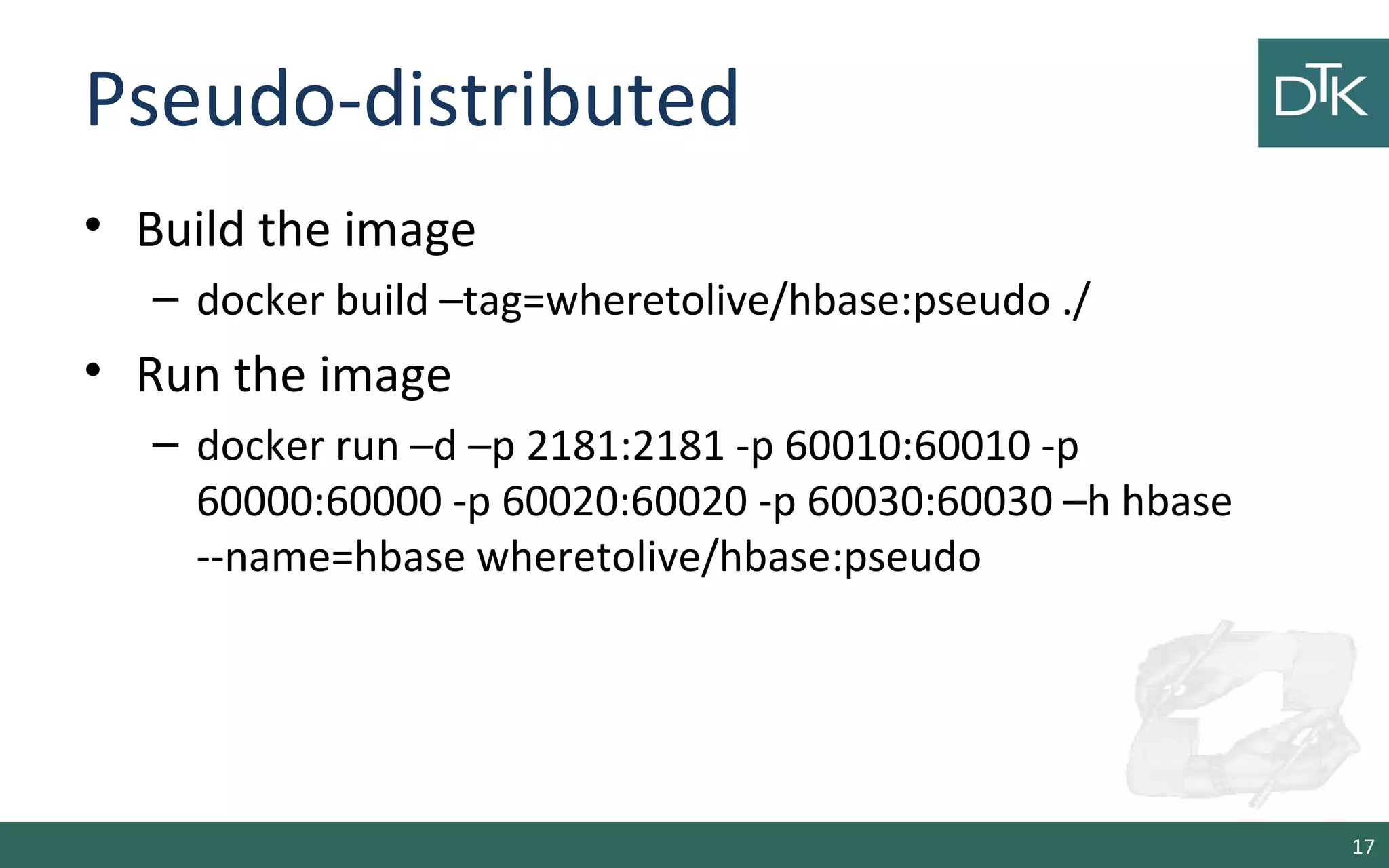
Pseudo-distributed • Build the image – docker build –tag=wheretolive/hbase:pseudo ./ • Run the image – docker run –d –p 2181:2181 -p 60010:60010 -p 60000:60000 -p 60020:60020 -p 60030:60030 –h hbase --name=hbase wheretolive/hbase:pseudo 17
Interacting with the Hbase Shell 18
HBase Shell • Start the shell • Create a table • List the tables 19 $ ./bin/hbase shell hbase(main):001:0> hbase(main):001:0> create 'test', 'cf' 0 row(s) in 0.4170 seconds => Hbase::Table - test hbase(main):002:0> list 'test' TABLE test 1 row(s) in 0.0180 seconds => ["test"]
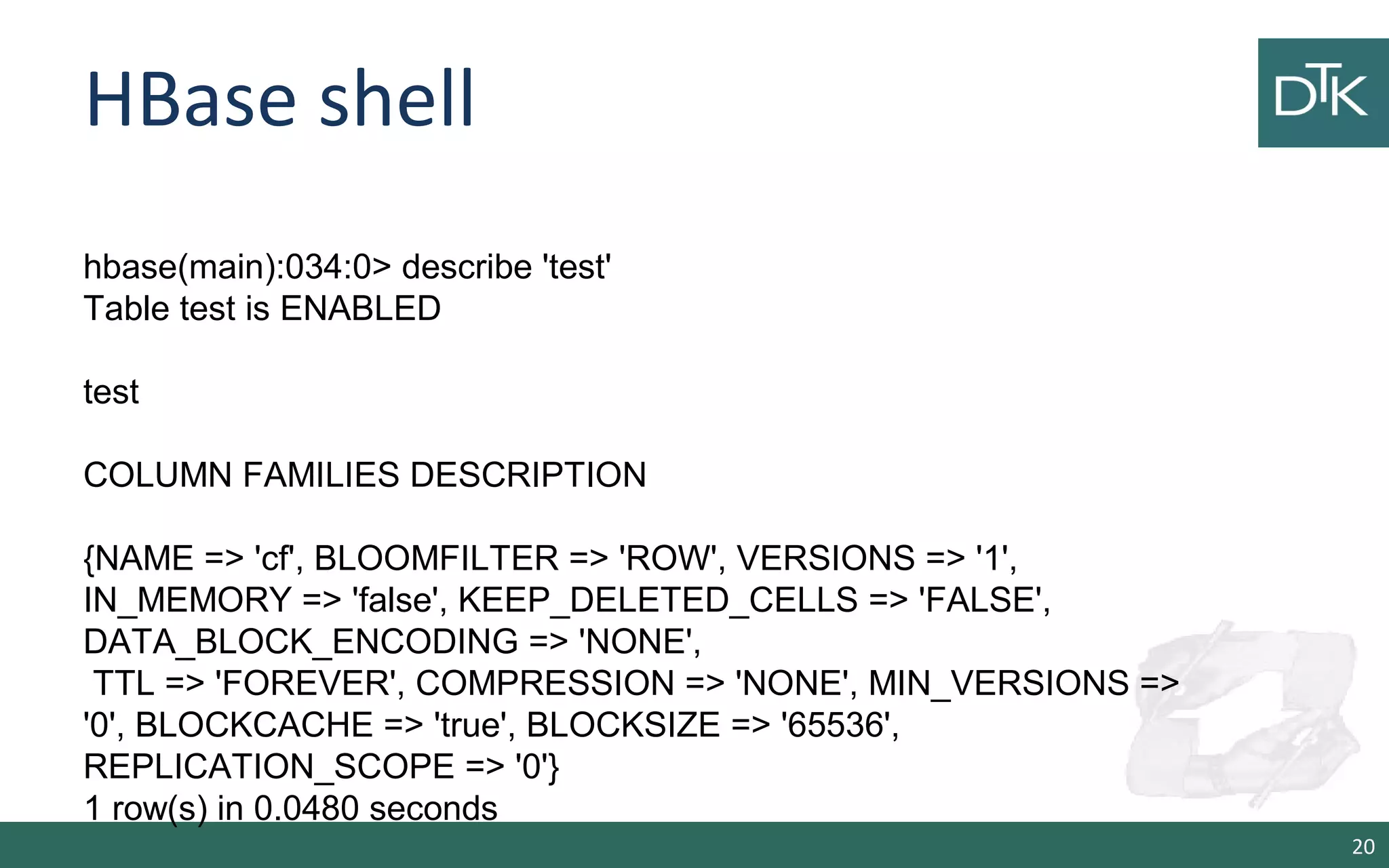
HBase shell 20 hbase(main):034:0> describe 'test' Table test is ENABLED test COLUMN FAMILIES DESCRIPTION {NAME => 'cf', BLOOMFILTER => 'ROW', VERSIONS => '1', IN_MEMORY => 'false', KEEP_DELETED_CELLS => 'FALSE', DATA_BLOCK_ENCODING => 'NONE', TTL => 'FOREVER', COMPRESSION => 'NONE', MIN_VERSIONS => '0', BLOCKCACHE => 'true', BLOCKSIZE => '65536', REPLICATION_SCOPE => '0'} 1 row(s) in 0.0480 seconds
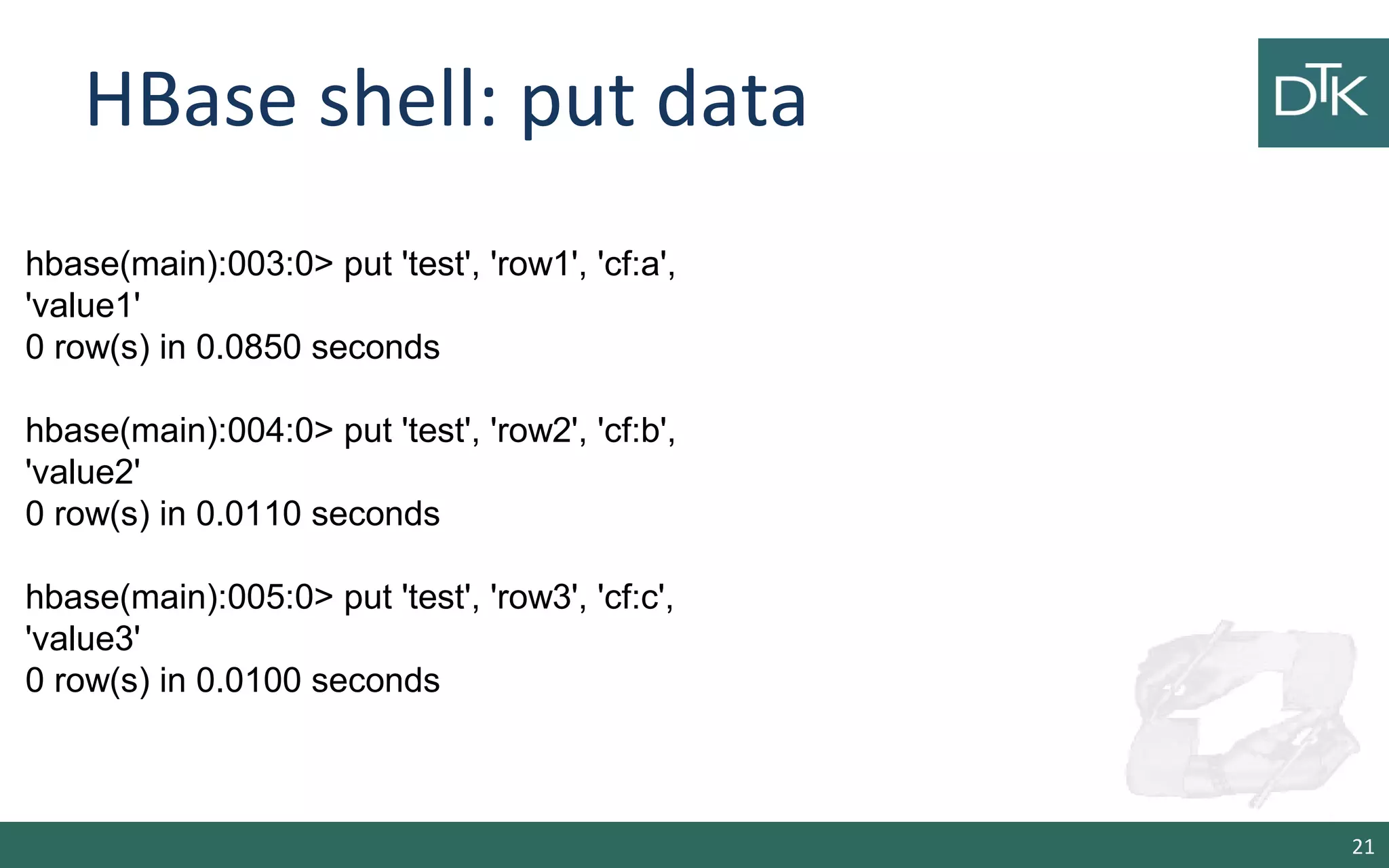
HBase shell: put data 21 hbase(main):003:0> put 'test', 'row1', 'cf:a', 'value1' 0 row(s) in 0.0850 seconds hbase(main):004:0> put 'test', 'row2', 'cf:b', 'value2' 0 row(s) in 0.0110 seconds hbase(main):005:0> put 'test', 'row3', 'cf:c', 'value3' 0 row(s) in 0.0100 seconds
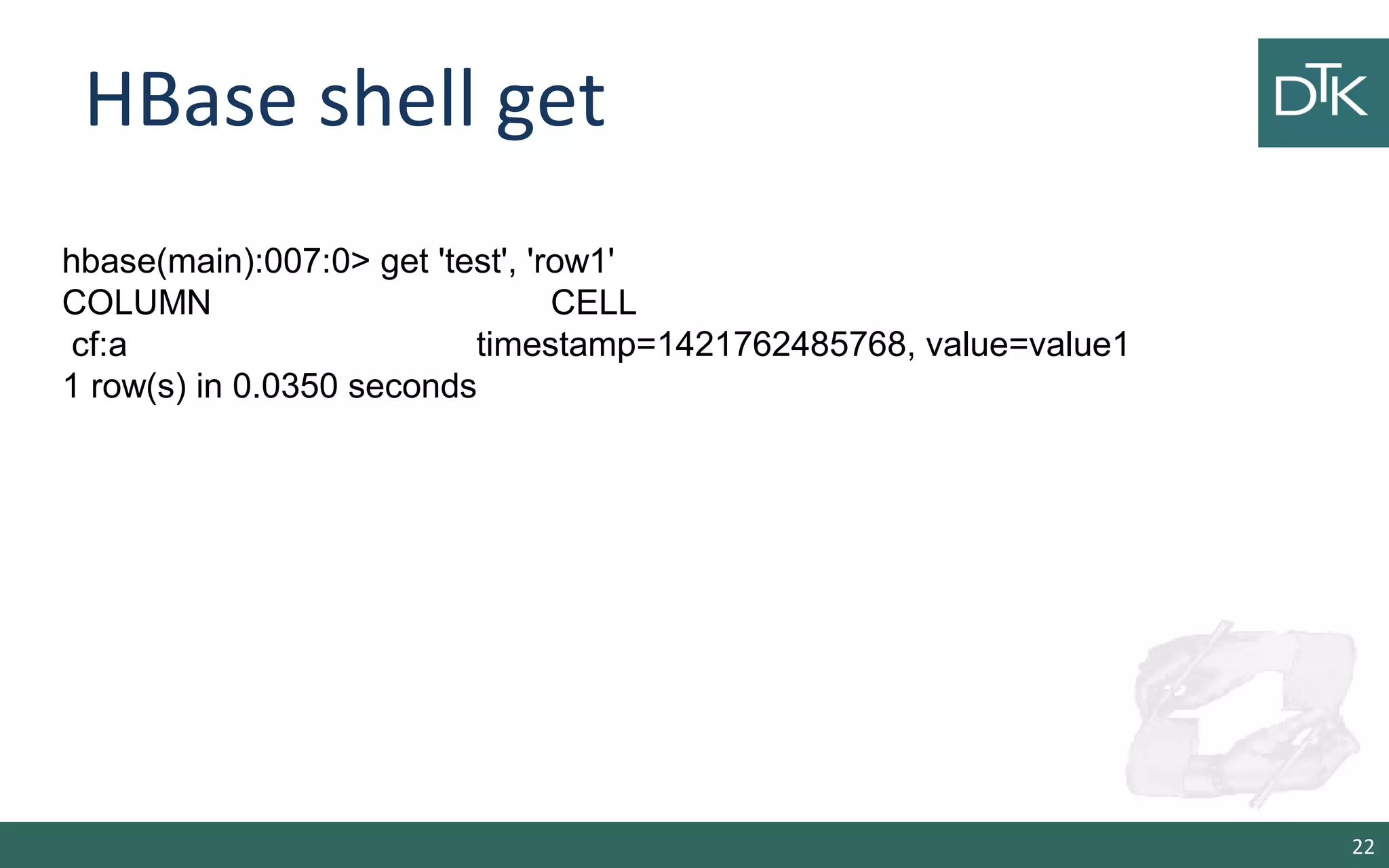
HBase shell get 22 hbase(main):007:0> get 'test', 'row1' COLUMN CELL cf:a timestamp=1421762485768, value=value1 1 row(s) in 0.0350 seconds
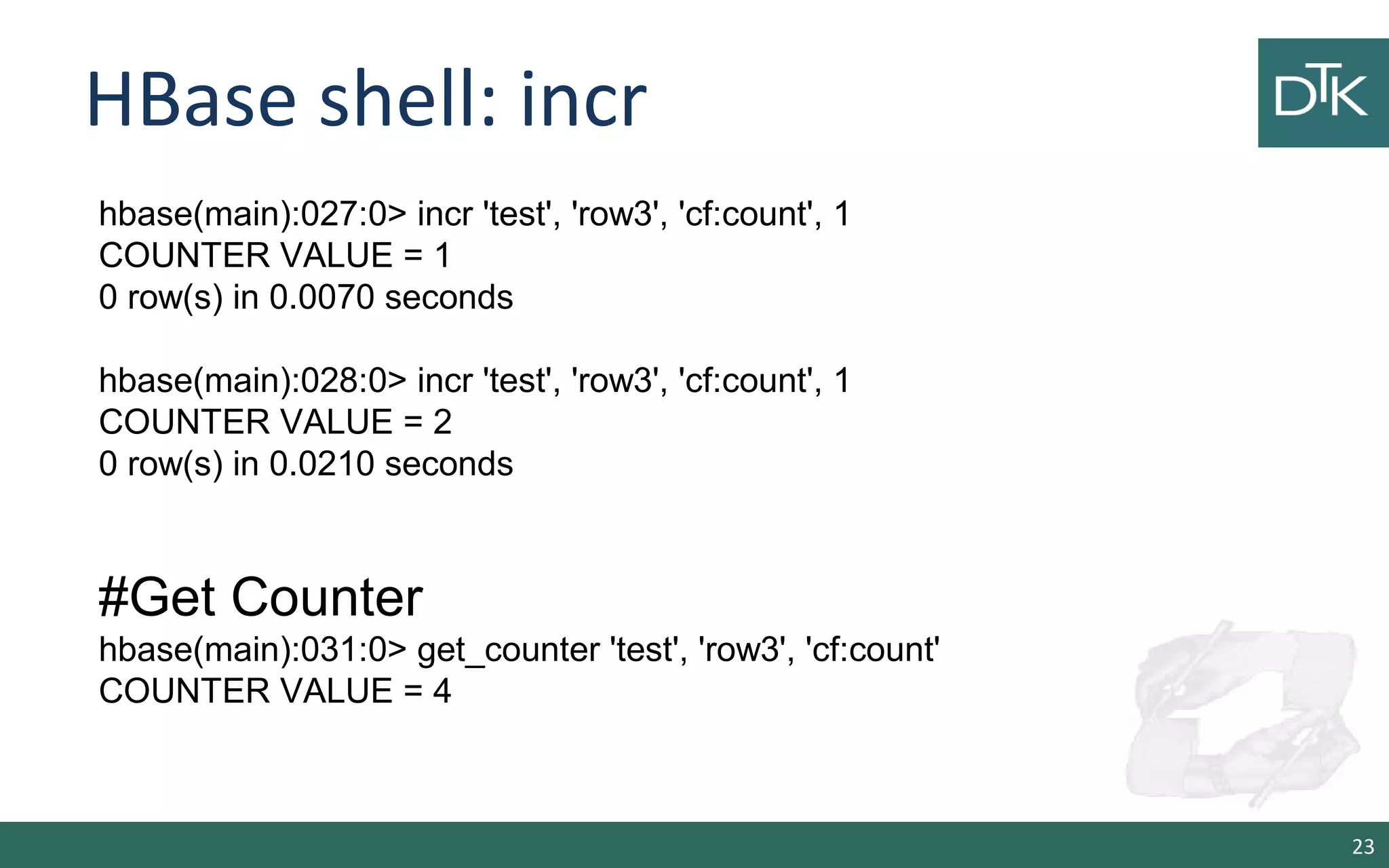
HBase shell: incr 23 hbase(main):027:0> incr 'test', 'row3', 'cf:count', 1 COUNTER VALUE = 1 0 row(s) in 0.0070 seconds hbase(main):028:0> incr 'test', 'row3', 'cf:count', 1 COUNTER VALUE = 2 0 row(s) in 0.0210 seconds #Get Counter hbase(main):031:0> get_counter 'test', 'row3', 'cf:count' COUNTER VALUE = 4
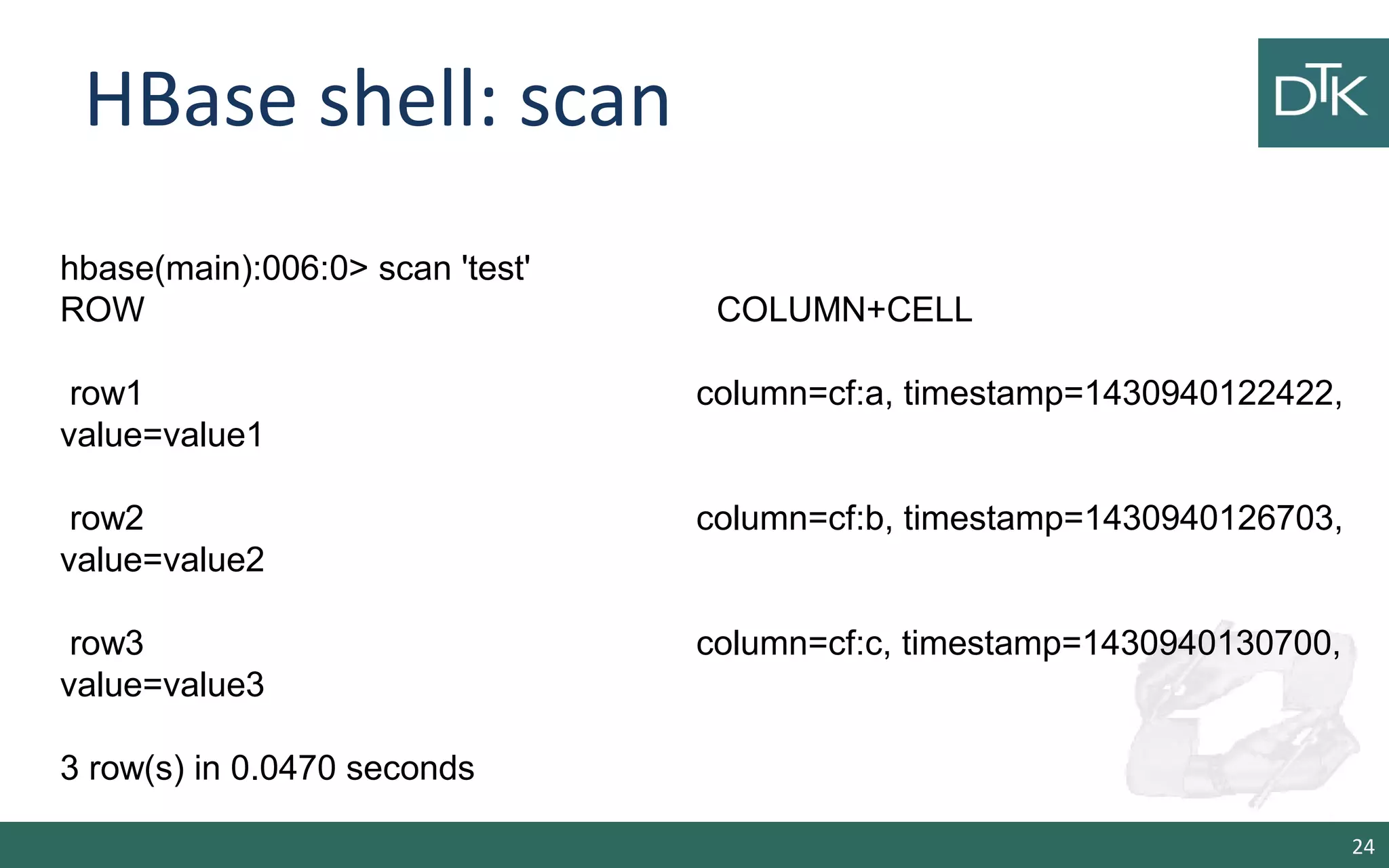
HBase shell: scan 24 hbase(main):006:0> scan 'test' ROW COLUMN+CELL row1 column=cf:a, timestamp=1430940122422, value=value1 row2 column=cf:b, timestamp=1430940126703, value=value2 row3 column=cf:c, timestamp=1430940130700, value=value3 3 row(s) in 0.0470 seconds
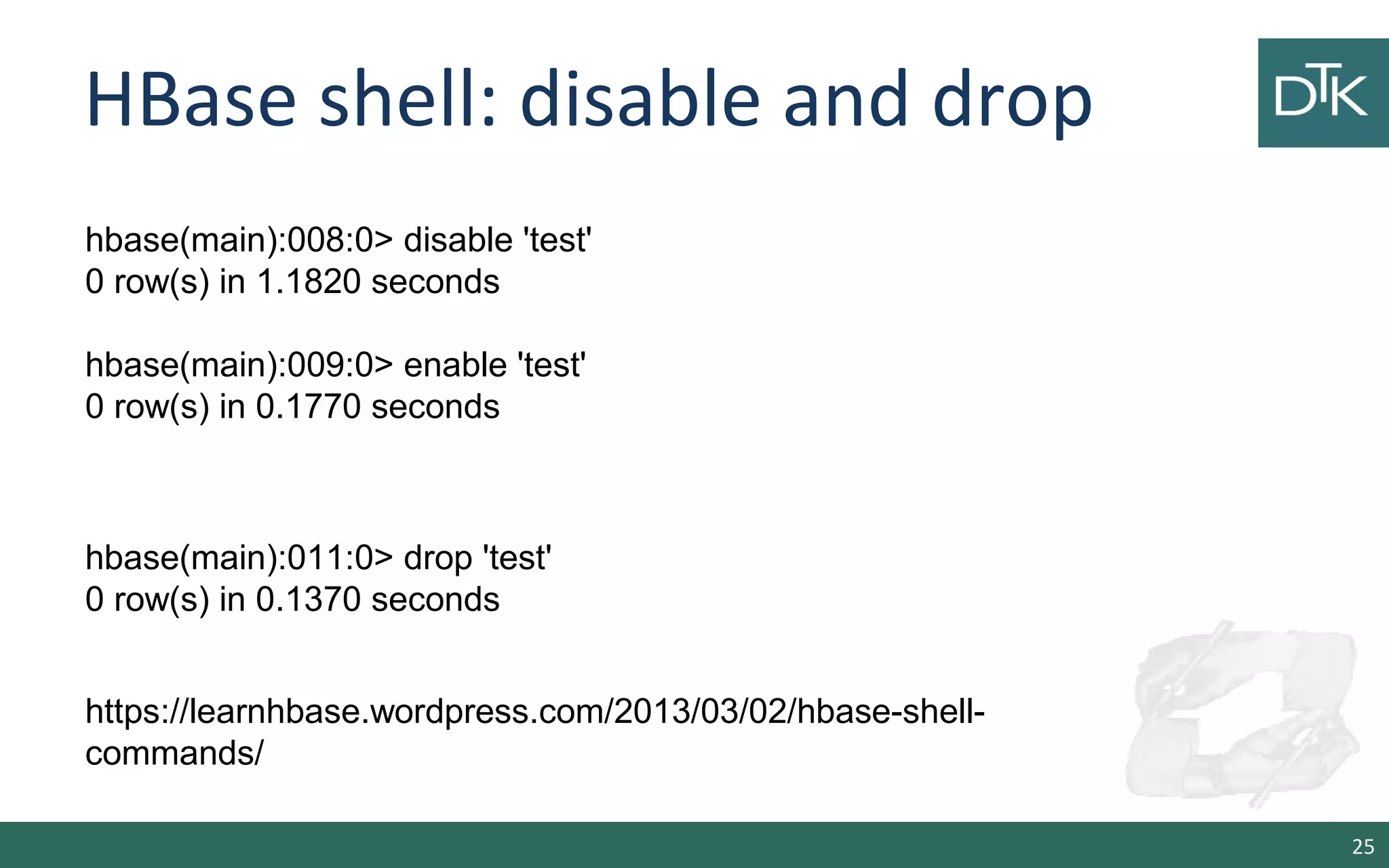
HBase shell: disable and drop 25 hbase(main):008:0> disable 'test' 0 row(s) in 1.1820 seconds hbase(main):009:0> enable 'test' 0 row(s) in 0.1770 seconds hbase(main):011:0> drop 'test' 0 row(s) in 0.1370 seconds https://learnhbase.wordpress.com/2013/03/02/hbase-shell- commands/
Data Layout 26
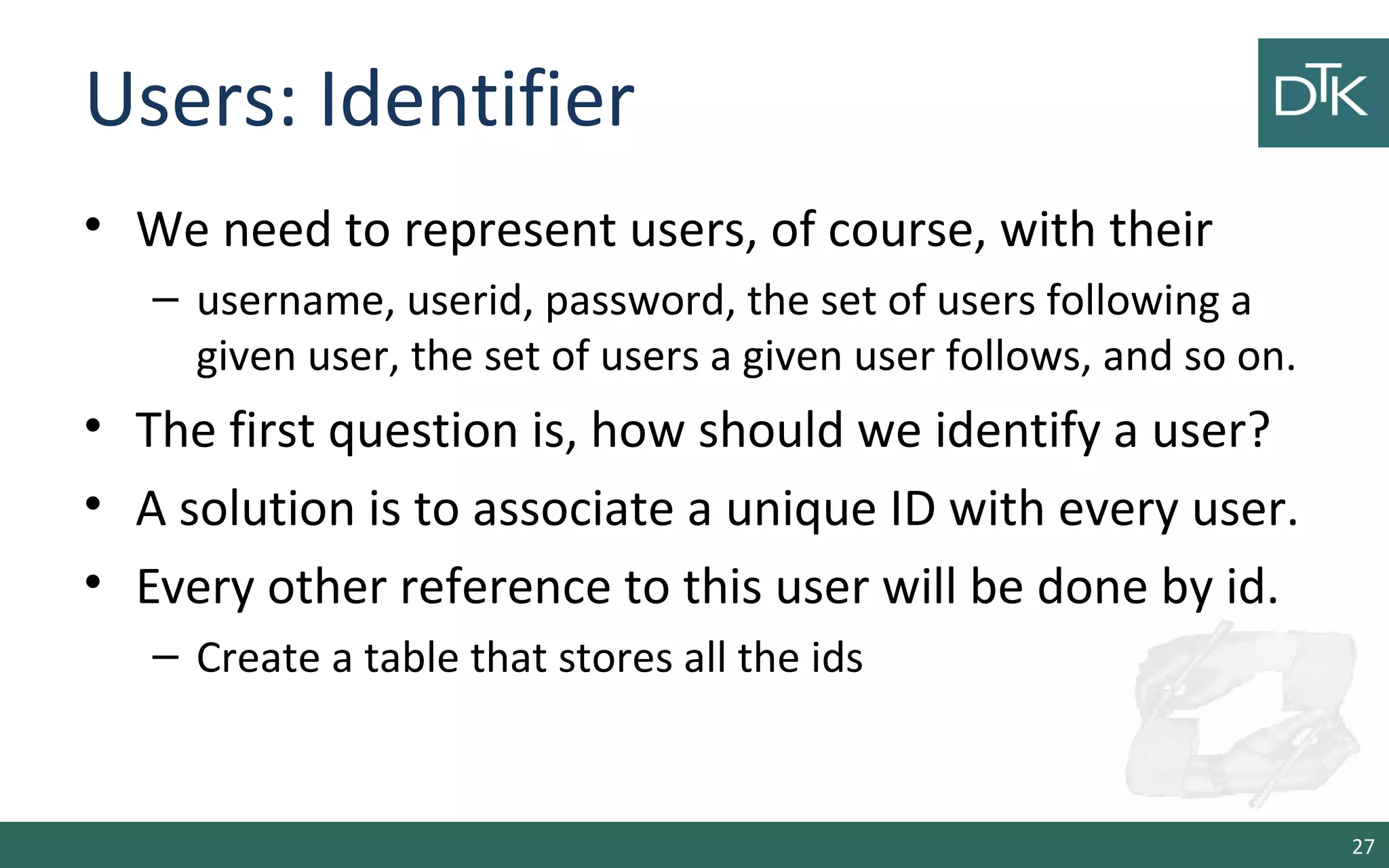
Users: Identifier • We need to represent users, of course, with their – username, userid, password, the set of users following a given user, the set of users a given user follows, and so on. • The first question is, how should we identify a user? • A solution is to associate a unique ID with every user. • Every other reference to this user will be done by id. – Create a table that stores all the ids 27
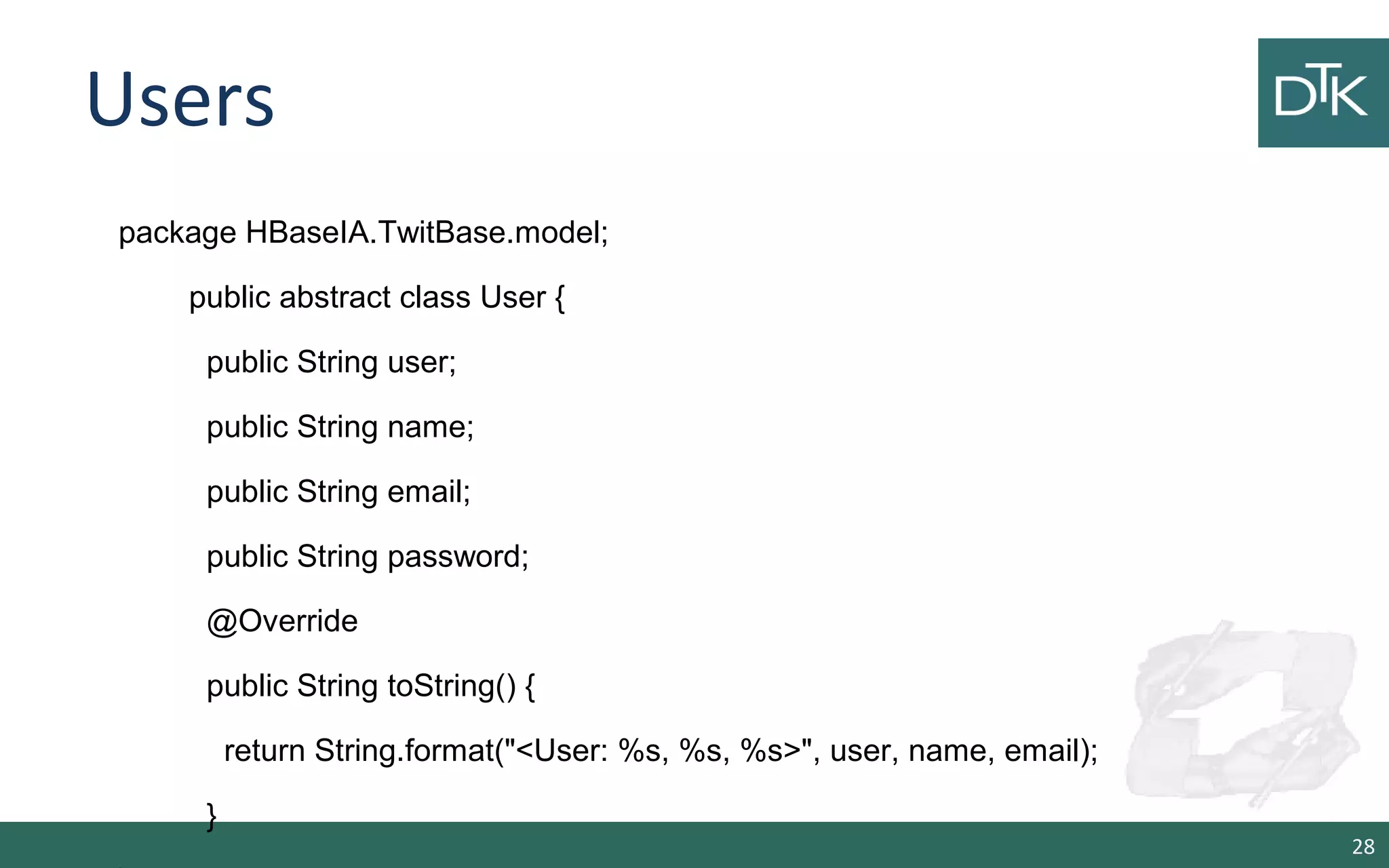
Users 28 package HBaseIA.TwitBase.model; public abstract class User { public String user; public String name; public String email; public String password; @Override public String toString() { return String.format("<User: %s, %s, %s>", user, name, email); }
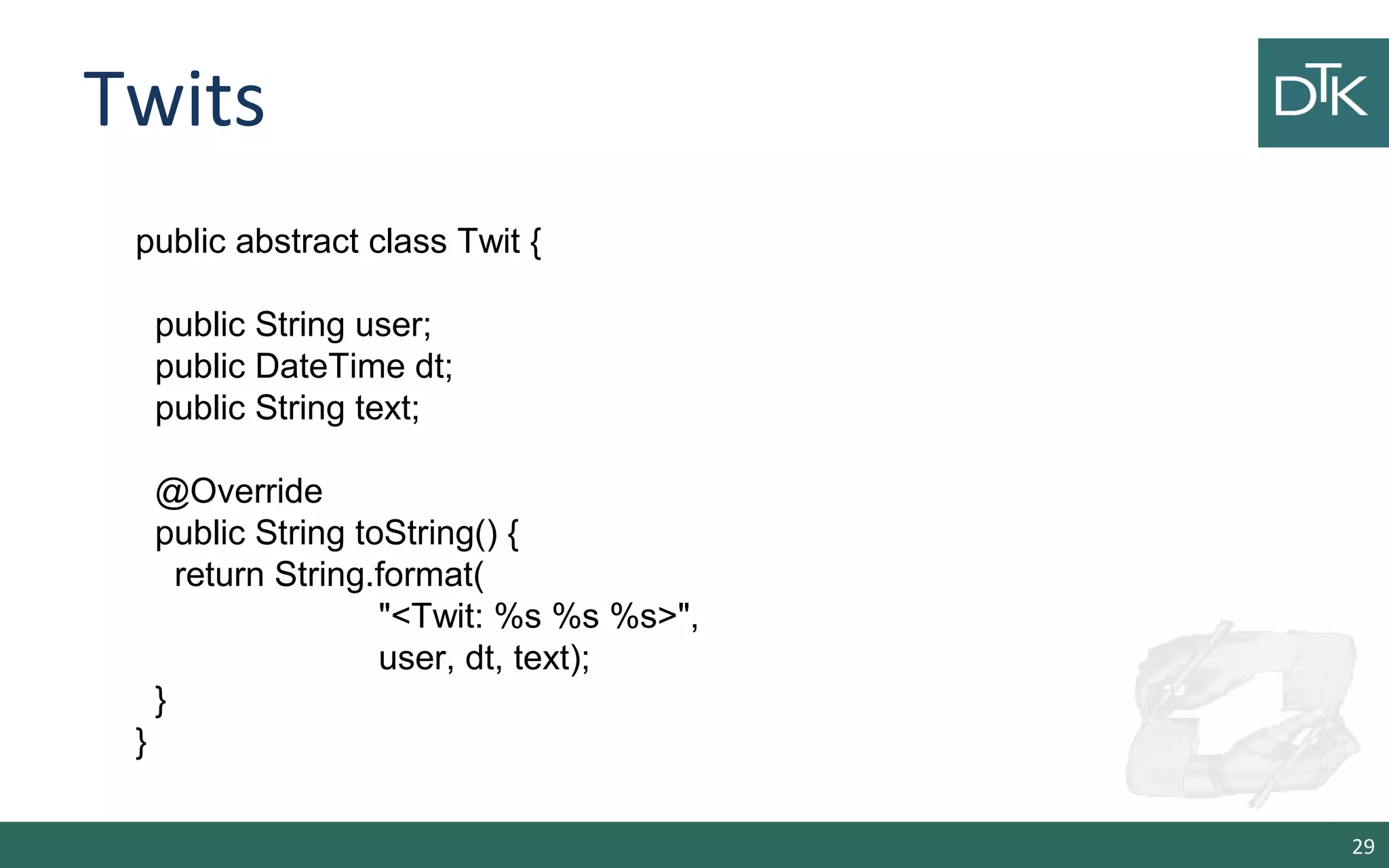
Twits 29 public abstract class Twit { public String user; public DateTime dt; public String text; @Override public String toString() { return String.format( "<Twit: %s %s %s>", user, dt, text); } }
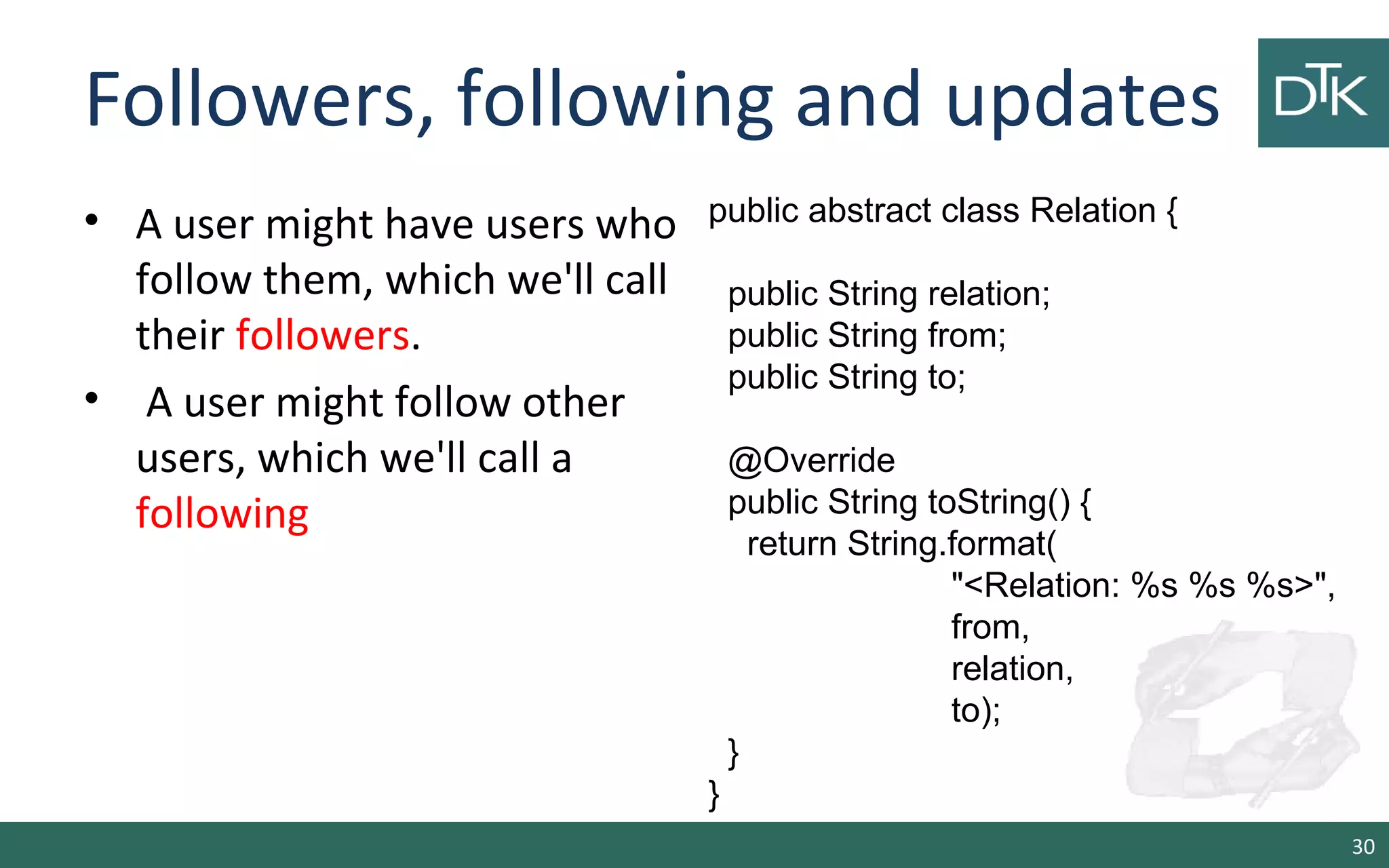
Followers, following and updates • A user might have users who follow them, which we'll call their followers. • A user might follow other users, which we'll call a following 30 public abstract class Relation { public String relation; public String from; public String to; @Override public String toString() { return String.format( "<Relation: %s %s %s>", from, relation, to); } }
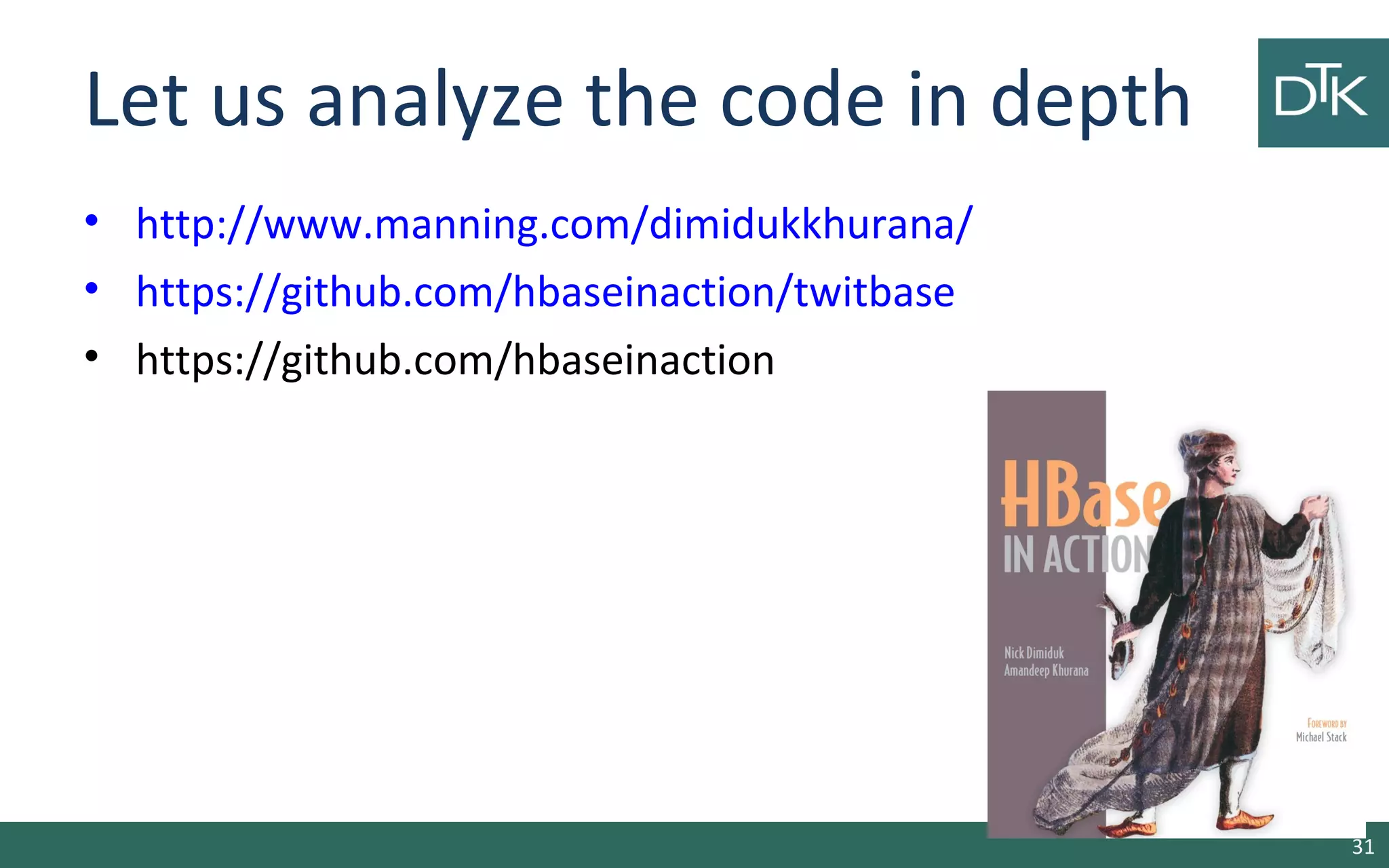
Let us analyze the code in depth • http://www.manning.com/dimidukkhurana/ • https://github.com/hbaseinaction/twitbase • https://github.com/hbaseinaction 31

8b. Column Oriented Databases Lab

  • 1.
  • 2.
    A Twitter Clone •One of the most successful new Internet services of recent times is Twitter. • Since its launch it has exploded from niche usage to usage by the general populace, with celebrities such as Oprah Winfrey, Britney Spears, and Shaquille O'Neal, and politicians such as Barack Obama and Al Gore jumping into it. 2
  • 3.
    Why Twitter? • Simple:it does not care what you share, as a long it is less than 140 characters • A means to have public conversation: Twitter allows a user to tweet and have users respond using '@' reply, comment, or re-tweet • Fan versus friend • Understanding user behavior • Easy to share through text messaging • Easy to access through multiple devices and applications 3
  • 4.
    Twitter Stats • Accordingto Compete (www.compete.com) 4
  • 5.
    Main Features • Allowusers to post status updates (known as 'tweets' in Twitter) to the public. • Allow users to follow and unfollow other users. Users can follow any other user but it is not reciprocal. • Allow users to send public messages directed to particular users using the @ replies convention (in Twitter this is known as mentions) 5
  • 6.
    Main Features • Allowusers to send direct messages to other users, messages are private to the sender and the recipient user only (direct messages are only to a single recipient). • Allow users to re-tweet or forward another user's status in their own status update. • Provide a public timeline where all statuses are publicly available for viewing. • Provide APIs to allow external applications access. 6
  • 7.
  • 8.
    Hbase: Features • Strictlyconsistent reads and writes. • Automatic and configurable sharding of tables • Automatic failover support between RegionServers. • Base classes for MapReduce jobs • Easy java API • Block cache and Bloom Filters for real-time queries. 8
  • 9.
    Hbase: Features • Querypredicate push down via server side Filters • Thrift gateway and a REST-ful Web service that supports XML, Protobuf, and binary data encoding options • Extensible jruby-based (JIRB) shell • Support for exporting metrics via the Hadoop metrics subsystem to files or Ganglia; or via JMX 9
  • 10.
    Hbase: Installation • Itcan be run in 3 settings: – Single-node standalone – Pseudo-distributed single-machine – Fully-distributed cluster • We will see how to install HBase using Docker 10
  • 11.
  • 12.
    Single-node standalone • Sourcecode at https://github.com/fabiofumarola/NoSQLDatabasesCourses • It uses the local file system not HDFS (not for production). • Download the tar distribution • Edit hbase-site.xml • Start HBase via start-hbase.sh • We can use jps to test if HBase is running 12
  • 13.
    Hbase-site.xml The folders arecreated automatically by HBase <configuration> <property> <name>hbase.rootdir</name> <value>file:///hbase-data/hbase</value> </property> <property> <name>hbase.zookeeper.property.dataDir</name> <value>/hbase-data/zookeeper</value> </property> </configuration> 13
  • 14.
    Single-node standalone • Buildthe image – docker build –tag=wheretolive/hbase:single ./ • Run the image – docker run –d –p 2181:2181 -p 60010:60010 -p 60000:60000 -p 60020:60020 -p 60030:60030 –h hbase --name=hbase wheretolive/hbase:single 14
  • 15.
  • 16.
    Pseudo-distributed • Run HBasein this mode means that each daemon (HMaster, HRegionServer and Zookpeeper) run as separate process. • Here we can store the data into HDFS if it is available • The main change is the hbase-site.xml 16 <configuration> <property> <name>hbase.cluster.distributed</name> <value>true</value> </property> </configuration>
  • 17.
    Pseudo-distributed • Build theimage – docker build –tag=wheretolive/hbase:pseudo ./ • Run the image – docker run –d –p 2181:2181 -p 60010:60010 -p 60000:60000 -p 60020:60020 -p 60030:60030 –h hbase --name=hbase wheretolive/hbase:pseudo 17
  • 18.
    Interacting with theHbase Shell 18
  • 19.
    HBase Shell • Startthe shell • Create a table • List the tables 19 $ ./bin/hbase shell hbase(main):001:0> hbase(main):001:0> create 'test', 'cf' 0 row(s) in 0.4170 seconds => Hbase::Table - test hbase(main):002:0> list 'test' TABLE test 1 row(s) in 0.0180 seconds => ["test"]
  • 20.
    HBase shell 20 hbase(main):034:0> describe'test' Table test is ENABLED test COLUMN FAMILIES DESCRIPTION {NAME => 'cf', BLOOMFILTER => 'ROW', VERSIONS => '1', IN_MEMORY => 'false', KEEP_DELETED_CELLS => 'FALSE', DATA_BLOCK_ENCODING => 'NONE', TTL => 'FOREVER', COMPRESSION => 'NONE', MIN_VERSIONS => '0', BLOCKCACHE => 'true', BLOCKSIZE => '65536', REPLICATION_SCOPE => '0'} 1 row(s) in 0.0480 seconds
  • 21.
    HBase shell: putdata 21 hbase(main):003:0> put 'test', 'row1', 'cf:a', 'value1' 0 row(s) in 0.0850 seconds hbase(main):004:0> put 'test', 'row2', 'cf:b', 'value2' 0 row(s) in 0.0110 seconds hbase(main):005:0> put 'test', 'row3', 'cf:c', 'value3' 0 row(s) in 0.0100 seconds
  • 22.
    HBase shell get 22 hbase(main):007:0>get 'test', 'row1' COLUMN CELL cf:a timestamp=1421762485768, value=value1 1 row(s) in 0.0350 seconds
  • 23.
    HBase shell: incr 23 hbase(main):027:0>incr 'test', 'row3', 'cf:count', 1 COUNTER VALUE = 1 0 row(s) in 0.0070 seconds hbase(main):028:0> incr 'test', 'row3', 'cf:count', 1 COUNTER VALUE = 2 0 row(s) in 0.0210 seconds #Get Counter hbase(main):031:0> get_counter 'test', 'row3', 'cf:count' COUNTER VALUE = 4
  • 24.
    HBase shell: scan 24 hbase(main):006:0>scan 'test' ROW COLUMN+CELL row1 column=cf:a, timestamp=1430940122422, value=value1 row2 column=cf:b, timestamp=1430940126703, value=value2 row3 column=cf:c, timestamp=1430940130700, value=value3 3 row(s) in 0.0470 seconds
  • 25.
    HBase shell: disableand drop 25 hbase(main):008:0> disable 'test' 0 row(s) in 1.1820 seconds hbase(main):009:0> enable 'test' 0 row(s) in 0.1770 seconds hbase(main):011:0> drop 'test' 0 row(s) in 0.1370 seconds https://learnhbase.wordpress.com/2013/03/02/hbase-shell- commands/
  • 26.
  • 27.
    Users: Identifier • Weneed to represent users, of course, with their – username, userid, password, the set of users following a given user, the set of users a given user follows, and so on. • The first question is, how should we identify a user? • A solution is to associate a unique ID with every user. • Every other reference to this user will be done by id. – Create a table that stores all the ids 27
  • 28.
    Users 28 package HBaseIA.TwitBase.model; public abstractclass User { public String user; public String name; public String email; public String password; @Override public String toString() { return String.format("<User: %s, %s, %s>", user, name, email); }
  • 29.
    Twits 29 public abstract classTwit { public String user; public DateTime dt; public String text; @Override public String toString() { return String.format( "<Twit: %s %s %s>", user, dt, text); } }
  • 30.
    Followers, following andupdates • A user might have users who follow them, which we'll call their followers. • A user might follow other users, which we'll call a following 30 public abstract class Relation { public String relation; public String from; public String to; @Override public String toString() { return String.format( "<Relation: %s %s %s>", from, relation, to); } }
  • 31.
    Let us analyzethe code in depth • http://www.manning.com/dimidukkhurana/ • https://github.com/hbaseinaction/twitbase • https://github.com/hbaseinaction 31

Editor's Notes

  • #13 . You need to run HBase on HDFS to ensure all writes are preserved. Running against the local filesystem is intended as a shortcut to get you familiar with how the general system works, as the very first phase of evaluation.
  • #14 . You need to run HBase on HDFS to ensure all writes are preserved. Running against the local filesystem is intended as a shortcut to get you familiar with how the general system works, as the very first phase of evaluation.
  • #15 . You need to run HBase on HDFS to ensure all writes are preserved. Running against the local filesystem is intended as a shortcut to get you familiar with how the general system works, as the very first phase of evaluation.
  • #17 . You need to run HBase on HDFS to ensure all writes are preserved. Running against the local filesystem is intended as a shortcut to get you familiar with how the general system works, as the very first phase of evaluation.
  • #18 . You need to run HBase on HDFS to ensure all writes are preserved. Running against the local filesystem is intended as a shortcut to get you familiar with how the general system works, as the very first phase of evaluation.
  • #28 We use the next_user_id key in order to always get an unique ID for every new user. Then we use this unique ID to name the key holding an Hash with user&amp;apos;s data. This is a common design pattern with key-values stores! Keep it in mind.