©2013 DataStax Confidential. Do not distribute without consent. @rustyrazorblade Jon Haddad
 Technical Evangelist, DataStax Python & Cassandra 1
This should be boring • Talking to a database should not be any of the following: • Exciting • "AH HA!" • Confusing git@github.com:rustyrazorblade/python-presentation.git
Agenda • Go over driver basic concepts • Connecting • Perform queries • Introduce object mapper (cqlengine) • Application integration
DataStax Native Python Driver • Talks to Cassandra • Connection pooling • Aware of cluster topology • Automatic retries / failure management • Load balancing • Will include object mapper (cqlengine) in next release • Fully Open Source (Apache License)
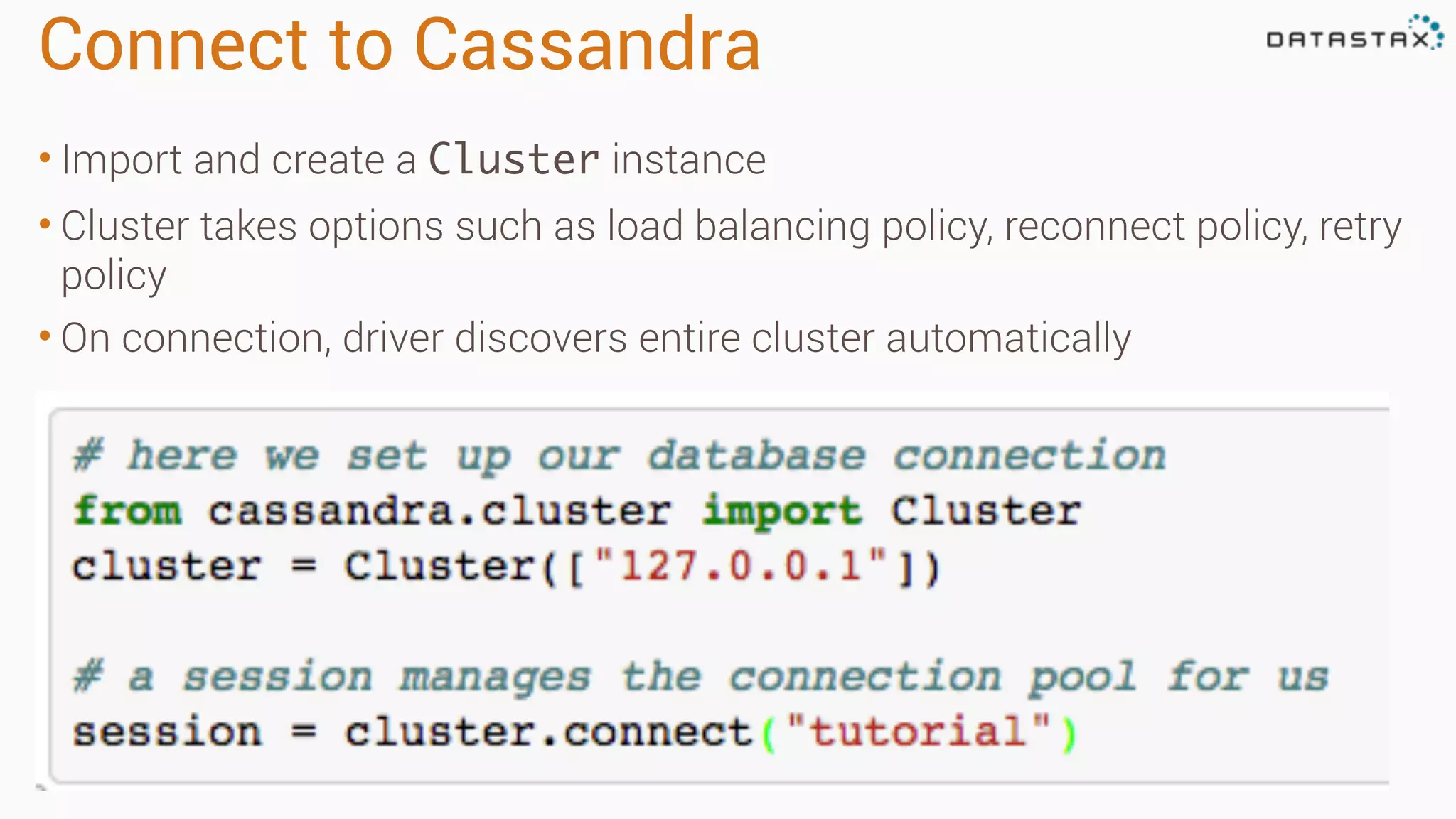
Connect to Cassandra • Import and create a Cluster instance • Cluster takes options such as load balancing policy, reconnect policy, retry policy • On connection, driver discovers entire cluster automatically
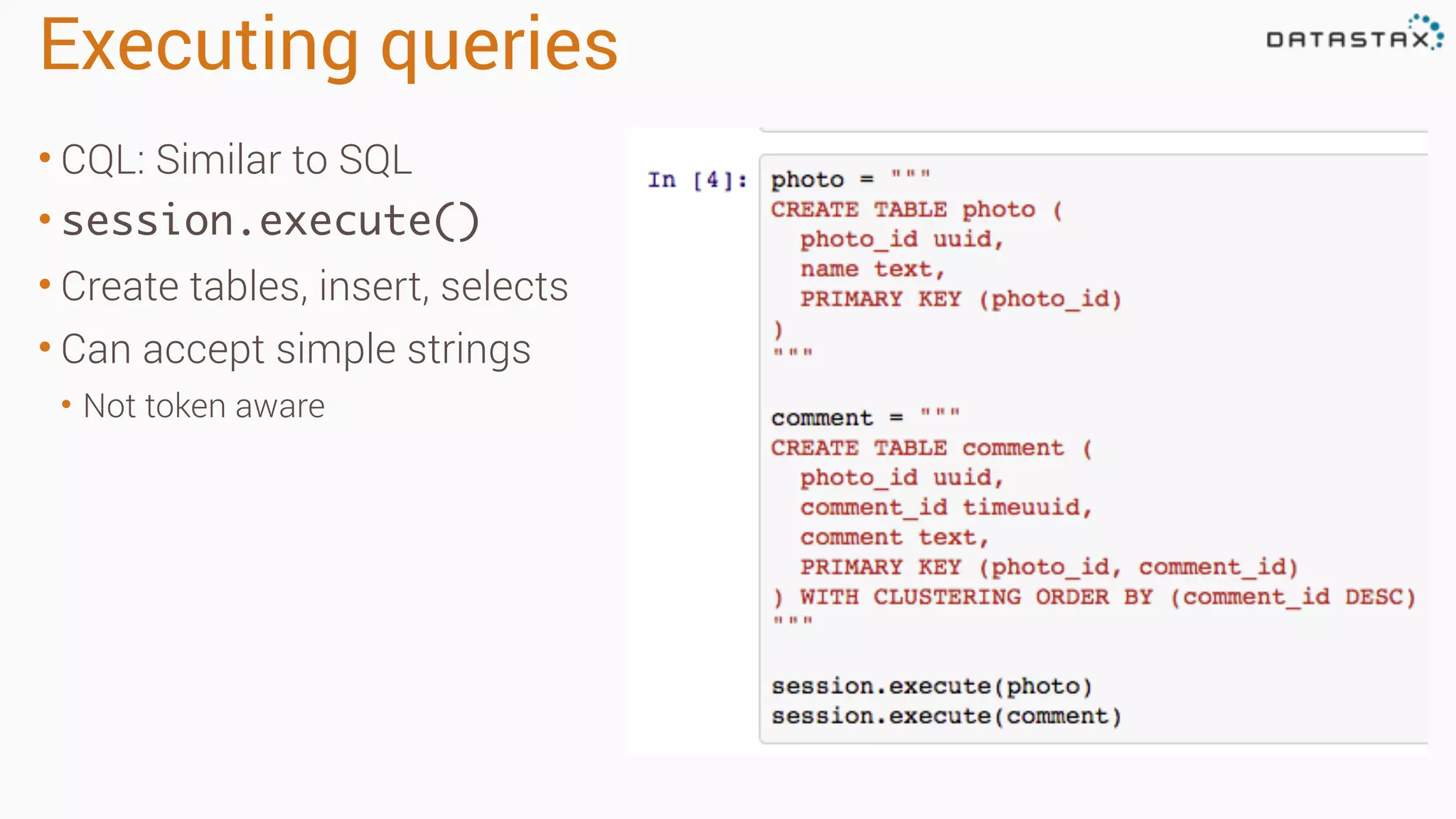
Executing queries • CQL: Similar to SQL • session.execute() • Create tables, insert, selects • Can accept simple strings • Not token aware
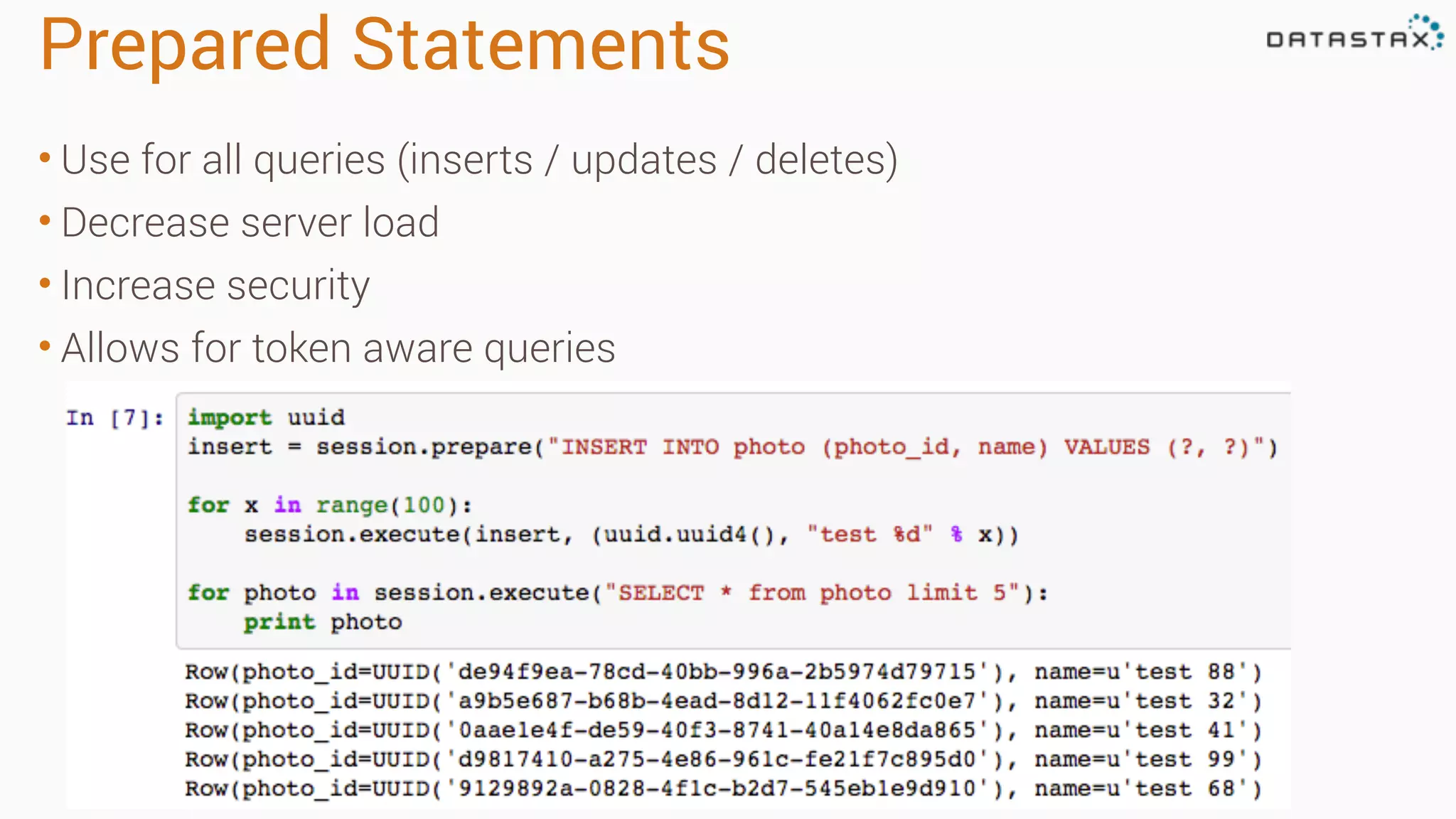
Prepared Statements • Use for all queries (inserts / updates / deletes) • Decrease server load • Increase security • Allows for token aware queries
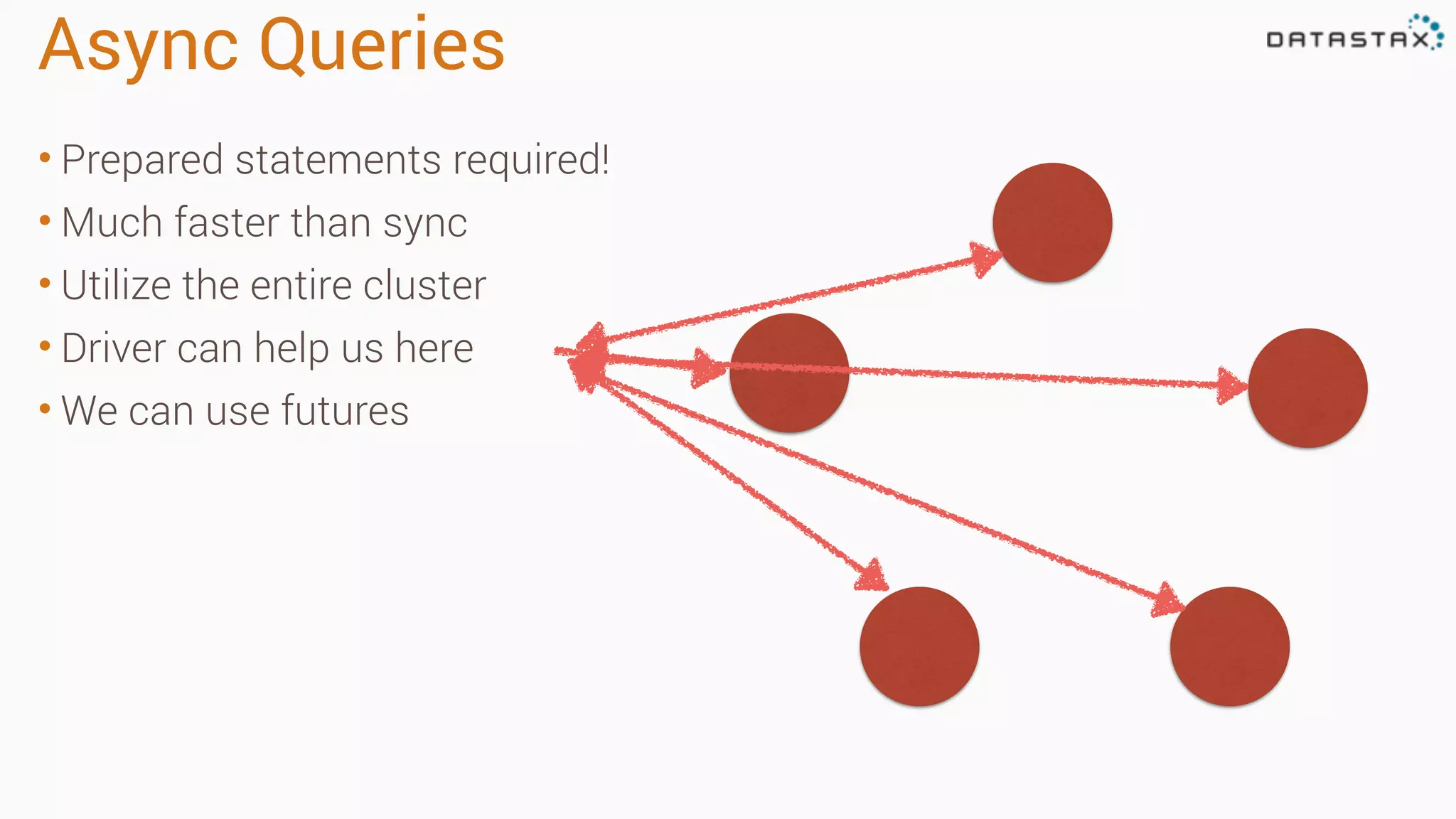
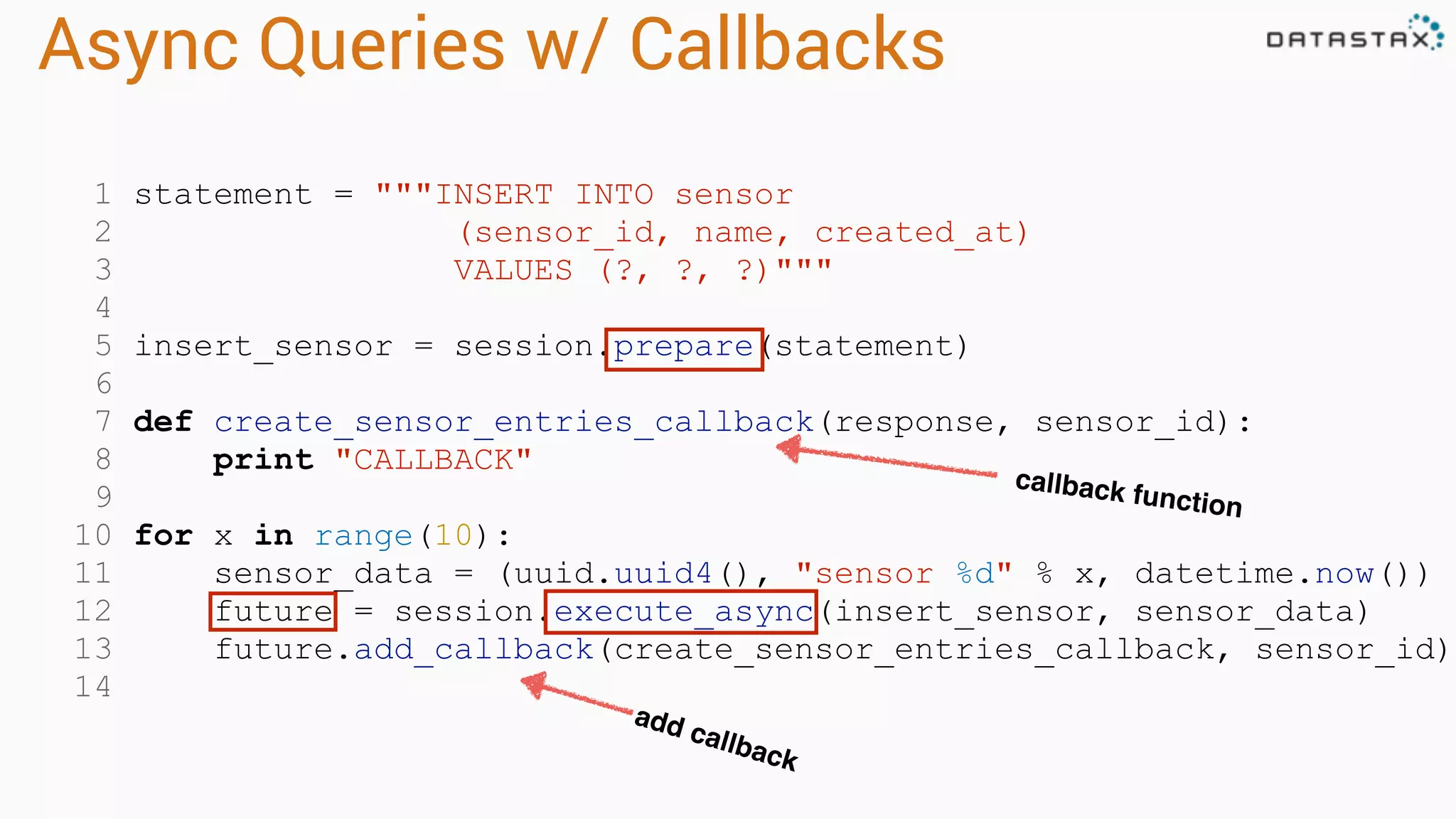
Async Queries • Prepared statements required! • Much faster than sync • Utilize the entire cluster • Driver can help us here • We can use futures
1 statement = """INSERT INTO sensor 2 (sensor_id, name, created_at) 3 VALUES (?, ?, ?)""" 4 5 insert_sensor = session.prepare(statement) 6 7 def create_sensor_entries_callback(response, sensor_id): 8 print "CALLBACK" 9 10 for x in range(10): 11 sensor_data = (uuid.uuid4(), "sensor %d" % x, datetime.now()) 12 future = session.execute_async(insert_sensor, sensor_data) 13 future.add_callback(create_sensor_entries_callback, sensor_id) 14 Async Queries w/ Callbacks callback function add callback
1 from cassandra.concurrent import execute_concurrent_with_args 2 3 stmt = """SELECT * FROM sensor_data WHERE sensor_id=? 4 ORDER BY created_at DESC LIMIT 1""") 5 6 select_statement = session.prepare(stmt) 7 8 sensor_ids = [["f472d5ff-0c76-404a-8044-038db416685e"], 9 ["940cb741-d5b5-4c5d-82f5-bf1aa61c6d47"], 10 ["497d4b2c-cba2-4d0f-bd80-42de612690fd"], 11 ["1bdeac75-7e12-43ba-80b5-2d38405f9843"] 12 13 result = execute_concurrent_with_args(session, select_statement, sensor_ids) Async Queries (managed) prepared statement automatically manages concurrency
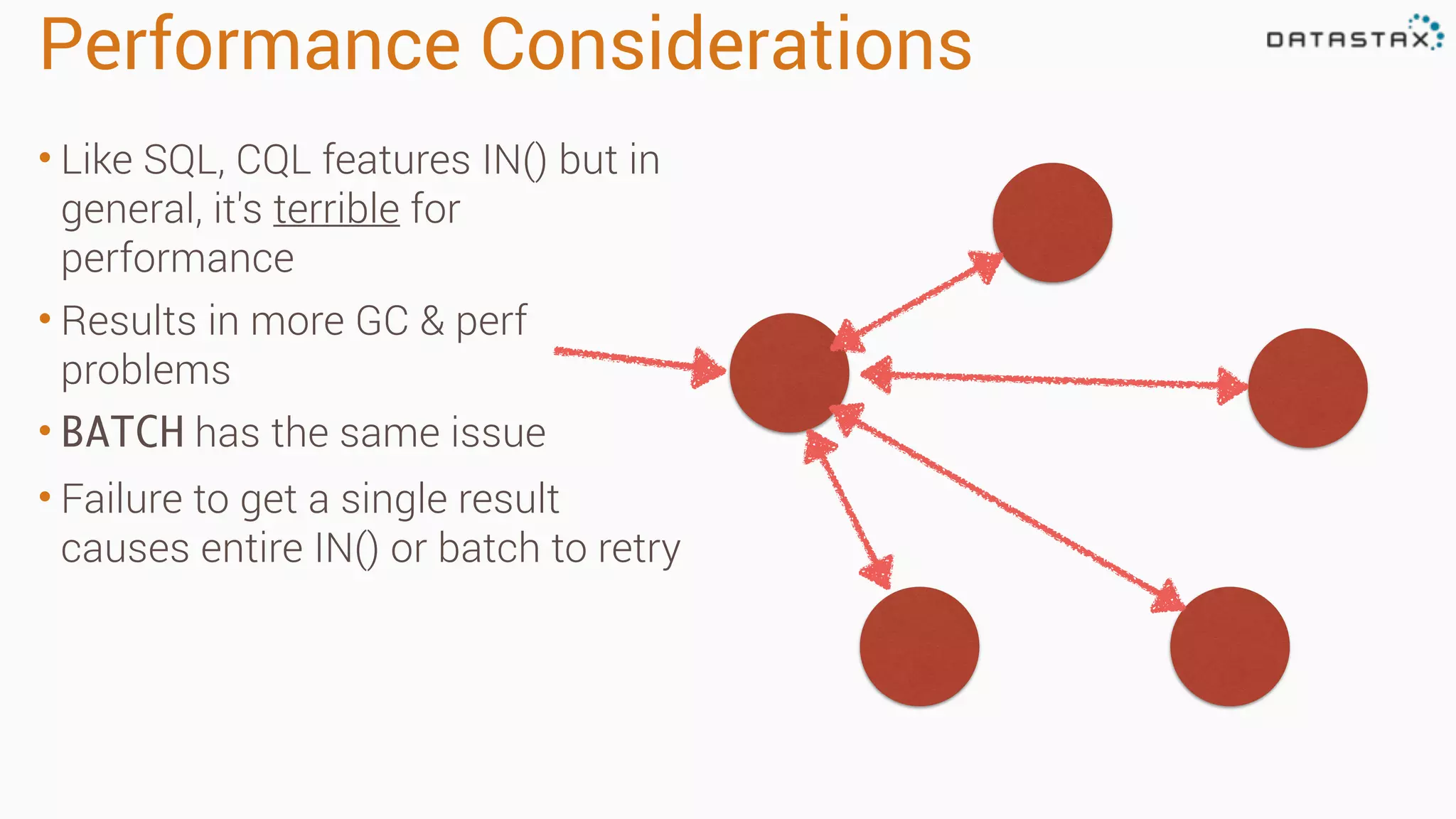
Performance Considerations • Like SQL, CQL features IN() but in general, it's terrible for performance • Results in more GC & perf problems • BATCH has the same issue • Failure to get a single result causes entire IN() or batch to retry
Object Mapper
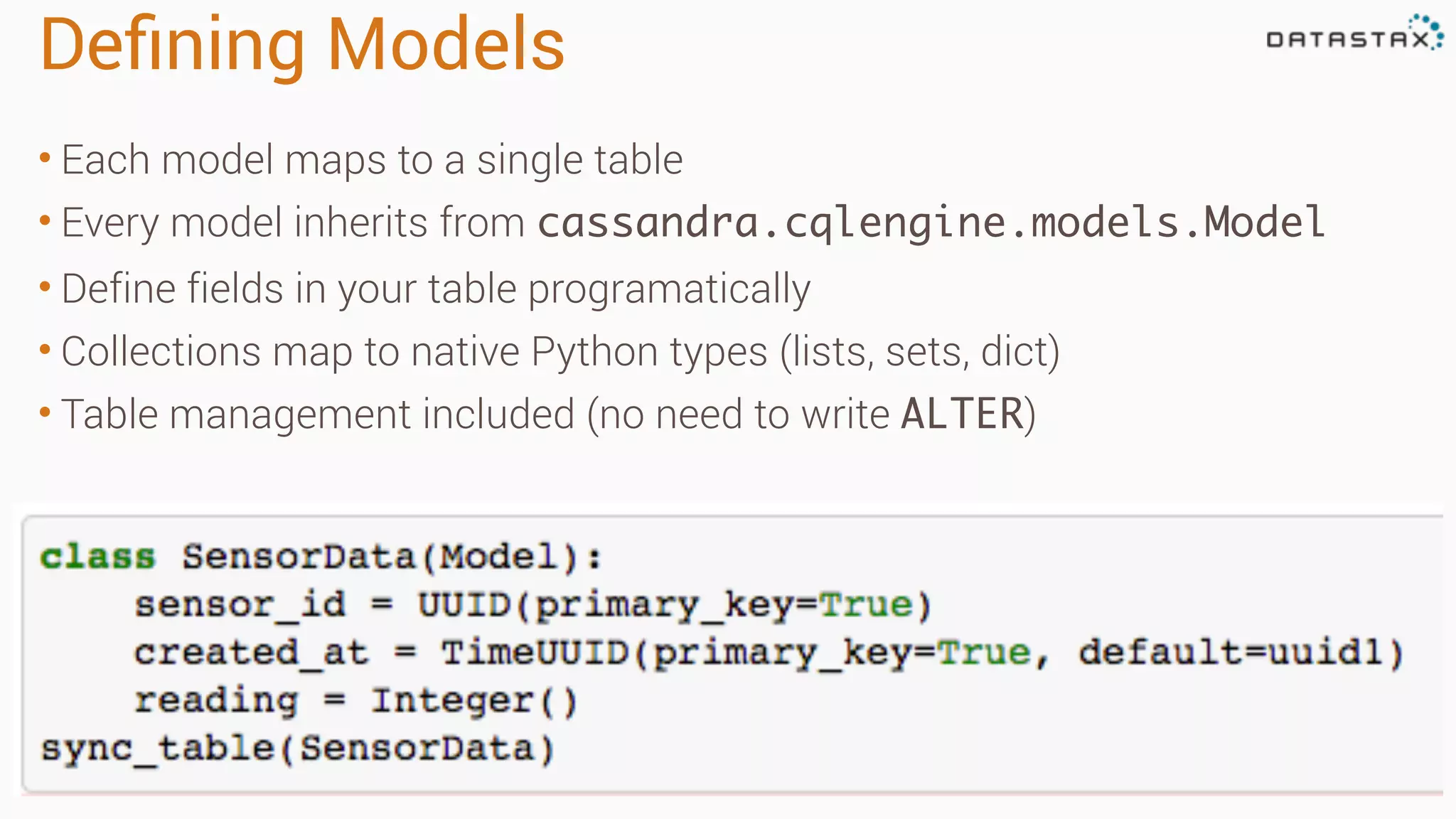
Defining Models • Each model maps to a single table • Every model inherits from cassandra.cqlengine.models.Model • Define fields in your table programatically • Collections map to native Python types (lists, sets, dict) • Table management included (no need to write ALTER)
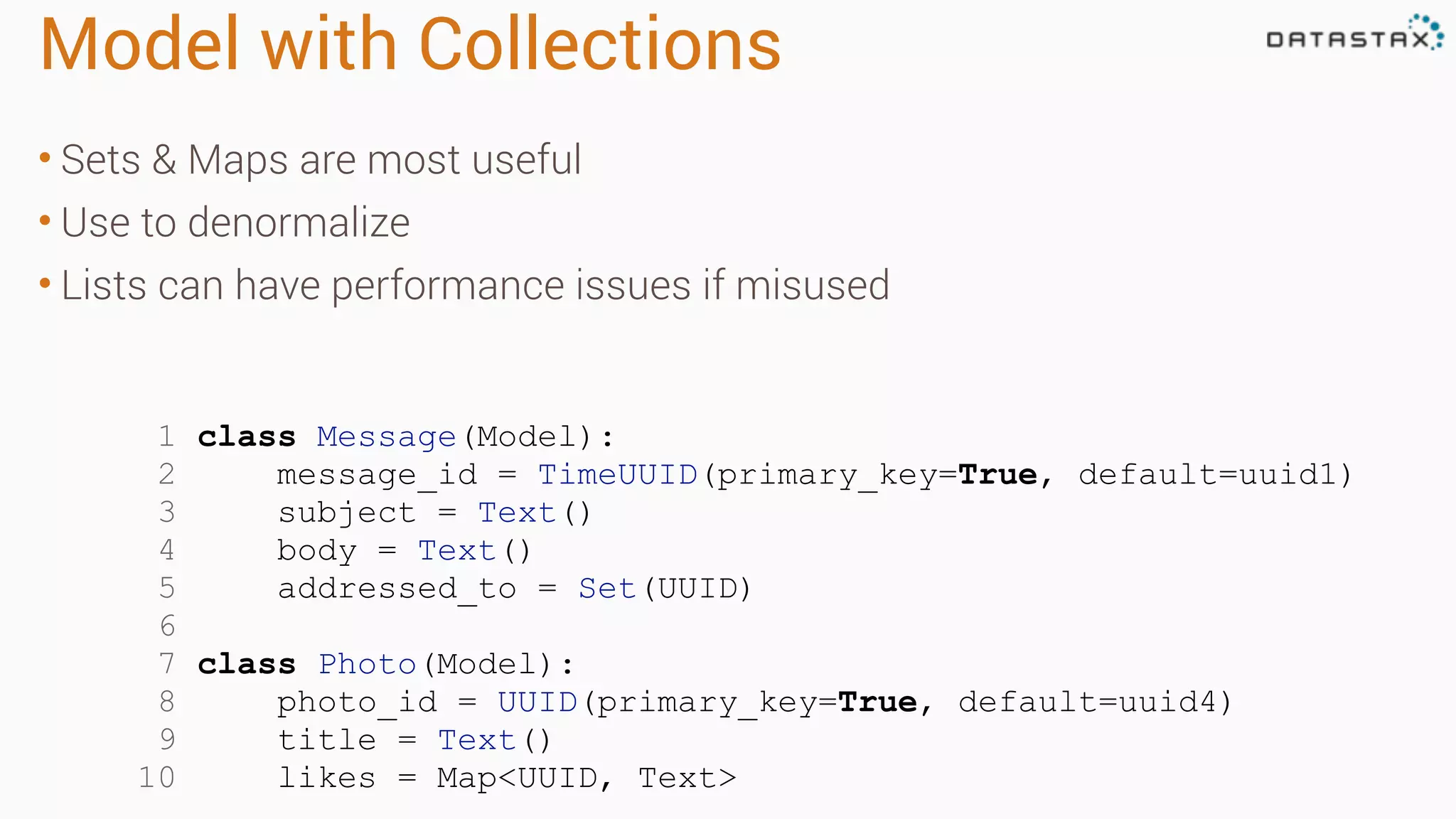
Model with Collections • Sets & Maps are most useful • Use to denormalize • Lists can have performance issues if misused 1 class Message(Model): 2 message_id = TimeUUID(primary_key=True, default=uuid1) 3 subject = Text() 4 body = Text() 5 addressed_to = Set(UUID) 6 7 class Photo(Model): 8 photo_id = UUID(primary_key=True, default=uuid4) 9 title = Text() 10 likes = Map<UUID, Text>
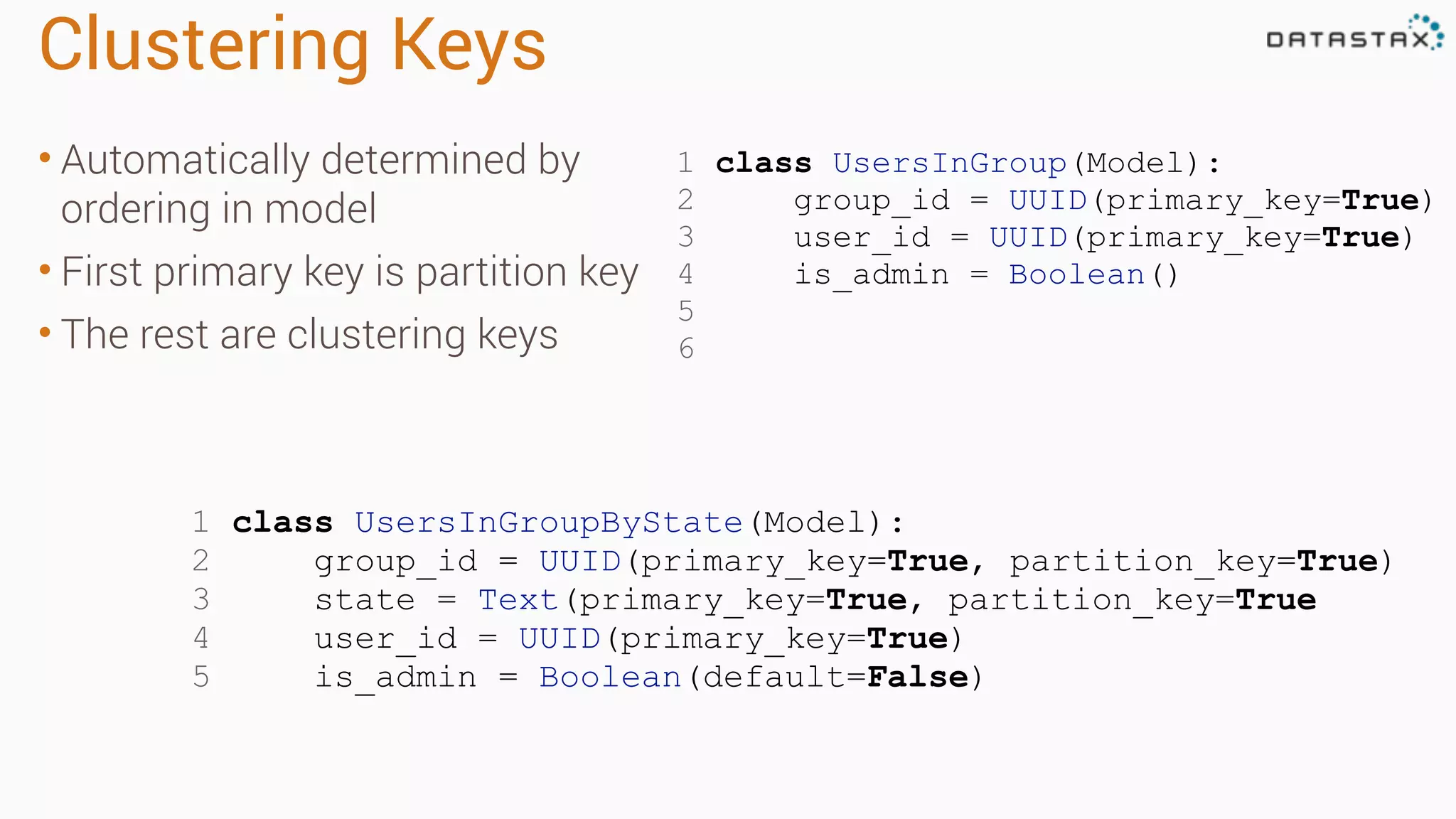
Clustering Keys • Automatically determined by ordering in model • First primary key is partition key • The rest are clustering keys 1 class UsersInGroup(Model): 2 group_id = UUID(primary_key=True) 3 user_id = UUID(primary_key=True) 4 is_admin = Boolean() 5 6 1 class UsersInGroupByState(Model): 2 group_id = UUID(primary_key=True, partition_key=True) 3 state = Text(primary_key=True, partition_key=True 4 user_id = UUID(primary_key=True) 5 is_admin = Boolean(default=False)
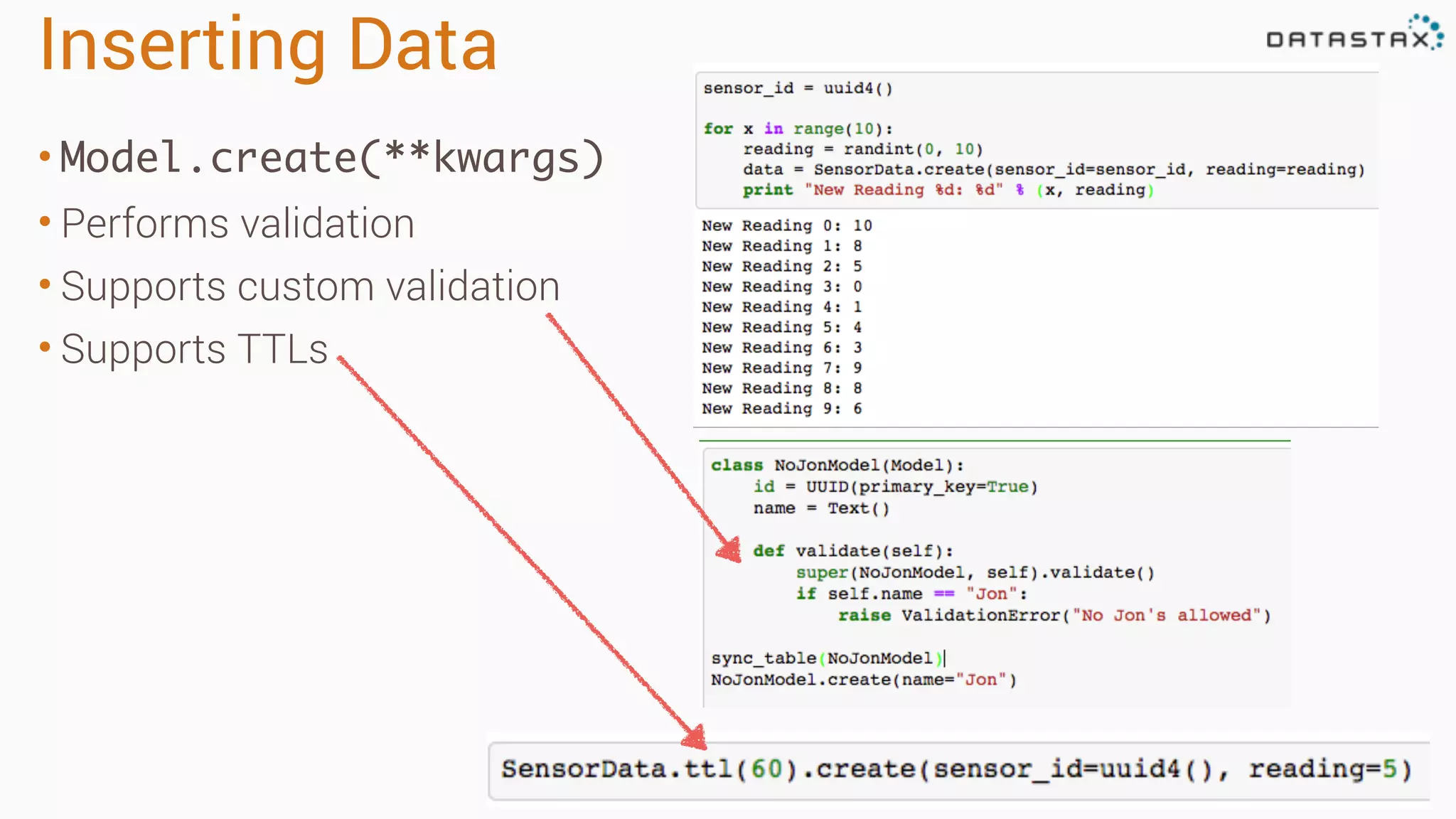
Inserting Data • Model.create(**kwargs) • Performs validation • Supports custom validation • Supports TTLs
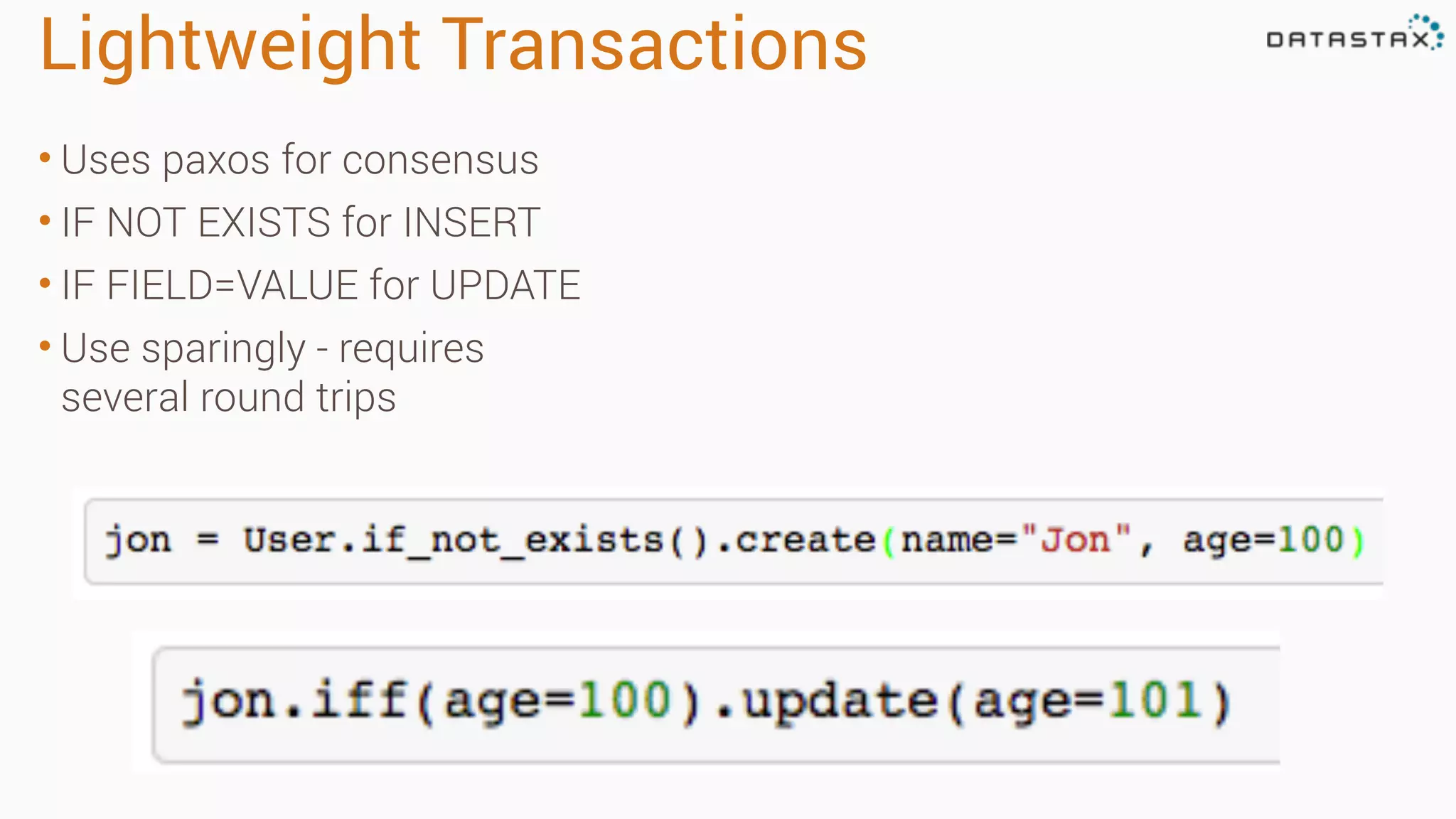
Lightweight Transactions • Uses paxos for consensus • IF NOT EXISTS for INSERT • IF FIELD=VALUE for UPDATE • Use sparingly - requires several round trips
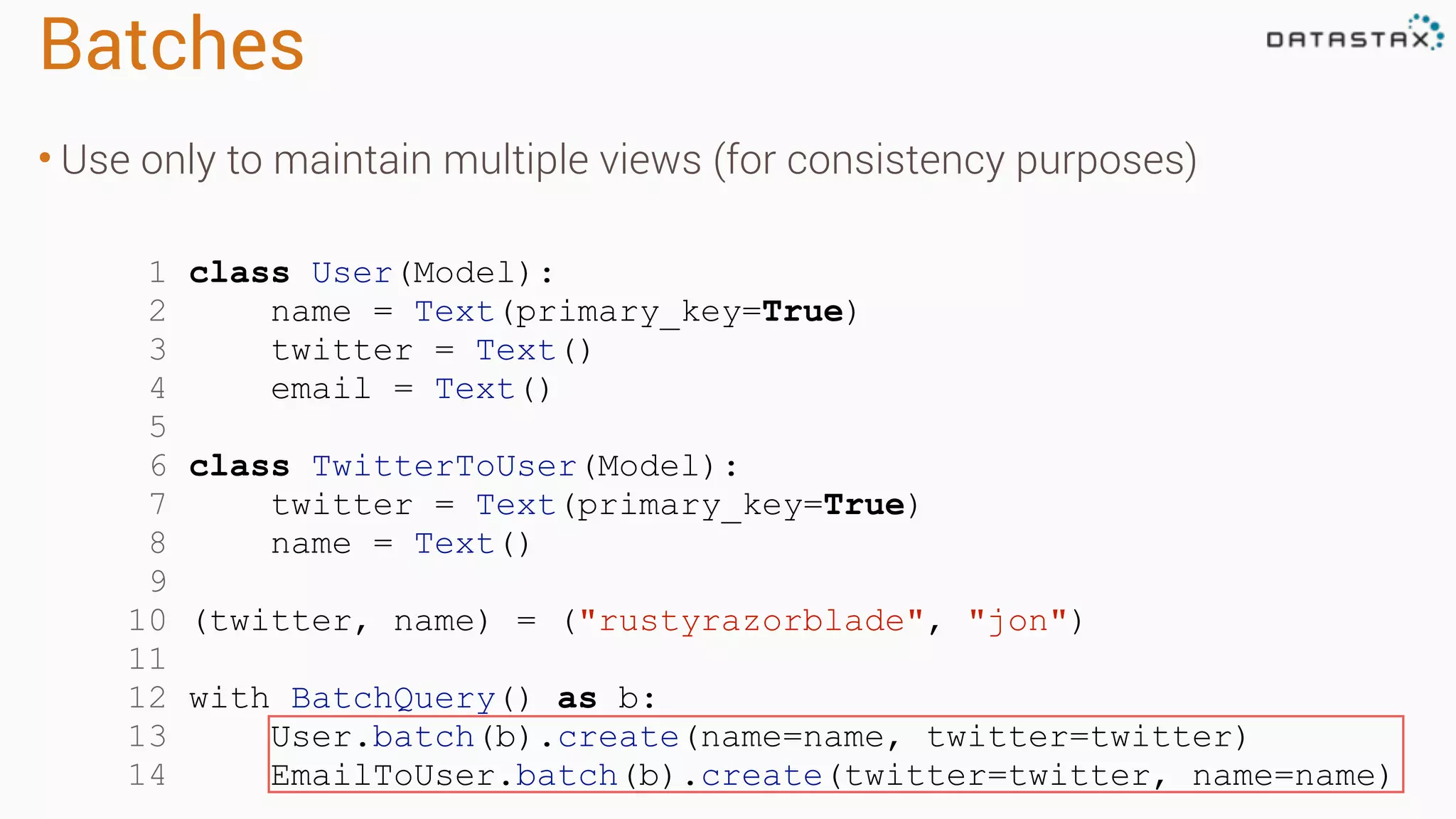
Batches • Use only to maintain multiple views (for consistency purposes) 1 class User(Model): 2 name = Text(primary_key=True) 3 twitter = Text() 4 email = Text() 5 6 class TwitterToUser(Model): 7 twitter = Text(primary_key=True) 8 name = Text() 9 10 (twitter, name) = ("rustyrazorblade", "jon") 11 12 with BatchQuery() as b: 13 User.batch(b).create(name=name, twitter=twitter) 14 EmailToUser.batch(b).create(twitter=twitter, name=name)
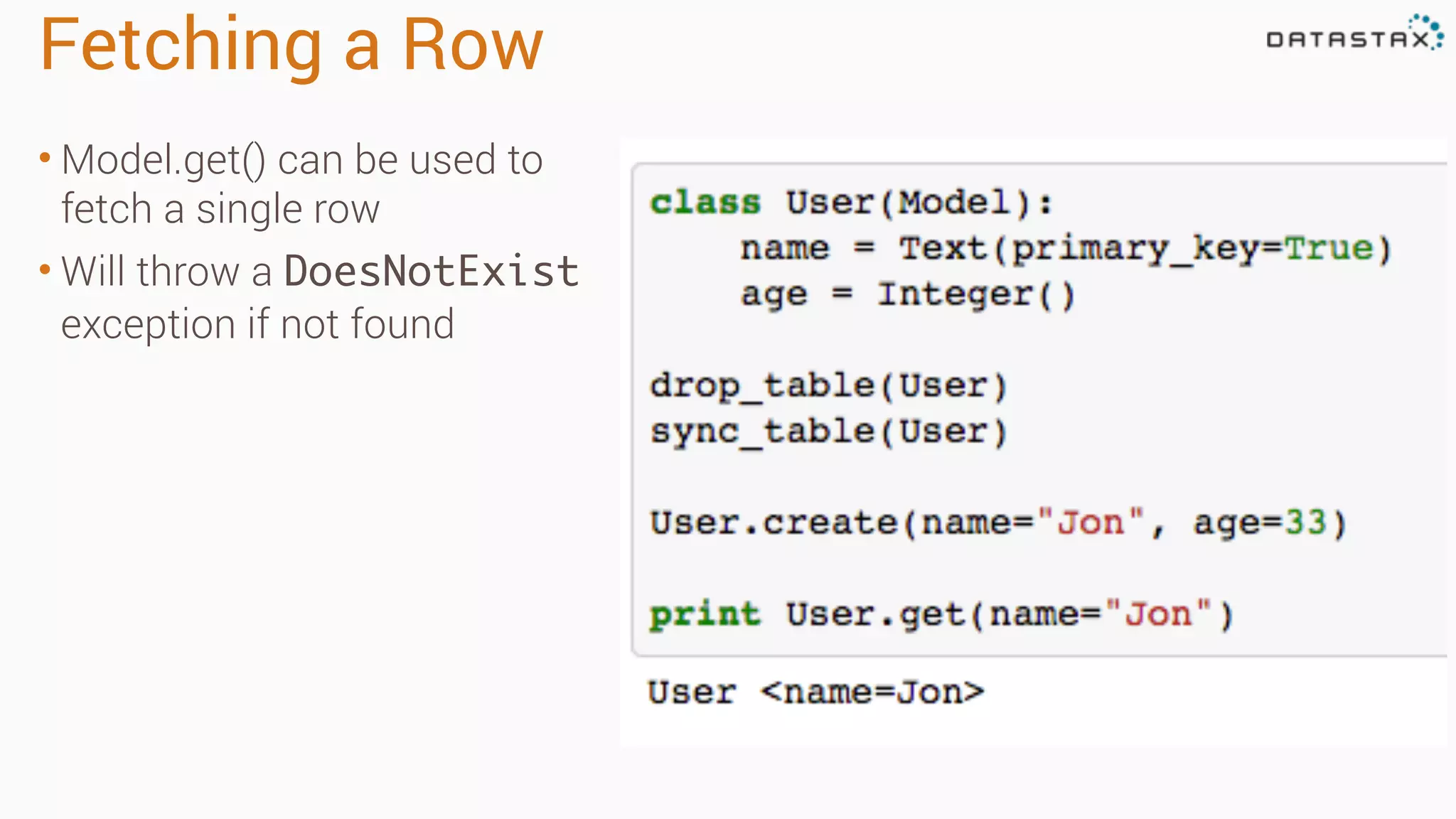
Fetching a Row • Model.get() can be used to fetch a single row • Will throw a DoesNotExist exception if not found
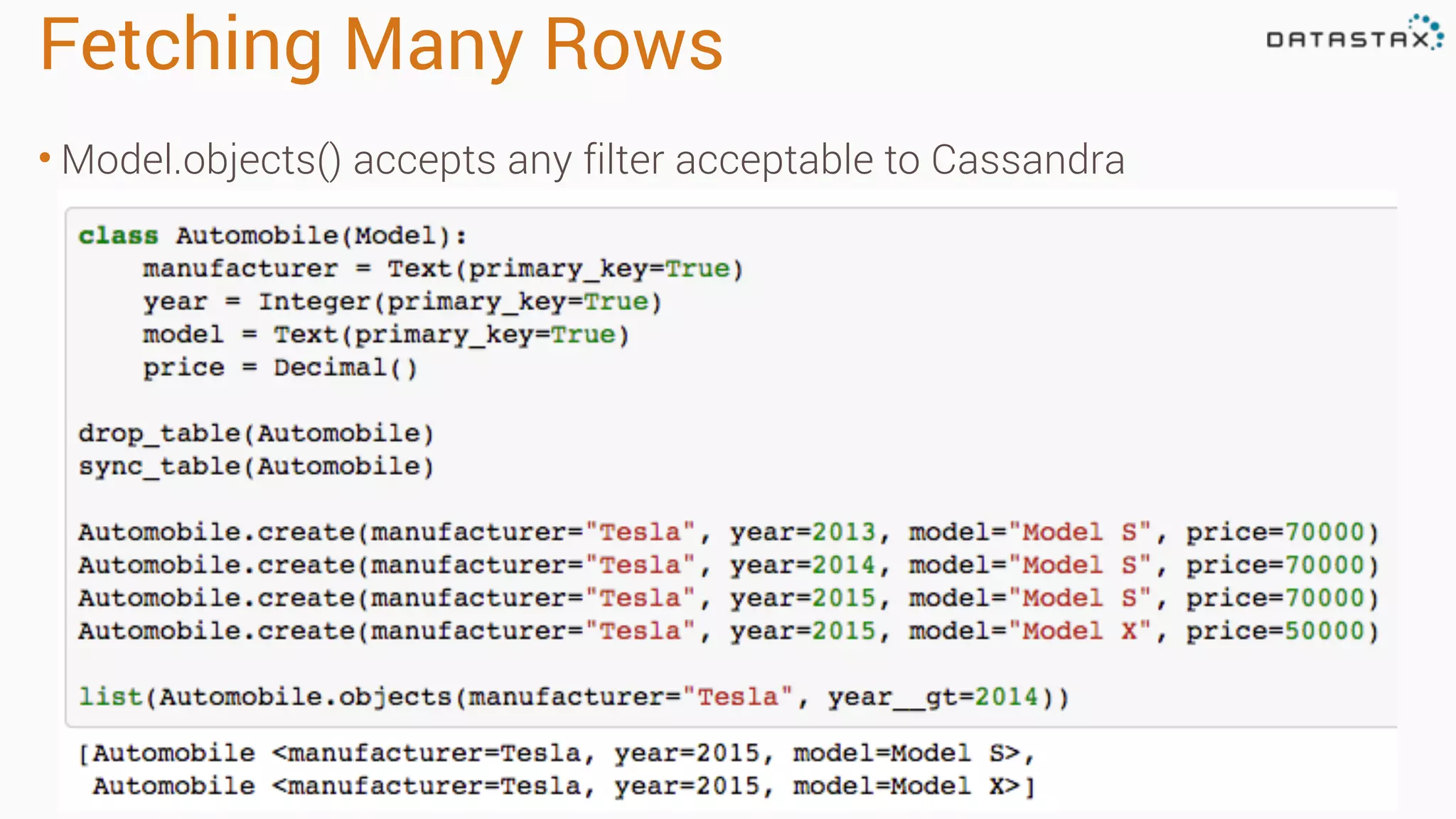
Fetching Many Rows • Model.objects() accepts any filter acceptable to Cassandra
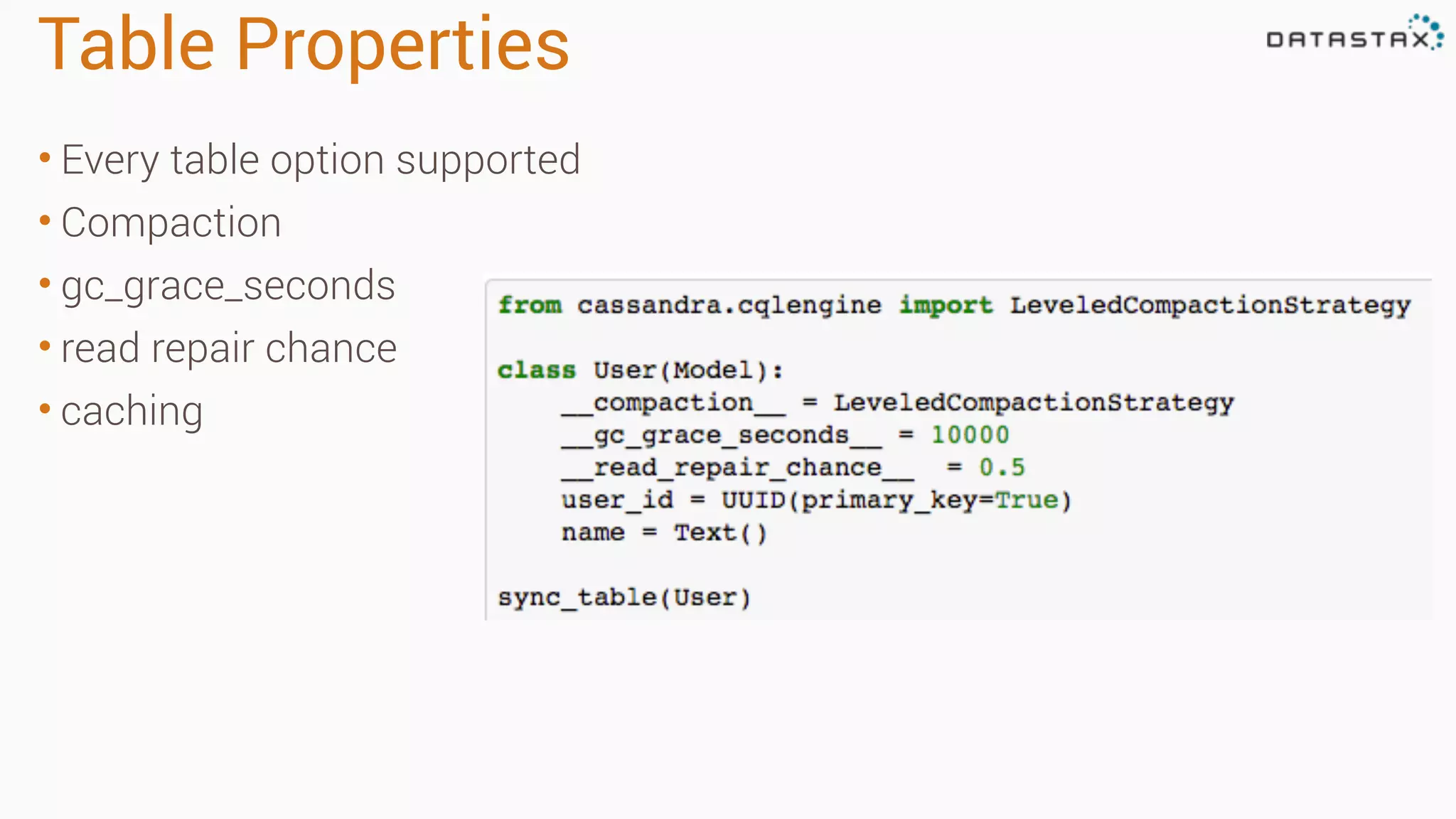
Table Properties • Every table option supported • Compaction • gc_grace_seconds • read repair chance • caching
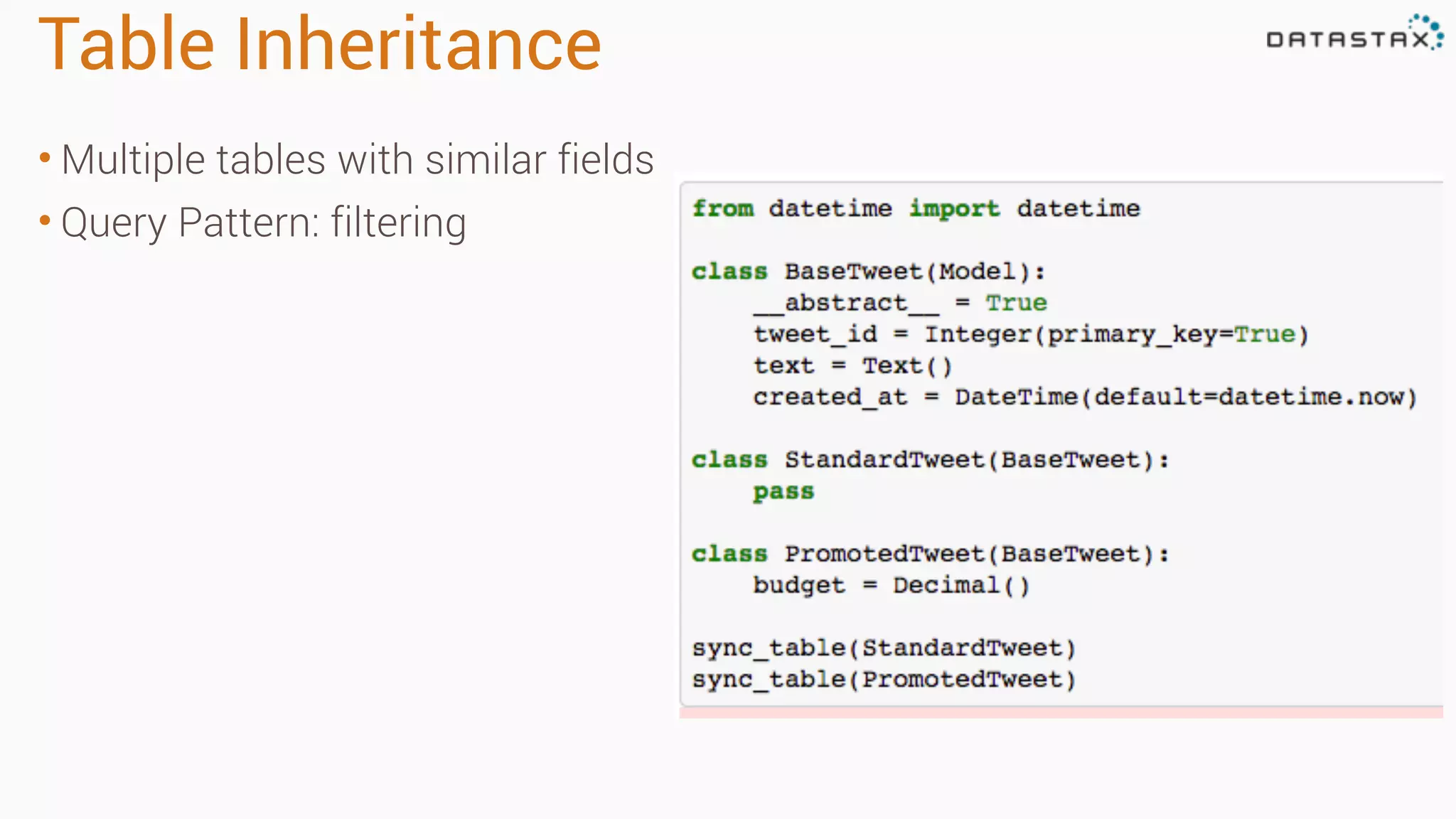
Table Inheritance • Multiple tables with similar fields • Query Pattern: filtering
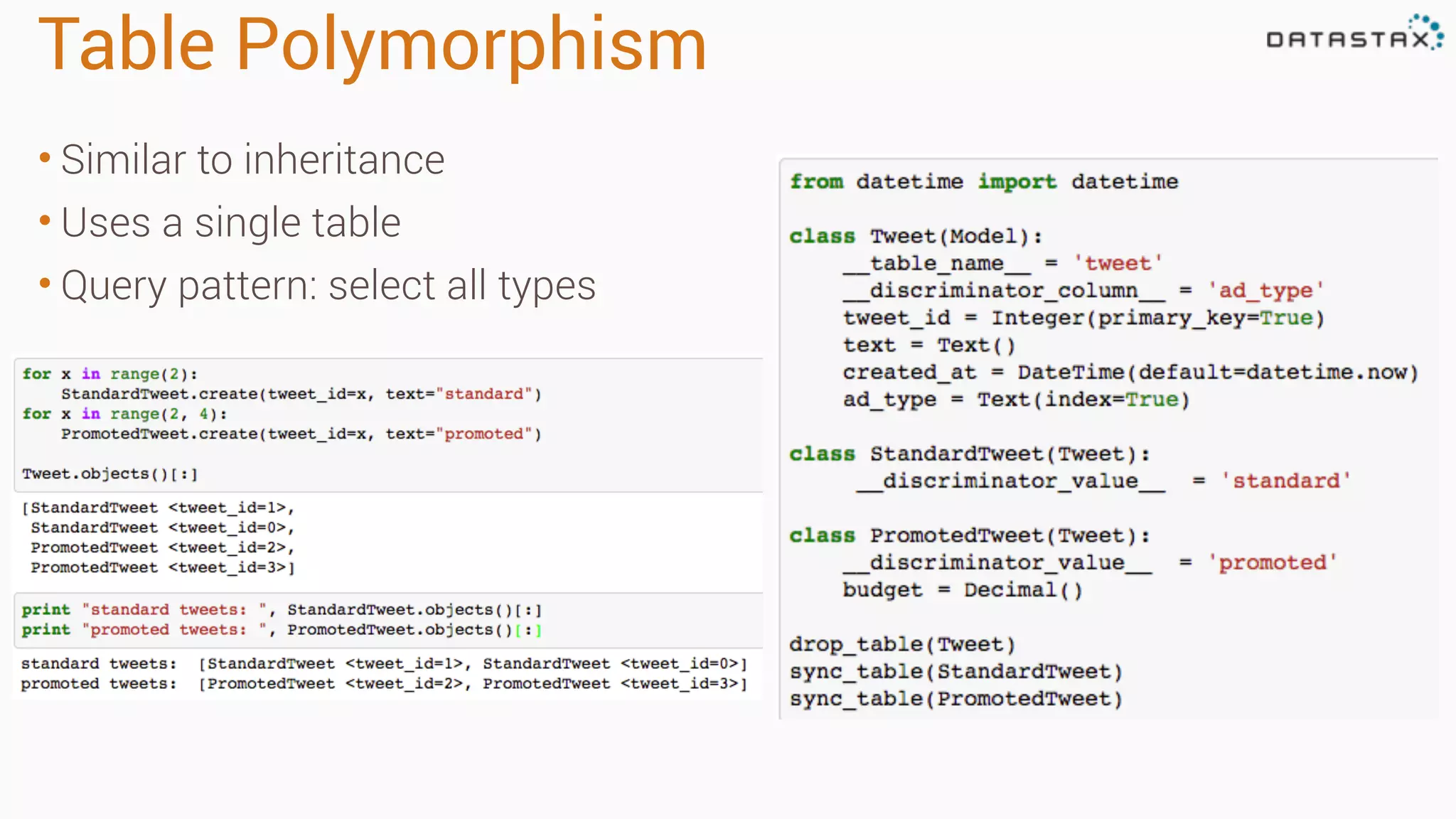
Table Polymorphism • Similar to inheritance • Uses a single table • Query pattern: select all types
Application Development
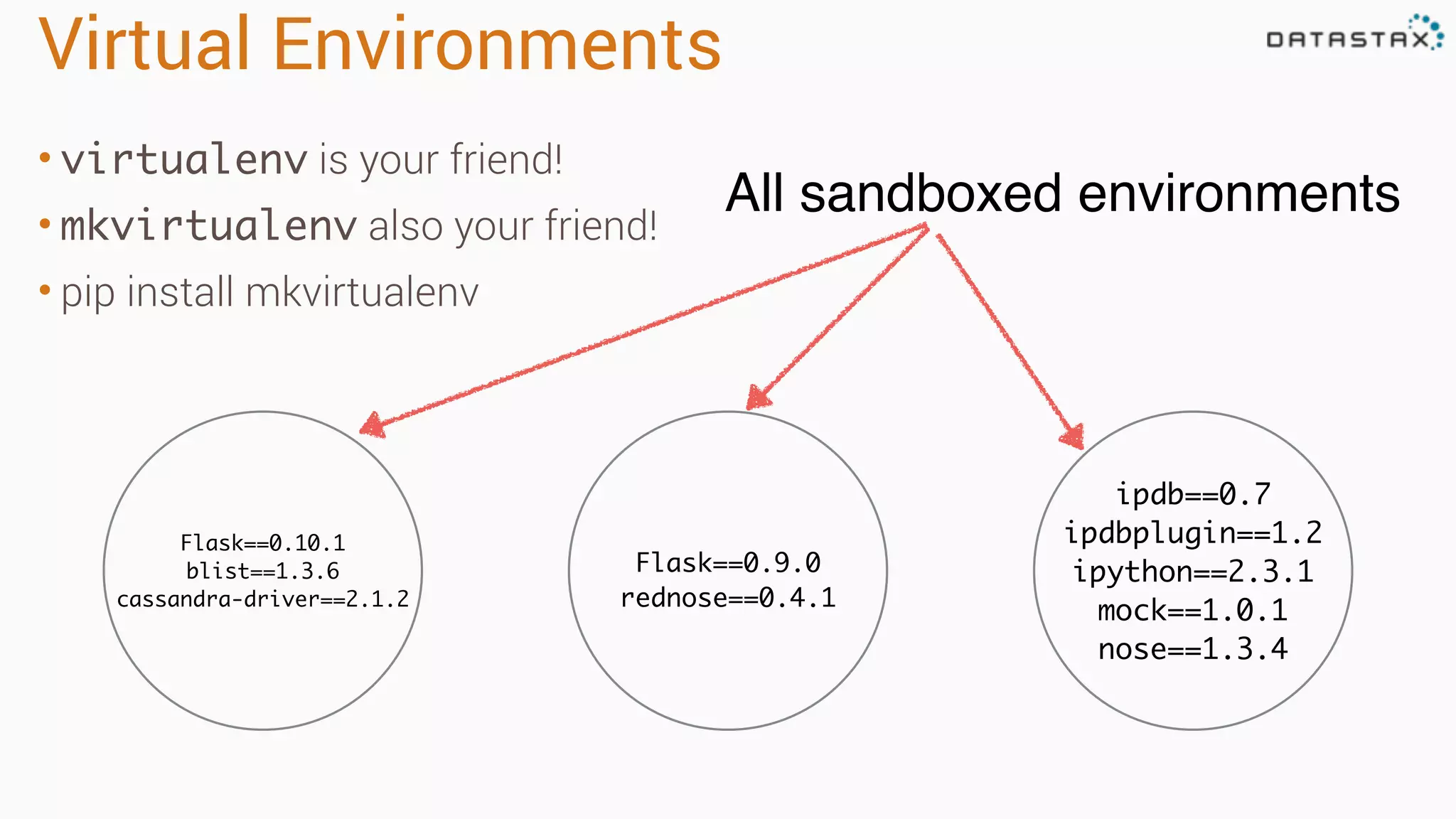
Virtual Environments • virtualenv is your friend! • mkvirtualenv also your friend! • pip install mkvirtualenv Flask==0.10.1 blist==1.3.6 cassandra-driver==2.1.2 Flask==0.9.0 rednose==0.4.1 ipdb==0.7 ipdbplugin==1.2 ipython==2.3.1 mock==1.0.1 nose==1.3.4 All sandboxed environments
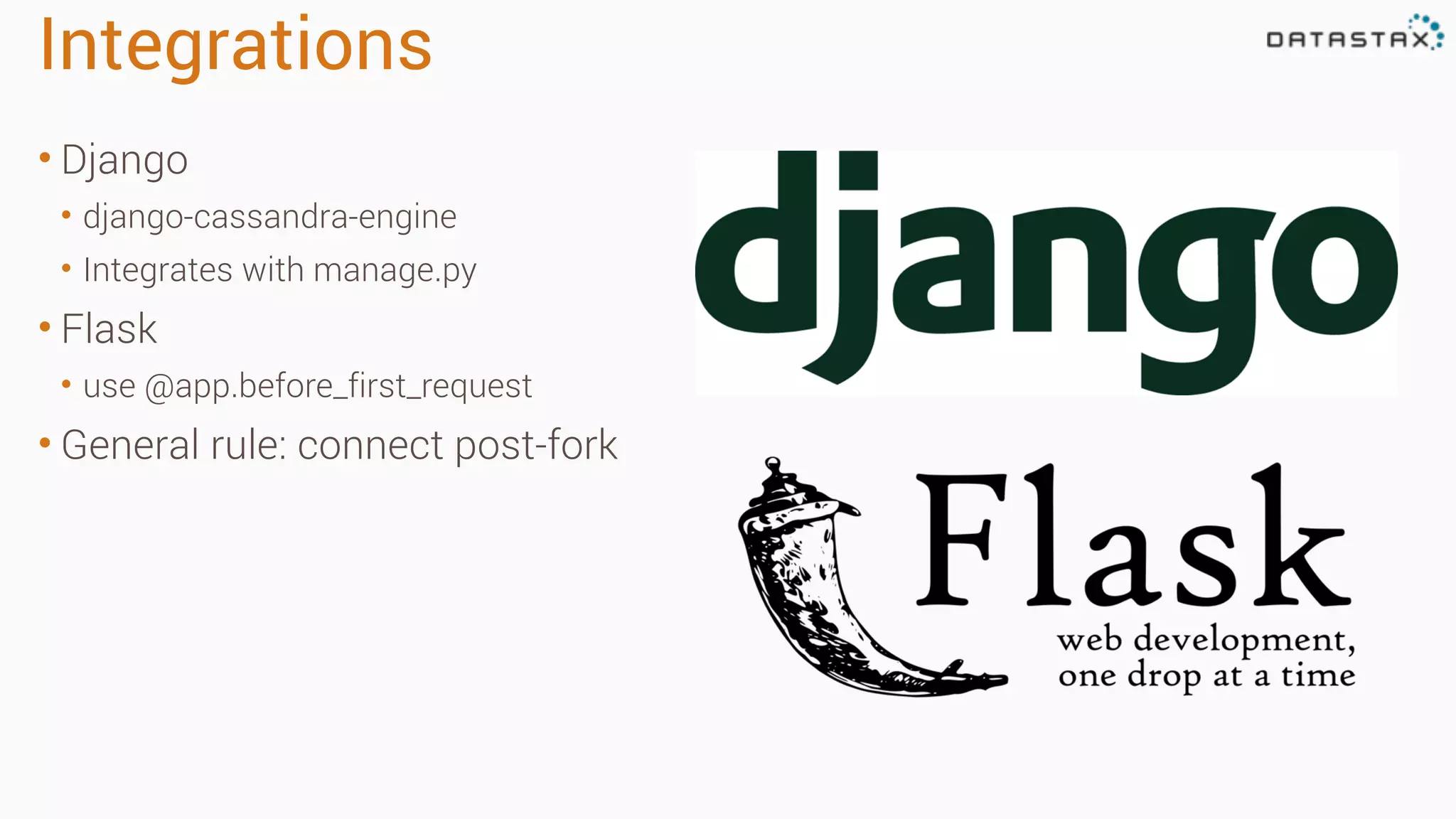
Integrations • Django • django-cassandra-engine • Integrates with manage.py • Flask • use @app.before_first_request • General rule: connect post-fork
Go build stuff!
©2013 DataStax Confidential. Do not distribute without consent. 28

Cassandra Day Atlanta 2015: Python & Cassandra

  • 1.
    ©2013 DataStax Confidential.Do not distribute without consent. @rustyrazorblade Jon Haddad
 Technical Evangelist, DataStax Python & Cassandra 1
  • 2.
    This should beboring • Talking to a database should not be any of the following: • Exciting • "AH HA!" • Confusing git@github.com:rustyrazorblade/python-presentation.git
  • 3.
    Agenda • Go overdriver basic concepts • Connecting • Perform queries • Introduce object mapper (cqlengine) • Application integration
  • 4.
    DataStax Native PythonDriver • Talks to Cassandra • Connection pooling • Aware of cluster topology • Automatic retries / failure management • Load balancing • Will include object mapper (cqlengine) in next release • Fully Open Source (Apache License)
  • 5.
    Connect to Cassandra •Import and create a Cluster instance • Cluster takes options such as load balancing policy, reconnect policy, retry policy • On connection, driver discovers entire cluster automatically
  • 6.
    Executing queries • CQL:Similar to SQL • session.execute() • Create tables, insert, selects • Can accept simple strings • Not token aware
  • 7.
    Prepared Statements • Usefor all queries (inserts / updates / deletes) • Decrease server load • Increase security • Allows for token aware queries
  • 8.
    Async Queries • Preparedstatements required! • Much faster than sync • Utilize the entire cluster • Driver can help us here • We can use futures
  • 9.
    1 statement ="""INSERT INTO sensor 2 (sensor_id, name, created_at) 3 VALUES (?, ?, ?)""" 4 5 insert_sensor = session.prepare(statement) 6 7 def create_sensor_entries_callback(response, sensor_id): 8 print "CALLBACK" 9 10 for x in range(10): 11 sensor_data = (uuid.uuid4(), "sensor %d" % x, datetime.now()) 12 future = session.execute_async(insert_sensor, sensor_data) 13 future.add_callback(create_sensor_entries_callback, sensor_id) 14 Async Queries w/ Callbacks callback function add callback
  • 10.
    1 from cassandra.concurrentimport execute_concurrent_with_args 2 3 stmt = """SELECT * FROM sensor_data WHERE sensor_id=? 4 ORDER BY created_at DESC LIMIT 1""") 5 6 select_statement = session.prepare(stmt) 7 8 sensor_ids = [["f472d5ff-0c76-404a-8044-038db416685e"], 9 ["940cb741-d5b5-4c5d-82f5-bf1aa61c6d47"], 10 ["497d4b2c-cba2-4d0f-bd80-42de612690fd"], 11 ["1bdeac75-7e12-43ba-80b5-2d38405f9843"] 12 13 result = execute_concurrent_with_args(session, select_statement, sensor_ids) Async Queries (managed) prepared statement automatically manages concurrency
  • 11.
    Performance Considerations • LikeSQL, CQL features IN() but in general, it's terrible for performance • Results in more GC & perf problems • BATCH has the same issue • Failure to get a single result causes entire IN() or batch to retry
  • 12.
  • 13.
    Defining Models • Eachmodel maps to a single table • Every model inherits from cassandra.cqlengine.models.Model • Define fields in your table programatically • Collections map to native Python types (lists, sets, dict) • Table management included (no need to write ALTER)
  • 14.
    Model with Collections •Sets & Maps are most useful • Use to denormalize • Lists can have performance issues if misused 1 class Message(Model): 2 message_id = TimeUUID(primary_key=True, default=uuid1) 3 subject = Text() 4 body = Text() 5 addressed_to = Set(UUID) 6 7 class Photo(Model): 8 photo_id = UUID(primary_key=True, default=uuid4) 9 title = Text() 10 likes = Map<UUID, Text>
  • 15.
    Clustering Keys • Automaticallydetermined by ordering in model • First primary key is partition key • The rest are clustering keys 1 class UsersInGroup(Model): 2 group_id = UUID(primary_key=True) 3 user_id = UUID(primary_key=True) 4 is_admin = Boolean() 5 6 1 class UsersInGroupByState(Model): 2 group_id = UUID(primary_key=True, partition_key=True) 3 state = Text(primary_key=True, partition_key=True 4 user_id = UUID(primary_key=True) 5 is_admin = Boolean(default=False)
  • 16.
    Inserting Data • Model.create(**kwargs) •Performs validation • Supports custom validation • Supports TTLs
  • 17.
    Lightweight Transactions • Usespaxos for consensus • IF NOT EXISTS for INSERT • IF FIELD=VALUE for UPDATE • Use sparingly - requires several round trips
  • 18.
    Batches • Use onlyto maintain multiple views (for consistency purposes) 1 class User(Model): 2 name = Text(primary_key=True) 3 twitter = Text() 4 email = Text() 5 6 class TwitterToUser(Model): 7 twitter = Text(primary_key=True) 8 name = Text() 9 10 (twitter, name) = ("rustyrazorblade", "jon") 11 12 with BatchQuery() as b: 13 User.batch(b).create(name=name, twitter=twitter) 14 EmailToUser.batch(b).create(twitter=twitter, name=name)
  • 19.
    Fetching a Row •Model.get() can be used to fetch a single row • Will throw a DoesNotExist exception if not found
  • 20.
    Fetching Many Rows •Model.objects() accepts any filter acceptable to Cassandra
  • 21.
    Table Properties • Everytable option supported • Compaction • gc_grace_seconds • read repair chance • caching
  • 22.
    Table Inheritance • Multipletables with similar fields • Query Pattern: filtering
  • 23.
    Table Polymorphism • Similarto inheritance • Uses a single table • Query pattern: select all types
  • 24.
  • 25.
    Virtual Environments • virtualenvis your friend! • mkvirtualenv also your friend! • pip install mkvirtualenv Flask==0.10.1 blist==1.3.6 cassandra-driver==2.1.2 Flask==0.9.0 rednose==0.4.1 ipdb==0.7 ipdbplugin==1.2 ipython==2.3.1 mock==1.0.1 nose==1.3.4 All sandboxed environments
  • 26.
    Integrations • Django • django-cassandra-engine •Integrates with manage.py • Flask • use @app.before_first_request • General rule: connect post-fork
  • 27.
  • 28.
    ©2013 DataStax Confidential.Do not distribute without consent. 28