


Continuous Delivery Continuous Delivery is a software development discipline where you build software in such a way that the software can be released to production at any time. Continuous Integration is the practice of merging all developer working copies to a shared mainline several times a day. Continuous Integration
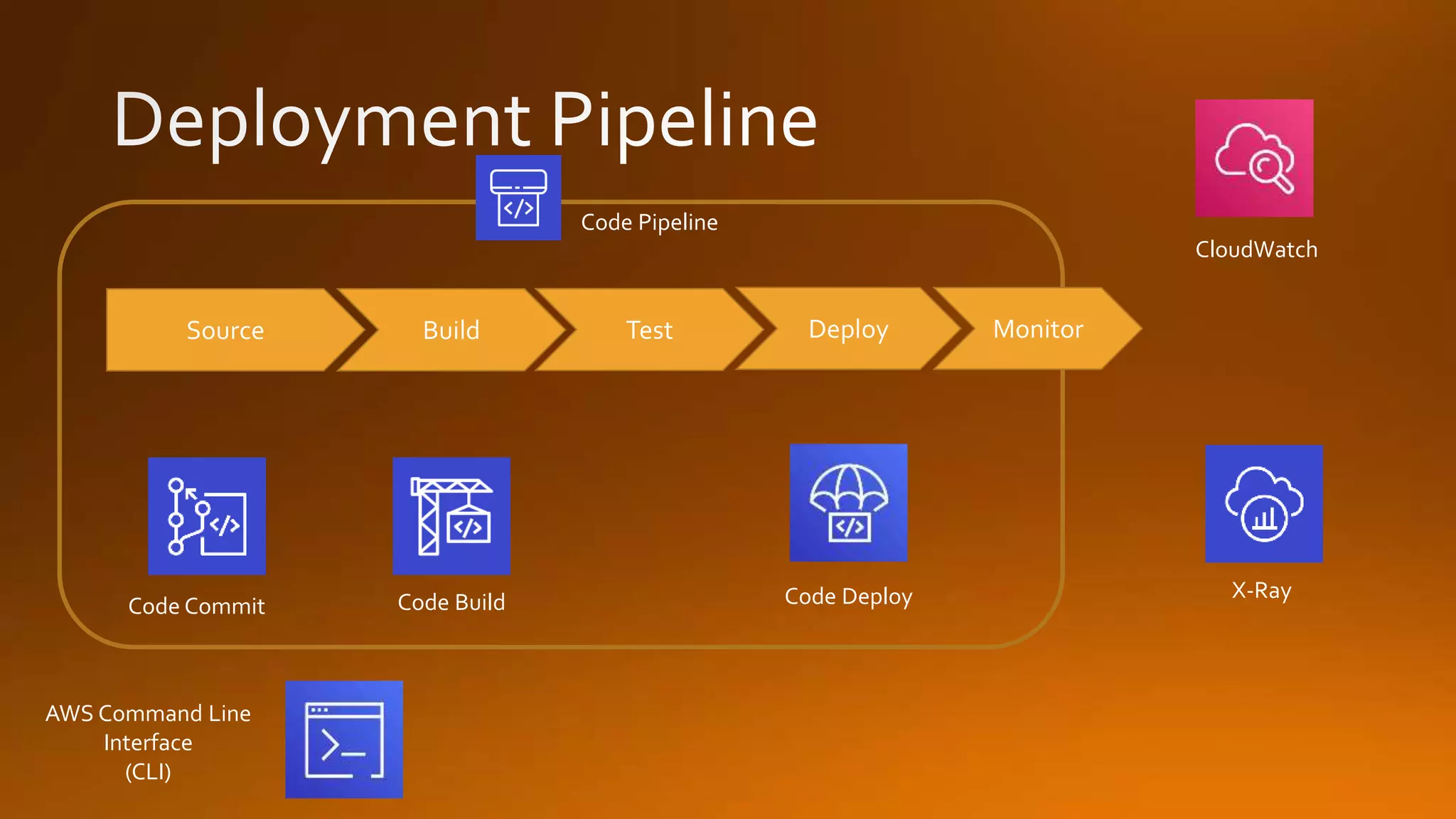
AWS Command Line Interface (CLI) Code BuildCode Commit Code Deploy Source Build Test Deploy Monitor Code Pipeline X-Ray CloudWatch
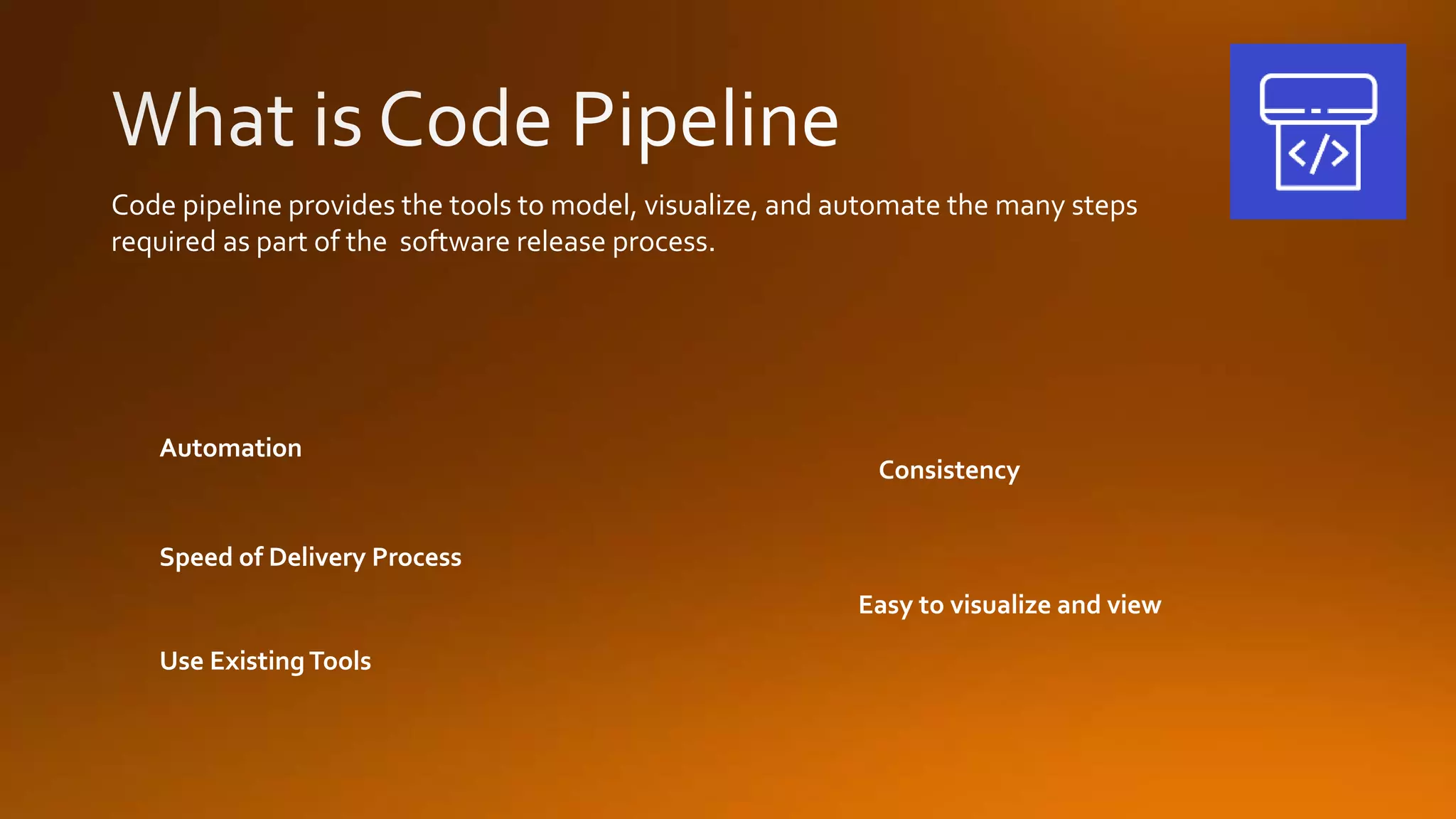
Code pipeline provides the tools to model, visualize, and automate the many steps required as part of the software release process. Use ExistingTools Consistency Speed of Delivery Process Automation Easy to visualize and view
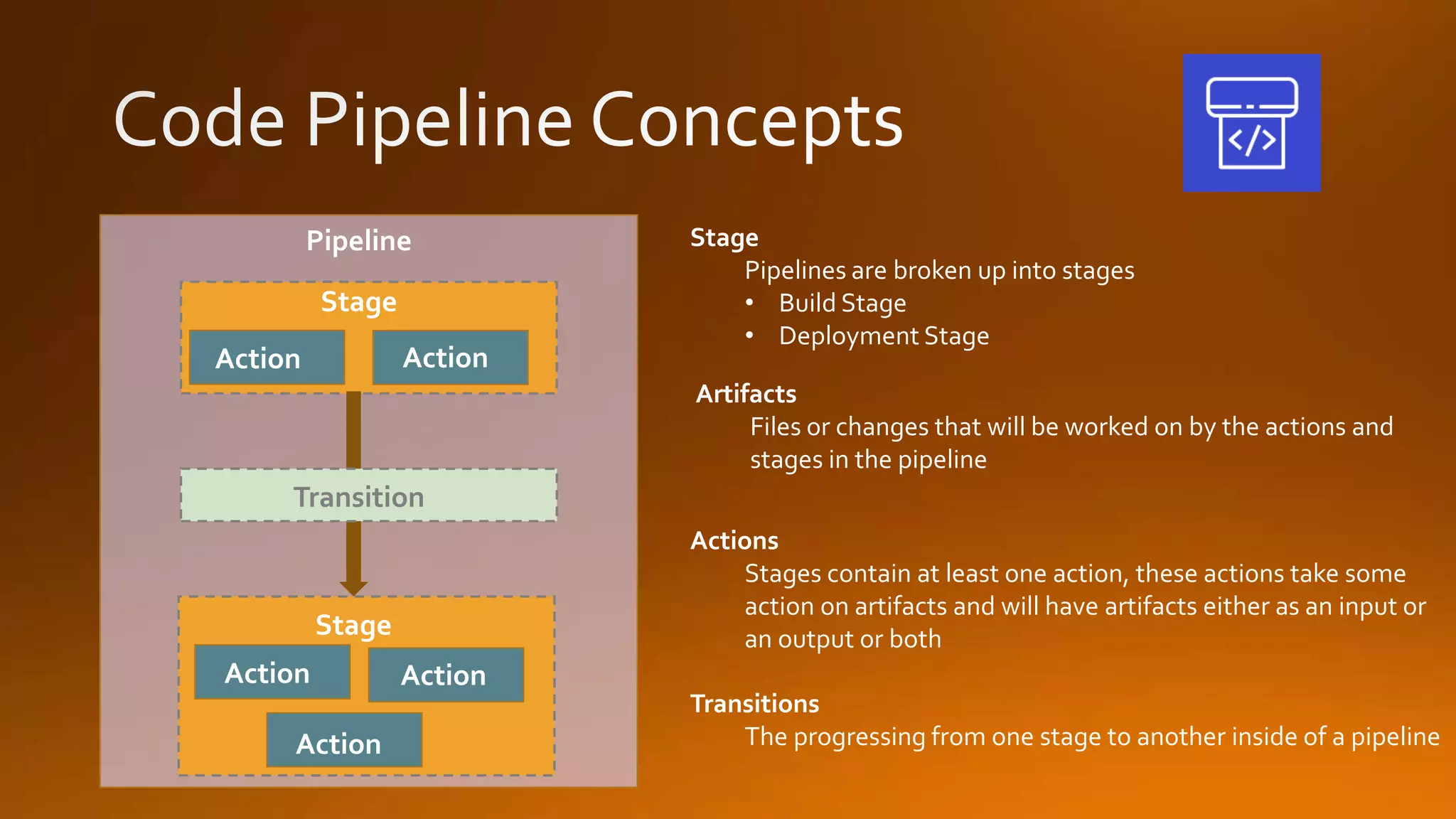
Stage Pipelines are broken up into stages • Build Stage • Deployment Stage Transition Pipeline Stage Stage ActionAction Action Action Action Artifacts Files or changes that will be worked on by the actions and stages in the pipeline Actions Stages contain at least one action, these actions take some action on artifacts and will have artifacts either as an input or an output or both Transitions The progressing from one stage to another inside of a pipeline
Approval actions allow for a pause in the pipeline, and require a human to manually approve the process before pipeline will proceed to the next stage or action. Common Uses for Approval Actions • Perform a code review or change management review • Test the application or perform quality assurance testing
Benefits HighlyAvailable No Size limit Integrates with other AWS services (ie Lambda, SNS, Code Pipeline) Works with existingGit based tools AWS Code Commit is a managed source code control service that hosts private Git repositories What is Code Commit?
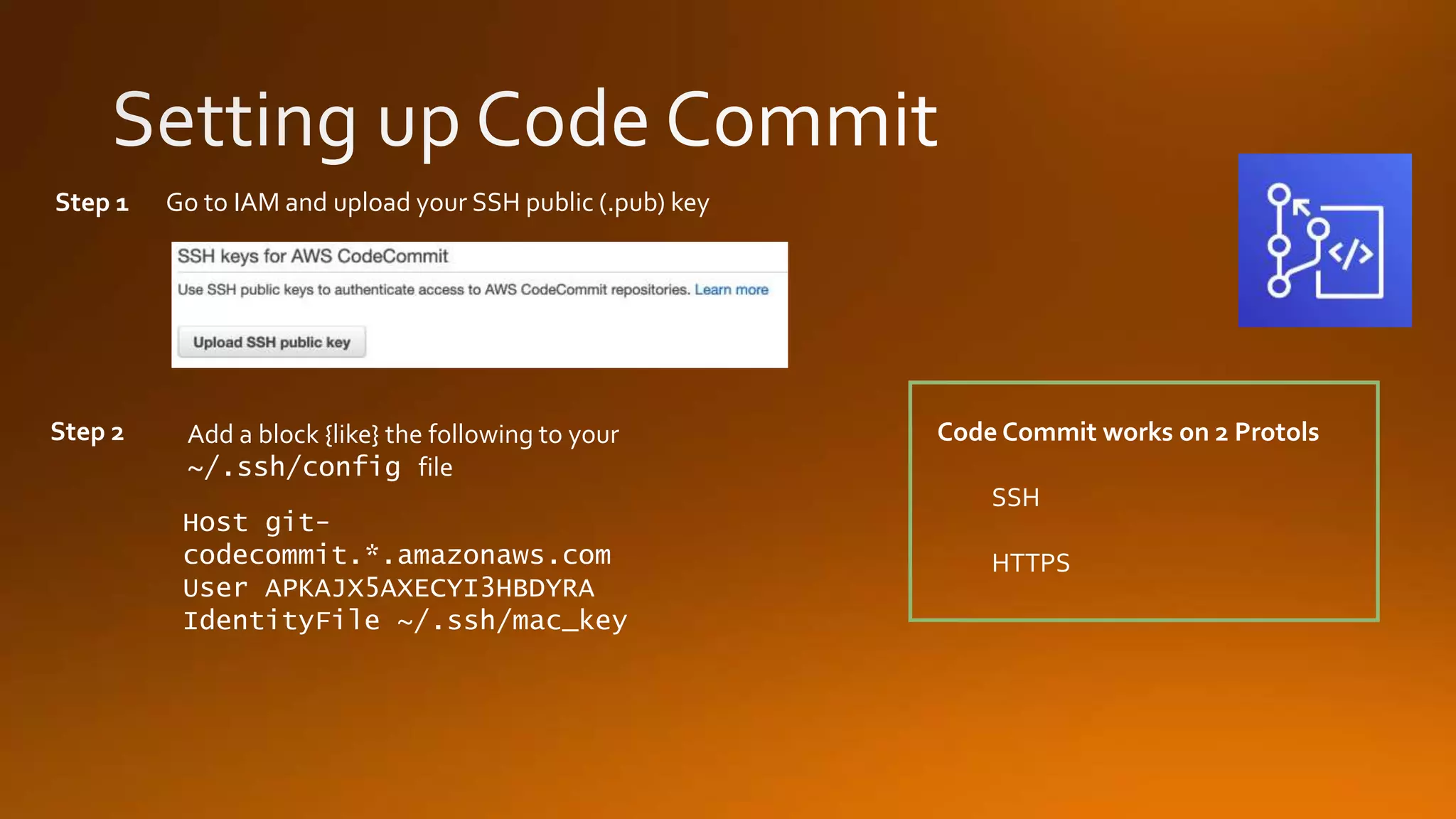
Code Commit works on 2 Protols SSH HTTPS Step 1 Go to IAM and upload your SSH public (.pub) key Step 2 Host git- codecommit.*.amazonaws.com User APKAJX5AXECYI3HBDYRA IdentityFile ~/.ssh/mac_key Add a block {like} the following to your ~/.ssh/config file
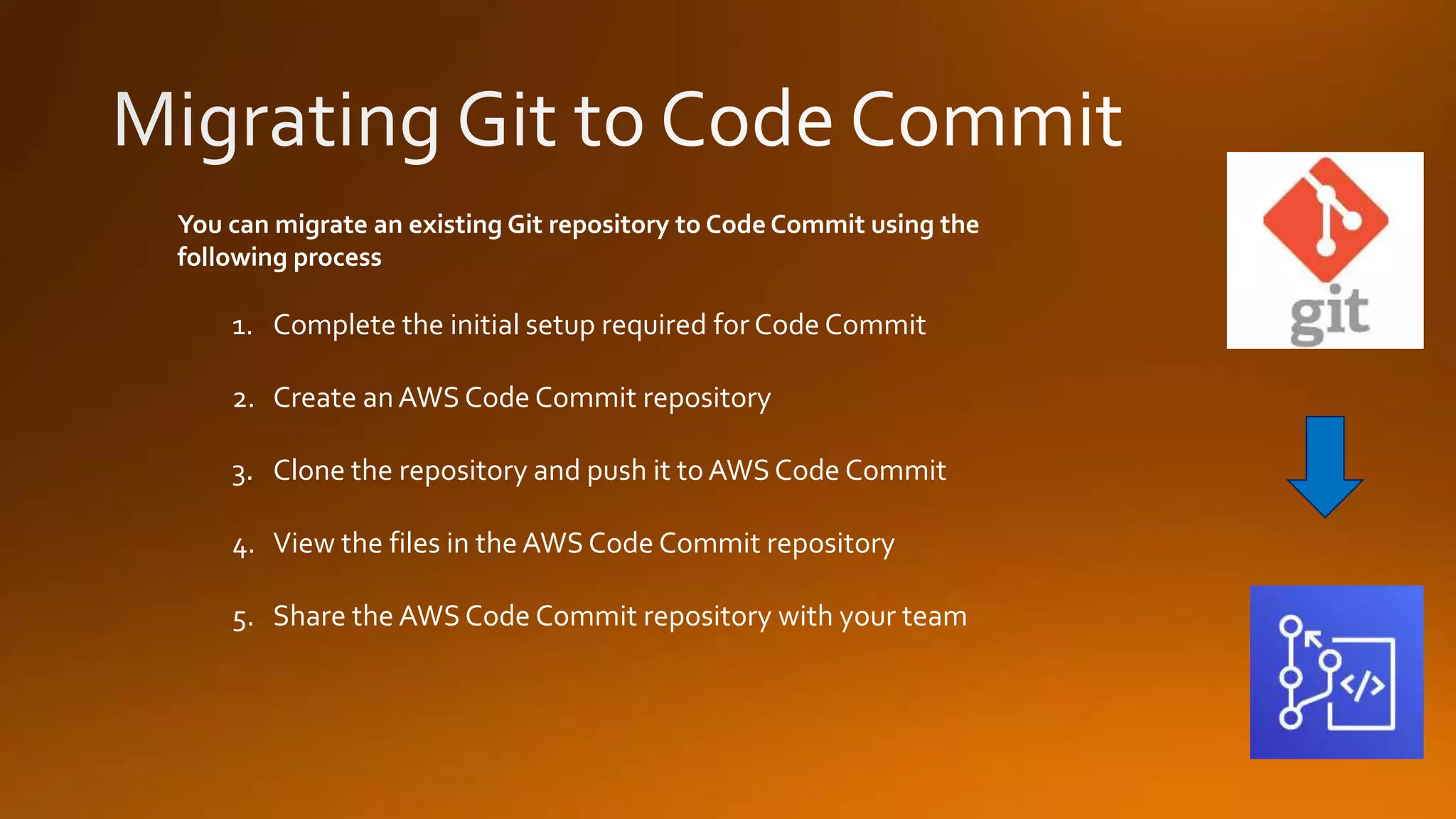
You can migrate an existing Git repository to Code Commit using the following process 1. Complete the initial setup required for Code Commit 2. Create anAWS Code Commit repository 3. Clone the repository and push it to AWS Code Commit 4. View the files in the AWS Code Commit repository 5. Share the AWS Code Commit repository with your team
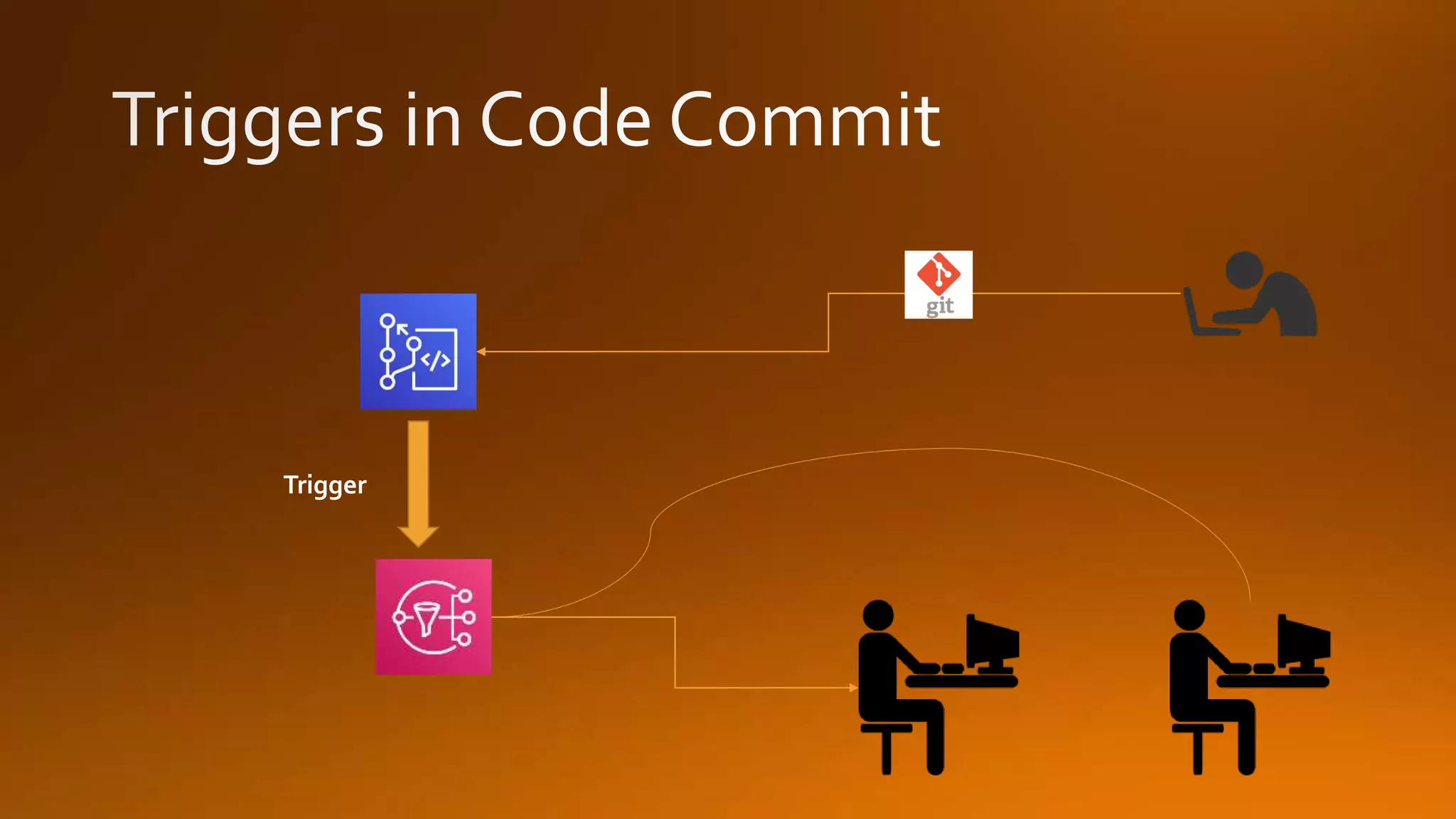
You can configure a Code Commit Repository so that code pushes or other events trigger actions, such as sending a notification from Amazon SNS or invoking a function in AWS Lambda. Common Configurations forTriggers • Send emails to subscribed users every time someone pushes to the repository • Notify an external build system to start a build after someone pushes to the main branch of the repository NOTE: You can create up to 10Triggers on each Code Commit repository
Trigger
The first time you create a CodeCommit repository in a new AWS Region or account, CodeCommit creates an AWS-Managed key. Code Commit uses this AWS-managed key to encrypt and decrypt the data in this and all other CodeCommit repositories within that region in your AWS Account. Your AWS account must not have any of the following permissions set to deny: • “kms:Encrypt” • “kms:Decrypt” • “kms:ReEncrypt” • “kms:GenerateDataKey” • “kms:GenerateDataKeyWithoutPlaintext” • “kms:DescribeKey”
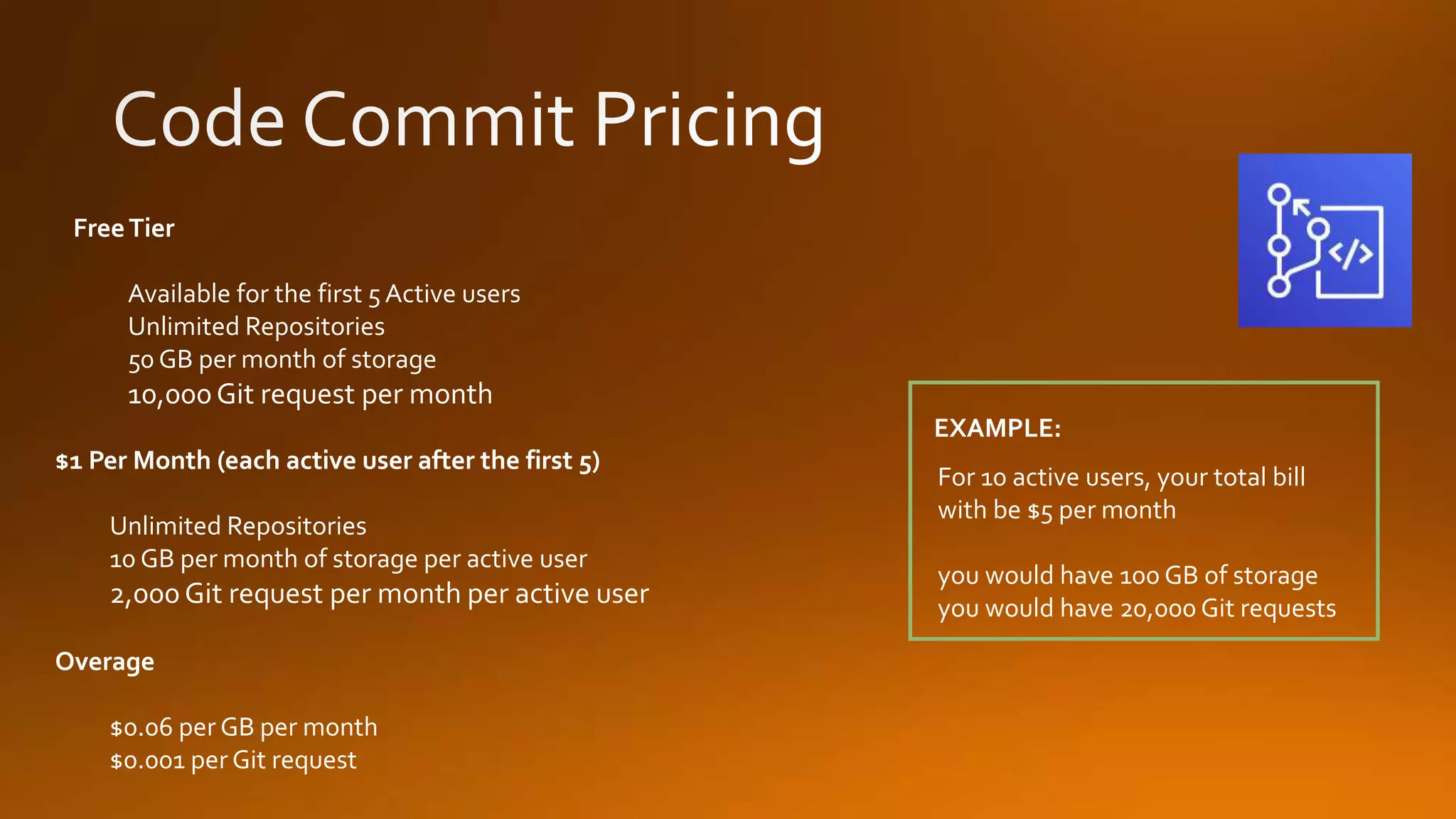
Overage $0.06 per GB per month $0.001 per Git request $1 Per Month (each active user after the first 5) Unlimited Repositories 10 GB per month of storage per active user 2,000Git request per month per active user FreeTier Available for the first 5 Active users Unlimited Repositories 50 GB per month of storage 10,000Git request per month For 10 active users, your total bill with be $5 per month you would have 100 GB of storage you would have 20,000 Git requests EXAMPLE:
Build Project Defines where the source code is What build environment to use What build commands to run Where to store / place the output of the build Artifacts by default can only be stored in S3 NOTE: Build Environment Defines the OS Defines the language used Defines the tools used in the build Build Spec File AYAML file which is a collection of commands and settings for CodeBuild to run a build
In Place Deployment The application on each instance of the deployment group is stopped The latest application revision is installed, and the new version is started and then validated. Blue Green Deployment The instances in a deployment group (the original environment) are replaced by a different set of instances (the replacement instances) using these steps: While CodeBuild uses a BuildSpec file – Code Deploy uses an AppSpec file. NOTE:
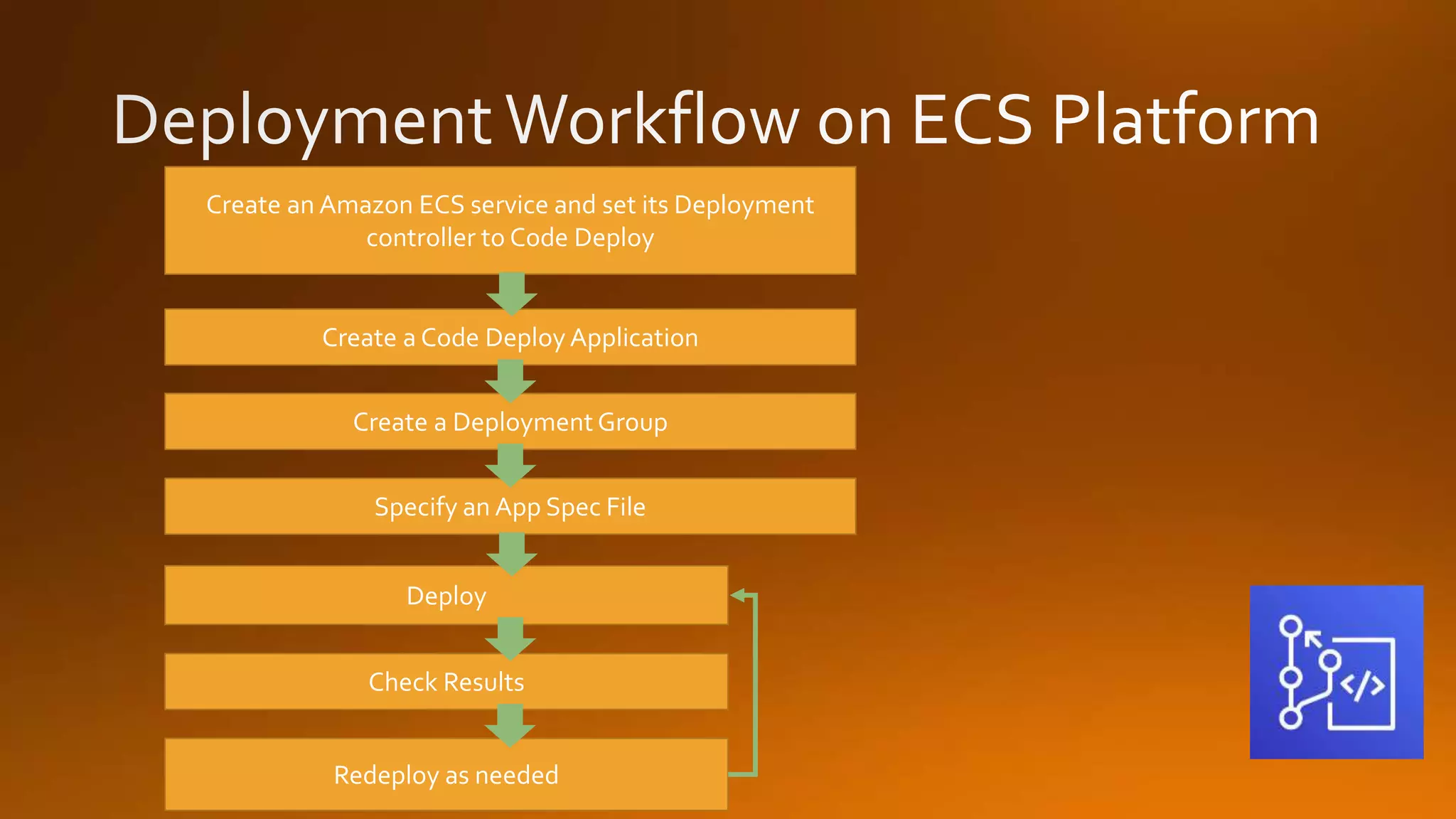
Create an Amazon ECS service and set its Deployment controller to Code Deploy Create a Deployment Group Specify an App Spec File Deploy Check Results Redeploy as needed Create a Code Deploy Application
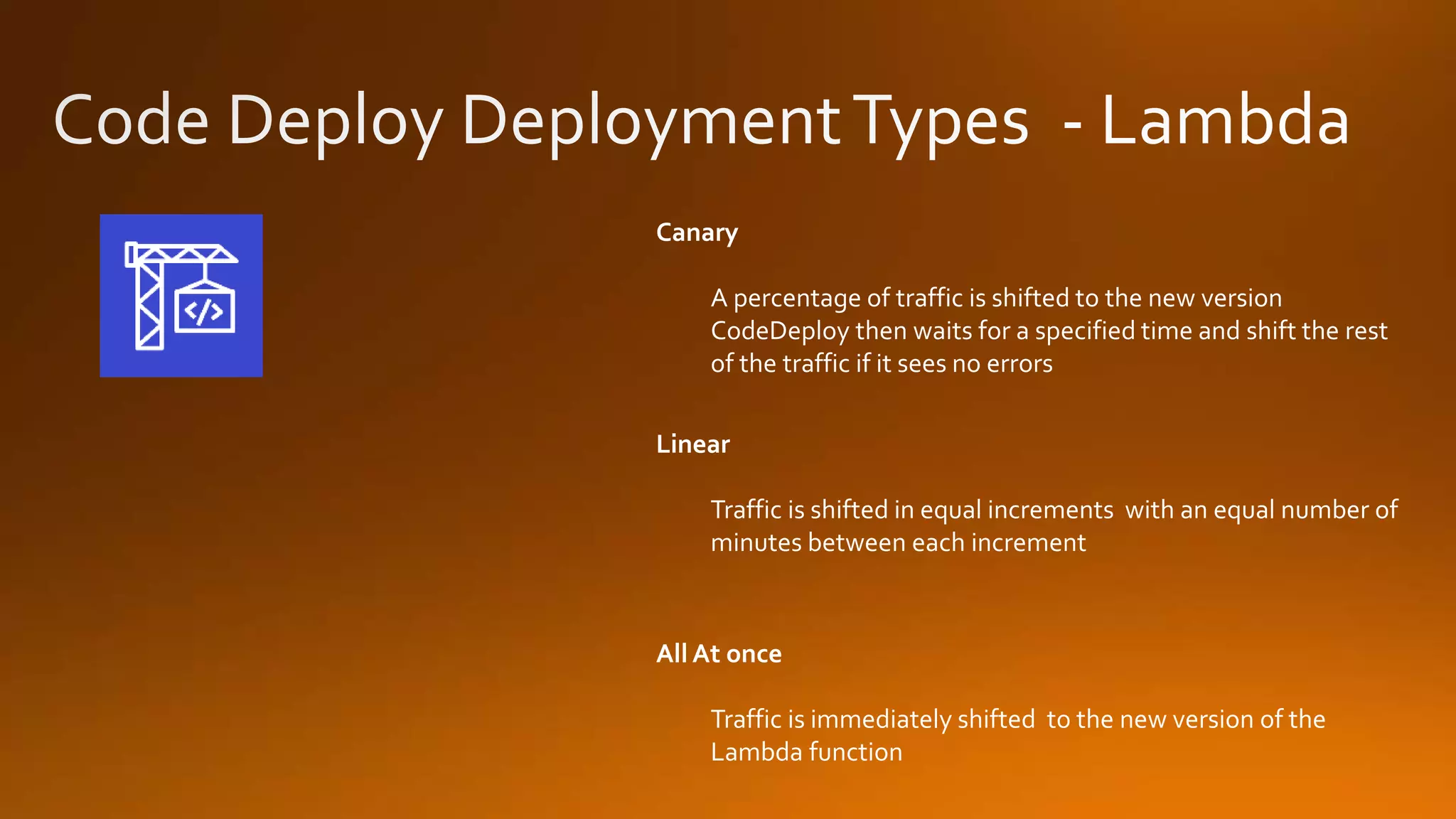
Canary A percentage of traffic is shifted to the new version CodeDeploy then waits for a specified time and shift the rest of the traffic if it sees no errors Linear Traffic is shifted in equal increments with an equal number of minutes between each increment All At once Traffic is immediately shifted to the new version of the Lambda function
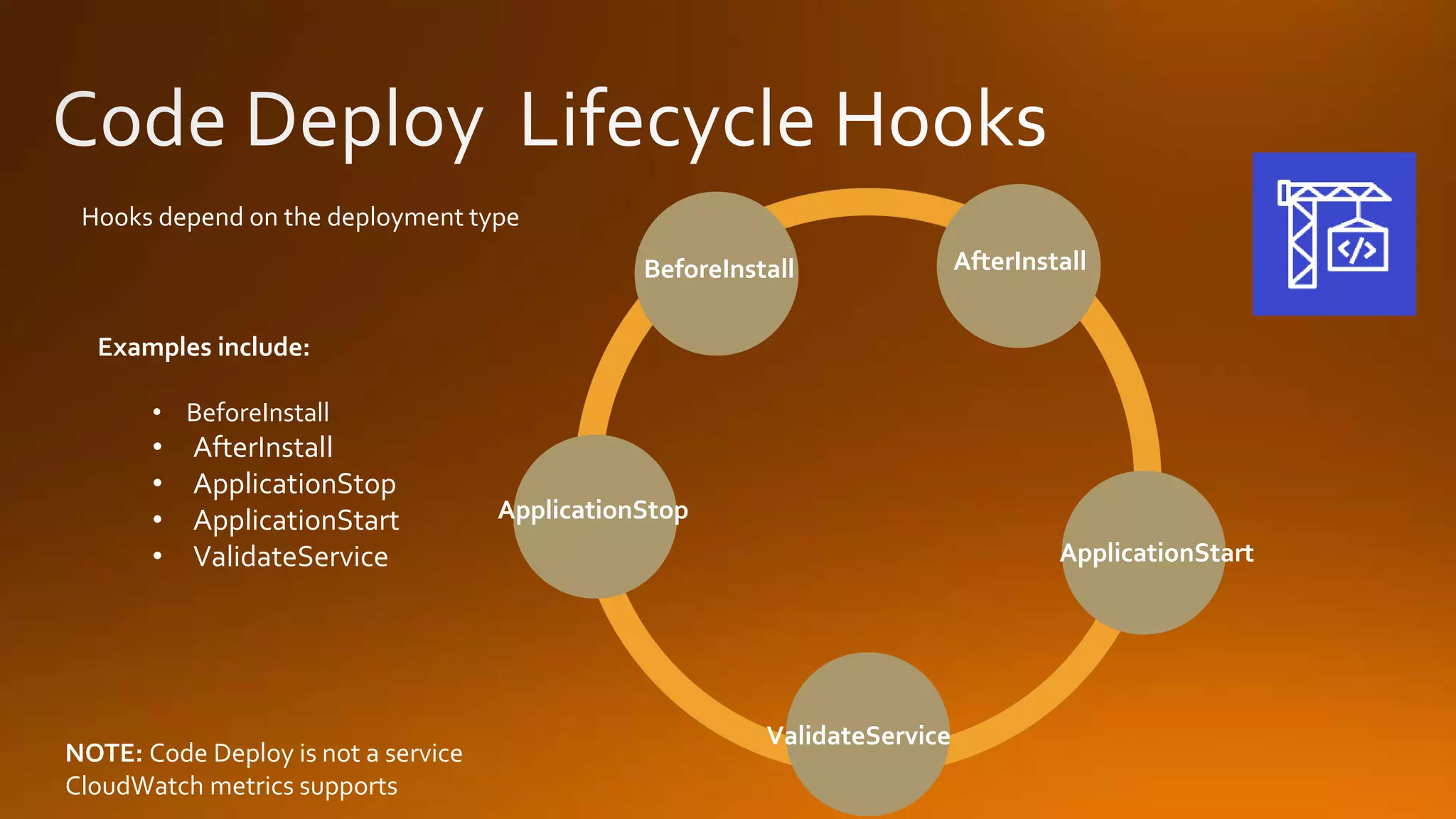
Hooks depend on the deployment type Examples include: • BeforeInstall • AfterInstall • ApplicationStop • ApplicationStart • ValidateService BeforeInstall AfterInstall ValidateService ApplicationStart ApplicationStop NOTE: Code Deploy is not a service CloudWatch metrics supports
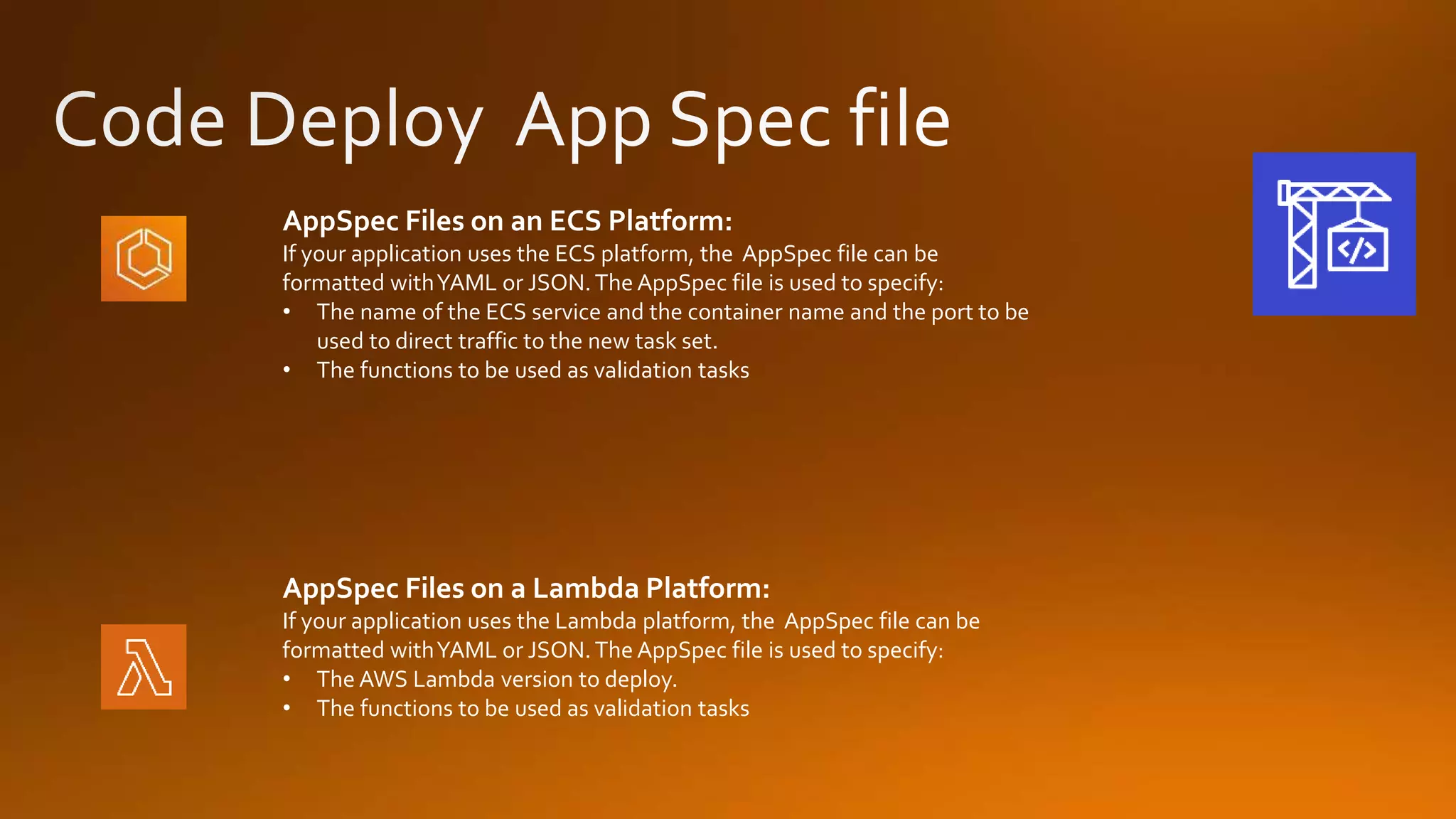
AppSpec Files on an ECS Platform: If your application uses the ECS platform, the AppSpec file can be formatted withYAML or JSON.The AppSpec file is used to specify: • The name of the ECS service and the container name and the port to be used to direct traffic to the new task set. • The functions to be used as validation tasks AppSpec Files on a Lambda Platform: If your application uses the Lambda platform, the AppSpec file can be formatted withYAML or JSON.The AppSpec file is used to specify: • The AWS Lambda version to deploy. • The functions to be used as validation tasks
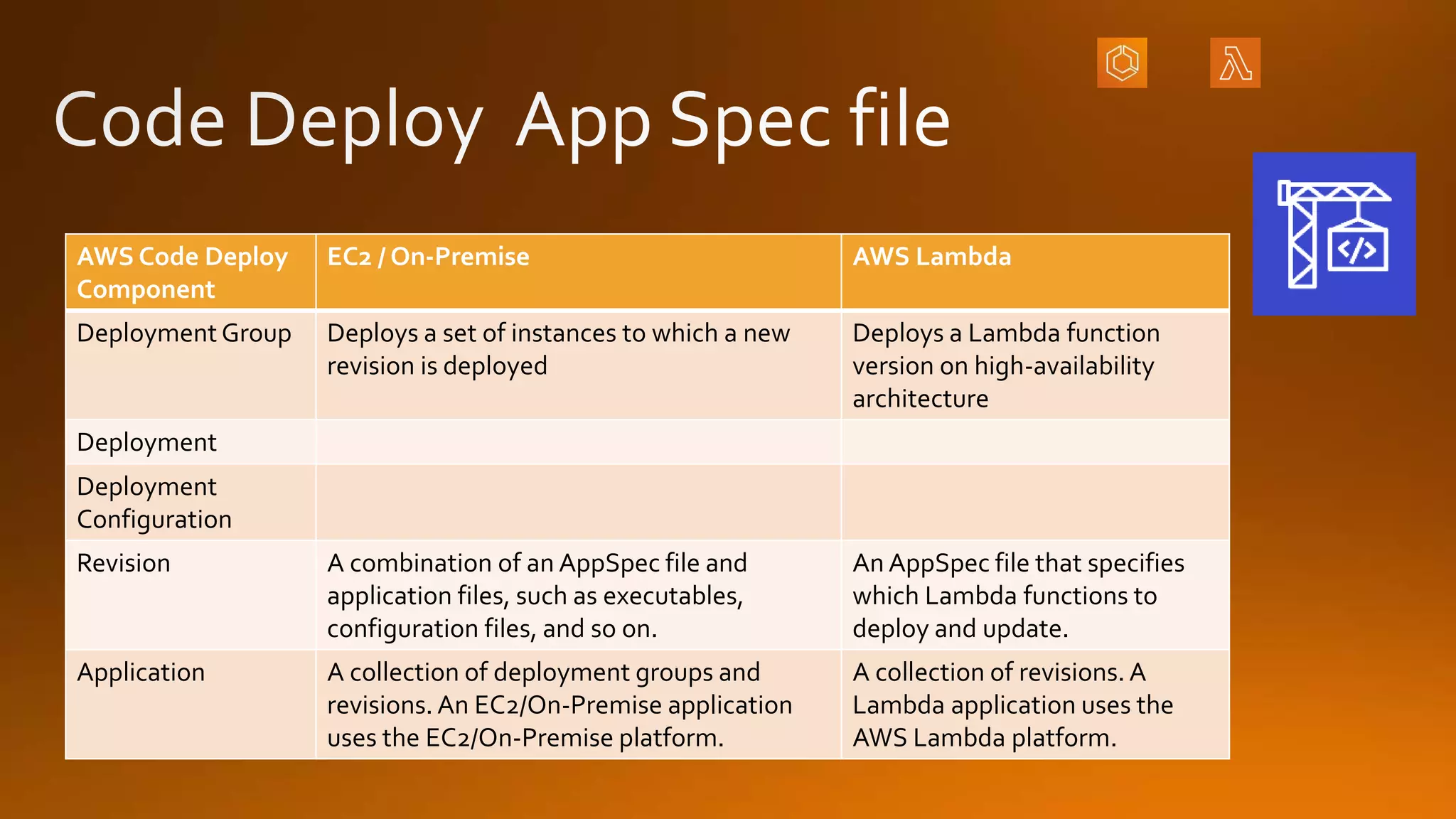
AWS Code Deploy Component EC2 / On-Premise AWS Lambda Deployment Group Deploys a set of instances to which a new revision is deployed Deploys a Lambda function version on high-availability architecture Deployment Deployment Configuration Revision A combination of an AppSpec file and application files, such as executables, configuration files, and so on. An AppSpec file that specifies which Lambda functions to deploy and update. Application A collection of deployment groups and revisions. An EC2/On-Premise application uses the EC2/On-Premise platform. A collection of revisions. A Lambda application uses the AWS Lambda platform.
https://www.meetup.com/AWS-Atlanta/contribute/
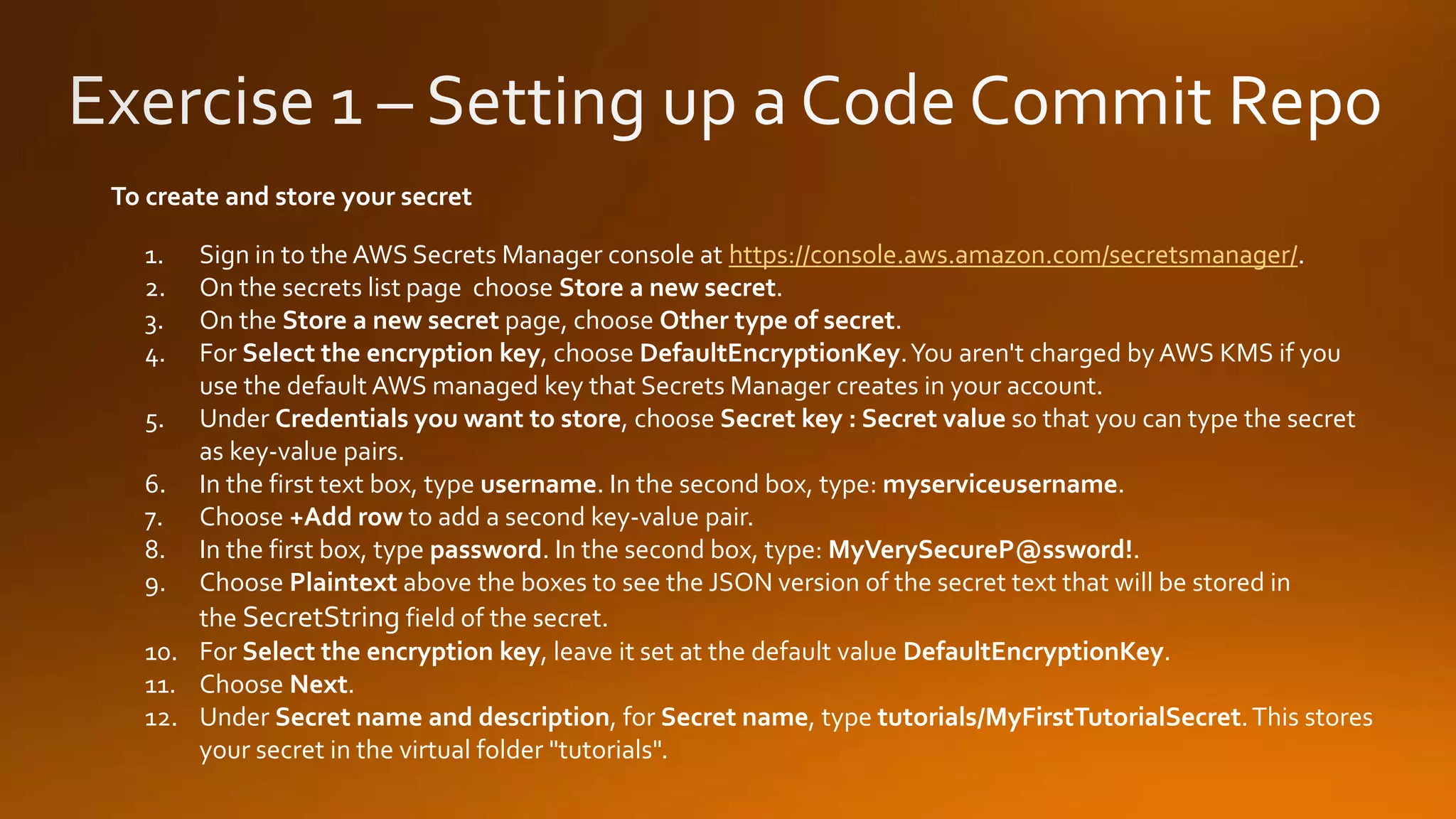
1. Sign in to the AWS Secrets Manager console at https://console.aws.amazon.com/secretsmanager/. 2. On the secrets list page choose Store a new secret. 3. On the Store a new secret page, choose Other type of secret. 4. For Select the encryption key, choose DefaultEncryptionKey.You aren't charged by AWS KMS if you use the default AWS managed key that Secrets Manager creates in your account. 5. Under Credentials you want to store, choose Secret key : Secret value so that you can type the secret as key-value pairs. 6. In the first text box, type username. In the second box, type: myserviceusername. 7. Choose +Add row to add a second key-value pair. 8. In the first box, type password. In the second box, type: MyVerySecureP@ssw0rd!. 9. Choose Plaintext above the boxes to see the JSON version of the secret text that will be stored in the SecretString field of the secret. 10. For Select the encryption key, leave it set at the default value DefaultEncryptionKey. 11. Choose Next. 12. Under Secret name and description, for Secret name, type tutorials/MyFirstTutorialSecret.This stores your secret in the virtual folder "tutorials". To create and store your secret
AWS Atlanta meetup Build Tools - Code Commit, Code Build, Code Deploy

AWS Atlanta meetup Build Tools - Code Commit, Code Build, Code Deploy

  • 4.
    Continuous Delivery Continuous Deliveryis a software development discipline where you build software in such a way that the software can be released to production at any time. Continuous Integration is the practice of merging all developer working copies to a shared mainline several times a day. Continuous Integration
  • 5.
    AWS Command Line Interface (CLI) CodeBuildCode Commit Code Deploy Source Build Test Deploy Monitor Code Pipeline X-Ray CloudWatch
  • 6.
    Code pipeline providesthe tools to model, visualize, and automate the many steps required as part of the software release process. Use ExistingTools Consistency Speed of Delivery Process Automation Easy to visualize and view
  • 7.
    Stage Pipelines are brokenup into stages • Build Stage • Deployment Stage Transition Pipeline Stage Stage ActionAction Action Action Action Artifacts Files or changes that will be worked on by the actions and stages in the pipeline Actions Stages contain at least one action, these actions take some action on artifacts and will have artifacts either as an input or an output or both Transitions The progressing from one stage to another inside of a pipeline
  • 8.
    Approval actions allowfor a pause in the pipeline, and require a human to manually approve the process before pipeline will proceed to the next stage or action. Common Uses for Approval Actions • Perform a code review or change management review • Test the application or perform quality assurance testing
  • 9.
    Benefits HighlyAvailable No Size limit Integrateswith other AWS services (ie Lambda, SNS, Code Pipeline) Works with existingGit based tools AWS Code Commit is a managed source code control service that hosts private Git repositories What is Code Commit?
  • 10.
    Code Commit workson 2 Protols SSH HTTPS Step 1 Go to IAM and upload your SSH public (.pub) key Step 2 Host git- codecommit.*.amazonaws.com User APKAJX5AXECYI3HBDYRA IdentityFile ~/.ssh/mac_key Add a block {like} the following to your ~/.ssh/config file
  • 11.
    You can migratean existing Git repository to Code Commit using the following process 1. Complete the initial setup required for Code Commit 2. Create anAWS Code Commit repository 3. Clone the repository and push it to AWS Code Commit 4. View the files in the AWS Code Commit repository 5. Share the AWS Code Commit repository with your team
  • 12.
    You can configurea Code Commit Repository so that code pushes or other events trigger actions, such as sending a notification from Amazon SNS or invoking a function in AWS Lambda. Common Configurations forTriggers • Send emails to subscribed users every time someone pushes to the repository • Notify an external build system to start a build after someone pushes to the main branch of the repository NOTE: You can create up to 10Triggers on each Code Commit repository
  • 13.
  • 14.
    The first timeyou create a CodeCommit repository in a new AWS Region or account, CodeCommit creates an AWS-Managed key. Code Commit uses this AWS-managed key to encrypt and decrypt the data in this and all other CodeCommit repositories within that region in your AWS Account. Your AWS account must not have any of the following permissions set to deny: • “kms:Encrypt” • “kms:Decrypt” • “kms:ReEncrypt” • “kms:GenerateDataKey” • “kms:GenerateDataKeyWithoutPlaintext” • “kms:DescribeKey”
  • 15.
    Overage $0.06 per GBper month $0.001 per Git request $1 Per Month (each active user after the first 5) Unlimited Repositories 10 GB per month of storage per active user 2,000Git request per month per active user FreeTier Available for the first 5 Active users Unlimited Repositories 50 GB per month of storage 10,000Git request per month For 10 active users, your total bill with be $5 per month you would have 100 GB of storage you would have 20,000 Git requests EXAMPLE:
  • 16.
    Build Project Defines wherethe source code is What build environment to use What build commands to run Where to store / place the output of the build Artifacts by default can only be stored in S3 NOTE: Build Environment Defines the OS Defines the language used Defines the tools used in the build Build Spec File AYAML file which is a collection of commands and settings for CodeBuild to run a build
  • 17.
    In Place Deployment Theapplication on each instance of the deployment group is stopped The latest application revision is installed, and the new version is started and then validated. Blue Green Deployment The instances in a deployment group (the original environment) are replaced by a different set of instances (the replacement instances) using these steps: While CodeBuild uses a BuildSpec file – Code Deploy uses an AppSpec file. NOTE:
  • 18.
    Create an AmazonECS service and set its Deployment controller to Code Deploy Create a Deployment Group Specify an App Spec File Deploy Check Results Redeploy as needed Create a Code Deploy Application
  • 19.
    Canary A percentage oftraffic is shifted to the new version CodeDeploy then waits for a specified time and shift the rest of the traffic if it sees no errors Linear Traffic is shifted in equal increments with an equal number of minutes between each increment All At once Traffic is immediately shifted to the new version of the Lambda function
  • 20.
    Hooks depend onthe deployment type Examples include: • BeforeInstall • AfterInstall • ApplicationStop • ApplicationStart • ValidateService BeforeInstall AfterInstall ValidateService ApplicationStart ApplicationStop NOTE: Code Deploy is not a service CloudWatch metrics supports
  • 21.
    AppSpec Files onan ECS Platform: If your application uses the ECS platform, the AppSpec file can be formatted withYAML or JSON.The AppSpec file is used to specify: • The name of the ECS service and the container name and the port to be used to direct traffic to the new task set. • The functions to be used as validation tasks AppSpec Files on a Lambda Platform: If your application uses the Lambda platform, the AppSpec file can be formatted withYAML or JSON.The AppSpec file is used to specify: • The AWS Lambda version to deploy. • The functions to be used as validation tasks
  • 22.
    AWS Code Deploy Component EC2/ On-Premise AWS Lambda Deployment Group Deploys a set of instances to which a new revision is deployed Deploys a Lambda function version on high-availability architecture Deployment Deployment Configuration Revision A combination of an AppSpec file and application files, such as executables, configuration files, and so on. An AppSpec file that specifies which Lambda functions to deploy and update. Application A collection of deployment groups and revisions. An EC2/On-Premise application uses the EC2/On-Premise platform. A collection of revisions. A Lambda application uses the AWS Lambda platform.
  • 23.
  • 24.
    1. Sign into the AWS Secrets Manager console at https://console.aws.amazon.com/secretsmanager/. 2. On the secrets list page choose Store a new secret. 3. On the Store a new secret page, choose Other type of secret. 4. For Select the encryption key, choose DefaultEncryptionKey.You aren't charged by AWS KMS if you use the default AWS managed key that Secrets Manager creates in your account. 5. Under Credentials you want to store, choose Secret key : Secret value so that you can type the secret as key-value pairs. 6. In the first text box, type username. In the second box, type: myserviceusername. 7. Choose +Add row to add a second key-value pair. 8. In the first box, type password. In the second box, type: MyVerySecureP@ssw0rd!. 9. Choose Plaintext above the boxes to see the JSON version of the secret text that will be stored in the SecretString field of the secret. 10. For Select the encryption key, leave it set at the default value DefaultEncryptionKey. 11. Choose Next. 12. Under Secret name and description, for Secret name, type tutorials/MyFirstTutorialSecret.This stores your secret in the virtual folder "tutorials". To create and store your secret

Editor's Notes

  • #25 Even though you access the hub console from Oregon, you can move into any region as long as the migration tool supports it.