


Boost your website by running PHP on Nginx Tips and tricks for high performance websites Harald Zeitlhofer @HZeitlhofer harald.zeitlhofer@dynatrace.com
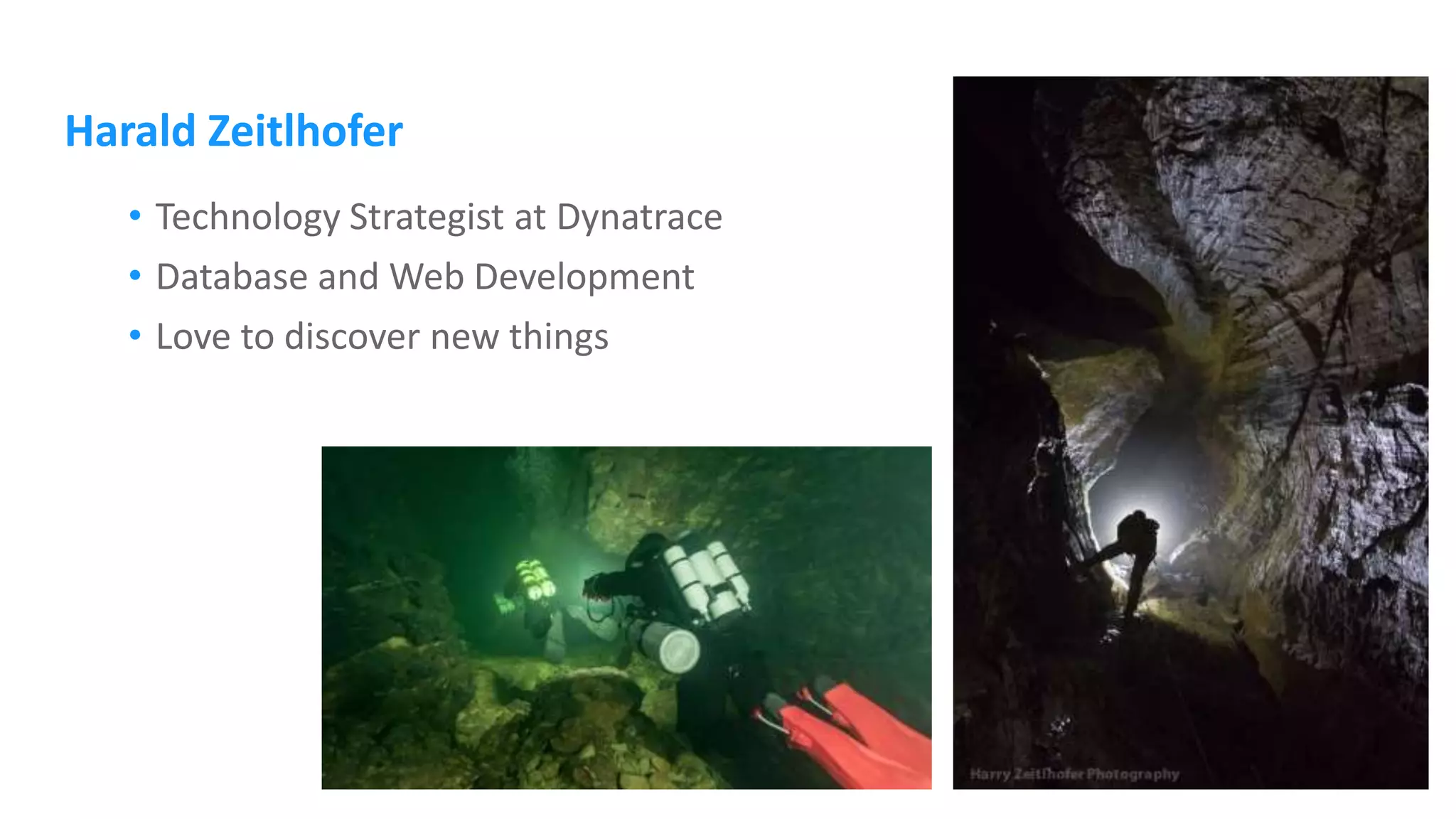
Harald Zeitlhofer • Technology Strategist at Dynatrace • Database and Web Development • Love to discover new things
Tips and tricks for high performance websites
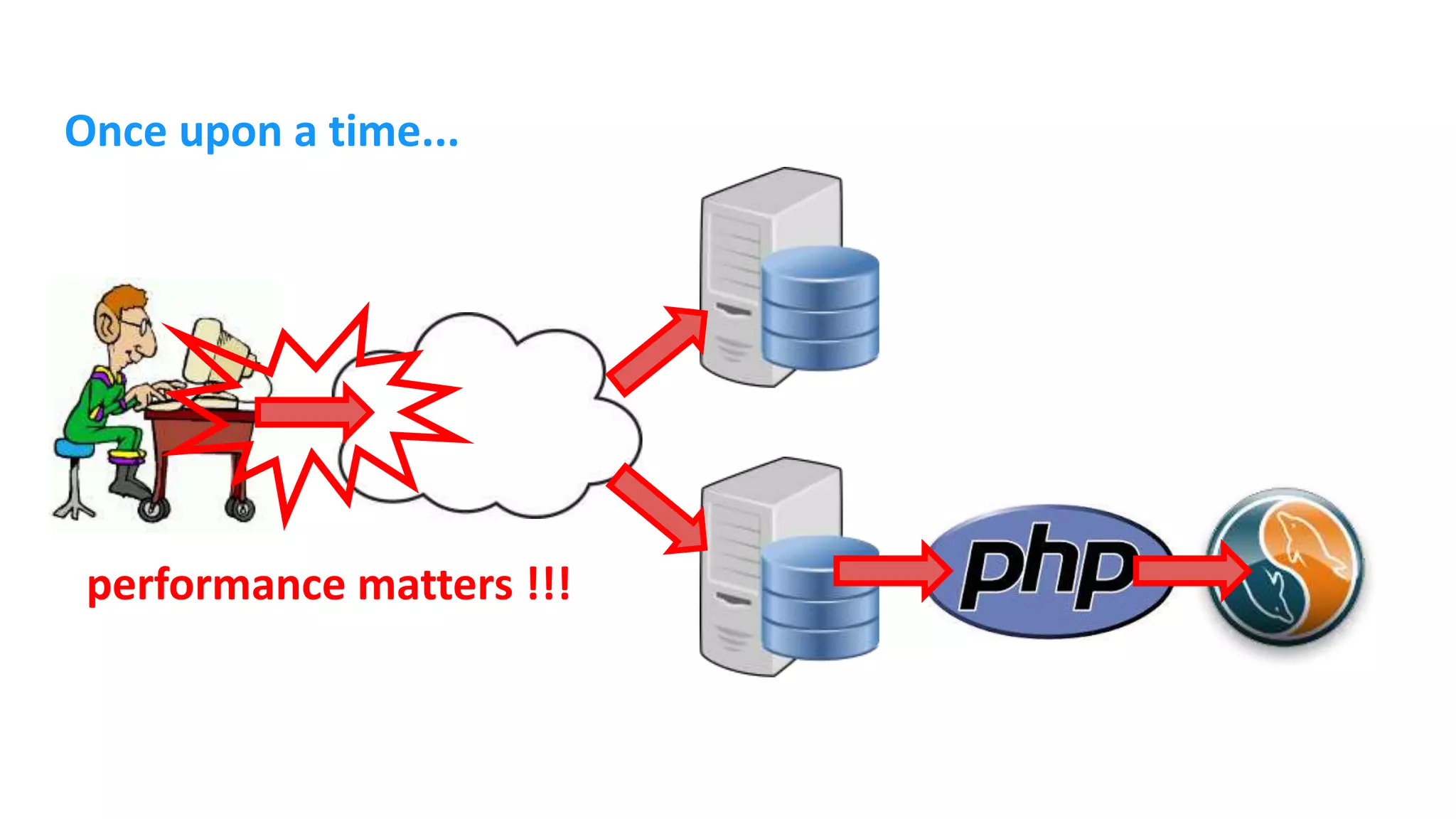
Once upon a time... performance matters !!!
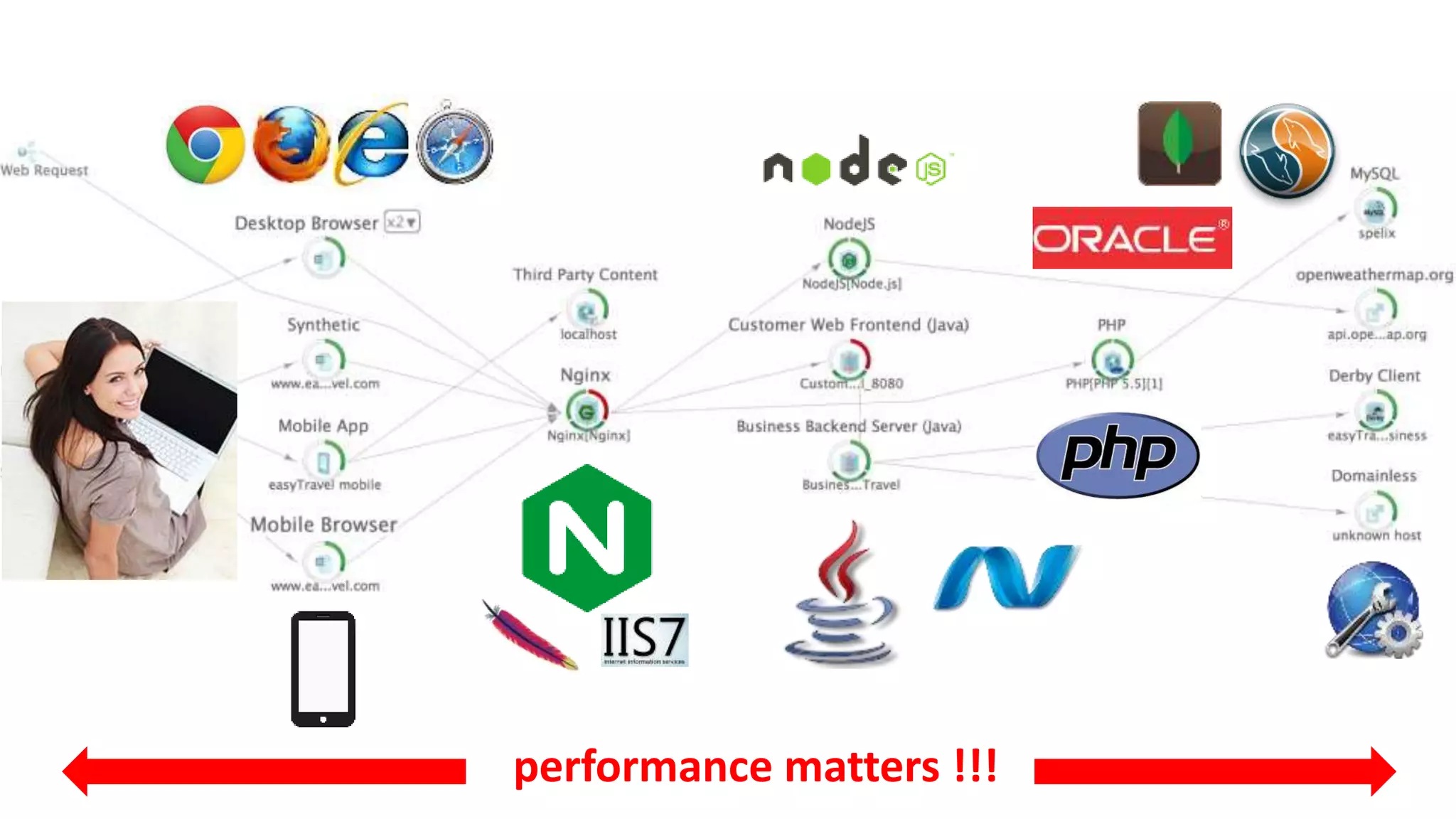
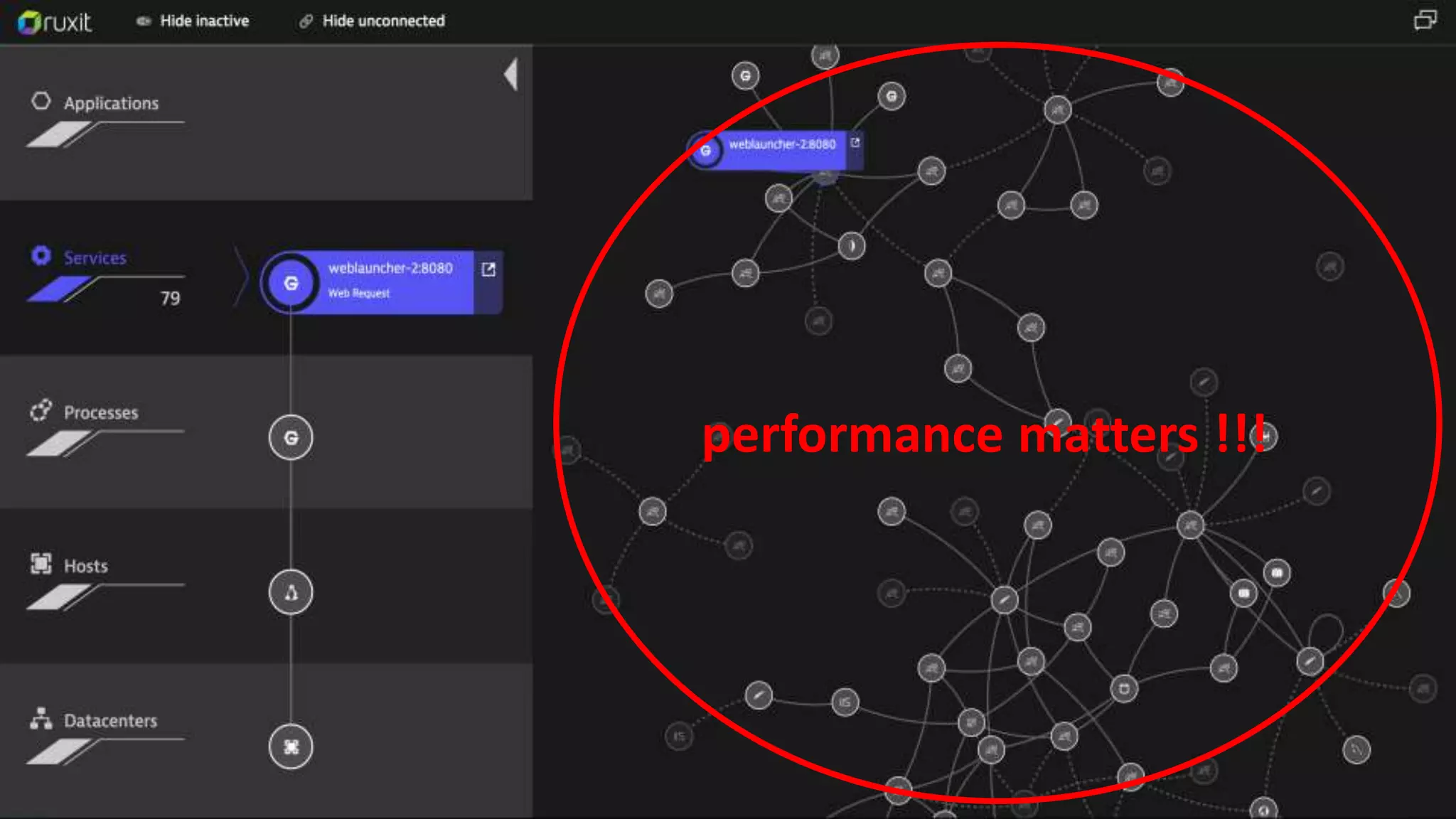
performance matters !!!
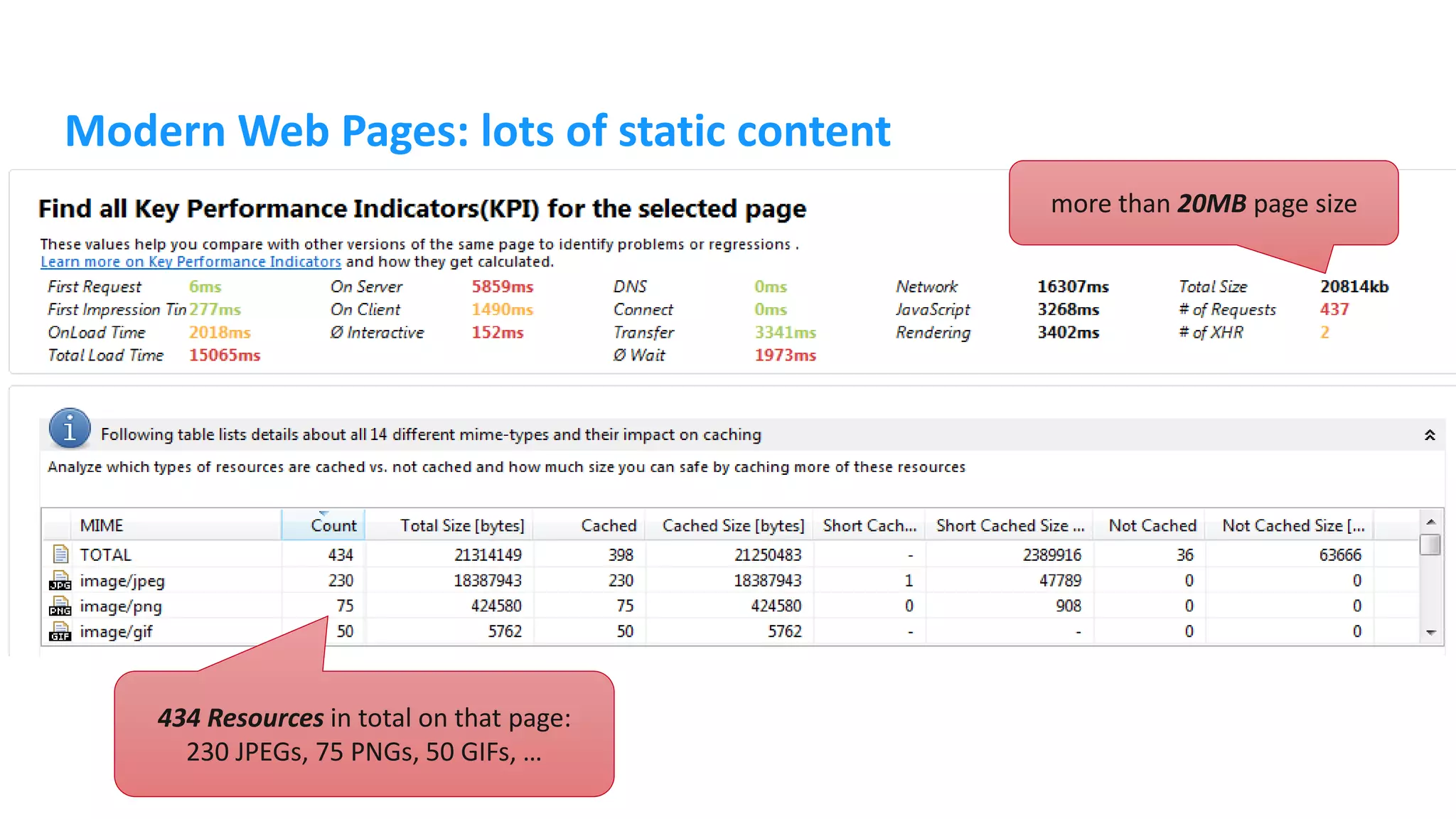
Modern Web Pages: lots of static content 434 Resources in total on that page: 230 JPEGs, 75 PNGs, 50 GIFs, … more than 20MB page size
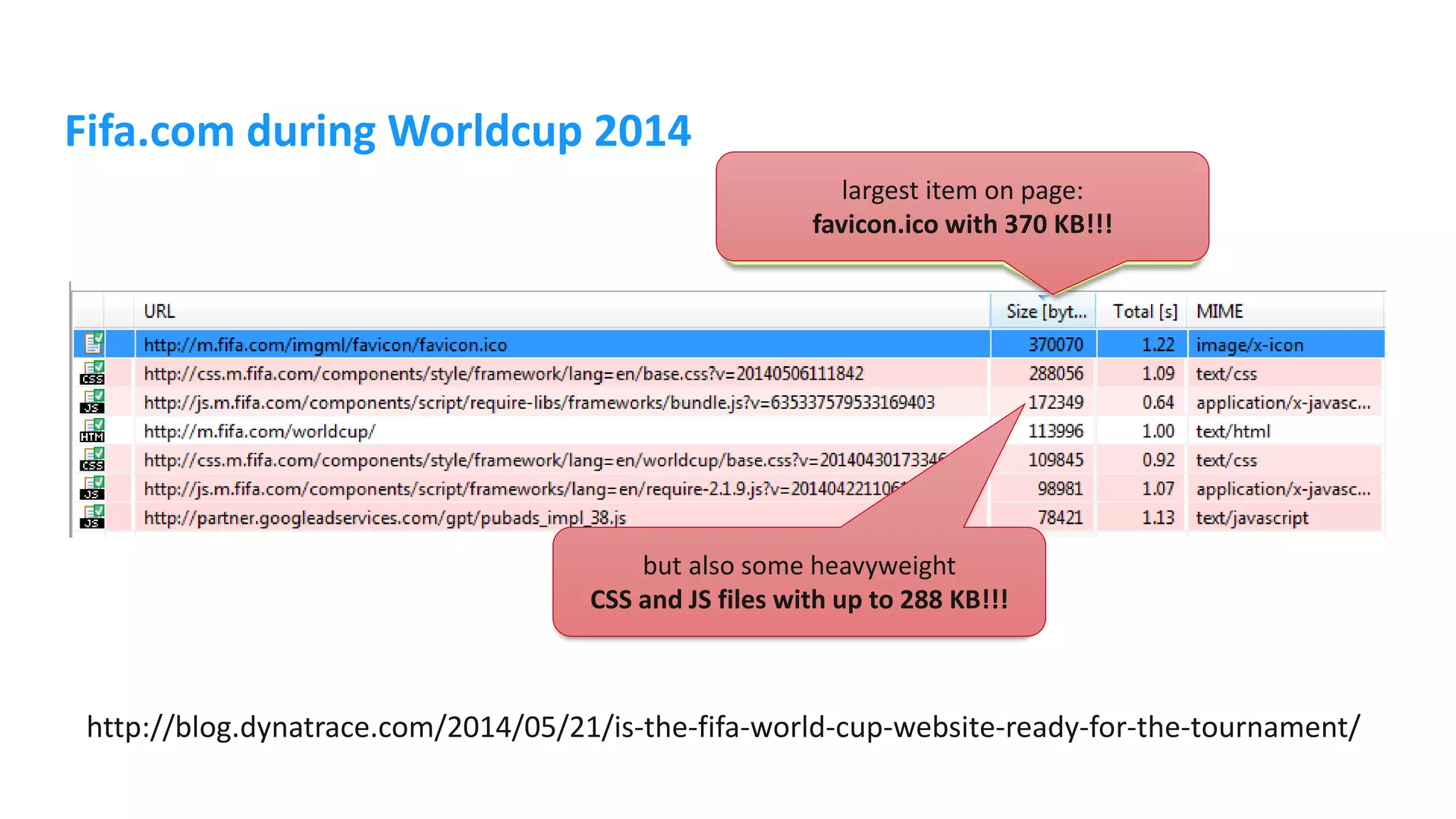
Fifa.com during Worldcup 2014 http://blog.dynatrace.com/2014/05/21/is-the-fifa-world-cup-website-ready-for-the-tournament/ largest item on page: favicon.ico with 370 KB!!! but also some heavyweight CSS and JS files with up to 288 KB!!!
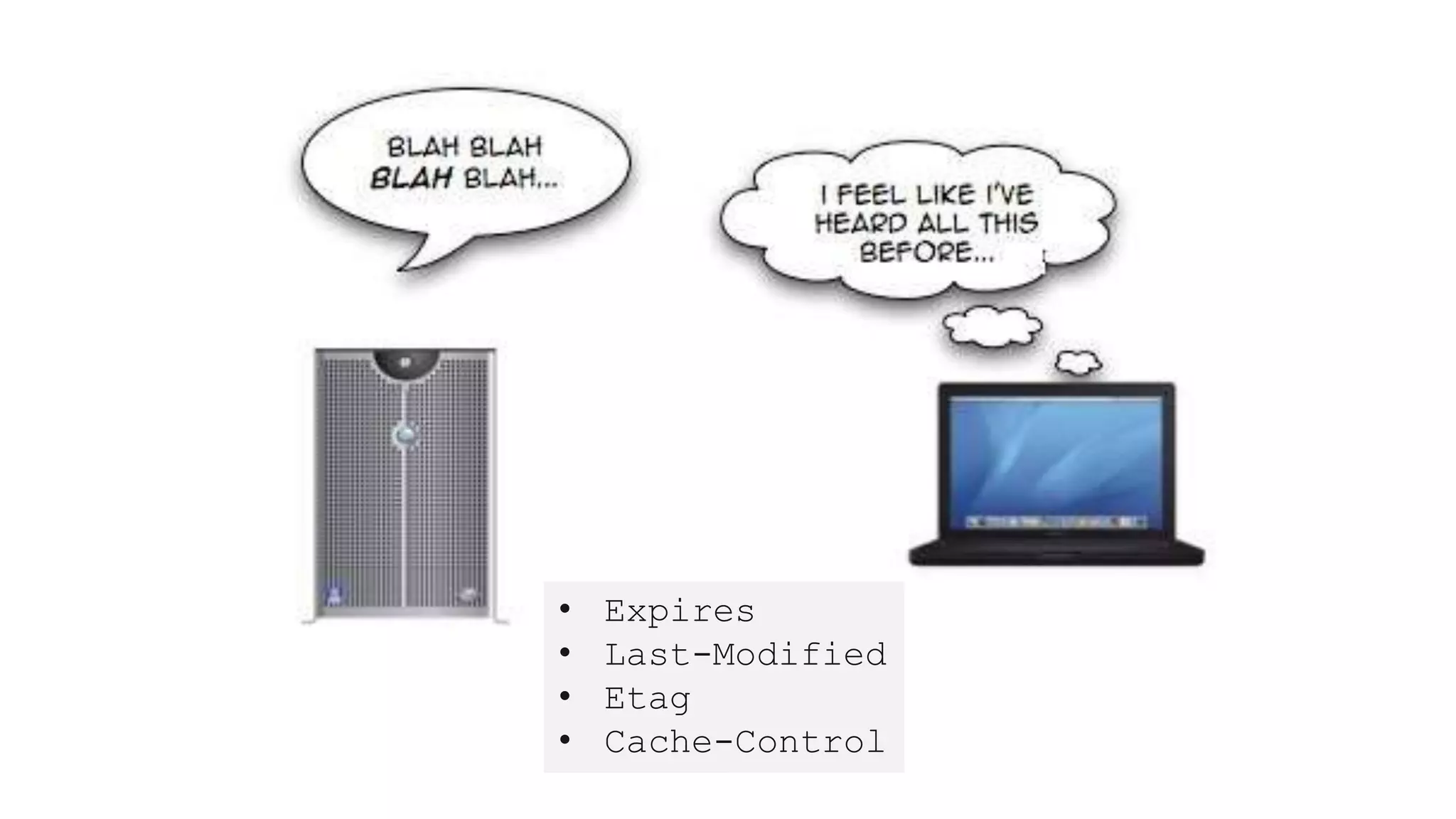
• Expires • Last-Modified • Etag • Cache-Control
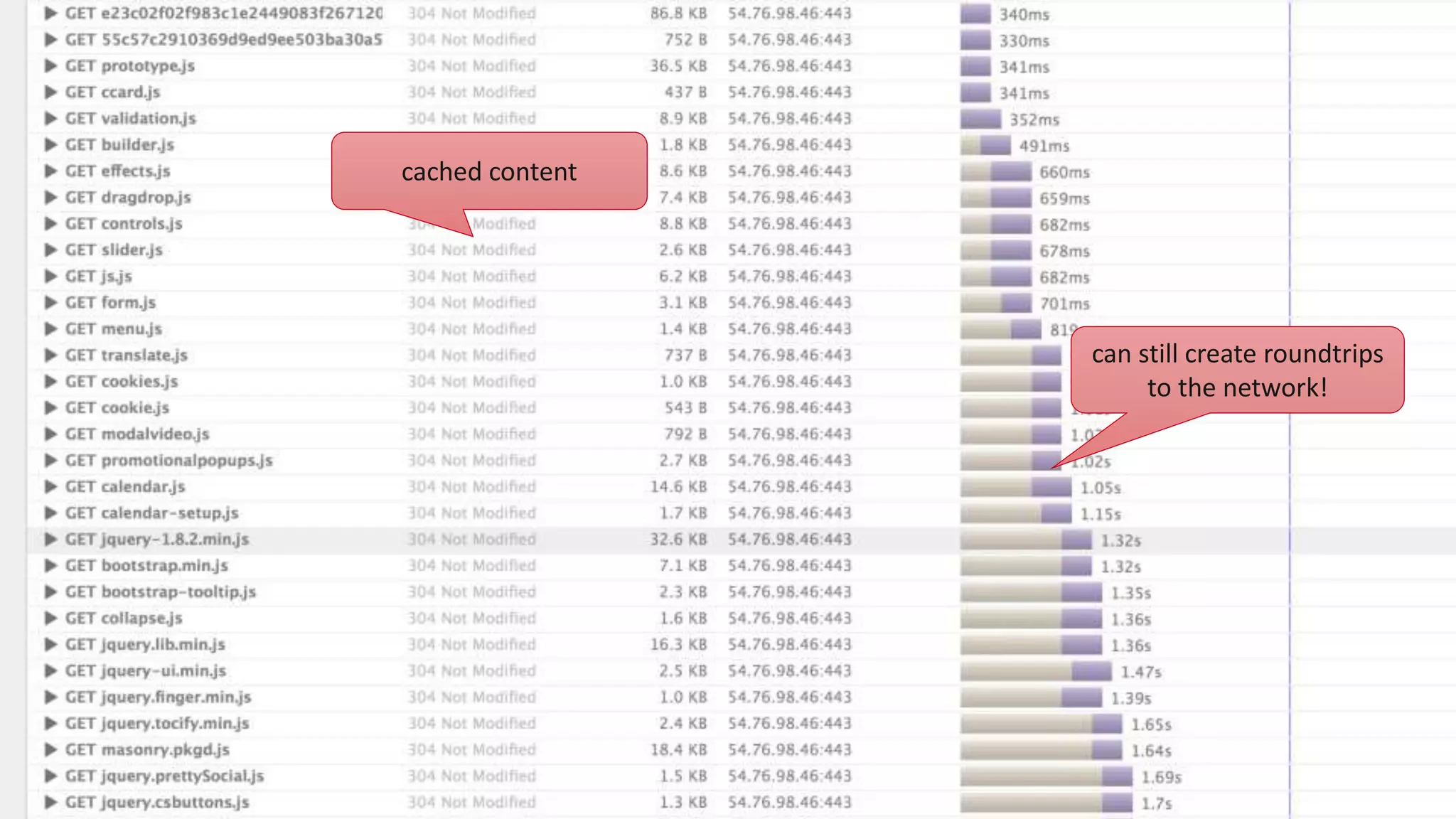
cached content can still create roundtrips to the network!
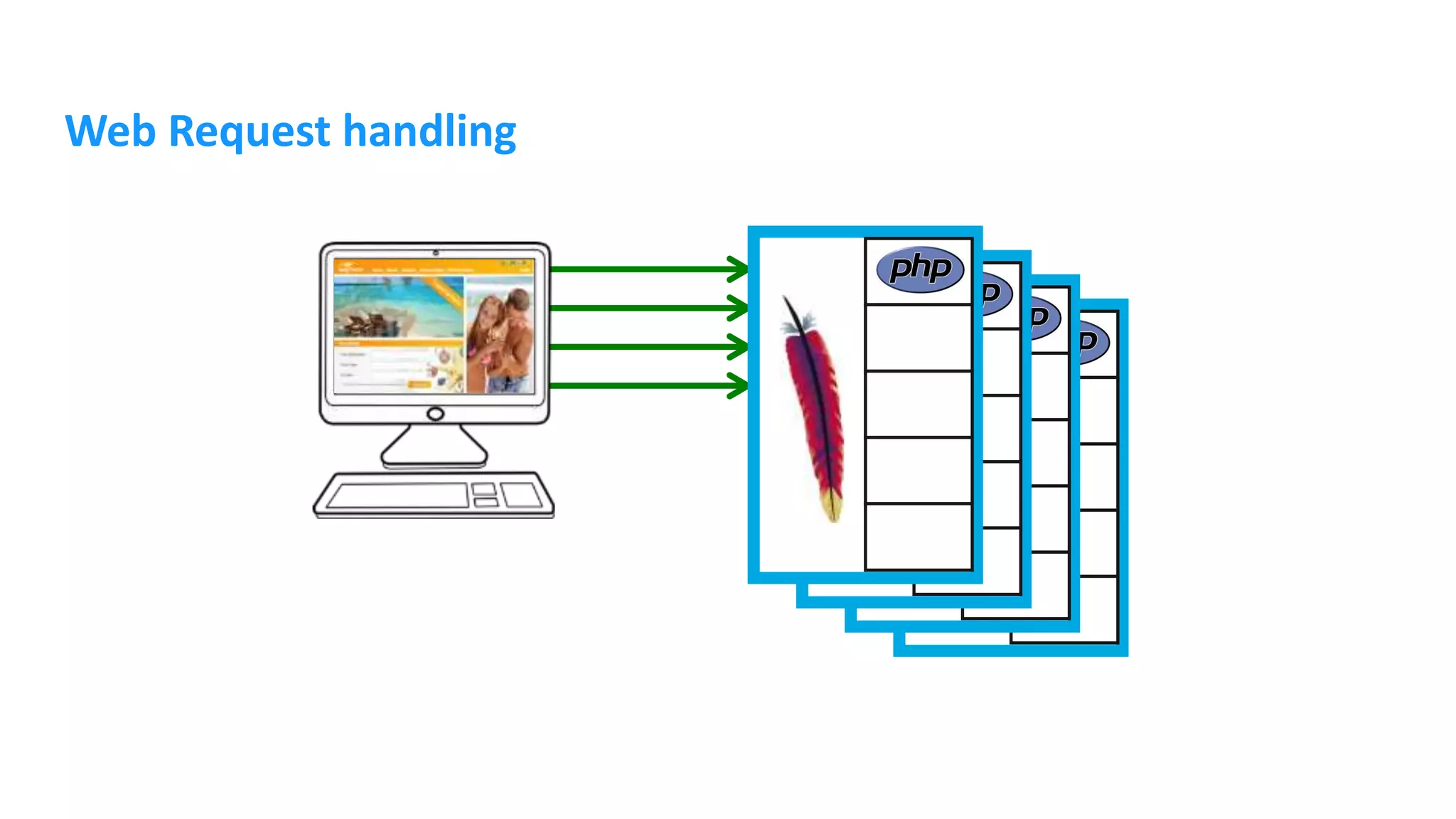
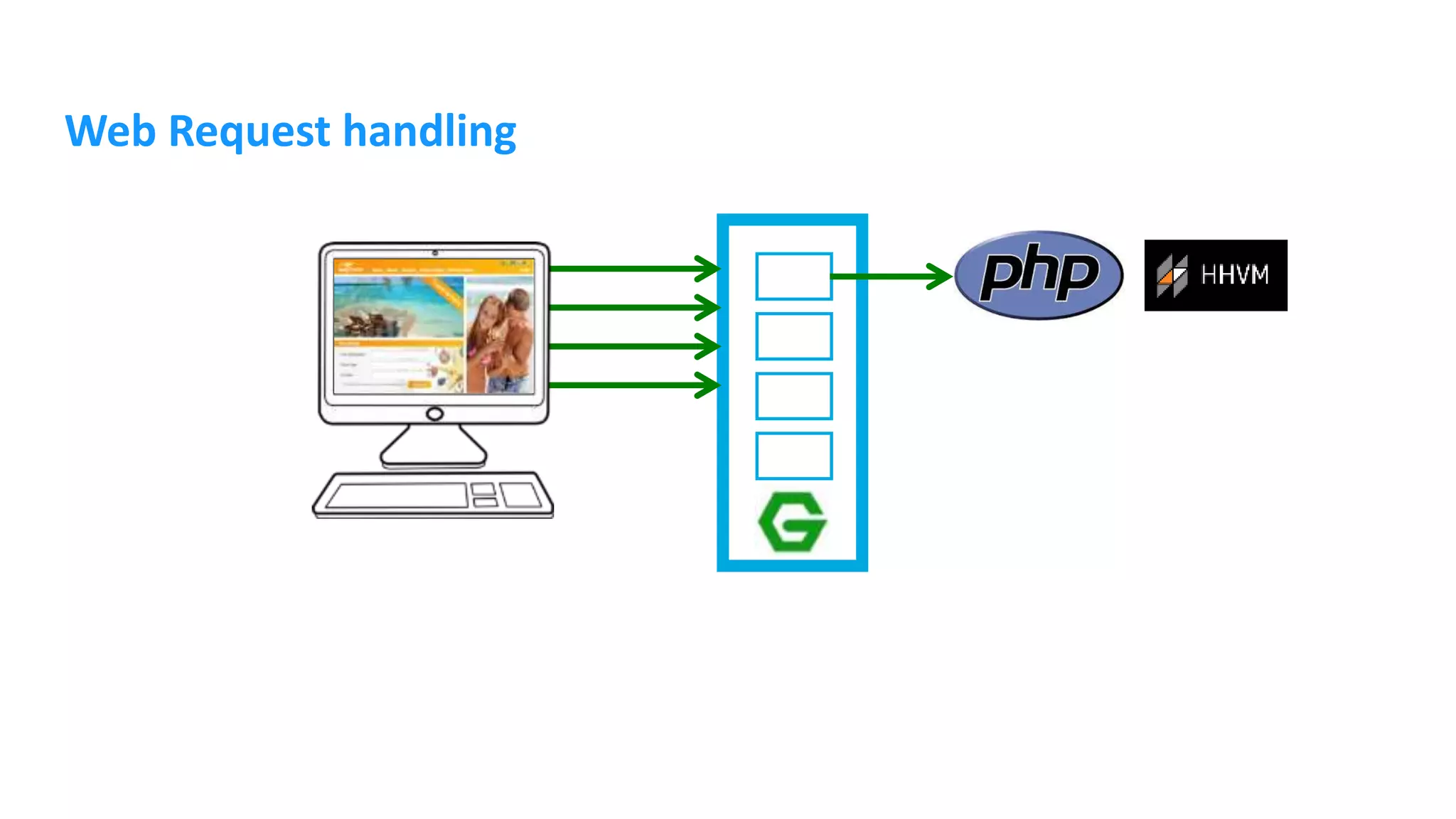
Web Request handling
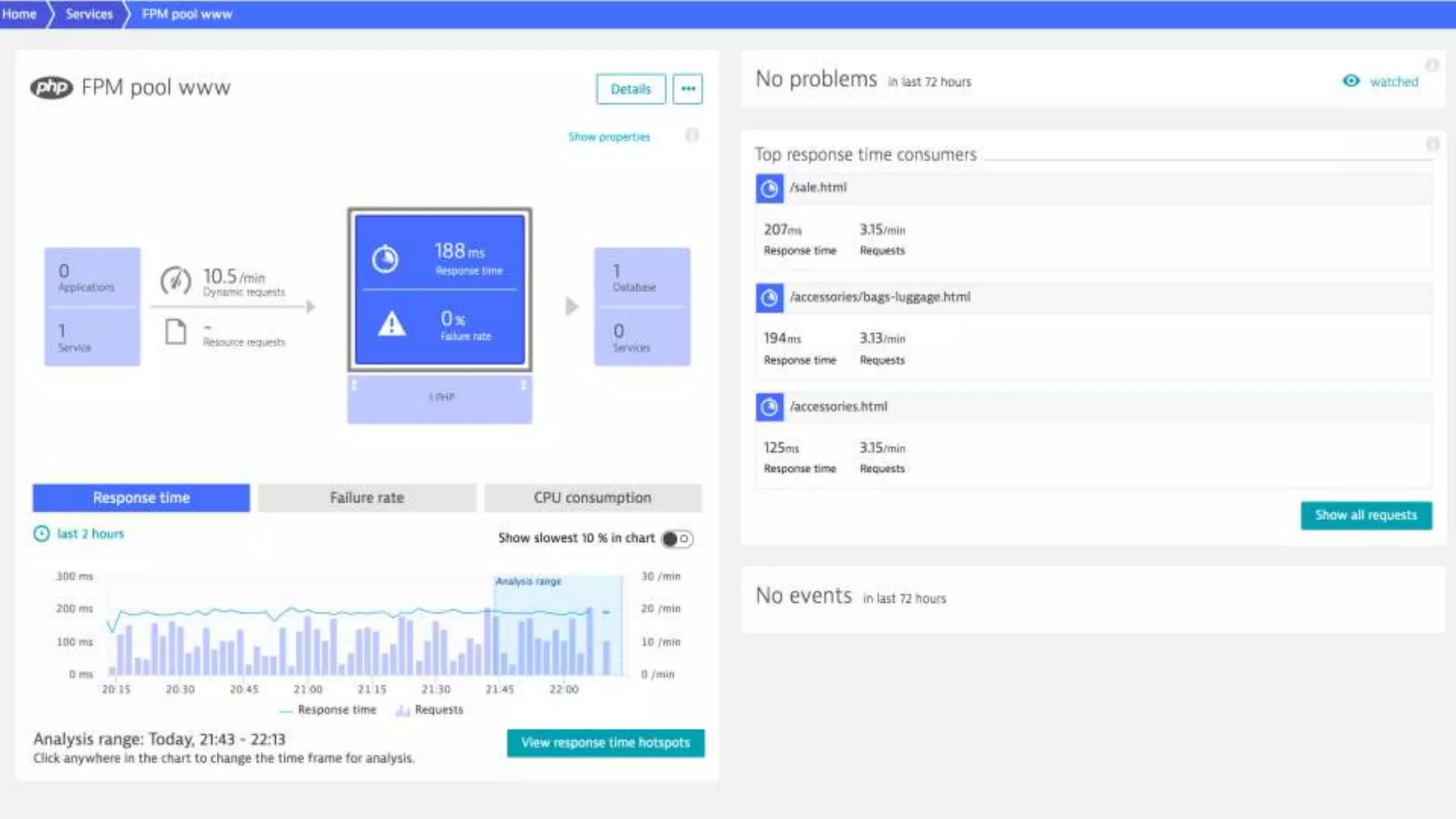
PHP-FPM FastCGI Process Manager Available since 5.3.3 Stable since 5.4.1
PHP-FPM • Installation • Pool configuration /etc/php/7.0/fpm/pool.d/www.conf [www] user = www-data group = www-data listen = 127.0.0.1:9000# for Unix socket: unix:/var/run/php7.0-fpm.sock; root@hzvm01:/etc/nginx/sites-enabled# ps -ef | grep php root 6435 1 0 14:39 ? 00:00:32 php-fpm: master process (/etc/php/7.0/fpm/php-fpm.conf) spelix 6439 6435 0 14:39 ? 00:00:00 php-fpm: pool batch spelix 6440 6435 0 14:39 ? 00:00:00 php-fpm: pool batch www-data 10576 6435 1 18:45 ? 00:00:48 php-fpm: pool www www-data 10920 6435 1 18:47 ? 00:00:47 php-fpm: pool www www-data 10927 6435 1 18:47 ? 00:00:46 php-fpm: pool www sudo apt-get install php7.0-fpm
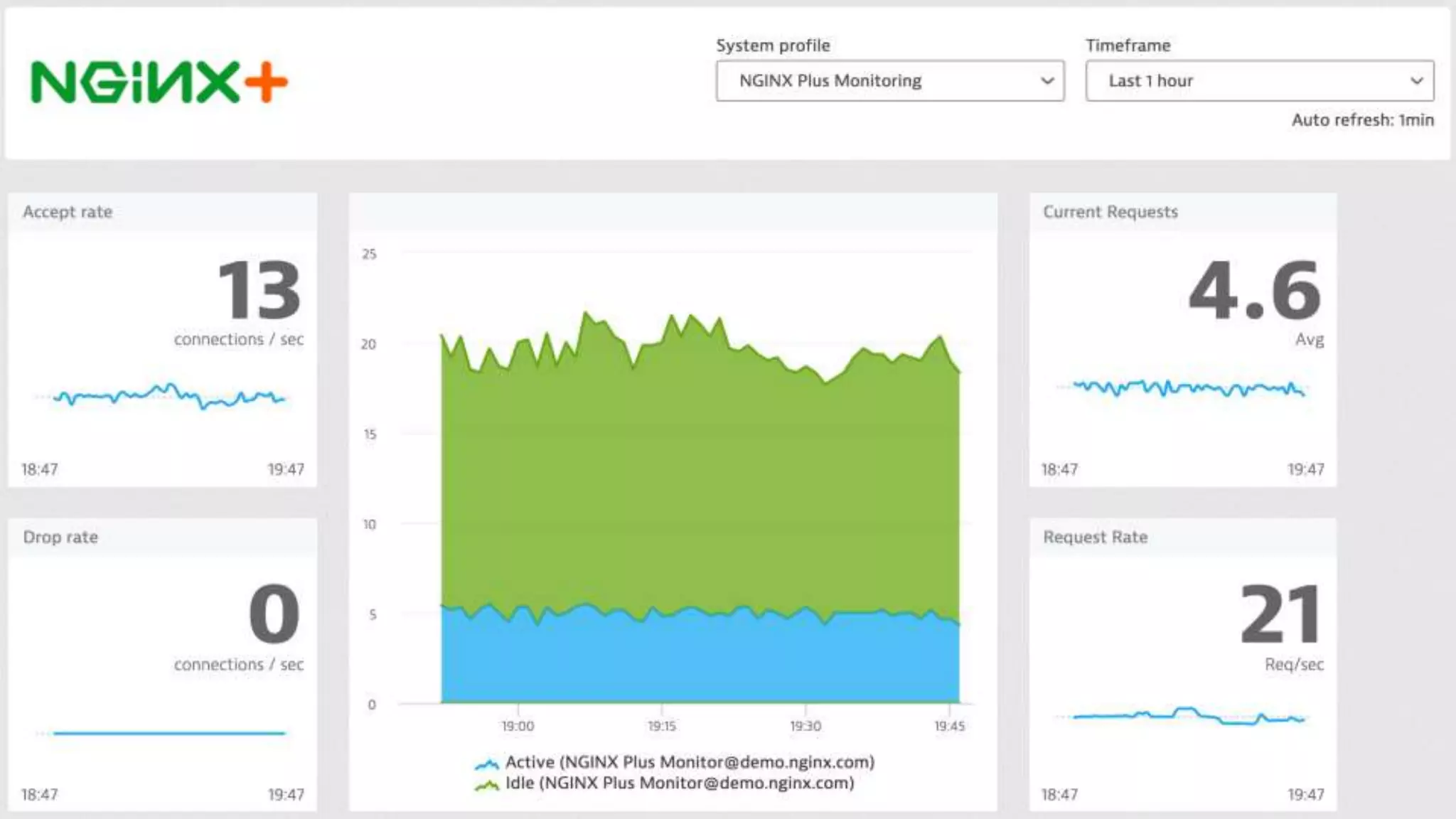
Nginx Lightweight HTTP server Event based request handling Open Source project (BSD) Development started in 2002 by Igor Sysoev to solve the c10k problem Commercial version NGINX Plus
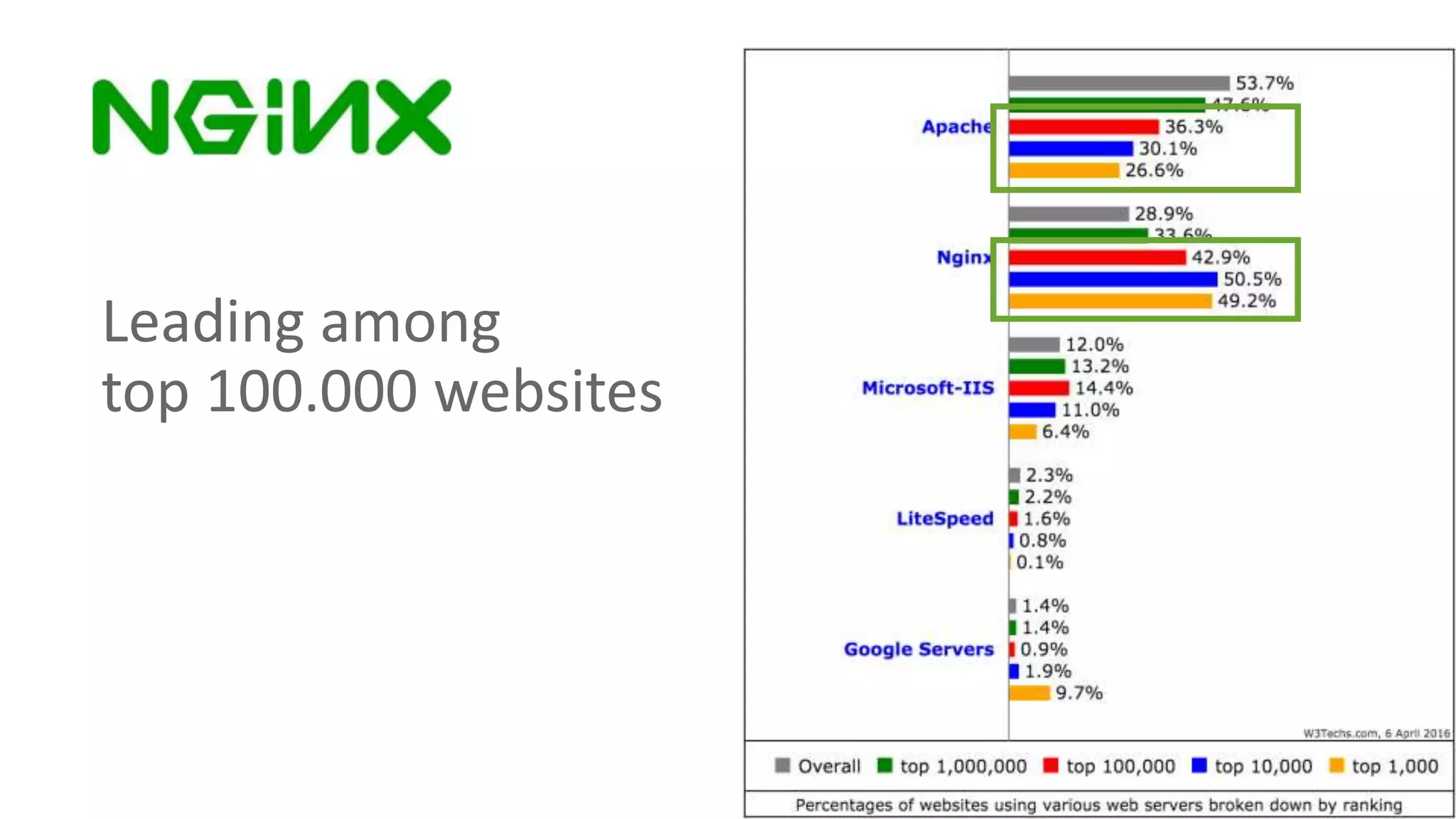
Leading among top 100.000 websites
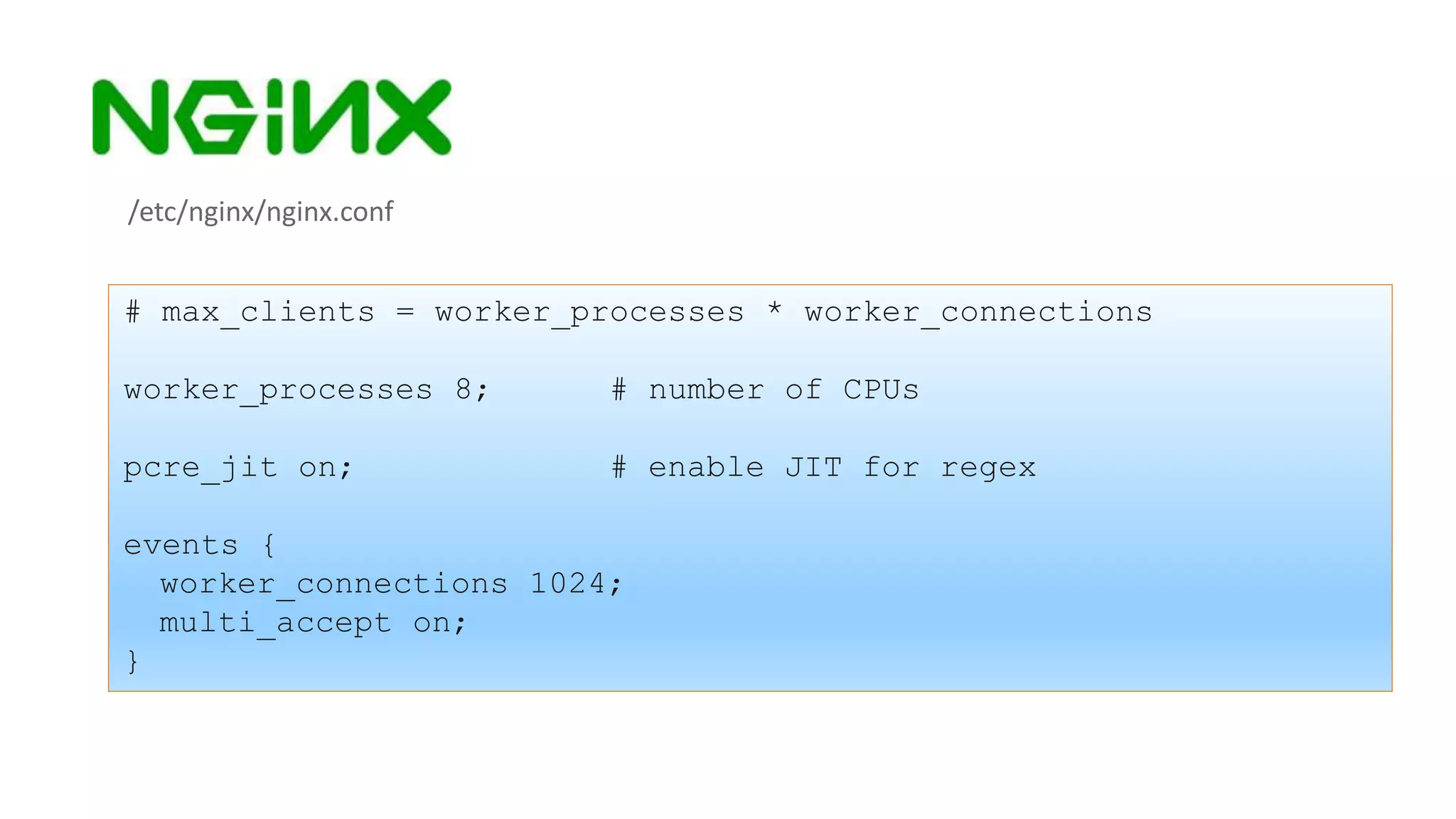
/etc/nginx/nginx.conf # max_clients = worker_processes * worker_connections worker_processes 8; # number of CPUs pcre_jit on; # enable JIT for regex events { worker_connections 1024; multi_accept on; }
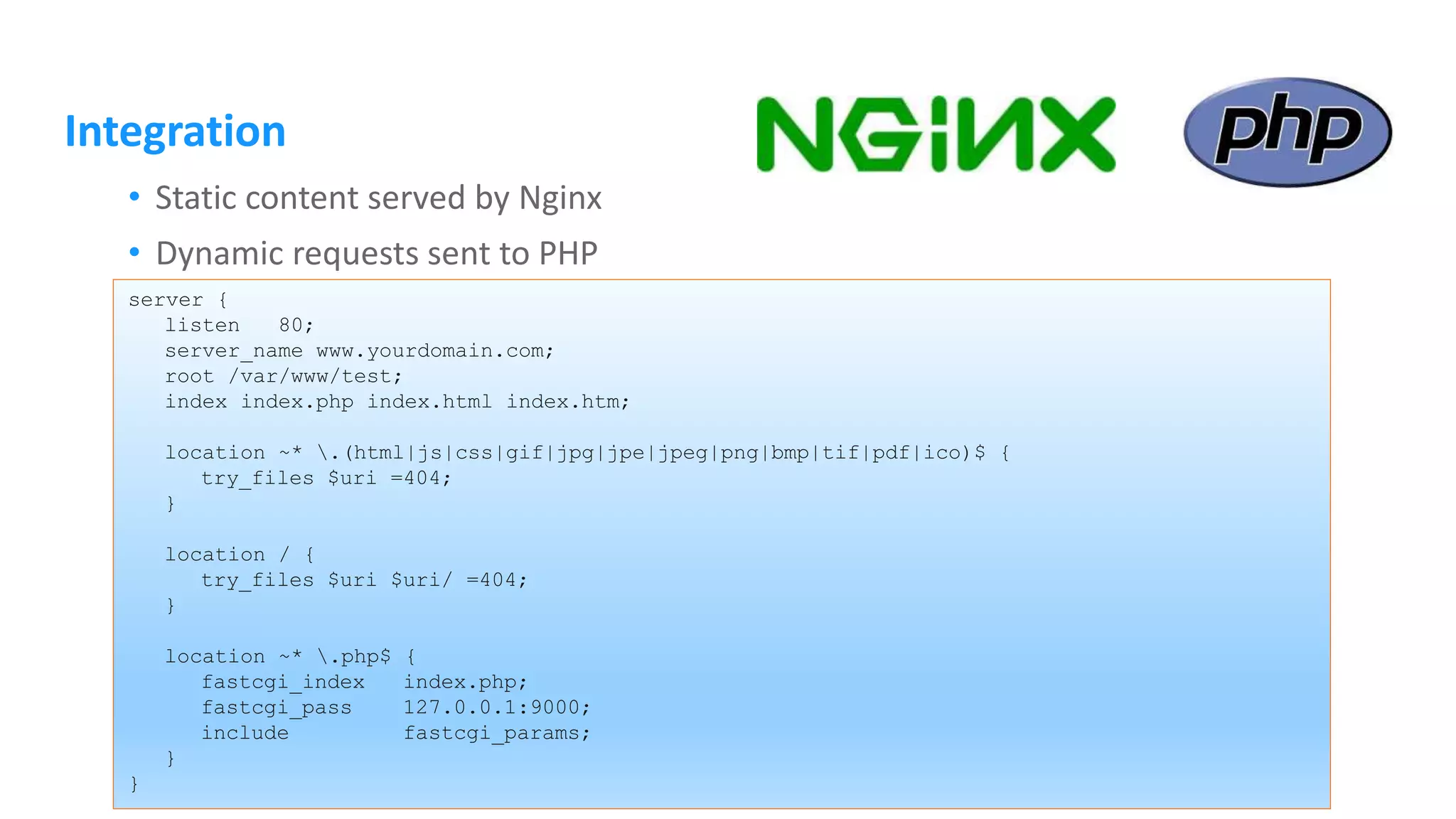
Integration • Static content served by Nginx • Dynamic requests sent to PHP server { listen 80; server_name www.yourdomain.com; root /var/www/test; index index.php index.html index.htm; location ~* .(html|js|css|gif|jpg|jpe|jpeg|png|bmp|tif|pdf|ico)$ { try_files $uri =404; } location / { try_files $uri $uri/ =404; } location ~* .php$ { fastcgi_index index.php; fastcgi_pass 127.0.0.1:9000; include fastcgi_params; } }
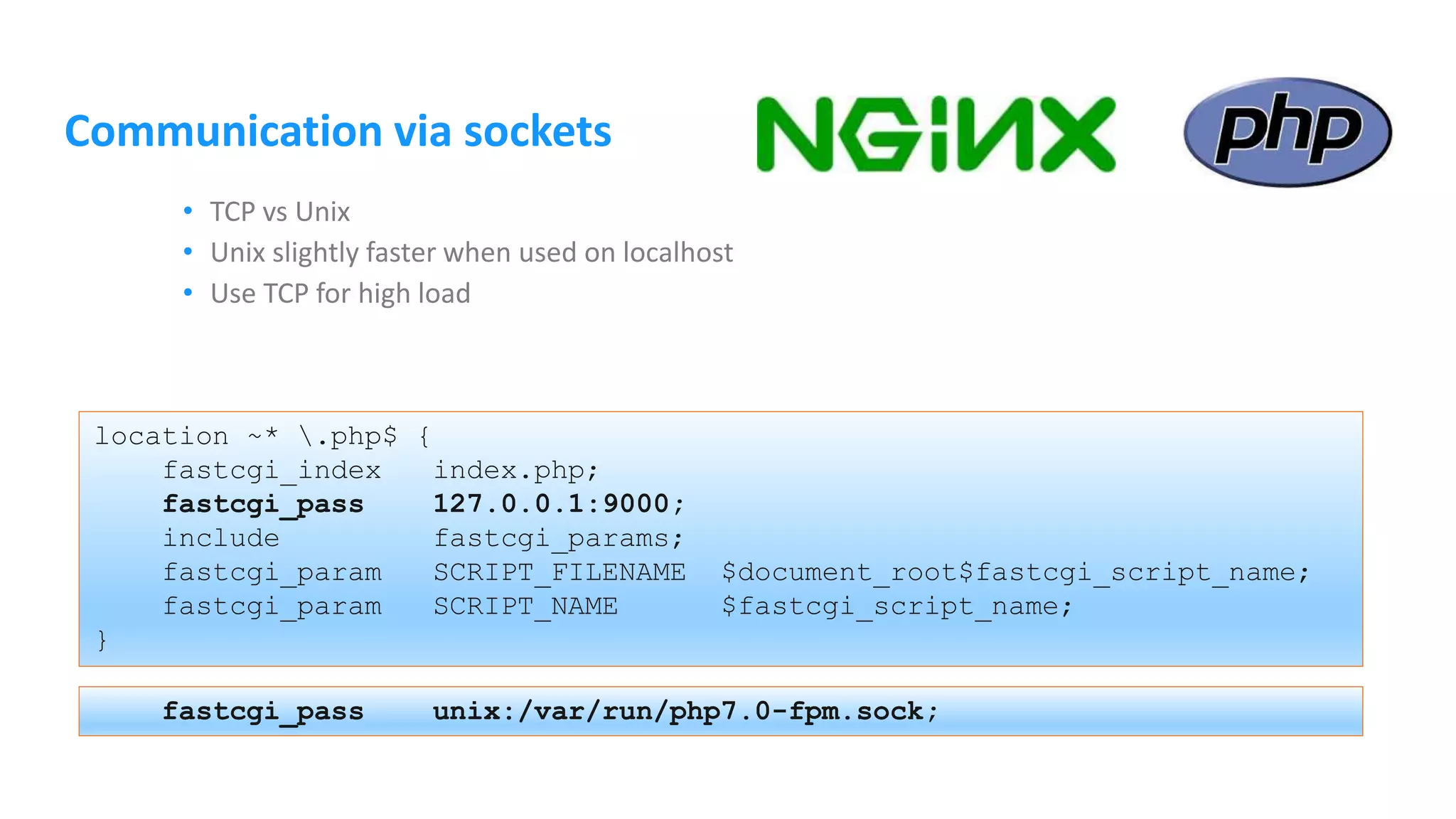
Communication via sockets • TCP vs Unix • Unix slightly faster when used on localhost • Use TCP for high load location ~* .php$ { fastcgi_index index.php; fastcgi_pass 127.0.0.1:9000; include fastcgi_params; fastcgi_param SCRIPT_FILENAME $document_root$fastcgi_script_name; fastcgi_param SCRIPT_NAME $fastcgi_script_name; } fastcgi_pass unix:/var/run/php7.0-fpm.sock;
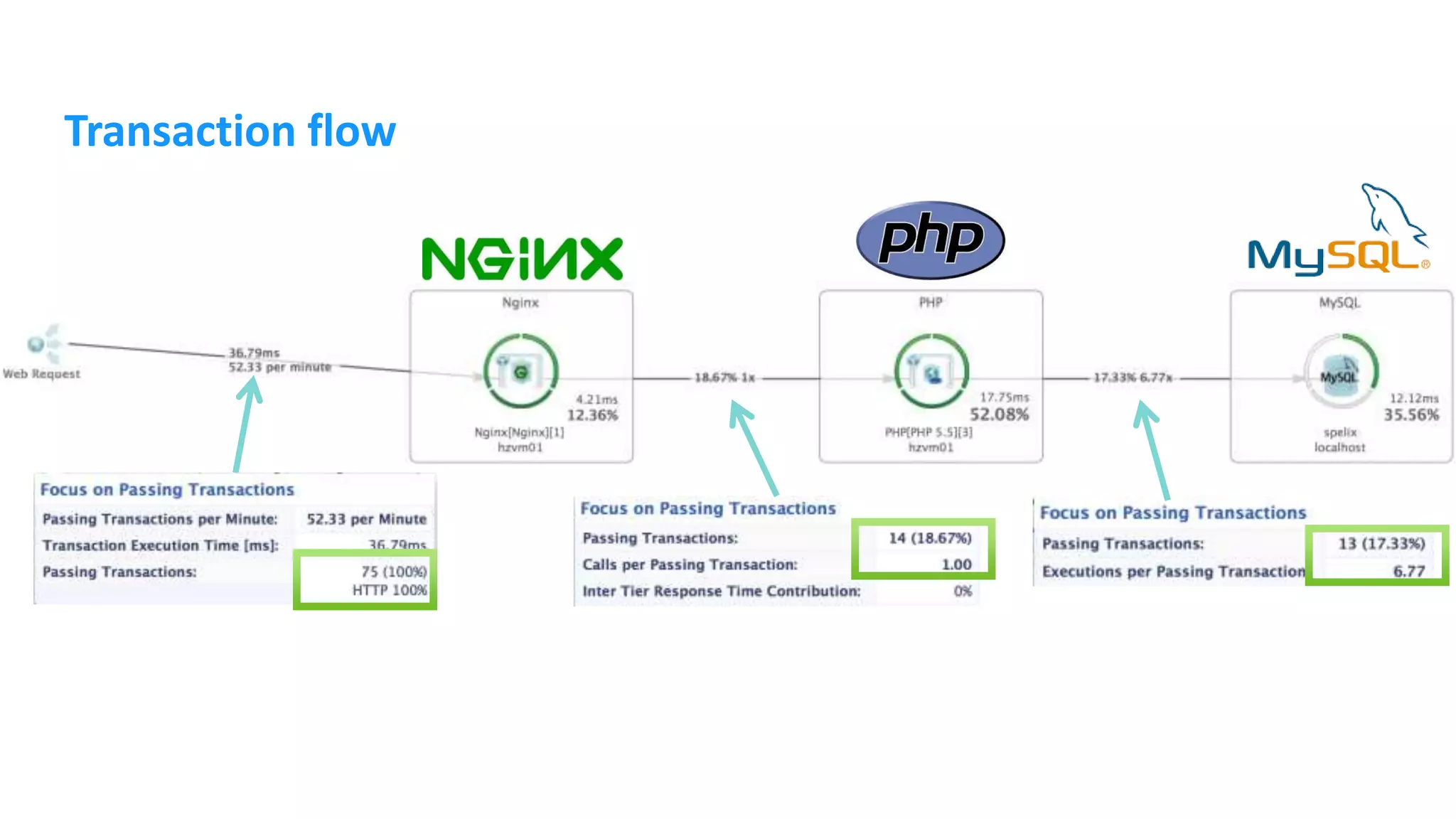
Transaction flow
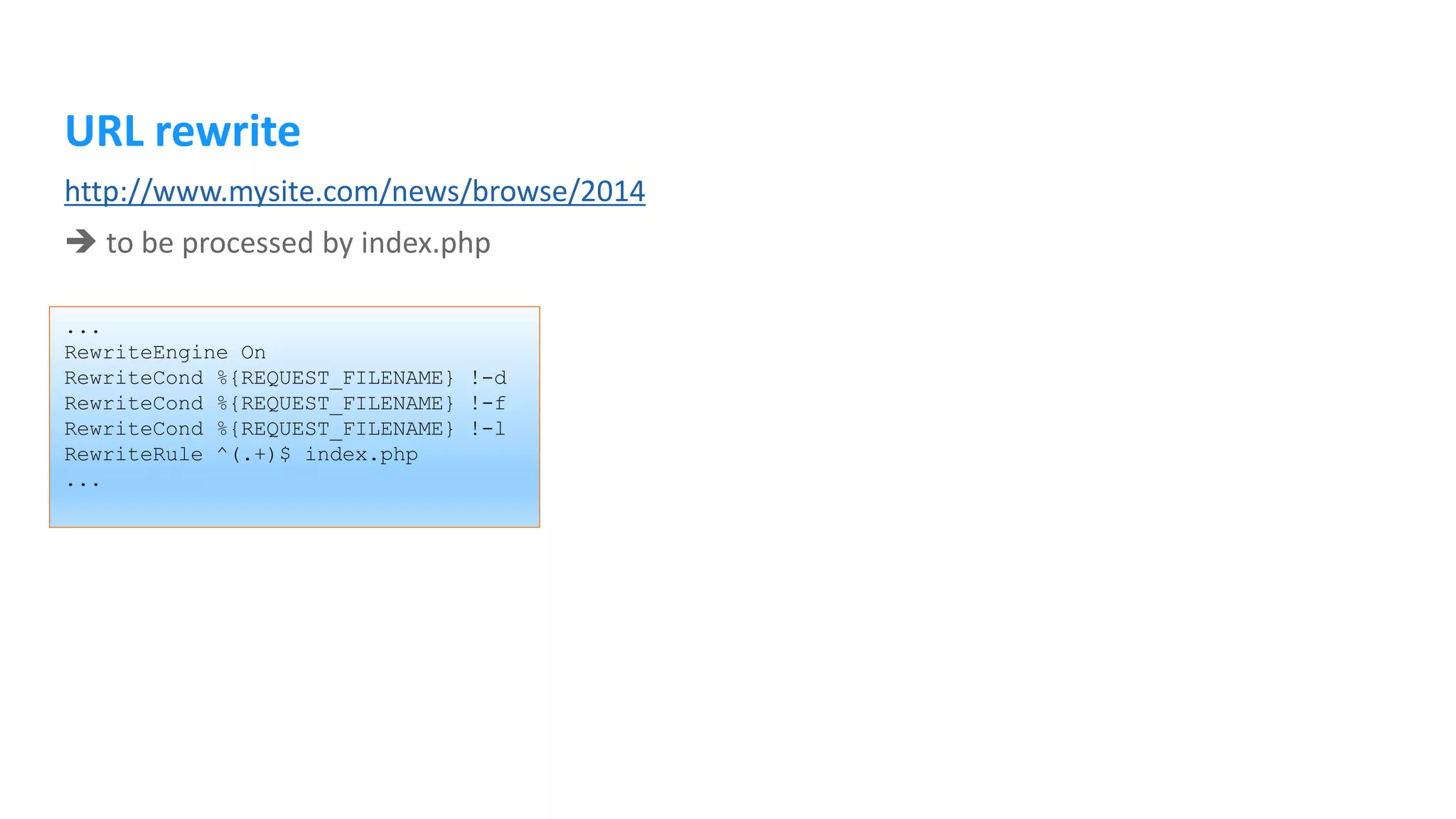
URL rewrite ... RewriteEngine On RewriteCond %{REQUEST_FILENAME} !-d RewriteCond %{REQUEST_FILENAME} !-f RewriteCond %{REQUEST_FILENAME} !-l RewriteRule ^(.+)$ index.php ... http://www.mysite.com/news/browse/2014  to be processed by index.php
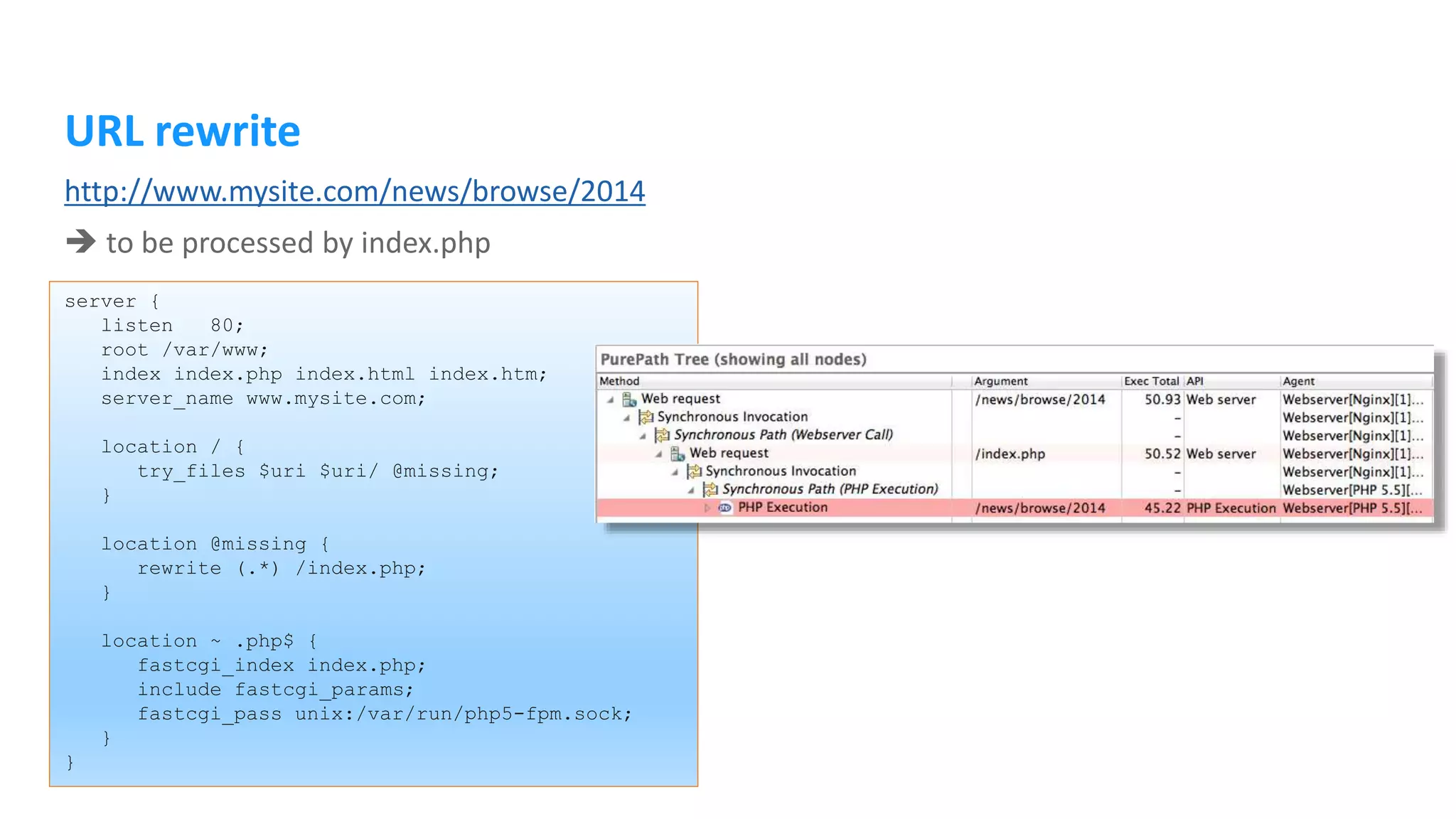
URL rewrite server { listen 80; root /var/www; index index.php index.html index.htm; server_name www.mysite.com; location / { try_files $uri $uri/ @missing; } location @missing { rewrite (.*) /index.php; } location ~ .php$ { fastcgi_index index.php; include fastcgi_params; fastcgi_pass unix:/var/run/php5-fpm.sock; } } http://www.mysite.com/news/browse/2014  to be processed by index.php
URL rewrite using Nginx/PHP-FPM there’s a better way: server { listen 80; root /var/www; index index.php index.html index.htm; server_name www.mysite.com; location /images { try_files $uri =404; } location /scripts { try_files $uri =404; } location / { fastcgi_index index.php; include fastcgi_params; fastcgi_param SCRIPT_FILENAME /var/www/index.php; fastcgi_pass unix:/var/run/php5-fpm.sock; } } <?php $params = explode('/', $_SERVER["DOCUMENT_URI"]); ...
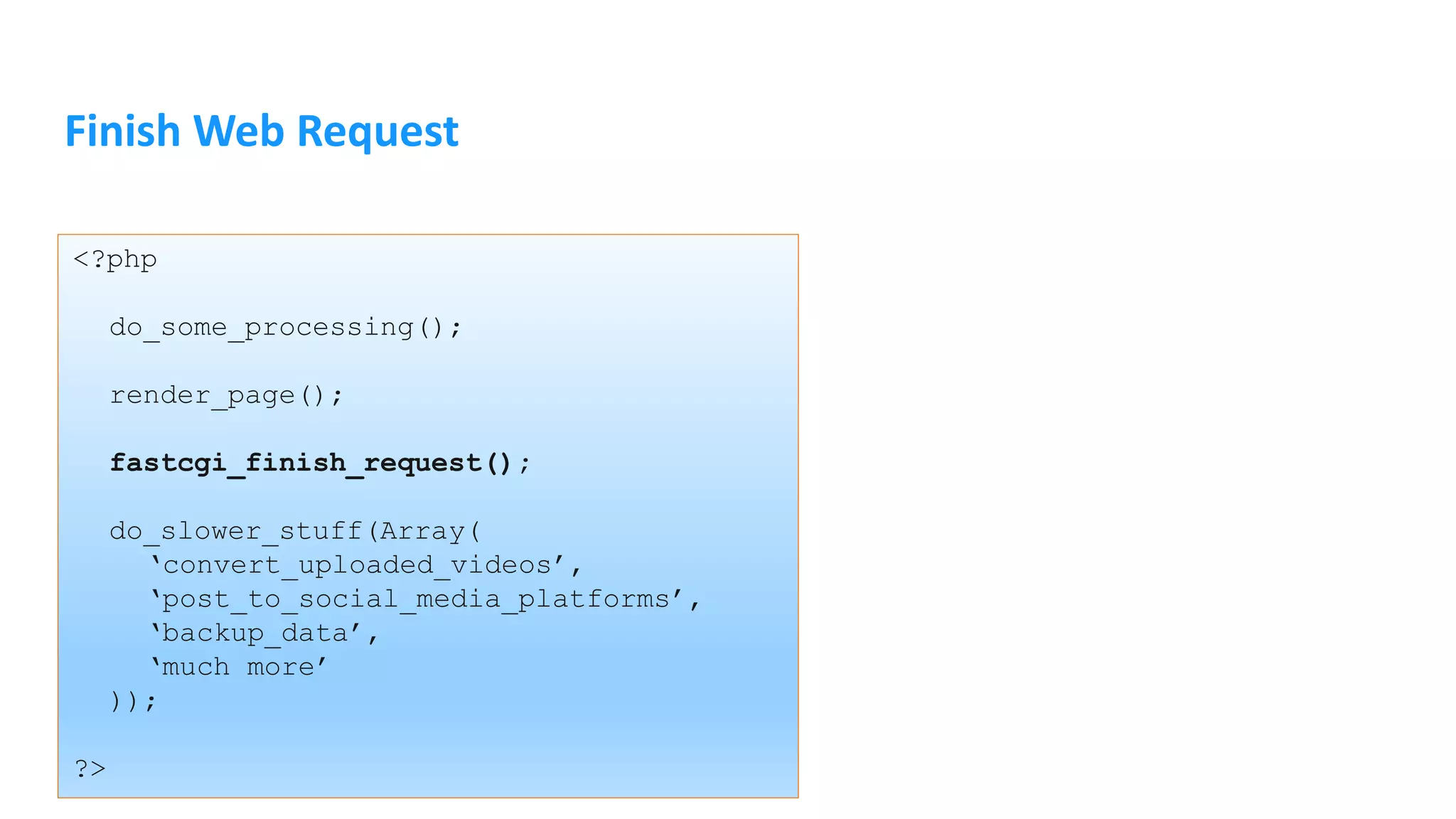
Finish Web Request <?php do_some_processing(); render_page(); fastcgi_finish_request(); do_slower_stuff(Array( ‘convert_uploaded_videos’, ‘post_to_social_media_platforms’, ‘backup_data’, ‘much more’ )); ?>
Nginx and Caching
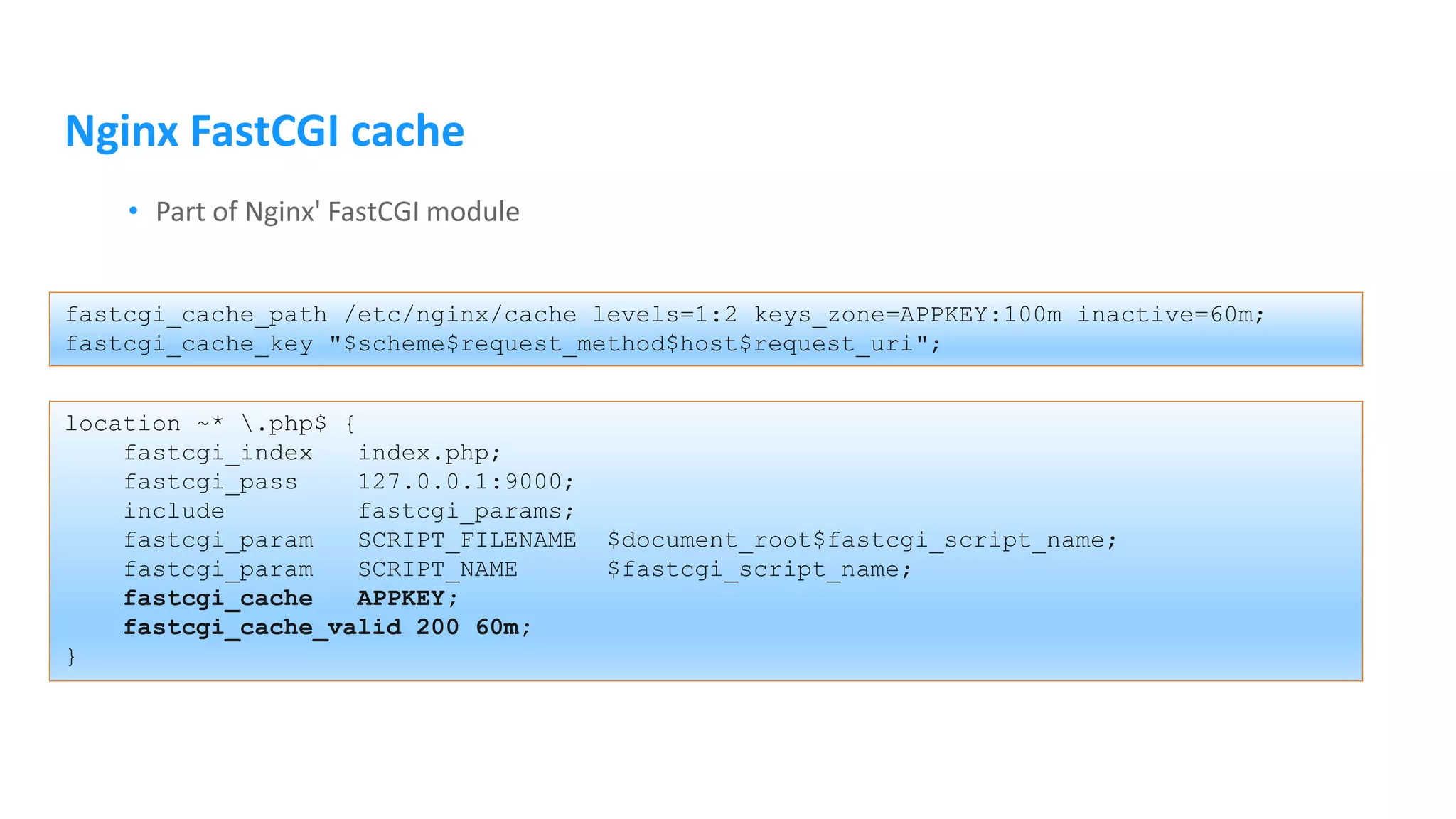
Nginx FastCGI cache • Part of Nginx' FastCGI module fastcgi_cache_path /etc/nginx/cache levels=1:2 keys_zone=APPKEY:100m inactive=60m; fastcgi_cache_key "$scheme$request_method$host$request_uri"; location ~* .php$ { fastcgi_index index.php; fastcgi_pass 127.0.0.1:9000; include fastcgi_params; fastcgi_param SCRIPT_FILENAME $document_root$fastcgi_script_name; fastcgi_param SCRIPT_NAME $fastcgi_script_name; fastcgi_cache APPKEY; fastcgi_cache_valid 200 60m; }
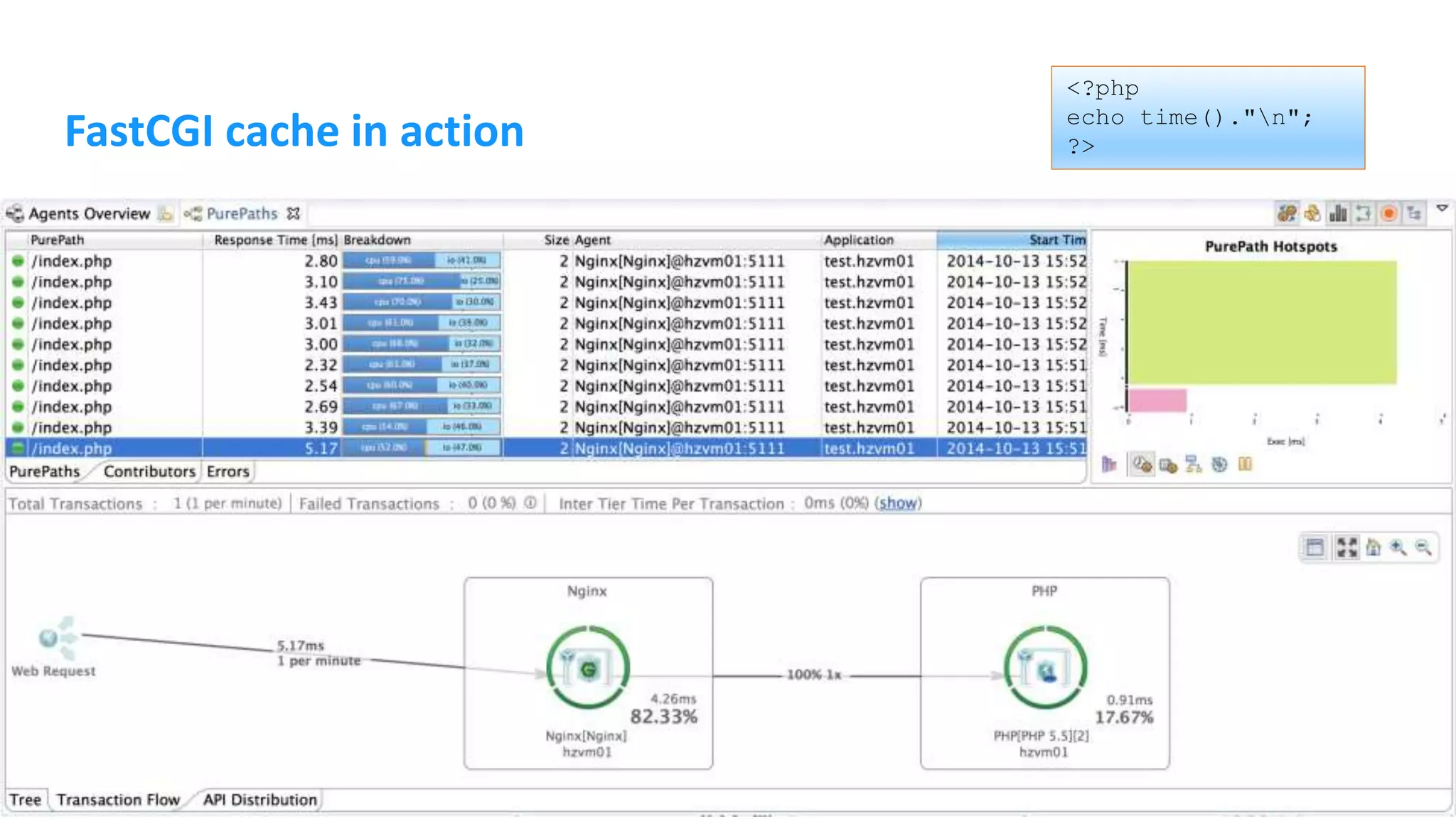
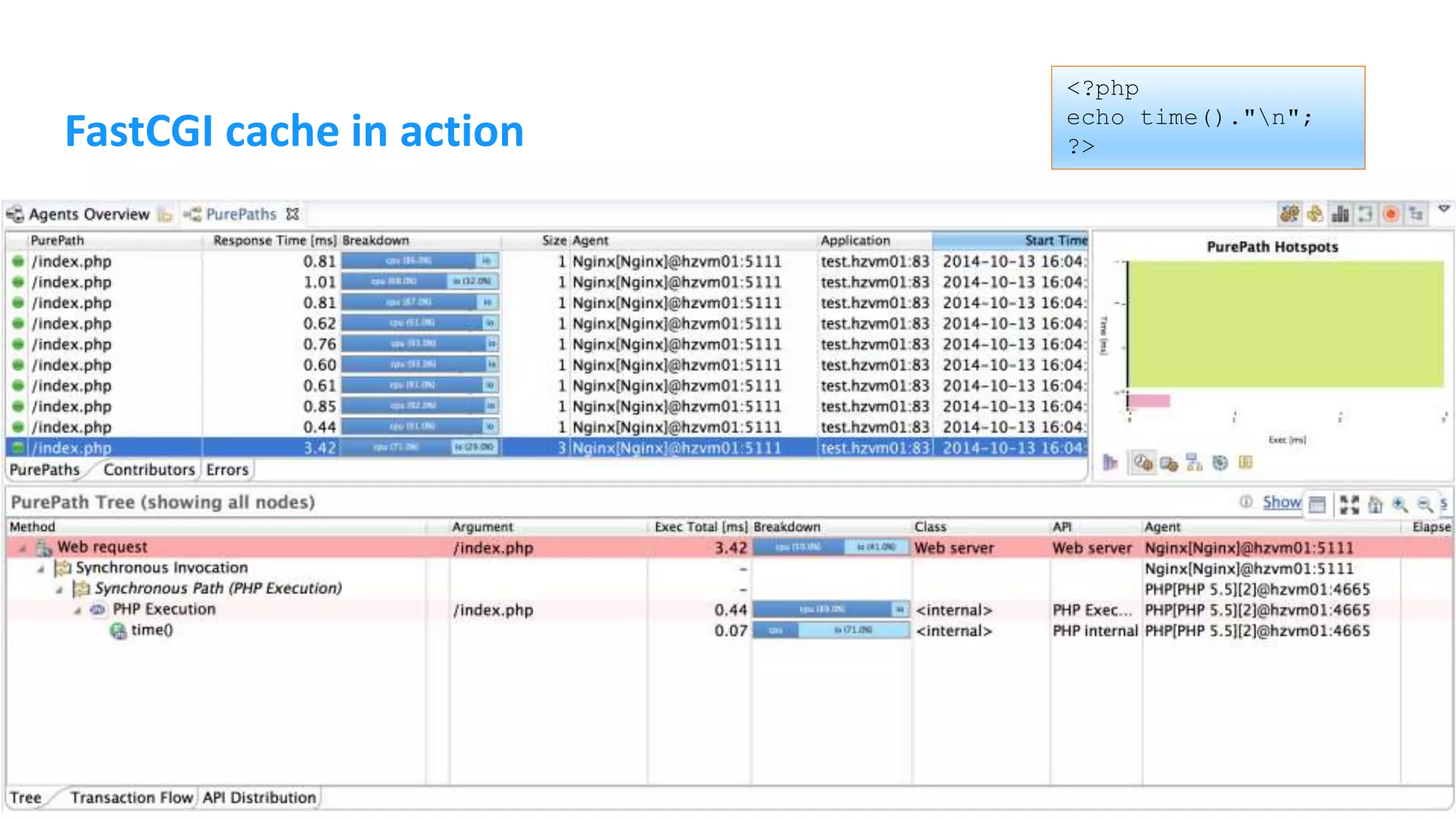
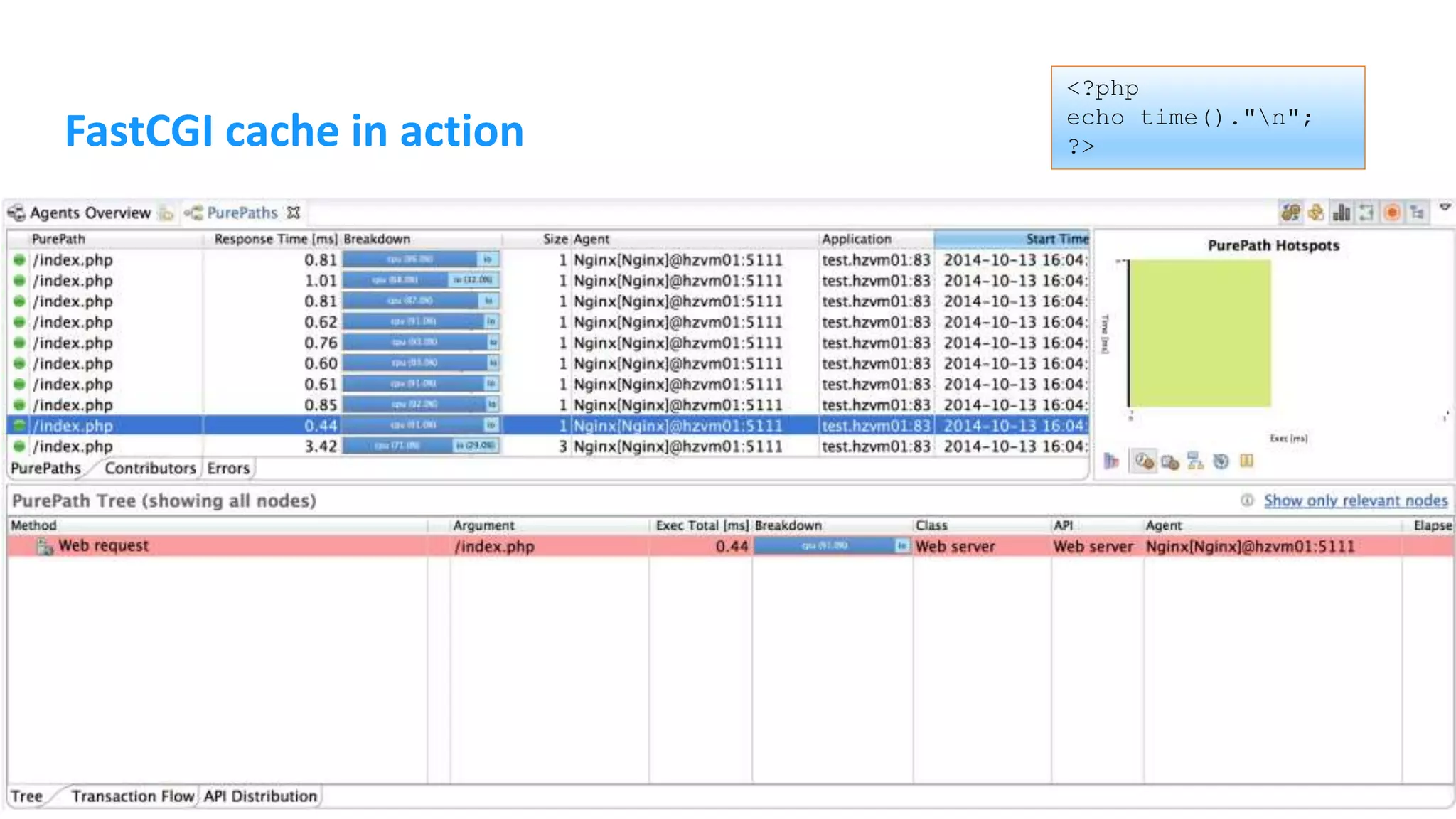
FastCGI cache in action <?php echo time()."n"; ?>
Full page cache with Memcached <?php ... function __construct () { $this->c = new Memcached(); $this->c->addServer('localhost',11211); } function setCache ($key, $content) { $this->c->set($key, $content); } ... // get HTML content $html = $this->renderPage(); $this->setCache($_SERVER['REQUEST_URI'], $html); echo $html; ... ?>
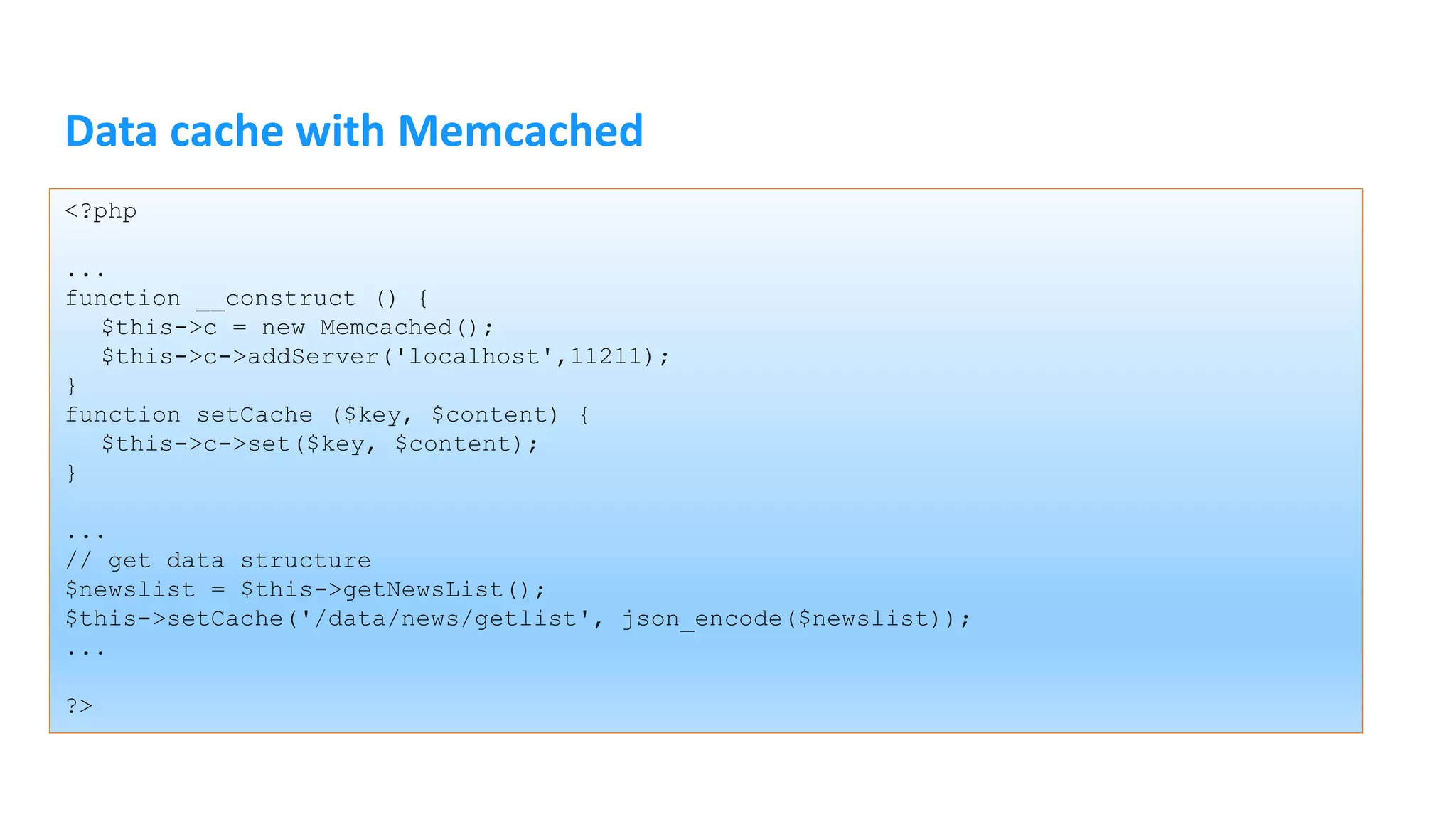
Data cache with Memcached <?php ... function __construct () { $this->c = new Memcached(); $this->c->addServer('localhost',11211); } function setCache ($key, $content) { $this->c->set($key, $content); } ... // get data structure $newslist = $this->getNewsList(); $this->setCache('/data/news/getlist', json_encode($newslist)); ... ?>
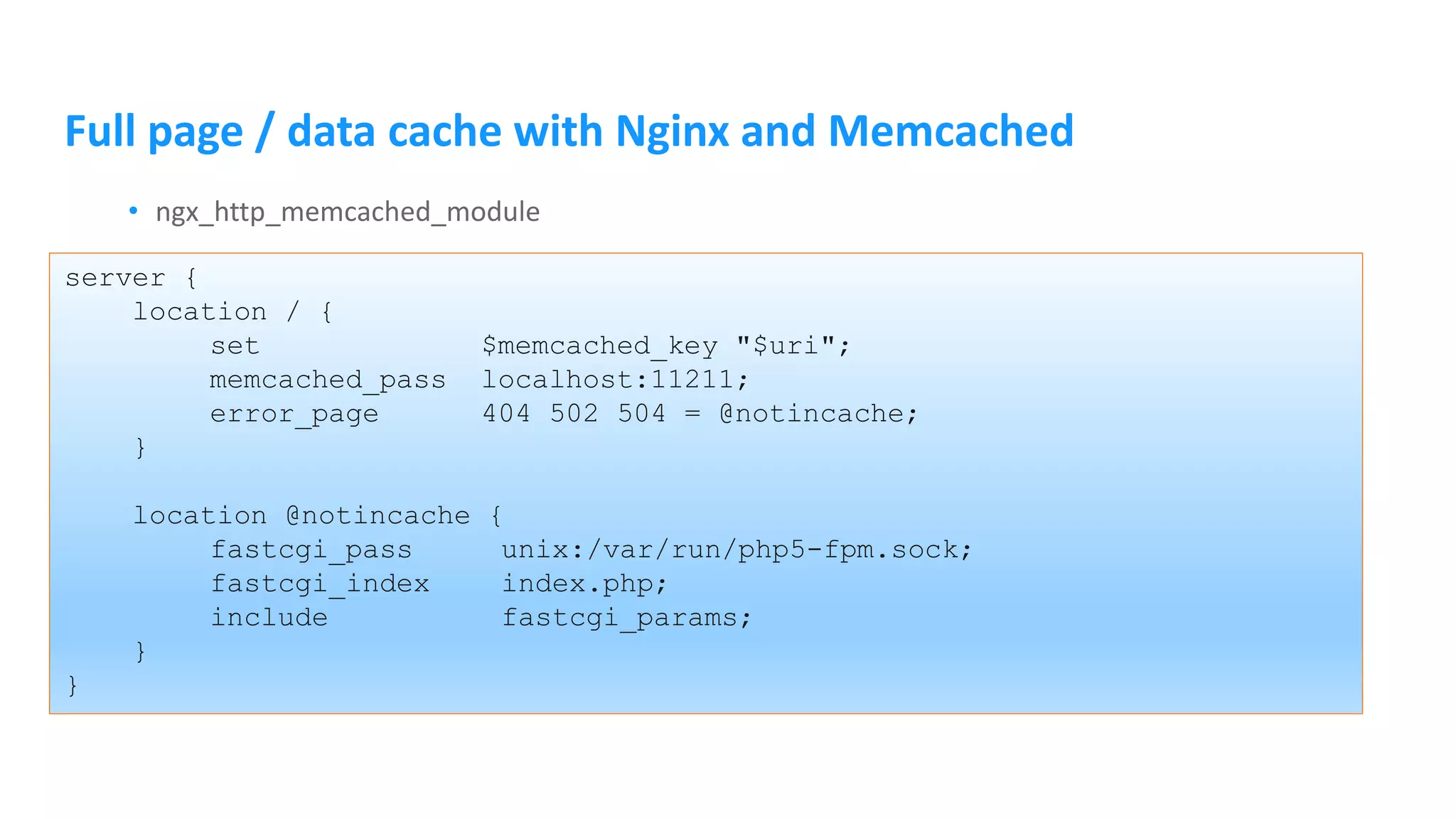
Full page / data cache with Nginx and Memcached • ngx_http_memcached_module server { location / { set $memcached_key "$uri"; memcached_pass localhost:11211; error_page 404 502 504 = @notincache; } location @notincache { fastcgi_pass unix:/var/run/php5-fpm.sock; fastcgi_index index.php; include fastcgi_params; } }
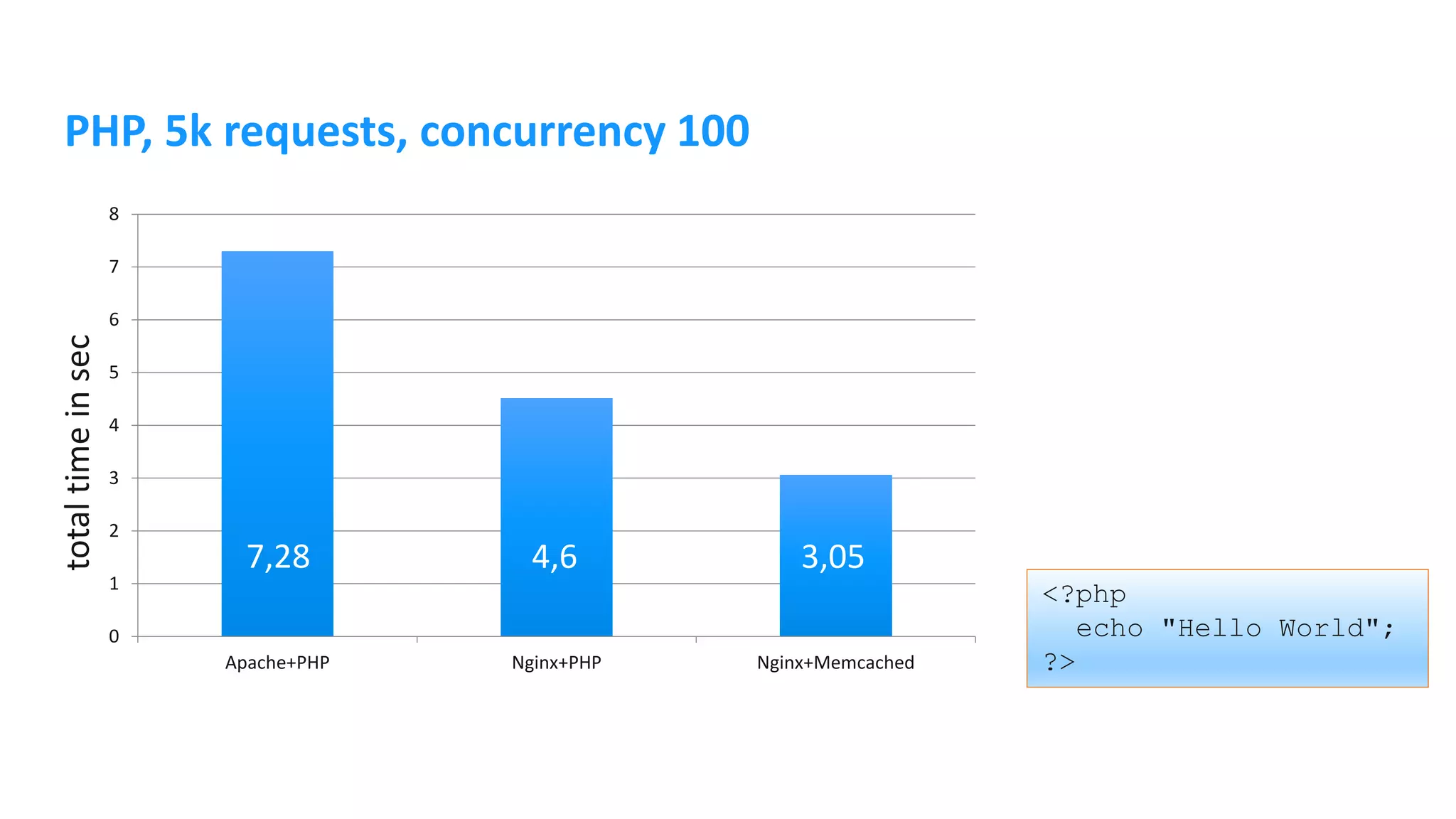
PHP, 5k requests, concurrency 100 0 1 2 3 4 5 6 7 8 Apache+PHP Nginx+PHP Nginx+Memcached <?php echo "Hello World"; ?> 7,28 4,6 3,05 totaltimeinsec
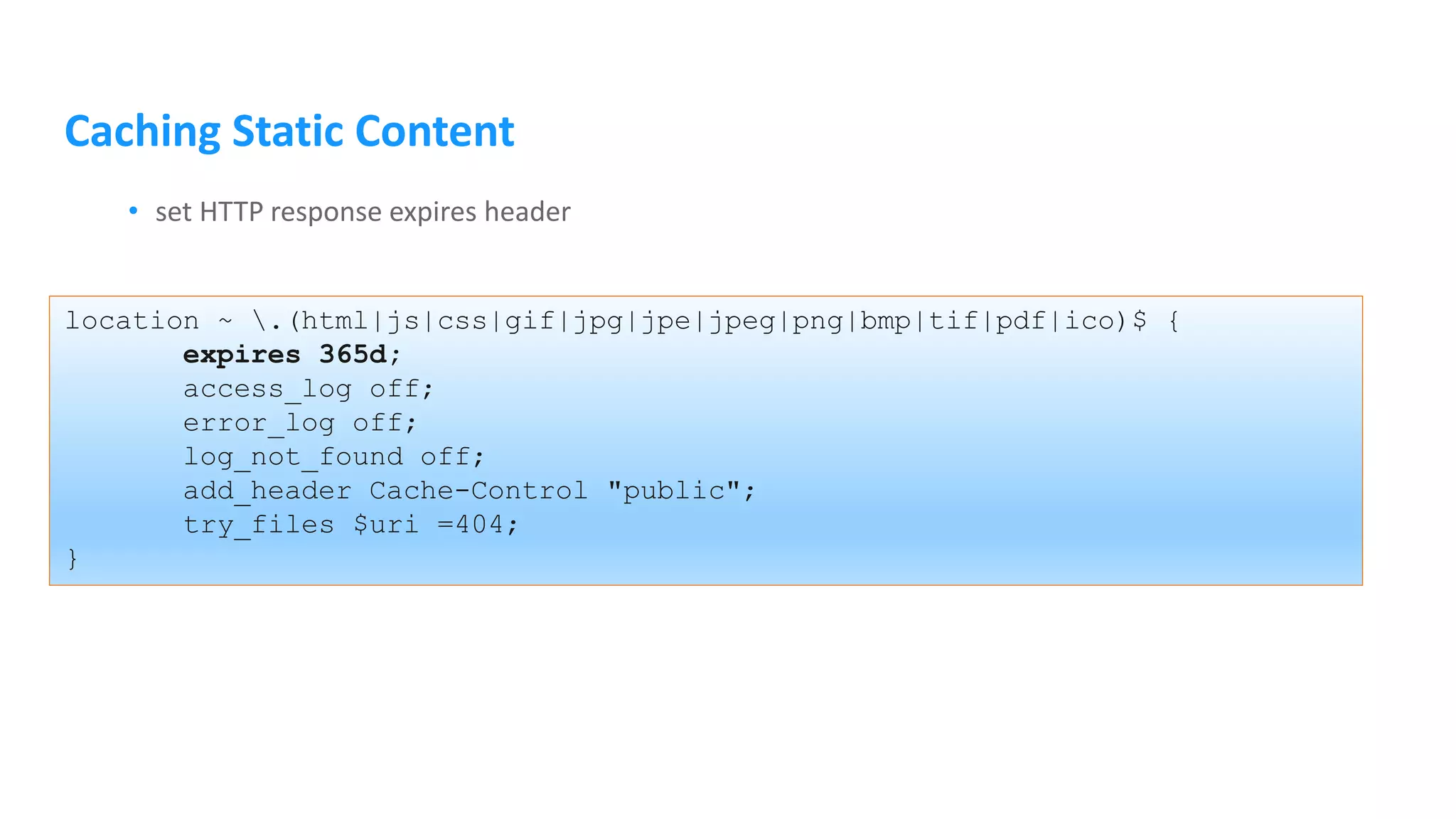
Caching Static Content • set HTTP response expires header location ~ .(html|js|css|gif|jpg|jpe|jpeg|png|bmp|tif|pdf|ico)$ { expires 365d; access_log off; error_log off; log_not_found off; add_header Cache-Control "public"; try_files $uri =404; }
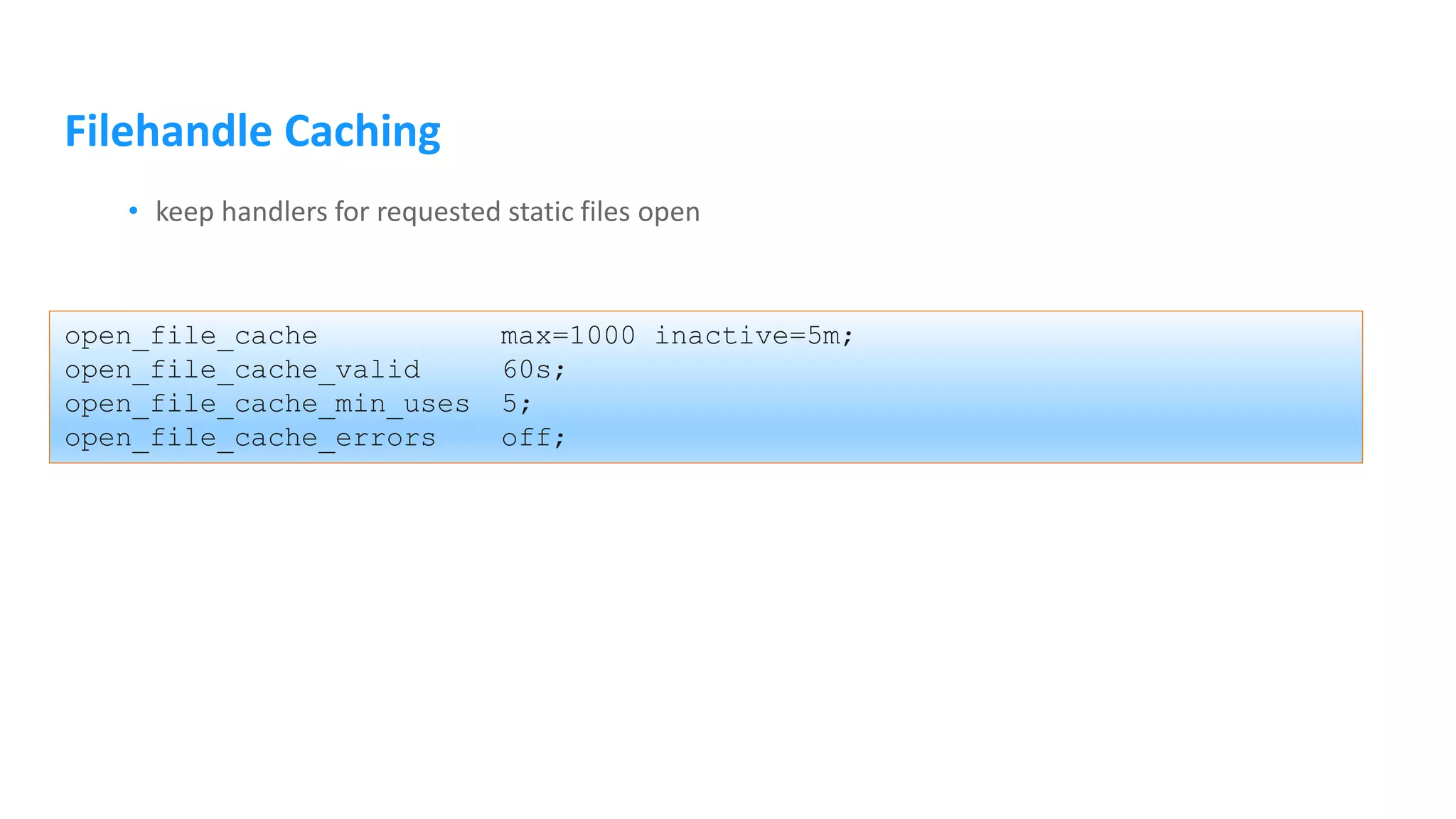
Filehandle Caching • keep handlers for requested static files open open_file_cache max=1000 inactive=5m; open_file_cache_valid 60s; open_file_cache_min_uses 5; open_file_cache_errors off;
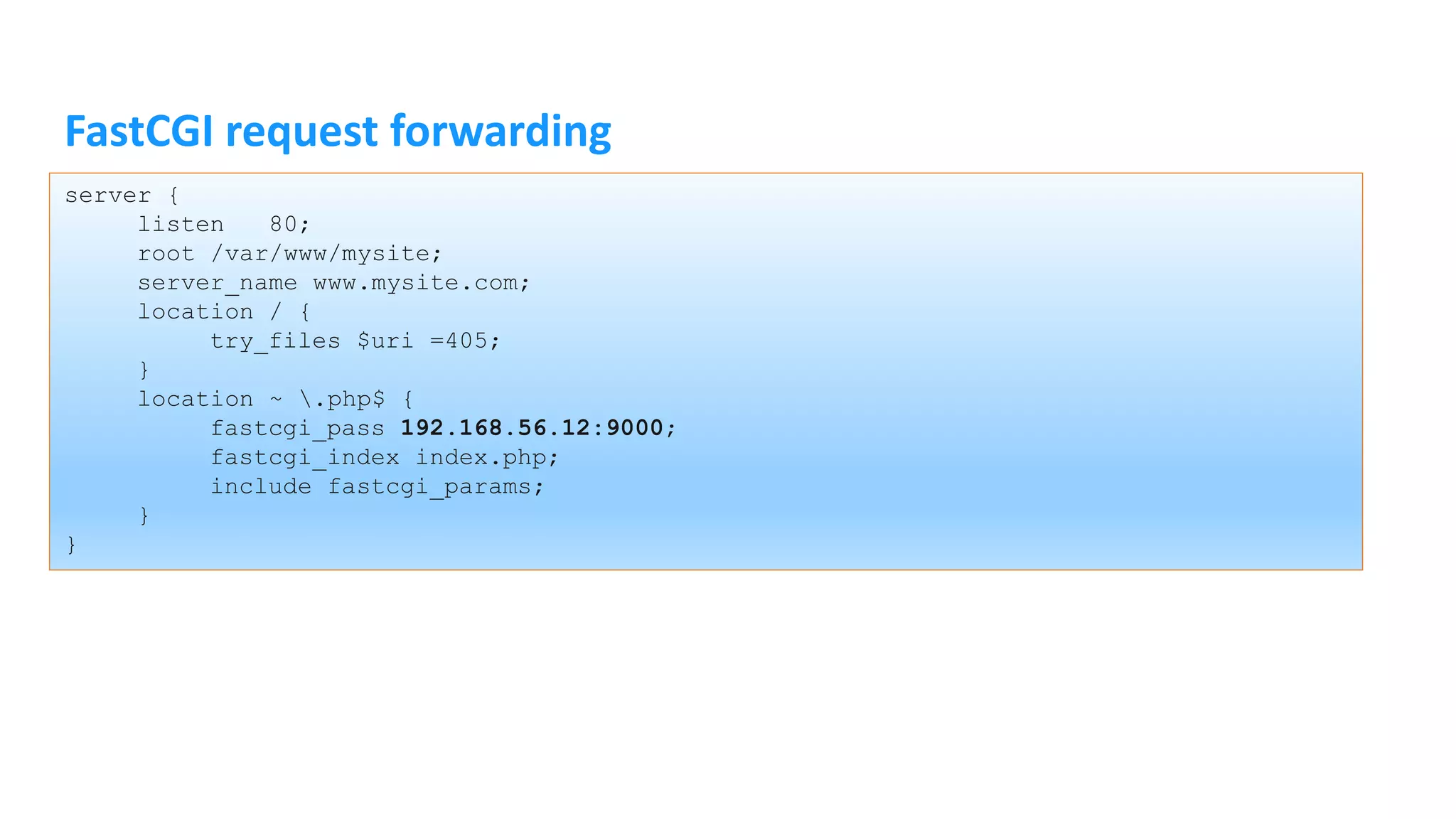
FastCGI request forwarding server { listen 80; root /var/www/mysite; server_name www.mysite.com; location / { try_files $uri =405; } location ~ .php$ { fastcgi_pass 192.168.56.12:9000; fastcgi_index index.php; include fastcgi_params; } }
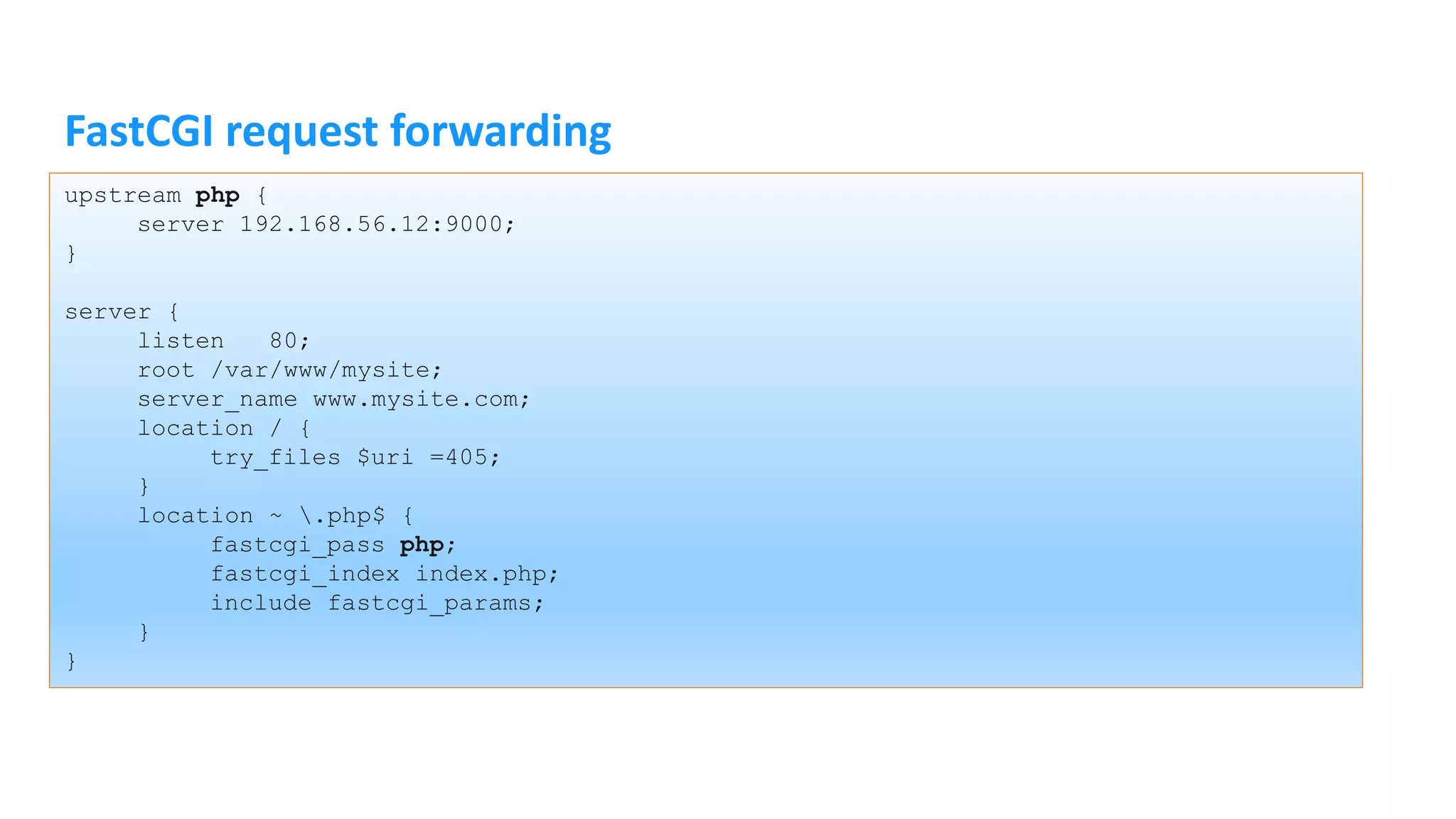
FastCGI request forwarding upstream php { server 192.168.56.12:9000; } server { listen 80; root /var/www/mysite; server_name www.mysite.com; location / { try_files $uri =405; } location ~ .php$ { fastcgi_pass php; fastcgi_index index.php; include fastcgi_params; } }
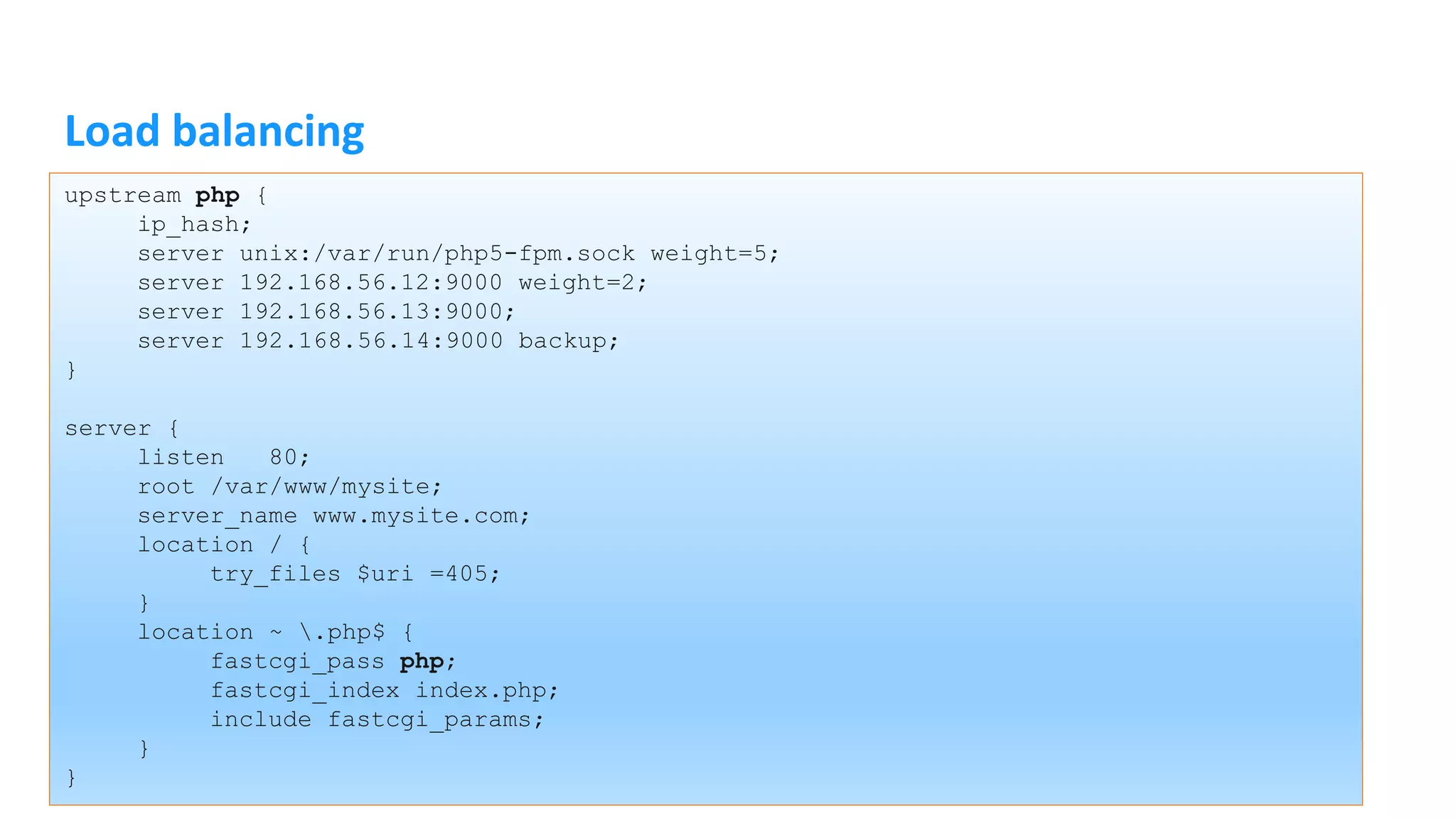
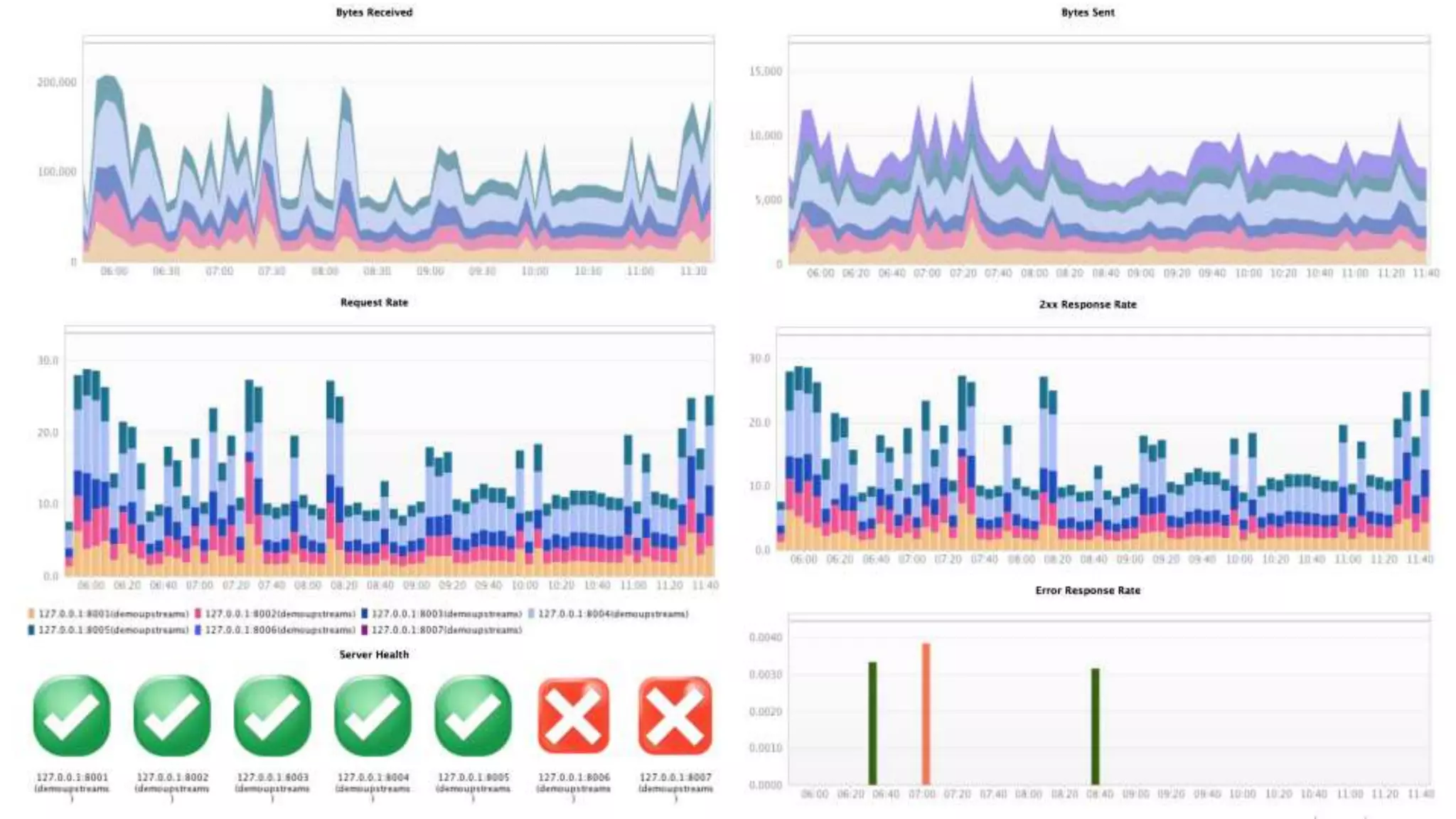
Load balancing upstream php { ip_hash; server unix:/var/run/php5-fpm.sock weight=5; server 192.168.56.12:9000 weight=2; server 192.168.56.13:9000; server 192.168.56.14:9000 backup; } server { listen 80; root /var/www/mysite; server_name www.mysite.com; location / { try_files $uri =405; } location ~ .php$ { fastcgi_pass php; fastcgi_index index.php; include fastcgi_params; } }
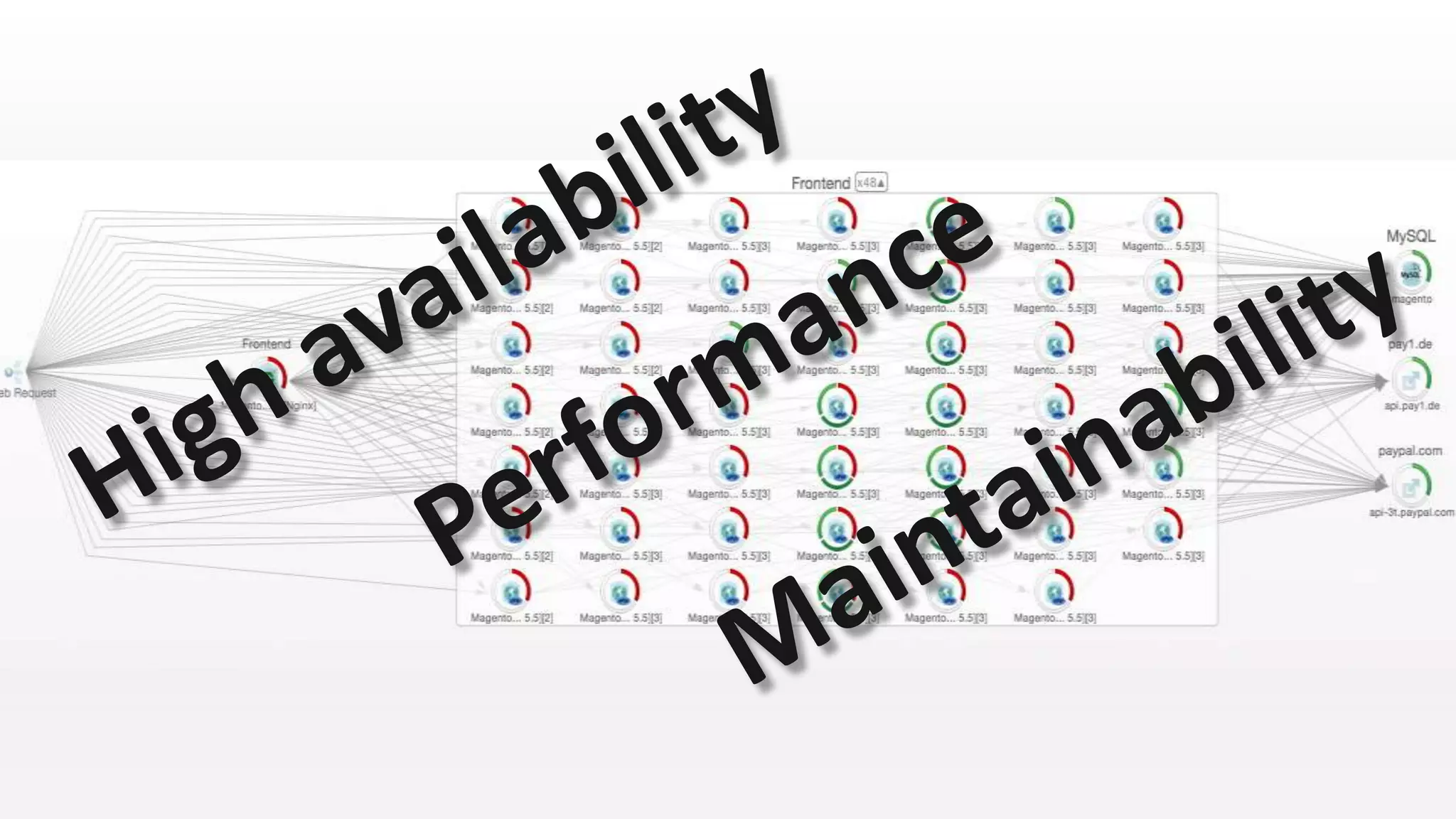
High scalability
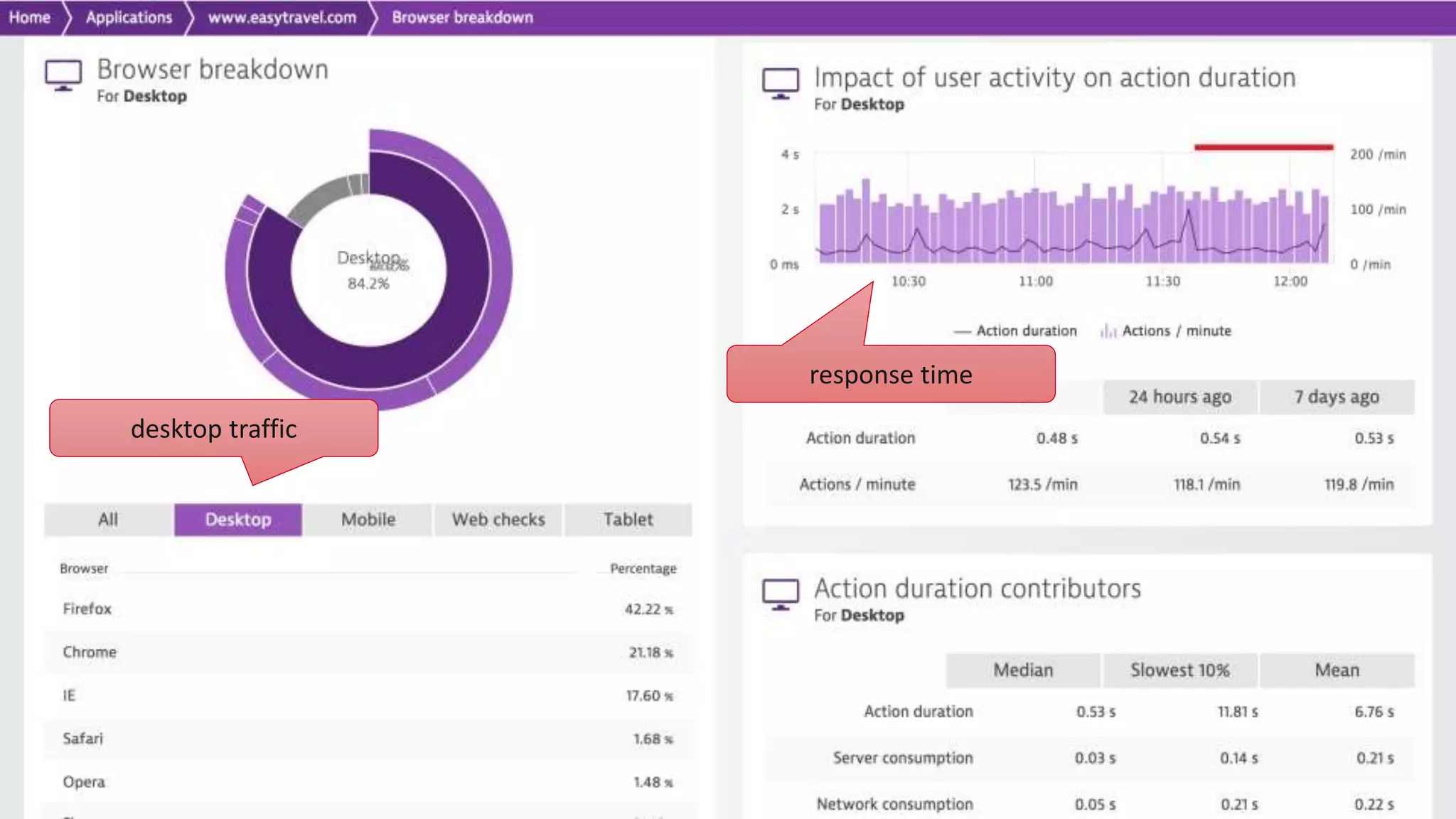
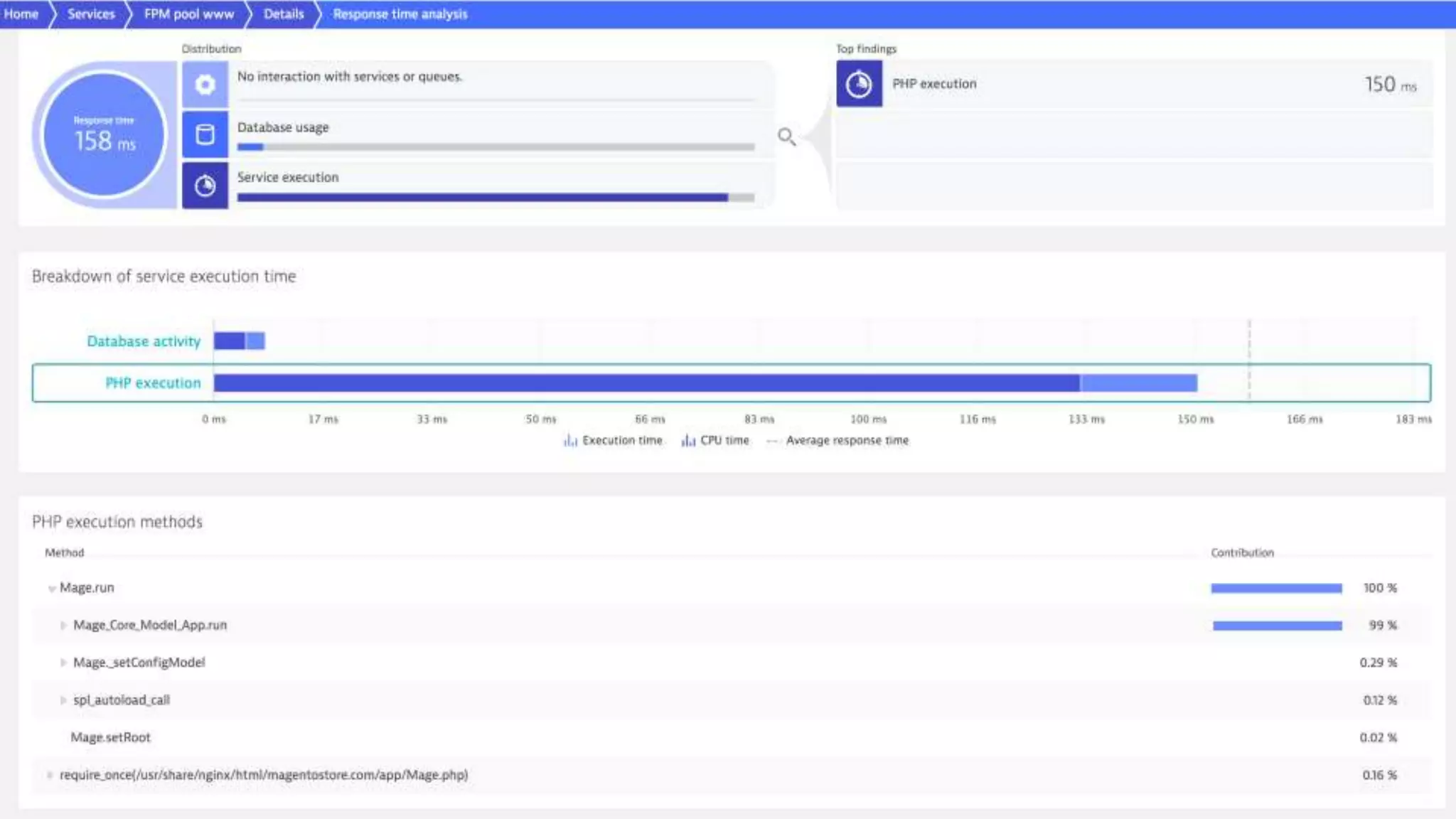
desktop traffic response time
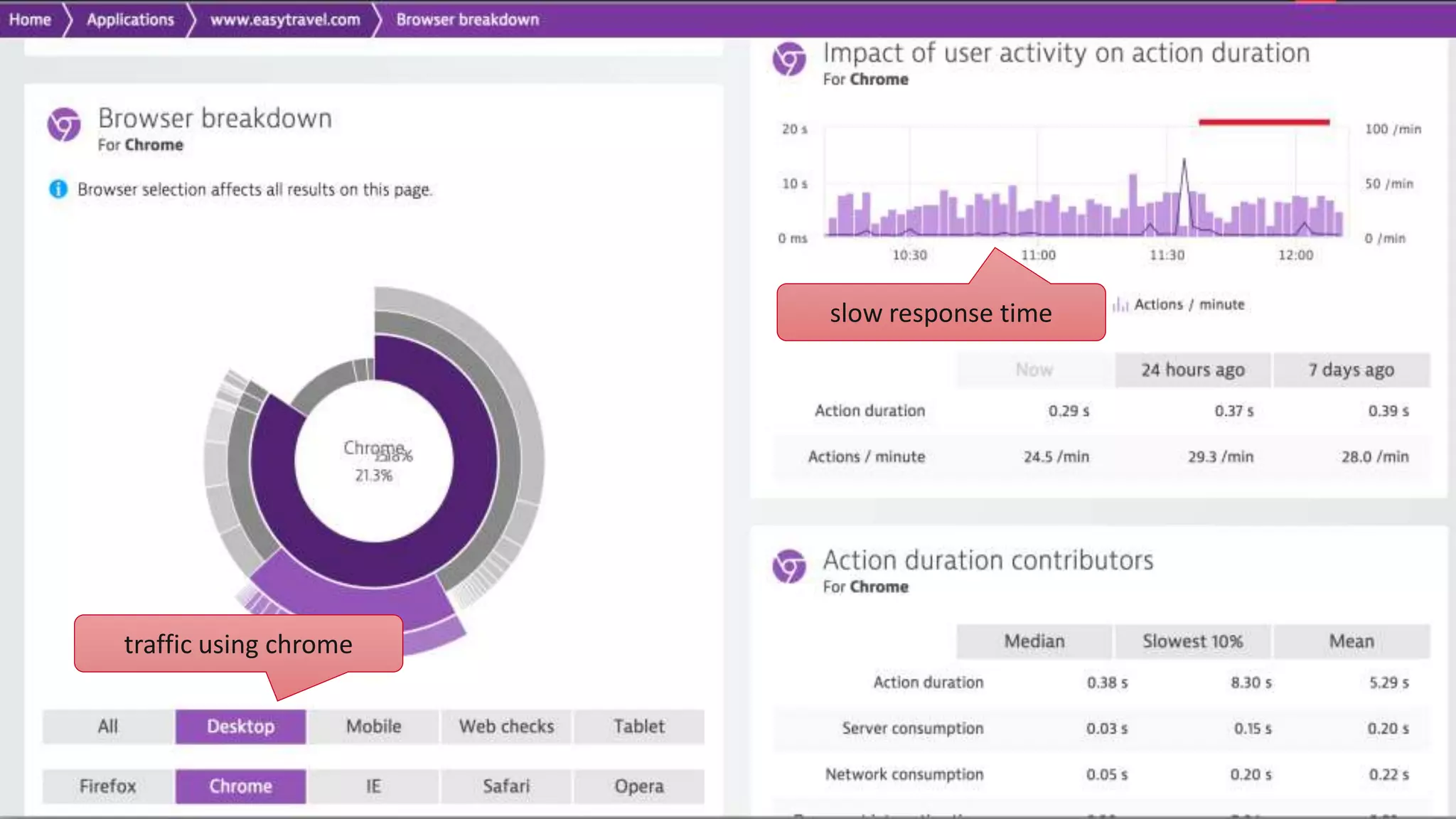
slow response time traffic using chrome
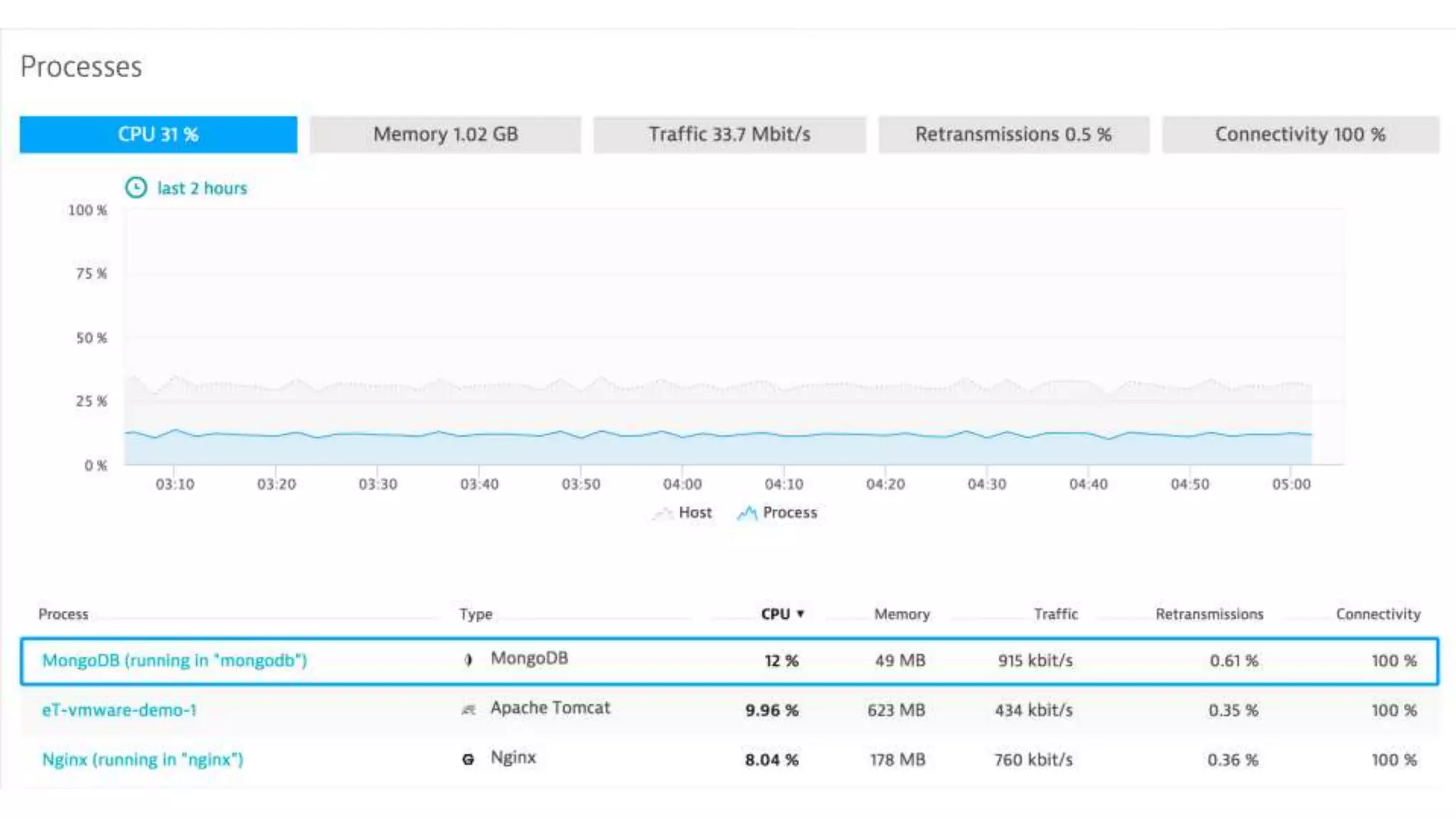
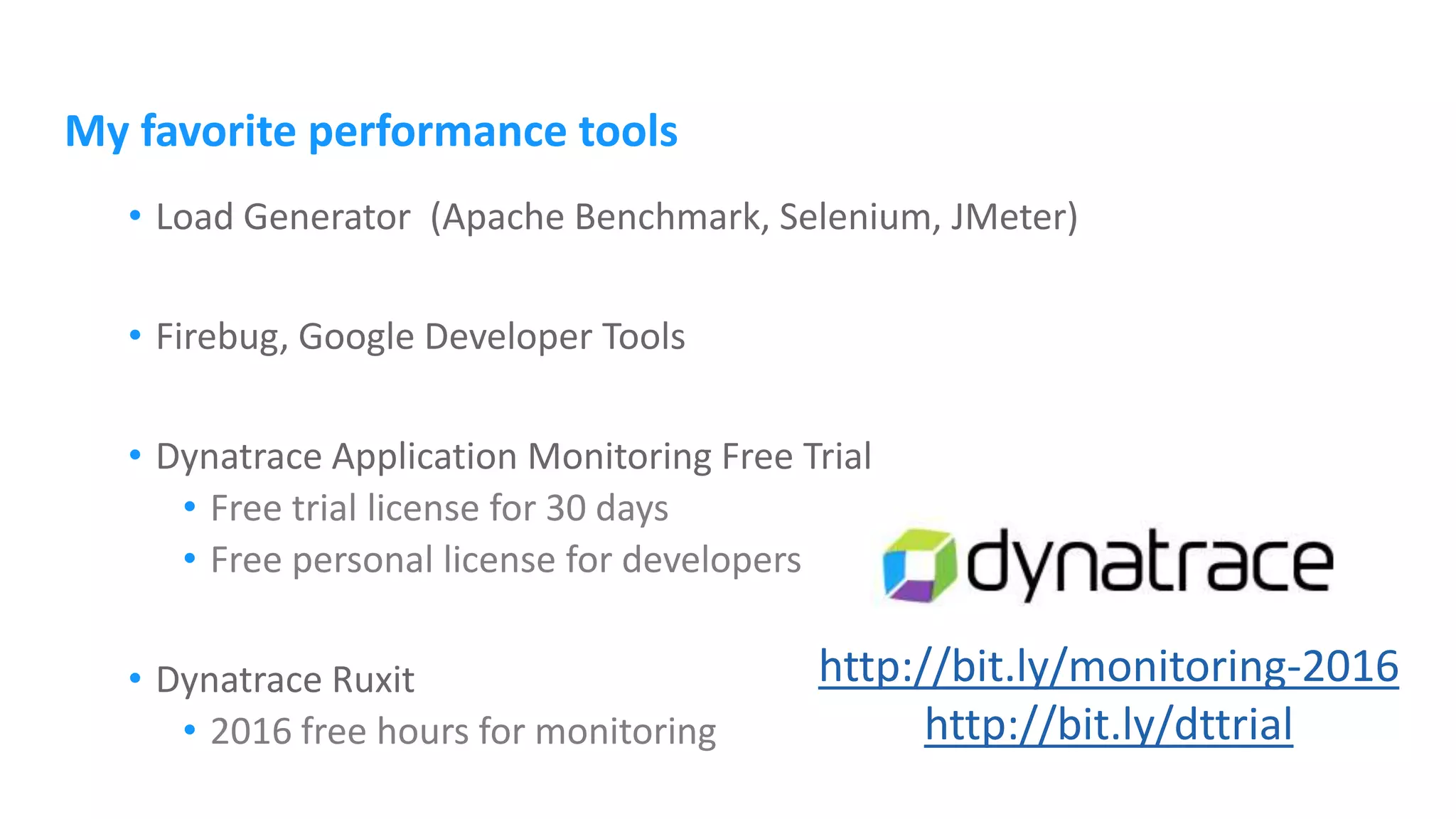
My favorite performance tools • Load Generator (Apache Benchmark, Selenium, JMeter) • Firebug, Google Developer Tools • Dynatrace Application Monitoring Free Trial • Free trial license for 30 days • Free personal license for developers • Dynatrace Ruxit • 2016 free hours for monitoring http://bit.ly/monitoring-2016 http://bit.ly/dttrial
Further information http://apmblog.dynatrace.com http://apmblog.dynatrace.com/2014/08/19/easily-boost-web-application-using-nginx/ http://apmblog.dynatrace.com/2014/10/30/proper-configuration-running-php-nginx/ http://apmblog.dynatrace.com/2015/11/24/cool-new-stuff-on-the-nginx-front/ https://www.nginx.com/resources/wiki/
Harald Zeitlhofer Performance Advocate @HZeitlhofer harald.zeitlhofer@dynatrace.com http://blog.dynatrace.com Dynatrace Free Trial Free Personal License Ruxit Free Trial http://bit.ly/monitoring-2016 events@dynatrace.com

Boost your website by running PHP on Nginx

  • 1.
    Boost your websiteby running PHP on Nginx Tips and tricks for high performance websites Harald Zeitlhofer @HZeitlhofer harald.zeitlhofer@dynatrace.com
  • 2.
    Harald Zeitlhofer • TechnologyStrategist at Dynatrace • Database and Web Development • Love to discover new things
  • 3.
    Tips and tricksfor high performance websites
  • 4.
    Once upon atime... performance matters !!!
  • 5.
  • 6.
  • 9.
    Modern Web Pages:lots of static content 434 Resources in total on that page: 230 JPEGs, 75 PNGs, 50 GIFs, … more than 20MB page size
  • 10.
    Fifa.com during Worldcup2014 http://blog.dynatrace.com/2014/05/21/is-the-fifa-world-cup-website-ready-for-the-tournament/ largest item on page: favicon.ico with 370 KB!!! but also some heavyweight CSS and JS files with up to 288 KB!!!
  • 11.
    • Expires • Last-Modified •Etag • Cache-Control
  • 12.
    cached content can stillcreate roundtrips to the network!
  • 13.
  • 14.
  • 15.
    PHP-FPM FastCGI Process Manager Availablesince 5.3.3 Stable since 5.4.1
  • 16.
    PHP-FPM • Installation • Poolconfiguration /etc/php/7.0/fpm/pool.d/www.conf [www] user = www-data group = www-data listen = 127.0.0.1:9000# for Unix socket: unix:/var/run/php7.0-fpm.sock; root@hzvm01:/etc/nginx/sites-enabled# ps -ef | grep php root 6435 1 0 14:39 ? 00:00:32 php-fpm: master process (/etc/php/7.0/fpm/php-fpm.conf) spelix 6439 6435 0 14:39 ? 00:00:00 php-fpm: pool batch spelix 6440 6435 0 14:39 ? 00:00:00 php-fpm: pool batch www-data 10576 6435 1 18:45 ? 00:00:48 php-fpm: pool www www-data 10920 6435 1 18:47 ? 00:00:47 php-fpm: pool www www-data 10927 6435 1 18:47 ? 00:00:46 php-fpm: pool www sudo apt-get install php7.0-fpm
  • 17.
    Nginx Lightweight HTTP server Eventbased request handling Open Source project (BSD) Development started in 2002 by Igor Sysoev to solve the c10k problem Commercial version NGINX Plus
  • 18.
  • 19.
    /etc/nginx/nginx.conf # max_clients =worker_processes * worker_connections worker_processes 8; # number of CPUs pcre_jit on; # enable JIT for regex events { worker_connections 1024; multi_accept on; }
  • 20.
    Integration • Static contentserved by Nginx • Dynamic requests sent to PHP server { listen 80; server_name www.yourdomain.com; root /var/www/test; index index.php index.html index.htm; location ~* .(html|js|css|gif|jpg|jpe|jpeg|png|bmp|tif|pdf|ico)$ { try_files $uri =404; } location / { try_files $uri $uri/ =404; } location ~* .php$ { fastcgi_index index.php; fastcgi_pass 127.0.0.1:9000; include fastcgi_params; } }
  • 21.
    Communication via sockets •TCP vs Unix • Unix slightly faster when used on localhost • Use TCP for high load location ~* .php$ { fastcgi_index index.php; fastcgi_pass 127.0.0.1:9000; include fastcgi_params; fastcgi_param SCRIPT_FILENAME $document_root$fastcgi_script_name; fastcgi_param SCRIPT_NAME $fastcgi_script_name; } fastcgi_pass unix:/var/run/php7.0-fpm.sock;
  • 22.
  • 23.
    URL rewrite ... RewriteEngine On RewriteCond%{REQUEST_FILENAME} !-d RewriteCond %{REQUEST_FILENAME} !-f RewriteCond %{REQUEST_FILENAME} !-l RewriteRule ^(.+)$ index.php ... http://www.mysite.com/news/browse/2014  to be processed by index.php
  • 24.
    URL rewrite server { listen80; root /var/www; index index.php index.html index.htm; server_name www.mysite.com; location / { try_files $uri $uri/ @missing; } location @missing { rewrite (.*) /index.php; } location ~ .php$ { fastcgi_index index.php; include fastcgi_params; fastcgi_pass unix:/var/run/php5-fpm.sock; } } http://www.mysite.com/news/browse/2014  to be processed by index.php
  • 25.
    URL rewrite using Nginx/PHP-FPMthere’s a better way: server { listen 80; root /var/www; index index.php index.html index.htm; server_name www.mysite.com; location /images { try_files $uri =404; } location /scripts { try_files $uri =404; } location / { fastcgi_index index.php; include fastcgi_params; fastcgi_param SCRIPT_FILENAME /var/www/index.php; fastcgi_pass unix:/var/run/php5-fpm.sock; } } <?php $params = explode('/', $_SERVER["DOCUMENT_URI"]); ...
  • 26.
  • 27.
  • 28.
    Nginx FastCGI cache •Part of Nginx' FastCGI module fastcgi_cache_path /etc/nginx/cache levels=1:2 keys_zone=APPKEY:100m inactive=60m; fastcgi_cache_key "$scheme$request_method$host$request_uri"; location ~* .php$ { fastcgi_index index.php; fastcgi_pass 127.0.0.1:9000; include fastcgi_params; fastcgi_param SCRIPT_FILENAME $document_root$fastcgi_script_name; fastcgi_param SCRIPT_NAME $fastcgi_script_name; fastcgi_cache APPKEY; fastcgi_cache_valid 200 60m; }
  • 29.
    FastCGI cache inaction <?php echo time()."n"; ?>
  • 30.
    FastCGI cache inaction <?php echo time()."n"; ?>
  • 31.
    FastCGI cache inaction <?php echo time()."n"; ?>
  • 32.
    Full page cachewith Memcached <?php ... function __construct () { $this->c = new Memcached(); $this->c->addServer('localhost',11211); } function setCache ($key, $content) { $this->c->set($key, $content); } ... // get HTML content $html = $this->renderPage(); $this->setCache($_SERVER['REQUEST_URI'], $html); echo $html; ... ?>
  • 33.
    Data cache withMemcached <?php ... function __construct () { $this->c = new Memcached(); $this->c->addServer('localhost',11211); } function setCache ($key, $content) { $this->c->set($key, $content); } ... // get data structure $newslist = $this->getNewsList(); $this->setCache('/data/news/getlist', json_encode($newslist)); ... ?>
  • 34.
    Full page /data cache with Nginx and Memcached • ngx_http_memcached_module server { location / { set $memcached_key "$uri"; memcached_pass localhost:11211; error_page 404 502 504 = @notincache; } location @notincache { fastcgi_pass unix:/var/run/php5-fpm.sock; fastcgi_index index.php; include fastcgi_params; } }
  • 35.
    PHP, 5k requests,concurrency 100 0 1 2 3 4 5 6 7 8 Apache+PHP Nginx+PHP Nginx+Memcached <?php echo "Hello World"; ?> 7,28 4,6 3,05 totaltimeinsec
  • 36.
    Caching Static Content •set HTTP response expires header location ~ .(html|js|css|gif|jpg|jpe|jpeg|png|bmp|tif|pdf|ico)$ { expires 365d; access_log off; error_log off; log_not_found off; add_header Cache-Control "public"; try_files $uri =404; }
  • 37.
    Filehandle Caching • keephandlers for requested static files open open_file_cache max=1000 inactive=5m; open_file_cache_valid 60s; open_file_cache_min_uses 5; open_file_cache_errors off;
  • 38.
    FastCGI request forwarding server{ listen 80; root /var/www/mysite; server_name www.mysite.com; location / { try_files $uri =405; } location ~ .php$ { fastcgi_pass 192.168.56.12:9000; fastcgi_index index.php; include fastcgi_params; } }
  • 39.
    FastCGI request forwarding upstreamphp { server 192.168.56.12:9000; } server { listen 80; root /var/www/mysite; server_name www.mysite.com; location / { try_files $uri =405; } location ~ .php$ { fastcgi_pass php; fastcgi_index index.php; include fastcgi_params; } }
  • 40.
    Load balancing upstream php{ ip_hash; server unix:/var/run/php5-fpm.sock weight=5; server 192.168.56.12:9000 weight=2; server 192.168.56.13:9000; server 192.168.56.14:9000 backup; } server { listen 80; root /var/www/mysite; server_name www.mysite.com; location / { try_files $uri =405; } location ~ .php$ { fastcgi_pass php; fastcgi_index index.php; include fastcgi_params; } }
  • 41.
  • 44.
  • 45.
  • 52.
    My favorite performancetools • Load Generator (Apache Benchmark, Selenium, JMeter) • Firebug, Google Developer Tools • Dynatrace Application Monitoring Free Trial • Free trial license for 30 days • Free personal license for developers • Dynatrace Ruxit • 2016 free hours for monitoring http://bit.ly/monitoring-2016 http://bit.ly/dttrial
  • 53.
  • 54.
    Harald Zeitlhofer Performance Advocate @HZeitlhofer harald.zeitlhofer@dynatrace.com http://blog.dynatrace.com DynatraceFree Trial Free Personal License Ruxit Free Trial http://bit.ly/monitoring-2016 events@dynatrace.com

Editor's Notes

  • #6 application performance. high performance web sites scalable cloud infrastructure flexible microservice architecture DBA: database tuning Sysop: webservers, caching servers, reverse proxies, load balancers migrated to nginx Developer: new frameworks
  • #13 304 conditional caching with Entity Tag (E-Tag) header set