chris@exadat.com exadat.co.ukChris Adkin chrisadkin.ioChris Adkin cadkin@purestorage.com CI With Jenkins, Docker and SQL Server
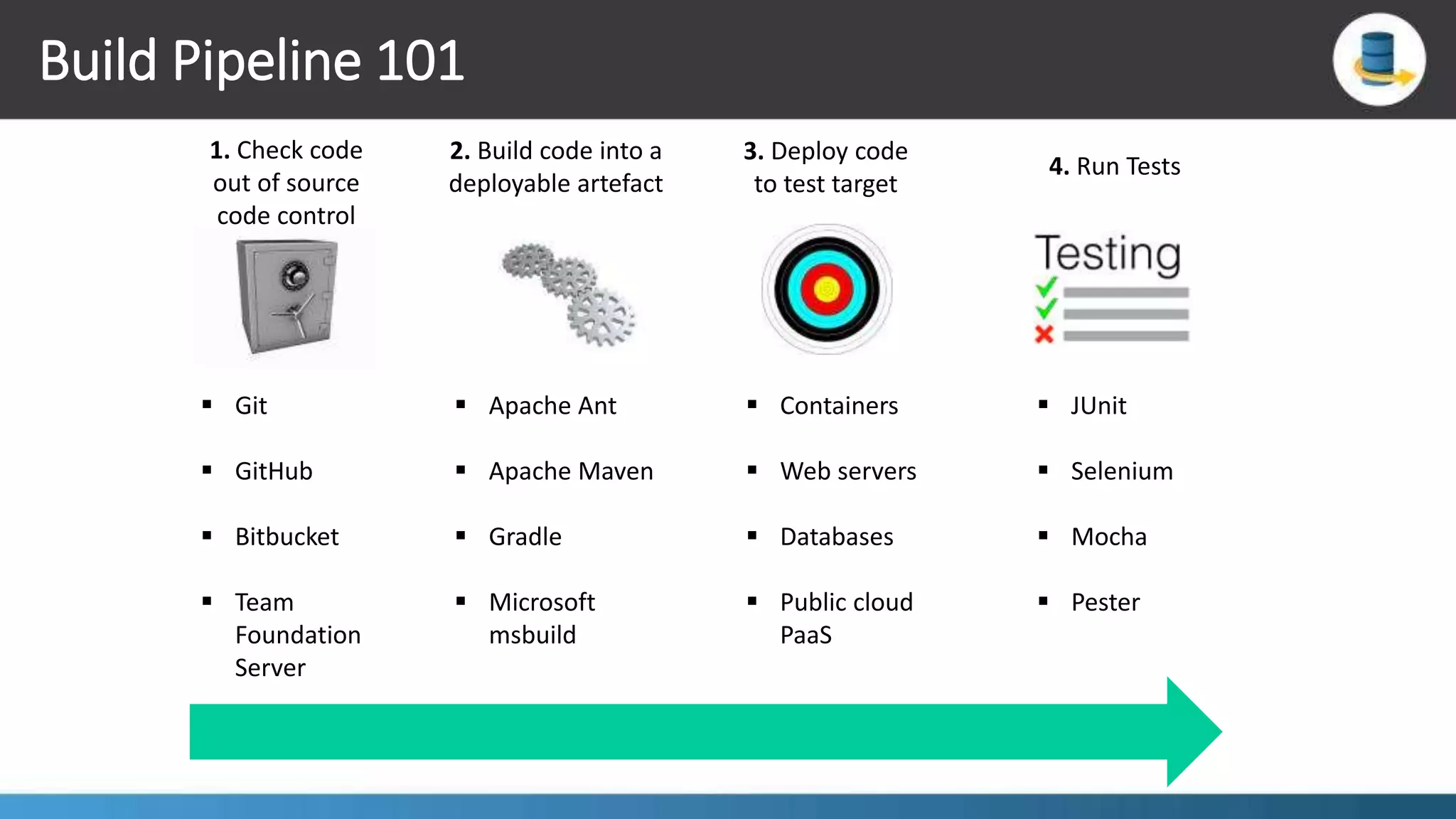
Build Pipeline 101 2. Build code into a deployable artefact 1. Check code out of source code control 3. Deploy code to test target 4. Run Tests  Apache Ant  Apache Maven  Gradle  Microsoft msbuild  Git  GitHub  Bitbucket  Team Foundation Server  Containers  Web servers  Databases  Public cloud PaaS  JUnit  Selenium  Mocha  Pester
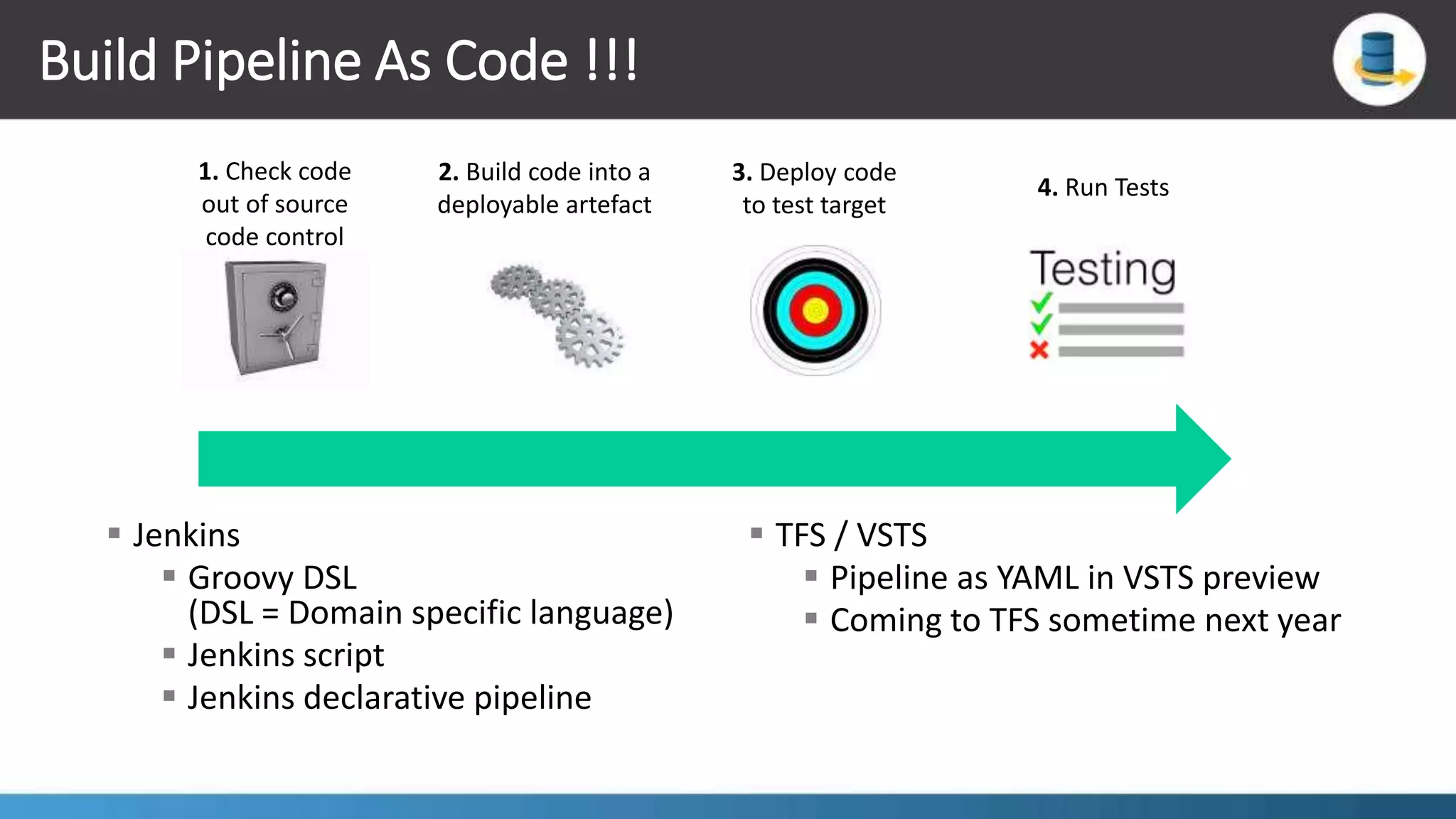
Build Pipeline As Code !!! 2. Build code into a deployable artefact 1. Check code out of source code control 3. Deploy code to test target 4. Run Tests  Jenkins  Groovy DSL (DSL = Domain specific language)  Jenkins script  Jenkins declarative pipeline  TFS / VSTS  Pipeline as YAML in VSTS preview  Coming to TFS sometime next year
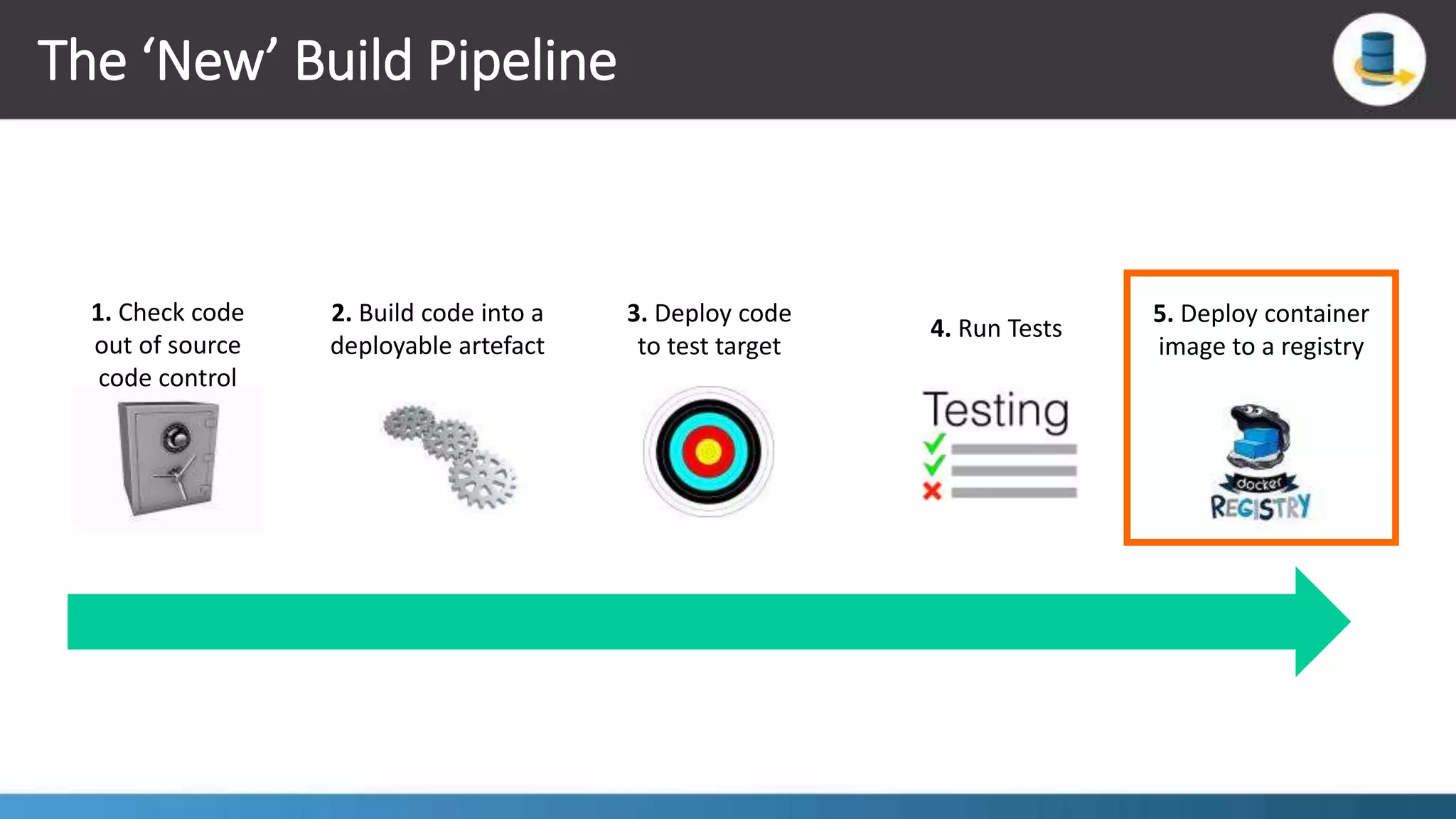
The ‘New’ Build Pipeline 2. Build code into a deployable artefact 1. Check code out of source code control 5. Deploy container image to a registry 4. Run Tests 3. Deploy code to test target
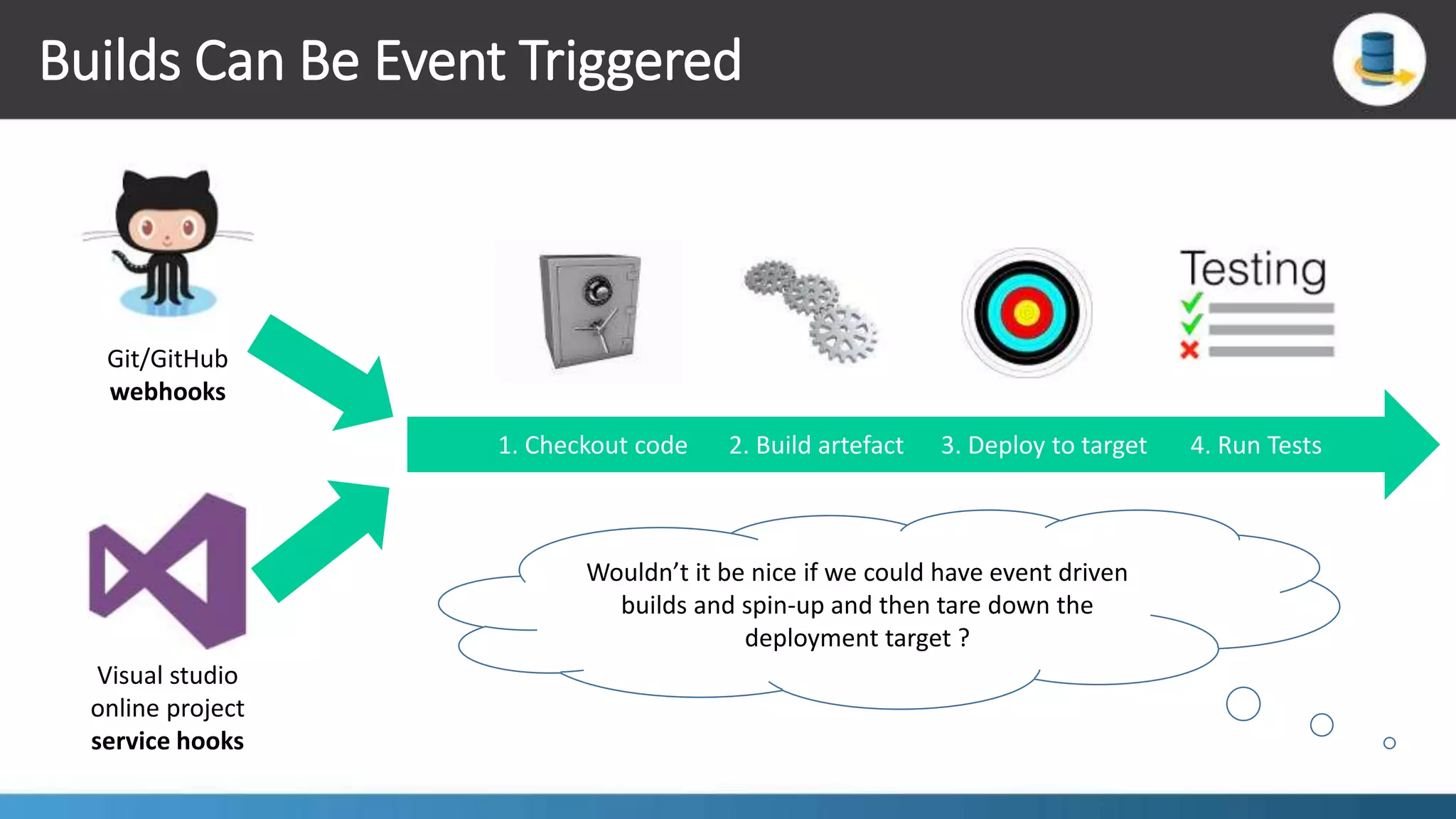
Builds Can Be Event Triggered 1. Checkout code 2. Build artefact 3. Deploy to target 4. Run Tests Git/GitHub webhooks Visual studio online project service hooks Wouldn’t it be nice if we could have event driven builds and spin-up and then tare down the deployment target ?
Containers To The Rescue !!!  We can fully container-ise the build environment  Scale-out the build infrastructure elastically using containers  Spin-up “Side car” containers as deployment targets  The “Builder pattern”
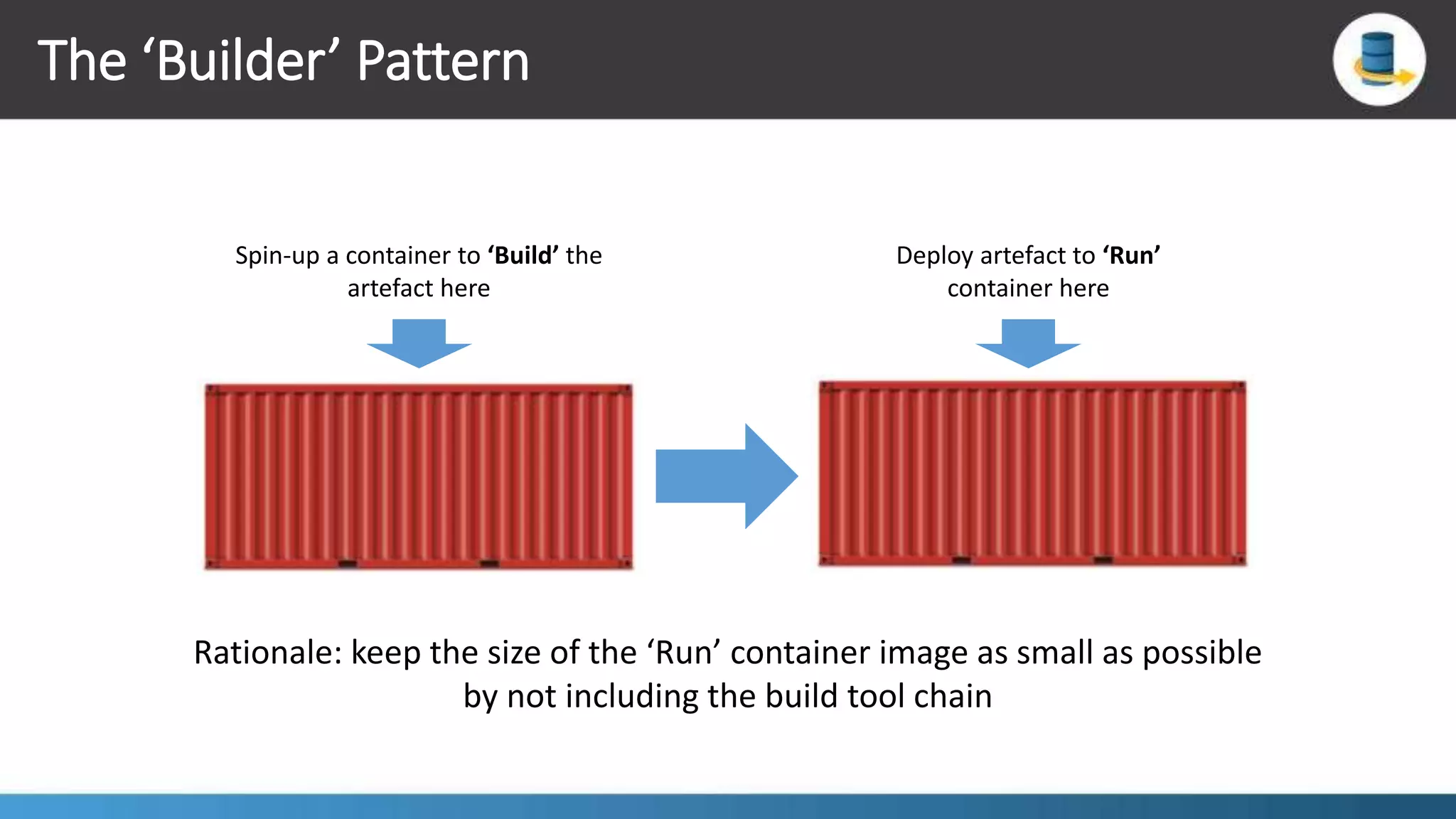
The ‘Builder’ Pattern Spin-up a container to ‘Build’ the artefact here Deploy artefact to ‘Run’ container here Rationale: keep the size of the ‘Run’ container image as small as possible by not including the build tool chain
Build Engines – There Are Lots To Choose From !!!  Jenkins:  Great open-source plugin support  Free  Light weight  Can be fully container-ised and scaled out with containers  Strong build-pipeline-as-code support  Multi-branch build pipelines
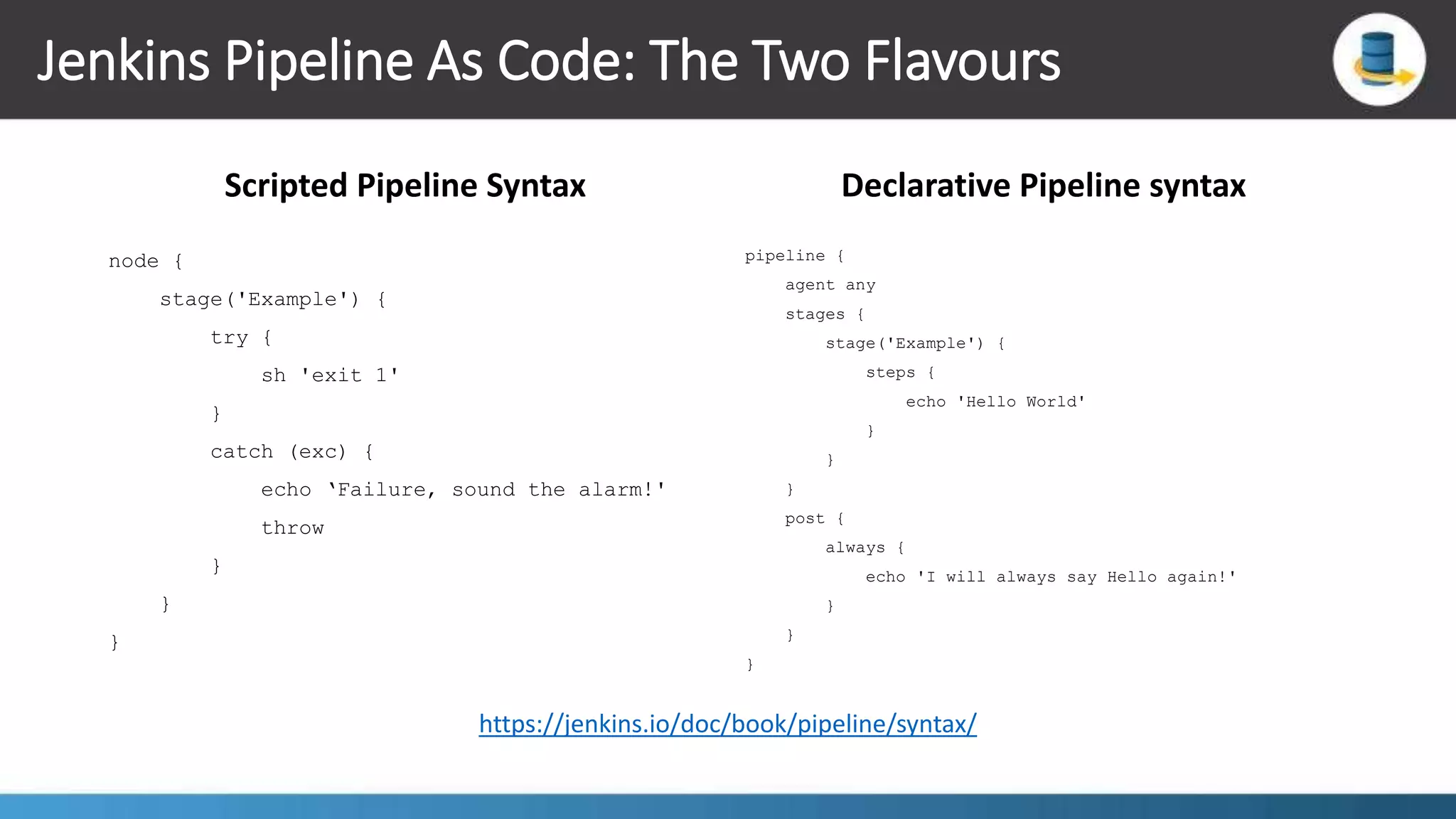
Jenkins Pipeline As Code: The Two Flavours Scripted Pipeline Syntax node { stage('Example') { try { sh 'exit 1' } catch (exc) { echo ‘Failure, sound the alarm!' throw } } } Declarative Pipeline syntax pipeline { agent any stages { stage('Example') { steps { echo 'Hello World' } } } post { always { echo 'I will always say Hello again!' } } } https://jenkins.io/doc/book/pipeline/syntax/
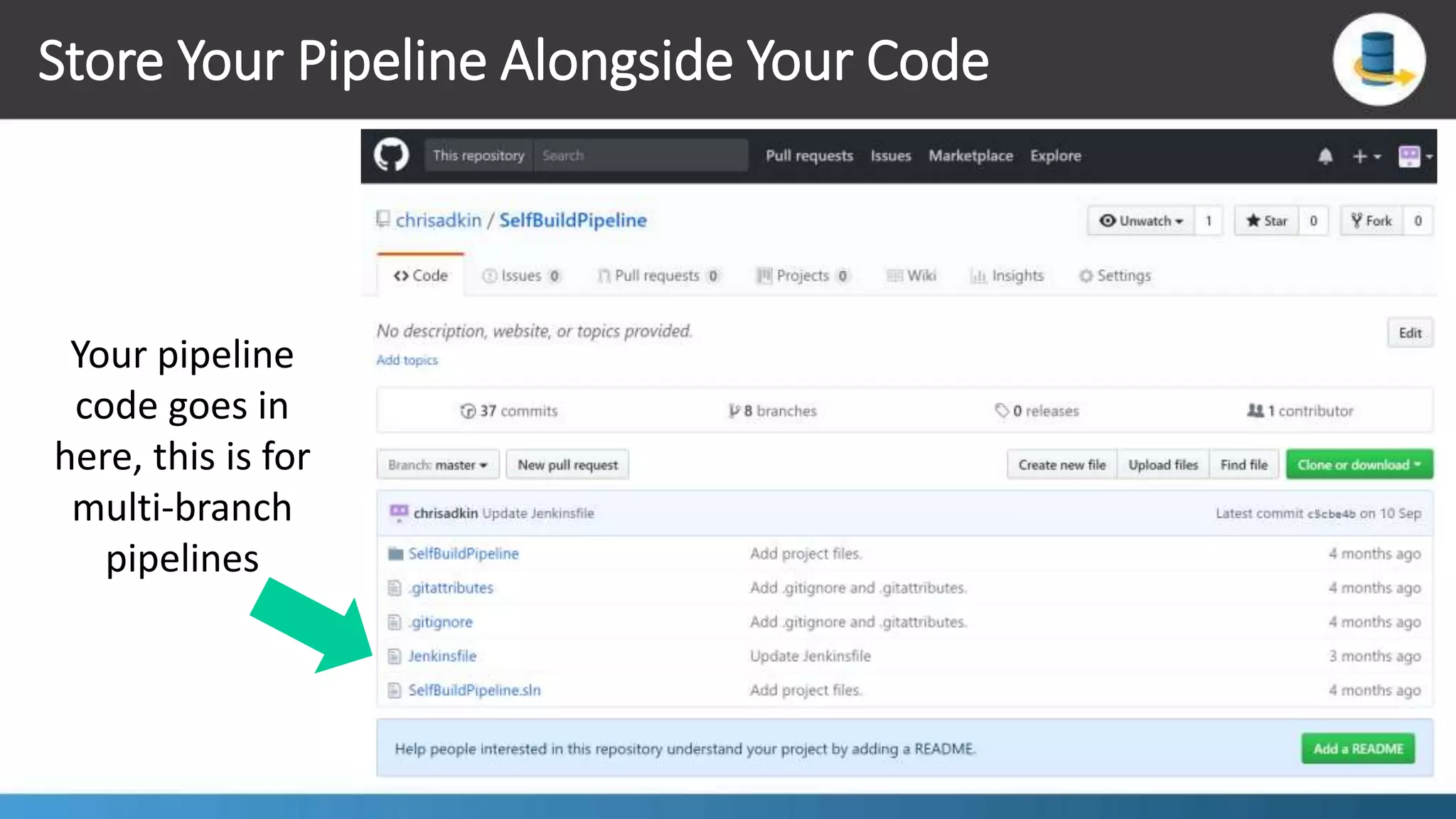
Store Your Pipeline Alongside Your Code Your pipeline code goes in here, this is for multi-branch pipelines
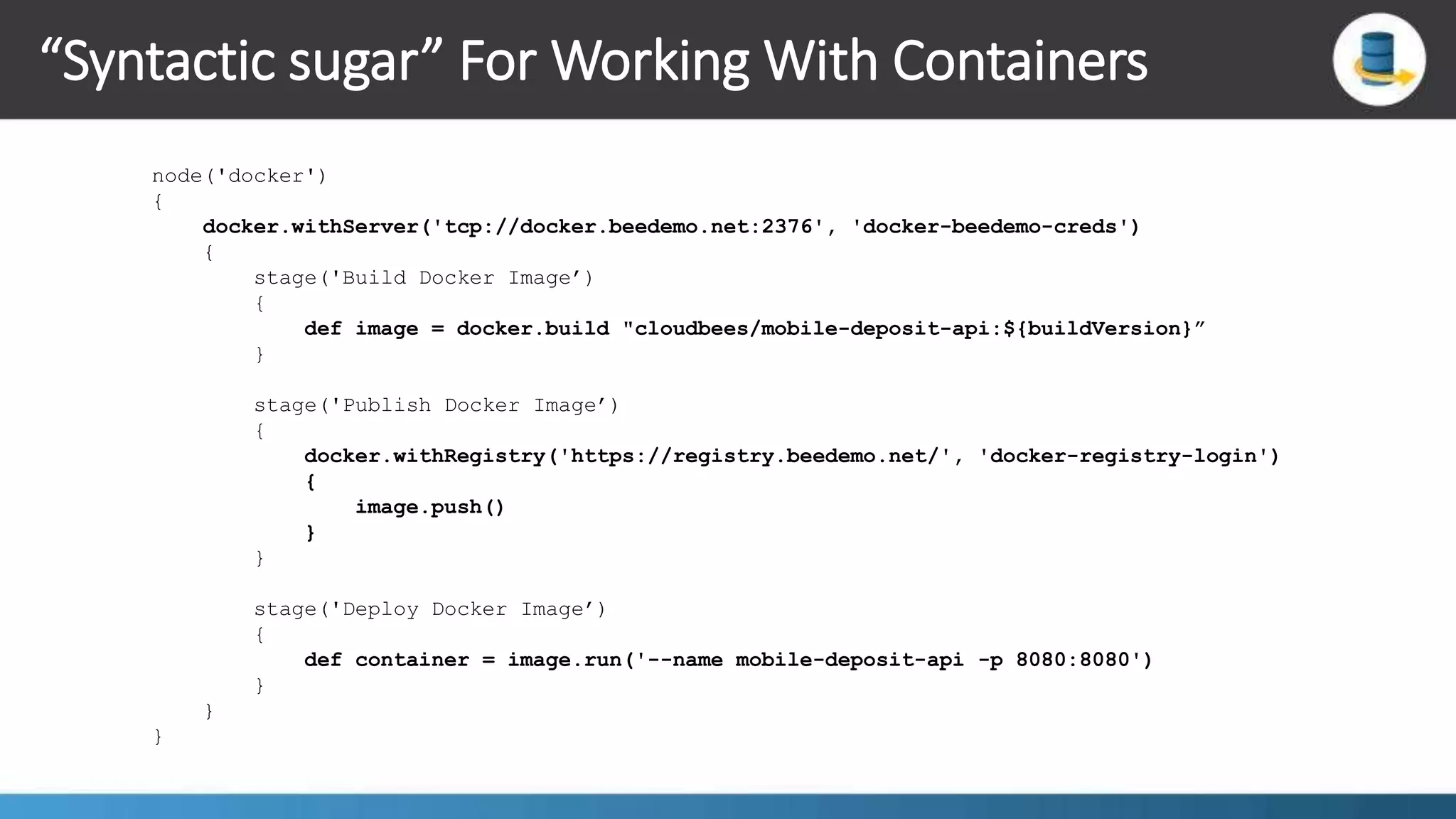
“Syntactic sugar” For Working With Containers node('docker') { docker.withServer('tcp://docker.beedemo.net:2376', 'docker-beedemo-creds') { stage('Build Docker Image’) { def image = docker.build "cloudbees/mobile-deposit-api:${buildVersion}” } stage('Publish Docker Image’) { docker.withRegistry('https://registry.beedemo.net/', 'docker-registry-login') { image.push() } } stage('Deploy Docker Image’) { def container = image.run('--name mobile-deposit-api -p 8080:8080') } } }
Demonstrations May the demonstration gods smile upon me
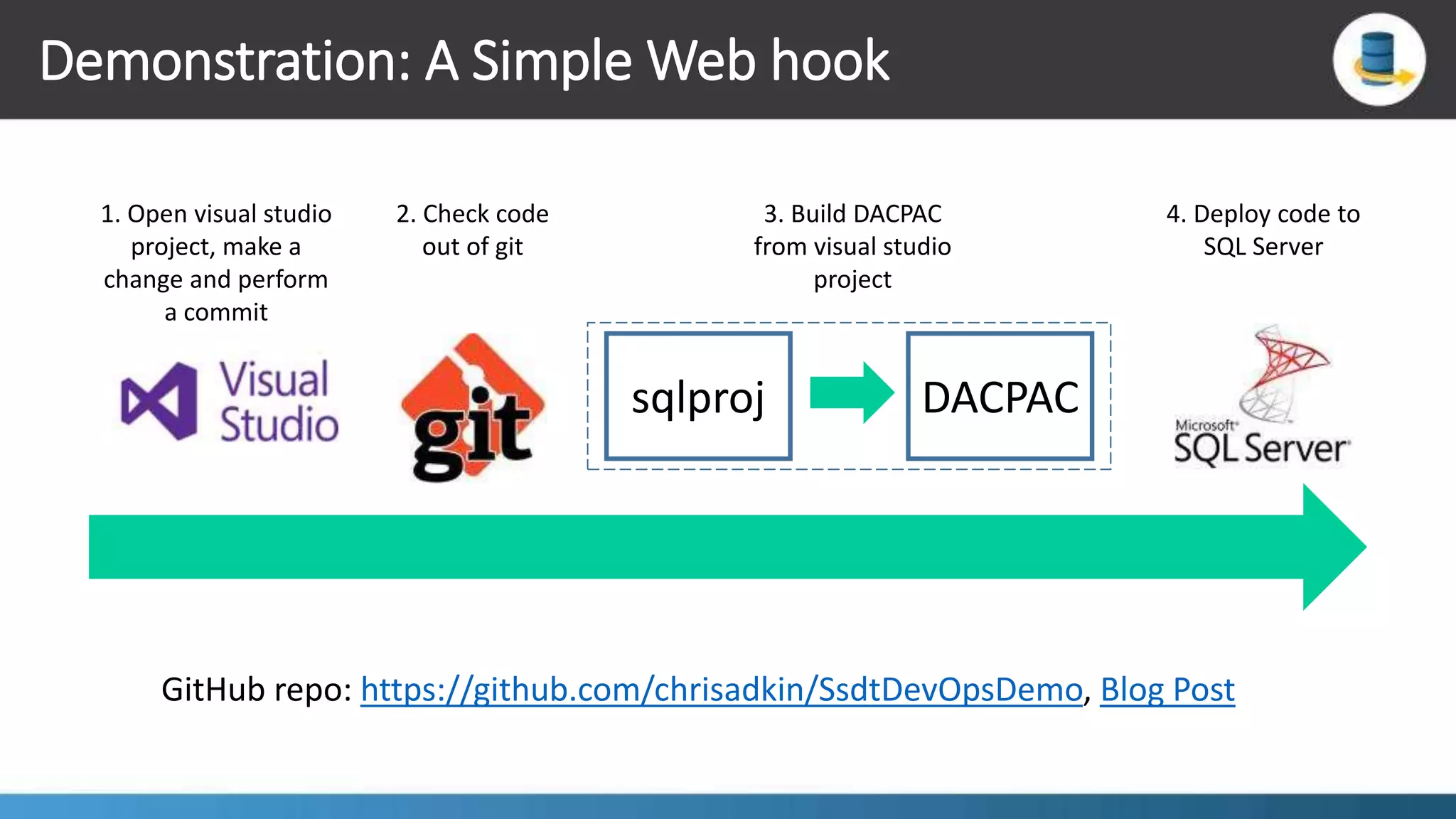
Demonstration: A Simple Web hook sqlproj DACPAC 1. Open visual studio project, make a change and perform a commit 2. Check code out of git 3. Build DACPAC from visual studio project 4. Deploy code to SQL Server GitHub repo: https://github.com/chrisadkin/SsdtDevOpsDemo, Blog Post
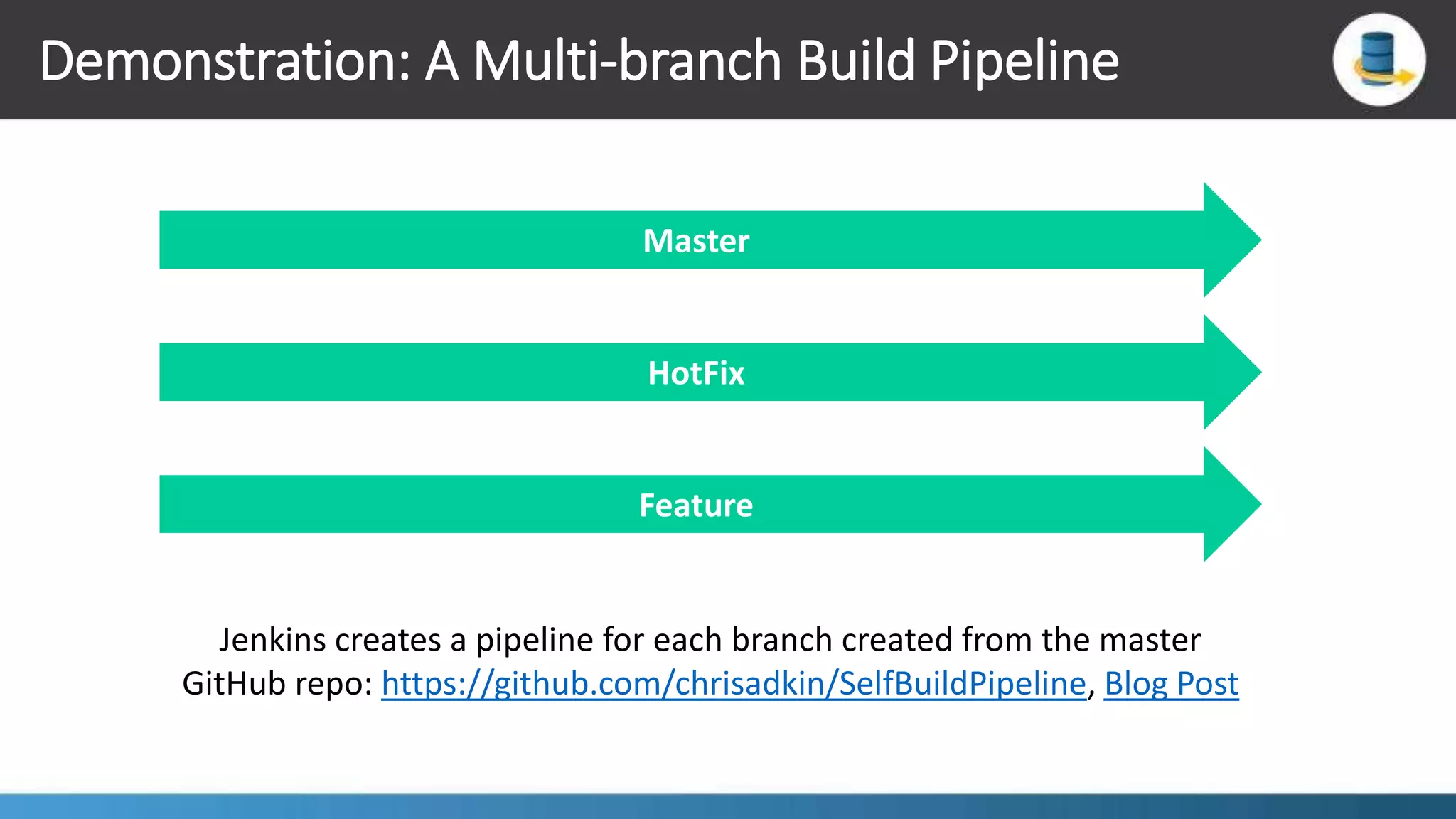
Demonstration: A Multi-branch Build Pipeline Master HotFix Feature Jenkins creates a pipeline for each branch created from the master GitHub repo: https://github.com/chrisadkin/SelfBuildPipeline, Blog Post
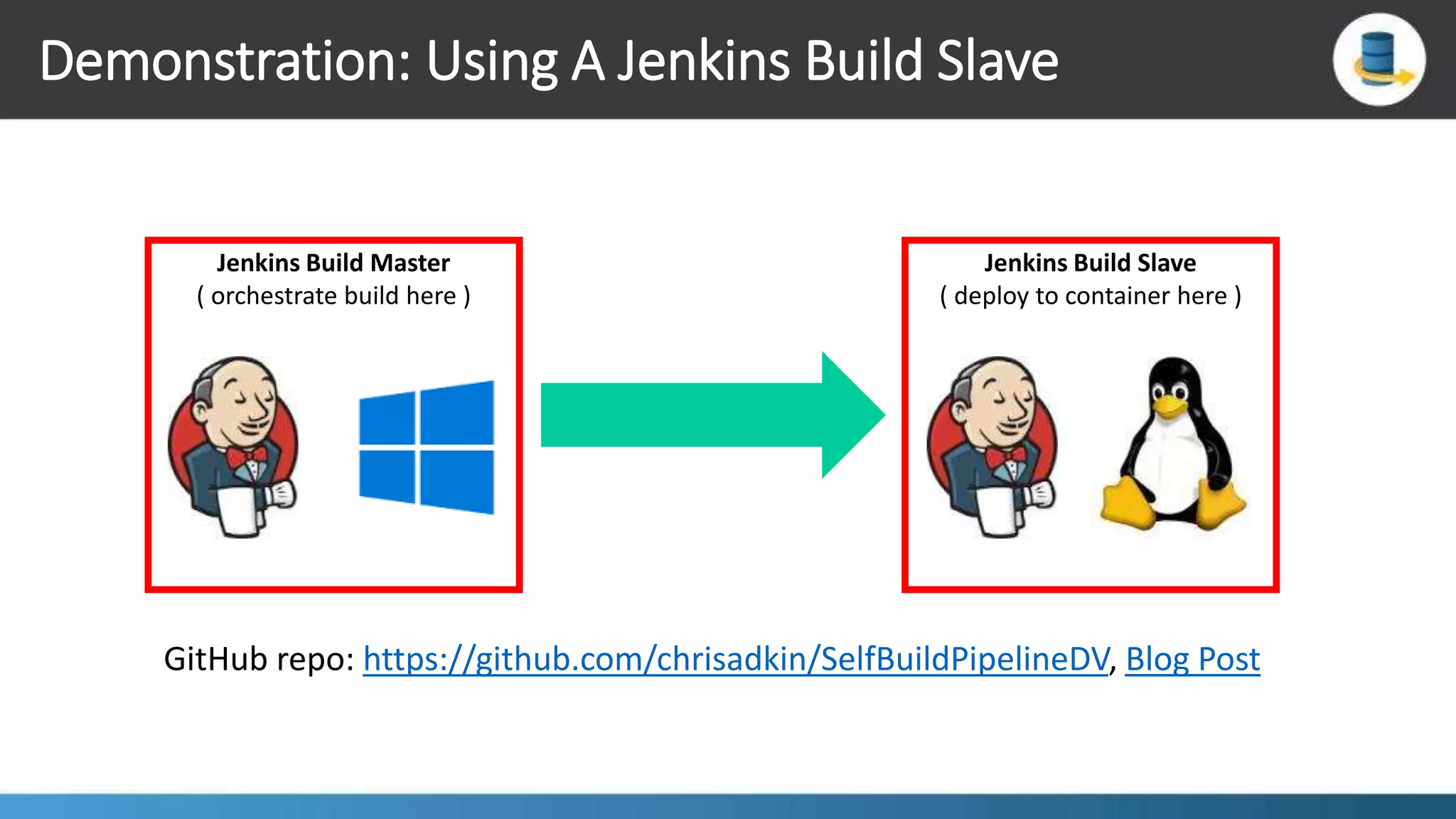
Demonstration: Using A Jenkins Build Slave Jenkins Build Master ( orchestrate build here ) Jenkins Build Slave ( deploy to container here ) GitHub repo: https://github.com/chrisadkin/SelfBuildPipelineDV, Blog Post
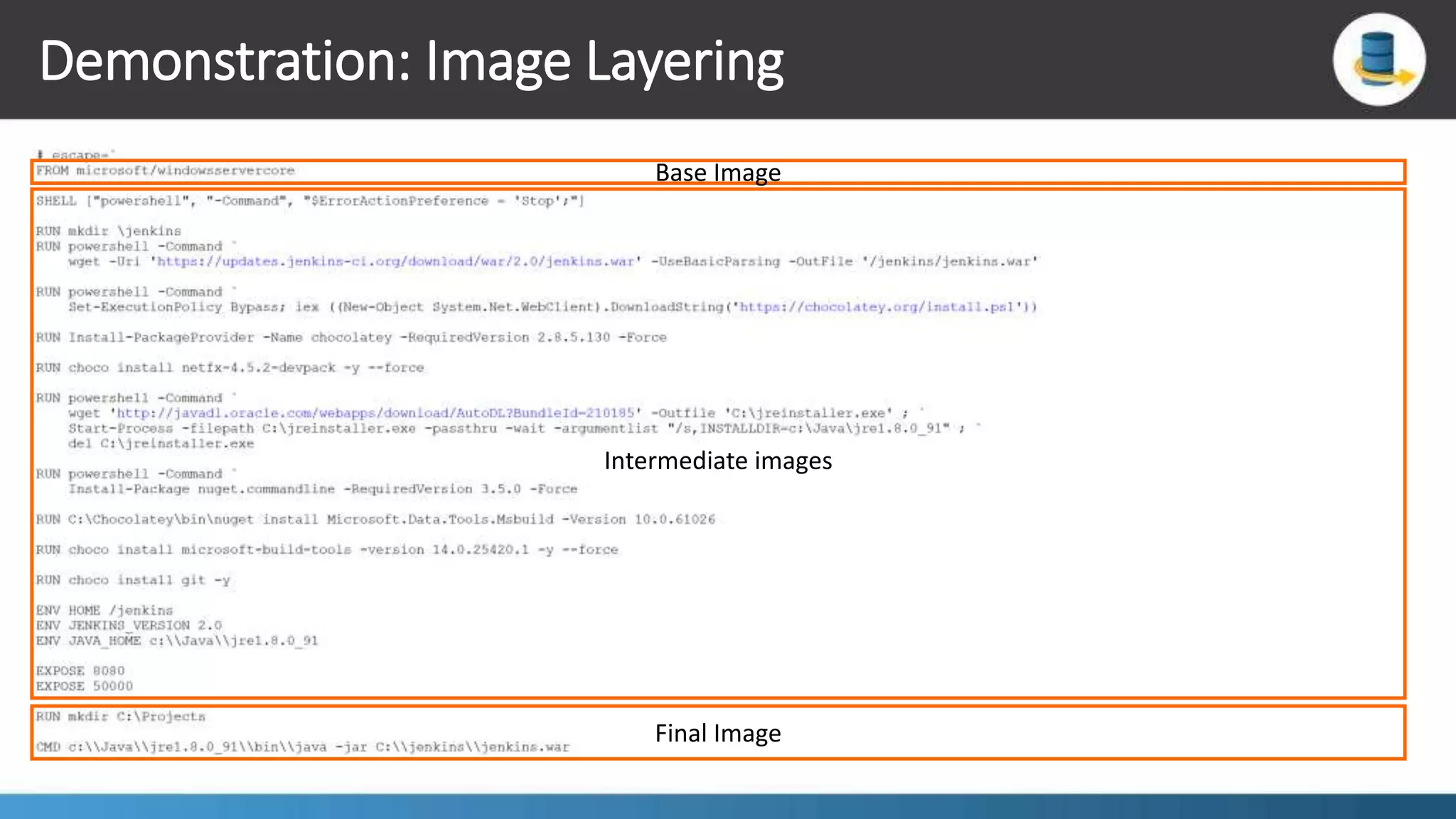
Demonstration: Image Layering Base Image Intermediate images Final Image
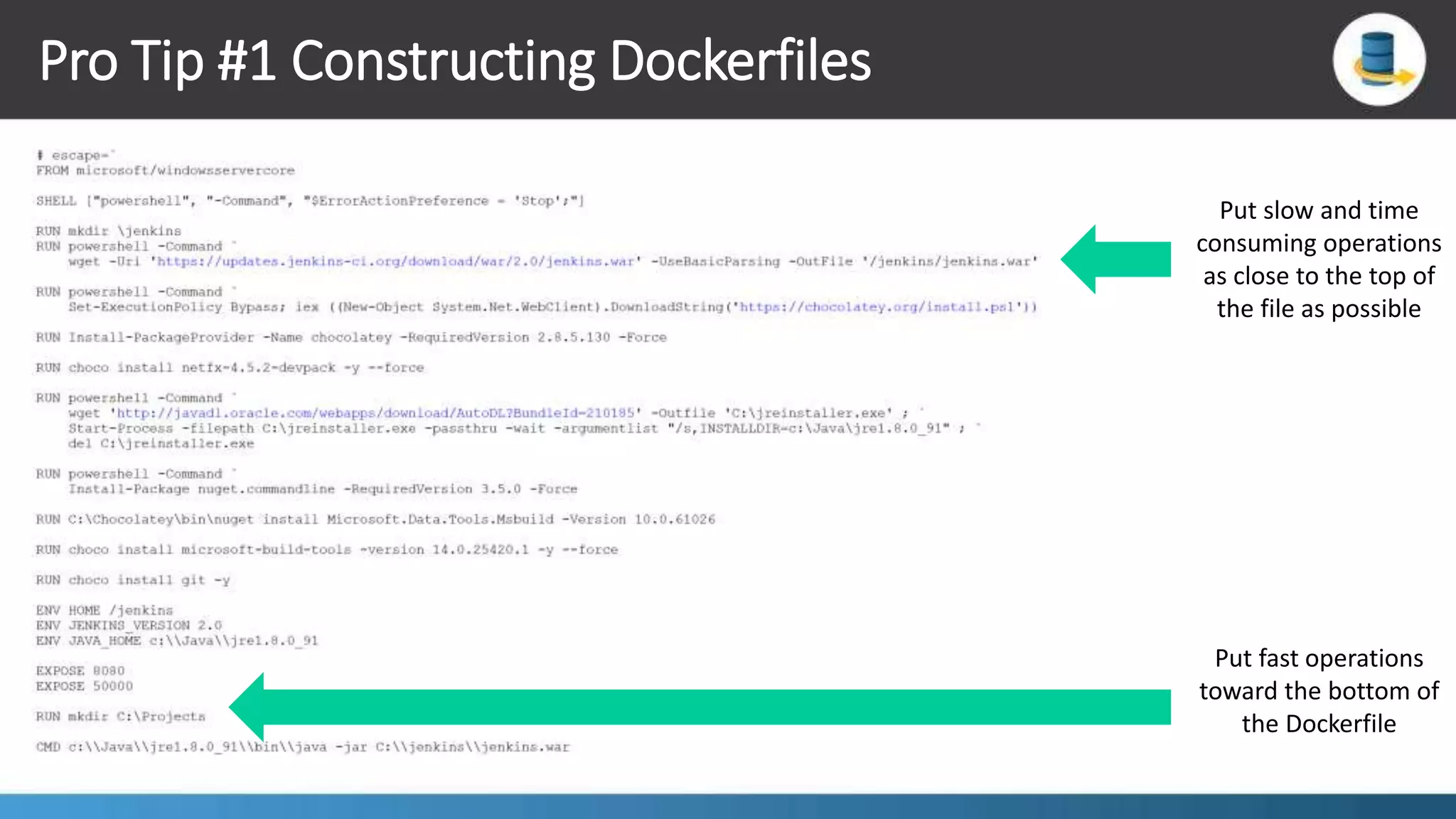
Pro Tip #1 Constructing Dockerfiles Put slow and time consuming operations as close to the top of the file as possible Put fast operations toward the bottom of the Dockerfile
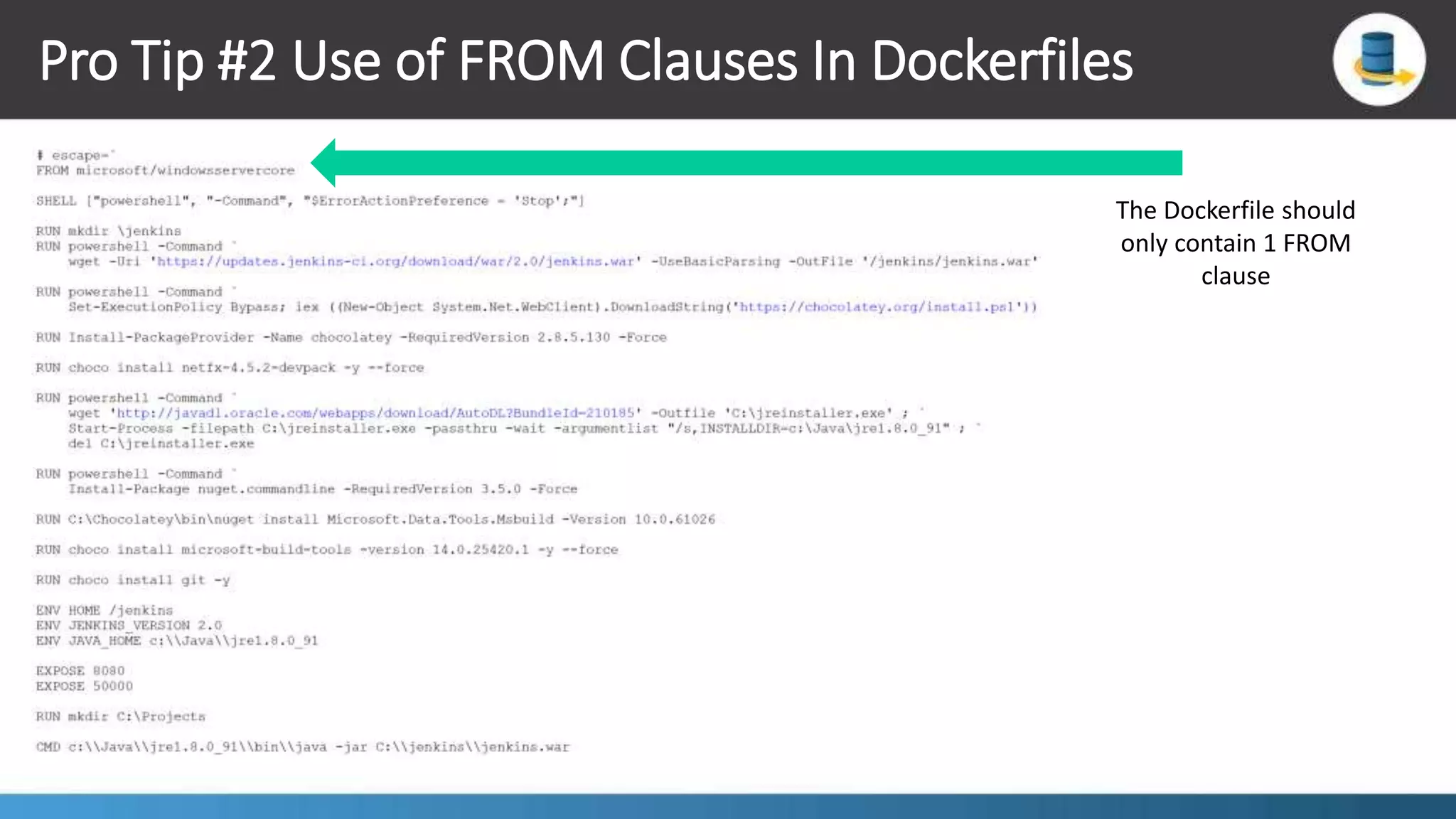
Pro Tip #2 Use of FROM Clauses In Dockerfiles The Dockerfile should only contain 1 FROM clause
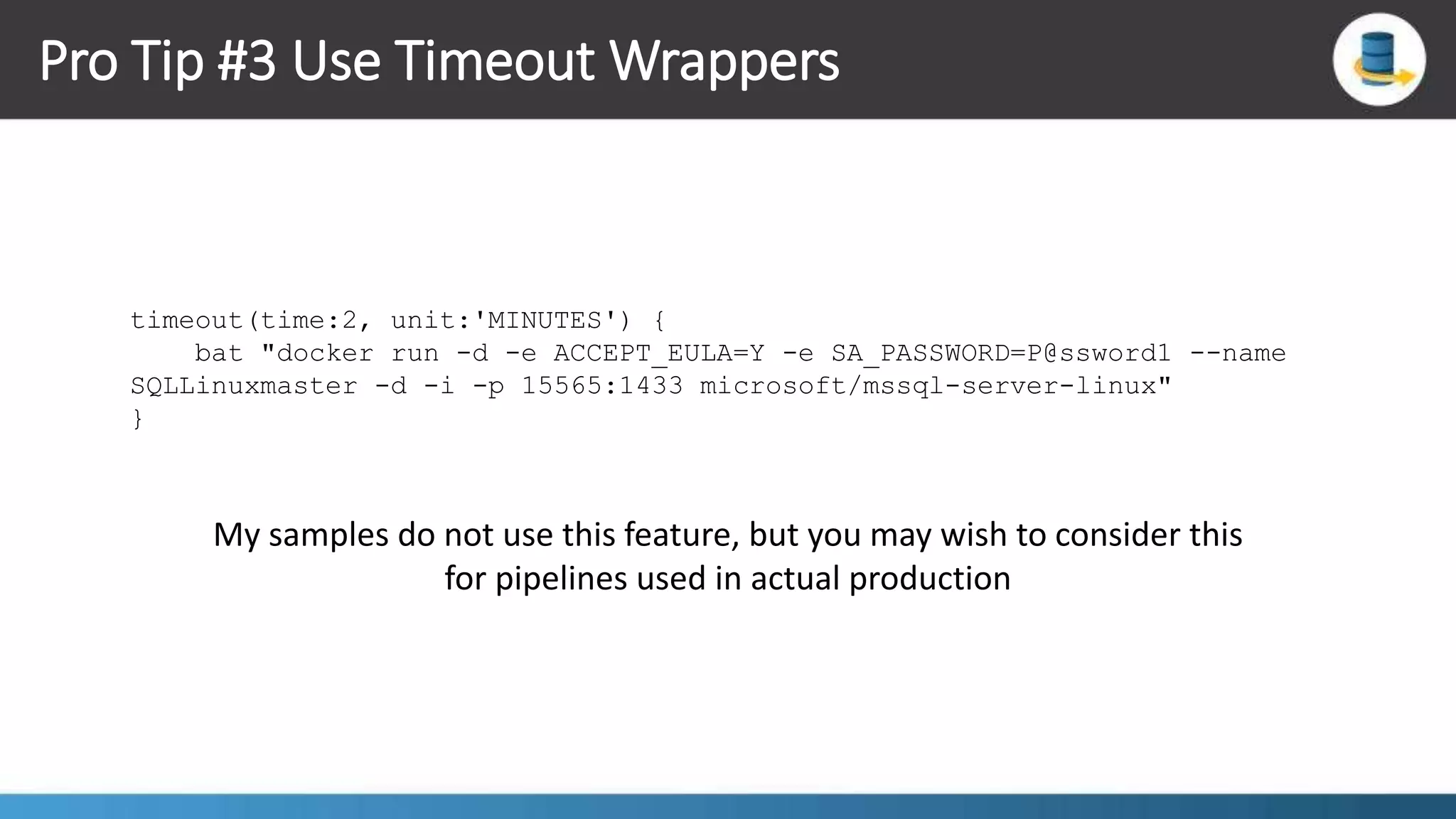
Pro Tip #3 Use Timeout Wrappers timeout(time:2, unit:'MINUTES') { bat "docker run -d -e ACCEPT_EULA=Y -e SA_PASSWORD=P@ssword1 --name SQLLinuxmaster -d -i -p 15565:1433 microsoft/mssql-server-linux" } My samples do not use this feature, but you may wish to consider this for pipelines used in actual production
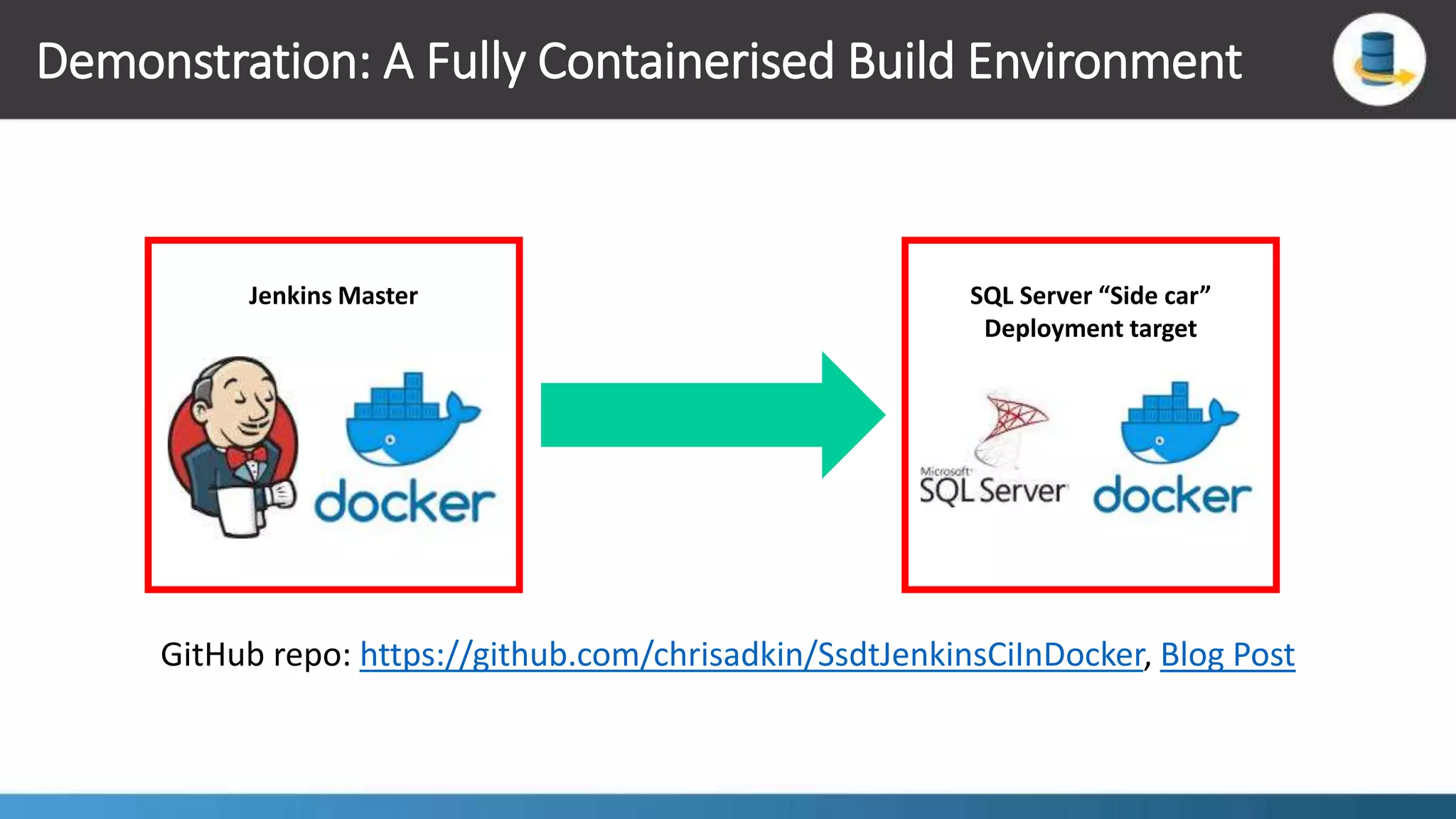
Demonstration: A Fully Containerised Build Environment Jenkins Master SQL Server “Side car” Deployment target GitHub repo: https://github.com/chrisadkin/SsdtJenkinsCiInDocker, Blog Post
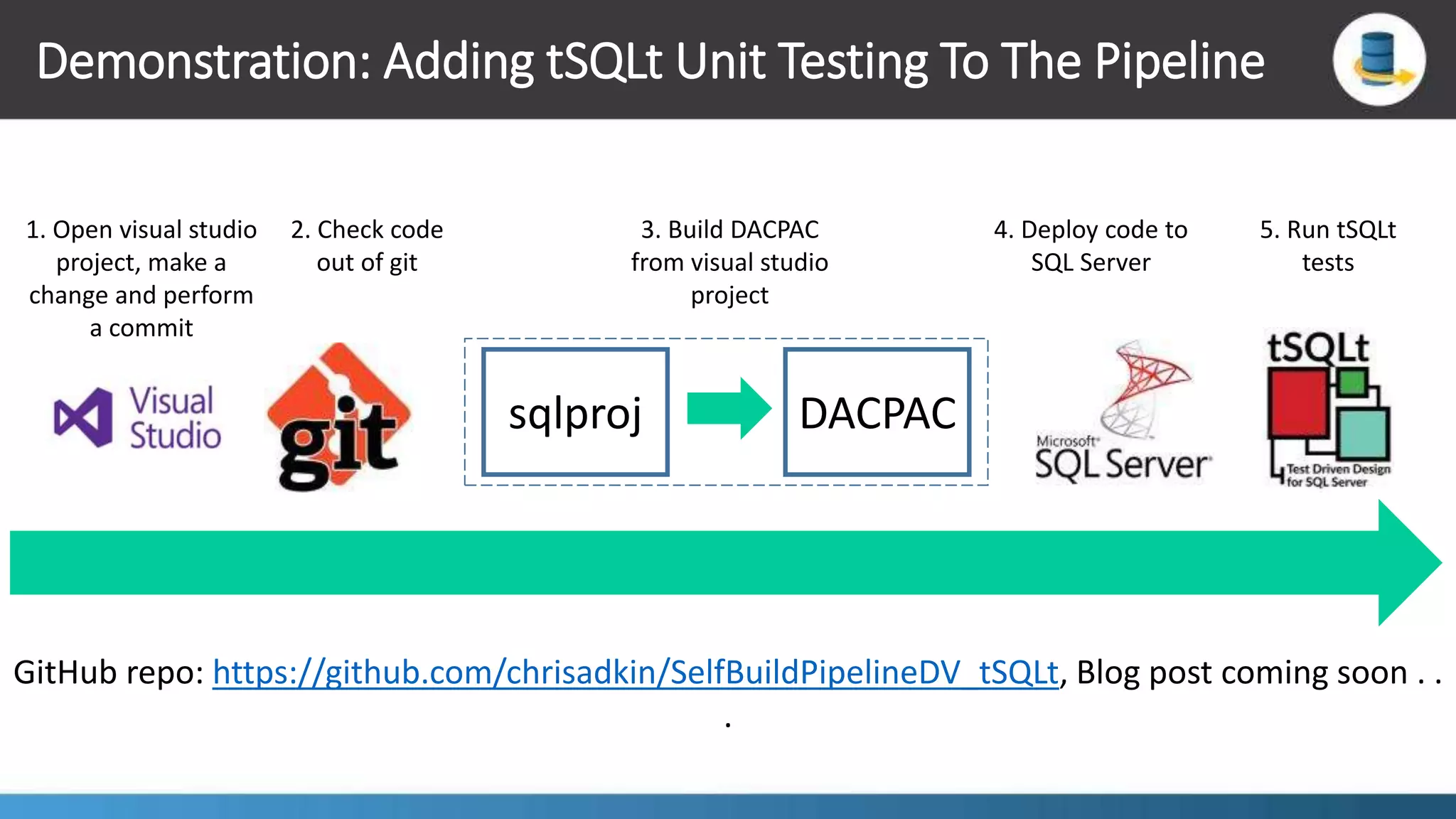
Demonstration: Adding tSQLt Unit Testing To The Pipeline sqlproj DACPAC 1. Open visual studio project, make a change and perform a commit 2. Check code out of git 3. Build DACPAC from visual studio project 4. Deploy code to SQL Server GitHub repo: https://github.com/chrisadkin/SelfBuildPipelineDV_tSQLt, Blog post coming soon . . . 5. Run tSQLt tests
Want To Get More Adventurous ?  Scale out your build platform with build slaves as containers  Deploy Jenkins to Kubernetes  Build shared groovy script libraries to share code across pipelines  Invoke builds from the REST API
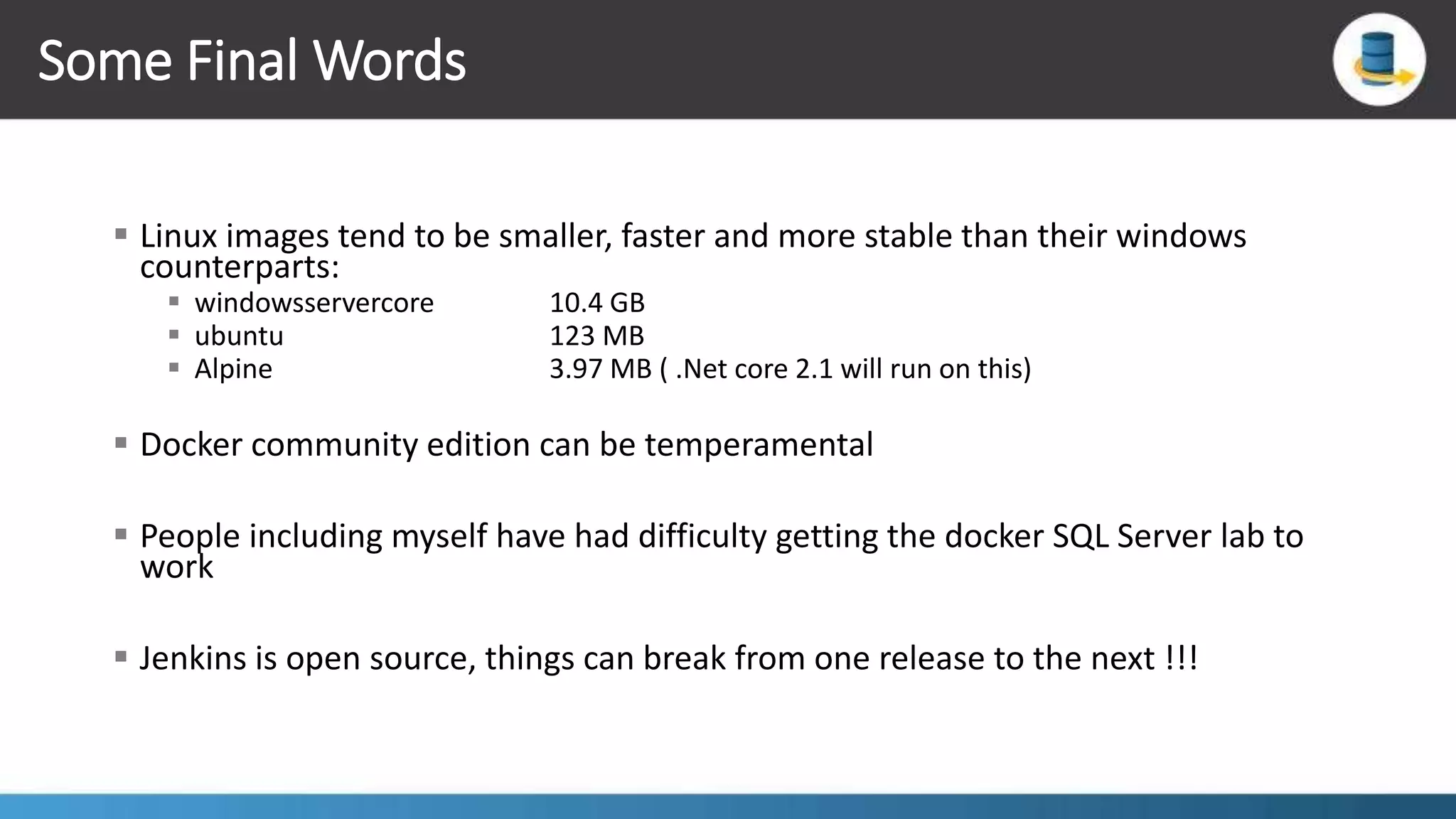
Some Final Words  Linux images tend to be smaller, faster and more stable than their windows counterparts:  windowsservercore 10.4 GB  ubuntu 123 MB  Alpine 3.97 MB ( .Net core 2.1 will run on this)  Docker community edition can be temperamental  People including myself have had difficulty getting the docker SQL Server lab to work  Jenkins is open source, things can break from one release to the next !!!
Further Reading  Top 10 Jenkins best practices from CloudBees  Jenkins Pipeline as code from Jenkins.io, includes:  Demos  Downloadable examples  Articles  Blogposts  Recordings
. . . any questions

Continuous Integration With Jenkins Docker SQL Server

  • 1.
    chris@exadat.com exadat.co.ukChris Adkin chrisadkin.ioChrisAdkin cadkin@purestorage.com CI With Jenkins, Docker and SQL Server
  • 2.
    Build Pipeline 101 2.Build code into a deployable artefact 1. Check code out of source code control 3. Deploy code to test target 4. Run Tests  Apache Ant  Apache Maven  Gradle  Microsoft msbuild  Git  GitHub  Bitbucket  Team Foundation Server  Containers  Web servers  Databases  Public cloud PaaS  JUnit  Selenium  Mocha  Pester
  • 3.
    Build Pipeline AsCode !!! 2. Build code into a deployable artefact 1. Check code out of source code control 3. Deploy code to test target 4. Run Tests  Jenkins  Groovy DSL (DSL = Domain specific language)  Jenkins script  Jenkins declarative pipeline  TFS / VSTS  Pipeline as YAML in VSTS preview  Coming to TFS sometime next year
  • 4.
    The ‘New’ BuildPipeline 2. Build code into a deployable artefact 1. Check code out of source code control 5. Deploy container image to a registry 4. Run Tests 3. Deploy code to test target
  • 5.
    Builds Can BeEvent Triggered 1. Checkout code 2. Build artefact 3. Deploy to target 4. Run Tests Git/GitHub webhooks Visual studio online project service hooks Wouldn’t it be nice if we could have event driven builds and spin-up and then tare down the deployment target ?
  • 6.
    Containers To TheRescue !!!  We can fully container-ise the build environment  Scale-out the build infrastructure elastically using containers  Spin-up “Side car” containers as deployment targets  The “Builder pattern”
  • 7.
    The ‘Builder’ Pattern Spin-upa container to ‘Build’ the artefact here Deploy artefact to ‘Run’ container here Rationale: keep the size of the ‘Run’ container image as small as possible by not including the build tool chain
  • 8.
    Build Engines –There Are Lots To Choose From !!!  Jenkins:  Great open-source plugin support  Free  Light weight  Can be fully container-ised and scaled out with containers  Strong build-pipeline-as-code support  Multi-branch build pipelines
  • 9.
    Jenkins Pipeline AsCode: The Two Flavours Scripted Pipeline Syntax node { stage('Example') { try { sh 'exit 1' } catch (exc) { echo ‘Failure, sound the alarm!' throw } } } Declarative Pipeline syntax pipeline { agent any stages { stage('Example') { steps { echo 'Hello World' } } } post { always { echo 'I will always say Hello again!' } } } https://jenkins.io/doc/book/pipeline/syntax/
  • 10.
    Store Your PipelineAlongside Your Code Your pipeline code goes in here, this is for multi-branch pipelines
  • 11.
    “Syntactic sugar” ForWorking With Containers node('docker') { docker.withServer('tcp://docker.beedemo.net:2376', 'docker-beedemo-creds') { stage('Build Docker Image’) { def image = docker.build "cloudbees/mobile-deposit-api:${buildVersion}” } stage('Publish Docker Image’) { docker.withRegistry('https://registry.beedemo.net/', 'docker-registry-login') { image.push() } } stage('Deploy Docker Image’) { def container = image.run('--name mobile-deposit-api -p 8080:8080') } } }
  • 12.
  • 13.
    Demonstration: A SimpleWeb hook sqlproj DACPAC 1. Open visual studio project, make a change and perform a commit 2. Check code out of git 3. Build DACPAC from visual studio project 4. Deploy code to SQL Server GitHub repo: https://github.com/chrisadkin/SsdtDevOpsDemo, Blog Post
  • 14.
    Demonstration: A Multi-branchBuild Pipeline Master HotFix Feature Jenkins creates a pipeline for each branch created from the master GitHub repo: https://github.com/chrisadkin/SelfBuildPipeline, Blog Post
  • 15.
    Demonstration: Using AJenkins Build Slave Jenkins Build Master ( orchestrate build here ) Jenkins Build Slave ( deploy to container here ) GitHub repo: https://github.com/chrisadkin/SelfBuildPipelineDV, Blog Post
  • 16.
    Demonstration: Image Layering BaseImage Intermediate images Final Image
  • 17.
    Pro Tip #1Constructing Dockerfiles Put slow and time consuming operations as close to the top of the file as possible Put fast operations toward the bottom of the Dockerfile
  • 18.
    Pro Tip #2Use of FROM Clauses In Dockerfiles The Dockerfile should only contain 1 FROM clause
  • 19.
    Pro Tip #3Use Timeout Wrappers timeout(time:2, unit:'MINUTES') { bat "docker run -d -e ACCEPT_EULA=Y -e SA_PASSWORD=P@ssword1 --name SQLLinuxmaster -d -i -p 15565:1433 microsoft/mssql-server-linux" } My samples do not use this feature, but you may wish to consider this for pipelines used in actual production
  • 20.
    Demonstration: A FullyContainerised Build Environment Jenkins Master SQL Server “Side car” Deployment target GitHub repo: https://github.com/chrisadkin/SsdtJenkinsCiInDocker, Blog Post
  • 21.
    Demonstration: Adding tSQLtUnit Testing To The Pipeline sqlproj DACPAC 1. Open visual studio project, make a change and perform a commit 2. Check code out of git 3. Build DACPAC from visual studio project 4. Deploy code to SQL Server GitHub repo: https://github.com/chrisadkin/SelfBuildPipelineDV_tSQLt, Blog post coming soon . . . 5. Run tSQLt tests
  • 22.
    Want To GetMore Adventurous ?  Scale out your build platform with build slaves as containers  Deploy Jenkins to Kubernetes  Build shared groovy script libraries to share code across pipelines  Invoke builds from the REST API
  • 23.
    Some Final Words Linux images tend to be smaller, faster and more stable than their windows counterparts:  windowsservercore 10.4 GB  ubuntu 123 MB  Alpine 3.97 MB ( .Net core 2.1 will run on this)  Docker community edition can be temperamental  People including myself have had difficulty getting the docker SQL Server lab to work  Jenkins is open source, things can break from one release to the next !!!
  • 24.
    Further Reading  Top10 Jenkins best practices from CloudBees  Jenkins Pipeline as code from Jenkins.io, includes:  Demos  Downloadable examples  Articles  Blogposts  Recordings
  • 25.
    . . .any questions