Custom web application development with Django for startups and Django-CRM intro September 30, 2018 From
This session ● Introduction to Django ● Django advantages for custom webapp development for startups. ● Easy steps to get started. ● Introduction to Django admin. ● ORM ● Simple application development in 15 mins. ● Best practices. ● Introduction to Django-CRM.
What is Django? ● A Python Framework: designed to support the development of dynamic websites
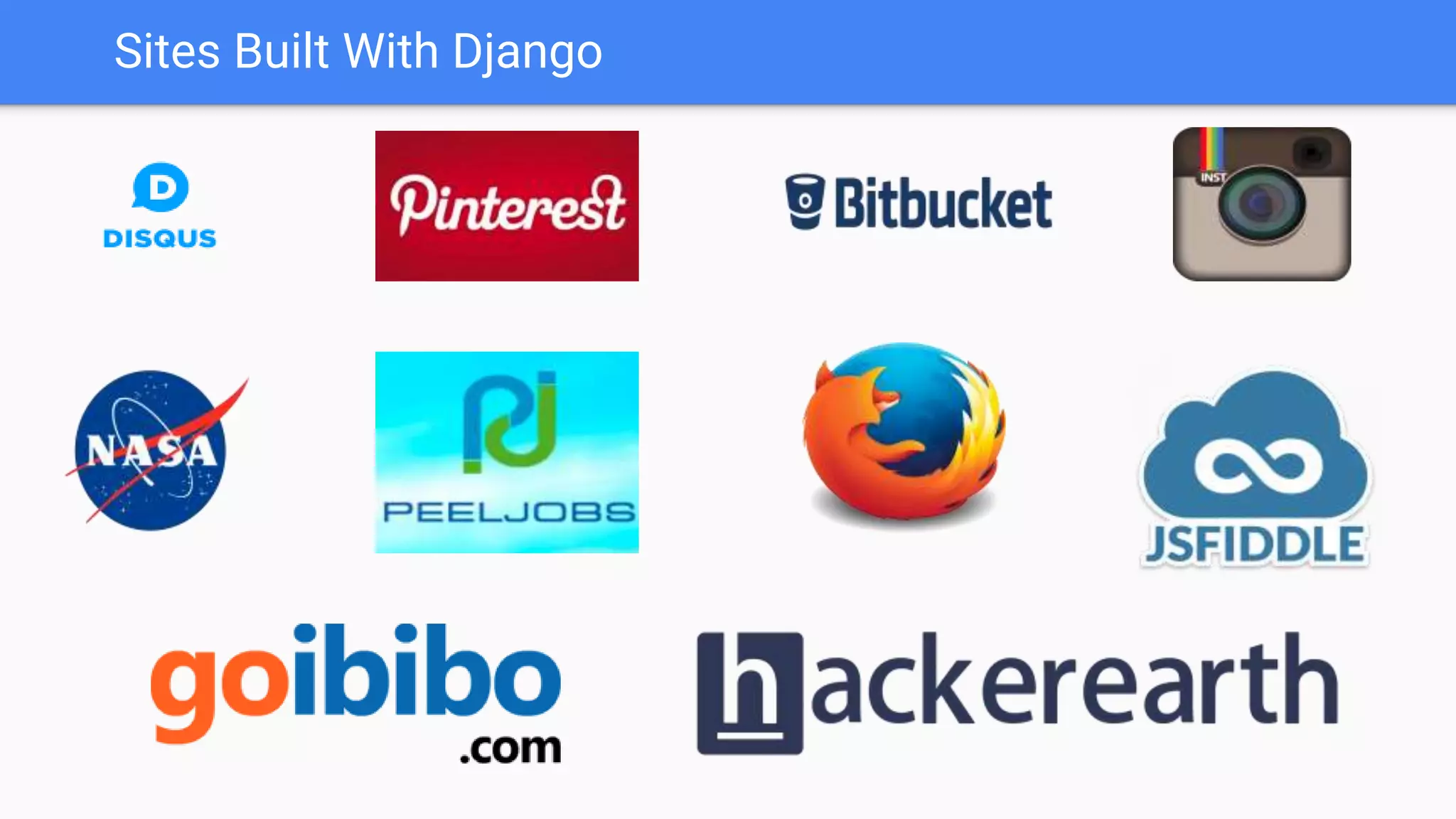
Sites Built With Django
Why Django? ● Less development time ○ ORM ○ Built In Admin Interface ○ Internationalization. ○ Django takes care of user authentication, content administration, sitemaps, RSS feeds, and many more tasks ○ Testing Libraries. ● Secure: ○ (CSRF) protection, SQL injection protection, Clickjacking protection and etc. ● Support: ○ Community of 10796 people, 161 countries, 3180 packages and projects.
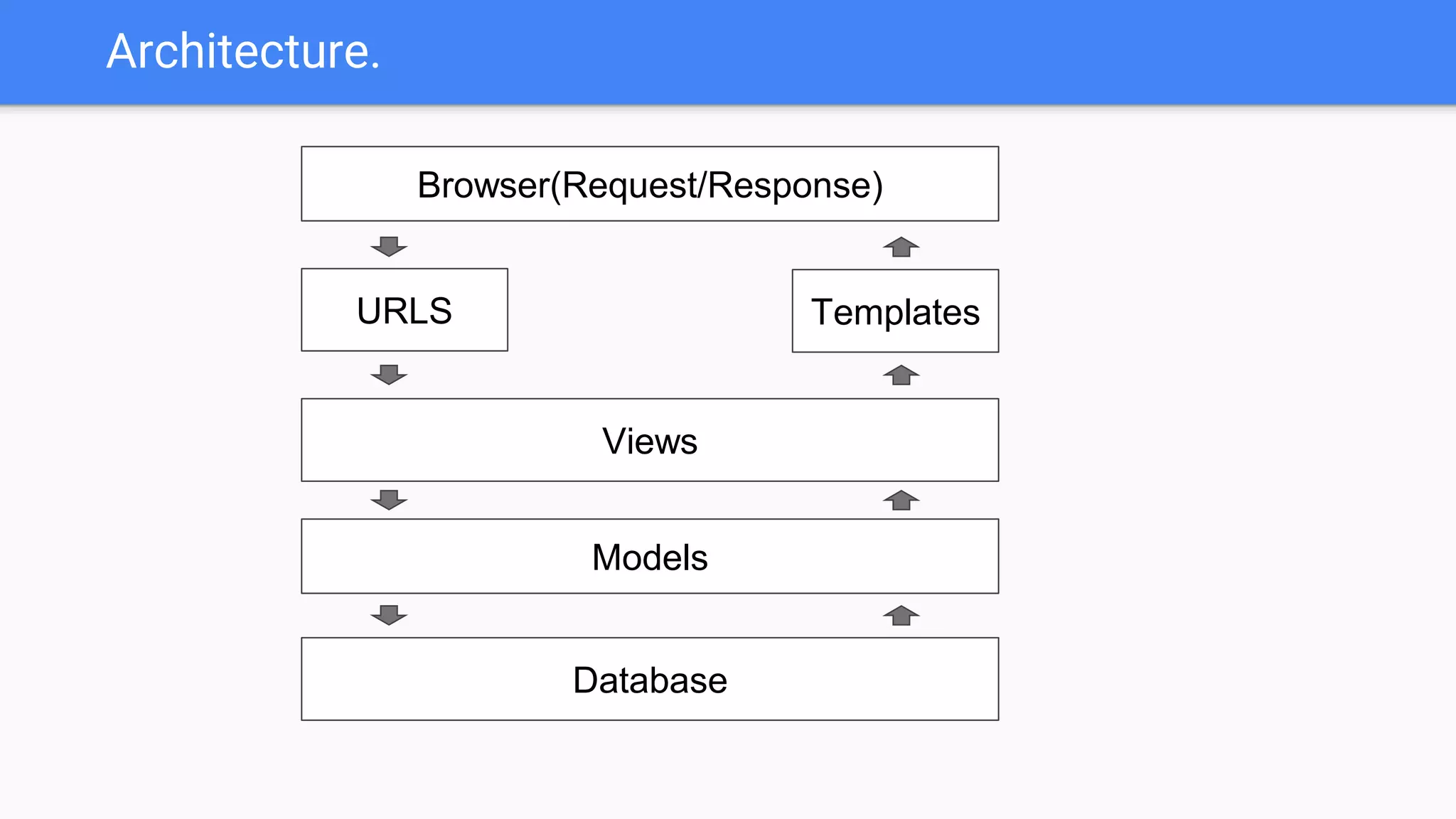
Architecture. Browser(Request/Response) URLS Views Templates Models Database
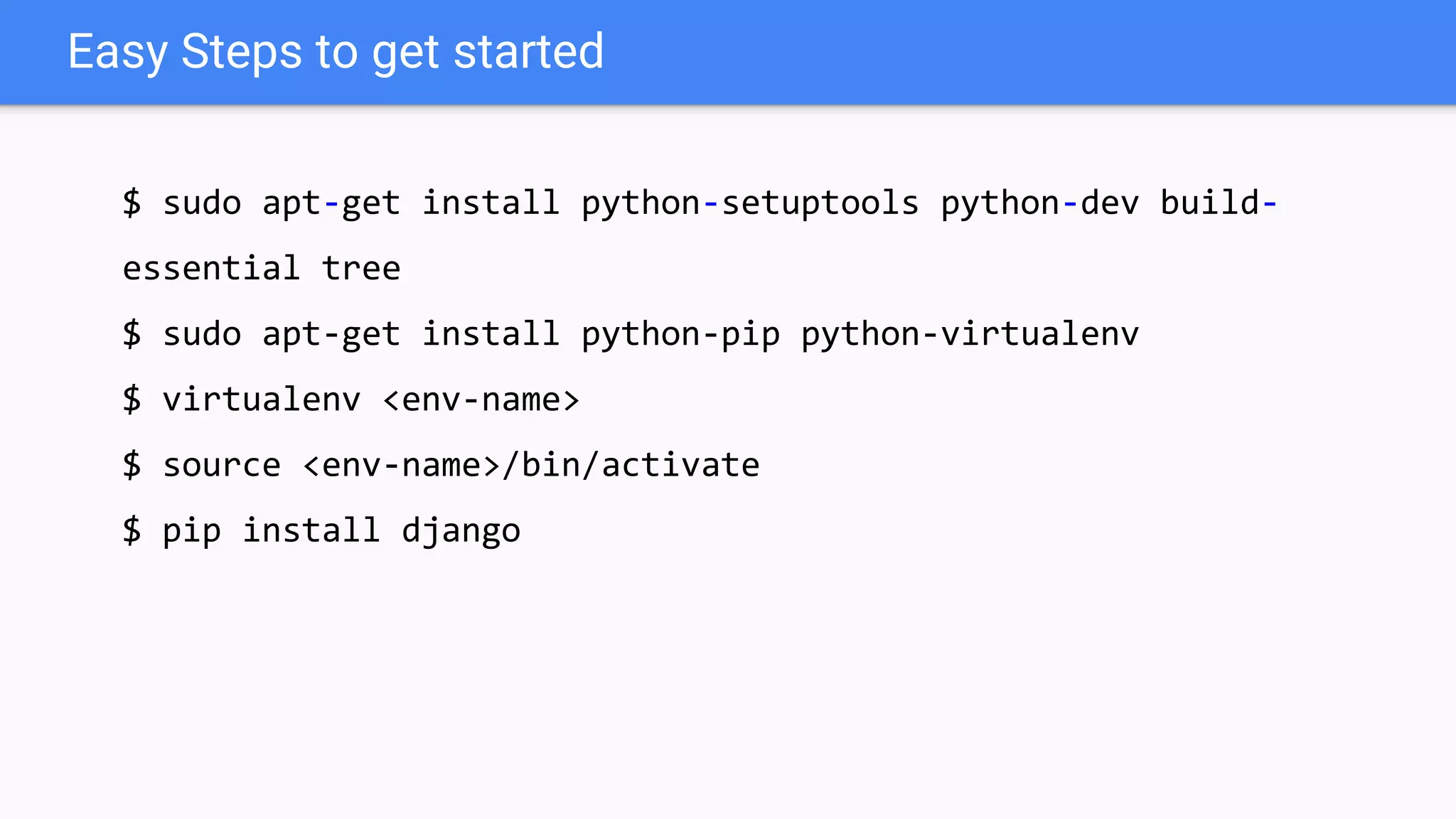
Easy Steps to get started $ sudo apt-get install python-setuptools python-dev build- essential tree $ sudo apt-get install python-pip python-virtualenv $ virtualenv <env-name> $ source <env-name>/bin/activate $ pip install django
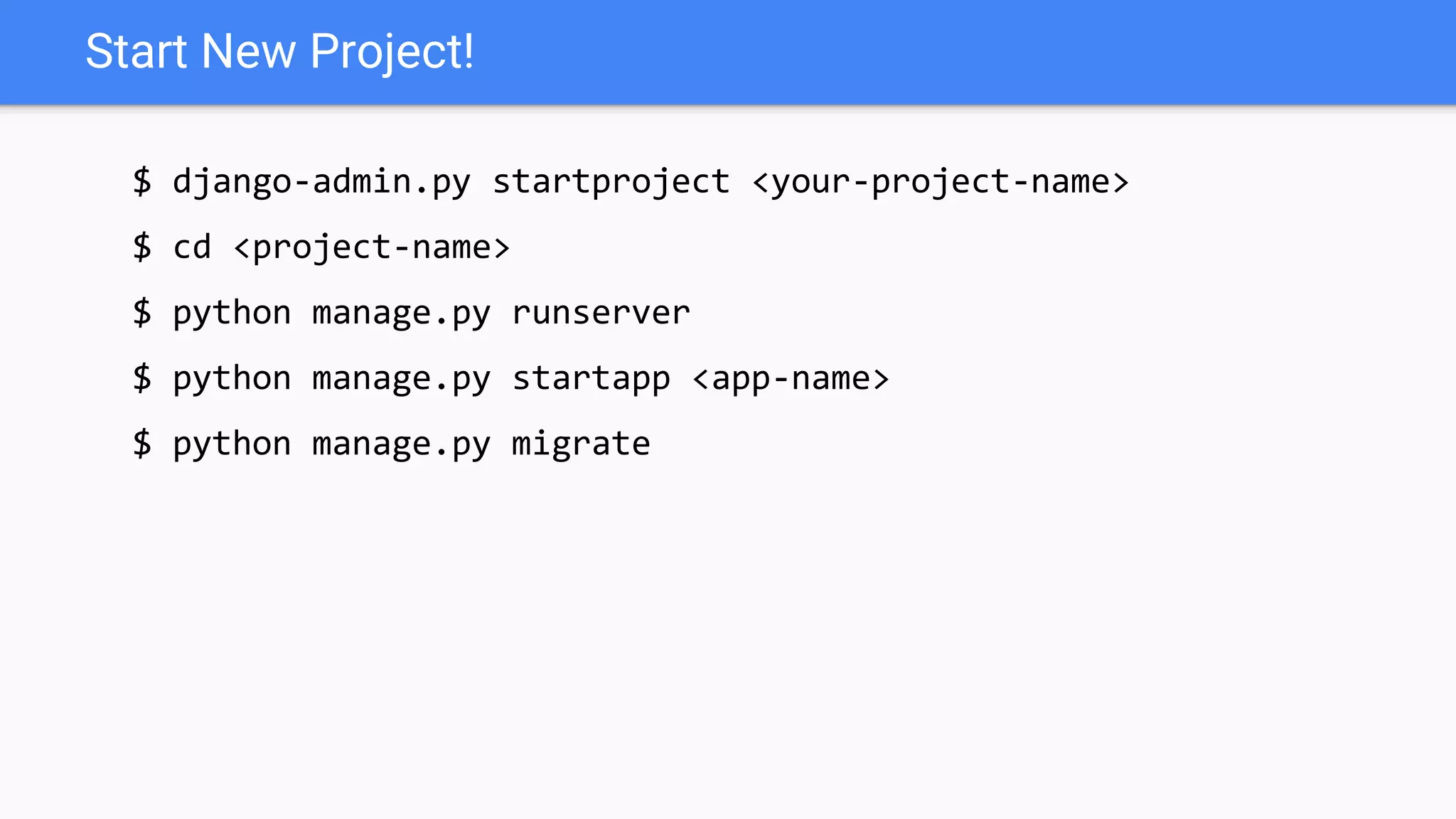
Start New Project! $ django-admin.py startproject <your-project-name> $ cd <project-name> $ python manage.py runserver $ python manage.py startapp <app-name> $ python manage.py migrate
Your First view => views.py from django.http import HttpResponse def greetings(request): return HttpResponse("GooD Morning") => urls.py from django.conf.urls import url from .views import * urlpatterns = [ url(r'^$', greetings, name='greetings'), ]
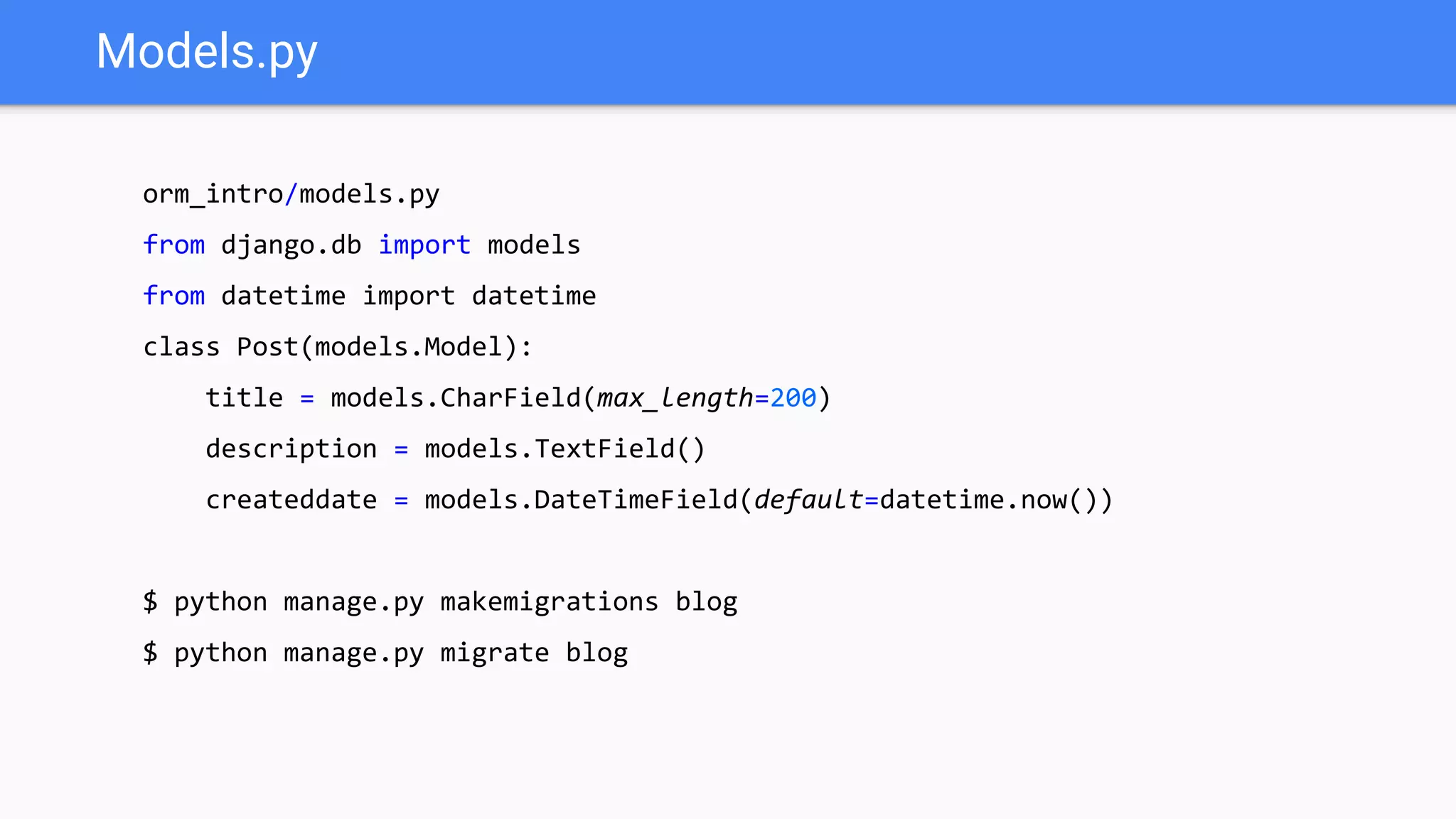
Models.py orm_intro/models.py from django.db import models from datetime import datetime class Post(models.Model): title = models.CharField(max_length=200) description = models.TextField() createddate = models.DateTimeField(default=datetime.now()) $ python manage.py makemigrations blog $ python manage.py migrate blog
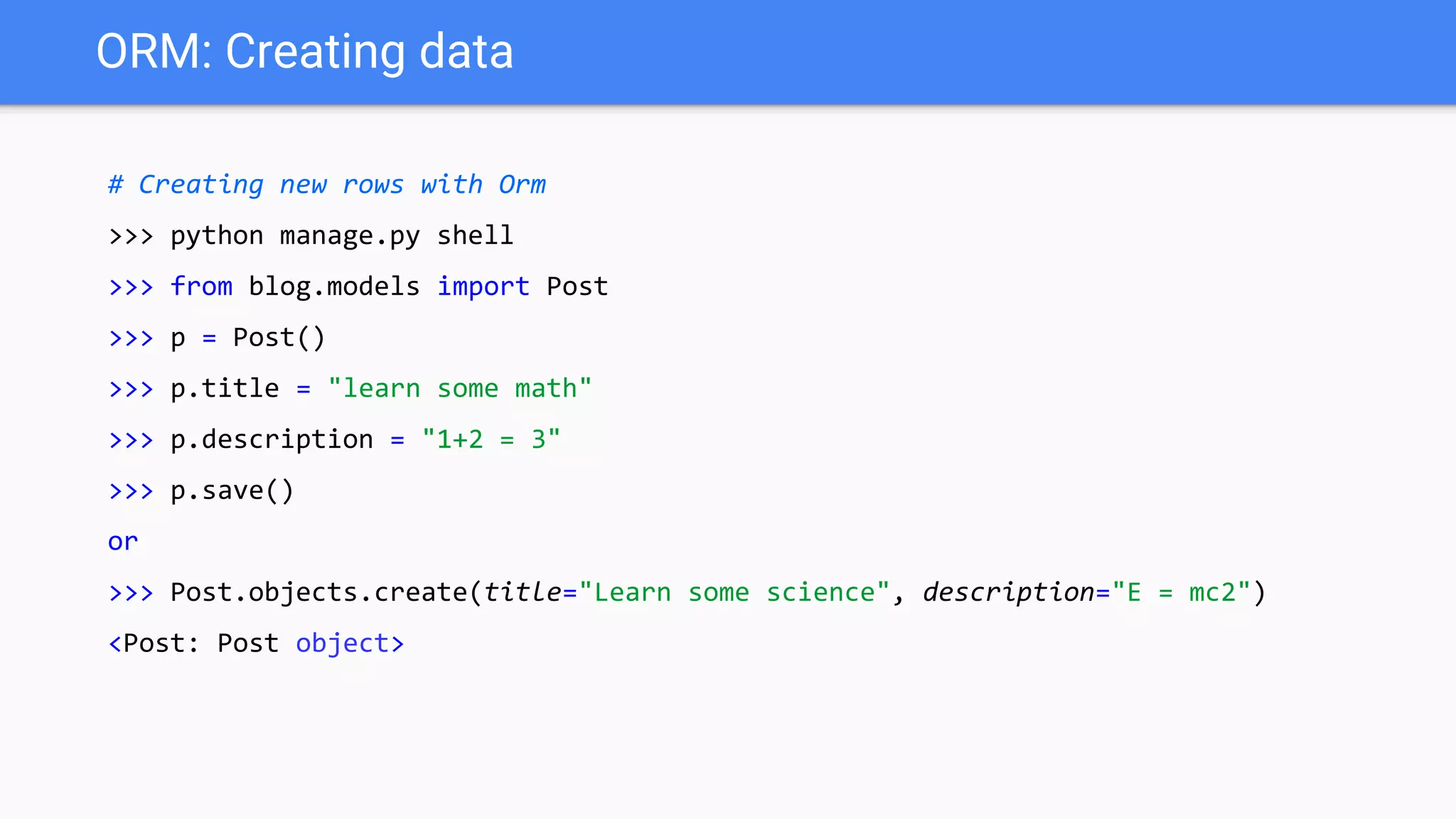
ORM: Creating data # Creating new rows with Orm >>> python manage.py shell >>> from blog.models import Post >>> p = Post() >>> p.title = "learn some math" >>> p.description = "1+2 = 3" >>> p.save() or >>> Post.objects.create(title="Learn some science", description="E = mc2") <Post: Post object>
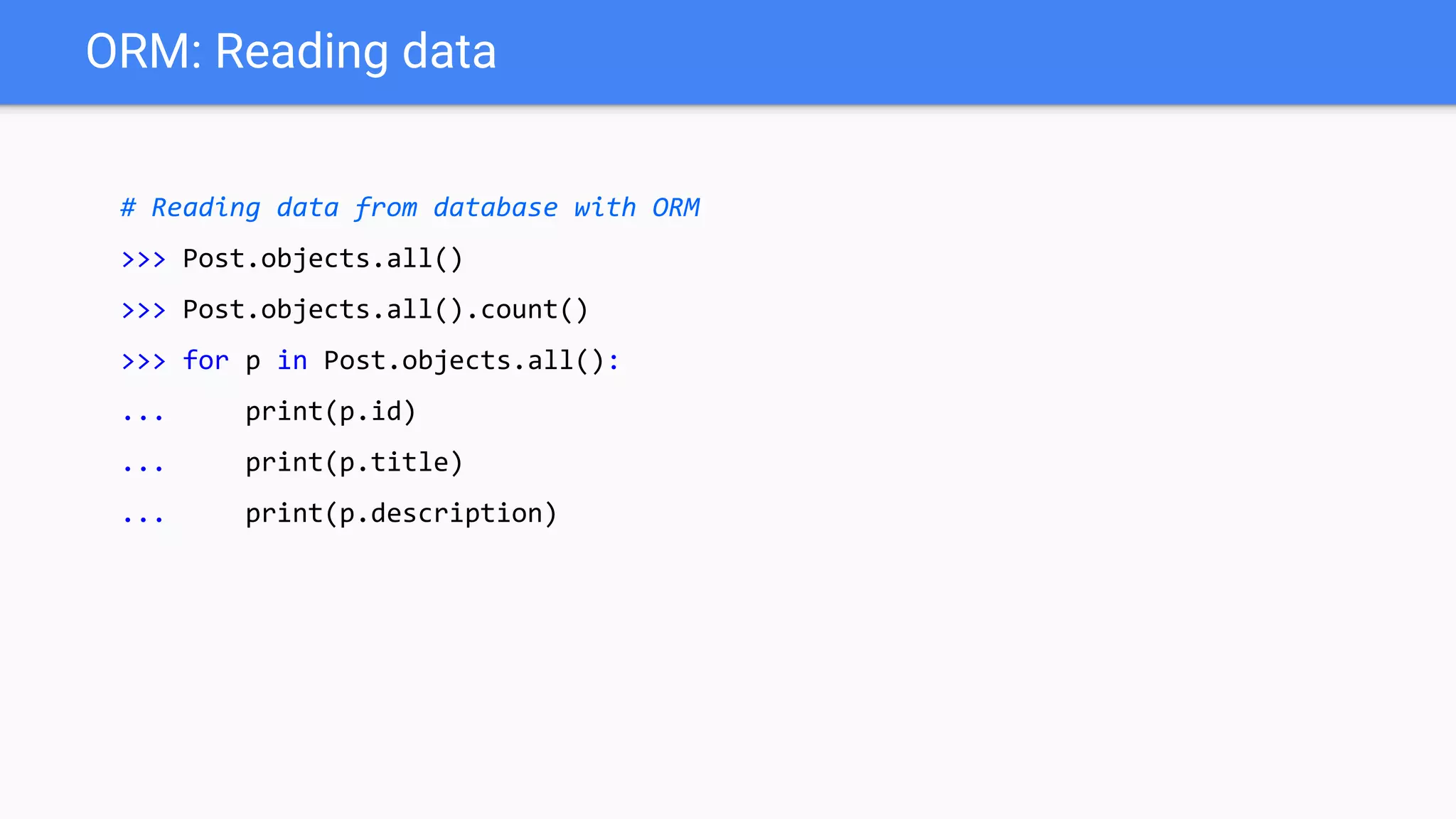
ORM: Reading data # Reading data from database with ORM >>> Post.objects.all() >>> Post.objects.all().count() >>> for p in Post.objects.all(): ... print(p.id) ... print(p.title) ... print(p.description)
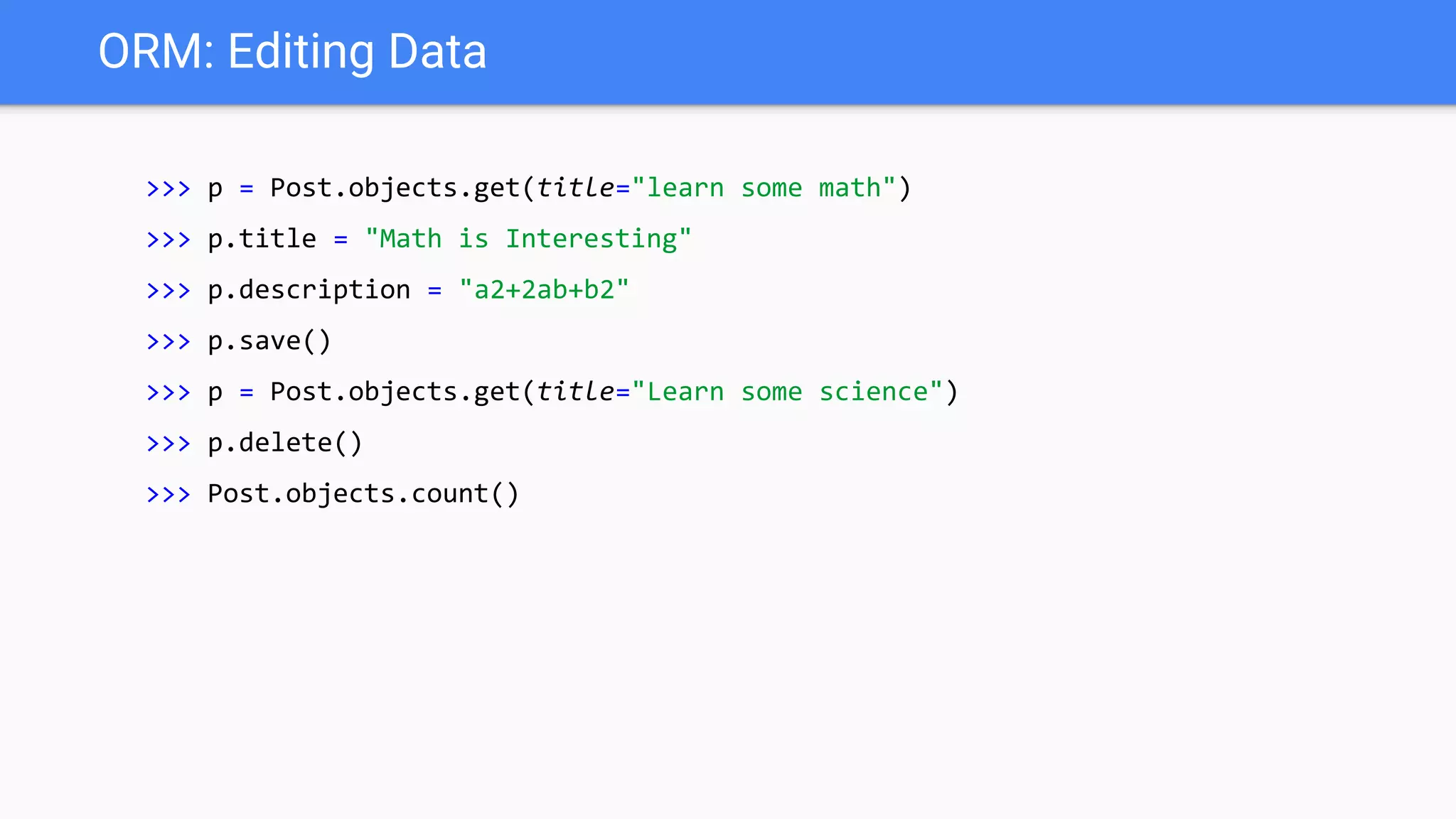
ORM: Editing Data >>> p = Post.objects.get(title="learn some math") >>> p.title = "Math is Interesting" >>> p.description = "a2+2ab+b2" >>> p.save() >>> p = Post.objects.get(title="Learn some science") >>> p.delete() >>> Post.objects.count()
Best Practices ● Follow the Style Guide for Python Code (PEP 8) as closely as reasonable. ● Follow the Django coding style. ○ Put imports in these groups: future, standard library, third-party libraries, other Django components, local Django component. ○ Remove unwanted database queries
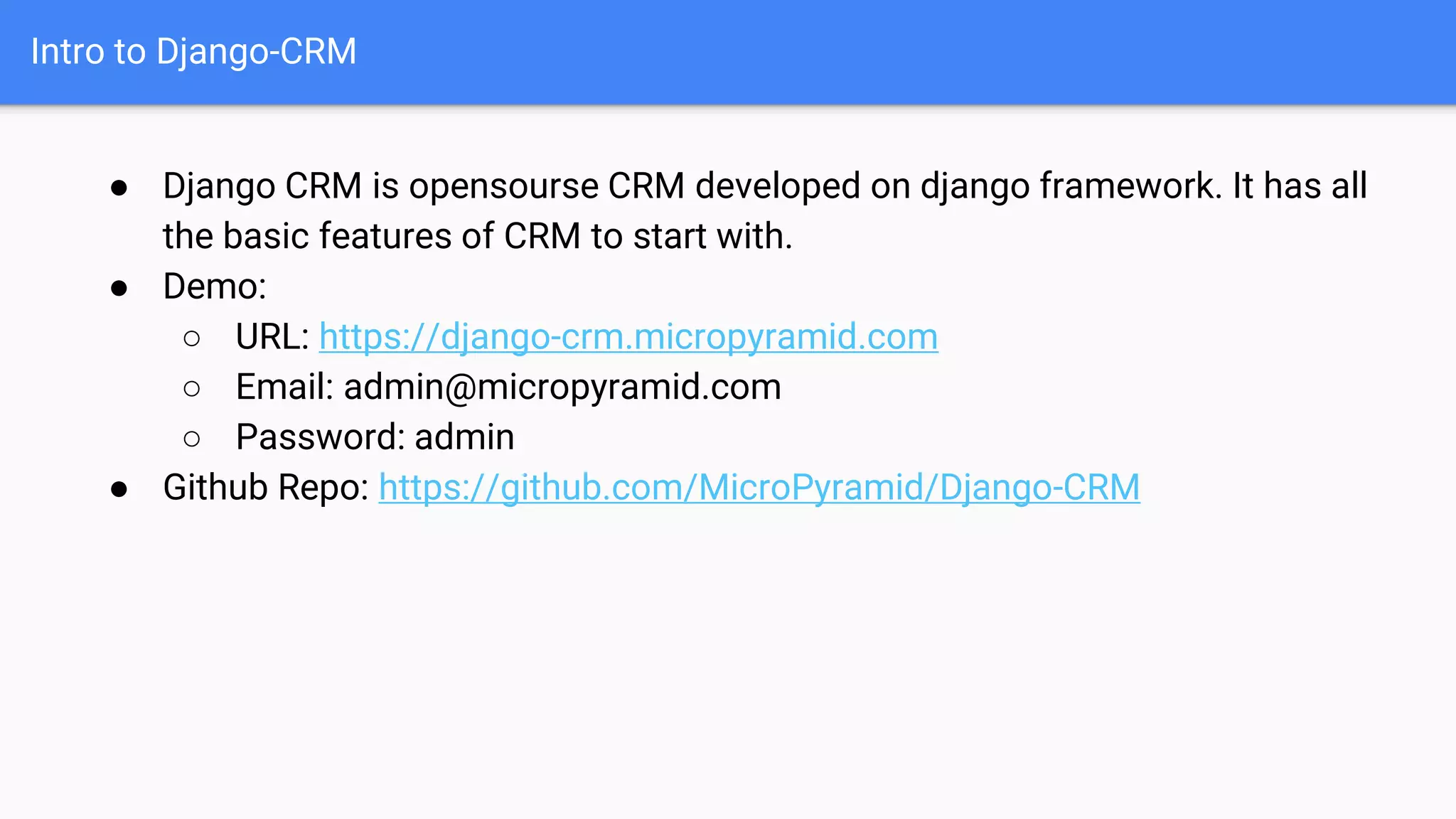
Intro to Django-CRM ● Django CRM is opensourse CRM developed on django framework. It has all the basic features of CRM to start with. ● Demo: ○ URL: https://django-crm.micropyramid.com ○ Email: admin@micropyramid.com ○ Password: admin ● Github Repo: https://github.com/MicroPyramid/Django-CRM
Thank you

Custom web application development with Django for startups and Django-CRM intro

  • 1.
    Custom web applicationdevelopment with Django for startups and Django-CRM intro September 30, 2018 From
  • 2.
    This session ● Introductionto Django ● Django advantages for custom webapp development for startups. ● Easy steps to get started. ● Introduction to Django admin. ● ORM ● Simple application development in 15 mins. ● Best practices. ● Introduction to Django-CRM.
  • 3.
    What is Django? ●A Python Framework: designed to support the development of dynamic websites
  • 4.
  • 5.
    Why Django? ● Lessdevelopment time ○ ORM ○ Built In Admin Interface ○ Internationalization. ○ Django takes care of user authentication, content administration, sitemaps, RSS feeds, and many more tasks ○ Testing Libraries. ● Secure: ○ (CSRF) protection, SQL injection protection, Clickjacking protection and etc. ● Support: ○ Community of 10796 people, 161 countries, 3180 packages and projects.
  • 6.
  • 7.
    Easy Steps toget started $ sudo apt-get install python-setuptools python-dev build- essential tree $ sudo apt-get install python-pip python-virtualenv $ virtualenv <env-name> $ source <env-name>/bin/activate $ pip install django
  • 8.
    Start New Project! $django-admin.py startproject <your-project-name> $ cd <project-name> $ python manage.py runserver $ python manage.py startapp <app-name> $ python manage.py migrate
  • 9.
    Your First view =>views.py from django.http import HttpResponse def greetings(request): return HttpResponse("GooD Morning") => urls.py from django.conf.urls import url from .views import * urlpatterns = [ url(r'^$', greetings, name='greetings'), ]
  • 10.
    Models.py orm_intro/models.py from django.db importmodels from datetime import datetime class Post(models.Model): title = models.CharField(max_length=200) description = models.TextField() createddate = models.DateTimeField(default=datetime.now()) $ python manage.py makemigrations blog $ python manage.py migrate blog
  • 11.
    ORM: Creating data #Creating new rows with Orm >>> python manage.py shell >>> from blog.models import Post >>> p = Post() >>> p.title = "learn some math" >>> p.description = "1+2 = 3" >>> p.save() or >>> Post.objects.create(title="Learn some science", description="E = mc2") <Post: Post object>
  • 12.
    ORM: Reading data #Reading data from database with ORM >>> Post.objects.all() >>> Post.objects.all().count() >>> for p in Post.objects.all(): ... print(p.id) ... print(p.title) ... print(p.description)
  • 13.
    ORM: Editing Data >>>p = Post.objects.get(title="learn some math") >>> p.title = "Math is Interesting" >>> p.description = "a2+2ab+b2" >>> p.save() >>> p = Post.objects.get(title="Learn some science") >>> p.delete() >>> Post.objects.count()
  • 14.
    Best Practices ● Followthe Style Guide for Python Code (PEP 8) as closely as reasonable. ● Follow the Django coding style. ○ Put imports in these groups: future, standard library, third-party libraries, other Django components, local Django component. ○ Remove unwanted database queries
  • 15.
    Intro to Django-CRM ●Django CRM is opensourse CRM developed on django framework. It has all the basic features of CRM to start with. ● Demo: ○ URL: https://django-crm.micropyramid.com ○ Email: admin@micropyramid.com ○ Password: admin ● Github Repo: https://github.com/MicroPyramid/Django-CRM
  • 16.