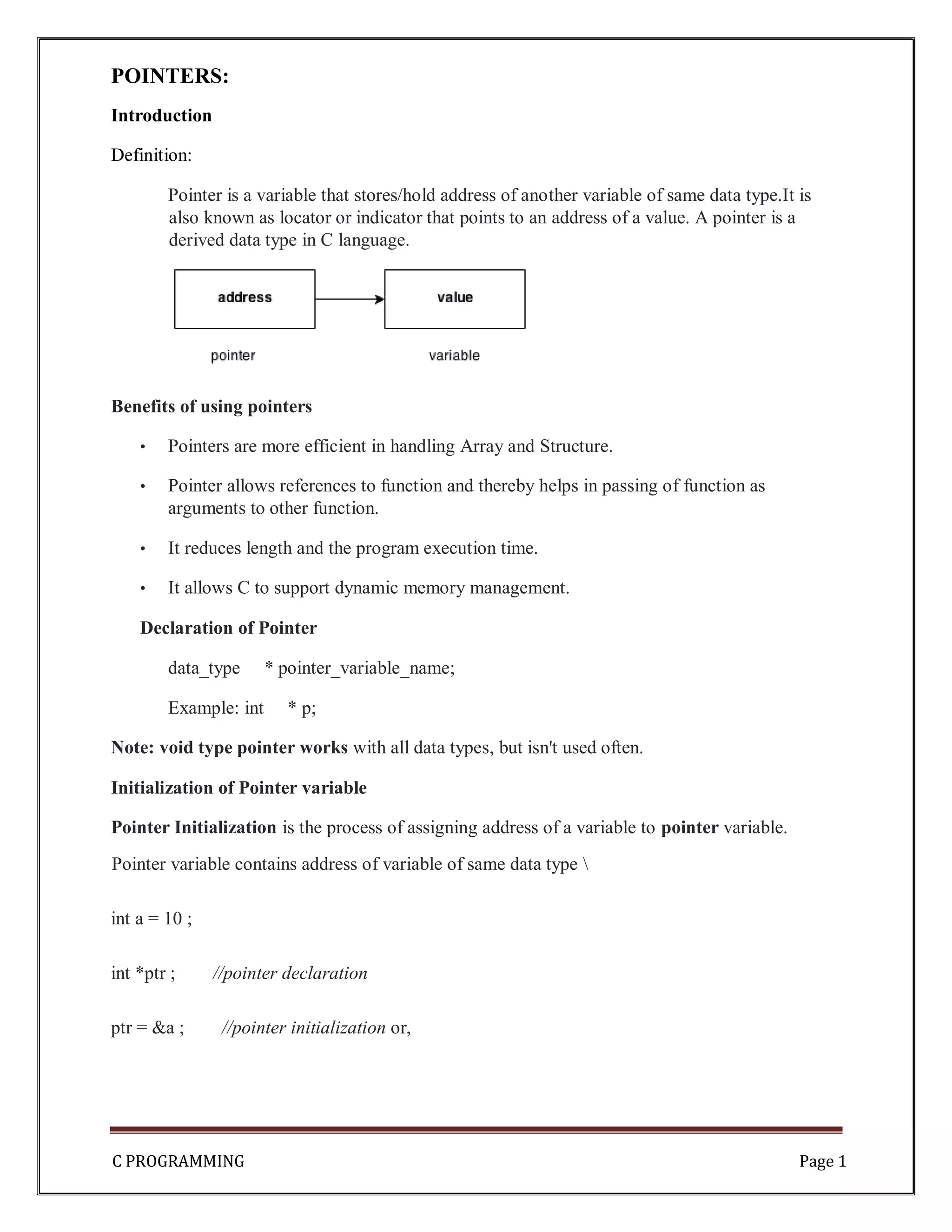
C PROGRAMMING Page 1 POINTERS: Introduction Definition: Pointer is a variable that stores/hold address of another variable of same data type.It is also known as locator or indicator that points to an address of a value. A pointer is a derived data type in C language. Benefits of using pointers • Pointers are more efficient in handling Array and Structure. • Pointer allows references to function and thereby helps in passing of function as arguments to other function. • It reduces length and the program execution time. • It allows C to support dynamic memory management. Declaration of Pointer data_type * pointer_variable_name; Example: int * p; Note: void type pointer works with all data types, but isn't used often. Initialization of Pointer variable Pointer Initialization is the process of assigning address of a variable to pointer variable. Pointer variable contains address of variable of same data type int a = 10 ; int *ptr ; //pointer declaration ptr = &a ; //pointer initialization or,
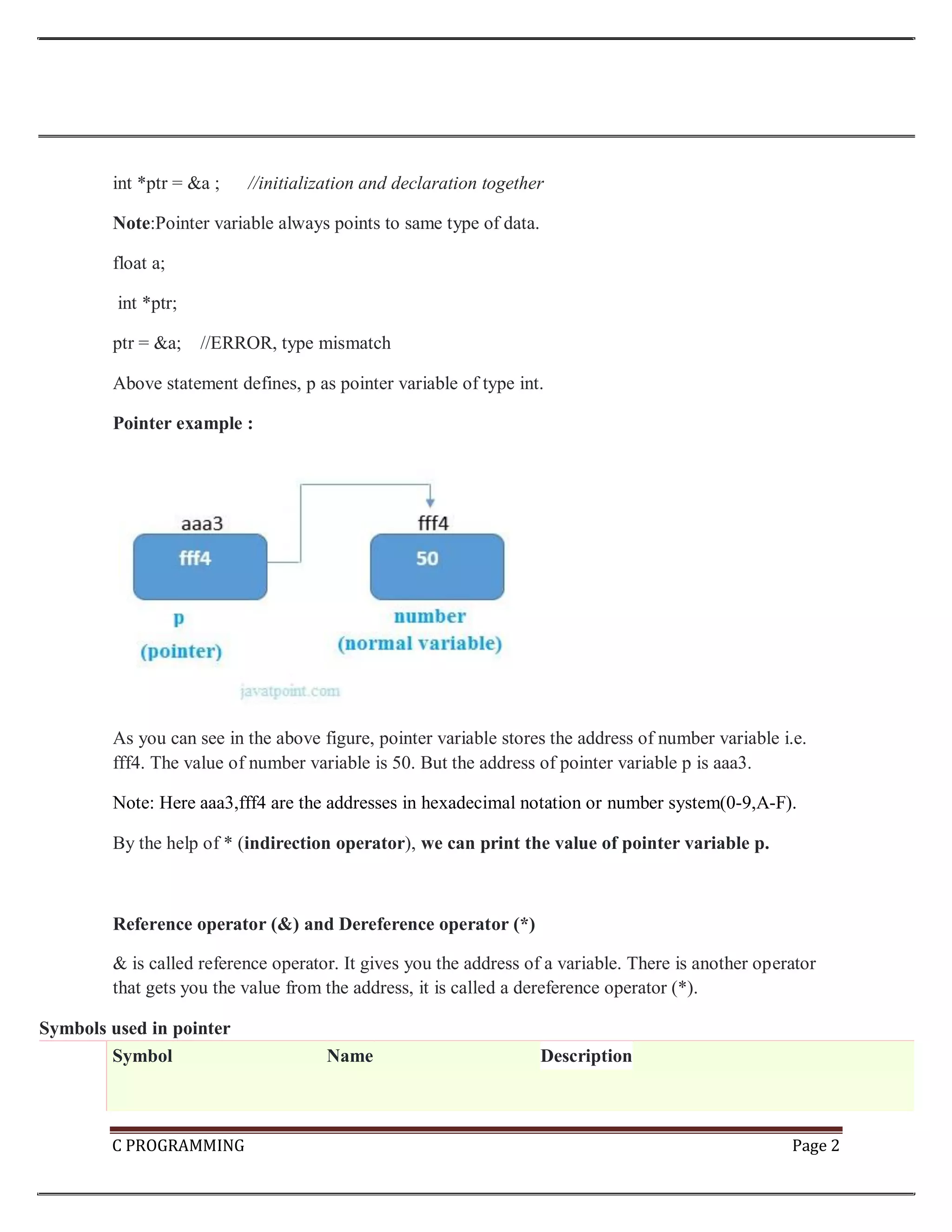
C PROGRAMMING Page 2 int *ptr = &a ; //initialization and declaration together Note:Pointer variable always points to same type of data. float a; int *ptr; ptr = &a; //ERROR, type mismatch Above statement defines, p as pointer variable of type int. Pointer example : As you can see in the above figure, pointer variable stores the address of number variable i.e. fff4. The value of number variable is 50. But the address of pointer variable p is aaa3. Note: Here aaa3,fff4 are the addresses in hexadecimal notation or number system(0-9,A-F). By the help of * (indirection operator), we can print the value of pointer variable p. Reference operator (&) and Dereference operator (*) & is called reference operator. It gives you the address of a variable. There is another operator that gets you the value from the address, it is called a dereference operator (*). Symbols used in pointer Symbol Name Description
C PROGRAMMING Page 3 & (ampersand sign) address of operator Determines the address of a variable. * (asterisk sign) indirection operator Accesses the value at the address. C PROGRAMMING Page 198 Dereferencing of Pointer Once a pointer has been assigned the address of a variable. To access the value of variable, pointer is dereferenced using the indirection operator *. int a,*p; a = 10; p = &a; printf("%d",*p); //this prints the value of a. printf("%d",*&a); //this will also print the value of a. printf("%u",&a); //this will print the address of a. printf("%u",p); //this will also print the address of a. printf("%u",&p); //this will also print the address of p. KEY POINTS TO REMEMBER ABOUT POINTERS IN C: • Normal variable stores the value whereas pointer variable stores the address of the variable. • The content of the C pointer always be a whole number (positive or unsigned number) i.e. address. • Always C pointer is initialized to null, i.e. int *p = null. • The value of null pointer is 0. • & symbol is used to get the address of the variable. • * symbol is used to get the value of the variable that the pointer is pointing to.
C PROGRAMMING Page 4 • If a pointer in C is assigned to NULL, it means it is pointing to nothing. • Two pointers can be subtracted to know how many elements are available between these two pointers. • But, Pointer addition, multiplication, division are not allowed. • The size of any pointer is 2 byte (for 16 bit compiler). Example: #include <stdio.h> #include void main() { int number=50; int *p; p=&number; //stores the address of number variable printf("Address of number variable is %xn",&number); printf("Address of p variable is %x n",p); printf("Value of p variable is %d n",*p); } Output Address of number variable is fff4 Address of p variable is fff4 Value of p variable is 50 Example: #include<stdio.h>
C PROGRAMMING Page 5 int main() { int *ptr, q; q = 50; /* address of q is assigned to ptr */ ptr = &q; /* display q's value using ptr variable */ printf("%d", *ptr); } Output 50 Example: #include<stdio.h > int main() { int var =10; int *p; p= &var; printf ( "n Address of var is: %u", &var); printf ( "n Address of var is: %u", p); printf ( "n Address of pointer p is: %u", &p); /* Note I have used %u for p's value as it should be an address*/
C PROGRAMMING Page 6 printf( "n Value of pointer p is: %u", p); printf ( "n Value of var is: %d", var); printf ( "n Value of var is: %d", *p); printf ( "n Value of var is: %d", *( &var)); } Output: Address of var is: 00XBBA77 Address of var is: 00XBBA77 Address of pointer p is: 77221111 Value of pointer p is: 00XBBA77 Value of var is: 10 Value of var is: 10 Value of var is: 10 NULL Pointer A pointer that is not assigned any value but NULL is known as NULL pointer. If you don't have any address to be specified in the pointer at the time of declaration, you can assign NULL value. Or It is always a good practice to assign a NULL value to a pointer variable in case you do not have an exact address to be assigned. This is done at the time of variable declaration. A pointer that is assigned NULL is called a null pointer. ex: int *p=NULL; Note: The NULL pointer is a constant with a value of zero defined in several standard libraries/ in most the libraries, the value of pointer is 0 (zero) Example: The value of ptr is 0
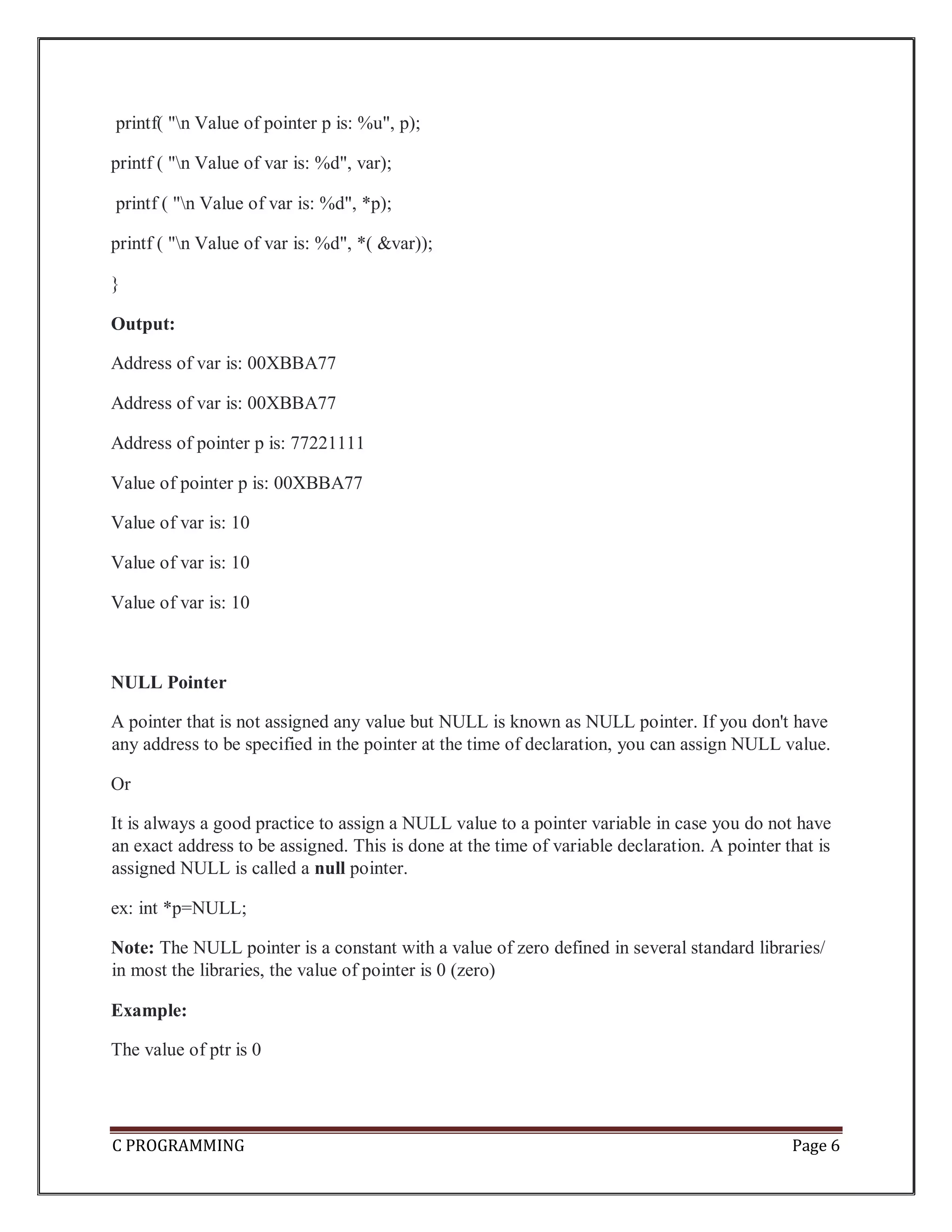
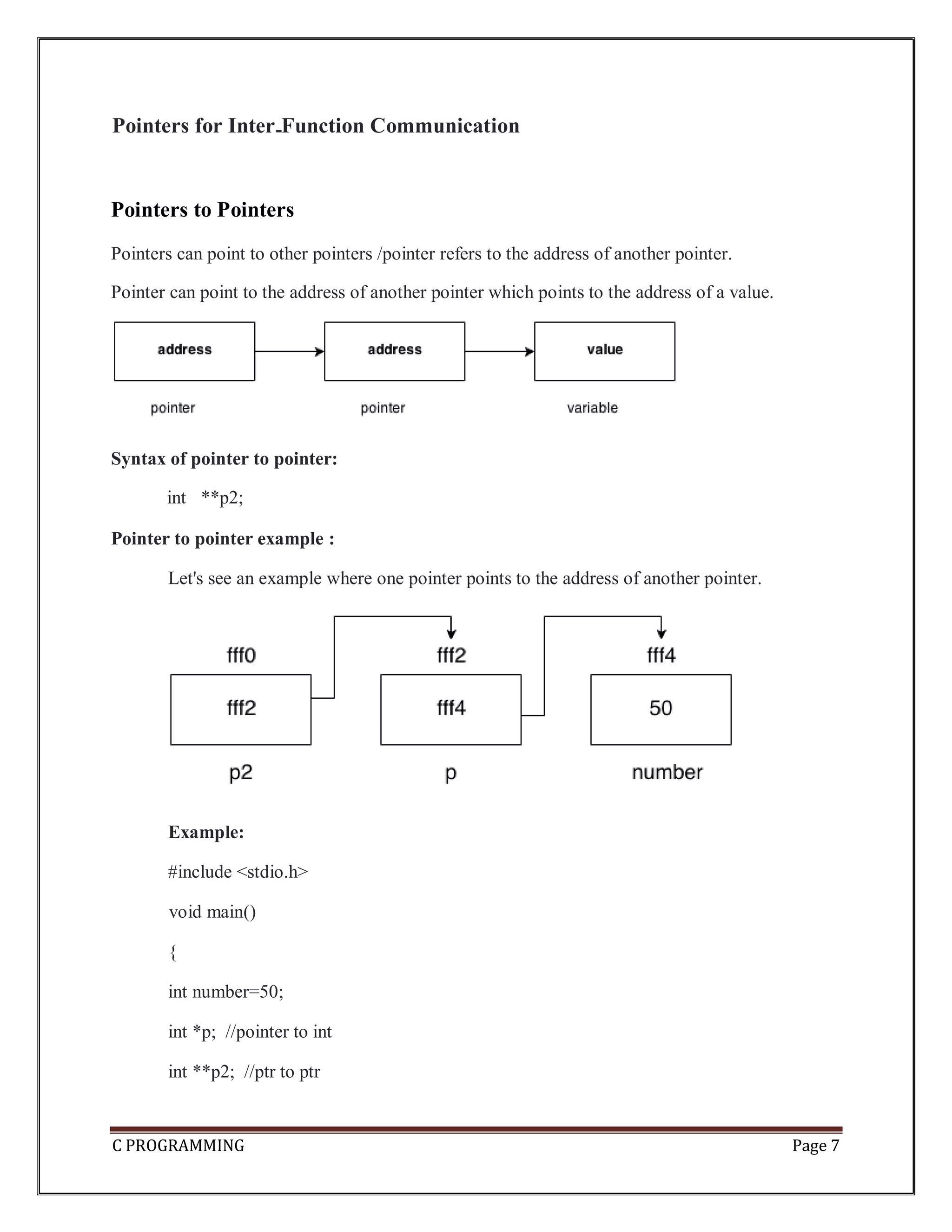
C PROGRAMMING Page 7 Pointers for Inter Function Communication Pointers to Pointers Pointers can point to other pointers /pointer refers to the address of another pointer. Pointer can point to the address of another pointer which points to the address of a value. Syntax of pointer to pointer: int **p2; Pointer to pointer example : Let's see an example where one pointer points to the address of another pointer. Example: #include <stdio.h> void main() { int number=50; int *p; //pointer to int int **p2; //ptr to ptr
C PROGRAMMING Page 8 p=&number; //stores the address of number variable p2=&p; printf("Address of number variable is %x n",&number); printf("Address of p variable is %x n",p); printf("Value of *p variable is %d n",*p); printf("Address of p2 variable is %x n",p2); printf("Value of **p2 variable is %d n",**p); } Output Address of number variable is fff4 Address of p variable is fff4 Value of *p variable is 50 Address of p2 variable is fff2 Value of **p variable is 50 Arrays and Pointers: When an array is declared, compiler allocates sufficient amount of memory to contain all the elements of the array. Base address which gives location of the first element is also allocated by the compiler. Suppose we declare an array arr, int arr[5]={ 1, 2, 3, 4, 5 }; Assuming that the base address of arr is 1000 and each integer requires two bytes, then five elements will be stored as follows
C PROGRAMMING Page 9 Here variable arr will give the base address, which is a constant pointer pointing to the element, arr[0]. Therefore arr is containing the address of arr[0] i.e 1000. arr is equal to &arr[0] // by default We can declare a pointer of type int to point to the int array arr. int arr[5]={ 1, 2, 3, 4, 5}; int *p; p = arr; or p = &arr[0]; //both the statements are equivalent. Now we can access every element of array arr using p++ to move from one element to another. NOTE : You cannot decrement a pointer once incremented. p-- won't work. Pointer to Array we can use a pointer to point to an Array, and then we can use that pointer to access the array. Lets have an example, int i; int a[5] = {1, 2, 3, 4, 5}; int *p = a; // same as int*p = &a[0] for (i=0; i<5; i++) {
C PROGRAMMING Page 10 printf("%d",*p); p++; } In the above program, the pointer *p will print all the values stored in the array one by one. We can also use the Base address (a in above case) to act as pointer and print all the values. Relation between Arrays and Pointers Consider an array: int arr[4];
C PROGRAMMING Page 11 In C programming, name of the array always points to address of the first element of an array(Base address). In the above example, arr and & arr[0] points to the address of the first element. &arr[0] is equivalent to arr Since, the addresses of both are the same, the values of arr and &arr[0] are also the same. arr[0] is equivalent to *arr (value of an address of the pointer) Similarly, &arr[1] is equivalent to (arr + 1) AND, arr[1] is equivalent to *(arr + 1). &arr[2] is equivalent to (arr + 2) AND, arr[2] is equivalent to *(arr + 2). &arr[3] is equivalent to (arr + 3) AND, arr[3] is equivalent to *(arr + 3). . . &arr[i] is equivalent to (arr + i) AND, arr[i] is equivalent to *(arr + i). Example: Program to find the sum of six numbers with arrays and pointers #include <stdio.h> int main() { int i, classes[6],sum = 0; printf("Enter 6 numbers:n"); for(i = 0; i < 6; ++i) {
C PROGRAMMING Page 12 // (classes + i) is equivalent to &classes[i] scanf("%d",(classes + i)); // *(classes + i) is equivalent to classes[i] sum += *(classes + i); } printf("Sum = %d", sum); } Output Enter 6 numbers: 2 3 4 5 3 4 Sum = 21 Pointer Arithmetic and Arrays Pointer holds address of a value, so there can be arithmetic operations on the pointer variable. There are four arithmetic operators that can be used on pointers: oIncrement(++) o Decrement(--) oAddition(+) oSubtraction(-) Increment pointer:
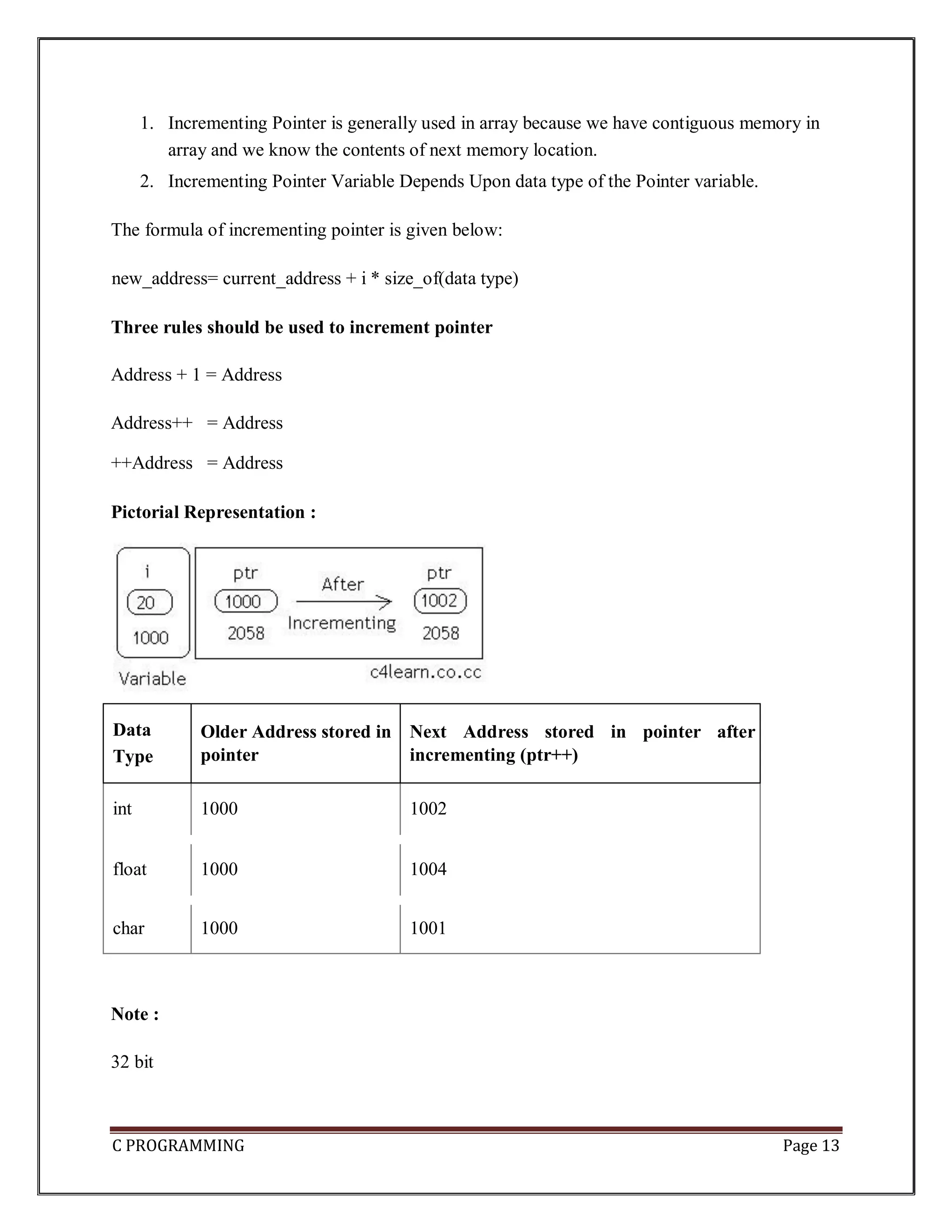
C PROGRAMMING Page 13 1. Incrementing Pointer is generally used in array because we have contiguous memory in array and we know the contents of next memory location. 2. Incrementing Pointer Variable Depends Upon data type of the Pointer variable. The formula of incrementing pointer is given below: new_address= current_address + i * size_of(data type) Three rules should be used to increment pointer Address + 1 = Address Address++ = Address ++Address = Address Pictorial Representation : Data Type Older Address stored in pointer Next Address stored in pointer after incrementing (ptr++) int 1000 1002 float 1000 1004 char 1000 1001 Note : 32 bit
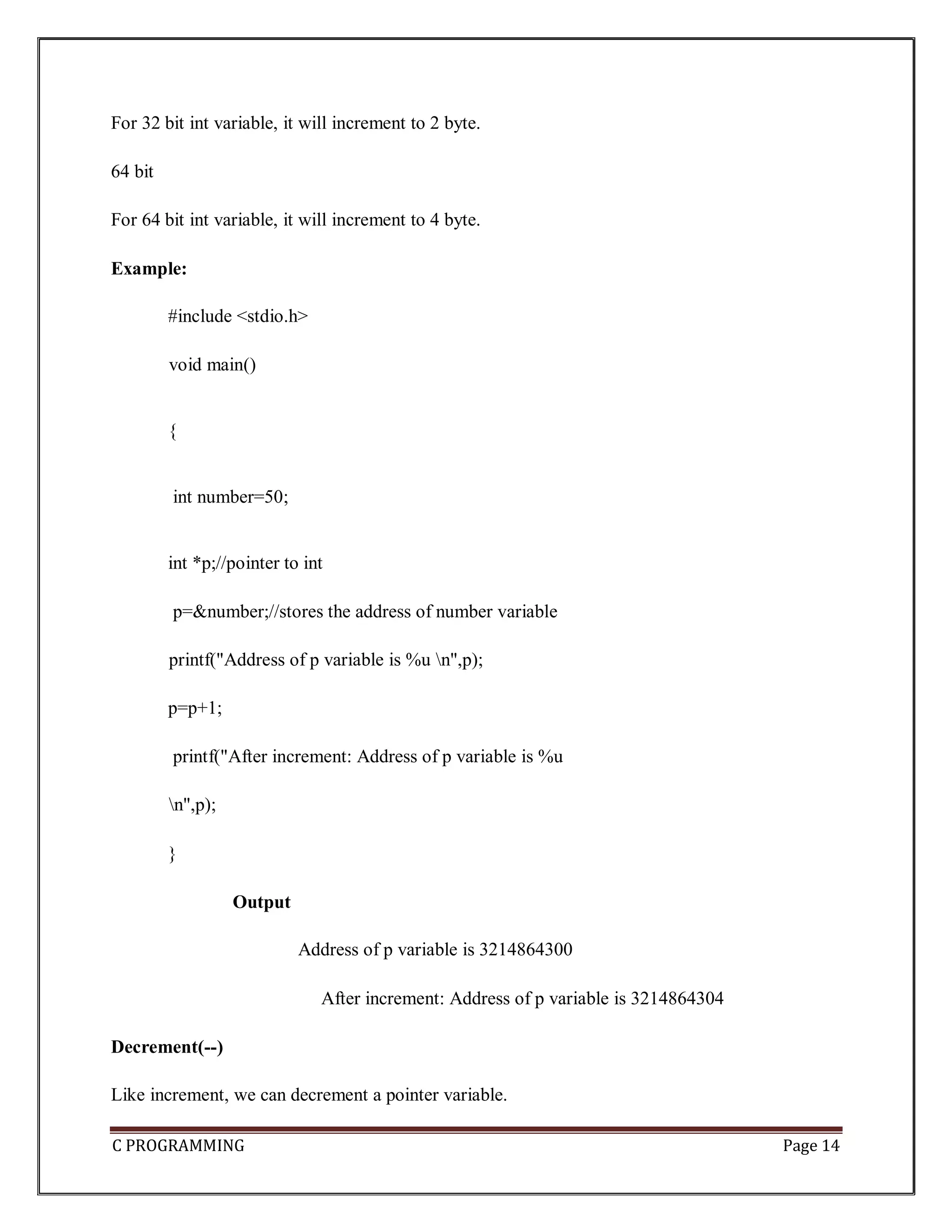
C PROGRAMMING Page 14 For 32 bit int variable, it will increment to 2 byte. 64 bit For 64 bit int variable, it will increment to 4 byte. Example: #include <stdio.h> void main() { int number=50; int *p;//pointer to int p=&number;//stores the address of number variable printf("Address of p variable is %u n",p); p=p+1; printf("After increment: Address of p variable is %u n",p); } Output Address of p variable is 3214864300 After increment: Address of p variable is 3214864304 Decrement(--) Like increment, we can decrement a pointer variable.
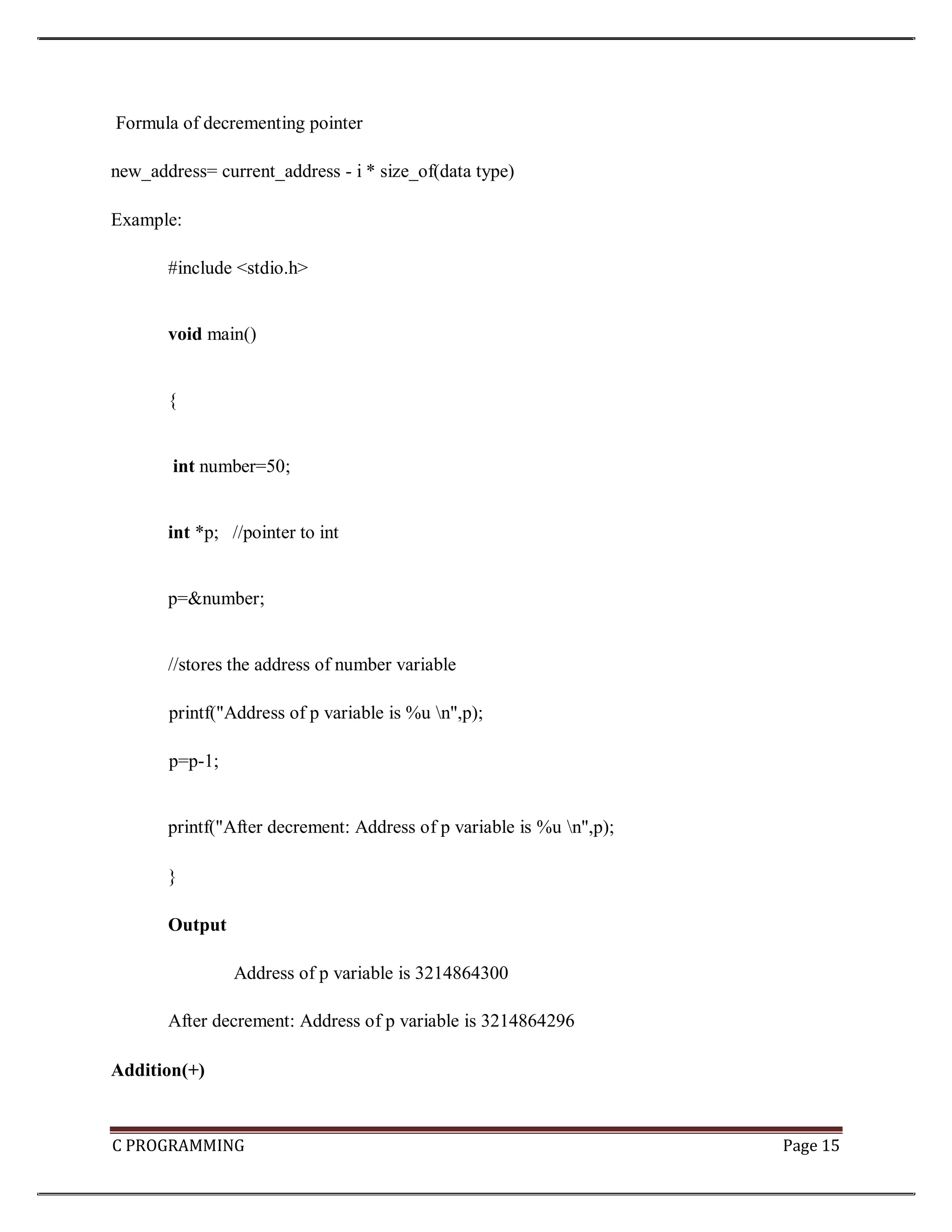
C PROGRAMMING Page 15 Formula of decrementing pointer new_address= current_address - i * size_of(data type) Example: #include <stdio.h> void main() { int number=50; int *p; //pointer to int p=&number; //stores the address of number variable printf("Address of p variable is %u n",p); p=p-1; printf("After decrement: Address of p variable is %u n",p); } Output Address of p variable is 3214864300 After decrement: Address of p variable is 3214864296 Addition(+)
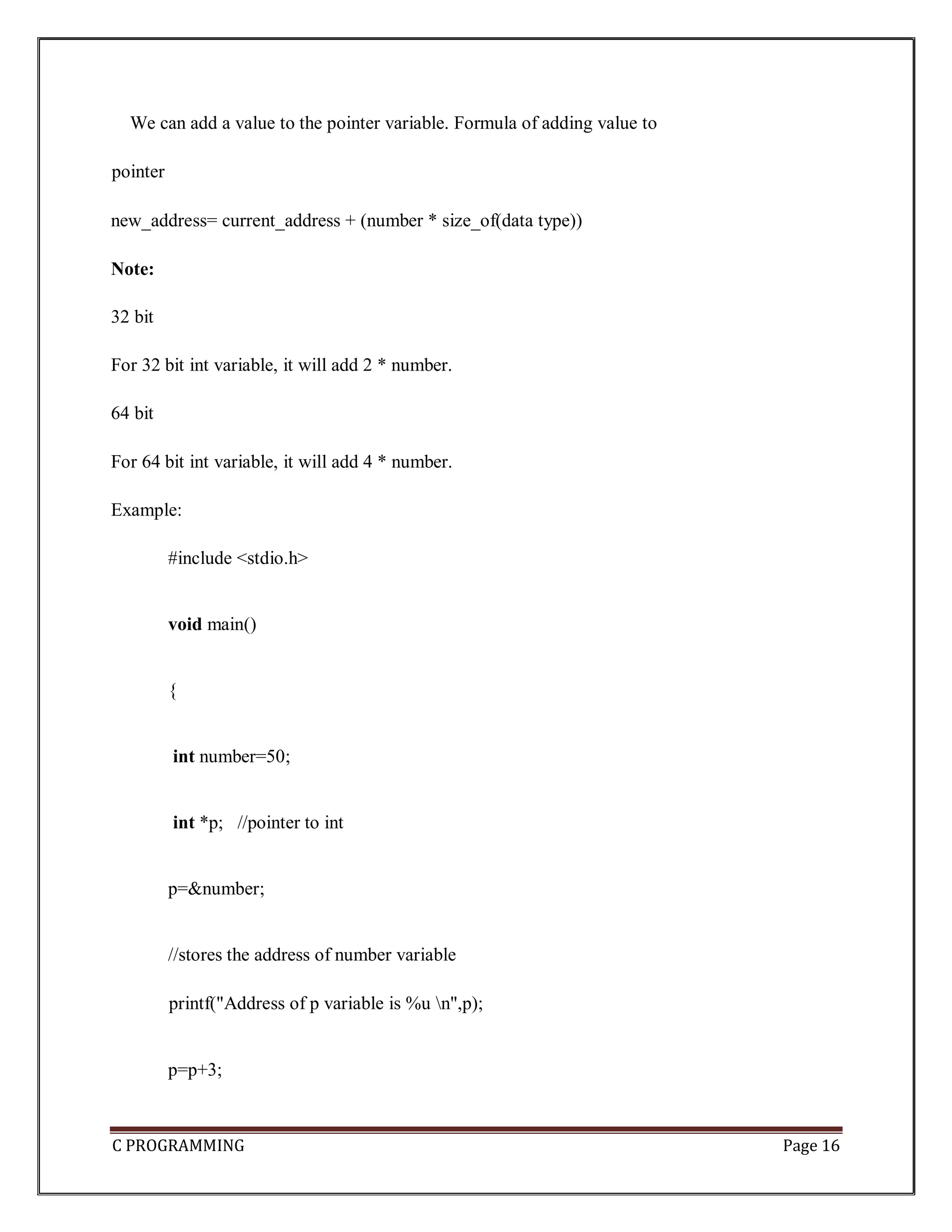
C PROGRAMMING Page 16 We can add a value to the pointer variable. Formula of adding value to pointer new_address= current_address + (number * size_of(data type)) Note: 32 bit For 32 bit int variable, it will add 2 * number. 64 bit For 64 bit int variable, it will add 4 * number. Example: #include <stdio.h> void main() { int number=50; int *p; //pointer to int p=&number; //stores the address of number variable printf("Address of p variable is %u n",p); p=p+3;
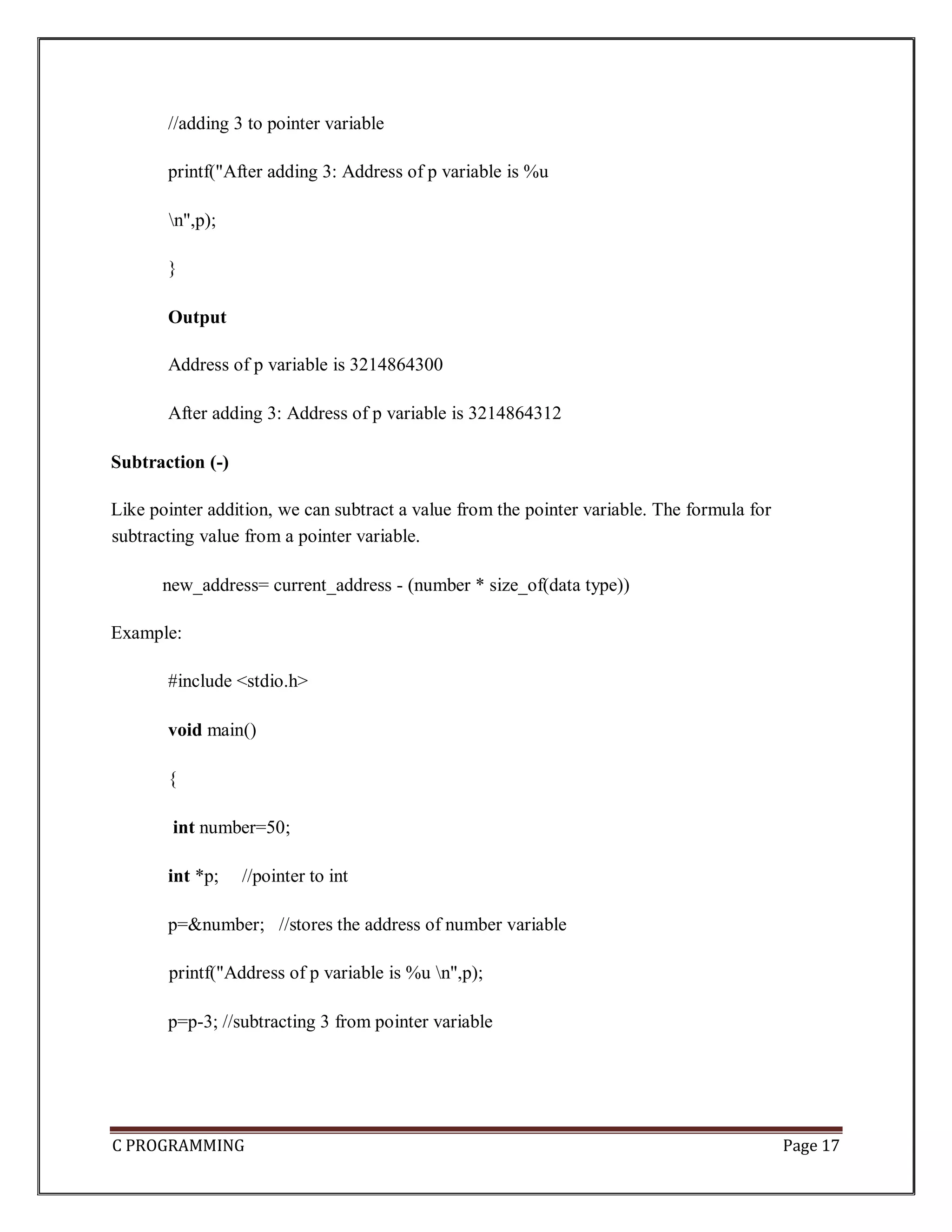
C PROGRAMMING Page 17 //adding 3 to pointer variable printf("After adding 3: Address of p variable is %u n",p); } Output Address of p variable is 3214864300 After adding 3: Address of p variable is 3214864312 Subtraction (-) Like pointer addition, we can subtract a value from the pointer variable. The formula for subtracting value from a pointer variable. new_address= current_address - (number * size_of(data type)) Example: #include <stdio.h> void main() { int number=50; int *p; //pointer to int p=&number; //stores the address of number variable printf("Address of p variable is %u n",p); p=p-3; //subtracting 3 from pointer variable
C PROGRAMMING Page 18 printf("After subtracting 3: Address of p variable is %u n",p); } Output Address of p variable is 3214864300 After subtracting 3: Address of p variable is 3214864288 Passing an Array to a Function If you want to pass a single-dimension array as an argument in a function, you would have to declare a formal parameter in one of following three ways and all three declaration methods produce similar results because each tells the compiler that an integer pointer is going to be received. Similarly, you can pass multi-dimensional arrays as formal parameters. 1) Formal parameters as a pointer – void myFunction(int *param) { . . . } 2) Formal parameters as a sized array – void myFunction(int param[10]) { . . . } 3) Formal parameters as an unsized array void myFunction(int param[]) { .
C PROGRAMMING Page 19 . . } Example1: pass an entire array to a function argument #include <stdio.h> /* function declaration */ double getAverage(int arr[], int size); int main () { /* an int array with 5 elements */ int balance[5] = {1000, 2, 3, 17, 50}; double avg; /* pass pointer to the array as an argument */ avg = getAverage( balance, 5 ) ; /* output the returned value */ printf( "Average value is: %f ", avg ); } double getAverage(int arr[], int size) { int i; double avg; double sum = 0; for (i = 0; i < size; ++i) { sum += arr[i]; } avg = sum / size; return avg; } Output
C PROGRAMMING Page 20 Average value is: 214.400000 Example2: pass an entire array to a function argument #include <stdio.h> myfuncn( int *var1, int var2) { for(int x=0; x<var2; x++) { printf("Value of var_arr[%d] is: %d n", x, *var1); /*increment pointer for next element fetch*/ var1++; } } int main() { int var_arr[] = {11, 22, 33, 44, 55, 66, 77}; myfuncn(&var_arr, 7); return 0; } Output Value of var_arr[0] is: 11 Value of var_arr[1] is: 22 Value of var_arr[2] is: 33 Value of var_arr[3] is: 44 Value of var_arr[4] is: 55 Value of var_arr[5] is: 66 Value of var_arr[6] is: 77 Example: Call by value method #include <stdio.h> disp( char ch) { printf("%c ", ch); } main() {
C PROGRAMMING Page 21 char arr[] = {'a', 'b', 'c', 'd', 'e', 'f', 'g', 'h', 'I', 'j'}; for (int x=0; x<=10; x++) { /* I‟m passing each element one by one using subscript*/ disp (arr[x]); } } Output: a b c d e f g h i j In this method of calling a function, the actual arguments gets copied into formal arguments. In this example actual argument(or parameter) is arr[x] and formal parameter is ch. Example: Call by reference method: Using pointers #include <stdio.h> disp( int *num) { printf("%d ", *num); } int main() { int arr[] = {1, 2, 3, 4, 5, 6, 7, 8, 9, 0}; for (int i=0; i<=10; i++) { /* I‟m passing element‟s address*/ disp (&arr[i]);
C PROGRAMMING Page 22 } } Output: 1 2 3 4 5 6 7 8 9 0 Array of Pointers An array of pointers would be an array that holds memory locations. An array of pointers is an indexed set of variables in which the variables are pointers (a reference to a location in memory). Syntax: data_type * variable_name Example int *ptr[10]; Array alpha[] Pointer a alpha[0] *a alpha[1] *(a+1) alpha[2] *(a+2) alpha[3] *(a+3) alpha[n] *(a+n) Example1: #include <stdio.h>
C PROGRAMMING Page 23 const int MAX = 3; int main () { int var[] = {10, 100, 200}; int i, *ptr[MAX]; for ( i = 0; i < MAX; i++) { ptr[i] = &var[i]; /* assign the address of integer. */ } for ( i = 0; i < MAX; i++) { printf("Value of var[%d] = %dn", i, *ptr[i] ); } } Output
C PROGRAMMING Page 24 Value of var[0] = 10 Value of var[1] = 100 Value of var[2] = 200 Example2: #include <stdio.h> main() { int *array[3]; int x = 10, y = 20: int z = 30,i; array[0] = &x; array[1] = &y; array[2] = &z; for (i=0; i< 3; i++) { printf("The value of %d= %d ,address is %ut n", i, *(array[i]), array[i]); } } Output Example3: #include <stdio.h> const int MAX =4; int main ()
C PROGRAMMING Page 25 { char *names[] = { "Zara Ali", "Hina Ali", "Nuha Ali", "Sara Ali" }; int i = 0; for ( i = 0; i < MAX; i++) { printf("Value of names[%d] = %sn", i, names[i] ); } } Output: Value of names[0] = Zara Ali Value of names[1] = Hina Ali Value of names[2] = Nuha Ali Value of names[3] = Sara Ali Example4: #include <stdio.h> int main()
C PROGRAMMING Page 26 { char *fruit[] = { "watermelon", "banana", "pear", "apple", "coconut", "grape", "blueberry" }; int x; for(x=0;x<7;x++) puts(fruit[x]); } Pointers to Void and Pointers to Functions Pointers to Void A pointer variable declared using a particular data type cannot hold the location address of variables of other data types. It is invalid and will result in a compilation error. Ex:- char *ptr; int var1;
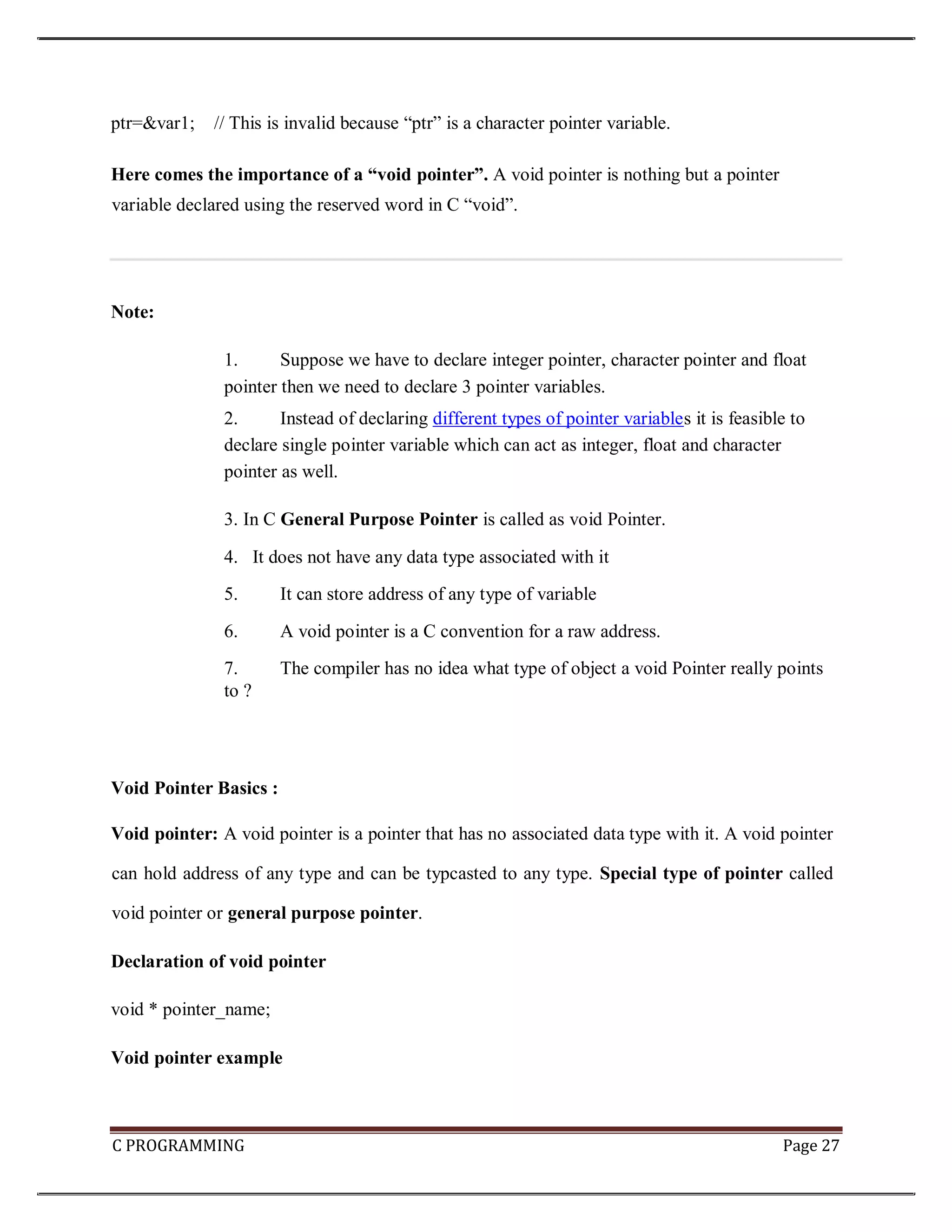
C PROGRAMMING Page 27 ptr=&var1; // This is invalid because “ptr” is a character pointer variable. Here comes the importance of a “void pointer”. A void pointer is nothing but a pointer variable declared using the reserved word in C “void”. Note: 1. Suppose we have to declare integer pointer, character pointer and float pointer then we need to declare 3 pointer variables. 2. Instead of declaring different types of pointer variables it is feasible to declare single pointer variable which can act as integer, float and character pointer as well. 3. In C General Purpose Pointer is called as void Pointer. 4. It does not have any data type associated with it 5. It can store address of any type of variable 6. A void pointer is a C convention for a raw address. 7. The compiler has no idea what type of object a void Pointer really points to ? Void Pointer Basics : Void pointer: A void pointer is a pointer that has no associated data type with it. A void pointer can hold address of any type and can be typcasted to any type. Special type of pointer called void pointer or general purpose pointer. Declaration of void pointer void * pointer_name; Void pointer example
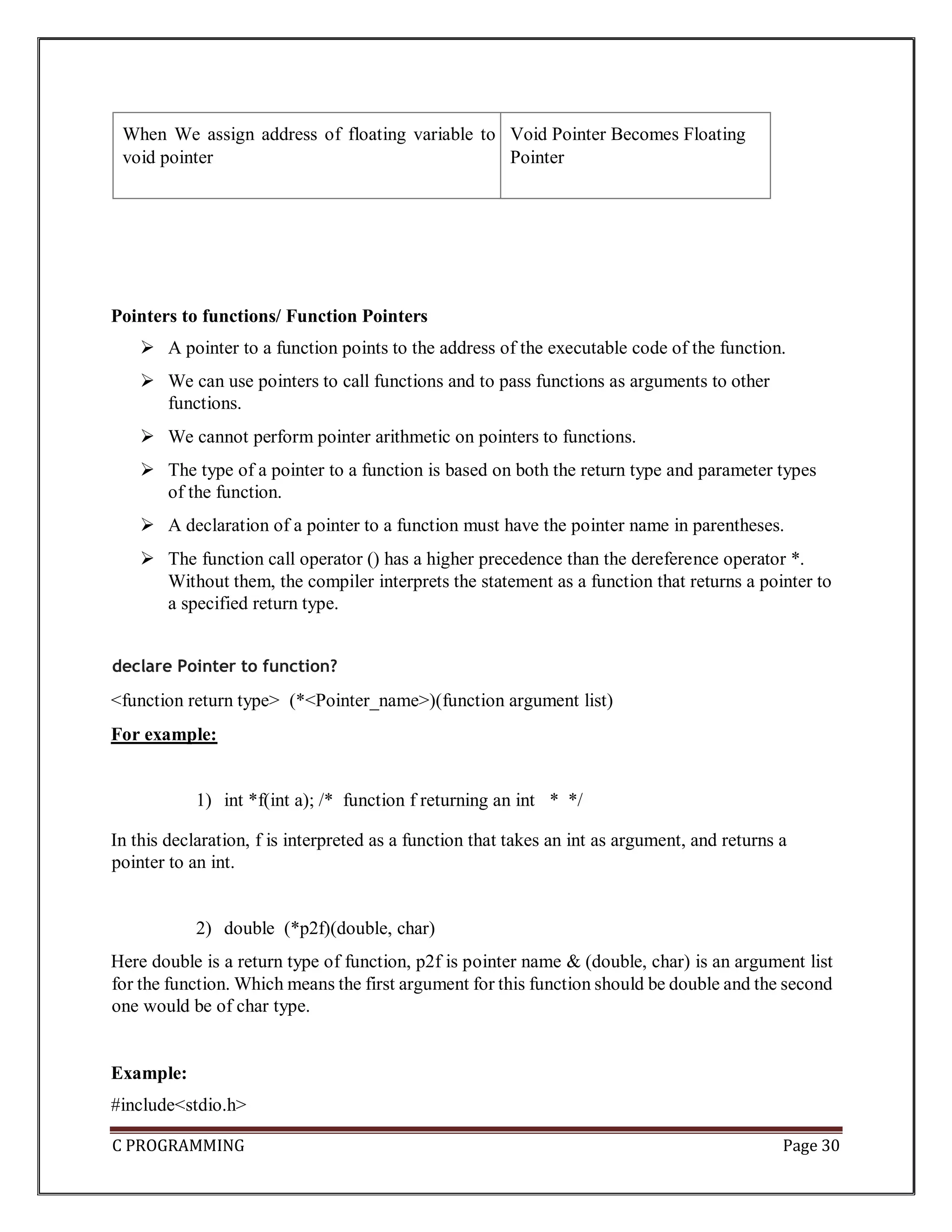
C PROGRAMMING Page 28 void *ptr; // ptr is declared as Void pointer char cnum; int inum; float fnum; ptr = &cnum; // ptr has address of character data ptr = &inum; // ptr has address of integer data ptr = &fnum; // ptr has address of float data Advantages of void pointers: 1) malloc() and calloc() return void * type and this allows these functions to be used to allocate memory of any data type (just because of void *) int main(void) { // Note that malloc() returns void * which can be // typecasted to any type like int *, char *, .. int *x = malloc(sizeof(int) * n); } 2) void pointers in C are used to implement generic functions in C. Note: 1) void pointers cannot be dereferenced. For example the following program doesn’t compile.
C PROGRAMMING Page 29 #include<stdio.h> int main() { int a = 10; void *ptr = &a; printf("%d", *ptr); } Output: Compiler Error: 'void*' is not a pointer-to-object type . The following program compiles and runs fine. #include<stdio.h> int main() { int a = 10; void *ptr = &a; printf("%d", *(int *)ptr); } Output: 10 Summary : Void Pointer Scenario Behavior When We assign address of integer variable to void pointer Void Pointer Becomes Integer Pointer When We assign address of character variable to void pointer Void Pointer Becomes Character Pointer
C PROGRAMMING Page 30 When We assign address of floating variable to void pointer Void Pointer Becomes Floating Pointer Pointers to functions/ Function Pointers  A pointer to a function points to the address of the executable code of the function.  We can use pointers to call functions and to pass functions as arguments to other functions.  We cannot perform pointer arithmetic on pointers to functions.  The type of a pointer to a function is based on both the return type and parameter types of the function.  A declaration of a pointer to a function must have the pointer name in parentheses.  The function call operator () has a higher precedence than the dereference operator *. Without them, the compiler interprets the statement as a function that returns a pointer to a specified return type. declare Pointer to function? <function return type> (*<Pointer_name>)(function argument list) For example: 1) int *f(int a); /* function f returning an int * */ In this declaration, f is interpreted as a function that takes an int as argument, and returns a pointer to an int. 2) double (*p2f)(double, char) Here double is a return type of function, p2f is pointer name & (double, char) is an argument list for the function. Which means the first argument for this function should be double and the second one would be of char type. Example: #include<stdio.h>
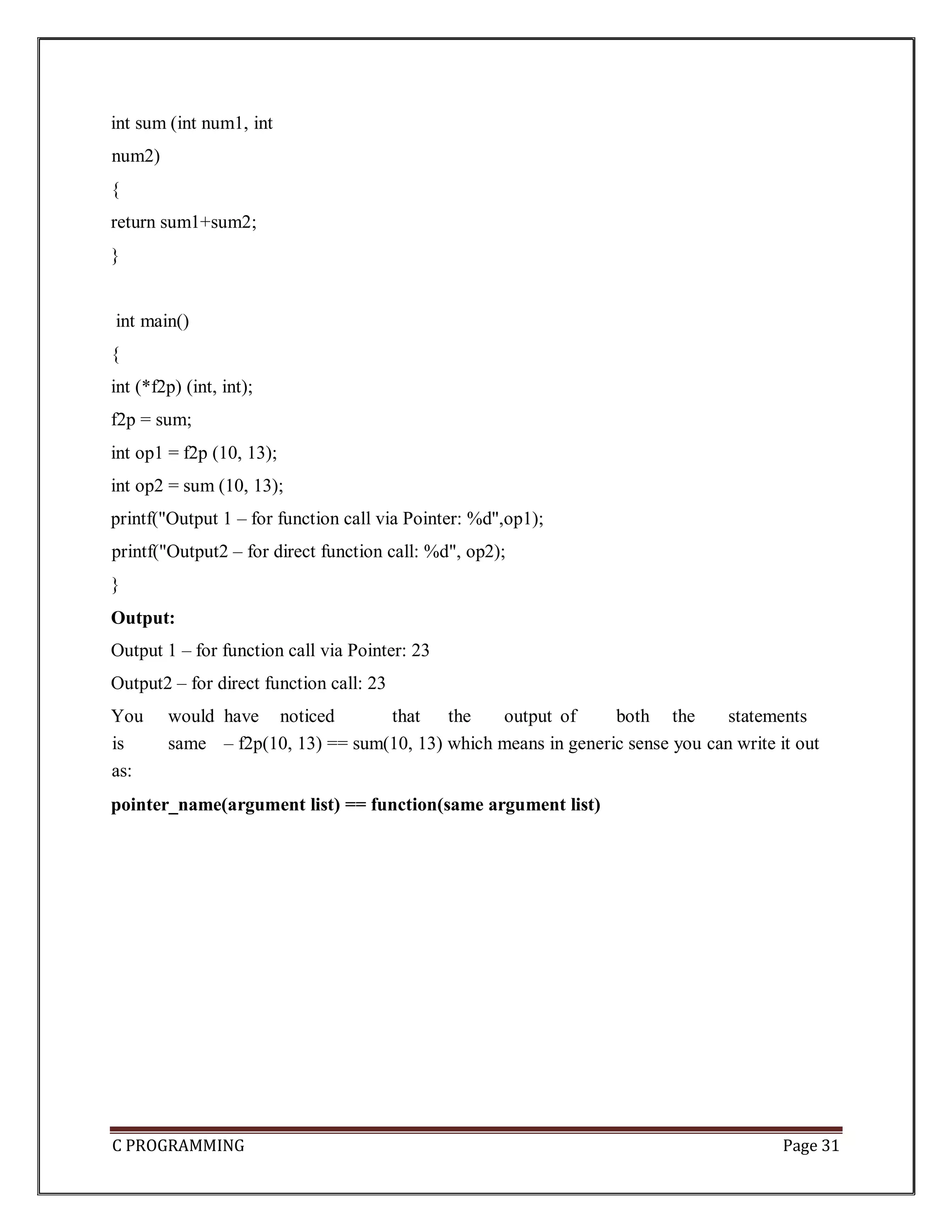
C PROGRAMMING Page 31 int sum (int num1, int num2) { return sum1+sum2; } int main() { int (*f2p) (int, int); f2p = sum; int op1 = f2p (10, 13); int op2 = sum (10, 13); printf("Output 1 – for function call via Pointer: %d",op1); printf("Output2 – for direct function call: %d", op2); } Output: Output 1 – for function call via Pointer: 23 Output2 – for direct function call: 23 You would have noticed that the output of both the statements is same – f2p(10, 13) == sum(10, 13) which means in generic sense you can write it out as: pointer_name(argument list) == function(same argument list)
C PROGRAMMING Page 32
C PROGRAMMING Page 33
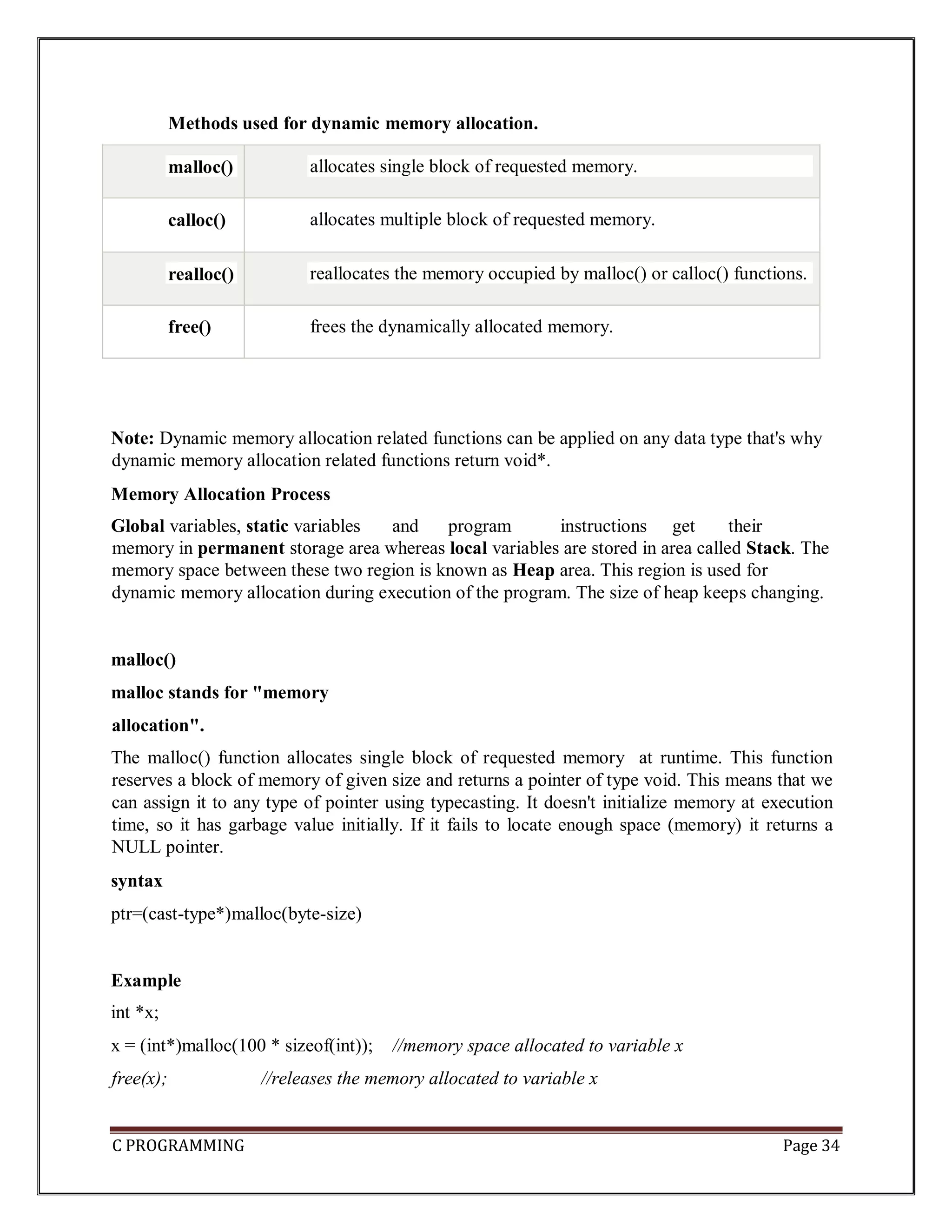
C PROGRAMMING Page 34 Note: Dynamic memory allocation related functions can be applied on any data type that's why dynamic memory allocation related functions return void*. Memory Allocation Process Global variables, static variables and program instructions get their memory in permanent storage area whereas local variables are stored in area called Stack. The memory space between these two region is known as Heap area. This region is used for dynamic memory allocation during execution of the program. The size of heap keeps changing. malloc() malloc stands for "memory allocation". The malloc() function allocates single block of requested memory at runtime. This function reserves a block of memory of given size and returns a pointer of type void. This means that we can assign it to any type of pointer using typecasting. It doesn't initialize memory at execution time, so it has garbage value initially. If it fails to locate enough space (memory) it returns a NULL pointer. syntax ptr=(cast-type*)malloc(byte-size) Example int *x; x = (int*)malloc(100 * sizeof(int)); //memory space allocated to variable x free(x); //releases the memory allocated to variable x Methods used for dynamic memory allocation. malloc() allocates single block of requested memory. calloc() allocates multiple block of requested memory. realloc() reallocates the memory occupied by malloc() or calloc() functions. free() frees the dynamically allocated memory.
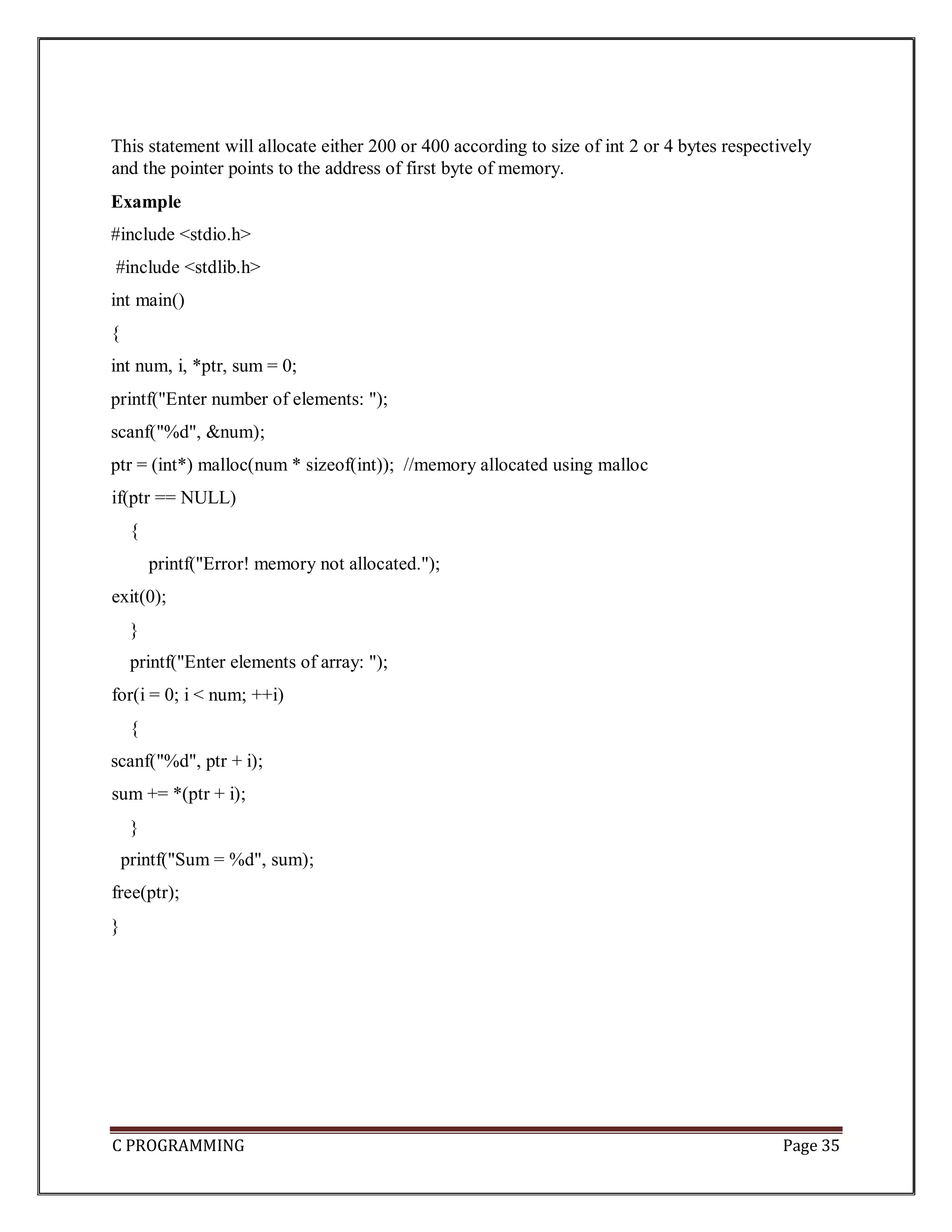
C PROGRAMMING Page 35 This statement will allocate either 200 or 400 according to size of int 2 or 4 bytes respectively and the pointer points to the address of first byte of memory. Example #include <stdio.h> #include <stdlib.h> int main() { int num, i, *ptr, sum = 0; printf("Enter number of elements: "); scanf("%d", &num); ptr = (int*) malloc(num * sizeof(int)); //memory allocated using malloc if(ptr == NULL) { printf("Error! memory not allocated."); exit(0); } printf("Enter elements of array: "); for(i = 0; i < num; ++i) { scanf("%d", ptr + i); sum += *(ptr + i); } printf("Sum = %d", sum); free(ptr); }
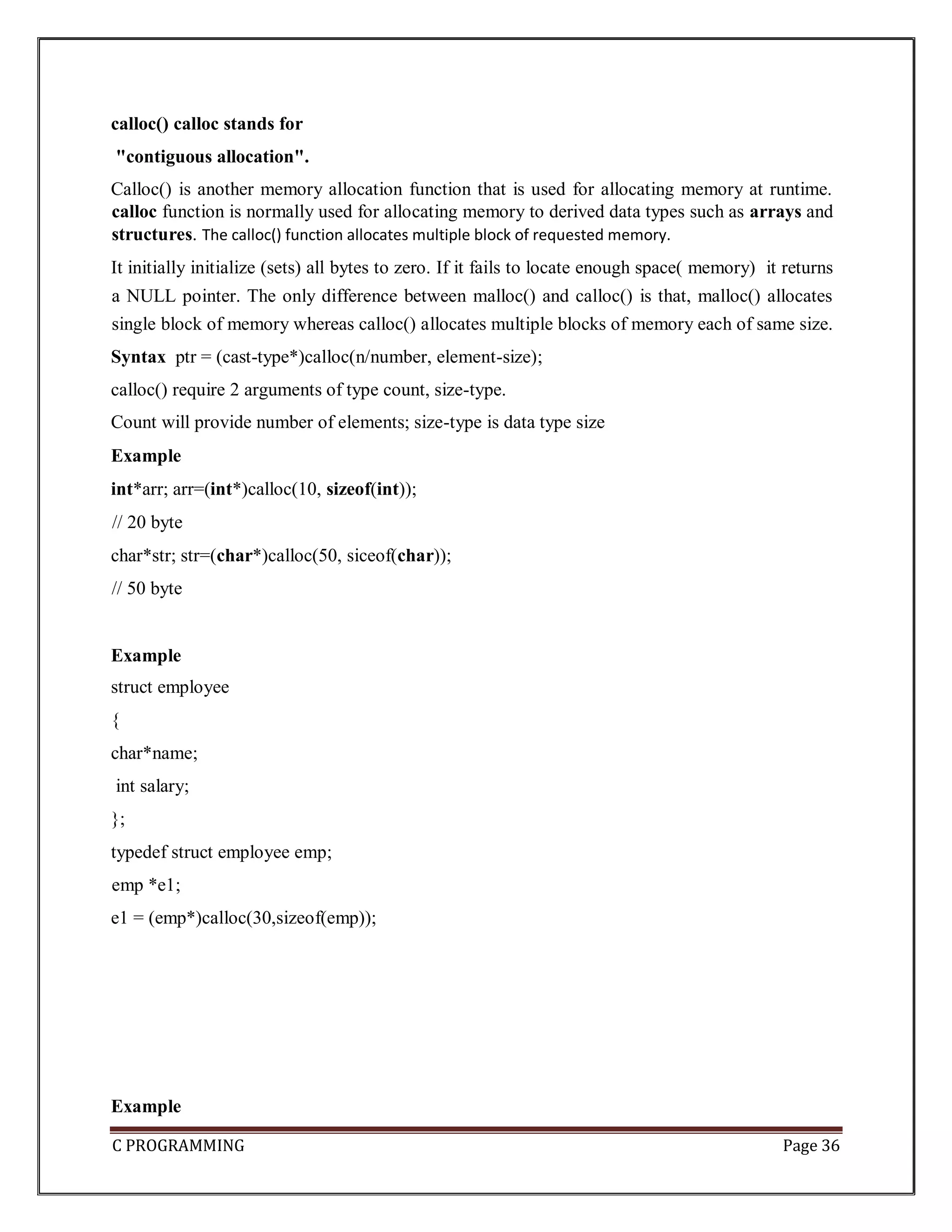
C PROGRAMMING Page 36 calloc() calloc stands for "contiguous allocation". Calloc() is another memory allocation function that is used for allocating memory at runtime. calloc function is normally used for allocating memory to derived data types such as arrays and structures. The calloc() function allocates multiple block of requested memory. It initially initialize (sets) all bytes to zero. If it fails to locate enough space( memory) it returns a NULL pointer. The only difference between malloc() and calloc() is that, malloc() allocates single block of memory whereas calloc() allocates multiple blocks of memory each of same size. Syntax ptr = (cast-type*)calloc(n/number, element-size); calloc() require 2 arguments of type count, size-type. Count will provide number of elements; size-type is data type size Example int*arr; arr=(int*)calloc(10, sizeof(int)); // 20 byte char*str; str=(char*)calloc(50, siceof(char)); // 50 byte Example struct employee { char*name; int salary; }; typedef struct employee emp; emp *e1; e1 = (emp*)calloc(30,sizeof(emp)); Example
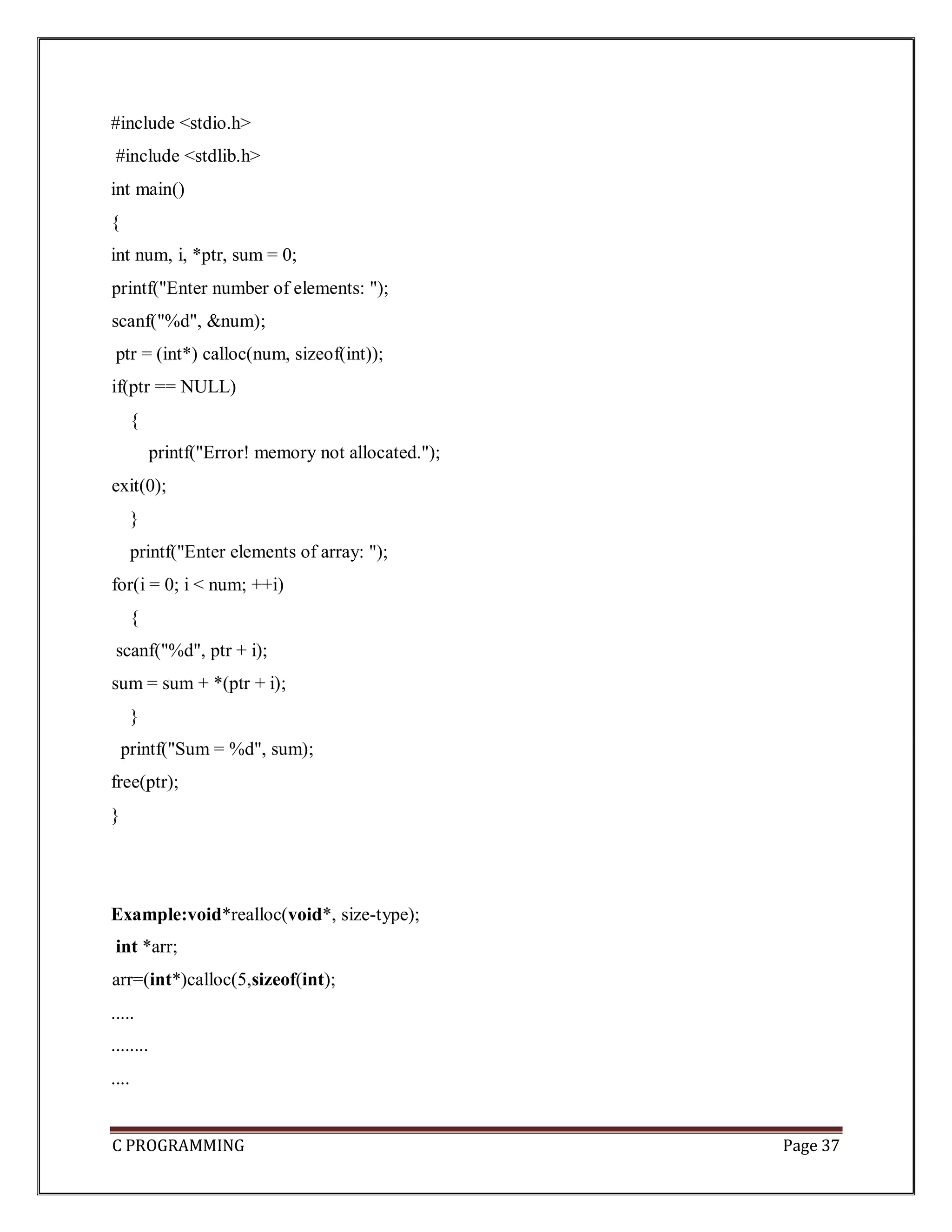
C PROGRAMMING Page 37 #include <stdio.h> #include <stdlib.h> int main() { int num, i, *ptr, sum = 0; printf("Enter number of elements: "); scanf("%d", &num); ptr = (int*) calloc(num, sizeof(int)); if(ptr == NULL) { printf("Error! memory not allocated."); exit(0); } printf("Enter elements of array: "); for(i = 0; i < num; ++i) { scanf("%d", ptr + i); sum = sum + *(ptr + i); } printf("Sum = %d", sum); free(ptr); } Example:void*realloc(void*, size-type); int *arr; arr=(int*)calloc(5,sizeof(int); ..... ........ ....
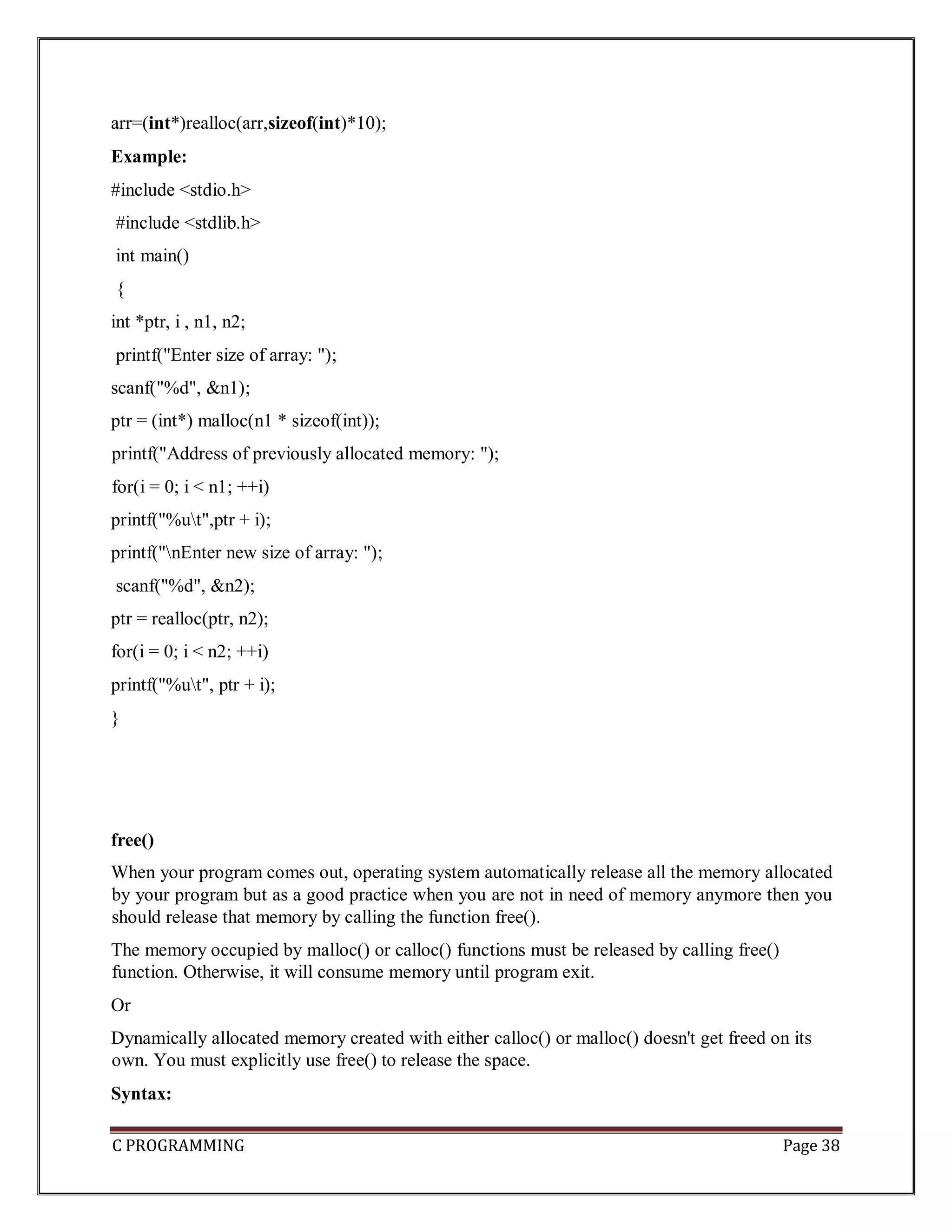
C PROGRAMMING Page 38 arr=(int*)realloc(arr,sizeof(int)*10); Example: #include <stdio.h> #include <stdlib.h> int main() { int *ptr, i , n1, n2; printf("Enter size of array: "); scanf("%d", &n1); ptr = (int*) malloc(n1 * sizeof(int)); printf("Address of previously allocated memory: "); for(i = 0; i < n1; ++i) printf("%ut",ptr + i); printf("nEnter new size of array: "); scanf("%d", &n2); ptr = realloc(ptr, n2); for(i = 0; i < n2; ++i) printf("%ut", ptr + i); } free() When your program comes out, operating system automatically release all the memory allocated by your program but as a good practice when you are not in need of memory anymore then you should release that memory by calling the function free(). The memory occupied by malloc() or calloc() functions must be released by calling free() function. Otherwise, it will consume memory until program exit. Or Dynamically allocated memory created with either calloc() or malloc() doesn't get freed on its own. You must explicitly use free() to release the space. Syntax:
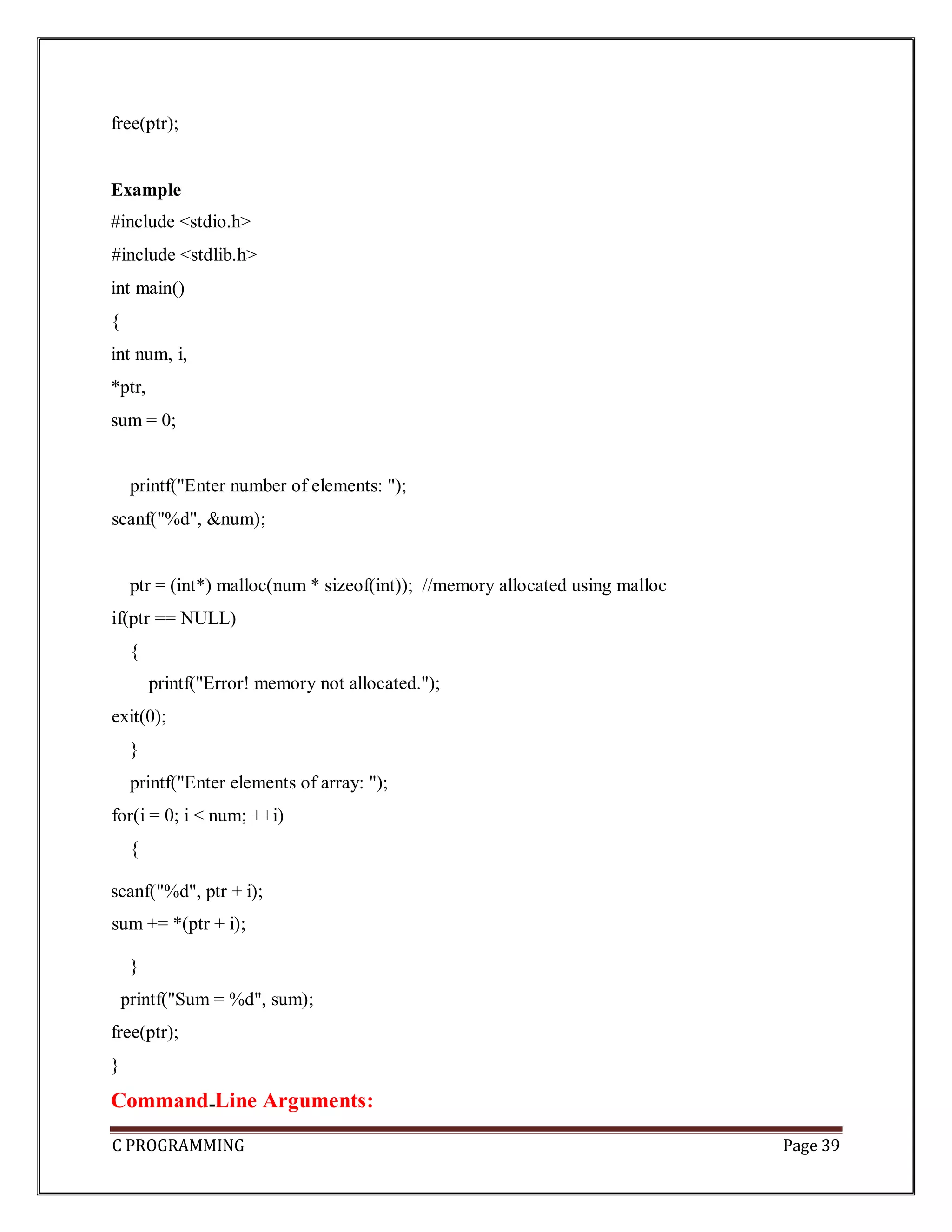
C PROGRAMMING Page 39 free(ptr); Example #include <stdio.h> #include <stdlib.h> int main() { int num, i, *ptr, sum = 0; printf("Enter number of elements: "); scanf("%d", &num); ptr = (int*) malloc(num * sizeof(int)); //memory allocated using malloc if(ptr == NULL) { printf("Error! memory not allocated."); exit(0); } printf("Enter elements of array: "); for(i = 0; i < num; ++i) { scanf("%d", ptr + i); sum += *(ptr + i); } printf("Sum = %d", sum); free(ptr); } Command Line Arguments:
C PROGRAMMING Page 40 It is possible to pass some values from the command line to your C programs when they are executed. These values are called command line arguments and many times they are important for your program especially when you want to control your program from outside instead of hard coding those values inside the code. The arguments passed from command line are called command line arguments. These arguments are handled by main() function. To support command line argument, you need to change the structure of main() function Syntax: int main(int argc, char *argv[] ) Here, argc counts the number of arguments. It counts the file name as the first argument. The argv[] contains the total number of arguments. The first argument is the file name always. Example1 #include <stdio.h> int main( int argc, char *argv[] ) { if( argc == 2 ) { printf("The argument supplied is %sn", argv[1]); } else if( argc > 2 ) { printf("Too many arguments supplied.n"); } else { printf("One argument expected.n"); } } Output
C PROGRAMMING Page 41 Example2 #include <stdio.h> void main(int argc, char *argv[] ) { printf("Program name is: %sn", argv[0]); if(argc <2) { printf("No argument passed through command line.n"); } else { printf("First argument is: %sn", argv[1]); } } Output program.exe hello Program name is: program First argument is: hello Note But if you pass many arguments within double quote, all arguments will be treated as a single argument only. Example ./program "hello c how r u" Program name is: program First argument is: hello c how r u You can write your program to print all the arguments. In this program, we are printing only argv[1], that is why it is printing only one argument. Example3
C PROGRAMMING Page 42 #include<stdio.h> #include<conio.h> void main(int argc, char* argv[]) { int i; clrscr(); printf("Total number of arguments: %d",argc); for(i=0;i< argc;i++) { printf("n %d argument: %s",i,argv[i]); getch(); } } Output C:/TC/BIN>TCC mycmd.c C:/TC/BIN>mycmd 10 20 Number of Arguments: 3 0 arguments c:/tc/bin/mycmd.exe 1 arguments: 10 2 arguments: 20 Note: In above output we passed two arguments but is show "Number of Arguments: 3" because argc take Number of arguments in the command line including program name. So here two arguments and one program name (mycmd.exe) total 3 arguments.
C PROGRAMMING Page 43 Example4: #include<stdio.h> #include<conio.h> void main(int argc, char* argv[]) { clrscr(); printf("n Program name : %s n", argv[0]); printf("1st arg : %s n", argv[1]); printf("2nd arg : %s n", argv[2]); printf("3rd arg : %s n", argv[3]); printf("4th arg : %s n", argv[4]); printf("5th arg : %s n", argv[5]); getch(); } Output C:/TC/BIN>TCC mycmd.c
C PROGRAMMING Page 44 C:/TC/BIN>mycmd this is a program Program name : c:/tc/bin/mycmd.c 1st arg : this 2nd arg : is 3rd arg : a 4th arg : program 5th arg : (null) Explanation: In the above example. argc = 5 argv[0] = "mycmd" argv[1] = "this" argv[2] = "is" argv[3] = "a" argv[4] = "program" argv[5] = NULL Why command line arguments program not directly run form TC IDE Command line arguments related programs are not execute directly from TC IDE because arguments cannot be passed. Edit Command Line Argument Program To Edit the Command Line Argument Program use edit Command. Syntax C:/cprogram>edit mycmd.c

EASY UNDERSTANDING OF POINTERS IN C LANGUAGE.pdf

  • 1.
    C PROGRAMMING Page1 POINTERS: Introduction Definition: Pointer is a variable that stores/hold address of another variable of same data type.It is also known as locator or indicator that points to an address of a value. A pointer is a derived data type in C language. Benefits of using pointers • Pointers are more efficient in handling Array and Structure. • Pointer allows references to function and thereby helps in passing of function as arguments to other function. • It reduces length and the program execution time. • It allows C to support dynamic memory management. Declaration of Pointer data_type * pointer_variable_name; Example: int * p; Note: void type pointer works with all data types, but isn't used often. Initialization of Pointer variable Pointer Initialization is the process of assigning address of a variable to pointer variable. Pointer variable contains address of variable of same data type int a = 10 ; int *ptr ; //pointer declaration ptr = &a ; //pointer initialization or,
  • 2.
    C PROGRAMMING Page2 int *ptr = &a ; //initialization and declaration together Note:Pointer variable always points to same type of data. float a; int *ptr; ptr = &a; //ERROR, type mismatch Above statement defines, p as pointer variable of type int. Pointer example : As you can see in the above figure, pointer variable stores the address of number variable i.e. fff4. The value of number variable is 50. But the address of pointer variable p is aaa3. Note: Here aaa3,fff4 are the addresses in hexadecimal notation or number system(0-9,A-F). By the help of * (indirection operator), we can print the value of pointer variable p. Reference operator (&) and Dereference operator (*) & is called reference operator. It gives you the address of a variable. There is another operator that gets you the value from the address, it is called a dereference operator (*). Symbols used in pointer Symbol Name Description
  • 3.
    C PROGRAMMING Page3 & (ampersand sign) address of operator Determines the address of a variable. * (asterisk sign) indirection operator Accesses the value at the address. C PROGRAMMING Page 198 Dereferencing of Pointer Once a pointer has been assigned the address of a variable. To access the value of variable, pointer is dereferenced using the indirection operator *. int a,*p; a = 10; p = &a; printf("%d",*p); //this prints the value of a. printf("%d",*&a); //this will also print the value of a. printf("%u",&a); //this will print the address of a. printf("%u",p); //this will also print the address of a. printf("%u",&p); //this will also print the address of p. KEY POINTS TO REMEMBER ABOUT POINTERS IN C: • Normal variable stores the value whereas pointer variable stores the address of the variable. • The content of the C pointer always be a whole number (positive or unsigned number) i.e. address. • Always C pointer is initialized to null, i.e. int *p = null. • The value of null pointer is 0. • & symbol is used to get the address of the variable. • * symbol is used to get the value of the variable that the pointer is pointing to.
  • 4.
    C PROGRAMMING Page4 • If a pointer in C is assigned to NULL, it means it is pointing to nothing. • Two pointers can be subtracted to know how many elements are available between these two pointers. • But, Pointer addition, multiplication, division are not allowed. • The size of any pointer is 2 byte (for 16 bit compiler). Example: #include <stdio.h> #include void main() { int number=50; int *p; p=&number; //stores the address of number variable printf("Address of number variable is %xn",&number); printf("Address of p variable is %x n",p); printf("Value of p variable is %d n",*p); } Output Address of number variable is fff4 Address of p variable is fff4 Value of p variable is 50 Example: #include<stdio.h>
  • 5.
    C PROGRAMMING Page5 int main() { int *ptr, q; q = 50; /* address of q is assigned to ptr */ ptr = &q; /* display q's value using ptr variable */ printf("%d", *ptr); } Output 50 Example: #include<stdio.h > int main() { int var =10; int *p; p= &var; printf ( "n Address of var is: %u", &var); printf ( "n Address of var is: %u", p); printf ( "n Address of pointer p is: %u", &p); /* Note I have used %u for p's value as it should be an address*/
  • 6.
    C PROGRAMMING Page6 printf( "n Value of pointer p is: %u", p); printf ( "n Value of var is: %d", var); printf ( "n Value of var is: %d", *p); printf ( "n Value of var is: %d", *( &var)); } Output: Address of var is: 00XBBA77 Address of var is: 00XBBA77 Address of pointer p is: 77221111 Value of pointer p is: 00XBBA77 Value of var is: 10 Value of var is: 10 Value of var is: 10 NULL Pointer A pointer that is not assigned any value but NULL is known as NULL pointer. If you don't have any address to be specified in the pointer at the time of declaration, you can assign NULL value. Or It is always a good practice to assign a NULL value to a pointer variable in case you do not have an exact address to be assigned. This is done at the time of variable declaration. A pointer that is assigned NULL is called a null pointer. ex: int *p=NULL; Note: The NULL pointer is a constant with a value of zero defined in several standard libraries/ in most the libraries, the value of pointer is 0 (zero) Example: The value of ptr is 0
  • 7.
    C PROGRAMMING Page7 Pointers for Inter Function Communication Pointers to Pointers Pointers can point to other pointers /pointer refers to the address of another pointer. Pointer can point to the address of another pointer which points to the address of a value. Syntax of pointer to pointer: int **p2; Pointer to pointer example : Let's see an example where one pointer points to the address of another pointer. Example: #include <stdio.h> void main() { int number=50; int *p; //pointer to int int **p2; //ptr to ptr
  • 8.
    C PROGRAMMING Page8 p=&number; //stores the address of number variable p2=&p; printf("Address of number variable is %x n",&number); printf("Address of p variable is %x n",p); printf("Value of *p variable is %d n",*p); printf("Address of p2 variable is %x n",p2); printf("Value of **p2 variable is %d n",**p); } Output Address of number variable is fff4 Address of p variable is fff4 Value of *p variable is 50 Address of p2 variable is fff2 Value of **p variable is 50 Arrays and Pointers: When an array is declared, compiler allocates sufficient amount of memory to contain all the elements of the array. Base address which gives location of the first element is also allocated by the compiler. Suppose we declare an array arr, int arr[5]={ 1, 2, 3, 4, 5 }; Assuming that the base address of arr is 1000 and each integer requires two bytes, then five elements will be stored as follows
  • 9.
    C PROGRAMMING Page9 Here variable arr will give the base address, which is a constant pointer pointing to the element, arr[0]. Therefore arr is containing the address of arr[0] i.e 1000. arr is equal to &arr[0] // by default We can declare a pointer of type int to point to the int array arr. int arr[5]={ 1, 2, 3, 4, 5}; int *p; p = arr; or p = &arr[0]; //both the statements are equivalent. Now we can access every element of array arr using p++ to move from one element to another. NOTE : You cannot decrement a pointer once incremented. p-- won't work. Pointer to Array we can use a pointer to point to an Array, and then we can use that pointer to access the array. Lets have an example, int i; int a[5] = {1, 2, 3, 4, 5}; int *p = a; // same as int*p = &a[0] for (i=0; i<5; i++) {
  • 10.
    C PROGRAMMING Page10 printf("%d",*p); p++; } In the above program, the pointer *p will print all the values stored in the array one by one. We can also use the Base address (a in above case) to act as pointer and print all the values. Relation between Arrays and Pointers Consider an array: int arr[4];
  • 11.
    C PROGRAMMING Page11 In C programming, name of the array always points to address of the first element of an array(Base address). In the above example, arr and & arr[0] points to the address of the first element. &arr[0] is equivalent to arr Since, the addresses of both are the same, the values of arr and &arr[0] are also the same. arr[0] is equivalent to *arr (value of an address of the pointer) Similarly, &arr[1] is equivalent to (arr + 1) AND, arr[1] is equivalent to *(arr + 1). &arr[2] is equivalent to (arr + 2) AND, arr[2] is equivalent to *(arr + 2). &arr[3] is equivalent to (arr + 3) AND, arr[3] is equivalent to *(arr + 3). . . &arr[i] is equivalent to (arr + i) AND, arr[i] is equivalent to *(arr + i). Example: Program to find the sum of six numbers with arrays and pointers #include <stdio.h> int main() { int i, classes[6],sum = 0; printf("Enter 6 numbers:n"); for(i = 0; i < 6; ++i) {
  • 12.
    C PROGRAMMING Page12 // (classes + i) is equivalent to &classes[i] scanf("%d",(classes + i)); // *(classes + i) is equivalent to classes[i] sum += *(classes + i); } printf("Sum = %d", sum); } Output Enter 6 numbers: 2 3 4 5 3 4 Sum = 21 Pointer Arithmetic and Arrays Pointer holds address of a value, so there can be arithmetic operations on the pointer variable. There are four arithmetic operators that can be used on pointers: oIncrement(++) o Decrement(--) oAddition(+) oSubtraction(-) Increment pointer:
  • 13.
    C PROGRAMMING Page13 1. Incrementing Pointer is generally used in array because we have contiguous memory in array and we know the contents of next memory location. 2. Incrementing Pointer Variable Depends Upon data type of the Pointer variable. The formula of incrementing pointer is given below: new_address= current_address + i * size_of(data type) Three rules should be used to increment pointer Address + 1 = Address Address++ = Address ++Address = Address Pictorial Representation : Data Type Older Address stored in pointer Next Address stored in pointer after incrementing (ptr++) int 1000 1002 float 1000 1004 char 1000 1001 Note : 32 bit
  • 14.
    C PROGRAMMING Page14 For 32 bit int variable, it will increment to 2 byte. 64 bit For 64 bit int variable, it will increment to 4 byte. Example: #include <stdio.h> void main() { int number=50; int *p;//pointer to int p=&number;//stores the address of number variable printf("Address of p variable is %u n",p); p=p+1; printf("After increment: Address of p variable is %u n",p); } Output Address of p variable is 3214864300 After increment: Address of p variable is 3214864304 Decrement(--) Like increment, we can decrement a pointer variable.
  • 15.
    C PROGRAMMING Page15 Formula of decrementing pointer new_address= current_address - i * size_of(data type) Example: #include <stdio.h> void main() { int number=50; int *p; //pointer to int p=&number; //stores the address of number variable printf("Address of p variable is %u n",p); p=p-1; printf("After decrement: Address of p variable is %u n",p); } Output Address of p variable is 3214864300 After decrement: Address of p variable is 3214864296 Addition(+)
  • 16.
    C PROGRAMMING Page16 We can add a value to the pointer variable. Formula of adding value to pointer new_address= current_address + (number * size_of(data type)) Note: 32 bit For 32 bit int variable, it will add 2 * number. 64 bit For 64 bit int variable, it will add 4 * number. Example: #include <stdio.h> void main() { int number=50; int *p; //pointer to int p=&number; //stores the address of number variable printf("Address of p variable is %u n",p); p=p+3;
  • 17.
    C PROGRAMMING Page17 //adding 3 to pointer variable printf("After adding 3: Address of p variable is %u n",p); } Output Address of p variable is 3214864300 After adding 3: Address of p variable is 3214864312 Subtraction (-) Like pointer addition, we can subtract a value from the pointer variable. The formula for subtracting value from a pointer variable. new_address= current_address - (number * size_of(data type)) Example: #include <stdio.h> void main() { int number=50; int *p; //pointer to int p=&number; //stores the address of number variable printf("Address of p variable is %u n",p); p=p-3; //subtracting 3 from pointer variable
  • 18.
    C PROGRAMMING Page18 printf("After subtracting 3: Address of p variable is %u n",p); } Output Address of p variable is 3214864300 After subtracting 3: Address of p variable is 3214864288 Passing an Array to a Function If you want to pass a single-dimension array as an argument in a function, you would have to declare a formal parameter in one of following three ways and all three declaration methods produce similar results because each tells the compiler that an integer pointer is going to be received. Similarly, you can pass multi-dimensional arrays as formal parameters. 1) Formal parameters as a pointer – void myFunction(int *param) { . . . } 2) Formal parameters as a sized array – void myFunction(int param[10]) { . . . } 3) Formal parameters as an unsized array void myFunction(int param[]) { .
  • 19.
    C PROGRAMMING Page19 . . } Example1: pass an entire array to a function argument #include <stdio.h> /* function declaration */ double getAverage(int arr[], int size); int main () { /* an int array with 5 elements */ int balance[5] = {1000, 2, 3, 17, 50}; double avg; /* pass pointer to the array as an argument */ avg = getAverage( balance, 5 ) ; /* output the returned value */ printf( "Average value is: %f ", avg ); } double getAverage(int arr[], int size) { int i; double avg; double sum = 0; for (i = 0; i < size; ++i) { sum += arr[i]; } avg = sum / size; return avg; } Output
  • 20.
    C PROGRAMMING Page20 Average value is: 214.400000 Example2: pass an entire array to a function argument #include <stdio.h> myfuncn( int *var1, int var2) { for(int x=0; x<var2; x++) { printf("Value of var_arr[%d] is: %d n", x, *var1); /*increment pointer for next element fetch*/ var1++; } } int main() { int var_arr[] = {11, 22, 33, 44, 55, 66, 77}; myfuncn(&var_arr, 7); return 0; } Output Value of var_arr[0] is: 11 Value of var_arr[1] is: 22 Value of var_arr[2] is: 33 Value of var_arr[3] is: 44 Value of var_arr[4] is: 55 Value of var_arr[5] is: 66 Value of var_arr[6] is: 77 Example: Call by value method #include <stdio.h> disp( char ch) { printf("%c ", ch); } main() {
  • 21.
    C PROGRAMMING Page21 char arr[] = {'a', 'b', 'c', 'd', 'e', 'f', 'g', 'h', 'I', 'j'}; for (int x=0; x<=10; x++) { /* I‟m passing each element one by one using subscript*/ disp (arr[x]); } } Output: a b c d e f g h i j In this method of calling a function, the actual arguments gets copied into formal arguments. In this example actual argument(or parameter) is arr[x] and formal parameter is ch. Example: Call by reference method: Using pointers #include <stdio.h> disp( int *num) { printf("%d ", *num); } int main() { int arr[] = {1, 2, 3, 4, 5, 6, 7, 8, 9, 0}; for (int i=0; i<=10; i++) { /* I‟m passing element‟s address*/ disp (&arr[i]);
  • 22.
    C PROGRAMMING Page22 } } Output: 1 2 3 4 5 6 7 8 9 0 Array of Pointers An array of pointers would be an array that holds memory locations. An array of pointers is an indexed set of variables in which the variables are pointers (a reference to a location in memory). Syntax: data_type * variable_name Example int *ptr[10]; Array alpha[] Pointer a alpha[0] *a alpha[1] *(a+1) alpha[2] *(a+2) alpha[3] *(a+3) alpha[n] *(a+n) Example1: #include <stdio.h>
  • 23.
    C PROGRAMMING Page23 const int MAX = 3; int main () { int var[] = {10, 100, 200}; int i, *ptr[MAX]; for ( i = 0; i < MAX; i++) { ptr[i] = &var[i]; /* assign the address of integer. */ } for ( i = 0; i < MAX; i++) { printf("Value of var[%d] = %dn", i, *ptr[i] ); } } Output
  • 24.
    C PROGRAMMING Page24 Value of var[0] = 10 Value of var[1] = 100 Value of var[2] = 200 Example2: #include <stdio.h> main() { int *array[3]; int x = 10, y = 20: int z = 30,i; array[0] = &x; array[1] = &y; array[2] = &z; for (i=0; i< 3; i++) { printf("The value of %d= %d ,address is %ut n", i, *(array[i]), array[i]); } } Output Example3: #include <stdio.h> const int MAX =4; int main ()
  • 25.
    C PROGRAMMING Page25 { char *names[] = { "Zara Ali", "Hina Ali", "Nuha Ali", "Sara Ali" }; int i = 0; for ( i = 0; i < MAX; i++) { printf("Value of names[%d] = %sn", i, names[i] ); } } Output: Value of names[0] = Zara Ali Value of names[1] = Hina Ali Value of names[2] = Nuha Ali Value of names[3] = Sara Ali Example4: #include <stdio.h> int main()
  • 26.
    C PROGRAMMING Page26 { char *fruit[] = { "watermelon", "banana", "pear", "apple", "coconut", "grape", "blueberry" }; int x; for(x=0;x<7;x++) puts(fruit[x]); } Pointers to Void and Pointers to Functions Pointers to Void A pointer variable declared using a particular data type cannot hold the location address of variables of other data types. It is invalid and will result in a compilation error. Ex:- char *ptr; int var1;
  • 27.
    C PROGRAMMING Page27 ptr=&var1; // This is invalid because “ptr” is a character pointer variable. Here comes the importance of a “void pointer”. A void pointer is nothing but a pointer variable declared using the reserved word in C “void”. Note: 1. Suppose we have to declare integer pointer, character pointer and float pointer then we need to declare 3 pointer variables. 2. Instead of declaring different types of pointer variables it is feasible to declare single pointer variable which can act as integer, float and character pointer as well. 3. In C General Purpose Pointer is called as void Pointer. 4. It does not have any data type associated with it 5. It can store address of any type of variable 6. A void pointer is a C convention for a raw address. 7. The compiler has no idea what type of object a void Pointer really points to ? Void Pointer Basics : Void pointer: A void pointer is a pointer that has no associated data type with it. A void pointer can hold address of any type and can be typcasted to any type. Special type of pointer called void pointer or general purpose pointer. Declaration of void pointer void * pointer_name; Void pointer example
  • 28.
    C PROGRAMMING Page28 void *ptr; // ptr is declared as Void pointer char cnum; int inum; float fnum; ptr = &cnum; // ptr has address of character data ptr = &inum; // ptr has address of integer data ptr = &fnum; // ptr has address of float data Advantages of void pointers: 1) malloc() and calloc() return void * type and this allows these functions to be used to allocate memory of any data type (just because of void *) int main(void) { // Note that malloc() returns void * which can be // typecasted to any type like int *, char *, .. int *x = malloc(sizeof(int) * n); } 2) void pointers in C are used to implement generic functions in C. Note: 1) void pointers cannot be dereferenced. For example the following program doesn’t compile.
  • 29.
    C PROGRAMMING Page29 #include<stdio.h> int main() { int a = 10; void *ptr = &a; printf("%d", *ptr); } Output: Compiler Error: 'void*' is not a pointer-to-object type . The following program compiles and runs fine. #include<stdio.h> int main() { int a = 10; void *ptr = &a; printf("%d", *(int *)ptr); } Output: 10 Summary : Void Pointer Scenario Behavior When We assign address of integer variable to void pointer Void Pointer Becomes Integer Pointer When We assign address of character variable to void pointer Void Pointer Becomes Character Pointer
  • 30.
    C PROGRAMMING Page30 When We assign address of floating variable to void pointer Void Pointer Becomes Floating Pointer Pointers to functions/ Function Pointers  A pointer to a function points to the address of the executable code of the function.  We can use pointers to call functions and to pass functions as arguments to other functions.  We cannot perform pointer arithmetic on pointers to functions.  The type of a pointer to a function is based on both the return type and parameter types of the function.  A declaration of a pointer to a function must have the pointer name in parentheses.  The function call operator () has a higher precedence than the dereference operator *. Without them, the compiler interprets the statement as a function that returns a pointer to a specified return type. declare Pointer to function? <function return type> (*<Pointer_name>)(function argument list) For example: 1) int *f(int a); /* function f returning an int * */ In this declaration, f is interpreted as a function that takes an int as argument, and returns a pointer to an int. 2) double (*p2f)(double, char) Here double is a return type of function, p2f is pointer name & (double, char) is an argument list for the function. Which means the first argument for this function should be double and the second one would be of char type. Example: #include<stdio.h>
  • 31.
    C PROGRAMMING Page31 int sum (int num1, int num2) { return sum1+sum2; } int main() { int (*f2p) (int, int); f2p = sum; int op1 = f2p (10, 13); int op2 = sum (10, 13); printf("Output 1 – for function call via Pointer: %d",op1); printf("Output2 – for direct function call: %d", op2); } Output: Output 1 – for function call via Pointer: 23 Output2 – for direct function call: 23 You would have noticed that the output of both the statements is same – f2p(10, 13) == sum(10, 13) which means in generic sense you can write it out as: pointer_name(argument list) == function(same argument list)
  • 32.
  • 33.
  • 34.
    C PROGRAMMING Page34 Note: Dynamic memory allocation related functions can be applied on any data type that's why dynamic memory allocation related functions return void*. Memory Allocation Process Global variables, static variables and program instructions get their memory in permanent storage area whereas local variables are stored in area called Stack. The memory space between these two region is known as Heap area. This region is used for dynamic memory allocation during execution of the program. The size of heap keeps changing. malloc() malloc stands for "memory allocation". The malloc() function allocates single block of requested memory at runtime. This function reserves a block of memory of given size and returns a pointer of type void. This means that we can assign it to any type of pointer using typecasting. It doesn't initialize memory at execution time, so it has garbage value initially. If it fails to locate enough space (memory) it returns a NULL pointer. syntax ptr=(cast-type*)malloc(byte-size) Example int *x; x = (int*)malloc(100 * sizeof(int)); //memory space allocated to variable x free(x); //releases the memory allocated to variable x Methods used for dynamic memory allocation. malloc() allocates single block of requested memory. calloc() allocates multiple block of requested memory. realloc() reallocates the memory occupied by malloc() or calloc() functions. free() frees the dynamically allocated memory.
  • 35.
    C PROGRAMMING Page35 This statement will allocate either 200 or 400 according to size of int 2 or 4 bytes respectively and the pointer points to the address of first byte of memory. Example #include <stdio.h> #include <stdlib.h> int main() { int num, i, *ptr, sum = 0; printf("Enter number of elements: "); scanf("%d", &num); ptr = (int*) malloc(num * sizeof(int)); //memory allocated using malloc if(ptr == NULL) { printf("Error! memory not allocated."); exit(0); } printf("Enter elements of array: "); for(i = 0; i < num; ++i) { scanf("%d", ptr + i); sum += *(ptr + i); } printf("Sum = %d", sum); free(ptr); }
  • 36.
    C PROGRAMMING Page36 calloc() calloc stands for "contiguous allocation". Calloc() is another memory allocation function that is used for allocating memory at runtime. calloc function is normally used for allocating memory to derived data types such as arrays and structures. The calloc() function allocates multiple block of requested memory. It initially initialize (sets) all bytes to zero. If it fails to locate enough space( memory) it returns a NULL pointer. The only difference between malloc() and calloc() is that, malloc() allocates single block of memory whereas calloc() allocates multiple blocks of memory each of same size. Syntax ptr = (cast-type*)calloc(n/number, element-size); calloc() require 2 arguments of type count, size-type. Count will provide number of elements; size-type is data type size Example int*arr; arr=(int*)calloc(10, sizeof(int)); // 20 byte char*str; str=(char*)calloc(50, siceof(char)); // 50 byte Example struct employee { char*name; int salary; }; typedef struct employee emp; emp *e1; e1 = (emp*)calloc(30,sizeof(emp)); Example
  • 37.
    C PROGRAMMING Page37 #include <stdio.h> #include <stdlib.h> int main() { int num, i, *ptr, sum = 0; printf("Enter number of elements: "); scanf("%d", &num); ptr = (int*) calloc(num, sizeof(int)); if(ptr == NULL) { printf("Error! memory not allocated."); exit(0); } printf("Enter elements of array: "); for(i = 0; i < num; ++i) { scanf("%d", ptr + i); sum = sum + *(ptr + i); } printf("Sum = %d", sum); free(ptr); } Example:void*realloc(void*, size-type); int *arr; arr=(int*)calloc(5,sizeof(int); ..... ........ ....
  • 38.
    C PROGRAMMING Page38 arr=(int*)realloc(arr,sizeof(int)*10); Example: #include <stdio.h> #include <stdlib.h> int main() { int *ptr, i , n1, n2; printf("Enter size of array: "); scanf("%d", &n1); ptr = (int*) malloc(n1 * sizeof(int)); printf("Address of previously allocated memory: "); for(i = 0; i < n1; ++i) printf("%ut",ptr + i); printf("nEnter new size of array: "); scanf("%d", &n2); ptr = realloc(ptr, n2); for(i = 0; i < n2; ++i) printf("%ut", ptr + i); } free() When your program comes out, operating system automatically release all the memory allocated by your program but as a good practice when you are not in need of memory anymore then you should release that memory by calling the function free(). The memory occupied by malloc() or calloc() functions must be released by calling free() function. Otherwise, it will consume memory until program exit. Or Dynamically allocated memory created with either calloc() or malloc() doesn't get freed on its own. You must explicitly use free() to release the space. Syntax:
  • 39.
    C PROGRAMMING Page39 free(ptr); Example #include <stdio.h> #include <stdlib.h> int main() { int num, i, *ptr, sum = 0; printf("Enter number of elements: "); scanf("%d", &num); ptr = (int*) malloc(num * sizeof(int)); //memory allocated using malloc if(ptr == NULL) { printf("Error! memory not allocated."); exit(0); } printf("Enter elements of array: "); for(i = 0; i < num; ++i) { scanf("%d", ptr + i); sum += *(ptr + i); } printf("Sum = %d", sum); free(ptr); } Command Line Arguments:
  • 40.
    C PROGRAMMING Page40 It is possible to pass some values from the command line to your C programs when they are executed. These values are called command line arguments and many times they are important for your program especially when you want to control your program from outside instead of hard coding those values inside the code. The arguments passed from command line are called command line arguments. These arguments are handled by main() function. To support command line argument, you need to change the structure of main() function Syntax: int main(int argc, char *argv[] ) Here, argc counts the number of arguments. It counts the file name as the first argument. The argv[] contains the total number of arguments. The first argument is the file name always. Example1 #include <stdio.h> int main( int argc, char *argv[] ) { if( argc == 2 ) { printf("The argument supplied is %sn", argv[1]); } else if( argc > 2 ) { printf("Too many arguments supplied.n"); } else { printf("One argument expected.n"); } } Output
  • 41.
    C PROGRAMMING Page41 Example2 #include <stdio.h> void main(int argc, char *argv[] ) { printf("Program name is: %sn", argv[0]); if(argc <2) { printf("No argument passed through command line.n"); } else { printf("First argument is: %sn", argv[1]); } } Output program.exe hello Program name is: program First argument is: hello Note But if you pass many arguments within double quote, all arguments will be treated as a single argument only. Example ./program "hello c how r u" Program name is: program First argument is: hello c how r u You can write your program to print all the arguments. In this program, we are printing only argv[1], that is why it is printing only one argument. Example3
  • 42.
    C PROGRAMMING Page42 #include<stdio.h> #include<conio.h> void main(int argc, char* argv[]) { int i; clrscr(); printf("Total number of arguments: %d",argc); for(i=0;i< argc;i++) { printf("n %d argument: %s",i,argv[i]); getch(); } } Output C:/TC/BIN>TCC mycmd.c C:/TC/BIN>mycmd 10 20 Number of Arguments: 3 0 arguments c:/tc/bin/mycmd.exe 1 arguments: 10 2 arguments: 20 Note: In above output we passed two arguments but is show "Number of Arguments: 3" because argc take Number of arguments in the command line including program name. So here two arguments and one program name (mycmd.exe) total 3 arguments.
  • 43.
    C PROGRAMMING Page43 Example4: #include<stdio.h> #include<conio.h> void main(int argc, char* argv[]) { clrscr(); printf("n Program name : %s n", argv[0]); printf("1st arg : %s n", argv[1]); printf("2nd arg : %s n", argv[2]); printf("3rd arg : %s n", argv[3]); printf("4th arg : %s n", argv[4]); printf("5th arg : %s n", argv[5]); getch(); } Output C:/TC/BIN>TCC mycmd.c
  • 44.
    C PROGRAMMING Page44 C:/TC/BIN>mycmd this is a program Program name : c:/tc/bin/mycmd.c 1st arg : this 2nd arg : is 3rd arg : a 4th arg : program 5th arg : (null) Explanation: In the above example. argc = 5 argv[0] = "mycmd" argv[1] = "this" argv[2] = "is" argv[3] = "a" argv[4] = "program" argv[5] = NULL Why command line arguments program not directly run form TC IDE Command line arguments related programs are not execute directly from TC IDE because arguments cannot be passed. Edit Command Line Argument Program To Edit the Command Line Argument Program use edit Command. Syntax C:/cprogram>edit mycmd.c