How Easy to Automate Application Deployment on AWS Furqon Mauladani
Agenda • What is Cloud Computing and its benefit • Amazon Web Services (AWS) and its services • What is DevOps • AWS services for DevOps
Cloud Computing is a flexible self-service, network-accessible computing resource pools that can be allocated to meet demand.
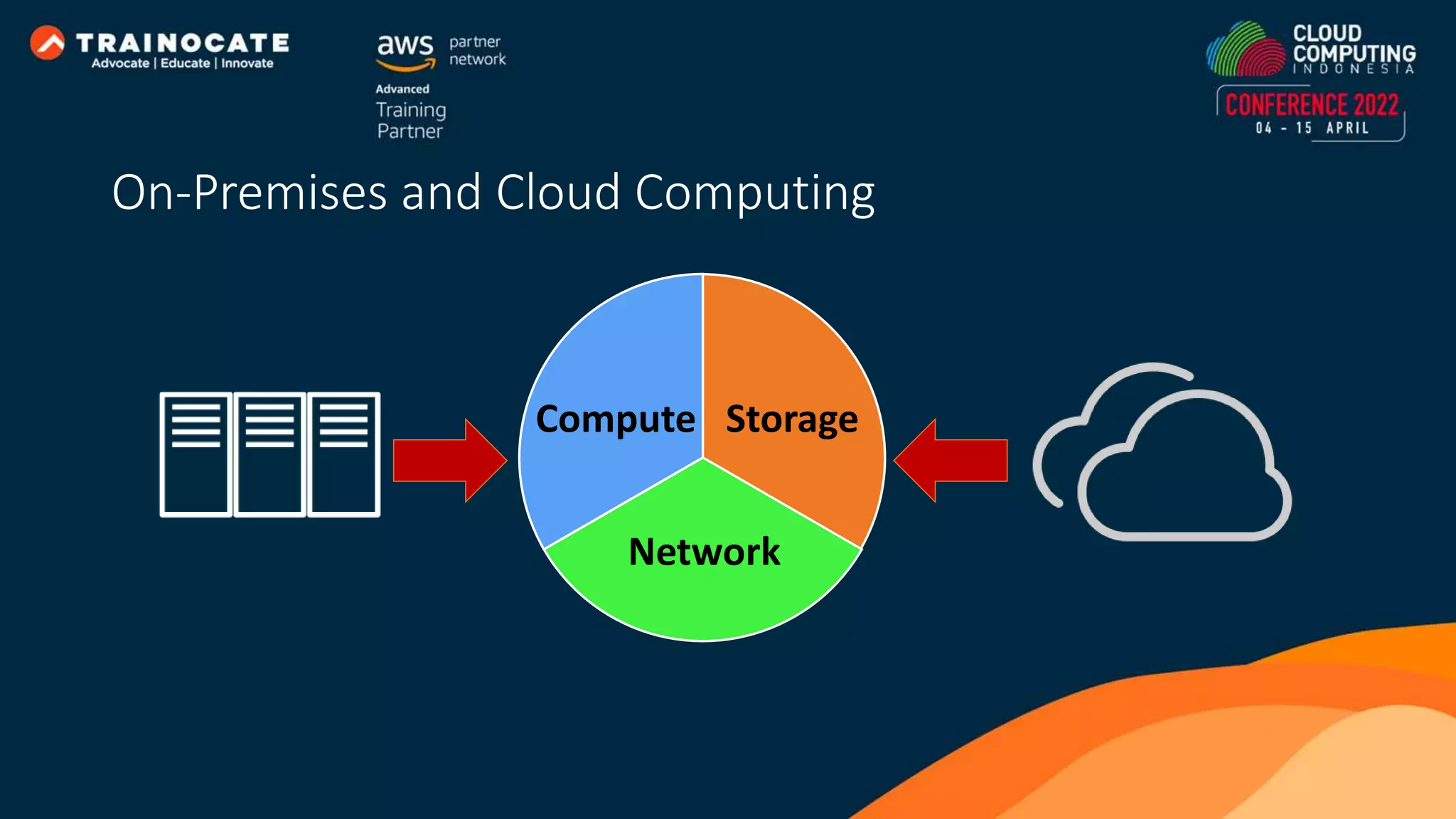
Compute Network Storage On-Premises and Cloud Computing
Characteristics of On-premises • Upfront cost investment. • Procurement and setup. • Systems operation. • Fixed resource. • Limited geographic regions.
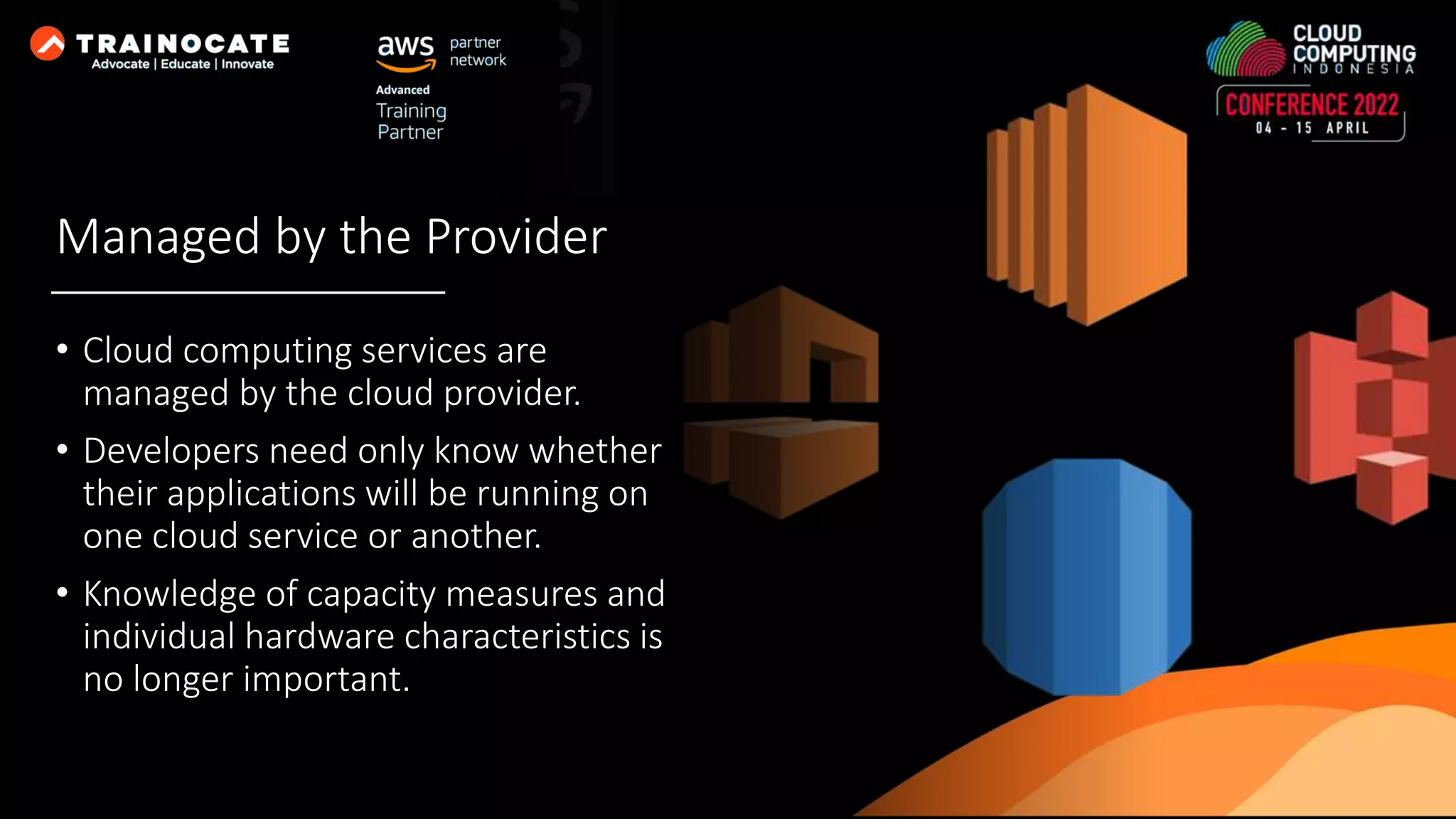
Managed by the Provider • Cloud computing services are managed by the cloud provider. • Developers need only know whether their applications will be running on one cloud service or another. • Knowledge of capacity measures and individual hardware characteristics is no longer important.
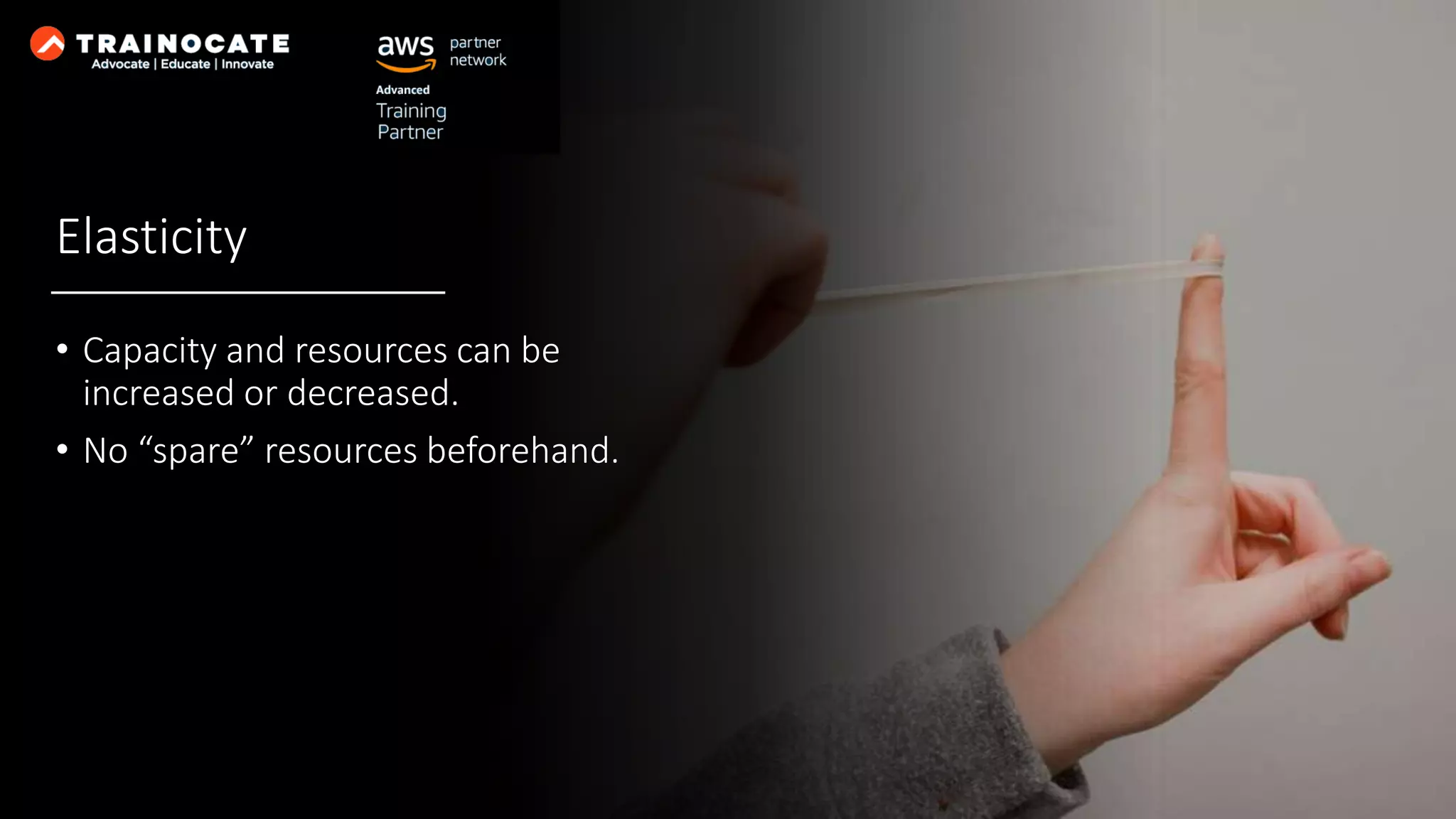
Elasticity • Capacity and resources can be increased or decreased. • No “spare” resources beforehand.
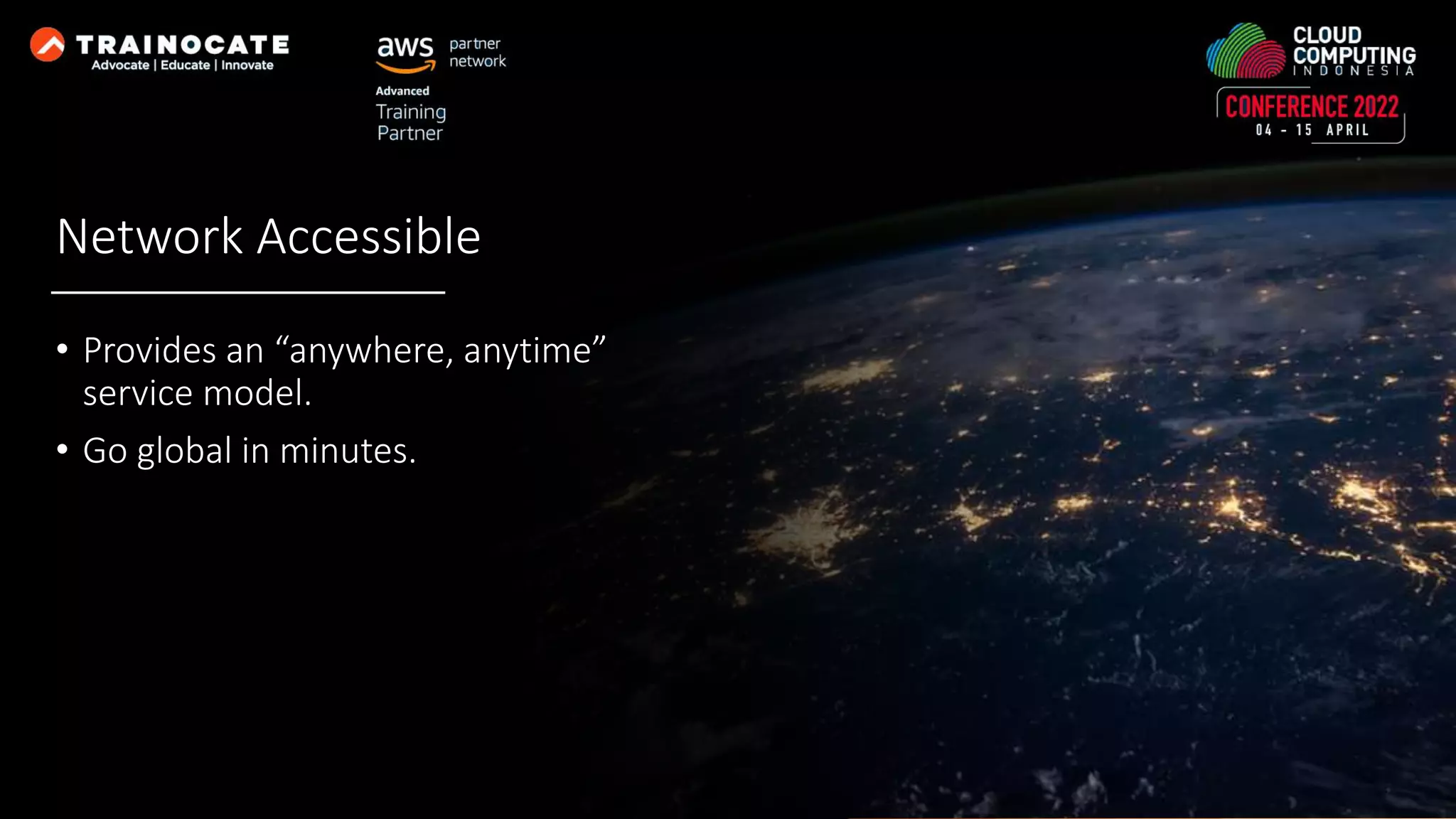
Network Accessible • Provides an “anywhere, anytime” service model. • Go global in minutes.
Sustainable • Reduce power and cooling requirements. • Flexibility in cloud hosting location for optimizing latency, reducing costs, regulatory requirements, available features, disaster recovery.
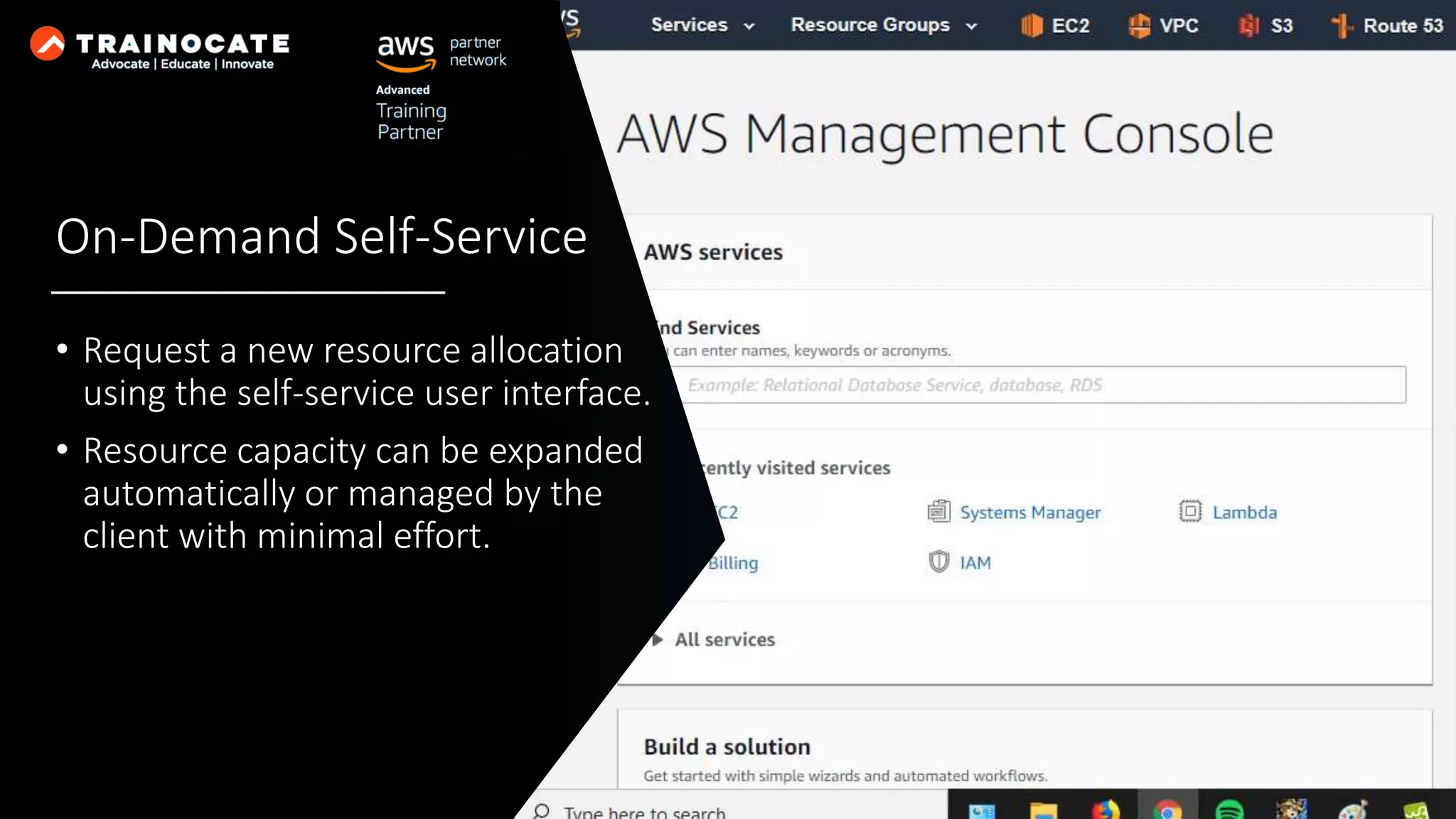
On-Demand Self-Service • Request a new resource allocation using the self-service user interface. • Resource capacity can be expanded automatically or managed by the client with minimal effort.
Measured Service • Resource utilization is metered precisely. • Paying for only the level of use needed. • No upfront investment.
Amazon Web Services enables businesses and developers to use web services to build scalable, sophisticated applications
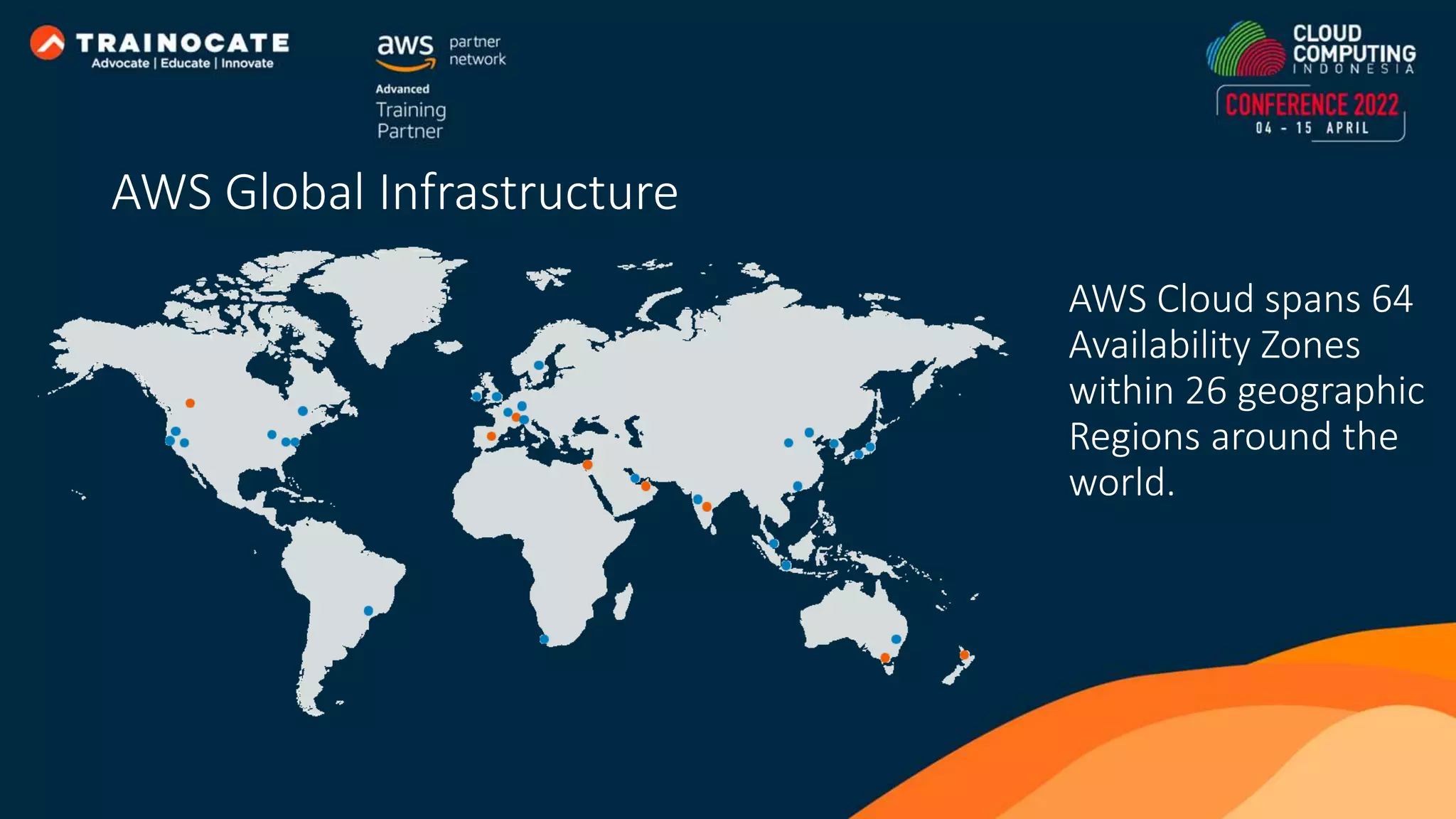
AWS Cloud spans 64 Availability Zones within 26 geographic Regions around the world. AWS Global Infrastructure
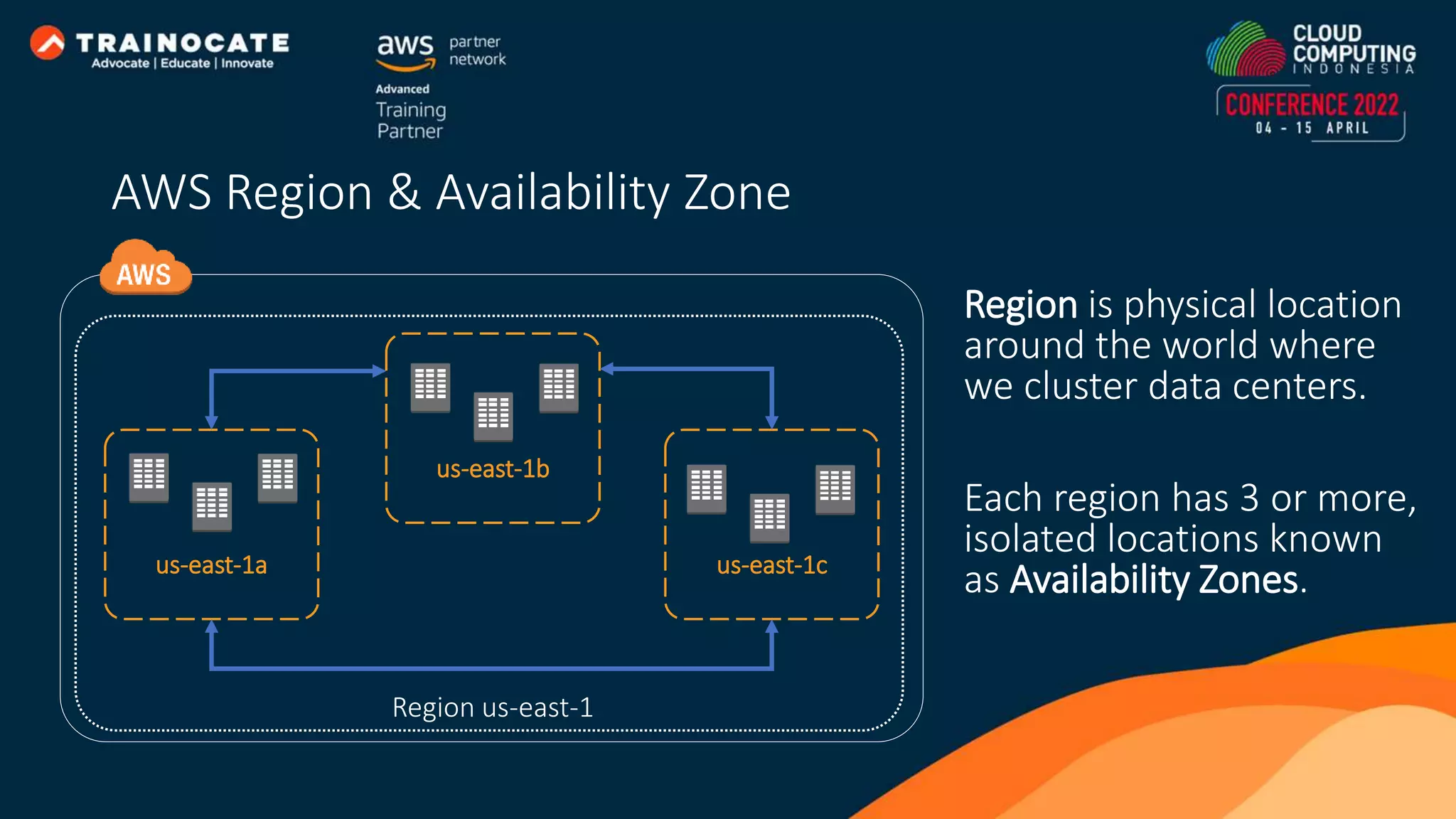
Region is physical location around the world where we cluster data centers. Each region has 3 or more, isolated locations known as Availability Zones. Region us-east-1 us-east-1a us-east-1b us-east-1c AWS Region & Availability Zone
Amazon EC2 provides scalable computing capacity in the AWS cloud.
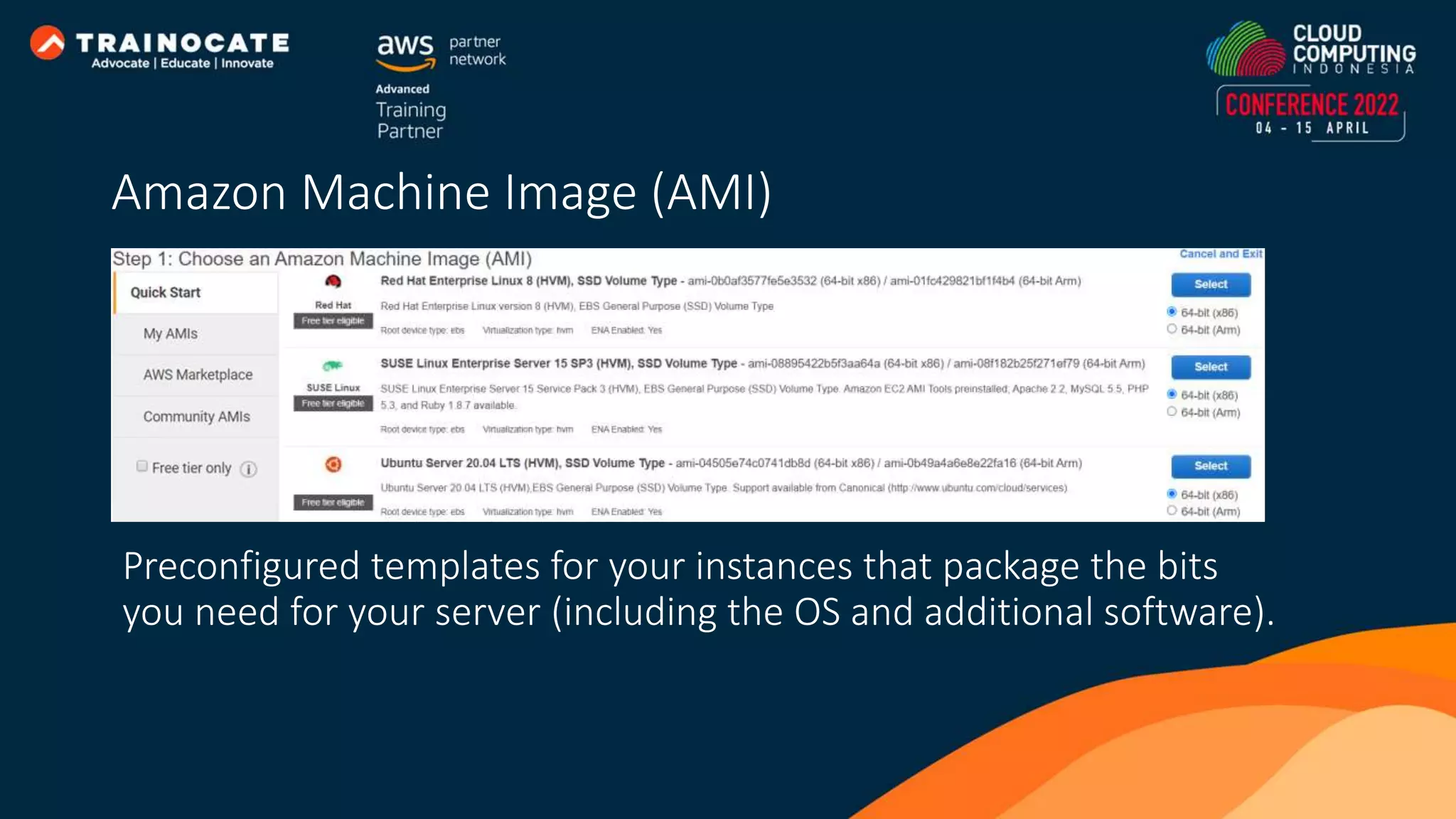
Preconfigured templates for your instances that package the bits you need for your server (including the OS and additional software). Amazon Machine Image (AMI)
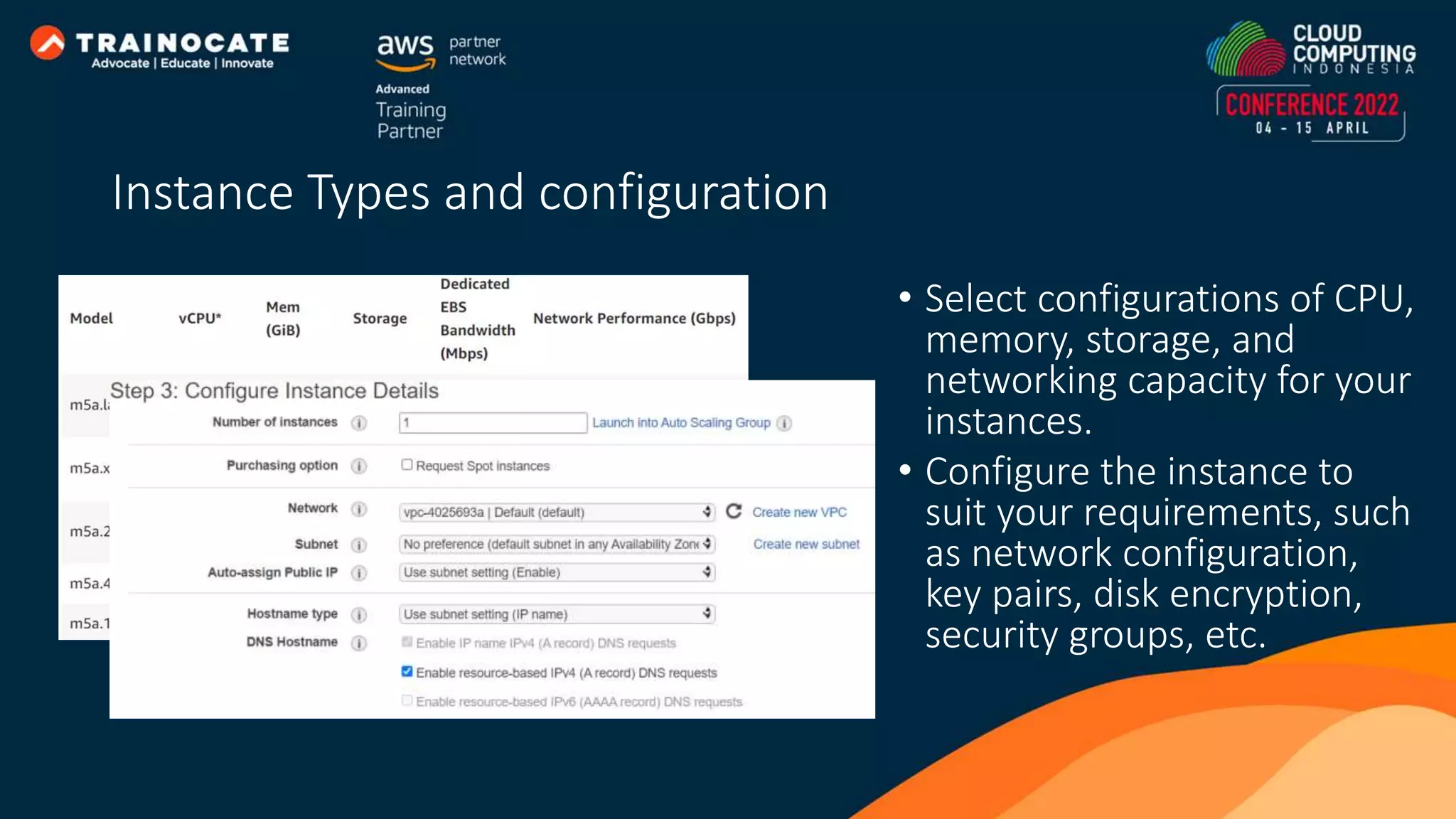
• Select configurations of CPU, memory, storage, and networking capacity for your instances. • Configure the instance to suit your requirements, such as network configuration, key pairs, disk encryption, security groups, etc. Instance Types and configuration
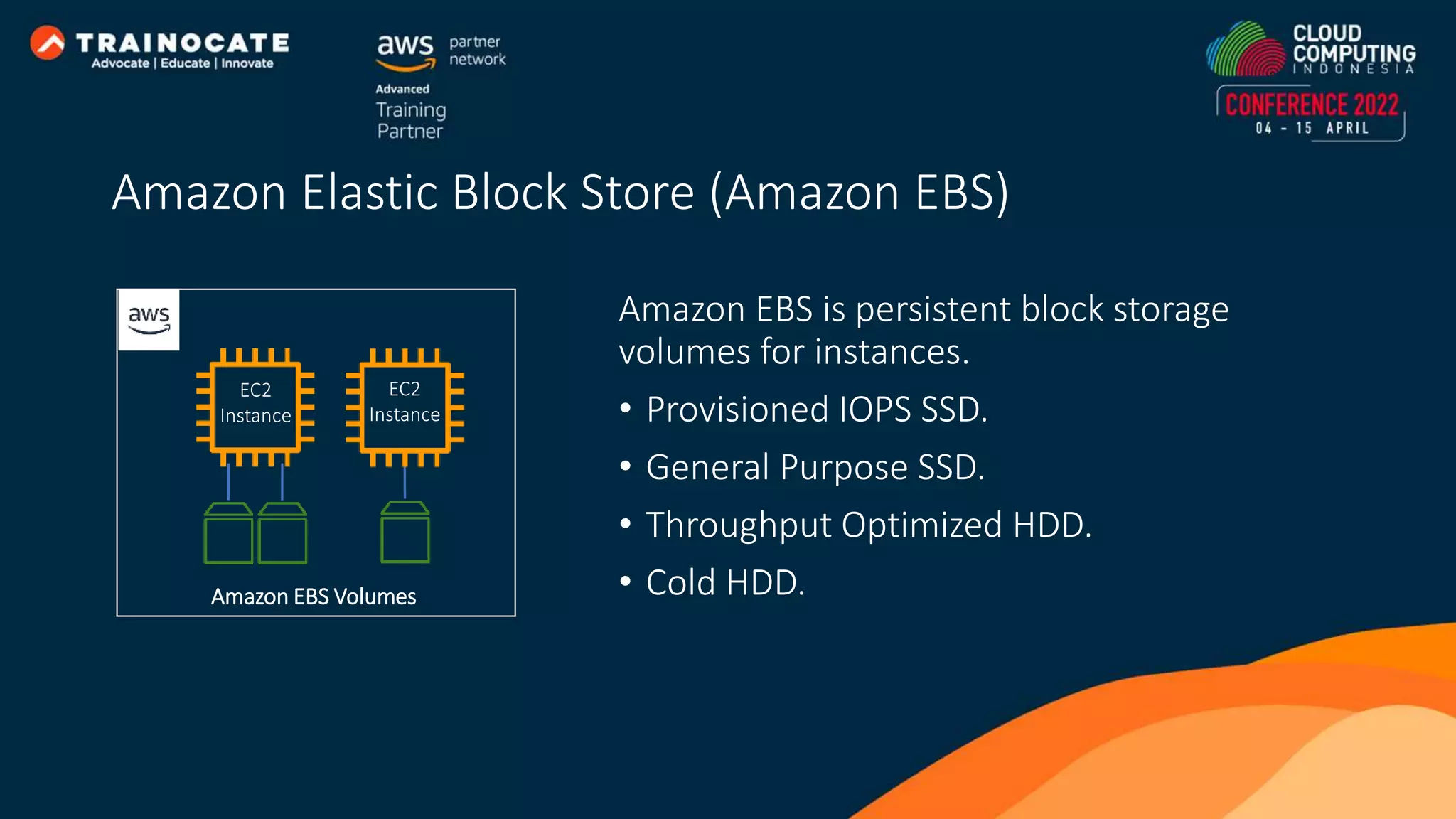
Amazon EBS is persistent block storage volumes for instances. • Provisioned IOPS SSD. • General Purpose SSD. • Throughput Optimized HDD. • Cold HDD. Amazon EBS Volumes EC2 Instance EC2 Instance Amazon Elastic Block Store (Amazon EBS)
Amazon RDS fully managed relational database service that allows you to easily operate and scale your database
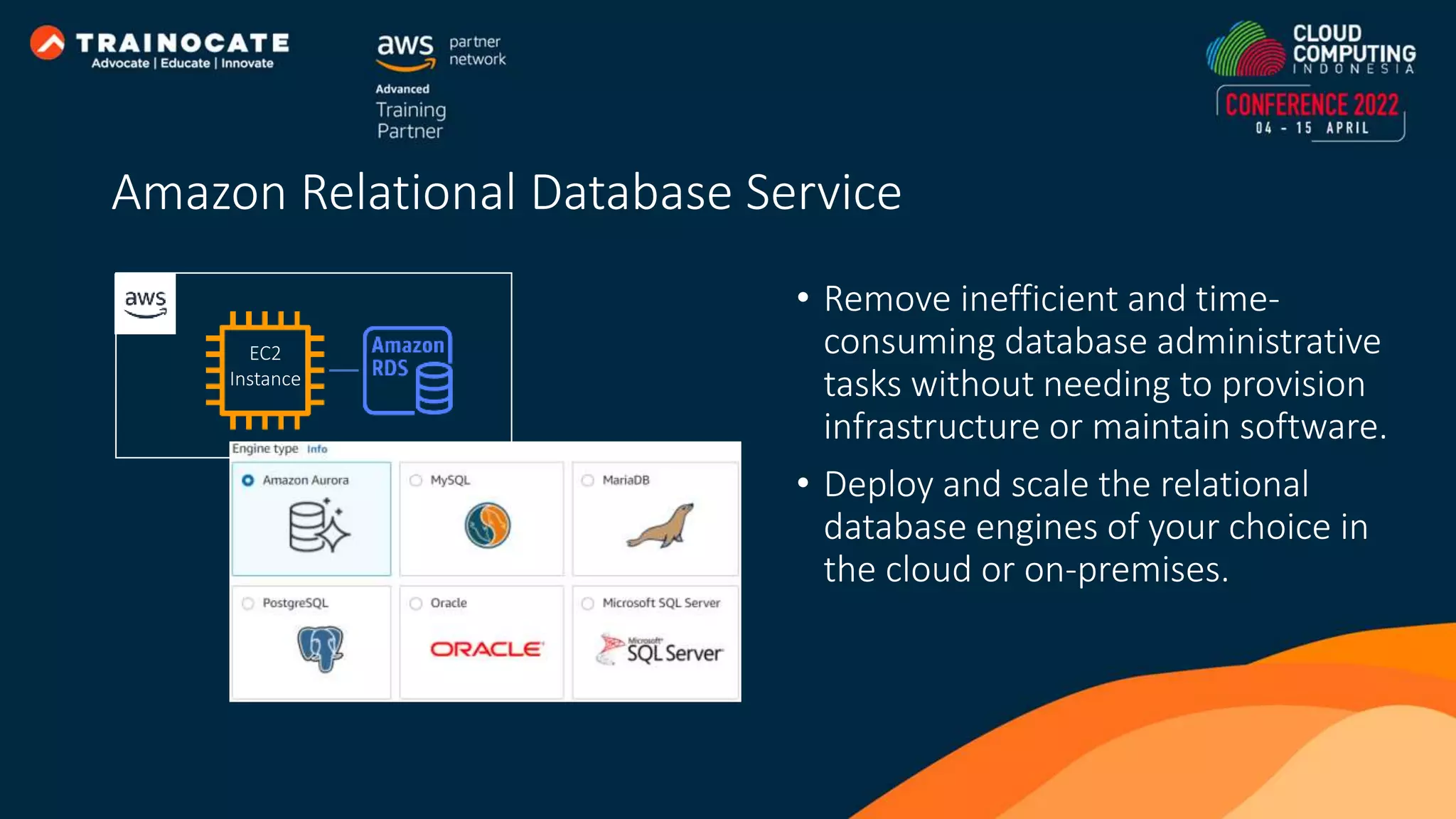
• Remove inefficient and time- consuming database administrative tasks without needing to provision infrastructure or maintain software. • Deploy and scale the relational database engines of your choice in the cloud or on-premises. EC2 Instance Amazon Relational Database Service
Amazon S3 is object storage built to store and retrieve any amount of data from anywhere
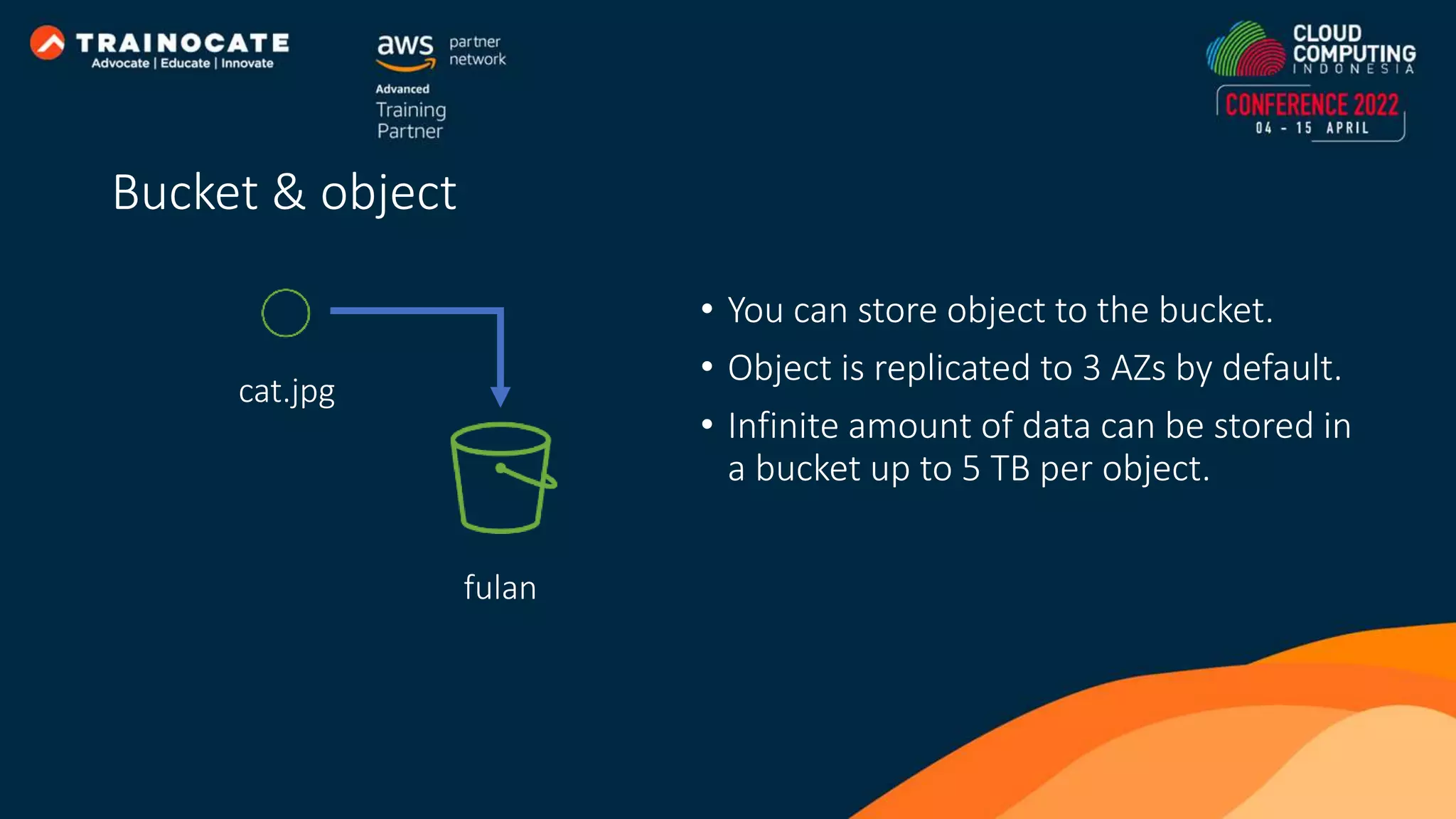
• You can store object to the bucket. • Object is replicated to 3 AZs by default. • Infinite amount of data can be stored in a bucket up to 5 TB per object. fulan cat.jpg Bucket & object
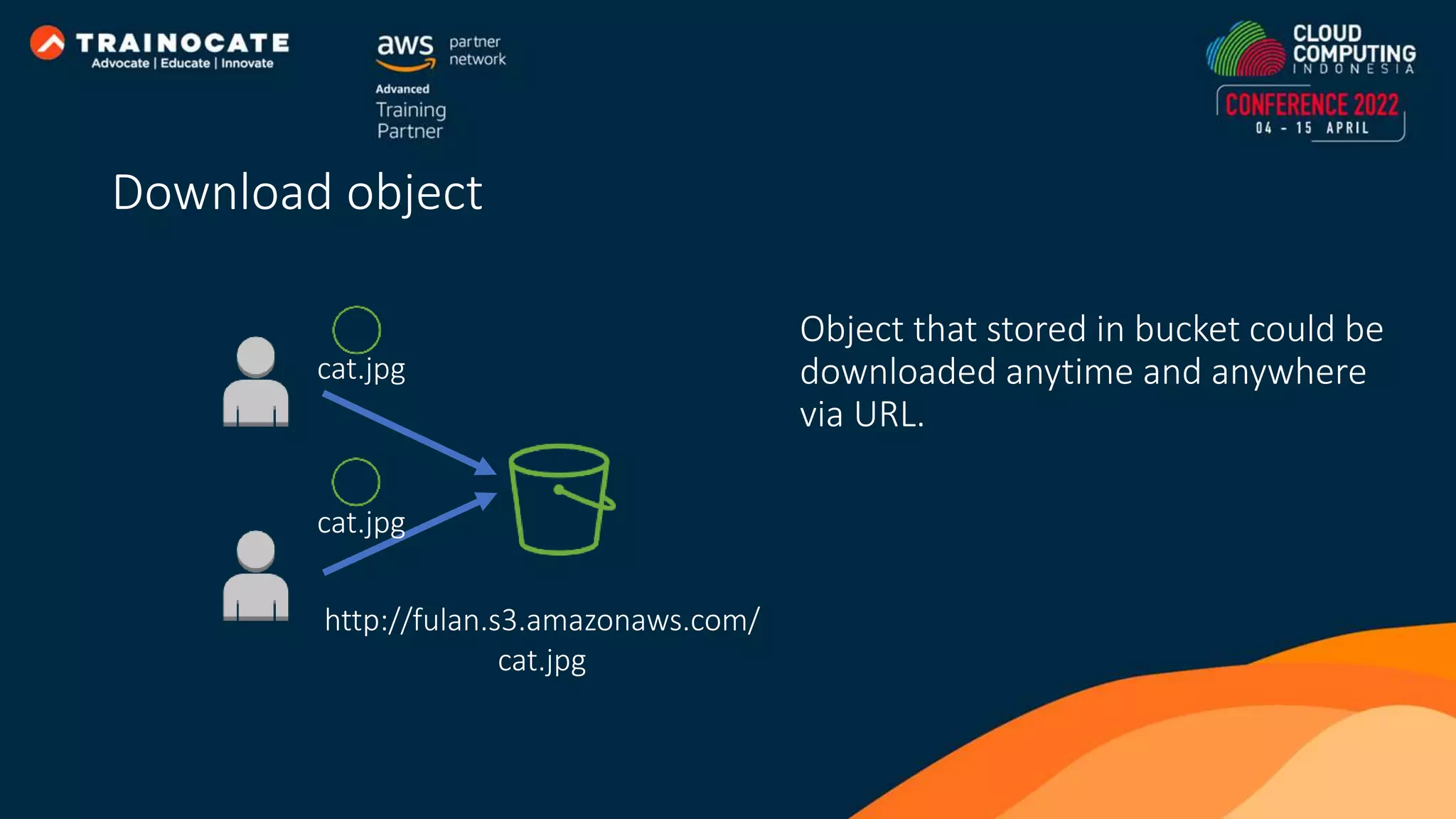
Object that stored in bucket could be downloaded anytime and anywhere via URL. cat.jpg cat.jpg http://fulan.s3.amazonaws.com/ cat.jpg Download object
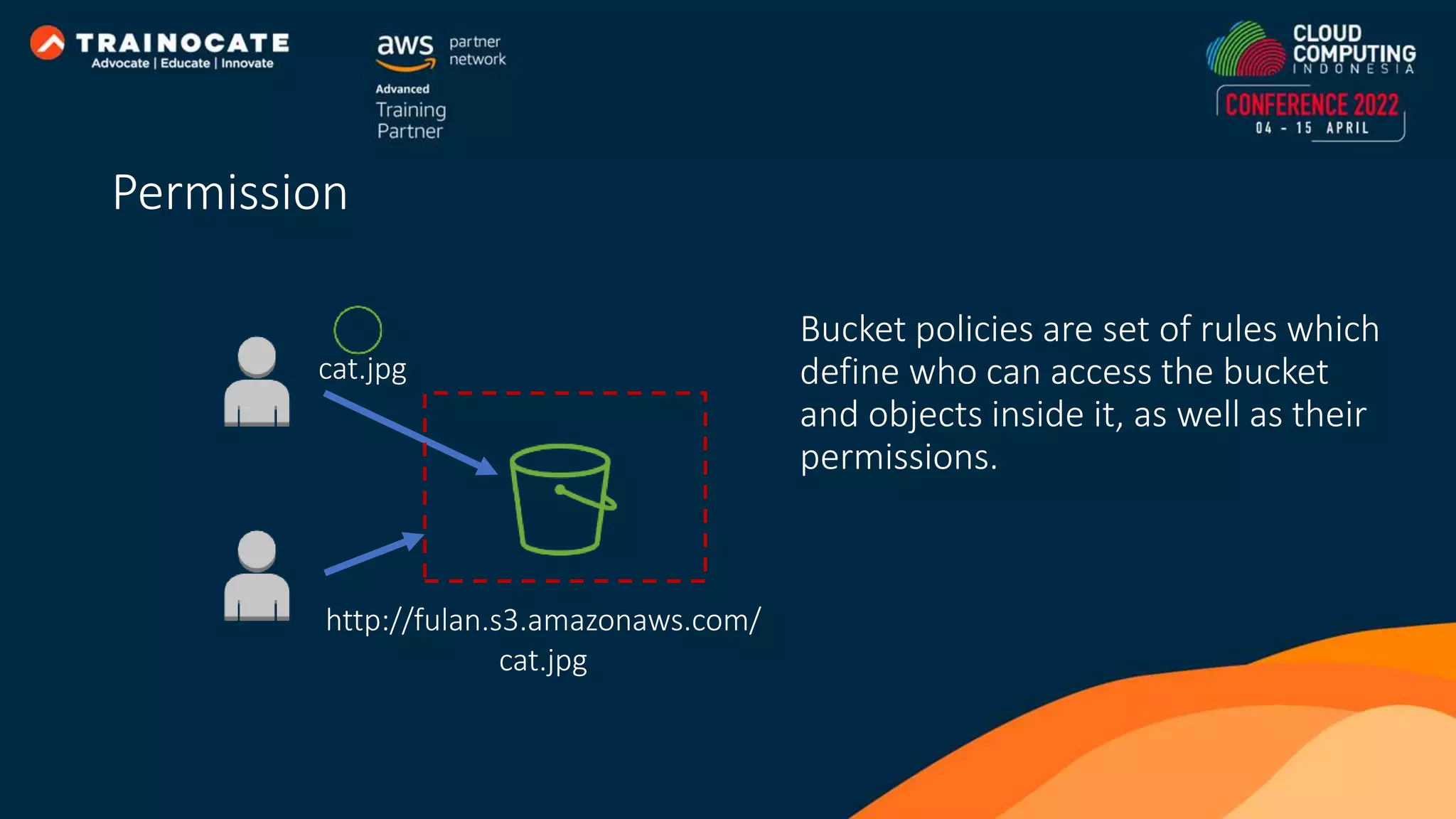
Permission http://fulan.s3.amazonaws.com/ cat.jpg cat.jpg Bucket policies are set of rules which define who can access the bucket and objects inside it, as well as their permissions.
Amazon VPC enables you to launch AWS resources into a virtual network that dedicated to your AWS account and logically isolated from other virtual networks.
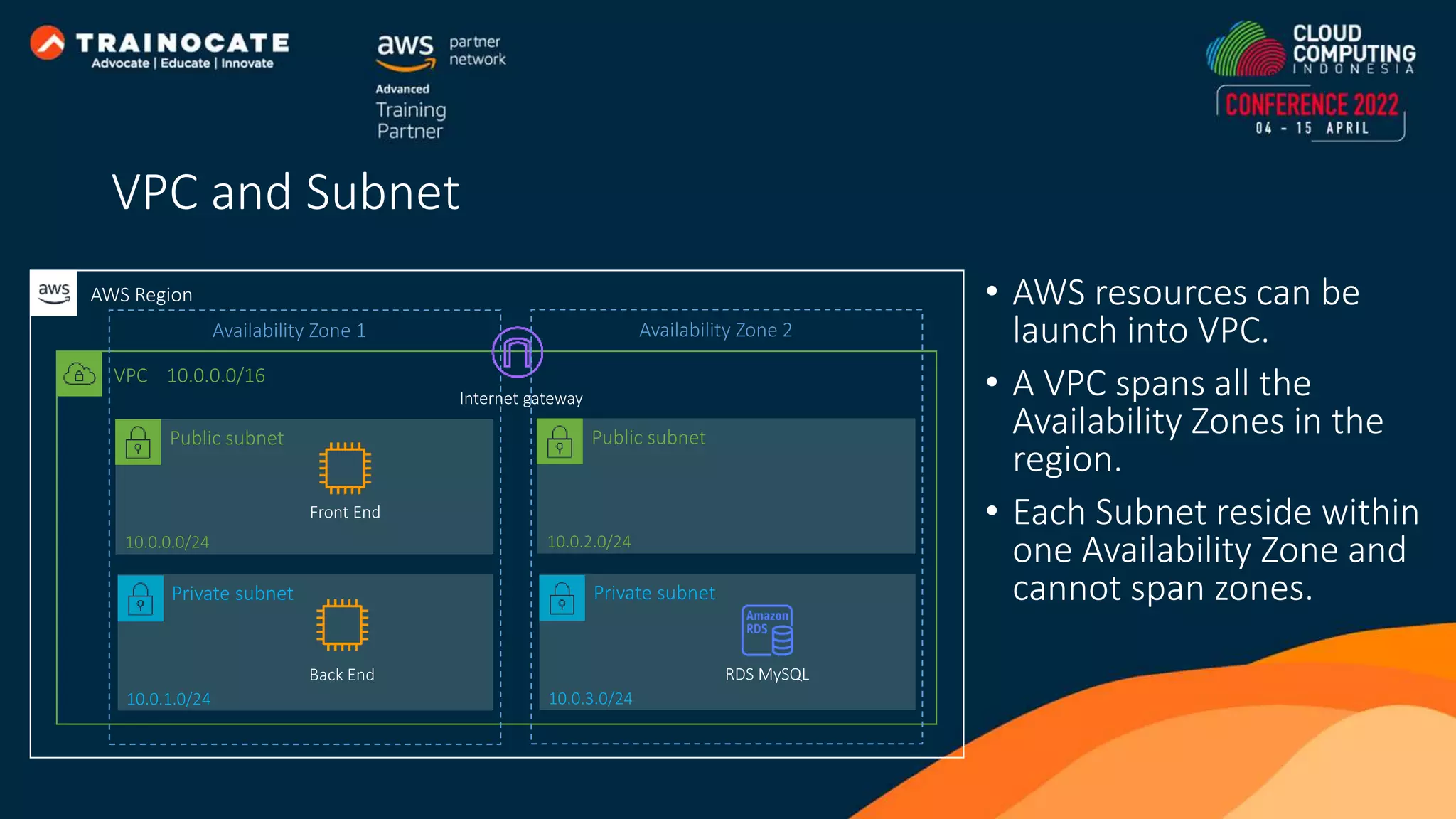
• AWS resources can be launch into VPC. • A VPC spans all the Availability Zones in the region. • Each Subnet reside within one Availability Zone and cannot span zones. Public subnet VPC 10.0.0.0/16 AWS Region 10.0.0.0/24 Internet gateway Front End Availability Zone 1 Private subnet 10.0.1.0/24 Back End Public subnet 10.0.2.0/24 Availability Zone 2 Private subnet 10.0.3.0/24 RDS MySQL VPC and Subnet
Network ACLs act as a firewall for associated subnets, controlling both inbound and outbound traffic at the subnet level. Security groups act as a firewall for associated instances, controlling both inbound and outbound traffic at the instance level. 10.0.0.0/24 Website [1] Deny ALL – 12.12.12.12/32 [2] Allow HTTP(80) - 0.0.0.0/0 Allow HTTP (80) - 0.0.0.0/0 12.12.12.12 11.11.11.11 Network ACL and Security Group
Elastic Load Balancing automatically distribute network traffic to improve application scalability and availability
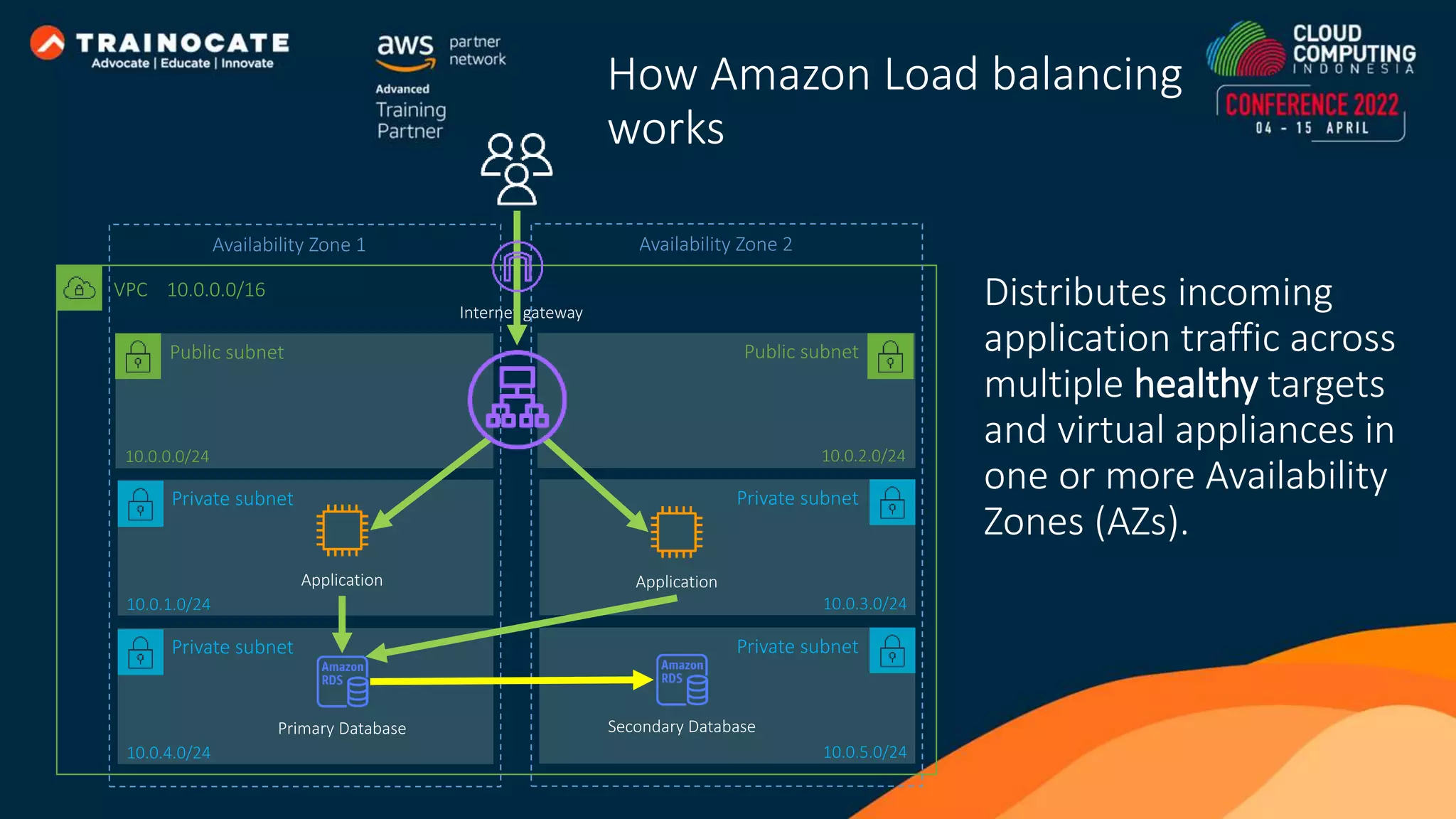
Distributes incoming application traffic across multiple healthy targets and virtual appliances in one or more Availability Zones (AZs). Public subnet VPC 10.0.0.0/16 10.0.0.0/24 Internet gateway Availability Zone 1 Private subnet 10.0.1.0/24 Application Public subnet 10.0.2.0/24 Availability Zone 2 Private subnet 10.0.3.0/24 Application Private subnet 10.0.4.0/24 Private subnet 10.0.5.0/24 Primary Database Secondary Database How Amazon Load balancing works
Auto Scaling adjusts capacity to maintain steady, predictable performance at the lowest possible cost automatically
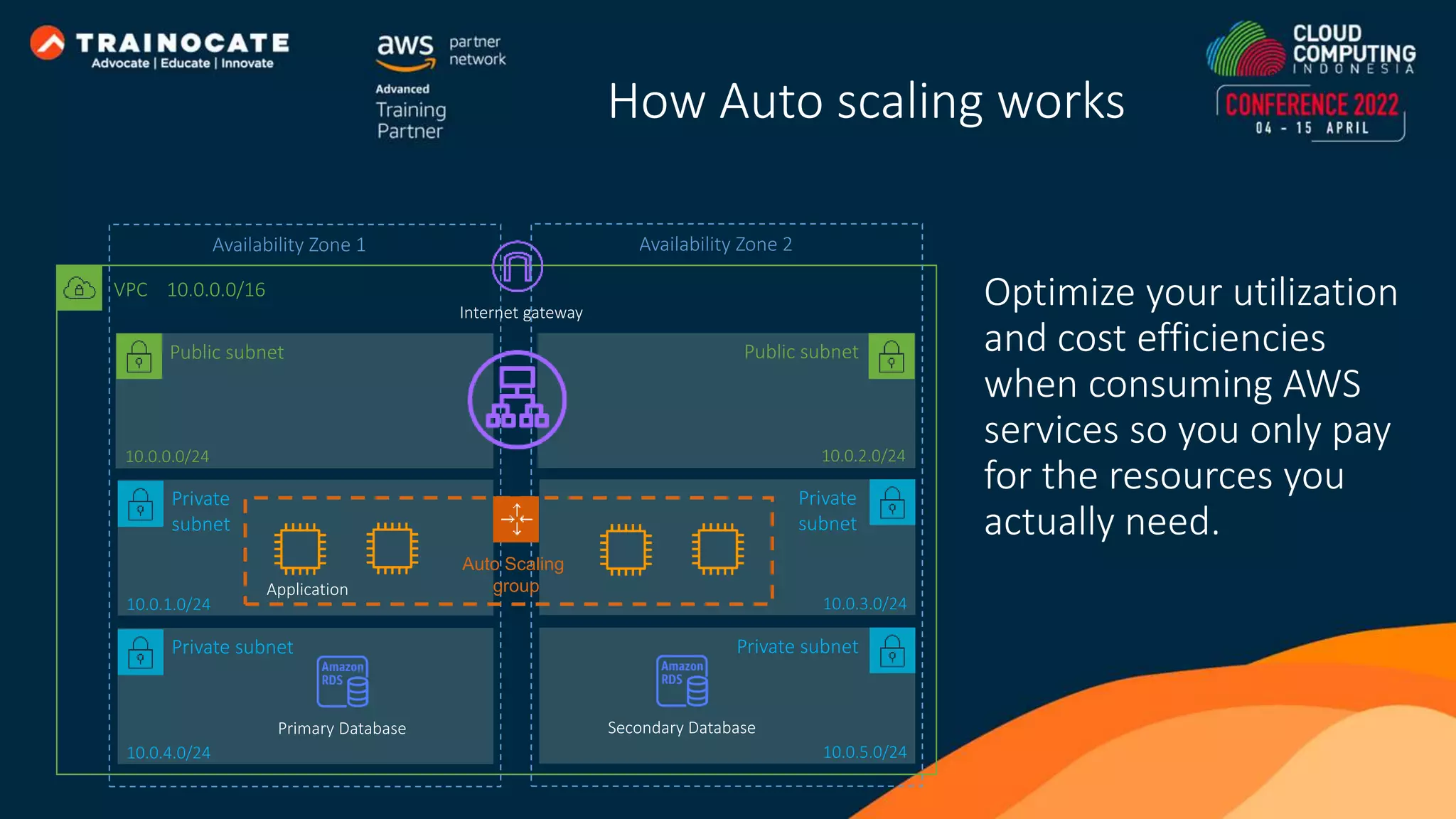
Public subnet VPC 10.0.0.0/16 10.0.0.0/24 Internet gateway Availability Zone 1 Private subnet 10.0.1.0/24 Public subnet 10.0.2.0/24 Availability Zone 2 Private subnet 10.0.3.0/24 Application Private subnet 10.0.4.0/24 Primary Database Private subnet 10.0.5.0/24 Auto Scaling group Secondary Database Optimize your utilization and cost efficiencies when consuming AWS services so you only pay for the resources you actually need. How Auto scaling works
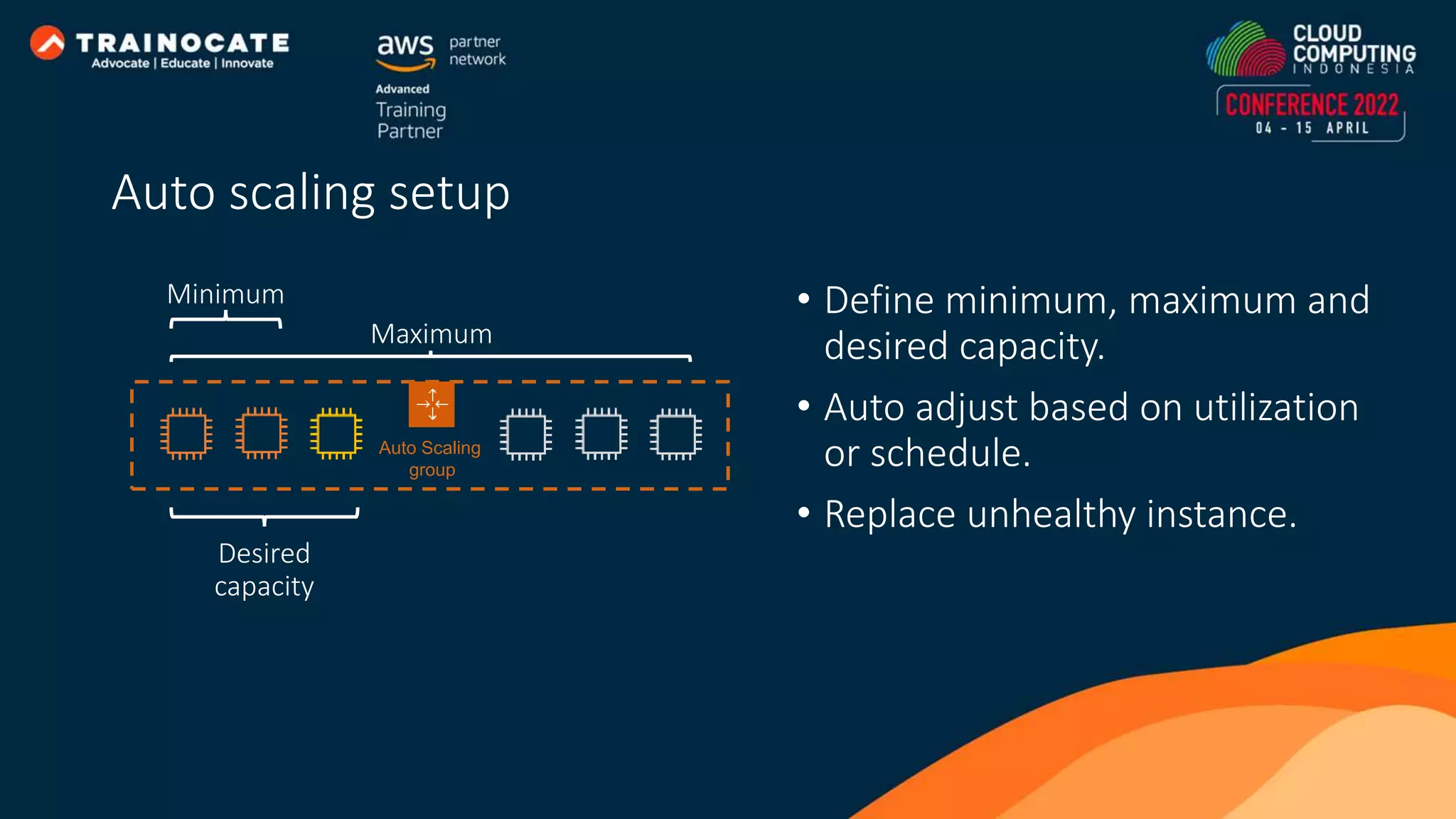
• Define minimum, maximum and desired capacity. • Auto adjust based on utilization or schedule. • Replace unhealthy instance. Auto Scaling group Minimum Maximum Desired capacity Auto scaling setup
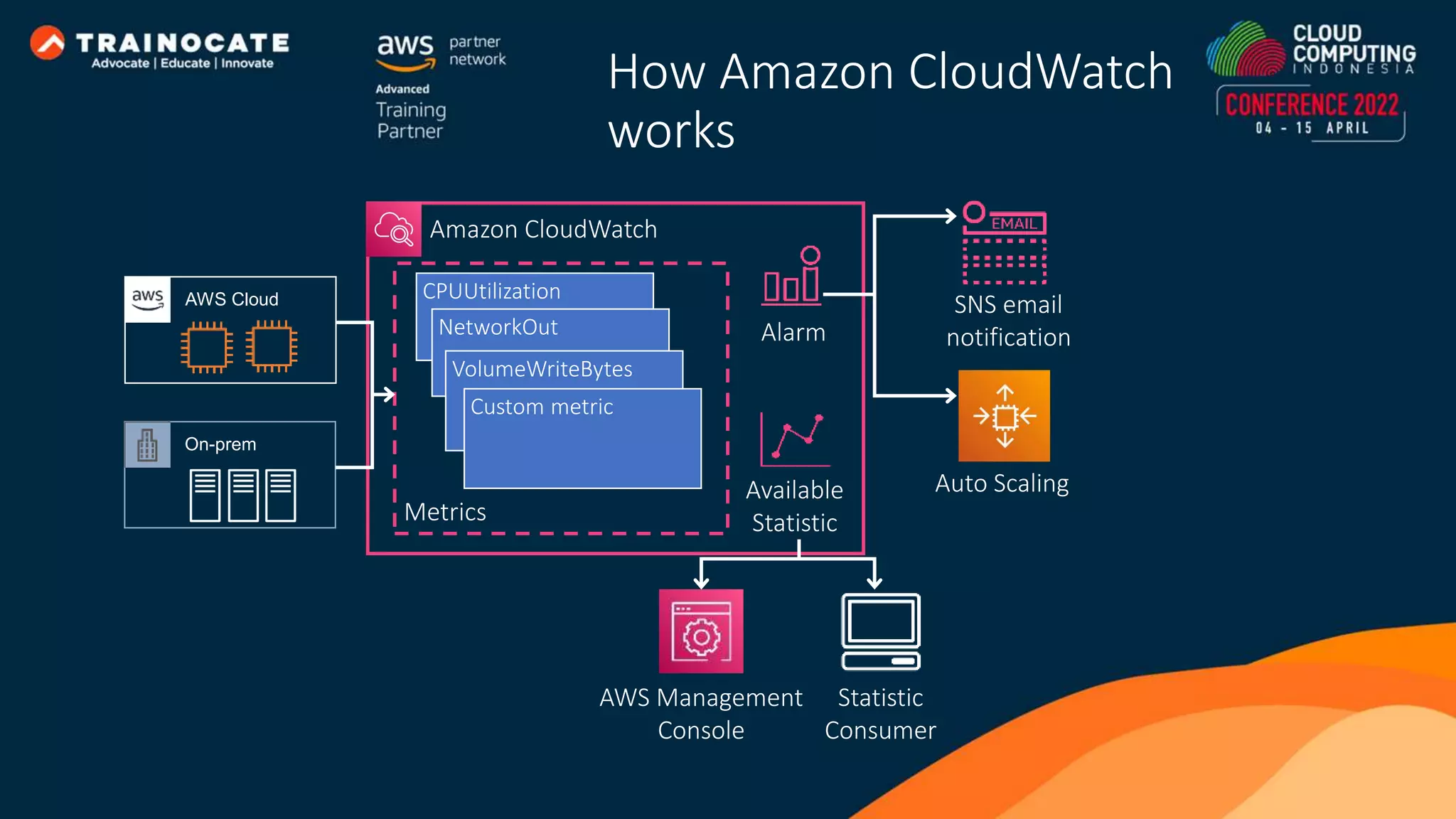
Amazon CloudWatch monitors your resources and the applications you run in real time
AWS Cloud On-prem CPUUtilization NetworkOut VolumeWriteBytes Custom metric Metrics Amazon CloudWatch Alarm Available Statistic AWS Management Console Statistic Consumer SNS email notification Auto Scaling How Amazon CloudWatch works
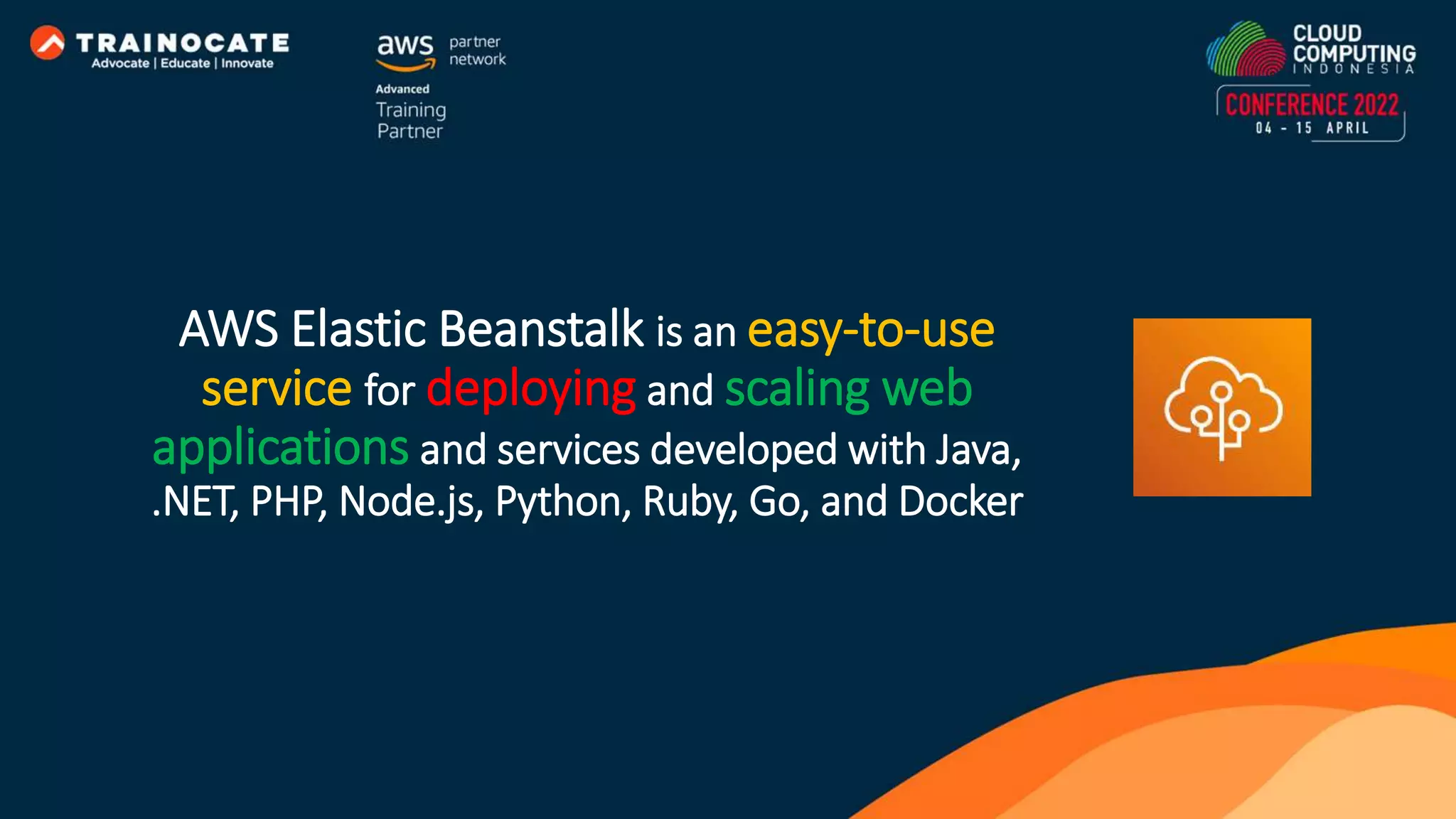
AWS Elastic Beanstalk is an easy-to-use service for deploying and scaling web applications and services developed with Java, .NET, PHP, Node.js, Python, Ruby, Go, and Docker
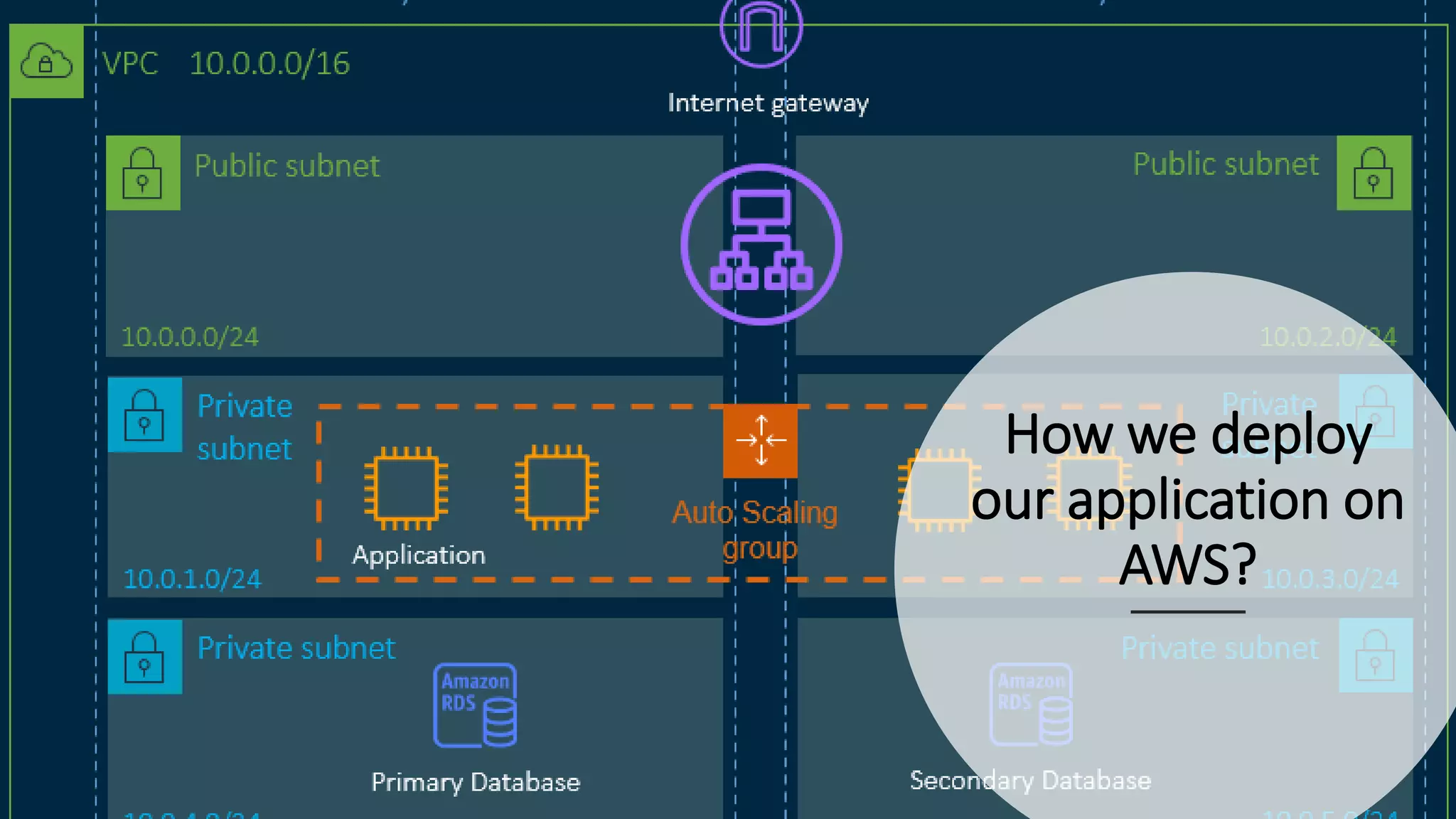
How we deploy our application on AWS?
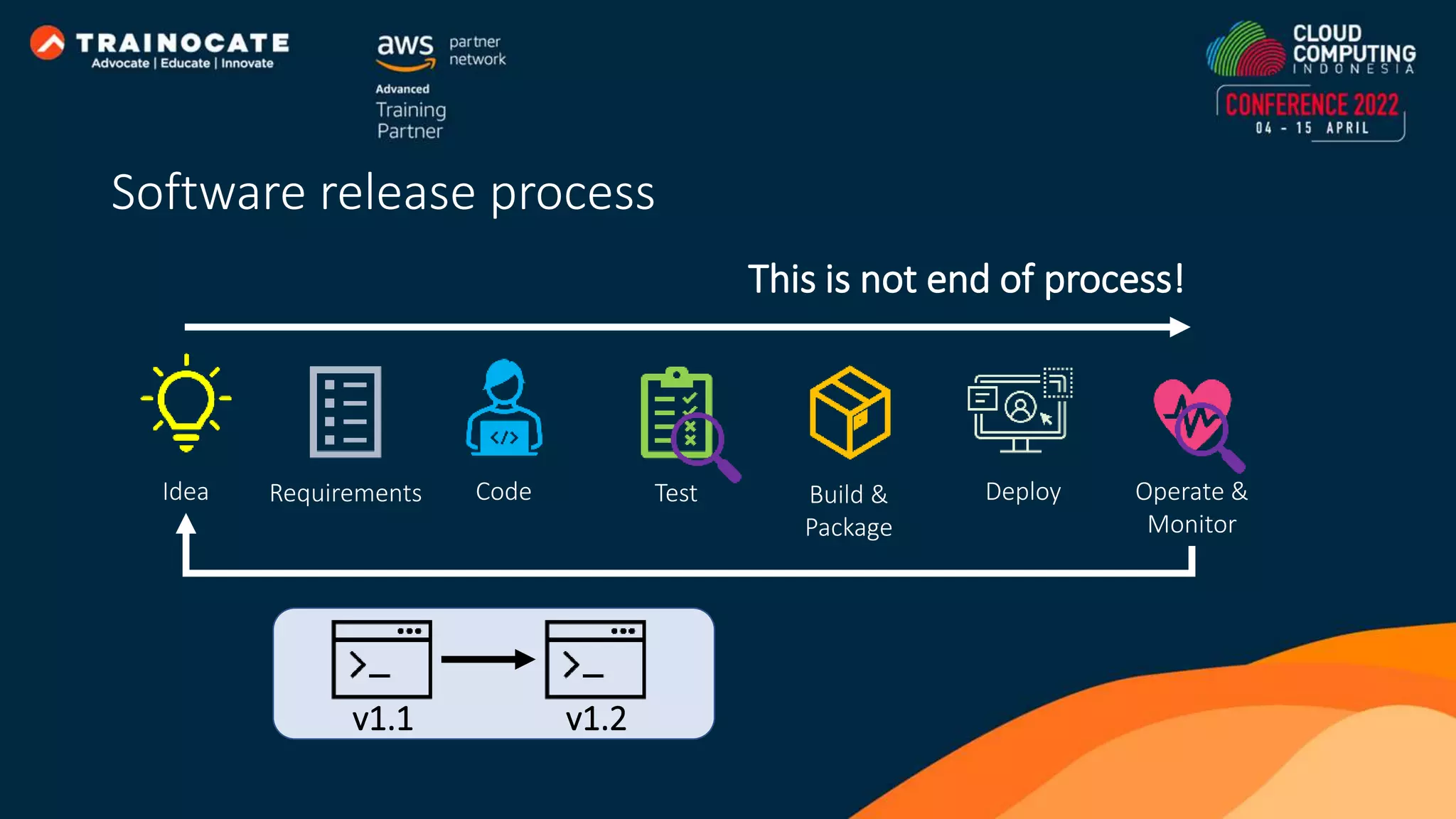
Idea Requirements Code Test Build & Package Deploy Operate & Monitor This is not end of process! v1.1 v1.2 Software release process
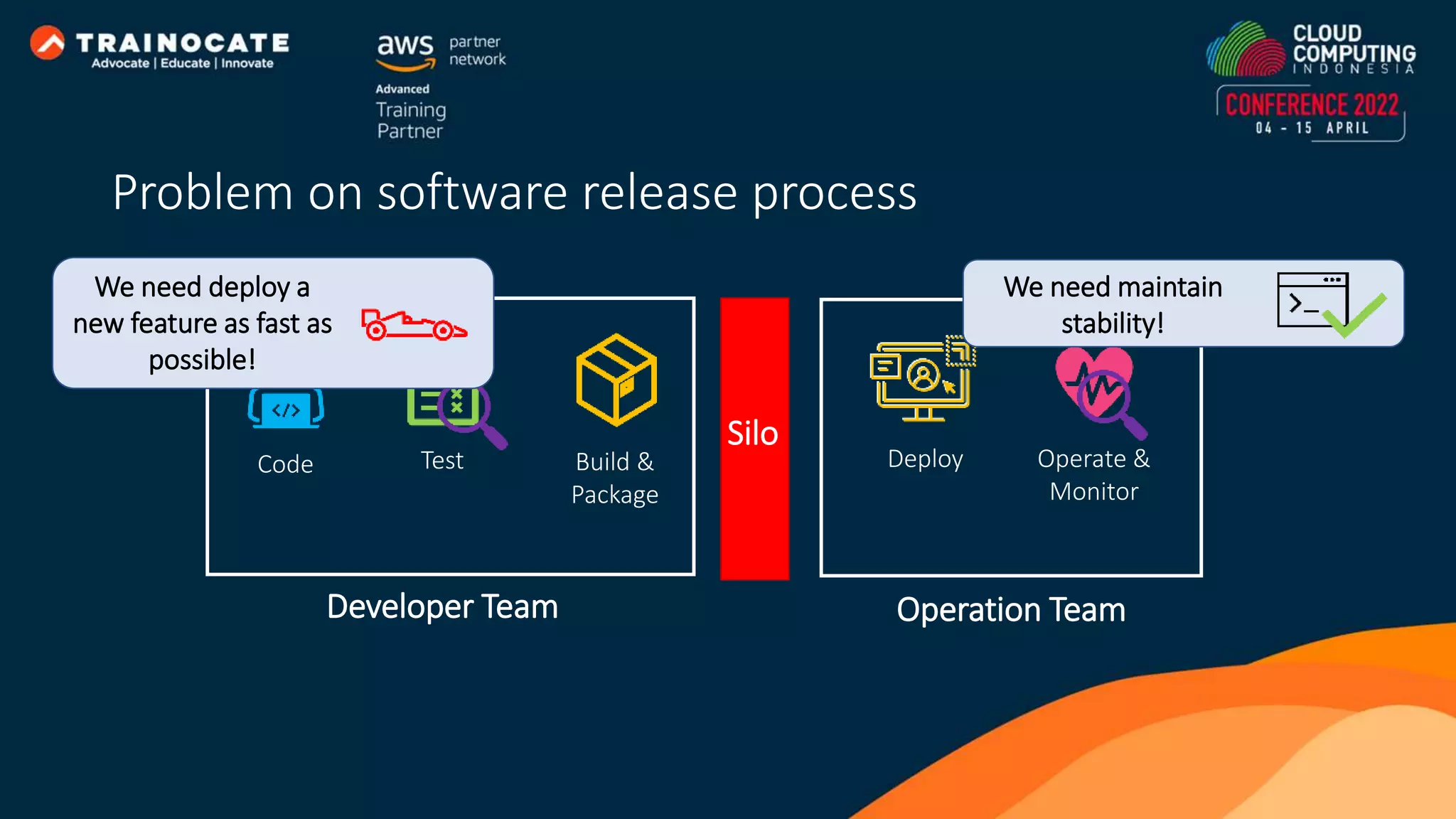
Code Test Build & Package Deploy Operate & Monitor Developer Team Operation Team Silo We need maintain stability! We need deploy a new feature as fast as possible! Problem on software release process
DevOps is a cultural philosophies, set of practices, and tools that combine software development with information technology operations
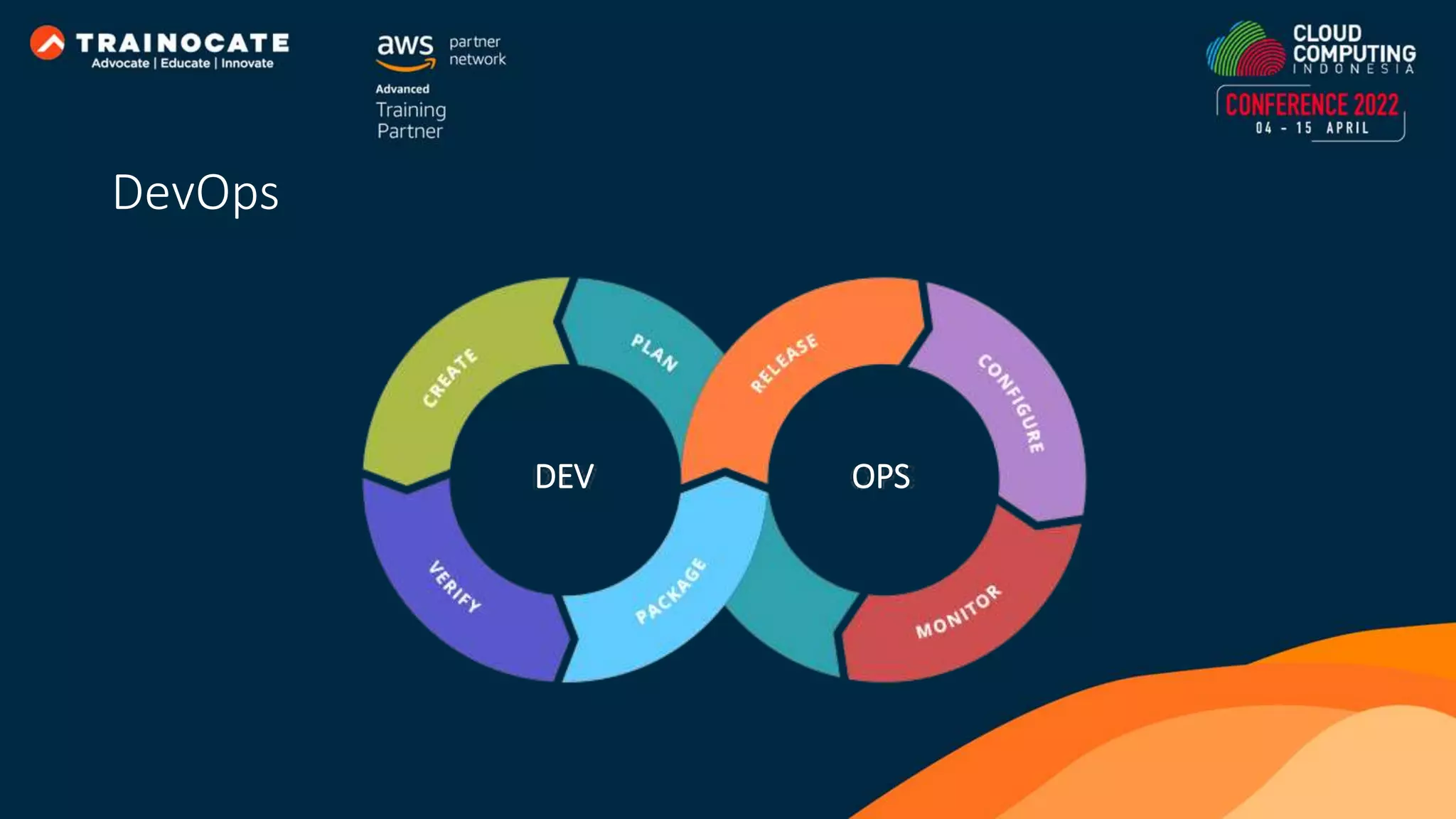
DEV OPS DevOps
DevOps is about removing the barriers between development and operations. They communicate frequently, increase efficiencies, and improve the quality of services. They take full ownership for their services and view the entire development lifecycle as part of their responsibilities. DevOps Culture
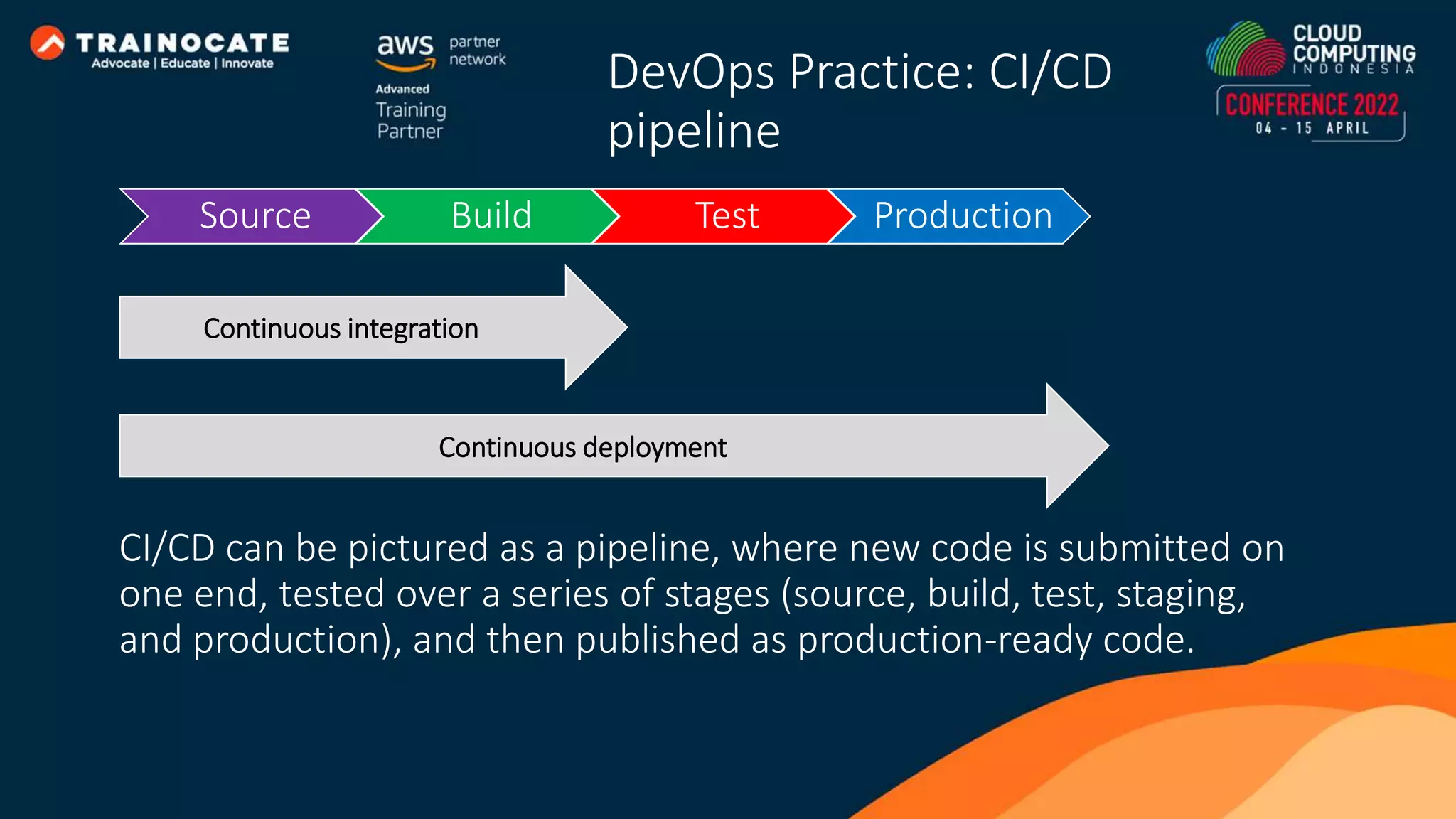
Source Build Test Production CI/CD can be pictured as a pipeline, where new code is submitted on one end, tested over a series of stages (source, build, test, staging, and production), and then published as production-ready code. Continuous integration Continuous deployment DevOps Practice: CI/CD pipeline
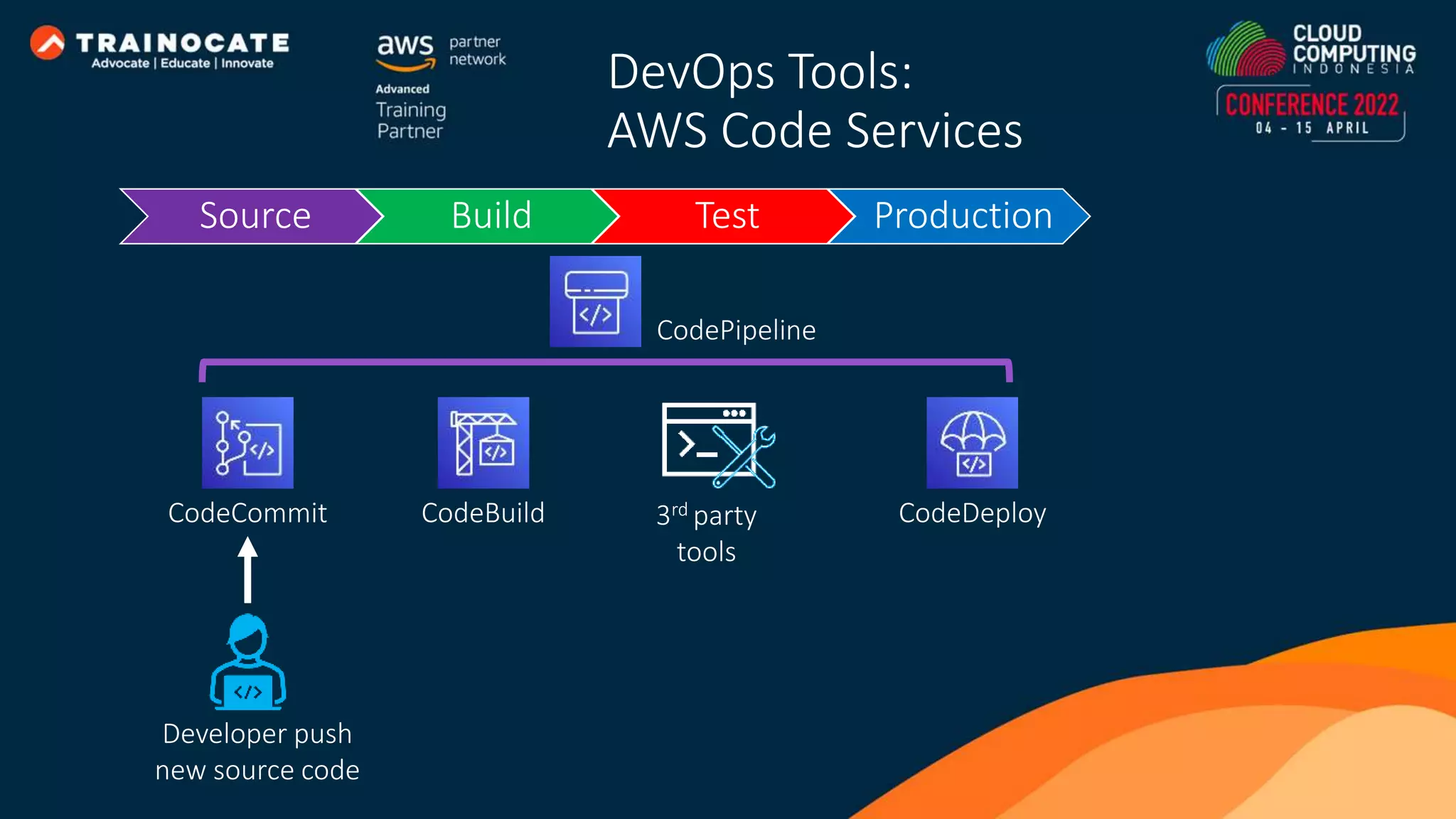
CodeCommit CodeBuild CodeDeploy DevOps Tools: AWS Code Services CodePipeline 3rd party tools Source Build Test Production Developer push new source code
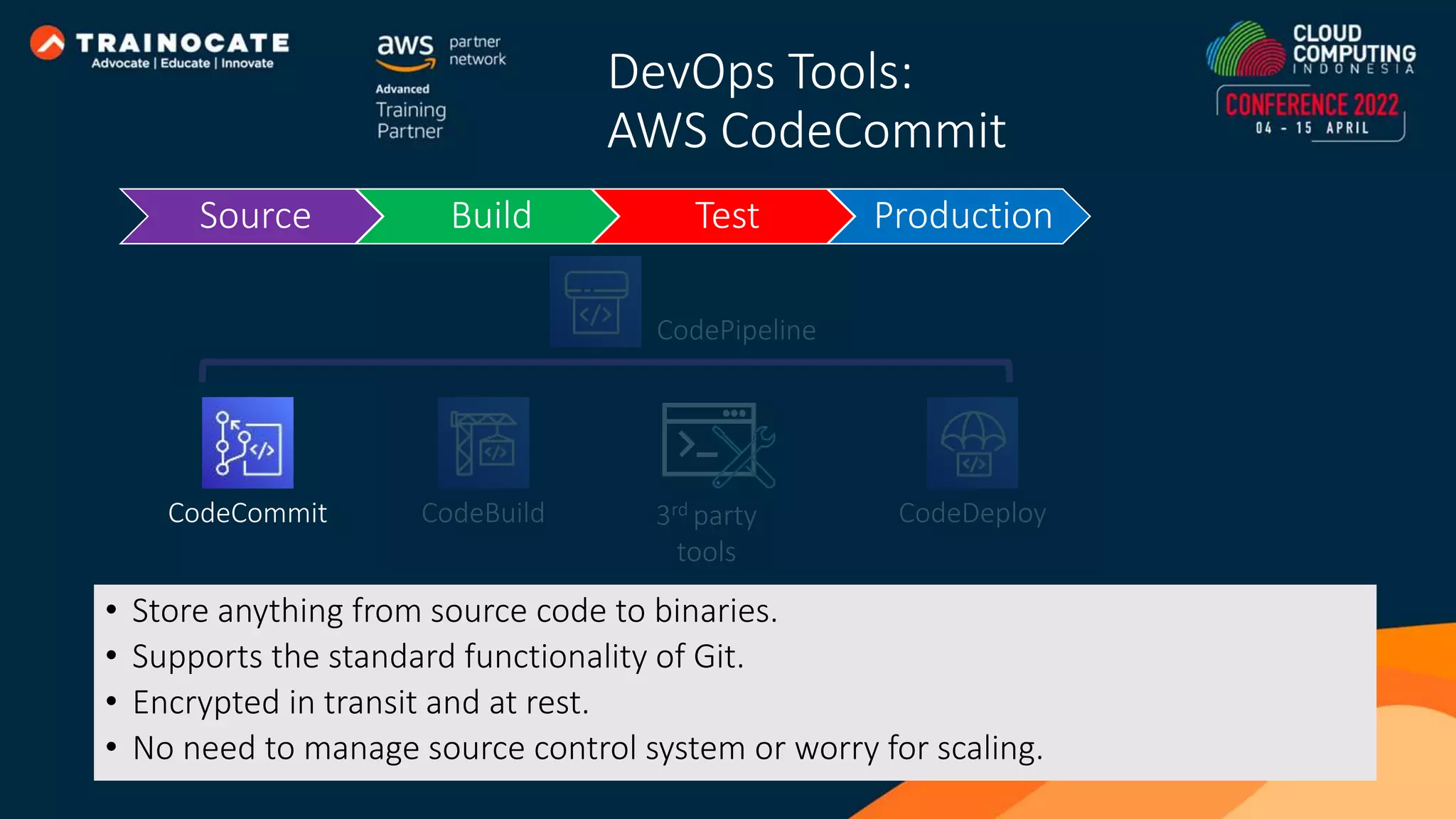
DevOps Tools: AWS CodeCommit Source Build Test Production CodeCommit CodeBuild CodeDeploy CodePipeline 3rd party tools • Store anything from source code to binaries. • Supports the standard functionality of Git. • Encrypted in transit and at rest. • No need to manage source control system or worry for scaling.
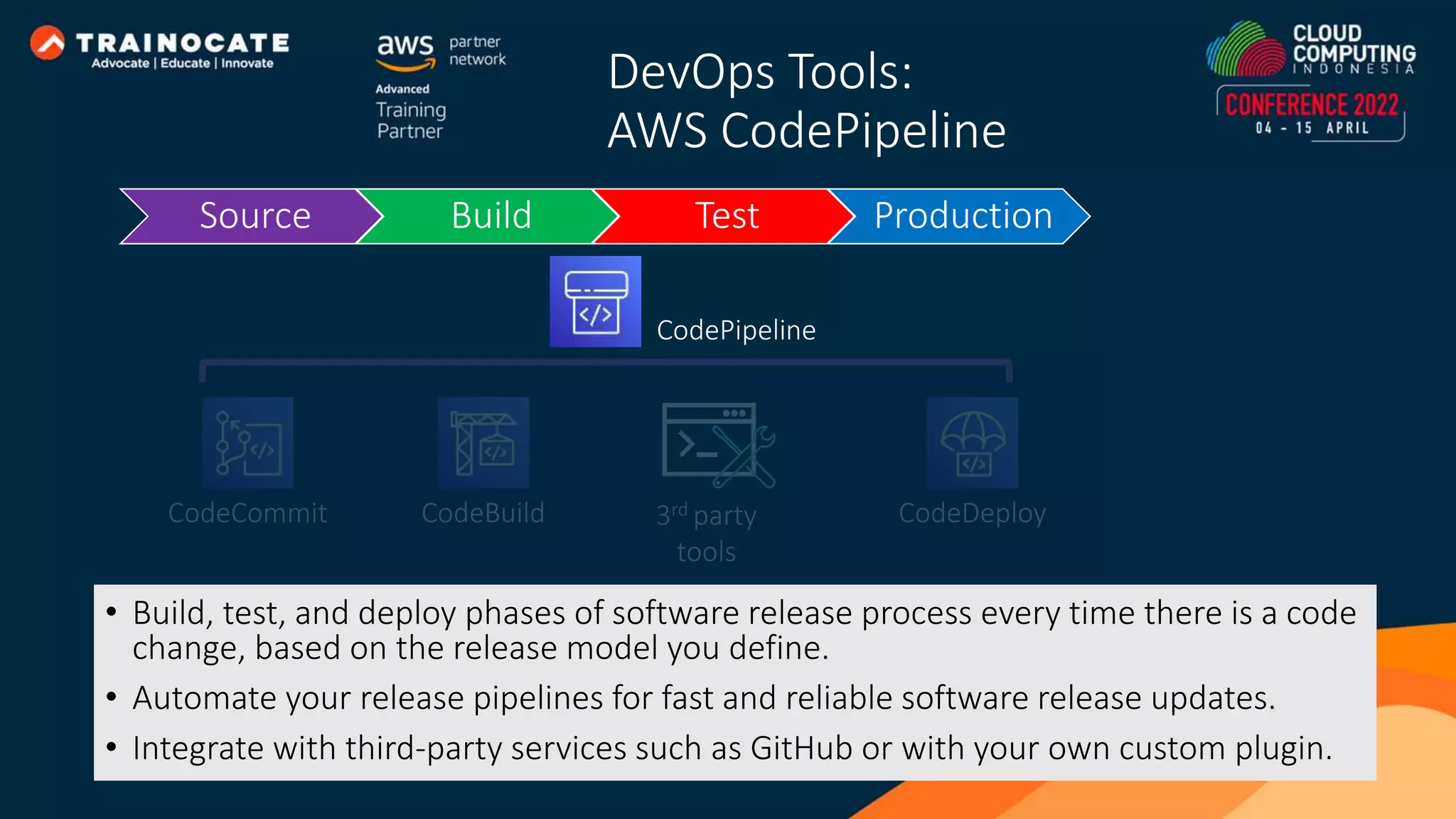
DevOps Tools: AWS CodePipeline • Build, test, and deploy phases of software release process every time there is a code change, based on the release model you define. • Automate your release pipelines for fast and reliable software release updates. • Integrate with third-party services such as GitHub or with your own custom plugin. Source Build Test Production CodeCommit CodeBuild CodeDeploy CodePipeline 3rd party tools
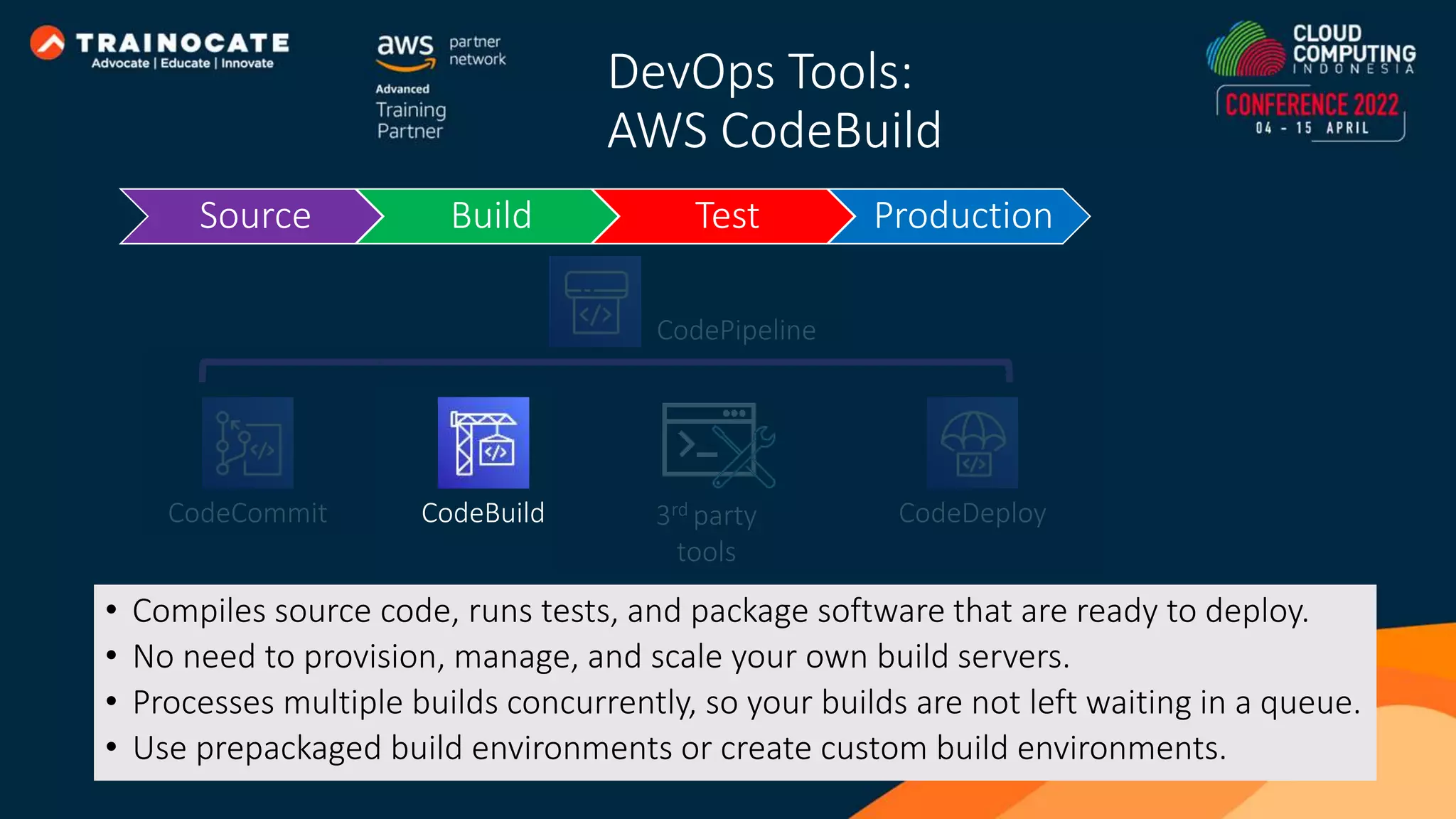
DevOps Tools: AWS CodeBuild • Compiles source code, runs tests, and package software that are ready to deploy. • No need to provision, manage, and scale your own build servers. • Processes multiple builds concurrently, so your builds are not left waiting in a queue. • Use prepackaged build environments or create custom build environments. Source Build Test Production CodeCommit CodeBuild CodeDeploy CodePipeline 3rd party tools
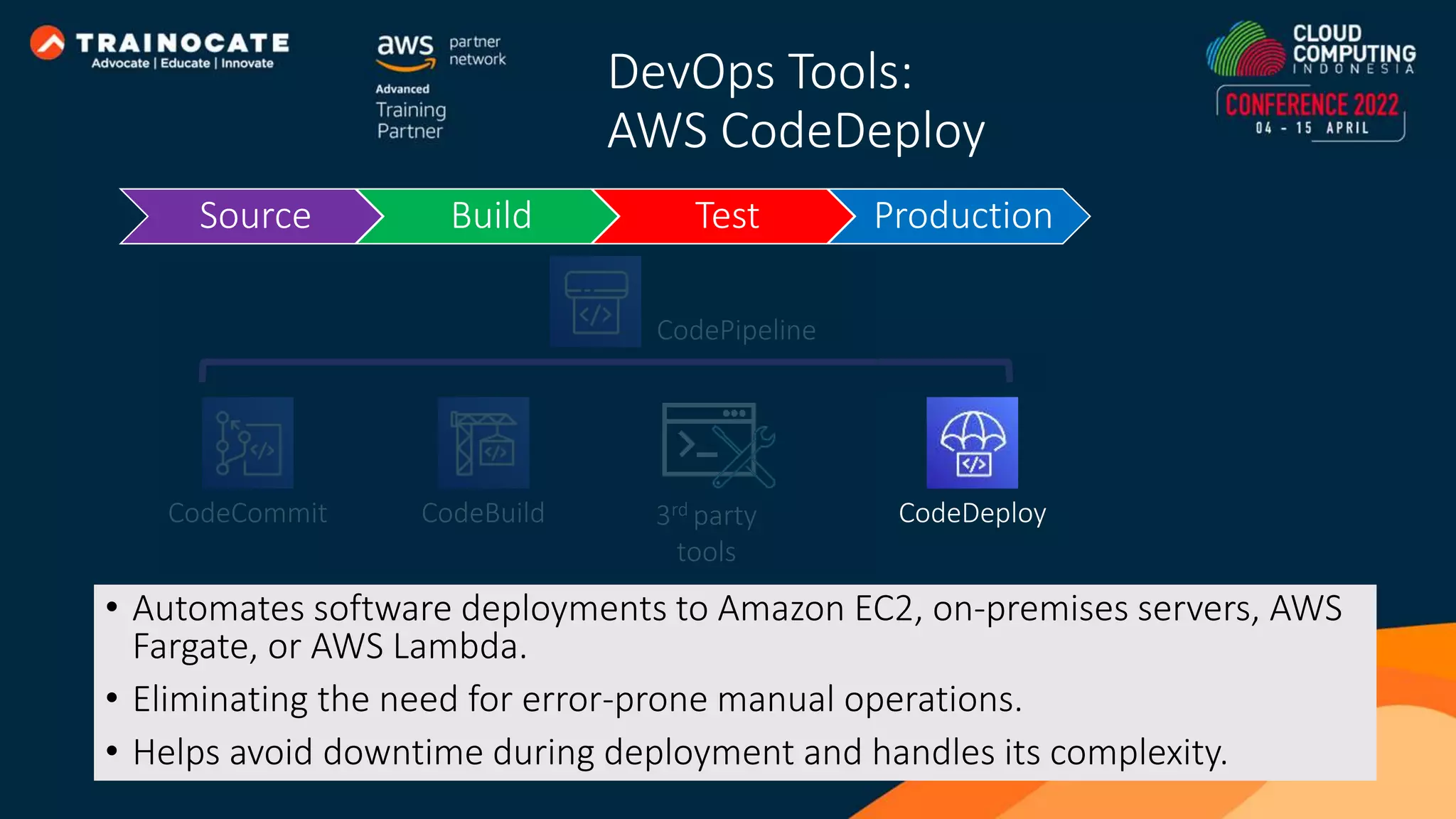
DevOps Tools: AWS CodeDeploy • Automates software deployments to Amazon EC2, on-premises servers, AWS Fargate, or AWS Lambda. • Eliminating the need for error-prone manual operations. • Helps avoid downtime during deployment and handles its complexity. Source Build Test Production CodeCommit CodeBuild CodeDeploy CodePipeline 3rd party tools
It’s demo time!

How Easy to Automate Application Deployment on AWS

  • 1.
    How Easy toAutomate Application Deployment on AWS Furqon Mauladani
  • 2.
    Agenda • What isCloud Computing and its benefit • Amazon Web Services (AWS) and its services • What is DevOps • AWS services for DevOps
  • 3.
    Cloud Computing isa flexible self-service, network-accessible computing resource pools that can be allocated to meet demand.
  • 4.
  • 5.
    Characteristics of On-premises •Upfront cost investment. • Procurement and setup. • Systems operation. • Fixed resource. • Limited geographic regions.
  • 6.
    Managed by theProvider • Cloud computing services are managed by the cloud provider. • Developers need only know whether their applications will be running on one cloud service or another. • Knowledge of capacity measures and individual hardware characteristics is no longer important.
  • 7.
    Elasticity • Capacity andresources can be increased or decreased. • No “spare” resources beforehand.
  • 8.
    Network Accessible • Providesan “anywhere, anytime” service model. • Go global in minutes.
  • 9.
    Sustainable • Reduce powerand cooling requirements. • Flexibility in cloud hosting location for optimizing latency, reducing costs, regulatory requirements, available features, disaster recovery.
  • 10.
    On-Demand Self-Service • Requesta new resource allocation using the self-service user interface. • Resource capacity can be expanded automatically or managed by the client with minimal effort.
  • 11.
    Measured Service • Resourceutilization is metered precisely. • Paying for only the level of use needed. • No upfront investment.
  • 12.
    Amazon Web Servicesenables businesses and developers to use web services to build scalable, sophisticated applications
  • 13.
    AWS Cloud spans64 Availability Zones within 26 geographic Regions around the world. AWS Global Infrastructure
  • 14.
    Region is physicallocation around the world where we cluster data centers. Each region has 3 or more, isolated locations known as Availability Zones. Region us-east-1 us-east-1a us-east-1b us-east-1c AWS Region & Availability Zone
  • 15.
    Amazon EC2 providesscalable computing capacity in the AWS cloud.
  • 16.
    Preconfigured templates foryour instances that package the bits you need for your server (including the OS and additional software). Amazon Machine Image (AMI)
  • 17.
    • Select configurationsof CPU, memory, storage, and networking capacity for your instances. • Configure the instance to suit your requirements, such as network configuration, key pairs, disk encryption, security groups, etc. Instance Types and configuration
  • 18.
    Amazon EBS ispersistent block storage volumes for instances. • Provisioned IOPS SSD. • General Purpose SSD. • Throughput Optimized HDD. • Cold HDD. Amazon EBS Volumes EC2 Instance EC2 Instance Amazon Elastic Block Store (Amazon EBS)
  • 19.
    Amazon RDS fullymanaged relational database service that allows you to easily operate and scale your database
  • 20.
    • Remove inefficientand time- consuming database administrative tasks without needing to provision infrastructure or maintain software. • Deploy and scale the relational database engines of your choice in the cloud or on-premises. EC2 Instance Amazon Relational Database Service
  • 21.
    Amazon S3 isobject storage built to store and retrieve any amount of data from anywhere
  • 22.
    • You canstore object to the bucket. • Object is replicated to 3 AZs by default. • Infinite amount of data can be stored in a bucket up to 5 TB per object. fulan cat.jpg Bucket & object
  • 23.
    Object that storedin bucket could be downloaded anytime and anywhere via URL. cat.jpg cat.jpg http://fulan.s3.amazonaws.com/ cat.jpg Download object
  • 24.
    Permission http://fulan.s3.amazonaws.com/ cat.jpg cat.jpg Bucket policies areset of rules which define who can access the bucket and objects inside it, as well as their permissions.
  • 25.
    Amazon VPC enablesyou to launch AWS resources into a virtual network that dedicated to your AWS account and logically isolated from other virtual networks.
  • 26.
    • AWS resourcescan be launch into VPC. • A VPC spans all the Availability Zones in the region. • Each Subnet reside within one Availability Zone and cannot span zones. Public subnet VPC 10.0.0.0/16 AWS Region 10.0.0.0/24 Internet gateway Front End Availability Zone 1 Private subnet 10.0.1.0/24 Back End Public subnet 10.0.2.0/24 Availability Zone 2 Private subnet 10.0.3.0/24 RDS MySQL VPC and Subnet
  • 27.
    Network ACLs actas a firewall for associated subnets, controlling both inbound and outbound traffic at the subnet level. Security groups act as a firewall for associated instances, controlling both inbound and outbound traffic at the instance level. 10.0.0.0/24 Website [1] Deny ALL – 12.12.12.12/32 [2] Allow HTTP(80) - 0.0.0.0/0 Allow HTTP (80) - 0.0.0.0/0 12.12.12.12 11.11.11.11 Network ACL and Security Group
  • 28.
    Elastic Load Balancingautomatically distribute network traffic to improve application scalability and availability
  • 29.
    Distributes incoming application trafficacross multiple healthy targets and virtual appliances in one or more Availability Zones (AZs). Public subnet VPC 10.0.0.0/16 10.0.0.0/24 Internet gateway Availability Zone 1 Private subnet 10.0.1.0/24 Application Public subnet 10.0.2.0/24 Availability Zone 2 Private subnet 10.0.3.0/24 Application Private subnet 10.0.4.0/24 Private subnet 10.0.5.0/24 Primary Database Secondary Database How Amazon Load balancing works
  • 30.
    Auto Scaling adjustscapacity to maintain steady, predictable performance at the lowest possible cost automatically
  • 31.
    Public subnet VPC 10.0.0.0/16 10.0.0.0/24 Internetgateway Availability Zone 1 Private subnet 10.0.1.0/24 Public subnet 10.0.2.0/24 Availability Zone 2 Private subnet 10.0.3.0/24 Application Private subnet 10.0.4.0/24 Primary Database Private subnet 10.0.5.0/24 Auto Scaling group Secondary Database Optimize your utilization and cost efficiencies when consuming AWS services so you only pay for the resources you actually need. How Auto scaling works
  • 32.
    • Define minimum,maximum and desired capacity. • Auto adjust based on utilization or schedule. • Replace unhealthy instance. Auto Scaling group Minimum Maximum Desired capacity Auto scaling setup
  • 33.
    Amazon CloudWatch monitorsyour resources and the applications you run in real time
  • 34.
    AWS Cloud On-prem CPUUtilization NetworkOut VolumeWriteBytes Custom metric Metrics AmazonCloudWatch Alarm Available Statistic AWS Management Console Statistic Consumer SNS email notification Auto Scaling How Amazon CloudWatch works
  • 35.
    AWS Elastic Beanstalkis an easy-to-use service for deploying and scaling web applications and services developed with Java, .NET, PHP, Node.js, Python, Ruby, Go, and Docker
  • 36.
    How we deploy ourapplication on AWS?
  • 37.
    Idea Requirements CodeTest Build & Package Deploy Operate & Monitor This is not end of process! v1.1 v1.2 Software release process
  • 38.
    Code Test Build& Package Deploy Operate & Monitor Developer Team Operation Team Silo We need maintain stability! We need deploy a new feature as fast as possible! Problem on software release process
  • 39.
    DevOps is acultural philosophies, set of practices, and tools that combine software development with information technology operations
  • 40.
  • 41.
    DevOps is aboutremoving the barriers between development and operations. They communicate frequently, increase efficiencies, and improve the quality of services. They take full ownership for their services and view the entire development lifecycle as part of their responsibilities. DevOps Culture
  • 42.
    Source Build TestProduction CI/CD can be pictured as a pipeline, where new code is submitted on one end, tested over a series of stages (source, build, test, staging, and production), and then published as production-ready code. Continuous integration Continuous deployment DevOps Practice: CI/CD pipeline
  • 43.
    CodeCommit CodeBuild CodeDeploy DevOpsTools: AWS Code Services CodePipeline 3rd party tools Source Build Test Production Developer push new source code
  • 44.
    DevOps Tools: AWS CodeCommit SourceBuild Test Production CodeCommit CodeBuild CodeDeploy CodePipeline 3rd party tools • Store anything from source code to binaries. • Supports the standard functionality of Git. • Encrypted in transit and at rest. • No need to manage source control system or worry for scaling.
  • 45.
    DevOps Tools: AWS CodePipeline •Build, test, and deploy phases of software release process every time there is a code change, based on the release model you define. • Automate your release pipelines for fast and reliable software release updates. • Integrate with third-party services such as GitHub or with your own custom plugin. Source Build Test Production CodeCommit CodeBuild CodeDeploy CodePipeline 3rd party tools
  • 46.
    DevOps Tools: AWS CodeBuild •Compiles source code, runs tests, and package software that are ready to deploy. • No need to provision, manage, and scale your own build servers. • Processes multiple builds concurrently, so your builds are not left waiting in a queue. • Use prepackaged build environments or create custom build environments. Source Build Test Production CodeCommit CodeBuild CodeDeploy CodePipeline 3rd party tools
  • 47.
    DevOps Tools: AWS CodeDeploy •Automates software deployments to Amazon EC2, on-premises servers, AWS Fargate, or AWS Lambda. • Eliminating the need for error-prone manual operations. • Helps avoid downtime during deployment and handles its complexity. Source Build Test Production CodeCommit CodeBuild CodeDeploy CodePipeline 3rd party tools
  • 48.