HOW TO OPTIMIZE MICROSOFT HYPER-V FAILOVER CLUSTER AND DOUBLE PERFORMANCE Max Kolomyeytsev StarWindVirtual SAN Product Manager Alex Karavanov 5nine Director of Sales Engineering
АGENDA  Clustering evolution: from application clusters to a fully virtualized datacenter  Hyper-V Cluster Setup  Storage component  Management component  Agentless Antivirus  Implementation scenarios  Q&A
STARWIND SOFTWARE  Ownership: Privately held withVC backend since 2008, spin-off from Rocket Division Software  Investors: VEEAM, Almaz Capital, AVentures  Product: StarWindVirtual SAN™ storage virtualization software  Users: More than 250,000 paying and playing customers  Headquarters: Boston, MA, USA  Number of employees: 50+  Customer care: Worldwide, 24x7x365 support  Global Alliance Partners: Microsoft,VMware, Citrix, Dell, IBM, HP,VEEAM
5NINE SOFTWARE Leading solutions provider of management & security applications forWindows Server & Microsoft Hyper-V environments: • Products built exclusively for Hyper-V ecosystem • Hyper-V Management for SMB • Powerful agentless and multi-tenant security for Hyper-V • Easy conversion fromVMware to Hyper-V Headquartered in Chicago with offices in New Jersey, Boston and St. Petersburg. More than 50,000 clients worldwide. www.5nine.com
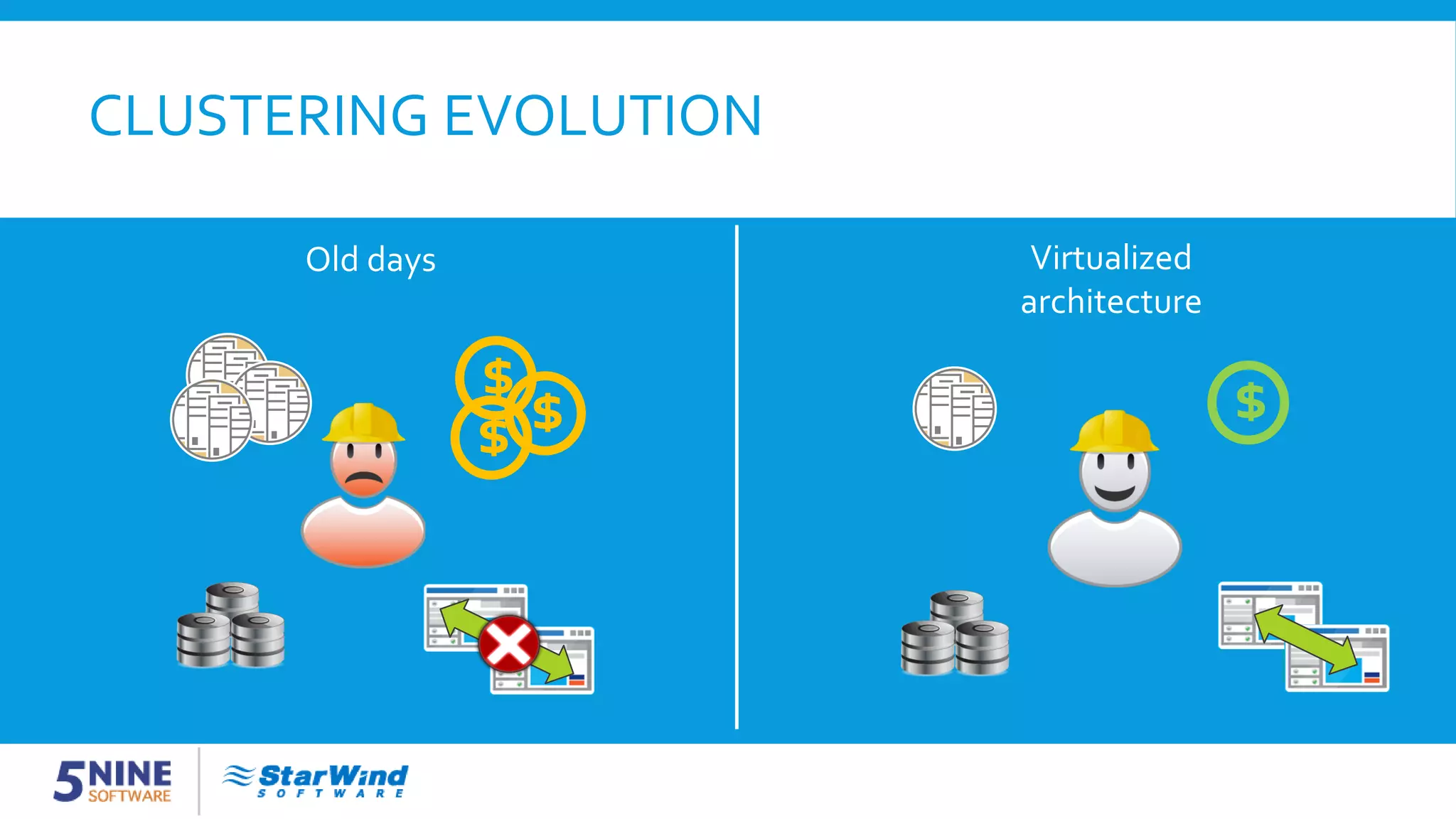
CLUSTERING EVOLUTION $ Old days Virtualized architecture $$ $
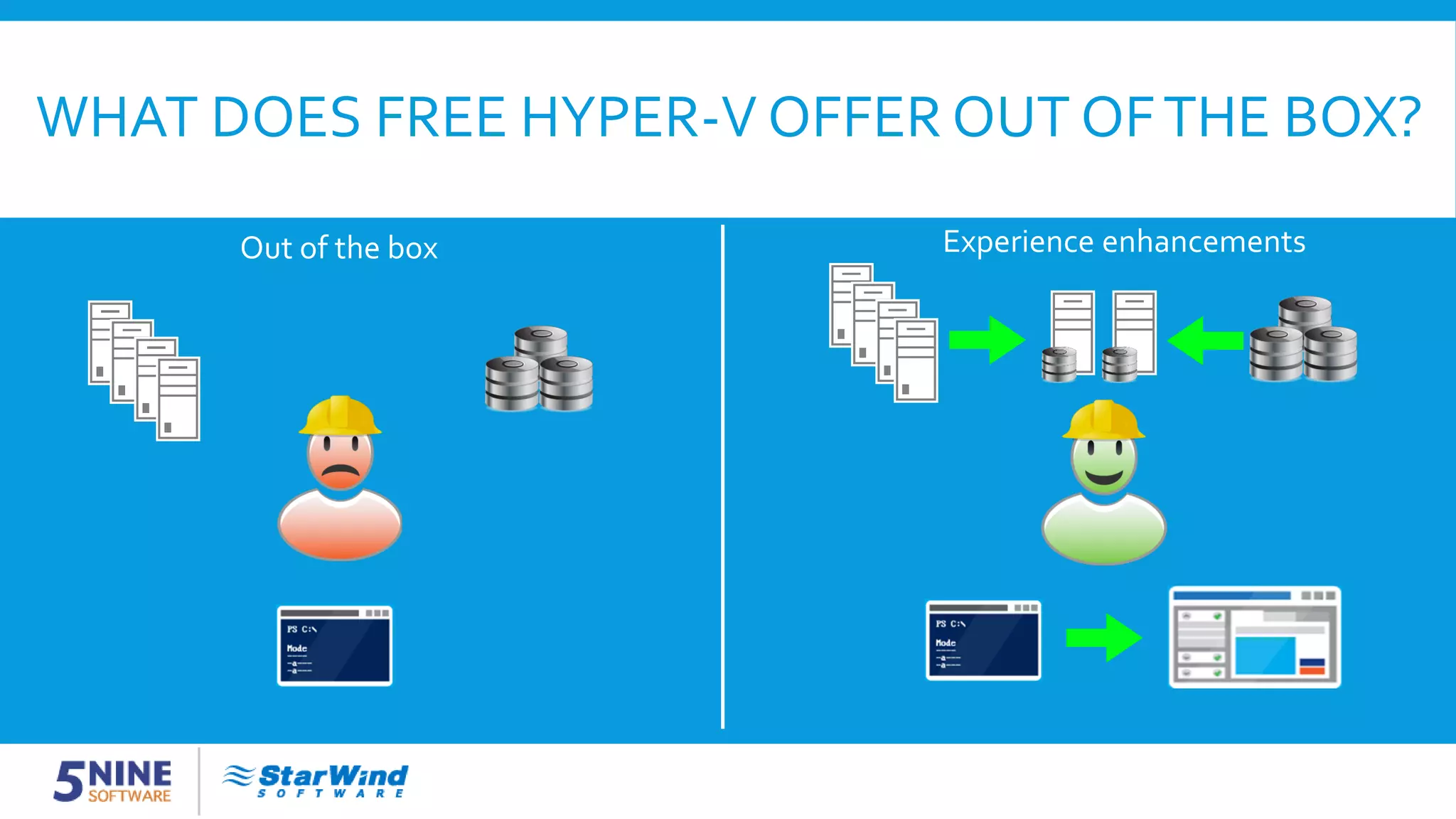
WHAT DOES FREE HYPER-V OFFER OUT OFTHE BOX? Out of the box Experience enhancements
HYPER-V CLUSTER SETUP 1. Make sure the Hyper-V role is enabled on all hosts 2. Install the Failover Clustering feature on each Hyper-V host 3. Install the MPIO feature on each Hyper-V host 4. Configure and provision shared storage 5. Configure an external virtual network switch on each Hyper-V host 6. Run cluster validation tests 7. Create a new cluster 8. Provision Cluster SharedVolumes from the available cluster storage
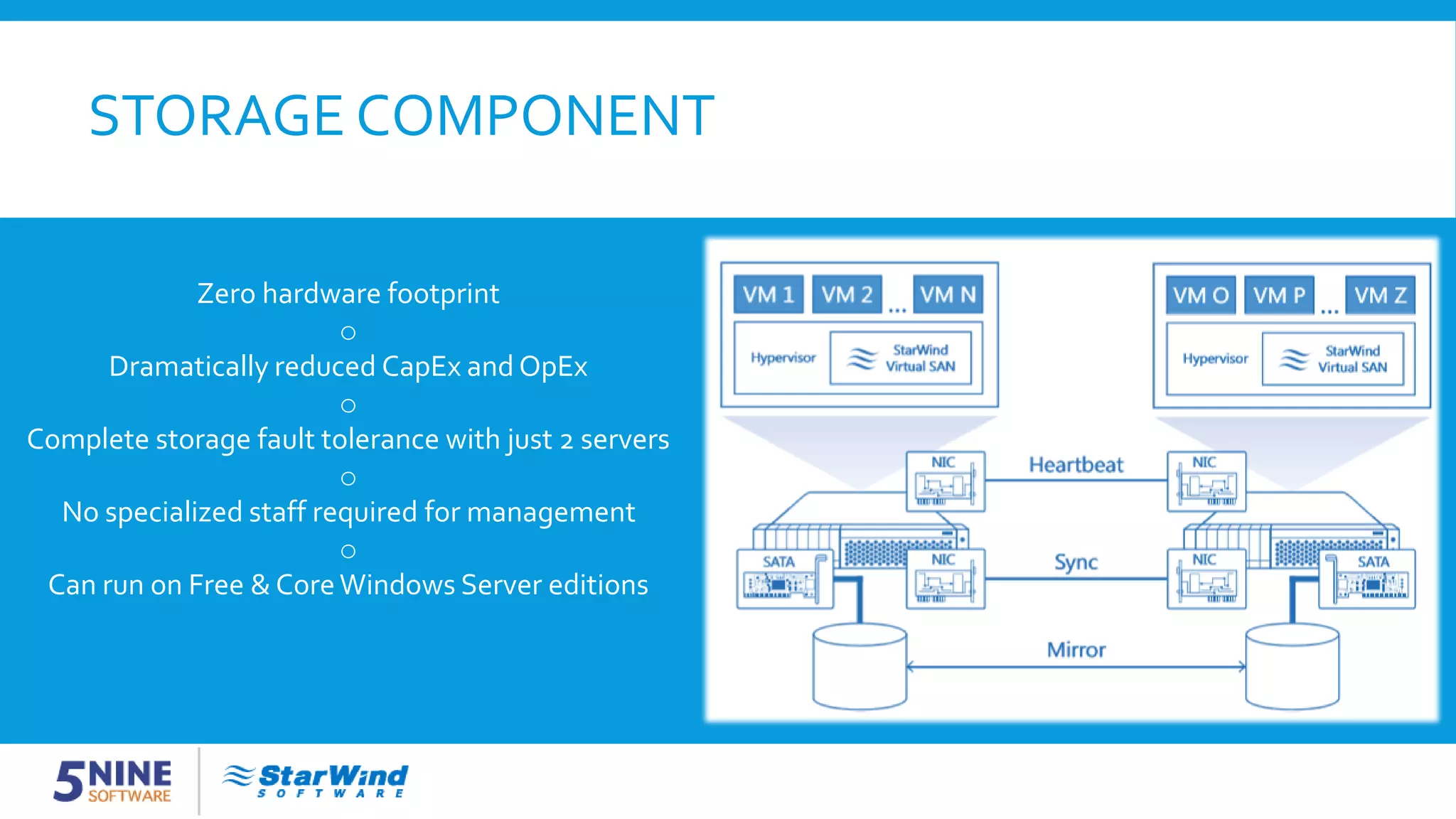
STORAGE COMPONENT Zero hardware footprint o Dramatically reduced CapEx and OpEx o Complete storage fault tolerance with just 2 servers o No specialized staff required for management o Can run on Free & CoreWindows Server editions
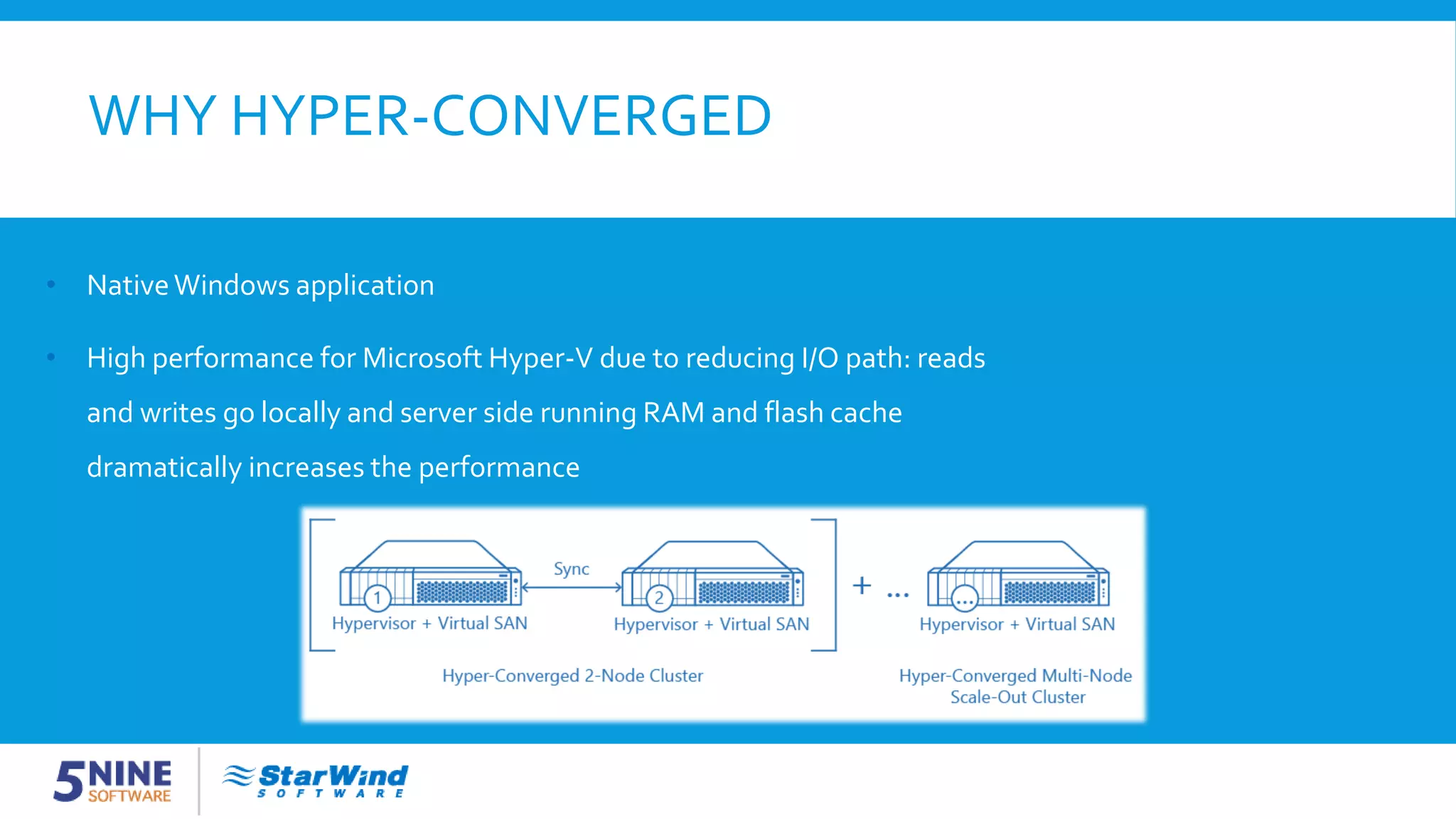
WHY HYPER-CONVERGED • NativeWindows application • High performance for Microsoft Hyper-V due to reducing I/O path: reads and writes go locally and server side running RAM and flash cache dramatically increases the performance
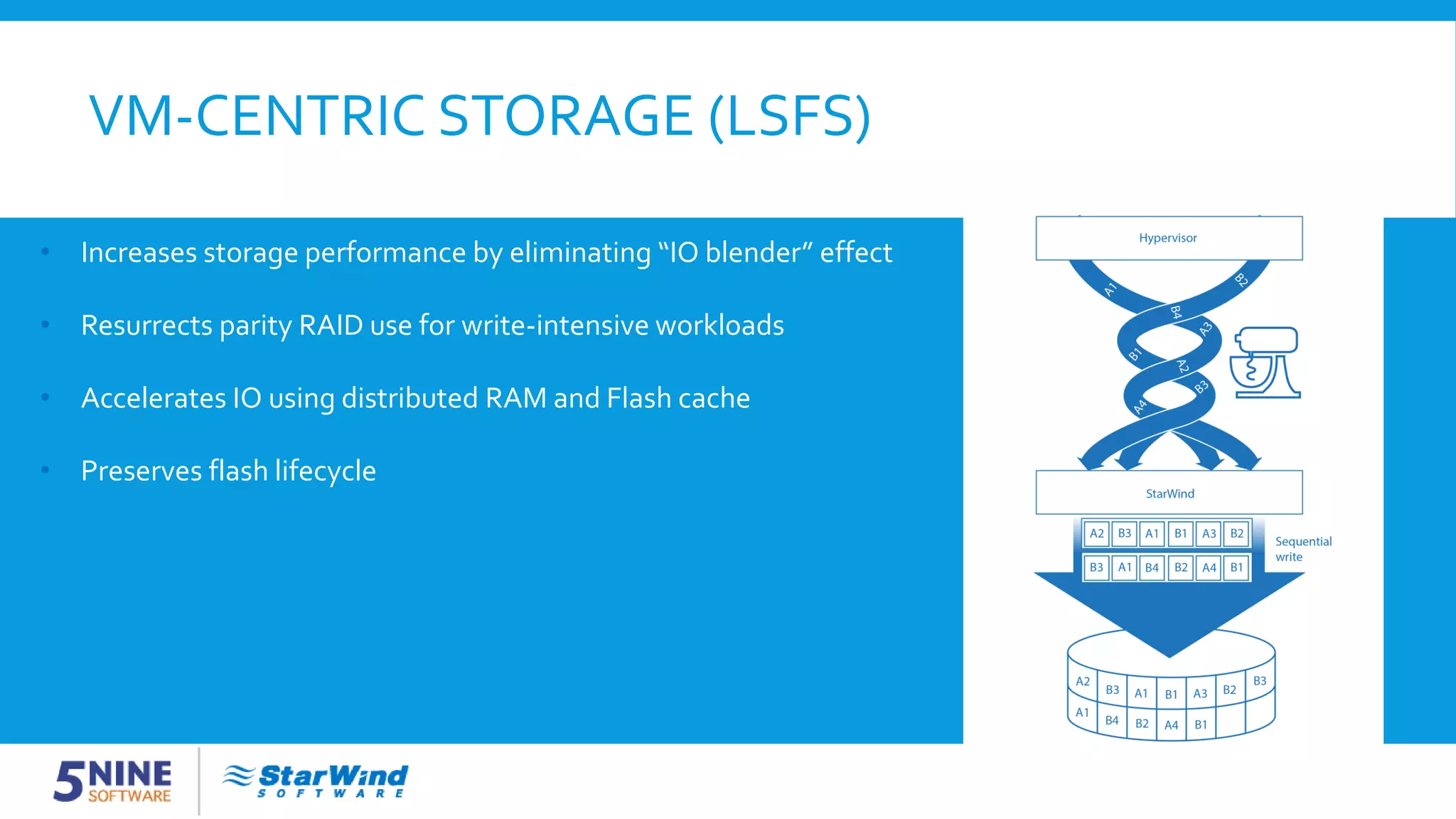
VM-CENTRIC STORAGE (LSFS) • Increases storage performance by eliminating “IO blender” effect • Resurrects parity RAID use for write-intensive workloads • Accelerates IO using distributed RAM and Flash cache • Preserves flash lifecycle
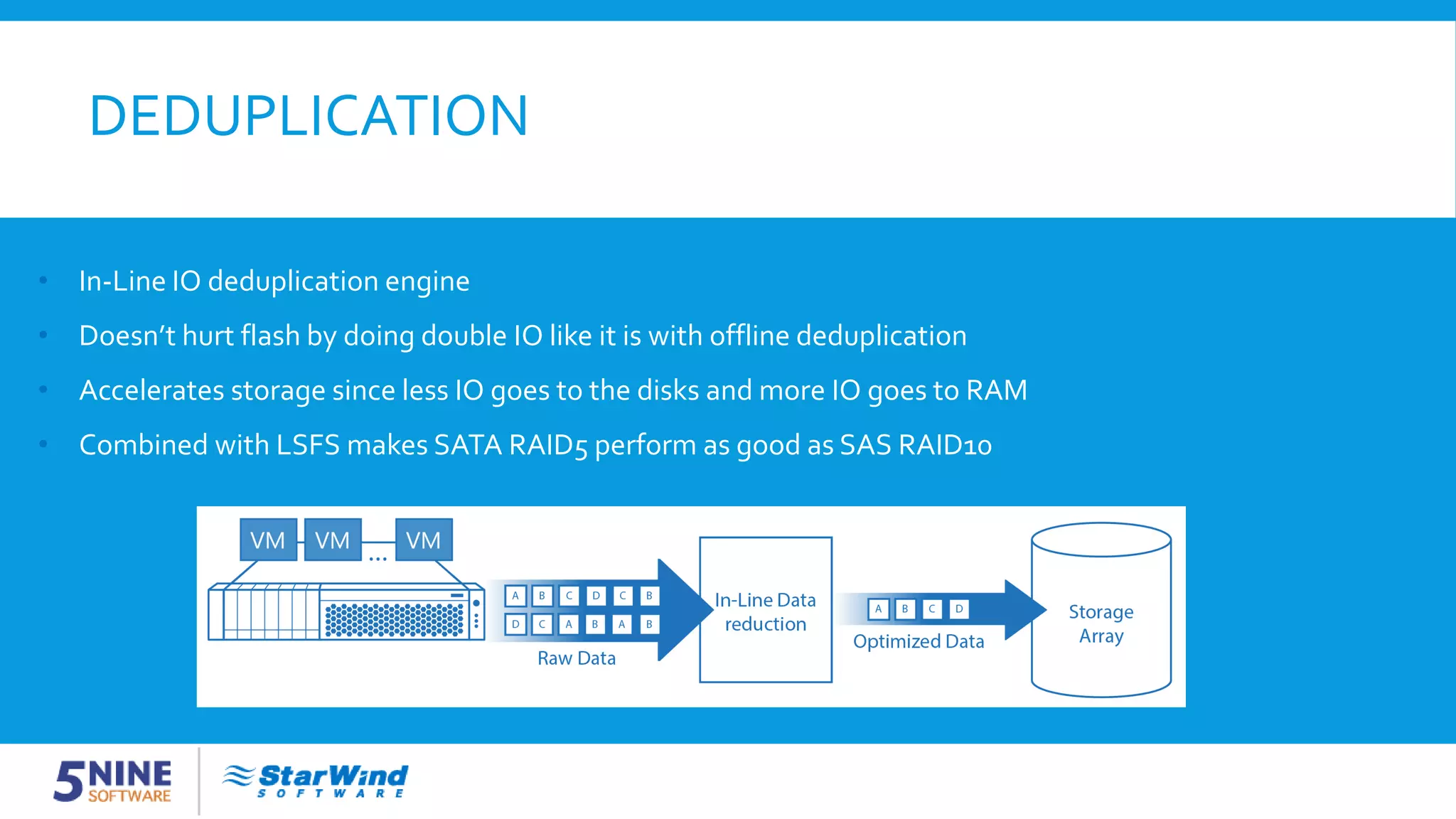
DEDUPLICATION • In-Line IO deduplication engine • Doesn’t hurt flash by doing double IO like it is with offline deduplication • Accelerates storage since less IO goes to the disks and more IO goes to RAM • Combined with LSFS makes SATA RAID5 perform as good as SAS RAID10
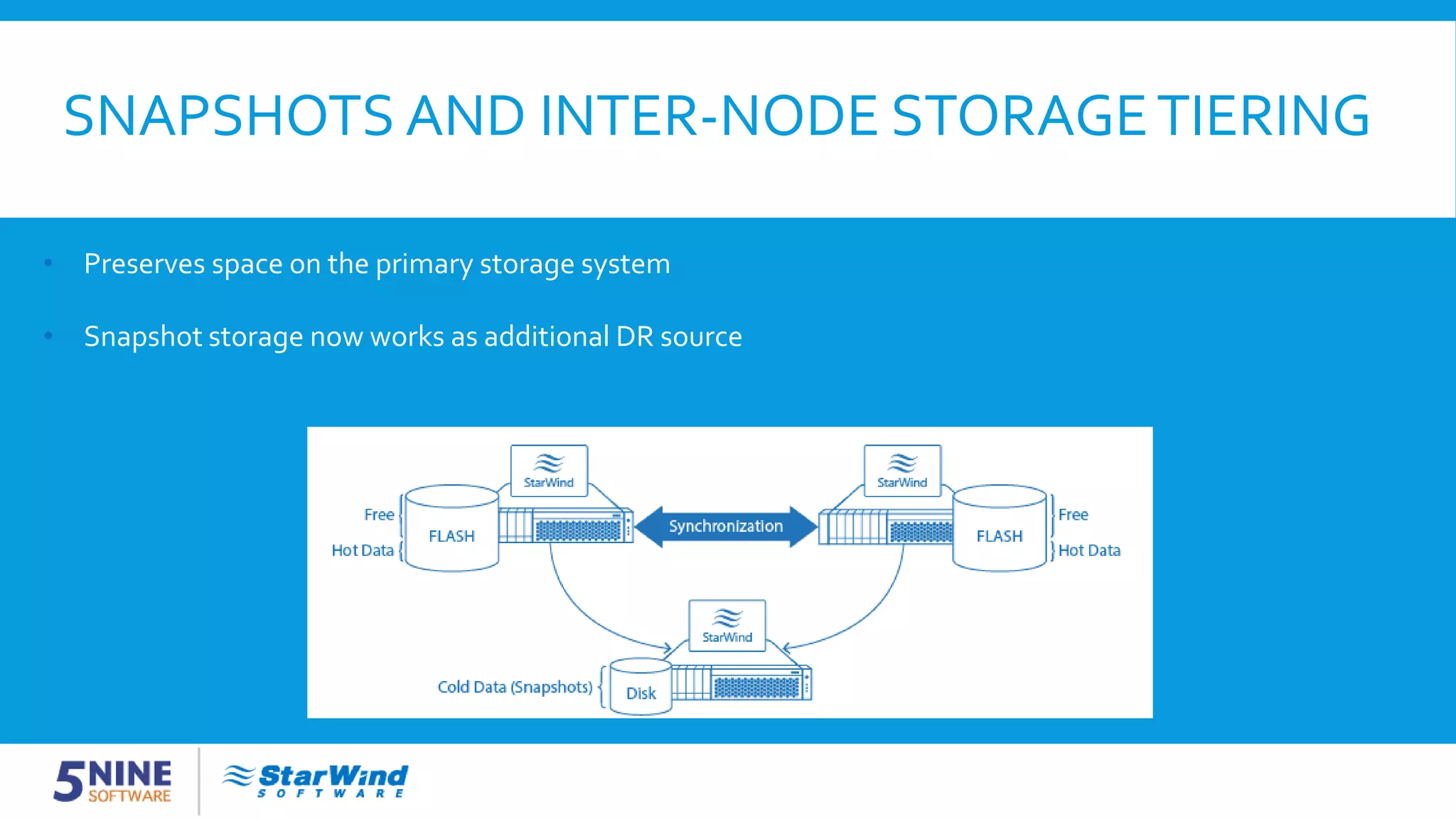
SNAPSHOTS AND INTER-NODE STORAGETIERING • Preserves space on the primary storage system • Snapshot storage now works as additional DR source
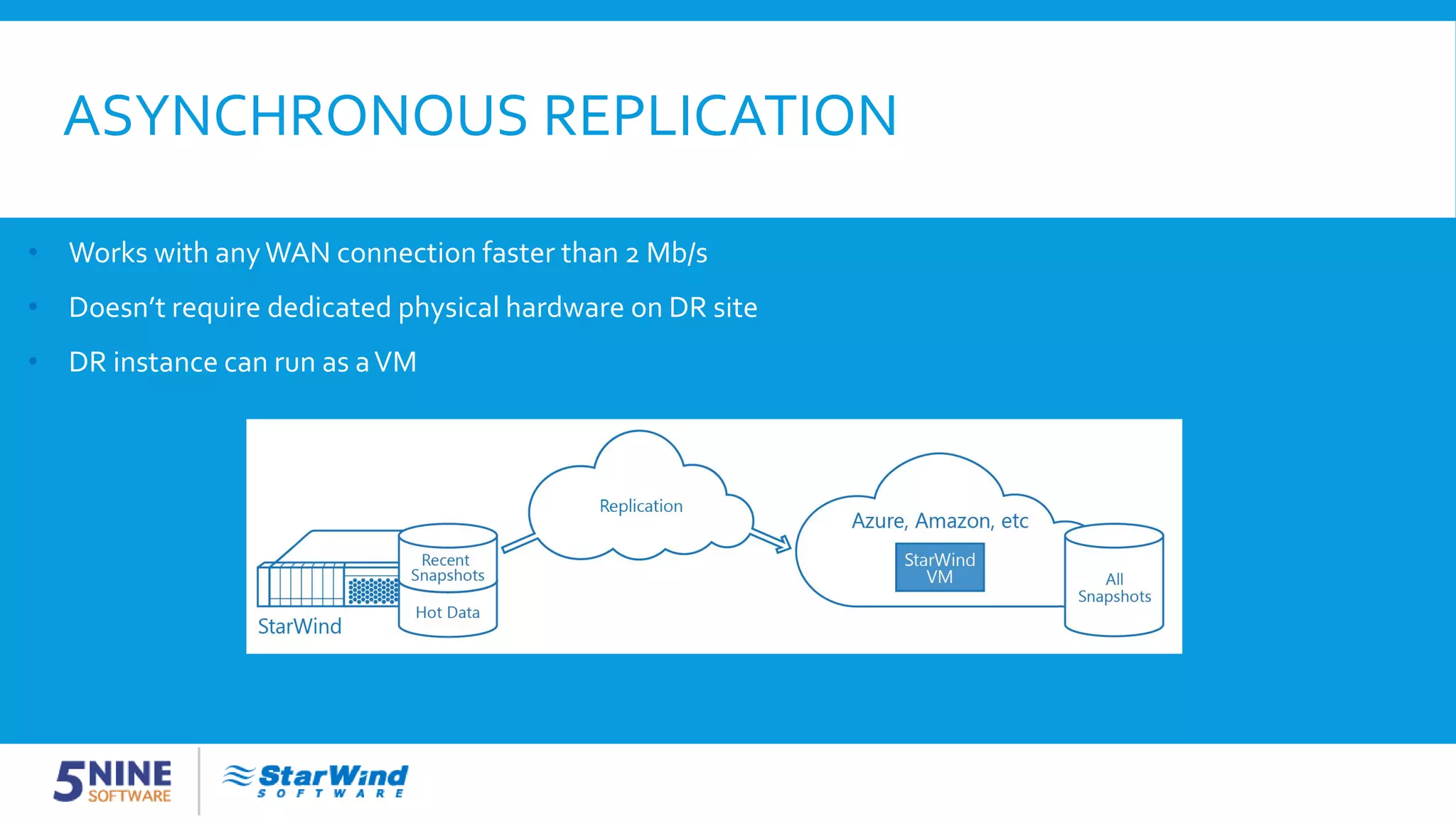
ASYNCHRONOUS REPLICATION • Works with anyWAN connection faster than 2 Mb/s • Doesn’t require dedicated physical hardware on DR site • DR instance can run as aVM
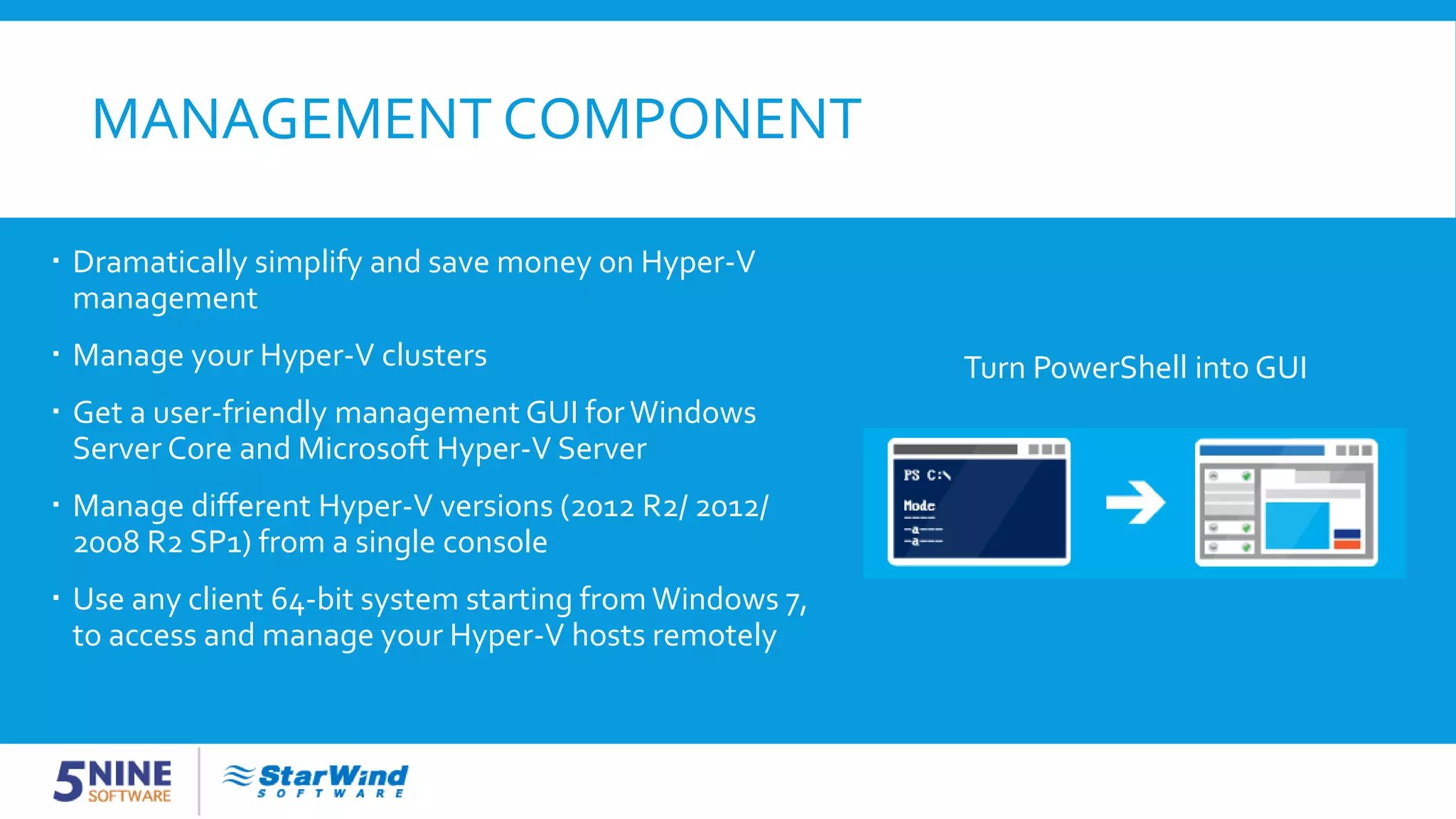
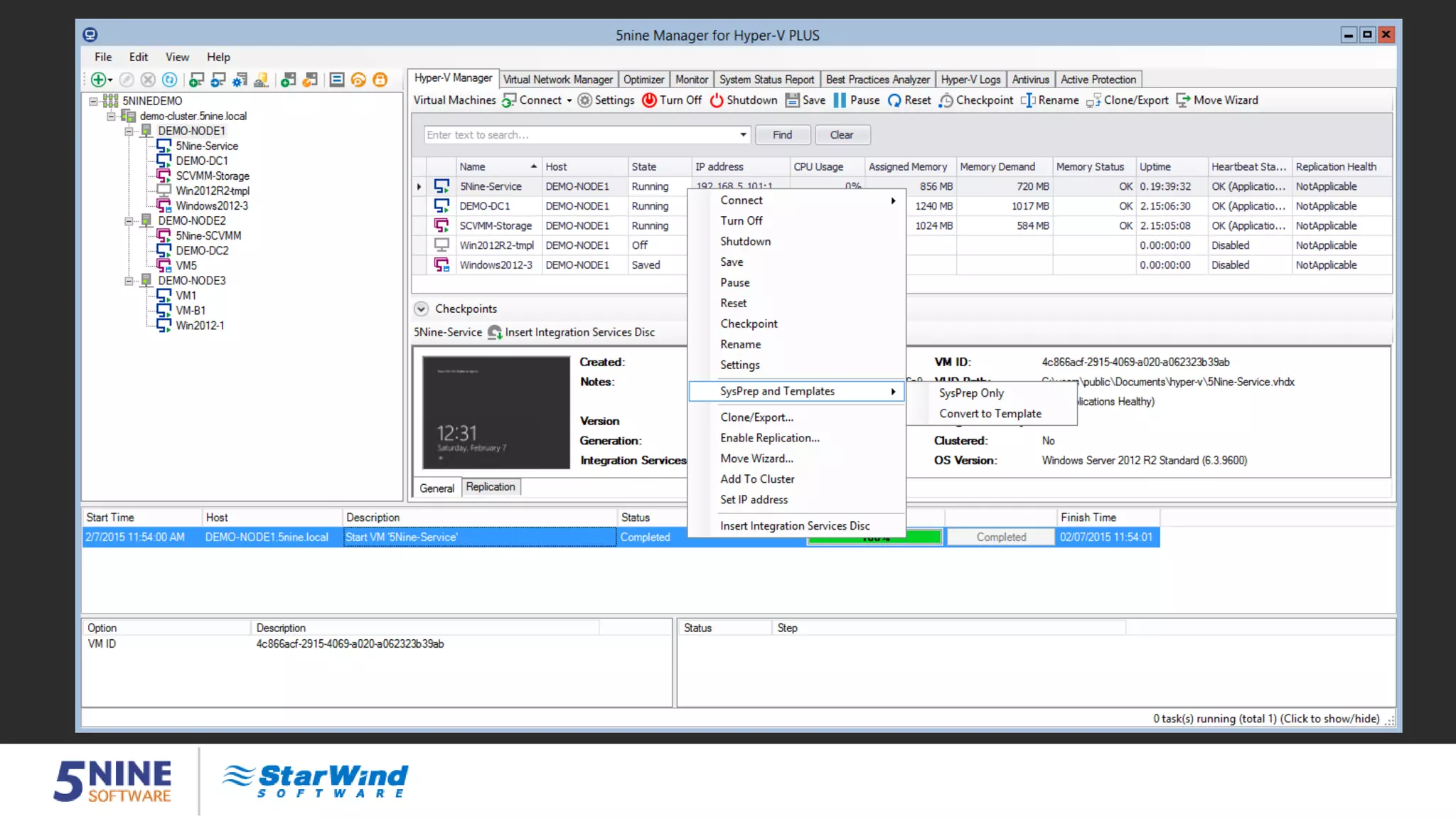
MANAGEMENT COMPONENT Turn PowerShell into GUI  Dramatically simplify and save money on Hyper-V management  Manage your Hyper-V clusters  Get a user-friendly management GUI forWindows Server Core and Microsoft Hyper-V Server  Manage different Hyper-V versions (2012 R2/ 2012/ 2008 R2 SP1) from a single console  Use any client 64-bit system starting from Windows 7, to access and manage your Hyper-V hosts remotely
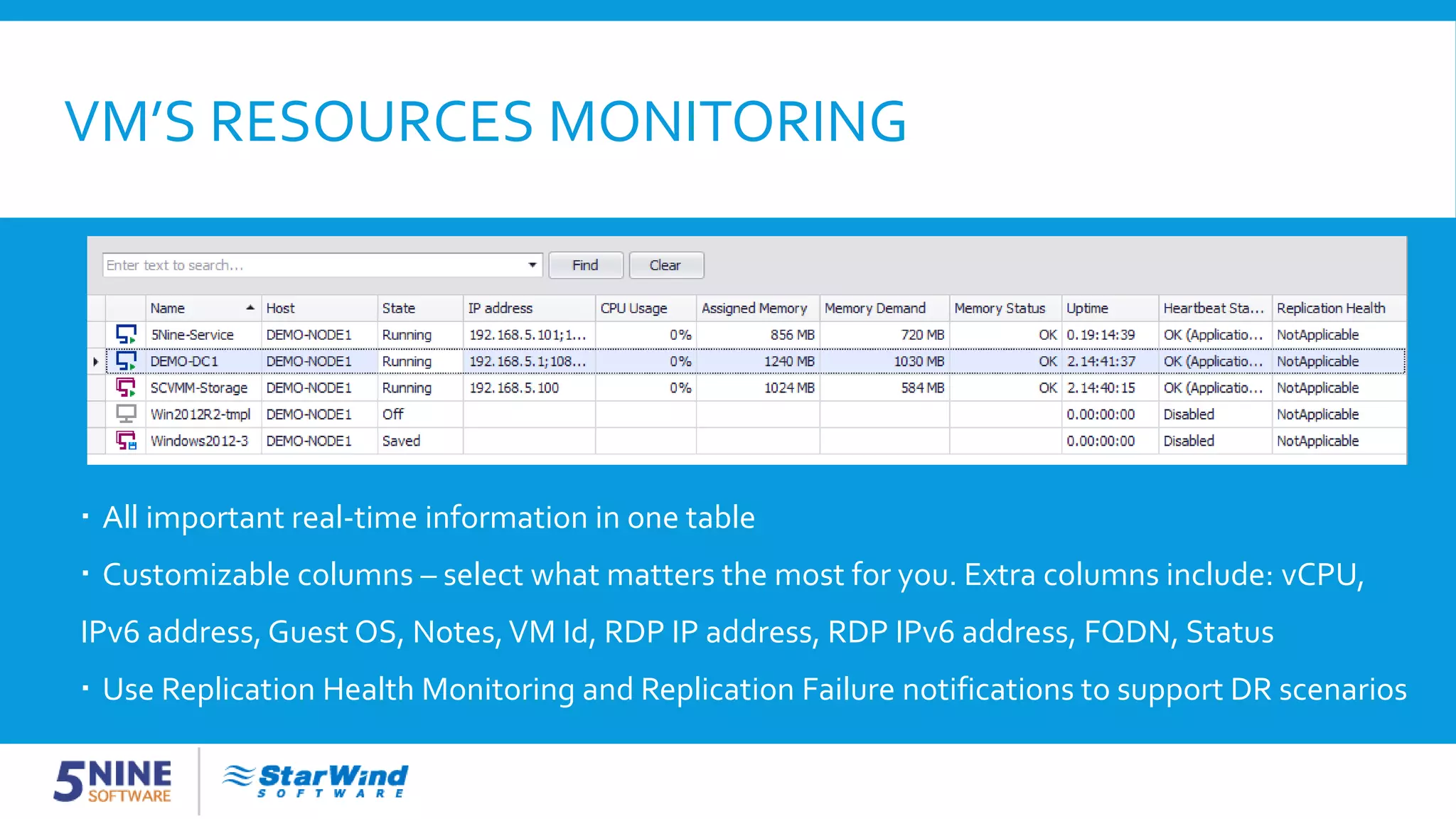
VM’S RESOURCES MONITORING  All important real-time information in one table  Customizable columns – select what matters the most for you. Extra columns include: vCPU, IPv6 address, Guest OS, Notes,VM Id, RDP IP address, RDP IPv6 address, FQDN, Status  Use Replication Health Monitoring and Replication Failure notifications to support DR scenarios
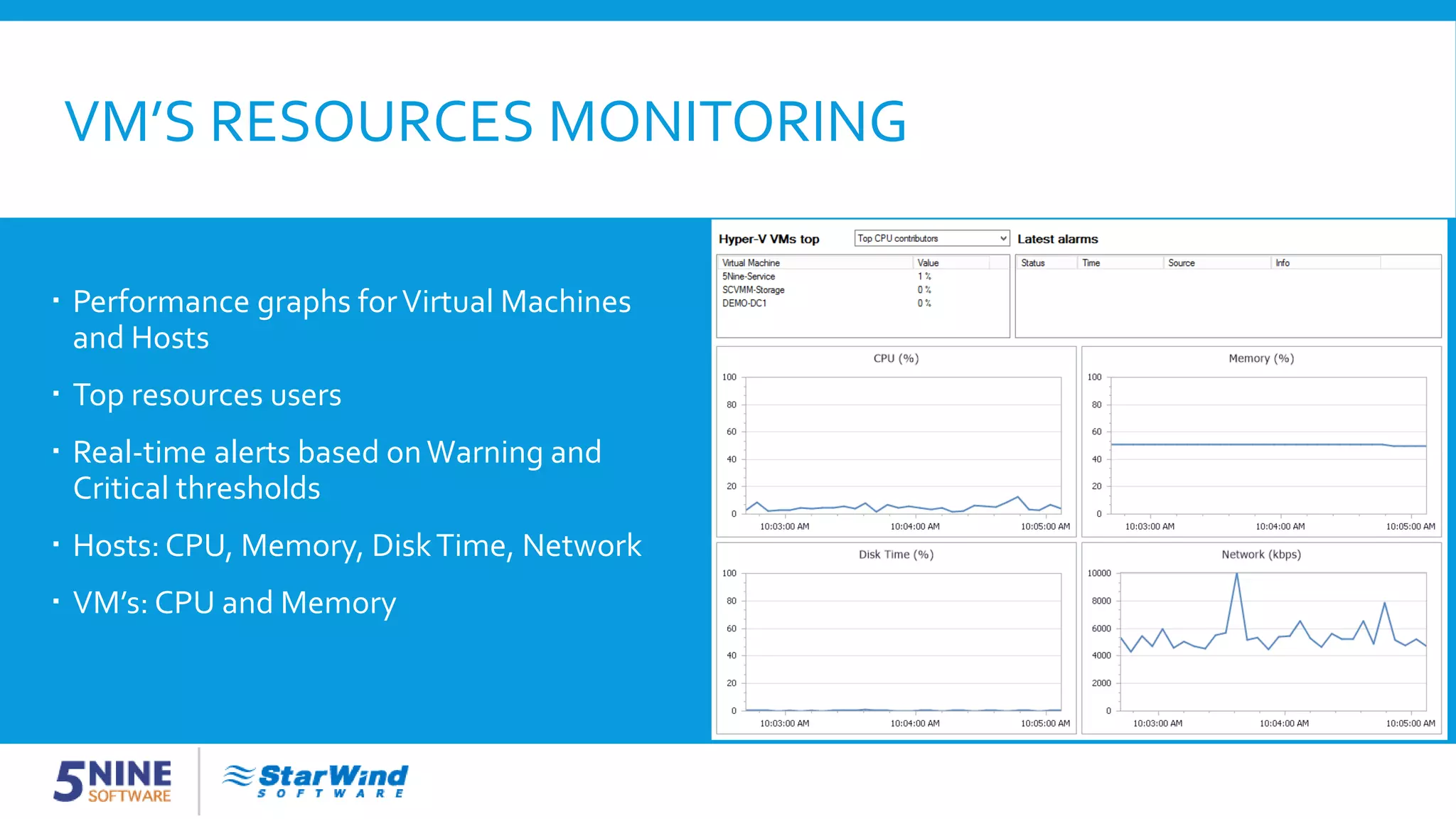
VM’S RESOURCES MONITORING  Performance graphs forVirtual Machines and Hosts  Top resources users  Real-time alerts based onWarning and Critical thresholds  Hosts: CPU, Memory, DiskTime, Network  VM’s: CPU and Memory
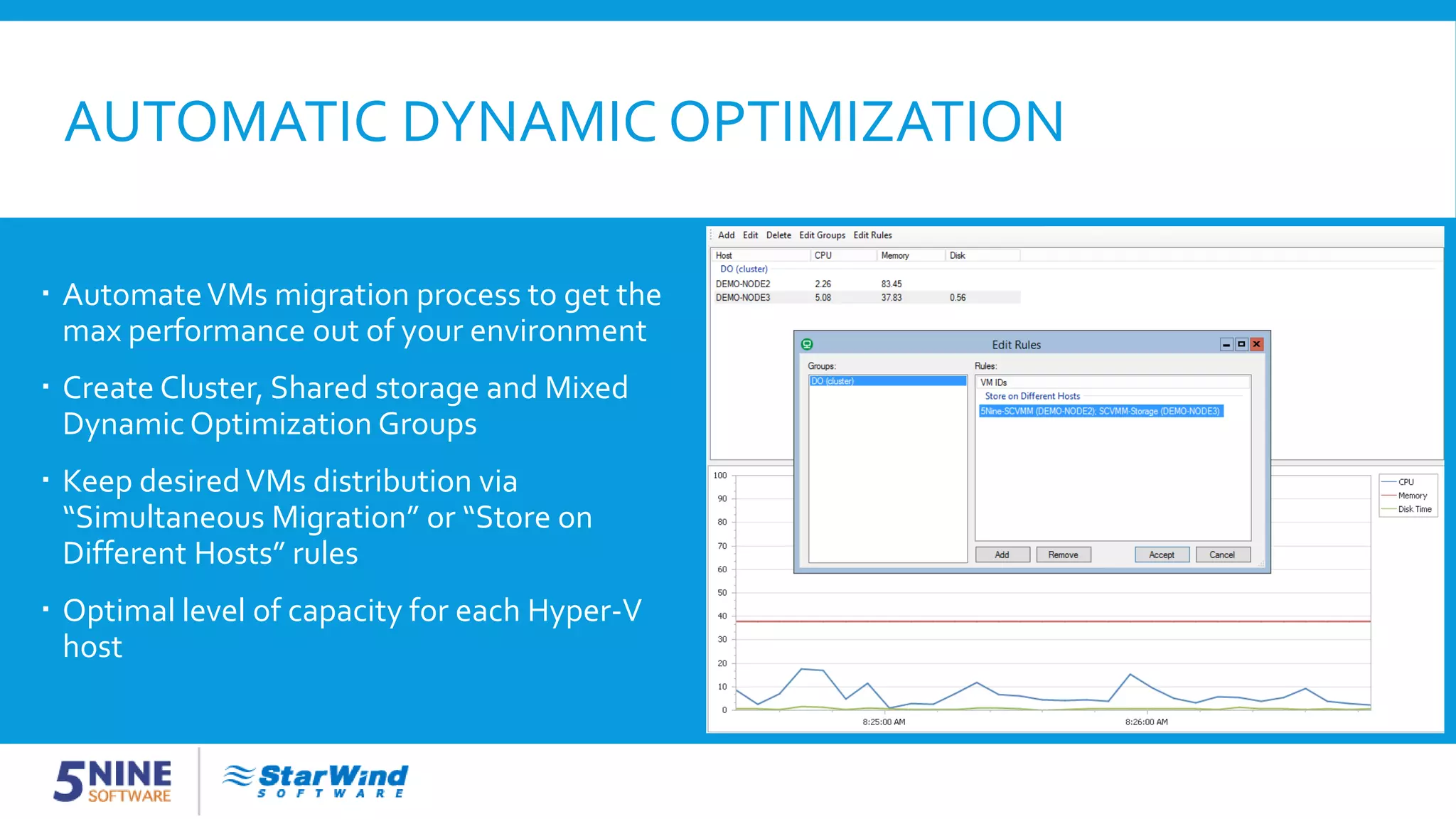
AUTOMATIC DYNAMIC OPTIMIZATION  AutomateVMs migration process to get the max performance out of your environment  Create Cluster, Shared storage and Mixed Dynamic Optimization Groups  Keep desiredVMs distribution via “Simultaneous Migration” or “Store on Different Hosts” rules  Optimal level of capacity for each Hyper-V host
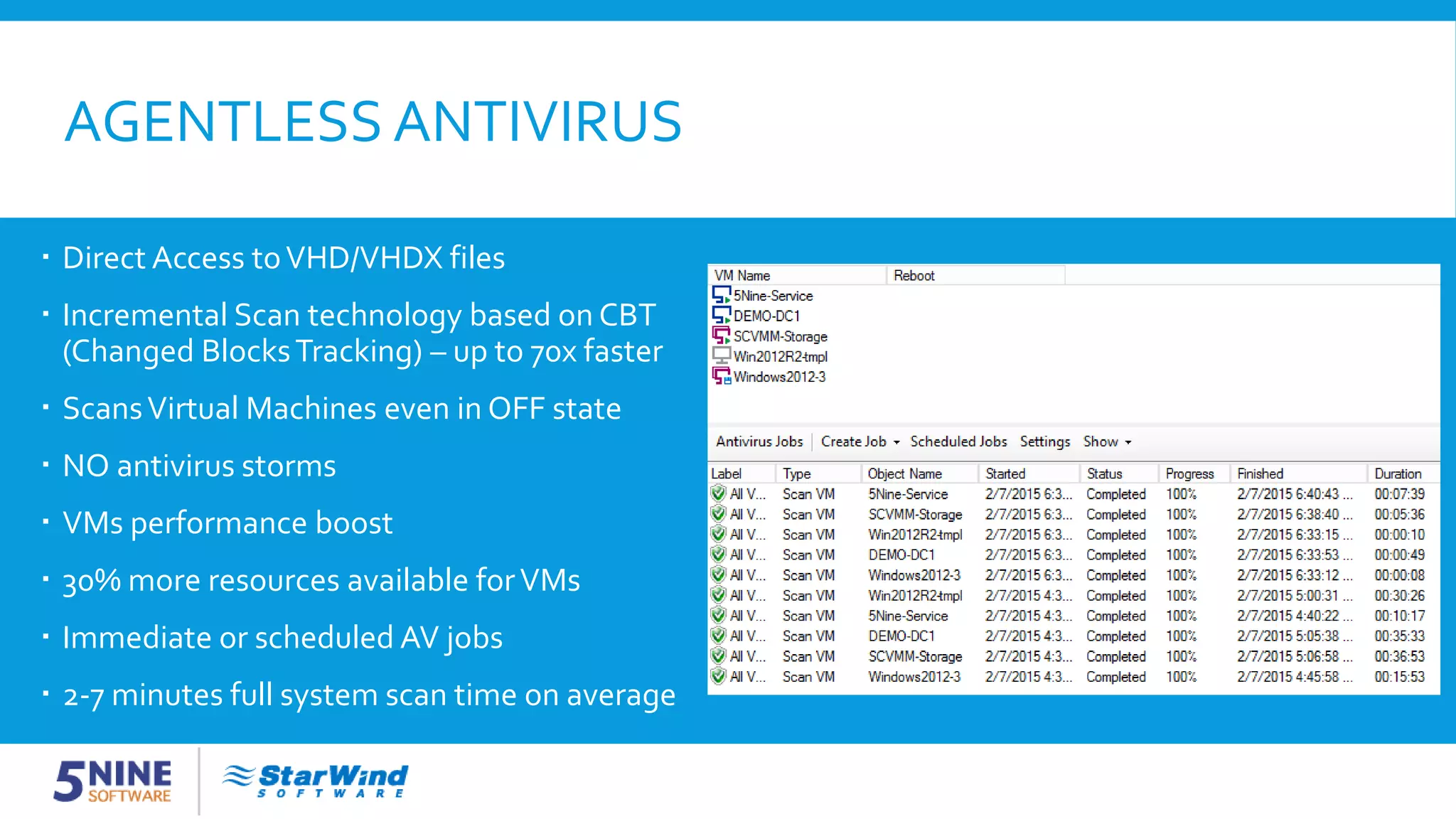
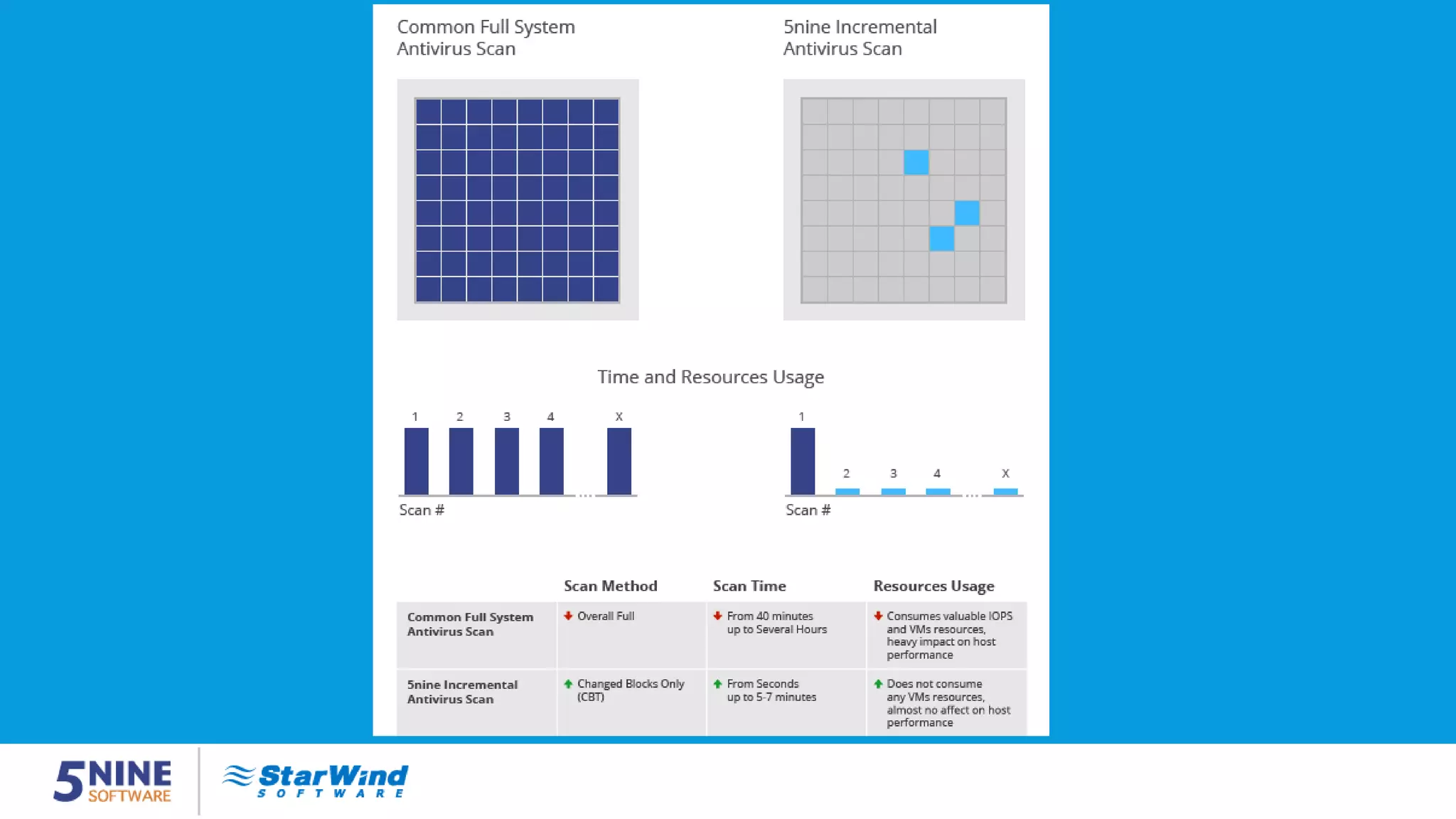
AGENTLESS ANTIVIRUS  Direct Access toVHD/VHDX files  Incremental Scan technology based on CBT (Changed BlocksTracking) – up to 70x faster  ScansVirtual Machines even in OFF state  NO antivirus storms  VMs performance boost  30% more resources available forVMs  Immediate or scheduled AV jobs  2-7 minutes full system scan time on average
AGENTLESS ANTIVIRUS
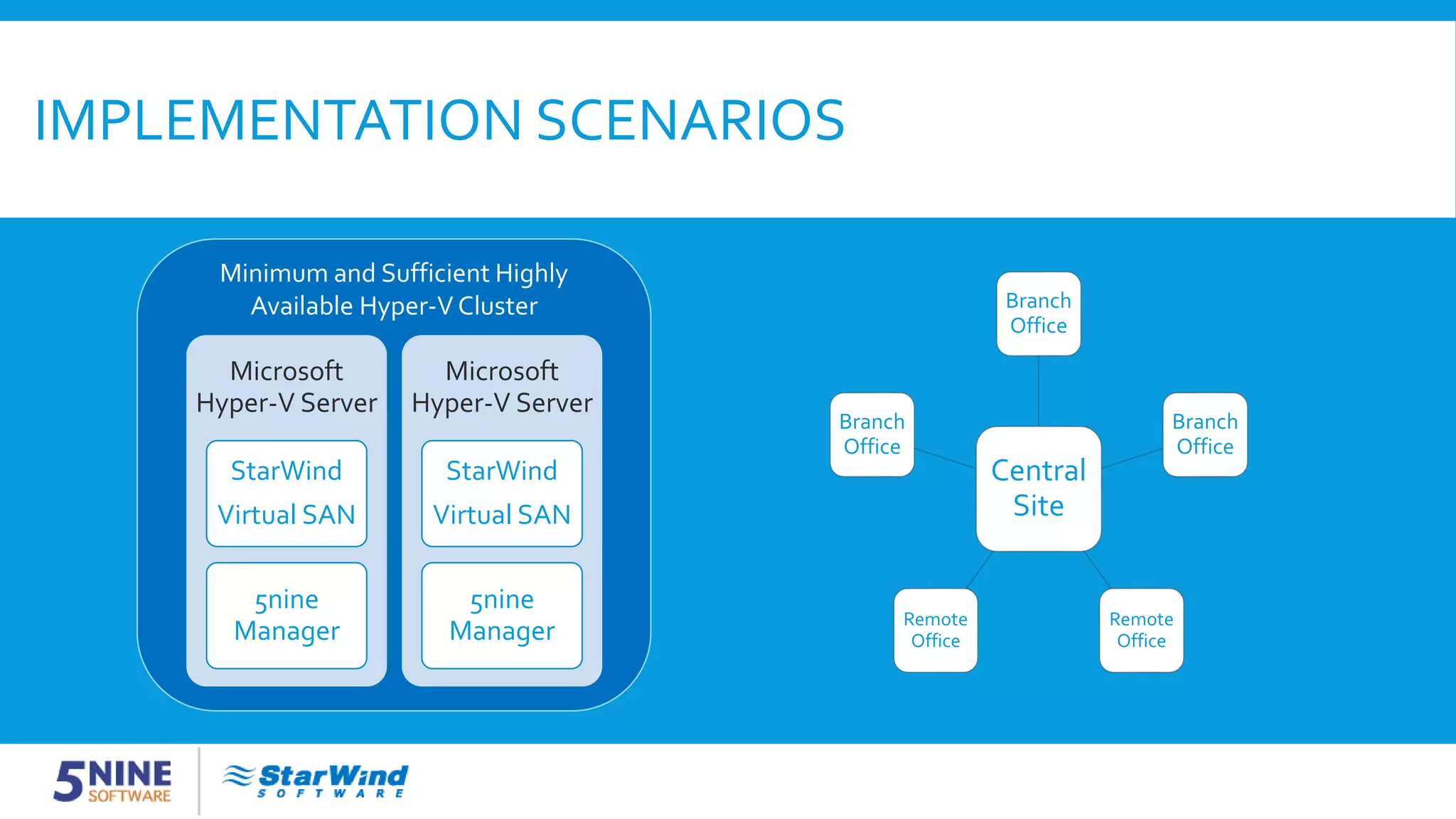
IMPLEMENTATION SCENARIOS Central Site Branch Office Branch Office Remote Office Remote Office Branch Office Microsoft Hyper-V Server StarWind Virtual SAN 5nine Manager Microsoft Hyper-V Server StarWind Virtual SAN 5nine Manager Minimum and Sufficient Highly Available Hyper-V Cluster
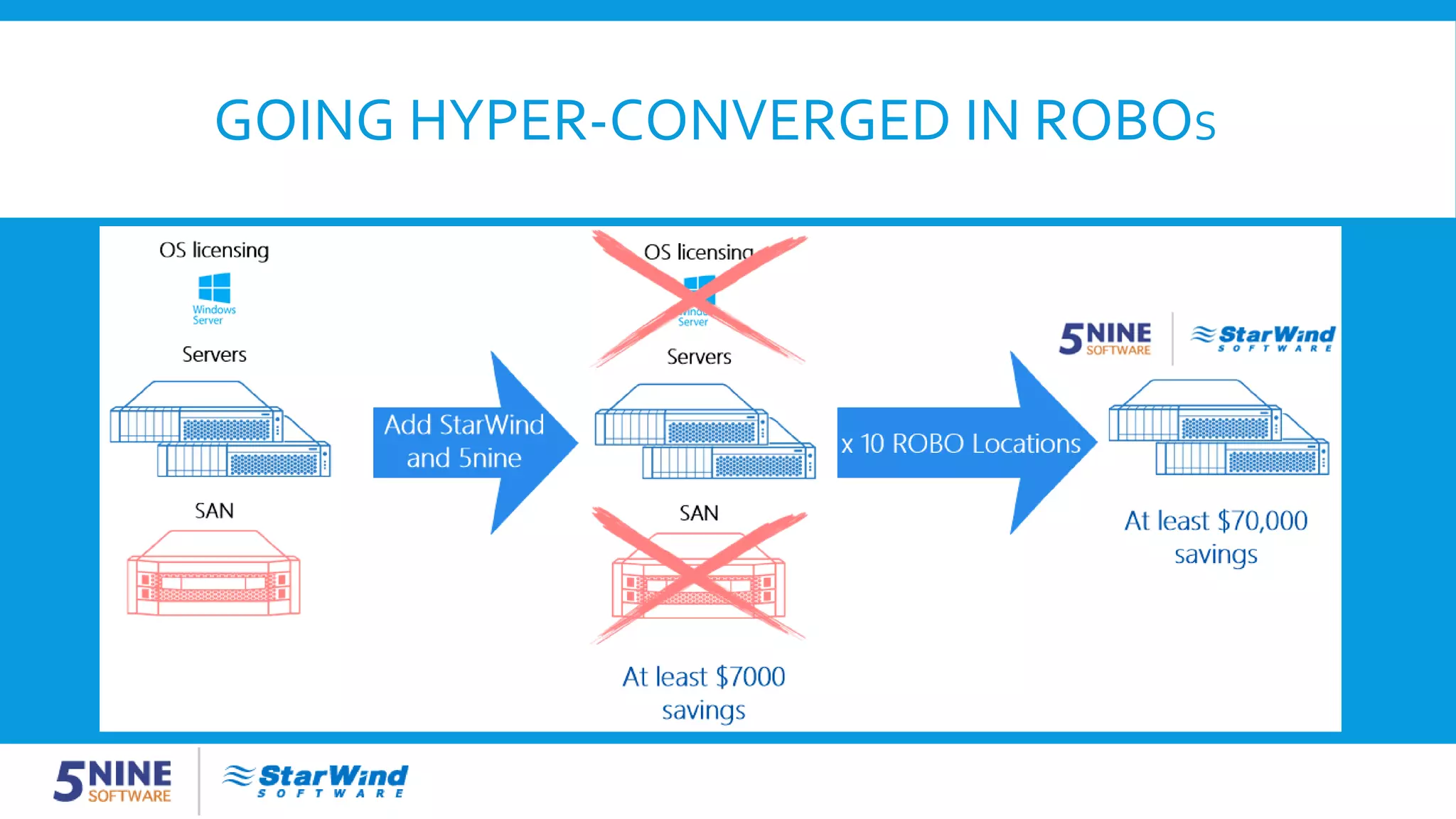
GOING HYPER-CONVERGED IN ROBOS
Q&A Feel free to ask the presenters any questions
CONTACT US Download 5nine Manager for Hyper-V with Antivirus: http://www.5nine.com/manager#antivirus Contact 5nine Software: USA/Canada: +1 617 982-1261 Europe: +44 (20) 7048-2021 sales@5nine.com info@5nine.com Download StarWindVirtual SAN 30-DayTrial here: www.starwind.com/starwind-virtual-san/ StarWind Software Inc.: 301 Edgewater Place,Wakefield, MA 01880 USA/Canada: 1-617-449-7717 EMEA and Asia: +44-207-193-67-27 sales@starwindsoftware.com info@starwindsoftware.com

How to Optimize Microsoft Hyper-V Failover Cluster and Double Performance

  • 1.
    HOW TO OPTIMIZEMICROSOFT HYPER-V FAILOVER CLUSTER AND DOUBLE PERFORMANCE Max Kolomyeytsev StarWindVirtual SAN Product Manager Alex Karavanov 5nine Director of Sales Engineering
  • 2.
    АGENDA  Clustering evolution:from application clusters to a fully virtualized datacenter  Hyper-V Cluster Setup  Storage component  Management component  Agentless Antivirus  Implementation scenarios  Q&A
  • 3.
    STARWIND SOFTWARE  Ownership:Privately held withVC backend since 2008, spin-off from Rocket Division Software  Investors: VEEAM, Almaz Capital, AVentures  Product: StarWindVirtual SAN™ storage virtualization software  Users: More than 250,000 paying and playing customers  Headquarters: Boston, MA, USA  Number of employees: 50+  Customer care: Worldwide, 24x7x365 support  Global Alliance Partners: Microsoft,VMware, Citrix, Dell, IBM, HP,VEEAM
  • 4.
    5NINE SOFTWARE Leading solutionsprovider of management & security applications forWindows Server & Microsoft Hyper-V environments: • Products built exclusively for Hyper-V ecosystem • Hyper-V Management for SMB • Powerful agentless and multi-tenant security for Hyper-V • Easy conversion fromVMware to Hyper-V Headquartered in Chicago with offices in New Jersey, Boston and St. Petersburg. More than 50,000 clients worldwide. www.5nine.com
  • 5.
    CLUSTERING EVOLUTION $ Old daysVirtualized architecture $$ $
  • 6.
    WHAT DOES FREEHYPER-V OFFER OUT OFTHE BOX? Out of the box Experience enhancements
  • 7.
    HYPER-V CLUSTER SETUP 1.Make sure the Hyper-V role is enabled on all hosts 2. Install the Failover Clustering feature on each Hyper-V host 3. Install the MPIO feature on each Hyper-V host 4. Configure and provision shared storage 5. Configure an external virtual network switch on each Hyper-V host 6. Run cluster validation tests 7. Create a new cluster 8. Provision Cluster SharedVolumes from the available cluster storage
  • 8.
    STORAGE COMPONENT Zero hardwarefootprint o Dramatically reduced CapEx and OpEx o Complete storage fault tolerance with just 2 servers o No specialized staff required for management o Can run on Free & CoreWindows Server editions
  • 9.
    WHY HYPER-CONVERGED • NativeWindowsapplication • High performance for Microsoft Hyper-V due to reducing I/O path: reads and writes go locally and server side running RAM and flash cache dramatically increases the performance
  • 10.
    VM-CENTRIC STORAGE (LSFS) •Increases storage performance by eliminating “IO blender” effect • Resurrects parity RAID use for write-intensive workloads • Accelerates IO using distributed RAM and Flash cache • Preserves flash lifecycle
  • 11.
    DEDUPLICATION • In-Line IOdeduplication engine • Doesn’t hurt flash by doing double IO like it is with offline deduplication • Accelerates storage since less IO goes to the disks and more IO goes to RAM • Combined with LSFS makes SATA RAID5 perform as good as SAS RAID10
  • 12.
    SNAPSHOTS AND INTER-NODESTORAGETIERING • Preserves space on the primary storage system • Snapshot storage now works as additional DR source
  • 13.
    ASYNCHRONOUS REPLICATION • Workswith anyWAN connection faster than 2 Mb/s • Doesn’t require dedicated physical hardware on DR site • DR instance can run as aVM
  • 14.
    MANAGEMENT COMPONENT Turn PowerShellinto GUI  Dramatically simplify and save money on Hyper-V management  Manage your Hyper-V clusters  Get a user-friendly management GUI forWindows Server Core and Microsoft Hyper-V Server  Manage different Hyper-V versions (2012 R2/ 2012/ 2008 R2 SP1) from a single console  Use any client 64-bit system starting from Windows 7, to access and manage your Hyper-V hosts remotely
  • 15.
    VM’S RESOURCES MONITORING All important real-time information in one table  Customizable columns – select what matters the most for you. Extra columns include: vCPU, IPv6 address, Guest OS, Notes,VM Id, RDP IP address, RDP IPv6 address, FQDN, Status  Use Replication Health Monitoring and Replication Failure notifications to support DR scenarios
  • 16.
    VM’S RESOURCES MONITORING Performance graphs forVirtual Machines and Hosts  Top resources users  Real-time alerts based onWarning and Critical thresholds  Hosts: CPU, Memory, DiskTime, Network  VM’s: CPU and Memory
  • 17.
    AUTOMATIC DYNAMIC OPTIMIZATION AutomateVMs migration process to get the max performance out of your environment  Create Cluster, Shared storage and Mixed Dynamic Optimization Groups  Keep desiredVMs distribution via “Simultaneous Migration” or “Store on Different Hosts” rules  Optimal level of capacity for each Hyper-V host
  • 18.
    AGENTLESS ANTIVIRUS  DirectAccess toVHD/VHDX files  Incremental Scan technology based on CBT (Changed BlocksTracking) – up to 70x faster  ScansVirtual Machines even in OFF state  NO antivirus storms  VMs performance boost  30% more resources available forVMs  Immediate or scheduled AV jobs  2-7 minutes full system scan time on average
  • 19.
  • 21.
    IMPLEMENTATION SCENARIOS Central Site Branch Office Branch Office Remote Office Remote Office Branch Office Microsoft Hyper-V Server StarWind VirtualSAN 5nine Manager Microsoft Hyper-V Server StarWind Virtual SAN 5nine Manager Minimum and Sufficient Highly Available Hyper-V Cluster
  • 22.
  • 23.
    Q&A Feel free toask the presenters any questions
  • 24.
    CONTACT US Download 5nine Managerfor Hyper-V with Antivirus: http://www.5nine.com/manager#antivirus Contact 5nine Software: USA/Canada: +1 617 982-1261 Europe: +44 (20) 7048-2021 sales@5nine.com info@5nine.com Download StarWindVirtual SAN 30-DayTrial here: www.starwind.com/starwind-virtual-san/ StarWind Software Inc.: 301 Edgewater Place,Wakefield, MA 01880 USA/Canada: 1-617-449-7717 EMEA and Asia: +44-207-193-67-27 sales@starwindsoftware.com info@starwindsoftware.com