Page i Dedication This book is dedicated to my parents and my family.
Page ii Acknowledgement My acquisition editor for this book was Sophie Campbell. She was very patient and kind. It was very easy to work with her. All books are the product of a team work and I thank all the members of the LAMBERT academic publishing: including the project editor.
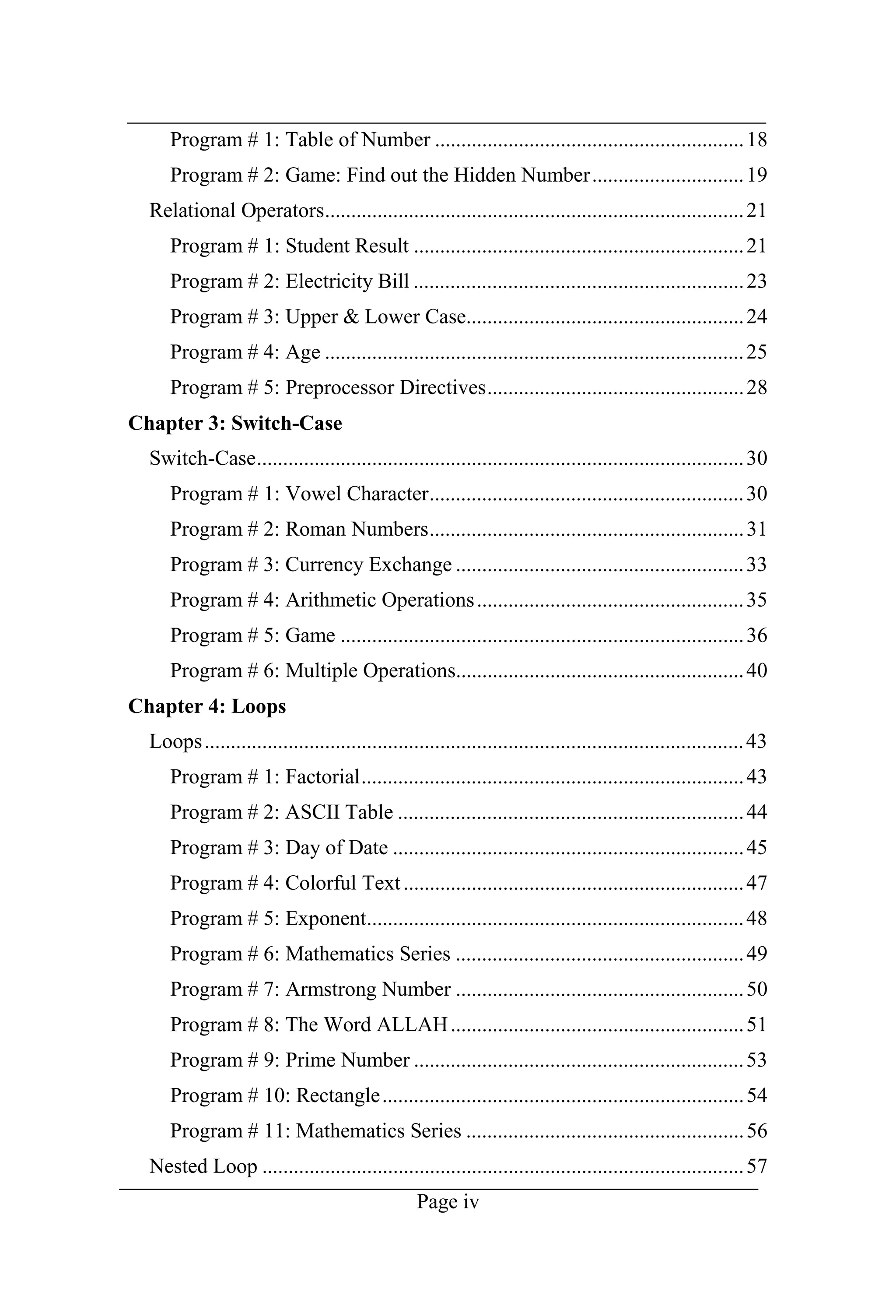
Page iii Chapter 1: Introduction Brief History of C++ .....................................................................................2 C++ Compiler............................................................................................2 How to Run the Compiler .........................................................................3 Step 1:....................................................................................................3 Step 2:....................................................................................................3 Step 3:....................................................................................................3 Step 4:....................................................................................................4 Step 5:....................................................................................................4 How to Run the Program...........................................................................5 Step 1:....................................................................................................5 Step 2:....................................................................................................5 How to Execute the Program ....................................................................5 Step 1:....................................................................................................5 Step 2:....................................................................................................5 Program # 1: Simple Program...............................................................6 Program # 2: Swap the Numbers ..........................................................7 Program # 3: Arithmetic Operation Sum..............................................8 Program # 4: Temperature Conversion to Centigrade ..........................9 Program # 5: Find out the Symbol from ASCII..................................10 Program # 6: Reverse Number............................................................11 Chapter 2: Decisions If, else if & nested if:...............................................................................13 Program # 1: Given number is Odd or Even.......................................13 Program # 2: Greater number from given Numbers ...........................14 Program # 3: Find out the Grade.........................................................15 Program # 4: Calculate the Salary of Servant.....................................16 Program # 5: Find out the smaller Number.........................................17 Goto Statement........................................................................................18
Page iv Program # 1: Table of Number ...........................................................18 Program # 2: Game: Find out the Hidden Number.............................19 Relational Operators................................................................................21 Program # 1: Student Result ...............................................................21 Program # 2: Electricity Bill ...............................................................23 Program # 3: Upper & Lower Case.....................................................24 Program # 4: Age ................................................................................25 Program # 5: Preprocessor Directives.................................................28 Chapter 3: Switch-Case Switch-Case.............................................................................................30 Program # 1: Vowel Character............................................................30 Program # 2: Roman Numbers............................................................31 Program # 3: Currency Exchange .......................................................33 Program # 4: Arithmetic Operations...................................................35 Program # 5: Game .............................................................................36 Program # 6: Multiple Operations.......................................................40 Chapter 4: Loops Loops.......................................................................................................43 Program # 1: Factorial.........................................................................43 Program # 2: ASCII Table ..................................................................44 Program # 3: Day of Date ...................................................................45 Program # 4: Colorful Text.................................................................47 Program # 5: Exponent........................................................................48 Program # 6: Mathematics Series .......................................................49 Program # 7: Armstrong Number .......................................................50 Program # 8: The Word ALLAH........................................................51 Program # 9: Prime Number ...............................................................53 Program # 10: Rectangle.....................................................................54 Program # 11: Mathematics Series .....................................................56 Nested Loop ............................................................................................57
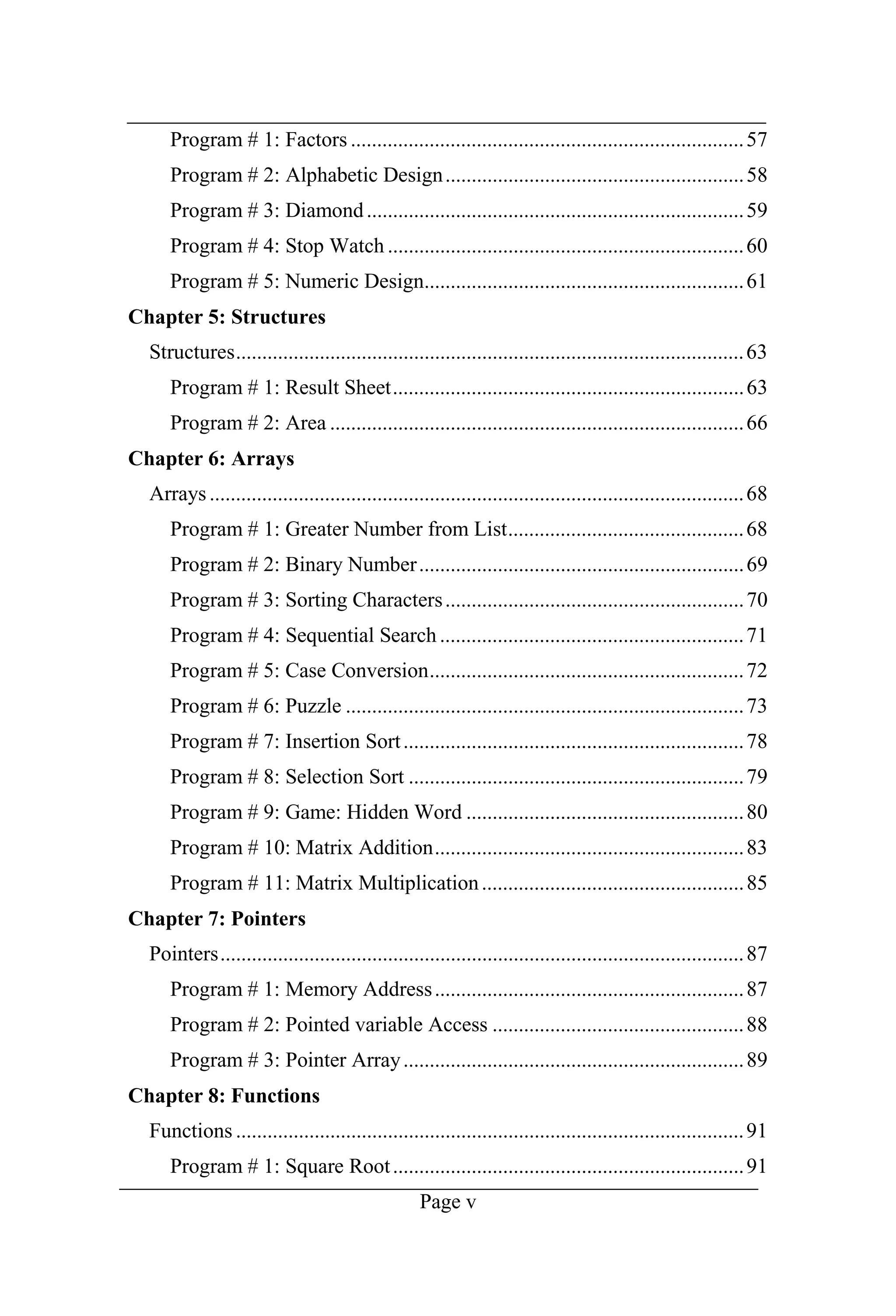
Page v Program # 1: Factors ...........................................................................57 Program # 2: Alphabetic Design.........................................................58 Program # 3: Diamond........................................................................59 Program # 4: Stop Watch ....................................................................60 Program # 5: Numeric Design.............................................................61 Chapter 5: Structures Structures.................................................................................................63 Program # 1: Result Sheet...................................................................63 Program # 2: Area ...............................................................................66 Chapter 6: Arrays Arrays......................................................................................................68 Program # 1: Greater Number from List.............................................68 Program # 2: Binary Number..............................................................69 Program # 3: Sorting Characters.........................................................70 Program # 4: Sequential Search ..........................................................71 Program # 5: Case Conversion............................................................72 Program # 6: Puzzle ............................................................................73 Program # 7: Insertion Sort.................................................................78 Program # 8: Selection Sort ................................................................79 Program # 9: Game: Hidden Word .....................................................80 Program # 10: Matrix Addition...........................................................83 Program # 11: Matrix Multiplication..................................................85 Chapter 7: Pointers Pointers....................................................................................................87 Program # 1: Memory Address...........................................................87 Program # 2: Pointed variable Access ................................................88 Program # 3: Pointer Array.................................................................89 Chapter 8: Functions Functions .................................................................................................91 Program # 1: Square Root...................................................................91
Page vi Program # 2: Prime Numbers..............................................................92 Program # 3: Recursive Function........................................................94 Program # 4: Fibonacci Series ............................................................95 Program # 5: Square............................................................................96 Program # 6: Standard Deviation........................................................97 Program # 7: Character Counting .......................................................98 Program # 8: Comparing Strings.......................................................100 Program # 9: Smaller Number ..........................................................102 Program # 10: Calendar ....................................................................103 Chapter 9: Classes Classes...................................................................................................112 Program # 1: Multiplication..............................................................112 Program # 2: Constructor with Header File......................................113 Program # 3: Destructor....................................................................115 Program # 4: Object Argument.........................................................116 Program # 5: Friend Class.................................................................118 Chapter 10: Files Files .......................................................................................................120 Program # 1: Create a File ................................................................120 Program # 2: Write/Read String........................................................122 Program # 3: Counting Lines............................................................124 Program # 4: Data Copy to another File ...........................................125 Program # 5: Counting Characters....................................................126 Program # 6: Binary Mode Write......................................................128 Program # 7: Binary Mode Record...................................................130 Program # 8: Counting Record .........................................................132 Program # 9: Search Record .............................................................133 Program # 10: Search Name with Structure......................................135 Program # 11: Search Name with Class............................................137 Program # 12: Update the Record.....................................................140
Page vii Program # 13: DOS Shell..................................................................142 Chapter 11: Polymorphism Polymorphism .......................................................................................144 Program # 1: Binary Operator (+) Overloading................................144 Program # 2: Binary Operator [ ] Overloading.................................146 Program # 3: Binary Operators (+,-,*) Overloading.........................148 Program # 4: Inheritance...................................................................150 Program # 5: Derived Constructor....................................................151 Program # 6: Function Overriding....................................................153 Program # 7: Friend Function ...........................................................154 Program # 8: Virtual Function ..........................................................156 Program # 9: Virtual Function ..........................................................158 Chapter 12: Graphics Graphics.................................................................................................162 Program # 1: Rectangle.....................................................................162 Program # 2: Circles..........................................................................163 Program # 3: Masjid Model ..............................................................164 Program # 4: Analog Clock...............................................................171 Program # 5: Game: Moving Ball.....................................................175 Program # 6: Calculator ....................................................................183 Program # 7: Mouse Handling..........................................................200 References .................................................................................................206
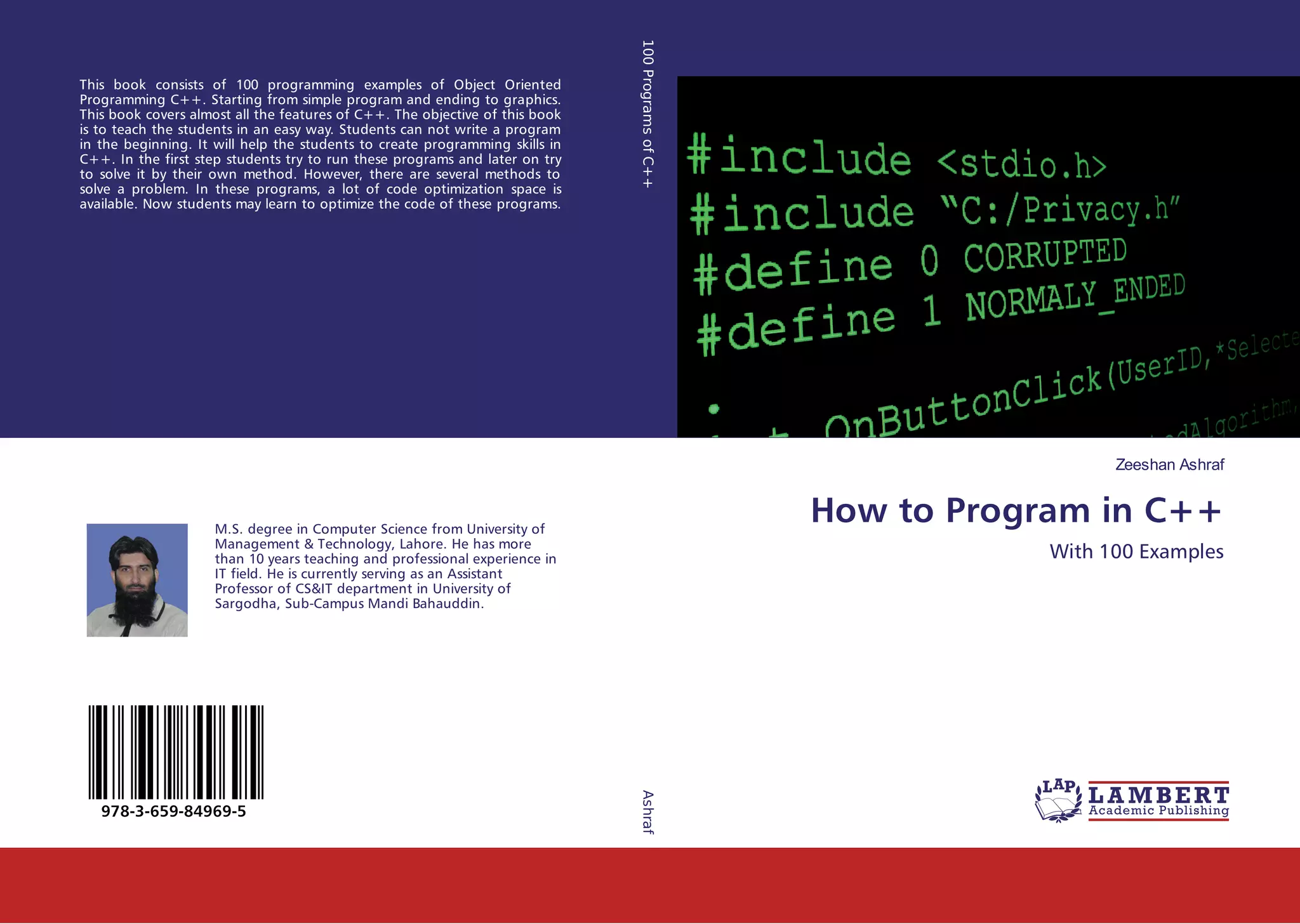
Page viii Learning Outcomes This book consists of 100 programing examples of Object Oriented Programming C++. Starting from simple program and ending to graphics. This book covers almost all the features of C++. The objective of this book is to teach the students in an easy way. Students can not write a program in the beginning. It will help the students to create programing skills in C++. In the first step students try to run these programs and later on try to solve it by their own method. However, there are several methods to solve a problem. In these programs, a lot of code optimization space is available. Now students may learn to optimize the code of these programs.
Chapter 1 Introduction
Introduction Page 2 C++ is the extension of C language. The C language was evolved version of UNIX operating system [1]. C language is the subset of C++. Every single command of C language is executable in C++ but the reverse is not possible. C is a structured programing language but C++ is the Object Oriented Programming language [2]. egan his [3]. In 1983, it was renamed from C with Classes to C++. New features were added along with classes. In 1985, the first edition of the C++ programming language was released [4]. In 1989, the second edition of the C++ was released [5]. In 1991, updated second edition of the C++ with new features was released. C++ is standardized language by an ISO working group. In 1998, after the second updated edition of C++ the ISO working group standardized C++ for the first time which is known as C++98 [6]. In 2003, it published a new version of the C++ standard called C++03 which fixed problems identified in C++98 [7]. In 2011, the new version of C++11 standard was released with adding numerous new features [8]. After a minor update in 2014, C++14 was released [9]. And various new additions are in pipe line for 2017. As we know that computer understands only binary language that consists of 0 and 1. It is also called machine language. And we write code in high level language that is much closer to human language. Computer does not understand human language. So we need a translator which translates the code into machine language and then translate the results to human language [10]. This translator some time works as compiler and some time as interpreter. Compiler translates the code as whole and show all the errors existing in the code while interpreter translates the code line by line and if any error is found in the code then it stops at that line. When program has compiled successfully by compiler; it creates an object file with file
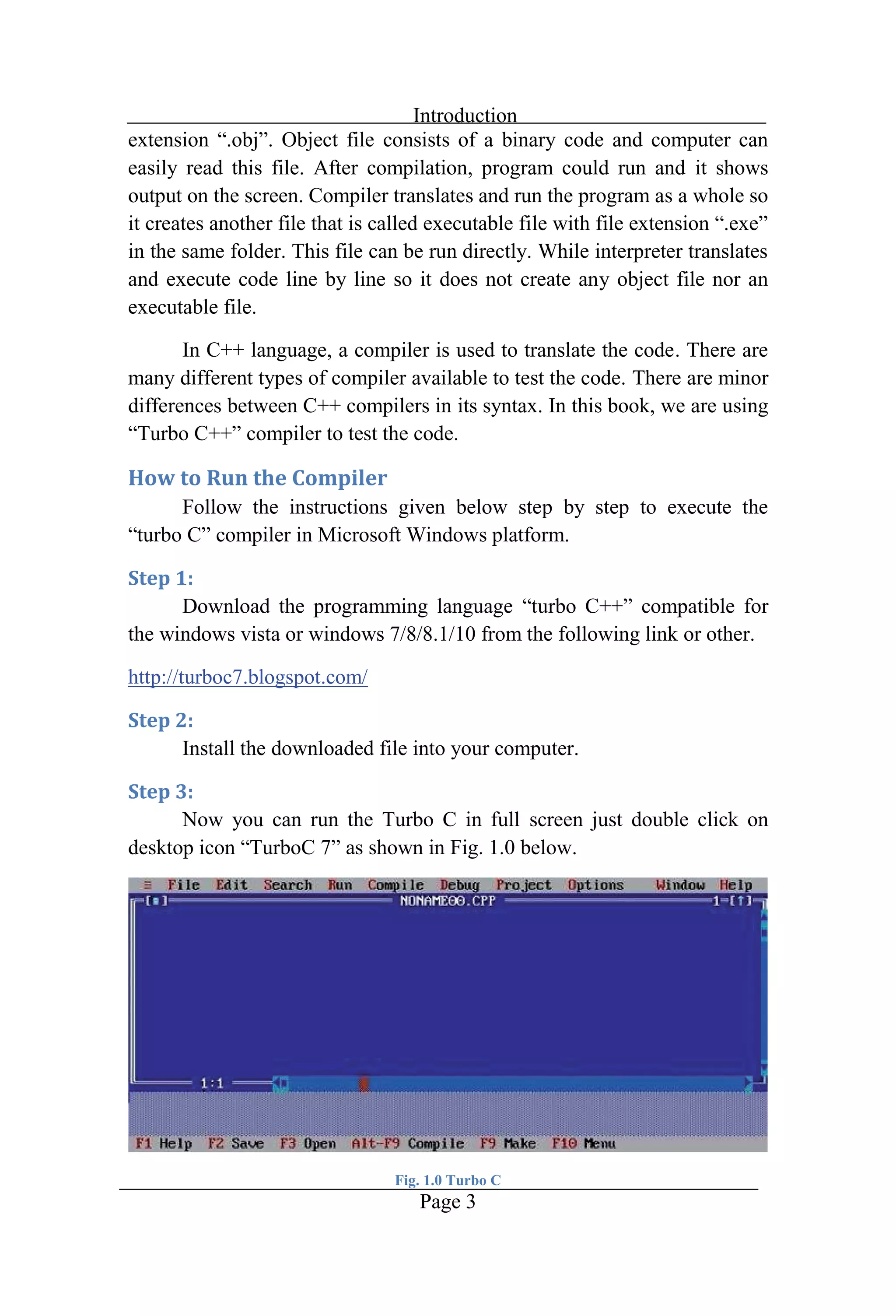
Introduction Page 3 consists of a binary code and computer can easily read this file. After compilation, program could run and it shows output on the screen. Compiler translates and run the program as a whole so it creates another file that is called executable fi in the same folder. This file can be run directly. While interpreter translates and execute code line by line so it does not create any object file nor an executable file. In C++ language, a compiler is used to translate the code. There are many different types of compiler available to test the code. There are minor differences between C++ compilers in its syntax. In this book, we are using Follow the instructions given below step by step to execute the in Microsoft Windows platform. Download the programming language turbo C++ compatible for the windows vista or windows 7/8/8.1/10 from the following link or other. http://turboc7.blogspot.com/ Install the downloaded file into your computer. Now you can run the Turbo C in full screen just double click on desktop icon Fig. 1.0 Turbo C
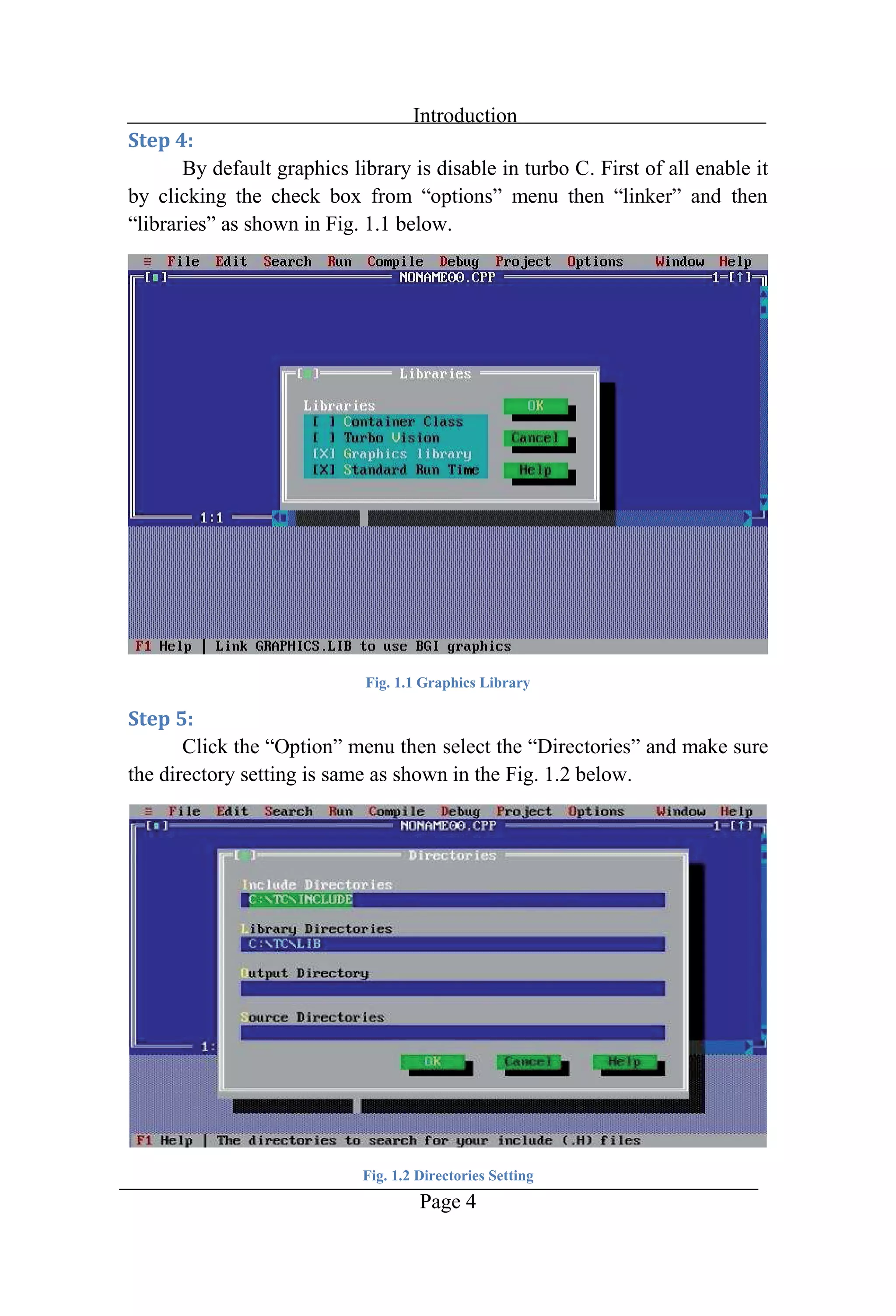
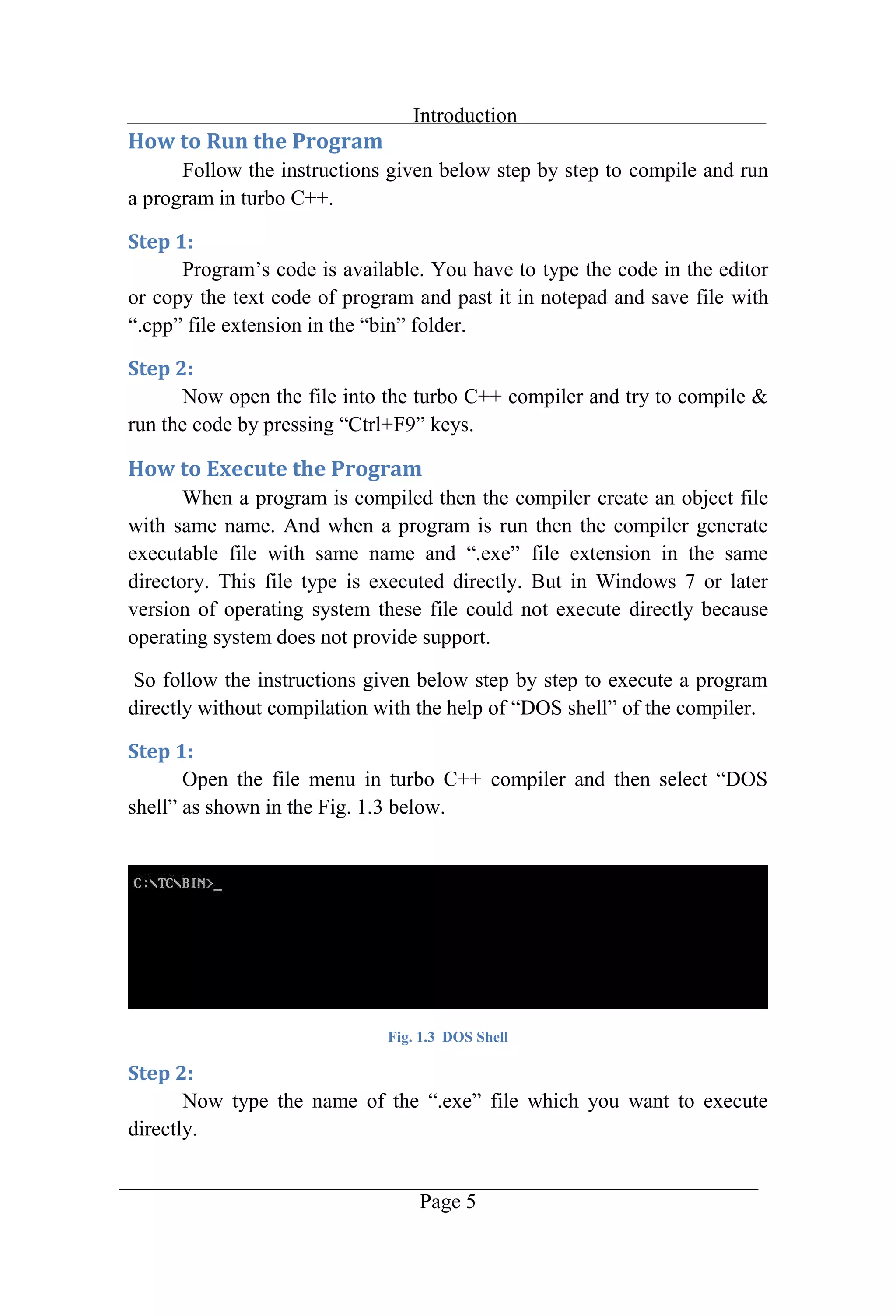
Introduction Page 4 By default graphics library is disable in turbo C. First of all enable it lib Fig. 1.1 Graphics Library O select Directorie the directory setting is same as shown in the Fig. 1.2 below. Fig. 1.2 Directories Setting
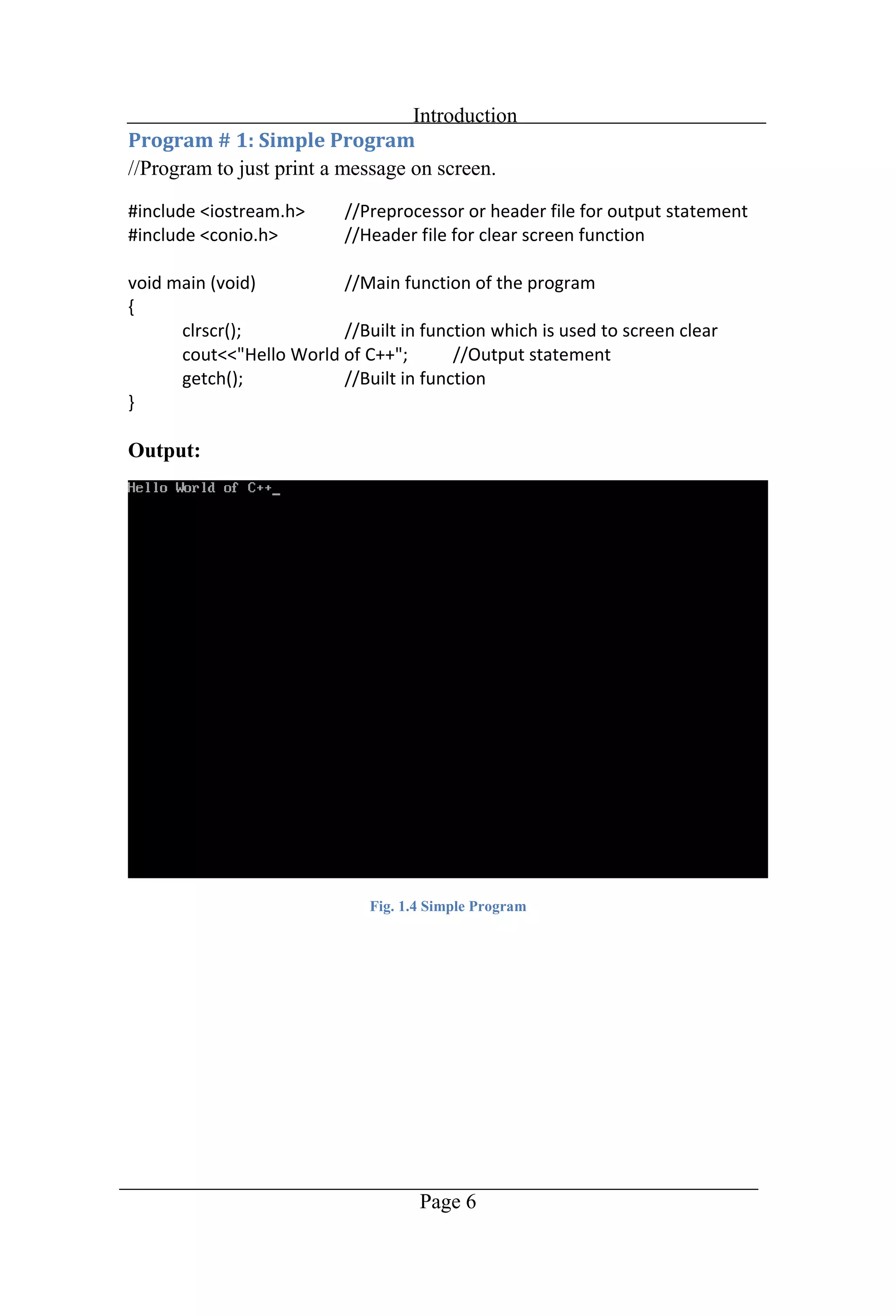
Introduction Page 5 Follow the instructions given below step by step to compile and run a program in turbo C++. Progr type the code in the editor or copy the text code of program and past it in notepad and save file with file extension bin Now open the file into the turbo C++ compiler and try to compile & F keys. When a program is compiled then the compiler create an object file with same name. And when a program is run then the compiler generate file extension in the same directory. This file type is executed directly. But in Windows 7 or later version of operating system these file could not execute directly because operating system does not provide support. So follow the instructions given below step by step to execute a program Open the file menu in turbo C++ 3 below. Fig. 1.3 DOS Shell Now type the name of the exe file which you want to execute directly.
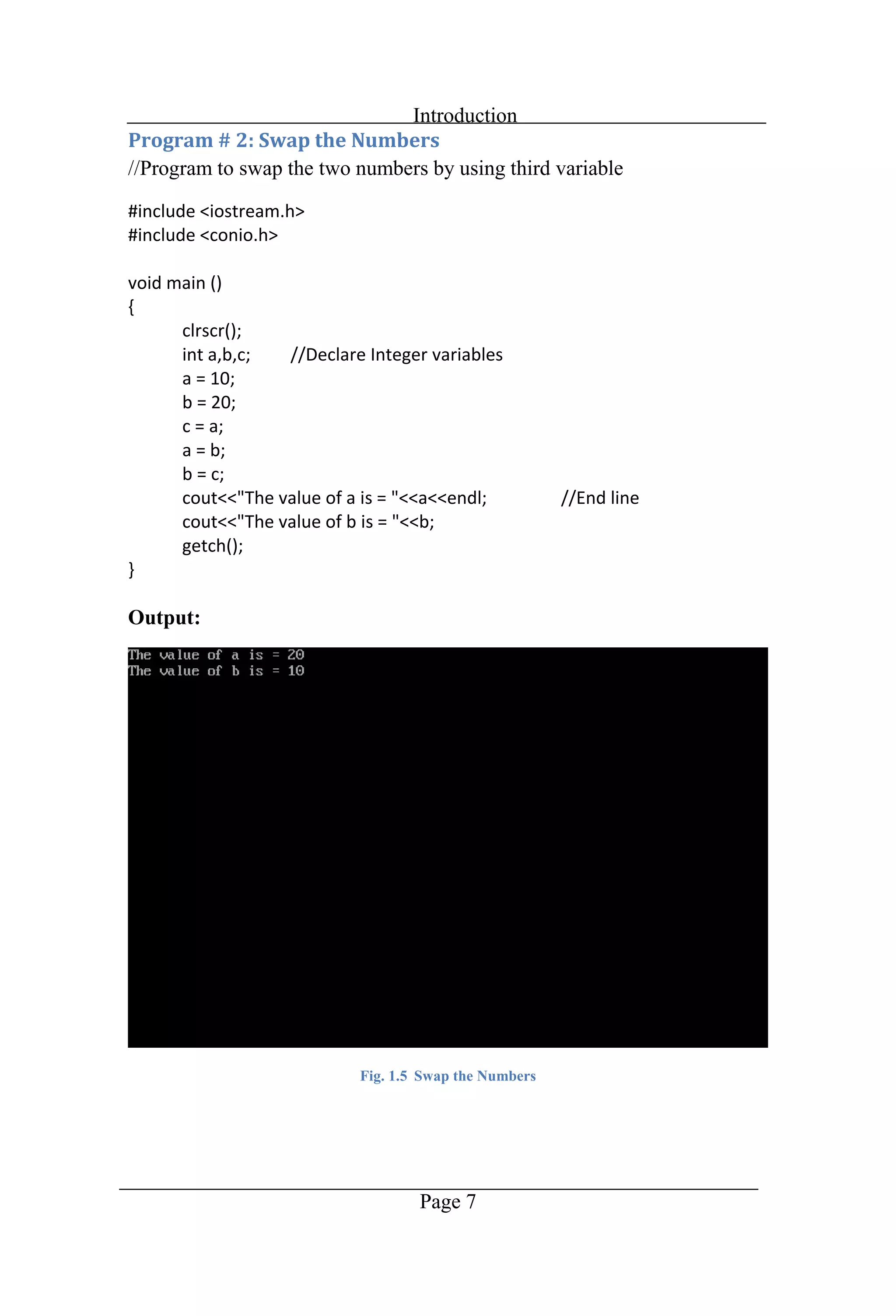
Introduction Page 6 //Program to just print a message on screen. Output: Fig. 1.4 Simple Program
Introduction Page 7 //Program to swap the two numbers by using third variable Output: Fig. 1.5 Swap the Numbers
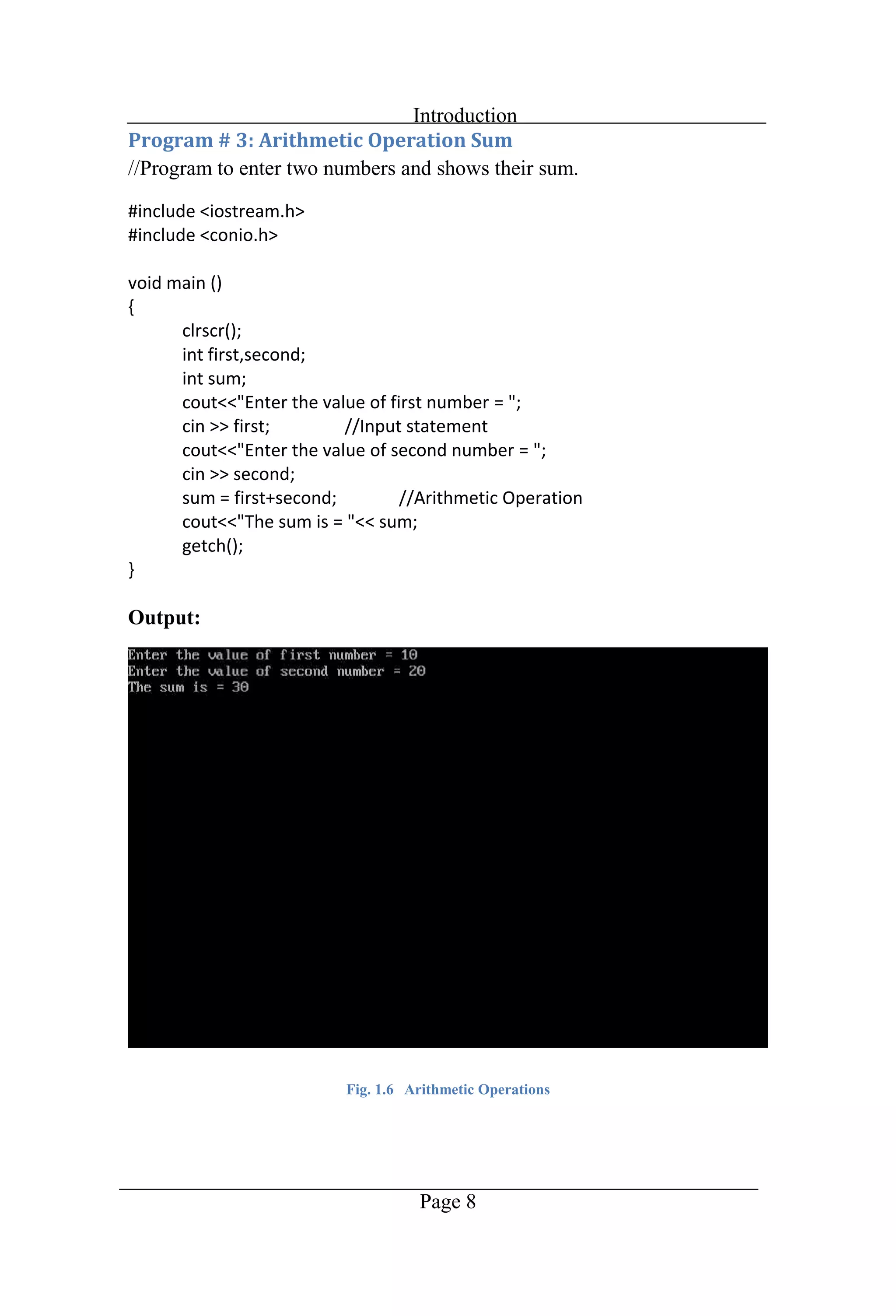
Introduction Page 8 //Program to enter two numbers and shows their sum. Output: Fig. 1.6 Arithmetic Operations
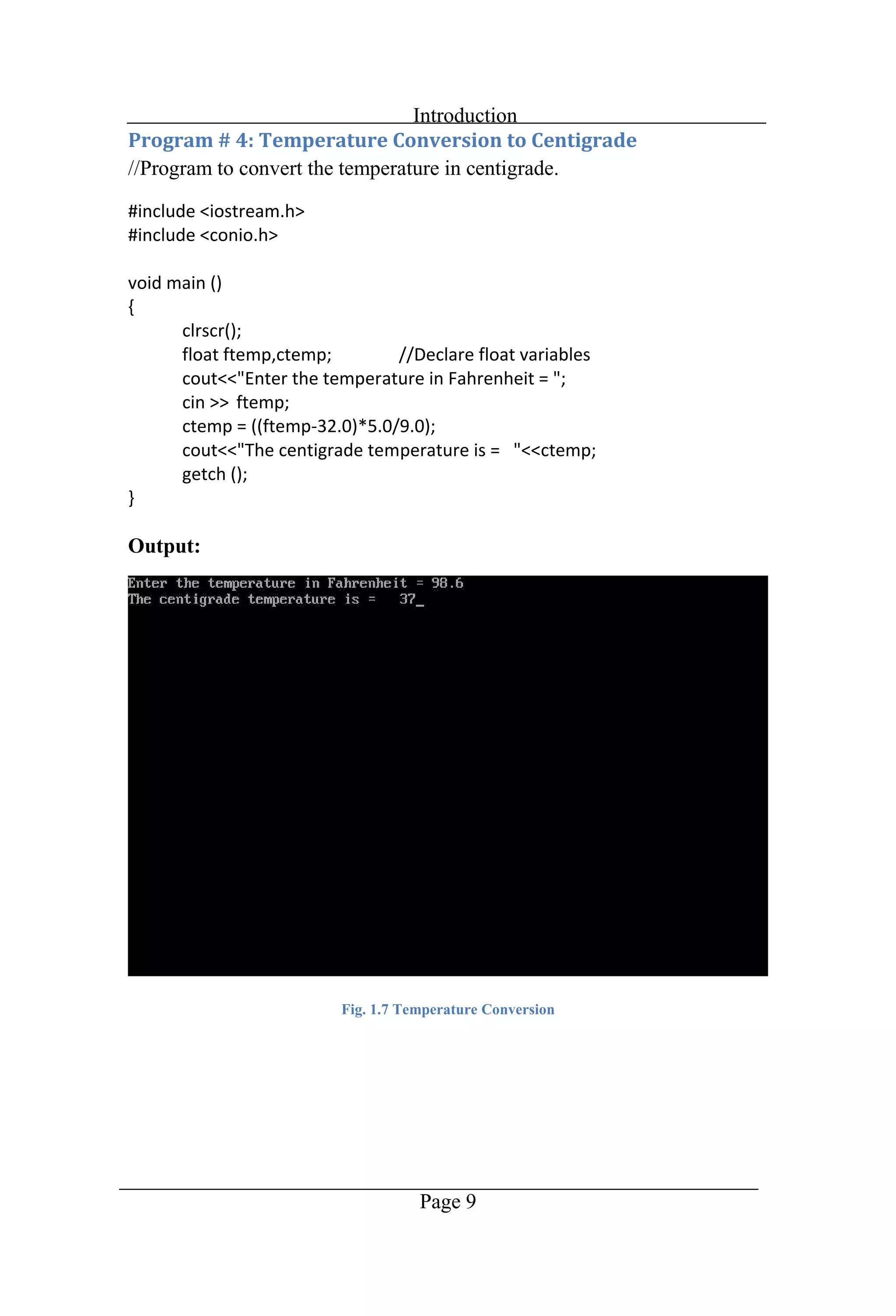
Introduction Page 9 //Program to convert the temperature in centigrade. Output: Fig. 1.7 Temperature Conversion
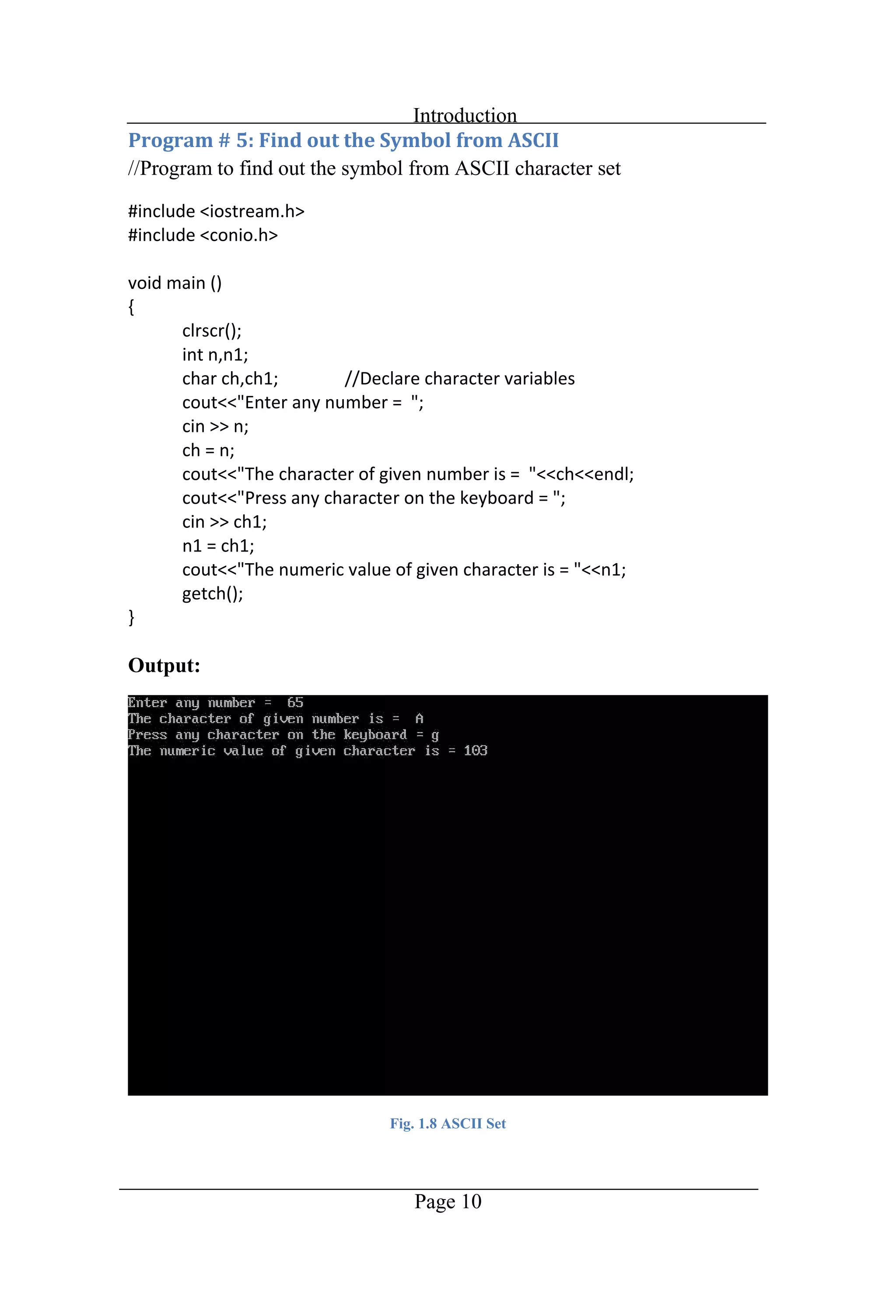
Introduction Page 10 //Program to find out the symbol from ASCII character set Output: Fig. 1.8 ASCII Set
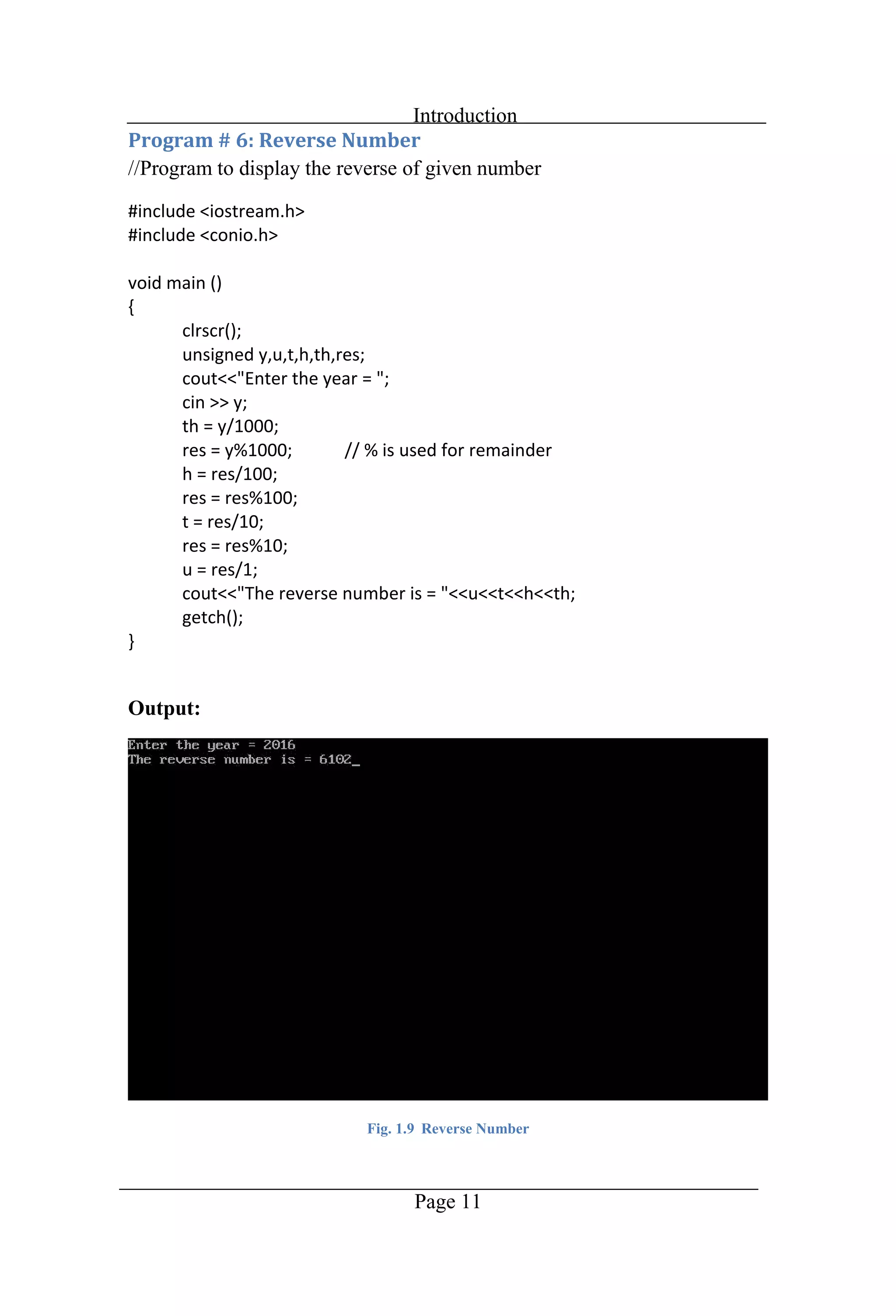
Introduction Page 11 //Program to display the reverse of given number Output: Fig. 1.9 Reverse Number
Chapter 2 Decisions
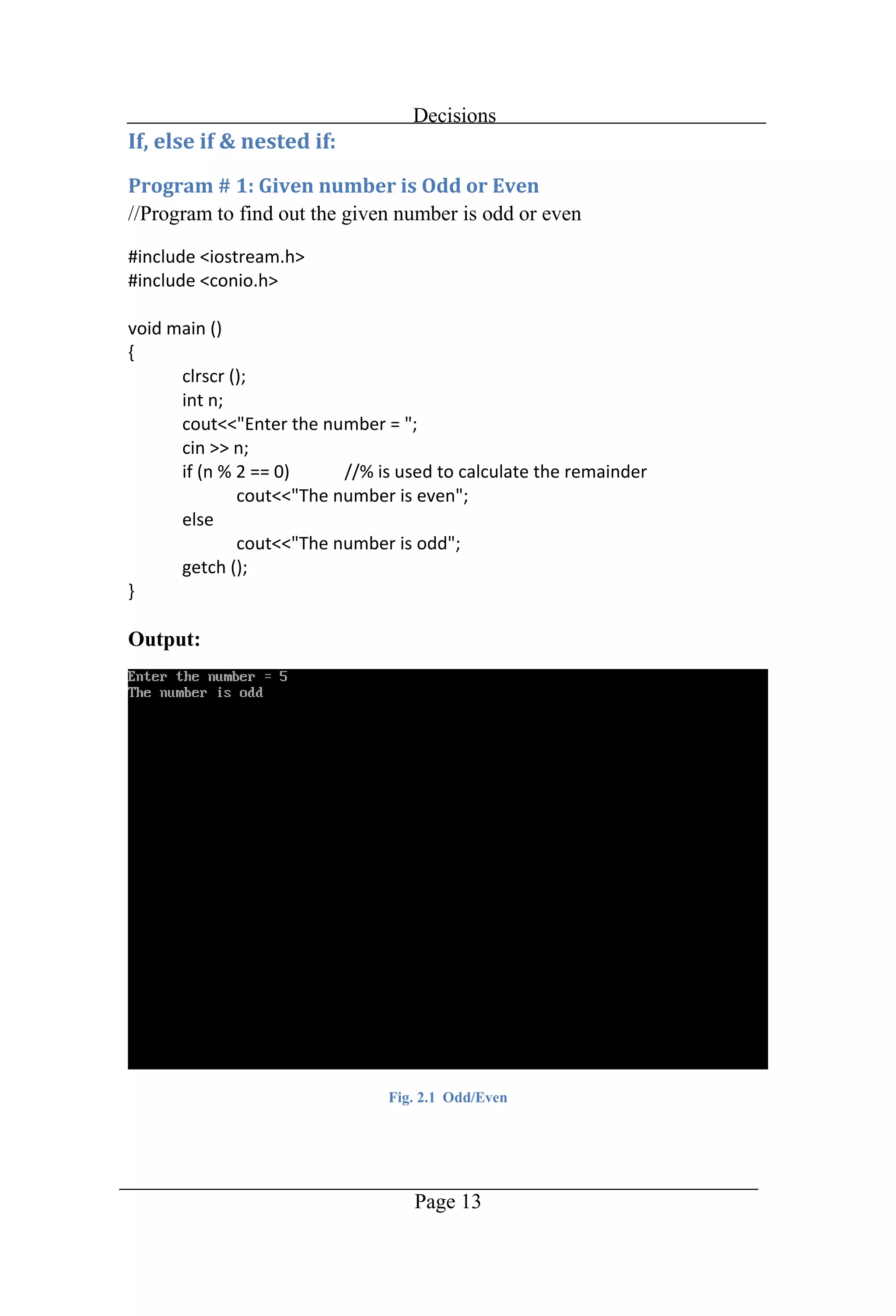
Decisions Page 13 //Program to find out the given number is odd or even Output: Fig. 2.1 Odd/Even
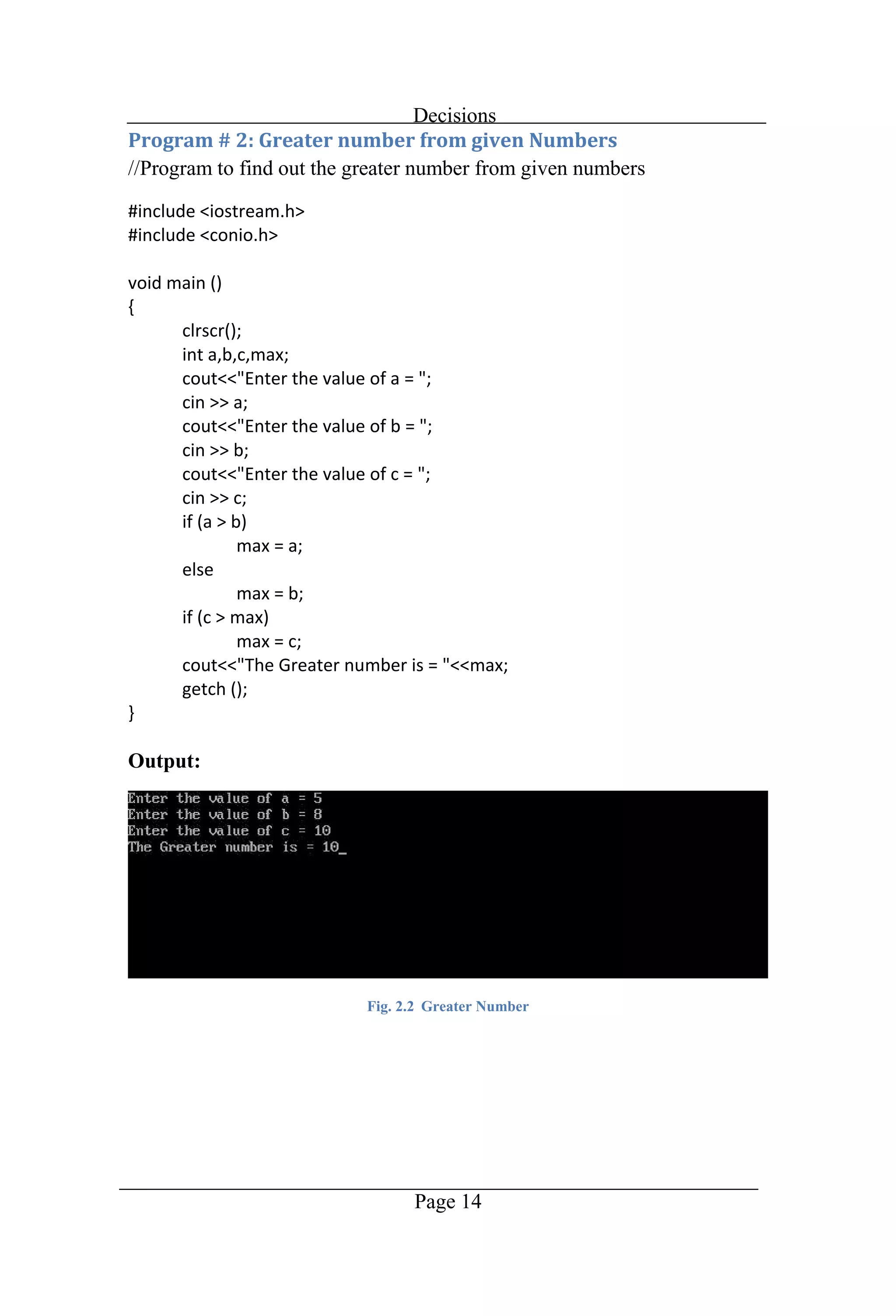
Decisions Page 14 //Program to find out the greater number from given numbers Output: Fig. 2.2 Greater Number
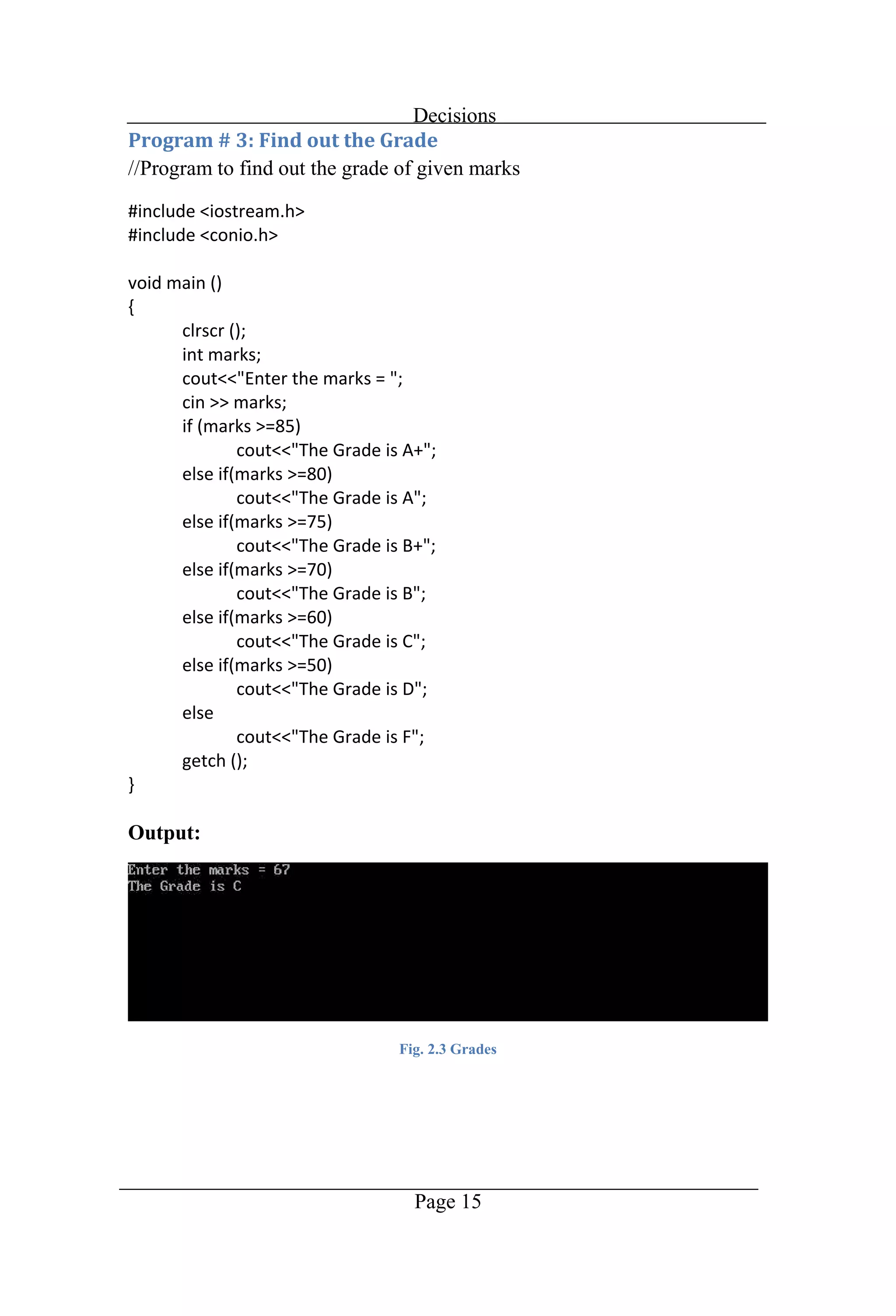
Decisions Page 15 //Program to find out the grade of given marks Output: Fig. 2.3 Grades
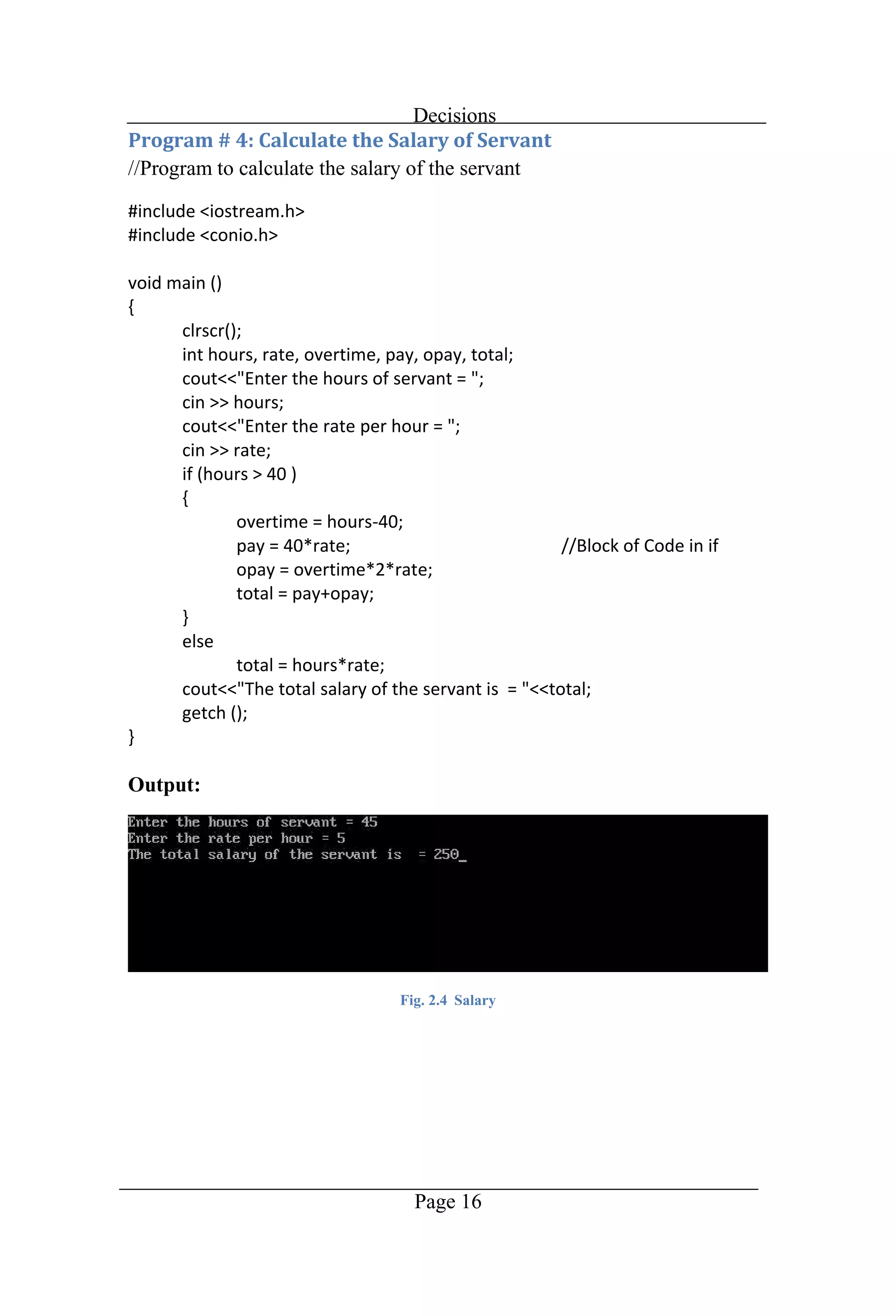
Decisions Page 16 //Program to calculate the salary of the servant Output: Fig. 2.4 Salary
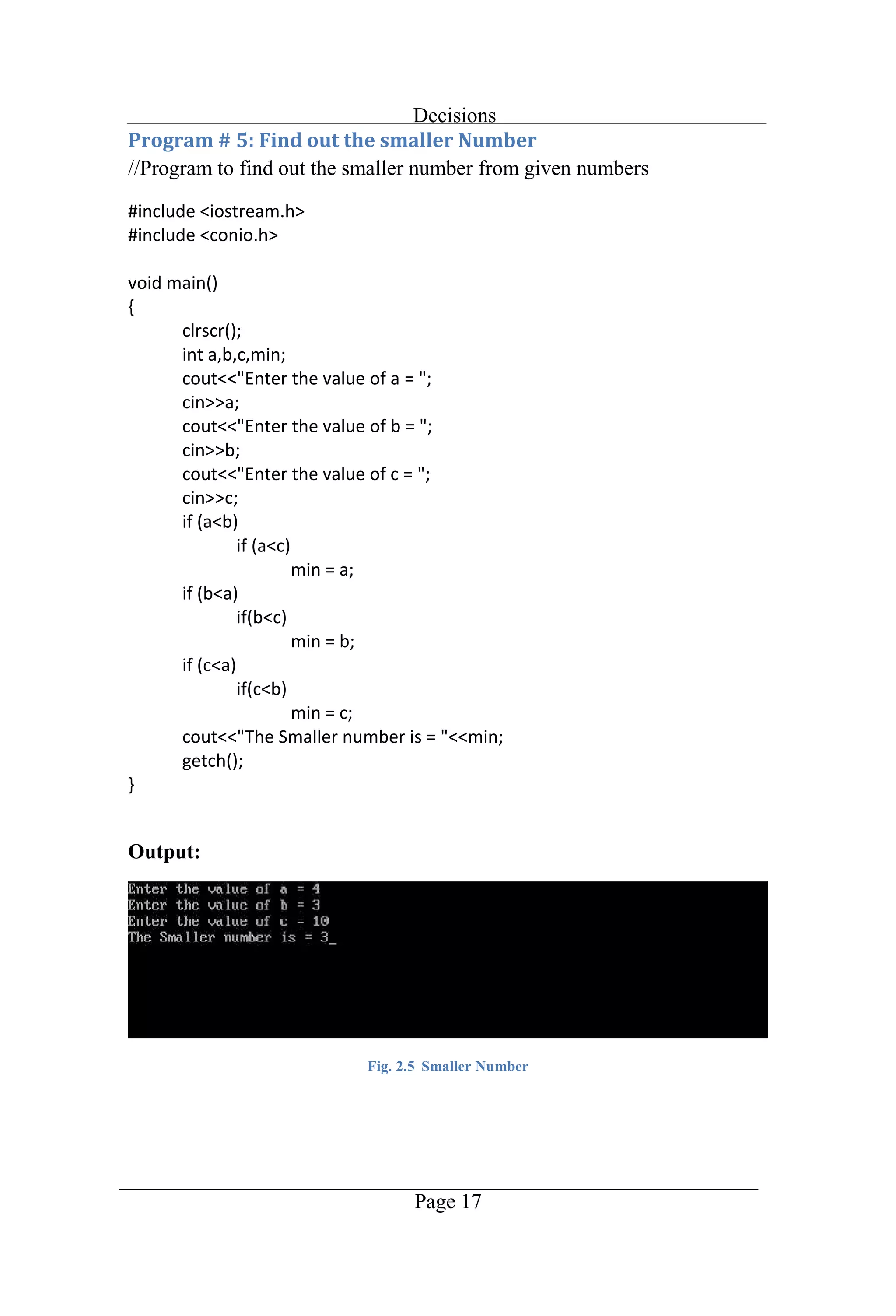
Decisions Page 17 //Program to find out the smaller number from given numbers Output: Fig. 2.5 Smaller Number
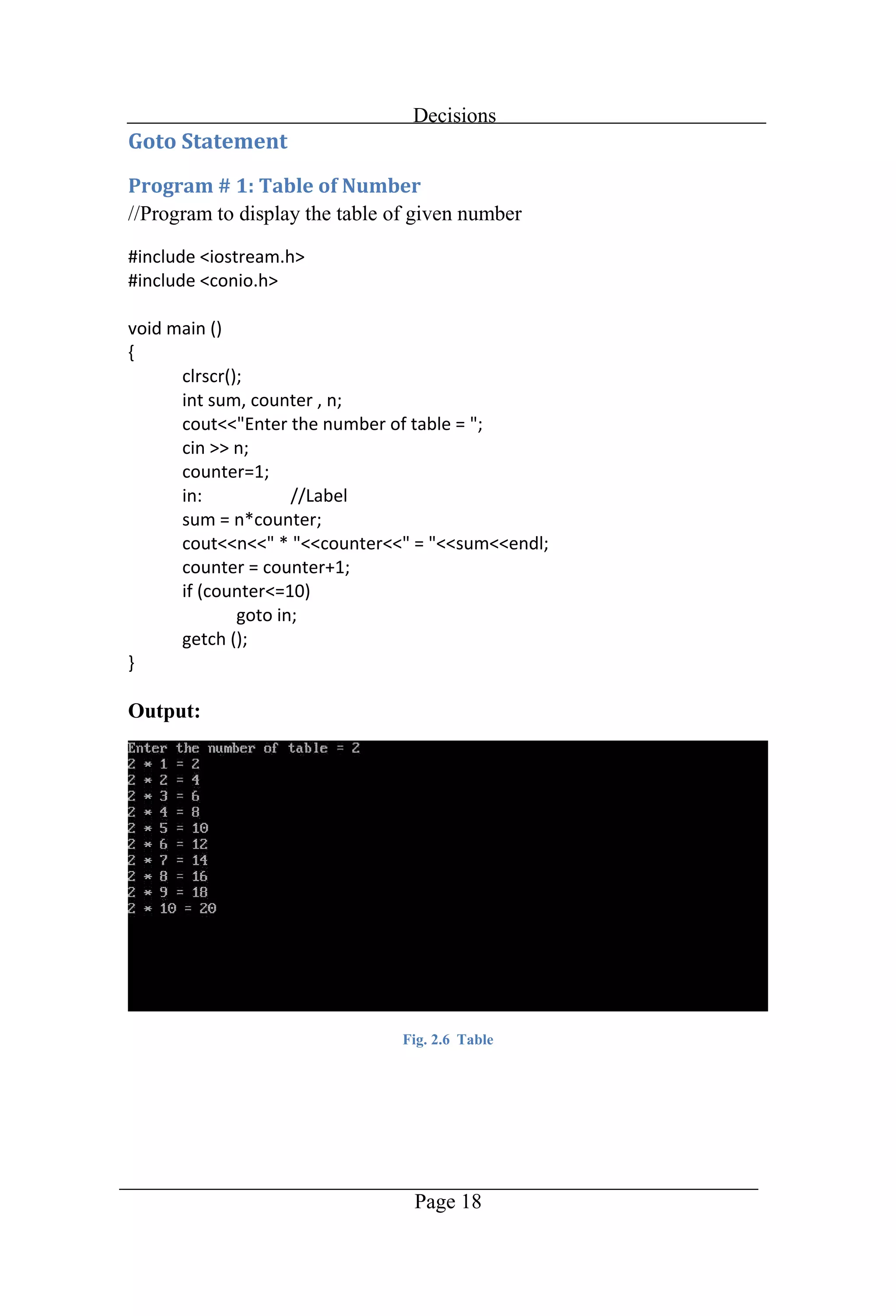
Decisions Page 18 //Program to display the table of given number Output: Fig. 2.6 Table
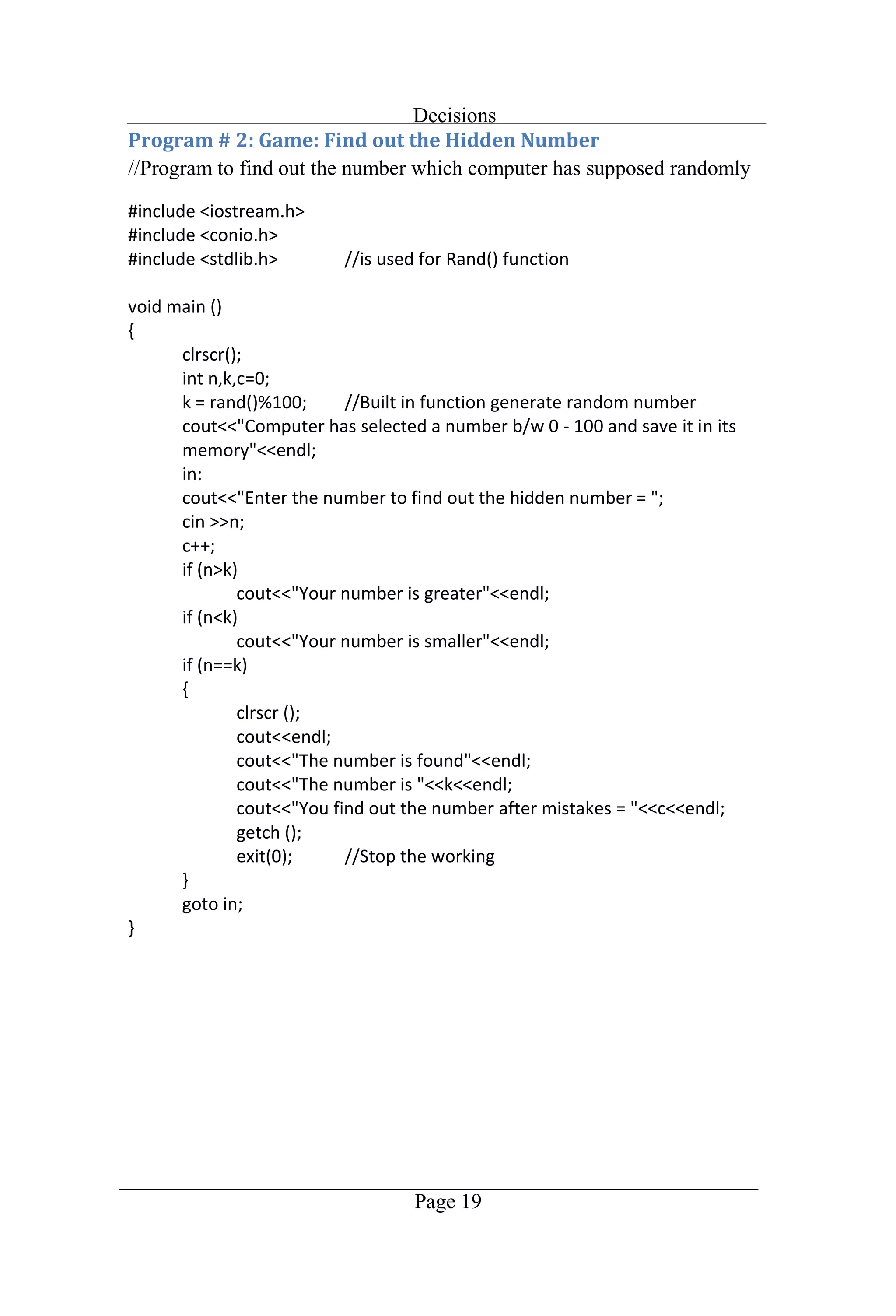
Decisions Page 19 //Program to find out the number which computer has supposed randomly
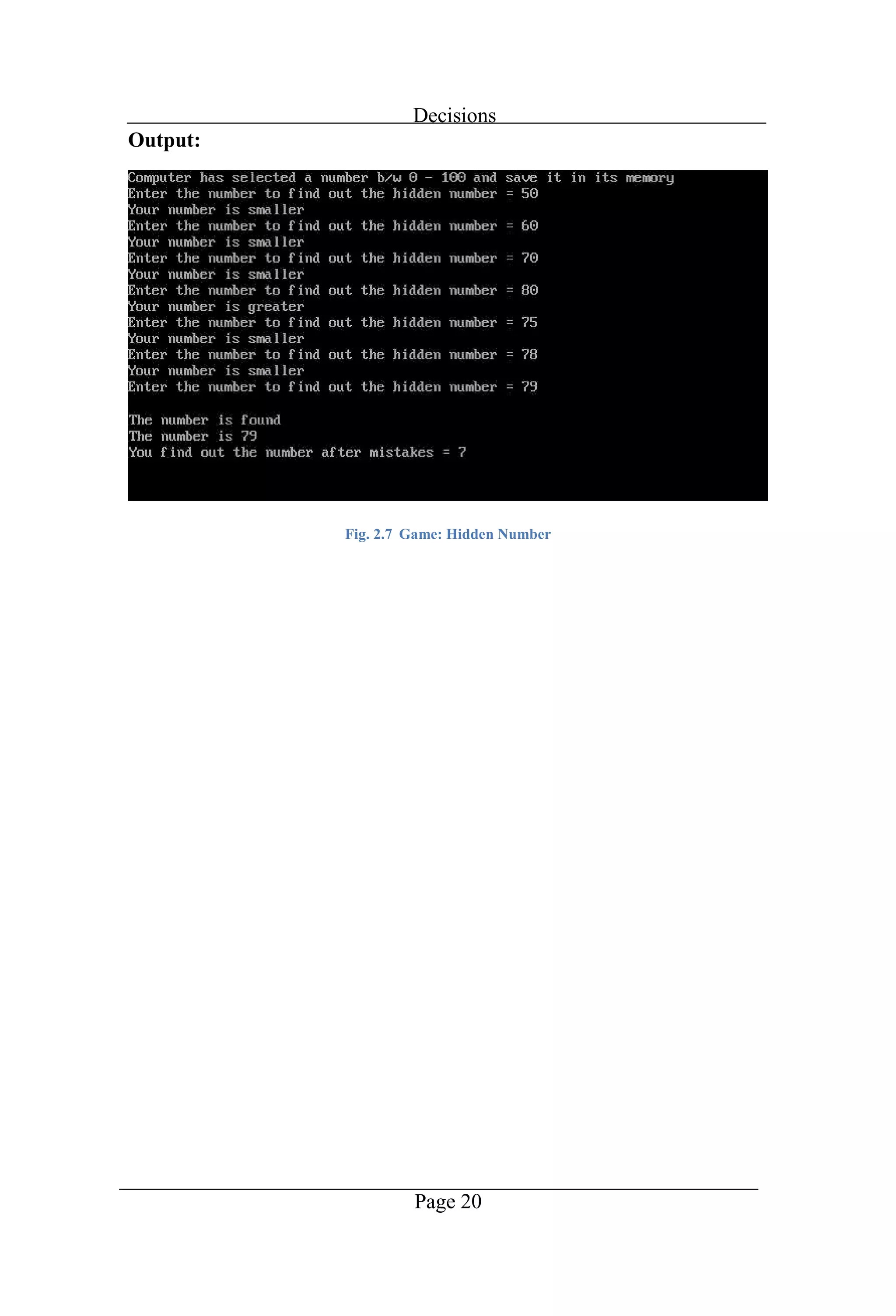
Decisions Page 20 Output: Fig. 2.7 Game: Hidden Number
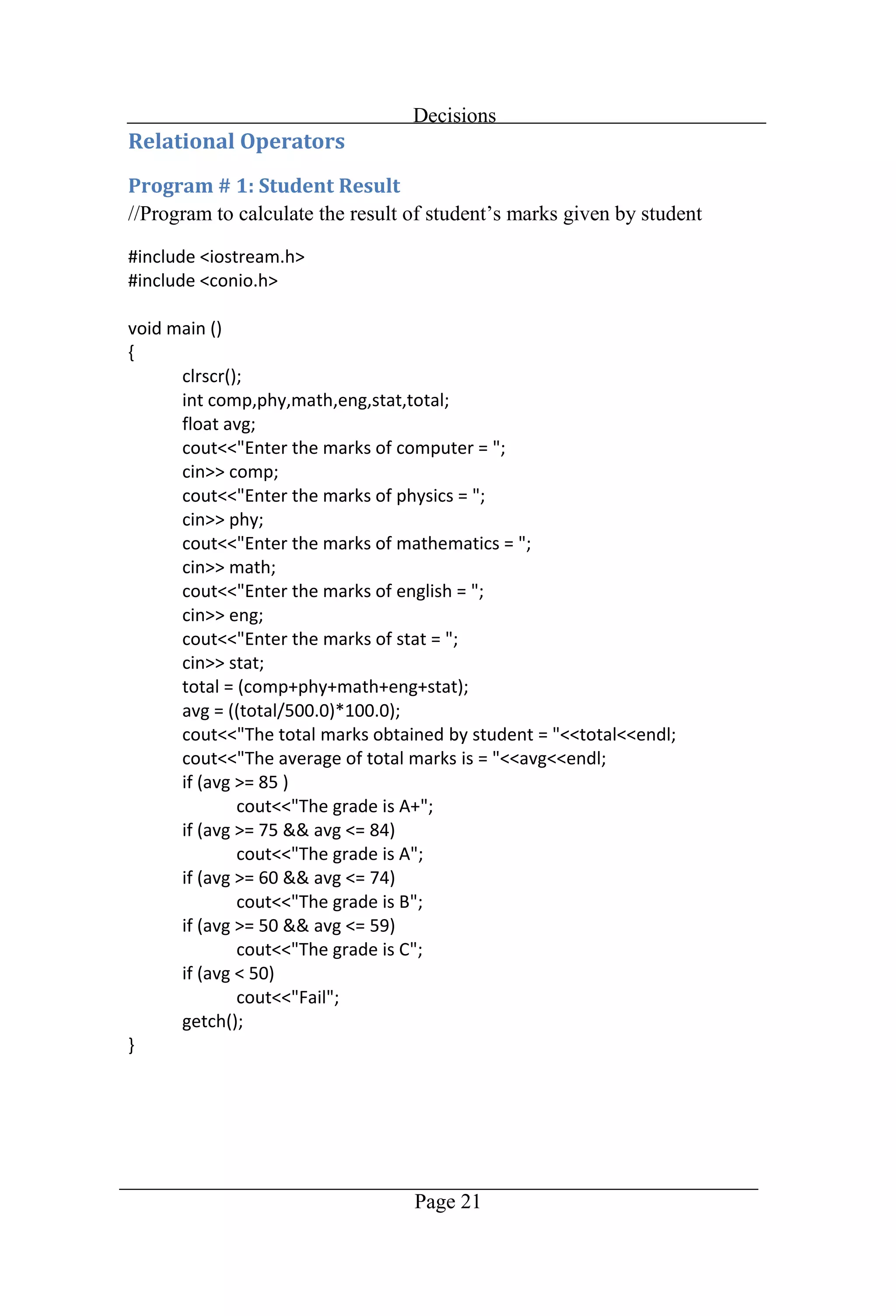
Decisions Page 21
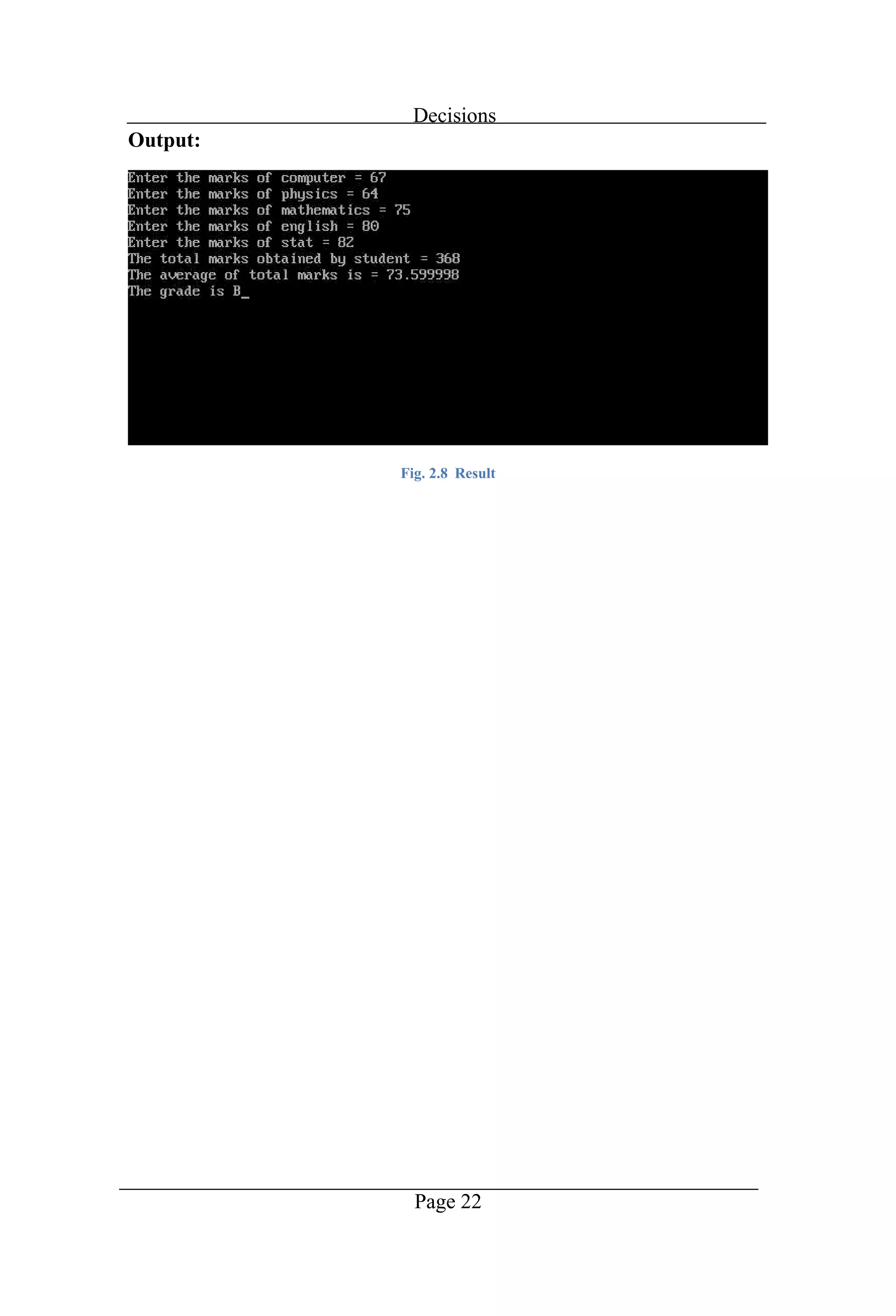
Decisions Page 22 Output: Fig. 2.8 Result
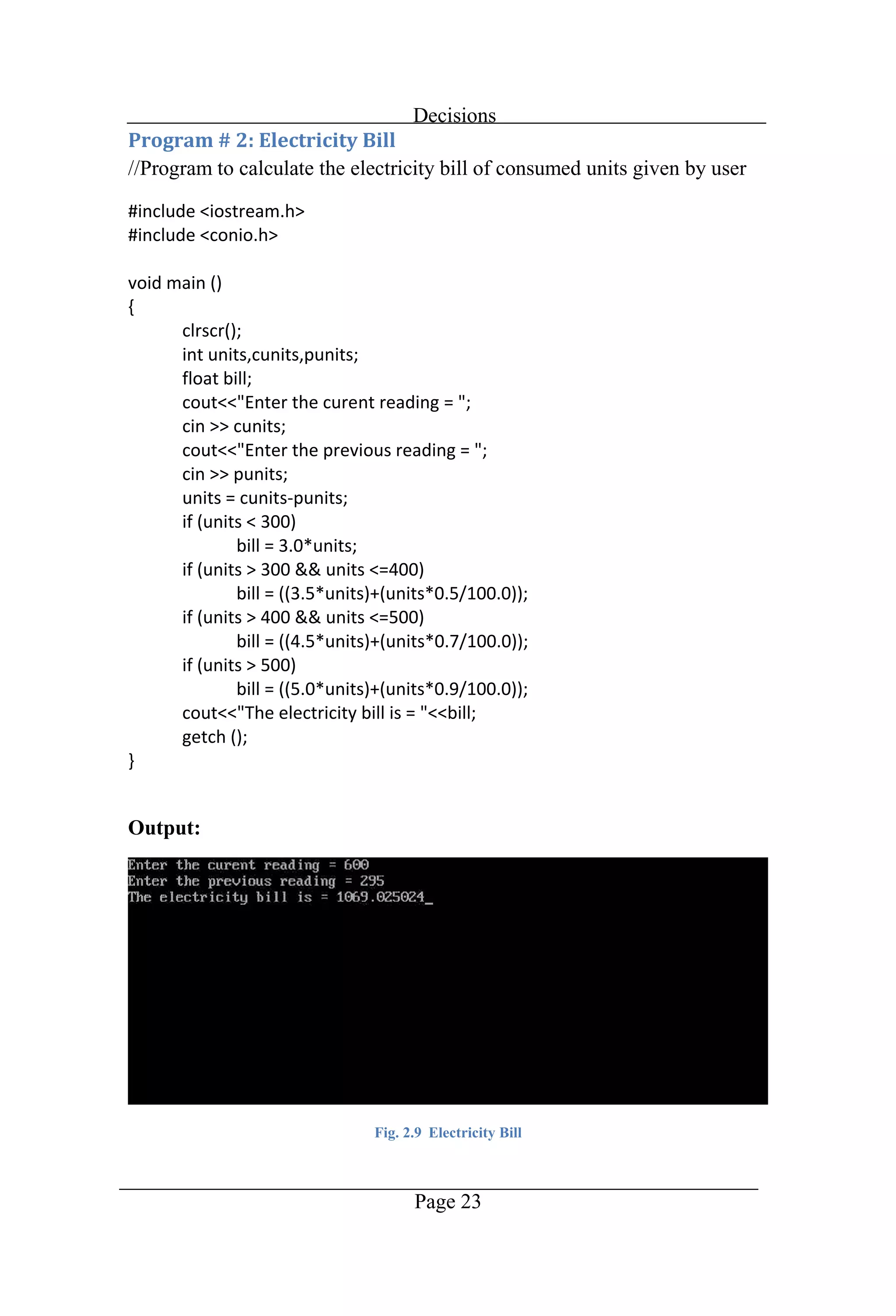
Decisions Page 23 //Program to calculate the electricity bill of consumed units given by user Output: Fig. 2.9 Electricity Bill
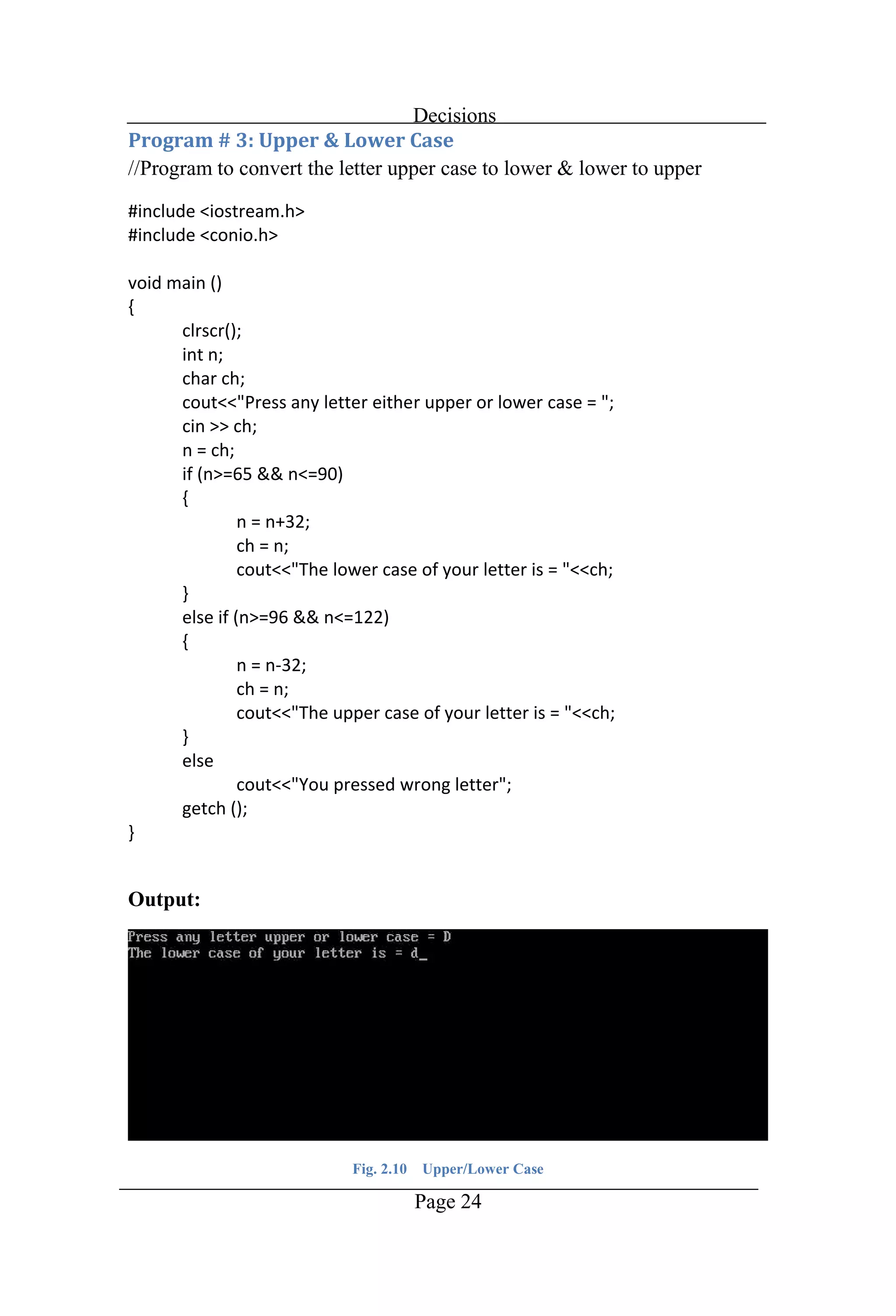
Decisions Page 24 //Program to convert the letter upper case to lower & lower to upper Output: Fig. 2.10 Upper/Lower Case
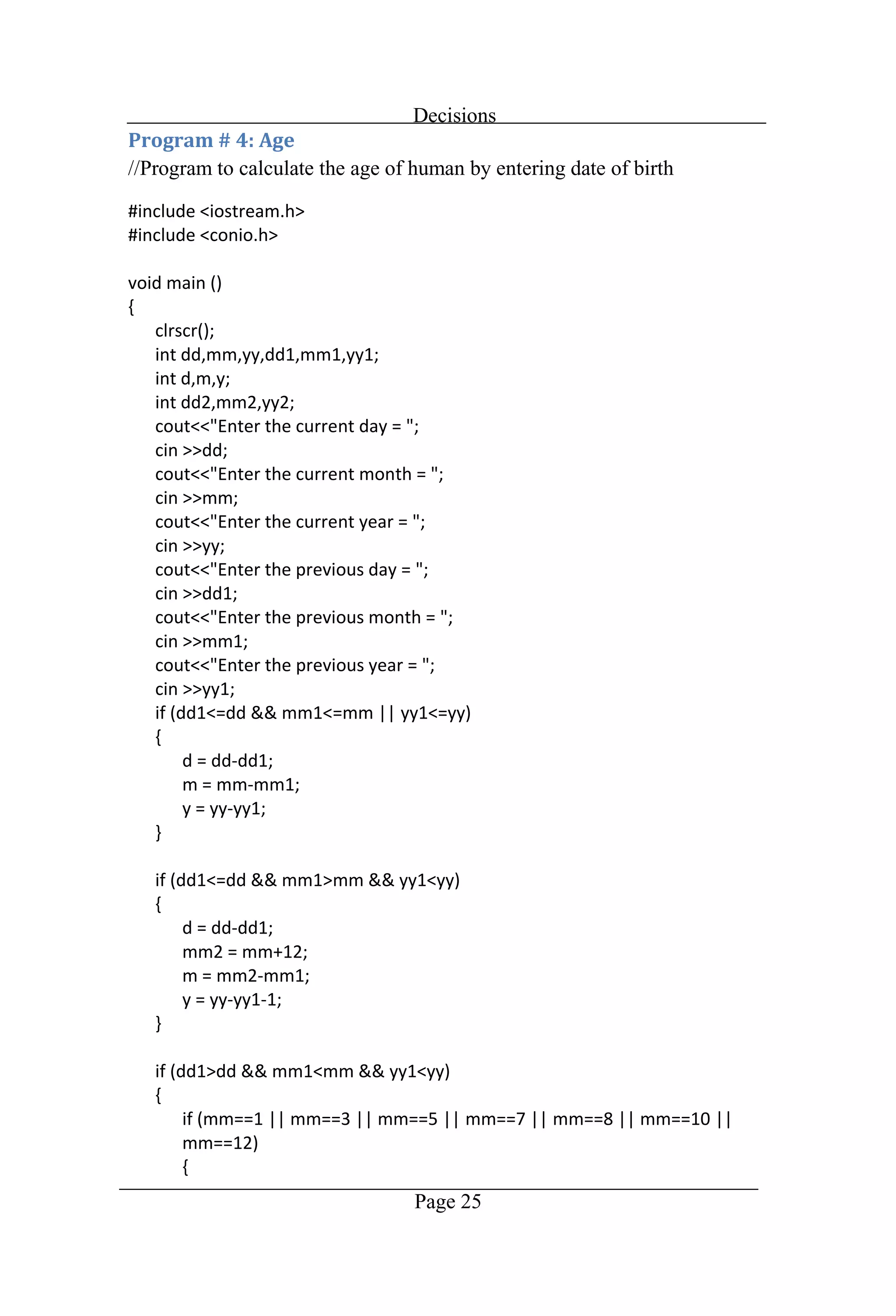
Decisions Page 25 //Program to calculate the age of human by entering date of birth
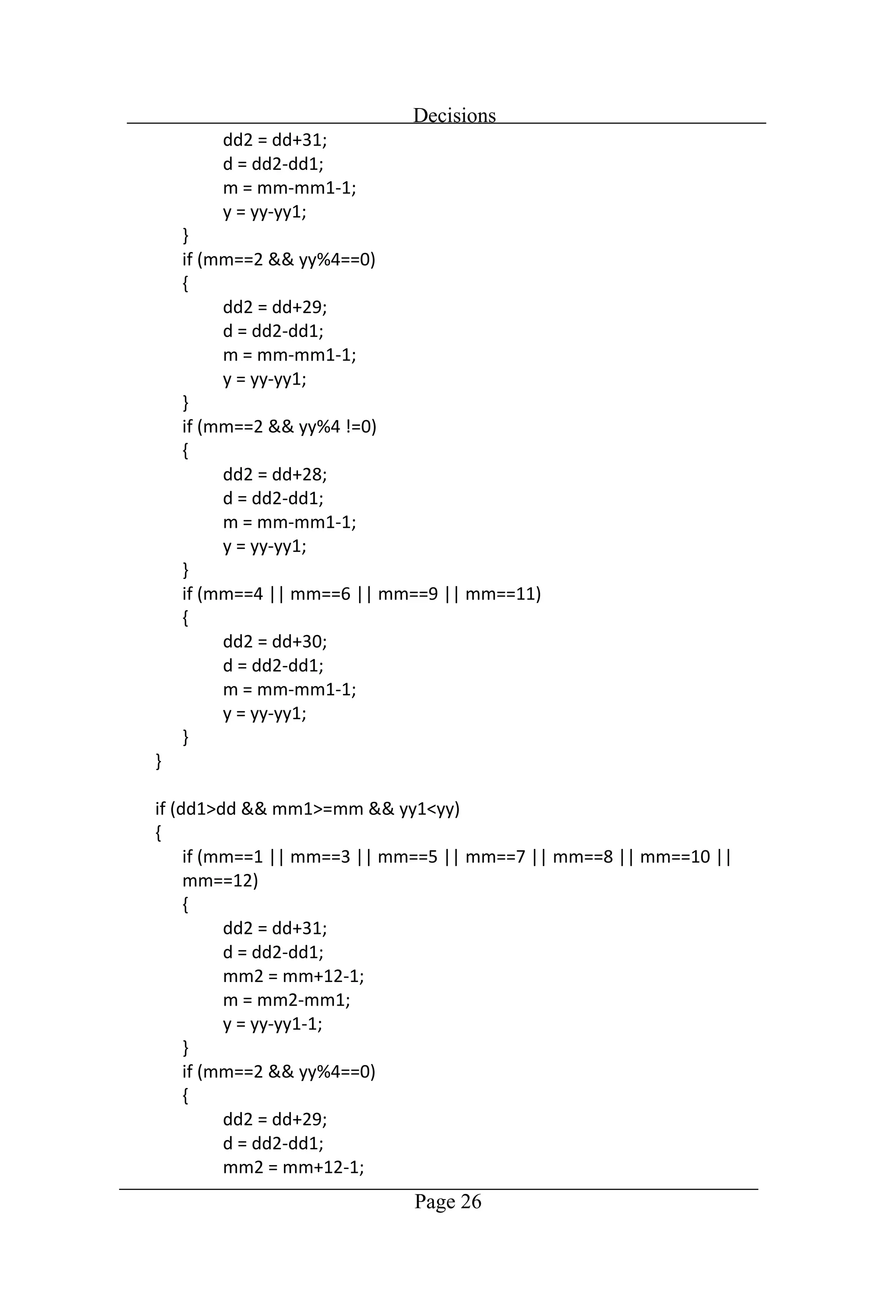
Decisions Page 26
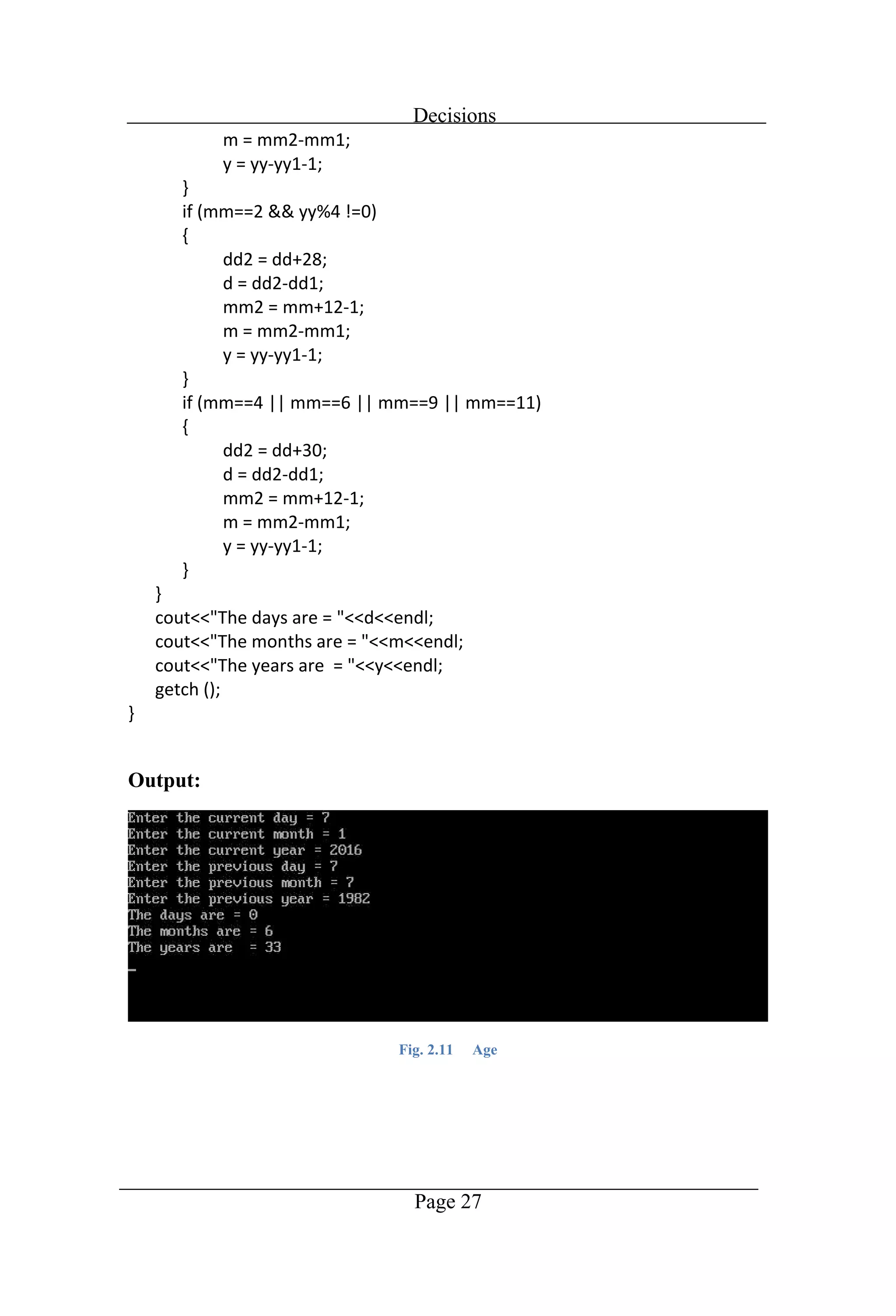
Decisions Page 27 Output: Fig. 2.11 Age
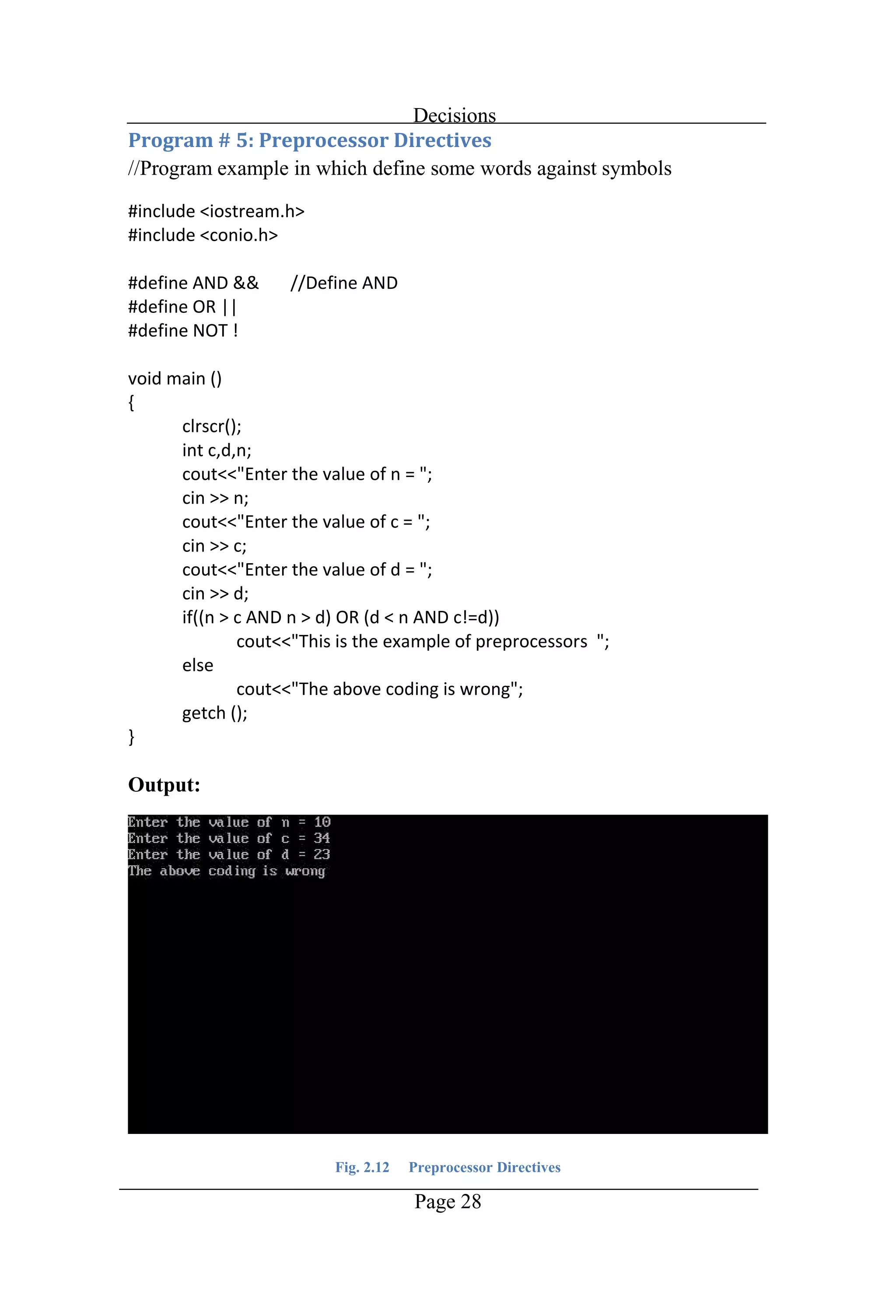
Decisions Page 28 //Program example in which define some words against symbols Output: Fig. 2.12 Preprocessor Directives
Chapter 3 Switch-Case
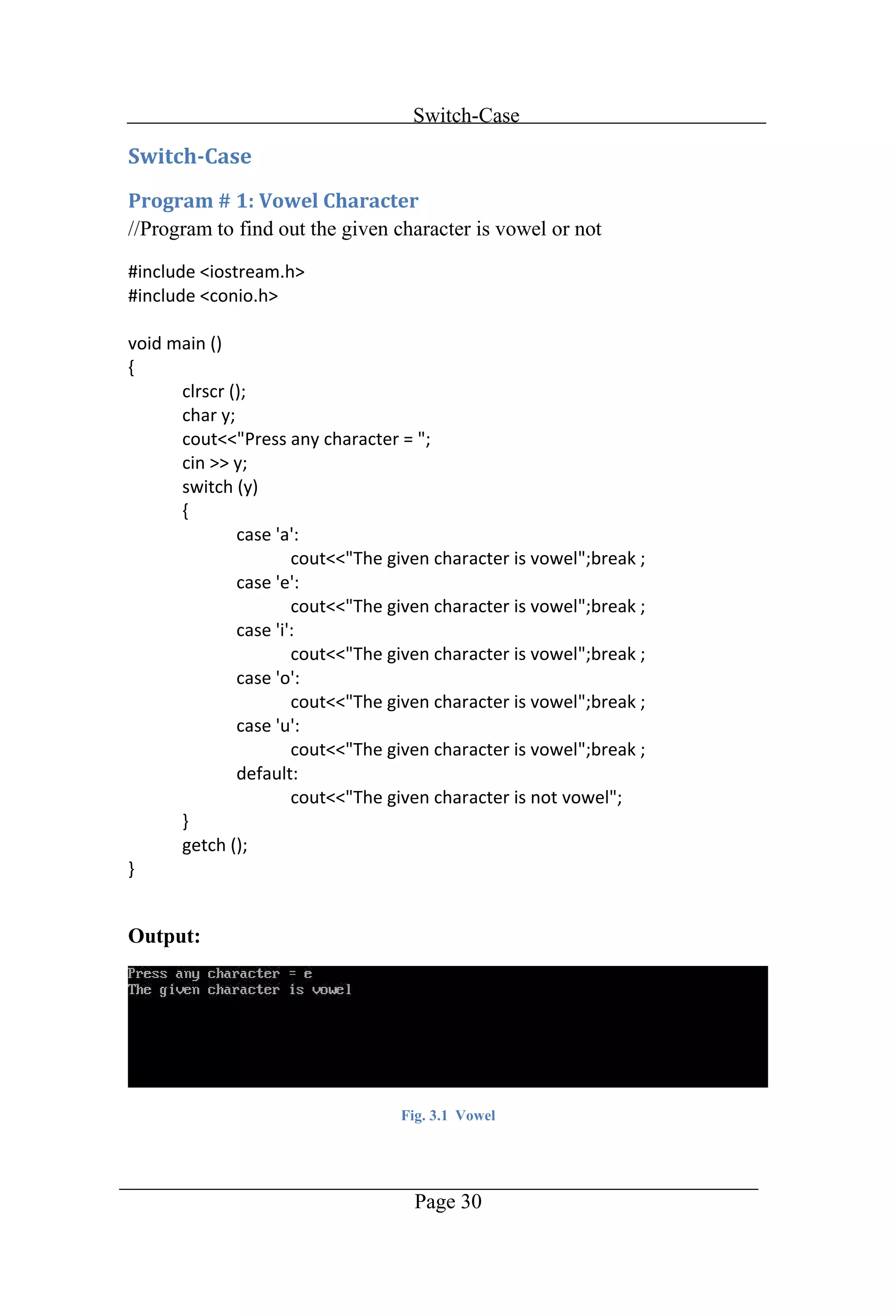
Switch-Case Page 30 //Program to find out the given character is vowel or not Output: Fig. 3.1 Vowel
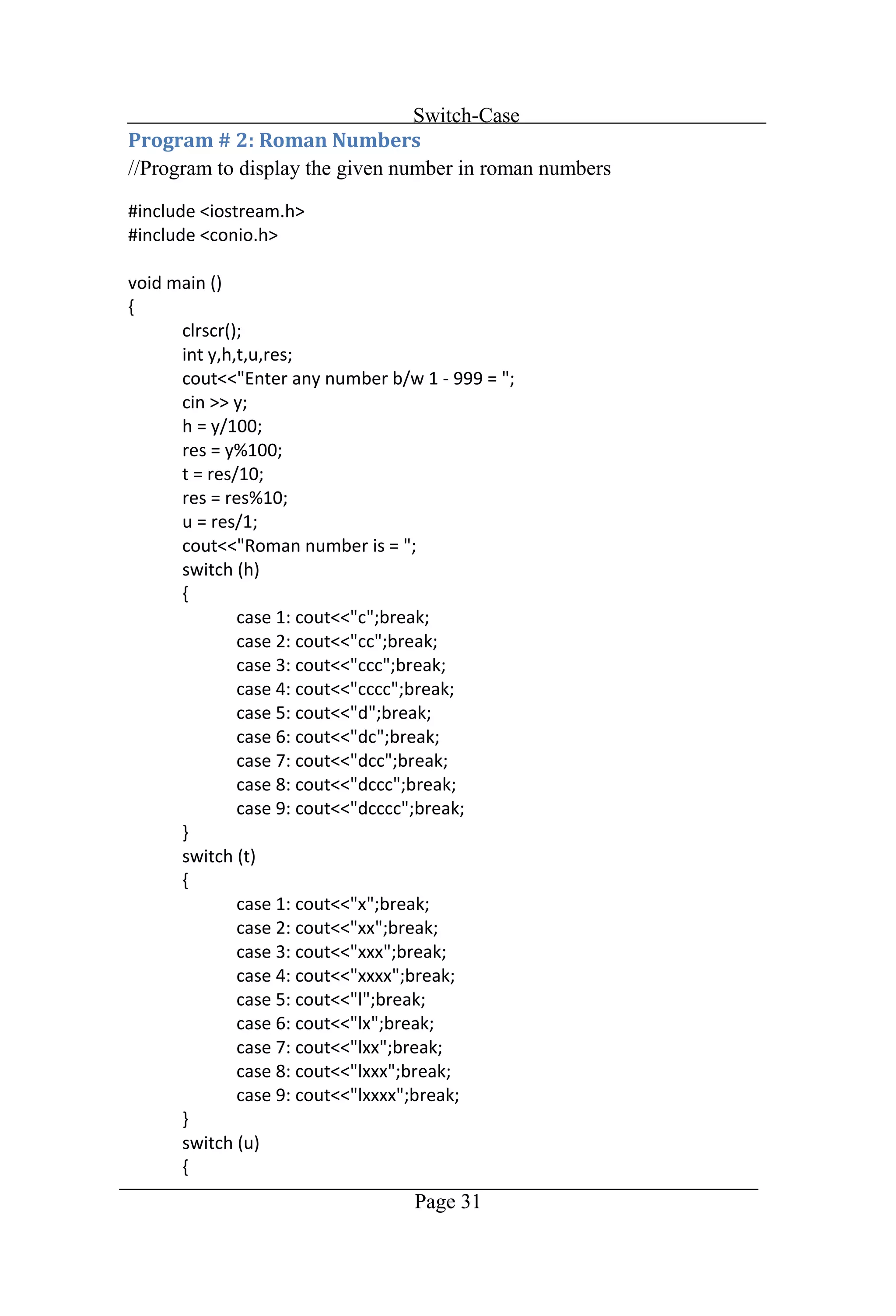
Switch-Case Page 31 //Program to display the given number in roman numbers
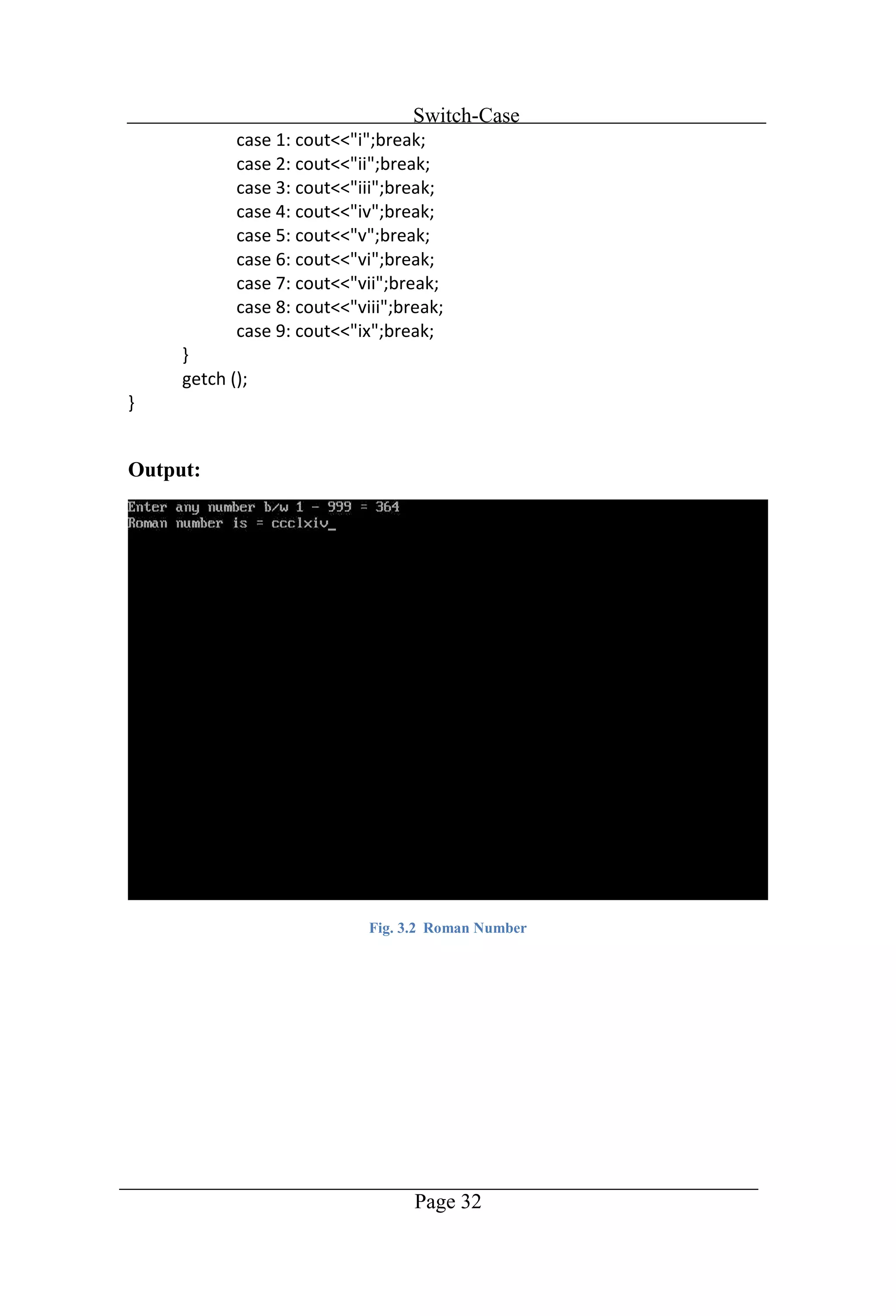
Switch-Case Page 32 Output: Fig. 3.2 Roman Number
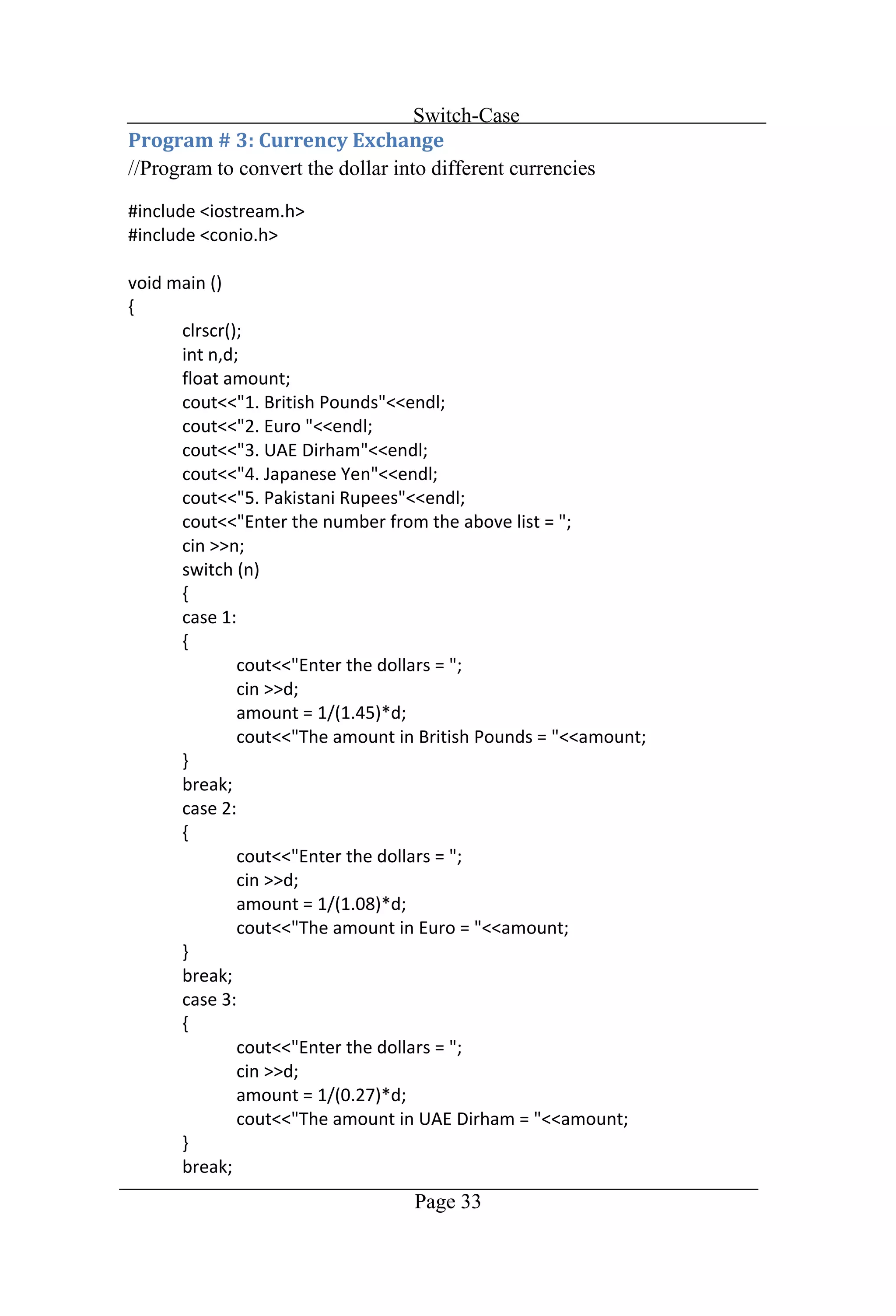
Switch-Case Page 33 //Program to convert the dollar into different currencies
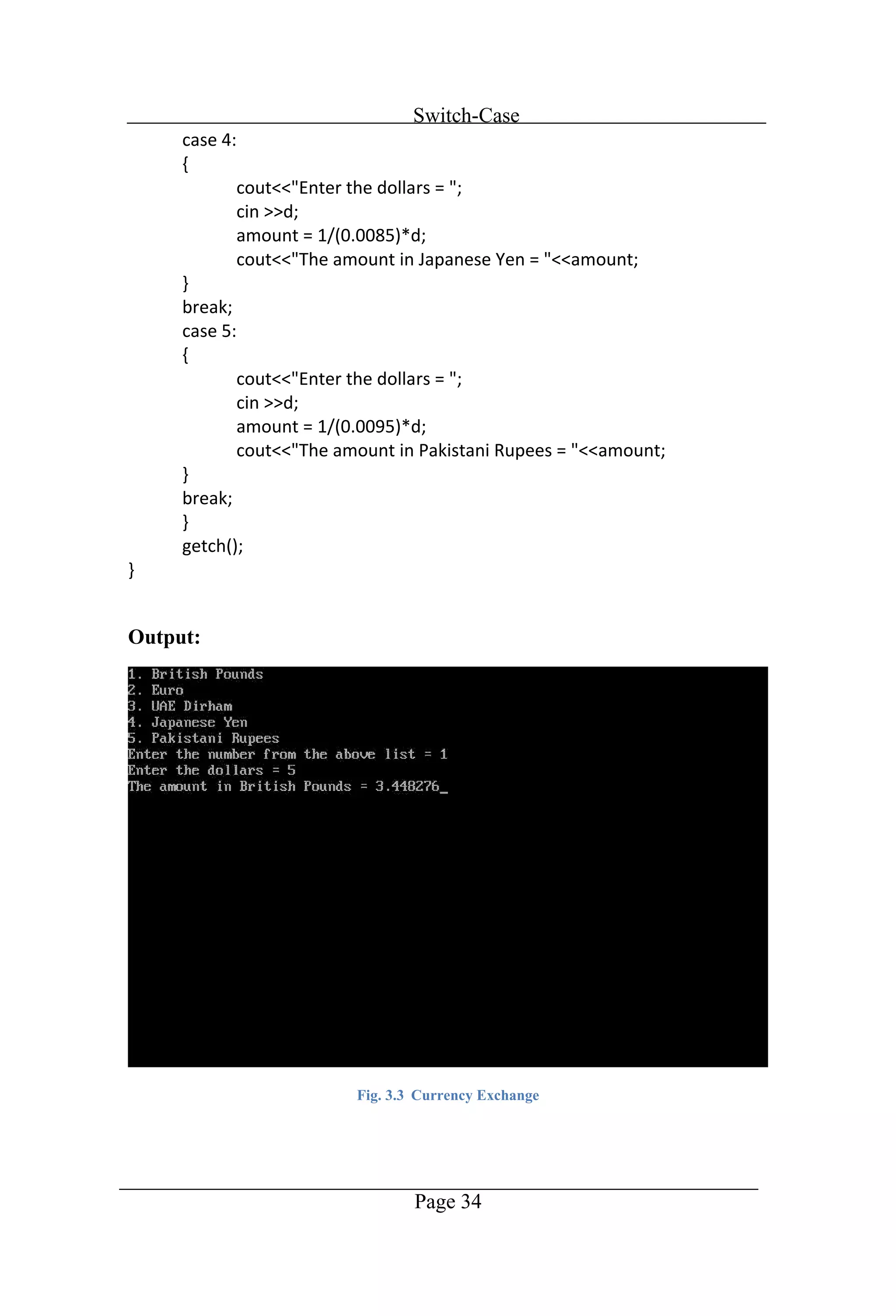
Switch-Case Page 34 Output: Fig. 3.3 Currency Exchange
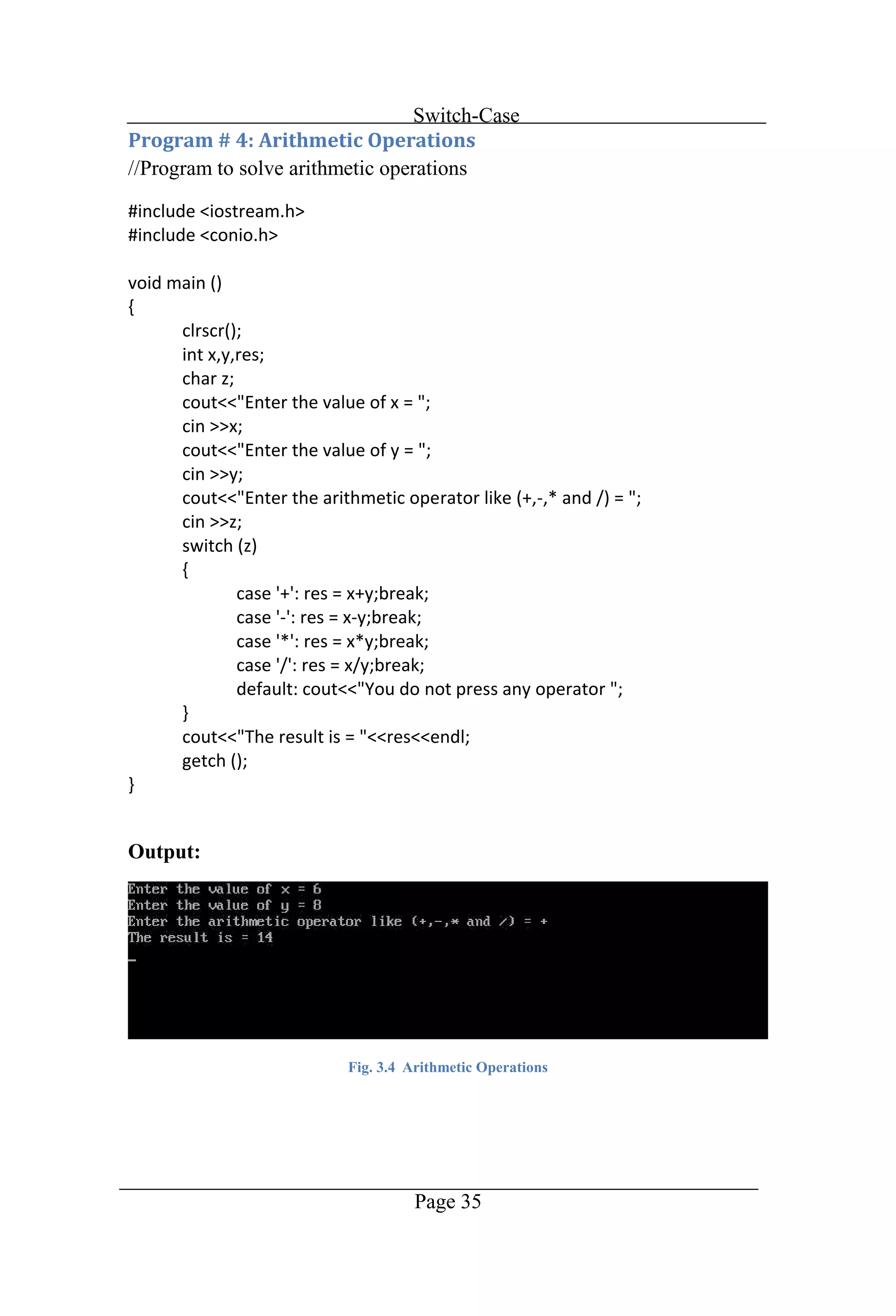
Switch-Case Page 35 //Program to solve arithmetic operations Output: Fig. 3.4 Arithmetic Operations
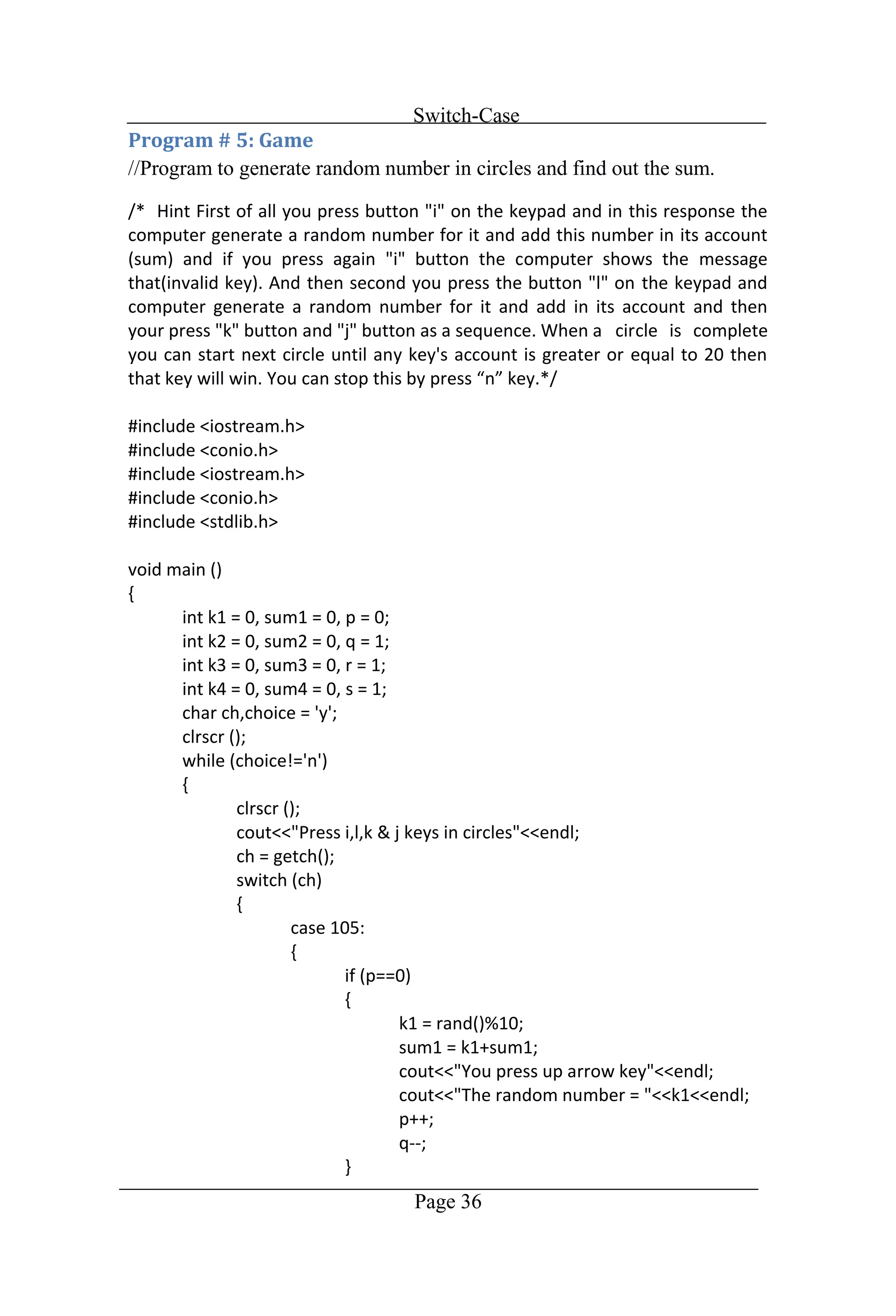
Switch-Case Page 36 //Program to generate random number in circles and find out the sum.
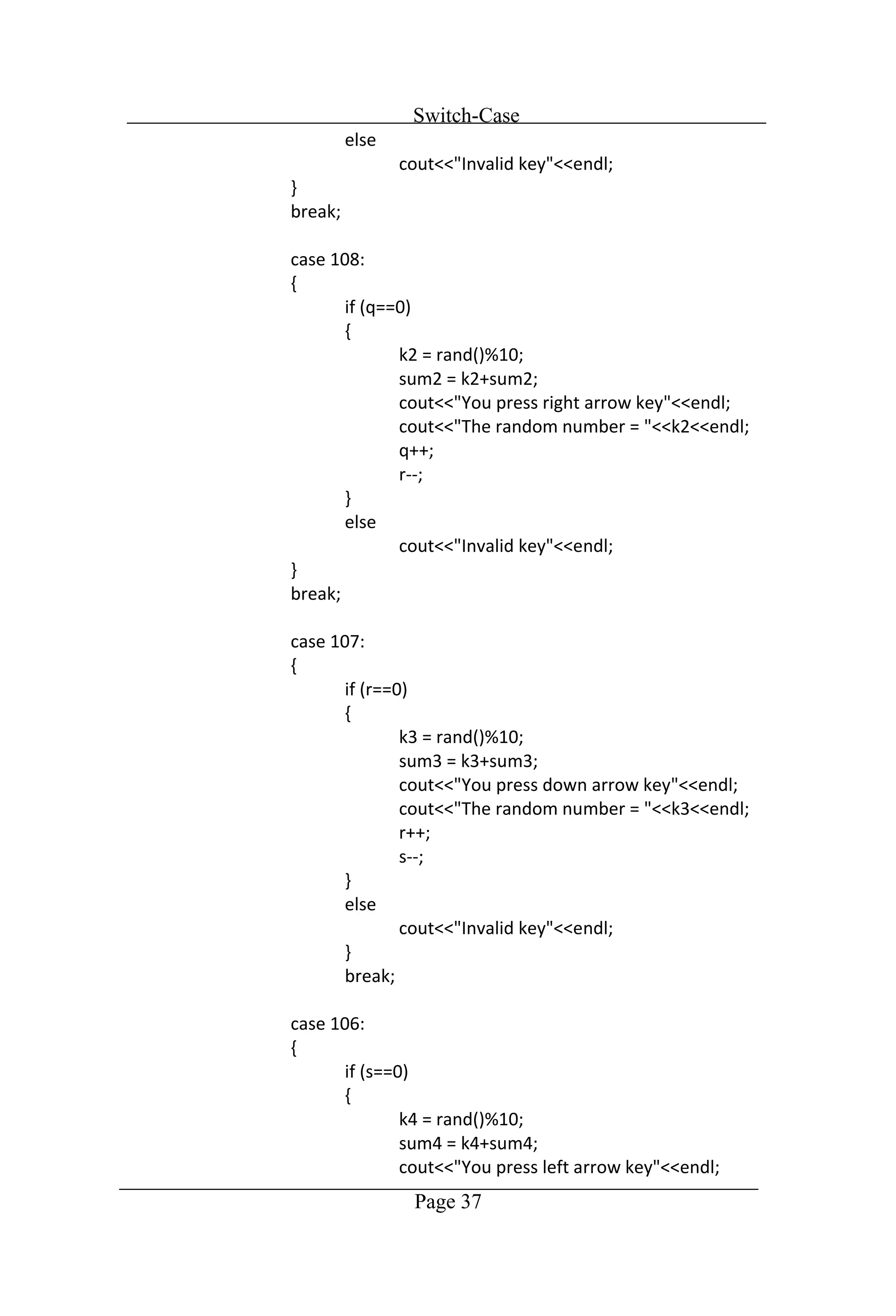
Switch-Case Page 37
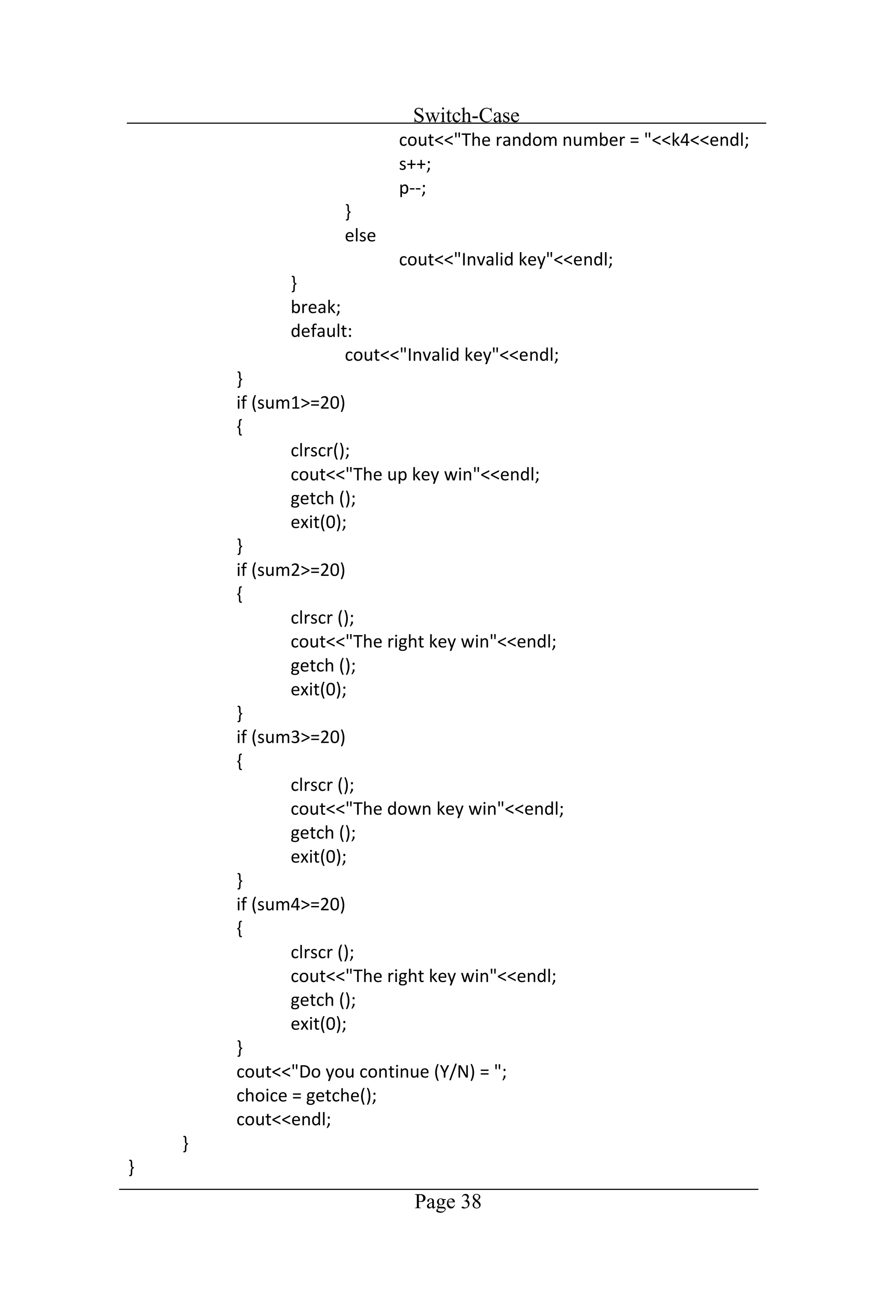
Switch-Case Page 38
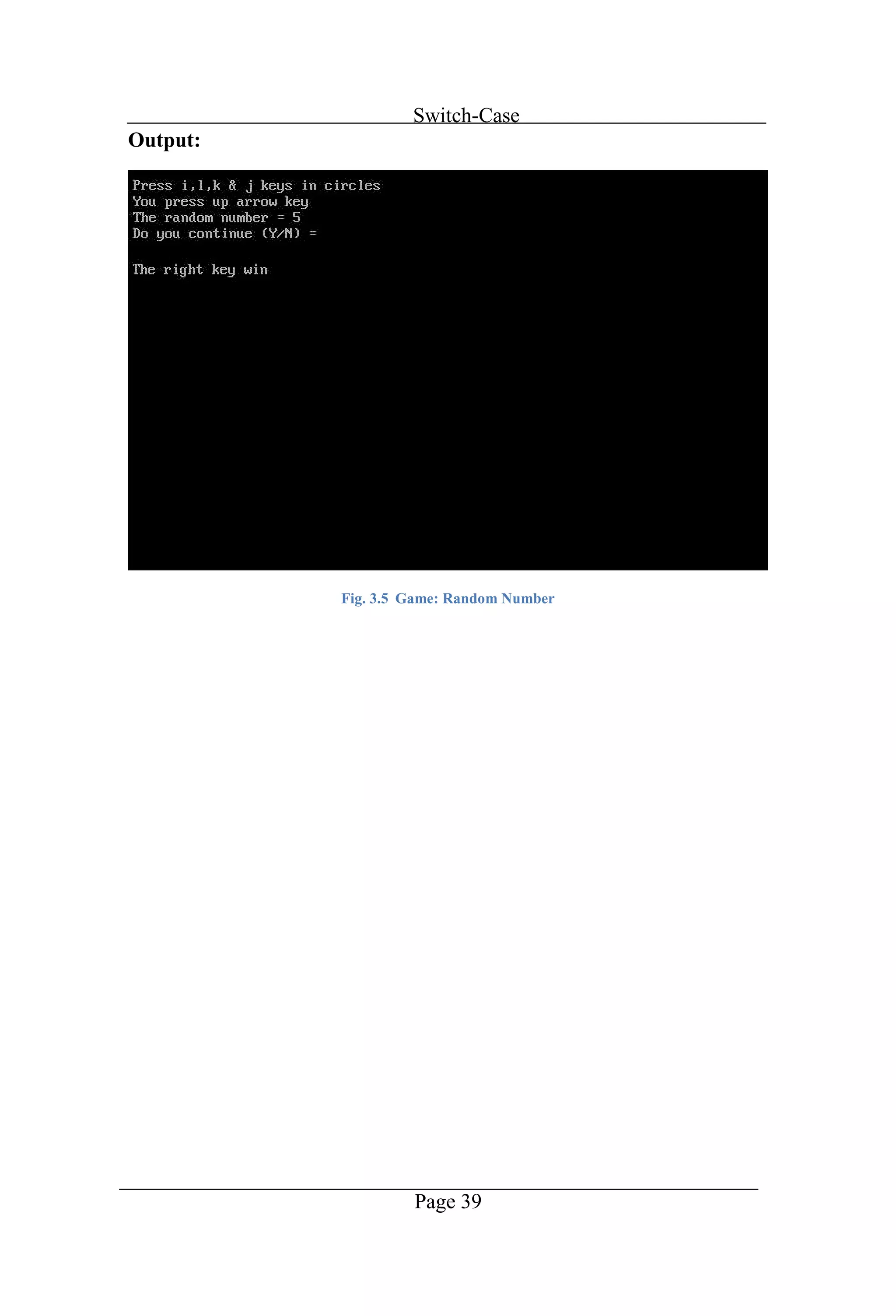
Switch-Case Page 39 Output: Fig. 3.5 Game: Random Number
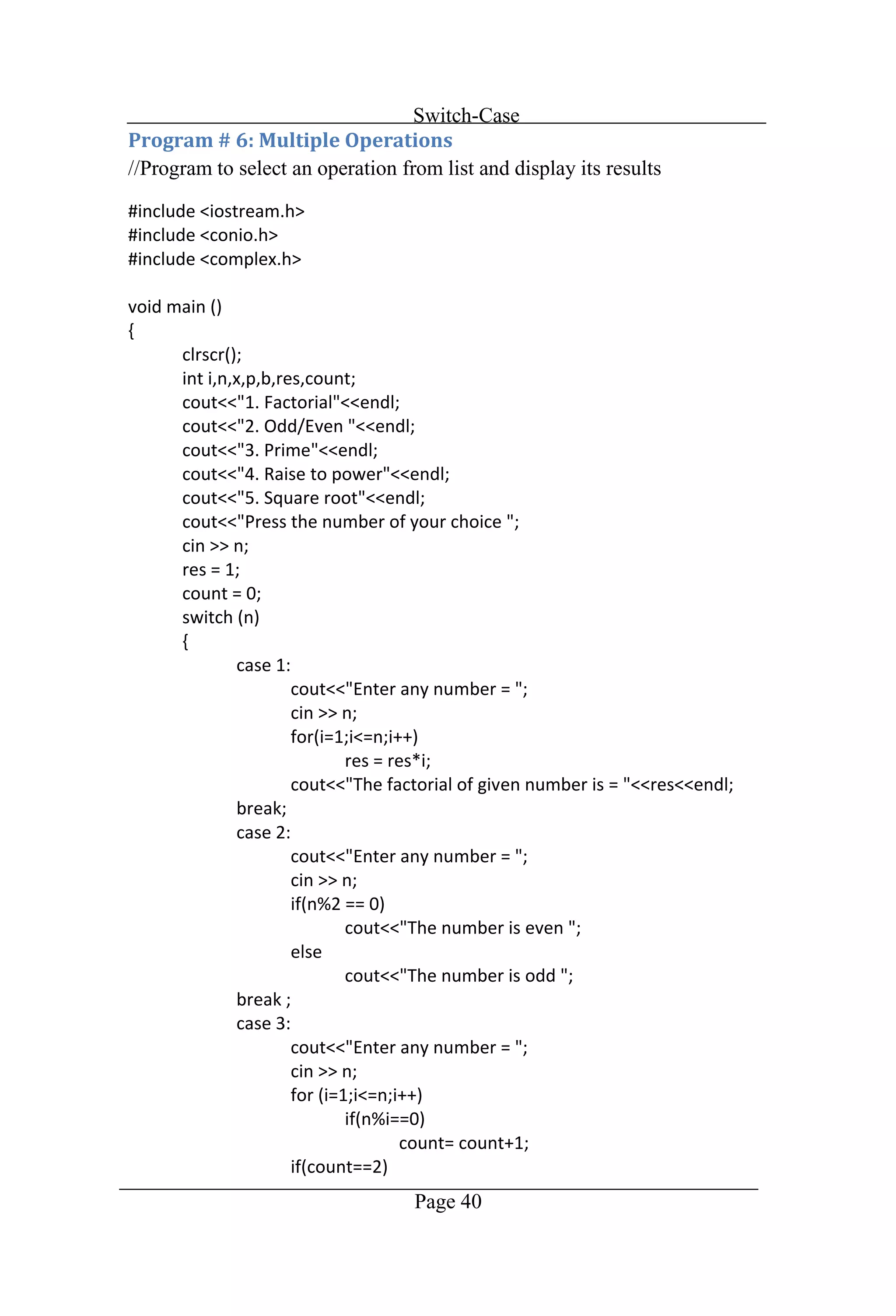
Switch-Case Page 40 //Program to select an operation from list and display its results
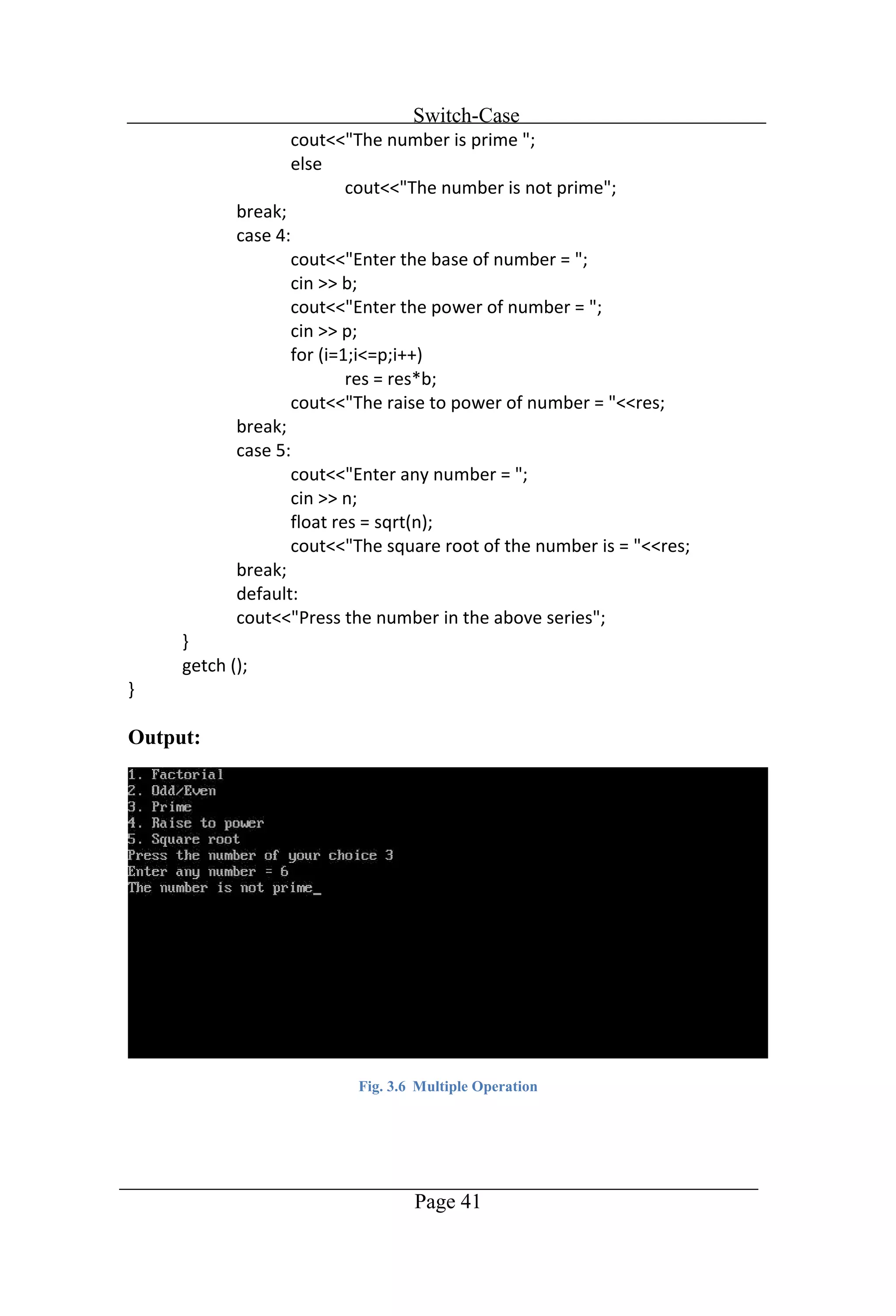
Switch-Case Page 41 Output: Fig. 3.6 Multiple Operation
Chapter 4 Loops
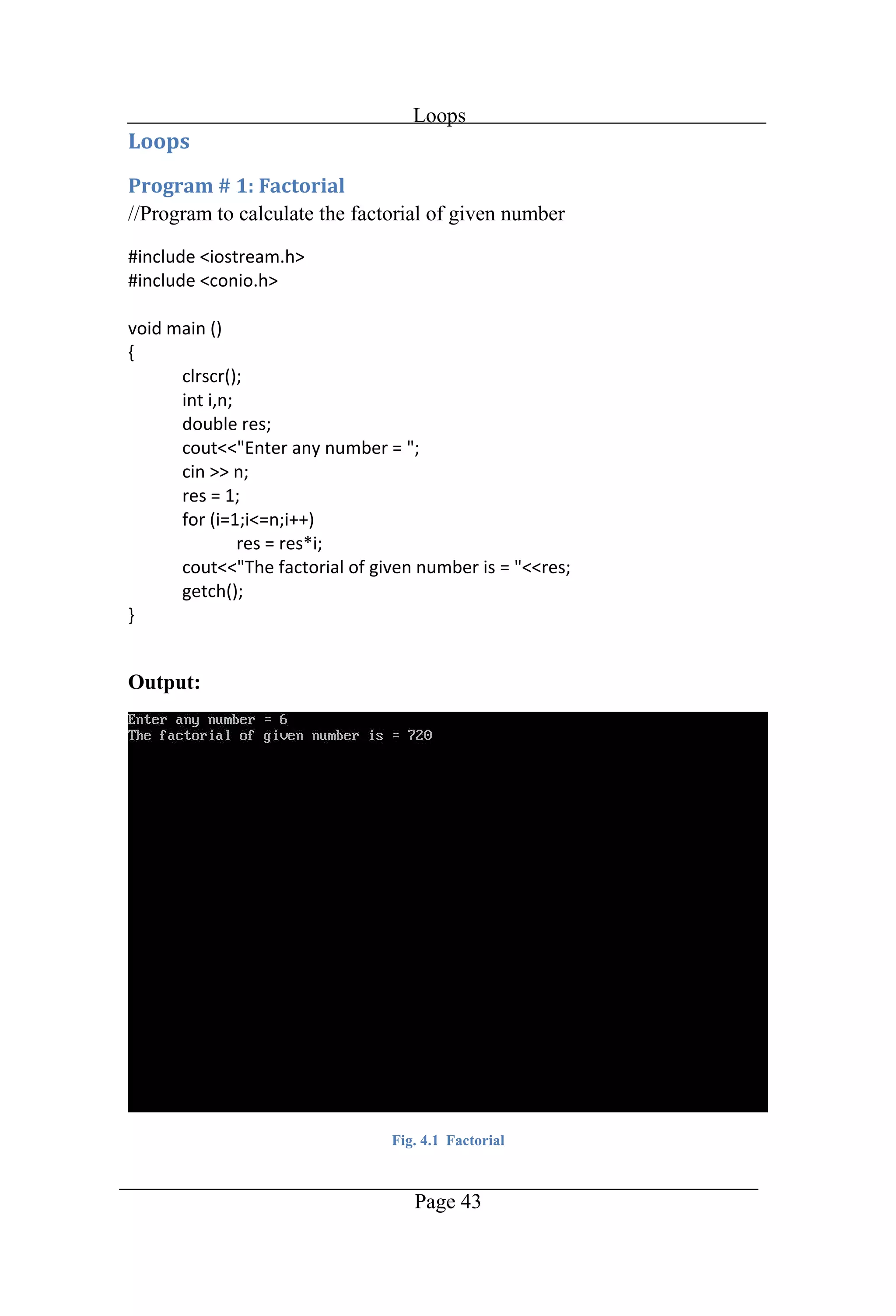
Loops Page 43 //Program to calculate the factorial of given number Output: Fig. 4.1 Factorial
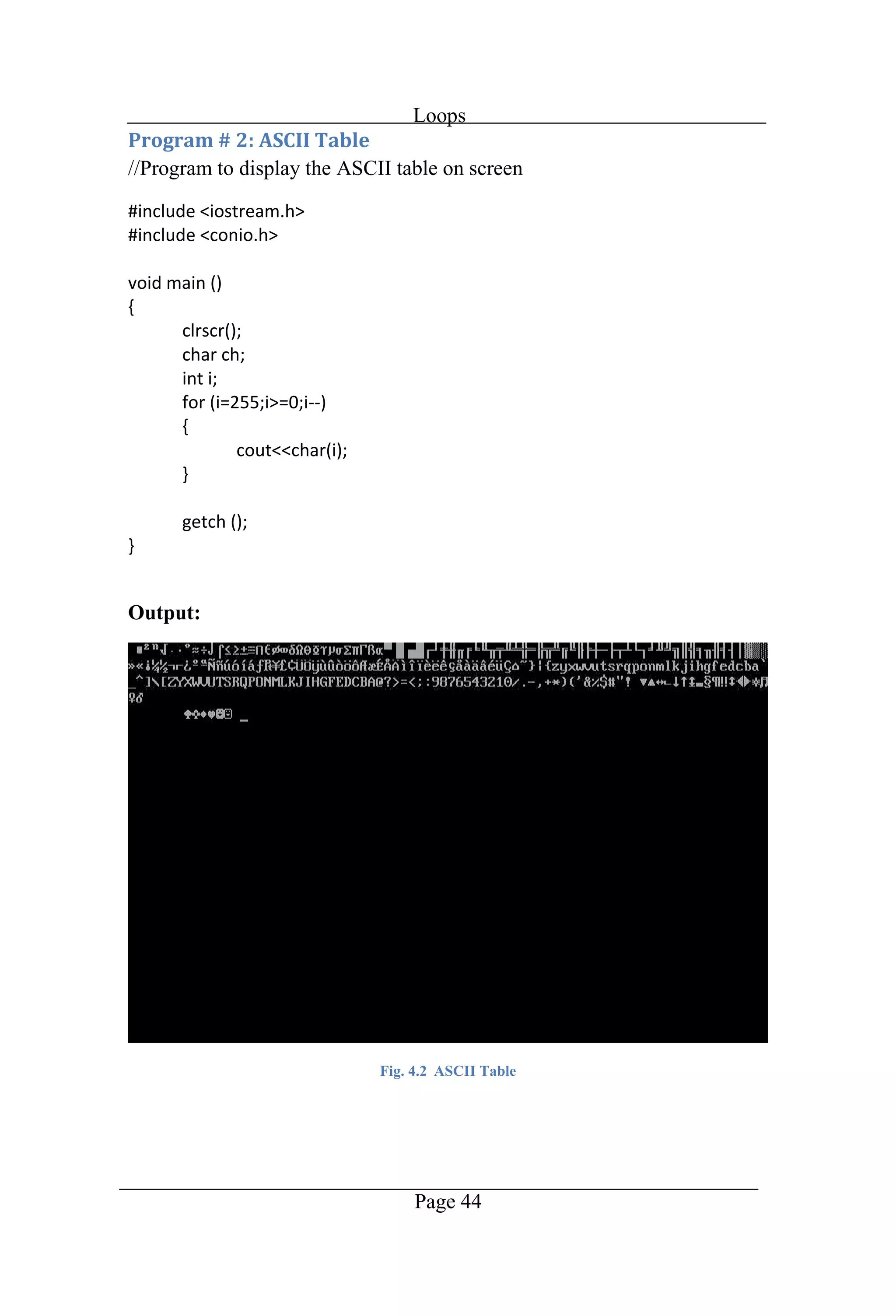
Loops Page 44 //Program to display the ASCII table on screen Output: Fig. 4.2 ASCII Table
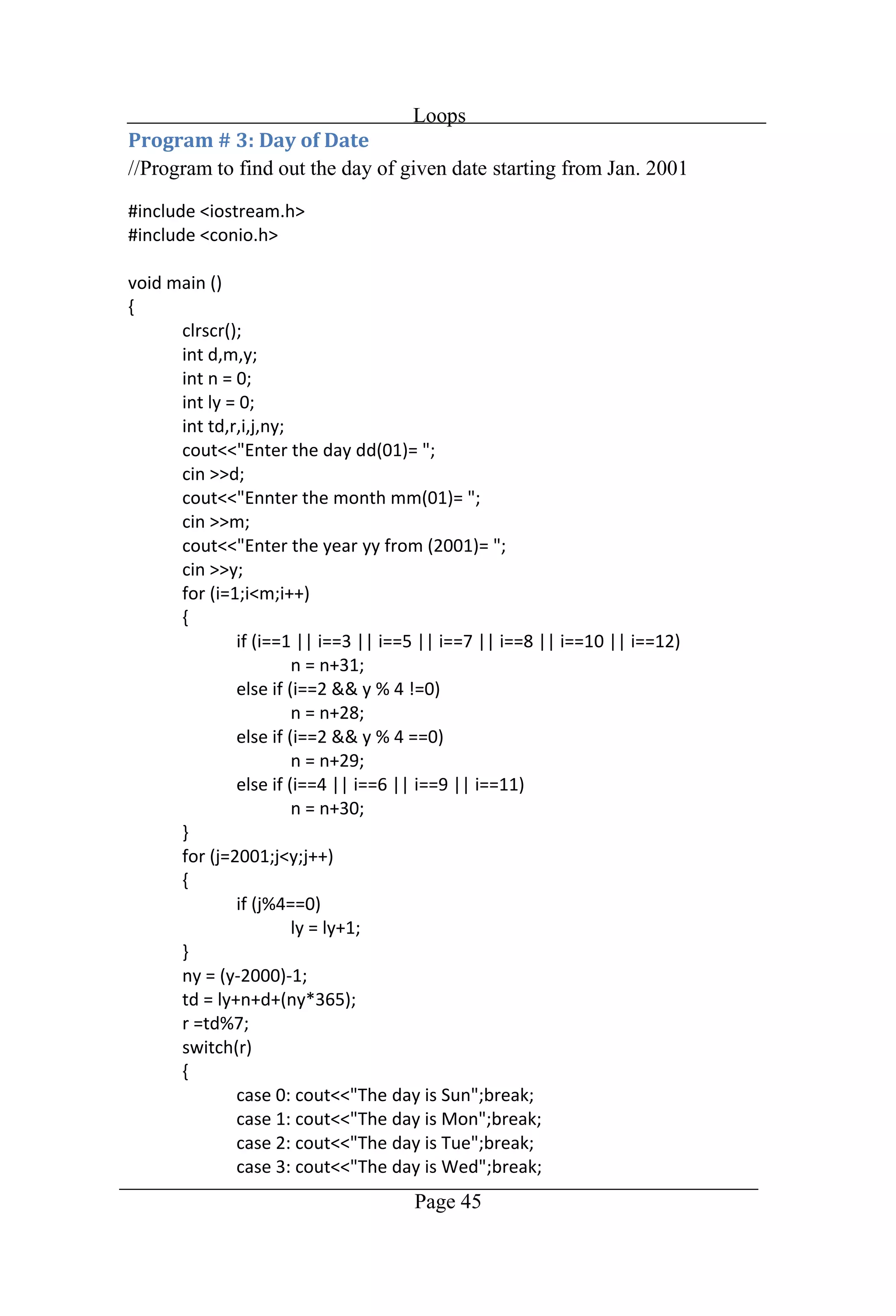
Loops Page 45 //Program to find out the day of given date starting from Jan. 2001
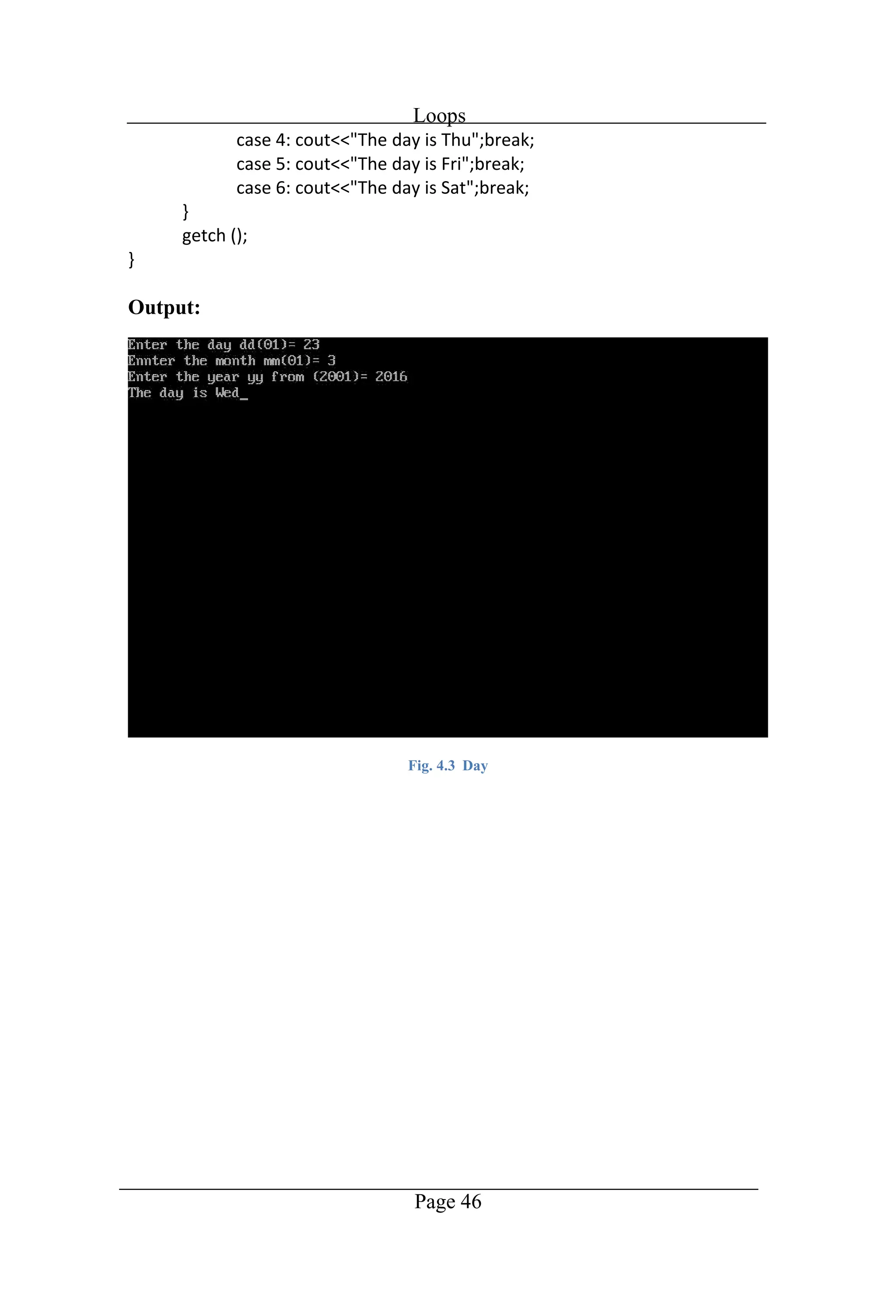
Loops Page 46 Output: Fig. 4.3 Day
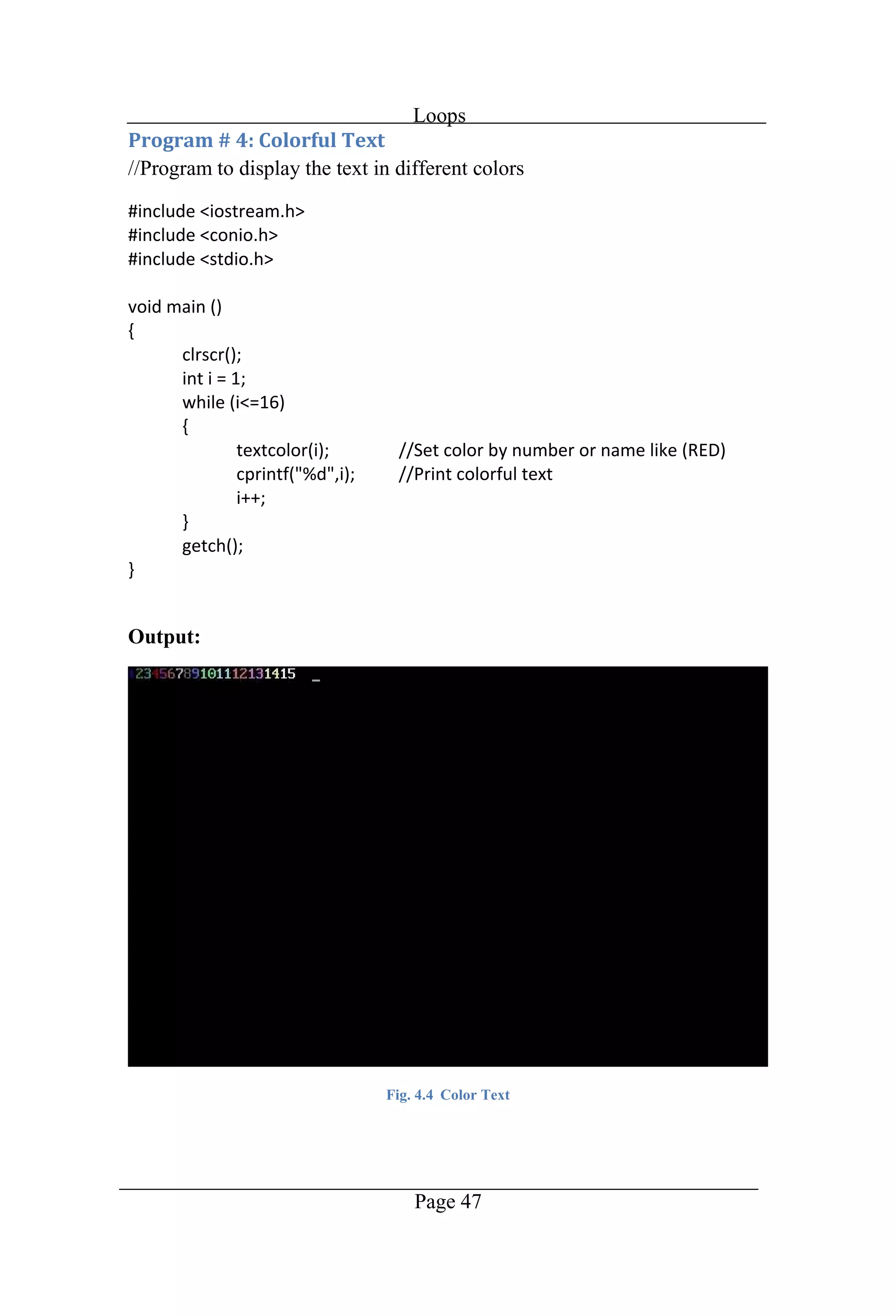
Loops Page 47 //Program to display the text in different colors Output: Fig. 4.4 Color Text
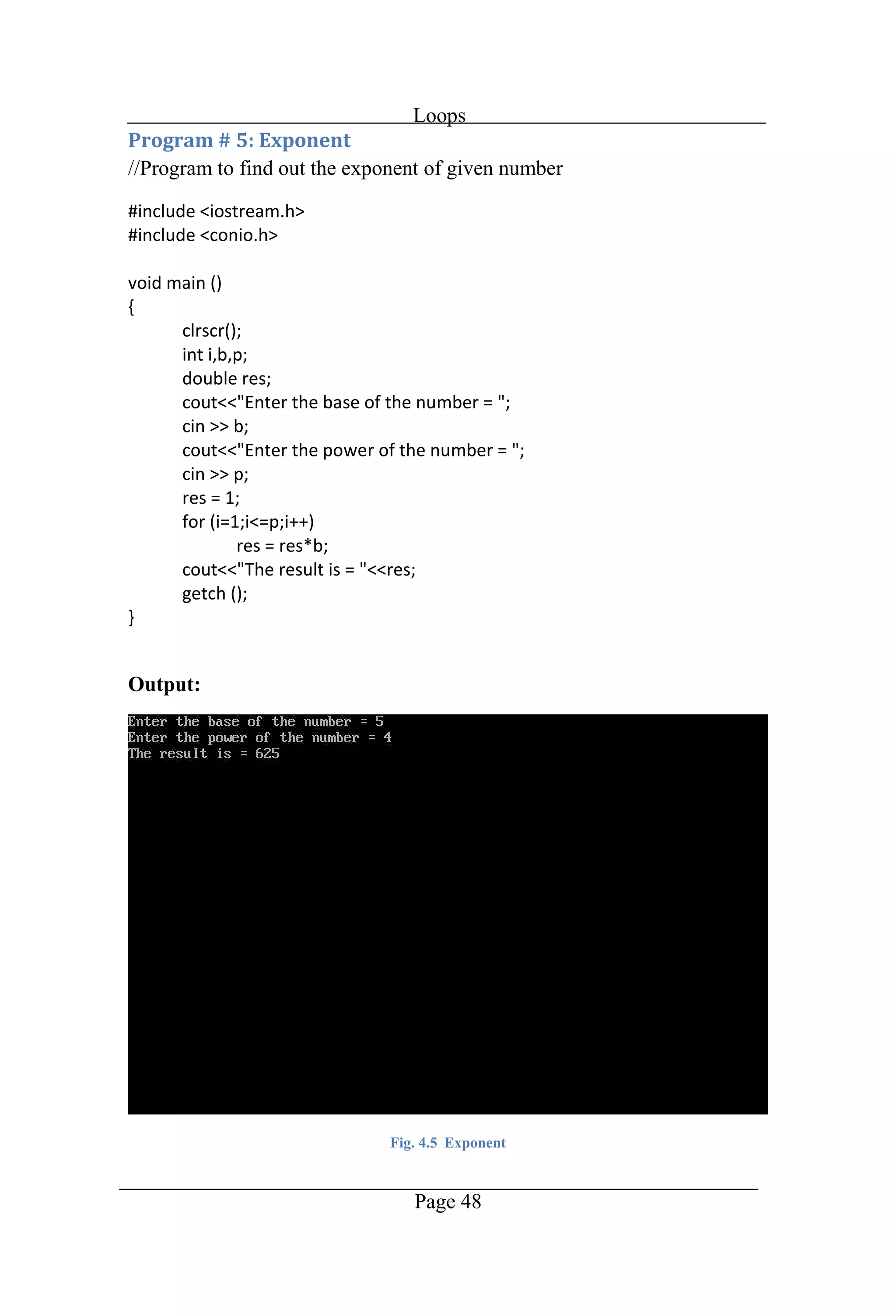
Loops Page 48 //Program to find out the exponent of given number Output: Fig. 4.5 Exponent
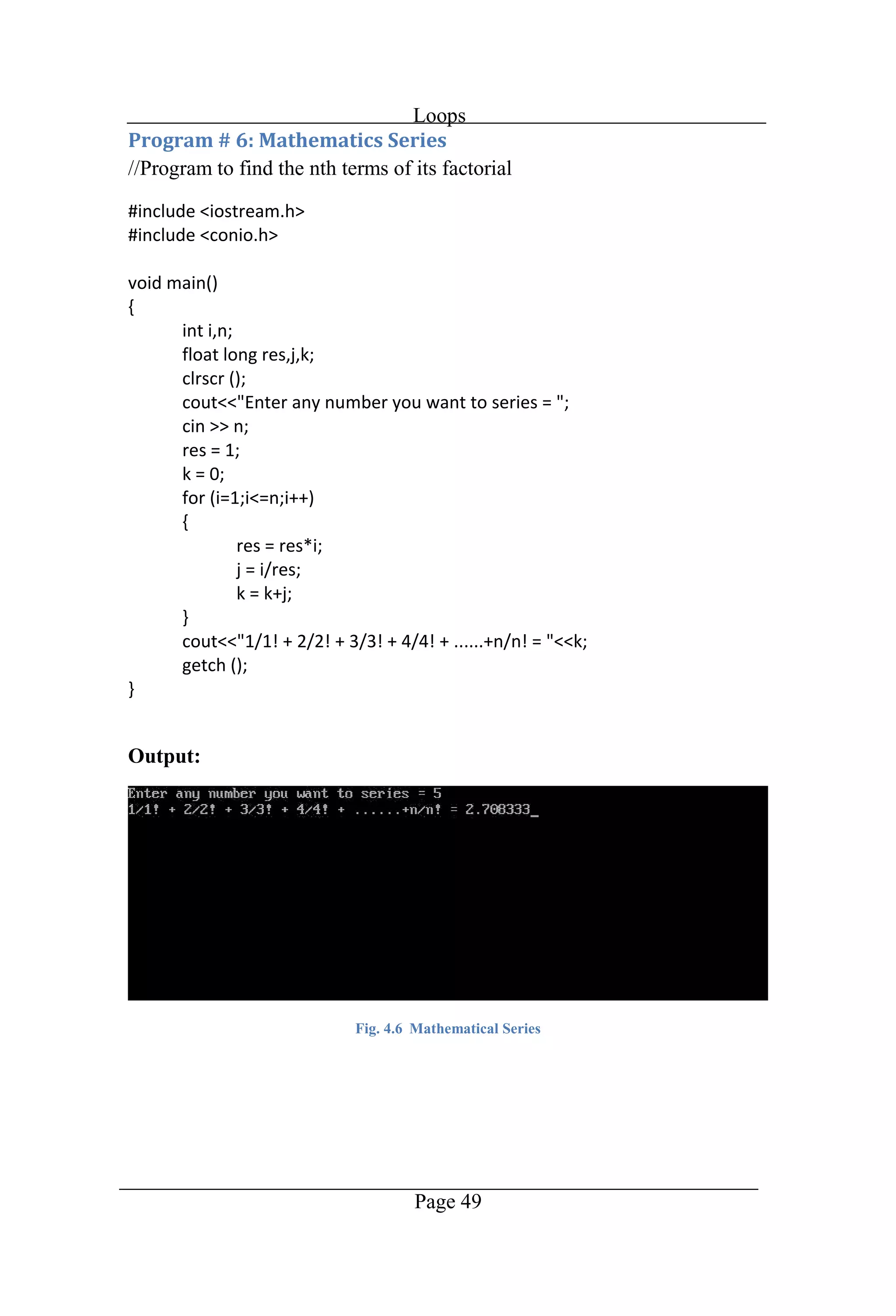
Loops Page 49 //Program to find the nth terms of its factorial Output: Fig. 4.6 Mathematical Series
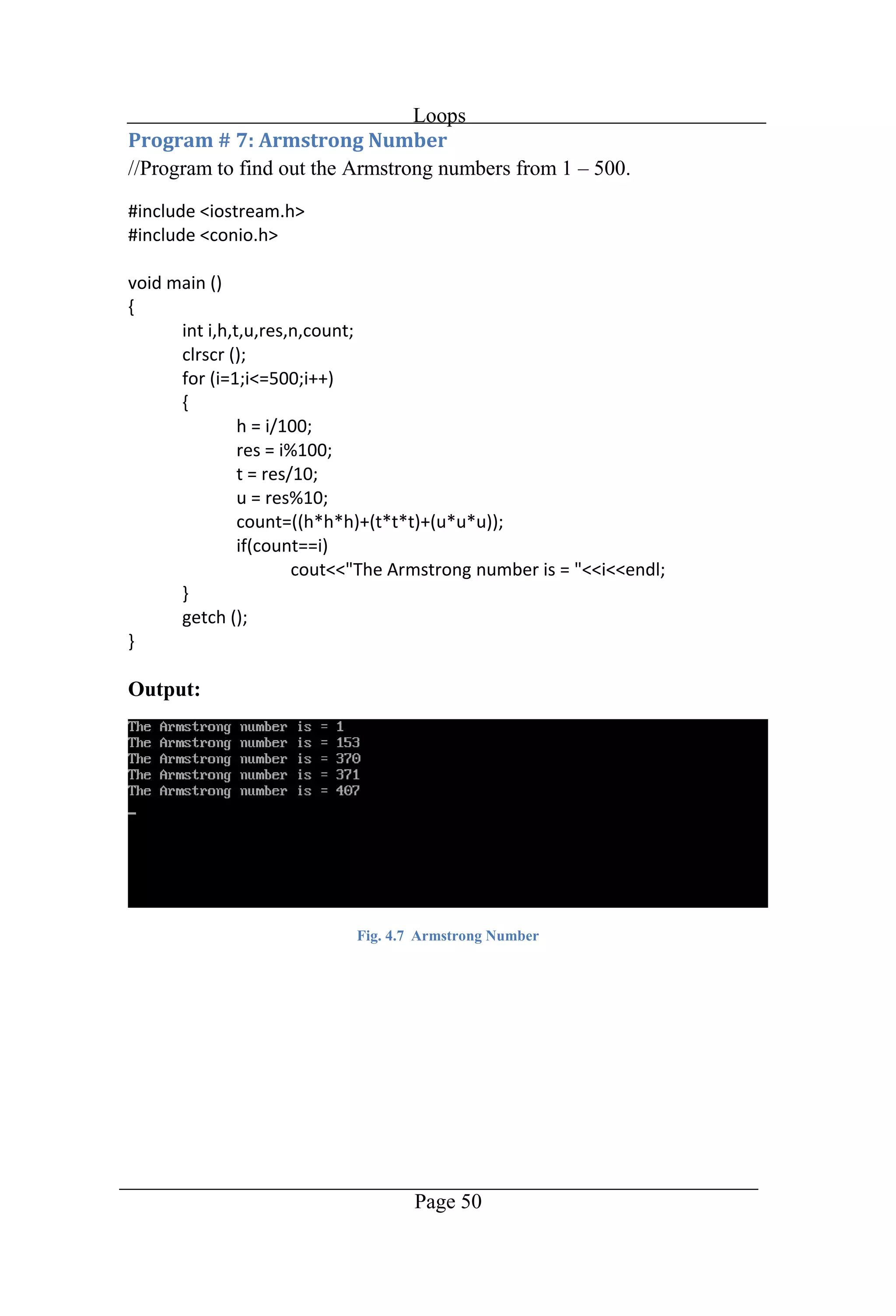
Loops Page 50 //Program to find out the Armstrong numbers from 1 500. Output: Fig. 4.7 Armstrong Number
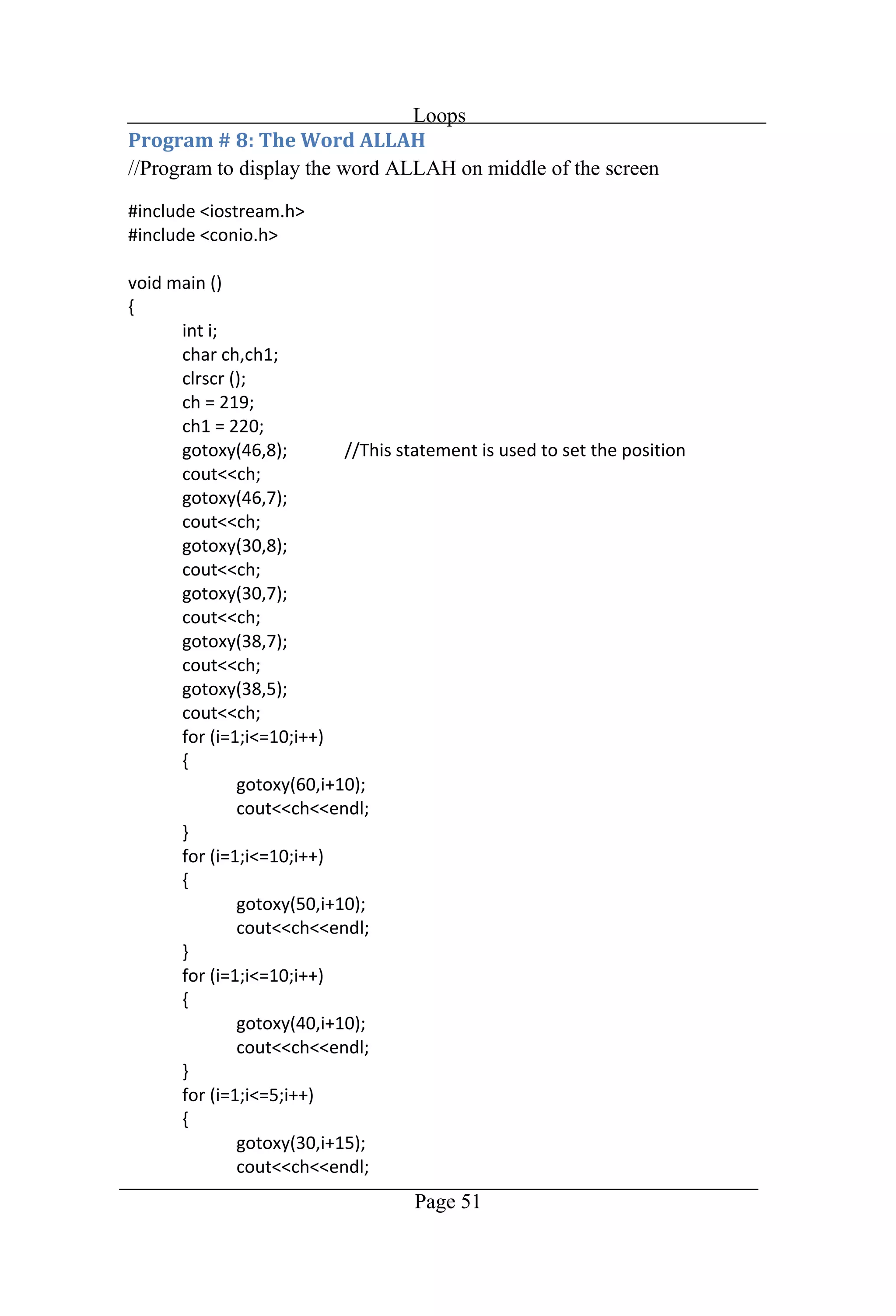
Loops Page 51 //Program to display the word ALLAH on middle of the screen
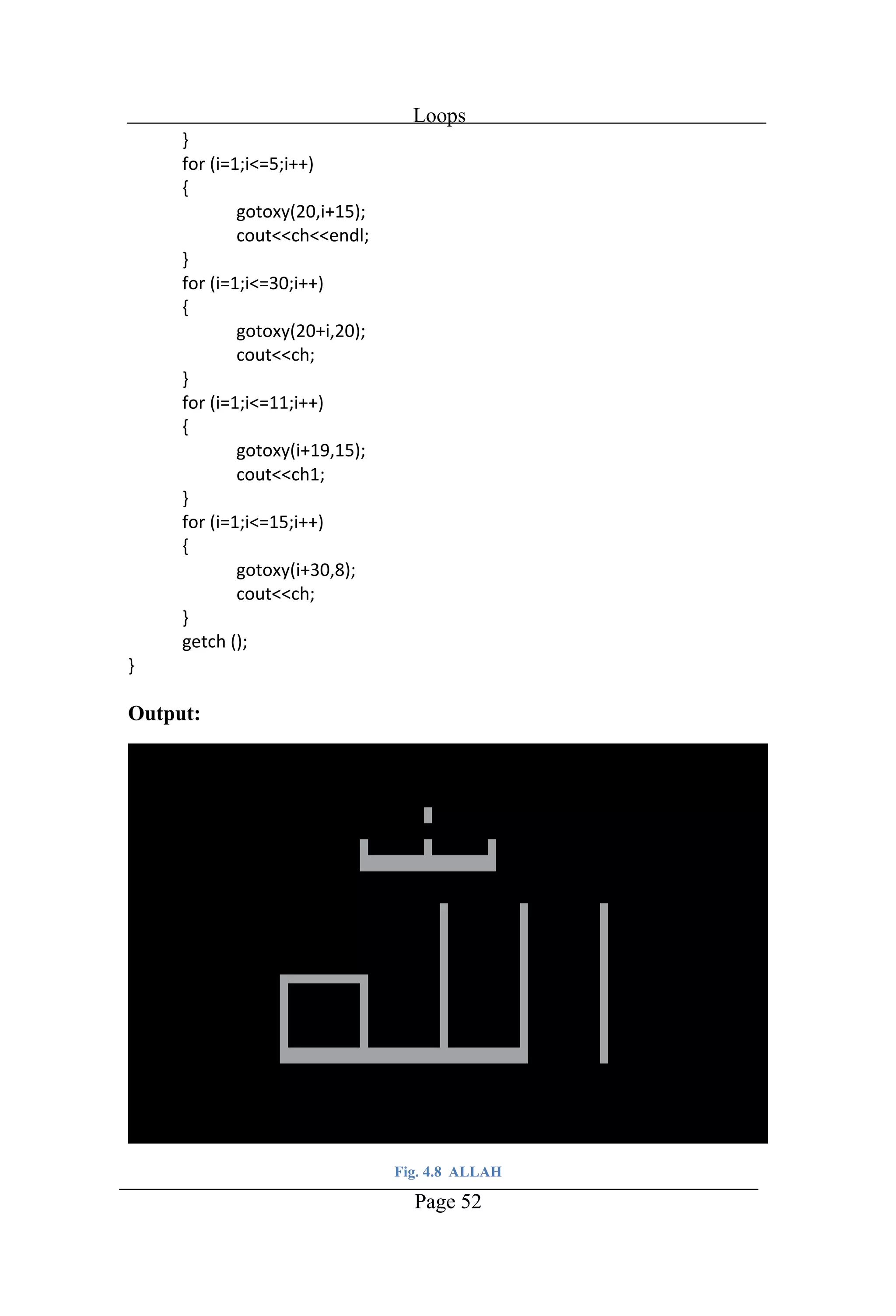
Loops Page 52 Output: Fig. 4.8 ALLAH
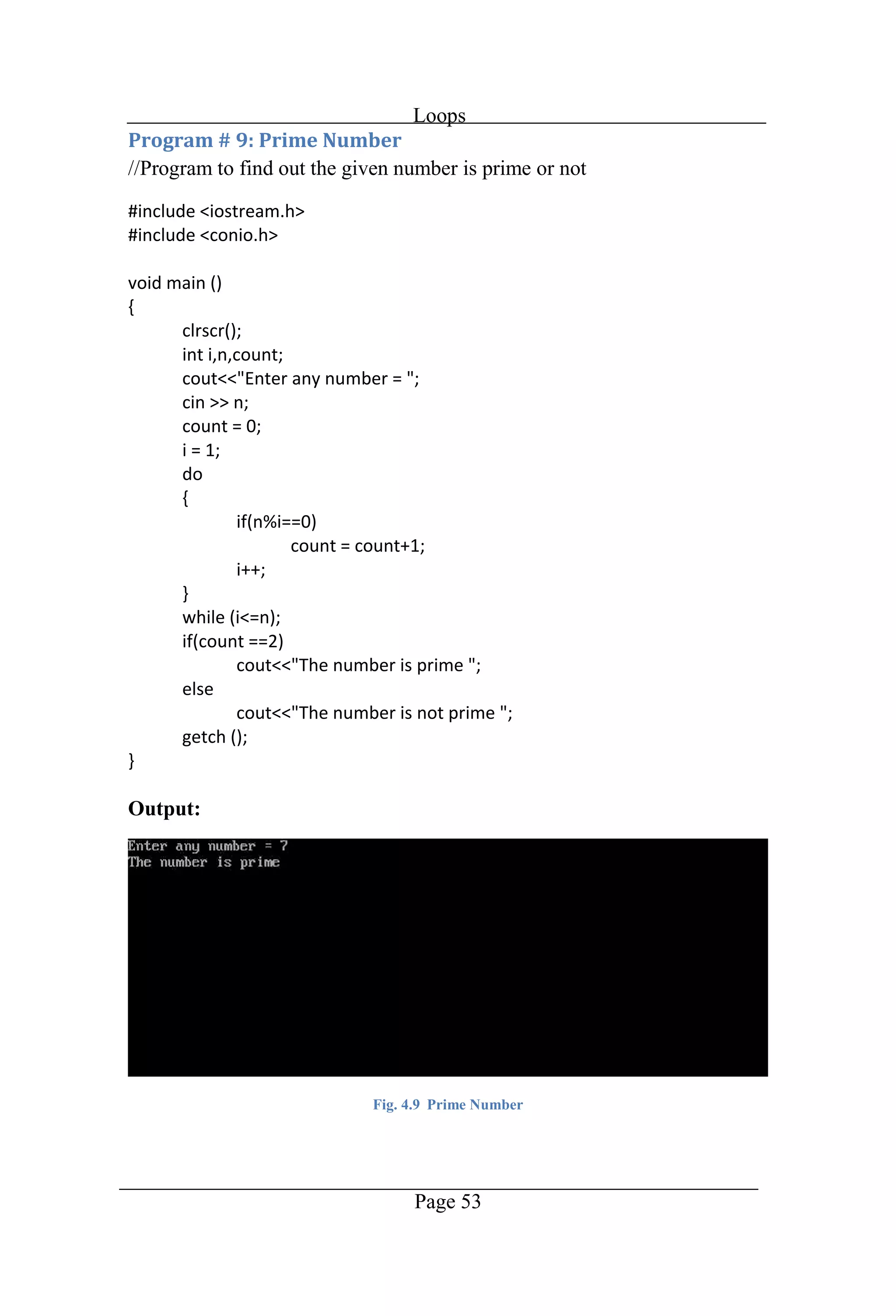
Loops Page 53 //Program to find out the given number is prime or not Output: Fig. 4.9 Prime Number
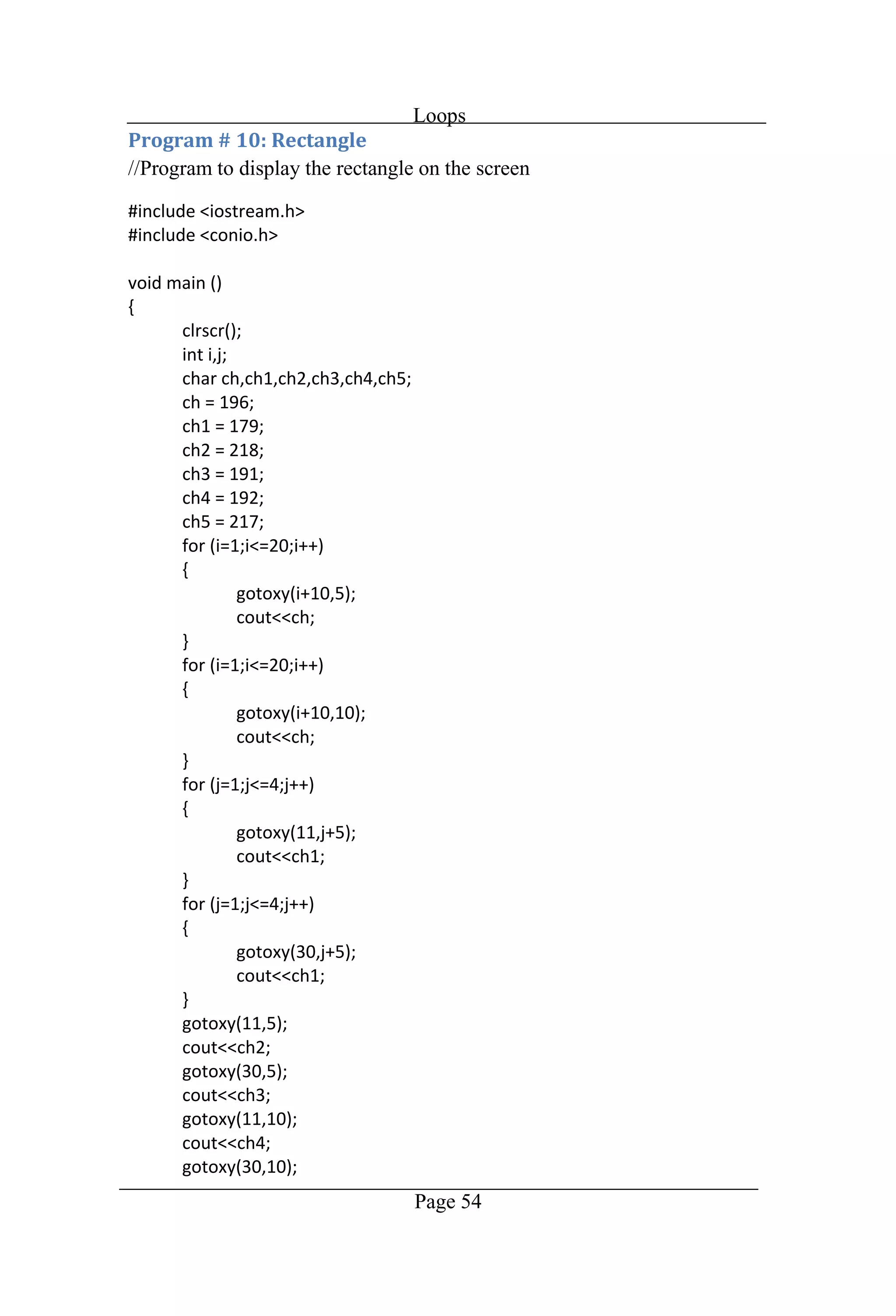
Loops Page 54 //Program to display the rectangle on the screen
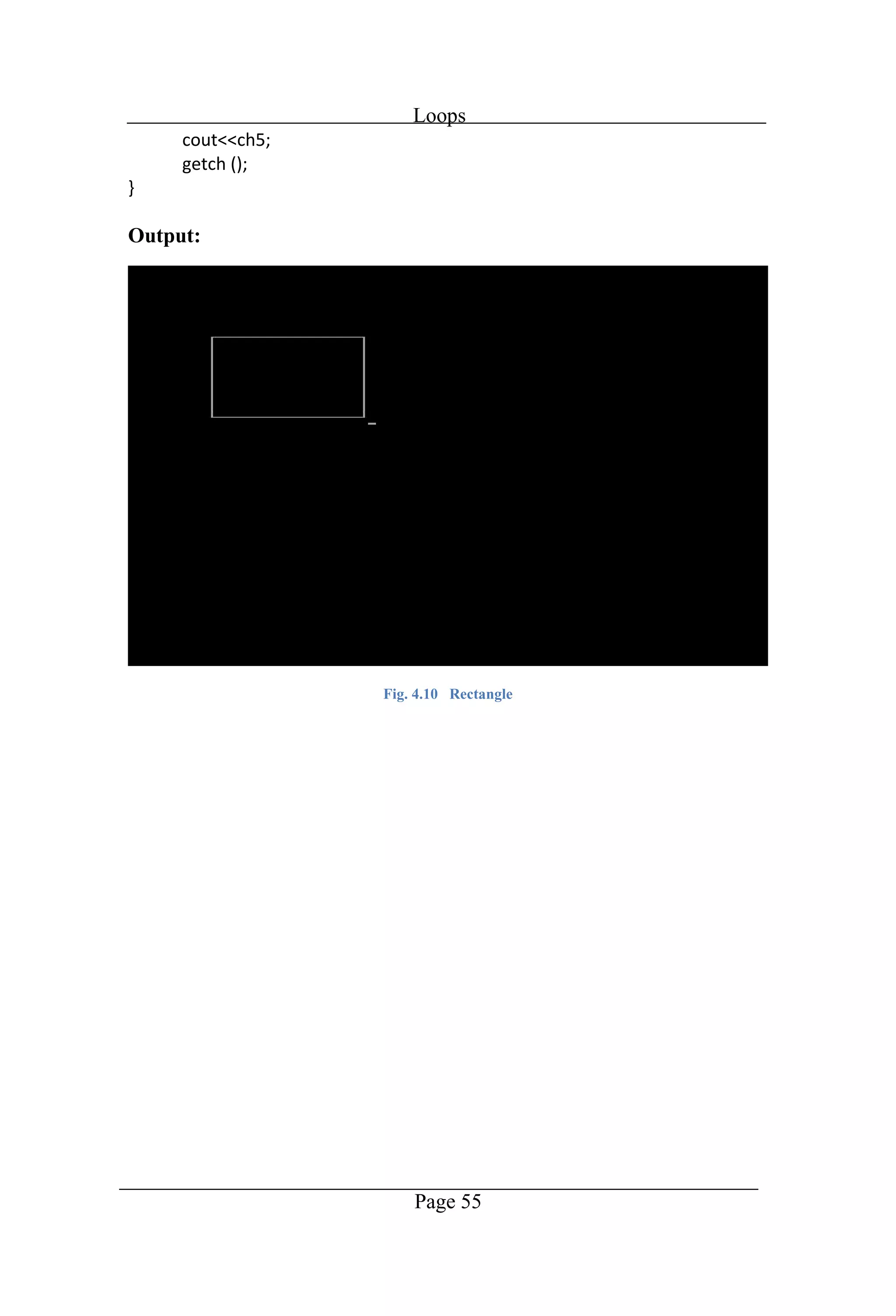
Loops Page 55 Output: Fig. 4.10 Rectangle
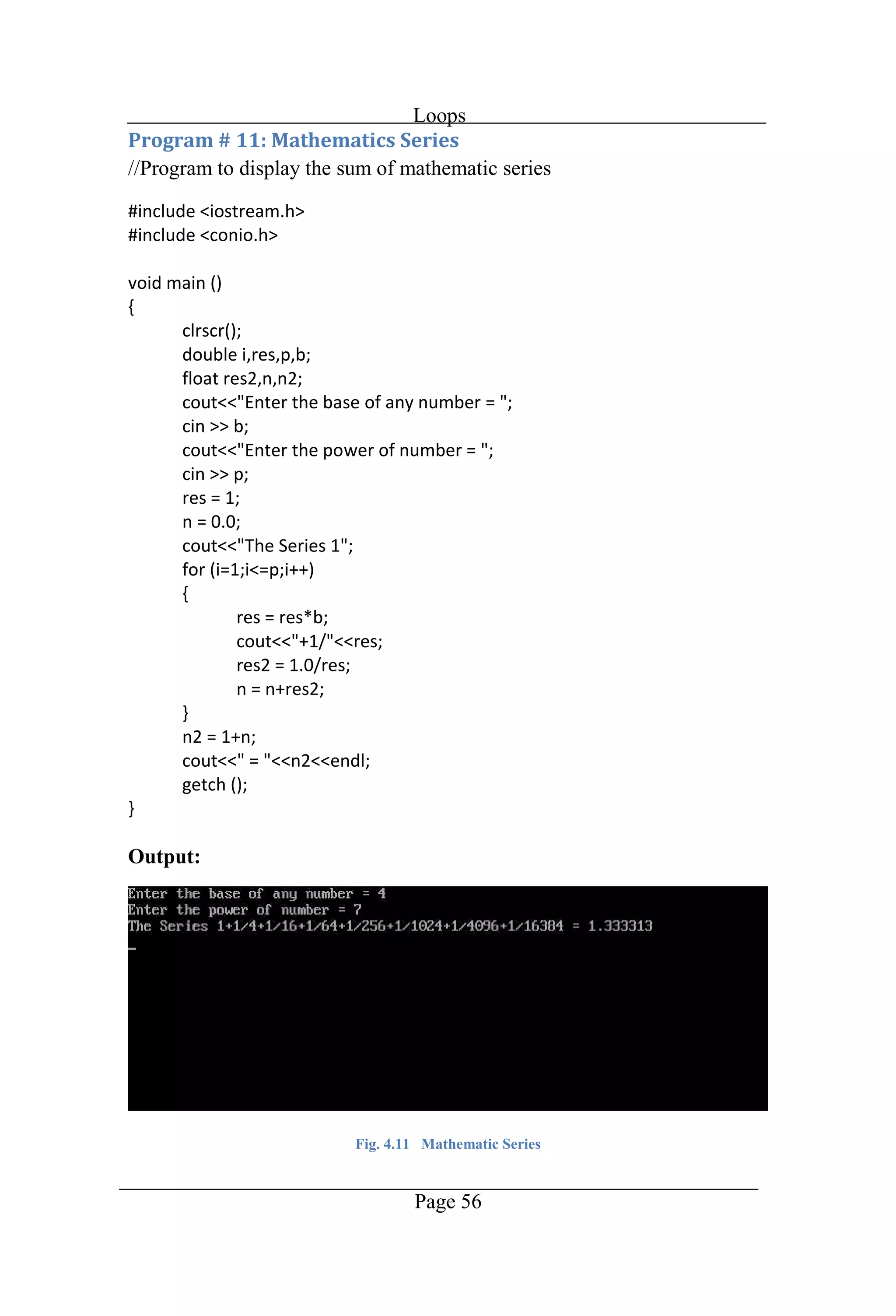
Loops Page 56 //Program to display the sum of mathematic series Output: Fig. 4.11 Mathematic Series
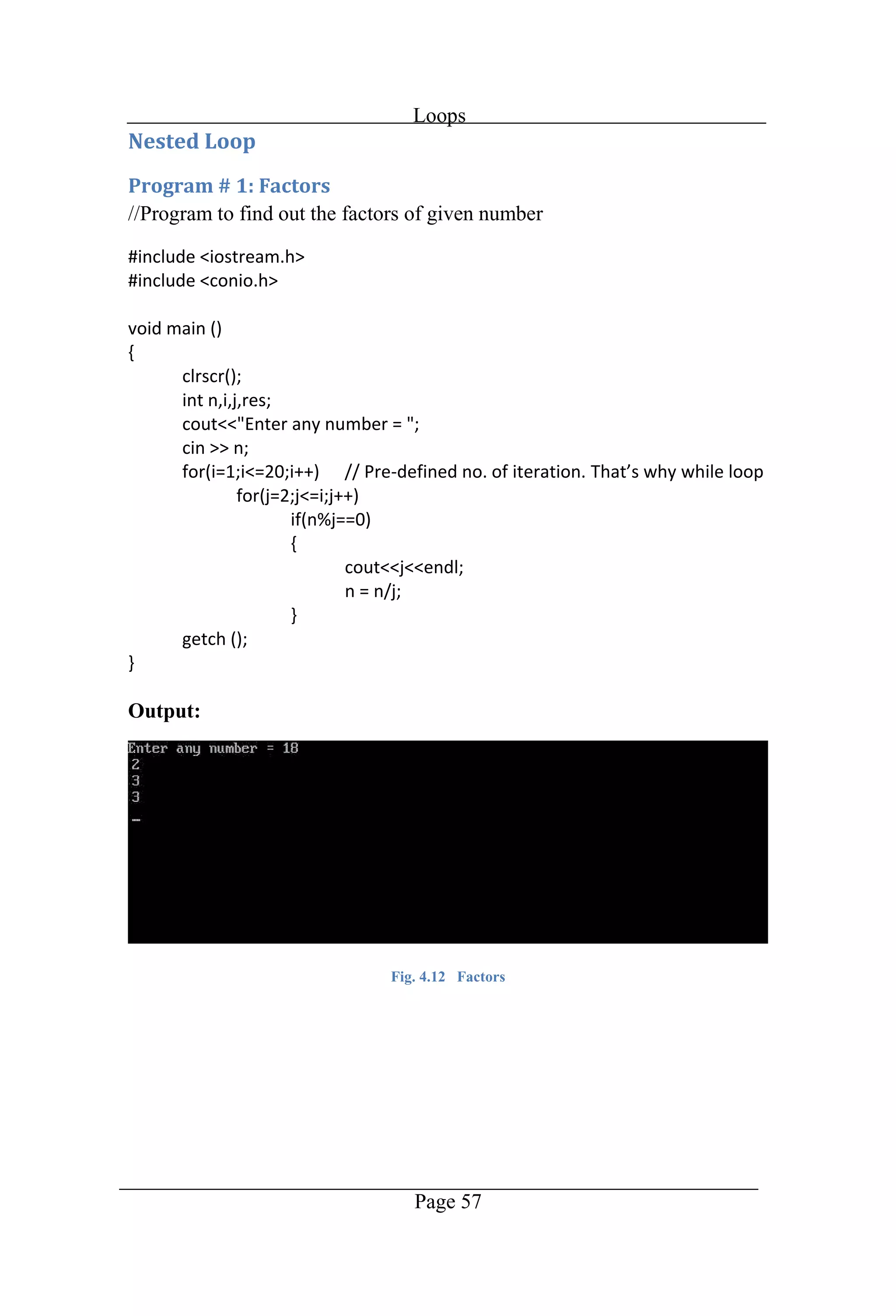
Loops Page 57 //Program to find out the factors of given number Output: Fig. 4.12 Factors
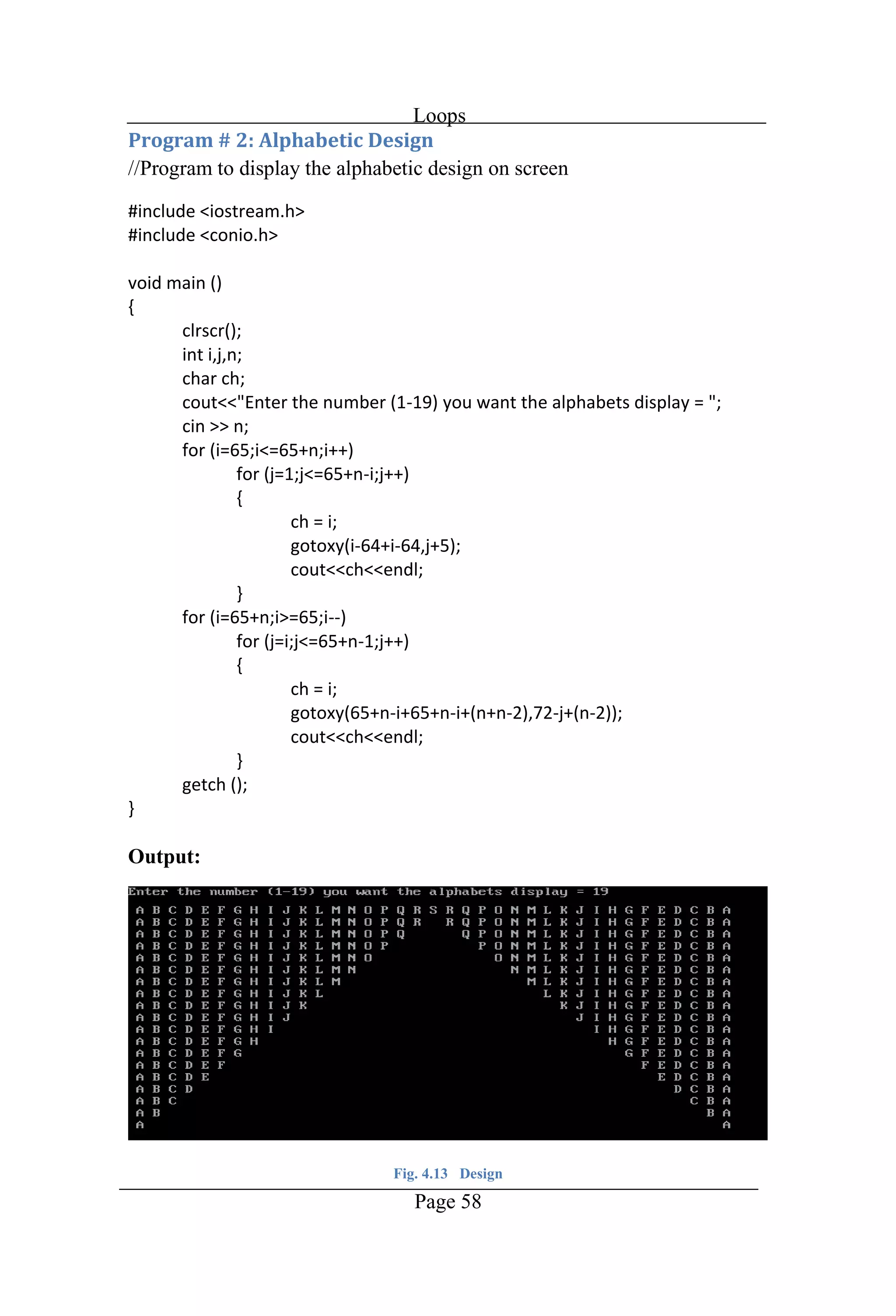
Loops Page 58 //Program to display the alphabetic design on screen Output: Fig. 4.13 Design
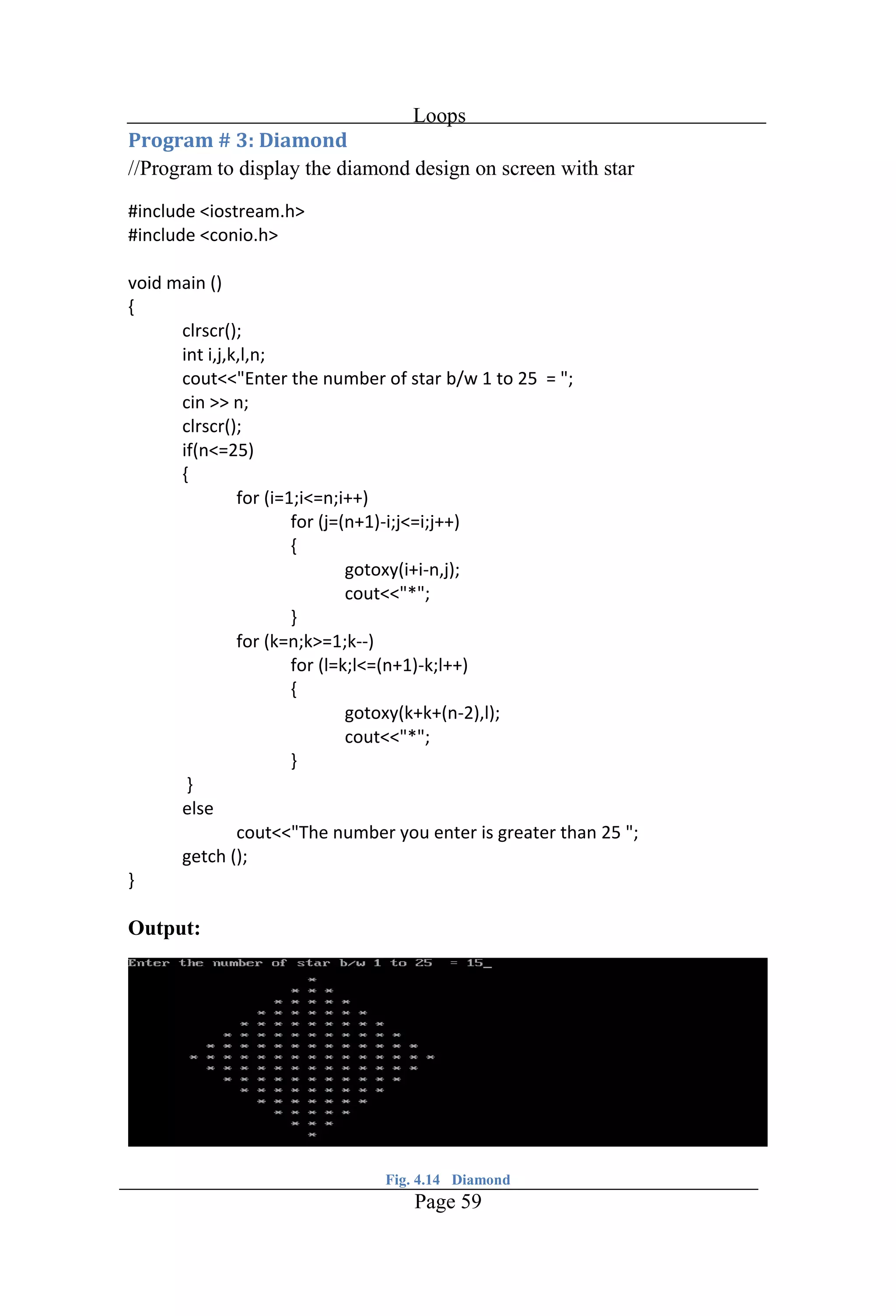
Loops Page 59 //Program to display the diamond design on screen with star Output: Fig. 4.14 Diamond
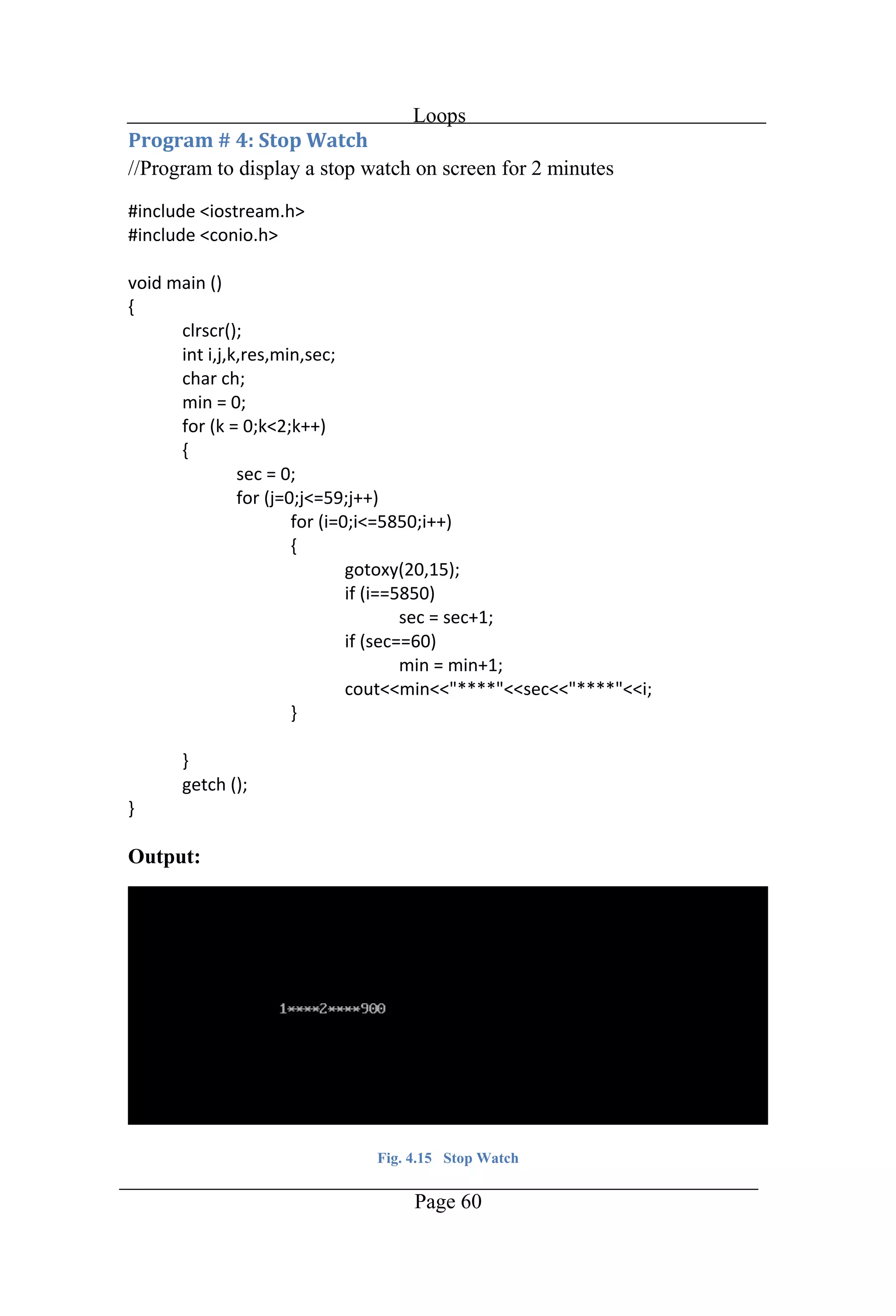
Loops Page 60 //Program to display a stop watch on screen for 2 minutes Output: Fig. 4.15 Stop Watch
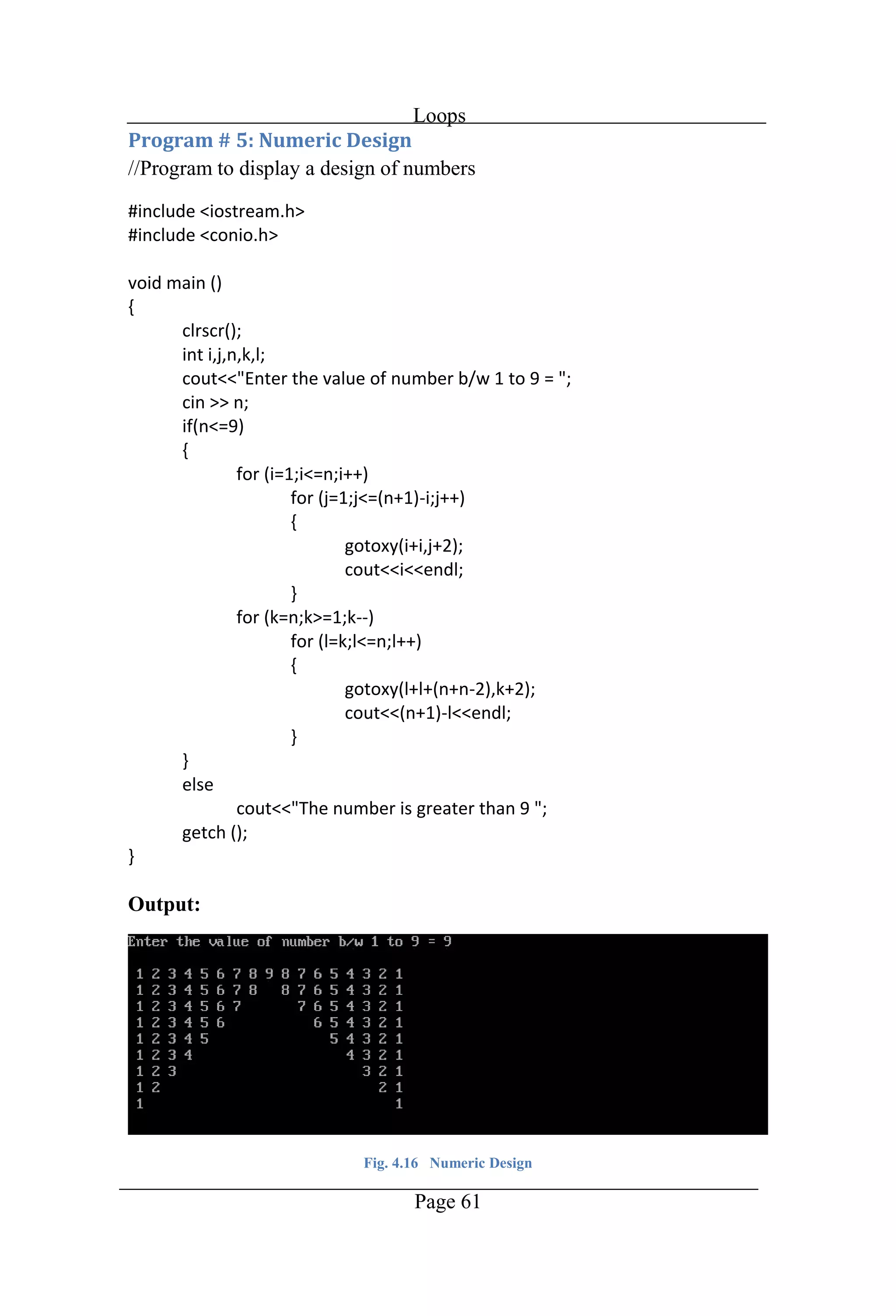
Loops Page 61 //Program to display a design of numbers Output: Fig. 4.16 Numeric Design
Chapter 5 Structures
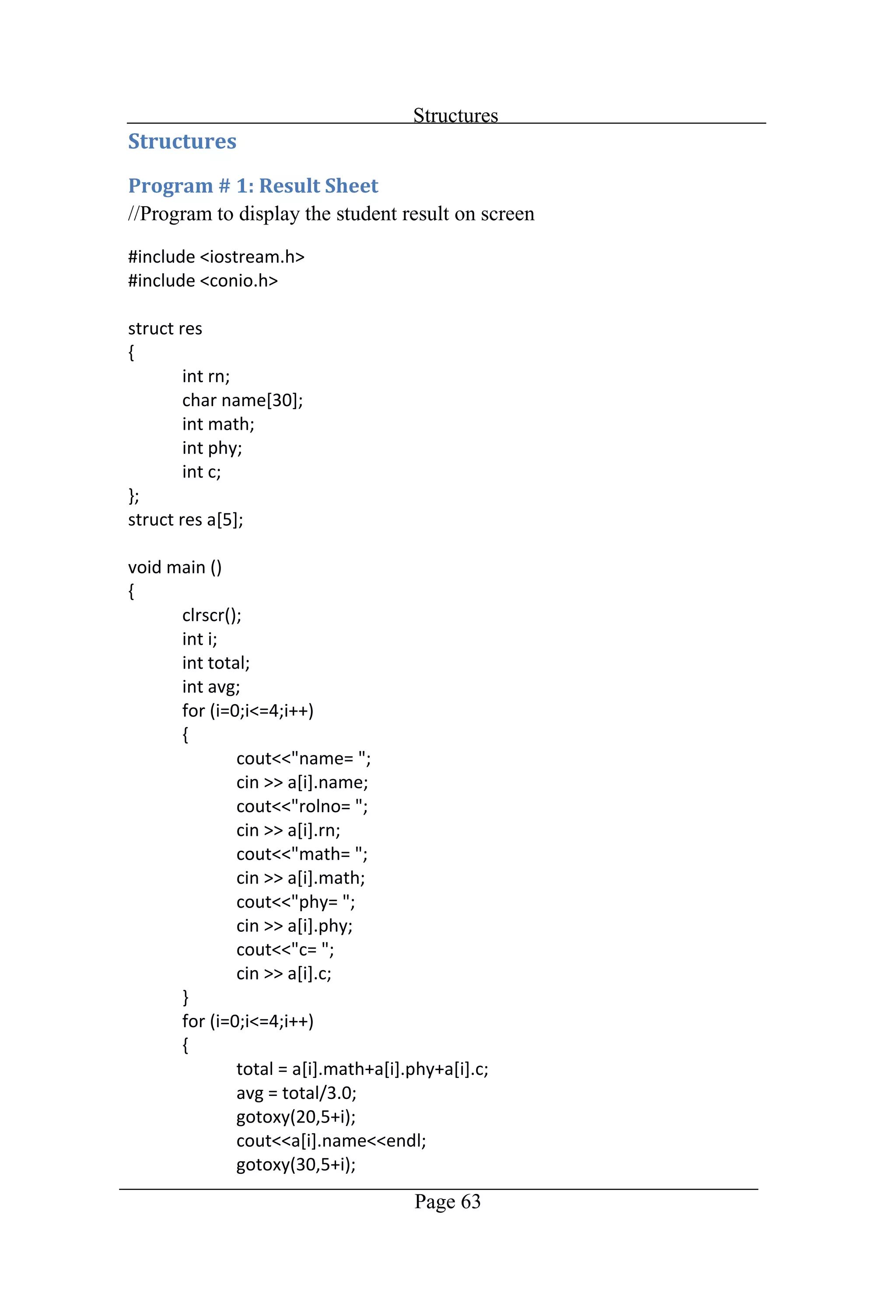
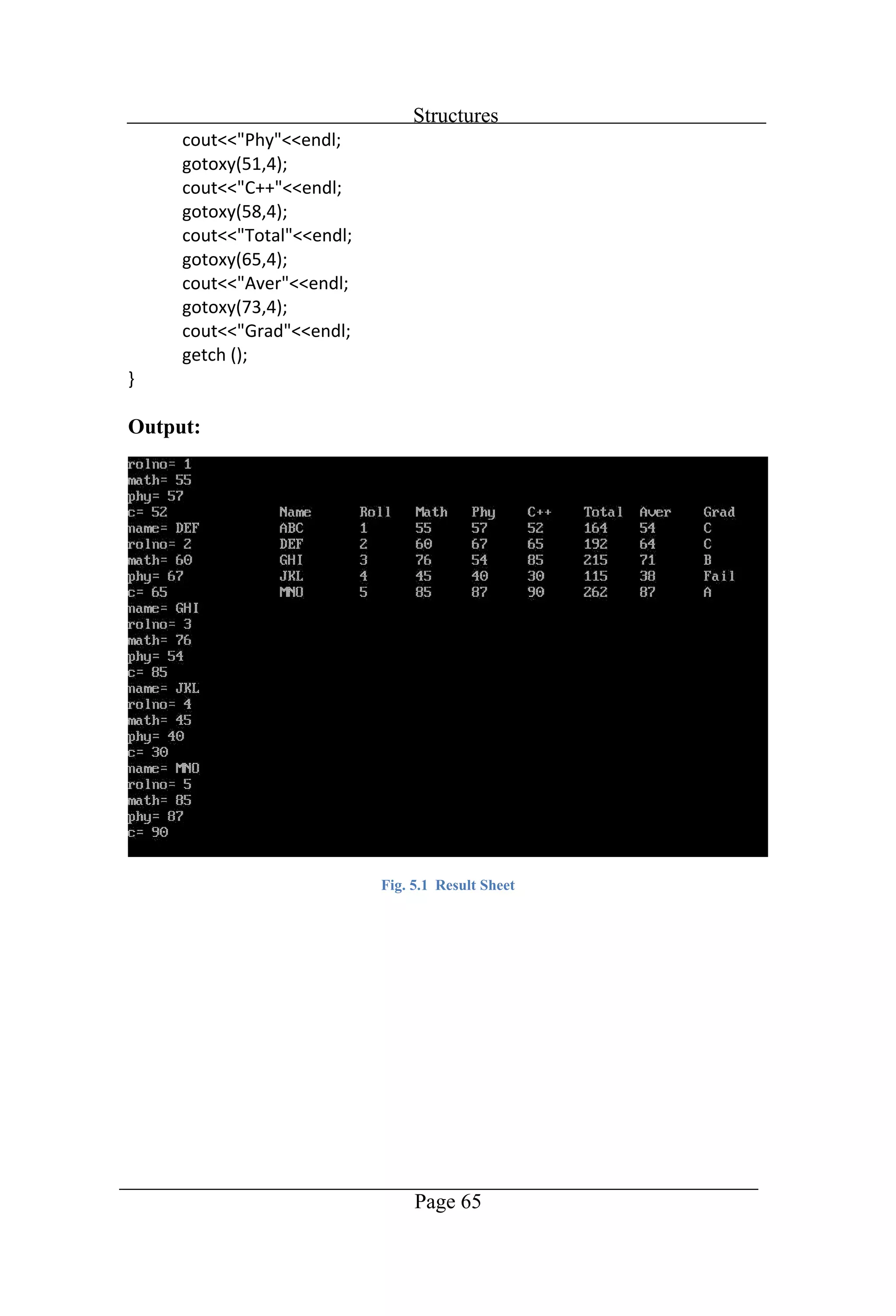
Structures Page 63 //Program to display the student result on screen
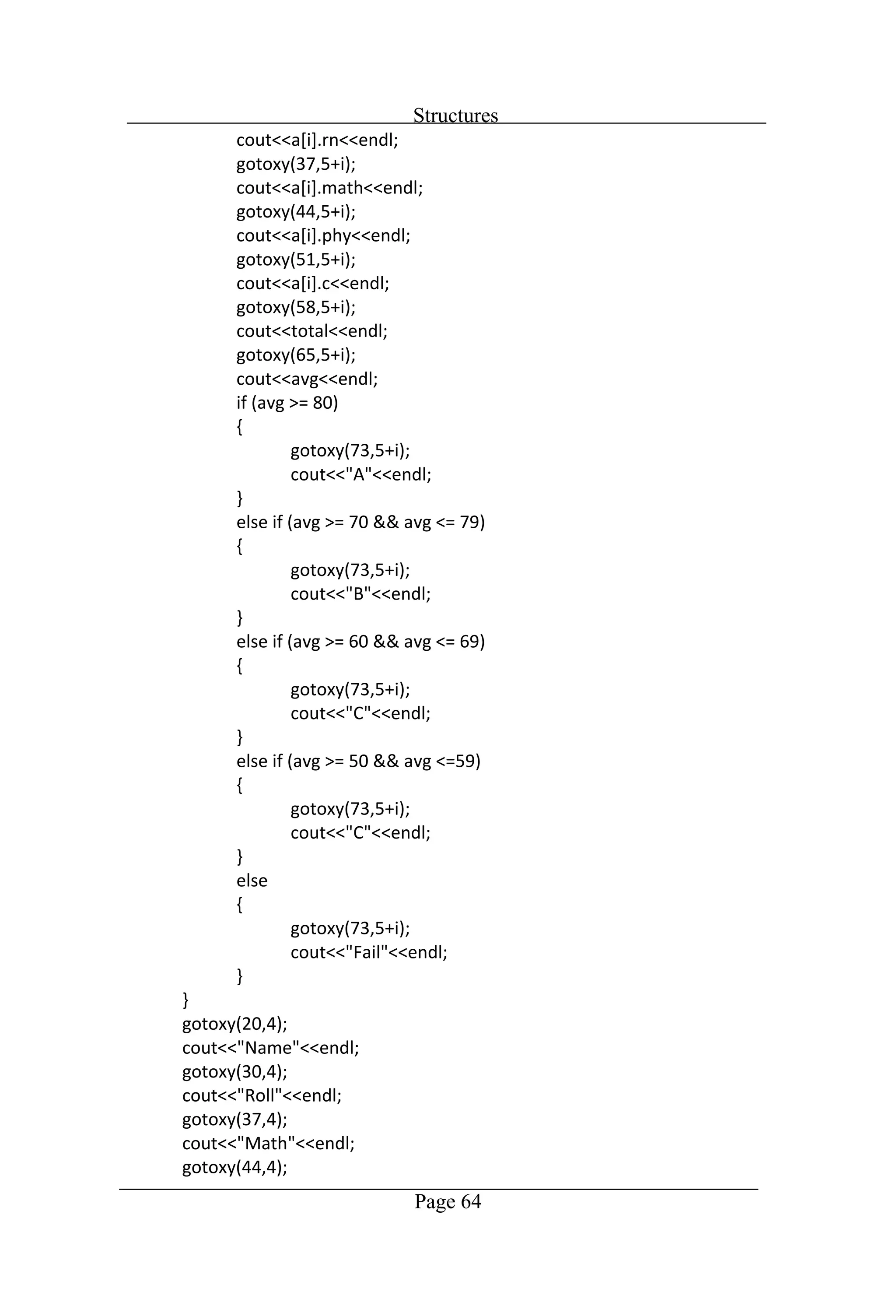
Structures Page 64
Structures Page 65 Output: Fig. 5.1 Result Sheet
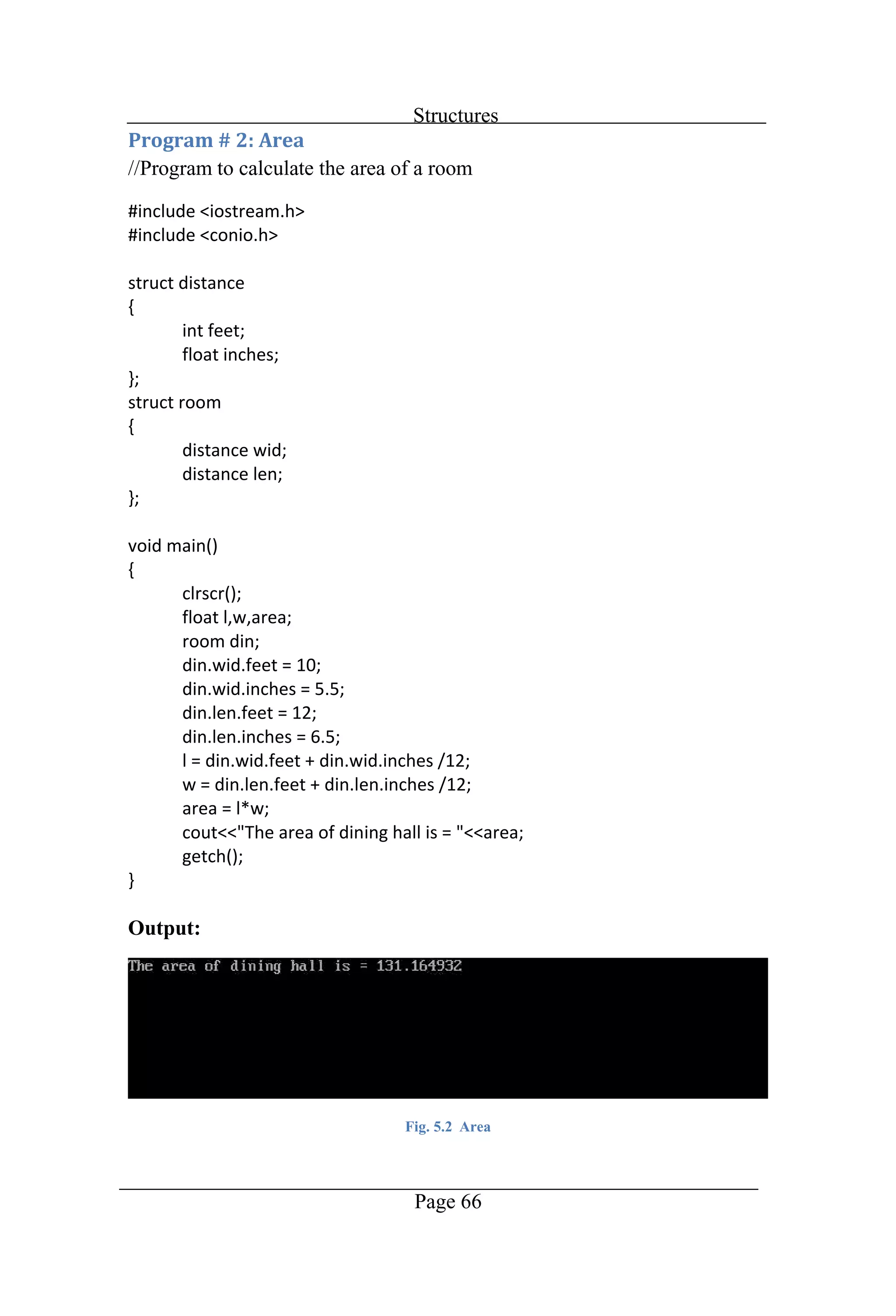
Structures Page 66 //Program to calculate the area of a room Output: Fig. 5.2 Area
Chapter 6 Arrays
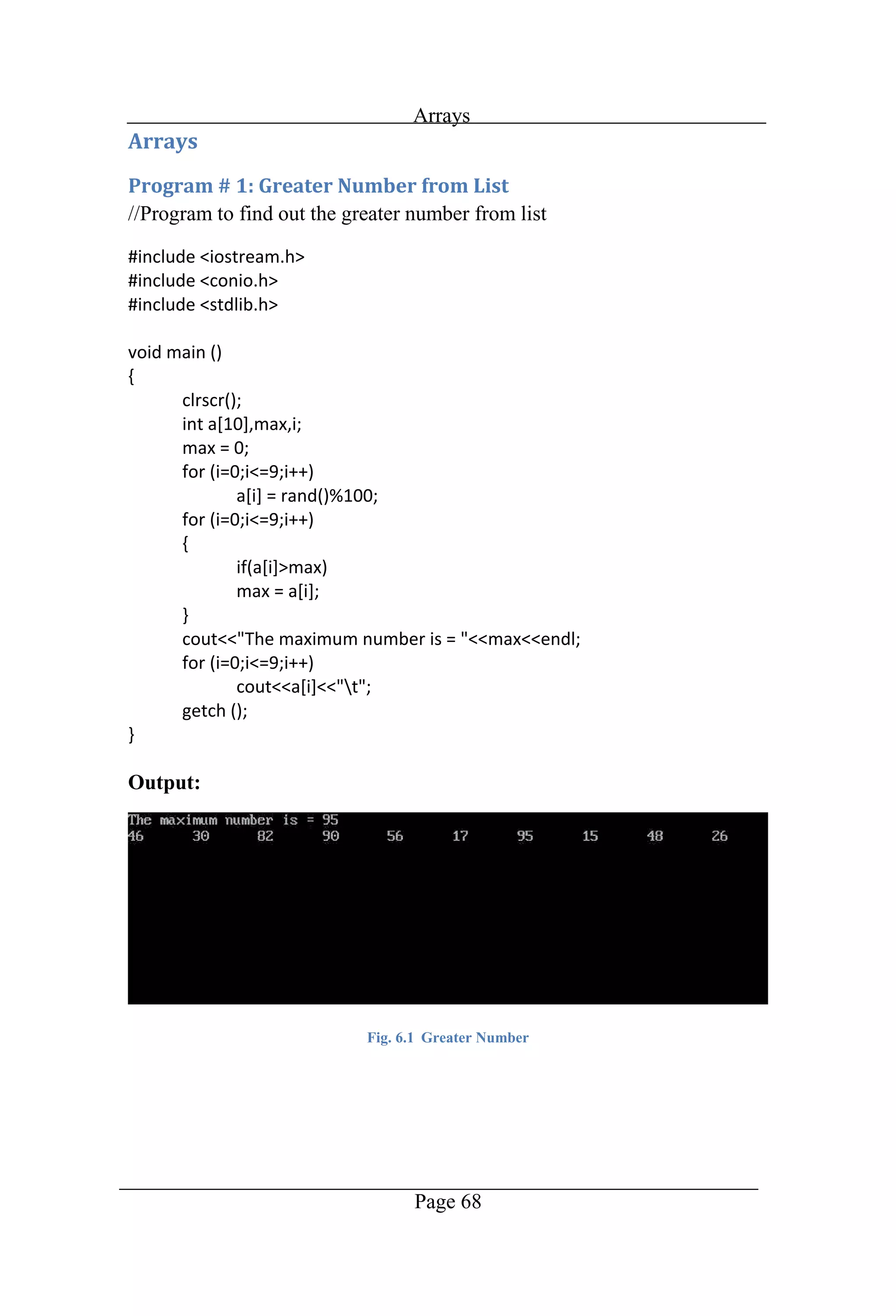
Arrays Page 68 //Program to find out the greater number from list Output: Fig. 6.1 Greater Number
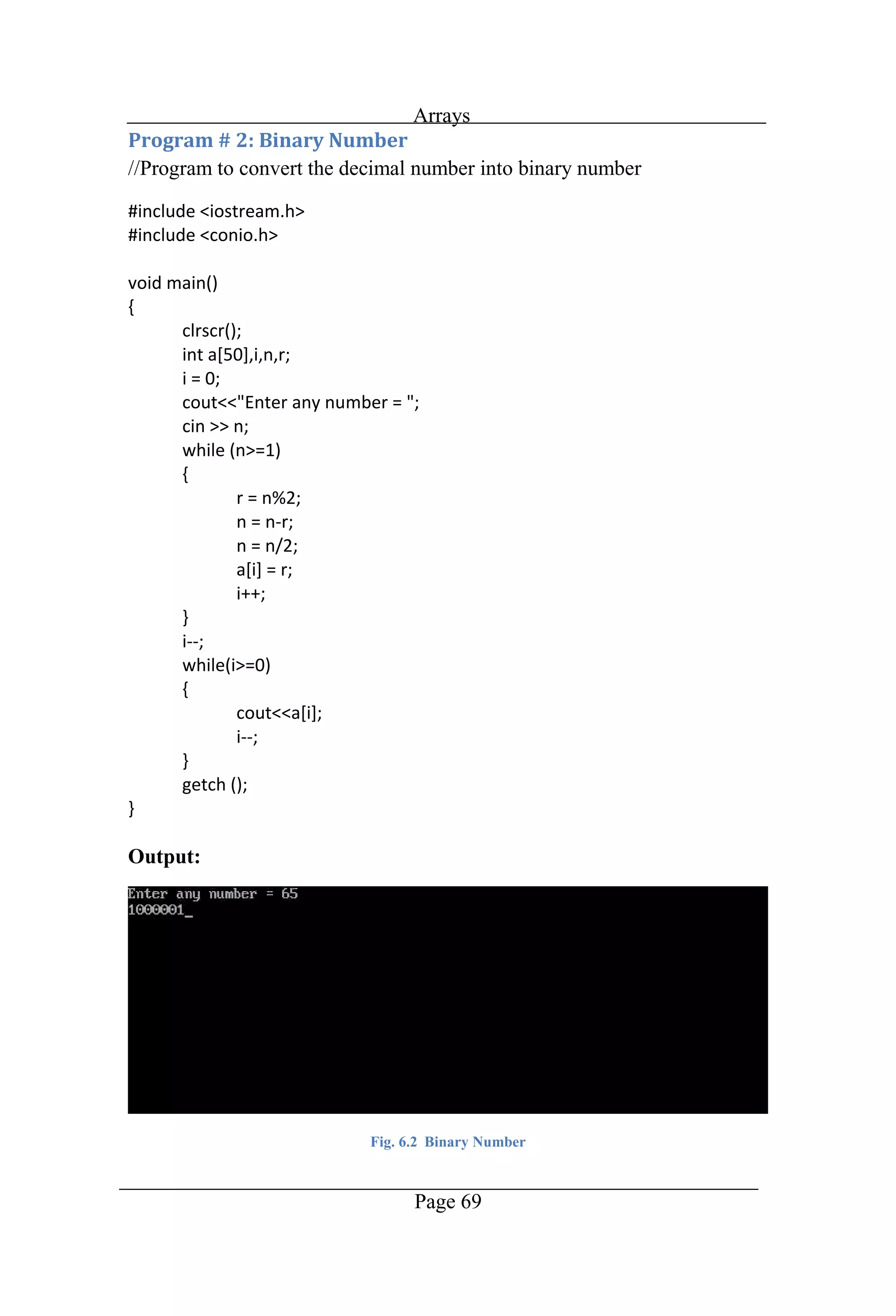
Arrays Page 69 //Program to convert the decimal number into binary number Output: Fig. 6.2 Binary Number
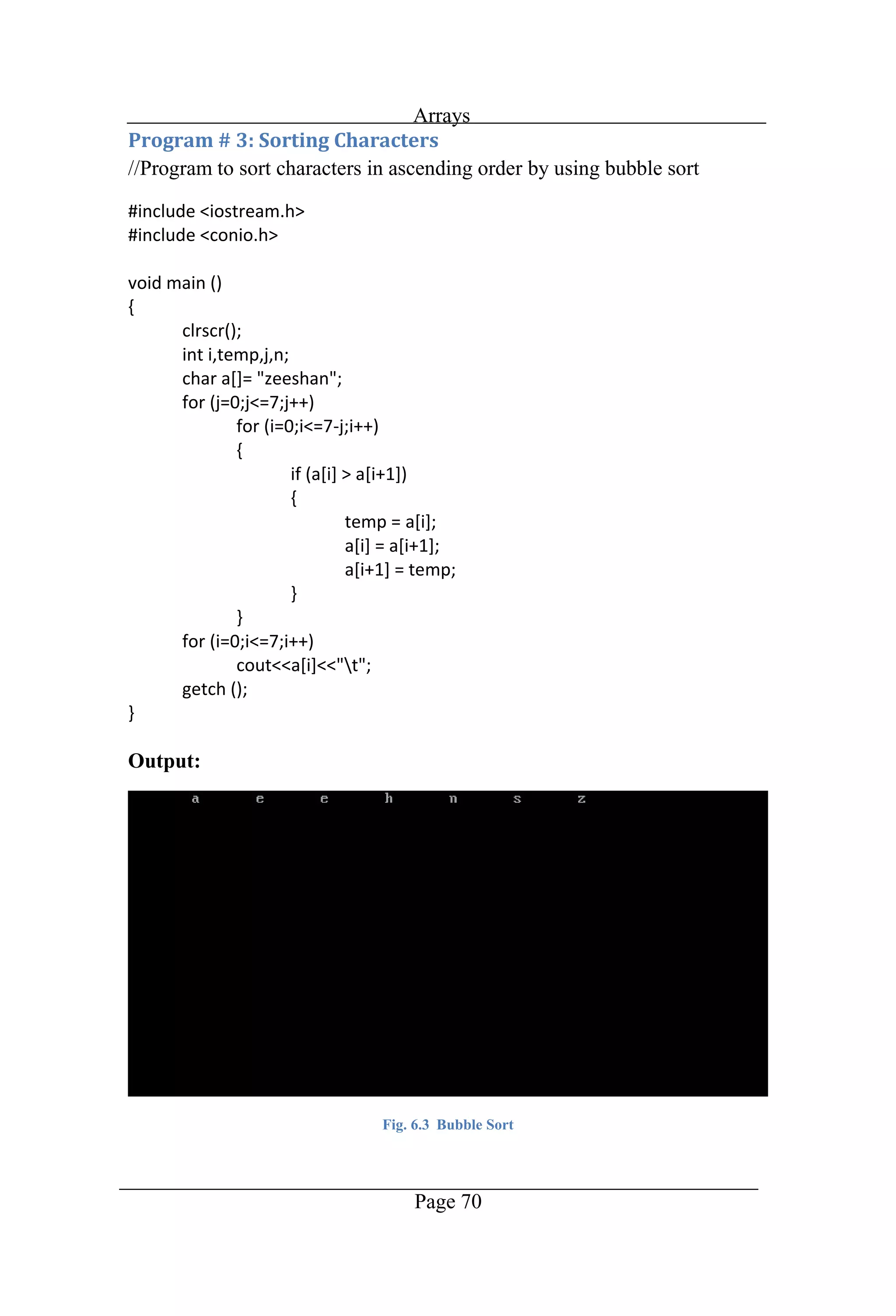
Arrays Page 70 //Program to sort characters in ascending order by using bubble sort Output: Fig. 6.3 Bubble Sort
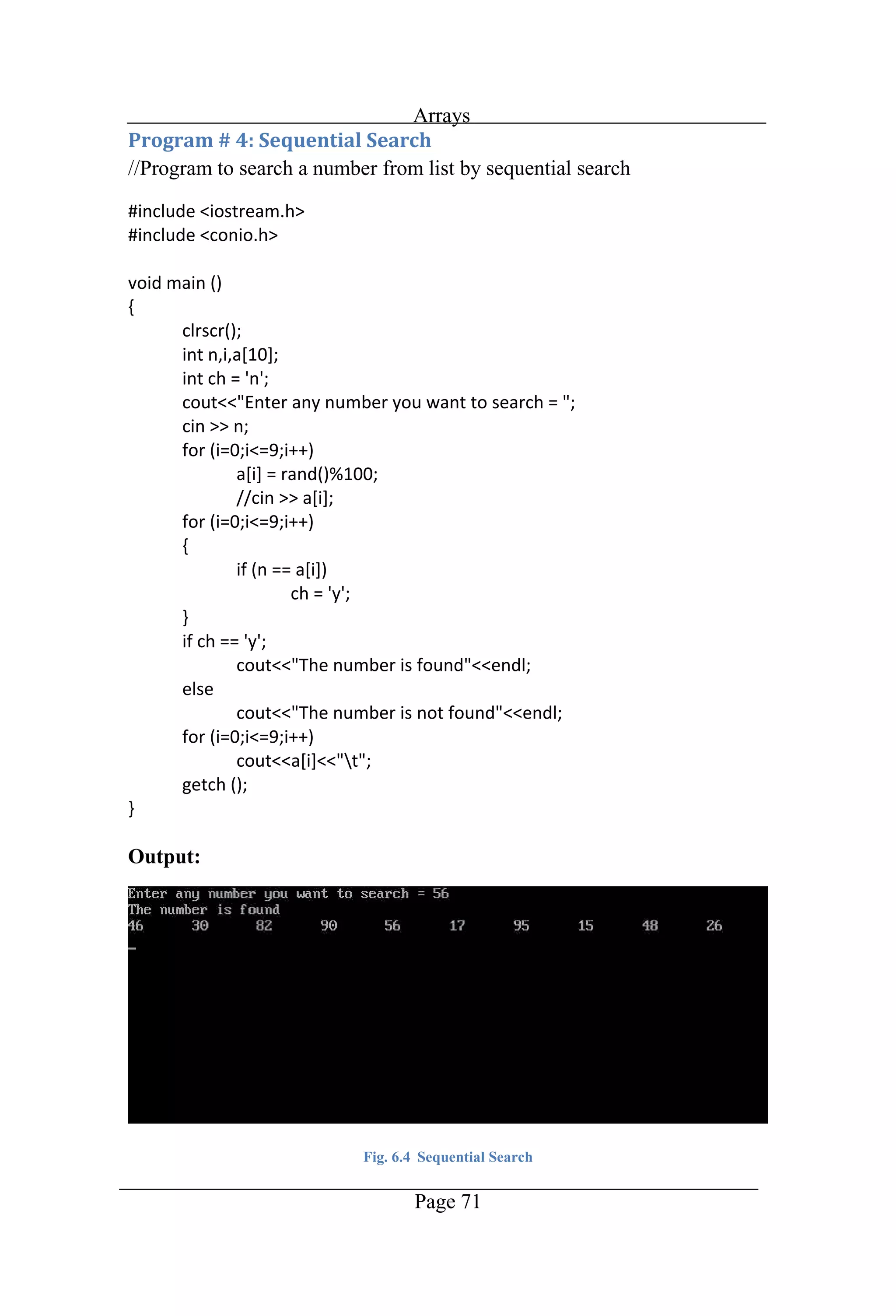
Arrays Page 71 //Program to search a number from list by sequential search Output: Fig. 6.4 Sequential Search
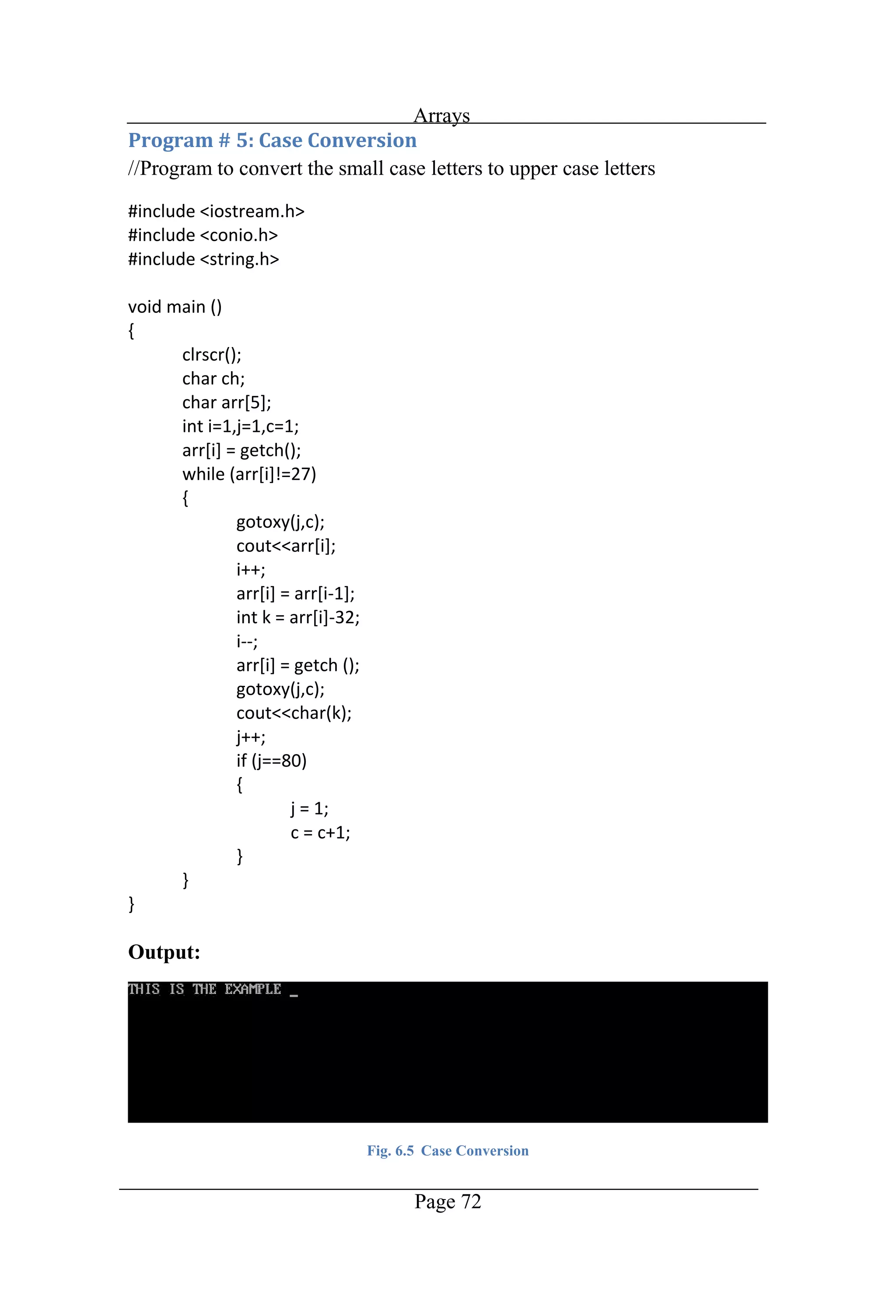
Arrays Page 72 //Program to convert the small case letters to upper case letters Output: Fig. 6.5 Case Conversion
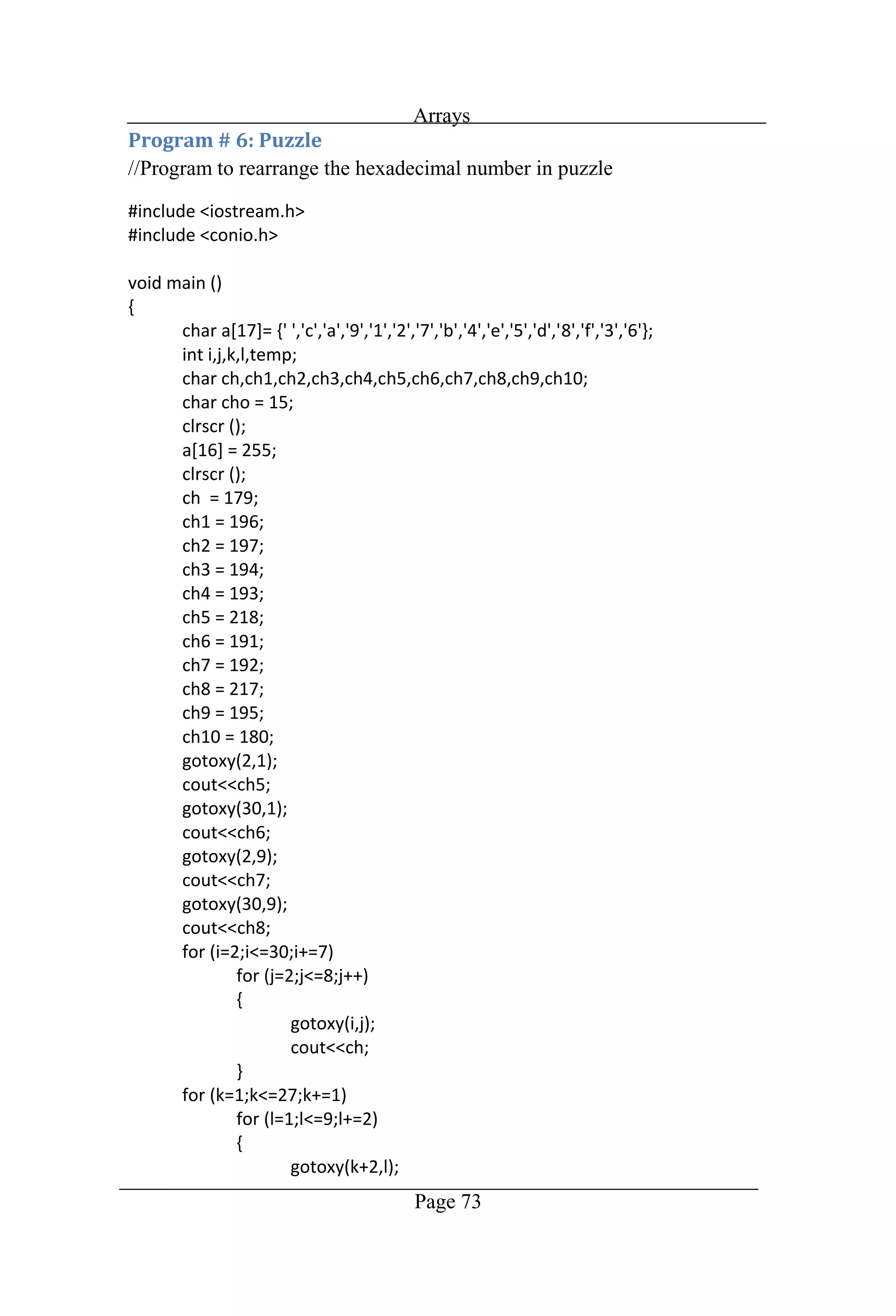
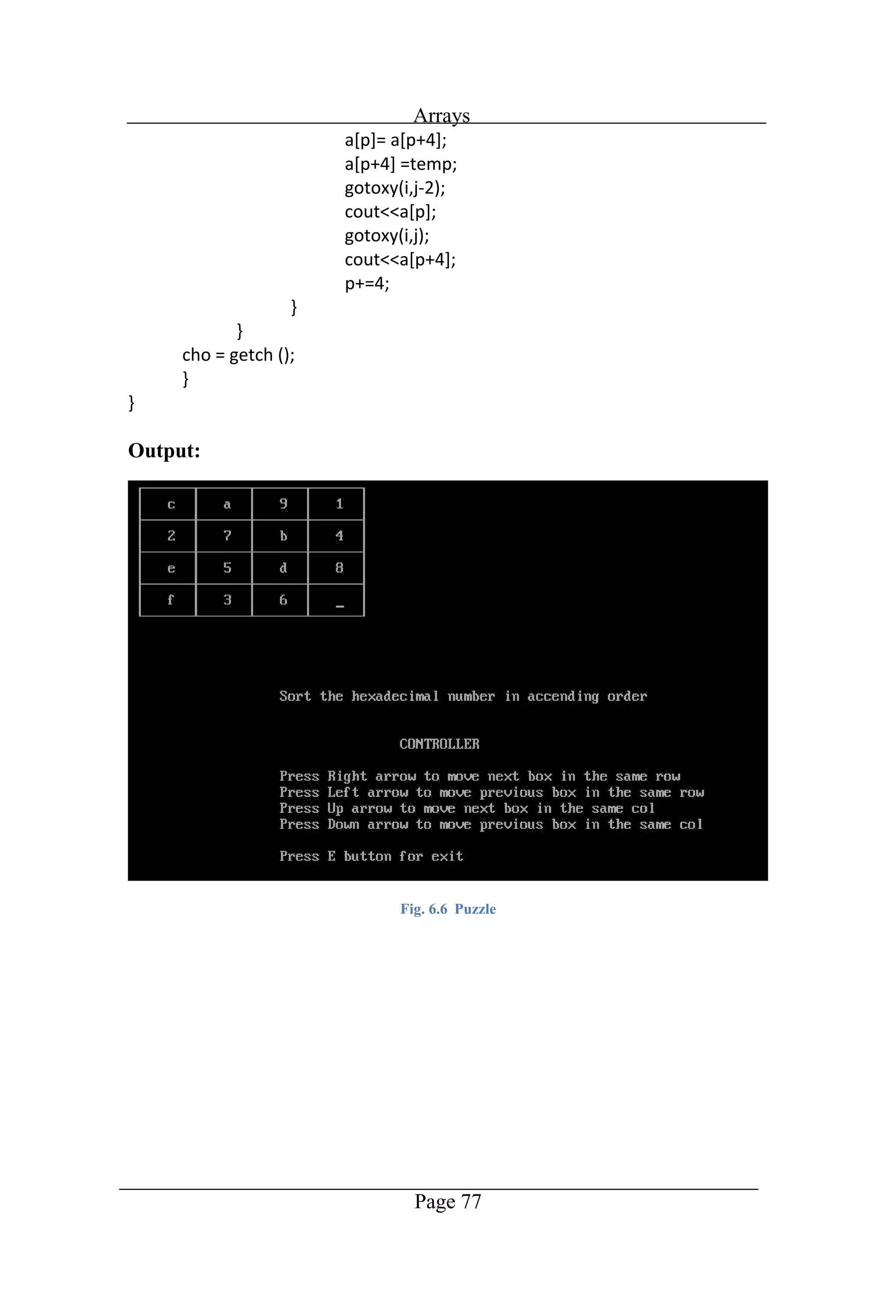
Arrays Page 73 //Program to rearrange the hexadecimal number in puzzle
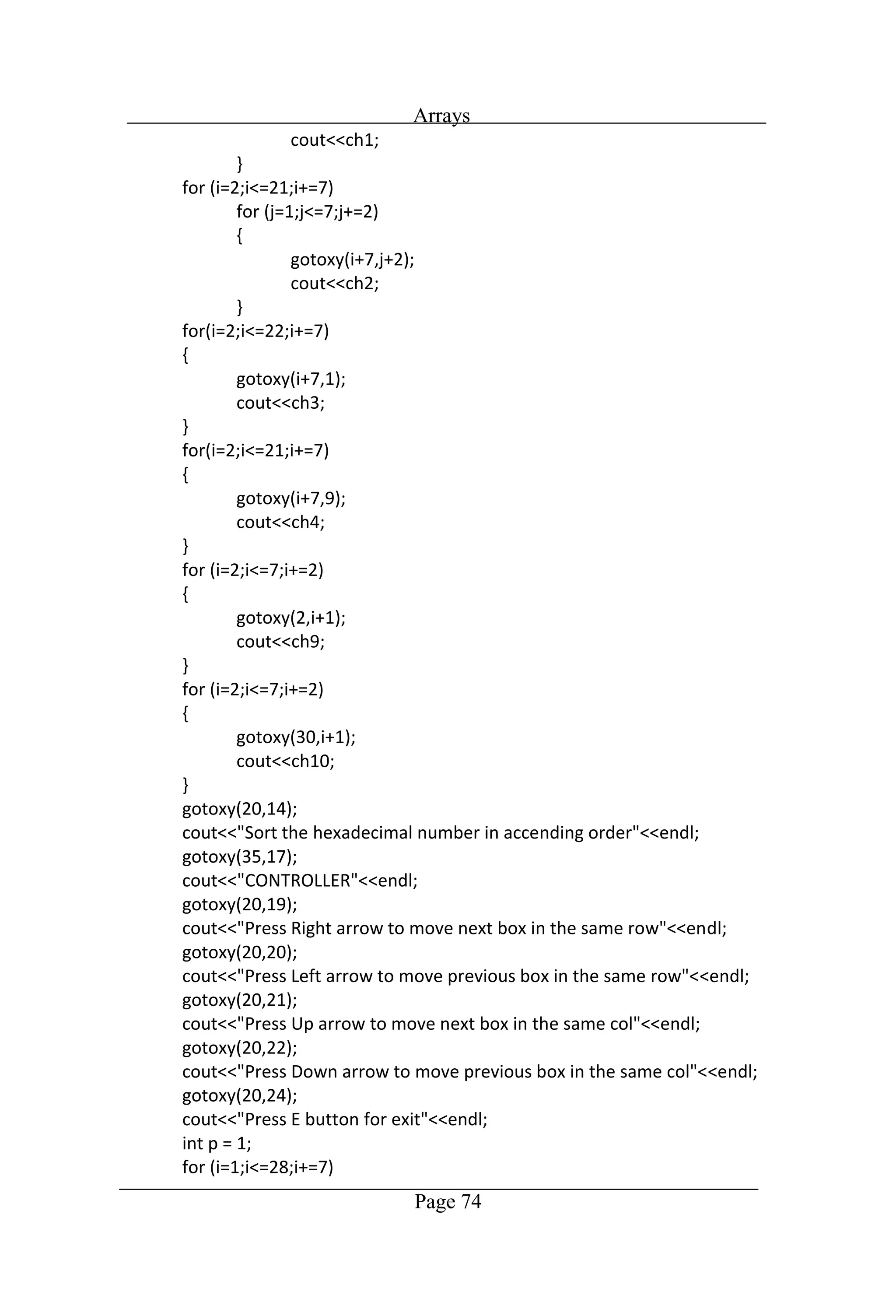
Arrays Page 74
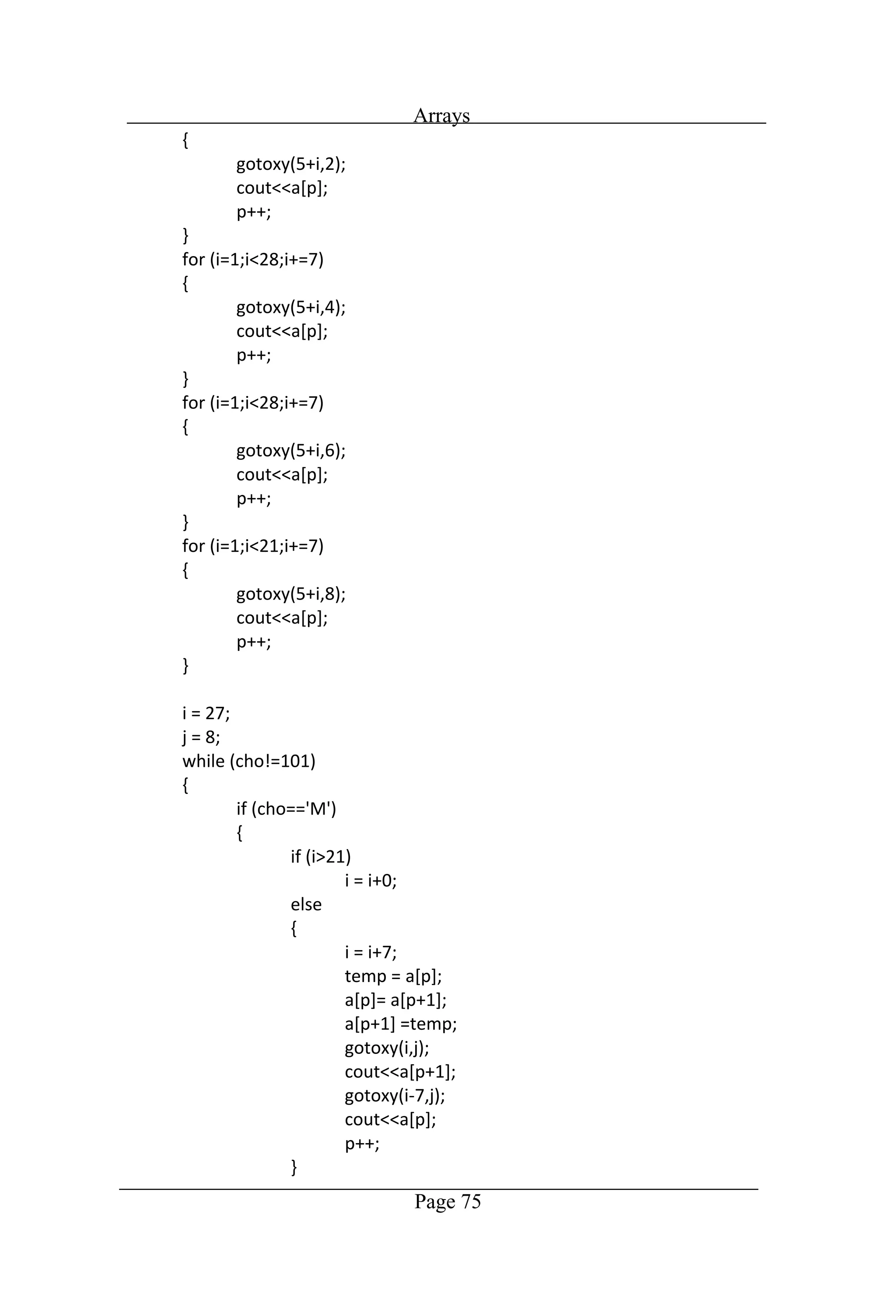
Arrays Page 75
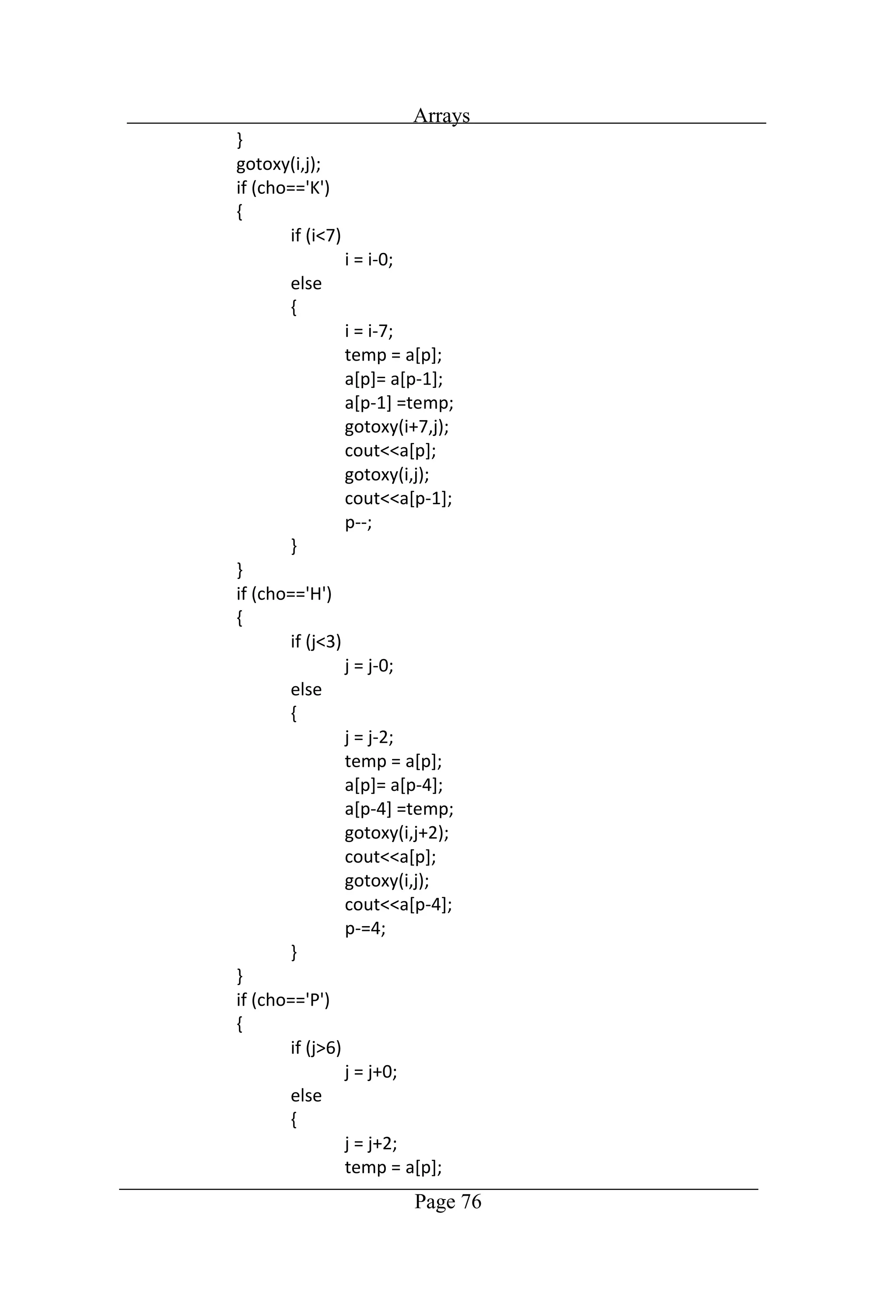
Arrays Page 76
Arrays Page 77 Output: Fig. 6.6 Puzzle
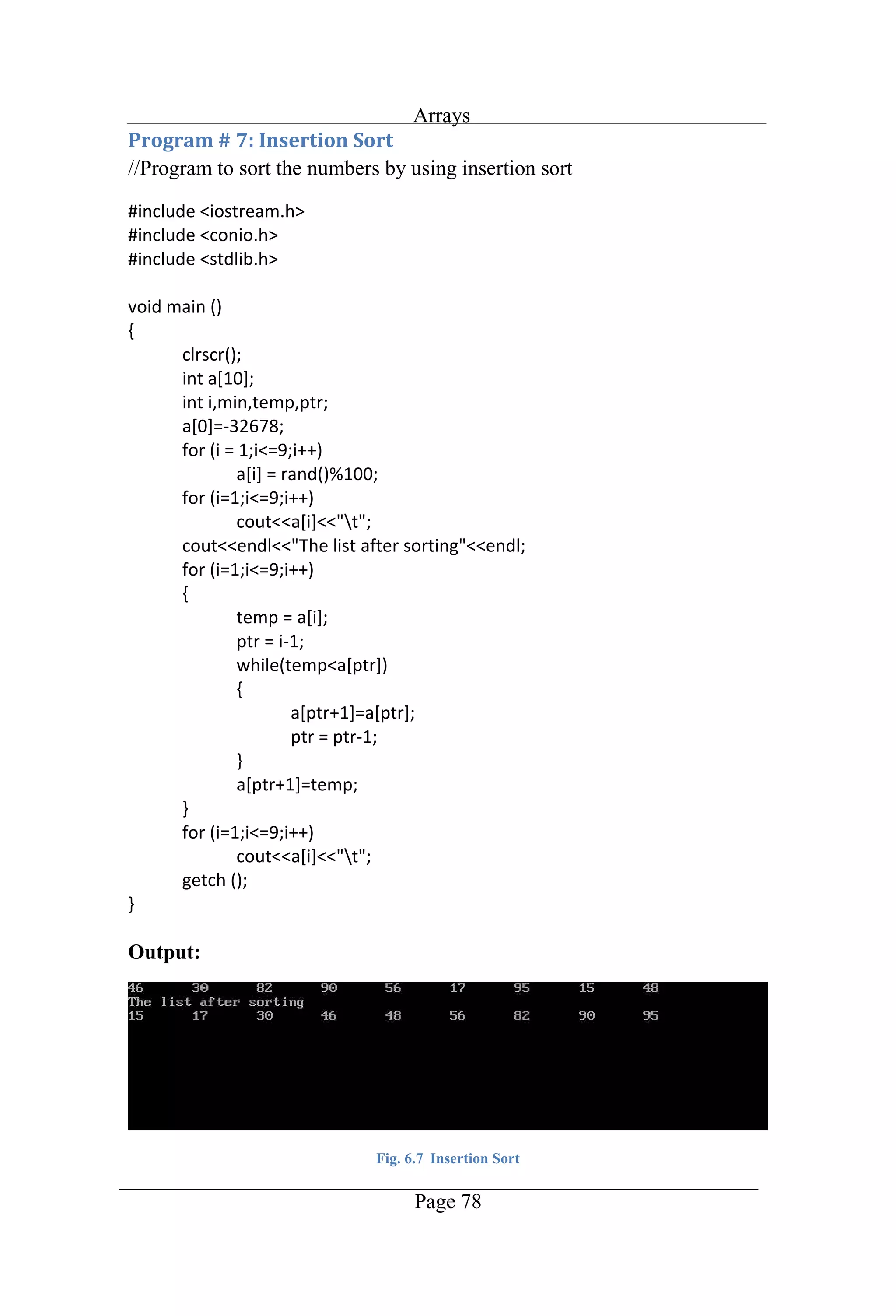
Arrays Page 78 //Program to sort the numbers by using insertion sort Output: Fig. 6.7 Insertion Sort
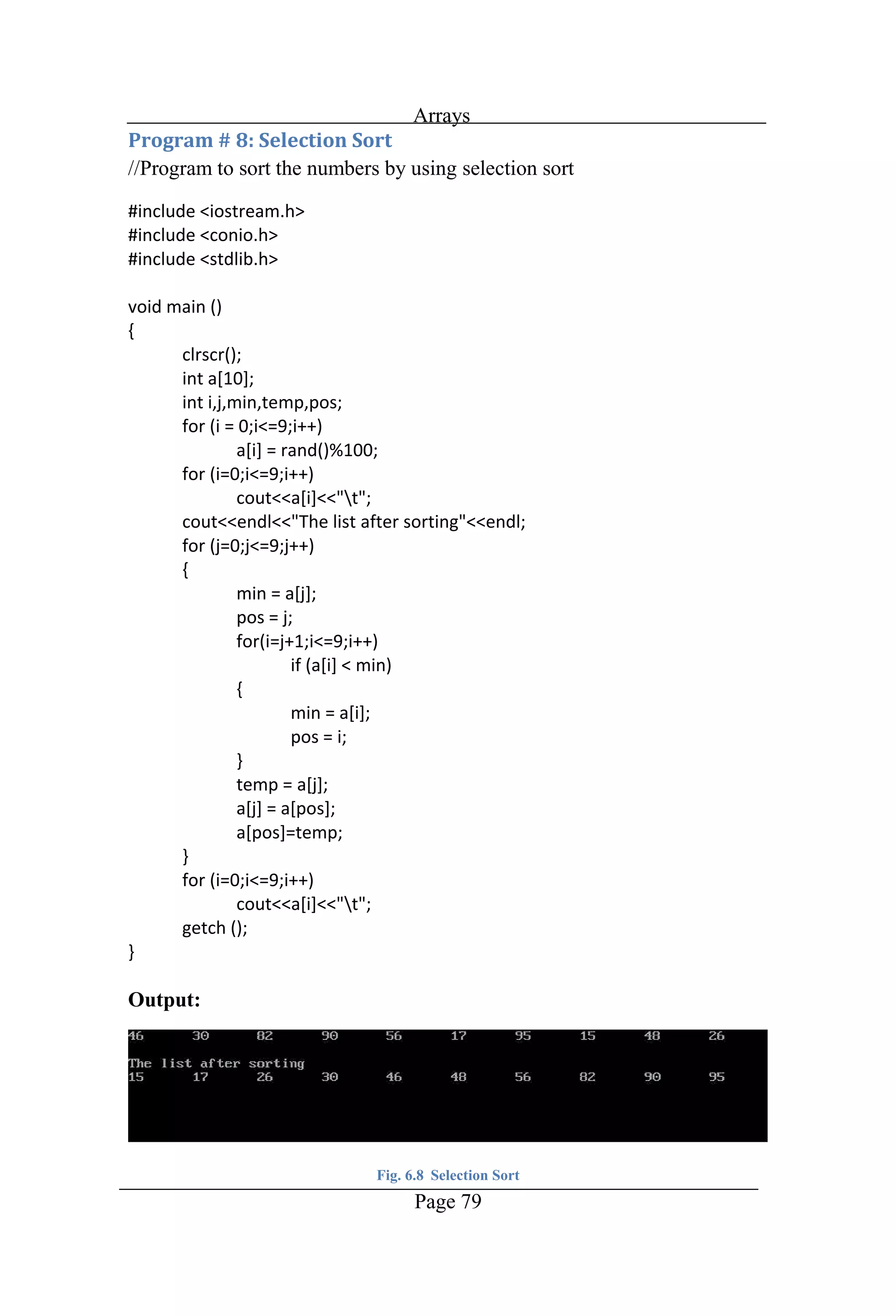
Arrays Page 79 //Program to sort the numbers by using selection sort Output: Fig. 6.8 Selection Sort
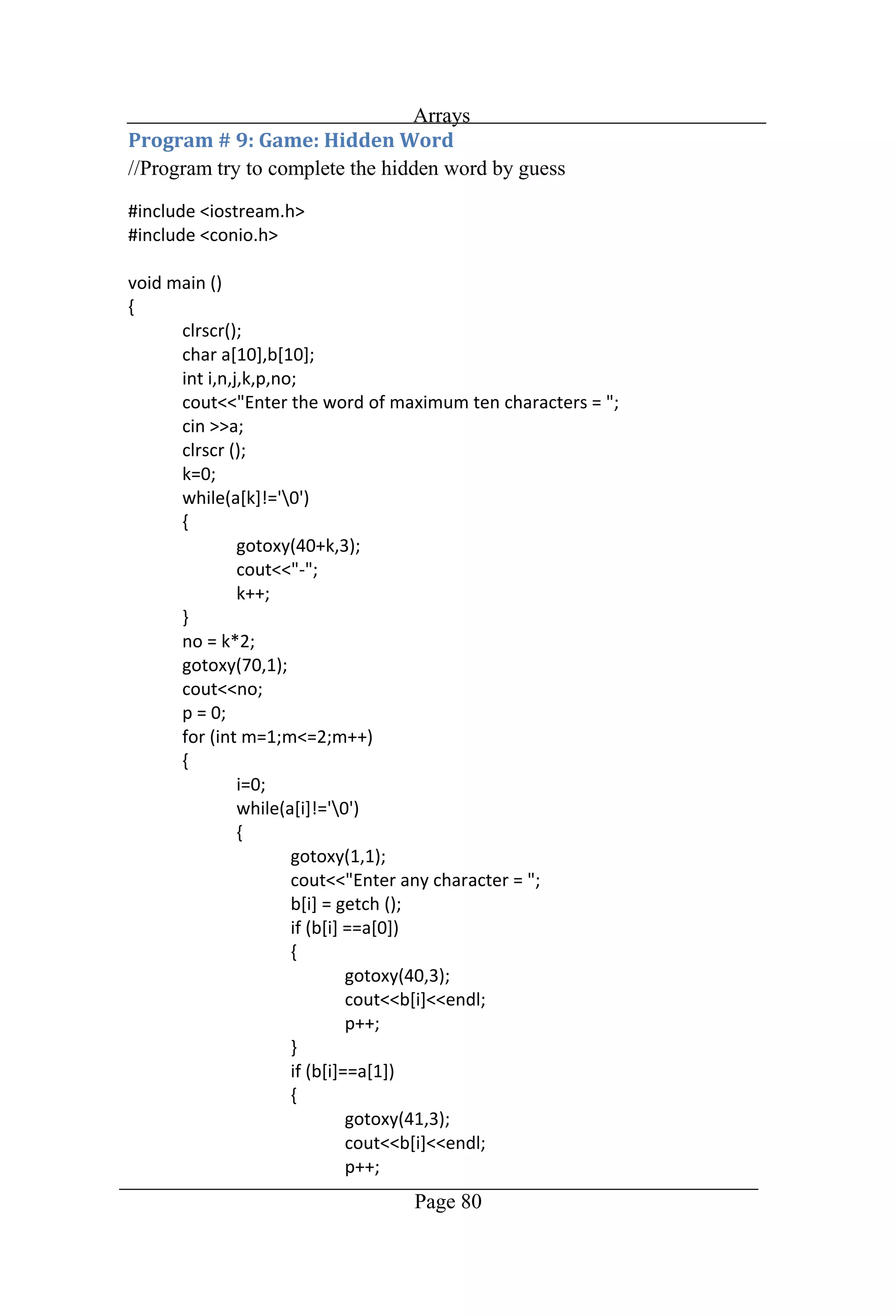
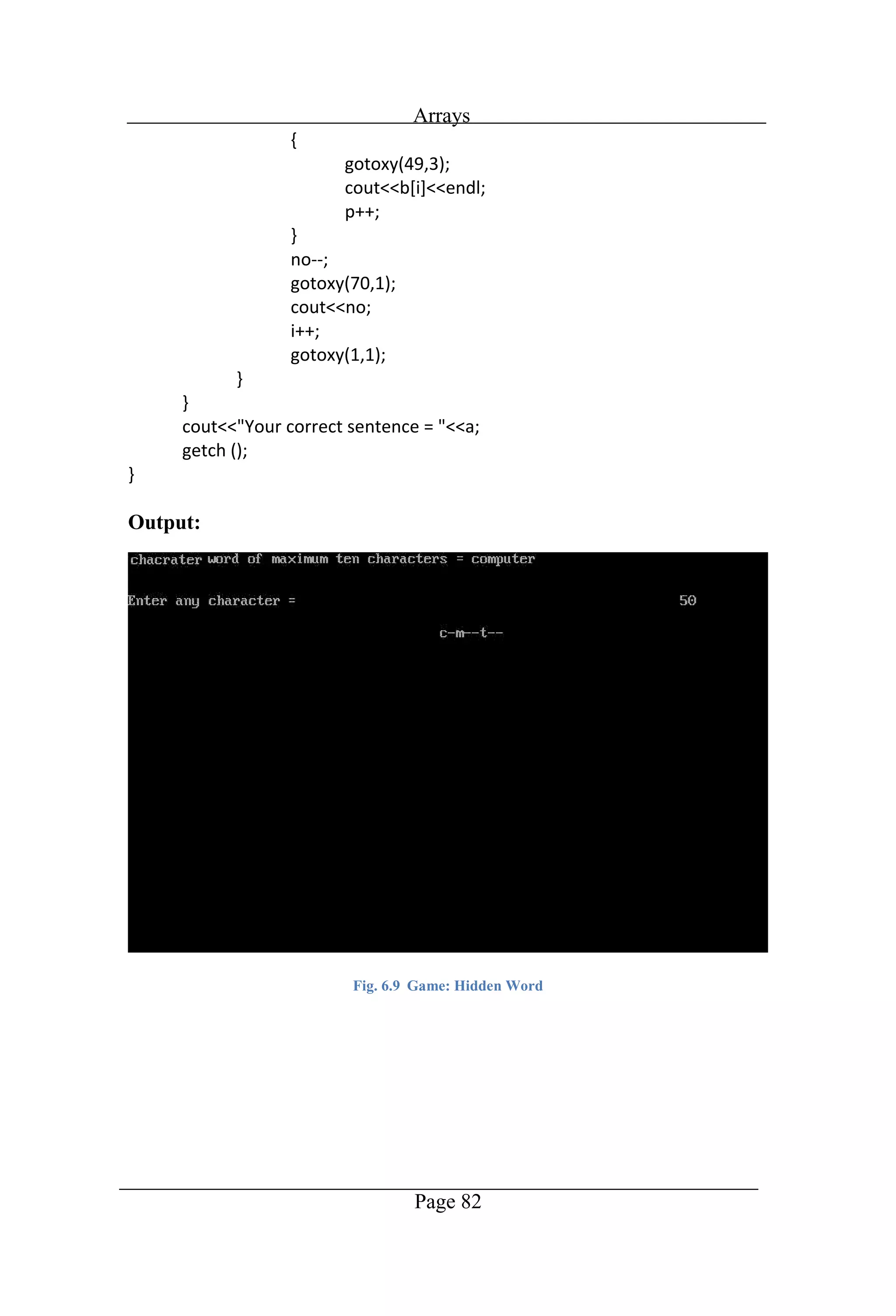
Arrays Page 80 //Program try to complete the hidden word by guess
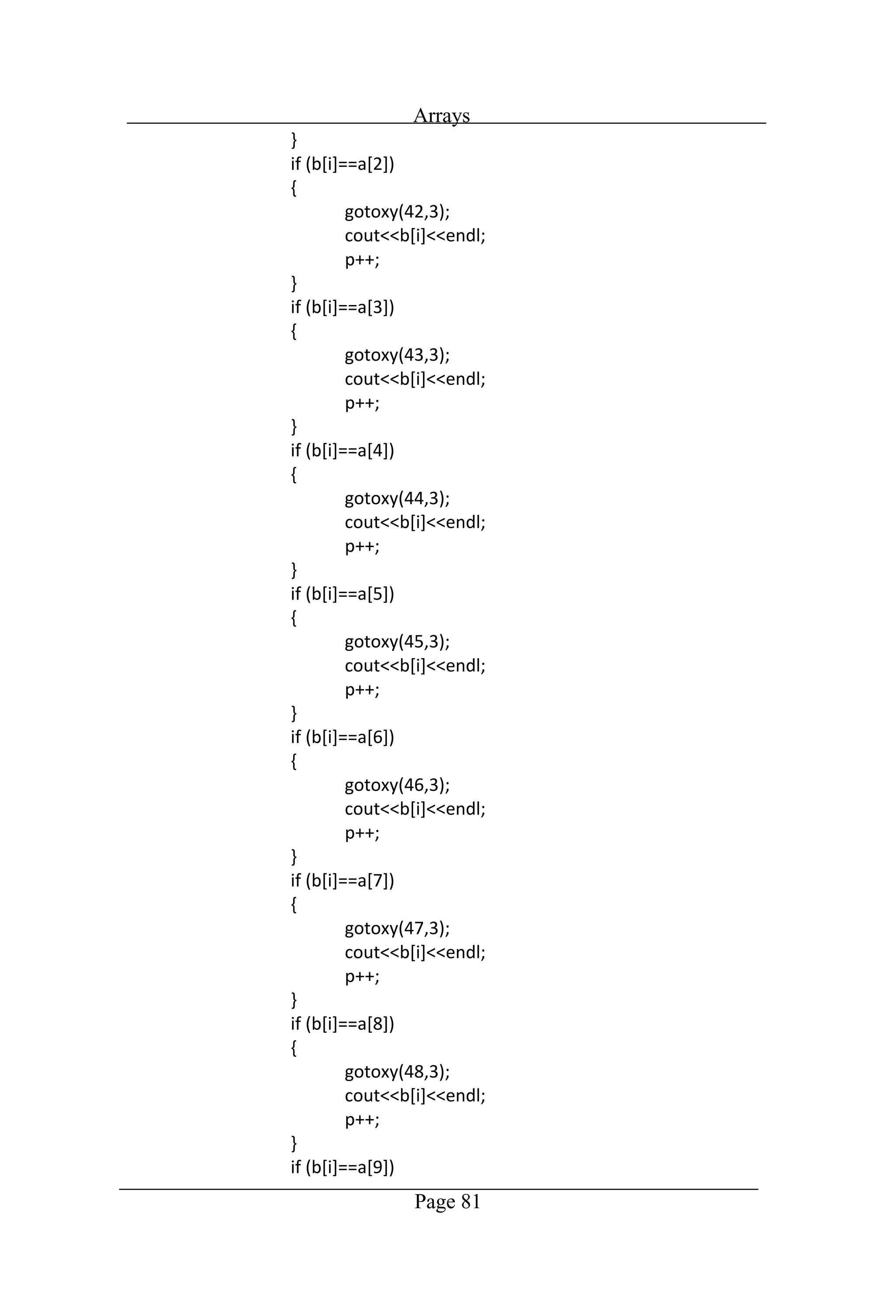
Arrays Page 81
Arrays Page 82 Output: Fig. 6.9 Game: Hidden Word
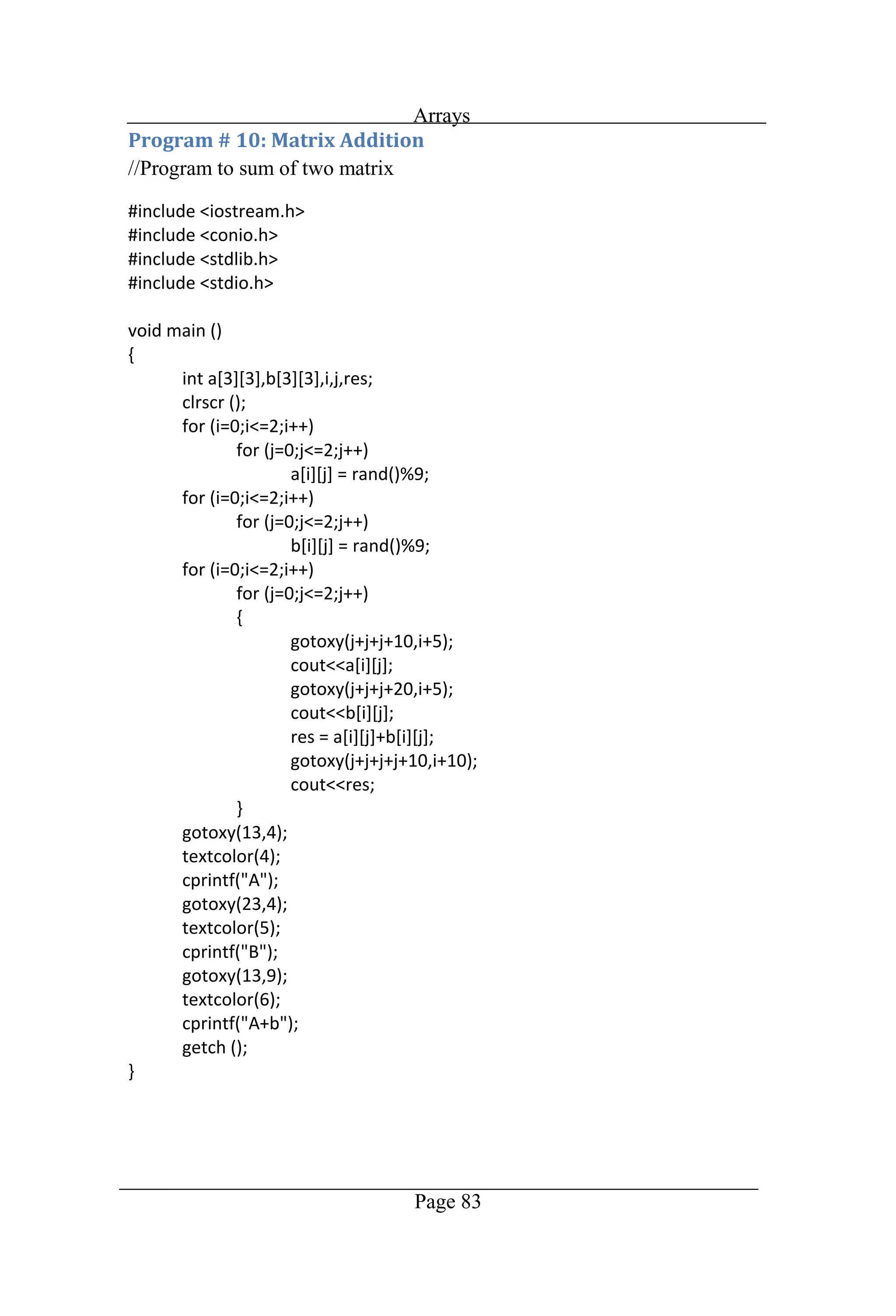
Arrays Page 83 //Program to sum of two matrix
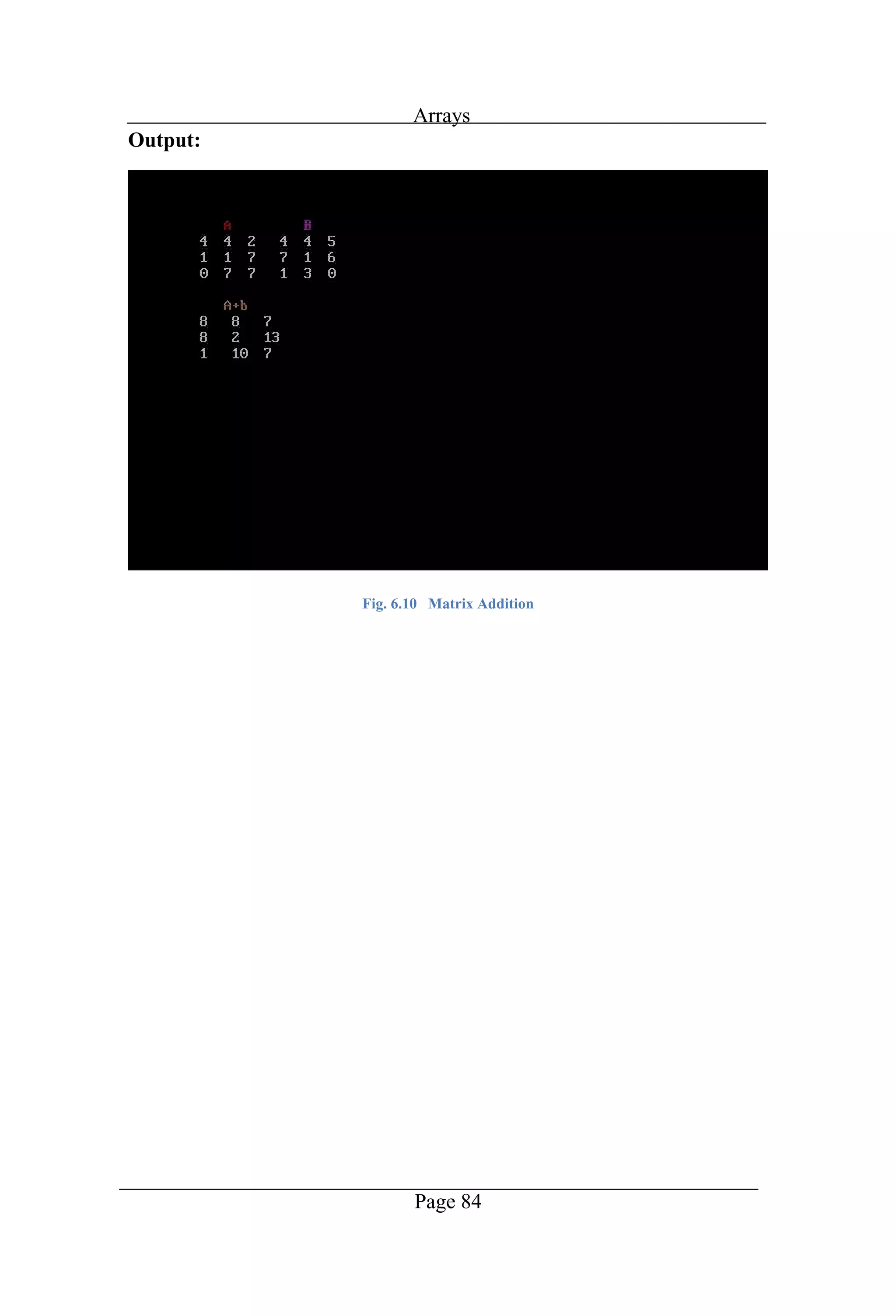
Arrays Page 84 Output: Fig. 6.10 Matrix Addition
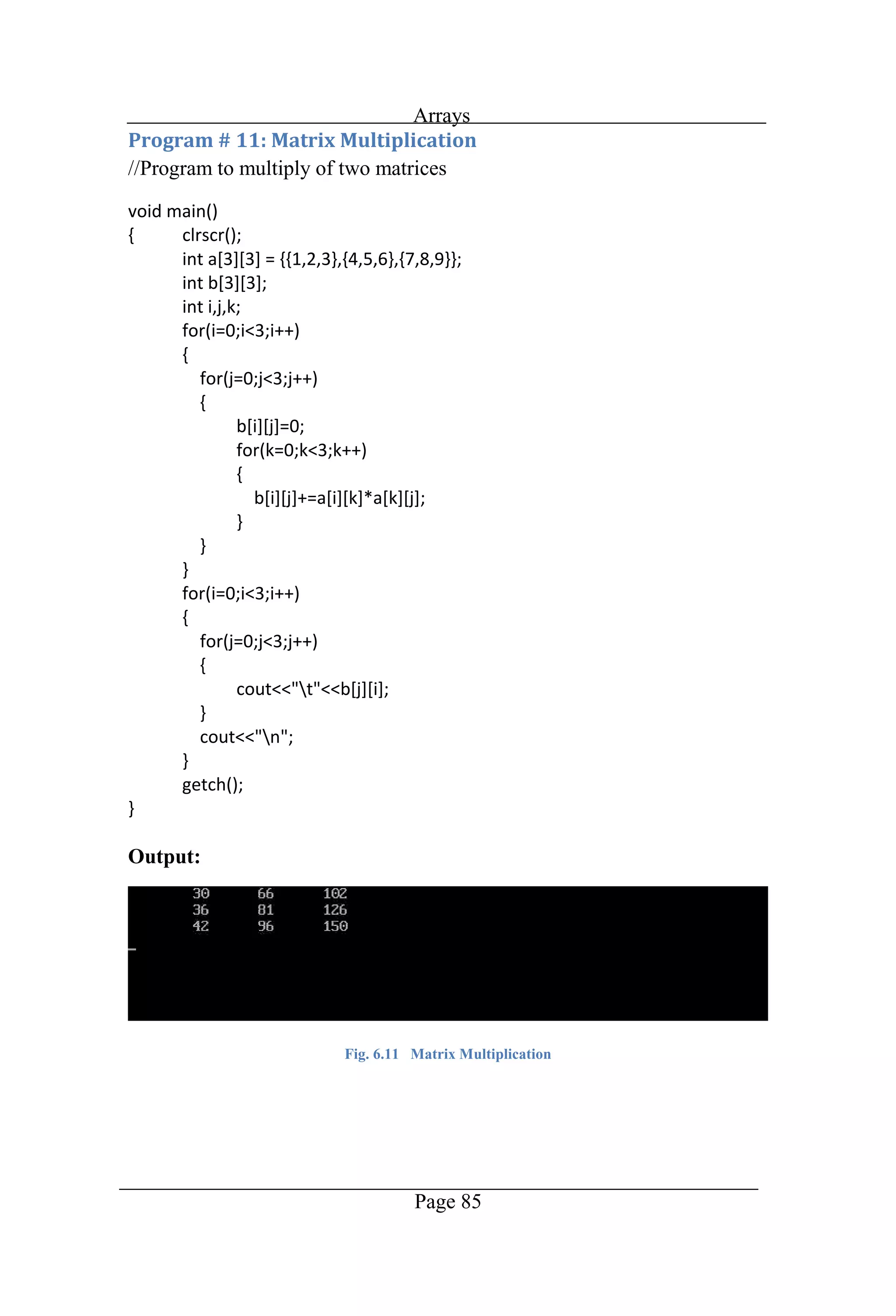
Arrays Page 85 //Program to multiply of two matrices Output: Fig. 6.11 Matrix Multiplication
Chapter 7 Pointers
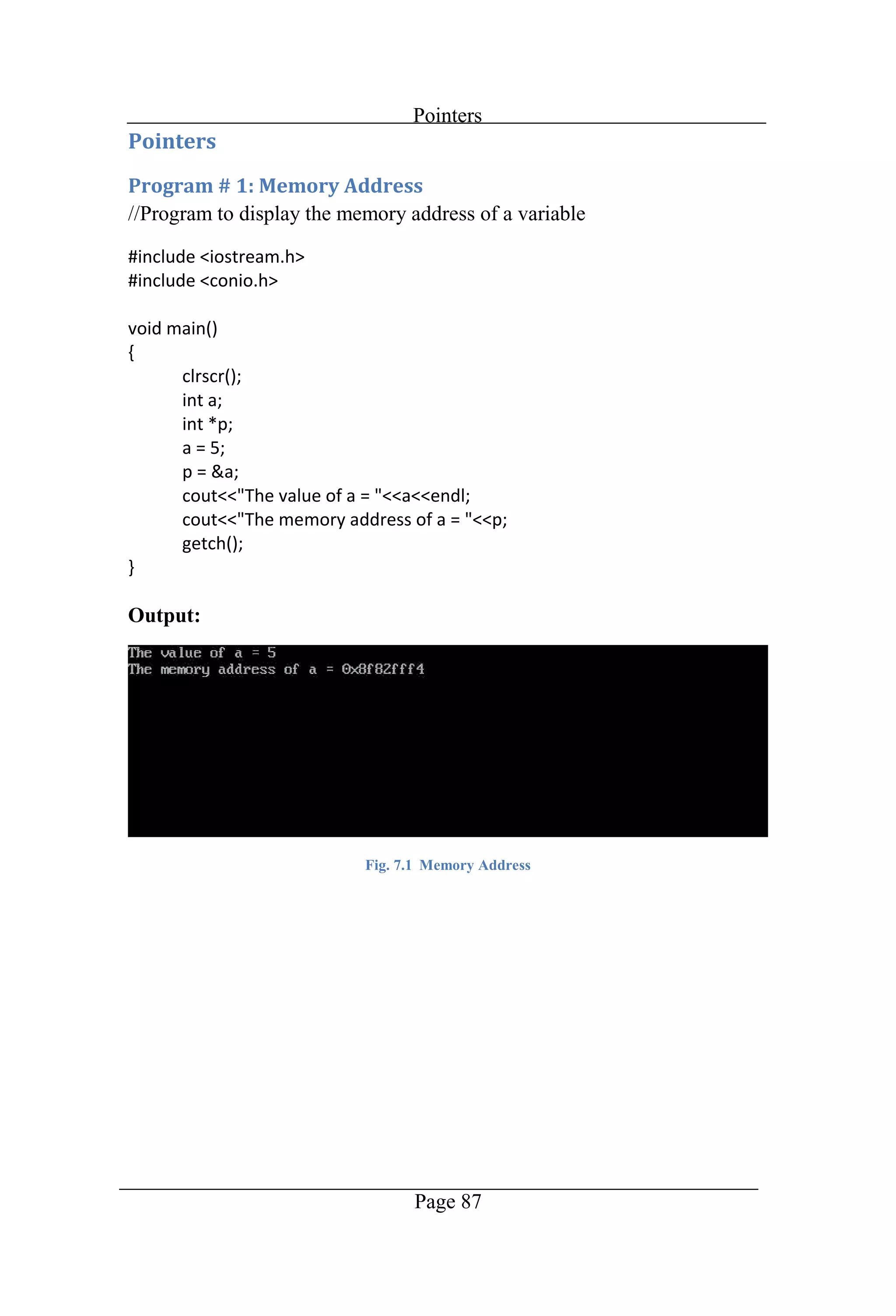
Pointers Page 87 //Program to display the memory address of a variable Output: Fig. 7.1 Memory Address
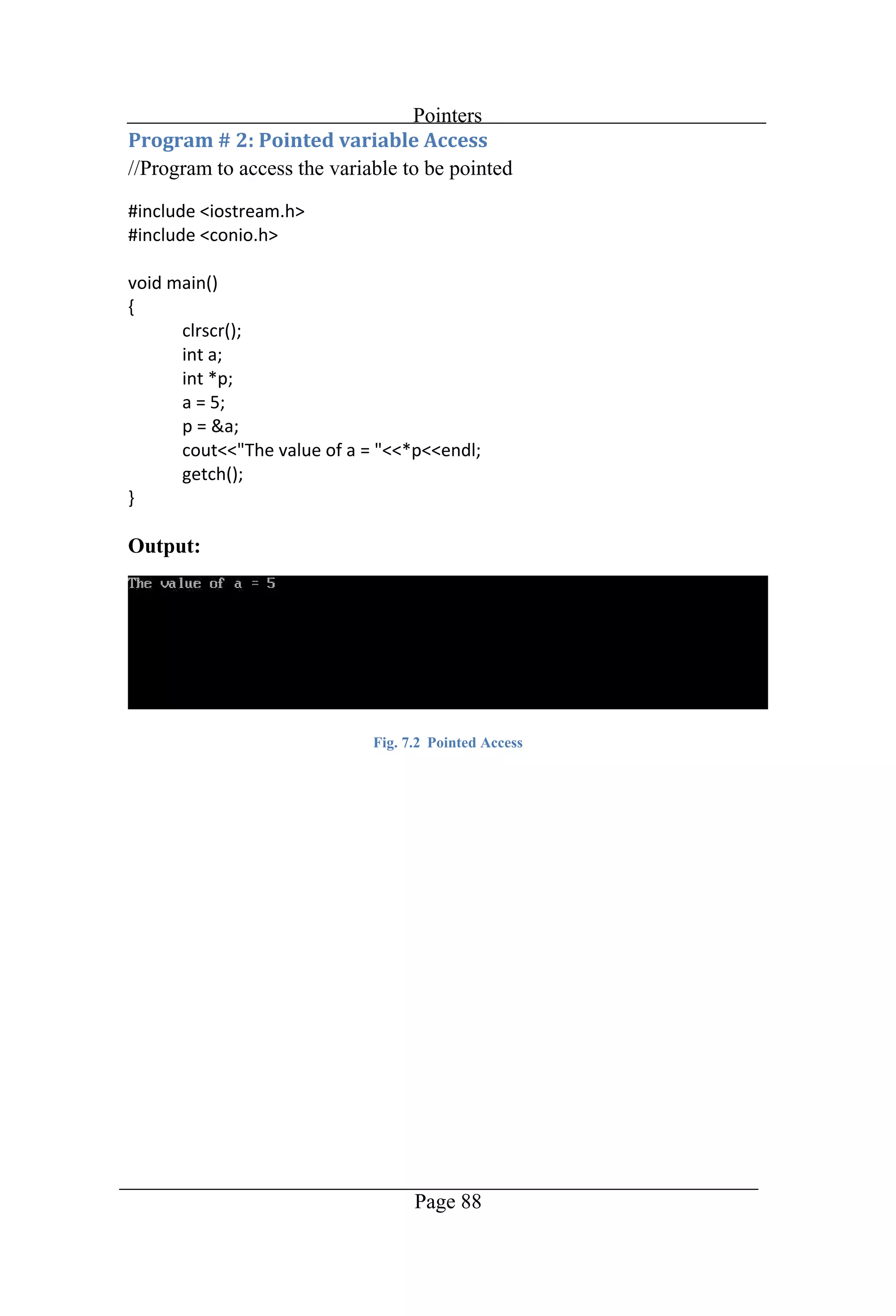
Pointers Page 88 //Program to access the variable to be pointed Output: Fig. 7.2 Pointed Access
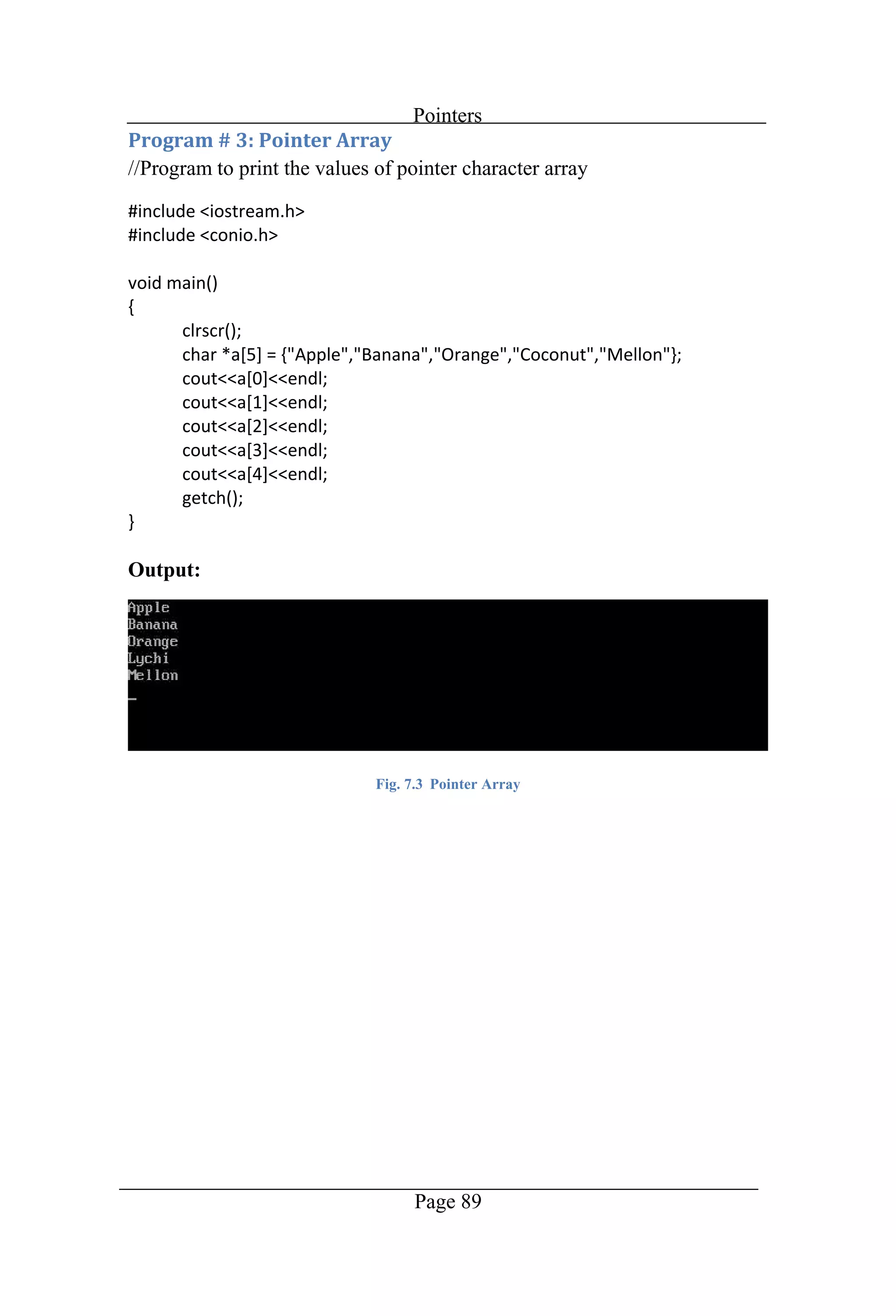
Pointers Page 89 //Program to print the values of pointer character array Output: Fig. 7.3 Pointer Array
Chapter 8 Functions
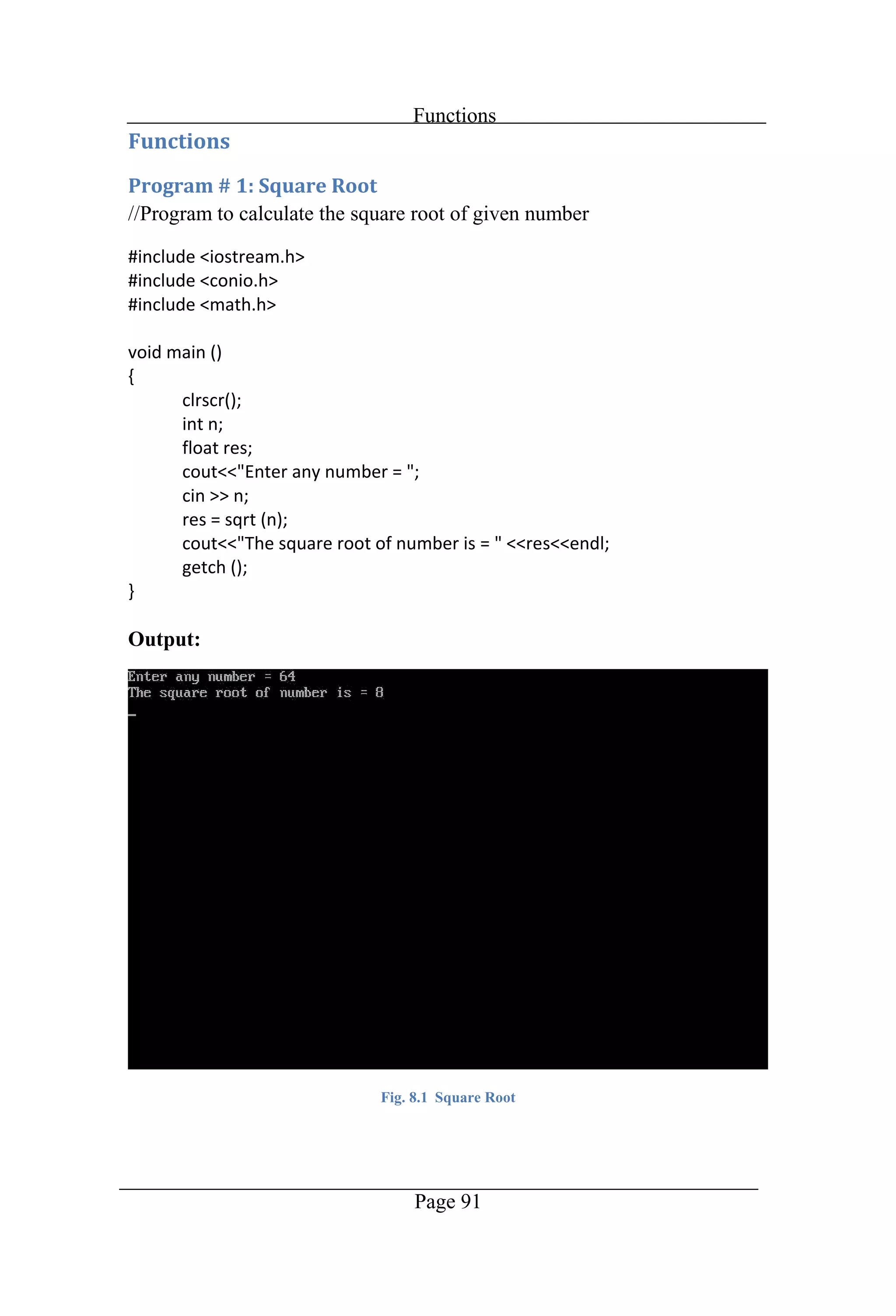
Functions Page 91 //Program to calculate the square root of given number Output: Fig. 8.1 Square Root
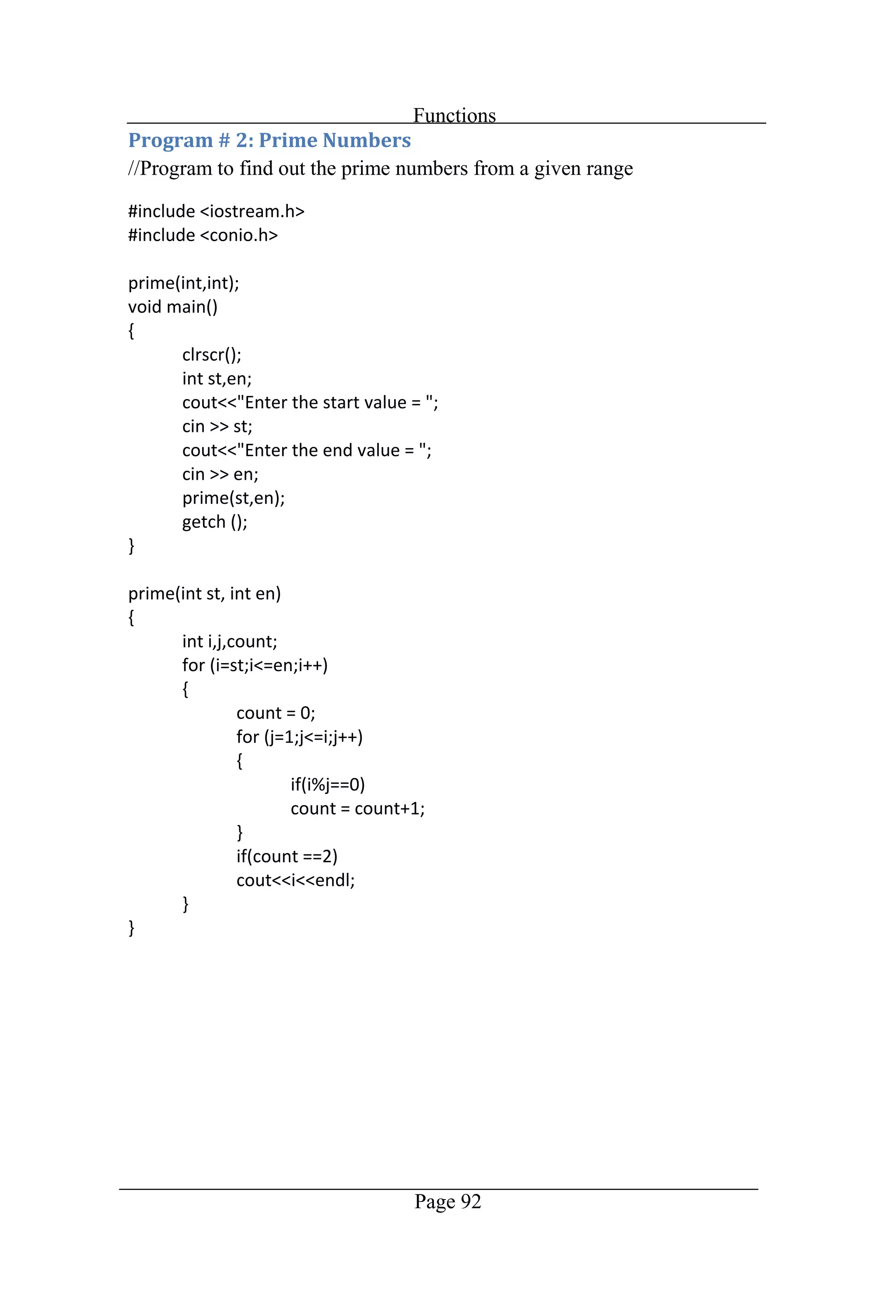
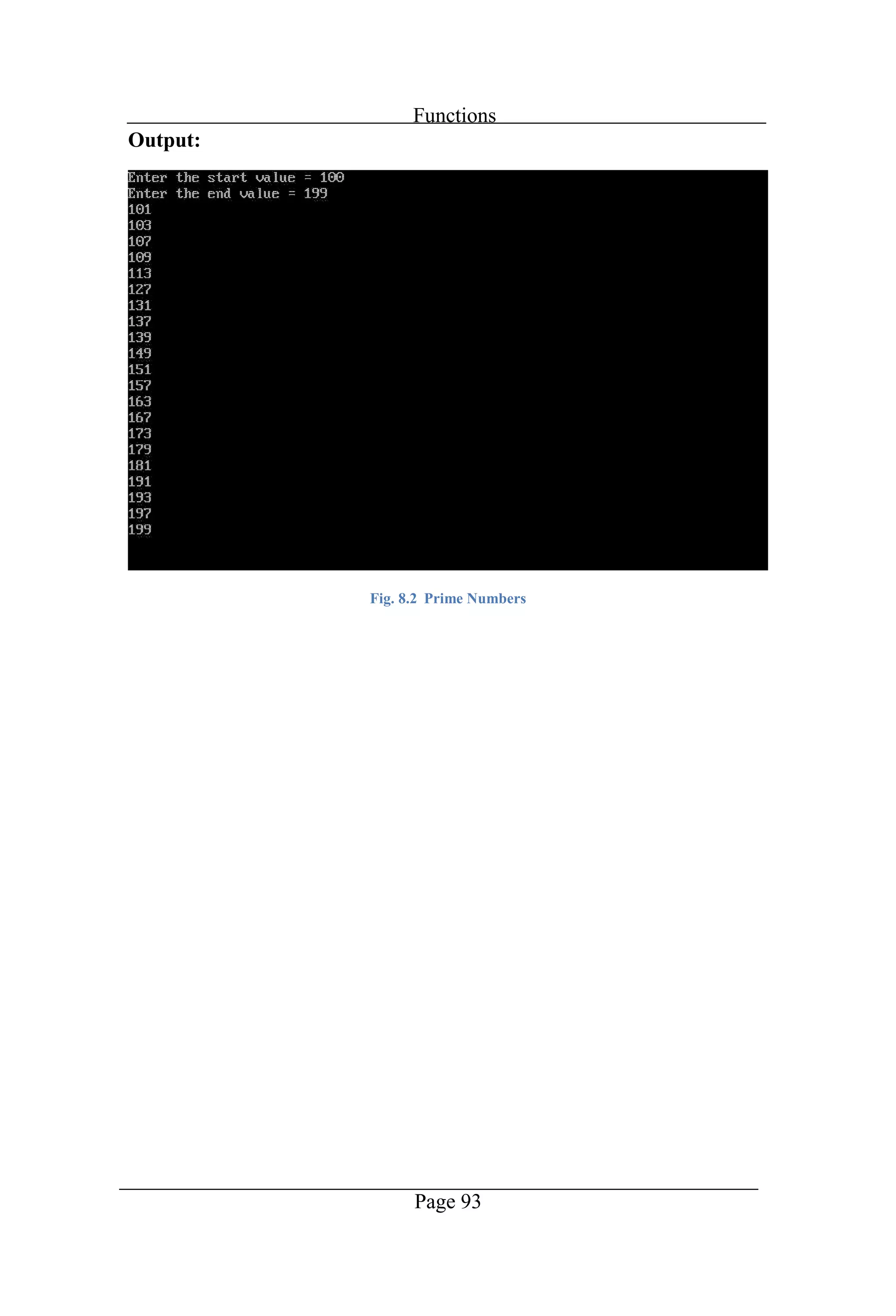
Functions Page 92 //Program to find out the prime numbers from a given range
Functions Page 93 Output: Fig. 8.2 Prime Numbers
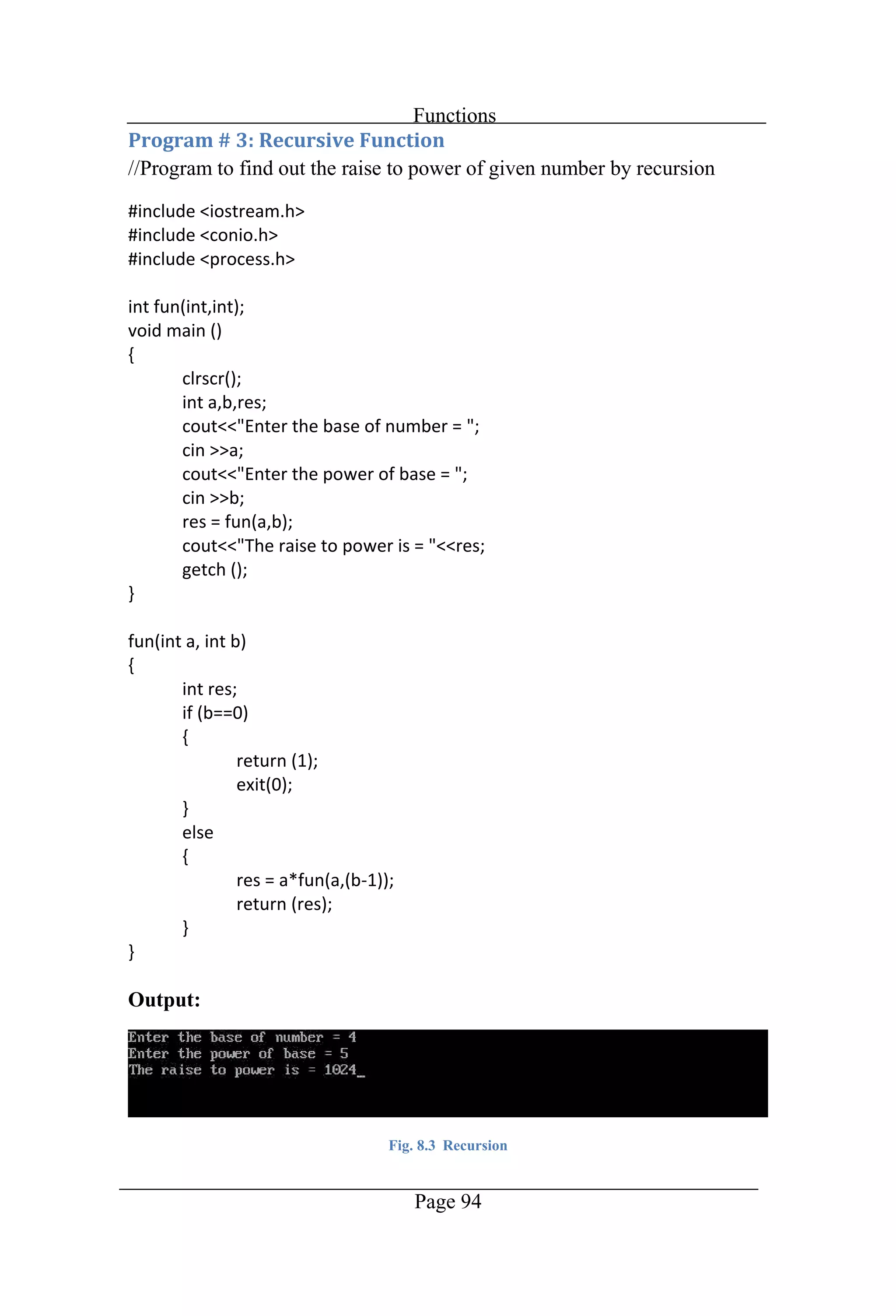
Functions Page 94 //Program to find out the raise to power of given number by recursion Output: Fig. 8.3 Recursion
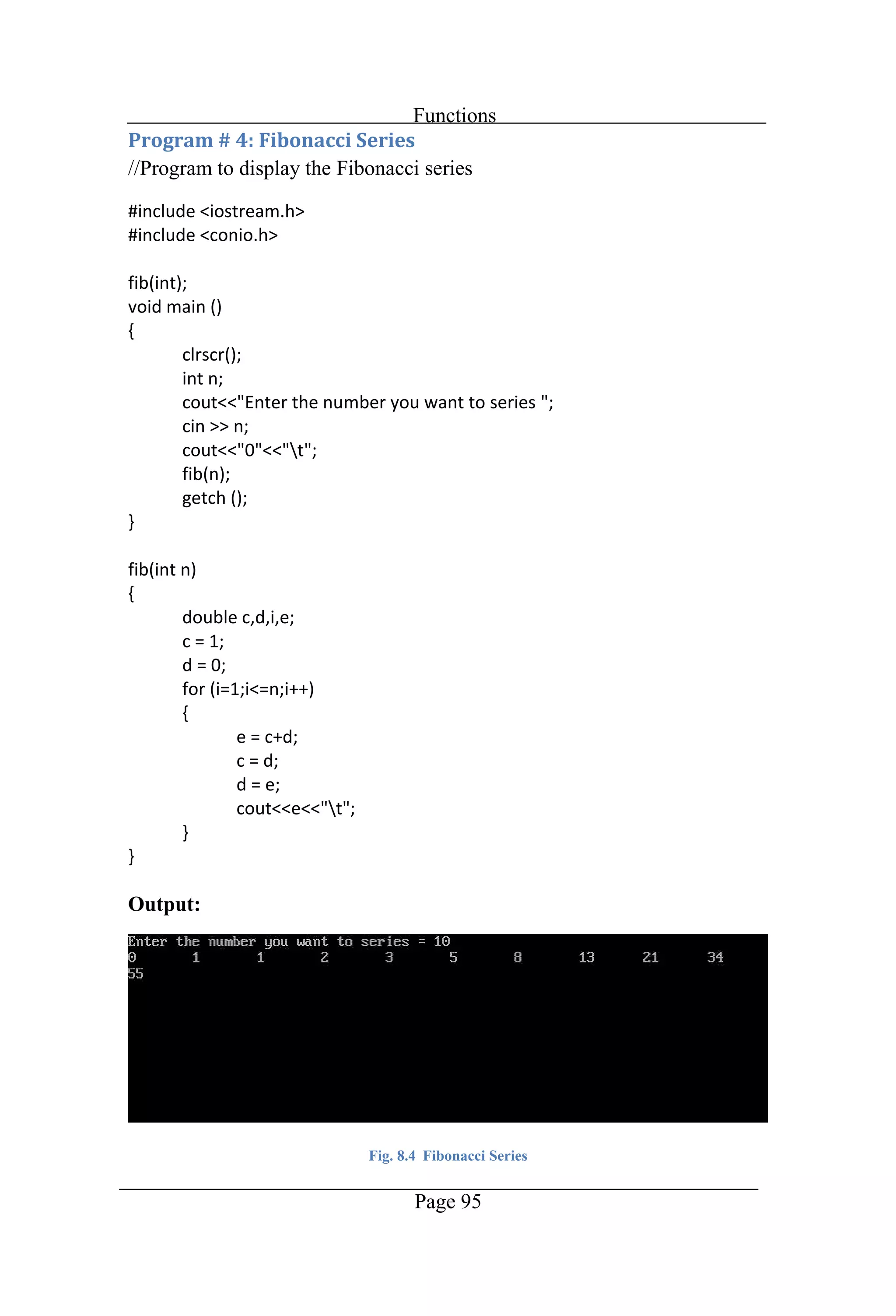
Functions Page 95 //Program to display the Fibonacci series Output: Fig. 8.4 Fibonacci Series
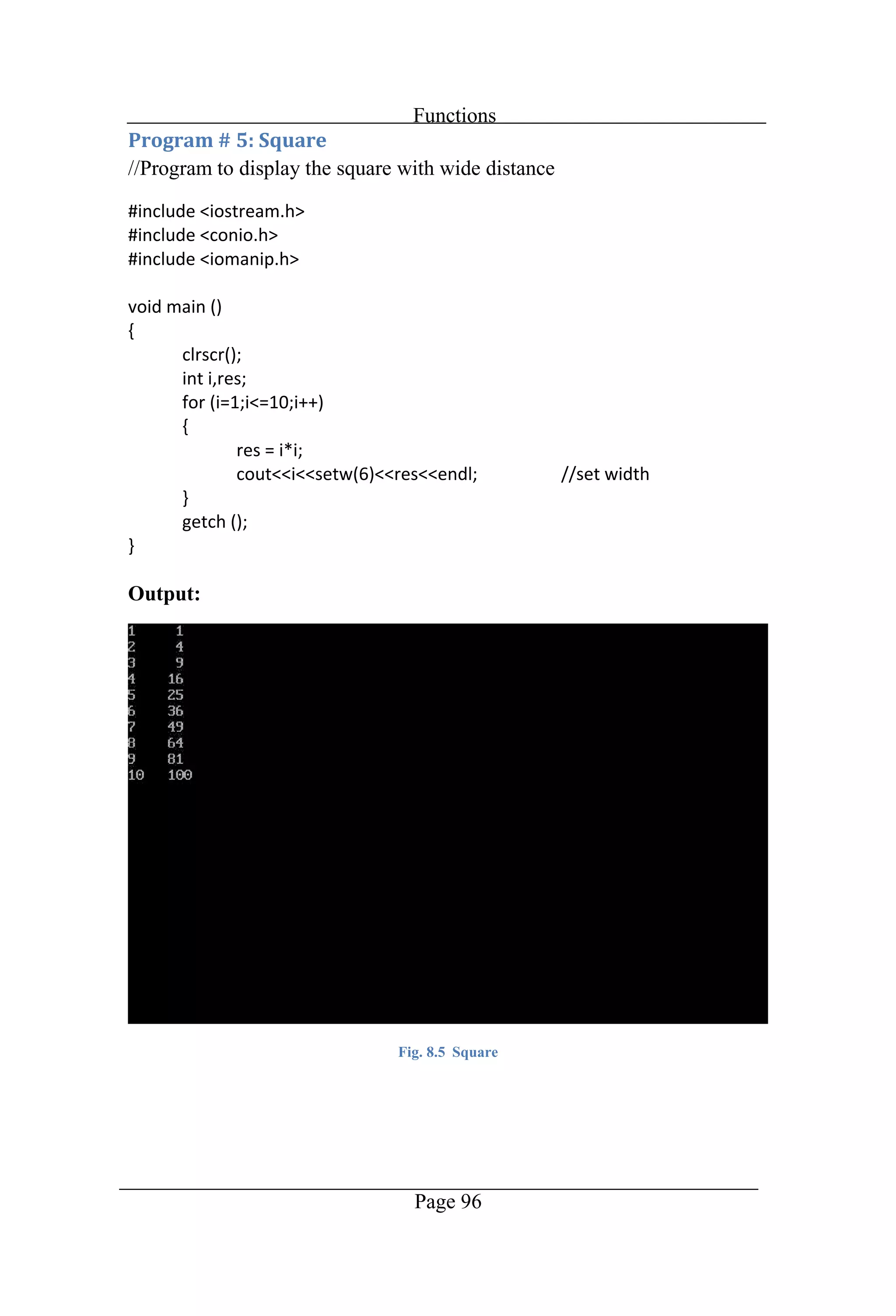
Functions Page 96 //Program to display the square with wide distance Output: Fig. 8.5 Square
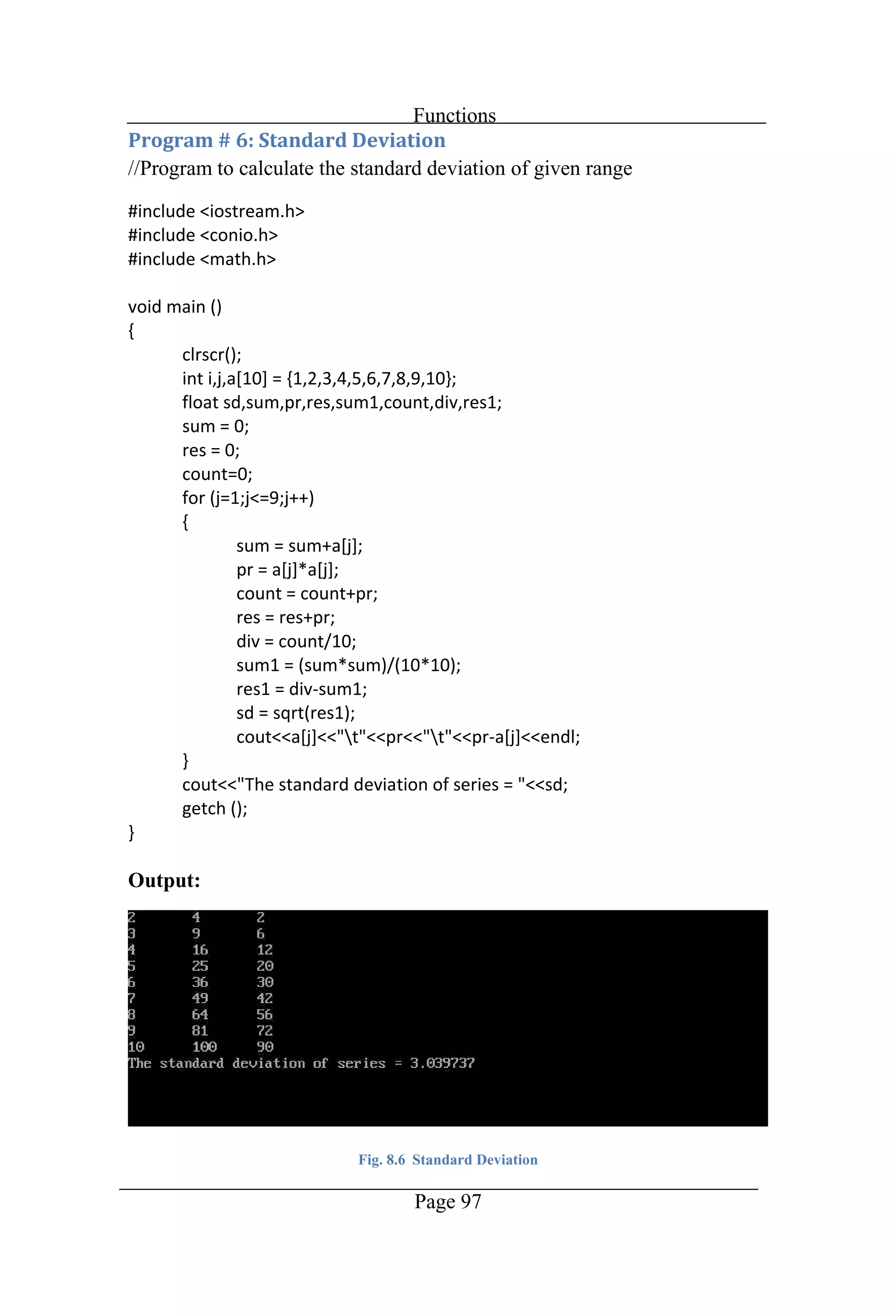
Functions Page 97 //Program to calculate the standard deviation of given range Output: Fig. 8.6 Standard Deviation
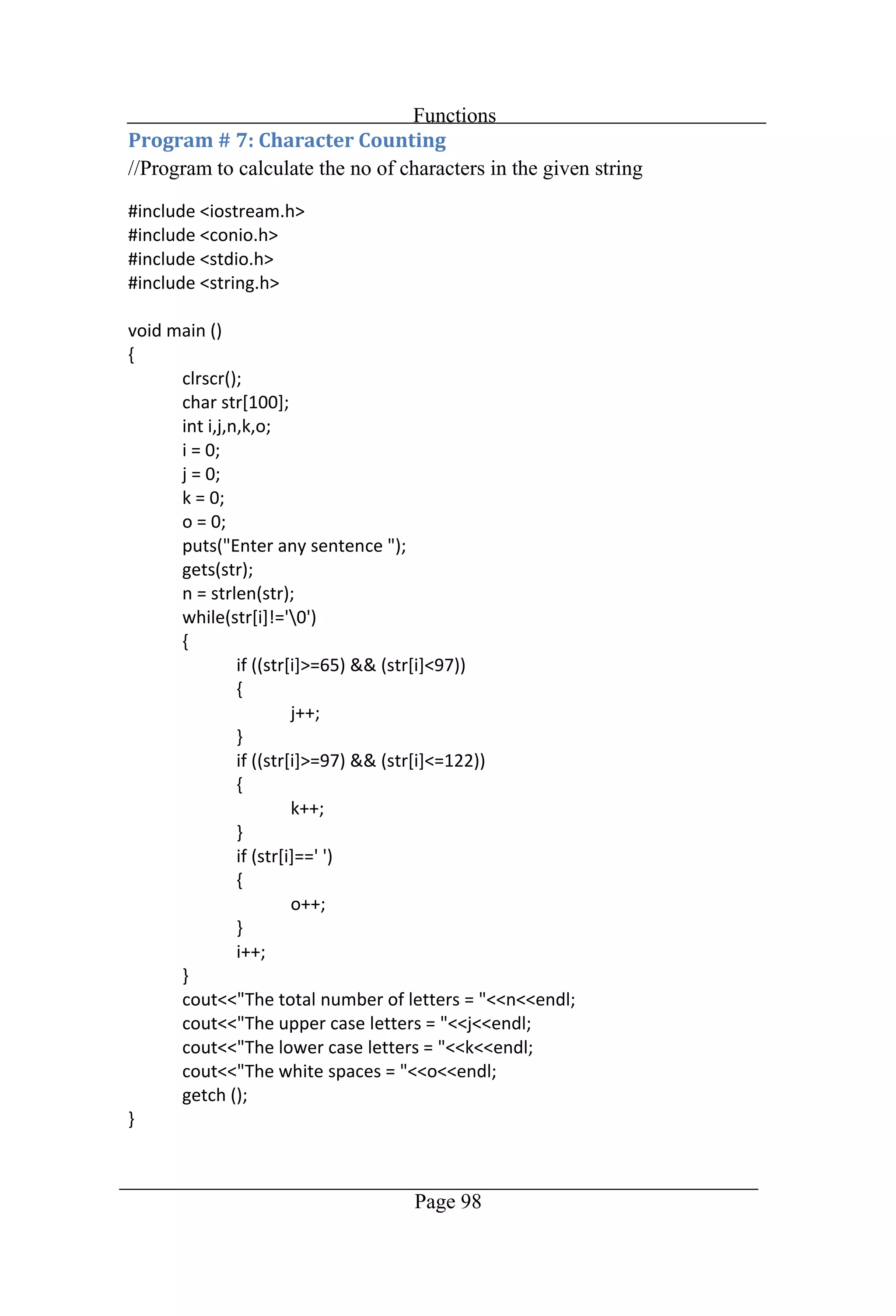
Functions Page 98 //Program to calculate the no of characters in the given string
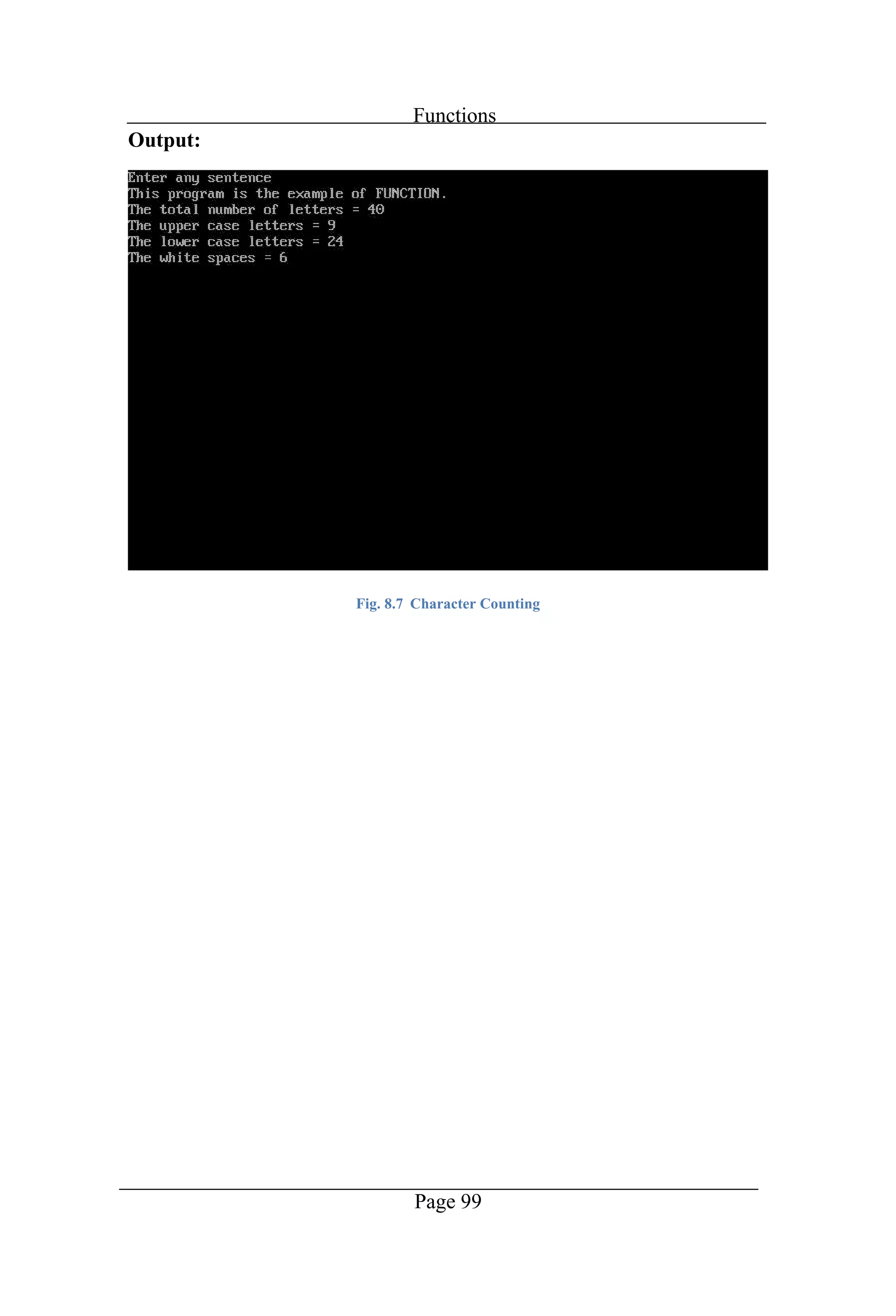
Functions Page 99 Output: Fig. 8.7 Character Counting
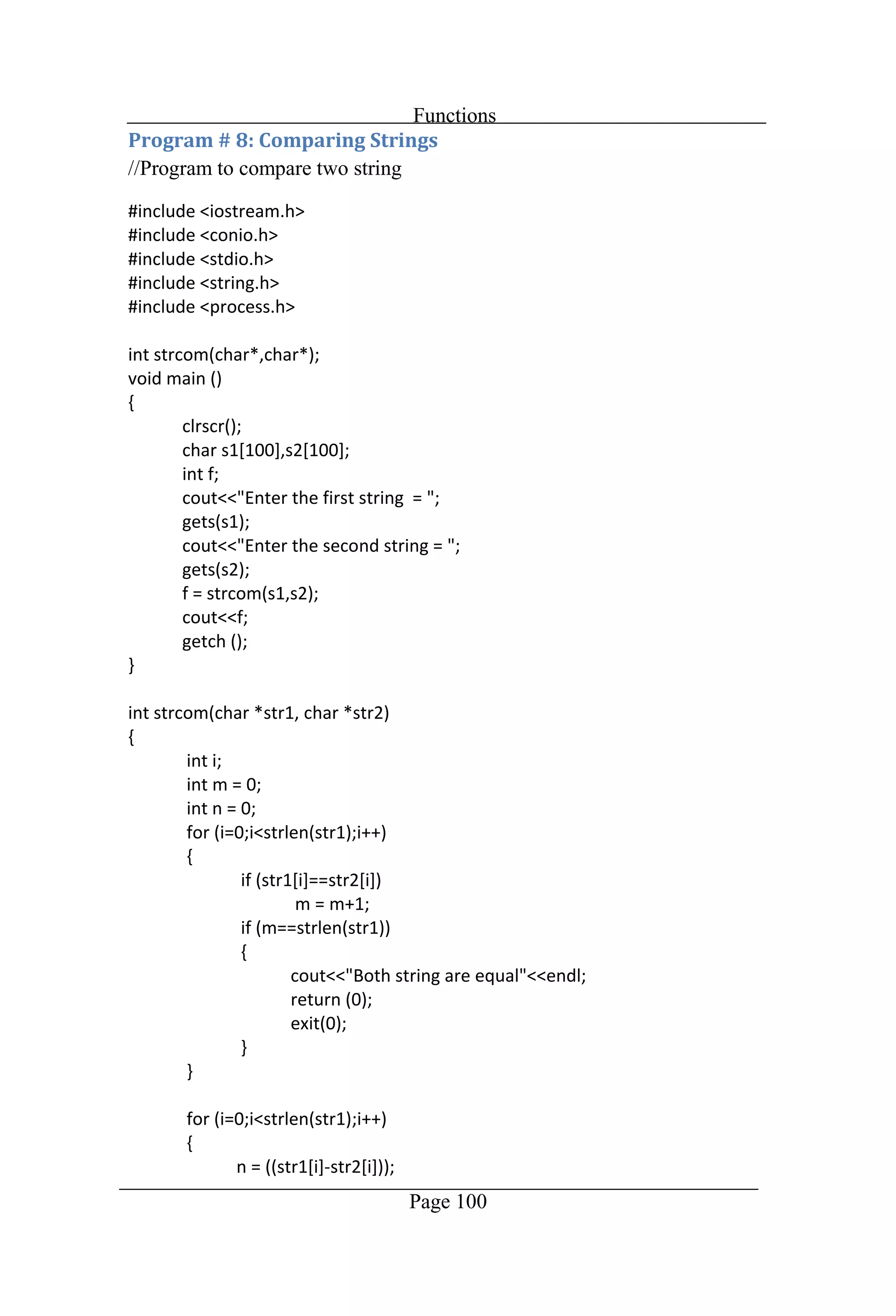
Functions Page 100 //Program to compare two string
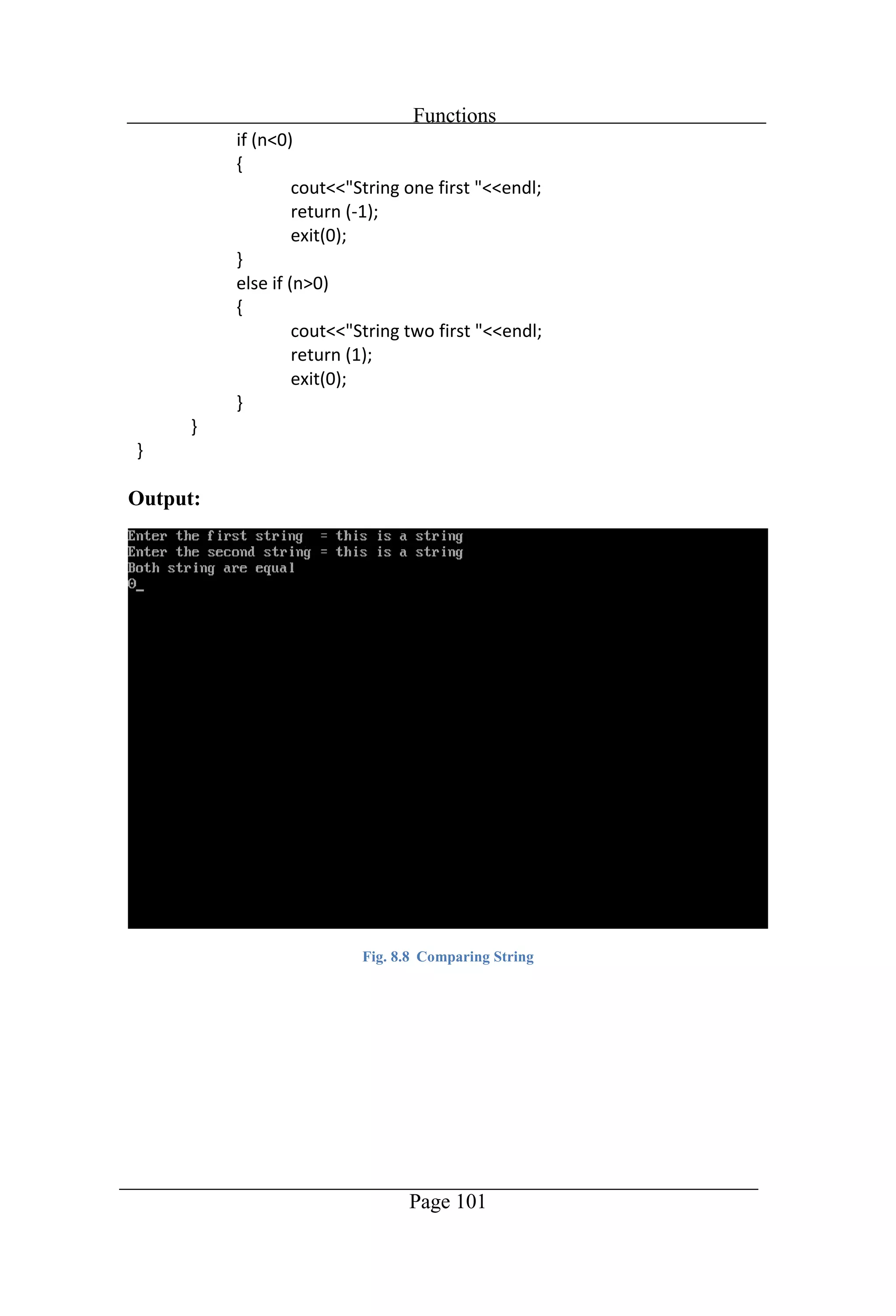
Functions Page 101 Output: Fig. 8.8 Comparing String
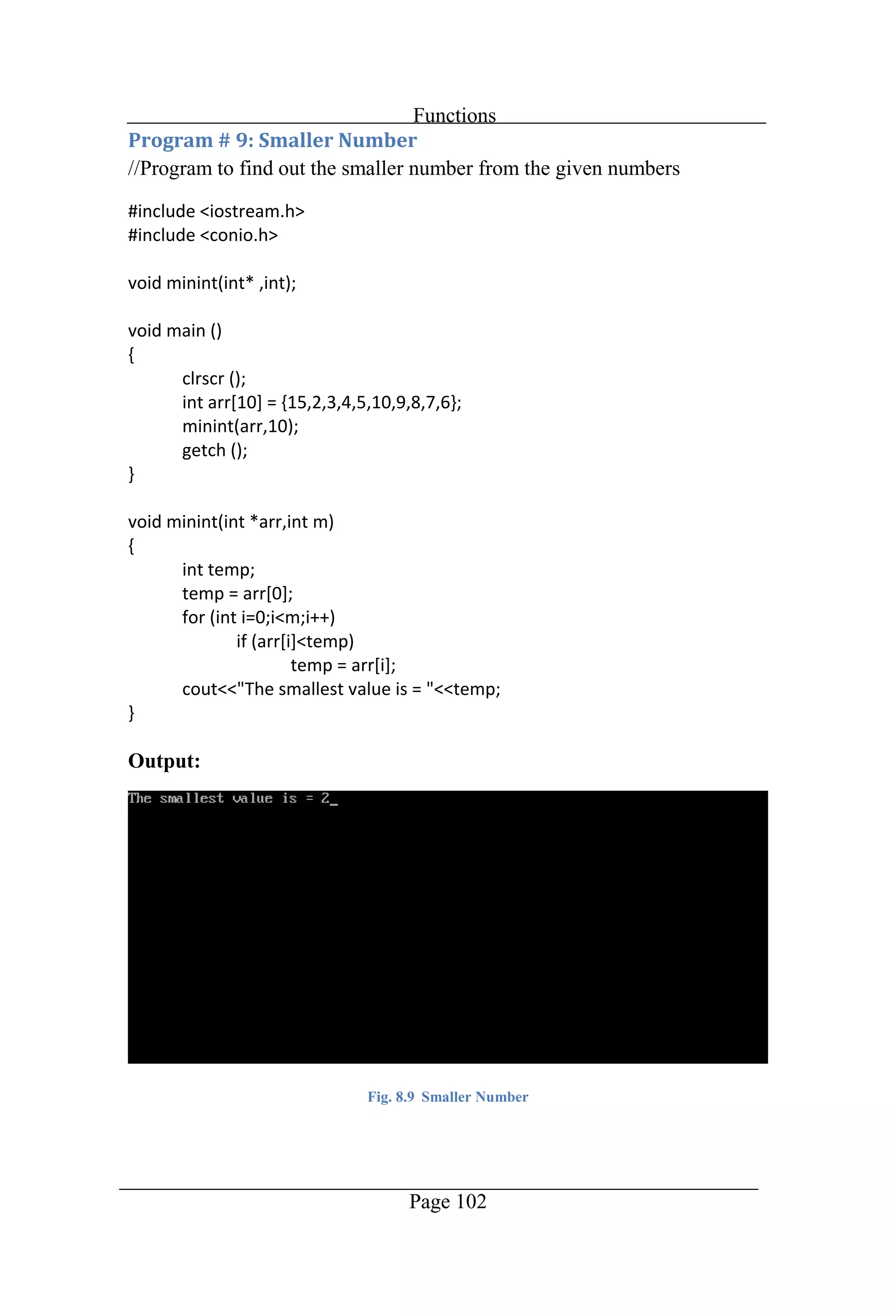
Functions Page 102 //Program to find out the smaller number from the given numbers Output: Fig. 8.9 Smaller Number
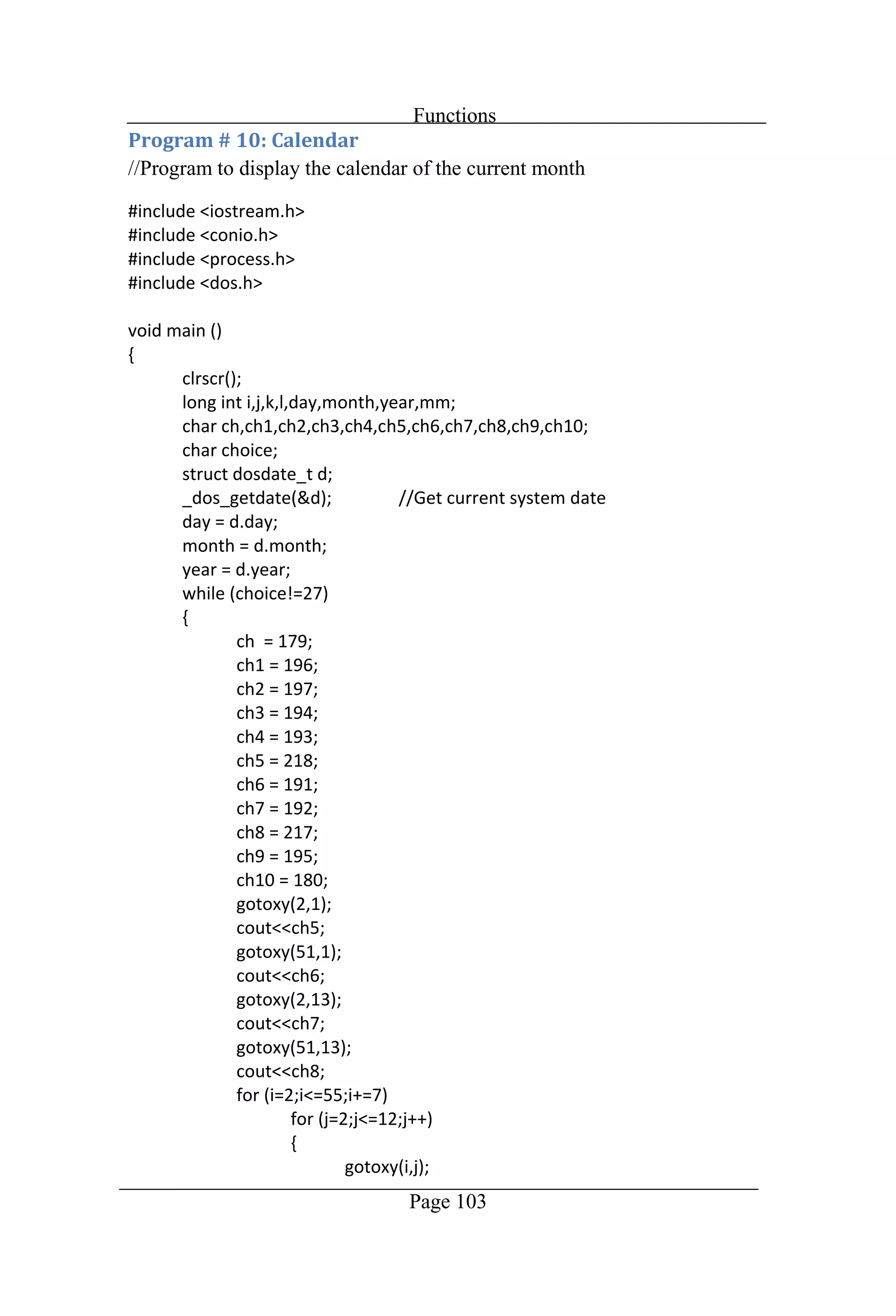
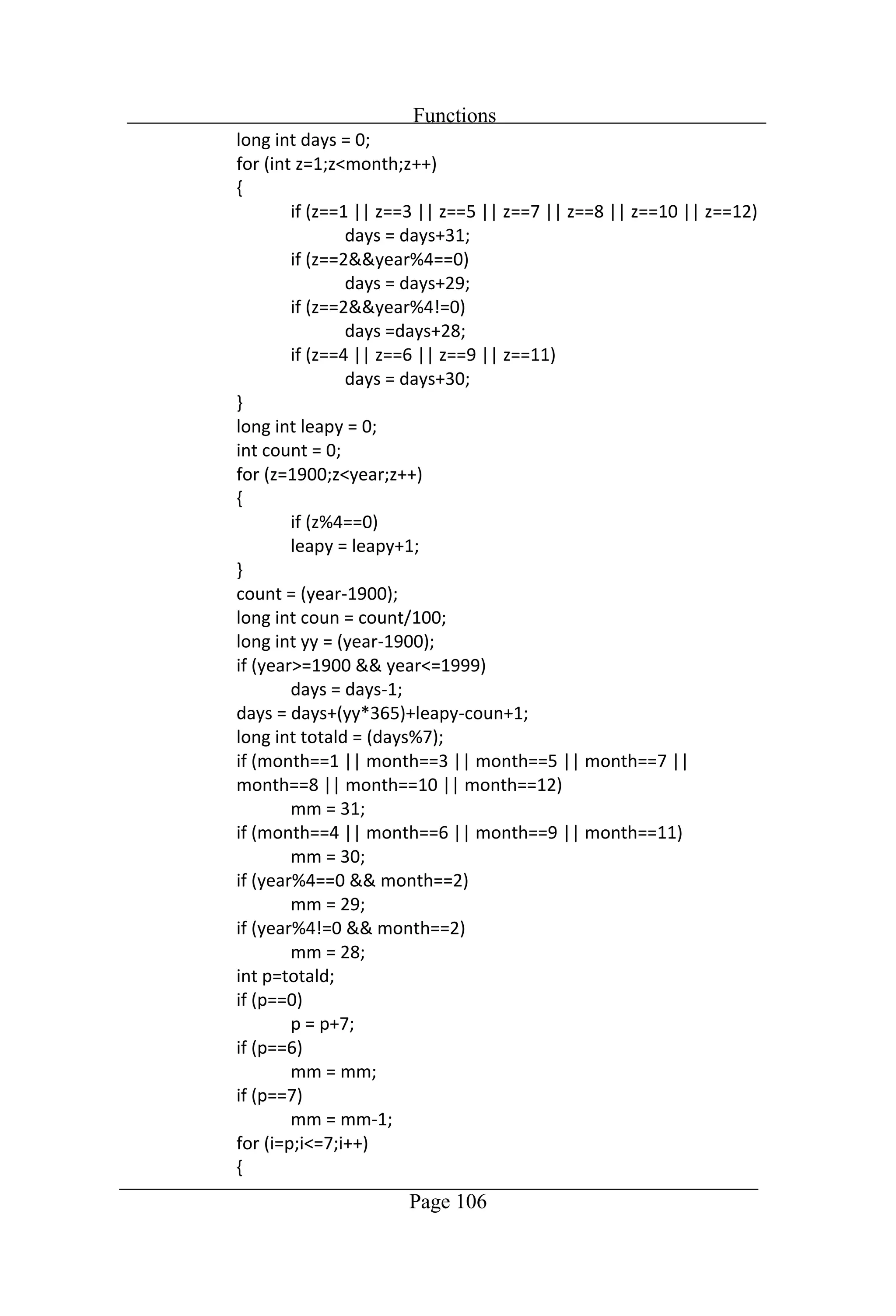
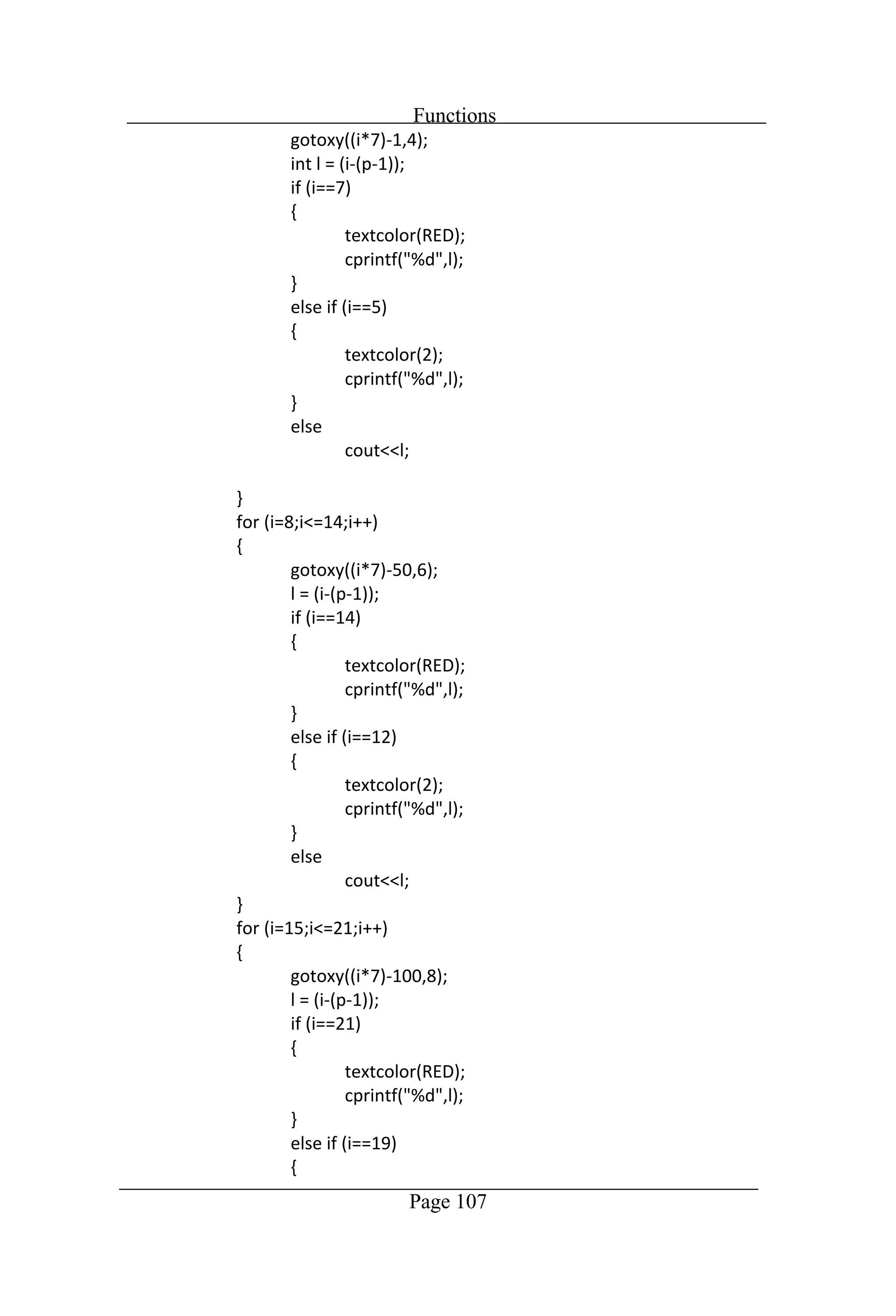
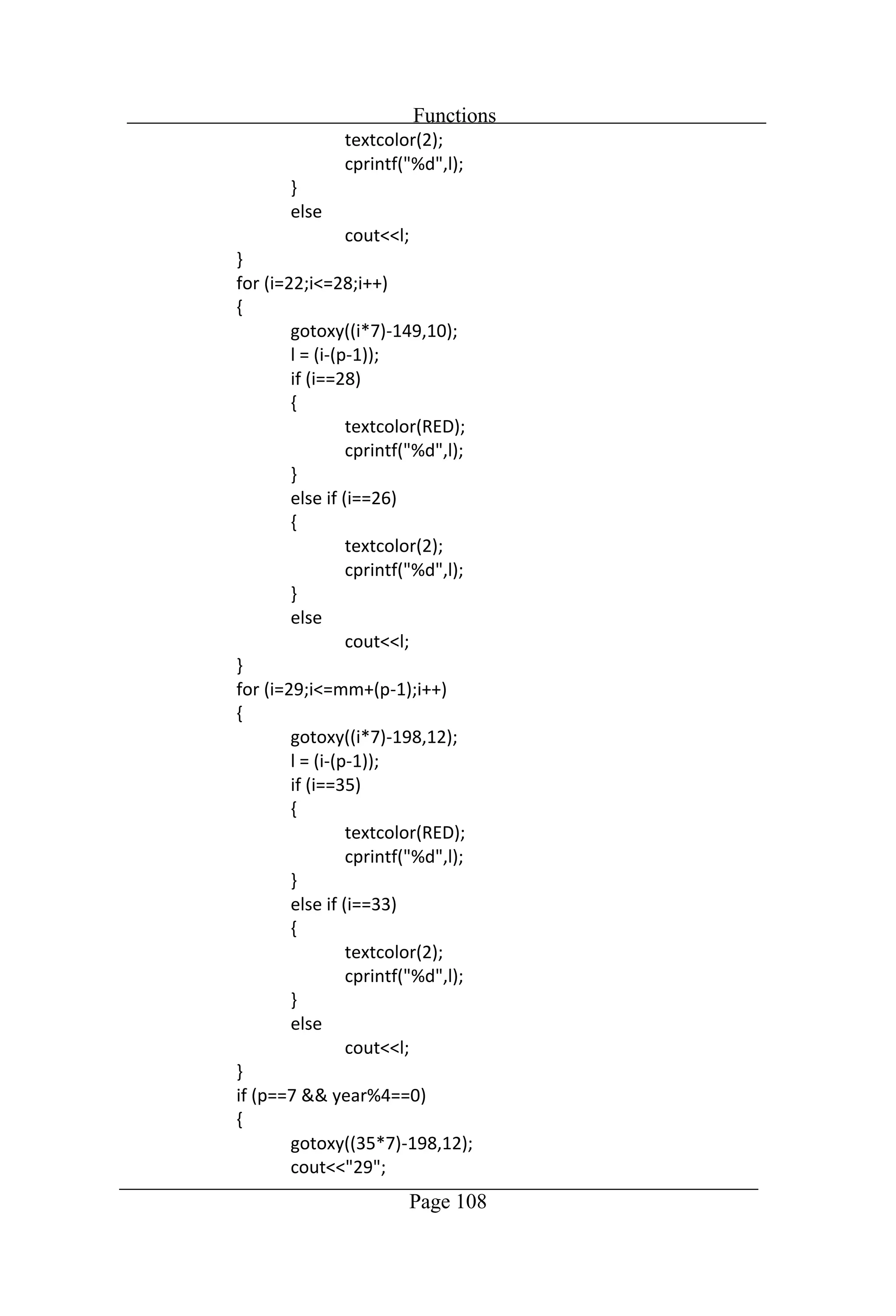
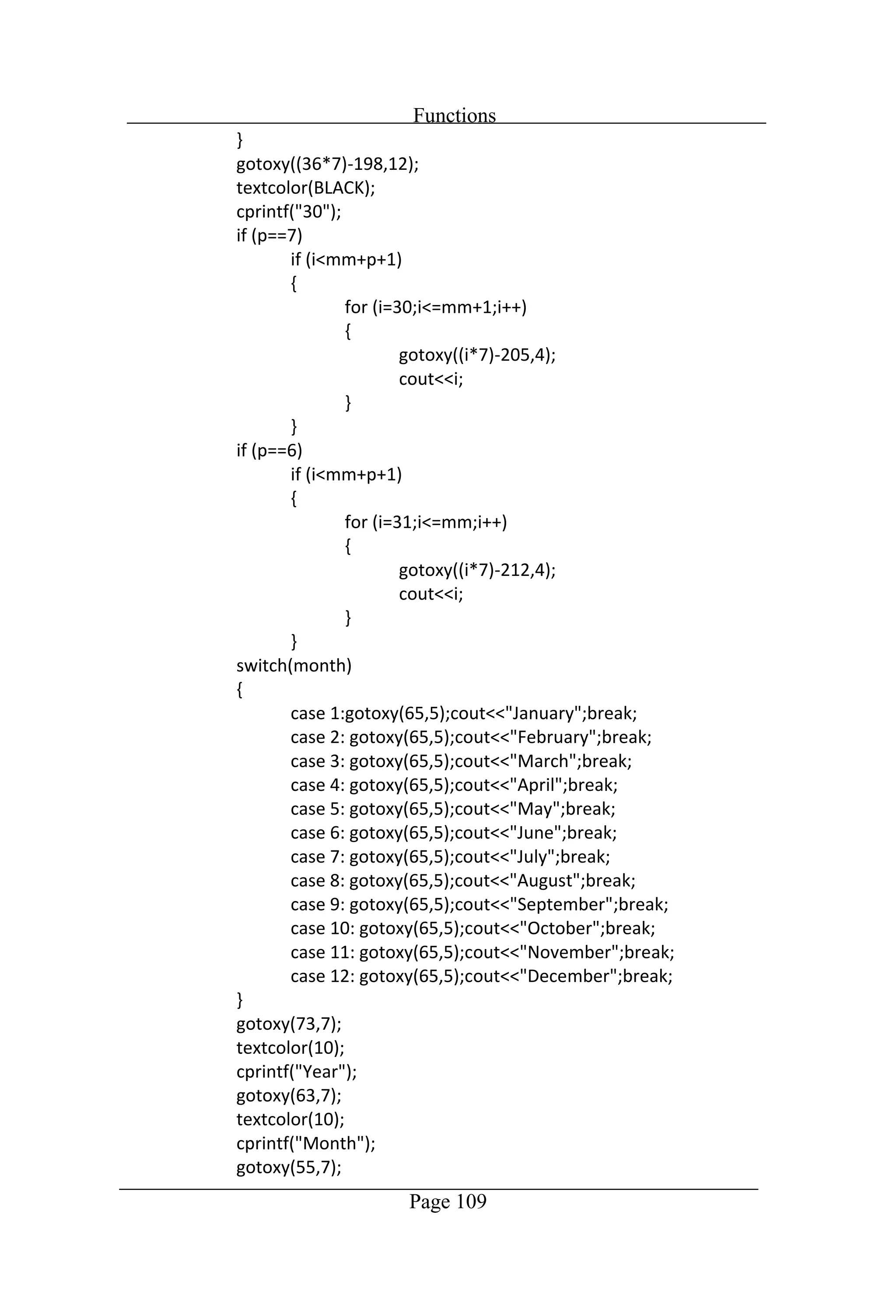
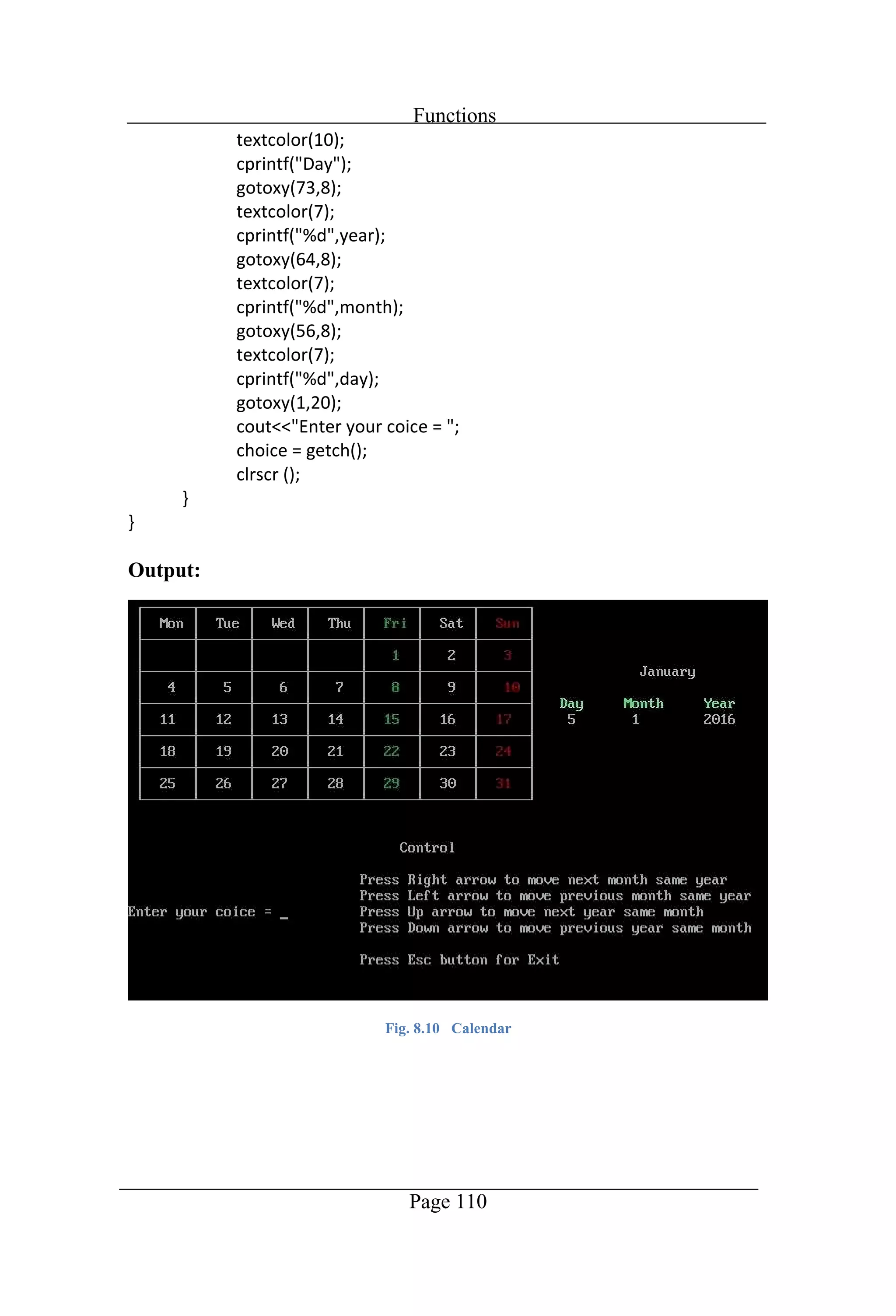
Functions Page 103 //Program to display the calendar of the current month
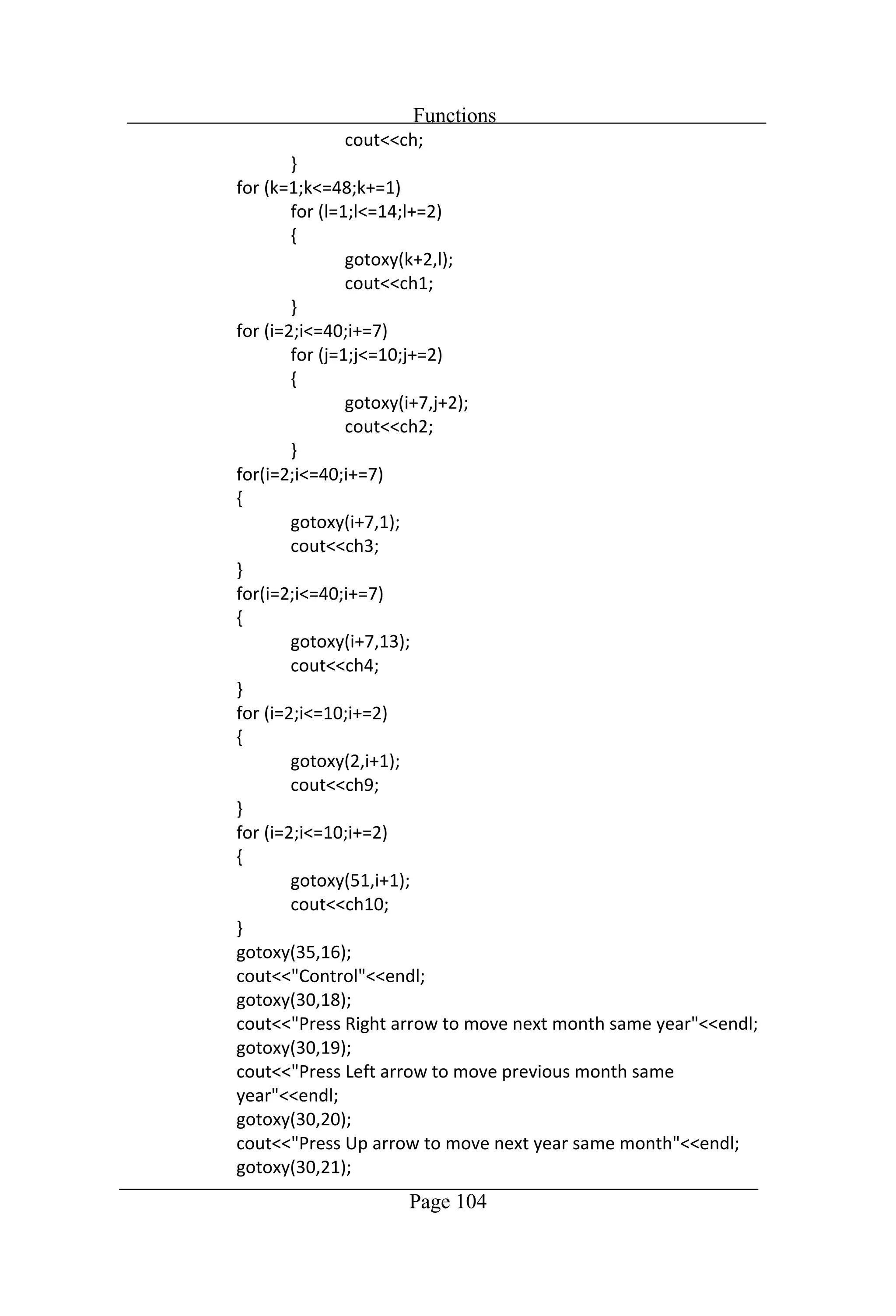
Functions Page 104
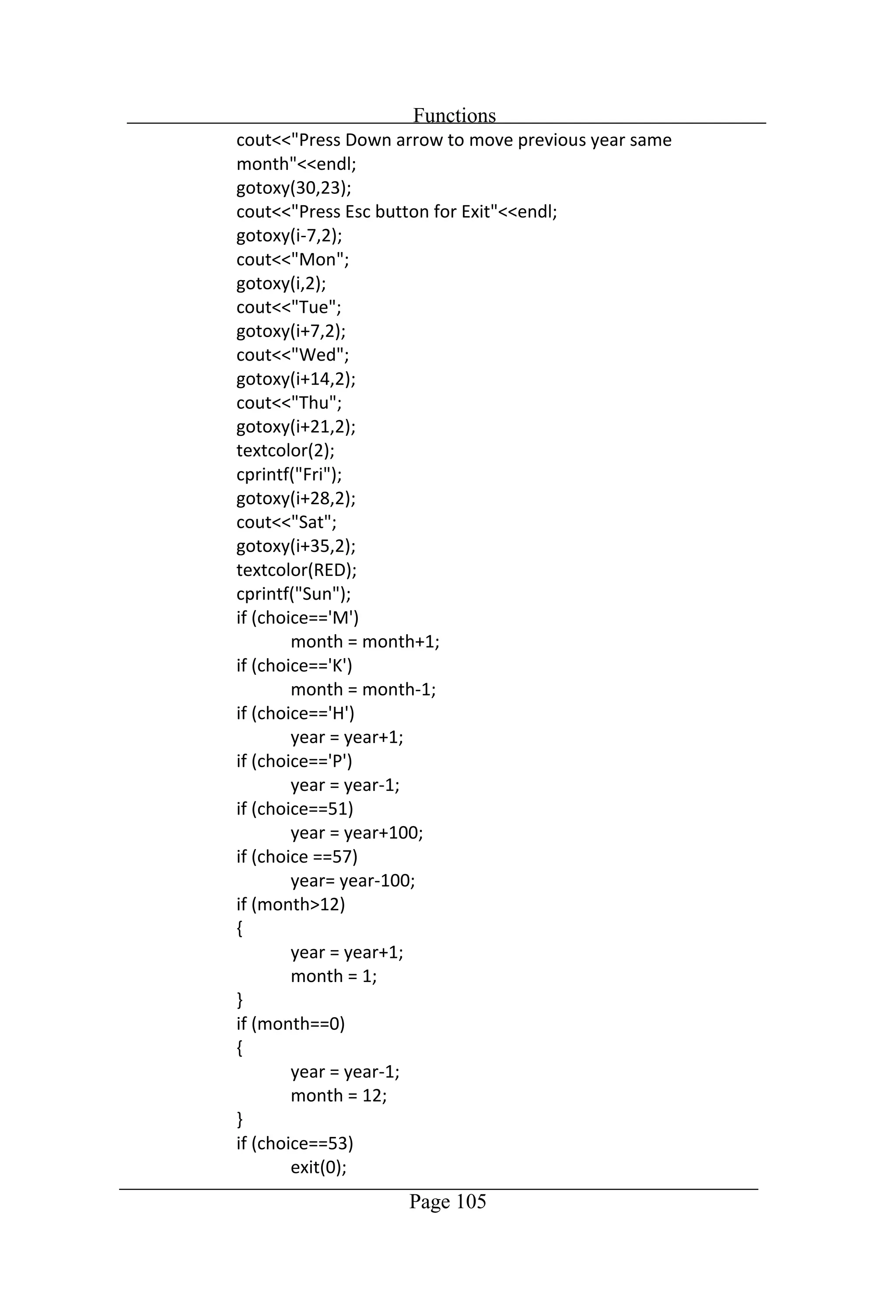
Functions Page 105
Functions Page 106
Functions Page 107
Functions Page 108
Functions Page 109
Functions Page 110 Output: Fig. 8.10 Calendar
Chapter 9 Classes
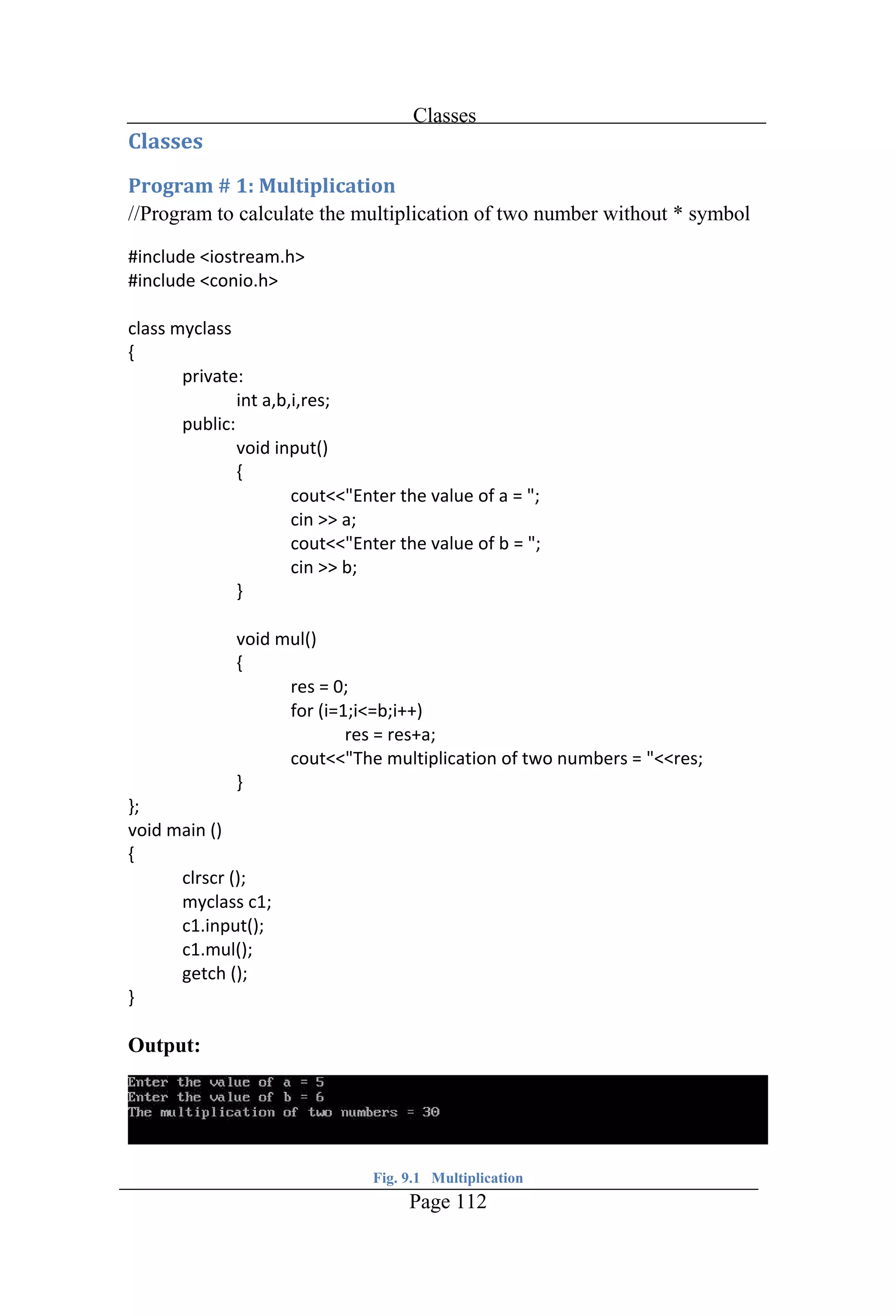
Classes Page 112 //Program to calculate the multiplication of two number without * symbol Output: Fig. 9.1 Multiplication
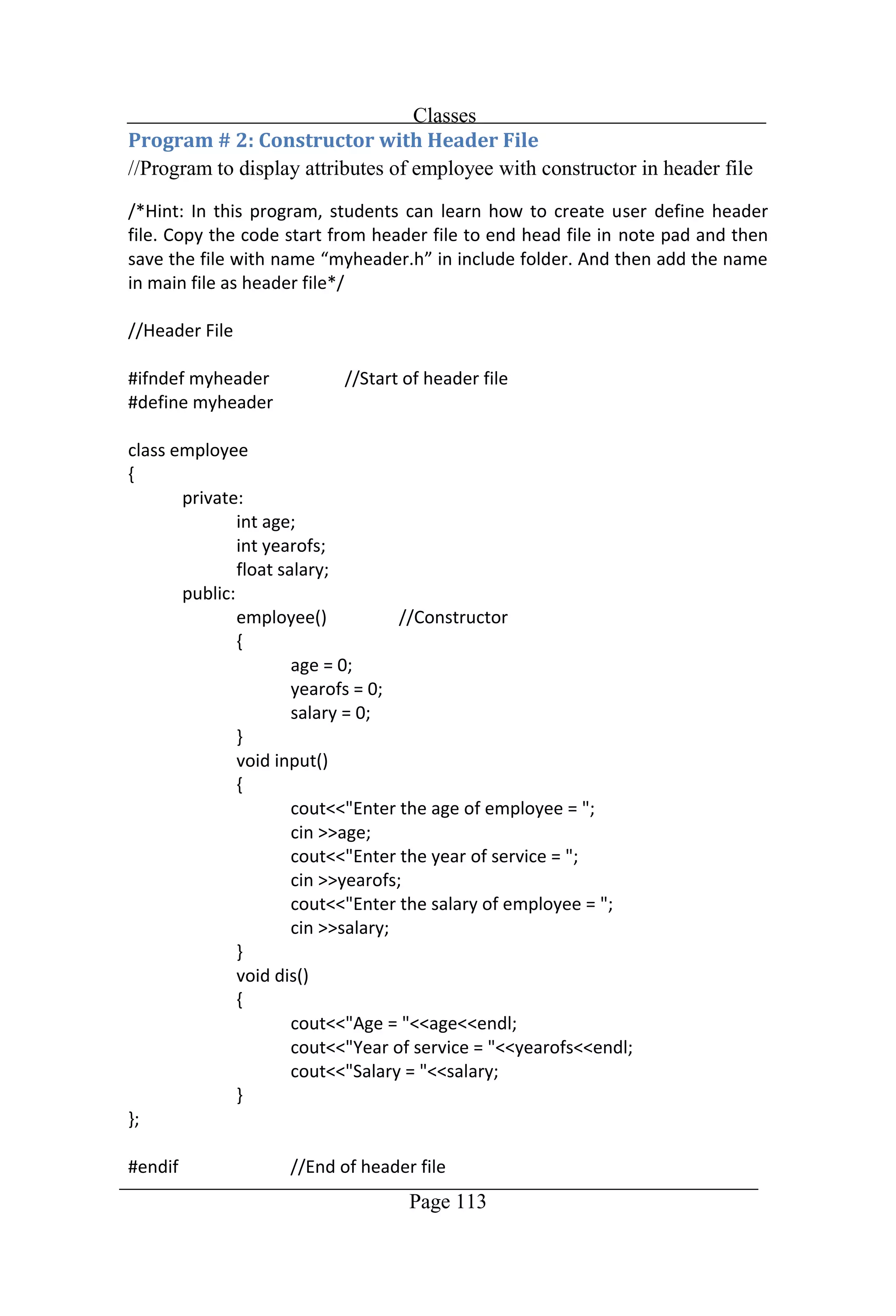
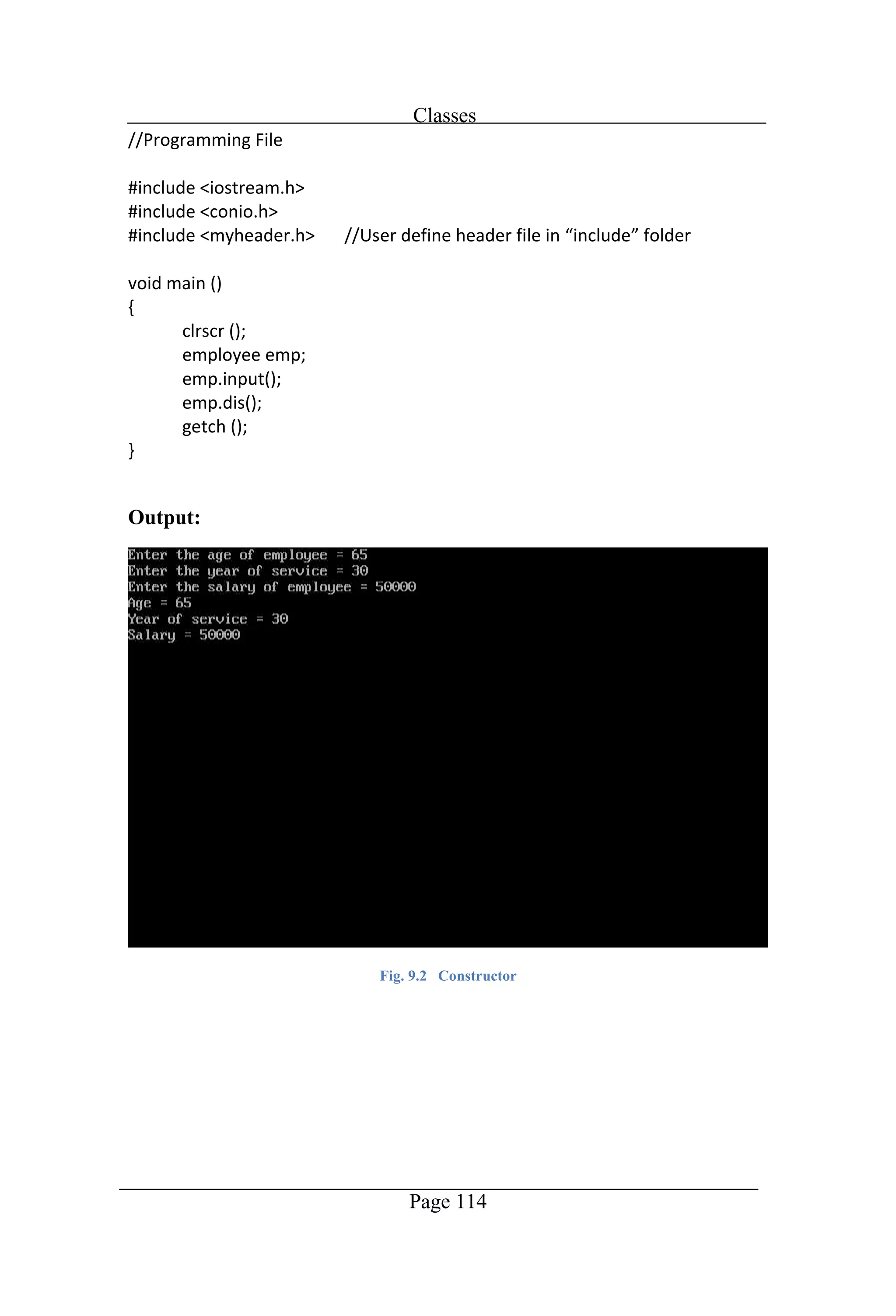
Classes Page 113 //Program to display attributes of employee with constructor in header file
Classes Page 114 Output: Fig. 9.2 Constructor
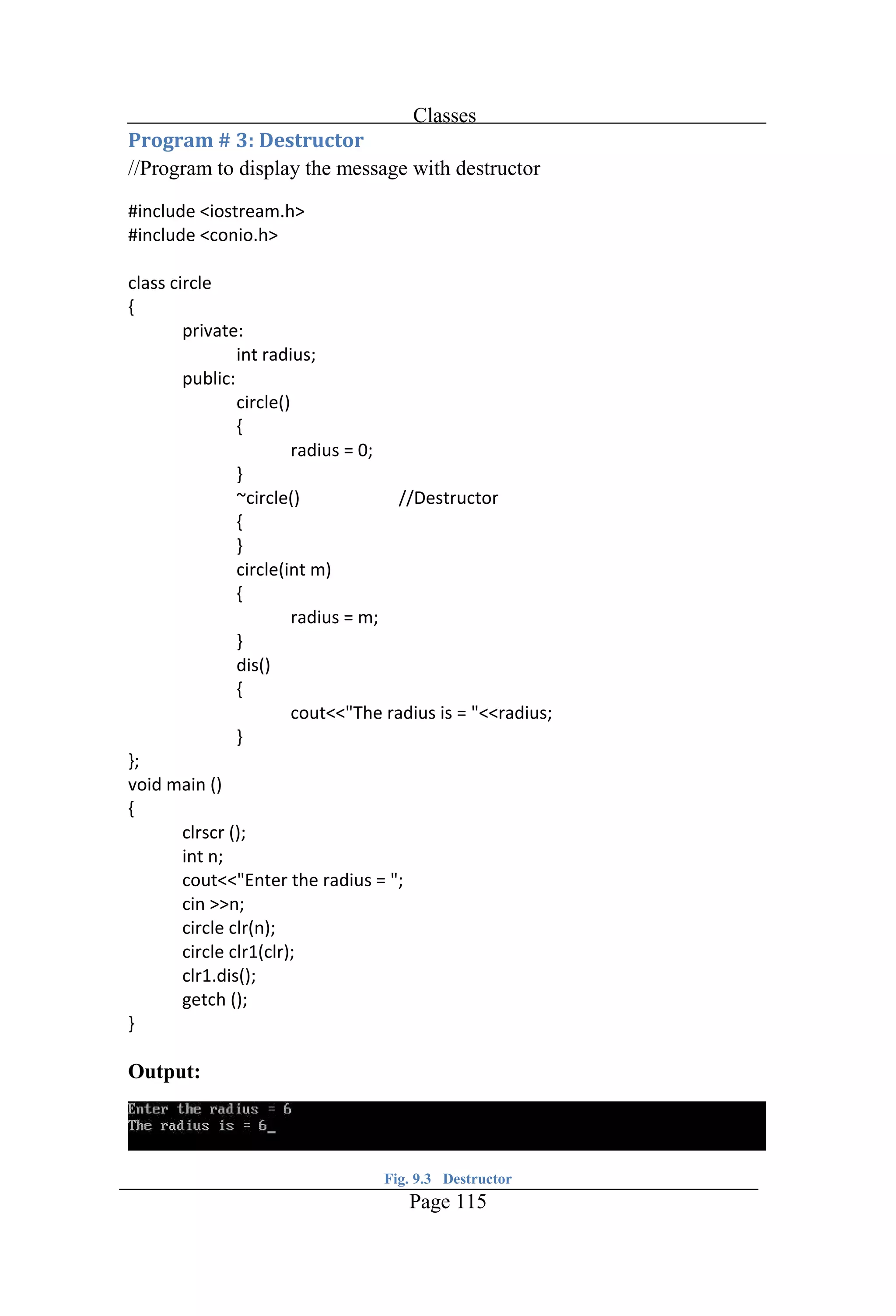
Classes Page 115 //Program to display the message with destructor Output: Fig. 9.3 Destructor
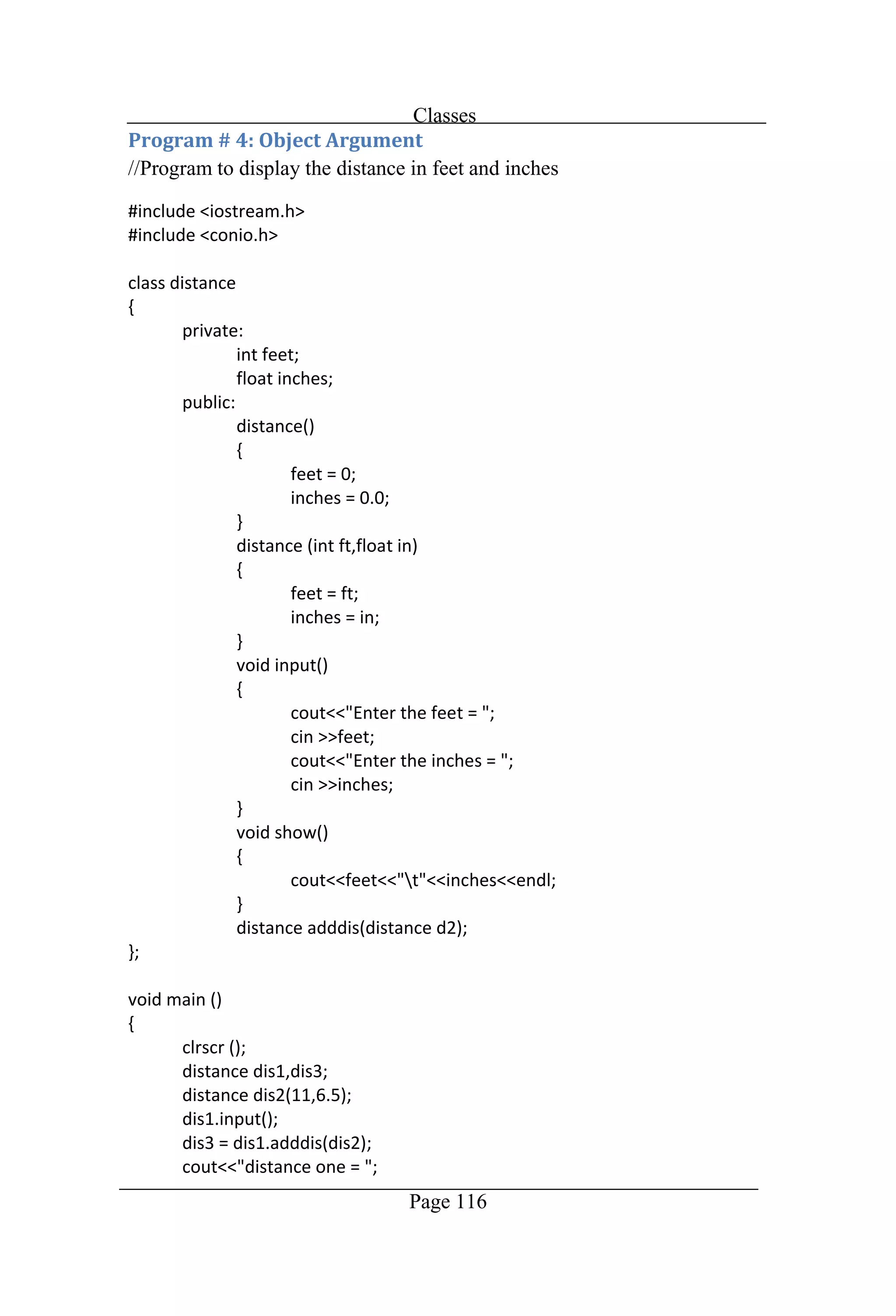
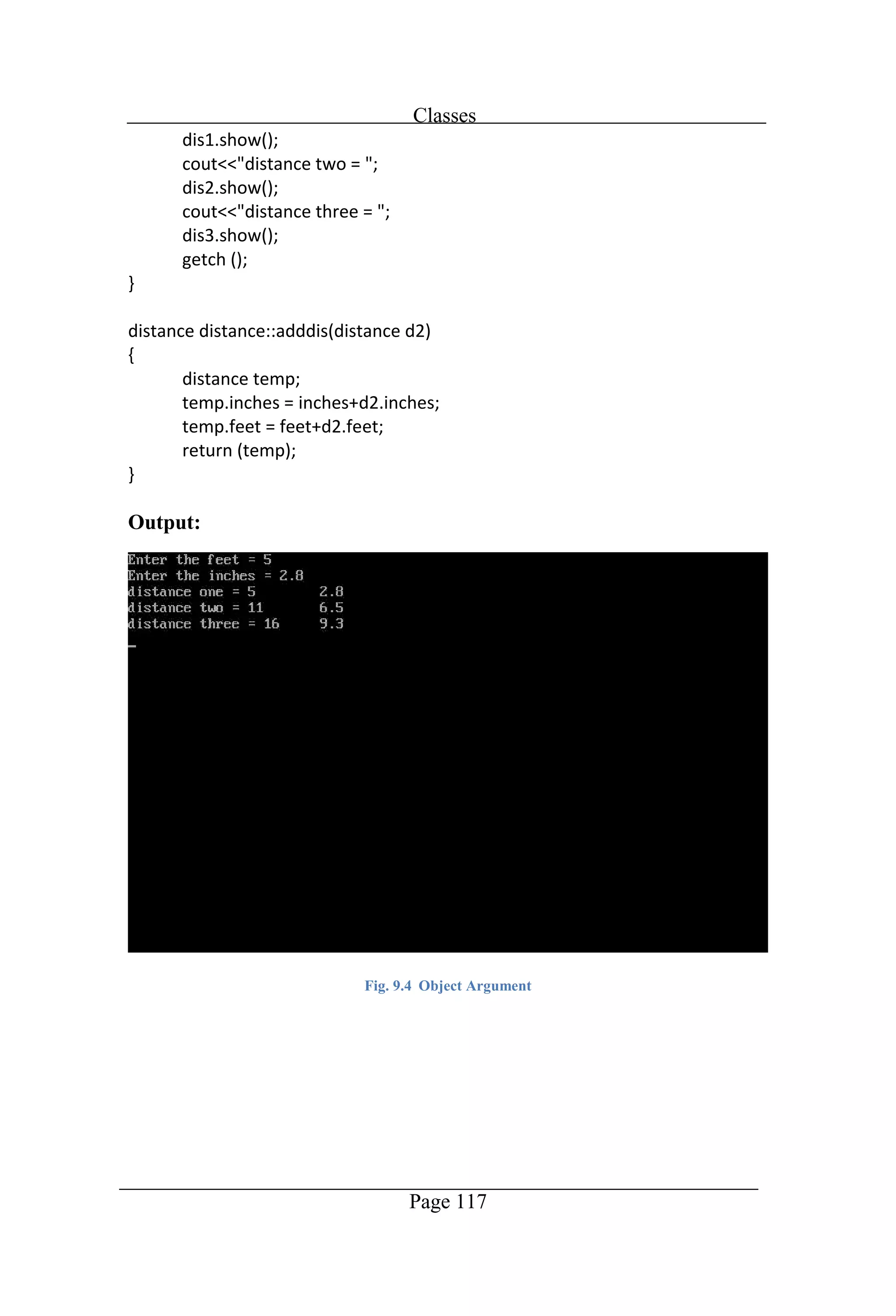
Classes Page 116 //Program to display the distance in feet and inches
Classes Page 117 Output: Fig. 9.4 Object Argument
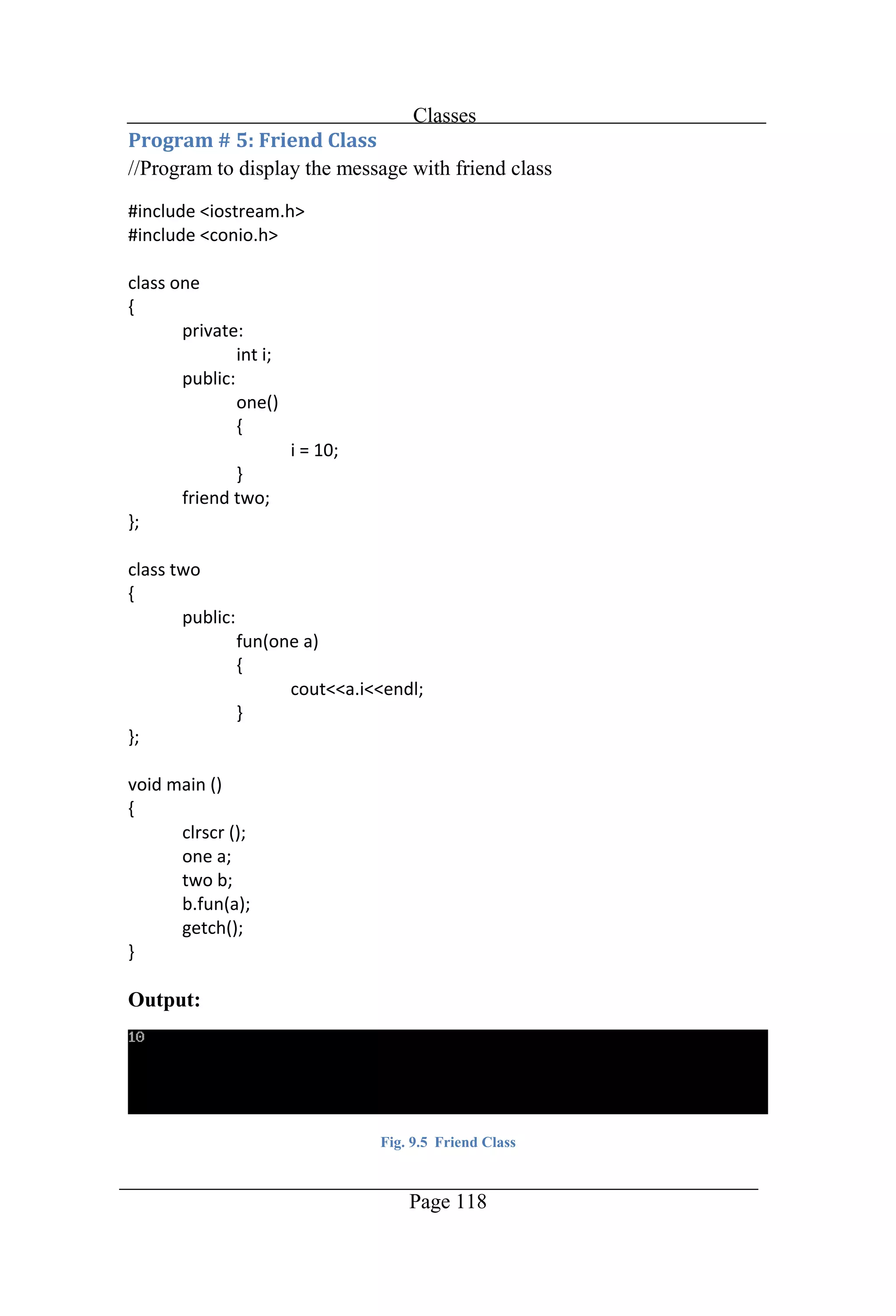
Classes Page 118 //Program to display the message with friend class Output: Fig. 9.5 Friend Class
Chapter 10 Files
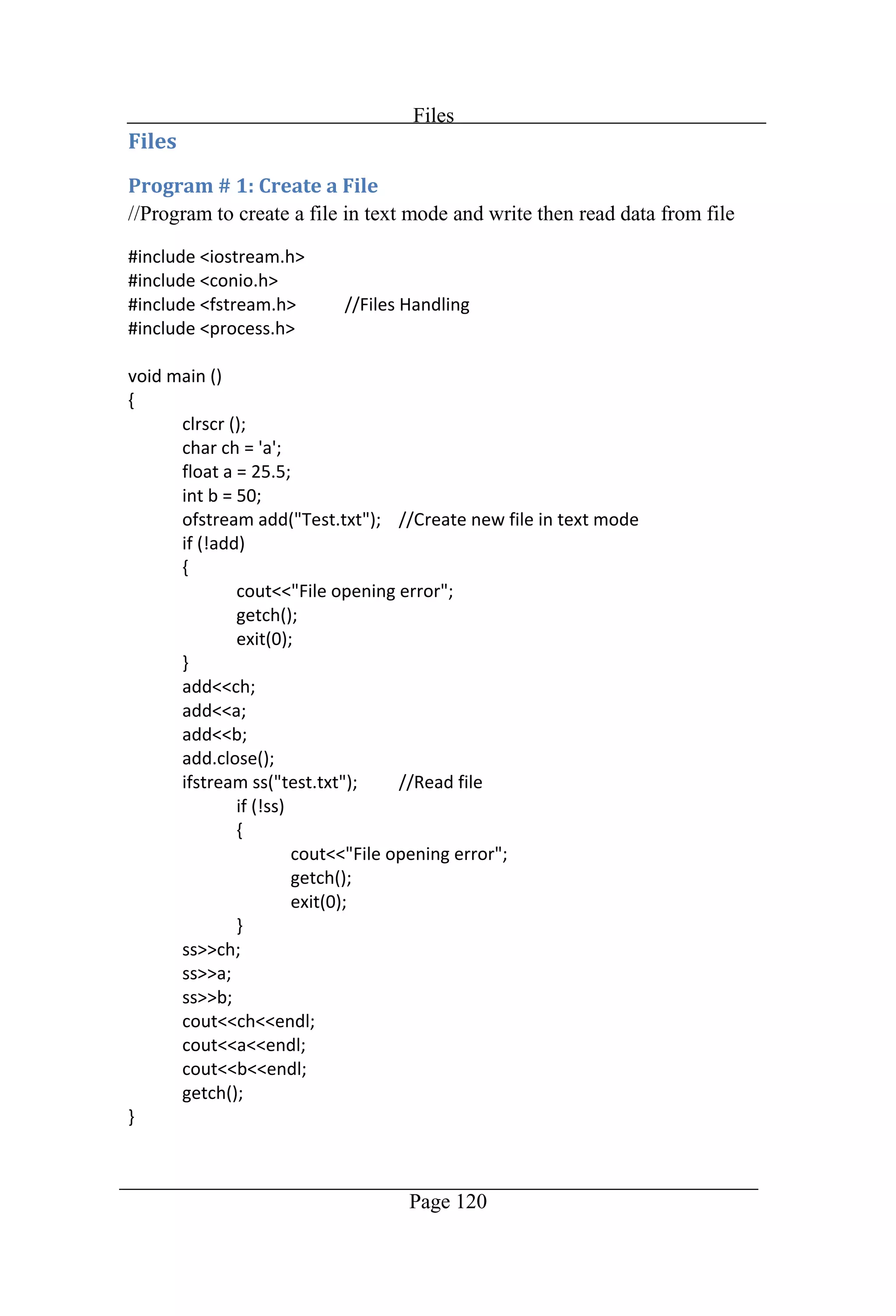
Files Page 120 //Program to create a file in text mode and write then read data from file
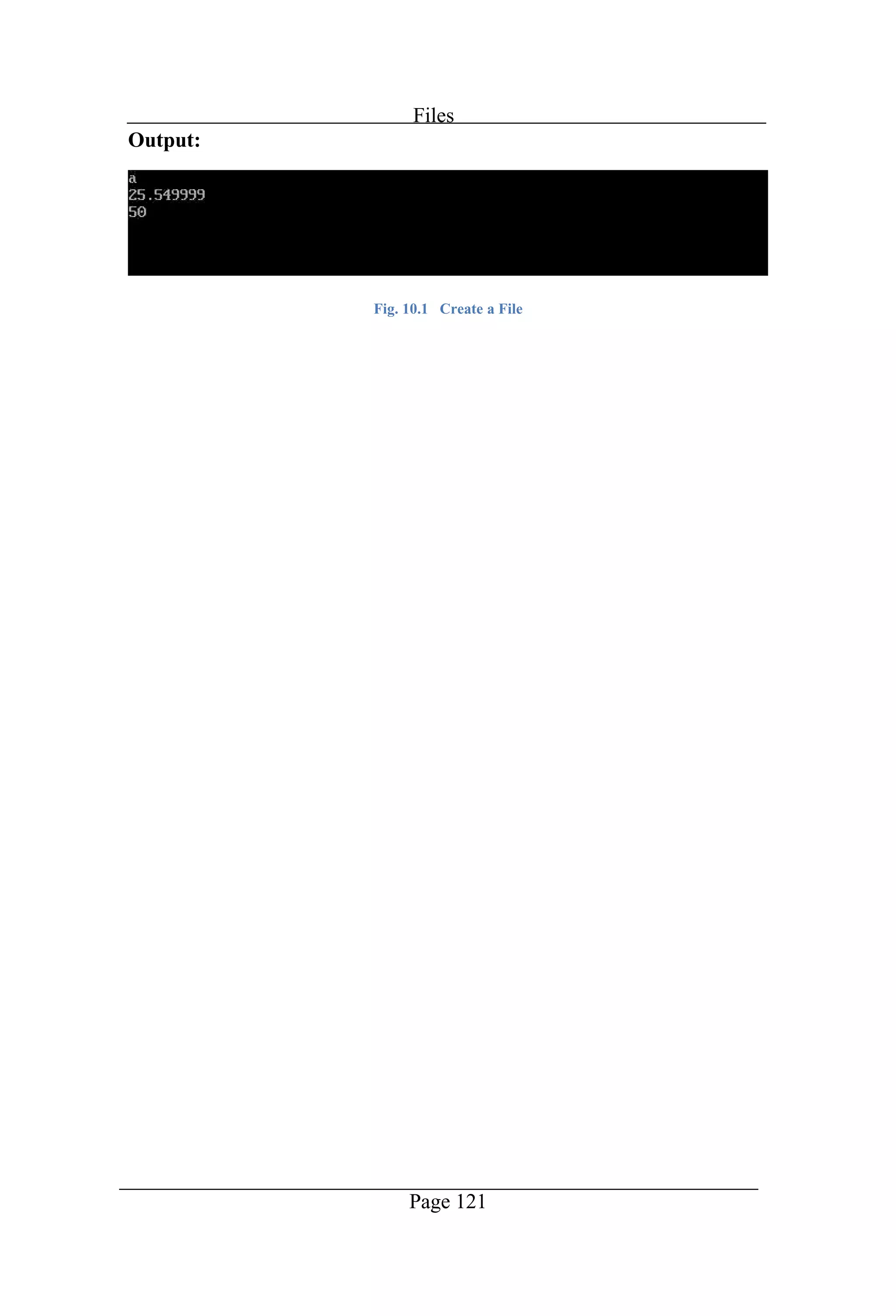
Files Page 121 Output: Fig. 10.1 Create a File
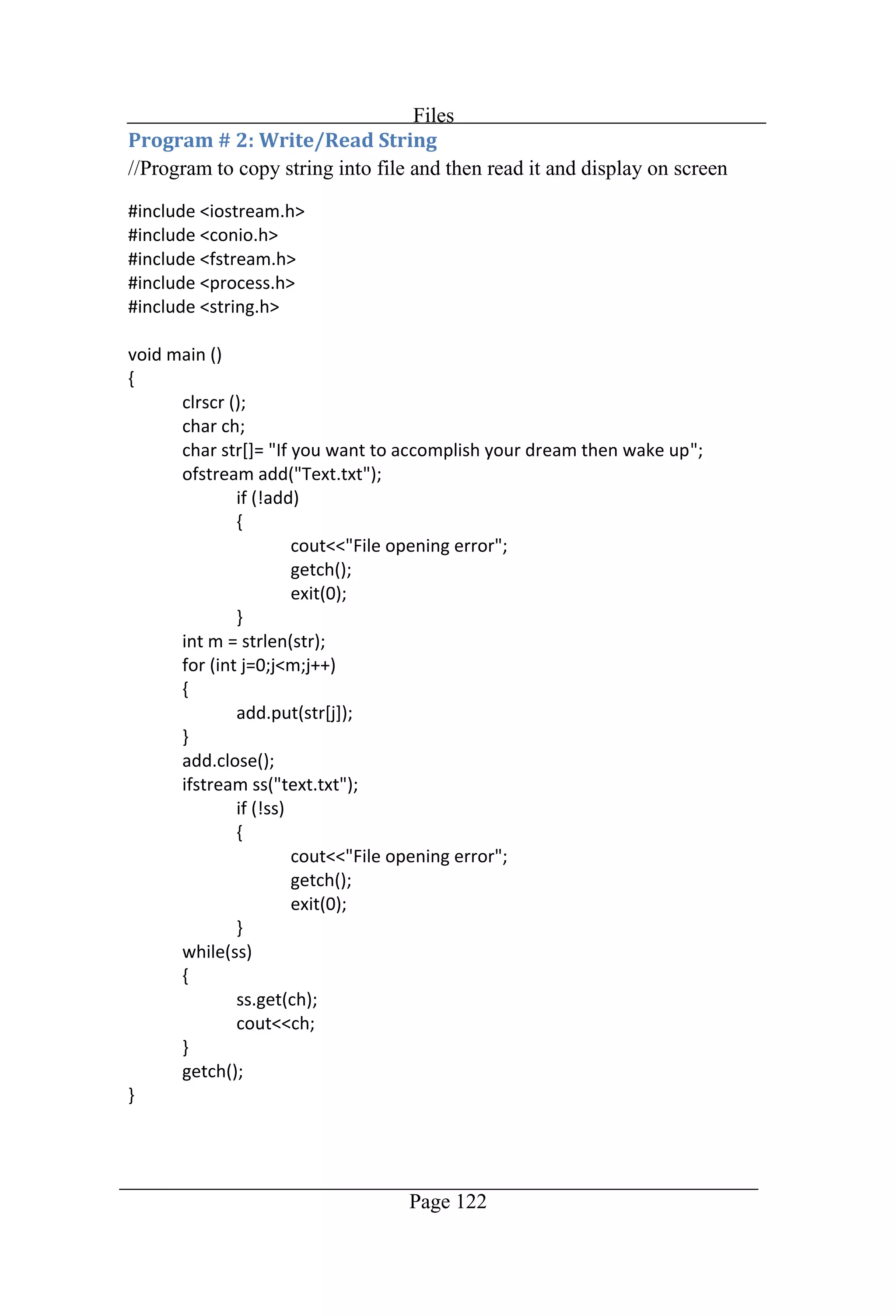
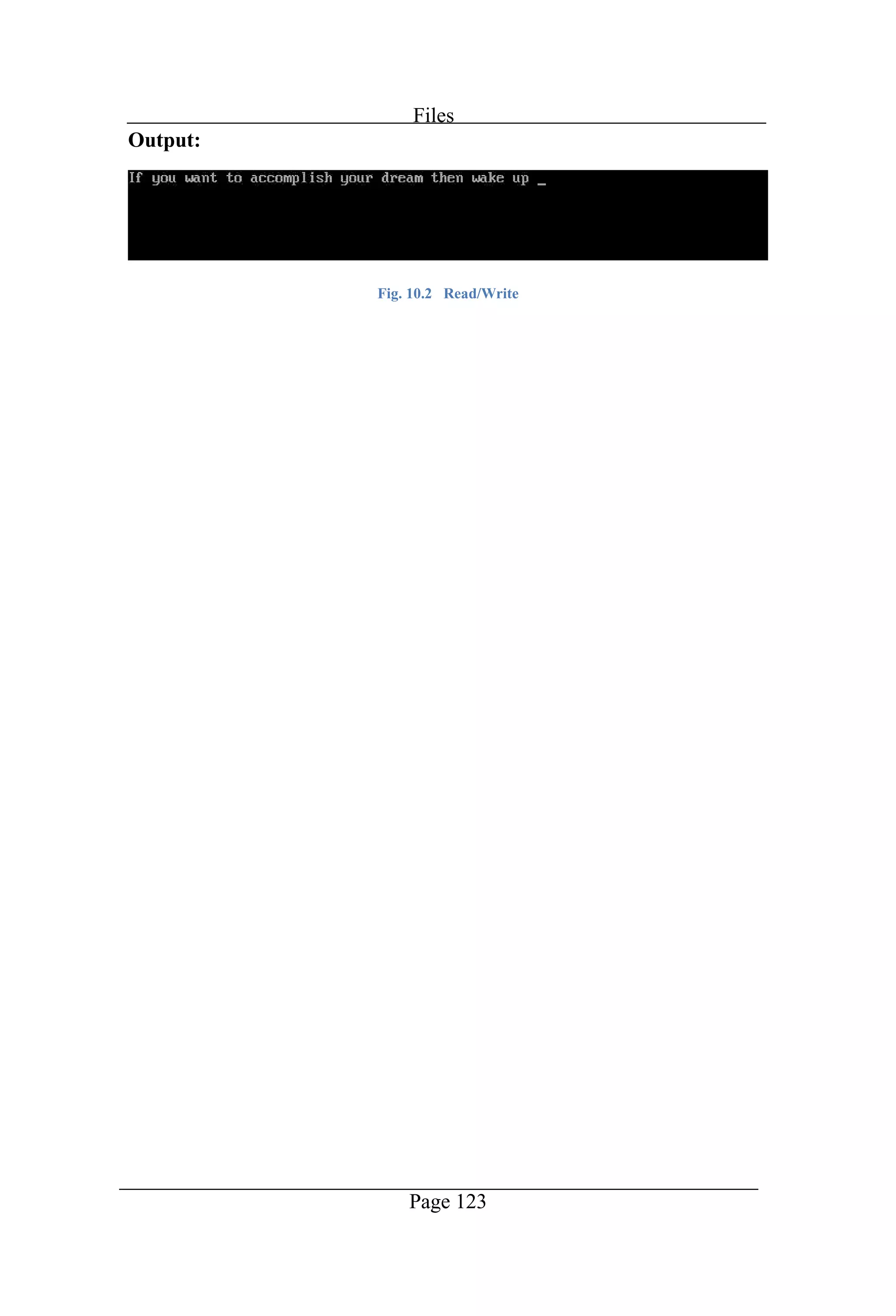
Files Page 122 //Program to copy string into file and then read it and display on screen
Files Page 123 Output: Fig. 10.2 Read/Write
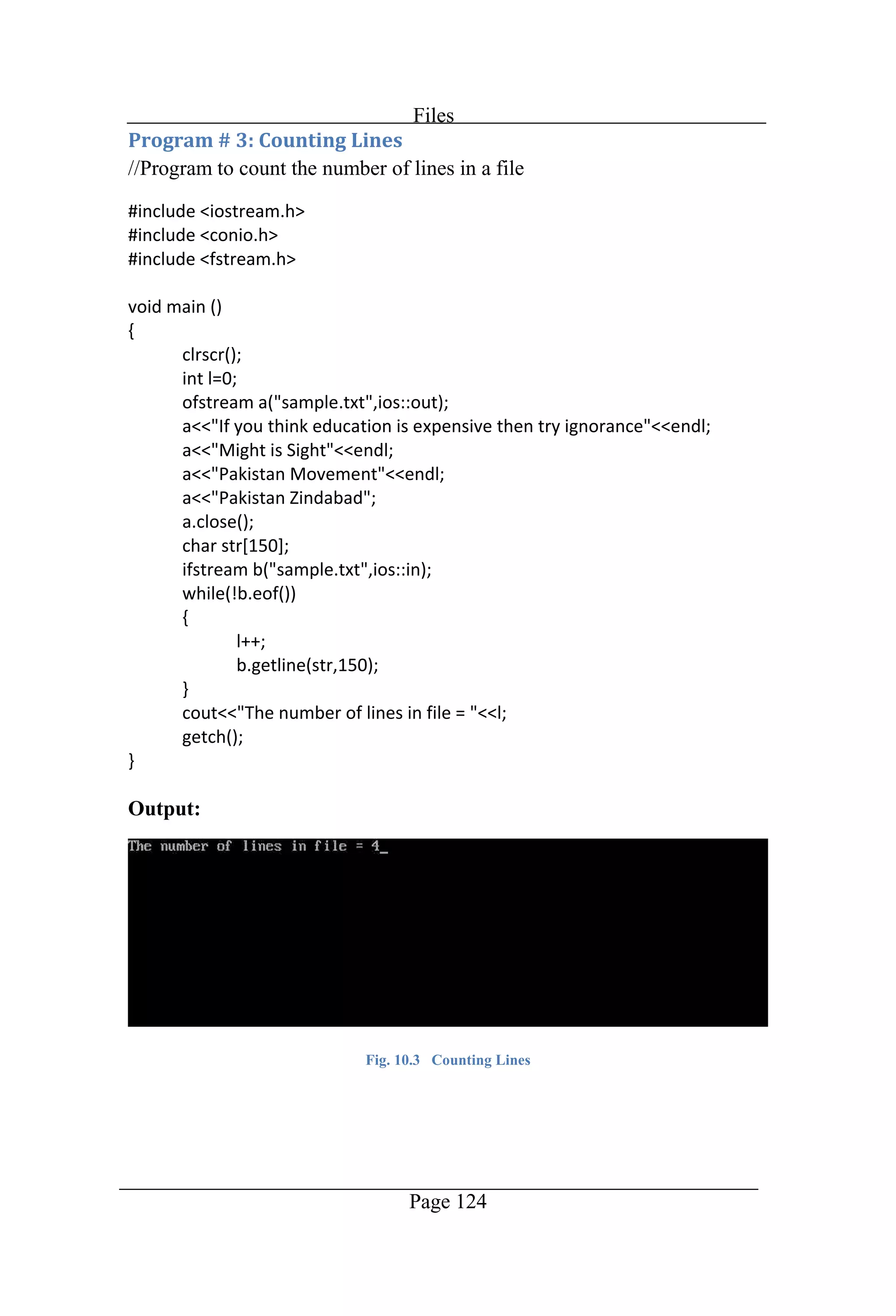
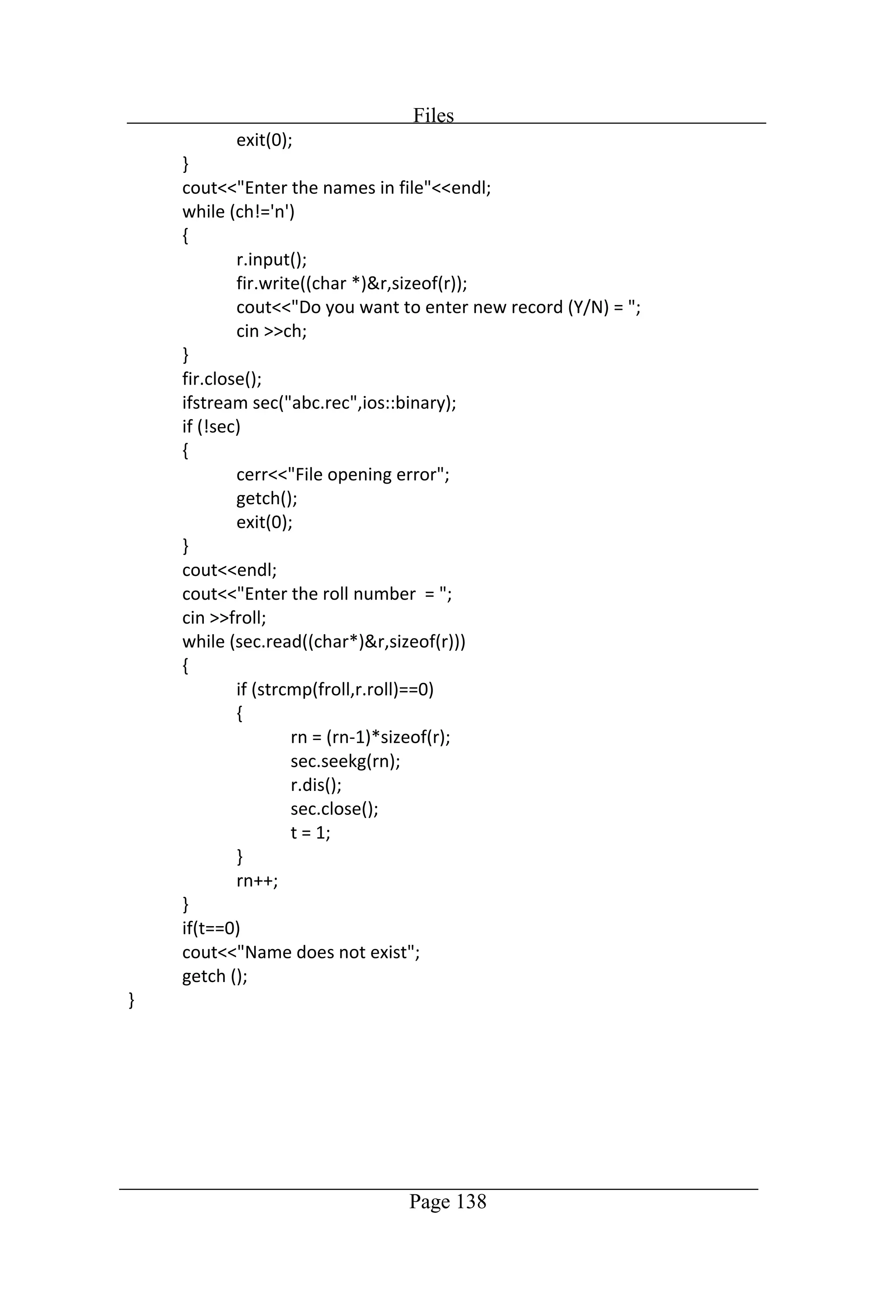
Files Page 124 //Program to count the number of lines in a file Output: Fig. 10.3 Counting Lines
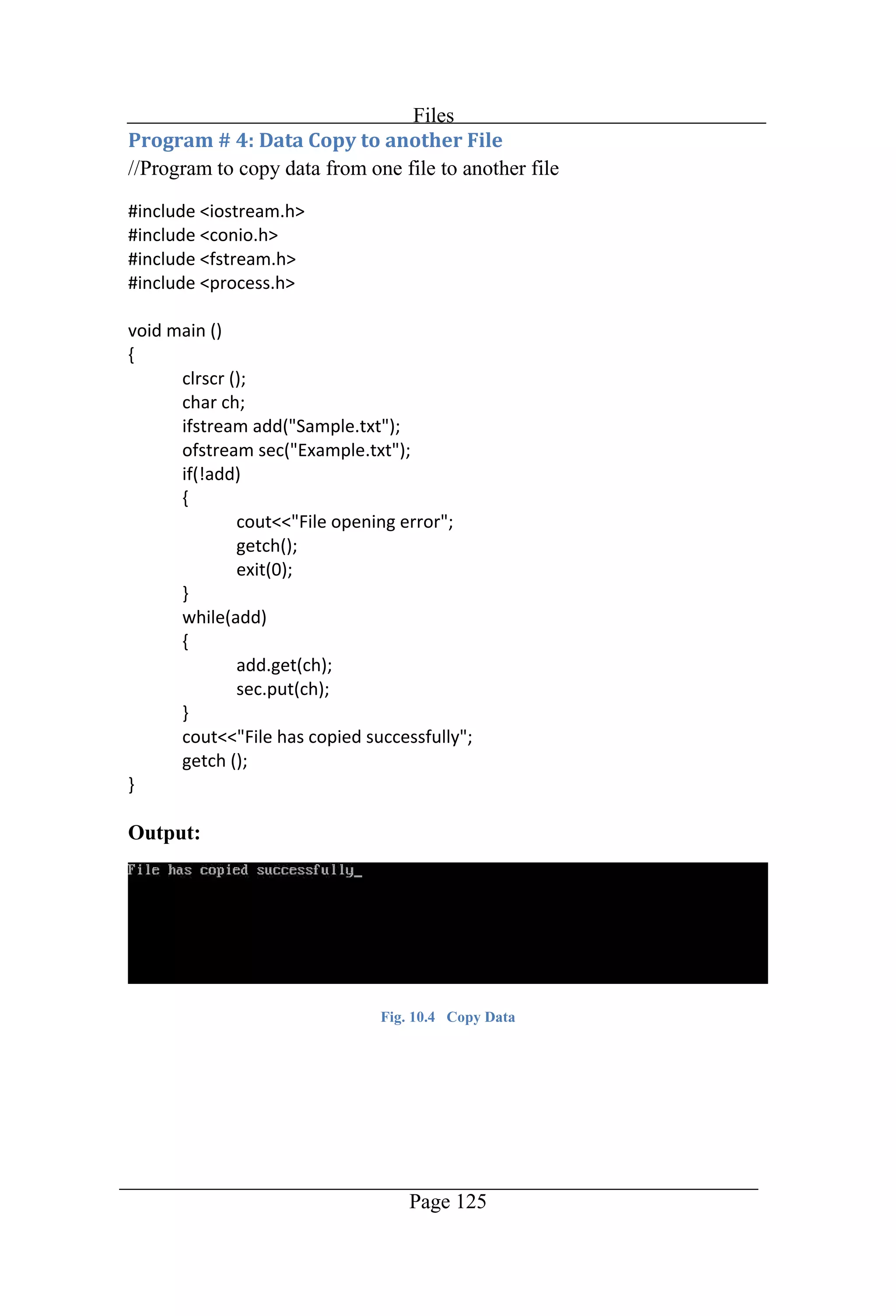
Files Page 125 //Program to copy data from one file to another file Output: Fig. 10.4 Copy Data
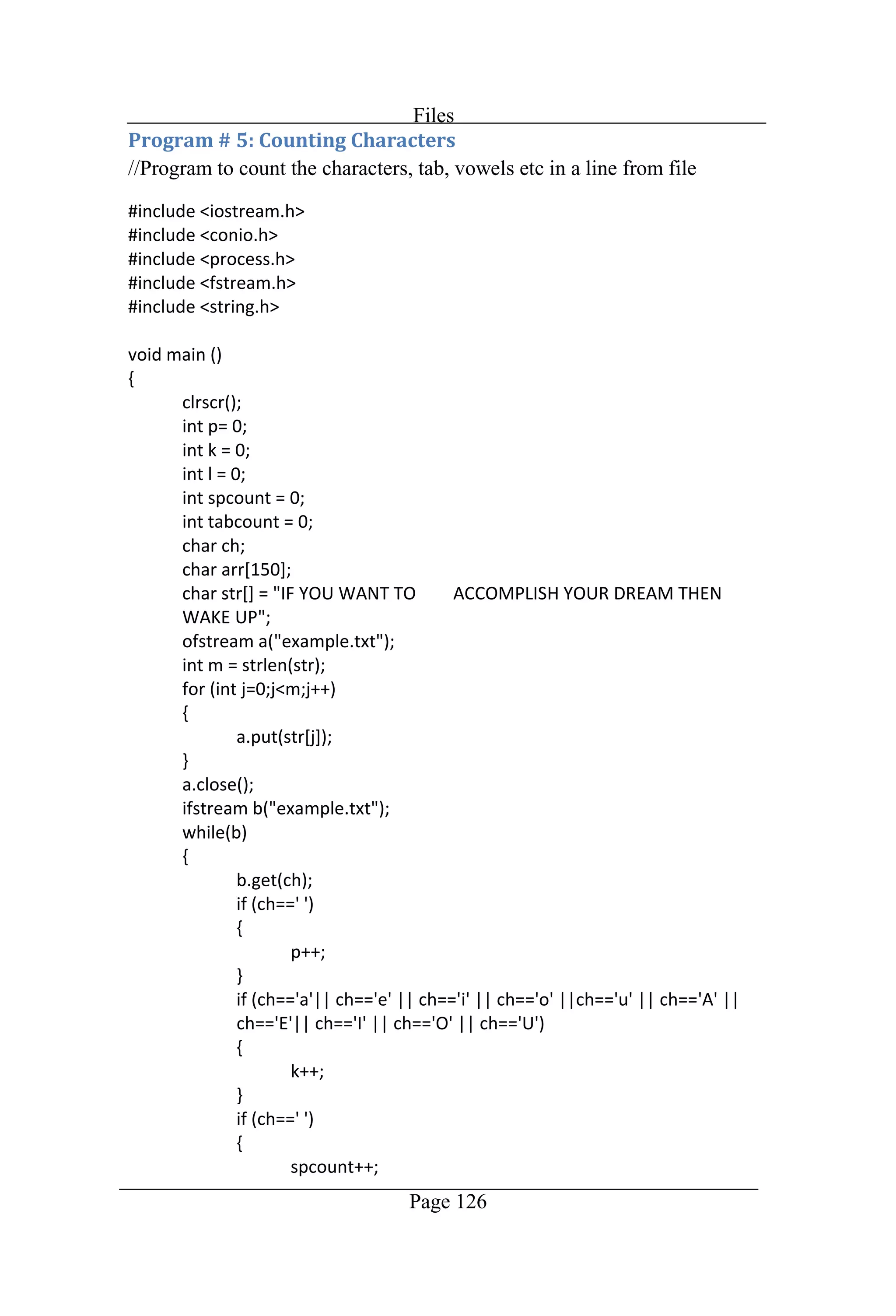
Files Page 126 //Program to count the characters, tab, vowels etc in a line from file
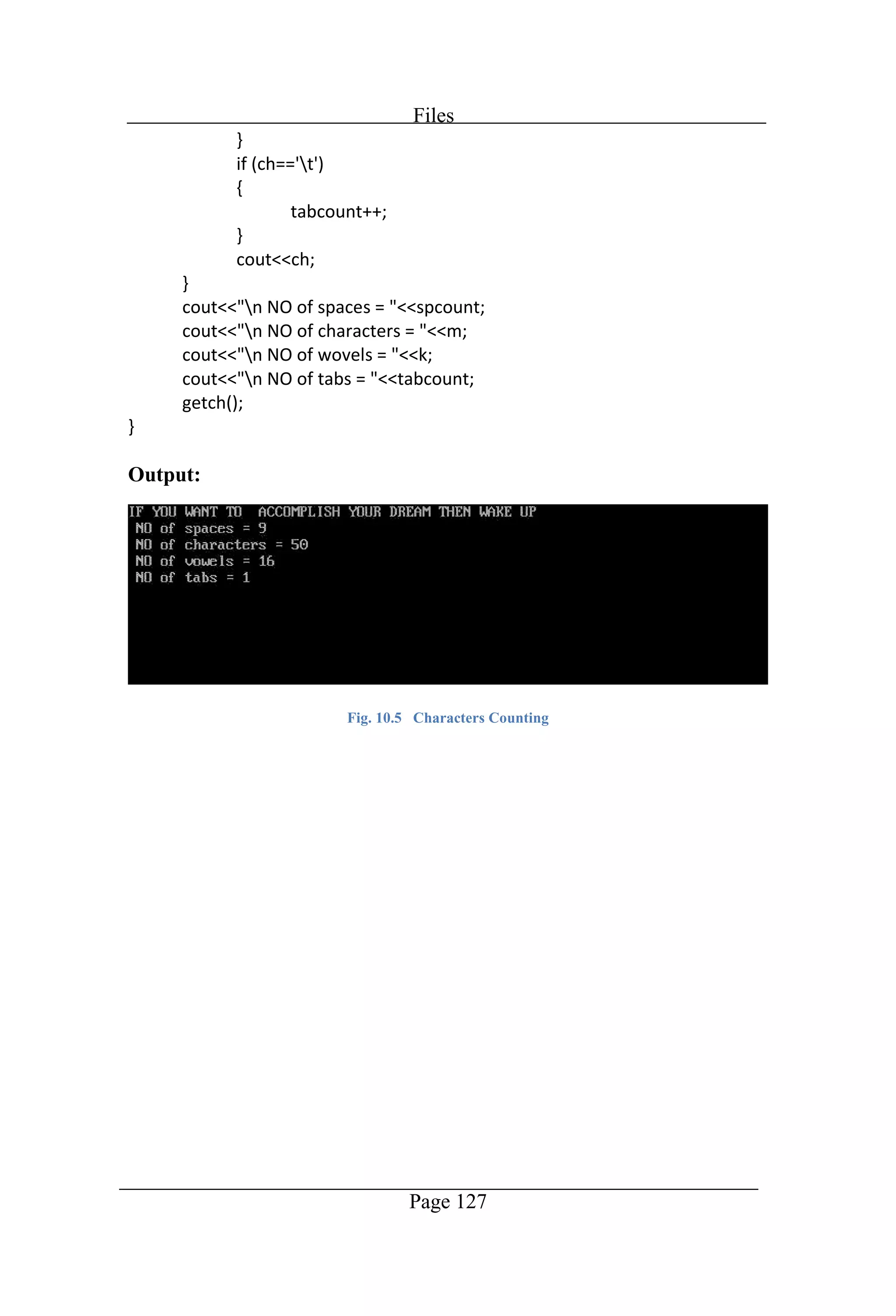
Files Page 127 Output: Fig. 10.5 Characters Counting
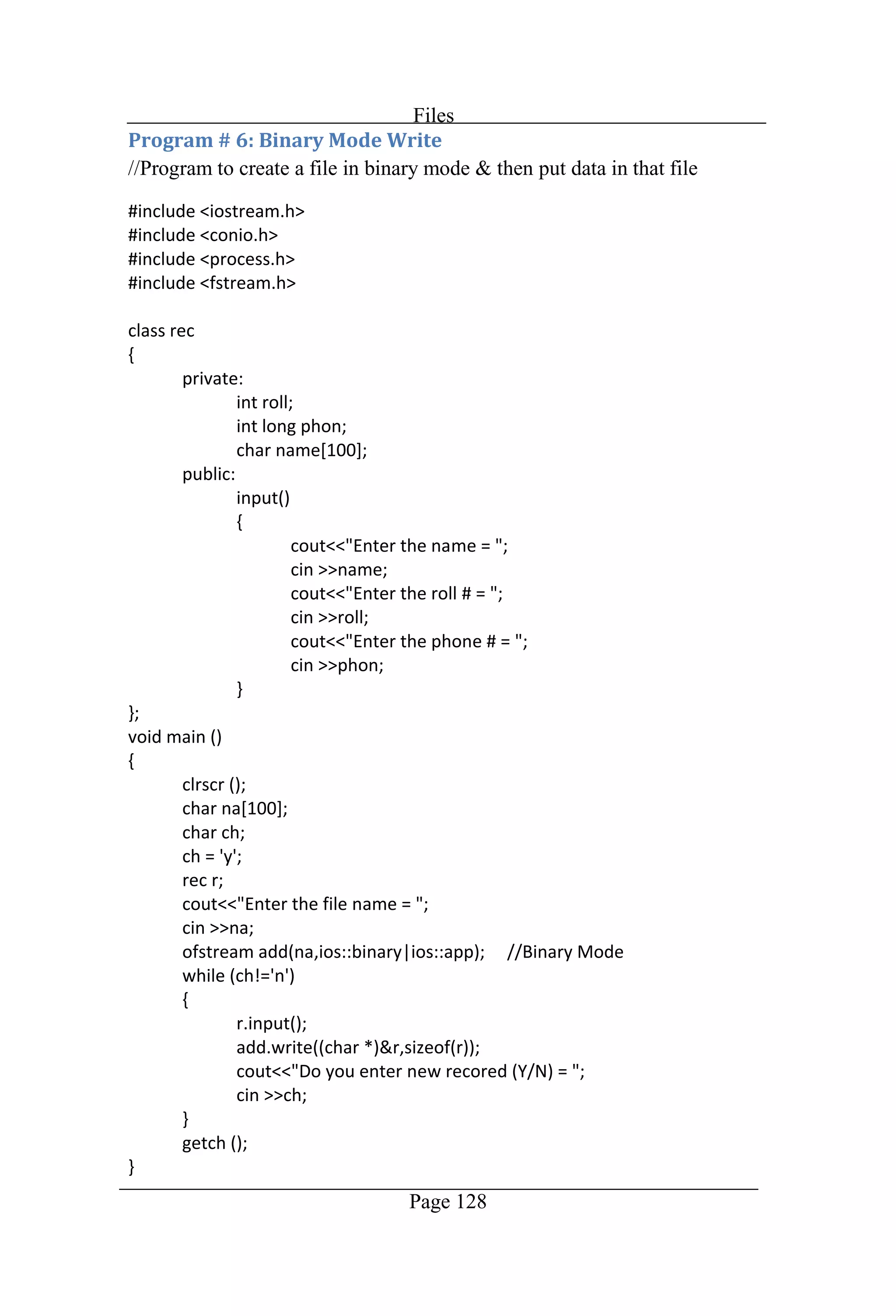
Files Page 128 //Program to create a file in binary mode & then put data in that file
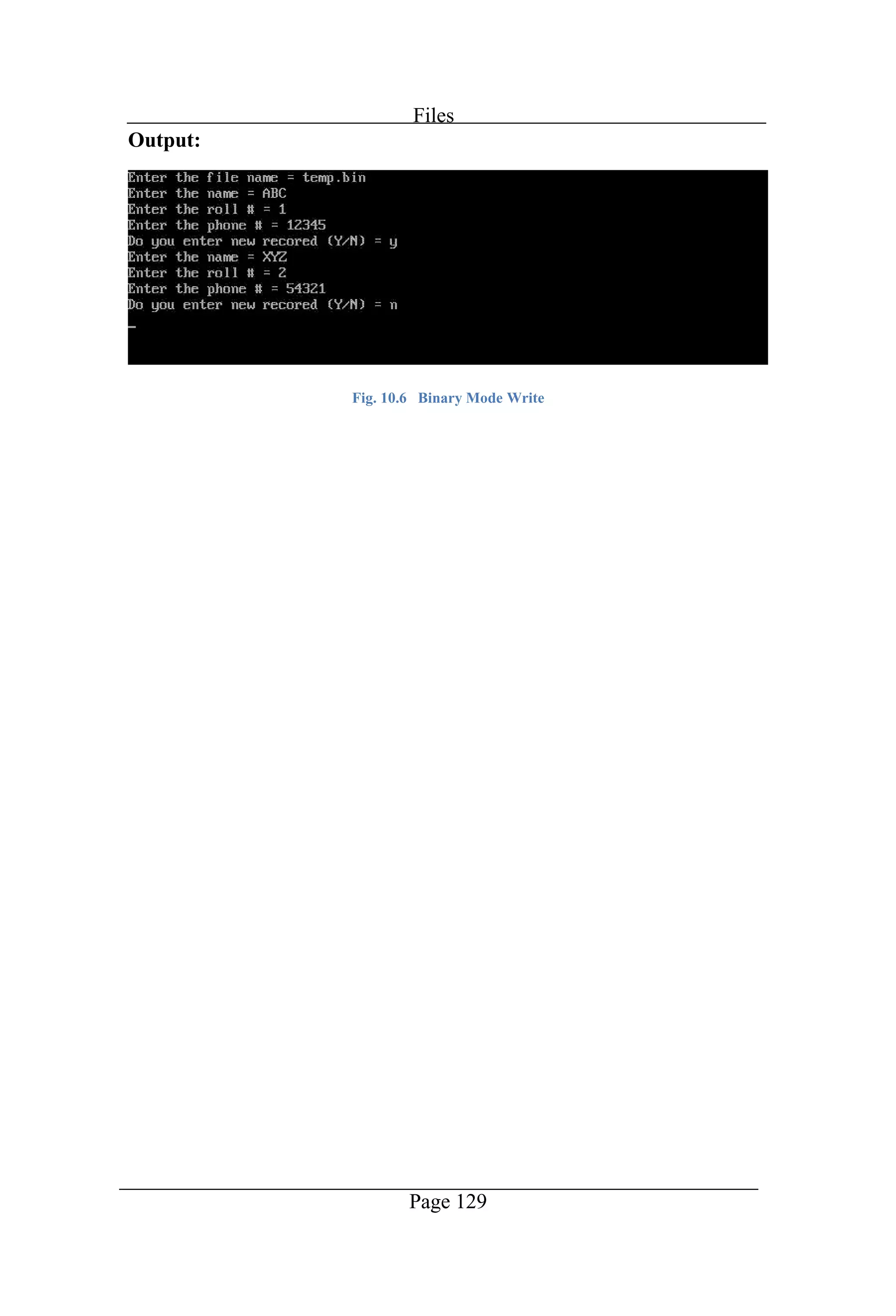
Files Page 129 Output: Fig. 10.6 Binary Mode Write
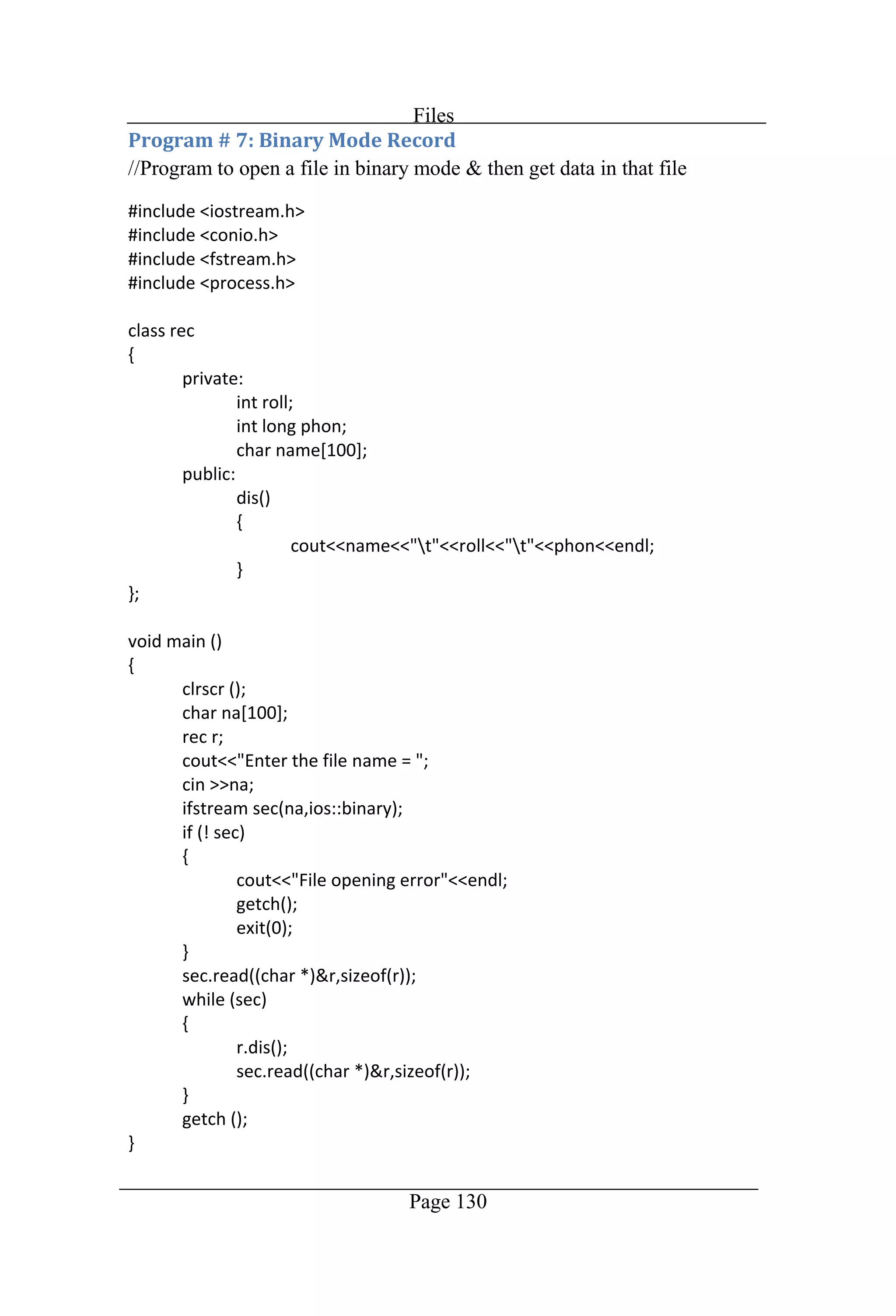
Files Page 130 //Program to open a file in binary mode & then get data in that file
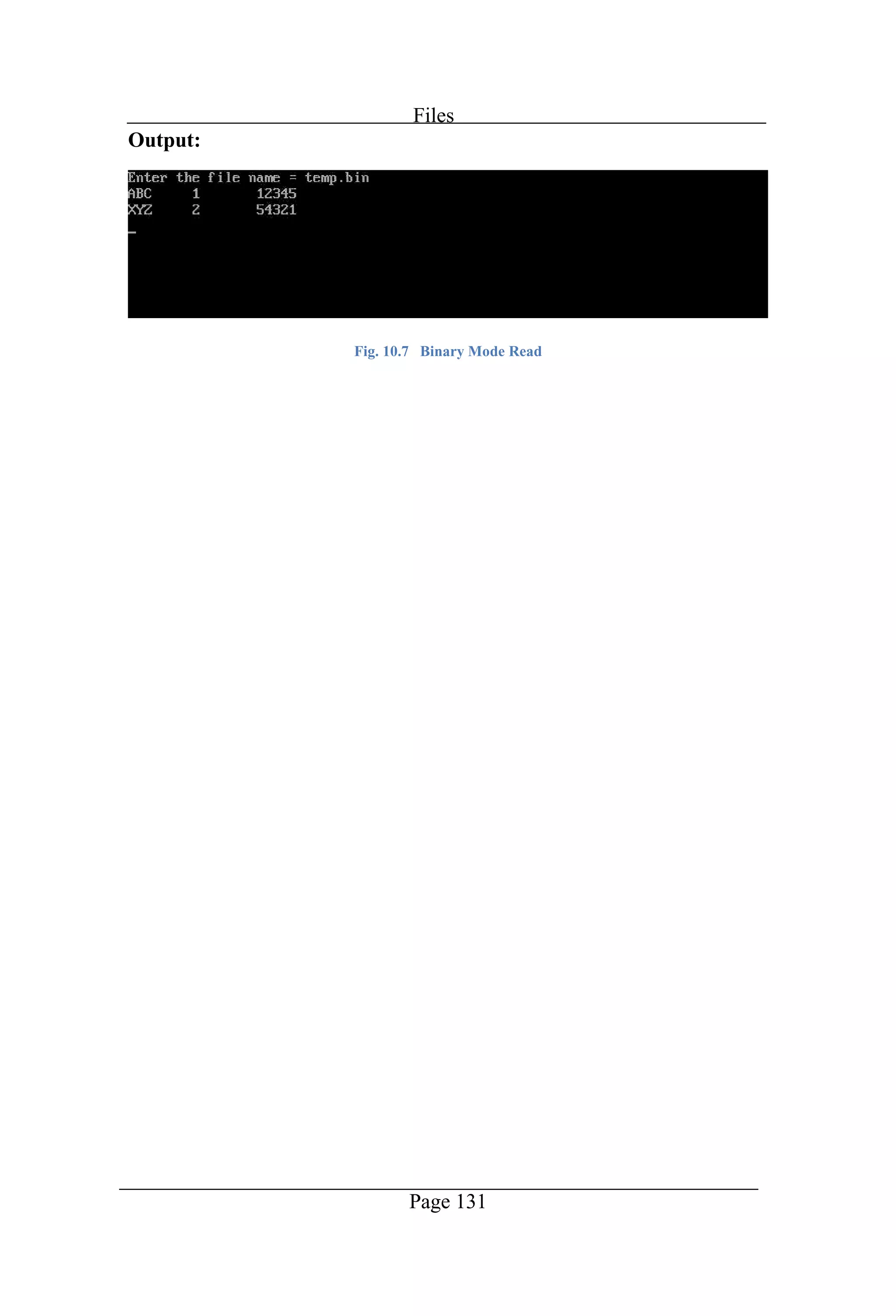
Files Page 131 Output: Fig. 10.7 Binary Mode Read
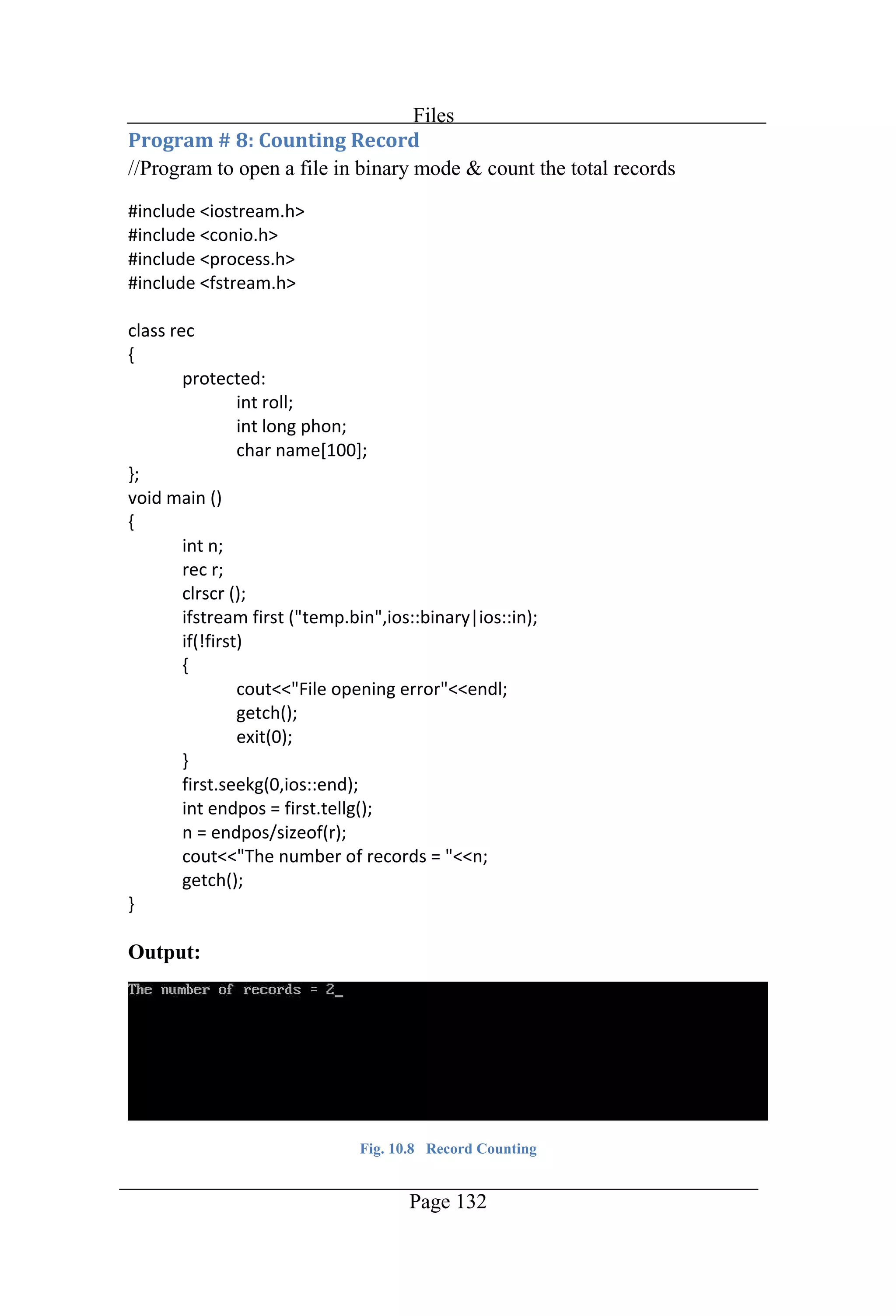
Files Page 132 //Program to open a file in binary mode & count the total records Output: Fig. 10.8 Record Counting
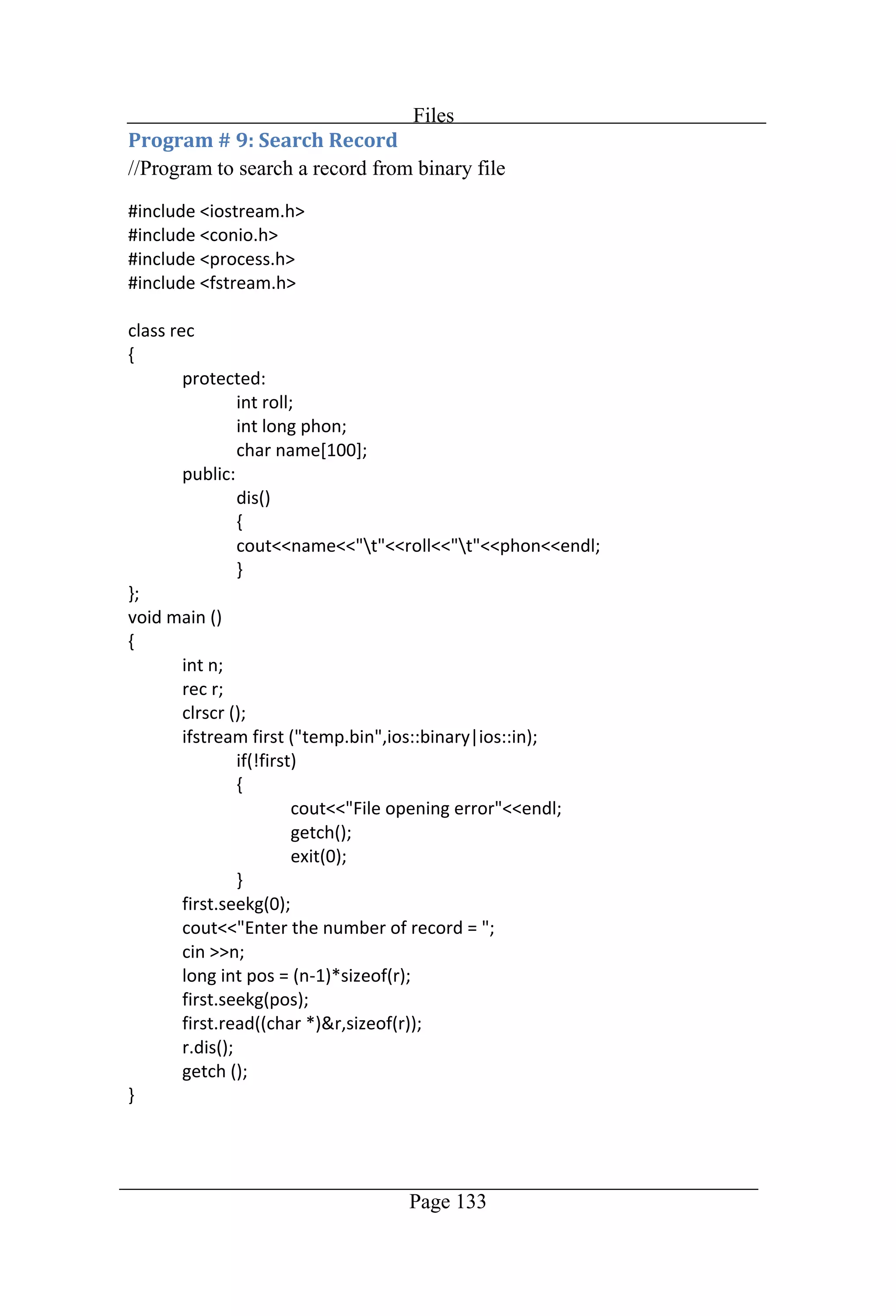
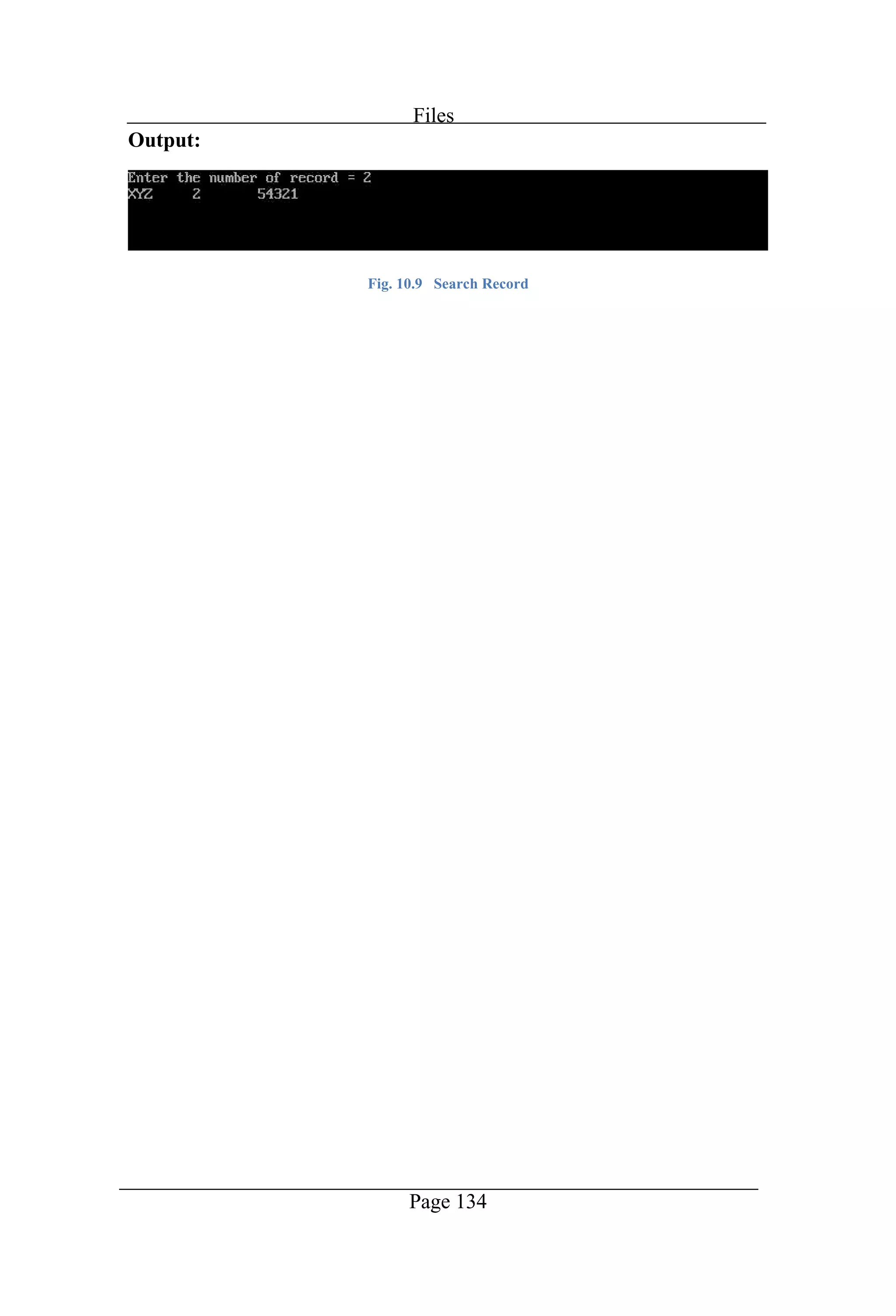
Files Page 133 //Program to search a record from binary file
Files Page 134 Output: Fig. 10.9 Search Record
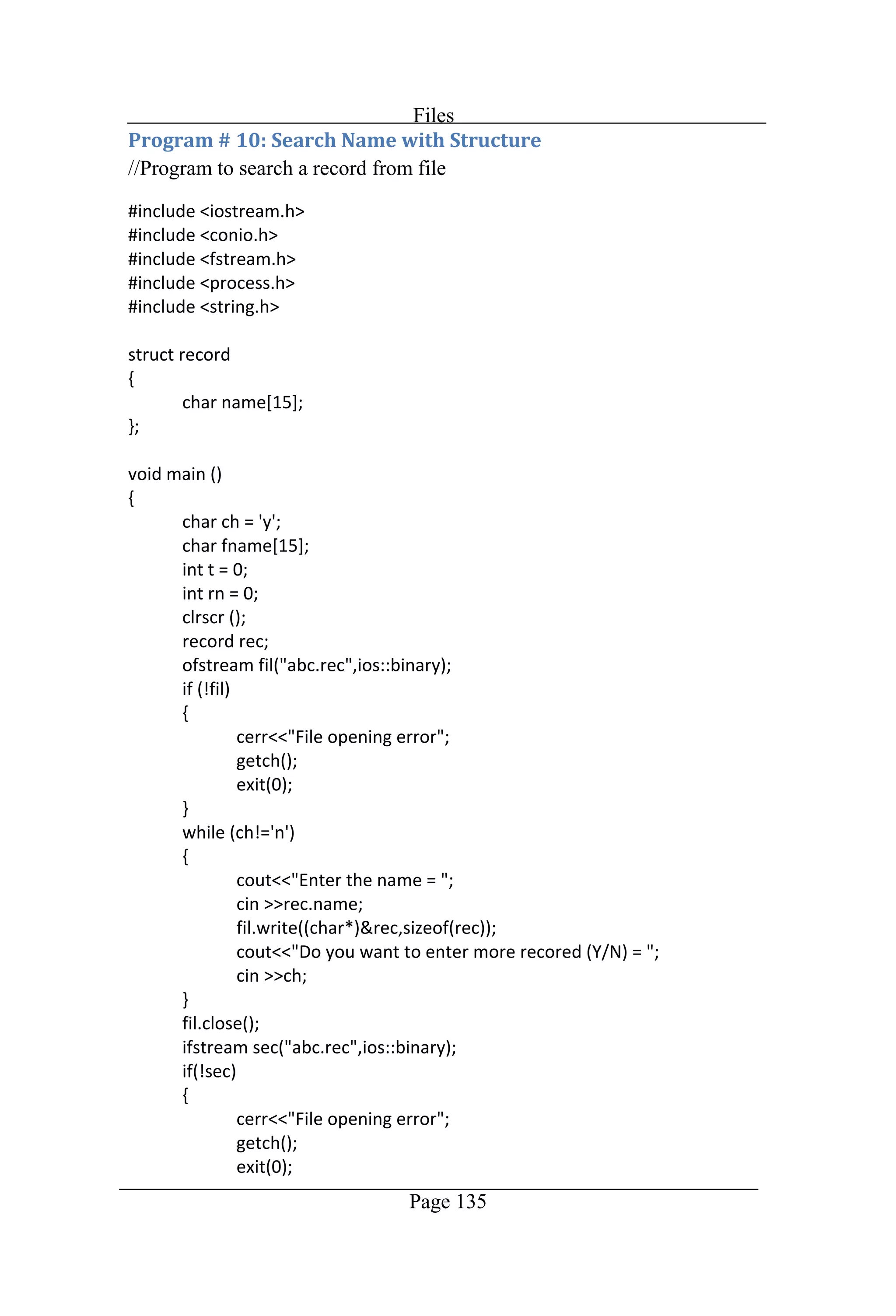
Files Page 135 //Program to search a record from file
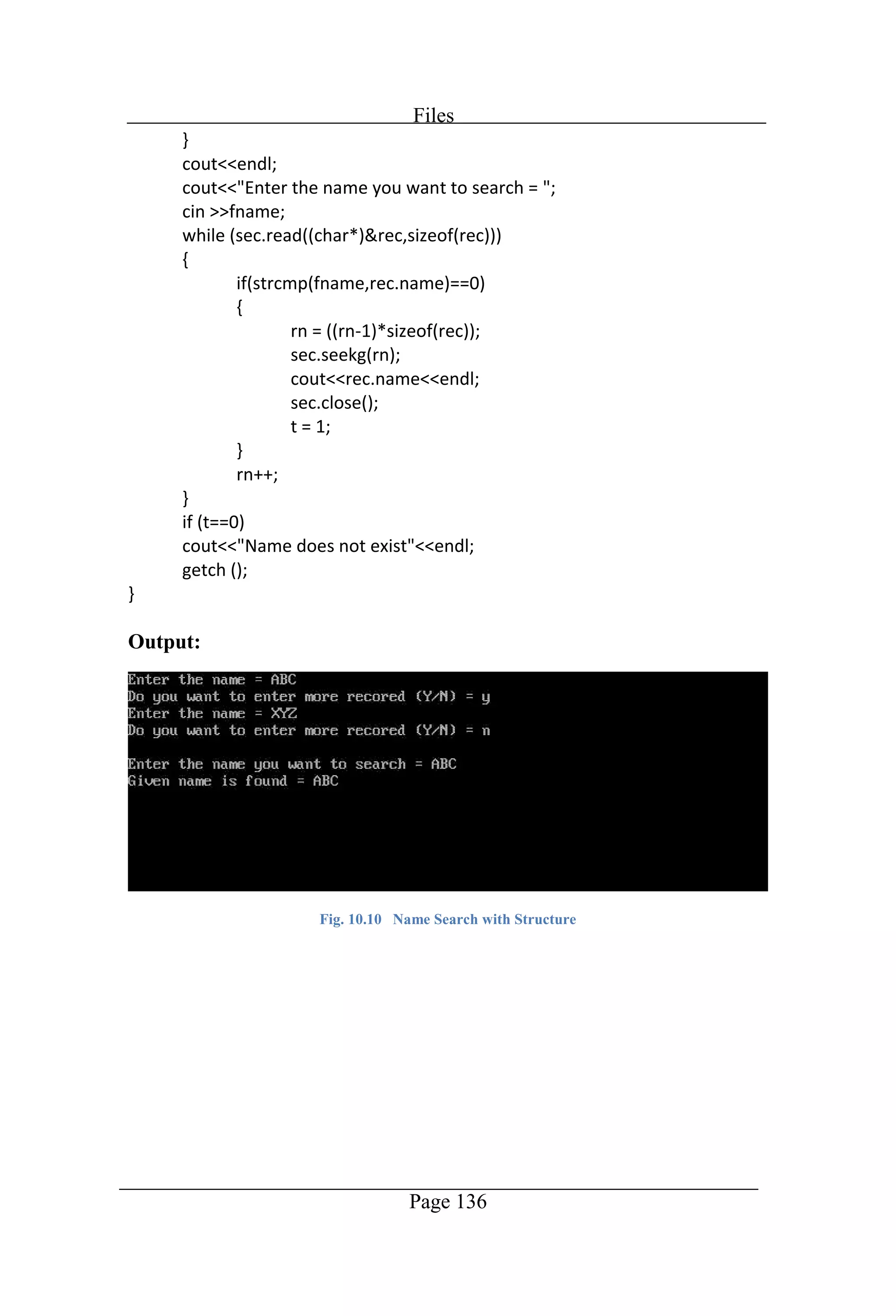
Files Page 136 Output: Fig. 10.10 Name Search with Structure
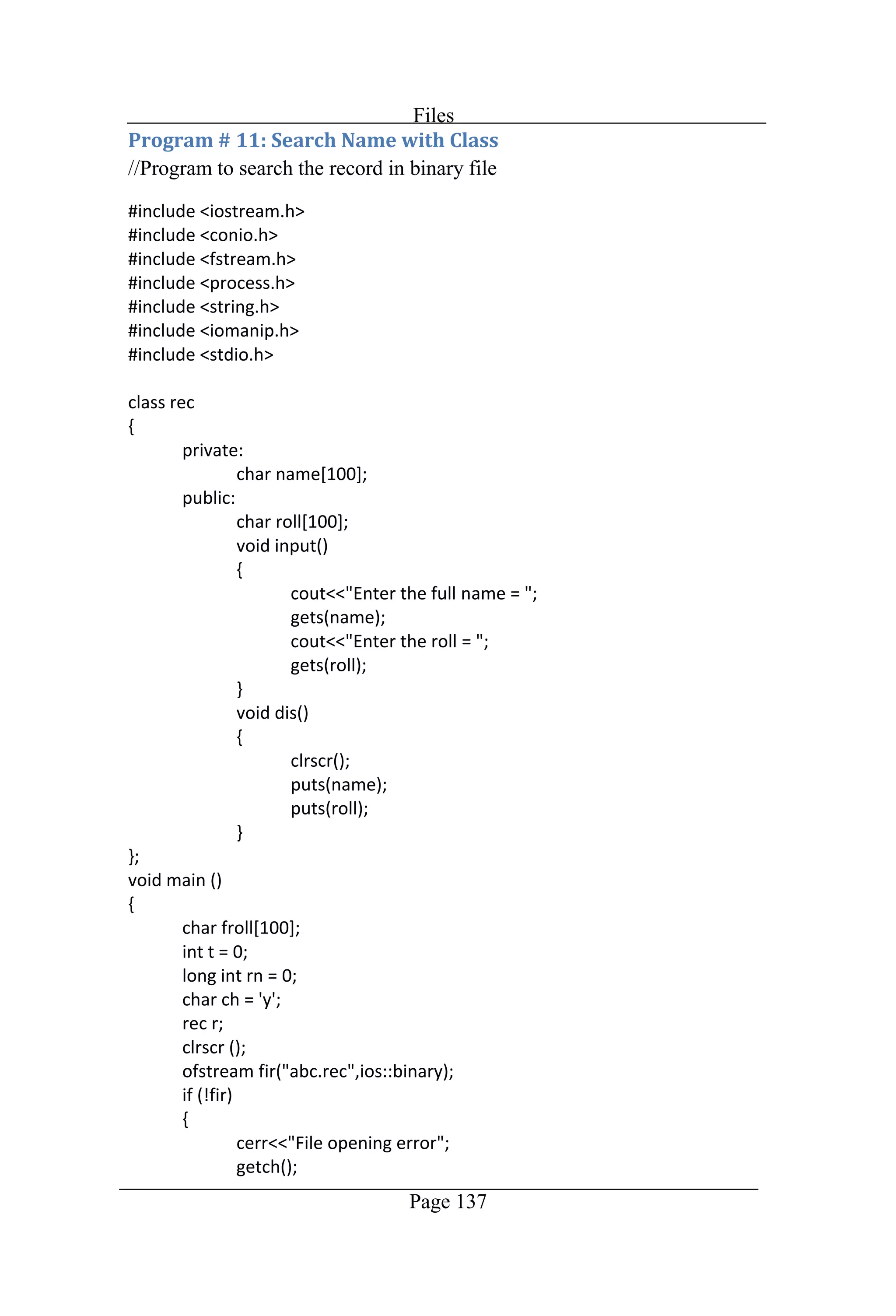
Files Page 137 //Program to search the record in binary file
Files Page 138
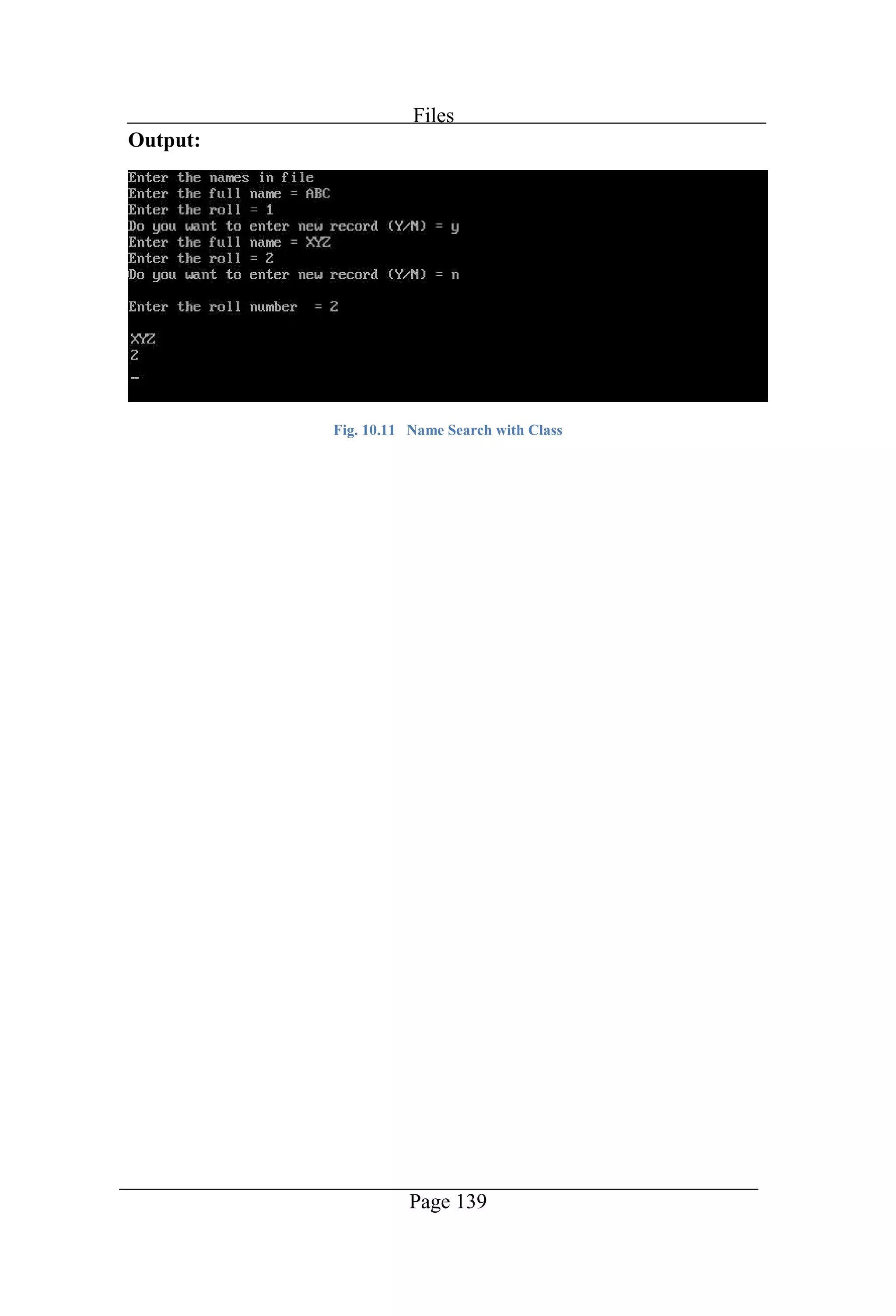
Files Page 139 Output: Fig. 10.11 Name Search with Class
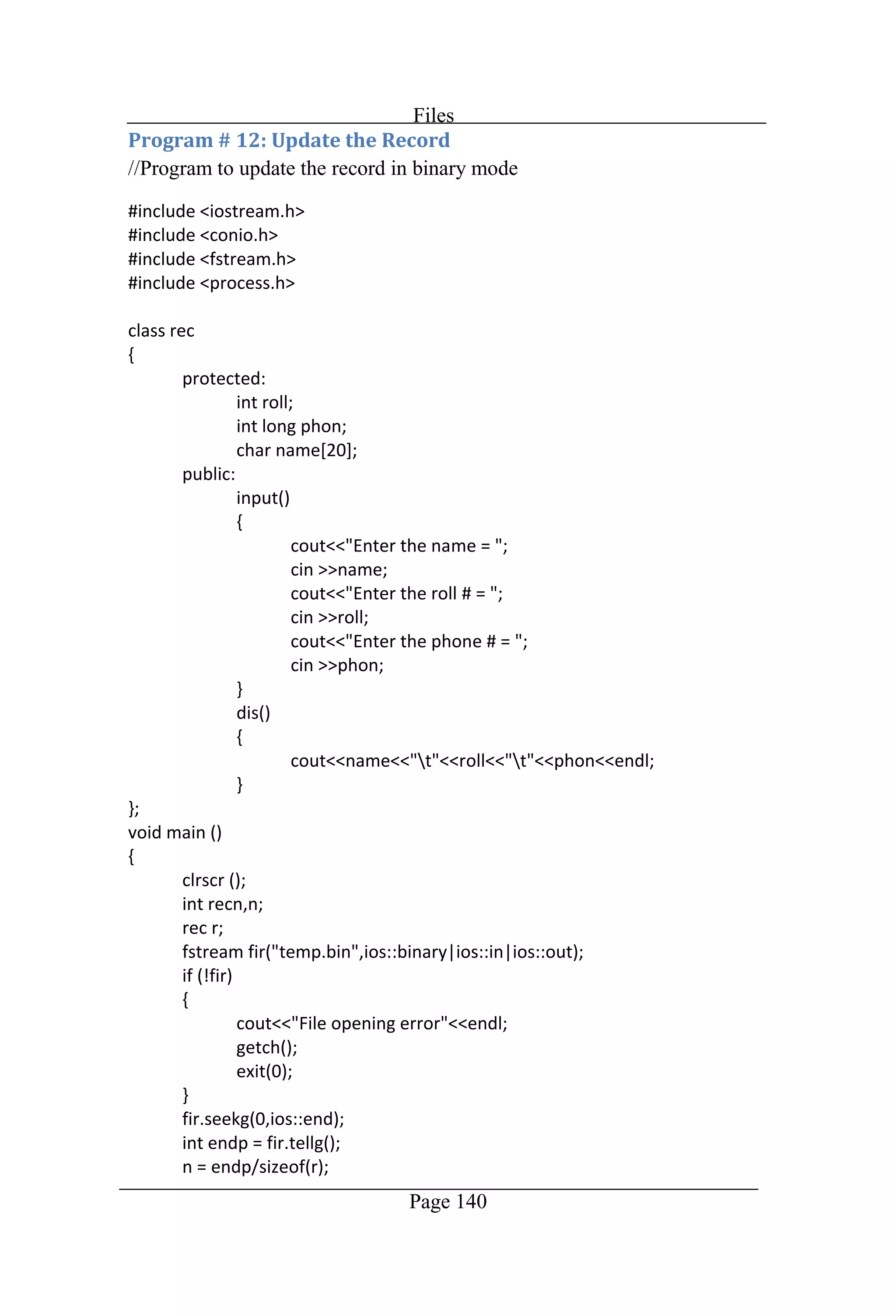
Files Page 140 //Program to update the record in binary mode
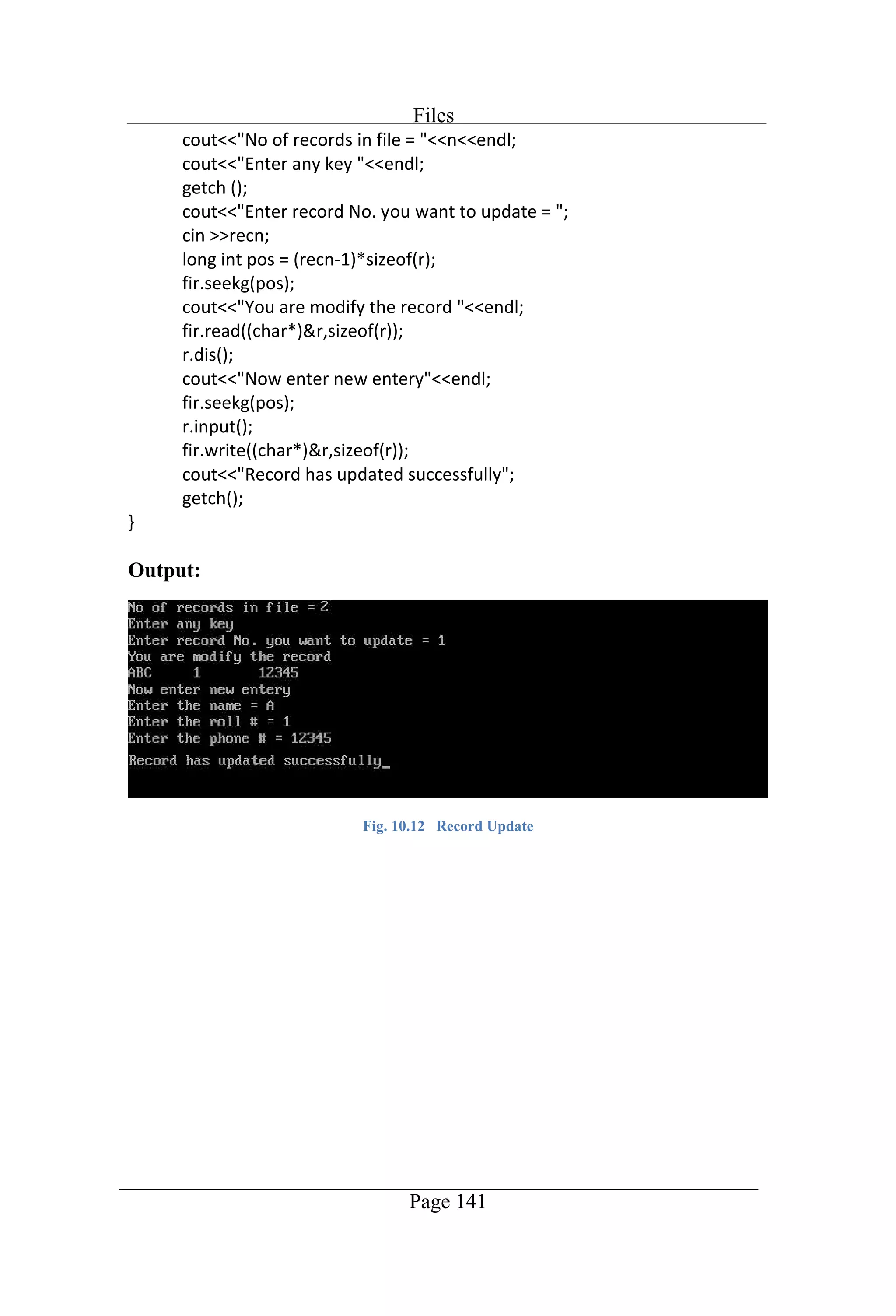
Files Page 141 Output: Fig. 10.12 Record Update
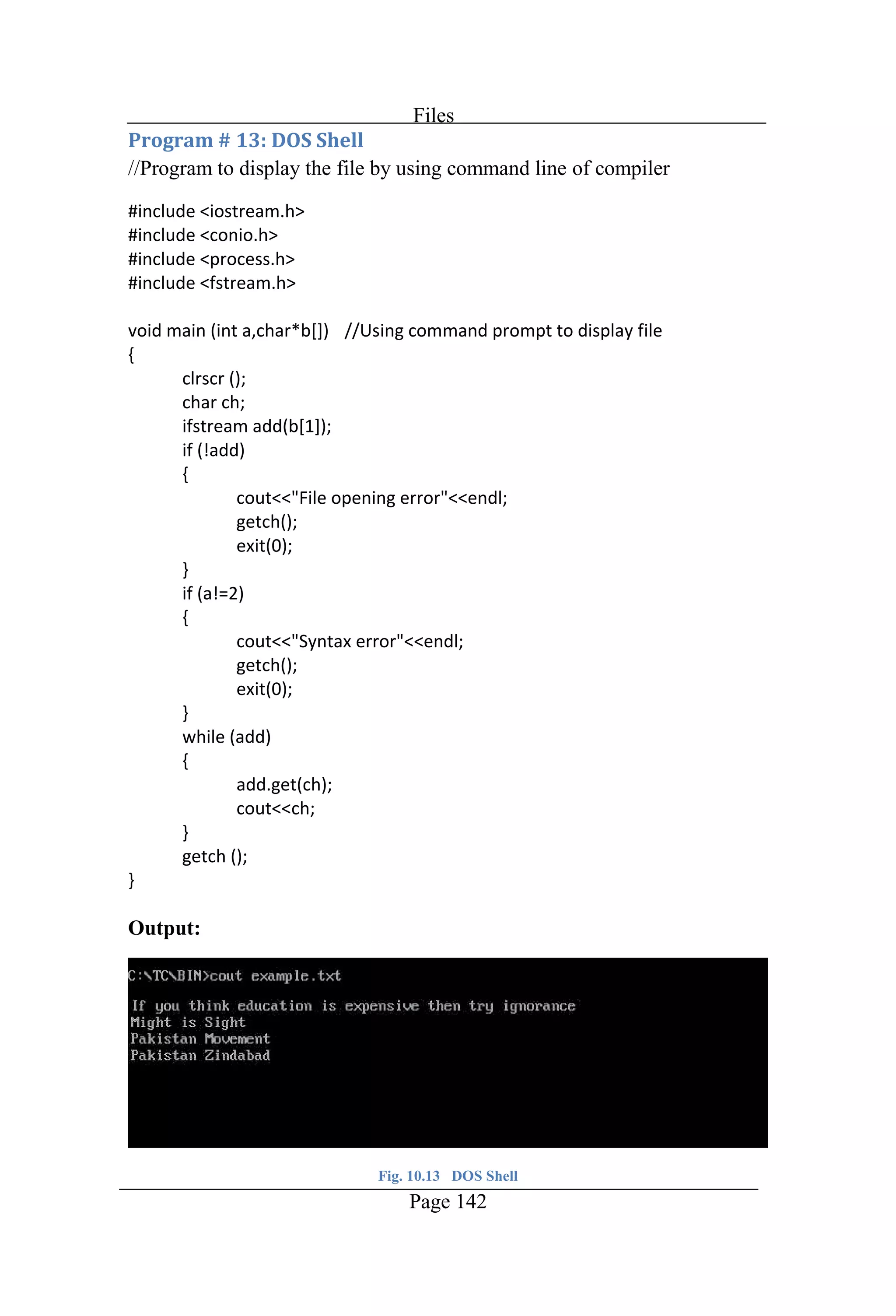
Files Page 142 //Program to display the file by using command line of compiler Output: Fig. 10.13 DOS Shell
Chapter 11 Polymorphism
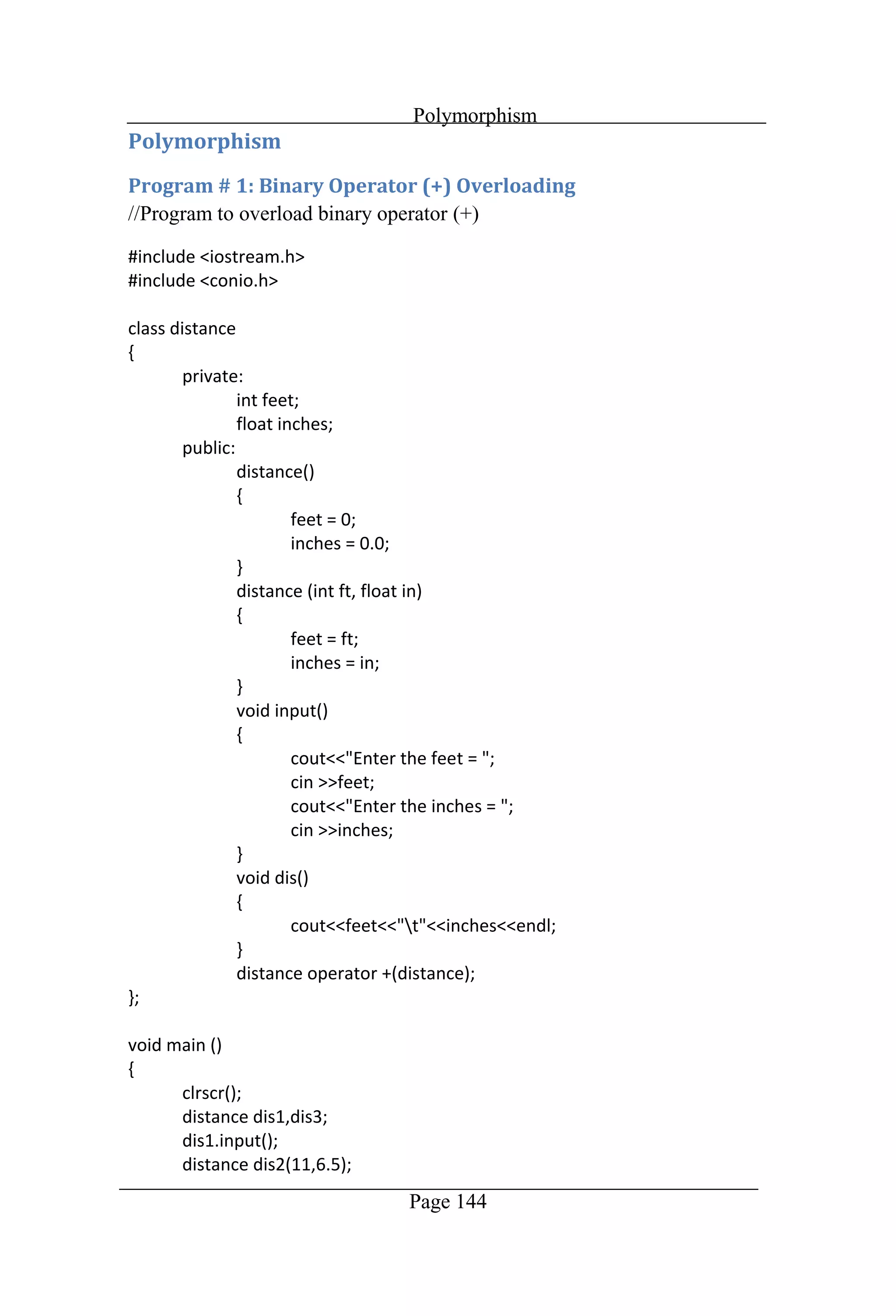
Polymorphism Page 144 //Program to overload binary operator (+)
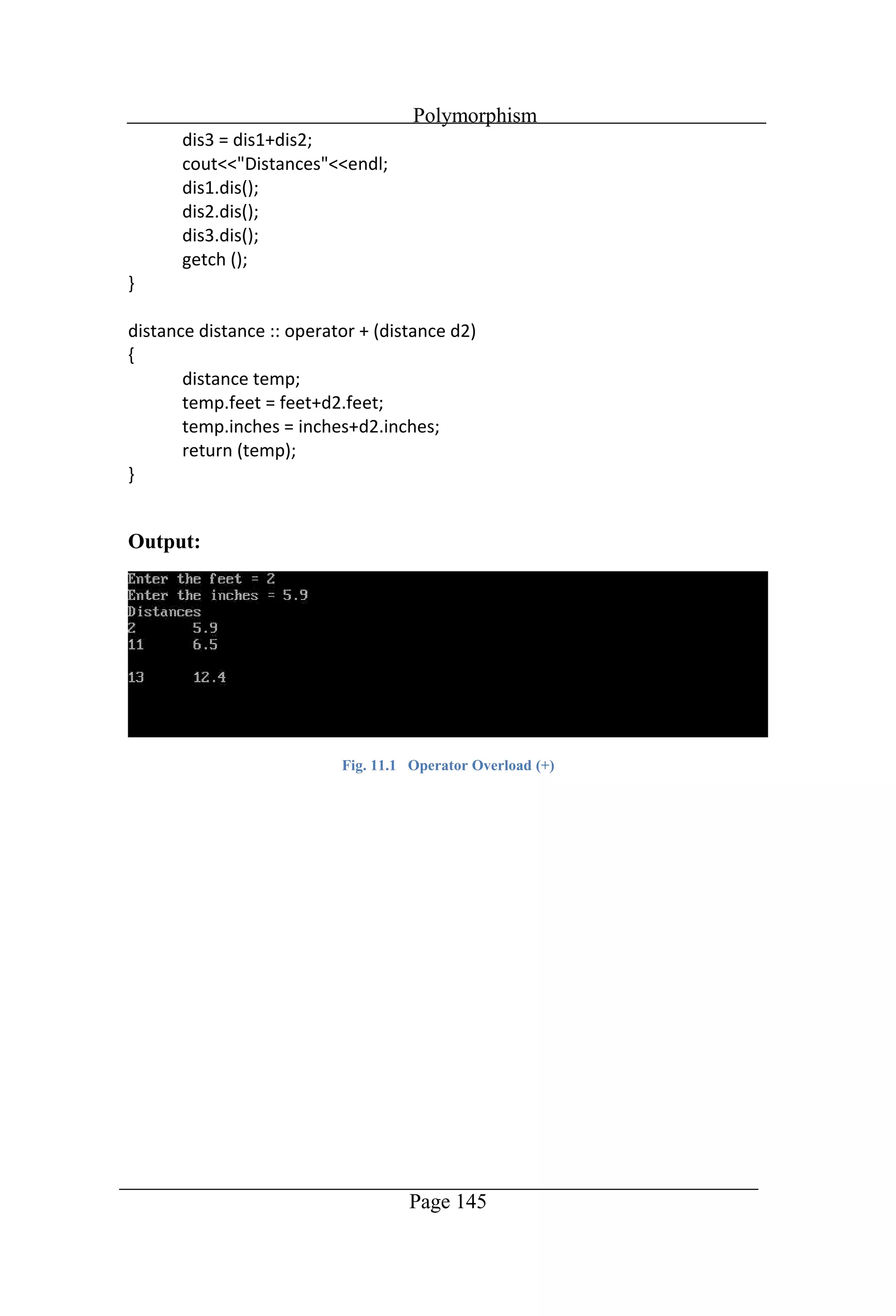
Polymorphism Page 145 Output: Fig. 11.1 Operator Overload (+)
Polymorphism Page 146 //Program to overload binary operator [ ]
Polymorphism Page 147 Output: Fig. 11.2 Operator Overload ([ ])
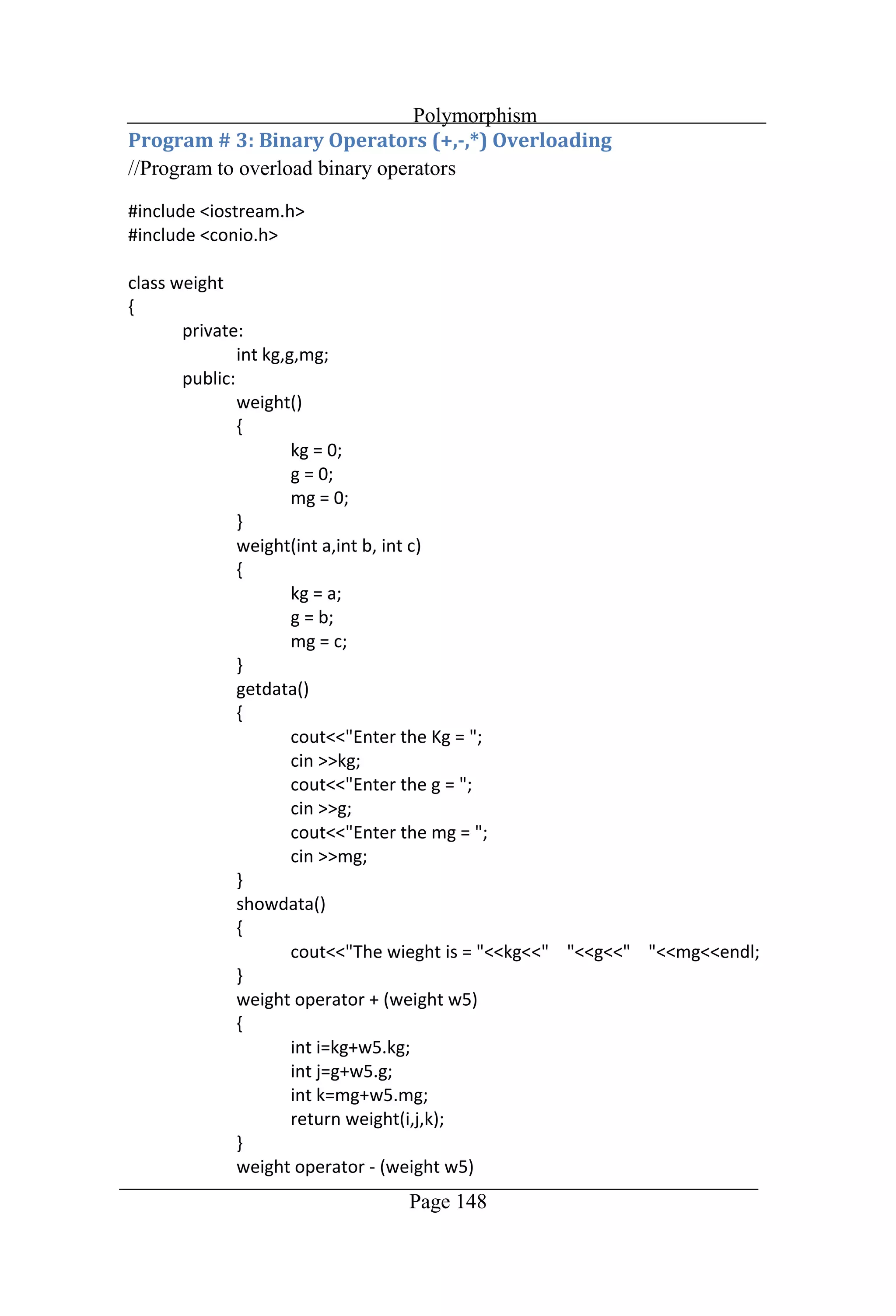
Polymorphism Page 148 //Program to overload binary operators
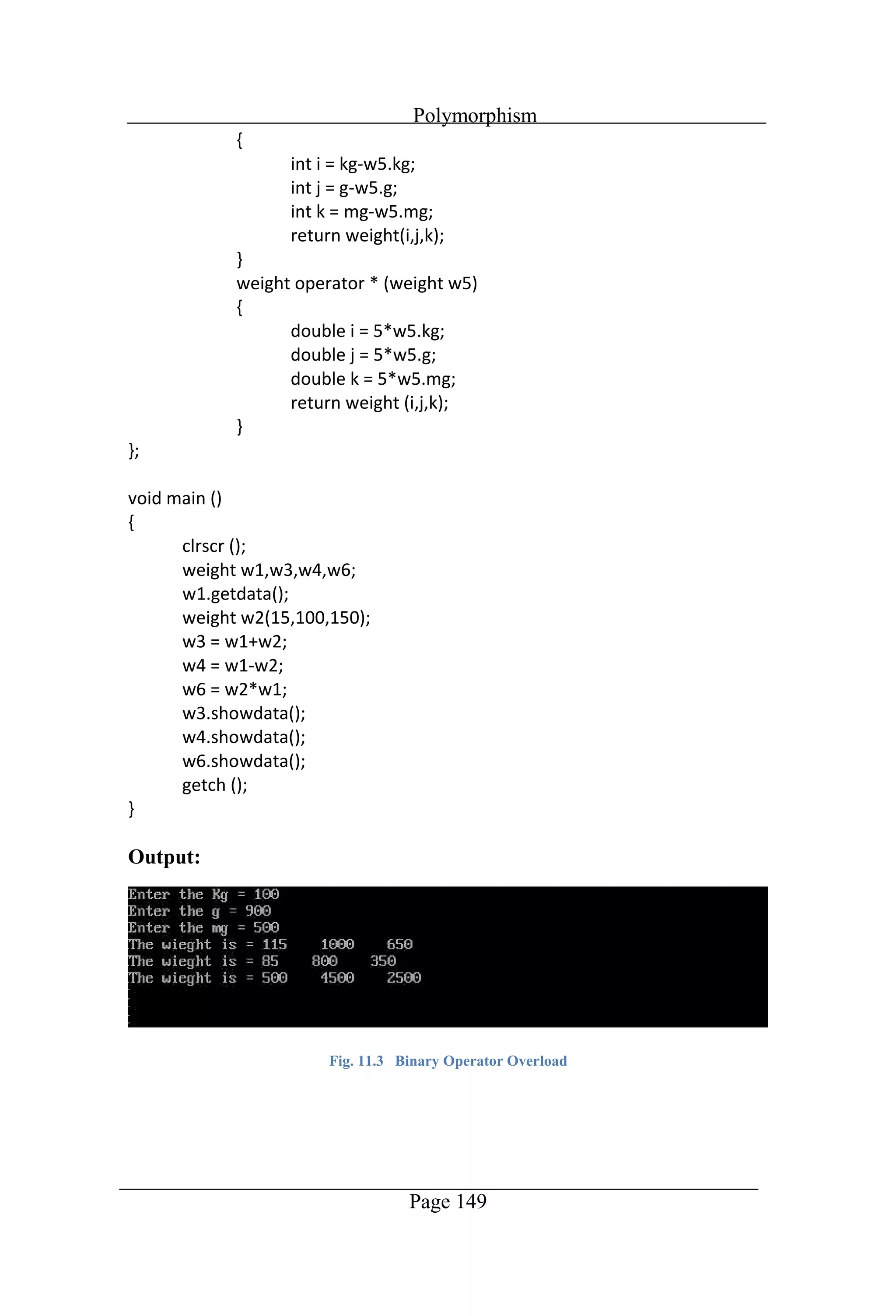
Polymorphism Page 149 Output: Fig. 11.3 Binary Operator Overload
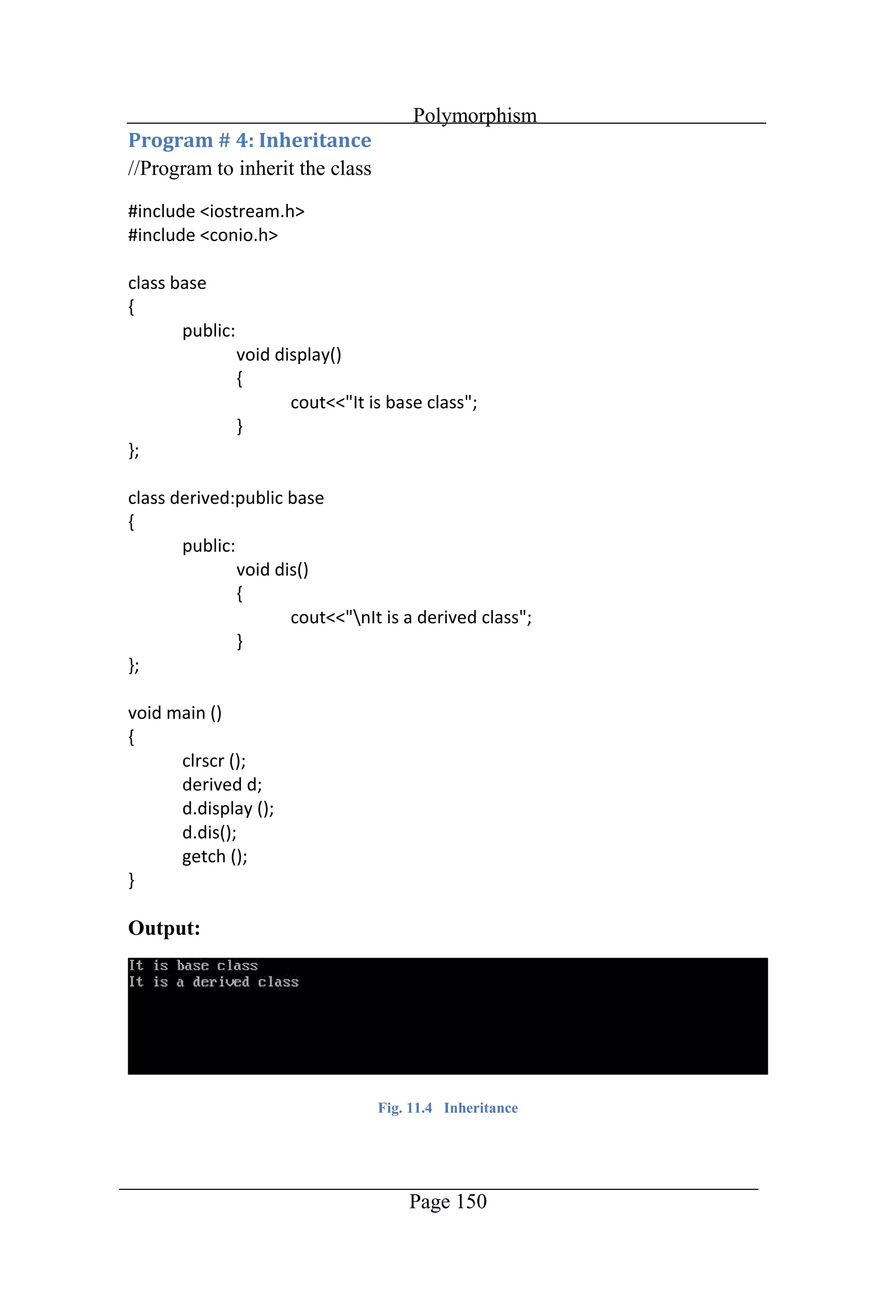
Polymorphism Page 150 //Program to inherit the class Output: Fig. 11.4 Inheritance
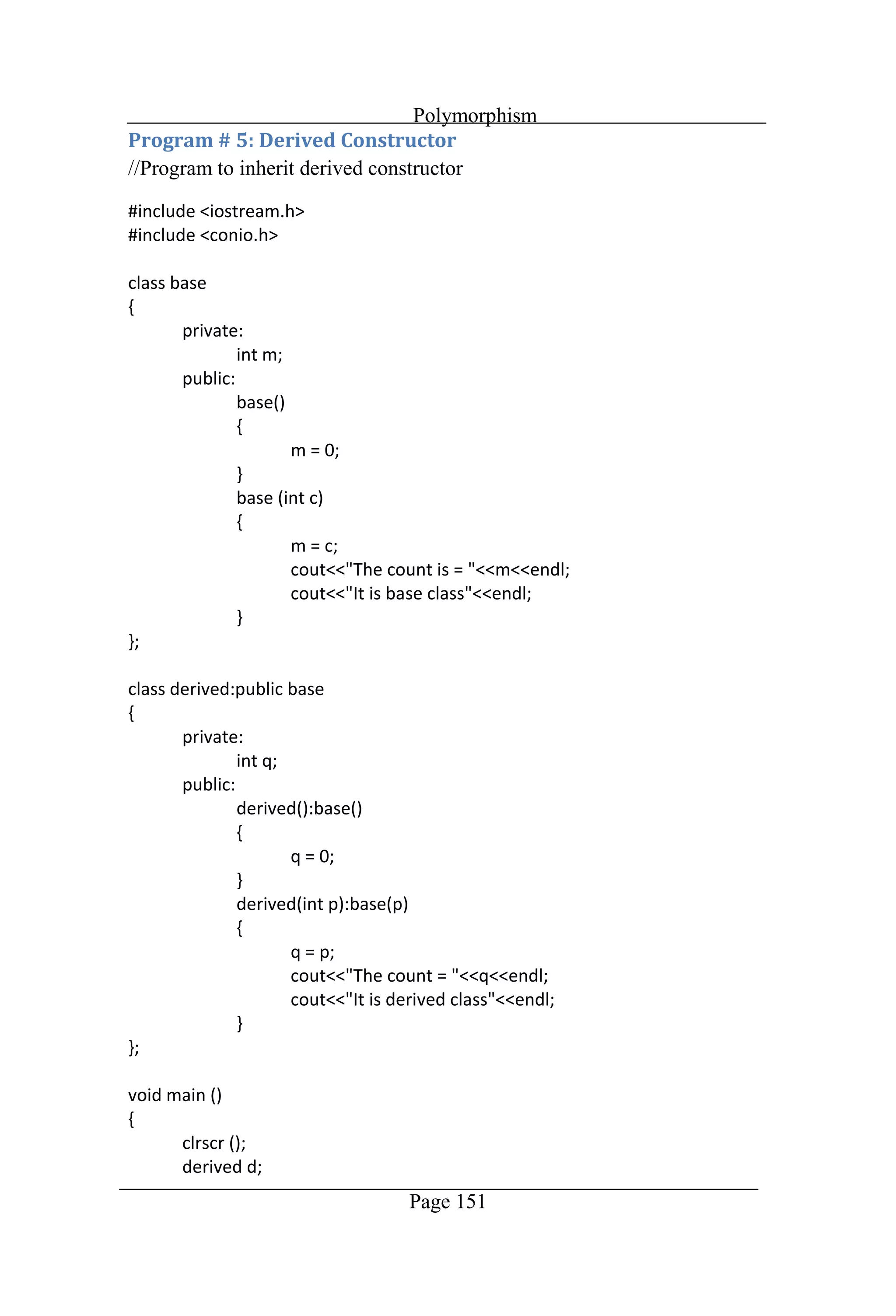
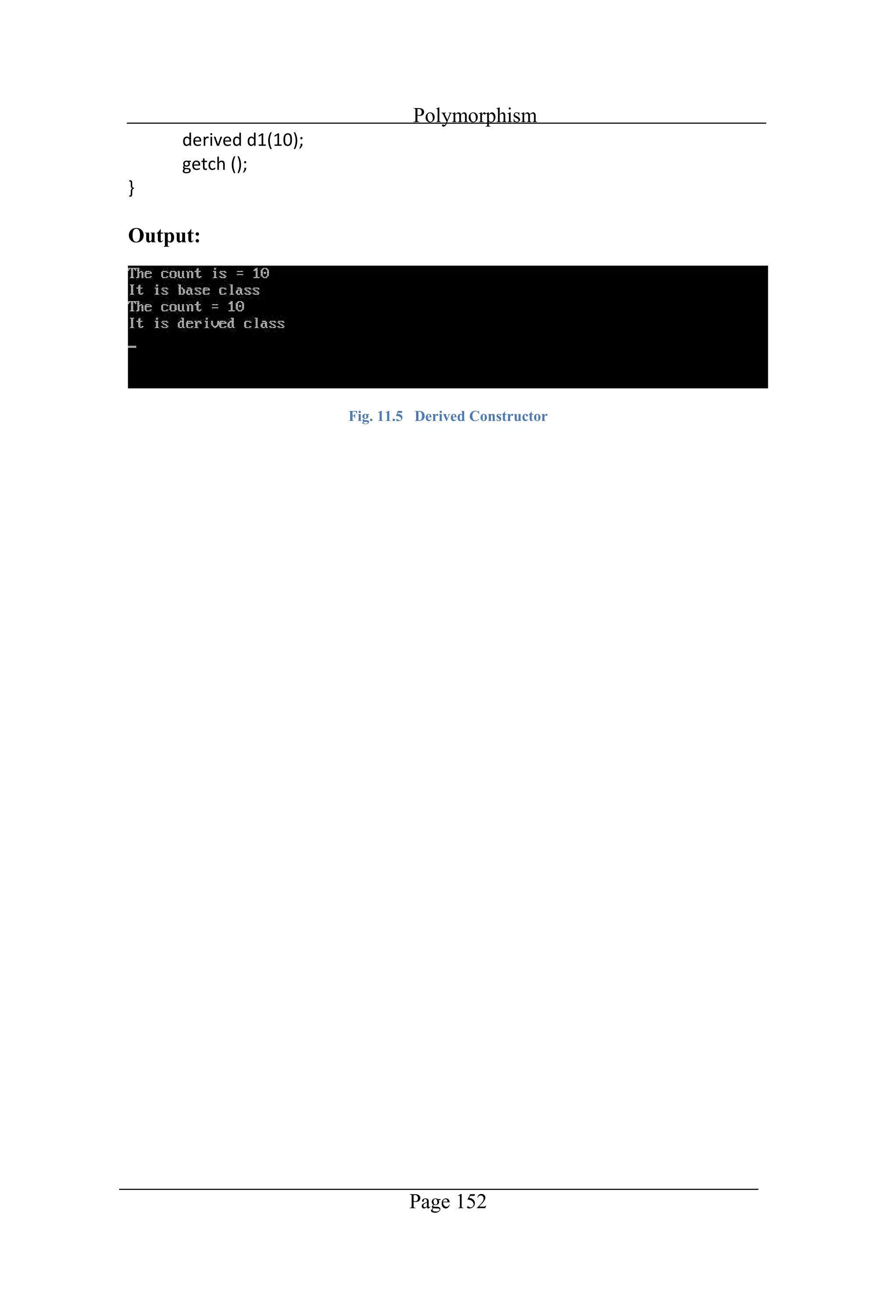
Polymorphism Page 151 //Program to inherit derived constructor
Polymorphism Page 152 Output: Fig. 11.5 Derived Constructor
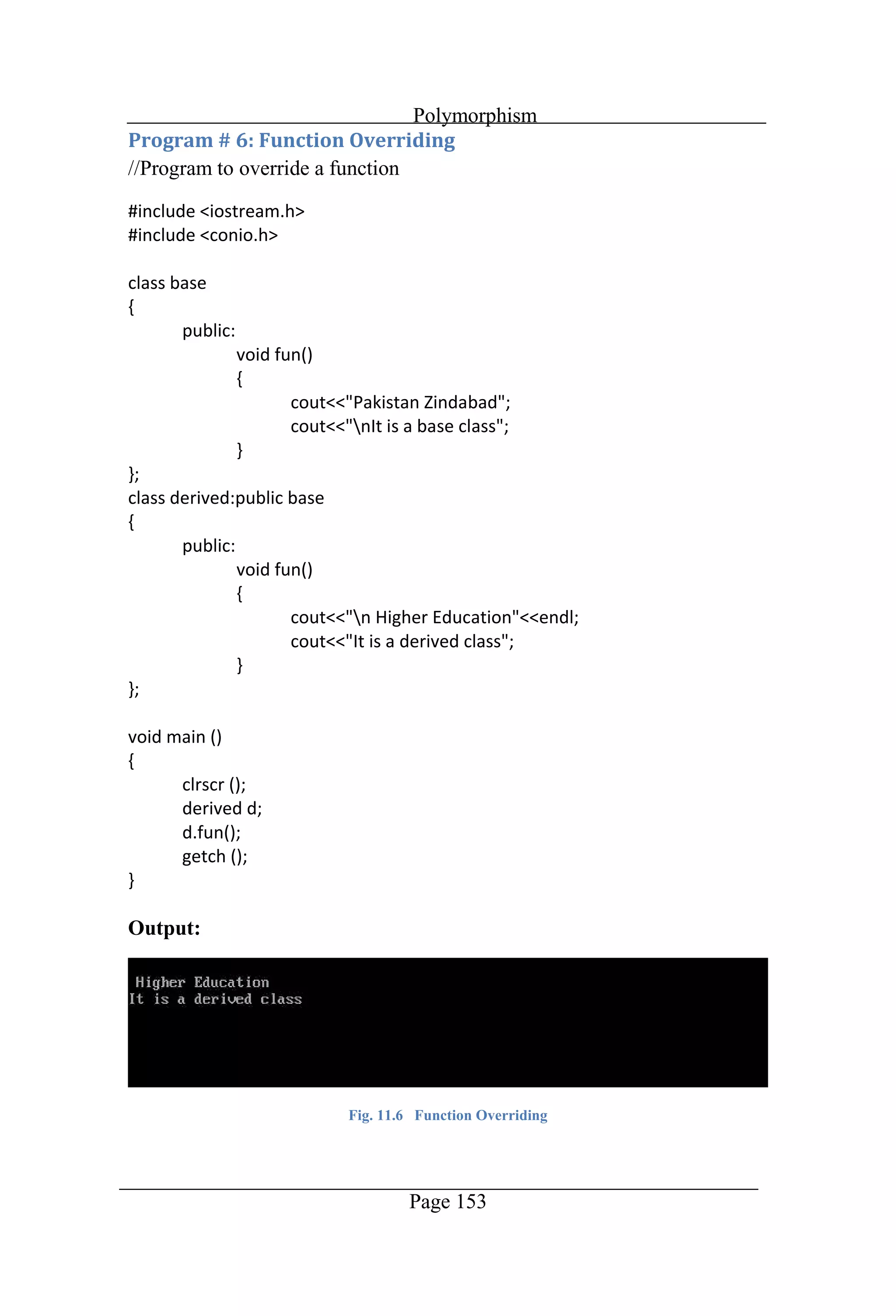
Polymorphism Page 153 //Program to override a function Output: Fig. 11.6 Function Overriding
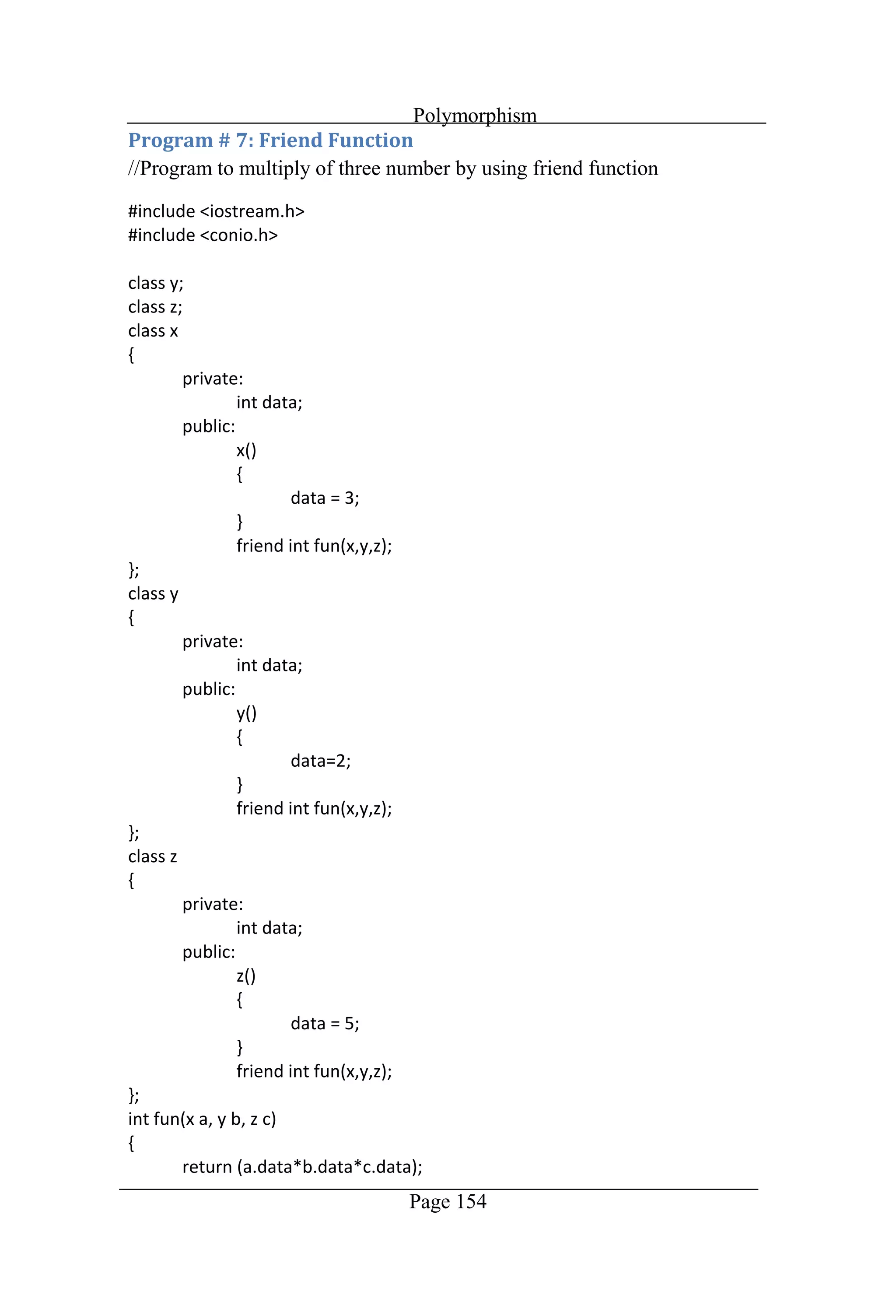
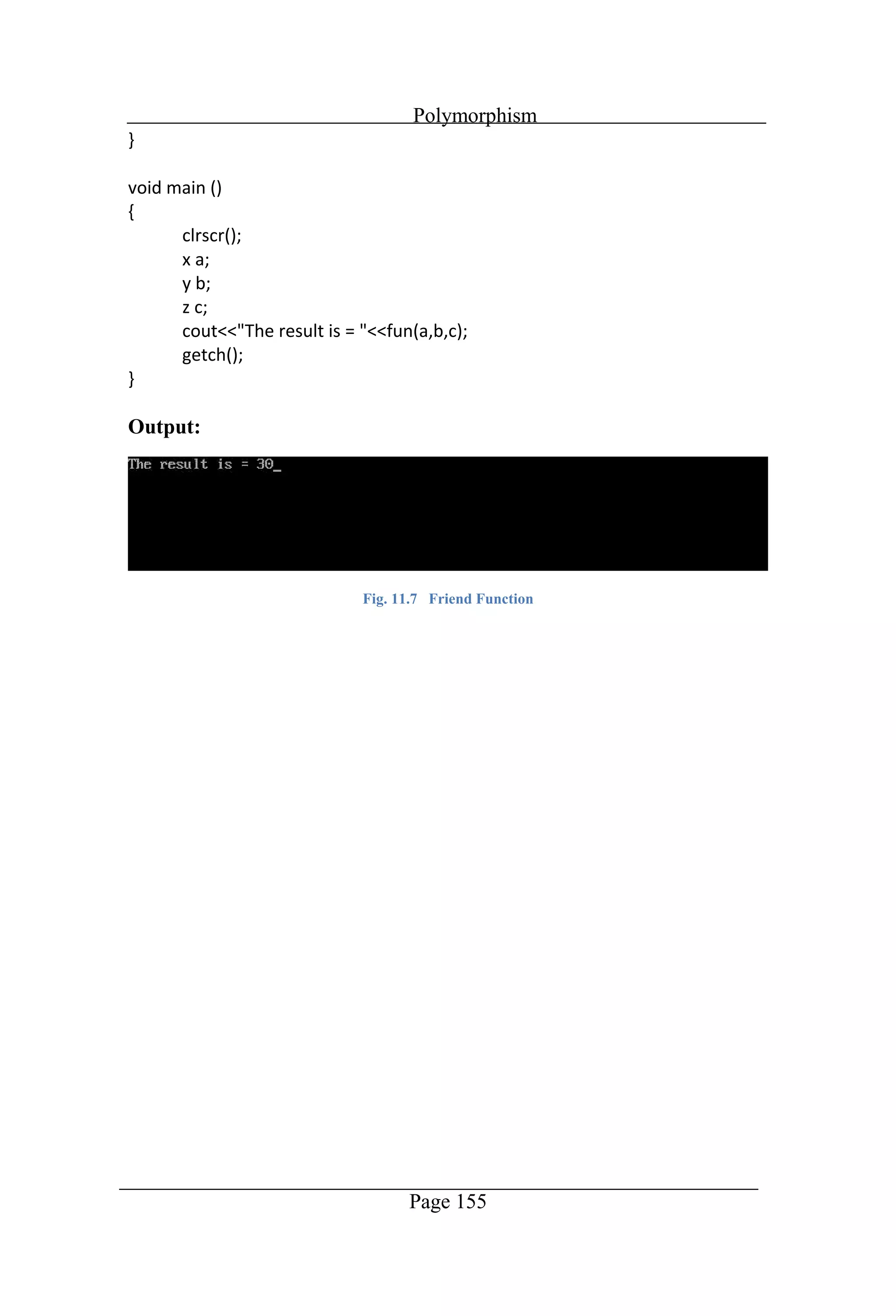
Polymorphism Page 154 //Program to multiply of three number by using friend function
Polymorphism Page 155 Output: Fig. 11.7 Friend Function
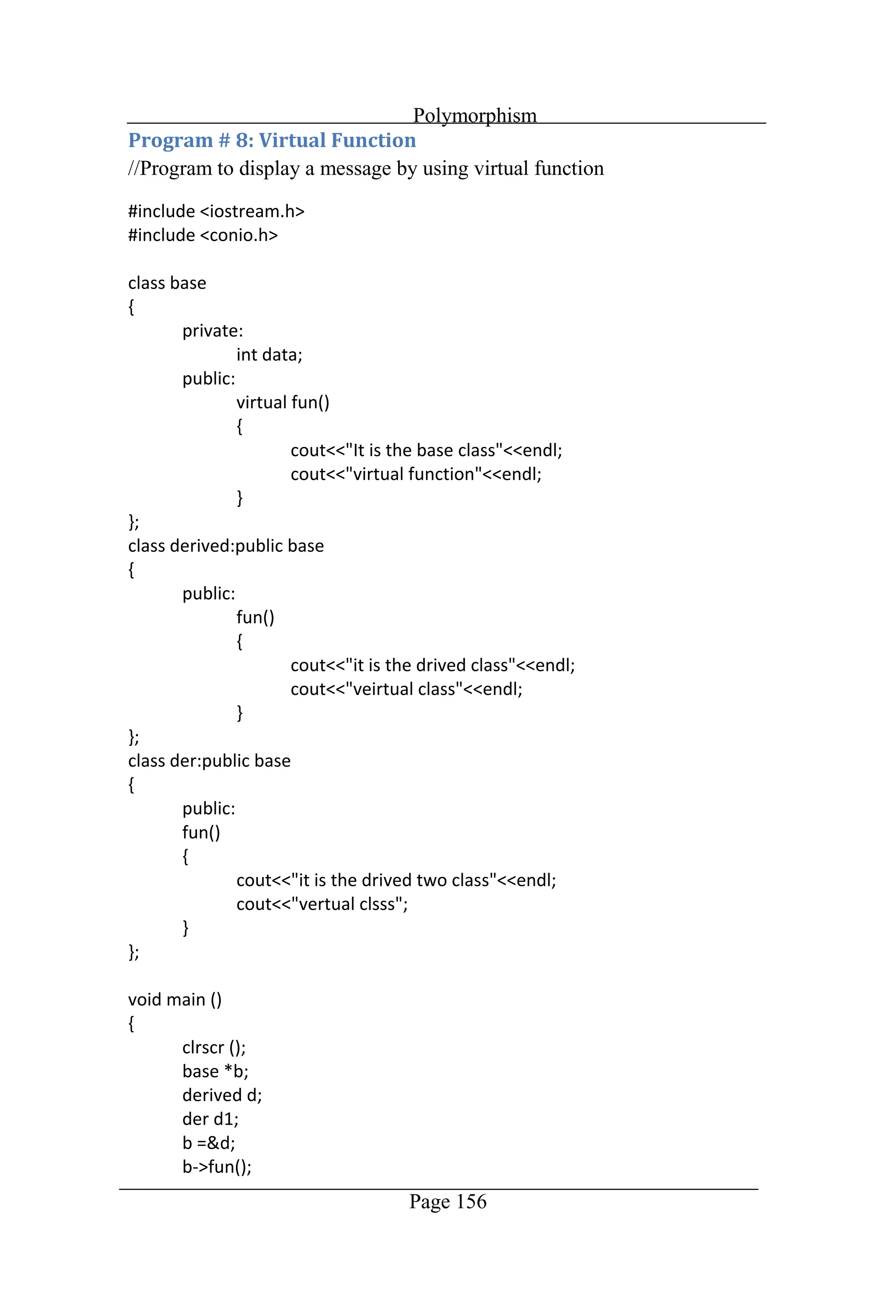
Polymorphism Page 156 //Program to display a message by using virtual function
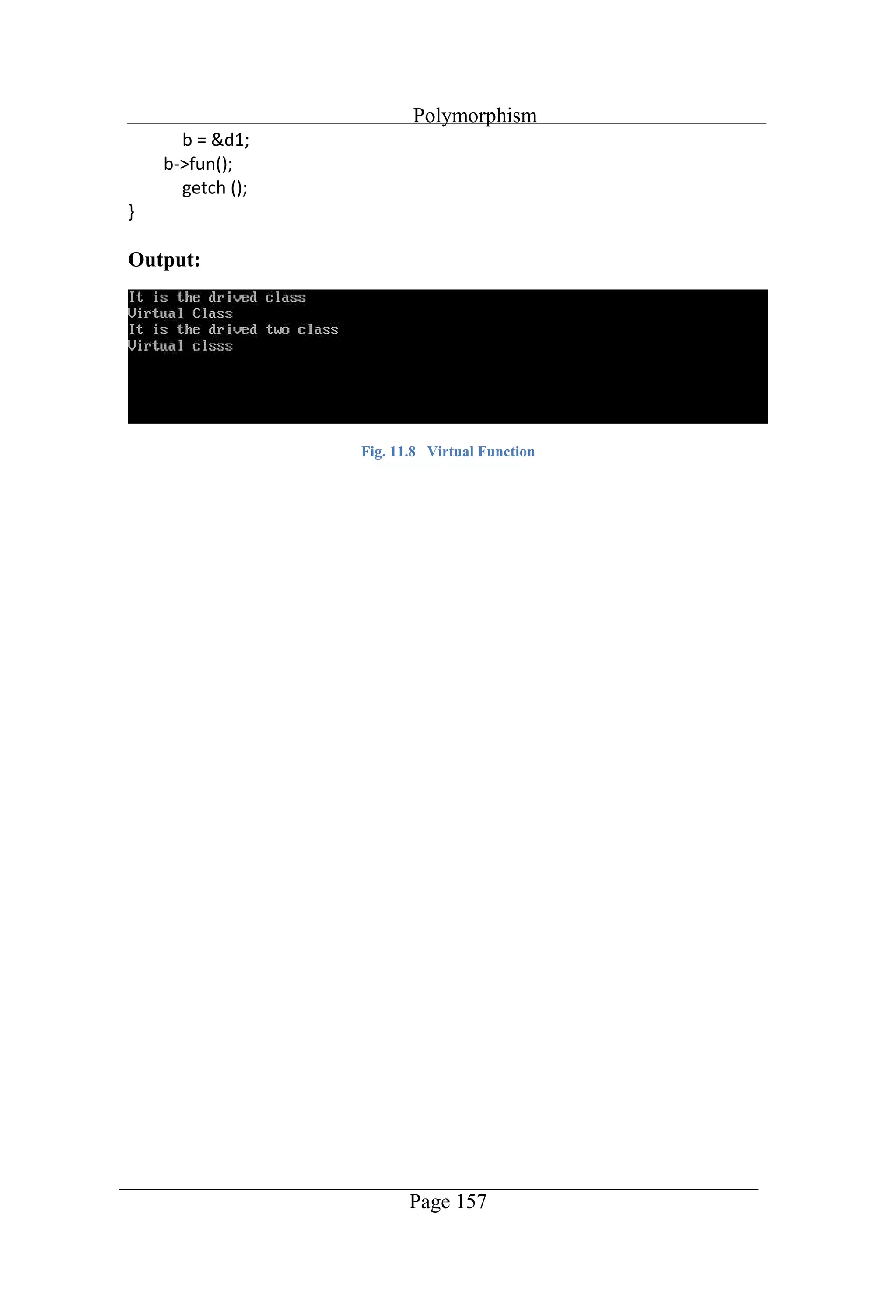
Polymorphism Page 157 Output: Fig. 11.8 Virtual Function
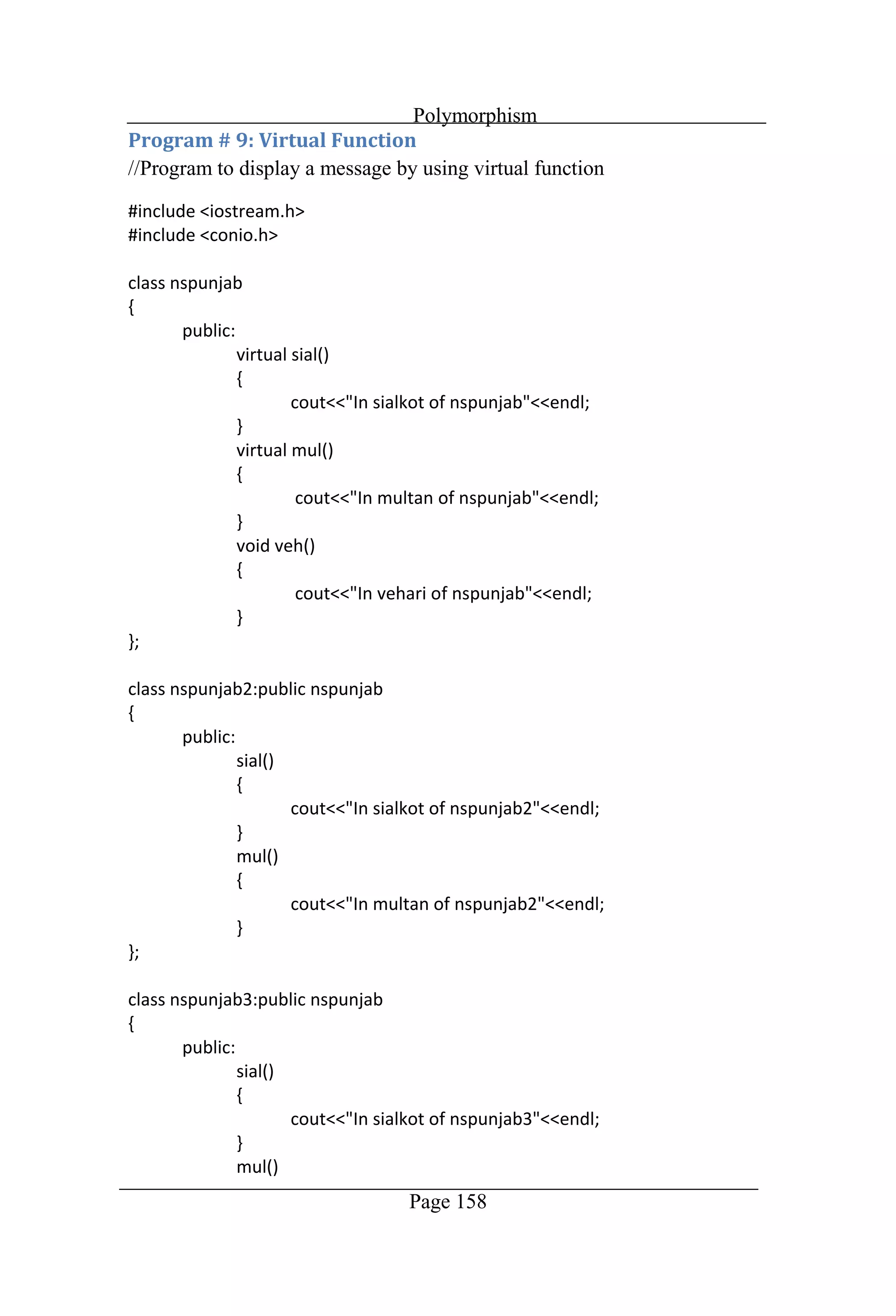
Polymorphism Page 158 //Program to display a message by using virtual function
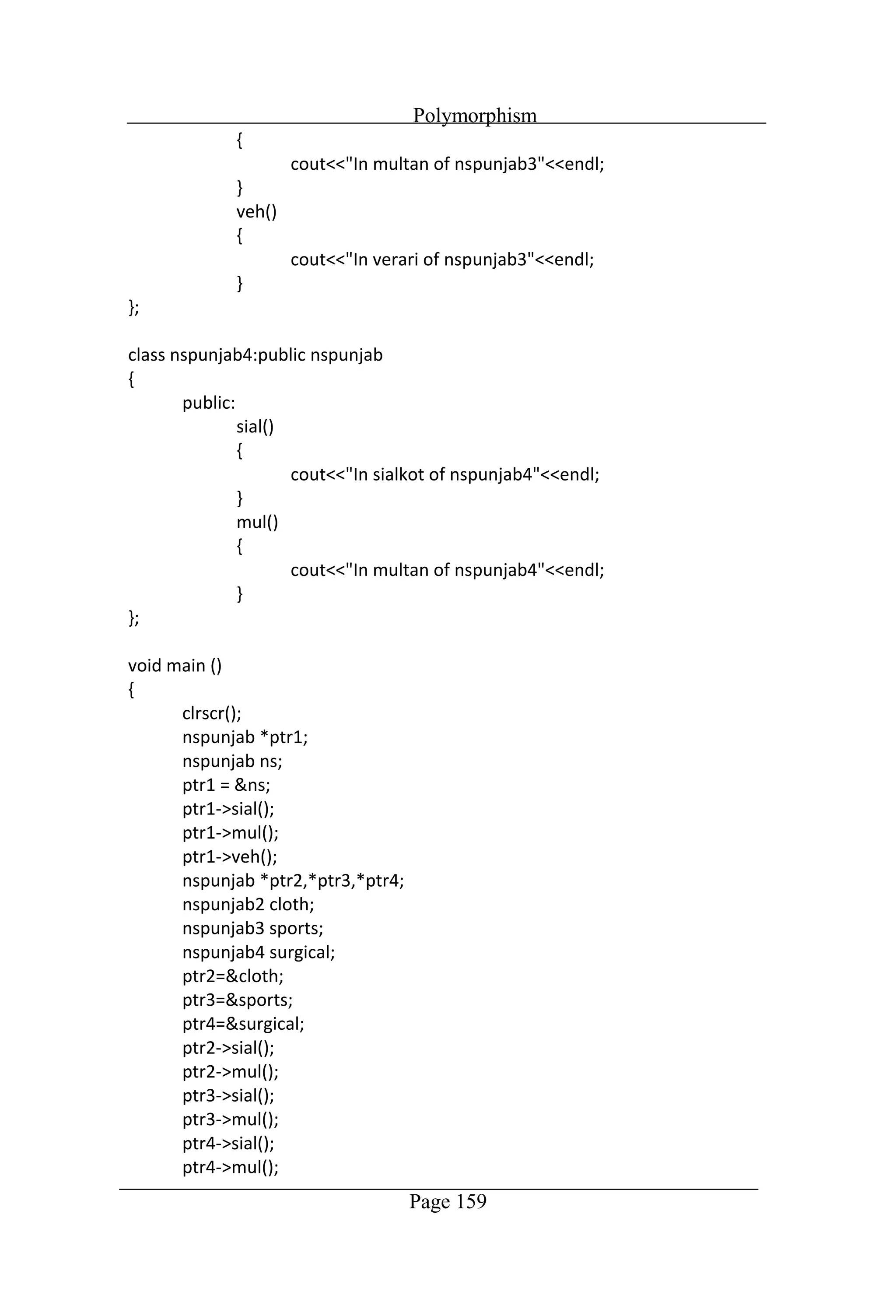
Polymorphism Page 159
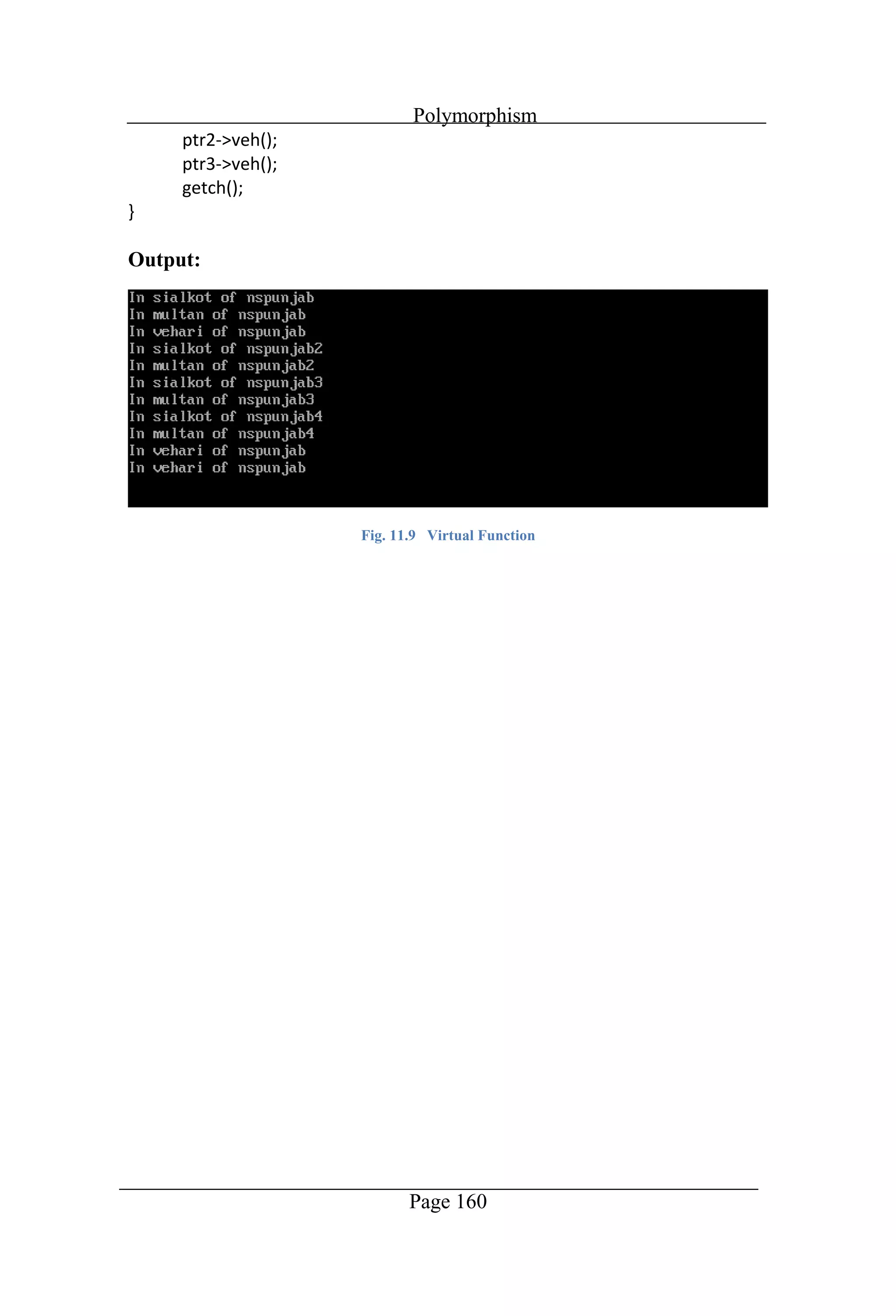
Polymorphism Page 160 Output: Fig. 11.9 Virtual Function
Chapter 12 Graphics
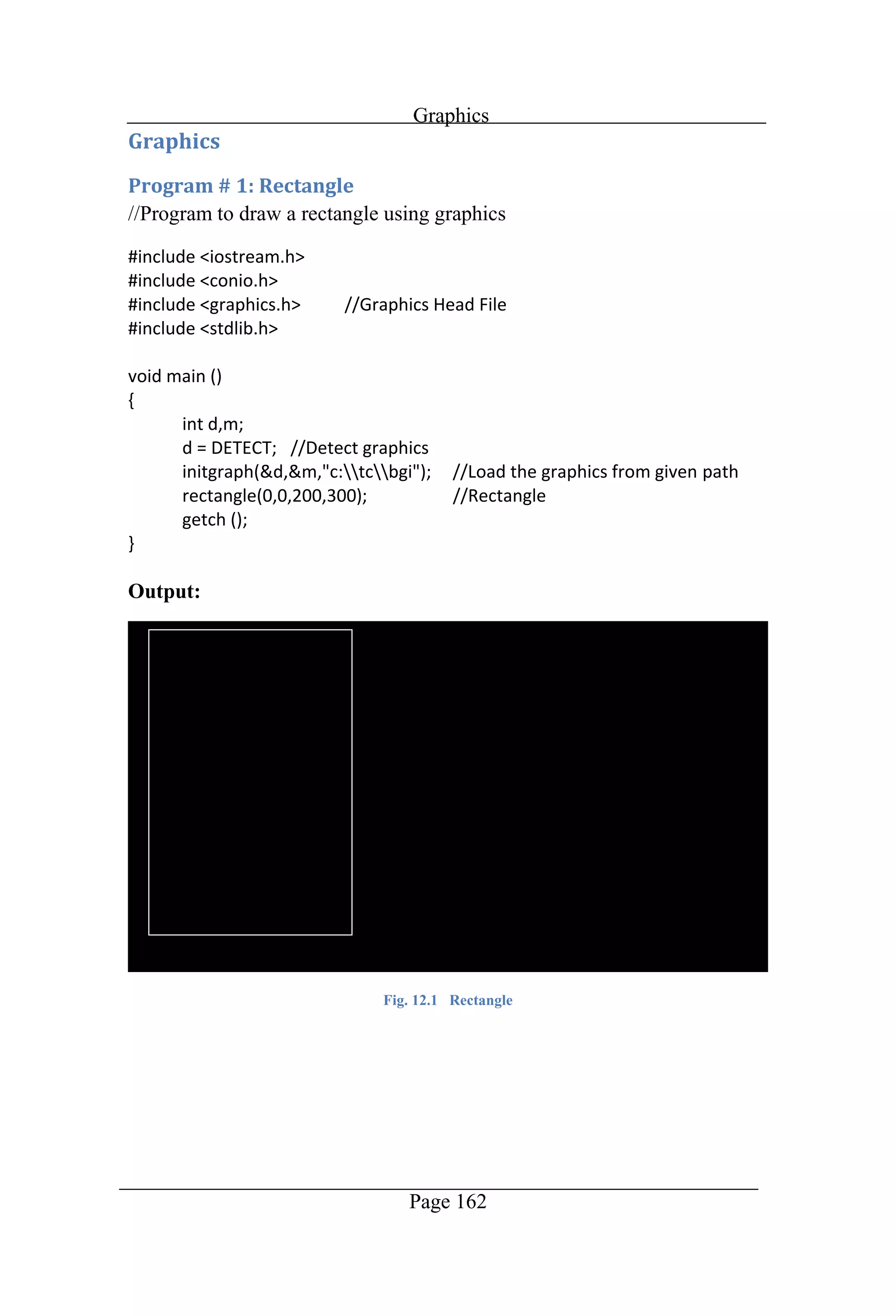
Graphics Page 162 //Program to draw a rectangle using graphics Output: Fig. 12.1 Rectangle
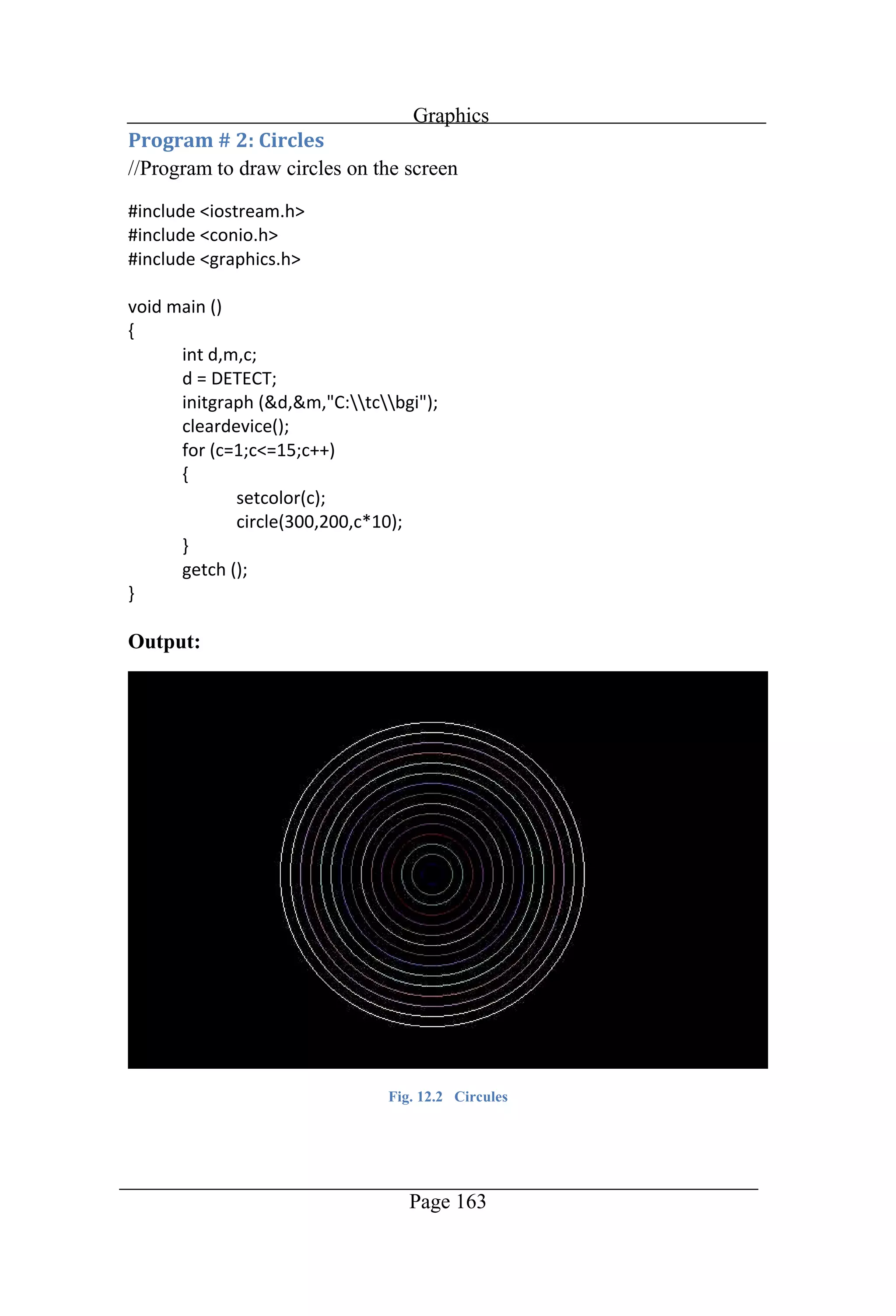
Graphics Page 163 //Program to draw circles on the screen Output: Fig. 12.2 Circules
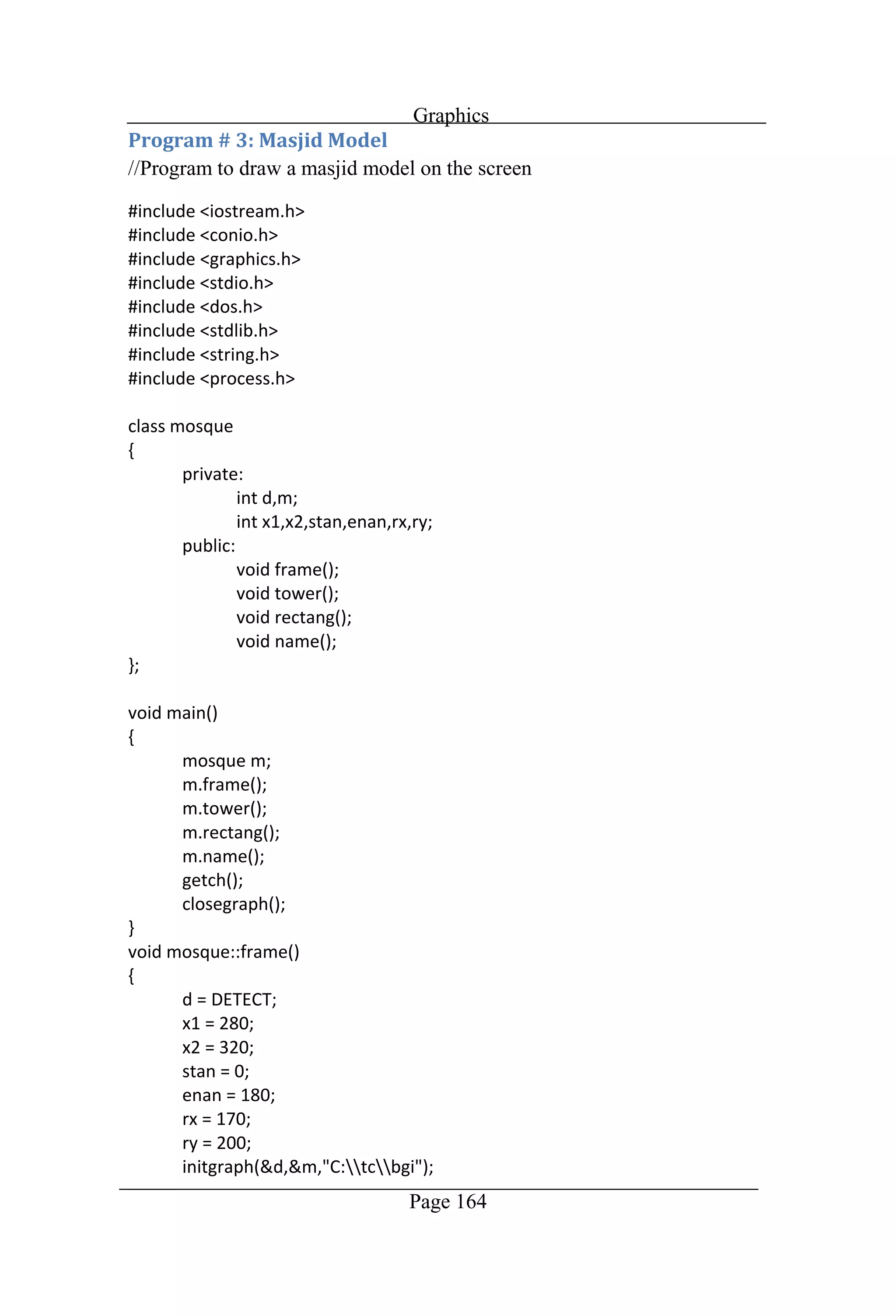
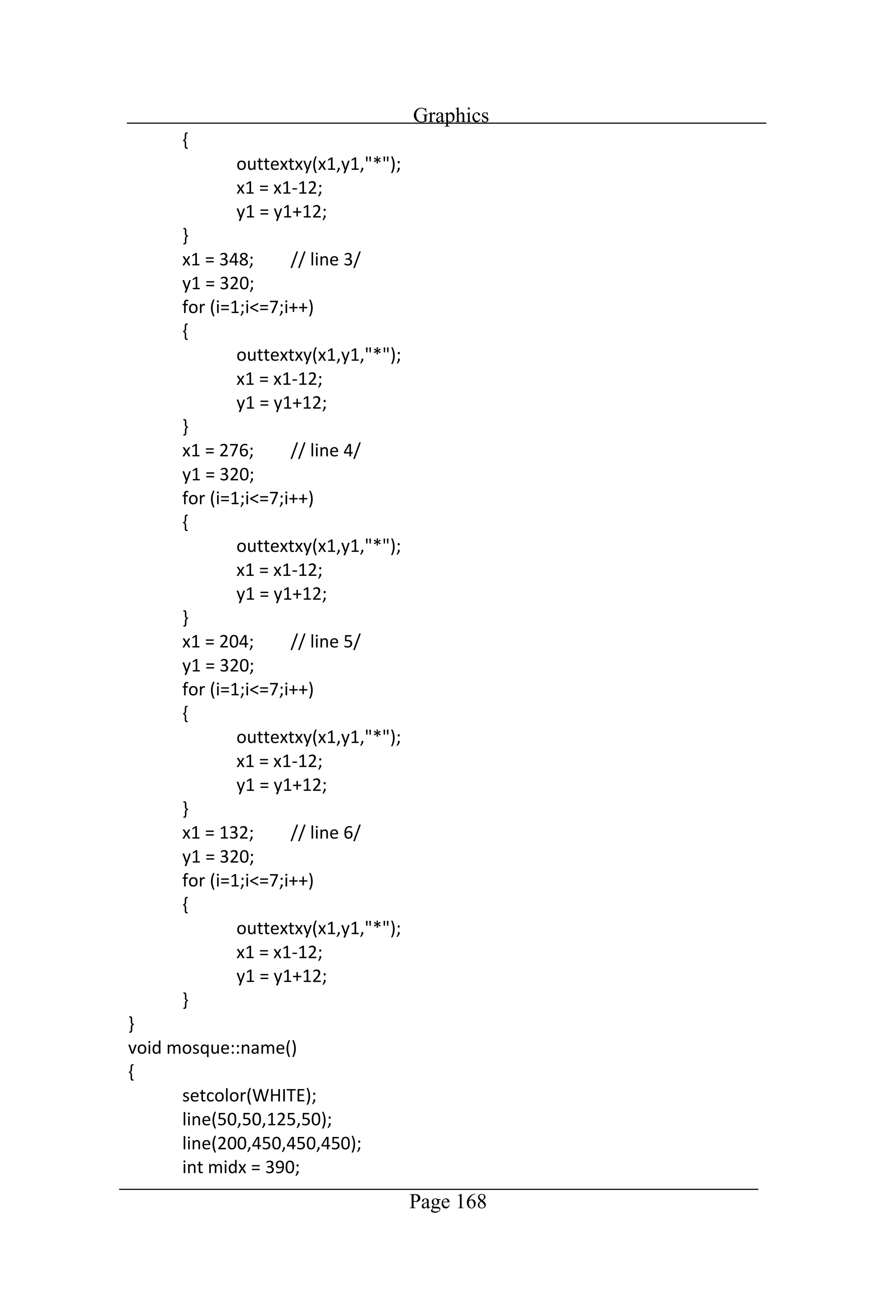
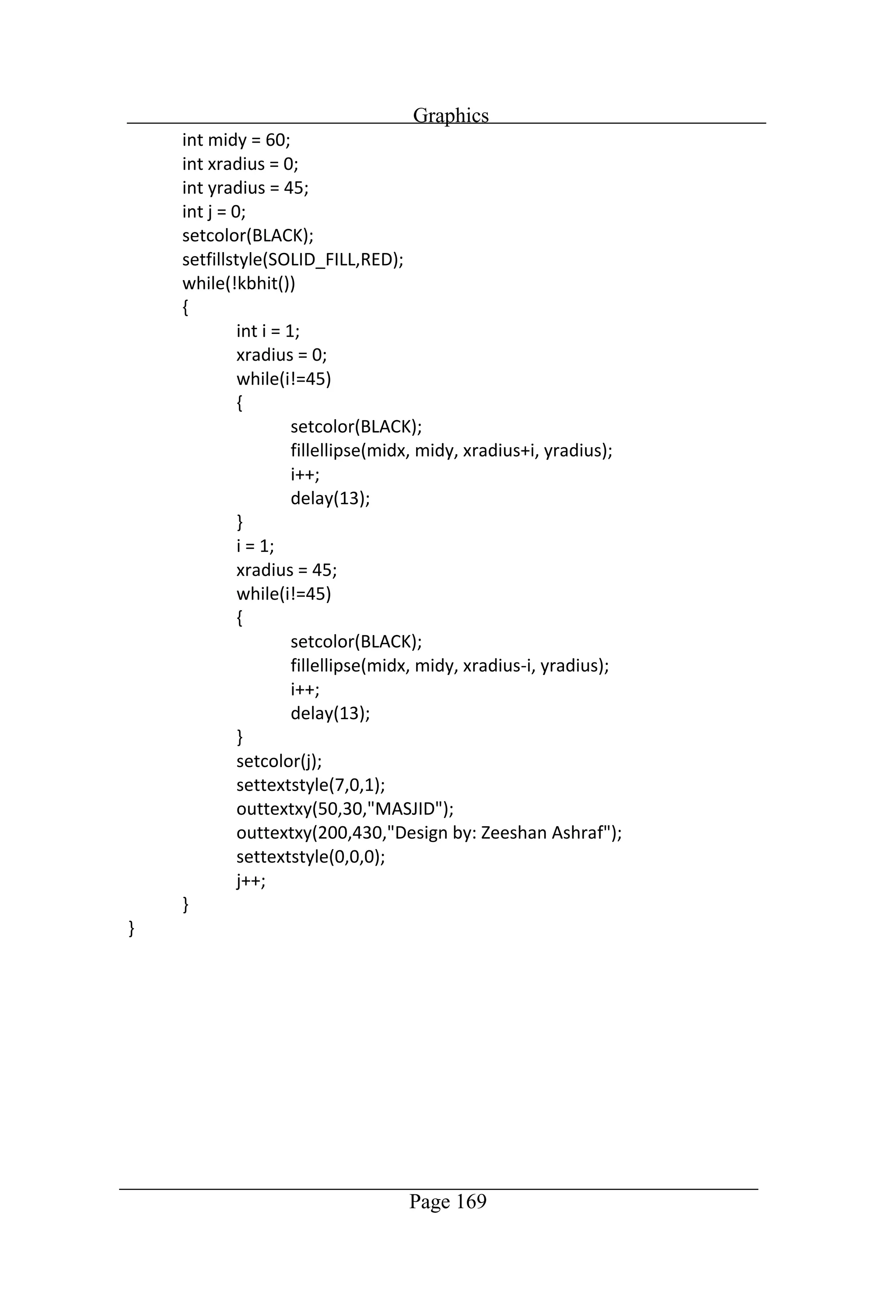
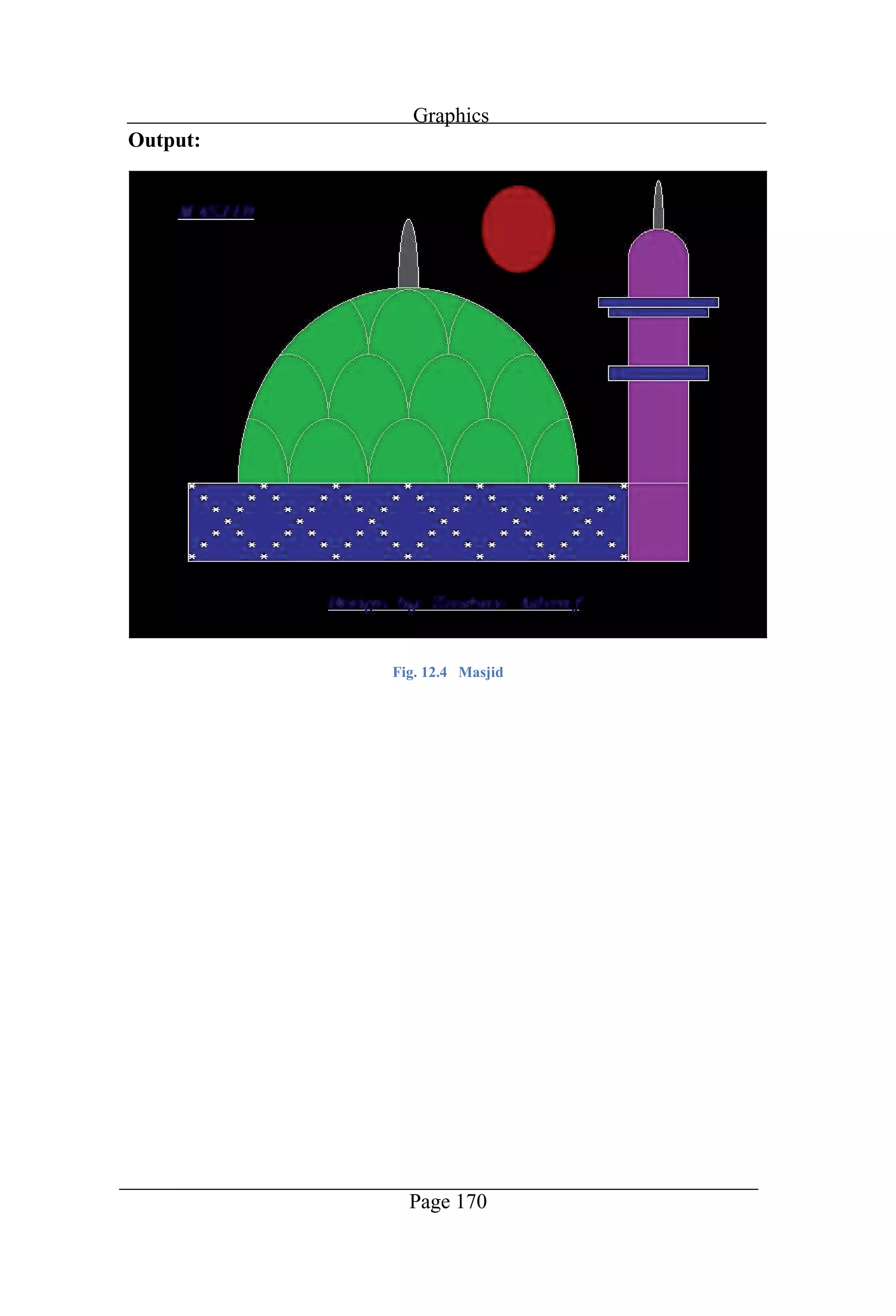
Graphics Page 164 //Program to draw a masjid model on the screen
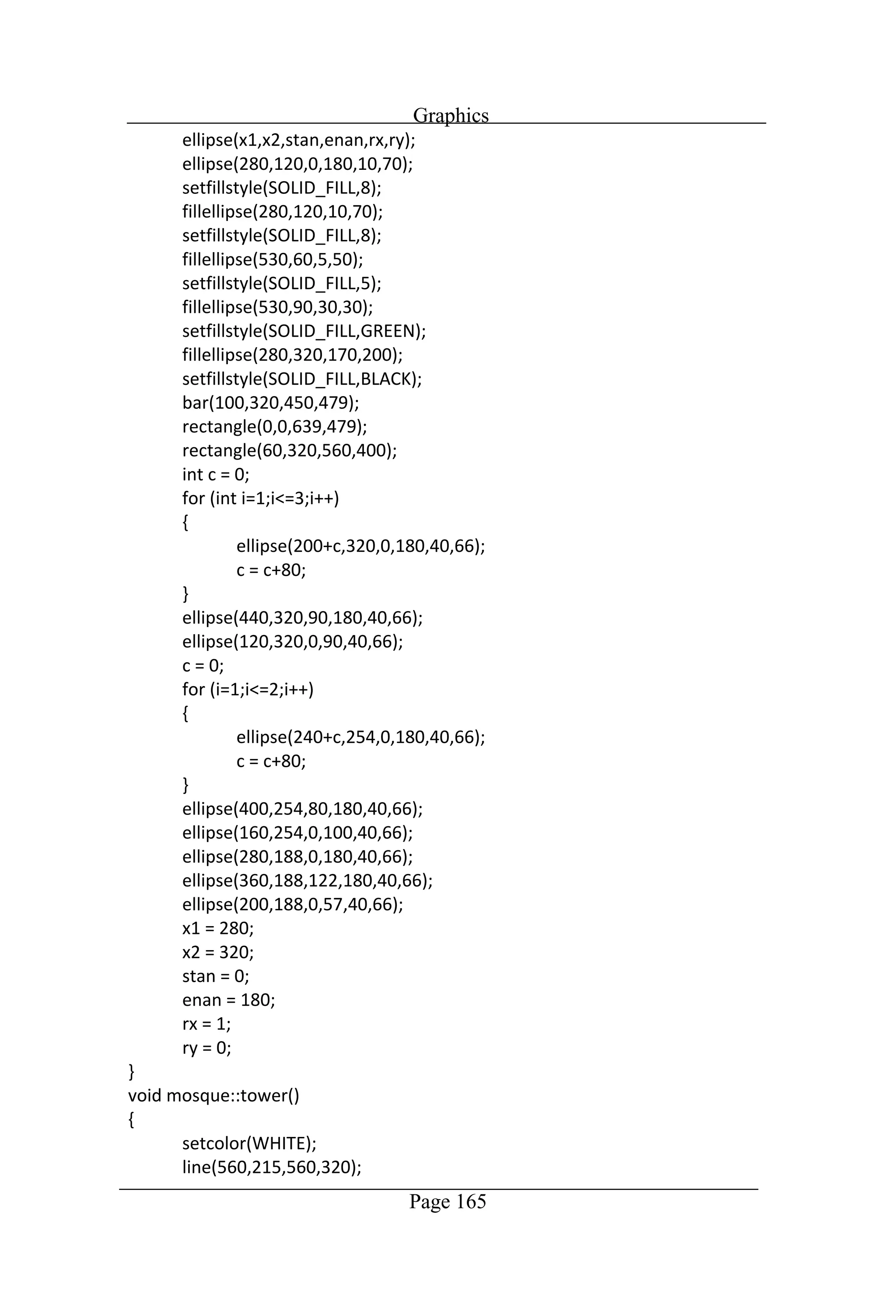
Graphics Page 165
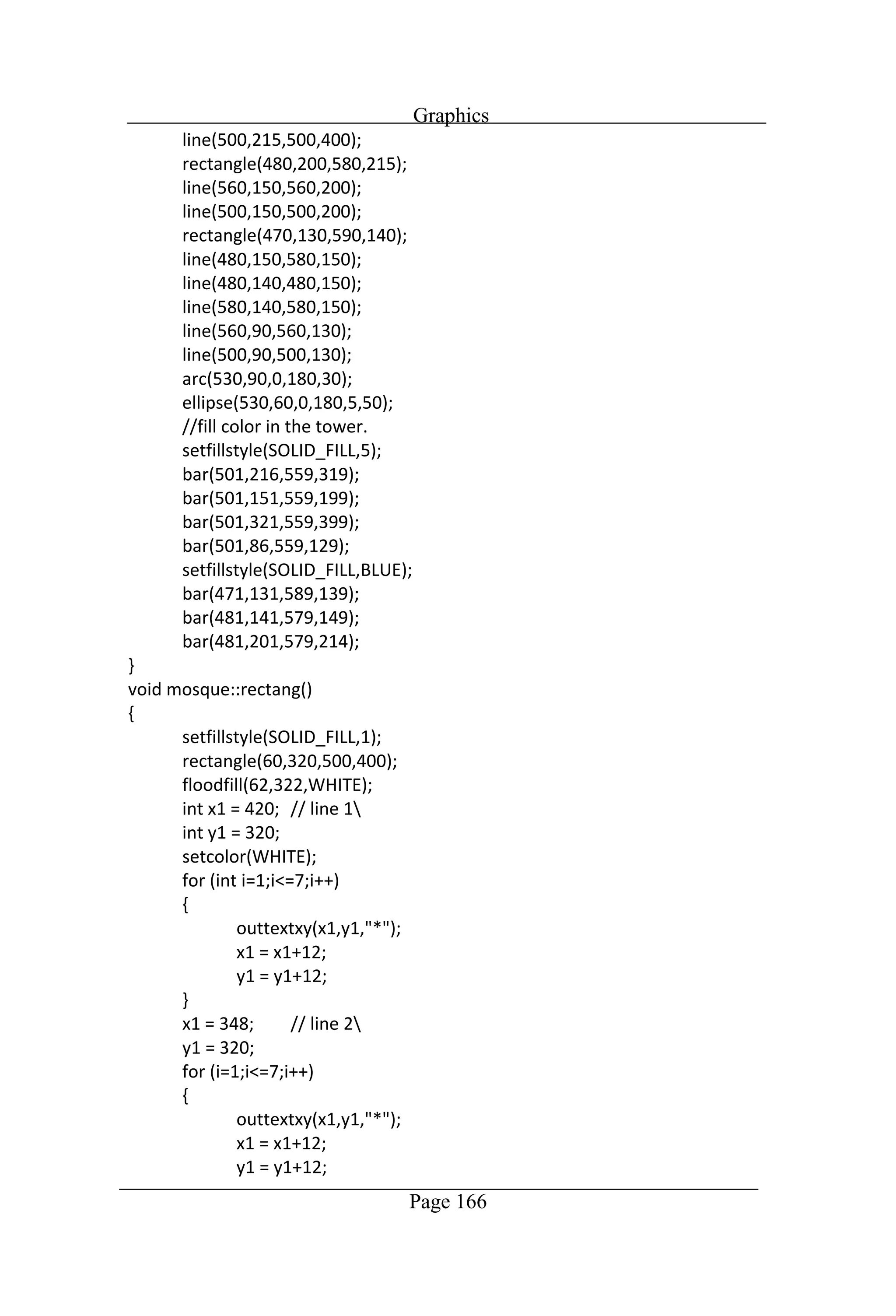
Graphics Page 166
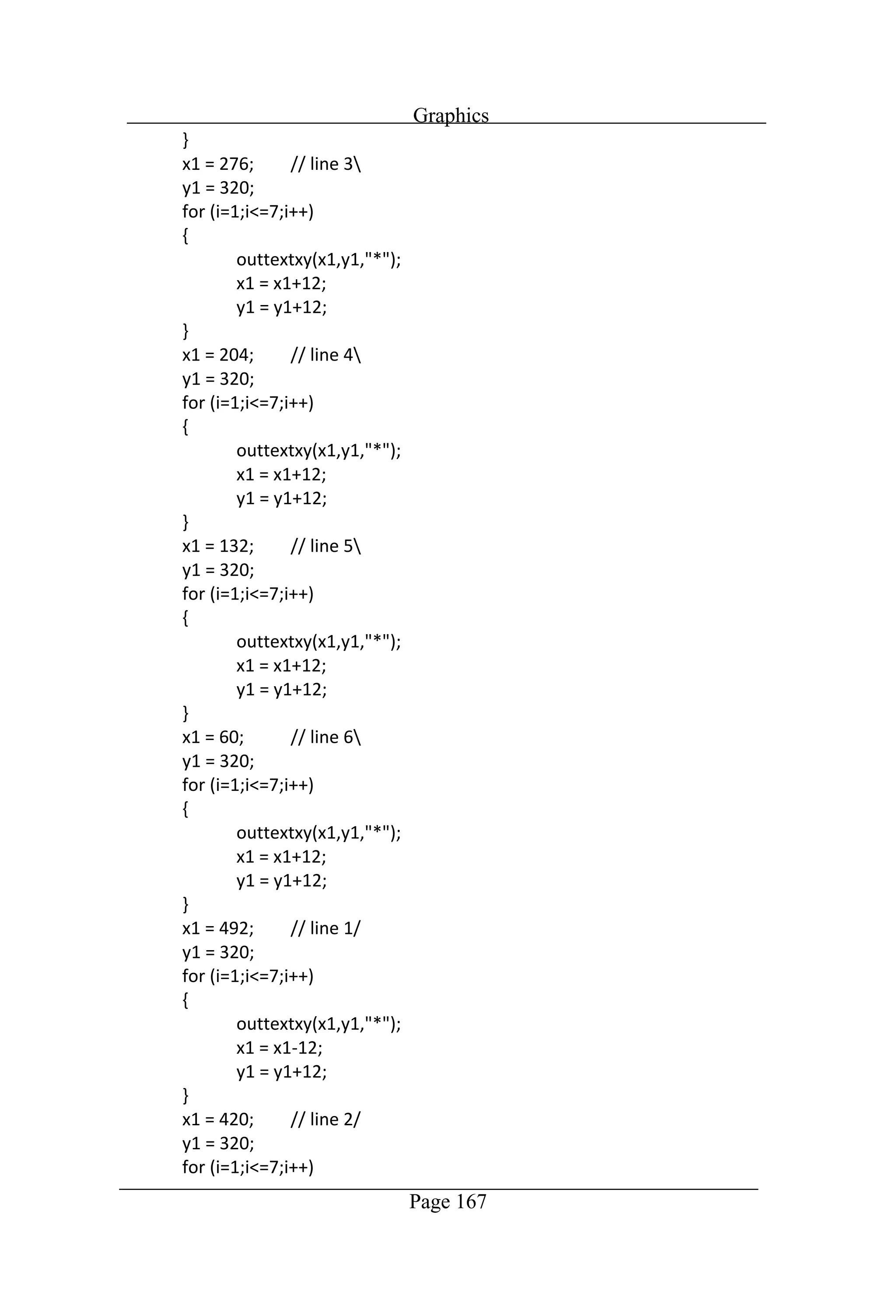
Graphics Page 167
Graphics Page 168
Graphics Page 169
Graphics Page 170 Output: Fig. 12.4 Masjid
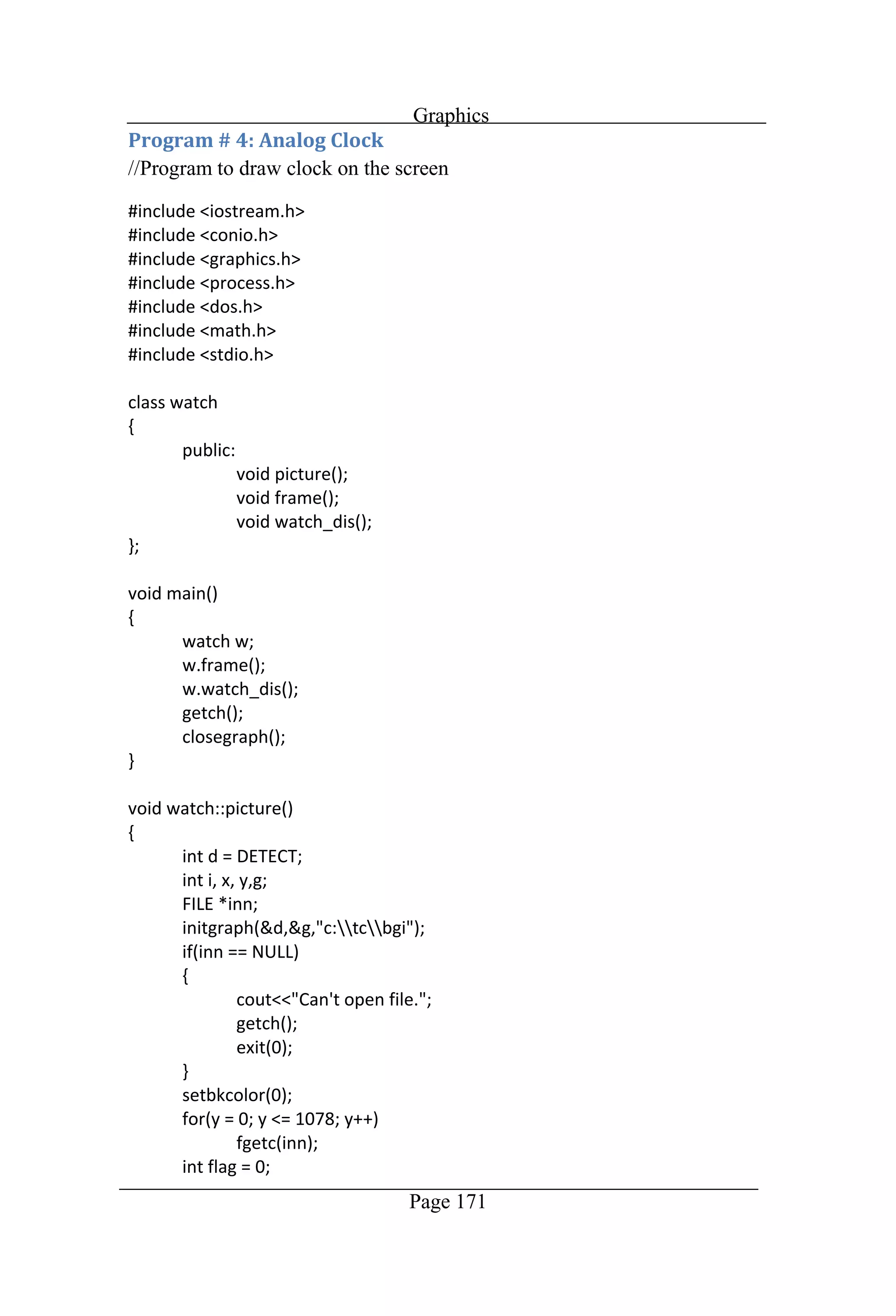
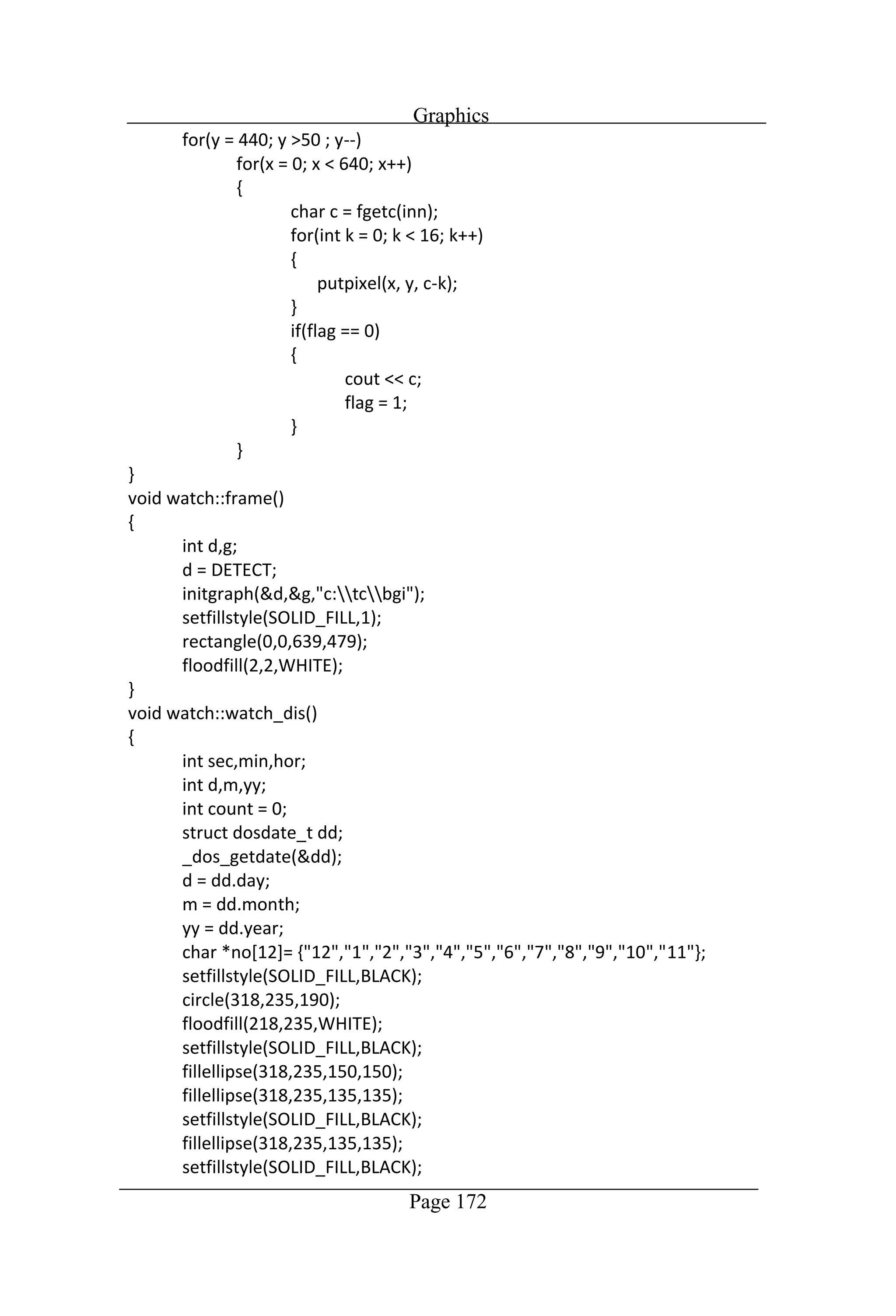
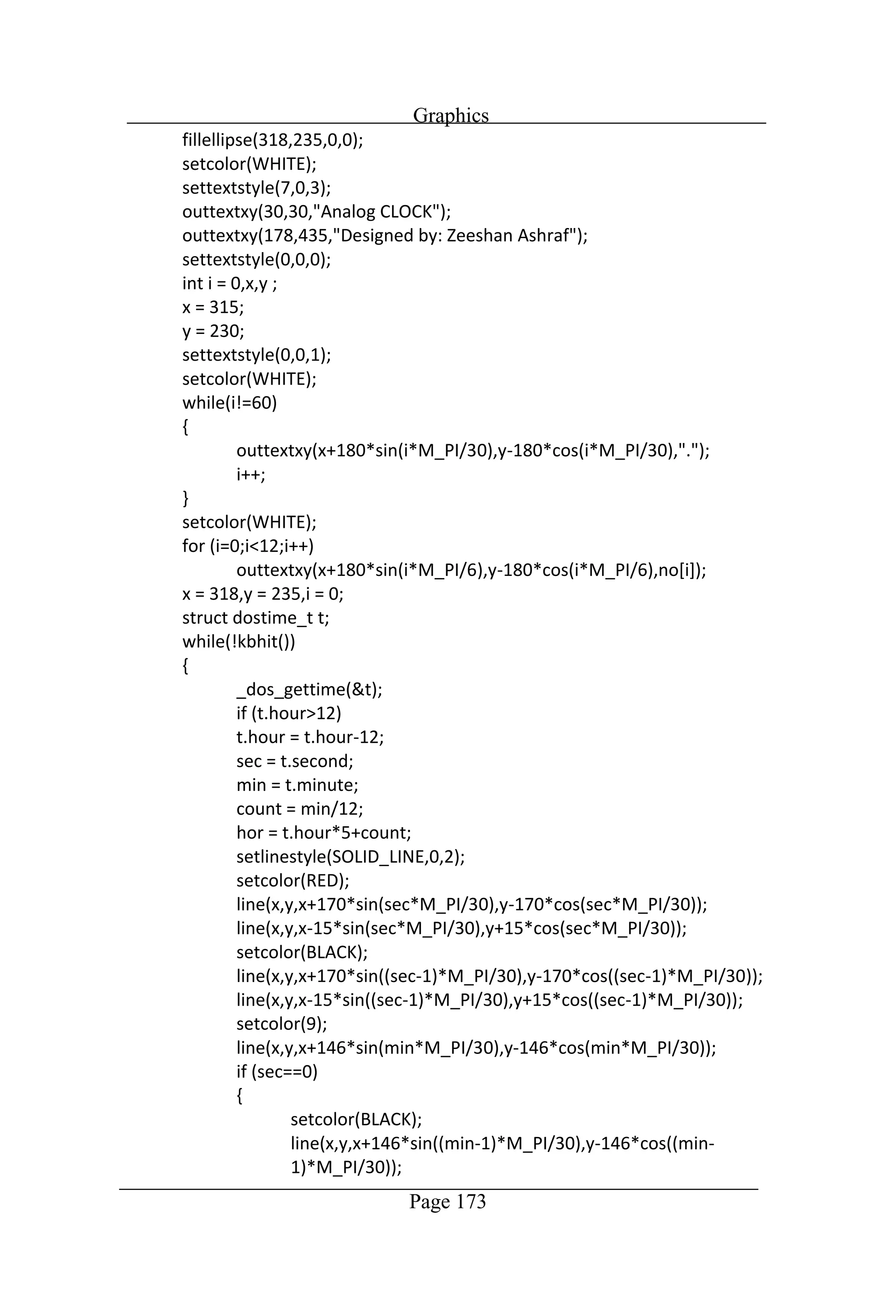
Graphics Page 171 //Program to draw clock on the screen
Graphics Page 172
Graphics Page 173
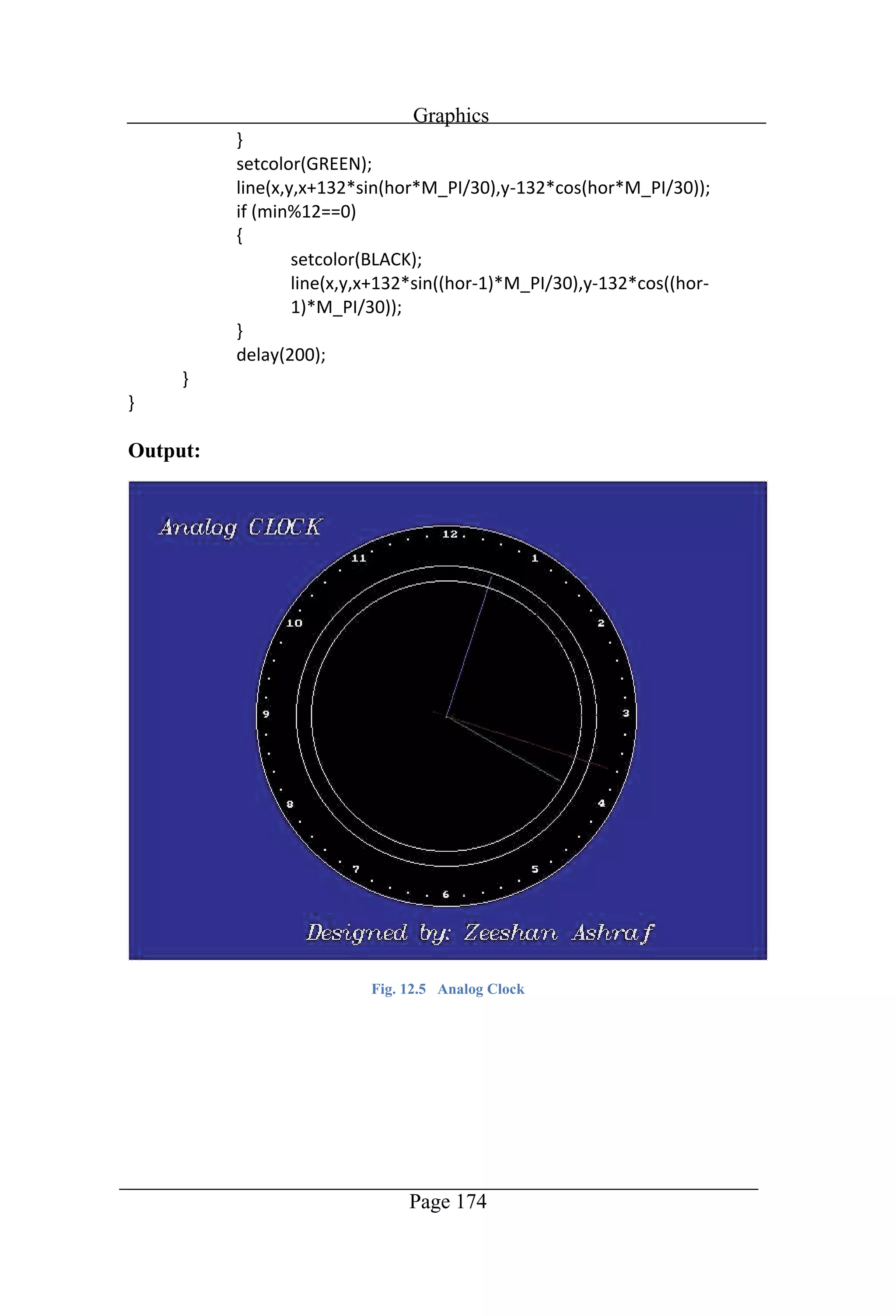
Graphics Page 174 Output: Fig. 12.5 Analog Clock
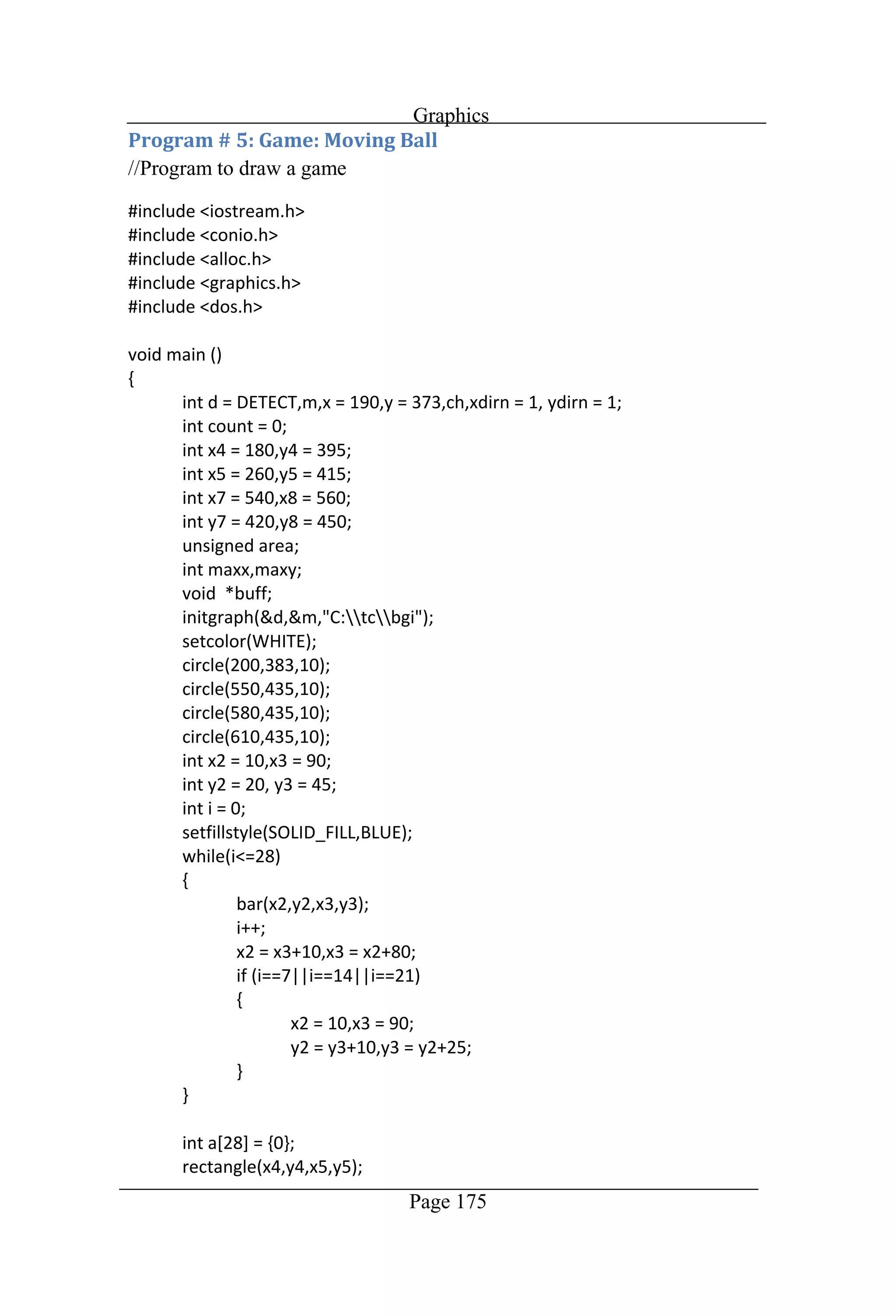
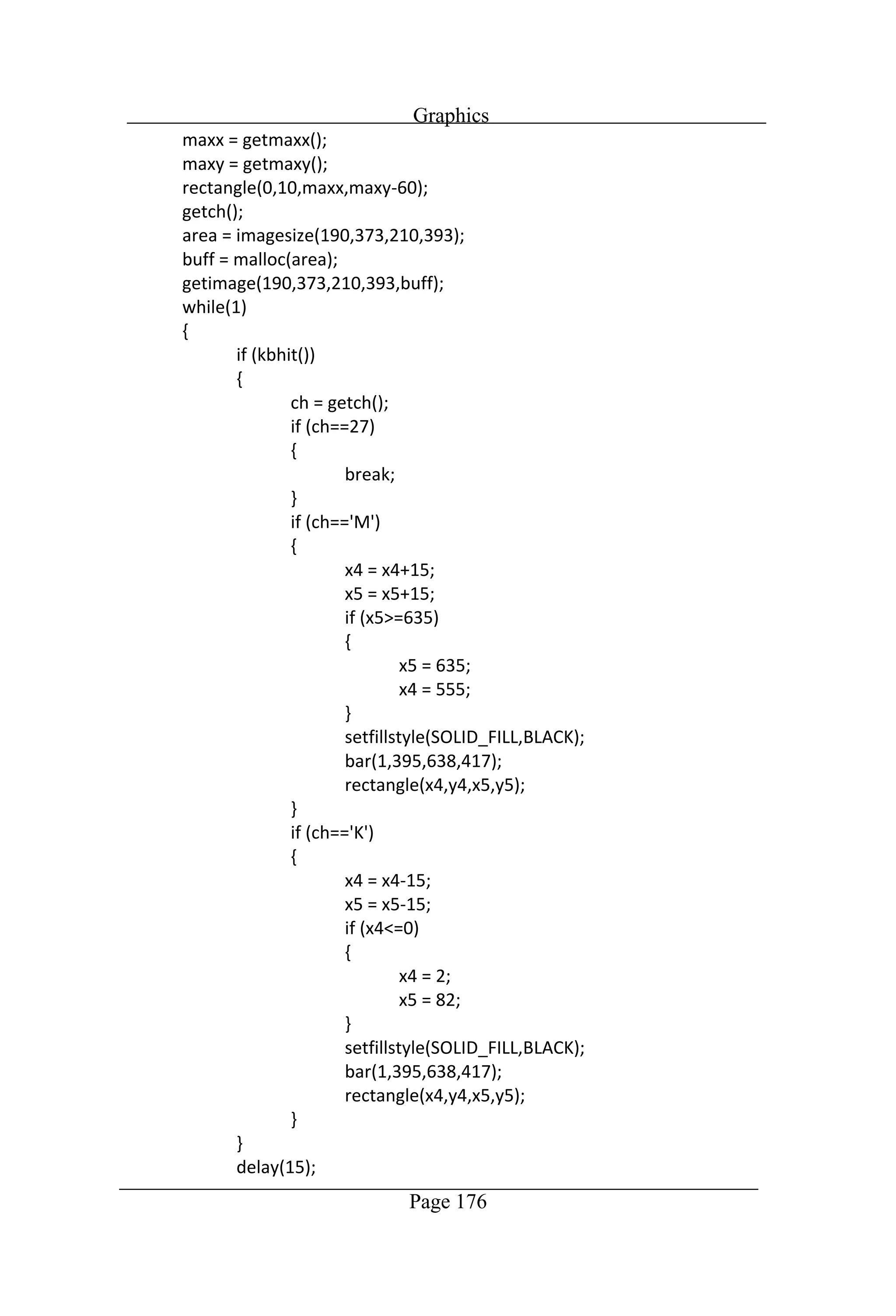
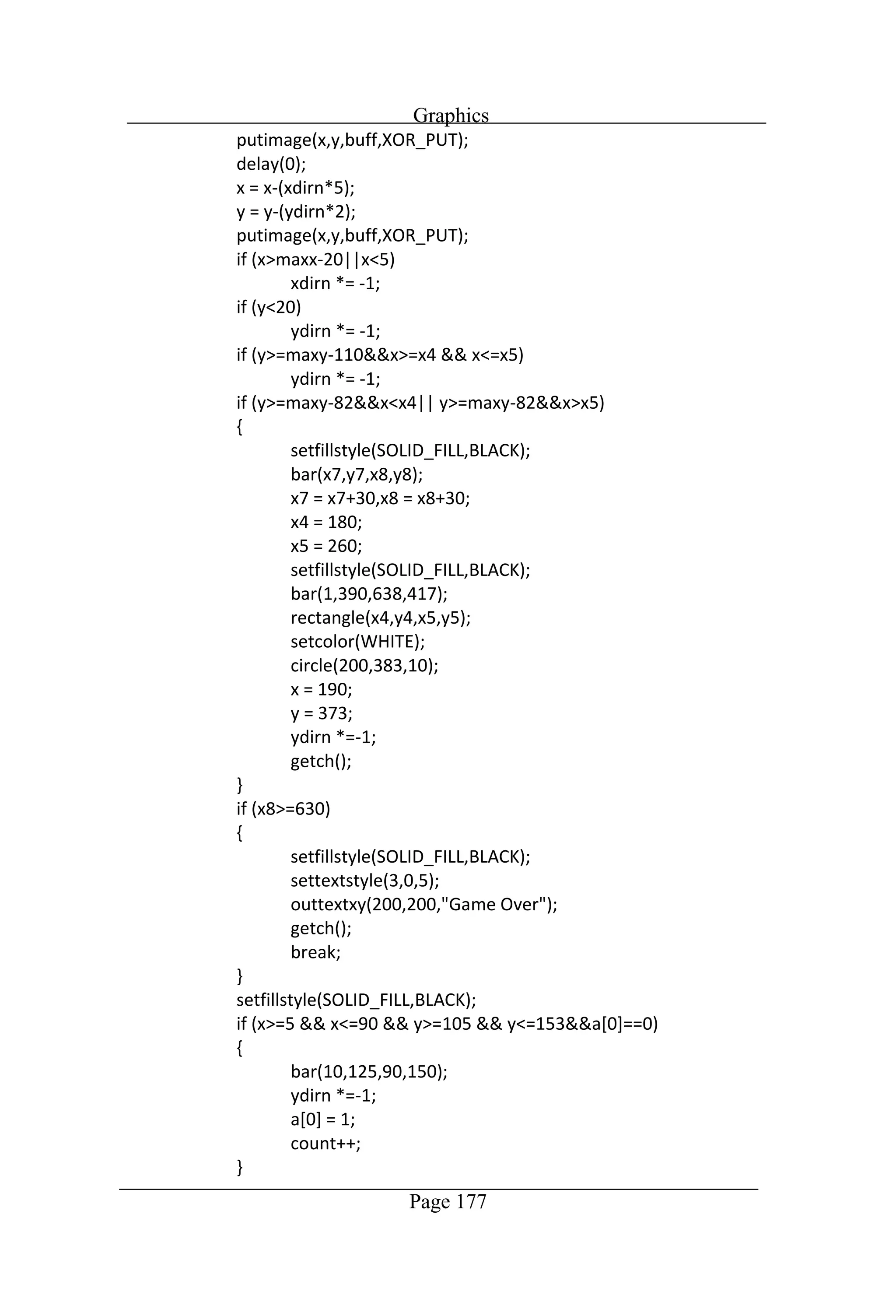
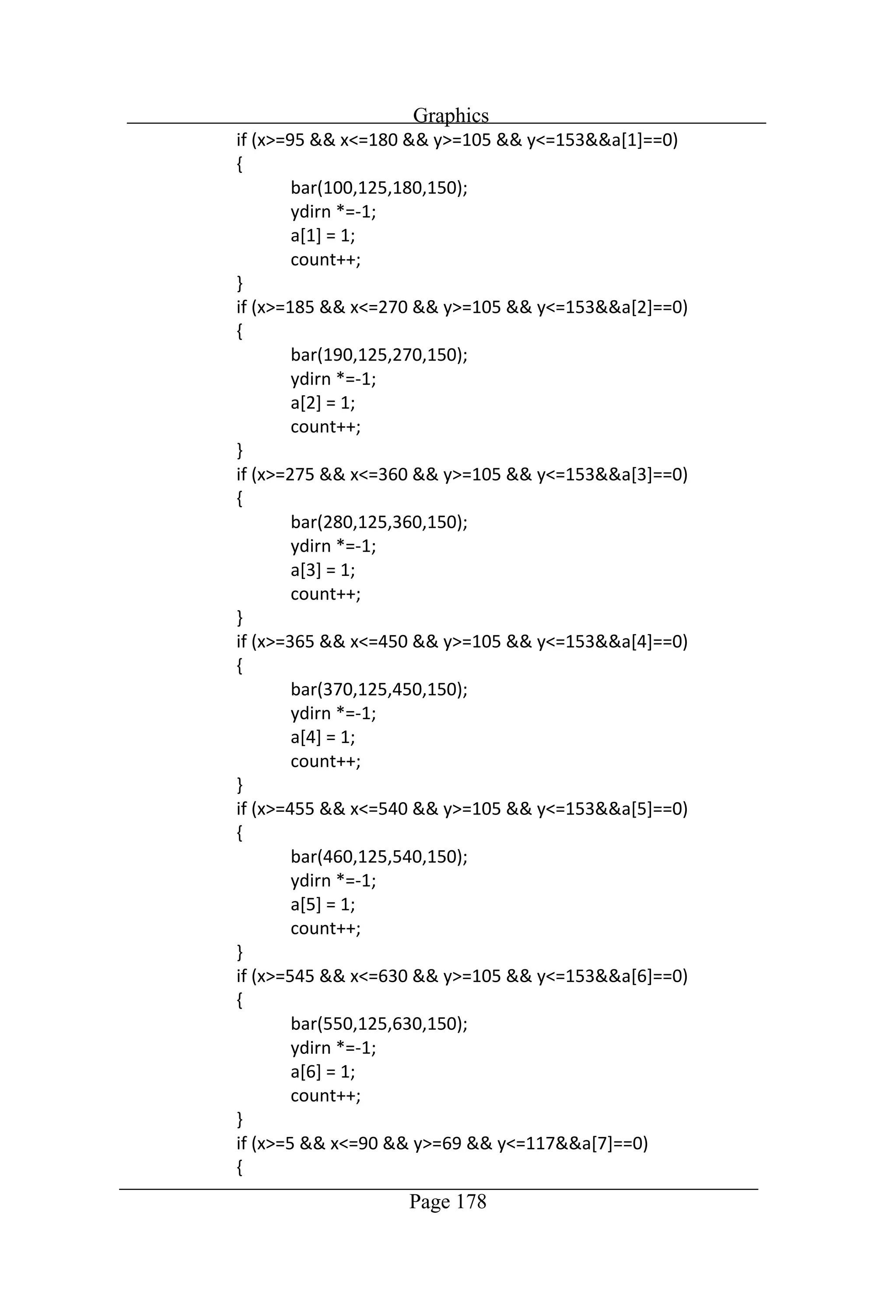
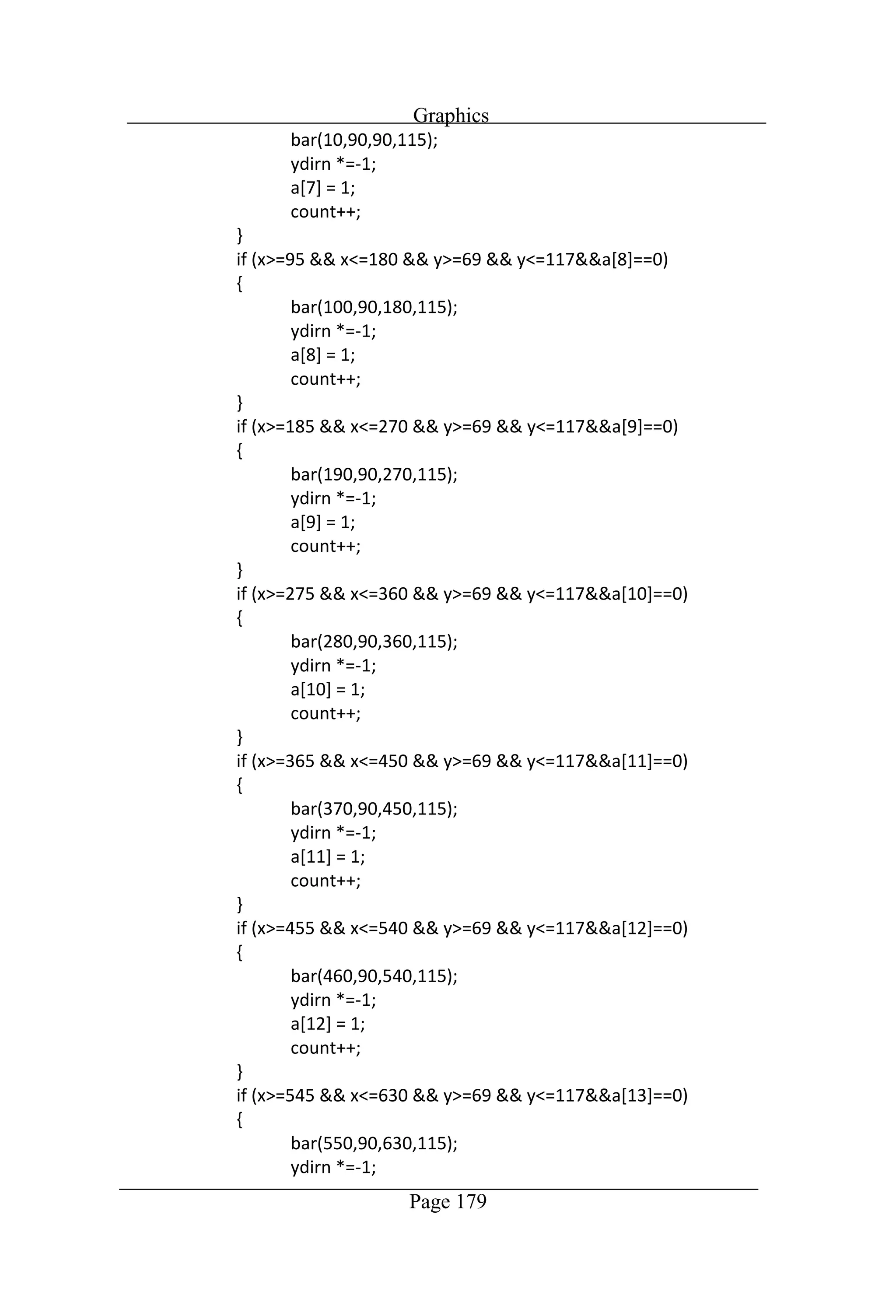
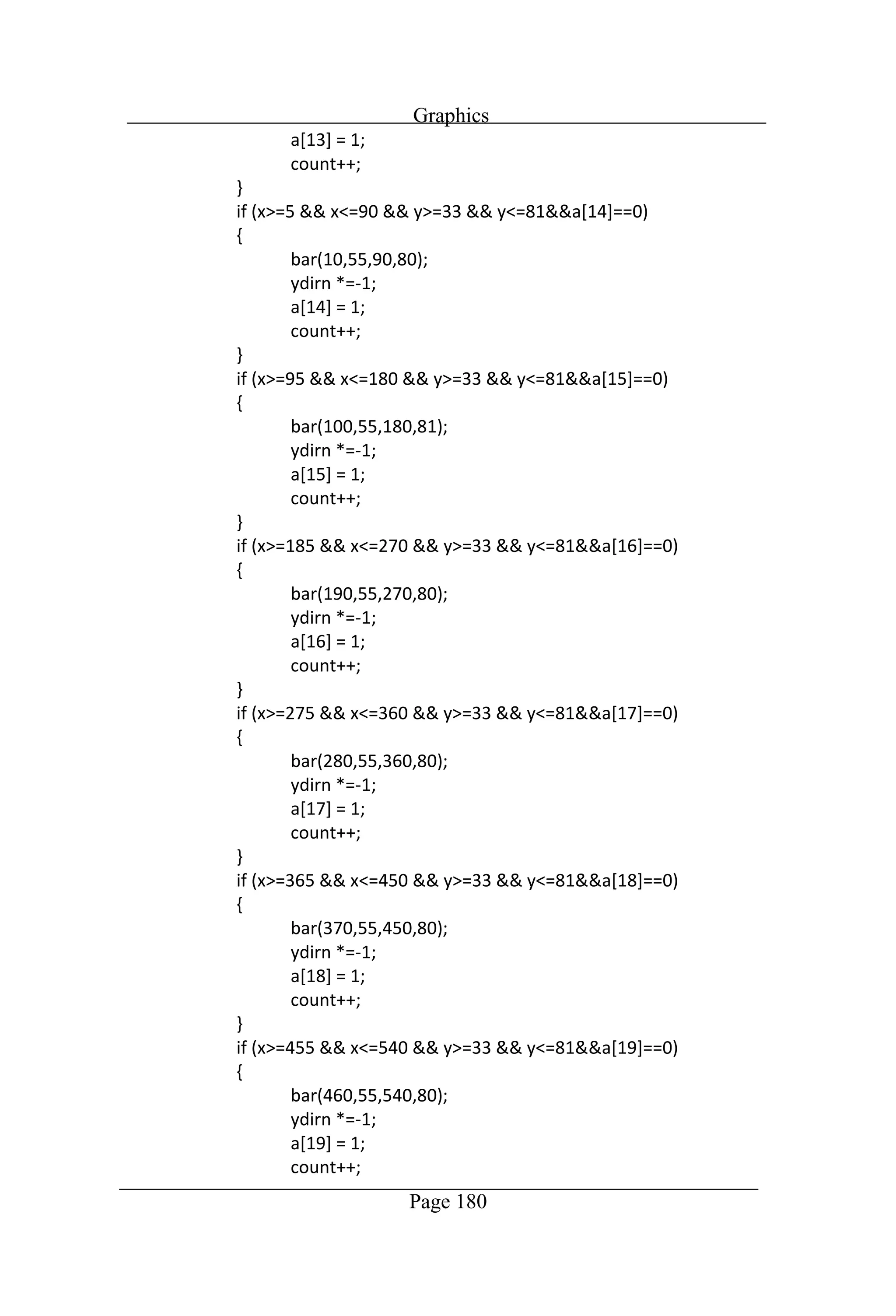
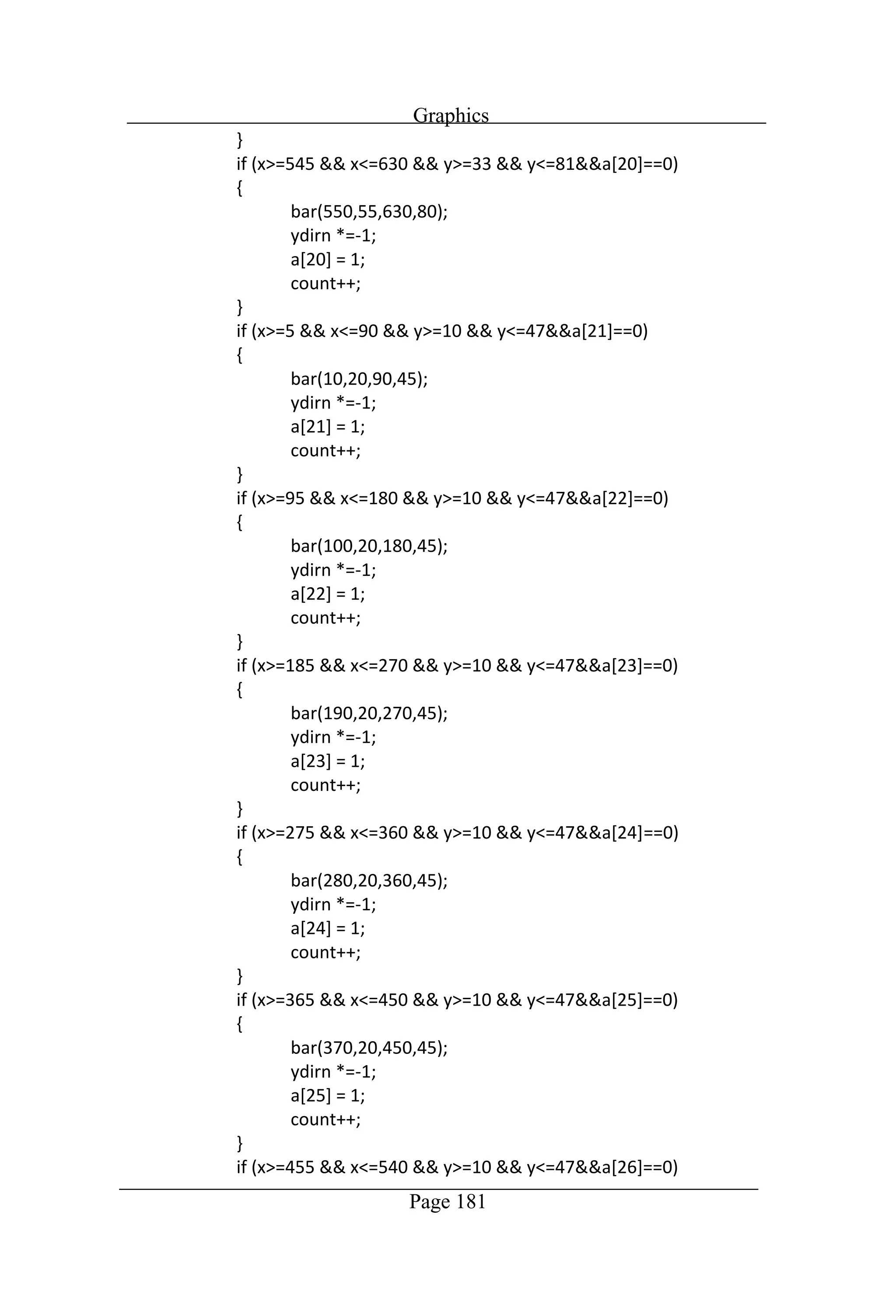
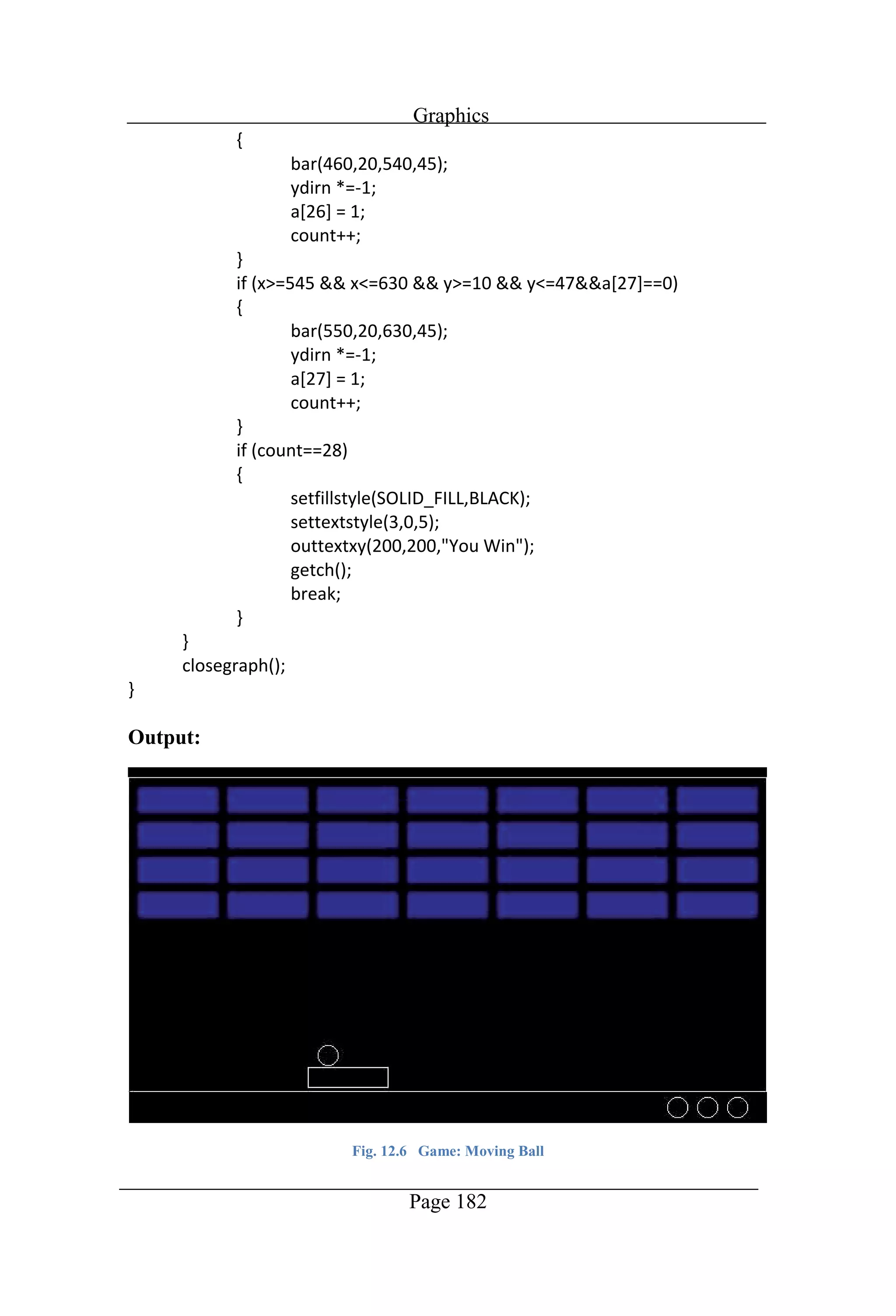
Graphics Page 175 //Program to draw a game
Graphics Page 176
Graphics Page 177
Graphics Page 178
Graphics Page 179
Graphics Page 180
Graphics Page 181
Graphics Page 182 Output: Fig. 12.6 Game: Moving Ball
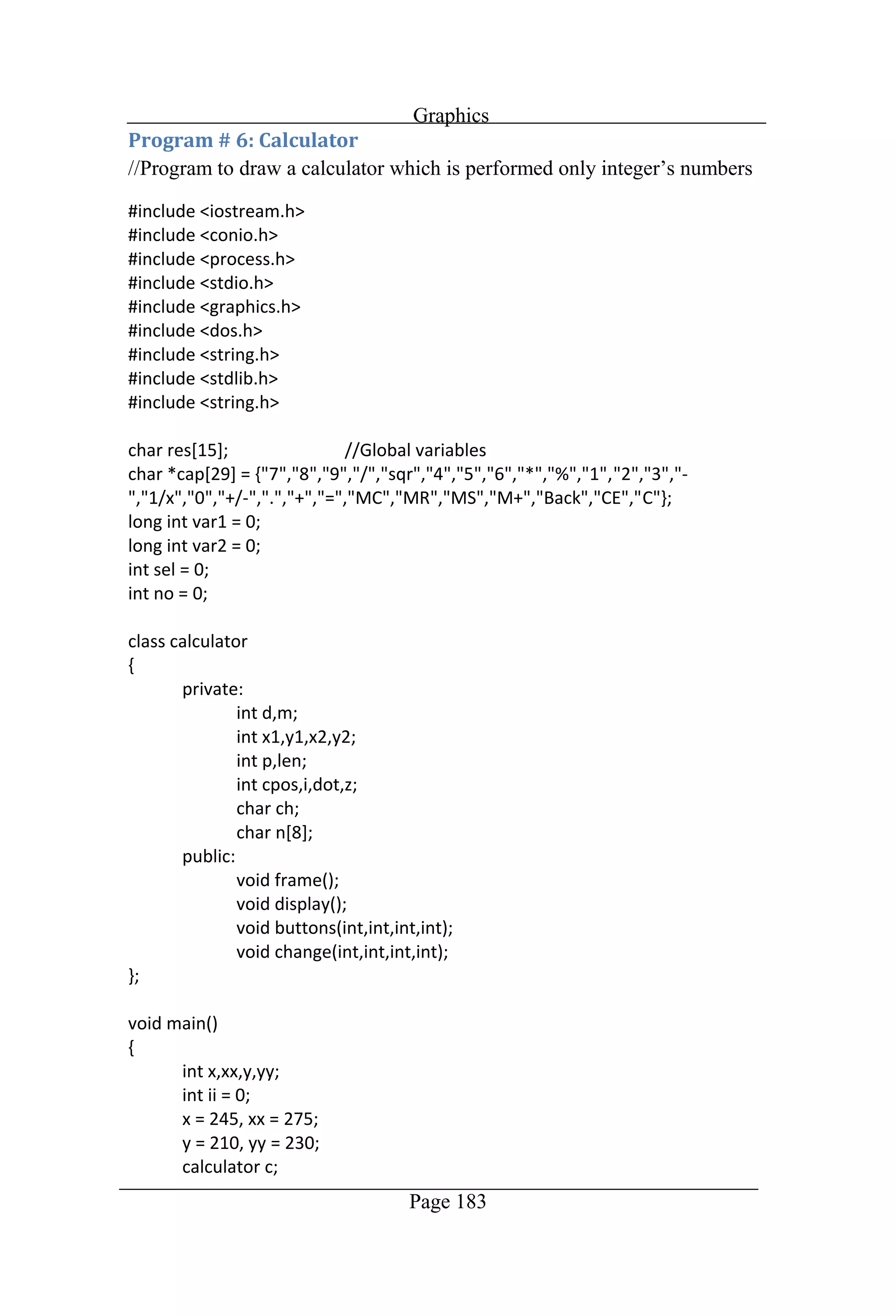
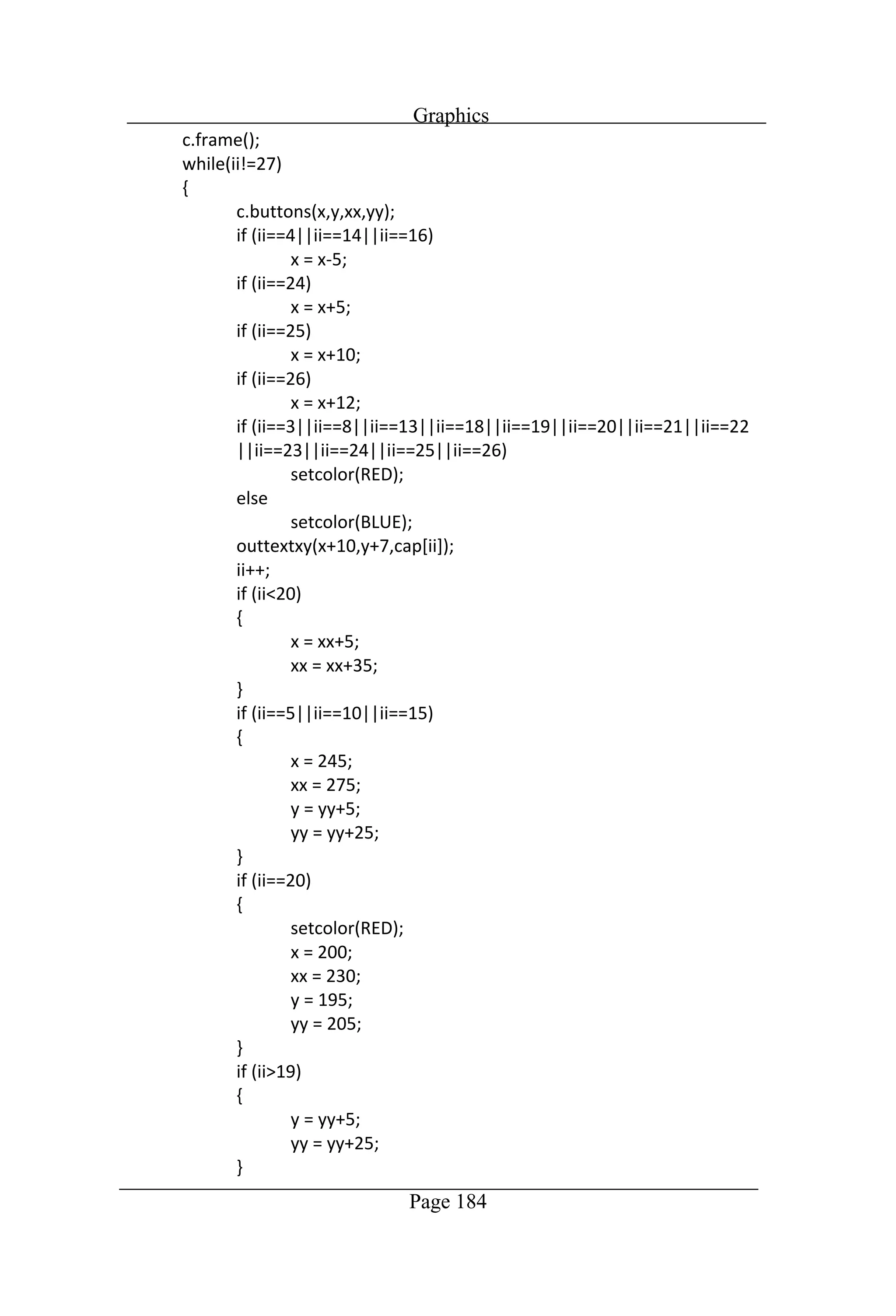
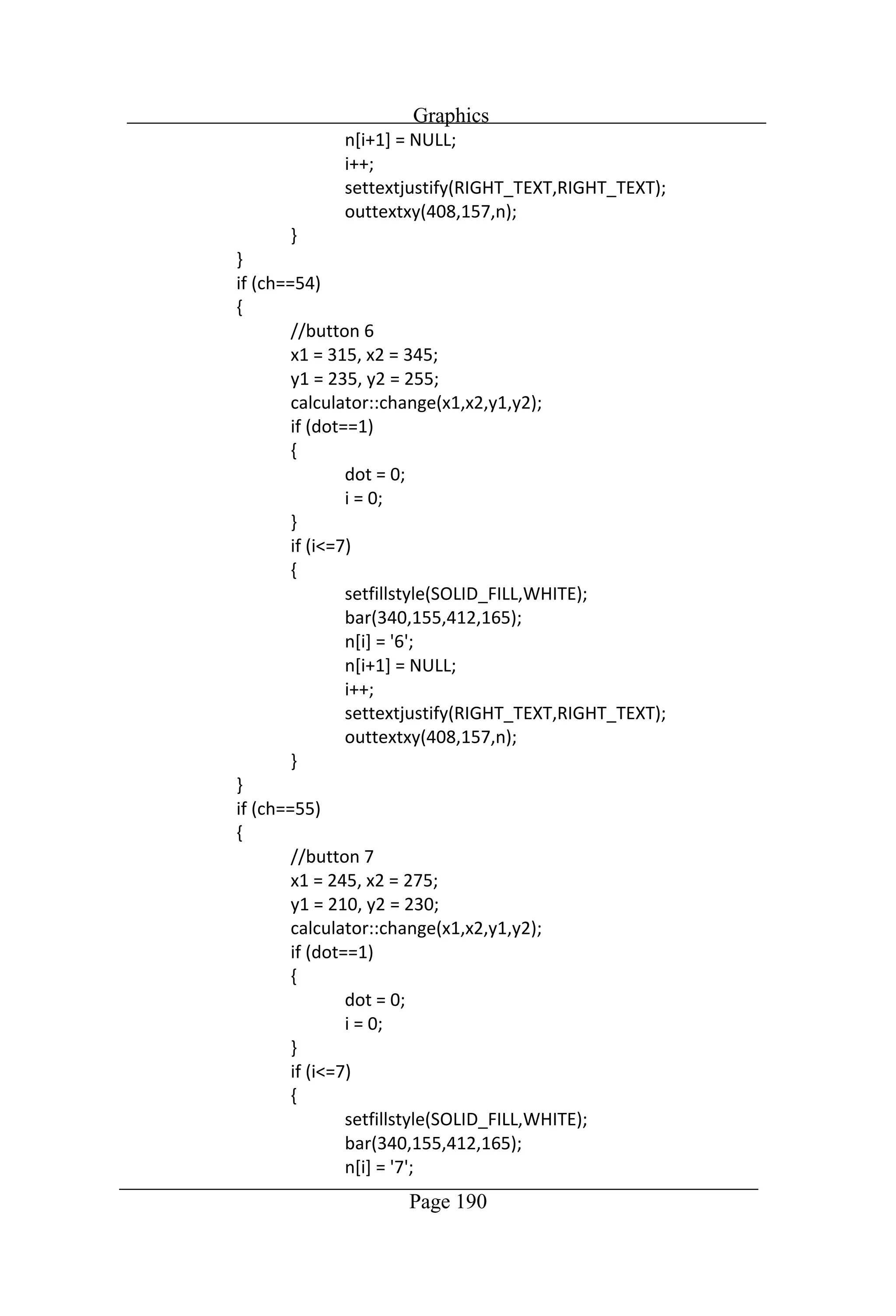
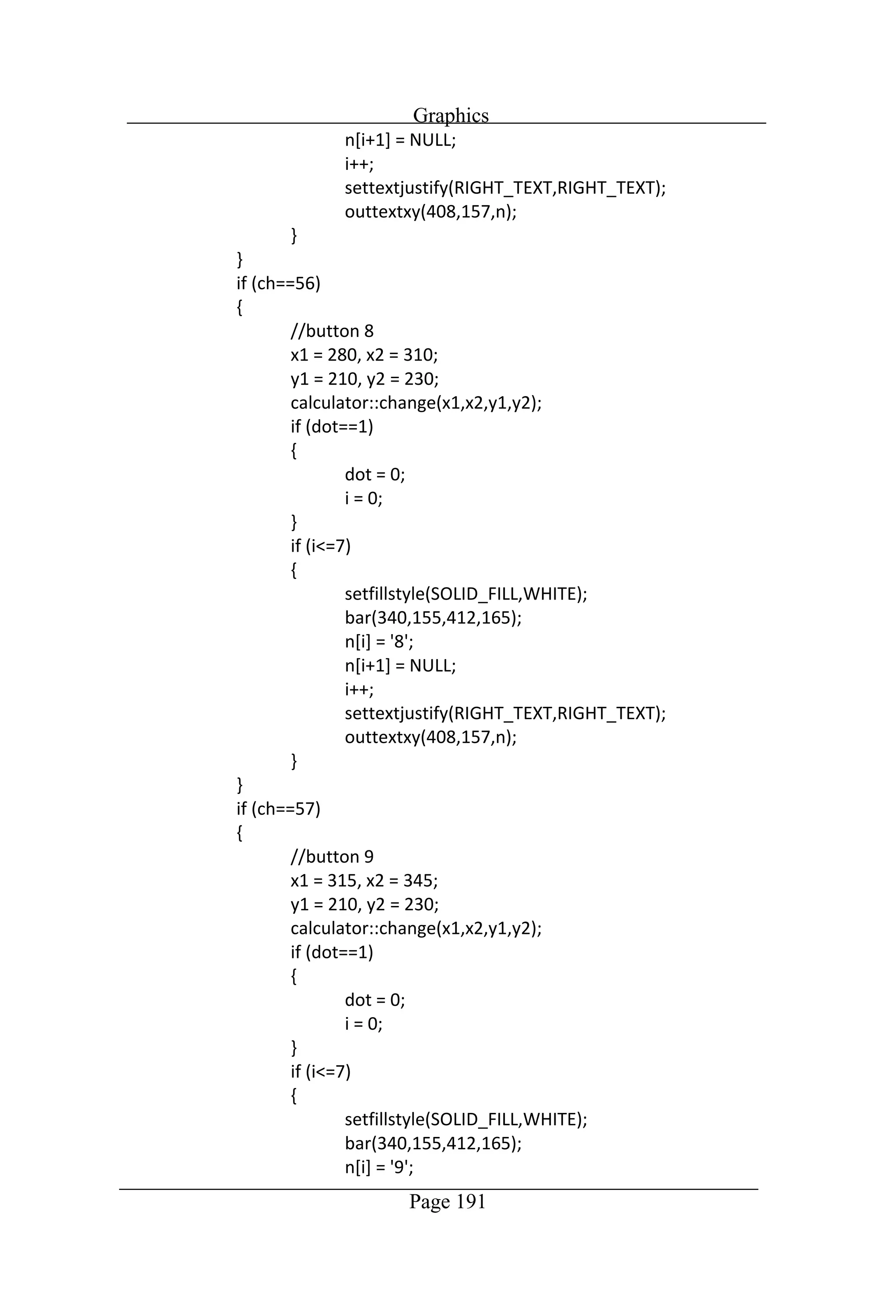
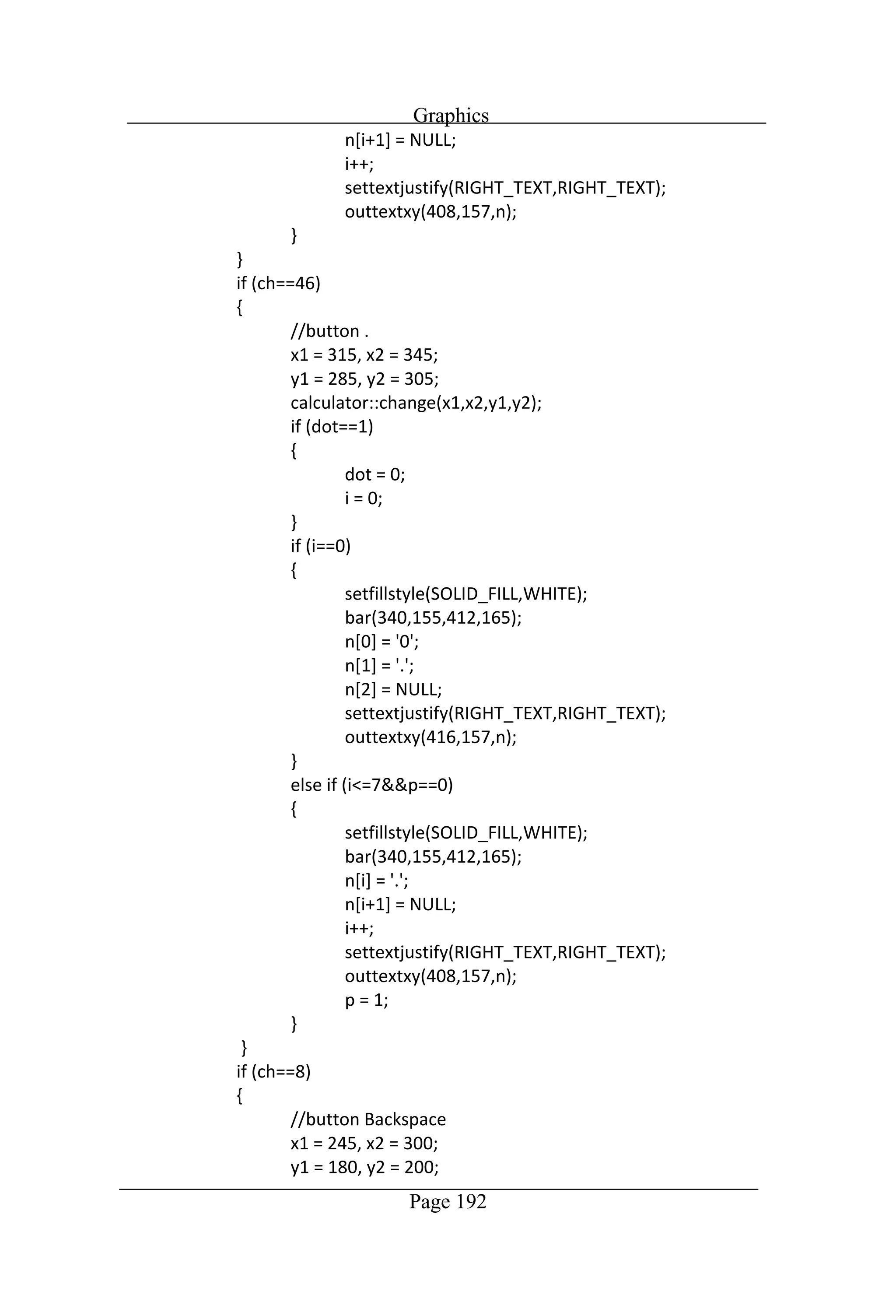
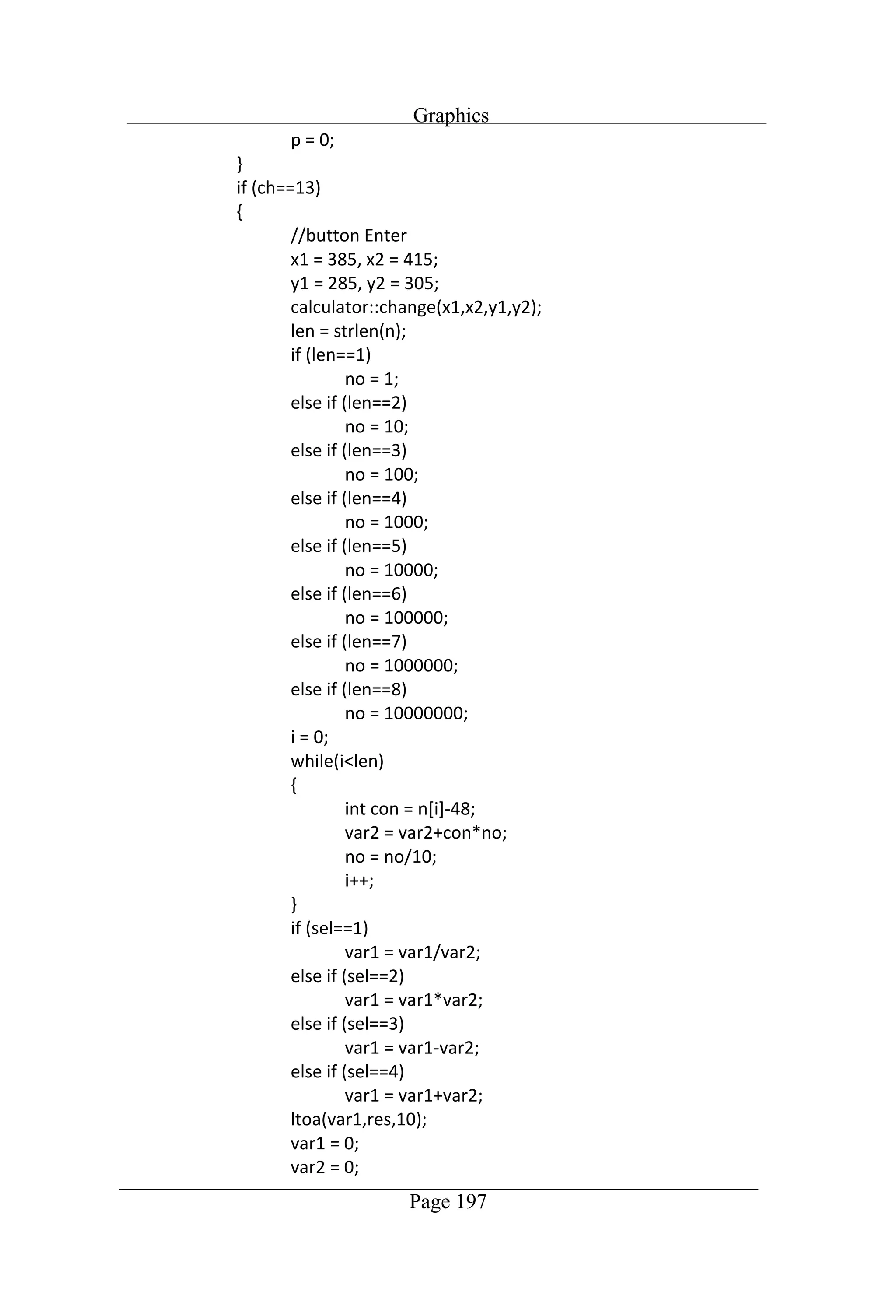
Graphics Page 183 //Program to
Graphics Page 184
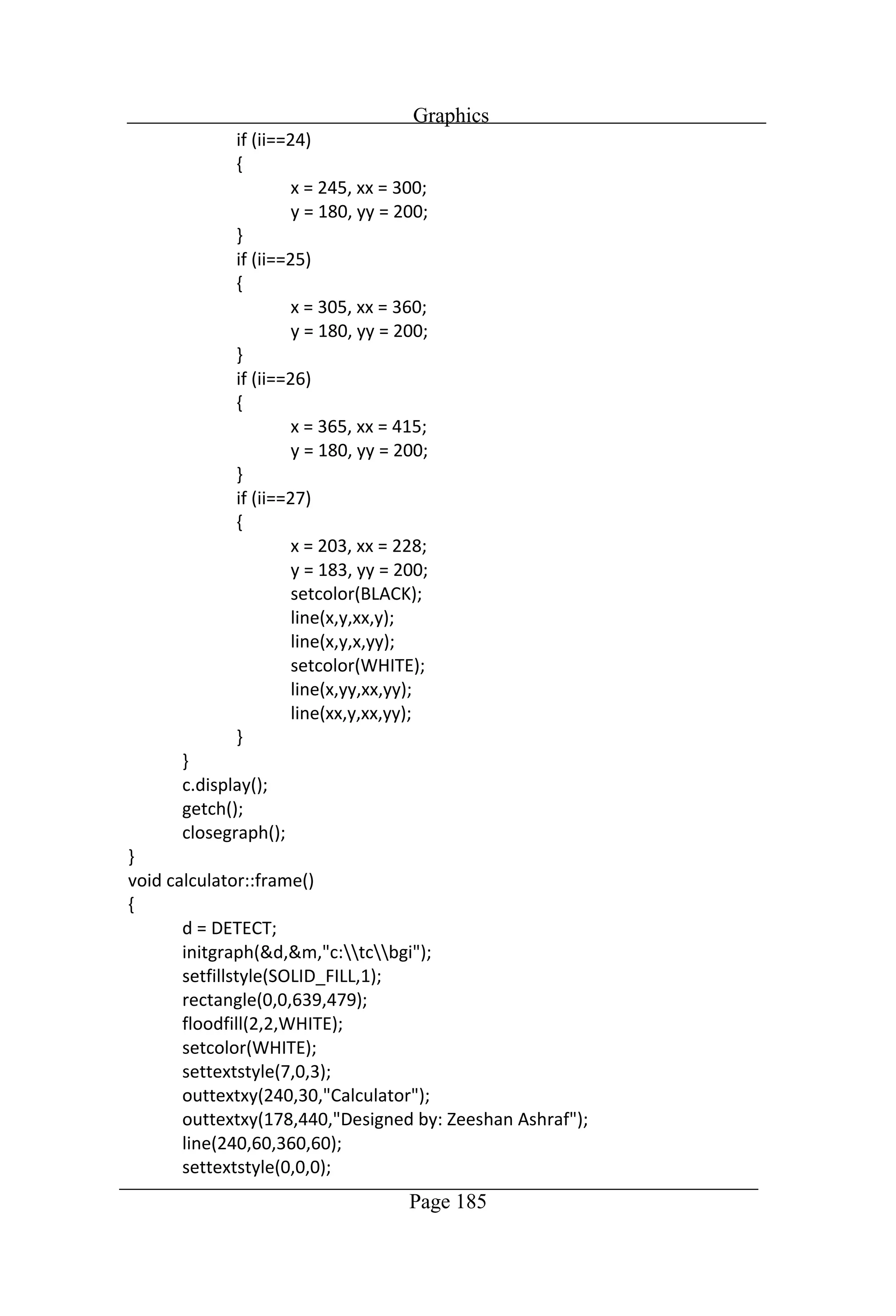
Graphics Page 185
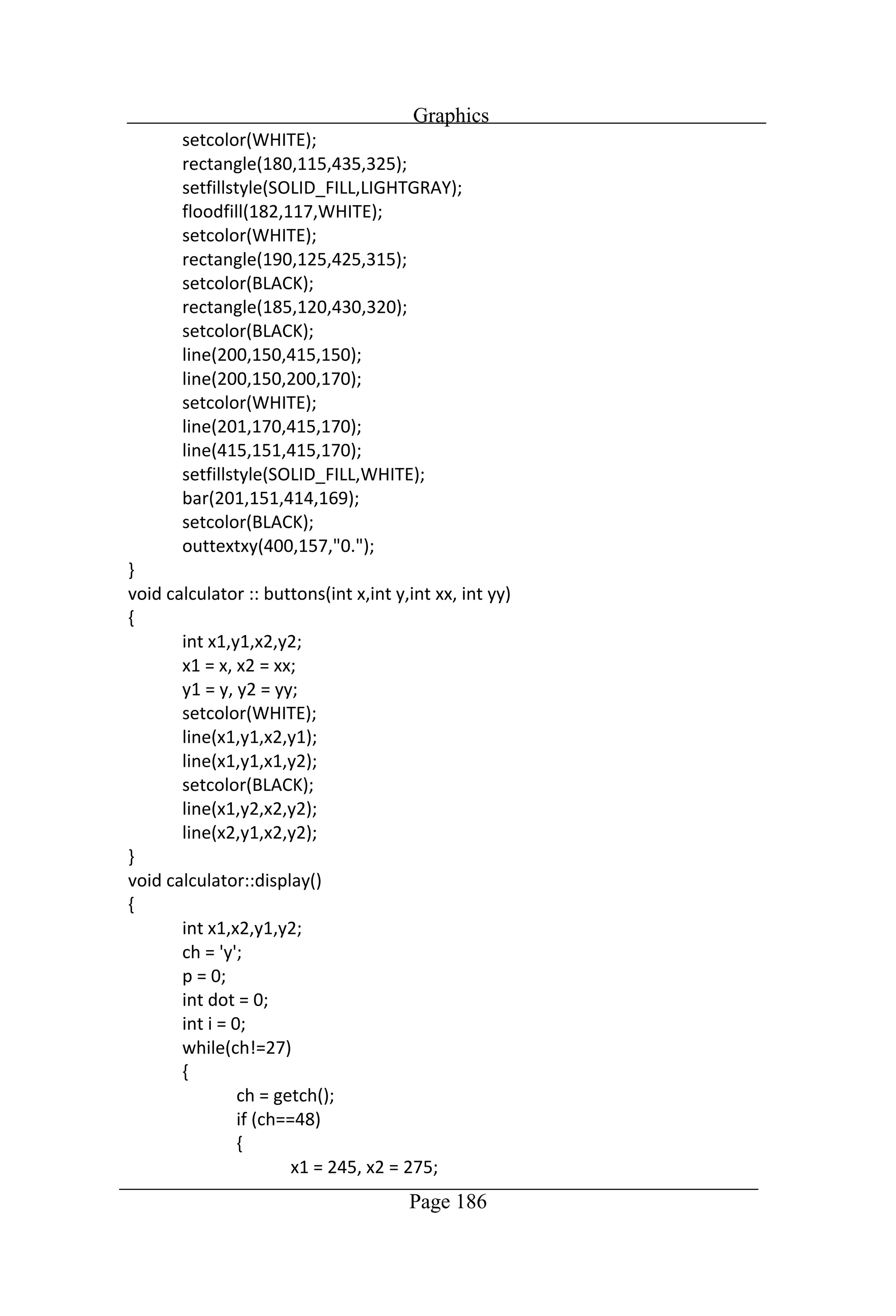
Graphics Page 186
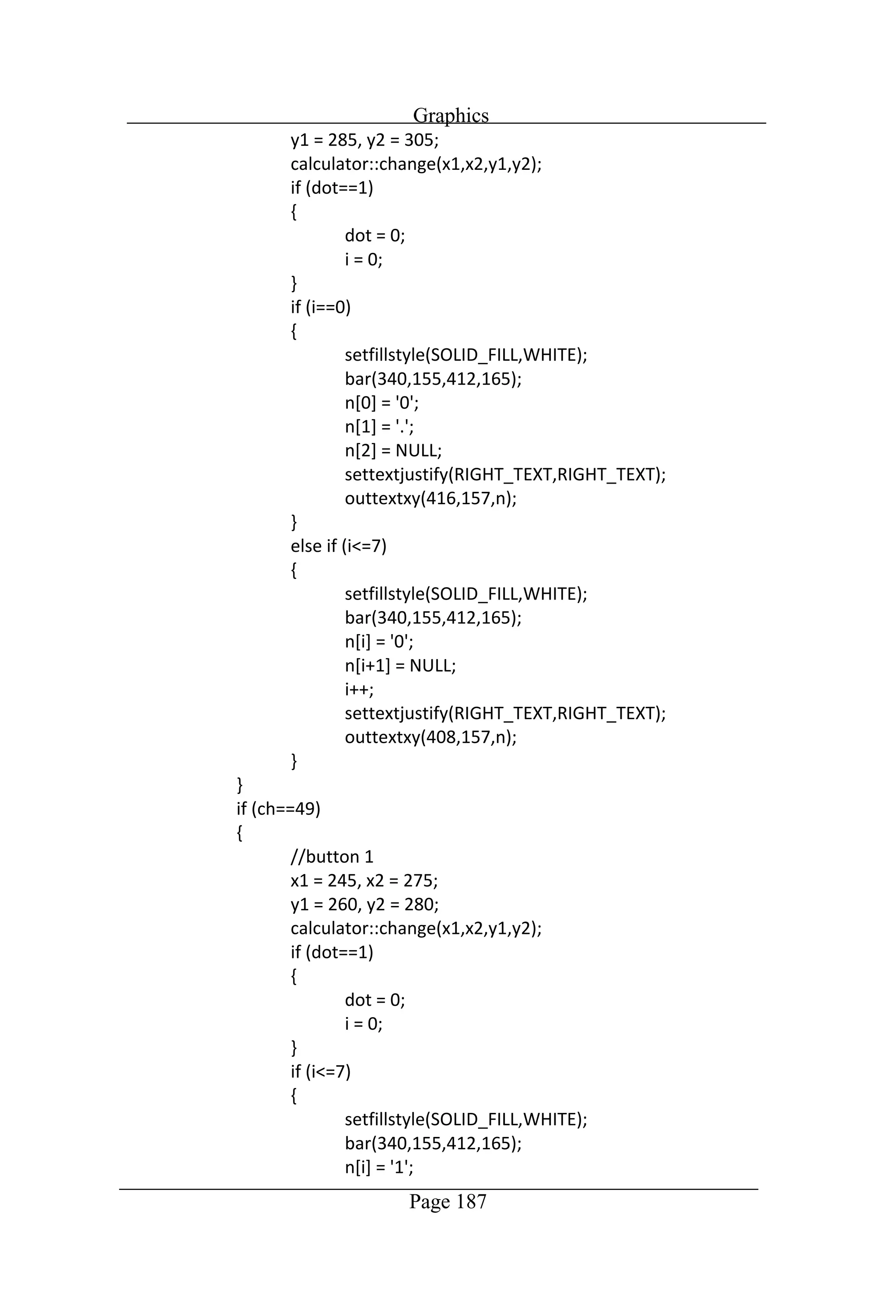
Graphics Page 187
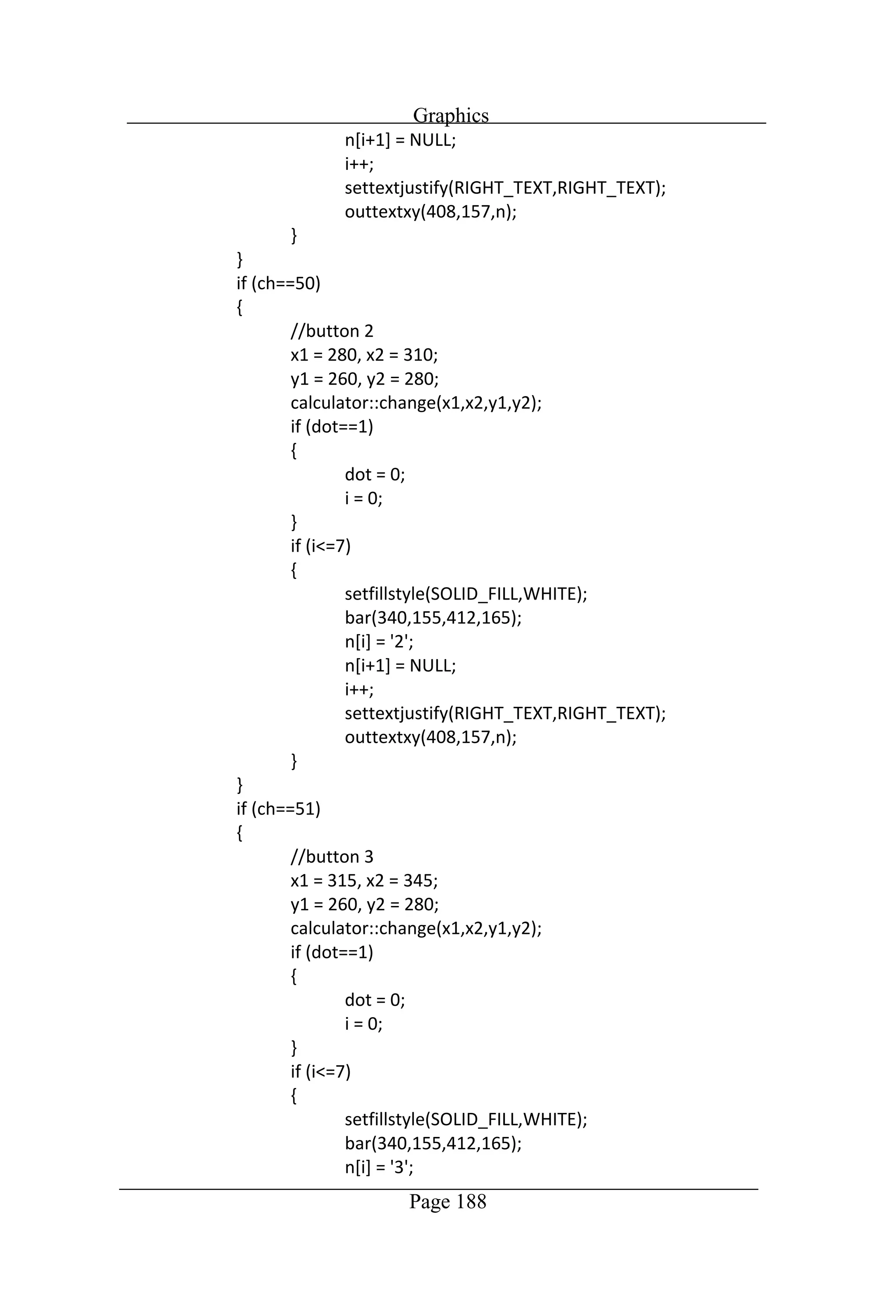
Graphics Page 188
Graphics Page 189
Graphics Page 190
Graphics Page 191
Graphics Page 192
Graphics Page 193
Graphics Page 194
Graphics Page 195
Graphics Page 196
Graphics Page 197
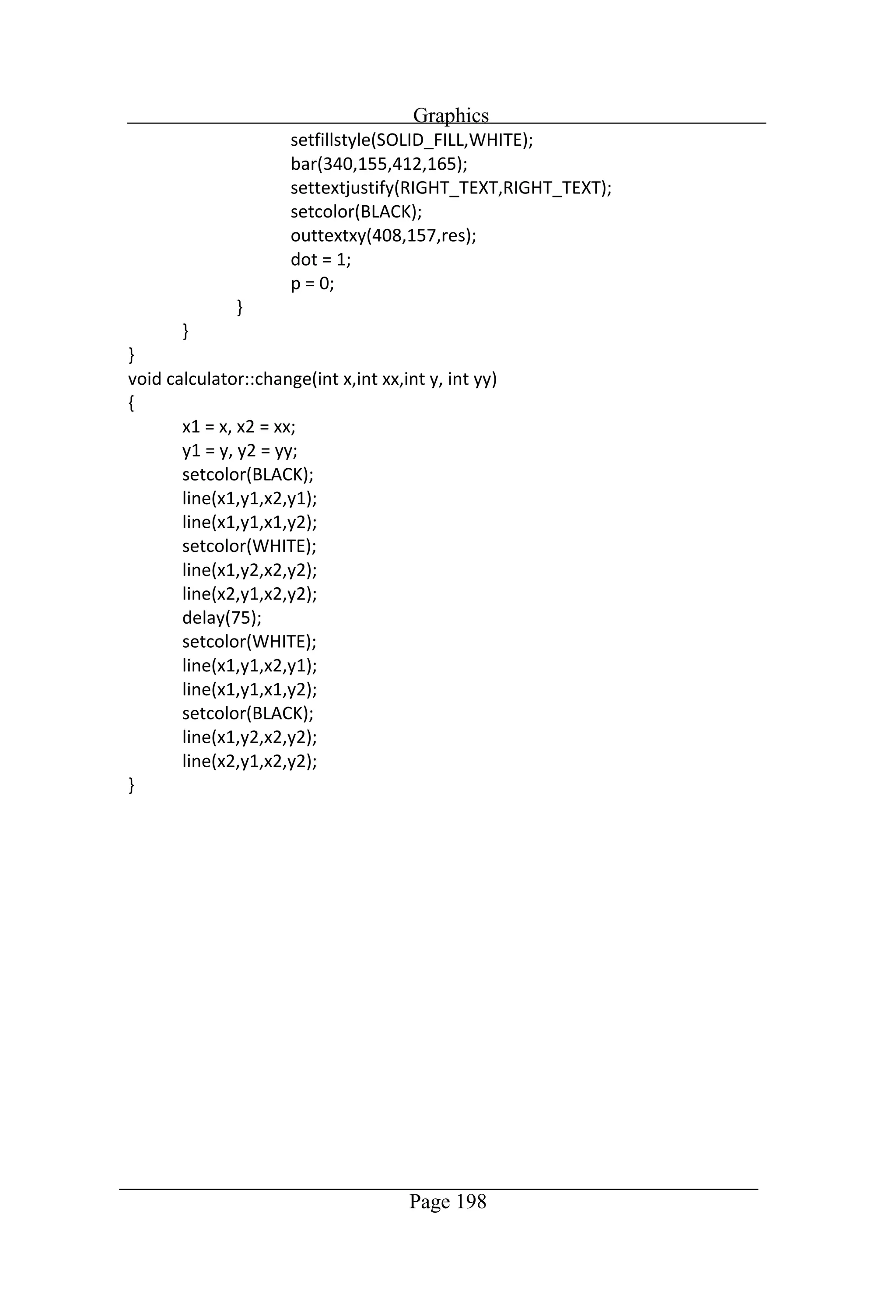
Graphics Page 198
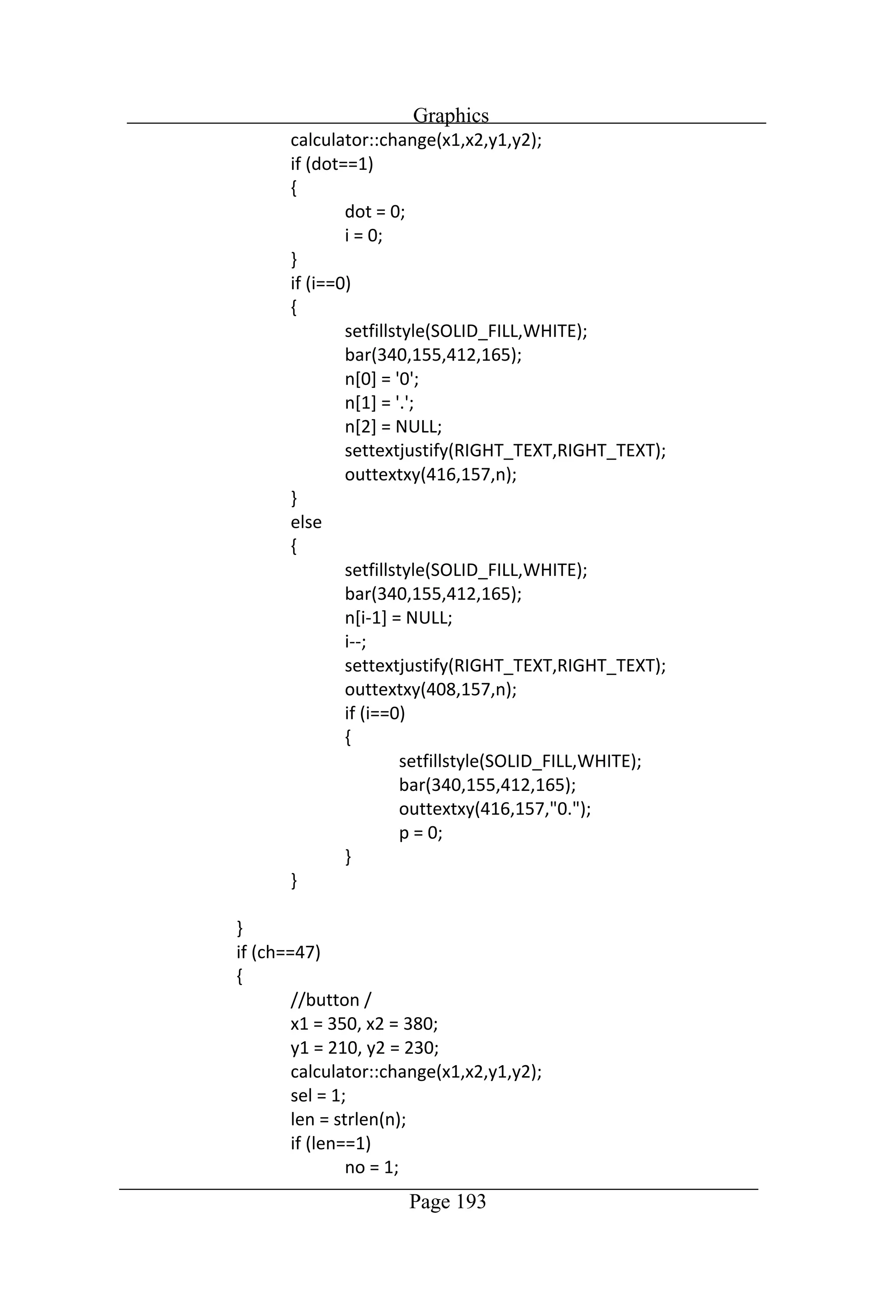
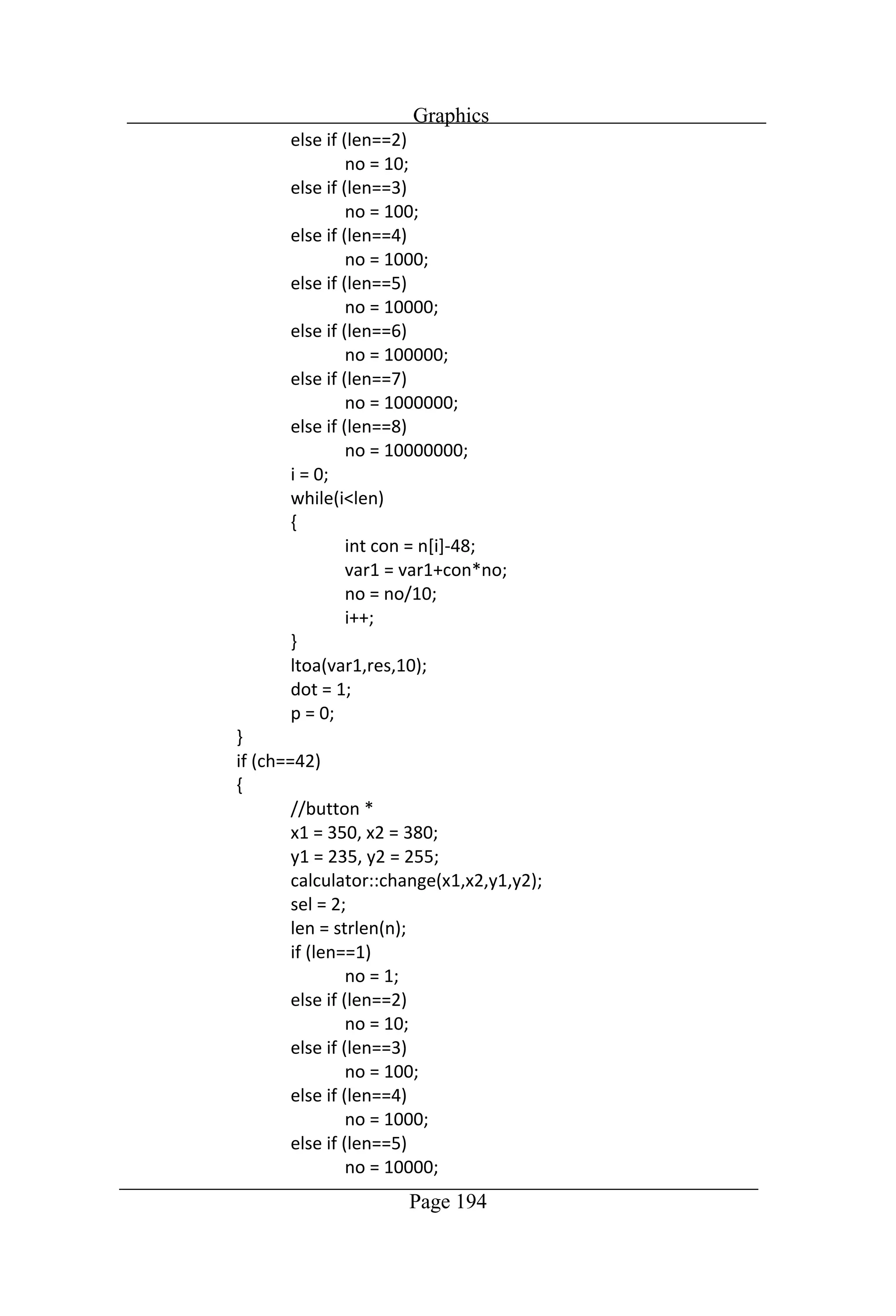
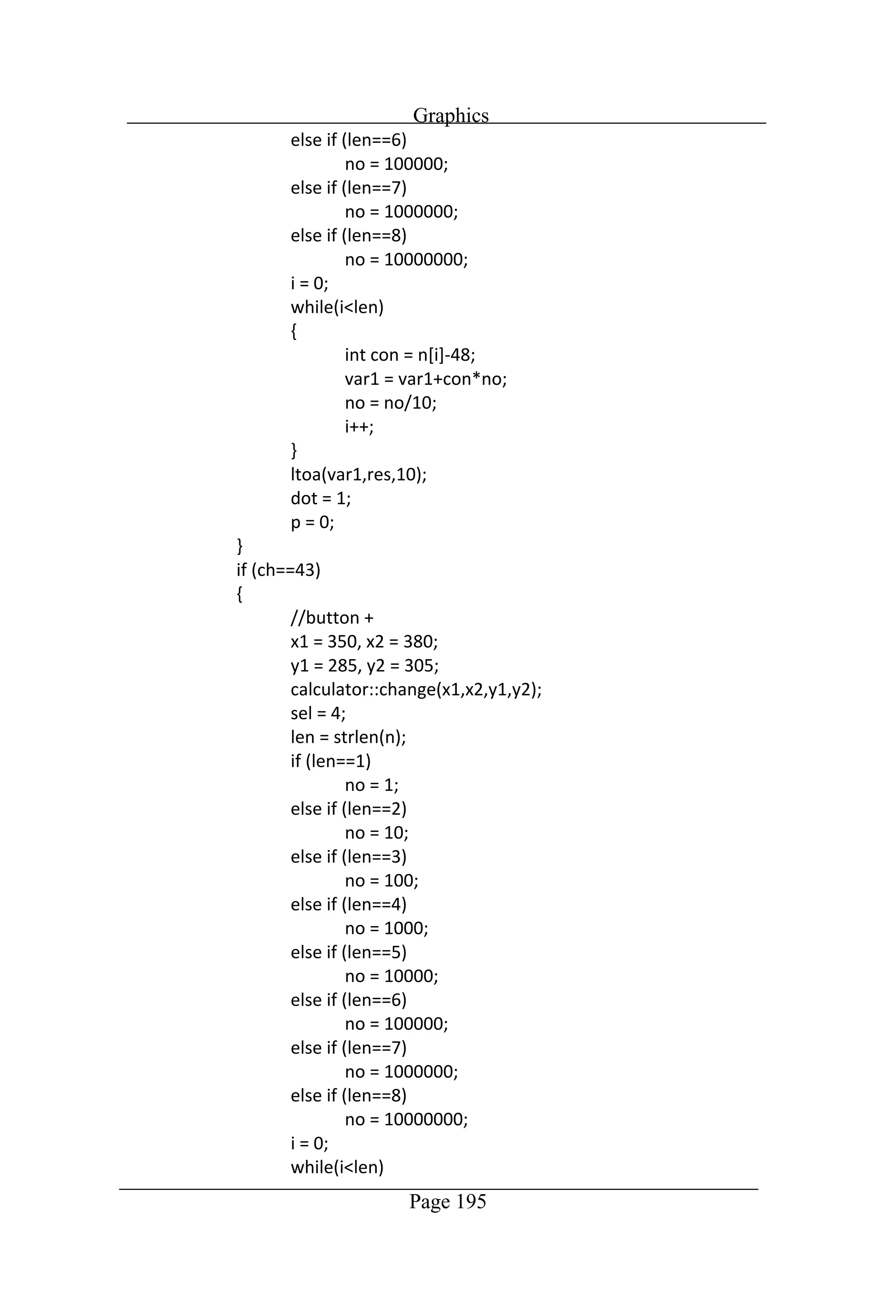
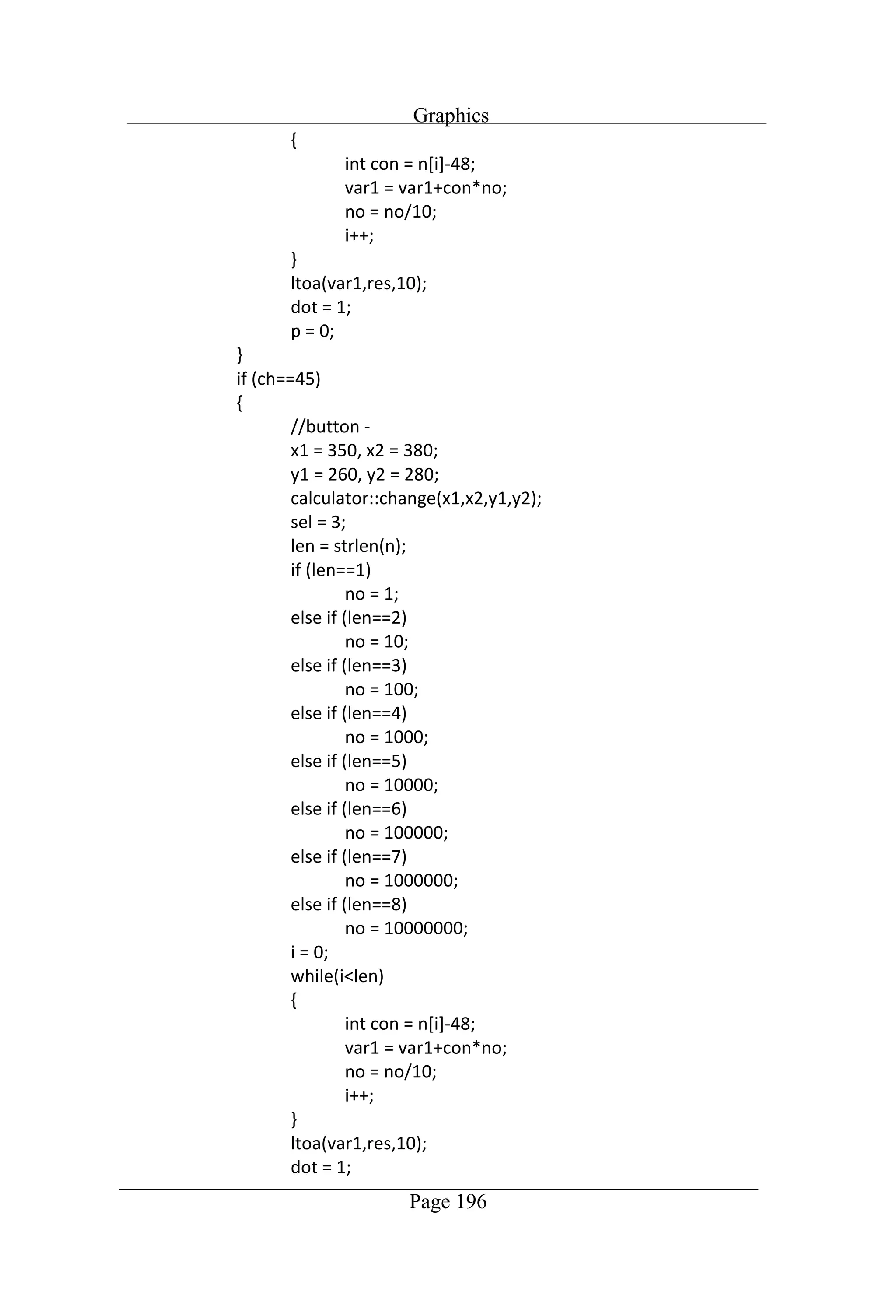
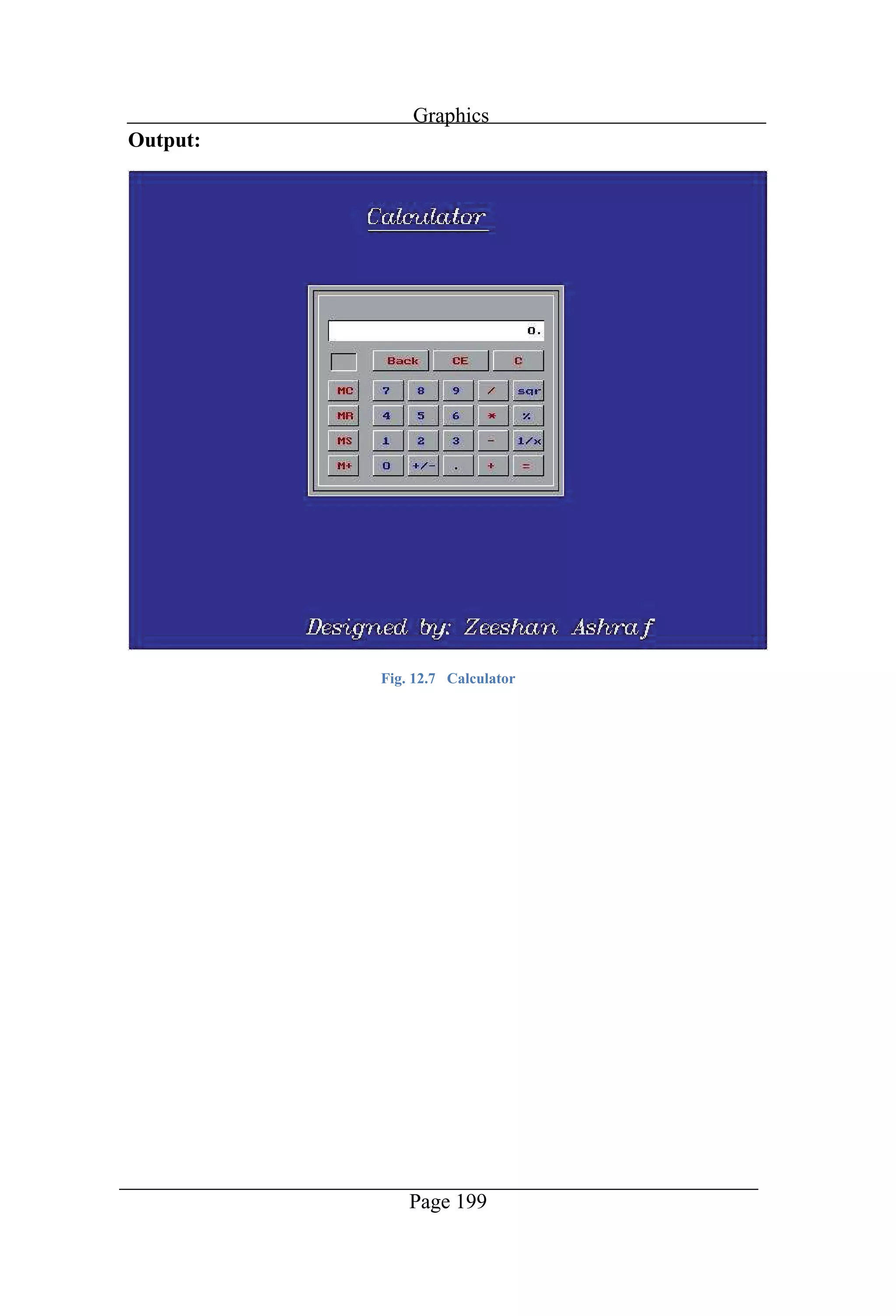
Graphics Page 199 Output: Fig. 12.7 Calculator
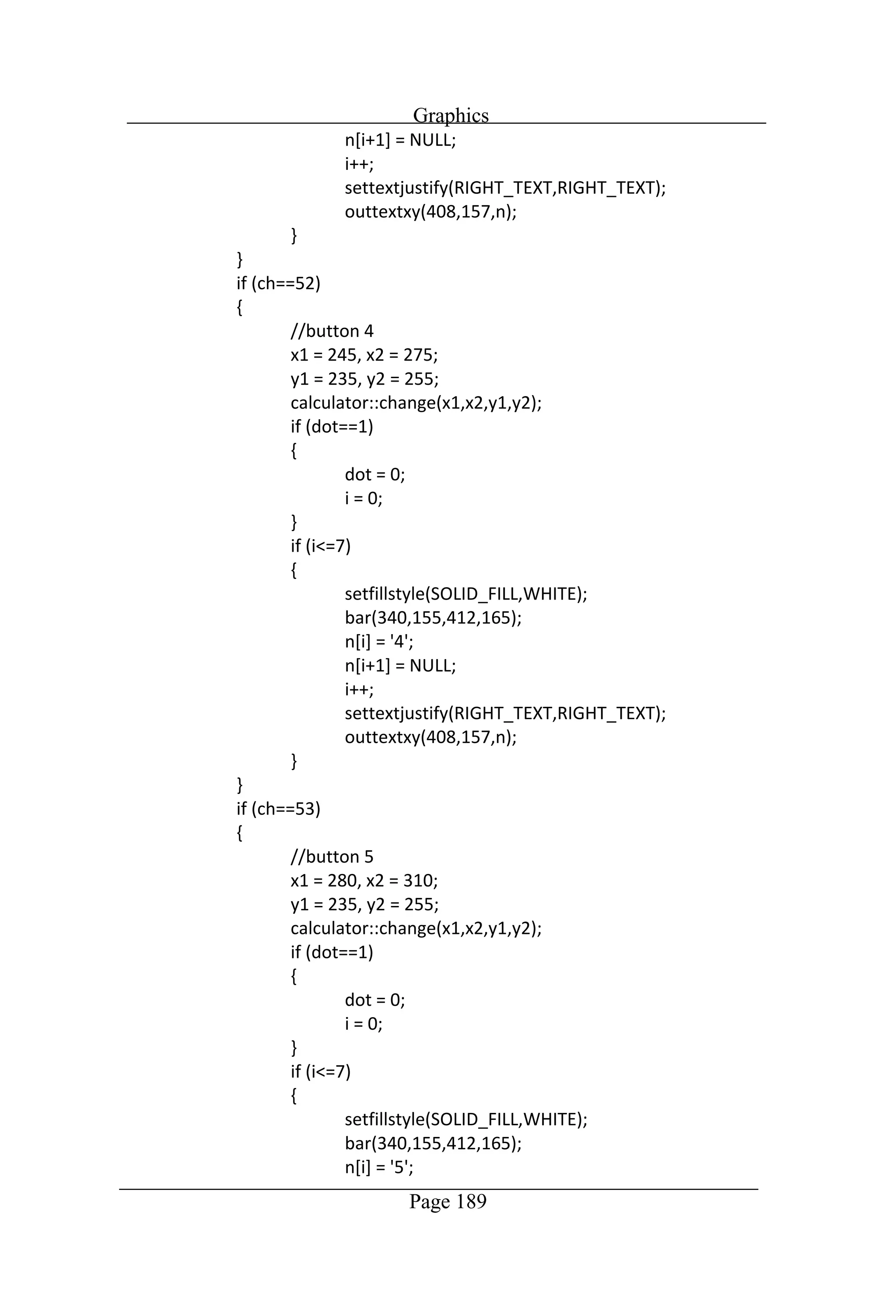
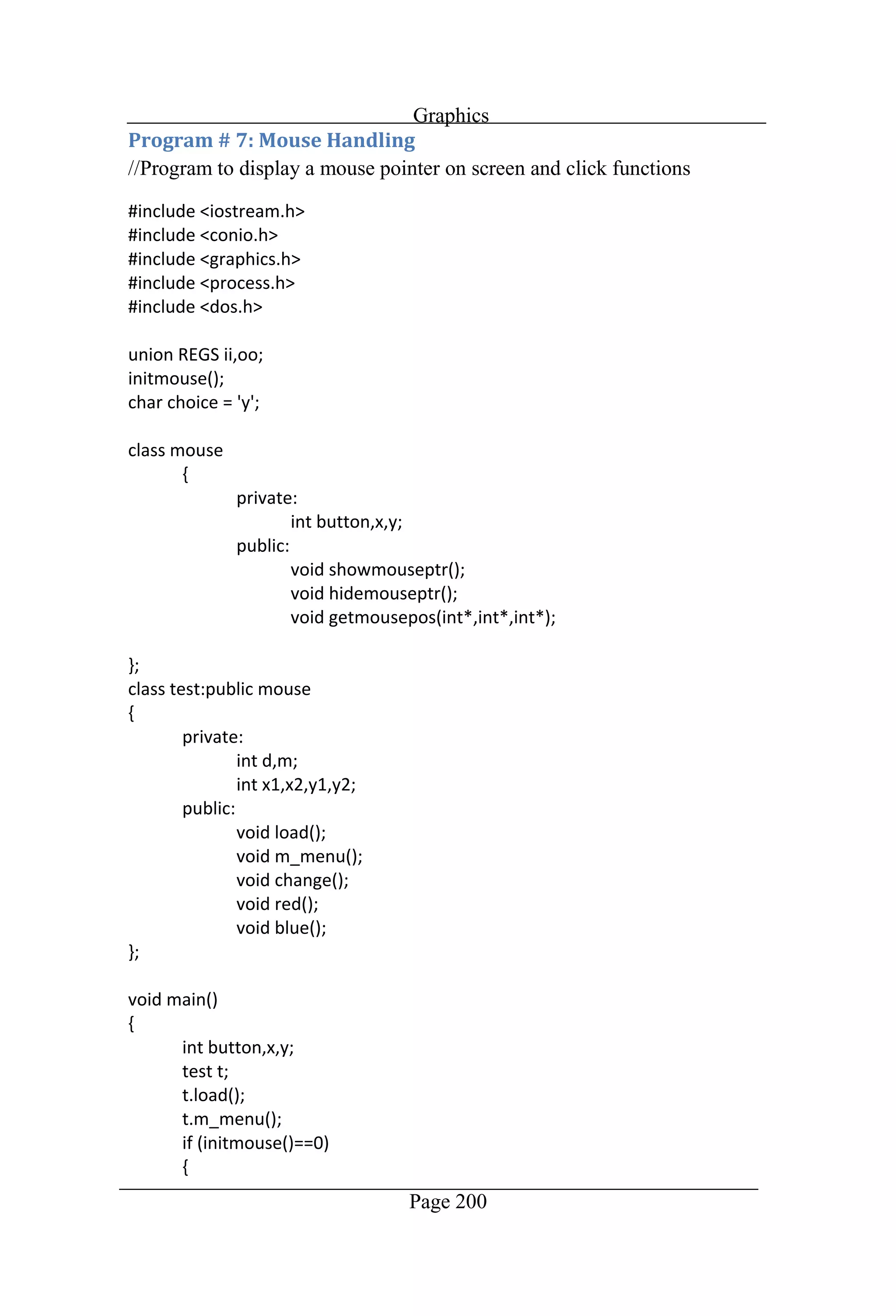
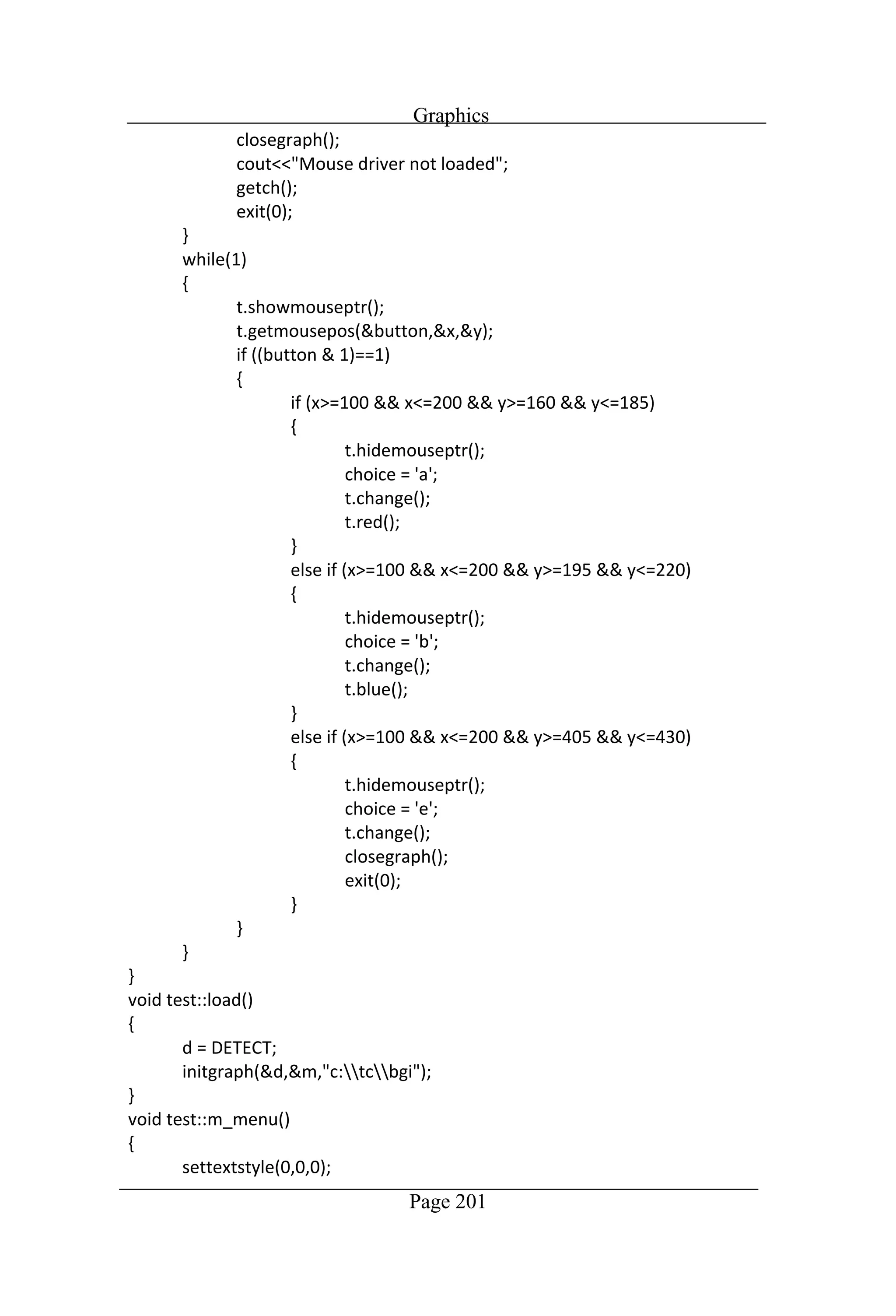
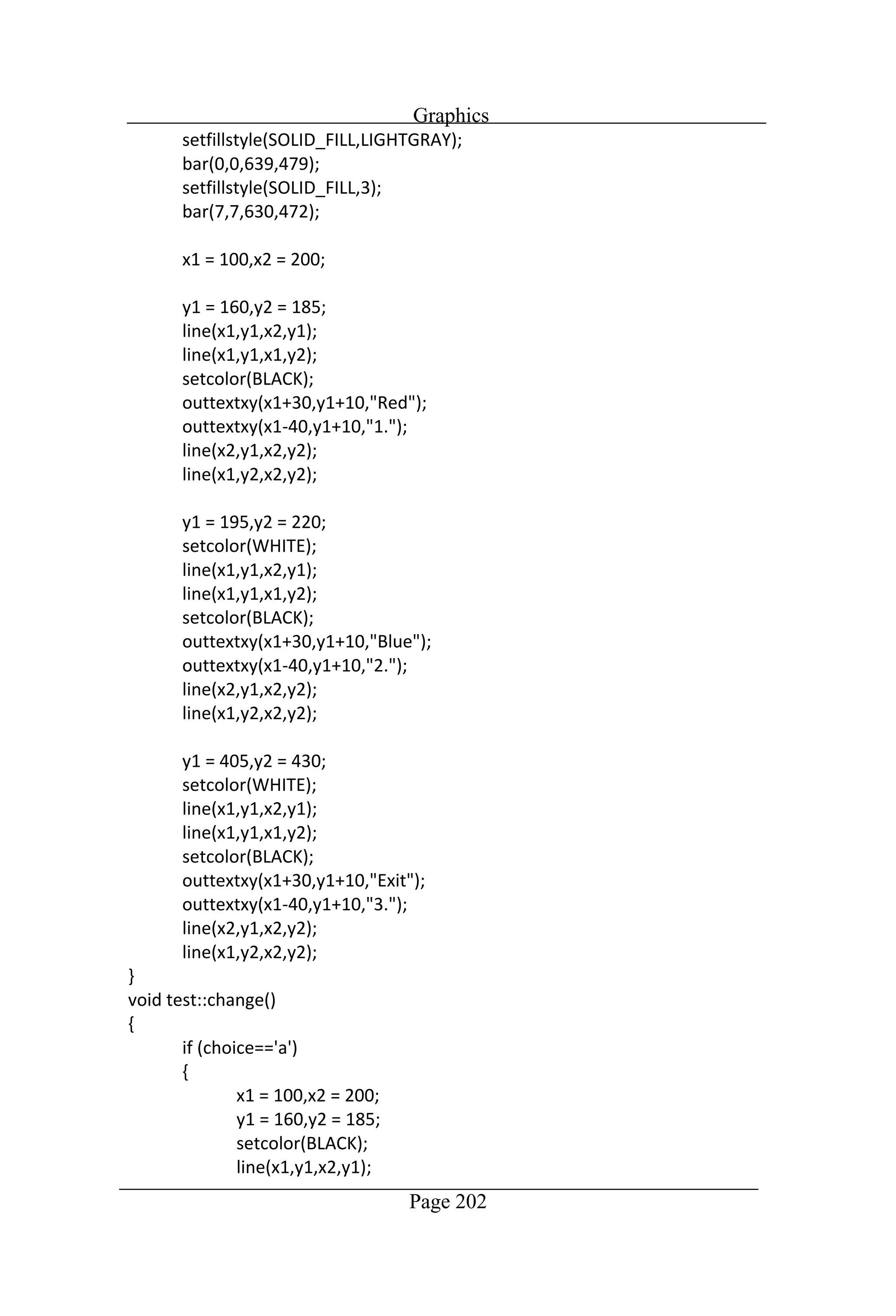
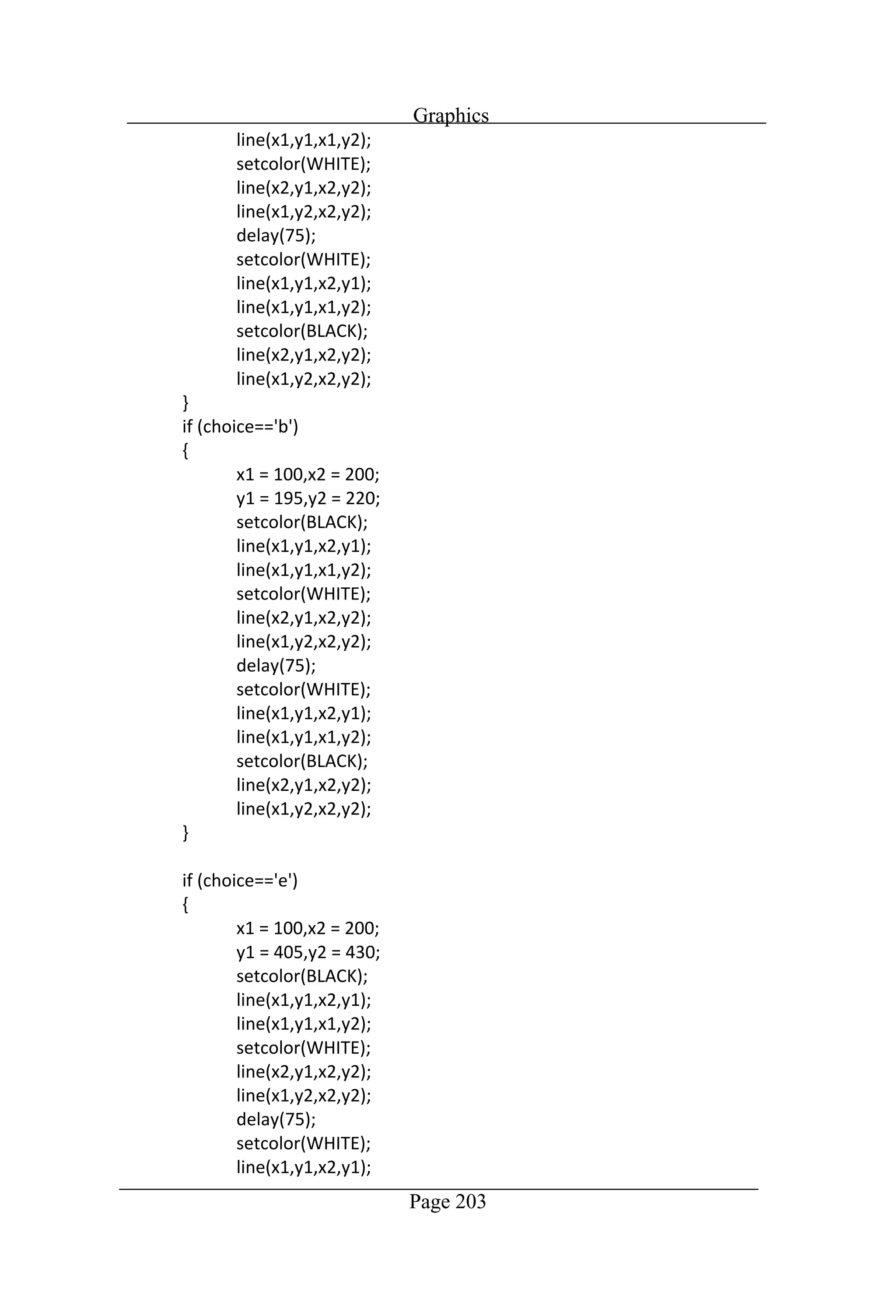
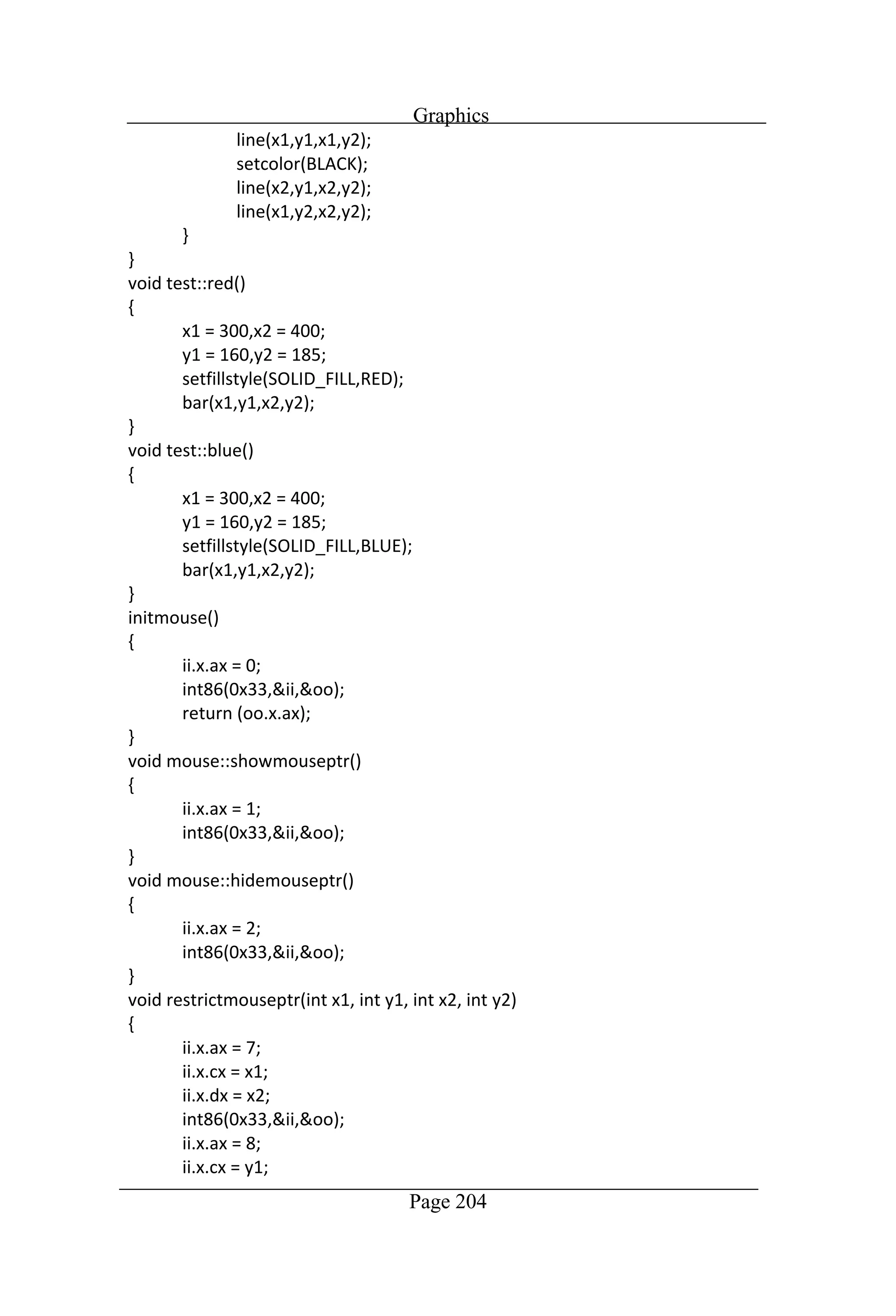
Graphics Page 200 //Program to display a mouse pointer on screen and click functions
Graphics Page 201
Graphics Page 202
Graphics Page 203
Graphics Page 204
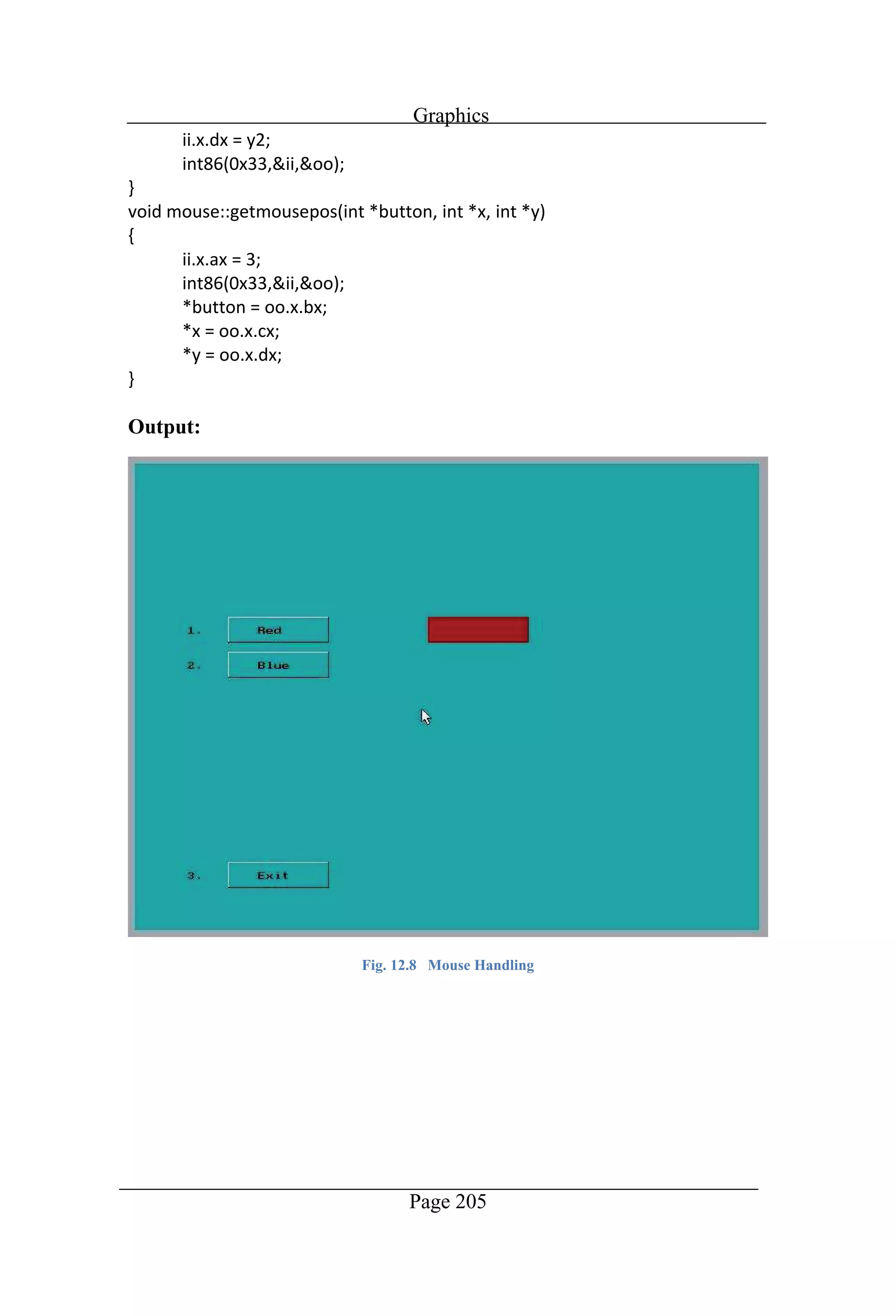
Graphics Page 205 Output: Fig. 12.8 Mouse Handling
[1] Deitel, Paul, and Paul Deitel. "C How to Program." [2] Deitel, Paul J., and Harvey M. Deitel. C++ how to program. Pearson Prentice Hall, 2008. [3] Stroustrup, Bjarne (7 March 2010). "Bjarne Stroustrup's FAQ: When was C++ invented?". stroustrup.com. Retrieved 16 September 2010. [4] Stroustrup, Bjarne. "The C++ Programming Language" (First ed.). Retrieved 16 September 2010. [5] Stroustrup, Bjarne. "The C++ Programming Language" (Second ed.). Retrieved 16 September 2010. [6] "ISO/IEC 14882:1998". International Organization for Standardization. [7] "ISO/IEC 14882:2003". International Organization for Standardization. [8] "ISO/IEC 14882:2011". International Organization for Standardization [9] "ISO/IEC 14882:2014". International Organization for Standardization. [10] Lafore, Robert. Object-oriented programming in Turbo C++. Galgotia publications, 2001. [11] Kanetkar, Yashavant P. Let us C. Jones and Bartlett Publishers, Inc., 2008. [12] Kanetkar, Yashavant P. Let us C++. BPB publications, 2010. [13] Balagurusamy, Entrepreneurial. Object Oriented Programming with C++, 6e. Tata McGraw-Hill Education, 2013.
How to program in c++ with 100 examples

How to program in c++ with 100 examples

  • 6.
    Page i Dedication This bookis dedicated to my parents and my family.
  • 7.
    Page ii Acknowledgement My acquisitioneditor for this book was Sophie Campbell. She was very patient and kind. It was very easy to work with her. All books are the product of a team work and I thank all the members of the LAMBERT academic publishing: including the project editor.
  • 8.
    Page iii Chapter 1:Introduction Brief History of C++ .....................................................................................2 C++ Compiler............................................................................................2 How to Run the Compiler .........................................................................3 Step 1:....................................................................................................3 Step 2:....................................................................................................3 Step 3:....................................................................................................3 Step 4:....................................................................................................4 Step 5:....................................................................................................4 How to Run the Program...........................................................................5 Step 1:....................................................................................................5 Step 2:....................................................................................................5 How to Execute the Program ....................................................................5 Step 1:....................................................................................................5 Step 2:....................................................................................................5 Program # 1: Simple Program...............................................................6 Program # 2: Swap the Numbers ..........................................................7 Program # 3: Arithmetic Operation Sum..............................................8 Program # 4: Temperature Conversion to Centigrade ..........................9 Program # 5: Find out the Symbol from ASCII..................................10 Program # 6: Reverse Number............................................................11 Chapter 2: Decisions If, else if & nested if:...............................................................................13 Program # 1: Given number is Odd or Even.......................................13 Program # 2: Greater number from given Numbers ...........................14 Program # 3: Find out the Grade.........................................................15 Program # 4: Calculate the Salary of Servant.....................................16 Program # 5: Find out the smaller Number.........................................17 Goto Statement........................................................................................18
  • 9.
    Page iv Program #1: Table of Number ...........................................................18 Program # 2: Game: Find out the Hidden Number.............................19 Relational Operators................................................................................21 Program # 1: Student Result ...............................................................21 Program # 2: Electricity Bill ...............................................................23 Program # 3: Upper & Lower Case.....................................................24 Program # 4: Age ................................................................................25 Program # 5: Preprocessor Directives.................................................28 Chapter 3: Switch-Case Switch-Case.............................................................................................30 Program # 1: Vowel Character............................................................30 Program # 2: Roman Numbers............................................................31 Program # 3: Currency Exchange .......................................................33 Program # 4: Arithmetic Operations...................................................35 Program # 5: Game .............................................................................36 Program # 6: Multiple Operations.......................................................40 Chapter 4: Loops Loops.......................................................................................................43 Program # 1: Factorial.........................................................................43 Program # 2: ASCII Table ..................................................................44 Program # 3: Day of Date ...................................................................45 Program # 4: Colorful Text.................................................................47 Program # 5: Exponent........................................................................48 Program # 6: Mathematics Series .......................................................49 Program # 7: Armstrong Number .......................................................50 Program # 8: The Word ALLAH........................................................51 Program # 9: Prime Number ...............................................................53 Program # 10: Rectangle.....................................................................54 Program # 11: Mathematics Series .....................................................56 Nested Loop ............................................................................................57
  • 10.
    Page v Program #1: Factors ...........................................................................57 Program # 2: Alphabetic Design.........................................................58 Program # 3: Diamond........................................................................59 Program # 4: Stop Watch ....................................................................60 Program # 5: Numeric Design.............................................................61 Chapter 5: Structures Structures.................................................................................................63 Program # 1: Result Sheet...................................................................63 Program # 2: Area ...............................................................................66 Chapter 6: Arrays Arrays......................................................................................................68 Program # 1: Greater Number from List.............................................68 Program # 2: Binary Number..............................................................69 Program # 3: Sorting Characters.........................................................70 Program # 4: Sequential Search ..........................................................71 Program # 5: Case Conversion............................................................72 Program # 6: Puzzle ............................................................................73 Program # 7: Insertion Sort.................................................................78 Program # 8: Selection Sort ................................................................79 Program # 9: Game: Hidden Word .....................................................80 Program # 10: Matrix Addition...........................................................83 Program # 11: Matrix Multiplication..................................................85 Chapter 7: Pointers Pointers....................................................................................................87 Program # 1: Memory Address...........................................................87 Program # 2: Pointed variable Access ................................................88 Program # 3: Pointer Array.................................................................89 Chapter 8: Functions Functions .................................................................................................91 Program # 1: Square Root...................................................................91
  • 11.
    Page vi Program #2: Prime Numbers..............................................................92 Program # 3: Recursive Function........................................................94 Program # 4: Fibonacci Series ............................................................95 Program # 5: Square............................................................................96 Program # 6: Standard Deviation........................................................97 Program # 7: Character Counting .......................................................98 Program # 8: Comparing Strings.......................................................100 Program # 9: Smaller Number ..........................................................102 Program # 10: Calendar ....................................................................103 Chapter 9: Classes Classes...................................................................................................112 Program # 1: Multiplication..............................................................112 Program # 2: Constructor with Header File......................................113 Program # 3: Destructor....................................................................115 Program # 4: Object Argument.........................................................116 Program # 5: Friend Class.................................................................118 Chapter 10: Files Files .......................................................................................................120 Program # 1: Create a File ................................................................120 Program # 2: Write/Read String........................................................122 Program # 3: Counting Lines............................................................124 Program # 4: Data Copy to another File ...........................................125 Program # 5: Counting Characters....................................................126 Program # 6: Binary Mode Write......................................................128 Program # 7: Binary Mode Record...................................................130 Program # 8: Counting Record .........................................................132 Program # 9: Search Record .............................................................133 Program # 10: Search Name with Structure......................................135 Program # 11: Search Name with Class............................................137 Program # 12: Update the Record.....................................................140
  • 12.
    Page vii Program #13: DOS Shell..................................................................142 Chapter 11: Polymorphism Polymorphism .......................................................................................144 Program # 1: Binary Operator (+) Overloading................................144 Program # 2: Binary Operator [ ] Overloading.................................146 Program # 3: Binary Operators (+,-,*) Overloading.........................148 Program # 4: Inheritance...................................................................150 Program # 5: Derived Constructor....................................................151 Program # 6: Function Overriding....................................................153 Program # 7: Friend Function ...........................................................154 Program # 8: Virtual Function ..........................................................156 Program # 9: Virtual Function ..........................................................158 Chapter 12: Graphics Graphics.................................................................................................162 Program # 1: Rectangle.....................................................................162 Program # 2: Circles..........................................................................163 Program # 3: Masjid Model ..............................................................164 Program # 4: Analog Clock...............................................................171 Program # 5: Game: Moving Ball.....................................................175 Program # 6: Calculator ....................................................................183 Program # 7: Mouse Handling..........................................................200 References .................................................................................................206
  • 13.
    Page viii Learning Outcomes Thisbook consists of 100 programing examples of Object Oriented Programming C++. Starting from simple program and ending to graphics. This book covers almost all the features of C++. The objective of this book is to teach the students in an easy way. Students can not write a program in the beginning. It will help the students to create programing skills in C++. In the first step students try to run these programs and later on try to solve it by their own method. However, there are several methods to solve a problem. In these programs, a lot of code optimization space is available. Now students may learn to optimize the code of these programs.
  • 14.
  • 15.
    Introduction Page 2 C++ isthe extension of C language. The C language was evolved version of UNIX operating system [1]. C language is the subset of C++. Every single command of C language is executable in C++ but the reverse is not possible. C is a structured programing language but C++ is the Object Oriented Programming language [2]. egan his [3]. In 1983, it was renamed from C with Classes to C++. New features were added along with classes. In 1985, the first edition of the C++ programming language was released [4]. In 1989, the second edition of the C++ was released [5]. In 1991, updated second edition of the C++ with new features was released. C++ is standardized language by an ISO working group. In 1998, after the second updated edition of C++ the ISO working group standardized C++ for the first time which is known as C++98 [6]. In 2003, it published a new version of the C++ standard called C++03 which fixed problems identified in C++98 [7]. In 2011, the new version of C++11 standard was released with adding numerous new features [8]. After a minor update in 2014, C++14 was released [9]. And various new additions are in pipe line for 2017. As we know that computer understands only binary language that consists of 0 and 1. It is also called machine language. And we write code in high level language that is much closer to human language. Computer does not understand human language. So we need a translator which translates the code into machine language and then translate the results to human language [10]. This translator some time works as compiler and some time as interpreter. Compiler translates the code as whole and show all the errors existing in the code while interpreter translates the code line by line and if any error is found in the code then it stops at that line. When program has compiled successfully by compiler; it creates an object file with file
  • 16.
    Introduction Page 3 consists ofa binary code and computer can easily read this file. After compilation, program could run and it shows output on the screen. Compiler translates and run the program as a whole so it creates another file that is called executable fi in the same folder. This file can be run directly. While interpreter translates and execute code line by line so it does not create any object file nor an executable file. In C++ language, a compiler is used to translate the code. There are many different types of compiler available to test the code. There are minor differences between C++ compilers in its syntax. In this book, we are using Follow the instructions given below step by step to execute the in Microsoft Windows platform. Download the programming language turbo C++ compatible for the windows vista or windows 7/8/8.1/10 from the following link or other. http://turboc7.blogspot.com/ Install the downloaded file into your computer. Now you can run the Turbo C in full screen just double click on desktop icon Fig. 1.0 Turbo C
  • 17.
    Introduction Page 4 By defaultgraphics library is disable in turbo C. First of all enable it lib Fig. 1.1 Graphics Library O select Directorie the directory setting is same as shown in the Fig. 1.2 below. Fig. 1.2 Directories Setting
  • 18.
    Introduction Page 5 Follow theinstructions given below step by step to compile and run a program in turbo C++. Progr type the code in the editor or copy the text code of program and past it in notepad and save file with file extension bin Now open the file into the turbo C++ compiler and try to compile & F keys. When a program is compiled then the compiler create an object file with same name. And when a program is run then the compiler generate file extension in the same directory. This file type is executed directly. But in Windows 7 or later version of operating system these file could not execute directly because operating system does not provide support. So follow the instructions given below step by step to execute a program Open the file menu in turbo C++ 3 below. Fig. 1.3 DOS Shell Now type the name of the exe file which you want to execute directly.
  • 19.
    Introduction Page 6 //Program tojust print a message on screen. Output: Fig. 1.4 Simple Program
  • 20.
    Introduction Page 7 //Program toswap the two numbers by using third variable Output: Fig. 1.5 Swap the Numbers
  • 21.
    Introduction Page 8 //Program toenter two numbers and shows their sum. Output: Fig. 1.6 Arithmetic Operations
  • 22.
    Introduction Page 9 //Program toconvert the temperature in centigrade. Output: Fig. 1.7 Temperature Conversion
  • 23.
    Introduction Page 10 //Program tofind out the symbol from ASCII character set Output: Fig. 1.8 ASCII Set
  • 24.
    Introduction Page 11 //Program todisplay the reverse of given number Output: Fig. 1.9 Reverse Number
  • 25.
  • 26.
    Decisions Page 13 //Program tofind out the given number is odd or even Output: Fig. 2.1 Odd/Even
  • 27.
    Decisions Page 14 //Program tofind out the greater number from given numbers Output: Fig. 2.2 Greater Number
  • 28.
    Decisions Page 15 //Program tofind out the grade of given marks Output: Fig. 2.3 Grades
  • 29.
    Decisions Page 16 //Program tocalculate the salary of the servant Output: Fig. 2.4 Salary
  • 30.
    Decisions Page 17 //Program tofind out the smaller number from given numbers Output: Fig. 2.5 Smaller Number
  • 31.
    Decisions Page 18 //Program todisplay the table of given number Output: Fig. 2.6 Table
  • 32.
    Decisions Page 19 //Program tofind out the number which computer has supposed randomly
  • 33.
  • 34.
  • 35.
  • 36.
    Decisions Page 23 //Program tocalculate the electricity bill of consumed units given by user Output: Fig. 2.9 Electricity Bill
  • 37.
    Decisions Page 24 //Program toconvert the letter upper case to lower & lower to upper Output: Fig. 2.10 Upper/Lower Case
  • 38.
    Decisions Page 25 //Program tocalculate the age of human by entering date of birth
  • 39.
  • 40.
  • 41.
    Decisions Page 28 //Program examplein which define some words against symbols Output: Fig. 2.12 Preprocessor Directives
  • 42.
  • 43.
    Switch-Case Page 30 //Program tofind out the given character is vowel or not Output: Fig. 3.1 Vowel
  • 44.
    Switch-Case Page 31 //Program todisplay the given number in roman numbers
  • 45.
  • 46.
    Switch-Case Page 33 //Program toconvert the dollar into different currencies
  • 47.
  • 48.
    Switch-Case Page 35 //Program tosolve arithmetic operations Output: Fig. 3.4 Arithmetic Operations
  • 49.
    Switch-Case Page 36 //Program togenerate random number in circles and find out the sum.
  • 50.
  • 51.
  • 52.
  • 53.
    Switch-Case Page 40 //Program toselect an operation from list and display its results
  • 54.
  • 55.
  • 56.
    Loops Page 43 //Program tocalculate the factorial of given number Output: Fig. 4.1 Factorial
  • 57.
    Loops Page 44 //Program todisplay the ASCII table on screen Output: Fig. 4.2 ASCII Table
  • 58.
    Loops Page 45 //Program tofind out the day of given date starting from Jan. 2001
  • 59.
  • 60.
    Loops Page 47 //Program todisplay the text in different colors Output: Fig. 4.4 Color Text
  • 61.
    Loops Page 48 //Program tofind out the exponent of given number Output: Fig. 4.5 Exponent
  • 62.
    Loops Page 49 //Program tofind the nth terms of its factorial Output: Fig. 4.6 Mathematical Series
  • 63.
    Loops Page 50 //Program tofind out the Armstrong numbers from 1 500. Output: Fig. 4.7 Armstrong Number
  • 64.
    Loops Page 51 //Program todisplay the word ALLAH on middle of the screen
  • 65.
  • 66.
    Loops Page 53 //Program tofind out the given number is prime or not Output: Fig. 4.9 Prime Number
  • 67.
    Loops Page 54 //Program todisplay the rectangle on the screen
  • 68.
  • 69.
    Loops Page 56 //Program todisplay the sum of mathematic series Output: Fig. 4.11 Mathematic Series
  • 70.
    Loops Page 57 //Program tofind out the factors of given number Output: Fig. 4.12 Factors
  • 71.
    Loops Page 58 //Program todisplay the alphabetic design on screen Output: Fig. 4.13 Design
  • 72.
    Loops Page 59 //Program todisplay the diamond design on screen with star Output: Fig. 4.14 Diamond
  • 73.
    Loops Page 60 //Program todisplay a stop watch on screen for 2 minutes Output: Fig. 4.15 Stop Watch
  • 74.
    Loops Page 61 //Program todisplay a design of numbers Output: Fig. 4.16 Numeric Design
  • 75.
  • 76.
    Structures Page 63 //Program todisplay the student result on screen
  • 77.
  • 78.
  • 79.
    Structures Page 66 //Program tocalculate the area of a room Output: Fig. 5.2 Area
  • 80.
  • 81.
    Arrays Page 68 //Program tofind out the greater number from list Output: Fig. 6.1 Greater Number
  • 82.
    Arrays Page 69 //Program toconvert the decimal number into binary number Output: Fig. 6.2 Binary Number
  • 83.
    Arrays Page 70 //Program tosort characters in ascending order by using bubble sort Output: Fig. 6.3 Bubble Sort
  • 84.
    Arrays Page 71 //Program tosearch a number from list by sequential search Output: Fig. 6.4 Sequential Search
  • 85.
    Arrays Page 72 //Program toconvert the small case letters to upper case letters Output: Fig. 6.5 Case Conversion
  • 86.
    Arrays Page 73 //Program torearrange the hexadecimal number in puzzle
  • 87.
  • 88.
  • 89.
  • 90.
  • 91.
    Arrays Page 78 //Program tosort the numbers by using insertion sort Output: Fig. 6.7 Insertion Sort
  • 92.
    Arrays Page 79 //Program tosort the numbers by using selection sort Output: Fig. 6.8 Selection Sort
  • 93.
    Arrays Page 80 //Program tryto complete the hidden word by guess
  • 94.
  • 95.
  • 96.
    Arrays Page 83 //Program tosum of two matrix
  • 97.
  • 98.
    Arrays Page 85 //Program tomultiply of two matrices Output: Fig. 6.11 Matrix Multiplication
  • 99.
  • 100.
    Pointers Page 87 //Program todisplay the memory address of a variable Output: Fig. 7.1 Memory Address
  • 101.
    Pointers Page 88 //Program toaccess the variable to be pointed Output: Fig. 7.2 Pointed Access
  • 102.
    Pointers Page 89 //Program toprint the values of pointer character array Output: Fig. 7.3 Pointer Array
  • 103.
  • 104.
    Functions Page 91 //Program tocalculate the square root of given number Output: Fig. 8.1 Square Root
  • 105.
    Functions Page 92 //Program tofind out the prime numbers from a given range
  • 106.
  • 107.
    Functions Page 94 //Program tofind out the raise to power of given number by recursion Output: Fig. 8.3 Recursion
  • 108.
    Functions Page 95 //Program todisplay the Fibonacci series Output: Fig. 8.4 Fibonacci Series
  • 109.
    Functions Page 96 //Program todisplay the square with wide distance Output: Fig. 8.5 Square
  • 110.
    Functions Page 97 //Program tocalculate the standard deviation of given range Output: Fig. 8.6 Standard Deviation
  • 111.
    Functions Page 98 //Program tocalculate the no of characters in the given string
  • 112.
  • 113.
  • 114.
  • 115.
    Functions Page 102 //Program tofind out the smaller number from the given numbers Output: Fig. 8.9 Smaller Number
  • 116.
    Functions Page 103 //Program todisplay the calendar of the current month
  • 117.
  • 118.
  • 119.
  • 120.
  • 121.
  • 122.
  • 123.
  • 124.
  • 125.
    Classes Page 112 //Program tocalculate the multiplication of two number without * symbol Output: Fig. 9.1 Multiplication
  • 126.
    Classes Page 113 //Program todisplay attributes of employee with constructor in header file
  • 127.
  • 128.
    Classes Page 115 //Program todisplay the message with destructor Output: Fig. 9.3 Destructor
  • 129.
    Classes Page 116 //Program todisplay the distance in feet and inches
  • 130.
  • 131.
    Classes Page 118 //Program todisplay the message with friend class Output: Fig. 9.5 Friend Class
  • 132.
  • 133.
    Files Page 120 //Program tocreate a file in text mode and write then read data from file
  • 134.
  • 135.
    Files Page 122 //Program tocopy string into file and then read it and display on screen
  • 136.
  • 137.
    Files Page 124 //Program tocount the number of lines in a file Output: Fig. 10.3 Counting Lines
  • 138.
    Files Page 125 //Program tocopy data from one file to another file Output: Fig. 10.4 Copy Data
  • 139.
    Files Page 126 //Program tocount the characters, tab, vowels etc in a line from file
  • 140.
  • 141.
    Files Page 128 //Program tocreate a file in binary mode & then put data in that file
  • 142.
  • 143.
    Files Page 130 //Program toopen a file in binary mode & then get data in that file
  • 144.
  • 145.
    Files Page 132 //Program toopen a file in binary mode & count the total records Output: Fig. 10.8 Record Counting
  • 146.
    Files Page 133 //Program tosearch a record from binary file
  • 147.
  • 148.
    Files Page 135 //Program tosearch a record from file
  • 149.
    Files Page 136 Output: Fig. 10.10Name Search with Structure
  • 150.
    Files Page 137 //Program tosearch the record in binary file
  • 151.
  • 152.
    Files Page 139 Output: Fig. 10.11Name Search with Class
  • 153.
    Files Page 140 //Program toupdate the record in binary mode
  • 154.
  • 155.
    Files Page 142 //Program todisplay the file by using command line of compiler Output: Fig. 10.13 DOS Shell
  • 156.
  • 157.
    Polymorphism Page 144 //Program tooverload binary operator (+)
  • 158.
  • 159.
    Polymorphism Page 146 //Program tooverload binary operator [ ]
  • 160.
  • 161.
    Polymorphism Page 148 //Program tooverload binary operators
  • 162.
  • 163.
    Polymorphism Page 150 //Program toinherit the class Output: Fig. 11.4 Inheritance
  • 164.
    Polymorphism Page 151 //Program toinherit derived constructor
  • 165.
  • 166.
    Polymorphism Page 153 //Program tooverride a function Output: Fig. 11.6 Function Overriding
  • 167.
    Polymorphism Page 154 //Program tomultiply of three number by using friend function
  • 168.
  • 169.
    Polymorphism Page 156 //Program todisplay a message by using virtual function
  • 170.
  • 171.
    Polymorphism Page 158 //Program todisplay a message by using virtual function
  • 172.
  • 173.
  • 174.
  • 175.
    Graphics Page 162 //Program todraw a rectangle using graphics Output: Fig. 12.1 Rectangle
  • 176.
    Graphics Page 163 //Program todraw circles on the screen Output: Fig. 12.2 Circules
  • 177.
    Graphics Page 164 //Program todraw a masjid model on the screen
  • 178.
  • 179.
  • 180.
  • 181.
  • 182.
  • 183.
  • 184.
    Graphics Page 171 //Program todraw clock on the screen
  • 185.
  • 186.
  • 187.
  • 188.
  • 189.
  • 190.
  • 191.
  • 192.
  • 193.
  • 194.
  • 195.
  • 196.
  • 197.
  • 198.
  • 199.
  • 200.
  • 201.
  • 202.
  • 203.
  • 204.
  • 205.
  • 206.
  • 207.
  • 208.
  • 209.
  • 210.
  • 211.
  • 212.
  • 213.
    Graphics Page 200 //Program todisplay a mouse pointer on screen and click functions
  • 214.
  • 215.
  • 216.
  • 217.
  • 218.
  • 219.
    [1] Deitel, Paul,and Paul Deitel. "C How to Program." [2] Deitel, Paul J., and Harvey M. Deitel. C++ how to program. Pearson Prentice Hall, 2008. [3] Stroustrup, Bjarne (7 March 2010). "Bjarne Stroustrup's FAQ: When was C++ invented?". stroustrup.com. Retrieved 16 September 2010. [4] Stroustrup, Bjarne. "The C++ Programming Language" (First ed.). Retrieved 16 September 2010. [5] Stroustrup, Bjarne. "The C++ Programming Language" (Second ed.). Retrieved 16 September 2010. [6] "ISO/IEC 14882:1998". International Organization for Standardization. [7] "ISO/IEC 14882:2003". International Organization for Standardization. [8] "ISO/IEC 14882:2011". International Organization for Standardization [9] "ISO/IEC 14882:2014". International Organization for Standardization. [10] Lafore, Robert. Object-oriented programming in Turbo C++. Galgotia publications, 2001. [11] Kanetkar, Yashavant P. Let us C. Jones and Bartlett Publishers, Inc., 2008. [12] Kanetkar, Yashavant P. Let us C++. BPB publications, 2010. [13] Balagurusamy, Entrepreneurial. Object Oriented Programming with C++, 6e. Tata McGraw-Hill Education, 2013.