Introduction to Data Modeling with Apache Cassandra
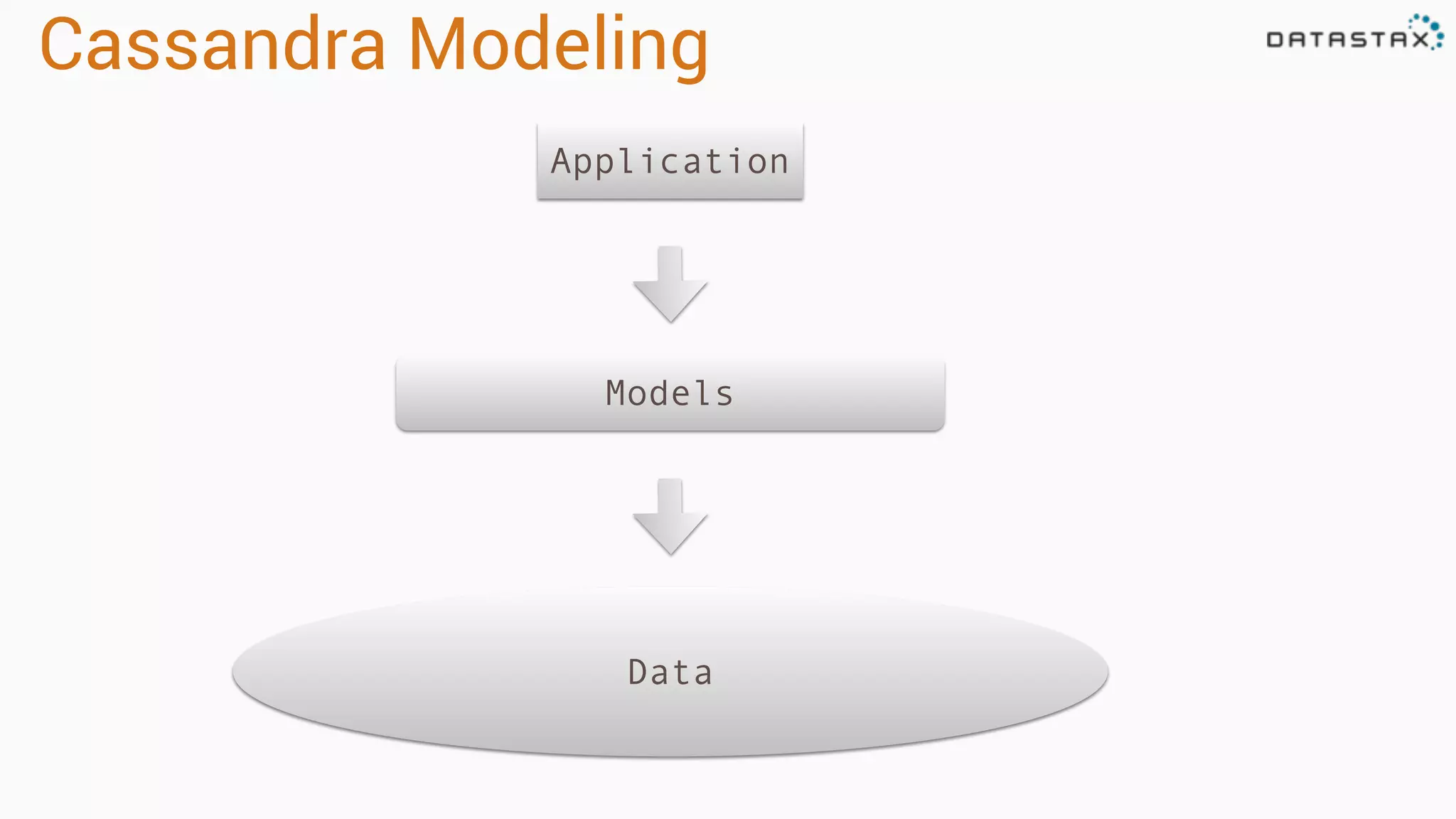
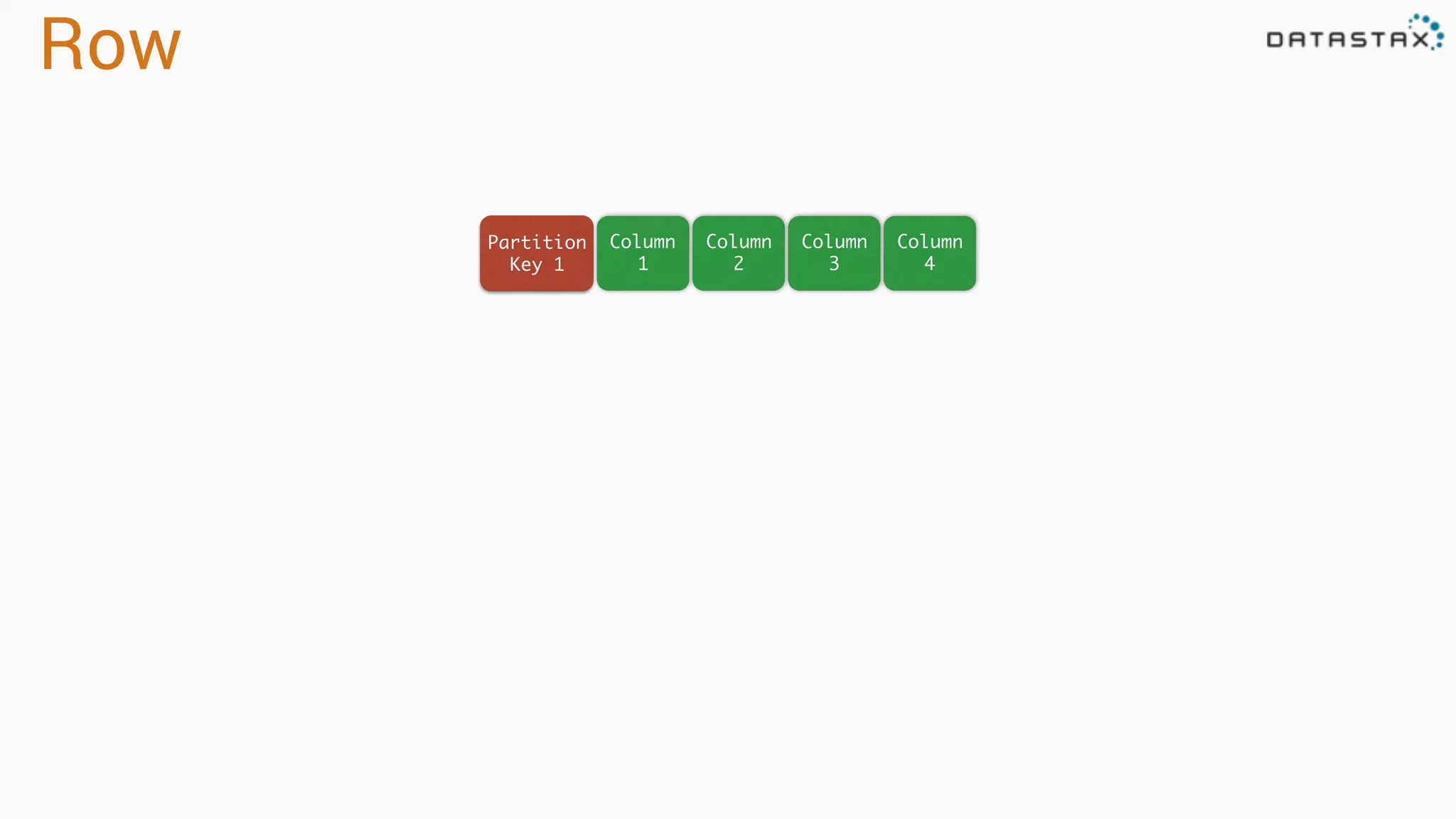
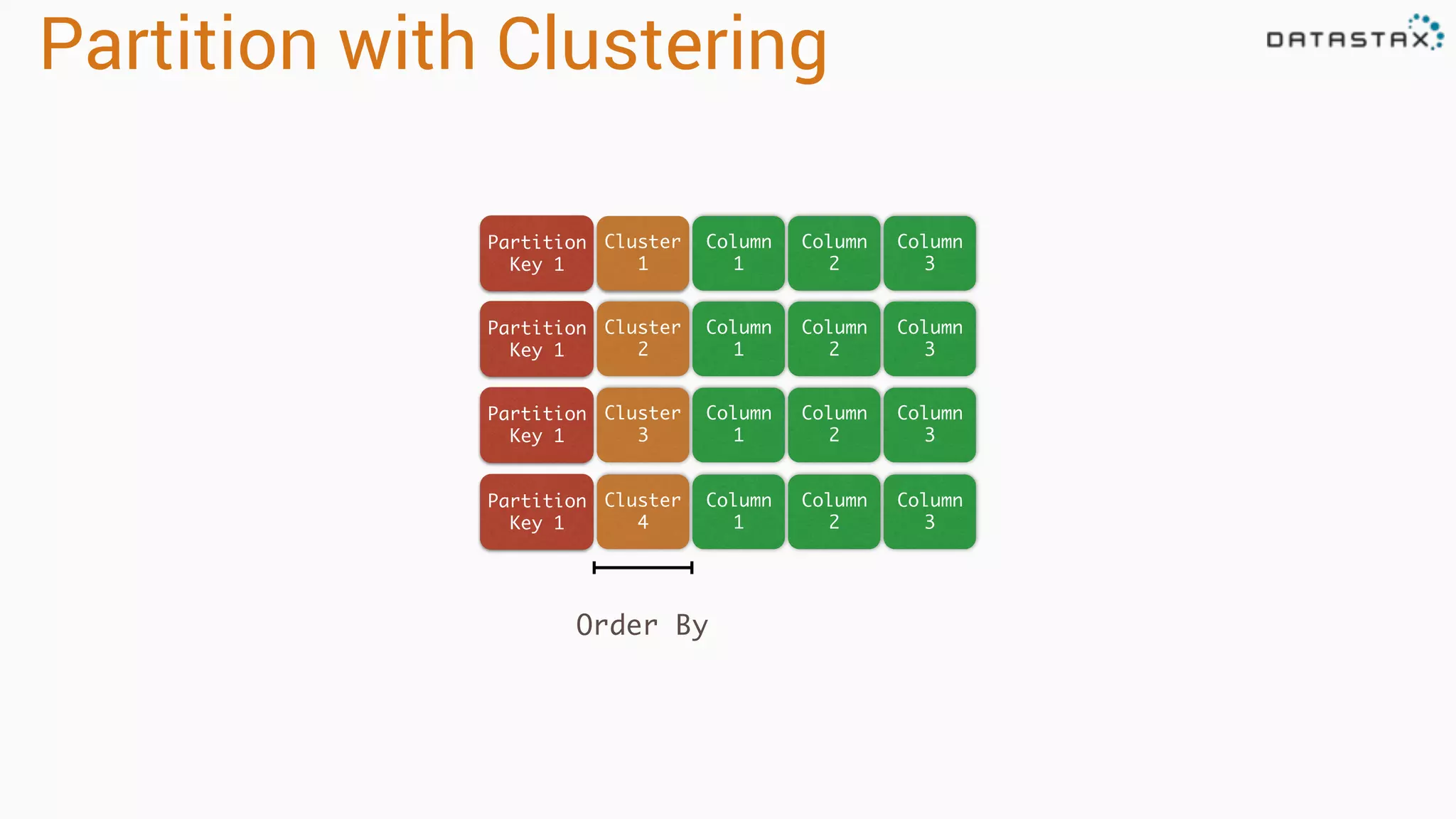
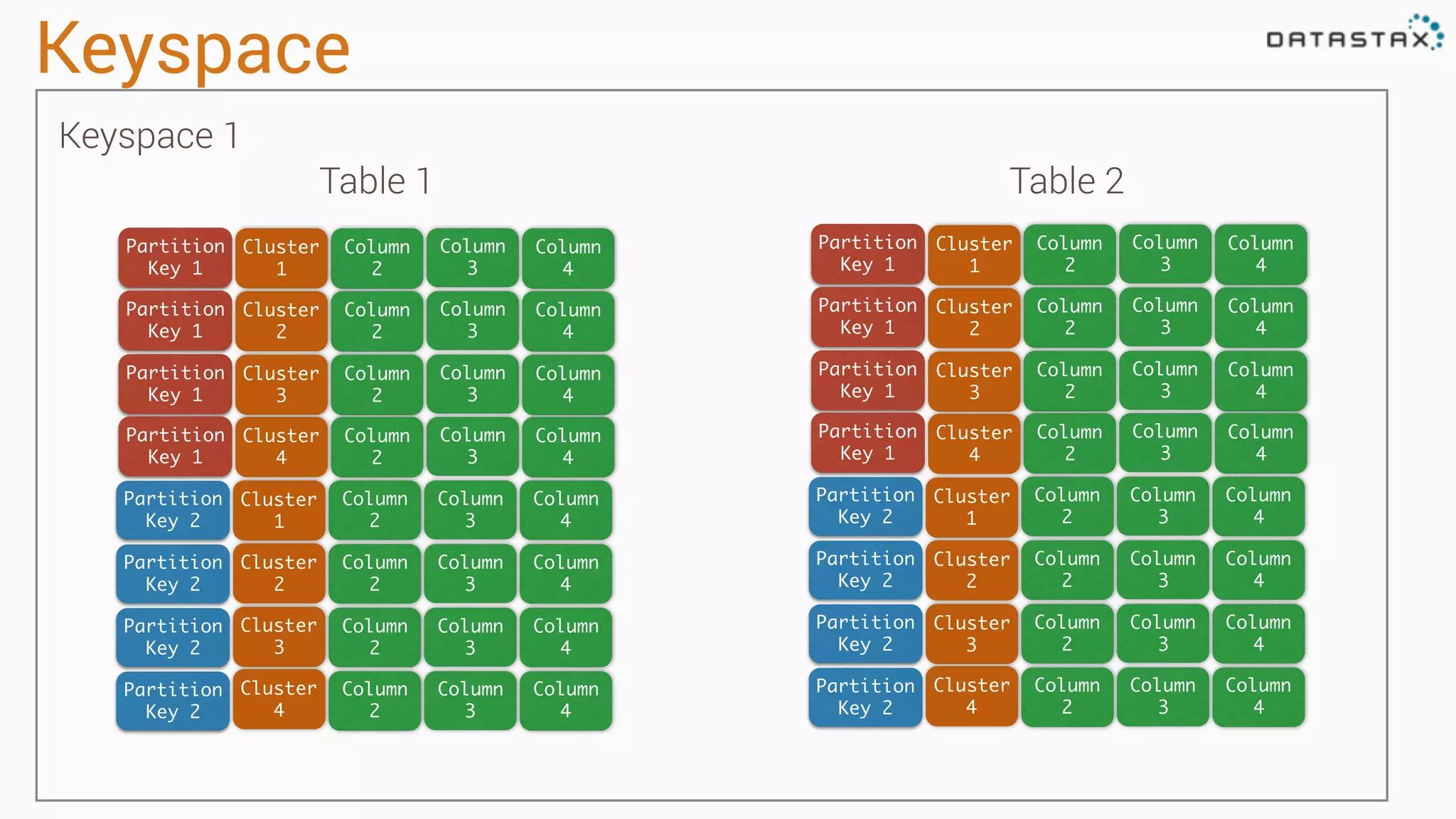
This document provides an introduction to data modeling with Apache Cassandra. It discusses how Cassandra data models are designed based on the queries an application will perform, unlike relational databases which are designed based on normalization rules. Key aspects covered include avoiding joins by denormalizing data, using a partition key to group related data on nodes, and controlling the clustering order of columns. The document provides examples of modeling time series and tag data in Cassandra.
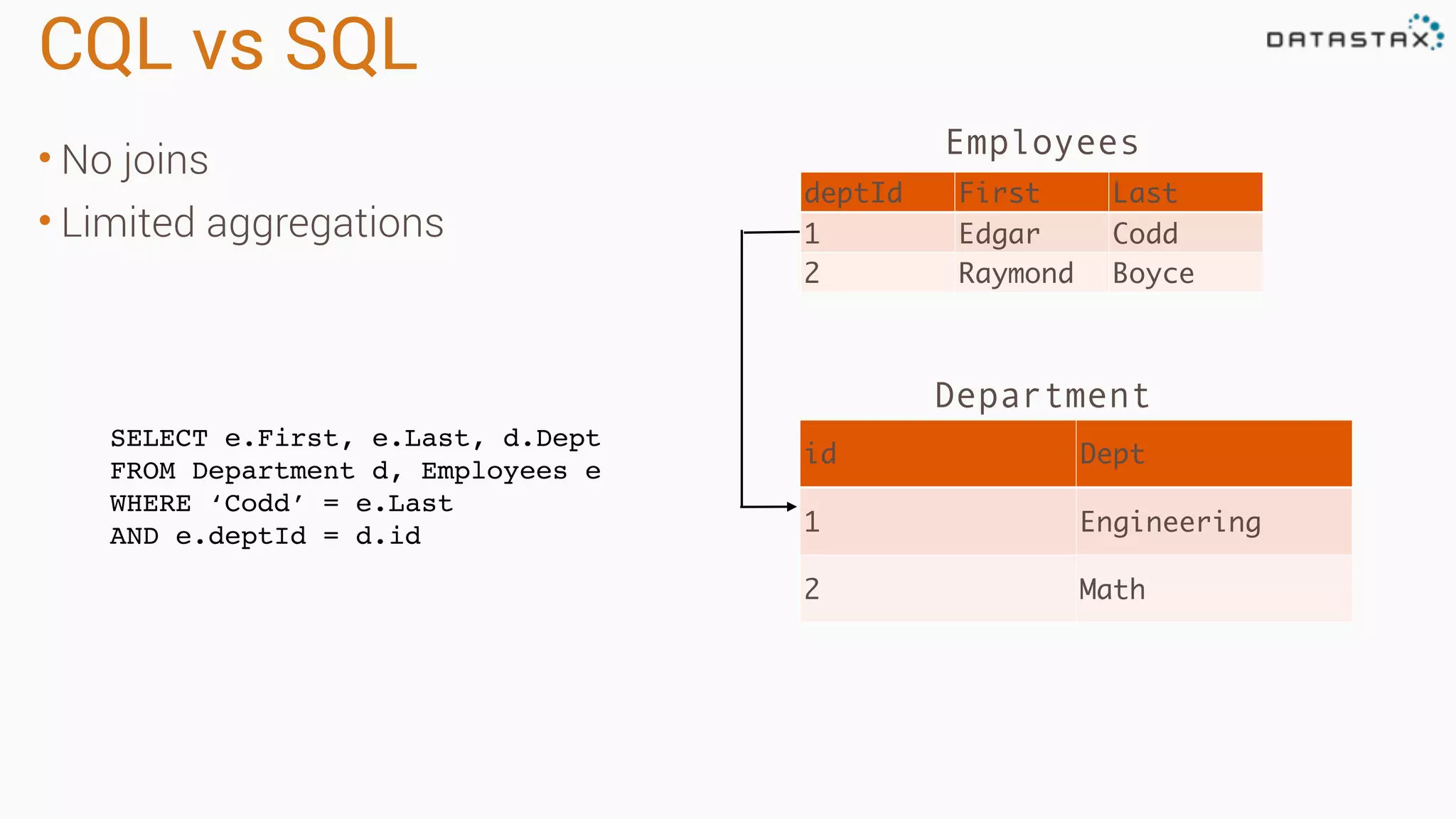
Relational Data Models •5 normal forms • Foreign Keys • Joins deptId First Last 1 Edgar Codd 2 Raymond Boyce id Dept 1 Engineering 2 Math Employees Department
4.
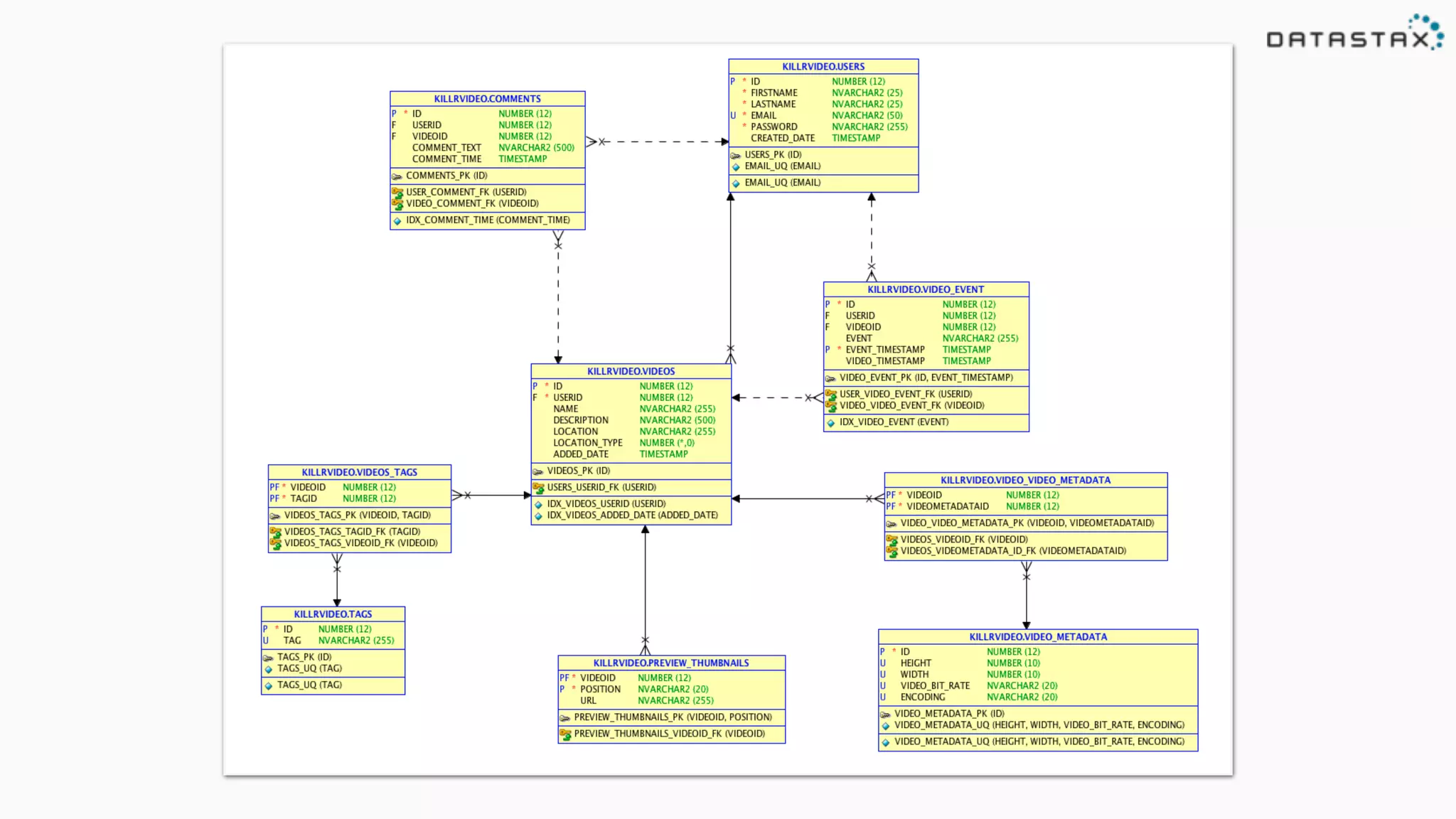
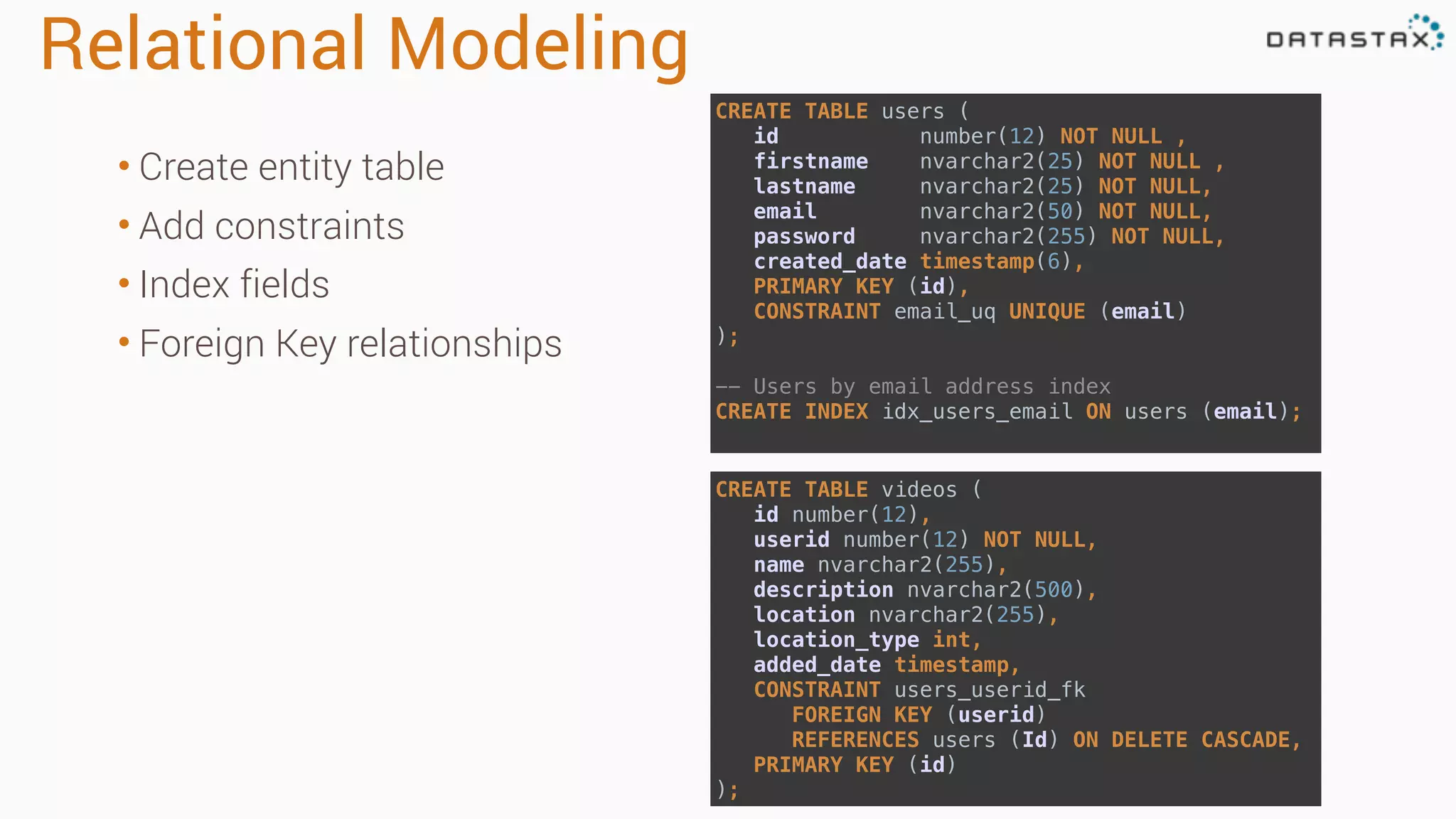
Relational Modeling CREATE TABLEusers ( id number(12) NOT NULL , firstname nvarchar2(25) NOT NULL , lastname nvarchar2(25) NOT NULL, email nvarchar2(50) NOT NULL, password nvarchar2(255) NOT NULL, created_date timestamp(6), PRIMARY KEY (id), CONSTRAINT email_uq UNIQUE (email) ); -- Users by email address index CREATE INDEX idx_users_email ON users (email); • Create entity table • Add constraints • Index fields • Foreign Key relationships CREATE TABLE videos ( id number(12), userid number(12) NOT NULL, name nvarchar2(255), description nvarchar2(500), location nvarchar2(255), location_type int, added_date timestamp, CONSTRAINT users_userid_fk FOREIGN KEY (userid) REFERENCES users (Id) ON DELETE CASCADE, PRIMARY KEY (id) );
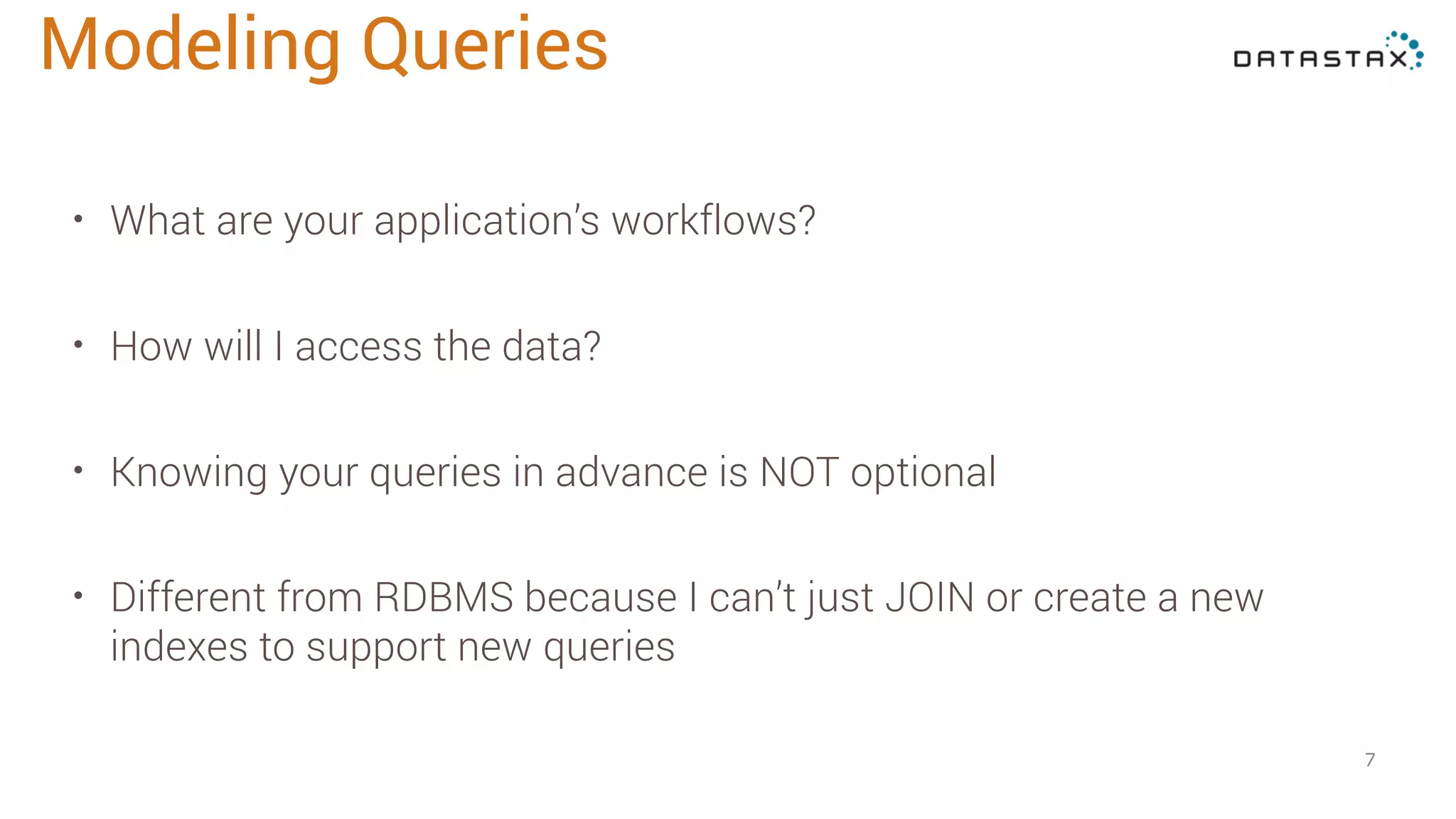
• What areyour application’s workflows? • How will I access the data? • Knowing your queries in advance is NOT optional • Different from RDBMS because I can’t just JOIN or create a new indexes to support new queries 7 Modeling Queries
8.
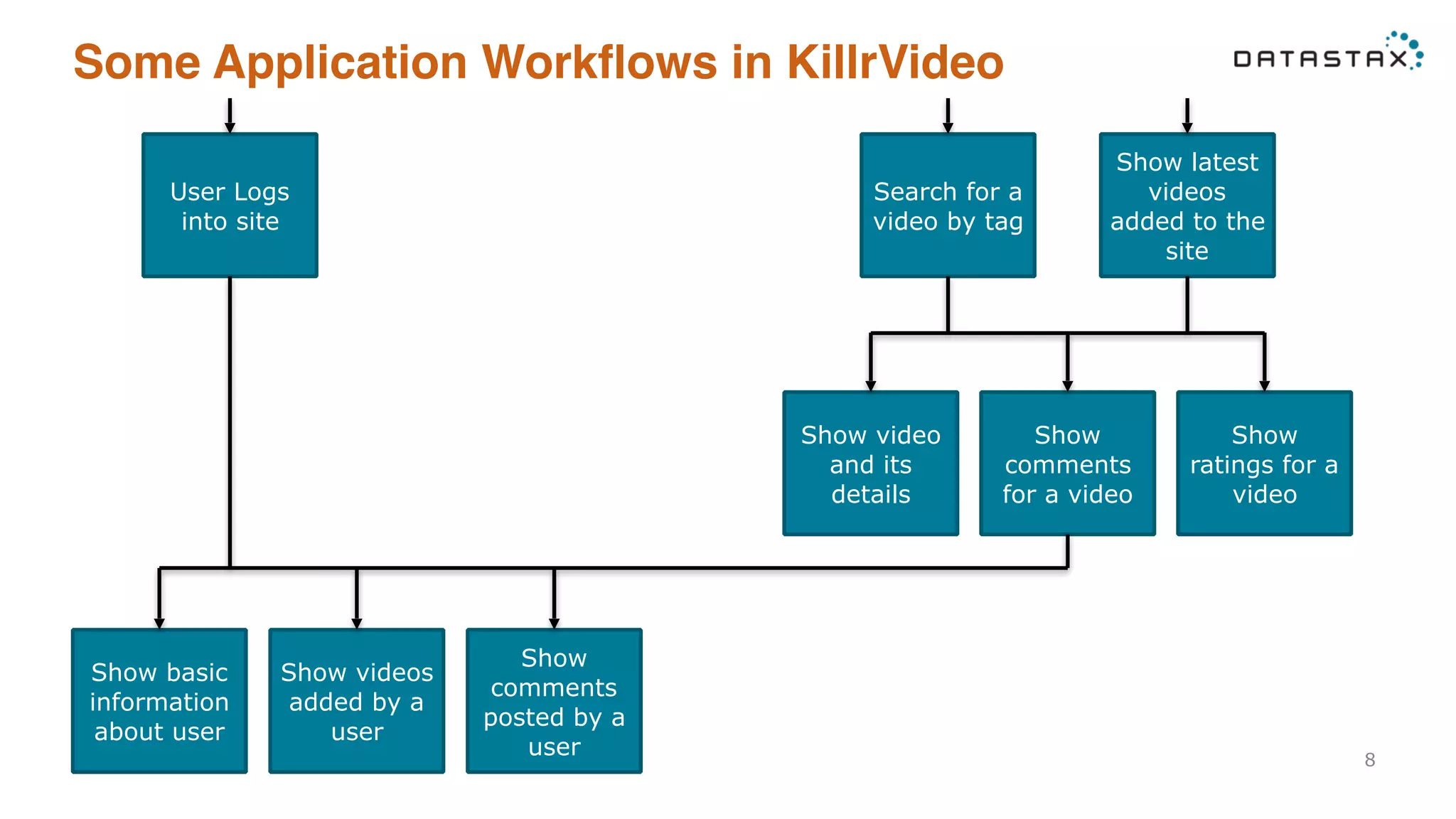
Some Application Workflowsin KillrVideo 8 User Logs into site Show basic information about user Show videos added by a user Show comments posted by a user Search for a video by tag Show latest videos added to the site Show comments for a video Show ratings for a video Show video and its details
9.
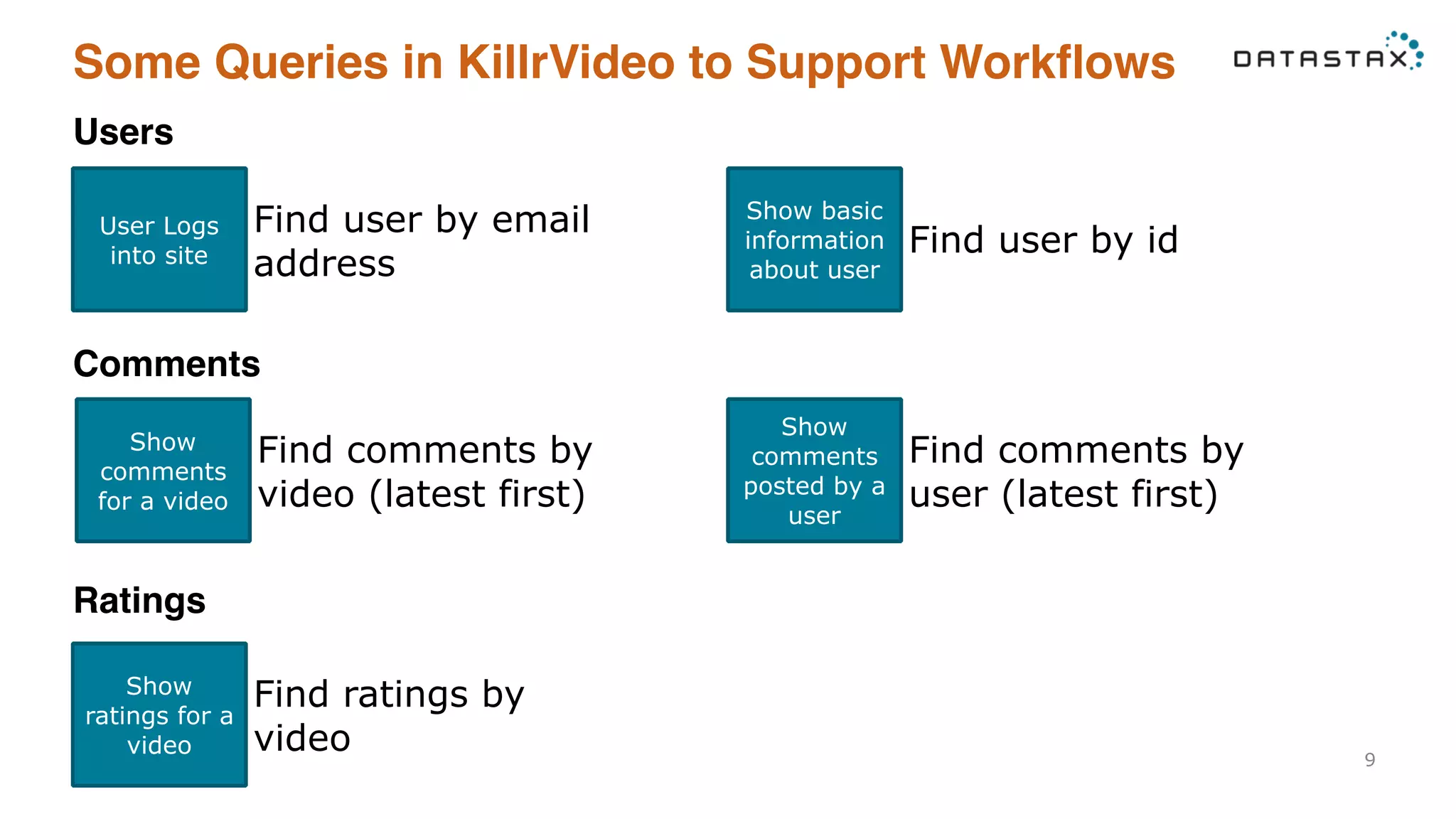
Some Queries inKillrVideo to Support Workflows 9 Users User Logs into site Find user by email address Show basic information about user Find user by id Comments Show comments for a video Find comments by video (latest first) Show comments posted by a user Find comments by user (latest first) Ratings Show ratings for a video Find ratings by video
10.
CQL vs SQL •No joins • Limited aggregations deptId First Last 1 Edgar Codd 2 Raymond Boyce id Dept 1 Engineering 2 Math Employees Department SELECT e.First, e.Last, d.Dept FROM Department d, Employees e WHERE ‘Codd’ = e.Last AND e.deptId = d.id
11.
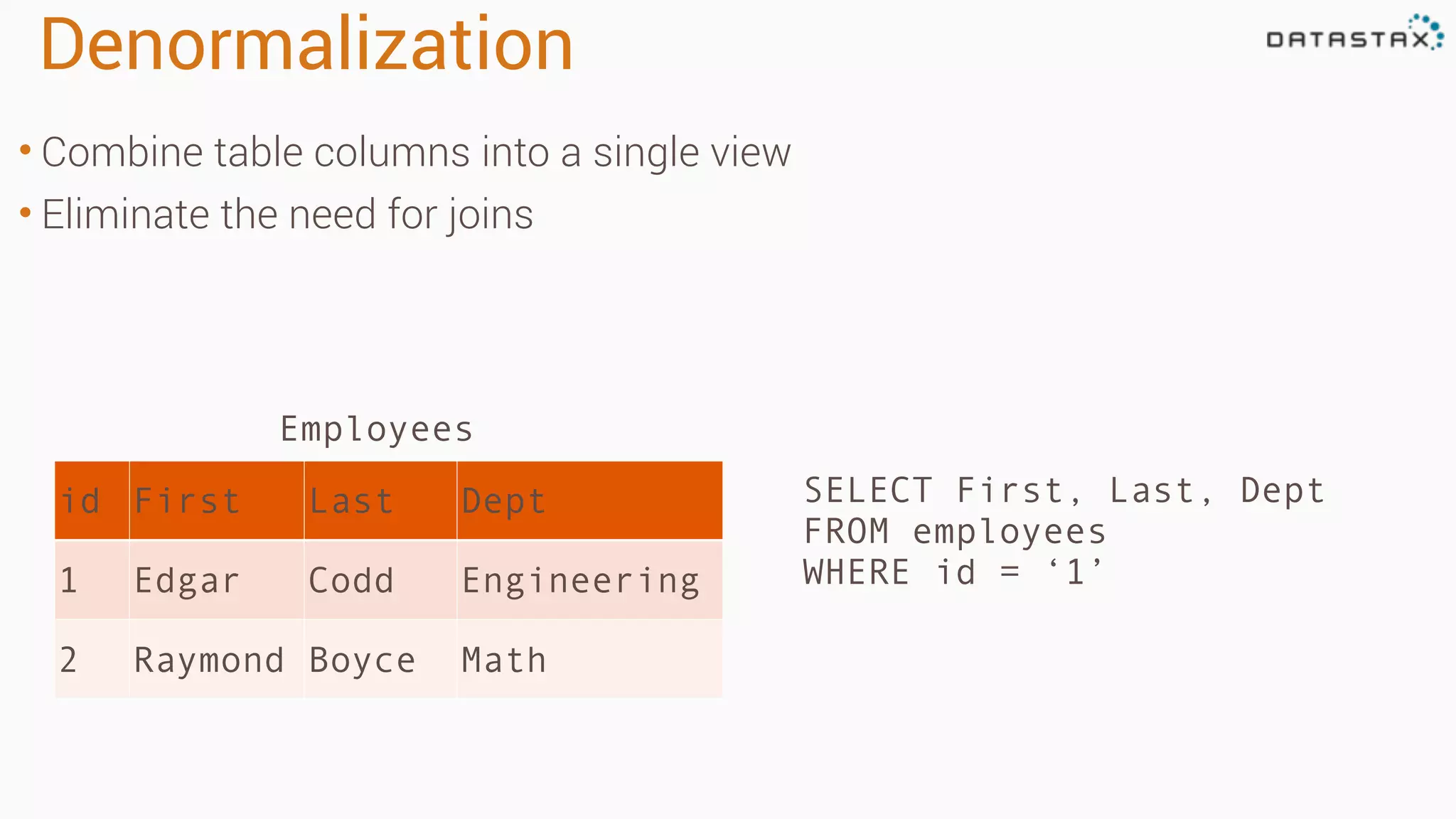
Denormalization • Combine tablecolumns into a single view • Eliminate the need for joins SELECT First, Last, Dept FROM employees WHERE id = ‘1’ id First Last Dept 1 Edgar Codd Engineering 2 Raymond Boyce Math Employees
12.
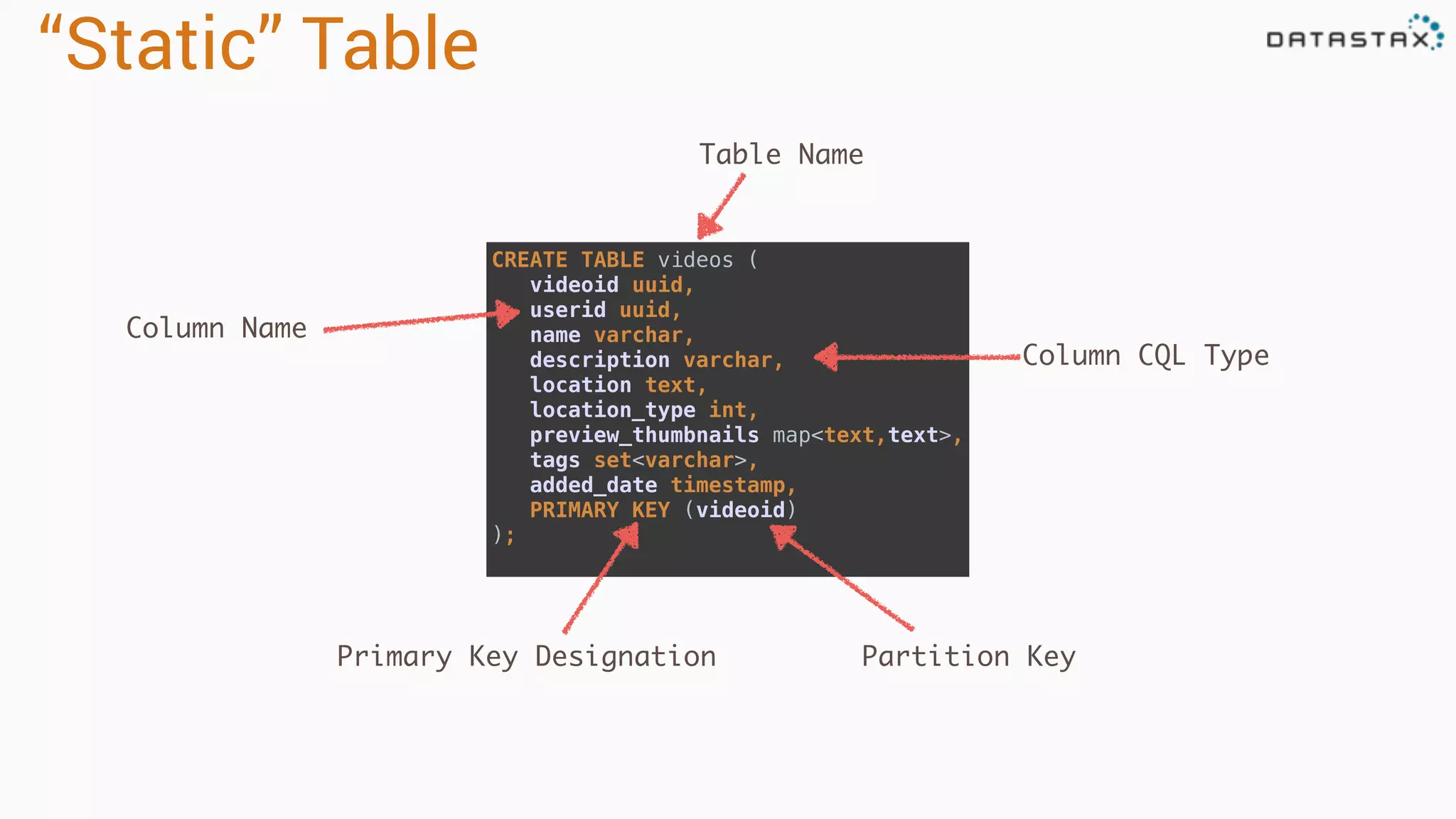
“Static” Table CREATE TABLEvideos ( videoid uuid, userid uuid, name varchar, description varchar, location text, location_type int, preview_thumbnails map<text,text>, tags set<varchar>, added_date timestamp, PRIMARY KEY (videoid) ); Table Name Column Name Column CQL Type Primary Key Designation Partition Key
13.
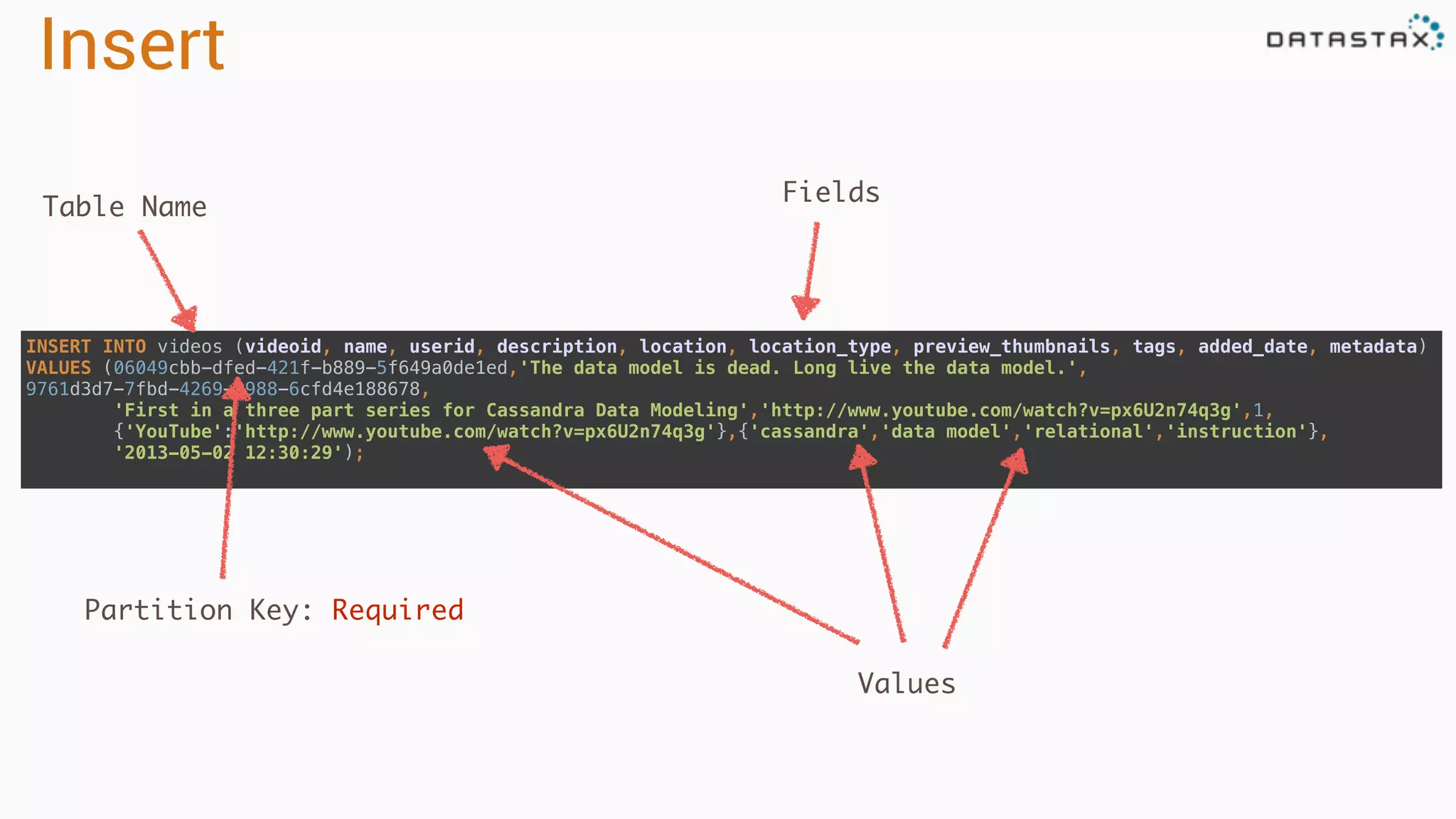
Insert INSERT INTO videos(videoid, name, userid, description, location, location_type, preview_thumbnails, tags, added_date, metadata) VALUES (06049cbb-dfed-421f-b889-5f649a0de1ed,'The data model is dead. Long live the data model.', 9761d3d7-7fbd-4269-9988-6cfd4e188678, 'First in a three part series for Cassandra Data Modeling','http://www.youtube.com/watch?v=px6U2n74q3g',1, {'YouTube':'http://www.youtube.com/watch?v=px6U2n74q3g'},{'cassandra','data model','relational','instruction'}, '2013-05-02 12:30:29'); Table Name Fields Values Partition Key: Required
14.
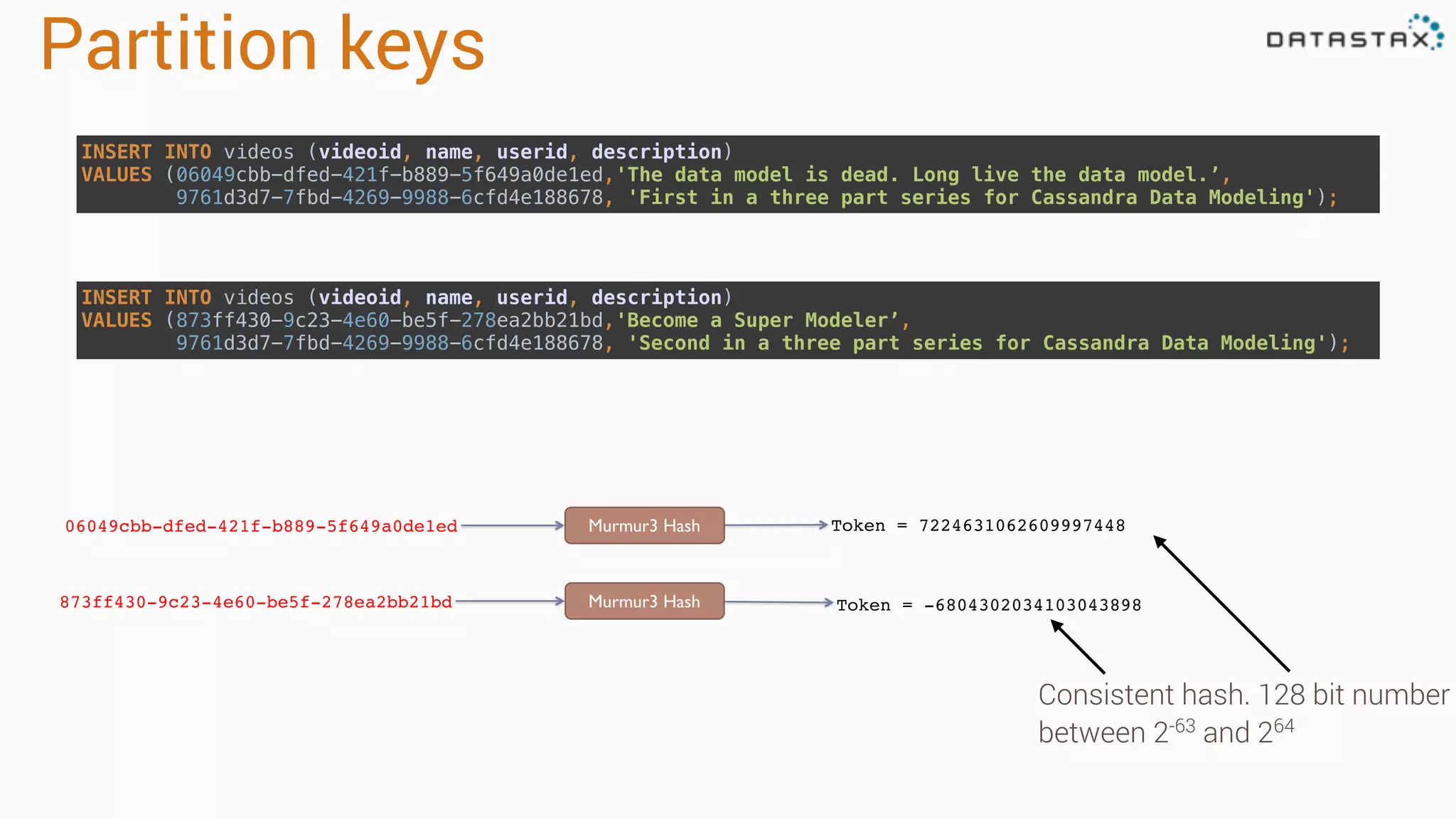
Partition keys 06049cbb-dfed-421f-b889-5f649a0de1ed Murmur3Hash Token = 7224631062609997448 873ff430-9c23-4e60-be5f-278ea2bb21bd Murmur3 Hash Token = -6804302034103043898 Consistent hash. 128 bit number between 2-63 and 264 INSERT INTO videos (videoid, name, userid, description) VALUES (06049cbb-dfed-421f-b889-5f649a0de1ed,'The data model is dead. Long live the data model.’, 9761d3d7-7fbd-4269-9988-6cfd4e188678, 'First in a three part series for Cassandra Data Modeling'); INSERT INTO videos (videoid, name, userid, description) VALUES (873ff430-9c23-4e60-be5f-278ea2bb21bd,'Become a Super Modeler’, 9761d3d7-7fbd-4269-9988-6cfd4e188678, 'Second in a three part series for Cassandra Data Modeling');
15.
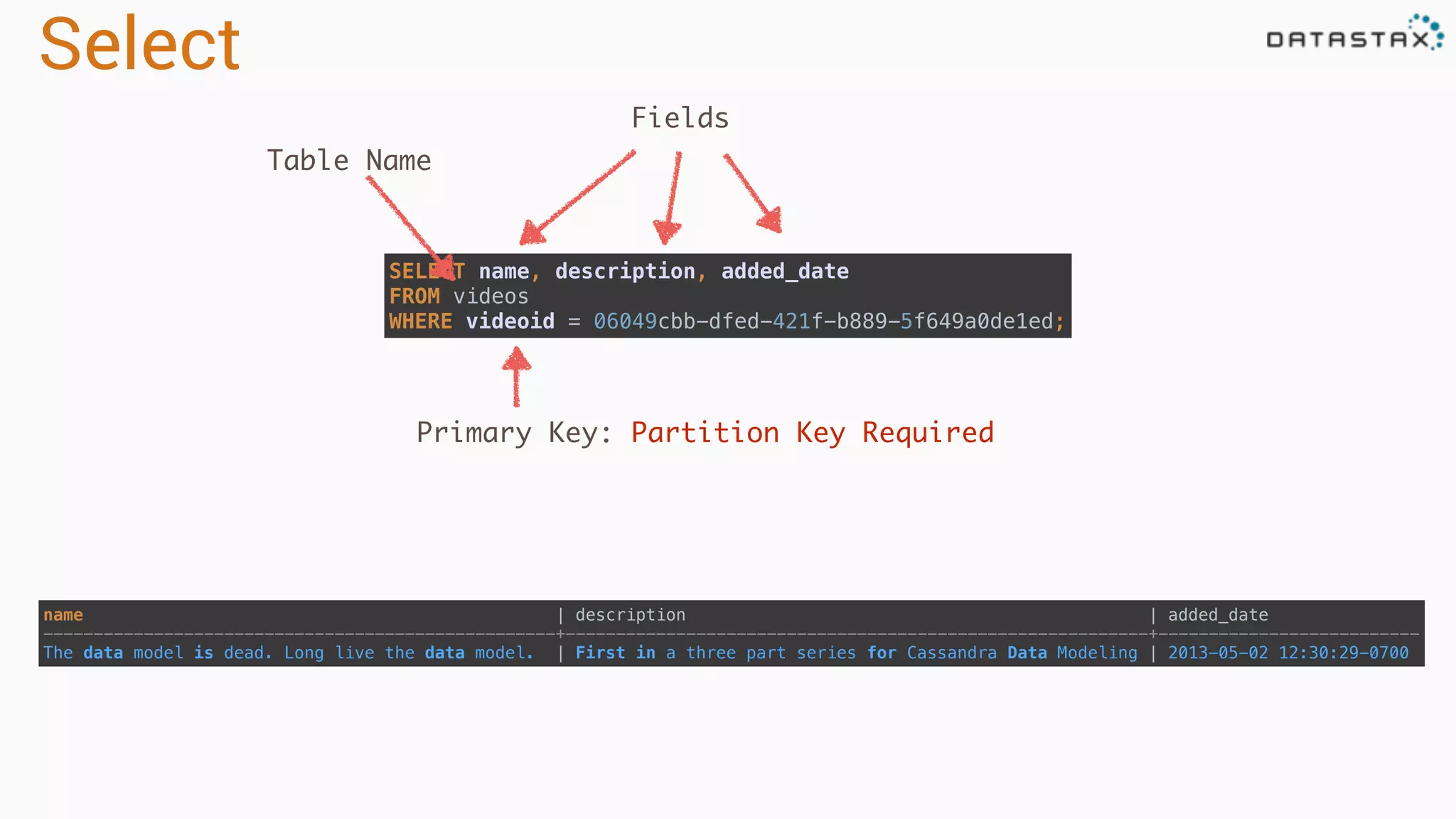
Select name | description| added_date ---------------------------------------------------+----------------------------------------------------------+-------------------------- The data model is dead. Long live the data model. | First in a three part series for Cassandra Data Modeling | 2013-05-02 12:30:29-0700 SELECT name, description, added_date FROM videos WHERE videoid = 06049cbb-dfed-421f-b889-5f649a0de1ed; Fields Table Name Primary Key: Partition Key Required
16.
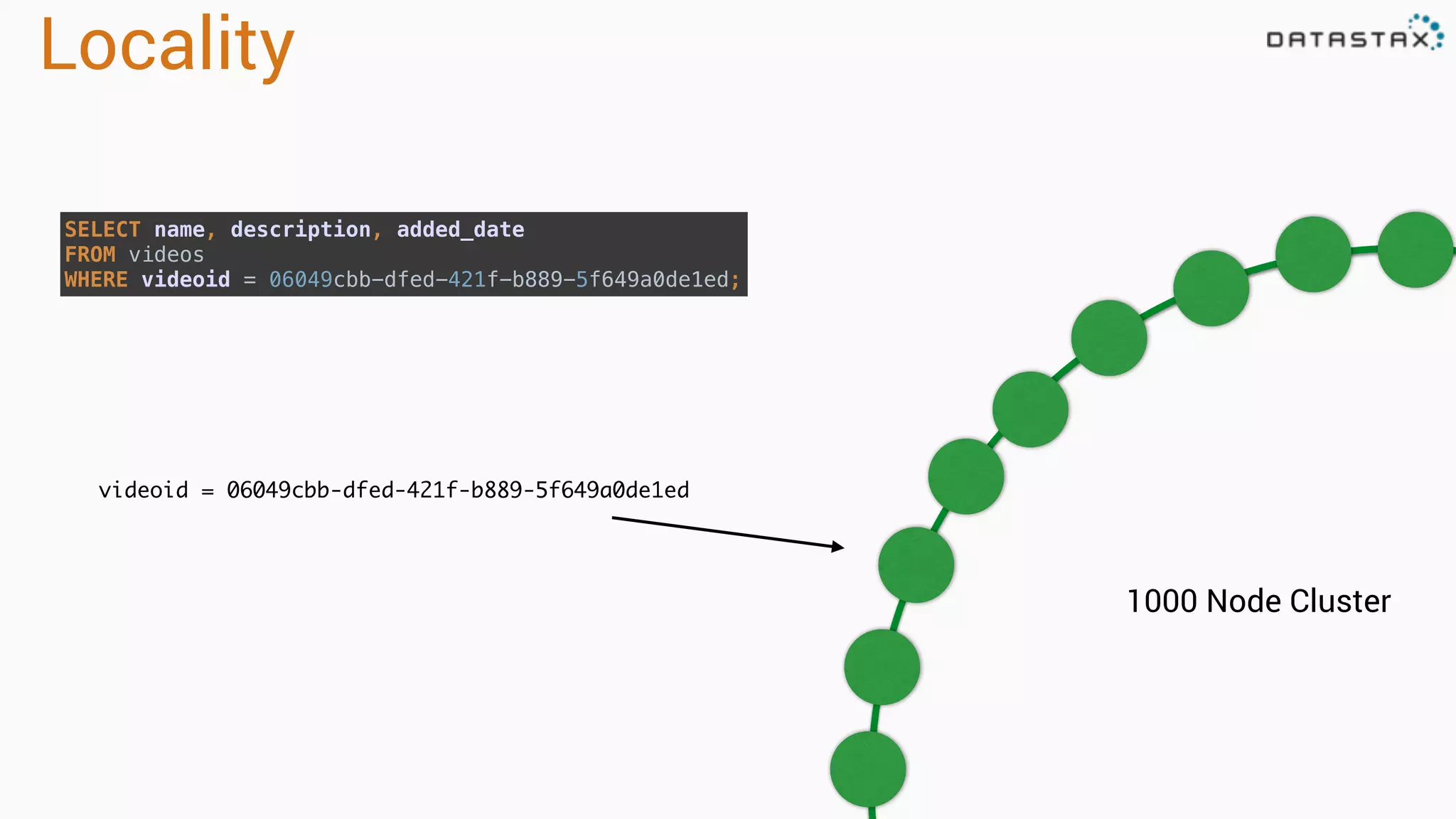
Locality 1000 Node Cluster videoid= 06049cbb-dfed-421f-b889-5f649a0de1ed SELECT name, description, added_date FROM videos WHERE videoid = 06049cbb-dfed-421f-b889-5f649a0de1ed;
17.
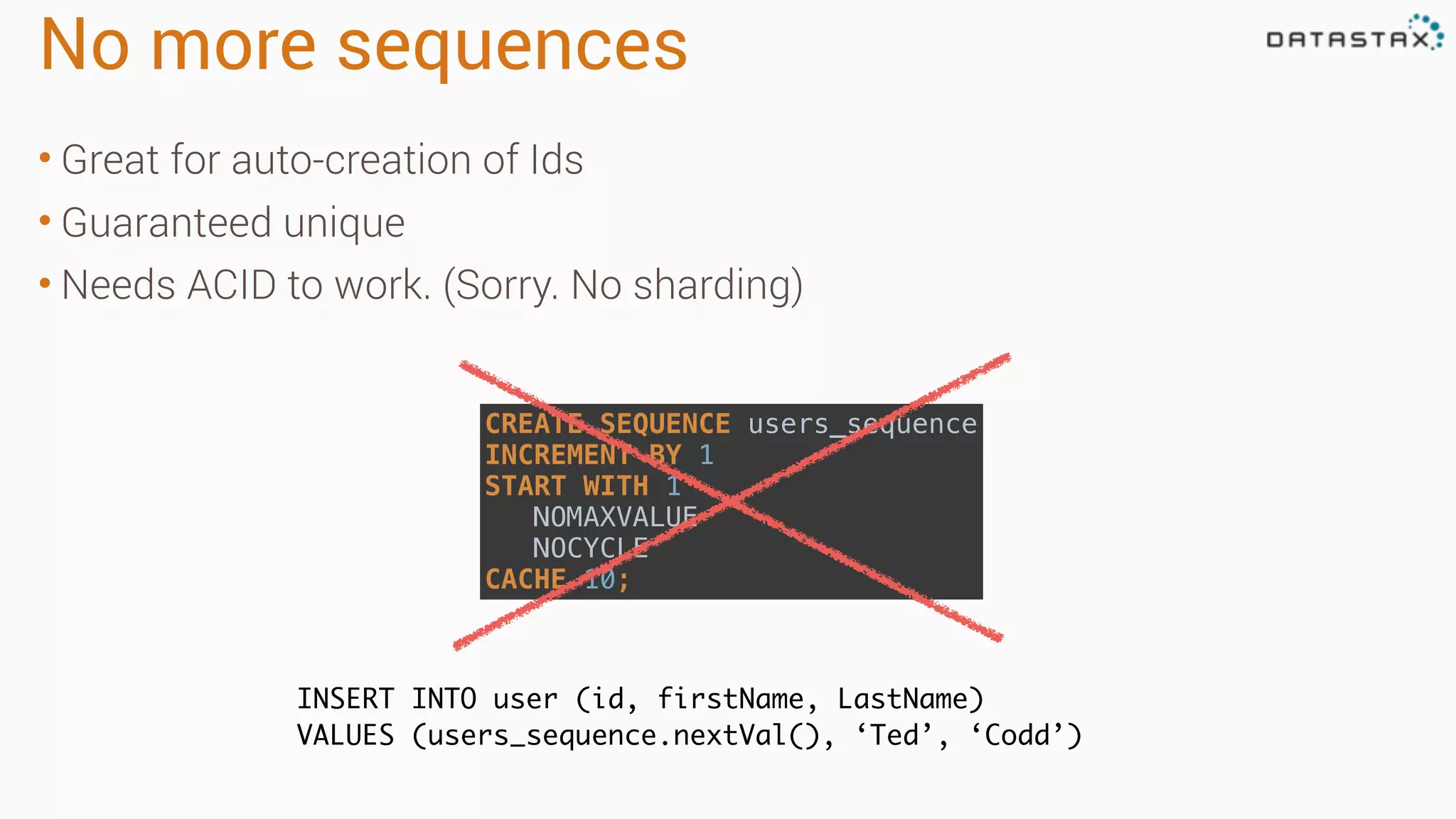
No more sequences •Great for auto-creation of Ids • Guaranteed unique • Needs ACID to work. (Sorry. No sharding) INSERT INTO user (id, firstName, LastName) VALUES (users_sequence.nextVal(), ‘Ted’, ‘Codd’) CREATE SEQUENCE users_sequence INCREMENT BY 1 START WITH 1 NOMAXVALUE NOCYCLE CACHE 10;
18.
No sequences??? • Almostimpossible in a distributed system • Couple of great choices • Natural Key - Unique values like email • Surrogate Key - UUID • Universal Unique ID • 128 bit number represented in character form • Easily generated on the client • Same as GUID for the MS folks 99051fe9-6a9c-46c2-b949-38ef78858dd0
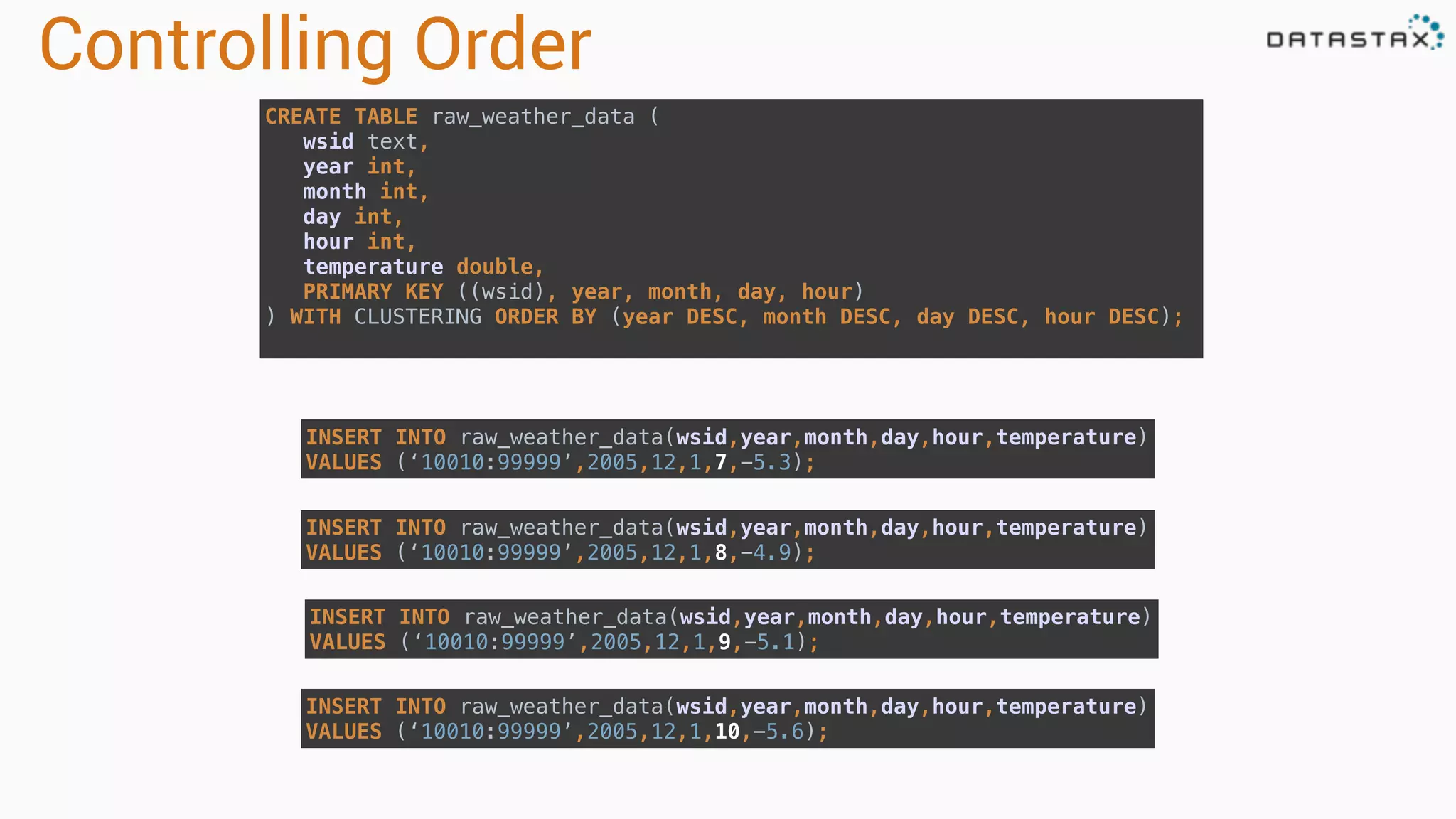
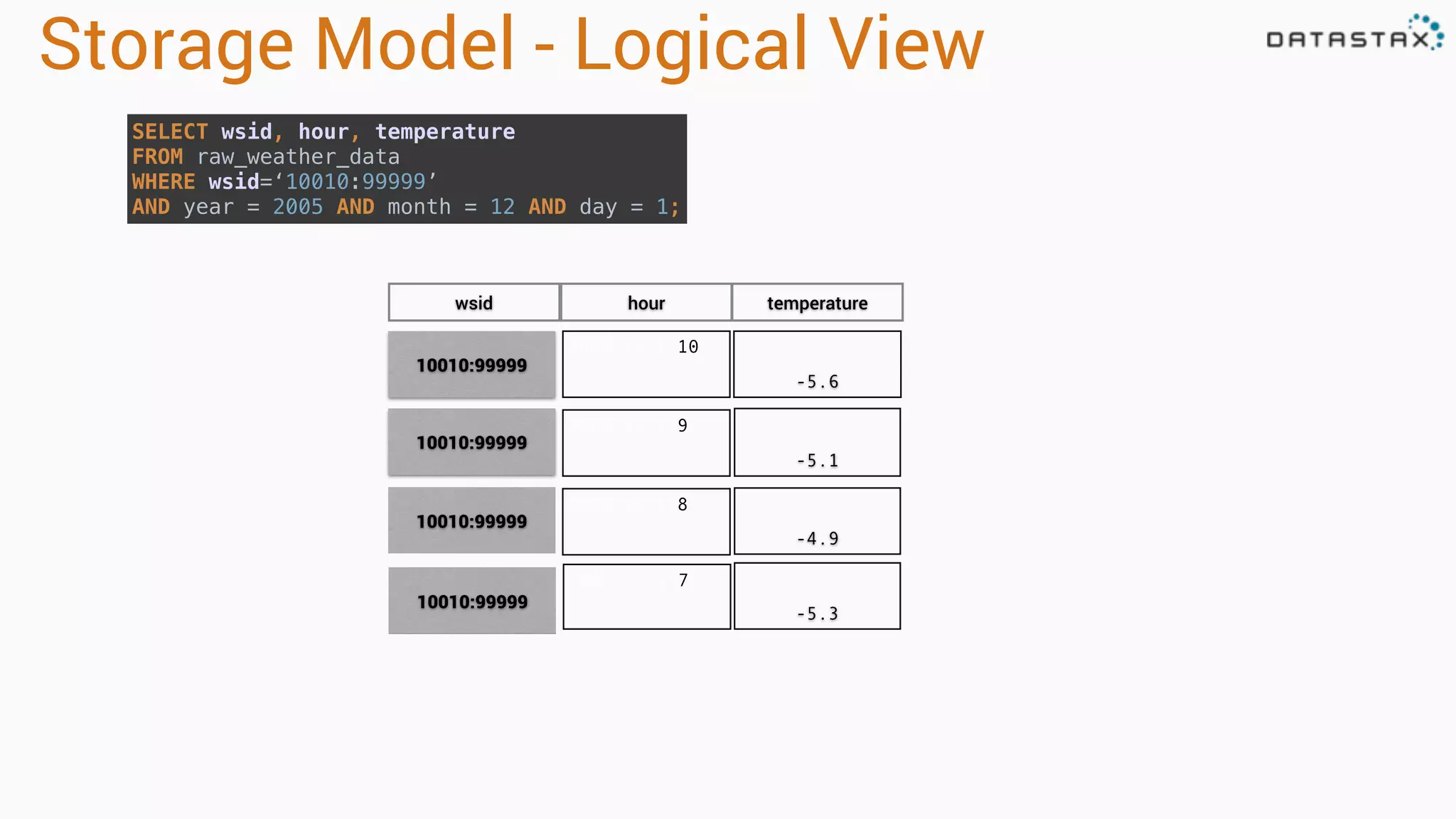
Controlling Order CREATE TABLEraw_weather_data ( wsid text, year int, month int, day int, hour int, temperature double, PRIMARY KEY ((wsid), year, month, day, hour) ) WITH CLUSTERING ORDER BY (year DESC, month DESC, day DESC, hour DESC); INSERT INTO raw_weather_data(wsid,year,month,day,hour,temperature) VALUES (‘10010:99999’,2005,12,1,10,-5.6); INSERT INTO raw_weather_data(wsid,year,month,day,hour,temperature) VALUES (‘10010:99999’,2005,12,1,9,-5.1); INSERT INTO raw_weather_data(wsid,year,month,day,hour,temperature) VALUES (‘10010:99999’,2005,12,1,8,-4.9); INSERT INTO raw_weather_data(wsid,year,month,day,hour,temperature) VALUES (‘10010:99999’,2005,12,1,7,-5.3);
30.
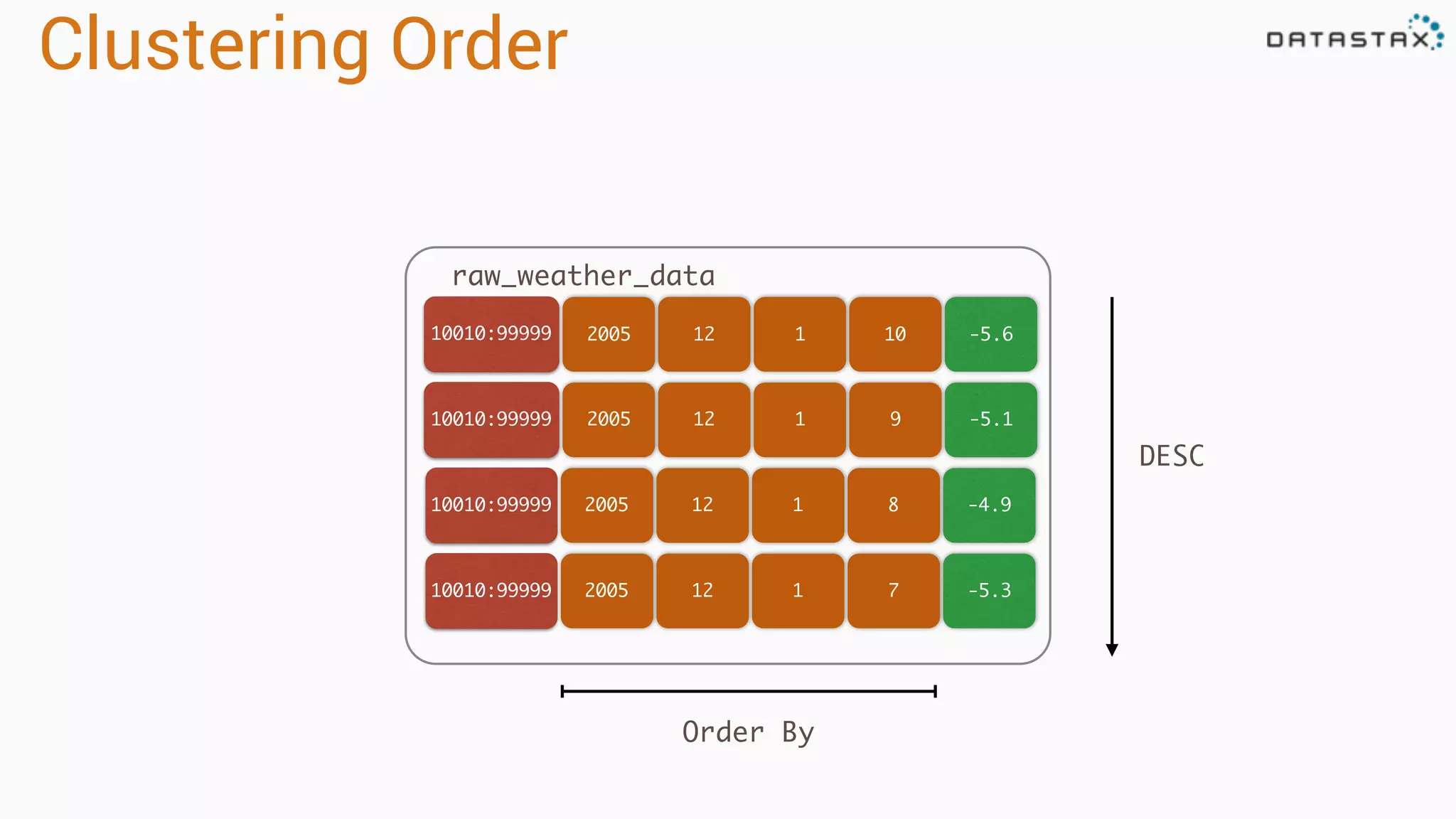
Clustering Order 200510010:99999 121 10 200510010:99999 12 1 9 raw_weather_data -5.6 -5.1 200510010:99999 12 1 8 200510010:99999 12 1 7 -4.9 -5.3 Order By DESC
31.
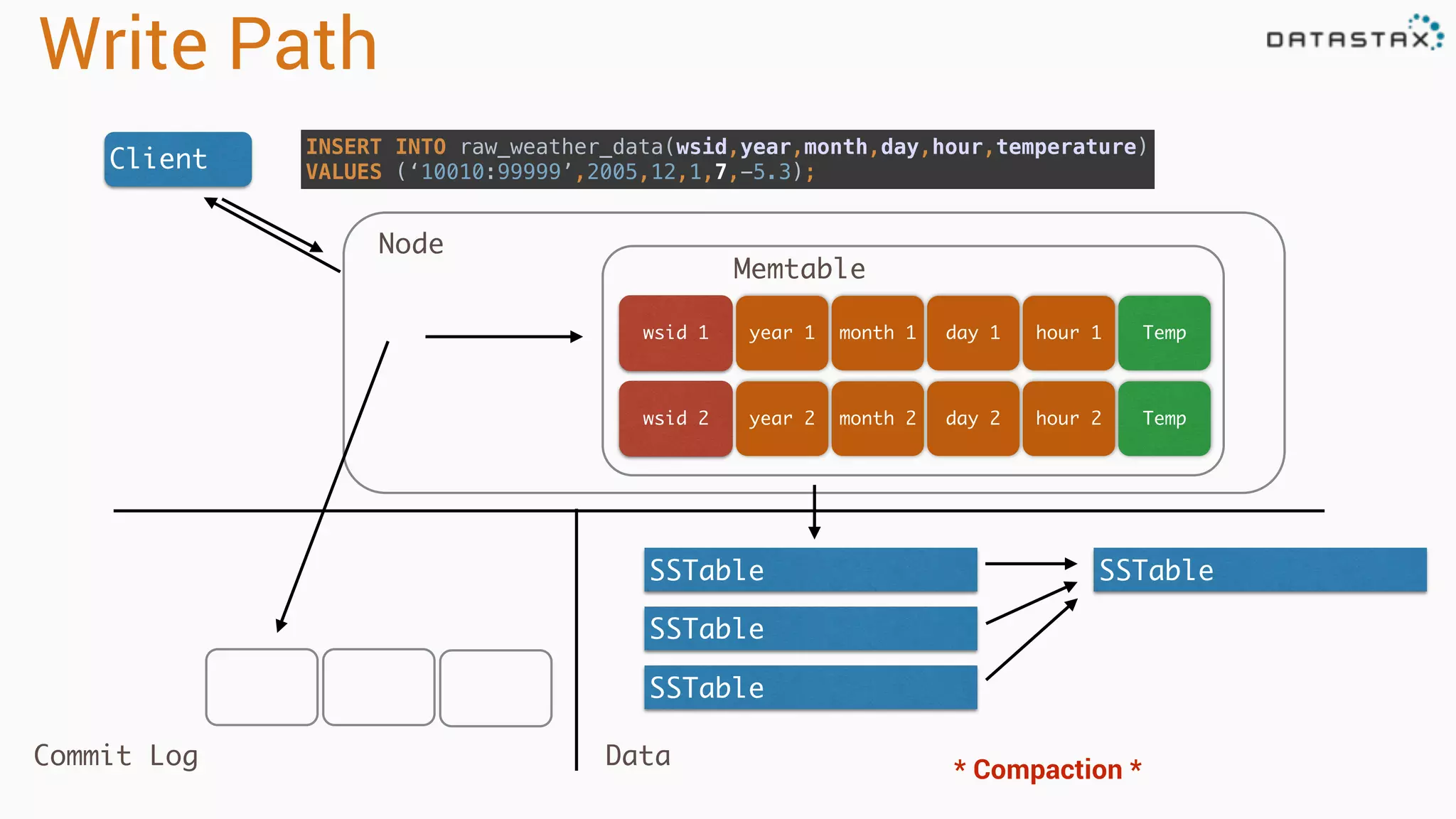
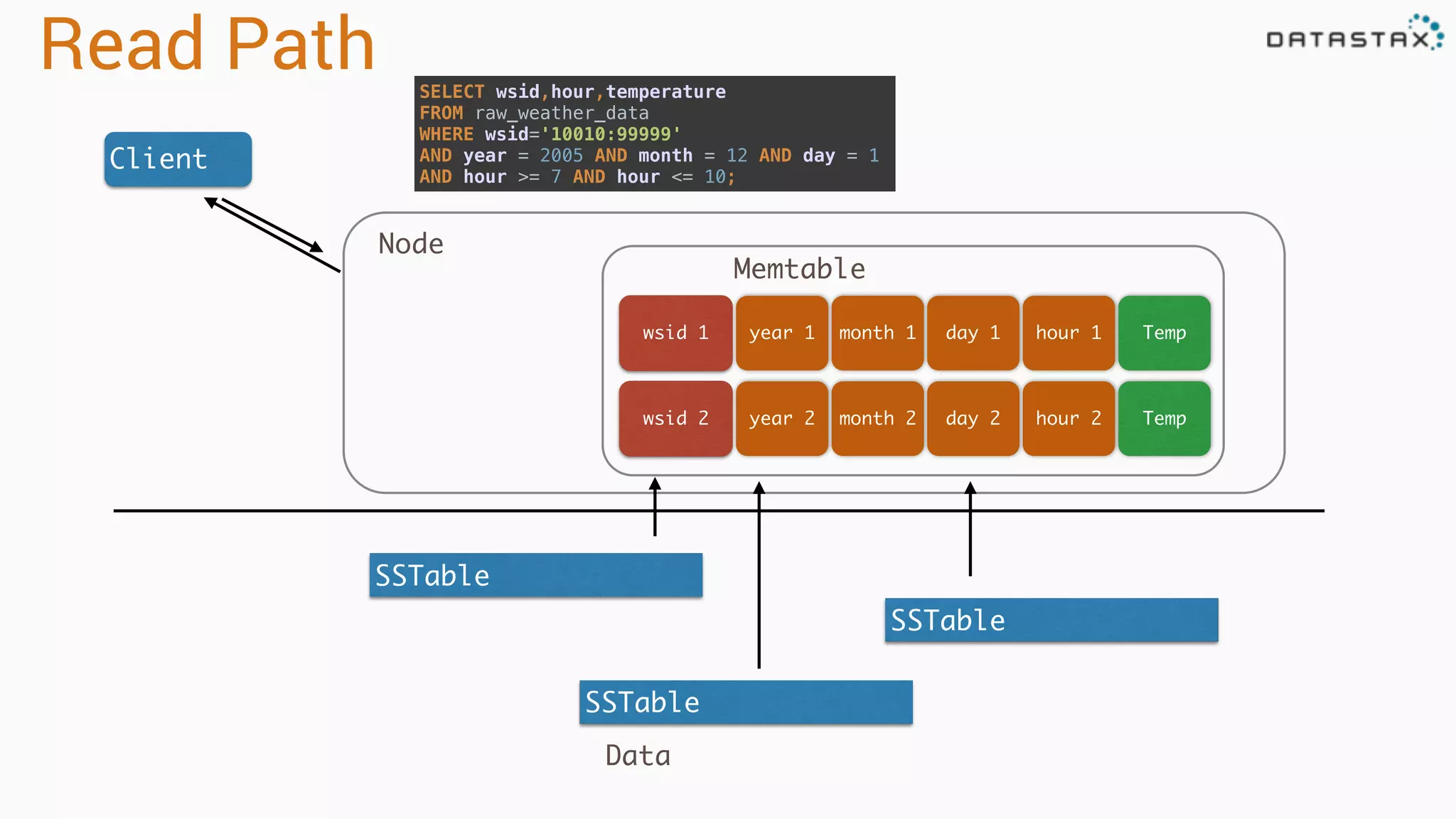
Write Path Client INSERT INTOraw_weather_data(wsid,year,month,day,hour,temperature) VALUES (‘10010:99999’,2005,12,1,7,-5.3); year 1wsid 1 month 1 day 1 hour 1 year 2wsid 2 month 2 day 2 hour 2 Memtable SSTable SSTable SSTable SSTable Node Commit Log Data * Compaction * Temp Temp
32.
Storage Model -Logical View 2005:12:1:10 -5.6 2005:12:1:9 -5.1 2005:12:1:8 -4.9 10010:99999 10010:99999 10010:99999 wsid hour temperature 2005:12:1:7 -5.3 10010:99999 SELECT wsid, hour, temperature FROM raw_weather_data WHERE wsid=‘10010:99999’ AND year = 2005 AND month = 12 AND day = 1;
33.
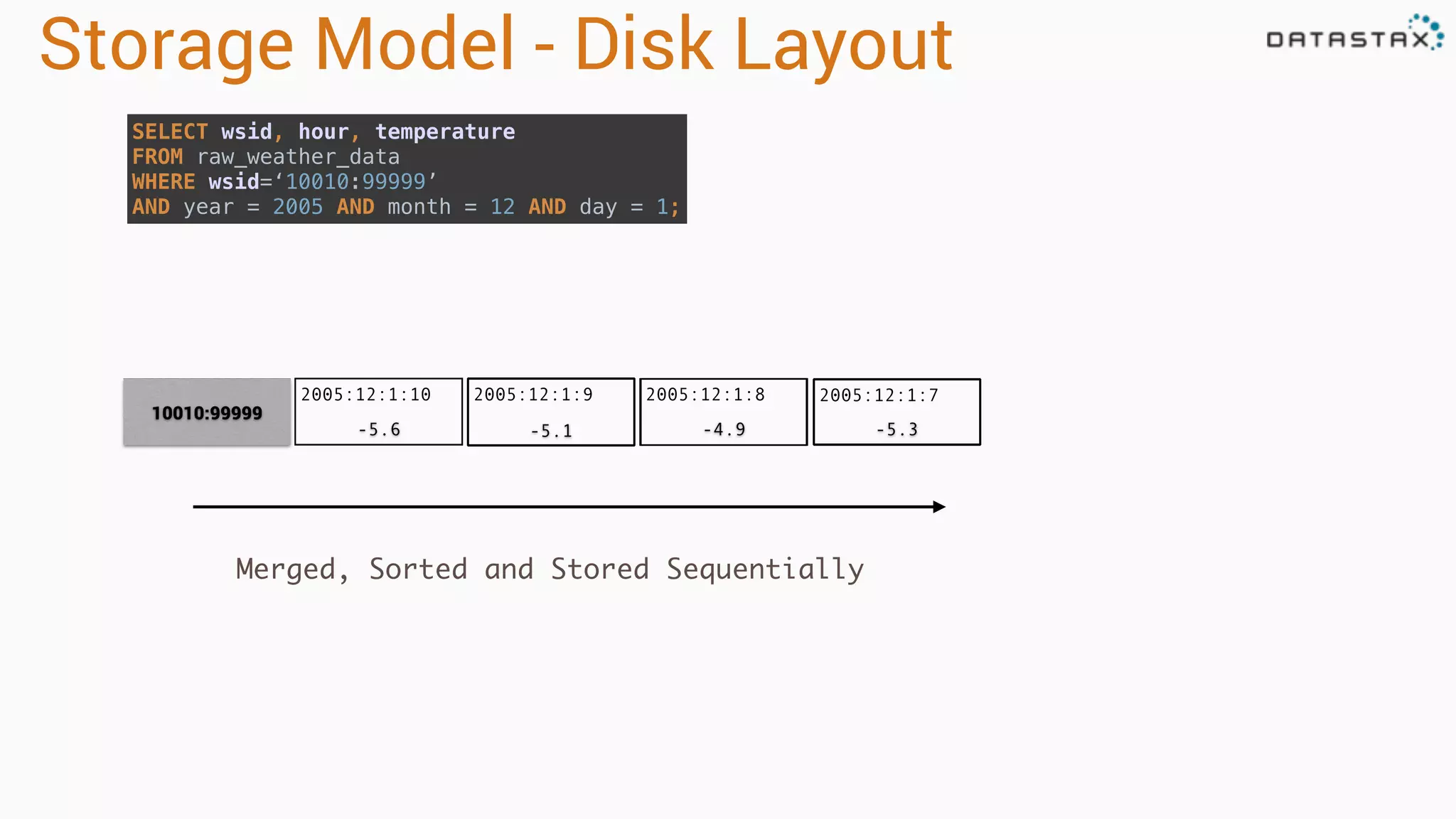
2005:12:1:10 -5.6 -5.3-4.9-5.1 Storage Model- Disk Layout 2005:12:1:9 2005:12:1:8 10010:99999 2005:12:1:7 Merged, Sorted and Stored Sequentially SELECT wsid, hour, temperature FROM raw_weather_data WHERE wsid=‘10010:99999’ AND year = 2005 AND month = 12 AND day = 1;
34.
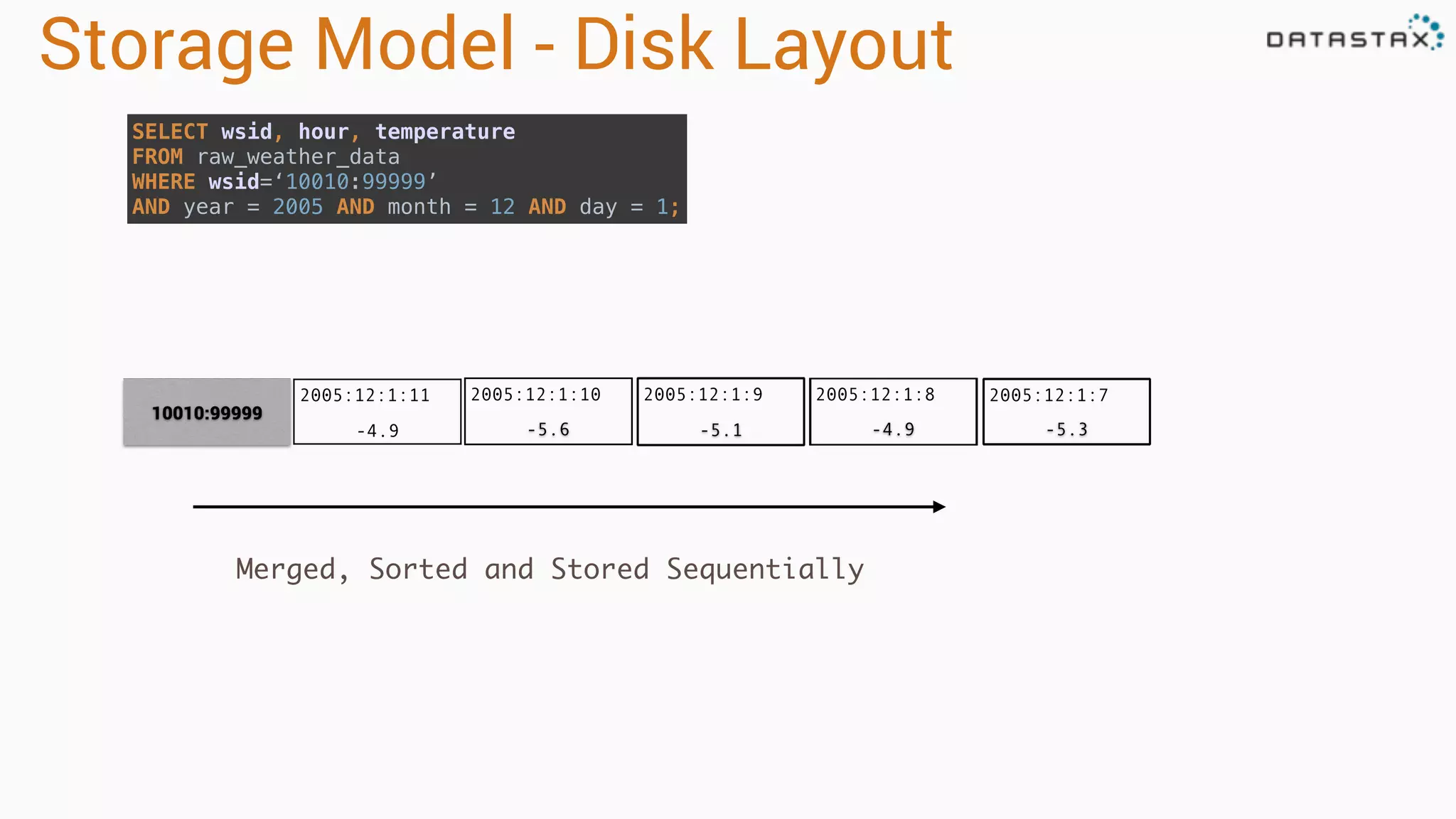
2005:12:1:10 -5.6 2005:12:1:11 -4.9 -5.3-4.9-5.1 Storage Model- Disk Layout 2005:12:1:9 2005:12:1:8 10010:99999 2005:12:1:7 Merged, Sorted and Stored Sequentially SELECT wsid, hour, temperature FROM raw_weather_data WHERE wsid=‘10010:99999’ AND year = 2005 AND month = 12 AND day = 1;
35.
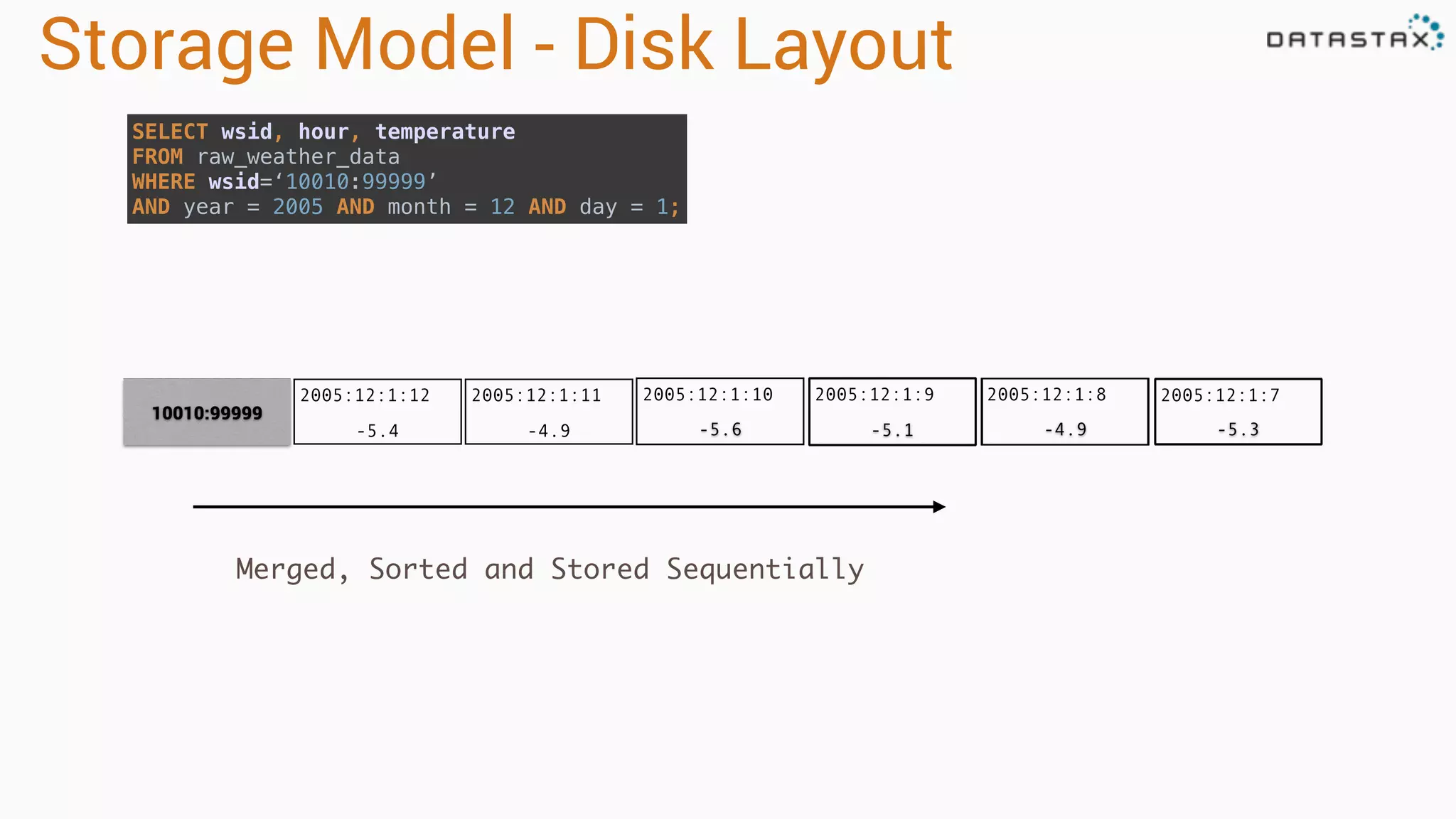
2005:12:1:10 -5.6 2005:12:1:11 -4.9 -5.3-4.9-5.1 Storage Model- Disk Layout 2005:12:1:9 2005:12:1:8 10010:99999 2005:12:1:7 Merged, Sorted and Stored Sequentially SELECT wsid, hour, temperature FROM raw_weather_data WHERE wsid=‘10010:99999’ AND year = 2005 AND month = 12 AND day = 1; 2005:12:1:12 -5.4
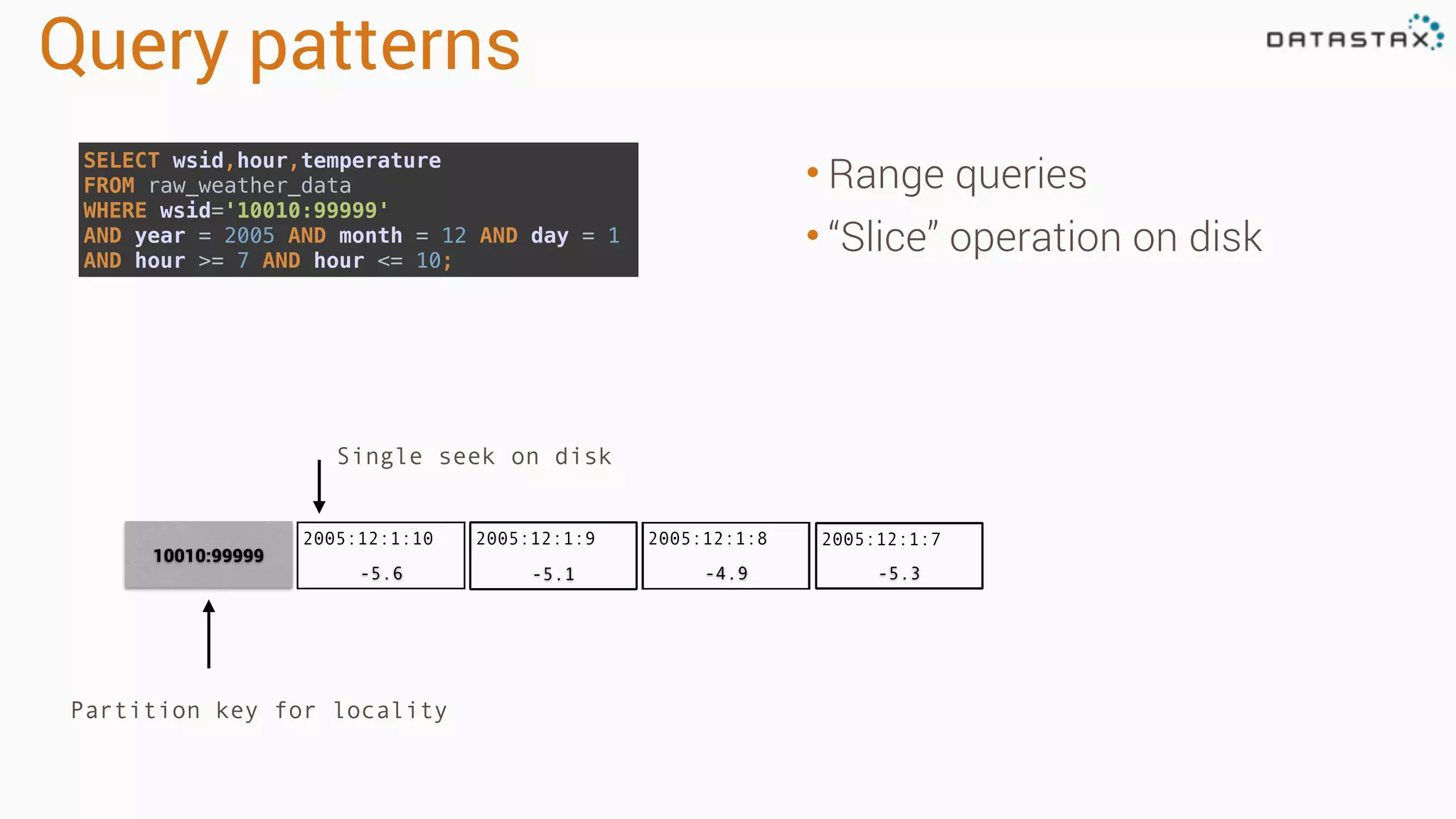
Query patterns • Rangequeries • “Slice” operation on disk Single seek on disk 10010:99999 Partition key for locality SELECT wsid,hour,temperature FROM raw_weather_data WHERE wsid='10010:99999' AND year = 2005 AND month = 12 AND day = 1 AND hour >= 7 AND hour <= 10; 2005:12:1:10 -5.6 -5.3-4.9-5.1 2005:12:1:9 2005:12:1:8 2005:12:1:7
38.
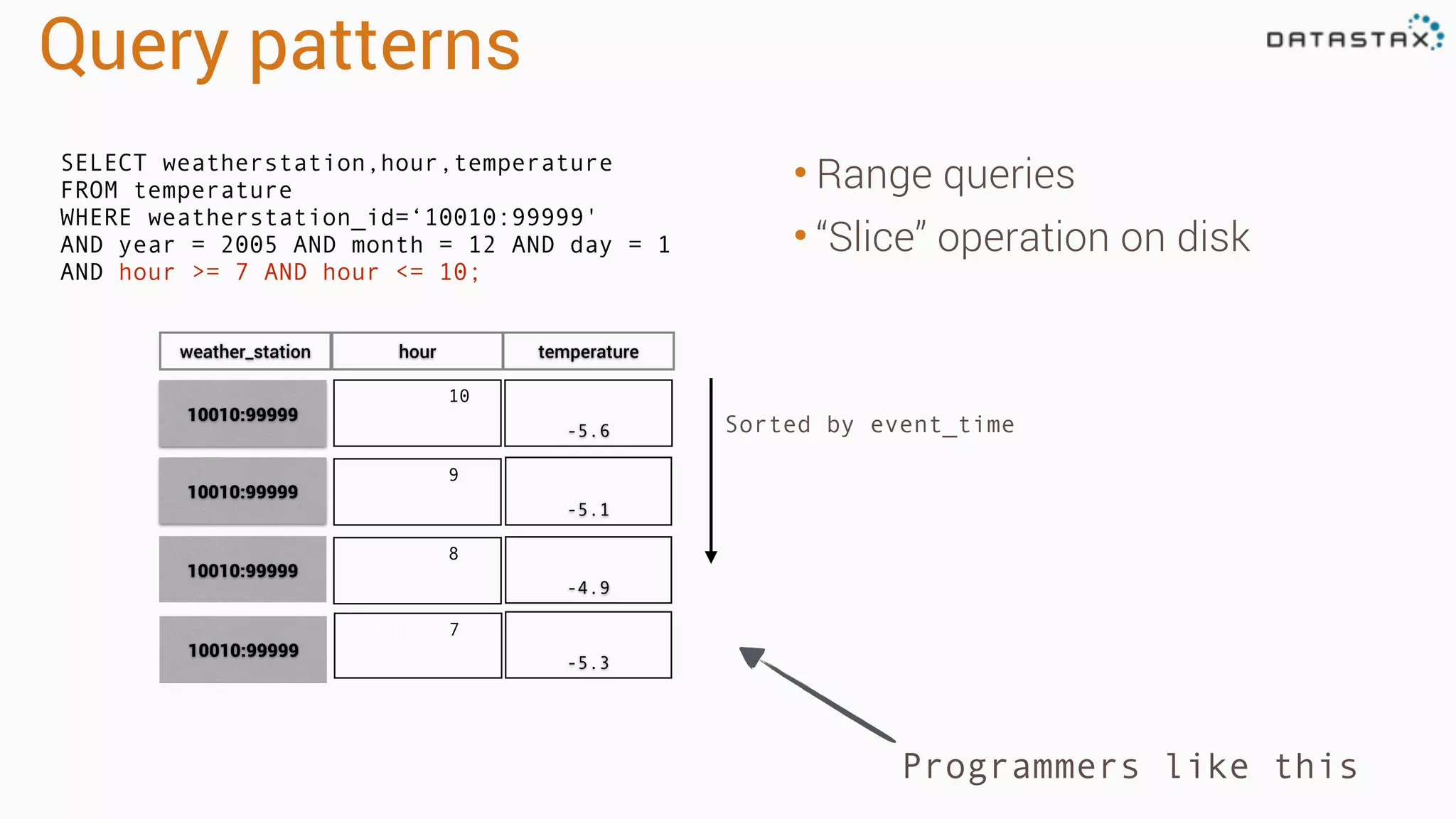
Query patterns • Rangequeries • “Slice” operation on disk Programmers like this Sorted by event_time 2005:12:1:10 -5.6 2005:12:1:9 -5.1 2005:12:1:8 -4.9 10010:99999 10010:99999 10010:99999 weather_station hour temperature 2005:12:1:7 -5.3 10010:99999 SELECT weatherstation,hour,temperature FROM temperature WHERE weatherstation_id=‘10010:99999' AND year = 2005 AND month = 12 AND day = 1 AND hour >= 7 AND hour <= 10;
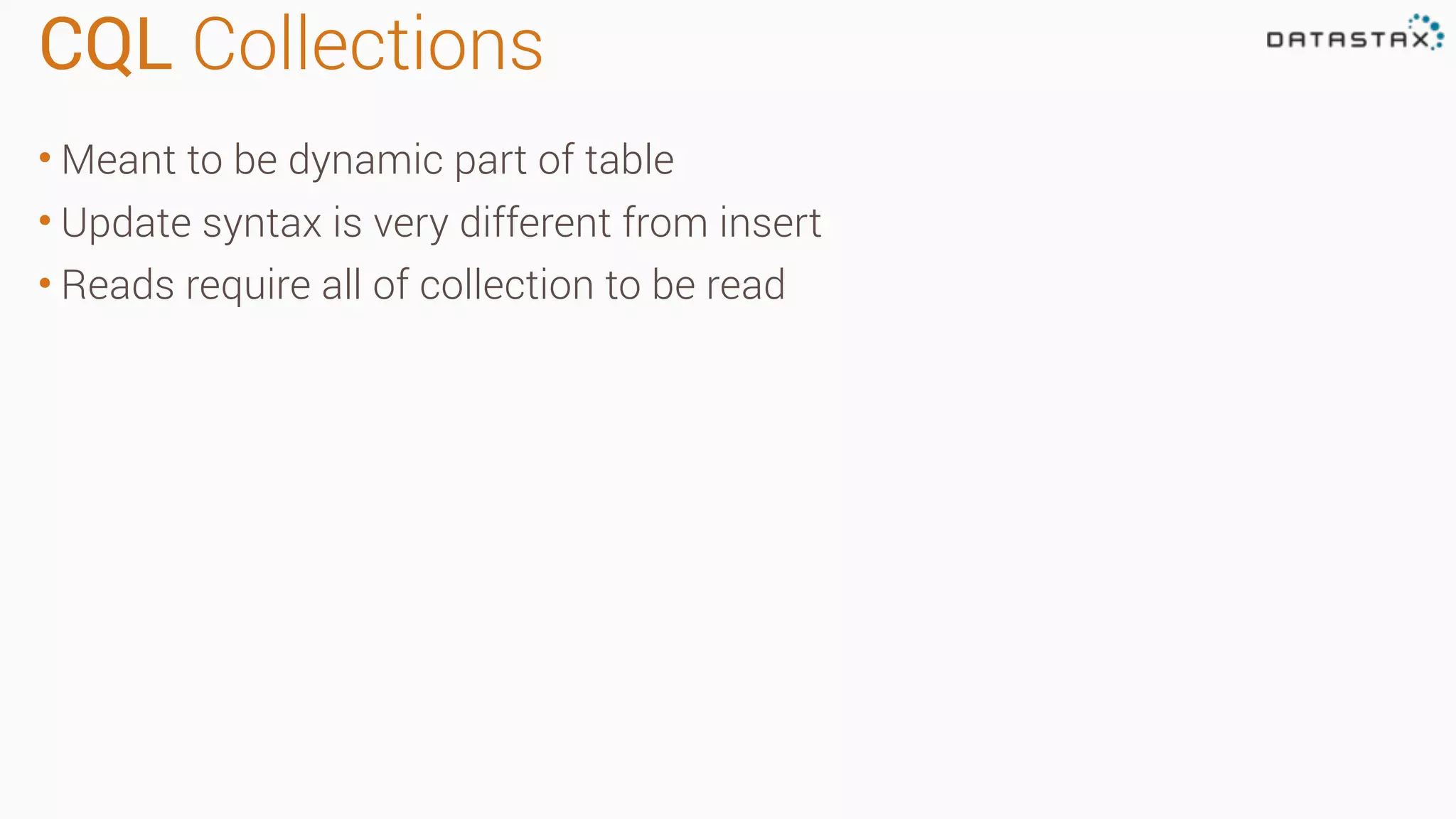
CQL Collections • Meantto be dynamic part of table • Update syntax is very different from insert • Reads require all of collection to be read
41.
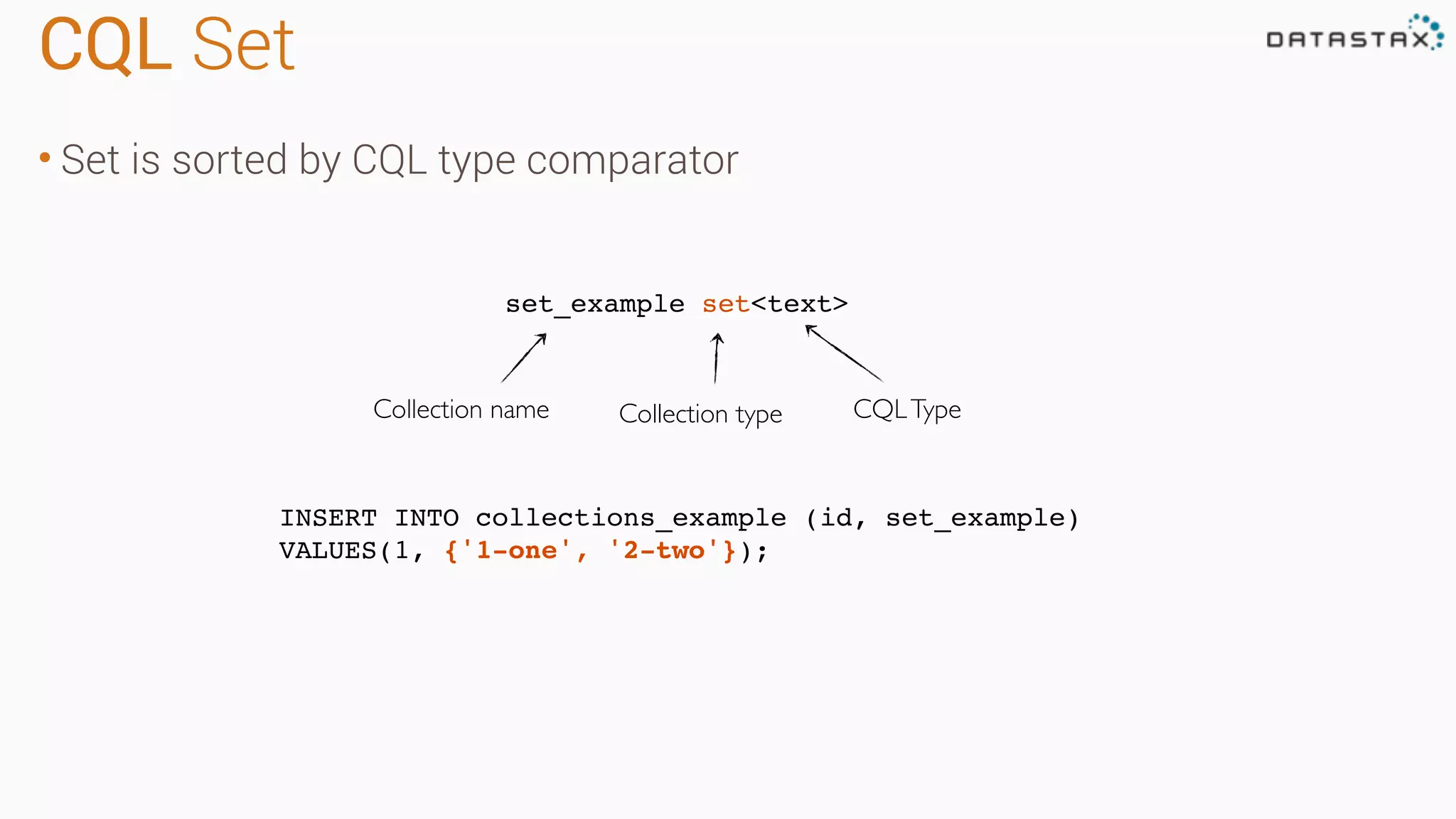
CQL Set • Setis sorted by CQL type comparator INSERT INTO collections_example (id, set_example) VALUES(1, {'1-one', '2-two'}); set_example set<text> Collection name Collection type CQLType
42.
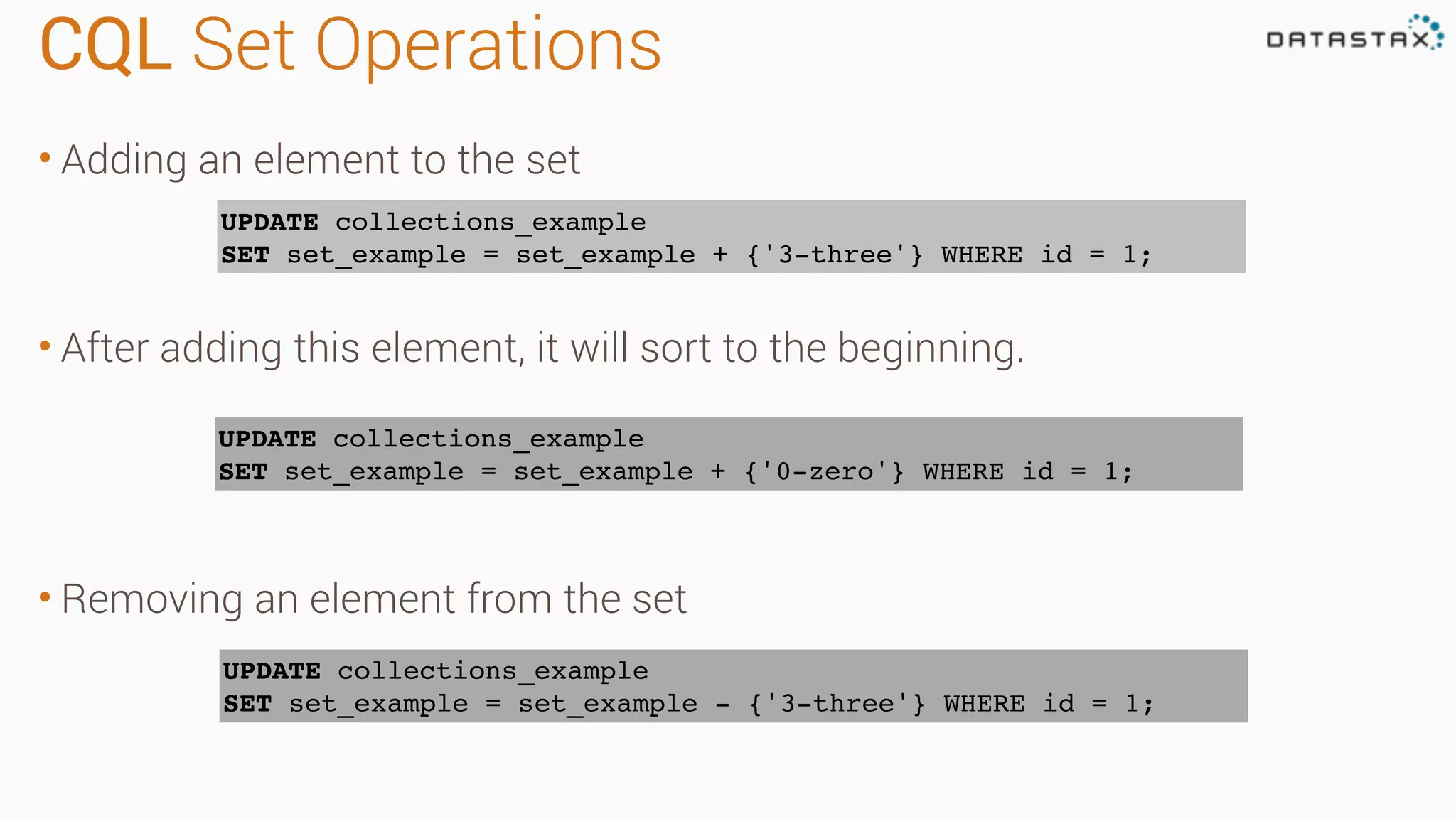
CQL Set Operations •Adding an element to the set • After adding this element, it will sort to the beginning. • Removing an element from the set UPDATE collections_example SET set_example = set_example + {'3-three'} WHERE id = 1; UPDATE collections_example SET set_example = set_example + {'0-zero'} WHERE id = 1; UPDATE collections_example SET set_example = set_example - {'3-three'} WHERE id = 1;
43.
CQL List • Orderedby insertion • Use with caution list_example list<text> Collection name Collection type INSERT INTO collections_example (id, list_example) VALUES(1, ['1-one', '2-two']); CQLType
44.
CQL List Operations •Adding an element to the end of a list • Adding an element to the beginning of a list • Deleting an element from a list UPDATE collections_example SET list_example = list_example + ['3-three'] WHERE id = 1; UPDATE collections_example SET list_example = ['0-zero'] + list_example WHERE id = 1; UPDATE collections_example SET list_example = list_example - ['3-three'] WHERE id = 1;
45.
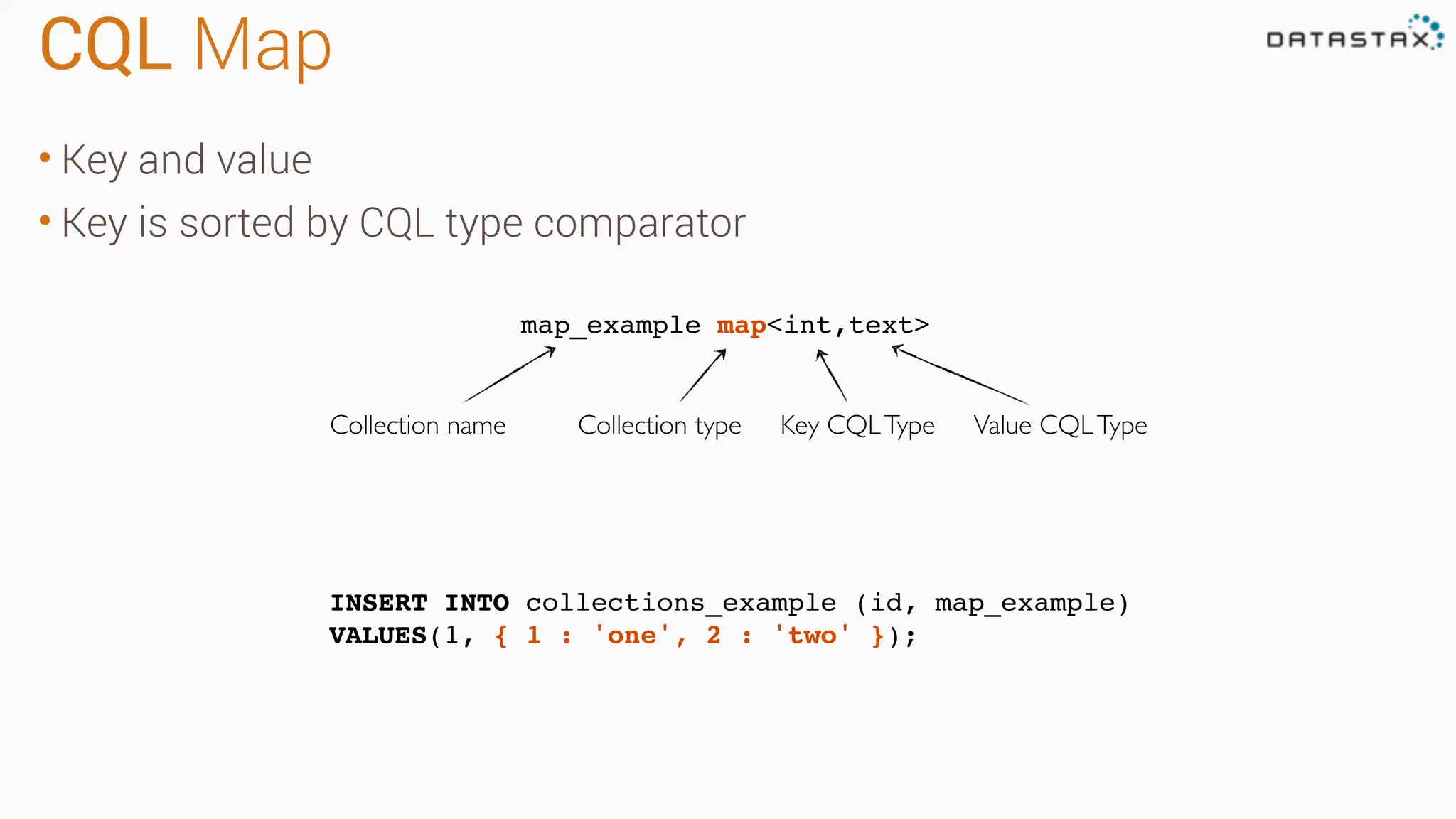
CQL Map • Keyand value • Key is sorted by CQL type comparator INSERT INTO collections_example (id, map_example) VALUES(1, { 1 : 'one', 2 : 'two' }); map_example map<int,text> Collection name Collection type Value CQLTypeKey CQLType
46.
CQL Map Operations •Add an element to the map • Update an existing element in the map • Delete an element in the map UPDATE collections_example SET map_example[3] = 'three' WHERE id = 1; UPDATE collections_example SET map_example[3] = 'tres' WHERE id = 1; DELETE map_example[3] FROM collections_example WHERE id = 1;
47.
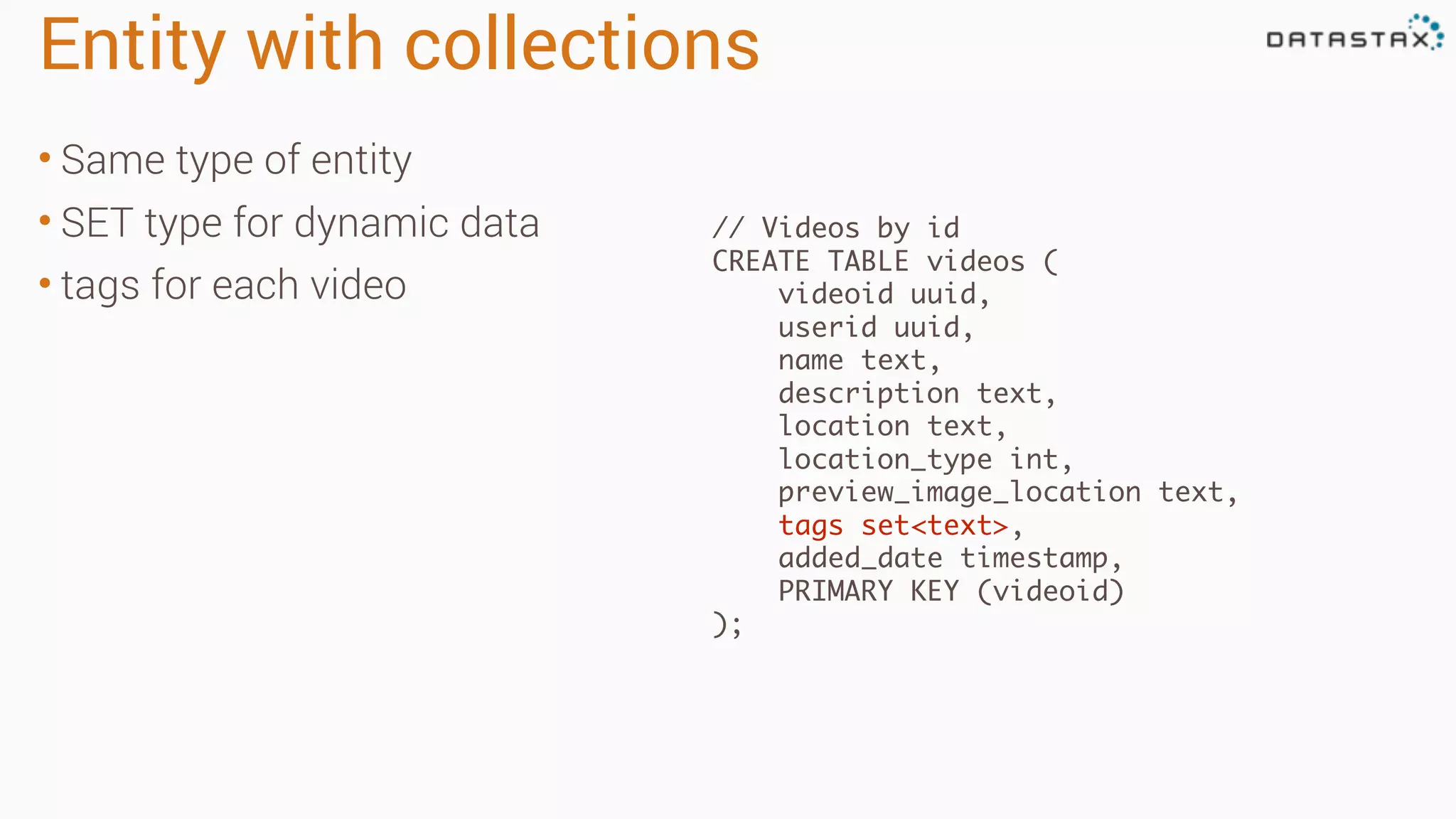
Entity with collections •Same type of entity • SET type for dynamic data • tags for each video // Videos by id CREATE TABLE videos ( videoid uuid, userid uuid, name text, description text, location text, location_type int, preview_image_location text, tags set<text>, added_date timestamp, PRIMARY KEY (videoid) );
48.
Index (or lookup)tables • Table arranged to find data • Denormalized for speed
49.
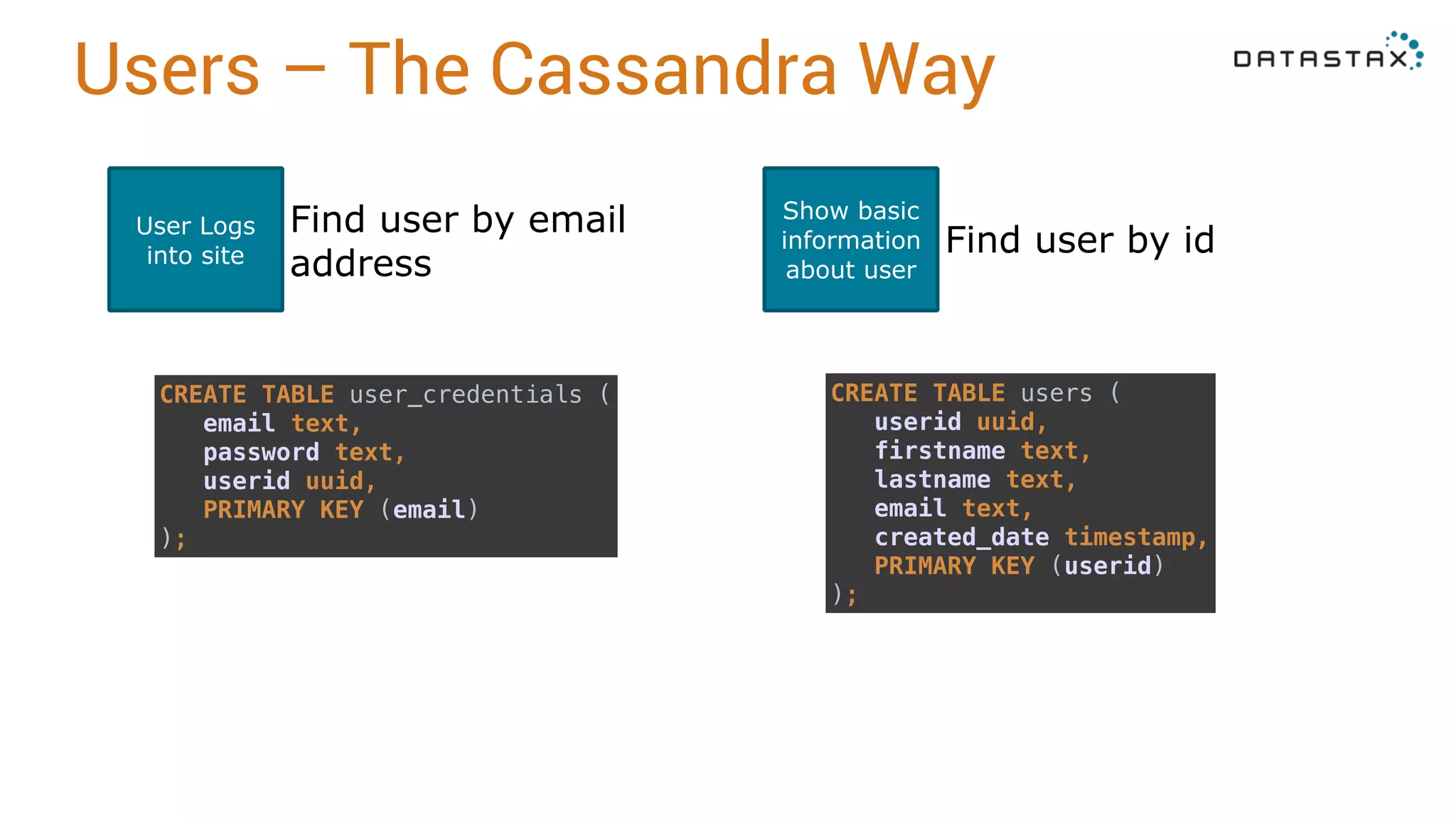
Users – TheCassandra Way User Logs into site Find user by email address Show basic information about user Find user by id CREATE TABLE user_credentials ( email text, password text, userid uuid, PRIMARY KEY (email) ); CREATE TABLE users ( userid uuid, firstname text, lastname text, email text, created_date timestamp, PRIMARY KEY (userid) );
50.
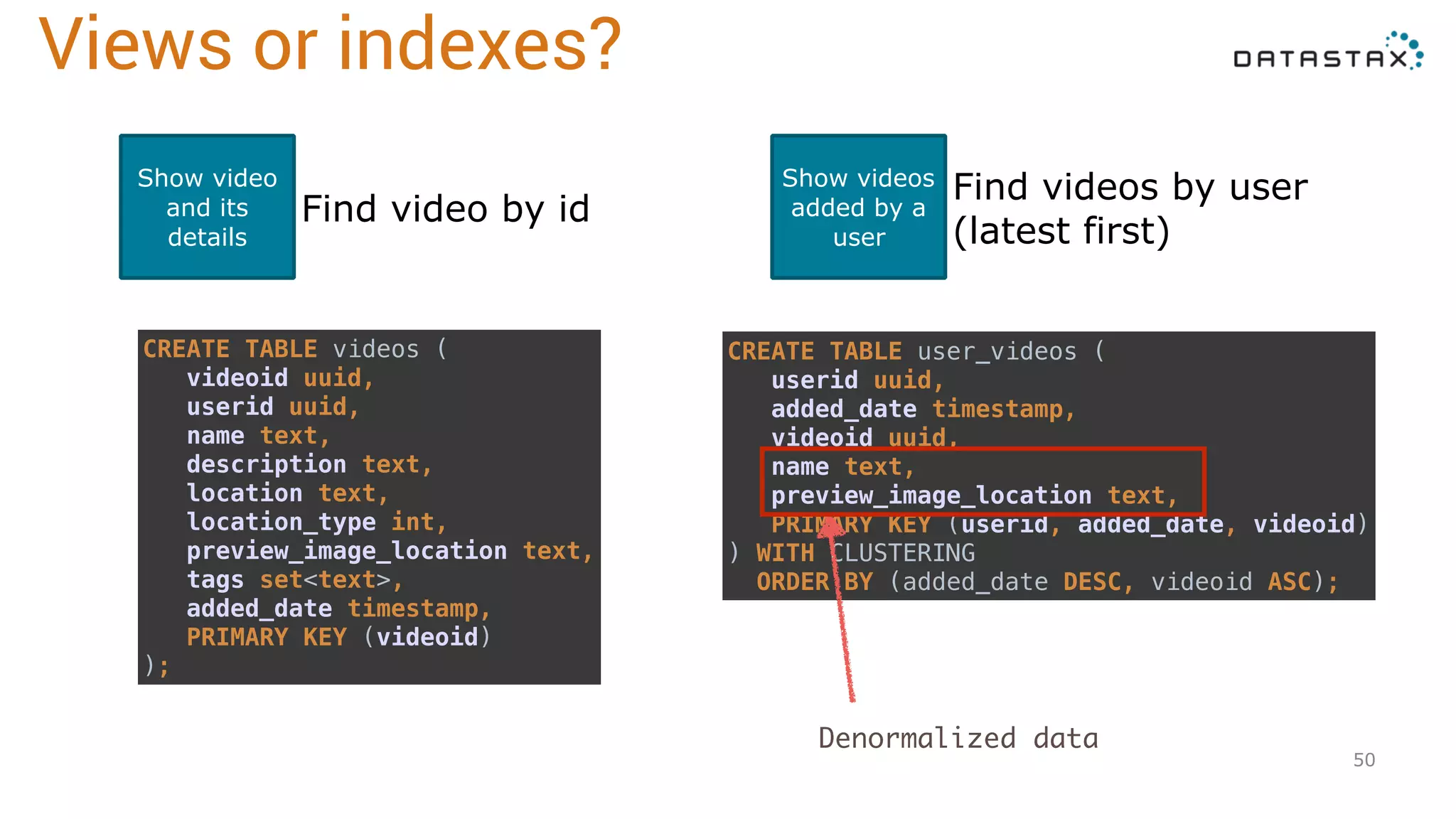
50 Show video and its details Findvideo by id Show videos added by a user Find videos by user (latest first) CREATE TABLE videos ( videoid uuid, userid uuid, name text, description text, location text, location_type int, preview_image_location text, tags set<text>, added_date timestamp, PRIMARY KEY (videoid) ); CREATE TABLE user_videos ( userid uuid, added_date timestamp, videoid uuid, name text, preview_image_location text, PRIMARY KEY (userid, added_date, videoid) ) WITH CLUSTERING ORDER BY (added_date DESC, videoid ASC); Views or indexes? Denormalized data
51.
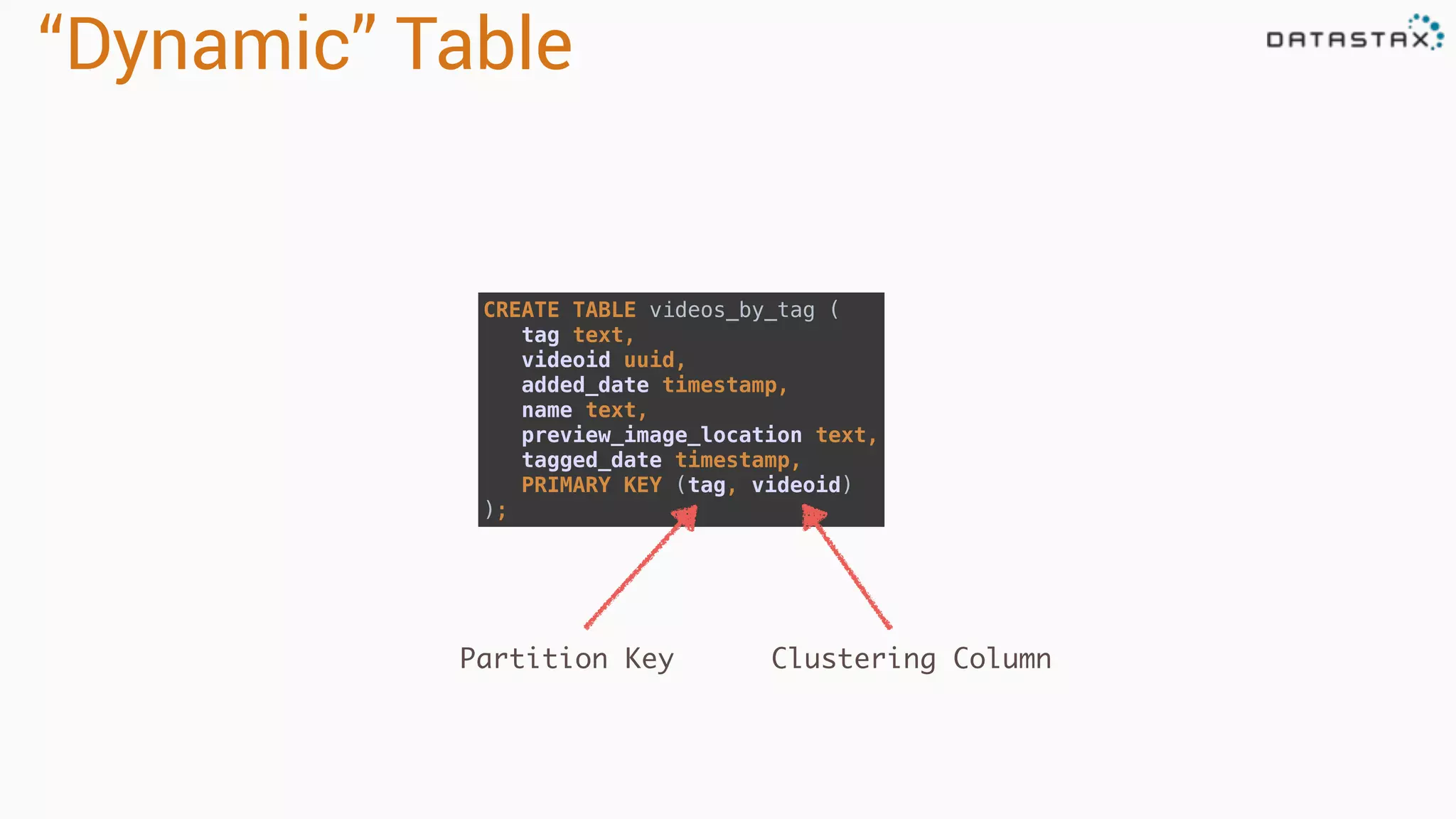
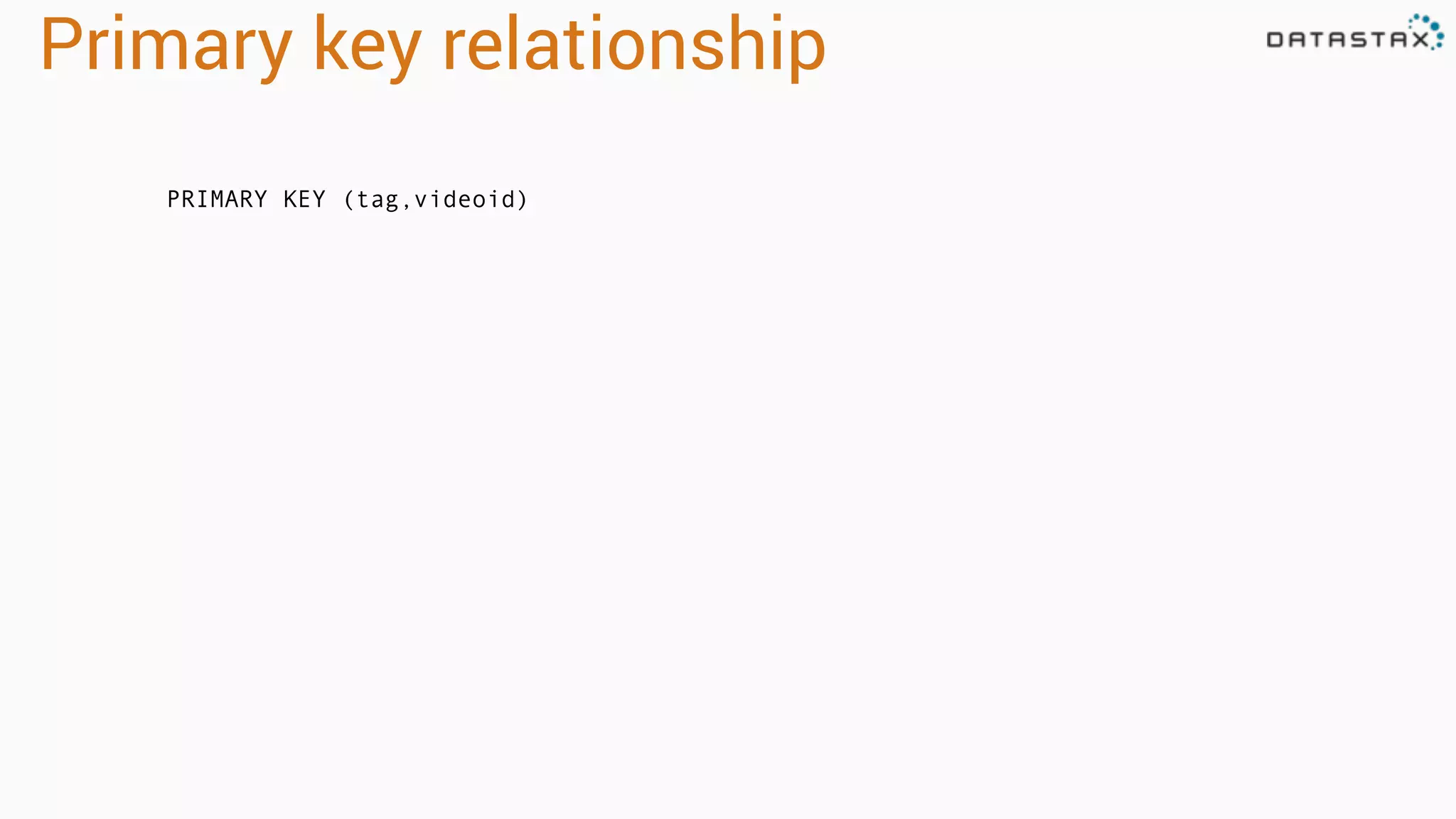
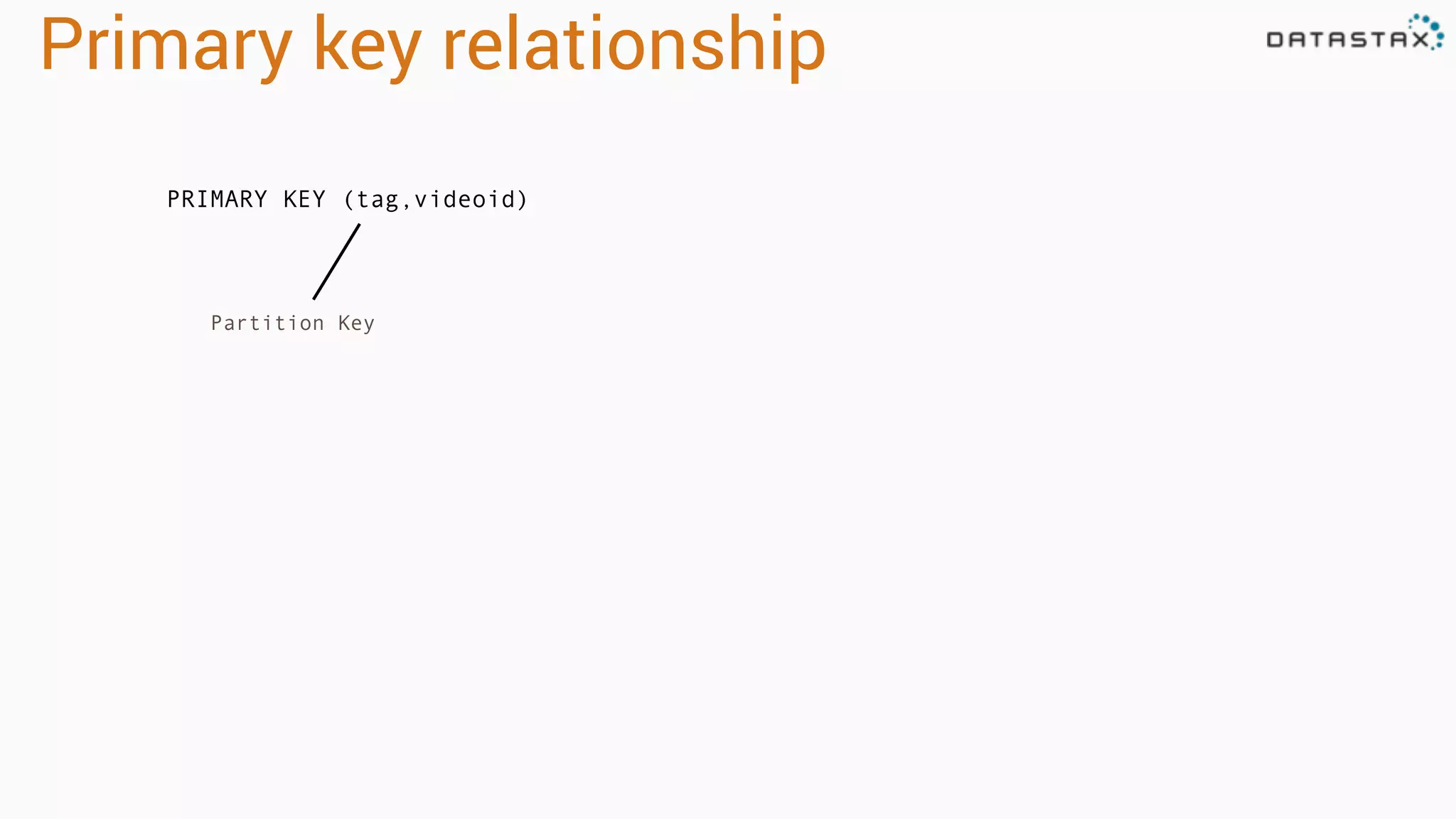
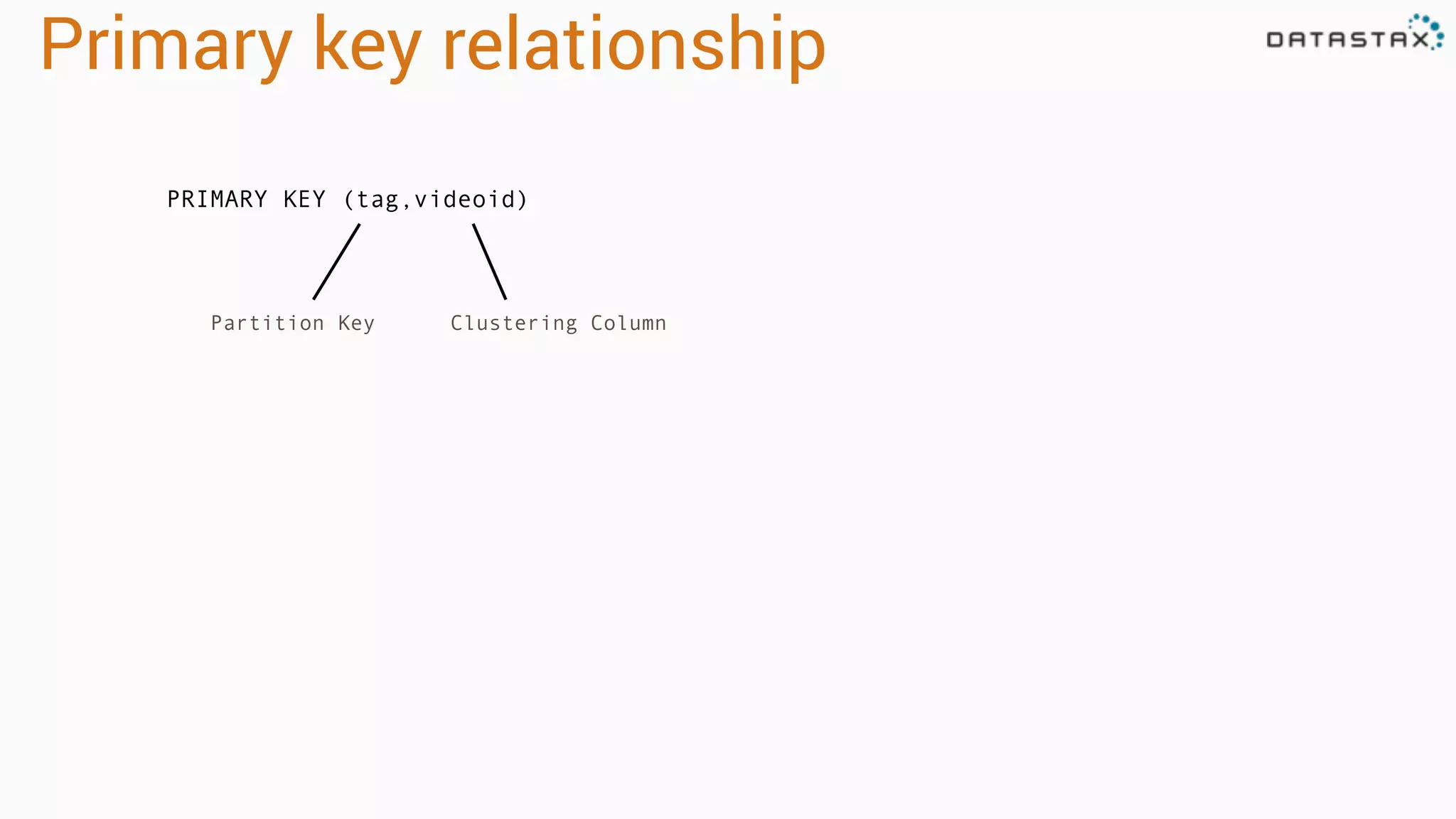
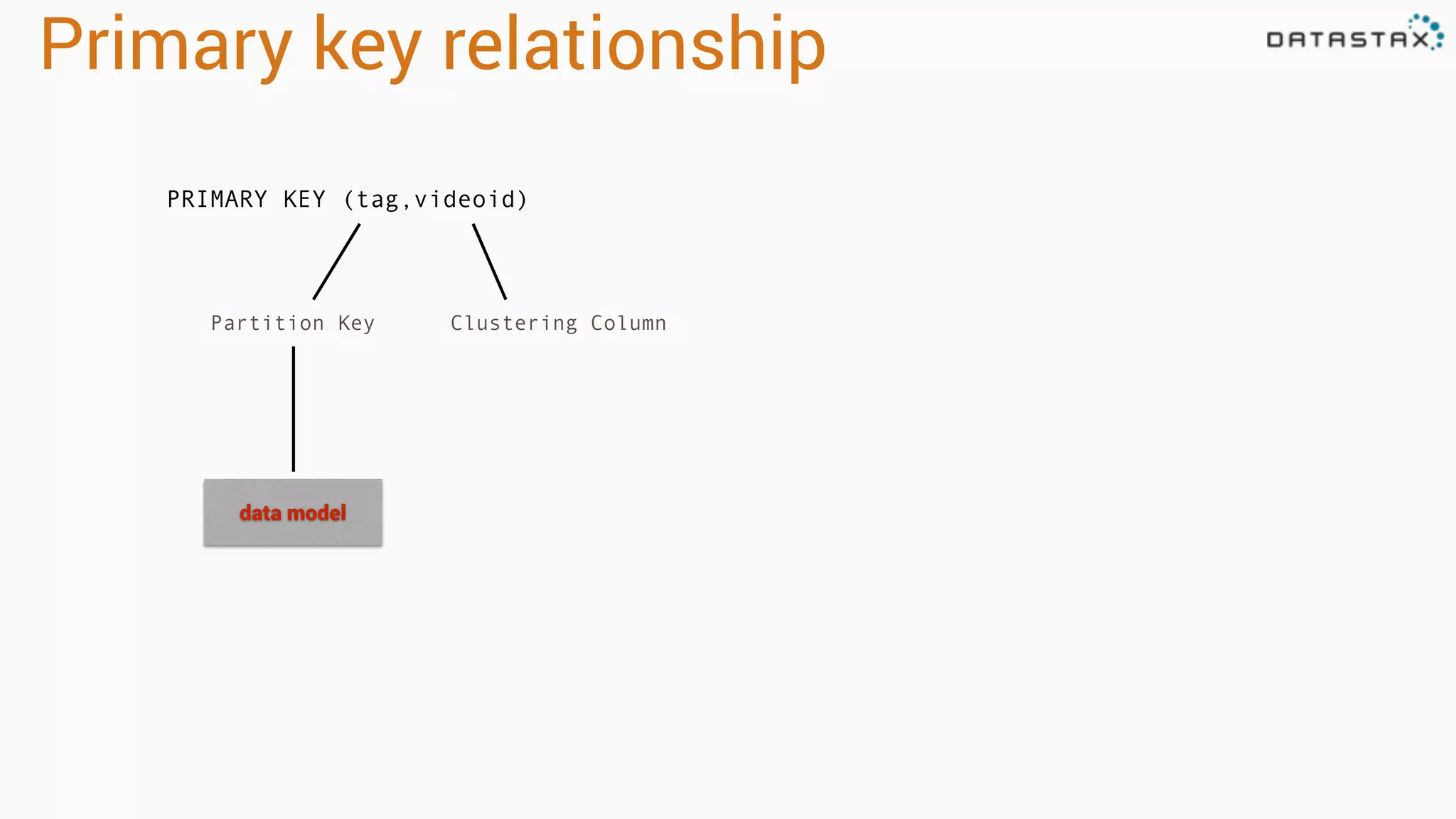
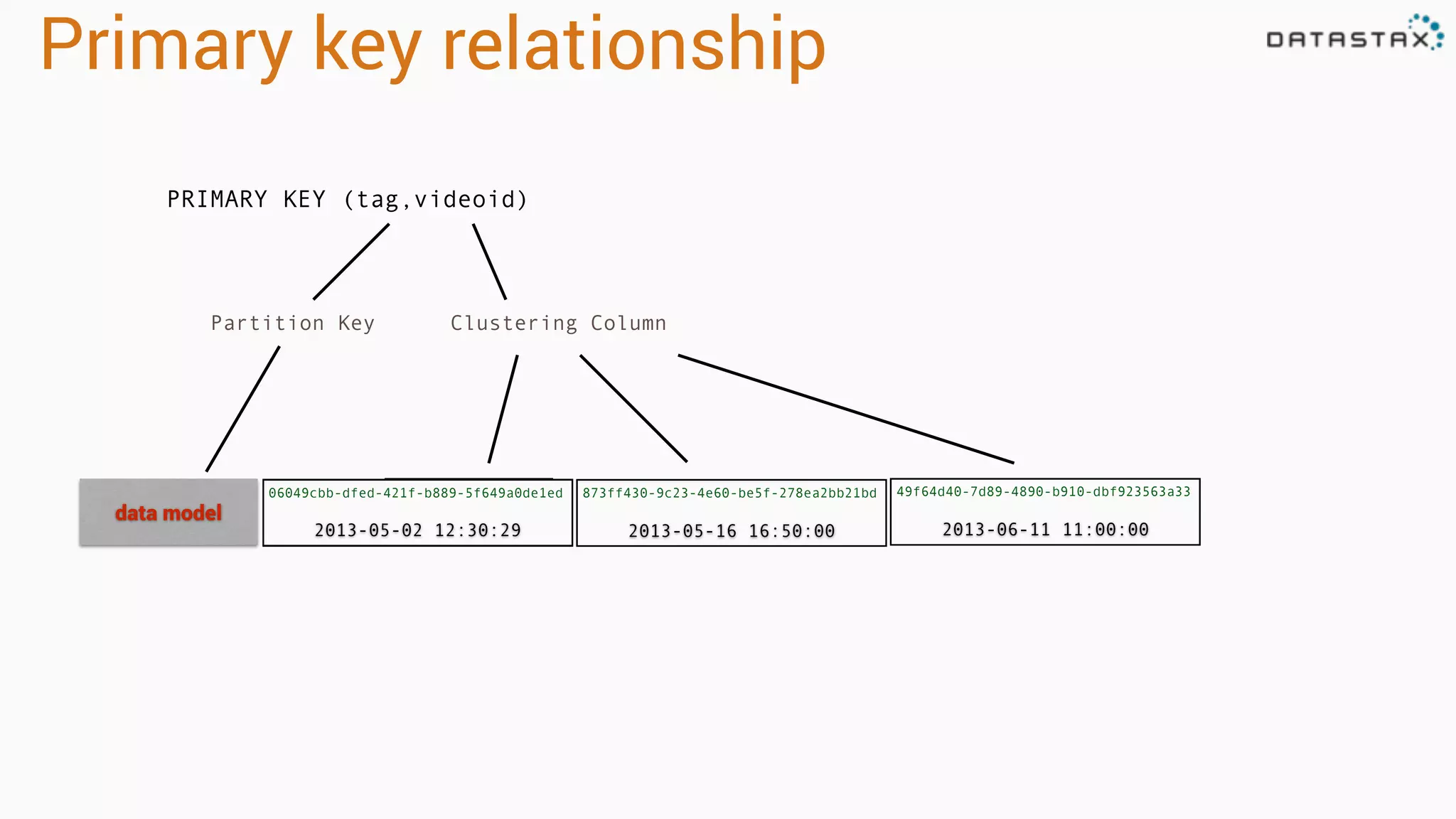
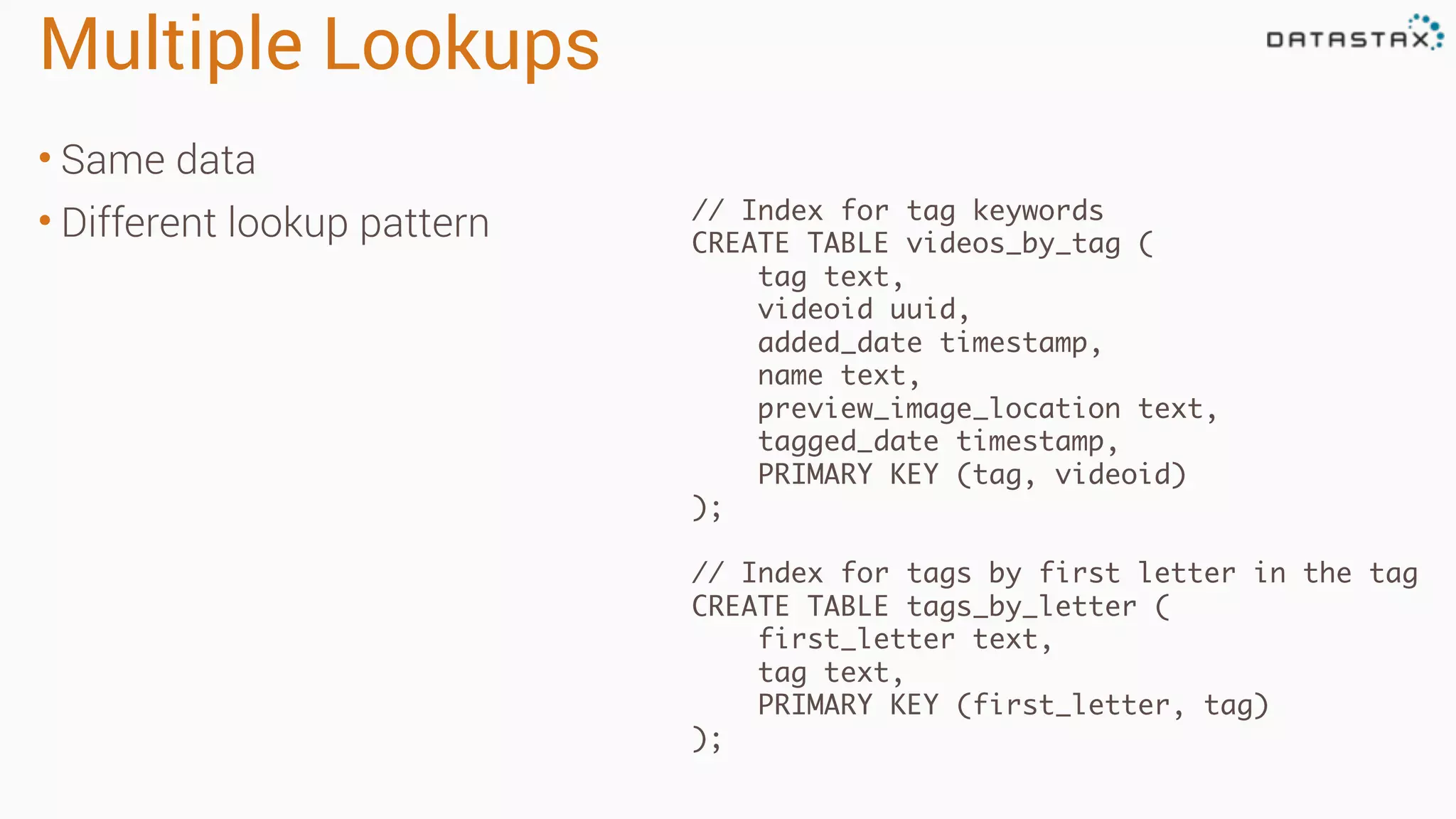
Multiple Lookups • Samedata • Different lookup pattern // Index for tag keywords CREATE TABLE videos_by_tag ( tag text, videoid uuid, added_date timestamp, name text, preview_image_location text, tagged_date timestamp, PRIMARY KEY (tag, videoid) ); // Index for tags by first letter in the tag CREATE TABLE tags_by_letter ( first_letter text, tag text, PRIMARY KEY (first_letter, tag) );
52.
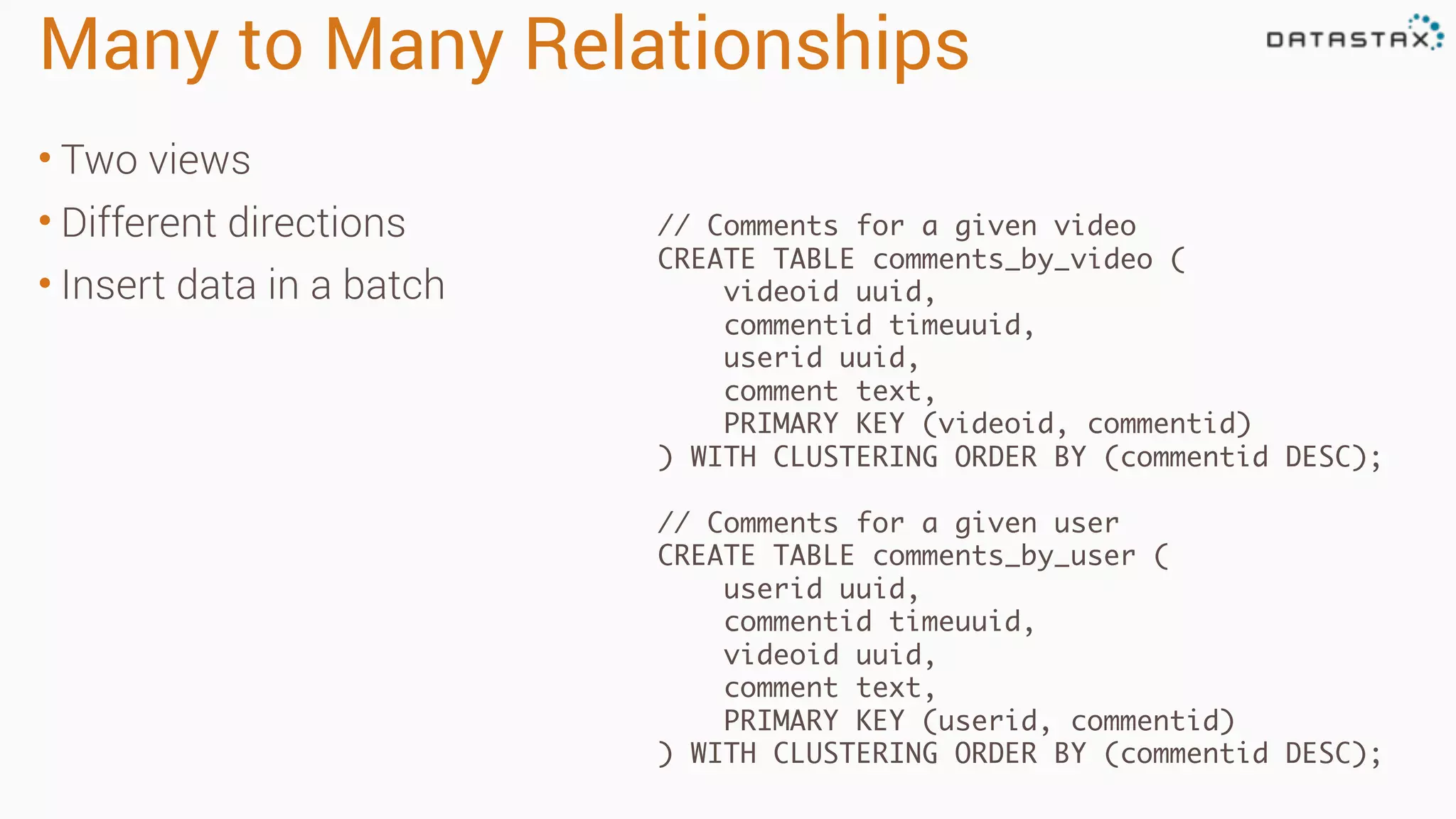
Many to ManyRelationships • Two views • Different directions • Insert data in a batch // Comments for a given video CREATE TABLE comments_by_video ( videoid uuid, commentid timeuuid, userid uuid, comment text, PRIMARY KEY (videoid, commentid) ) WITH CLUSTERING ORDER BY (commentid DESC); // Comments for a given user CREATE TABLE comments_by_user ( userid uuid, commentid timeuuid, videoid uuid, comment text, PRIMARY KEY (userid, commentid) ) WITH CLUSTERING ORDER BY (commentid DESC);
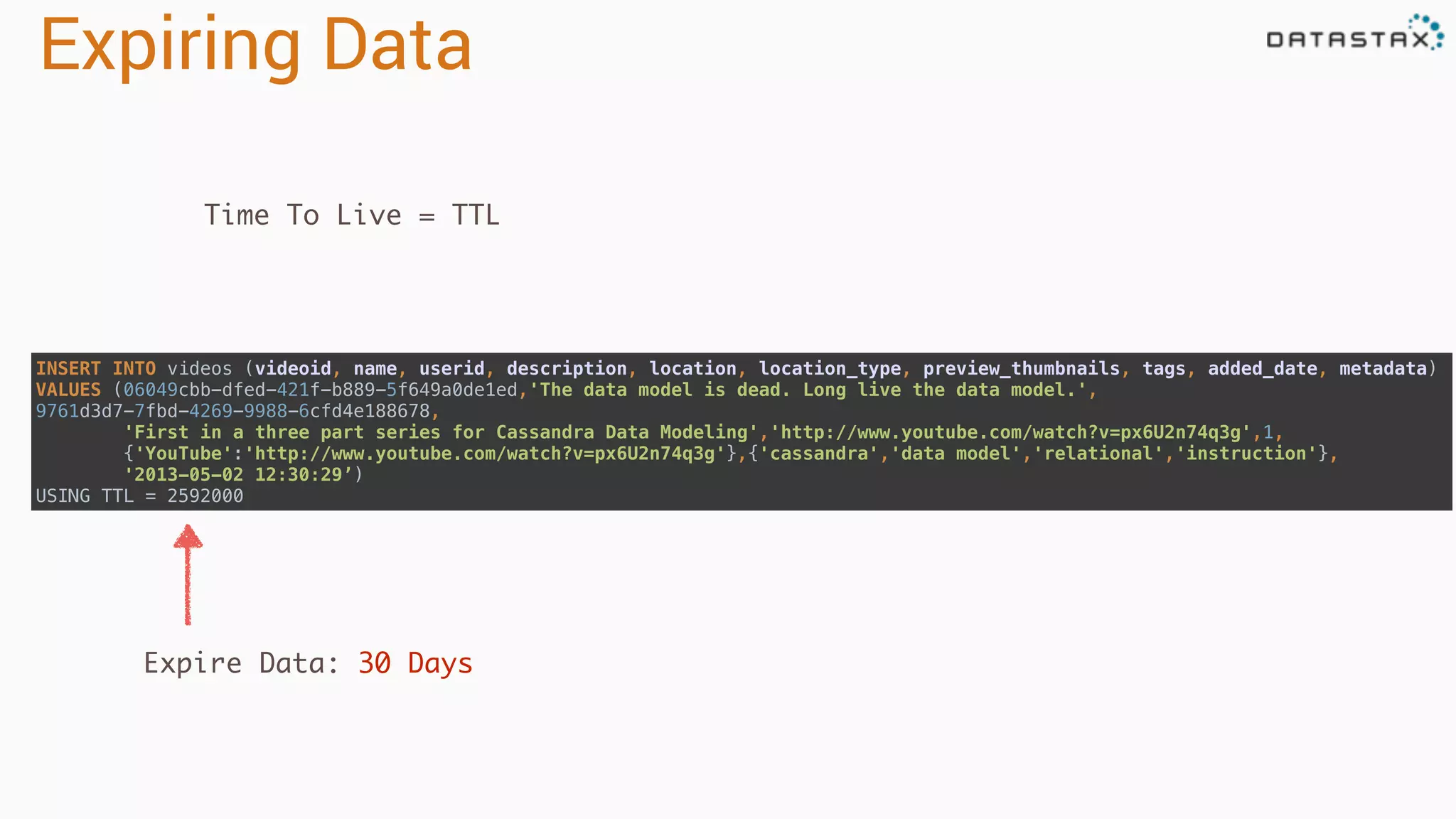
Expiring Data Time ToLive = TTL INSERT INTO videos (videoid, name, userid, description, location, location_type, preview_thumbnails, tags, added_date, metadata) VALUES (06049cbb-dfed-421f-b889-5f649a0de1ed,'The data model is dead. Long live the data model.', 9761d3d7-7fbd-4269-9988-6cfd4e188678, 'First in a three part series for Cassandra Data Modeling','http://www.youtube.com/watch?v=px6U2n74q3g',1, {'YouTube':'http://www.youtube.com/watch?v=px6U2n74q3g'},{'cassandra','data model','relational','instruction'}, '2013-05-02 12:30:29’) USING TTL = 2592000 Expire Data: 30 Days