1 Embedded Linux workshop ENG. KEROLES KARAM ENG. SAMEH AFIFI
Agenda  Communication Engineer’s Fields  Introduction to embedded System  Automotive (Autosar)  Talking about most used (Motors, Sensors and Actuators)  Embedded Linux 2
Agenda  Communication Engineer’s Fields  Introduction to embedded System  Automotive (Autosar)  Talking about most used (Motors, Sensors and Actuators)  Embedded Linux 3
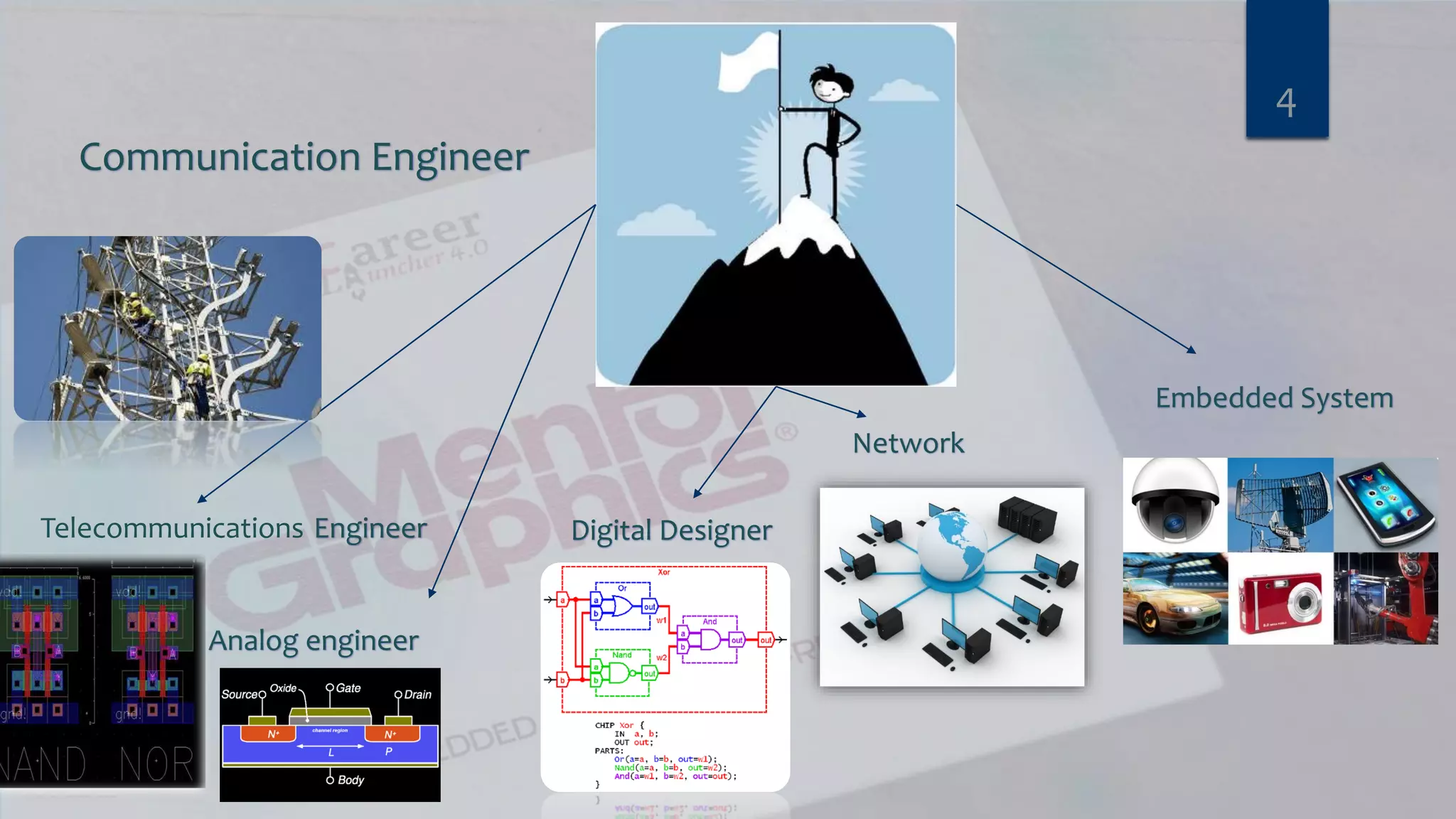
Communication Engineer Telecommunications Engineer Analog engineer Digital Designer Network Embedded System 4
Agenda  Communication Engineer’s Fields  Introduction to embedded System  Automotive (Autosar)  Talking about most used (Motors, Sensors and Actuators)  Embedded Linux 5
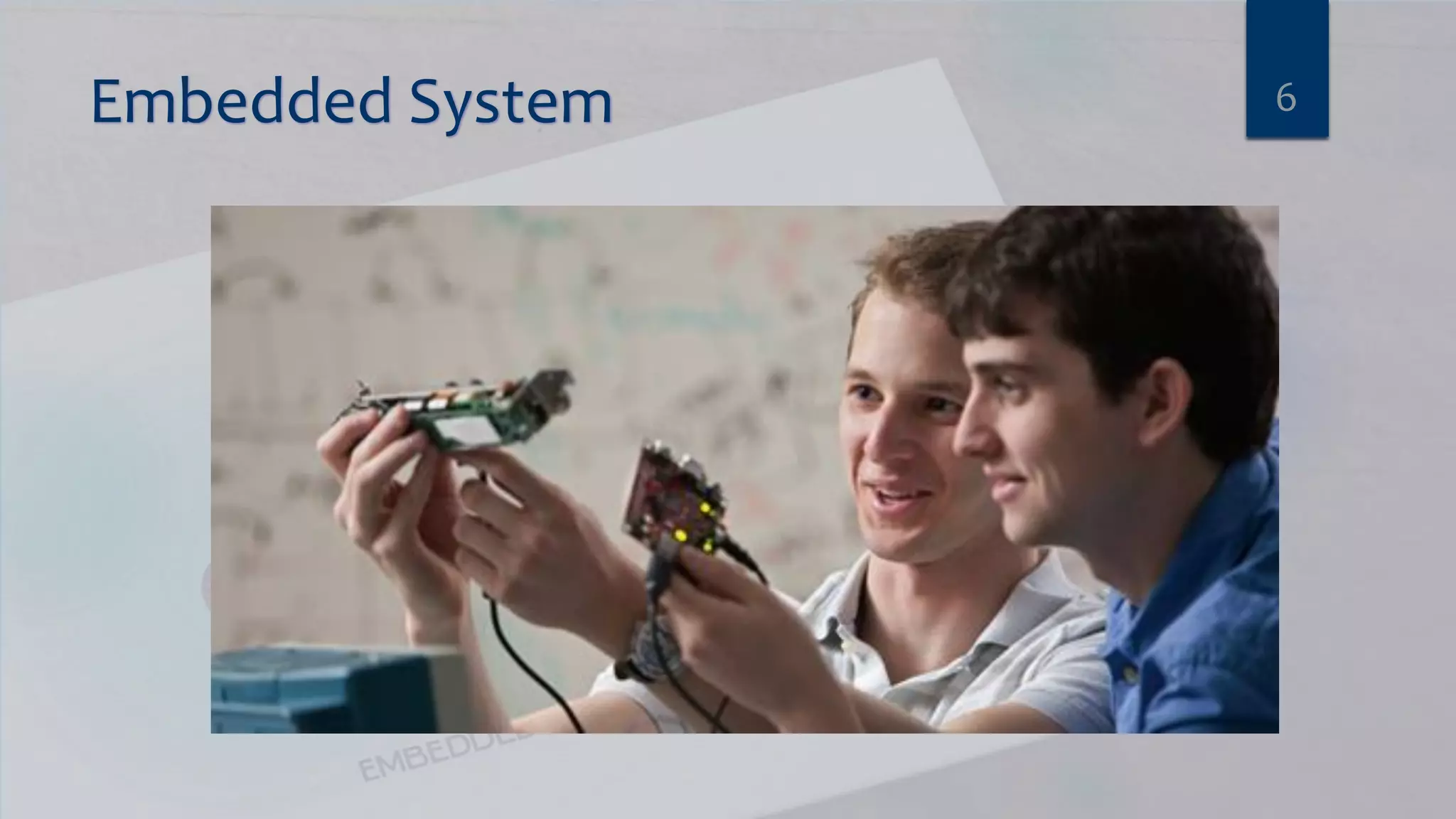
Embedded System 6
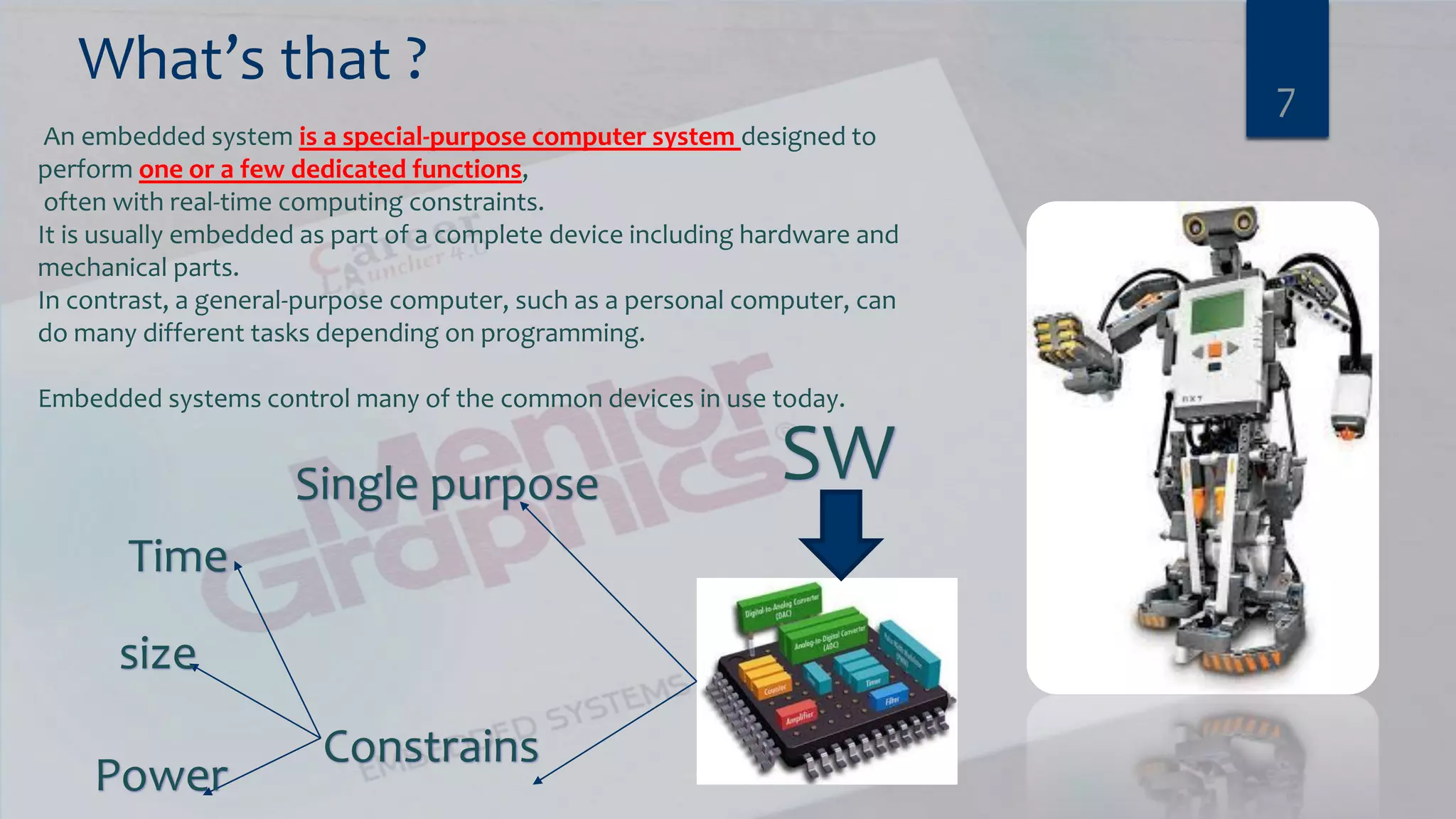
What’s that ? 7 An embedded system is a special-purpose computer system designed to perform one or a few dedicated functions, often with real-time computing constraints. It is usually embedded as part of a complete device including hardware and mechanical parts. In contrast, a general-purpose computer, such as a personal computer, can do many different tasks depending on programming. Embedded systems control many of the common devices in use today. SWSingle purpose Constrains Time size Power
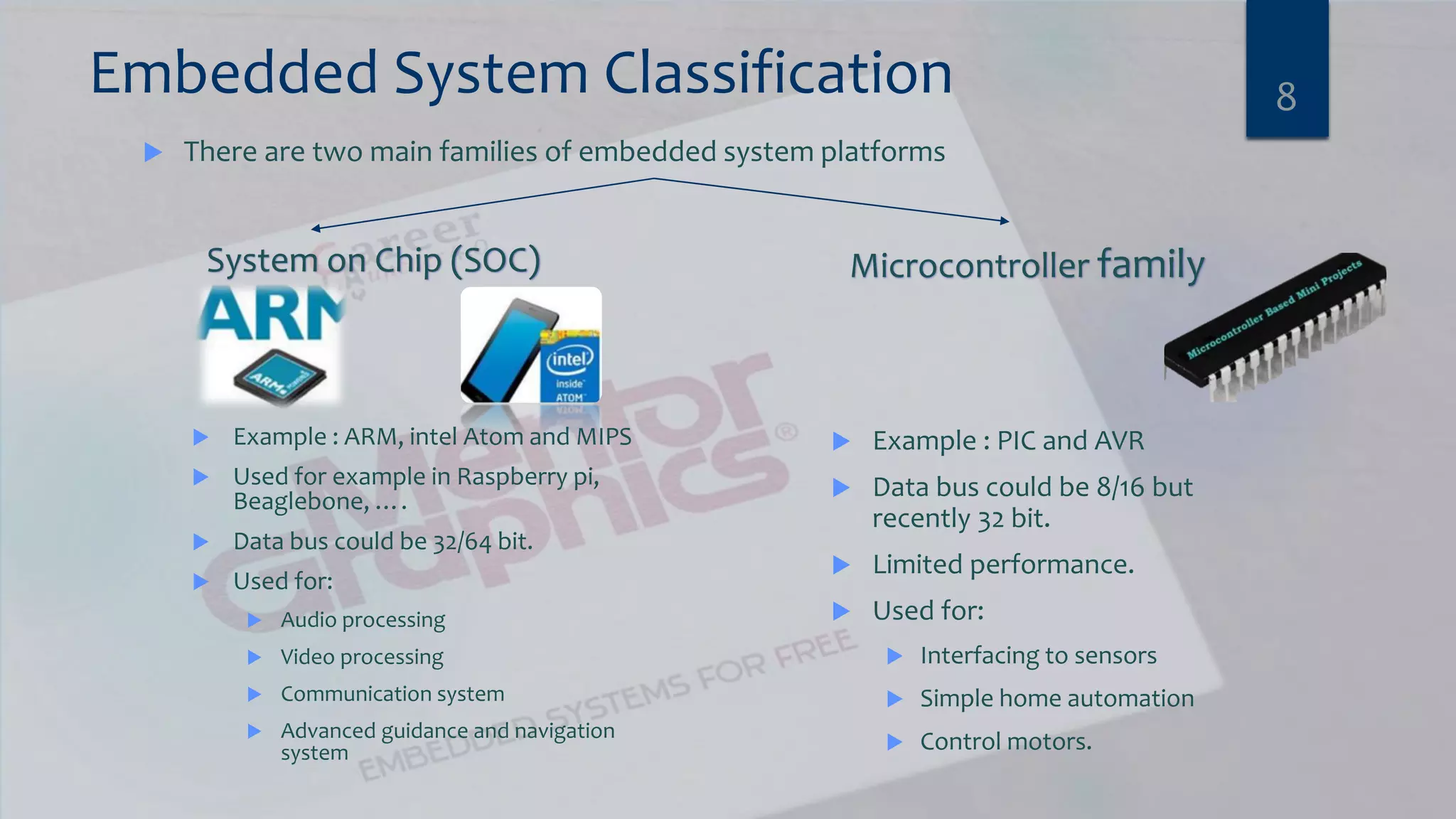
Embedded System Classification  There are two main families of embedded system platforms 8 Microcontroller familySystem on Chip (SOC)  Example : PIC and AVR  Data bus could be 8/16 but recently 32 bit.  Limited performance.  Used for:  Interfacing to sensors  Simple home automation  Control motors.  Example : ARM, intel Atom and MIPS  Used for example in Raspberry pi, Beaglebone, ….  Data bus could be 32/64 bit.  Used for:  Audio processing  Video processing  Communication system  Advanced guidance and navigation system
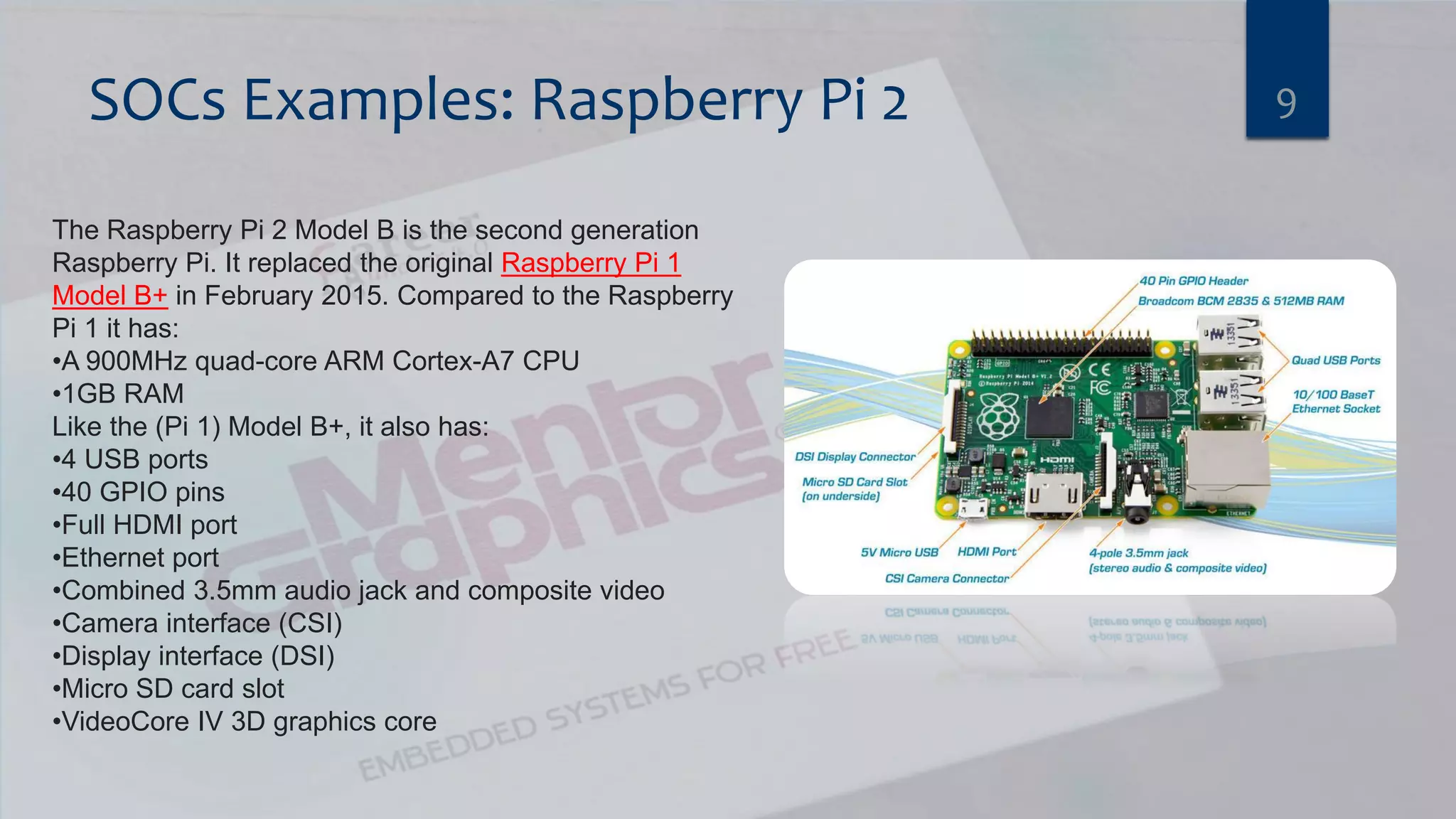
SOCs Examples: Raspberry Pi 2 9 The Raspberry Pi 2 Model B is the second generation Raspberry Pi. It replaced the original Raspberry Pi 1 Model B+ in February 2015. Compared to the Raspberry Pi 1 it has: •A 900MHz quad-core ARM Cortex-A7 CPU •1GB RAM Like the (Pi 1) Model B+, it also has: •4 USB ports •40 GPIO pins •Full HDMI port •Ethernet port •Combined 3.5mm audio jack and composite video •Camera interface (CSI) •Display interface (DSI) •Micro SD card slot •VideoCore IV 3D graphics core
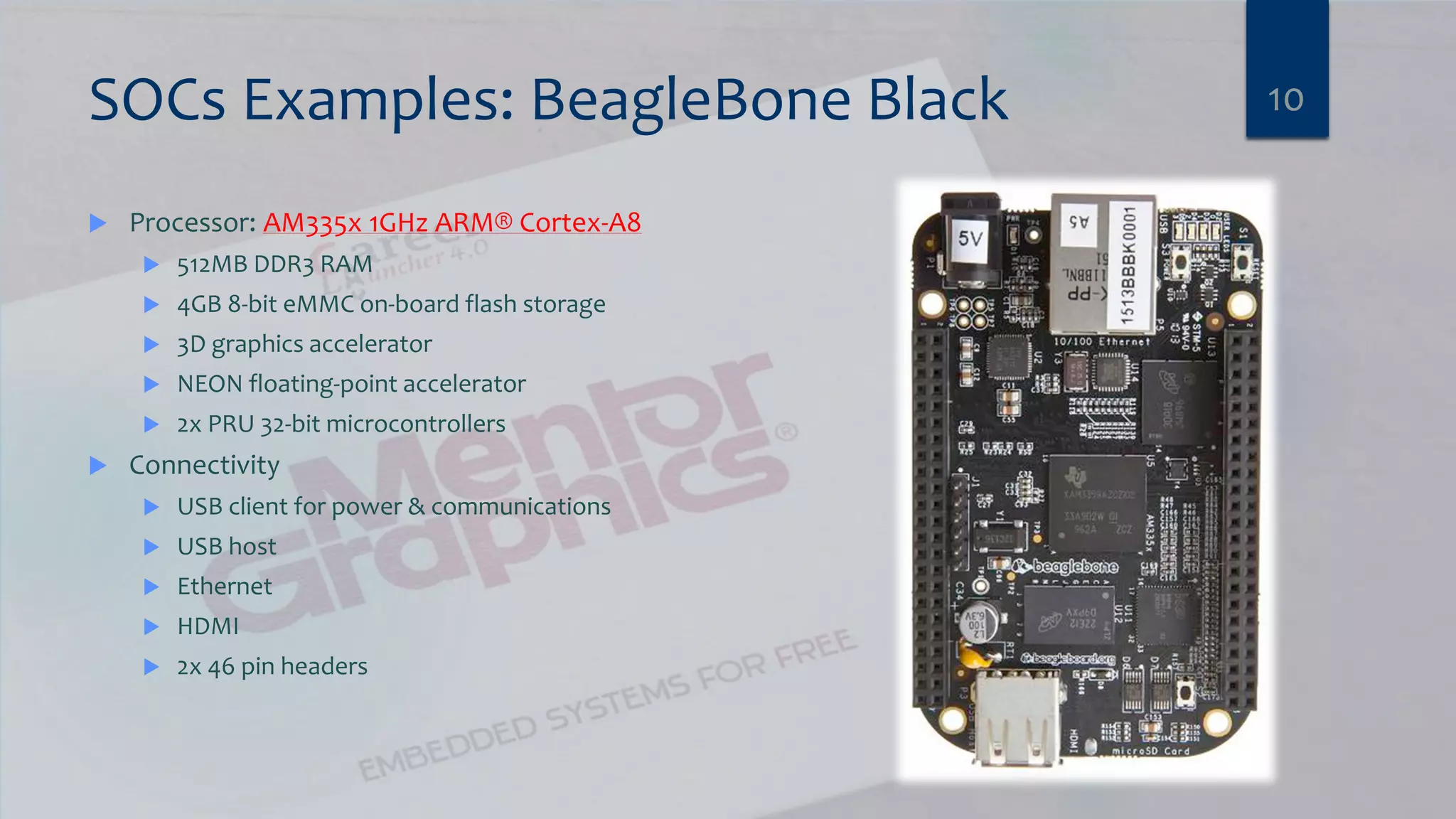
SOCs Examples: BeagleBone Black  Processor: AM335x 1GHz ARM® Cortex-A8  512MB DDR3 RAM  4GB 8-bit eMMC on-board flash storage  3D graphics accelerator  NEON floating-point accelerator  2x PRU 32-bit microcontrollers  Connectivity  USB client for power & communications  USB host  Ethernet  HDMI  2x 46 pin headers 10
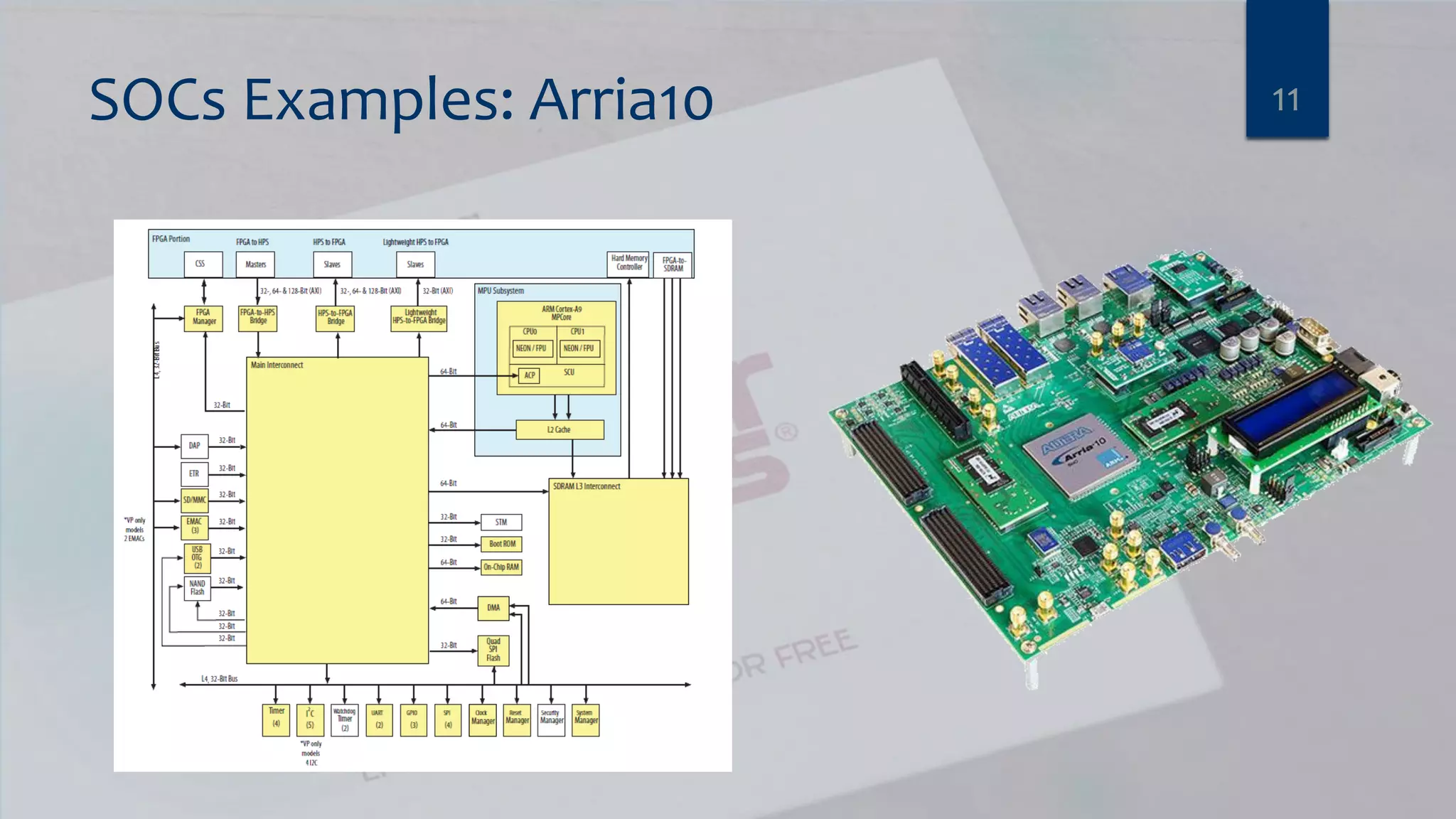
SOCs Examples: Arria10 11
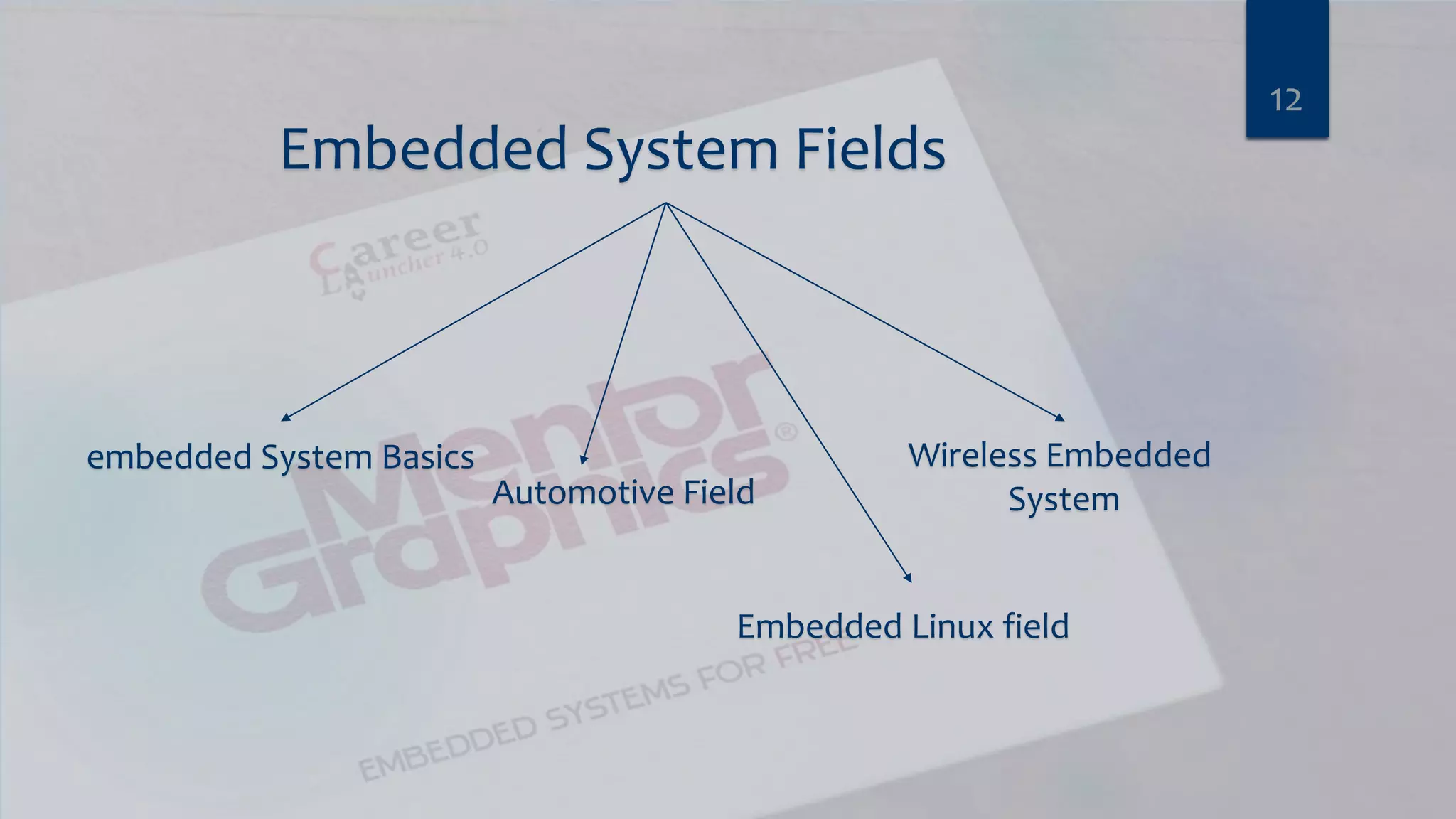
Embedded System Fields 12 embedded System Basics Automotive Field Embedded Linux field Wireless Embedded System
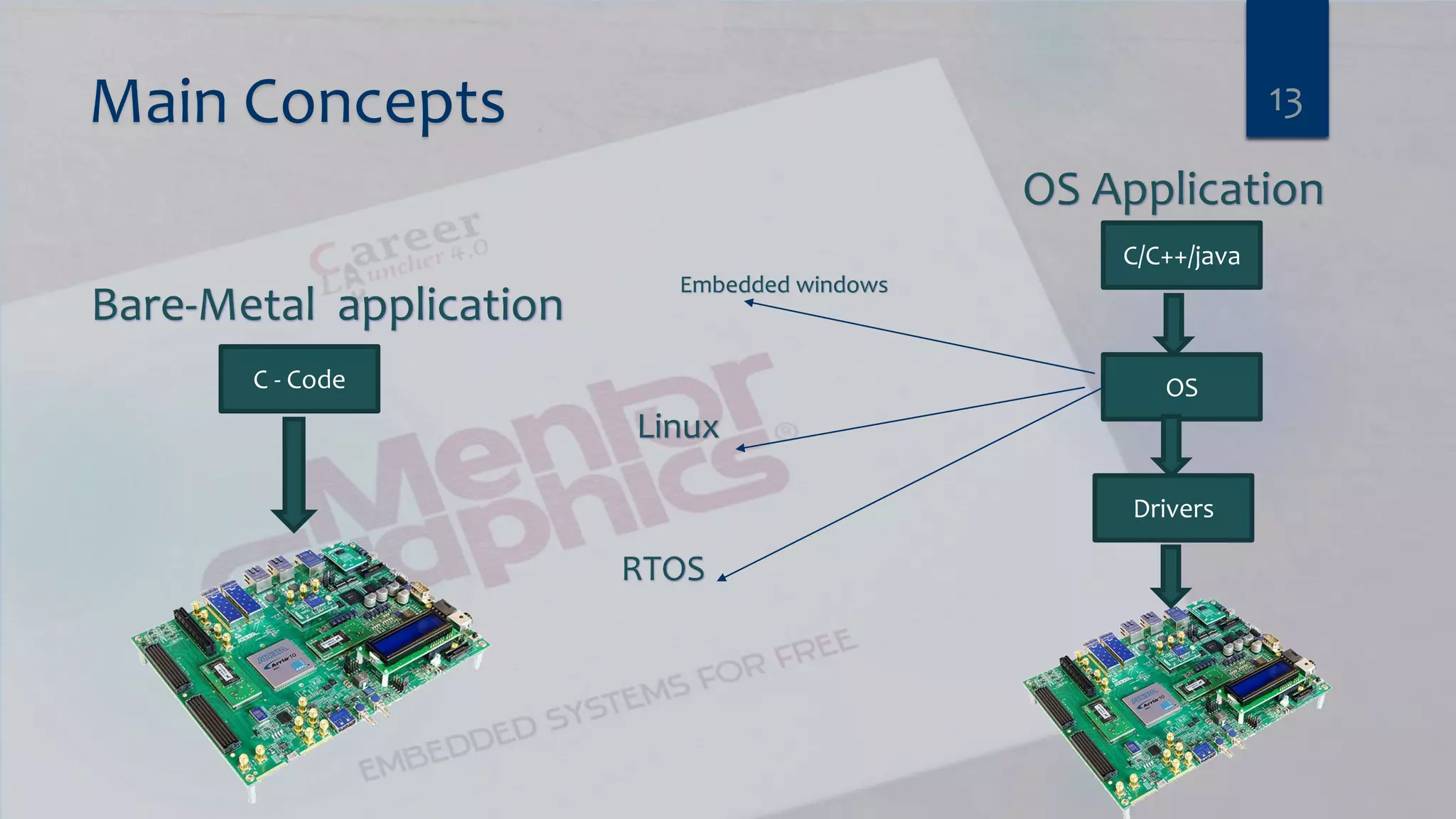
Main Concepts 13 Bare-Metal application OS Application C - Code C/C++/java OS Drivers Embedded windows Linux RTOS
Agenda  Communication Engineer’s Fields  Introduction to embedded System  Automotive (Autosar)  Talking about most used (Motors, Sensors and Actuators)  Embedded Linux 14
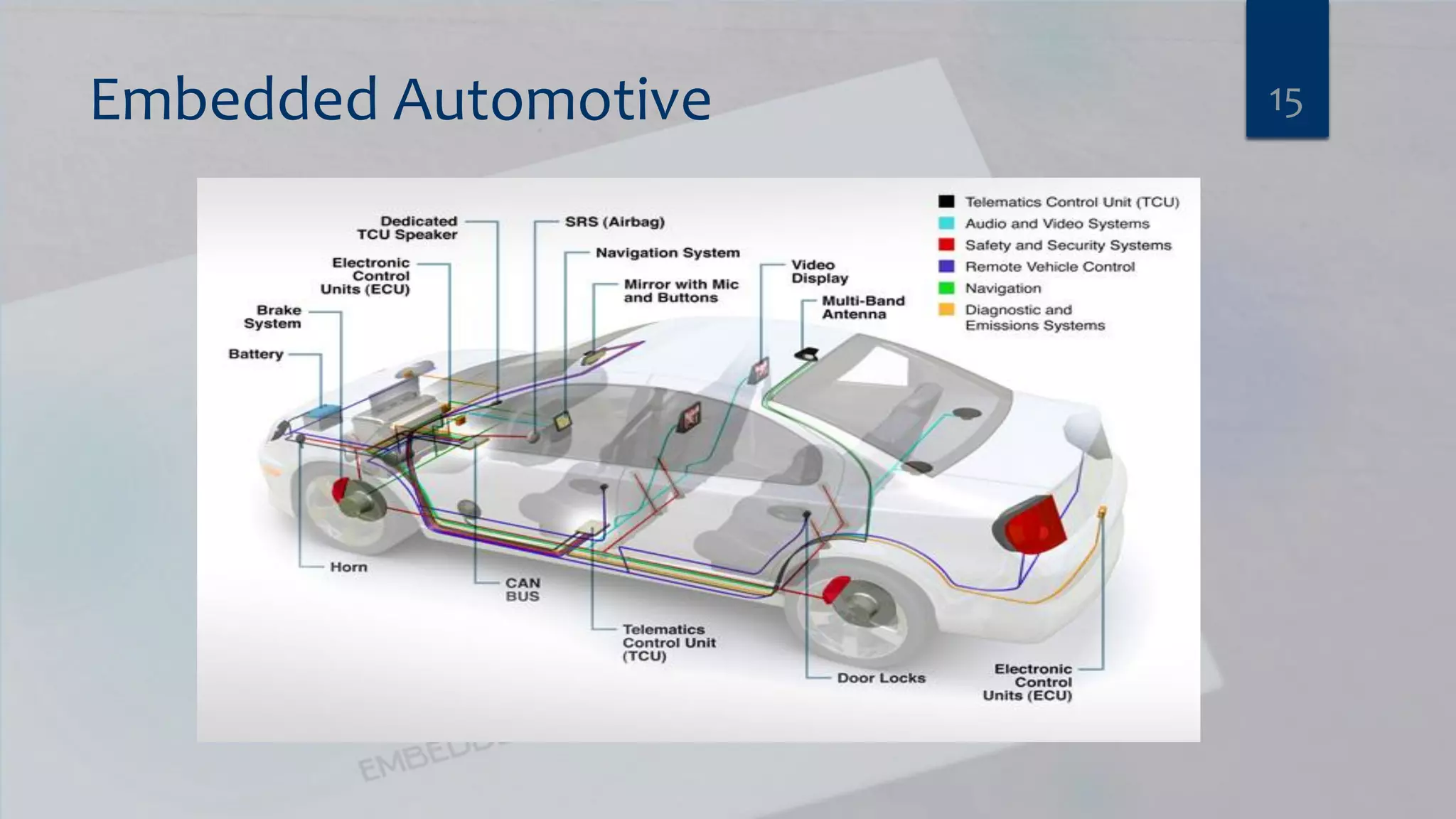
Embedded Automotive 15
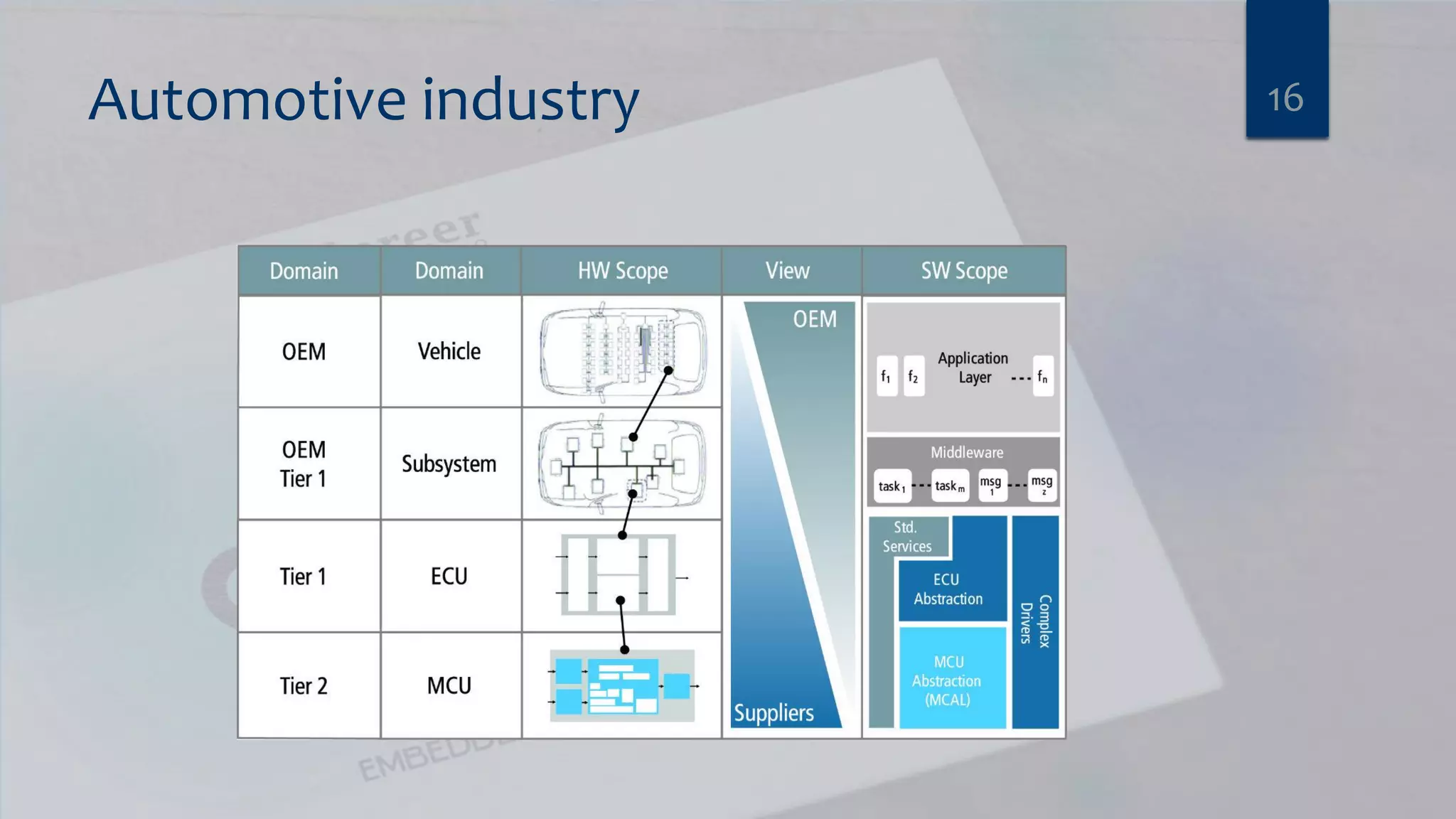
Automotive industry 16
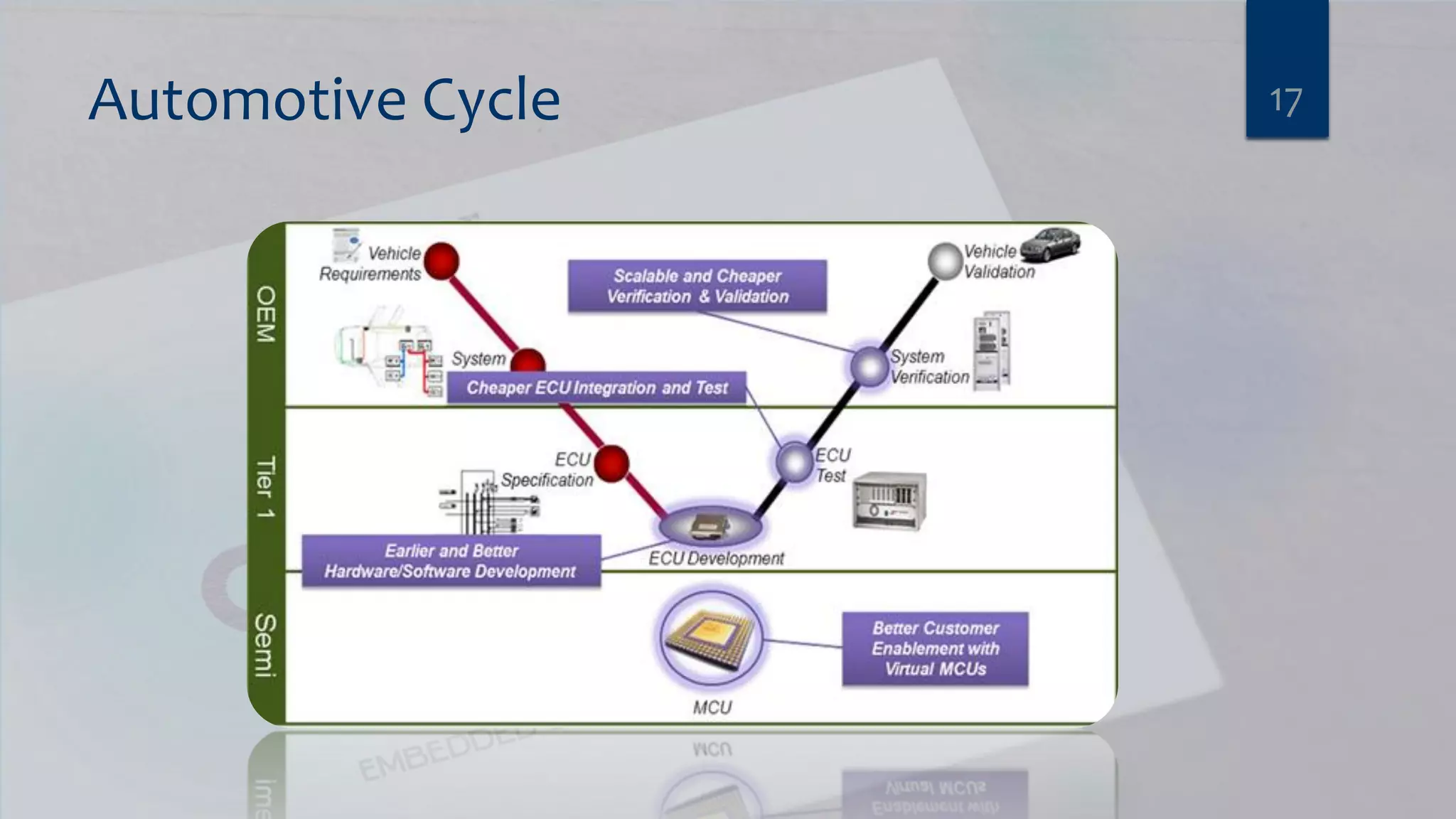
Automotive Cycle 17
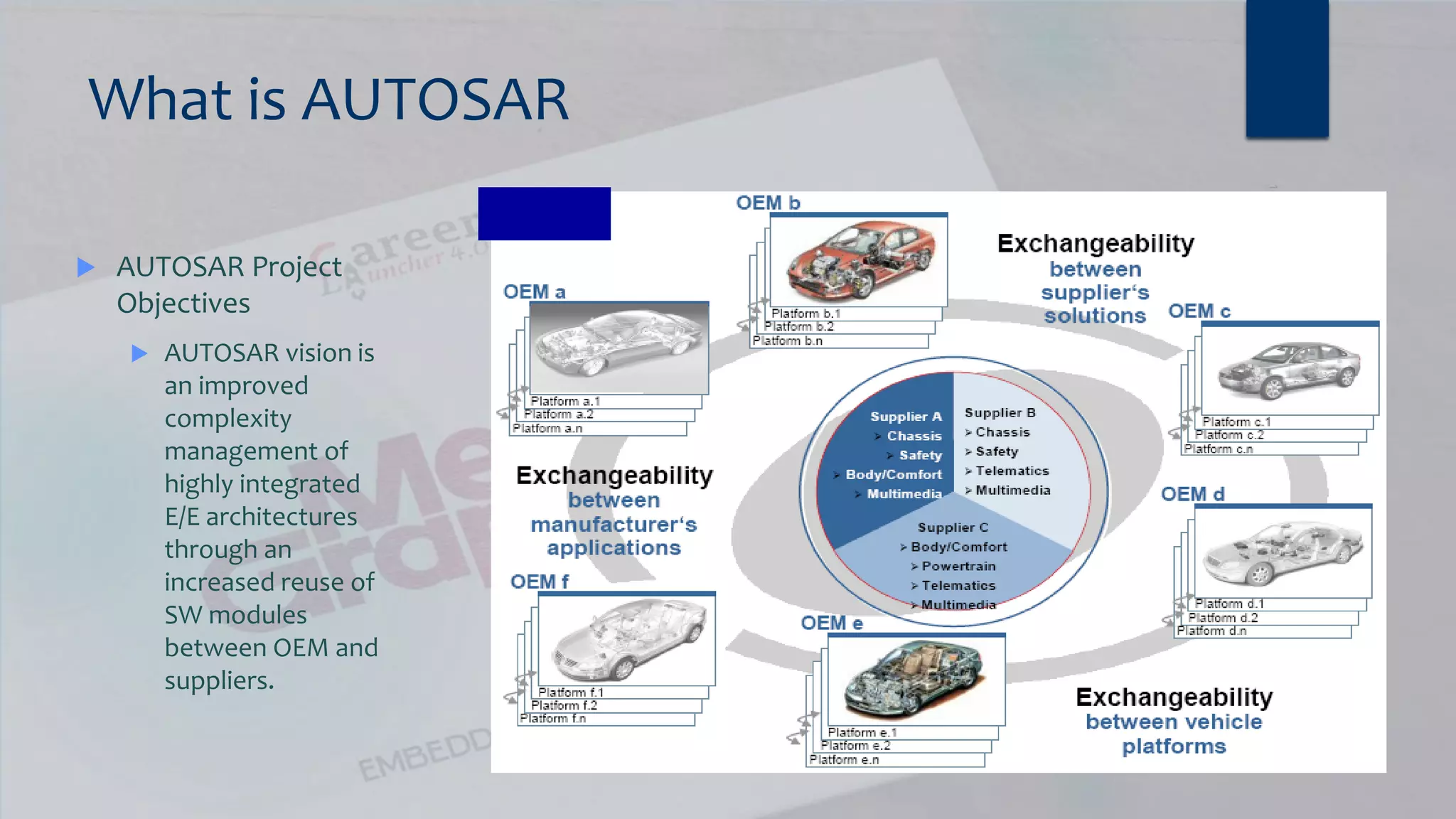
What is AUTOSAR  AUTOSAR Project Objectives  AUTOSAR vision is an improved complexity management of highly integrated E/E architectures through an increased reuse of SW modules between OEM and suppliers.
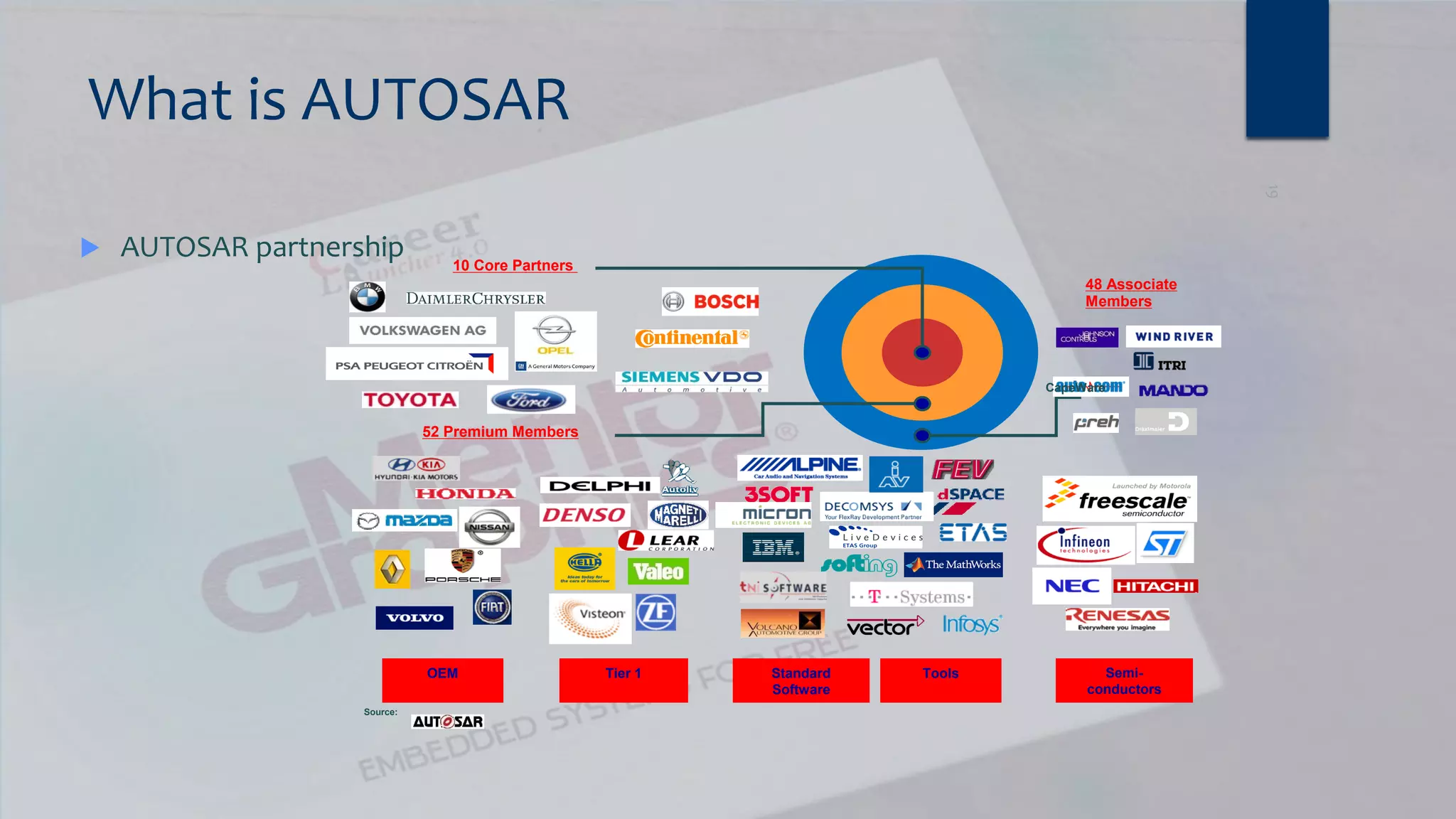
What is AUTOSAR  AUTOSAR partnership 10 Core Partners 48 Associate Members 52 Premium Members OEM Tier 1 Standard Software Tools Semi- conductors CapeWare Source:
What is Autosar?  AUTOSAR (AUTomotive Open System ARchitecture) is an open and standardized automotive software architecture, jointly developed by automobile manufacturers, suppliers and tool developers. The AUTOSAR-standard enables the use of a component based software design model for the design of a vehicular system. The design model uses application software components which are linked through an abstract component, named the virtual function bus.  The application software components are the smallest pieces of application software that still have a certain functionality. The software of an application can then be composed by using different application software-components. Standardized interfaces for all the application software components necessary to build the different automotive applications are specified in the AUTOSAR-standards. By only defining the interfaces, there is still freedom in the way of obtaining the functionality.  The virtual function bus connects the different software components in the design model. This abstract component interconnects the different application software components and handles the information exchange between them. The virtual function bus is the conceptualization of all hardware and system services offered by the vehicular system. This makes it possible for the designers to focus on the application instead of the infrastructure software. 20
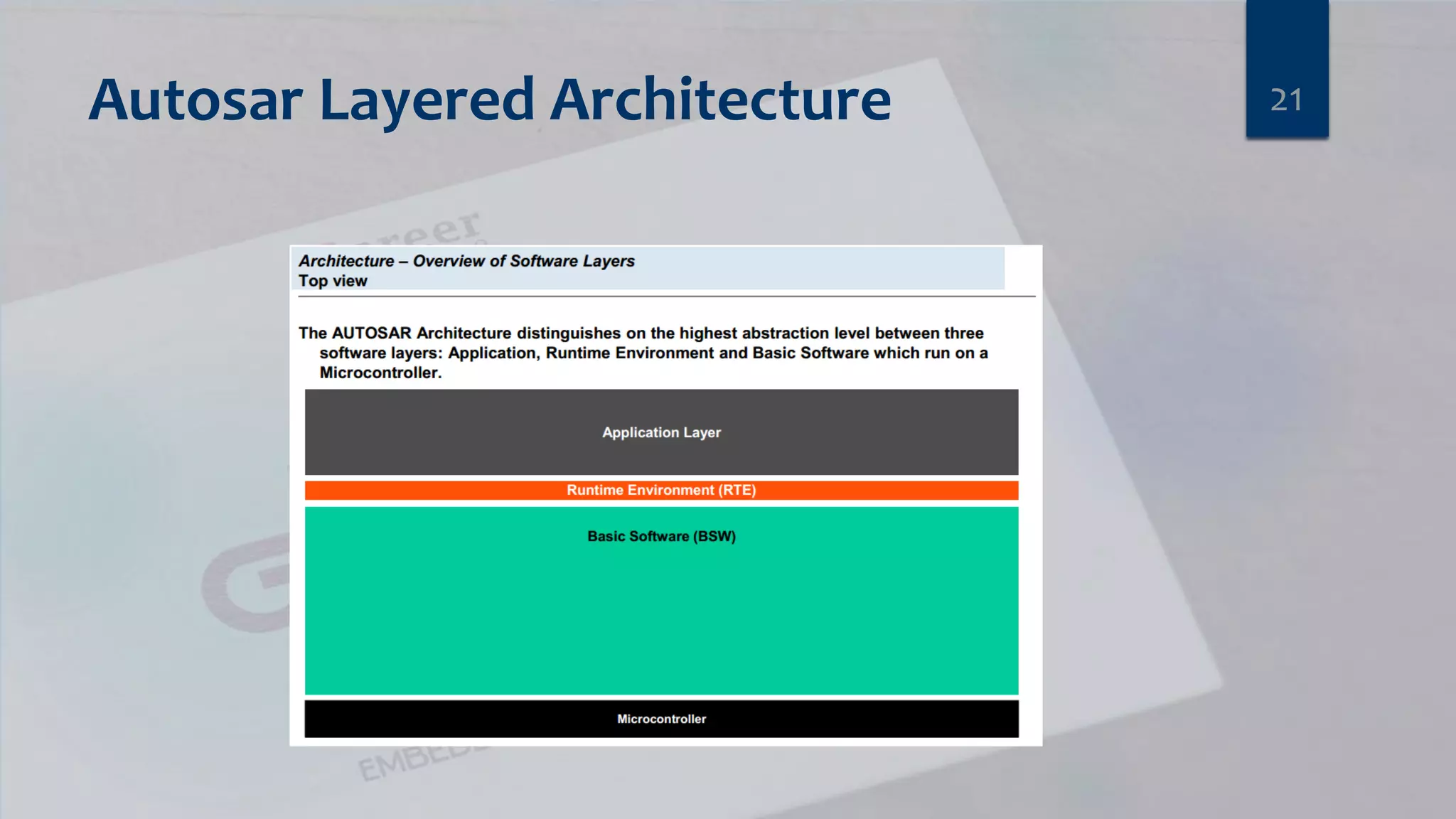
Autosar Layered Architecture 21
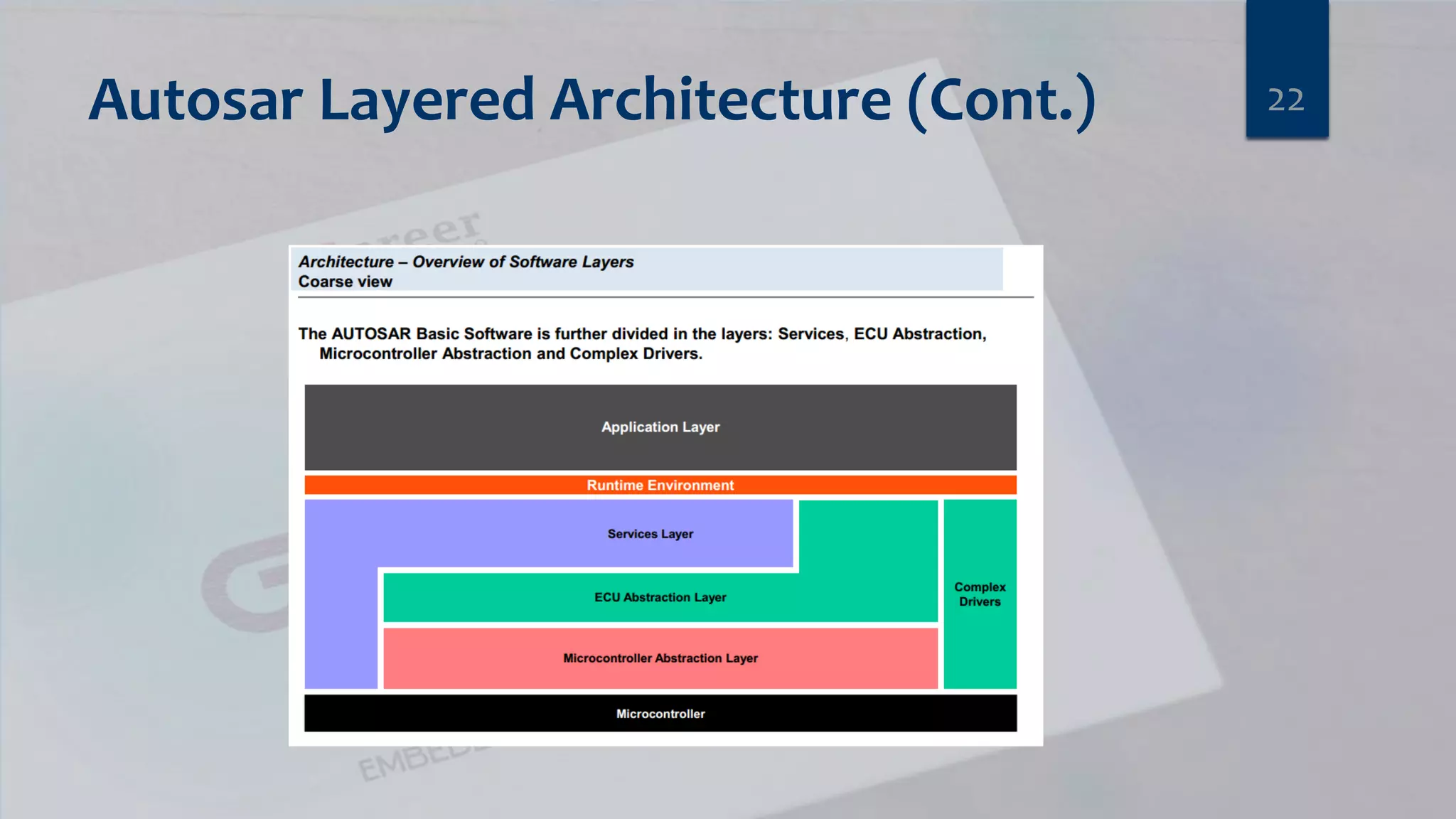
Autosar Layered Architecture (Cont.) 22
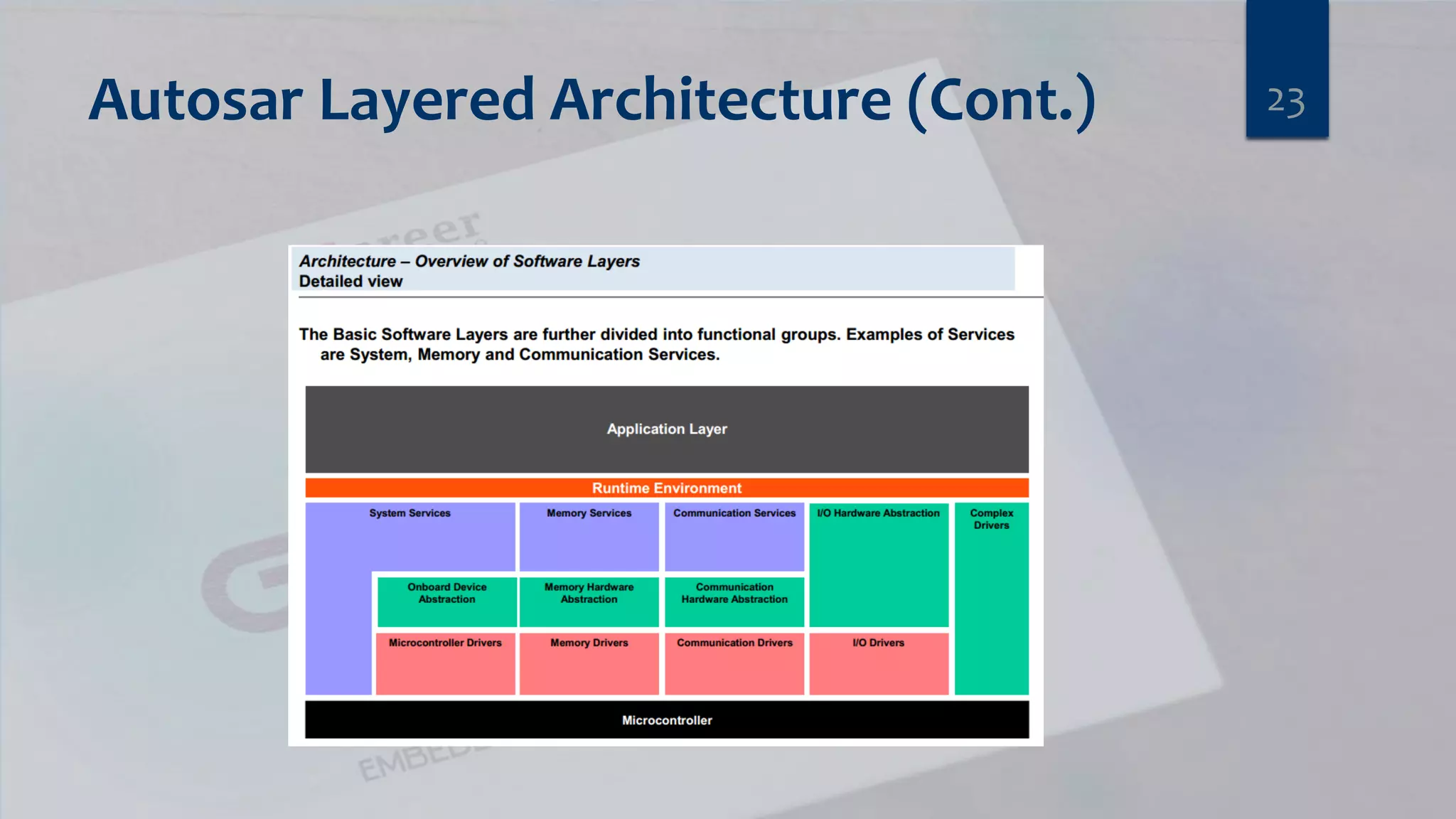
Autosar Layered Architecture (Cont.) 23
Agenda  Communication Engineer’s Fields  Introduction to embedded System  Automotive (Autosar)  Talking about most used (Motors, Sensors and Actuators)  Embedded Linux 24
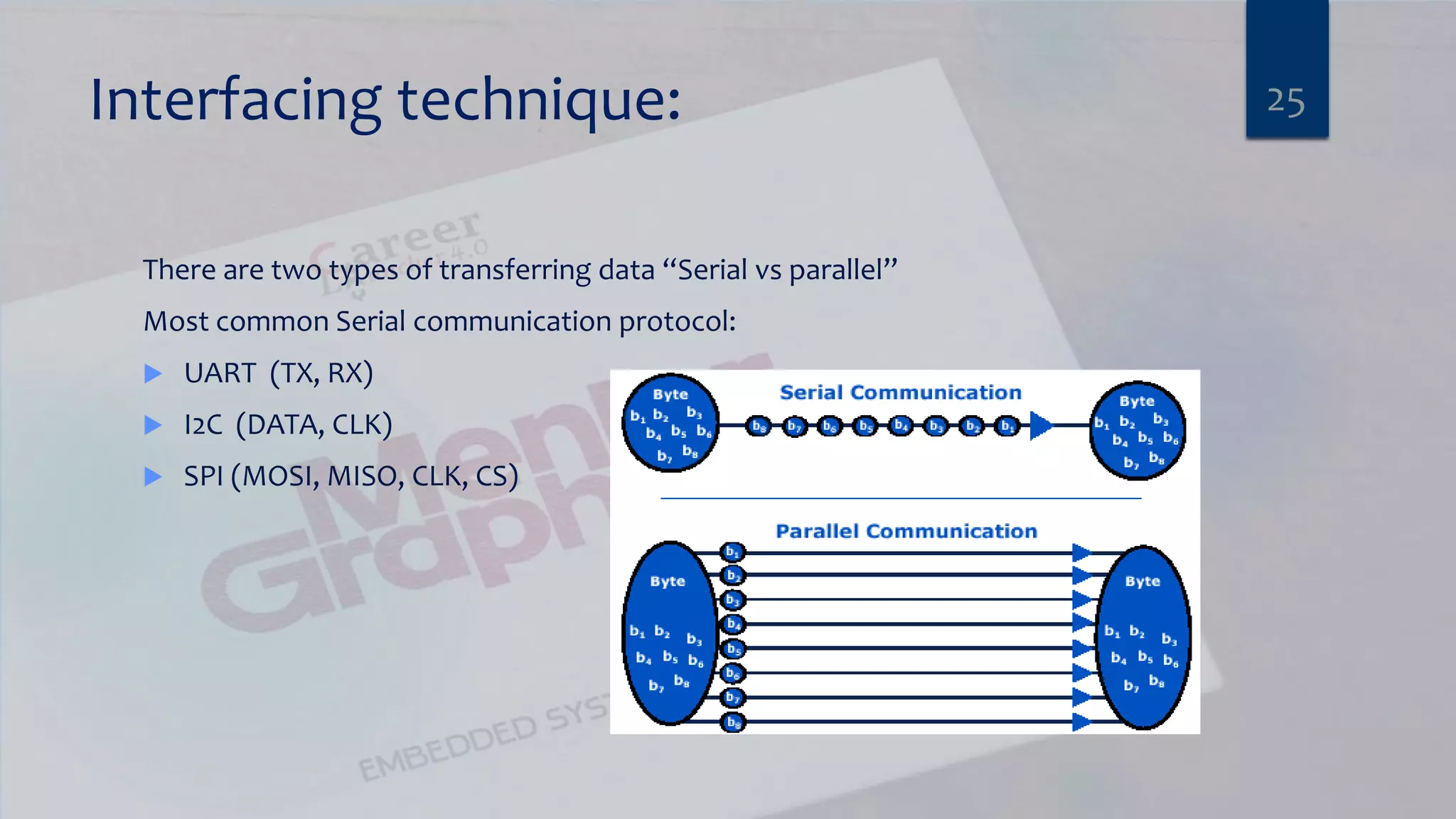
Interfacing technique: There are two types of transferring data “Serial vs parallel” Most common Serial communication protocol:  UART (TX, RX)  I2C (DATA, CLK)  SPI (MOSI, MISO, CLK, CS) 25
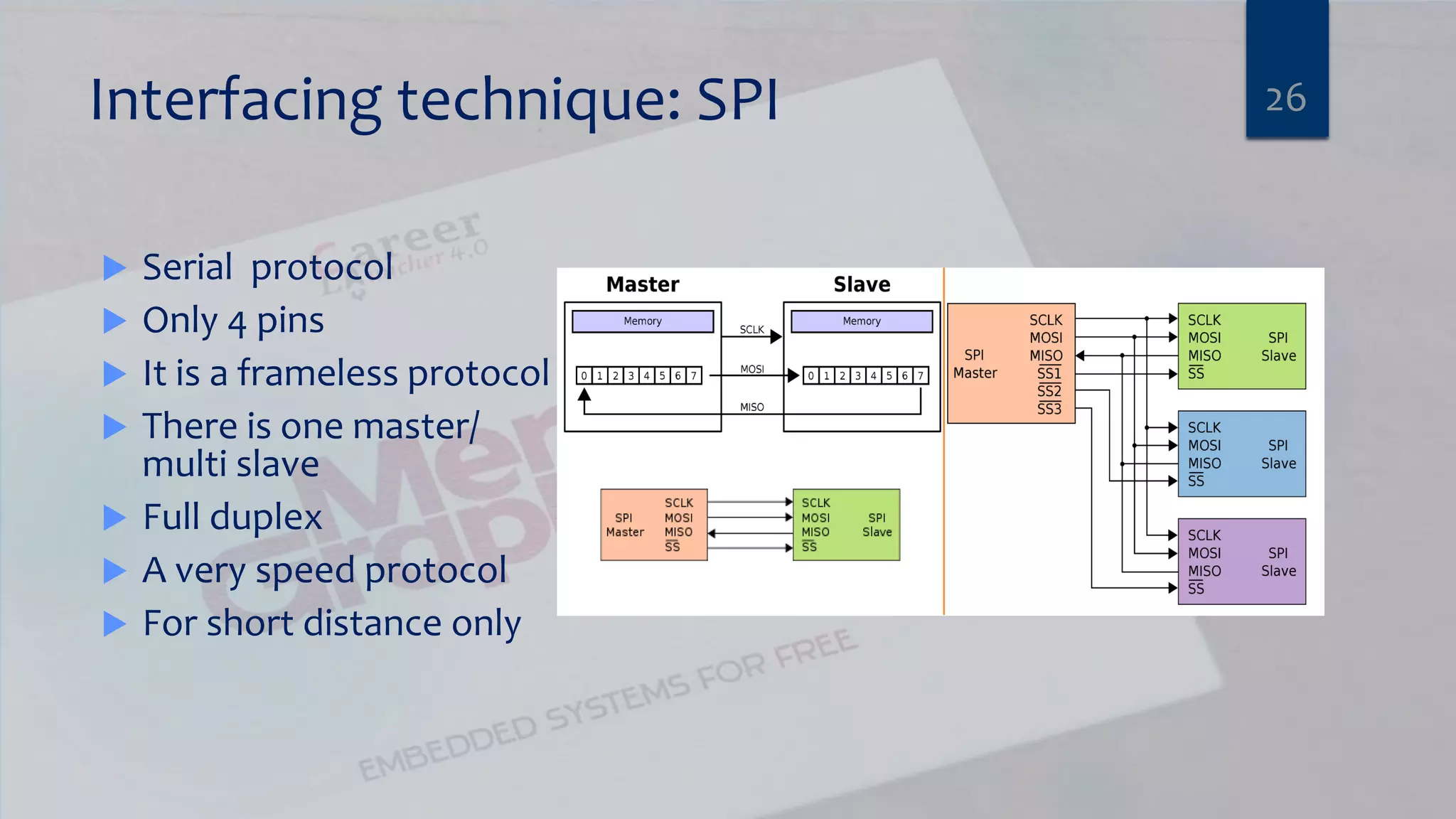
Interfacing technique: SPI  Serial protocol  Only 4 pins  It is a frameless protocol  There is one master/ multi slave  Full duplex  A very speed protocol  For short distance only 26
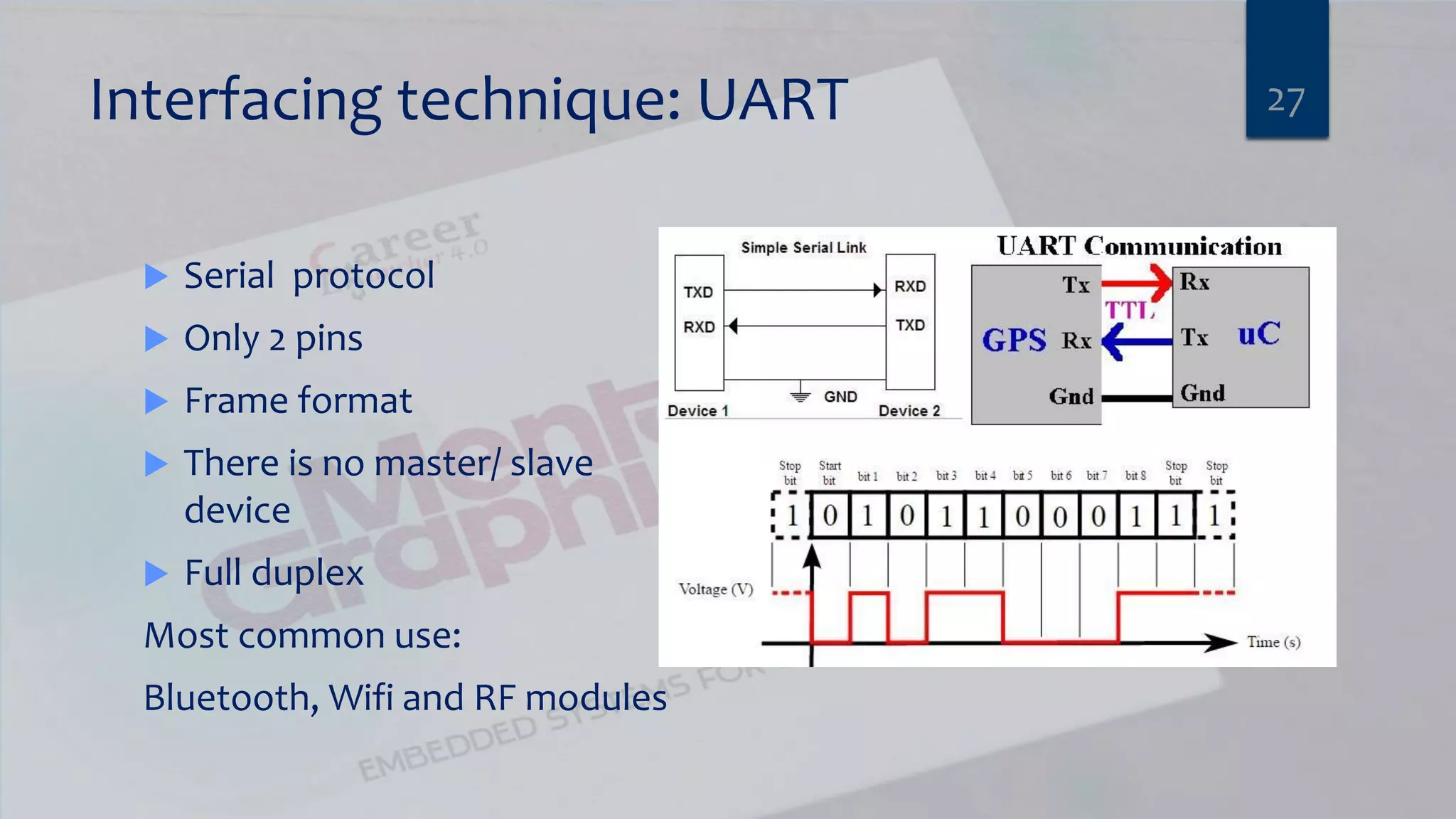
Interfacing technique: UART  Serial protocol  Only 2 pins  Frame format  There is no master/ slave device  Full duplex Most common use: Bluetooth, Wifi and RF modules 27
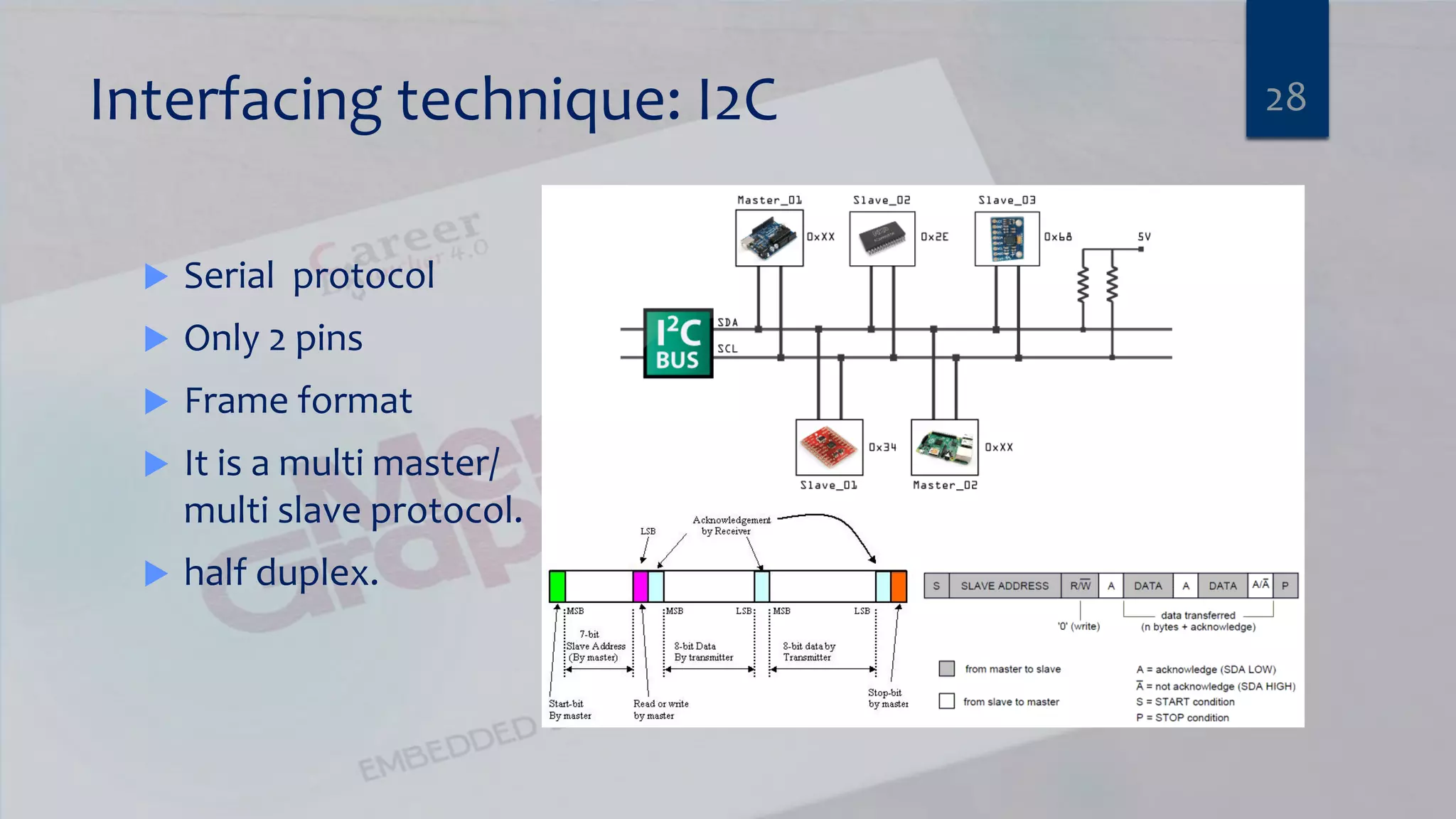
Interfacing technique: I2C  Serial protocol  Only 2 pins  Frame format  It is a multi master/ multi slave protocol.  half duplex. 28
Different types of hardware You should be familiar with:  Sensors “Analog and digital ”  Motors  Other hardware 29
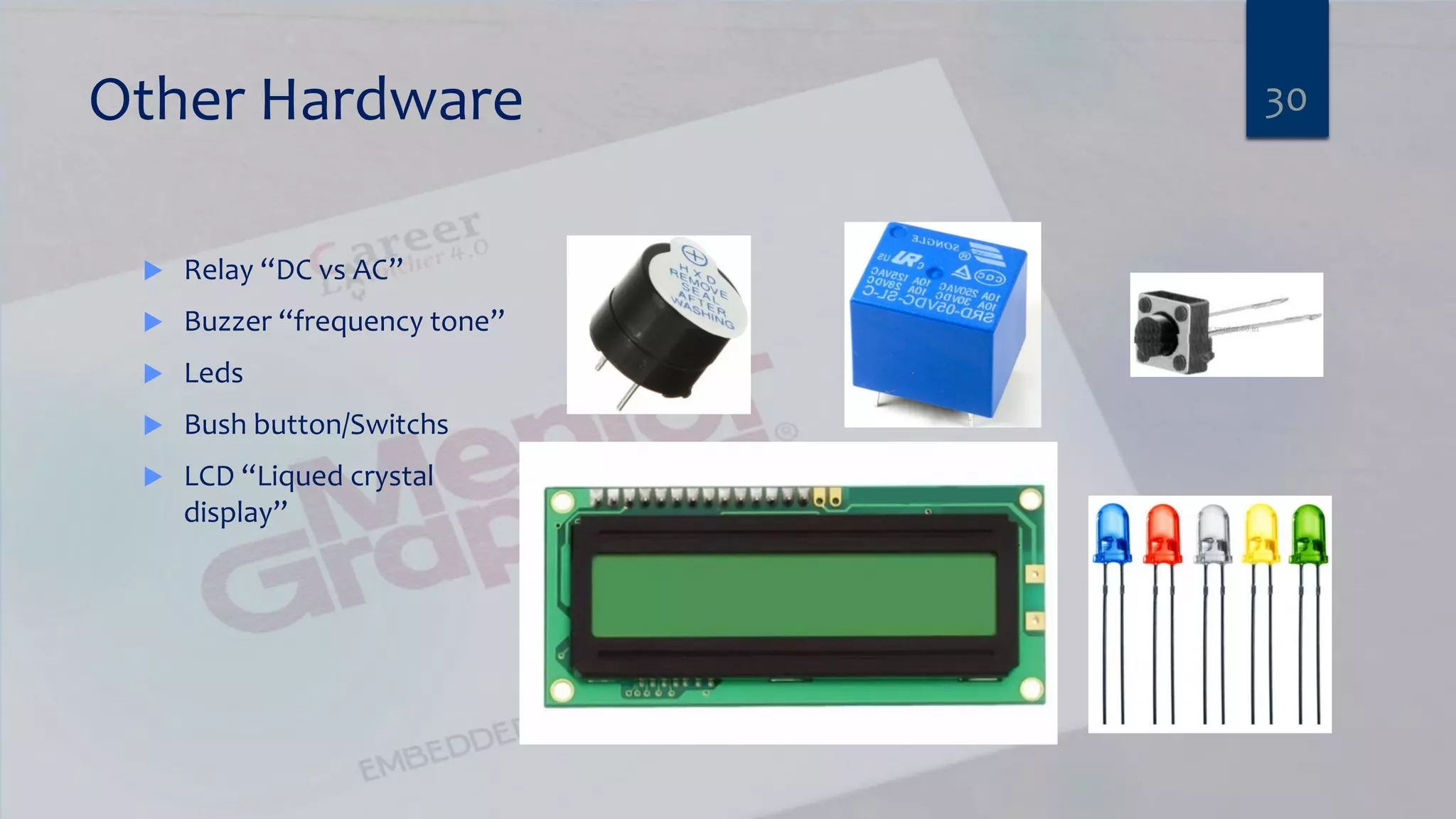
Other Hardware  Relay “DC vs AC”  Buzzer “frequency tone”  Leds  Bush button/Switchs  LCD “Liqued crystal display” 30
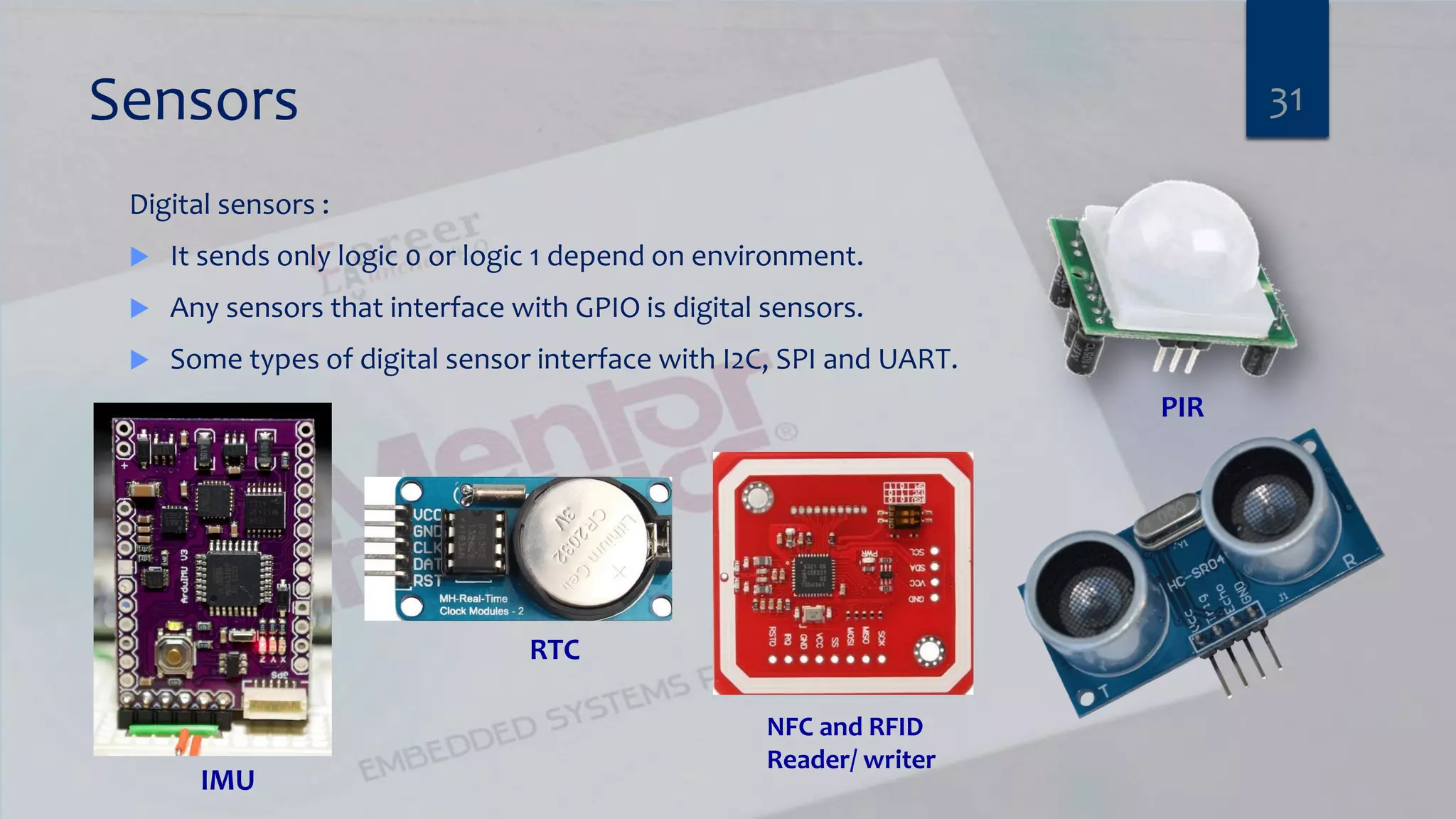
Sensors Digital sensors :  It sends only logic 0 or logic 1 depend on environment.  Any sensors that interface with GPIO is digital sensors.  Some types of digital sensor interface with I2C, SPI and UART. 31 RTC PIR IMU NFC and RFID Reader/ writer
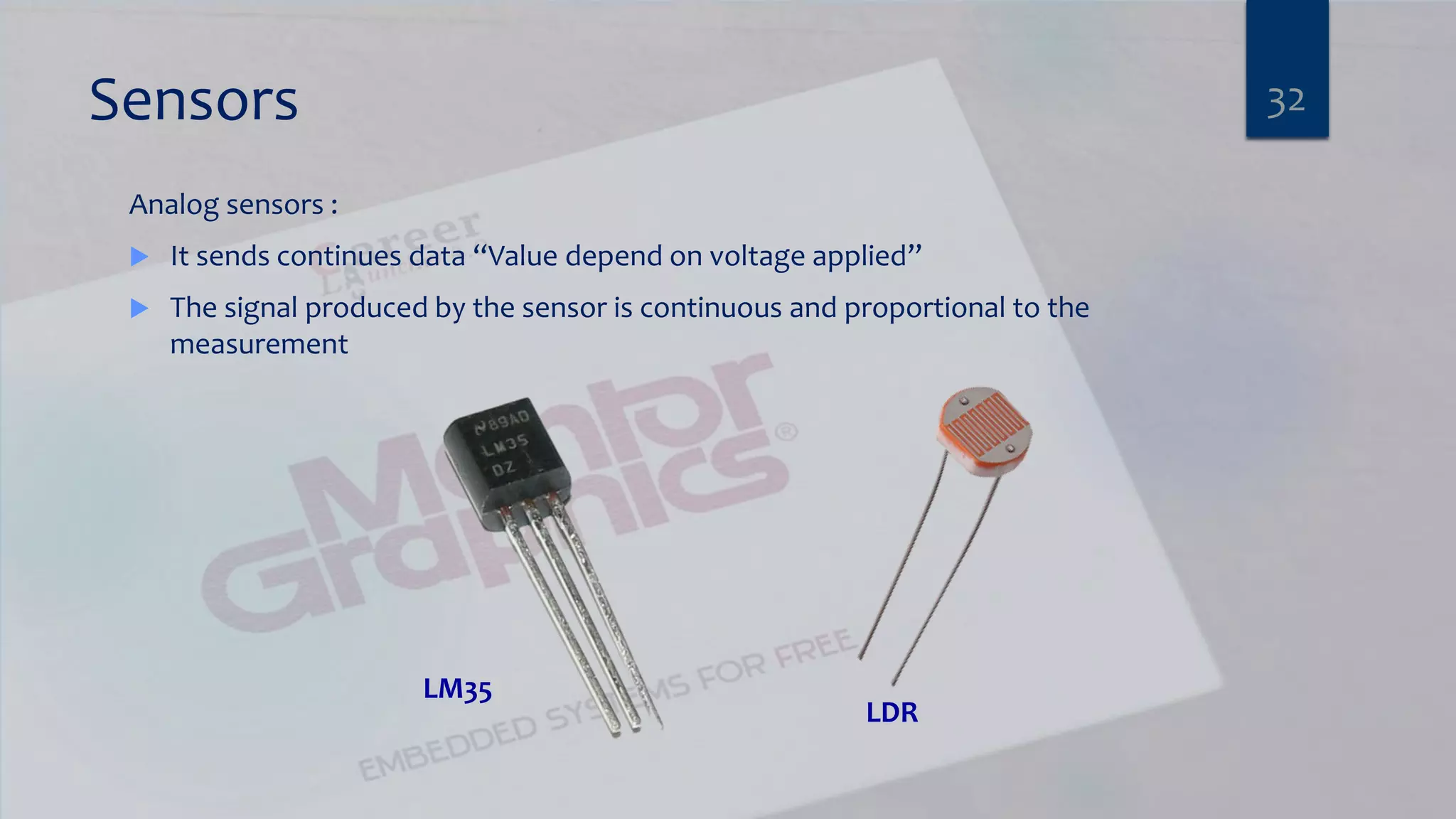
Sensors Analog sensors :  It sends continues data “Value depend on voltage applied”  The signal produced by the sensor is continuous and proportional to the measurement 32 LDR LM35
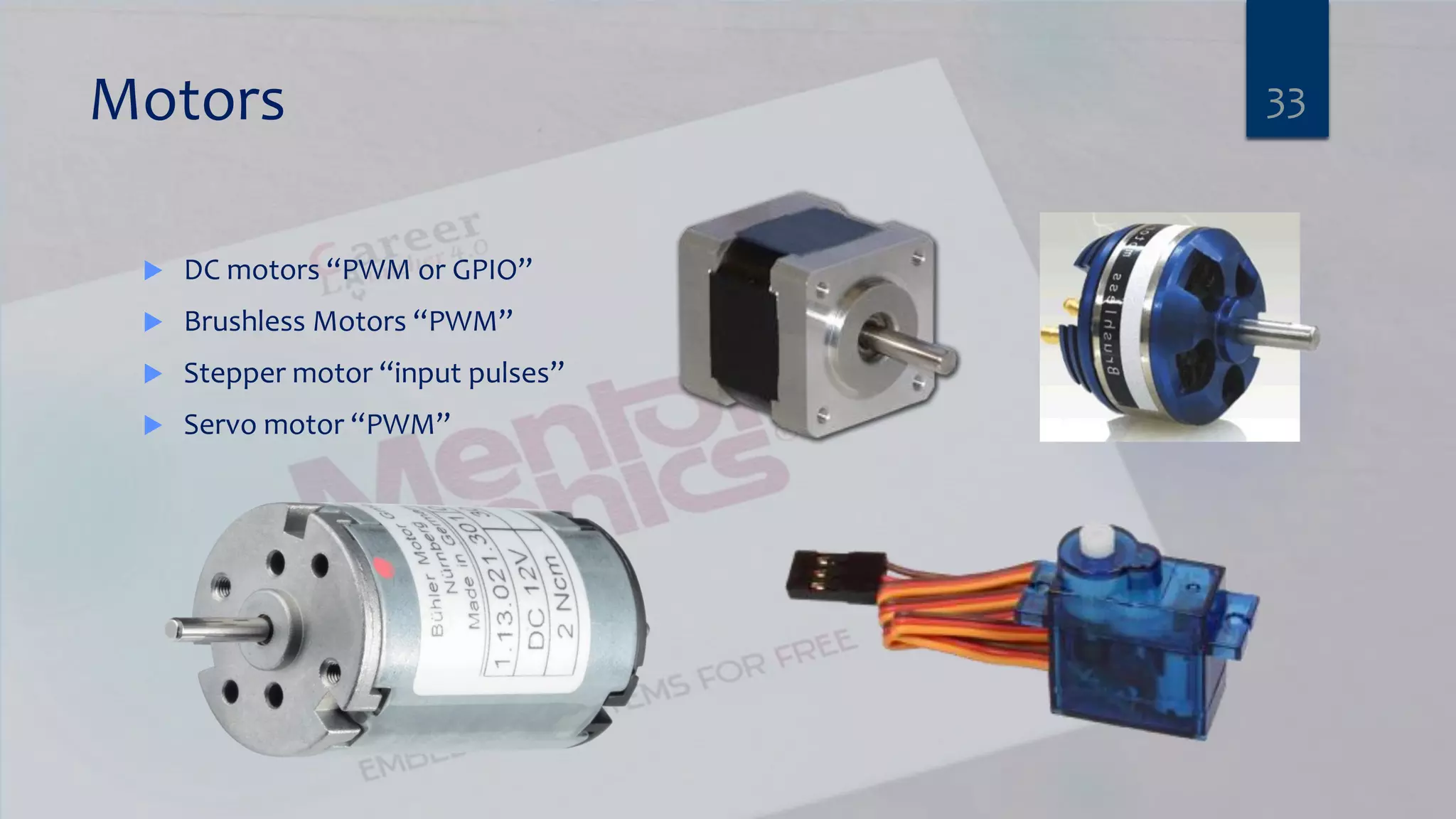
Motors  DC motors “PWM or GPIO”  Brushless Motors “PWM”  Stepper motor “input pulses”  Servo motor “PWM” 33
Time to break 34
Agenda  Communication Engineer’s Fields  Introduction to embedded System  Automotive (Autosar)  Talking about most used (Motors, Sensors and Actuators)  Embedded Linux 35
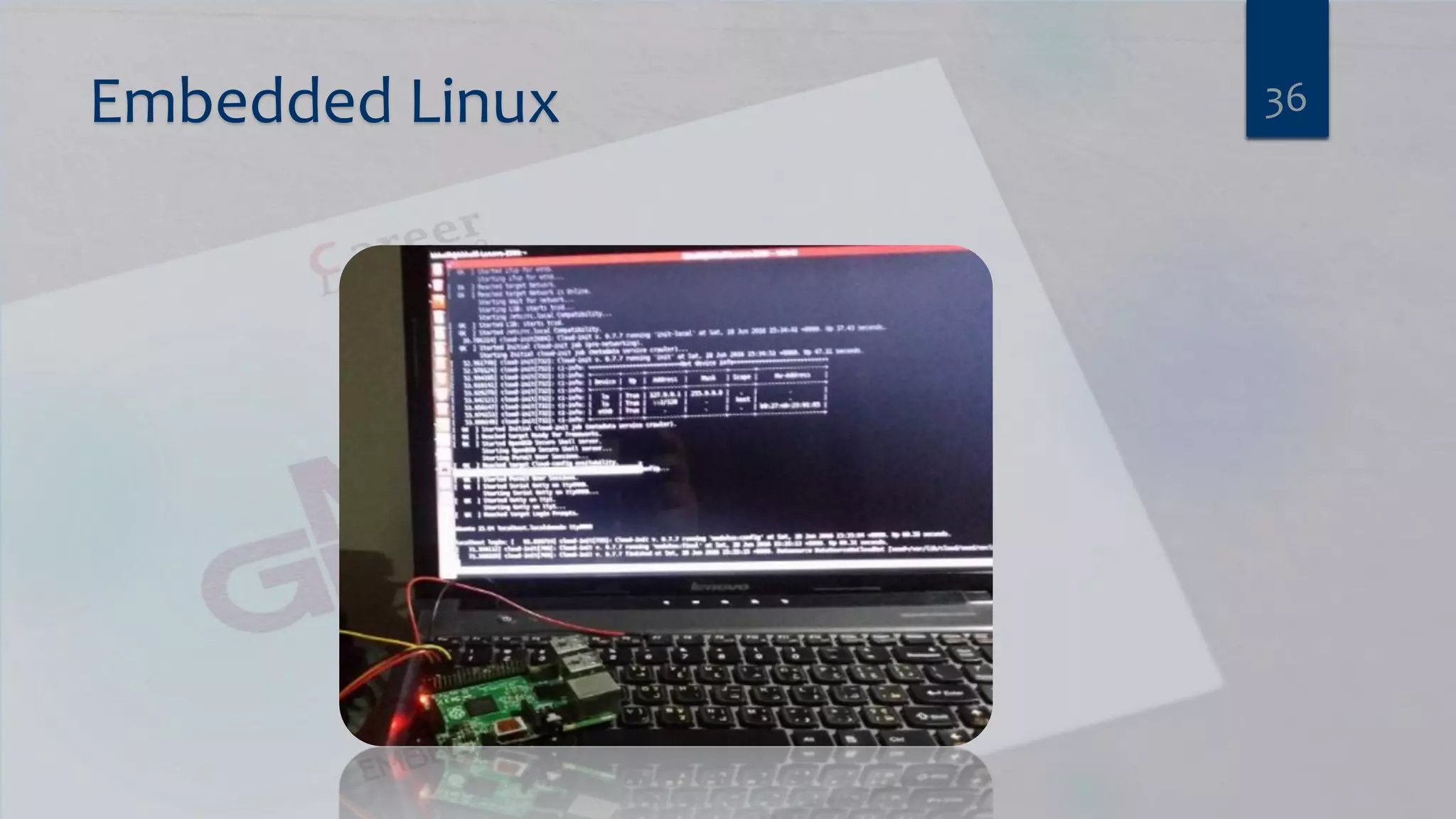
Embedded Linux 36
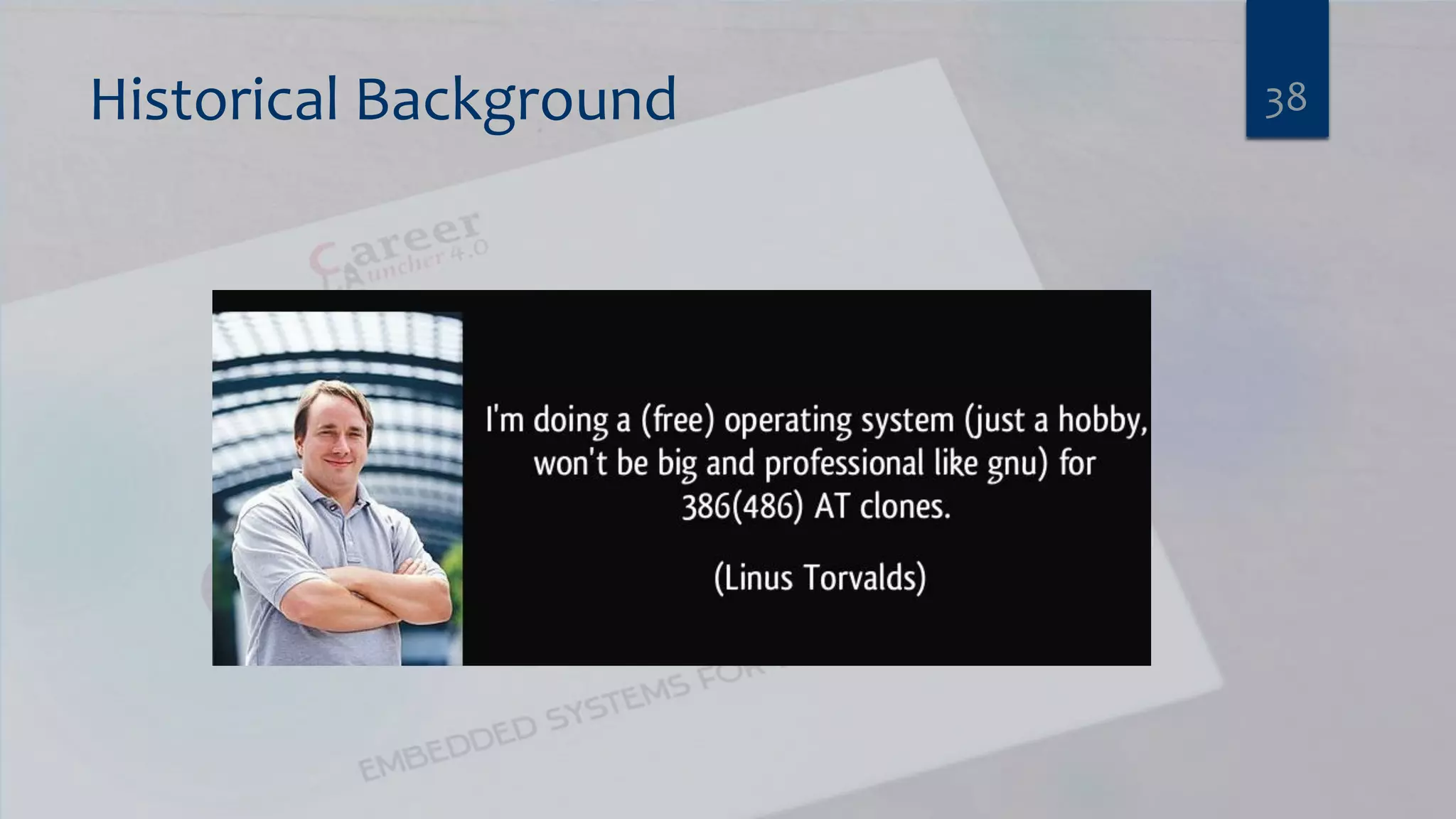
Historical Background  It started in bell Labs with terminated project for Multics Multi-user operating system  Dennis Ritchie and Ken Thomson started to work on Unix 1969: first Implementation of Unix.  1972:Creation of “C” Programming Language to facilitate the porting.  1973: Complete rewrite of UNIX into “c”  Richard Stallman is Believing in free Software, he formed the Free Software Foundation and Started the GNU [Gnu Not Unix] Project in 1983. 37
Historical Background 38
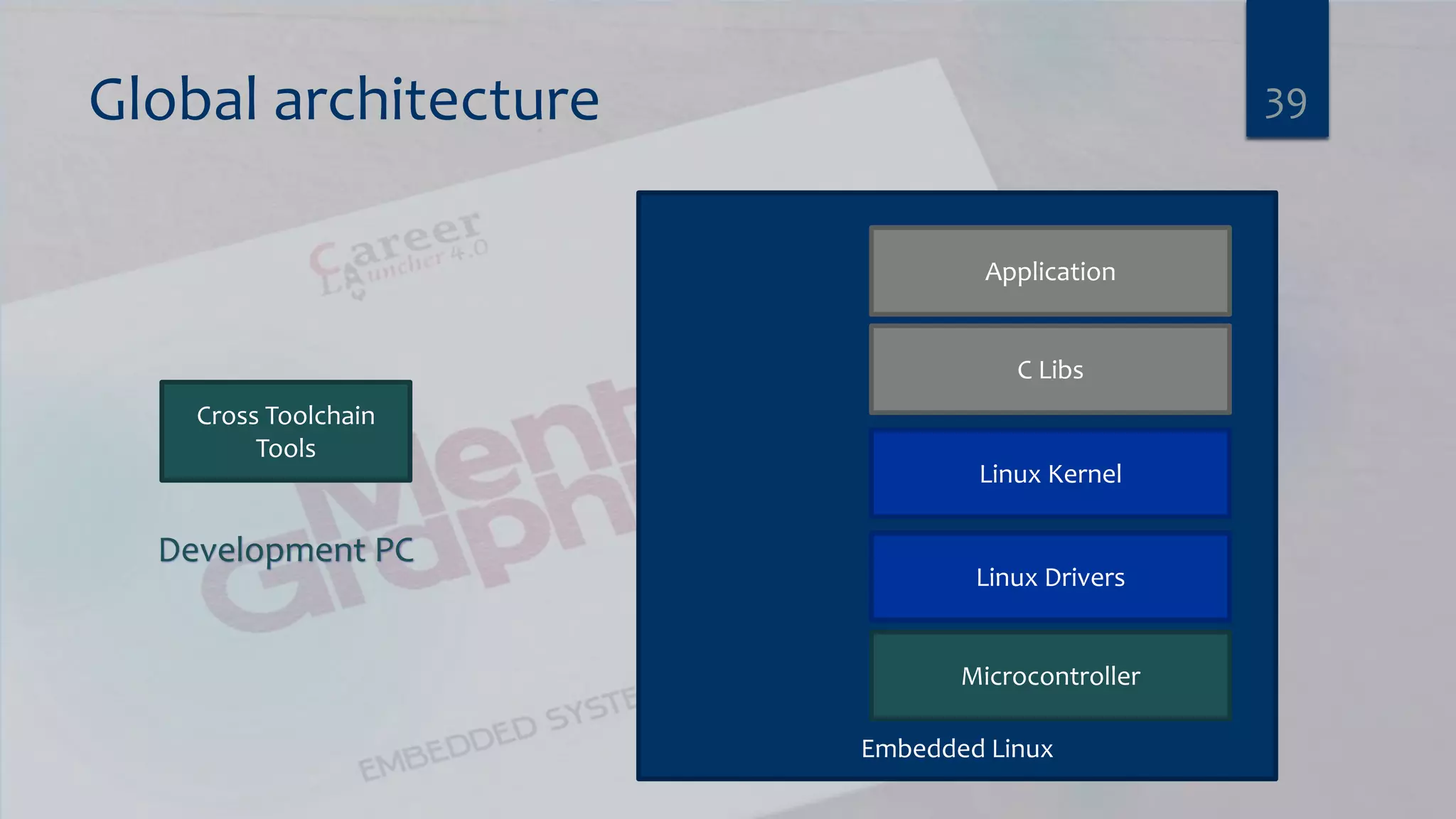
Global architecture 39 Cross Toolchain Tools Development PC Embedded Linux Microcontroller Linux Drivers Linux Kernel C Libs Application
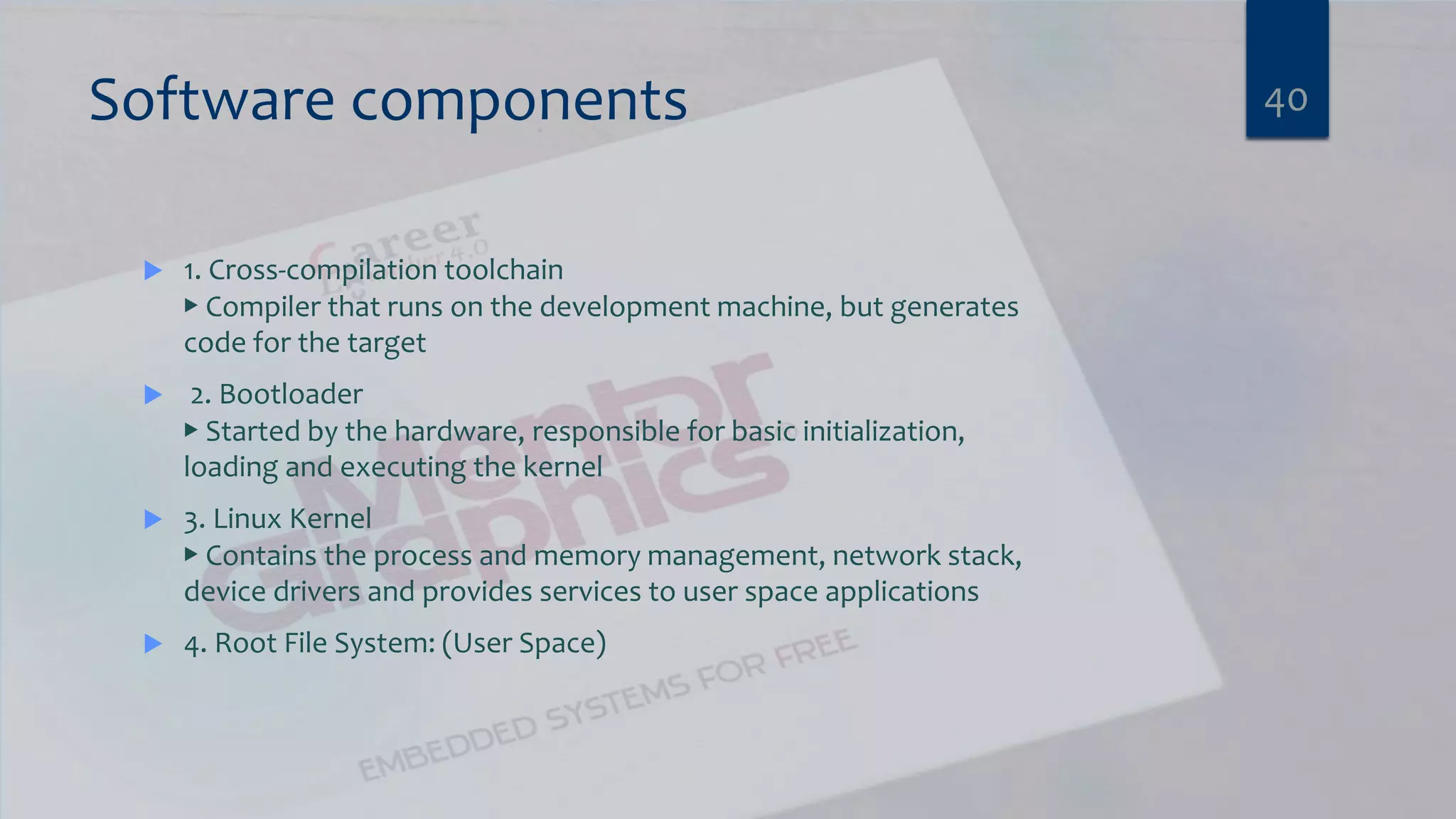
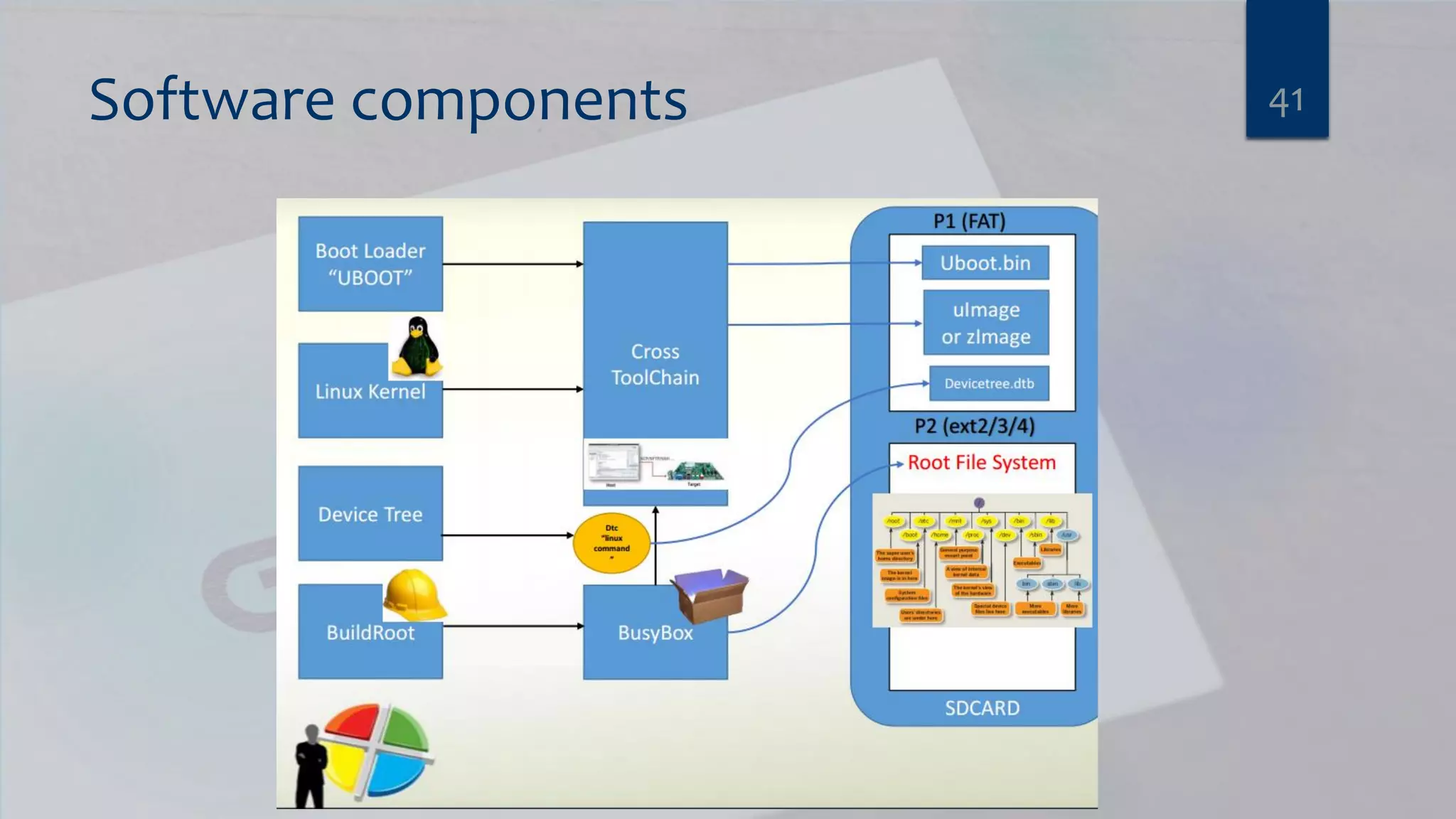
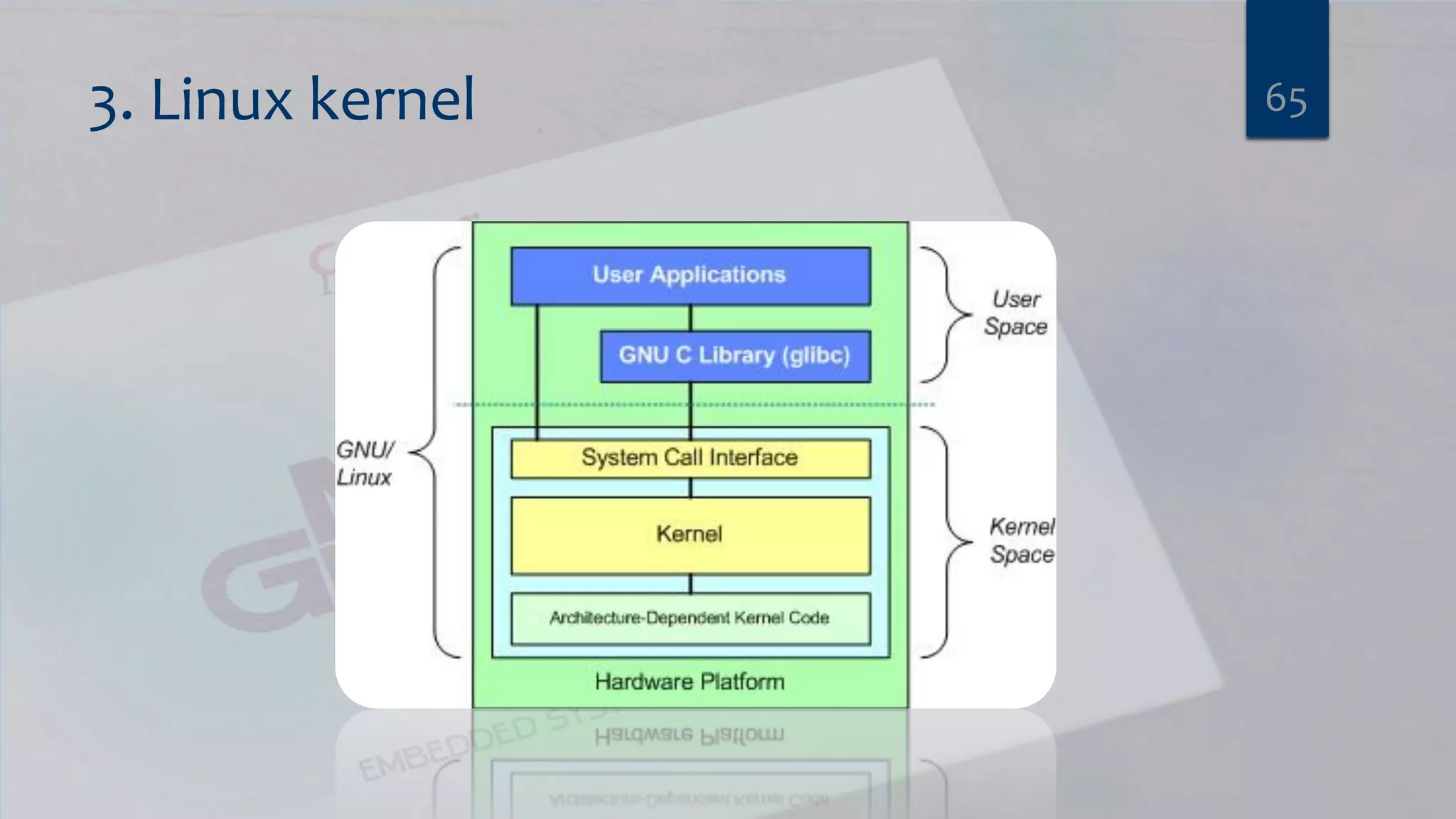
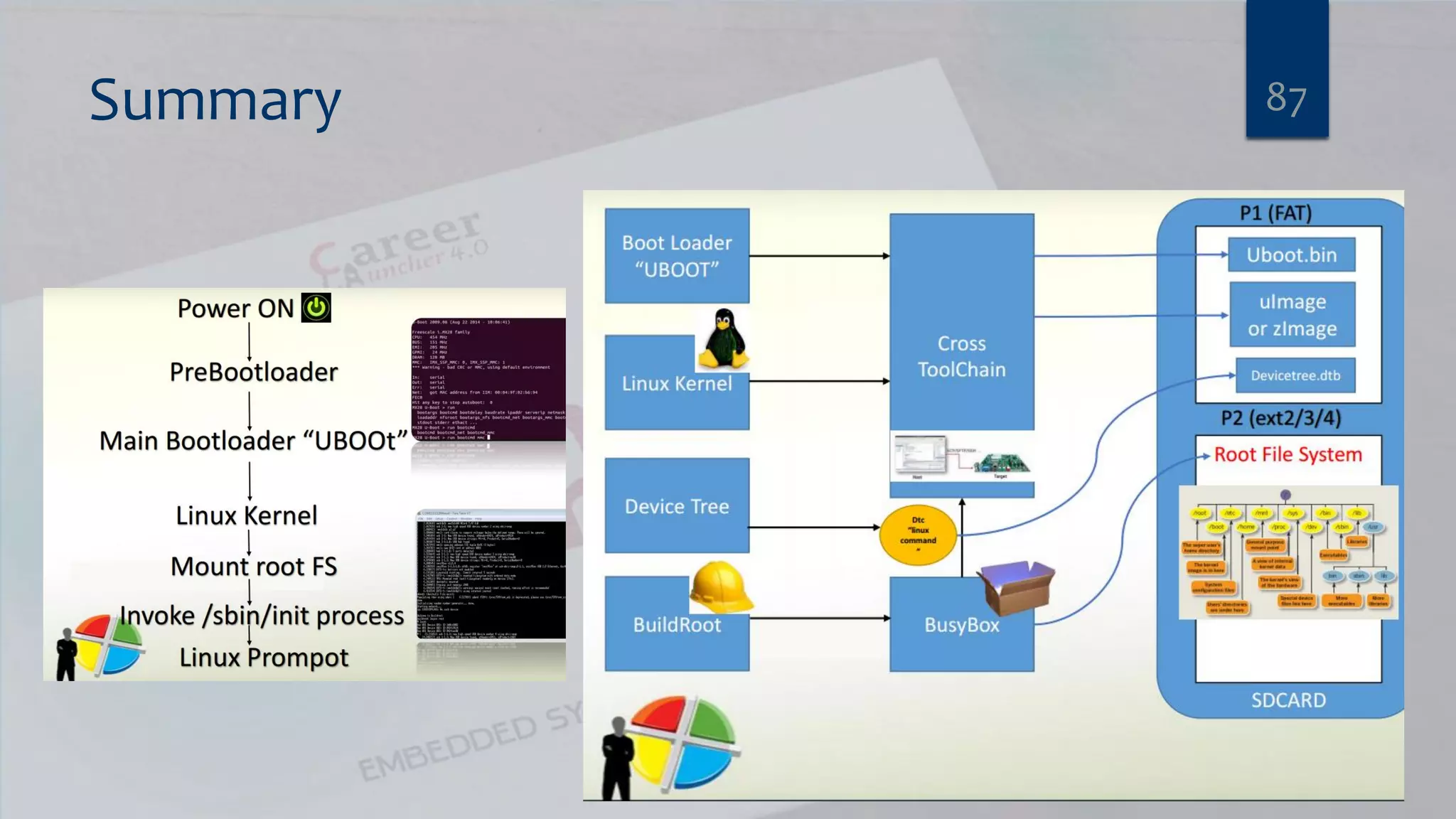
Software components  1. Cross-compilation toolchain ▶ Compiler that runs on the development machine, but generates code for the target  2. Bootloader ▶ Started by the hardware, responsible for basic initialization, loading and executing the kernel  3. Linux Kernel ▶ Contains the process and memory management, network stack, device drivers and provides services to user space applications  4. Root File System: (User Space) 40
Software components 41
Embedded Linux work  Board Support Package development ▶ A BSP contains a bootloader and kernel with the suitable device drivers for the targeted hardware ▶ Purpose of our Kernel Development training  System integration ▶ Integrate all the components, bootloader, kernel, third-party libraries and applications and in-house applications into a working system ▶ Purpose of this training  Development of applications ▶ Normal Linux applications, but using specifically chosen libraries 42
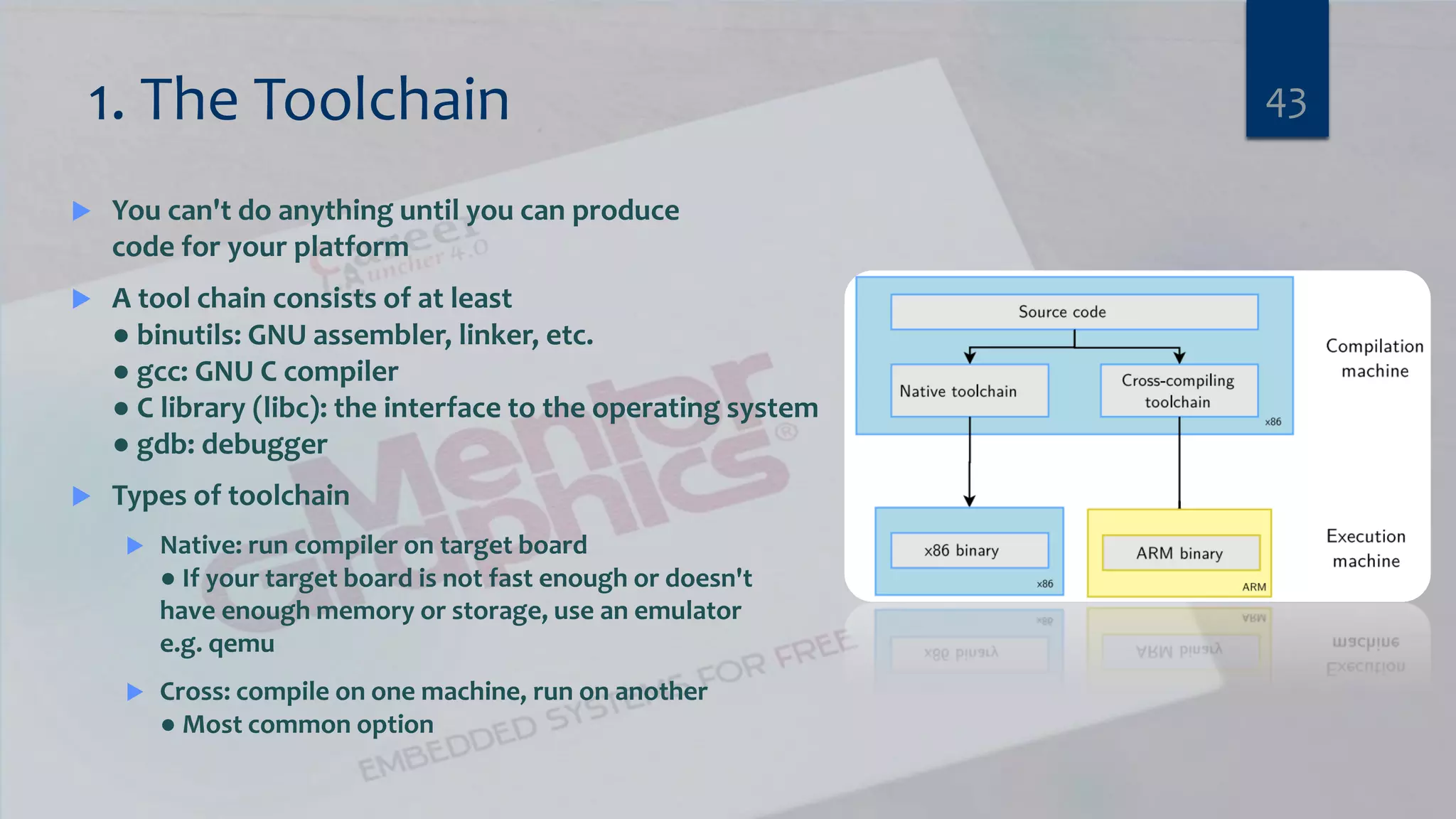
1. The Toolchain  You can't do anything until you can produce code for your platform  A tool chain consists of at least ● binutils: GNU assembler, linker, etc. ● gcc: GNU C compiler ● C library (libc): the interface to the operating system ● gdb: debugger  Types of toolchain  Native: run compiler on target board ● If your target board is not fast enough or doesn't have enough memory or storage, use an emulator e.g. qemu  Cross: compile on one machine, run on another ● Most common option 43
The C library  Gcc is built along side the C library ● Hence, the C library is part of the tool chain  Main options are ● GNU glibc – big but fully functional ● GNU eglibc – glibc but more configurable; embedded-friendly ● uClibc – small, lacking up-to-date threads library and other POSIX functions 44
Criteria for selecting a toolchain  Good support for your processor ● e.g. for ARM A-8 core, armv4 compilers work OK but armv7t works better  Appropriate C library  Up-to-date  Good support (community or commercial)  Other goodies, e.g. ● Cross-compiled libraries and programs ● Development tools for tracing, profiling, etc. 45
toolchain Lab 1 CREATE A BARE-METAL APPLICATION FOR ALTERA ARRIA10 VIRTUAL PLATFORM 46
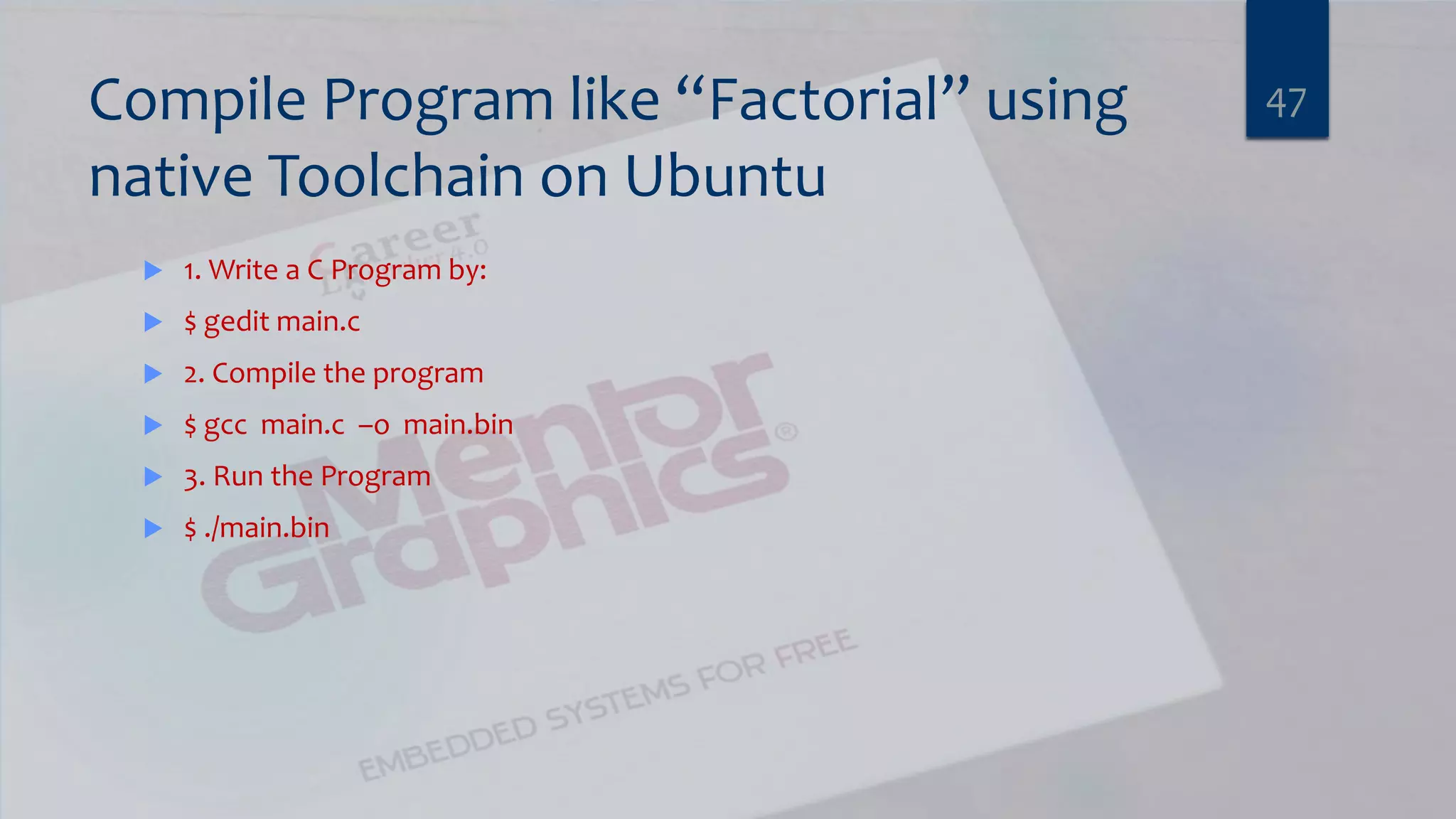
Compile Program like “Factorial” using native Toolchain on Ubuntu  1. Write a C Program by:  $ gedit main.c  2. Compile the program  $ gcc main.c –o main.bin  3. Run the Program  $ ./main.bin 47
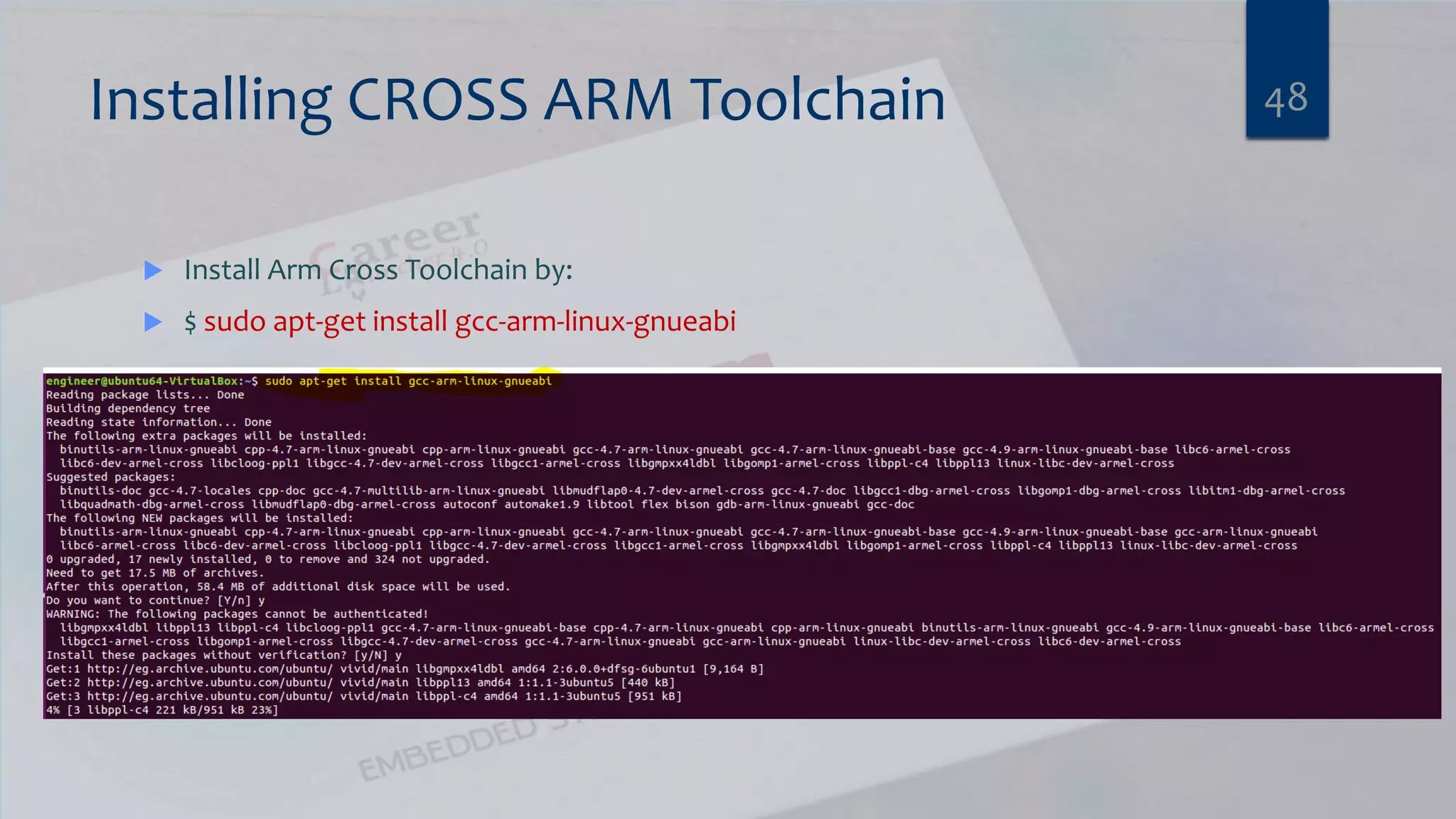
Installing CROSS ARM Toolchain  Install Arm Cross Toolchain by:  $ sudo apt-get install gcc-arm-linux-gnueabi 48
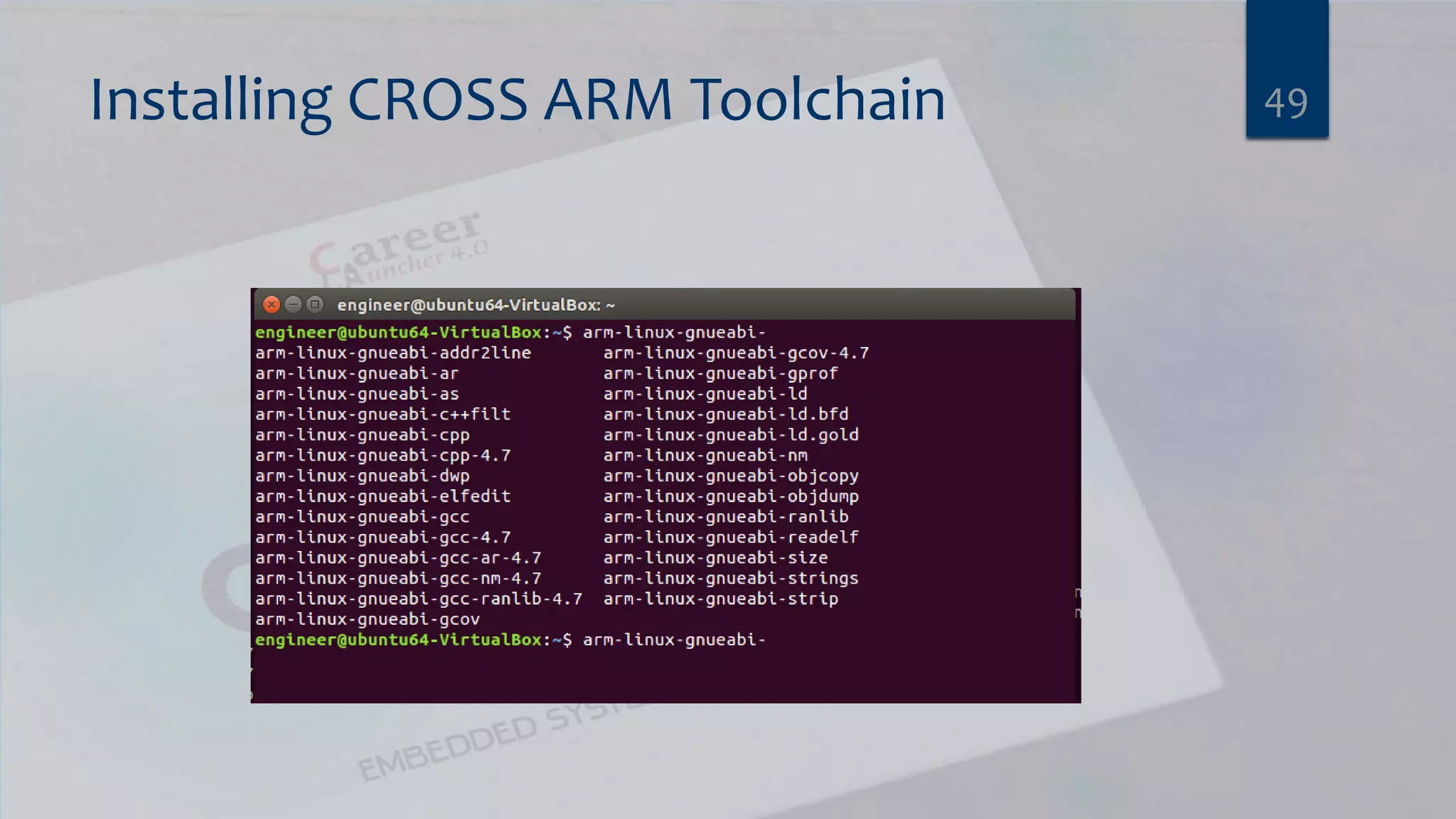
Installing CROSS ARM Toolchain 49
Compile the same Code by “arm-linux-gnueabi-gcc”  arm-linux-gnueabi-gcc main.c –o main.bin  Try to run it on the PC by  ./main.bin  What happen ? 50
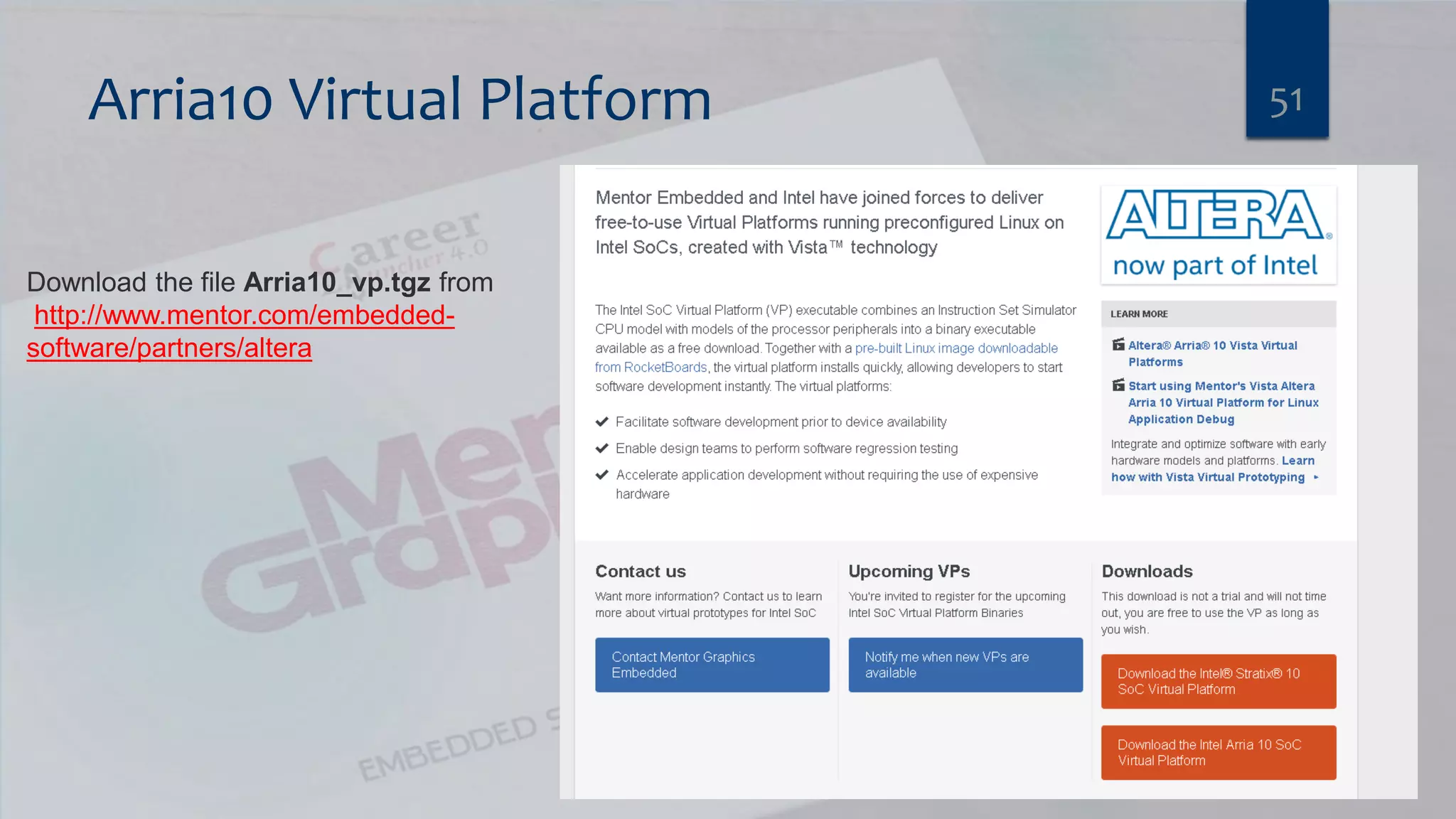
Arria10 Virtual Platform 51 Download the file Arria10_vp.tgz from http://www.mentor.com/embedded- software/partners/altera
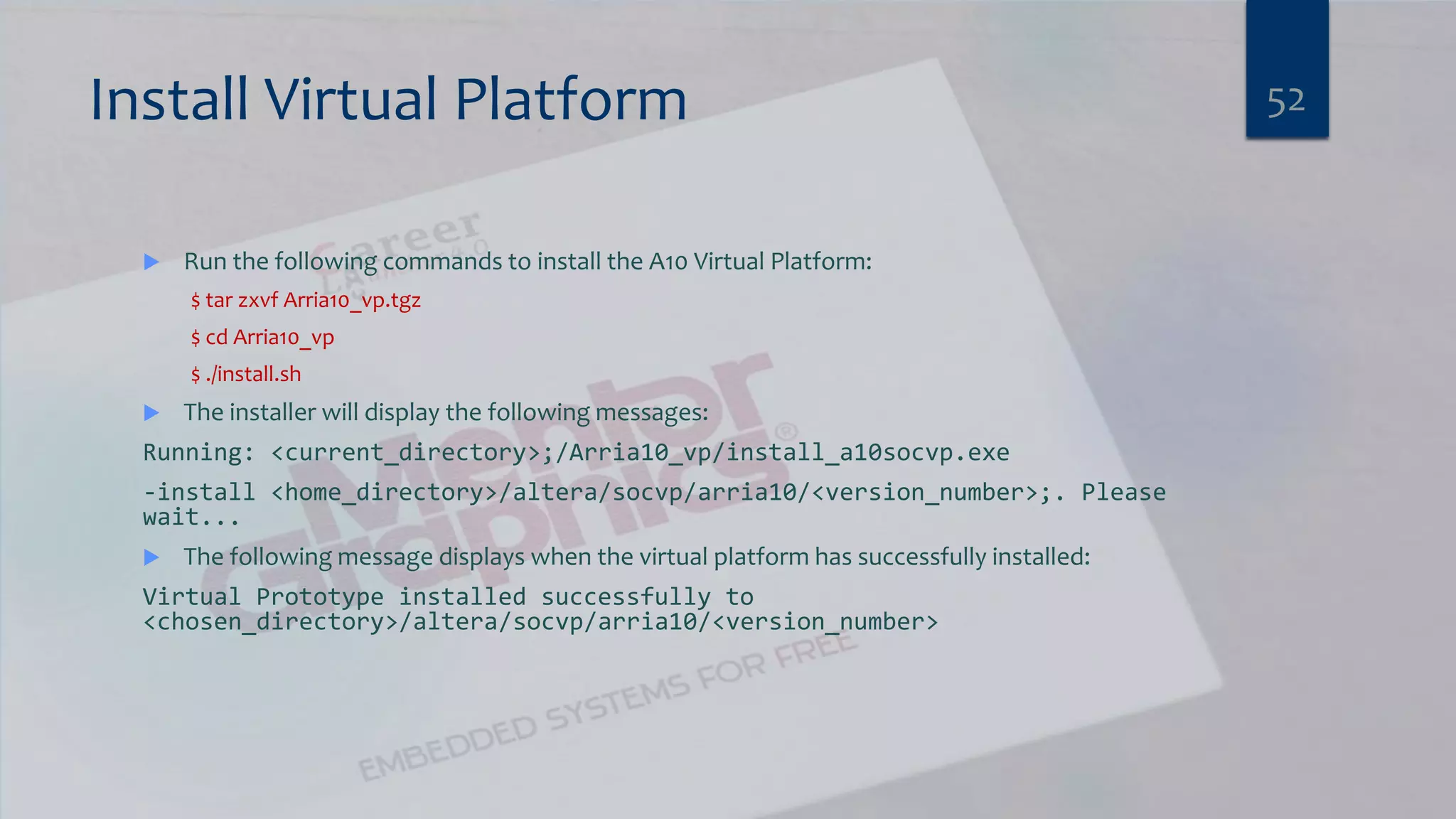
Install Virtual Platform  Run the following commands to install the A10 Virtual Platform: $ tar zxvf Arria10_vp.tgz $ cd Arria10_vp $ ./install.sh  The installer will display the following messages: Running: <current_directory>;/Arria10_vp/install_a10socvp.exe -install <home_directory>/altera/socvp/arria10/<version_number>;. Please wait...  The following message displays when the virtual platform has successfully installed: Virtual Prototype installed successfully to <chosen_directory>/altera/socvp/arria10/<version_number> 52
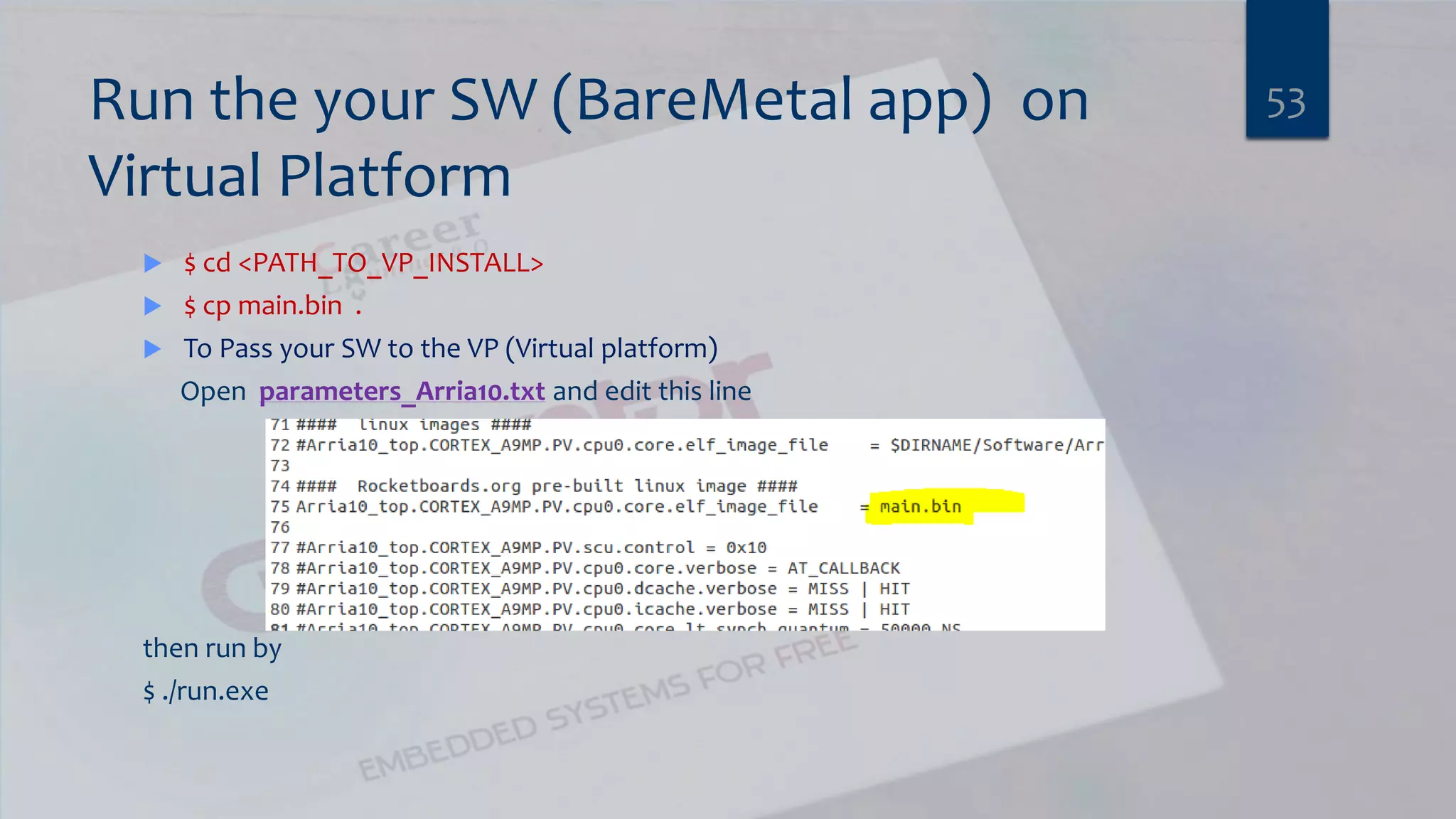
Run the your SW (BareMetal app) on Virtual Platform  $ cd <PATH_TO_VP_INSTALL>  $ cp main.bin .  To Pass your SW to the VP (Virtual platform) Open parameters_Arria10.txt and edit this line then run by $ ./run.exe 53
54What will happen ? Why ?
2. bootloader  ● Initialize the hardware ● Set up SDRAM controller ● Map memory ● Set processor mode and features  Load a kernel  Optional (but very useful) ● Load images via Ethernet, serial, SD card ● Erase and program flash memory ● Display splash screen 55
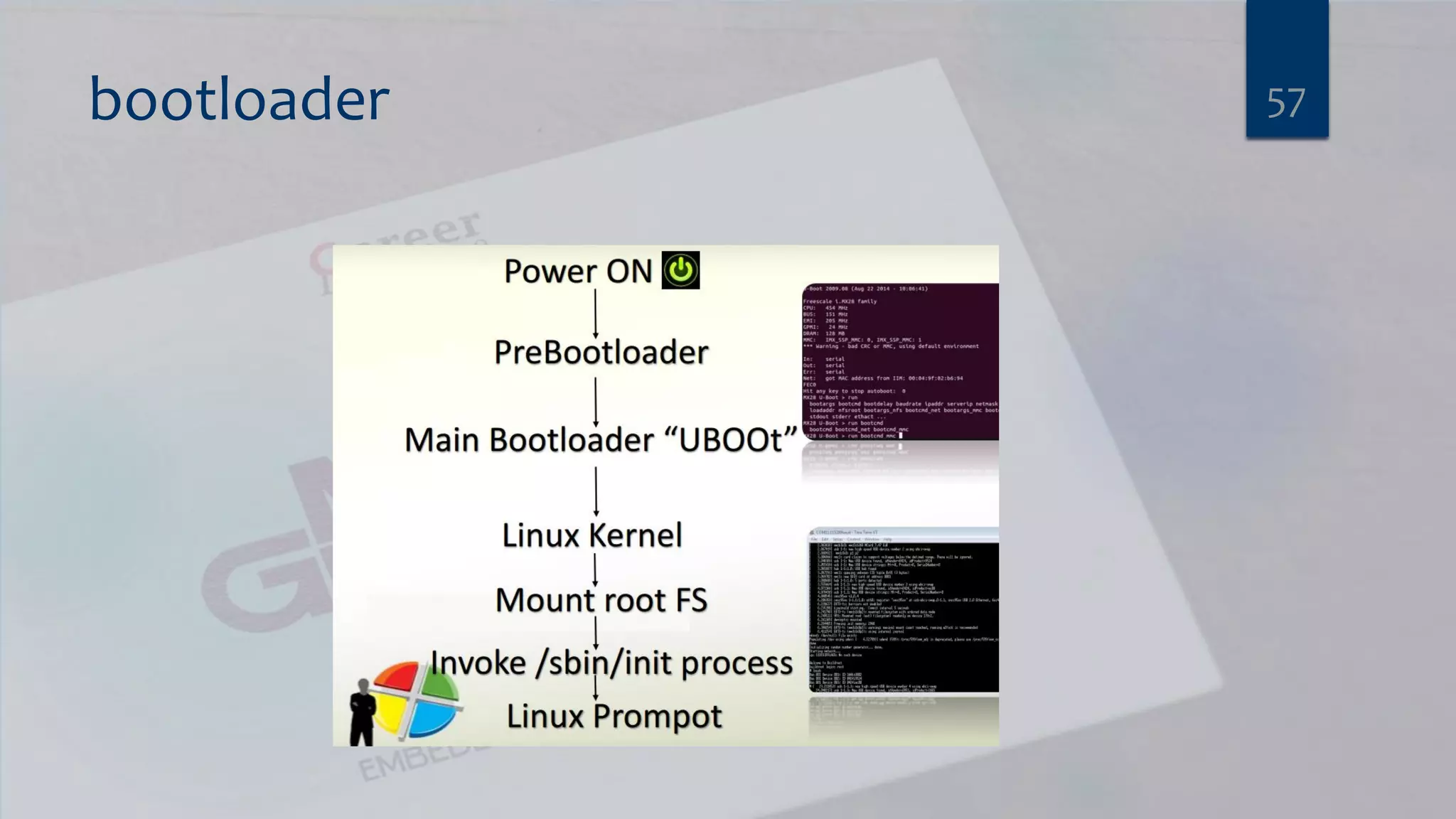
bootloader  Usually stored in flash memory ● Old days: NOR flash mapped to processor restart vector so whole boot loader stored as single image ● These days: first stage boot loader is stored in first page of NAND flash which is loaded by on-chip microcode  Sequence: ● Pre-boot loader main boot loader kerne 56
bootloader 57
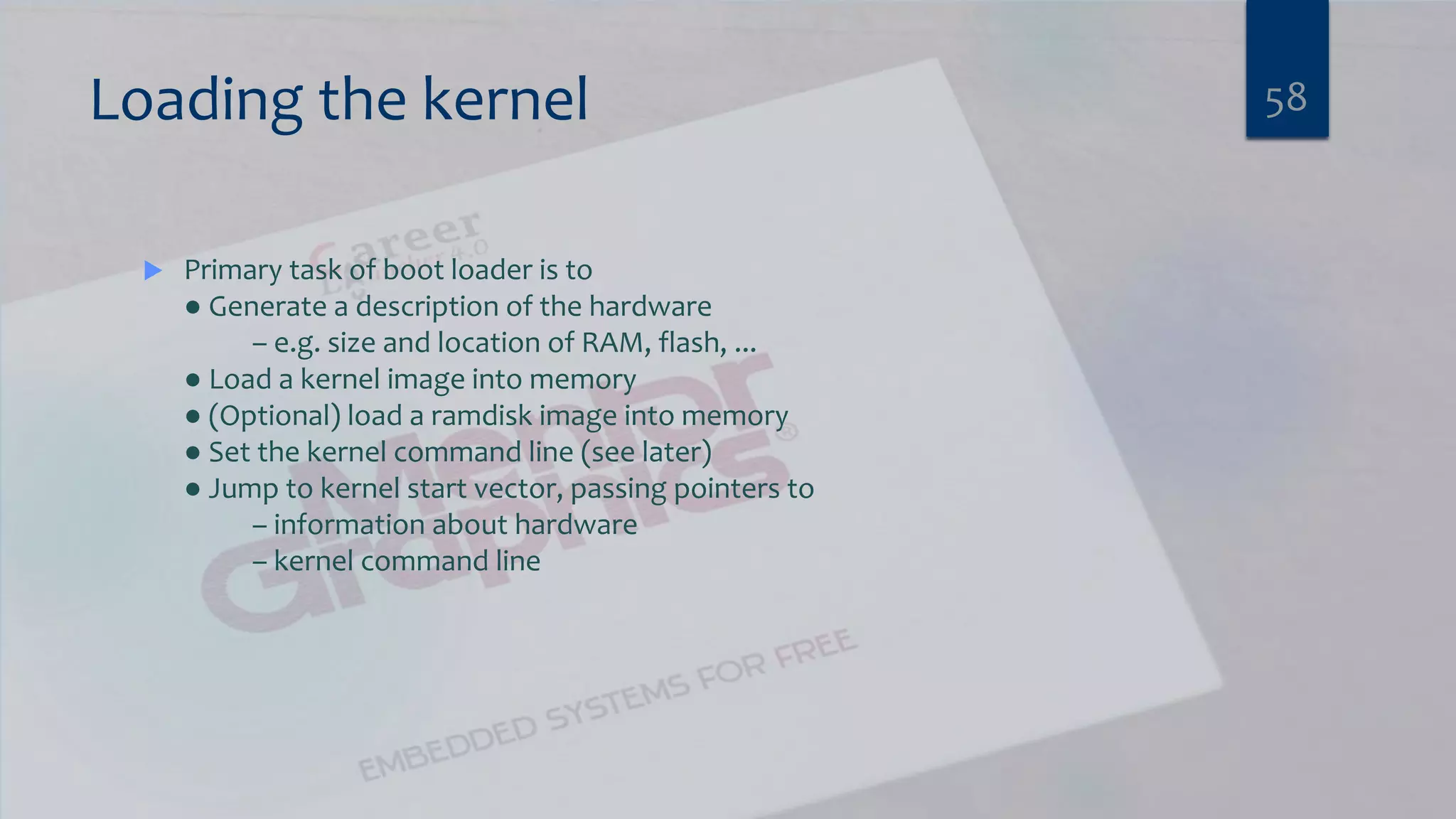
Loading the kernel  Primary task of boot loader is to ● Generate a description of the hardware – e.g. size and location of RAM, flash, ... ● Load a kernel image into memory ● (Optional) load a ramdisk image into memory ● Set the kernel command line (see later) ● Jump to kernel start vector, passing pointers to – information about hardware – kernel command line 58
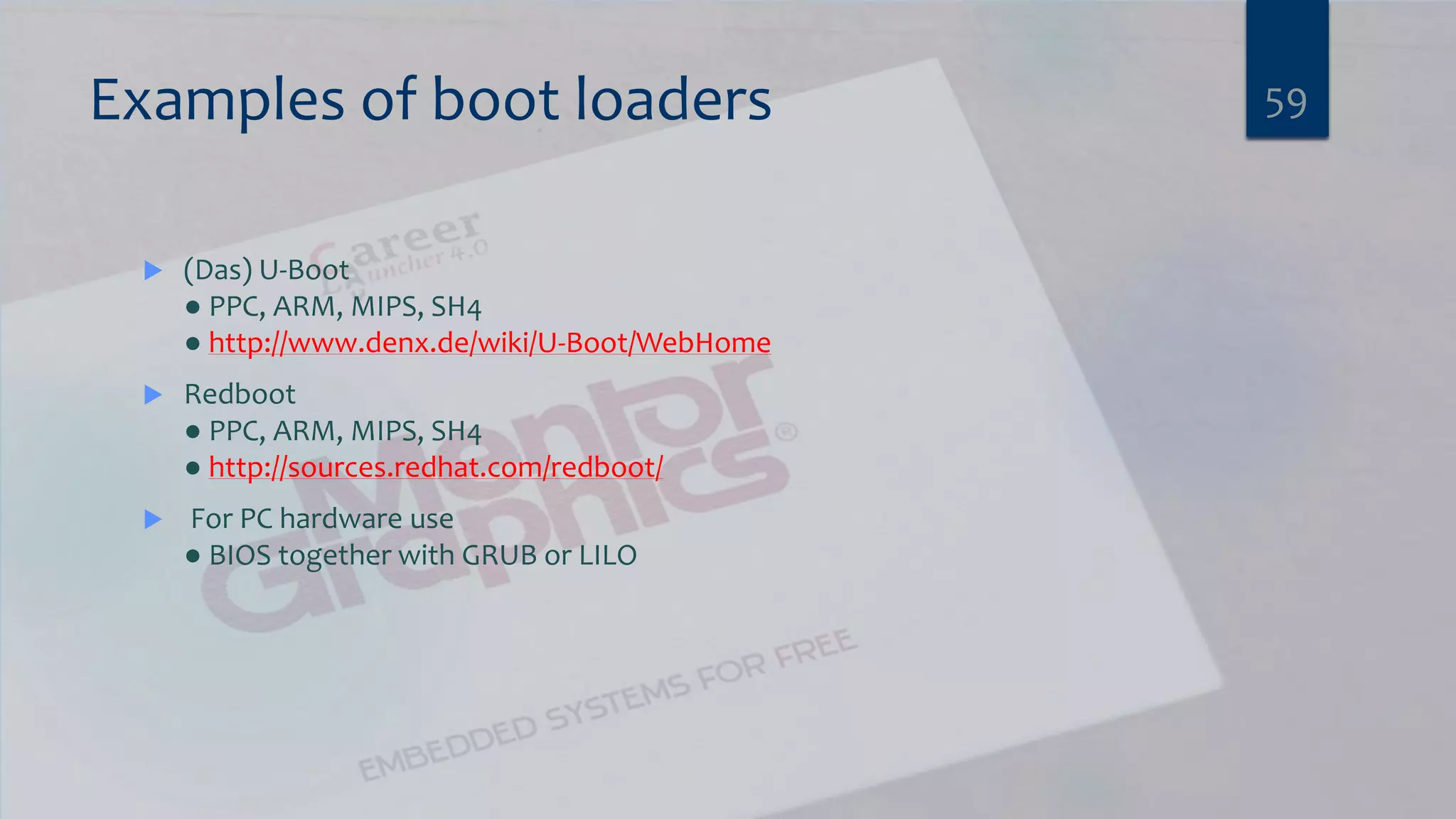
Examples of boot loaders  (Das) U-Boot ● PPC, ARM, MIPS, SH4 ● http://www.denx.de/wiki/U-Boot/WebHome  Redboot ● PPC, ARM, MIPS, SH4 ● http://sources.redhat.com/redboot/  For PC hardware use ● BIOS together with GRUB or LILO 59
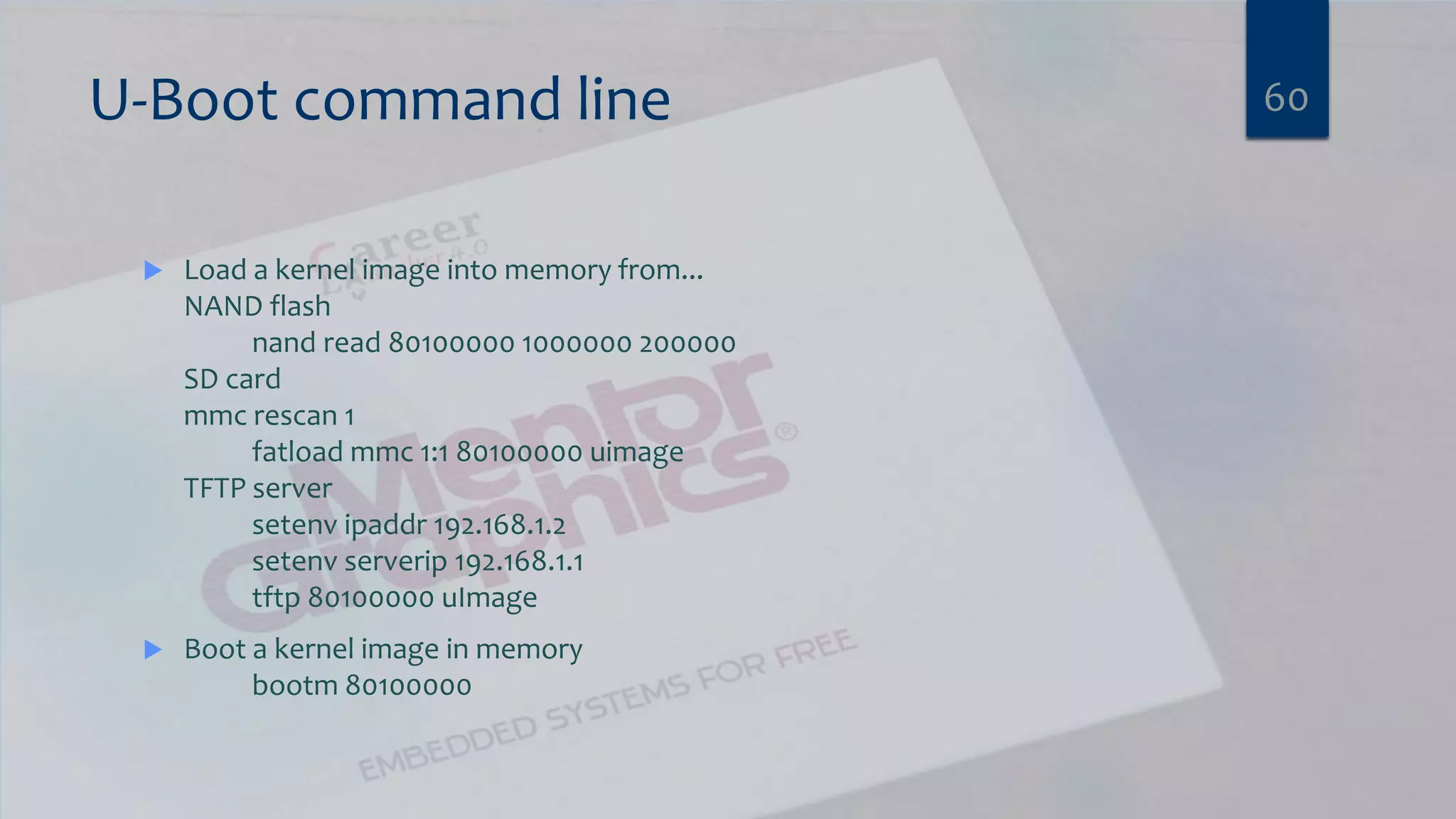
U-Boot command line  Load a kernel image into memory from... NAND flash nand read 80100000 1000000 200000 SD card mmc rescan 1 fatload mmc 1:1 80100000 uimage TFTP server setenv ipaddr 192.168.1.2 setenv serverip 192.168.1.1 tftp 80100000 uImage  Boot a kernel image in memory bootm 80100000 60
Uboot Lab 2 BUILD U BOOT FOR RASPBERRY PI2 61
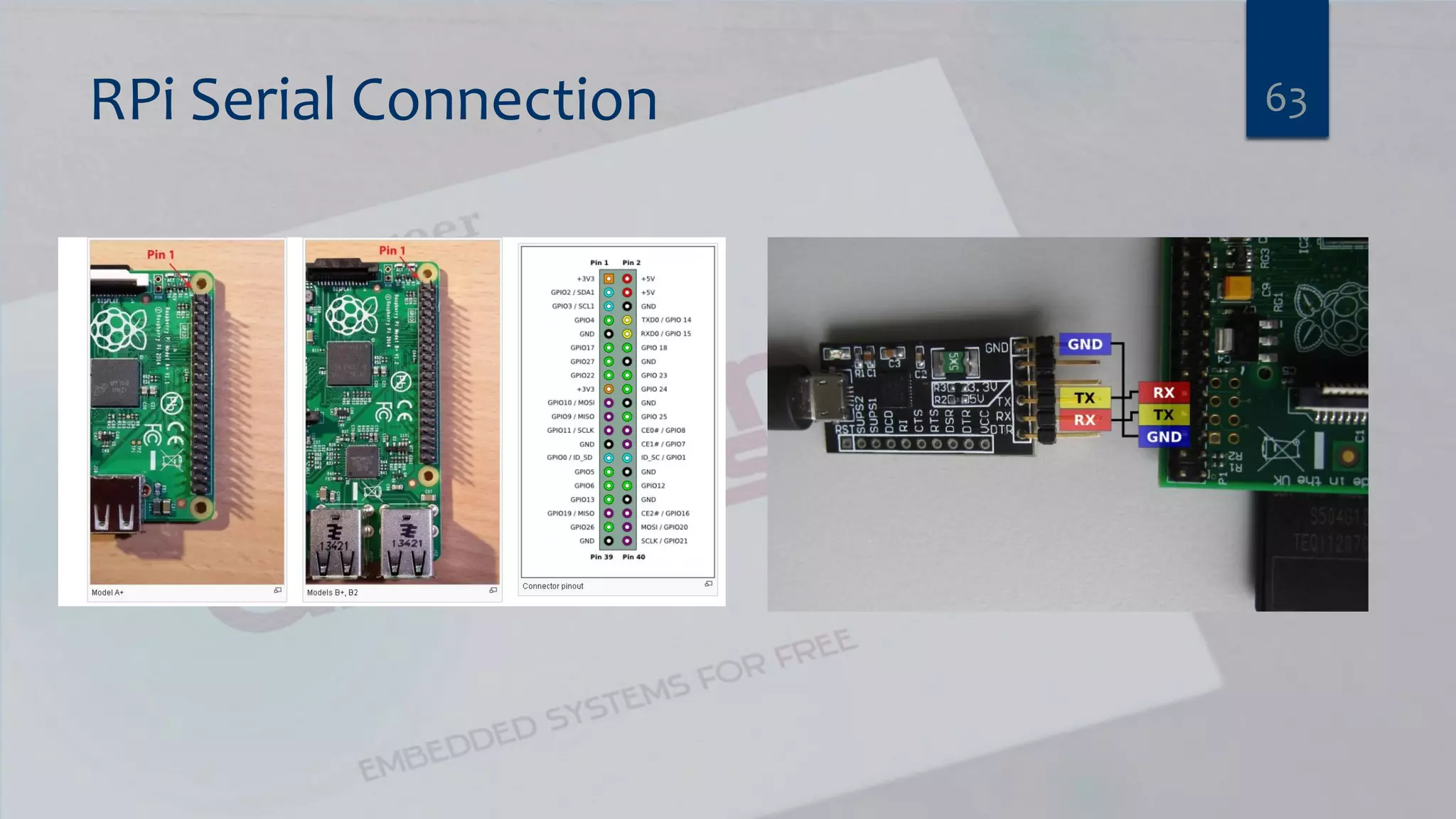
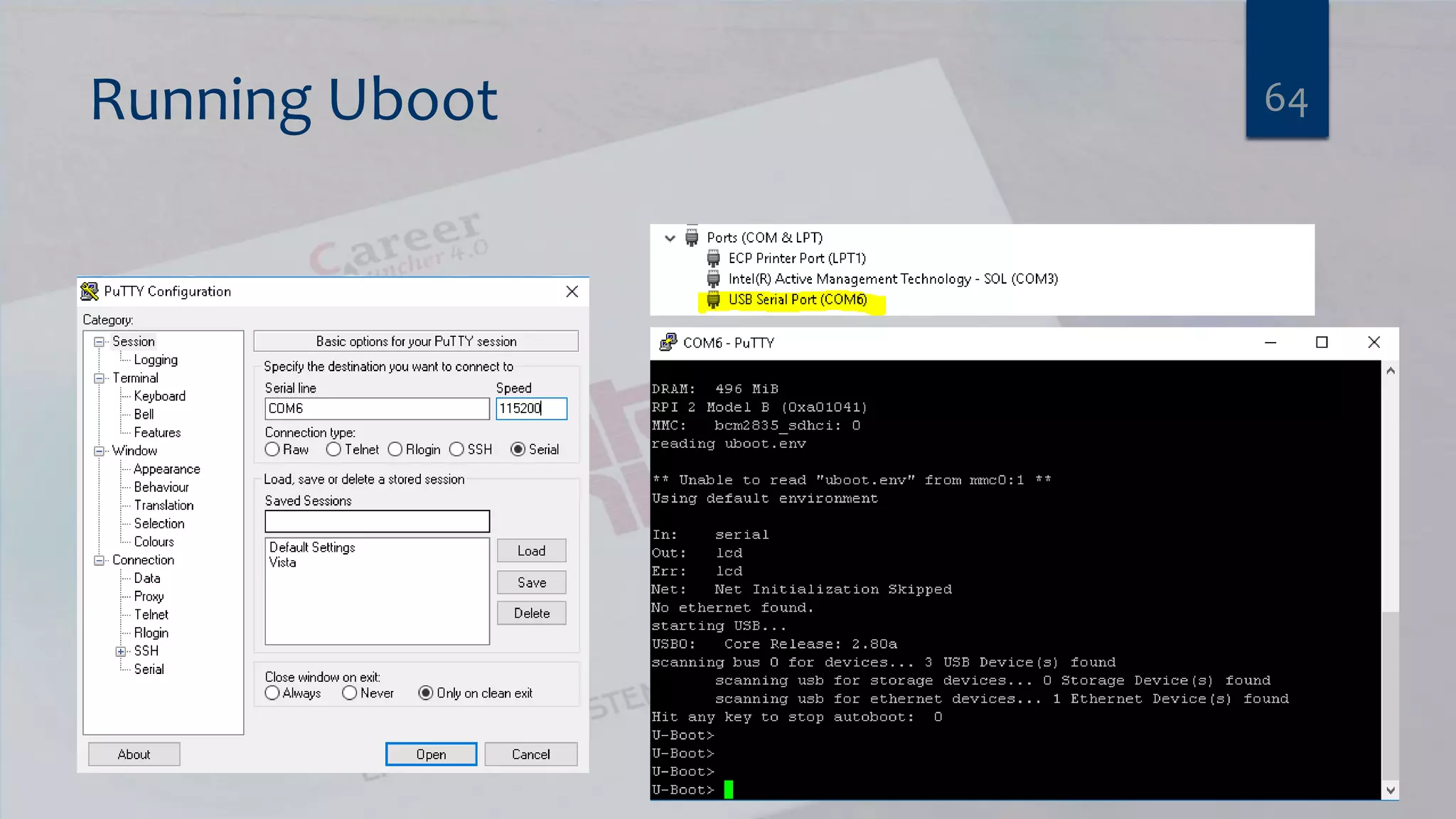
Uboot Lab 2  PreRequiests $ sudo apt-get install device-tree-compiler check : $ dtc --version $ export ARCH=ARM $ export CROSS_COMPILE=arm-linux-gnueabi-  Get the Uboot Source Code  $ git clone git://git.denx.de/u-boot.git  $ cd u-boot  $ make rpi_2_defconfig  $ make all  This will give you a u-boot.bin binary that will work on the Raspberry Pi2, transfer this to your Raspberry Pi and change the kernel in config.txt to read:  kernel=u-boot.bin 62
RPi Serial Connection 63
Running Uboot 64
3. Linux kernel 65
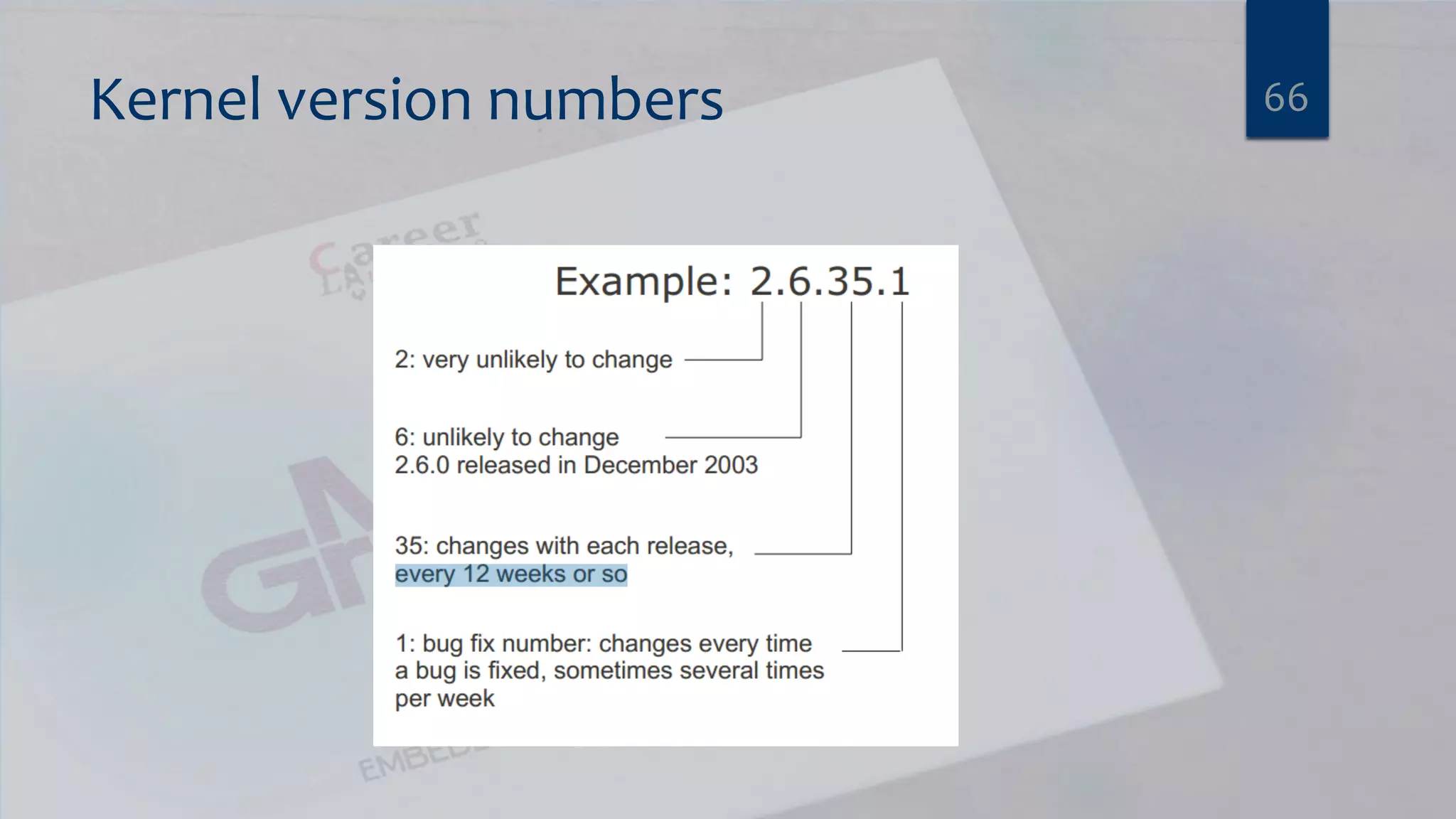
Kernel version numbers 66
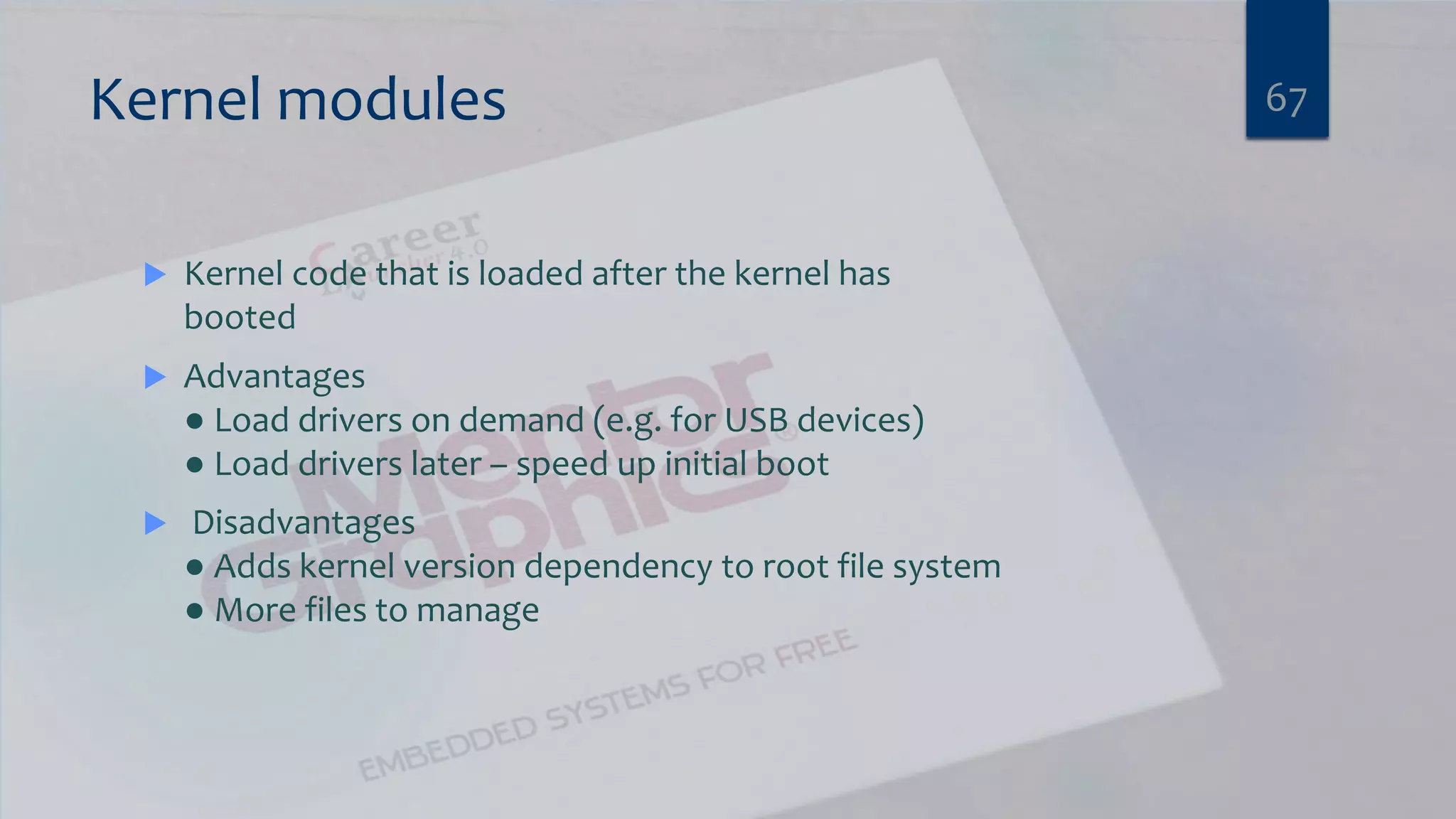
Kernel modules  Kernel code that is loaded after the kernel has booted  Advantages ● Load drivers on demand (e.g. for USB devices) ● Load drivers later – speed up initial boot  Disadvantages ● Adds kernel version dependency to root file system ● More files to manage 67
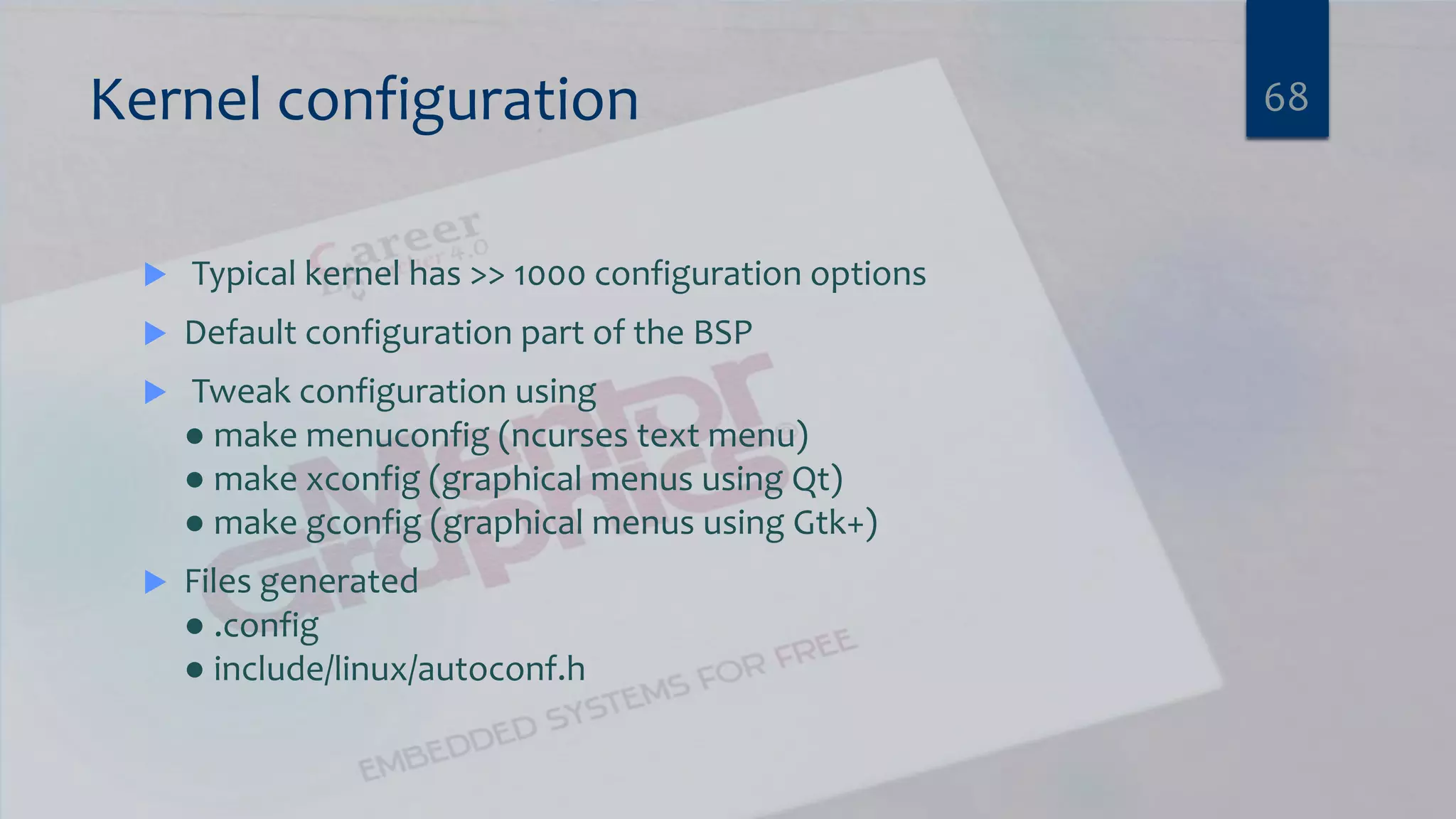
Kernel configuration  Typical kernel has >> 1000 configuration options  Default configuration part of the BSP  Tweak configuration using ● make menuconfig (ncurses text menu) ● make xconfig (graphical menus using Qt) ● make gconfig (graphical menus using Gtk+)  Files generated ● .config ● include/linux/autoconf.h 68
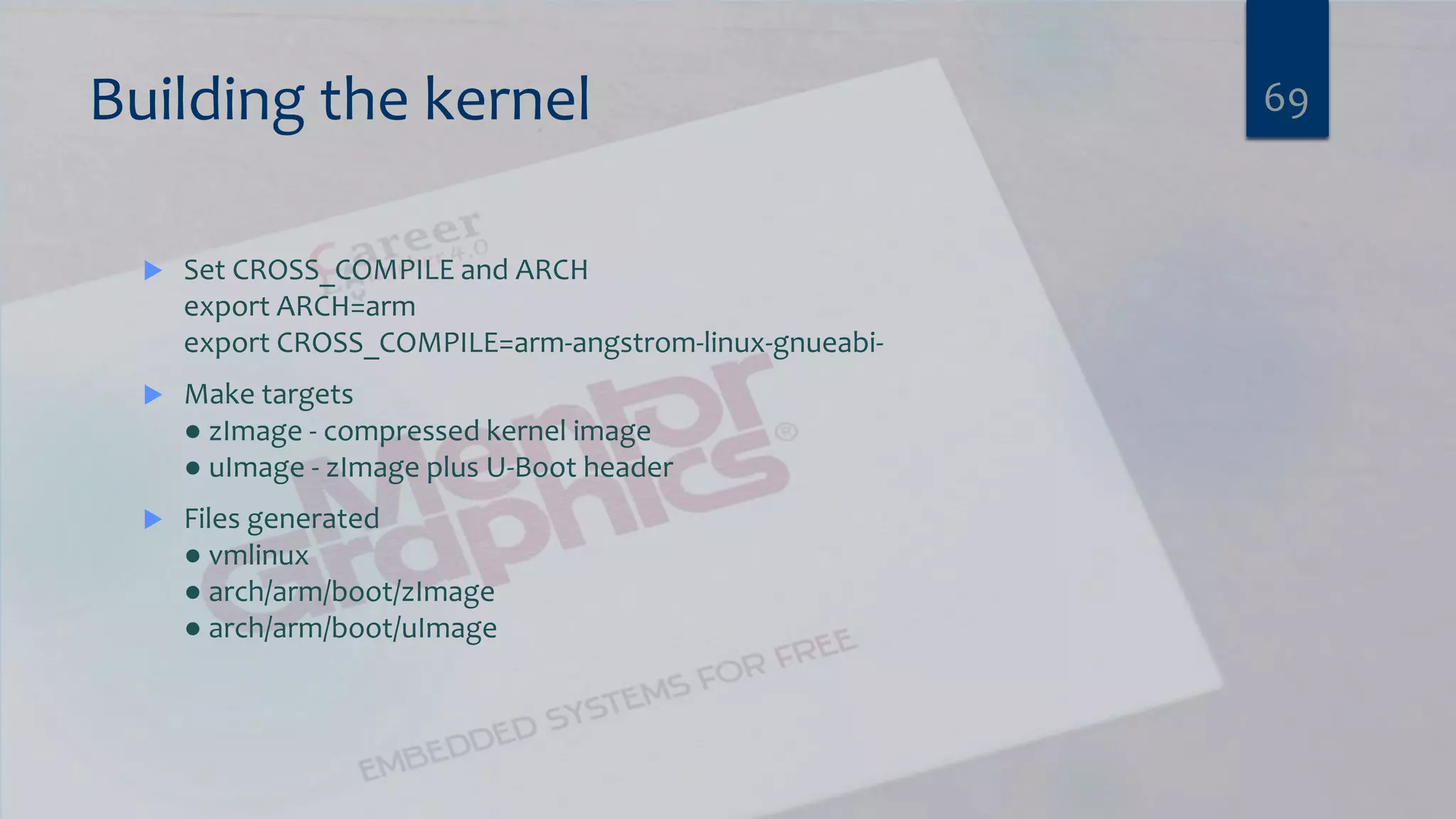
Building the kernel  Set CROSS_COMPILE and ARCH export ARCH=arm export CROSS_COMPILE=arm-angstrom-linux-gnueabi-  Make targets ● zImage - compressed kernel image ● uImage - zImage plus U-Boot header  Files generated ● vmlinux ● arch/arm/boot/zImage ● arch/arm/boot/uImage 69
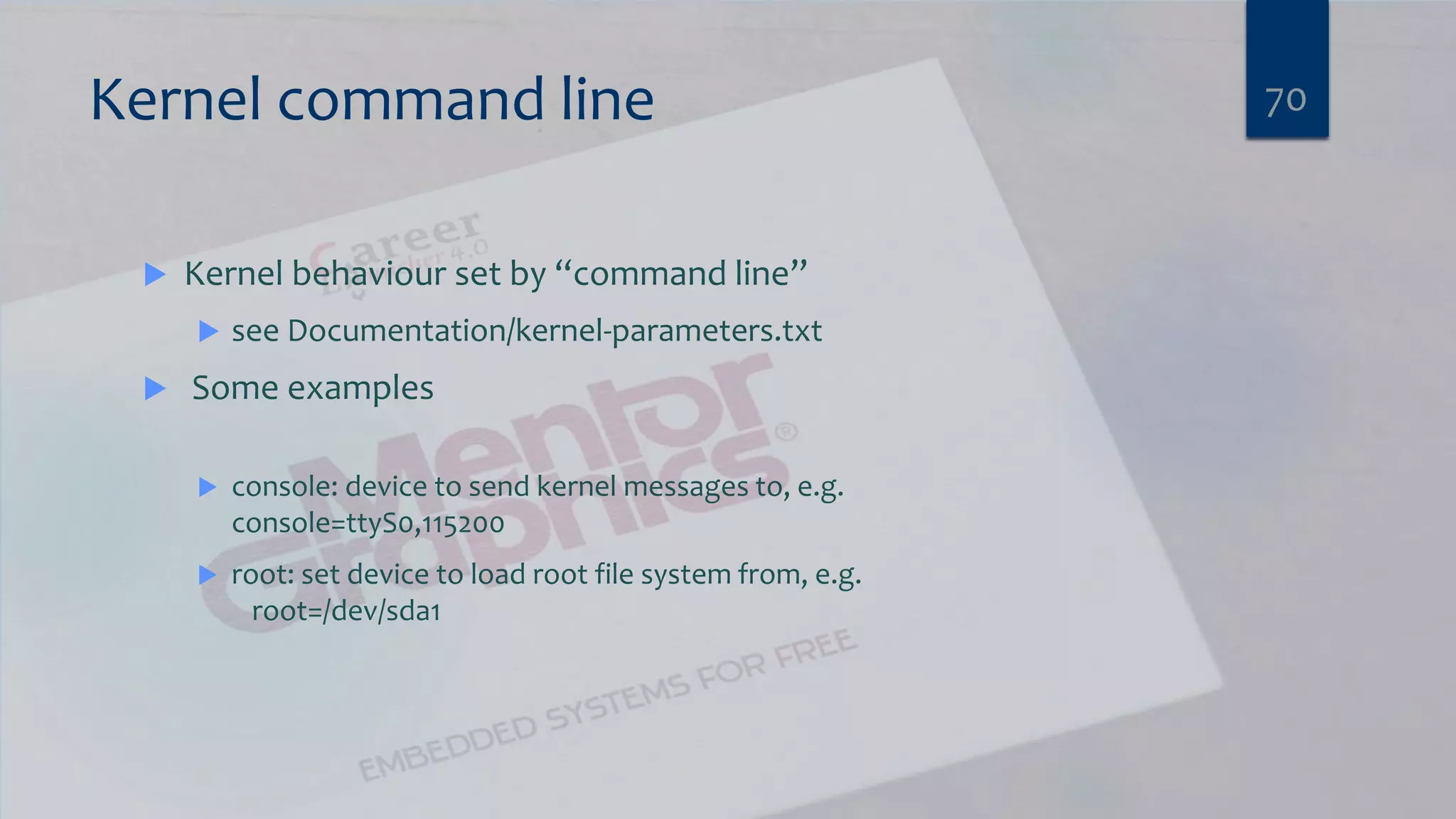
Kernel command line  Kernel behaviour set by “command line”  see Documentation/kernel-parameters.txt  Some examples  console: device to send kernel messages to, e.g. console=ttyS0,115200  root: set device to load root file system from, e.g. root=/dev/sda1 70
Linux Kernel Lab 3 BUILDING LINUX FOR ALTERA ARRIA10 VIRTUAL PLATFORM 71
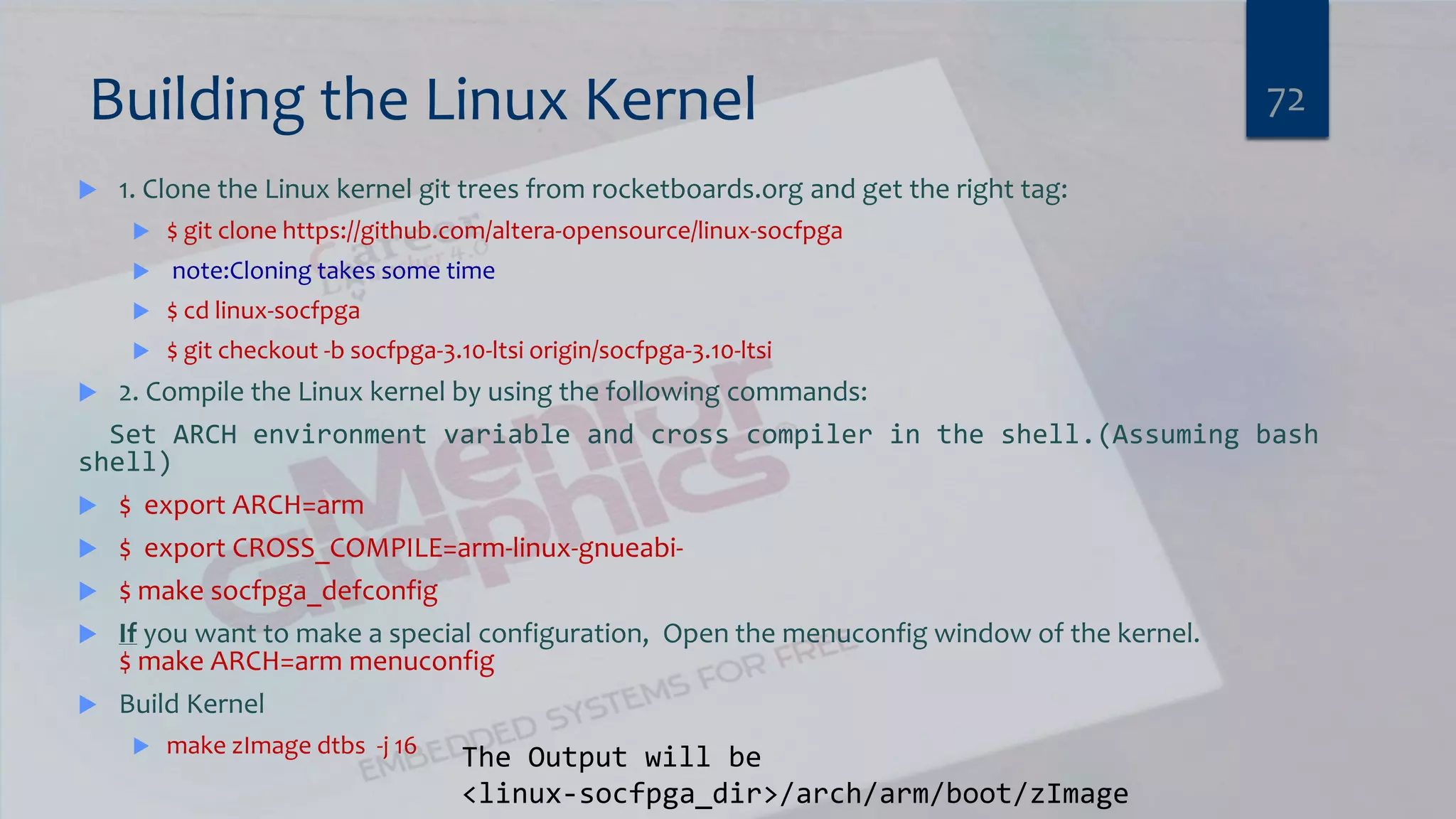
Building the Linux Kernel  1. Clone the Linux kernel git trees from rocketboards.org and get the right tag:  $ git clone https://github.com/altera-opensource/linux-socfpga  note:Cloning takes some time  $ cd linux-socfpga  $ git checkout -b socfpga-3.10-ltsi origin/socfpga-3.10-ltsi  2. Compile the Linux kernel by using the following commands: Set ARCH environment variable and cross compiler in the shell.(Assuming bash shell)  $ export ARCH=arm  $ export CROSS_COMPILE=arm-linux-gnueabi-  $ make socfpga_defconfig  If you want to make a special configuration, Open the menuconfig window of the kernel. $ make ARCH=arm menuconfig  Build Kernel  make zImage dtbs -j 16 72 The Output will be <linux-socfpga_dir>/arch/arm/boot/zImage
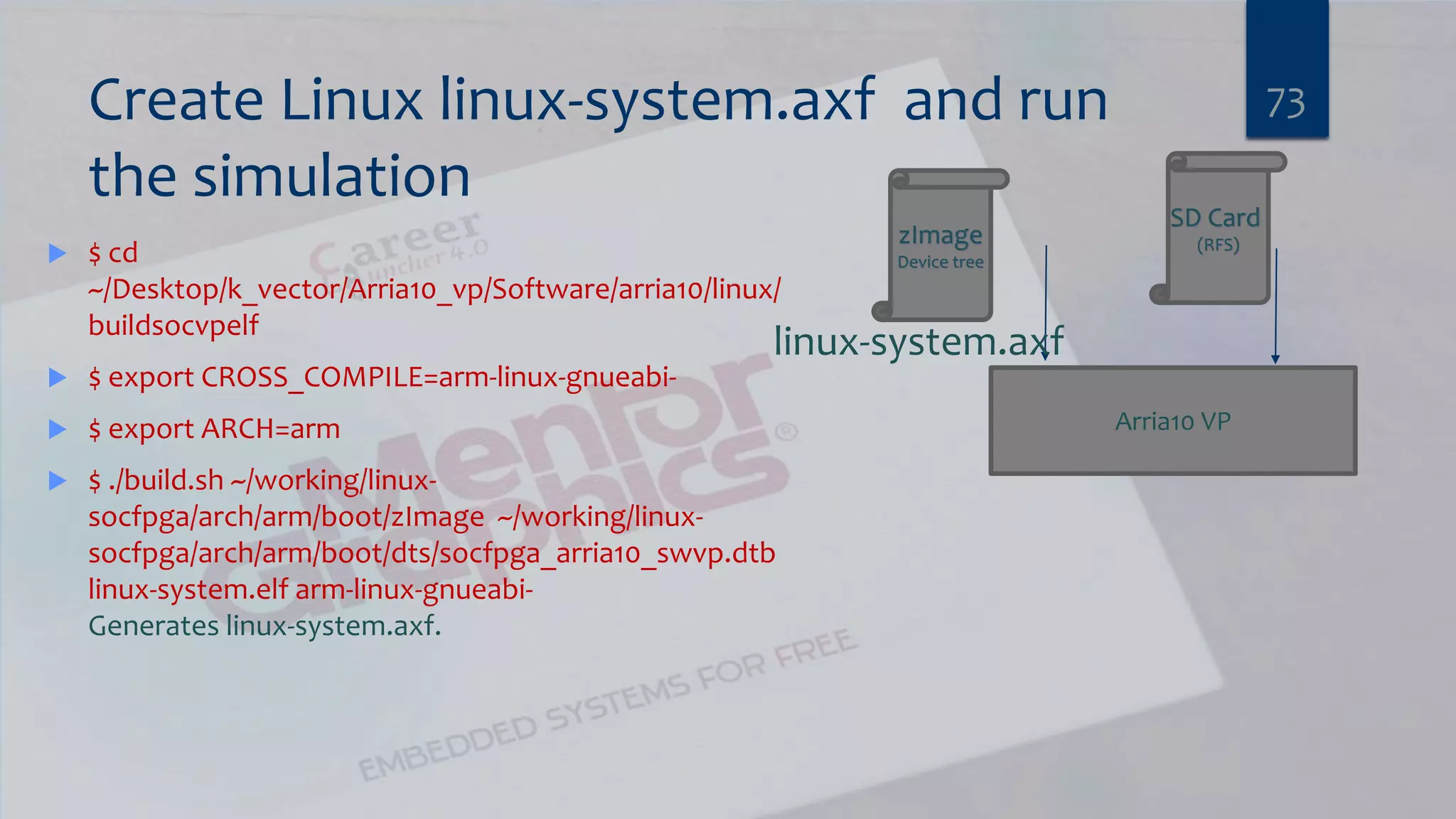
Create Linux linux-system.axf and run the simulation  $ cd ~/Desktop/k_vector/Arria10_vp/Software/arria10/linux/ buildsocvpelf  $ export CROSS_COMPILE=arm-linux-gnueabi-  $ export ARCH=arm  $ ./build.sh ~/working/linux- socfpga/arch/arm/boot/zImage ~/working/linux- socfpga/arch/arm/boot/dts/socfpga_arria10_swvp.dtb linux-system.elf arm-linux-gnueabi- Generates linux-system.axf. 73 Arria10 VP zImage Device tree linux-system.axf SD Card (RFS)
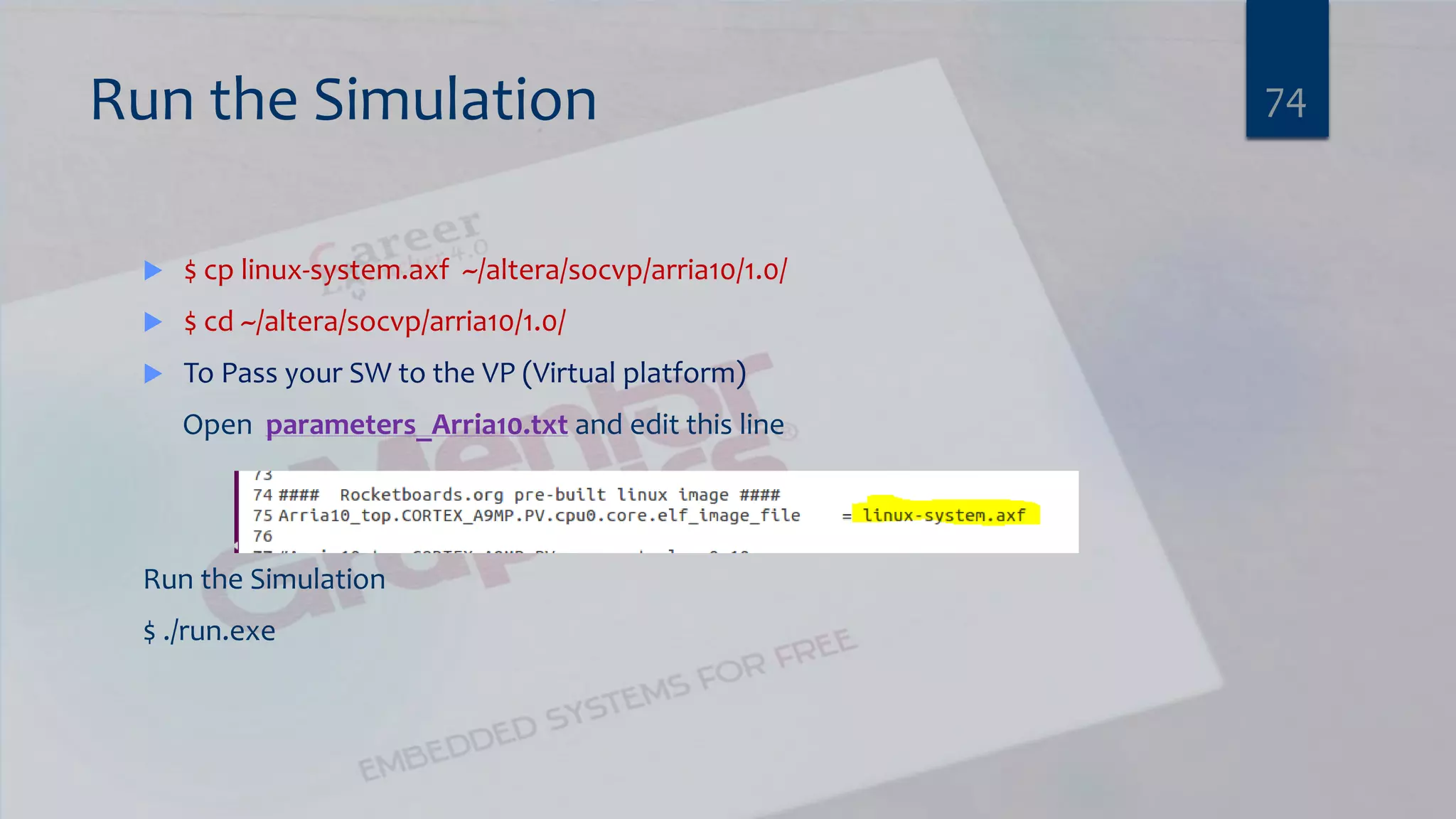
Run the Simulation  $ cp linux-system.axf ~/altera/socvp/arria10/1.0/  $ cd ~/altera/socvp/arria10/1.0/  To Pass your SW to the VP (Virtual platform) Open parameters_Arria10.txt and edit this line Run the Simulation $ ./run.exe 74
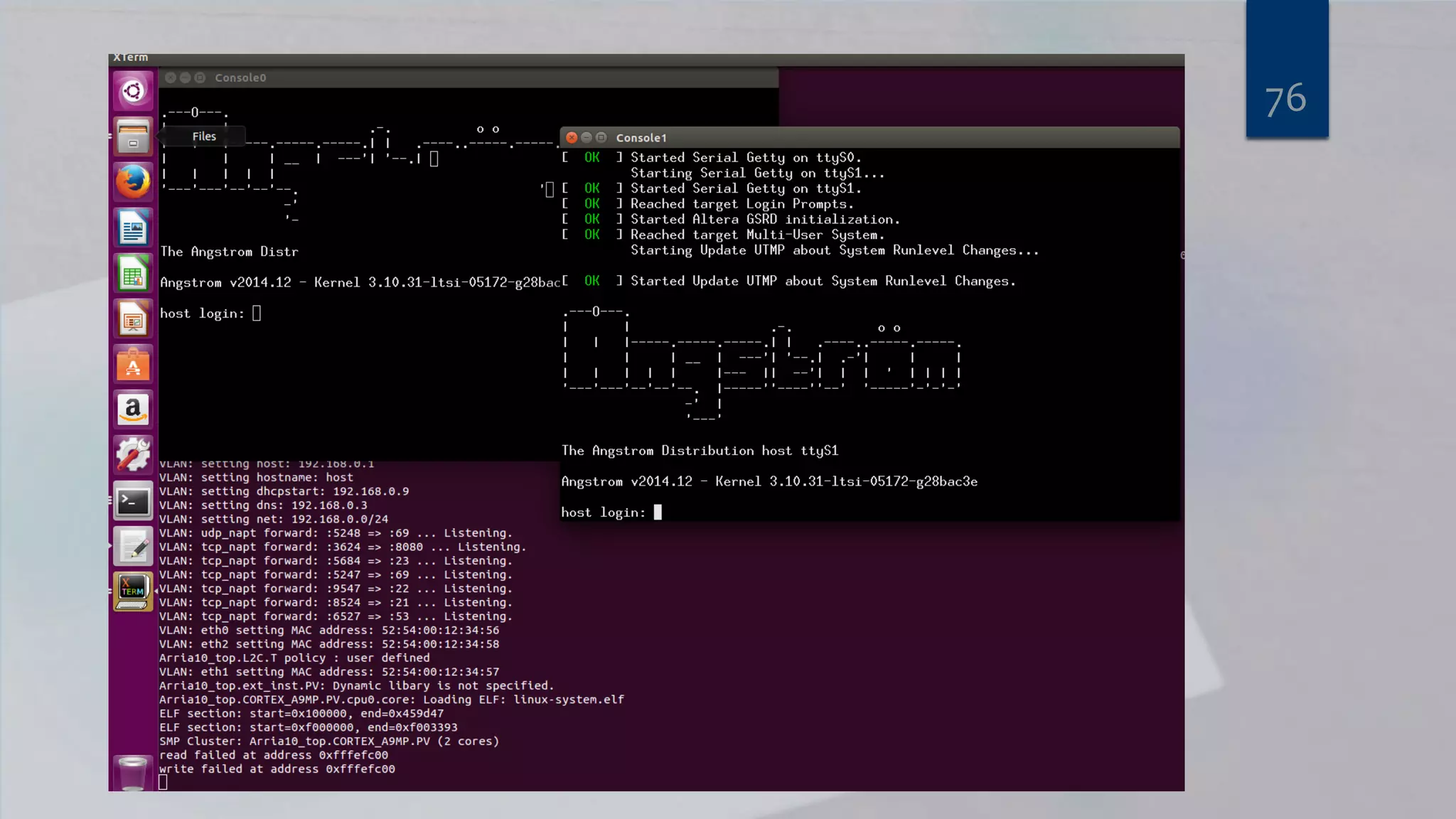
75What will happen ? Why ?
76
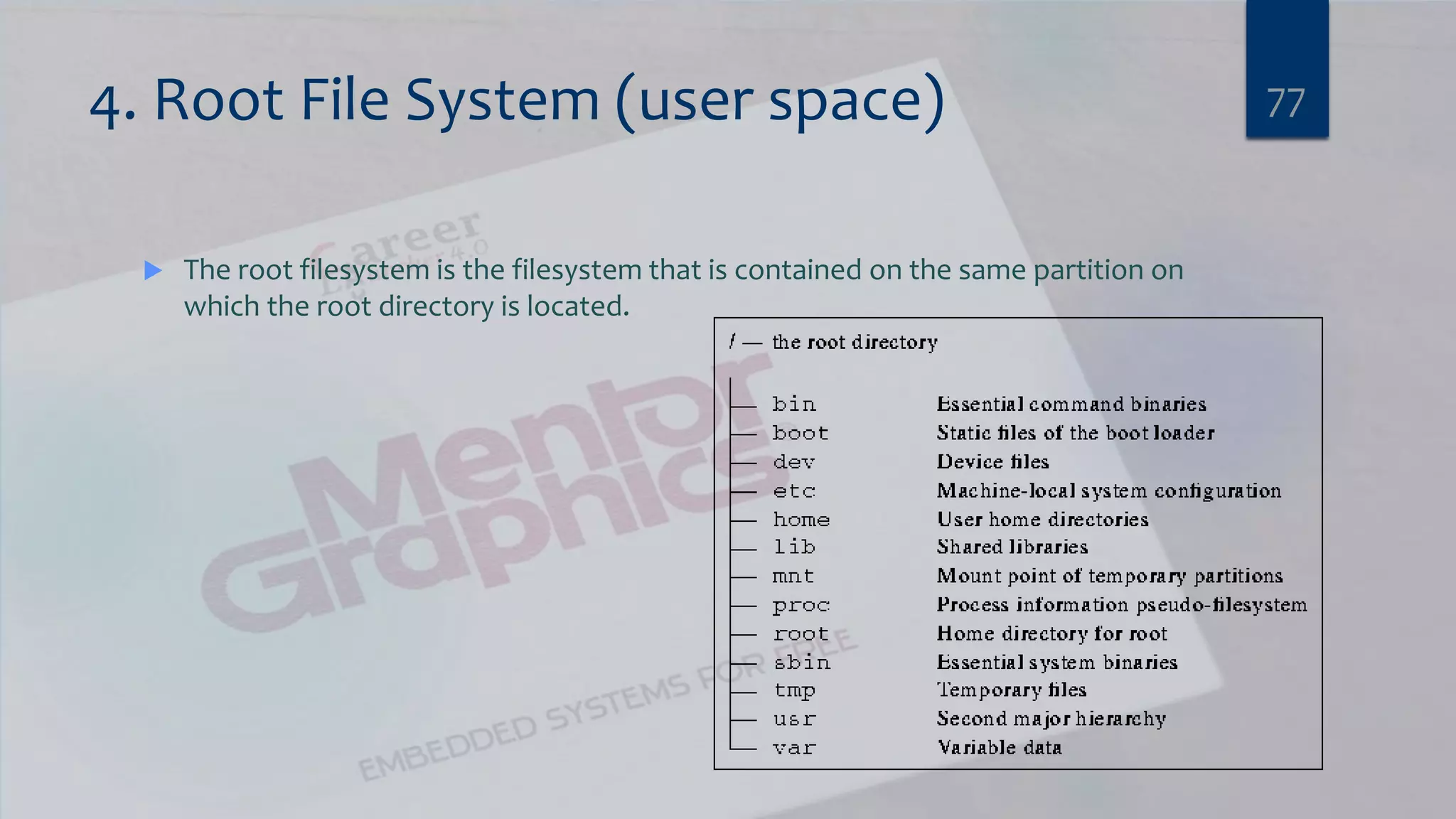
4. Root File System (user space)  The root filesystem is the filesystem that is contained on the same partition on which the root directory is located. 77
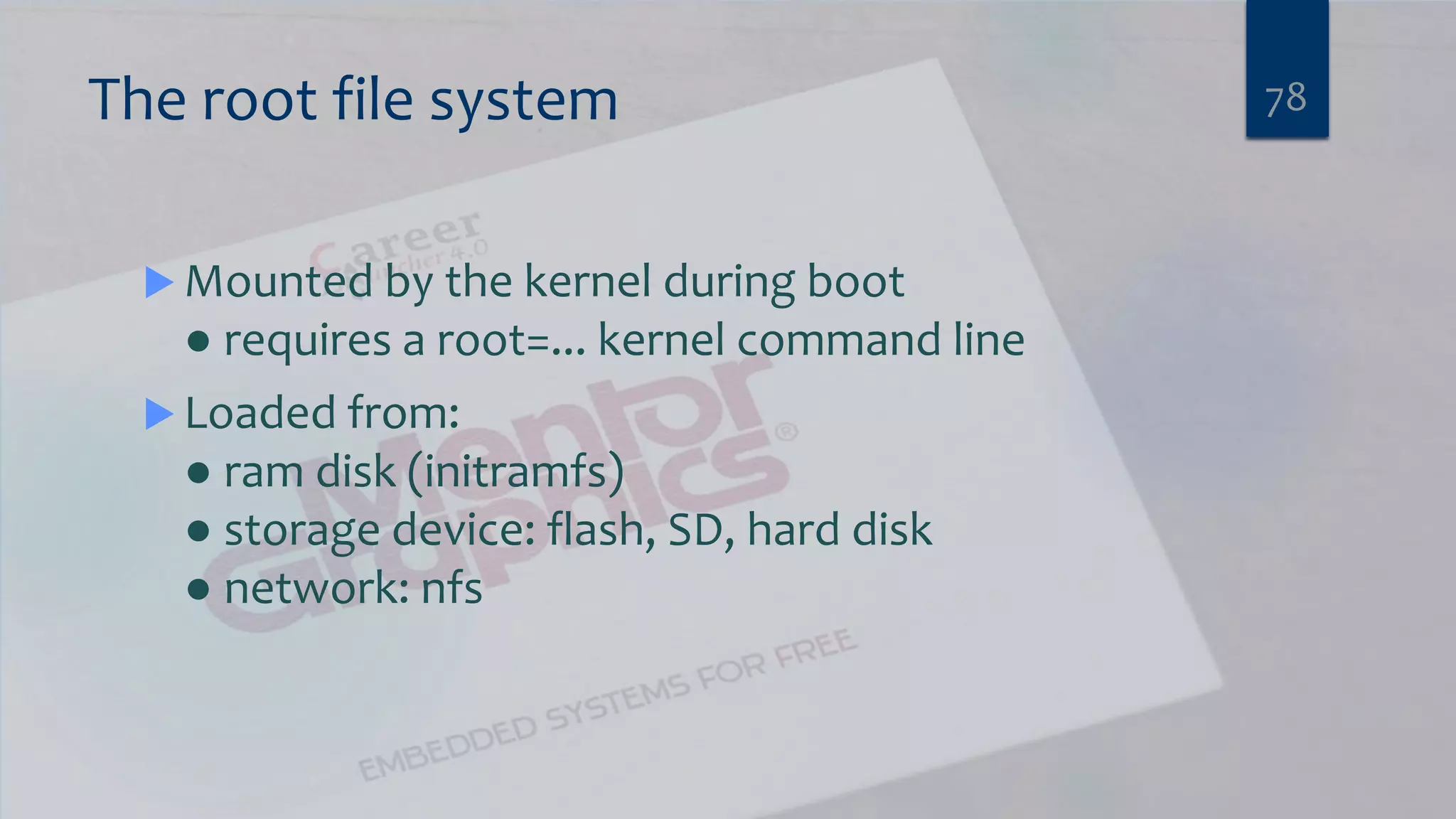
The root file system 78  Mounted by the kernel during boot ● requires a root=... kernel command line  Loaded from: ● ram disk (initramfs) ● storage device: flash, SD, hard disk ● network: nfs
Other options for a root file system 79  Use an integrated build tool ● Buildroot ● OpenEmbedded  Use a binary distro ● Ångström ● Ubuntu or Debian
Busybox 80  Web - http://www.busybox.net  Very common in embedded systems  Single binary that masquerades as many Linux utilities, including ● init ● ash (a Bourne shell) ● file system utilities: mount, umount,... ● network utilities: ifconfig, route,... ● and of course, the vi editor
Init Process  /sbin/init is the first program to be run ● change by setting kernel parameter “init=...”  Two common versions of init ● Busybox init – e.g. by buildroot ● System V init – e.g. by Angstrom 81
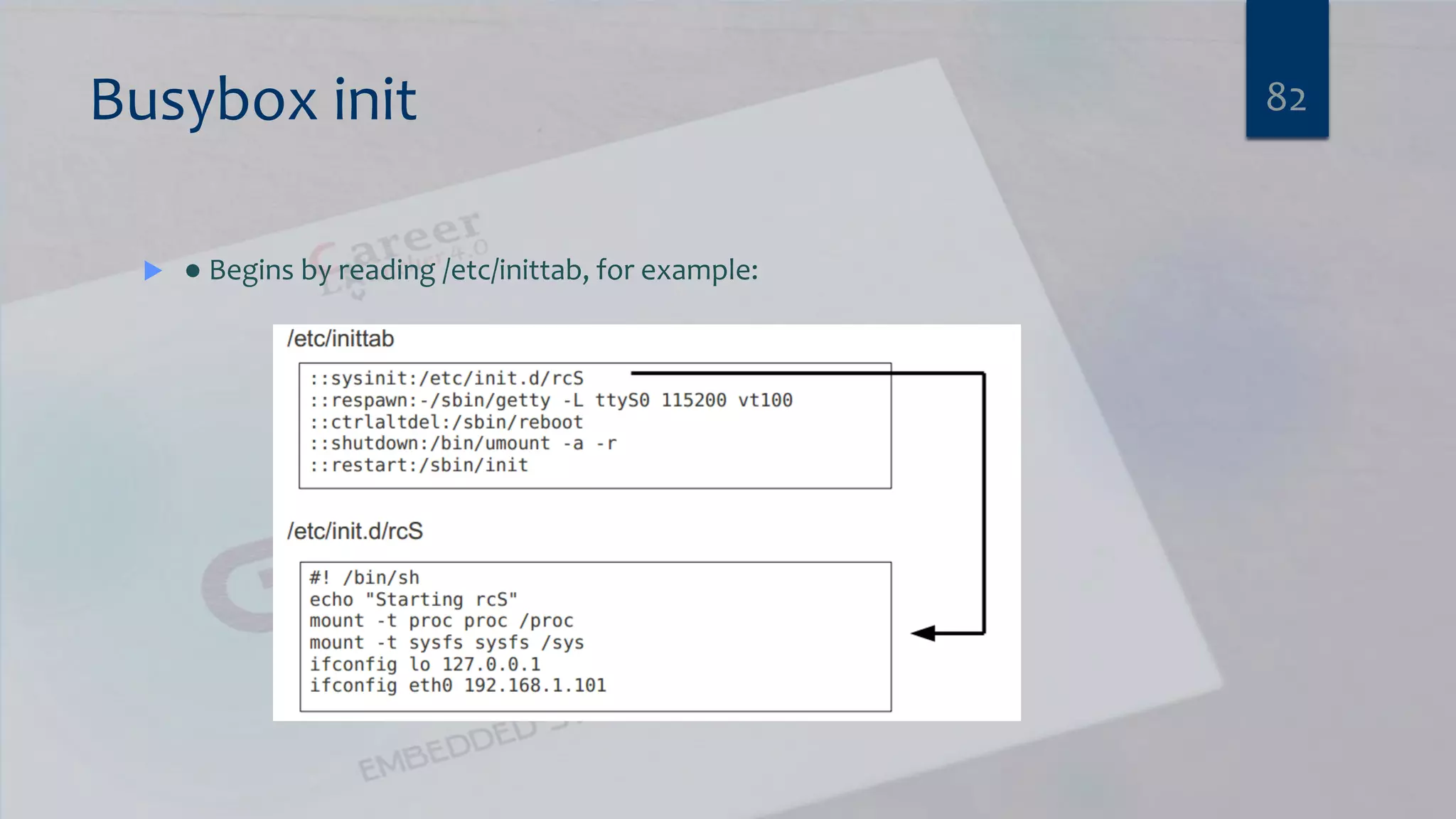
Busybox init  ● Begins by reading /etc/inittab, for example: 82
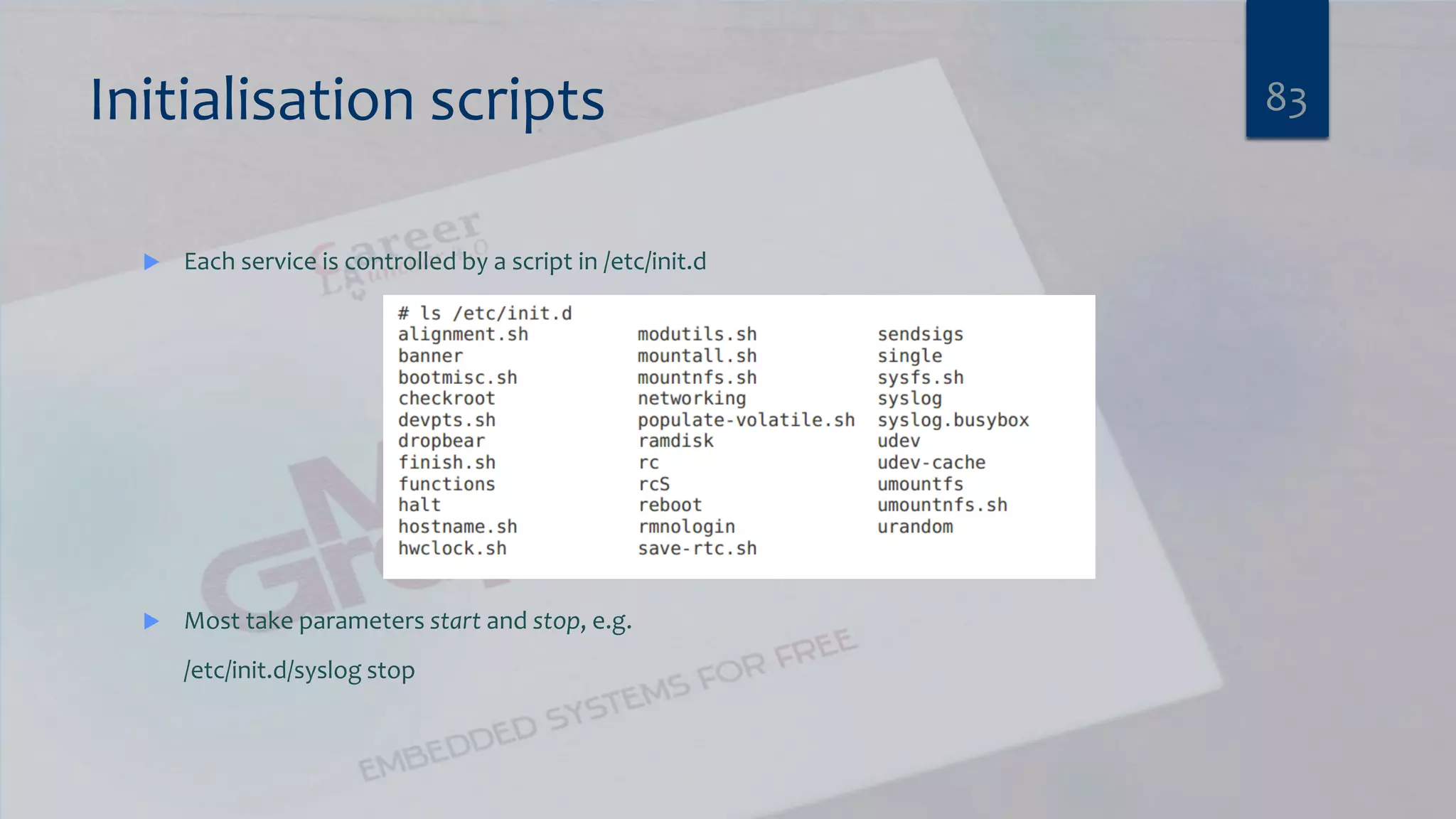
Initialisation scripts  Each service is controlled by a script in /etc/init.d  Most take parameters start and stop, e.g. /etc/init.d/syslog stop 83
Lab 4. Booting Linux with Angstrom root filesystem FOR ALTERA ARRIA10 VIRTUAL PLATFORM 84
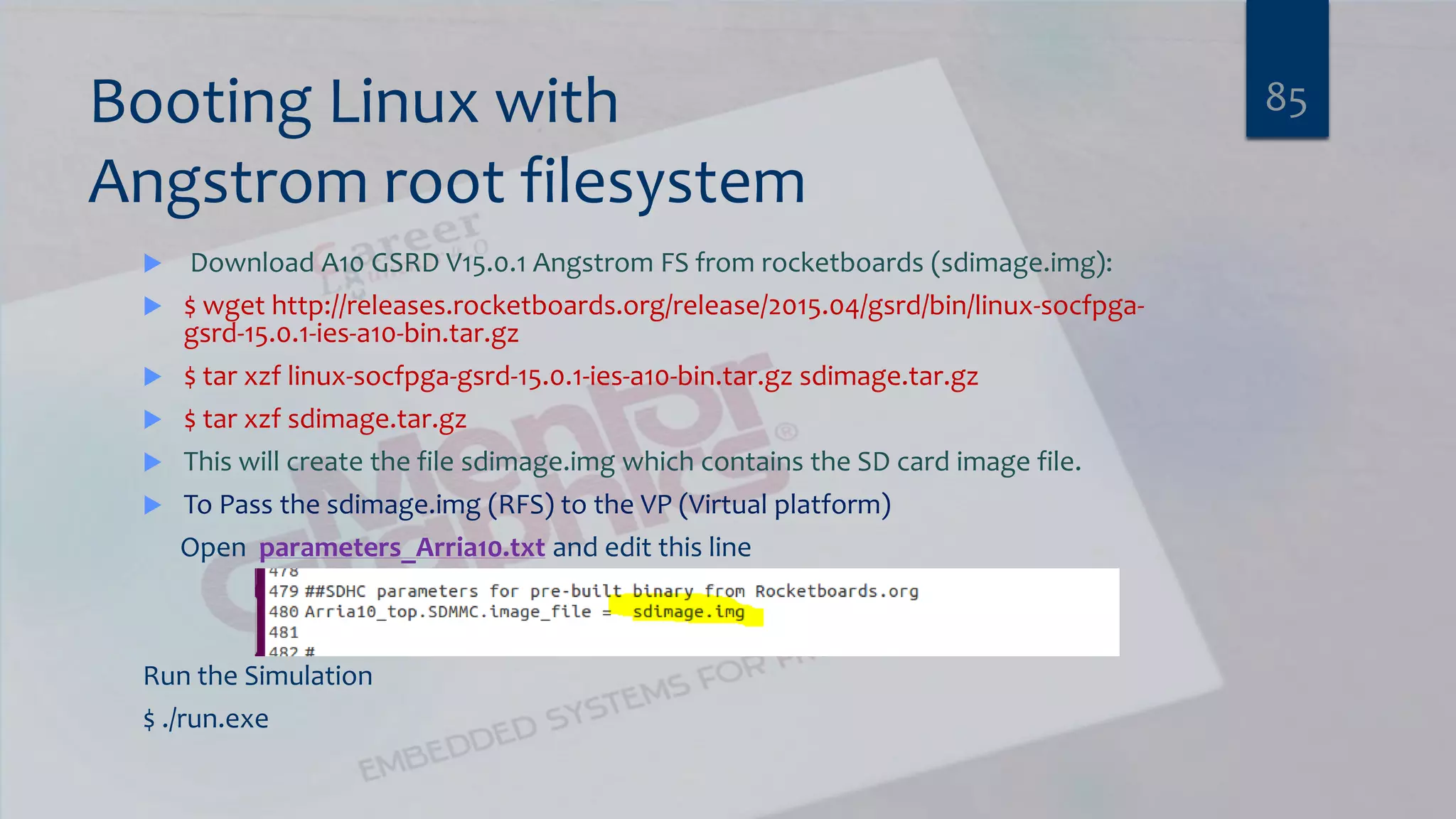
Booting Linux with Angstrom root filesystem  Download A10 GSRD V15.0.1 Angstrom FS from rocketboards (sdimage.img):  $ wget http://releases.rocketboards.org/release/2015.04/gsrd/bin/linux-socfpga- gsrd-15.0.1-ies-a10-bin.tar.gz  $ tar xzf linux-socfpga-gsrd-15.0.1-ies-a10-bin.tar.gz sdimage.tar.gz  $ tar xzf sdimage.tar.gz  This will create the file sdimage.img which contains the SD card image file.  To Pass the sdimage.img (RFS) to the VP (Virtual platform) Open parameters_Arria10.txt and edit this line Run the Simulation $ ./run.exe 85
86What will happen ? Why ?
Summary 87
References  Installing Altera Arria 10 SoC Virtual Platform [rocketboards.org]  Virtual Platform for Industry Leading SoC FPGAs [Intel® FPGAs]  Mentor Embedded for Intel®  Altera Documentation  Altera Arria 10 SoC Board [rocketboards.org]  Free Electrons Slides  e-Linux, Getting Started, Single Board Computers 88

K vector embedded_linux_workshop

  • 1.
  • 2.
    Agenda  Communication Engineer’sFields  Introduction to embedded System  Automotive (Autosar)  Talking about most used (Motors, Sensors and Actuators)  Embedded Linux 2
  • 3.
    Agenda  Communication Engineer’sFields  Introduction to embedded System  Automotive (Autosar)  Talking about most used (Motors, Sensors and Actuators)  Embedded Linux 3
  • 4.
    Communication Engineer Telecommunications Engineer Analogengineer Digital Designer Network Embedded System 4
  • 5.
    Agenda  Communication Engineer’sFields  Introduction to embedded System  Automotive (Autosar)  Talking about most used (Motors, Sensors and Actuators)  Embedded Linux 5
  • 6.
  • 7.
    What’s that ?7 An embedded system is a special-purpose computer system designed to perform one or a few dedicated functions, often with real-time computing constraints. It is usually embedded as part of a complete device including hardware and mechanical parts. In contrast, a general-purpose computer, such as a personal computer, can do many different tasks depending on programming. Embedded systems control many of the common devices in use today. SWSingle purpose Constrains Time size Power
  • 8.
    Embedded System Classification There are two main families of embedded system platforms 8 Microcontroller familySystem on Chip (SOC)  Example : PIC and AVR  Data bus could be 8/16 but recently 32 bit.  Limited performance.  Used for:  Interfacing to sensors  Simple home automation  Control motors.  Example : ARM, intel Atom and MIPS  Used for example in Raspberry pi, Beaglebone, ….  Data bus could be 32/64 bit.  Used for:  Audio processing  Video processing  Communication system  Advanced guidance and navigation system
  • 9.
    SOCs Examples: RaspberryPi 2 9 The Raspberry Pi 2 Model B is the second generation Raspberry Pi. It replaced the original Raspberry Pi 1 Model B+ in February 2015. Compared to the Raspberry Pi 1 it has: •A 900MHz quad-core ARM Cortex-A7 CPU •1GB RAM Like the (Pi 1) Model B+, it also has: •4 USB ports •40 GPIO pins •Full HDMI port •Ethernet port •Combined 3.5mm audio jack and composite video •Camera interface (CSI) •Display interface (DSI) •Micro SD card slot •VideoCore IV 3D graphics core
  • 10.
    SOCs Examples: BeagleBoneBlack  Processor: AM335x 1GHz ARM® Cortex-A8  512MB DDR3 RAM  4GB 8-bit eMMC on-board flash storage  3D graphics accelerator  NEON floating-point accelerator  2x PRU 32-bit microcontrollers  Connectivity  USB client for power & communications  USB host  Ethernet  HDMI  2x 46 pin headers 10
  • 11.
  • 12.
    Embedded System Fields 12 embeddedSystem Basics Automotive Field Embedded Linux field Wireless Embedded System
  • 13.
    Main Concepts 13 Bare-Metalapplication OS Application C - Code C/C++/java OS Drivers Embedded windows Linux RTOS
  • 14.
    Agenda  Communication Engineer’sFields  Introduction to embedded System  Automotive (Autosar)  Talking about most used (Motors, Sensors and Actuators)  Embedded Linux 14
  • 15.
  • 16.
  • 17.
  • 18.
    What is AUTOSAR AUTOSAR Project Objectives  AUTOSAR vision is an improved complexity management of highly integrated E/E architectures through an increased reuse of SW modules between OEM and suppliers.
  • 19.
    What is AUTOSAR AUTOSAR partnership 10 Core Partners 48 Associate Members 52 Premium Members OEM Tier 1 Standard Software Tools Semi- conductors CapeWare Source:
  • 20.
    What is Autosar? AUTOSAR (AUTomotive Open System ARchitecture) is an open and standardized automotive software architecture, jointly developed by automobile manufacturers, suppliers and tool developers. The AUTOSAR-standard enables the use of a component based software design model for the design of a vehicular system. The design model uses application software components which are linked through an abstract component, named the virtual function bus.  The application software components are the smallest pieces of application software that still have a certain functionality. The software of an application can then be composed by using different application software-components. Standardized interfaces for all the application software components necessary to build the different automotive applications are specified in the AUTOSAR-standards. By only defining the interfaces, there is still freedom in the way of obtaining the functionality.  The virtual function bus connects the different software components in the design model. This abstract component interconnects the different application software components and handles the information exchange between them. The virtual function bus is the conceptualization of all hardware and system services offered by the vehicular system. This makes it possible for the designers to focus on the application instead of the infrastructure software. 20
  • 21.
  • 22.
  • 23.
  • 24.
    Agenda  Communication Engineer’sFields  Introduction to embedded System  Automotive (Autosar)  Talking about most used (Motors, Sensors and Actuators)  Embedded Linux 24
  • 25.
    Interfacing technique: There aretwo types of transferring data “Serial vs parallel” Most common Serial communication protocol:  UART (TX, RX)  I2C (DATA, CLK)  SPI (MOSI, MISO, CLK, CS) 25
  • 26.
    Interfacing technique: SPI Serial protocol  Only 4 pins  It is a frameless protocol  There is one master/ multi slave  Full duplex  A very speed protocol  For short distance only 26
  • 27.
    Interfacing technique: UART Serial protocol  Only 2 pins  Frame format  There is no master/ slave device  Full duplex Most common use: Bluetooth, Wifi and RF modules 27
  • 28.
    Interfacing technique: I2C Serial protocol  Only 2 pins  Frame format  It is a multi master/ multi slave protocol.  half duplex. 28
  • 29.
    Different types ofhardware You should be familiar with:  Sensors “Analog and digital ”  Motors  Other hardware 29
  • 30.
    Other Hardware  Relay“DC vs AC”  Buzzer “frequency tone”  Leds  Bush button/Switchs  LCD “Liqued crystal display” 30
  • 31.
    Sensors Digital sensors : It sends only logic 0 or logic 1 depend on environment.  Any sensors that interface with GPIO is digital sensors.  Some types of digital sensor interface with I2C, SPI and UART. 31 RTC PIR IMU NFC and RFID Reader/ writer
  • 32.
    Sensors Analog sensors : It sends continues data “Value depend on voltage applied”  The signal produced by the sensor is continuous and proportional to the measurement 32 LDR LM35
  • 33.
    Motors  DC motors“PWM or GPIO”  Brushless Motors “PWM”  Stepper motor “input pulses”  Servo motor “PWM” 33
  • 34.
  • 35.
    Agenda  Communication Engineer’sFields  Introduction to embedded System  Automotive (Autosar)  Talking about most used (Motors, Sensors and Actuators)  Embedded Linux 35
  • 36.
  • 37.
    Historical Background  Itstarted in bell Labs with terminated project for Multics Multi-user operating system  Dennis Ritchie and Ken Thomson started to work on Unix 1969: first Implementation of Unix.  1972:Creation of “C” Programming Language to facilitate the porting.  1973: Complete rewrite of UNIX into “c”  Richard Stallman is Believing in free Software, he formed the Free Software Foundation and Started the GNU [Gnu Not Unix] Project in 1983. 37
  • 38.
  • 39.
    Global architecture 39 CrossToolchain Tools Development PC Embedded Linux Microcontroller Linux Drivers Linux Kernel C Libs Application
  • 40.
    Software components  1.Cross-compilation toolchain ▶ Compiler that runs on the development machine, but generates code for the target  2. Bootloader ▶ Started by the hardware, responsible for basic initialization, loading and executing the kernel  3. Linux Kernel ▶ Contains the process and memory management, network stack, device drivers and provides services to user space applications  4. Root File System: (User Space) 40
  • 41.
  • 42.
    Embedded Linux work Board Support Package development ▶ A BSP contains a bootloader and kernel with the suitable device drivers for the targeted hardware ▶ Purpose of our Kernel Development training  System integration ▶ Integrate all the components, bootloader, kernel, third-party libraries and applications and in-house applications into a working system ▶ Purpose of this training  Development of applications ▶ Normal Linux applications, but using specifically chosen libraries 42
  • 43.
    1. The Toolchain You can't do anything until you can produce code for your platform  A tool chain consists of at least ● binutils: GNU assembler, linker, etc. ● gcc: GNU C compiler ● C library (libc): the interface to the operating system ● gdb: debugger  Types of toolchain  Native: run compiler on target board ● If your target board is not fast enough or doesn't have enough memory or storage, use an emulator e.g. qemu  Cross: compile on one machine, run on another ● Most common option 43
  • 44.
    The C library Gcc is built along side the C library ● Hence, the C library is part of the tool chain  Main options are ● GNU glibc – big but fully functional ● GNU eglibc – glibc but more configurable; embedded-friendly ● uClibc – small, lacking up-to-date threads library and other POSIX functions 44
  • 45.
    Criteria for selectinga toolchain  Good support for your processor ● e.g. for ARM A-8 core, armv4 compilers work OK but armv7t works better  Appropriate C library  Up-to-date  Good support (community or commercial)  Other goodies, e.g. ● Cross-compiled libraries and programs ● Development tools for tracing, profiling, etc. 45
  • 46.
    toolchain Lab 1 CREATEA BARE-METAL APPLICATION FOR ALTERA ARRIA10 VIRTUAL PLATFORM 46
  • 47.
    Compile Program like“Factorial” using native Toolchain on Ubuntu  1. Write a C Program by:  $ gedit main.c  2. Compile the program  $ gcc main.c –o main.bin  3. Run the Program  $ ./main.bin 47
  • 48.
    Installing CROSS ARMToolchain  Install Arm Cross Toolchain by:  $ sudo apt-get install gcc-arm-linux-gnueabi 48
  • 49.
  • 50.
    Compile the sameCode by “arm-linux-gnueabi-gcc”  arm-linux-gnueabi-gcc main.c –o main.bin  Try to run it on the PC by  ./main.bin  What happen ? 50
  • 51.
    Arria10 Virtual Platform51 Download the file Arria10_vp.tgz from http://www.mentor.com/embedded- software/partners/altera
  • 52.
    Install Virtual Platform Run the following commands to install the A10 Virtual Platform: $ tar zxvf Arria10_vp.tgz $ cd Arria10_vp $ ./install.sh  The installer will display the following messages: Running: <current_directory>;/Arria10_vp/install_a10socvp.exe -install <home_directory>/altera/socvp/arria10/<version_number>;. Please wait...  The following message displays when the virtual platform has successfully installed: Virtual Prototype installed successfully to <chosen_directory>/altera/socvp/arria10/<version_number> 52
  • 53.
    Run the yourSW (BareMetal app) on Virtual Platform  $ cd <PATH_TO_VP_INSTALL>  $ cp main.bin .  To Pass your SW to the VP (Virtual platform) Open parameters_Arria10.txt and edit this line then run by $ ./run.exe 53
  • 54.
  • 55.
    2. bootloader  ●Initialize the hardware ● Set up SDRAM controller ● Map memory ● Set processor mode and features  Load a kernel  Optional (but very useful) ● Load images via Ethernet, serial, SD card ● Erase and program flash memory ● Display splash screen 55
  • 56.
    bootloader  Usually storedin flash memory ● Old days: NOR flash mapped to processor restart vector so whole boot loader stored as single image ● These days: first stage boot loader is stored in first page of NAND flash which is loaded by on-chip microcode  Sequence: ● Pre-boot loader main boot loader kerne 56
  • 57.
  • 58.
    Loading the kernel Primary task of boot loader is to ● Generate a description of the hardware – e.g. size and location of RAM, flash, ... ● Load a kernel image into memory ● (Optional) load a ramdisk image into memory ● Set the kernel command line (see later) ● Jump to kernel start vector, passing pointers to – information about hardware – kernel command line 58
  • 59.
    Examples of bootloaders  (Das) U-Boot ● PPC, ARM, MIPS, SH4 ● http://www.denx.de/wiki/U-Boot/WebHome  Redboot ● PPC, ARM, MIPS, SH4 ● http://sources.redhat.com/redboot/  For PC hardware use ● BIOS together with GRUB or LILO 59
  • 60.
    U-Boot command line Load a kernel image into memory from... NAND flash nand read 80100000 1000000 200000 SD card mmc rescan 1 fatload mmc 1:1 80100000 uimage TFTP server setenv ipaddr 192.168.1.2 setenv serverip 192.168.1.1 tftp 80100000 uImage  Boot a kernel image in memory bootm 80100000 60
  • 61.
    Uboot Lab 2 BUILDU BOOT FOR RASPBERRY PI2 61
  • 62.
    Uboot Lab 2 PreRequiests $ sudo apt-get install device-tree-compiler check : $ dtc --version $ export ARCH=ARM $ export CROSS_COMPILE=arm-linux-gnueabi-  Get the Uboot Source Code  $ git clone git://git.denx.de/u-boot.git  $ cd u-boot  $ make rpi_2_defconfig  $ make all  This will give you a u-boot.bin binary that will work on the Raspberry Pi2, transfer this to your Raspberry Pi and change the kernel in config.txt to read:  kernel=u-boot.bin 62
  • 63.
  • 64.
  • 65.
  • 66.
  • 67.
    Kernel modules  Kernelcode that is loaded after the kernel has booted  Advantages ● Load drivers on demand (e.g. for USB devices) ● Load drivers later – speed up initial boot  Disadvantages ● Adds kernel version dependency to root file system ● More files to manage 67
  • 68.
    Kernel configuration  Typicalkernel has >> 1000 configuration options  Default configuration part of the BSP  Tweak configuration using ● make menuconfig (ncurses text menu) ● make xconfig (graphical menus using Qt) ● make gconfig (graphical menus using Gtk+)  Files generated ● .config ● include/linux/autoconf.h 68
  • 69.
    Building the kernel Set CROSS_COMPILE and ARCH export ARCH=arm export CROSS_COMPILE=arm-angstrom-linux-gnueabi-  Make targets ● zImage - compressed kernel image ● uImage - zImage plus U-Boot header  Files generated ● vmlinux ● arch/arm/boot/zImage ● arch/arm/boot/uImage 69
  • 70.
    Kernel command line Kernel behaviour set by “command line”  see Documentation/kernel-parameters.txt  Some examples  console: device to send kernel messages to, e.g. console=ttyS0,115200  root: set device to load root file system from, e.g. root=/dev/sda1 70
  • 71.
    Linux Kernel Lab3 BUILDING LINUX FOR ALTERA ARRIA10 VIRTUAL PLATFORM 71
  • 72.
    Building the LinuxKernel  1. Clone the Linux kernel git trees from rocketboards.org and get the right tag:  $ git clone https://github.com/altera-opensource/linux-socfpga  note:Cloning takes some time  $ cd linux-socfpga  $ git checkout -b socfpga-3.10-ltsi origin/socfpga-3.10-ltsi  2. Compile the Linux kernel by using the following commands: Set ARCH environment variable and cross compiler in the shell.(Assuming bash shell)  $ export ARCH=arm  $ export CROSS_COMPILE=arm-linux-gnueabi-  $ make socfpga_defconfig  If you want to make a special configuration, Open the menuconfig window of the kernel. $ make ARCH=arm menuconfig  Build Kernel  make zImage dtbs -j 16 72 The Output will be <linux-socfpga_dir>/arch/arm/boot/zImage
  • 73.
    Create Linux linux-system.axfand run the simulation  $ cd ~/Desktop/k_vector/Arria10_vp/Software/arria10/linux/ buildsocvpelf  $ export CROSS_COMPILE=arm-linux-gnueabi-  $ export ARCH=arm  $ ./build.sh ~/working/linux- socfpga/arch/arm/boot/zImage ~/working/linux- socfpga/arch/arm/boot/dts/socfpga_arria10_swvp.dtb linux-system.elf arm-linux-gnueabi- Generates linux-system.axf. 73 Arria10 VP zImage Device tree linux-system.axf SD Card (RFS)
  • 74.
    Run the Simulation $ cp linux-system.axf ~/altera/socvp/arria10/1.0/  $ cd ~/altera/socvp/arria10/1.0/  To Pass your SW to the VP (Virtual platform) Open parameters_Arria10.txt and edit this line Run the Simulation $ ./run.exe 74
  • 75.
  • 76.
  • 77.
    4. Root FileSystem (user space)  The root filesystem is the filesystem that is contained on the same partition on which the root directory is located. 77
  • 78.
    The root filesystem 78  Mounted by the kernel during boot ● requires a root=... kernel command line  Loaded from: ● ram disk (initramfs) ● storage device: flash, SD, hard disk ● network: nfs
  • 79.
    Other options fora root file system 79  Use an integrated build tool ● Buildroot ● OpenEmbedded  Use a binary distro ● Ångström ● Ubuntu or Debian
  • 80.
    Busybox 80  Web- http://www.busybox.net  Very common in embedded systems  Single binary that masquerades as many Linux utilities, including ● init ● ash (a Bourne shell) ● file system utilities: mount, umount,... ● network utilities: ifconfig, route,... ● and of course, the vi editor
  • 81.
    Init Process  /sbin/initis the first program to be run ● change by setting kernel parameter “init=...”  Two common versions of init ● Busybox init – e.g. by buildroot ● System V init – e.g. by Angstrom 81
  • 82.
    Busybox init  ●Begins by reading /etc/inittab, for example: 82
  • 83.
    Initialisation scripts  Eachservice is controlled by a script in /etc/init.d  Most take parameters start and stop, e.g. /etc/init.d/syslog stop 83
  • 84.
    Lab 4. BootingLinux with Angstrom root filesystem FOR ALTERA ARRIA10 VIRTUAL PLATFORM 84
  • 85.
    Booting Linux with Angstromroot filesystem  Download A10 GSRD V15.0.1 Angstrom FS from rocketboards (sdimage.img):  $ wget http://releases.rocketboards.org/release/2015.04/gsrd/bin/linux-socfpga- gsrd-15.0.1-ies-a10-bin.tar.gz  $ tar xzf linux-socfpga-gsrd-15.0.1-ies-a10-bin.tar.gz sdimage.tar.gz  $ tar xzf sdimage.tar.gz  This will create the file sdimage.img which contains the SD card image file.  To Pass the sdimage.img (RFS) to the VP (Virtual platform) Open parameters_Arria10.txt and edit this line Run the Simulation $ ./run.exe 85
  • 86.
  • 87.
  • 88.
    References  Installing AlteraArria 10 SoC Virtual Platform [rocketboards.org]  Virtual Platform for Industry Leading SoC FPGAs [Intel® FPGAs]  Mentor Embedded for Intel®  Altera Documentation  Altera Arria 10 SoC Board [rocketboards.org]  Free Electrons Slides  e-Linux, Getting Started, Single Board Computers 88