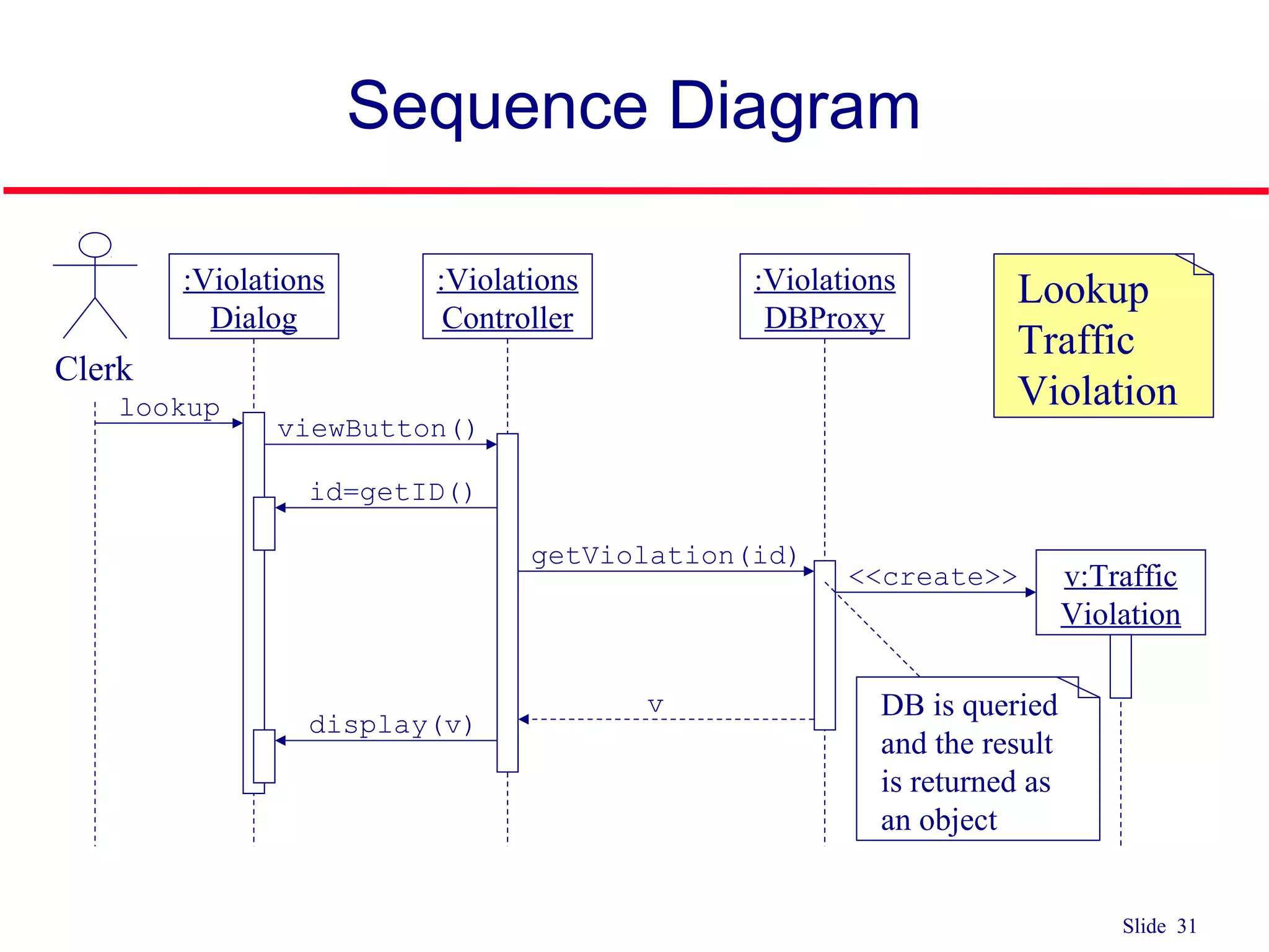
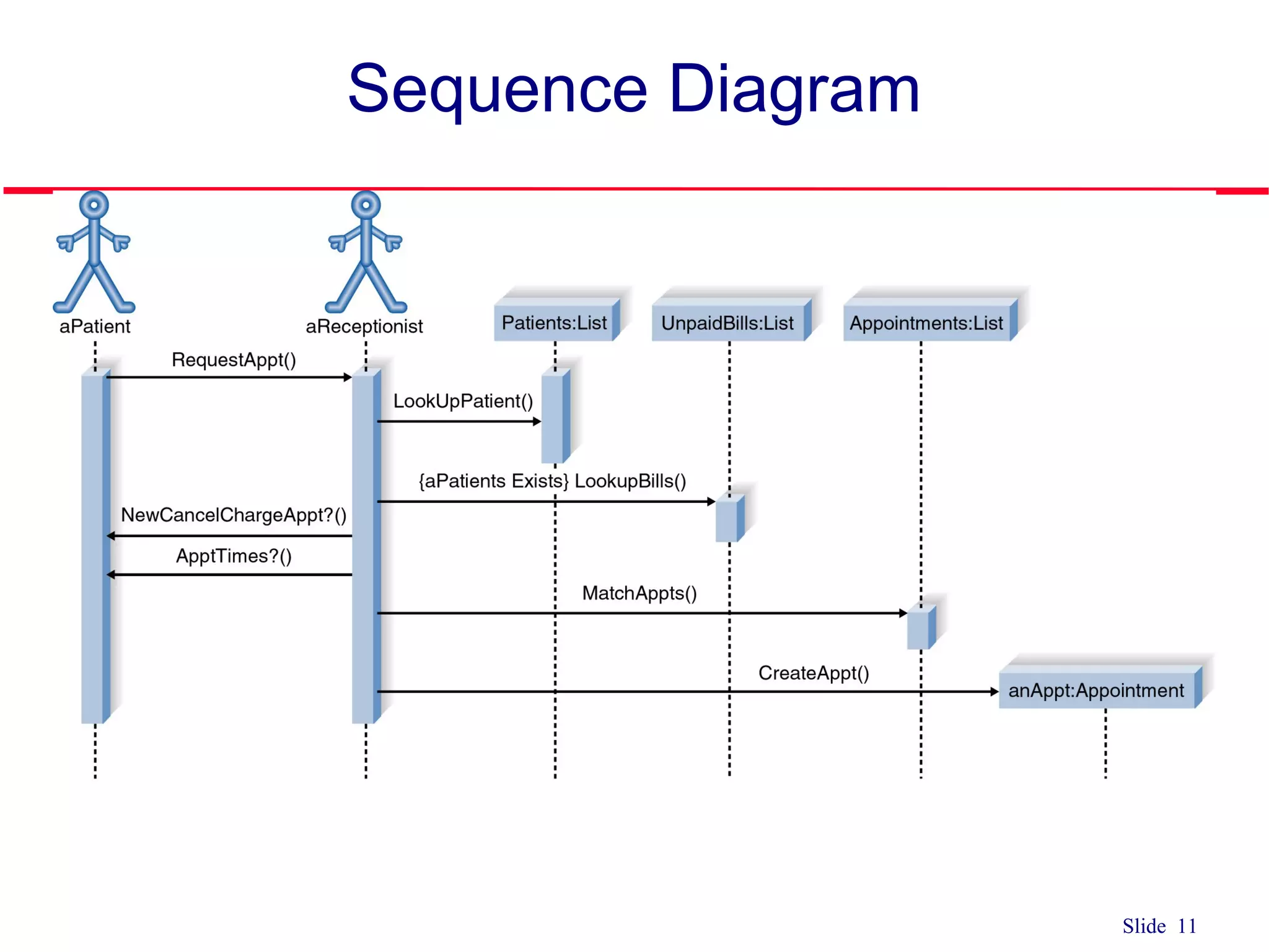
The document discusses sequence diagrams and their components. A sequence diagram models the behavior of a use case by showing the sequence of messages passed between objects over time. It contains active objects along the top representing actors and classes, connected by messages that illustrate communication. Other elements include lifelines, activation boxes to indicate focus of control, and control information like conditions and iterations. The document provides examples and steps for constructing a sequence diagram based on a use case.
Introduction to use cases and sequence diagrams; covers interaction models and sequence diagrams for illustrating object interactions over time.
Detailed explanation of sequence diagrams including members, lifelines, active objects, and actors, facilitating understanding of sequence interactions.
Focus on messages in sequence diagrams, covering types, syntax, and methods for effective interaction representation.
Descriptions of lifelines, control flow, conditions, and how to signify object creation and destruction in sequence diagrams.
Guideline outlining the steps necessary to build a sequence diagram, including actor identification, message layout, and validation.
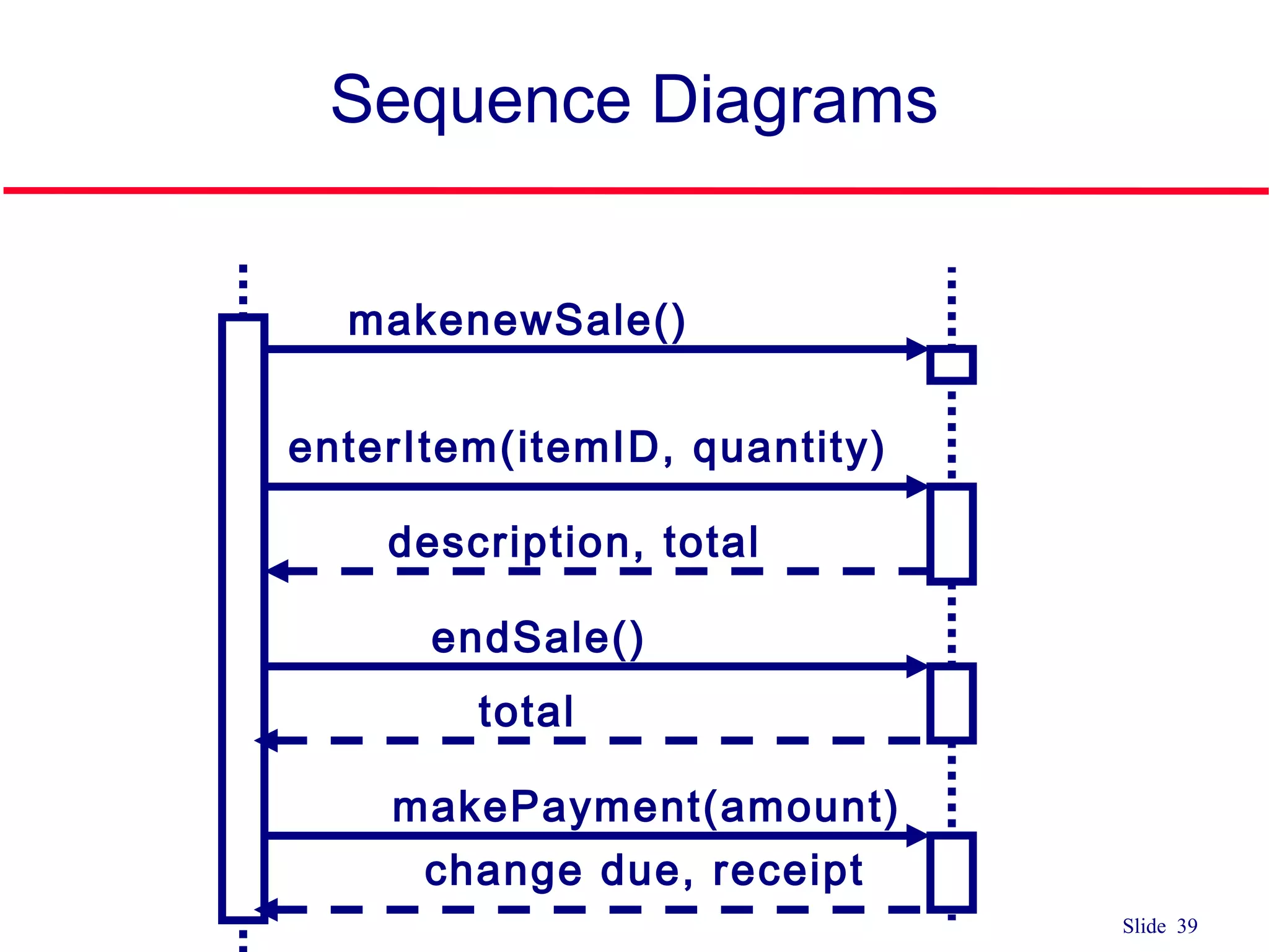
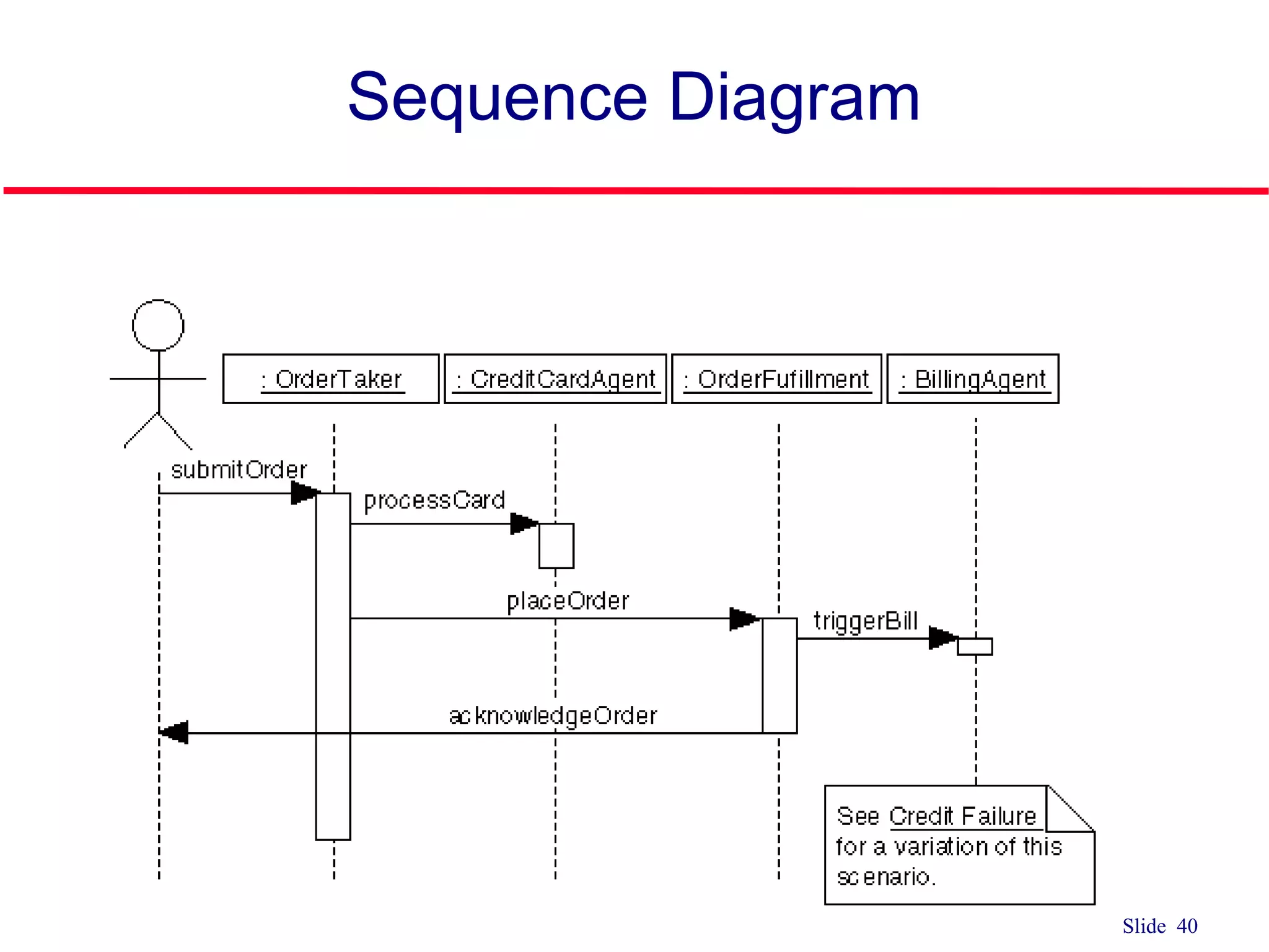
Provides a concluding sequence diagram example and thanks for the presentation, summarizing the key elements of the discussed content.
Slide 2 Interaction Diagrams qInteraction diagrams model the behavior of use cases by describing the way groups of objects interact to complete the task of the use case. q There are two types of interaction diagrams q Sequence Diagrams and Communication Diagrams (formally known as collaboration diagrams)
3.
Slide 3 Interaction Diagrams qSequence diagrams • generally show the sequence of events that occur. q Collaboration diagrams demonstrate how objects are statically connected. q Both diagrams are relatively simple to draw and contain similar elements.
4.
Slide 4 Sequence Diagram qIllustrates the objects that participate in a use case and the messages that pass between them over time for one use case q In design, used to distribute use case behavior to classes
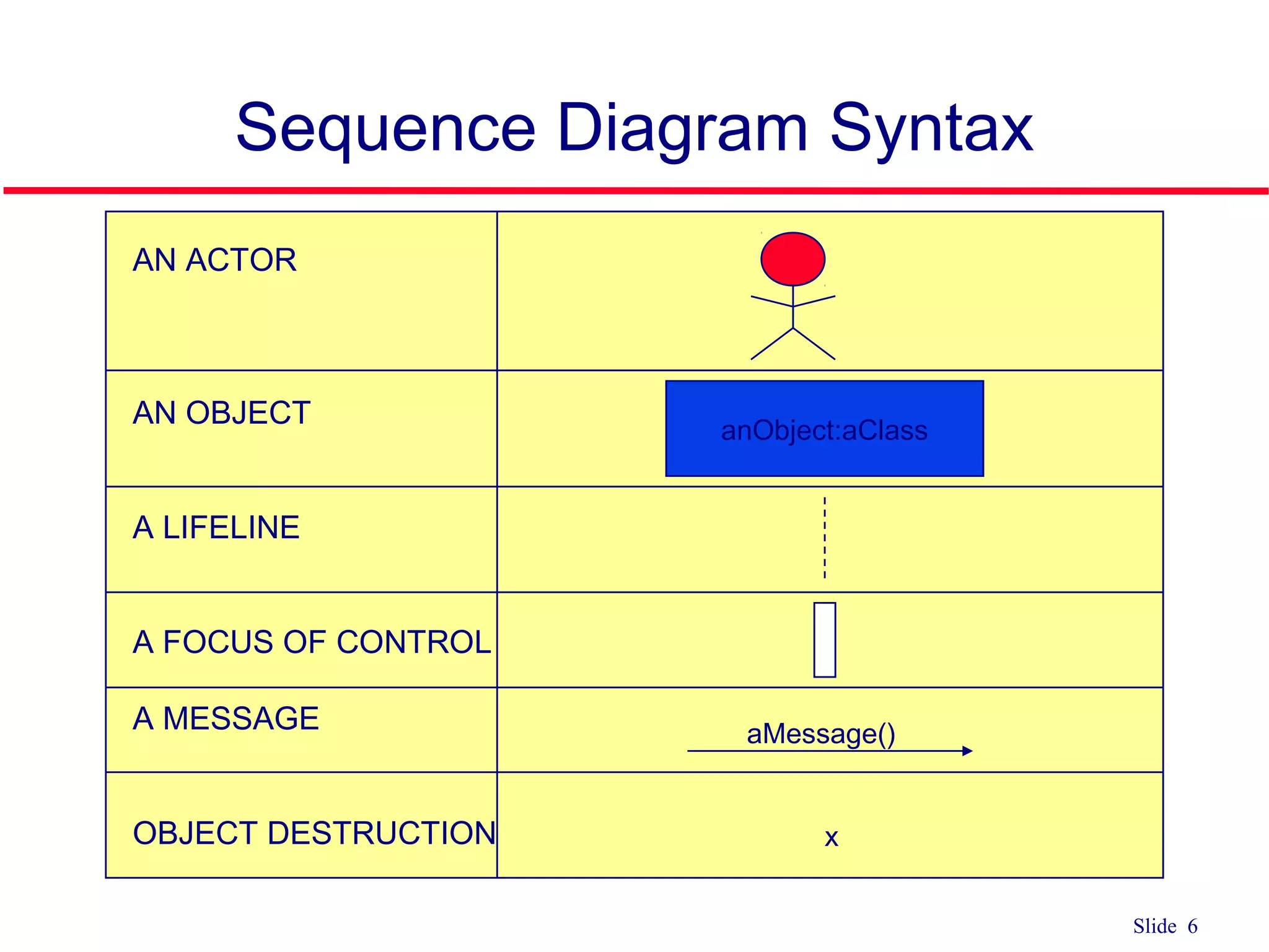
Slide 6 Sequence DiagramSyntax AN ACTOR AN OBJECT A LIFELINE A FOCUS OF CONTROL A MESSAGE OBJECT DESTRUCTION anObject:aClass aMessage() x
7.
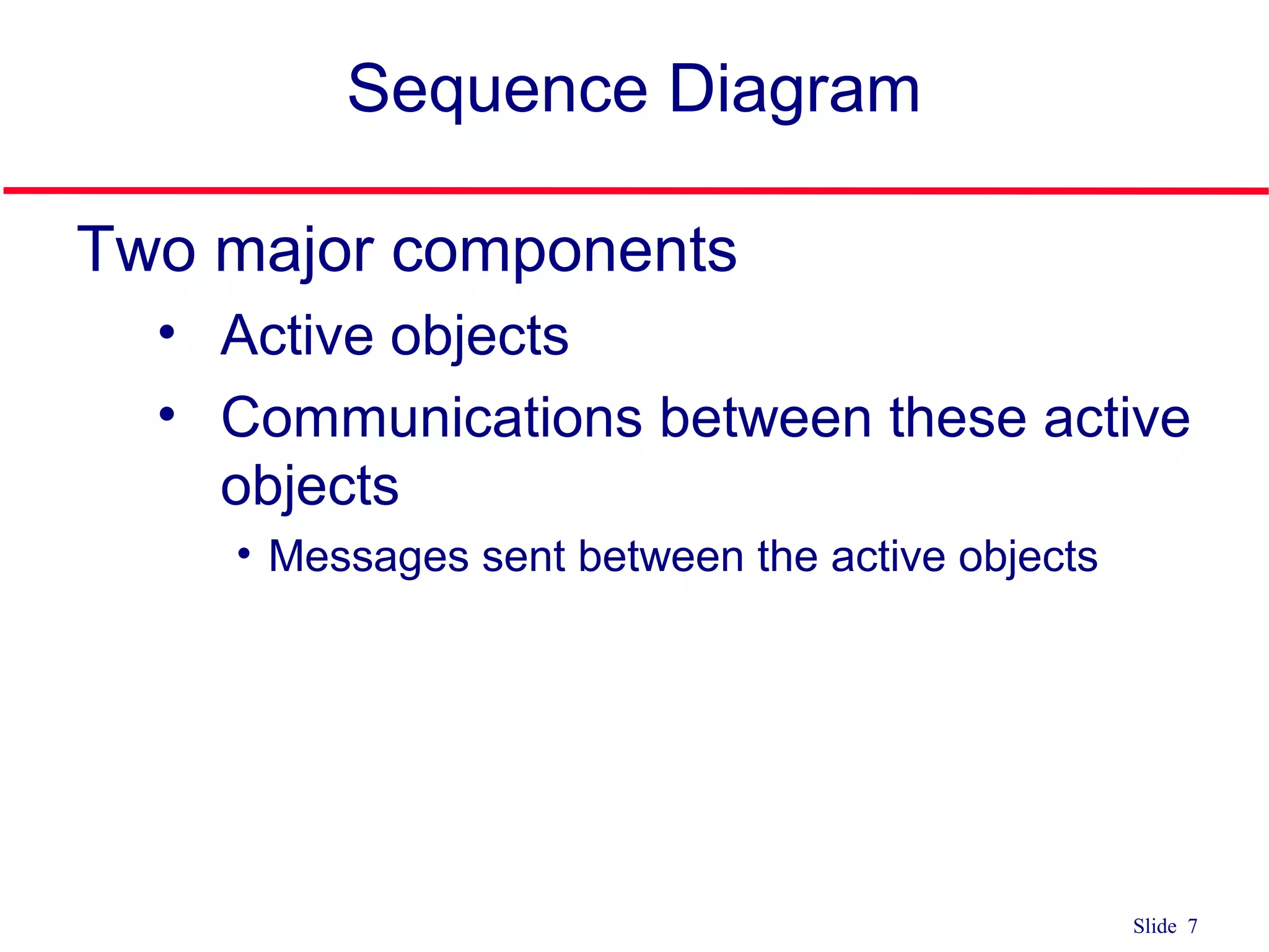
Slide 7 Sequence Diagram Twomajor components • Active objects • Communications between these active objects • Messages sent between the active objects
8.
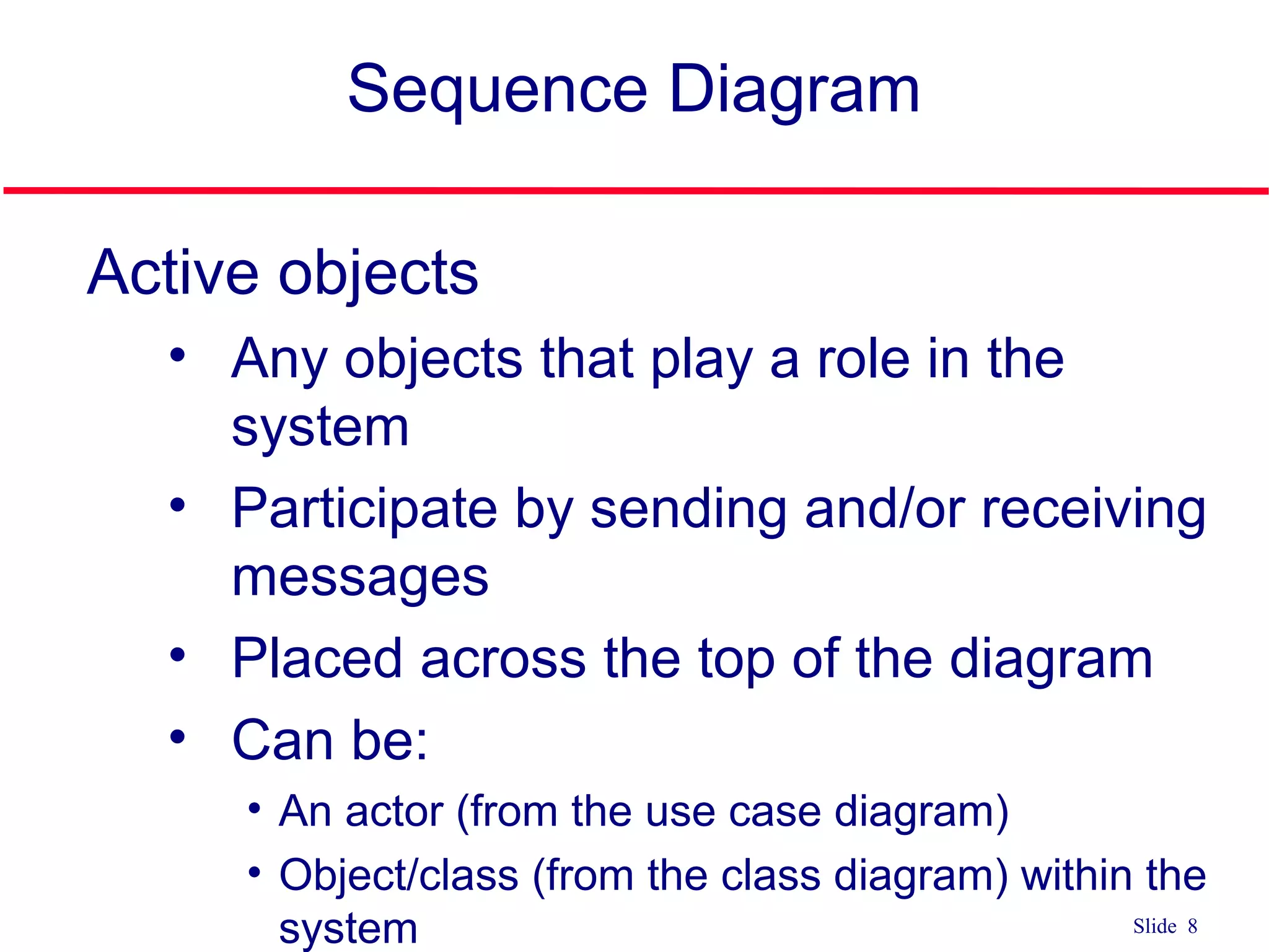
Slide 8 Sequence Diagram Activeobjects • Any objects that play a role in the system • Participate by sending and/or receiving messages • Placed across the top of the diagram • Can be: • An actor (from the use case diagram) • Object/class (from the class diagram) within the system
9.
Slide 9 Active Objects Object •Can be any object or class that is valid within the system • Object naming • Syntax [instanceName][:className] 1. Class name only :Classname 2. Instance name only objectName 3. Instance name and class name together object:Class myBirthdy :Date
10.
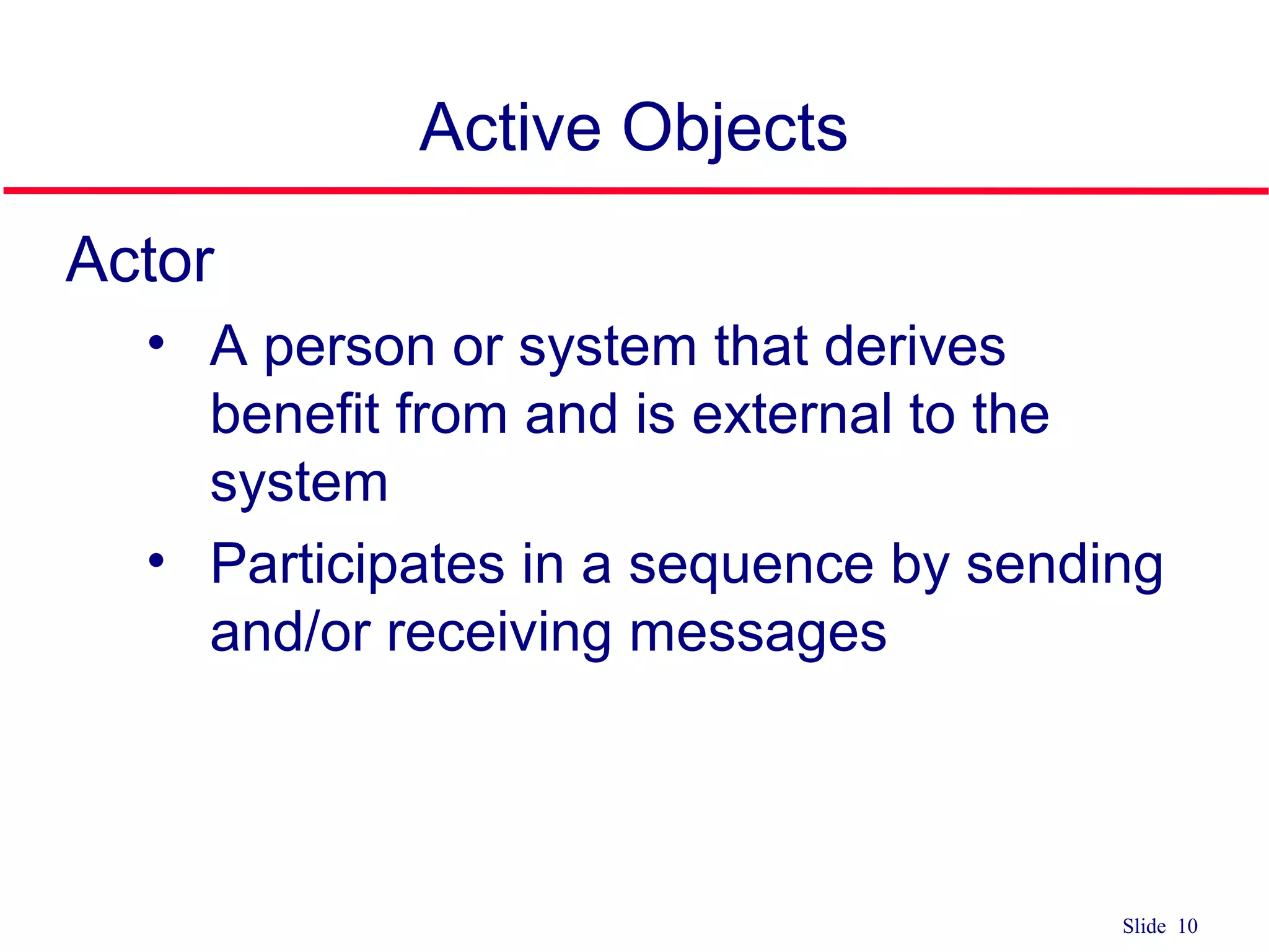
Slide 10 Active Objects Actor •A person or system that derives benefit from and is external to the system • Participates in a sequence by sending and/or receiving messages
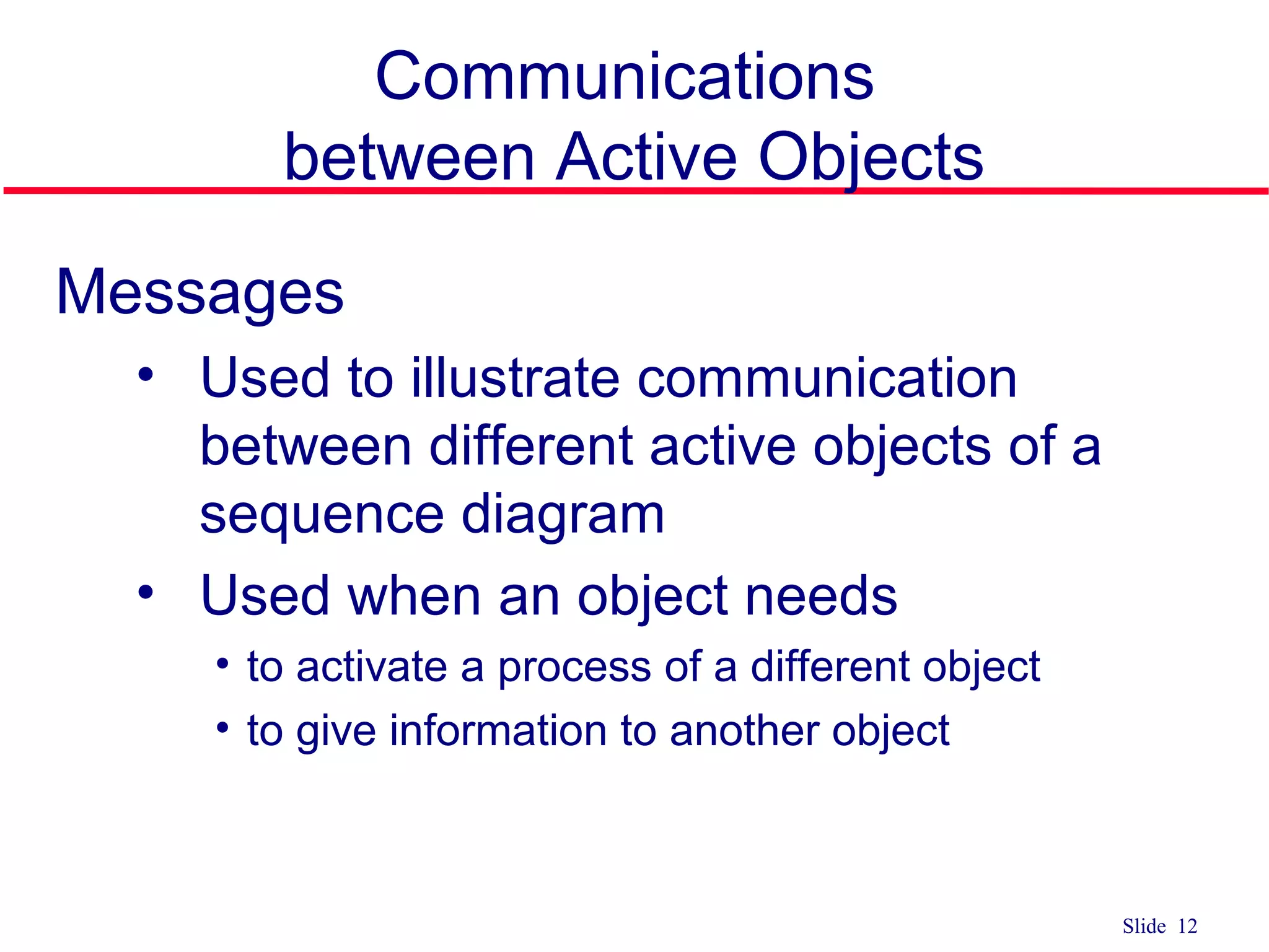
Slide 12 Communications between ActiveObjects Messages • Used to illustrate communication between different active objects of a sequence diagram • Used when an object needs • to activate a process of a different object • to give information to another object
13.
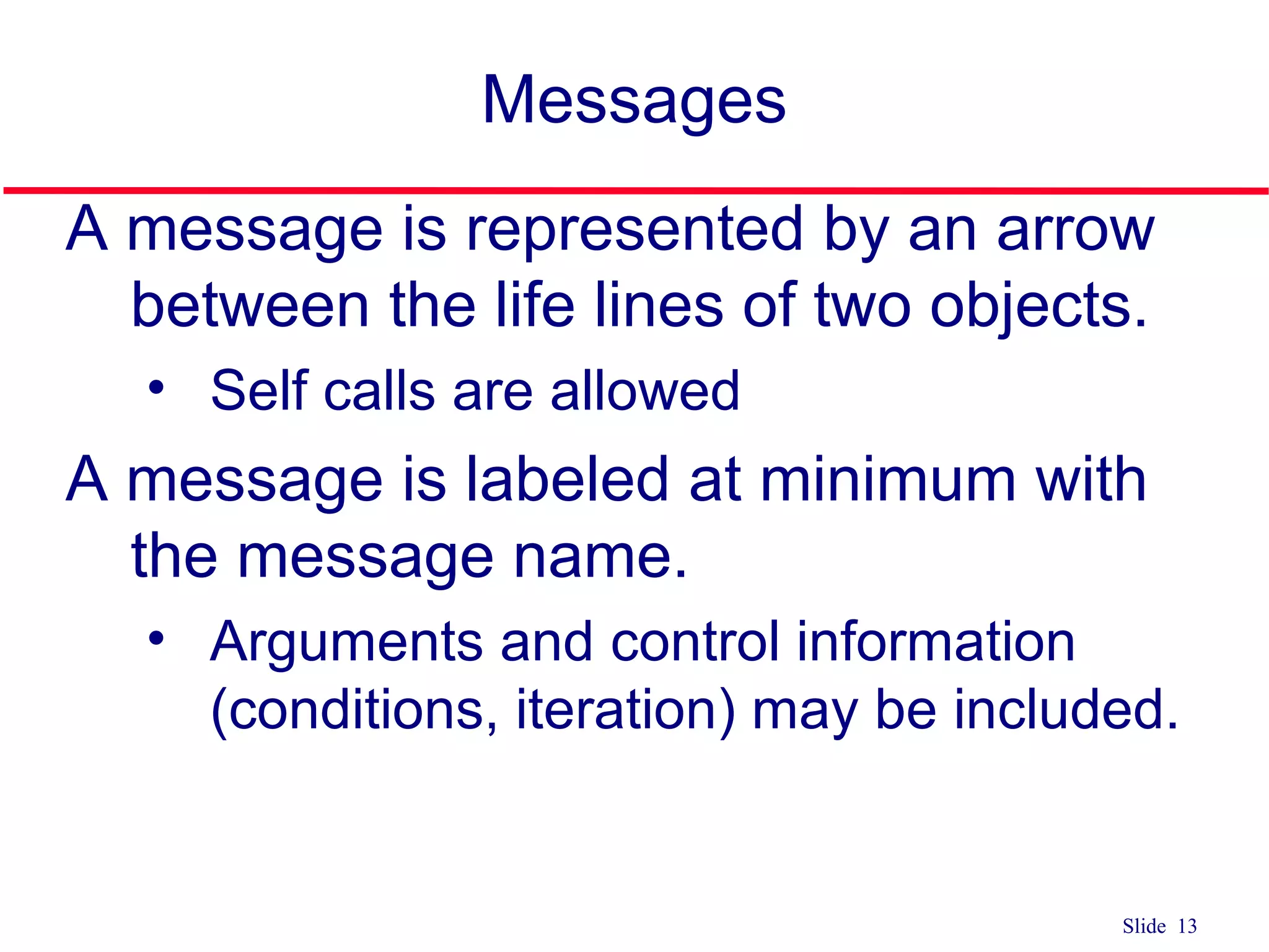
Slide 13 Messages A messageis represented by an arrow between the life lines of two objects. • Self calls are allowed A message is labeled at minimum with the message name. • Arguments and control information (conditions, iteration) may be included.
14.
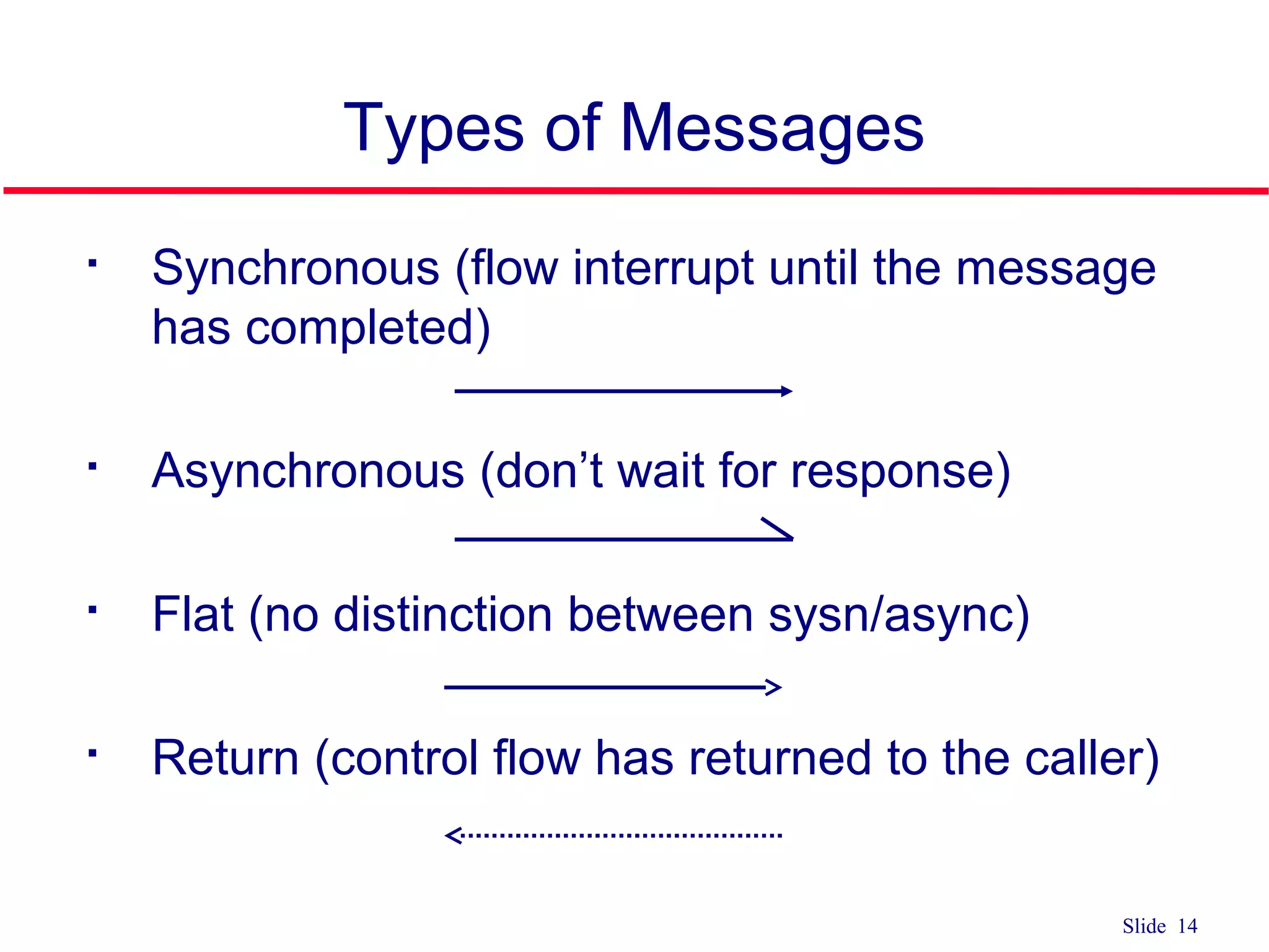
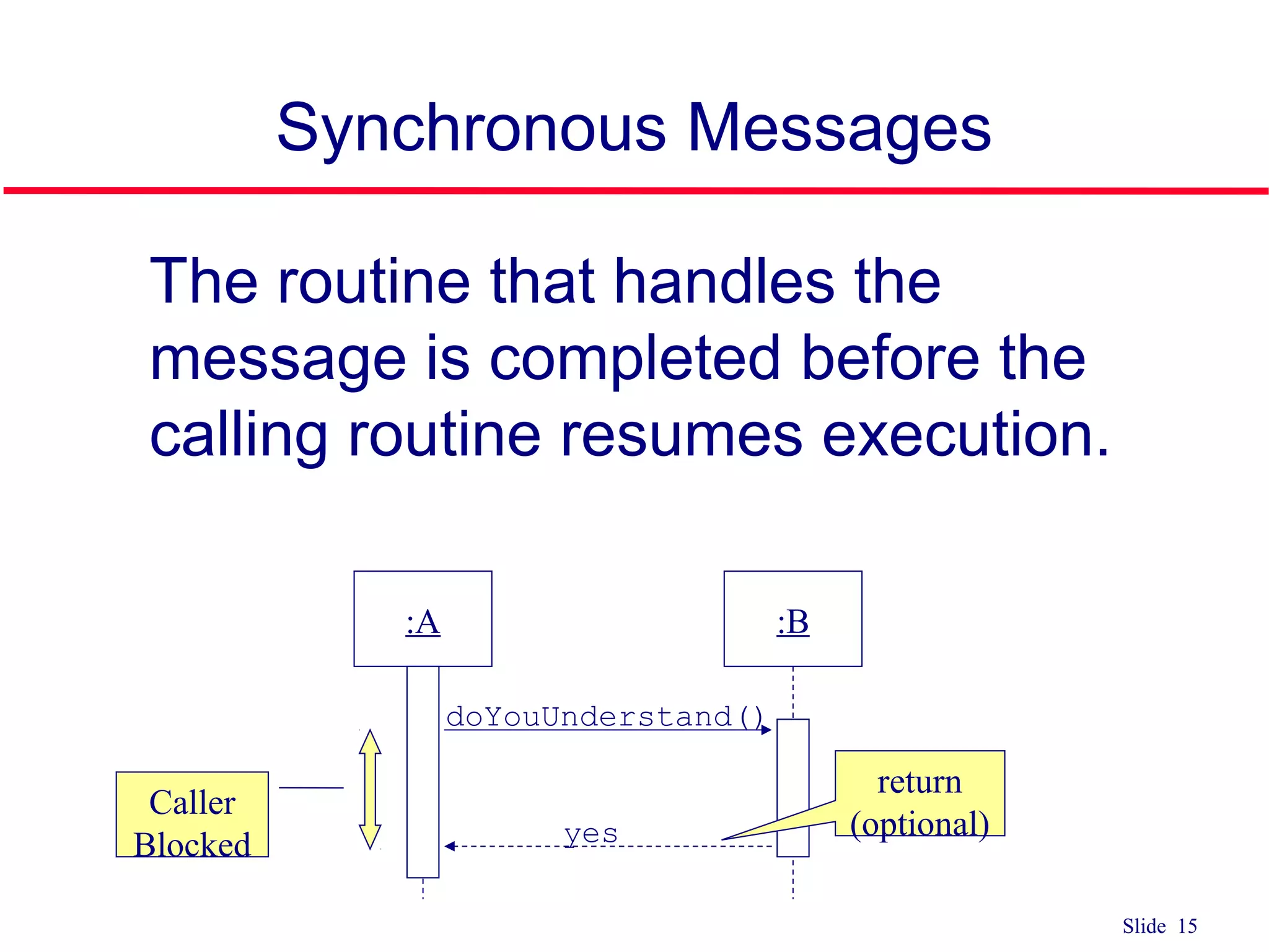
Slide 14 Types ofMessages Synchronous (flow interrupt until the message has completed) Asynchronous (don’t wait for response) Flat (no distinction between sysn/async) Return (control flow has returned to the caller)
15.
Slide 15 Synchronous Messages qThe routine that handles the message is completed before the calling routine resumes execution. :A :B doYouUnderstand() Caller Blocked return (optional)yes
16.
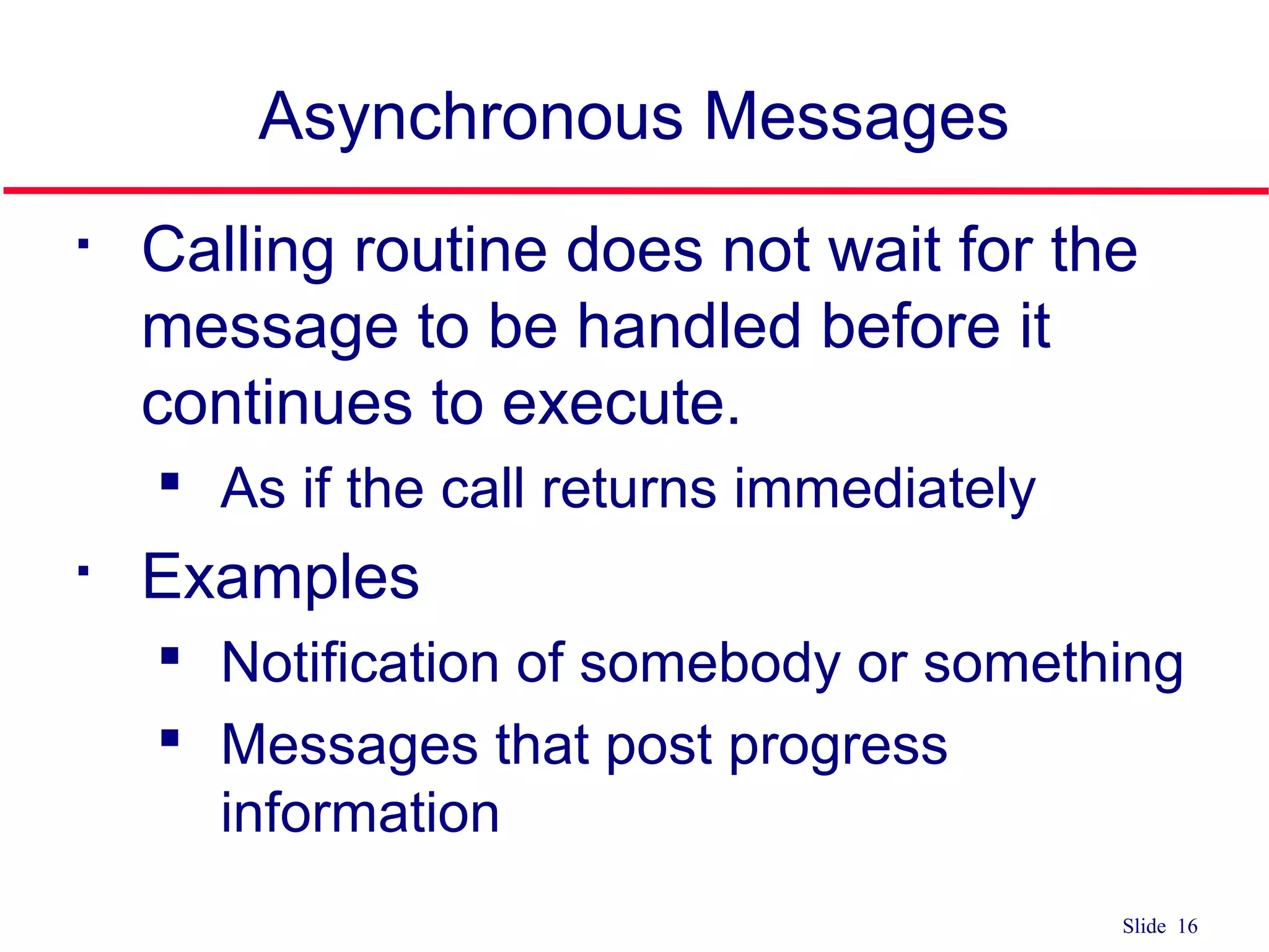
Slide 16 Asynchronous Messages Callingroutine does not wait for the message to be handled before it continues to execute. As if the call returns immediately Examples Notification of somebody or something Messages that post progress information
17.
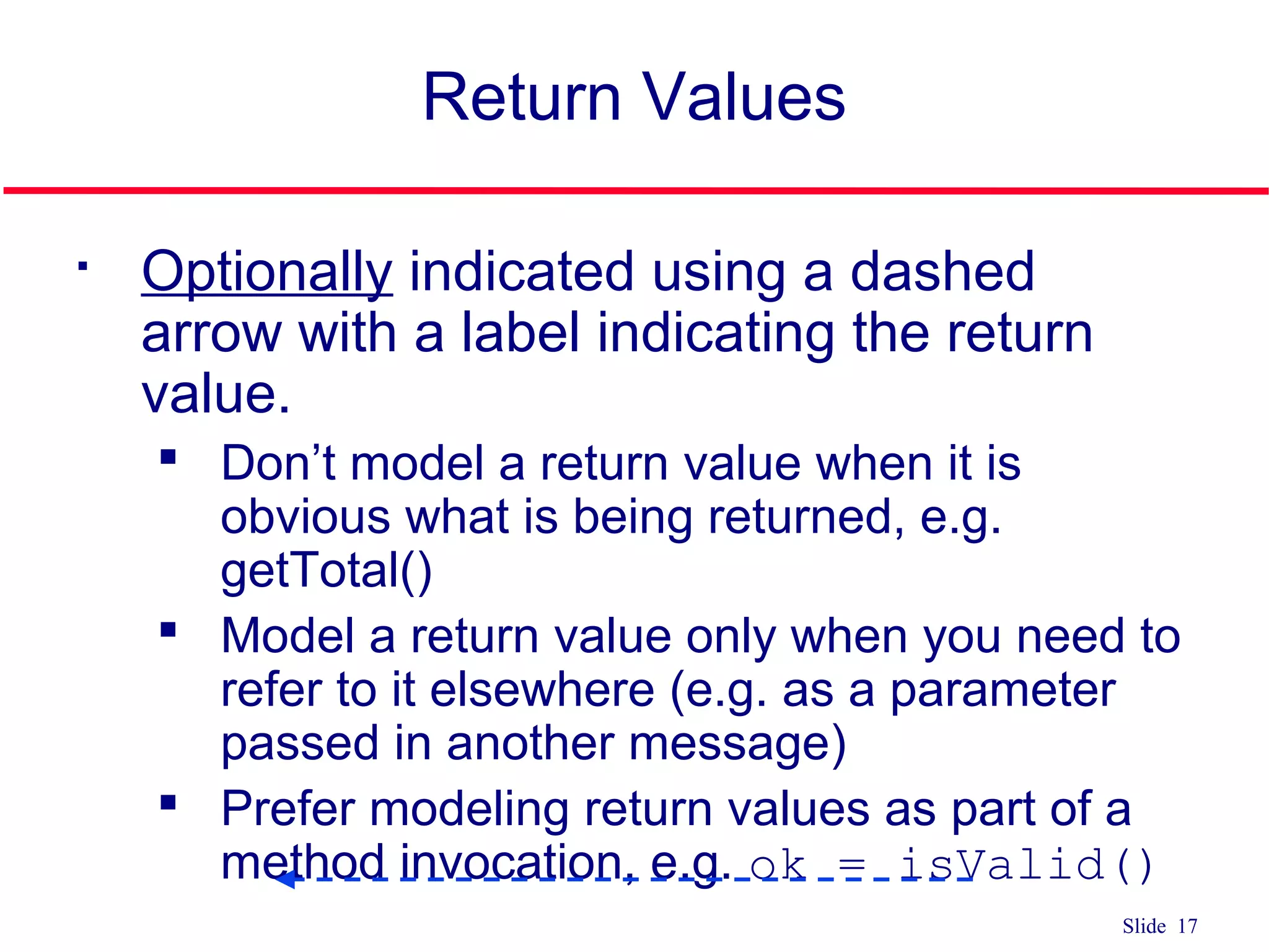
Slide 17 Return Values Optionallyindicated using a dashed arrow with a label indicating the return value. Don’t model a return value when it is obvious what is being returned, e.g. getTotal() Model a return value only when you need to refer to it elsewhere (e.g. as a parameter passed in another message) Prefer modeling return values as part of a method invocation, e.g. ok = isValid()
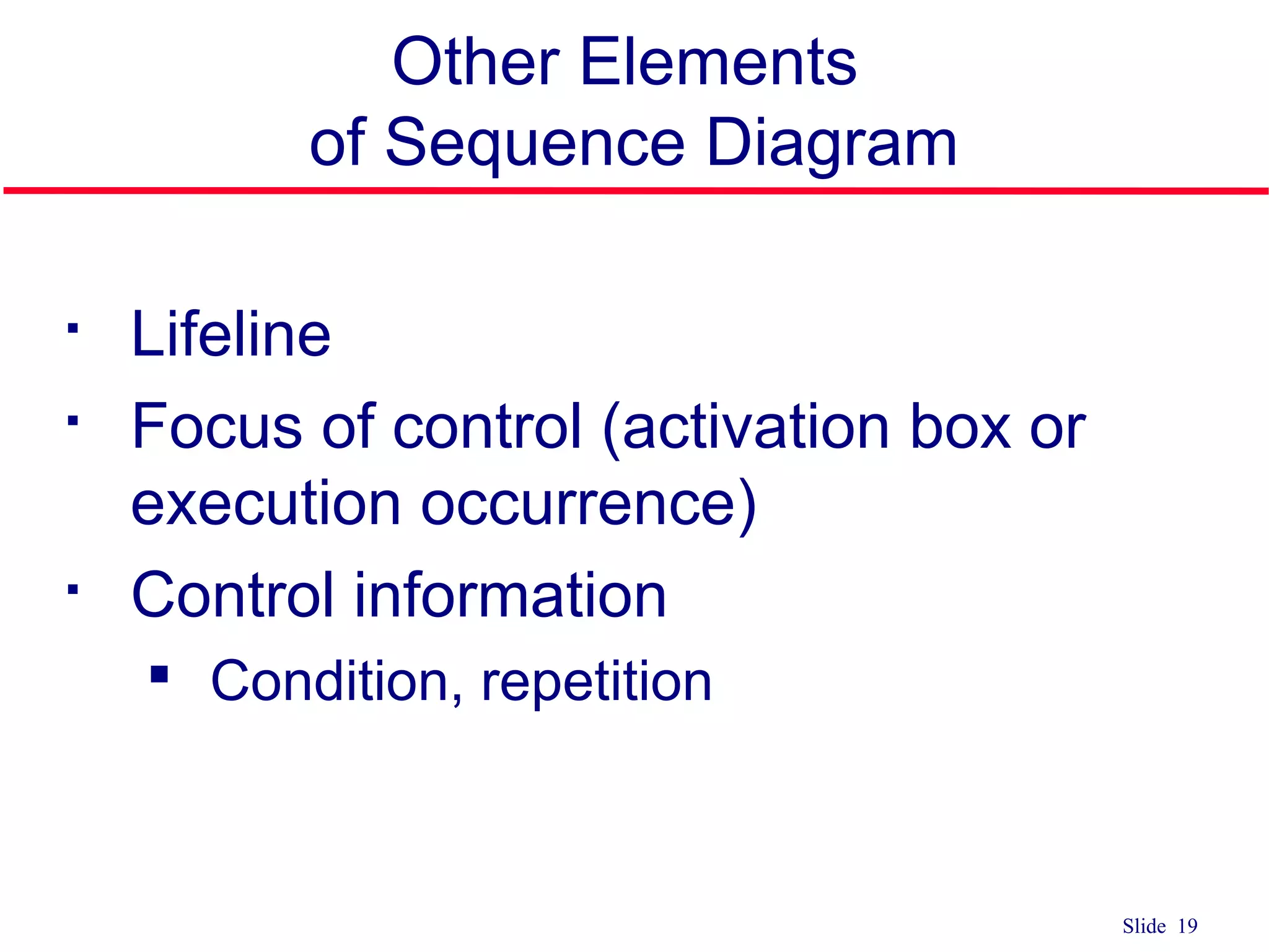
Slide 19 Other Elements ofSequence Diagram Lifeline Focus of control (activation box or execution occurrence) Control information Condition, repetition
20.
Slide 20 Sequence Diagram Lifeline Denotes the life of actors/objects over time during a sequence Represented by a vertical line below each actor and object (normally dashed line) For temporary object place X at the end of the lifeline at the point where the object is destroyed
21.
Slide 21 Sequence Diagram Focusof control (activation box) Means the object is active and using resources during that time period Denotes when an object is sending or receiving messages Represented by a thin, long rectangular box overlaid onto a lifeline
Slide 27 Elements ofSequence Diagram Control information Iteration may have square brackets containing a continuation condition (until) specifying the condition that must be satisfied in order to exit the iteration and continue with the sequence may have an asterisk followed by square brackets containing an iteration (while or for) expression specifying the number of iterations
28.
Slide 28 Control Information Iteration syntax: * [ ‘[‘ expression ‘]’ ] message-label The message is sent many times to possibly multiple receiver objects. *draw()
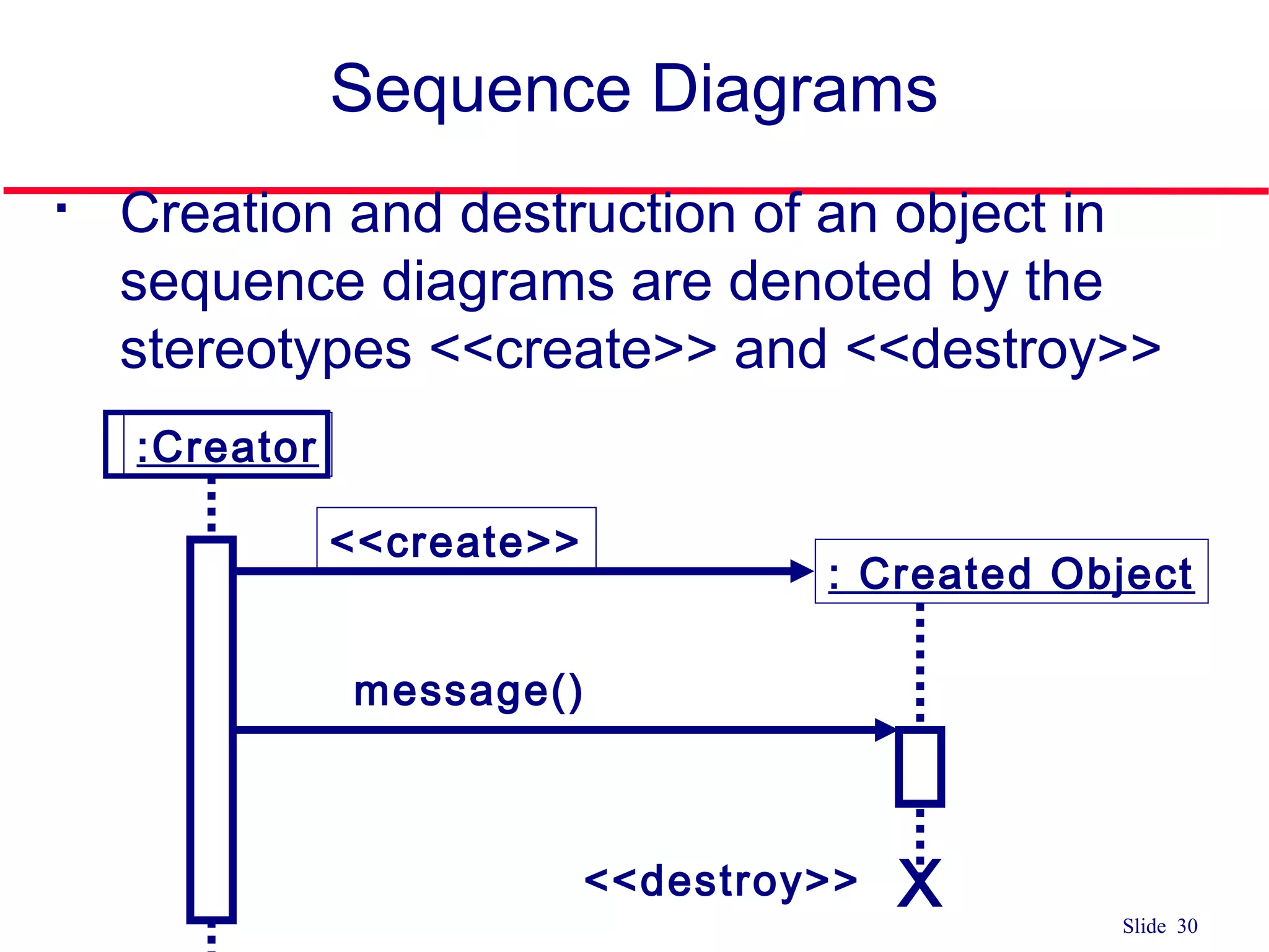
Slide 30 Sequence Diagrams Creationand destruction of an object in sequence diagrams are denoted by the stereotypes <<create>> and <<destroy>> :Creator <<create>> : Created Object message() <<destroy>> X
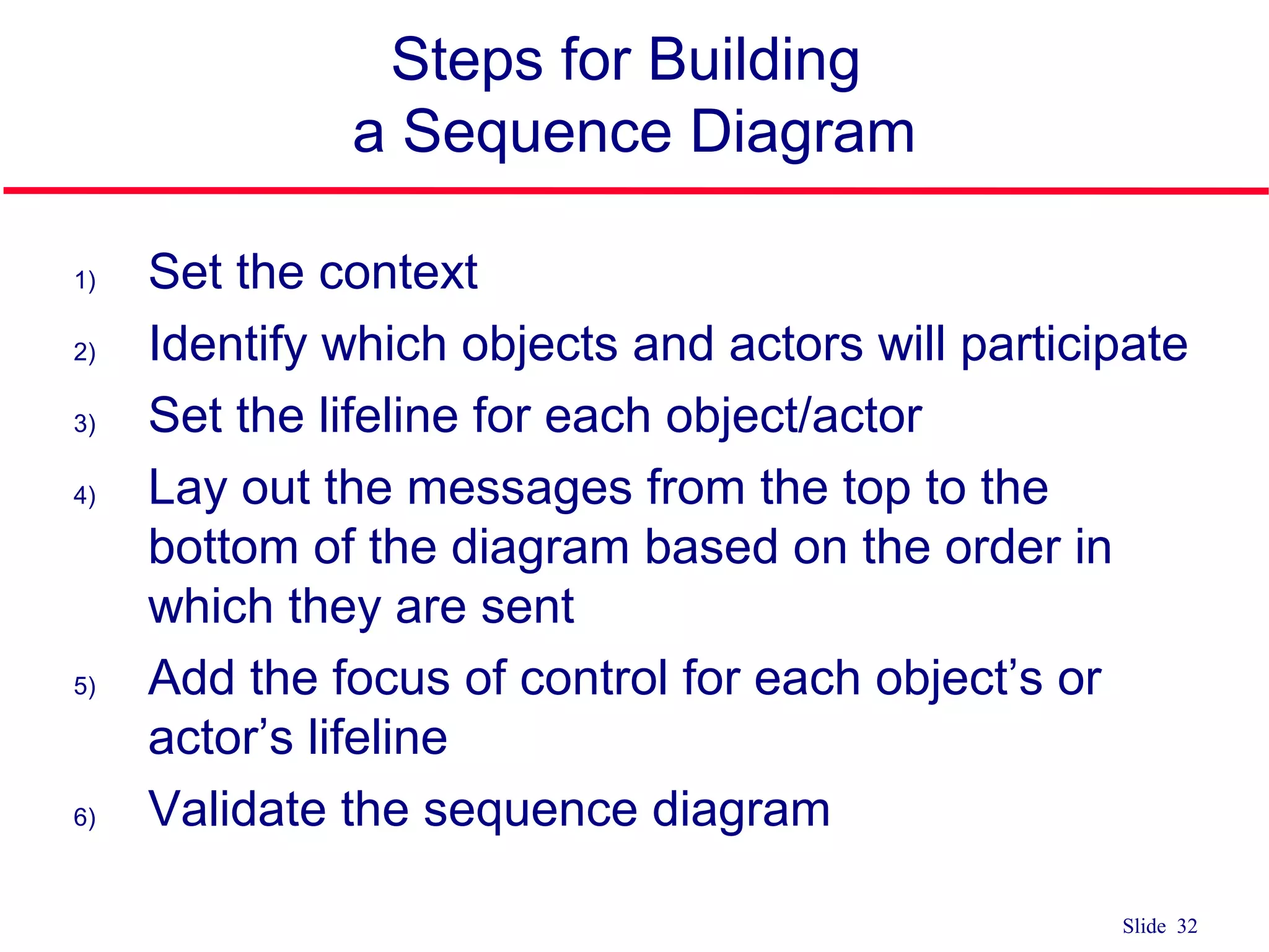
Slide 32 Steps forBuilding a Sequence Diagram 1) Set the context 2) Identify which objects and actors will participate 3) Set the lifeline for each object/actor 4) Lay out the messages from the top to the bottom of the diagram based on the order in which they are sent 5) Add the focus of control for each object’s or actor’s lifeline 6) Validate the sequence diagram
33.
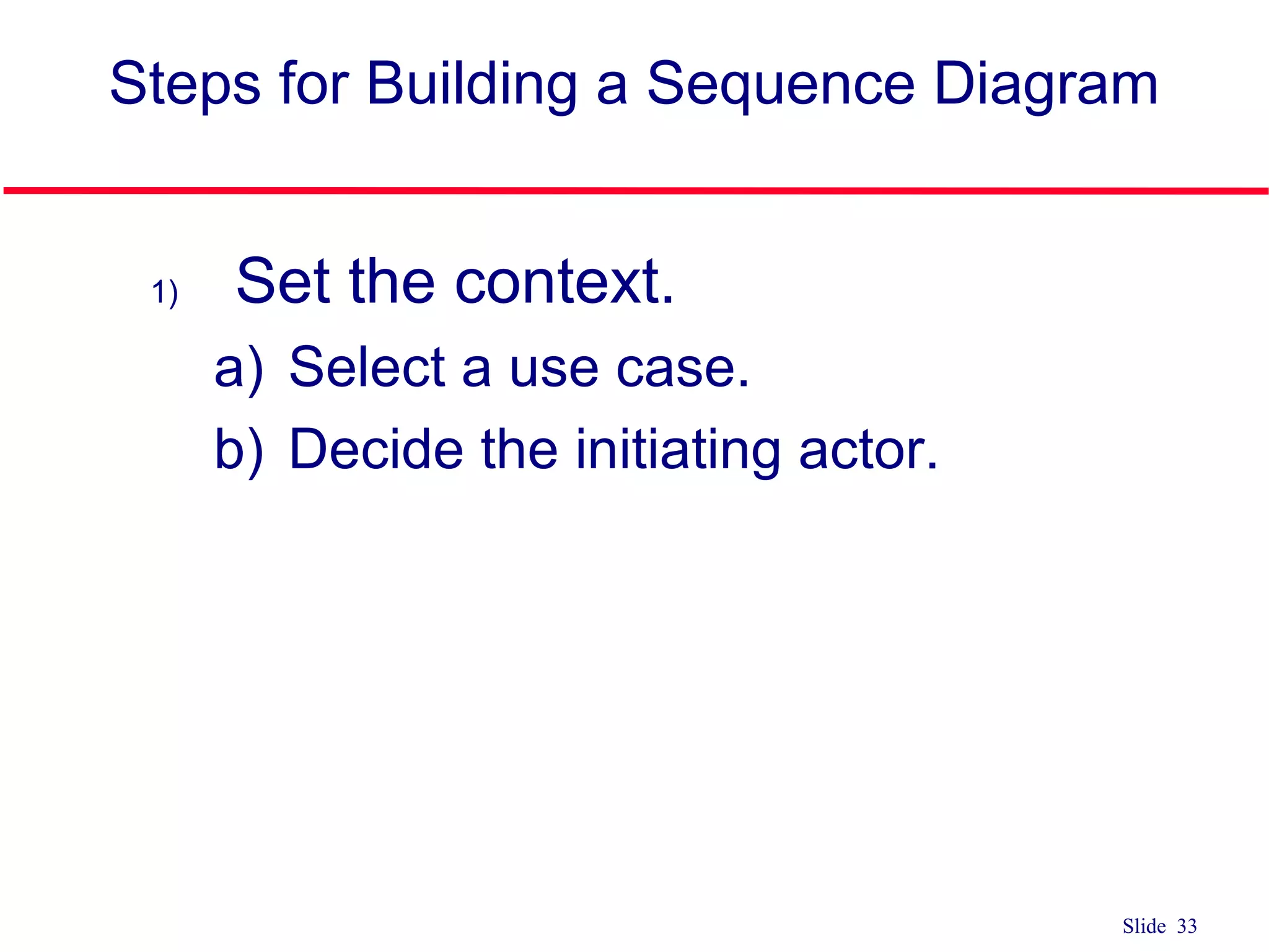
Slide 33 1) Setthe context. a) Select a use case. b) Decide the initiating actor. Steps for Building a Sequence Diagram
34.
Slide 34 2) Identifythe objects that may participate in the implementation of this use case by completing the supplied message table. a) List candidate objects. 1) Use case controller class 2) Domain classes 3) Database table classes 4) Display screens or reports Steps for Building a Sequence Diagram
35.
Slide 35 Steps forBuilding a Sequence Diagram 2) Identify the objects (cont.) b) List candidate messages. (in message analysis table) 1) Examine each step in the normal scenario of the use case description to determine the messages needed to implement that step. 2) For each step: 1) Identify step number. 2) Determine messages needed to complete this step. 3) For each message, decide which class holds the data for this action or performs this action 3) Make sure that the messages within the table are in the same order as the normal scenario
36.
Slide 36 Steps forBuilding a Sequence Diagram 2) Identify the objects (cont.) c) Begin sequence diagram construction. 1) Draw and label each of the identified actors and objects across the top of the sequence diagram. 2) The typical order from left to right across the top is the actor, primary display screen class, primary use case controller class, domain classes (in order of access), and other display screen classes (in order of access) 2) Set the lifeline for each object/actor
37.
Slide 37 4) Layout the messages from the top to the bottom of the diagram based on the order in which they are sent. a) Working in sequential order of the message table, make a message arrow with the message name pointing to the owner class. b) Decide which object or actor initiates the message and complete the arrow to its lifeline. c) Add needed return messages. d) Add needed parameters and control information. Steps for Building a Sequence Diagram
38.
Slide 38 5) Addthe focus of control (activation box) for each object’s or actor’s lifeline. 6) Validate the sequence diagram. Steps for Building a Sequence Diagram
#3 1) Sequence diagram Emphasize explicit chronological sequence of messages Useful in situations where the order in which events occurs is important WE ARE BUILDING ONLY SEQUENCE DIAGRAMS; helpful in seeing if you have all the methods for the different classes 2) Collaboration diagrams Emphasize the relationship between objects Powerful tool for understanding the structure of the software product Events are represented by annotated arrows placed alongside lines connecting boxes containing the names of actors
#4 1) Sequence diagram Emphasize explicit chronological sequence of messages Useful in situations where the order in which events occurs is important WE ARE BUILDING ONLY SEQUENCE DIAGRAMS; helpful in seeing if you have all the methods for the different classes 2) Collaboration diagrams Emphasize the relationship between objects Powerful tool for understanding the structure of the software product Events are represented by annotated arrows placed alongside lines connecting boxes containing the names of actors
#5 In 3350, each team MUST CREATE SEQUENCE DIAGRAM FOR NORMAL SCENARIO FOR EACH USE CASE ON USE CASE DIAGRAM Sequence Diagram Used to document the details of a use case Shows the sequence of messages that implement a service or transaction Class diagram has a modeling focus on the class level while sequence diagram has a modeling focus is on the object level Represents a scenario from a use case Is a graphical representation of interactions between objects showing the sending and receiving of messages in sequence Emphasize the time-based ordering of the activity that takes place among a set of objects Used to understand the flow of control of a scenario by time Depicts the objects and classes involved in the scenario and the sequence of messages exchanged between the objects needed to carry out the functionality of the scenario
#6 In a sequence diagram Each column represents an object that is participating in the interaction. The vertical axis represents time (from top to bottom). Messages are shown by full arrows. Labels on full arrows represent message names and arguments. The operation can itself send other requests to other objects An object can request an operation from itself (looping arrow) Activations the time it takes to perform an operation are depicted by a rectangle attached to an object. The height of the rectangle is indicative for the duration of the operation The vertical rectangle shows that an object is active, that is, it is handling a request made by another object.
#8 Sequence Diagram Shows the sequence of messages that implement a service or transaction Class diagram has a modeling focus on the class level while sequence diagram has a modeling focus is on the object level Emphasize the time-based ordering of the activity that takes place among a set of objects Used to understand the flow of control of a scenario by time Depicts the objects and classes involved in the scenario and the sequence of messages exchanged between the objects needed to carry out the functionality of the scenario
#9 Object in a sequence diagram Still represented by the rectangle with object name on inside
#10 3 ways to name: Just an object name Object name and class name Just a class name Object names are always underlined and begin with a lowercase letter Class names are always capitalized Naming objects Name classes consistently with your class diagram (same classes). Include instance names when objects are referred to in messages or when several objects of the same type exist in the diagram. Most of the time you use the class name, but if you refer to a particular instance in a scenario the object:Class notation is used. Objects can be named by Using generic object names to clarify the class Including the name of the class after the name of the object, separated by a colon
#11 Actor in a Sequence diagram Still represented by the stick figure as on use case diagram don’t have to place in any particular order across the top of the diagram but better to organize them in the order in which they participate in the sequence Illustrating actors as active objects models how actors interact with the system and how the system interacts with the user Actors can call objects and objects can notify actors
#13 Messages An interaction between two objects is performed as a message sent from one object to another. HOW ACTIVE OBJECTS COMMUNICATE WITH EACH OTHER IN A SEQUENCE DIAGRAM Illustrate the flow between the objects, how they interact, and what conditions change the flow
#14 Time required by the receiver object to process the message is denoted by focus of control
#15 3) Flat Use when we don’t care and don’t know if a message is synchronous or asynchronous NOTICE THAT THE ARROW HEAD IS ONLY 2 LINES, NOT A FILLED-IN TRIANGLE
#16 Synchronize Messages The object :A is in a hold pattern waiting for the response from the object :B Indicates that flow is interrupted until the message has completed, and any messages that were sent from that message are completed as well. Used for procedural system flow where one piece of functionality is executed before another Modeled with a solid arrow head and line
#17 Asynchronous messages Used when control flow does not need to be interrupted before completing Can be used for modeling concurrent systems Can: Create a new thread (a new activation record) Create a new object Communicate with a thread that is already running Active objects own an execution thread and can initiate control activity.
#19 In a sequence diagram Each column represents an object that is participating in the interaction. The vertical axis represents time (from top to bottom). Messages are shown by full arrows. Labels on full arrows represent message names and arguments. The operation can itself send other requests to other objects An object can request an operation from itself (looping arrow) Activations the time it takes to perform an operation are depicted by a rectangle attached to an object. The height of the rectangle is indicative for the duration of the operation The vertical rectangle shows that an object is active, that is, it is handling a request made by another object.
#21 Lifeline in a sequence diagram Represented by a vertical line for which our book uses a dotted (dashed) line or other people use a solid line Sometimes an object creates a temporary object and in this case an X is placed at the end of the object’s lifeline to show that it is going out of existence (is destroyed) Example: shopping cart object for a Web commerce application which is no long needed while the order is placed If objects exist in the system after they are used in the sequence diagram, their lifeline continues to the bottom of the diagram
#22 A focus of control in a sequence diagram Shows the period of time in which an object has a thread of control
#23 In a sequence diagram Each column represents an object that is participating in the interaction. The vertical axis represents time (from top to bottom). Messages are shown by full arrows. Labels on full arrows represent message names and arguments. The operation can itself send other requests to other objects An object can request an operation from itself (looping arrow) Activations the time it takes to perform an operation are depicted by a rectangle attached to an object. The height of the rectangle is indicative for the duration of the operation The vertical rectangle shows that an object is active, that is, it is handling a request made by another object.
#24 Conditional messages: A message might contain a guard condition denoted in square brackets
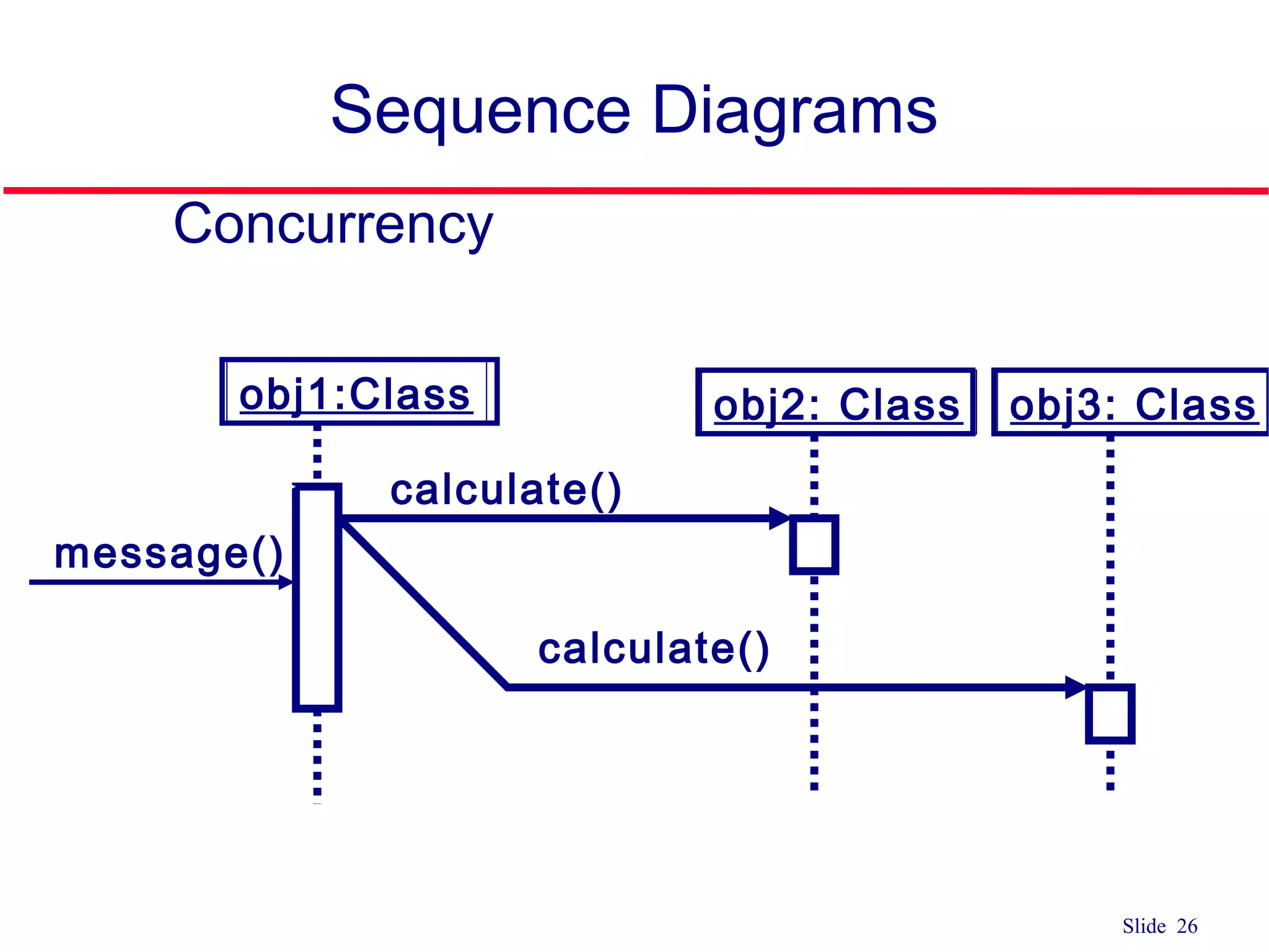
#27 The branch represents concurrency if the guard conditions are mutually inclusive. Thus multiple messages are sent.
#31 People differ on how to different parts of the UML diagrams In little UML book, Ambler (author) says that introducing object destruction often introduces clutter to the diagram
#33 Steps for building a sequence diagram 1) Set the context Determine the context of the sequence diagram Context of the diagram can be a system, a use case, a scenario of a use case, or an operation of a class MOST COMMONLY, one use-case scenario 2) Identify which objects/actors will participate Review the use case scenario and identify objects/actors Objects are also found in the class diagrams May uncover new classes/objects during this process 3) Set the lifeline Draw vertical below each actor/object to represent its existence during the sequence Place an X below an object at the point on the lifeline where the object goes out of existence 4) Lay out messages Draw arrows to represent the messages being passed from object to object, with the arrow pointing in the message’s transmission direction Review the use case scenario and look for communication between objects and actors OR objects and other objects Identify senders and receivers of messages Arrows should be placed in order from the first message (at the top) to the last (at the bottom) to show time sequence Put name of operation to be invoked on top of arrow line (add arguments if known) 5) Add focus of control Draw a narrow rectangular box over the top of the lifelines to represent when the actors or classes are sending and receiving messages 6) Validate Guarantee that the diagram depicts all of the steps in the process
#34 Steps for building a sequence diagram 1) Set the context Determine the context of the sequence diagram Context of the diagram can be a system, a use case, a scenario of a use case, or an operation of a class MOST COMMONLY, one use-case scenario 2) Identify which objects/actors will participate Review the use case scenario and identify objects/actors Objects are also found in the class diagrams May uncover new classes/objects during this process 3) Set the lifeline Draw vertical below each actor/object to represent its existence during the sequence Place an X below an object at the point on the lifeline where the object goes out of existence 4) Lay out messages Draw arrows to represent the messages being passed from object to object, with the arrow pointing in the message’s transmission direction Review the use case scenario and look for communication between objects and actors OR objects and other objects Identify senders and receivers of messages Arrows should be placed in order from the first message (at the top) to the last (at the bottom) to show time sequence Put name of operation to be invoked on top of arrow line (add arguments if known) 5) Add focus of control Draw a narrow rectangular box over the top of the lifelines to represent when the actors or classes are sending and receiving messages 6) Validate Guarantee that the diagram depicts all of the steps in the process
#35 Steps for building a sequence diagram 1) Set the context Determine the context of the sequence diagram Context of the diagram can be a system, a use case, a scenario of a use case, or an operation of a class MOST COMMONLY, one use-case scenario 2) Identify which objects/actors will participate Review the use case scenario and identify objects/actors Objects are also found in the class diagrams May uncover new classes/objects during this process 3) Set the lifeline Draw vertical below each actor/object to represent its existence during the sequence Place an X below an object at the point on the lifeline where the object goes out of existence 4) Lay out messages Draw arrows to represent the messages being passed from object to object, with the arrow pointing in the message’s transmission direction Review the use case scenario and look for communication between objects and actors OR objects and other objects Identify senders and receivers of messages Arrows should be placed in order from the first message (at the top) to the last (at the bottom) to show time sequence Put name of operation to be invoked on top of arrow line (add arguments if known) 5) Add focus of control Draw a narrow rectangular box over the top of the lifelines to represent when the actors or classes are sending and receiving messages 6) Validate Guarantee that the diagram depicts all of the steps in the process
#36 Steps for building a sequence diagram 1) Set the context Determine the context of the sequence diagram Context of the diagram can be a system, a use case, a scenario of a use case, or an operation of a class MOST COMMONLY, one use-case scenario 2) Identify which objects/actors will participate Review the use case scenario and identify objects/actors Objects are also found in the class diagrams May uncover new classes/objects during this process 3) Set the lifeline Draw vertical below each actor/object to represent its existence during the sequence Place an X below an object at the point on the lifeline where the object goes out of existence 4) Lay out messages Draw arrows to represent the messages being passed from object to object, with the arrow pointing in the message’s transmission direction Review the use case scenario and look for communication between objects and actors OR objects and other objects Identify senders and receivers of messages Arrows should be placed in order from the first message (at the top) to the last (at the bottom) to show time sequence Put name of operation to be invoked on top of arrow line (add arguments if known) 5) Add focus of control Draw a narrow rectangular box over the top of the lifelines to represent when the actors or classes are sending and receiving messages 6) Validate Guarantee that the diagram depicts all of the steps in the process
#37 Steps for building a sequence diagram 1) Set the context Determine the context of the sequence diagram Context of the diagram can be a system, a use case, a scenario of a use case, or an operation of a class MOST COMMONLY, one use-case scenario 2) Identify which objects/actors will participate Review the use case scenario and identify objects/actors Objects are also found in the class diagrams May uncover new classes/objects during this process 3) Set the lifeline Draw vertical below each actor/object to represent its existence during the sequence Place an X below an object at the point on the lifeline where the object goes out of existence 4) Lay out messages Draw arrows to represent the messages being passed from object to object, with the arrow pointing in the message’s transmission direction Review the use case scenario and look for communication between objects and actors OR objects and other objects Identify senders and receivers of messages Arrows should be placed in order from the first message (at the top) to the last (at the bottom) to show time sequence Put name of operation to be invoked on top of arrow line (add arguments if known) 5) Add focus of control Draw a narrow rectangular box over the top of the lifelines to represent when the actors or classes are sending and receiving messages 6) Validate Guarantee that the diagram depicts all of the steps in the process
#38 Steps for building a sequence diagram 1) Set the context Determine the context of the sequence diagram Context of the diagram can be a system, a use case, a scenario of a use case, or an operation of a class MOST COMMONLY, one use-case scenario 2) Identify which objects/actors will participate Review the use case scenario and identify objects/actors Objects are also found in the class diagrams May uncover new classes/objects during this process 3) Set the lifeline Draw vertical below each actor/object to represent its existence during the sequence Place an X below an object at the point on the lifeline where the object goes out of existence 4) Lay out messages Draw arrows to represent the messages being passed from object to object, with the arrow pointing in the message’s transmission direction Review the use case scenario and look for communication between objects and actors OR objects and other objects Identify senders and receivers of messages Arrows should be placed in order from the first message (at the top) to the last (at the bottom) to show time sequence Put name of operation to be invoked on top of arrow line (add arguments if known) 5) Add focus of control Draw a narrow rectangular box over the top of the lifelines to represent when the actors or classes are sending and receiving messages 6) Validate Guarantee that the diagram depicts all of the steps in the process
#39 Steps for building a sequence diagram 1) Set the context Determine the context of the sequence diagram Context of the diagram can be a system, a use case, a scenario of a use case, or an operation of a class MOST COMMONLY, one use-case scenario 2) Identify which objects/actors will participate Review the use case scenario and identify objects/actors Objects are also found in the class diagrams May uncover new classes/objects during this process 3) Set the lifeline Draw vertical below each actor/object to represent its existence during the sequence Place an X below an object at the point on the lifeline where the object goes out of existence 4) Lay out messages Draw arrows to represent the messages being passed from object to object, with the arrow pointing in the message’s transmission direction Review the use case scenario and look for communication between objects and actors OR objects and other objects Identify senders and receivers of messages Arrows should be placed in order from the first message (at the top) to the last (at the bottom) to show time sequence Put name of operation to be invoked on top of arrow line (add arguments if known) 5) Add focus of control Draw a narrow rectangular box over the top of the lifelines to represent when the actors or classes are sending and receiving messages 6) Validate Guarantee that the diagram depicts all of the steps in the process
#42 Steps for building a sequence diagram 1) Set the context Determine the context of the sequence diagram Context of the diagram can be a system, a use case, a scenario of a use case, or an operation of a class MOST COMMONLY, one use-case scenario 2) Identify which objects/actors will participate Review the use case scenario and identify objects/actors Objects are also found in the class diagrams May uncover new classes/objects during this process 3) Set the lifeline Draw vertical below each actor/object to represent its existence during the sequence Place an X below an object at the point on the lifeline where the object goes out of existence 4) Lay out messages Draw arrows to represent the messages being passed from object to object, with the arrow pointing in the message’s transmission direction Review the use case scenario and look for communication between objects and actors OR objects and other objects Identify senders and receivers of messages Arrows should be placed in order from the first message (at the top) to the last (at the bottom) to show time sequence Put name of operation to be invoked on top of arrow line (add arguments if known) 5) Add focus of control Draw a narrow rectangular box over the top of the lifelines to represent when the actors or classes are sending and receiving messages 6) Validate Guarantee that the diagram depicts all of the steps in the process
![Slide 5 Sequence Diagram member: LibraryMember book:Book :Book Copy borrow(book) ok = mayBorrow() [ok] borrow(member) setTaken(member) X-Axis (objects) Y-Axis(time) ObjectLife Line Message Focus of control Condition](https://image.slidesharecdn.com/lecture11usecasesequencediagram-180413173952/75/Lecture11-use-case-sequence-diagram-5-2048.jpg)
![Slide 9 Active Objects Object • Can be any object or class that is valid within the system • Object naming • Syntax [instanceName][:className] 1. Class name only :Classname 2. Instance name only objectName 3. Instance name and class name together object:Class myBirthdy :Date](https://image.slidesharecdn.com/lecture11usecasesequencediagram-180413173952/75/Lecture11-use-case-sequence-diagram-9-2048.jpg)
![Slide 18 Sequence Diagram member: LibraryMember book:Book :Book Copy borrow(book) ok = mayBorrow() [ok] borrow(member) setTaken(member) X-Axis (objects) Y-Axis(time) ObjectLife Line Message Focus of control Condition](https://image.slidesharecdn.com/lecture11usecasesequencediagram-180413173952/75/Lecture11-use-case-sequence-diagram-18-2048.jpg)
![Slide 22 Sequence Diagram member: LibraryMember book:Book :Book Copy borrow(book) ok = mayBorrow() [ok] borrow(member) setTaken(member) X-Axis (objects) Y-Axis(time) ObjectLife Line Message Focus of control Condition](https://image.slidesharecdn.com/lecture11usecasesequencediagram-180413173952/75/Lecture11-use-case-sequence-diagram-22-2048.jpg)
![Slide 23 Control Information Condition syntax: ‘[‘ expression ’]’ message-label The message is sent only if the condition is true [ok] borrow(member)](https://image.slidesharecdn.com/lecture11usecasesequencediagram-180413173952/75/Lecture11-use-case-sequence-diagram-23-2048.jpg)
![Slide 24 Elements of Sequence Diagram obj1:Class [x < 15] calculate() obj2: Class message()](https://image.slidesharecdn.com/lecture11usecasesequencediagram-180413173952/75/Lecture11-use-case-sequence-diagram-24-2048.jpg)
![Slide 25 Sequence Diagrams obj1:Class [x < 15] calculate() obj2: Class message() obj3: Class [x > 20] calculate()](https://image.slidesharecdn.com/lecture11usecasesequencediagram-180413173952/75/Lecture11-use-case-sequence-diagram-25-2048.jpg)
![Slide 28 Control Information Iteration syntax: * [ ‘[‘ expression ‘]’ ] message-label The message is sent many times to possibly multiple receiver objects. *draw()](https://image.slidesharecdn.com/lecture11usecasesequencediagram-180413173952/75/Lecture11-use-case-sequence-diagram-28-2048.jpg)
![Slide 29 Control Information Iteration example :Driver *[until full] insert() :Bus:CompoundShape :Shape *draw() draw()](https://image.slidesharecdn.com/lecture11usecasesequencediagram-180413173952/75/Lecture11-use-case-sequence-diagram-29-2048.jpg)