Copyright © 2017, Oracle and/or its affiliates. All rights reserved. | MySQL in Oracle Environments, Part II: MySQL Enterprise Monitor & Oracle Enterprise Manager, Integrated Priscila Galvao MySQL Solutions Engineer August 29, 2017
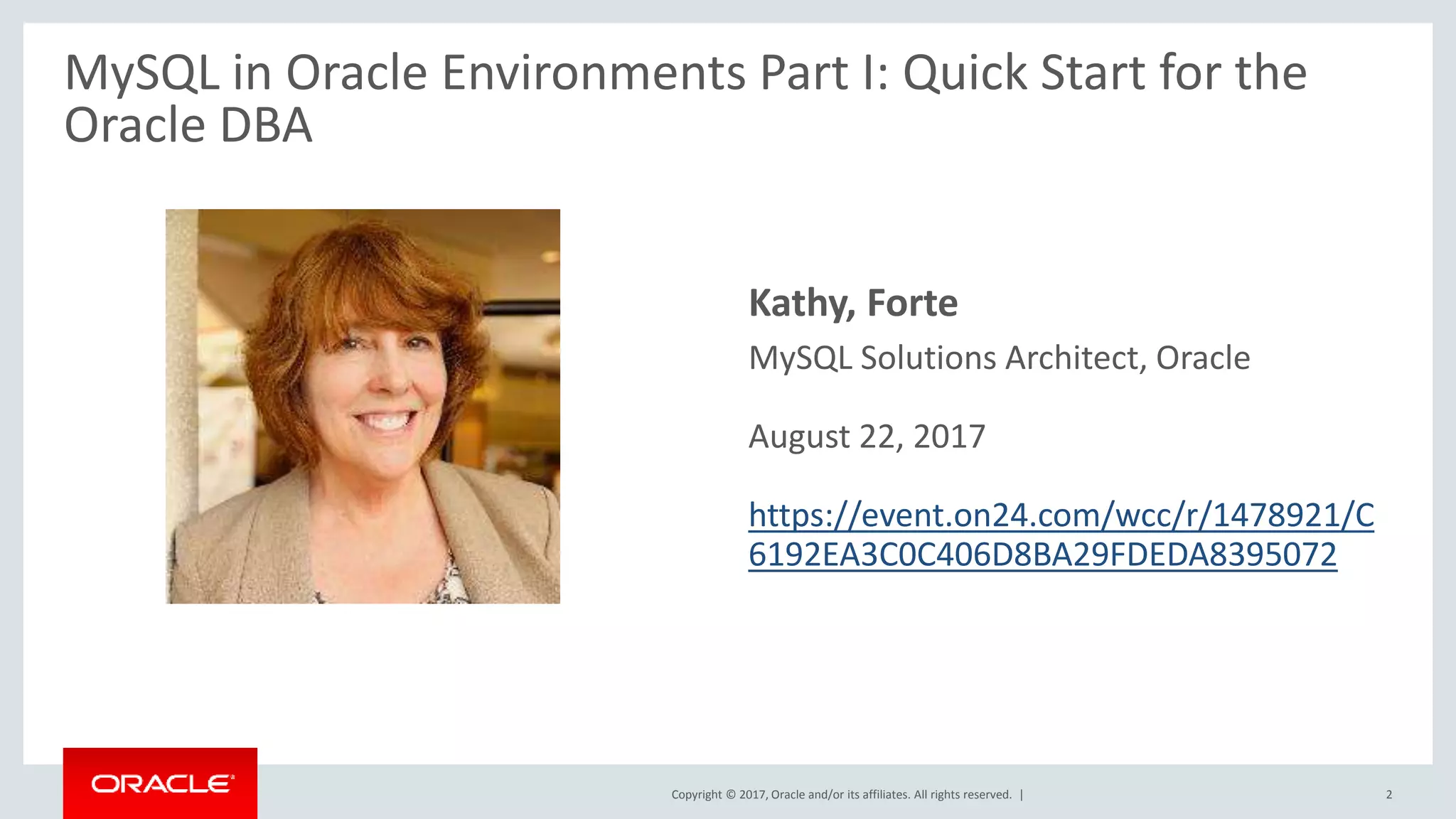
Copyright © 2017, Oracle and/or its affiliates. All rights reserved. | • Kathy, Forte – MySQL Solutions Architect, Oracle – August 22, 2017 – https://event.on24.com/wcc/r/1478921/C 6192EA3C0C406D8BA29FDEDA8395072 2 MySQL in Oracle Environments Part I: Quick Start for the Oracle DBA
Copyright © 2017, Oracle and/or its affiliates. All rights reserved. | Safe Harbor Statement The following is intended to outline our general product direction. It is intended for information purposes only, and may not be incorporated into any contract. It is not a commitment to deliver any material, code, or functionality, and should not be relied upon in making purchasing decisions. The development, release, and timing of any features or functionality described for Oracle’s products remains at the sole discretion of Oracle. 3
Copyright © 2017, Oracle and/or its affiliates. All rights reserved. | • Priscila, Galvao – MySQL Solutions Engineer, Oracle 4
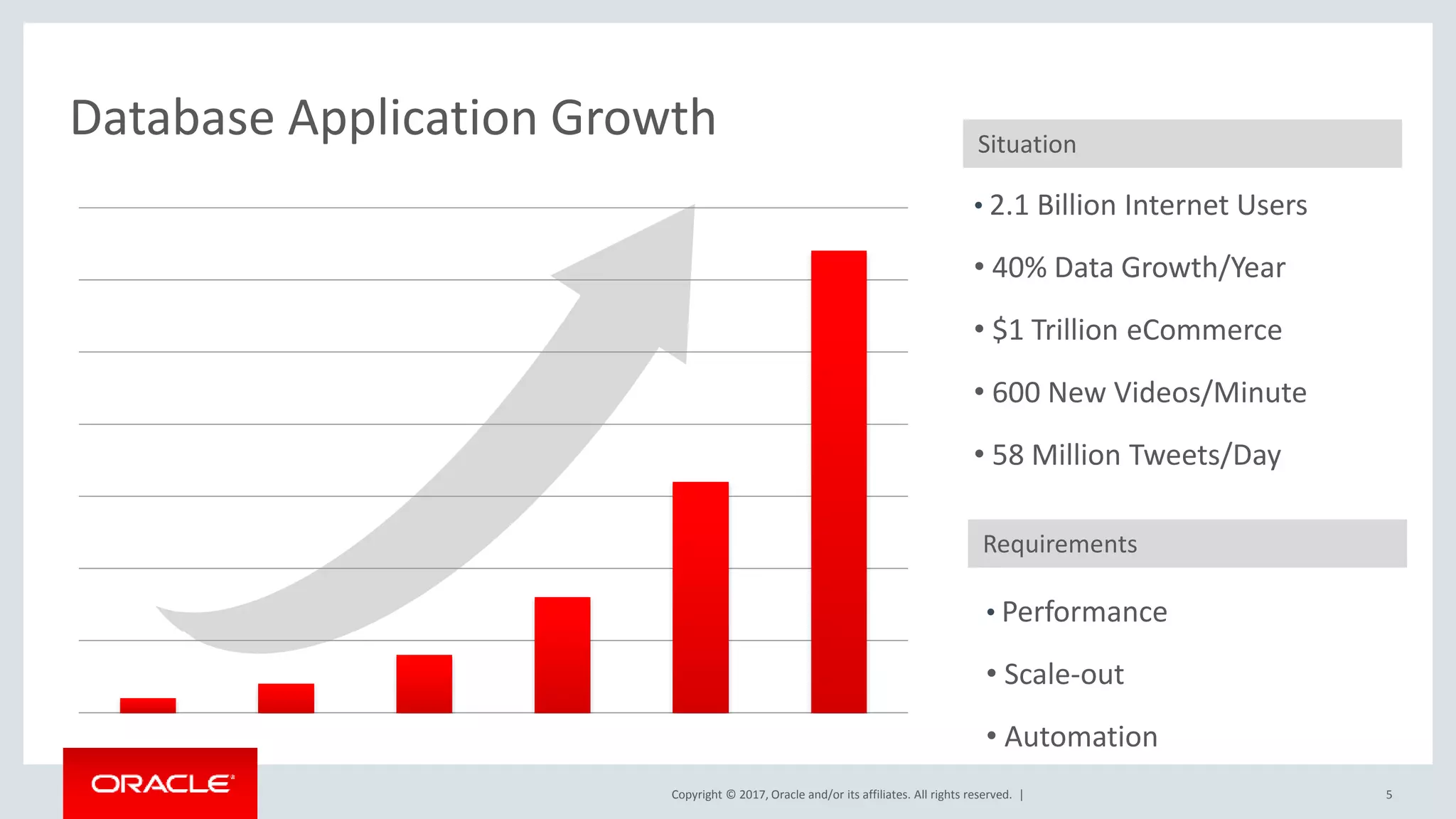
Copyright © 2017, Oracle and/or its affiliates. All rights reserved. | Database Application Growth • 2.1 Billion Internet Users • 40% Data Growth/Year • $1 Trillion eCommerce • 600 New Videos/Minute • 58 Million Tweets/Day Situation Requirements • Performance • Scale-out • Automation 5
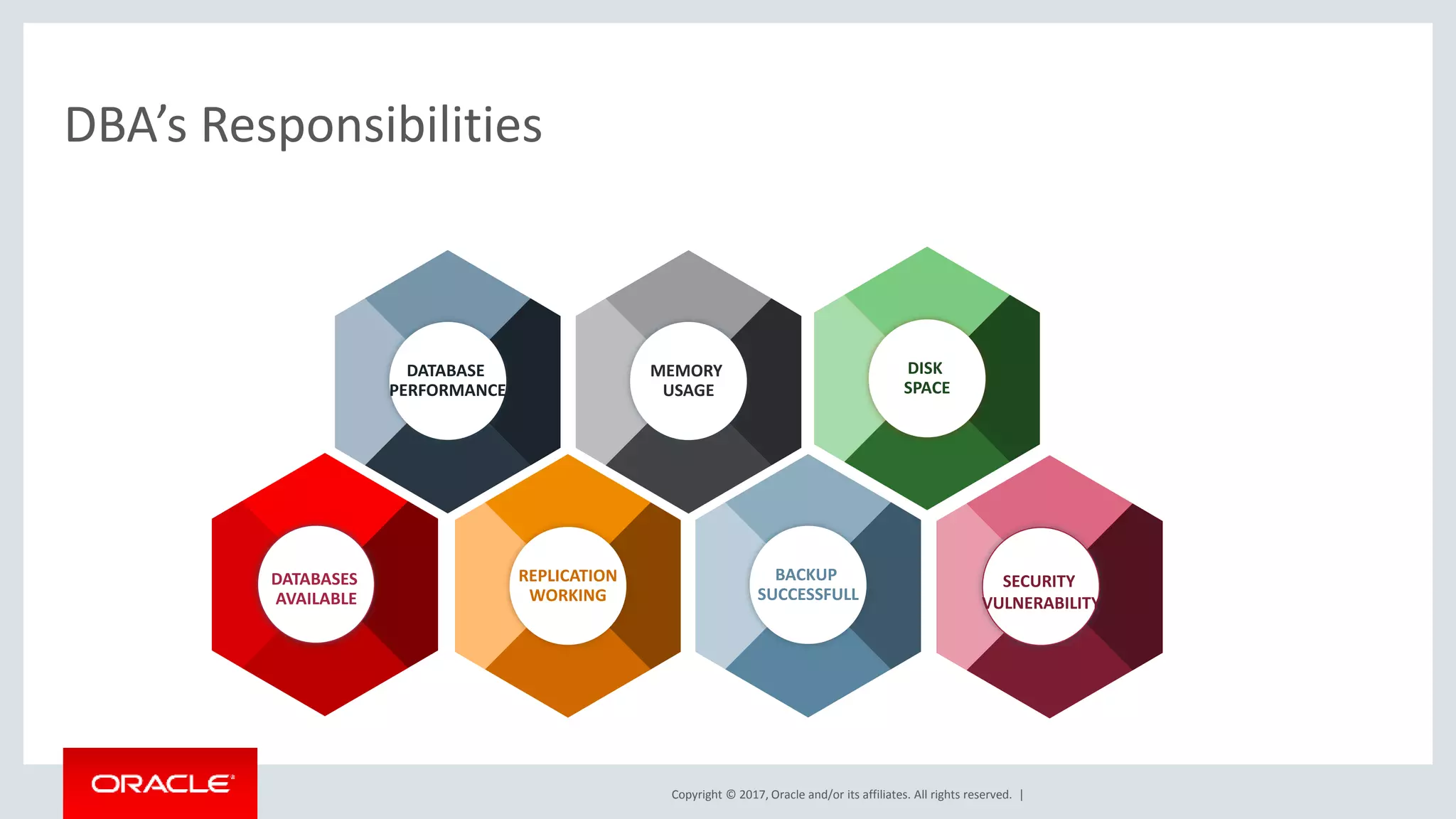
Copyright © 2017, Oracle and/or its affiliates. All rights reserved. | DBA’s Responsibilities BACKUP SUCCESSFULL REPLICATION WORKING DATABASES AVAILABLE DISK SPACE MEMORY USAGE DATABASE PERFORMANCE SECURITY VULNERABILITY
Copyright © 2017, Oracle and/or its affiliates. All rights reserved. | 70% of Oracle customers also use MySQL 7 An estimated
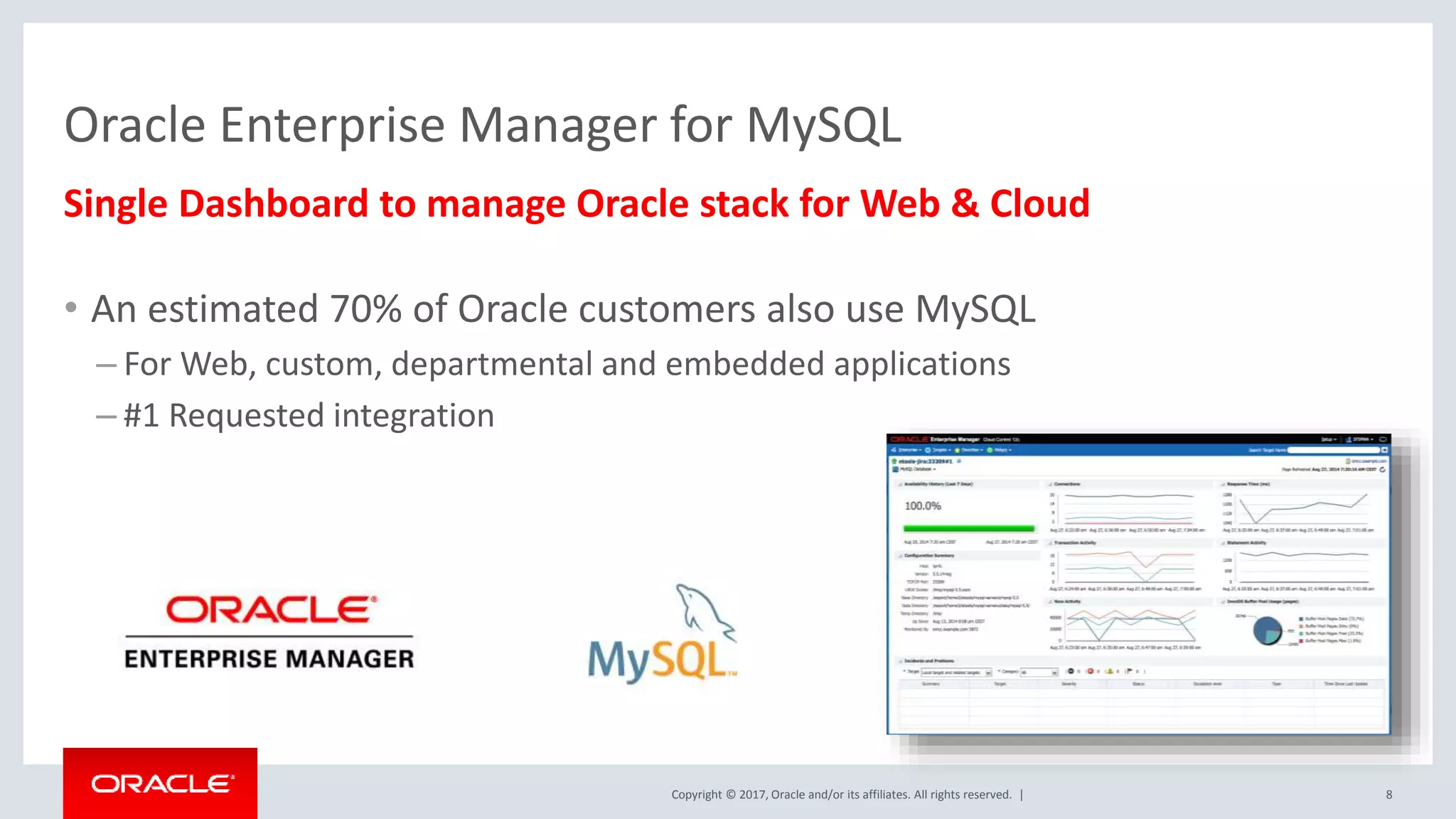
Copyright © 2017, Oracle and/or its affiliates. All rights reserved. | Single Dashboard to manage Oracle stack for Web & Cloud • An estimated 70% of Oracle customers also use MySQL – For Web, custom, departmental and embedded applications – #1 Requested integration 8 Oracle Enterprise Manager for MySQL
Copyright © 2017, Oracle and/or its affiliates. All rights reserved. | Oracle Enterprise Manager : One Tool to Manage Them All! • Manage hardware – Servers – Network switches/hubs – Storage appliances • Manage Virtualization – Oracle VM – VMware vSphere • Manage Cloud – Oracle Cloud – OpenStack – AWS • Manage databases – Oracle Database • Including full DBaaS functionality – SQL Server Plugin – DB2 Plugin – Sybase Plugin – Postgres Plugin – Times Ten Plugin – New MySQL Plugin! • Manage applications – Apache [Tomcat], IIS – Weblogic, Websphere – Oracle Directory Server, Windows Active Directory – JVM, Microsoft .NET – Siebel, Peoplsoft – Oracle Fusion • Manage BI tools • Manage networks – F5, Dell Force10, … 9
Copyright © 2017, Oracle and/or its affiliates. All rights reserved. | MySQL Integration • Integrated as an Oracle provided plugin – Went GA at Oracle Open World 2014 – Requires OEM 12c Release 4 or later – Available from within OEM itself using the Self Update tool – Listed within the Extensibility Exchange • https://apex.oracle.com/pls/apex/f?p=53891:1 – Available as a standalone download (.opar file) • Via MyOracle Support and eDelivery • Supports MySQL 5.5 and later • Included with select commercial editions (Enterprise and CGE) 10
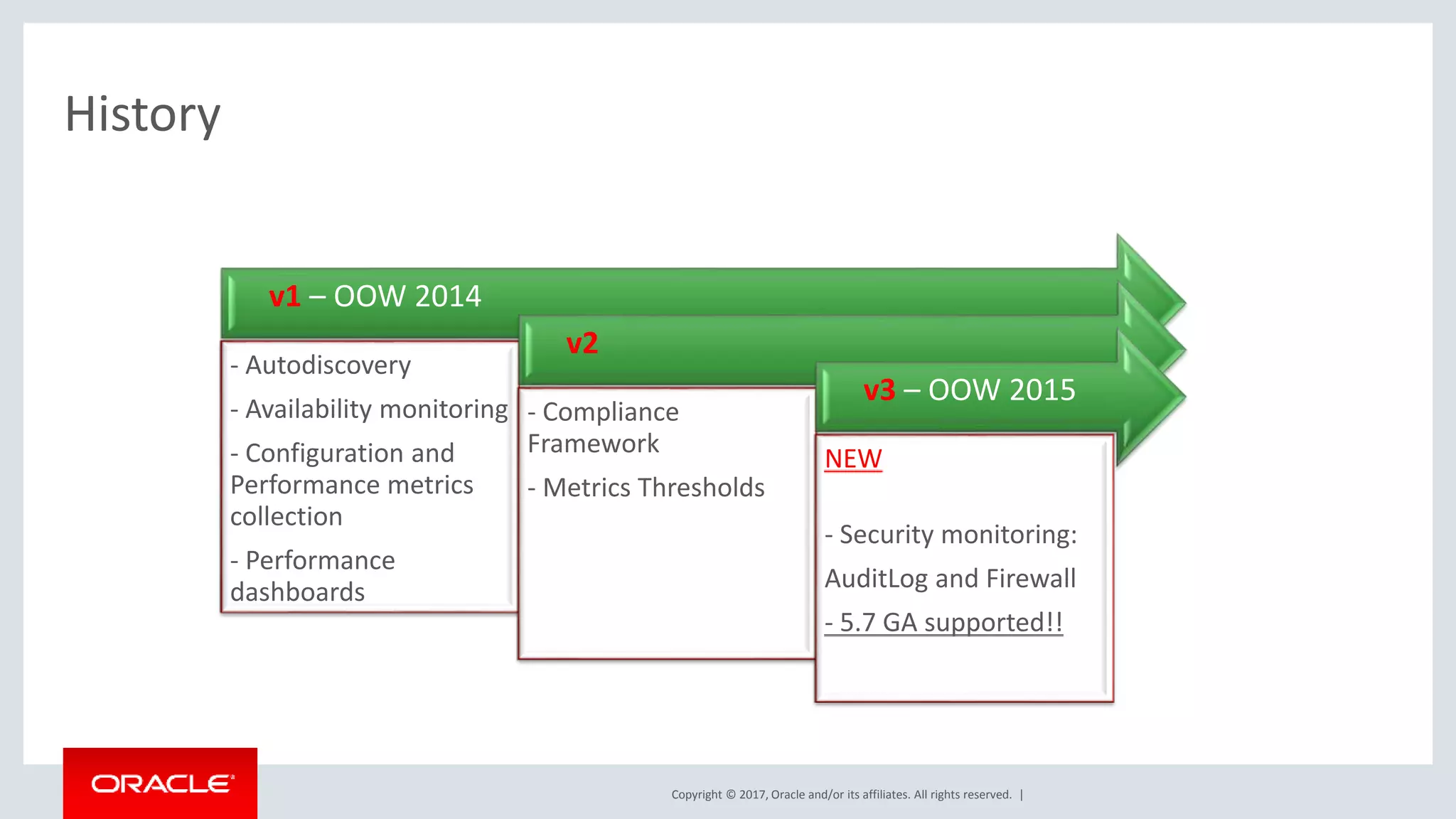
Copyright © 2017, Oracle and/or its affiliates. All rights reserved. | History v1 – OOW 2014 - Autodiscovery - Availability monitoring - Configuration and Performance metrics collection - Performance dashboards v2 - Compliance Framework - Metrics Thresholds v3 – OOW 2015 NEW - Security monitoring: AuditLog and Firewall - 5.7 GA supported!!
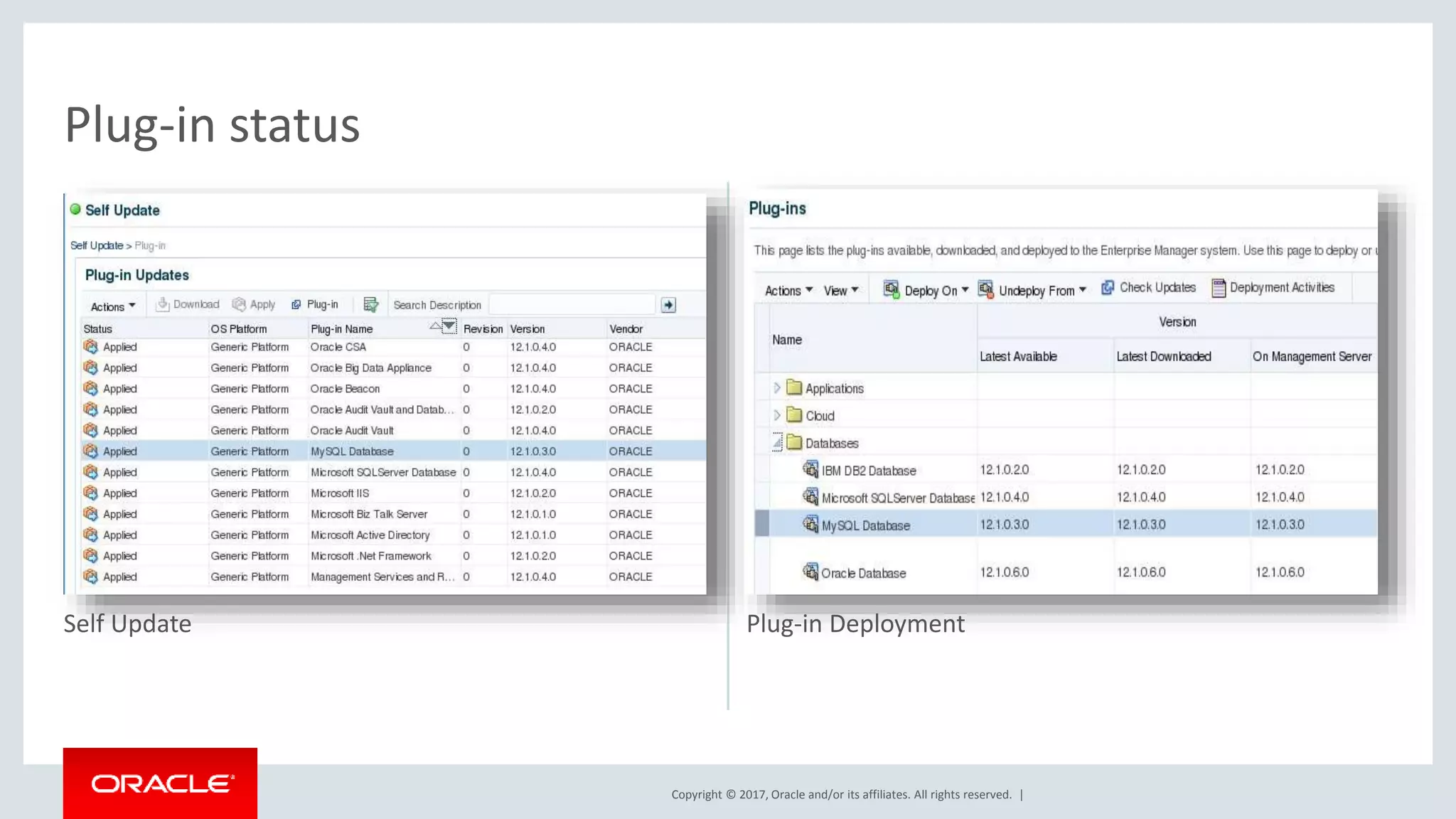
Copyright © 2017, Oracle and/or its affiliates. All rights reserved. | Self Update Plug-in Deployment Plug-in status
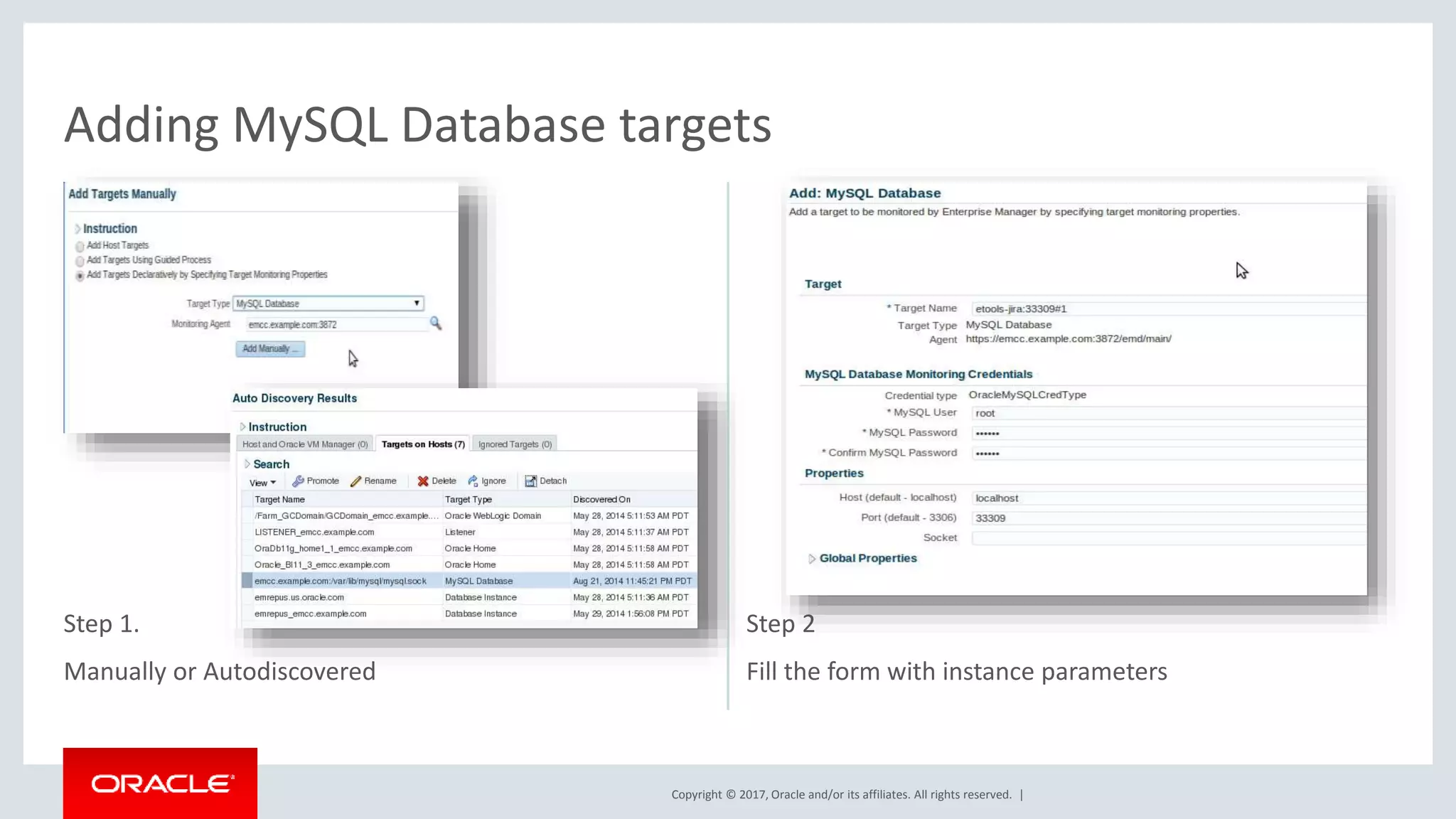
Copyright © 2017, Oracle and/or its affiliates. All rights reserved. | Step 1. Manually or Autodiscovered Step 2 Fill the form with instance parameters Adding MySQL Database targets
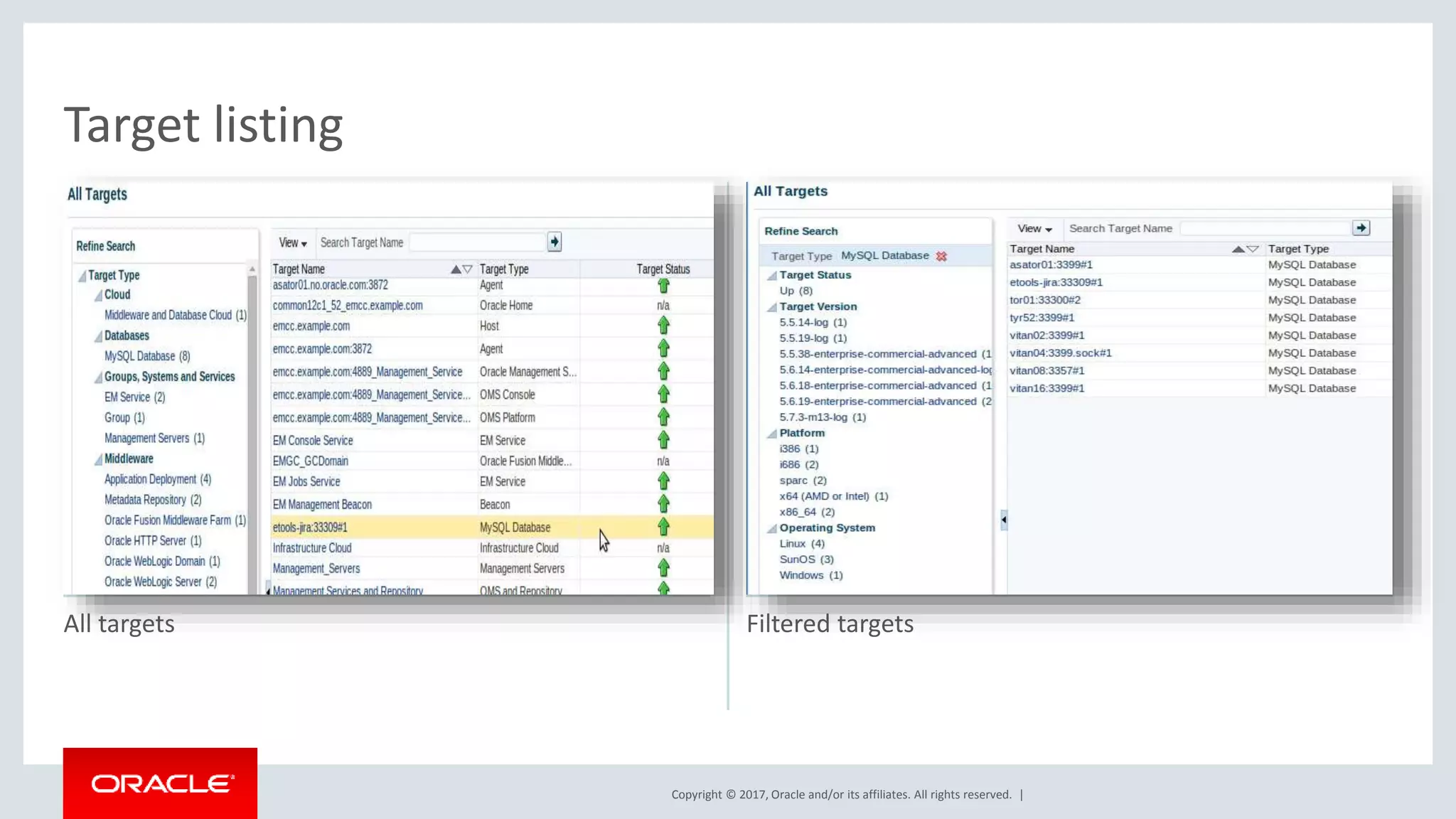
Copyright © 2017, Oracle and/or its affiliates. All rights reserved. | All targets Filtered targets Target listing
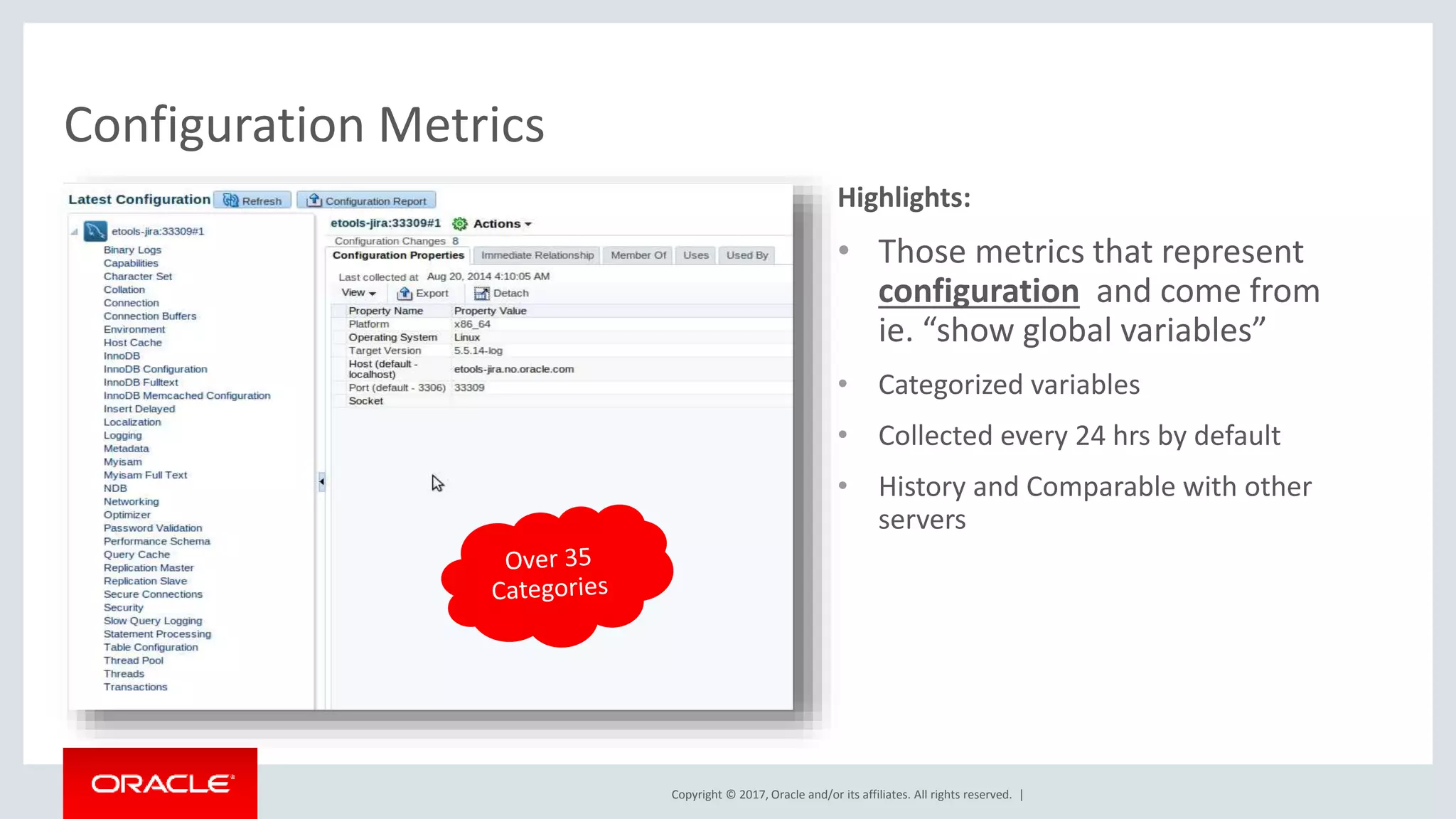
Copyright © 2017, Oracle and/or its affiliates. All rights reserved. | Highlights: • Those metrics that represent configuration and come from ie. “show global variables” • Categorized variables • Collected every 24 hrs by default • History and Comparable with other servers Configuration Metrics
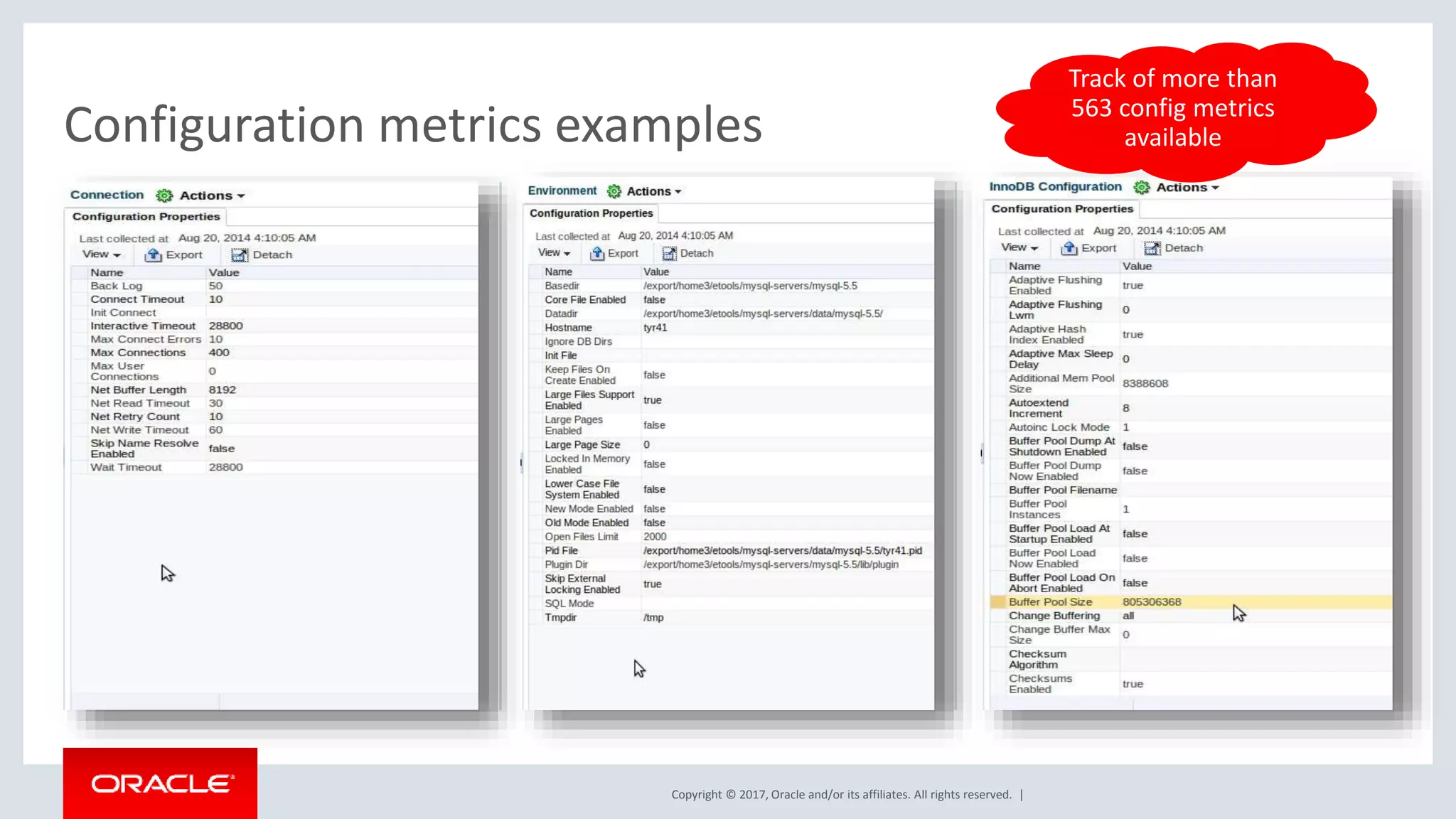
Copyright © 2017, Oracle and/or its affiliates. All rights reserved. | Configuration metrics examples Track of more than 563 config metrics available
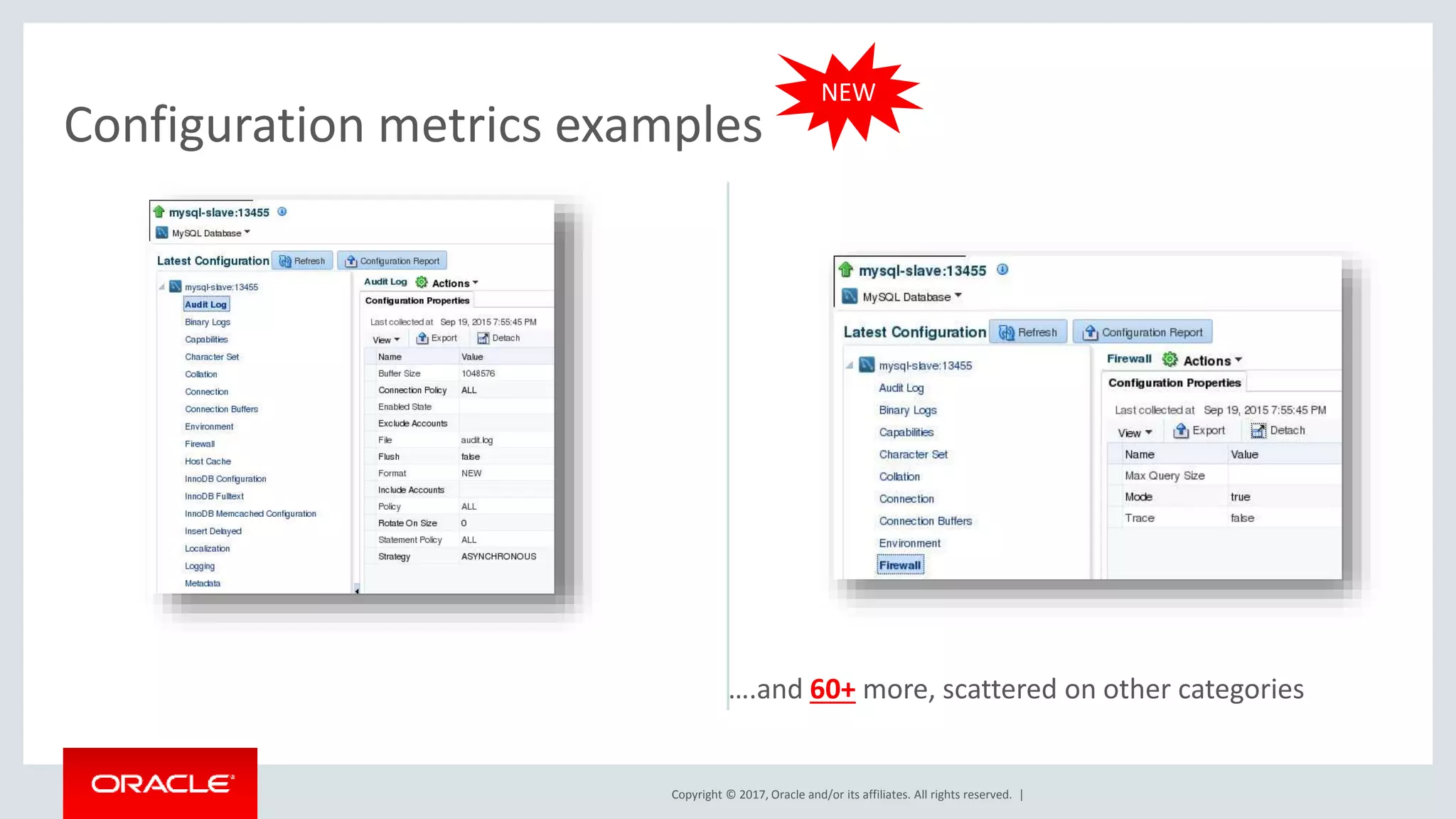
Copyright © 2017, Oracle and/or its affiliates. All rights reserved. | Configuration metrics examples ….and 60+ more, scattered on other categories NEW
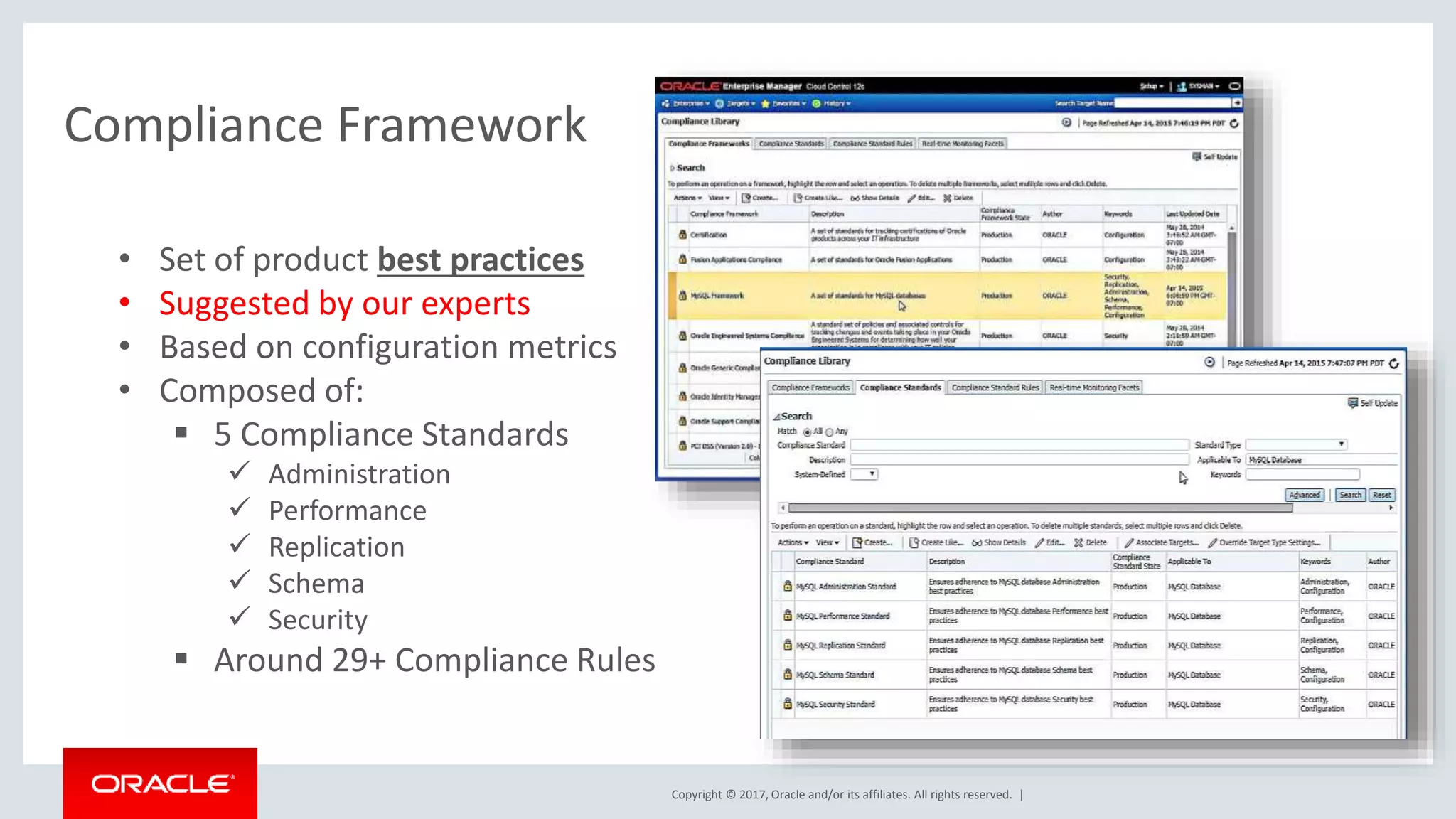
Copyright © 2017, Oracle and/or its affiliates. All rights reserved. | Compliance Framework • Set of product best practices • Suggested by our experts • Based on configuration metrics • Composed of:  5 Compliance Standards  Administration  Performance  Replication  Schema  Security  Around 29+ Compliance Rules
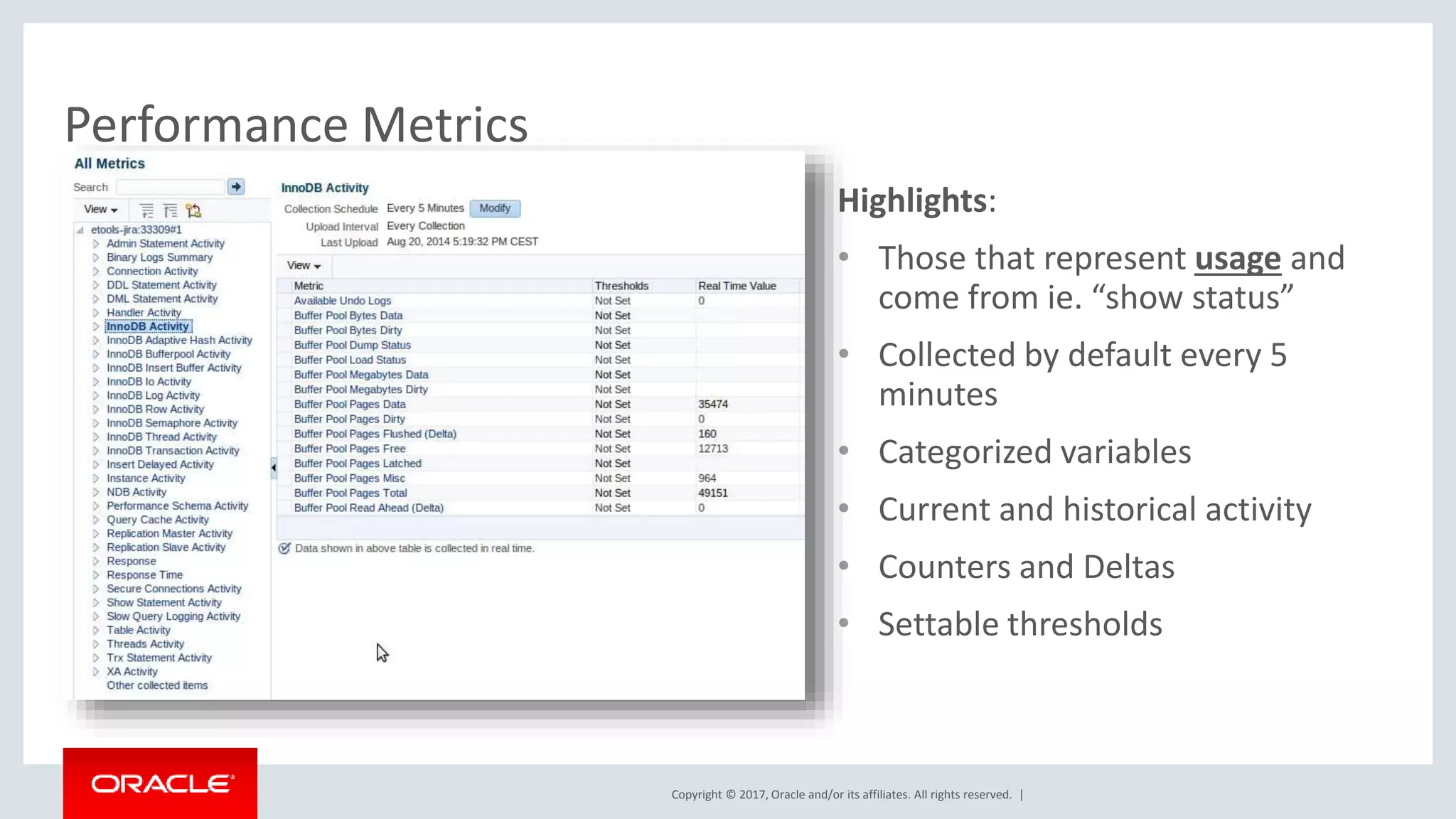
Copyright © 2017, Oracle and/or its affiliates. All rights reserved. | Highlights: • Those that represent usage and come from ie. “show status” • Collected by default every 5 minutes • Categorized variables • Current and historical activity • Counters and Deltas • Settable thresholds Performance Metrics
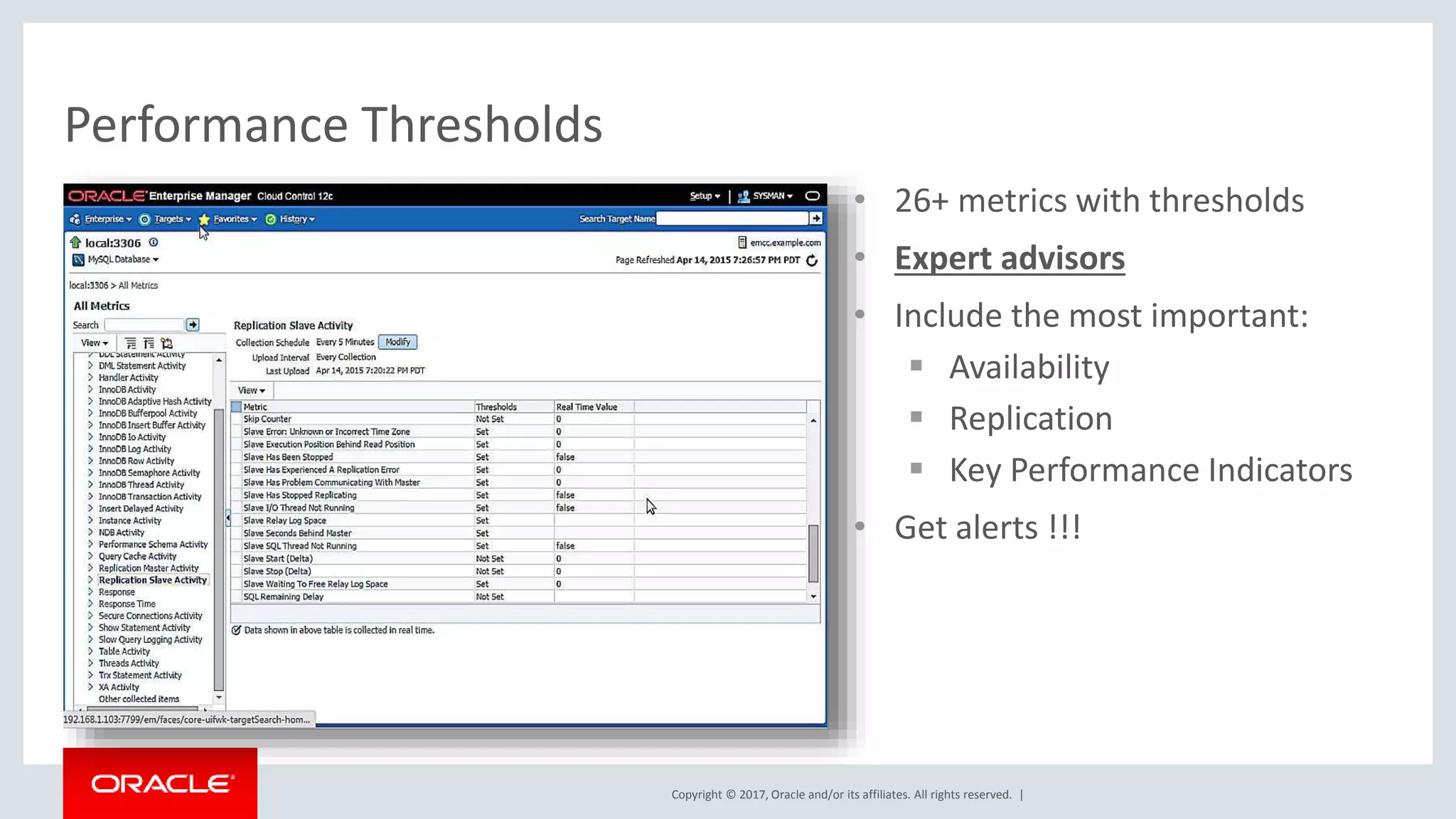
Copyright © 2017, Oracle and/or its affiliates. All rights reserved. | • 26+ metrics with thresholds • Expert advisors • Include the most important:  Availability  Replication  Key Performance Indicators • Get alerts !!! Performance Thresholds
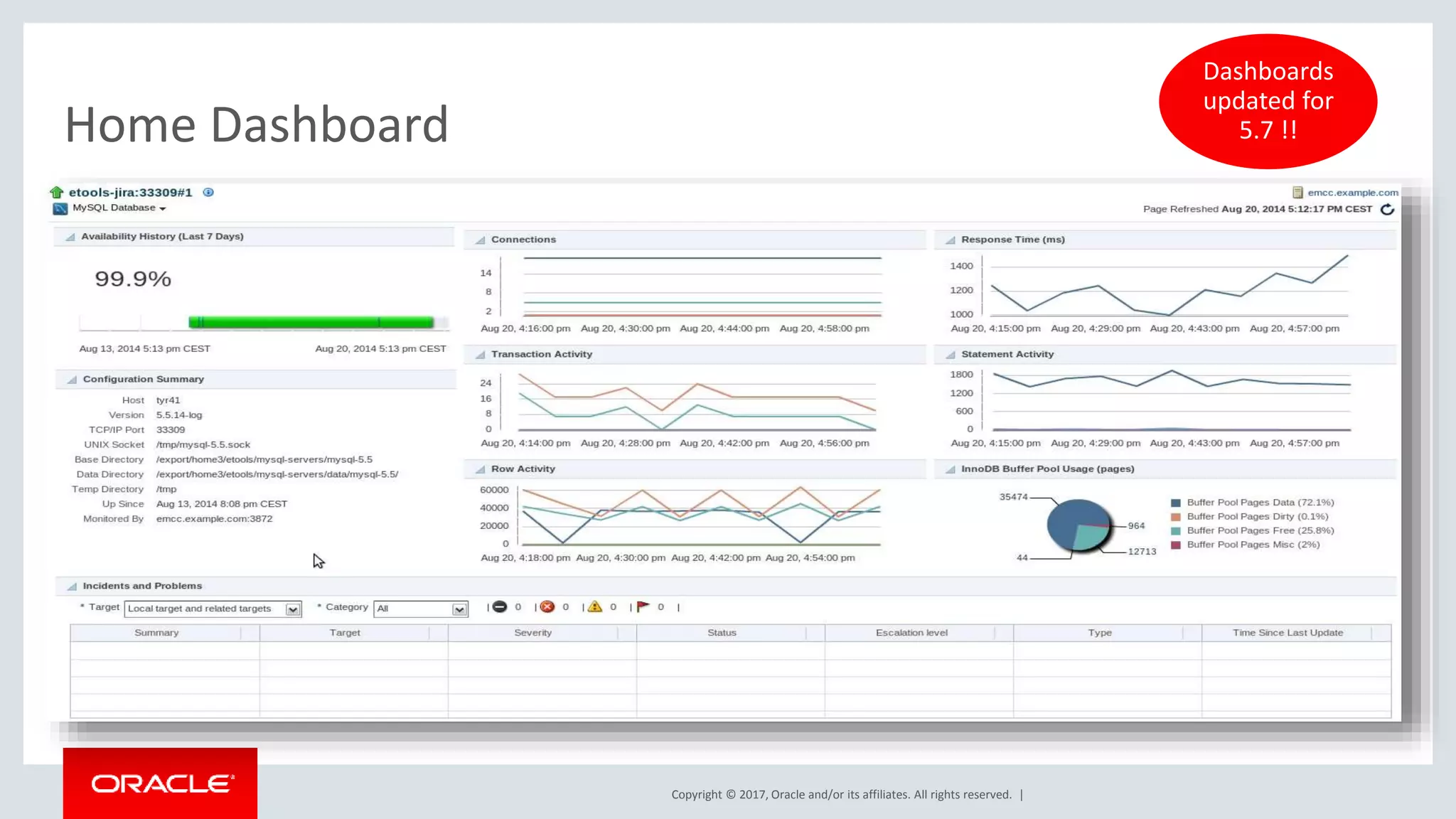
Copyright © 2017, Oracle and/or its affiliates. All rights reserved. | Home Dashboard Dashboards updated for 5.7 !!
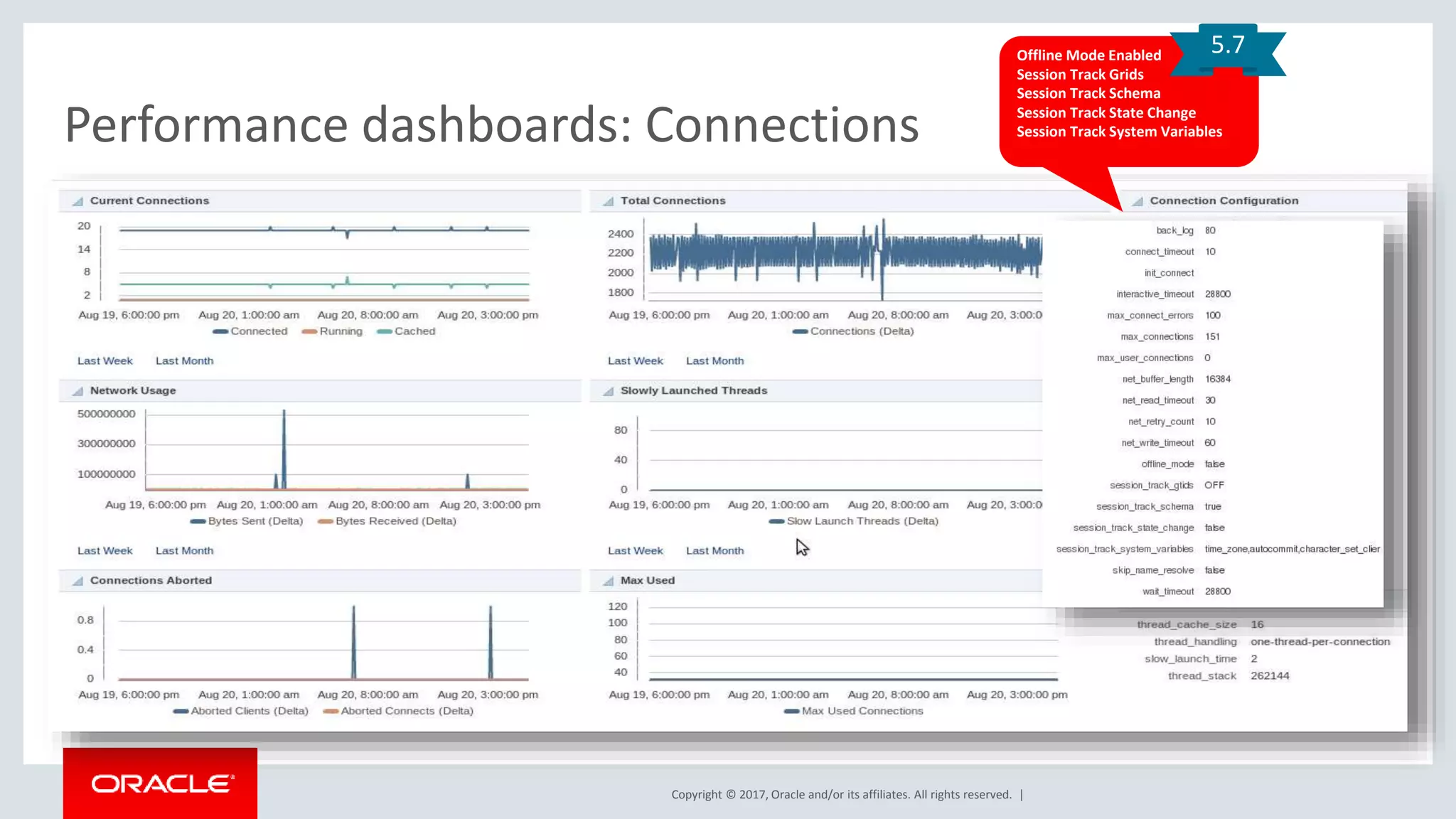
Copyright © 2017, Oracle and/or its affiliates. All rights reserved. | Performance dashboards: Connections Offline Mode Enabled Session Track Grids Session Track Schema Session Track State Change Session Track System Variables 5.7
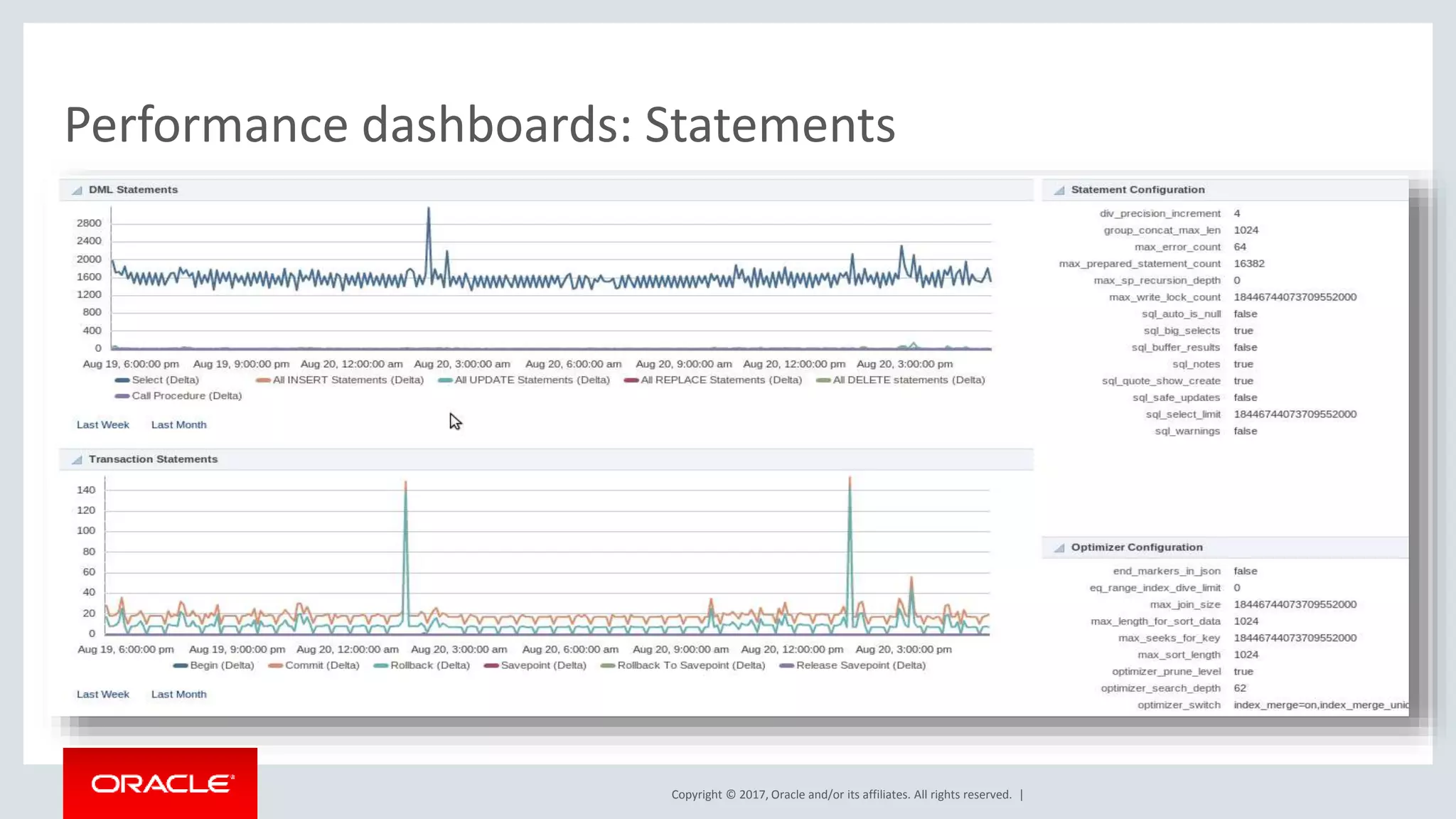
Copyright © 2017, Oracle and/or its affiliates. All rights reserved. | Performance dashboards: Statements
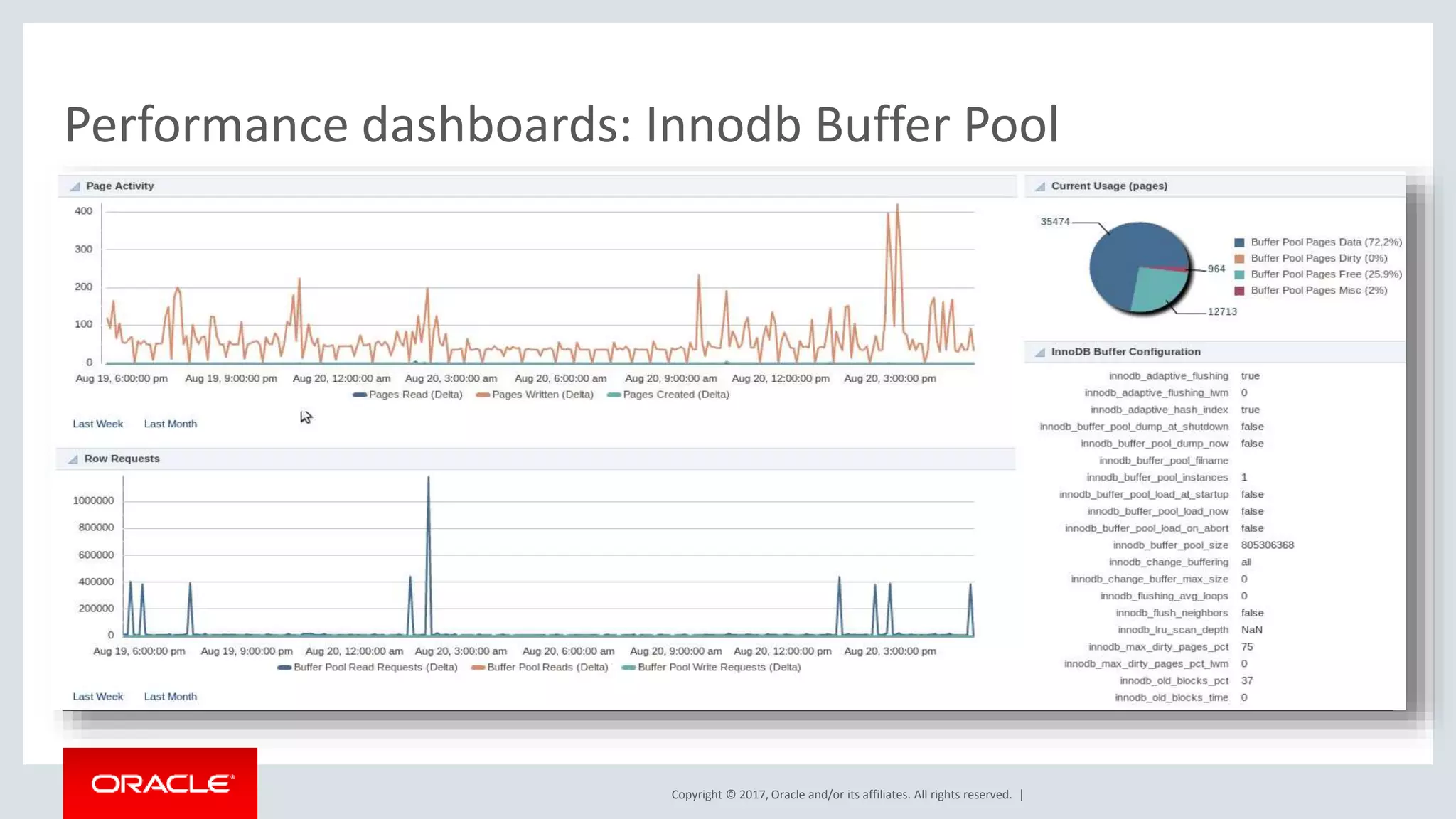
Copyright © 2017, Oracle and/or its affiliates. All rights reserved. | Performance dashboards: Innodb Buffer Pool
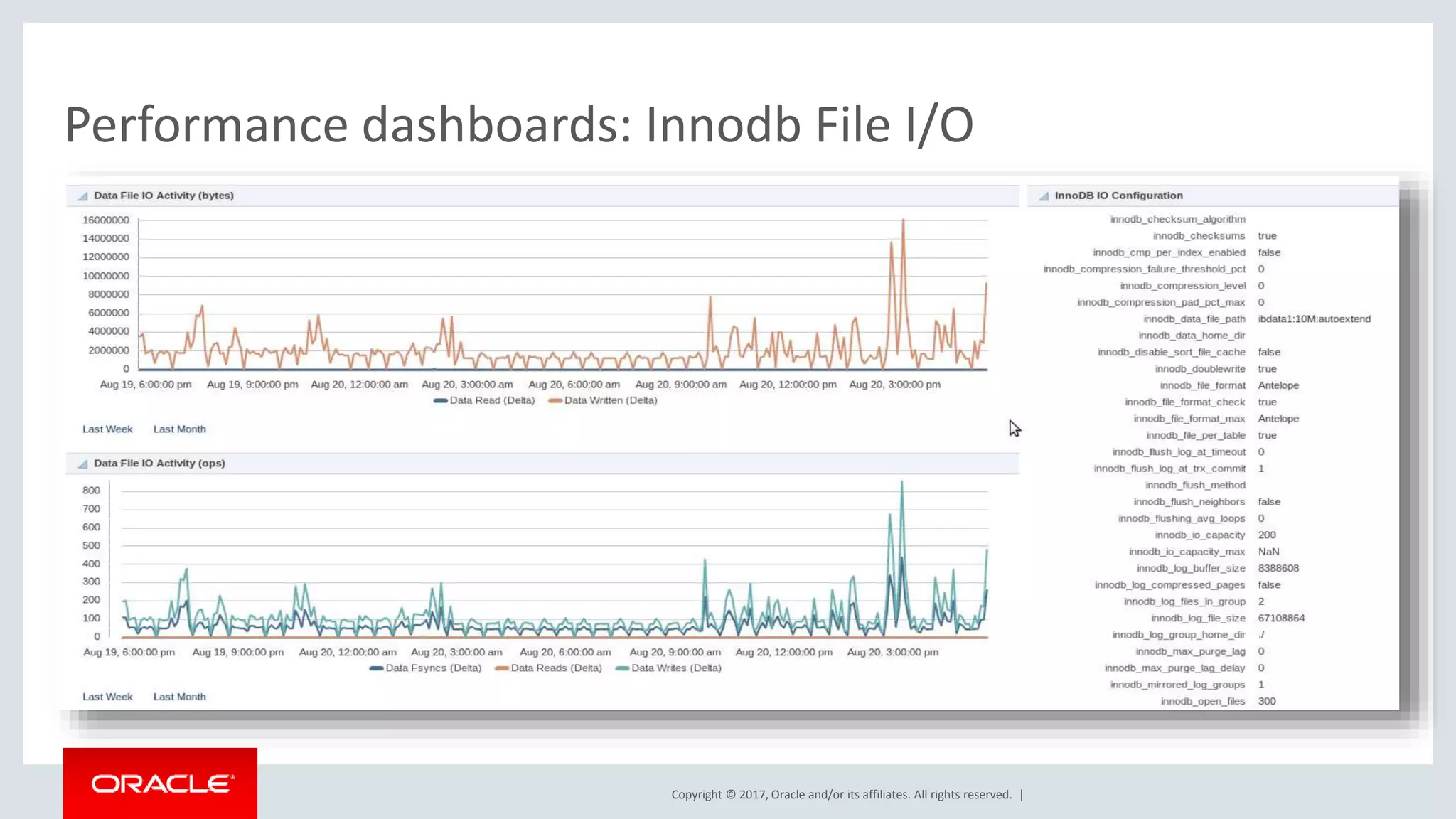
Copyright © 2017, Oracle and/or its affiliates. All rights reserved. | Performance dashboards: Innodb File I/O
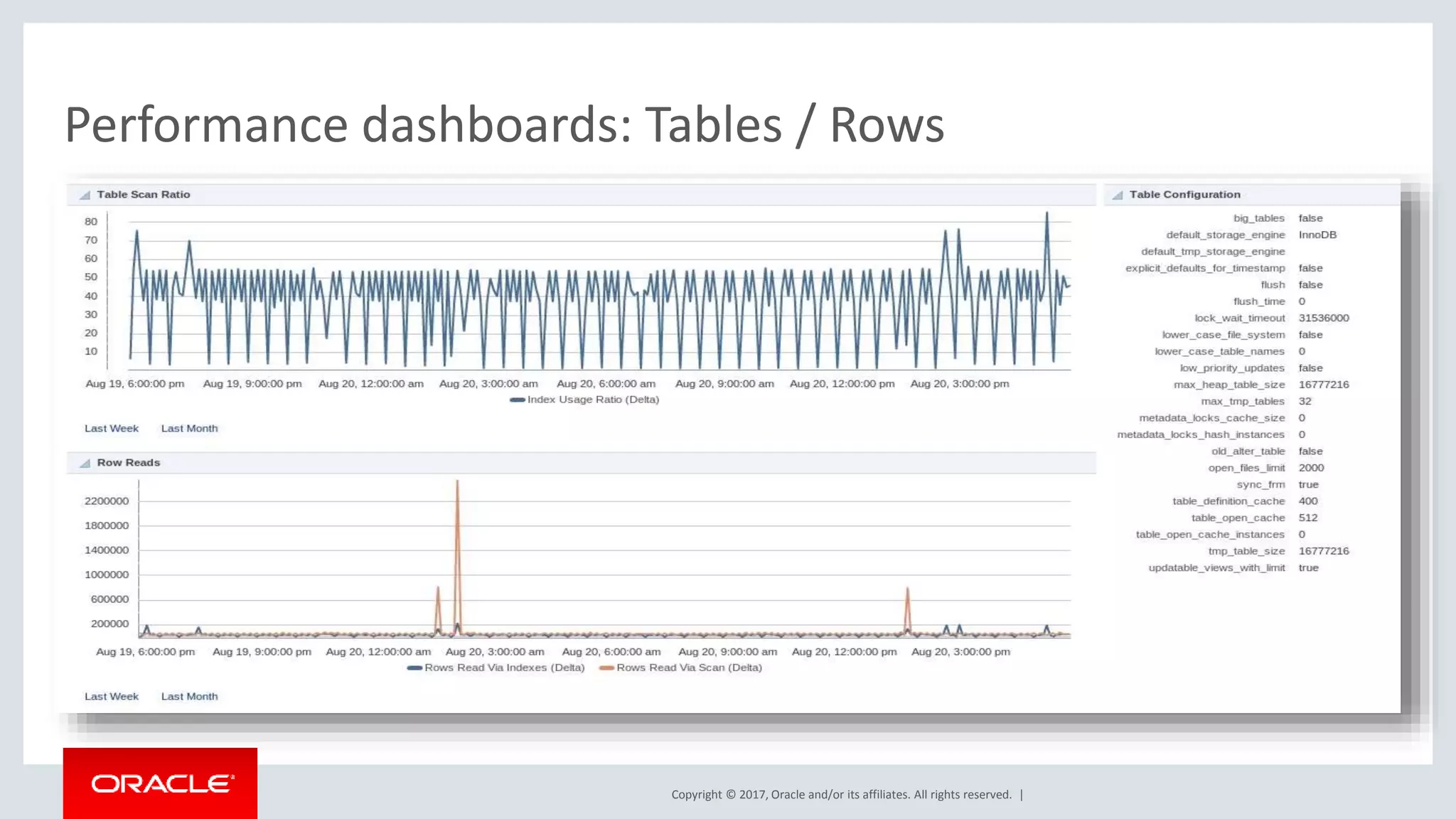
Copyright © 2017, Oracle and/or its affiliates. All rights reserved. | Performance dashboards: Tables / Rows
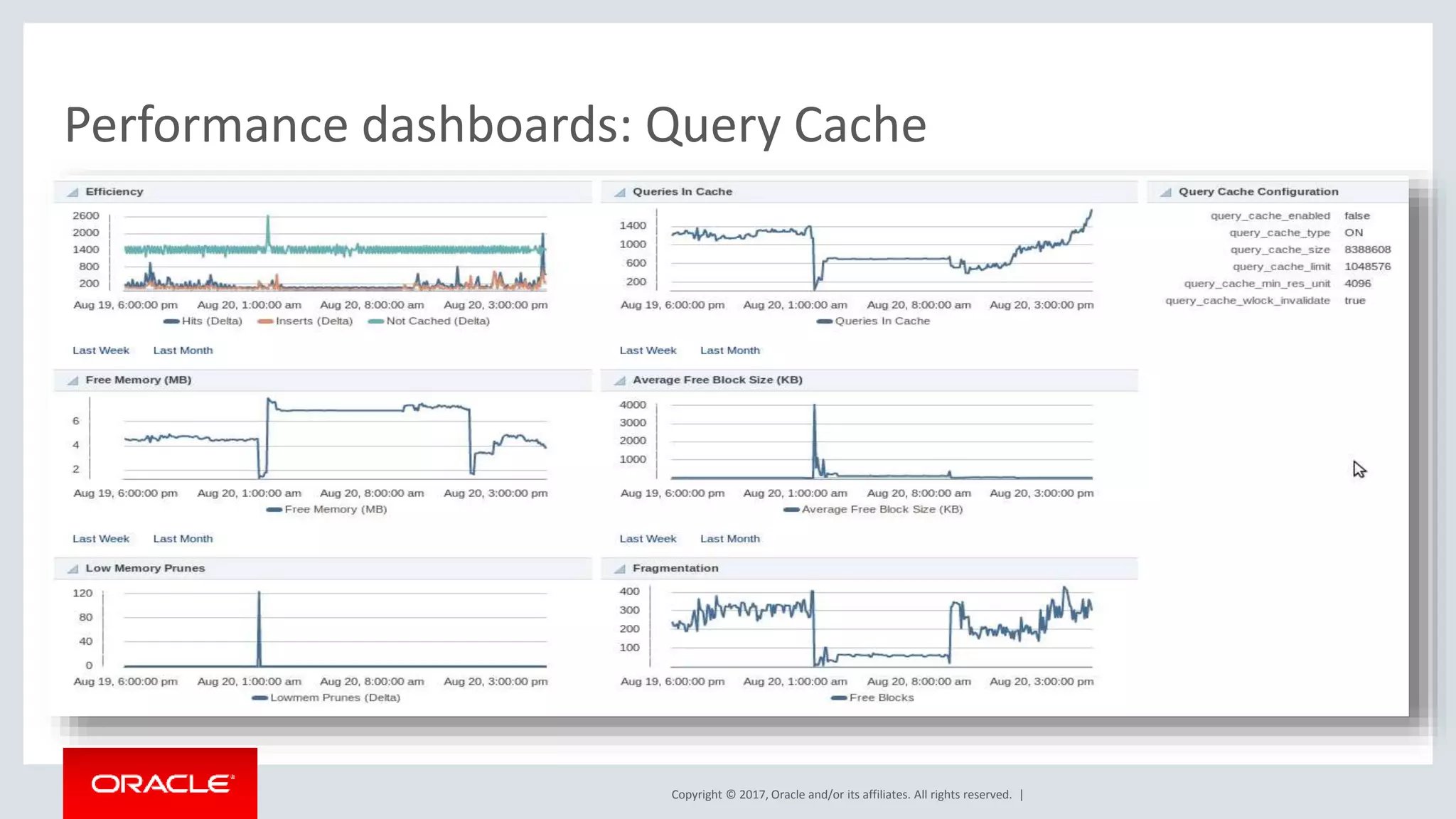
Copyright © 2017, Oracle and/or its affiliates. All rights reserved. | Performance dashboards: Query Cache
Copyright © 2017, Oracle and/or its affiliates. All rights reserved. | MySQL Enterprise Monitor 28
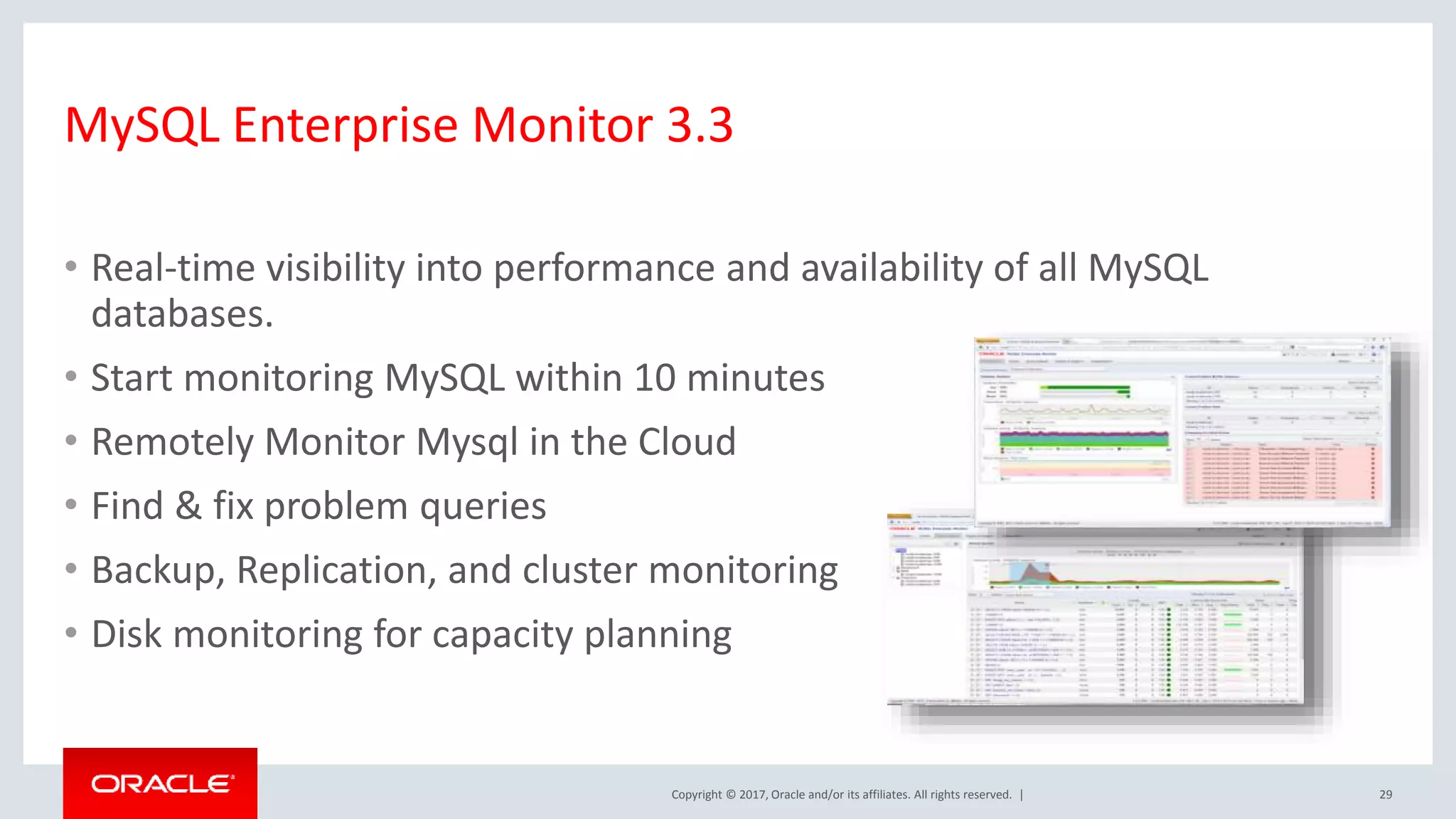
Copyright © 2017, Oracle and/or its affiliates. All rights reserved. | MySQL Enterprise Monitor 3.3 • Real-time visibility into performance and availability of all MySQL databases. • Start monitoring MySQL within 10 minutes • Remotely Monitor Mysql in the Cloud • Find & fix problem queries • Backup, Replication, and cluster monitoring • Disk monitoring for capacity planning 29
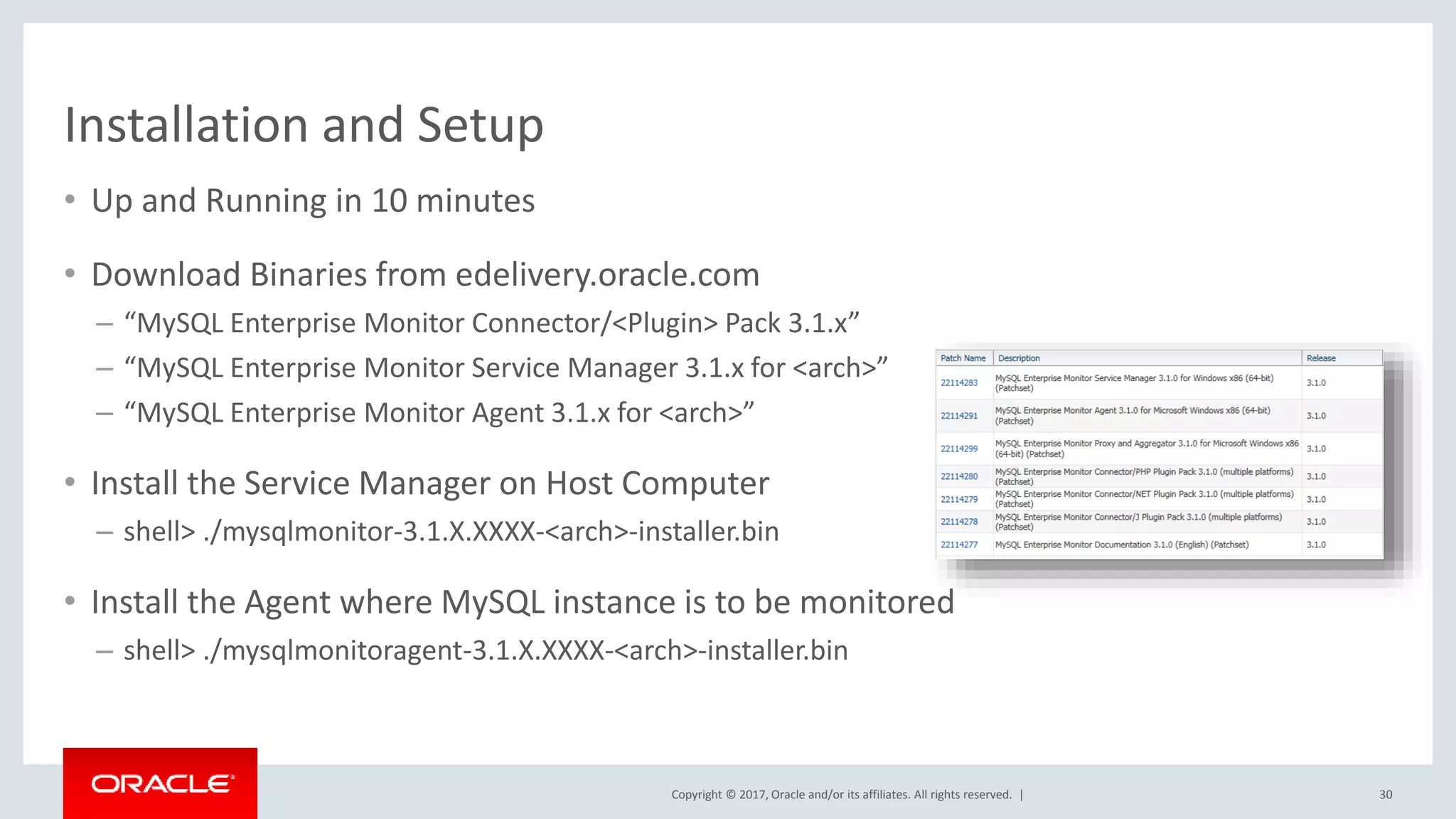
Copyright © 2017, Oracle and/or its affiliates. All rights reserved. | Installation and Setup • Up and Running in 10 minutes • Download Binaries from edelivery.oracle.com – “MySQL Enterprise Monitor Connector/<Plugin> Pack 3.1.x” – “MySQL Enterprise Monitor Service Manager 3.1.x for <arch>” – “MySQL Enterprise Monitor Agent 3.1.x for <arch>” • Install the Service Manager on Host Computer – shell> ./mysqlmonitor-3.1.X.XXXX-<arch>-installer.bin • Install the Agent where MySQL instance is to be monitored – shell> ./mysqlmonitoragent-3.1.X.XXXX-<arch>-installer.bin 30
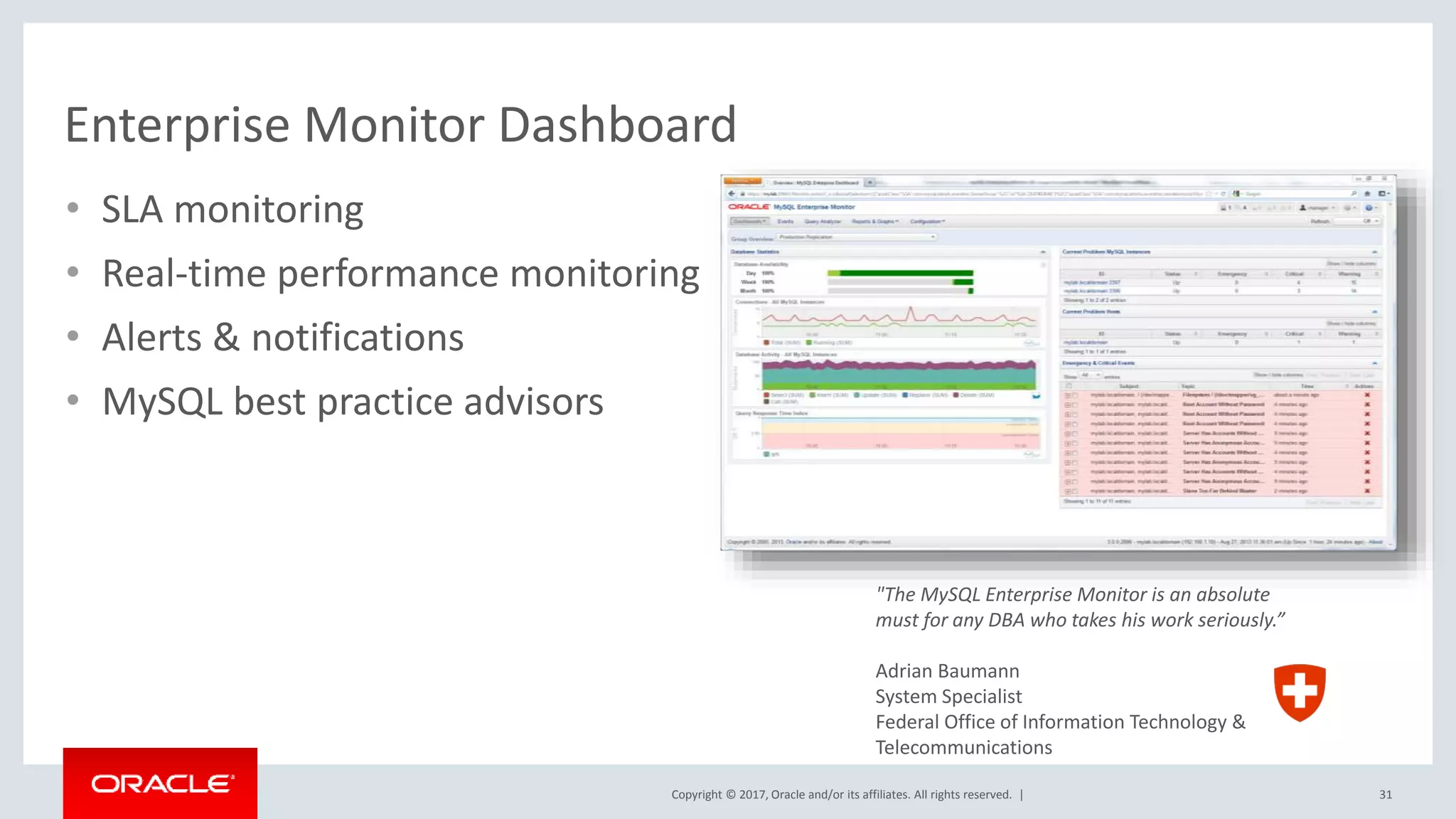
Copyright © 2017, Oracle and/or its affiliates. All rights reserved. | Enterprise Monitor Dashboard 31 "The MySQL Enterprise Monitor is an absolute must for any DBA who takes his work seriously.” Adrian Baumann System Specialist Federal Office of Information Technology & Telecommunications • SLA monitoring • Real-time performance monitoring • Alerts & notifications • MySQL best practice advisors
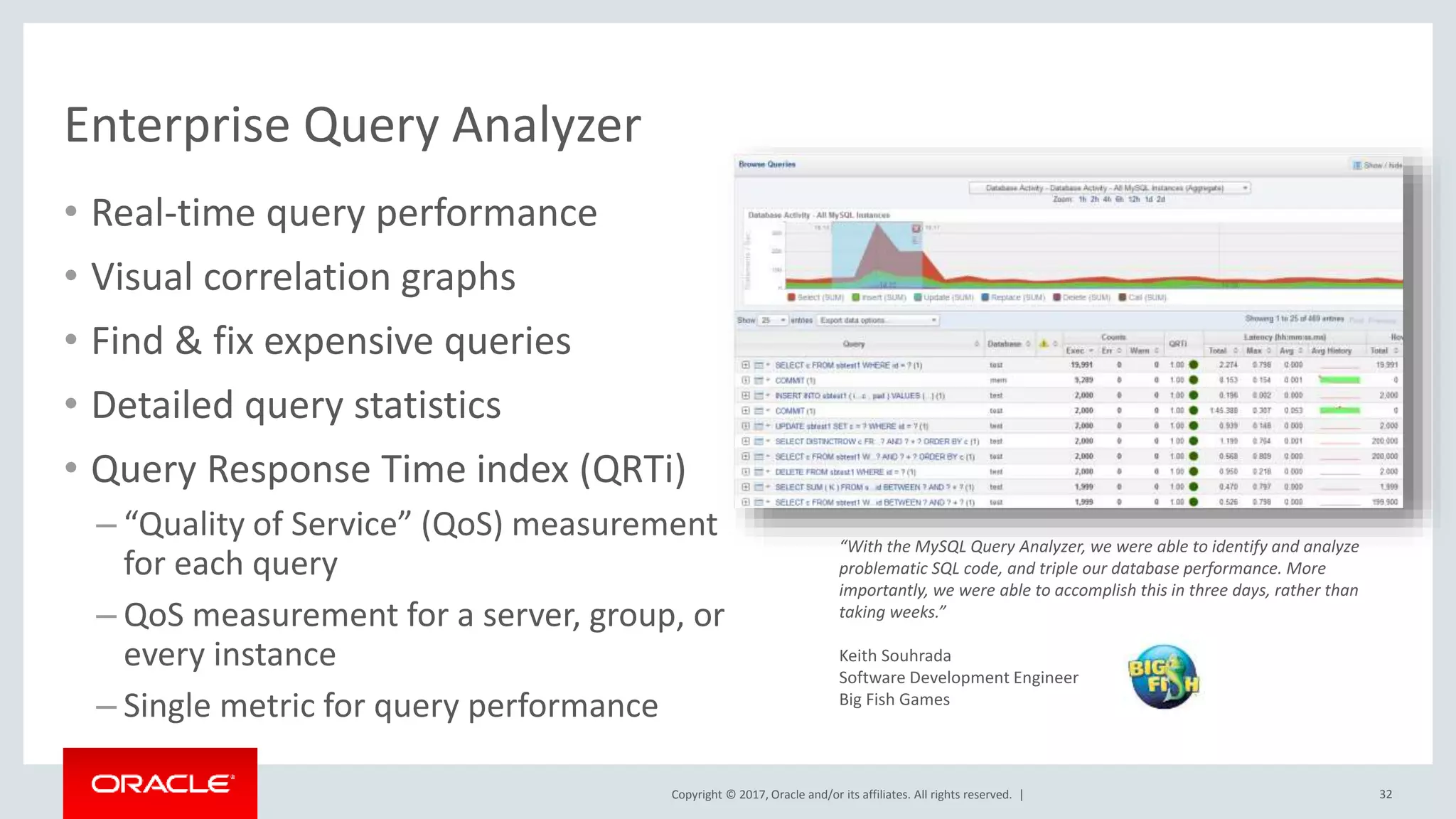
Copyright © 2017, Oracle and/or its affiliates. All rights reserved. | “With the MySQL Query Analyzer, we were able to identify and analyze problematic SQL code, and triple our database performance. More importantly, we were able to accomplish this in three days, rather than taking weeks.” Keith Souhrada Software Development Engineer Big Fish Games Enterprise Query Analyzer 32 • Real-time query performance • Visual correlation graphs • Find & fix expensive queries • Detailed query statistics • Query Response Time index (QRTi) – “Quality of Service” (QoS) measurement for each query – QoS measurement for a server, group, or every instance – Single metric for query performance
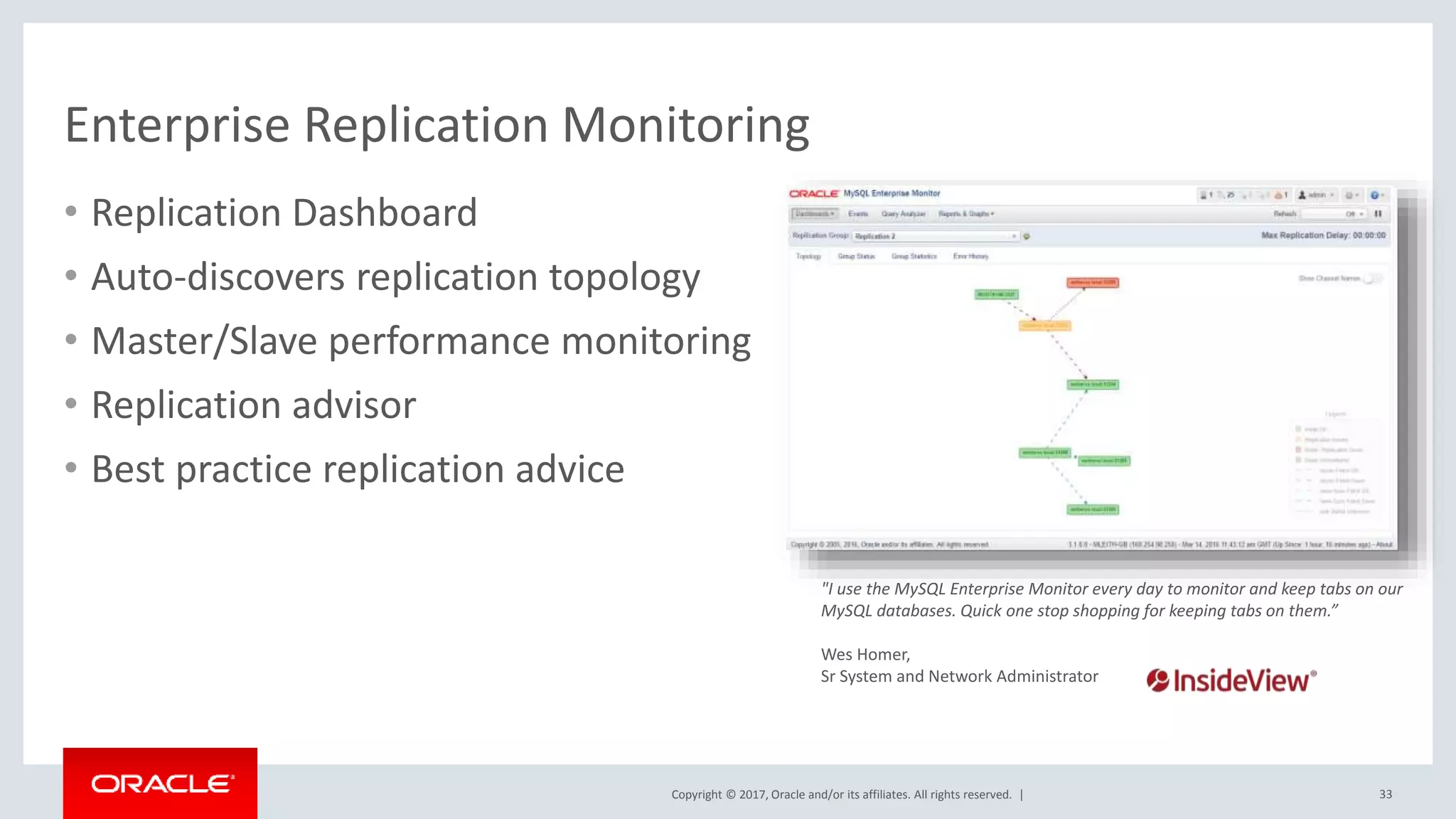
Copyright © 2017, Oracle and/or its affiliates. All rights reserved. | Enterprise Replication Monitoring • Replication Dashboard • Auto-discovers replication topology • Master/Slave performance monitoring • Replication advisor • Best practice replication advice 33 "I use the MySQL Enterprise Monitor every day to monitor and keep tabs on our MySQL databases. Quick one stop shopping for keeping tabs on them.” Wes Homer, Sr System and Network Administrator
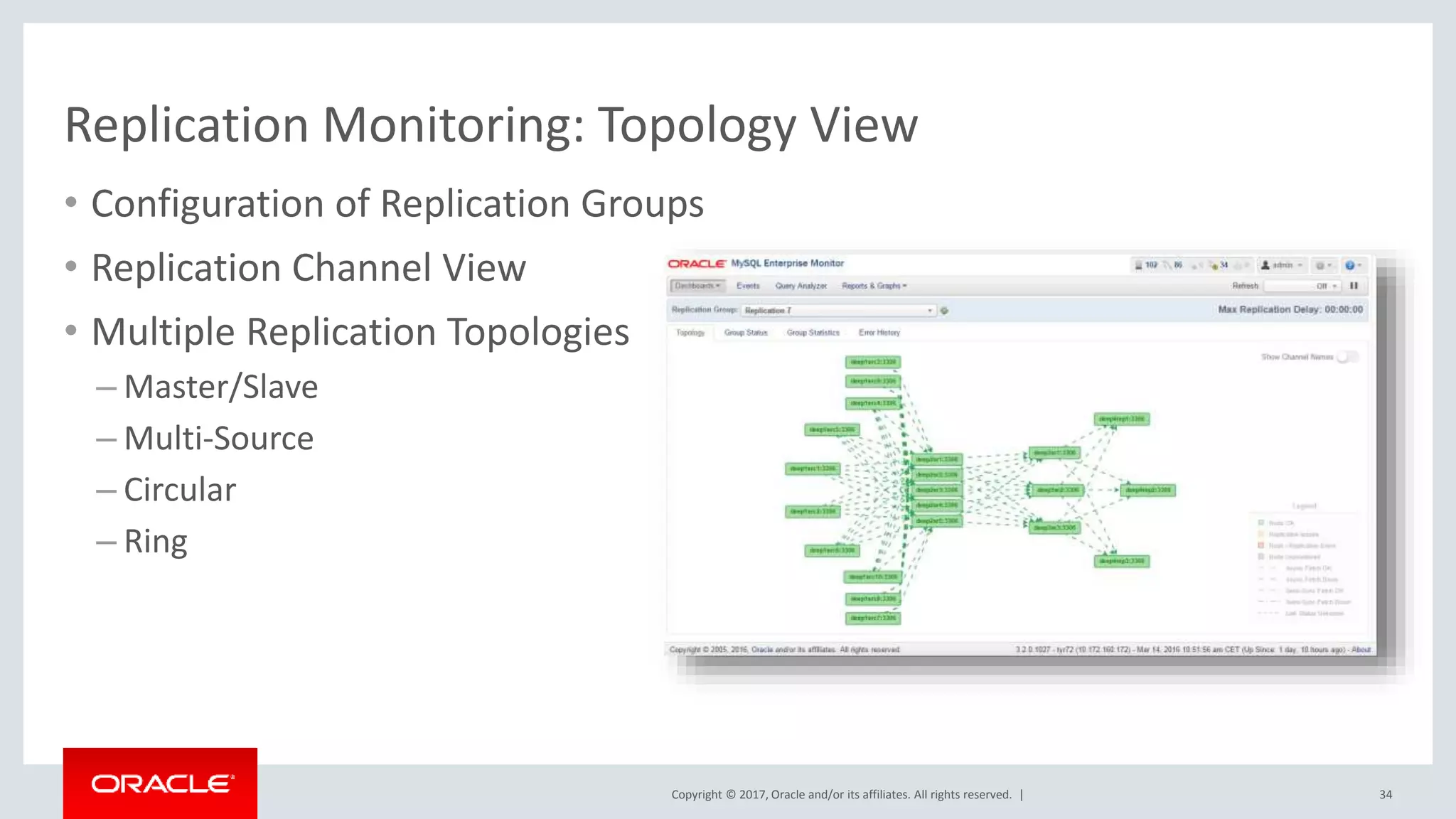
Copyright © 2017, Oracle and/or its affiliates. All rights reserved. | Replication Monitoring: Topology View • Configuration of Replication Groups • Replication Channel View • Multiple Replication Topologies – Master/Slave – Multi-Source – Circular – Ring 34
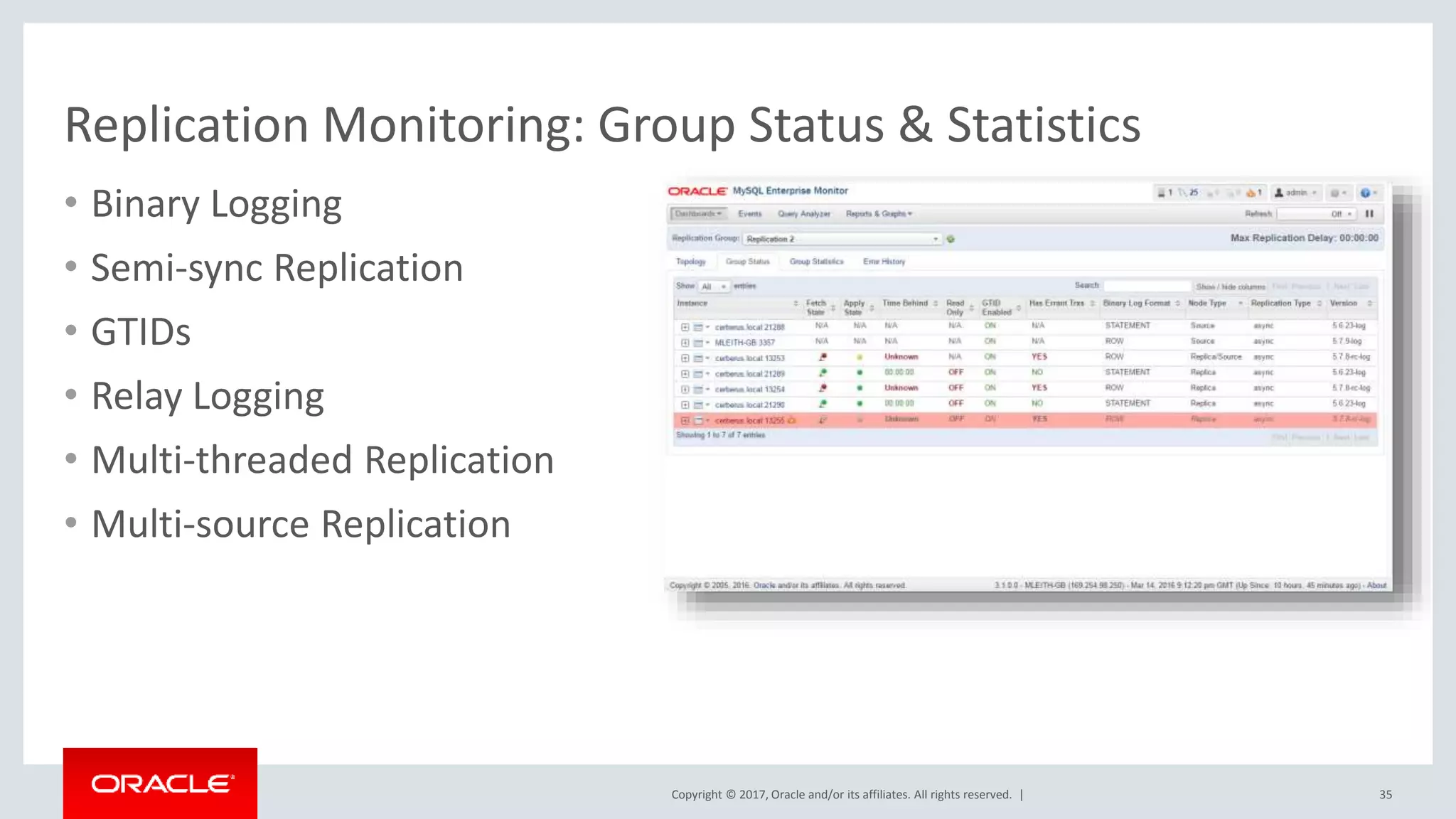
Copyright © 2017, Oracle and/or its affiliates. All rights reserved. | Replication Monitoring: Group Status & Statistics • Binary Logging • Semi-sync Replication • GTIDs • Relay Logging • Multi-threaded Replication • Multi-source Replication 35
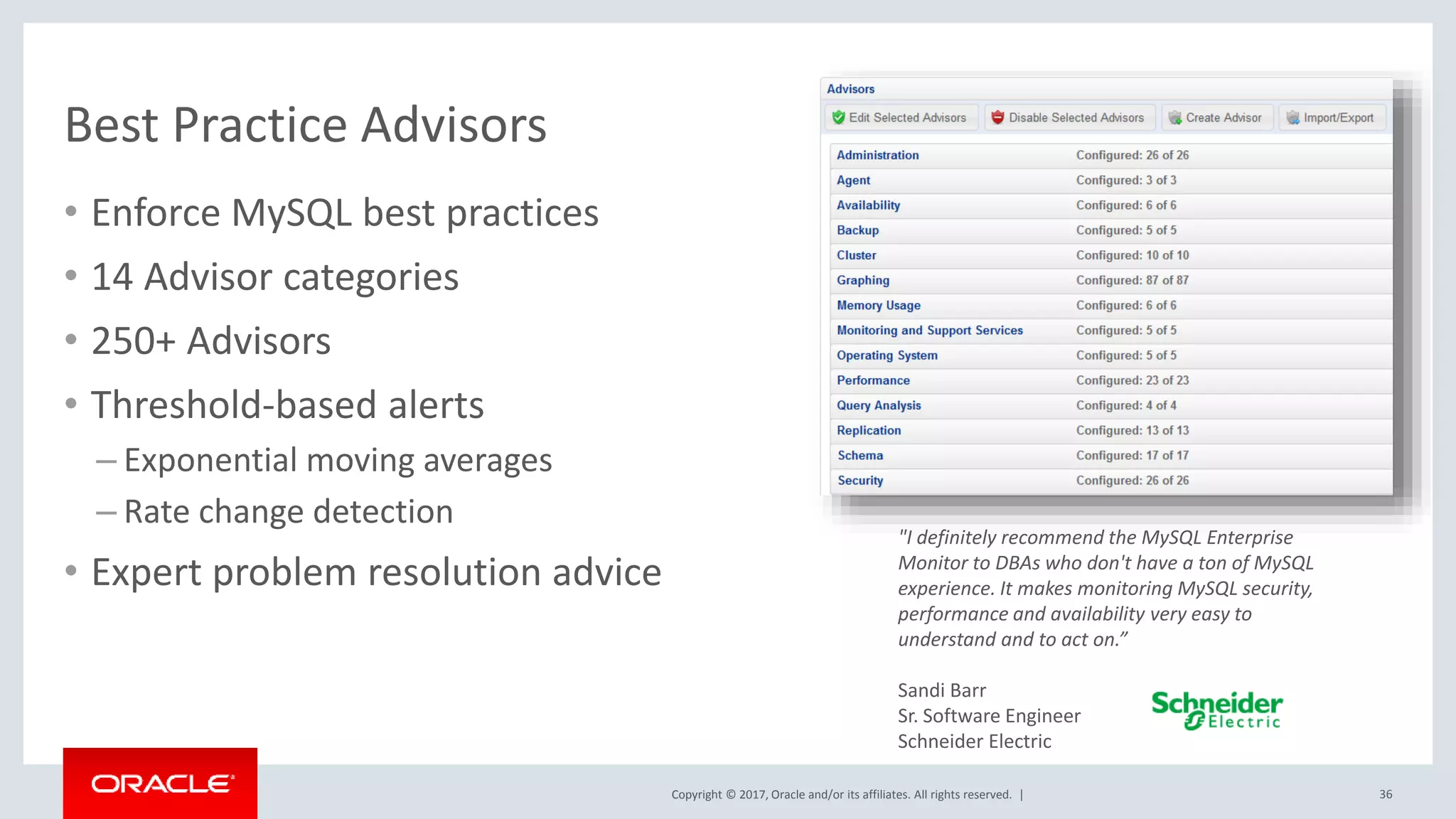
Copyright © 2017, Oracle and/or its affiliates. All rights reserved. | Best Practice Advisors 36 • Enforce MySQL best practices • 14 Advisor categories • 250+ Advisors • Threshold-based alerts – Exponential moving averages – Rate change detection • Expert problem resolution advice "I definitely recommend the MySQL Enterprise Monitor to DBAs who don't have a ton of MySQL experience. It makes monitoring MySQL security, performance and availability very easy to understand and to act on.” Sandi Barr Sr. Software Engineer Schneider Electric
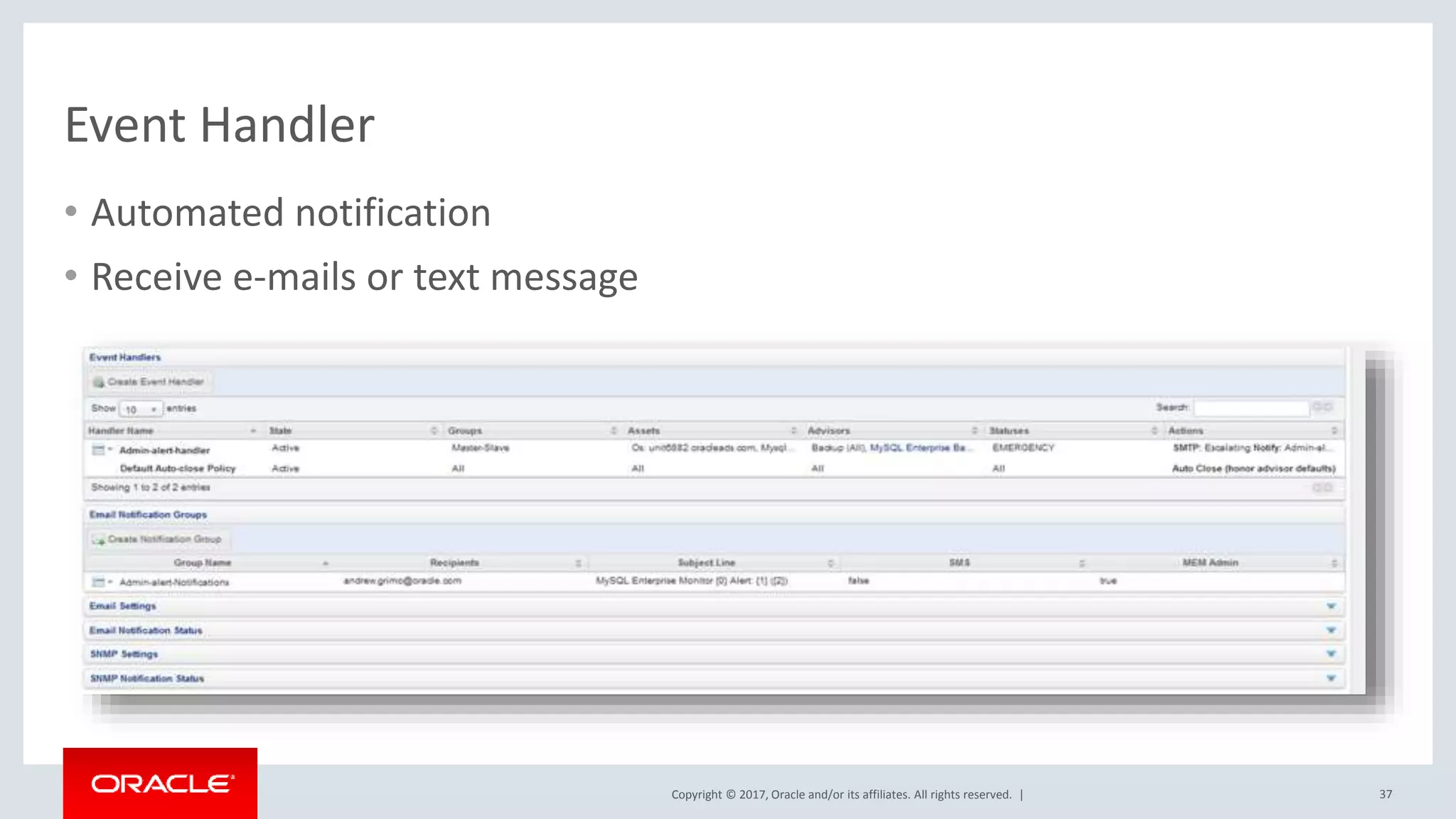
Copyright © 2017, Oracle and/or its affiliates. All rights reserved. | Event Handler 37 • Automated notification • Receive e-mails or text message
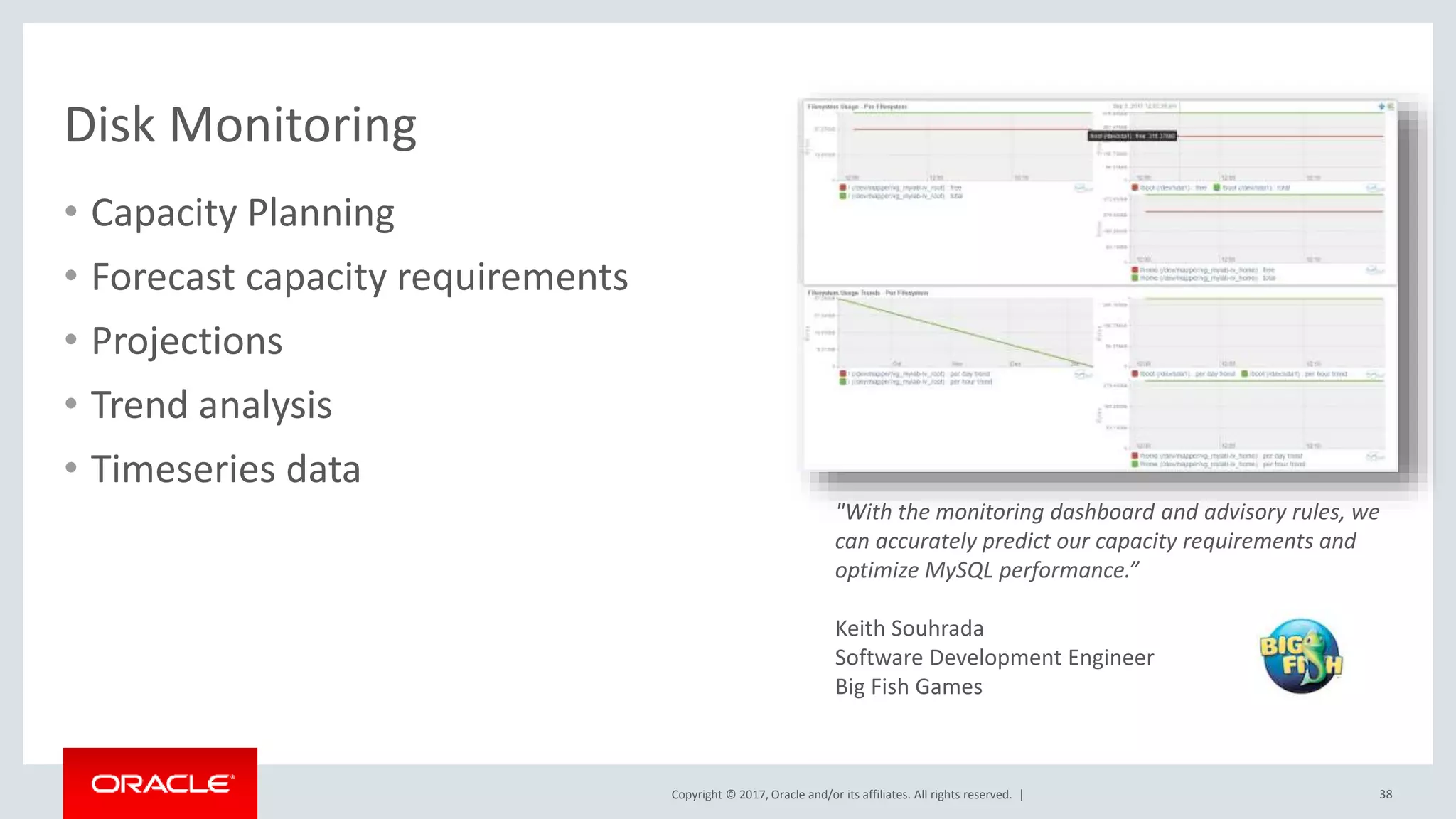
Copyright © 2017, Oracle and/or its affiliates. All rights reserved. | Disk Monitoring • Capacity Planning • Forecast capacity requirements • Projections • Trend analysis • Timeseries data 38 "With the monitoring dashboard and advisory rules, we can accurately predict our capacity requirements and optimize MySQL performance.” Keith Souhrada Software Development Engineer Big Fish Games
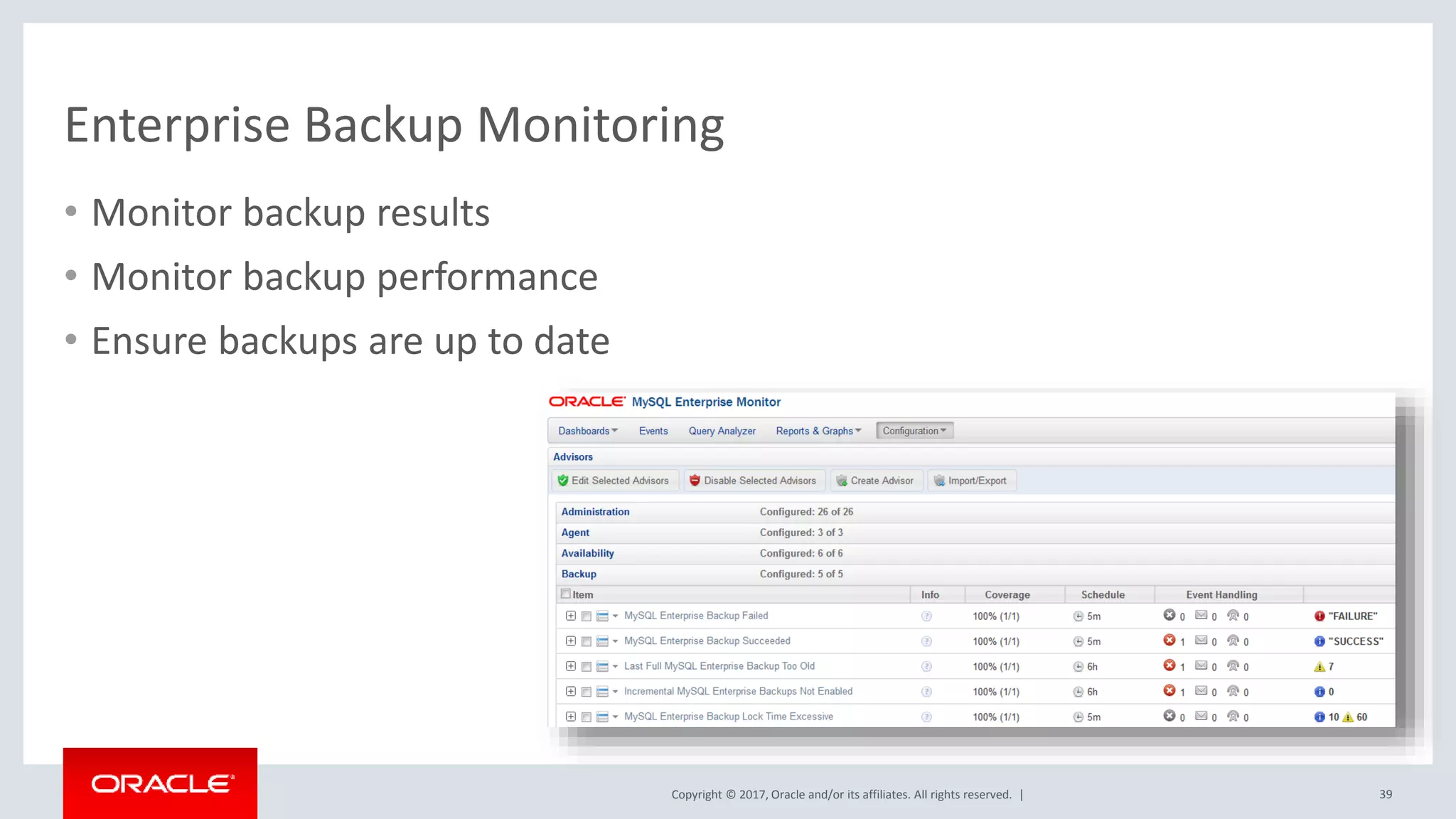
Copyright © 2017, Oracle and/or its affiliates. All rights reserved. | Enterprise Backup Monitoring • Monitor backup results • Monitor backup performance • Ensure backups are up to date 39
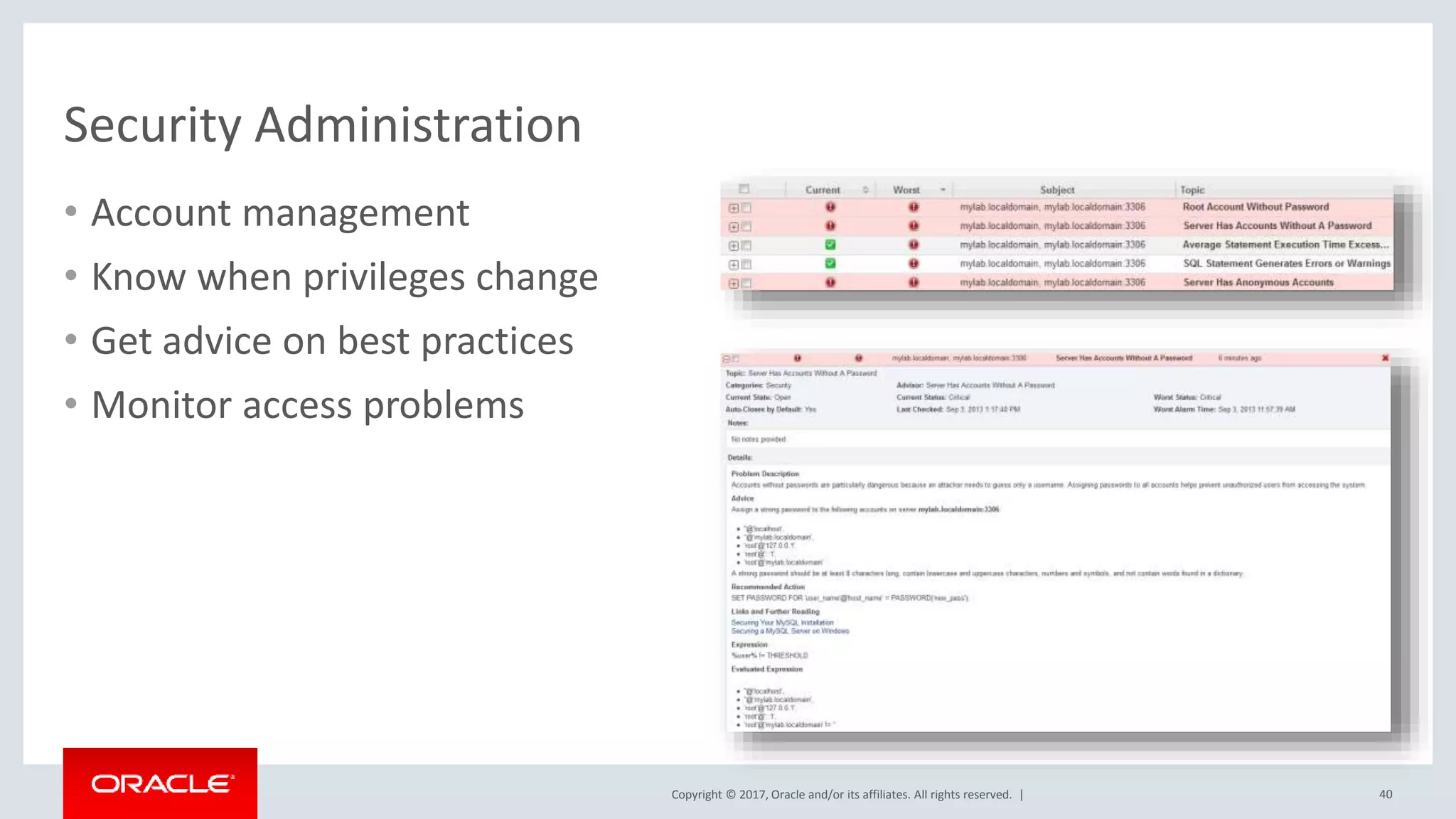
Copyright © 2017, Oracle and/or its affiliates. All rights reserved. | Security Administration • Account management • Know when privileges change • Get advice on best practices • Monitor access problems 40
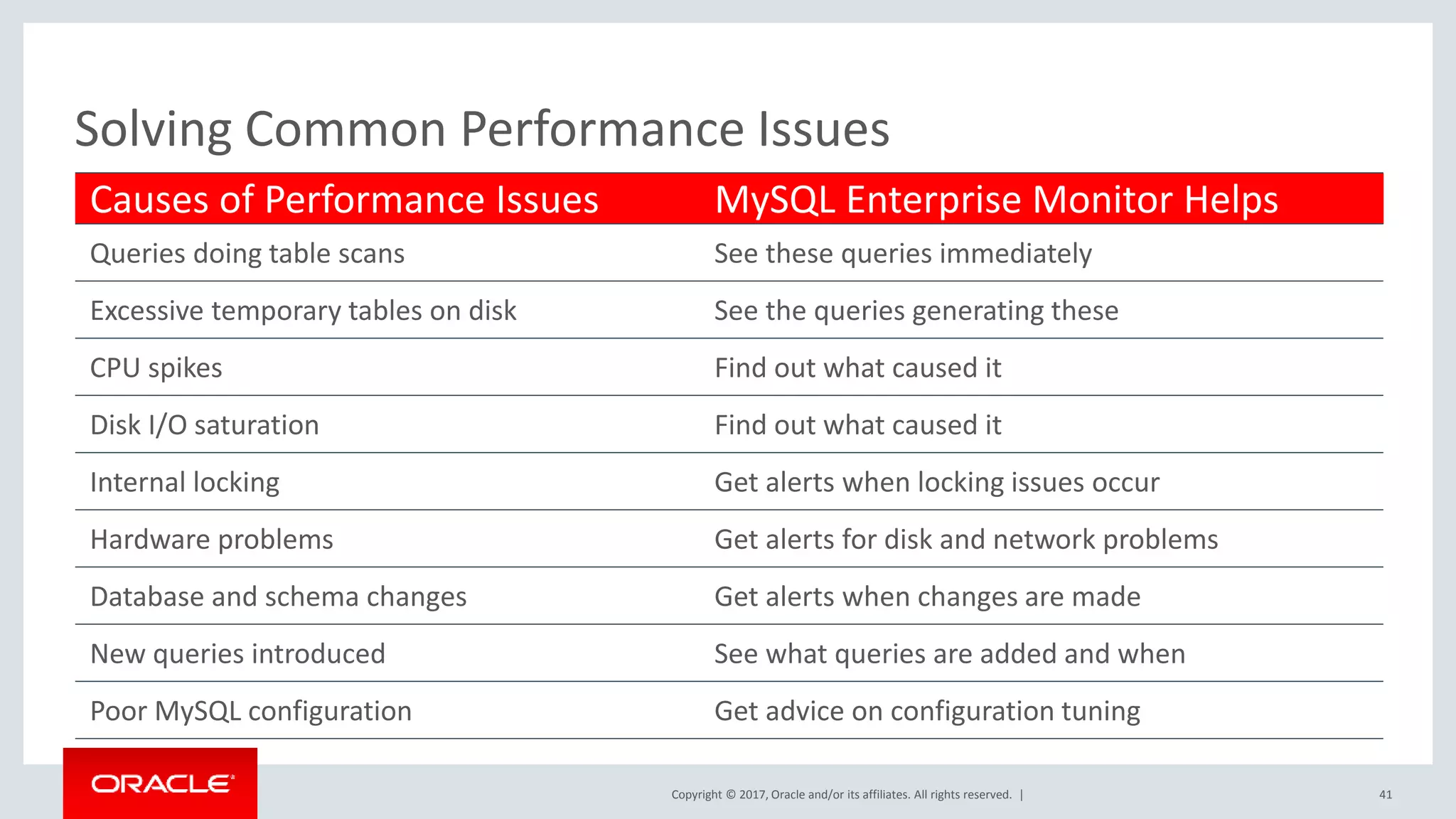
Copyright © 2017, Oracle and/or its affiliates. All rights reserved. | Causes of Performance Issues MySQL Enterprise Monitor Helps Queries doing table scans See these queries immediately Excessive temporary tables on disk See the queries generating these CPU spikes Find out what caused it Disk I/O saturation Find out what caused it Internal locking Get alerts when locking issues occur Hardware problems Get alerts for disk and network problems Database and schema changes Get alerts when changes are made New queries introduced See what queries are added and when Poor MySQL configuration Get advice on configuration tuning Solving Common Performance Issues 41
Copyright © 2017, Oracle and/or its affiliates. All rights reserved. | Enterprise Monitor • allows you to dive much deeper – Query Analyzer – Exhaustive Best Practice Advisors • is for the MySQL DBA & Dev team(s) for MySQL • provides a high level overview of MySQL within your Enterprise • is for the operations team 42 Appendix :
Copyright © 2017, Oracle and/or its affiliates. All rights reserved. | Learn More • MySQL Enterprise Monitor http://www.mysql.com/products/enterprise/monitor.html • Oracle Enterprise Manager for MySQL http://www.mysql.com/products/enterprise/em.html • Download https://eDelivery.oracle.com • Priscila Galvao priscila.galvao@oracle.com 43

MySQL in oracle_environments(Part 2): MySQL Enterprise Monitor & Oracle Enterprise monitor integrated

  • 1.
    Copyright © 2017,Oracle and/or its affiliates. All rights reserved. | MySQL in Oracle Environments, Part II: MySQL Enterprise Monitor & Oracle Enterprise Manager, Integrated Priscila Galvao MySQL Solutions Engineer August 29, 2017
  • 2.
    Copyright © 2017,Oracle and/or its affiliates. All rights reserved. | • Kathy, Forte – MySQL Solutions Architect, Oracle – August 22, 2017 – https://event.on24.com/wcc/r/1478921/C 6192EA3C0C406D8BA29FDEDA8395072 2 MySQL in Oracle Environments Part I: Quick Start for the Oracle DBA
  • 3.
    Copyright © 2017,Oracle and/or its affiliates. All rights reserved. | Safe Harbor Statement The following is intended to outline our general product direction. It is intended for information purposes only, and may not be incorporated into any contract. It is not a commitment to deliver any material, code, or functionality, and should not be relied upon in making purchasing decisions. The development, release, and timing of any features or functionality described for Oracle’s products remains at the sole discretion of Oracle. 3
  • 4.
    Copyright © 2017,Oracle and/or its affiliates. All rights reserved. | • Priscila, Galvao – MySQL Solutions Engineer, Oracle 4
  • 5.
    Copyright © 2017,Oracle and/or its affiliates. All rights reserved. | Database Application Growth • 2.1 Billion Internet Users • 40% Data Growth/Year • $1 Trillion eCommerce • 600 New Videos/Minute • 58 Million Tweets/Day Situation Requirements • Performance • Scale-out • Automation 5
  • 6.
    Copyright © 2017,Oracle and/or its affiliates. All rights reserved. | DBA’s Responsibilities BACKUP SUCCESSFULL REPLICATION WORKING DATABASES AVAILABLE DISK SPACE MEMORY USAGE DATABASE PERFORMANCE SECURITY VULNERABILITY
  • 7.
    Copyright © 2017,Oracle and/or its affiliates. All rights reserved. | 70% of Oracle customers also use MySQL 7 An estimated
  • 8.
    Copyright © 2017,Oracle and/or its affiliates. All rights reserved. | Single Dashboard to manage Oracle stack for Web & Cloud • An estimated 70% of Oracle customers also use MySQL – For Web, custom, departmental and embedded applications – #1 Requested integration 8 Oracle Enterprise Manager for MySQL
  • 9.
    Copyright © 2017,Oracle and/or its affiliates. All rights reserved. | Oracle Enterprise Manager : One Tool to Manage Them All! • Manage hardware – Servers – Network switches/hubs – Storage appliances • Manage Virtualization – Oracle VM – VMware vSphere • Manage Cloud – Oracle Cloud – OpenStack – AWS • Manage databases – Oracle Database • Including full DBaaS functionality – SQL Server Plugin – DB2 Plugin – Sybase Plugin – Postgres Plugin – Times Ten Plugin – New MySQL Plugin! • Manage applications – Apache [Tomcat], IIS – Weblogic, Websphere – Oracle Directory Server, Windows Active Directory – JVM, Microsoft .NET – Siebel, Peoplsoft – Oracle Fusion • Manage BI tools • Manage networks – F5, Dell Force10, … 9
  • 10.
    Copyright © 2017,Oracle and/or its affiliates. All rights reserved. | MySQL Integration • Integrated as an Oracle provided plugin – Went GA at Oracle Open World 2014 – Requires OEM 12c Release 4 or later – Available from within OEM itself using the Self Update tool – Listed within the Extensibility Exchange • https://apex.oracle.com/pls/apex/f?p=53891:1 – Available as a standalone download (.opar file) • Via MyOracle Support and eDelivery • Supports MySQL 5.5 and later • Included with select commercial editions (Enterprise and CGE) 10
  • 11.
    Copyright © 2017,Oracle and/or its affiliates. All rights reserved. | History v1 – OOW 2014 - Autodiscovery - Availability monitoring - Configuration and Performance metrics collection - Performance dashboards v2 - Compliance Framework - Metrics Thresholds v3 – OOW 2015 NEW - Security monitoring: AuditLog and Firewall - 5.7 GA supported!!
  • 12.
    Copyright © 2017,Oracle and/or its affiliates. All rights reserved. | Self Update Plug-in Deployment Plug-in status
  • 13.
    Copyright © 2017,Oracle and/or its affiliates. All rights reserved. | Step 1. Manually or Autodiscovered Step 2 Fill the form with instance parameters Adding MySQL Database targets
  • 14.
    Copyright © 2017,Oracle and/or its affiliates. All rights reserved. | All targets Filtered targets Target listing
  • 15.
    Copyright © 2017,Oracle and/or its affiliates. All rights reserved. | Highlights: • Those metrics that represent configuration and come from ie. “show global variables” • Categorized variables • Collected every 24 hrs by default • History and Comparable with other servers Configuration Metrics
  • 16.
    Copyright © 2017,Oracle and/or its affiliates. All rights reserved. | Configuration metrics examples Track of more than 563 config metrics available
  • 17.
    Copyright © 2017,Oracle and/or its affiliates. All rights reserved. | Configuration metrics examples ….and 60+ more, scattered on other categories NEW
  • 18.
    Copyright © 2017,Oracle and/or its affiliates. All rights reserved. | Compliance Framework • Set of product best practices • Suggested by our experts • Based on configuration metrics • Composed of:  5 Compliance Standards  Administration  Performance  Replication  Schema  Security  Around 29+ Compliance Rules
  • 19.
    Copyright © 2017,Oracle and/or its affiliates. All rights reserved. | Highlights: • Those that represent usage and come from ie. “show status” • Collected by default every 5 minutes • Categorized variables • Current and historical activity • Counters and Deltas • Settable thresholds Performance Metrics
  • 20.
    Copyright © 2017,Oracle and/or its affiliates. All rights reserved. | • 26+ metrics with thresholds • Expert advisors • Include the most important:  Availability  Replication  Key Performance Indicators • Get alerts !!! Performance Thresholds
  • 21.
    Copyright © 2017,Oracle and/or its affiliates. All rights reserved. | Home Dashboard Dashboards updated for 5.7 !!
  • 22.
    Copyright © 2017,Oracle and/or its affiliates. All rights reserved. | Performance dashboards: Connections Offline Mode Enabled Session Track Grids Session Track Schema Session Track State Change Session Track System Variables 5.7
  • 23.
    Copyright © 2017,Oracle and/or its affiliates. All rights reserved. | Performance dashboards: Statements
  • 24.
    Copyright © 2017,Oracle and/or its affiliates. All rights reserved. | Performance dashboards: Innodb Buffer Pool
  • 25.
    Copyright © 2017,Oracle and/or its affiliates. All rights reserved. | Performance dashboards: Innodb File I/O
  • 26.
    Copyright © 2017,Oracle and/or its affiliates. All rights reserved. | Performance dashboards: Tables / Rows
  • 27.
    Copyright © 2017,Oracle and/or its affiliates. All rights reserved. | Performance dashboards: Query Cache
  • 28.
    Copyright © 2017,Oracle and/or its affiliates. All rights reserved. | MySQL Enterprise Monitor 28
  • 29.
    Copyright © 2017,Oracle and/or its affiliates. All rights reserved. | MySQL Enterprise Monitor 3.3 • Real-time visibility into performance and availability of all MySQL databases. • Start monitoring MySQL within 10 minutes • Remotely Monitor Mysql in the Cloud • Find & fix problem queries • Backup, Replication, and cluster monitoring • Disk monitoring for capacity planning 29
  • 30.
    Copyright © 2017,Oracle and/or its affiliates. All rights reserved. | Installation and Setup • Up and Running in 10 minutes • Download Binaries from edelivery.oracle.com – “MySQL Enterprise Monitor Connector/<Plugin> Pack 3.1.x” – “MySQL Enterprise Monitor Service Manager 3.1.x for <arch>” – “MySQL Enterprise Monitor Agent 3.1.x for <arch>” • Install the Service Manager on Host Computer – shell> ./mysqlmonitor-3.1.X.XXXX-<arch>-installer.bin • Install the Agent where MySQL instance is to be monitored – shell> ./mysqlmonitoragent-3.1.X.XXXX-<arch>-installer.bin 30
  • 31.
    Copyright © 2017,Oracle and/or its affiliates. All rights reserved. | Enterprise Monitor Dashboard 31 "The MySQL Enterprise Monitor is an absolute must for any DBA who takes his work seriously.” Adrian Baumann System Specialist Federal Office of Information Technology & Telecommunications • SLA monitoring • Real-time performance monitoring • Alerts & notifications • MySQL best practice advisors
  • 32.
    Copyright © 2017,Oracle and/or its affiliates. All rights reserved. | “With the MySQL Query Analyzer, we were able to identify and analyze problematic SQL code, and triple our database performance. More importantly, we were able to accomplish this in three days, rather than taking weeks.” Keith Souhrada Software Development Engineer Big Fish Games Enterprise Query Analyzer 32 • Real-time query performance • Visual correlation graphs • Find & fix expensive queries • Detailed query statistics • Query Response Time index (QRTi) – “Quality of Service” (QoS) measurement for each query – QoS measurement for a server, group, or every instance – Single metric for query performance
  • 33.
    Copyright © 2017,Oracle and/or its affiliates. All rights reserved. | Enterprise Replication Monitoring • Replication Dashboard • Auto-discovers replication topology • Master/Slave performance monitoring • Replication advisor • Best practice replication advice 33 "I use the MySQL Enterprise Monitor every day to monitor and keep tabs on our MySQL databases. Quick one stop shopping for keeping tabs on them.” Wes Homer, Sr System and Network Administrator
  • 34.
    Copyright © 2017,Oracle and/or its affiliates. All rights reserved. | Replication Monitoring: Topology View • Configuration of Replication Groups • Replication Channel View • Multiple Replication Topologies – Master/Slave – Multi-Source – Circular – Ring 34
  • 35.
    Copyright © 2017,Oracle and/or its affiliates. All rights reserved. | Replication Monitoring: Group Status & Statistics • Binary Logging • Semi-sync Replication • GTIDs • Relay Logging • Multi-threaded Replication • Multi-source Replication 35
  • 36.
    Copyright © 2017,Oracle and/or its affiliates. All rights reserved. | Best Practice Advisors 36 • Enforce MySQL best practices • 14 Advisor categories • 250+ Advisors • Threshold-based alerts – Exponential moving averages – Rate change detection • Expert problem resolution advice "I definitely recommend the MySQL Enterprise Monitor to DBAs who don't have a ton of MySQL experience. It makes monitoring MySQL security, performance and availability very easy to understand and to act on.” Sandi Barr Sr. Software Engineer Schneider Electric
  • 37.
    Copyright © 2017,Oracle and/or its affiliates. All rights reserved. | Event Handler 37 • Automated notification • Receive e-mails or text message
  • 38.
    Copyright © 2017,Oracle and/or its affiliates. All rights reserved. | Disk Monitoring • Capacity Planning • Forecast capacity requirements • Projections • Trend analysis • Timeseries data 38 "With the monitoring dashboard and advisory rules, we can accurately predict our capacity requirements and optimize MySQL performance.” Keith Souhrada Software Development Engineer Big Fish Games
  • 39.
    Copyright © 2017,Oracle and/or its affiliates. All rights reserved. | Enterprise Backup Monitoring • Monitor backup results • Monitor backup performance • Ensure backups are up to date 39
  • 40.
    Copyright © 2017,Oracle and/or its affiliates. All rights reserved. | Security Administration • Account management • Know when privileges change • Get advice on best practices • Monitor access problems 40
  • 41.
    Copyright © 2017,Oracle and/or its affiliates. All rights reserved. | Causes of Performance Issues MySQL Enterprise Monitor Helps Queries doing table scans See these queries immediately Excessive temporary tables on disk See the queries generating these CPU spikes Find out what caused it Disk I/O saturation Find out what caused it Internal locking Get alerts when locking issues occur Hardware problems Get alerts for disk and network problems Database and schema changes Get alerts when changes are made New queries introduced See what queries are added and when Poor MySQL configuration Get advice on configuration tuning Solving Common Performance Issues 41
  • 42.
    Copyright © 2017,Oracle and/or its affiliates. All rights reserved. | Enterprise Monitor • allows you to dive much deeper – Query Analyzer – Exhaustive Best Practice Advisors • is for the MySQL DBA & Dev team(s) for MySQL • provides a high level overview of MySQL within your Enterprise • is for the operations team 42 Appendix :
  • 43.
    Copyright © 2017,Oracle and/or its affiliates. All rights reserved. | Learn More • MySQL Enterprise Monitor http://www.mysql.com/products/enterprise/monitor.html • Oracle Enterprise Manager for MySQL http://www.mysql.com/products/enterprise/em.html • Download https://eDelivery.oracle.com • Priscila Galvao priscila.galvao@oracle.com 43

Editor's Notes

  • #2 Good morning, Good Afternoon, or Good Evening, everyone! First of all, I would like to thank you for joining us today for our live webinar MySQL in Oracle Environments, Part II. Where we will be discussing how to efficiently monitor and manage your databases by using MySQL Enterprise Monitor and Oracle Enterprise Manager. And, you may ask me: ‘Where is Part I, What was it about, When was it delivered?’
  • #3 Just last week, August 22nd, my co-worker Kathy Forte presented the MySQL in Oracle Environments Part I: a Quick start for the Oracle DBA. In case you missed it, you can access the recorded Webinar through the link bellow.
  • #4 Before we start, let’s take a look into our Safe Harbor Statement that states that this Webinar is not a commitment to deliver any material, code, or functionality, and should not be relied upon in making purchasing decisions.
  • #5 My name is Priscila Galvao, and I’m a MySQL Solutions Engineer at Oracle, and I’ll be your presenter today. Please, during the presentation don’t hesitate to ask questions through our chat window, since we have a team dedicated on answer them.
  • #6 MySQL developers, DBAs, and Sys Admins often find themselves having to manage dynamic, high growth applications that require continuous uptime.
  • #7 It is the DBA’s responsibility to ensure their production databases are available, monitor database’s performance throughout the day, verify that replication is working properly, Monitor and analyze memory usage, confirm that backups have completed successfully, Monitor disk space to ensure MySQL won’t run out of space, Check for security vulnerabilities. And these are only some examples. In order to automate the management of their MySQL infrastructure and improve the performance and availability of their applications, these professionals rely on Monitoring Tools.
  • #8 Three years ago, Oracle detected that most of Oracle customers used to have at least one mysql instance. And those customers utilize Oracle Enterprise Manager to Monitor and Manage their environment.
  • #9 For that reason, we decided to start to develop the MySQL plugin for Oracle Enterprise Manager. Where the Oracle customers that already have being using Oracle Enterprise Manager could have a single dashboard to Manage Oracle stack including MySQL databases.
  • #10 Oracle Enterprise Manage is a single Tool where Oracle and MySQL DBAs have the ability to Manage hardware, virtualization, cloud, databases, and others.
  • #11 The MySQL plugin is supporting all MySQL versions from MySQL 5.5 and up, that including the latest MySQL 5.7 release. About compatibility, the plugin is compatible with Enterprise Manager 12 c release and later, including the new 13c version. So, if you are using any of these versions of Enterprise Manager, you will be able to use the MySQL Plugin. About the licensing, in order to use the plugin for Oracle Enterprise Manager, you will need to have the MySQL EE subscription.
  • #12 A little bit of history, as I mentioned before, we released the first version of the plugin back in 2014. It is important to say that since the beginning we were focusing only on monitoring MySQL instances. With the plugin, customers won’t be able to manager their MySQL databases, but using the plugin as a really nice monitoring solution. We have plans to include management features like a way to start the server, for example, but that won’t happen on next releases. For that reason, on version one that was released on Oracle Open World on 2014, we started looking for the very basic monitoring features that any DBA would use. So, we had the autodiscovery, the availability monitoring (that off course is the main feature that most DBAs are looking for). And, we also, started to add the configuration and performance metrics, focusing on the ones that would be really helpful for DBAs. And, also, we started to add some performance dashboard. So, in version 2, we added the compliance framework, and the first thresholds for metrics. On version 3 release, that was released on Oracle Open World 2015, we were mostly focused on Security. So, it was included the AuditLog and Firewall. So, we are now providing all those monitoring features on the plugin. And we also focused on the 5.7 release, were we made the plugin fully compatible to the new MySQL release. Now, we will start talking about deployment:
  • #13 In order to deploy the plugin into the enterprise manager, basically you will have two different options: One is to download the plugin directly on the Self Update on the Menu inside the enterprise manager. You will need to provide the My Oracle Support credentials, and from there you can start to downloading the new version of the plugin. The other option is to download the upper file from My Oracle Support website, and import manually into Oracle Enterprise Manager.
  • #14 About adding the MySQL Database targets, basically you will have also two different options: One is the manual option, where you have to go to Add Target Manually, select the target type, where the target type will be “MySQL database”, you select the agent where you want to start monitoring that target. And from there you have to fill the form on the right with the different attributes we need to provide in order to monitor any MySQL instances. The other option is to use the Autodiscovery, provided on OEM, that is capable to detect any server that has any MySQL instances running and reporting to the Manager Server, and from there the customer can select the MySQL instances they want to monitor, and they still need to provide the attributes from those MySQL databases.
  • #15 Once you have added the MySQL instances, they will be added to the target list, so you can identify by the target type, MySQL Database. And you can also start filtering by the different MySQL versions and group them.
  • #16 About configuration Metrics, Oracle Enterprise Manager provides two different kind of Metrics. One is the Configuration Metrics and the other is Performance Metrics. Configuration Metrics, is basically related to everything about Configuration, and it represents the data that comes from the show global variables. Configuration Metrics are collected by default every 24 hours, but you have the ability to change the parameter. One of the benefits, also, for using the configuration metrics is that you can have all the history and be alerted if any change was made. Also, you can compare different configuration between different databases. One of the advantage of using the Configuration Metrics inside the OEM is that we are using categories for all this kind of variables, as you can see on this screen shot. That helps you to easily identify the category of the configuration you are looking for.
  • #17 Some examples about Configuration metrics are the connection category, including the values of Max Connections, the Net Buffers, and Wait Timeouts. On the environment, you can see, for example, the basedir and data dir. While on InnoDB Configuration, you can see BufferPool Size. There is more than 500 configuration metrics available under Oracle Enterprise Manager.
  • #18 On the latest release, as I mentioned before, we are including security, and here you can see the configuration metrics for Audit Log and also for Firewall. For those of you that doesn’t know this plugins, I’ll explain briefely: The audit log is a plug in, that is included on the MySQL Enterprise Edition, that allows you to store on a log file all the activities happening on your MySQL servers. While the MySQL Enterprise Firewall, is a Firewall plugin, also available with MySQL Enterprise Edition, that helps you to block any attacks to your MySQL databases. Now, let’s talk about Compliance Network.
  • #19 Following the Configuration Metrics, the Oracle Enterprise Manager, what is named the Compliance Framework. Compliance Framework is basically a set of best practices, that MySQL provides, as a set of rules that we suggest our customers to have as the best set of configuration to any MySQL databases. The compliance Framework is divided in 5 different standards: the administration, the performance, replication, schema, and Security. Depending what you are your needs, you can select the standards that best fits your needs. For example, if you are not deploying replication, you can disable the Replication Standards.
  • #20 Now, let’s talk about Performance Metrics. Performance Metrics are those that represent the actual usage of the different components around the MySQL database. And it comes, for example, from “show status” and “show master status”. And that gives you a snapshot about what is happening inside your MySQL server. These metrics are collected by default every 5 minutes, but off course, you can modify to attend your needs. The same way as Configuration Metrics, Performance Metrics, are categorized. One of the benefits of the Performance Metrics, is that you can have the current and historical activity, so you can compare how this metrics is behaving through the time. And also, that you can set and add threshholds.
  • #21 On the plugin, we are providing also, 26+ metrics with Thresholds, that are advisors that include the most important information about Availability, Replication, and Key Performance Indicators.
  • #22 Finally, lets talk about the different Dashboards that are provided with Oracle Enterprise Manager for MySQL. First we have the main/or home Dashboards, that is the dashboard where you can see for any MySQL target. You also, can see the availability, configuration summary, connections, transaction activity, row activities, and others. All this graphics, have being updated on a minute rate. This is pretty similar to the MySQL Enterprise Monitor Dashboard.
  • #23 Besides the main Dashboard, we have also the Performance Dashboards. All the Dashboards includes the main aspects of some different topics, all including some graphics of the configuration information, for example: on this case, for connections, you can see graphics for current connections, total connections, network usage, slowly launched threads, connections aborted, and max used. All these Dashboards are already being compatible with the latest version of MySQL, 5.7.,
  • #24 On the Statements Dashboard, I selected only two graphics, but there are much more graphics available, and you can find a description and information about them on our Manuals. On the Statements Dashboard, we usually have the data manipulation statement information, the transaction statements, and information about the indexes usage ratio, where you can see how efficiently have your indexes being used. You can also, have information about your temporary tables.
  • #25 The Innodb Buffer Pool, you can see information about buffer usage, page activity, and also the current usage of InnoDB buffer pool.
  • #26 Innodb File I/O, where you can have information about I/O activity between the actual disk and the MySQL database. So, for example, you can see the IO activity in terms of bytes or in terms of operations, like read and writes. You, can also, have information about the redu lock activity or the information about the number of open files on InnoDB. All this information, it is very usufull to any DBA.
  • #27 Table/Rows brings information about for example the number of opened tables, the temporary tables, the table locks, the table scan radio, the number of rows and reads, the number of rows and writes, off course. This not only helps in terms of performance, but also, for other purposes, for example: we can have a customer doing backups at some point in time, so you can see for example that the number of rows increases tremendulously at some time at the day.
  • #28 Finaly, the Query Cache, some experts do not recommend to use query cache for different reasons, but it is really up to the customer if they want to use it or not. But, the query cache dashboard actually can help you to see if you are getting what you are expecting in terms of Query Cache. It really helps you to analyze what is happening inside the query cache.
  • #29 So, let’s say you are using Oracle Enterprise Manager to monitor MySQL, and you are seeing a performance degradation. With MySQL Enterprise Monitor, you can nail down the possible problems on your database.
  • #30 MySQL Enterprise Monitor, also called MEM, is a companion product to the MySQL Server that enables monitoring of MySQL instances and their hosts. With a single dashboard, MEM gives you an instant view as to the health of your MySQL installation. MEM notifies you of potential issues and formulates detailed solutions on how to best handle these issues. MEM monitors all types of installations, from a single MySQL instance to large farms of database servers. Not only does MEM allow you to diagnose database issues such as slow queries, it also ties into your operating system alerting you to possible resource issues. MEM is a web-based application, enabling you to monitor MySQL instances on your network or on a cloud service.
  • #31 MySQL Enterprise Monitor can be download from our My Oracle Support website or from edelivery.oracle.com and its installation it is pretty simple, taking only 10 minutes. DBAs have the choice to only install the MEM, or also install an Agent on the server where the MySQL is installed. By doing that, they will be able to monitor the physical server to obtain data about Memory, space in disk, and others.
  • #32 Once you have MEM installed, you will be able to login using the credentials you created during the installation process, and will be brought to the Dashboard. The Overview Dashboard provides the DBA with a quick glance at the health and performance of specific groups of assets or an entire MySQL-related infrastructure. On dashboard, DBAs will be able to see their servers availability, their connections, database activities. And, also, to view the Potential Problems and Errors within their servers.
  • #33 All performance statistics are correlated with the Query Analyzer, allowing you to easily identify problem areas and performance bottle-necks. With Query Analyzer you can Monitor real-time query performance, check execution statistics, filter and pinpoint SQL code that is causing a slow-down. Using the Performance Schema with MySQL Server 5.6 and recent releases, data is gathered directly from the MySQL server without the need for any additional software or configuration.
  • #34 The MySQL Enterprise Monitor auto-discovers your MySQL replication topology and gives you visibility into the performance, availability, and health of all MySQL Masters and Slaves. The new Replication Dashboard displays instrumentation available within MySQL 5.7 Also, the replication monitoring counts with an advisor and provide best practice advices to improve your replication.
  • #35 The New Topology View displays the current configuration of your Replication Groups, enabling you to quickly see the status of each node and each replication subsystem. Whether you use a single-source tree hierarchy, circular replication, or a complex, multi-level, multi-source configurations, the Topology View shows how your Replication Group is currently replicating. The New topology view shows you at a high level a visual representation of your replication setup including complex master-slave and multi-source configurations. The topology view gives you immediate feedback on the status of your replication environment. The group status replication view drills down to key replication settings. The Topology view shows you the status of your replication groups. For debugging purposes, it is important to have a tool such as the MySQL Enterprise Monitor that helps you visually identify what is going on with your replication environment.
  • #36 You can easily drill down into the key status and configuration relating to replication on the Group Status tab.
  • #37 The nearly 300 Advisors in MySQL Enterprise Monitor allows the DBA to effectively manage thousands of MySQL assets, keeping them configured and performing well, heading off potential problems before they even occur. The MySQL best-practice Advisors help ensure your online, hot backups are running as expected and answer questions such as "Is the last full backup too old?", "Are incremental backups running?", "Was my last backup job successful?" and "Are backup locks being held too long?"
  • #38 By using the Event Handler, you are able to set automated notification to receive e-mails or text message when critical events are detected by MySQL Enterprise Monitor.
  • #39 With Disk Monitoring, on MySQL Enterprise Monitor, you will be able to do capacity planning, see projections, and be alerted that you are running out of disk space. MySQL Enterprise Monitor delivers predictive alerts to operations staff on user defined thresholds such as "Notify me if disk space will run out in 12 months".
  • #40 The Backup Dashboard brings deeper integration with MySQL Enterprise Backup and provides key visibility into critical backup activities, allowing you to easily ensure that your most valuable assets are protected against data loss. Visually monitor high level backup metrics for your entire MySQL topology or individual groups, and drill in to view all key metrics and details for individual backups of specific instances. Best Practice Advisors also help you ensure that your backup jobs are running as expected by proactively alerting you when potential problems are detected. With that, you will be able to see see the backups results, performance, and ensure your backups are up to date.
  • #41 MySQL Enterprise Monitor protects MySQL Servers and helps developers and DBAs discover and address security holes. The Advisors provide a set of rules designed to enforce MySQL security best practices and alert you to potential vulnerabilities before they impact your system. For example, MEM will alert you with an account does not have a password assigned.
  • #42 With MySQL Enterprise Monitor, you can see which queries are doing table scans, you can find our what is causing our CPU spikes and Disk I/O saturation, get alerts for disk and network problems, and much more.
  • #43 So, basically, the main difference between the two products are: MySQL Enterprise Monitor allows you do dive much deeper with Query Analyzer, also provides information about backup and more information about performance schema. While, Oracle Enterprise Manager for MySQL, provides all high level resources from OEM, like configuration of database, history of it, and comparison between servers. So, I like to say that MySQL Enterprise Monitor and Oracle Enterprise Manager for MySQL work really well together in order to provide all information that MySQL DBAs need, to manage their MySQL infrastructure and improve the performance and availability of their applications.
  • #44 If you would like to learn more about these products, please visit the MySQL website. Thank you for joining our “MySQL Enterprise Monitor & Oracle Enterprise Manager, Integrated” Webinar, today.