


mysqlnd an unknown powerful PHP extension
Hola !  Julien PAULI  Working at Sensiolabs (product team : Blackfire)  PHP internals dev. and extensions writer  PHP 5.5 and 5.6 Release Manager  @julienPauli - jpauli.github.com - https://github.com/jpauli/
Schedule  The MySQL protocols  Two protocols : binary vs textual  Discussing with MySQL using libmysql  The PHP case  Introduction to mysqlnd  Why and how  Exploring mysqlnd capabilities  Memory savings  Statistics  Plugins API
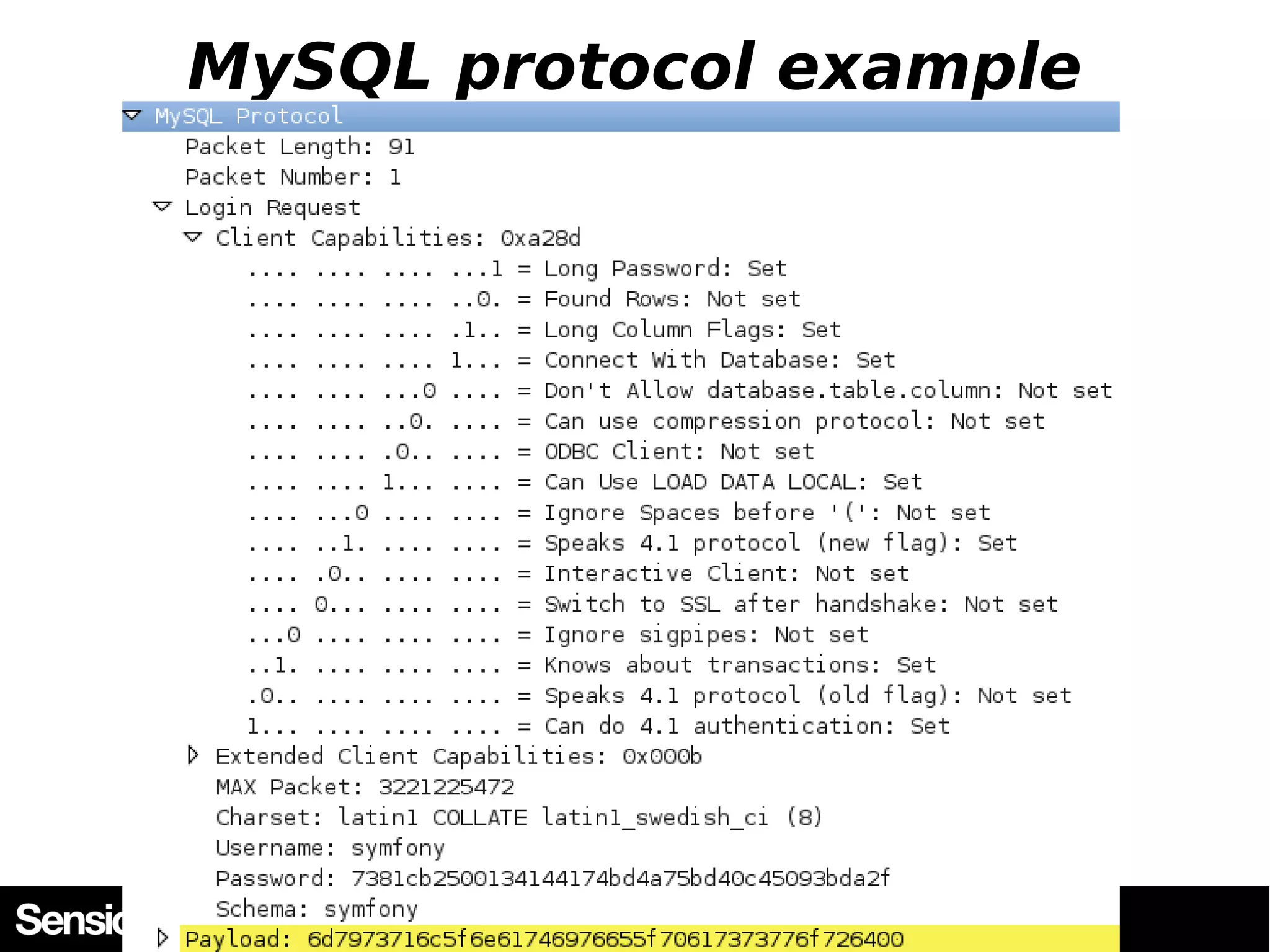
MySQL communication  MySQL communicates with its clients using a specific protocol  MySQL protocol  Open Source  Detailed at http://dev.mysql.com/doc/internals/en/client-server-protocol. html
MySQL protocol example
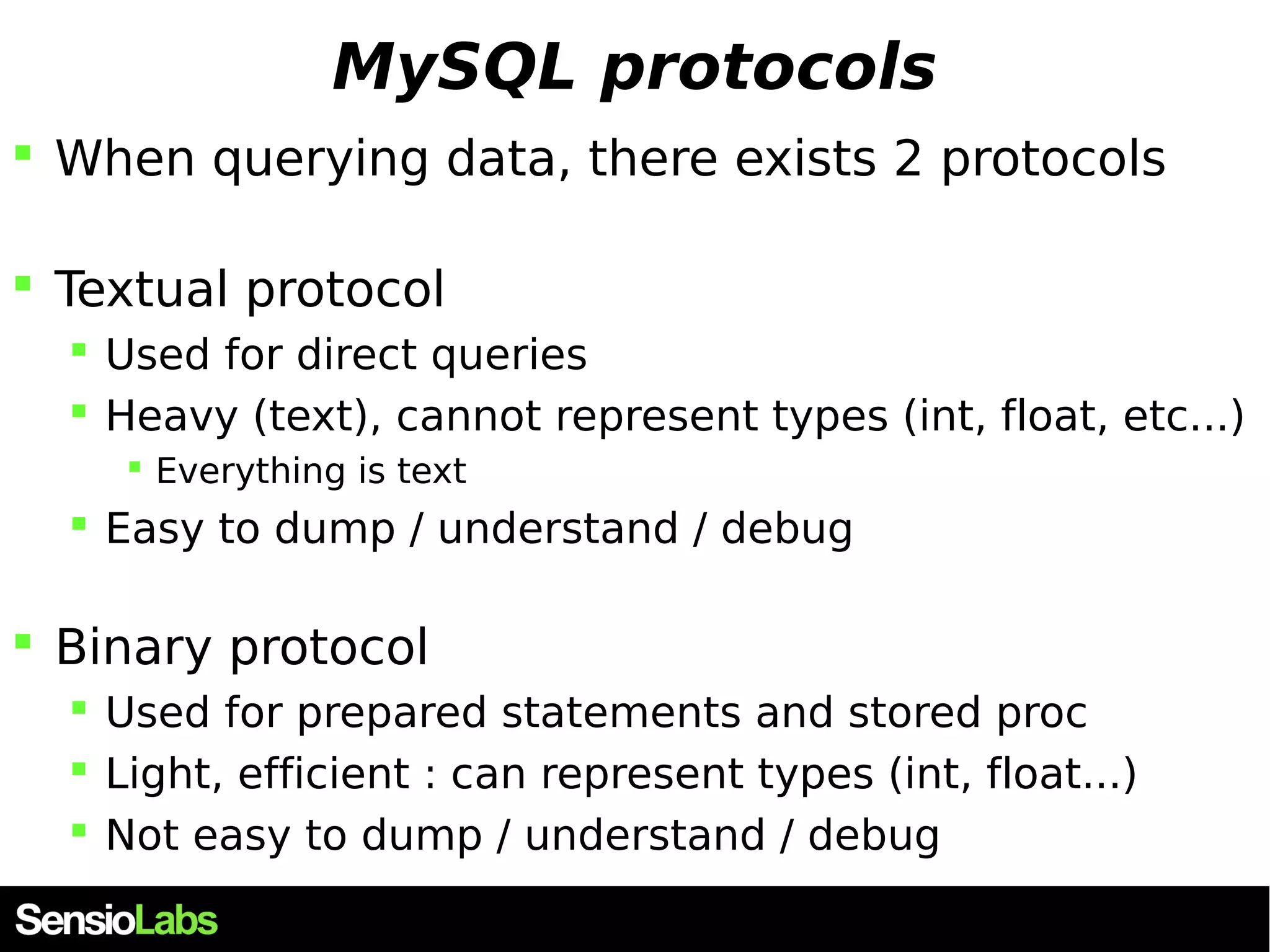
MySQL protocols  When querying data, there exists 2 protocols  Textual protocol  Used for direct queries  Heavy (text), cannot represent types (int, float, etc...)  Everything is text  Easy to dump / understand / debug  Binary protocol  Used for prepared statements and stored proc  Light, efficient : can represent types (int, float...)  Not easy to dump / understand / debug
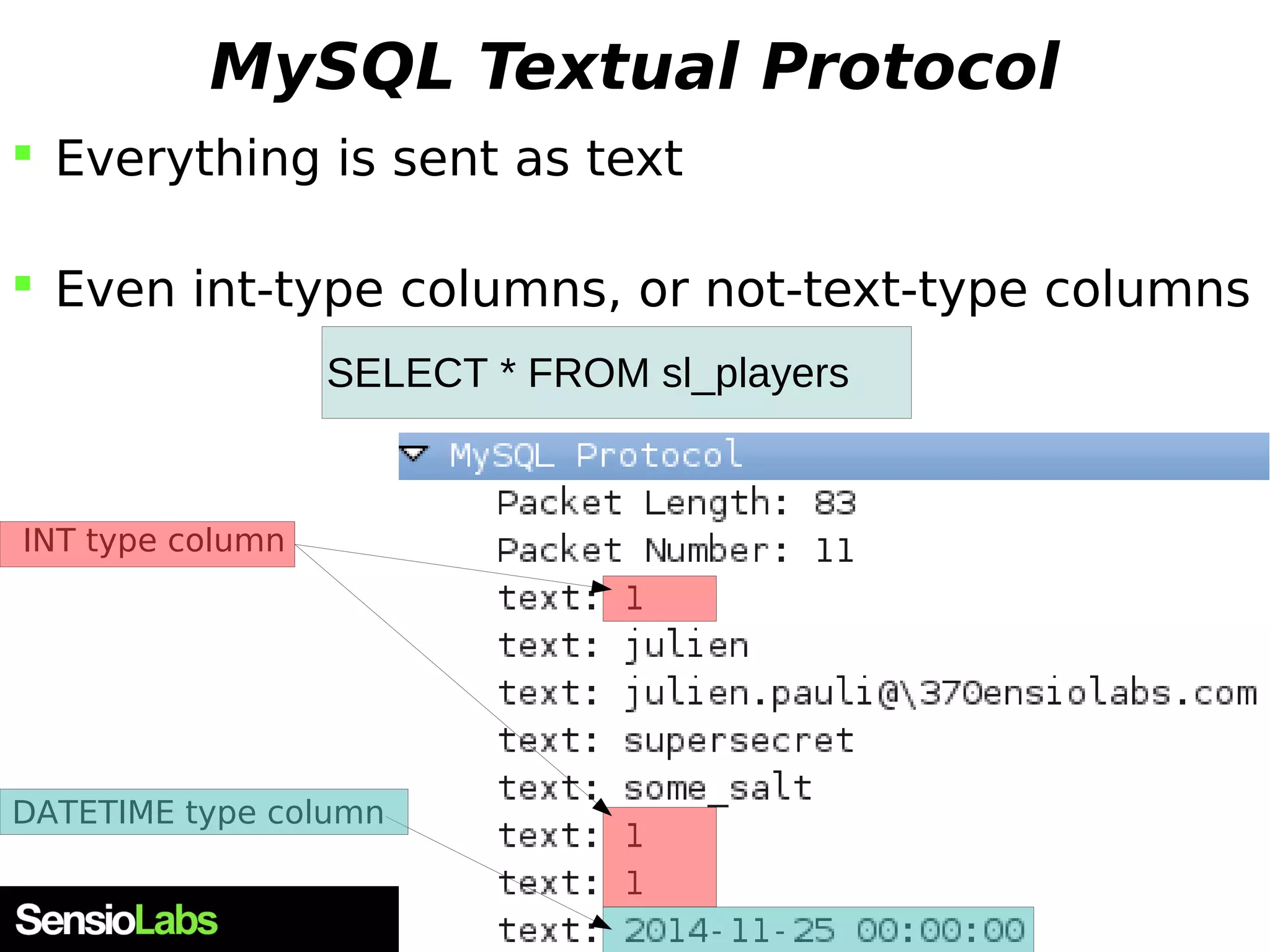
MySQL Textual Protocol  Everything is sent as text  Even int-type columns, or not-text-type columns SELECT * FROM sl_players INT type column DATETIME type column
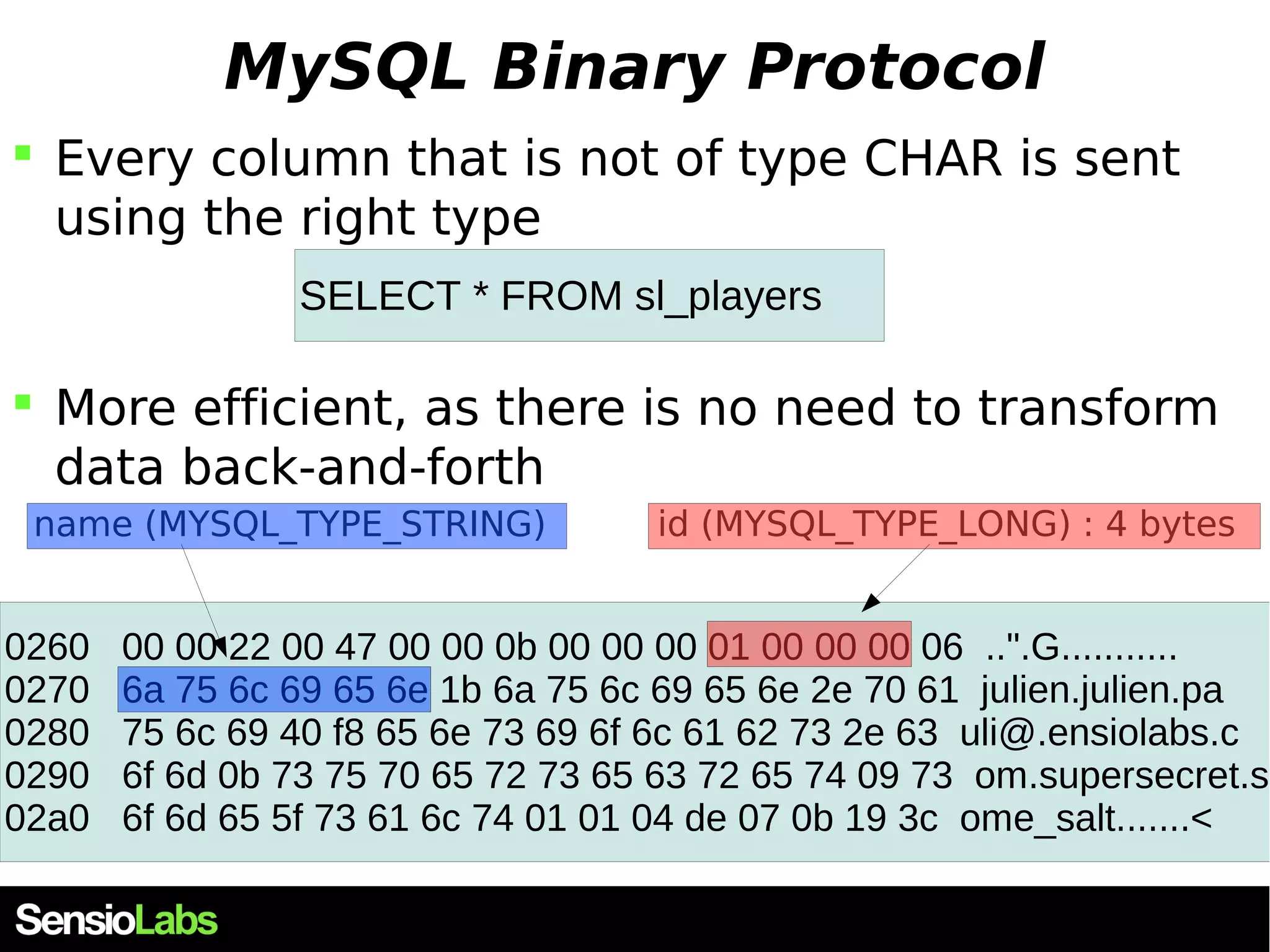
MySQL Binary Protocol  Every column that is not of type CHAR is sent using the right type SELECT * FROM sl_players  More efficient, as there is no need to transform data back-and-forth id (MYSQL_T name (MYSQL_TYPE_STRING) YPE_LONG) : 4 bytes 0260 00 00 22 00 47 00 00 0b 00 00 00 01 00 00 00 06 ..".G........... 0270 6a 75 6c 69 65 6e 1b 6a 75 6c 69 65 6e 2e 70 61 julien.julien.pa 0280 75 6c 69 40 f8 65 6e 73 69 6f 6c 61 62 73 2e 63 uli@.ensiolabs.c 0290 6f 6d 0b 73 75 70 65 72 73 65 63 72 65 74 09 73 om.supersecret.s 02a0 6f 6d 65 5f 73 61 6c 74 01 01 04 de 07 0b 19 3c ome_salt.......<
Buffered vs unbuffered queries
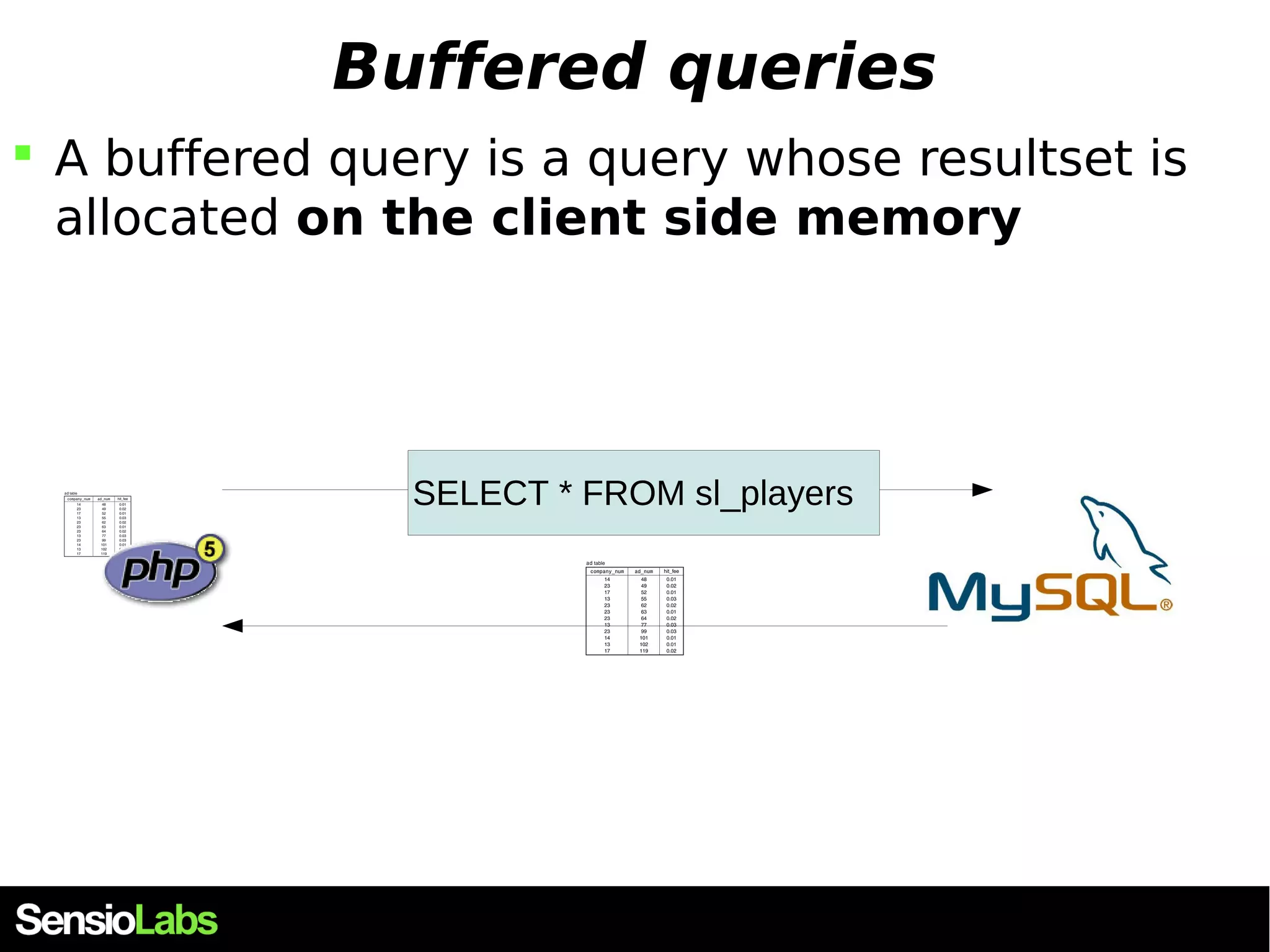
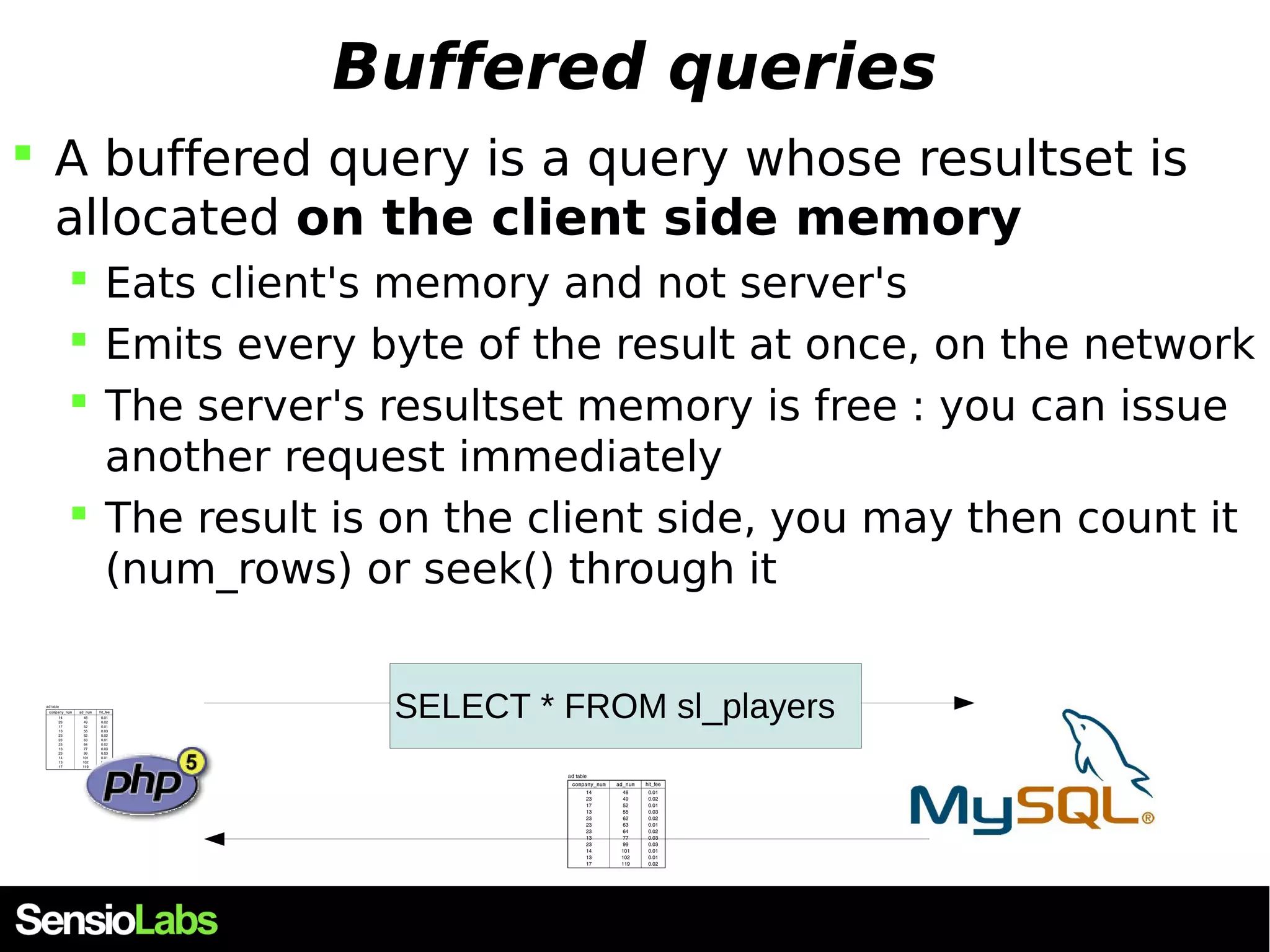
Buffered queries  A buffered query is a query whose resultset is allocated on the client side memory SELECT * FROM sl_players
Buffered queries  A buffered query is a query whose resultset is allocated on the client side memory  Eats client's memory and not server's  Emits every byte of the result at once, on the network  The server's resultset memory is free : you can issue another request immediately  The result is on the client side, you may then count it (num_rows) or seek() through it SELECT * FROM sl_players
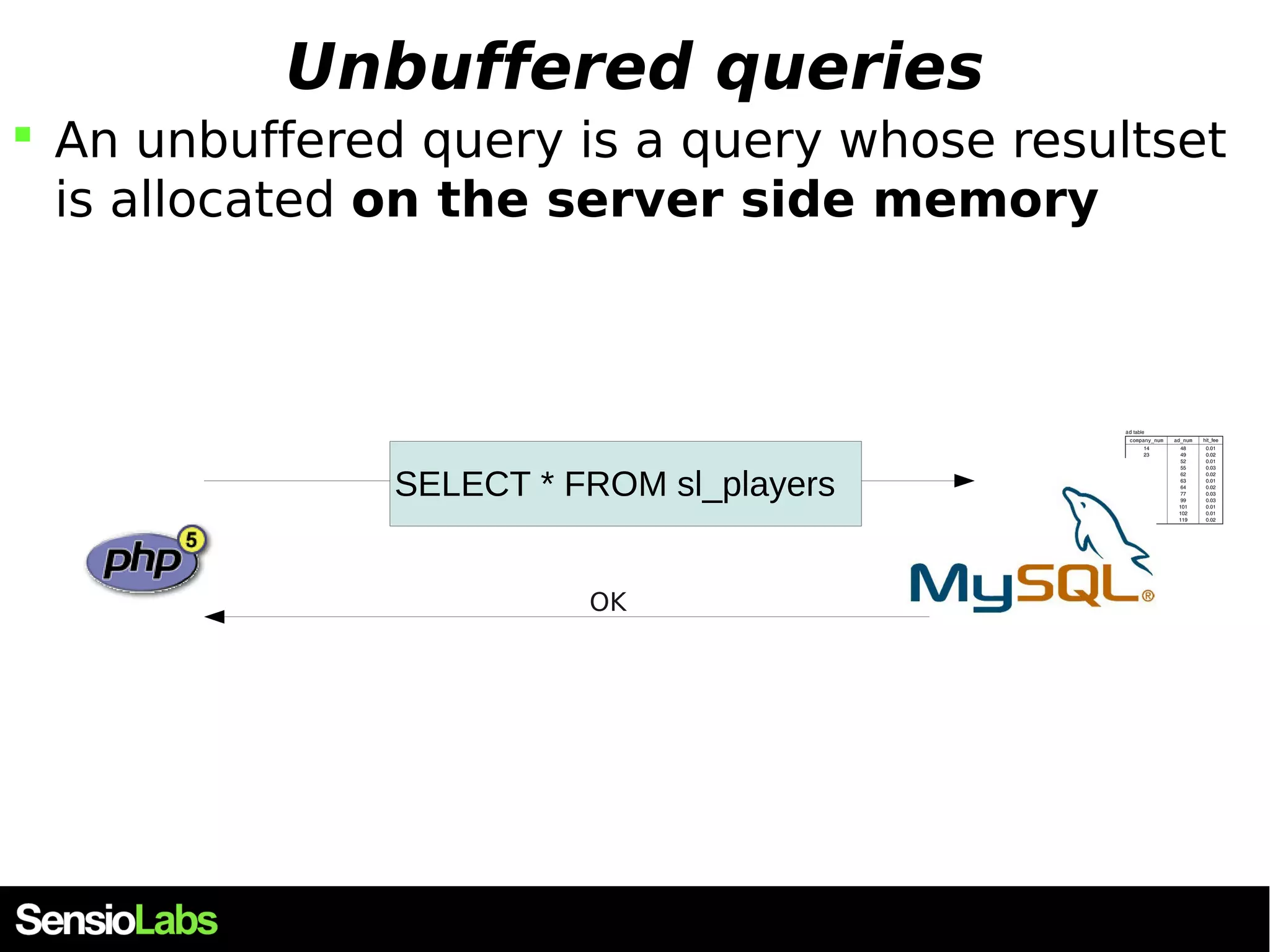
Unbuffered queries  An unbuffered query is a query whose resultset is allocated on the server side memory SELECT * FROM sl_players OK
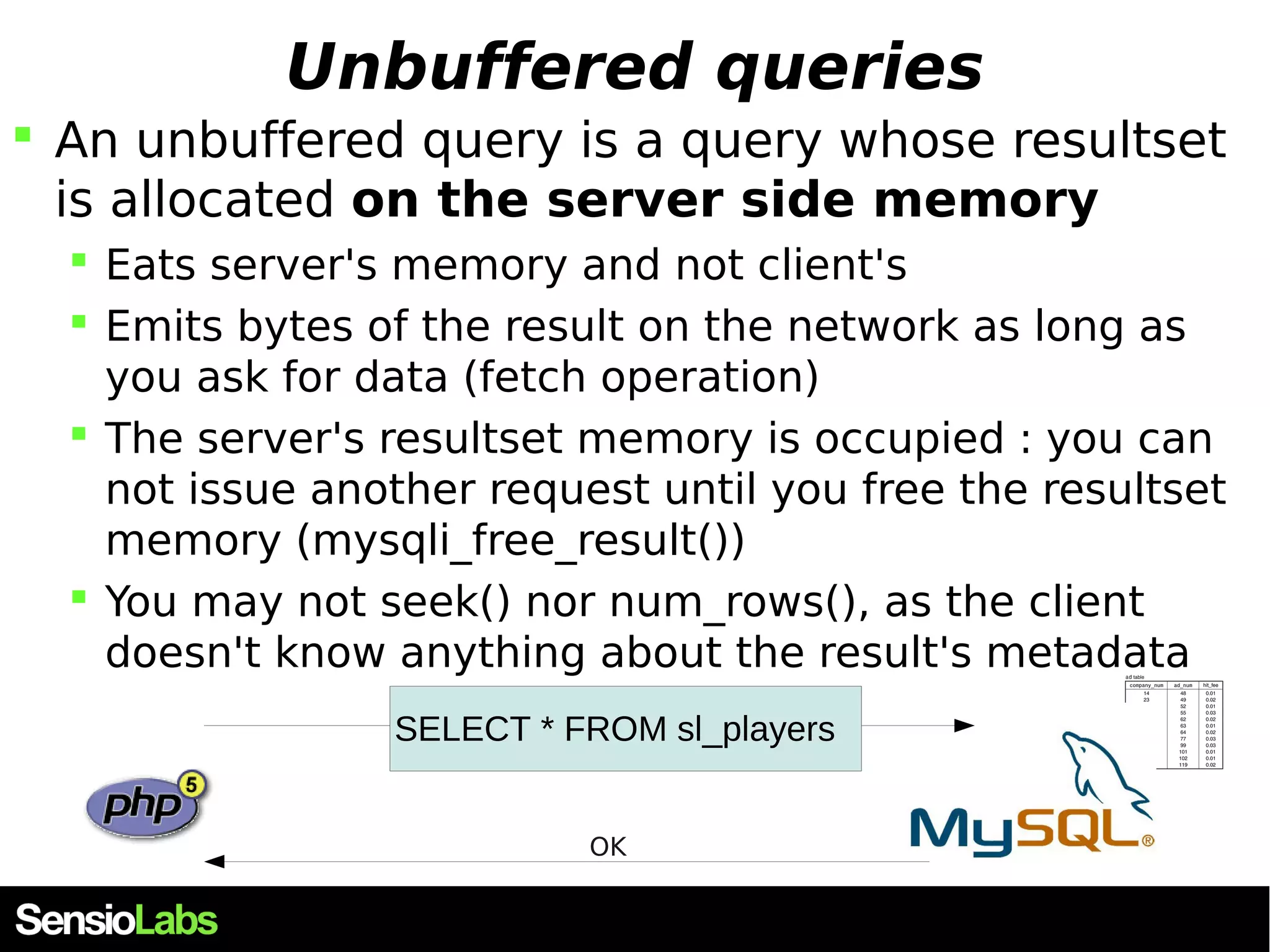
Unbuffered queries  An unbuffered query is a query whose resultset is allocated on the server side memory  Eats server's memory and not client's  Emits bytes of the result on the network as long as you ask for data (fetch operation)  The server's resultset memory is occupied : you can not issue another request until you free the resultset memory (mysqli_free_result())  You may not seek() nor num_rows(), as the client doesn't know anything about the result's metadata SELECT * FROM sl_players OK
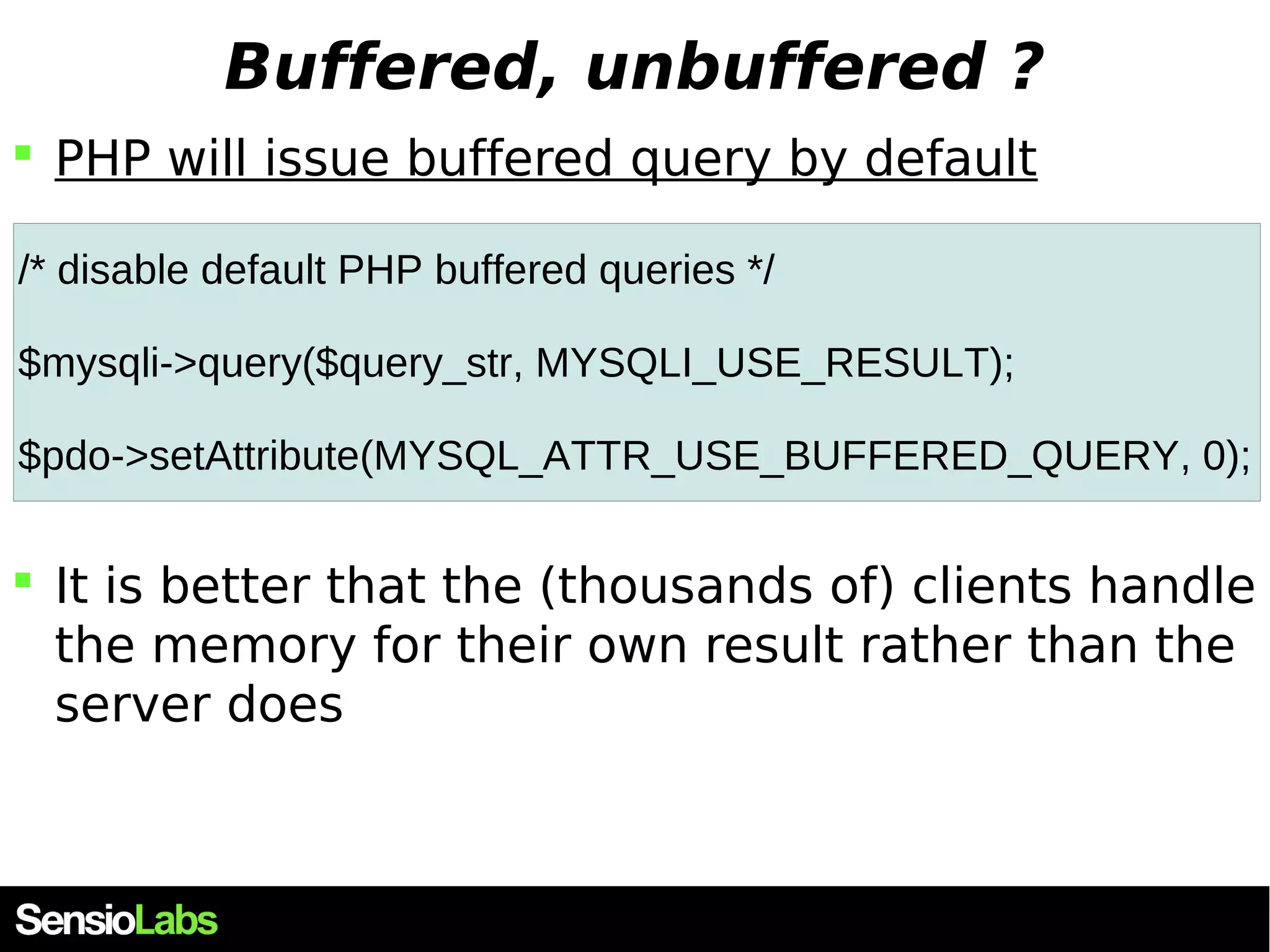
Buffered, unbuffered ?  PHP will issue buffered query by default /* disable default PHP buffered queries */ $mysqli->query($query_str, MYSQLI_USE_RESULT); $pdo->setAttribute(MYSQL_ATTR_USE_BUFFERED_QUERY, 0);  It is better that the (thousands of) clients handle the memory for their own result rather than the server does
Direct queries VS Prepared statements
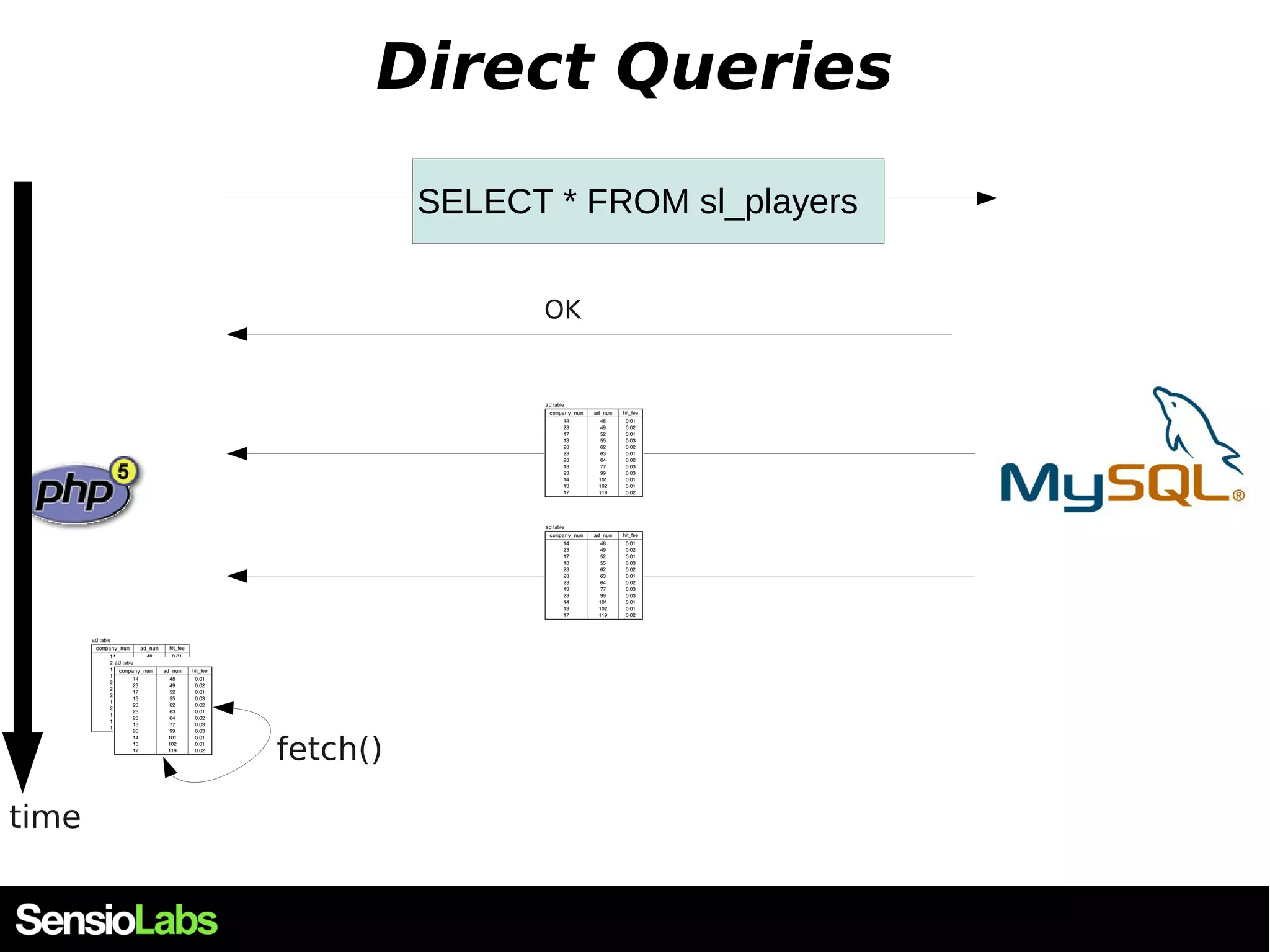
Direct Queries SELECT * FROM sl_players OK time fetch()
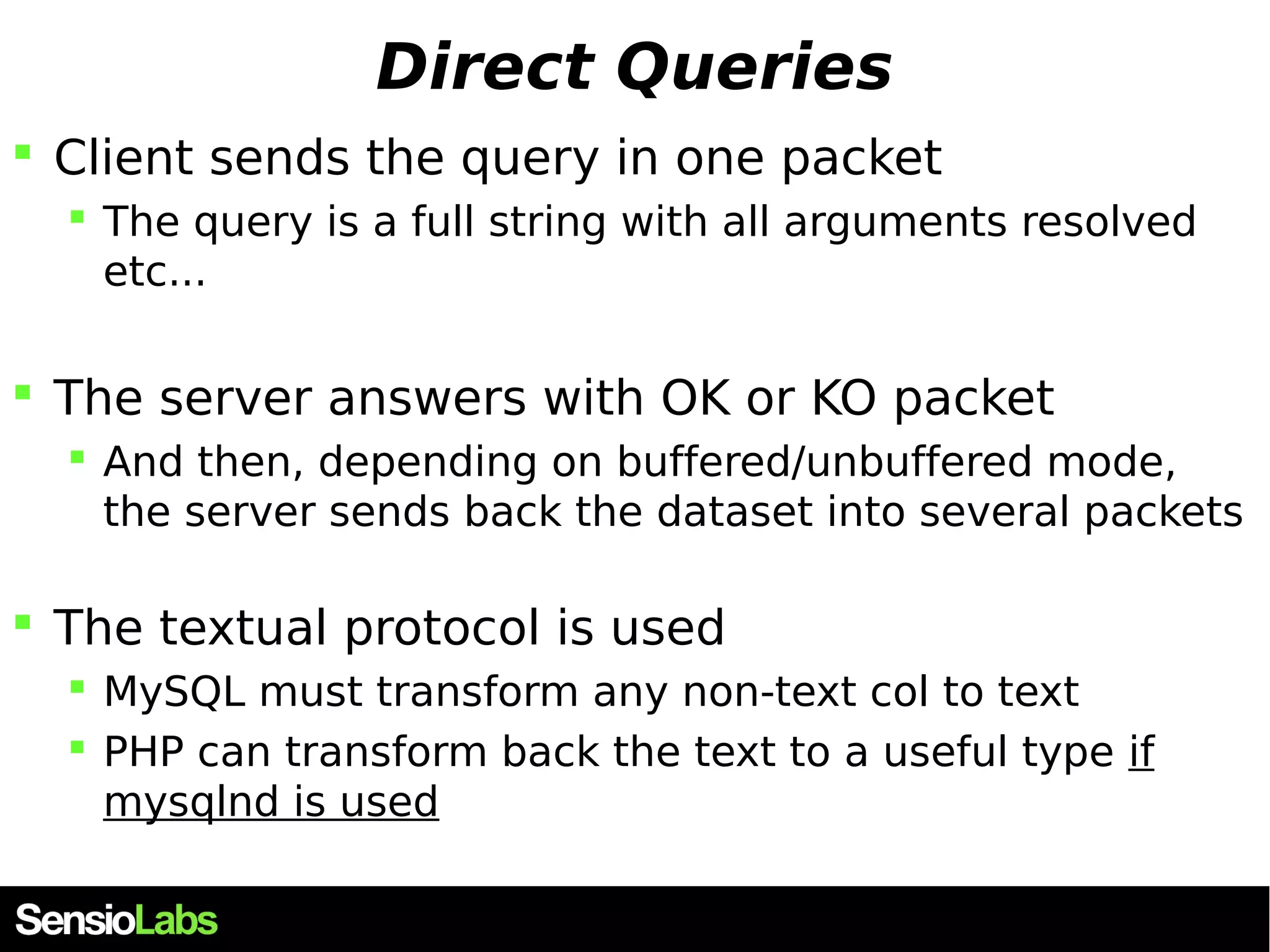
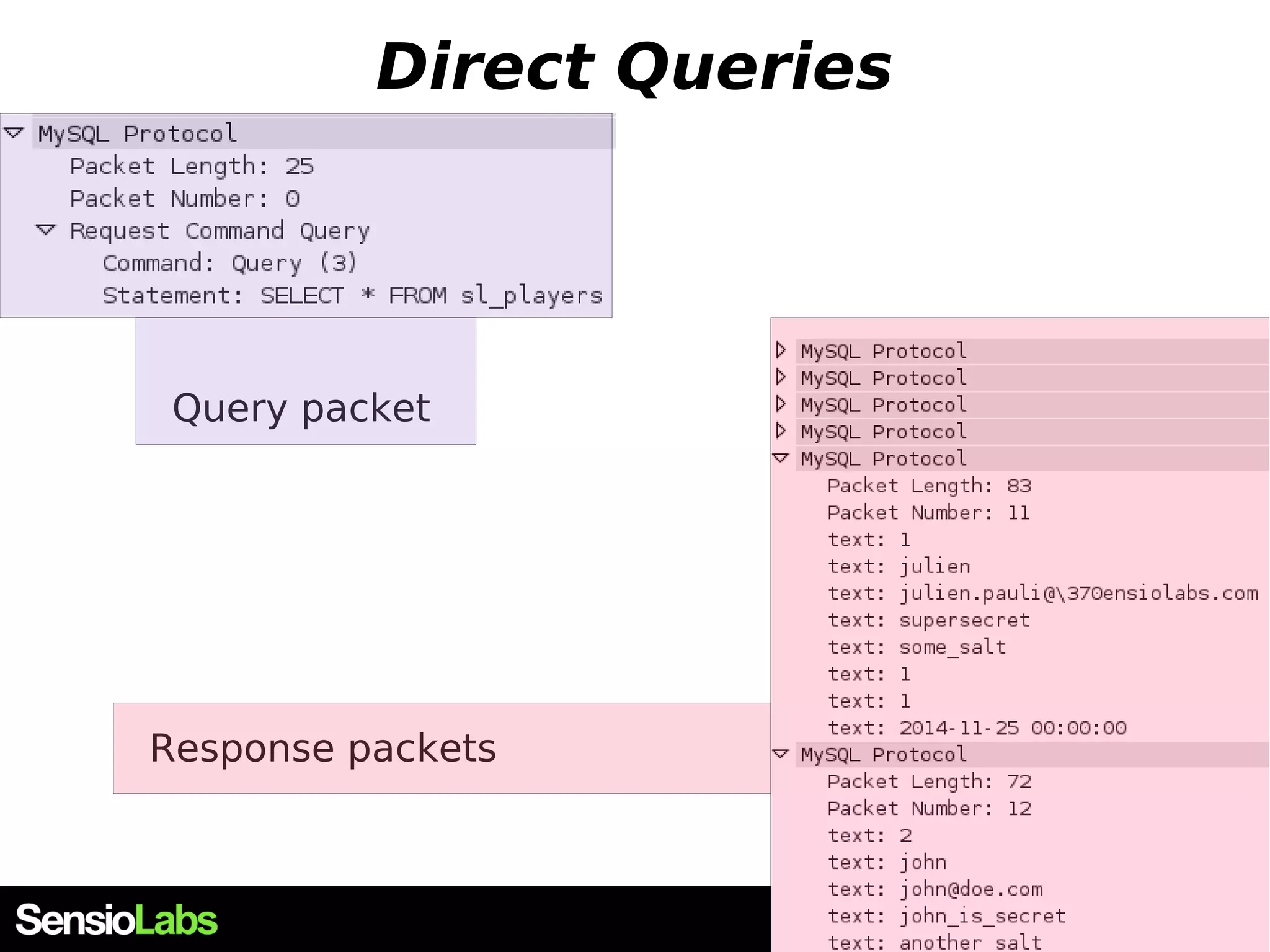
Direct Queries  Client sends the query in one packet  The query is a full string with all arguments resolved etc...  The server answers with OK or KO packet  And then, depending on buffered/unbuffered mode, the server sends back the dataset into several packets  The textual protocol is used  MySQL must transform any non-text col to text  PHP can transform back the text to a useful type if mysqlnd is used
Direct Queries Query packet Response packets
Prepared statements SELECT * FROM sl_players WHERE id = ? OK : PSid = 42 time fetch(PSid=42) compile() PS{42} prepare() execute(PSid=42[0 : 123]) OK CloseStatement(PSid=42) PS{42} OK
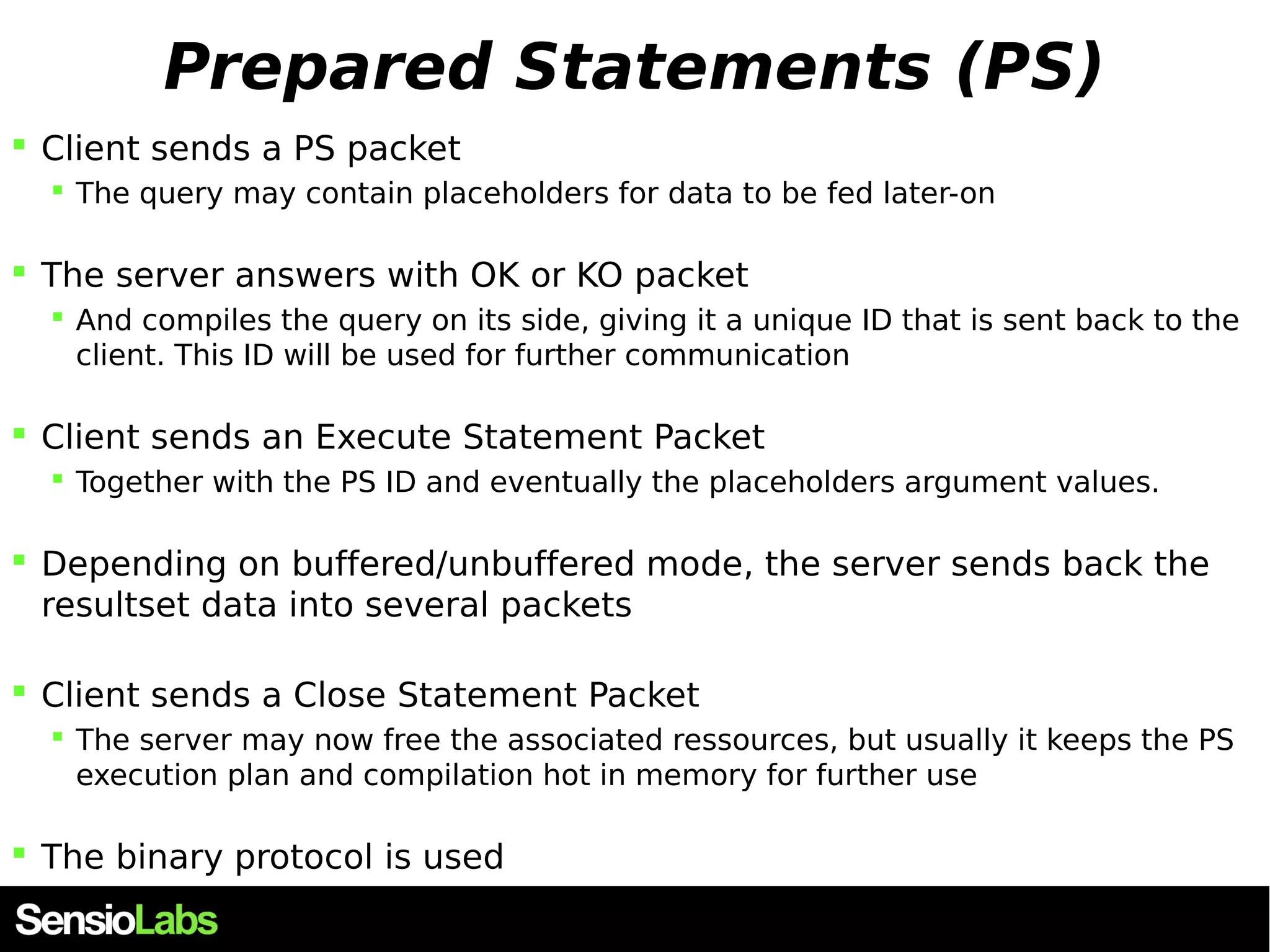
Prepared Statements (PS)  Client sends a PS packet  The query may contain placeholders for data to be fed later-on  The server answers with OK or KO packet  And compiles the query on its side, giving it a unique ID that is sent back to the client. This ID will be used for further communication  Client sends an Execute Statement Packet  Together with the PS ID and eventually the placeholders argument values.  Depending on buffered/unbuffered mode, the server sends back the resultset data into several packets  Client sends a Close Statement Packet  The server may now free the associated ressources, but usually it keeps the PS execution plan and compilation hot in memory for further use  The binary protocol is used
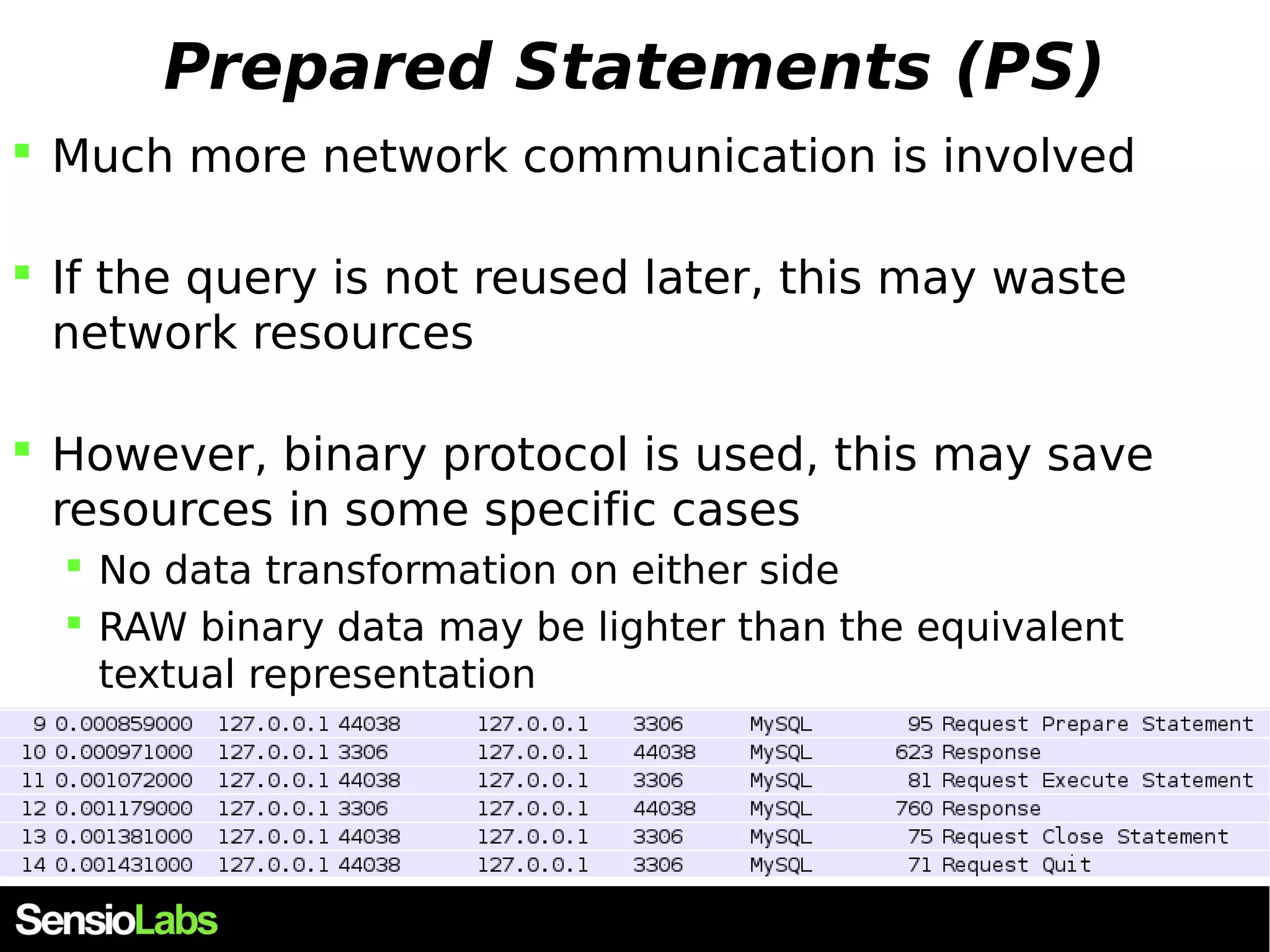
Prepared Statements (PS)  Much more network communication is involved  If the query is not reused later, this may waste network resources  However, binary protocol is used, this may save resources in some specific cases  No data transformation on either side  RAW binary data may be lighter than the equivalent textual representation
PHP & MySQL
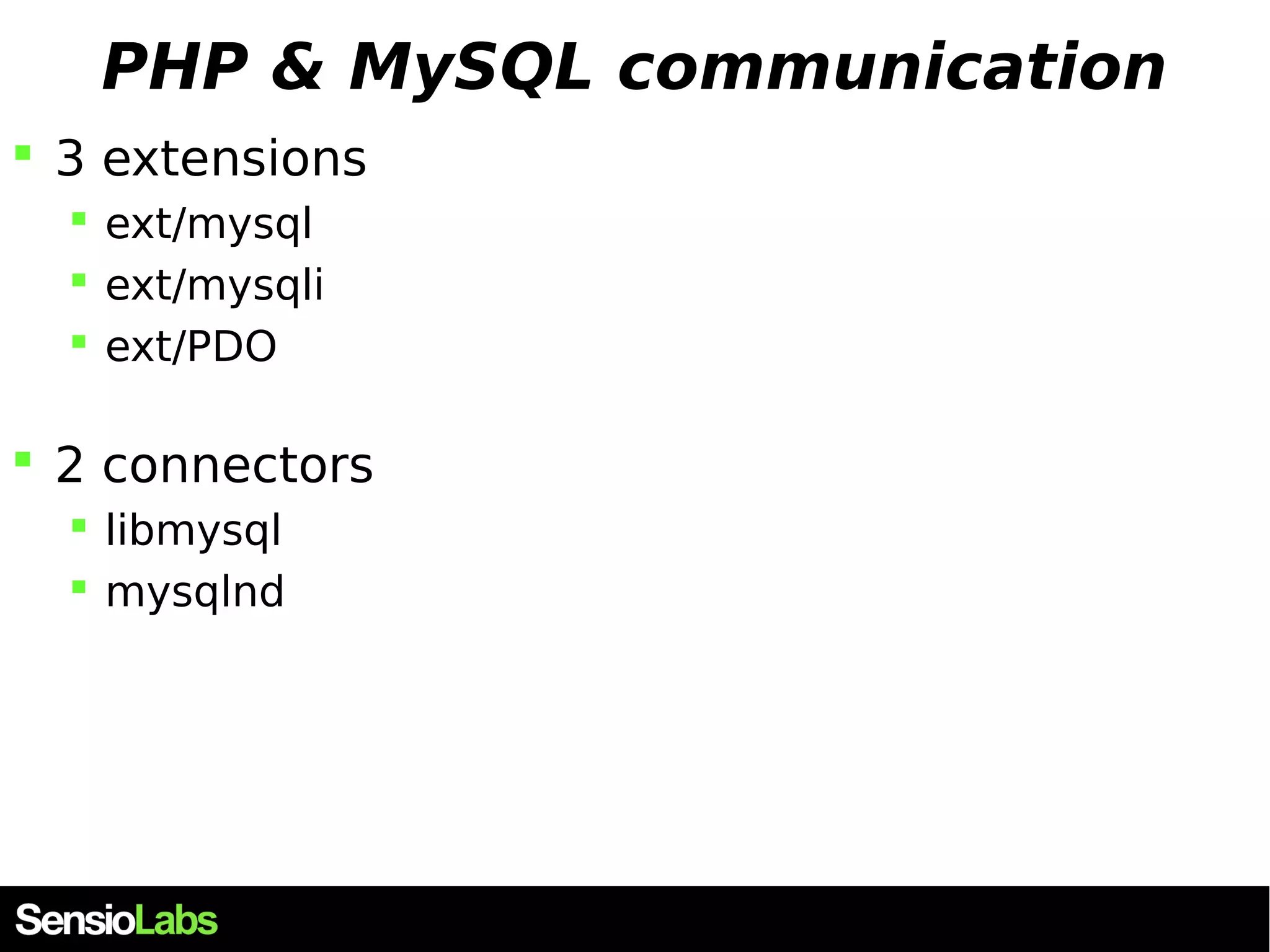
PHP & MySQL communication  3 extensions  ext/mysql  ext/mysqli  ext/PDO  2 connectors  libmysql  mysqlnd
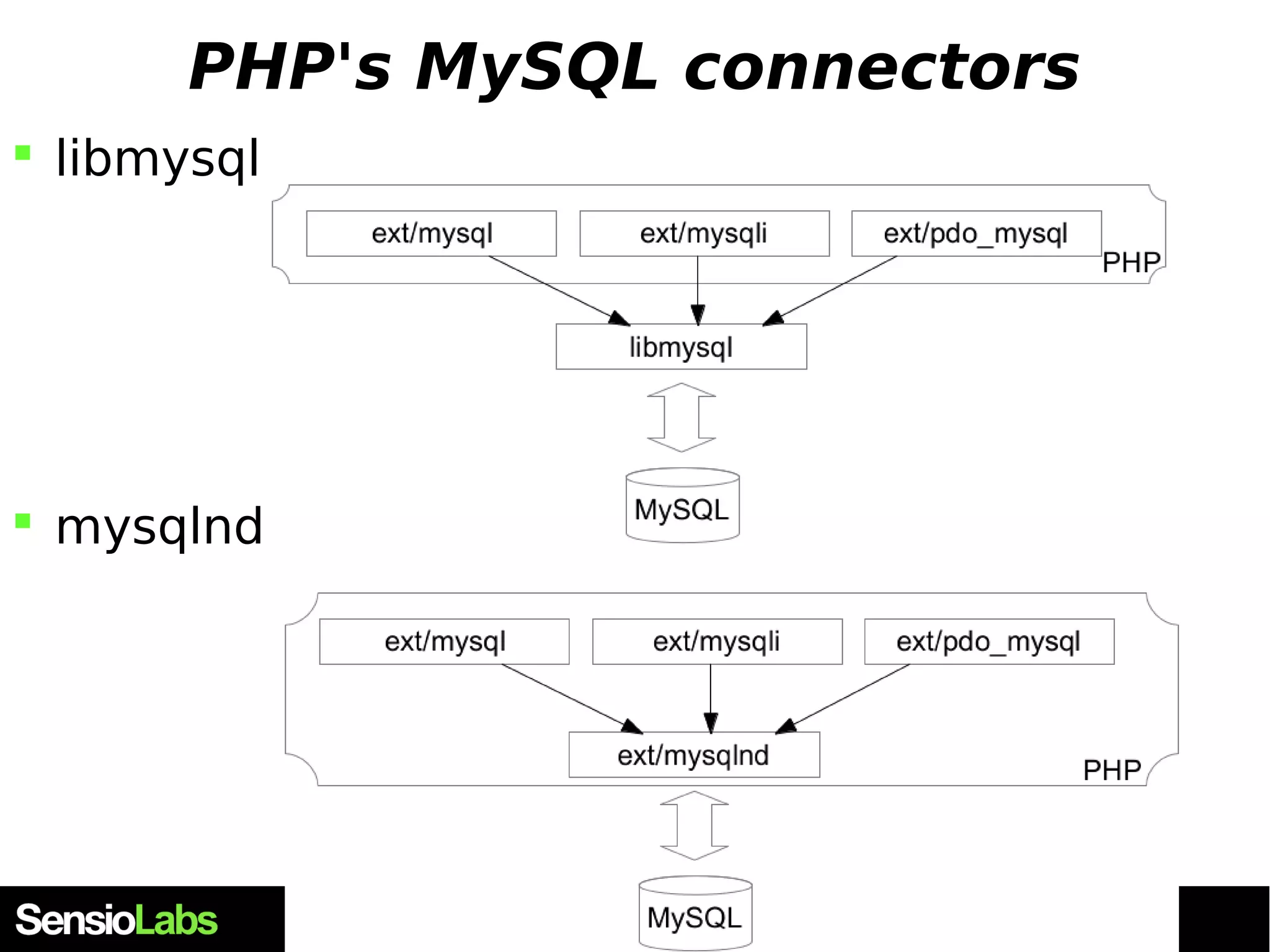
PHP's MySQL connectors  libmysql  mysqlnd
libmysql  The standard default connector for every project  Written in C  Own and developped by Oracle  Double licenced, read licencing for details  Usually updated by Oracle, packaged by OS packagers  "libmysqlclient" , under Debian  Implements the MySQL protocol  knows how to communicate with MySQL servers
libmysql example #include <stdio.h> #include <stdlib.h> #include <mysql/mysql.h> #include "mysql_example.h" /* Pour MYSQL_HOST, MYSQL_USER, MYSQL_PASS */ int main(int argv, char *argc[]) { MYSQL_RES *results = NULL; MYSQL_ROW row; MYSQL *db = NULL; db = (MYSQL *)malloc(sizeof(MYSQL)); mysql_init(db); mysql_options(db, MYSQL_INIT_COMMAND, "SET NAMES UTF8;"); if(!mysql_real_connect(db, MYSQL_HOST, MYSQL_USER, MYSQL_PASS, NULL, 0, NULL, 0)) { fprintf(stderr, "Failed to connect to host %s (%s)", MYSQL_HOST, mysql_error(db)); exit(EXIT_FAILURE); } mysql_set_character_set(db, "utf8"); mysql_select_db(db, "my_database"); mysql_query(db , "SELECT user_id AS id FROM users WHERE description='member' LIMIT 10000"); results = mysql_use_result(db); while(row = mysql_fetch_row(results)) { printf("%sn", row[0]); } mysql_free_result(results); exit(EXIT_SUCCESS); }
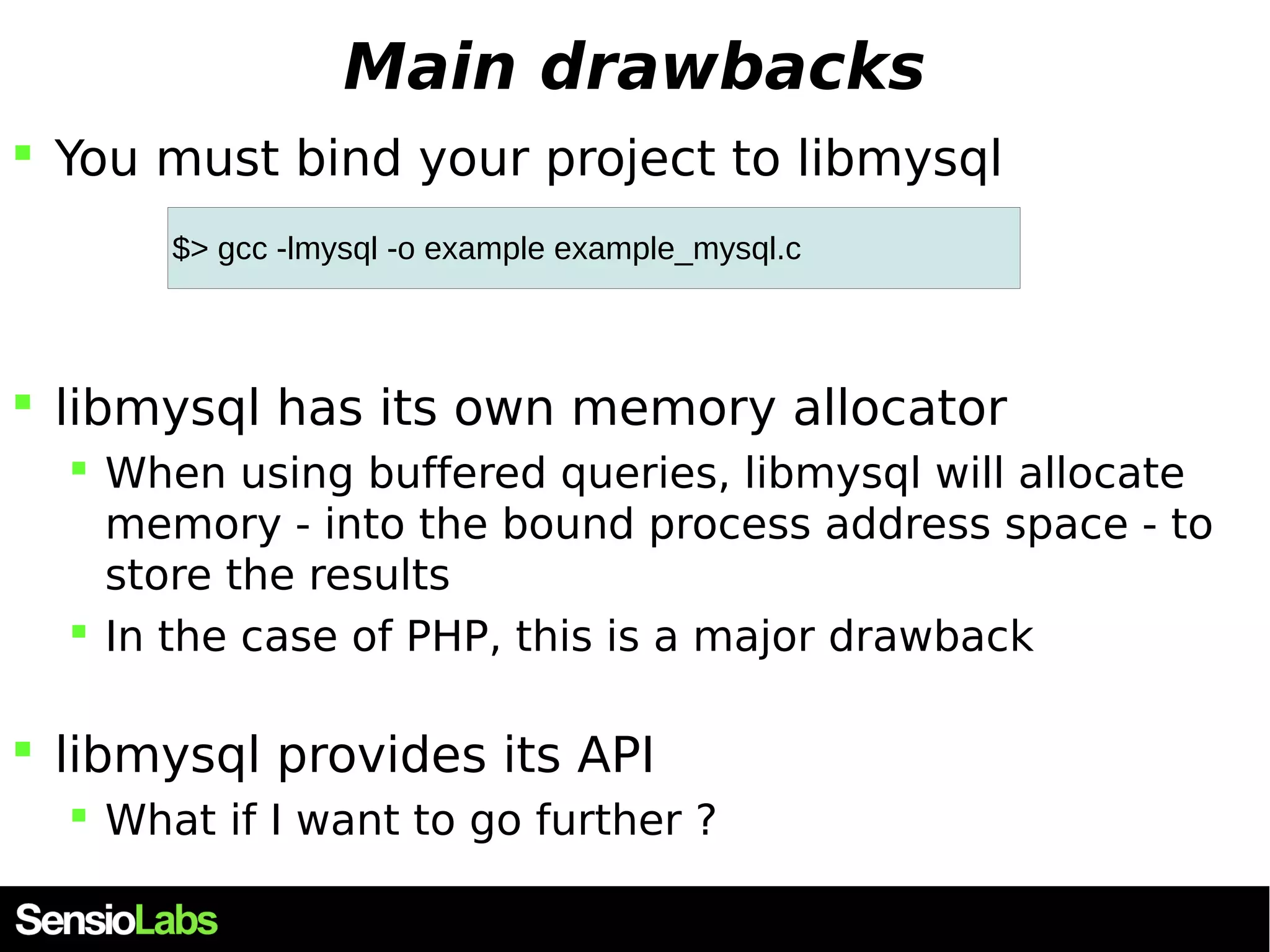
Main drawbacks  You must bind your project to libmysql $> gcc -lmysql -o example example_mysql.c  libmysql has its own memory allocator  When using buffered queries, libmysql will allocate memory - into the bound process address space - to store the results  In the case of PHP, this is a major drawback  libmysql provides its API  What if I want to go further ?
mysqlnd
mysqlnd
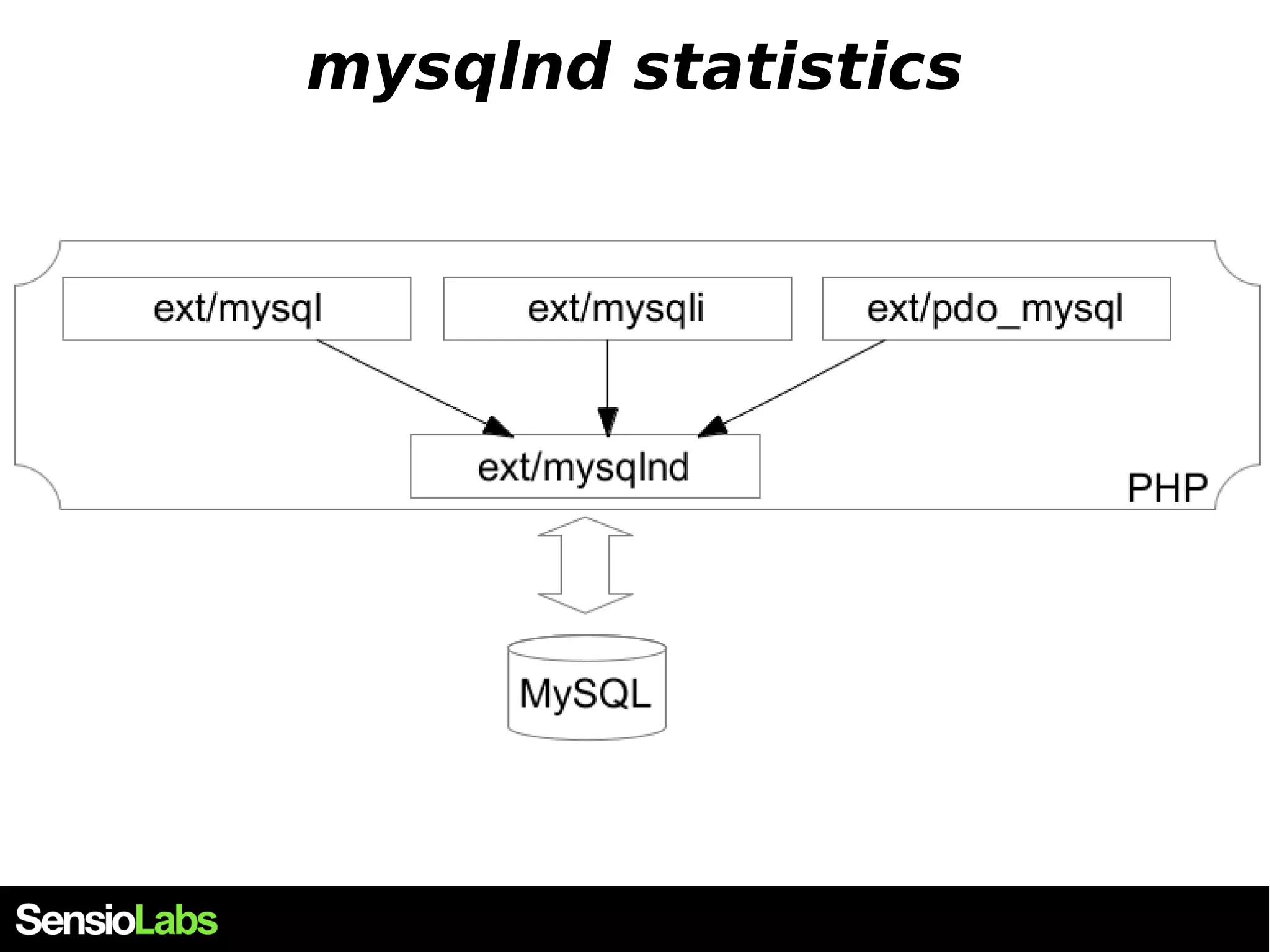
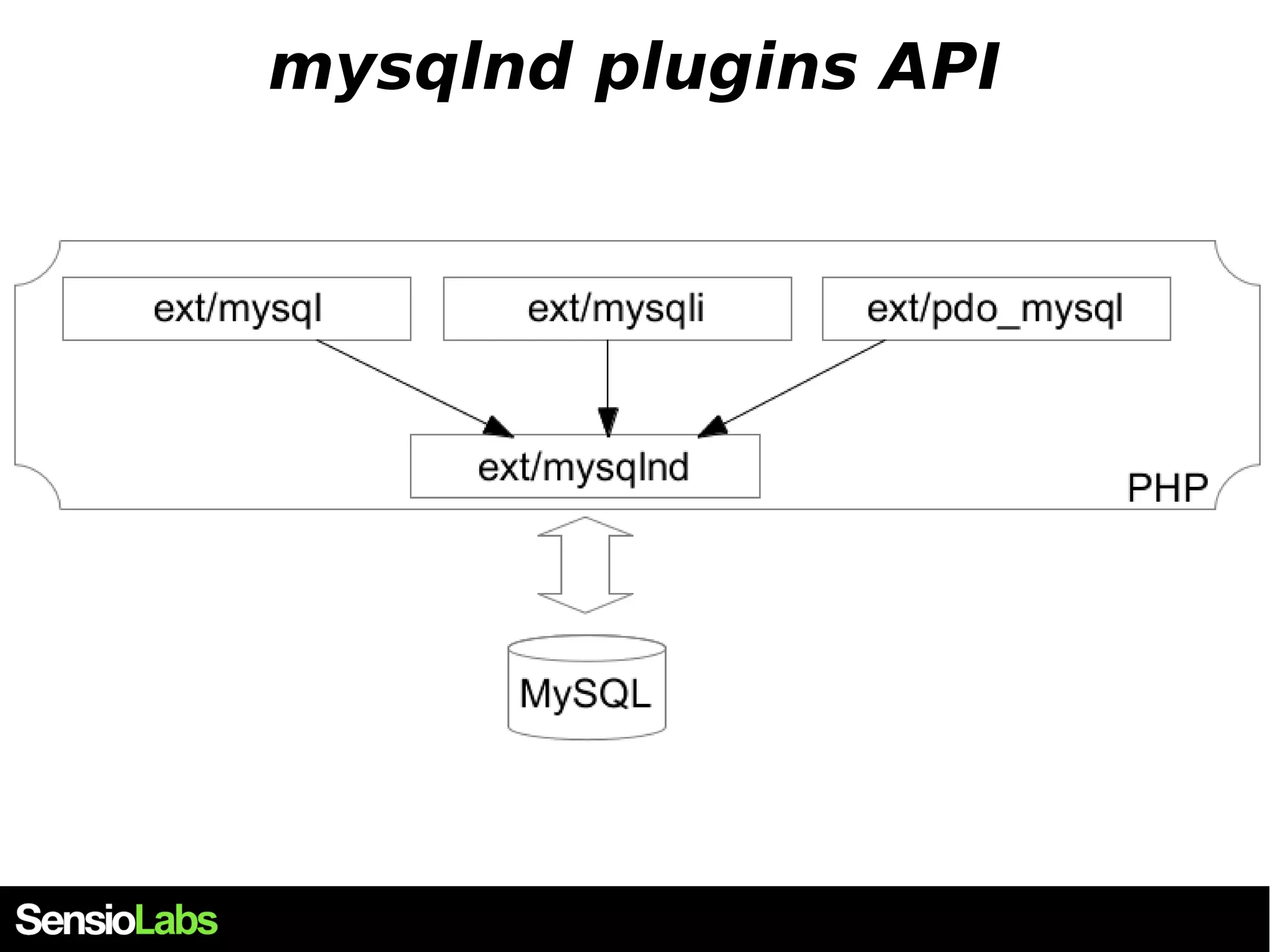
Introducing mysqlnd  mysql Native Driver  PHP extension  Low level layer : replaces libmysql  Complete new write of the MySQL protocol  Enables features for higher level extensions  ext/mysql , ext/mysqli and ext/pdo
mysqlnd : a PHP extension
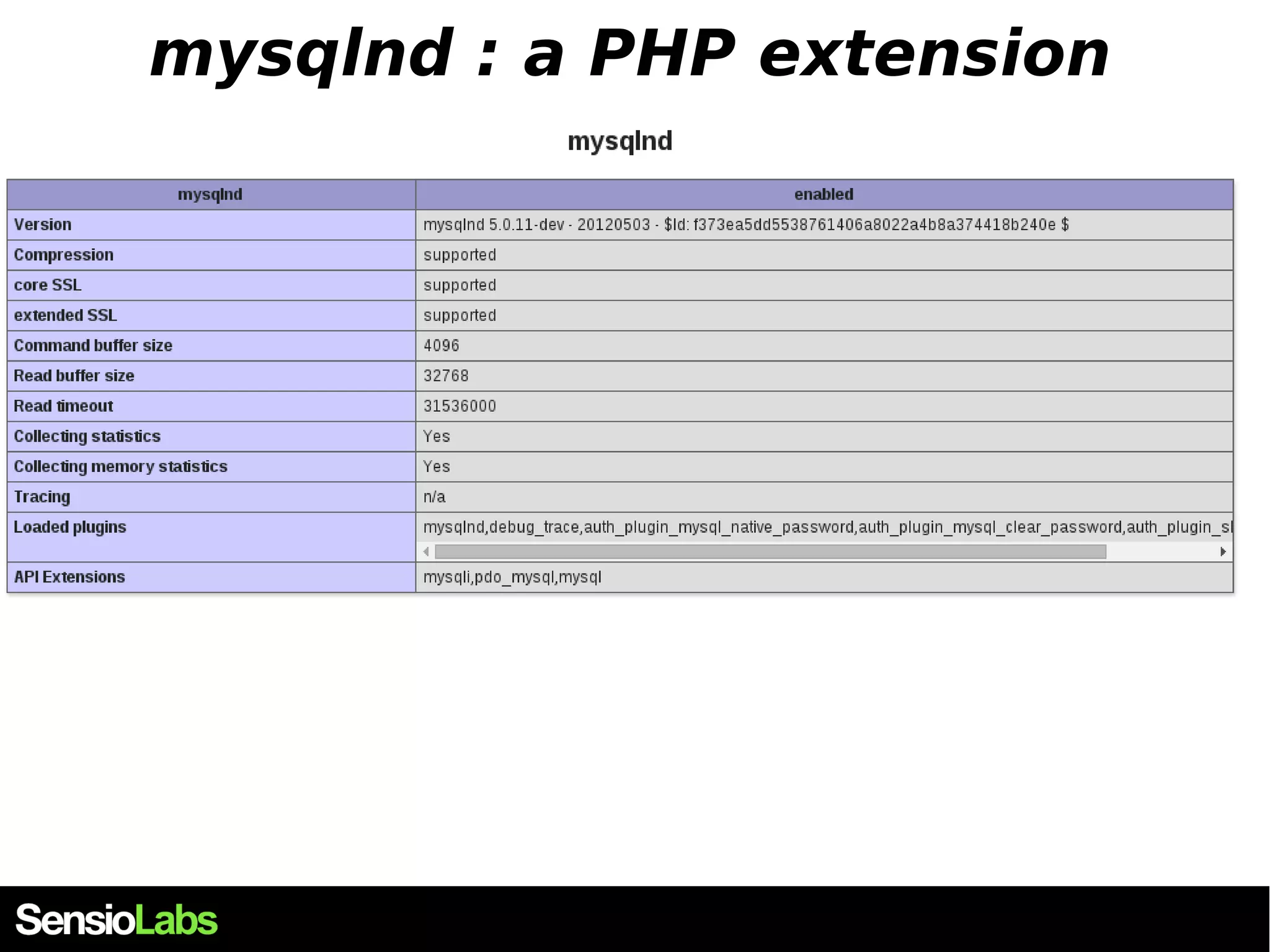
mysqlnd: a strange PHP extension  This extension doesn't provide any function or class of its own.  In fact, it will extend the MySQL extensions  ext/mysql ext/mysqli ext/pdo  It will work on the low layer  It is released with PHP source code  Under the PHP licence
mysqlnd: default PHP connector ?  The extension has been released with PHP5.3  Activate at compile time --with-mysqli=mysqlnd  It is activated by default since 5.4  Cannot be built as shared (no mysqlnd.so)  However, check with your distro  For example, under Debian, it is not used by default $> apt-get install php5-mysqlnd
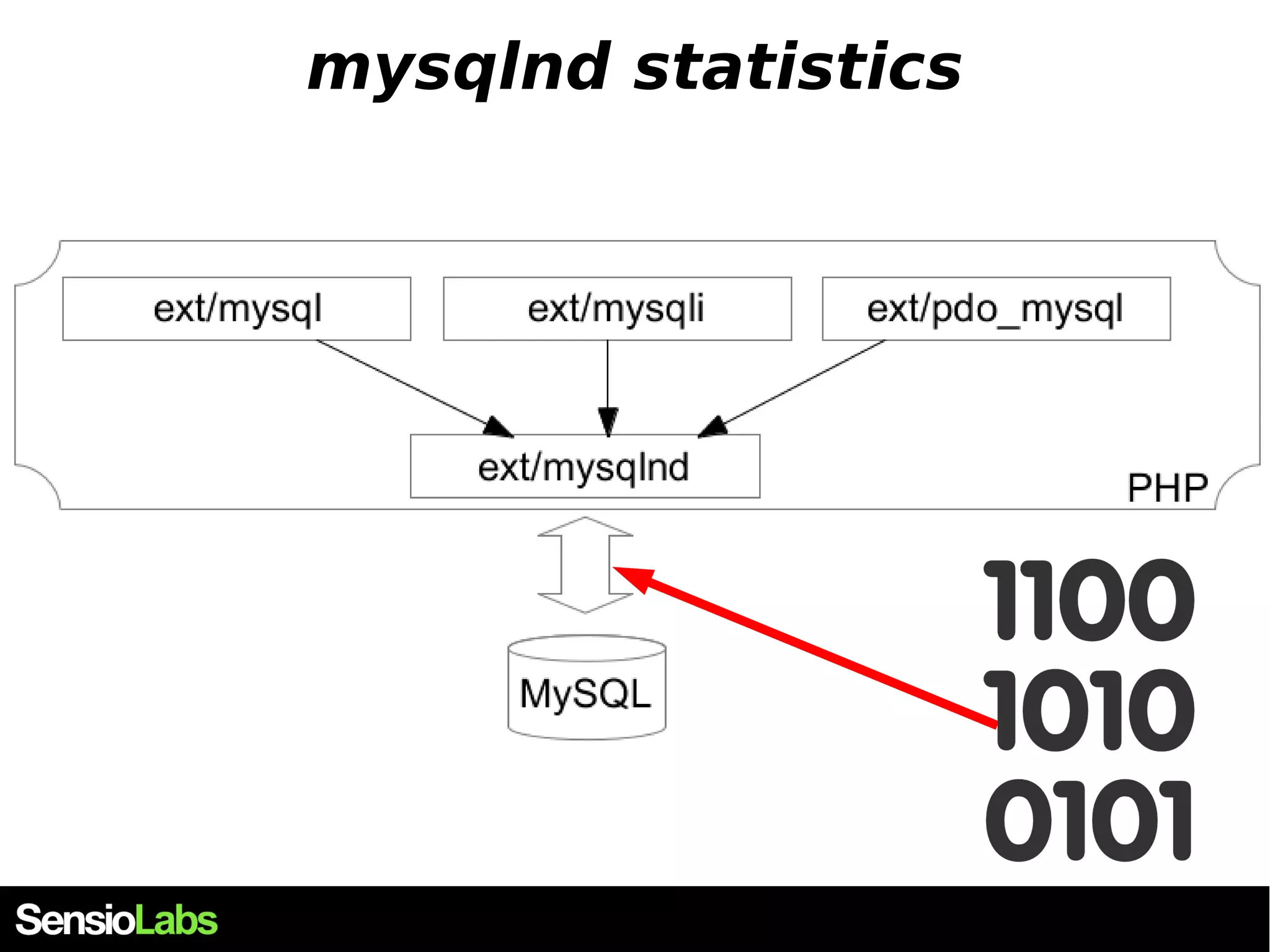
mysqlnd features  PHP licence, maintained by PHP developpers  Huge memory savings in case of read-only queries (very common)  Extremely detailed statistics about the PHP-MySQL communication  Highly extensible, in C, and in PHP  Many plugins exist  A nice API
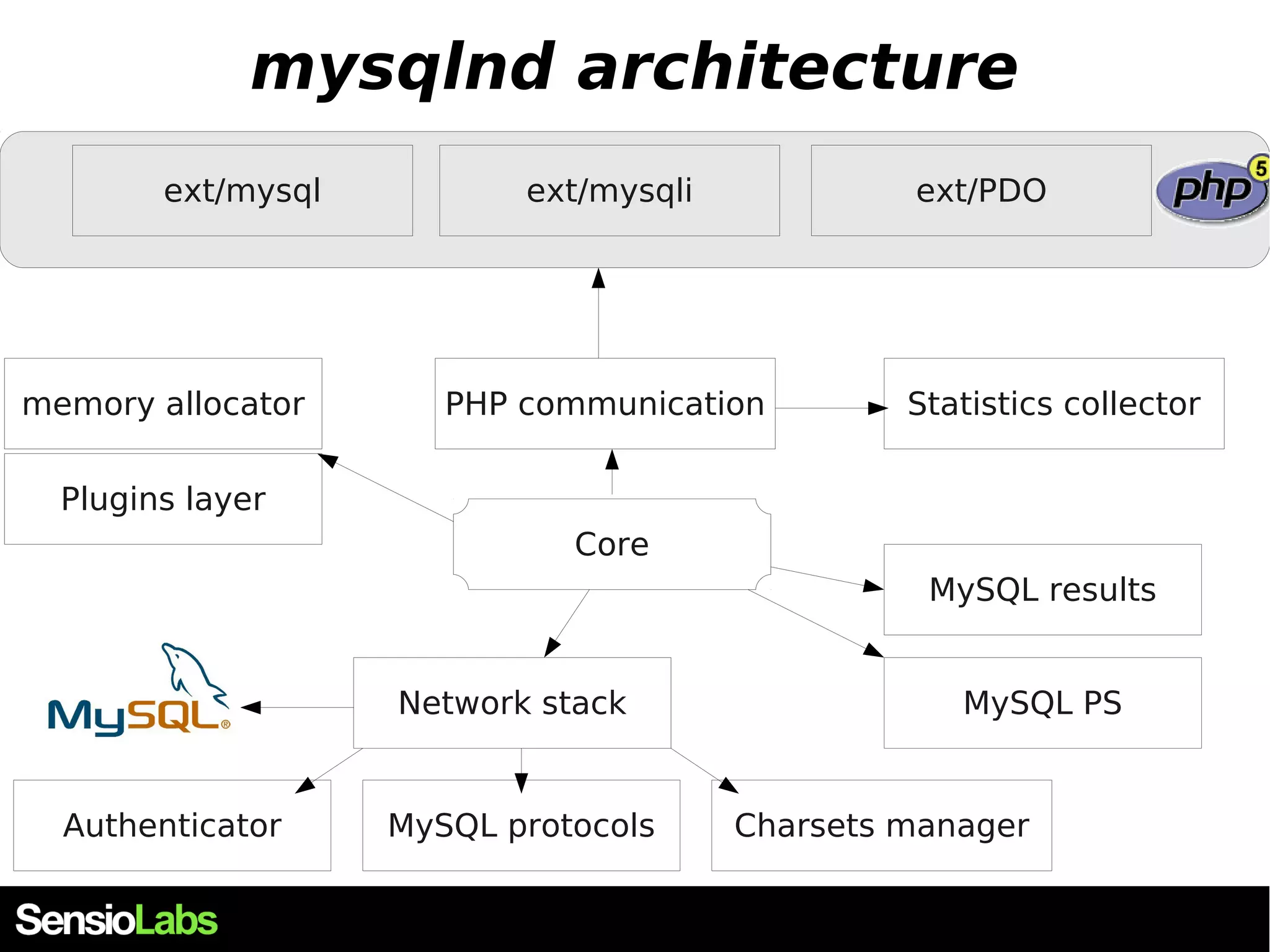
mysqlnd architecture ext/mysql ext/mysqli ext/PDO memory allocator PHP communication Core MySQL protocols Statistics collector Network stack Plugins layer MySQL results MySQL PS Authenticator Charsets manager
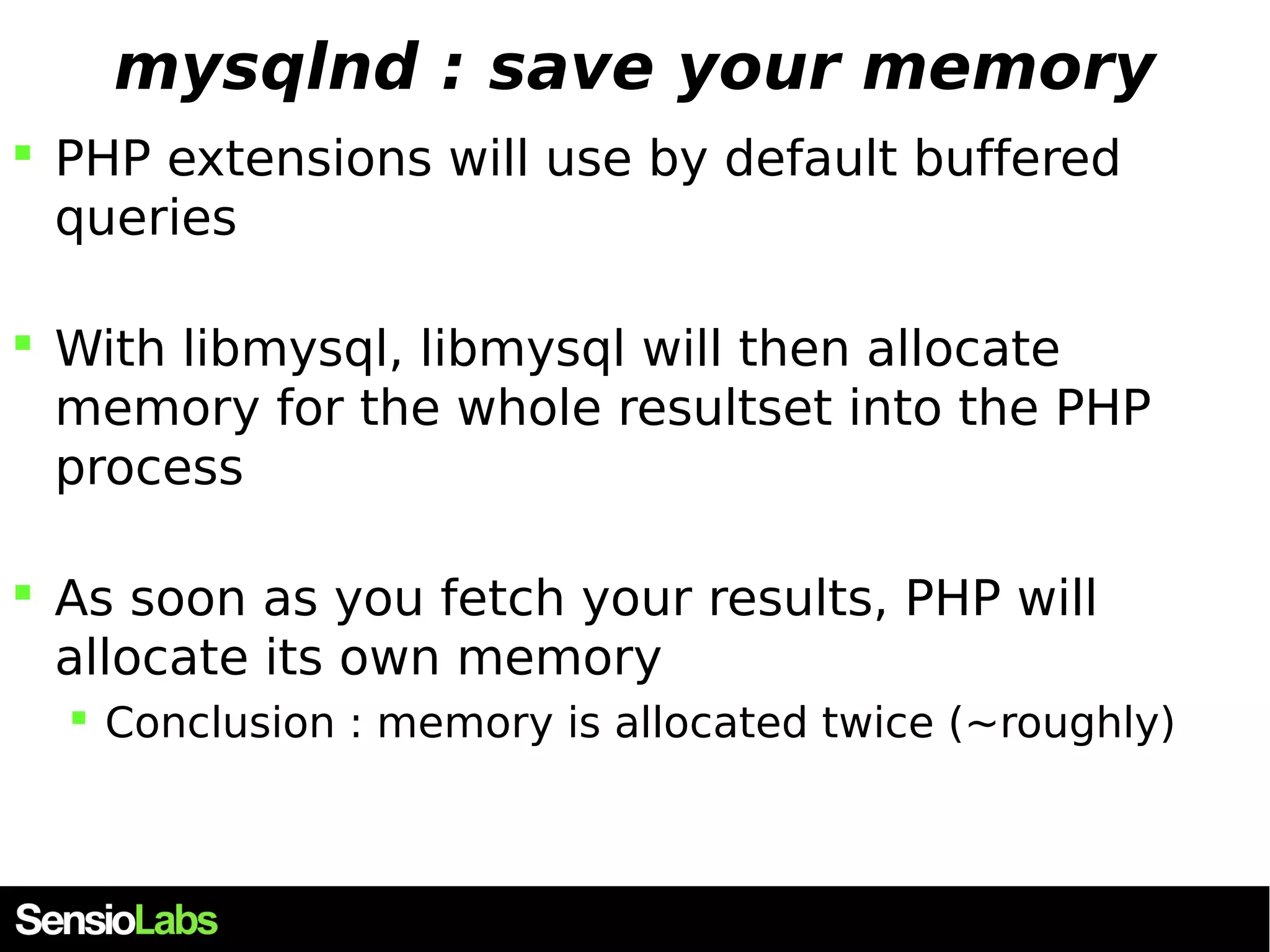
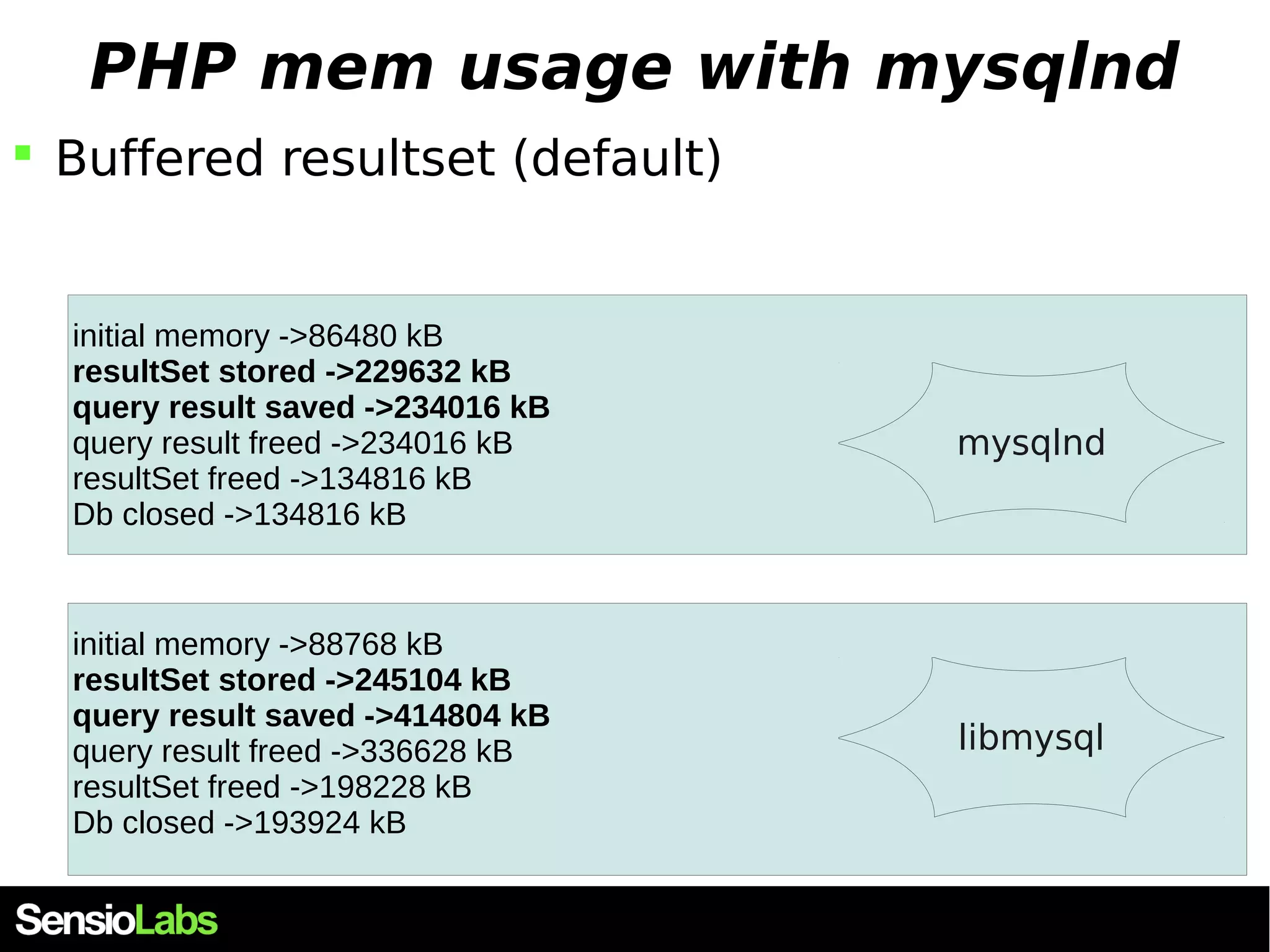
mysqlnd : save your memory  PHP extensions will use by default buffered queries  With libmysql, libmysql will then allocate memory for the whole resultset into the PHP process  As soon as you fetch your results, PHP will allocate its own memory  Conclusion : memory is allocated twice (~roughly)
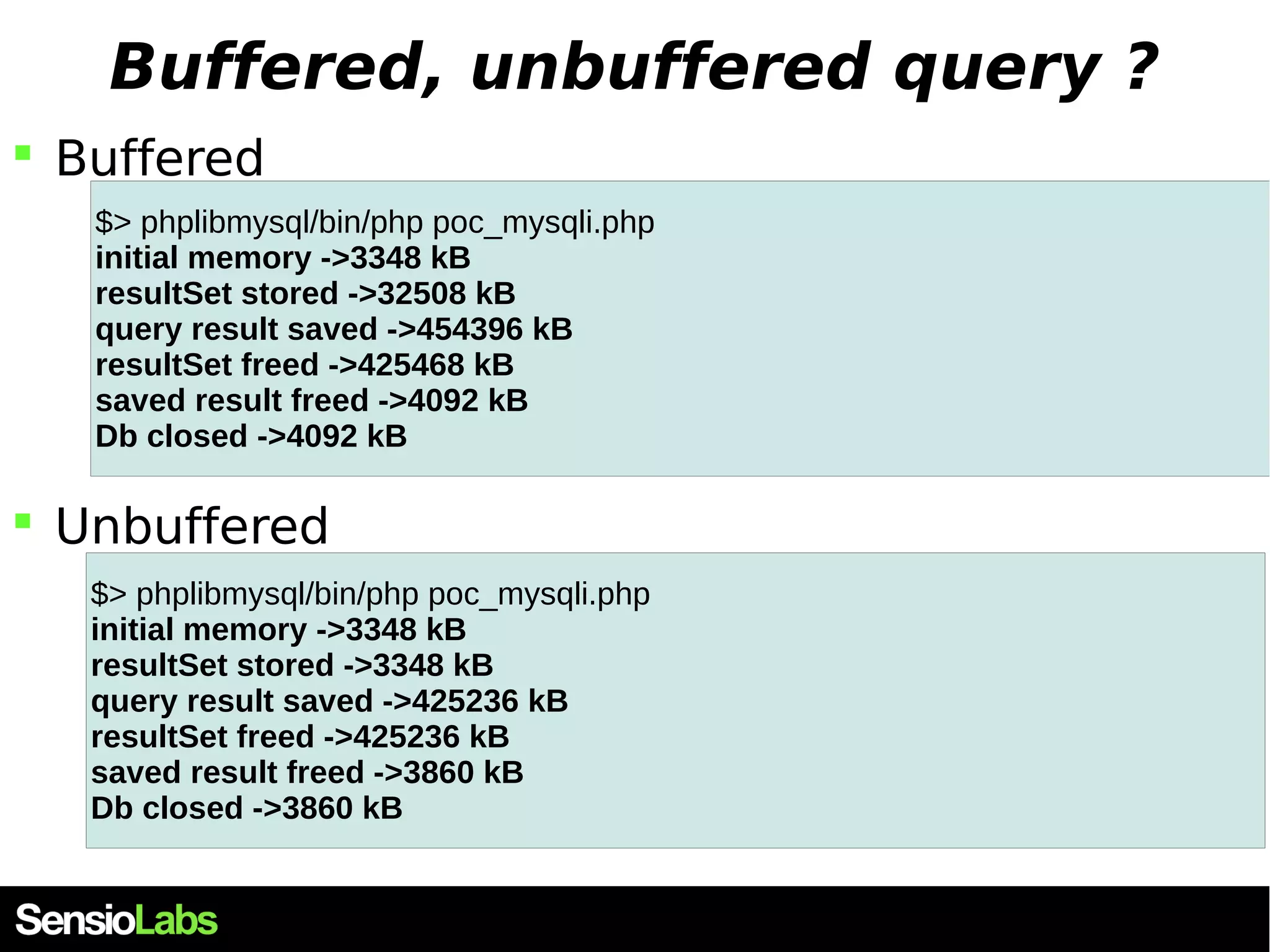
PHP mem usage with libmysql  Buffered resultset (default) echo "initial memory " . memory_usage(); $result = mysqli_query($db,"SELECT user_id, date FROM users LIMIT 800000"); echo "resultSet stored " . memory_usage(); while($results[] = mysqli_fetch_array($result)) { } echo "query result saved " . memory_usage(); mysqli_free_result($result); echo "resultSet freed " . memory_usage(); unset($results); echo "saved result freed " . memory_usage(); unset($db); echo "Db closed " . memory_usage(); $> phplibmysql/bin/php poc_mysqli.php initial memory ->3348 kB resultSet stored ->32508 kB query result saved ->454396 kB resultSet freed ->425468 kB saved result freed ->4092 kB Db closed ->4092 kB
PHP mem usage with libmysql  Unbuffered resultset echo "initial memory " . memory_usage(); $result = mysqli_query($db,"SELECT user_id, date FROM users LIMIT 800000", MYSQLI_USE_RESULT); echo "resultSet stored " . memory_usage(); while($results[] = mysqli_fetch_array($result)) { } echo "query result saved " . memory_usage(); mysqli_free_result($result); echo "resultSet freed " . memory_usage(); unset($results); echo "saved result freed " . memory_usage(); unset($db); echo "Db closed " . memory_usage(); $> phplibmysql/bin/php poc_mysqli.php initial memory ->3348 kB resultSet stored ->3348 kB query result saved ->425236 kB resultSet freed ->425236 kB saved result freed ->3860 kB Db closed ->3860 kB
Buffered, unbuffered query ?  Buffered $> phplibmysql/bin/php poc_mysqli.php initial memory ->3348 kB resultSet stored ->32508 kB query result saved ->454396 kB resultSet freed ->425468 kB saved result freed ->4092 kB Db closed ->4092 kB  Unbuffered $> phplibmysql/bin/php poc_mysqli.php initial memory ->3348 kB resultSet stored ->3348 kB query result saved ->425236 kB resultSet freed ->425236 kB saved result freed ->3860 kB Db closed ->3860 kB
Fetch mode ? echo "initial memory " . memory_usage(); $result = mysqli_query($db,"SELECT user_id, date FROM users LIMIT 800000"); while($results[] = mysqli_fetch_array($result)) { } echo "query result saved with fetch_array" . memory_usage(); unset($results);mysqli_data_seek($result,0); while($results[] = mysqli_fetch_row($result)) { } echo "query result saved with fetch_row" . memory_usage(); unset($results);mysqli_data_seek($result,0); while($results[] = mysqli_fetch_assoc($result)) { } echo "query result saved with fetch_assoc" . memory_usage(); initial memory ->3348 kB resultSet stored ->32508 kB query result saved with fetch_array->454396 kB query result saved with fetch_row->333564 kB query result saved with fetch_assoc->345084 kB
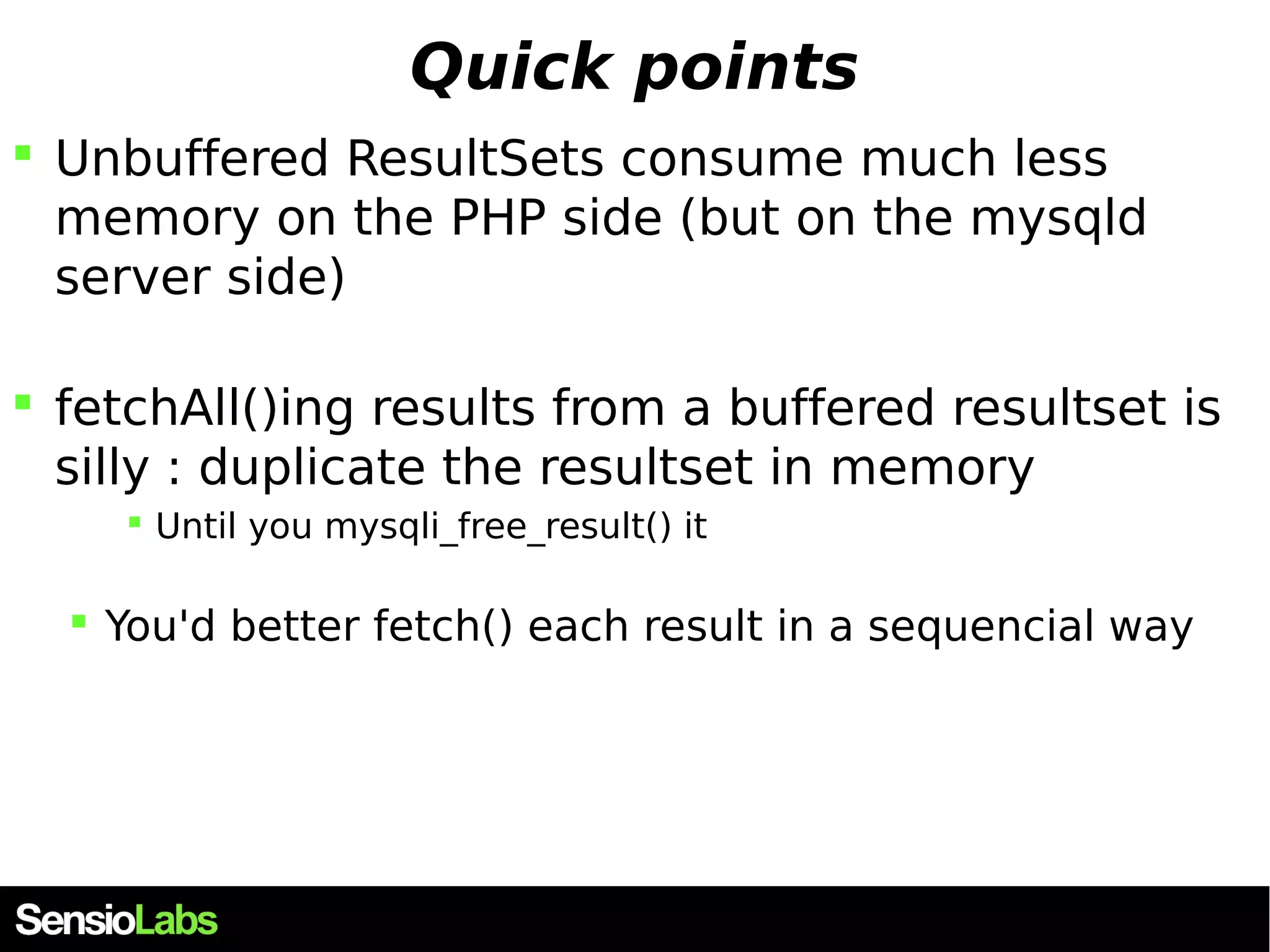
Quick points  Unbuffered ResultSets consume much less memory on the PHP side (but on the mysqld server side)  fetchAll()ing results from a buffered resultset is silly : duplicate the resultset in memory  Until you mysqli_free_result() it  You'd better fetch() each result in a sequencial way
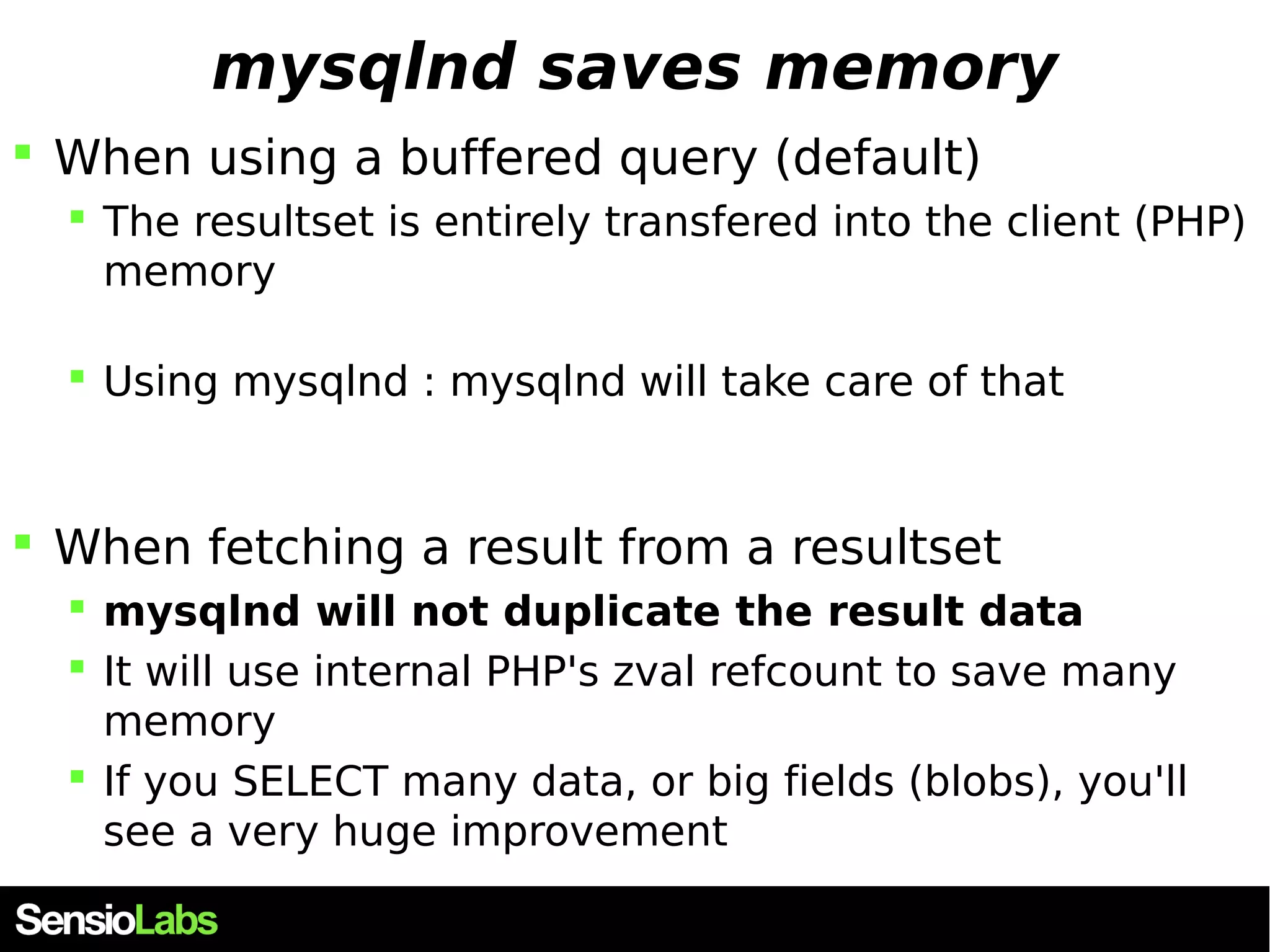
mysqlnd saves memory  When using a buffered query (default)  The resultset is entirely transfered into the client (PHP) memory  Using mysqlnd : mysqlnd will take care of that  When fetching a result from a resultset  mysqlnd will not duplicate the result data  It will use internal PHP's zval refcount to save many memory  If you SELECT many data, or big fields (blobs), you'll see a very huge improvement
PHP mem usage with mysqlnd  Buffered resultset (default) initial memory ->86480 kB resultSet stored ->229632 kB query result saved ->234016 kB query result freed ->234016 kB resultSet freed ->134816 kB Db closed ->134816 kB initial memory ->88768 kB resultSet stored ->245104 kB query result saved ->414804 kB query result freed ->336628 kB resultSet freed ->198228 kB Db closed ->193924 kB mysqlnd libmysql
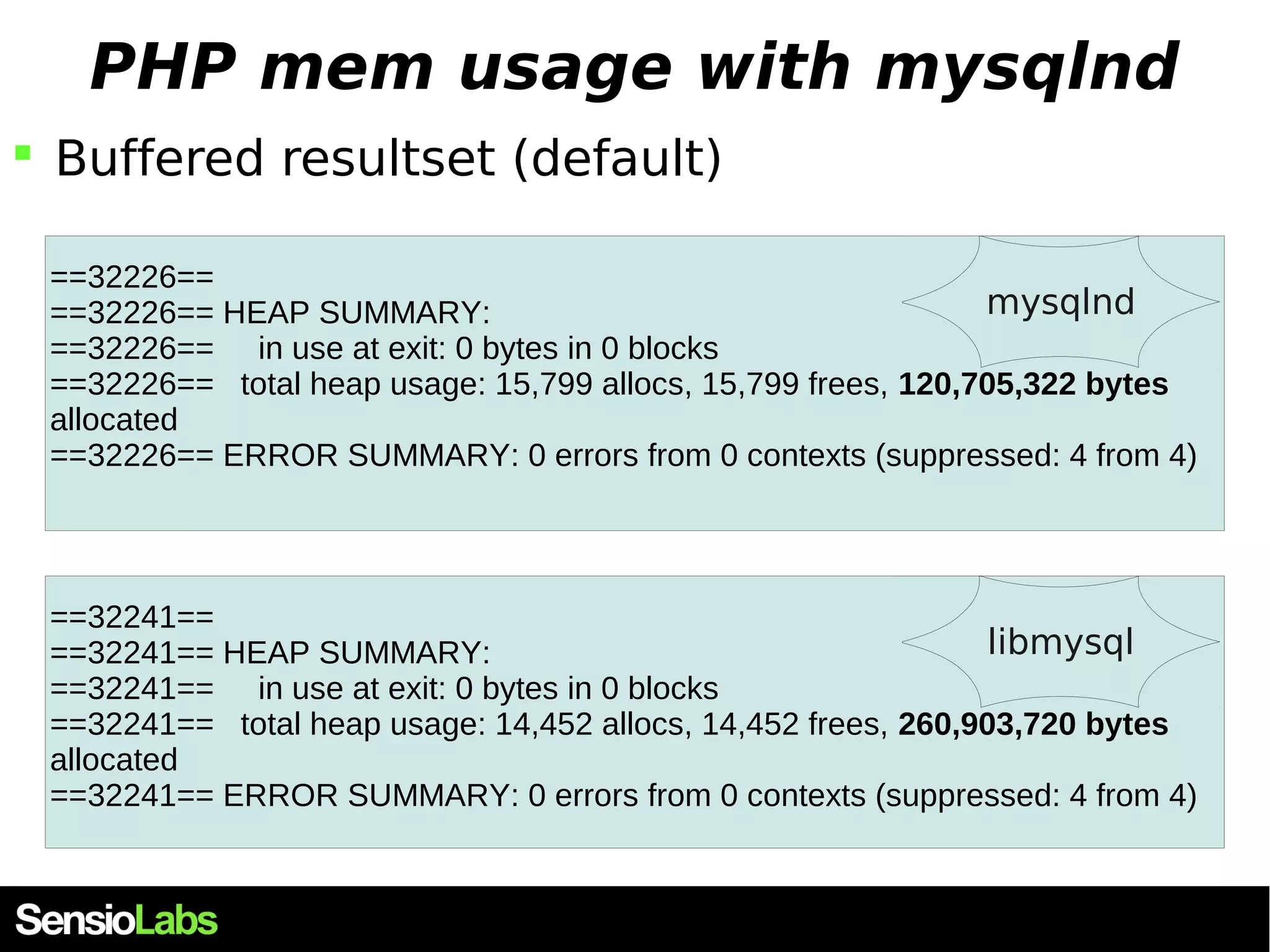
PHP mem usage with mysqlnd  Buffered resultset (default) ==32226== ==32226== HEAP SUMMARY: mysqlnd ==32226== in use at exit: 0 bytes in 0 blocks ==32226== total heap usage: 15,799 allocs, 15,799 frees, 120,705,322 bytes allocated ==32226== ERROR SUMMARY: 0 errors from 0 contexts (suppressed: 4 from 4) ==32241== ==32241== HEAP SUMMARY: libmysql ==32241== in use at exit: 0 bytes in 0 blocks ==32241== total heap usage: 14,452 allocs, 14,452 frees, 260,903,720 bytes allocated ==32241== ERROR SUMMARY: 0 errors from 0 contexts (suppressed: 4 from 4)
libmysql  Roughtly doubles your ResultSet memory space 99.92% (257,473,815B) (heap allocation functions) malloc/new/new[], --alloc-fns, etc. ->52.90% (136,314,880B) 0x69A01E: _zend_mm_alloc_int (zend_alloc.c:1908) | ->52.60% (135,528,448B) 0x69A1DE: _estrndup (zend_alloc.c:2503) | | ->52.60% (135,528,448B) 0x533BCE: php_mysqli_fetch_into_hash (mysqli.c:1191) | | ->52.60% (135,528,448B) 0x53F2E1: zif_mysqli_fetch_array (mysqli_nonapi.c:352) | | ->52.60% (135,528,448B) 0x70186A: zend_do_fcall_common_helper_SPEC (zend_vm_execute.h:320) | | ->52.60% (135,528,448B) 0x6D9D96: execute (zend_vm_execute.h:107) | | ->52.60% (135,528,448B) 0x6B4B98: zend_execute_scripts (zend.c:1236) | | ->52.60% (135,528,448B) 0x663D0C: php_execute_script (main.c:2308) | | ->52.60% (135,528,448B) 0x73BCDC: main (php_cli.c:1184) | | | ->00.31% (786,432B) in 1+ places, all below ms_print's threshold (01.00%) | ->45.85% (118,130,675B) 0x52DD010: my_malloc (my_malloc.c:37) | ->45.84% (118,112,344B) 0x52E0583: alloc_root (my_alloc.c:219) | | ->45.83% (118,096,024B) 0x5307A40: cli_read_rows (client.c:1418) | | | ->45.83% (118,096,024B) 0x5305955: mysql_store_result (client.c:2957) | | | ->45.83% (118,096,024B) 0x53EF09: zif_mysqli_query (mysqli_nonapi.c:540) | | | ->45.83% (118,096,024B) 0x70186A: zend_do_fcall_common_helper_SPEC (zend_vm_execute.h:320) | | | ->45.83% (118,096,024B) 0x6D9D96: execute (zend_vm_execute.h:107) | | | ->45.83% (118,096,024B) 0x6B4B98: zend_execute_scripts (zend.c:1236) | | | ->45.83% (118,096,024B) 0x663D0C: php_execute_script (main.c:2308) | | | ->45.83% (118,096,024B) 0x73BCDC: main (php_cli.c:1184)
mysqlnd, memory : conclusion  When using SELECT queries  Especially :  if you SELECT many results  if you SELECT big results, such as blobs  And you stay in read-only : you don't modify the data you fetch (but just say, display it)
mysqlnd, memory : conclusion  When using SELECT queries  Especially :  if you SELECT many results  if you SELECT big results, such as blobs  And you stay in read-only : you don't modify the data you fetch (but just say, display it)  Then, mysqlnd will save memory for you  mysqlnd uses the PHP memory manager  the memory_limit , and the memory_get_usage()  libmysql does not
mysqlnd statistics
mysqlnd statistics
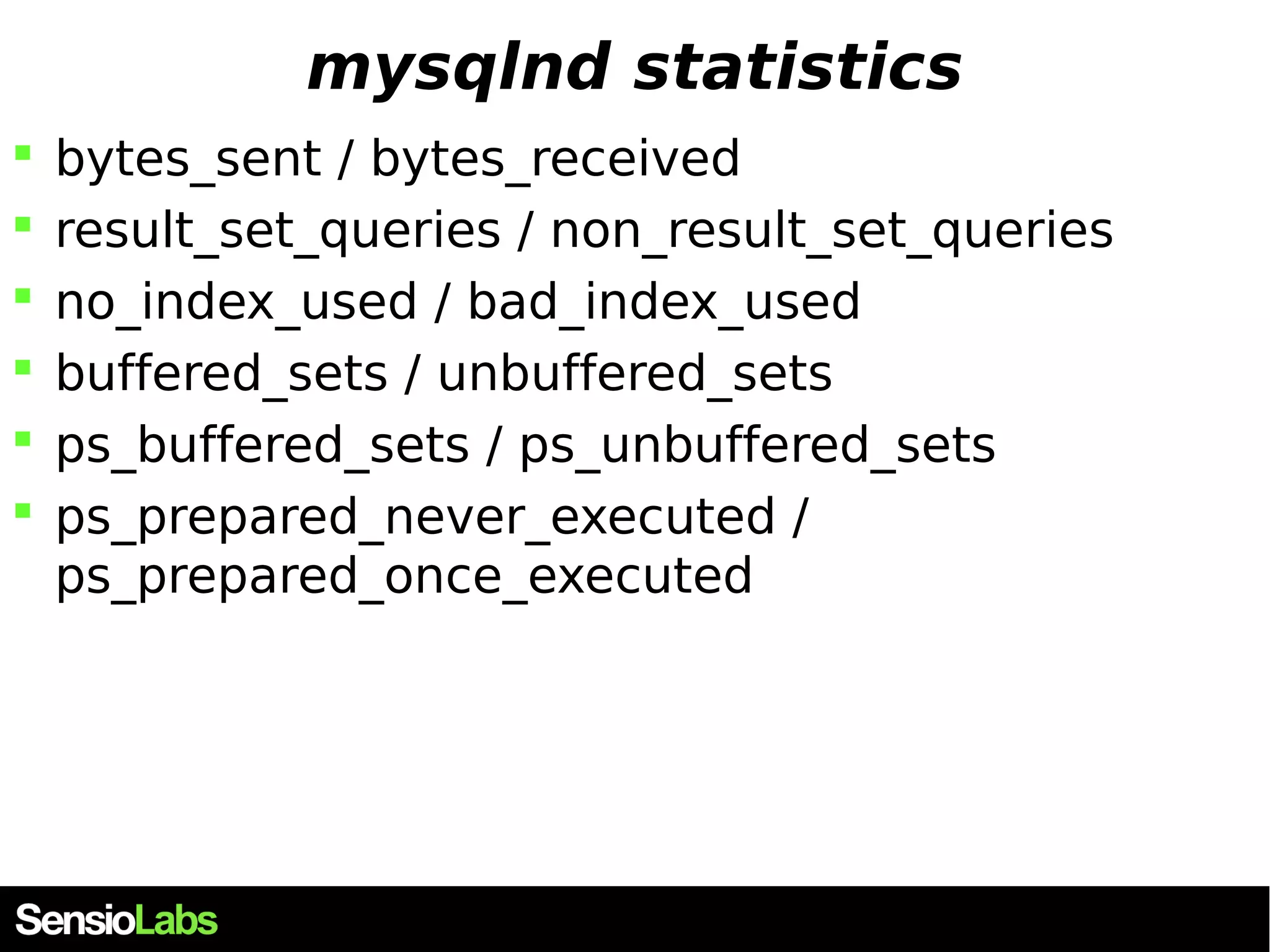
mysqlnd statistics  bytes_sent / bytes_received  result_set_queries / non_result_set_queries  no_index_used / bad_index_used  buffered_sets / unbuffered_sets  ps_buffered_sets / ps_unbuffered_sets  ps_prepared_never_executed / ps_prepared_once_executed
mysqlnd statistics
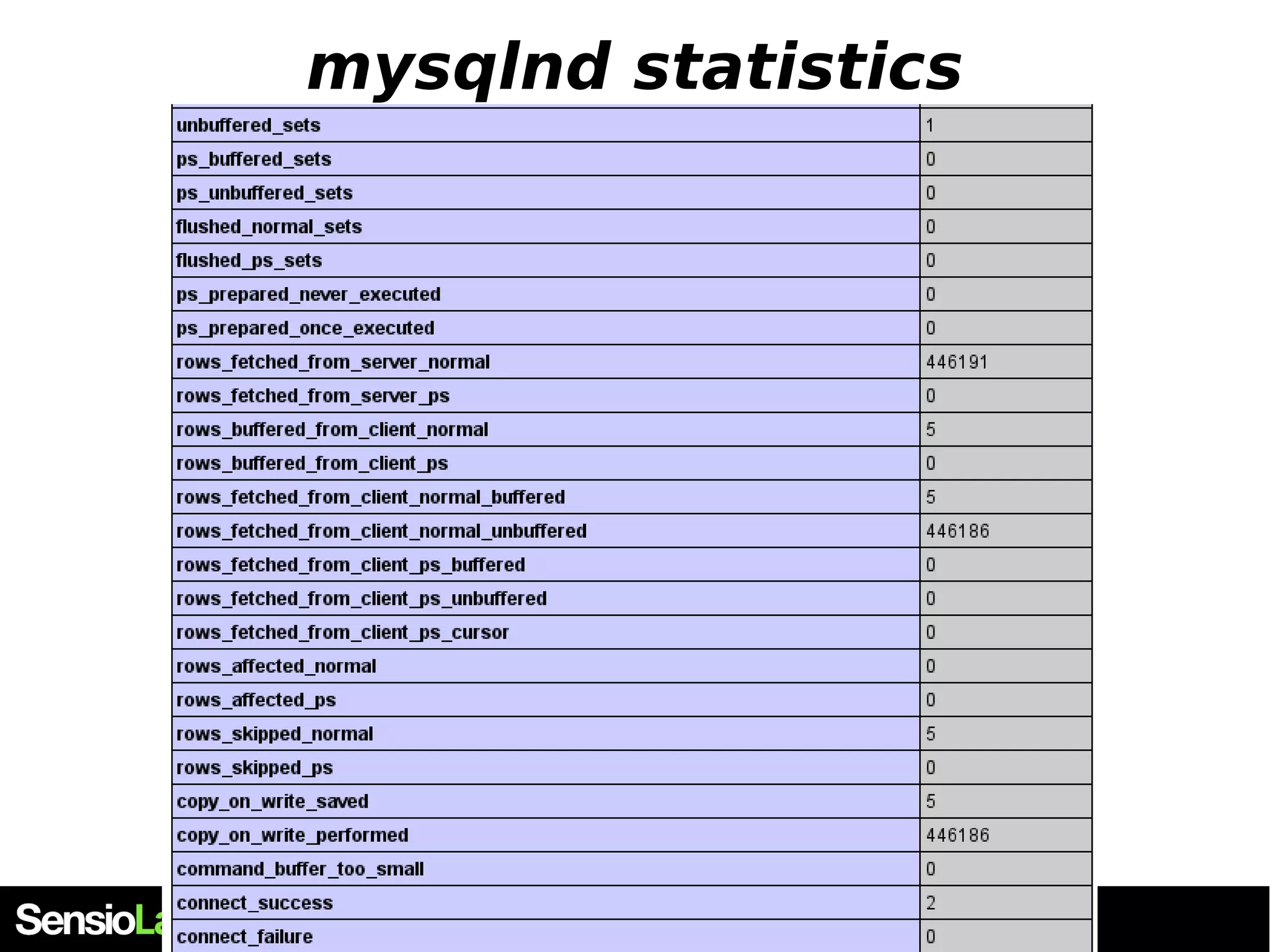
mysqlnd statistics from PHP $db = mysqli_connect('theserver', 'read-only', 'ro', 'mydb'); $result = mysqli_query($db,"SELECT user_id, date FROM users WHERE LIMIT 5"); mysqli_data_seek($result, 5); $data = mysqli_fetch_row($result); var_dump($data); mysqli_free_result($result); var_dump(mysqli_get_connection_stats($db)); ["buffered_sets"]=> string(1) "1" ["rows_fetched_from_server_normal"]=> string(1) "5" ["rows_buffered_from_client_normal"]=> string(1) "5" ["rows_fetched_from_client_normal_buff ered"]=> string(1) "1" ["connect_success"]=> string(1) "1" ...
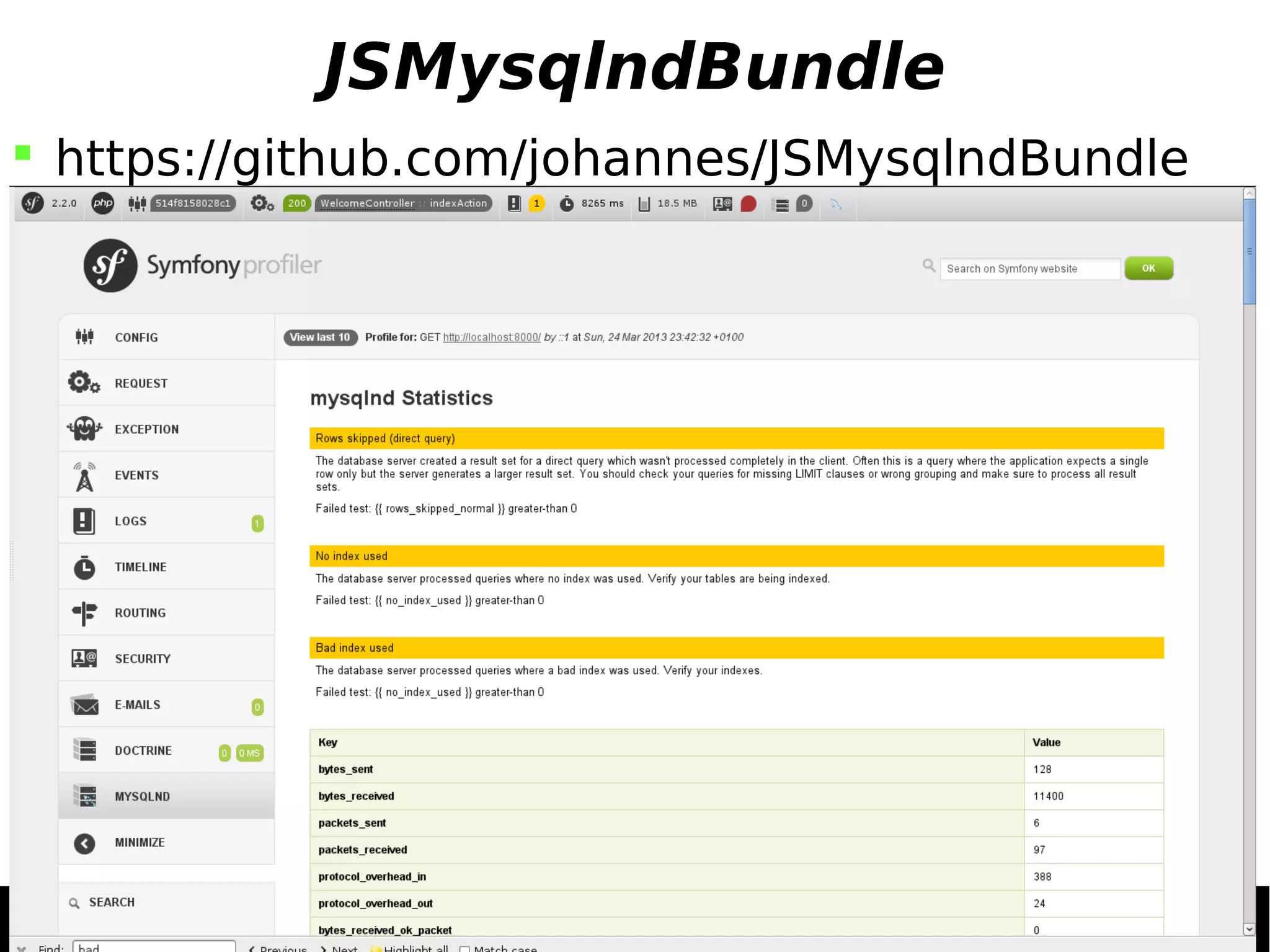
Using mysqlnd stats class MyMysqli extends Mysqli { public function __destruct() { $stats = $this->get_connection_stats(); $this->close(); if($diff = $stats["rows_fetched_from_server_normal"] - ($stats["rows_fetched_from_client_normal_unbuffered"] + $stats["rows_fetched_from_client_normal_buffered"])) { trigger_error("You didn't use *$diff* selected results", E_USER_NOTICE); } } }
JSMysqlndBundle  https://github.com/johannes/JSMysqlndBundle
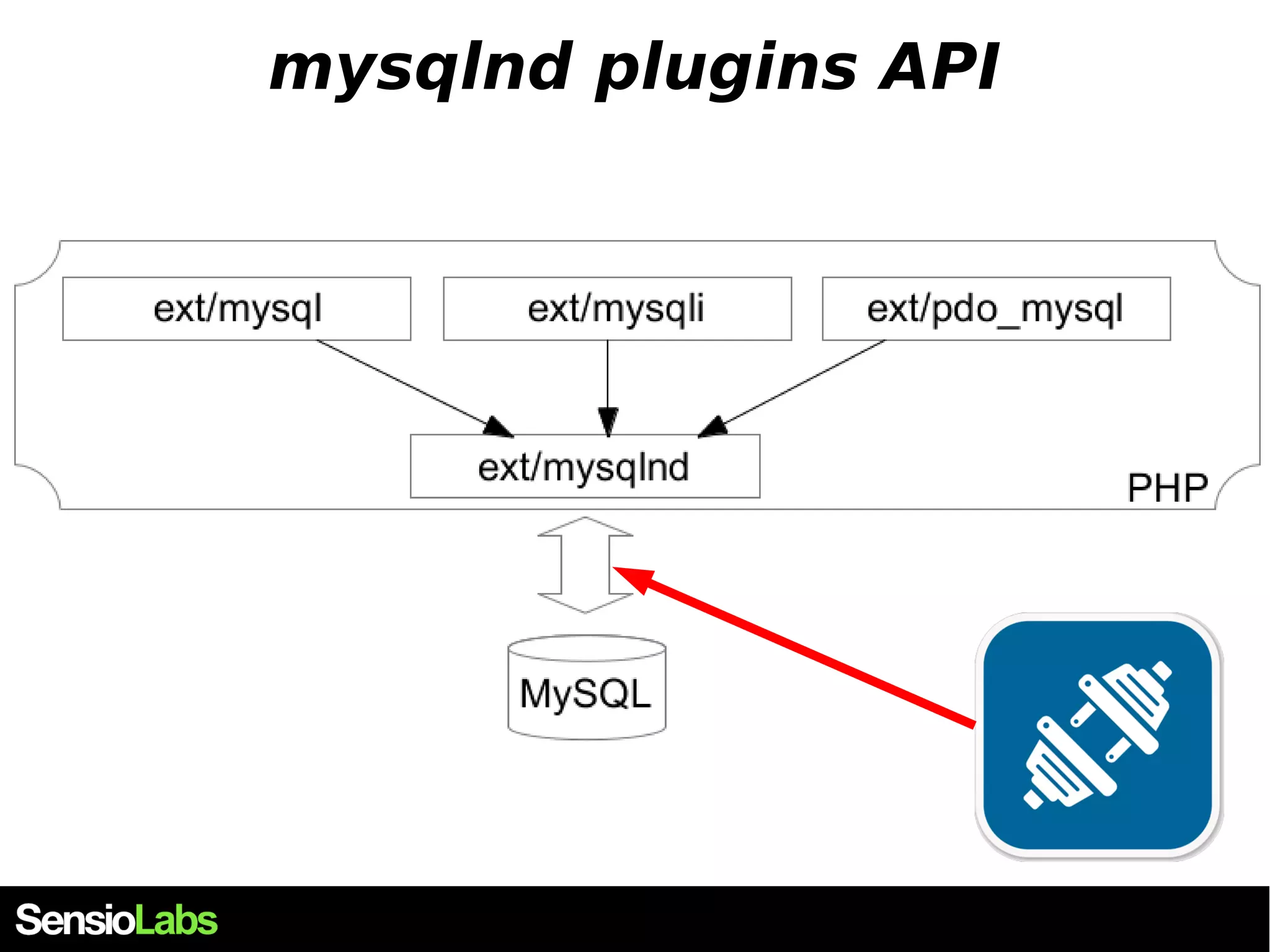
mysqlnd plugins API
mysqlnd plugins API
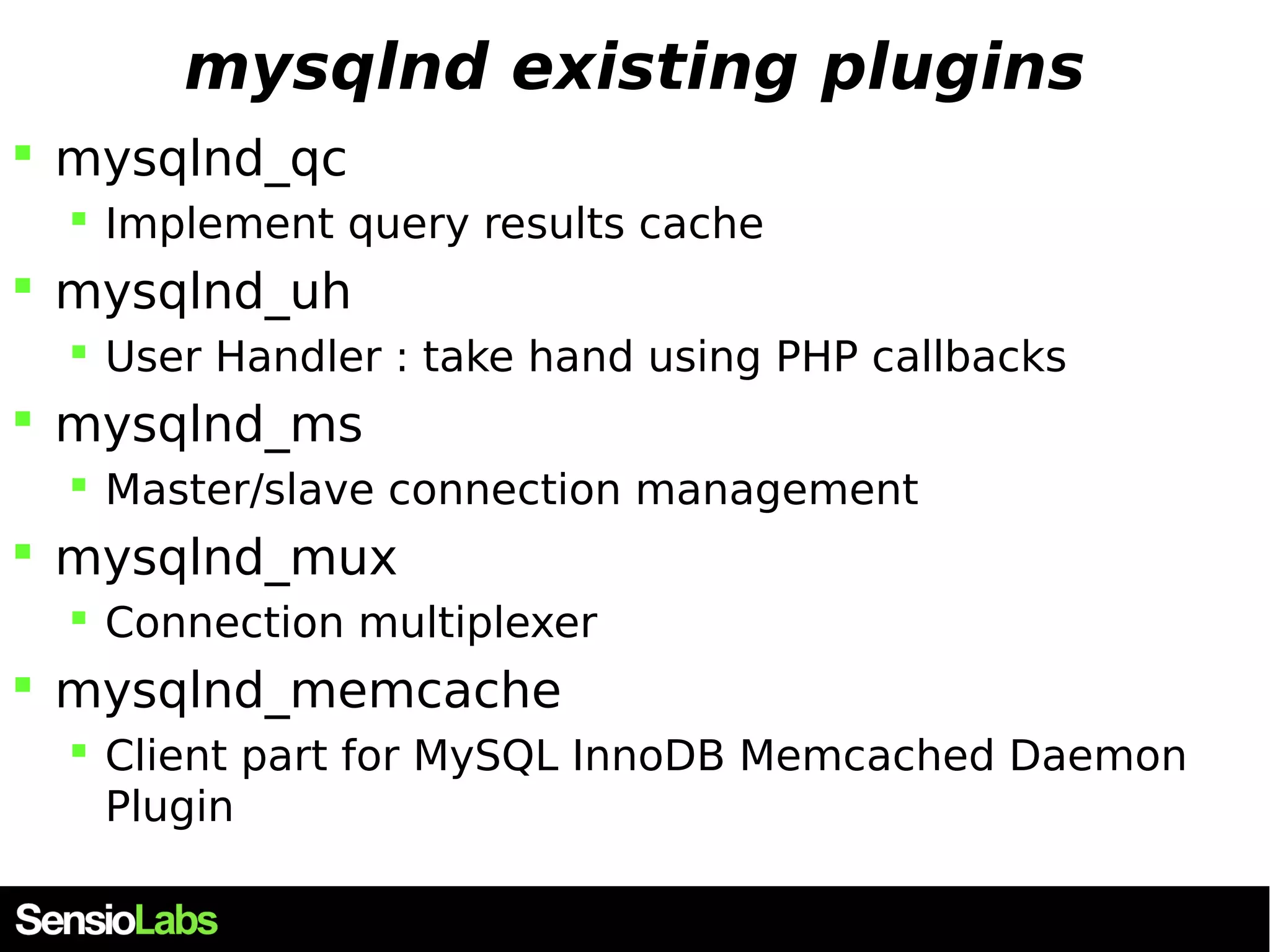
mysqlnd existing plugins  mysqlnd_qc  Implement query results cache  mysqlnd_uh  User Handler : take hand using PHP callbacks  mysqlnd_ms  Master/slave connection management  mysqlnd_mux  Connection multiplexer  mysqlnd_memcache  Client part for MySQL InnoDB Memcached Daemon Plugin
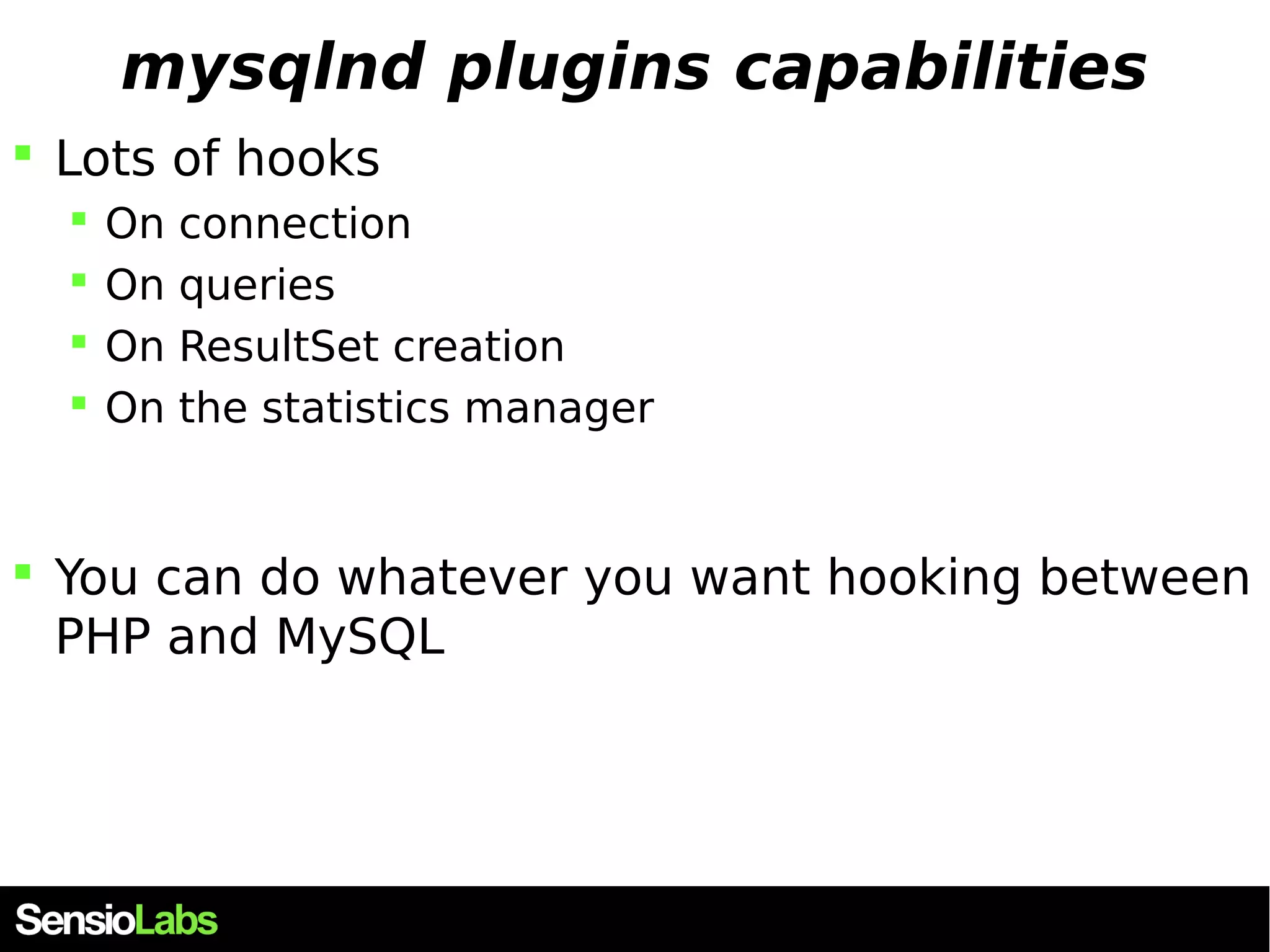
mysqlnd plugins capabilities  Lots of hooks  On connection  On queries  On ResultSet creation  On the statistics manager  You can do whatever you want hooking between PHP and MySQL
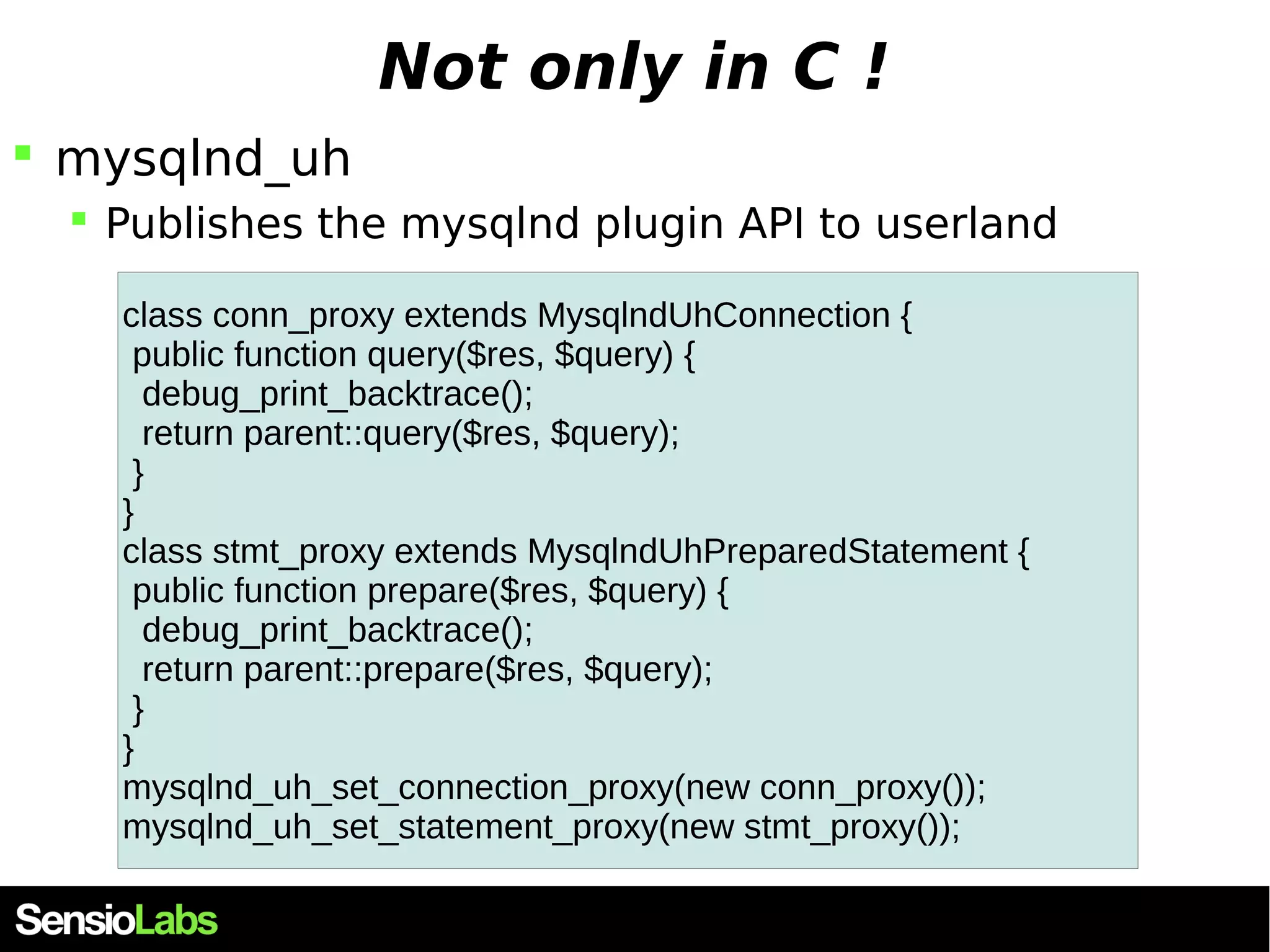
Not only in C !  mysqlnd_uh  Publishes the mysqlnd plugin API to userland class conn_proxy extends MysqlndUhConnection { public function query($res, $query) { debug_print_backtrace(); return parent::query($res, $query); } } class stmt_proxy extends MysqlndUhPreparedStatement { public function prepare($res, $query) { debug_print_backtrace(); return parent::prepare($res, $query); } } mysqlnd_uh_set_connection_proxy(new conn_proxy()); mysqlnd_uh_set_statement_proxy(new stmt_proxy());
Thanks !

Mysqlnd, an unknown powerful PHP extension

  • 1.
    mysqlnd an unknownpowerful PHP extension
  • 2.
    Hola ! Julien PAULI  Working at Sensiolabs (product team : Blackfire)  PHP internals dev. and extensions writer  PHP 5.5 and 5.6 Release Manager  @julienPauli - jpauli.github.com - https://github.com/jpauli/
  • 3.
    Schedule  TheMySQL protocols  Two protocols : binary vs textual  Discussing with MySQL using libmysql  The PHP case  Introduction to mysqlnd  Why and how  Exploring mysqlnd capabilities  Memory savings  Statistics  Plugins API
  • 4.
    MySQL communication MySQL communicates with its clients using a specific protocol  MySQL protocol  Open Source  Detailed at http://dev.mysql.com/doc/internals/en/client-server-protocol. html
  • 5.
  • 6.
    MySQL protocols When querying data, there exists 2 protocols  Textual protocol  Used for direct queries  Heavy (text), cannot represent types (int, float, etc...)  Everything is text  Easy to dump / understand / debug  Binary protocol  Used for prepared statements and stored proc  Light, efficient : can represent types (int, float...)  Not easy to dump / understand / debug
  • 7.
    MySQL Textual Protocol  Everything is sent as text  Even int-type columns, or not-text-type columns SELECT * FROM sl_players INT type column DATETIME type column
  • 8.
    MySQL Binary Protocol  Every column that is not of type CHAR is sent using the right type SELECT * FROM sl_players  More efficient, as there is no need to transform data back-and-forth id (MYSQL_T name (MYSQL_TYPE_STRING) YPE_LONG) : 4 bytes 0260 00 00 22 00 47 00 00 0b 00 00 00 01 00 00 00 06 ..".G........... 0270 6a 75 6c 69 65 6e 1b 6a 75 6c 69 65 6e 2e 70 61 julien.julien.pa 0280 75 6c 69 40 f8 65 6e 73 69 6f 6c 61 62 73 2e 63 uli@.ensiolabs.c 0290 6f 6d 0b 73 75 70 65 72 73 65 63 72 65 74 09 73 om.supersecret.s 02a0 6f 6d 65 5f 73 61 6c 74 01 01 04 de 07 0b 19 3c ome_salt.......<
  • 9.
  • 10.
    Buffered queries A buffered query is a query whose resultset is allocated on the client side memory SELECT * FROM sl_players
  • 11.
    Buffered queries A buffered query is a query whose resultset is allocated on the client side memory  Eats client's memory and not server's  Emits every byte of the result at once, on the network  The server's resultset memory is free : you can issue another request immediately  The result is on the client side, you may then count it (num_rows) or seek() through it SELECT * FROM sl_players
  • 12.
    Unbuffered queries An unbuffered query is a query whose resultset is allocated on the server side memory SELECT * FROM sl_players OK
  • 13.
    Unbuffered queries An unbuffered query is a query whose resultset is allocated on the server side memory  Eats server's memory and not client's  Emits bytes of the result on the network as long as you ask for data (fetch operation)  The server's resultset memory is occupied : you can not issue another request until you free the resultset memory (mysqli_free_result())  You may not seek() nor num_rows(), as the client doesn't know anything about the result's metadata SELECT * FROM sl_players OK
  • 14.
    Buffered, unbuffered ?  PHP will issue buffered query by default /* disable default PHP buffered queries */ $mysqli->query($query_str, MYSQLI_USE_RESULT); $pdo->setAttribute(MYSQL_ATTR_USE_BUFFERED_QUERY, 0);  It is better that the (thousands of) clients handle the memory for their own result rather than the server does
  • 15.
    Direct queries VS Prepared statements
  • 16.
    Direct Queries SELECT* FROM sl_players OK time fetch()
  • 17.
    Direct Queries Client sends the query in one packet  The query is a full string with all arguments resolved etc...  The server answers with OK or KO packet  And then, depending on buffered/unbuffered mode, the server sends back the dataset into several packets  The textual protocol is used  MySQL must transform any non-text col to text  PHP can transform back the text to a useful type if mysqlnd is used
  • 18.
    Direct Queries Querypacket Response packets
  • 19.
    Prepared statements SELECT* FROM sl_players WHERE id = ? OK : PSid = 42 time fetch(PSid=42) compile() PS{42} prepare() execute(PSid=42[0 : 123]) OK CloseStatement(PSid=42) PS{42} OK
  • 20.
    Prepared Statements (PS)  Client sends a PS packet  The query may contain placeholders for data to be fed later-on  The server answers with OK or KO packet  And compiles the query on its side, giving it a unique ID that is sent back to the client. This ID will be used for further communication  Client sends an Execute Statement Packet  Together with the PS ID and eventually the placeholders argument values.  Depending on buffered/unbuffered mode, the server sends back the resultset data into several packets  Client sends a Close Statement Packet  The server may now free the associated ressources, but usually it keeps the PS execution plan and compilation hot in memory for further use  The binary protocol is used
  • 21.
    Prepared Statements (PS)  Much more network communication is involved  If the query is not reused later, this may waste network resources  However, binary protocol is used, this may save resources in some specific cases  No data transformation on either side  RAW binary data may be lighter than the equivalent textual representation
  • 22.
  • 23.
    PHP & MySQLcommunication  3 extensions  ext/mysql  ext/mysqli  ext/PDO  2 connectors  libmysql  mysqlnd
  • 24.
    PHP's MySQL connectors  libmysql  mysqlnd
  • 25.
    libmysql  Thestandard default connector for every project  Written in C  Own and developped by Oracle  Double licenced, read licencing for details  Usually updated by Oracle, packaged by OS packagers  "libmysqlclient" , under Debian  Implements the MySQL protocol  knows how to communicate with MySQL servers
  • 26.
    libmysql example #include<stdio.h> #include <stdlib.h> #include <mysql/mysql.h> #include "mysql_example.h" /* Pour MYSQL_HOST, MYSQL_USER, MYSQL_PASS */ int main(int argv, char *argc[]) { MYSQL_RES *results = NULL; MYSQL_ROW row; MYSQL *db = NULL; db = (MYSQL *)malloc(sizeof(MYSQL)); mysql_init(db); mysql_options(db, MYSQL_INIT_COMMAND, "SET NAMES UTF8;"); if(!mysql_real_connect(db, MYSQL_HOST, MYSQL_USER, MYSQL_PASS, NULL, 0, NULL, 0)) { fprintf(stderr, "Failed to connect to host %s (%s)", MYSQL_HOST, mysql_error(db)); exit(EXIT_FAILURE); } mysql_set_character_set(db, "utf8"); mysql_select_db(db, "my_database"); mysql_query(db , "SELECT user_id AS id FROM users WHERE description='member' LIMIT 10000"); results = mysql_use_result(db); while(row = mysql_fetch_row(results)) { printf("%sn", row[0]); } mysql_free_result(results); exit(EXIT_SUCCESS); }
  • 27.
    Main drawbacks You must bind your project to libmysql $> gcc -lmysql -o example example_mysql.c  libmysql has its own memory allocator  When using buffered queries, libmysql will allocate memory - into the bound process address space - to store the results  In the case of PHP, this is a major drawback  libmysql provides its API  What if I want to go further ?
  • 28.
  • 29.
  • 30.
    Introducing mysqlnd mysql Native Driver  PHP extension  Low level layer : replaces libmysql  Complete new write of the MySQL protocol  Enables features for higher level extensions  ext/mysql , ext/mysqli and ext/pdo
  • 31.
    mysqlnd : aPHP extension
  • 32.
    mysqlnd: a strangePHP extension  This extension doesn't provide any function or class of its own.  In fact, it will extend the MySQL extensions  ext/mysql ext/mysqli ext/pdo  It will work on the low layer  It is released with PHP source code  Under the PHP licence
  • 33.
    mysqlnd: default PHPconnector ?  The extension has been released with PHP5.3  Activate at compile time --with-mysqli=mysqlnd  It is activated by default since 5.4  Cannot be built as shared (no mysqlnd.so)  However, check with your distro  For example, under Debian, it is not used by default $> apt-get install php5-mysqlnd
  • 34.
    mysqlnd features PHP licence, maintained by PHP developpers  Huge memory savings in case of read-only queries (very common)  Extremely detailed statistics about the PHP-MySQL communication  Highly extensible, in C, and in PHP  Many plugins exist  A nice API
  • 35.
    mysqlnd architecture ext/mysqlext/mysqli ext/PDO memory allocator PHP communication Core MySQL protocols Statistics collector Network stack Plugins layer MySQL results MySQL PS Authenticator Charsets manager
  • 36.
    mysqlnd : saveyour memory  PHP extensions will use by default buffered queries  With libmysql, libmysql will then allocate memory for the whole resultset into the PHP process  As soon as you fetch your results, PHP will allocate its own memory  Conclusion : memory is allocated twice (~roughly)
  • 37.
    PHP mem usagewith libmysql  Buffered resultset (default) echo "initial memory " . memory_usage(); $result = mysqli_query($db,"SELECT user_id, date FROM users LIMIT 800000"); echo "resultSet stored " . memory_usage(); while($results[] = mysqli_fetch_array($result)) { } echo "query result saved " . memory_usage(); mysqli_free_result($result); echo "resultSet freed " . memory_usage(); unset($results); echo "saved result freed " . memory_usage(); unset($db); echo "Db closed " . memory_usage(); $> phplibmysql/bin/php poc_mysqli.php initial memory ->3348 kB resultSet stored ->32508 kB query result saved ->454396 kB resultSet freed ->425468 kB saved result freed ->4092 kB Db closed ->4092 kB
  • 38.
    PHP mem usagewith libmysql  Unbuffered resultset echo "initial memory " . memory_usage(); $result = mysqli_query($db,"SELECT user_id, date FROM users LIMIT 800000", MYSQLI_USE_RESULT); echo "resultSet stored " . memory_usage(); while($results[] = mysqli_fetch_array($result)) { } echo "query result saved " . memory_usage(); mysqli_free_result($result); echo "resultSet freed " . memory_usage(); unset($results); echo "saved result freed " . memory_usage(); unset($db); echo "Db closed " . memory_usage(); $> phplibmysql/bin/php poc_mysqli.php initial memory ->3348 kB resultSet stored ->3348 kB query result saved ->425236 kB resultSet freed ->425236 kB saved result freed ->3860 kB Db closed ->3860 kB
  • 39.
    Buffered, unbuffered query?  Buffered $> phplibmysql/bin/php poc_mysqli.php initial memory ->3348 kB resultSet stored ->32508 kB query result saved ->454396 kB resultSet freed ->425468 kB saved result freed ->4092 kB Db closed ->4092 kB  Unbuffered $> phplibmysql/bin/php poc_mysqli.php initial memory ->3348 kB resultSet stored ->3348 kB query result saved ->425236 kB resultSet freed ->425236 kB saved result freed ->3860 kB Db closed ->3860 kB
  • 40.
    Fetch mode ? echo "initial memory " . memory_usage(); $result = mysqli_query($db,"SELECT user_id, date FROM users LIMIT 800000"); while($results[] = mysqli_fetch_array($result)) { } echo "query result saved with fetch_array" . memory_usage(); unset($results);mysqli_data_seek($result,0); while($results[] = mysqli_fetch_row($result)) { } echo "query result saved with fetch_row" . memory_usage(); unset($results);mysqli_data_seek($result,0); while($results[] = mysqli_fetch_assoc($result)) { } echo "query result saved with fetch_assoc" . memory_usage(); initial memory ->3348 kB resultSet stored ->32508 kB query result saved with fetch_array->454396 kB query result saved with fetch_row->333564 kB query result saved with fetch_assoc->345084 kB
  • 41.
    Quick points Unbuffered ResultSets consume much less memory on the PHP side (but on the mysqld server side)  fetchAll()ing results from a buffered resultset is silly : duplicate the resultset in memory  Until you mysqli_free_result() it  You'd better fetch() each result in a sequencial way
  • 42.
    mysqlnd saves memory  When using a buffered query (default)  The resultset is entirely transfered into the client (PHP) memory  Using mysqlnd : mysqlnd will take care of that  When fetching a result from a resultset  mysqlnd will not duplicate the result data  It will use internal PHP's zval refcount to save many memory  If you SELECT many data, or big fields (blobs), you'll see a very huge improvement
  • 43.
    PHP mem usagewith mysqlnd  Buffered resultset (default) initial memory ->86480 kB resultSet stored ->229632 kB query result saved ->234016 kB query result freed ->234016 kB resultSet freed ->134816 kB Db closed ->134816 kB initial memory ->88768 kB resultSet stored ->245104 kB query result saved ->414804 kB query result freed ->336628 kB resultSet freed ->198228 kB Db closed ->193924 kB mysqlnd libmysql
  • 44.
    PHP mem usagewith mysqlnd  Buffered resultset (default) ==32226== ==32226== HEAP SUMMARY: mysqlnd ==32226== in use at exit: 0 bytes in 0 blocks ==32226== total heap usage: 15,799 allocs, 15,799 frees, 120,705,322 bytes allocated ==32226== ERROR SUMMARY: 0 errors from 0 contexts (suppressed: 4 from 4) ==32241== ==32241== HEAP SUMMARY: libmysql ==32241== in use at exit: 0 bytes in 0 blocks ==32241== total heap usage: 14,452 allocs, 14,452 frees, 260,903,720 bytes allocated ==32241== ERROR SUMMARY: 0 errors from 0 contexts (suppressed: 4 from 4)
  • 45.
    libmysql  Roughtlydoubles your ResultSet memory space 99.92% (257,473,815B) (heap allocation functions) malloc/new/new[], --alloc-fns, etc. ->52.90% (136,314,880B) 0x69A01E: _zend_mm_alloc_int (zend_alloc.c:1908) | ->52.60% (135,528,448B) 0x69A1DE: _estrndup (zend_alloc.c:2503) | | ->52.60% (135,528,448B) 0x533BCE: php_mysqli_fetch_into_hash (mysqli.c:1191) | | ->52.60% (135,528,448B) 0x53F2E1: zif_mysqli_fetch_array (mysqli_nonapi.c:352) | | ->52.60% (135,528,448B) 0x70186A: zend_do_fcall_common_helper_SPEC (zend_vm_execute.h:320) | | ->52.60% (135,528,448B) 0x6D9D96: execute (zend_vm_execute.h:107) | | ->52.60% (135,528,448B) 0x6B4B98: zend_execute_scripts (zend.c:1236) | | ->52.60% (135,528,448B) 0x663D0C: php_execute_script (main.c:2308) | | ->52.60% (135,528,448B) 0x73BCDC: main (php_cli.c:1184) | | | ->00.31% (786,432B) in 1+ places, all below ms_print's threshold (01.00%) | ->45.85% (118,130,675B) 0x52DD010: my_malloc (my_malloc.c:37) | ->45.84% (118,112,344B) 0x52E0583: alloc_root (my_alloc.c:219) | | ->45.83% (118,096,024B) 0x5307A40: cli_read_rows (client.c:1418) | | | ->45.83% (118,096,024B) 0x5305955: mysql_store_result (client.c:2957) | | | ->45.83% (118,096,024B) 0x53EF09: zif_mysqli_query (mysqli_nonapi.c:540) | | | ->45.83% (118,096,024B) 0x70186A: zend_do_fcall_common_helper_SPEC (zend_vm_execute.h:320) | | | ->45.83% (118,096,024B) 0x6D9D96: execute (zend_vm_execute.h:107) | | | ->45.83% (118,096,024B) 0x6B4B98: zend_execute_scripts (zend.c:1236) | | | ->45.83% (118,096,024B) 0x663D0C: php_execute_script (main.c:2308) | | | ->45.83% (118,096,024B) 0x73BCDC: main (php_cli.c:1184)
  • 46.
    mysqlnd, memory :conclusion  When using SELECT queries  Especially :  if you SELECT many results  if you SELECT big results, such as blobs  And you stay in read-only : you don't modify the data you fetch (but just say, display it)
  • 47.
    mysqlnd, memory :conclusion  When using SELECT queries  Especially :  if you SELECT many results  if you SELECT big results, such as blobs  And you stay in read-only : you don't modify the data you fetch (but just say, display it)  Then, mysqlnd will save memory for you  mysqlnd uses the PHP memory manager  the memory_limit , and the memory_get_usage()  libmysql does not
  • 48.
  • 49.
  • 50.
    mysqlnd statistics bytes_sent / bytes_received  result_set_queries / non_result_set_queries  no_index_used / bad_index_used  buffered_sets / unbuffered_sets  ps_buffered_sets / ps_unbuffered_sets  ps_prepared_never_executed / ps_prepared_once_executed
  • 51.
  • 52.
    mysqlnd statistics fromPHP $db = mysqli_connect('theserver', 'read-only', 'ro', 'mydb'); $result = mysqli_query($db,"SELECT user_id, date FROM users WHERE LIMIT 5"); mysqli_data_seek($result, 5); $data = mysqli_fetch_row($result); var_dump($data); mysqli_free_result($result); var_dump(mysqli_get_connection_stats($db)); ["buffered_sets"]=> string(1) "1" ["rows_fetched_from_server_normal"]=> string(1) "5" ["rows_buffered_from_client_normal"]=> string(1) "5" ["rows_fetched_from_client_normal_buff ered"]=> string(1) "1" ["connect_success"]=> string(1) "1" ...
  • 53.
    Using mysqlnd stats class MyMysqli extends Mysqli { public function __destruct() { $stats = $this->get_connection_stats(); $this->close(); if($diff = $stats["rows_fetched_from_server_normal"] - ($stats["rows_fetched_from_client_normal_unbuffered"] + $stats["rows_fetched_from_client_normal_buffered"])) { trigger_error("You didn't use *$diff* selected results", E_USER_NOTICE); } } }
  • 54.
  • 55.
  • 56.
  • 57.
    mysqlnd existing plugins  mysqlnd_qc  Implement query results cache  mysqlnd_uh  User Handler : take hand using PHP callbacks  mysqlnd_ms  Master/slave connection management  mysqlnd_mux  Connection multiplexer  mysqlnd_memcache  Client part for MySQL InnoDB Memcached Daemon Plugin
  • 58.
    mysqlnd plugins capabilities  Lots of hooks  On connection  On queries  On ResultSet creation  On the statistics manager  You can do whatever you want hooking between PHP and MySQL
  • 59.
    Not only inC !  mysqlnd_uh  Publishes the mysqlnd plugin API to userland class conn_proxy extends MysqlndUhConnection { public function query($res, $query) { debug_print_backtrace(); return parent::query($res, $query); } } class stmt_proxy extends MysqlndUhPreparedStatement { public function prepare($res, $query) { debug_print_backtrace(); return parent::prepare($res, $query); } } mysqlnd_uh_set_connection_proxy(new conn_proxy()); mysqlnd_uh_set_statement_proxy(new stmt_proxy());
  • 60.