Neo4J Basic Concepts Slides by : David Fombella Email: dpombal@hotmail.com Linkedin: https://es.linkedin.com/in/david-fombella-pombal-3757b925 Skype: dpombal Twitter: @davidfombella
Graph Fundamentals Basic concepts to get you going. A graph database can store any kind of data using a few simple concepts: • Nodes - graph data records • Relationships - connect nodes • Properties - named data values
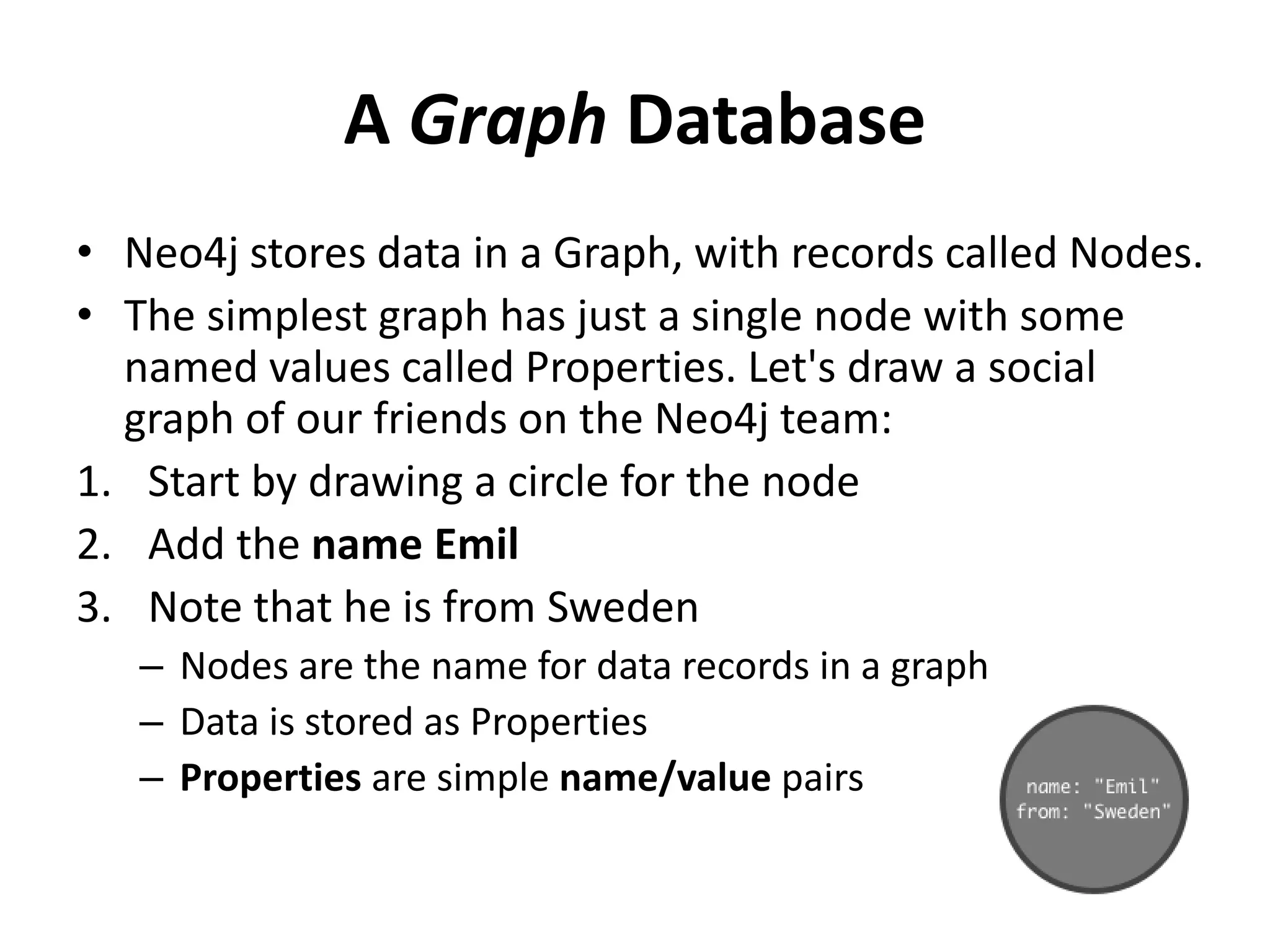
A Graph Database • Neo4j stores data in a Graph, with records called Nodes. • The simplest graph has just a single node with some named values called Properties. Let's draw a social graph of our friends on the Neo4j team: 1. Start by drawing a circle for the node 2. Add the name Emil 3. Note that he is from Sweden – Nodes are the name for data records in a graph – Data is stored as Properties – Properties are simple name/value pairs
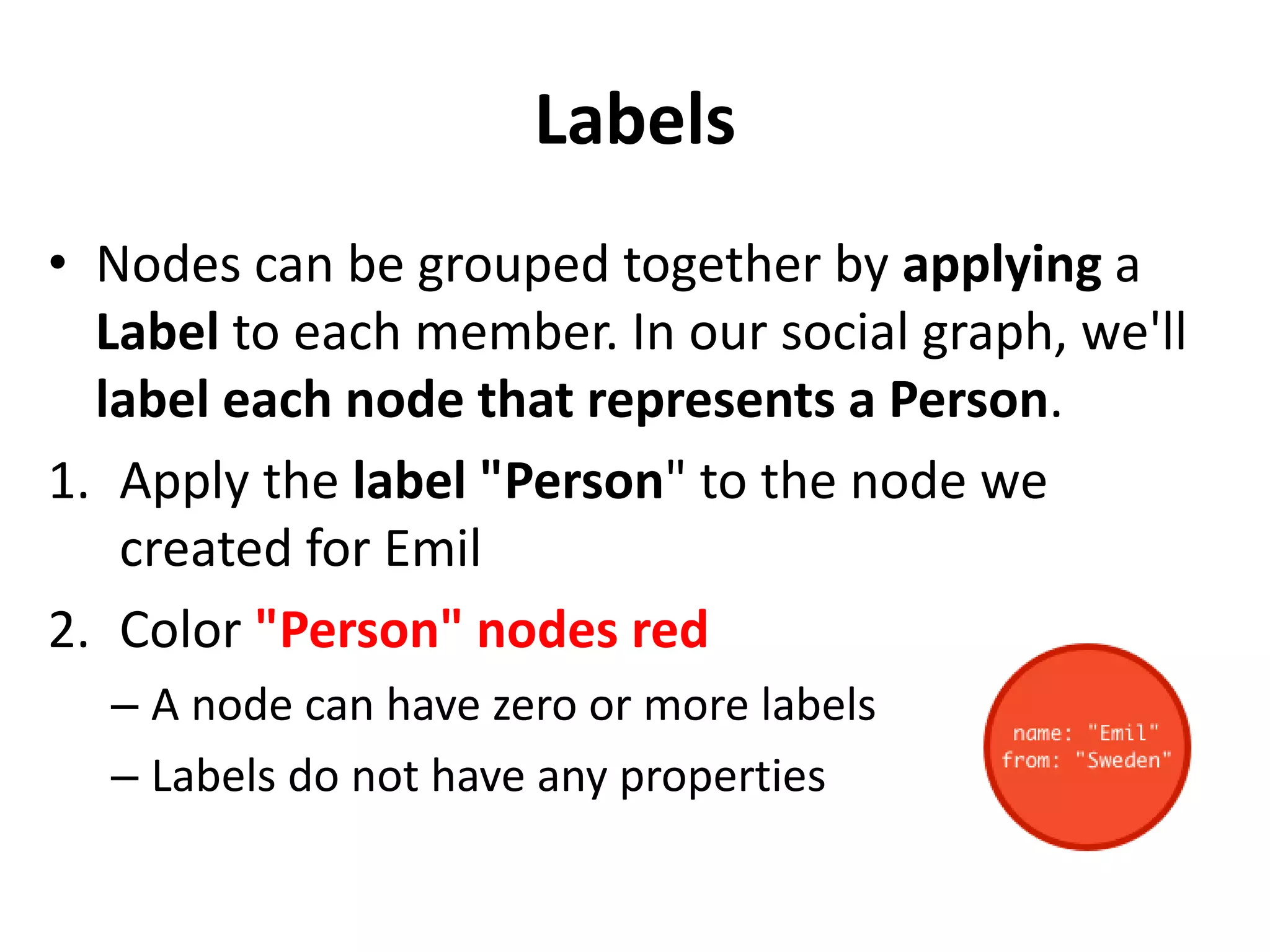
Labels • Nodes can be grouped together by applying a Label to each member. In our social graph, we'll label each node that represents a Person. 1. Apply the label "Person" to the node we created for Emil 2. Color "Person" nodes red – A node can have zero or more labels – Labels do not have any properties
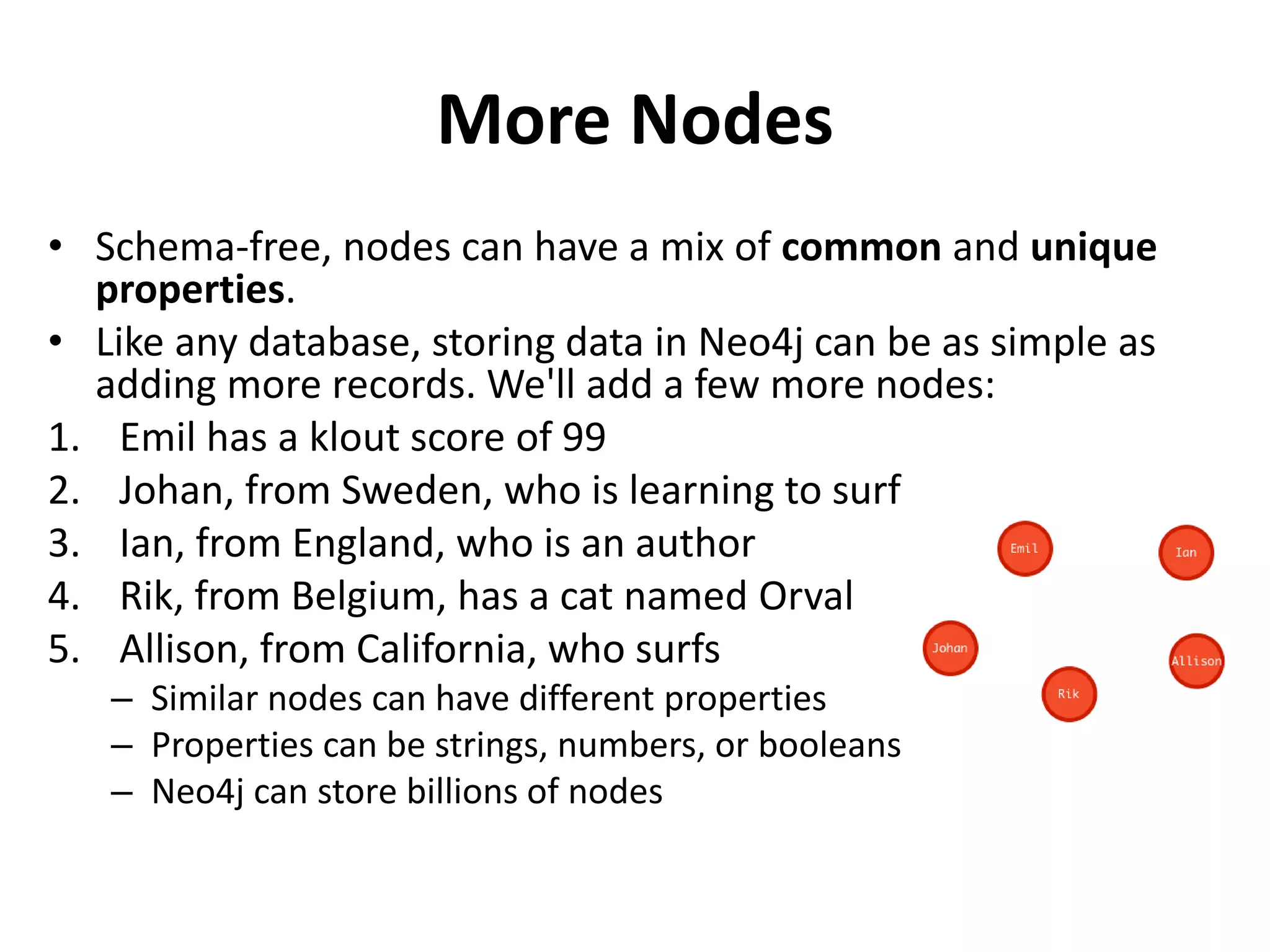
More Nodes • Schema-free, nodes can have a mix of common and unique properties. • Like any database, storing data in Neo4j can be as simple as adding more records. We'll add a few more nodes: 1. Emil has a klout score of 99 2. Johan, from Sweden, who is learning to surf 3. Ian, from England, who is an author 4. Rik, from Belgium, has a cat named Orval 5. Allison, from California, who surfs – Similar nodes can have different properties – Properties can be strings, numbers, or booleans – Neo4j can store billions of nodes
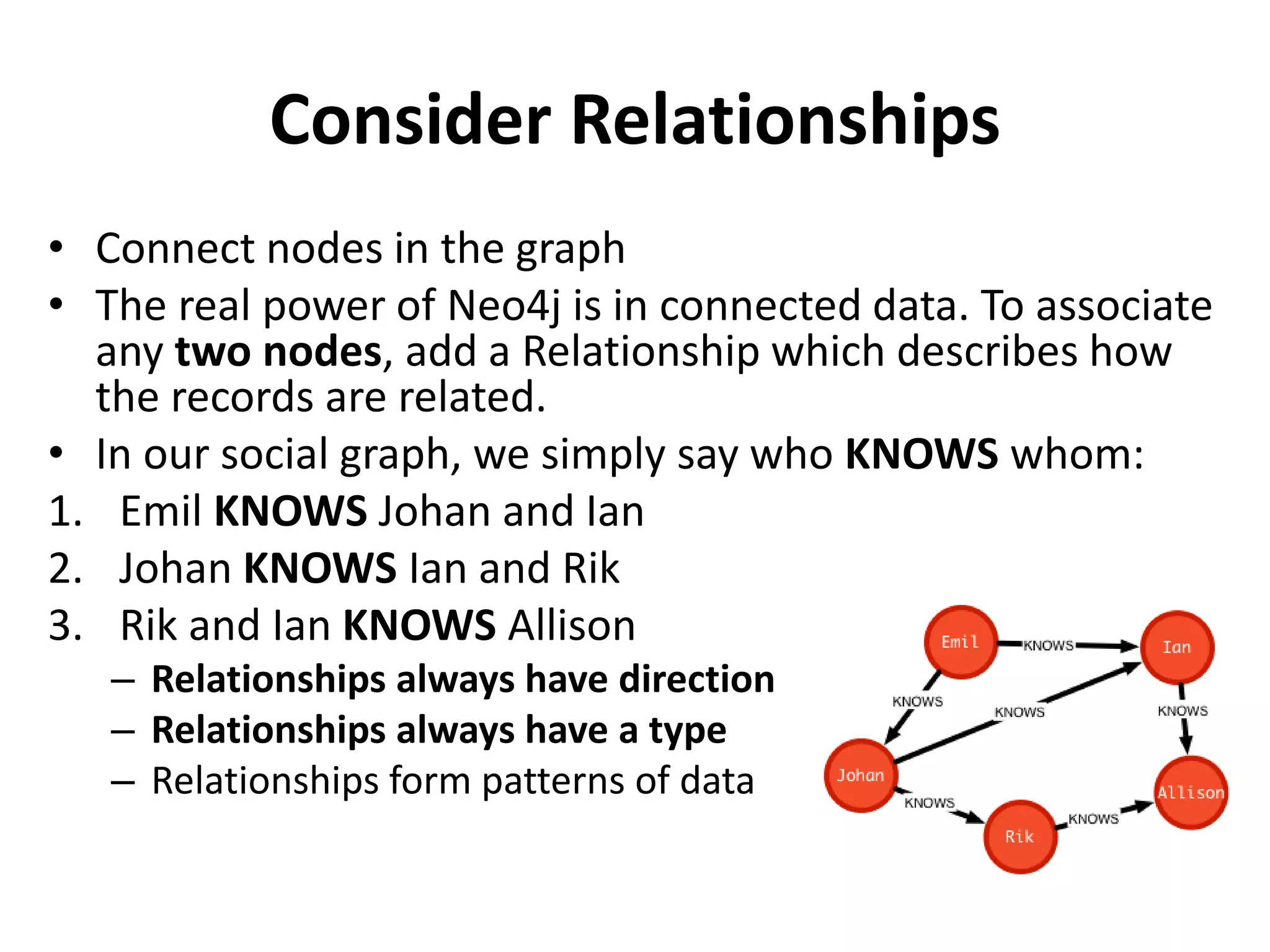
Consider Relationships • Connect nodes in the graph • The real power of Neo4j is in connected data. To associate any two nodes, add a Relationship which describes how the records are related. • In our social graph, we simply say who KNOWS whom: 1. Emil KNOWS Johan and Ian 2. Johan KNOWS Ian and Rik 3. Rik and Ian KNOWS Allison – Relationships always have direction – Relationships always have a type – Relationships form patterns of data
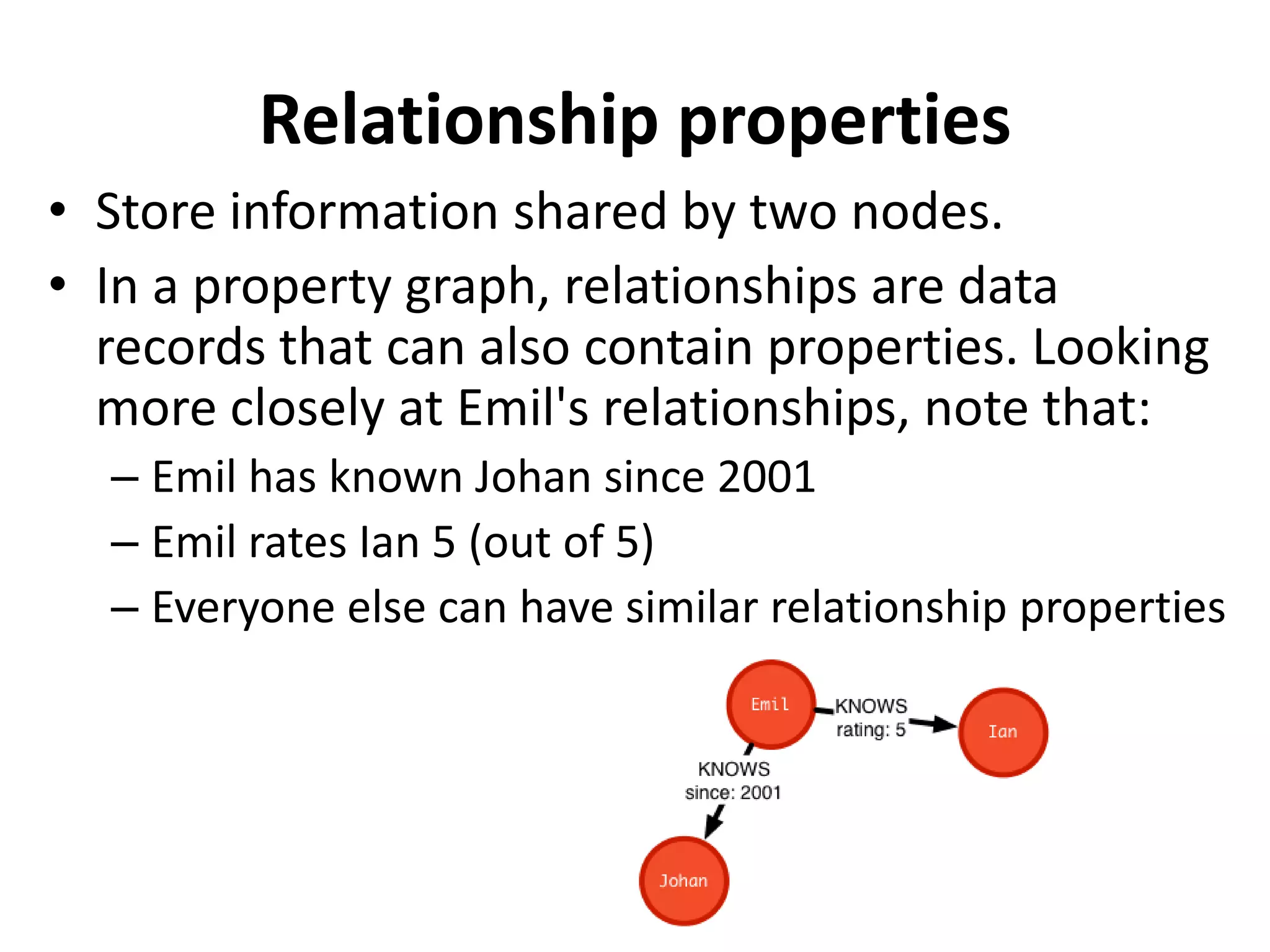
Relationship properties • Store information shared by two nodes. • In a property graph, relationships are data records that can also contain properties. Looking more closely at Emil's relationships, note that: – Emil has known Johan since 2001 – Emil rates Ian 5 (out of 5) – Everyone else can have similar relationship properties
Introduction Cypher • Getting started with Neo4j Browser • Neo4j Browser is a command driven client, like a web-based shell environment. It is perfect for running ad-hoc graph queries, with just enough ability to prototype a Neo4j-based application. • Developer focused, for writing and running graph queries with Cypher • Exportable tabular results of any query result • Graph visualization of query results containing nodes and relationships • Convenient exploration of Neo4j's REST API
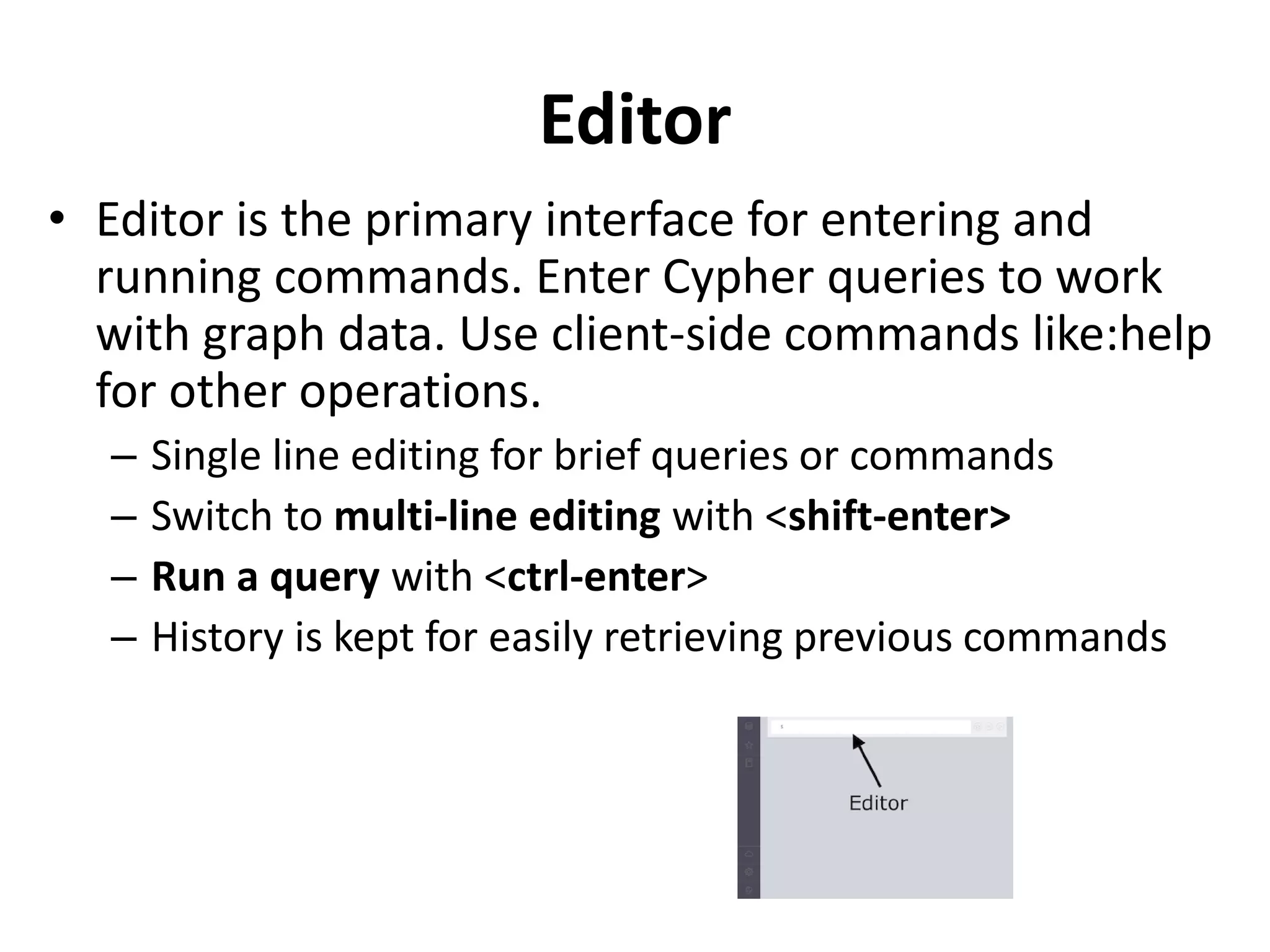
Editor • Editor is the primary interface for entering and running commands. Enter Cypher queries to work with graph data. Use client-side commands like:help for other operations. – Single line editing for brief queries or commands – Switch to multi-line editing with <shift-enter> – Run a query with <ctrl-enter> – History is kept for easily retrieving previous commands
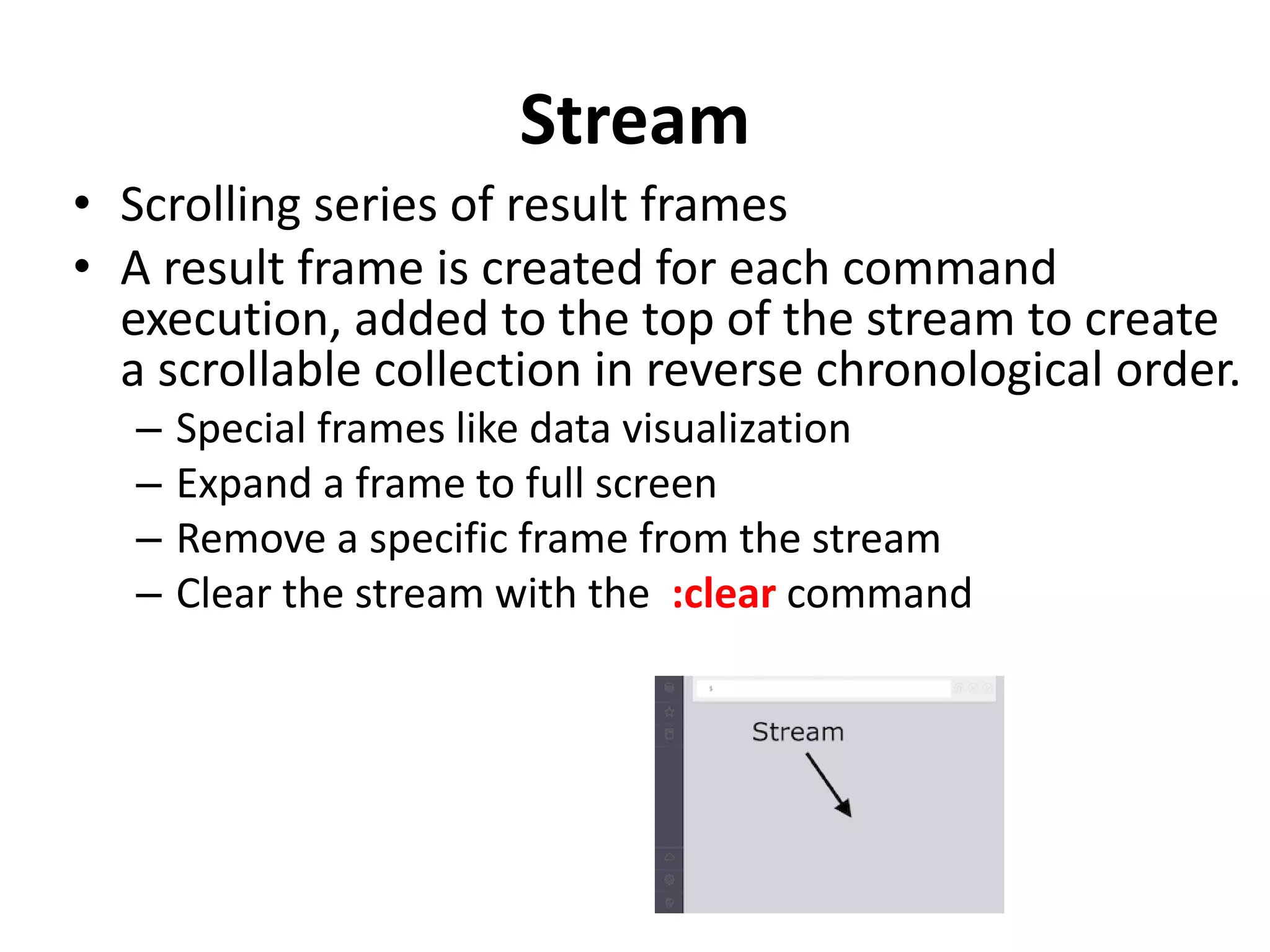
Stream • Scrolling series of result frames • A result frame is created for each command execution, added to the top of the stream to create a scrollable collection in reverse chronological order. – Special frames like data visualization – Expand a frame to full screen – Remove a specific frame from the stream – Clear the stream with the :clear command
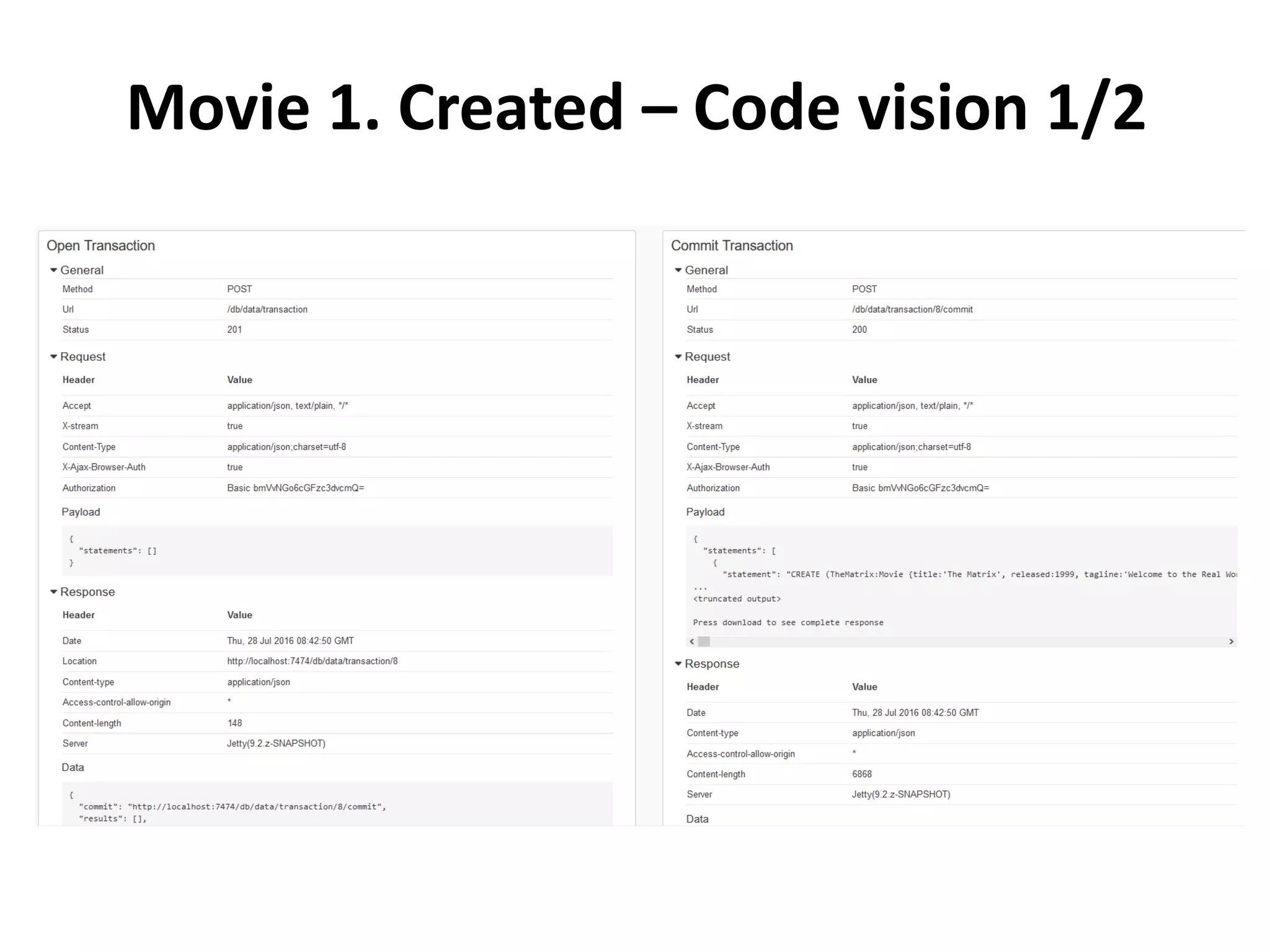
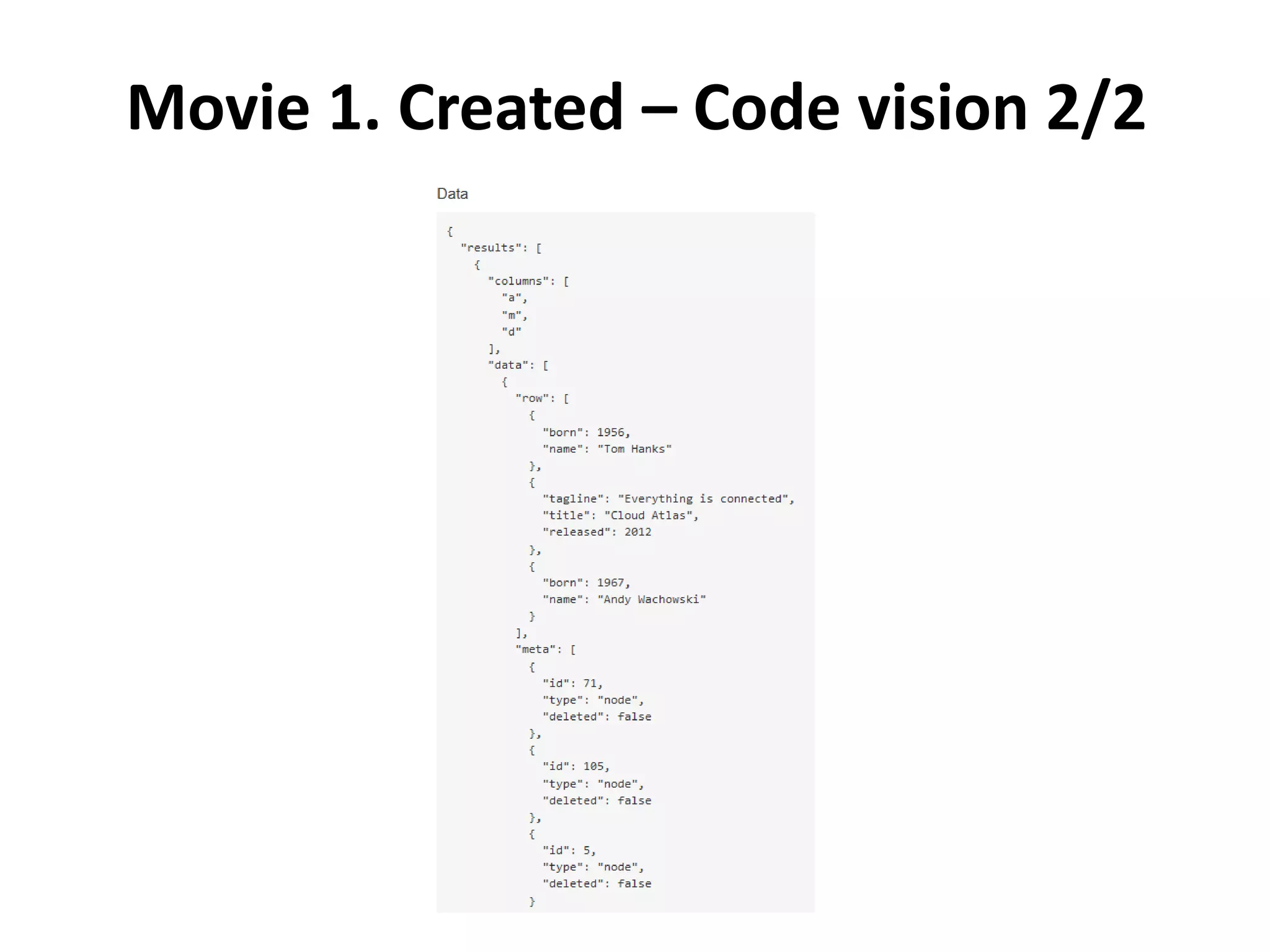
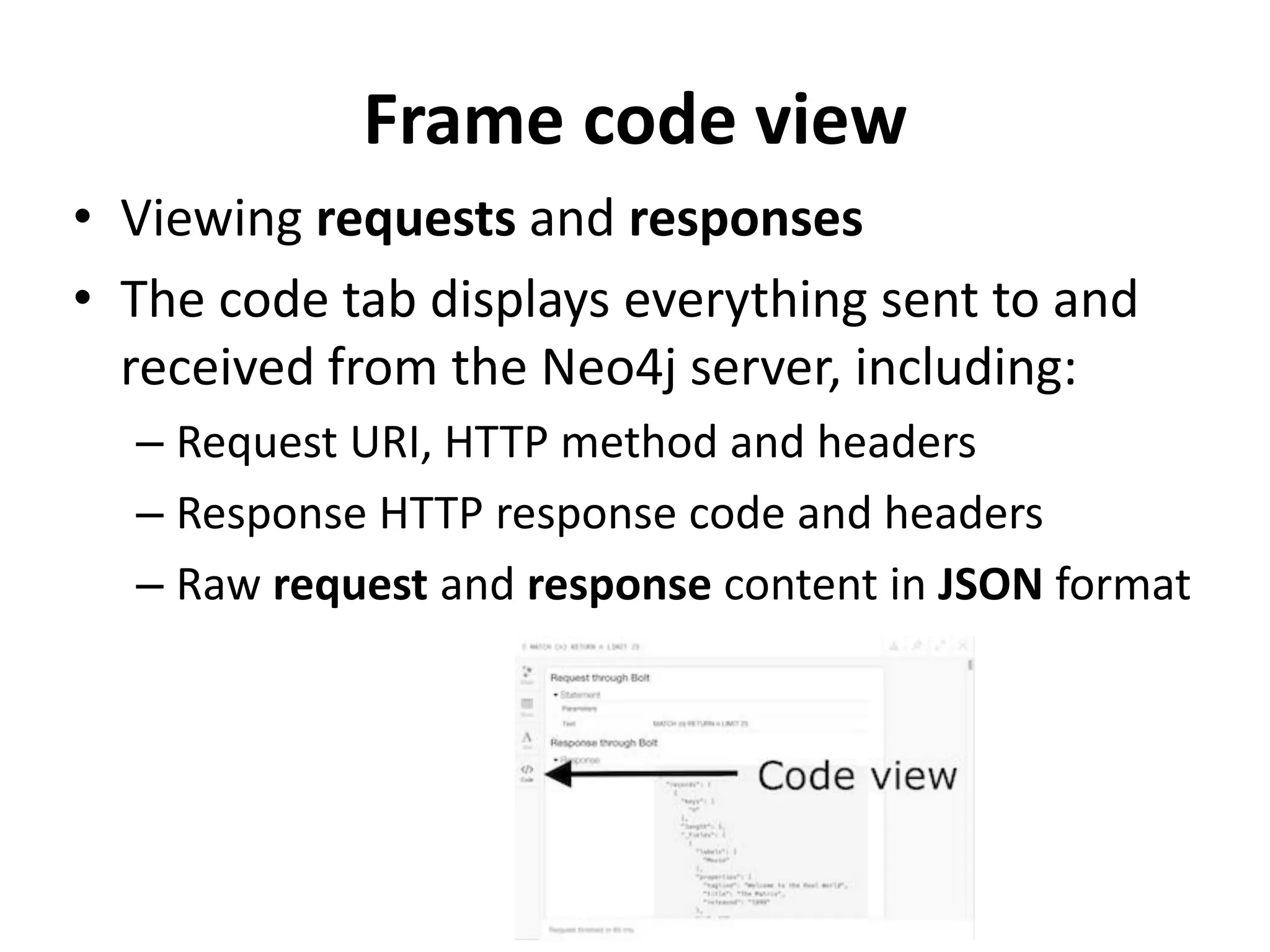
Frame code view • Viewing requests and responses • The code tab displays everything sent to and received from the Neo4j server, including: – Request URI, HTTP method and headers – Response HTTP response code and headers – Raw request and response content in JSON format
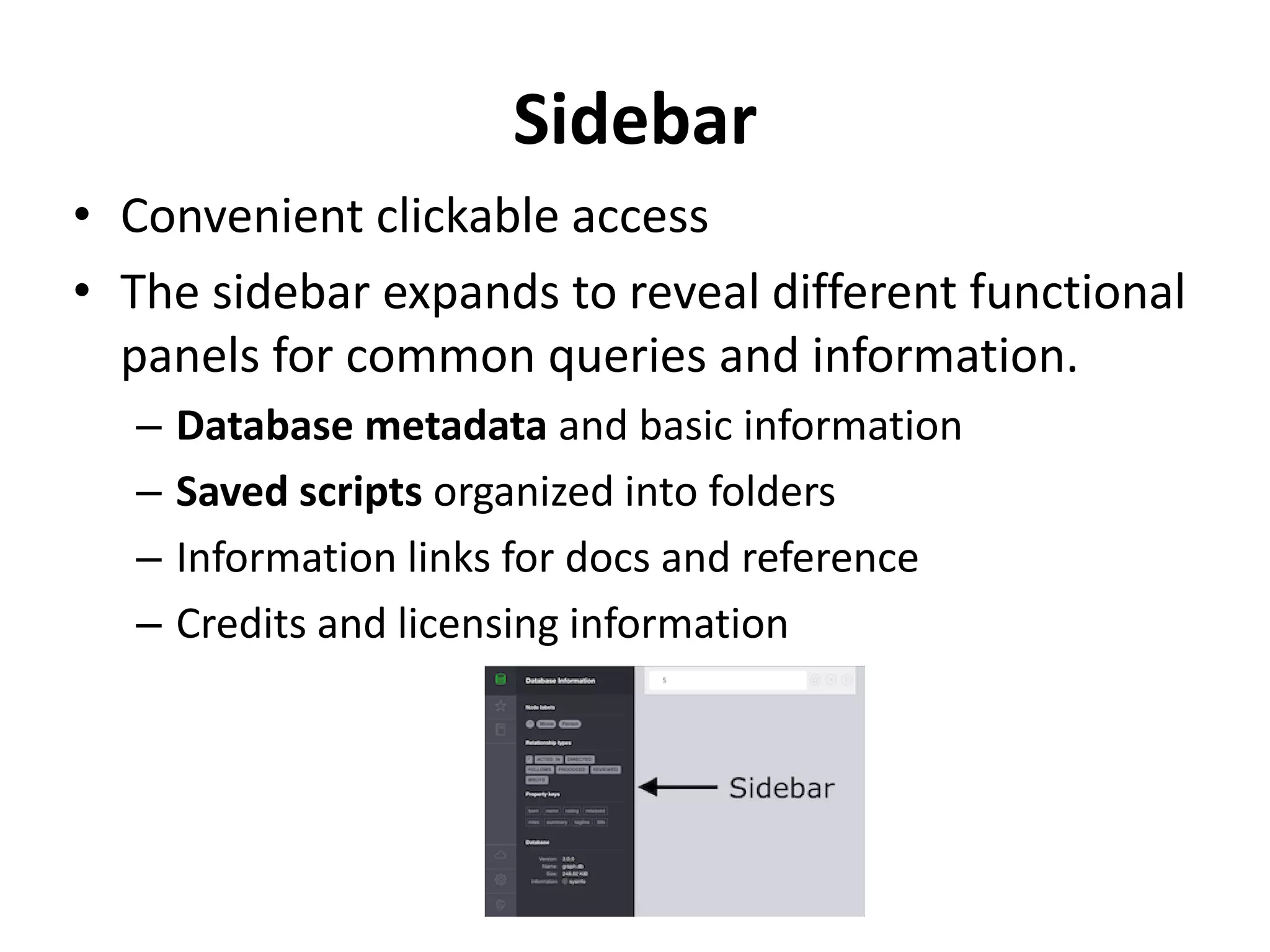
Sidebar • Convenient clickable access • The sidebar expands to reveal different functional panels for common queries and information. – Database metadata and basic information – Saved scripts organized into folders – Information links for docs and reference – Credits and licensing information
Neo4J Cypher
Cypher Neo4j's graph query language Neo4j's Cypher language is purpose built for working with graph data. • uses patterns to describe graph data • familiar SQL-like clauses • declarative, describing what to find, not how to find it
Cypher - CREATE • Create a node • Let's use Cypher to generate a small social graph. • CREATE (ee:Person { name: "Emil", from: "Sweden", klout: 99 }) – CREATE clause to create data – () parenthesis to indicate a node – ee:Person a variable 'ee' and label 'Person' for the new node – {} brackets to add properties to the node
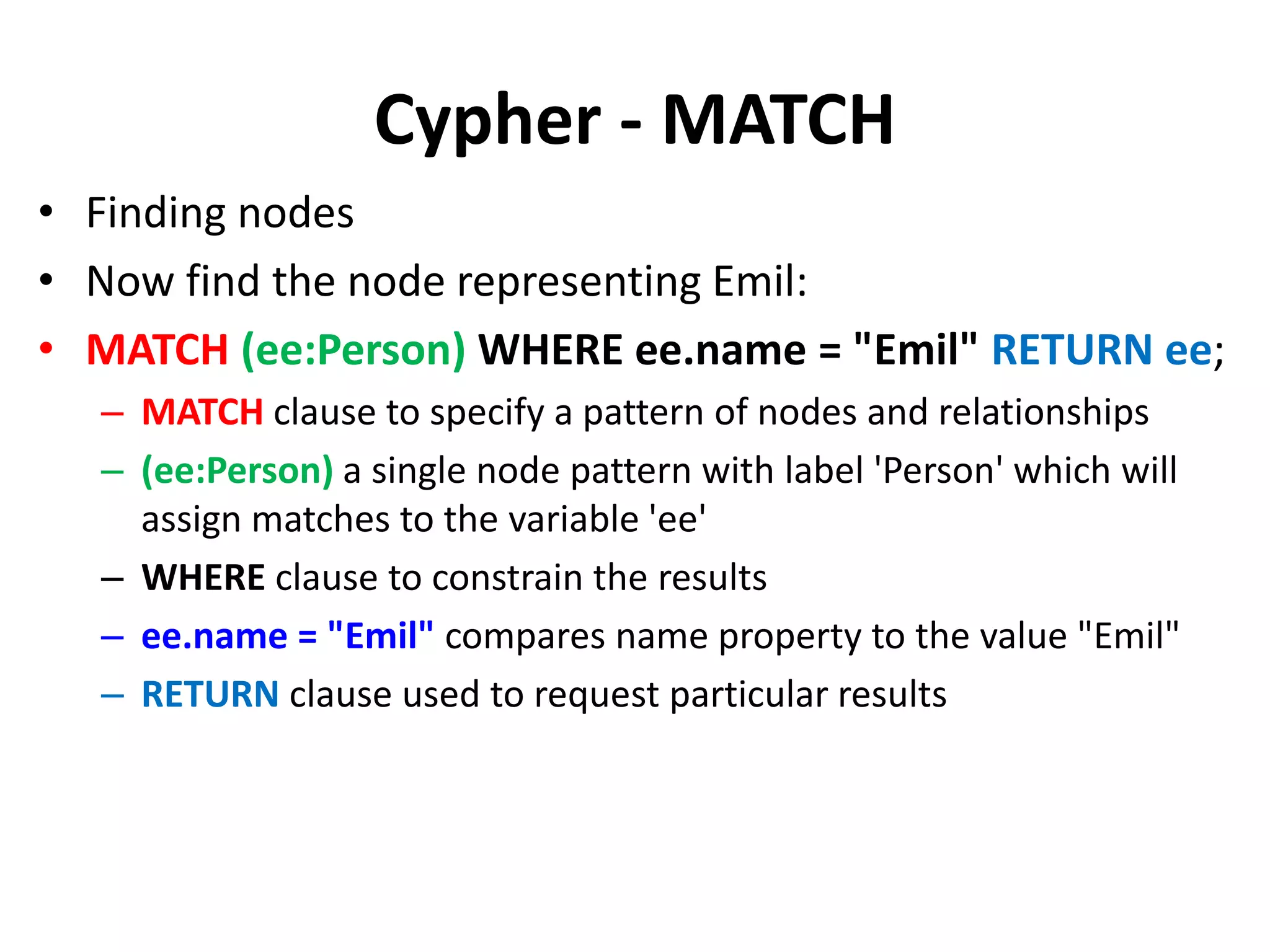
Cypher - MATCH • Finding nodes • Now find the node representing Emil: • MATCH (ee:Person) WHERE ee.name = "Emil" RETURN ee; – MATCH clause to specify a pattern of nodes and relationships – (ee:Person) a single node pattern with label 'Person' which will assign matches to the variable 'ee' – WHERE clause to constrain the results – ee.name = "Emil" compares name property to the value "Emil" – RETURN clause used to request particular results
Cypher – CREATE more • Nodes and relationships • CREATEclauses can create many nodes and relationships at once. MATCH (ee:Person) WHERE ee.name = "Emil" CREATE (js:Person { name: "Johan", from: "Sweden", learn: "surfing" }), (ir:Person { name: "Ian", from: "England", title: "author" }), (rvb:Person { name: "Rik", from: "Belgium", pet: "Orval" }), (ally:Person { name: "Allison", from: "California", hobby: "surfing" }), (ee)-[:KNOWS {since: 2001}]->(js),(ee)-[:KNOWS {rating: 5}]->(ir), (js)-[:KNOWS]->(ir),(js)-[:KNOWS]->(rvb), (ir)-[:KNOWS]->(js),(ir)-[:KNOWS]->(ally), (rvb)-[:KNOWS]->(ally)
Cypher – PATTERN MATCHING • Describe what to find in the graph • For instance, a pattern can be used to find Emil's friends: MATCH (ee:Person)-[:KNOWS]-(friends) WHERE ee.name = "Emil" RETURN ee, friends – MATCH clause to describe the pattern from known Nodes to found Nodes – (ee) starts the pattern with a Person (qualified by WHERE) – -[:KNOWS]- matches "KNOWS" relationships (in either direction) – (friends) will be bound to Emil's friends
Cypher – RECOMMEND • Using patterns Pattern matching can be used to make recommendations. Johan is learning to surf, so he may want to find a new friend who already does: MATCH (js:Person)-[:KNOWS]-()-[:KNOWS]-(surfer) WHERE js.name = "Johan" AND surfer.hobby = "surfing" RETURN DISTINCT surfer – () empty parenthesis to ignore these nodes – DISTINCT because more than one path will match the pattern – surfer will contain Allison, a friend of a friend who surfs
Cypher – ANALYZE Using the visual query plan • Understand how your query works by prepending EXPLAIN or PROFILE: PROFILE MATCH (js:Person)-[:KNOWS]-()-[:KNOWS]-(surfer) WHERE js.name = "Johan" AND surfer.hobby = "surfing" RETURN DISTINCT surfer
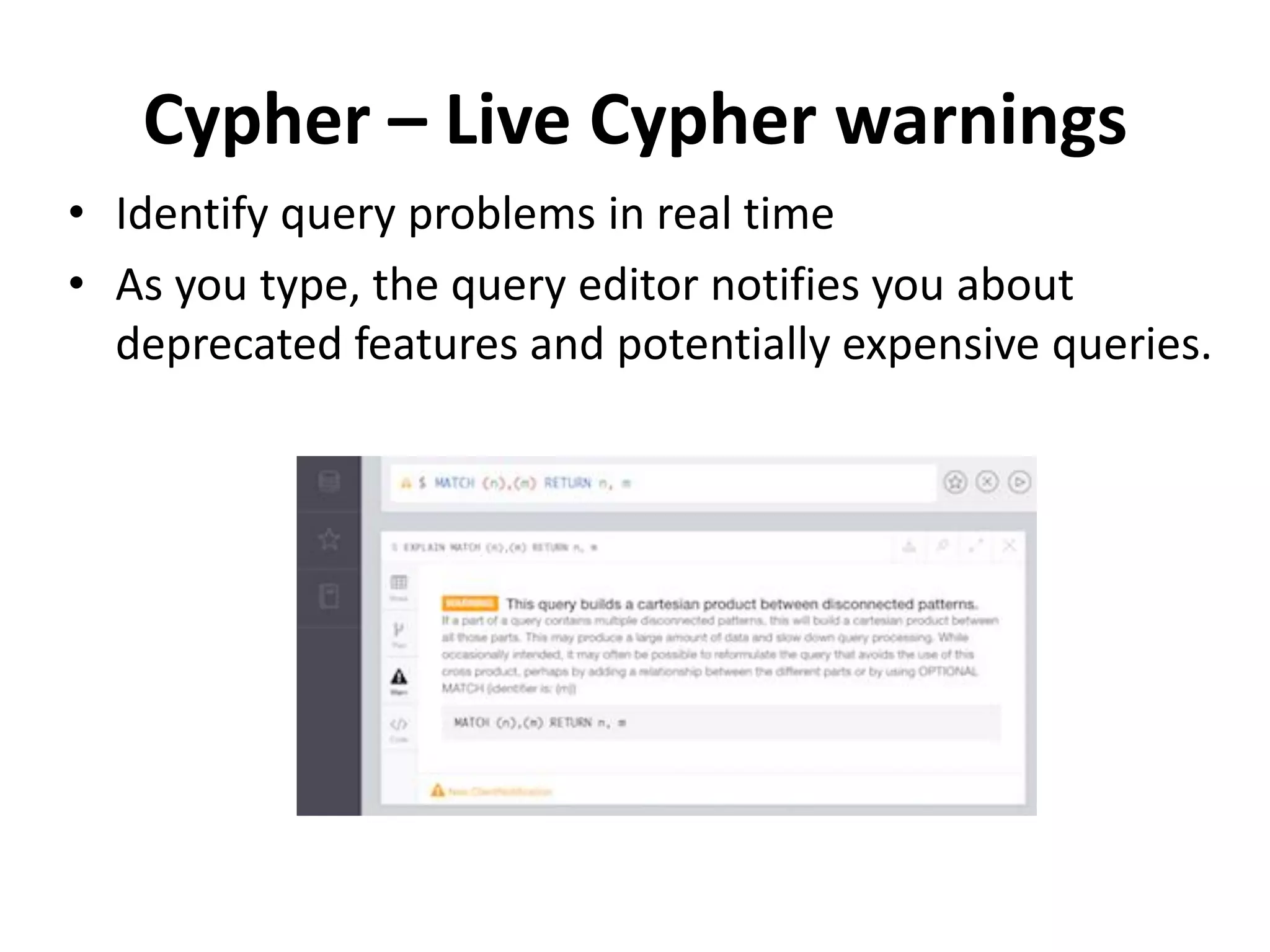
Cypher – Live Cypher warnings • Identify query problems in real time • As you type, the query editor notifies you about deprecated features and potentially expensive queries.
Cypher – Next Steps • Start your application using Cypher to create and query graph data. • Use the REST API to monitor the database. In special cases, consider a plugin.
Neo4J Movie Graph
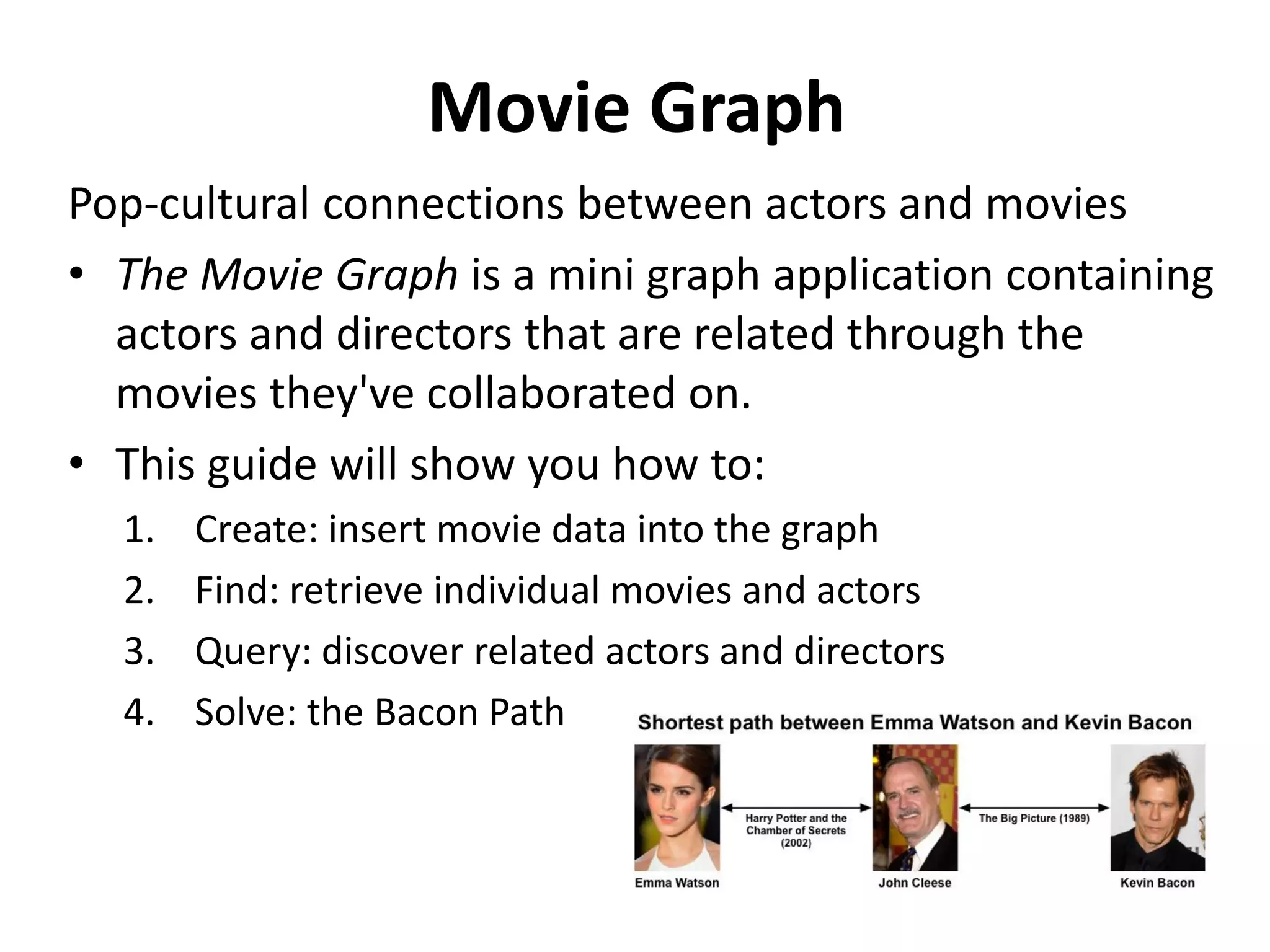
Movie Graph Pop-cultural connections between actors and movies • The Movie Graph is a mini graph application containing actors and directors that are related through the movies they've collaborated on. • This guide will show you how to: 1. Create: insert movie data into the graph 2. Find: retrieve individual movies and actors 3. Query: discover related actors and directors 4. Solve: the Bacon Path
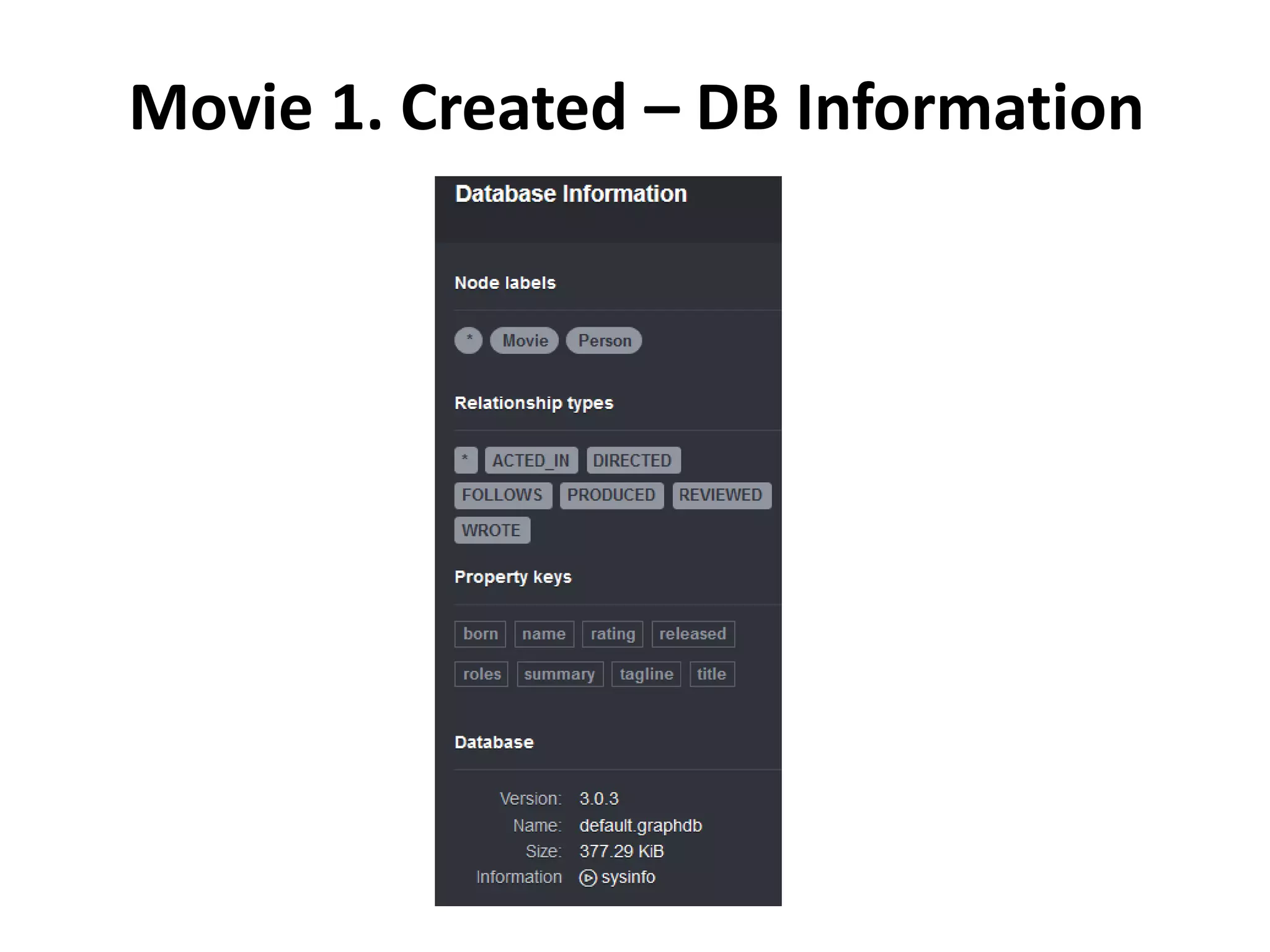
Movie 1. Created – DB Information
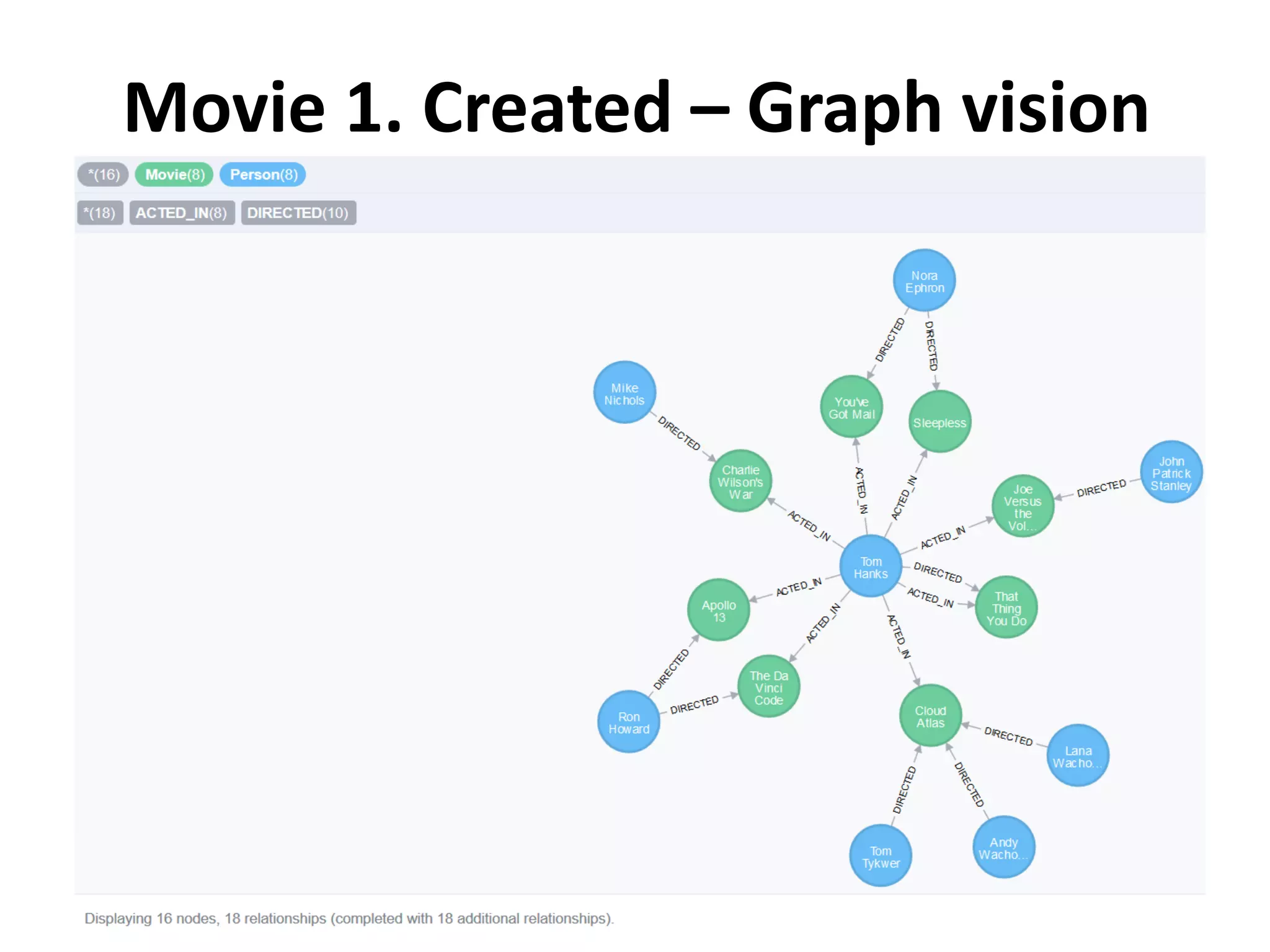
Movie 1. Created – Graph vision
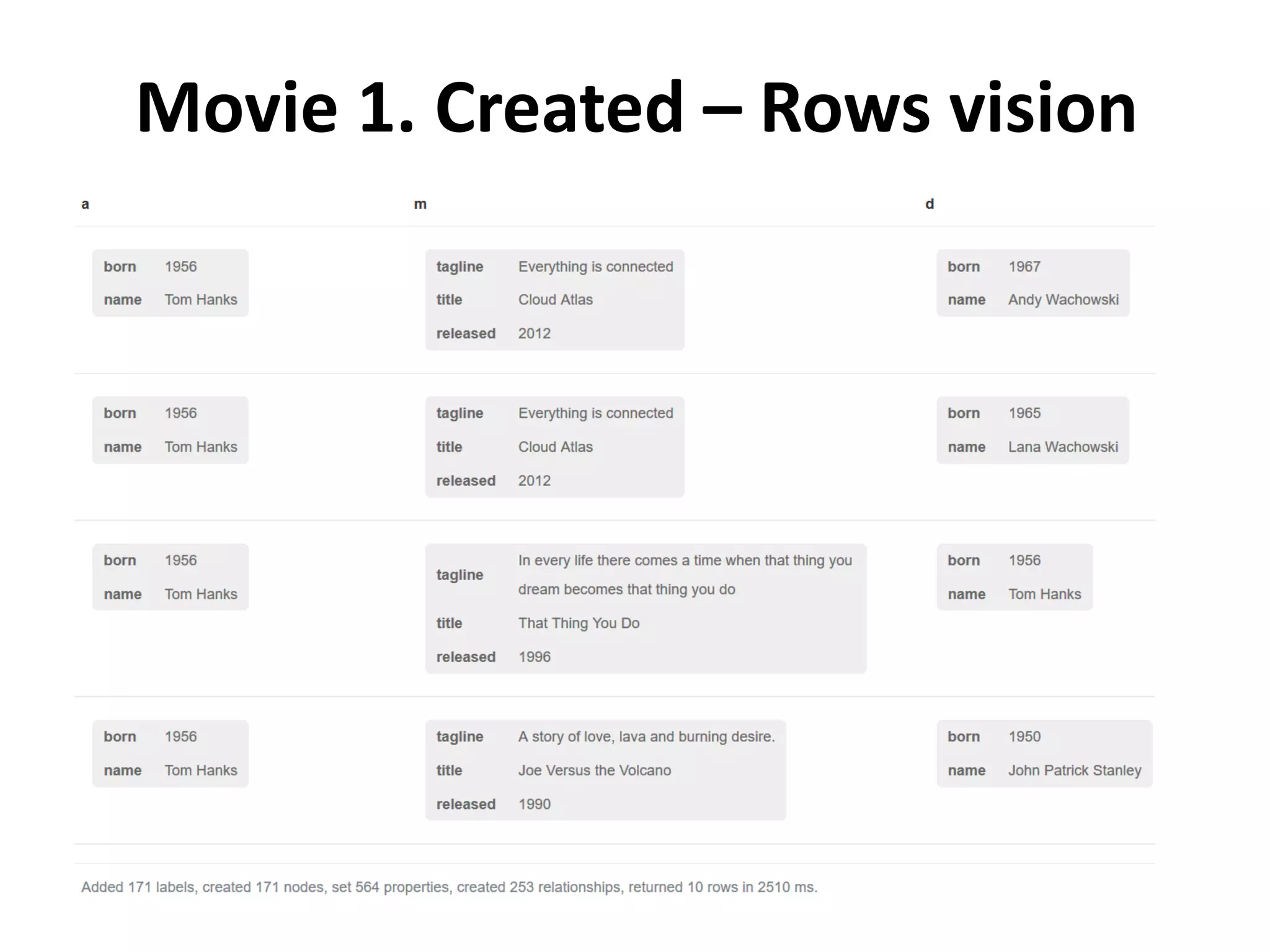
Movie 1. Created – Rows vision
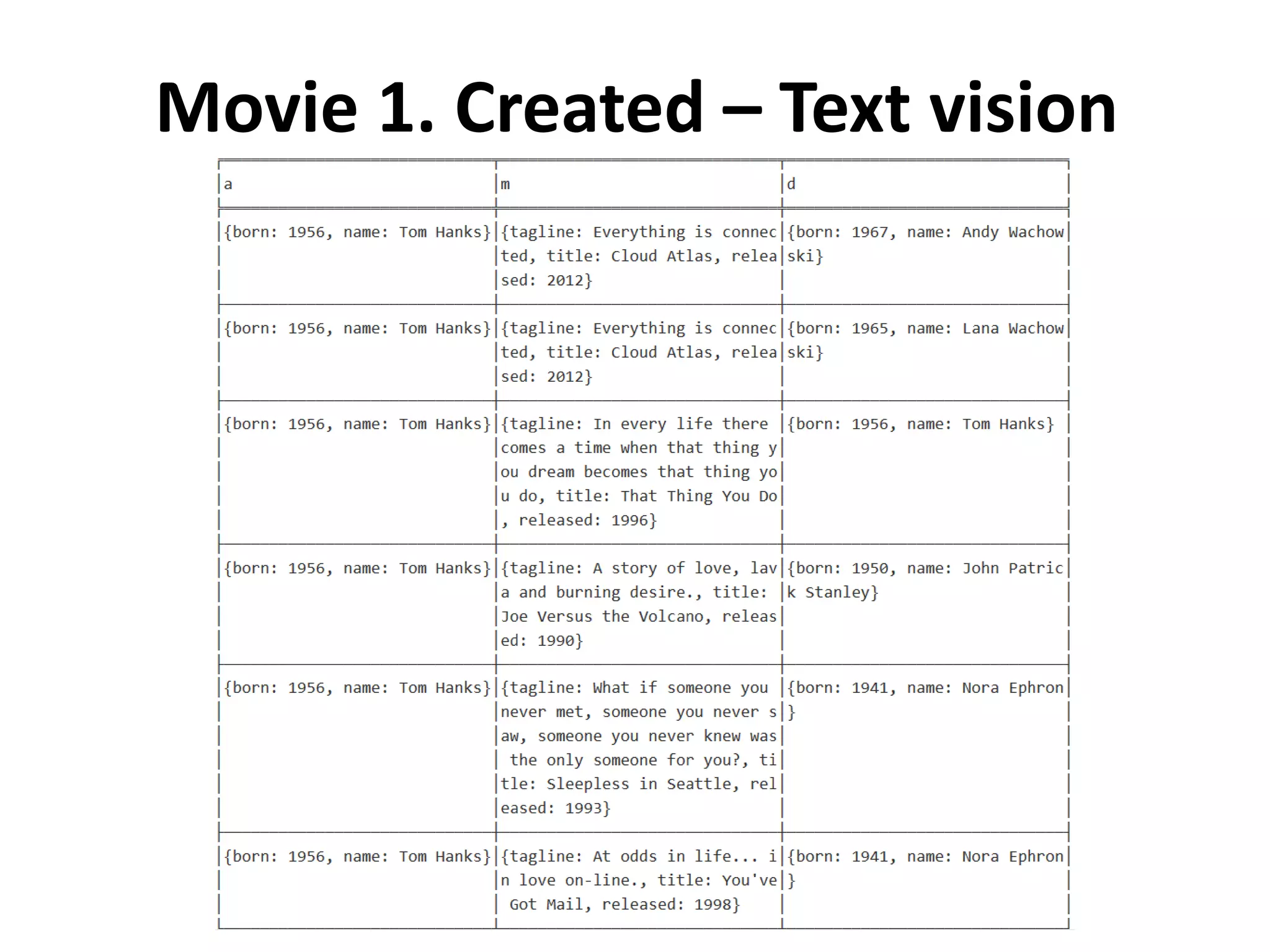
Movie 1. Created – Text vision
Movie 1. Created – Code vision 1/2
Movie 1. Created – Code vision 2/2
Movie 2. Find Example queries for finding individual nodes. 1. Click on any query example 2. Run the query from the editor 3. Notice the syntax pattern 4. Try looking for other movies or actors
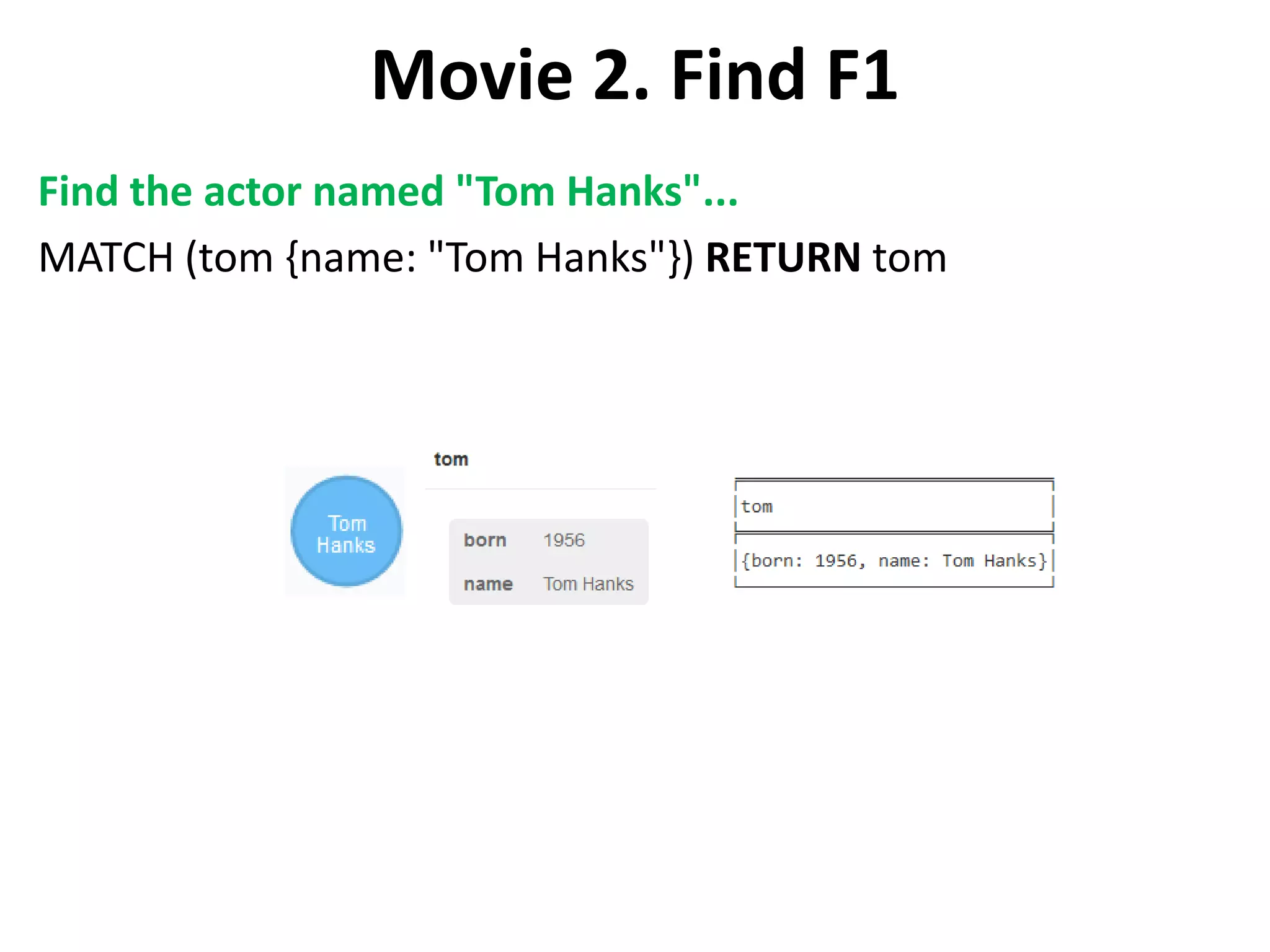
Movie 2. Find F1 Find the actor named "Tom Hanks"... MATCH (tom {name: "Tom Hanks"}) RETURN tom
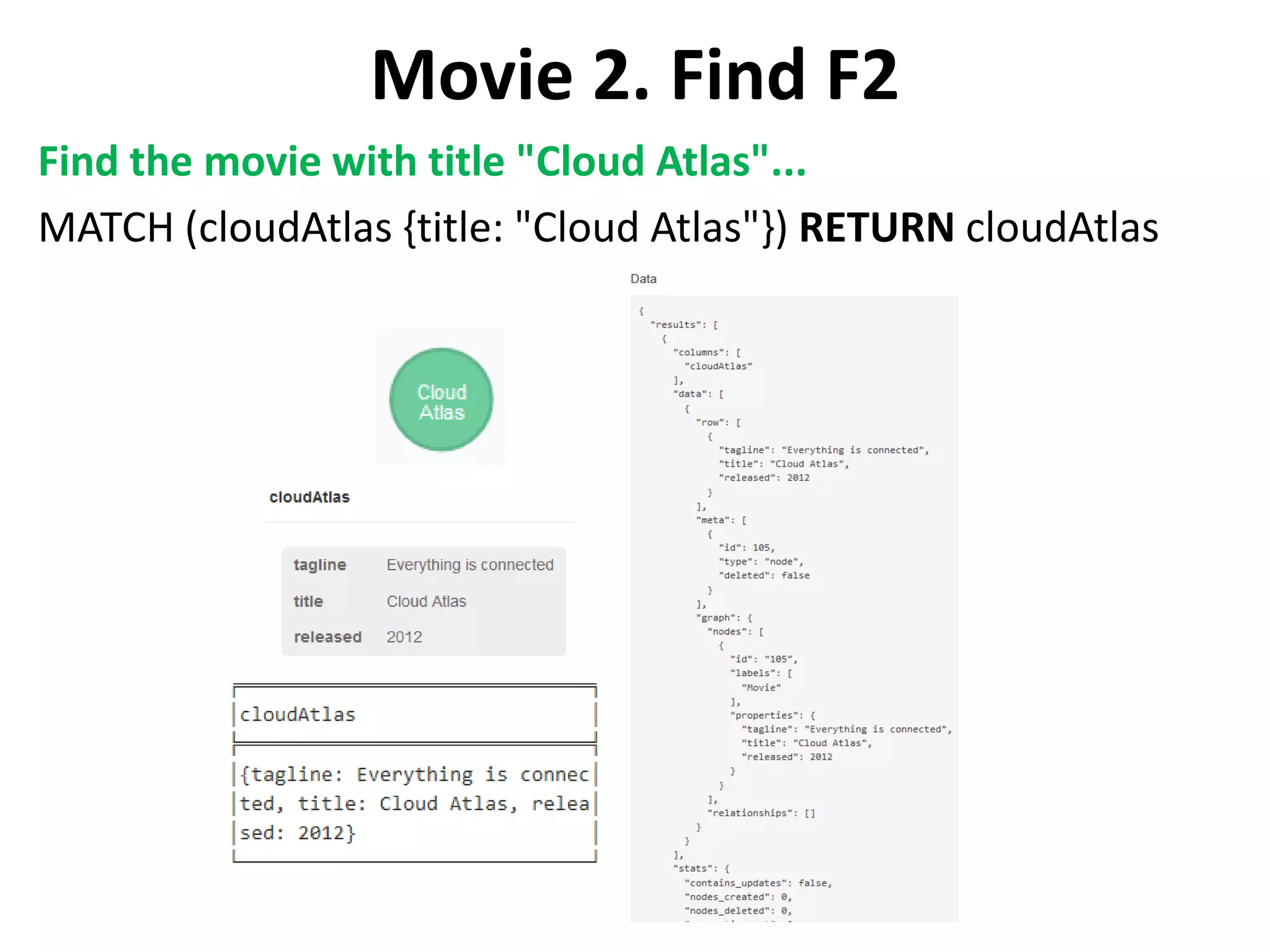
Movie 2. Find F2 Find the movie with title "Cloud Atlas"... MATCH (cloudAtlas {title: "Cloud Atlas"}) RETURN cloudAtlas
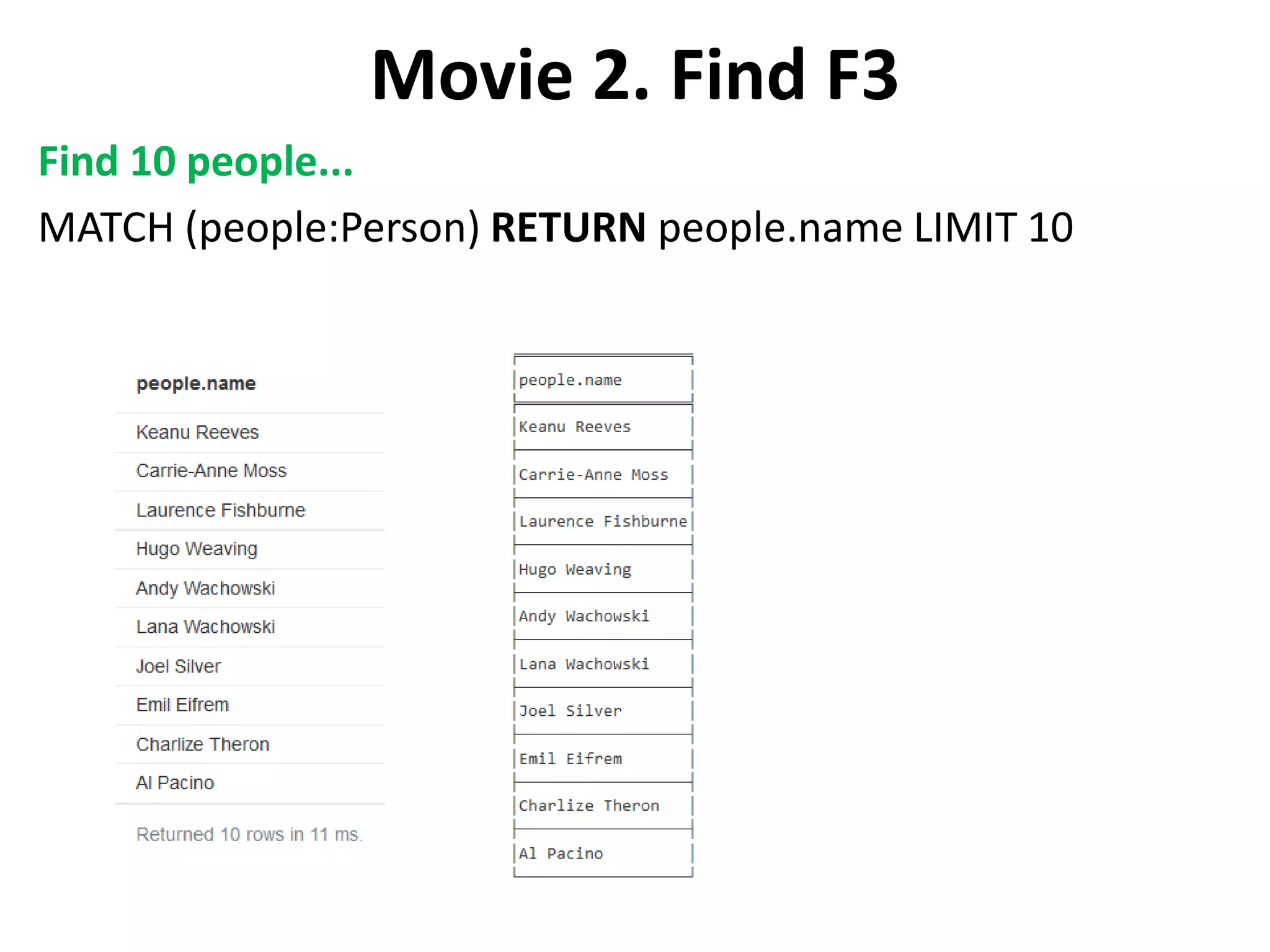
Movie 2. Find F3 Find 10 people... MATCH (people:Person) RETURN people.name LIMIT 10
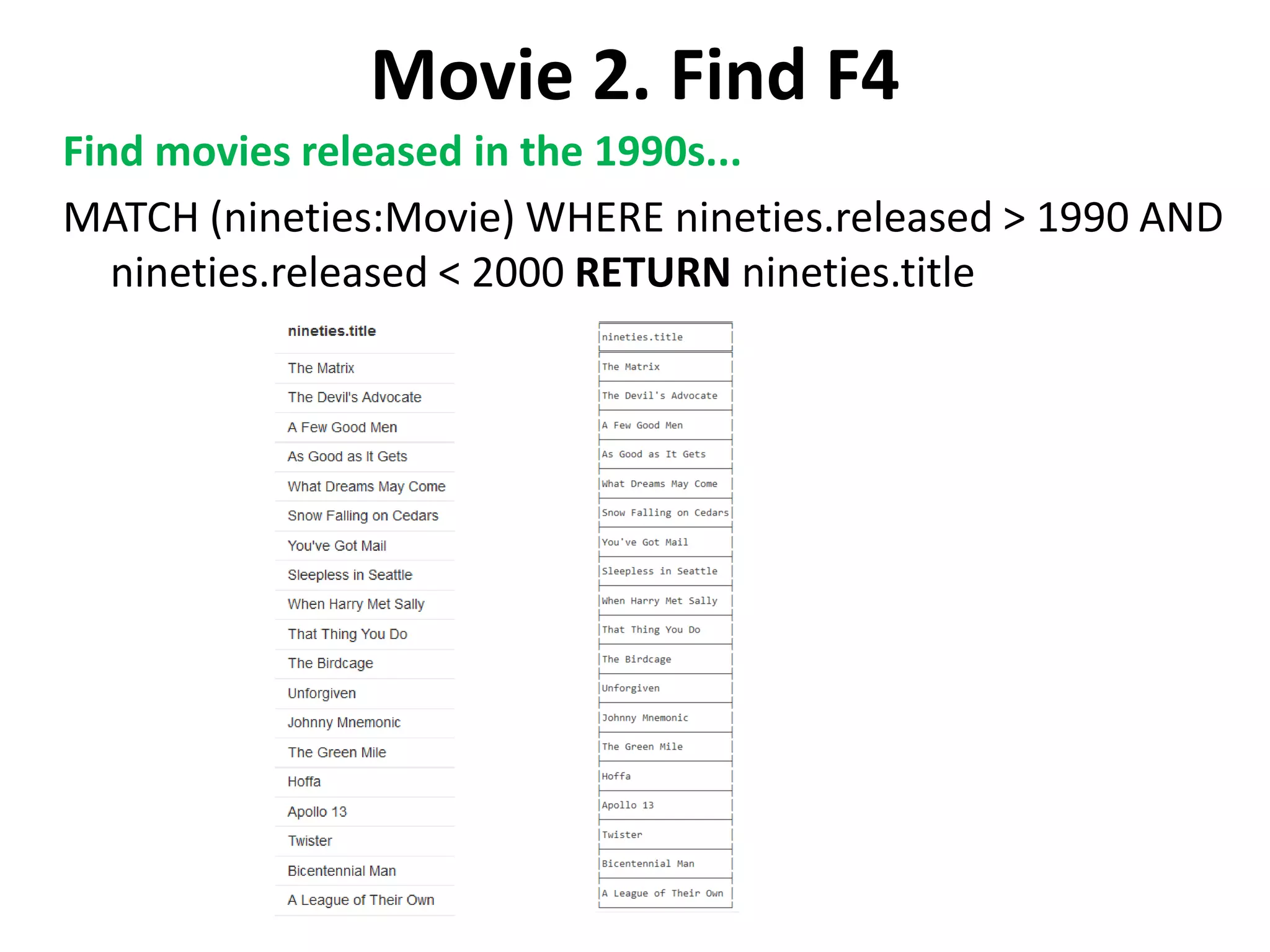
Movie 2. Find F4 Find movies released in the 1990s... MATCH (nineties:Movie) WHERE nineties.released > 1990 AND nineties.released < 2000 RETURN nineties.title
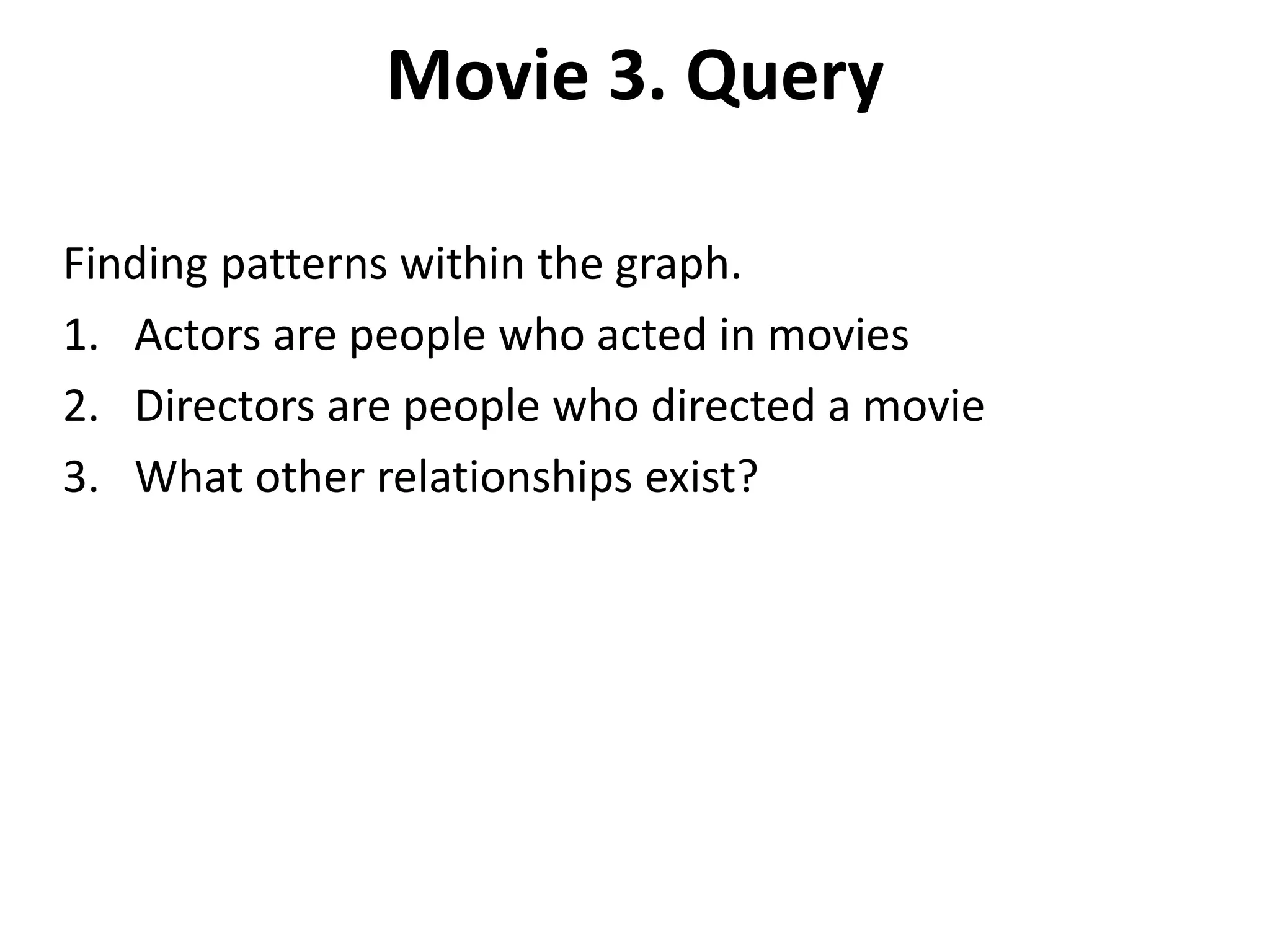
Movie 3. Query Finding patterns within the graph. 1. Actors are people who acted in movies 2. Directors are people who directed a movie 3. What other relationships exist?
Movie 3. Query Q1 List all Tom Hanks movies... MATCH (tom:Person {name: "Tom Hanks"})-[:ACTED_IN]- >(tomHanksMovies) RETURN tom,tomHanksMovies
Movie 3. Query Q2 Who directed "Cloud Atlas"? MATCH (cloudAtlas {title: "Cloud Atlas"})<-[:DIRECTED]- (directors) RETURN directors.name
Movie 3. Query Q3 Tom Hanks' co-actors... MATCH (tom:Person {name:"Tom Hanks"})-[:ACTED_IN]- >(m)<-[:ACTED_IN]-(coActors) RETURN coActors.name
Movie 3. Query Q4 How people are related to "Cloud Atlas"... MATCH (people:Person)-[relatedTo]-(:Movie {title: "Cloud Atlas"}) RETURN people.name, Type(relatedTo), relatedTo
Movie 4. Solve • You've heard of the classic "Six Degrees of Kevin Bacon"? That is simply a shortest path query called the "Bacon Path". 1. Variable length patterns 2. Built-in shortestPath() algorithm
Movie 4. Solve S1 Movies and actors up to 4 "hops" away from Kevin Bacon MATCH (bacon:Person {name:"Kevin Bacon"})-[*1..4]-(hollywood) RETURN DISTINCT hollywood
Movie 4. Solve S2 Bacon path, the shortest path of any relationships to Meg Ryan MATCH p=shortestPath( (bacon:Person {name:"Kevin Bacon"})-[*]-(meg:Person {name:"Meg Ryan"}) ) RETURN p
Movie 5. Recommend • Let's recommend new co-actors for Tom Hanks. A basic recommendation approach is to find connections past an immediate neighborhood which are themselves well connected. • For Tom Hanks, that means: 1. Find actors that Tom Hanks hasn't yet worked with, but his co-actors have. 2. Find someone who can introduce Tom to his potential co- actor.
Movie 5. Recommend 1 Extend Tom Hanks co-actors, to find co-co-actors who haven't work with Tom Hanks... MATCH (tom:Person {name:"Tom Hanks"})-[:ACTED_IN]->(m)<- [:ACTED_IN]-(coActors), (coActors)-[:ACTED_IN]->(m2)<-[:ACTED_IN]- (cocoActors) WHERE NOT (tom)-[:ACTED_IN]->(m2) RETURN cocoActors.name AS Recommended, count(*) AS Strength ORDER BY Strength DESC
Movie 5. Recommend 2 Find someone to introduce Tom Hanks to Tom Cruise MATCH (tom:Person {name:"Tom Hanks"})-[:ACTED_IN]->(m)<- [:ACTED_IN]-(coActors), (coActors)-[:ACTED_IN]->(m2)<- [:ACTED_IN]-(cruise:Person {name:"Tom Cruise"}) RETURN tom, m, coActors, m2, cruise
Movie 6. Clean Up (Delete) • When you're done experimenting, you can remove the movie data set. Note: 1. Nodes can't be deleted if relationships exist 2. Delete both nodes and relationships together WARNING: This will remove all Person and Movie nodes!
Movie 6. Cleanup Delete all Movie and Person nodes, and their relationships MATCH (a:Person),(m:Movie) OPTIONAL MATCH (a)-[r1]-(), (m)-[r2]-() DELETE a,r1,m,r2 Note you only need to compare property values like this when first creating relationships Prove that the Movie Graph is gone MATCH (n) RETURN n
Movie 6. Delete DELETE clause is used to delete nodes and relationships identified within a MATCH clause, possibly qualified by a WHERE. Remember that you can not delete a node without also deleting relationships that start or end on said node. Remove all of Soren's friends. MATCH (n)-[r]-() WHERE n.name = 'Soren' DELETE r
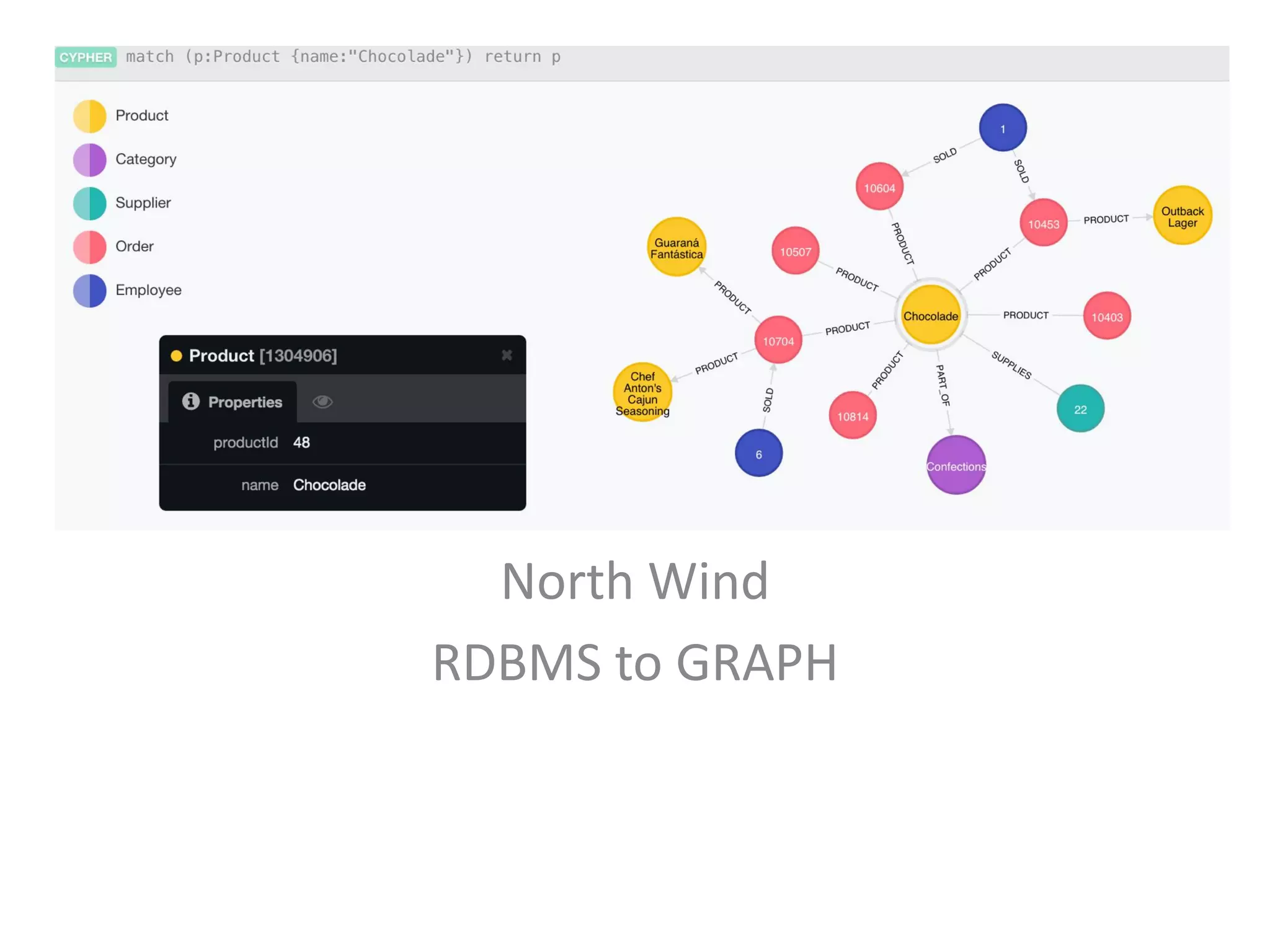
North Wind RDBMS to GRAPH
Northwind - Load Products • From RDBMS to Graph, using a classic dataset • The Northwind Graph demonstrates how to migrate from a relational database to Neo4j. The transformation is iterative and deliberate, emphasizing the conceptual shift from relational tables to the nodes and relationships of a graph. • This guide will show you how to: 1. Load: create data from external CSV files 2. Index: index nodes based on label 3. Relate: transform foreign key references into data relationships 4. Promote: transform join records into relationships
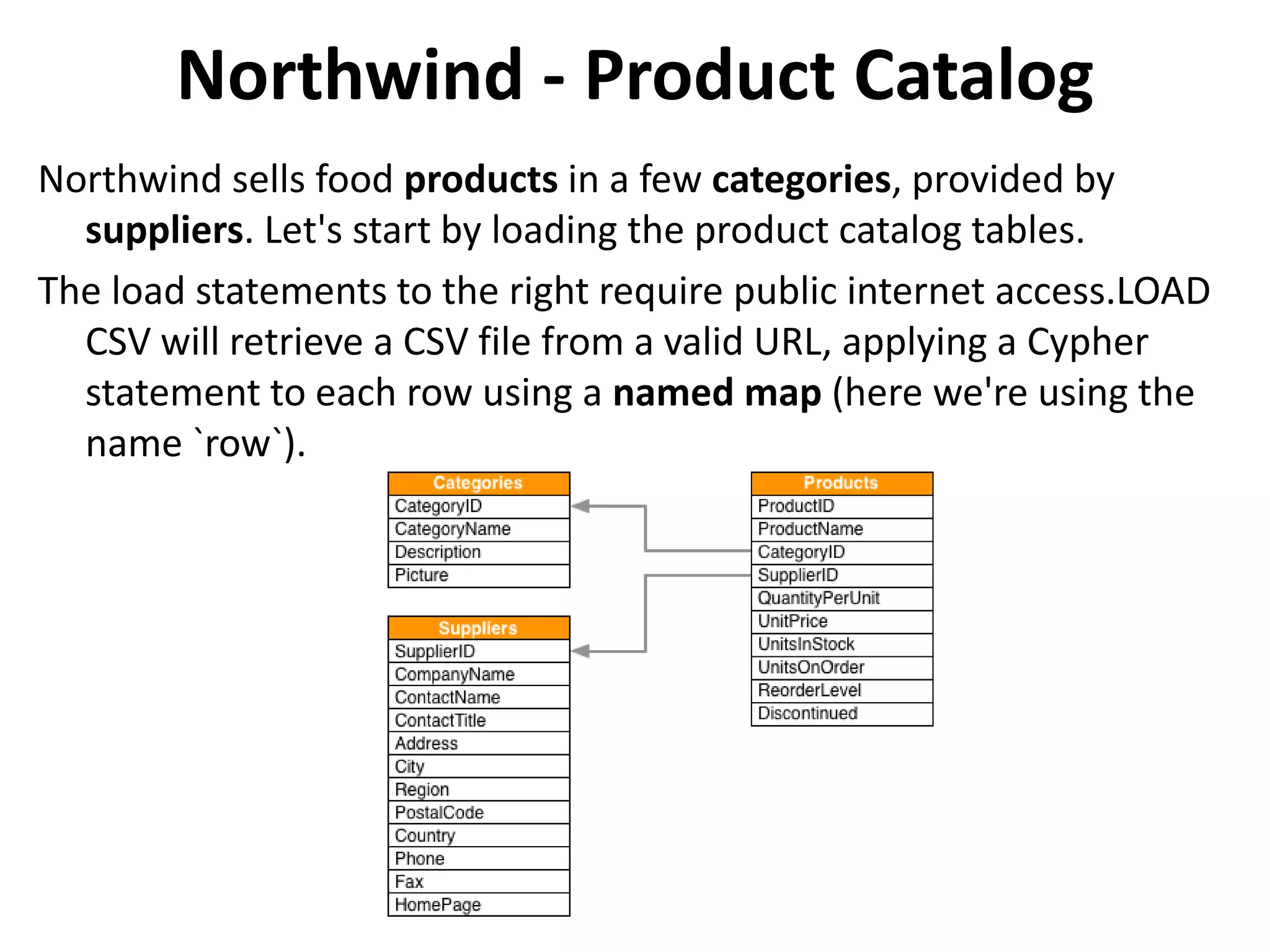
Northwind - Product Catalog Northwind sells food products in a few categories, provided by suppliers. Let's start by loading the product catalog tables. The load statements to the right require public internet access.LOAD CSV will retrieve a CSV file from a valid URL, applying a Cypher statement to each row using a named map (here we're using the name `row`).
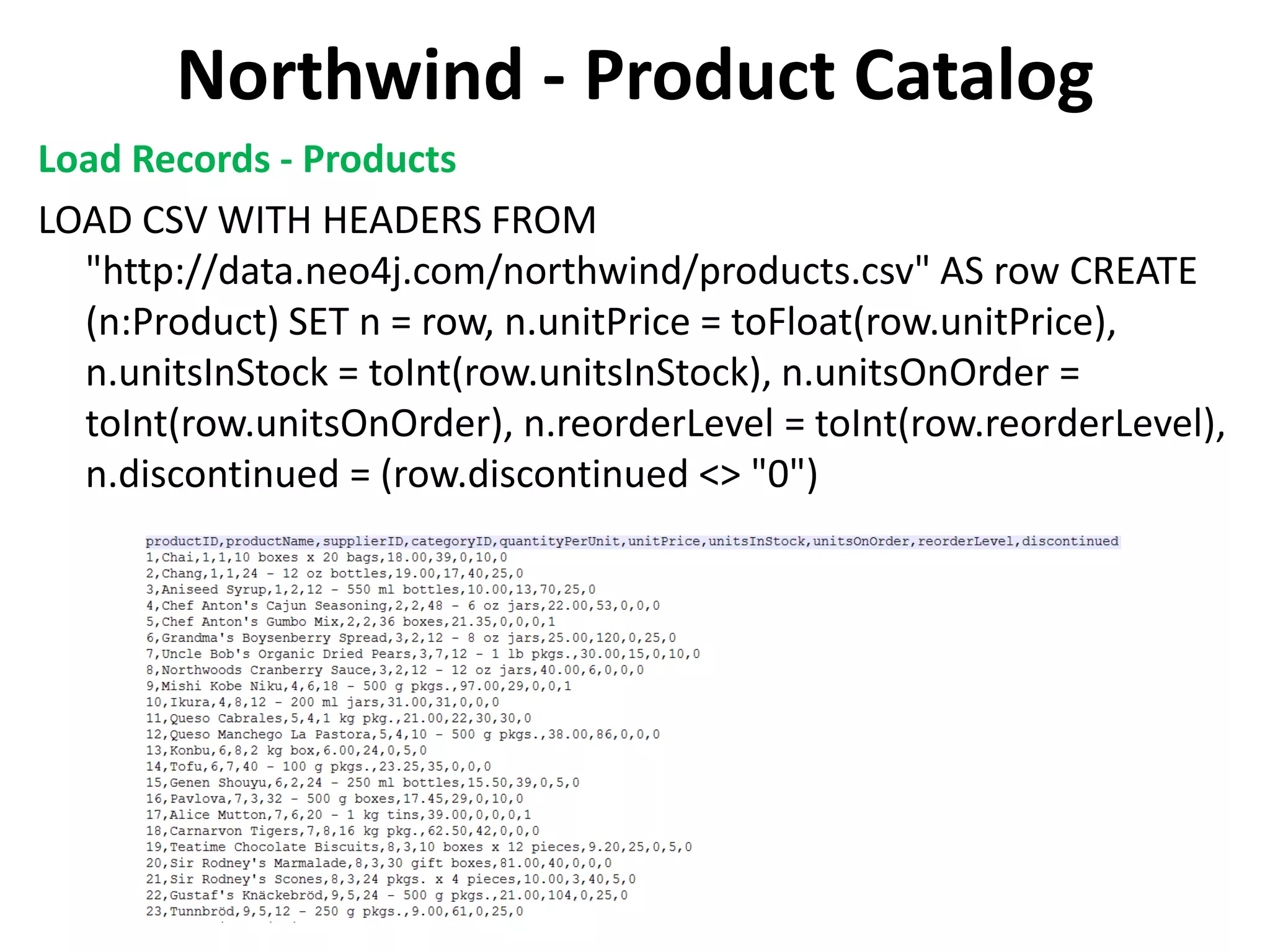
Northwind - Product Catalog Load Records - Products LOAD CSV WITH HEADERS FROM "http://data.neo4j.com/northwind/products.csv" AS row CREATE (n:Product) SET n = row, n.unitPrice = toFloat(row.unitPrice), n.unitsInStock = toInt(row.unitsInStock), n.unitsOnOrder = toInt(row.unitsOnOrder), n.reorderLevel = toInt(row.reorderLevel), n.discontinued = (row.discontinued <> "0")
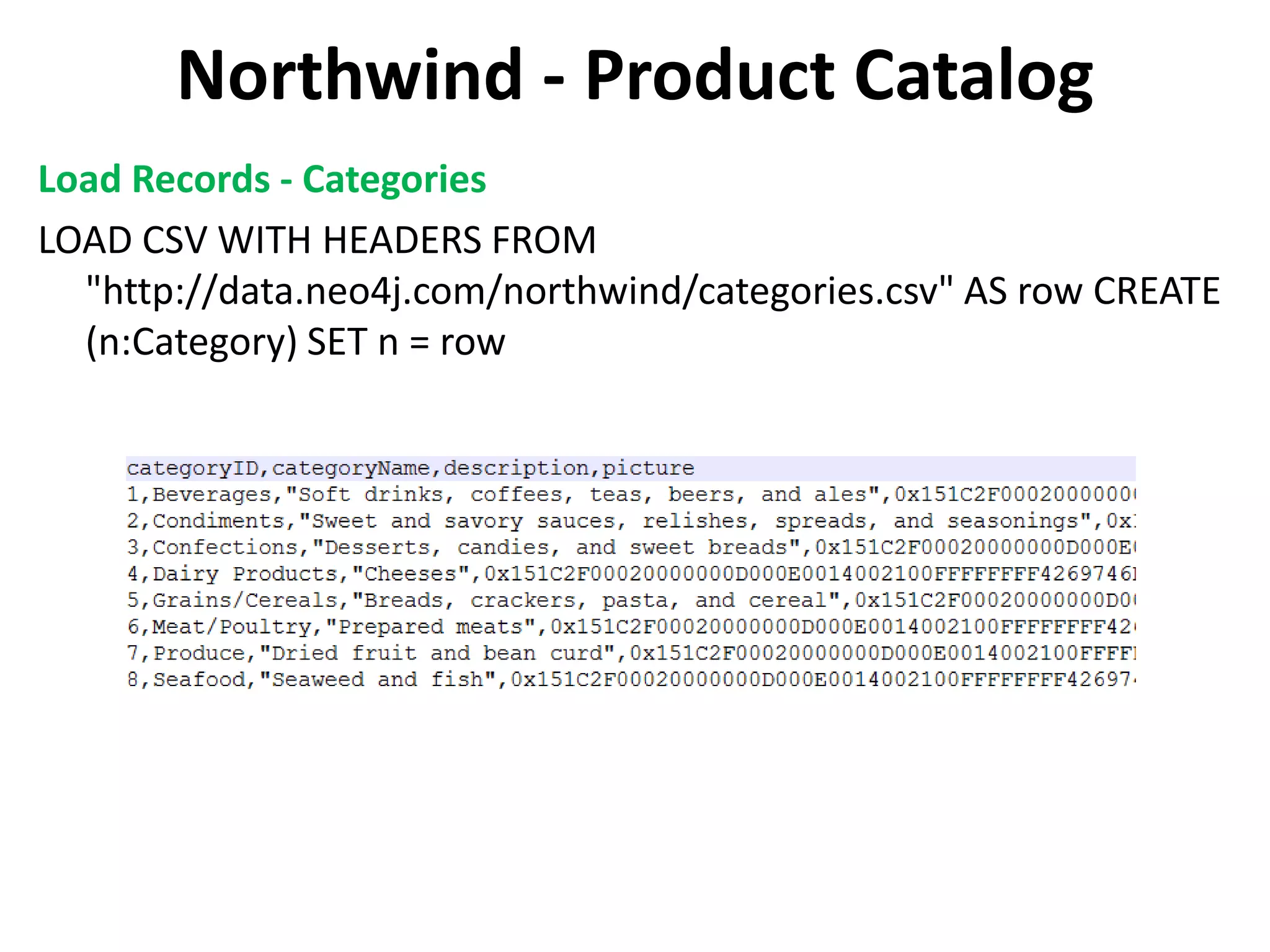
Northwind - Product Catalog Load Records - Categories LOAD CSV WITH HEADERS FROM "http://data.neo4j.com/northwind/categories.csv" AS row CREATE (n:Category) SET n = row
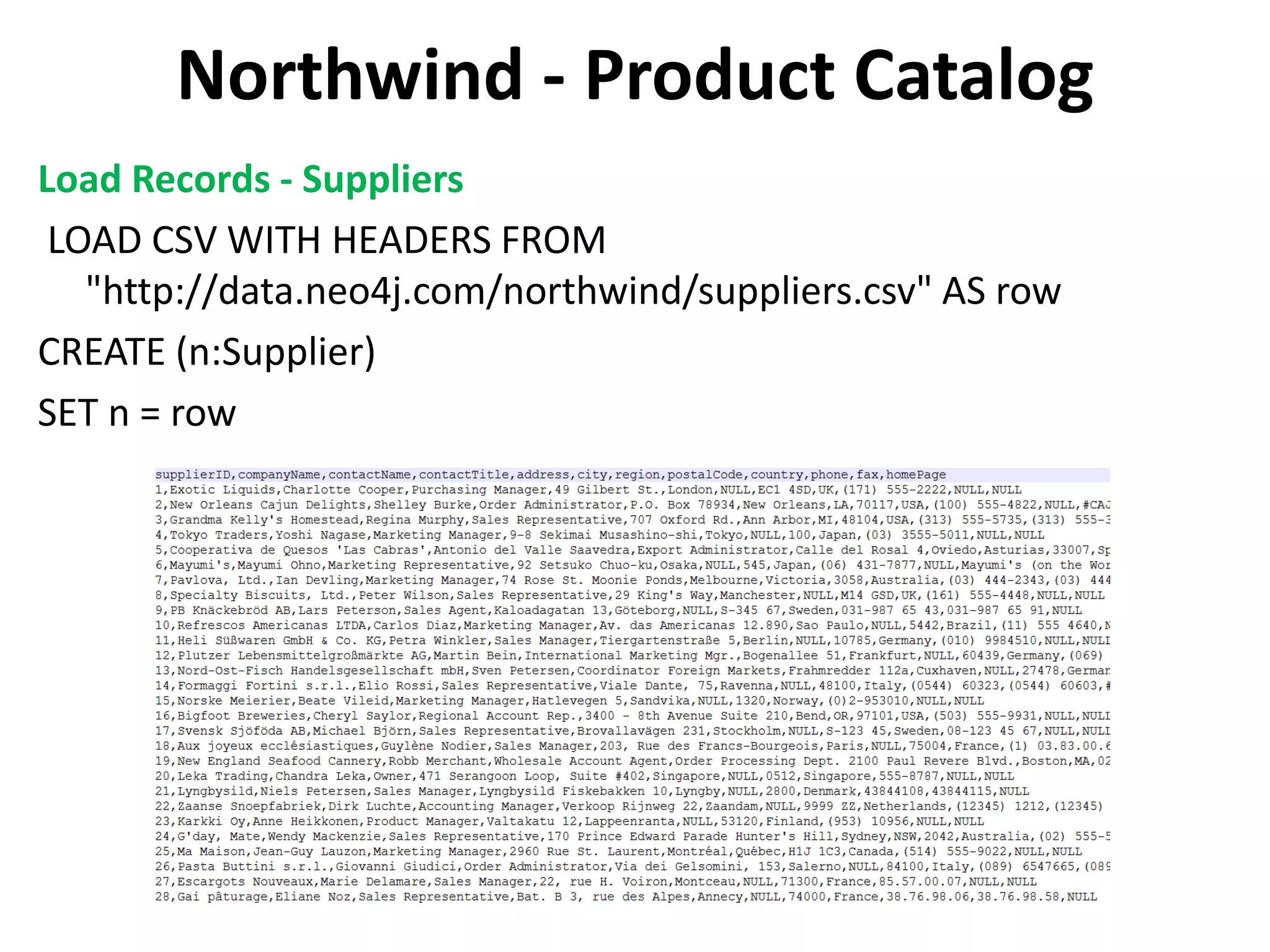
Northwind - Product Catalog Load Records - Suppliers LOAD CSV WITH HEADERS FROM "http://data.neo4j.com/northwind/suppliers.csv" AS row CREATE (n:Supplier) SET n = row
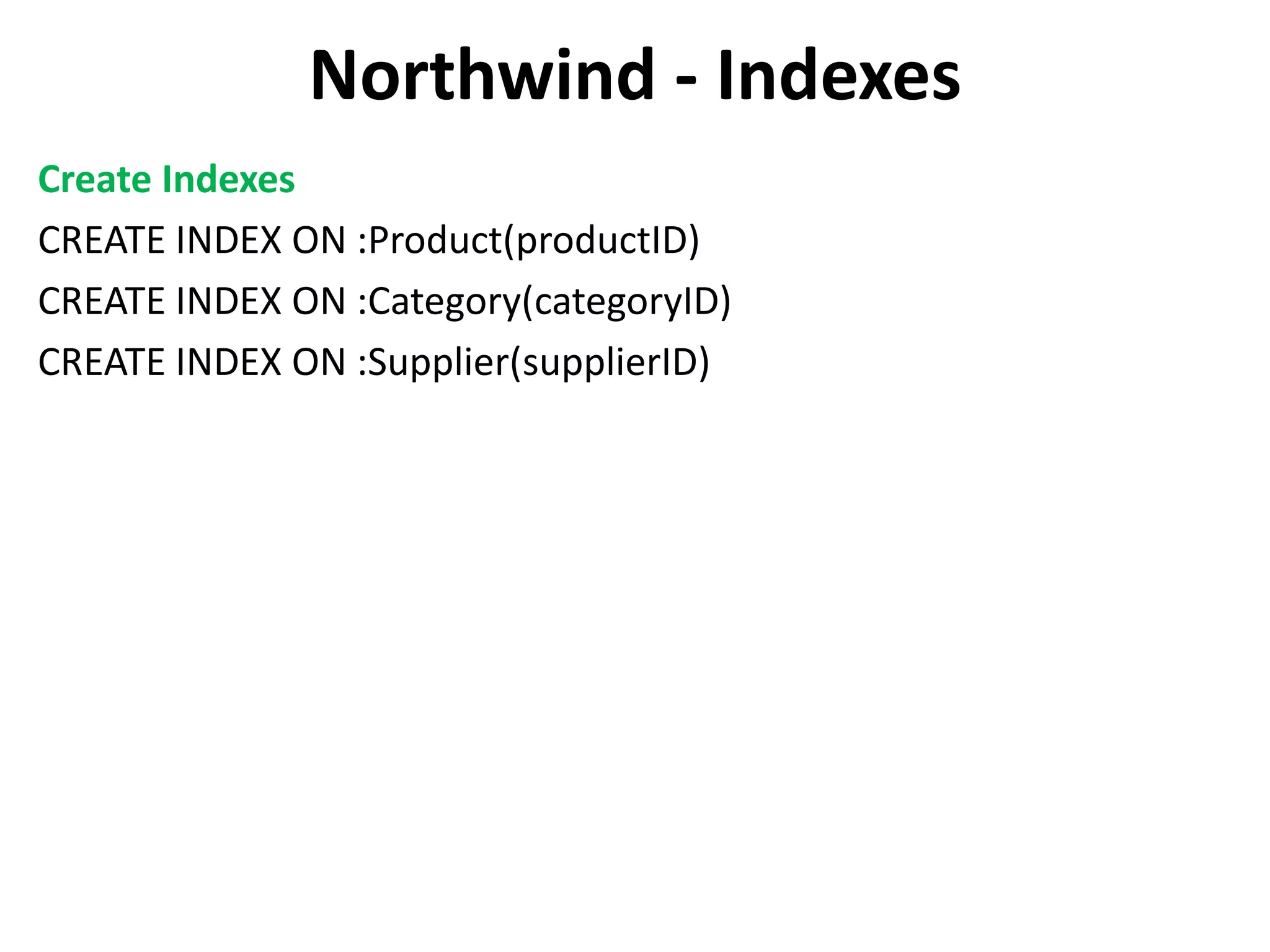
Northwind - Indexes Create Indexes CREATE INDEX ON :Product(productID) CREATE INDEX ON :Category(categoryID) CREATE INDEX ON :Supplier(supplierID)
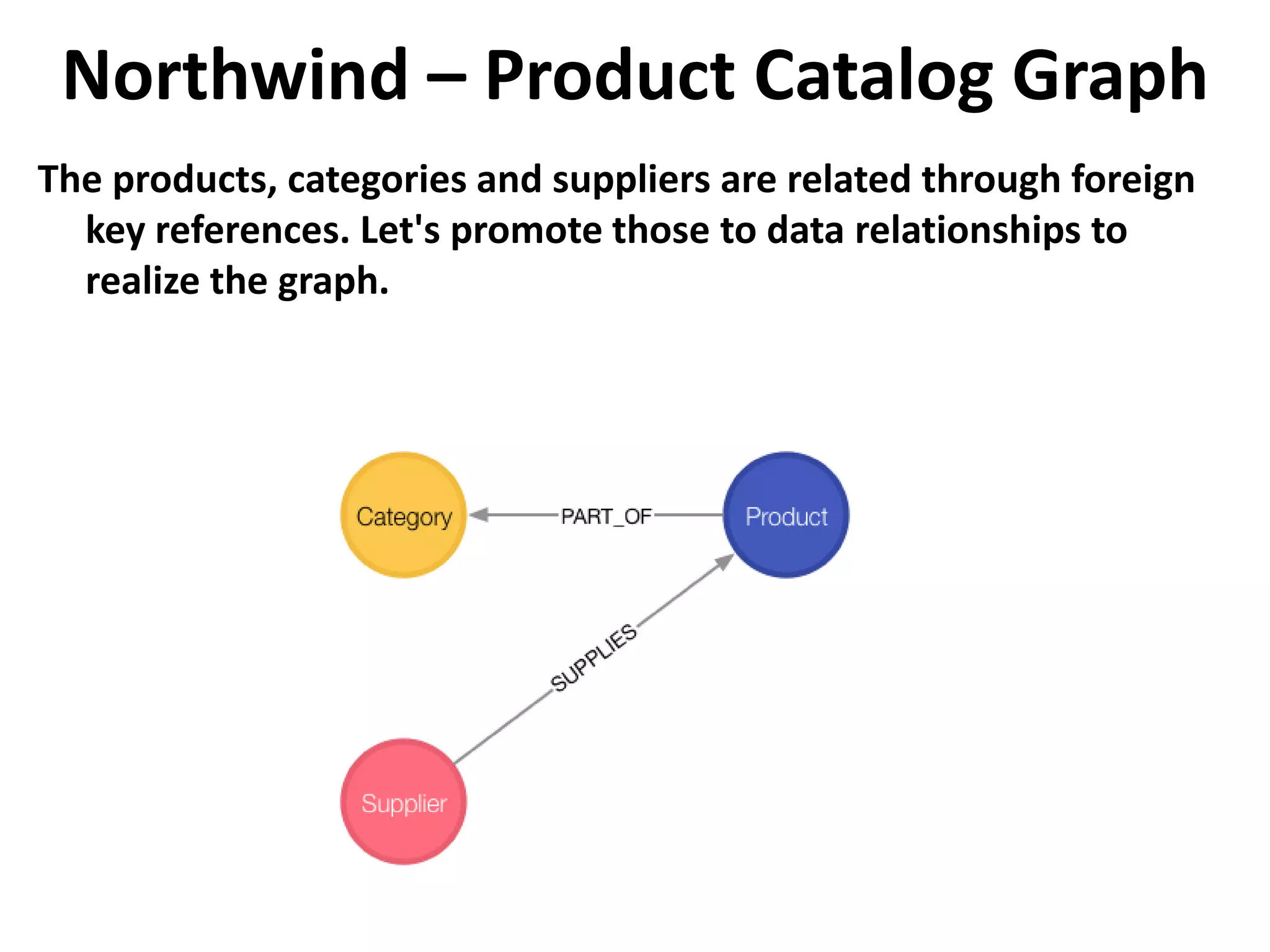
Northwind – Product Catalog Graph The products, categories and suppliers are related through foreign key references. Let's promote those to data relationships to realize the graph.
Northwind – Product Catalog Graph Create data relationships MATCH (p:Product),(c:Category) WHERE p.categoryID = c.categoryID CREATE (p)-[:PART_OF]->(c) Note you only need to compare property values like this when first creating relationships Calculate join, materialize relationship. (See importing guide for more details) MATCH (p:Product),(s:Supplier) WHERE p.supplierID = s.supplierID CREATE (s)-[:SUPPLIES]->(p) Note you only need to compare property values like this when first creating relationships

Neo4j Introduction (Basics, Cypher, RDBMS to GRAPH)

  • 1.
    Neo4J Basic Concepts Slides by: David Fombella Email: dpombal@hotmail.com Linkedin: https://es.linkedin.com/in/david-fombella-pombal-3757b925 Skype: dpombal Twitter: @davidfombella
  • 2.
    Graph Fundamentals Basic conceptsto get you going. A graph database can store any kind of data using a few simple concepts: • Nodes - graph data records • Relationships - connect nodes • Properties - named data values
  • 3.
    A Graph Database •Neo4j stores data in a Graph, with records called Nodes. • The simplest graph has just a single node with some named values called Properties. Let's draw a social graph of our friends on the Neo4j team: 1. Start by drawing a circle for the node 2. Add the name Emil 3. Note that he is from Sweden – Nodes are the name for data records in a graph – Data is stored as Properties – Properties are simple name/value pairs
  • 4.
    Labels • Nodes canbe grouped together by applying a Label to each member. In our social graph, we'll label each node that represents a Person. 1. Apply the label "Person" to the node we created for Emil 2. Color "Person" nodes red – A node can have zero or more labels – Labels do not have any properties
  • 5.
    More Nodes • Schema-free,nodes can have a mix of common and unique properties. • Like any database, storing data in Neo4j can be as simple as adding more records. We'll add a few more nodes: 1. Emil has a klout score of 99 2. Johan, from Sweden, who is learning to surf 3. Ian, from England, who is an author 4. Rik, from Belgium, has a cat named Orval 5. Allison, from California, who surfs – Similar nodes can have different properties – Properties can be strings, numbers, or booleans – Neo4j can store billions of nodes
  • 6.
    Consider Relationships • Connectnodes in the graph • The real power of Neo4j is in connected data. To associate any two nodes, add a Relationship which describes how the records are related. • In our social graph, we simply say who KNOWS whom: 1. Emil KNOWS Johan and Ian 2. Johan KNOWS Ian and Rik 3. Rik and Ian KNOWS Allison – Relationships always have direction – Relationships always have a type – Relationships form patterns of data
  • 7.
    Relationship properties • Storeinformation shared by two nodes. • In a property graph, relationships are data records that can also contain properties. Looking more closely at Emil's relationships, note that: – Emil has known Johan since 2001 – Emil rates Ian 5 (out of 5) – Everyone else can have similar relationship properties
  • 8.
    Introduction Cypher • Gettingstarted with Neo4j Browser • Neo4j Browser is a command driven client, like a web-based shell environment. It is perfect for running ad-hoc graph queries, with just enough ability to prototype a Neo4j-based application. • Developer focused, for writing and running graph queries with Cypher • Exportable tabular results of any query result • Graph visualization of query results containing nodes and relationships • Convenient exploration of Neo4j's REST API
  • 9.
    Editor • Editor isthe primary interface for entering and running commands. Enter Cypher queries to work with graph data. Use client-side commands like:help for other operations. – Single line editing for brief queries or commands – Switch to multi-line editing with <shift-enter> – Run a query with <ctrl-enter> – History is kept for easily retrieving previous commands
  • 10.
    Stream • Scrolling seriesof result frames • A result frame is created for each command execution, added to the top of the stream to create a scrollable collection in reverse chronological order. – Special frames like data visualization – Expand a frame to full screen – Remove a specific frame from the stream – Clear the stream with the :clear command
  • 11.
    Frame code view •Viewing requests and responses • The code tab displays everything sent to and received from the Neo4j server, including: – Request URI, HTTP method and headers – Response HTTP response code and headers – Raw request and response content in JSON format
  • 12.
    Sidebar • Convenient clickableaccess • The sidebar expands to reveal different functional panels for common queries and information. – Database metadata and basic information – Saved scripts organized into folders – Information links for docs and reference – Credits and licensing information
  • 13.
  • 14.
    Cypher Neo4j's graph querylanguage Neo4j's Cypher language is purpose built for working with graph data. • uses patterns to describe graph data • familiar SQL-like clauses • declarative, describing what to find, not how to find it
  • 15.
    Cypher - CREATE •Create a node • Let's use Cypher to generate a small social graph. • CREATE (ee:Person { name: "Emil", from: "Sweden", klout: 99 }) – CREATE clause to create data – () parenthesis to indicate a node – ee:Person a variable 'ee' and label 'Person' for the new node – {} brackets to add properties to the node
  • 16.
    Cypher - MATCH •Finding nodes • Now find the node representing Emil: • MATCH (ee:Person) WHERE ee.name = "Emil" RETURN ee; – MATCH clause to specify a pattern of nodes and relationships – (ee:Person) a single node pattern with label 'Person' which will assign matches to the variable 'ee' – WHERE clause to constrain the results – ee.name = "Emil" compares name property to the value "Emil" – RETURN clause used to request particular results
  • 17.
    Cypher – CREATEmore • Nodes and relationships • CREATEclauses can create many nodes and relationships at once. MATCH (ee:Person) WHERE ee.name = "Emil" CREATE (js:Person { name: "Johan", from: "Sweden", learn: "surfing" }), (ir:Person { name: "Ian", from: "England", title: "author" }), (rvb:Person { name: "Rik", from: "Belgium", pet: "Orval" }), (ally:Person { name: "Allison", from: "California", hobby: "surfing" }), (ee)-[:KNOWS {since: 2001}]->(js),(ee)-[:KNOWS {rating: 5}]->(ir), (js)-[:KNOWS]->(ir),(js)-[:KNOWS]->(rvb), (ir)-[:KNOWS]->(js),(ir)-[:KNOWS]->(ally), (rvb)-[:KNOWS]->(ally)
  • 18.
    Cypher – PATTERNMATCHING • Describe what to find in the graph • For instance, a pattern can be used to find Emil's friends: MATCH (ee:Person)-[:KNOWS]-(friends) WHERE ee.name = "Emil" RETURN ee, friends – MATCH clause to describe the pattern from known Nodes to found Nodes – (ee) starts the pattern with a Person (qualified by WHERE) – -[:KNOWS]- matches "KNOWS" relationships (in either direction) – (friends) will be bound to Emil's friends
  • 19.
    Cypher – RECOMMEND •Using patterns Pattern matching can be used to make recommendations. Johan is learning to surf, so he may want to find a new friend who already does: MATCH (js:Person)-[:KNOWS]-()-[:KNOWS]-(surfer) WHERE js.name = "Johan" AND surfer.hobby = "surfing" RETURN DISTINCT surfer – () empty parenthesis to ignore these nodes – DISTINCT because more than one path will match the pattern – surfer will contain Allison, a friend of a friend who surfs
  • 20.
    Cypher – ANALYZE Usingthe visual query plan • Understand how your query works by prepending EXPLAIN or PROFILE: PROFILE MATCH (js:Person)-[:KNOWS]-()-[:KNOWS]-(surfer) WHERE js.name = "Johan" AND surfer.hobby = "surfing" RETURN DISTINCT surfer
  • 21.
    Cypher – LiveCypher warnings • Identify query problems in real time • As you type, the query editor notifies you about deprecated features and potentially expensive queries.
  • 22.
    Cypher – NextSteps • Start your application using Cypher to create and query graph data. • Use the REST API to monitor the database. In special cases, consider a plugin.
  • 23.
  • 24.
    Movie Graph Pop-cultural connectionsbetween actors and movies • The Movie Graph is a mini graph application containing actors and directors that are related through the movies they've collaborated on. • This guide will show you how to: 1. Create: insert movie data into the graph 2. Find: retrieve individual movies and actors 3. Query: discover related actors and directors 4. Solve: the Bacon Path
  • 25.
    Movie 1. Created– DB Information
  • 26.
    Movie 1. Created– Graph vision
  • 27.
    Movie 1. Created– Rows vision
  • 28.
    Movie 1. Created– Text vision
  • 29.
    Movie 1. Created– Code vision 1/2
  • 30.
    Movie 1. Created– Code vision 2/2
  • 31.
    Movie 2. Find Examplequeries for finding individual nodes. 1. Click on any query example 2. Run the query from the editor 3. Notice the syntax pattern 4. Try looking for other movies or actors
  • 32.
    Movie 2. FindF1 Find the actor named "Tom Hanks"... MATCH (tom {name: "Tom Hanks"}) RETURN tom
  • 33.
    Movie 2. FindF2 Find the movie with title "Cloud Atlas"... MATCH (cloudAtlas {title: "Cloud Atlas"}) RETURN cloudAtlas
  • 34.
    Movie 2. FindF3 Find 10 people... MATCH (people:Person) RETURN people.name LIMIT 10
  • 35.
    Movie 2. FindF4 Find movies released in the 1990s... MATCH (nineties:Movie) WHERE nineties.released > 1990 AND nineties.released < 2000 RETURN nineties.title
  • 36.
    Movie 3. Query Findingpatterns within the graph. 1. Actors are people who acted in movies 2. Directors are people who directed a movie 3. What other relationships exist?
  • 37.
    Movie 3. QueryQ1 List all Tom Hanks movies... MATCH (tom:Person {name: "Tom Hanks"})-[:ACTED_IN]- >(tomHanksMovies) RETURN tom,tomHanksMovies
  • 38.
    Movie 3. QueryQ2 Who directed "Cloud Atlas"? MATCH (cloudAtlas {title: "Cloud Atlas"})<-[:DIRECTED]- (directors) RETURN directors.name
  • 39.
    Movie 3. QueryQ3 Tom Hanks' co-actors... MATCH (tom:Person {name:"Tom Hanks"})-[:ACTED_IN]- >(m)<-[:ACTED_IN]-(coActors) RETURN coActors.name
  • 40.
    Movie 3. QueryQ4 How people are related to "Cloud Atlas"... MATCH (people:Person)-[relatedTo]-(:Movie {title: "Cloud Atlas"}) RETURN people.name, Type(relatedTo), relatedTo
  • 41.
    Movie 4. Solve •You've heard of the classic "Six Degrees of Kevin Bacon"? That is simply a shortest path query called the "Bacon Path". 1. Variable length patterns 2. Built-in shortestPath() algorithm
  • 42.
    Movie 4. SolveS1 Movies and actors up to 4 "hops" away from Kevin Bacon MATCH (bacon:Person {name:"Kevin Bacon"})-[*1..4]-(hollywood) RETURN DISTINCT hollywood
  • 43.
    Movie 4. SolveS2 Bacon path, the shortest path of any relationships to Meg Ryan MATCH p=shortestPath( (bacon:Person {name:"Kevin Bacon"})-[*]-(meg:Person {name:"Meg Ryan"}) ) RETURN p
  • 44.
    Movie 5. Recommend •Let's recommend new co-actors for Tom Hanks. A basic recommendation approach is to find connections past an immediate neighborhood which are themselves well connected. • For Tom Hanks, that means: 1. Find actors that Tom Hanks hasn't yet worked with, but his co-actors have. 2. Find someone who can introduce Tom to his potential co- actor.
  • 45.
    Movie 5. Recommend1 Extend Tom Hanks co-actors, to find co-co-actors who haven't work with Tom Hanks... MATCH (tom:Person {name:"Tom Hanks"})-[:ACTED_IN]->(m)<- [:ACTED_IN]-(coActors), (coActors)-[:ACTED_IN]->(m2)<-[:ACTED_IN]- (cocoActors) WHERE NOT (tom)-[:ACTED_IN]->(m2) RETURN cocoActors.name AS Recommended, count(*) AS Strength ORDER BY Strength DESC
  • 46.
    Movie 5. Recommend2 Find someone to introduce Tom Hanks to Tom Cruise MATCH (tom:Person {name:"Tom Hanks"})-[:ACTED_IN]->(m)<- [:ACTED_IN]-(coActors), (coActors)-[:ACTED_IN]->(m2)<- [:ACTED_IN]-(cruise:Person {name:"Tom Cruise"}) RETURN tom, m, coActors, m2, cruise
  • 47.
    Movie 6. CleanUp (Delete) • When you're done experimenting, you can remove the movie data set. Note: 1. Nodes can't be deleted if relationships exist 2. Delete both nodes and relationships together WARNING: This will remove all Person and Movie nodes!
  • 48.
    Movie 6. Cleanup Deleteall Movie and Person nodes, and their relationships MATCH (a:Person),(m:Movie) OPTIONAL MATCH (a)-[r1]-(), (m)-[r2]-() DELETE a,r1,m,r2 Note you only need to compare property values like this when first creating relationships Prove that the Movie Graph is gone MATCH (n) RETURN n
  • 49.
    Movie 6. Delete DELETEclause is used to delete nodes and relationships identified within a MATCH clause, possibly qualified by a WHERE. Remember that you can not delete a node without also deleting relationships that start or end on said node. Remove all of Soren's friends. MATCH (n)-[r]-() WHERE n.name = 'Soren' DELETE r
  • 50.
  • 51.
    Northwind - LoadProducts • From RDBMS to Graph, using a classic dataset • The Northwind Graph demonstrates how to migrate from a relational database to Neo4j. The transformation is iterative and deliberate, emphasizing the conceptual shift from relational tables to the nodes and relationships of a graph. • This guide will show you how to: 1. Load: create data from external CSV files 2. Index: index nodes based on label 3. Relate: transform foreign key references into data relationships 4. Promote: transform join records into relationships
  • 52.
    Northwind - ProductCatalog Northwind sells food products in a few categories, provided by suppliers. Let's start by loading the product catalog tables. The load statements to the right require public internet access.LOAD CSV will retrieve a CSV file from a valid URL, applying a Cypher statement to each row using a named map (here we're using the name `row`).
  • 53.
    Northwind - ProductCatalog Load Records - Products LOAD CSV WITH HEADERS FROM "http://data.neo4j.com/northwind/products.csv" AS row CREATE (n:Product) SET n = row, n.unitPrice = toFloat(row.unitPrice), n.unitsInStock = toInt(row.unitsInStock), n.unitsOnOrder = toInt(row.unitsOnOrder), n.reorderLevel = toInt(row.reorderLevel), n.discontinued = (row.discontinued <> "0")
  • 54.
    Northwind - ProductCatalog Load Records - Categories LOAD CSV WITH HEADERS FROM "http://data.neo4j.com/northwind/categories.csv" AS row CREATE (n:Category) SET n = row
  • 55.
    Northwind - ProductCatalog Load Records - Suppliers LOAD CSV WITH HEADERS FROM "http://data.neo4j.com/northwind/suppliers.csv" AS row CREATE (n:Supplier) SET n = row
  • 56.
    Northwind - Indexes CreateIndexes CREATE INDEX ON :Product(productID) CREATE INDEX ON :Category(categoryID) CREATE INDEX ON :Supplier(supplierID)
  • 57.
    Northwind – ProductCatalog Graph The products, categories and suppliers are related through foreign key references. Let's promote those to data relationships to realize the graph.
  • 58.
    Northwind – ProductCatalog Graph Create data relationships MATCH (p:Product),(c:Category) WHERE p.categoryID = c.categoryID CREATE (p)-[:PART_OF]->(c) Note you only need to compare property values like this when first creating relationships Calculate join, materialize relationship. (See importing guide for more details) MATCH (p:Product),(s:Supplier) WHERE p.supplierID = s.supplierID CREATE (s)-[:SUPPLIES]->(p) Note you only need to compare property values like this when first creating relationships