.NET Core + ASP.NET Core Training Course Session 15
.NET Core What we learned? Session 6 ~ 14 Overview • ASP.NET Core Basics • Middleware, Controllers, Action Filters and Routing • Models • Views • Entity Framework Core (Modeling) • Entity Framework Core (Querying Data)
.NET Core What we’ll learn today? Session 15 Agenda • Entity Framework Core (Saving Data)
.NET Core Basic Save - ChangeTracker & SaveChanges Entity Framework Core – Save Data Each context instance has a ChangeTracker that is responsible for keeping track of changes that need to be written to the database. As you make changes to instances of your entity classes, these changes are recorded in the ChangeTracker and then written to the database when you call SaveChanges.
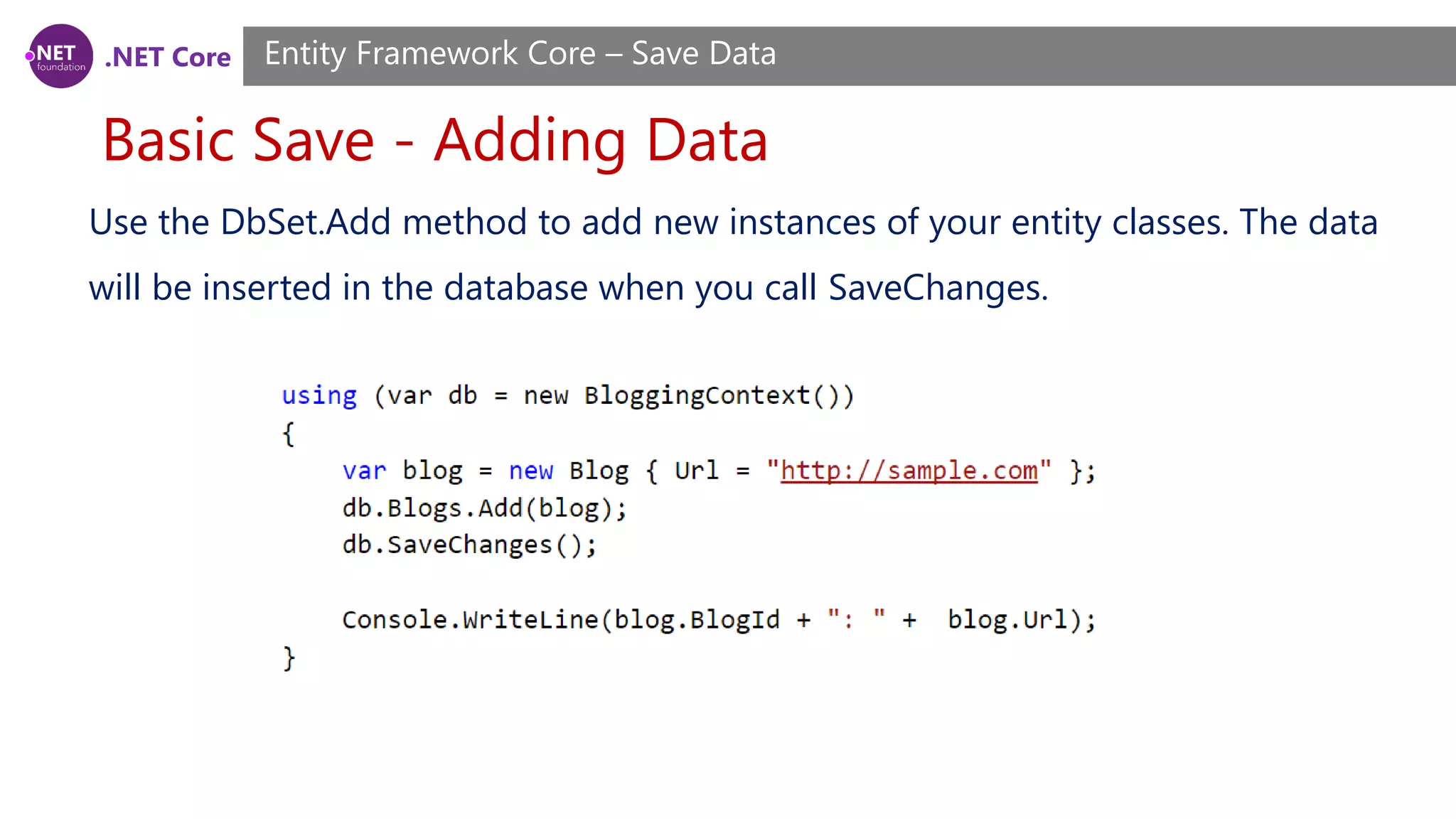
.NET Core Basic Save - Adding Data Entity Framework Core – Save Data Use the DbSet.Add method to add new instances of your entity classes. The data will be inserted in the database when you call SaveChanges.
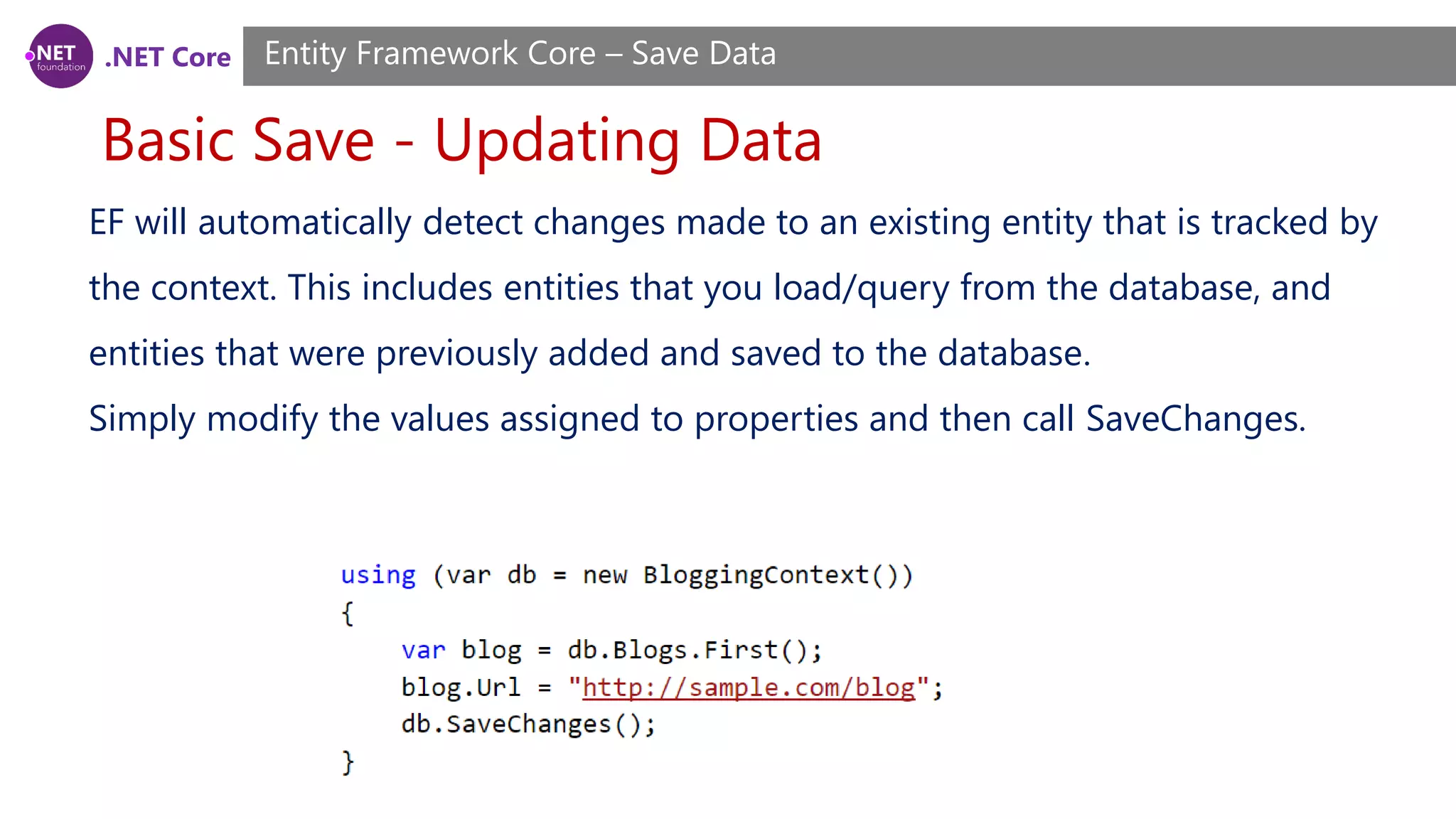
.NET Core Basic Save - Updating Data Entity Framework Core – Save Data EF will automatically detect changes made to an existing entity that is tracked by the context. This includes entities that you load/query from the database, and entities that were previously added and saved to the database. Simply modify the values assigned to properties and then call SaveChanges.
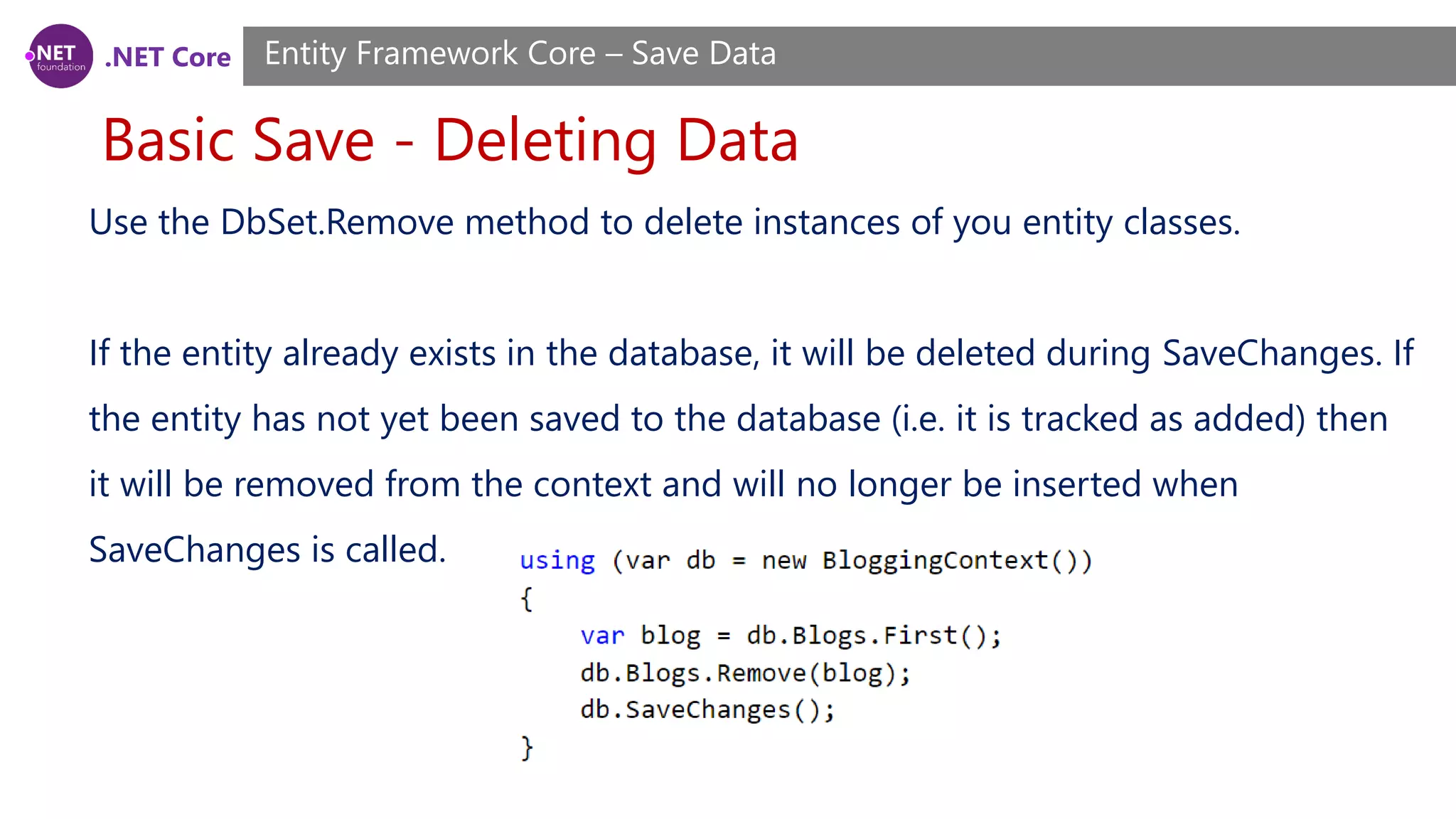
.NET Core Basic Save - Deleting Data Entity Framework Core – Save Data Use the DbSet.Remove method to delete instances of you entity classes. If the entity already exists in the database, it will be deleted during SaveChanges. If the entity has not yet been saved to the database (i.e. it is tracked as added) then it will be removed from the context and will no longer be inserted when SaveChanges is called.
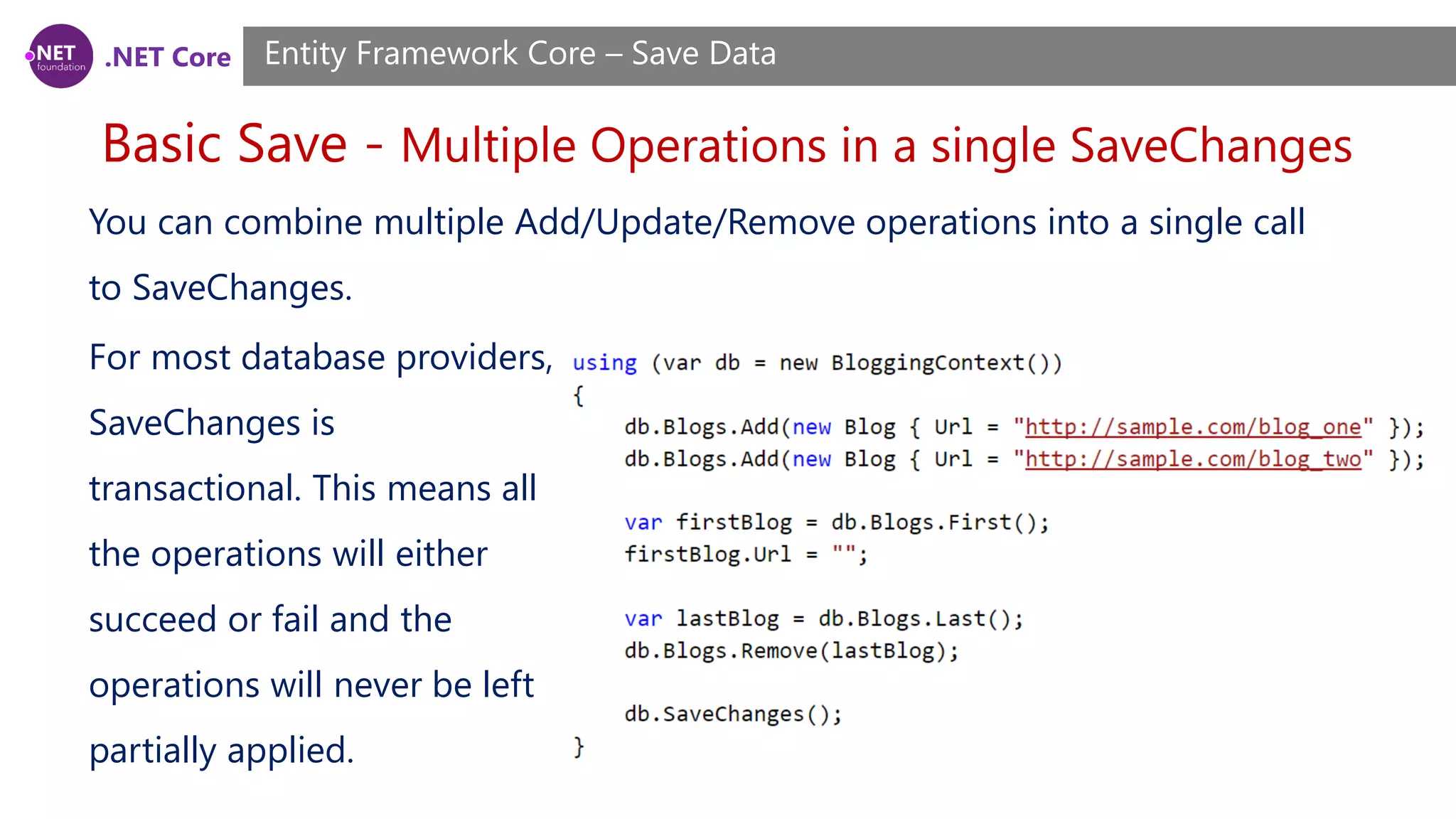
.NET Core Basic Save - Multiple Operations in a single SaveChanges Entity Framework Core – Save Data You can combine multiple Add/Update/Remove operations into a single call to SaveChanges. For most database providers, SaveChanges is transactional. This means all the operations will either succeed or fail and the operations will never be left partially applied.
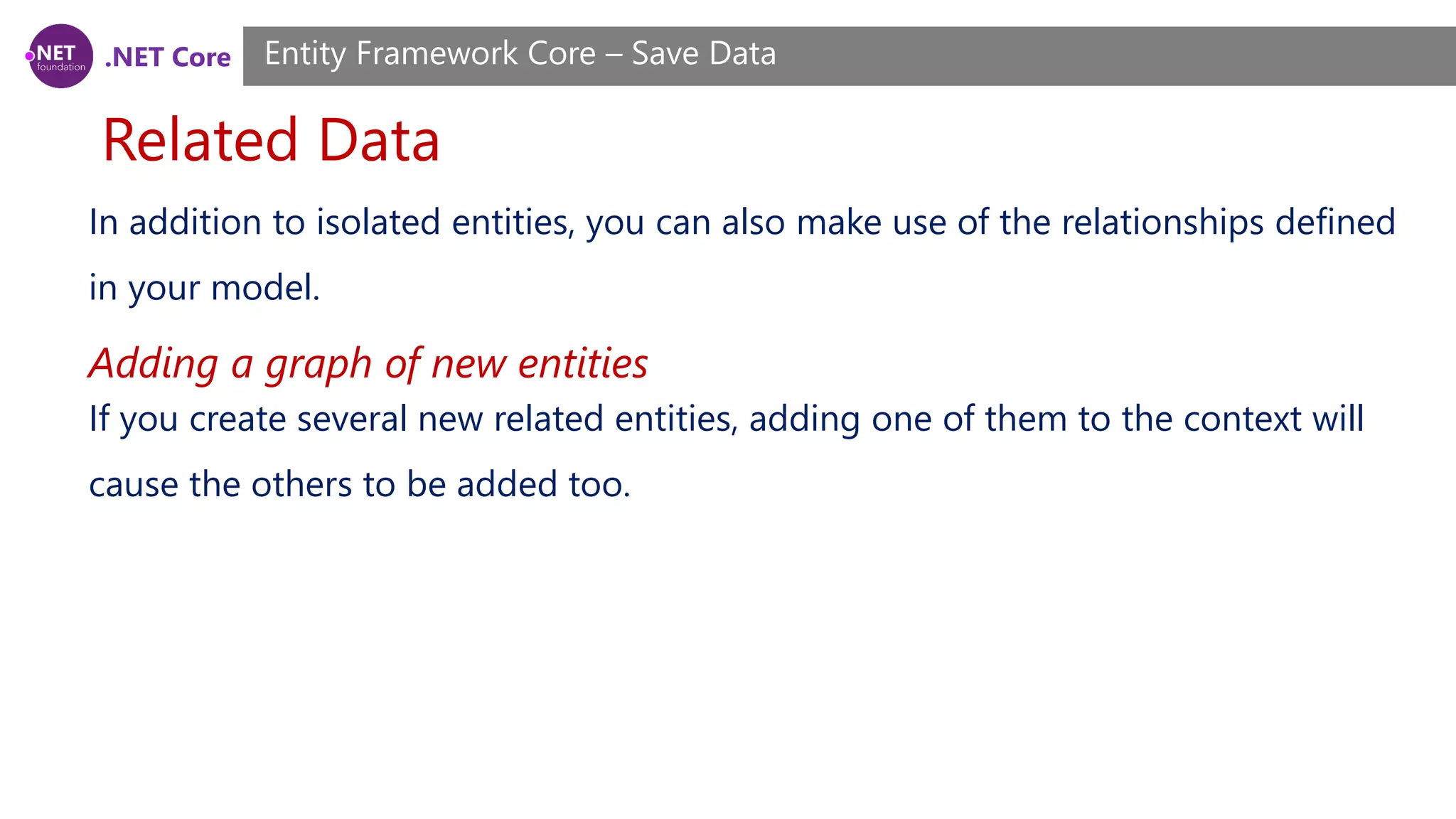
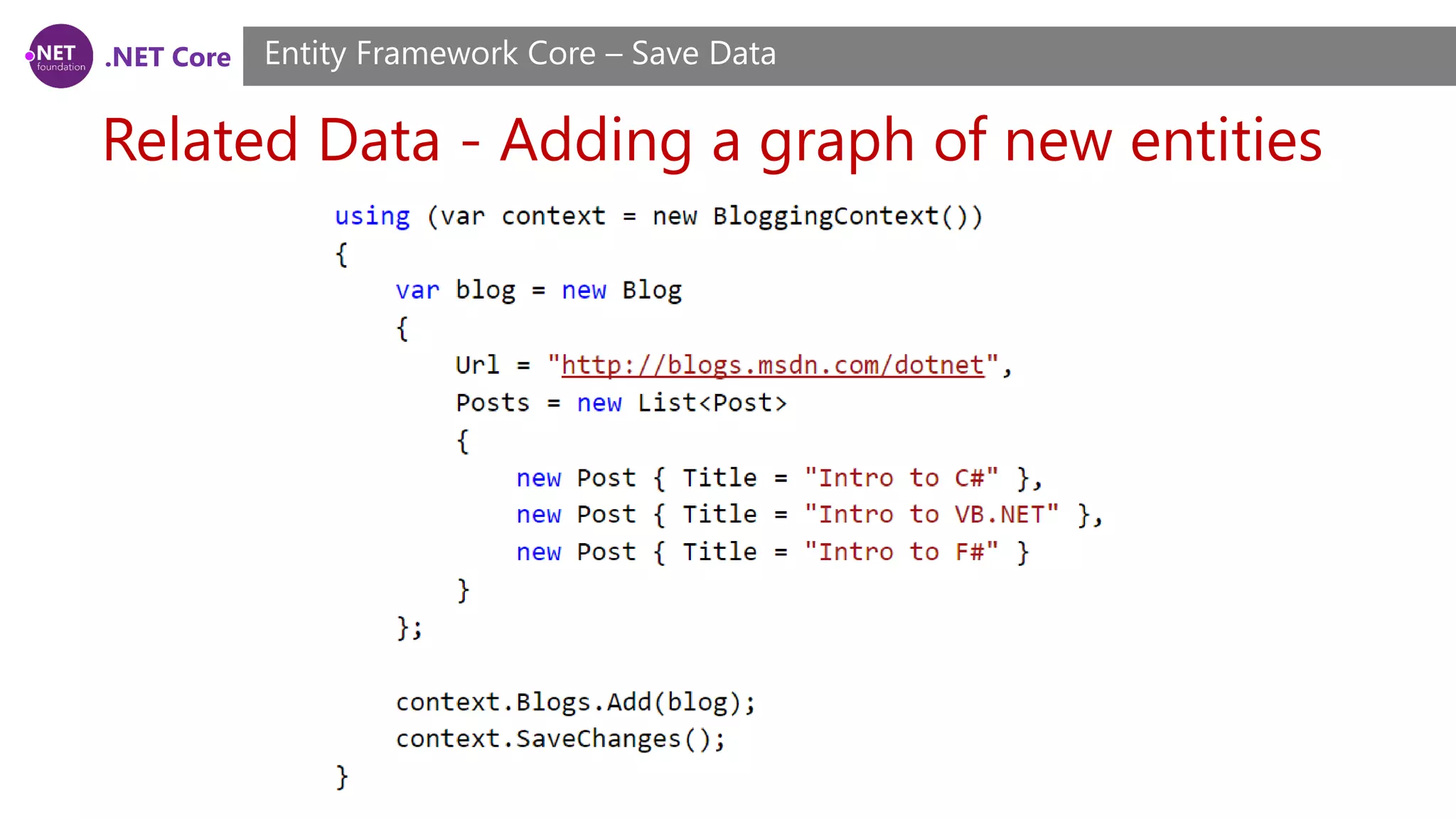
.NET Core Related Data Entity Framework Core – Save Data In addition to isolated entities, you can also make use of the relationships defined in your model. If you create several new related entities, adding one of them to the context will cause the others to be added too. Adding a graph of new entities
.NET Core Related Data - Adding a graph of new entities Entity Framework Core – Save Data
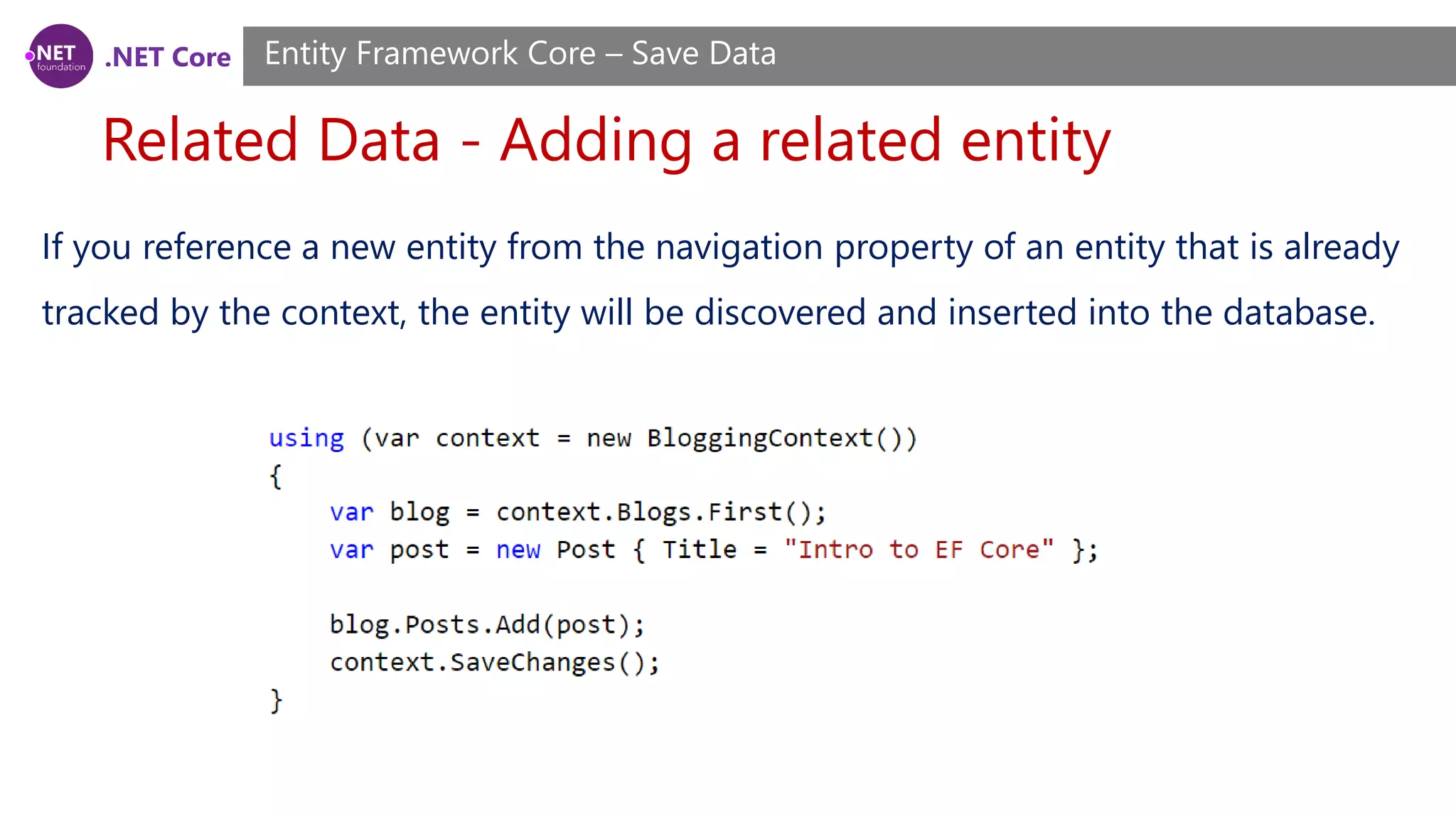
.NET Core Related Data - Adding a related entity Entity Framework Core – Save Data If you reference a new entity from the navigation property of an entity that is already tracked by the context, the entity will be discovered and inserted into the database.
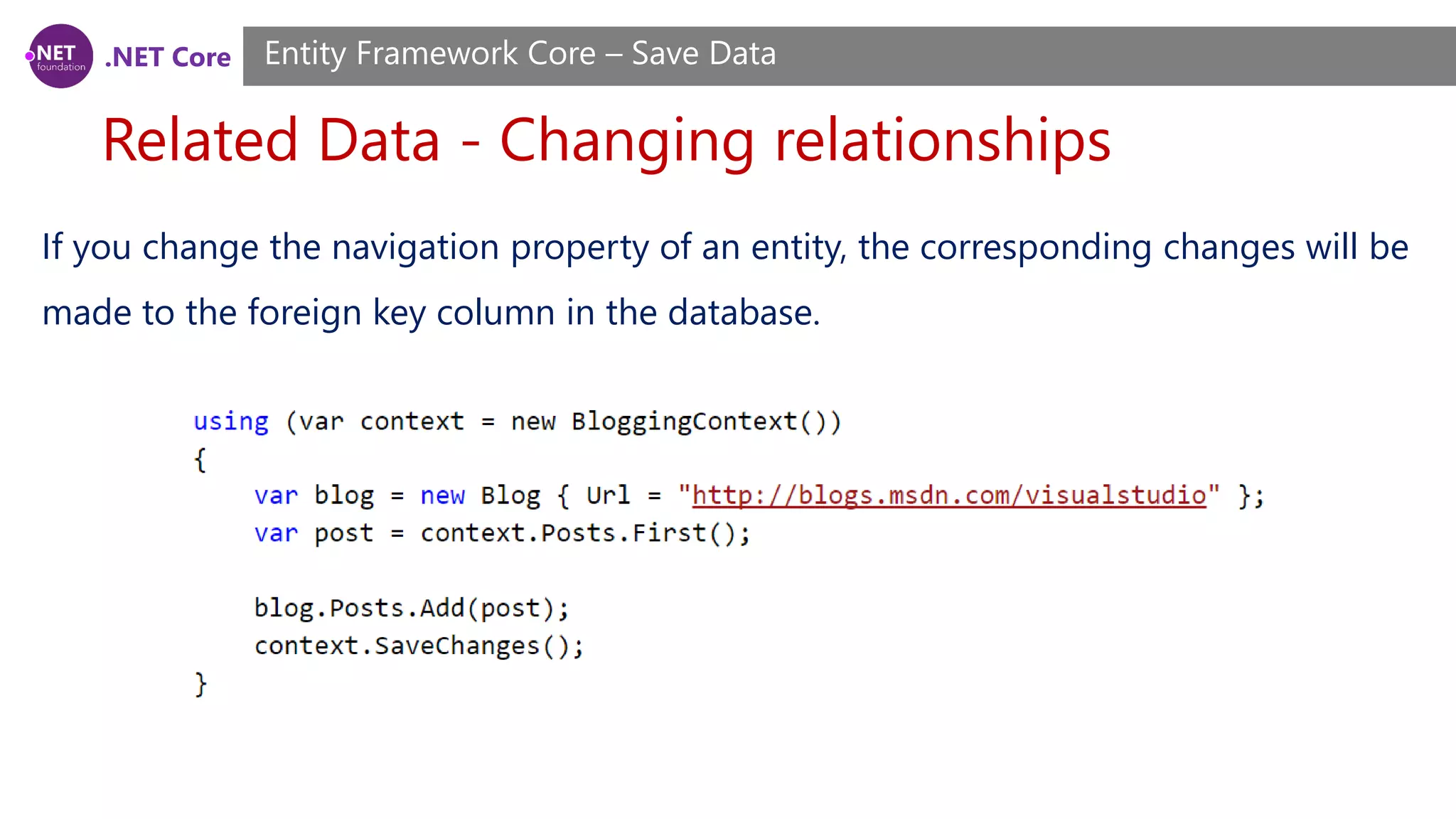
.NET Core Related Data - Changing relationships Entity Framework Core – Save Data If you change the navigation property of an entity, the corresponding changes will be made to the foreign key column in the database.
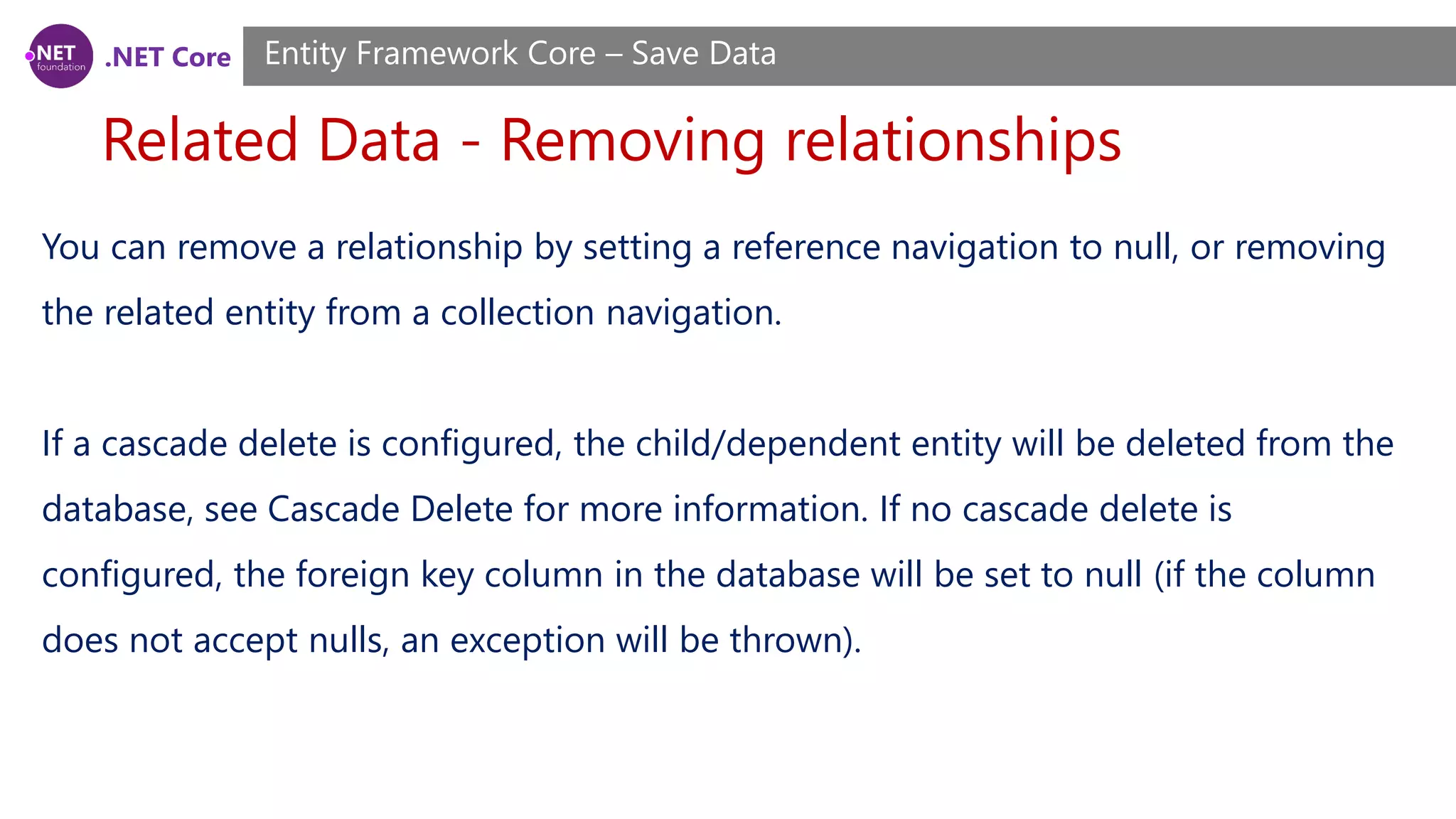
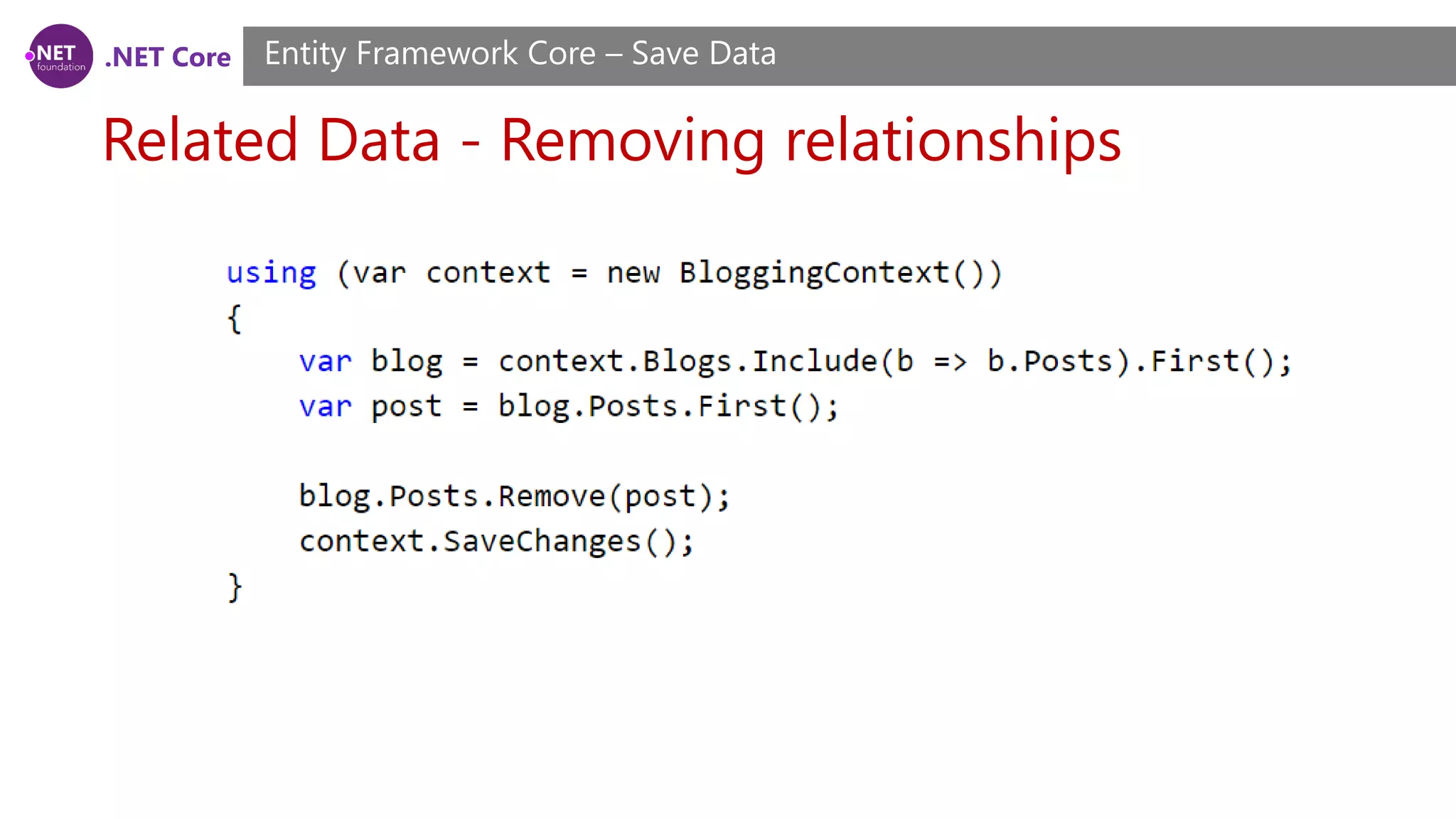
.NET Core Related Data - Removing relationships Entity Framework Core – Save Data You can remove a relationship by setting a reference navigation to null, or removing the related entity from a collection navigation. If a cascade delete is configured, the child/dependent entity will be deleted from the database, see Cascade Delete for more information. If no cascade delete is configured, the foreign key column in the database will be set to null (if the column does not accept nulls, an exception will be thrown).
.NET Core Related Data - Removing relationships Entity Framework Core – Save Data
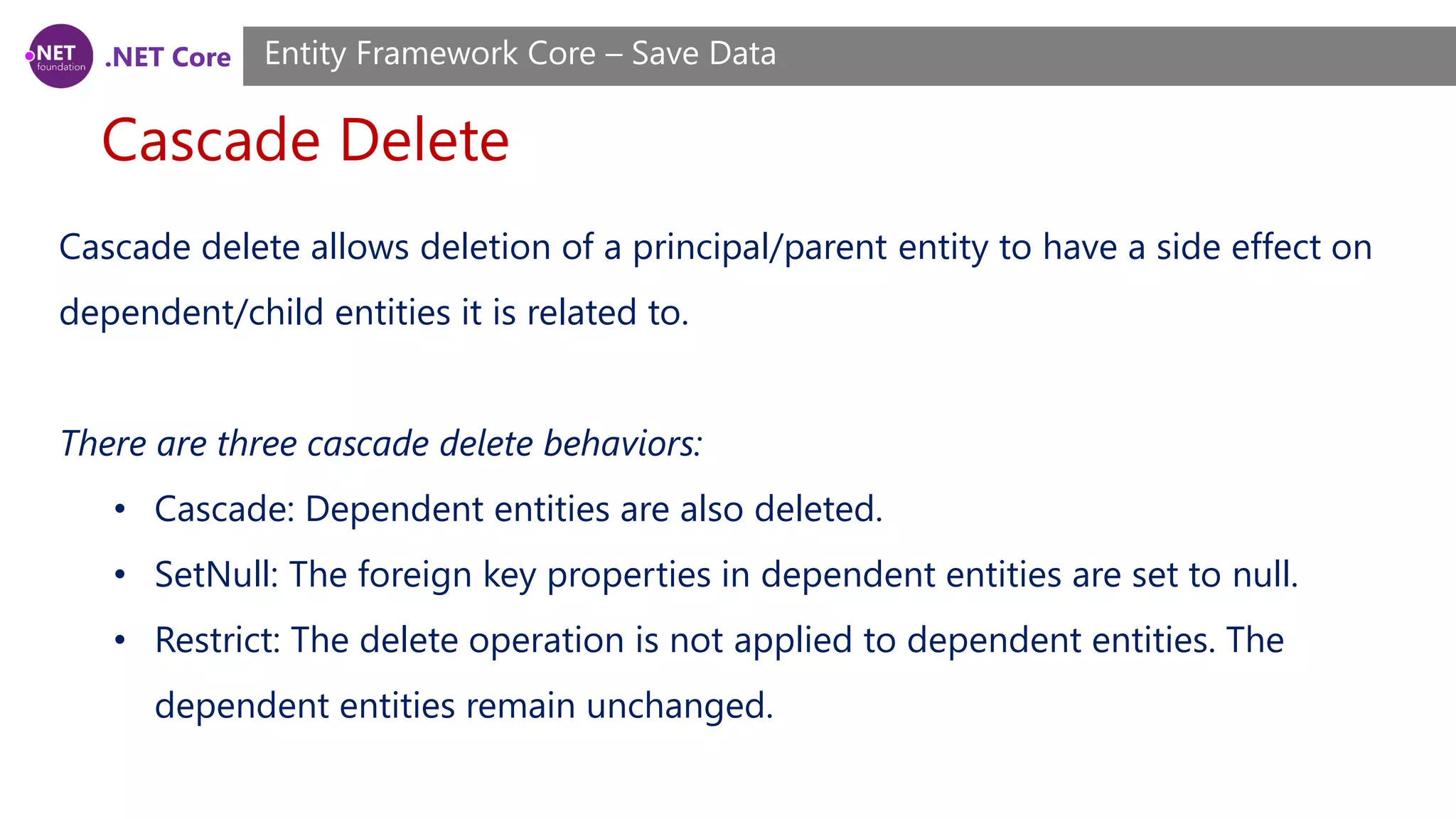
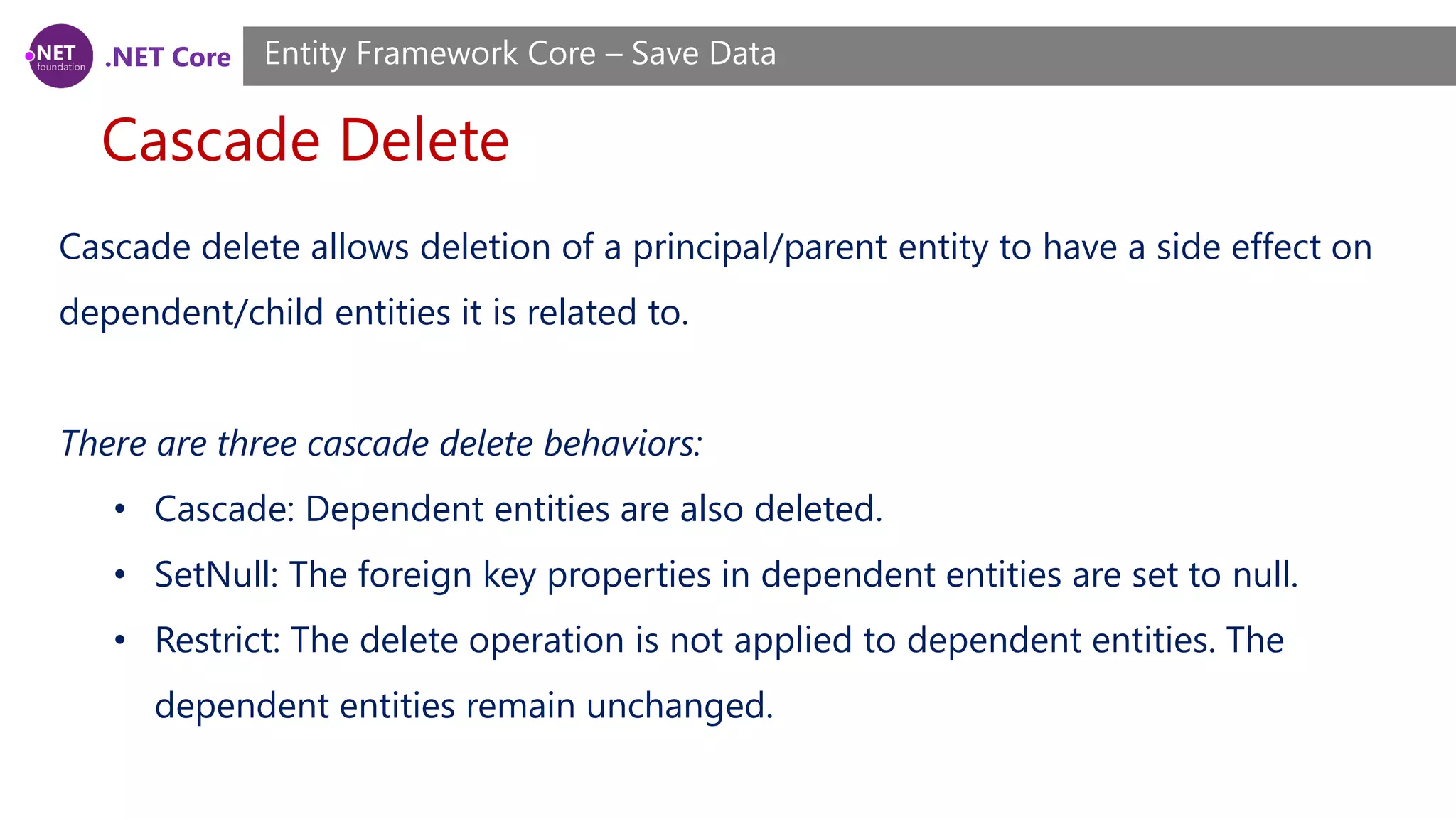
.NET Core Cascade Delete Entity Framework Core – Save Data Cascade delete allows deletion of a principal/parent entity to have a side effect on dependent/child entities it is related to. There are three cascade delete behaviors: • Cascade: Dependent entities are also deleted. • SetNull: The foreign key properties in dependent entities are set to null. • Restrict: The delete operation is not applied to dependent entities. The dependent entities remain unchanged.
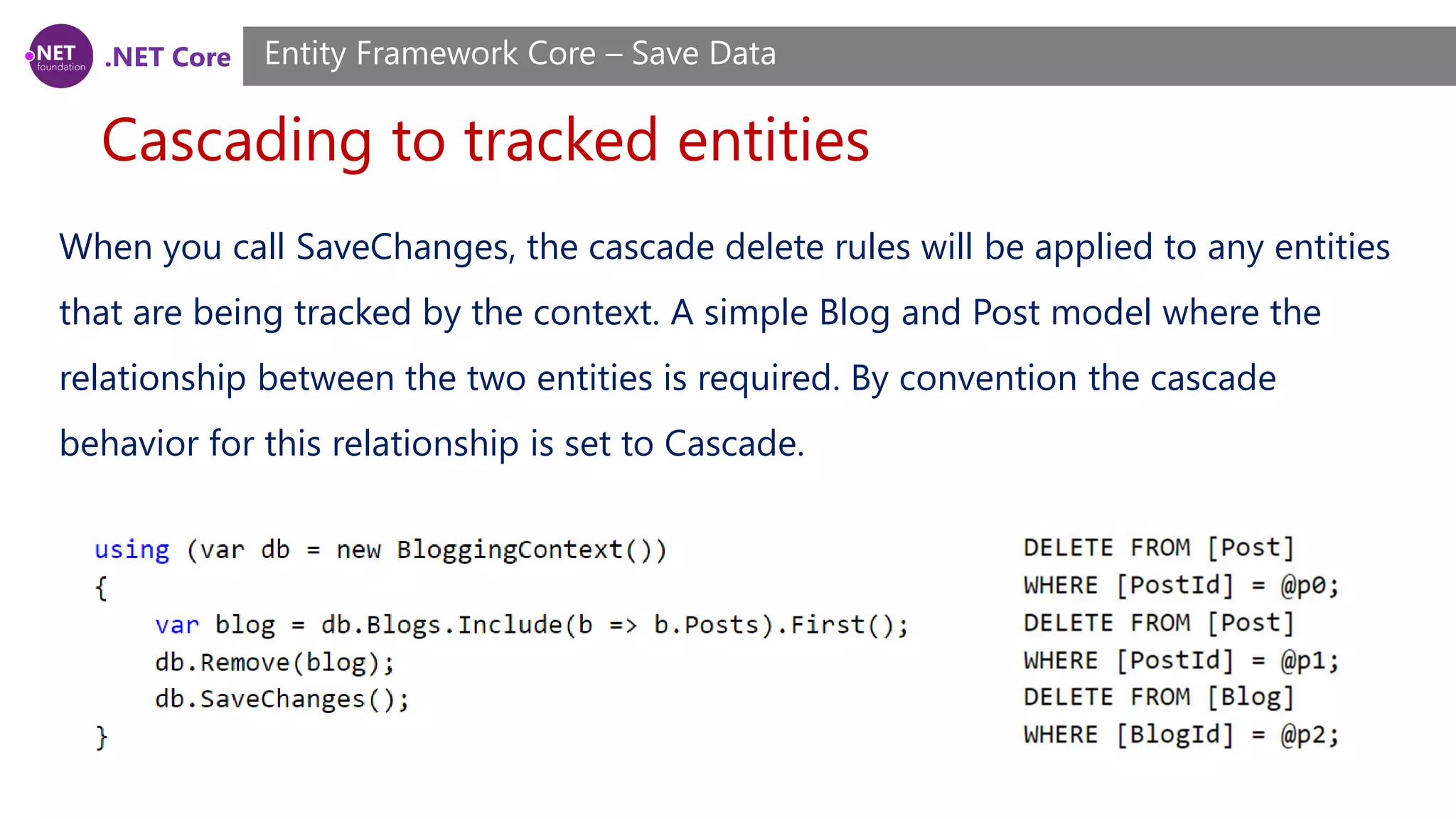
.NET Core Cascading to tracked entities Entity Framework Core – Save Data When you call SaveChanges, the cascade delete rules will be applied to any entities that are being tracked by the context. A simple Blog and Post model where the relationship between the two entities is required. By convention the cascade behavior for this relationship is set to Cascade.
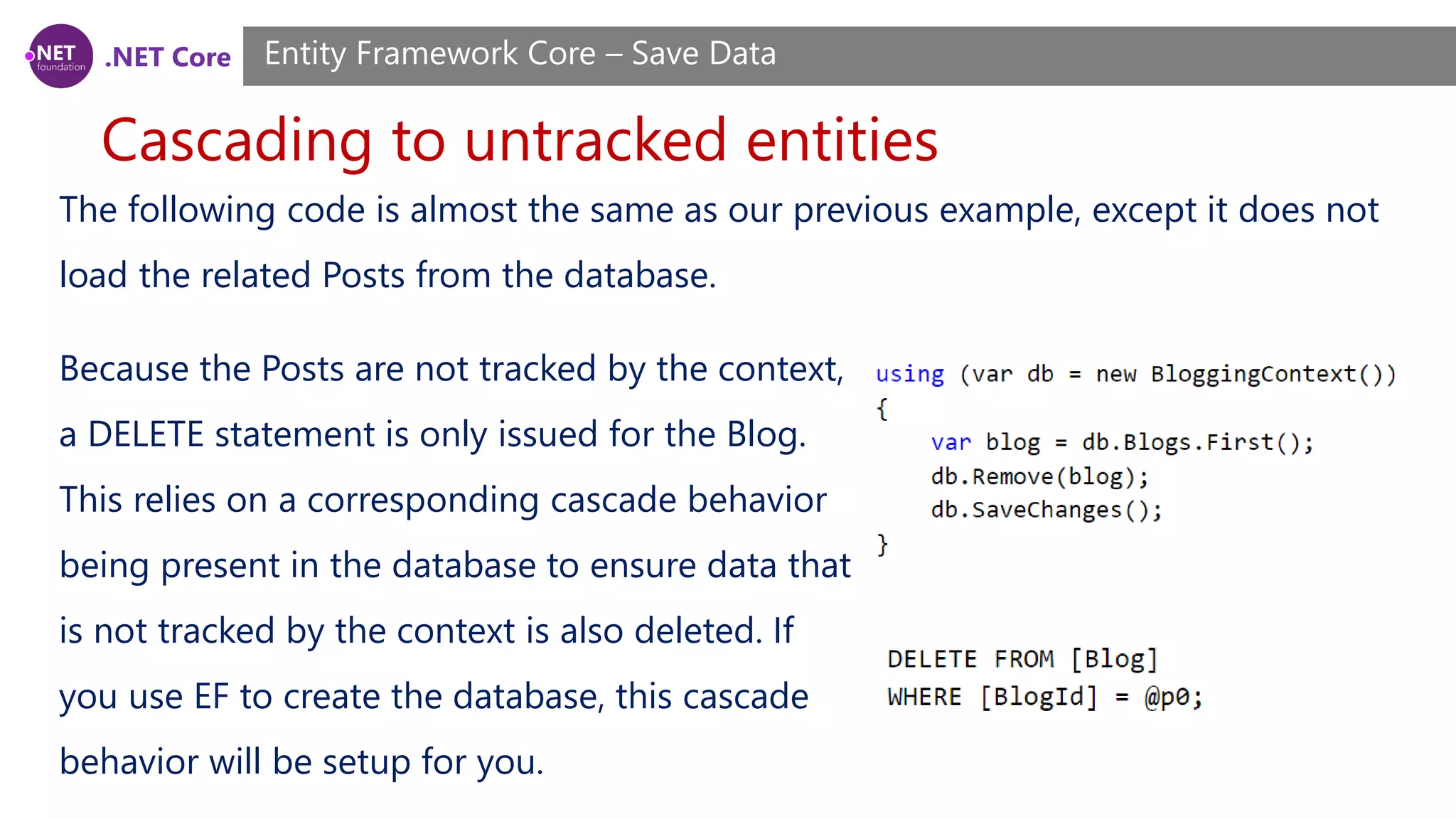
.NET Core Cascading to untracked entities Entity Framework Core – Save Data The following code is almost the same as our previous example, except it does not load the related Posts from the database. Because the Posts are not tracked by the context, a DELETE statement is only issued for the Blog. This relies on a corresponding cascade behavior being present in the database to ensure data that is not tracked by the context is also deleted. If you use EF to create the database, this cascade behavior will be setup for you.
.NET Core Concurrency Conflicts Entity Framework Core – Save Data If a property is configured as a concurrency token then EF will check that no other user has modified that value in the database when saving changes to that record. Concurrency Tokens If a property is configured as a concurrency token then EF will check that no other user has modified that value in the database when saving changes to that record. EF uses an optimistic concurrency pattern, meaning it will assume the value has not changed and try to save the data, but throw if it finds the value has been changed.
.NET Core Concurrency Conflicts Entity Framework Core – Save Data For example we may want to configure LastName on Person to be a concurrency token. This means that if one user tries to save some changes to a Person, but another user has changed the LastName then an exception will be thrown. This may be desirable so that your application can prompt the user to ensure this record still represents the same actual person before saving their changes.
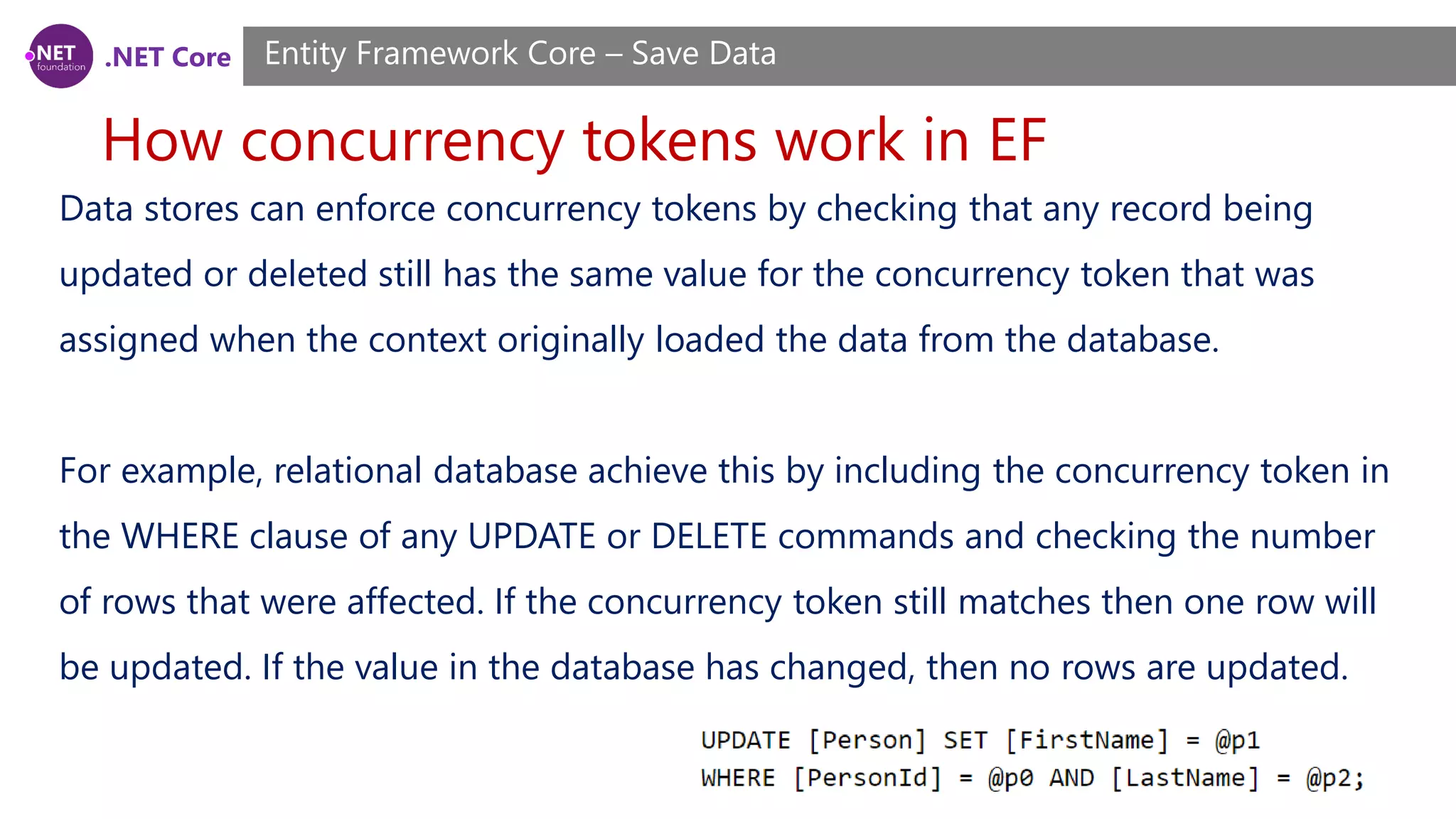
.NET Core How concurrency tokens work in EF Entity Framework Core – Save Data Data stores can enforce concurrency tokens by checking that any record being updated or deleted still has the same value for the concurrency token that was assigned when the context originally loaded the data from the database. For example, relational database achieve this by including the concurrency token in the WHERE clause of any UPDATE or DELETE commands and checking the number of rows that were affected. If the concurrency token still matches then one row will be updated. If the value in the database has changed, then no rows are updated.
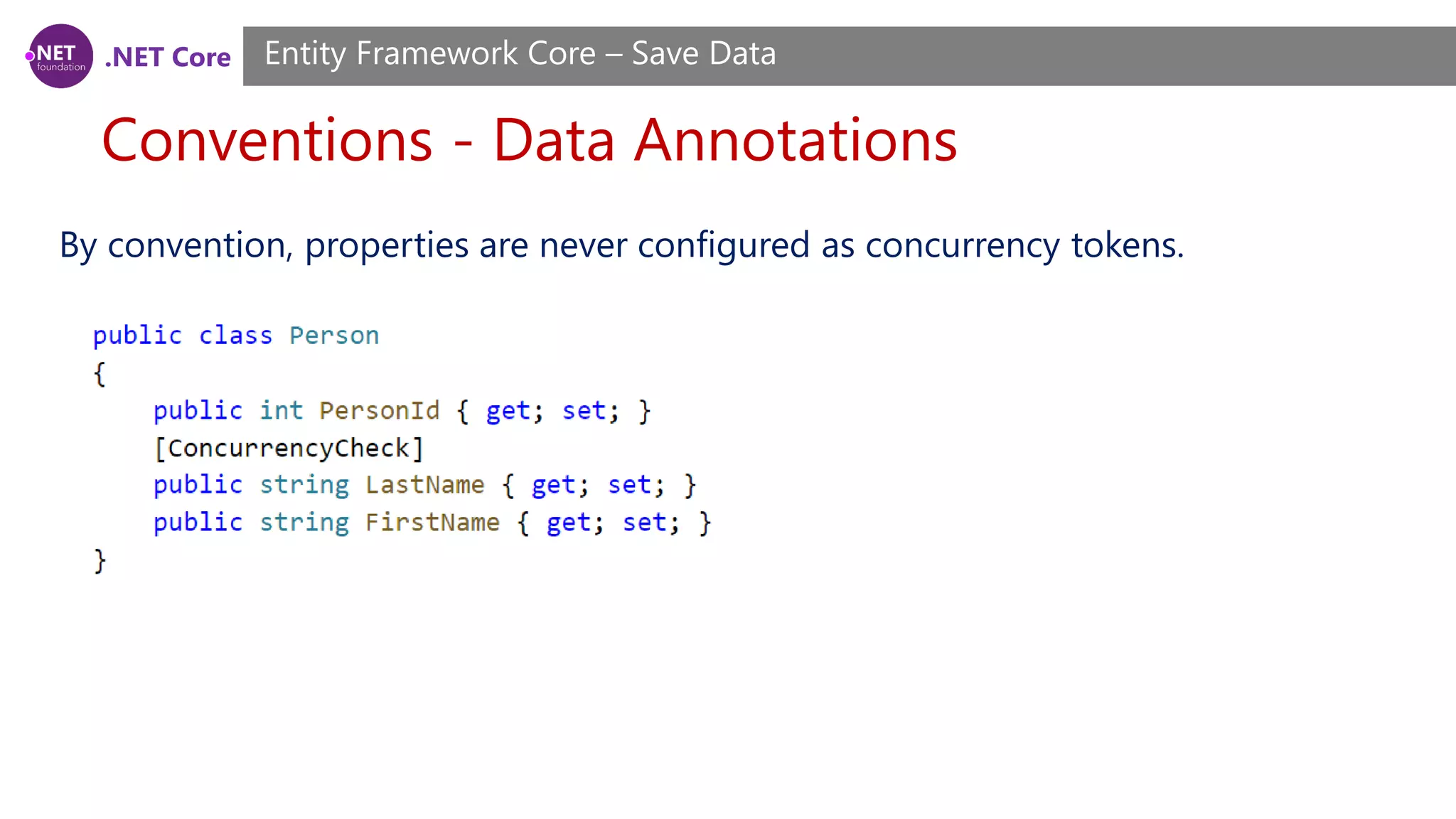
.NET Core Conventions - Data Annotations Entity Framework Core – Save Data By convention, properties are never configured as concurrency tokens.
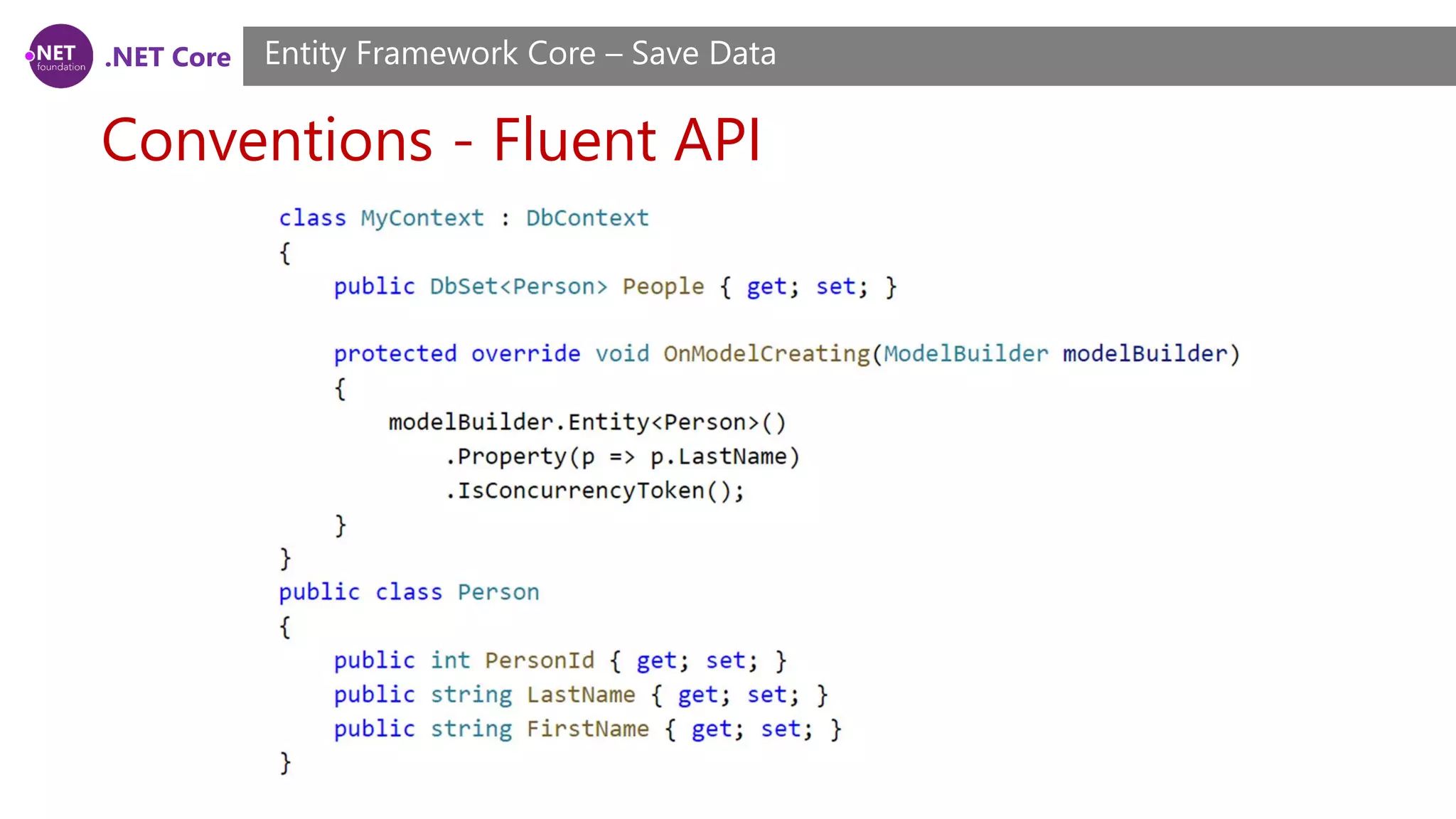
.NET Core Conventions - Fluent API Entity Framework Core – Save Data
.NET Core Timestamp/row version Entity Framework Core – Save Data A timestamp is a property where a new value is generated by the database every time a row is inserted or updated. The property is also treated as a concurrency token. This ensures you will get an exception if anyone else has modified a row that you are trying to update since you queried for the data. How this is achieved is up to the database provider being used. For SQL Server, timestamp is usually used on a byte[] property, which will be setup as a ROWVERSION column in the database.
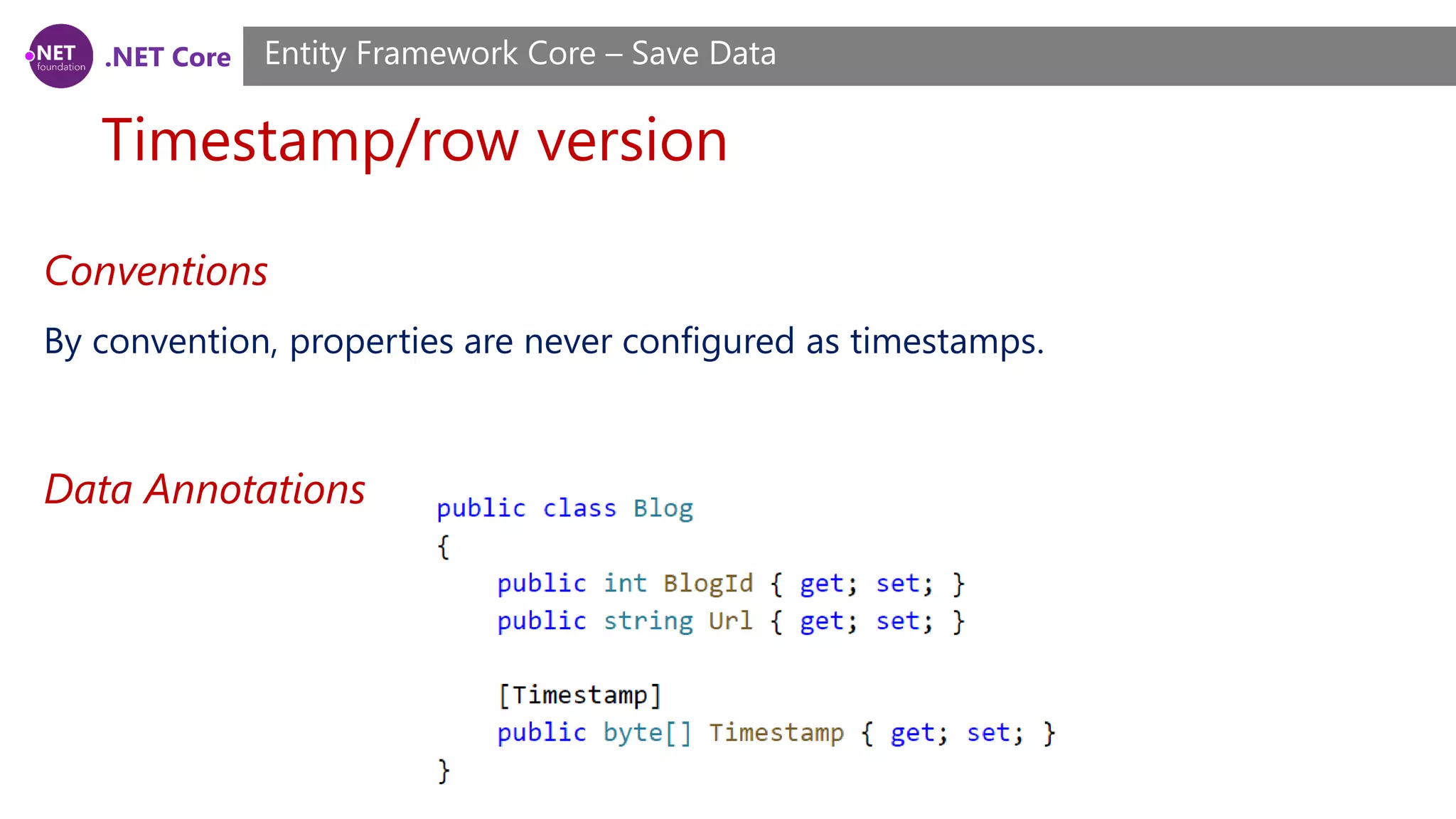
.NET Core Timestamp/row version Entity Framework Core – Save Data Conventions By convention, properties are never configured as timestamps. Data Annotations
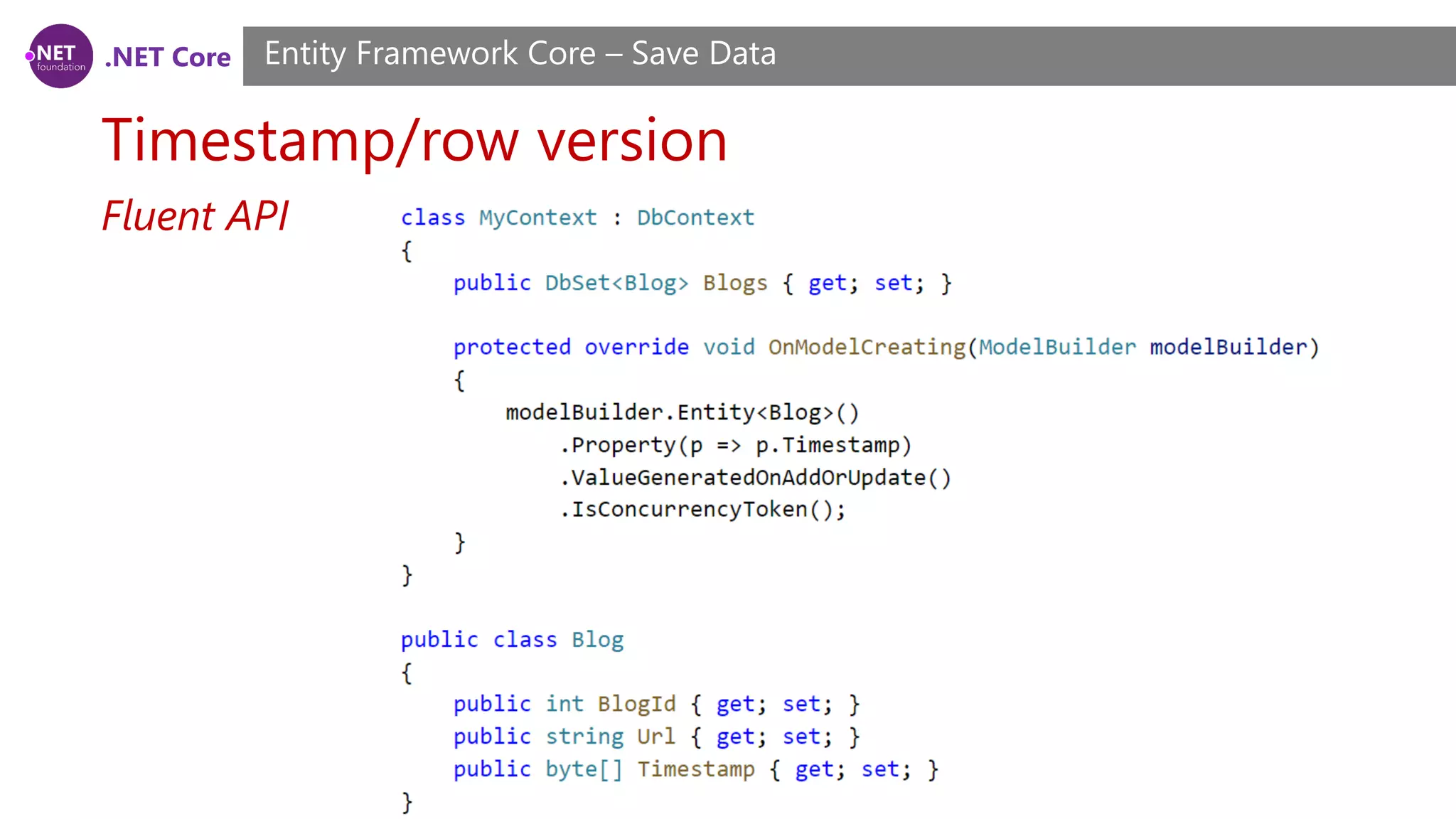
.NET Core Timestamp/row version Entity Framework Core – Save Data Fluent API
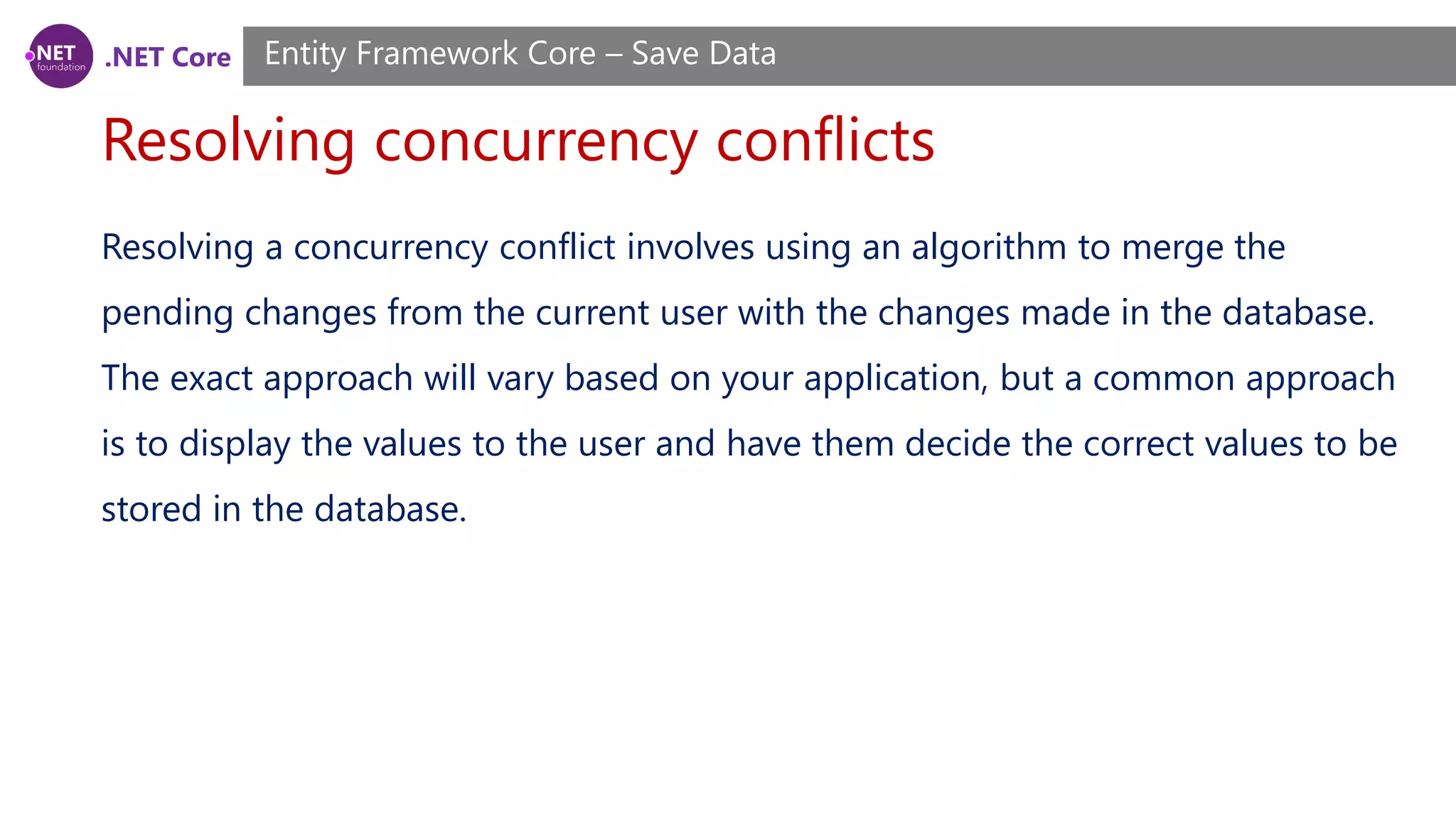
.NET Core Resolving concurrency conflicts Entity Framework Core – Save Data Resolving a concurrency conflict involves using an algorithm to merge the pending changes from the current user with the changes made in the database. The exact approach will vary based on your application, but a common approach is to display the values to the user and have them decide the correct values to be stored in the database.
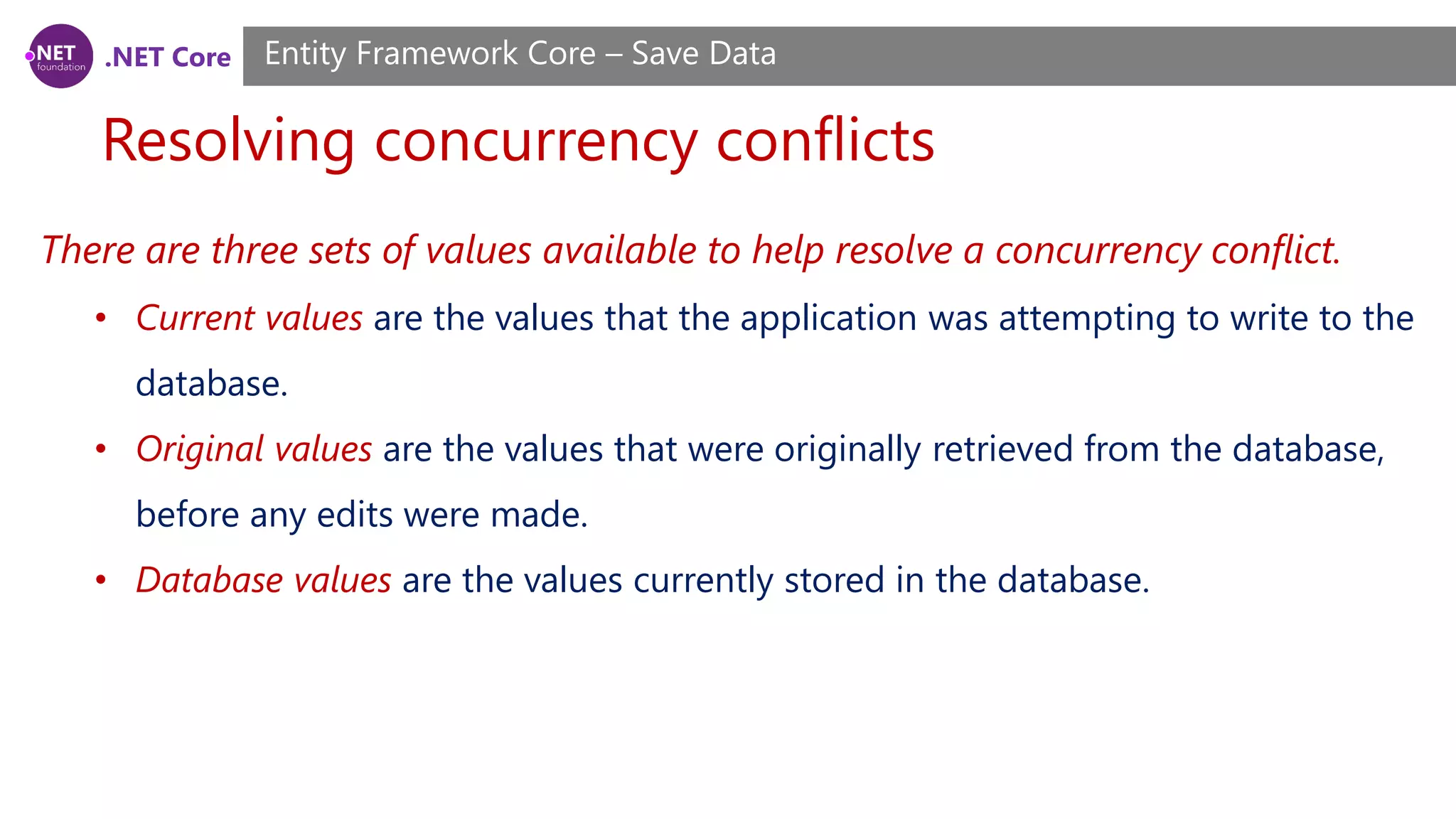
.NET Core Resolving concurrency conflicts Entity Framework Core – Save Data There are three sets of values available to help resolve a concurrency conflict. • Current values are the values that the application was attempting to write to the database. • Original values are the values that were originally retrieved from the database, before any edits were made. • Database values are the values currently stored in the database.
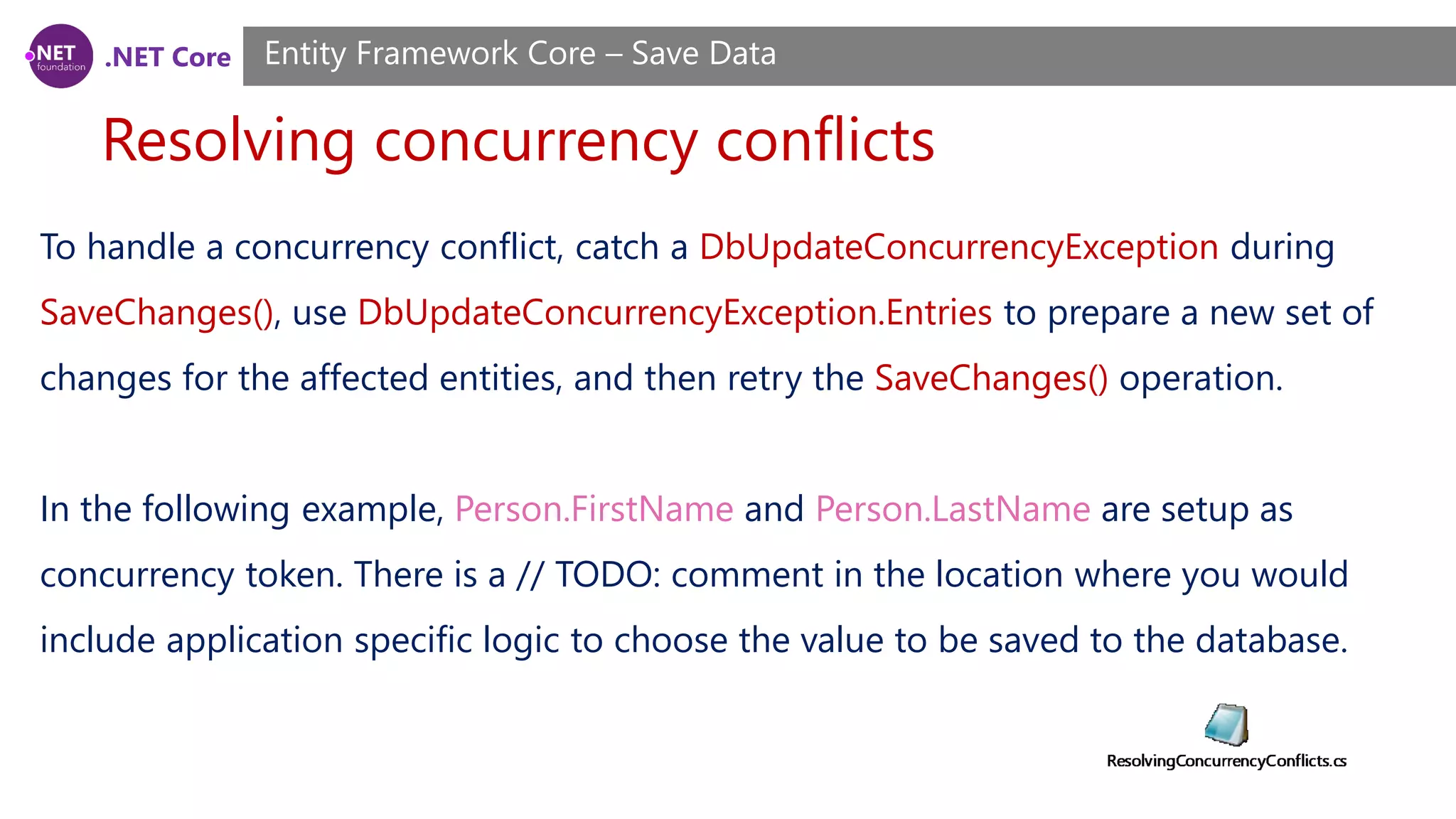
.NET Core Resolving concurrency conflicts Entity Framework Core – Save Data To handle a concurrency conflict, catch a DbUpdateConcurrencyException during SaveChanges(), use DbUpdateConcurrencyException.Entries to prepare a new set of changes for the affected entities, and then retry the SaveChanges() operation. In the following example, Person.FirstName and Person.LastName are setup as concurrency token. There is a // TODO: comment in the location where you would include application specific logic to choose the value to be saved to the database.
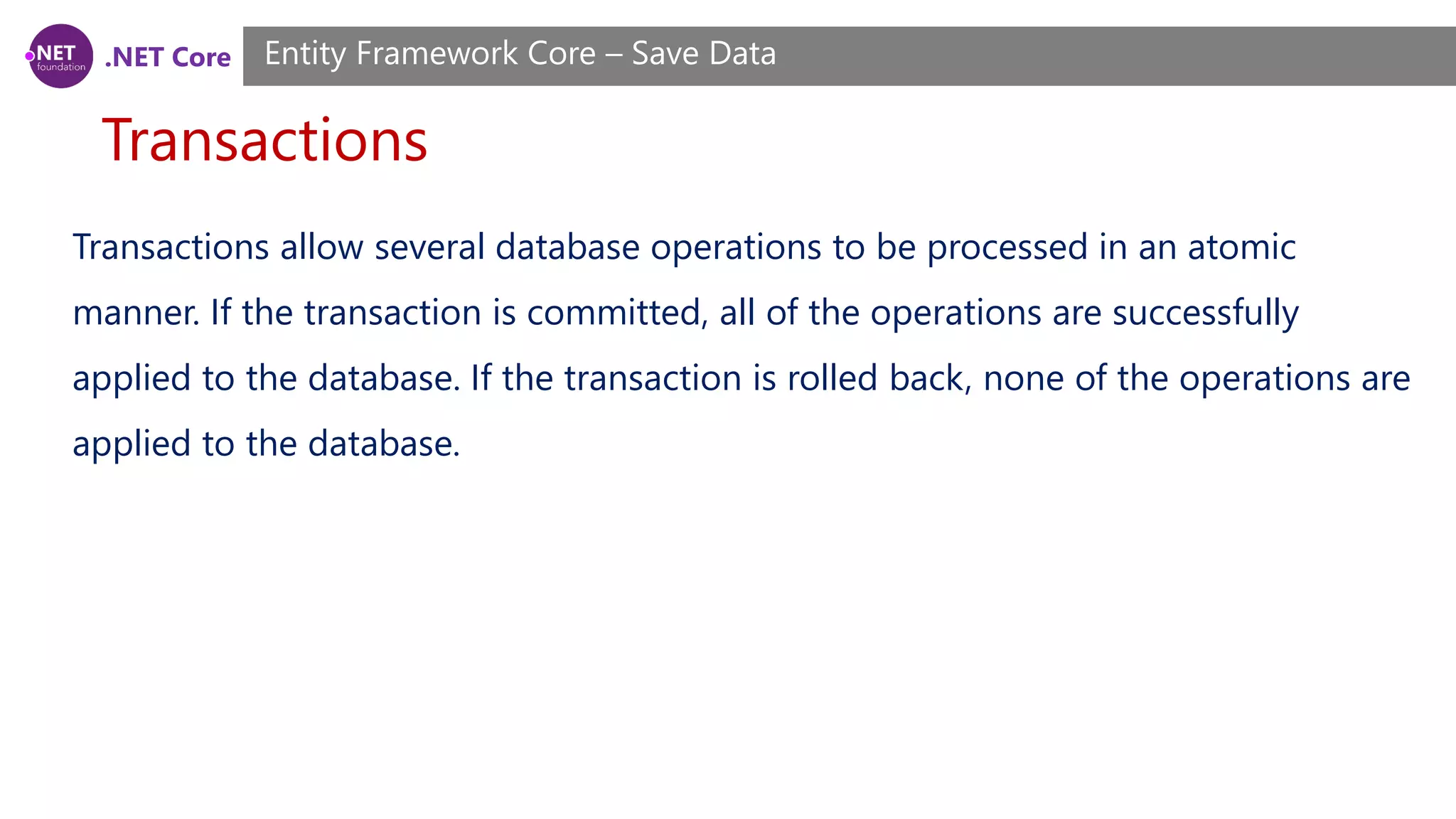
.NET Core Transactions Entity Framework Core – Save Data Transactions allow several database operations to be processed in an atomic manner. If the transaction is committed, all of the operations are successfully applied to the database. If the transaction is rolled back, none of the operations are applied to the database.
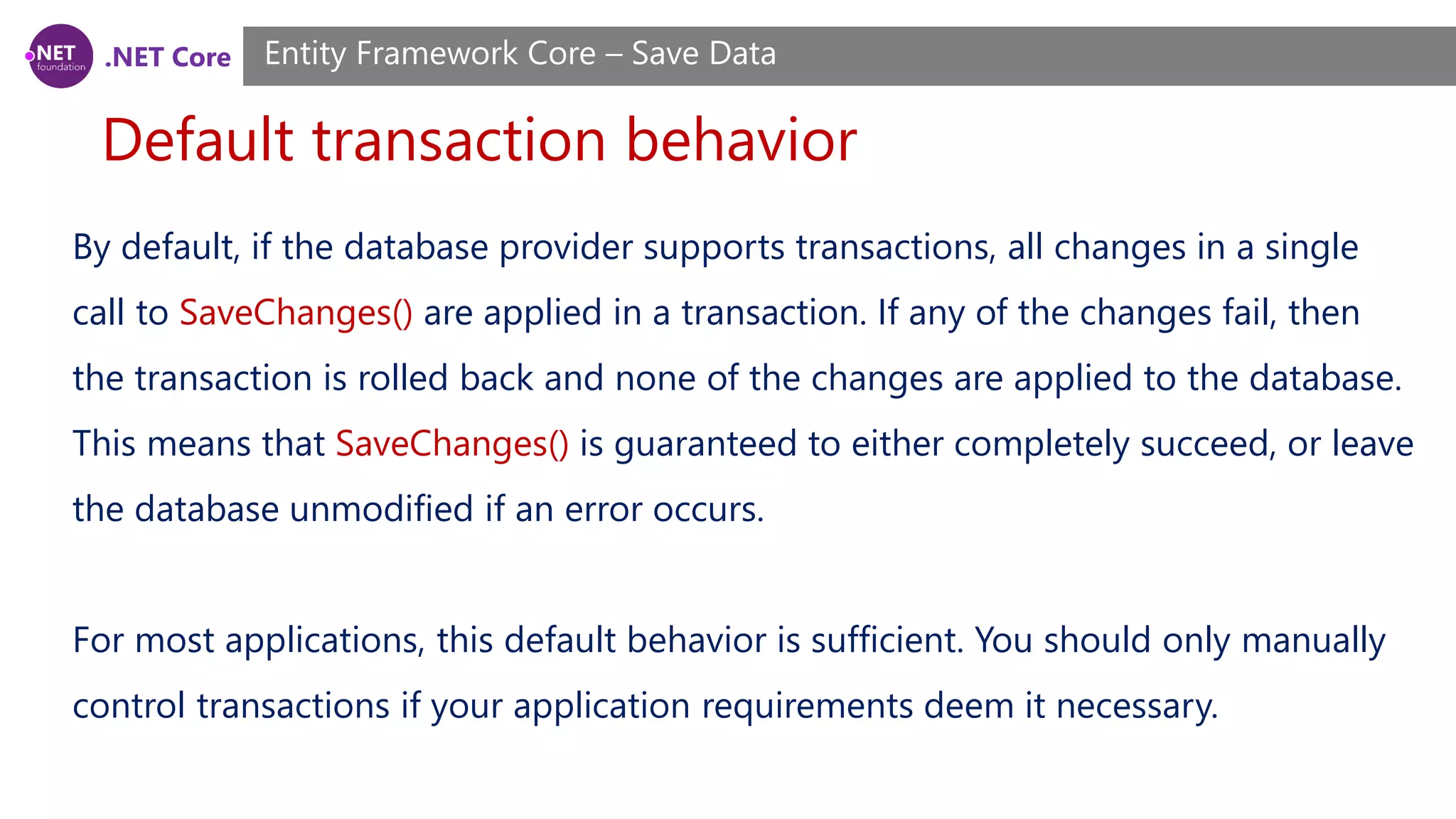
.NET Core Default transaction behavior Entity Framework Core – Save Data By default, if the database provider supports transactions, all changes in a single call to SaveChanges() are applied in a transaction. If any of the changes fail, then the transaction is rolled back and none of the changes are applied to the database. This means that SaveChanges() is guaranteed to either completely succeed, or leave the database unmodified if an error occurs. For most applications, this default behavior is sufficient. You should only manually control transactions if your application requirements deem it necessary.
.NET Core Controlling transactions Entity Framework Core – Save Data You can use the DbContext.Database API to begin, commit, and rollback transactions. The following example shows two SaveChanges() operations and a LINQ query being executed in a single transaction. Not all database providers support transactions. Some providers may throw or no- op when transaction APIs are called.
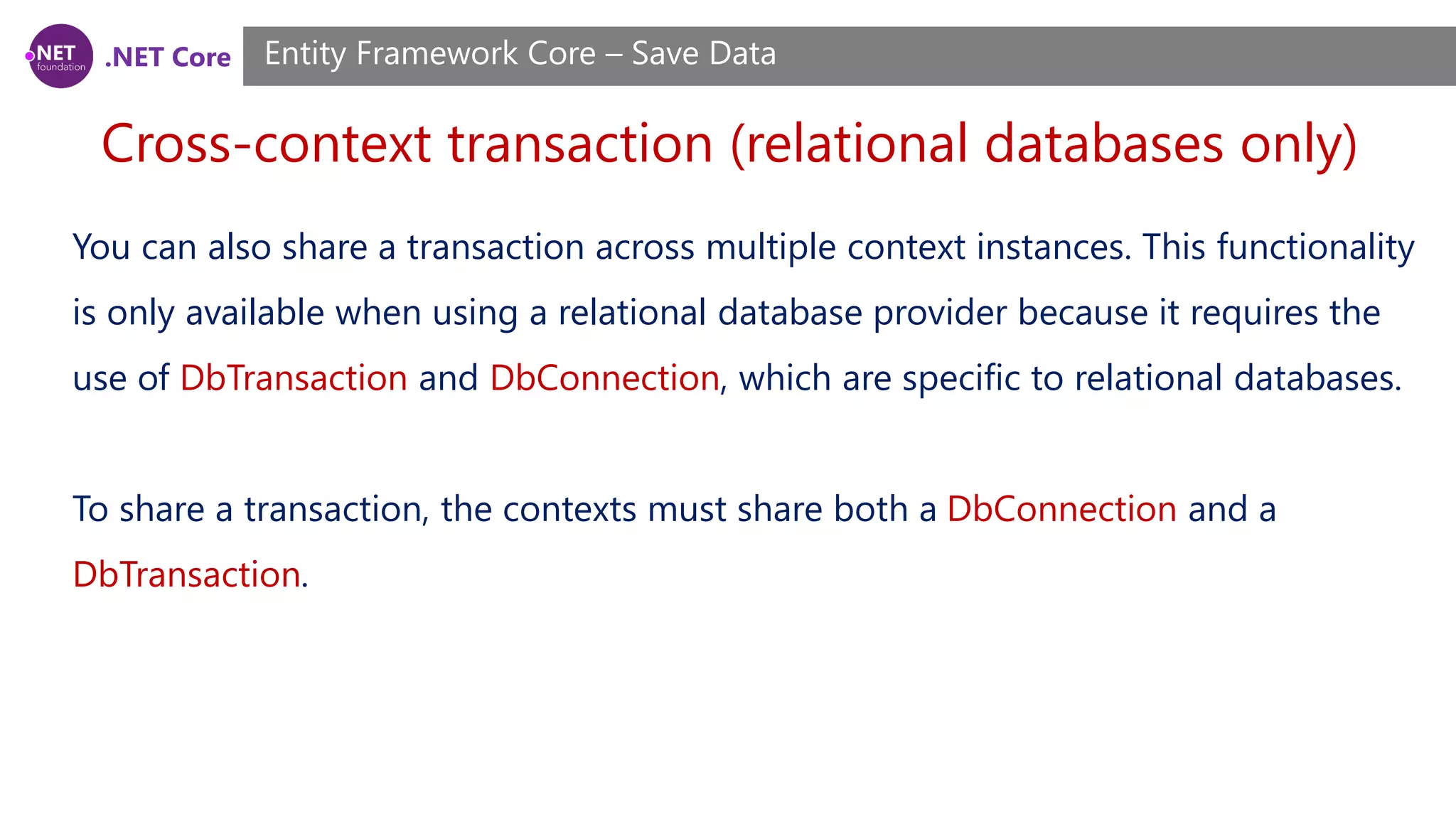
.NET Core Cross-context transaction (relational databases only) Entity Framework Core – Save Data You can also share a transaction across multiple context instances. This functionality is only available when using a relational database provider because it requires the use of DbTransaction and DbConnection, which are specific to relational databases. To share a transaction, the contexts must share both a DbConnection and a DbTransaction.
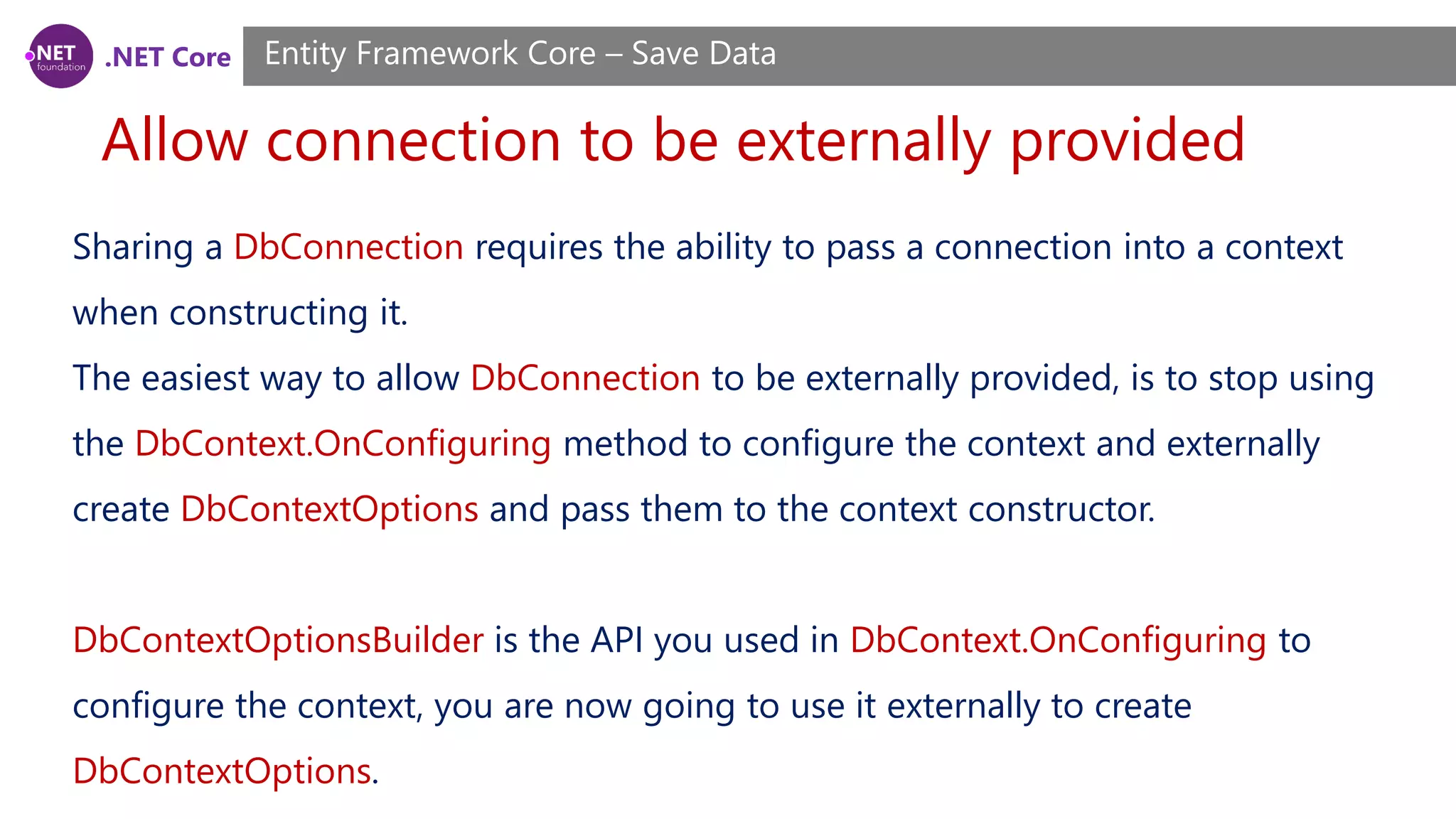
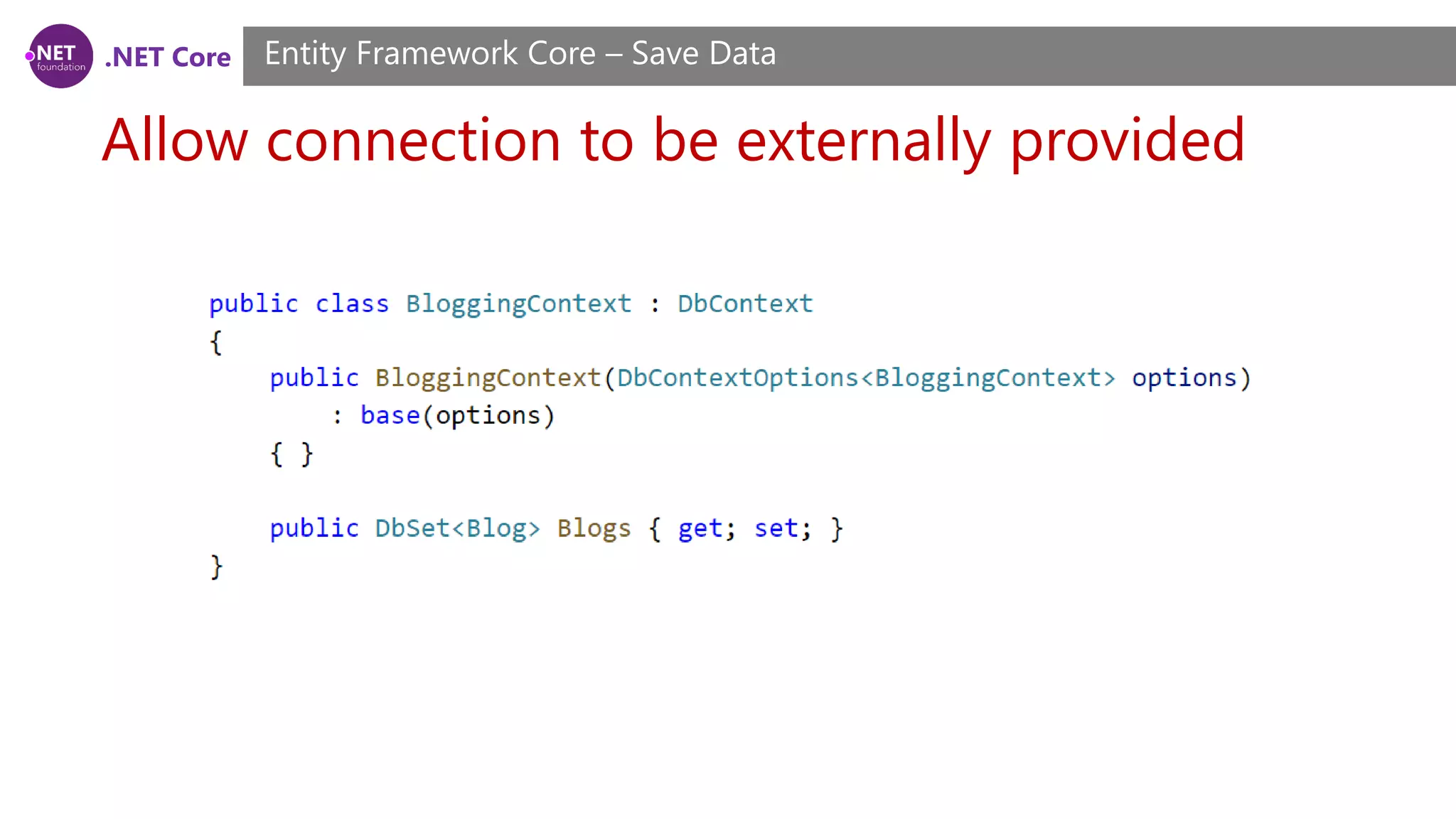
.NET Core Allow connection to be externally provided Entity Framework Core – Save Data Sharing a DbConnection requires the ability to pass a connection into a context when constructing it. The easiest way to allow DbConnection to be externally provided, is to stop using the DbContext.OnConfiguring method to configure the context and externally create DbContextOptions and pass them to the context constructor. DbContextOptionsBuilder is the API you used in DbContext.OnConfiguring to configure the context, you are now going to use it externally to create DbContextOptions.
.NET Core Allow connection to be externally provided Entity Framework Core – Save Data
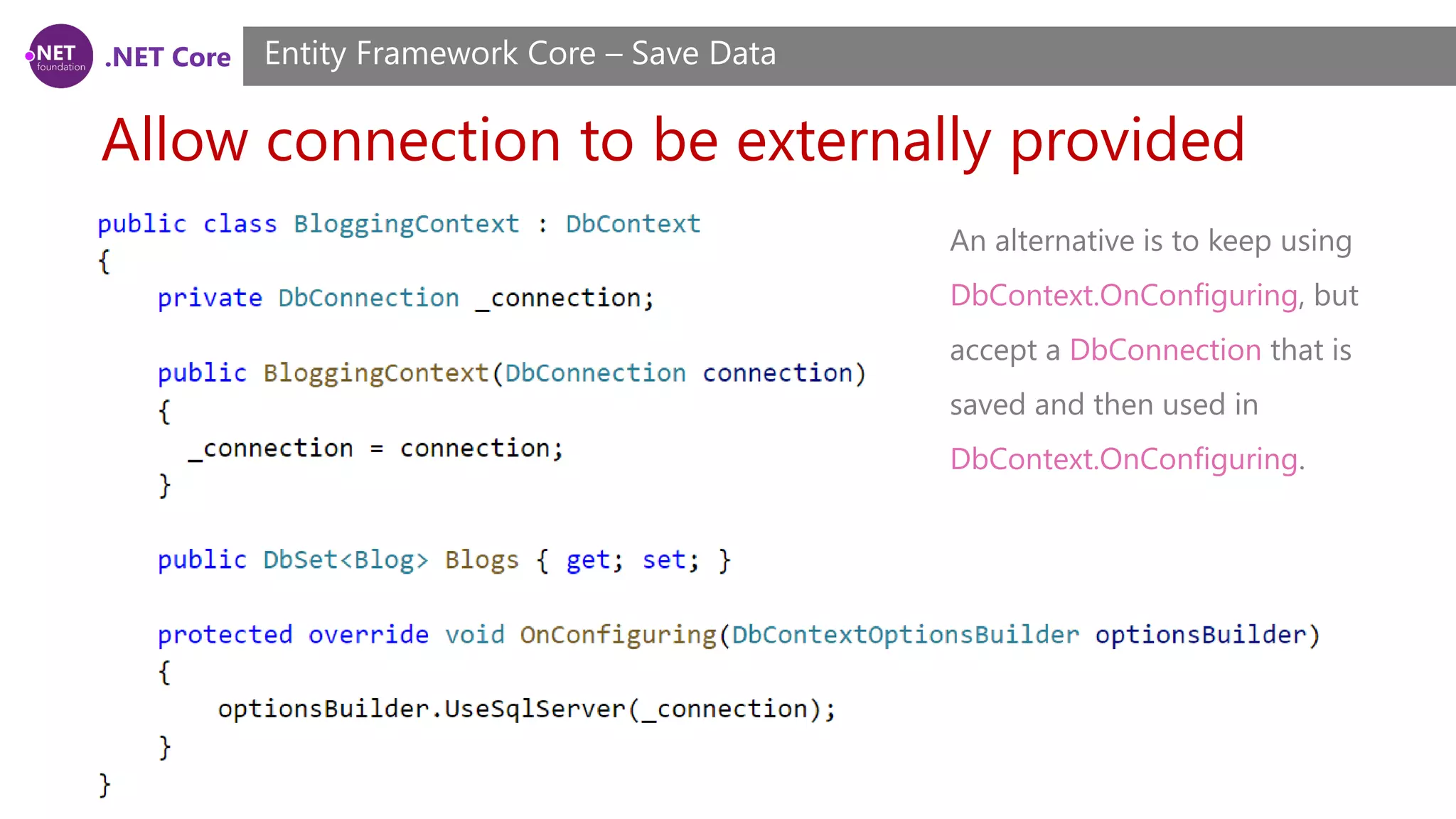
.NET Core Allow connection to be externally provided Entity Framework Core – Save Data An alternative is to keep using DbContext.OnConfiguring, but accept a DbConnection that is saved and then used in DbContext.OnConfiguring.
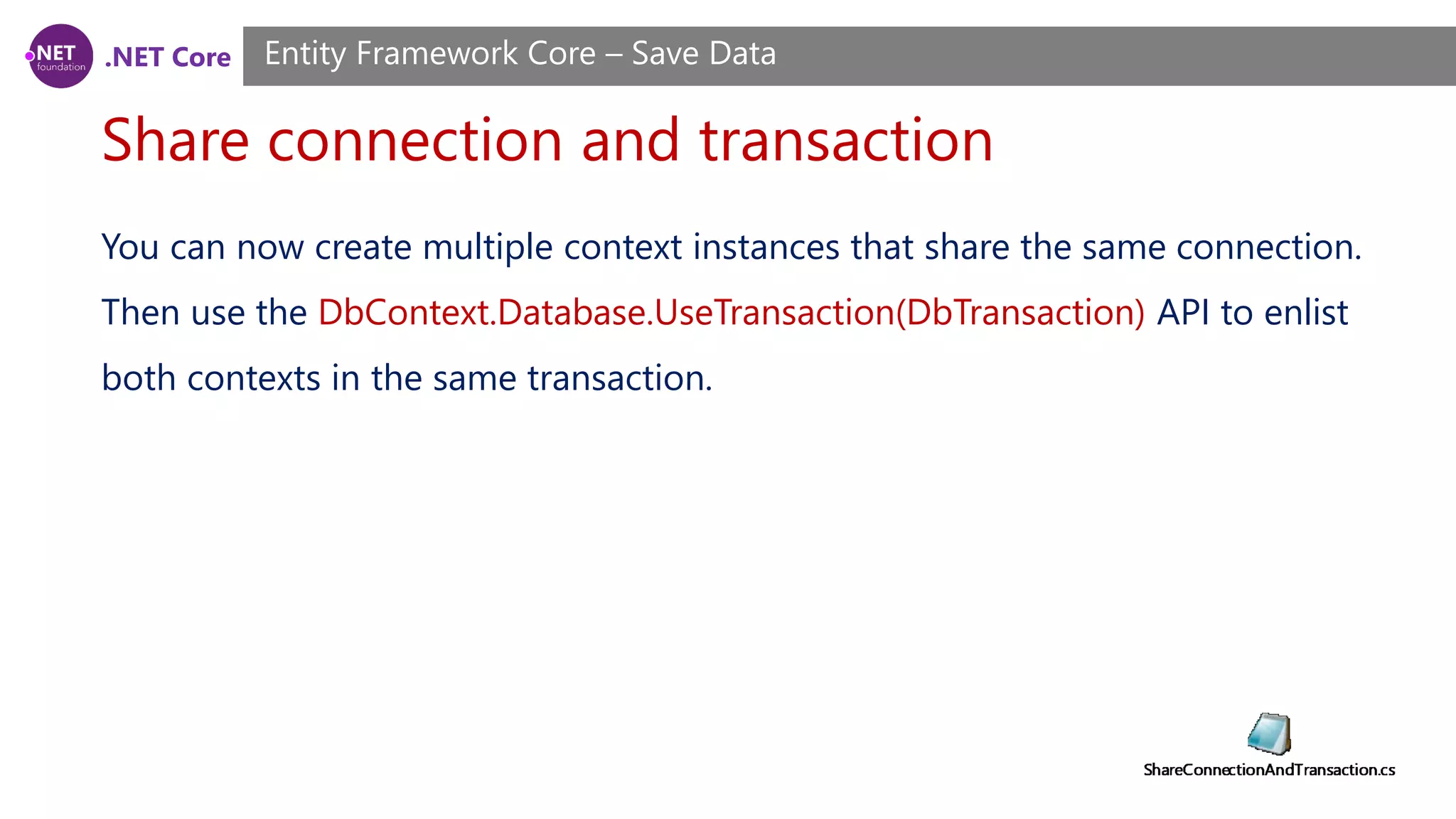
.NET Core Share connection and transaction Entity Framework Core – Save Data You can now create multiple context instances that share the same connection. Then use the DbContext.Database.UseTransaction(DbTransaction) API to enlist both contexts in the same transaction.
.NET Core Setting explicit values for generated properties Entity Framework Core – Save Data A generated property is a property whose value is generated (either by EF or the database) when the entity is added and/or updated. See Generated Properties for more information. There may be situations where you want to set an explicit value for a generated property, rather than having one generated.
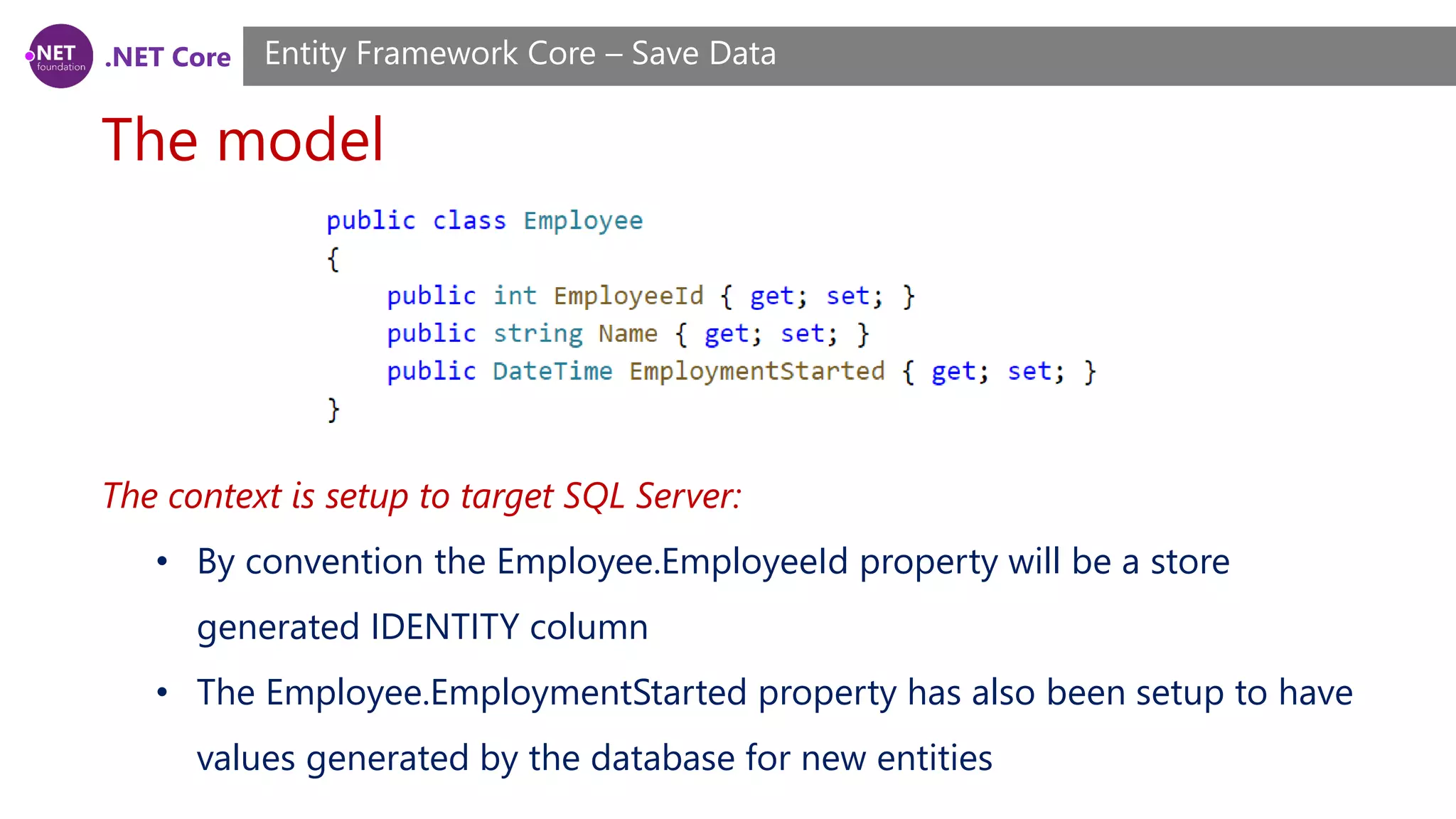
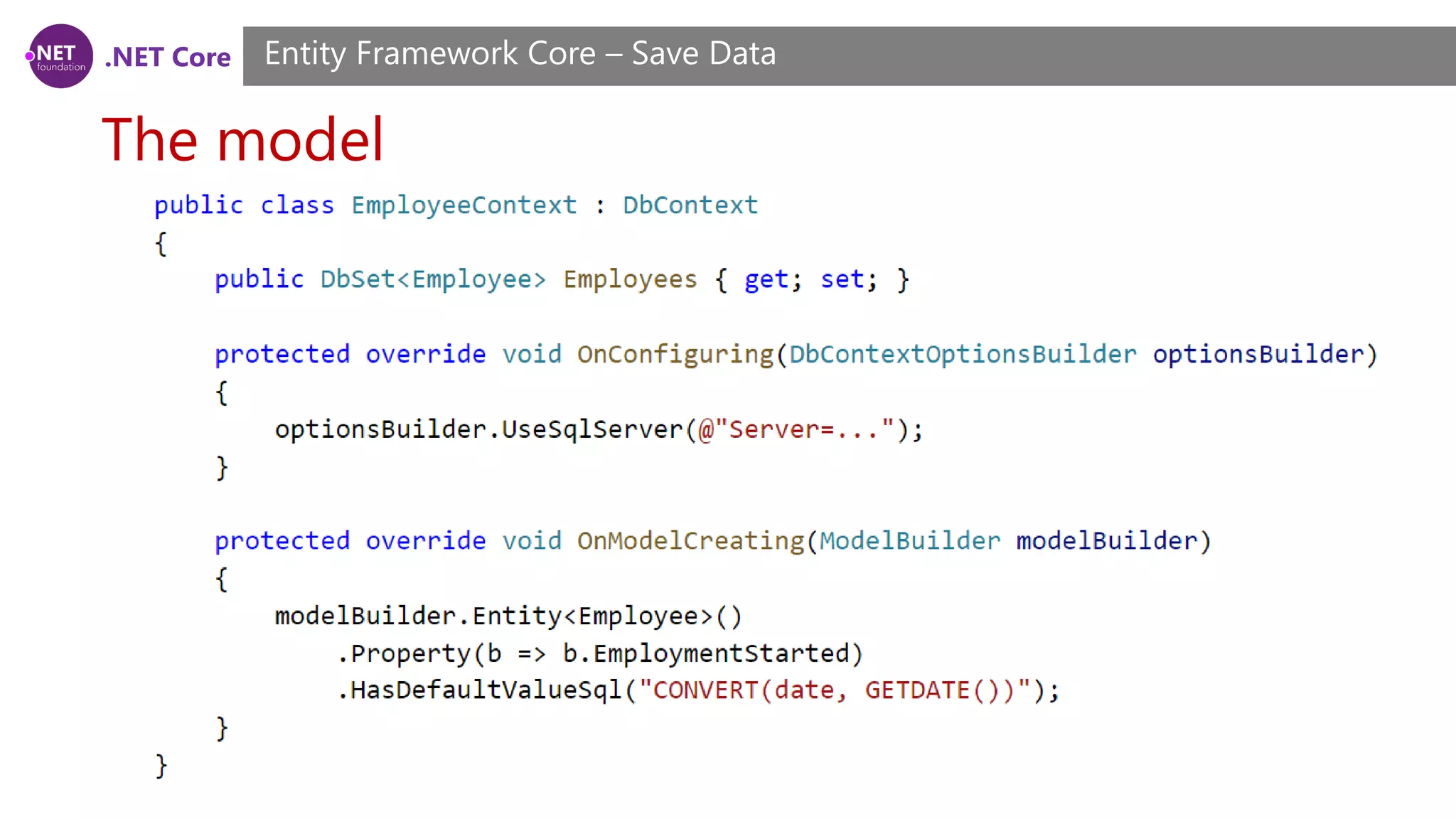
.NET Core The model Entity Framework Core – Save Data The context is setup to target SQL Server: • By convention the Employee.EmployeeId property will be a store generated IDENTITY column • The Employee.EmploymentStarted property has also been setup to have values generated by the database for new entities
.NET Core The model Entity Framework Core – Save Data
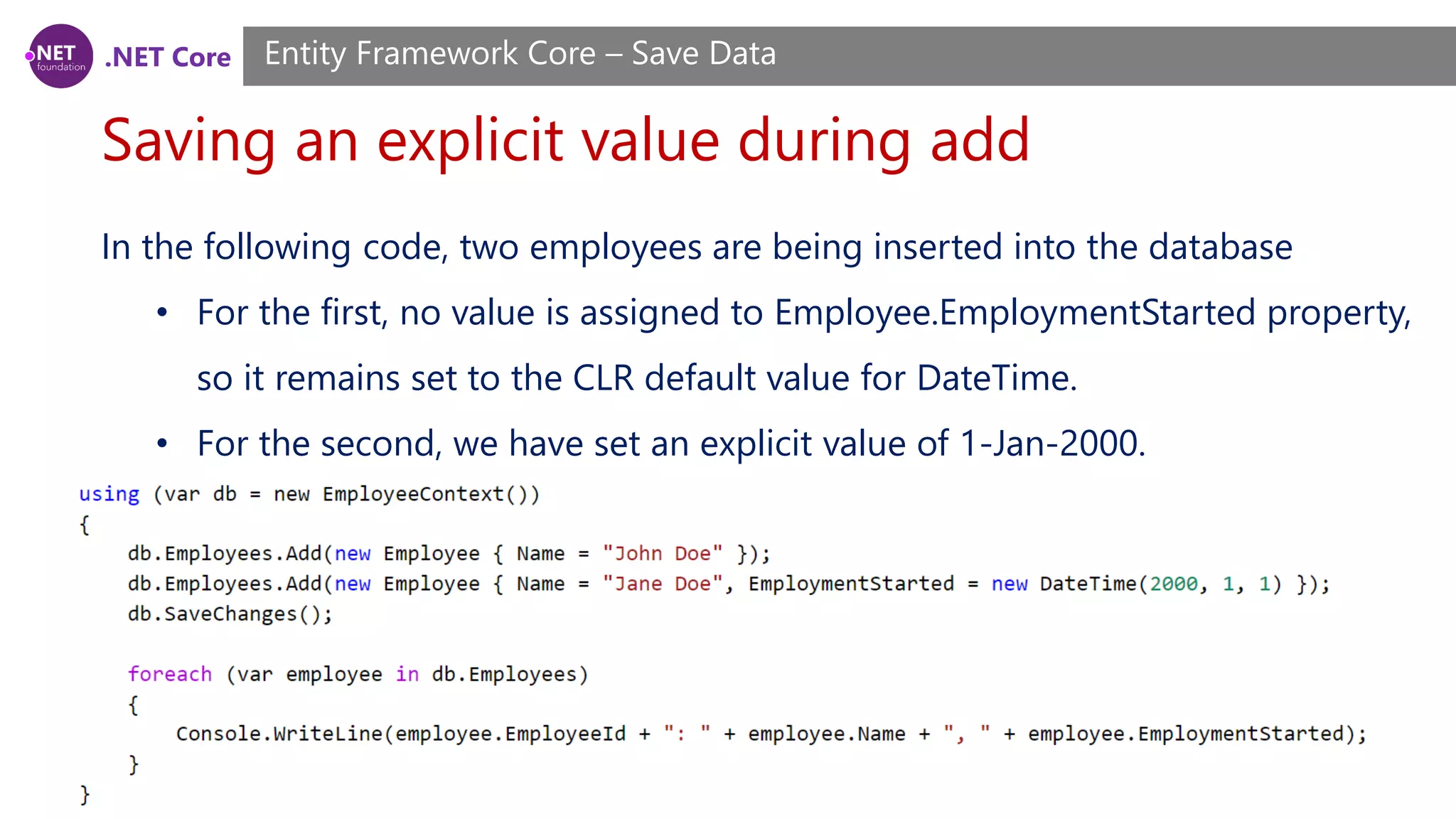
.NET Core Saving an explicit value during add Entity Framework Core – Save Data In the following code, two employees are being inserted into the database • For the first, no value is assigned to Employee.EmploymentStarted property, so it remains set to the CLR default value for DateTime. • For the second, we have set an explicit value of 1-Jan-2000.
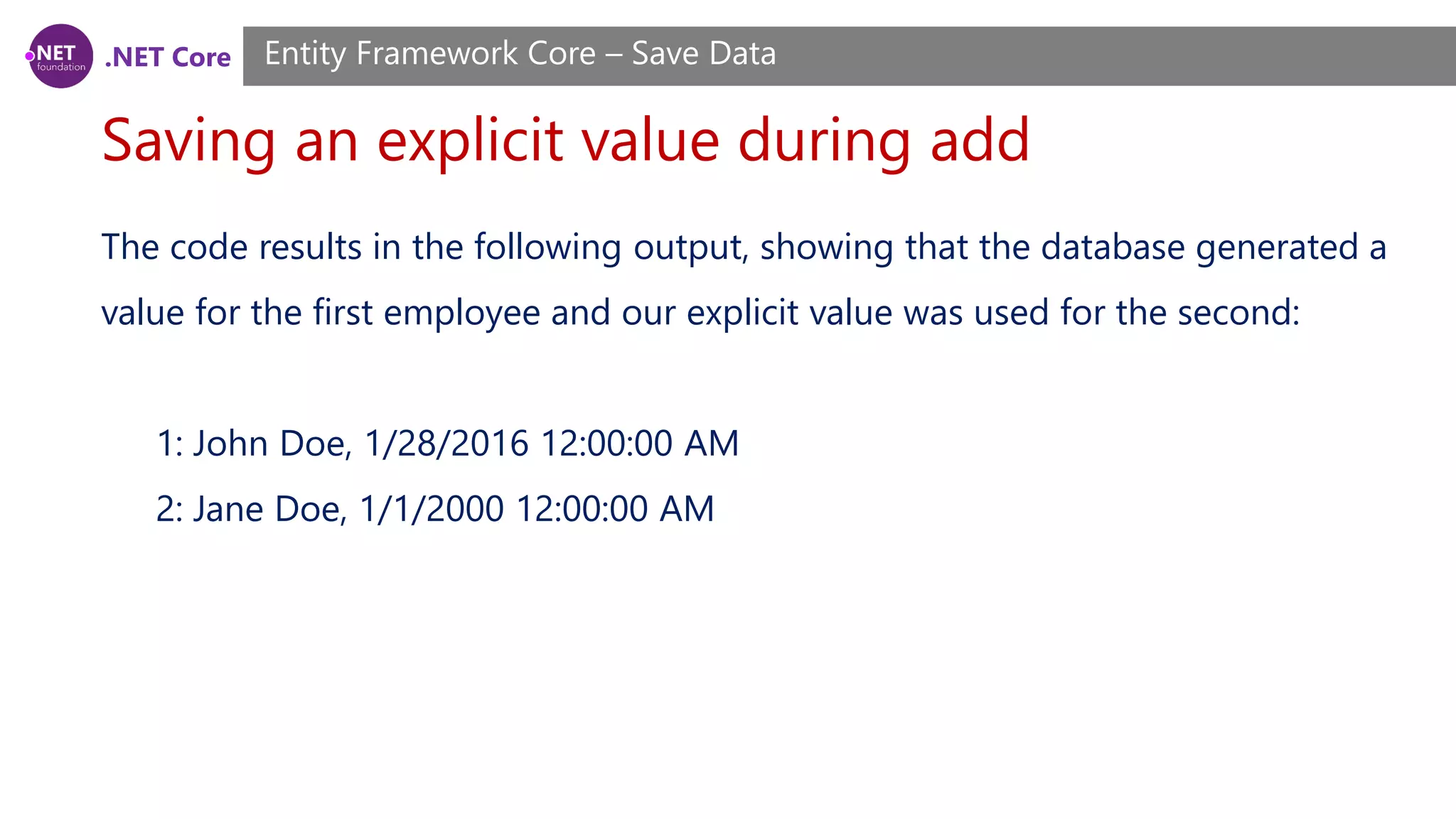
.NET Core Saving an explicit value during add Entity Framework Core – Save Data The code results in the following output, showing that the database generated a value for the first employee and our explicit value was used for the second: 1: John Doe, 1/28/2016 12:00:00 AM 2: Jane Doe, 1/1/2000 12:00:00 AM
.NET Core Explicit values into SQL Server IDENTITY columns Entity Framework Core – Save Data For most situations, the approach shown above will work for key properties. However, to insert explicit values into a SQL Server IDENTITY column, you need to manually enable IDENTITY_INSERT before calling SaveChanges().
.NET Core Demo Demo

.NET Core, ASP.NET Core Course, Session 15

  • 1.
    .NET Core +ASP.NET Core Training Course Session 15
  • 2.
    .NET Core What welearned? Session 6 ~ 14 Overview • ASP.NET Core Basics • Middleware, Controllers, Action Filters and Routing • Models • Views • Entity Framework Core (Modeling) • Entity Framework Core (Querying Data)
  • 3.
    .NET Core What we’lllearn today? Session 15 Agenda • Entity Framework Core (Saving Data)
  • 4.
    .NET Core Basic Save- ChangeTracker & SaveChanges Entity Framework Core – Save Data Each context instance has a ChangeTracker that is responsible for keeping track of changes that need to be written to the database. As you make changes to instances of your entity classes, these changes are recorded in the ChangeTracker and then written to the database when you call SaveChanges.
  • 5.
    .NET Core Basic Save- Adding Data Entity Framework Core – Save Data Use the DbSet.Add method to add new instances of your entity classes. The data will be inserted in the database when you call SaveChanges.
  • 6.
    .NET Core Basic Save- Updating Data Entity Framework Core – Save Data EF will automatically detect changes made to an existing entity that is tracked by the context. This includes entities that you load/query from the database, and entities that were previously added and saved to the database. Simply modify the values assigned to properties and then call SaveChanges.
  • 7.
    .NET Core Basic Save- Deleting Data Entity Framework Core – Save Data Use the DbSet.Remove method to delete instances of you entity classes. If the entity already exists in the database, it will be deleted during SaveChanges. If the entity has not yet been saved to the database (i.e. it is tracked as added) then it will be removed from the context and will no longer be inserted when SaveChanges is called.
  • 8.
    .NET Core Basic Save- Multiple Operations in a single SaveChanges Entity Framework Core – Save Data You can combine multiple Add/Update/Remove operations into a single call to SaveChanges. For most database providers, SaveChanges is transactional. This means all the operations will either succeed or fail and the operations will never be left partially applied.
  • 9.
    .NET Core Related Data EntityFramework Core – Save Data In addition to isolated entities, you can also make use of the relationships defined in your model. If you create several new related entities, adding one of them to the context will cause the others to be added too. Adding a graph of new entities
  • 10.
    .NET Core Related Data- Adding a graph of new entities Entity Framework Core – Save Data
  • 11.
    .NET Core Related Data- Adding a related entity Entity Framework Core – Save Data If you reference a new entity from the navigation property of an entity that is already tracked by the context, the entity will be discovered and inserted into the database.
  • 12.
    .NET Core Related Data- Changing relationships Entity Framework Core – Save Data If you change the navigation property of an entity, the corresponding changes will be made to the foreign key column in the database.
  • 13.
    .NET Core Related Data- Removing relationships Entity Framework Core – Save Data You can remove a relationship by setting a reference navigation to null, or removing the related entity from a collection navigation. If a cascade delete is configured, the child/dependent entity will be deleted from the database, see Cascade Delete for more information. If no cascade delete is configured, the foreign key column in the database will be set to null (if the column does not accept nulls, an exception will be thrown).
  • 14.
    .NET Core Related Data- Removing relationships Entity Framework Core – Save Data
  • 15.
    .NET Core Cascade Delete EntityFramework Core – Save Data Cascade delete allows deletion of a principal/parent entity to have a side effect on dependent/child entities it is related to. There are three cascade delete behaviors: • Cascade: Dependent entities are also deleted. • SetNull: The foreign key properties in dependent entities are set to null. • Restrict: The delete operation is not applied to dependent entities. The dependent entities remain unchanged.
  • 16.
    .NET Core Cascade Delete EntityFramework Core – Save Data Cascade delete allows deletion of a principal/parent entity to have a side effect on dependent/child entities it is related to. There are three cascade delete behaviors: • Cascade: Dependent entities are also deleted. • SetNull: The foreign key properties in dependent entities are set to null. • Restrict: The delete operation is not applied to dependent entities. The dependent entities remain unchanged.
  • 17.
    .NET Core Cascading totracked entities Entity Framework Core – Save Data When you call SaveChanges, the cascade delete rules will be applied to any entities that are being tracked by the context. A simple Blog and Post model where the relationship between the two entities is required. By convention the cascade behavior for this relationship is set to Cascade.
  • 18.
    .NET Core Cascading tountracked entities Entity Framework Core – Save Data The following code is almost the same as our previous example, except it does not load the related Posts from the database. Because the Posts are not tracked by the context, a DELETE statement is only issued for the Blog. This relies on a corresponding cascade behavior being present in the database to ensure data that is not tracked by the context is also deleted. If you use EF to create the database, this cascade behavior will be setup for you.
  • 19.
    .NET Core Concurrency Conflicts EntityFramework Core – Save Data If a property is configured as a concurrency token then EF will check that no other user has modified that value in the database when saving changes to that record. Concurrency Tokens If a property is configured as a concurrency token then EF will check that no other user has modified that value in the database when saving changes to that record. EF uses an optimistic concurrency pattern, meaning it will assume the value has not changed and try to save the data, but throw if it finds the value has been changed.
  • 20.
    .NET Core Concurrency Conflicts EntityFramework Core – Save Data For example we may want to configure LastName on Person to be a concurrency token. This means that if one user tries to save some changes to a Person, but another user has changed the LastName then an exception will be thrown. This may be desirable so that your application can prompt the user to ensure this record still represents the same actual person before saving their changes.
  • 21.
    .NET Core How concurrencytokens work in EF Entity Framework Core – Save Data Data stores can enforce concurrency tokens by checking that any record being updated or deleted still has the same value for the concurrency token that was assigned when the context originally loaded the data from the database. For example, relational database achieve this by including the concurrency token in the WHERE clause of any UPDATE or DELETE commands and checking the number of rows that were affected. If the concurrency token still matches then one row will be updated. If the value in the database has changed, then no rows are updated.
  • 22.
    .NET Core Conventions -Data Annotations Entity Framework Core – Save Data By convention, properties are never configured as concurrency tokens.
  • 23.
    .NET Core Conventions -Fluent API Entity Framework Core – Save Data
  • 24.
    .NET Core Timestamp/row version EntityFramework Core – Save Data A timestamp is a property where a new value is generated by the database every time a row is inserted or updated. The property is also treated as a concurrency token. This ensures you will get an exception if anyone else has modified a row that you are trying to update since you queried for the data. How this is achieved is up to the database provider being used. For SQL Server, timestamp is usually used on a byte[] property, which will be setup as a ROWVERSION column in the database.
  • 25.
    .NET Core Timestamp/row version EntityFramework Core – Save Data Conventions By convention, properties are never configured as timestamps. Data Annotations
  • 26.
    .NET Core Timestamp/row version EntityFramework Core – Save Data Fluent API
  • 27.
    .NET Core Resolving concurrencyconflicts Entity Framework Core – Save Data Resolving a concurrency conflict involves using an algorithm to merge the pending changes from the current user with the changes made in the database. The exact approach will vary based on your application, but a common approach is to display the values to the user and have them decide the correct values to be stored in the database.
  • 28.
    .NET Core Resolving concurrencyconflicts Entity Framework Core – Save Data There are three sets of values available to help resolve a concurrency conflict. • Current values are the values that the application was attempting to write to the database. • Original values are the values that were originally retrieved from the database, before any edits were made. • Database values are the values currently stored in the database.
  • 29.
    .NET Core Resolving concurrencyconflicts Entity Framework Core – Save Data To handle a concurrency conflict, catch a DbUpdateConcurrencyException during SaveChanges(), use DbUpdateConcurrencyException.Entries to prepare a new set of changes for the affected entities, and then retry the SaveChanges() operation. In the following example, Person.FirstName and Person.LastName are setup as concurrency token. There is a // TODO: comment in the location where you would include application specific logic to choose the value to be saved to the database.
  • 30.
    .NET Core Transactions Entity FrameworkCore – Save Data Transactions allow several database operations to be processed in an atomic manner. If the transaction is committed, all of the operations are successfully applied to the database. If the transaction is rolled back, none of the operations are applied to the database.
  • 31.
    .NET Core Default transactionbehavior Entity Framework Core – Save Data By default, if the database provider supports transactions, all changes in a single call to SaveChanges() are applied in a transaction. If any of the changes fail, then the transaction is rolled back and none of the changes are applied to the database. This means that SaveChanges() is guaranteed to either completely succeed, or leave the database unmodified if an error occurs. For most applications, this default behavior is sufficient. You should only manually control transactions if your application requirements deem it necessary.
  • 32.
    .NET Core Controlling transactions EntityFramework Core – Save Data You can use the DbContext.Database API to begin, commit, and rollback transactions. The following example shows two SaveChanges() operations and a LINQ query being executed in a single transaction. Not all database providers support transactions. Some providers may throw or no- op when transaction APIs are called.
  • 33.
    .NET Core Cross-context transaction(relational databases only) Entity Framework Core – Save Data You can also share a transaction across multiple context instances. This functionality is only available when using a relational database provider because it requires the use of DbTransaction and DbConnection, which are specific to relational databases. To share a transaction, the contexts must share both a DbConnection and a DbTransaction.
  • 34.
    .NET Core Allow connectionto be externally provided Entity Framework Core – Save Data Sharing a DbConnection requires the ability to pass a connection into a context when constructing it. The easiest way to allow DbConnection to be externally provided, is to stop using the DbContext.OnConfiguring method to configure the context and externally create DbContextOptions and pass them to the context constructor. DbContextOptionsBuilder is the API you used in DbContext.OnConfiguring to configure the context, you are now going to use it externally to create DbContextOptions.
  • 35.
    .NET Core Allow connectionto be externally provided Entity Framework Core – Save Data
  • 36.
    .NET Core Allow connectionto be externally provided Entity Framework Core – Save Data An alternative is to keep using DbContext.OnConfiguring, but accept a DbConnection that is saved and then used in DbContext.OnConfiguring.
  • 37.
    .NET Core Share connectionand transaction Entity Framework Core – Save Data You can now create multiple context instances that share the same connection. Then use the DbContext.Database.UseTransaction(DbTransaction) API to enlist both contexts in the same transaction.
  • 38.
    .NET Core Setting explicitvalues for generated properties Entity Framework Core – Save Data A generated property is a property whose value is generated (either by EF or the database) when the entity is added and/or updated. See Generated Properties for more information. There may be situations where you want to set an explicit value for a generated property, rather than having one generated.
  • 39.
    .NET Core The model EntityFramework Core – Save Data The context is setup to target SQL Server: • By convention the Employee.EmployeeId property will be a store generated IDENTITY column • The Employee.EmploymentStarted property has also been setup to have values generated by the database for new entities
  • 40.
    .NET Core The model EntityFramework Core – Save Data
  • 41.
    .NET Core Saving anexplicit value during add Entity Framework Core – Save Data In the following code, two employees are being inserted into the database • For the first, no value is assigned to Employee.EmploymentStarted property, so it remains set to the CLR default value for DateTime. • For the second, we have set an explicit value of 1-Jan-2000.
  • 42.
    .NET Core Saving anexplicit value during add Entity Framework Core – Save Data The code results in the following output, showing that the database generated a value for the first employee and our explicit value was used for the second: 1: John Doe, 1/28/2016 12:00:00 AM 2: Jane Doe, 1/1/2000 12:00:00 AM
  • 43.
    .NET Core Explicit valuesinto SQL Server IDENTITY columns Entity Framework Core – Save Data For most situations, the approach shown above will work for key properties. However, to insert explicit values into a SQL Server IDENTITY column, you need to manually enable IDENTITY_INSERT before calling SaveChanges().
  • 44.