Python Foundation A programmer's introduction to Python concepts & style
course = { 'title': 'Python Foundation', 'chapters': [ 'Introduction', 'History, Culture & Style', 'Multi-Paradigm Programming', 'Syntax & Mechanics', 'Logic & Flow', 'Strings', 'Functions', 'Built-in Containers', 'Iteration', 'Classes & Objects', 'Outroduction', 'Labs & Homework' ], ... }
course = { ... 'licence': ('Creative Commons Attribution 4.0, ' 'https://creativecommons.org/licenses/by/4.0/'), 'contributors': [ 'Kevlin Henney, kevlin@curbralan.com', 'Olve Maudal, olvmauda@cisco.com' ], 'date': '2015-11-05' }
Introduction Begin at the beginning...
Course goals  Introduce the Python 3 language  Some existing experience of Python assumed, but detailed knowledge is not  Programming skill in at least one other language is also assumed  Explore the structures, mechanics and common idioms of the language  Through slides, discussion and hands-on experiments and labs
Coding experiments  Small interactive experiments to try out and explore language features  Use the IDLE environment, the default python shell or any available interactive Python environment of your choice!  Some experiments are described in the slides, but others may be suggested  You can carry out experiments individually or in pairs
Programming labs  Labs implemented using Cyber-Dojo  http://cyber-dojo.org/  Labs involve writing both code and tests  Labs are undertaken in pairs  But pairing is not marriage — you will move around  Oh, and there's homework too  Individual rather than paired, and not in Cyber-Dojo
Questions, answers & intros  The best way to have your questions answered is to ask them  Mindreading is not (yet) supported  And now, please introduce yourself!  Briefly...
History, Culture & Style Versions, PEPs & Zen
Facts at a glance  Python is a general-purpose, multi- paradigm dynamic OO language  Python was first publicly released by Guido van Rossum in 1991  It exists in a number of versions, including CPython 2.7.x and 3.4.x  Familiarity with Monty Python's Flying Circus can help
Versions & implementations  CPython is reference implementation  Open source and managed by the Python Software Foundation  The Python Enhancement Proposal (PEP) process guides development  Alternative and platform-specific implementations and subsets also exist  E.g., PyPy, IronPython for .NET and Jython for JVM
Python 2 versus Python 3  Python 3 dates from 2008 and breaks compatibility with Python 2  Based on experience, it simplifies and regularises many aspects of the language  Python 2 dates from 2000 and continues to evolve  Large installed base of Python 2 means transition to Python 3 is not always simple  Incompatible changes will be marked 🐍
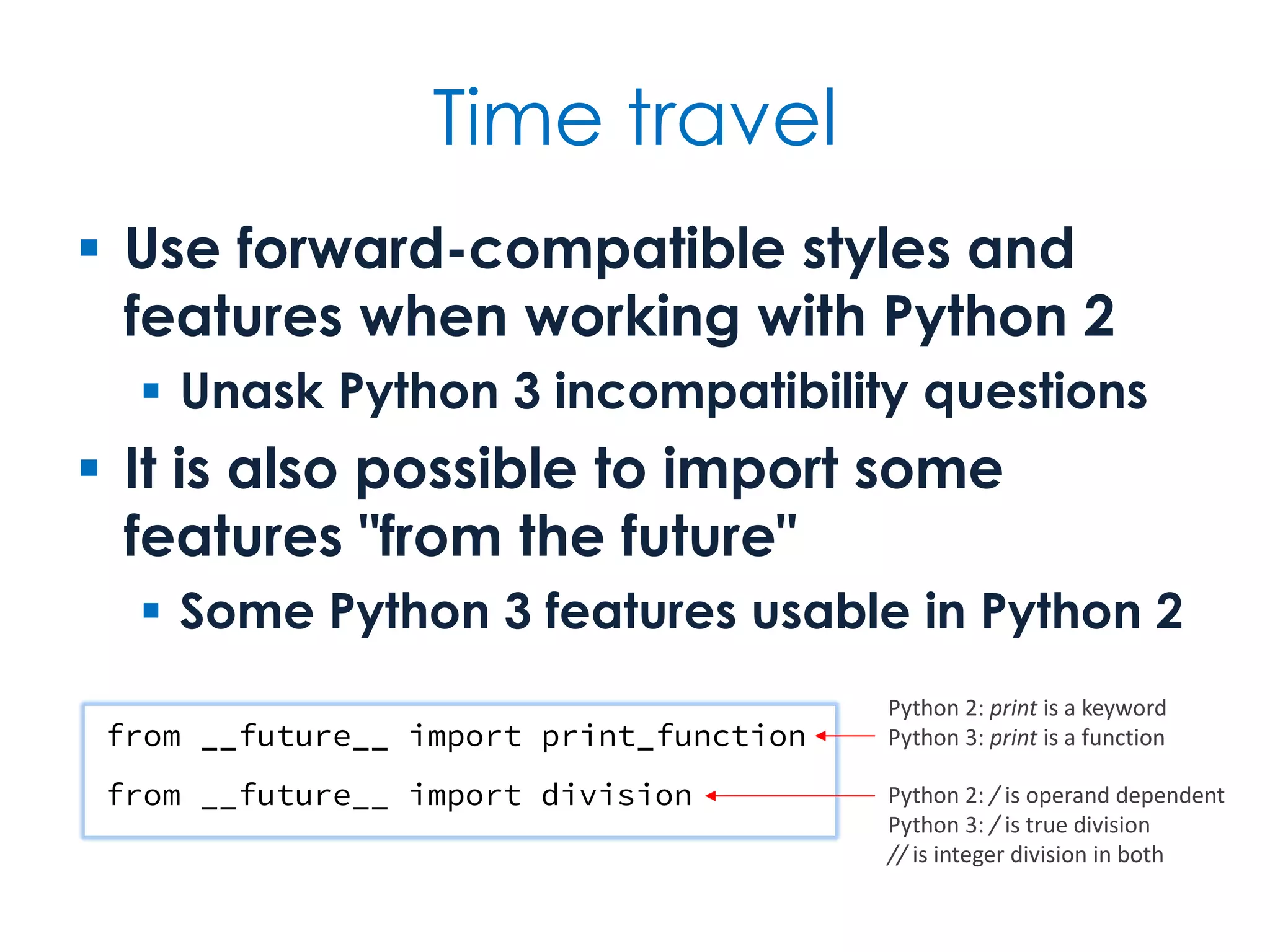
Time travel  Use forward-compatible styles and features when working with Python 2  Unask Python 3 incompatibility questions  It is also possible to import some features "from the future"  Some Python 3 features usable in Python 2 from __future__ import print_function from __future__ import division Python 2: print is a keyword Python 3: print is a function Python 2: / is operand dependent Python 3: / is true division // is integer division in both
Python's type system  Python is dynamically typed  All values and expressions have a type, but there is no declared type system  Polymorphism is based on duck typing  Python is object oriented  Everything, including functions and built-in primitive values, is an object  Encapsulation style is façade-like rather than strict
Objects Objects are Python’s abstraction for data. All data in a Python program is represented by objects or by relations between objects. (In a sense, and in conformance to Von Neumann’s model of a “stored program computer,” code is also represented by objects.) Every object has an identity, a type and a value. An object’s identity never changes once it has been created; you may think of it as the object’s address in memory. The is operator compares the identity of two objects; the id() function returns an integer representing its identity. The Python Language Reference: 3.1 Objects, values and types https://docs.python.org/3/reference/datamodel.html#objects-values-and-types
Pythonic style  Pythonic style is typically terse and expressive  But not necessarily cryptic  Python programming style is multi- paradigm in nature  Encouraged style is idiomatically more functional than procedural  Ranges in use from its original role in scripting to application programming
Libraries  One of Python's greatest strengths is size and scope of its standard library  It takes a batteries included approach  Another is the size and scope of other open-source libraries written in Python  See PyPI, the Python Package Index: https://pypi.python.org  pip is the de facto and (as of Python 3.4) the default package manager
PEP 8  PEP 8 is a style guide for Python  Offers guidance on accepted convention, and when to follow and when to break with convention  Focuses mostly on layout and naming  But there is also programming guidance  PEP 8 conformance can be checked automatically  E.g., http://pep8online.com/, pep8, flake8
PEP 8 highlights A style guide is about consistency. Consistency with this style guide is important. Consistency within a project is more important. Consistency within one module or function is most important. Use 4 spaces per indentation level. Limit all lines to a maximum of 79 characters. Class names should normally use the CapWords convention. Function names should be lowercase, with words separated by underscores as necessary to improve readability. Use is not operator rather than not ... is. Use string methods instead of the string module. https://www.python.org/dev/peps/pep-0008/
The Zen of Python (PEP 20) >>> import this The Zen of Python, by Tim Peters Beautiful is better than ugly. Explicit is better than implicit. Simple is better than complex. Complex is better than complicated. Flat is better than nested. Sparse is better than dense. Readability counts. Special cases aren't special enough to break the rules. Although practicality beats purity. Errors should never pass silently. Unless explicitly silenced. In the face of ambiguity, refuse the temptation to guess. There should be one-- and preferably only one --obvious way to do it. Although that way may not be obvious at first unless you're Dutch. Now is better than never. Although never is often better than *right* now. If the implementation is hard to explain, it's a bad idea. If the implementation is easy to explain, it may be a good idea. Namespaces are one honking great idea -- let's do more of those! >>>
Useful links Python https://www.python.org/ https://docs.python.org/3/ https://docs.python.org/2/ https://www.python.org/dev/peps/ http://pep8online.com/ https://pypi.python.org/pypi Monty Python http://www.montypython.com/ http://en.wikipedia.org/wiki/Monty_Python https://www.youtube.com/user/MontyPython
Multi-Paradigm Programming Procedural, modular, script, OO & functional programming
Facts at a glance  Although OO at its core, Python supports multiple programming styles  Python has the expected set of control flow structures for most styles  Each file in Python corresponds properly to a module  Pythonic style has many functional programming aspects
Multi-paradigm programming  The Python language is object oriented  Everything is an object  Python programming, on the other hand, is multi-paradigm  Supports a straight procedural style, a modular approach, classic shell scripting, functional programming and OOP  The same problem can be solved and expressed in different ways
Procedural programming  Procedural programming is typically characterised by...  Sequential, conditional and repetitive control flow  Local and global variables with assignment  Top–down decomposition of named procedures, i.e., functions  Data passed as arguments
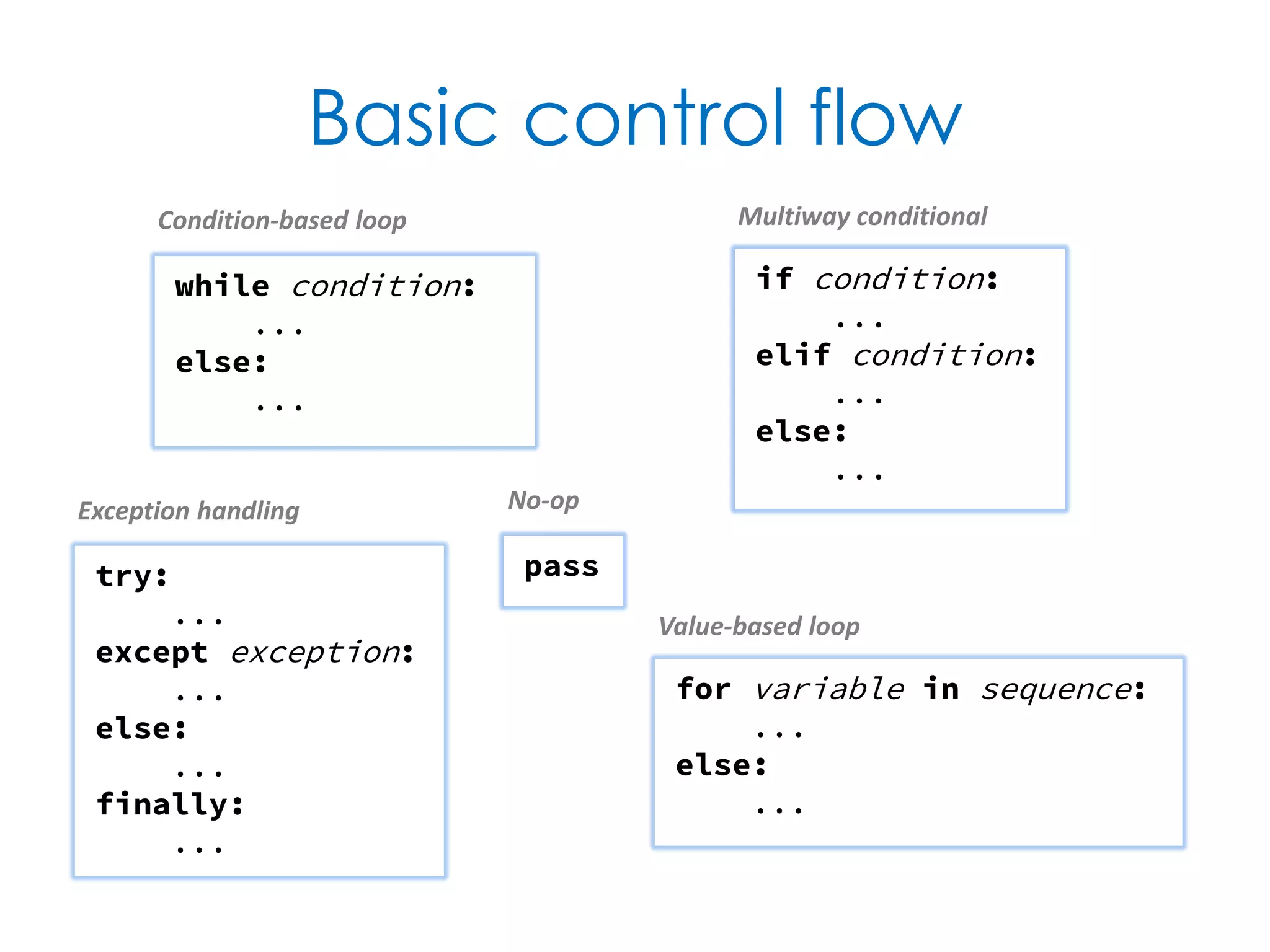
Basic control flow if condition: ... elif condition: ... else: ... while condition: ... else: ... for variable in sequence: ... else: ... try: ... except exception: ... else: ... finally: ... pass No-op Multiway conditional Exception handling Condition-based loop Value-based loop
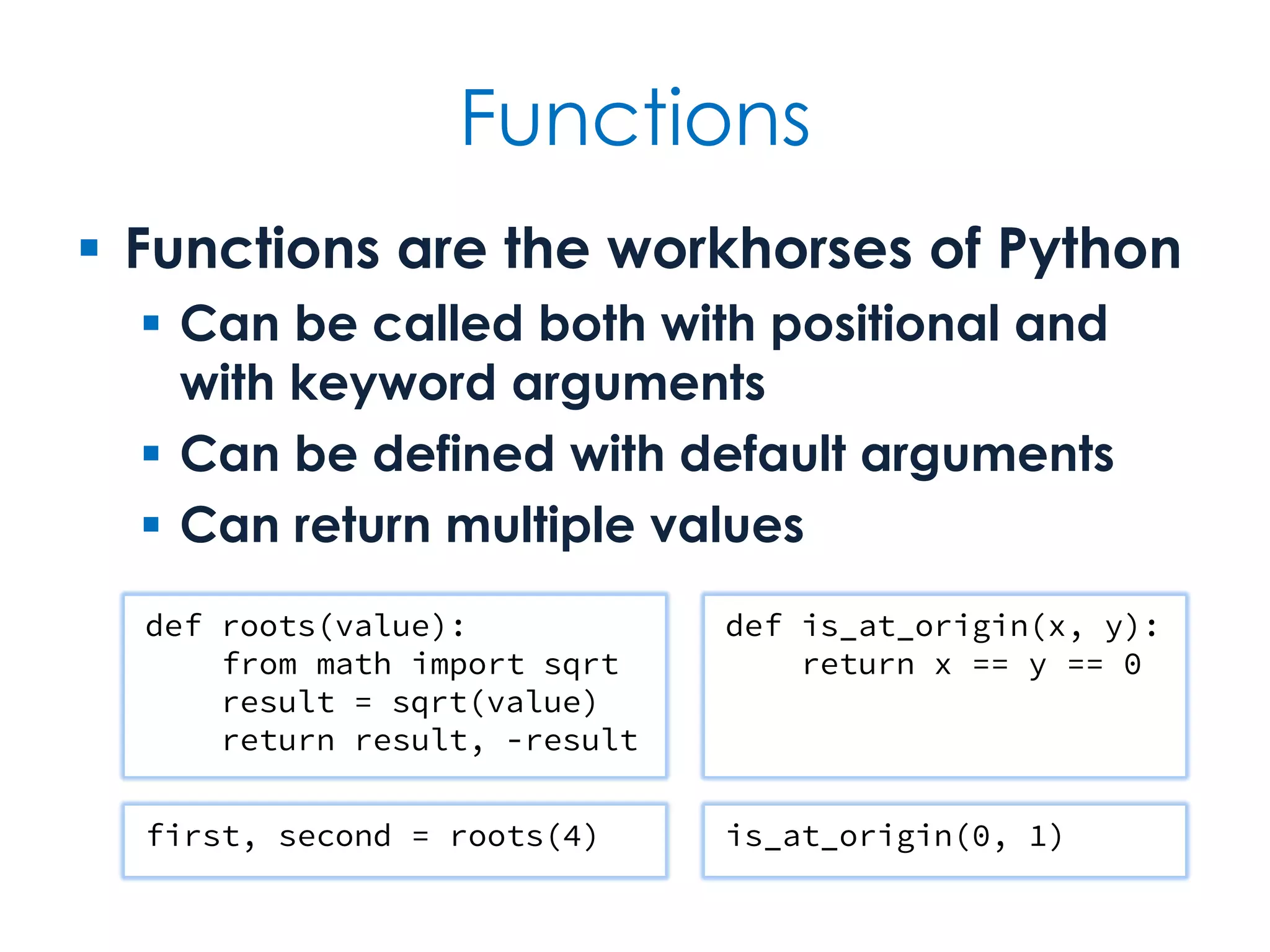
Functions  Functions are the workhorses of Python  Can be called both with positional and with keyword arguments  Can be defined with default arguments  Can return multiple values def roots(value): from math import sqrt result = sqrt(value) return result, -result def is_at_origin(x, y): return x == y == 0 first, second = roots(4) is_at_origin(0, 1)
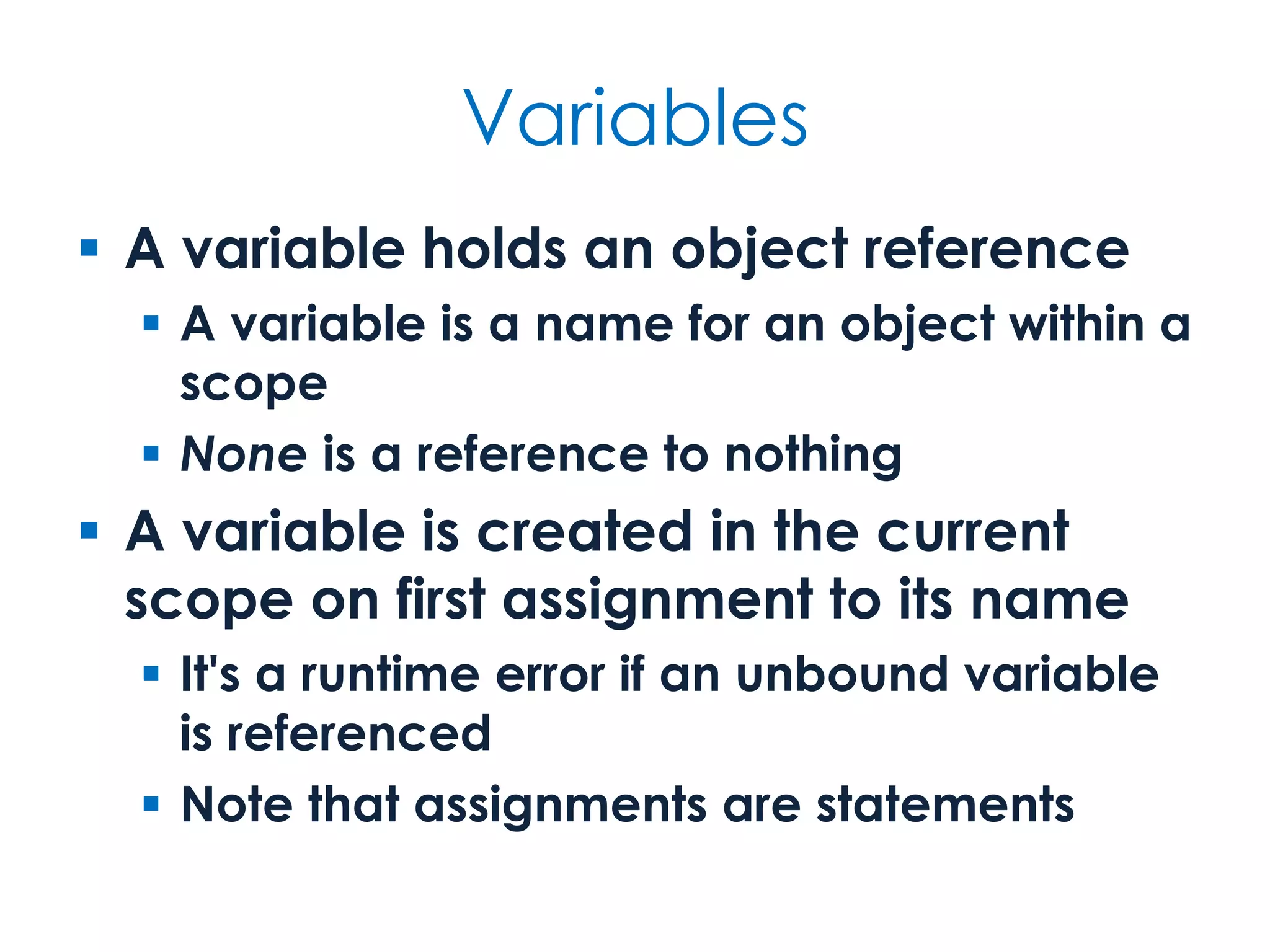
Variables  A variable holds an object reference  A variable is a name for an object within a scope  None is a reference to nothing  A variable is created in the current scope on first assignment to its name  It's a runtime error if an unbound variable is referenced  Note that assignments are statements
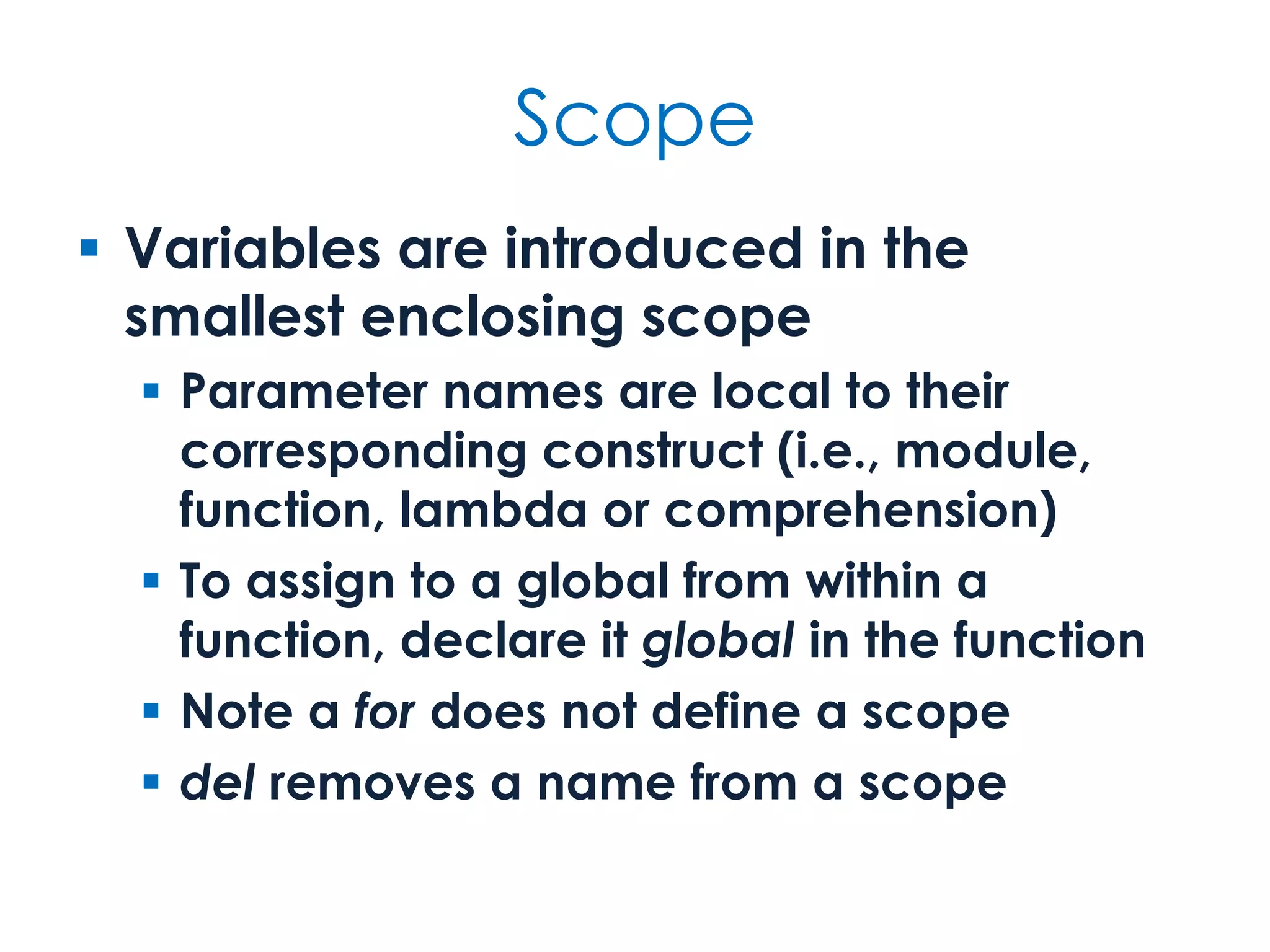
Scope  Variables are introduced in the smallest enclosing scope  Parameter names are local to their corresponding construct (i.e., module, function, lambda or comprehension)  To assign to a global from within a function, declare it global in the function  Control-flow constructs, such as for, do not define scopes  del removes a name from a scope
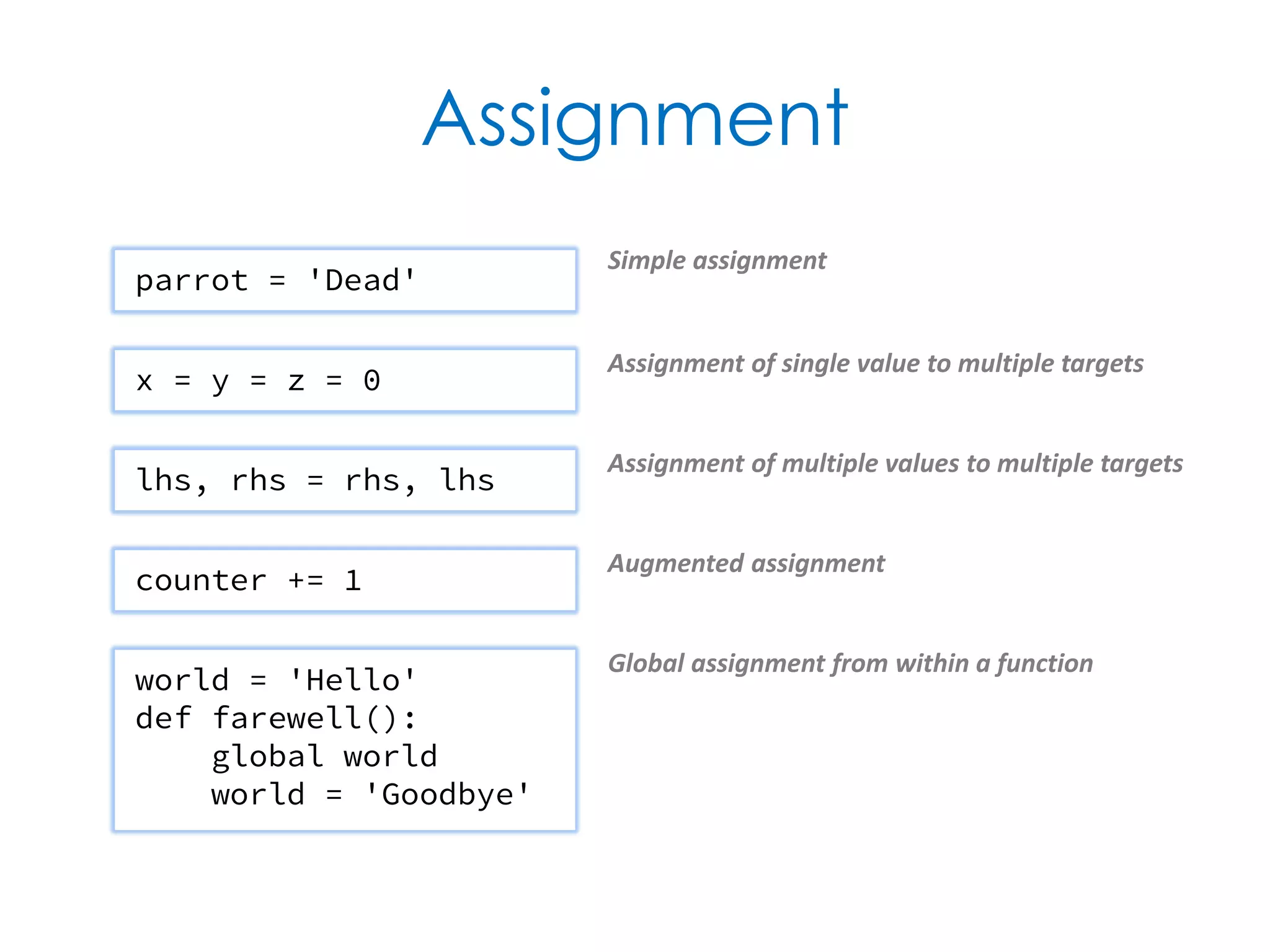
Assignment parrot = 'Dead' Simple assignment x = y = z = 0 Assignment of single value to multiple targets lhs, rhs = rhs, lhs Assignment of multiple values to multiple targets counter += 1 Augmented assignment world = 'Hello' def farewell(): global world world = 'Goodbye' Global assignment from within a function
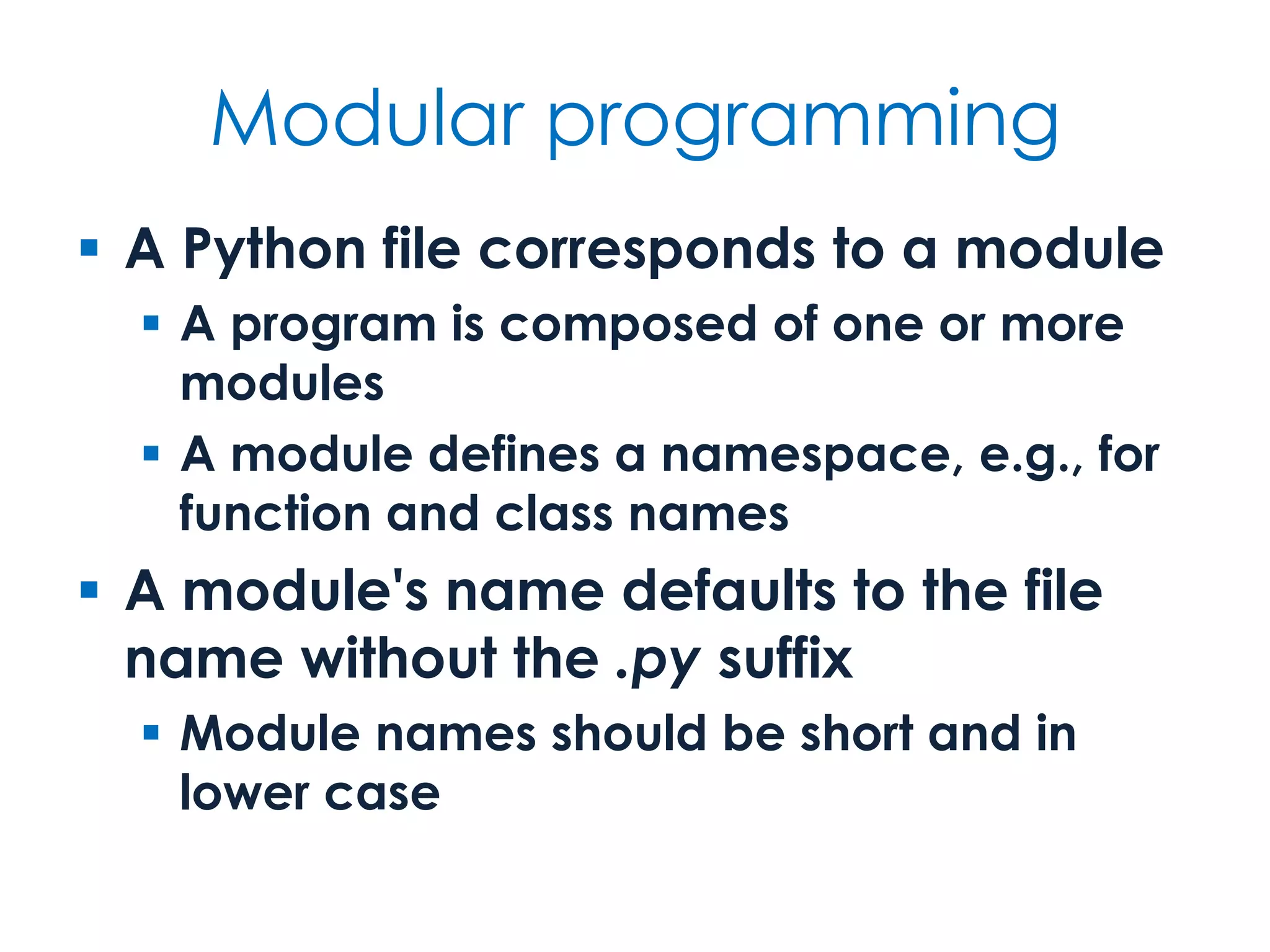
Modular programming  A Python file corresponds to a module  A program is composed of one or more modules  A module defines a namespace, e.g., for function and class names  A module's name defaults to the file name without the .py suffix  Module names should be short and in lower case
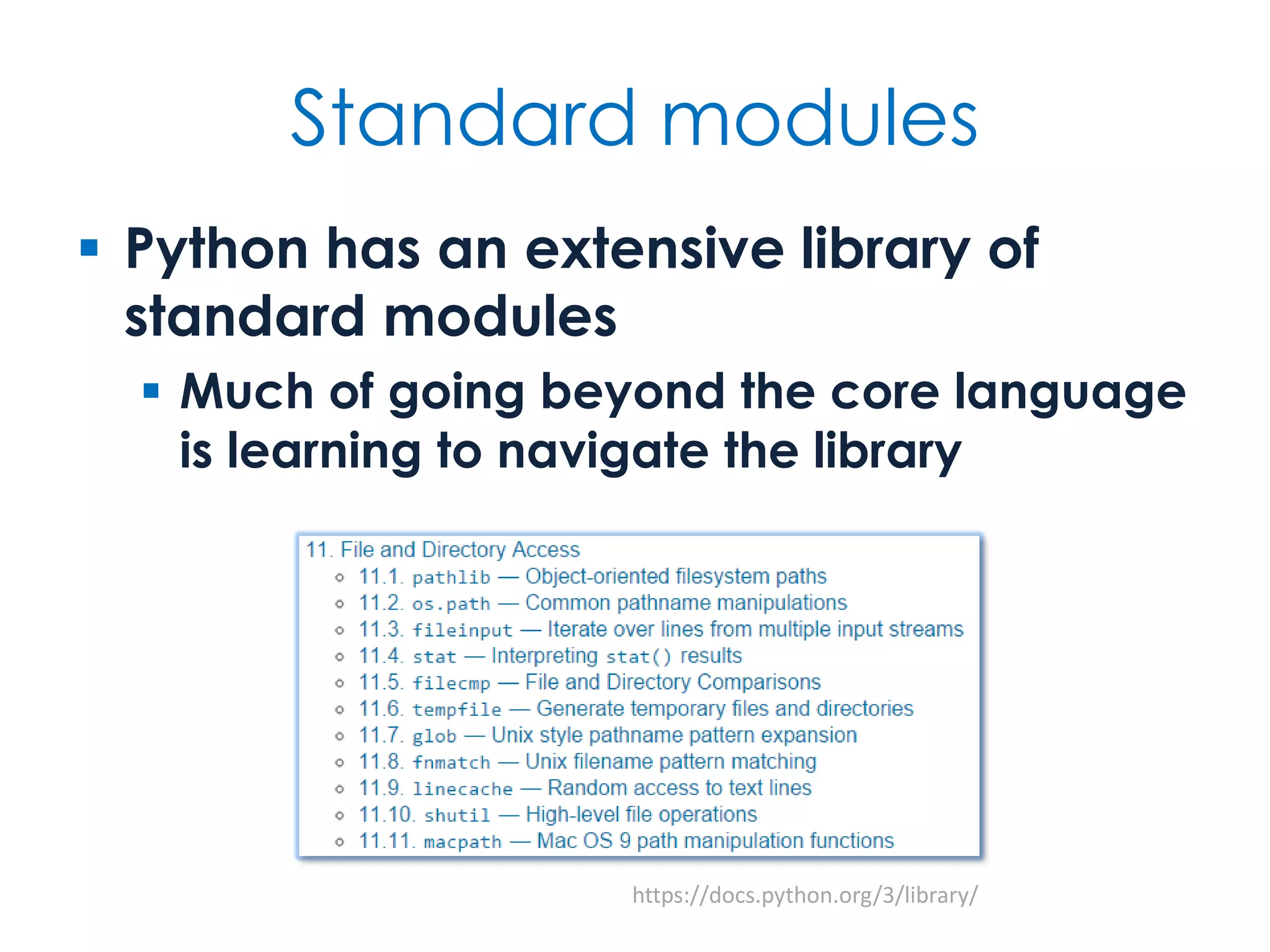
Standard modules  Python has an extensive library of standard modules  Much of going beyond the core language is learning to navigate the library https://docs.python.org/3/library/
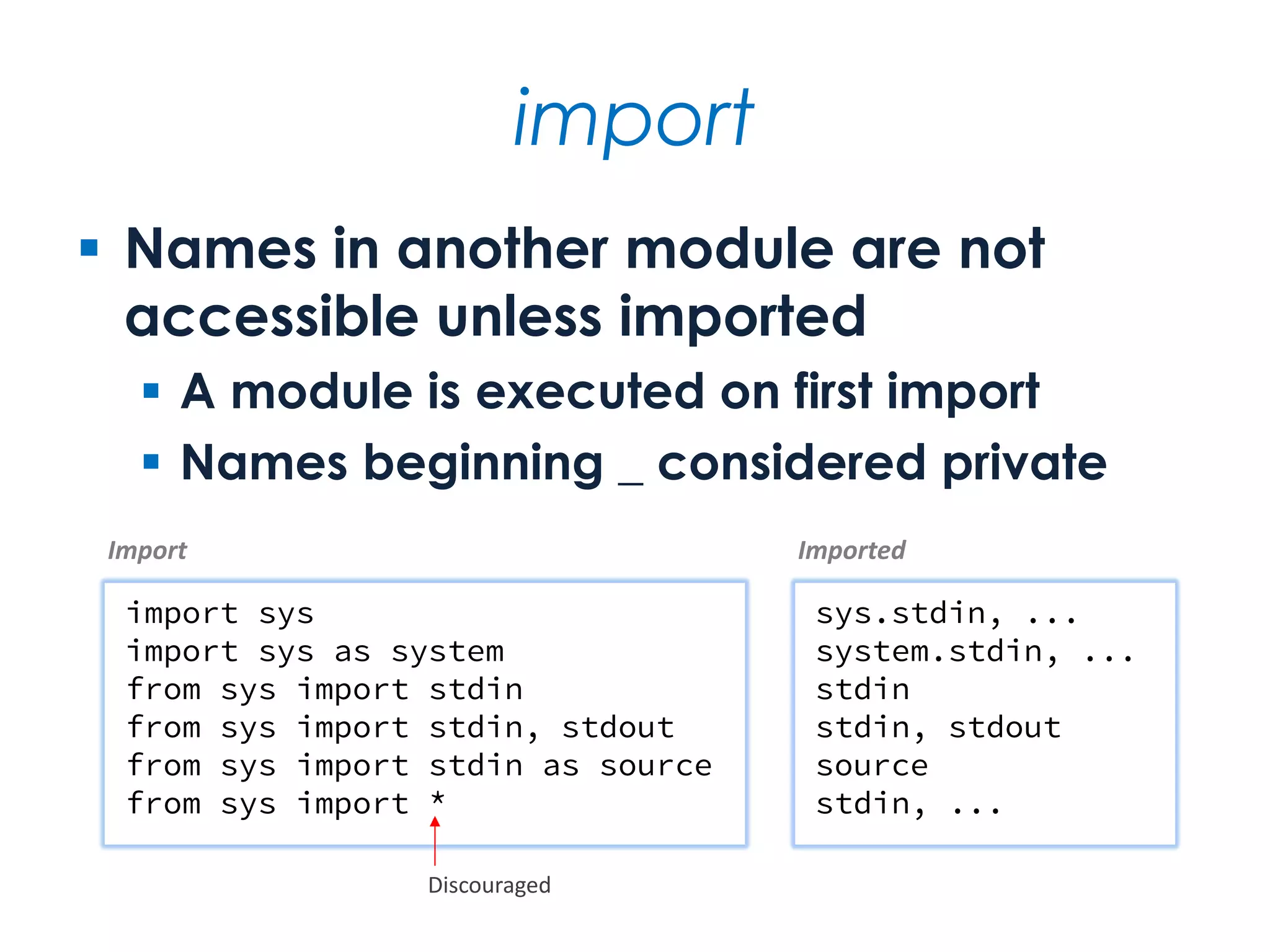
import  Names in another module are not accessible unless imported  A module is executed on first import  Names beginning _ considered private import sys import sys as system from sys import stdin from sys import stdin, stdout from sys import stdin as source from sys import * sys.stdin, ... system.stdin, ... stdin stdin, stdout source stdin, ... Import Imported Discouraged
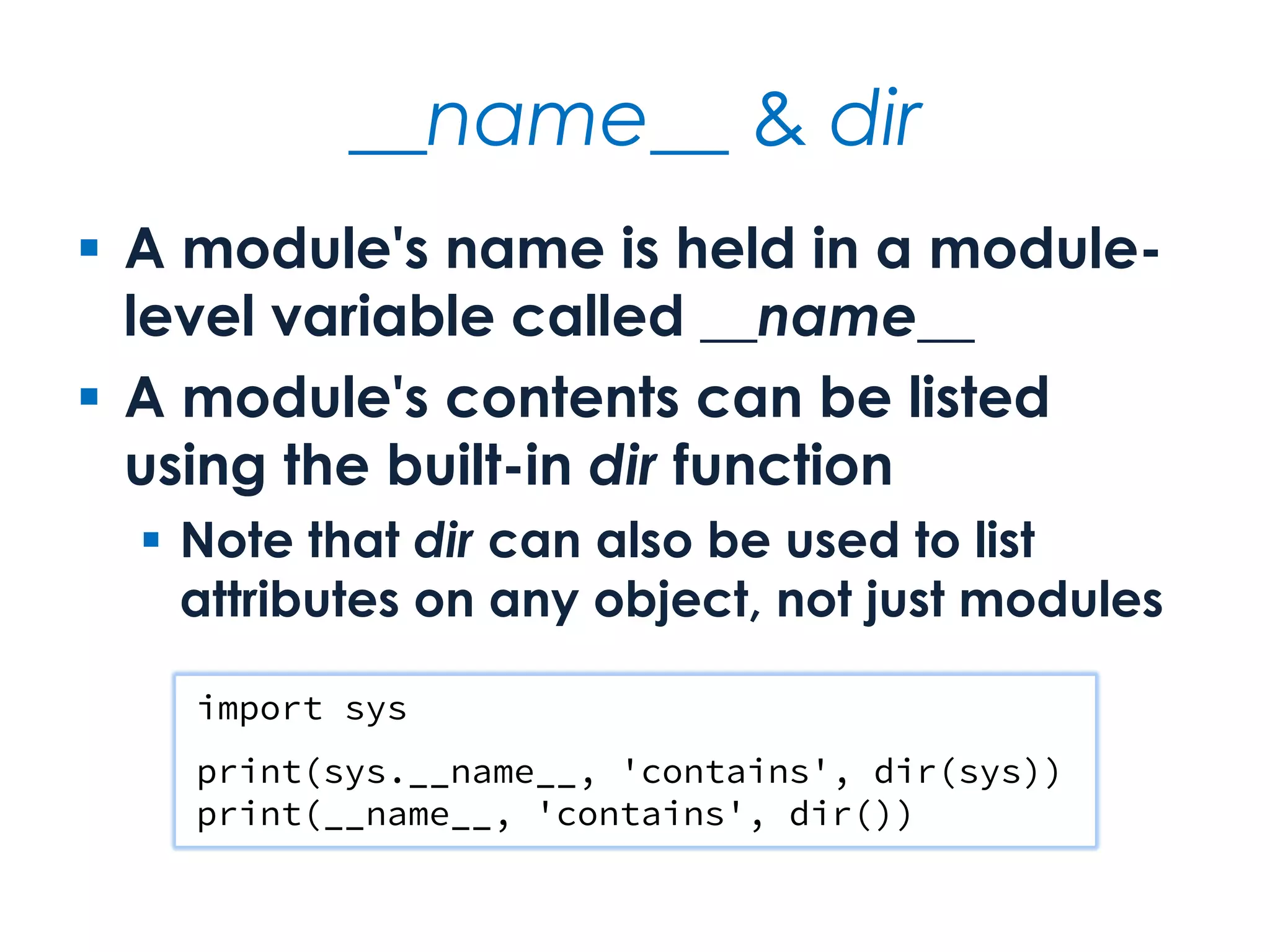
__name__ & dir  A module's name is held in a module- level variable called __name__  A module's contents can be listed using the built-in dir function  Note that dir can also be used to list attributes on any object, not just modules import sys print(sys.__name__, 'contains', dir(sys)) print(__name__, 'contains', dir())
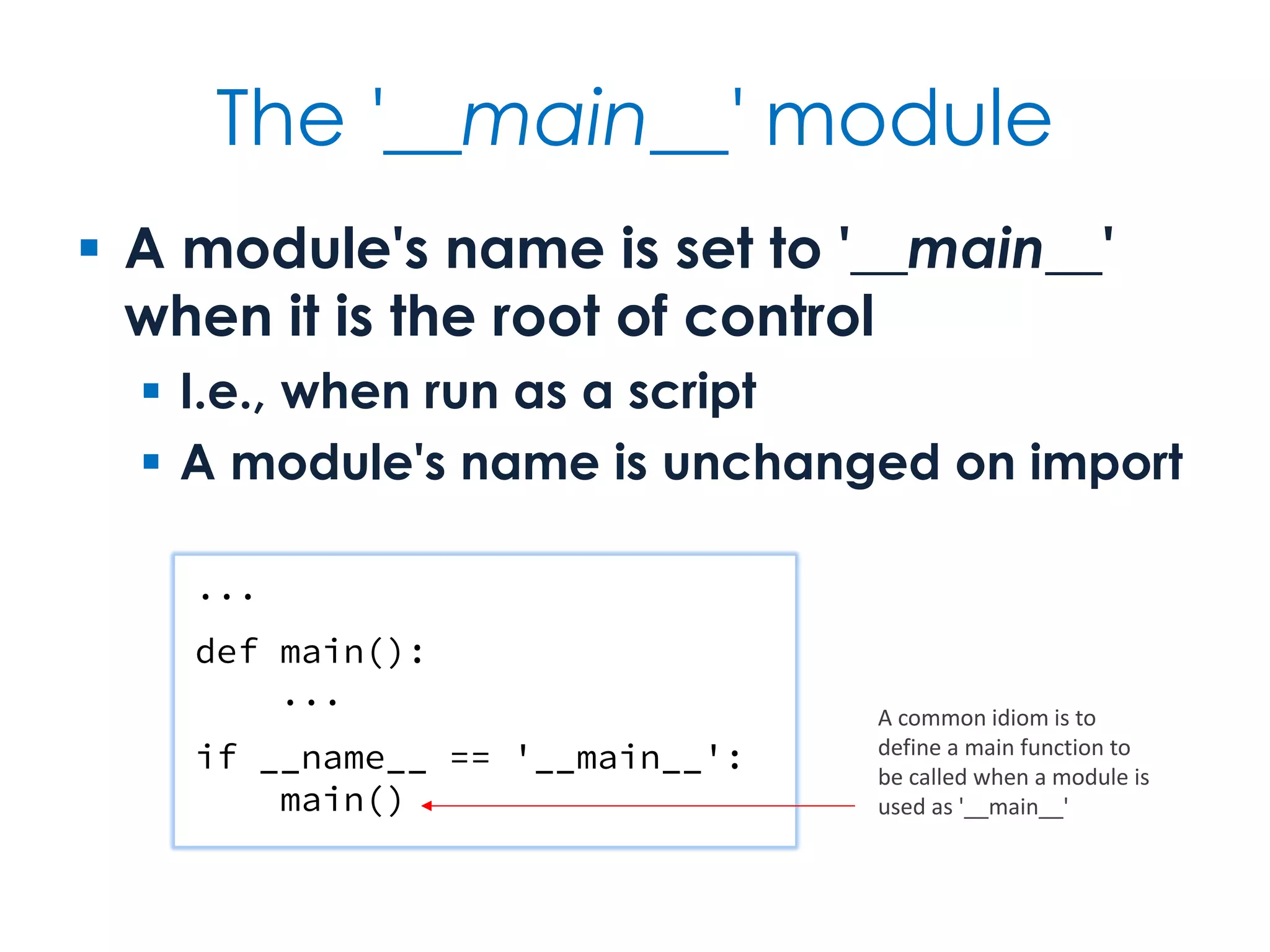
The '__main__' module  A module's name is set to '__main__' when it is the root of control  I.e., when run as a script  A module's name is unchanged on import ... def main(): ... if __name__ == '__main__': main() A common idiom is to define a main function to be called when a module is used as '__main__'
Shell scripting  Shell scripting often characterised by...  Argument handling  Console and file I/O  File and directory manipulation  String-based operations #!/usr/bin/env python3 import sys print(' '.join(sys.argv)) Program arguments available as list of strings, where argv[0] is the script name The appropriate shebang line for Unix and Unix-like operating systems
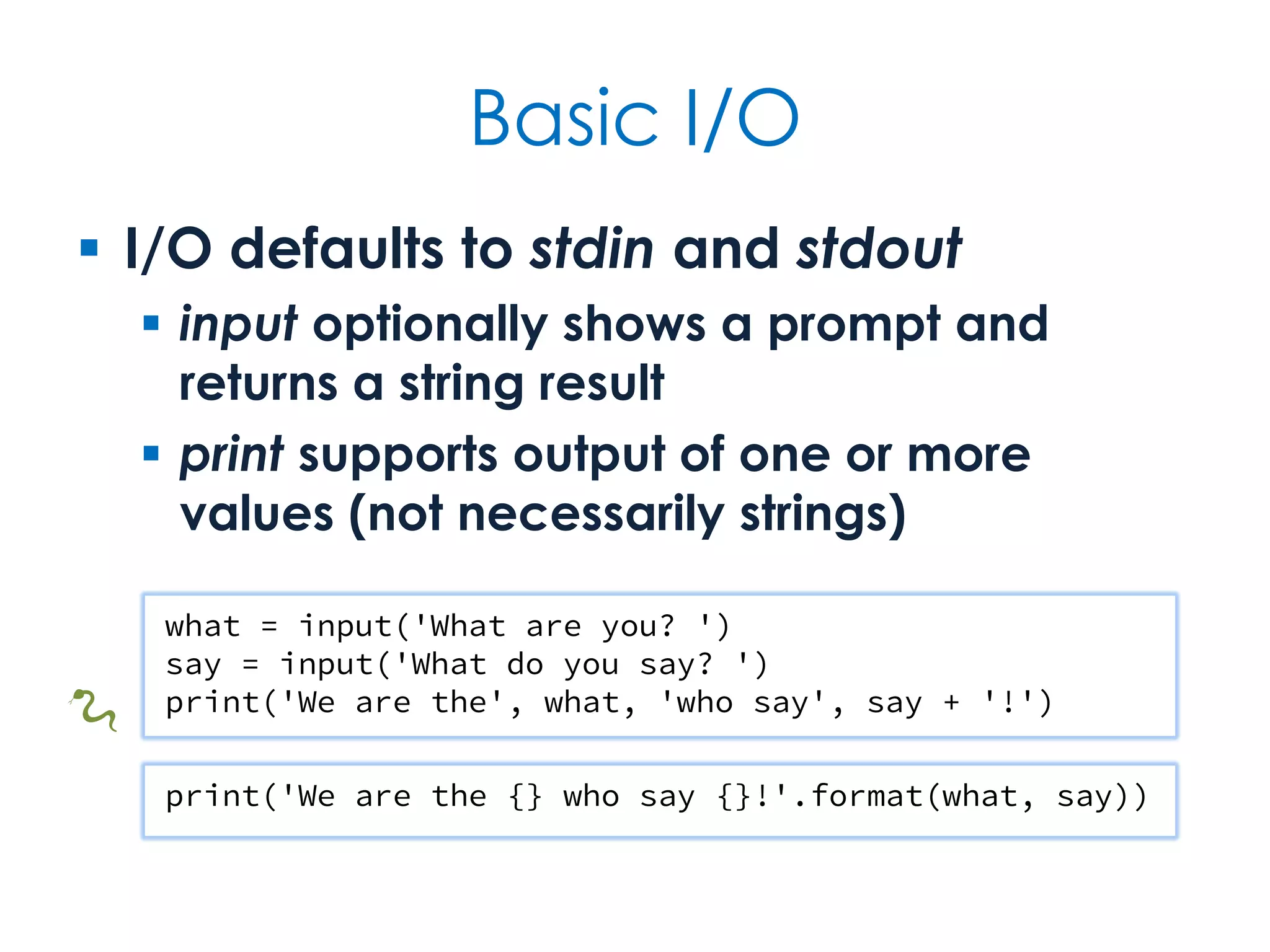
Basic I/O  I/O defaults to stdin and stdout  input optionally shows a prompt and returns a string result  print supports output of one or more values (not necessarily strings) print('We are the {} who say {}!'.format(what, say)) what = input('What are you? ') say = input('What do you say? ') print('We are the', what, 'who say', say + '!') 🐍
File I/O  File handling is simple and uniform  Files integrate easily with other constructs  Always open files using with so that file closing is automatic import sys if len(sys.argv) > 1: for filename in sys.argv[1:]: with open(filename) as file: print(file.read()) else: print(sys.stdin.read()) A slice of argv that ignores the zeroth argument (the script name)
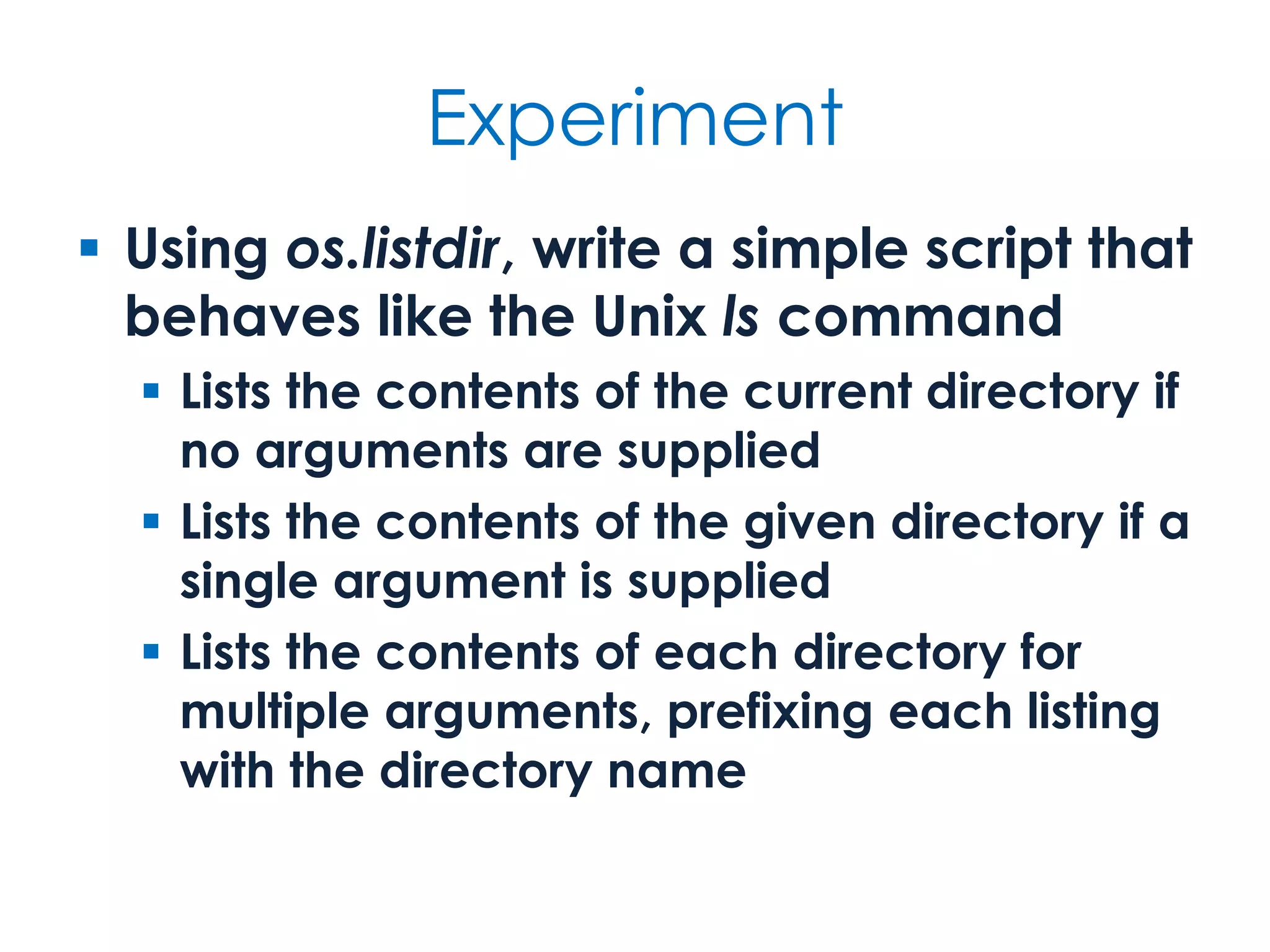
Experiment  Using os.listdir, write a simple script that behaves like the Unix ls command  Lists the contents of the current directory if no arguments are supplied  Lists the contents of the given directory if a single argument is supplied  Lists the contents of each directory for multiple arguments, prefixing each listing with the directory name
Functional programming  Functional programming is based on...  Functions as principal units of composition  A declarative rather than imperative style, emphasising data structure relations  Functions executing without side-effects, i.e., functions are pure functions  Immutability, so querying state and creating new state rather than updating it  Lazy rather than eager access to values
Function application leap_years = [] for year in years: if is_leap_year(year): leap_years.append(year) leap_years = list(filter(is_leap_year, years)) Imperative list initialisation Filtering def is_leap_year(year): return year % 4 == 0 and year % 100 != 0 or year % 400 == 0 years = range(1800, 2100)
Comprehensions squares = [] for i in range(13): squares.append(i**2) [0, 1, 4, 9, 16, 25, 36, 49, 64, 81, 100, 121, 144] squares = [i**2 for i in range(13)] [0, 1, 4, 9, 16, 25, 36, 49, 64, 81, 100, 121, 144] Imperative list initialisation List comprehension
OO programming  Object orientation is founded on encapsulation and polymorphism  Encapsulation combines function and data into a behavioural entity with identity  Polymorphism supports uniform object use across compatible object protocols  Inheritance factors out common and introduces hooks for polymorphism, but is an auxiliary not essential feature of OO
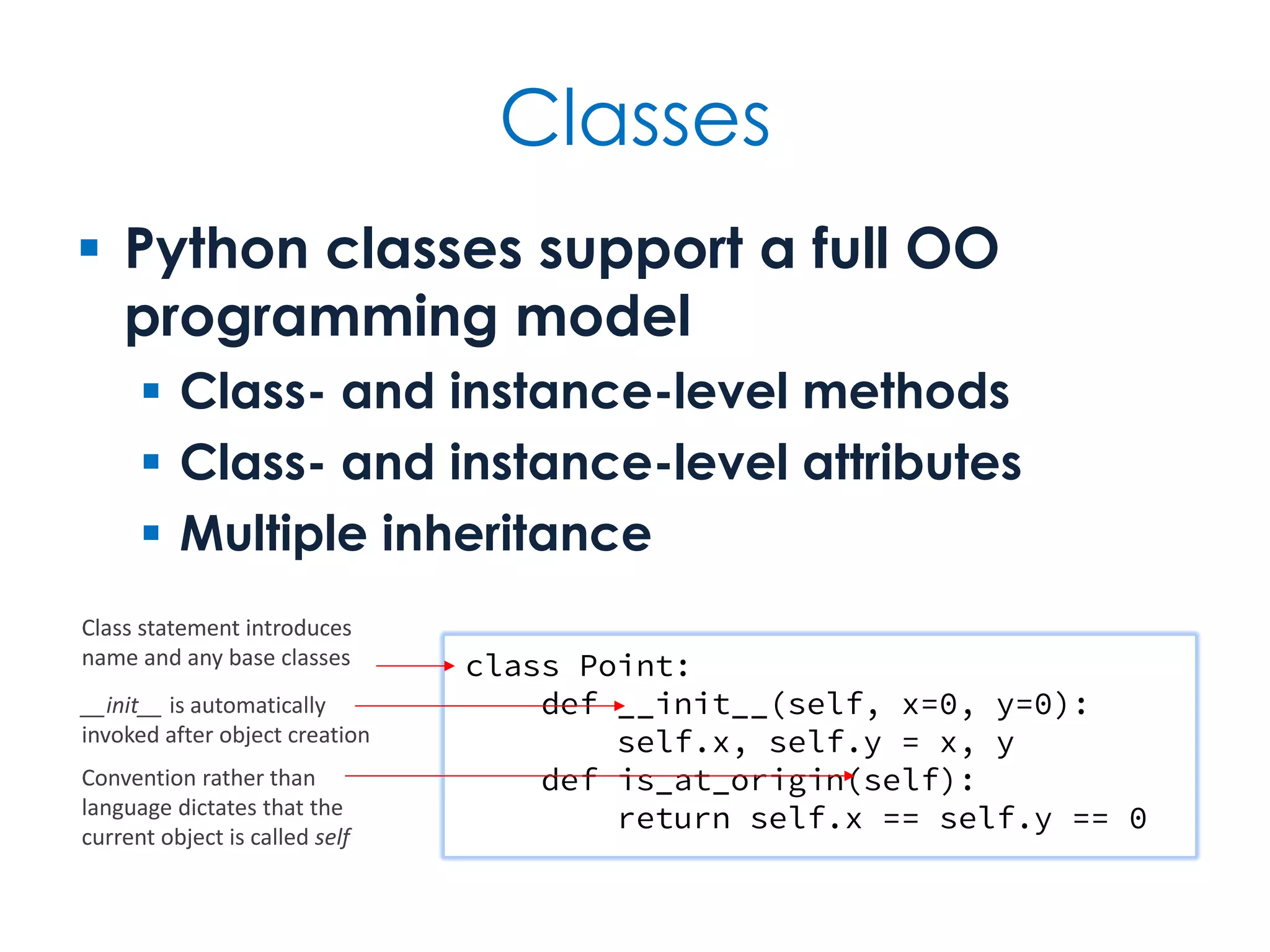
Classes  Python classes support a full OO programming model  Class- and instance-level methods  Class- and instance-level attributes  Multiple inheritance class Point: def __init__(self, x=0, y=0): self.x, self.y = x, y def is_at_origin(self): return self.x == self.y == 0 Class statement introduces name and any base classes __init__ is automatically invoked after object creation Convention rather than language dictates that the current object is called self
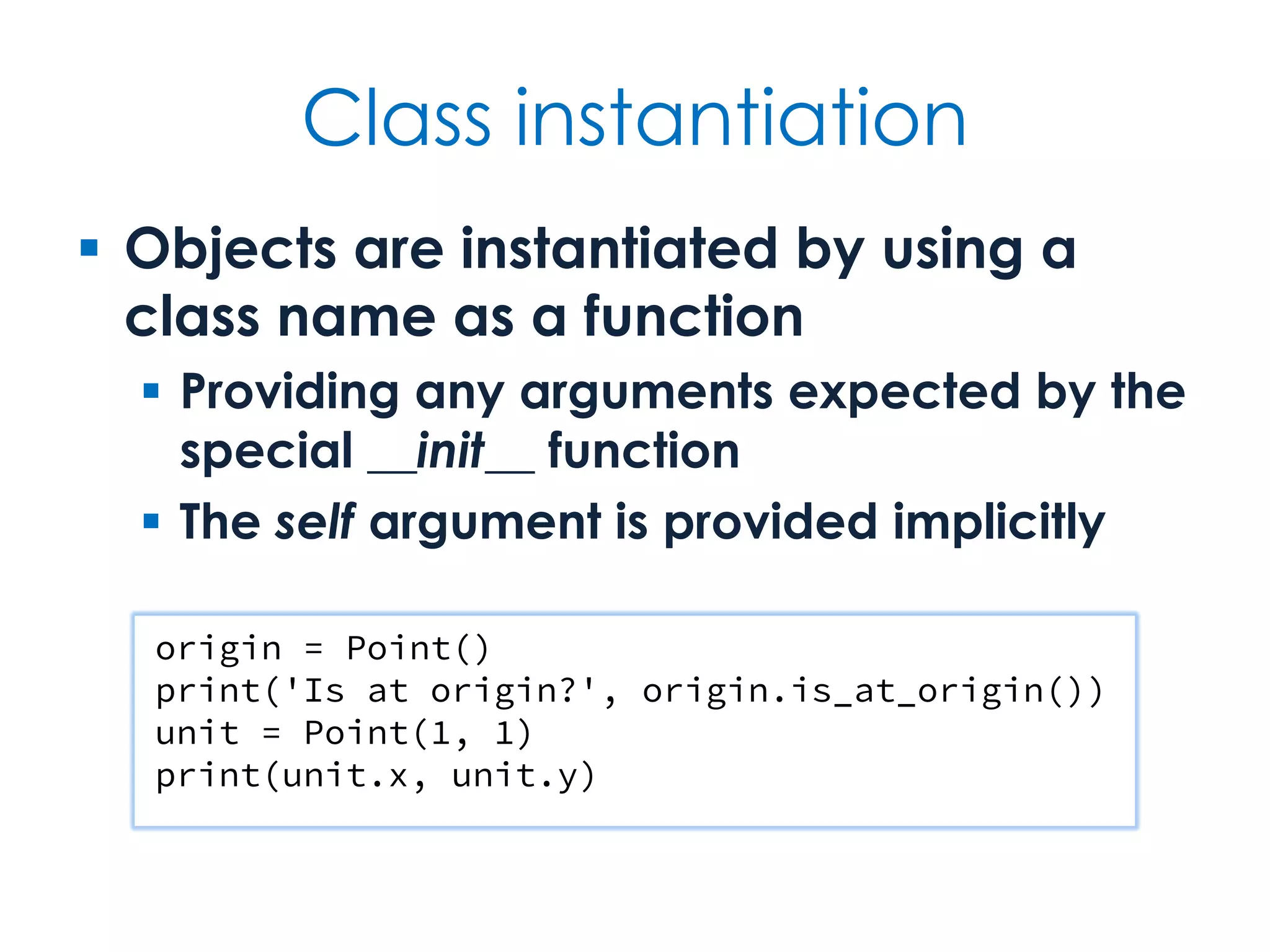
Class instantiation  Objects are instantiated by using a class name as a function  Providing any arguments expected by the special __init__ function  The self argument is provided implicitly origin = Point() print('Is at origin?', origin.is_at_origin()) unit = Point(1, 1) print(unit.x, unit.y)
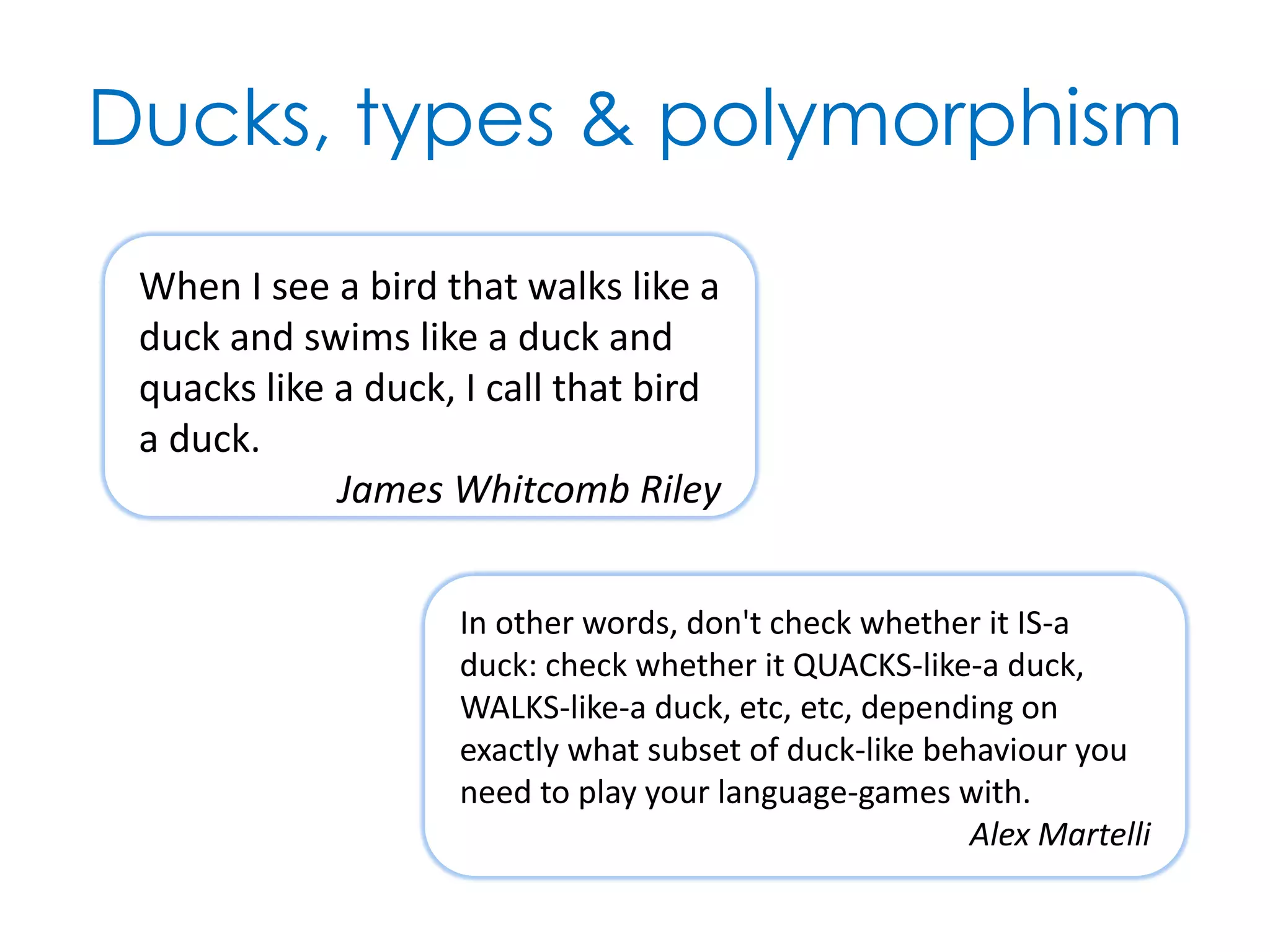
Ducks, types & polymorphism When I see a bird that walks like a duck and swims like a duck and quacks like a duck, I call that bird a duck. James Whitcomb Riley In other words, don't check whether it IS-a duck: check whether it QUACKS-like-a duck, WALKS-like-a duck, etc, etc, depending on exactly what subset of duck-like behaviour you need to play your language-games with. Alex Martelli
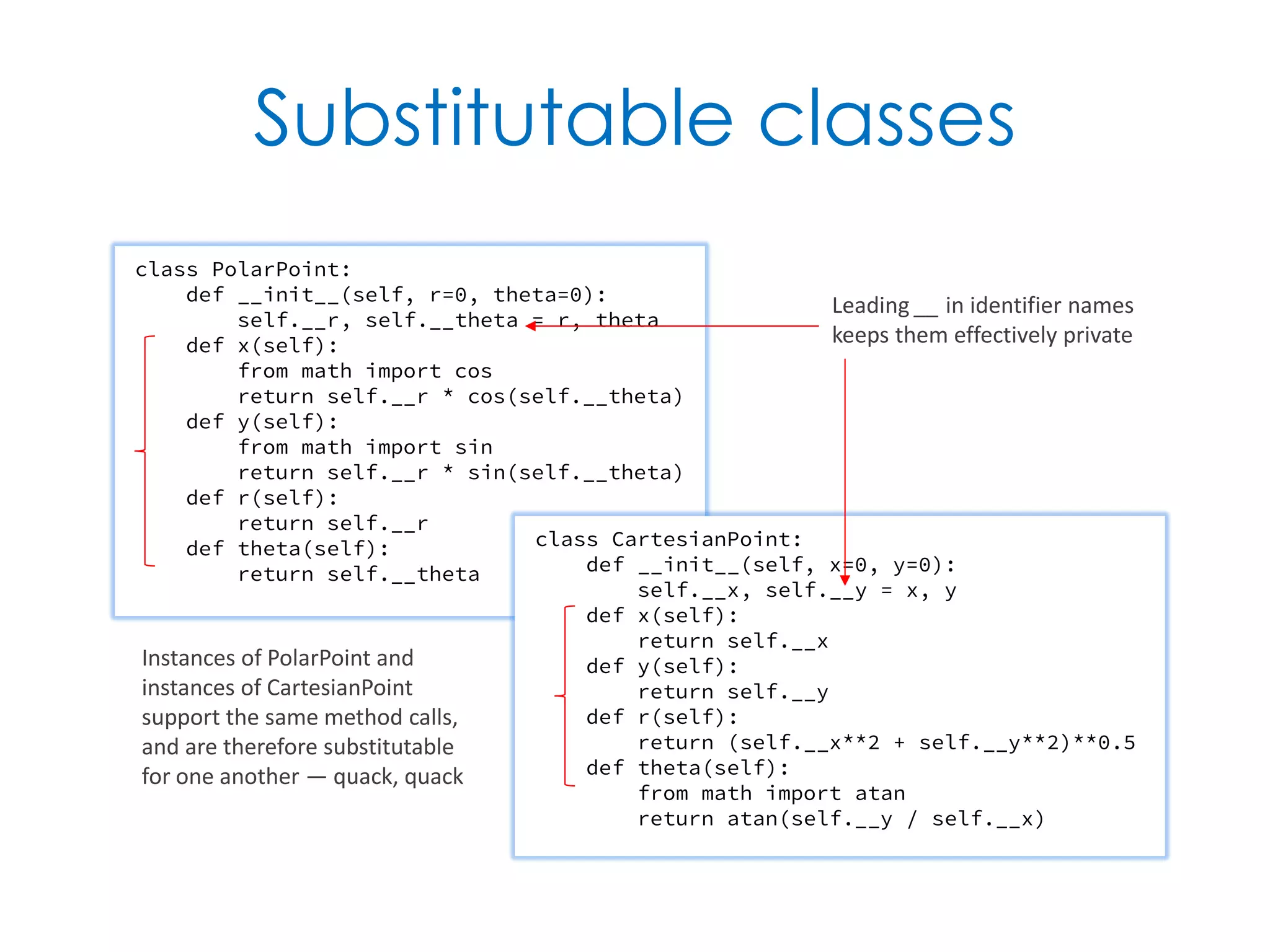
Substitutable classes class PolarPoint: def __init__(self, r=0, theta=0): self.__r, self.__theta = r, theta def x(self): from math import cos return self.__r * cos(self.__theta) def y(self): from math import sin return self.__r * sin(self.__theta) def r(self): return self.__r def theta(self): return self.__theta class CartesianPoint: def __init__(self, x=0, y=0): self.__x, self.__y = x, y def x(self): return self.__x def y(self): return self.__y def r(self): return (self.__x**2 + self.__y**2)**0.5 def theta(self): from math import atan return atan(self.__y / self.__x) Leading __ in identifier names keeps them effectively private Instances of PolarPoint and instances of CartesianPoint support the same method calls, and are therefore substitutable for one another — quack, quack
Syntax & Mechanics Keywords, identifiers, spacing, built-in types & more
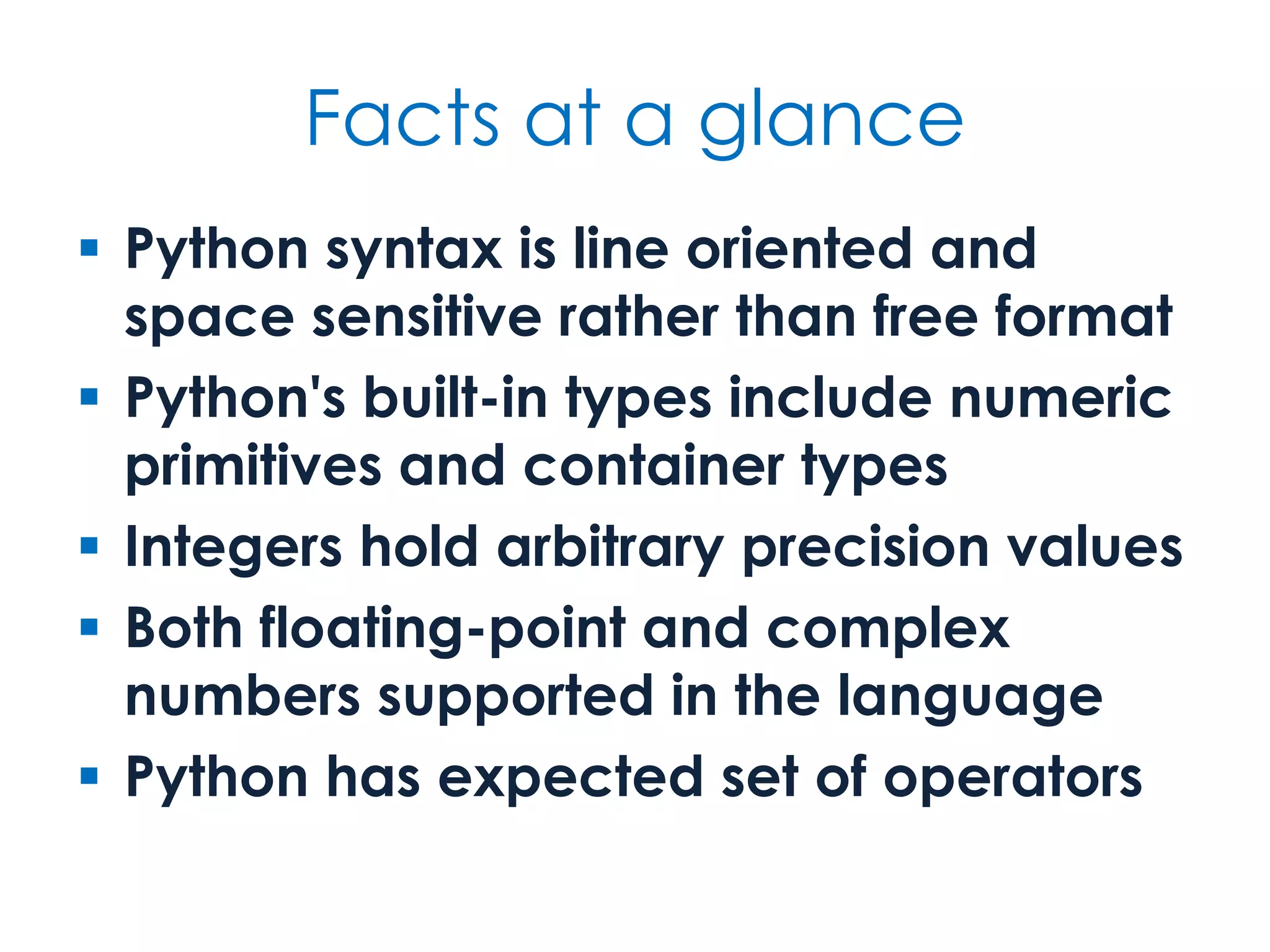
Facts at a glance  Python syntax is line oriented and space sensitive rather than free format  Python's built-in types include numeric primitives and container types  Integers hold arbitrary precision values  Both floating-point and complex numbers supported in the language  Python has expected set of operators
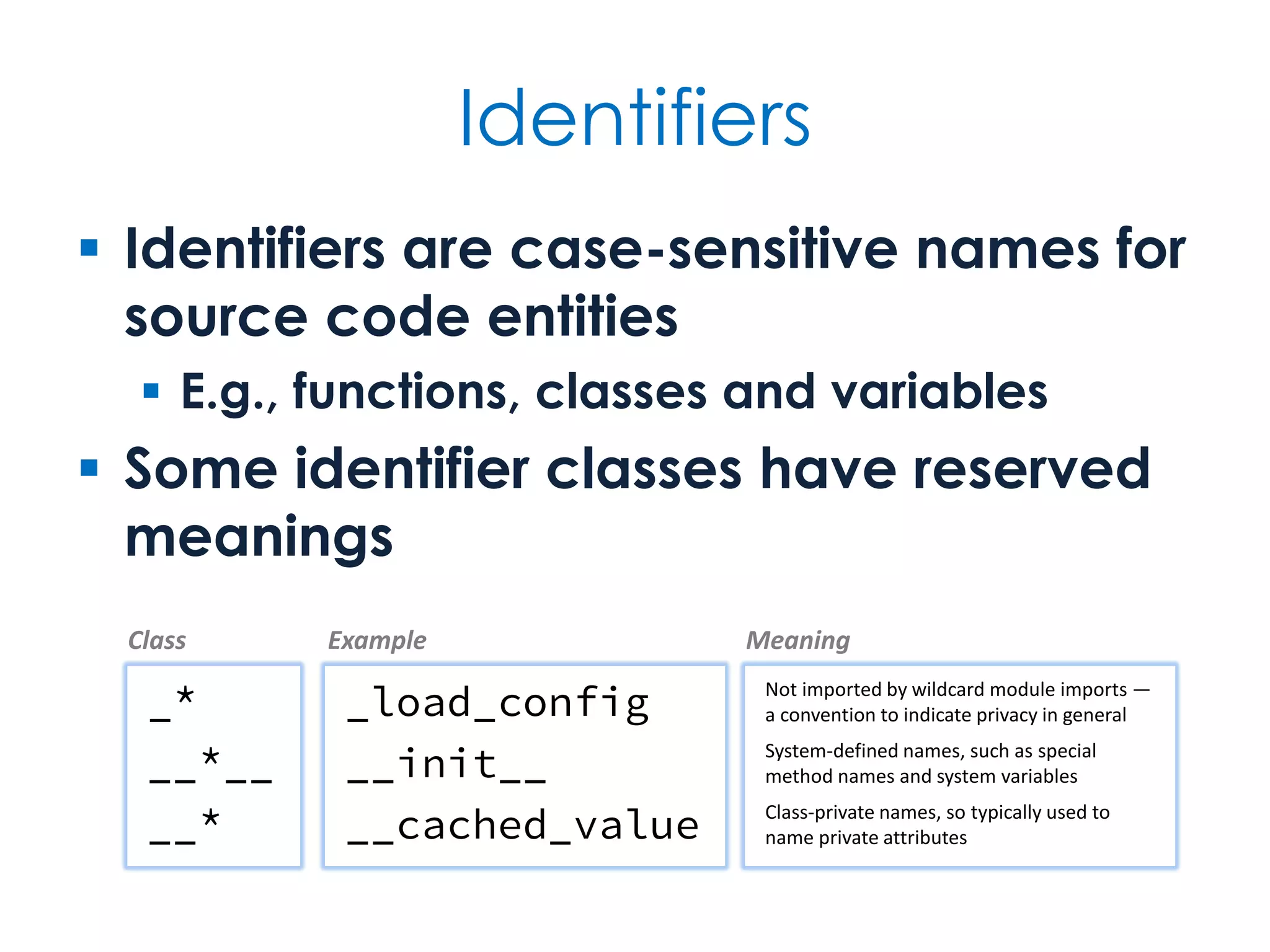
Identifiers  Identifiers are case-sensitive names for source code entities  E.g., functions, classes and variables  Some identifier classes have reserved meanings _* __*__ __* _load_config __init__ __cached_value Class Example Meaning Not imported by wildcard module imports — a convention to indicate privacy in general System-defined names, such as special method names and system variables Class-private names, so typically used to name private attributes
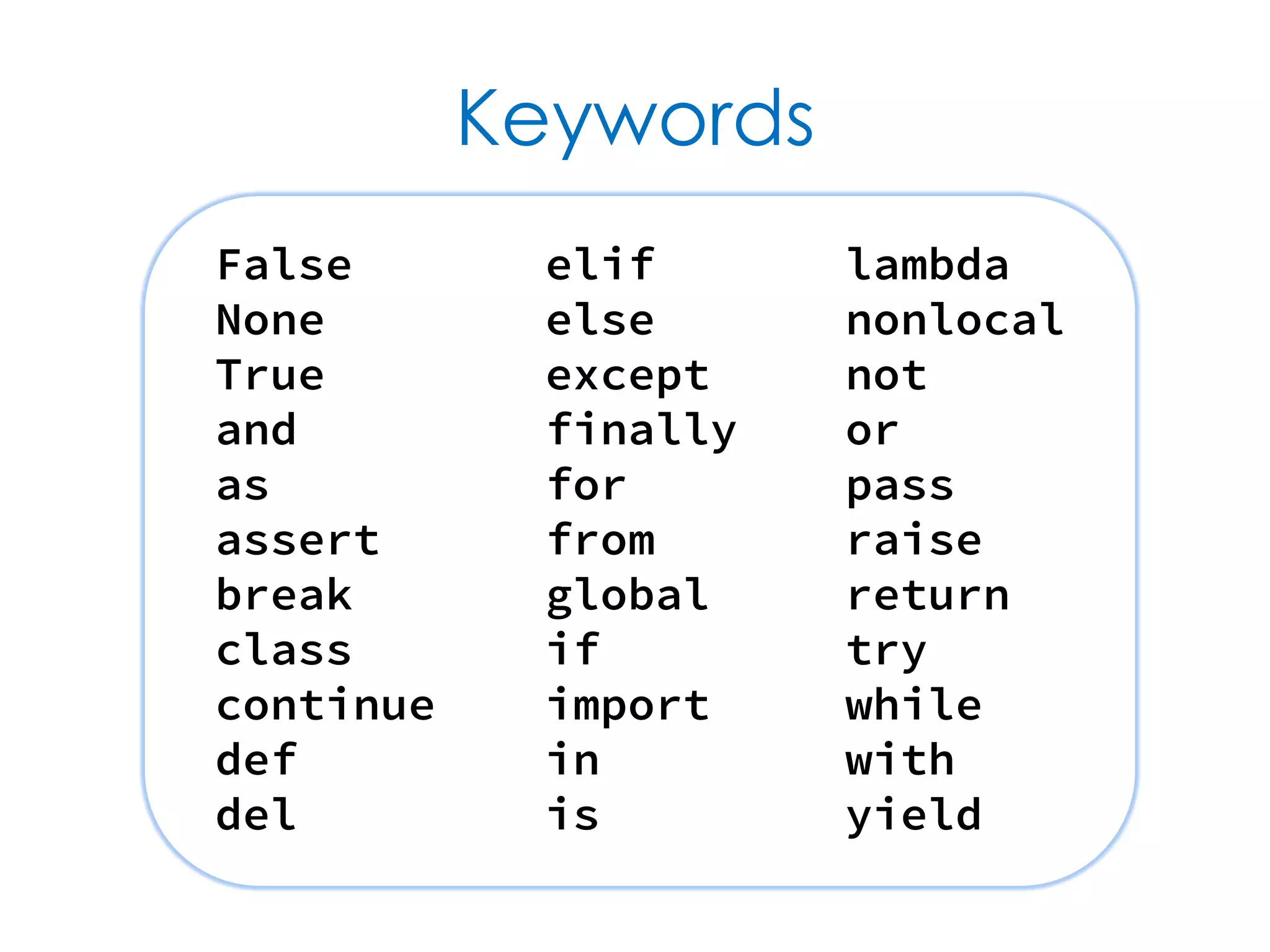
Keywords False None True and as assert break class continue def del elif else except finally for from global if import in is lambda nonlocal not or pass raise return try while with yield
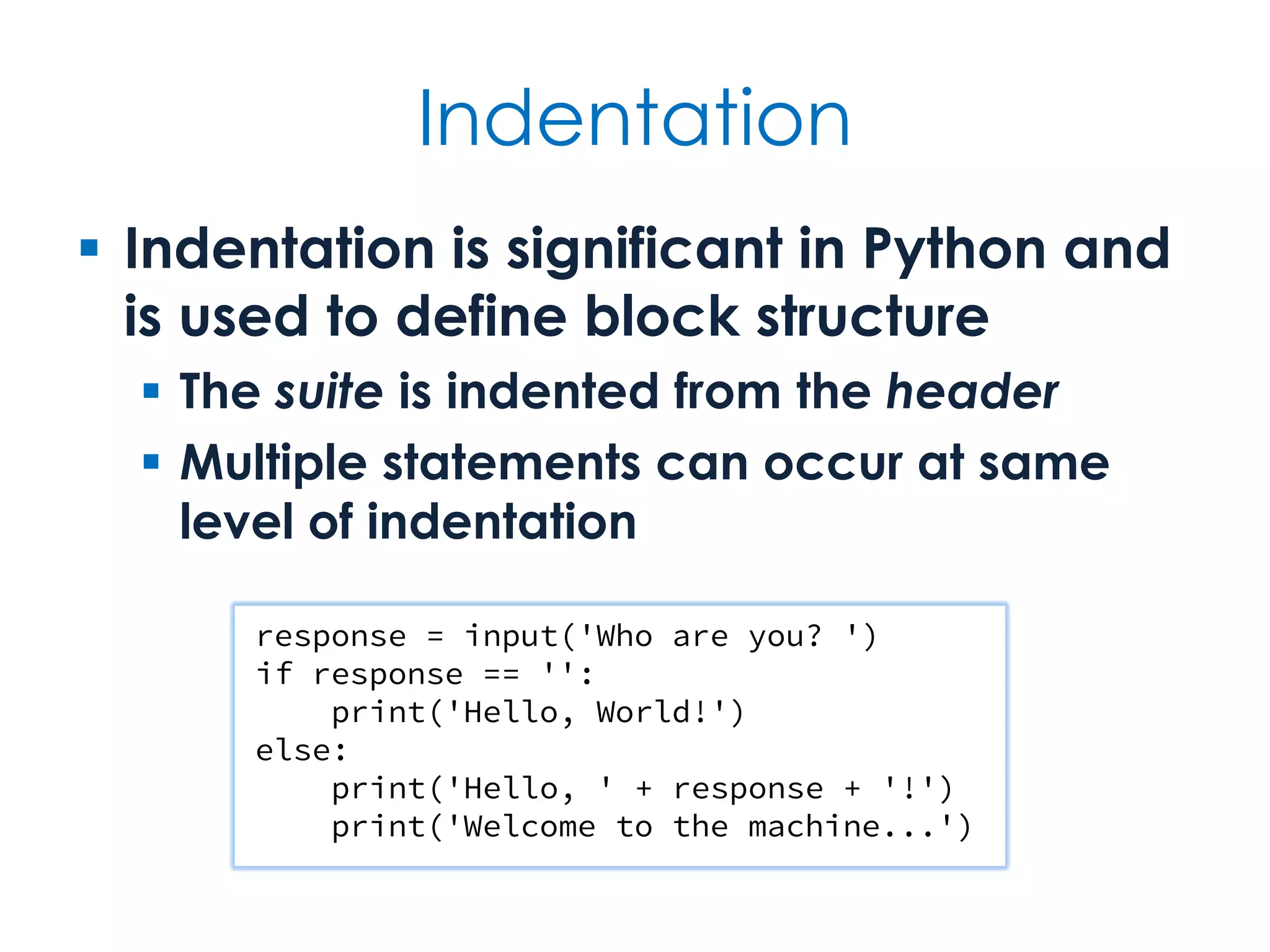
Indentation  Indentation is significant in Python and is used to define block structure  The suite is indented from the header  Multiple statements can occur at same level of indentation response = input('Who are you? ') if response == '': print('Hello, World!') else: print('Hello, ' + response + '!') print('Welcome to the machine...')
Spanning multiple lines  A single statement can extend over multiple lines  Implicit continuation across unclosed bracketing ((...), [...], {...})  Forced continuation after at end of line films = [ 'The Holy Grail', 'The Life of Brian', 'The Meaning of Life' ] total = amount + tax
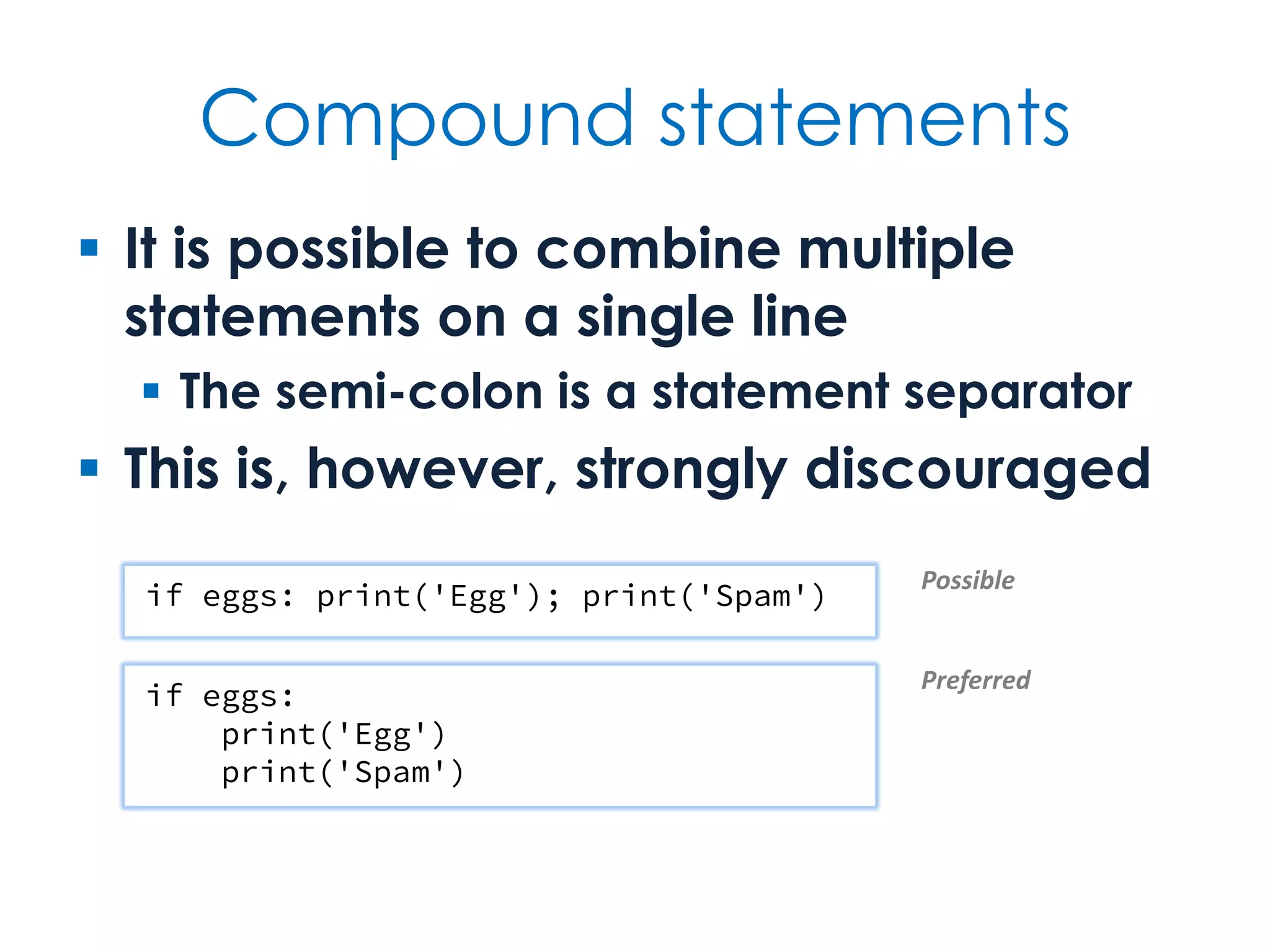
Compound statements  It is possible to combine multiple statements on a single line  The semi-colon is a statement separator  This is, however, strongly discouraged if eggs: print('Egg'); print('Spam') if eggs: print('Egg') print('Spam') Possible Preferred
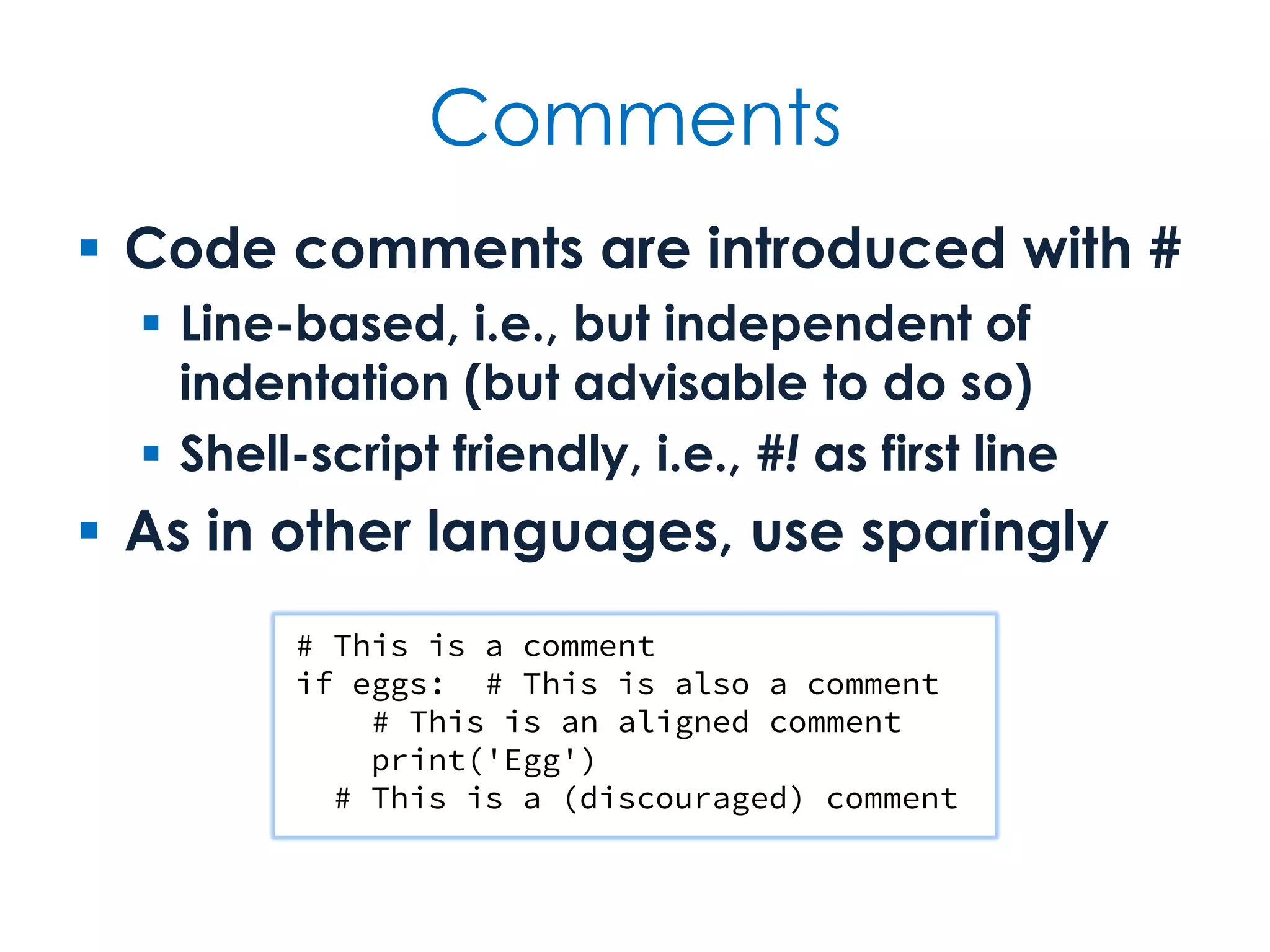
Comments  Code comments are introduced with #  Line-based, i.e., but independent of indentation (but advisable to do so)  Shell-script friendly, i.e., #! as first line  As in other languages, use sparingly # This is a comment if eggs: # This is also a comment # This is an aligned comment print('Egg') # This is a (discouraged) comment
Built-in types are classes  Python's built-in types are all classes, with operators and methods  E.g., integers, strings, lists and dictionaries  Use type(value) to query a value's type and dir(value) to query its attributes  Most built-in types have a literal form  E.g., 97 is an int, 'swallow' is a str, (4, 2) is a tuple pair, [] is an empty list, {'parrot'} is a set with a single value, {} is an empty dict
Common built-in types object bool False True int 42 -97 0x2a float 3.14159 3e8 complex 4+2j 9.7+2.3j 1j str 'Nice' "Isn't it?" r'C:tmp' 'u0030' bytes b'Its bark is worse than its byte' bytearray list [] [42, 'Forty two'] tuple () (42,) ('pair', 'pear') range dict {} {'Norway': 'Oslo', 'UK': 'London'} set {15, 30, 40} frozenset 🐍 🐍
Explicit type conversions  You can use a type name to convert an object of one type to another  Assuming that some kind of conversion exists from one type to the other int('314') str(314) str([3, 1, 4]) list('314') set([3, 1, 4, 1]) 314 '314' '[3, 1, 4]' ['3', '1', '4'] {1, 3, 4}
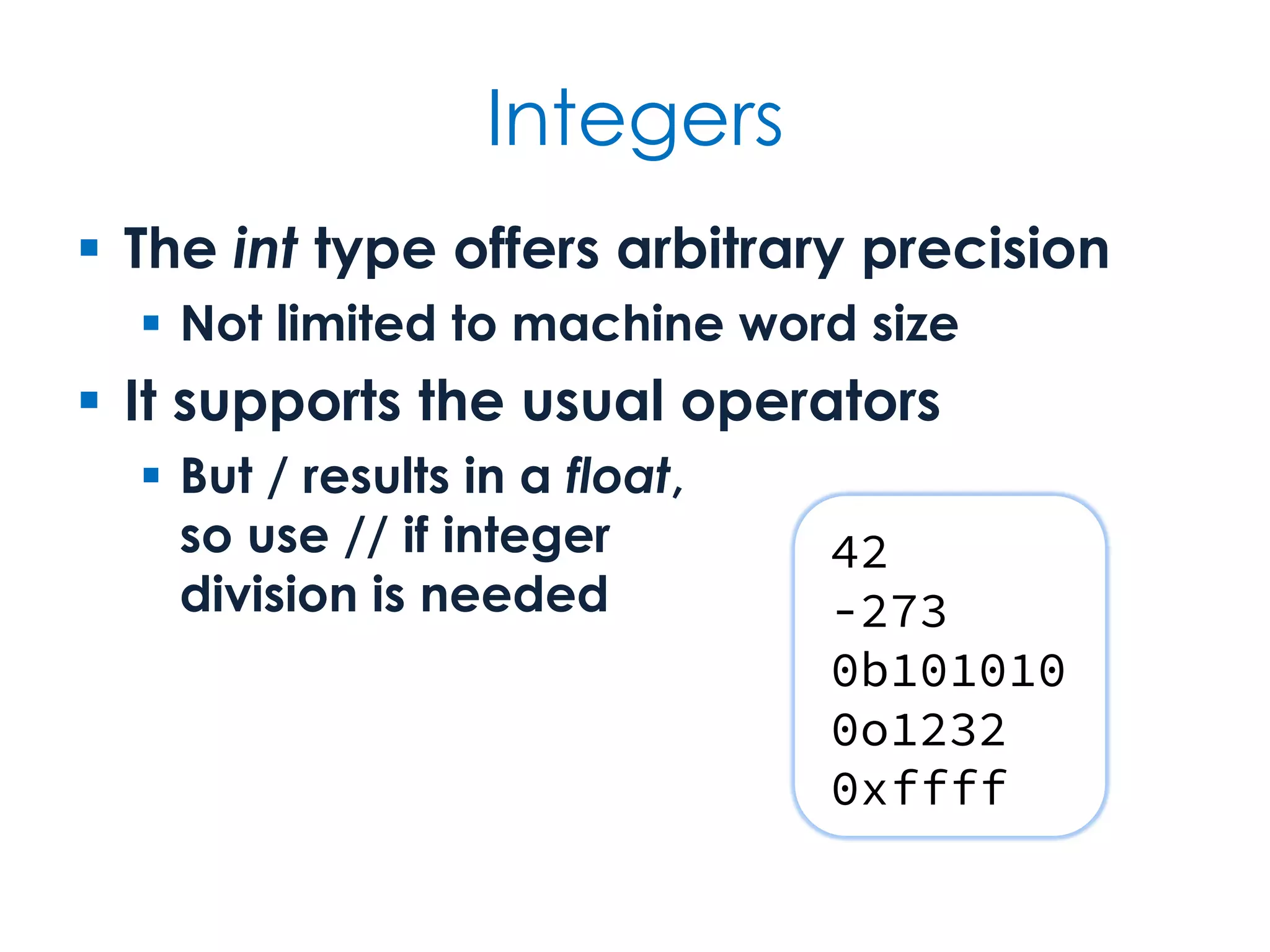
Integers  The int type offers arbitrary precision  Not limited to machine word size  It supports the usual operators  But / results in a float, so use // if integer division is needed 42 -273 0b101010 0o1232 0xffff
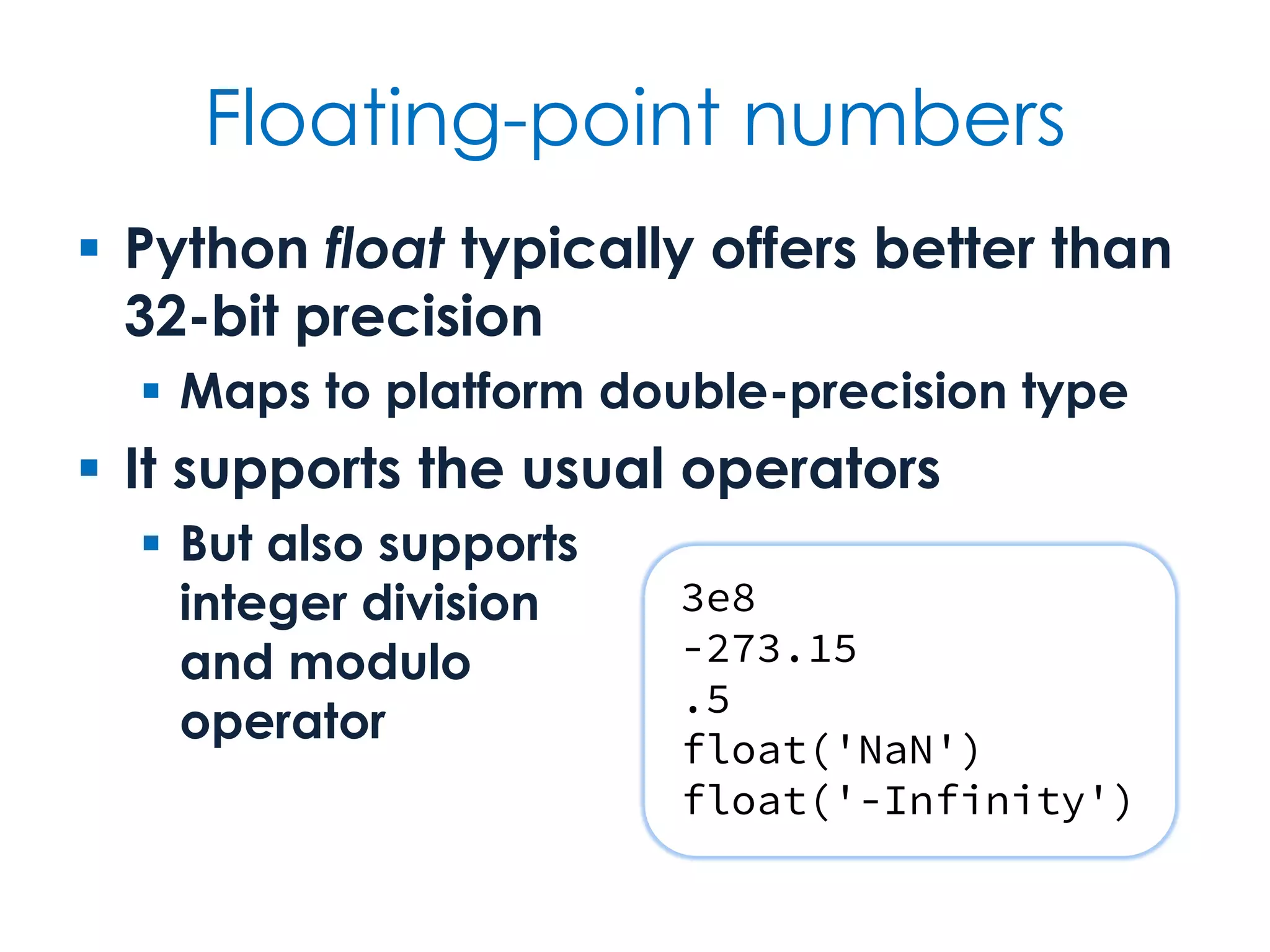
Floating-point numbers  Python float typically offers better than 32-bit precision  Maps to platform double-precision type  It supports the usual operators  But also supports integer division and modulo operator 3e8 -273.15 .5 float('NaN') float('-Infinity')
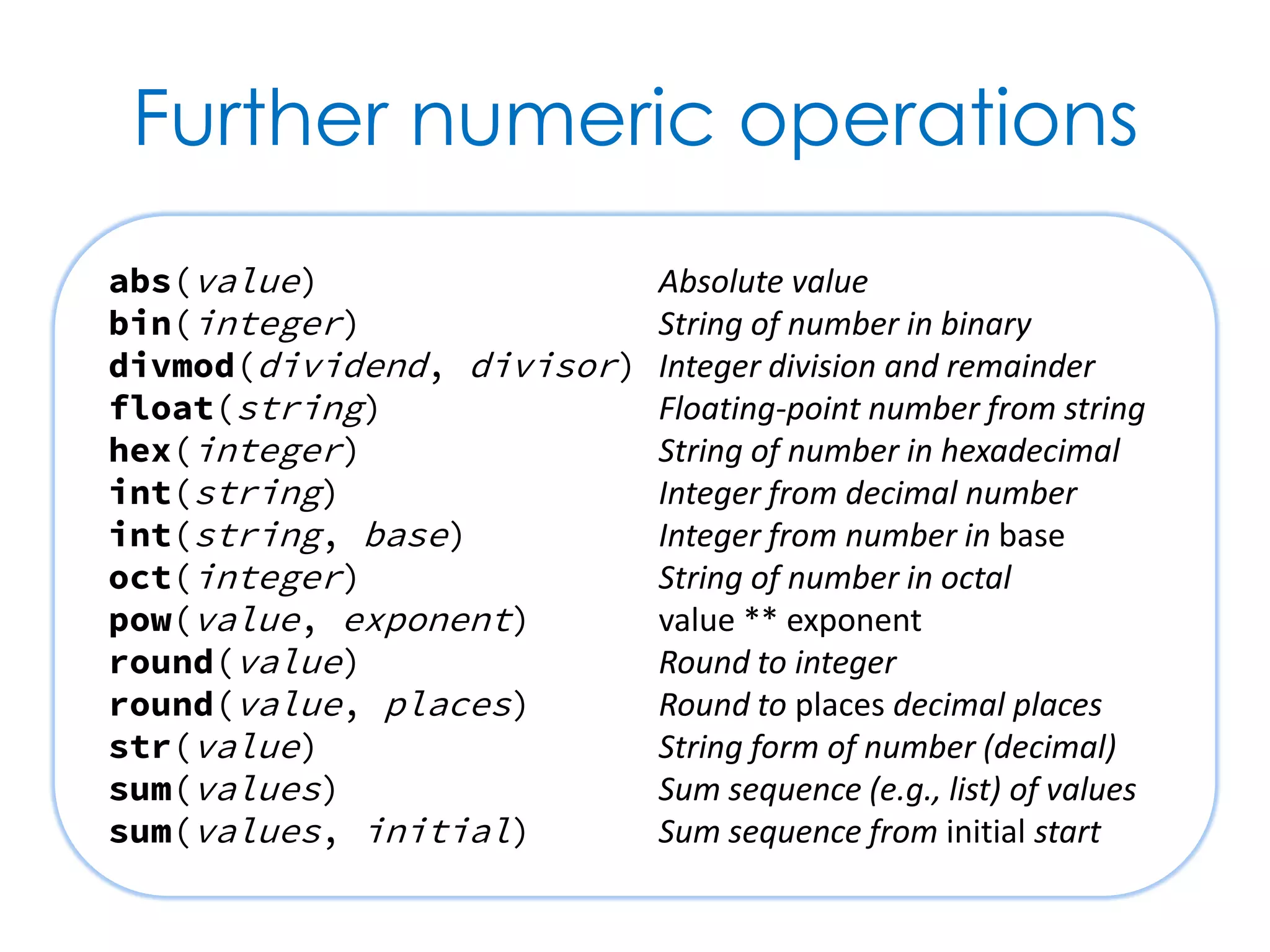
Further numeric operations abs(value) Absolute value bin(integer) String of number in binary divmod(dividend, divisor) Integer division and remainder float(string) Floating-point number from string hex(integer) String of number in hexadecimal int(string) Integer from decimal number int(string, base) Integer from number in base oct(integer) String of number in octal pow(value, exponent) value ** exponent round(value) Round to integer round(value, places) Round to places decimal places str(value) String form of number (decimal) sum(values) Sum sequence (e.g., list) of values sum(values, initial) Sum sequence from initial start
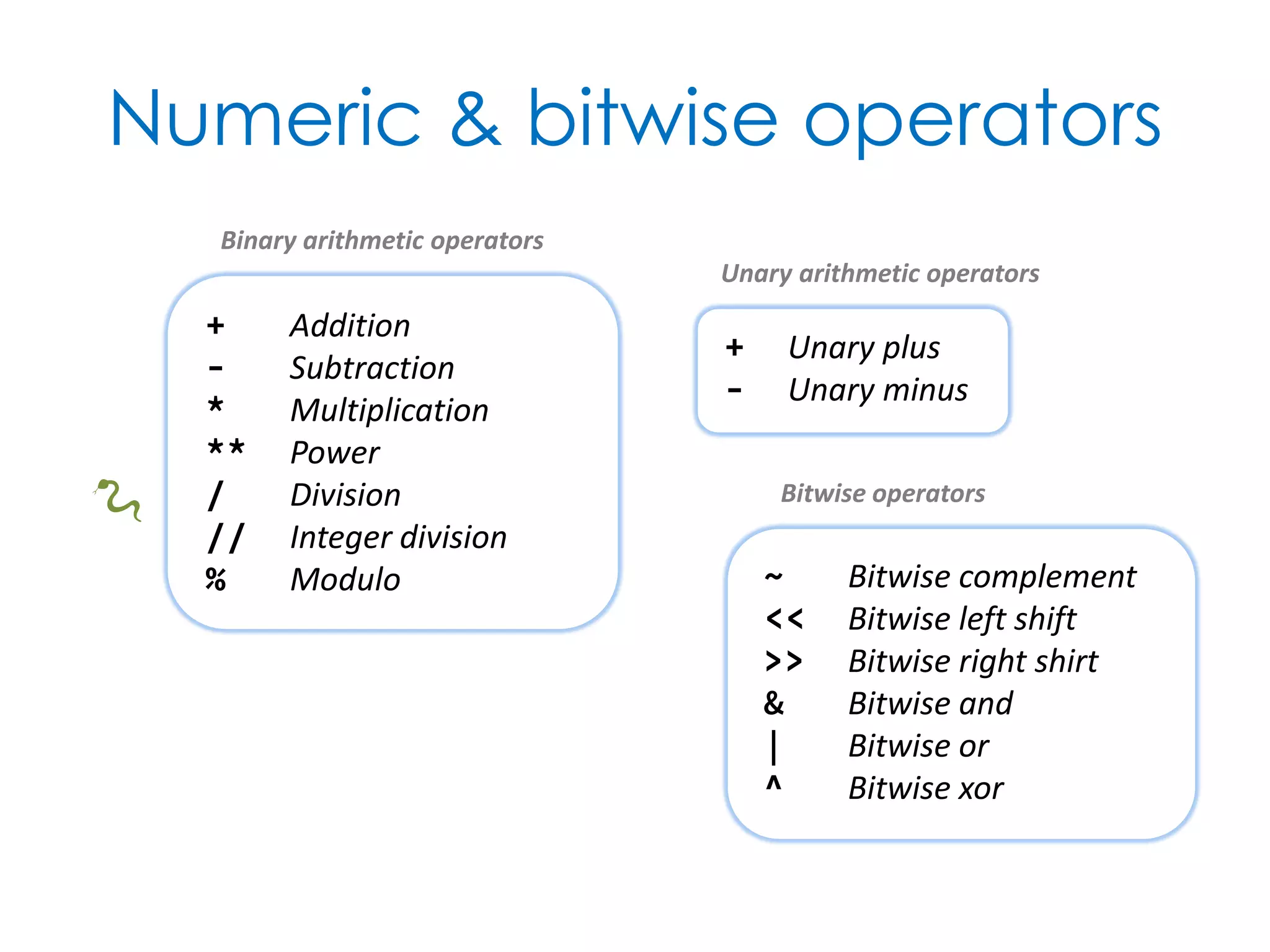
Numeric & bitwise operators + Addition - Subtraction * Multiplication ** Power / Division // Integer division % Modulo + Unary plus - Unary minus ~ Bitwise complement << Bitwise left shift >> Bitwise right shirt & Bitwise and | Bitwise or ^ Bitwise xor Binary arithmetic operators Unary arithmetic operators Bitwise operators 🐍
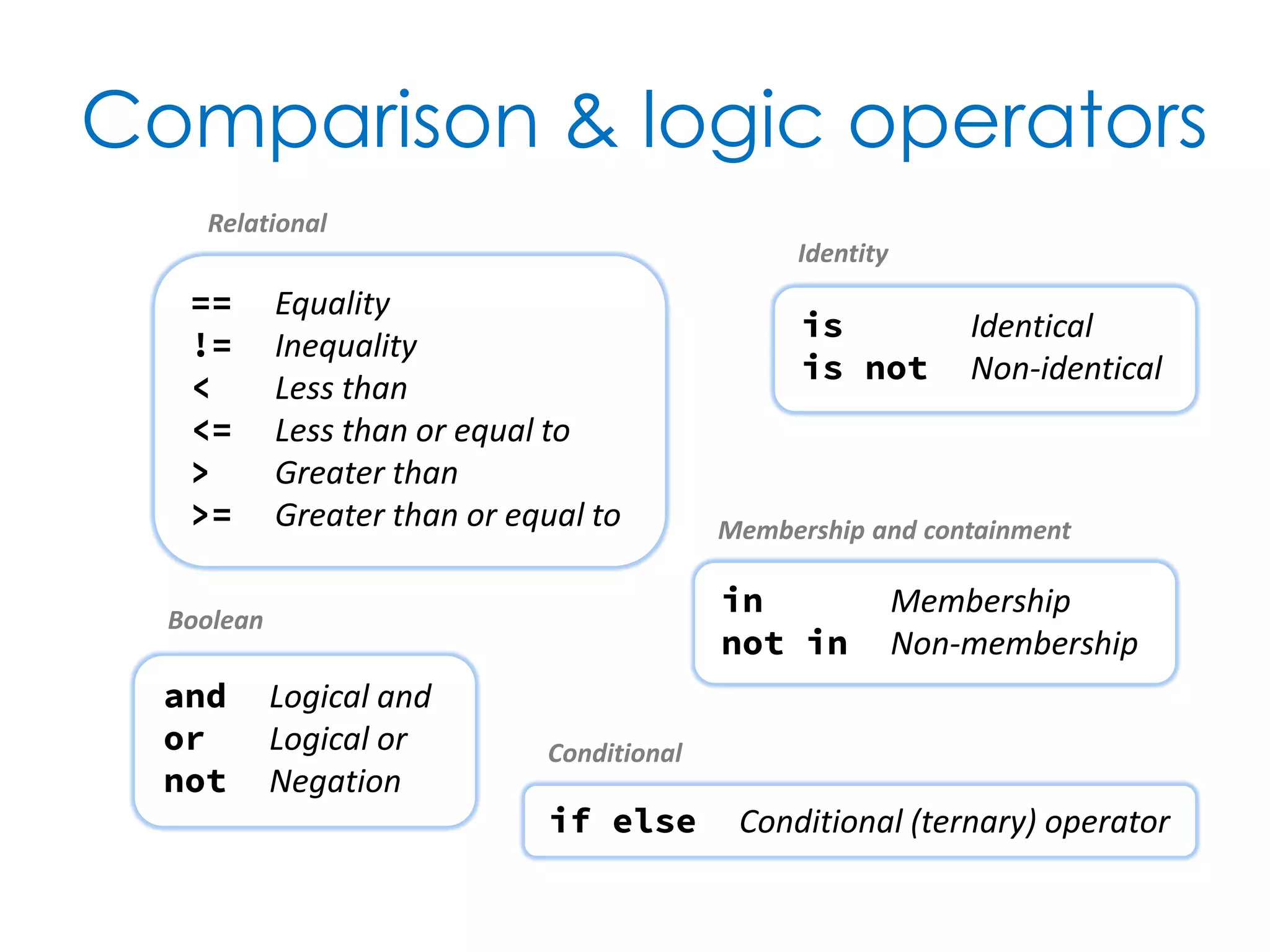
Comparison & logic operators in Membership not in Non-membership is Identical is not Non-identical == Equality != Inequality < Less than <= Less than or equal to > Greater than >= Greater than or equal to and Logical and or Logical or not Negation if else Conditional (ternary) operator Relational Identity Membership and containment Boolean Conditional
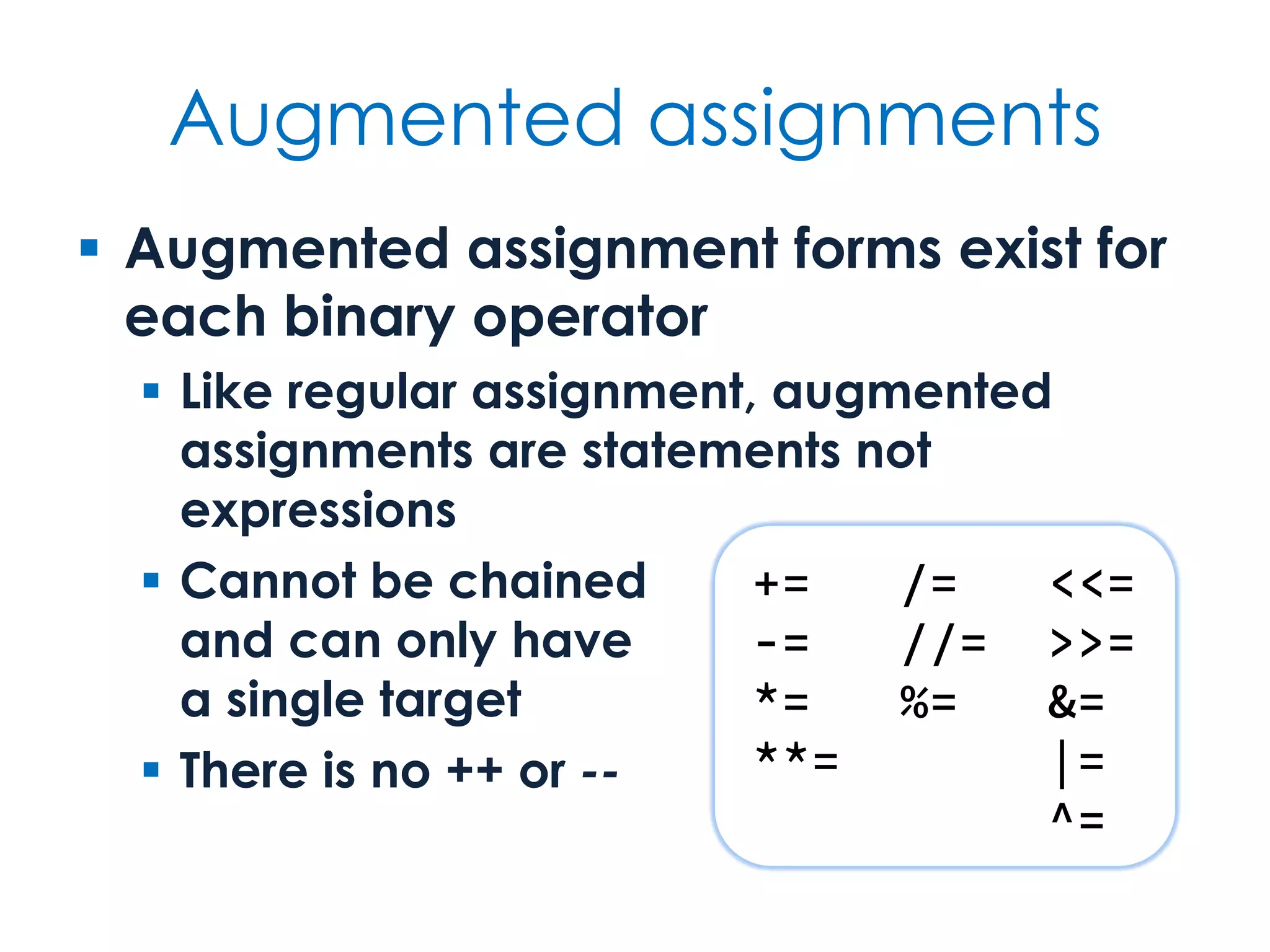
Augmented assignments  Augmented assignment forms exist for each binary operator  Like regular assignment, augmented assignments are statements not expressions  Cannot be chained and can only have a single target  There is no ++ or -- += /= <<= -= //= >>= *= %= &= **= |= ^=
Logic & Flow From the conditional to the exceptional
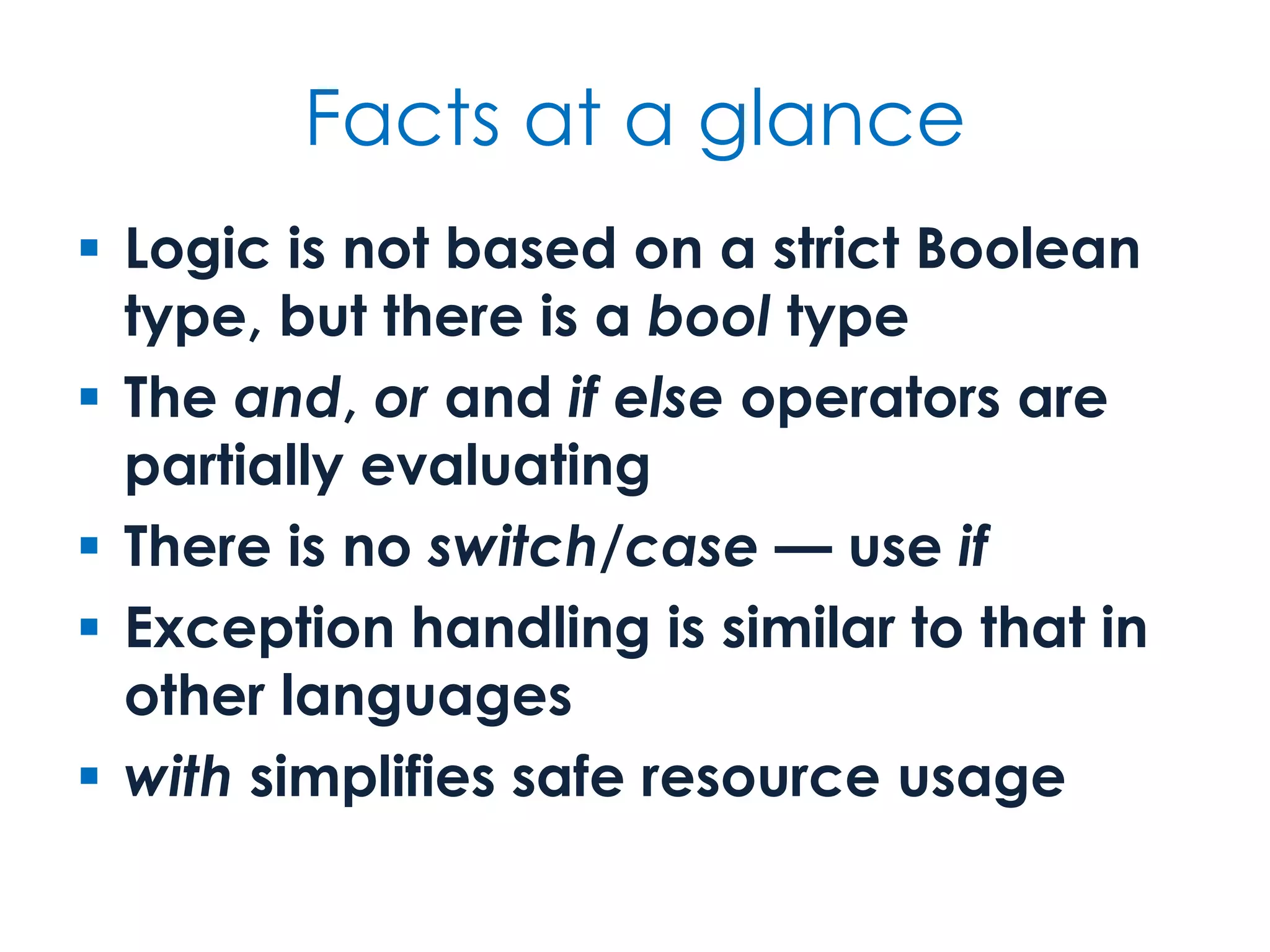
Facts at a glance  Logic is not based on a strict Boolean type, but there is a bool type  The and, or and if else operators are partially evaluating  There is no switch/case — use if  Exception handling is similar to that in other languages  with simplifies safe resource usage
What is truth?  Boolean logic works with many types  Use bool as a function to convert a value to its corresponding canonical Boolean False None 0 0.0 '' b'' [] {} () True Non-null references and not otherwise false Non-zero numbers Non-empty strings Non-empty containers Other empty containers with non-literal empty forms are also considered false.
and & or  The logical operators and and or are partially evaluating  I.e., they do not evaluate their right-hand operand if they do not need to  They return the last evaluated operand, without any conversion to bool 'Hello' and 'World' 'Hello' or 'World' [] and [3, 1, 4] {42, 97} or {42} {0} and {1} or [2] 'World' 'Hello' [] {42, 97} {1}
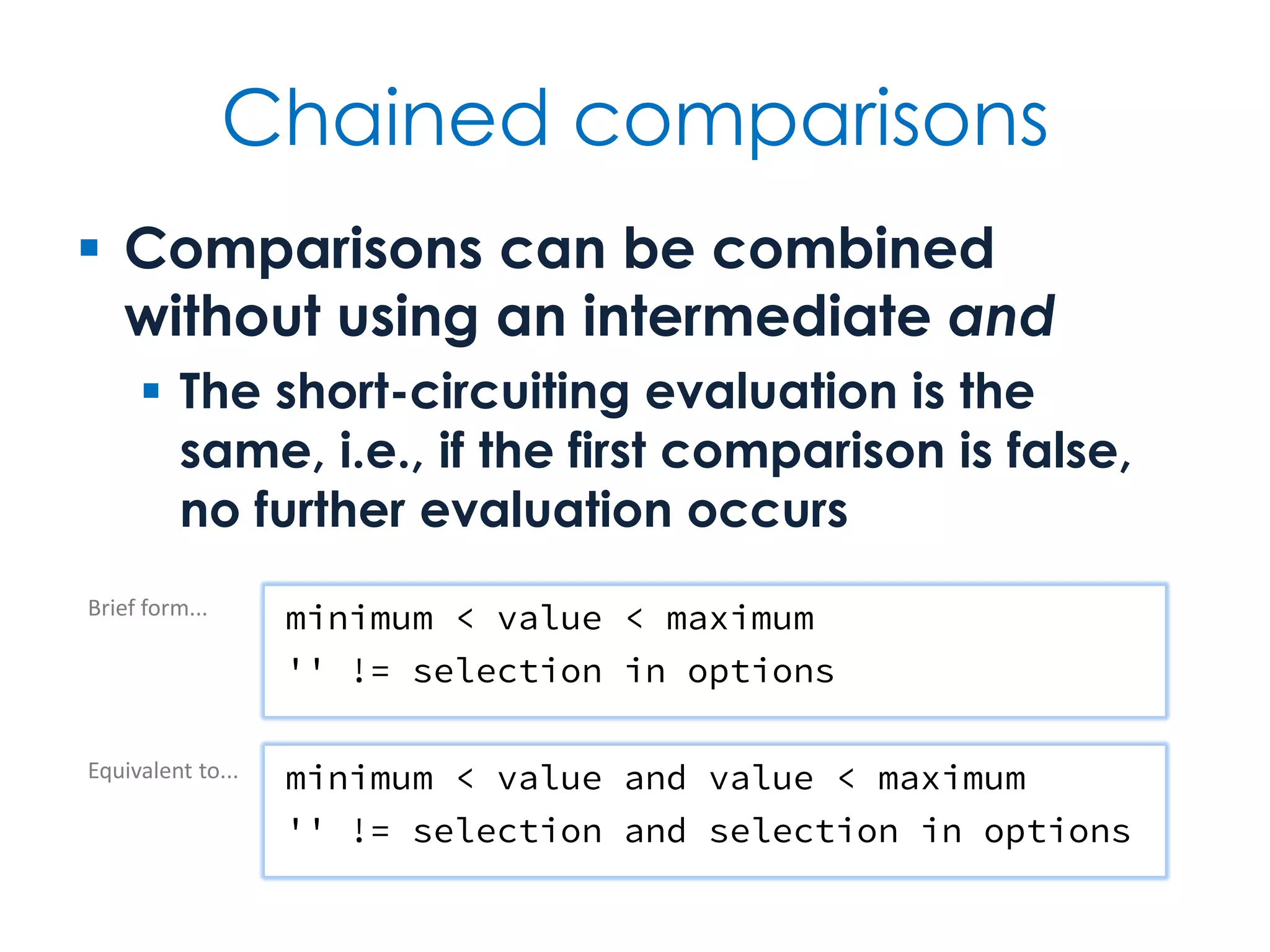
Chained comparisons  Comparisons can be combined without using an intermediate and  The short-circuiting evaluation is the same, i.e., if the first comparison is false, no further evaluation occurs minimum < value < maximum '' != selection in options minimum < value and value < maximum '' != selection and selection in options Brief form... Equivalent to...
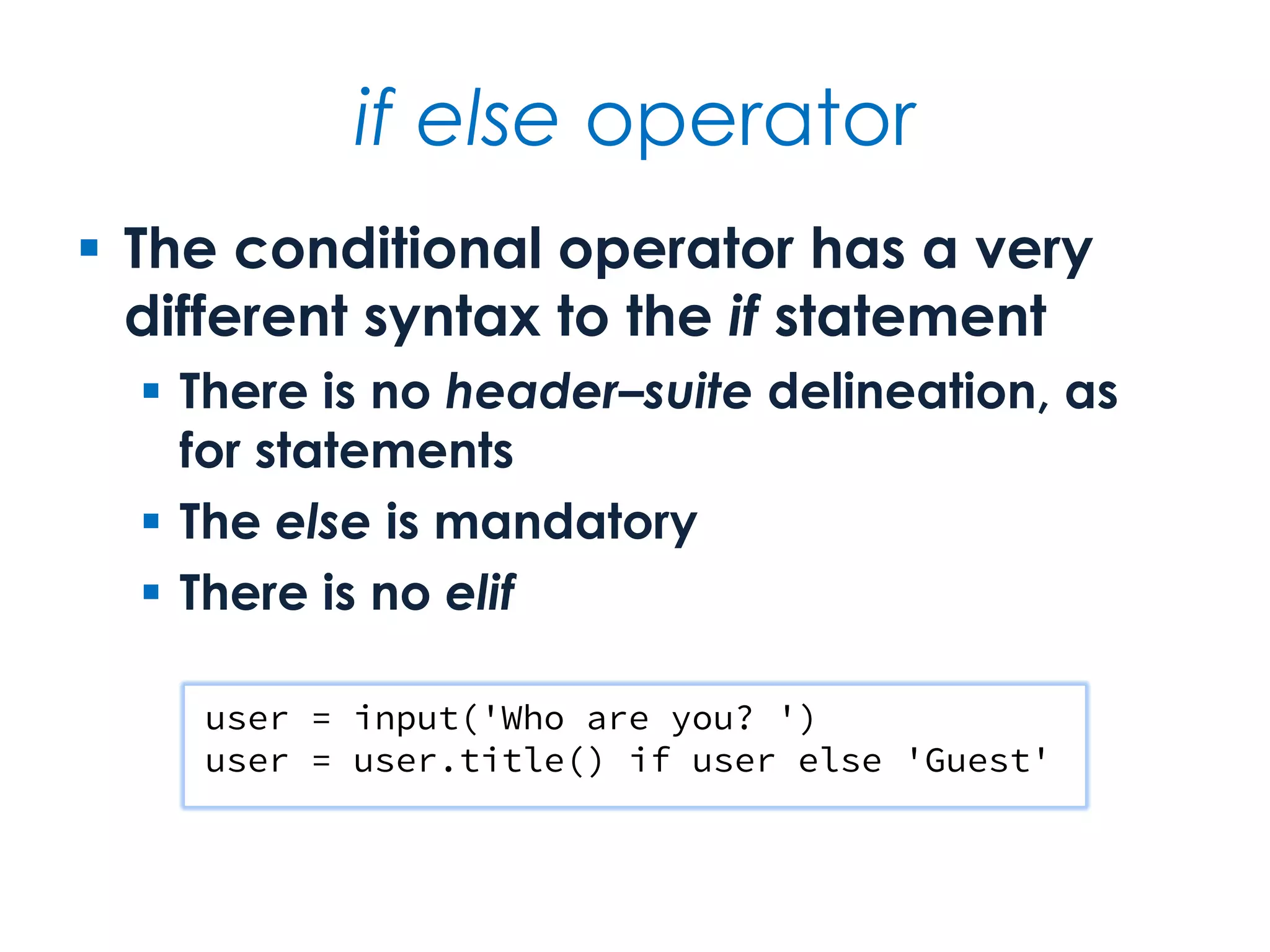
if else operator  The conditional operator has a very different syntax to the if statement  There is no header–suite delineation, as for statements  The else is mandatory  There is no elif user = input('Who are you? ') user = user.title() if user else 'Guest'
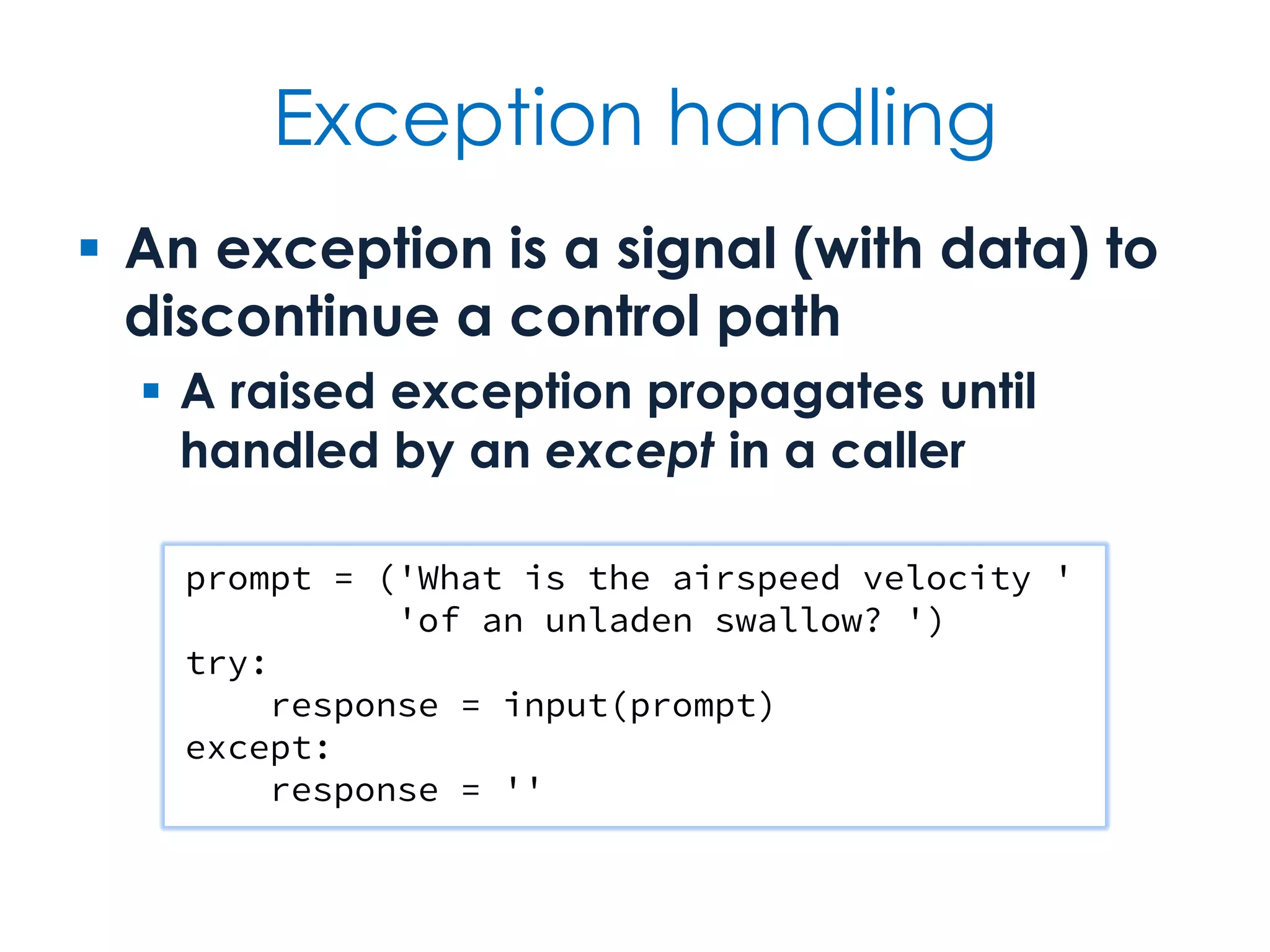
Exception handling  An exception is a signal (with data) to discontinue a control path  A raised exception propagates until handled by an except in a caller prompt = ('What is the airspeed velocity ' 'of an unladen swallow? ') try: response = input(prompt) except: response = ''
Exceptions  Exceptions are normally used to signal error or other undesirable events  But this is not always the case, e.g., StopIteration is used by iterators to signal the end of iteration  Exceptions are objects and their type is defined in a class hierarchy  The root of the hierarchy is BaseException  But yours should derive from Exception
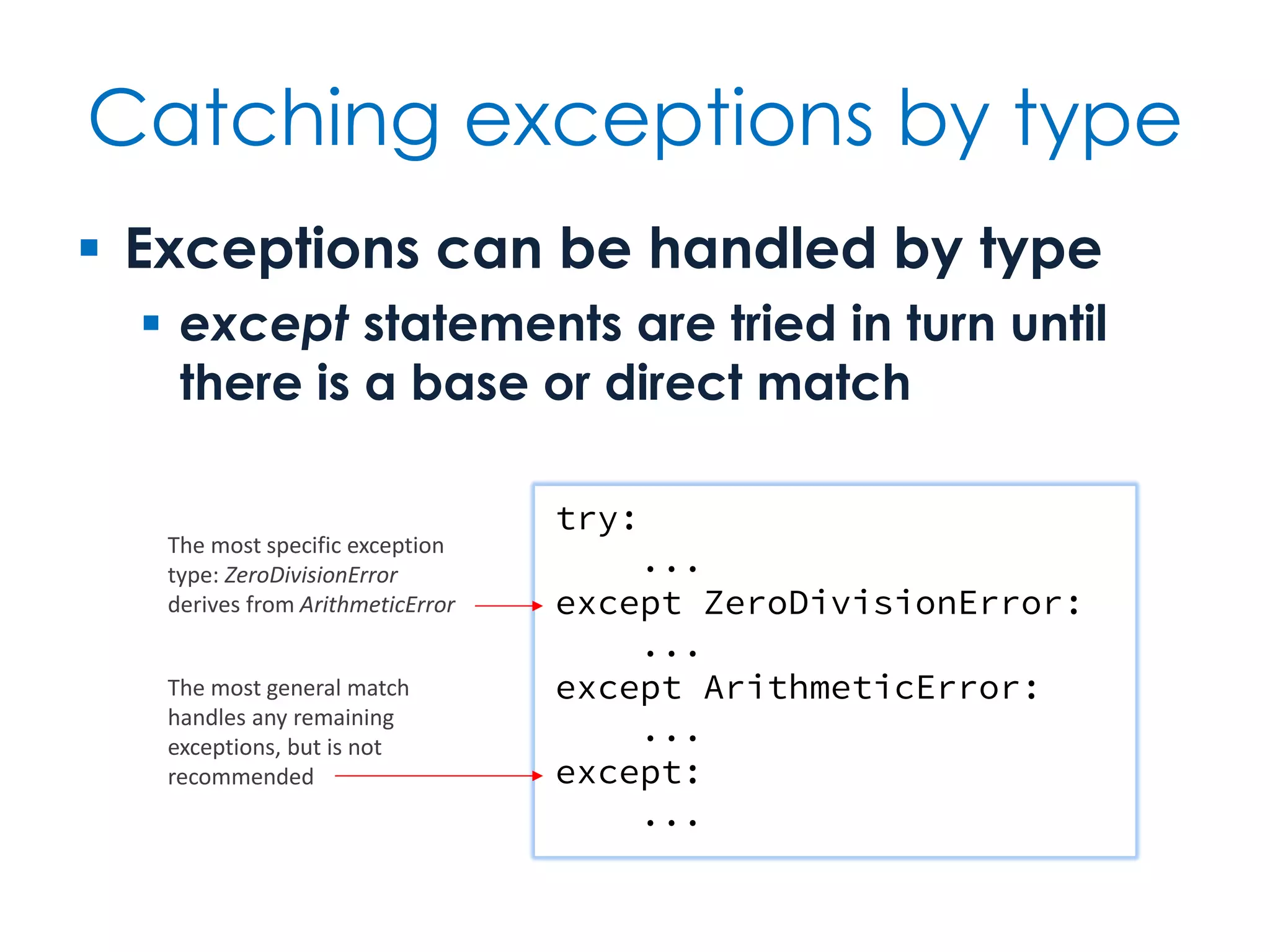
Catching exceptions by type  Exceptions can be handled by type  except statements are tried in turn until there is a base or direct match try: ... except ZeroDivisionError: ... except ArithmeticError: ... except: ... The most specific exception type: ZeroDivisionError derives from ArithmeticError The most general match handles any remaining exceptions, but is not recommended
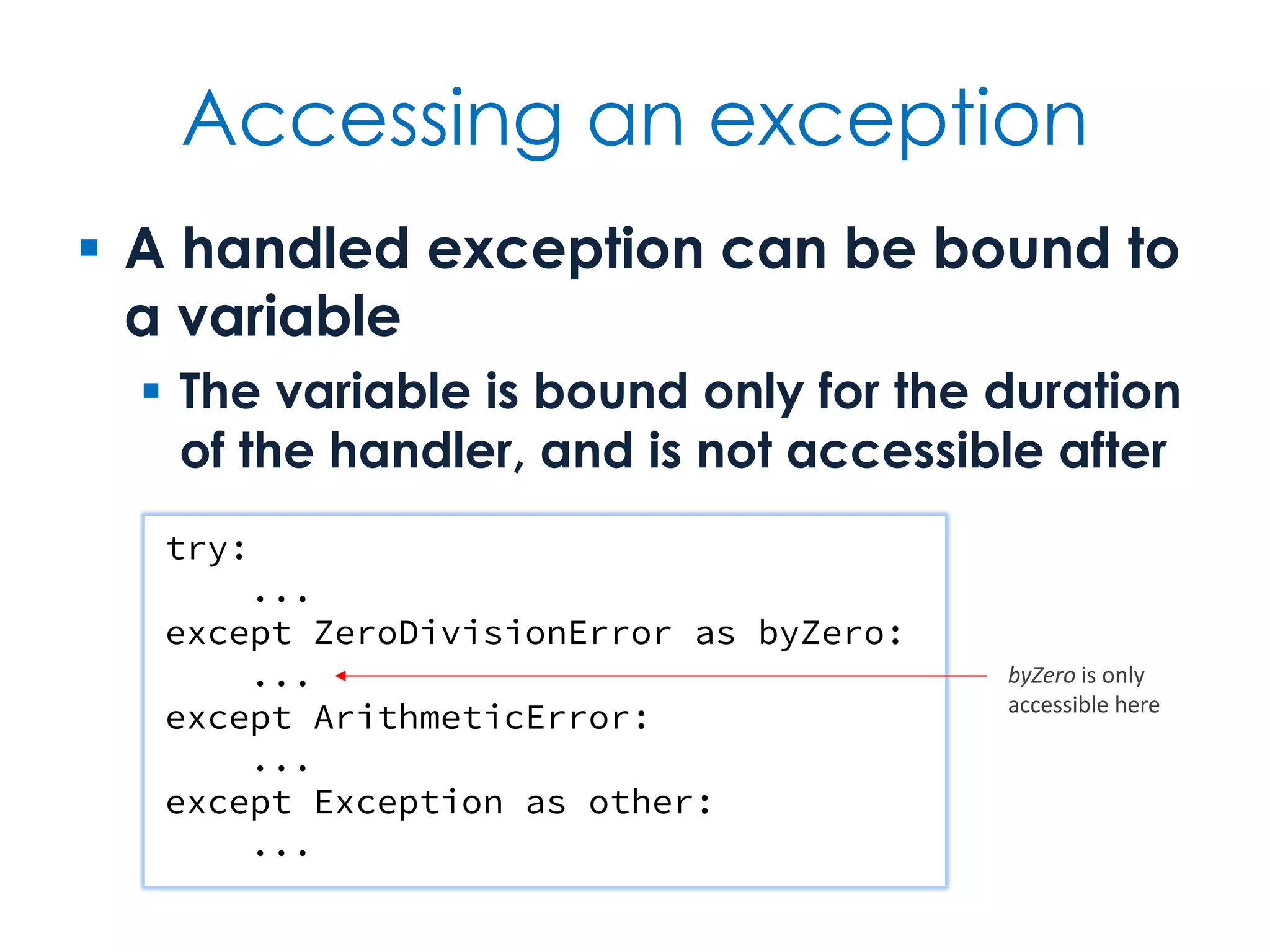
Accessing an exception  A handled exception can be bound to a variable  The variable is bound only for the duration of the handler, and is not accessible after try: ... except ZeroDivisionError as byZero: ... except ArithmeticError: ... except Exception as other: ... byZero is only accessible here
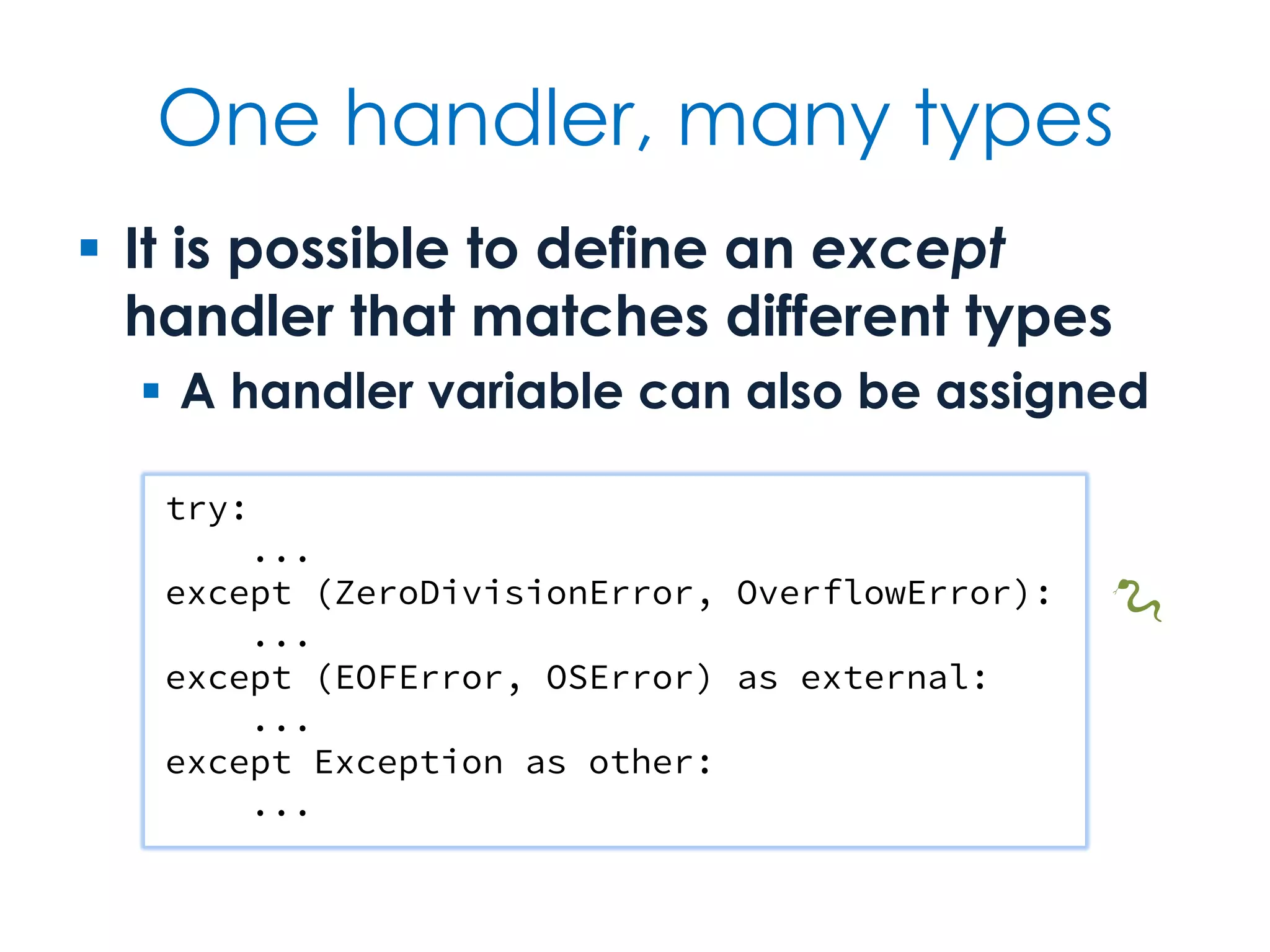
One handler, many types  It is possible to define an except handler that matches different types  A handler variable can also be assigned try: ... except (ZeroDivisionError, OverflowError): ... except (EOFError, OSError) as external: ... except Exception as other: ... 🐍
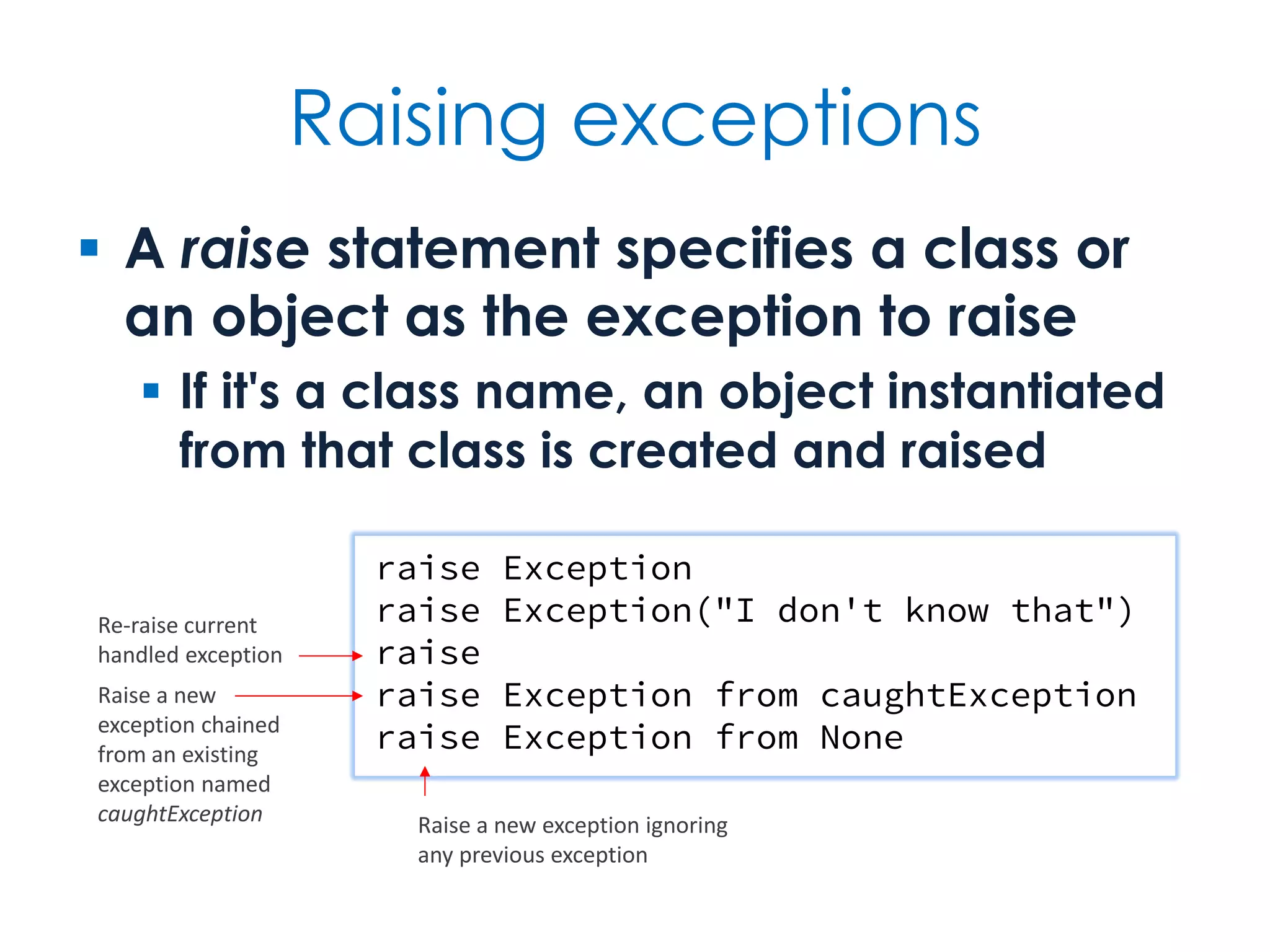
Raising exceptions  A raise statement specifies a class or an object as the exception to raise  If it's a class name, an object instantiated from that class is created and raised raise Exception raise Exception("I don't know that") raise raise Exception from caughtException raise Exception from None Re-raise current handled exception Raise a new exception chained from an existing exception named caughtException Raise a new exception ignoring any previous exception
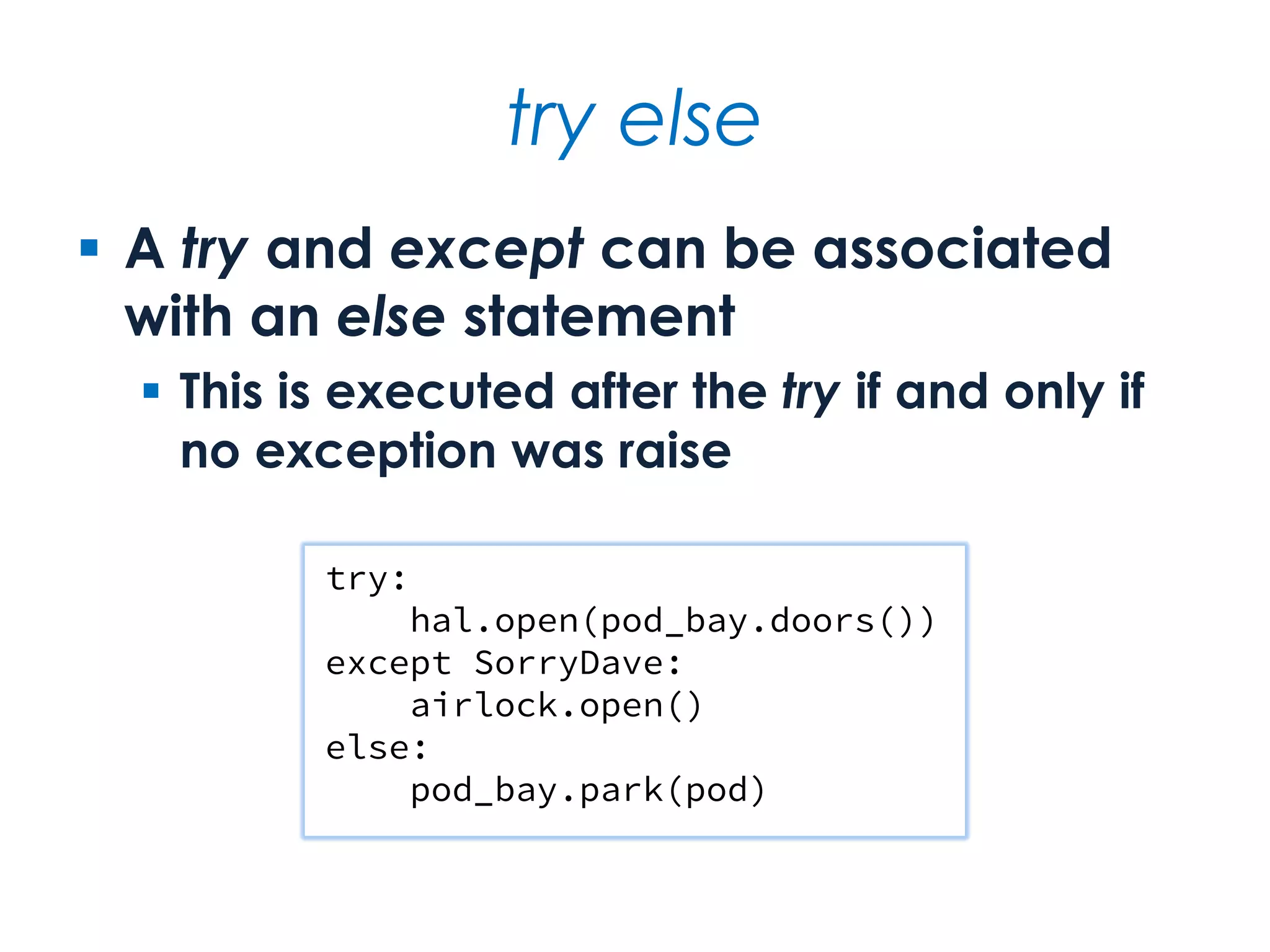
try else  A try and except can be associated with an else statement  This is executed after the try if and only if no exception was raise try: hal.open(pod_bay.doors()) except SorryDave: airlock.open() else: pod_bay.park(pod)
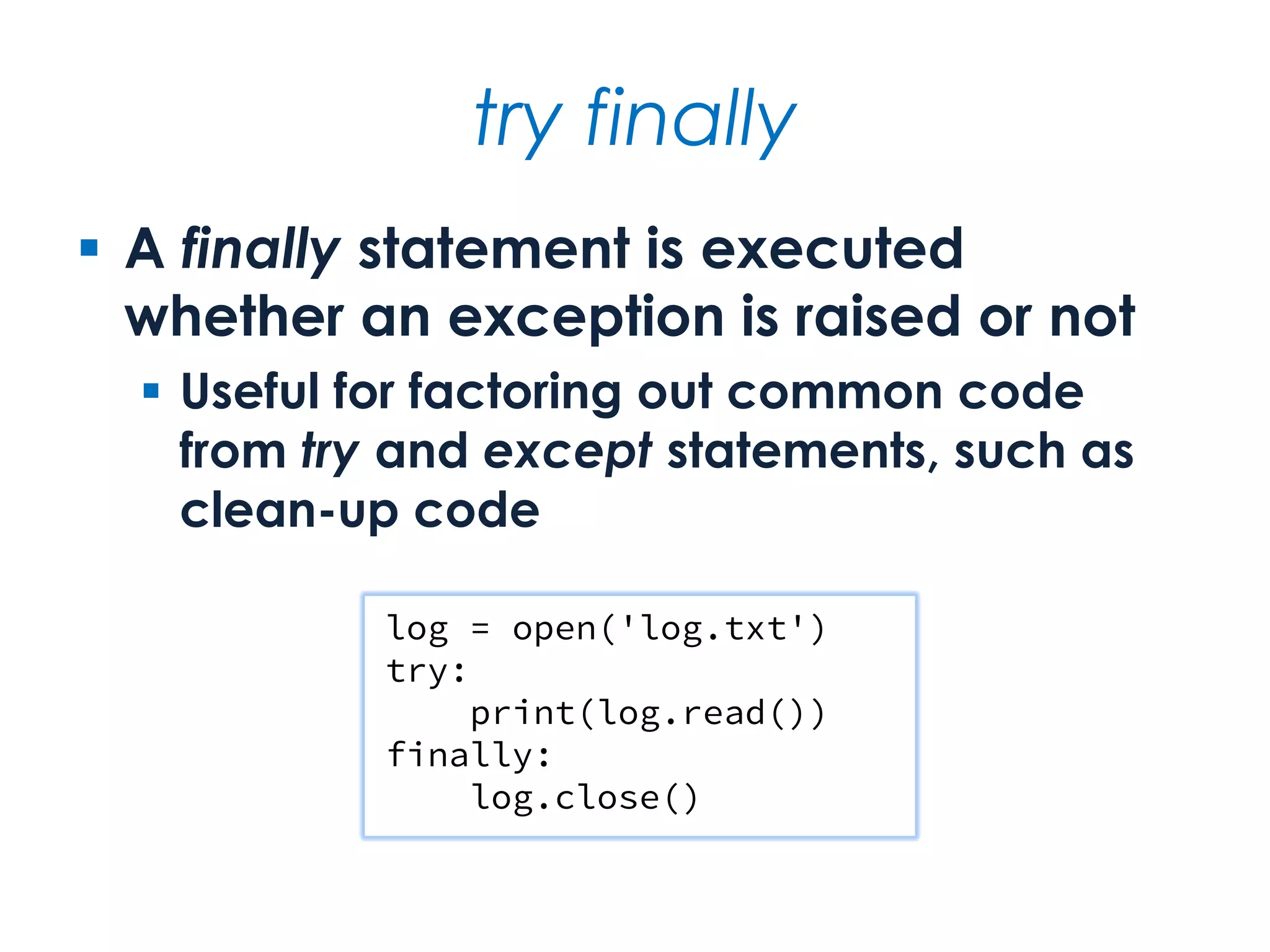
try finally  A finally statement is executed whether an exception is raised or not  Useful for factoring out common code from try and except statements, such as clean-up code log = open('log.txt') try: print(log.read()) finally: log.close()
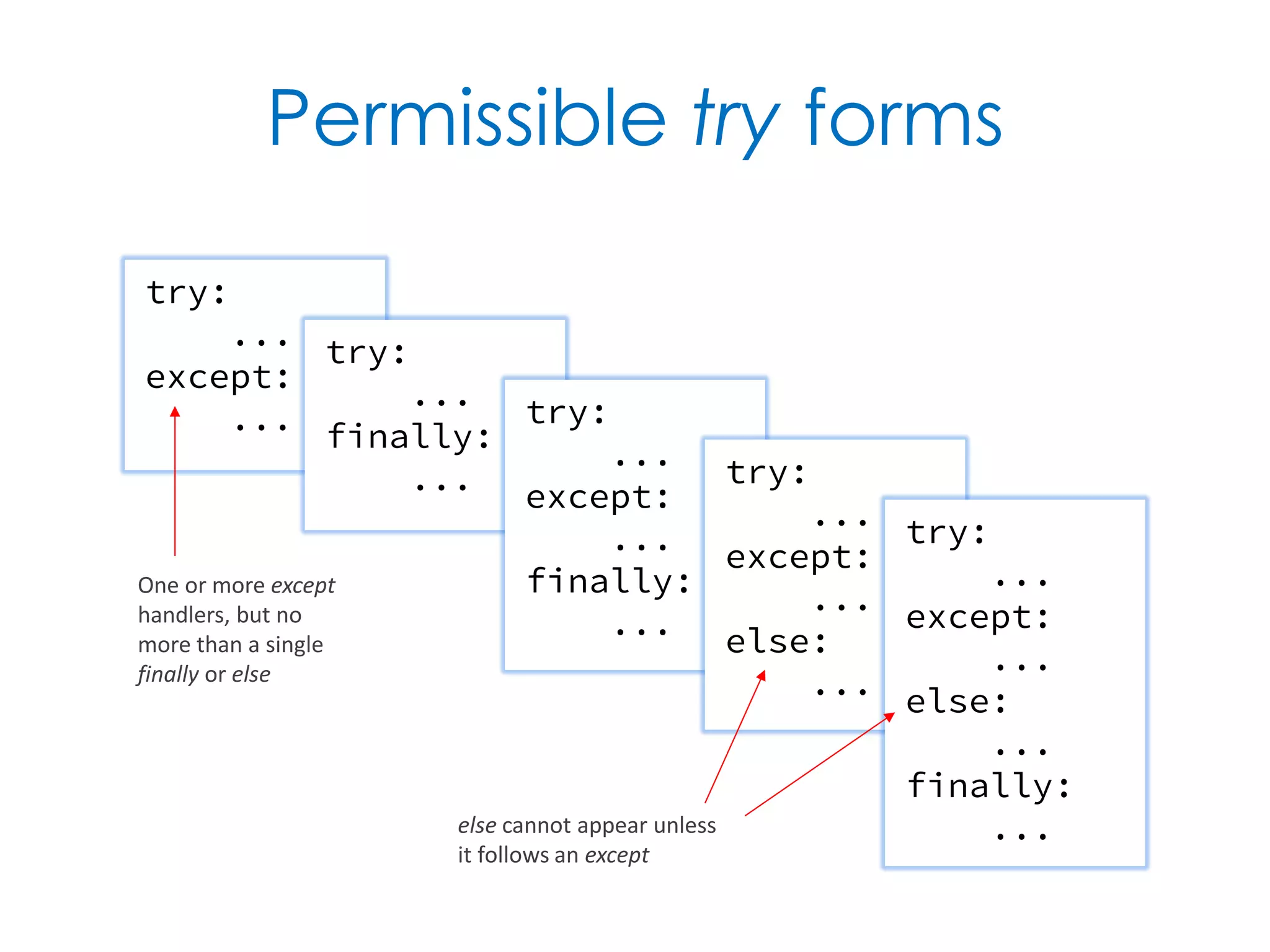
Permissible try forms try: ... except: ... try: ... finally: ... try: ... except: ... finally: ... try: ... except: ... else: ... try: ... except: ... else: ... finally: ... One or more except handlers, but no more than a single finally or else else cannot appear unless it follows an except
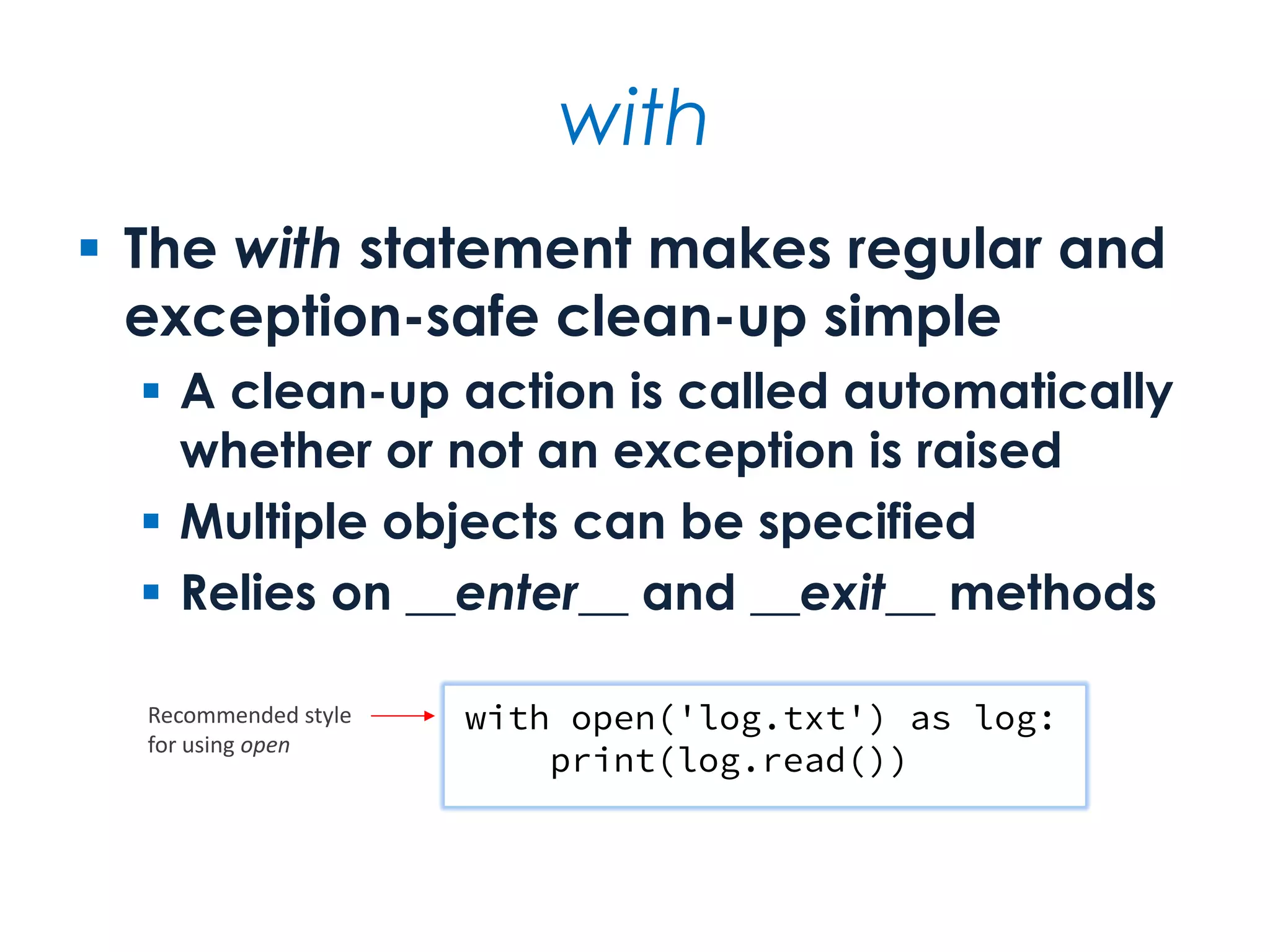
with  The with statement makes regular and exception-safe clean-up simple  A clean-up action is called automatically whether or not an exception is raised  Multiple objects can be specified  Relies on __enter__ and __exit__ methods with open('log.txt') as log: print(log.read()) Recommended style for using open
Exception guidelines  Don't catch an exception unless you know what to do with it  And be suspicious if you do nothing with it  Always use with for resource handling, in particular file handling  And don't bother checking whether a file is open after you open it  Use exceptions rather than error codes
for  for iterates over a sequence of values  Over containers — e.g., string, list, tuple, set or dictionary — or other iterables  Loop values are bound to one or more target variables machete = ['IV', 'V', 'II', 'III', 'VI'] for episode in machete: print('Star Wars', episode) for episode in 'IV', 'V', 'II', 'III', 'VI': print('Star Wars', episode)
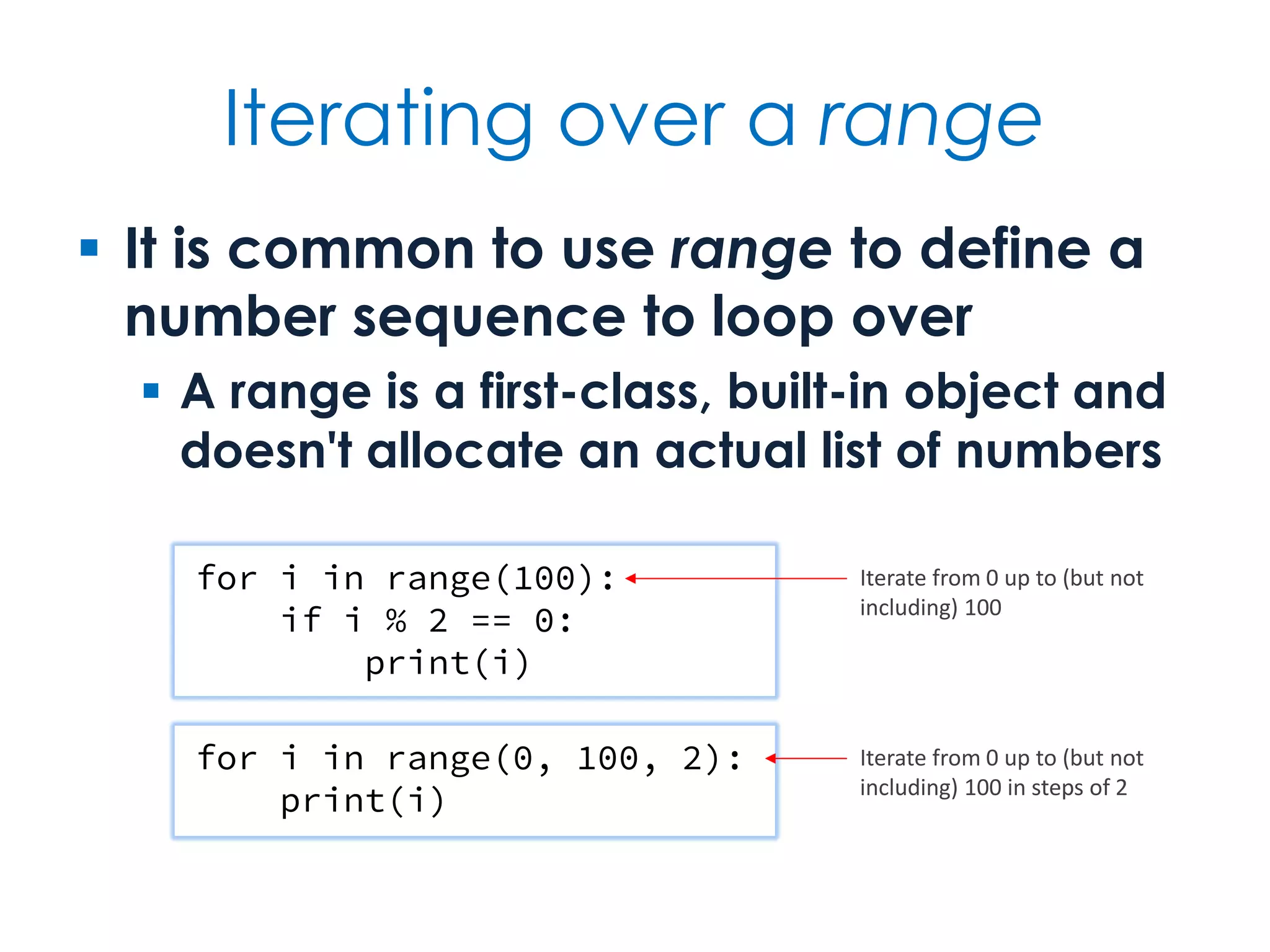
Iterating over a range  It is common to use range to define a number sequence to loop over  A range is a first-class, built-in object and doesn't allocate an actual list of numbers for i in range(100): if i % 2 == 0: print(i) for i in range(0, 100, 2): print(i) Iterate from 0 up to (but not including) 100 Iterate from 0 up to (but not including) 100 in steps of 2
How not to iterate containers  Do not use a range-derived index to index into lists and tuples  Traverse the elements directly using for  Only the keys will be iterated over if a dictionary is the object of a for loop  To iterate over the values or the key–value pairs use a view, i.e., values or items — do not iterate over the keys and look up the corresponding value each time
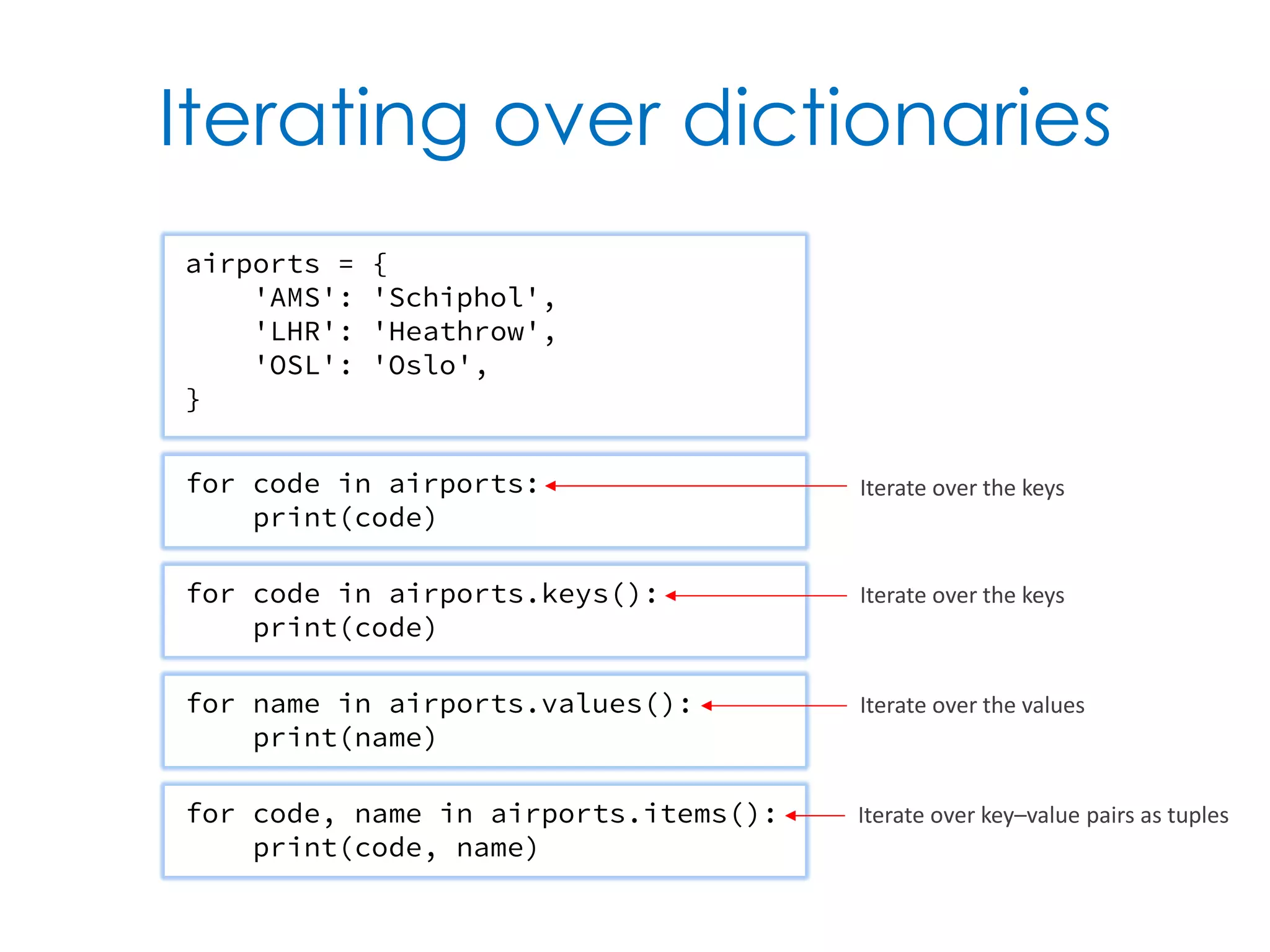
Iterating over dictionaries for code in airports: print(code) airports = { 'AMS': 'Schiphol', 'LHR': 'Heathrow', 'OSL': 'Oslo', } for code in airports.keys(): print(code) for name in airports.values(): print(name) for code, name in airports.items(): print(code, name) Iterate over the keys Iterate over the keys Iterate over the values Iterate over key–value pairs as tuples
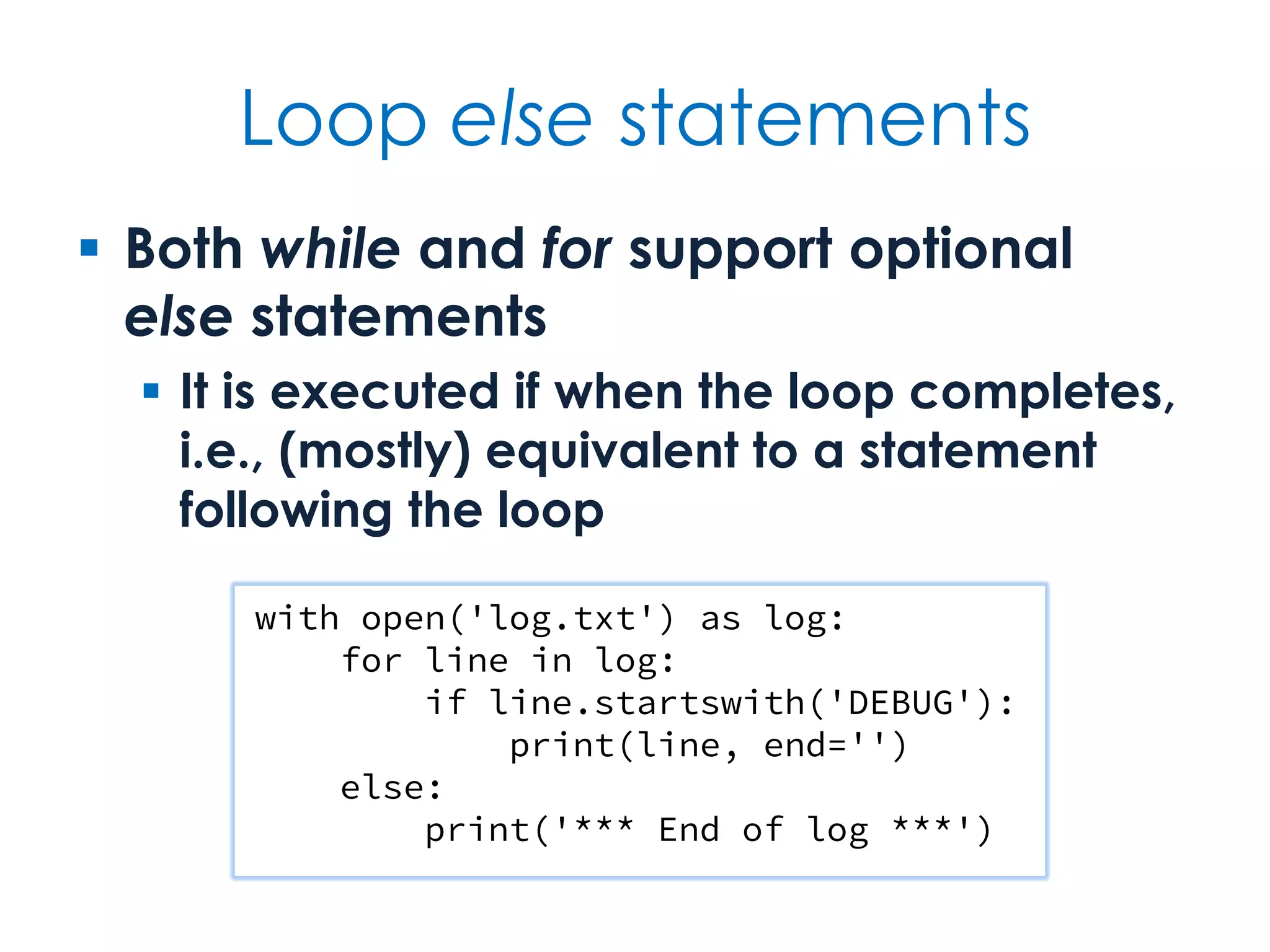
Loop else statements  Both while and for support optional else statements  It is executed if when the loop completes, i.e., (mostly) equivalent to a statement following the loop with open('log.txt') as log: for line in log: if line.startswith('DEBUG'): print(line, end='') else: print('*** End of log ***')
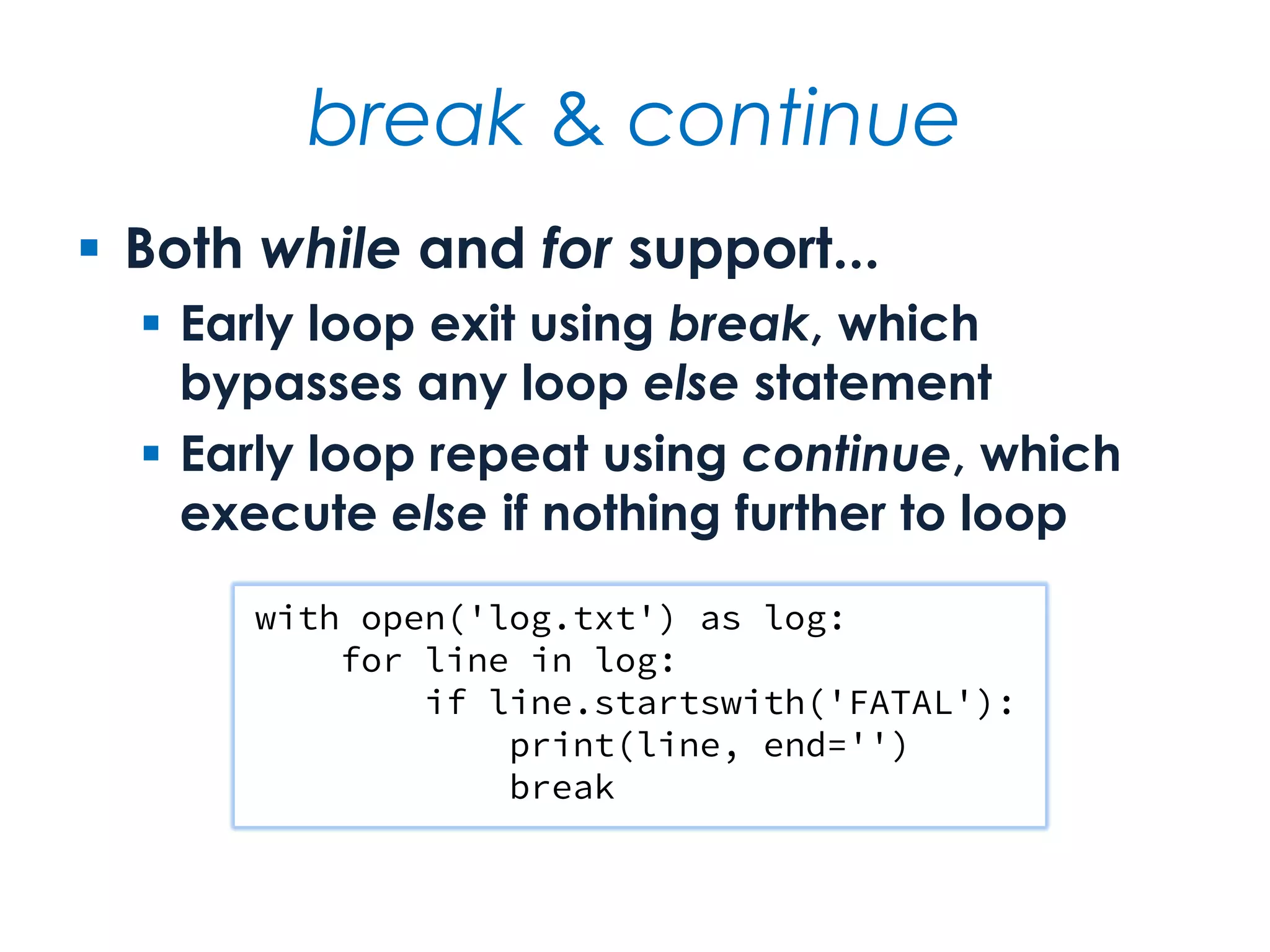
break & continue  Both while and for support...  Early loop exit using break, which bypasses any loop else statement  Early loop repeat using continue, which execute else if nothing further to loop with open('log.txt') as log: for line in log: if line.startswith('FATAL'): print(line, end='') break
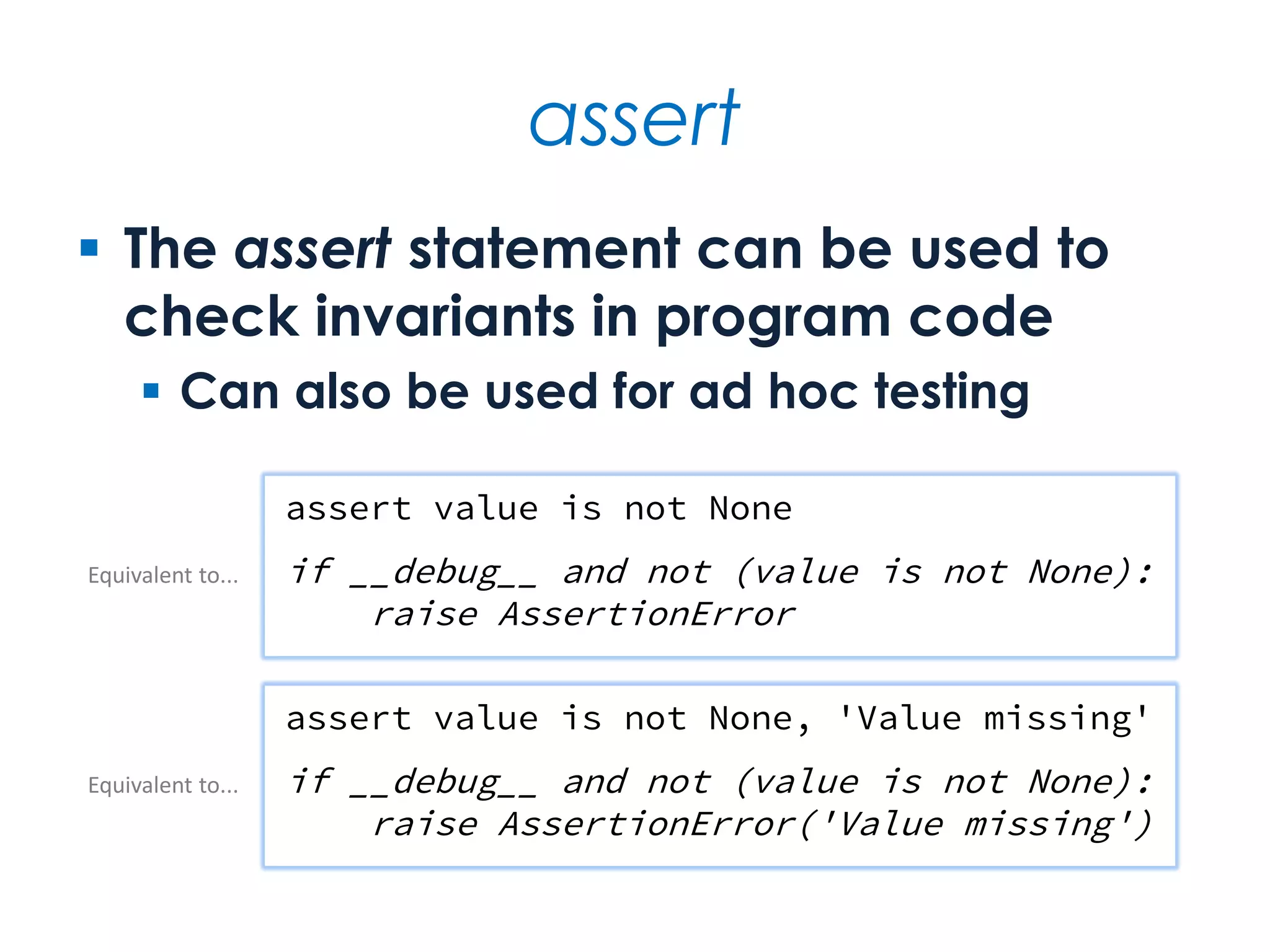
assert  The assert statement can be used to check invariants in program code  Can also be used for ad hoc testing assert value is not None if __debug__ and not (value is not None): raise AssertionError assert value is not None, 'Value missing' if __debug__ and not (value is not None): raise AssertionError('Value missing') Equivalent to... Equivalent to...
Strings From string theory to string practice
Facts at a glance  Strings are immutable sequences  There are many string literal forms  Operations include comprehensive support for indexing and slicing  There are two supported approaches to string formatting  Strings are used for function, class and module documentation
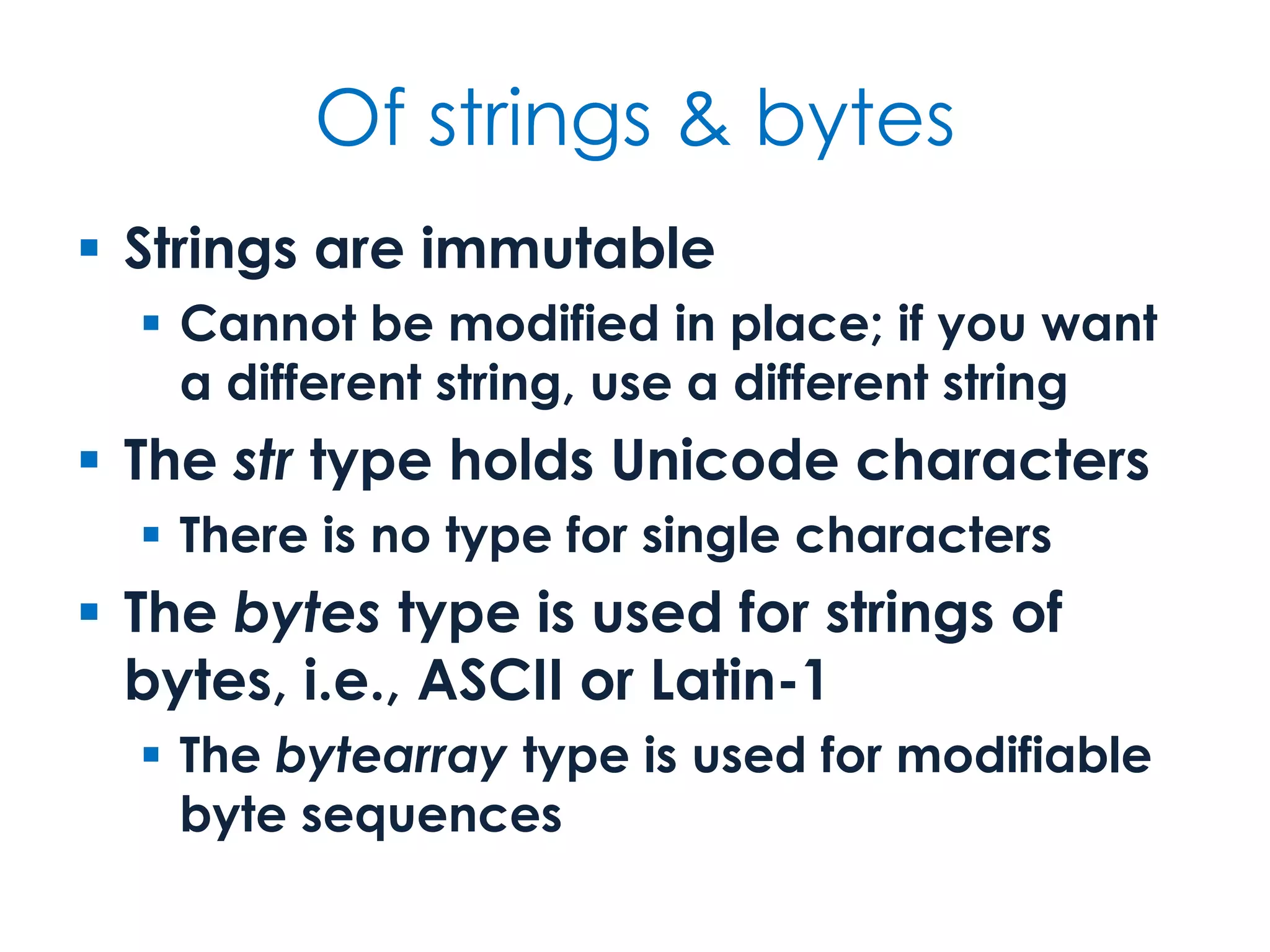
Of strings & bytes  Strings are immutable  Cannot be modified in place; if you want a different string, use a different string  The str type holds Unicode characters  There is no type for single characters  The bytes type is used for strings of bytes, i.e., ASCII or Latin-1  The bytearray type is used for modifiable byte sequences
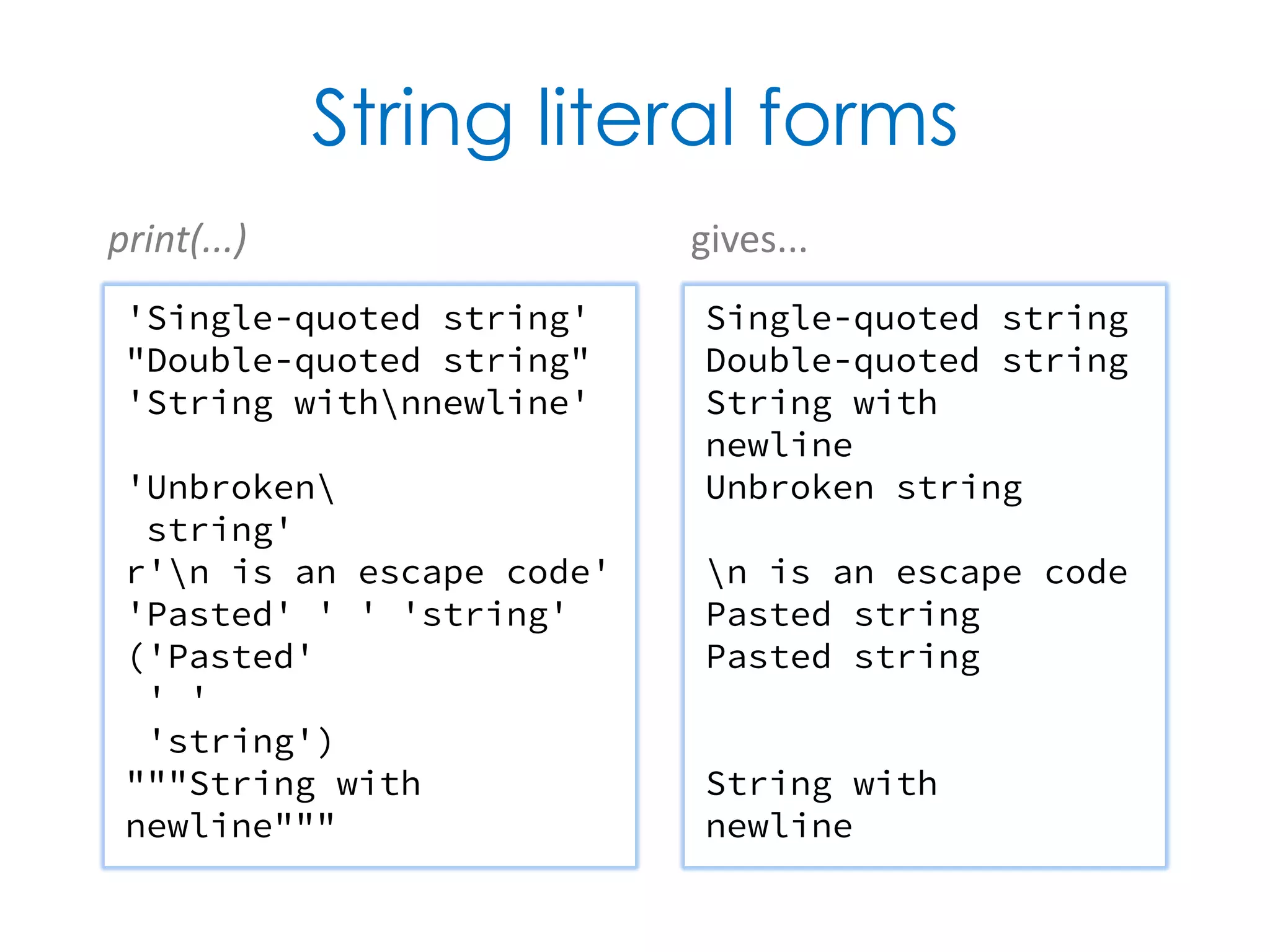
String literal forms 'Single-quoted string' "Double-quoted string" 'String withnnewline' 'Unbroken string' r'n is an escape code' 'Pasted' ' ' 'string' ('Pasted' ' ' 'string') """String with newline""" Single-quoted string Double-quoted string String with newline Unbroken string n is an escape code Pasted string Pasted string String with newline print(...) gives...
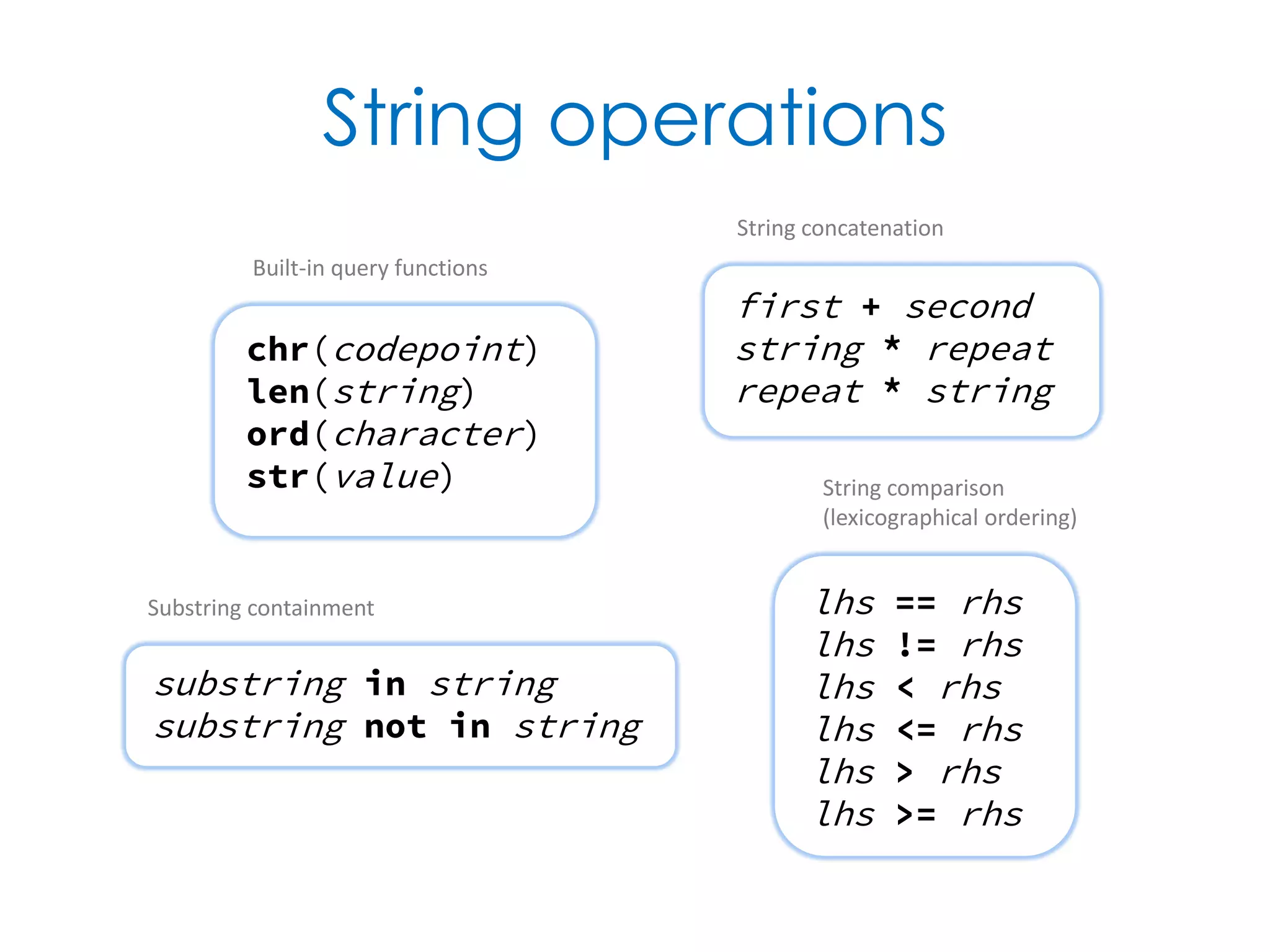
String operations chr(codepoint) len(string) ord(character) str(value) first + second string * repeat repeat * string String concatenation lhs == rhs lhs != rhs lhs < rhs lhs <= rhs lhs > rhs lhs >= rhs String comparison (lexicographical ordering) substring in string substring not in string Substring containment Built-in query functions
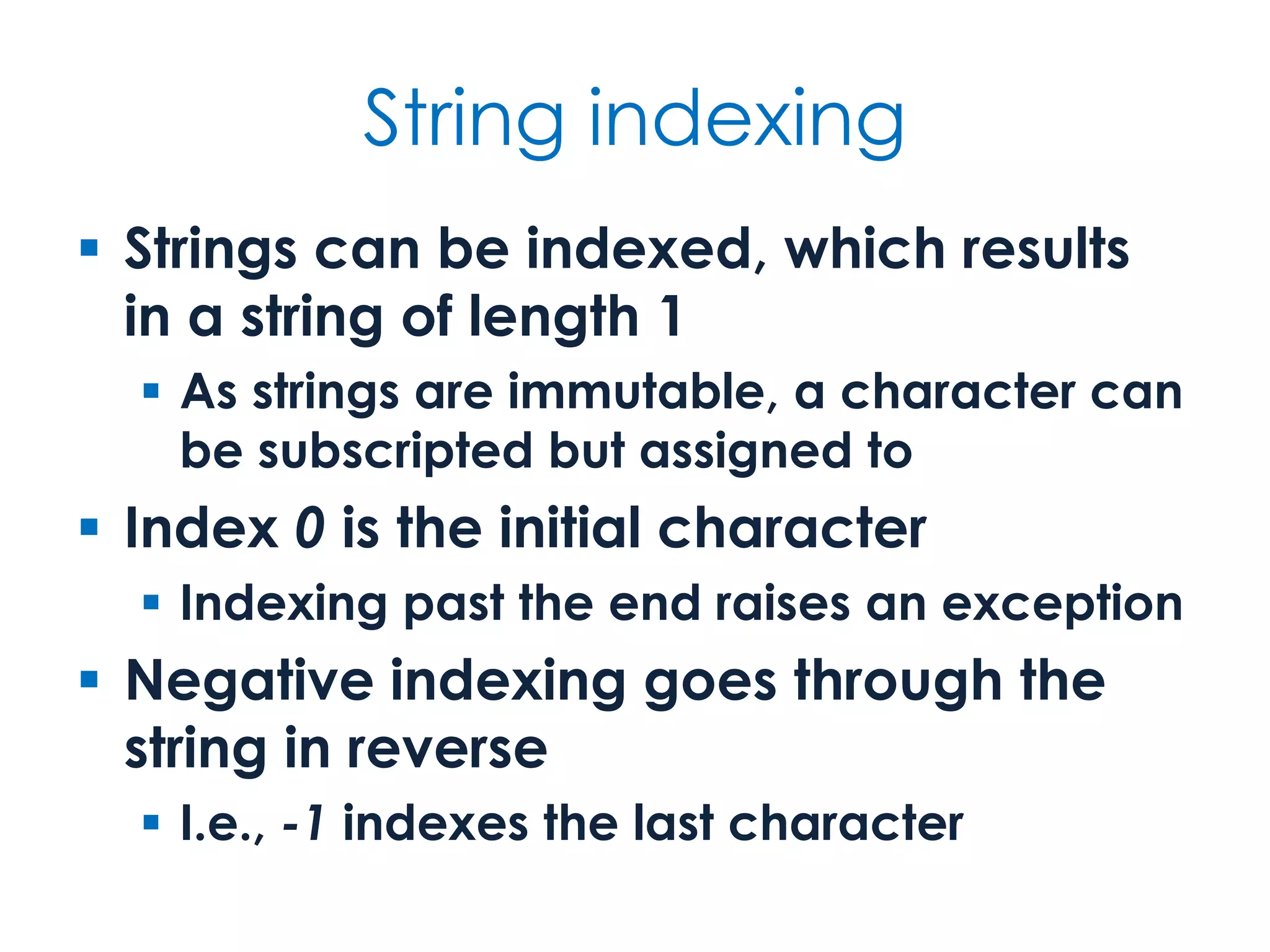
String indexing  Strings can be indexed, which results in a string of length 1  As strings are immutable, a character can be subscripted but assigned to  Index 0 is the initial character  Indexing past the end raises an exception  Negative indexing goes through the string in reverse  I.e., -1 indexes the last character
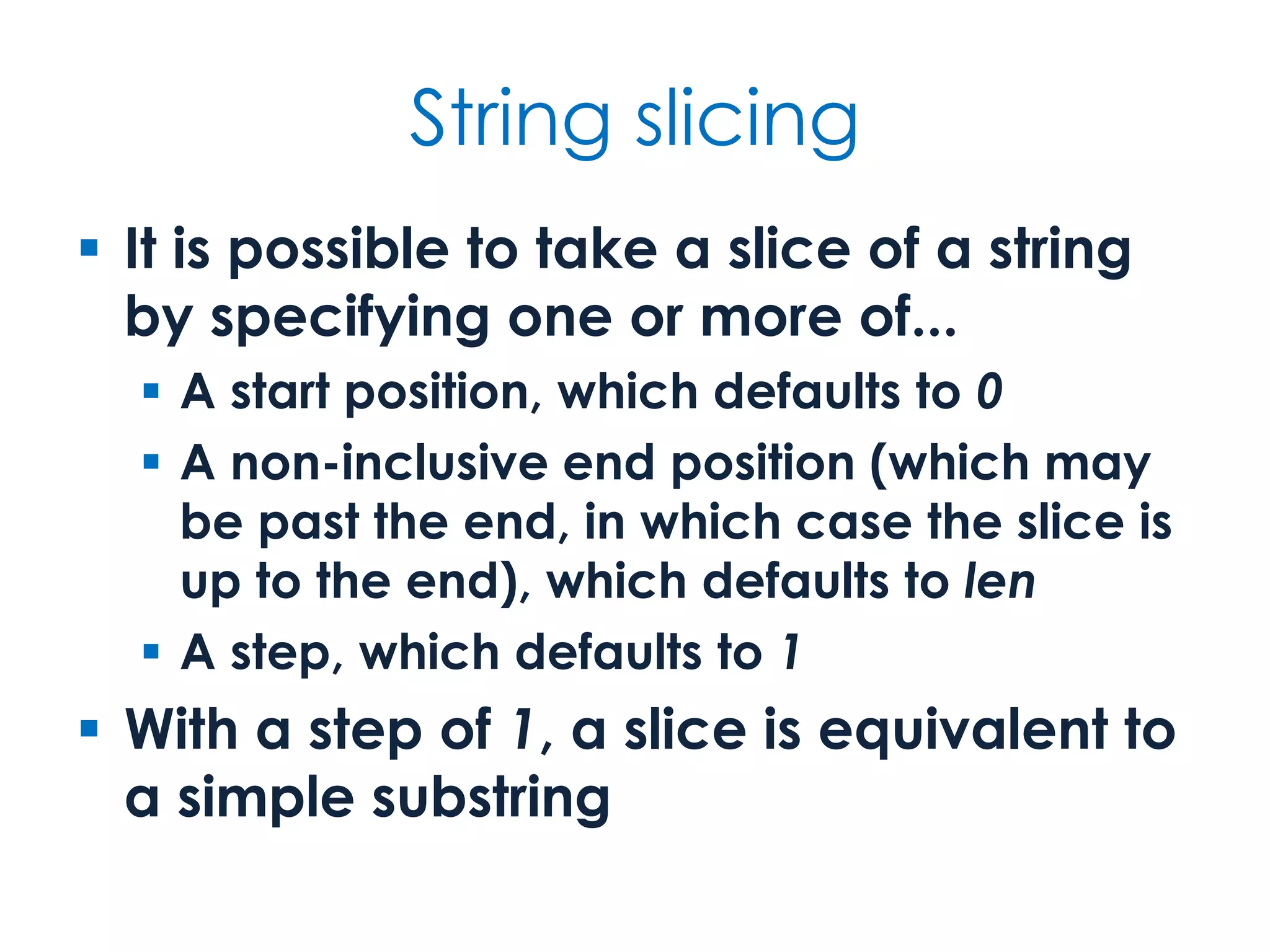
String slicing  It is possible to take a slice of a string by specifying one or more of...  A start position, which defaults to 0  A non-inclusive end position (which may be past the end, in which case the slice is up to the end), which defaults to len  A step, which defaults to 1  With a step of 1, a slice is equivalent to a simple substring
String indexing & slicing string[index] General form of subscript operation string[0] First character string[len(string) – 1] Last character string[–1] Last character string[–len(string)] First character string[first:last] Substring from first up to last string[index:] Substring from index to end string[:index] Substring from start up to index string[:] Whole string string[first:last:step] Slice from first to last in steps of step string[::step] Slice of whole string in steps of step
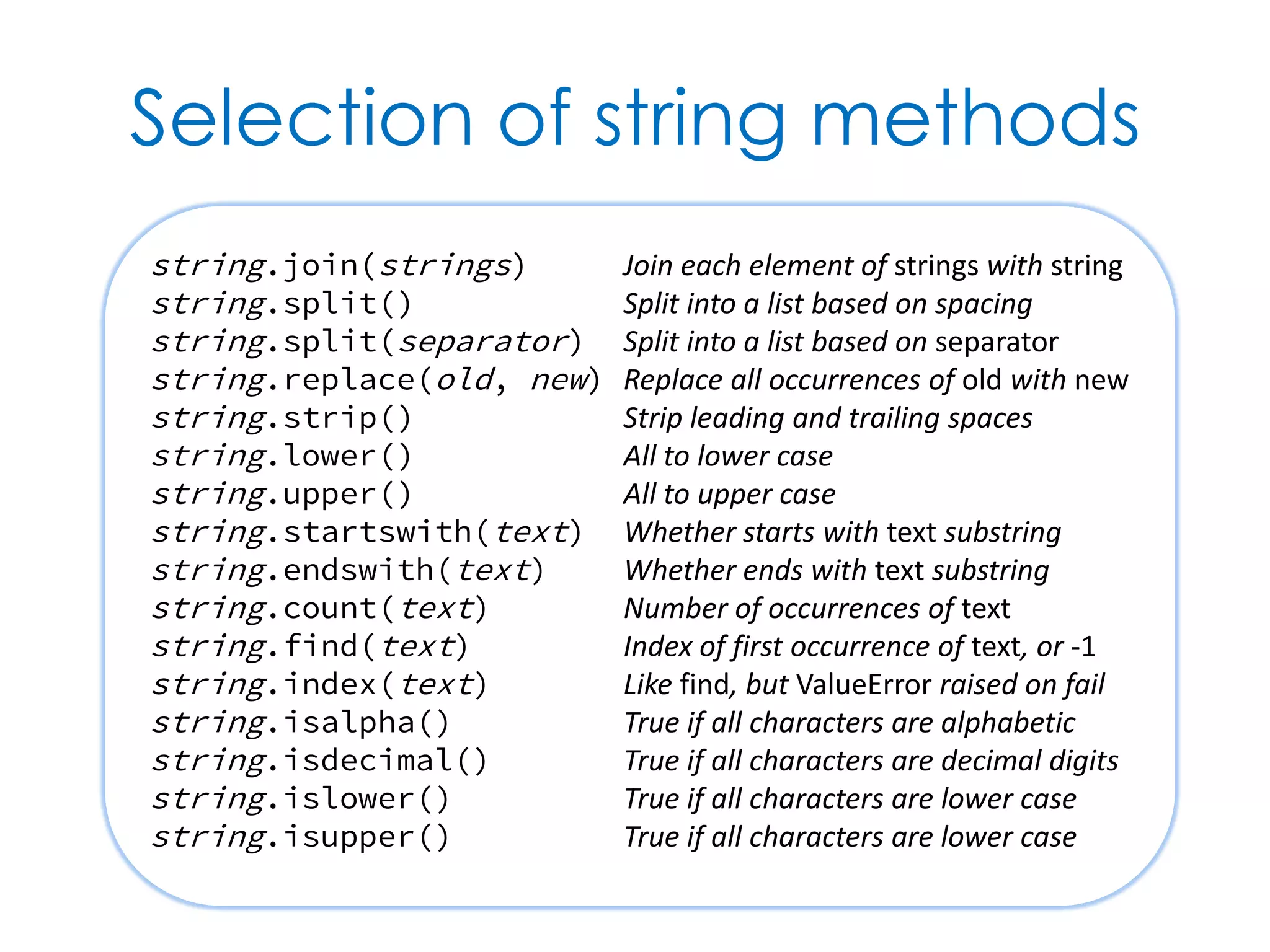
Selection of string methods string.join(strings) Join each element of strings with string string.split() Split into a list based on spacing string.split(separator) Split into a list based on separator string.replace(old, new) Replace all occurrences of old with new string.strip() Strip leading and trailing spaces string.lower() All to lower case string.upper() All to upper case string.startswith(text) Whether starts with text substring string.endswith(text) Whether ends with text substring string.count(text) Number of occurrences of text string.find(text) Index of first occurrence of text, or -1 string.index(text) Like find, but ValueError raised on fail string.isalpha() True if all characters are alphabetic string.isdecimal() True if all characters are decimal digits string.islower() True if all characters are lower case string.isupper() True if all characters are lower case
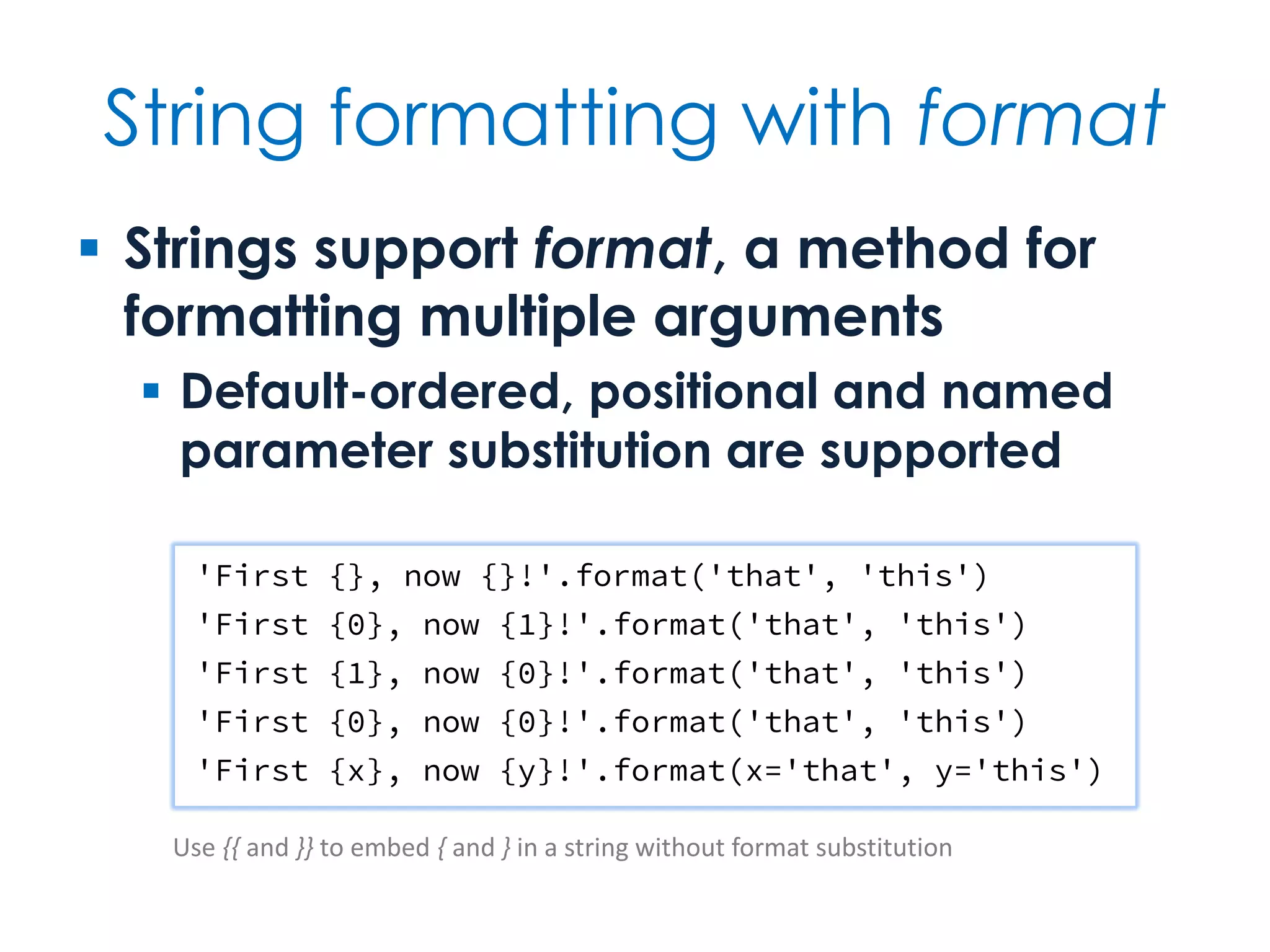
String formatting with format  Strings support format, a method for formatting multiple arguments  Default-ordered, positional and named parameter substitution are supported 'First {}, now {}!'.format('that', 'this') 'First {0}, now {1}!'.format('that', 'this') 'First {1}, now {0}!'.format('that', 'this') 'First {0}, now {0}!'.format('that', 'this') 'First {x}, now {y}!'.format(x='that', y='this') Use {{ and }} to embed { and } in a string without format substitution
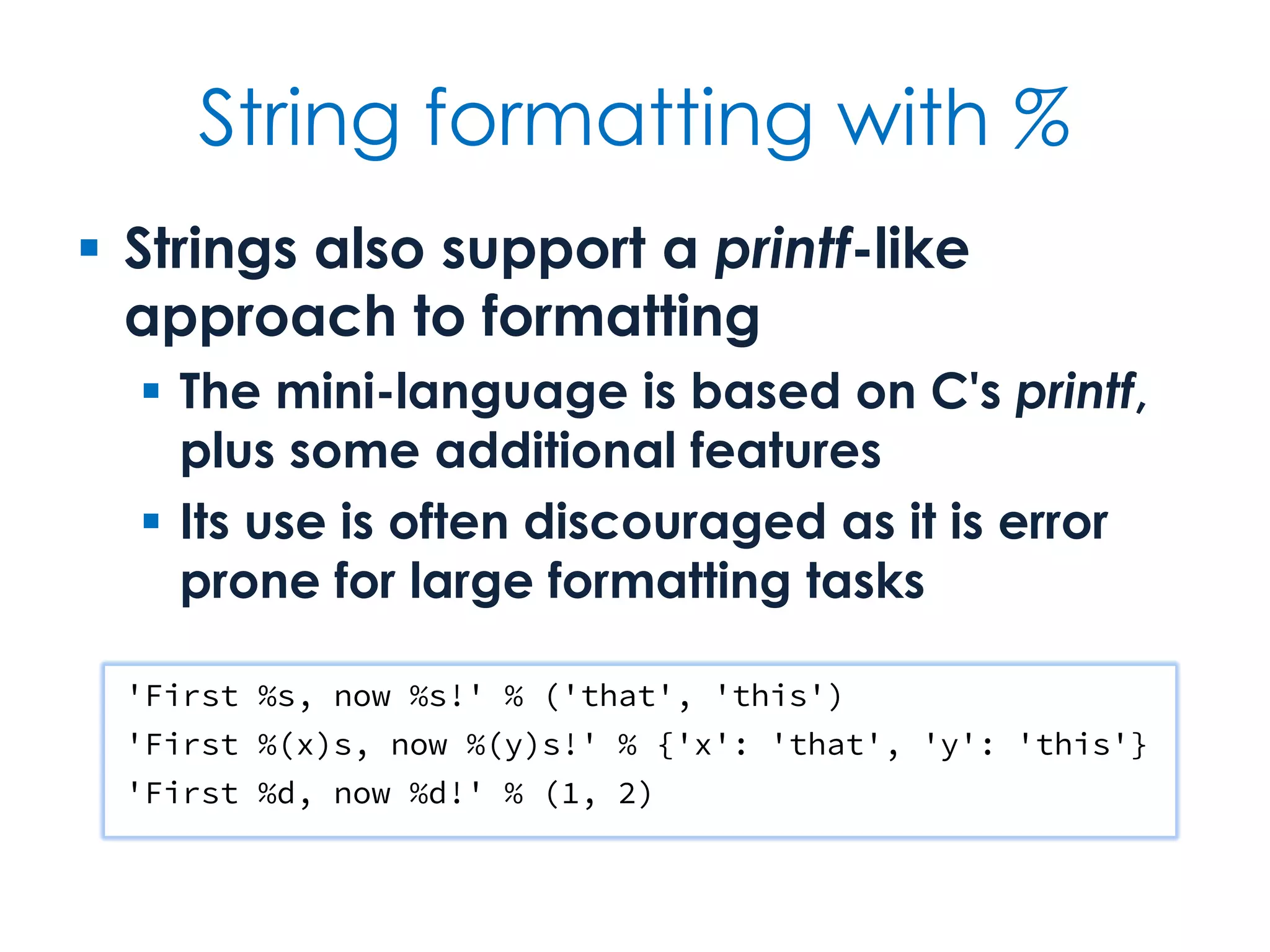
String formatting with %  Strings also support a printf-like approach to formatting  The mini-language is based on C's printf, plus some additional features  Its use is often discouraged as it is error prone for large formatting tasks 'First %s, now %s!' % ('that', 'this') 'First %(x)s, now %(y)s!' % {'x': 'that', 'y': 'this'} 'First %d, now %d!' % (1, 2)
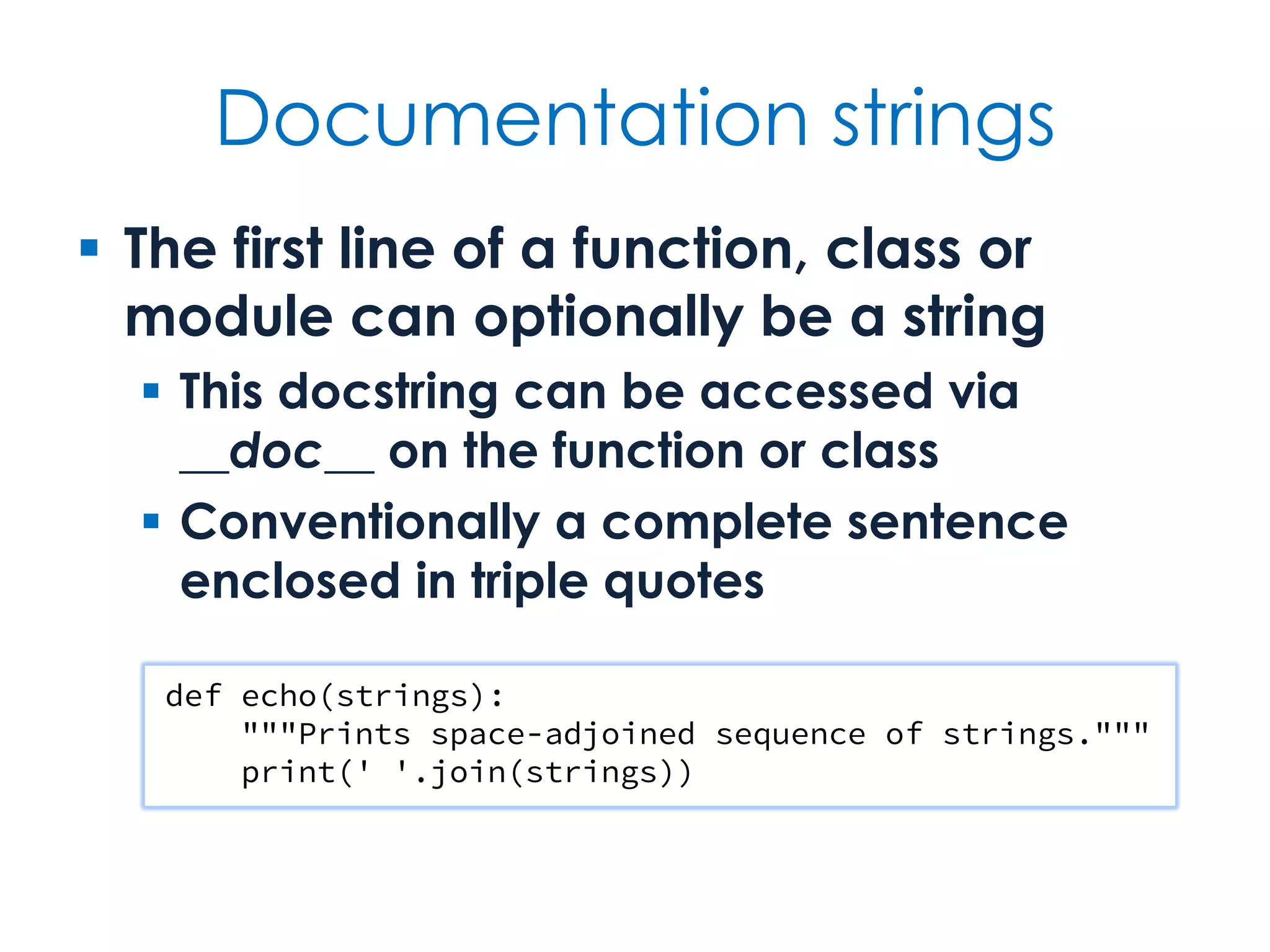
Documentation strings  The first statement of a function, class or module can optionally be a string  This docstring can be accessed via __doc__ on the object and is used by IDEs and the help function  Conventionally, one or more complete sentences enclosed in triple quotes def echo(strings): """Prints space-adjoined sequence of strings.""" print(' '.join(strings))
Functions Defining, calling & passing
Facts at a glance  Functions are first-class objects  Python supports lambda expressions and nested function definitions  Argument values can be defaulted  Functions can take both positional arguments and keyword arguments  Functions can be defined to take an arbitrary number of arguments
Functions as objects  Functions can be passed as arguments and can be used in assignment  This supports many callback techniques and functional programming idioms  Conversely, any object that is callable can be treated as a function  callable is a built-in predicate function  Functions always return a value  None if nothing is returned explicity
Passing & calling functions def does_nothing(): pass assert callable(does_nothing) assert does_nothing() is None def is_even(number): return number % 2 == 0 def print_if(values, predicate): for value in values: if predicate(value): print(value) print_if([2, 9, 9, 7, 9, 2, 4, 5, 8], is_even) unsorted = ['Python', 'parrot'] print(sorted(unsorted, key=str.lower)) Keyword argument
Lambda expressions  A lambda is simply an expression that can be passed around for execution  It can take zero or more arguments  As it is an expression not a statement, this can limit the applicability  Lambdas are anonymous, but can be assigned to variables  But defining a one-line named function is preferred over global lamba assignment
Lambdas expressed def print_if(values, predicate): for value in values: if predicate(value): print(value) print_if( [2, 9, 9, 7, 9, 2, 4, 5, 8], lambda number: number % 2 == 0) An ad hoc function that takes a single argument — in this case, number — and evaluates to a single expression — in this case, number % 2 == 0, i.e., whether the argument is even or not.
Experiment  Create a dict mapping airport codes to airport names  Select 3 to 6 airports  Use sorted to sort by...  Airport code  Airport name  Longitude and/or latitude — either extend the mapping from just names or introduce an additional dict with positions
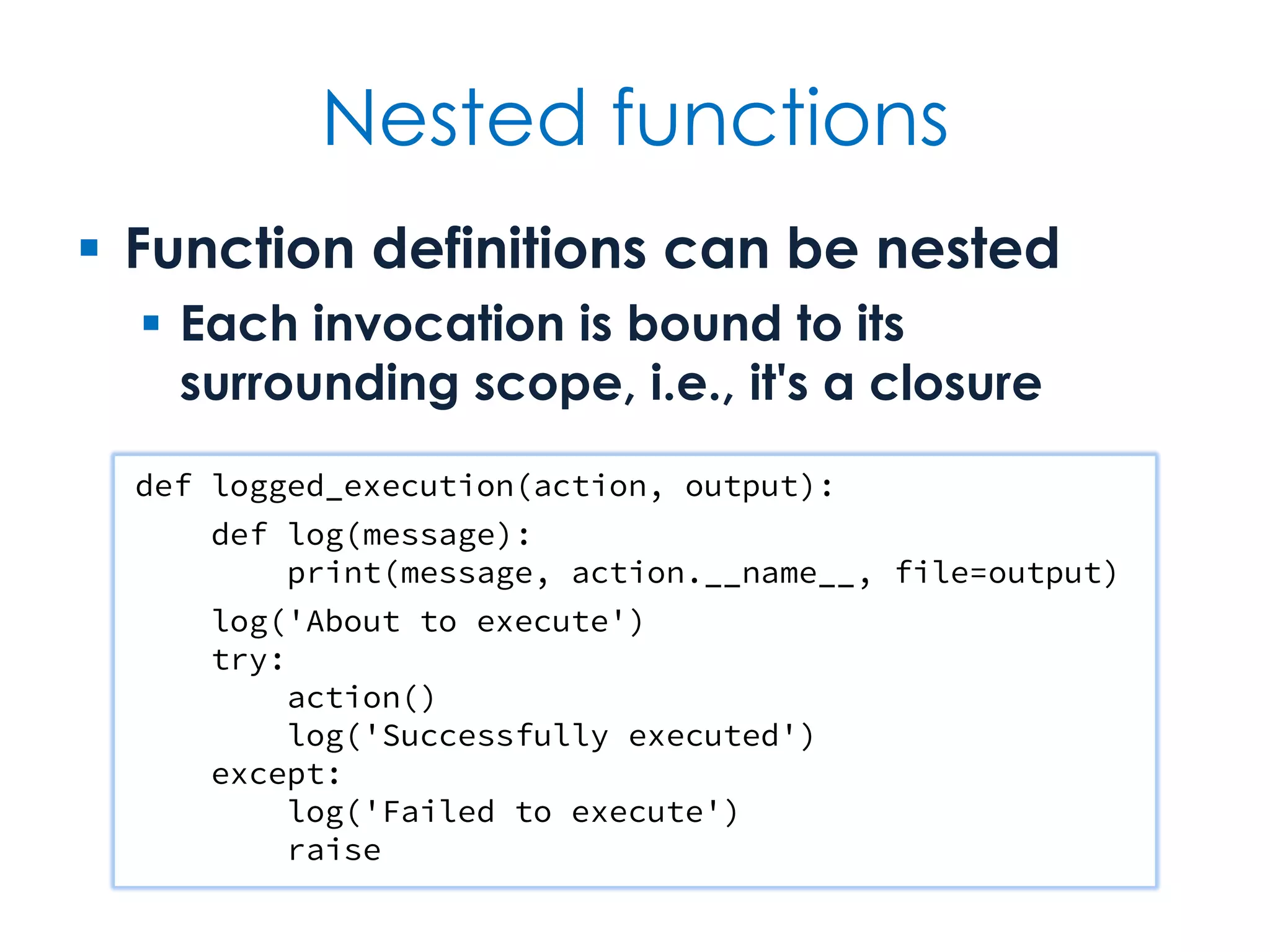
Nested functions  Function definitions can be nested  Each invocation is bound to its surrounding scope, i.e., it's a closure def logged_execution(action, output): def log(message): print(message, action.__name__, file=output) log('About to execute') try: action() log('Successfully executed') except: log('Failed to execute') raise
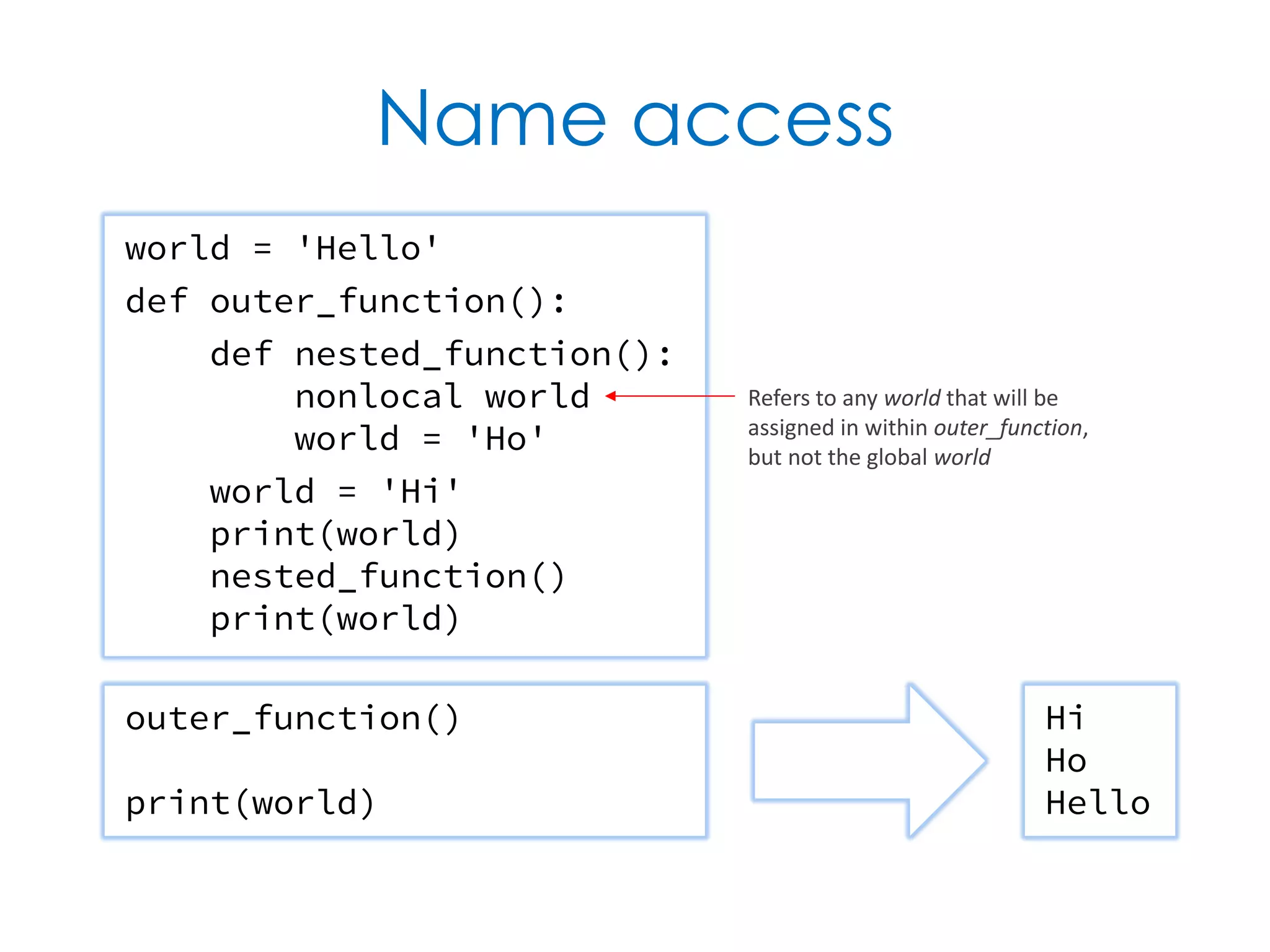
Name access world = 'Hello' def outer_function(): def nested_function(): nonlocal world world = 'Ho' world = 'Hi' print(world) nested_function() print(world) outer_function() print(world) Hi Ho Hello Refers to any world that will be assigned in within outer_function, but not the global world
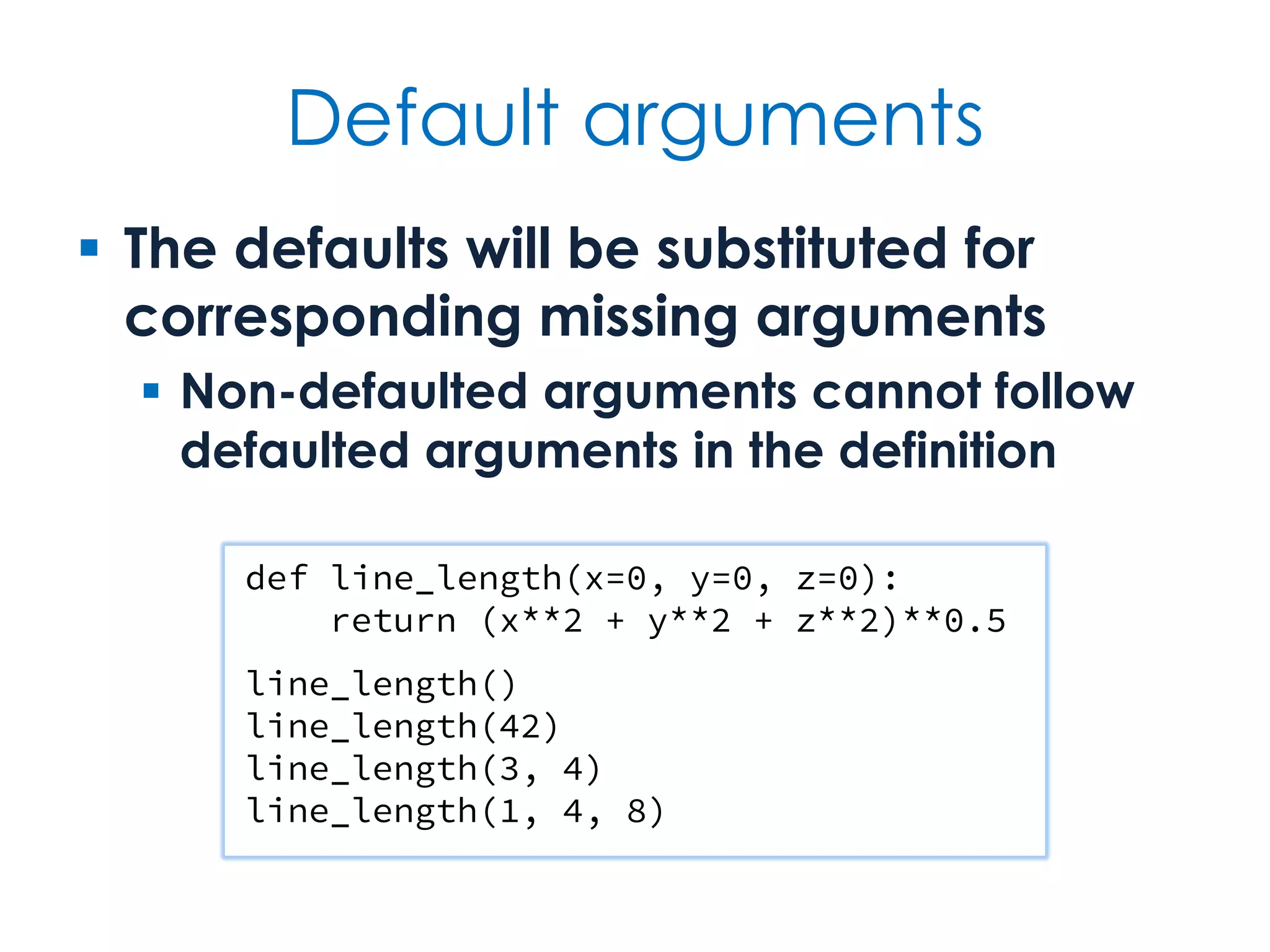
Default arguments  The defaults will be substituted for corresponding missing arguments  Non-defaulted arguments cannot follow defaulted arguments in the definition def line_length(x=0, y=0, z=0): return (x**2 + y**2 + z**2)**0.5 line_length() line_length(42) line_length(3, 4) line_length(1, 4, 8)
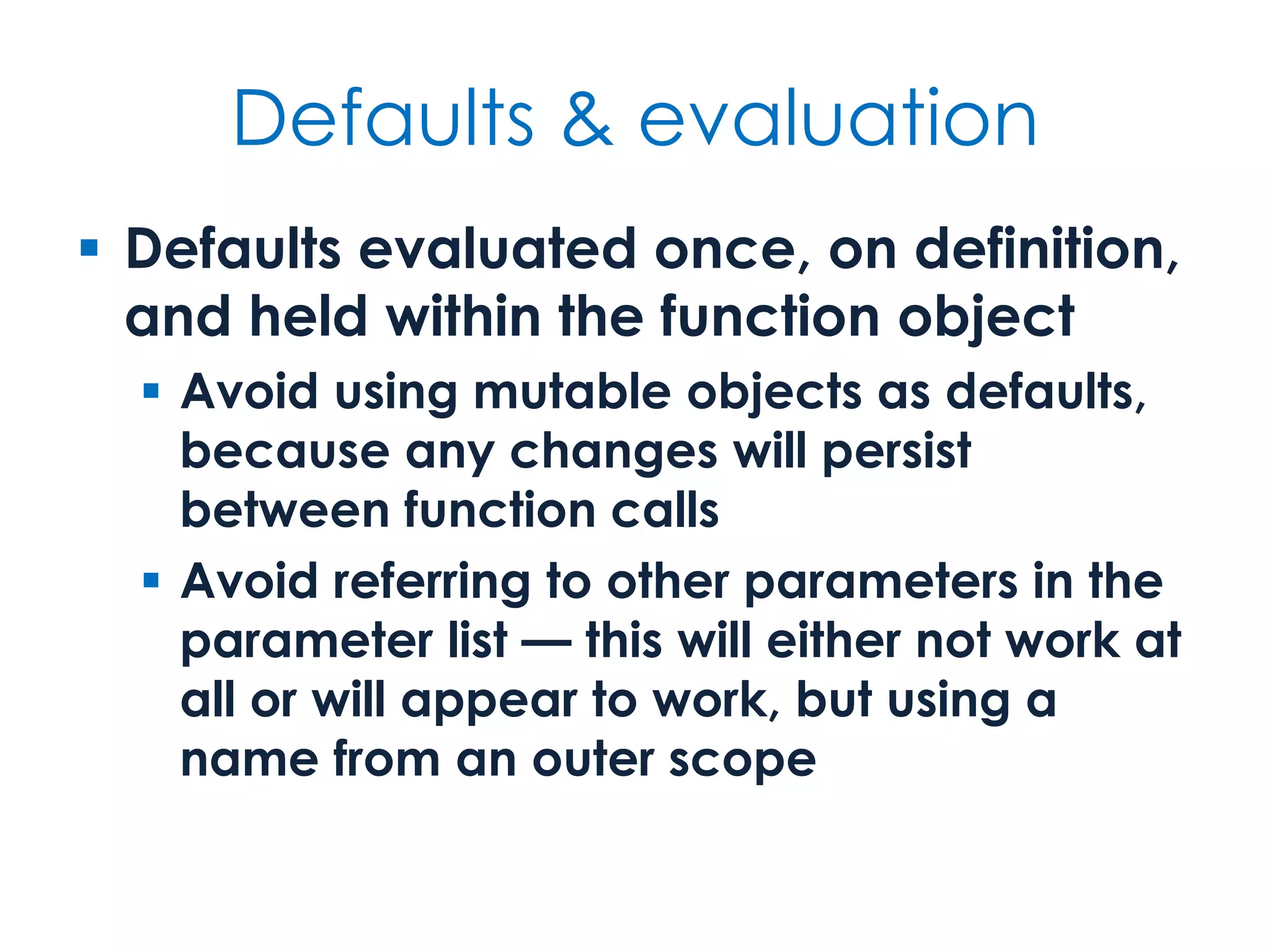
Defaults & evaluation  Defaults evaluated once, on definition, and held within the function object  Avoid using mutable objects as defaults, because any changes will persist between function calls  Avoid referring to other parameters in the parameter list — this will either not work at all or will appear to work, but using a name from an outer scope
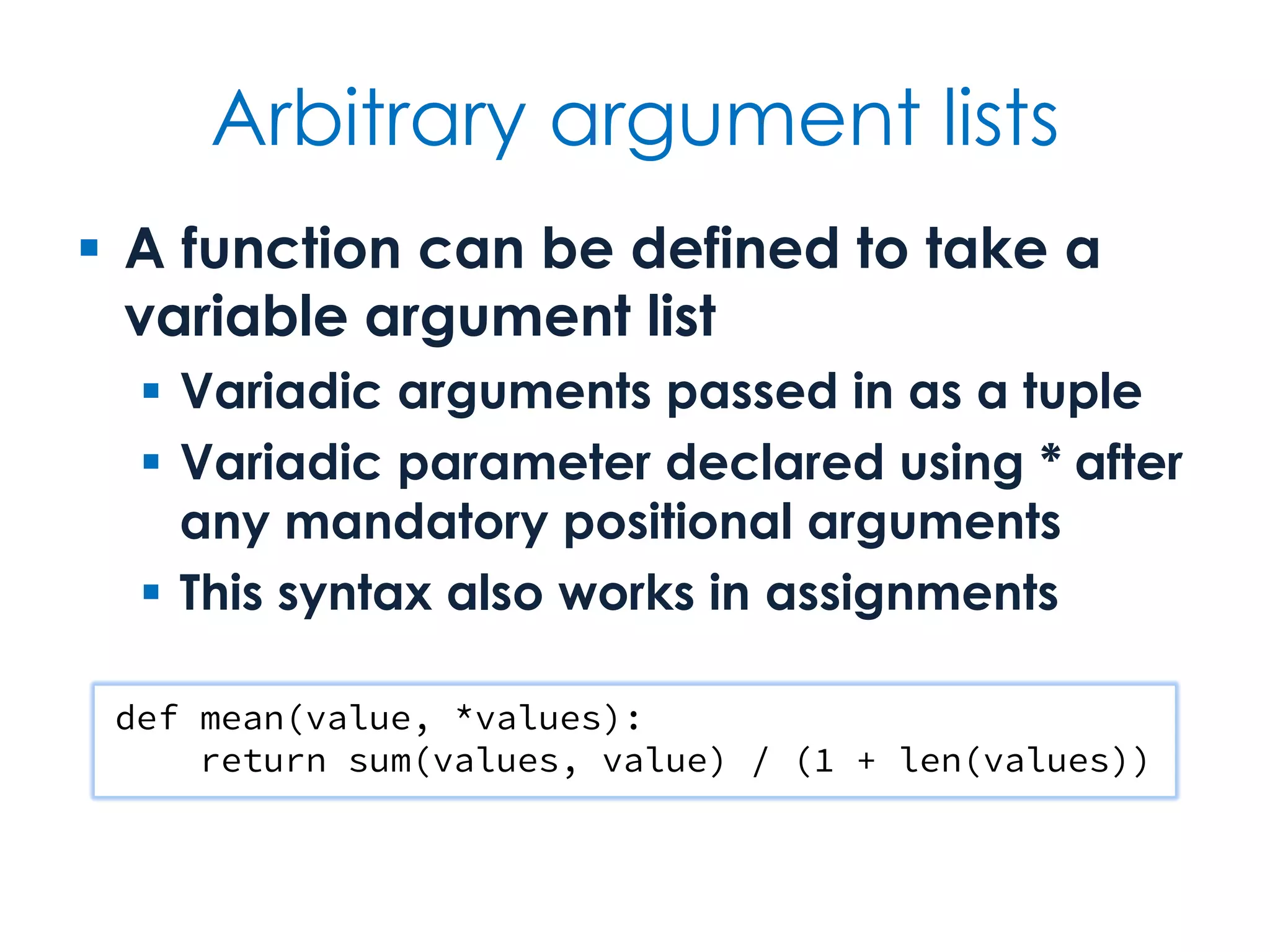
Arbitrary argument lists  A function can be defined to take a variable argument list  Variadic arguments passed in as a tuple  Variadic parameter declared using * after any mandatory positional arguments  This syntax also works in assignments def mean(value, *values): return sum(values, value) / (1 + len(values))
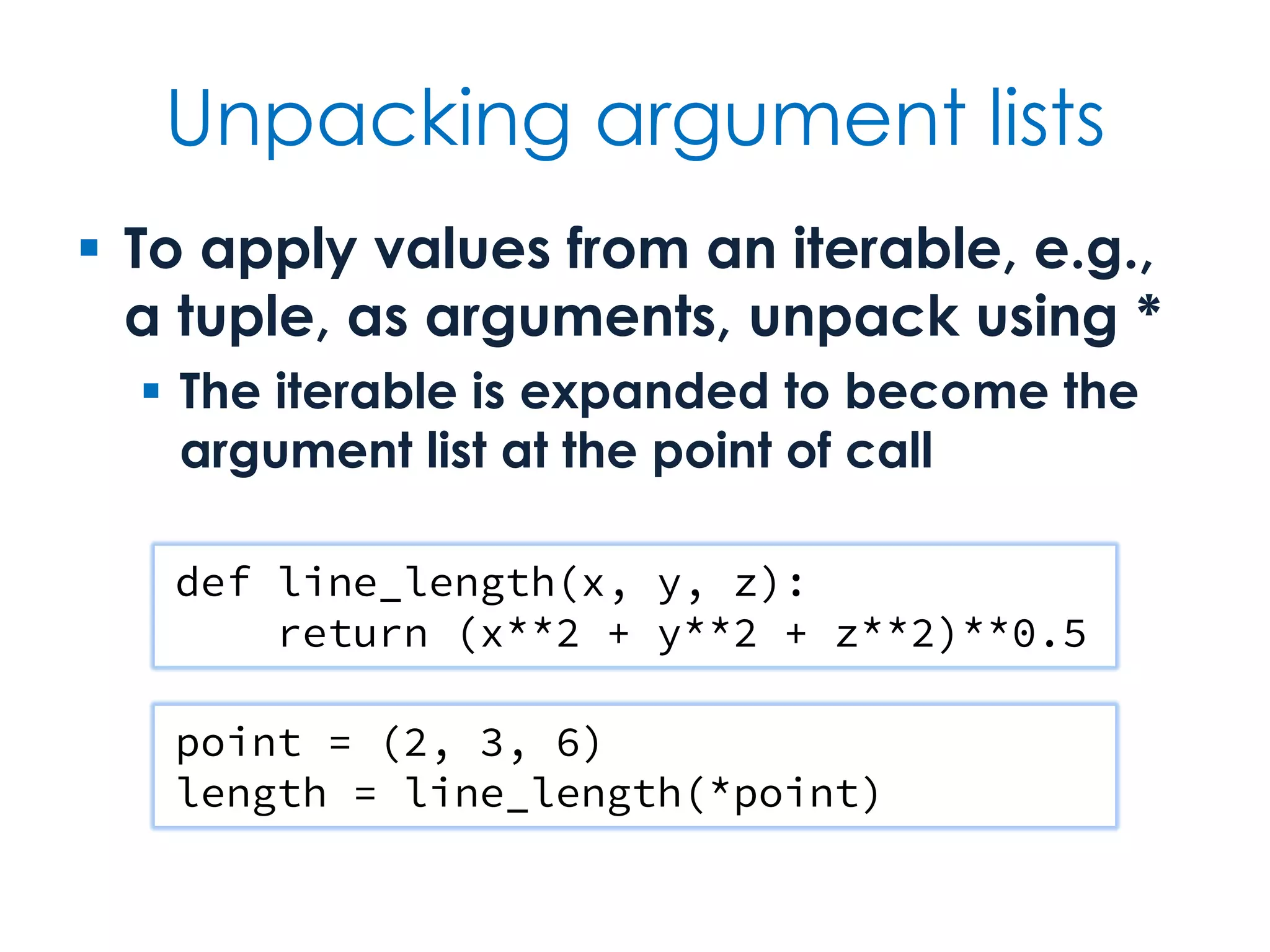
Unpacking argument lists  To apply values from an iterable, e.g., a tuple, as arguments, unpack using *  The iterable is expanded to become the argument list at the point of call def line_length(x, y, z): return (x**2 + y**2 + z**2)**0.5 point = (2, 3, 6) length = line_length(*point)
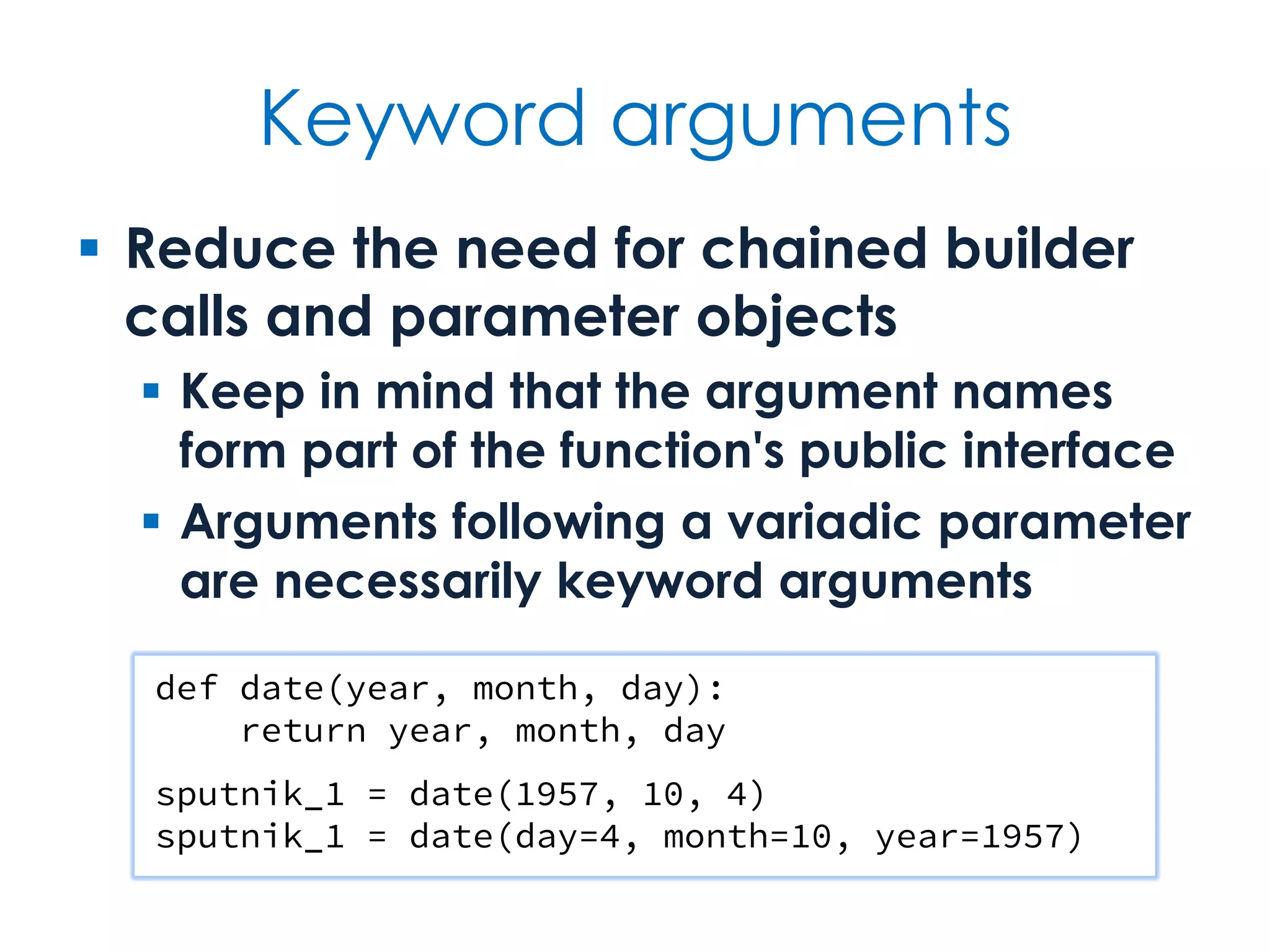
Keyword arguments  Reduce the need for chained builder calls and parameter objects  Keep in mind that the argument names form part of the function's public interface  Arguments following a variadic parameter are necessarily keyword arguments def date(year, month, day): return year, month, day sputnik_1 = date(1957, 10, 4) sputnik_1 = date(day=4, month=10, year=1957)
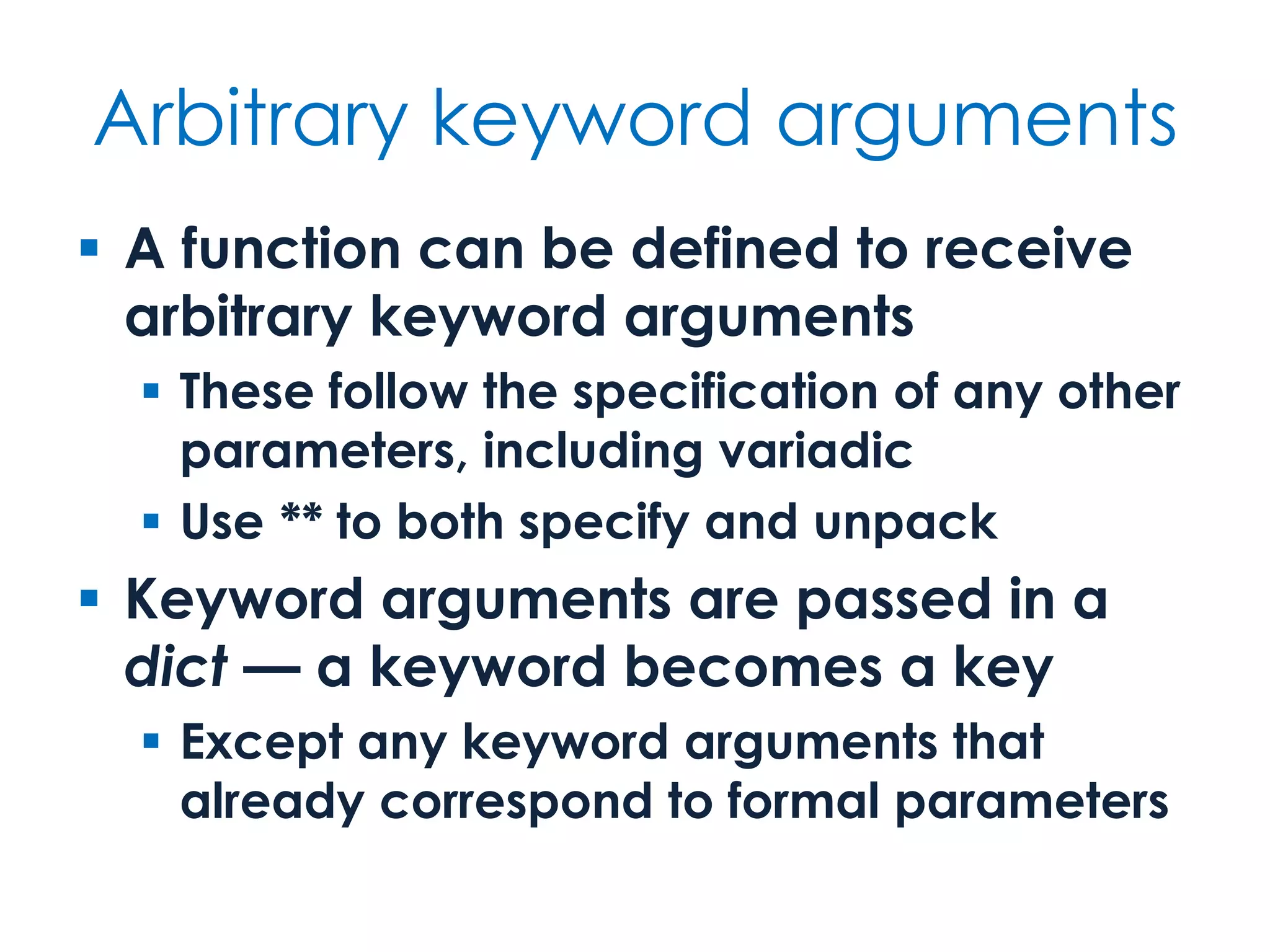
Arbitrary keyword arguments  A function can be defined to receive arbitrary keyword arguments  These follow the specification of any other parameters, including variadic  Use ** to both specify and unpack  Keyword arguments are passed in a dict — a keyword becomes a key  Except any keyword arguments that already correspond to formal parameters
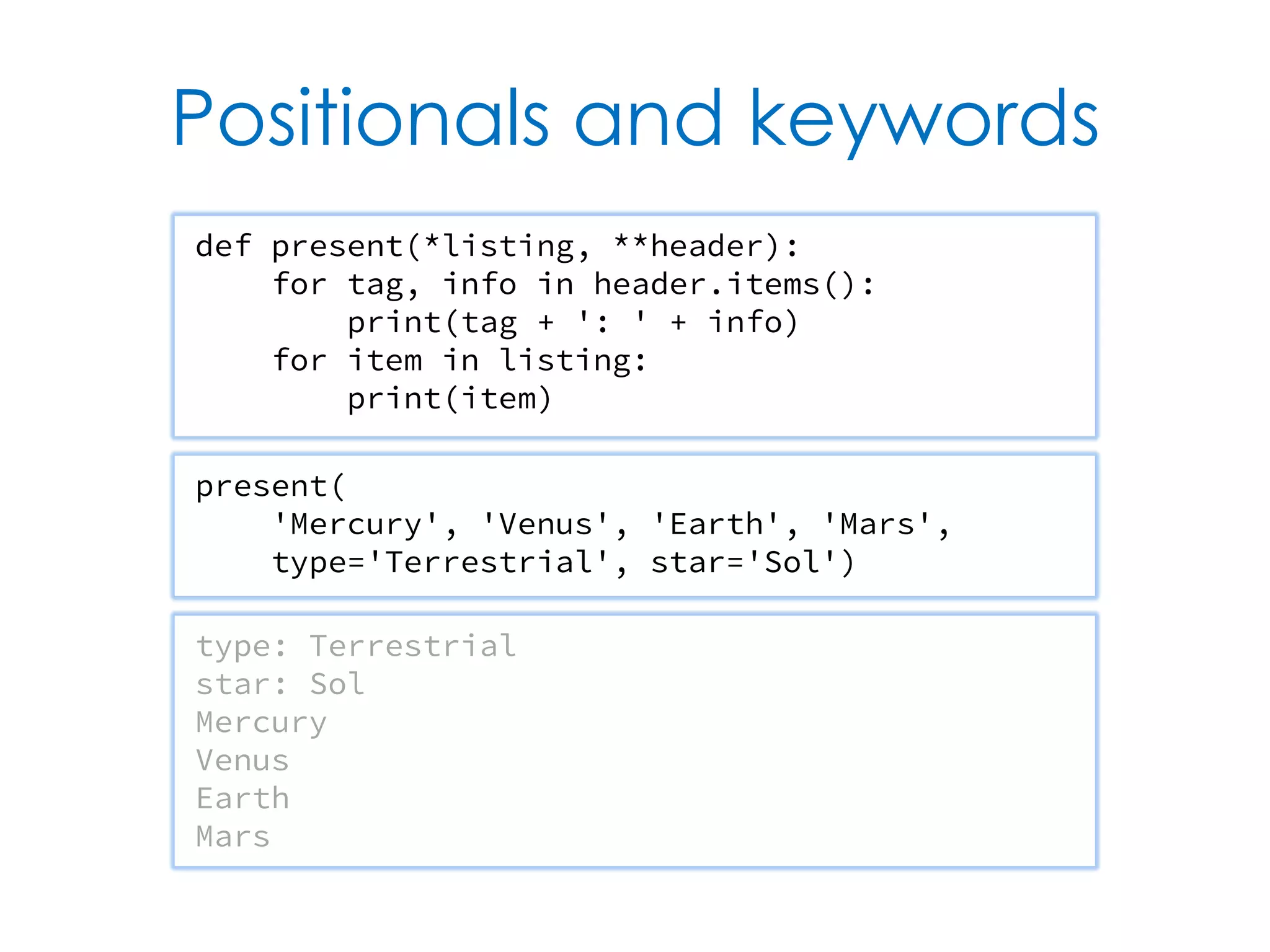
Positionals and keywords def present(*listing, **header): for tag, info in header.items(): print(tag + ': ' + info) for item in listing: print(item) present( 'Mercury', 'Venus', 'Earth', 'Mars', type='Terrestrial', star='Sol') type: Terrestrial star: Sol Mercury Venus Earth Mars
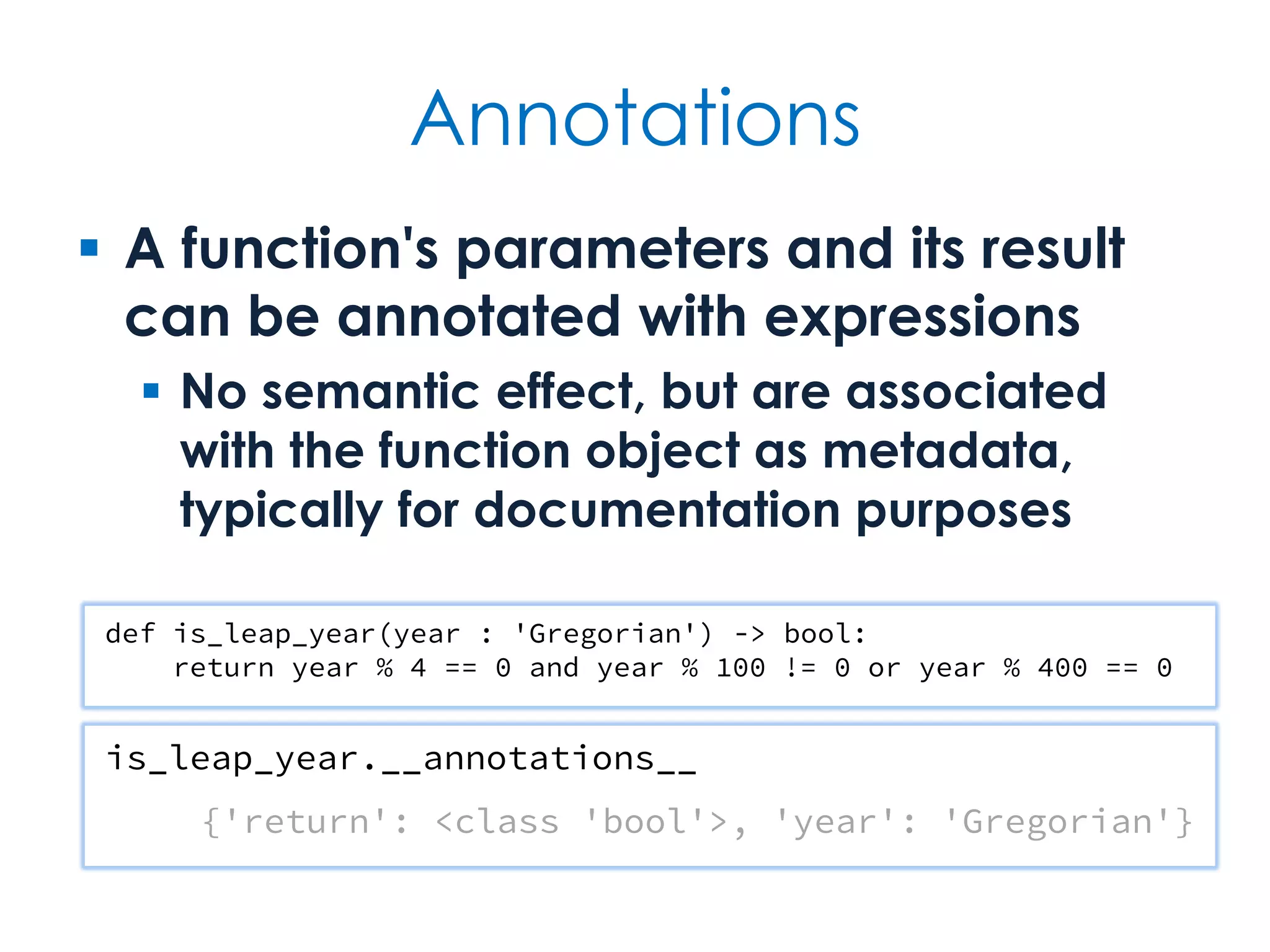
Annotations  A function's parameters and its result can be annotated with expressions  No semantic effect, but are associated with the function object as metadata, typically for documentation purposes def is_leap_year(year : 'Gregorian') -> bool: return year % 4 == 0 and year % 100 != 0 or year % 400 == 0 is_leap_year.__annotations__ {'return': <class 'bool'>, 'year': 'Gregorian'}
Decorators  A function definition may be wrapped in decorator expressions  A decorator is a function that transforms the function it decorates class List: @staticmethod def nil(): return [] @staticmethod def cons(head, tail): return [head] + tail nil = List.nil() [] one = List.cons(1, nil) [1] two = List.cons(2, one) [2, 1]
Built-in Containers Sequences, sets & dictionaries
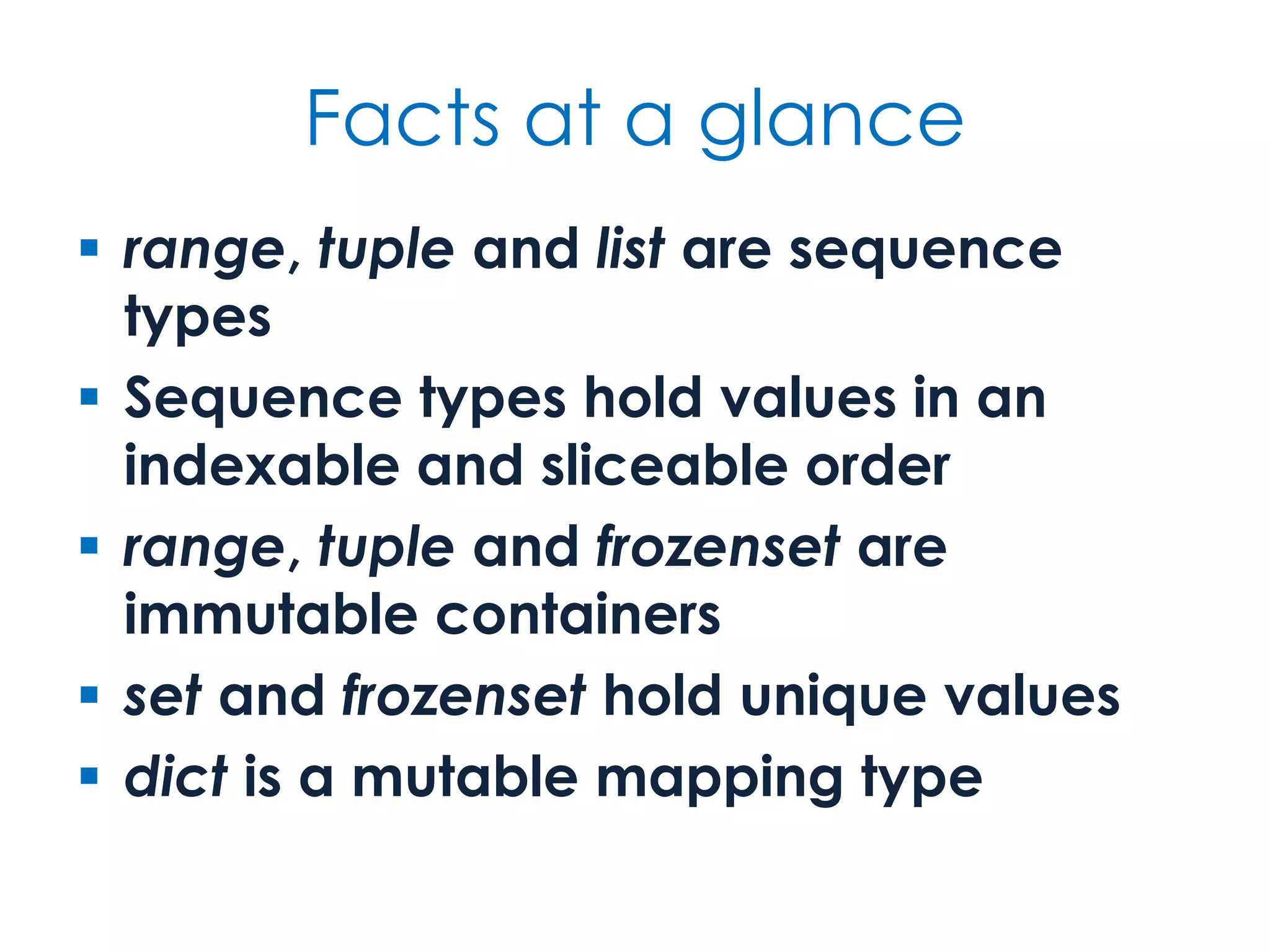
Facts at a glance  range, tuple and list are sequence types  Sequence types hold values in an indexable and sliceable order  range, tuple and frozenset are immutable containers  set and frozenset hold unique values  dict is a mutable mapping type
Iterable objects  All container types — including range and str — are iterable  Can appear on right-hand side of in (for or membership) or of a multiple assignment  Except for text and range types, containers are heterogeneous first, second, third = [1, 2, 3] head, *tail = range(10) *most, last = 'Hello'
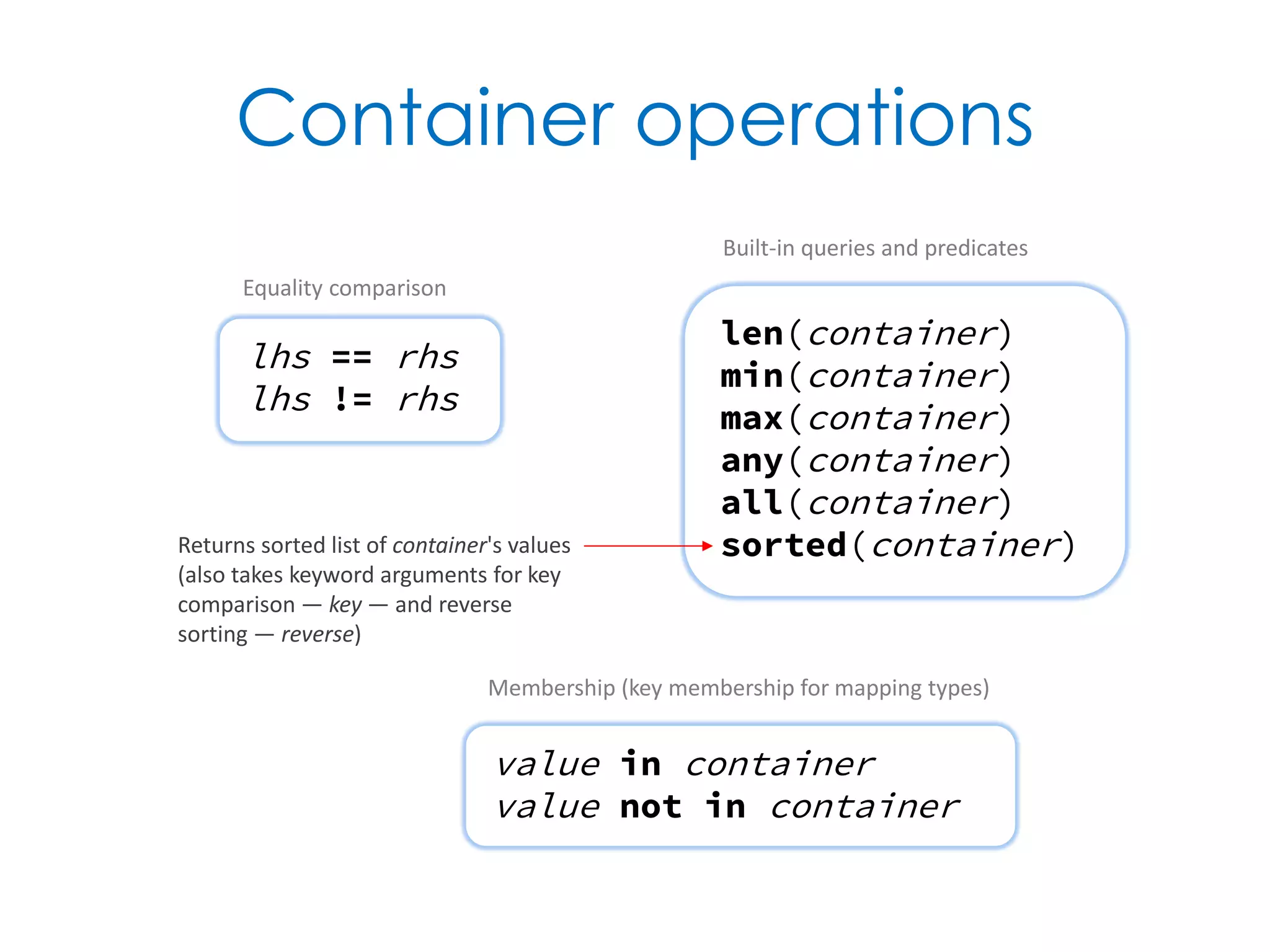
Container operations len(container) min(container) max(container) any(container) all(container) sorted(container) lhs == rhs lhs != rhs Equality comparison value in container value not in container Membership (key membership for mapping types) Built-in queries and predicates Returns sorted list of container's values (also takes keyword arguments for key comparison — key — and reverse sorting — reverse)
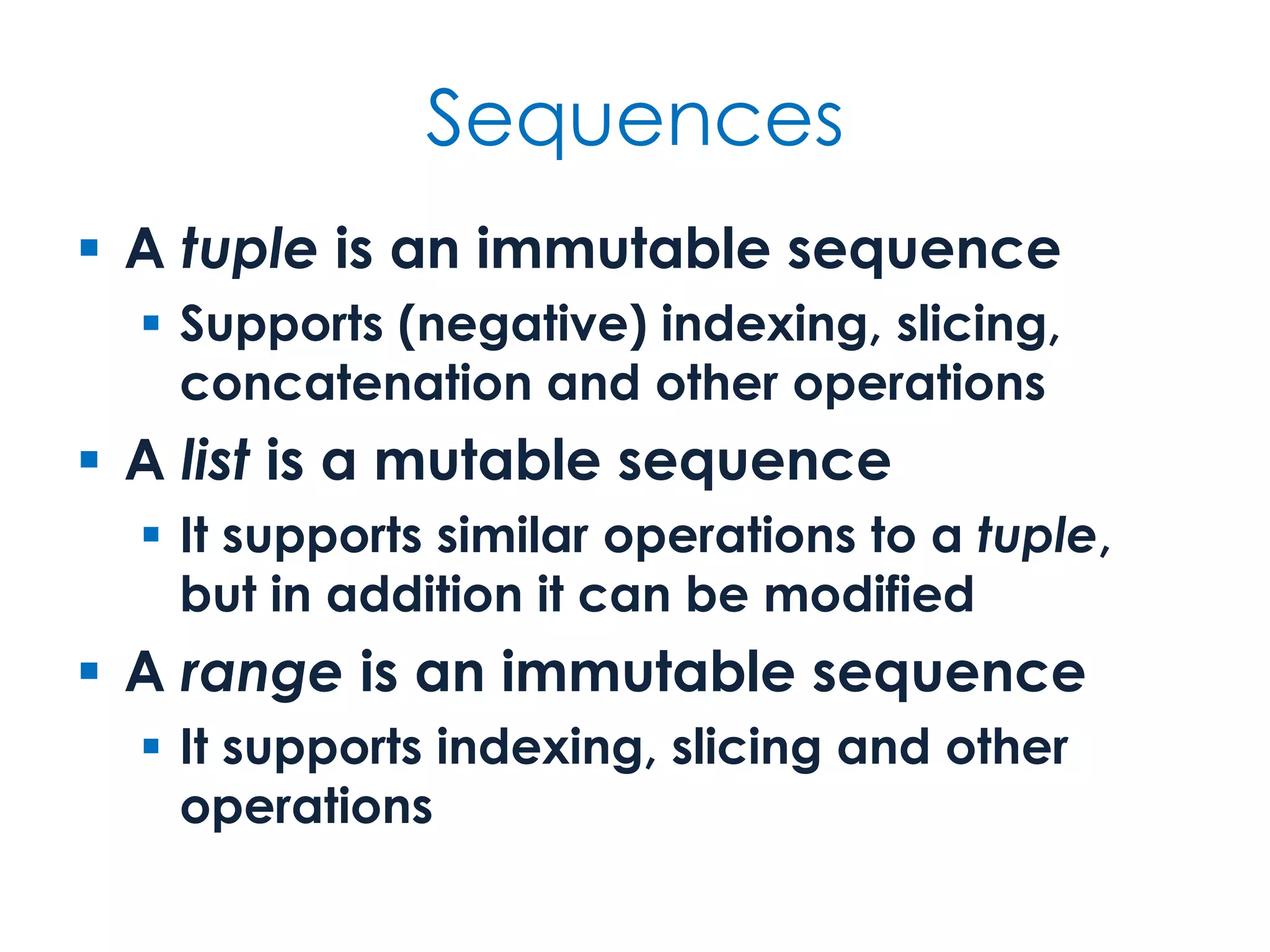
Sequences  A tuple is an immutable sequence  Supports (negative) indexing, slicing, concatenation and other operations  A list is a mutable sequence  It supports similar operations to a tuple, but in addition it can be modified  A range is an immutable sequence  It supports indexing, slicing and other operations
Immutable sequences sequence.index(value) sequence.count(value) first + second sequence * repeat repeat * sequence Concatenation (not for range) lhs < rhs lhs <= rhs lhs > rhs lhs >= rhs Lexicographical ordering (not for range) sequence[index] sequence[first:last] sequence[index:] sequence[:index] sequence[:] sequence[first:last:step] sequence[::step] Indexing and slicing Search methods Raises exception if value not found
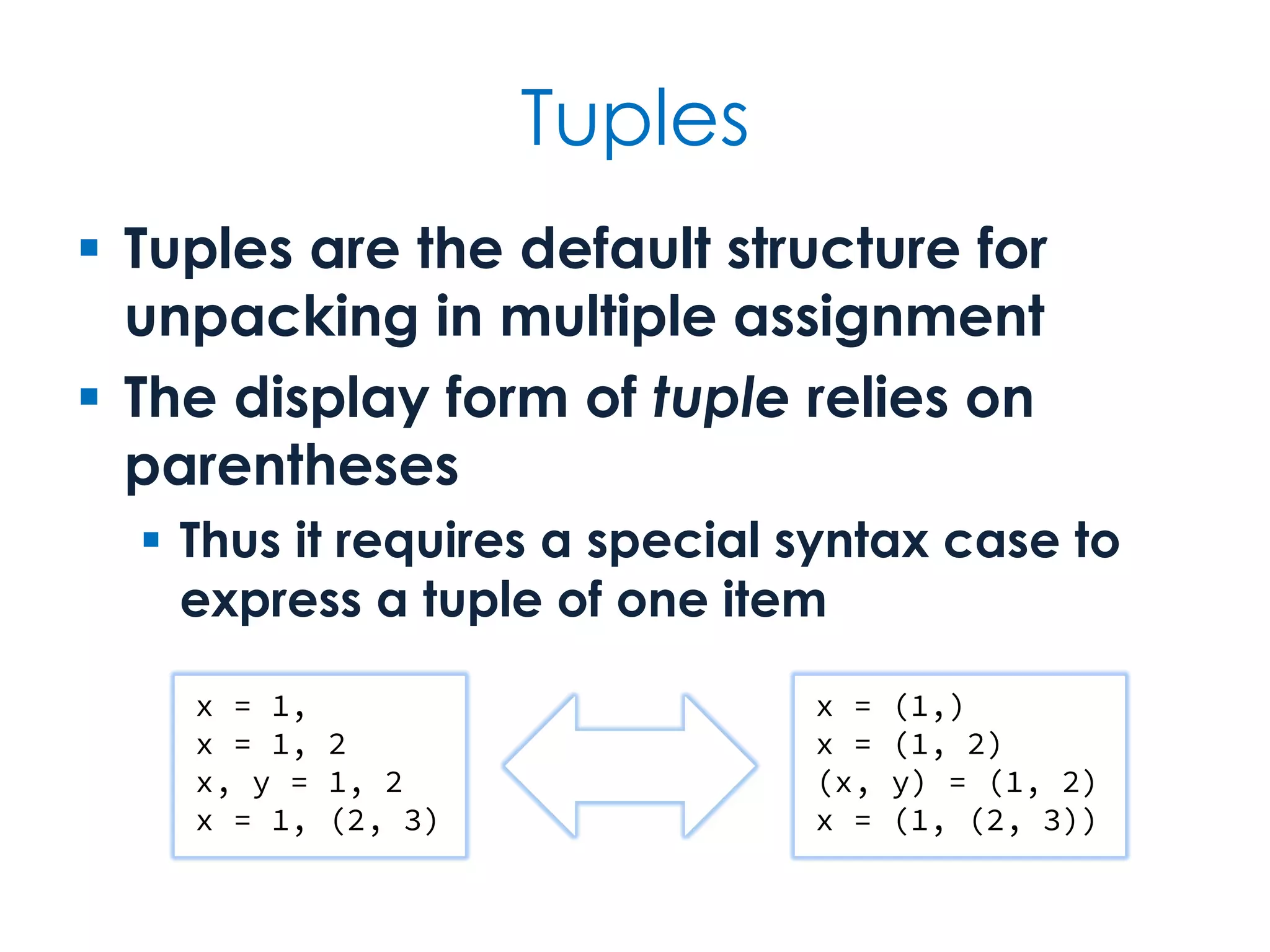
Tuples  Tuples are the default structure for unpacking in multiple assignment  The display form of tuple relies on parentheses  Thus it requires a special syntax case to express a tuple of one item x = 1, x = 1, 2 x, y = 1, 2 x = 1, (2, 3) x = (1,) x = (1, 2) (x, y) = (1, 2) x = (1, (2, 3))
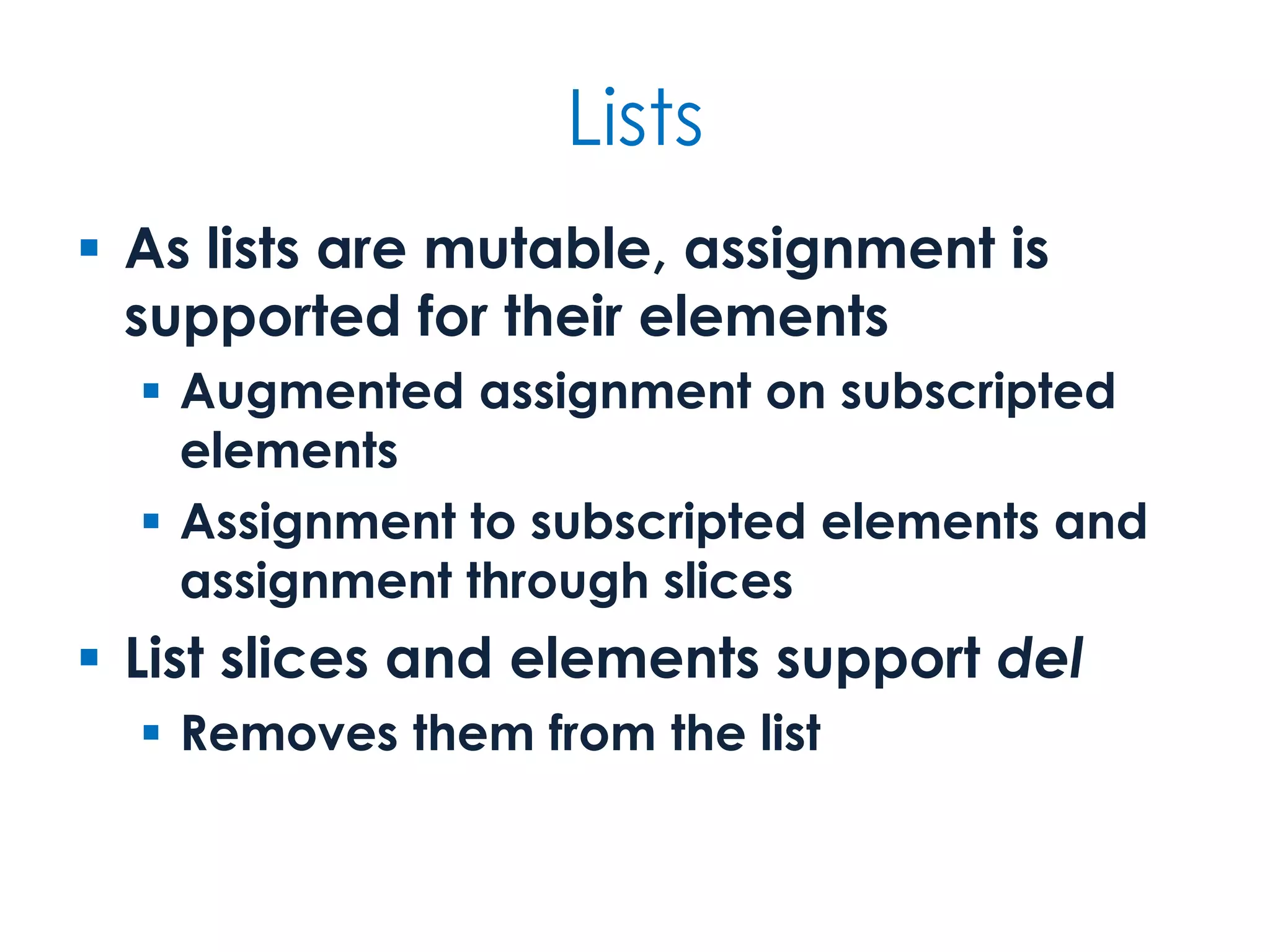
Lists  As lists are mutable, assignment is supported for their elements  Augmented assignment on subscripted elements  Assignment to subscripted elements and assignment through slices  List slices and elements support del  Removes them from the list
list extras list[index] list[index] = value del list[index] list[first:last:step] list[first:last:step] = other del list[first:last:step] Index- and slice-based operations list.append(value) list.insert(index, value) list.pop() list.pop(index) list.remove(value) list.clear() list.reverse() list.sort() Whole-list operations Element modification methods
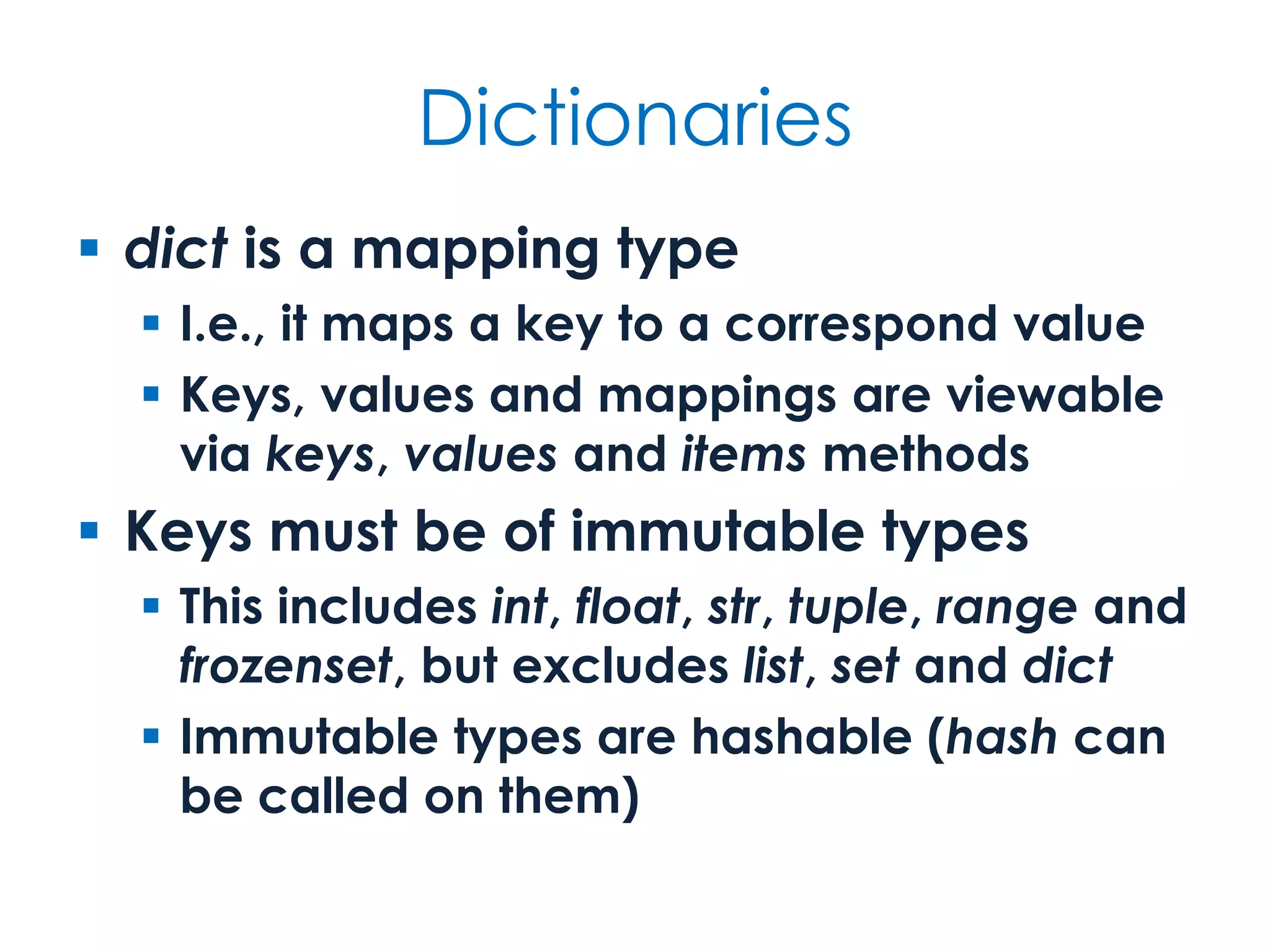
Dictionaries  dict is a mapping type  I.e., it maps a key to a correspond value  Keys, values and mappings are viewable via keys, values and items methods  Keys must be of immutable types  This includes int, float, str, tuple, range and frozenset, but excludes list, set and dict  Immutable types are hashable (hash can be called on them)
dict operations key in dict key not in dict dict.get(key, default) dict.get(key) dict[key] dict[key] = value del dict[key] Key-based operations Equivalent to calling get with a default of None Automagically creates entry if key not already in dict dict.clear() dict.pop(key) dict.pop(key, default) dict.get(key) dict.get(key, default) dict.update(other) dict.keys() dict.values() dict.items() Views Manipulation methods
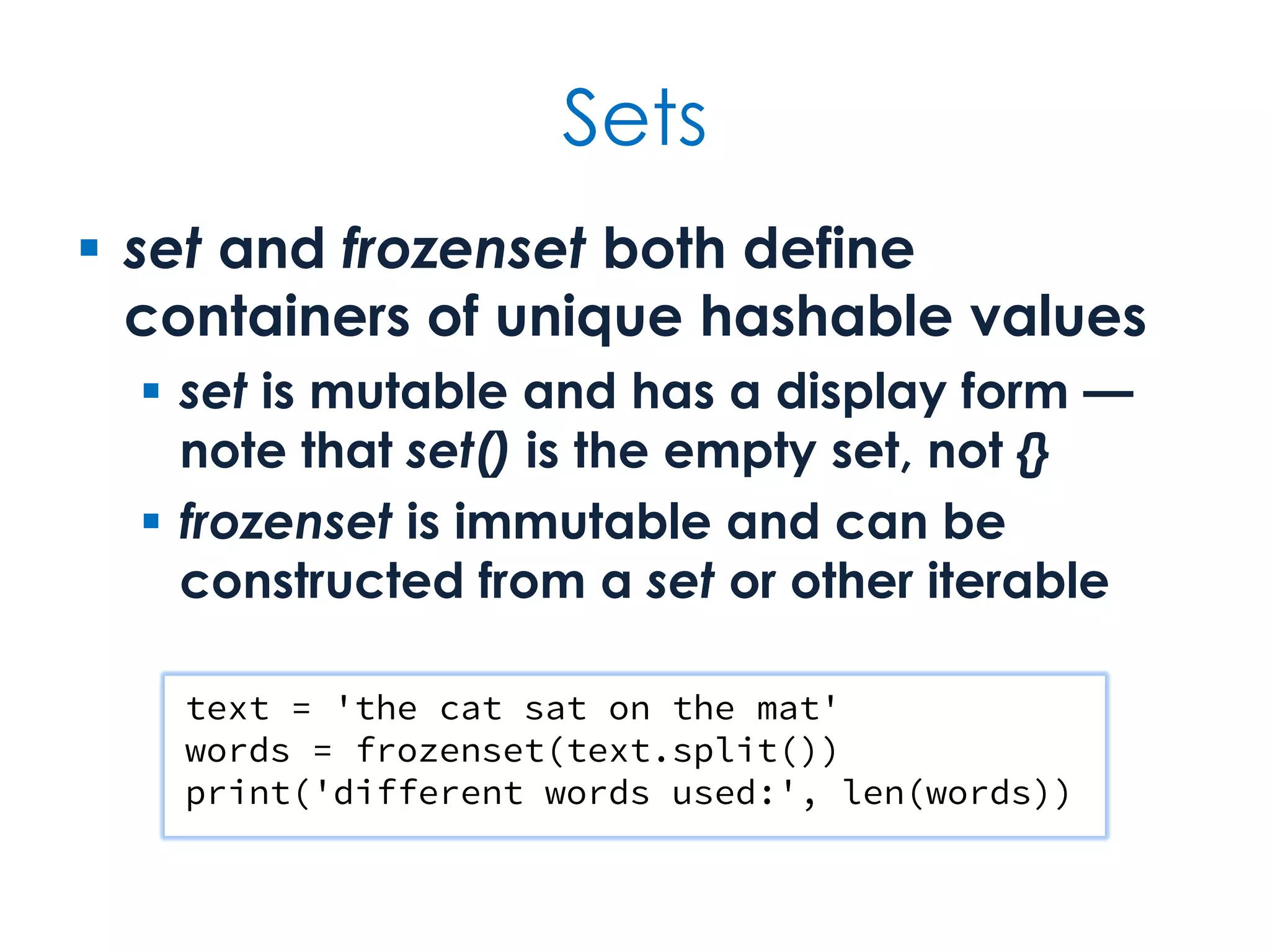
Sets  set and frozenset both define containers of unique hashable values  set is mutable and has a display form — note that set() is the empty set, not {}  frozenset is immutable and can be constructed from a set or other iterable text = 'the cat sat on the mat' words = frozenset(text.split()) print('different words used:', len(words))
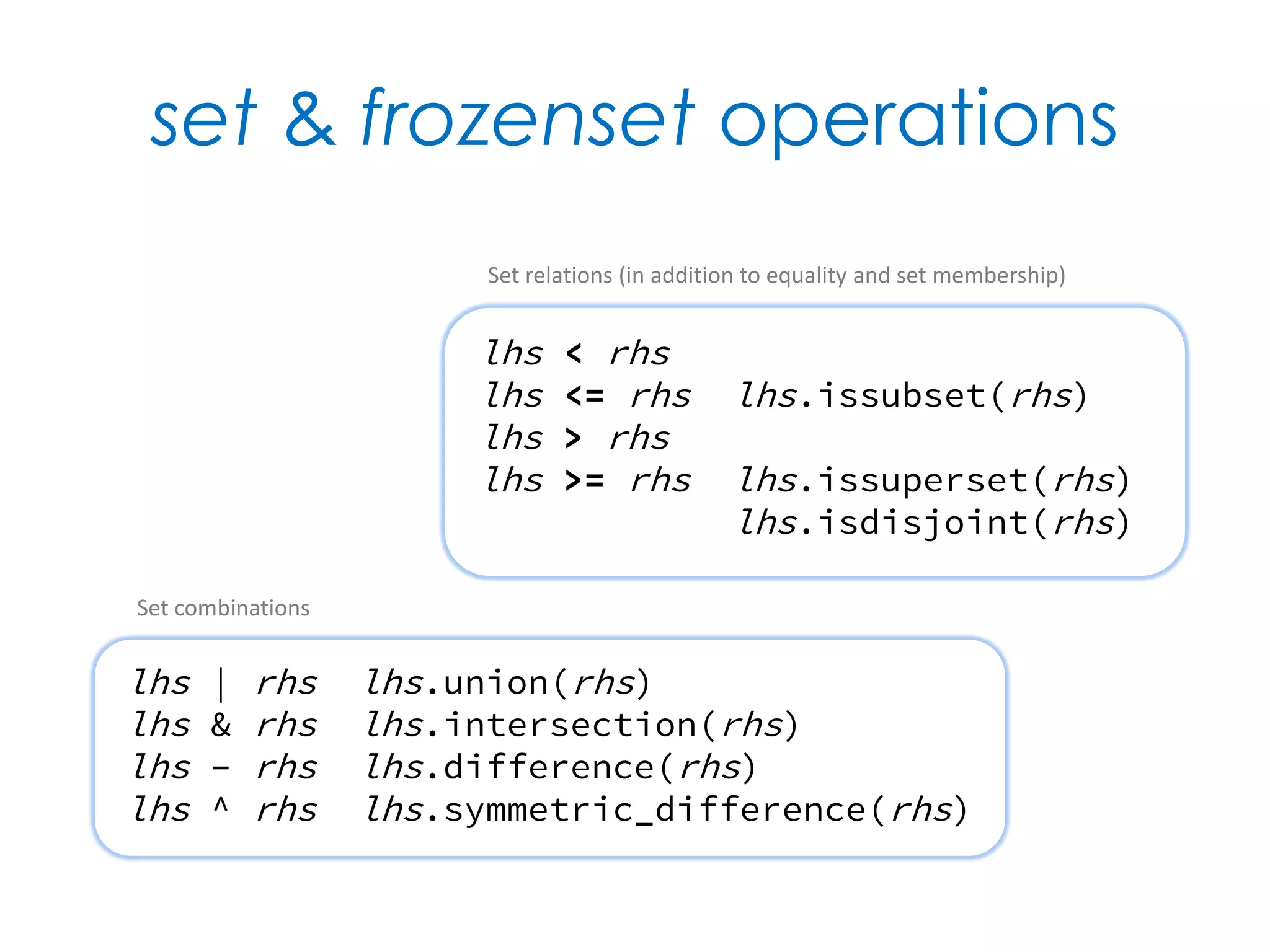
set & frozenset operations lhs < rhs lhs <= rhs lhs.issubset(rhs) lhs > rhs lhs >= rhs lhs.issuperset(rhs) lhs.isdisjoint(rhs) Set relations (in addition to equality and set membership) lhs | rhs lhs.union(rhs) lhs & rhs lhs.intersection(rhs) lhs – rhs lhs.difference(rhs) lhs ^ rhs lhs.symmetric_difference(rhs) Set combinations
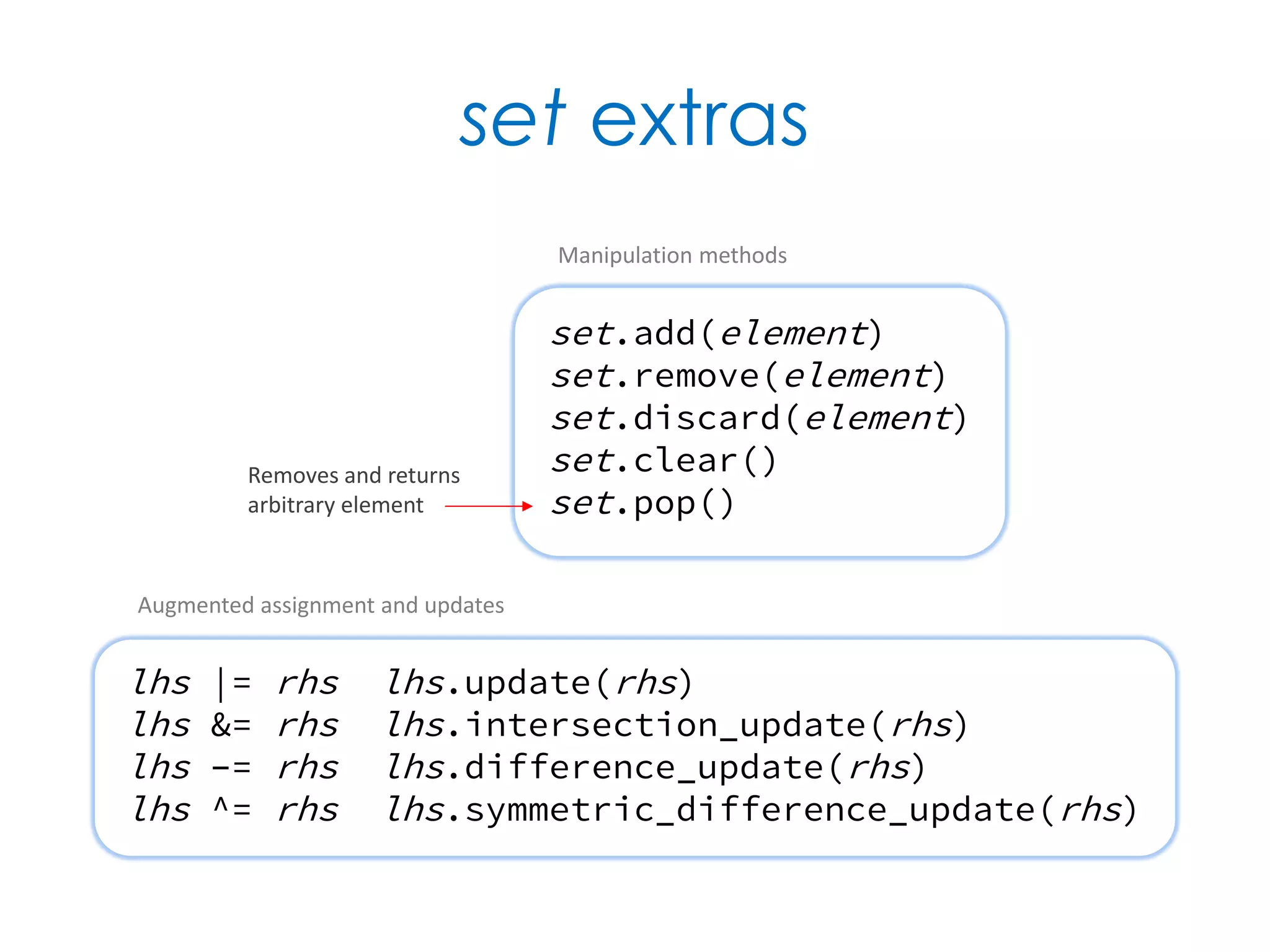
set extras lhs |= rhs lhs.update(rhs) lhs &= rhs lhs.intersection_update(rhs) lhs –= rhs lhs.difference_update(rhs) lhs ^= rhs lhs.symmetric_difference_update(rhs) Augmented assignment and updates set.add(element) set.remove(element) set.discard(element) set.clear() set.pop() Manipulation methods Removes and returns arbitrary element
Iteration Iterables, comprehensions, iterators & generators
Facts at a glance  A number of functions eliminate the need to many common loop patterns  Functional programming tools reduce many loops to simple expressions  A comprehension creates a list, set or dictionary without explicit looping  Iterators and generators support a lazy approach to handling series of values
Iteration  The conventional approach to iterating a series of values is to use for  Iterating over one or more iterables directly, as opposed to index-based loops  However, part of the secret to good iteration is... don't iterate explicitly  Think more functionally — use functions and other objects that set up or perform the iteration for you
Being lazy (part 1)  Be lazy by taking advantage of functionality already available  E.g., the min, max, sum, all, any and sorted built-ins all apply to iterables  Many common container-based looping patterns are captured in the form of container comprehensions  Look at itertools and functools modules for more possibilities
Being lazy (part 2)  Be lazy by using abstractions that evaluate their values on demand  You don't need to resolve everything into a list in order to use a series of values  Iterators and generators let you create objects that yield values in sequence  An iterator is an object that iterates  For some cases you can adapt existing iteration functionality using the iter built-in
Enumerating iterable items  Iterating a list without an index is easy... but what if you need the index?  Use enumerate to generate indexed pairs from any iterable codes = ['AMS', 'LHR', 'OSL'] for index, code in enumerate(codes, 1): print(index, code) 1 AMS 2 LHR 3 OSL
Zipping iterables together  Elements from multiple iterables can be zipped into a single sequence  Resulting iterator tuple-ises corresponding values together codes = ['AMS', 'LHR', 'OSL'] names = ['Schiphol', 'Heathrow', 'Oslo'] for airport in zip(codes, names): print(airport) airports = dict(zip(codes, names))
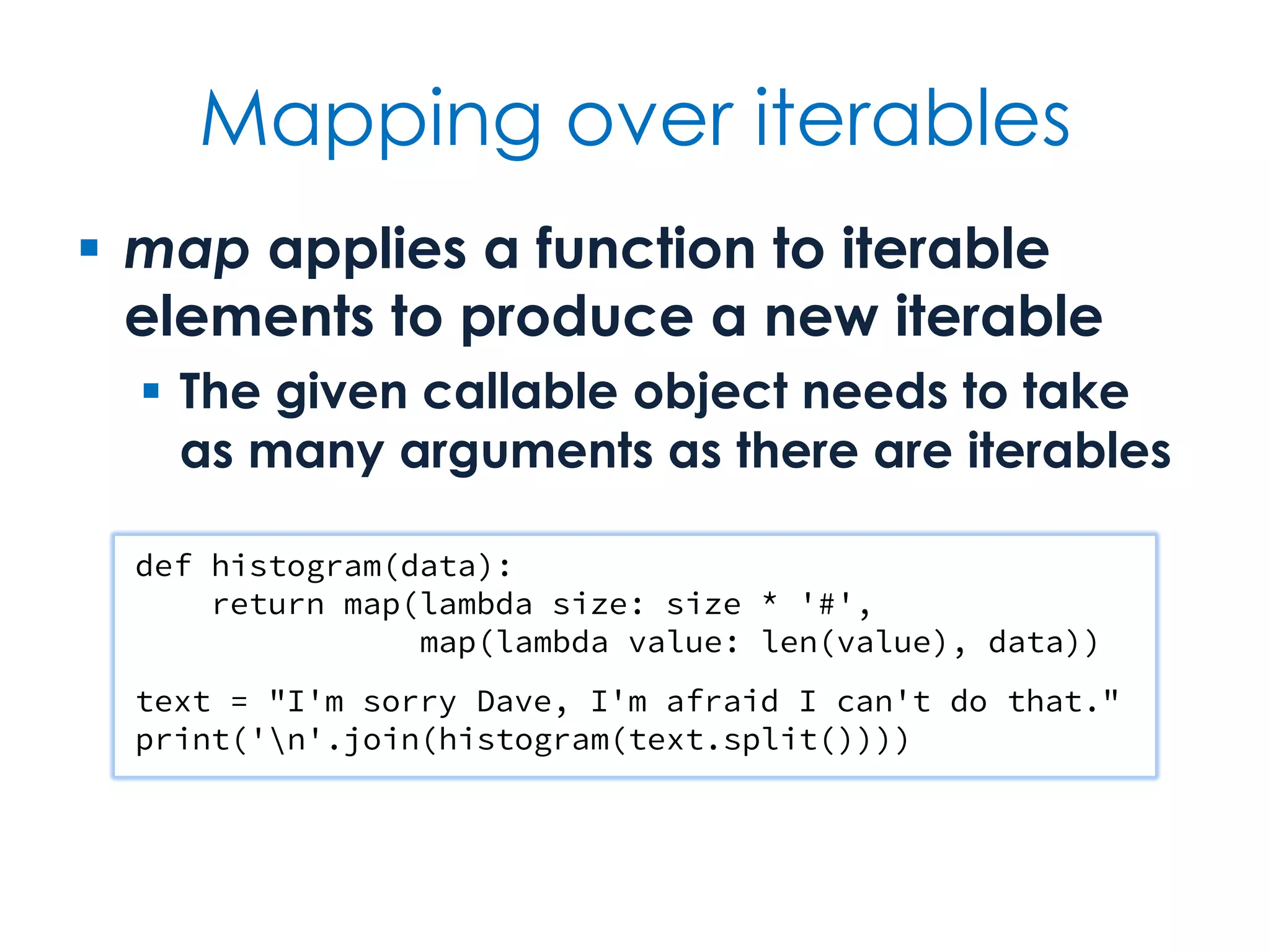
Mapping over iterables  map applies a function to iterable elements to produce a new iterable  The given callable object needs to take as many arguments as there are iterables  The mapping is carried out on demand and not at the point map is called def histogram(data): return map(lambda size: size * '#', map(len, data)) text = "I'm sorry Dave, I'm afraid I can't do that." print('n'.join(histogram(text.split())))
Filtering iterable values  filter includes only values that satisfy a given predicate in its generated result  If no predicate is provided — i.e., None — the Boolean of each value is assumed numbers = [42, 0, -273.15, 0.0, 97, 23, -1] positive = filter(lambda value: value > 0, numbers) non_zero = filter(None, numbers) list(positive) [42, 97, 23] list(non_zero) [42, -273.15, 97, 23, -1]
Comprehensions  Comprehensions are expressions that define value sequences declaratively  Defined by intension as an expression, rather than procedurally  Comprehension syntax is used to create lists, sets, dictionaries and generators  Although the for and if keywords are used, they have different implications  Can read for as from and if as where
Filtering values (again)  Prefer use of comprehensions over use of map and filter  But note that a list comprehension is fully rather than lazily evaluated numbers = [42, 0, -273.15, 0.0, 97, 23, -1] positive = [value for value in numbers if value > 0] non_zero = [value for value in numbers if value] positive [42, 97, 23] non_zero [42, -273.15, 97, 23, -1]
Container comprehensions [i**2 for i in range(13)] [0, 1, 4, 9, 16, 25, 36, 49, 64, 81, 100, 121, 144] {abs(i) for i in range(-10, 10)} {0, 1, 2, 3, 4, 5, 6, 7, 8, 9, 10} {i: i**2 for i in range(8)} {0: 0, 1: 1, 2: 4, 3: 9, 4: 16, 5: 25, 6: 36, 7: 49} List comprehension Set comprehension Dictionary comprehension
One way to do it? list(range(0, 100, 2)) list(range(100))[::2] list(range(100)[::2]) list(map(lambda i: i * 2, range(50))) list(filter(lambda i: i % 2 == 0, range(100))) [i * 2 for i in range(50)] [i for i in range(100) if i % 2 == 0] [i for i in range(100)][::2]
Experiment values = ['A'] + list(range(2, 11)) + ['J', 'Q', 'K'] suits = ['spades', 'hearts', 'diamonds', 'clubs'] [(value, suit) for suit in suits for value in values] In what order do you expect the elements in the comprehension to appear?
Experiment  A Pythagorean triple is three integers — a, b and c — such that a2 + b2 = c2  E.g., (3, 4, 5) and (5, 12, 13) are Pythagorean triples  Write a comprehension to find Pythagorean triples (up to some value)  Try to ensure that triples occur once, i.e., (3, 4, 5) but not also (4, 3, 5), (5, 4, 3), etc.
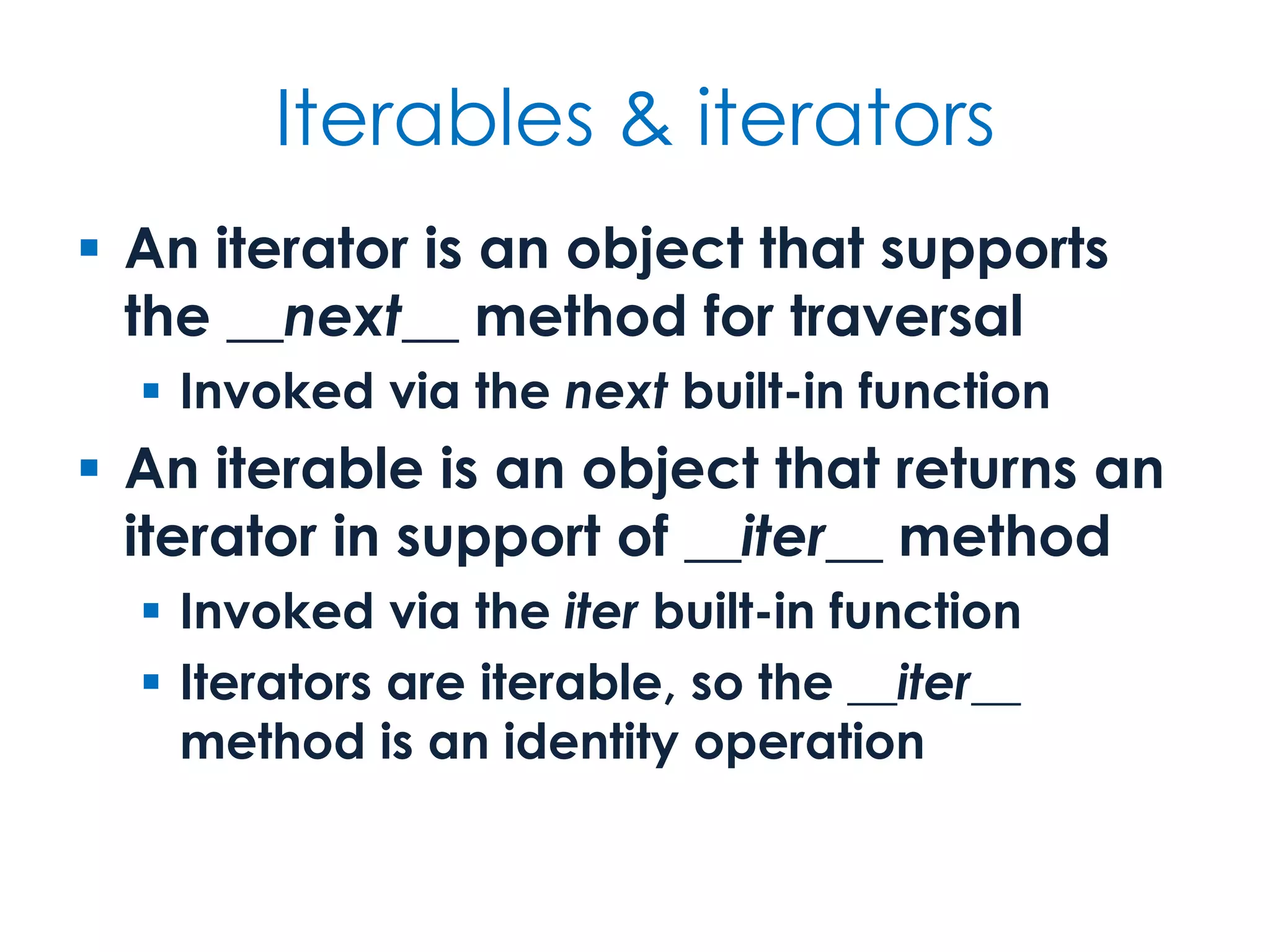
Iterables & iterators  An iterator is an object that supports the __next__ method for traversal  Invoked via the next built-in function  An iterable is an object that returns an iterator in support of __iter__ method  Invoked via the iter built-in function  Iterators are iterable, so the __iter__ method is an identity operation
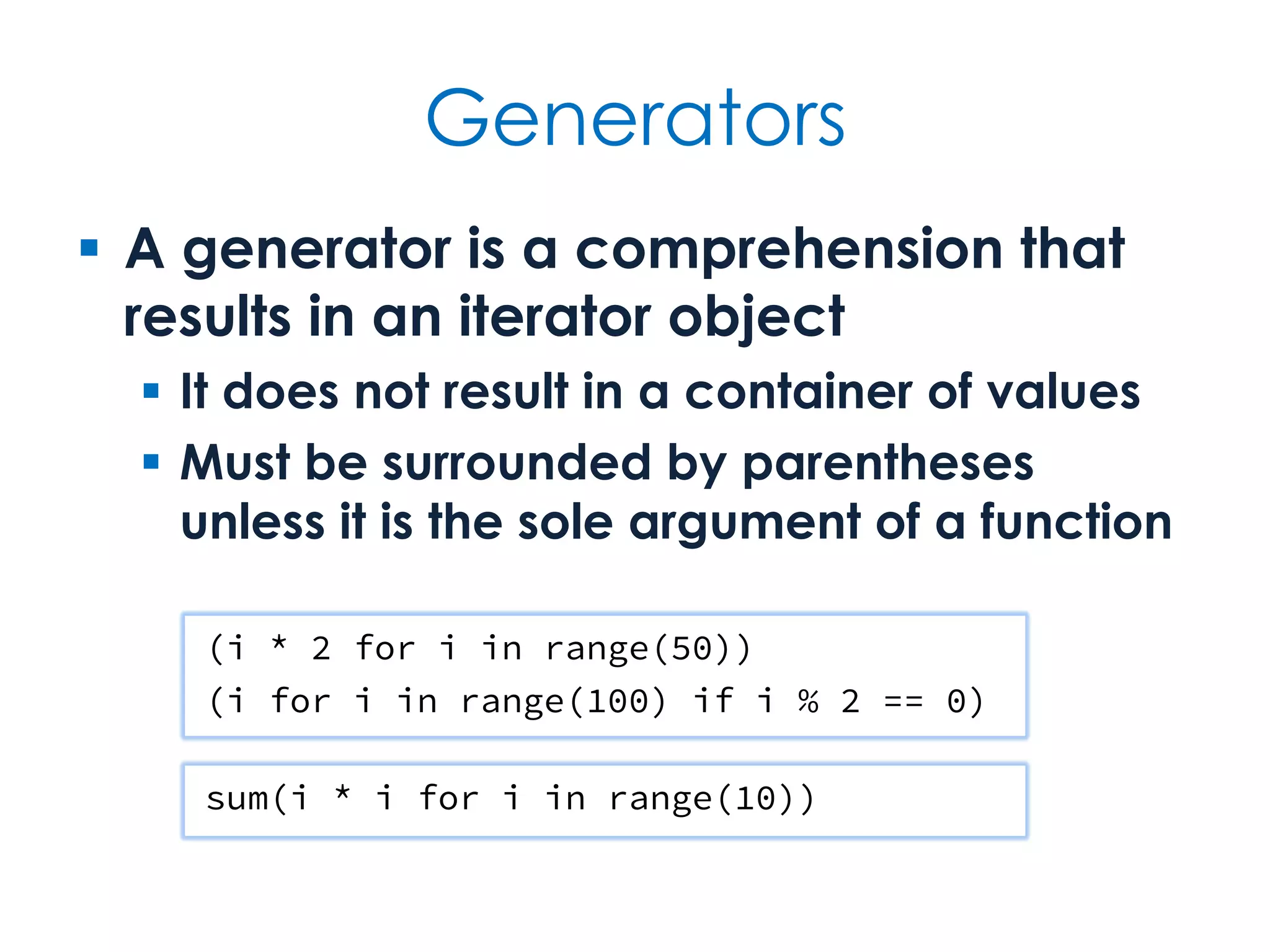
Generators  A generator is a comprehension that results in an iterator object  It does not result in a container of values  Must be surrounded by parentheses unless it is the sole argument of a function (i * 2 for i in range(50)) (i for i in range(100) if i % 2 == 0) sum(i * i for i in range(10))
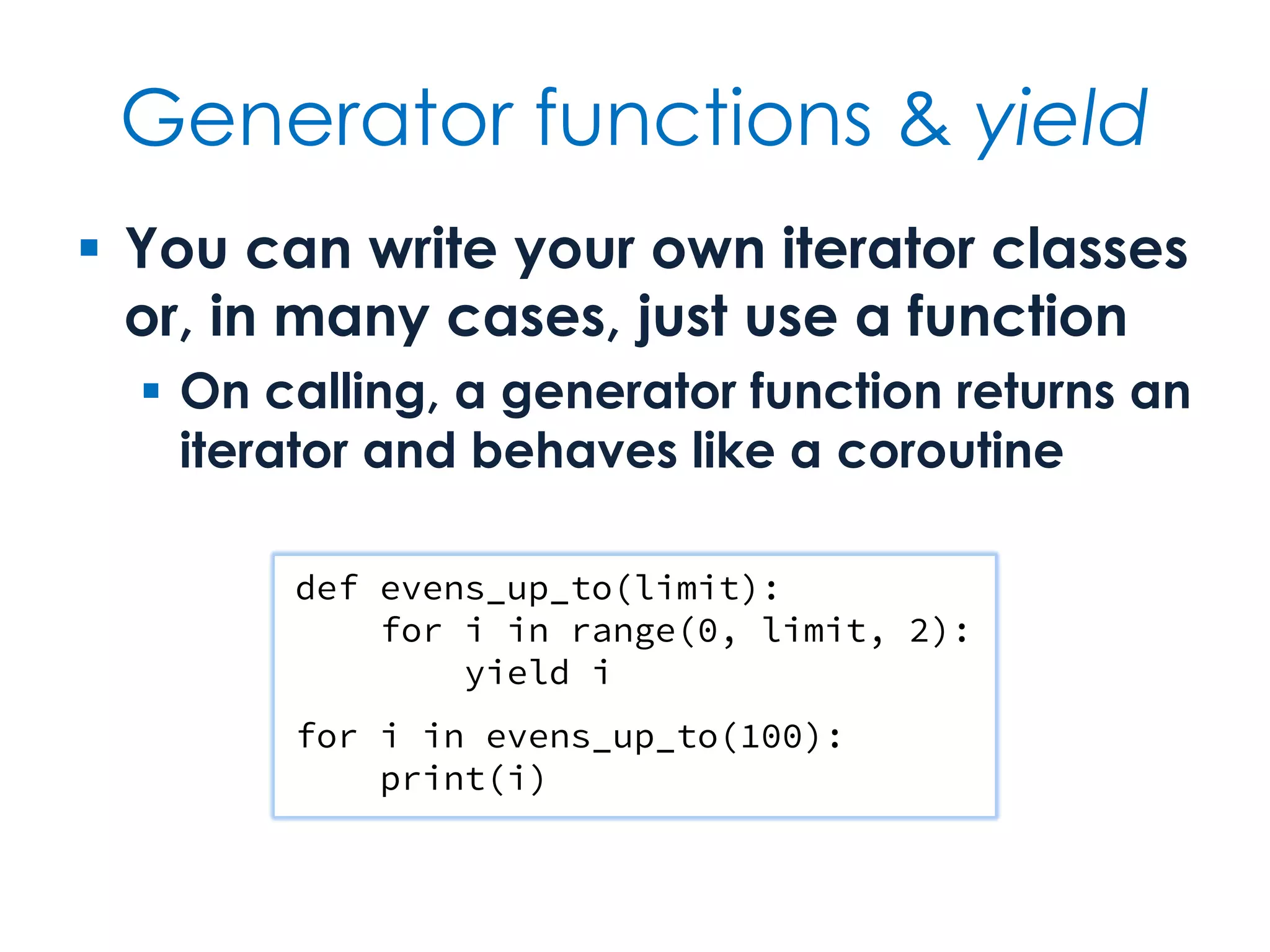
Generator functions & yield  You can write your own iterator classes or, in many cases, just use a function  On calling, a generator function returns an iterator and behaves like a coroutine def evens_up_to(limit): for i in range(0, limit, 2): yield i for i in evens_up_to(100): print(i)
Classes & Objects Definition, instantiation & usage
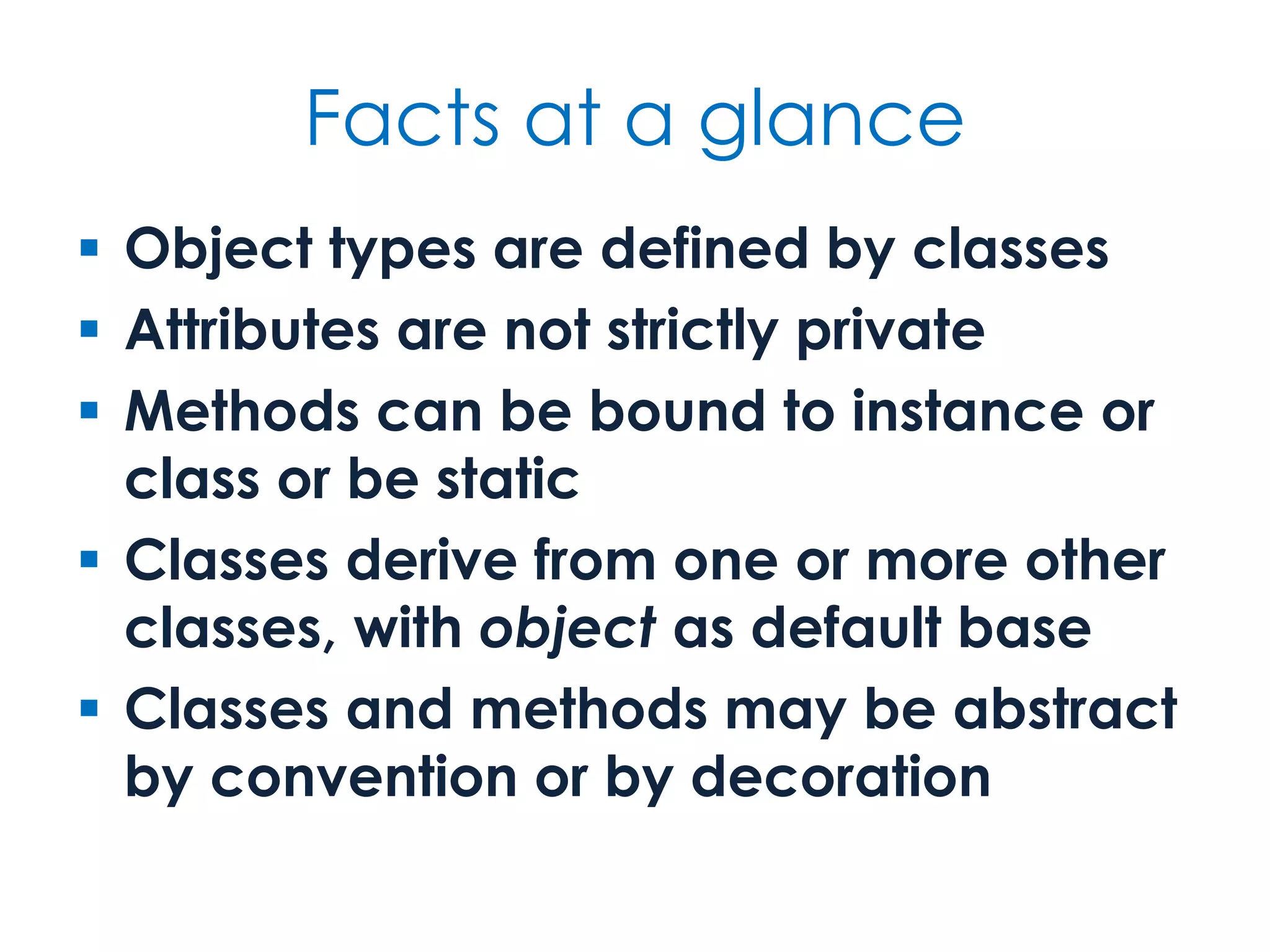
Facts at a glance  Object types are defined by classes  Attributes are not strictly private  Methods can be bound to instance or class or be static  Classes derive from one or more other classes, with object as default base  Classes and methods may be abstract by convention or by decoration
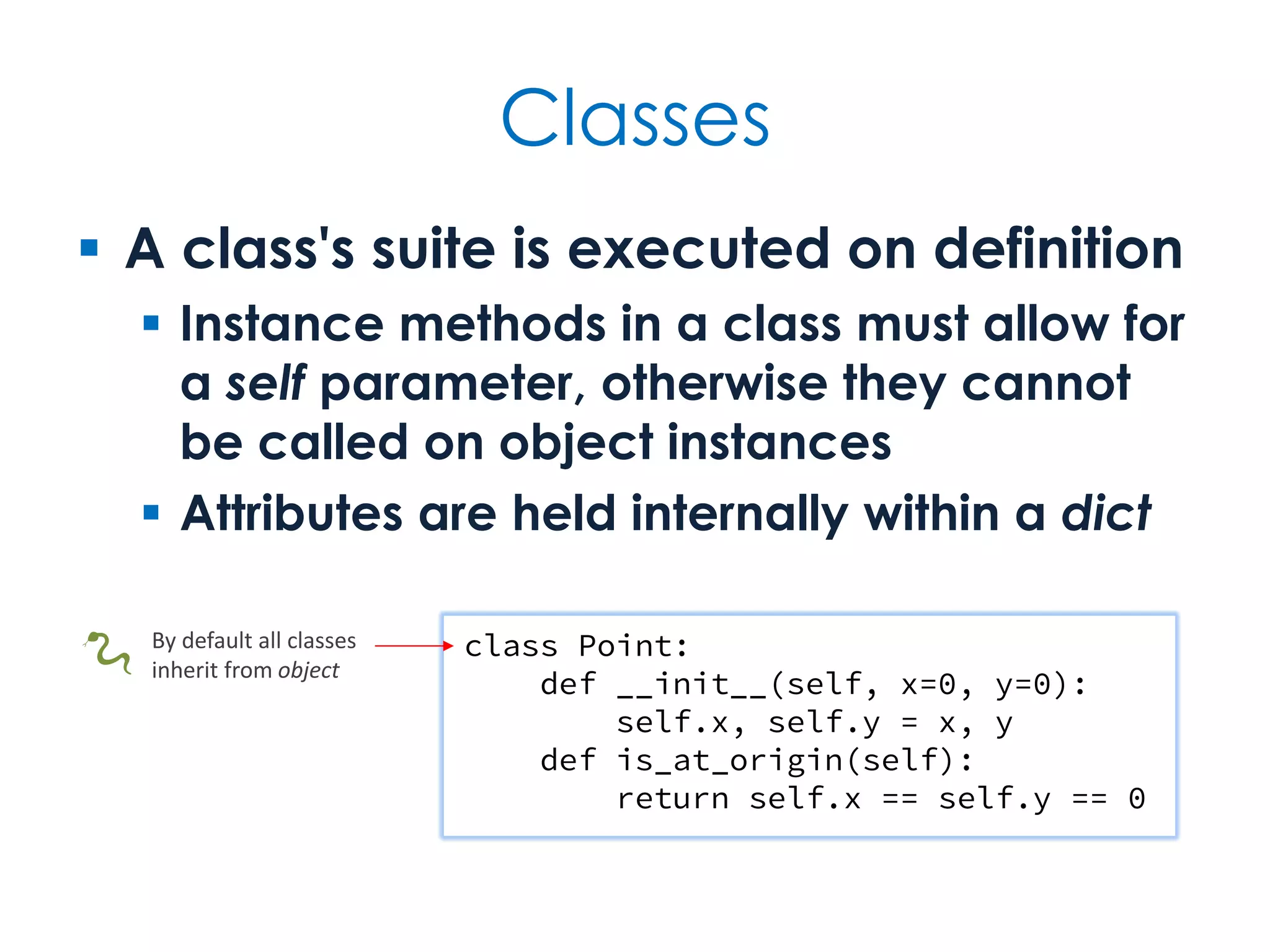
Classes  A class's suite is executed on definition  Instance methods in a class must allow for a self parameter, otherwise they cannot be called on object instances  Attributes are held internally within a dict class Point: def __init__(self, x=0, y=0): self.x, self.y = x, y def is_at_origin(self): return self.x == self.y == 0 By default all classes inherit from object🐍
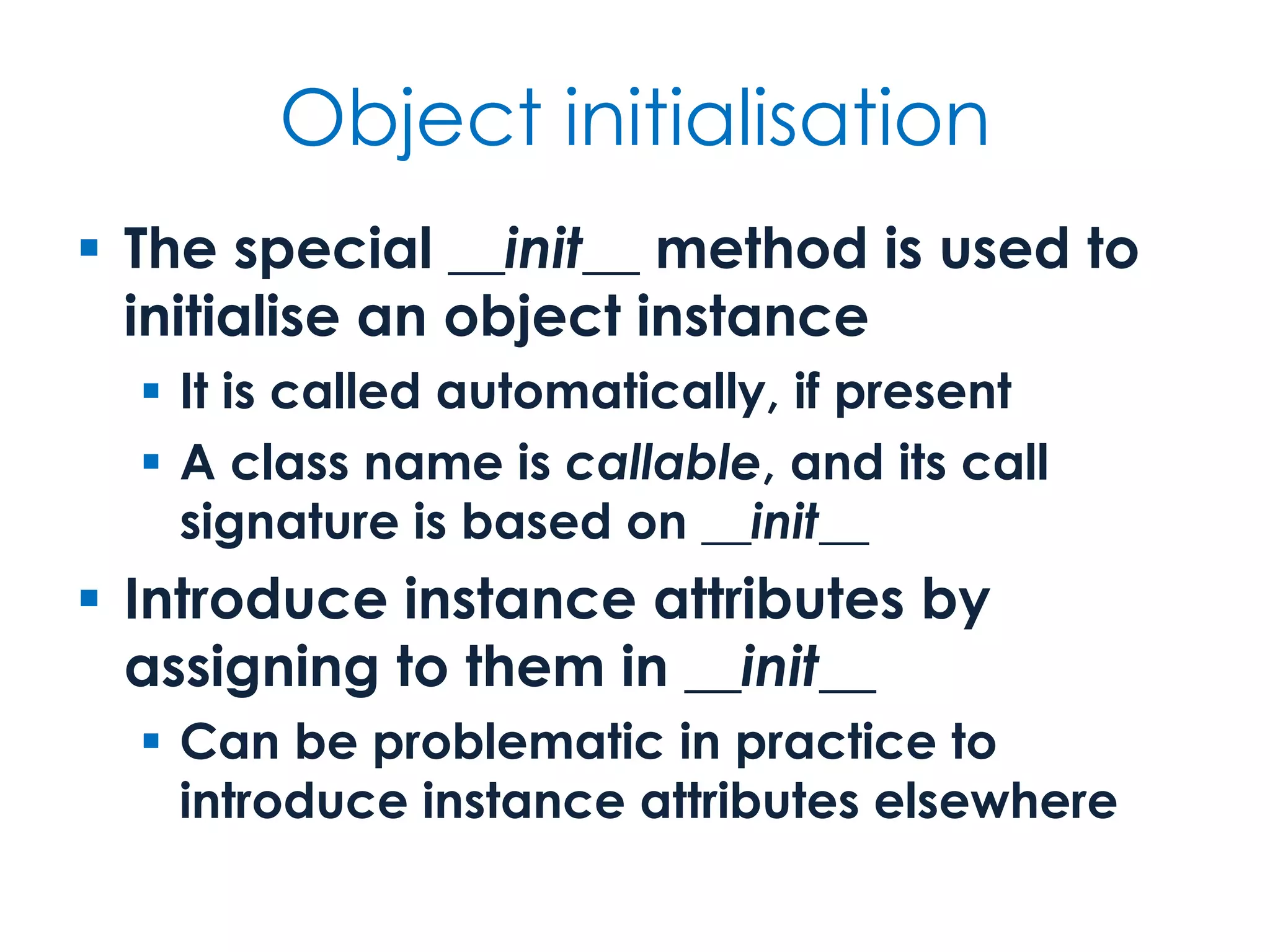
Object initialisation  The special __init__ method is used to initialise an object instance  It is called automatically, if present  A class name is callable, and its call signature is based on __init__  Introduce instance attributes by assigning to them in __init__  Can be problematic in practice to introduce instance attributes elsewhere
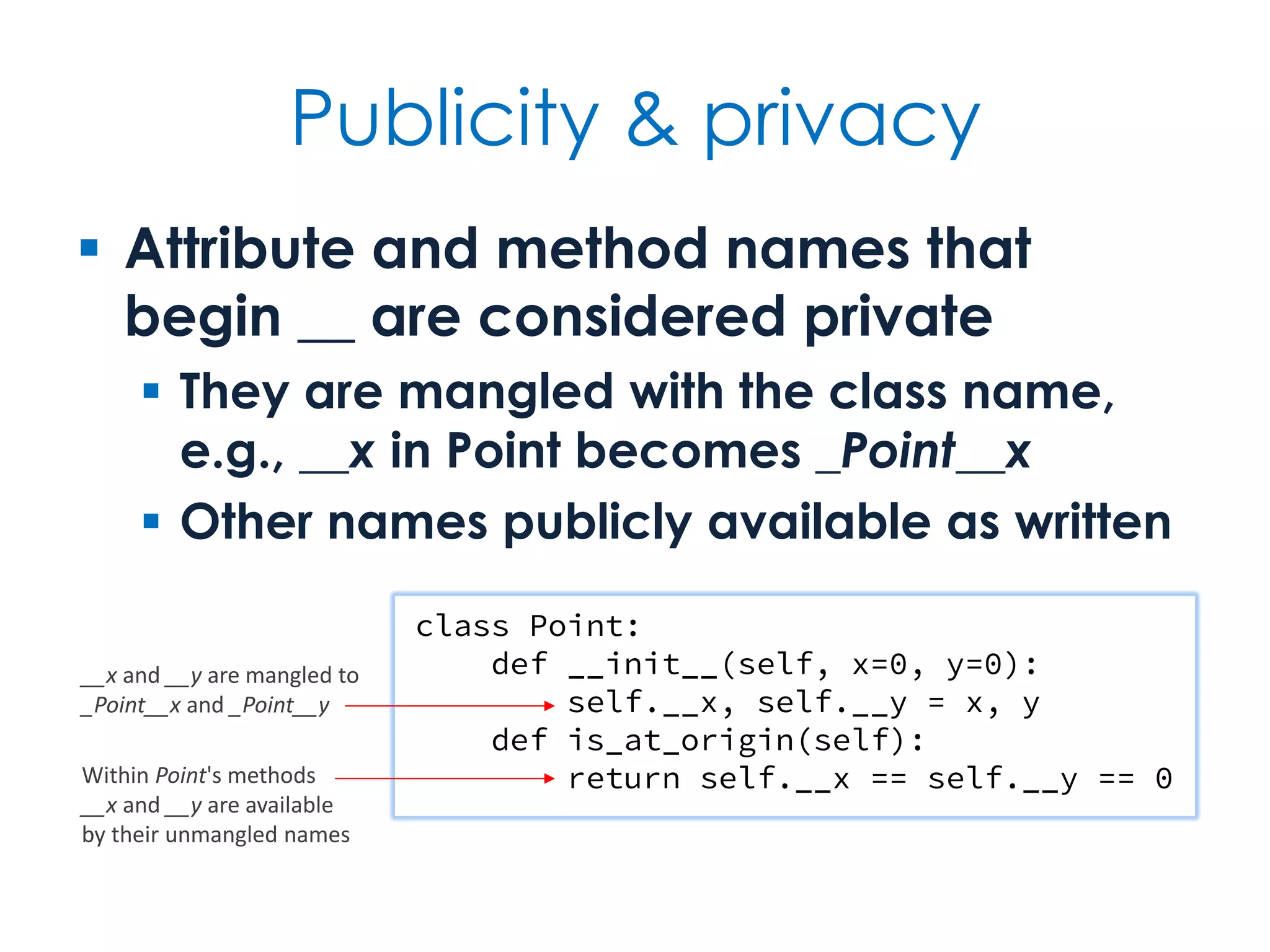
Publicity & privacy  Attribute and method names that begin __ are considered private  They are mangled with the class name, e.g., __x in Point becomes _Point__x  Other names publicly available as written class Point: def __init__(self, x=0, y=0): self.__x, self.__y = x, y def is_at_origin(self): return self.__x == self.__y == 0 __x and __y are mangled to _Point__x and _Point__y Within Point's methods __x and __y are available by their unmangled names
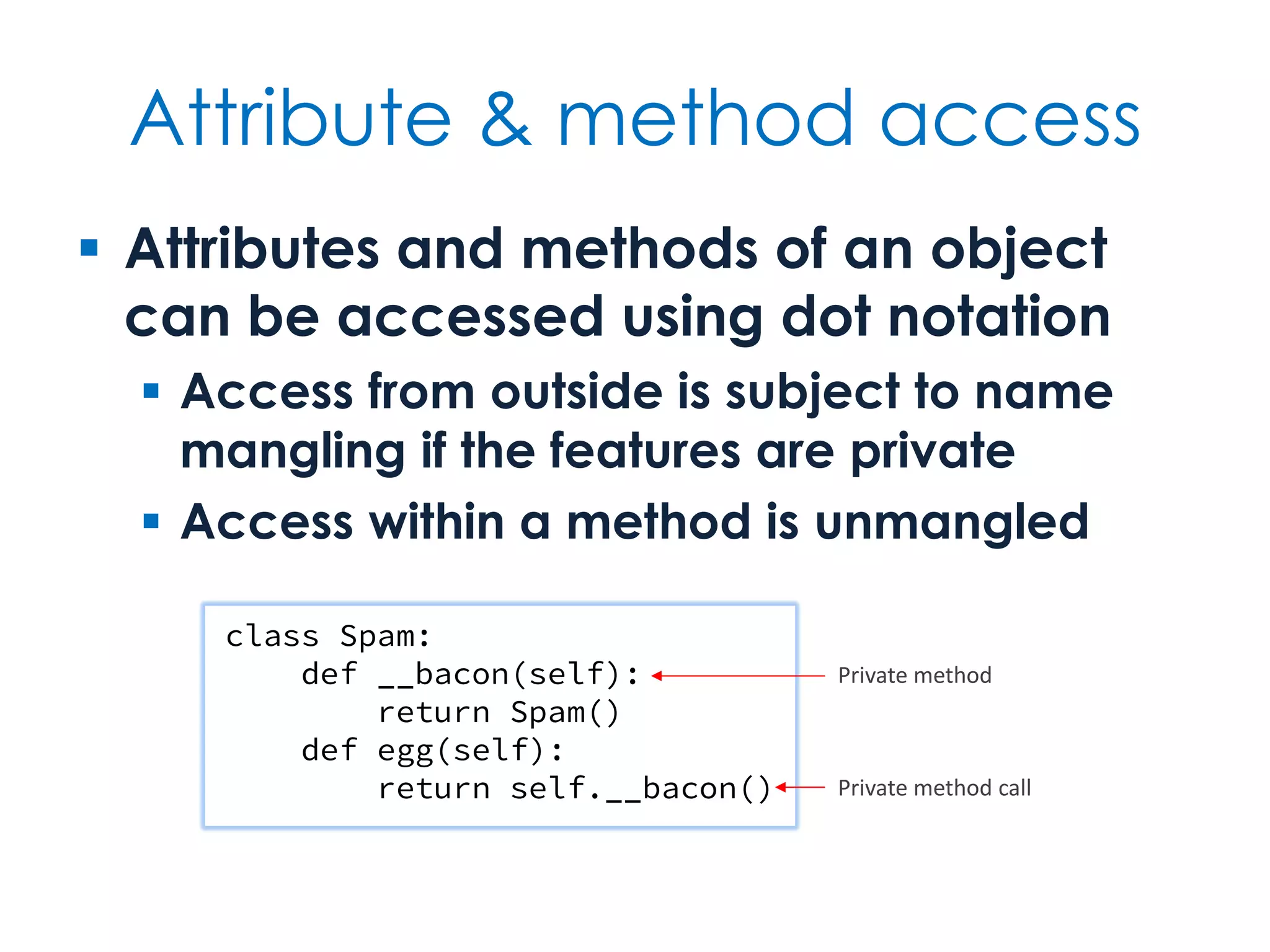
Attribute & method access  Attributes and methods of an object can be accessed using dot notation  Access from outside is subject to name mangling if the features are private  Access within a method is unmangled class Spam: def __bacon(self): return Spam() def egg(self): return self.__bacon() Private method Private method call
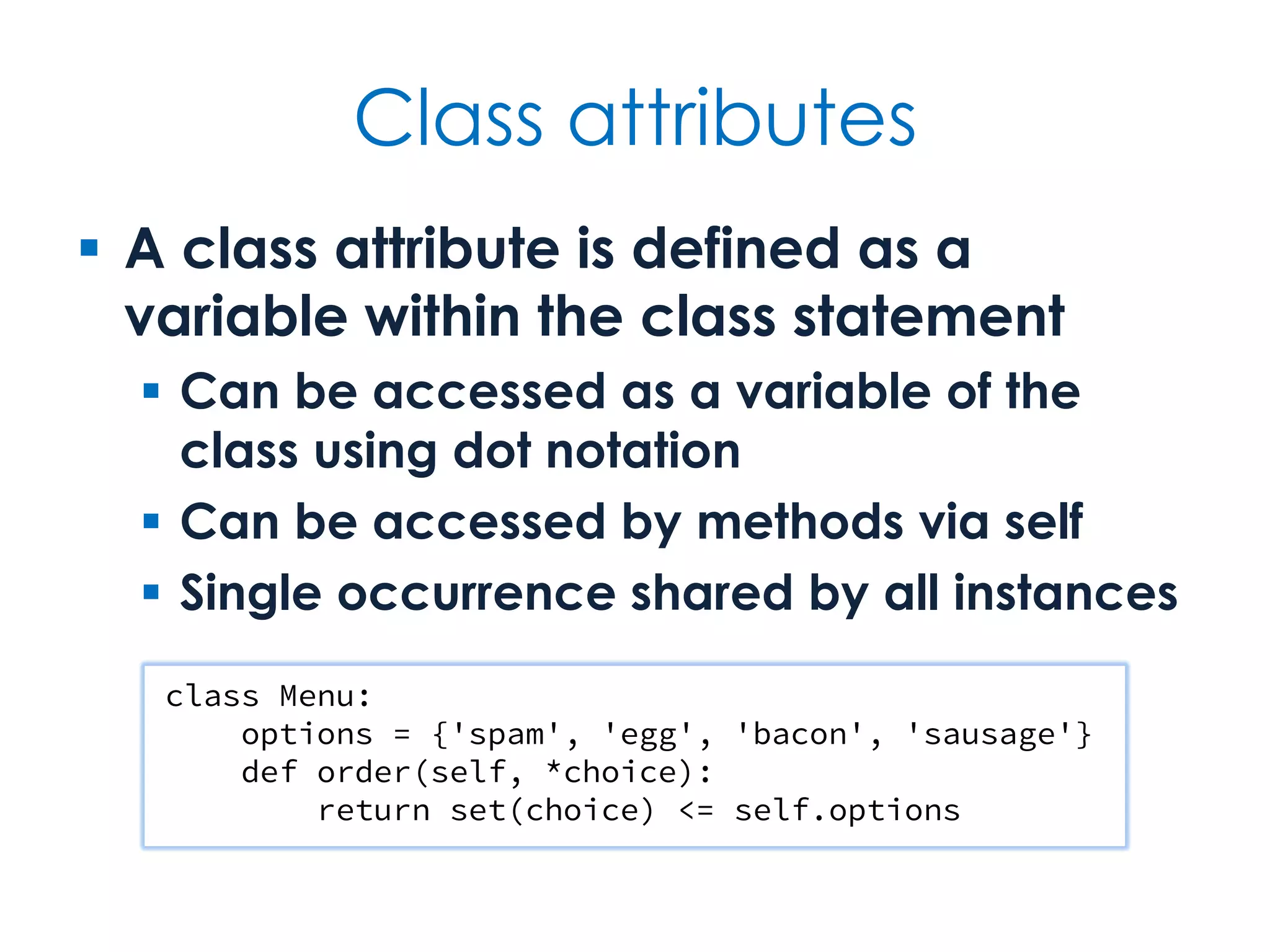
Class attributes  A class attribute is defined as a variable within the class statement  Can be accessed as a variable of the class using dot notation  Can be accessed by methods via self  Single occurrence shared by all instances class Menu: options = {'spam', 'egg', 'bacon', 'sausage'} def order(self, *choice): return set(choice) <= self.options
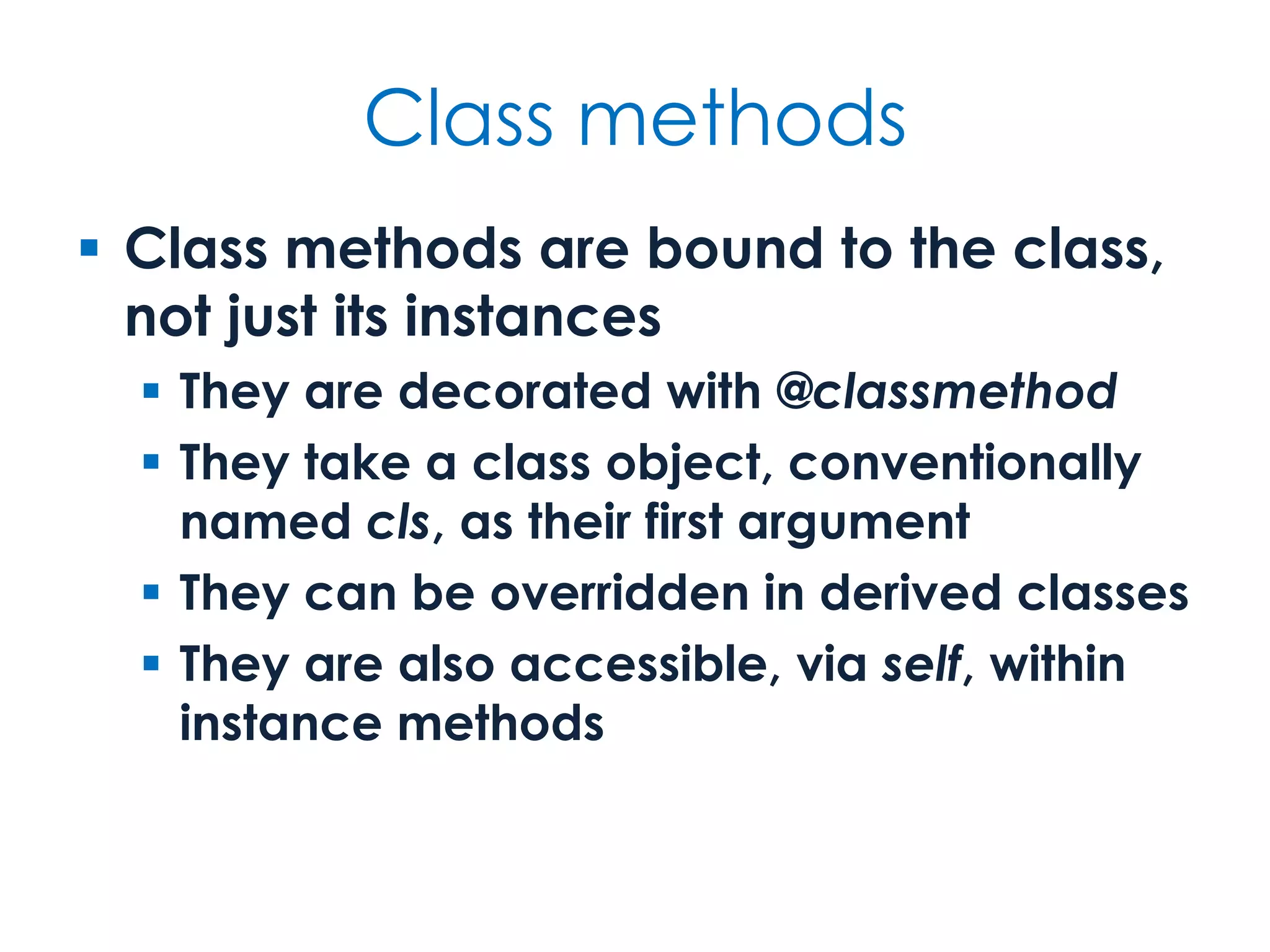
Class methods  Class methods are bound to the class, not just its instances  They are decorated with @classmethod  They take a class object, conventionally named cls, as their first argument  They can be overridden in derived classes  They are also accessible, via self, within instance methods
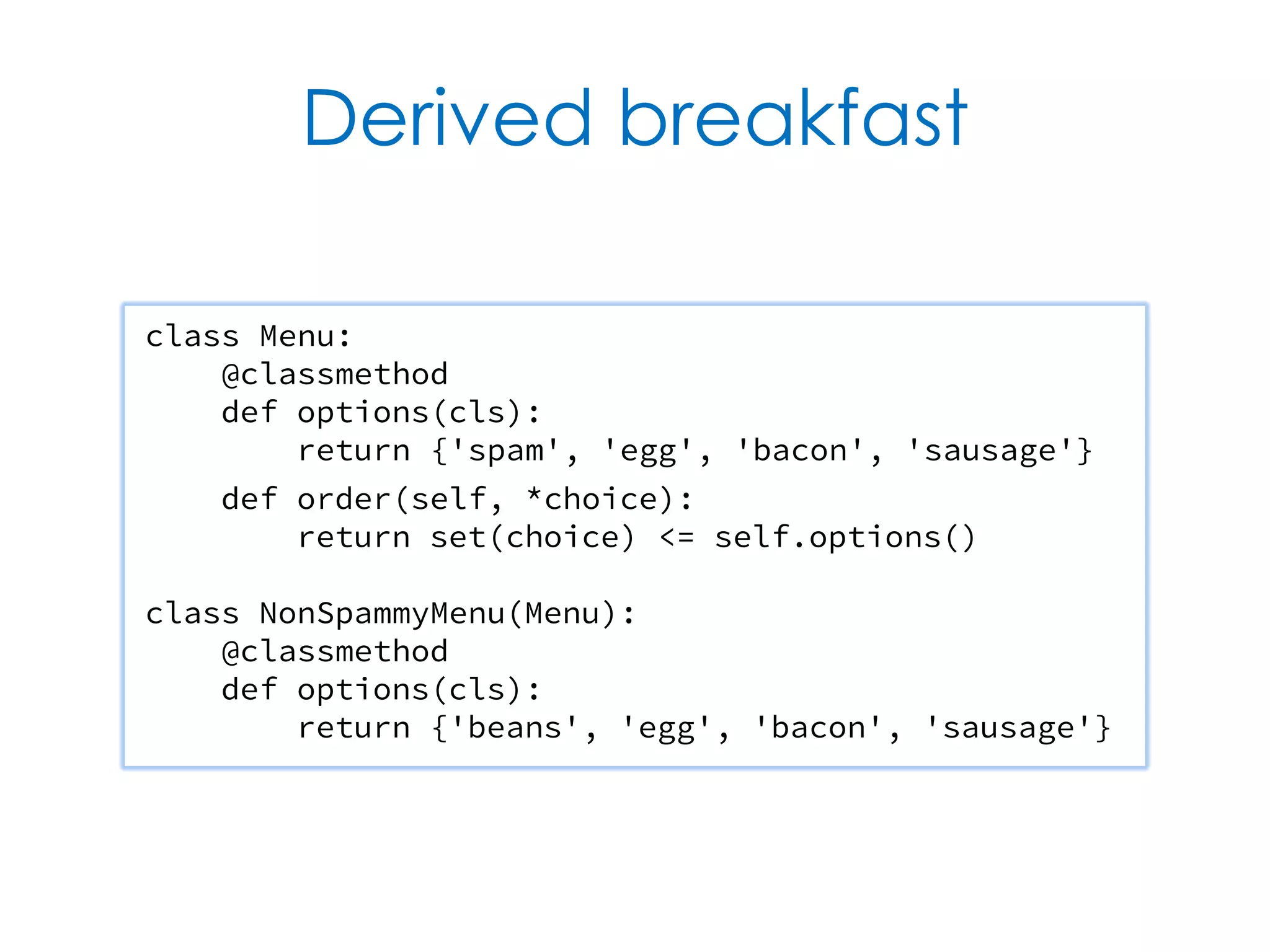
Derived breakfast class Menu: @classmethod def options(cls): return {'spam', 'egg', 'bacon', 'sausage'} def order(self, *choice): return set(choice) <= self.options() class NonSpammyMenu(Menu): @classmethod def options(cls): return {'beans', 'egg', 'bacon', 'sausage'}
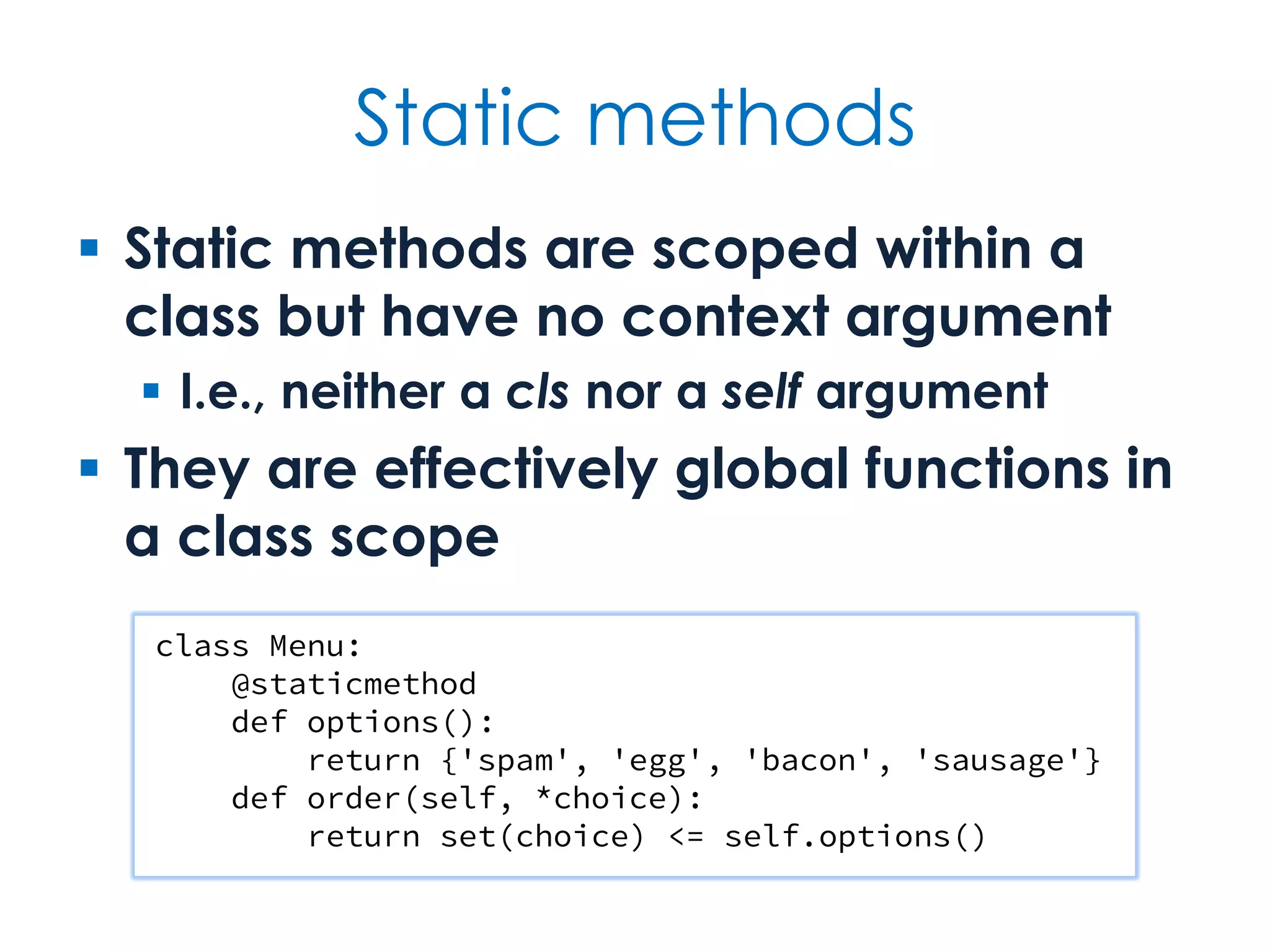
Static methods  Static methods are scoped within a class but have no context argument  I.e., neither a cls nor a self argument  They are effectively global functions in a class scope class Menu: @staticmethod def options(): return {'spam', 'egg', 'bacon', 'sausage'} def order(self, *choice): return set(choice) <= self.options()
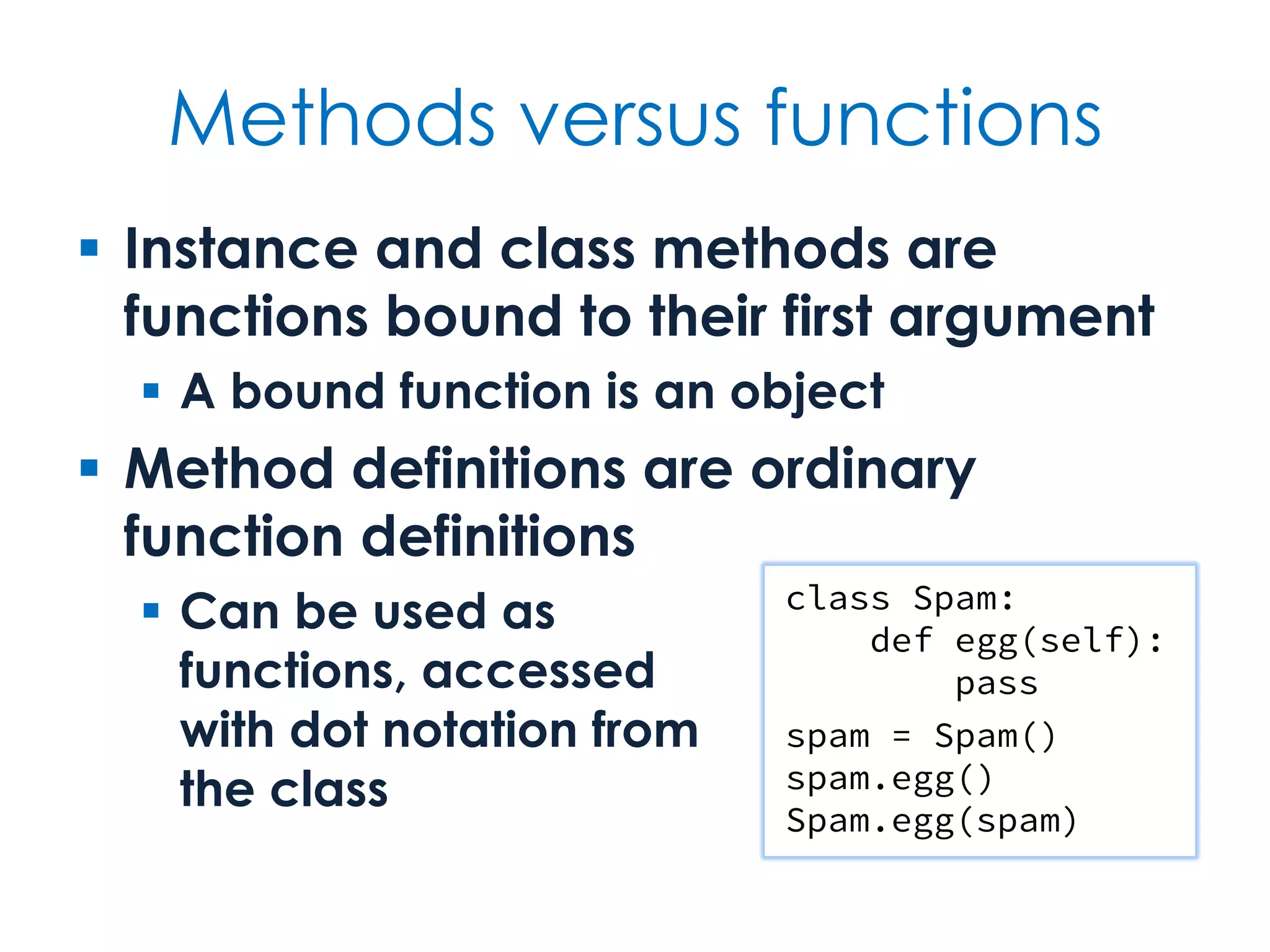
Methods versus functions  Instance and class methods are functions bound to their first argument  A bound function is an object  Method definitions are ordinary function definitions  Can be used as functions, accessed with dot notation from the class class Spam: def egg(self): pass spam = Spam() spam.egg() Spam.egg(spam)
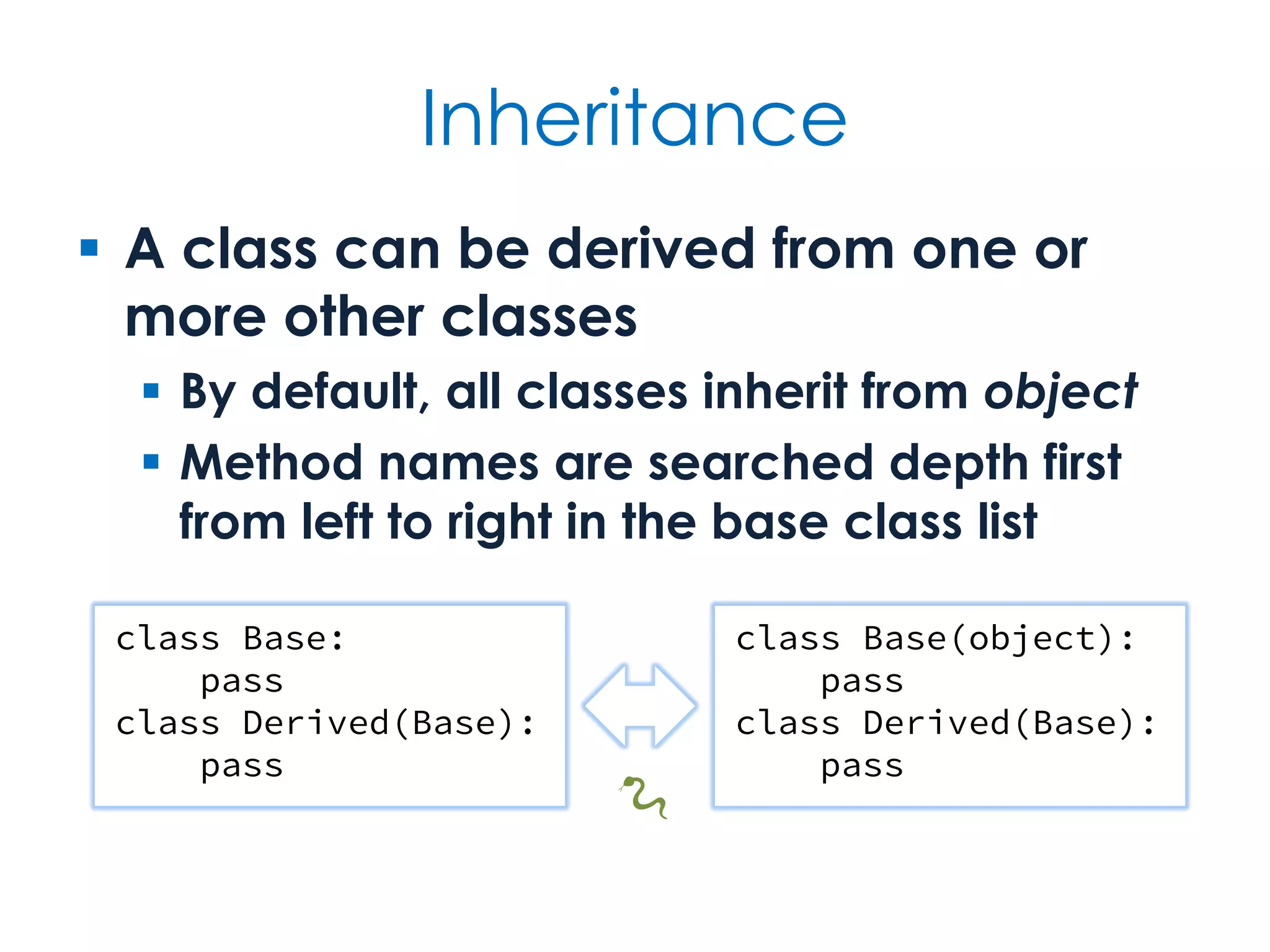
Inheritance  A class can be derived from one or more other classes  By default, all classes inherit from object  Method names are searched depth first from left to right in the base class list class Base: pass class Derived(Base): pass class Base(object): pass class Derived(Base): pass 🐍
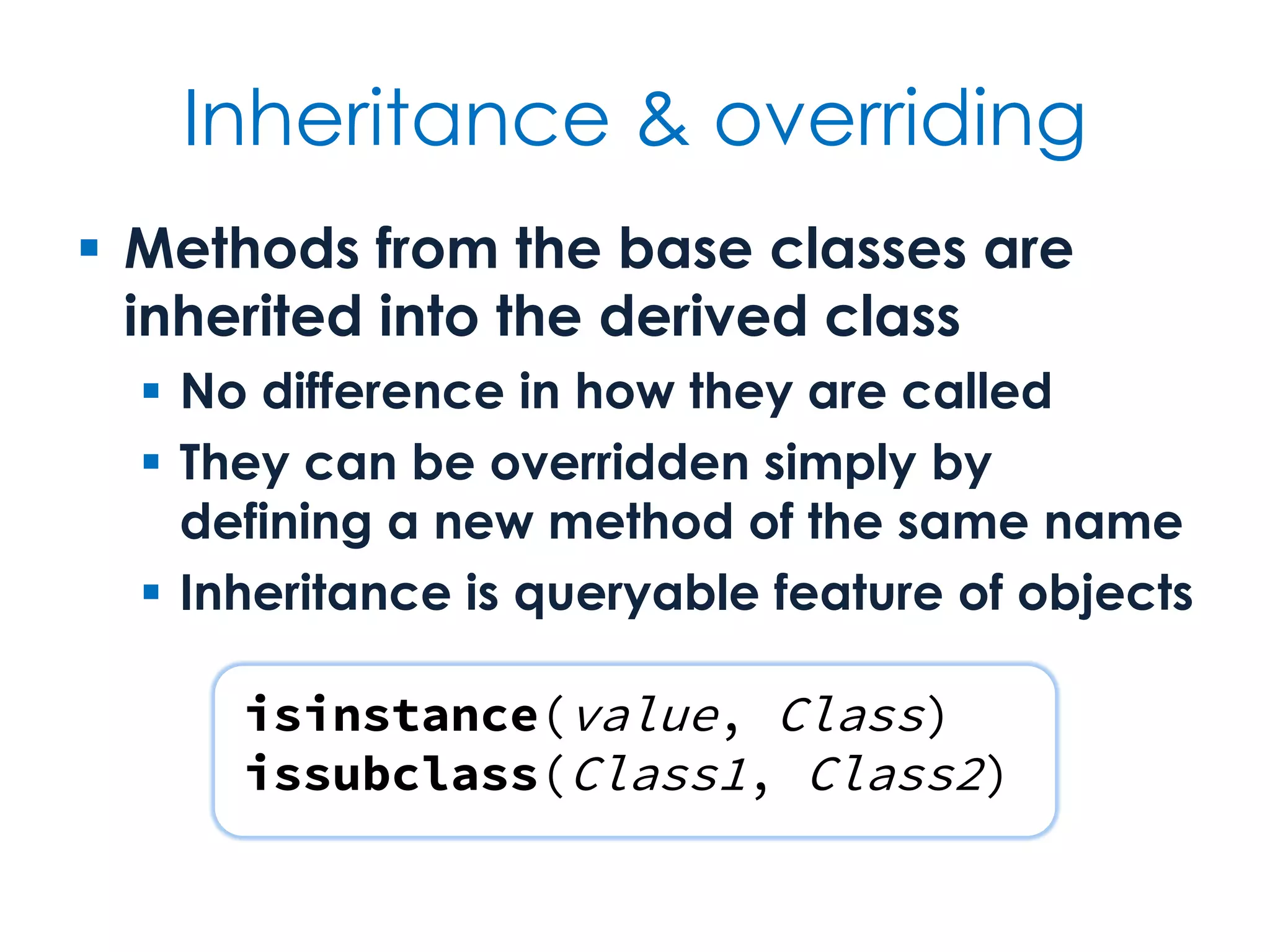
Inheritance & overriding  Methods from the base classes are inherited into the derived class  No difference in how they are called  They can be overridden simply by defining a new method of the same name  Inheritance is queryable feature of objects isinstance(value, Class) issubclass(Class1, Class2)
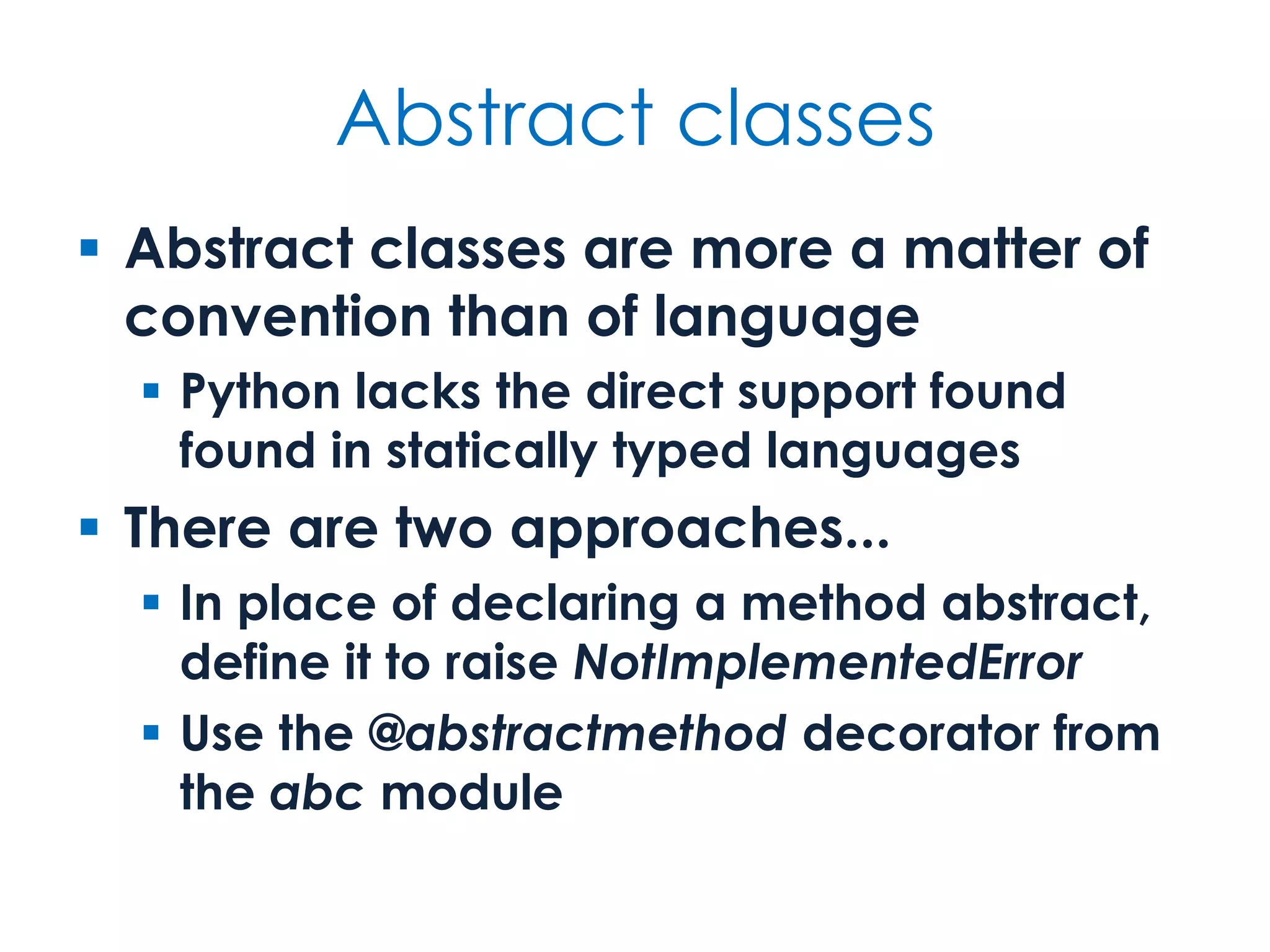
Abstract classes  Abstract classes are more a matter of convention than of language  Python lacks the direct support found found in statically typed languages  There are two approaches...  In place of declaring a method abstract, define it to raise NotImplementedError  Use the @abstractmethod decorator from the abc module
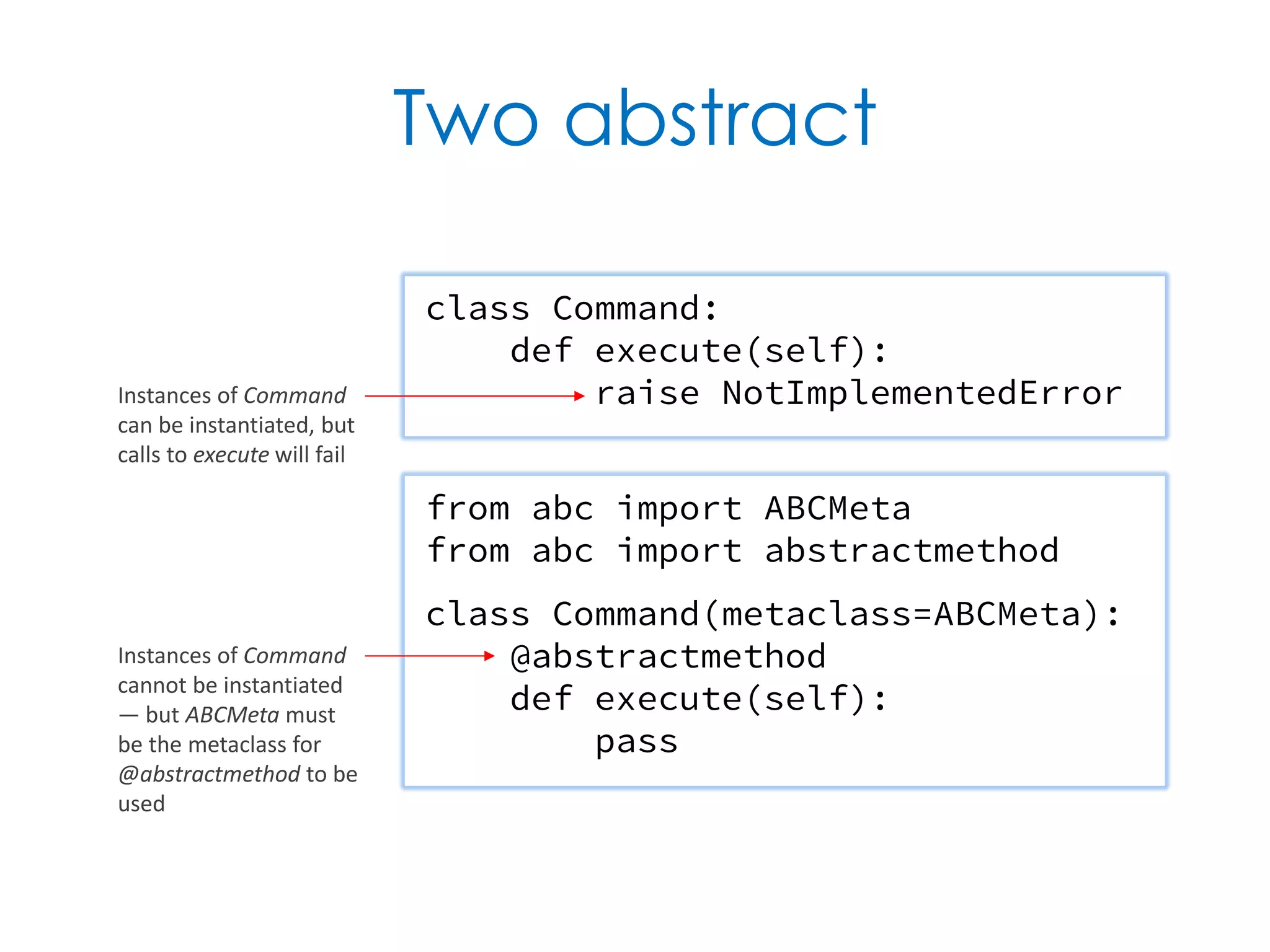
Two abstract class Command: def execute(self): raise NotImplementedError from abc import ABCMeta from abc import abstractmethod class Command(metaclass=ABCMeta): @abstractmethod def execute(self): pass Instances of Command can be instantiated, but calls to execute will fail Instances of Command cannot be instantiated — but ABCMeta must be the metaclass for @abstractmethod to be used
Outroduction What's done is done
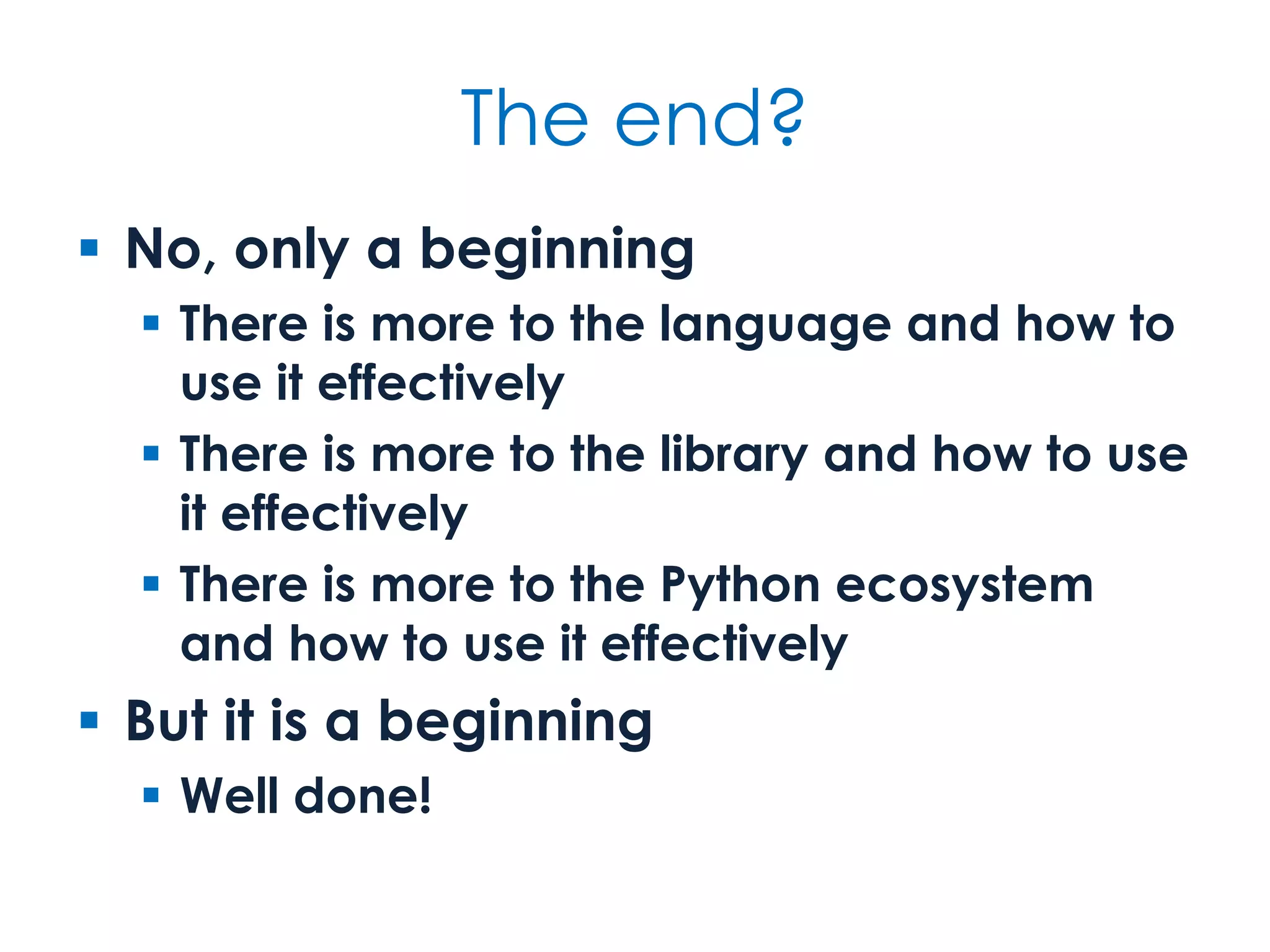
The end?  No, only a beginning  There is more to the language and how to use it effectively  There is more to the library and how to use it effectively  There is more to the Python ecosystem and how to use it effectively  But it is a beginning  Well done!
What next?  Language...  Namespaces, decorators, special methods, generators, etc.  Libraries...  Both the extensive standard one and the even more extensive non-standard ones  Styles...  Master Python's OO approach and its support for functional programming
Labs & Homework To do...
Guidance  Labs should be undertaken in pairs using Cyber-Dojo  Swap between driving and navigator roles within the same pair  Homework is carried out individually in your own environment  Do not spend too much time on this — an hour or so — and try not to overengineer the solution!
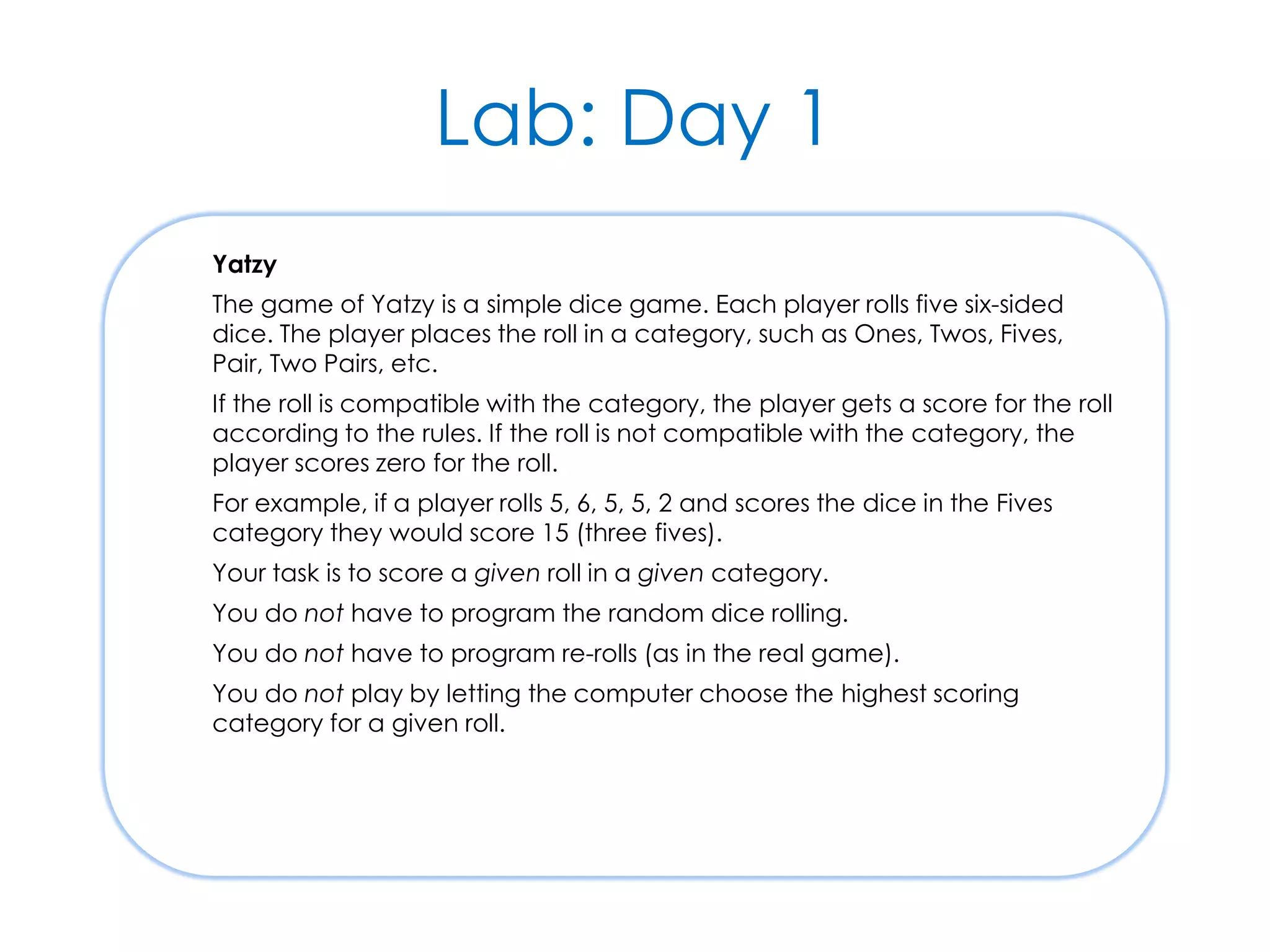
Lab: Day 1 Yatzy The game of Yatzy is a simple dice game. Each player rolls five six-sided dice. The player places the roll in a category, such as Ones, Twos, Fives, Pair, Two Pairs, etc. If the roll is compatible with the category, the player gets a score for the roll according to the rules. If the roll is not compatible with the category, the player scores zero for the roll. For example, if a player rolls 5, 6, 5, 5, 2 and scores the dice in the Fives category they would score 15 (three fives). Your task is to score a given roll in a given category. You do not have to program the random dice rolling. You do not have to program re-rolls (as in the real game). You do not play by letting the computer choose the highest scoring category for a given roll.
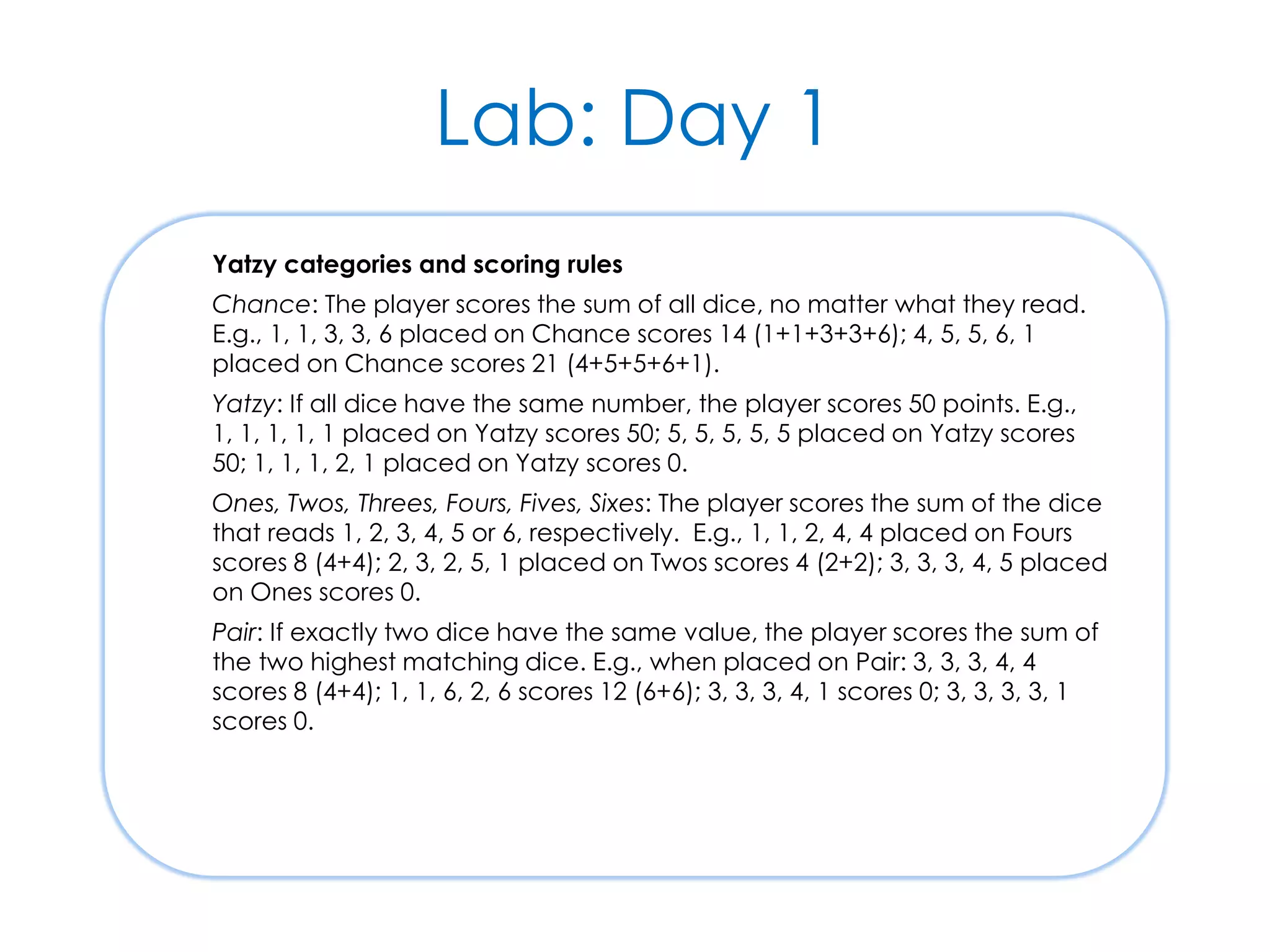
Lab: Day 1 Yatzy categories and scoring rules Chance: The player scores the sum of all dice, no matter what they read. E.g., 1, 1, 3, 3, 6 placed on Chance scores 14 (1+1+3+3+6); 4, 5, 5, 6, 1 placed on Chance scores 21 (4+5+5+6+1). Yatzy: If all dice have the same number, the player scores 50 points. E.g., 1, 1, 1, 1, 1 placed on Yatzy scores 50; 5, 5, 5, 5, 5 placed on Yatzy scores 50; 1, 1, 1, 2, 1 placed on Yatzy scores 0. Ones, Twos, Threes, Fours, Fives, Sixes: The player scores the sum of the dice that reads 1, 2, 3, 4, 5 or 6, respectively. E.g., 1, 1, 2, 4, 4 placed on Fours scores 8 (4+4); 2, 3, 2, 5, 1 placed on Twos scores 4 (2+2); 3, 3, 3, 4, 5 placed on Ones scores 0. Pair: If exactly two dice have the same value, the player scores the sum of the two highest matching dice. E.g., when placed on Pair: 3, 3, 3, 4, 4 scores 8 (4+4); 1, 1, 6, 2, 6 scores 12 (6+6); 3, 3, 3, 4, 1 scores 0; 3, 3, 3, 3, 1 scores 0.
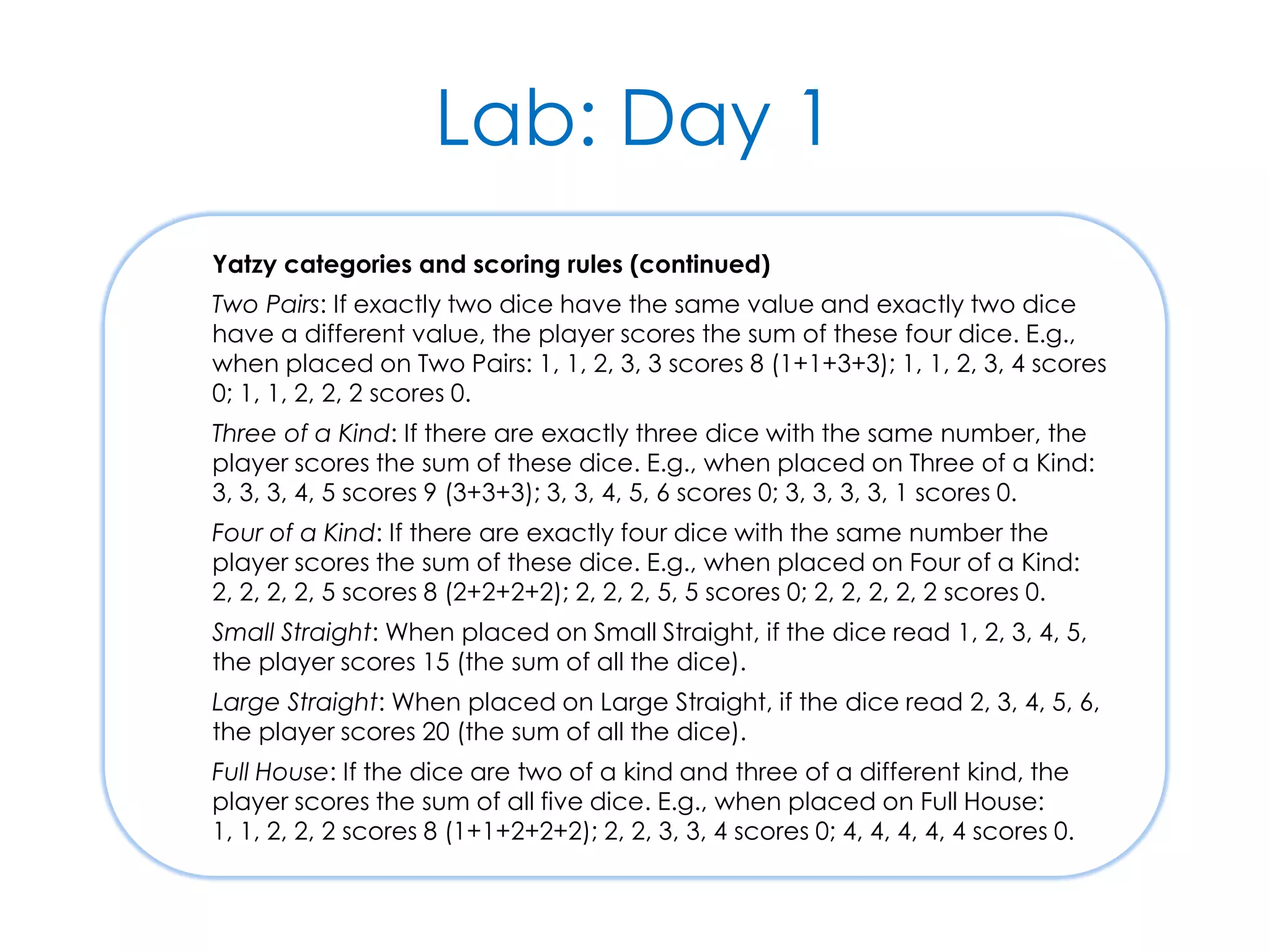
Lab: Day 1 Yatzy categories and scoring rules (continued) Two Pairs: If exactly two dice have the same value and exactly two dice have a different value, the player scores the sum of these four dice. E.g., when placed on Two Pairs: 1, 1, 2, 3, 3 scores 8 (1+1+3+3); 1, 1, 2, 3, 4 scores 0; 1, 1, 2, 2, 2 scores 0. Three of a Kind: If there are exactly three dice with the same number, the player scores the sum of these dice. E.g., when placed on Three of a Kind: 3, 3, 3, 4, 5 scores 9 (3+3+3); 3, 3, 4, 5, 6 scores 0; 3, 3, 3, 3, 1 scores 0. Four of a Kind: If there are exactly four dice with the same number the player scores the sum of these dice. E.g., when placed on Four of a Kind: 2, 2, 2, 2, 5 scores 8 (2+2+2+2); 2, 2, 2, 5, 5 scores 0; 2, 2, 2, 2, 2 scores 0. Small Straight: When placed on Small Straight, if the dice read 1, 2, 3, 4, 5, the player scores 15 (the sum of all the dice). Large Straight: When placed on Large Straight, if the dice read 2, 3, 4, 5, 6, the player scores 20 (the sum of all the dice). Full House: If the dice are two of a kind and three of a different kind, the player scores the sum of all five dice. E.g., when placed on Full House: 1, 1, 2, 2, 2 scores 8 (1+1+2+2+2); 2, 2, 3, 3, 4 scores 0; 4, 4, 4, 4, 4 scores 0.
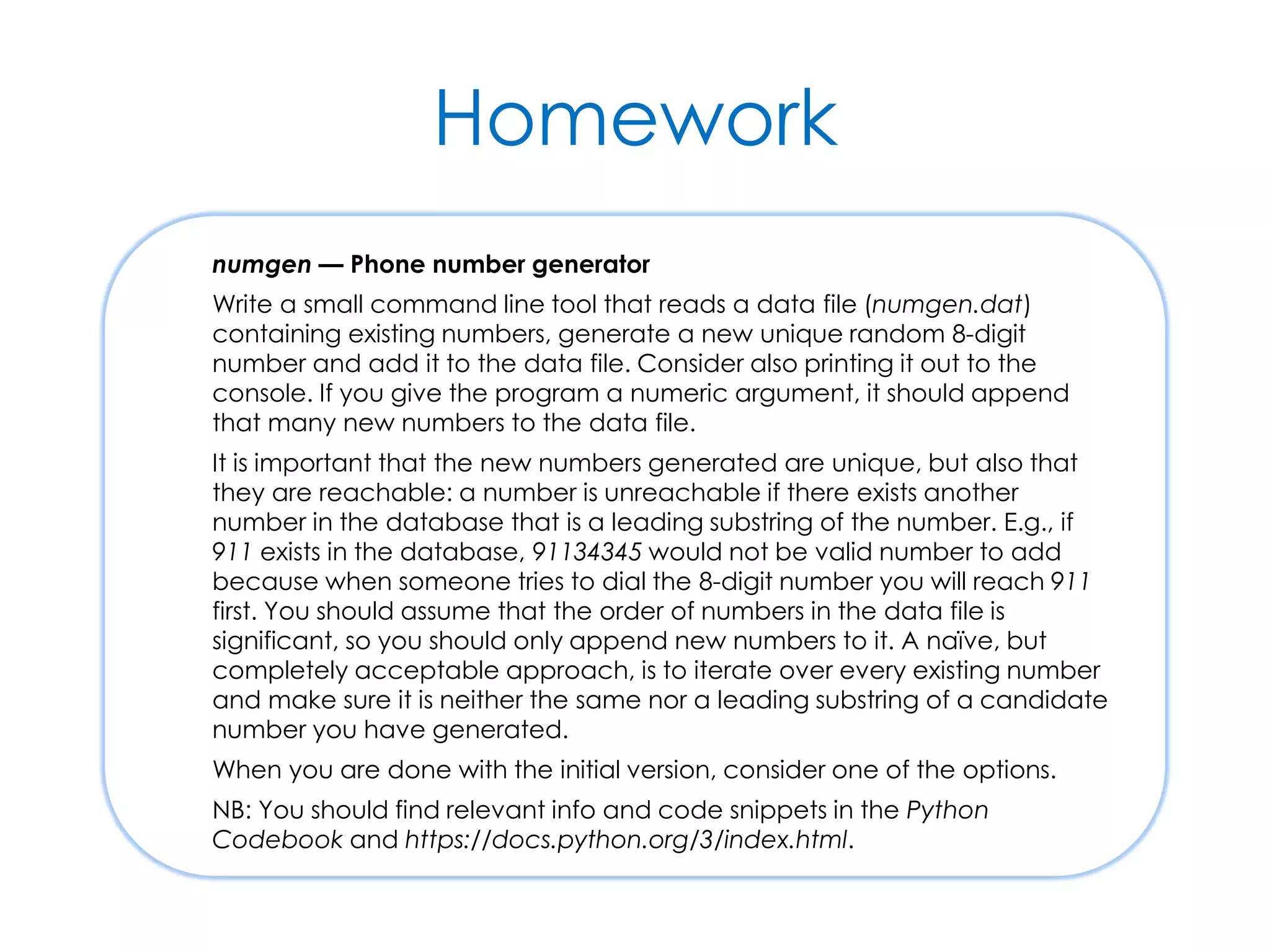
Homework numgen — Phone number generator Write a small command line tool that reads a data file (numgen.dat) containing existing numbers, generate a new unique random 8-digit number and add it to the data file. Consider also printing it out to the console. If you give the program a numeric argument, it should append that many new numbers to the data file. It is important that the new numbers generated are unique, but also that they are reachable: a number is unreachable if there exists another number in the database that is a leading substring of the number. E.g., if 911 exists in the database, 91134345 would not be valid number to add because when someone tries to dial the 8-digit number you will reach 911 first. You should assume that the order of numbers in the data file is significant, so you should only append new numbers to it. A naïve, but completely acceptable approach, is to iterate over every existing number and make sure it is neither the same nor a leading substring of a candidate number you have generated. When you are done with the initial version, consider one of the options. NB: You should find relevant info and code snippets in the Python Codebook and https://docs.python.org/3/index.html.
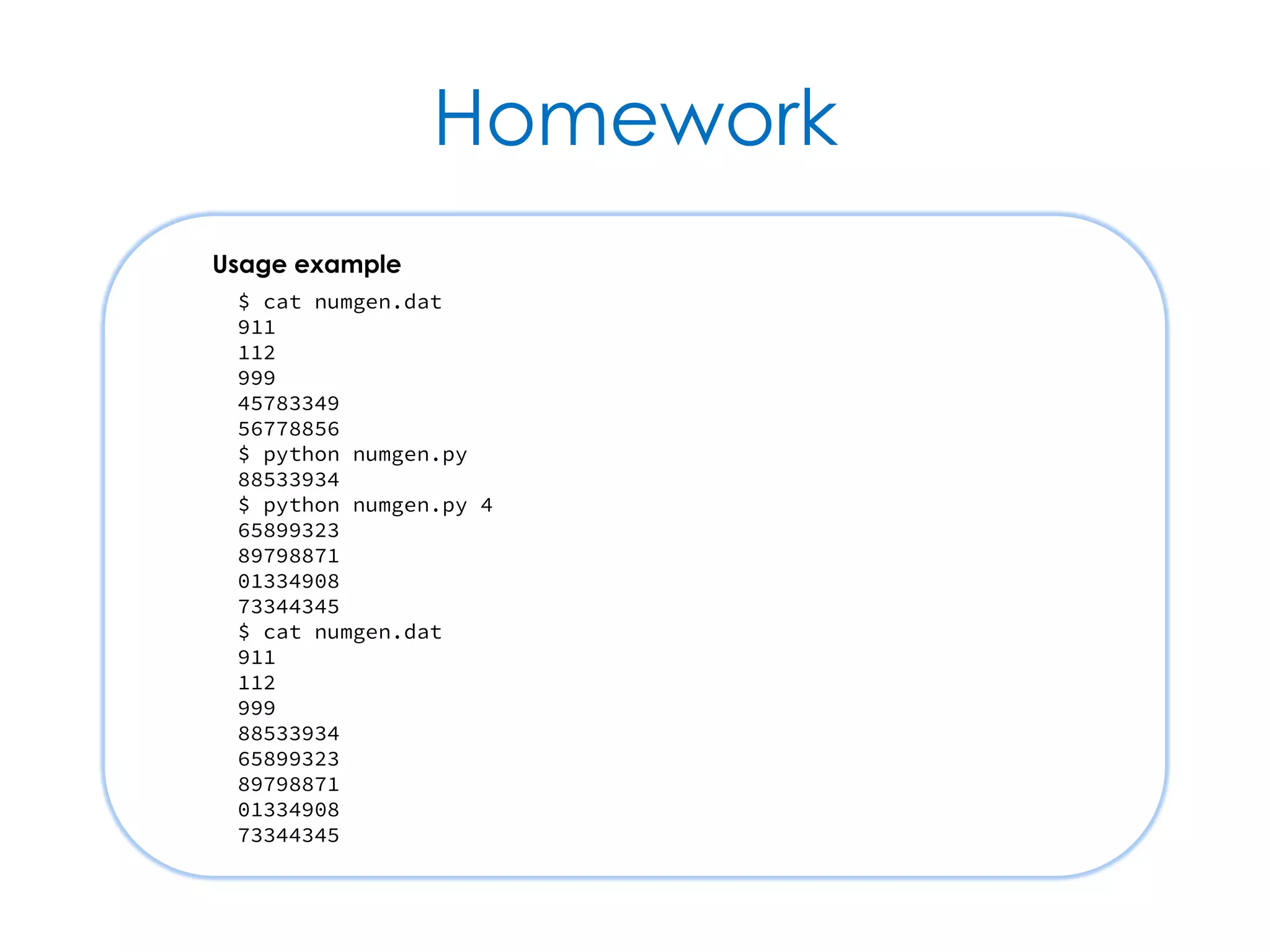
Homework Usage example $ cat numgen.dat 911 112 999 45783349 56778856 $ python numgen.py 88533934 $ python numgen.py 4 65899323 89798871 01334908 73344345 $ cat numgen.dat 911 112 999 88533934 65899323 89798871 01334908 73344345
Homework Option 1: Make numget more like a command-line utility The next step is to use module argparse to parse the command line (see documentation) and try to make it look like a professional and solid tool that others might want to use. E.g., something like this: $ python numgen.py usage: numgen.py [-h] [-n] [n] Create random, unique and reachable 8-digit phone numbers. positional arguments: n how many numbers to generate (default is 1) optional arguments: -h, --help show this help message and exit -n, --dry-run do not actually update the database --db file specify data file (default is numgen.dat) If on a Unix-like environment, make it look and behave like a Unix command: add #!/usr/bin/env python3 as first line in your script, then make the file executable (chmod 0755 numgen.py) and remove the .py suffix (mv numgen.py numgen).
Homework Option 2: Improve performance How long does it take to execute numgen for 1000, 10000 and 100000 new numbers? How far can you improve the code so it runs faster? Experiment with different techniques. Option 3: Guarantee termination What happens when the database fills up? If you ask to generate more numbers than are available, what does numgen do? Ensure that it does something sensible, such as stopping once it reaches a limit — either database full or after too many failed attempts to generate a new number — or refusing a request to create more numbers than are available. Option 4: Alternative implementations under different constraints If you changed one of the basic constraints of the problem, such as using 5- or 6-digit rather than 8-digit numbers, what alternative implementations would be practical? Experiment with different techniques.
Lab: Day 2 ISBNs – International Standard Book Numbers There are two ISBN standards: ISBN-10 and ISBN-13. In this exercise, support for ISBN-13 is essential, whereas support for ISBN-10 is optional. Here are some valid examples of each: ISBN-10: 0471958697, 0 471 60695 2, 0-470-84525-2, 0-321-14653-0. ISBN-13: 9780470059029, 978 0 471 48648 0, 978-0596809485, 978-0-13-149505-0, 978-0-262-13472-9. Main task Create a function that takes a string and returns true if that is a valid ISBN-13 and false otherwise. Optional task Also return true if the string is a valid ISBN-10.
Lab: Day 2 ISBN-10 and ISBN-13 definitions ISBN-10 is made up of 9 digits plus a check digit (which may be X) and ISBN-13 is made up of 12 digits plus a check digit. Spaces and hyphens may be included in a code, but are not significant. This means 9780471486480 is equivalent to 978-0-471-48648-0 and 978 0 471 48648 0. The check digit for ISBN-10 is calculated by multiplying each digit by its position (i.e., 1 x 1st digit, 2 x 2nd digit, etc.), summing these products together and taking modulo 11 of the result (with X used if the result is 10). The check digit for ISBN-13 is calculated by multiplying each digit alternately by 1 or 3 (i.e., 1 x 1st digit, 3 x 2nd digit, 1 x 3rd digit, 3 x 4th digit, etc.), summing these products together, taking modulo 10 of the result and subtracting this value from 10, and then taking the modulo 10 of the result again to produce a single digit.

Python Foundation – A programmer's introduction to Python concepts & style

  • 1.
    Python Foundation A programmer'sintroduction to Python concepts & style
  • 2.
    course = { 'title': 'PythonFoundation', 'chapters': [ 'Introduction', 'History, Culture & Style', 'Multi-Paradigm Programming', 'Syntax & Mechanics', 'Logic & Flow', 'Strings', 'Functions', 'Built-in Containers', 'Iteration', 'Classes & Objects', 'Outroduction', 'Labs & Homework' ], ... }
  • 3.
    course = { ... 'licence': ('CreativeCommons Attribution 4.0, ' 'https://creativecommons.org/licenses/by/4.0/'), 'contributors': [ 'Kevlin Henney, kevlin@curbralan.com', 'Olve Maudal, olvmauda@cisco.com' ], 'date': '2015-11-05' }
  • 4.
  • 5.
    Course goals  Introducethe Python 3 language  Some existing experience of Python assumed, but detailed knowledge is not  Programming skill in at least one other language is also assumed  Explore the structures, mechanics and common idioms of the language  Through slides, discussion and hands-on experiments and labs
  • 6.
    Coding experiments  Smallinteractive experiments to try out and explore language features  Use the IDLE environment, the default python shell or any available interactive Python environment of your choice!  Some experiments are described in the slides, but others may be suggested  You can carry out experiments individually or in pairs
  • 7.
    Programming labs  Labsimplemented using Cyber-Dojo  http://cyber-dojo.org/  Labs involve writing both code and tests  Labs are undertaken in pairs  But pairing is not marriage — you will move around  Oh, and there's homework too  Individual rather than paired, and not in Cyber-Dojo
  • 8.
    Questions, answers &intros  The best way to have your questions answered is to ask them  Mindreading is not (yet) supported  And now, please introduce yourself!  Briefly...
  • 9.
    History, Culture &Style Versions, PEPs & Zen
  • 10.
    Facts at aglance  Python is a general-purpose, multi- paradigm dynamic OO language  Python was first publicly released by Guido van Rossum in 1991  It exists in a number of versions, including CPython 2.7.x and 3.4.x  Familiarity with Monty Python's Flying Circus can help
  • 11.
    Versions & implementations CPython is reference implementation  Open source and managed by the Python Software Foundation  The Python Enhancement Proposal (PEP) process guides development  Alternative and platform-specific implementations and subsets also exist  E.g., PyPy, IronPython for .NET and Jython for JVM
  • 12.
    Python 2 versusPython 3  Python 3 dates from 2008 and breaks compatibility with Python 2  Based on experience, it simplifies and regularises many aspects of the language  Python 2 dates from 2000 and continues to evolve  Large installed base of Python 2 means transition to Python 3 is not always simple  Incompatible changes will be marked 🐍
  • 13.
    Time travel  Useforward-compatible styles and features when working with Python 2  Unask Python 3 incompatibility questions  It is also possible to import some features "from the future"  Some Python 3 features usable in Python 2 from __future__ import print_function from __future__ import division Python 2: print is a keyword Python 3: print is a function Python 2: / is operand dependent Python 3: / is true division // is integer division in both
  • 14.
    Python's type system Python is dynamically typed  All values and expressions have a type, but there is no declared type system  Polymorphism is based on duck typing  Python is object oriented  Everything, including functions and built-in primitive values, is an object  Encapsulation style is façade-like rather than strict
  • 15.
    Objects Objects are Python’sabstraction for data. All data in a Python program is represented by objects or by relations between objects. (In a sense, and in conformance to Von Neumann’s model of a “stored program computer,” code is also represented by objects.) Every object has an identity, a type and a value. An object’s identity never changes once it has been created; you may think of it as the object’s address in memory. The is operator compares the identity of two objects; the id() function returns an integer representing its identity. The Python Language Reference: 3.1 Objects, values and types https://docs.python.org/3/reference/datamodel.html#objects-values-and-types
  • 16.
    Pythonic style  Pythonicstyle is typically terse and expressive  But not necessarily cryptic  Python programming style is multi- paradigm in nature  Encouraged style is idiomatically more functional than procedural  Ranges in use from its original role in scripting to application programming
  • 17.
    Libraries  One ofPython's greatest strengths is size and scope of its standard library  It takes a batteries included approach  Another is the size and scope of other open-source libraries written in Python  See PyPI, the Python Package Index: https://pypi.python.org  pip is the de facto and (as of Python 3.4) the default package manager
  • 18.
    PEP 8  PEP8 is a style guide for Python  Offers guidance on accepted convention, and when to follow and when to break with convention  Focuses mostly on layout and naming  But there is also programming guidance  PEP 8 conformance can be checked automatically  E.g., http://pep8online.com/, pep8, flake8
  • 19.
    PEP 8 highlights Astyle guide is about consistency. Consistency with this style guide is important. Consistency within a project is more important. Consistency within one module or function is most important. Use 4 spaces per indentation level. Limit all lines to a maximum of 79 characters. Class names should normally use the CapWords convention. Function names should be lowercase, with words separated by underscores as necessary to improve readability. Use is not operator rather than not ... is. Use string methods instead of the string module. https://www.python.org/dev/peps/pep-0008/
  • 20.
    The Zen ofPython (PEP 20) >>> import this The Zen of Python, by Tim Peters Beautiful is better than ugly. Explicit is better than implicit. Simple is better than complex. Complex is better than complicated. Flat is better than nested. Sparse is better than dense. Readability counts. Special cases aren't special enough to break the rules. Although practicality beats purity. Errors should never pass silently. Unless explicitly silenced. In the face of ambiguity, refuse the temptation to guess. There should be one-- and preferably only one --obvious way to do it. Although that way may not be obvious at first unless you're Dutch. Now is better than never. Although never is often better than *right* now. If the implementation is hard to explain, it's a bad idea. If the implementation is easy to explain, it may be a good idea. Namespaces are one honking great idea -- let's do more of those! >>>
  • 21.
  • 22.
  • 23.
    Facts at aglance  Although OO at its core, Python supports multiple programming styles  Python has the expected set of control flow structures for most styles  Each file in Python corresponds properly to a module  Pythonic style has many functional programming aspects
  • 24.
    Multi-paradigm programming  ThePython language is object oriented  Everything is an object  Python programming, on the other hand, is multi-paradigm  Supports a straight procedural style, a modular approach, classic shell scripting, functional programming and OOP  The same problem can be solved and expressed in different ways
  • 25.
    Procedural programming  Proceduralprogramming is typically characterised by...  Sequential, conditional and repetitive control flow  Local and global variables with assignment  Top–down decomposition of named procedures, i.e., functions  Data passed as arguments
  • 26.
    Basic control flow ifcondition: ... elif condition: ... else: ... while condition: ... else: ... for variable in sequence: ... else: ... try: ... except exception: ... else: ... finally: ... pass No-op Multiway conditional Exception handling Condition-based loop Value-based loop
  • 27.
    Functions  Functions arethe workhorses of Python  Can be called both with positional and with keyword arguments  Can be defined with default arguments  Can return multiple values def roots(value): from math import sqrt result = sqrt(value) return result, -result def is_at_origin(x, y): return x == y == 0 first, second = roots(4) is_at_origin(0, 1)
  • 28.
    Variables  A variableholds an object reference  A variable is a name for an object within a scope  None is a reference to nothing  A variable is created in the current scope on first assignment to its name  It's a runtime error if an unbound variable is referenced  Note that assignments are statements
  • 29.
    Scope  Variables areintroduced in the smallest enclosing scope  Parameter names are local to their corresponding construct (i.e., module, function, lambda or comprehension)  To assign to a global from within a function, declare it global in the function  Control-flow constructs, such as for, do not define scopes  del removes a name from a scope
  • 30.
    Assignment parrot = 'Dead' Simpleassignment x = y = z = 0 Assignment of single value to multiple targets lhs, rhs = rhs, lhs Assignment of multiple values to multiple targets counter += 1 Augmented assignment world = 'Hello' def farewell(): global world world = 'Goodbye' Global assignment from within a function
  • 31.
    Modular programming  APython file corresponds to a module  A program is composed of one or more modules  A module defines a namespace, e.g., for function and class names  A module's name defaults to the file name without the .py suffix  Module names should be short and in lower case
  • 32.
    Standard modules  Pythonhas an extensive library of standard modules  Much of going beyond the core language is learning to navigate the library https://docs.python.org/3/library/
  • 33.
    import  Names inanother module are not accessible unless imported  A module is executed on first import  Names beginning _ considered private import sys import sys as system from sys import stdin from sys import stdin, stdout from sys import stdin as source from sys import * sys.stdin, ... system.stdin, ... stdin stdin, stdout source stdin, ... Import Imported Discouraged
  • 34.
    __name__ & dir A module's name is held in a module- level variable called __name__  A module's contents can be listed using the built-in dir function  Note that dir can also be used to list attributes on any object, not just modules import sys print(sys.__name__, 'contains', dir(sys)) print(__name__, 'contains', dir())
  • 35.
    The '__main__' module A module's name is set to '__main__' when it is the root of control  I.e., when run as a script  A module's name is unchanged on import ... def main(): ... if __name__ == '__main__': main() A common idiom is to define a main function to be called when a module is used as '__main__'
  • 36.
    Shell scripting  Shellscripting often characterised by...  Argument handling  Console and file I/O  File and directory manipulation  String-based operations #!/usr/bin/env python3 import sys print(' '.join(sys.argv)) Program arguments available as list of strings, where argv[0] is the script name The appropriate shebang line for Unix and Unix-like operating systems
  • 37.
    Basic I/O  I/Odefaults to stdin and stdout  input optionally shows a prompt and returns a string result  print supports output of one or more values (not necessarily strings) print('We are the {} who say {}!'.format(what, say)) what = input('What are you? ') say = input('What do you say? ') print('We are the', what, 'who say', say + '!') 🐍
  • 38.
    File I/O  Filehandling is simple and uniform  Files integrate easily with other constructs  Always open files using with so that file closing is automatic import sys if len(sys.argv) > 1: for filename in sys.argv[1:]: with open(filename) as file: print(file.read()) else: print(sys.stdin.read()) A slice of argv that ignores the zeroth argument (the script name)
  • 39.
    Experiment  Using os.listdir,write a simple script that behaves like the Unix ls command  Lists the contents of the current directory if no arguments are supplied  Lists the contents of the given directory if a single argument is supplied  Lists the contents of each directory for multiple arguments, prefixing each listing with the directory name
  • 40.
    Functional programming  Functionalprogramming is based on...  Functions as principal units of composition  A declarative rather than imperative style, emphasising data structure relations  Functions executing without side-effects, i.e., functions are pure functions  Immutability, so querying state and creating new state rather than updating it  Lazy rather than eager access to values
  • 41.
    Function application leap_years =[] for year in years: if is_leap_year(year): leap_years.append(year) leap_years = list(filter(is_leap_year, years)) Imperative list initialisation Filtering def is_leap_year(year): return year % 4 == 0 and year % 100 != 0 or year % 400 == 0 years = range(1800, 2100)
  • 42.
    Comprehensions squares = [] fori in range(13): squares.append(i**2) [0, 1, 4, 9, 16, 25, 36, 49, 64, 81, 100, 121, 144] squares = [i**2 for i in range(13)] [0, 1, 4, 9, 16, 25, 36, 49, 64, 81, 100, 121, 144] Imperative list initialisation List comprehension
  • 43.
    OO programming  Objectorientation is founded on encapsulation and polymorphism  Encapsulation combines function and data into a behavioural entity with identity  Polymorphism supports uniform object use across compatible object protocols  Inheritance factors out common and introduces hooks for polymorphism, but is an auxiliary not essential feature of OO
  • 44.
    Classes  Python classessupport a full OO programming model  Class- and instance-level methods  Class- and instance-level attributes  Multiple inheritance class Point: def __init__(self, x=0, y=0): self.x, self.y = x, y def is_at_origin(self): return self.x == self.y == 0 Class statement introduces name and any base classes __init__ is automatically invoked after object creation Convention rather than language dictates that the current object is called self
  • 45.
    Class instantiation  Objectsare instantiated by using a class name as a function  Providing any arguments expected by the special __init__ function  The self argument is provided implicitly origin = Point() print('Is at origin?', origin.is_at_origin()) unit = Point(1, 1) print(unit.x, unit.y)
  • 46.
    Ducks, types &polymorphism When I see a bird that walks like a duck and swims like a duck and quacks like a duck, I call that bird a duck. James Whitcomb Riley In other words, don't check whether it IS-a duck: check whether it QUACKS-like-a duck, WALKS-like-a duck, etc, etc, depending on exactly what subset of duck-like behaviour you need to play your language-games with. Alex Martelli
  • 47.
    Substitutable classes class PolarPoint: def__init__(self, r=0, theta=0): self.__r, self.__theta = r, theta def x(self): from math import cos return self.__r * cos(self.__theta) def y(self): from math import sin return self.__r * sin(self.__theta) def r(self): return self.__r def theta(self): return self.__theta class CartesianPoint: def __init__(self, x=0, y=0): self.__x, self.__y = x, y def x(self): return self.__x def y(self): return self.__y def r(self): return (self.__x**2 + self.__y**2)**0.5 def theta(self): from math import atan return atan(self.__y / self.__x) Leading __ in identifier names keeps them effectively private Instances of PolarPoint and instances of CartesianPoint support the same method calls, and are therefore substitutable for one another — quack, quack
  • 48.
    Syntax & Mechanics Keywords,identifiers, spacing, built-in types & more
  • 49.
    Facts at aglance  Python syntax is line oriented and space sensitive rather than free format  Python's built-in types include numeric primitives and container types  Integers hold arbitrary precision values  Both floating-point and complex numbers supported in the language  Python has expected set of operators
  • 50.
    Identifiers  Identifiers arecase-sensitive names for source code entities  E.g., functions, classes and variables  Some identifier classes have reserved meanings _* __*__ __* _load_config __init__ __cached_value Class Example Meaning Not imported by wildcard module imports — a convention to indicate privacy in general System-defined names, such as special method names and system variables Class-private names, so typically used to name private attributes
  • 51.
  • 52.
    Indentation  Indentation issignificant in Python and is used to define block structure  The suite is indented from the header  Multiple statements can occur at same level of indentation response = input('Who are you? ') if response == '': print('Hello, World!') else: print('Hello, ' + response + '!') print('Welcome to the machine...')
  • 53.
    Spanning multiple lines A single statement can extend over multiple lines  Implicit continuation across unclosed bracketing ((...), [...], {...})  Forced continuation after at end of line films = [ 'The Holy Grail', 'The Life of Brian', 'The Meaning of Life' ] total = amount + tax
  • 54.
    Compound statements  Itis possible to combine multiple statements on a single line  The semi-colon is a statement separator  This is, however, strongly discouraged if eggs: print('Egg'); print('Spam') if eggs: print('Egg') print('Spam') Possible Preferred
  • 55.
    Comments  Code commentsare introduced with #  Line-based, i.e., but independent of indentation (but advisable to do so)  Shell-script friendly, i.e., #! as first line  As in other languages, use sparingly # This is a comment if eggs: # This is also a comment # This is an aligned comment print('Egg') # This is a (discouraged) comment
  • 56.
    Built-in types areclasses  Python's built-in types are all classes, with operators and methods  E.g., integers, strings, lists and dictionaries  Use type(value) to query a value's type and dir(value) to query its attributes  Most built-in types have a literal form  E.g., 97 is an int, 'swallow' is a str, (4, 2) is a tuple pair, [] is an empty list, {'parrot'} is a set with a single value, {} is an empty dict
  • 57.
    Common built-in types object boolFalse True int 42 -97 0x2a float 3.14159 3e8 complex 4+2j 9.7+2.3j 1j str 'Nice' "Isn't it?" r'C:tmp' 'u0030' bytes b'Its bark is worse than its byte' bytearray list [] [42, 'Forty two'] tuple () (42,) ('pair', 'pear') range dict {} {'Norway': 'Oslo', 'UK': 'London'} set {15, 30, 40} frozenset 🐍 🐍
  • 58.
    Explicit type conversions You can use a type name to convert an object of one type to another  Assuming that some kind of conversion exists from one type to the other int('314') str(314) str([3, 1, 4]) list('314') set([3, 1, 4, 1]) 314 '314' '[3, 1, 4]' ['3', '1', '4'] {1, 3, 4}
  • 59.
    Integers  The inttype offers arbitrary precision  Not limited to machine word size  It supports the usual operators  But / results in a float, so use // if integer division is needed 42 -273 0b101010 0o1232 0xffff
  • 60.
    Floating-point numbers  Pythonfloat typically offers better than 32-bit precision  Maps to platform double-precision type  It supports the usual operators  But also supports integer division and modulo operator 3e8 -273.15 .5 float('NaN') float('-Infinity')
  • 61.
    Further numeric operations abs(value)Absolute value bin(integer) String of number in binary divmod(dividend, divisor) Integer division and remainder float(string) Floating-point number from string hex(integer) String of number in hexadecimal int(string) Integer from decimal number int(string, base) Integer from number in base oct(integer) String of number in octal pow(value, exponent) value ** exponent round(value) Round to integer round(value, places) Round to places decimal places str(value) String form of number (decimal) sum(values) Sum sequence (e.g., list) of values sum(values, initial) Sum sequence from initial start
  • 62.
    Numeric & bitwiseoperators + Addition - Subtraction * Multiplication ** Power / Division // Integer division % Modulo + Unary plus - Unary minus ~ Bitwise complement << Bitwise left shift >> Bitwise right shirt & Bitwise and | Bitwise or ^ Bitwise xor Binary arithmetic operators Unary arithmetic operators Bitwise operators 🐍
  • 63.
    Comparison & logicoperators in Membership not in Non-membership is Identical is not Non-identical == Equality != Inequality < Less than <= Less than or equal to > Greater than >= Greater than or equal to and Logical and or Logical or not Negation if else Conditional (ternary) operator Relational Identity Membership and containment Boolean Conditional
  • 64.
    Augmented assignments  Augmentedassignment forms exist for each binary operator  Like regular assignment, augmented assignments are statements not expressions  Cannot be chained and can only have a single target  There is no ++ or -- += /= <<= -= //= >>= *= %= &= **= |= ^=
  • 65.
    Logic & Flow Fromthe conditional to the exceptional
  • 66.
    Facts at aglance  Logic is not based on a strict Boolean type, but there is a bool type  The and, or and if else operators are partially evaluating  There is no switch/case — use if  Exception handling is similar to that in other languages  with simplifies safe resource usage
  • 67.
    What is truth? Boolean logic works with many types  Use bool as a function to convert a value to its corresponding canonical Boolean False None 0 0.0 '' b'' [] {} () True Non-null references and not otherwise false Non-zero numbers Non-empty strings Non-empty containers Other empty containers with non-literal empty forms are also considered false.
  • 68.
    and & or The logical operators and and or are partially evaluating  I.e., they do not evaluate their right-hand operand if they do not need to  They return the last evaluated operand, without any conversion to bool 'Hello' and 'World' 'Hello' or 'World' [] and [3, 1, 4] {42, 97} or {42} {0} and {1} or [2] 'World' 'Hello' [] {42, 97} {1}
  • 69.
    Chained comparisons  Comparisonscan be combined without using an intermediate and  The short-circuiting evaluation is the same, i.e., if the first comparison is false, no further evaluation occurs minimum < value < maximum '' != selection in options minimum < value and value < maximum '' != selection and selection in options Brief form... Equivalent to...
  • 70.
    if else operator The conditional operator has a very different syntax to the if statement  There is no header–suite delineation, as for statements  The else is mandatory  There is no elif user = input('Who are you? ') user = user.title() if user else 'Guest'
  • 71.
    Exception handling  Anexception is a signal (with data) to discontinue a control path  A raised exception propagates until handled by an except in a caller prompt = ('What is the airspeed velocity ' 'of an unladen swallow? ') try: response = input(prompt) except: response = ''
  • 72.
    Exceptions  Exceptions arenormally used to signal error or other undesirable events  But this is not always the case, e.g., StopIteration is used by iterators to signal the end of iteration  Exceptions are objects and their type is defined in a class hierarchy  The root of the hierarchy is BaseException  But yours should derive from Exception
  • 73.
    Catching exceptions bytype  Exceptions can be handled by type  except statements are tried in turn until there is a base or direct match try: ... except ZeroDivisionError: ... except ArithmeticError: ... except: ... The most specific exception type: ZeroDivisionError derives from ArithmeticError The most general match handles any remaining exceptions, but is not recommended
  • 74.
    Accessing an exception A handled exception can be bound to a variable  The variable is bound only for the duration of the handler, and is not accessible after try: ... except ZeroDivisionError as byZero: ... except ArithmeticError: ... except Exception as other: ... byZero is only accessible here
  • 75.
    One handler, manytypes  It is possible to define an except handler that matches different types  A handler variable can also be assigned try: ... except (ZeroDivisionError, OverflowError): ... except (EOFError, OSError) as external: ... except Exception as other: ... 🐍
  • 76.
    Raising exceptions  Araise statement specifies a class or an object as the exception to raise  If it's a class name, an object instantiated from that class is created and raised raise Exception raise Exception("I don't know that") raise raise Exception from caughtException raise Exception from None Re-raise current handled exception Raise a new exception chained from an existing exception named caughtException Raise a new exception ignoring any previous exception
  • 77.
    try else  Atry and except can be associated with an else statement  This is executed after the try if and only if no exception was raise try: hal.open(pod_bay.doors()) except SorryDave: airlock.open() else: pod_bay.park(pod)
  • 78.
    try finally  Afinally statement is executed whether an exception is raised or not  Useful for factoring out common code from try and except statements, such as clean-up code log = open('log.txt') try: print(log.read()) finally: log.close()
  • 79.
  • 80.
    with  The withstatement makes regular and exception-safe clean-up simple  A clean-up action is called automatically whether or not an exception is raised  Multiple objects can be specified  Relies on __enter__ and __exit__ methods with open('log.txt') as log: print(log.read()) Recommended style for using open
  • 81.
    Exception guidelines  Don'tcatch an exception unless you know what to do with it  And be suspicious if you do nothing with it  Always use with for resource handling, in particular file handling  And don't bother checking whether a file is open after you open it  Use exceptions rather than error codes
  • 82.
    for  for iteratesover a sequence of values  Over containers — e.g., string, list, tuple, set or dictionary — or other iterables  Loop values are bound to one or more target variables machete = ['IV', 'V', 'II', 'III', 'VI'] for episode in machete: print('Star Wars', episode) for episode in 'IV', 'V', 'II', 'III', 'VI': print('Star Wars', episode)
  • 83.
    Iterating over arange  It is common to use range to define a number sequence to loop over  A range is a first-class, built-in object and doesn't allocate an actual list of numbers for i in range(100): if i % 2 == 0: print(i) for i in range(0, 100, 2): print(i) Iterate from 0 up to (but not including) 100 Iterate from 0 up to (but not including) 100 in steps of 2
  • 84.
    How not toiterate containers  Do not use a range-derived index to index into lists and tuples  Traverse the elements directly using for  Only the keys will be iterated over if a dictionary is the object of a for loop  To iterate over the values or the key–value pairs use a view, i.e., values or items — do not iterate over the keys and look up the corresponding value each time
  • 85.
    Iterating over dictionaries forcode in airports: print(code) airports = { 'AMS': 'Schiphol', 'LHR': 'Heathrow', 'OSL': 'Oslo', } for code in airports.keys(): print(code) for name in airports.values(): print(name) for code, name in airports.items(): print(code, name) Iterate over the keys Iterate over the keys Iterate over the values Iterate over key–value pairs as tuples
  • 86.
    Loop else statements Both while and for support optional else statements  It is executed if when the loop completes, i.e., (mostly) equivalent to a statement following the loop with open('log.txt') as log: for line in log: if line.startswith('DEBUG'): print(line, end='') else: print('*** End of log ***')
  • 87.
    break & continue Both while and for support...  Early loop exit using break, which bypasses any loop else statement  Early loop repeat using continue, which execute else if nothing further to loop with open('log.txt') as log: for line in log: if line.startswith('FATAL'): print(line, end='') break
  • 88.
    assert  The assertstatement can be used to check invariants in program code  Can also be used for ad hoc testing assert value is not None if __debug__ and not (value is not None): raise AssertionError assert value is not None, 'Value missing' if __debug__ and not (value is not None): raise AssertionError('Value missing') Equivalent to... Equivalent to...
  • 89.
    Strings From string theoryto string practice
  • 90.
    Facts at aglance  Strings are immutable sequences  There are many string literal forms  Operations include comprehensive support for indexing and slicing  There are two supported approaches to string formatting  Strings are used for function, class and module documentation
  • 91.
    Of strings &bytes  Strings are immutable  Cannot be modified in place; if you want a different string, use a different string  The str type holds Unicode characters  There is no type for single characters  The bytes type is used for strings of bytes, i.e., ASCII or Latin-1  The bytearray type is used for modifiable byte sequences
  • 92.
    String literal forms 'Single-quotedstring' "Double-quoted string" 'String withnnewline' 'Unbroken string' r'n is an escape code' 'Pasted' ' ' 'string' ('Pasted' ' ' 'string') """String with newline""" Single-quoted string Double-quoted string String with newline Unbroken string n is an escape code Pasted string Pasted string String with newline print(...) gives...
  • 93.
    String operations chr(codepoint) len(string) ord(character) str(value) first +second string * repeat repeat * string String concatenation lhs == rhs lhs != rhs lhs < rhs lhs <= rhs lhs > rhs lhs >= rhs String comparison (lexicographical ordering) substring in string substring not in string Substring containment Built-in query functions
  • 94.
    String indexing  Stringscan be indexed, which results in a string of length 1  As strings are immutable, a character can be subscripted but assigned to  Index 0 is the initial character  Indexing past the end raises an exception  Negative indexing goes through the string in reverse  I.e., -1 indexes the last character
  • 95.
    String slicing  Itis possible to take a slice of a string by specifying one or more of...  A start position, which defaults to 0  A non-inclusive end position (which may be past the end, in which case the slice is up to the end), which defaults to len  A step, which defaults to 1  With a step of 1, a slice is equivalent to a simple substring
  • 96.
    String indexing &slicing string[index] General form of subscript operation string[0] First character string[len(string) – 1] Last character string[–1] Last character string[–len(string)] First character string[first:last] Substring from first up to last string[index:] Substring from index to end string[:index] Substring from start up to index string[:] Whole string string[first:last:step] Slice from first to last in steps of step string[::step] Slice of whole string in steps of step
  • 97.
    Selection of stringmethods string.join(strings) Join each element of strings with string string.split() Split into a list based on spacing string.split(separator) Split into a list based on separator string.replace(old, new) Replace all occurrences of old with new string.strip() Strip leading and trailing spaces string.lower() All to lower case string.upper() All to upper case string.startswith(text) Whether starts with text substring string.endswith(text) Whether ends with text substring string.count(text) Number of occurrences of text string.find(text) Index of first occurrence of text, or -1 string.index(text) Like find, but ValueError raised on fail string.isalpha() True if all characters are alphabetic string.isdecimal() True if all characters are decimal digits string.islower() True if all characters are lower case string.isupper() True if all characters are lower case
  • 98.
    String formatting withformat  Strings support format, a method for formatting multiple arguments  Default-ordered, positional and named parameter substitution are supported 'First {}, now {}!'.format('that', 'this') 'First {0}, now {1}!'.format('that', 'this') 'First {1}, now {0}!'.format('that', 'this') 'First {0}, now {0}!'.format('that', 'this') 'First {x}, now {y}!'.format(x='that', y='this') Use {{ and }} to embed { and } in a string without format substitution
  • 99.
    String formatting with%  Strings also support a printf-like approach to formatting  The mini-language is based on C's printf, plus some additional features  Its use is often discouraged as it is error prone for large formatting tasks 'First %s, now %s!' % ('that', 'this') 'First %(x)s, now %(y)s!' % {'x': 'that', 'y': 'this'} 'First %d, now %d!' % (1, 2)
  • 100.
    Documentation strings  Thefirst statement of a function, class or module can optionally be a string  This docstring can be accessed via __doc__ on the object and is used by IDEs and the help function  Conventionally, one or more complete sentences enclosed in triple quotes def echo(strings): """Prints space-adjoined sequence of strings.""" print(' '.join(strings))
  • 101.
  • 102.
    Facts at aglance  Functions are first-class objects  Python supports lambda expressions and nested function definitions  Argument values can be defaulted  Functions can take both positional arguments and keyword arguments  Functions can be defined to take an arbitrary number of arguments
  • 103.
    Functions as objects Functions can be passed as arguments and can be used in assignment  This supports many callback techniques and functional programming idioms  Conversely, any object that is callable can be treated as a function  callable is a built-in predicate function  Functions always return a value  None if nothing is returned explicity
  • 104.
    Passing & callingfunctions def does_nothing(): pass assert callable(does_nothing) assert does_nothing() is None def is_even(number): return number % 2 == 0 def print_if(values, predicate): for value in values: if predicate(value): print(value) print_if([2, 9, 9, 7, 9, 2, 4, 5, 8], is_even) unsorted = ['Python', 'parrot'] print(sorted(unsorted, key=str.lower)) Keyword argument
  • 105.
    Lambda expressions  Alambda is simply an expression that can be passed around for execution  It can take zero or more arguments  As it is an expression not a statement, this can limit the applicability  Lambdas are anonymous, but can be assigned to variables  But defining a one-line named function is preferred over global lamba assignment
  • 106.
    Lambdas expressed def print_if(values,predicate): for value in values: if predicate(value): print(value) print_if( [2, 9, 9, 7, 9, 2, 4, 5, 8], lambda number: number % 2 == 0) An ad hoc function that takes a single argument — in this case, number — and evaluates to a single expression — in this case, number % 2 == 0, i.e., whether the argument is even or not.
  • 107.
    Experiment  Create adict mapping airport codes to airport names  Select 3 to 6 airports  Use sorted to sort by...  Airport code  Airport name  Longitude and/or latitude — either extend the mapping from just names or introduce an additional dict with positions
  • 108.
    Nested functions  Functiondefinitions can be nested  Each invocation is bound to its surrounding scope, i.e., it's a closure def logged_execution(action, output): def log(message): print(message, action.__name__, file=output) log('About to execute') try: action() log('Successfully executed') except: log('Failed to execute') raise
  • 109.
    Name access world ='Hello' def outer_function(): def nested_function(): nonlocal world world = 'Ho' world = 'Hi' print(world) nested_function() print(world) outer_function() print(world) Hi Ho Hello Refers to any world that will be assigned in within outer_function, but not the global world
  • 110.
    Default arguments  Thedefaults will be substituted for corresponding missing arguments  Non-defaulted arguments cannot follow defaulted arguments in the definition def line_length(x=0, y=0, z=0): return (x**2 + y**2 + z**2)**0.5 line_length() line_length(42) line_length(3, 4) line_length(1, 4, 8)
  • 111.
    Defaults & evaluation Defaults evaluated once, on definition, and held within the function object  Avoid using mutable objects as defaults, because any changes will persist between function calls  Avoid referring to other parameters in the parameter list — this will either not work at all or will appear to work, but using a name from an outer scope
  • 112.
    Arbitrary argument lists A function can be defined to take a variable argument list  Variadic arguments passed in as a tuple  Variadic parameter declared using * after any mandatory positional arguments  This syntax also works in assignments def mean(value, *values): return sum(values, value) / (1 + len(values))
  • 113.
    Unpacking argument lists To apply values from an iterable, e.g., a tuple, as arguments, unpack using *  The iterable is expanded to become the argument list at the point of call def line_length(x, y, z): return (x**2 + y**2 + z**2)**0.5 point = (2, 3, 6) length = line_length(*point)
  • 114.
    Keyword arguments  Reducethe need for chained builder calls and parameter objects  Keep in mind that the argument names form part of the function's public interface  Arguments following a variadic parameter are necessarily keyword arguments def date(year, month, day): return year, month, day sputnik_1 = date(1957, 10, 4) sputnik_1 = date(day=4, month=10, year=1957)
  • 115.
    Arbitrary keyword arguments A function can be defined to receive arbitrary keyword arguments  These follow the specification of any other parameters, including variadic  Use ** to both specify and unpack  Keyword arguments are passed in a dict — a keyword becomes a key  Except any keyword arguments that already correspond to formal parameters
  • 116.
    Positionals and keywords defpresent(*listing, **header): for tag, info in header.items(): print(tag + ': ' + info) for item in listing: print(item) present( 'Mercury', 'Venus', 'Earth', 'Mars', type='Terrestrial', star='Sol') type: Terrestrial star: Sol Mercury Venus Earth Mars
  • 117.
    Annotations  A function'sparameters and its result can be annotated with expressions  No semantic effect, but are associated with the function object as metadata, typically for documentation purposes def is_leap_year(year : 'Gregorian') -> bool: return year % 4 == 0 and year % 100 != 0 or year % 400 == 0 is_leap_year.__annotations__ {'return': <class 'bool'>, 'year': 'Gregorian'}
  • 118.
    Decorators  A functiondefinition may be wrapped in decorator expressions  A decorator is a function that transforms the function it decorates class List: @staticmethod def nil(): return [] @staticmethod def cons(head, tail): return [head] + tail nil = List.nil() [] one = List.cons(1, nil) [1] two = List.cons(2, one) [2, 1]
  • 119.
  • 120.
    Facts at aglance  range, tuple and list are sequence types  Sequence types hold values in an indexable and sliceable order  range, tuple and frozenset are immutable containers  set and frozenset hold unique values  dict is a mutable mapping type
  • 121.
    Iterable objects  Allcontainer types — including range and str — are iterable  Can appear on right-hand side of in (for or membership) or of a multiple assignment  Except for text and range types, containers are heterogeneous first, second, third = [1, 2, 3] head, *tail = range(10) *most, last = 'Hello'
  • 122.
    Container operations len(container) min(container) max(container) any(container) all(container) sorted(container) lhs ==rhs lhs != rhs Equality comparison value in container value not in container Membership (key membership for mapping types) Built-in queries and predicates Returns sorted list of container's values (also takes keyword arguments for key comparison — key — and reverse sorting — reverse)
  • 123.
    Sequences  A tupleis an immutable sequence  Supports (negative) indexing, slicing, concatenation and other operations  A list is a mutable sequence  It supports similar operations to a tuple, but in addition it can be modified  A range is an immutable sequence  It supports indexing, slicing and other operations
  • 124.
    Immutable sequences sequence.index(value) sequence.count(value) first +second sequence * repeat repeat * sequence Concatenation (not for range) lhs < rhs lhs <= rhs lhs > rhs lhs >= rhs Lexicographical ordering (not for range) sequence[index] sequence[first:last] sequence[index:] sequence[:index] sequence[:] sequence[first:last:step] sequence[::step] Indexing and slicing Search methods Raises exception if value not found
  • 125.
    Tuples  Tuples arethe default structure for unpacking in multiple assignment  The display form of tuple relies on parentheses  Thus it requires a special syntax case to express a tuple of one item x = 1, x = 1, 2 x, y = 1, 2 x = 1, (2, 3) x = (1,) x = (1, 2) (x, y) = (1, 2) x = (1, (2, 3))
  • 126.
    Lists  As listsare mutable, assignment is supported for their elements  Augmented assignment on subscripted elements  Assignment to subscripted elements and assignment through slices  List slices and elements support del  Removes them from the list
  • 127.
    list extras list[index] list[index] =value del list[index] list[first:last:step] list[first:last:step] = other del list[first:last:step] Index- and slice-based operations list.append(value) list.insert(index, value) list.pop() list.pop(index) list.remove(value) list.clear() list.reverse() list.sort() Whole-list operations Element modification methods
  • 128.
    Dictionaries  dict isa mapping type  I.e., it maps a key to a correspond value  Keys, values and mappings are viewable via keys, values and items methods  Keys must be of immutable types  This includes int, float, str, tuple, range and frozenset, but excludes list, set and dict  Immutable types are hashable (hash can be called on them)
  • 129.
    dict operations key indict key not in dict dict.get(key, default) dict.get(key) dict[key] dict[key] = value del dict[key] Key-based operations Equivalent to calling get with a default of None Automagically creates entry if key not already in dict dict.clear() dict.pop(key) dict.pop(key, default) dict.get(key) dict.get(key, default) dict.update(other) dict.keys() dict.values() dict.items() Views Manipulation methods
  • 130.
    Sets  set andfrozenset both define containers of unique hashable values  set is mutable and has a display form — note that set() is the empty set, not {}  frozenset is immutable and can be constructed from a set or other iterable text = 'the cat sat on the mat' words = frozenset(text.split()) print('different words used:', len(words))
  • 131.
    set & frozensetoperations lhs < rhs lhs <= rhs lhs.issubset(rhs) lhs > rhs lhs >= rhs lhs.issuperset(rhs) lhs.isdisjoint(rhs) Set relations (in addition to equality and set membership) lhs | rhs lhs.union(rhs) lhs & rhs lhs.intersection(rhs) lhs – rhs lhs.difference(rhs) lhs ^ rhs lhs.symmetric_difference(rhs) Set combinations
  • 132.
    set extras lhs |=rhs lhs.update(rhs) lhs &= rhs lhs.intersection_update(rhs) lhs –= rhs lhs.difference_update(rhs) lhs ^= rhs lhs.symmetric_difference_update(rhs) Augmented assignment and updates set.add(element) set.remove(element) set.discard(element) set.clear() set.pop() Manipulation methods Removes and returns arbitrary element
  • 133.
  • 134.
    Facts at aglance  A number of functions eliminate the need to many common loop patterns  Functional programming tools reduce many loops to simple expressions  A comprehension creates a list, set or dictionary without explicit looping  Iterators and generators support a lazy approach to handling series of values
  • 135.
    Iteration  The conventionalapproach to iterating a series of values is to use for  Iterating over one or more iterables directly, as opposed to index-based loops  However, part of the secret to good iteration is... don't iterate explicitly  Think more functionally — use functions and other objects that set up or perform the iteration for you
  • 136.
    Being lazy (part1)  Be lazy by taking advantage of functionality already available  E.g., the min, max, sum, all, any and sorted built-ins all apply to iterables  Many common container-based looping patterns are captured in the form of container comprehensions  Look at itertools and functools modules for more possibilities
  • 137.
    Being lazy (part2)  Be lazy by using abstractions that evaluate their values on demand  You don't need to resolve everything into a list in order to use a series of values  Iterators and generators let you create objects that yield values in sequence  An iterator is an object that iterates  For some cases you can adapt existing iteration functionality using the iter built-in
  • 138.
    Enumerating iterable items Iterating a list without an index is easy... but what if you need the index?  Use enumerate to generate indexed pairs from any iterable codes = ['AMS', 'LHR', 'OSL'] for index, code in enumerate(codes, 1): print(index, code) 1 AMS 2 LHR 3 OSL
  • 139.
    Zipping iterables together Elements from multiple iterables can be zipped into a single sequence  Resulting iterator tuple-ises corresponding values together codes = ['AMS', 'LHR', 'OSL'] names = ['Schiphol', 'Heathrow', 'Oslo'] for airport in zip(codes, names): print(airport) airports = dict(zip(codes, names))
  • 140.
    Mapping over iterables map applies a function to iterable elements to produce a new iterable  The given callable object needs to take as many arguments as there are iterables  The mapping is carried out on demand and not at the point map is called def histogram(data): return map(lambda size: size * '#', map(len, data)) text = "I'm sorry Dave, I'm afraid I can't do that." print('n'.join(histogram(text.split())))
  • 141.
    Filtering iterable values filter includes only values that satisfy a given predicate in its generated result  If no predicate is provided — i.e., None — the Boolean of each value is assumed numbers = [42, 0, -273.15, 0.0, 97, 23, -1] positive = filter(lambda value: value > 0, numbers) non_zero = filter(None, numbers) list(positive) [42, 97, 23] list(non_zero) [42, -273.15, 97, 23, -1]
  • 142.
    Comprehensions  Comprehensions areexpressions that define value sequences declaratively  Defined by intension as an expression, rather than procedurally  Comprehension syntax is used to create lists, sets, dictionaries and generators  Although the for and if keywords are used, they have different implications  Can read for as from and if as where
  • 143.
    Filtering values (again) Prefer use of comprehensions over use of map and filter  But note that a list comprehension is fully rather than lazily evaluated numbers = [42, 0, -273.15, 0.0, 97, 23, -1] positive = [value for value in numbers if value > 0] non_zero = [value for value in numbers if value] positive [42, 97, 23] non_zero [42, -273.15, 97, 23, -1]
  • 144.
    Container comprehensions [i**2 fori in range(13)] [0, 1, 4, 9, 16, 25, 36, 49, 64, 81, 100, 121, 144] {abs(i) for i in range(-10, 10)} {0, 1, 2, 3, 4, 5, 6, 7, 8, 9, 10} {i: i**2 for i in range(8)} {0: 0, 1: 1, 2: 4, 3: 9, 4: 16, 5: 25, 6: 36, 7: 49} List comprehension Set comprehension Dictionary comprehension
  • 145.
    One way todo it? list(range(0, 100, 2)) list(range(100))[::2] list(range(100)[::2]) list(map(lambda i: i * 2, range(50))) list(filter(lambda i: i % 2 == 0, range(100))) [i * 2 for i in range(50)] [i for i in range(100) if i % 2 == 0] [i for i in range(100)][::2]
  • 146.
    Experiment values = ['A']+ list(range(2, 11)) + ['J', 'Q', 'K'] suits = ['spades', 'hearts', 'diamonds', 'clubs'] [(value, suit) for suit in suits for value in values] In what order do you expect the elements in the comprehension to appear?
  • 147.
    Experiment  A Pythagoreantriple is three integers — a, b and c — such that a2 + b2 = c2  E.g., (3, 4, 5) and (5, 12, 13) are Pythagorean triples  Write a comprehension to find Pythagorean triples (up to some value)  Try to ensure that triples occur once, i.e., (3, 4, 5) but not also (4, 3, 5), (5, 4, 3), etc.
  • 148.
    Iterables & iterators An iterator is an object that supports the __next__ method for traversal  Invoked via the next built-in function  An iterable is an object that returns an iterator in support of __iter__ method  Invoked via the iter built-in function  Iterators are iterable, so the __iter__ method is an identity operation
  • 149.
    Generators  A generatoris a comprehension that results in an iterator object  It does not result in a container of values  Must be surrounded by parentheses unless it is the sole argument of a function (i * 2 for i in range(50)) (i for i in range(100) if i % 2 == 0) sum(i * i for i in range(10))
  • 150.
    Generator functions &yield  You can write your own iterator classes or, in many cases, just use a function  On calling, a generator function returns an iterator and behaves like a coroutine def evens_up_to(limit): for i in range(0, limit, 2): yield i for i in evens_up_to(100): print(i)
  • 151.
    Classes & Objects Definition,instantiation & usage
  • 152.
    Facts at aglance  Object types are defined by classes  Attributes are not strictly private  Methods can be bound to instance or class or be static  Classes derive from one or more other classes, with object as default base  Classes and methods may be abstract by convention or by decoration
  • 153.
    Classes  A class'ssuite is executed on definition  Instance methods in a class must allow for a self parameter, otherwise they cannot be called on object instances  Attributes are held internally within a dict class Point: def __init__(self, x=0, y=0): self.x, self.y = x, y def is_at_origin(self): return self.x == self.y == 0 By default all classes inherit from object🐍
  • 154.
    Object initialisation  Thespecial __init__ method is used to initialise an object instance  It is called automatically, if present  A class name is callable, and its call signature is based on __init__  Introduce instance attributes by assigning to them in __init__  Can be problematic in practice to introduce instance attributes elsewhere
  • 155.
    Publicity & privacy Attribute and method names that begin __ are considered private  They are mangled with the class name, e.g., __x in Point becomes _Point__x  Other names publicly available as written class Point: def __init__(self, x=0, y=0): self.__x, self.__y = x, y def is_at_origin(self): return self.__x == self.__y == 0 __x and __y are mangled to _Point__x and _Point__y Within Point's methods __x and __y are available by their unmangled names
  • 156.
    Attribute & methodaccess  Attributes and methods of an object can be accessed using dot notation  Access from outside is subject to name mangling if the features are private  Access within a method is unmangled class Spam: def __bacon(self): return Spam() def egg(self): return self.__bacon() Private method Private method call
  • 157.
    Class attributes  Aclass attribute is defined as a variable within the class statement  Can be accessed as a variable of the class using dot notation  Can be accessed by methods via self  Single occurrence shared by all instances class Menu: options = {'spam', 'egg', 'bacon', 'sausage'} def order(self, *choice): return set(choice) <= self.options
  • 158.
    Class methods  Classmethods are bound to the class, not just its instances  They are decorated with @classmethod  They take a class object, conventionally named cls, as their first argument  They can be overridden in derived classes  They are also accessible, via self, within instance methods
  • 159.
    Derived breakfast class Menu: @classmethod defoptions(cls): return {'spam', 'egg', 'bacon', 'sausage'} def order(self, *choice): return set(choice) <= self.options() class NonSpammyMenu(Menu): @classmethod def options(cls): return {'beans', 'egg', 'bacon', 'sausage'}
  • 160.
    Static methods  Staticmethods are scoped within a class but have no context argument  I.e., neither a cls nor a self argument  They are effectively global functions in a class scope class Menu: @staticmethod def options(): return {'spam', 'egg', 'bacon', 'sausage'} def order(self, *choice): return set(choice) <= self.options()
  • 161.
    Methods versus functions Instance and class methods are functions bound to their first argument  A bound function is an object  Method definitions are ordinary function definitions  Can be used as functions, accessed with dot notation from the class class Spam: def egg(self): pass spam = Spam() spam.egg() Spam.egg(spam)
  • 162.
    Inheritance  A classcan be derived from one or more other classes  By default, all classes inherit from object  Method names are searched depth first from left to right in the base class list class Base: pass class Derived(Base): pass class Base(object): pass class Derived(Base): pass 🐍
  • 163.
    Inheritance & overriding Methods from the base classes are inherited into the derived class  No difference in how they are called  They can be overridden simply by defining a new method of the same name  Inheritance is queryable feature of objects isinstance(value, Class) issubclass(Class1, Class2)
  • 164.
    Abstract classes  Abstractclasses are more a matter of convention than of language  Python lacks the direct support found found in statically typed languages  There are two approaches...  In place of declaring a method abstract, define it to raise NotImplementedError  Use the @abstractmethod decorator from the abc module
  • 165.
    Two abstract class Command: defexecute(self): raise NotImplementedError from abc import ABCMeta from abc import abstractmethod class Command(metaclass=ABCMeta): @abstractmethod def execute(self): pass Instances of Command can be instantiated, but calls to execute will fail Instances of Command cannot be instantiated — but ABCMeta must be the metaclass for @abstractmethod to be used
  • 166.
  • 167.
    The end?  No,only a beginning  There is more to the language and how to use it effectively  There is more to the library and how to use it effectively  There is more to the Python ecosystem and how to use it effectively  But it is a beginning  Well done!
  • 168.
    What next?  Language... Namespaces, decorators, special methods, generators, etc.  Libraries...  Both the extensive standard one and the even more extensive non-standard ones  Styles...  Master Python's OO approach and its support for functional programming
  • 169.
  • 170.
    Guidance  Labs shouldbe undertaken in pairs using Cyber-Dojo  Swap between driving and navigator roles within the same pair  Homework is carried out individually in your own environment  Do not spend too much time on this — an hour or so — and try not to overengineer the solution!
  • 171.
    Lab: Day 1 Yatzy Thegame of Yatzy is a simple dice game. Each player rolls five six-sided dice. The player places the roll in a category, such as Ones, Twos, Fives, Pair, Two Pairs, etc. If the roll is compatible with the category, the player gets a score for the roll according to the rules. If the roll is not compatible with the category, the player scores zero for the roll. For example, if a player rolls 5, 6, 5, 5, 2 and scores the dice in the Fives category they would score 15 (three fives). Your task is to score a given roll in a given category. You do not have to program the random dice rolling. You do not have to program re-rolls (as in the real game). You do not play by letting the computer choose the highest scoring category for a given roll.
  • 172.
    Lab: Day 1 Yatzycategories and scoring rules Chance: The player scores the sum of all dice, no matter what they read. E.g., 1, 1, 3, 3, 6 placed on Chance scores 14 (1+1+3+3+6); 4, 5, 5, 6, 1 placed on Chance scores 21 (4+5+5+6+1). Yatzy: If all dice have the same number, the player scores 50 points. E.g., 1, 1, 1, 1, 1 placed on Yatzy scores 50; 5, 5, 5, 5, 5 placed on Yatzy scores 50; 1, 1, 1, 2, 1 placed on Yatzy scores 0. Ones, Twos, Threes, Fours, Fives, Sixes: The player scores the sum of the dice that reads 1, 2, 3, 4, 5 or 6, respectively. E.g., 1, 1, 2, 4, 4 placed on Fours scores 8 (4+4); 2, 3, 2, 5, 1 placed on Twos scores 4 (2+2); 3, 3, 3, 4, 5 placed on Ones scores 0. Pair: If exactly two dice have the same value, the player scores the sum of the two highest matching dice. E.g., when placed on Pair: 3, 3, 3, 4, 4 scores 8 (4+4); 1, 1, 6, 2, 6 scores 12 (6+6); 3, 3, 3, 4, 1 scores 0; 3, 3, 3, 3, 1 scores 0.
  • 173.
    Lab: Day 1 Yatzycategories and scoring rules (continued) Two Pairs: If exactly two dice have the same value and exactly two dice have a different value, the player scores the sum of these four dice. E.g., when placed on Two Pairs: 1, 1, 2, 3, 3 scores 8 (1+1+3+3); 1, 1, 2, 3, 4 scores 0; 1, 1, 2, 2, 2 scores 0. Three of a Kind: If there are exactly three dice with the same number, the player scores the sum of these dice. E.g., when placed on Three of a Kind: 3, 3, 3, 4, 5 scores 9 (3+3+3); 3, 3, 4, 5, 6 scores 0; 3, 3, 3, 3, 1 scores 0. Four of a Kind: If there are exactly four dice with the same number the player scores the sum of these dice. E.g., when placed on Four of a Kind: 2, 2, 2, 2, 5 scores 8 (2+2+2+2); 2, 2, 2, 5, 5 scores 0; 2, 2, 2, 2, 2 scores 0. Small Straight: When placed on Small Straight, if the dice read 1, 2, 3, 4, 5, the player scores 15 (the sum of all the dice). Large Straight: When placed on Large Straight, if the dice read 2, 3, 4, 5, 6, the player scores 20 (the sum of all the dice). Full House: If the dice are two of a kind and three of a different kind, the player scores the sum of all five dice. E.g., when placed on Full House: 1, 1, 2, 2, 2 scores 8 (1+1+2+2+2); 2, 2, 3, 3, 4 scores 0; 4, 4, 4, 4, 4 scores 0.
  • 174.
    Homework numgen — Phonenumber generator Write a small command line tool that reads a data file (numgen.dat) containing existing numbers, generate a new unique random 8-digit number and add it to the data file. Consider also printing it out to the console. If you give the program a numeric argument, it should append that many new numbers to the data file. It is important that the new numbers generated are unique, but also that they are reachable: a number is unreachable if there exists another number in the database that is a leading substring of the number. E.g., if 911 exists in the database, 91134345 would not be valid number to add because when someone tries to dial the 8-digit number you will reach 911 first. You should assume that the order of numbers in the data file is significant, so you should only append new numbers to it. A naïve, but completely acceptable approach, is to iterate over every existing number and make sure it is neither the same nor a leading substring of a candidate number you have generated. When you are done with the initial version, consider one of the options. NB: You should find relevant info and code snippets in the Python Codebook and https://docs.python.org/3/index.html.
  • 175.
    Homework Usage example $ catnumgen.dat 911 112 999 45783349 56778856 $ python numgen.py 88533934 $ python numgen.py 4 65899323 89798871 01334908 73344345 $ cat numgen.dat 911 112 999 88533934 65899323 89798871 01334908 73344345
  • 176.
    Homework Option 1: Makenumget more like a command-line utility The next step is to use module argparse to parse the command line (see documentation) and try to make it look like a professional and solid tool that others might want to use. E.g., something like this: $ python numgen.py usage: numgen.py [-h] [-n] [n] Create random, unique and reachable 8-digit phone numbers. positional arguments: n how many numbers to generate (default is 1) optional arguments: -h, --help show this help message and exit -n, --dry-run do not actually update the database --db file specify data file (default is numgen.dat) If on a Unix-like environment, make it look and behave like a Unix command: add #!/usr/bin/env python3 as first line in your script, then make the file executable (chmod 0755 numgen.py) and remove the .py suffix (mv numgen.py numgen).
  • 177.
    Homework Option 2: Improveperformance How long does it take to execute numgen for 1000, 10000 and 100000 new numbers? How far can you improve the code so it runs faster? Experiment with different techniques. Option 3: Guarantee termination What happens when the database fills up? If you ask to generate more numbers than are available, what does numgen do? Ensure that it does something sensible, such as stopping once it reaches a limit — either database full or after too many failed attempts to generate a new number — or refusing a request to create more numbers than are available. Option 4: Alternative implementations under different constraints If you changed one of the basic constraints of the problem, such as using 5- or 6-digit rather than 8-digit numbers, what alternative implementations would be practical? Experiment with different techniques.
  • 178.
    Lab: Day 2 ISBNs– International Standard Book Numbers There are two ISBN standards: ISBN-10 and ISBN-13. In this exercise, support for ISBN-13 is essential, whereas support for ISBN-10 is optional. Here are some valid examples of each: ISBN-10: 0471958697, 0 471 60695 2, 0-470-84525-2, 0-321-14653-0. ISBN-13: 9780470059029, 978 0 471 48648 0, 978-0596809485, 978-0-13-149505-0, 978-0-262-13472-9. Main task Create a function that takes a string and returns true if that is a valid ISBN-13 and false otherwise. Optional task Also return true if the string is a valid ISBN-10.
  • 179.
    Lab: Day 2 ISBN-10and ISBN-13 definitions ISBN-10 is made up of 9 digits plus a check digit (which may be X) and ISBN-13 is made up of 12 digits plus a check digit. Spaces and hyphens may be included in a code, but are not significant. This means 9780471486480 is equivalent to 978-0-471-48648-0 and 978 0 471 48648 0. The check digit for ISBN-10 is calculated by multiplying each digit by its position (i.e., 1 x 1st digit, 2 x 2nd digit, etc.), summing these products together and taking modulo 11 of the result (with X used if the result is 10). The check digit for ISBN-13 is calculated by multiplying each digit alternately by 1 or 3 (i.e., 1 x 1st digit, 3 x 2nd digit, 1 x 3rd digit, 3 x 4th digit, etc.), summing these products together, taking modulo 10 of the result and subtracting this value from 10, and then taking the modulo 10 of the result again to produce a single digit.