Secure Coding for NodeJS @thangchung 03-2016
Fun stuffs • How to run multi cores? • (0.1 + 0.2) === 0.3 ? • 60 / “6” = ? • 3 + 5 + “6” = ? • (4 + 5 + ​”3”​) / 3 = ?
Fun stuffs (cont.) • ""​ == ​"0"​ ​ // false​​ • 0 == ​"” // true​​ • 0 == ​"0"​ // true​​ • ​false == ​"false” // false​​ • ​false == "0” // true​​ • null​ == undefined​ ​ // true​​ • " trn"​ == 0 // true​
Fun stuffs (cont.) • Evil regex – Exponential execution time​ – By default, Regex gets executed in event loop thread  ?
Fun stuffs (cont.) Commonly used URL validator regex /^(?!mailto:)(?:(?:https?|ftp)://)?(?:S+(?::S*)? @)?(?:(?:(?:[1-9]d?|1d d|2[01]d|22[0- 3])(?:.(?:1?d{1,2}|2[0-4]d|25[0-5])){2}(?:.(?: [0-9]d?|1dd|2[0-4]d|25[0-4]))|(?:(?:[a- zu00a1- uffff0-9]+-?)*[a-zu00a1-uffff0- 9]+)(?:.(?:[a-zu00a1- uffff0-9]+-?)*[a-zu00a1- uffff0-9]+)*(?:.(?:[a-zu00a1-uffff]{2,})))| localhost)(?::d{2,5})?(?:/[^s]*)?$/I Input pattern: aaaaaaaaaaaaaaaa!
Fun stuffs (cont.)
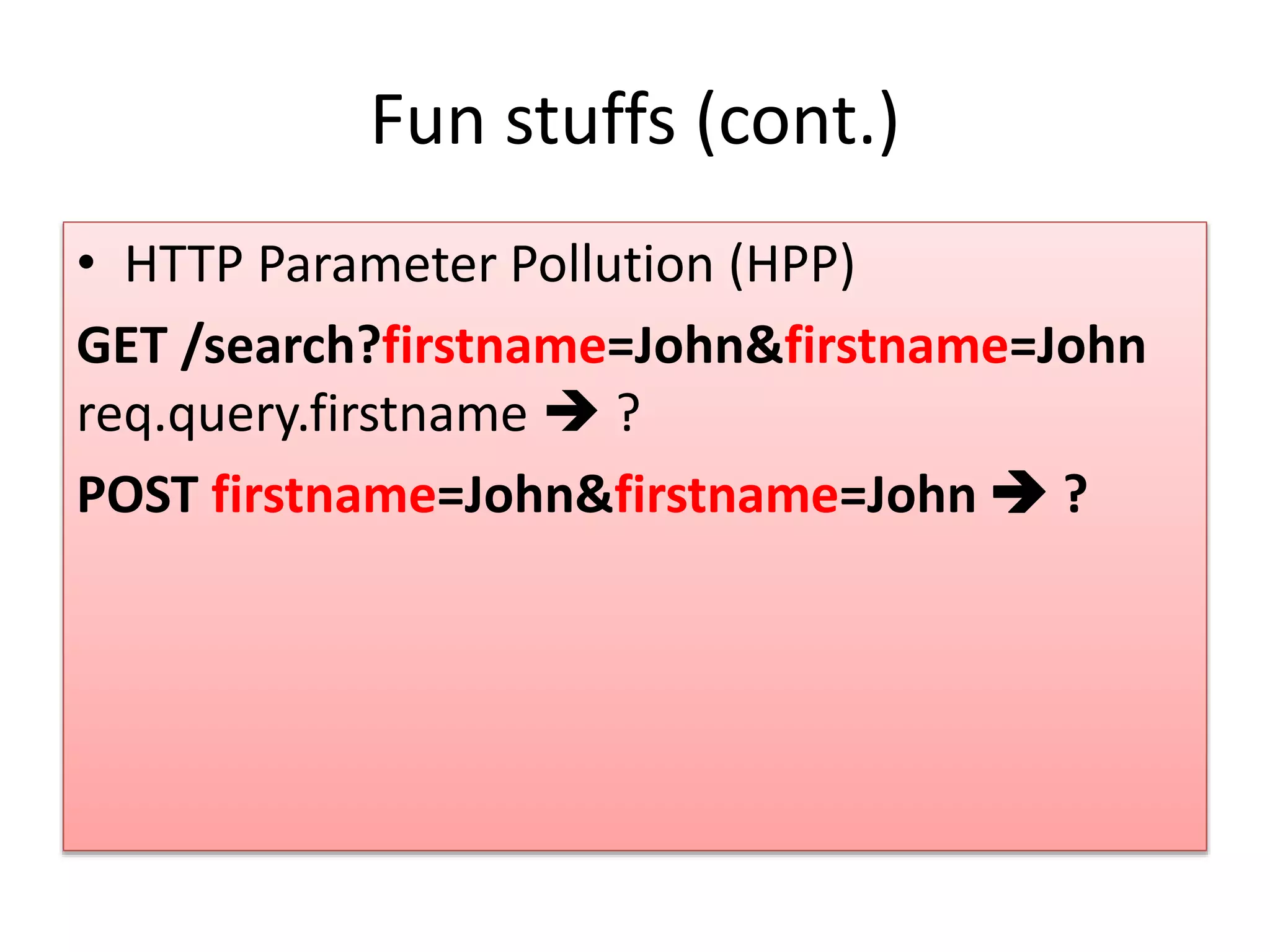
Fun stuffs (cont.) • HTTP Parameter Pollution (HPP) GET /search?firstname=John&firstname=John req.query.firstname  ? POST firstname=John&firstname=John  ?
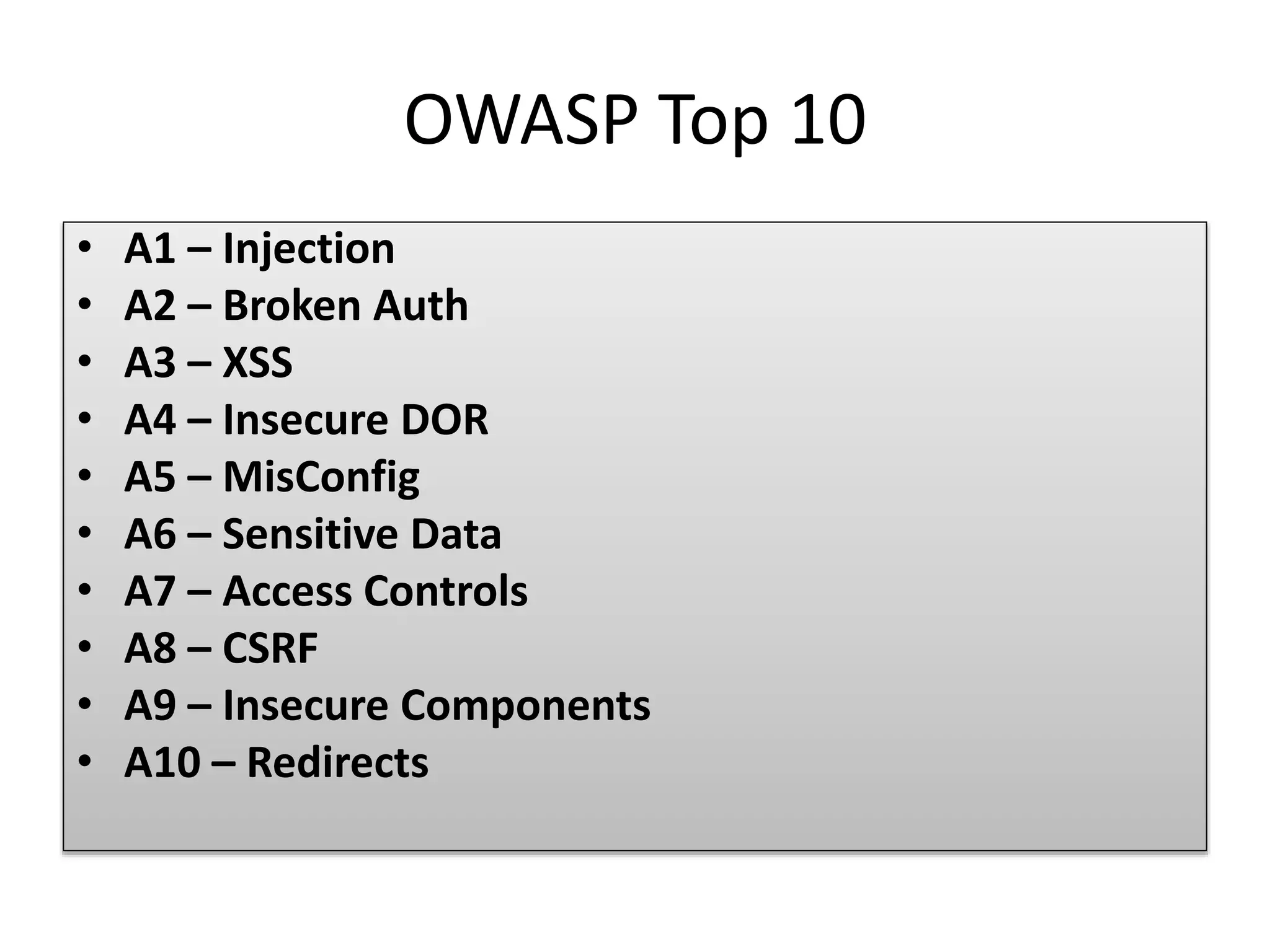
OWASP Top 10 • A1 – Injection • A2 – Broken Auth • A3 – XSS • A4 – Insecure DOR • A5 – MisConfig • A6 – Sensitive Data • A7 – Access Controls • A8 – CSRF • A9 – Insecure Components • A10 – Redirects
A1 – Server Side JS Injection https://youtu.be/krOx9QWwcYw https://youtu.be/Mr-Jh9bjSLo • eval() • setTimeout() • setInterval() • Function()
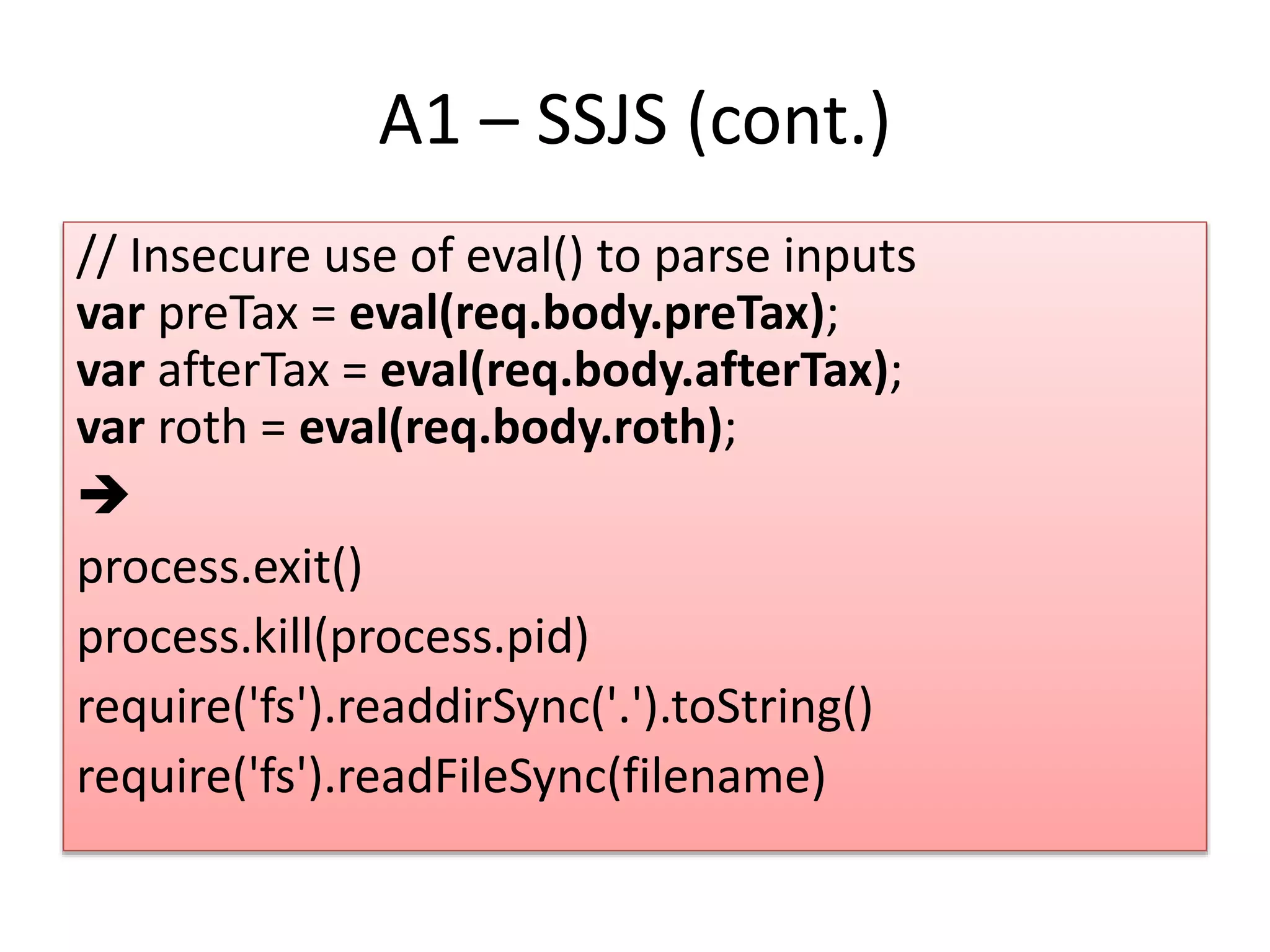
A1 – SSJS (cont.) // Insecure use of eval() to parse inputs var preTax = eval(req.body.preTax); var afterTax = eval(req.body.afterTax); var roth = eval(req.body.roth);  process.exit() process.kill(process.pid) require('fs').readdirSync('.').toString() require('fs').readFileSync(filename)
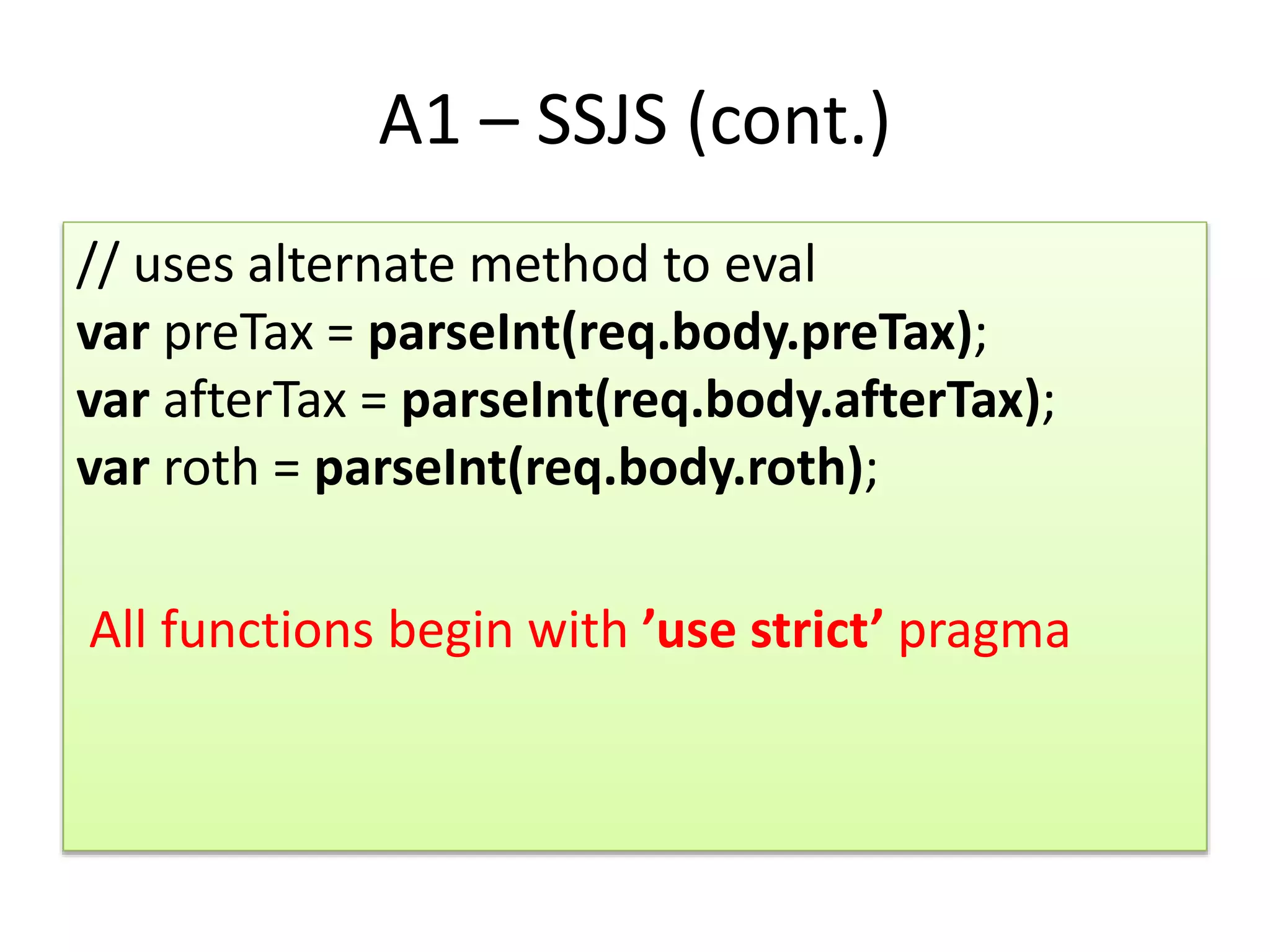
A1 – SSJS (cont.) // uses alternate method to eval var preTax = parseInt(req.body.preTax); var afterTax = parseInt(req.body.afterTax); var roth = parseInt(req.body.roth); All functions begin with ’use strict’ pragma
A1 – SQL & NoSQL Injection • SQL Injection SELECT * FROM accounts WHERE username = '$username' AND password = '$password‘ SELECT * FROM accounts WHERE username = 'admin' -- AND password = '‘
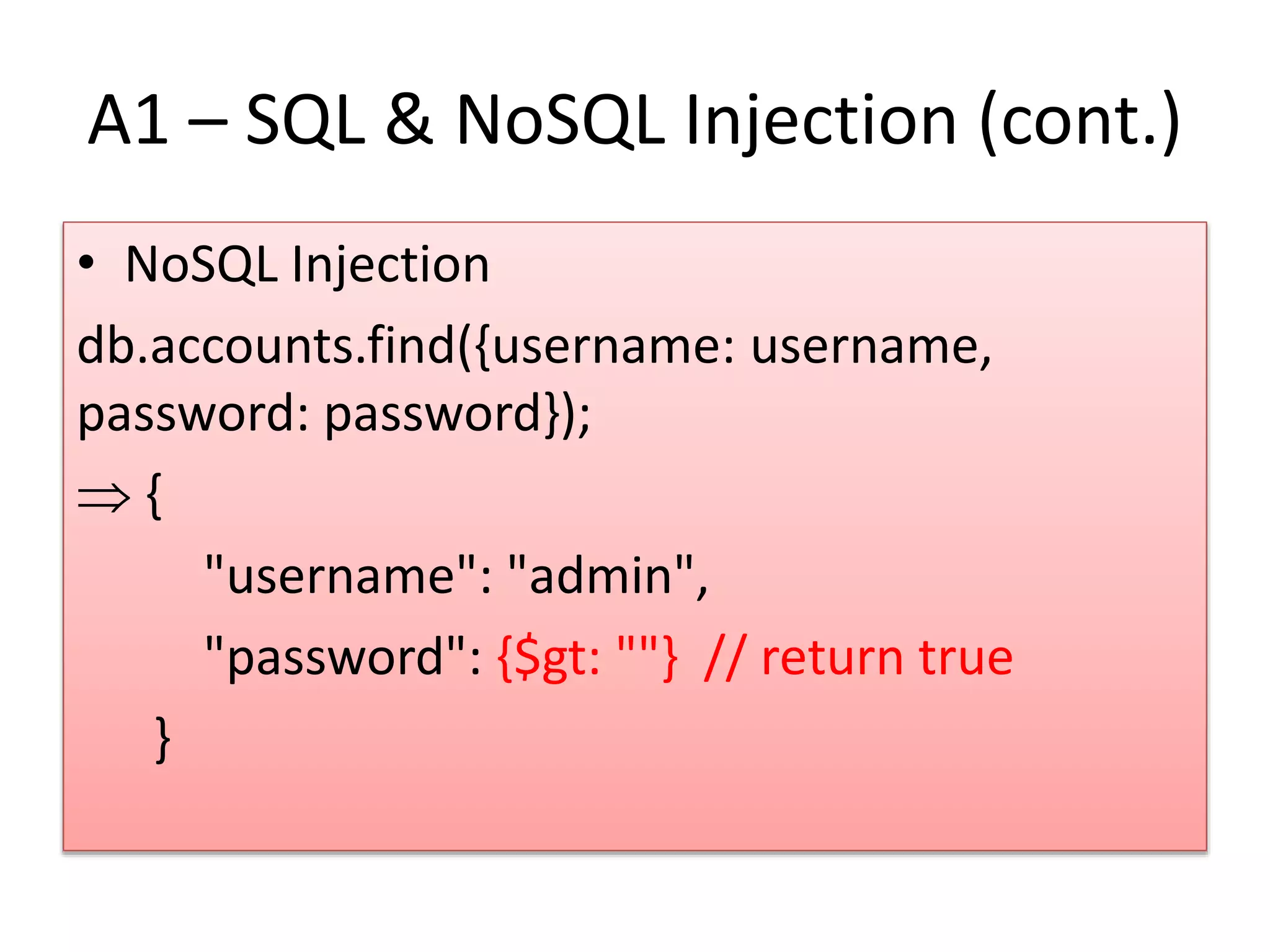
A1 – SQL & NoSQL Injection (cont.) • NoSQL Injection db.accounts.find({username: username, password: password});  { "username": "admin", "password": {$gt: ""} // return true }
A1 – SQL & NoSQL Injection (cont.) • Prepared Statements • Input Validation • Least Privilege
A2 – Session Management • Scenario #1: Application timeouts aren't set properly. User uses a public computer to access site. Instead of selecting “logout” the user simply closes the browser tab and walks away. Attacker uses the same browser an hour later, and that browser is still authenticated. • Scenario #2: Attacker acts as a man-in-middle and acquires user's session id from network traffic. Then uses this authenticated session id to connect to application without needing to enter user name and password. • Scenario #3: Insider or external attacker gains access to the system's password database. User passwords are not properly hashed, exposing every users' password to the attacker.
A2 – Session Management (cont.) • User authentication credentials should be protected when stored using hashing or encryption. • Session IDs should not be exposed in the URL (e.g., URL rewriting). • Session IDs should timeout. User sessions or authentication tokens should get properly invalidated during logout. • Session IDs should be recreated after successful login. • Passwords, session IDs, and other credentials should not be sent over unencrypted connections.
A2 – Session Management (cont.) • Protecting user credentials // Create user document var user = { userName: userName, firstName: firstName, lastName: lastName, password: password //received from request param };  ?
A2 – Session Management (cont.) // Generate password hash var salt = bcrypt.genSaltSync(); var passwordHash = bcrypt.hashSync(password, salt); // Create user document var user = { userName: userName, firstName: firstName, lastName: lastName, password: passwordHash };
A2 – Session Management (cont.) // this hash password can not be decrypted, hence more secure if (bcrypt.compareSync(password, user.password)) { callback(null, user); } else { callback(invalidPasswordError, null); }
A2 – Session Management (cont.) • Session timeout and protecting cookies in transit 1. Use session based timeouts, terminate session when browser closes. // Enable session management using express middleware app.use(express.cookieParser());
A2 – Session Management (cont.) 2. Sets HTTPOnly HTTP header preventing cookies being accessed by scripts app.use(express.session({ secret: "s3Cur3", cookie: { httpOnly: true, secure: true } }));
A2 – Session Management (cont.) 3. When user clicks logout, destroy the session and session cookie req.session.destroy(function() { res.redirect("/"); });
A2 – Password Guessing Attacks • The attacker can exploit this vulnerability by brute force password guessing, more likely using tools that generate random passwords.
A2 – Password Guessing Attacks (cont.) • Password length • Password complexity • Username/Password Enumeration
A2 – Password Guessing Attacks (cont.) var PASS_RE = /^.{1,20}$/;  var PASS_RE =/^(?=.*d)(?=.*[a-z])(?=.*[A- Z]).{8,}$/;
A3 - XSS • Reflected XSS • Stored XSS https://youtu.be/KvZ5jdg083M
A3 – XSS (cont.) • Input validation and sanitization • Output encoding for correct context – HTML Entity – HTML Attribute Encoding – URI Encoding – JavaScript Encoding – CSS Encoding • HTTPOnly cookie flag • Implement Content Security Policy (CSP) • Apply encoding on both client and server side
A3 – XSS (cont.) • Enable the HTML Encoding using template engine's auto escape flag. • Set HTTPOnly flag for session cookie while configuring the express session // Enable session management using express middleware app.use(express.session({ secret: "s3Cur3", cookie: { httpOnly: true, secure: true } }));
A4 – Insecure Direct Object References • https://youtu.be/KFTRMw5F_eg
A4 – Insecure DOR (cont.) • Check access • Use per user or session indirect object references • Testing and code analysis
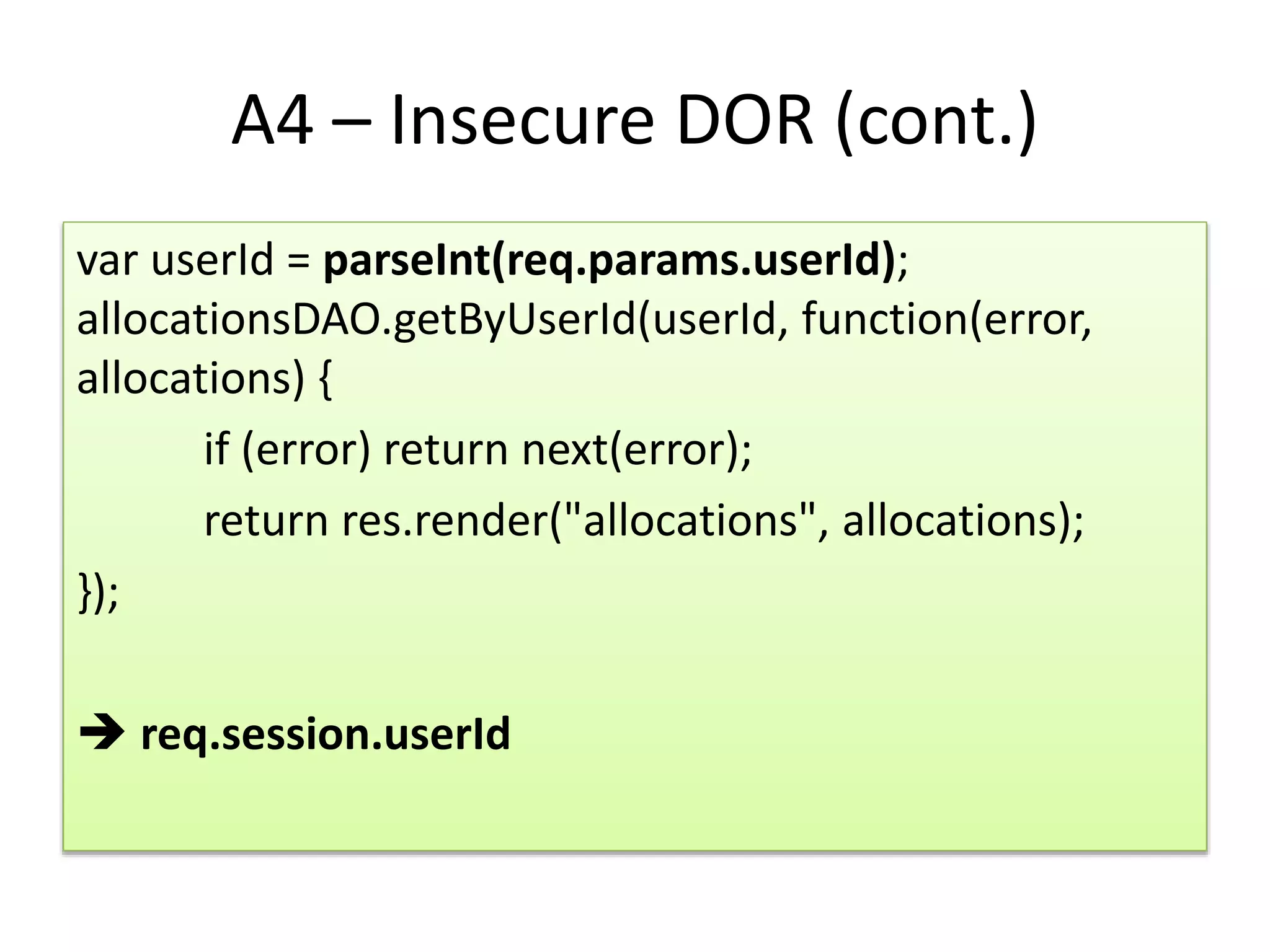
A4 – Insecure DOR (cont.) var userId = parseInt(req.params.userId); allocationsDAO.getByUserId(userId, function(error, allocations) { if (error) return next(error); return res.render("allocations", allocations); });  req.session.userId
A5 – Security Misconfiguration • https://youtu.be/lCpnVrD2Neg
A5 – Security Misconfiguration (cont.) • If application server is configured to run as root, an attacker can run malicious scripts (by exploiting eval family functions) or start new child processes on server • Read, write, delete files on file system. Create and run binary files • If sever mis-configured to leak internal implementation details via cookie names or HTTP response headers, then attacker can use this information towards building site's risk profile and finding vulnerabilities • If request body size is not limited, an attacker can upload large size of input payload, causing server run out of memory, or make processor and event loop busy.
A5 – Security Misconfiguration (cont.) • Use latest stable version of node.js and express • Do not run application with root privileges • Review default in HTTP Response headers to prevent internal implementation disclosure • Limit HTTP Request Body size • …
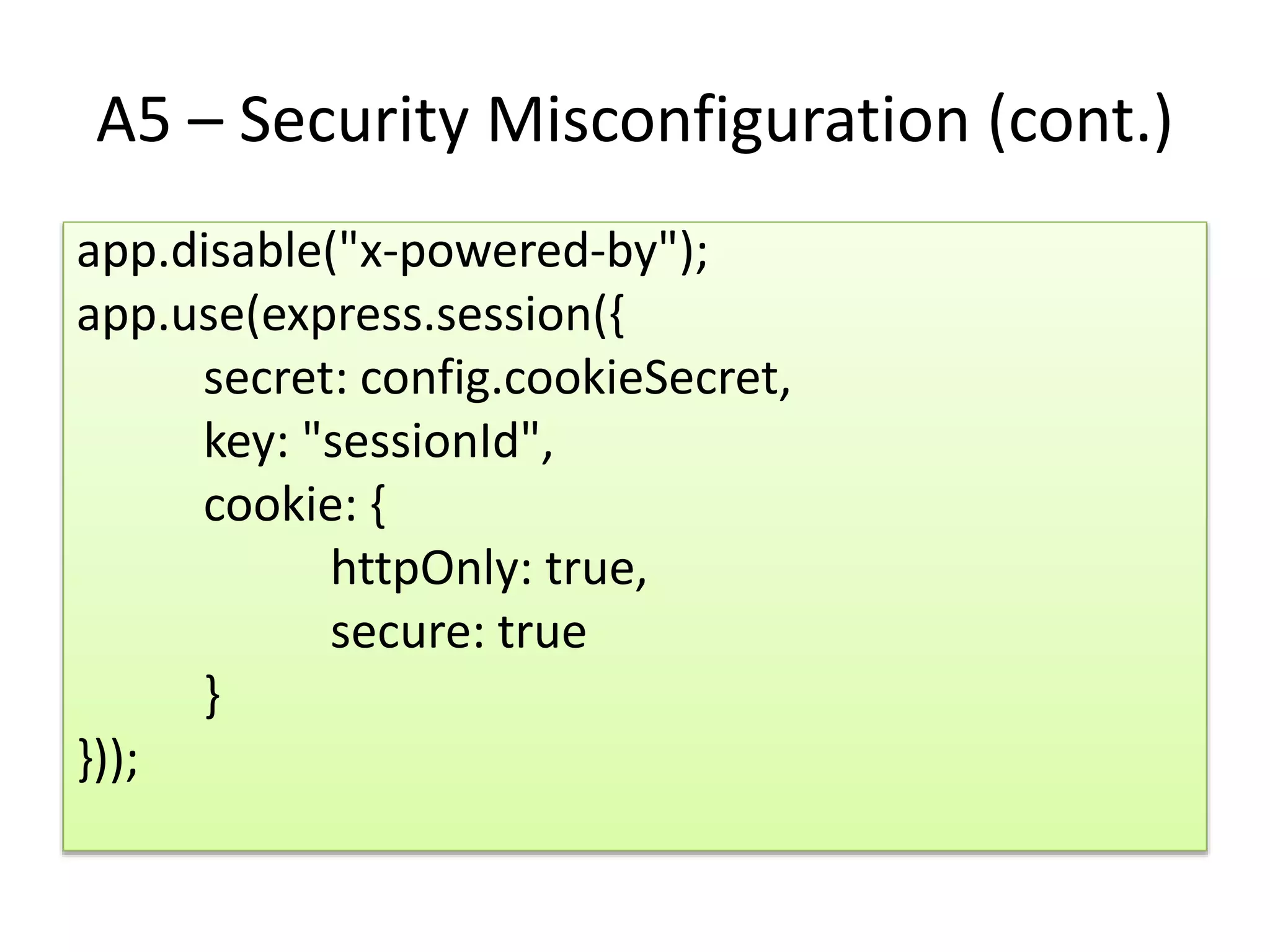
A5 – Security Misconfiguration (cont.) app.disable("x-powered-by"); app.use(express.session({ secret: config.cookieSecret, key: "sessionId", cookie: { httpOnly: true, secure: true } }));
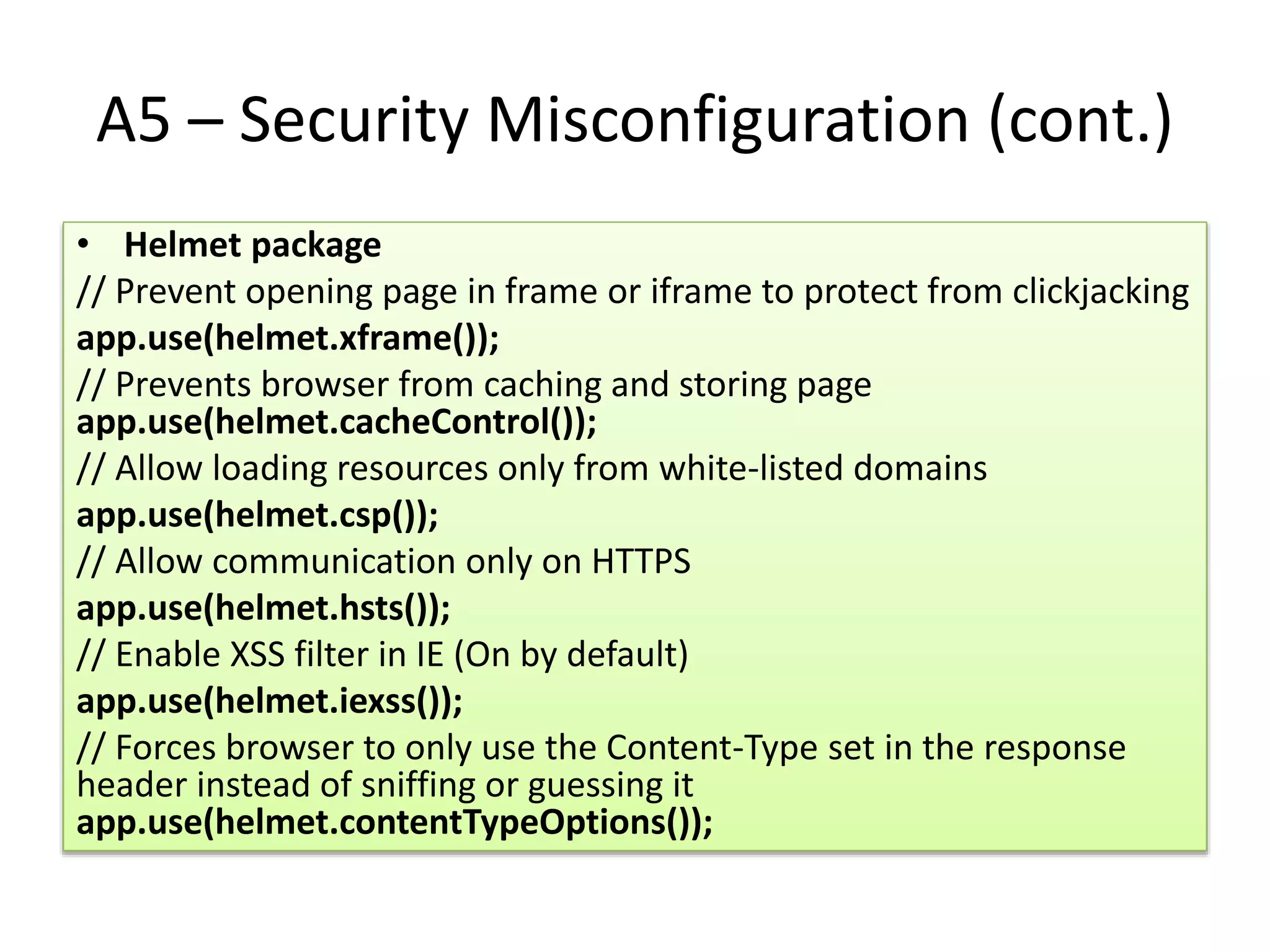
A5 – Security Misconfiguration (cont.) • Helmet package // Prevent opening page in frame or iframe to protect from clickjacking app.use(helmet.xframe()); // Prevents browser from caching and storing page app.use(helmet.cacheControl()); // Allow loading resources only from white-listed domains app.use(helmet.csp()); // Allow communication only on HTTPS app.use(helmet.hsts()); // Enable XSS filter in IE (On by default) app.use(helmet.iexss()); // Forces browser to only use the Content-Type set in the response header instead of sniffing or guessing it app.use(helmet.contentTypeOptions());
A6 – Sensitive Data Exposure • Credit cards, tax IDs, authentication credentials
A6 – Sensitive Data Exposure (cont.) • Use Secure HTTPS network protocol • Encrypt all sensitive data at rest and in transit • Don’t store sensitive data unnecessarily. Discard it as soon as possible. • Ensure strong standard algorithms and strong keys are used, and proper key management is in place. • Disable autocomplete on forms collecting sensitive data and disable caching for pages that contain sensitive data.
A6 – Sensitive Data Exposure (cont.) • https protocol // Load keys for establishing secure HTTPS connection var fs = require("fs"); var https = require("https"); var path = require("path"); var httpsOptions = { key: fs.readFileSync(path.resolve(__dirname, "./app/cert/key.pem")), cert: fs.readFileSync(path.resolve(__dirname, "./app/cert/cert.pem")) };
A6 – Sensitive Data Exposure (cont.) • Start secure HTTPS sever // Start secure HTTPS server https.createServer(httpsOptions, app) .listen(config.port, function() { console.log("Express https server listening on port " + config.port); });
A6 – Sensitive Data Exposure (cont.) • The insecure demo application stores users personal sensitive information in plain text // Include crtpto module var crypto = require("crypto"); //Set keys config object var config = { cryptoKey: "a_secure_key_for_crypto_here", cryptoAlgo: "aes256" // or other secure encryption algo here }; // Helper methods to encryt / decrypt var encrypt = function(toEncrypt) { var cipher = crypto.createCipher(config.cryptoAlgo, config.cryptoKey); return cipher.update(toEncrypt, "utf8", "hex") + cipher.final("hex"); };
A6 – Sensitive Data Exposure (cont.) var decrypt = function(toDecrypt) { var decipher = crypto.createDecipher(config.cryptoAlgo, config.cryptoKey); return decipher.update(toDecrypt, "hex", "utf8") + decipher.final("utf8"); }; // Encrypt values before saving in database user.ssn = encrypt(ssn); user.dob = encrypt(dob); // Decrypt values to show on view user.ssn = decrypt(user.ssn); user.dob = decrypt(user.dob);
A7 – Missing Function Level Access Control • https://youtu.be/ej6NCVd1Fo4
A7 – Missing Function Level Access Control // Benefits Page app.get("/benefits", isLoggedIn,benefitsHandler.displayBenefits); app.post("/benefits", isLoggedIn,benefitsHandler.updateBenefits);
A7 – Missing Function Level Access Control // Benefits Page app.get("/benefits", isLoggedIn, isAdmin, benefitsHandler.displayBenefits); app.post("/benefits", isLoggedIn, isAdmin, benefitsHandler.updateBenefits);
A8 - CSRF • https://youtu.be/vRDykS_2y3I
A8 – CSRF (cont.) //Enable Express csrf protection app.use(express.csrf()); app.use(function(req, res, next) { res.locals.csrftoken = req.csrfToken(); next(); });  <input type="hidden" name="_csrf" value="{{ csrftoken } }">
A9 – Using Components with Unknown Vulnerabilities • Create and run scripts at different stages during installation or usage of the package. • Read, write, update, delete files on system • Write and execute binary files • Collect sensitive data send it remotely
A9 – Using Components with Unknown Vulnerabilities (cont.) • Do not run application with root privileges • Prefer packages that include static code analysis. Check JSHint/JSLint the configuration to know what rules code abide by • Prefer packages that contain comprehensive unit tests and review tests for the functions our application uses • …
A10 – Unvalidated Redirects and Forwards • https://youtu.be/z98AQF8J_zg
A10 – Unvalidated Redirects and Forwards (cont.) // Handle redirect for learning resources link app.get("/learn", function (req, res, next) { return res.redirect(req.query.url); });
A10 – Unvalidated Redirects and Forwards (cont.) • Simply avoid using redirects and forwards. • If used, don’t involve user parameters in calculating the destination. This can usually be done. • If destination parameters can’t be avoided, ensure that the supplied value is valid, and authorized for the user.
Some tools, packages & resources • helmet (http://scottksmith.com/blog/2014/09/21/protect- your-node-apps-noggin-with-helmet/ ) • retire • morgan (logging) • npm outdated • npm shrinkwrap • https://www.owasp.org/index.php/OWASP_Node_js_Goat _Project • https://nodesecurity.io • https://blog.risingstack.com/node-js-security-checklist/ • …
May Victory Be Yours.
Q & A

Secure Coding for NodeJS

  • 1.
    Secure Coding forNodeJS @thangchung 03-2016
  • 2.
    Fun stuffs • Howto run multi cores? • (0.1 + 0.2) === 0.3 ? • 60 / “6” = ? • 3 + 5 + “6” = ? • (4 + 5 + ​”3”​) / 3 = ?
  • 3.
    Fun stuffs (cont.) •""​ == ​"0"​ ​ // false​​ • 0 == ​"” // true​​ • 0 == ​"0"​ // true​​ • ​false == ​"false” // false​​ • ​false == "0” // true​​ • null​ == undefined​ ​ // true​​ • " trn"​ == 0 // true​
  • 4.
    Fun stuffs (cont.) •Evil regex – Exponential execution time​ – By default, Regex gets executed in event loop thread  ?
  • 5.
    Fun stuffs (cont.) Commonlyused URL validator regex /^(?!mailto:)(?:(?:https?|ftp)://)?(?:S+(?::S*)? @)?(?:(?:(?:[1-9]d?|1d d|2[01]d|22[0- 3])(?:.(?:1?d{1,2}|2[0-4]d|25[0-5])){2}(?:.(?: [0-9]d?|1dd|2[0-4]d|25[0-4]))|(?:(?:[a- zu00a1- uffff0-9]+-?)*[a-zu00a1-uffff0- 9]+)(?:.(?:[a-zu00a1- uffff0-9]+-?)*[a-zu00a1- uffff0-9]+)*(?:.(?:[a-zu00a1-uffff]{2,})))| localhost)(?::d{2,5})?(?:/[^s]*)?$/I Input pattern: aaaaaaaaaaaaaaaa!
  • 6.
  • 7.
    Fun stuffs (cont.) •HTTP Parameter Pollution (HPP) GET /search?firstname=John&firstname=John req.query.firstname  ? POST firstname=John&firstname=John  ?
  • 8.
    OWASP Top 10 •A1 – Injection • A2 – Broken Auth • A3 – XSS • A4 – Insecure DOR • A5 – MisConfig • A6 – Sensitive Data • A7 – Access Controls • A8 – CSRF • A9 – Insecure Components • A10 – Redirects
  • 9.
    A1 – ServerSide JS Injection https://youtu.be/krOx9QWwcYw https://youtu.be/Mr-Jh9bjSLo • eval() • setTimeout() • setInterval() • Function()
  • 10.
    A1 – SSJS(cont.) // Insecure use of eval() to parse inputs var preTax = eval(req.body.preTax); var afterTax = eval(req.body.afterTax); var roth = eval(req.body.roth);  process.exit() process.kill(process.pid) require('fs').readdirSync('.').toString() require('fs').readFileSync(filename)
  • 11.
    A1 – SSJS(cont.) // uses alternate method to eval var preTax = parseInt(req.body.preTax); var afterTax = parseInt(req.body.afterTax); var roth = parseInt(req.body.roth); All functions begin with ’use strict’ pragma
  • 12.
    A1 – SQL& NoSQL Injection • SQL Injection SELECT * FROM accounts WHERE username = '$username' AND password = '$password‘ SELECT * FROM accounts WHERE username = 'admin' -- AND password = '‘
  • 13.
    A1 – SQL& NoSQL Injection (cont.) • NoSQL Injection db.accounts.find({username: username, password: password});  { "username": "admin", "password": {$gt: ""} // return true }
  • 14.
    A1 – SQL& NoSQL Injection (cont.) • Prepared Statements • Input Validation • Least Privilege
  • 15.
    A2 – SessionManagement • Scenario #1: Application timeouts aren't set properly. User uses a public computer to access site. Instead of selecting “logout” the user simply closes the browser tab and walks away. Attacker uses the same browser an hour later, and that browser is still authenticated. • Scenario #2: Attacker acts as a man-in-middle and acquires user's session id from network traffic. Then uses this authenticated session id to connect to application without needing to enter user name and password. • Scenario #3: Insider or external attacker gains access to the system's password database. User passwords are not properly hashed, exposing every users' password to the attacker.
  • 16.
    A2 – SessionManagement (cont.) • User authentication credentials should be protected when stored using hashing or encryption. • Session IDs should not be exposed in the URL (e.g., URL rewriting). • Session IDs should timeout. User sessions or authentication tokens should get properly invalidated during logout. • Session IDs should be recreated after successful login. • Passwords, session IDs, and other credentials should not be sent over unencrypted connections.
  • 17.
    A2 – SessionManagement (cont.) • Protecting user credentials // Create user document var user = { userName: userName, firstName: firstName, lastName: lastName, password: password //received from request param };  ?
  • 18.
    A2 – SessionManagement (cont.) // Generate password hash var salt = bcrypt.genSaltSync(); var passwordHash = bcrypt.hashSync(password, salt); // Create user document var user = { userName: userName, firstName: firstName, lastName: lastName, password: passwordHash };
  • 19.
    A2 – SessionManagement (cont.) // this hash password can not be decrypted, hence more secure if (bcrypt.compareSync(password, user.password)) { callback(null, user); } else { callback(invalidPasswordError, null); }
  • 20.
    A2 – SessionManagement (cont.) • Session timeout and protecting cookies in transit 1. Use session based timeouts, terminate session when browser closes. // Enable session management using express middleware app.use(express.cookieParser());
  • 21.
    A2 – SessionManagement (cont.) 2. Sets HTTPOnly HTTP header preventing cookies being accessed by scripts app.use(express.session({ secret: "s3Cur3", cookie: { httpOnly: true, secure: true } }));
  • 22.
    A2 – SessionManagement (cont.) 3. When user clicks logout, destroy the session and session cookie req.session.destroy(function() { res.redirect("/"); });
  • 23.
    A2 – PasswordGuessing Attacks • The attacker can exploit this vulnerability by brute force password guessing, more likely using tools that generate random passwords.
  • 24.
    A2 – PasswordGuessing Attacks (cont.) • Password length • Password complexity • Username/Password Enumeration
  • 25.
    A2 – PasswordGuessing Attacks (cont.) var PASS_RE = /^.{1,20}$/;  var PASS_RE =/^(?=.*d)(?=.*[a-z])(?=.*[A- Z]).{8,}$/;
  • 26.
    A3 - XSS •Reflected XSS • Stored XSS https://youtu.be/KvZ5jdg083M
  • 27.
    A3 – XSS(cont.) • Input validation and sanitization • Output encoding for correct context – HTML Entity – HTML Attribute Encoding – URI Encoding – JavaScript Encoding – CSS Encoding • HTTPOnly cookie flag • Implement Content Security Policy (CSP) • Apply encoding on both client and server side
  • 28.
    A3 – XSS(cont.) • Enable the HTML Encoding using template engine's auto escape flag. • Set HTTPOnly flag for session cookie while configuring the express session // Enable session management using express middleware app.use(express.session({ secret: "s3Cur3", cookie: { httpOnly: true, secure: true } }));
  • 29.
    A4 – InsecureDirect Object References • https://youtu.be/KFTRMw5F_eg
  • 30.
    A4 – InsecureDOR (cont.) • Check access • Use per user or session indirect object references • Testing and code analysis
  • 31.
    A4 – InsecureDOR (cont.) var userId = parseInt(req.params.userId); allocationsDAO.getByUserId(userId, function(error, allocations) { if (error) return next(error); return res.render("allocations", allocations); });  req.session.userId
  • 32.
    A5 – SecurityMisconfiguration • https://youtu.be/lCpnVrD2Neg
  • 33.
    A5 – SecurityMisconfiguration (cont.) • If application server is configured to run as root, an attacker can run malicious scripts (by exploiting eval family functions) or start new child processes on server • Read, write, delete files on file system. Create and run binary files • If sever mis-configured to leak internal implementation details via cookie names or HTTP response headers, then attacker can use this information towards building site's risk profile and finding vulnerabilities • If request body size is not limited, an attacker can upload large size of input payload, causing server run out of memory, or make processor and event loop busy.
  • 34.
    A5 – SecurityMisconfiguration (cont.) • Use latest stable version of node.js and express • Do not run application with root privileges • Review default in HTTP Response headers to prevent internal implementation disclosure • Limit HTTP Request Body size • …
  • 35.
    A5 – SecurityMisconfiguration (cont.) app.disable("x-powered-by"); app.use(express.session({ secret: config.cookieSecret, key: "sessionId", cookie: { httpOnly: true, secure: true } }));
  • 36.
    A5 – SecurityMisconfiguration (cont.) • Helmet package // Prevent opening page in frame or iframe to protect from clickjacking app.use(helmet.xframe()); // Prevents browser from caching and storing page app.use(helmet.cacheControl()); // Allow loading resources only from white-listed domains app.use(helmet.csp()); // Allow communication only on HTTPS app.use(helmet.hsts()); // Enable XSS filter in IE (On by default) app.use(helmet.iexss()); // Forces browser to only use the Content-Type set in the response header instead of sniffing or guessing it app.use(helmet.contentTypeOptions());
  • 37.
    A6 – SensitiveData Exposure • Credit cards, tax IDs, authentication credentials
  • 38.
    A6 – SensitiveData Exposure (cont.) • Use Secure HTTPS network protocol • Encrypt all sensitive data at rest and in transit • Don’t store sensitive data unnecessarily. Discard it as soon as possible. • Ensure strong standard algorithms and strong keys are used, and proper key management is in place. • Disable autocomplete on forms collecting sensitive data and disable caching for pages that contain sensitive data.
  • 39.
    A6 – SensitiveData Exposure (cont.) • https protocol // Load keys for establishing secure HTTPS connection var fs = require("fs"); var https = require("https"); var path = require("path"); var httpsOptions = { key: fs.readFileSync(path.resolve(__dirname, "./app/cert/key.pem")), cert: fs.readFileSync(path.resolve(__dirname, "./app/cert/cert.pem")) };
  • 40.
    A6 – SensitiveData Exposure (cont.) • Start secure HTTPS sever // Start secure HTTPS server https.createServer(httpsOptions, app) .listen(config.port, function() { console.log("Express https server listening on port " + config.port); });
  • 41.
    A6 – SensitiveData Exposure (cont.) • The insecure demo application stores users personal sensitive information in plain text // Include crtpto module var crypto = require("crypto"); //Set keys config object var config = { cryptoKey: "a_secure_key_for_crypto_here", cryptoAlgo: "aes256" // or other secure encryption algo here }; // Helper methods to encryt / decrypt var encrypt = function(toEncrypt) { var cipher = crypto.createCipher(config.cryptoAlgo, config.cryptoKey); return cipher.update(toEncrypt, "utf8", "hex") + cipher.final("hex"); };
  • 42.
    A6 – SensitiveData Exposure (cont.) var decrypt = function(toDecrypt) { var decipher = crypto.createDecipher(config.cryptoAlgo, config.cryptoKey); return decipher.update(toDecrypt, "hex", "utf8") + decipher.final("utf8"); }; // Encrypt values before saving in database user.ssn = encrypt(ssn); user.dob = encrypt(dob); // Decrypt values to show on view user.ssn = decrypt(user.ssn); user.dob = decrypt(user.dob);
  • 43.
    A7 – MissingFunction Level Access Control • https://youtu.be/ej6NCVd1Fo4
  • 44.
    A7 – MissingFunction Level Access Control // Benefits Page app.get("/benefits", isLoggedIn,benefitsHandler.displayBenefits); app.post("/benefits", isLoggedIn,benefitsHandler.updateBenefits);
  • 45.
    A7 – MissingFunction Level Access Control // Benefits Page app.get("/benefits", isLoggedIn, isAdmin, benefitsHandler.displayBenefits); app.post("/benefits", isLoggedIn, isAdmin, benefitsHandler.updateBenefits);
  • 46.
    A8 - CSRF •https://youtu.be/vRDykS_2y3I
  • 47.
    A8 – CSRF(cont.) //Enable Express csrf protection app.use(express.csrf()); app.use(function(req, res, next) { res.locals.csrftoken = req.csrfToken(); next(); });  <input type="hidden" name="_csrf" value="{{ csrftoken } }">
  • 48.
    A9 – UsingComponents with Unknown Vulnerabilities • Create and run scripts at different stages during installation or usage of the package. • Read, write, update, delete files on system • Write and execute binary files • Collect sensitive data send it remotely
  • 49.
    A9 – UsingComponents with Unknown Vulnerabilities (cont.) • Do not run application with root privileges • Prefer packages that include static code analysis. Check JSHint/JSLint the configuration to know what rules code abide by • Prefer packages that contain comprehensive unit tests and review tests for the functions our application uses • …
  • 50.
    A10 – UnvalidatedRedirects and Forwards • https://youtu.be/z98AQF8J_zg
  • 51.
    A10 – UnvalidatedRedirects and Forwards (cont.) // Handle redirect for learning resources link app.get("/learn", function (req, res, next) { return res.redirect(req.query.url); });
  • 52.
    A10 – UnvalidatedRedirects and Forwards (cont.) • Simply avoid using redirects and forwards. • If used, don’t involve user parameters in calculating the destination. This can usually be done. • If destination parameters can’t be avoided, ensure that the supplied value is valid, and authorized for the user.
  • 53.
    Some tools, packages& resources • helmet (http://scottksmith.com/blog/2014/09/21/protect- your-node-apps-noggin-with-helmet/ ) • retire • morgan (logging) • npm outdated • npm shrinkwrap • https://www.owasp.org/index.php/OWASP_Node_js_Goat _Project • https://nodesecurity.io • https://blog.risingstack.com/node-js-security-checklist/ • …
  • 54.
  • 55.

Editor's Notes

  • #3 0.1 + 0.2 = 0.30000000000000004 60 / “6” = 10 3 + 5 + "6” = 86 (4 + 5 + ​”3”​) / 3 = 31
  • #5 DOS attack
  • #6 O(n^2)
  • #8 [“John”, “John”] Crash system => error => DOS Modify application behavior => try/catch, domain & cluster to avoid
  • #14 $ne
  • #20 The bcrypt module also provides asynchronous methods for creating and comparing hash. 
  • #25 Username/Password Enumeration: Authentication failure responses should not indicate which part of the authentication data was incorrect. For example, instead of "Invalid username" or "Invalid password", just use "Invalid username and/or password" for both. Error responses must be truly identical in both display and source code For additional protection against brute forcing, enforce account disabling after an established number of invalid login attempts (e.g., five attempts is common). The account must be disabled for a period of time sufficient to discourage brute force guessing of credentials, but not so long as to allow for a denial-of-service attack to be performed. Authentication failure responses should not indicate which part of the authentication data was incorrect. For example, instead of "Invalid username" or "Invalid password", just use "Invalid username and/or password" for both. Error responses must be truly identical in both display and source code Only send non-temporary passwords over an encrypted connection or as encrypted data, such as in an encrypted email. Temporary passwords associated with email resets may be an exception. Enforce the changing of temporary passwords on the next use. Temporary passwords and links should have a short expiration time.
  • #26 A stronger password can be enforced using the regex above, which requires at least 8 character password with numbers and both lowercase and uppercase letters.
  • #27 Reflected XSS: The malicious data is echoed back by the server in an immediate response to an HTTP request from the victim. Stored XSS: The malicious data is stored on the server or on browser (using HTML5 local storage, for example), and later gets embedded in HTML page provided to the victim.
  • #28 Input validation and sanitization: Input validation and data sanitization are the first line of defense against untrusted data. Apply white list validation wherever possible. HTML Entity: <span> UNTRUSTED DATA</span> Convert & to &amp;  Convert < to &lt;  Convert > to &gt;  Convert " to &quot;  Convert ' to &#x27;  Convert / to &#x2F; HTML Attribute Encoding: <input type="text" name="fname" value="UNTRUSTED DATA"> Except for alphanumeric characters, escape all characters with the HTML Entity &#xHH; format, including spaces. (HH = Hex Value)  URI Encoding: <a href="/site/search?value= UNTRUSTED DATA">clickme</a> Except for alphanumeric characters, escape all characters with ASCII values less than 256 with the HTML Entity &#xHH; format, including spaces. (HH = Hex Value)  JavaScript Encoding: <script>var currentValue='UNTRUSTED DATA';</script><script>someFunction('UNTRUSTED DATA');</script> Ensure JavaScript variables are quoted. Except for alphanumeric characters, escape all characters with ASCII values less than 256 with \uXXXX unicode escaping format (X = Integer), or in xHH (HH = HEX Value) encoding format. CSS Encoding: <div style="width:UNTRUSTED DATA;">Selection</div> Except for alphanumeric characters, escape all characters with ASCII values less than 256 with the \HH (HH= Hex Value) escaping format.
  • #46 this.isAdminUserMiddleware = function(req, res, next) { if (req.session.userId) { userDAO.getUserById(req.session.userId, function(err, user) { if(user && user.isAdmin) { next(); } else { return res.redirect("/login"); } }); } else { console.log("redirecting to login"); return res.redirect("/login"); } };