Copyright © 2015, Oracle and/or its affiliates. All rights reserved. |
Copyright © 2015, Oracle and/or its affiliates. All rights reserved. |Copyright © 2015, Oracle and/or its affiliates. All rights reserved. | Solving Performance Problems Using MySQL Enterprise Monitor Mark Matthews Consulting Member, Technical Staff - Oracle Copyright © 2017, Oracle and/or its affiliates. All rights reserved.
Copyright © 2016, Oracle and/or its affiliates. All rights reserved. | Safe Harbor Statement The following is intended to outline our general product direction. It is intended for information purposes only, and may not be incorporated into any contract. It is not a commitment to deliver any material, code, or functionality, and should not be relied upon in making purchasing decisions. The development, release, and timing of any features or functionality described for Oracle’s products remains at the sole discretion of Oracle.
Copyright © 2016, Oracle and/or its affiliates. All rights reserved. | Agenda • Creating a test Group Replication cluster • Monitoring the cluster • Diagnosing performance problems using MySQL Enterprise Monitor’s Query Analyzer • Diagnosing performance problems using MySQL Enterprise Monitor events • Diagnosing availability problems with Group Replication The examples used in this presentation were developed with MySQL-5.7 and Enterprise Monitor 3.4.
Copyright © 2016, Oracle and/or its affiliates. All rights reserved. | Creating a 3-Node Group Replication Cluster [mem@localhost]$ mysqlsh In a terminal window, start the MySQL Shell:
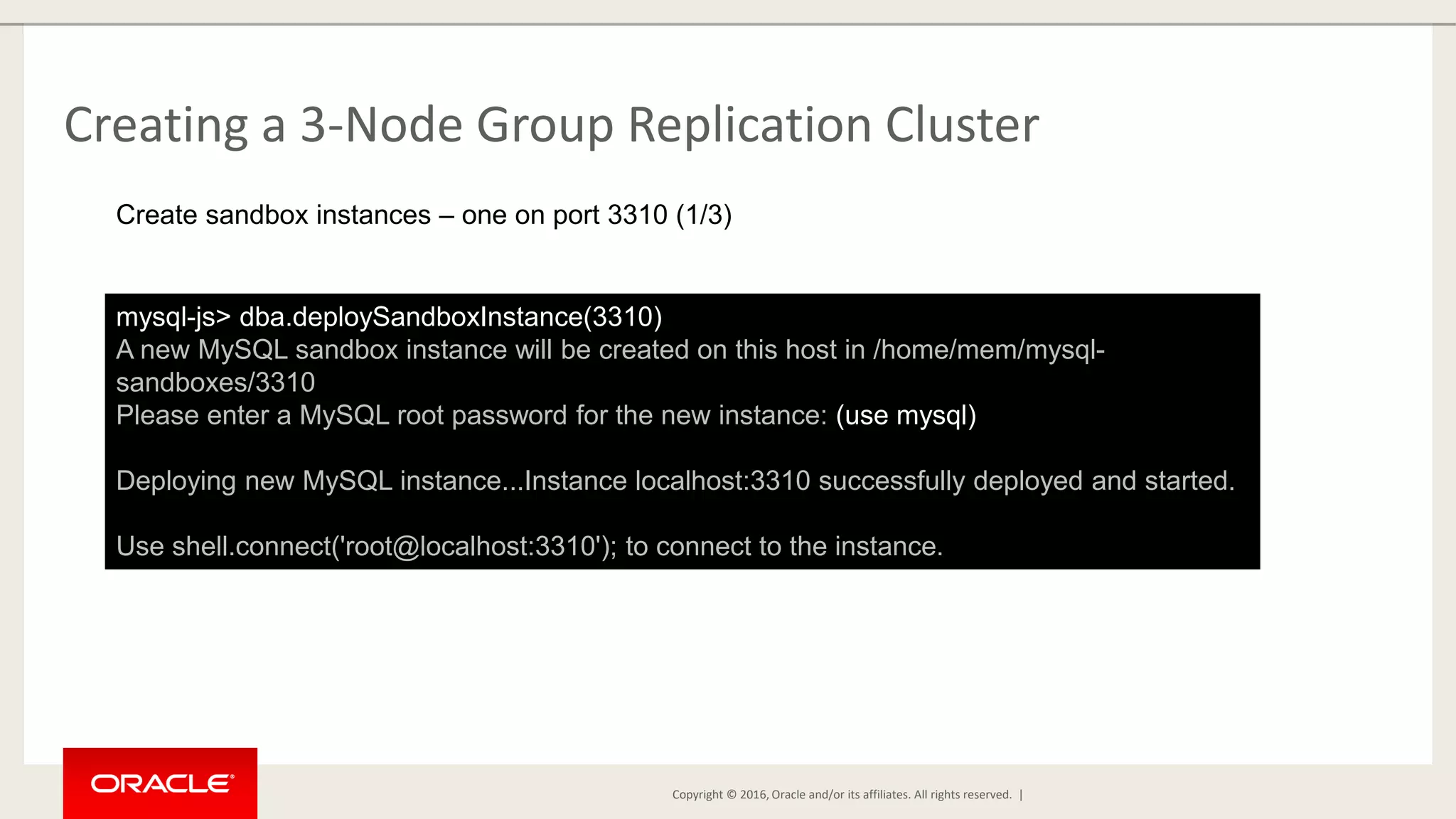
Copyright © 2016, Oracle and/or its affiliates. All rights reserved. | Creating a 3-Node Group Replication Cluster mysql-js> dba.deploySandboxInstance(3310) A new MySQL sandbox instance will be created on this host in /home/mem/mysql- sandboxes/3310 Please enter a MySQL root password for the new instance: (use mysql) Deploying new MySQL instance...Instance localhost:3310 successfully deployed and started. Use shell.connect('root@localhost:3310'); to connect to the instance. Create sandbox instances – one on port 3310 (1/3)
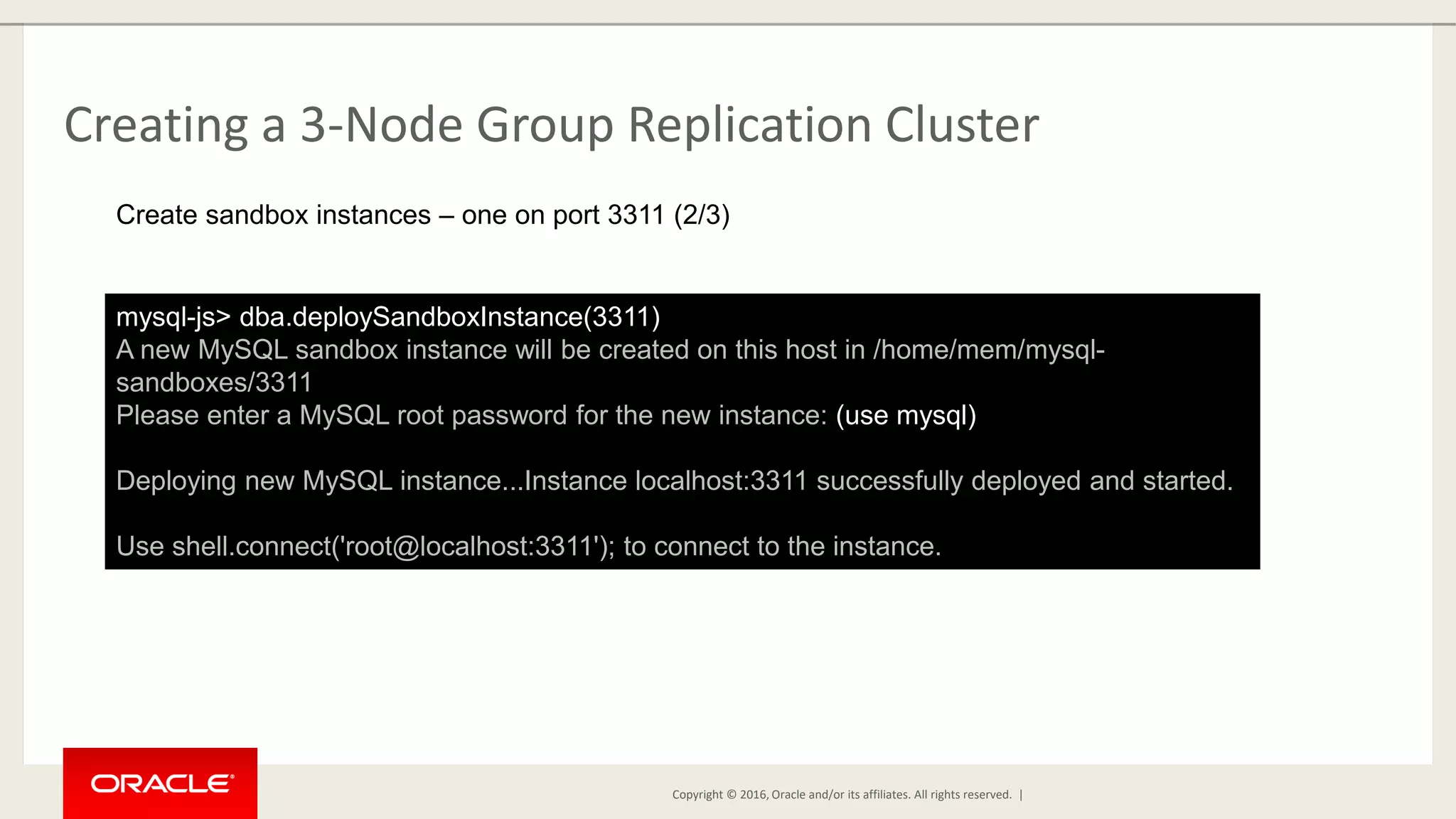
Copyright © 2016, Oracle and/or its affiliates. All rights reserved. | Creating a 3-Node Group Replication Cluster mysql-js> dba.deploySandboxInstance(3311) A new MySQL sandbox instance will be created on this host in /home/mem/mysql- sandboxes/3311 Please enter a MySQL root password for the new instance: (use mysql) Deploying new MySQL instance...Instance localhost:3311 successfully deployed and started. Use shell.connect('root@localhost:3311'); to connect to the instance. Create sandbox instances – one on port 3311 (2/3)
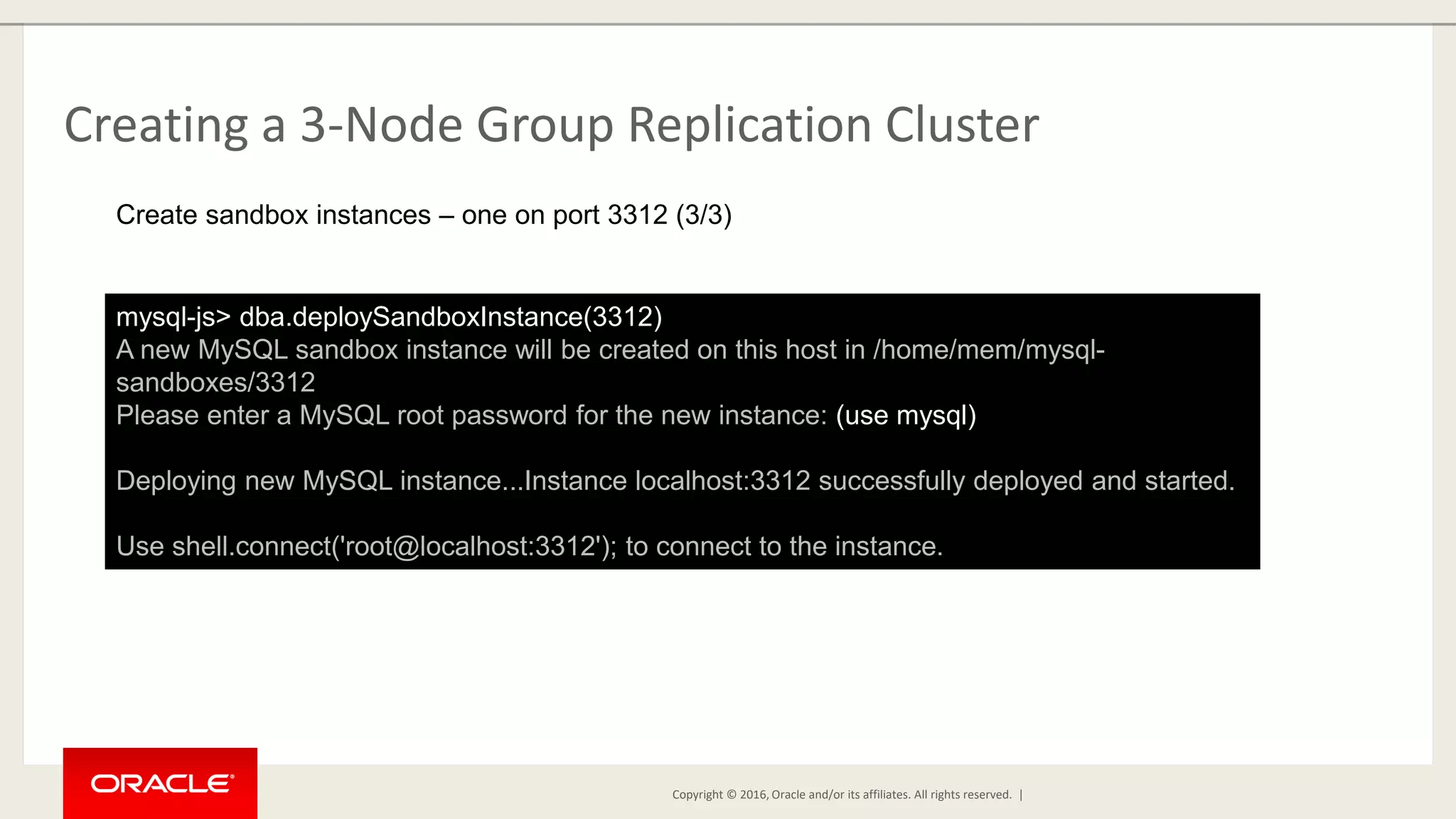
Copyright © 2016, Oracle and/or its affiliates. All rights reserved. | Creating a 3-Node Group Replication Cluster mysql-js> dba.deploySandboxInstance(3312) A new MySQL sandbox instance will be created on this host in /home/mem/mysql- sandboxes/3312 Please enter a MySQL root password for the new instance: (use mysql) Deploying new MySQL instance...Instance localhost:3312 successfully deployed and started. Use shell.connect('root@localhost:3312'); to connect to the instance. Create sandbox instances – one on port 3312 (3/3)
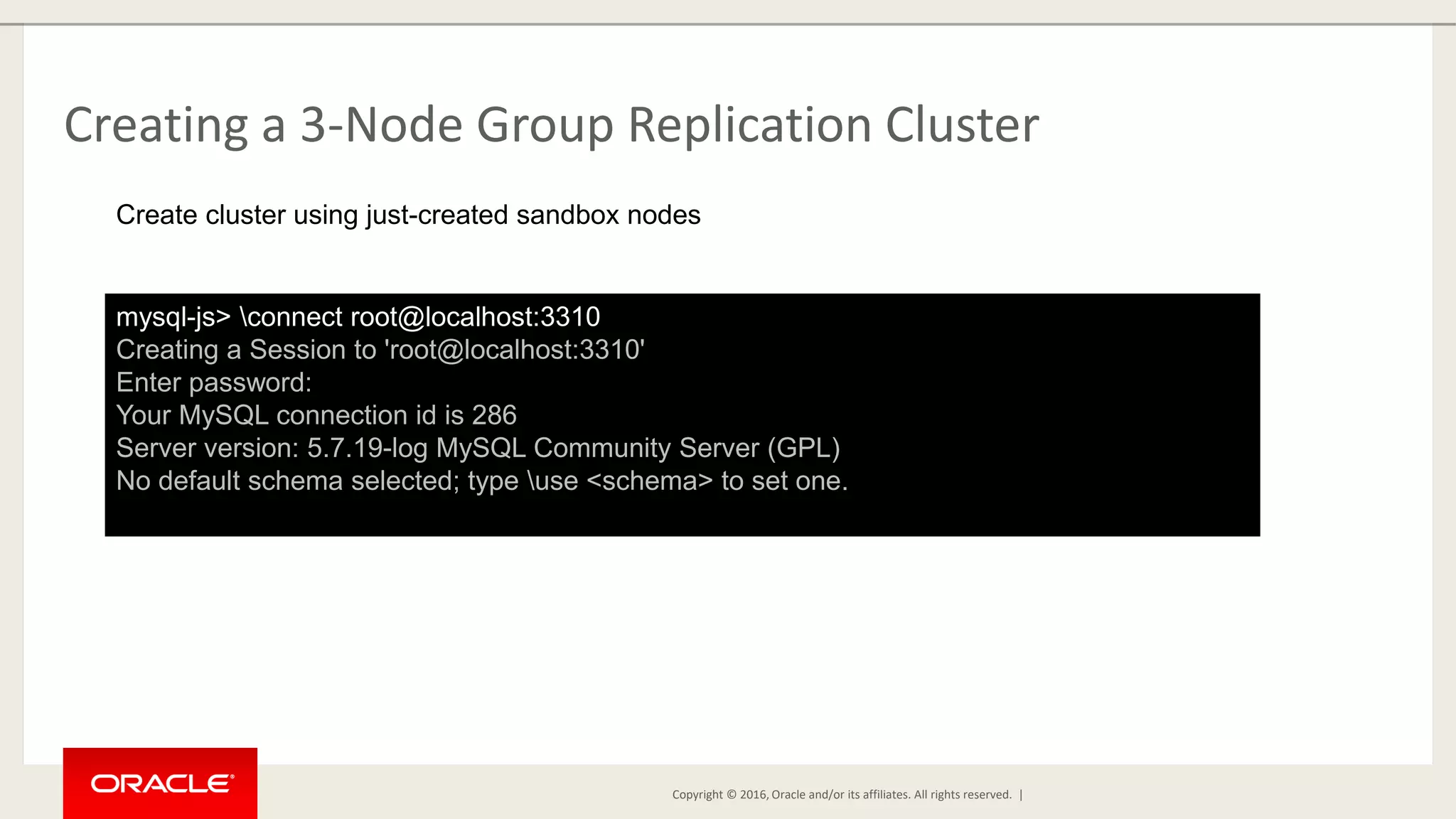
Copyright © 2016, Oracle and/or its affiliates. All rights reserved. | Creating a 3-Node Group Replication Cluster mysql-js> connect root@localhost:3310 Creating a Session to 'root@localhost:3310' Enter password: Your MySQL connection id is 286 Server version: 5.7.19-log MySQL Community Server (GPL) No default schema selected; type use <schema> to set one. Create cluster using just-created sandbox nodes
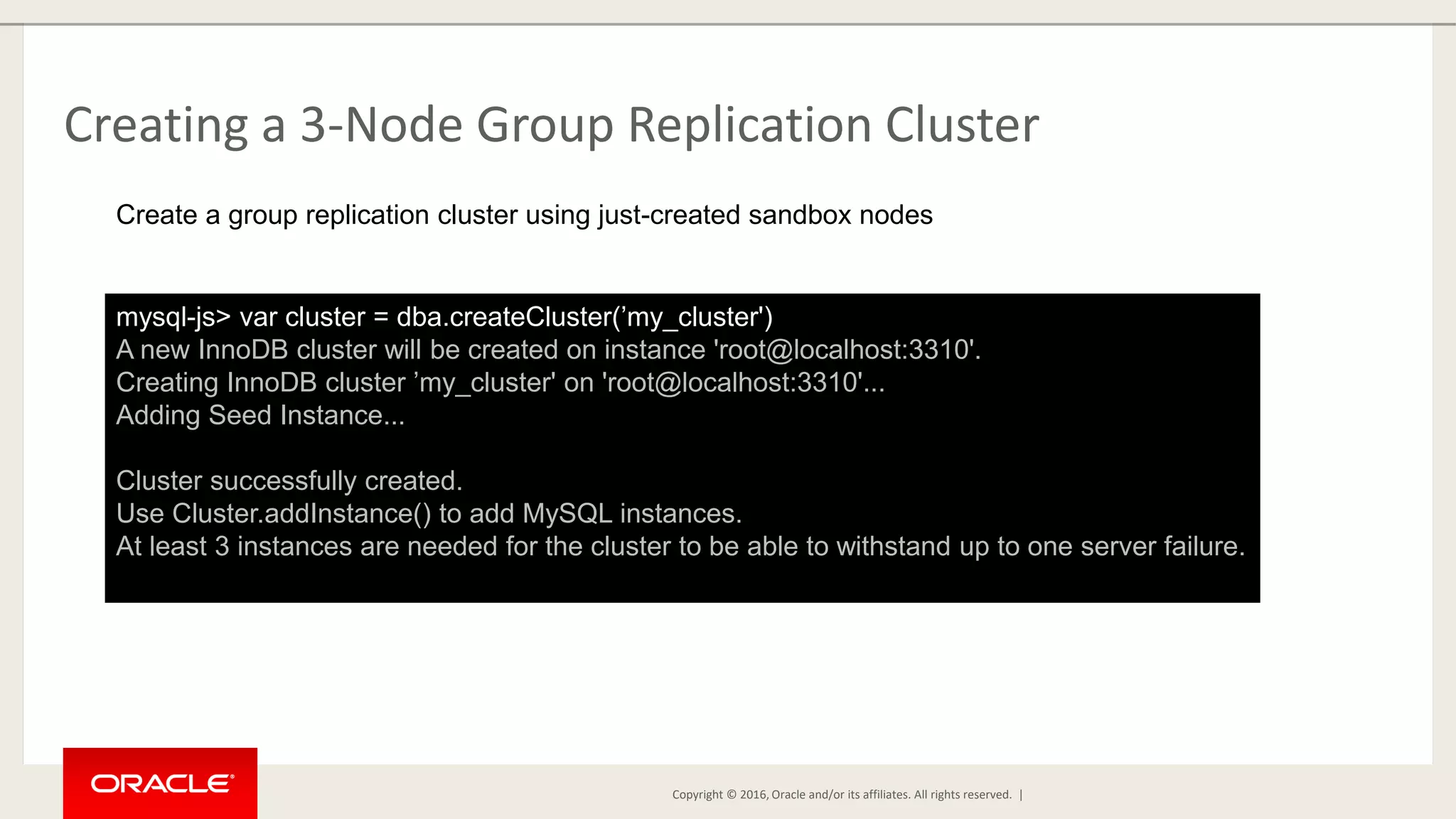
Copyright © 2016, Oracle and/or its affiliates. All rights reserved. | Creating a 3-Node Group Replication Cluster mysql-js> var cluster = dba.createCluster(’my_cluster') A new InnoDB cluster will be created on instance 'root@localhost:3310'. Creating InnoDB cluster ’my_cluster' on 'root@localhost:3310'... Adding Seed Instance... Cluster successfully created. Use Cluster.addInstance() to add MySQL instances. At least 3 instances are needed for the cluster to be able to withstand up to one server failure. Create a group replication cluster using just-created sandbox nodes
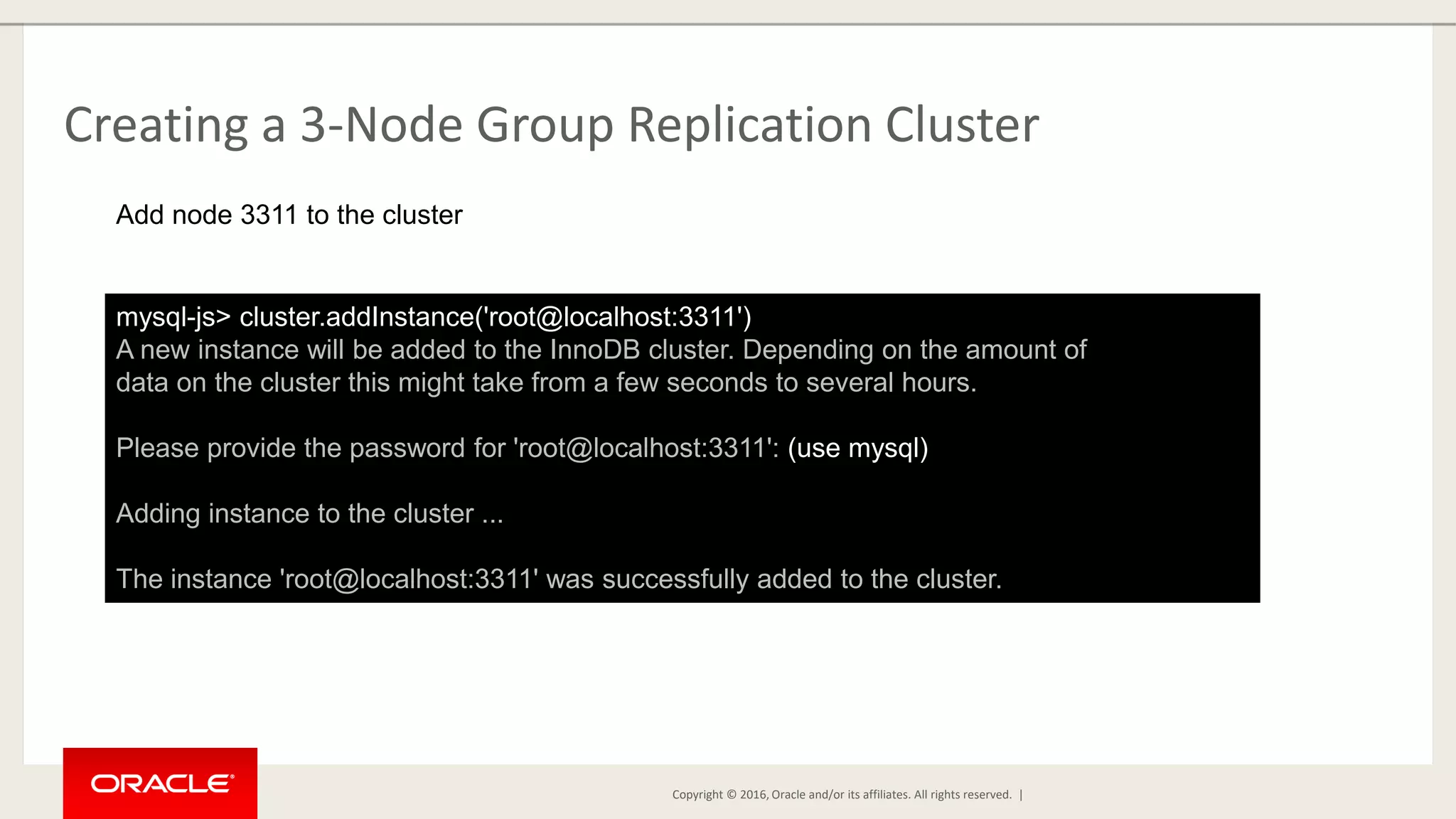
Copyright © 2016, Oracle and/or its affiliates. All rights reserved. | Creating a 3-Node Group Replication Cluster mysql-js> cluster.addInstance('root@localhost:3311') A new instance will be added to the InnoDB cluster. Depending on the amount of data on the cluster this might take from a few seconds to several hours. Please provide the password for 'root@localhost:3311': (use mysql) Adding instance to the cluster ... The instance 'root@localhost:3311' was successfully added to the cluster. Add node 3311 to the cluster
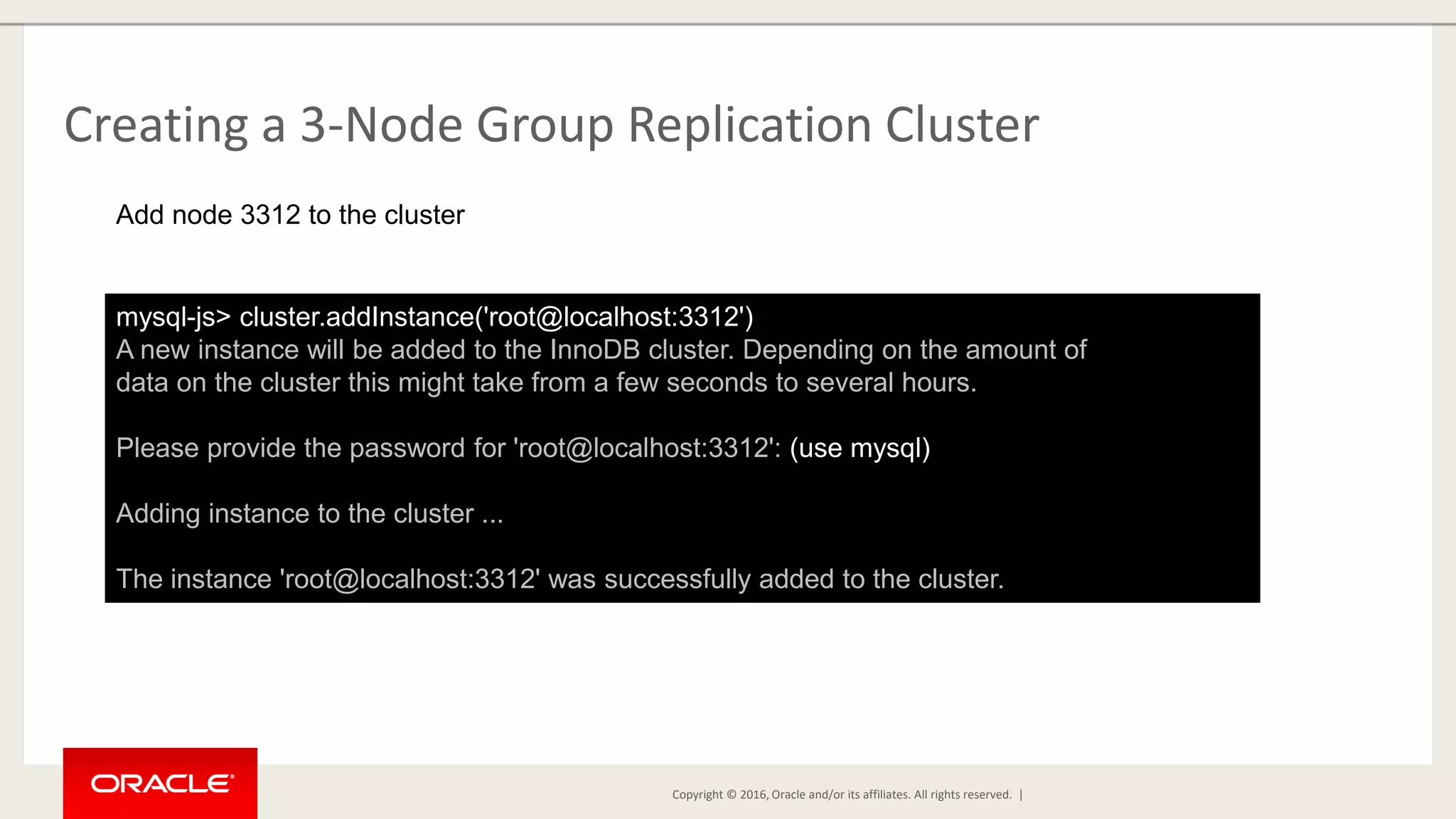
Copyright © 2016, Oracle and/or its affiliates. All rights reserved. | Creating a 3-Node Group Replication Cluster mysql-js> cluster.addInstance('root@localhost:3312') A new instance will be added to the InnoDB cluster. Depending on the amount of data on the cluster this might take from a few seconds to several hours. Please provide the password for 'root@localhost:3312': (use mysql) Adding instance to the cluster ... The instance 'root@localhost:3312' was successfully added to the cluster. Add node 3312 to the cluster
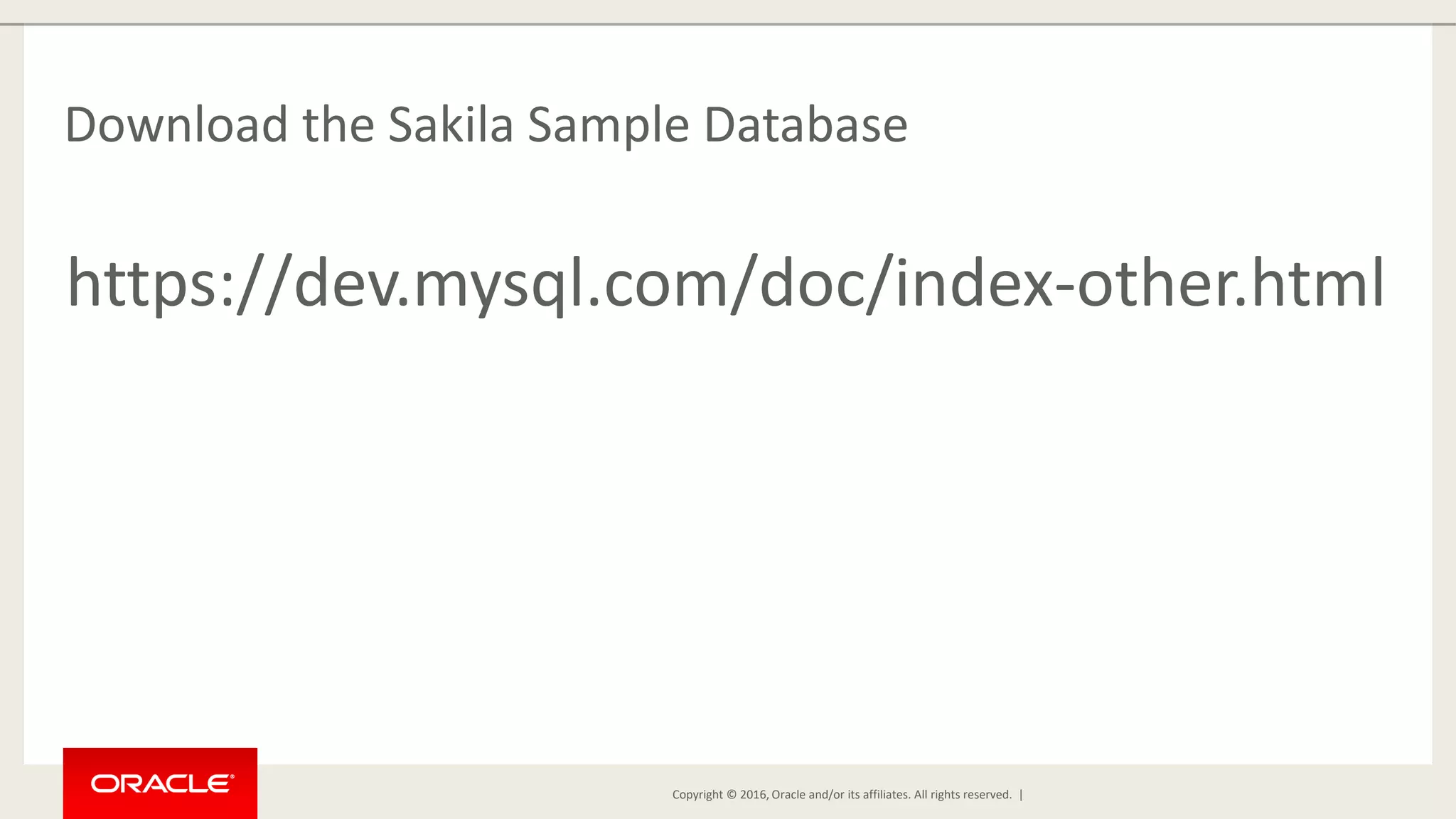
Copyright © 2016, Oracle and/or its affiliates. All rights reserved. | Download the Sakila Sample Database https://dev.mysql.com/doc/index-other.html
Copyright © 2016, Oracle and/or its affiliates. All rights reserved. | Install the Sakila Database Schema and Data [mem@localhost mysql-sandboxes]$ mysql -uroot -pmysql --port=3310 -- host=127.0.0.1 mysql> source [path-to-sakila-files]/sakila-schema.sql mysql> source [path-to-sakila-files]/sakila-data.sql In a new terminal window
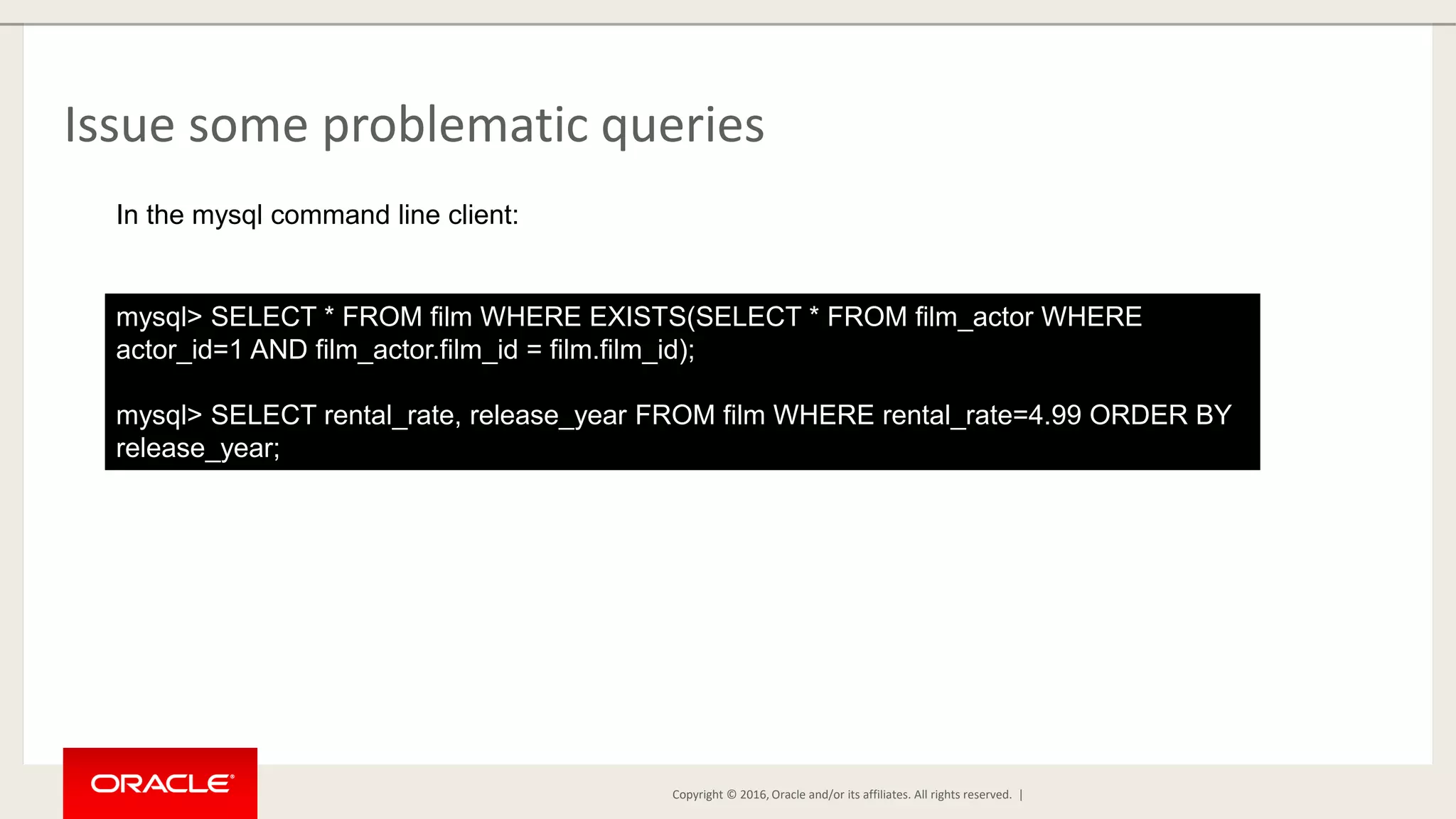
Copyright © 2016, Oracle and/or its affiliates. All rights reserved. | Issue some problematic queries mysql> SELECT * FROM film WHERE EXISTS(SELECT * FROM film_actor WHERE actor_id=1 AND film_actor.film_id = film.film_id); mysql> SELECT rental_rate, release_year FROM film WHERE rental_rate=4.99 ORDER BY release_year; In the mysql command line client:
Copyright © 2016, Oracle and/or its affiliates. All rights reserved. | Issue some problematic queries [mem@localhost]$ for i in {1..100}; do mysql -uroot -pmysql -e "SELECT * FROM category"; done In a shell window – execute some simple, repeated queries
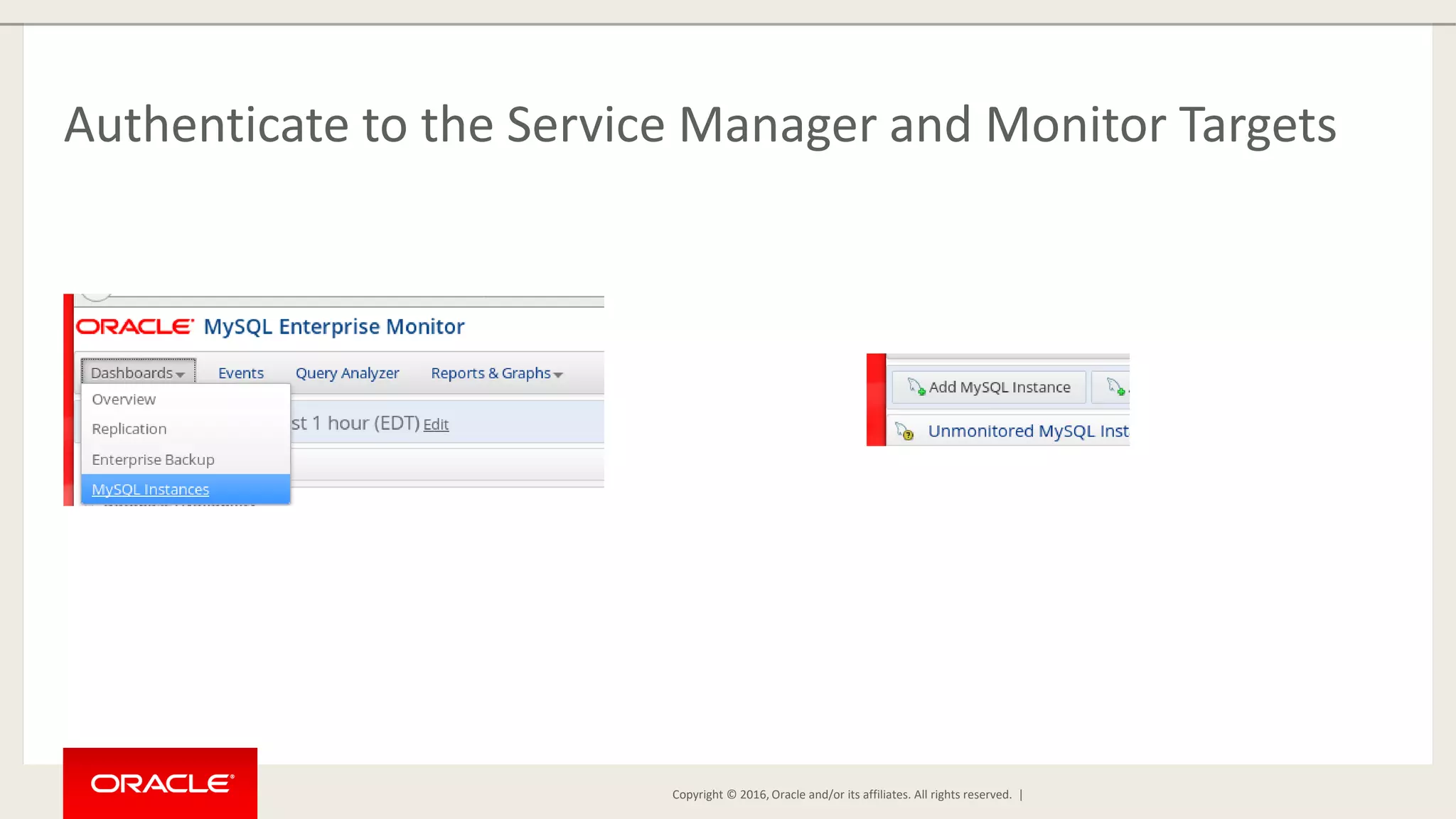
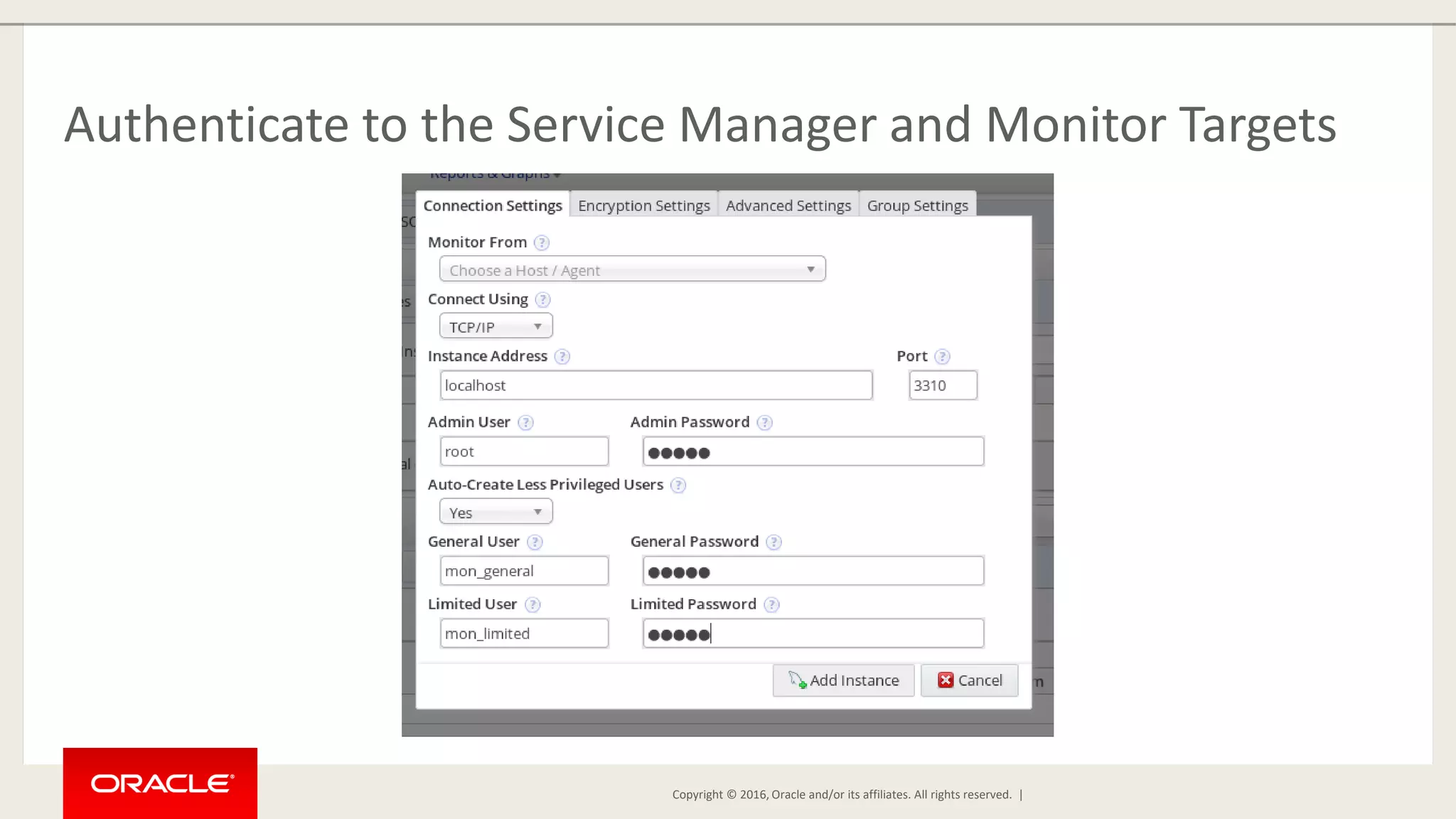
Copyright © 2016, Oracle and/or its affiliates. All rights reserved. | Authenticate to the Service Manager and Monitor Targets
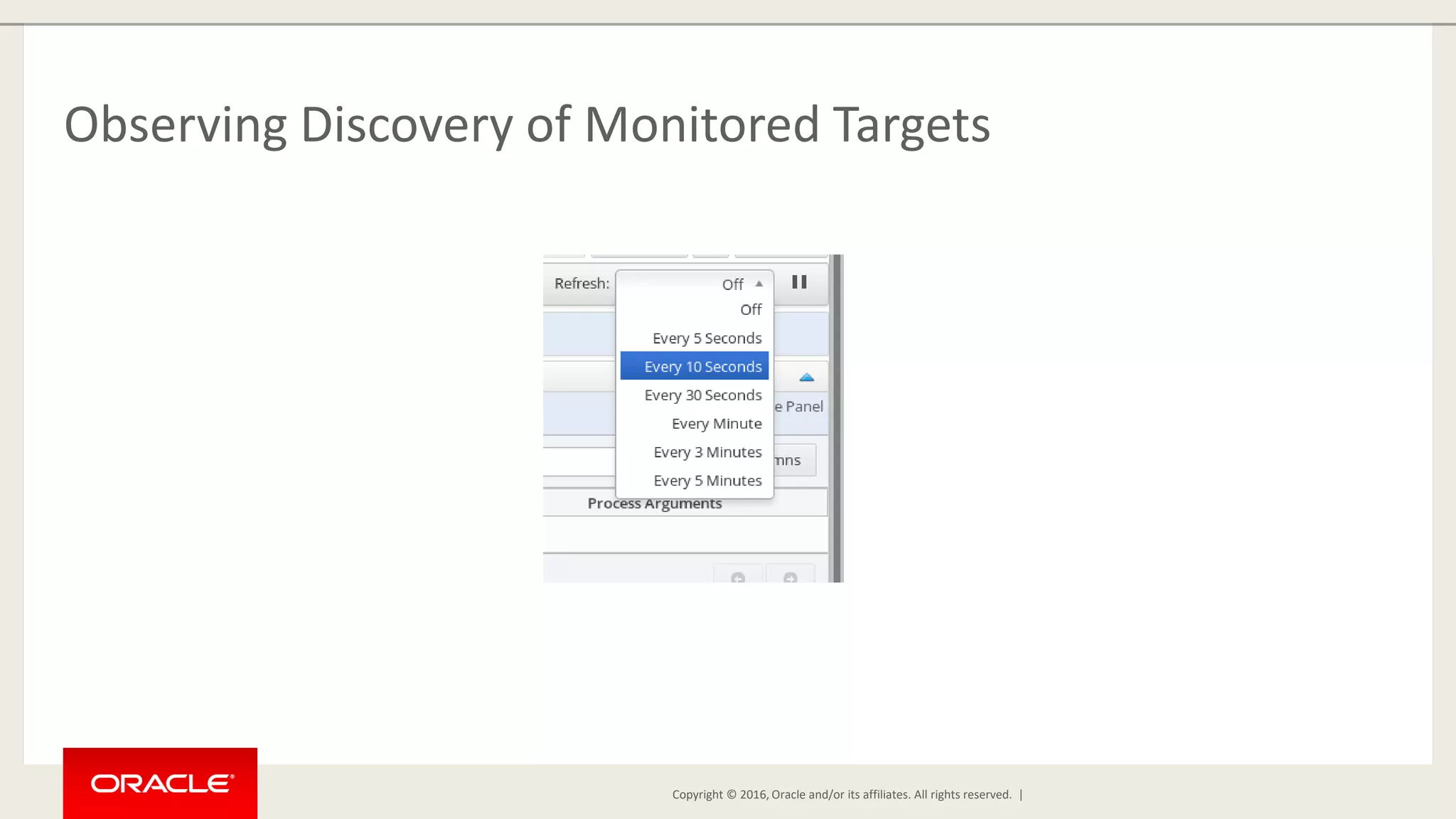
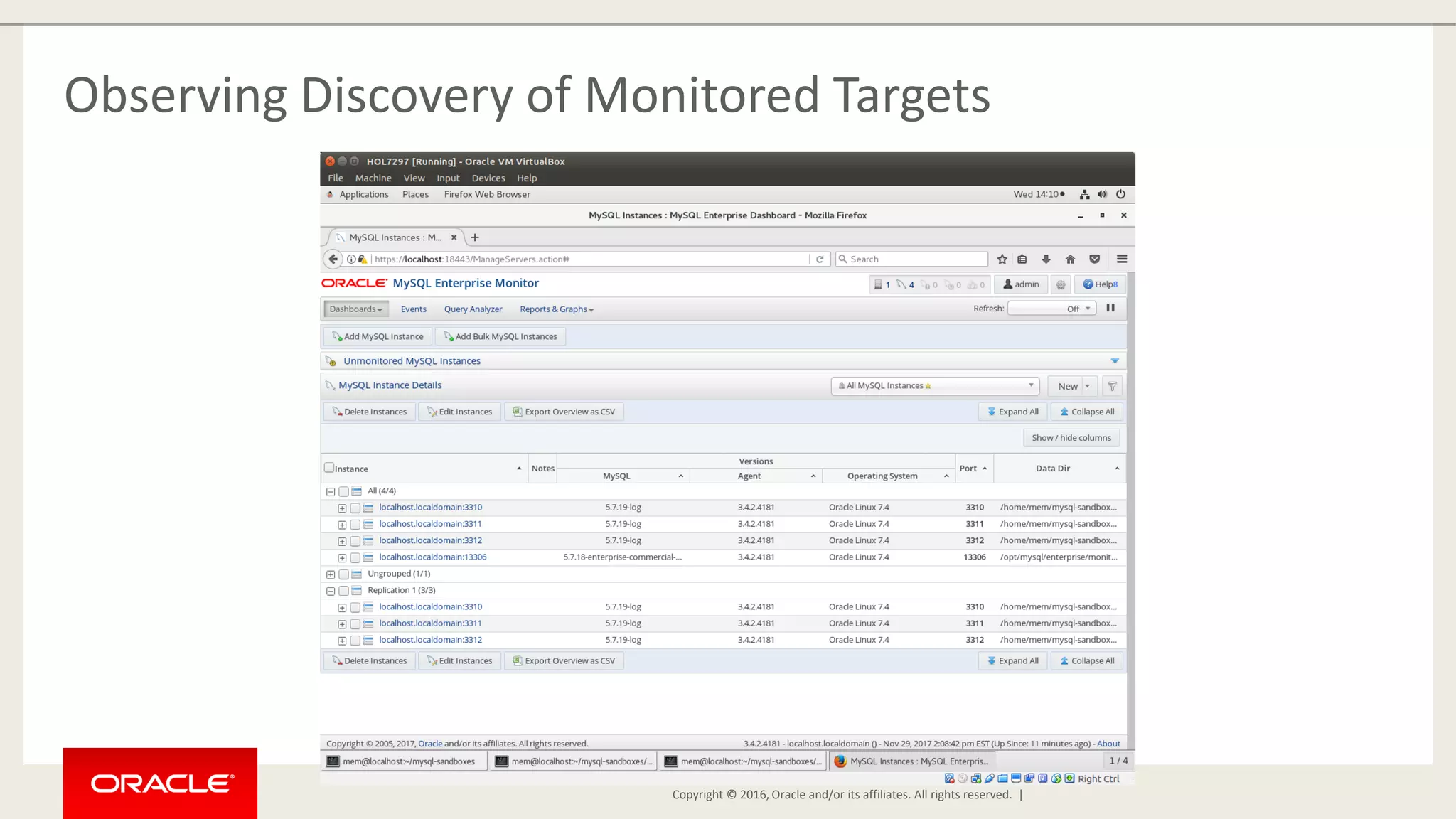
Copyright © 2016, Oracle and/or its affiliates. All rights reserved. | Observing Discovery of Monitored Targets
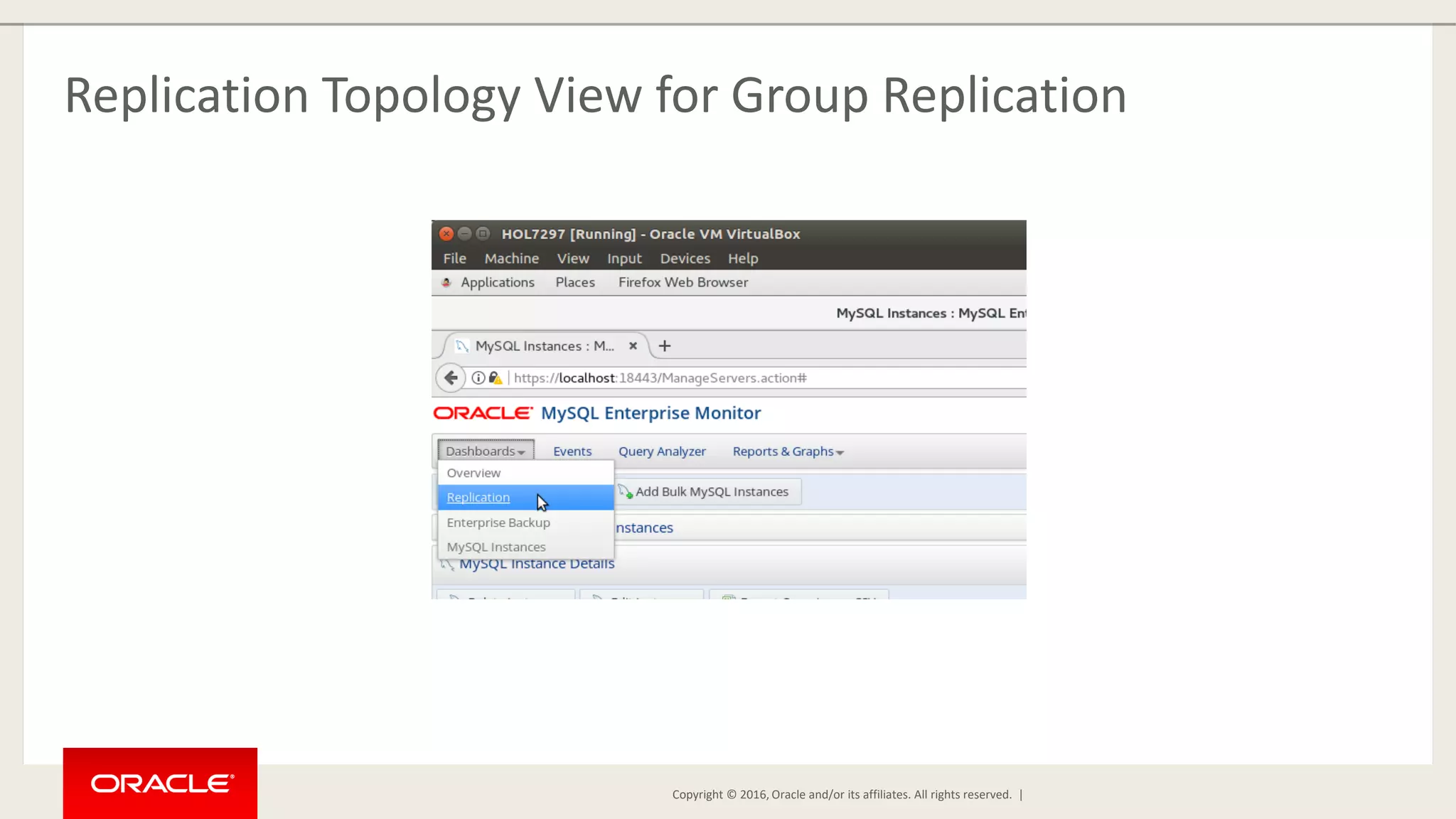
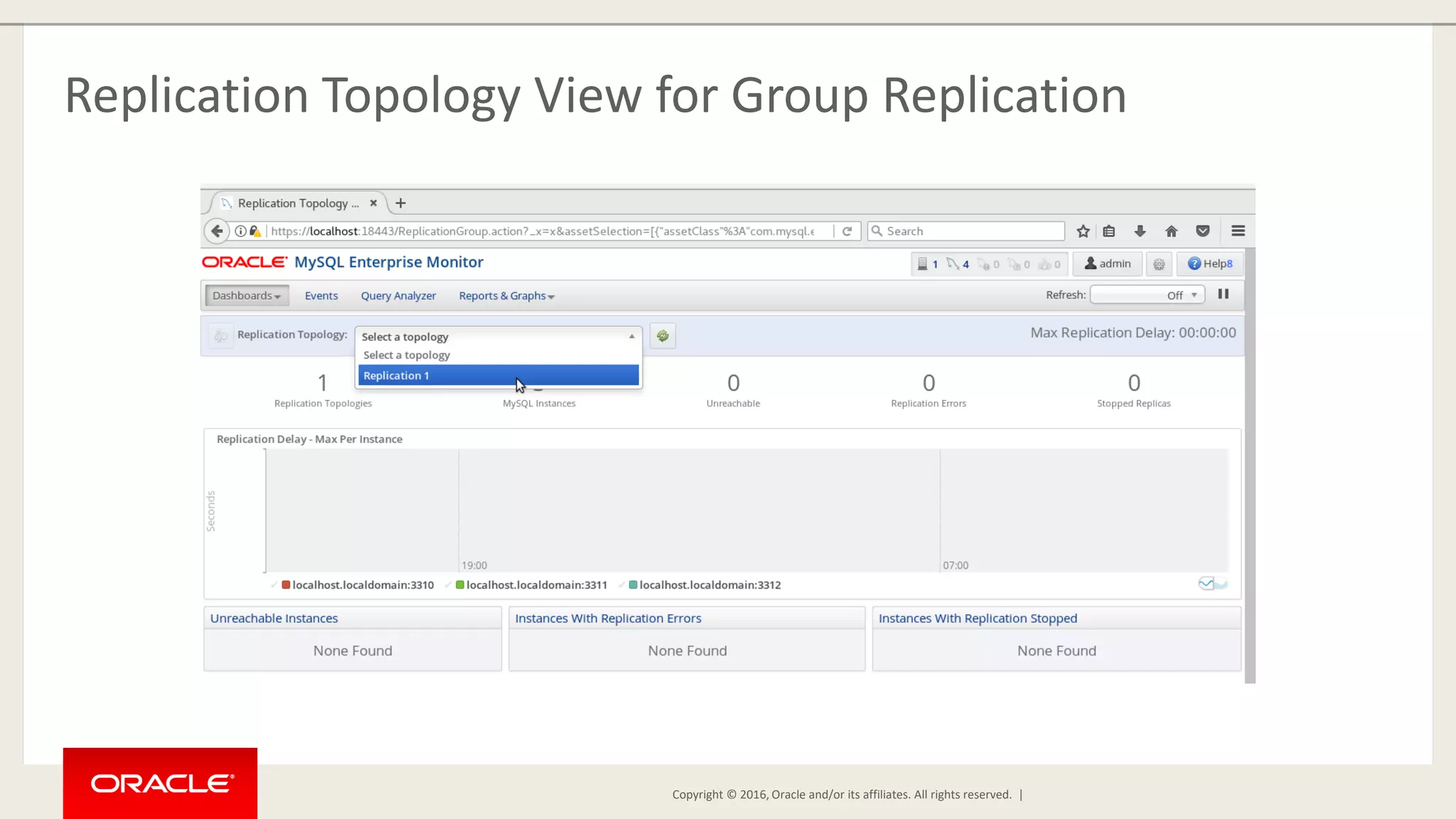
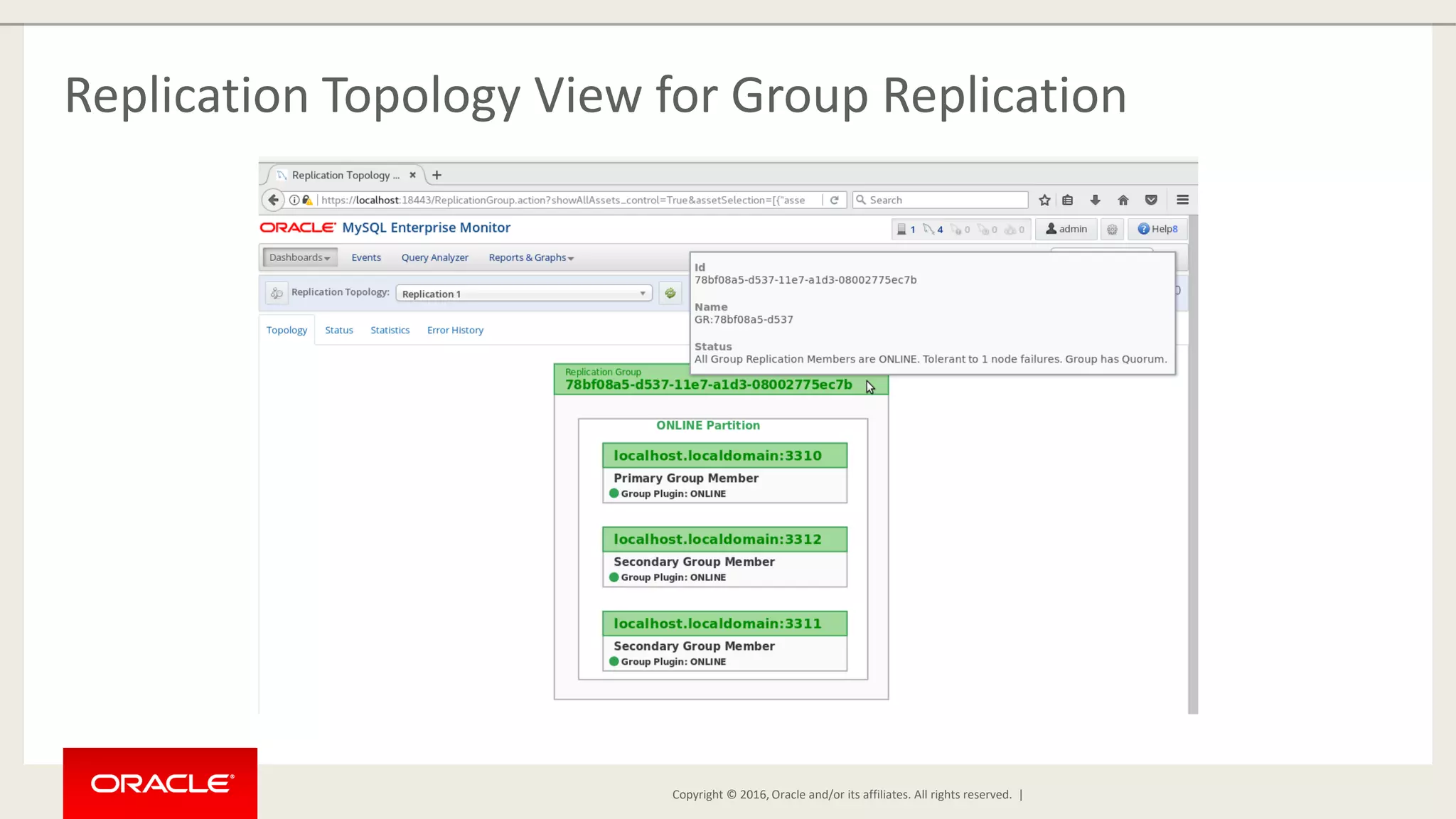
Copyright © 2016, Oracle and/or its affiliates. All rights reserved. | Replication Topology View for Group Replication
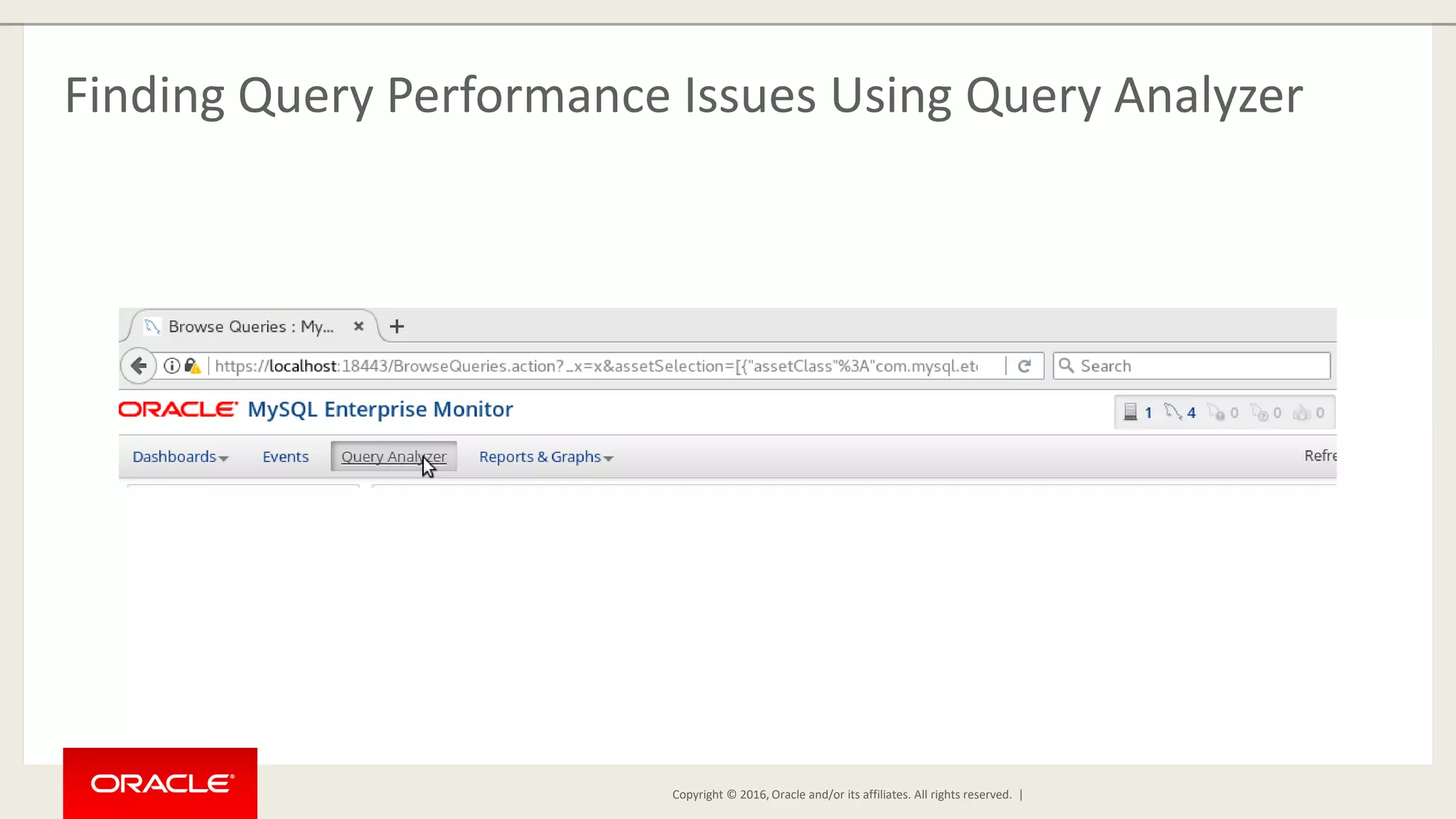
Copyright © 2016, Oracle and/or its affiliates. All rights reserved. | Finding Query Performance Issues Using Query Analyzer
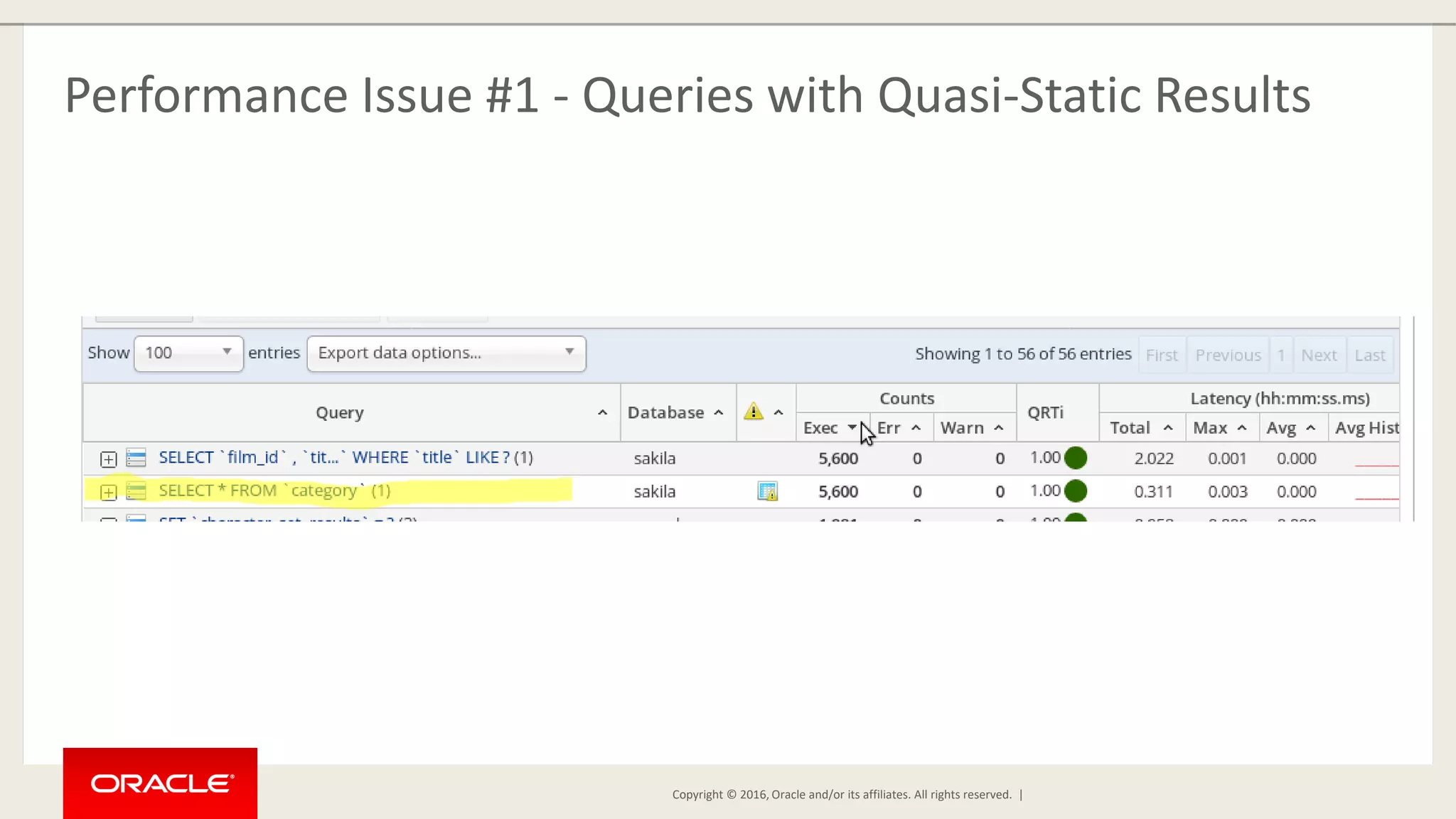
Copyright © 2016, Oracle and/or its affiliates. All rights reserved. | Performance Issue #1 - Queries with Quasi-Static Results
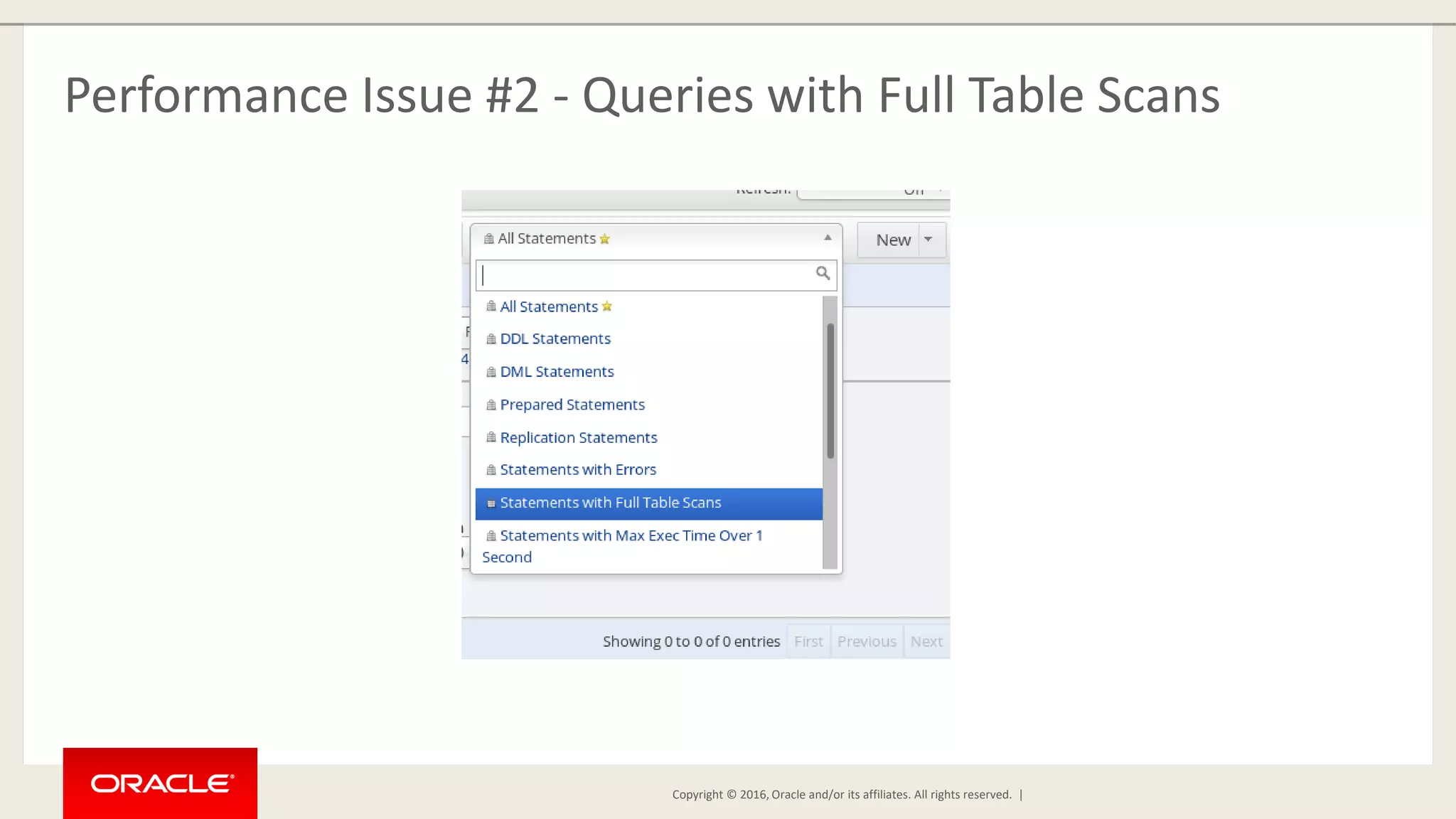
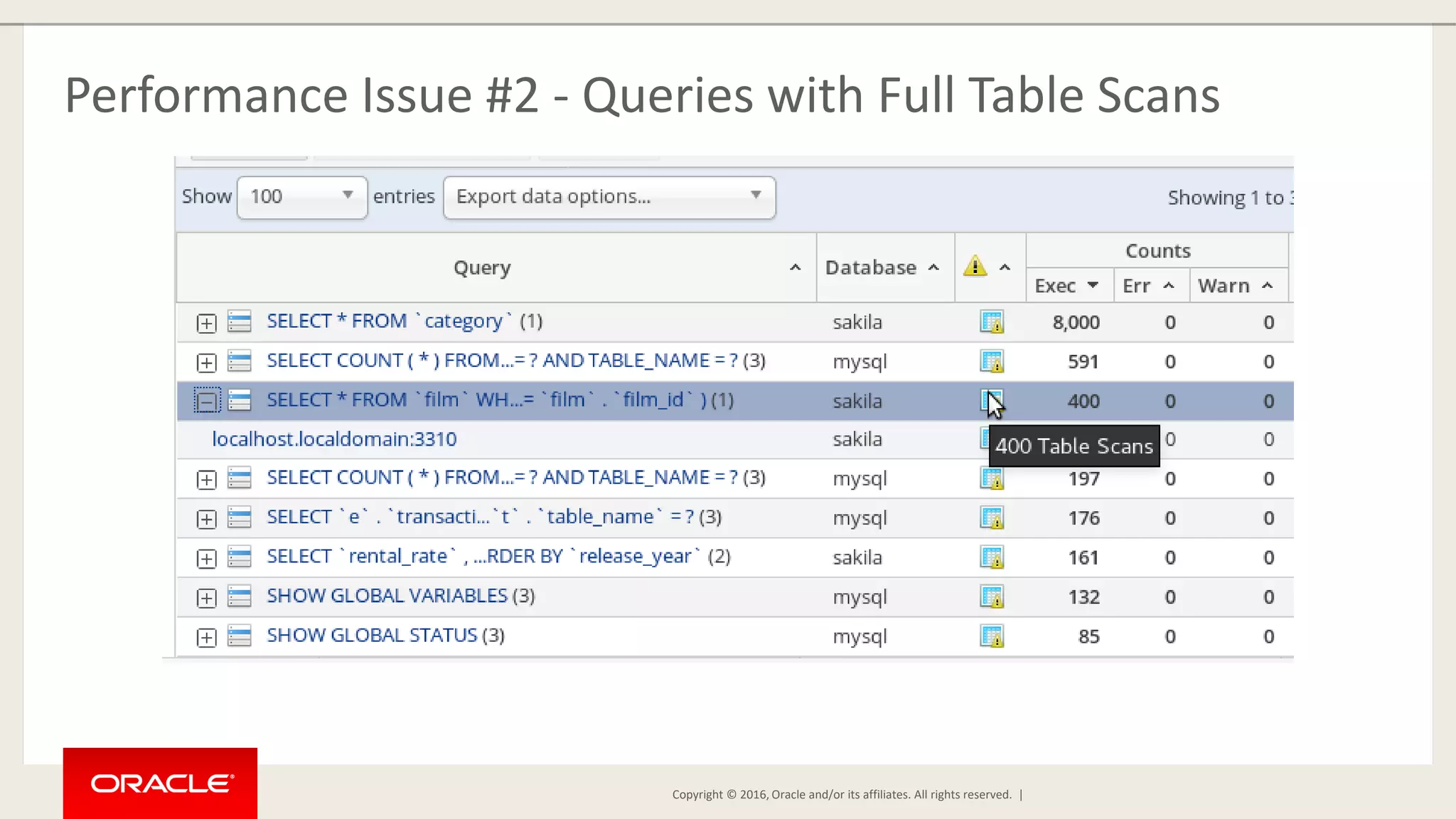
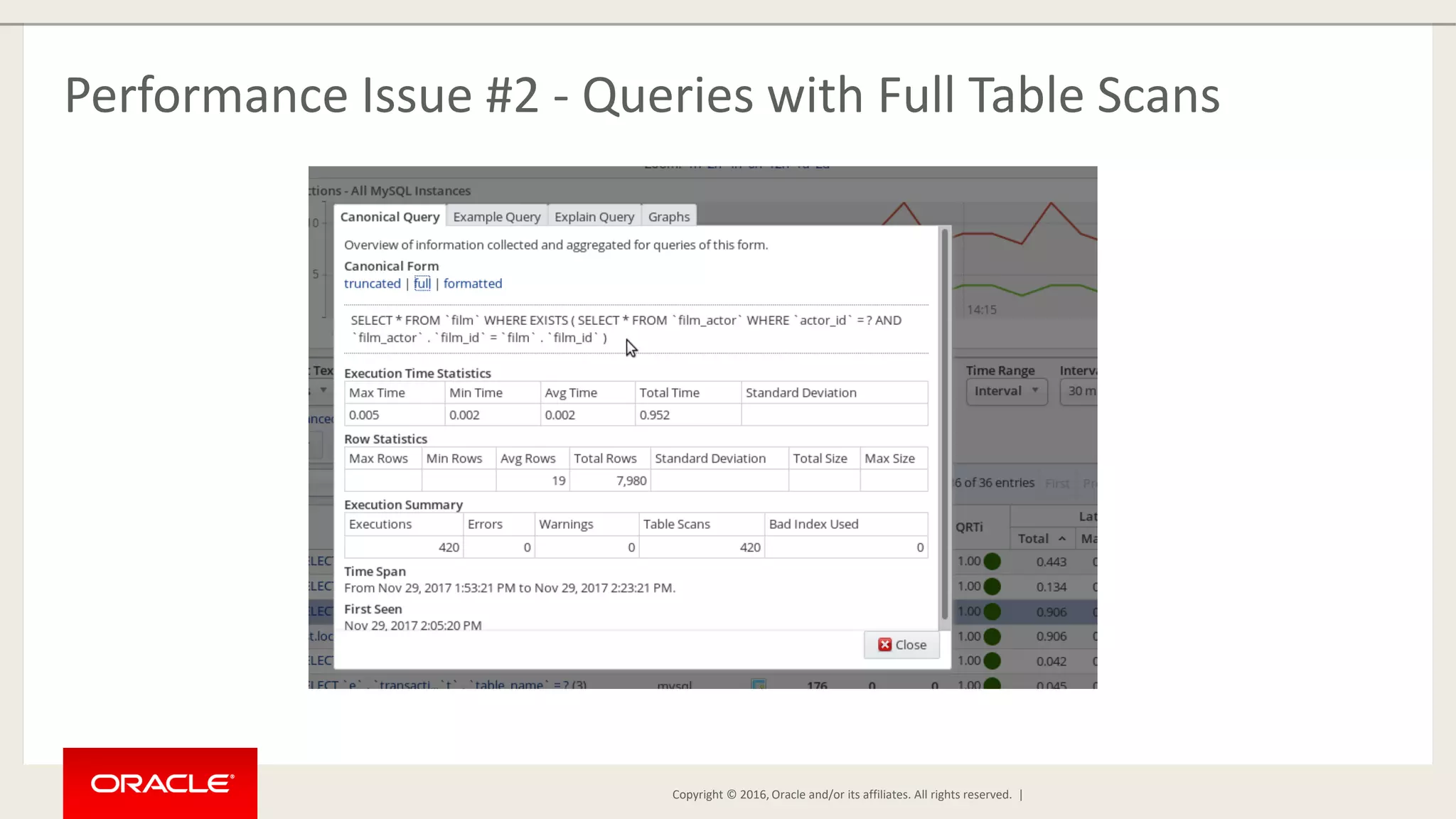
Copyright © 2016, Oracle and/or its affiliates. All rights reserved. | Performance Issue #2 - Queries with Full Table Scans
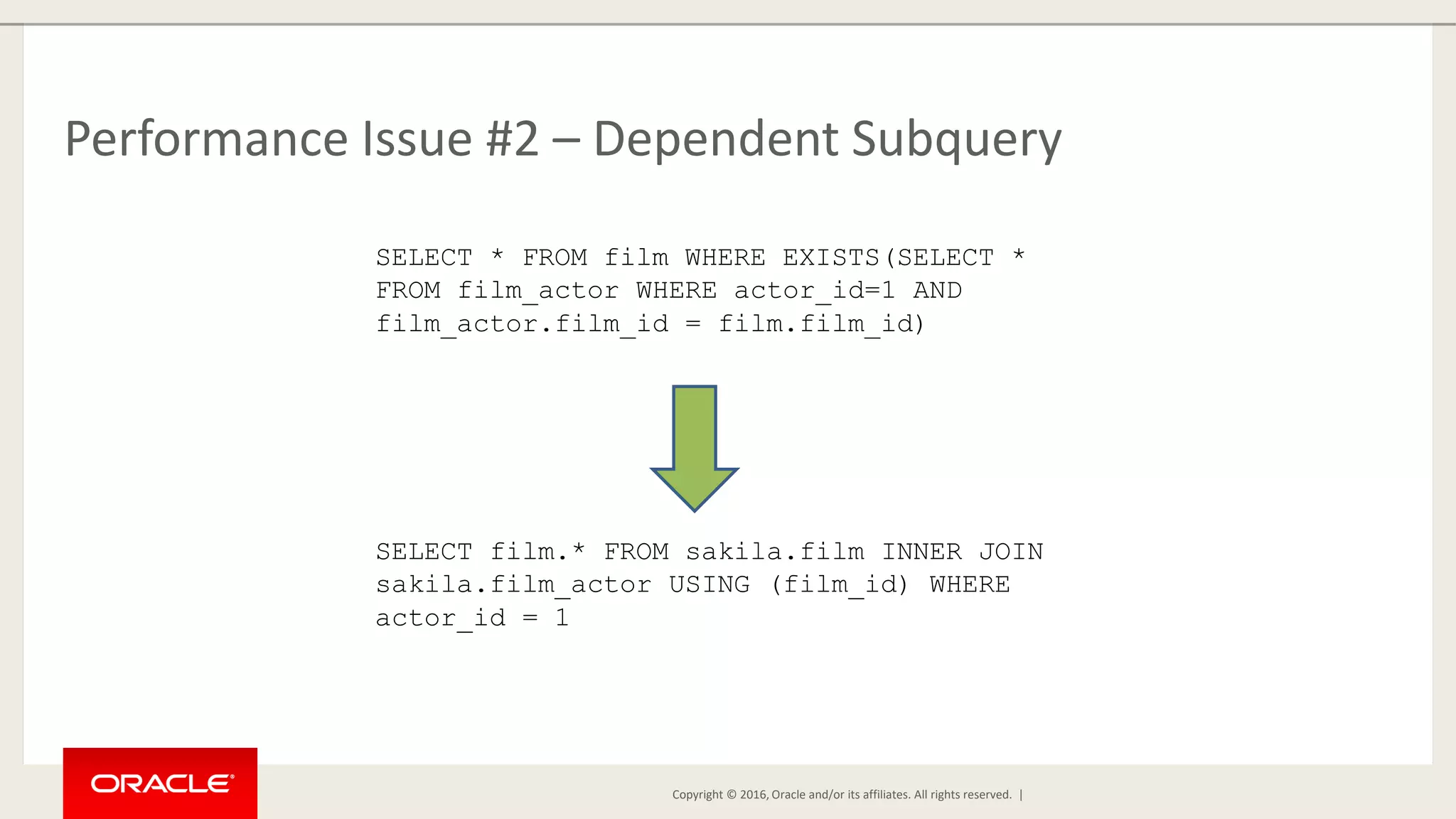
Copyright © 2016, Oracle and/or its affiliates. All rights reserved. | Performance Issue #2 – Dependent Subquery SELECT * FROM film WHERE EXISTS(SELECT * FROM film_actor WHERE actor_id=1 AND film_actor.film_id = film.film_id) SELECT film.* FROM sakila.film INNER JOIN sakila.film_actor USING (film_id) WHERE actor_id = 1
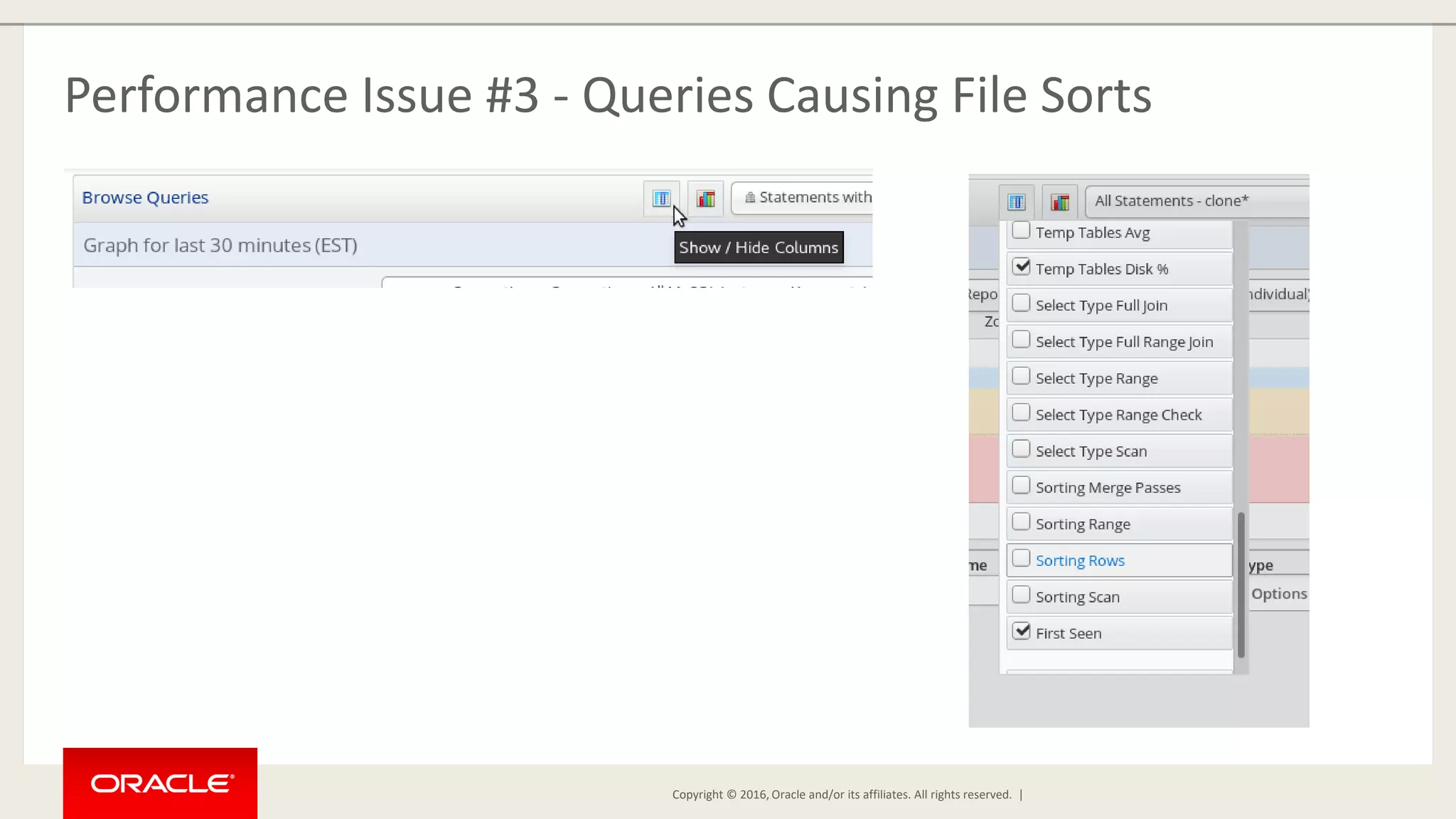
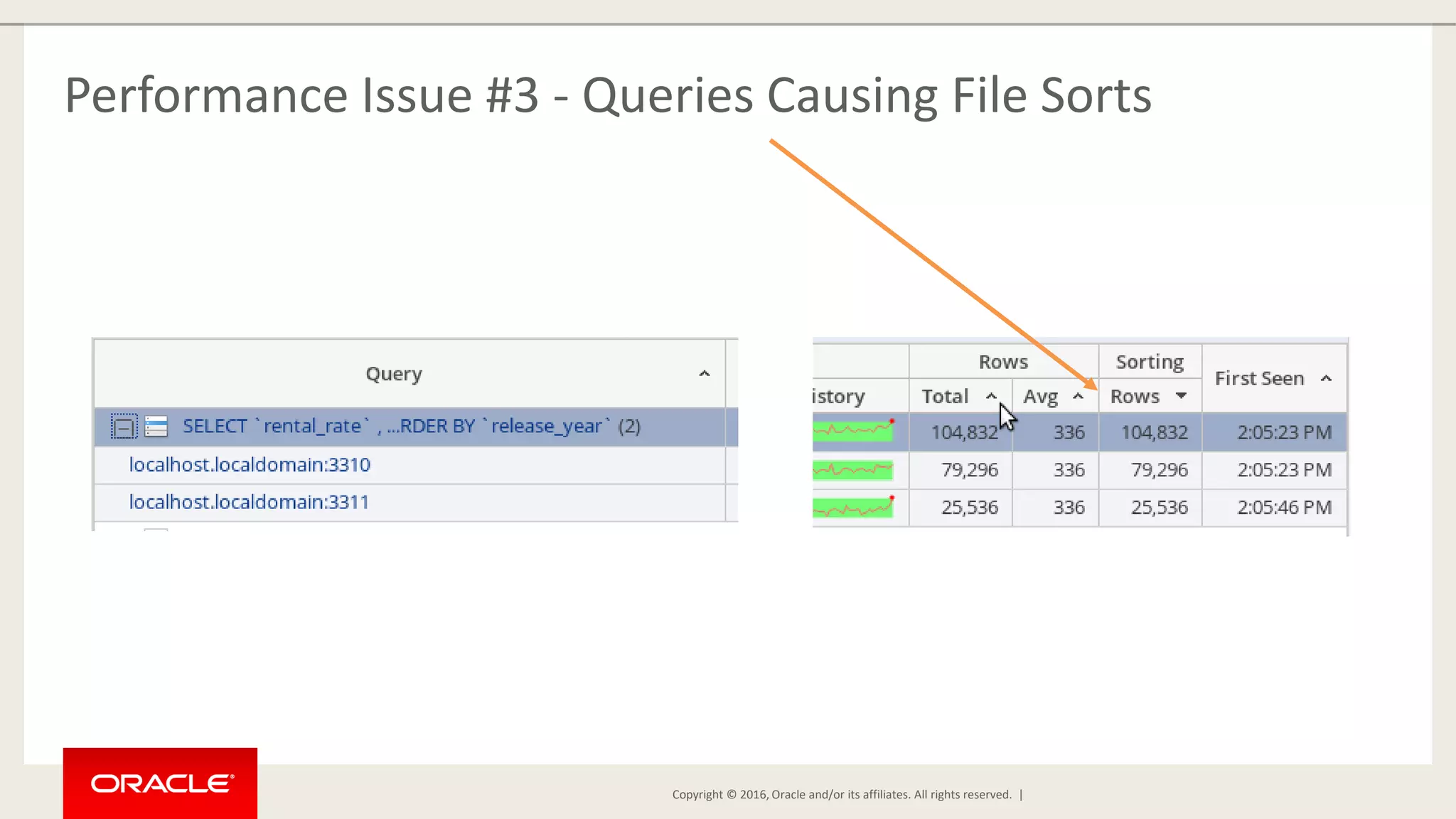
Copyright © 2016, Oracle and/or its affiliates. All rights reserved. | Performance Issue #3 - Queries Causing File Sorts
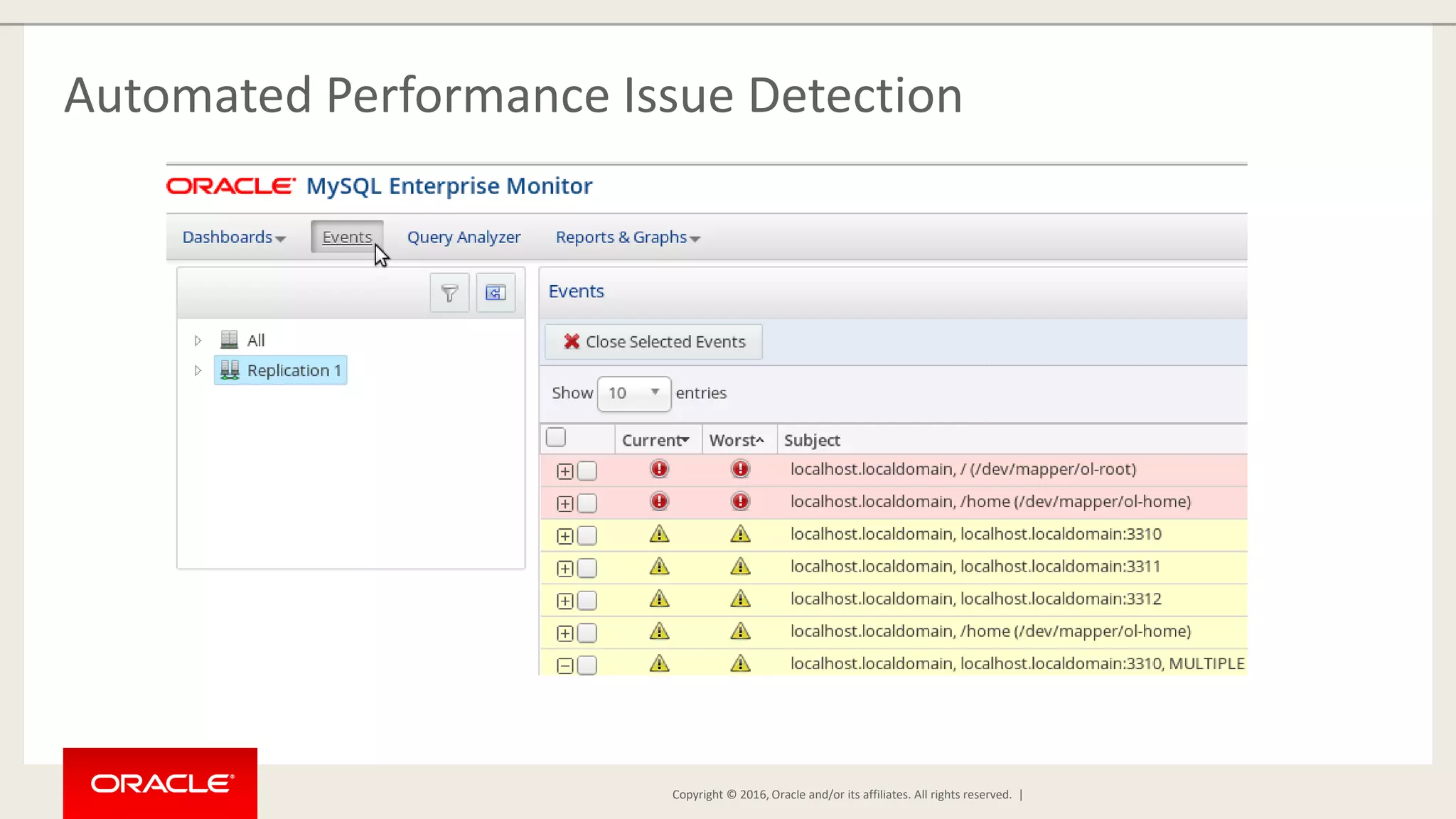
Copyright © 2016, Oracle and/or its affiliates. All rights reserved. | Automated Performance Issue Detection
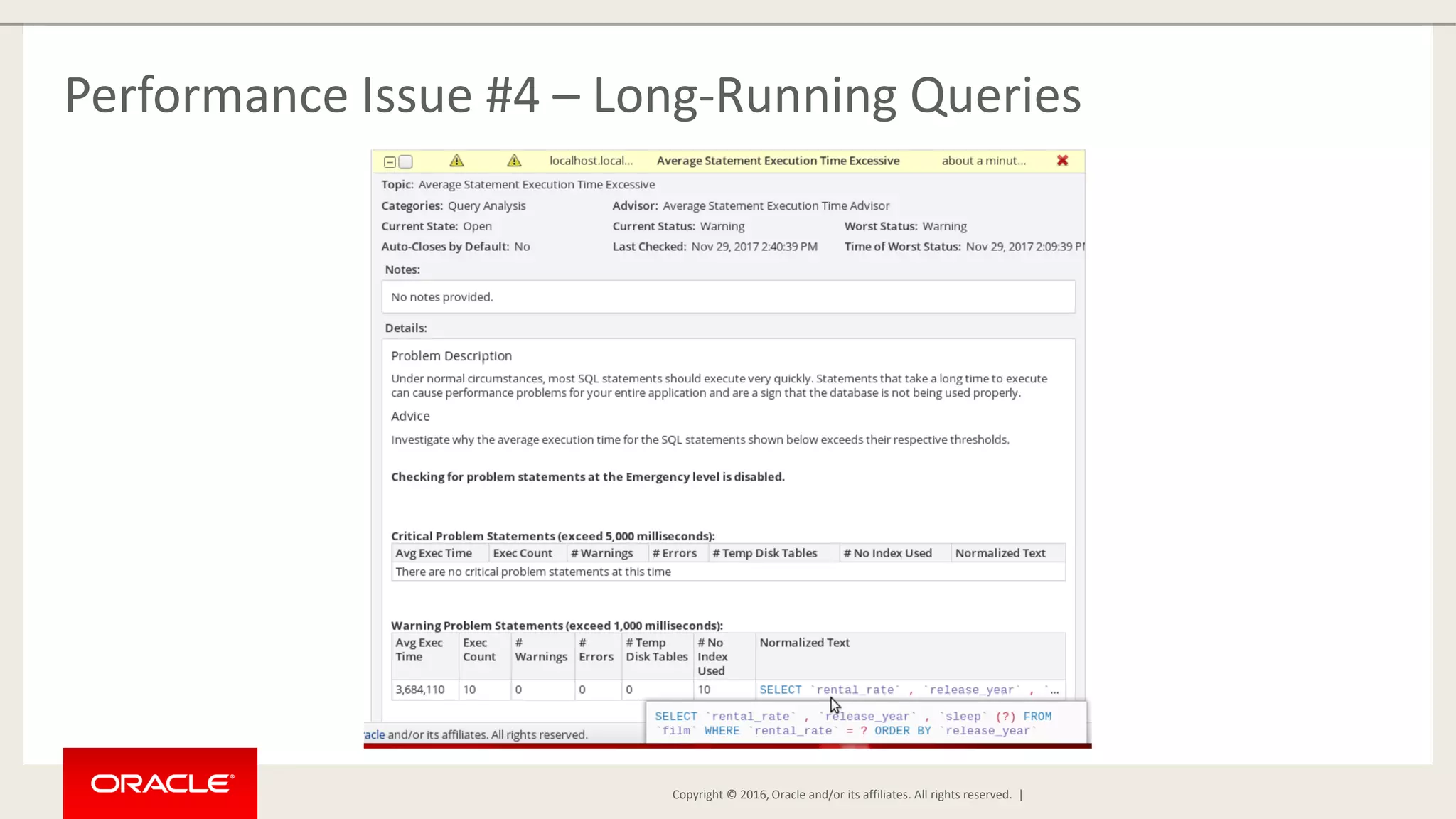
Copyright © 2016, Oracle and/or its affiliates. All rights reserved. | Performance Issue #4 – Long-Running Queries
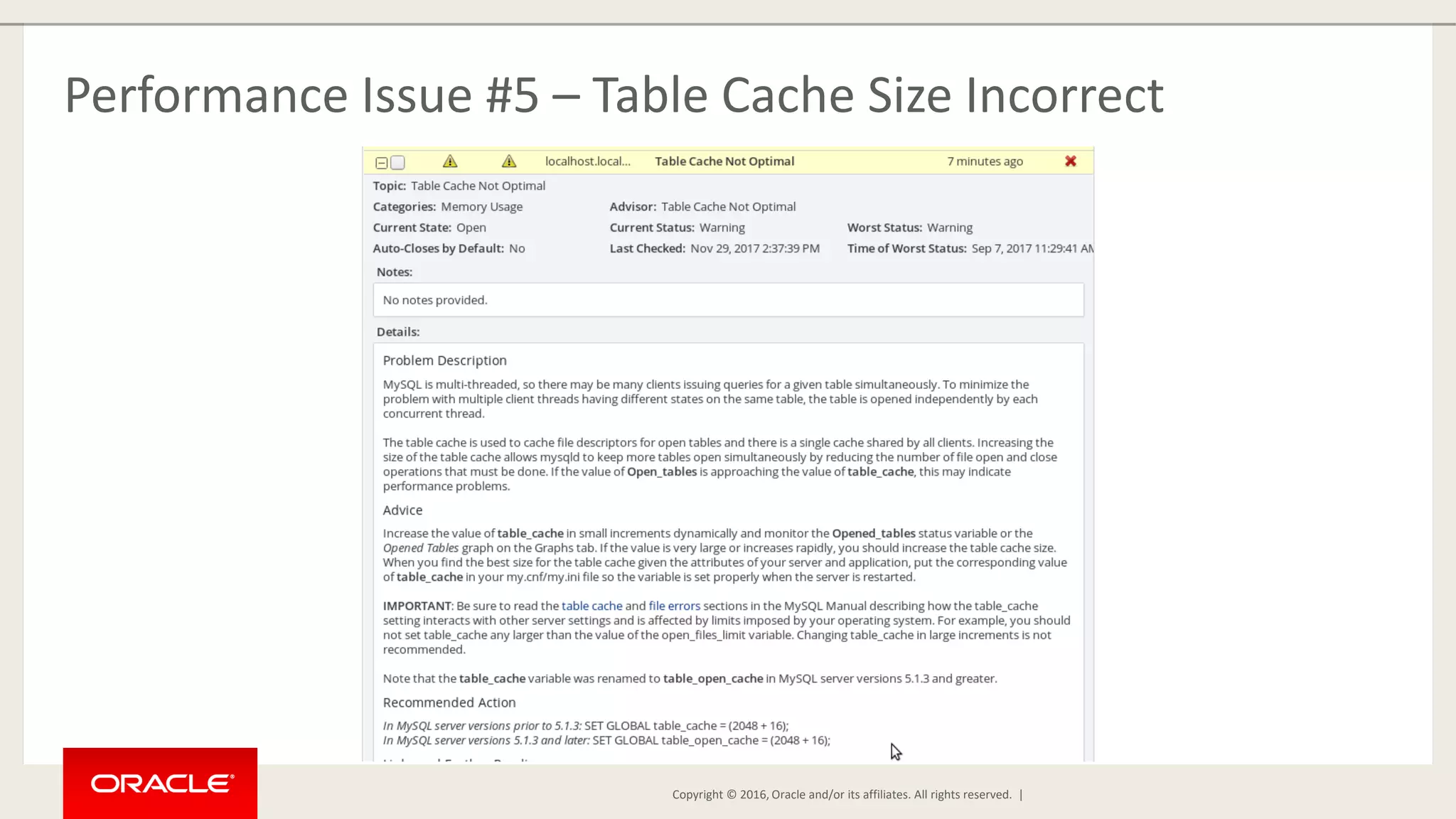
Copyright © 2016, Oracle and/or its affiliates. All rights reserved. | Performance Issue #5 – Table Cache Size Incorrect
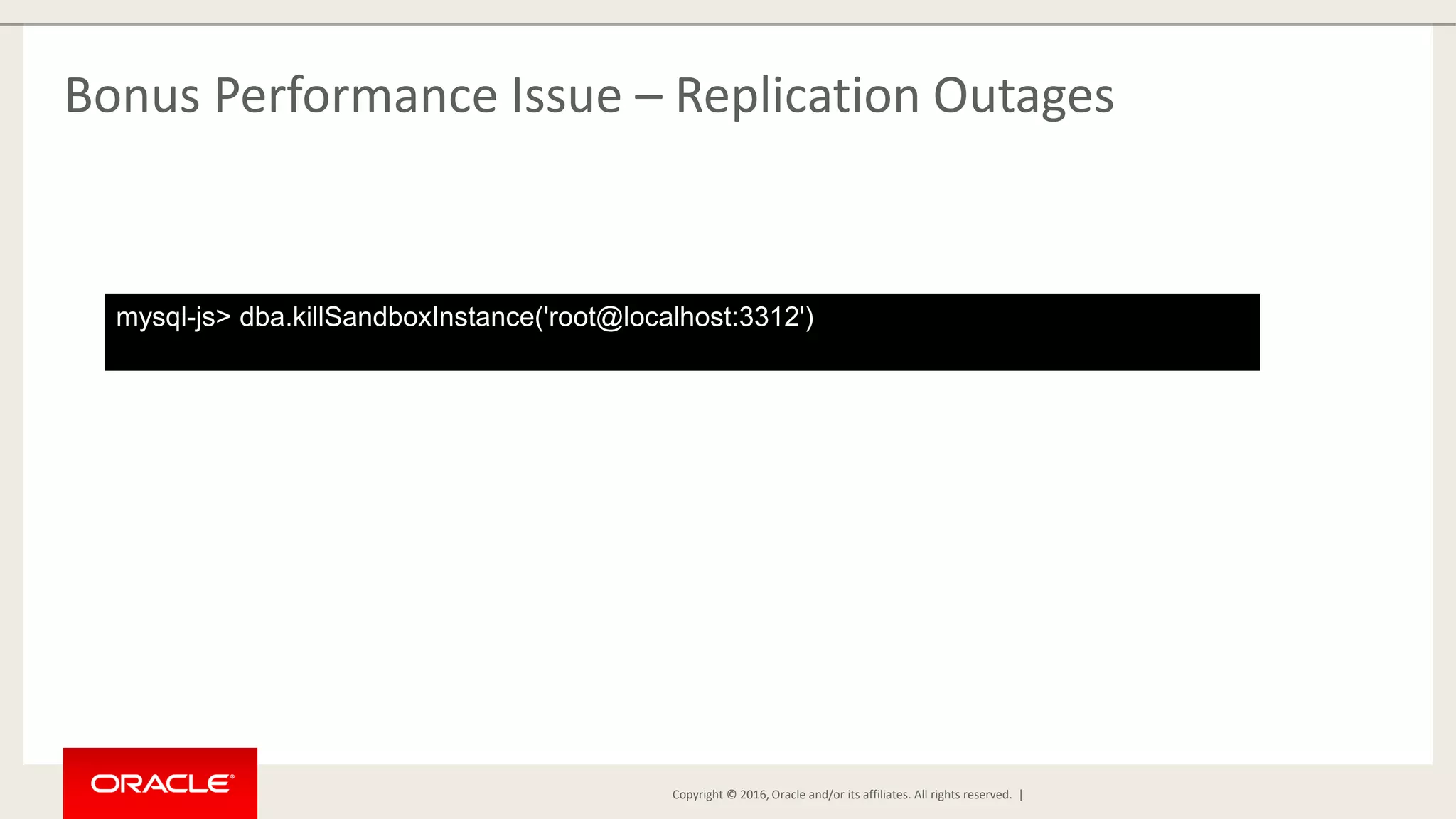
Copyright © 2016, Oracle and/or its affiliates. All rights reserved. | Bonus Performance Issue – Replication Outages mysql-js> dba.killSandboxInstance('root@localhost:3312')
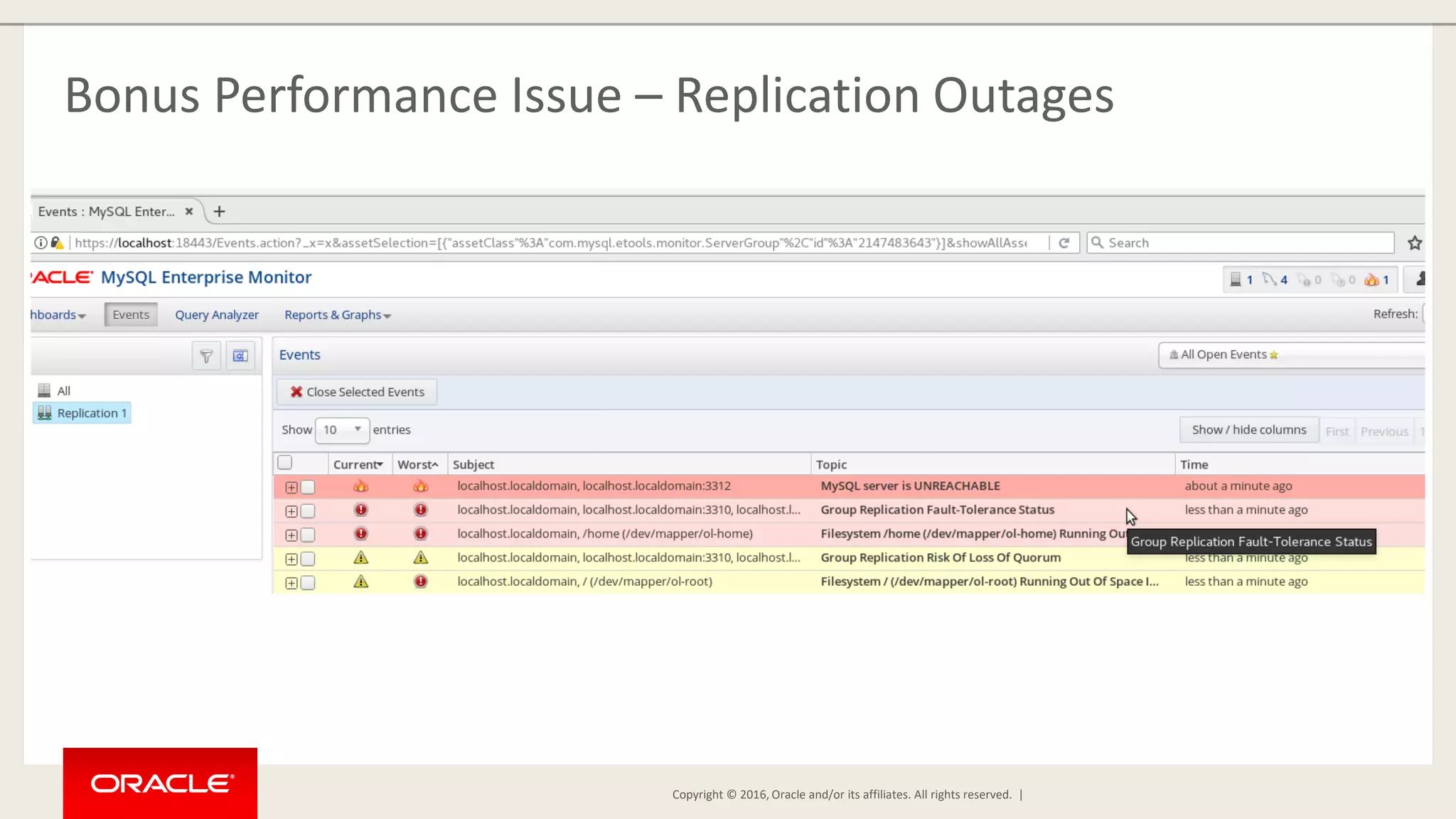
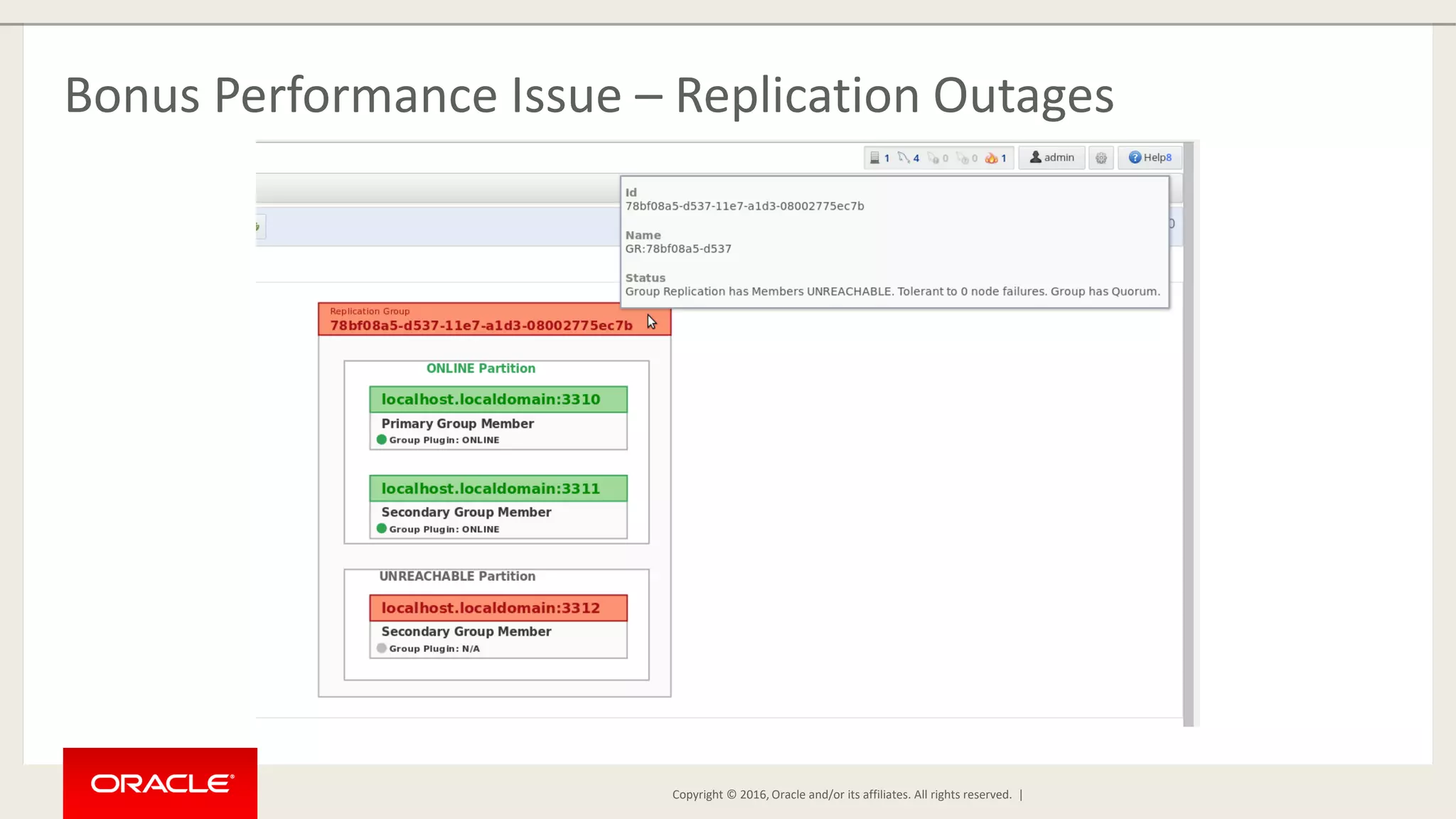
Copyright © 2016, Oracle and/or its affiliates. All rights reserved. | Bonus Performance Issue – Replication Outages
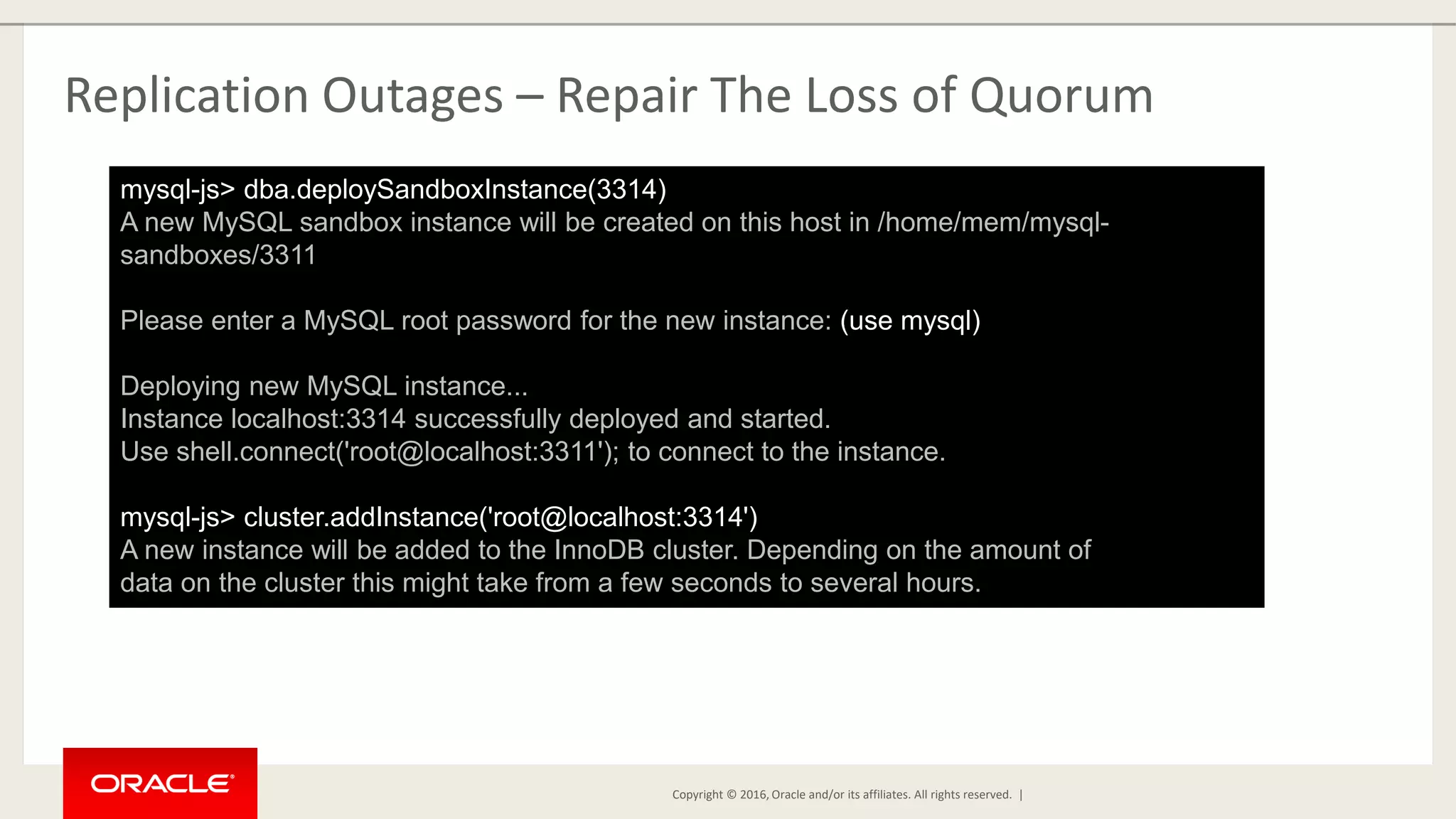
Copyright © 2016, Oracle and/or its affiliates. All rights reserved. | Replication Outages – Repair The Loss of Quorum mysql-js> dba.deploySandboxInstance(3314) A new MySQL sandbox instance will be created on this host in /home/mem/mysql- sandboxes/3311 Please enter a MySQL root password for the new instance: (use mysql) Deploying new MySQL instance... Instance localhost:3314 successfully deployed and started. Use shell.connect('root@localhost:3311'); to connect to the instance. mysql-js> cluster.addInstance('root@localhost:3314') A new instance will be added to the InnoDB cluster. Depending on the amount of data on the cluster this might take from a few seconds to several hours.
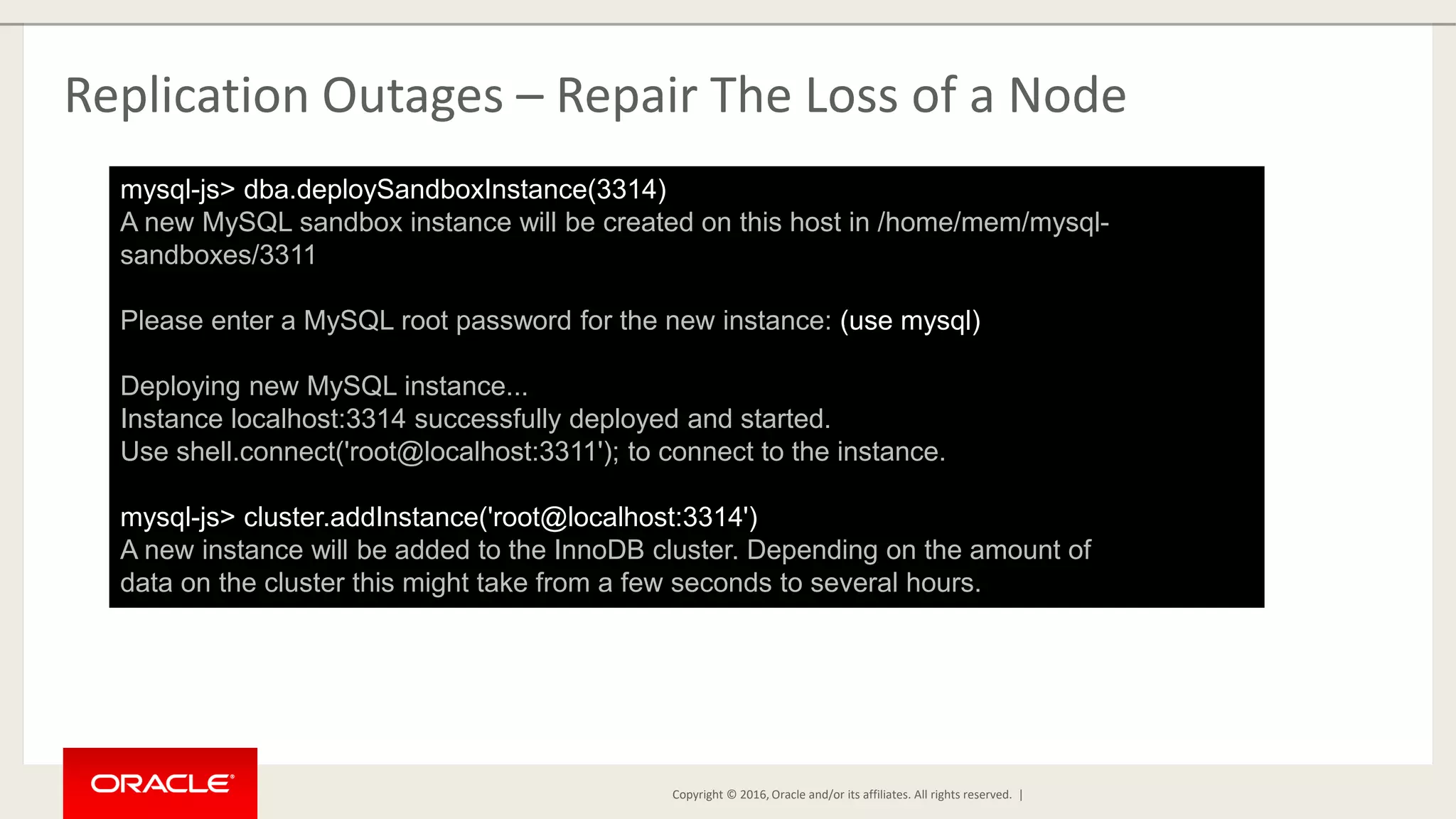
Copyright © 2016, Oracle and/or its affiliates. All rights reserved. | Replication Outages – Repair The Loss of a Node mysql-js> dba.deploySandboxInstance(3314) A new MySQL sandbox instance will be created on this host in /home/mem/mysql- sandboxes/3311 Please enter a MySQL root password for the new instance: (use mysql) Deploying new MySQL instance... Instance localhost:3314 successfully deployed and started. Use shell.connect('root@localhost:3311'); to connect to the instance. mysql-js> cluster.addInstance('root@localhost:3314') A new instance will be added to the InnoDB cluster. Depending on the amount of data on the cluster this might take from a few seconds to several hours.
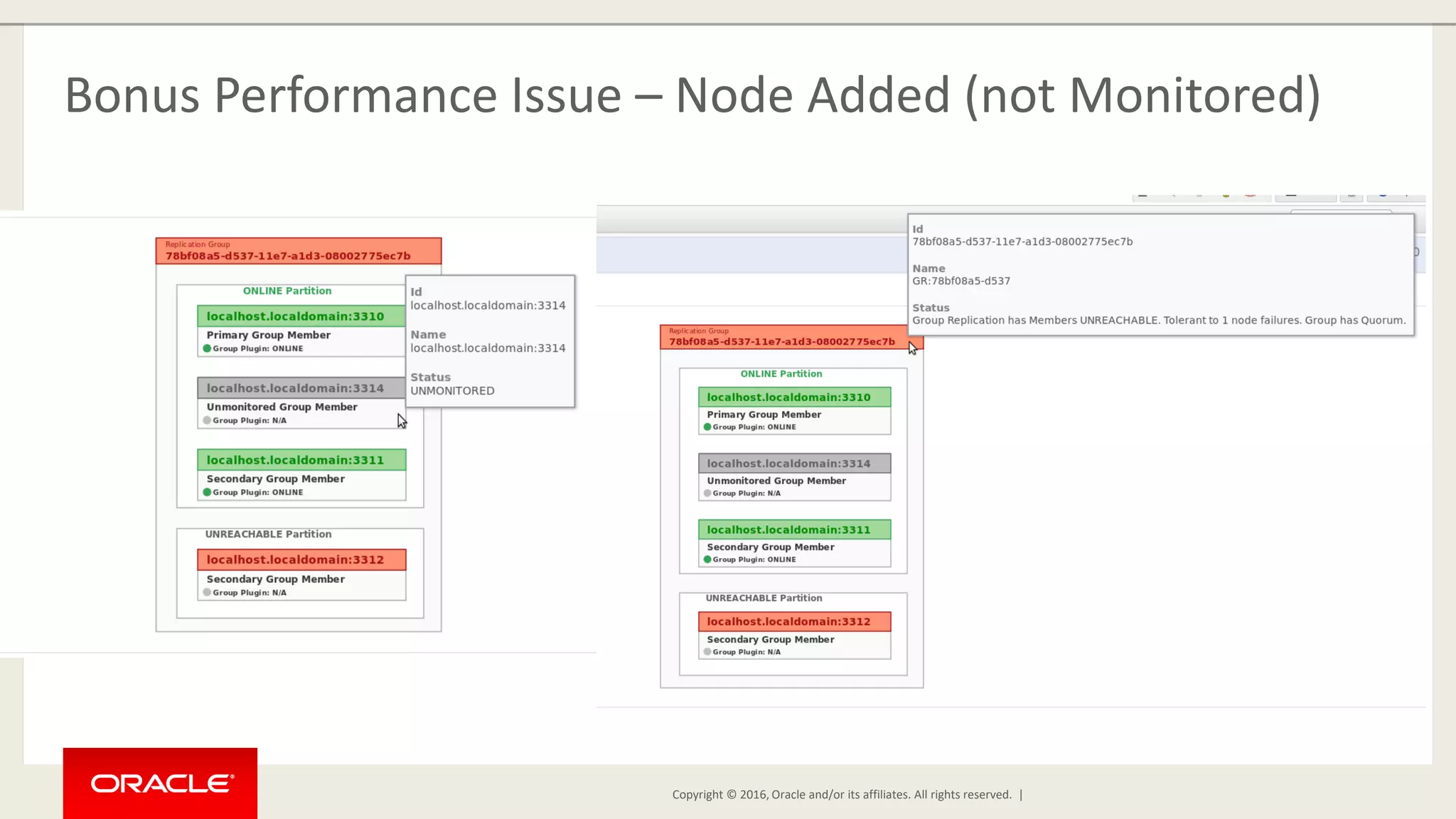
Copyright © 2016, Oracle and/or its affiliates. All rights reserved. | Bonus Performance Issue – Node Added (not Monitored)
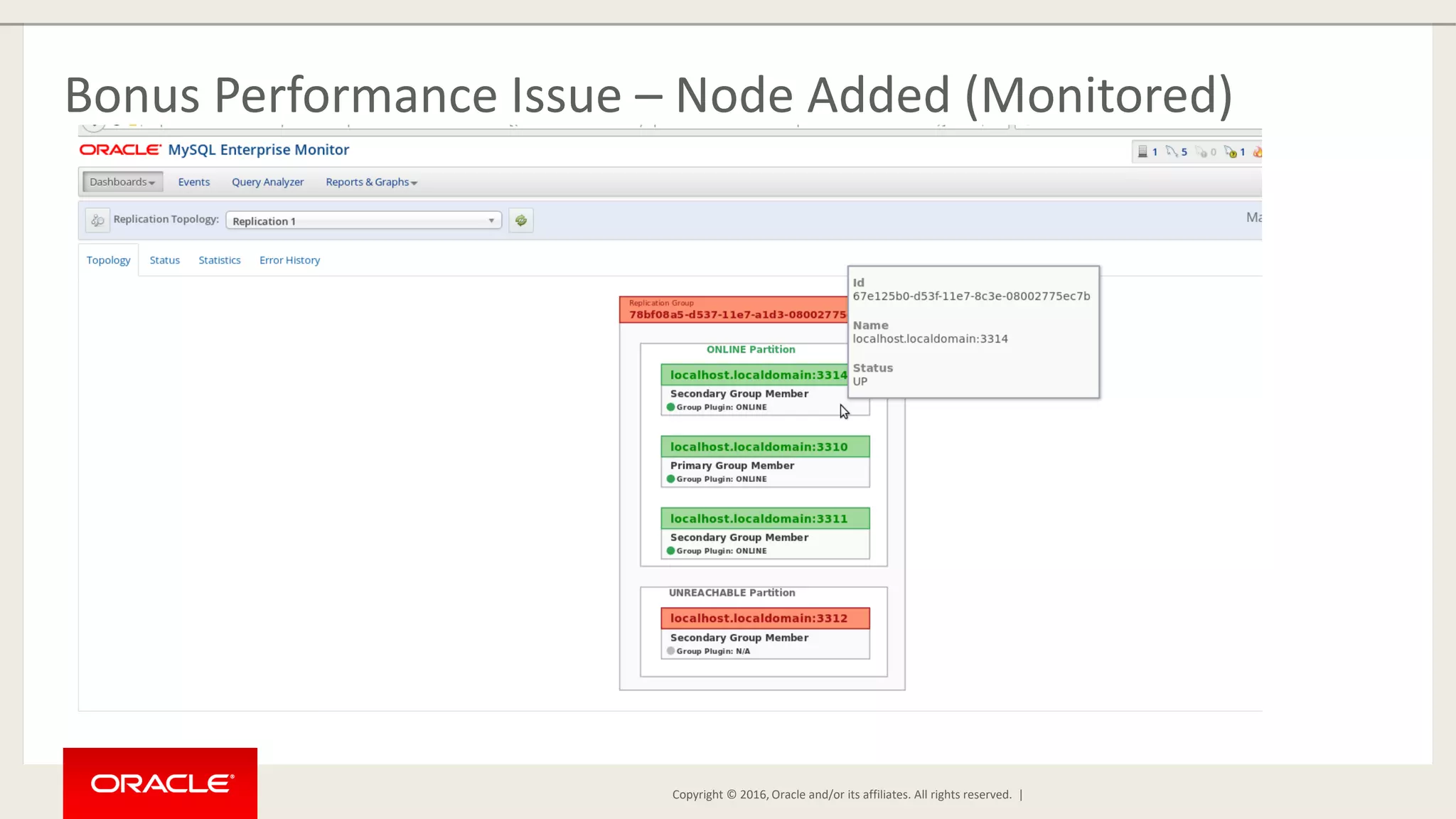
Copyright © 2016, Oracle and/or its affiliates. All rights reserved. | Bonus Performance Issue – Node Added (Monitored)
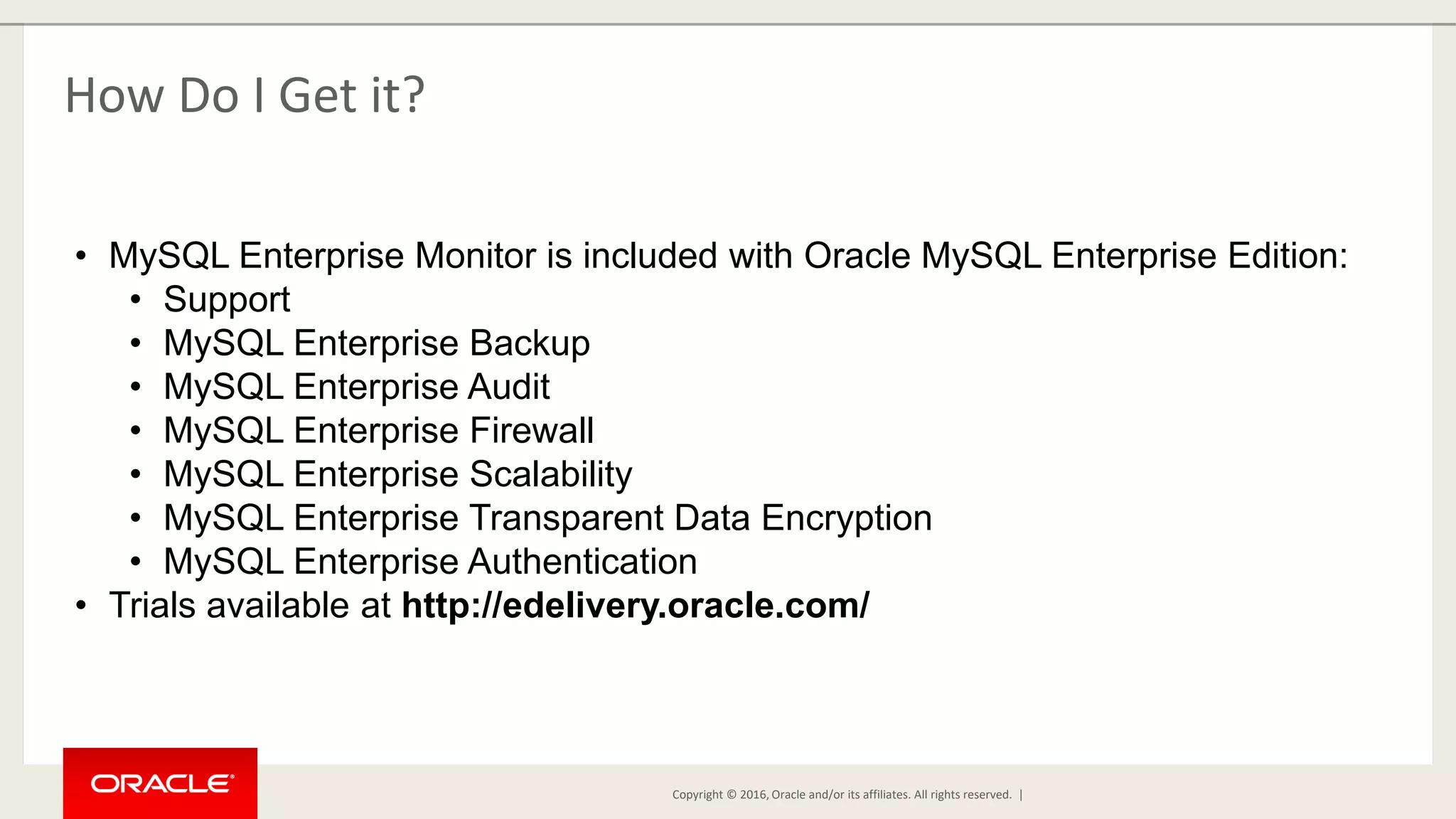
Copyright © 2016, Oracle and/or its affiliates. All rights reserved. | How Do I Get it? • MySQL Enterprise Monitor is included with Oracle MySQL Enterprise Edition: • Support • MySQL Enterprise Backup • MySQL Enterprise Audit • MySQL Enterprise Firewall • MySQL Enterprise Scalability • MySQL Enterprise Transparent Data Encryption • MySQL Enterprise Authentication • Trials available at http://edelivery.oracle.com/
Copyright © 2016, Oracle and/or its affiliates. All rights reserved. | Questions?
Copyright © 2016, Oracle and/or its affiliates. All rights reserved. | Thank You!

Solving Performance Problems Using MySQL Enterprise Monitor

  • 1.
    Copyright © 2015,Oracle and/or its affiliates. All rights reserved. |
  • 2.
    Copyright © 2015,Oracle and/or its affiliates. All rights reserved. |Copyright © 2015, Oracle and/or its affiliates. All rights reserved. | Solving Performance Problems Using MySQL Enterprise Monitor Mark Matthews Consulting Member, Technical Staff - Oracle Copyright © 2017, Oracle and/or its affiliates. All rights reserved.
  • 3.
    Copyright © 2016,Oracle and/or its affiliates. All rights reserved. | Safe Harbor Statement The following is intended to outline our general product direction. It is intended for information purposes only, and may not be incorporated into any contract. It is not a commitment to deliver any material, code, or functionality, and should not be relied upon in making purchasing decisions. The development, release, and timing of any features or functionality described for Oracle’s products remains at the sole discretion of Oracle.
  • 4.
    Copyright © 2016,Oracle and/or its affiliates. All rights reserved. | Agenda • Creating a test Group Replication cluster • Monitoring the cluster • Diagnosing performance problems using MySQL Enterprise Monitor’s Query Analyzer • Diagnosing performance problems using MySQL Enterprise Monitor events • Diagnosing availability problems with Group Replication The examples used in this presentation were developed with MySQL-5.7 and Enterprise Monitor 3.4.
  • 5.
    Copyright © 2016,Oracle and/or its affiliates. All rights reserved. | Creating a 3-Node Group Replication Cluster [mem@localhost]$ mysqlsh In a terminal window, start the MySQL Shell:
  • 6.
    Copyright © 2016,Oracle and/or its affiliates. All rights reserved. | Creating a 3-Node Group Replication Cluster mysql-js> dba.deploySandboxInstance(3310) A new MySQL sandbox instance will be created on this host in /home/mem/mysql- sandboxes/3310 Please enter a MySQL root password for the new instance: (use mysql) Deploying new MySQL instance...Instance localhost:3310 successfully deployed and started. Use shell.connect('root@localhost:3310'); to connect to the instance. Create sandbox instances – one on port 3310 (1/3)
  • 7.
    Copyright © 2016,Oracle and/or its affiliates. All rights reserved. | Creating a 3-Node Group Replication Cluster mysql-js> dba.deploySandboxInstance(3311) A new MySQL sandbox instance will be created on this host in /home/mem/mysql- sandboxes/3311 Please enter a MySQL root password for the new instance: (use mysql) Deploying new MySQL instance...Instance localhost:3311 successfully deployed and started. Use shell.connect('root@localhost:3311'); to connect to the instance. Create sandbox instances – one on port 3311 (2/3)
  • 8.
    Copyright © 2016,Oracle and/or its affiliates. All rights reserved. | Creating a 3-Node Group Replication Cluster mysql-js> dba.deploySandboxInstance(3312) A new MySQL sandbox instance will be created on this host in /home/mem/mysql- sandboxes/3312 Please enter a MySQL root password for the new instance: (use mysql) Deploying new MySQL instance...Instance localhost:3312 successfully deployed and started. Use shell.connect('root@localhost:3312'); to connect to the instance. Create sandbox instances – one on port 3312 (3/3)
  • 9.
    Copyright © 2016,Oracle and/or its affiliates. All rights reserved. | Creating a 3-Node Group Replication Cluster mysql-js> connect root@localhost:3310 Creating a Session to 'root@localhost:3310' Enter password: Your MySQL connection id is 286 Server version: 5.7.19-log MySQL Community Server (GPL) No default schema selected; type use <schema> to set one. Create cluster using just-created sandbox nodes
  • 10.
    Copyright © 2016,Oracle and/or its affiliates. All rights reserved. | Creating a 3-Node Group Replication Cluster mysql-js> var cluster = dba.createCluster(’my_cluster') A new InnoDB cluster will be created on instance 'root@localhost:3310'. Creating InnoDB cluster ’my_cluster' on 'root@localhost:3310'... Adding Seed Instance... Cluster successfully created. Use Cluster.addInstance() to add MySQL instances. At least 3 instances are needed for the cluster to be able to withstand up to one server failure. Create a group replication cluster using just-created sandbox nodes
  • 11.
    Copyright © 2016,Oracle and/or its affiliates. All rights reserved. | Creating a 3-Node Group Replication Cluster mysql-js> cluster.addInstance('root@localhost:3311') A new instance will be added to the InnoDB cluster. Depending on the amount of data on the cluster this might take from a few seconds to several hours. Please provide the password for 'root@localhost:3311': (use mysql) Adding instance to the cluster ... The instance 'root@localhost:3311' was successfully added to the cluster. Add node 3311 to the cluster
  • 12.
    Copyright © 2016,Oracle and/or its affiliates. All rights reserved. | Creating a 3-Node Group Replication Cluster mysql-js> cluster.addInstance('root@localhost:3312') A new instance will be added to the InnoDB cluster. Depending on the amount of data on the cluster this might take from a few seconds to several hours. Please provide the password for 'root@localhost:3312': (use mysql) Adding instance to the cluster ... The instance 'root@localhost:3312' was successfully added to the cluster. Add node 3312 to the cluster
  • 13.
    Copyright © 2016,Oracle and/or its affiliates. All rights reserved. | Download the Sakila Sample Database https://dev.mysql.com/doc/index-other.html
  • 14.
    Copyright © 2016,Oracle and/or its affiliates. All rights reserved. | Install the Sakila Database Schema and Data [mem@localhost mysql-sandboxes]$ mysql -uroot -pmysql --port=3310 -- host=127.0.0.1 mysql> source [path-to-sakila-files]/sakila-schema.sql mysql> source [path-to-sakila-files]/sakila-data.sql In a new terminal window
  • 15.
    Copyright © 2016,Oracle and/or its affiliates. All rights reserved. | Issue some problematic queries mysql> SELECT * FROM film WHERE EXISTS(SELECT * FROM film_actor WHERE actor_id=1 AND film_actor.film_id = film.film_id); mysql> SELECT rental_rate, release_year FROM film WHERE rental_rate=4.99 ORDER BY release_year; In the mysql command line client:
  • 16.
    Copyright © 2016,Oracle and/or its affiliates. All rights reserved. | Issue some problematic queries [mem@localhost]$ for i in {1..100}; do mysql -uroot -pmysql -e "SELECT * FROM category"; done In a shell window – execute some simple, repeated queries
  • 17.
    Copyright © 2016,Oracle and/or its affiliates. All rights reserved. | Authenticate to the Service Manager and Monitor Targets
  • 18.
    Copyright © 2016,Oracle and/or its affiliates. All rights reserved. | Authenticate to the Service Manager and Monitor Targets
  • 19.
    Copyright © 2016,Oracle and/or its affiliates. All rights reserved. | Observing Discovery of Monitored Targets
  • 20.
    Copyright © 2016,Oracle and/or its affiliates. All rights reserved. | Observing Discovery of Monitored Targets
  • 21.
    Copyright © 2016,Oracle and/or its affiliates. All rights reserved. | Replication Topology View for Group Replication
  • 22.
    Copyright © 2016,Oracle and/or its affiliates. All rights reserved. | Replication Topology View for Group Replication
  • 23.
    Copyright © 2016,Oracle and/or its affiliates. All rights reserved. | Replication Topology View for Group Replication
  • 24.
    Copyright © 2016,Oracle and/or its affiliates. All rights reserved. | Finding Query Performance Issues Using Query Analyzer
  • 25.
    Copyright © 2016,Oracle and/or its affiliates. All rights reserved. | Performance Issue #1 - Queries with Quasi-Static Results
  • 26.
    Copyright © 2016,Oracle and/or its affiliates. All rights reserved. | Performance Issue #2 - Queries with Full Table Scans
  • 27.
    Copyright © 2016,Oracle and/or its affiliates. All rights reserved. | Performance Issue #2 - Queries with Full Table Scans
  • 28.
    Copyright © 2016,Oracle and/or its affiliates. All rights reserved. | Performance Issue #2 - Queries with Full Table Scans
  • 29.
    Copyright © 2016,Oracle and/or its affiliates. All rights reserved. | Performance Issue #2 – Dependent Subquery SELECT * FROM film WHERE EXISTS(SELECT * FROM film_actor WHERE actor_id=1 AND film_actor.film_id = film.film_id) SELECT film.* FROM sakila.film INNER JOIN sakila.film_actor USING (film_id) WHERE actor_id = 1
  • 30.
    Copyright © 2016,Oracle and/or its affiliates. All rights reserved. | Performance Issue #3 - Queries Causing File Sorts
  • 31.
    Copyright © 2016,Oracle and/or its affiliates. All rights reserved. | Performance Issue #3 - Queries Causing File Sorts
  • 32.
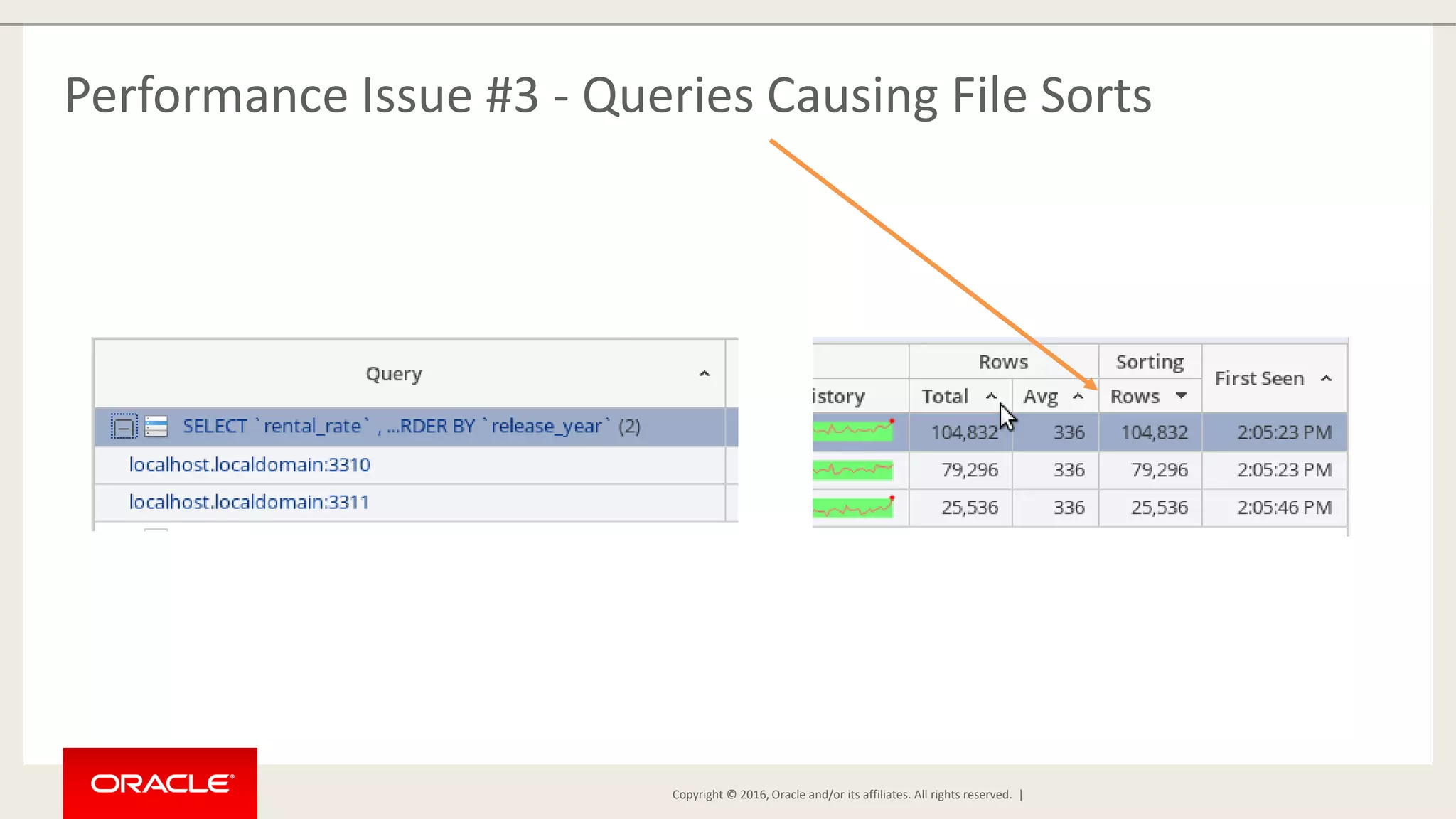
    Copyright © 2016,Oracle and/or its affiliates. All rights reserved. | Performance Issue #3 - Queries Causing File Sorts
  • 33.
    Copyright © 2016,Oracle and/or its affiliates. All rights reserved. | Automated Performance Issue Detection
  • 34.
    Copyright © 2016,Oracle and/or its affiliates. All rights reserved. | Performance Issue #4 – Long-Running Queries
  • 35.
    Copyright © 2016,Oracle and/or its affiliates. All rights reserved. | Performance Issue #5 – Table Cache Size Incorrect
  • 36.
    Copyright © 2016,Oracle and/or its affiliates. All rights reserved. | Bonus Performance Issue – Replication Outages mysql-js> dba.killSandboxInstance('root@localhost:3312')
  • 37.
    Copyright © 2016,Oracle and/or its affiliates. All rights reserved. | Bonus Performance Issue – Replication Outages
  • 38.
    Copyright © 2016,Oracle and/or its affiliates. All rights reserved. | Bonus Performance Issue – Replication Outages
  • 39.
    Copyright © 2016,Oracle and/or its affiliates. All rights reserved. | Replication Outages – Repair The Loss of Quorum mysql-js> dba.deploySandboxInstance(3314) A new MySQL sandbox instance will be created on this host in /home/mem/mysql- sandboxes/3311 Please enter a MySQL root password for the new instance: (use mysql) Deploying new MySQL instance... Instance localhost:3314 successfully deployed and started. Use shell.connect('root@localhost:3311'); to connect to the instance. mysql-js> cluster.addInstance('root@localhost:3314') A new instance will be added to the InnoDB cluster. Depending on the amount of data on the cluster this might take from a few seconds to several hours.
  • 40.
    Copyright © 2016,Oracle and/or its affiliates. All rights reserved. | Replication Outages – Repair The Loss of a Node mysql-js> dba.deploySandboxInstance(3314) A new MySQL sandbox instance will be created on this host in /home/mem/mysql- sandboxes/3311 Please enter a MySQL root password for the new instance: (use mysql) Deploying new MySQL instance... Instance localhost:3314 successfully deployed and started. Use shell.connect('root@localhost:3311'); to connect to the instance. mysql-js> cluster.addInstance('root@localhost:3314') A new instance will be added to the InnoDB cluster. Depending on the amount of data on the cluster this might take from a few seconds to several hours.
  • 41.
    Copyright © 2016,Oracle and/or its affiliates. All rights reserved. | Bonus Performance Issue – Node Added (not Monitored)
  • 42.
    Copyright © 2016,Oracle and/or its affiliates. All rights reserved. | Bonus Performance Issue – Node Added (Monitored)
  • 43.
    Copyright © 2016,Oracle and/or its affiliates. All rights reserved. | How Do I Get it? • MySQL Enterprise Monitor is included with Oracle MySQL Enterprise Edition: • Support • MySQL Enterprise Backup • MySQL Enterprise Audit • MySQL Enterprise Firewall • MySQL Enterprise Scalability • MySQL Enterprise Transparent Data Encryption • MySQL Enterprise Authentication • Trials available at http://edelivery.oracle.com/
  • 44.
    Copyright © 2016,Oracle and/or its affiliates. All rights reserved. | Questions?
  • 45.
    Copyright © 2016,Oracle and/or its affiliates. All rights reserved. | Thank You!