This document discusses blocking and non-blocking assignments in Verilog. Blocking assignments execute sequentially, while non-blocking assignments are scheduled for the end of the simulation cycle. The document provides examples of always blocks and initial blocks using both blocking and non-blocking assignments. It demonstrates that blocking assignments update values immediately, while non-blocking assignments update values at the end of the block.
Introduction to the lecture series on Verilog for beginners, covering basics of behavioral modeling, particularly the importance of 'always' and 'initial' blocks.
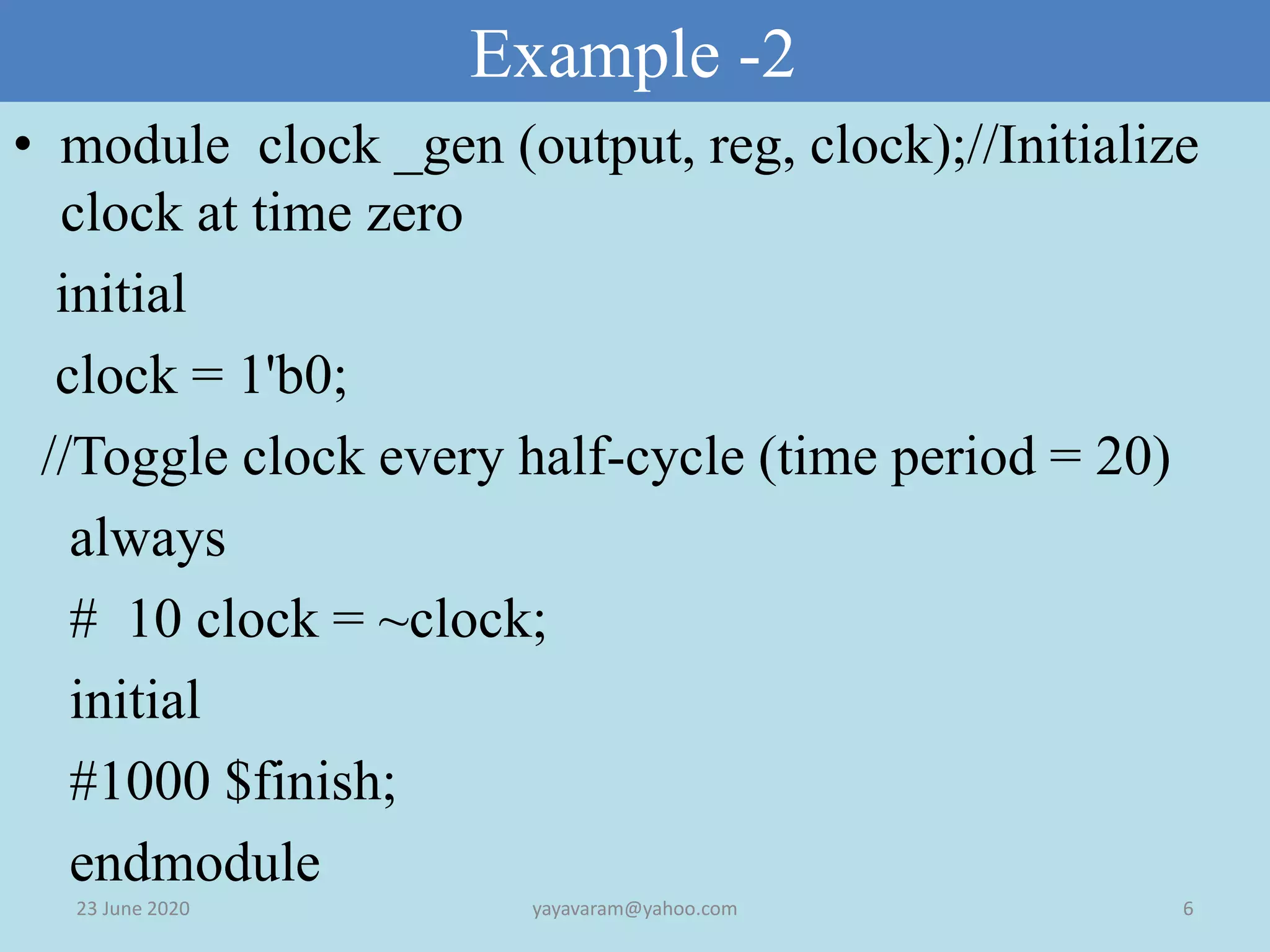
Explains procedural assignments, 'always' and 'initial' blocks used in simulations, and their concurrent execution, including examples of clock generation.
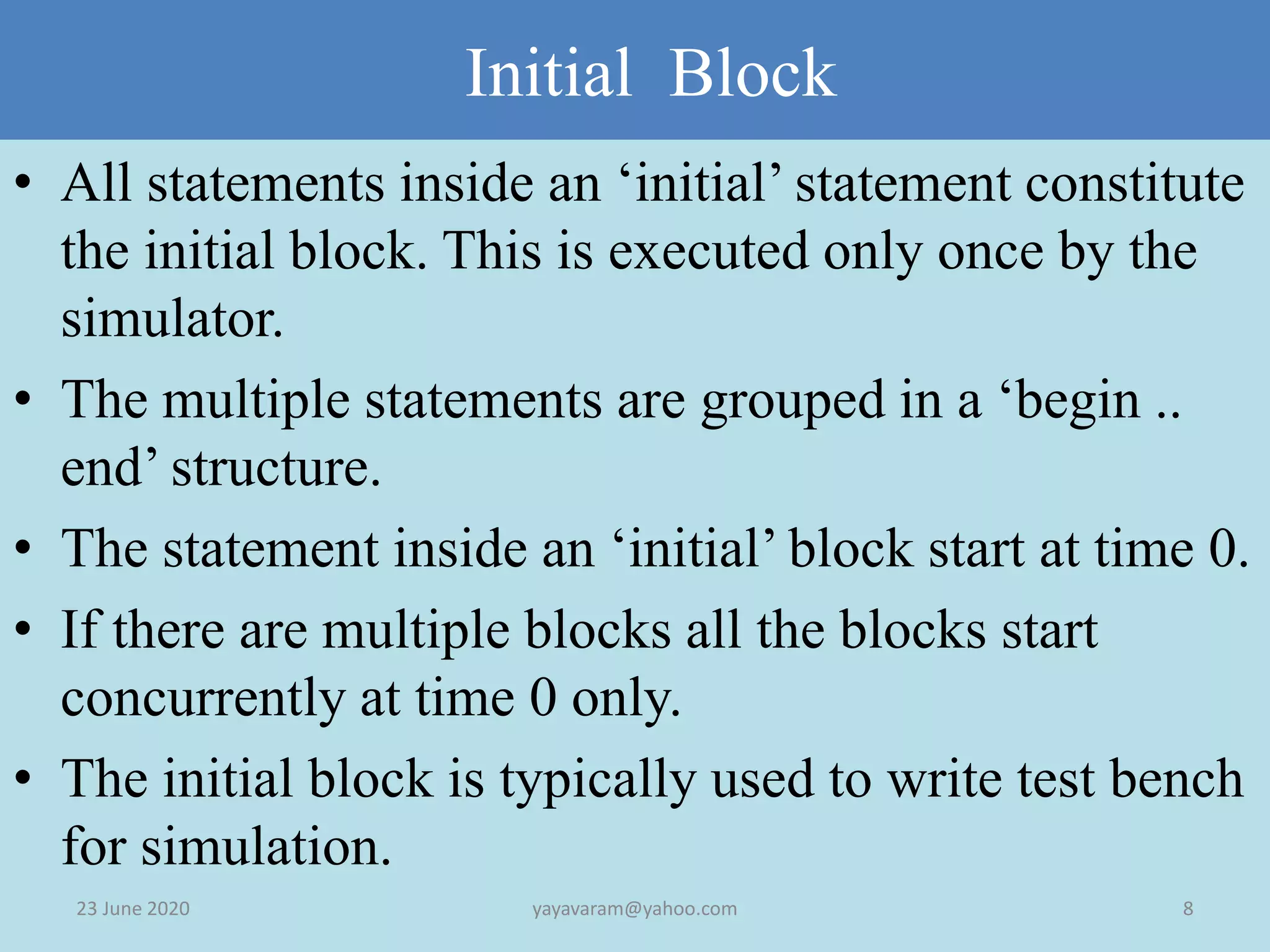
Describes the structure and execution flow of 'initial' blocks, which run only once at time zero, with examples illustrating their use in test benches.
Introduction to types of procedural assignments in Verilog: Blocking and Non-blocking assignments, their uses, and how they affect execution flow.
Detailed examples of blocking assignments demonstrating execution timing and how changes to variables occur sequentially within a block.
Analyzes the differences between blocking and non-blocking assignments through illustrative examples describing variable updates timelines.
Further examples showing practical applications of blocking and non-blocking assignments along with variable assignments over time.
Demonstrates design constructs in Verilog utilizing blocking and non-blocking assignment structures to illustrate design implementations.
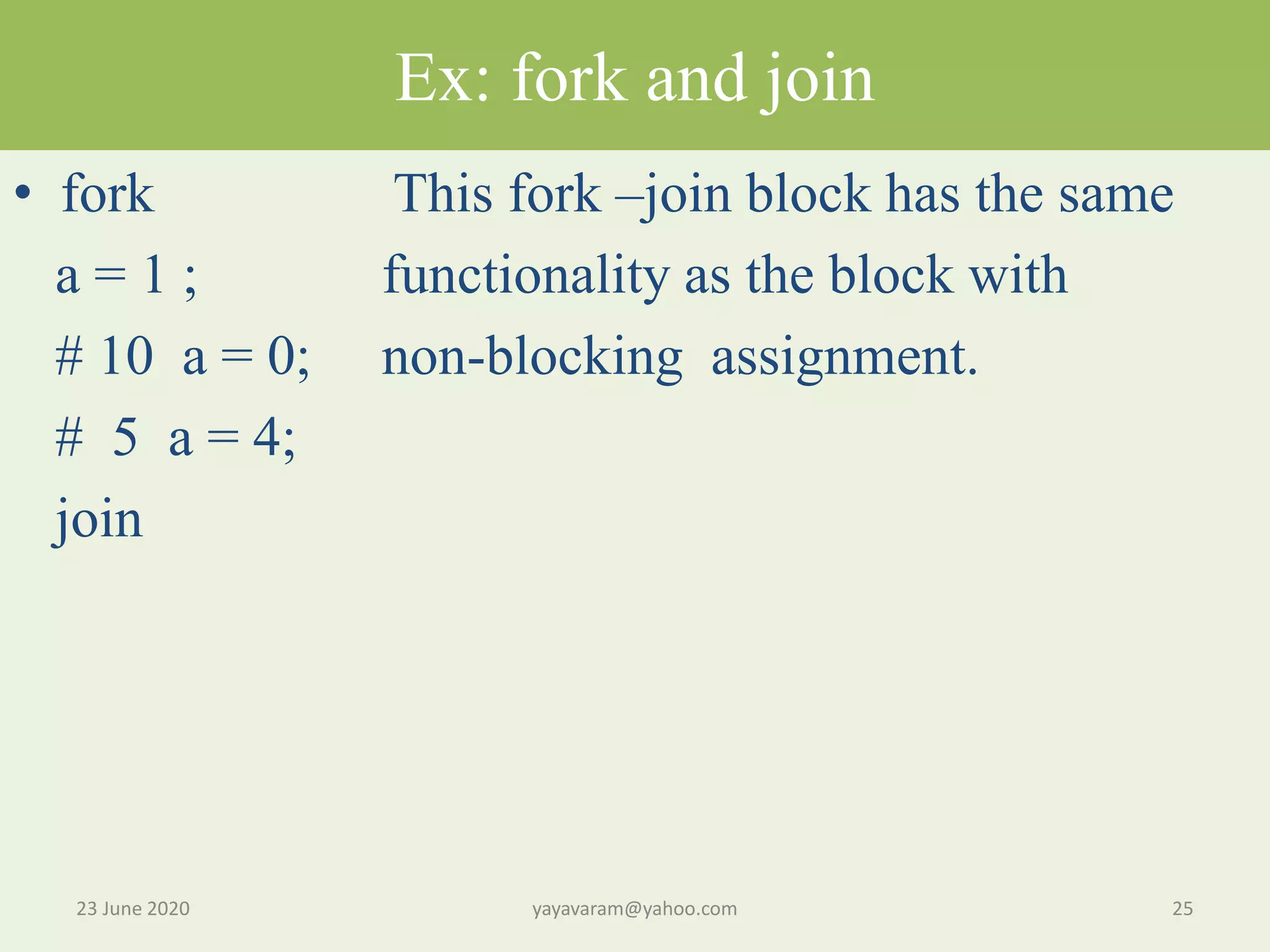
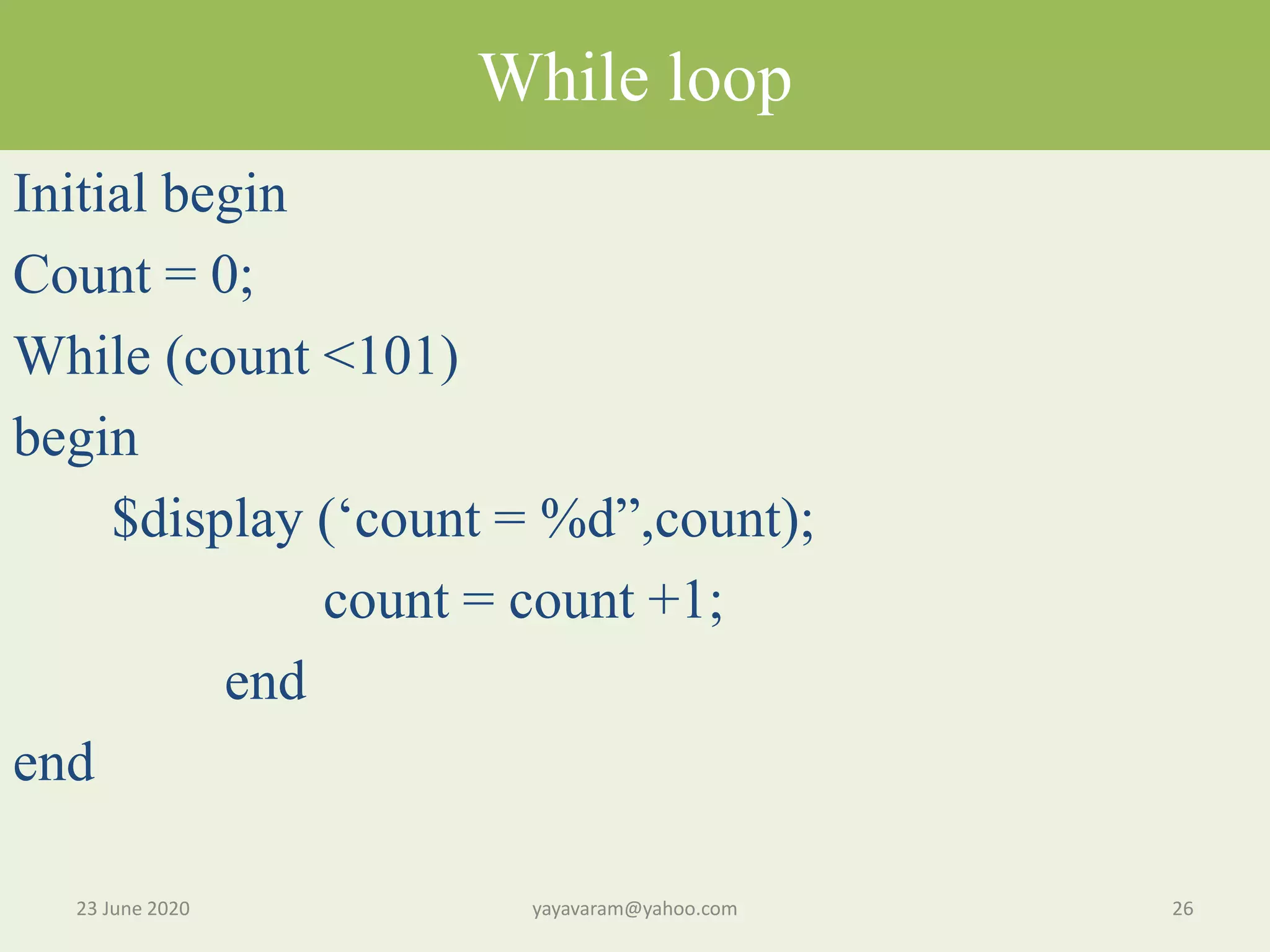
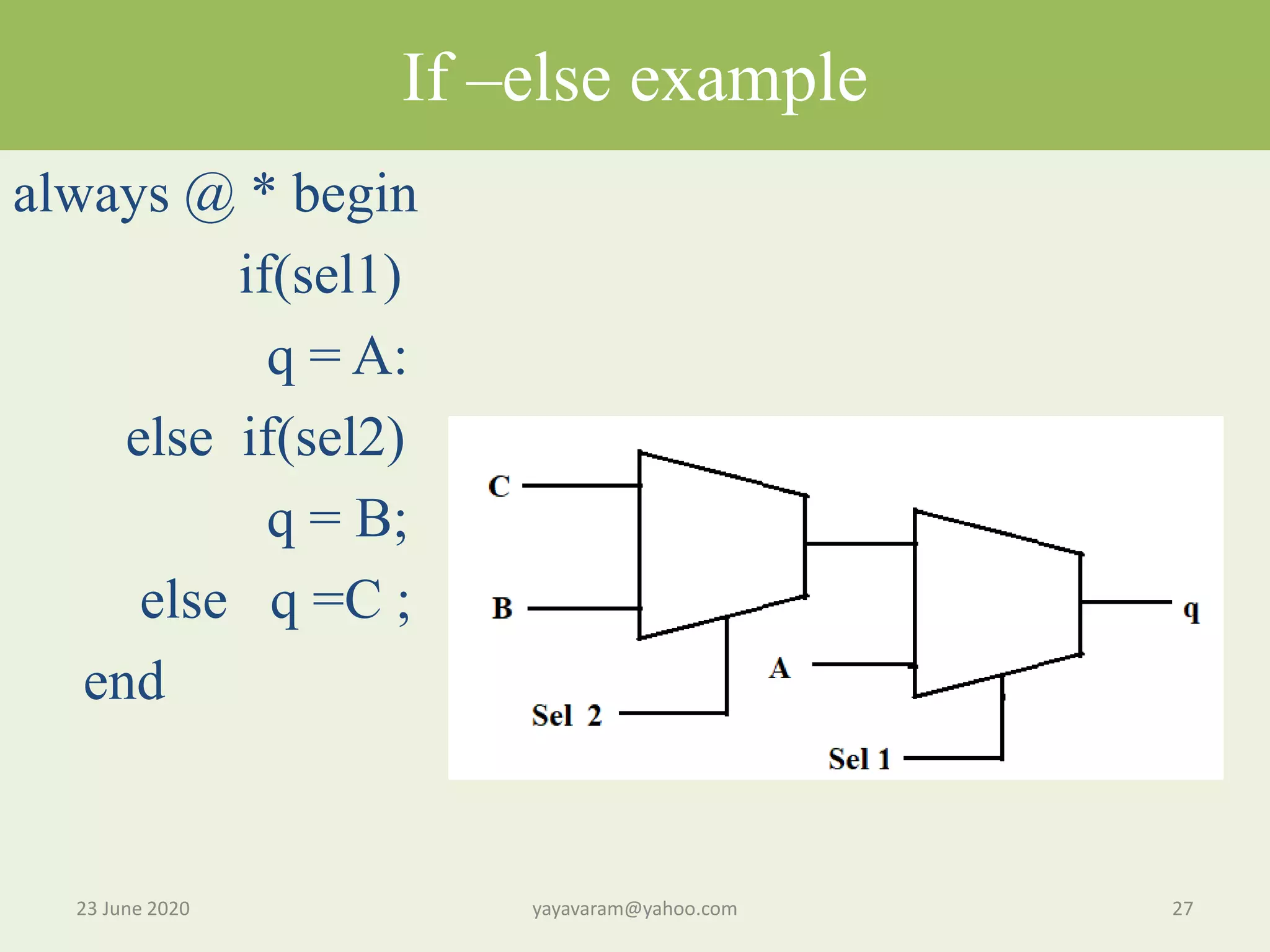
Concepts like fork-join for concurrent execution units, while loops for iterative processes, and if-else conditions for decision-making.
Closing remarks and gratitude for participation in the lecture series on Verilog.
Digital Design UsingVerilog - For Absolute Beginners LEC 8 :Verilog Blocking & Non- Blocking Assignments
2.
PROLOGUE • In theearlier lecture , you have seen the basic concepts of Verilog Behavioral modelling with some examples. • Before going further, let us recapitulate what we have learnt in the earlier lecture . • In the behaviour model,which is mainly based on the Proedural block ,there are aminly two importanr constructs. • One is always block and the other is Initial Block.
3.
Procedural assignments • Alwaysblock is used to describe the circuit functionality using behavioral statements. • The Initial block is used to initialize behavioral statements for simulation. • Each ‘always’ and ‘Initial’ block represents a separate process. • These processes run in parallel(concurrently)and start at time 0. • Statements inside the process are execute sequentially.
4.
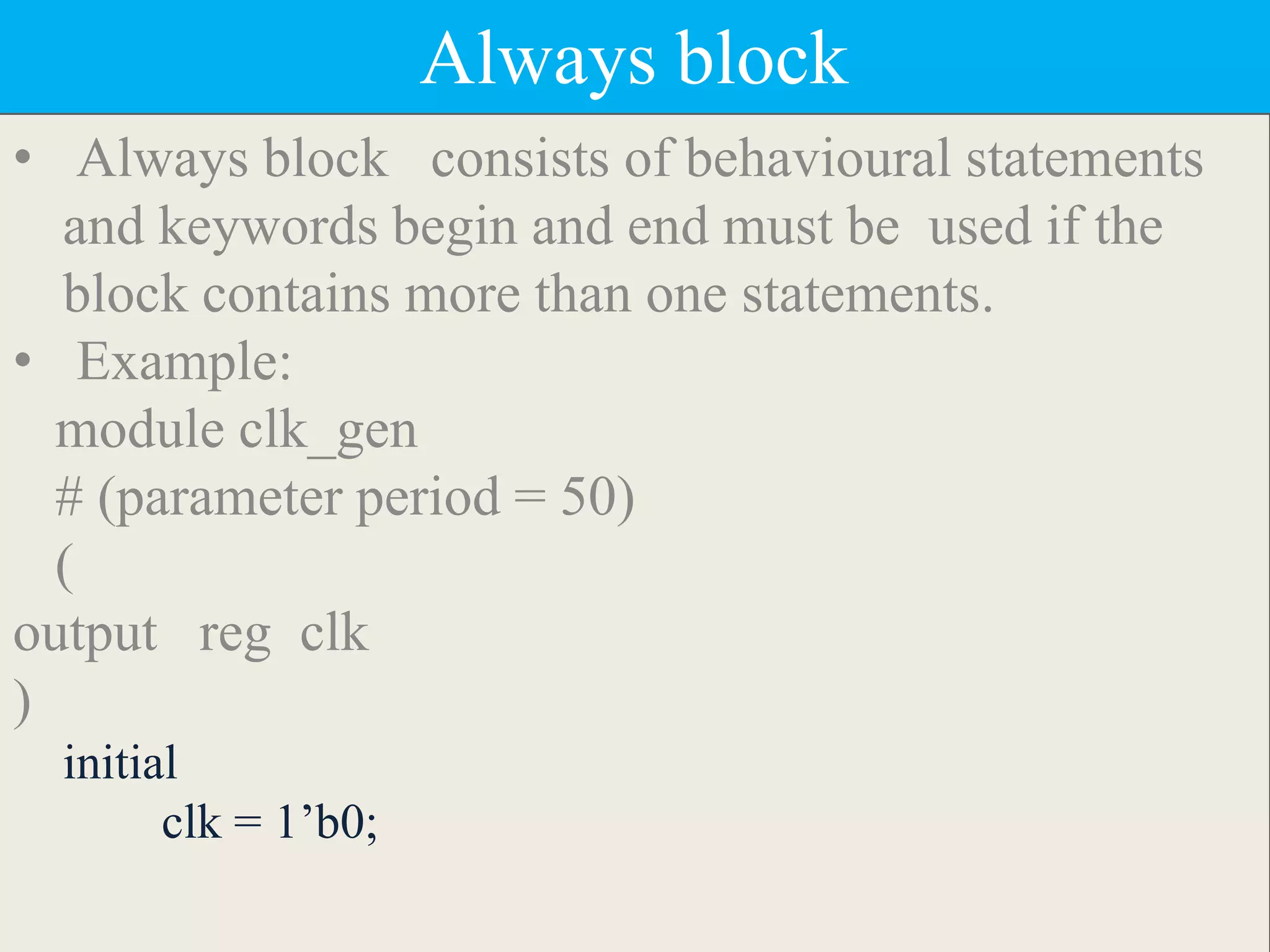
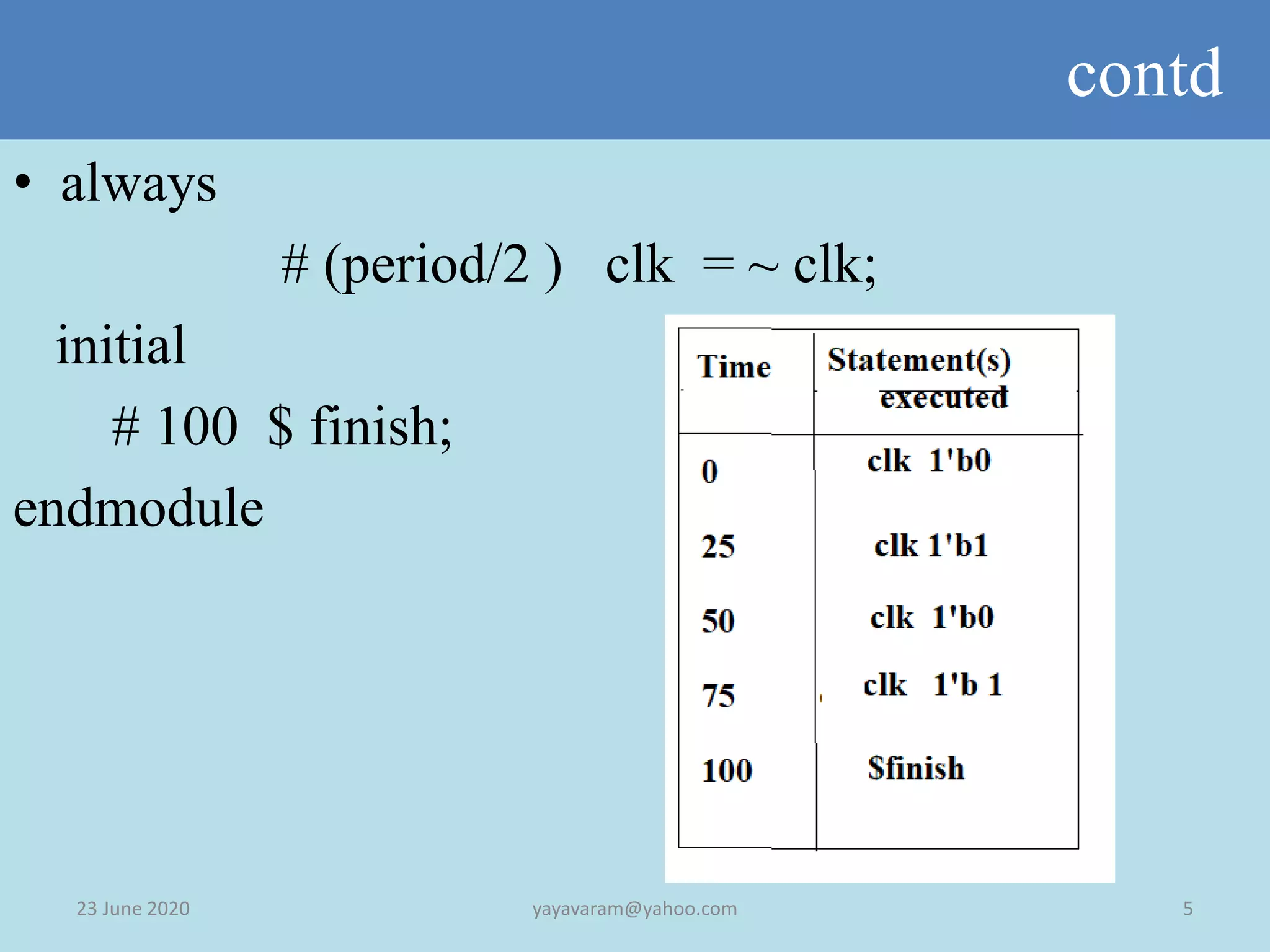
Always block • Alwaysblock consists of behavioural statements and keywords begin and end must be used if the block contains more than one statements. • Example: module clk_gen # (parameter period = 50) ( output reg clk ) initial clk = 1’b0;
Example -2 23 June2020 6yayavaram@yahoo.com • module clock _gen (output, reg, clock);//Initialize clock at time zero initial clock = 1'b0; //Toggle clock every half-cycle (time period = 20) always # 10 clock = ~clock; initial #1000 $finish; endmodule
7.
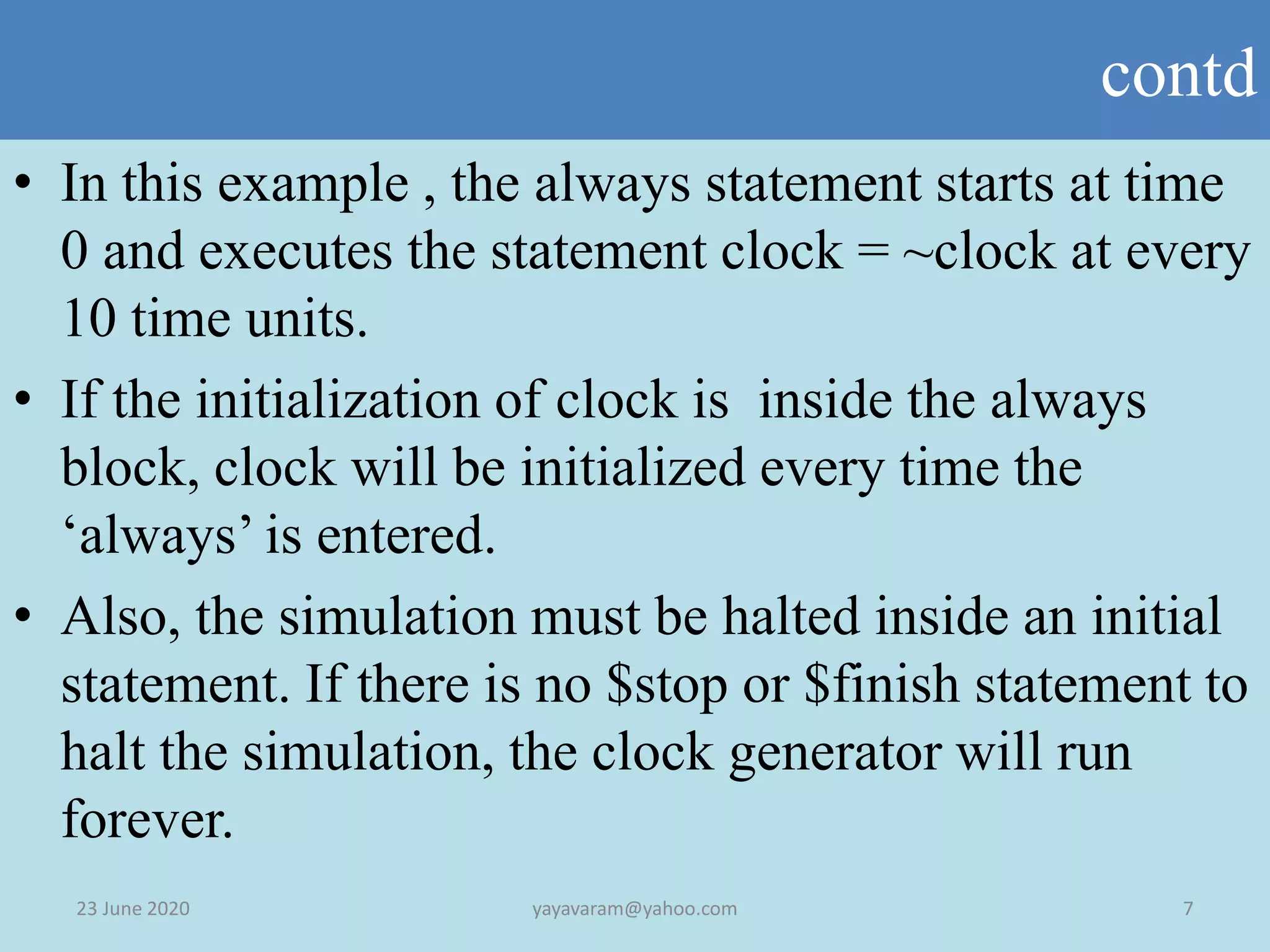
contd 23 June 20207yayavaram@yahoo.com • In this example , the always statement starts at time 0 and executes the statement clock = ~clock at every 10 time units. • If the initialization of clock is inside the always block, clock will be initialized every time the ‘always’ is entered. • Also, the simulation must be halted inside an initial statement. If there is no $stop or $finish statement to halt the simulation, the clock generator will run forever.
8.
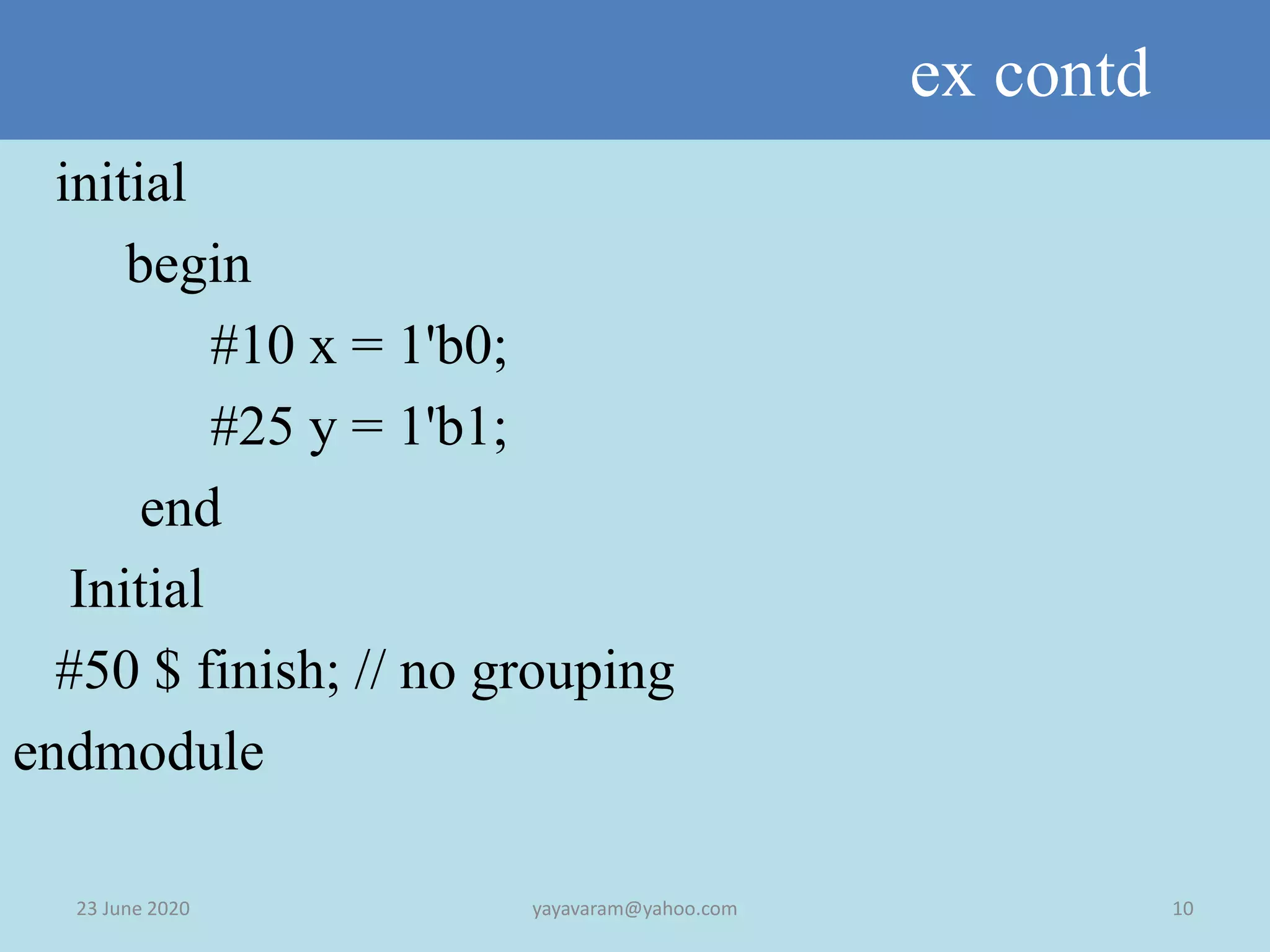
Initial Block 23 June2020 8yayavaram@yahoo.com • All statements inside an ‘initial’ statement constitute the initial block. This is executed only once by the simulator. • The multiple statements are grouped in a ‘begin .. end’ structure. • The statement inside an ‘initial’ block start at time 0. • If there are multiple blocks all the blocks start concurrently at time 0 only. • The initial block is typically used to write test bench for simulation.
9.
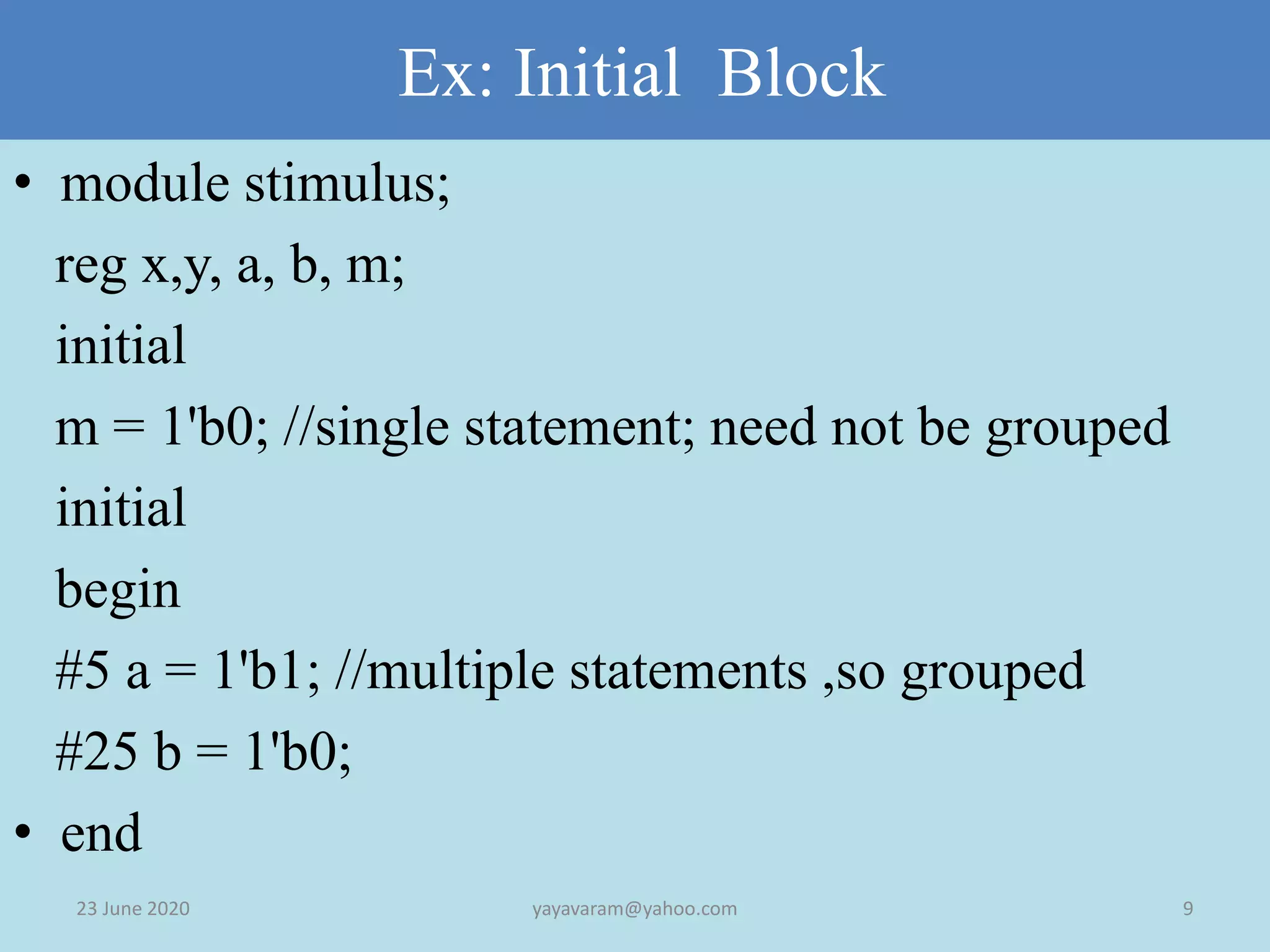
Ex: Initial Block 23June 2020 9yayavaram@yahoo.com • module stimulus; reg x,y, a, b, m; initial m = 1'b0; //single statement; need not be grouped initial begin #5 a = 1'b1; //multiple statements ,so grouped #25 b = 1'b0; • end
10.
ex contd 23 June2020 10yayavaram@yahoo.com initial begin #10 x = 1'b0; #25 y = 1'b1; end Initial #50 $ finish; // no grouping endmodule
11.
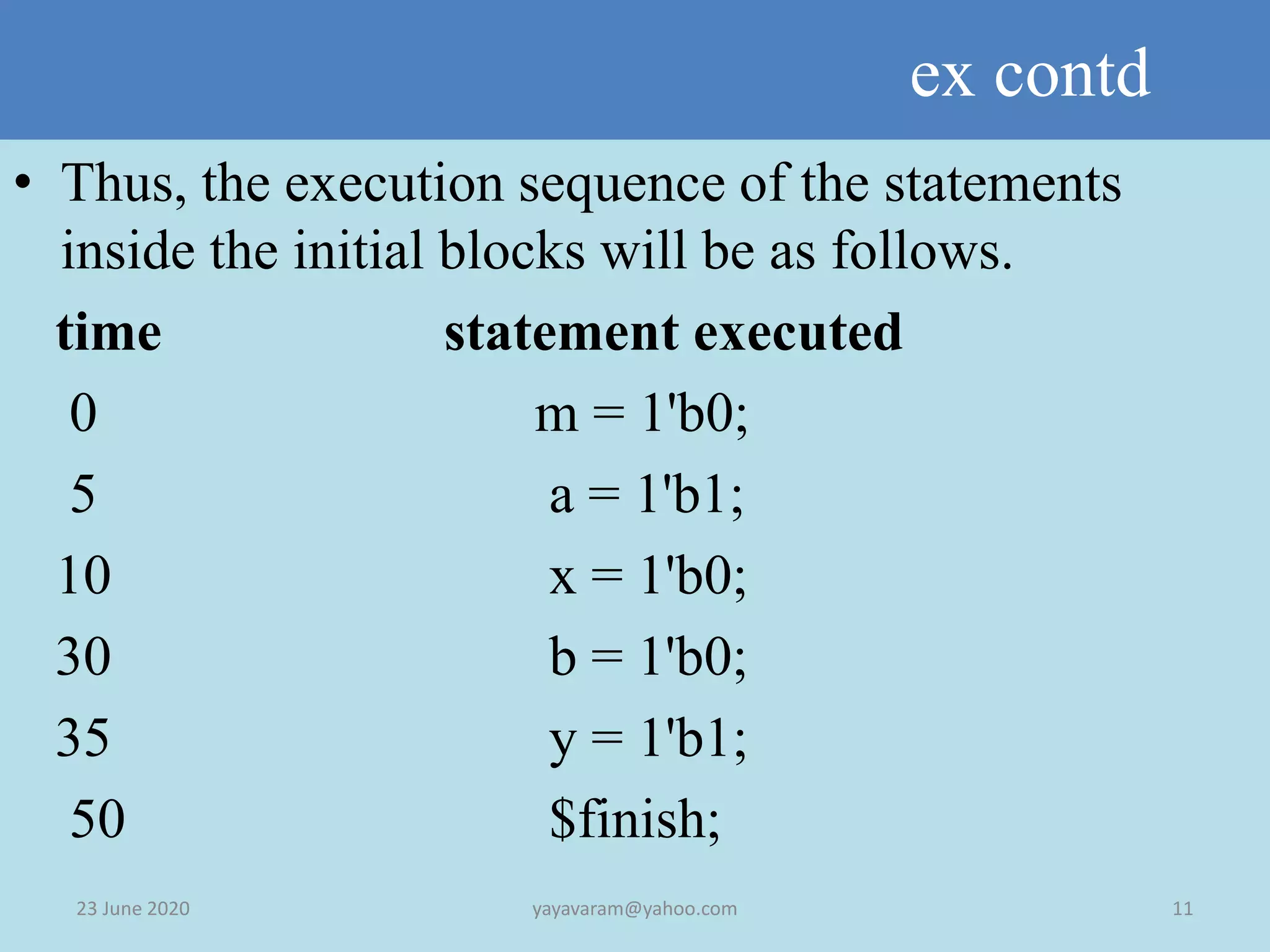
ex contd 23 June2020 11yayavaram@yahoo.com • Thus, the execution sequence of the statements inside the initial blocks will be as follows. time statement executed 0 m = 1'b0; 5 a = 1'b1; 10 x = 1'b0; 30 b = 1'b0; 35 y = 1'b1; 50 $finish;
12.
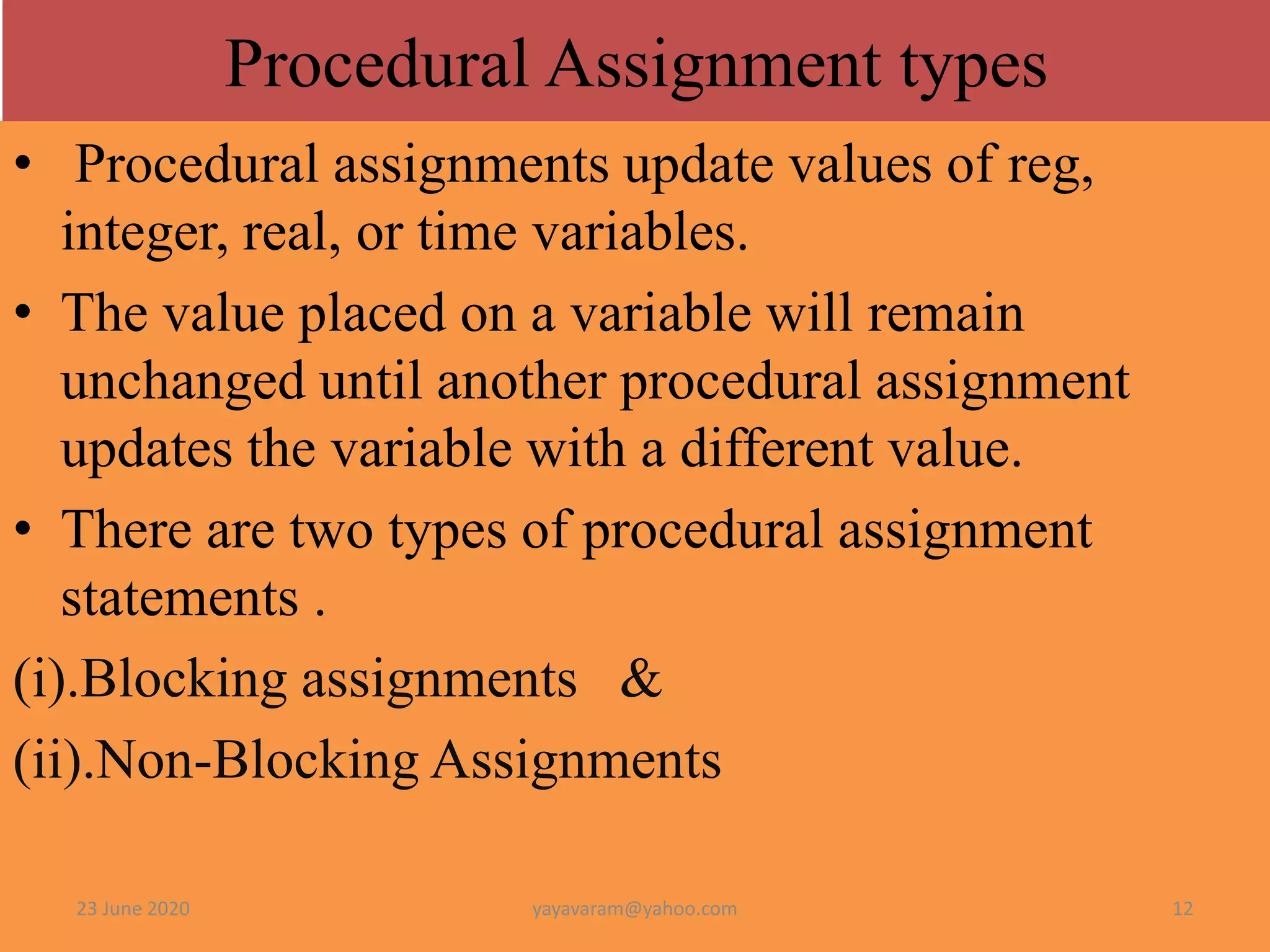
• Procedural assignmentsupdate values of reg, integer, real, or time variables. • The value placed on a variable will remain unchanged until another procedural assignment updates the variable with a different value. • There are two types of procedural assignment statements . (i).Blocking assignments & (ii).Non-Blocking Assignments 23 June 2020 12yayavaram@yahoo.com Procedural Assignment types
13.
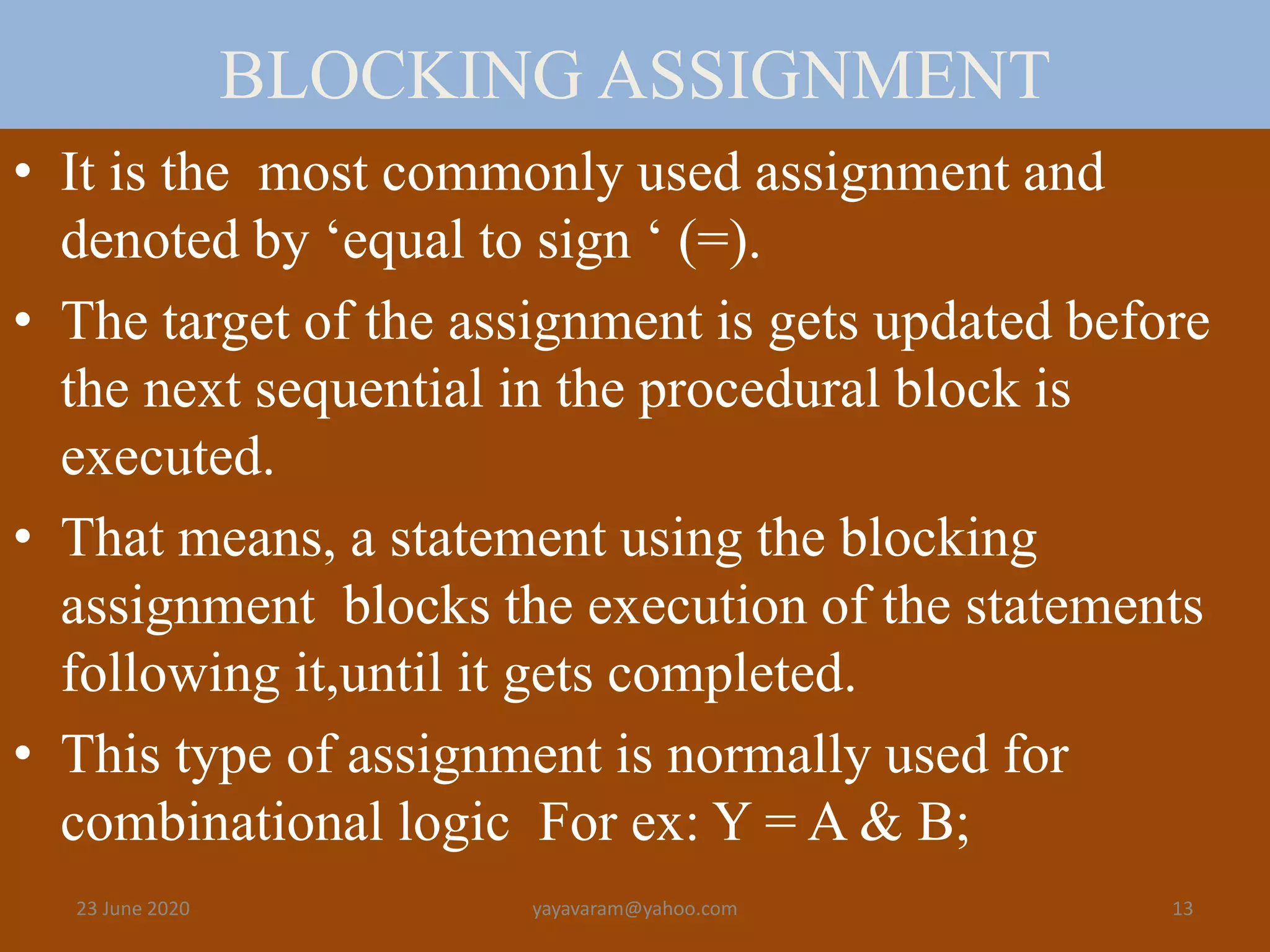
BLOCKING ASSIGNMENT • Itis the most commonly used assignment and denoted by ‘equal to sign ‘ (=). • The target of the assignment is gets updated before the next sequential in the procedural block is executed. • That means, a statement using the blocking assignment blocks the execution of the statements following it,until it gets completed. • This type of assignment is normally used for combinational logic For ex: Y = A & B; 23 June 2020 13yayavaram@yahoo.com
14.
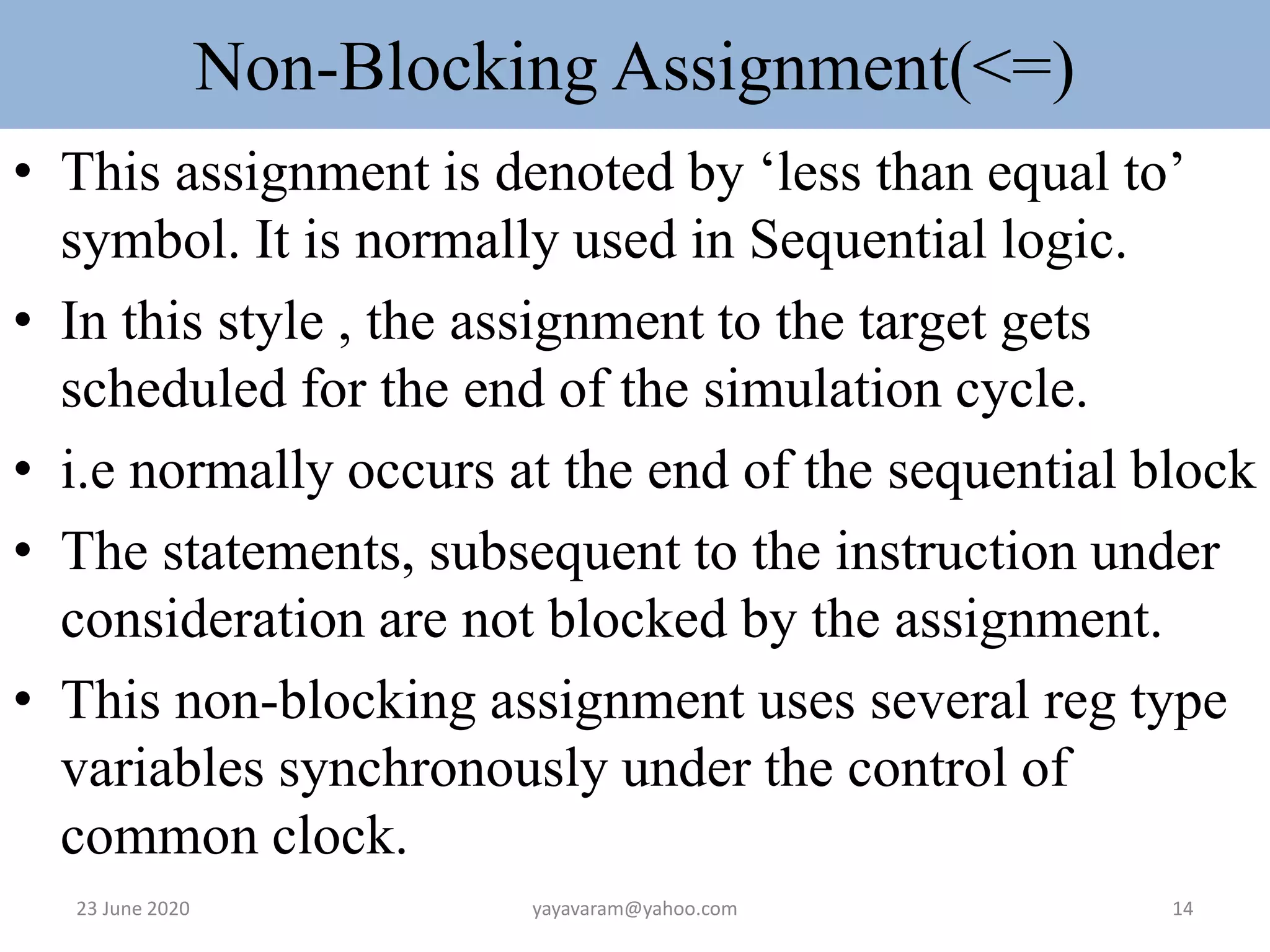
Non-Blocking Assignment(<=) • Thisassignment is denoted by ‘less than equal to’ symbol. It is normally used in Sequential logic. • In this style , the assignment to the target gets scheduled for the end of the simulation cycle. • i.e normally occurs at the end of the sequential block • The statements, subsequent to the instruction under consideration are not blocked by the assignment. • This non-blocking assignment uses several reg type variables synchronously under the control of common clock. 23 June 2020 14yayavaram@yahoo.com
15.
Example-Blocking • reg x,y, z; reg [15:0] reg_a, reg_b; integer count; initial begin x = 0; y = 1; z = 1; // Scalar assignments count = 0; //Assignment to integer variables reg_a = 16'b0; reg_b = reg_a; / initialize vectors #15 reg_a[2] = 1'b1; delay #10 reg_b[15:13] = {x, y, z} count = count + 1; end 23 June 2020 15yayavaram@yahoo.com
16.
Example-Blocking • reg x,y, z; • reg [15:0] reg_a, reg_b; • integer count; • initial begin • x = 0; y = 1; z = 1; // Scalar assignments • count = 0; //Assignment to integer variables • reg_a = 16'b0; reg_b = reg_a; / initialize vectors • #15 reg_a[2] = 1'b1; delay • #10 reg_b[15:13] = {x, y, z} • count = count + 1; • end 23 June 2020 16yayavaram@yahoo.com
17.
contd • All statementsx = 0 through reg_b = reg_a are executed at time 0. • Statement reg_a[2] = 0 at time = 15 • Statement reg_b[15:13] = {x, y, z} at time = 25 • Statement count = count + 1 at time = 25 • Since there is a delay of 15 and 10 in the preceding statements, count = count + 1 will be executed at time = 25 units 23 June 2020 17yayavaram@yahoo.com
18.
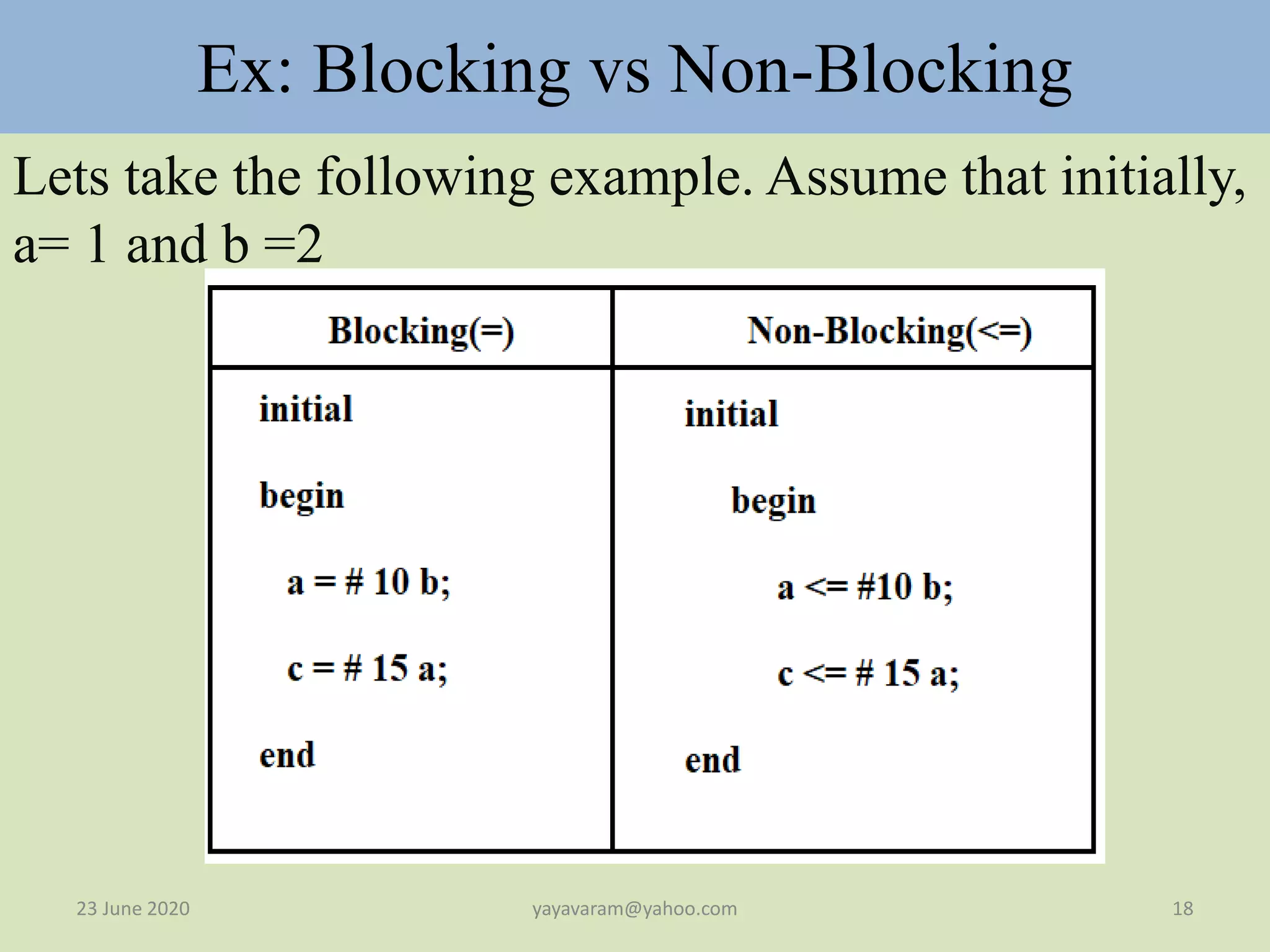
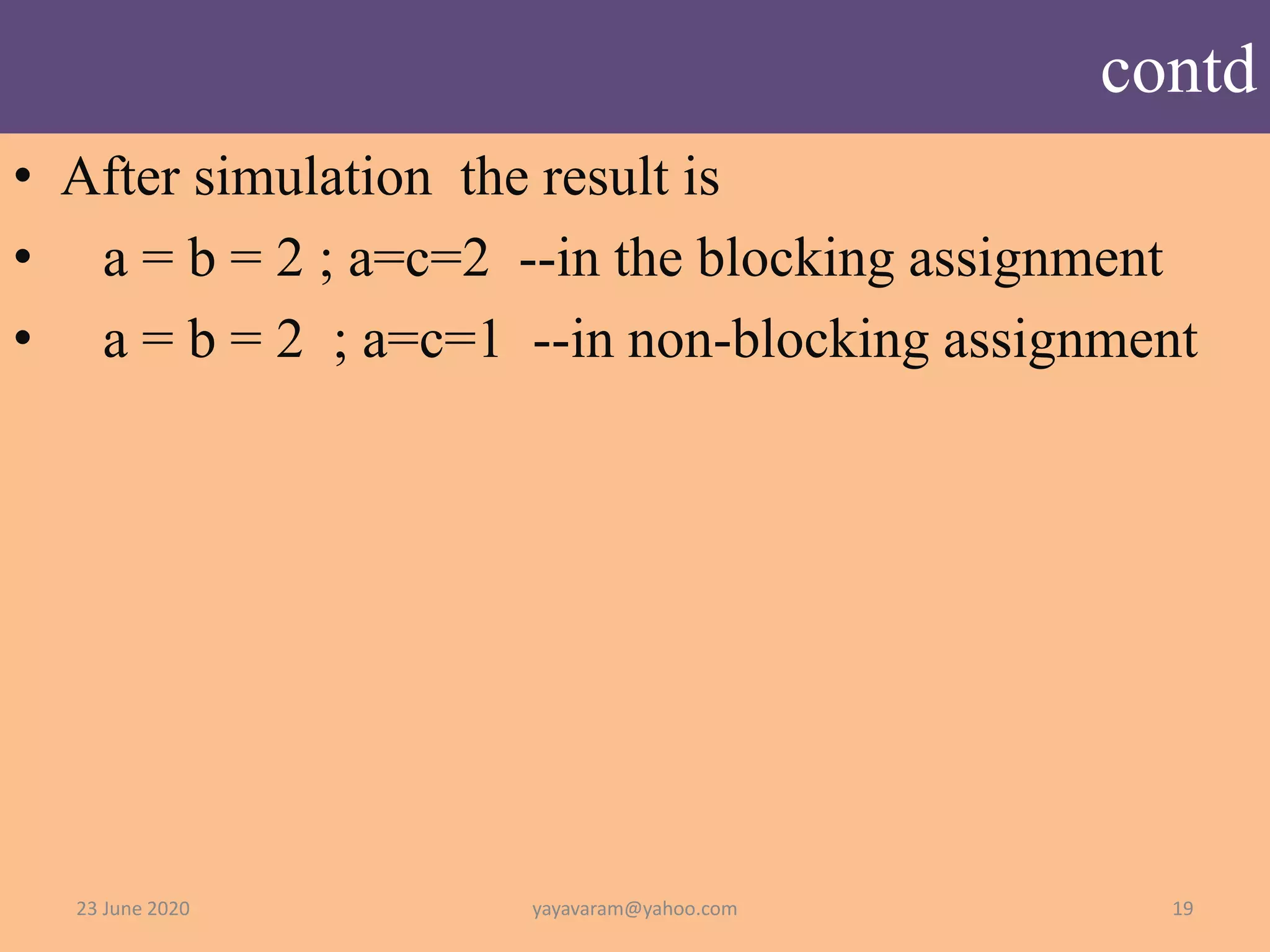
Ex: Blocking vsNon-Blocking Lets take the following example. Assume that initially, a= 1 and b =2 23 June 2020 18yayavaram@yahoo.com
19.
contd • After simulationthe result is • a = b = 2 ; a=c=2 --in the blocking assignment • a = b = 2 ; a=c=1 --in non-blocking assignment 23 June 2020 19yayavaram@yahoo.com
20.
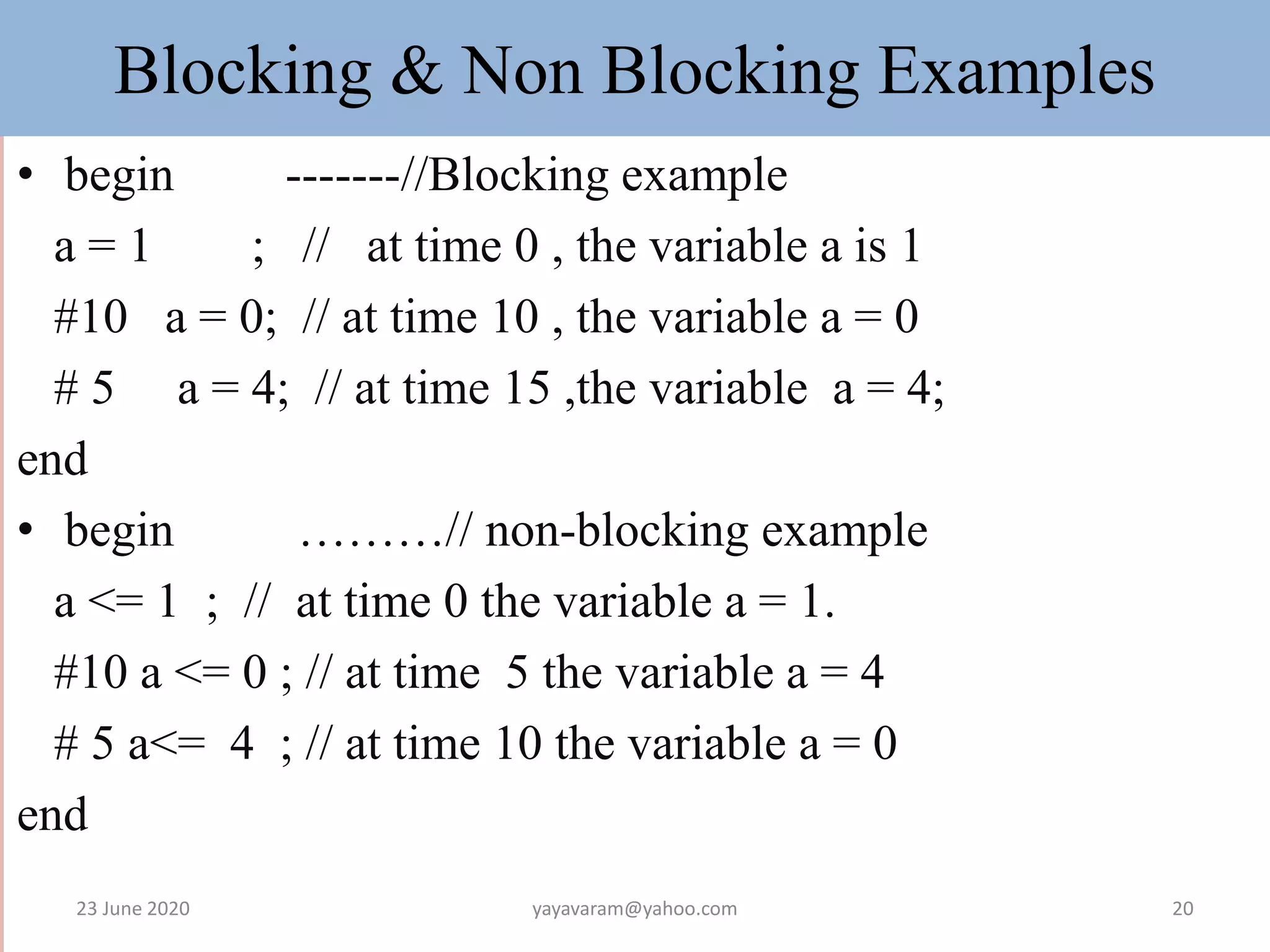
Blocking & NonBlocking Examples • begin -------//Blocking example a = 1 ; // at time 0 , the variable a is 1 #10 a = 0; // at time 10 , the variable a = 0 # 5 a = 4; // at time 15 ,the variable a = 4; end • begin ………// non-blocking example a <= 1 ; // at time 0 the variable a = 1. #10 a <= 0 ; // at time 5 the variable a = 4 # 5 a<= 4 ; // at time 10 the variable a = 0 end 23 June 2020 20yayavaram@yahoo.com
21.
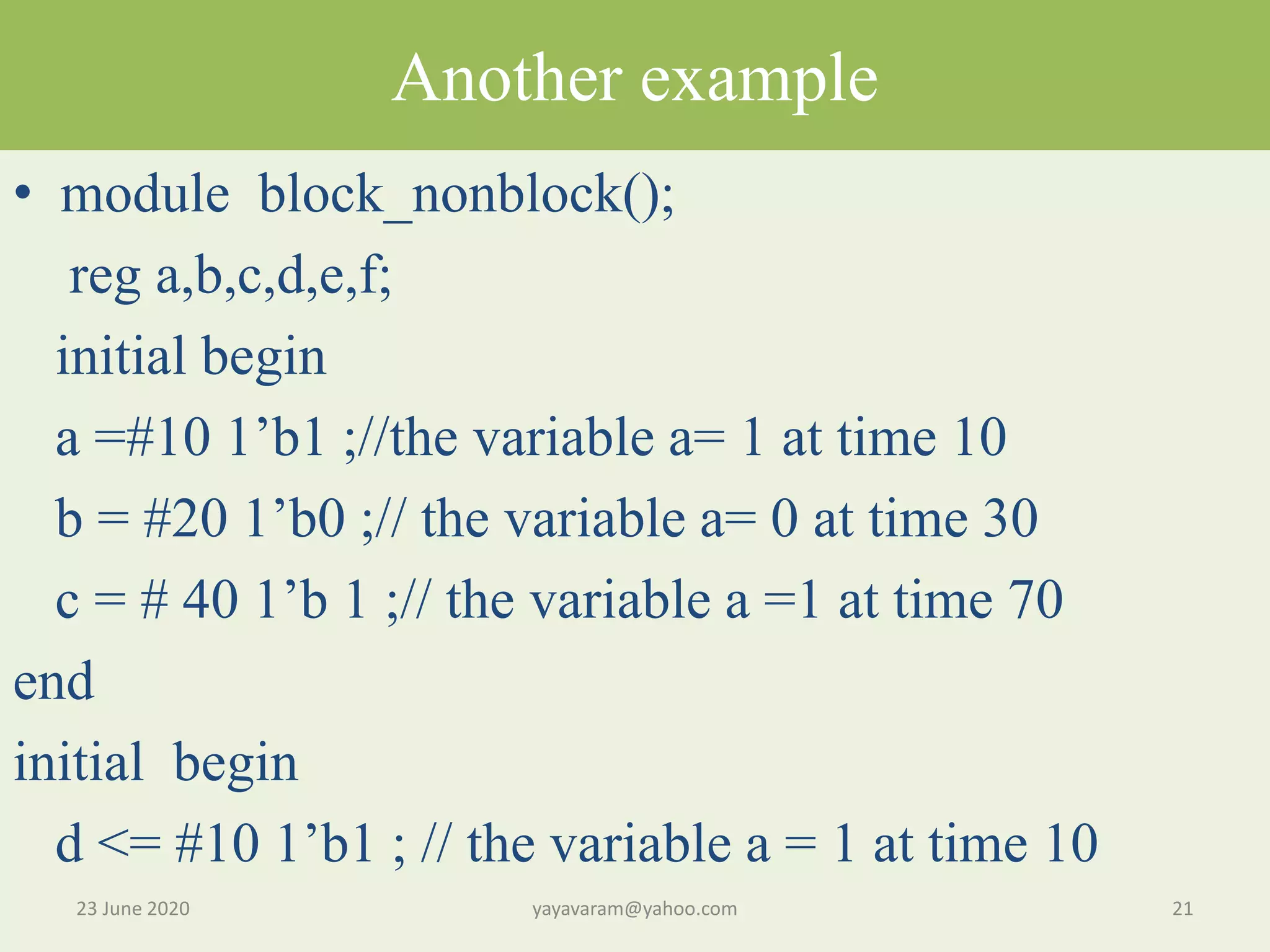
Another example • moduleblock_nonblock(); reg a,b,c,d,e,f; initial begin a =#10 1’b1 ;//the variable a= 1 at time 10 b = #20 1’b0 ;// the variable a= 0 at time 30 c = # 40 1’b 1 ;// the variable a =1 at time 70 end initial begin d <= #10 1’b1 ; // the variable a = 1 at time 10 23 June 2020 21yayavaram@yahoo.com
22.
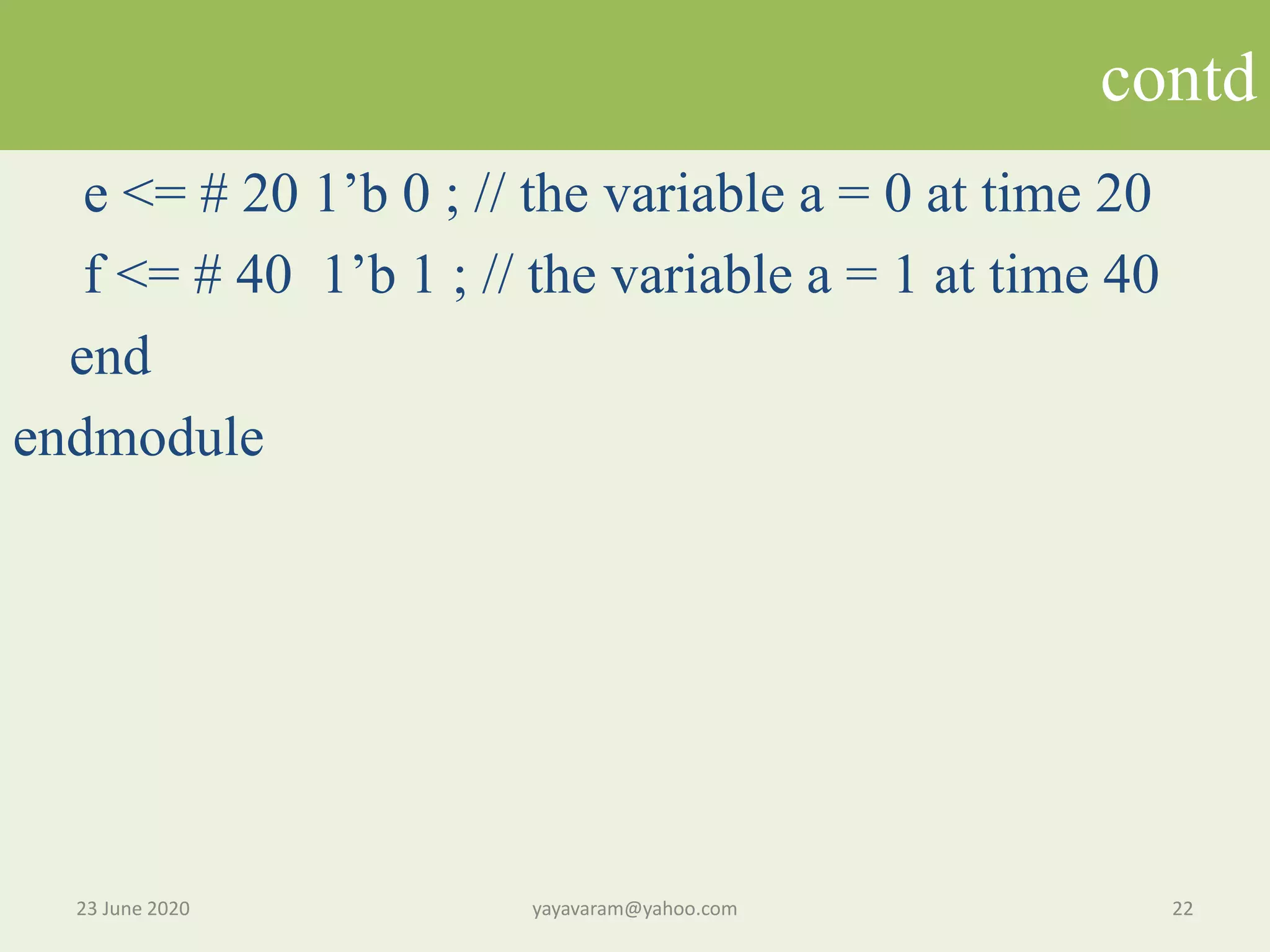
contd e <= #20 1’b 0 ; // the variable a = 0 at time 20 f <= # 40 1’b 1 ; // the variable a = 1 at time 40 end endmodule 23 June 2020 22yayavaram@yahoo.com
23.
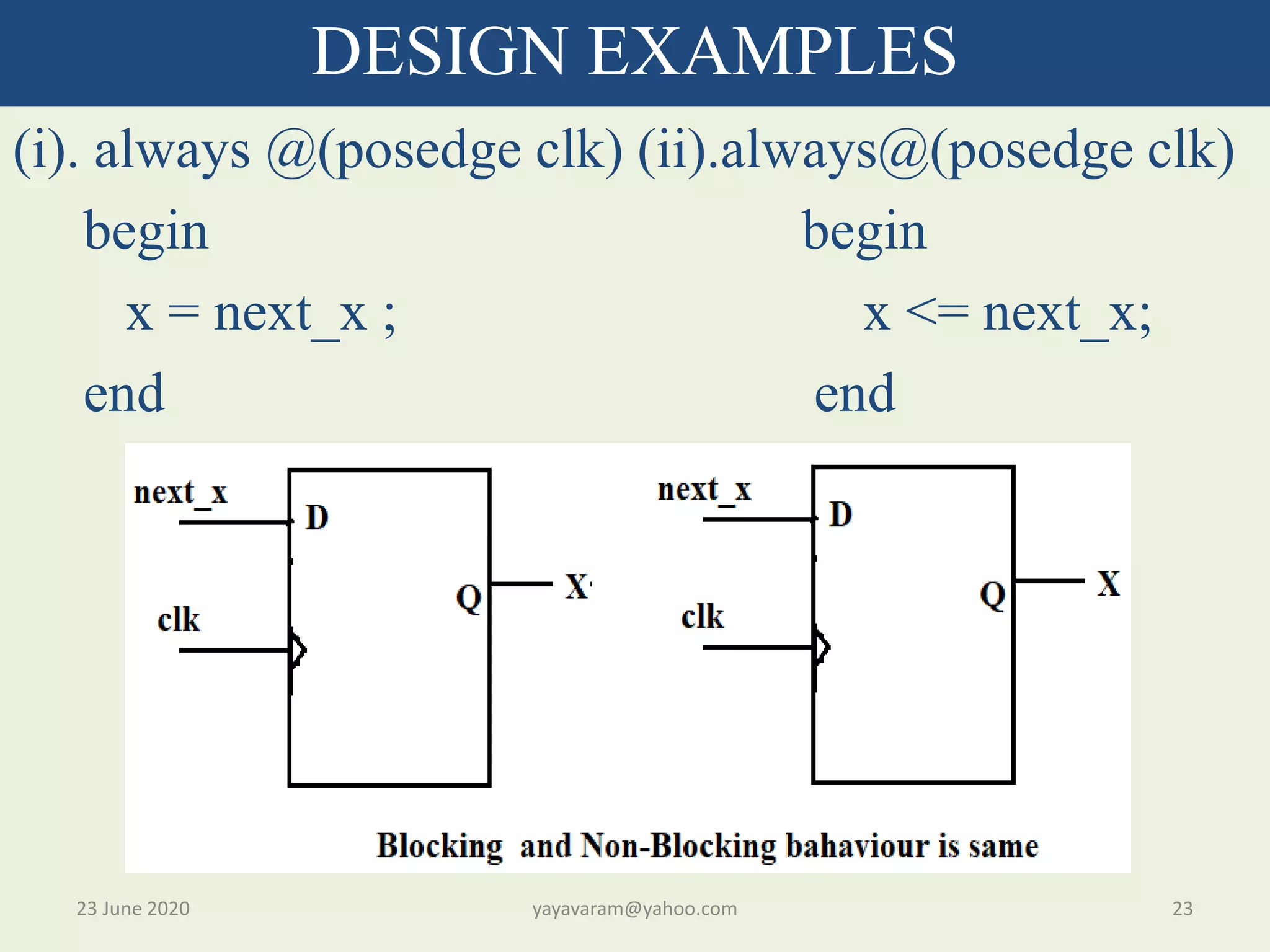
(i). always @(posedgeclk) (ii).always@(posedge clk) begin begin x = next_x ; x <= next_x; end end 23 June 2020 23yayavaram@yahoo.com DESIGN EXAMPLES
24.
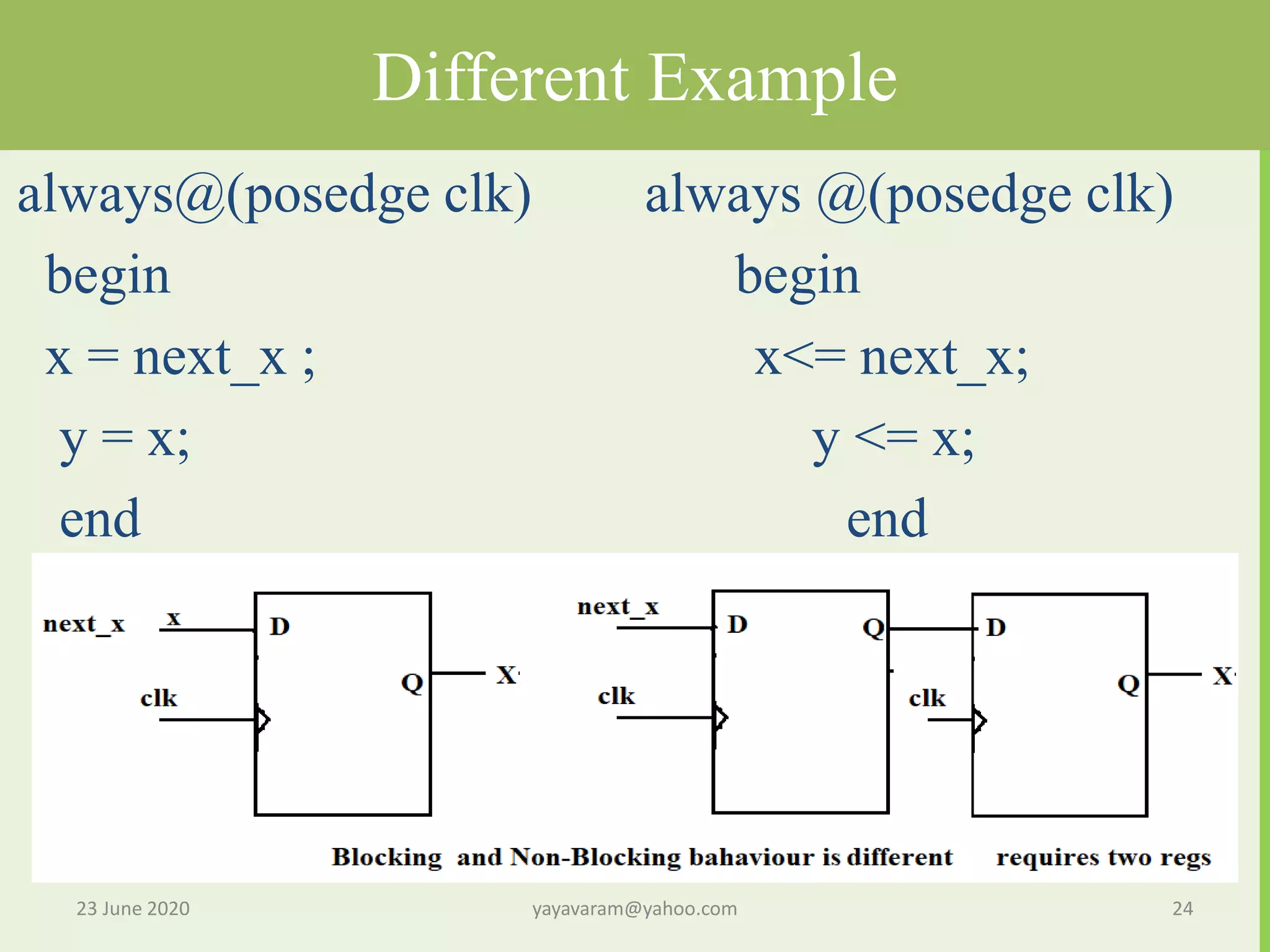
Different Example always@(posedge clk)always @(posedge clk) begin begin x = next_x ; x<= next_x; y = x; y <= x; end end 23 June 2020 24yayavaram@yahoo.com
25.
Ex: fork andjoin • fork This fork –join block has the same a = 1 ; functionality as the block with # 10 a = 0; non-blocking assignment. # 5 a = 4; join 23 June 2020 25yayavaram@yahoo.com
26.
While loop Initial begin Count= 0; While (count <101) begin $display (‘count = %d”,count); count = count +1; end end 23 June 2020 26yayavaram@yahoo.com
27.
If –else example always@ * begin if(sel1) q = A: else if(sel2) q = B; else q =C ; end 23 June 2020 27yayavaram@yahoo.com
28.
23 June 202028yayavaram@yahoo.com THANQ FOR WATCHINIG GOOD LUCK !!
Editor's Notes
#29 If the value of S is 1 ,then Y= B other wise Y= A