Windows Runtime wrapper for Companion. Since the WinRT Component uses C++/CX it can be used in Universal Windows Platform (UWP) apps that are written in C#, Visual Basic, JavaScript, and other languages that support the Windows Runtime.
- OpenCV 3 for WinRT/UWP: opencvWinRT
- To begin with, you will need to build OpenCV 3 for WinRT/UWP: opencvWinRT
- Simply use CMake or CMake GUI to build CompanionWinRT.
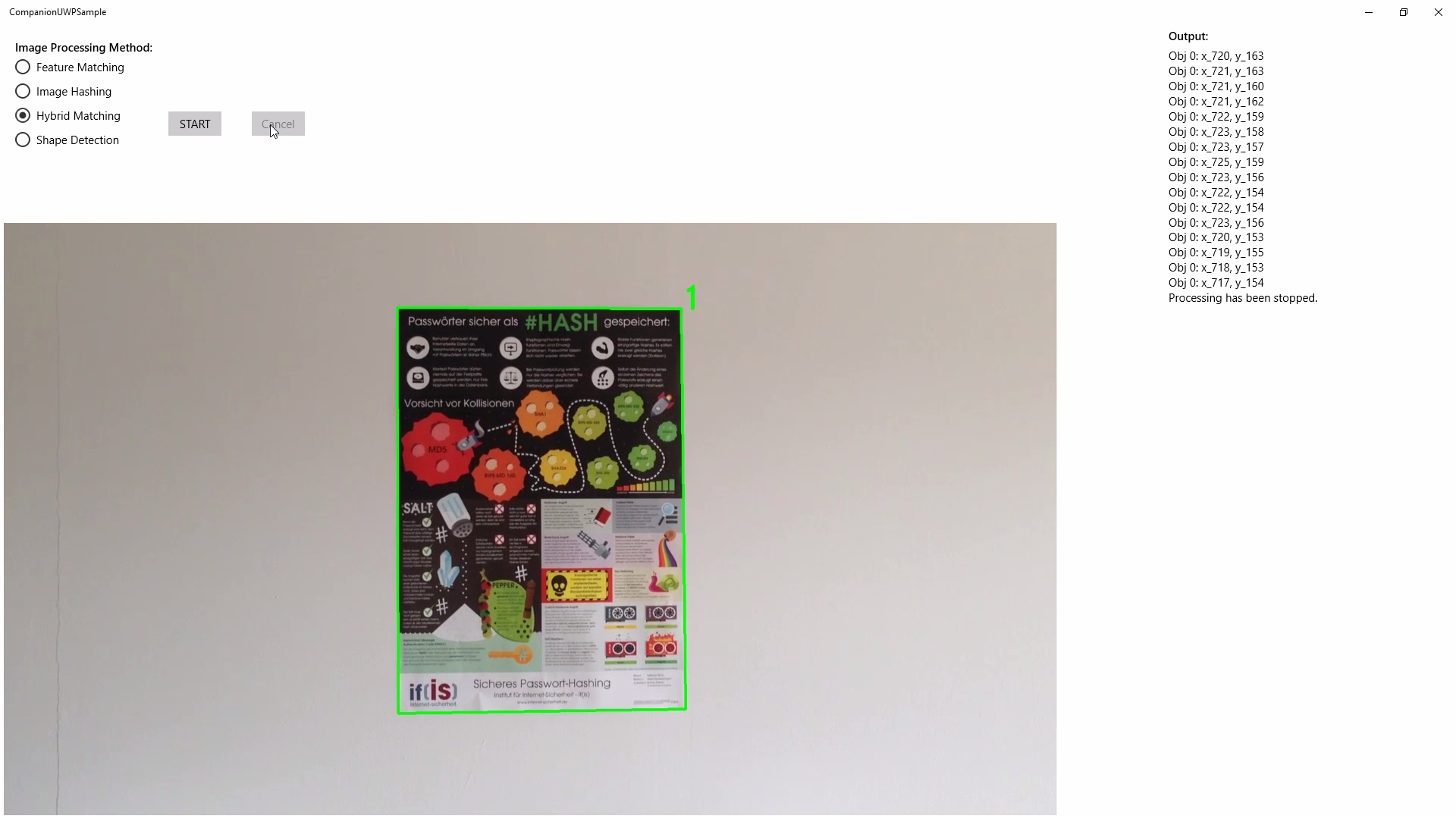
Feel free to use the provided sample app as a starting point. Unfortunately CMake is currently not able to integrate the C# project to the generated Visual Studio Solution automatically. Follow these steps to do that manually:
- Open the generated project file
CompanionWinRT.slnin Visual Studio. - Go to
File>Add>Existing Project...and select the project file<build_dir>\CompanionUWPSample\CompanionUWPSample.csproj.
Be aware that the sample project is being copied to the build directory so it won't be under version control.
- Add
CompanionWinRTas a reference to theCompanionUWPSampleproject: right click on the project name and chooseAdd>Reference.... - Right click on
CompanionUWPSampleand chooseSet as StartUp Project. - Add your OpenCV DLLs to the project by right clicking on
CompanionUWPSampleand choosingAdd>Existing Item....
CompanionWinRT is a Windows Runtime wrapper for Companion. Copyright (C) 2017-2018 Dimitri Kotlovsky, Andreas Sekulski This program is free software: you can redistribute it and/or modify it under the terms of the GNU General Public License as published by the Free Software Foundation, either version 3 of the License, or (at your option) any later version. This program is distributed in the hope that it will be useful, but WITHOUT ANY WARRANTY; without even the implied warranty of MERCHANTABILITY or FITNESS FOR A PARTICULAR PURPOSE. See the GNU General Public License for more details. You should have received a copy of the GNU General Public License along with this program. If not, see <http://www.gnu.org/licenses/>.