
- Cropping
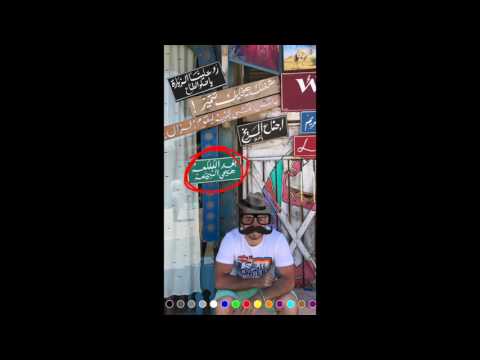
- Adding images -Stickers-
- Adding Text with colors
- Drawing with colors
- Scaling and rotating objects
- Deleting objects
- Saving to photos and Sharing
- Cool animations
- Uses iOS Taptic Engine feedback
CocoaPods is a dependency manager for Cocoa projects. You can install it with the following command:
$ gem install cocoapodsTo integrate iOS Photo Editor into your Xcode project using CocoaPods, specify it in your Podfile:
source 'https://github.com/CocoaPods/Specs.git' platform :ios, '10.0' use_frameworks! target '<Your Target Name>' do pod 'iOSPhotoEditor' endThen, run the following command:
$ pod installThe PhotoEditorViewController.
let photoEditor = PhotoEditorViewController(nibName:"PhotoEditorViewController",bundle: Bundle(for: PhotoEditorViewController.self)) //PhotoEditorDelegate photoEditor.photoEditorDelegate = self //The image to be edited photoEditor.image = image //Stickers that the user will choose from to add on the image photoEditor.stickers.append(UIImage(named: "sticker" )!) //Optional: To hide controls - array of enum control photoEditor.hiddenControls = [.crop, .draw, .share] //Optional: Colors for drawing and Text, If not set default values will be used photoEditor.colors = [.red,.blue,.green] //Present the View Controller present(photoEditor, animated: true, completion: nil)The PhotoEditorDelegate methods.
func doneEditing(image: UIImage) { // the edited image } func canceledEditing() { print("Canceled") }

https://github.com/eventtus/photo-editor
Released under the MIT License.