A RAG assistant to allow you to chat with any github repo. Learn fast. The default repo is AdalFlow github repo.
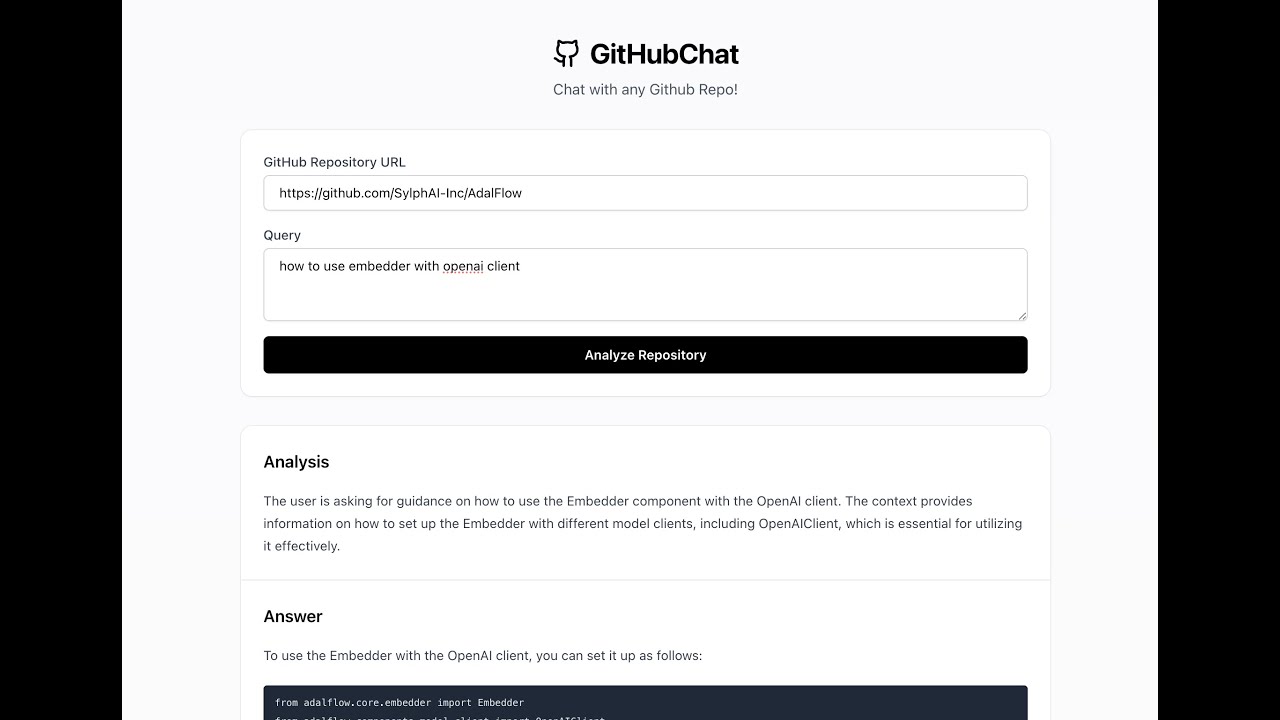 Click the image above to watch the demo video
. ├── frontend/ # React frontend application ├── src/ # Python backend code ├── api.py # FastAPI server ├── app.py # Streamlit application └── pyproject.toml # Python dependencies - Install dependencies:
poetry install- Set up OpenAI API key:
Create a .streamlit/secrets.toml file in your project root:
mkdir -p .streamlit touch .streamlit/secrets.tomlAdd your OpenAI API key to .streamlit/secrets.toml:
OPENAI_API_KEY = "your-openai-api-key-here"Run the streamlit app:
poetry run streamlit run app.pyRun the API server:
poetry run uvicorn api:app --reloadThe API will be available at http://localhost:8000
- Navigate to the frontend directory:
cd frontend- Install Node.js dependencies:
pnpm install- Start the development server:
pnpm run devThe frontend will be available at http://localhost:3000
Analyzes a GitHub repository based on a query.
// Request { "repo_url": "https://github.com/username/repo", "query": "What does this repository do?" } // Response { "rationale": "Analysis rationale...", "answer": "Detailed answer...", "contexts": [...] }- Clearly structured RAG that can prepare a repo, persit from reloading, and answer questions.
DatabaseManagerinsrc/data_pipeline.pyto manage the database.RAGclass insrc/rag.pyto manage the whole RAG lifecycle.
- Conditional retrieval. Sometimes users just want to clarify a past conversation, no extra context needed.
- Create an evaluation dataset
- Evaluate the RAG performance on the dataset
- Auto-optimize the RAG model
- Support the display of the whole conversation history instead of just the last message.
- Support the management of multiple conversations.