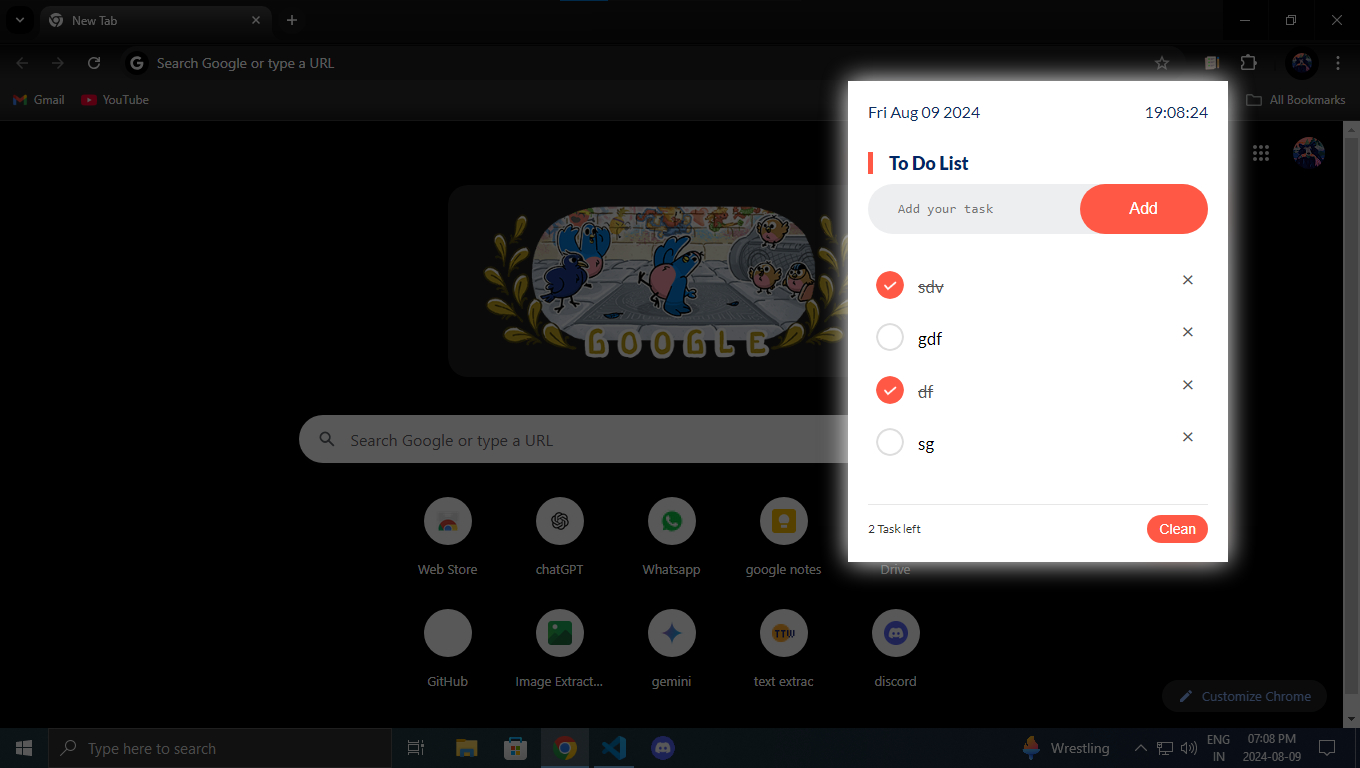
A Chrome extension for managing tasks efficiently directly from your browser. Tasks persist across browser sessions using Chrome's sync storage.
- Add, edit, and delete tasks from a clean popup interface.
- Tap a task to toggle it complete/incomplete instantly.
- Double-tap a task to edit it inline.
- Long-press a task to drag and reorder.
- Filter tasks by All, Active, or Completed.
- Pending task counter shown as a badge on the extension icon.
- Clear all tasks with a double-confirm button.
- Full keyboard shortcut support (see below).
- Tasks persist across browser sessions via
chrome.storage.sync. - Modular JavaScript architecture (
events.js,ui.js,storage.js).
-
Clone the repository:
git clone https://github.com/anuswarrrao/to-do-list-extensions.git
-
Navigate to the project directory:
cd to-do-list-extensions -
Open Chrome and go to
chrome://extensions/. -
Enable Developer mode (toggle in the top-right corner).
-
Click Load unpacked and select the cloned directory.
-
The extension will be installed and ready to use.
Due to Chrome security restrictions, the popup shortcut must be set manually once:
- Go to
chrome://extensions/shortcuts - Find To-Do List and set the shortcut to
Ctrl+Shift+L(Windows/Linux) orCommand+Shift+L(Mac)
This only needs to be done once — Chrome remembers it permanently.
These work automatically once the popup is open:
| Action | Windows / Linux | Mac |
|---|---|---|
| Focus first task | Ctrl+A (no task focused) | Cmd+A (no task focused) |
| Toggle focused task | Ctrl+A (task focused via Tab) | Cmd+A (task focused via Tab) |
| Cycle to next task | Tab | Tab |
| Cycle to previous task | Shift+Tab | Shift+Tab |
| Delete focused task | Delete | Delete |
| Clear input box | Escape | Escape |
| Remove all completed tasks | Ctrl+Shift+D | Cmd+Shift+D |
| Filter: All tasks | F1 | F1 |
| Filter: Active tasks | F2 | F2 |
| Filter: Completed tasks | F3 | F3 |
| Action | How | Result |
|---|---|---|
| Single tap | Click / tap a task | Toggles task complete/incomplete |
| Double tap | Two taps within 280ms | Opens inline edit mode |
| Long press | Hold 500ms then drag | Reorders tasks |
| Delete | Tap the × button | Removes the task |
| Clear all | Click Clear twice | Removes all tasks (confirms first) |
- HTML — popup structure (
popup/index.html) - CSS — styling (
popup/styles.css) - JavaScript (ES Modules) — split across:
popup/script.js— app entry pointpopup/modules/events.js— all event listeners and interaction logicpopup/modules/ui.js— DOM rendering, filter state, pending counterpopup/modules/storage.js—chrome.storage.syncwrapperbackground.js— service worker for toolbar badge updates
- Chrome Extension APIs — storage, action (badge), commands, manifest v3
to-do-list-extensions/ │ ├── images/ │ ├── checked.png │ ├── unchecked.png │ ├── icon.png │ └── preview.jpg │ ├── popup/ │ ├── index.html │ ├── styles.css │ ├── script.js │ └── modules/ │ ├── events.js │ ├── ui.js │ └── storage.js │ ├── background.js ├── manifest.json ├── LICENSE.md └── README.md Contributions are welcome. To contribute:
- Fork the repository.
- Create a new branch for your feature or fix.
- Commit your changes with clear messages.
- Push to your fork and open a pull request to
main.
Licensed under the MIT License.