



Appboot, which means application BootLoader, is a universal platform for creating applications.
Appboot creates applications based on templates. You can create custom templates to meet different requirements.
A template contains code, configuration(description, parameters, custom scripts), and more.
In custom scripts, you can do anything like commit code, configure CI&CD, DevOps, etc.
# Go 1.16+ go install github.com/appboot/appboot@v0.10.0 # Go version < 1.16 go get -u github.com/appboot/appboot@v0.10.0appboot create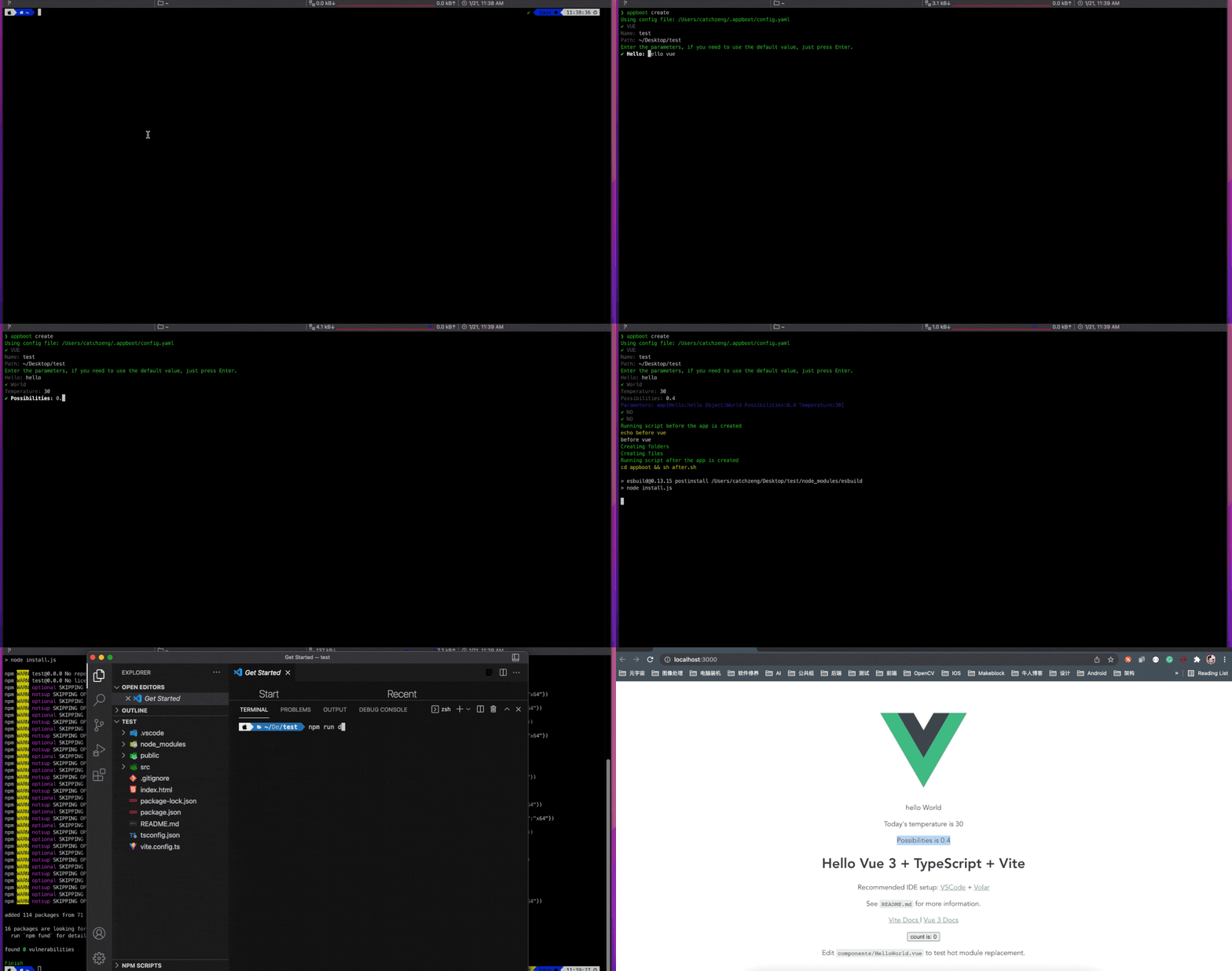
$ docker run -it \ -e API_URL=http://127.0.0.1:8000 \ -v $HOME/appboot:/root/.appboot \ -p 8000:8000 \ -p 3000:80 \ appboot/appbootVisit http://localhost:3000/ to update templates and create projects.
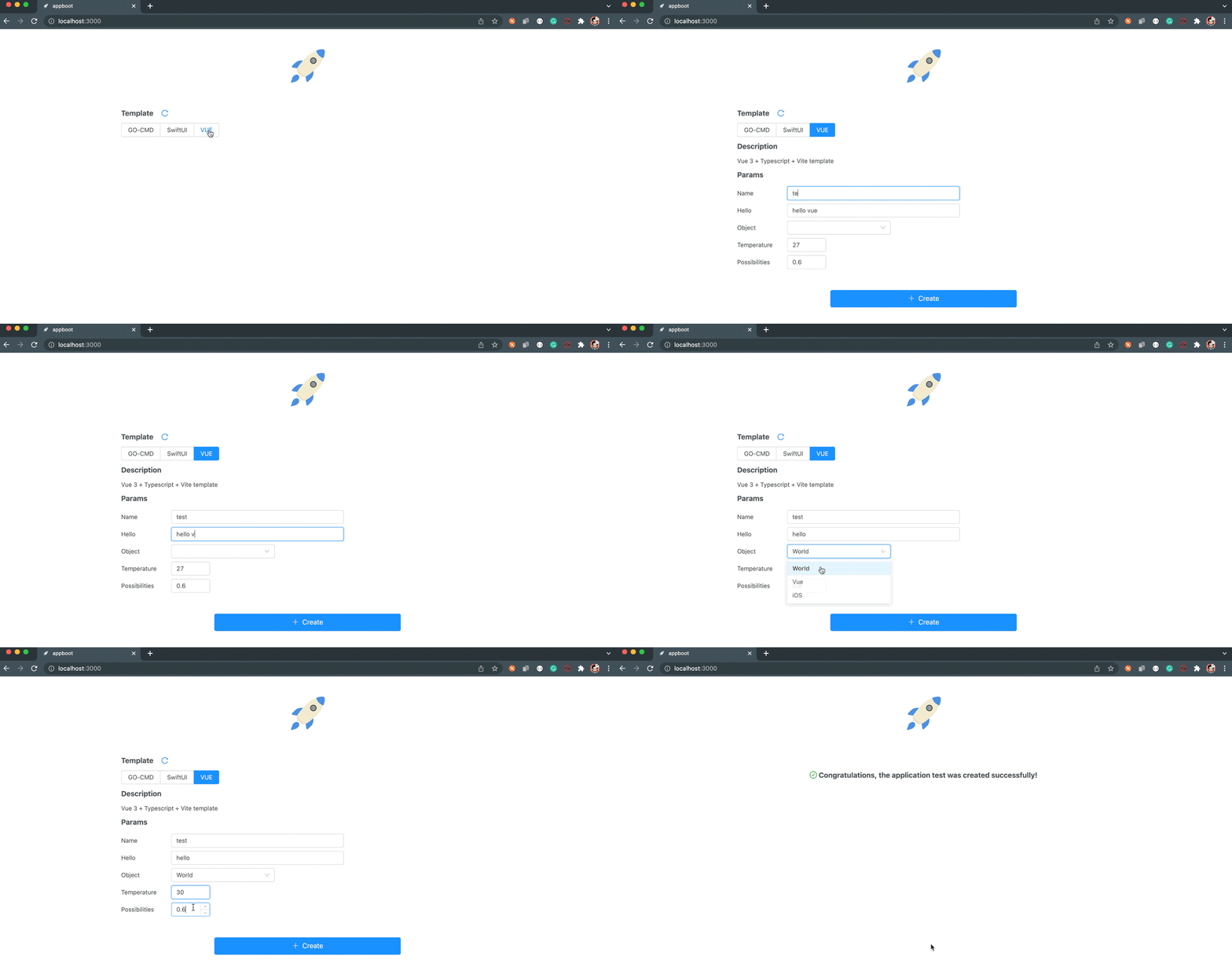
Note:
-e API_URL: API URL. appboot docker includes frontend and backend, soAPI_URLis the address where appboot docker is deployed, where the API backend service port is8000, and the frontend port is80.-v $HOME/appboot:/root/.appboot: Map the appboot's working directory to$HOME/appboot, so that configuration and Data can be persisted locally. Once thetestproject is created, it can be found in the working directory❯ tree -a -L 2 $HOME/appboot /Users/catchzeng/appboot ├── workspace │ └── test └── templates ├── GO-CMD ├── README-CN.md ├── README.md ├── SwiftUI └── VUE 6 directories, 2 files
-p 8000:8000: map the8000port of the API backend service to the local8000-p 3000:80: map the frontend80port to the local3000
Appboot configuration file(config.yaml) is placed in the $HOME/.appboot/ directory. If you do not have this file, you can create the file yourself.
The current configuration file supports templateSource and templateRoot.
-
templateSource: specifies the source repository for obtaining templates. The default value is https://github.com/appboot/templates.git. If the default repository cannot meet the requirements, you can specify your own repository. For example,
templateSource: https://github.com/CatchZeng/templates.git. -
templateRoot: specifies the storage and retrieval path of the template. The default value is
$HOME/.appboot/templates/. For example,templateRoot: /Users/catchzeng/Desktop/templatesmeans set the template path to my desktop templates directory.
$ cat $HOME/.appboot/config.yaml templateSource: https://github.com/CatchZeng/templates.git templateRoot: /Users/catchzeng/Desktop/templates