
Ward is a high-performance, zero-server CLI tool and Git hook designed to prevent developers from accidentally pushing sensitive data (Private Keys, Mnemonics, API Keys) to GitHub.
- Zero Friction: Scans staged files in < 50ms (ignoring working directory changes).
- Privacy First: All scanning happens locally. No data leaves your machine.
- Smart Detection:
- Ethereum Private Keys
- BIP-39 Mnemonics
- Generic API Keys
- .env Files (Blocks
.env,.env.local, etc. Allows.example/.sample) - High Entropy Strings (with false positive filtering)
- Configurable: Ignore specific files via
.wardignoreorward.toml.
# Initialize Ward in your current repository npx git-ward initcargo install --path . ward initOnce initialized, Ward runs automatically as a pre-commit hook.
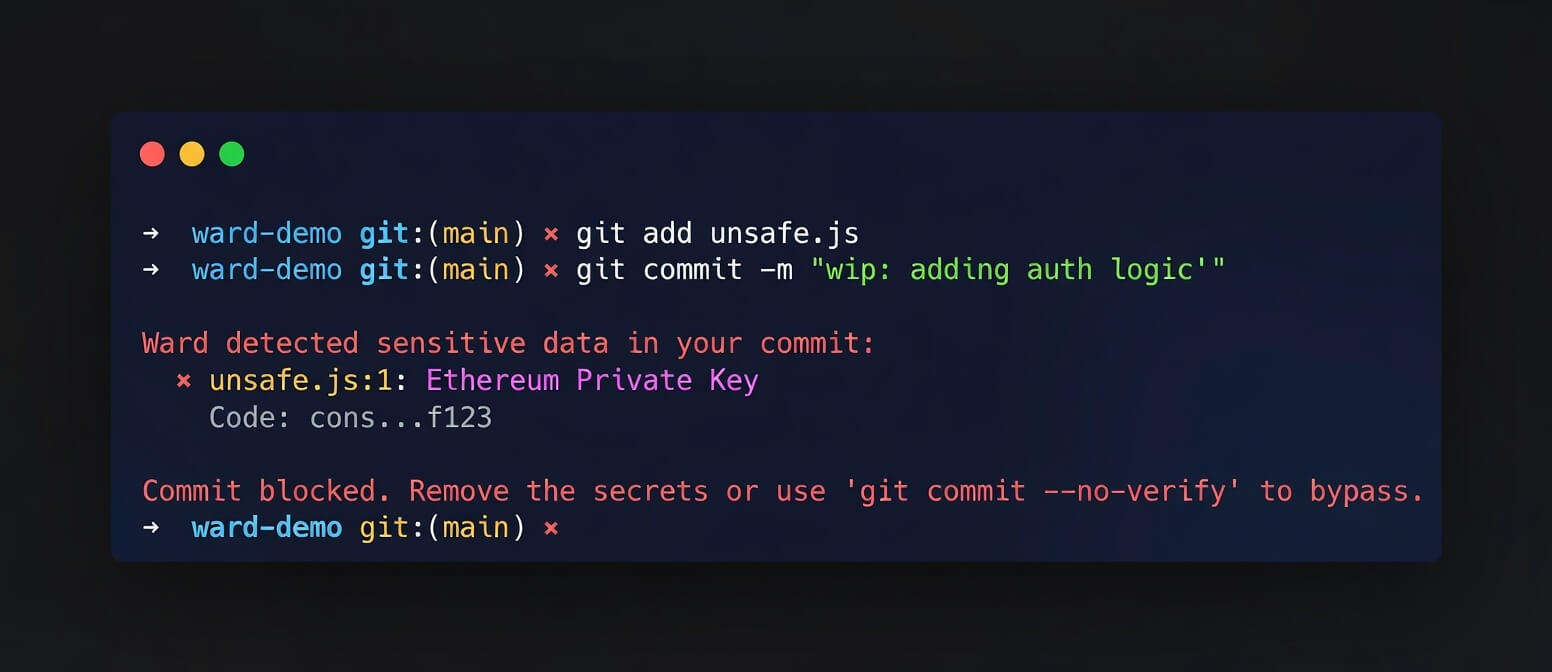
Just use git commit as normal. If you try to commit a secret:
git commit -m "oops"Output:
Ward detected sensitive data in your commit: ✖ secret.key:1: Ethereum Private Key Code: 0x12...cdef ✖ secret.key:1: High Entropy (4.05) Code: 0x12...cdef Commit blocked. Remove the secrets or use 'git commit --no-verify' to bypass. You can also run a scan manually without committing:
ward scanTo remove the Git hook:
# Run this in your repo root rm .git/hooks/pre-commit # Or if you have other hooks, edit .git/hooks/pre-commit and manually remove the ward linesYou can run Ward in your CI pipeline to prevent secrets from being merged.
steps: - uses: actions/checkout@v3 - run: npx git-ward scanCreate a ward.toml in your project root to customize behavior:
# ward.toml exclude = ["secrets.txt", "*.lock"] skip_entropy_checks = ["*.min.js", "node_modules/"] threshold = 4.5 [[rules]] name = "My Custom Token" regex = "MYTOKEN-[0-9]{5}"You can also create a standard .wardignore file in your project root (works like .gitignore):
secrets.txt generated/ *.log Contributions are welcome! Please open an issue or submit a PR on GitHub.
MIT