




A full-blown terminal lib featuring: 256 colors, styles, keys & mouse handling, input field, progress bars, screen buffer (including 32-bit composition and image loading), text buffer, and many more...
Whether you just need colors & styles, build a simple interactive command line tool or a complexe terminal application: this is the absolute terminal lib for Node.js!
It does NOT depend on ncurses.
Some tutorials are available at blog.soulserv.net/tag/terminal.
This is a fraction of what Terminal-Kit can do, with only few lines of code. Click any image to see the documentation related to the feature!

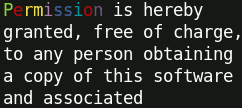 ← Word-wrapping
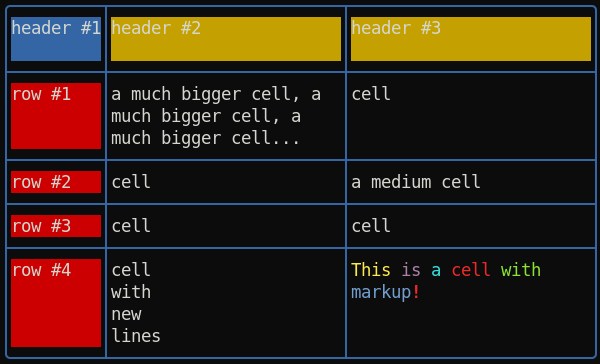 ← Table with automatic column computing, cell fitting and word-wrapping




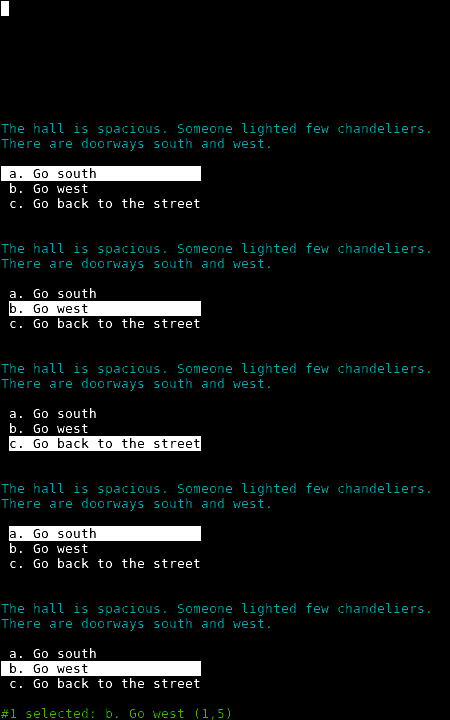





 ← Surfaces and Sprites
 ← Load and draw an image inside the terminal
New: Document model for building rich app GUI
New: Spinner
New: Table with automatic column computing, cell fitting and word-wrapping
New: Promises can be used instead of callback everywhere
New: Word-wrapping along full terminal width or a pre-defined column-width
New: ScreenBuffer HD 32-bit (RGBA) surfaces with composition and image loading
- colors, 256 colors or even 24-bit colors, if the terminal supports it
- styles (bold, underline, italic, and many more)
- style mixing
- chainable
- string formatting
- short style markup
- terminal window title
- cursor positioning
- keyboard input
- mouse support (GPM is supported for the Linux Console)
- input field
- single line menu
- single column menu
- grid/table menu
- progress bar
- interactive 'yes or no'
- screen & off-screen buffers (a concept similar to SDL's Surface)
- text buffers
- change the terminal color palette
- draw an image file (PNG, JPEG, GIF) directly inside the terminal
- event-driven
Some examples (note that if you execute all at once, some examples overwrite each other) :
// Require the lib, get a working terminal var term = require( 'terminal-kit' ).terminal ; // The term() function simply output a string to stdout, using current style // output "Hello world!" in default terminal's colors term( 'Hello world!\n' ) ; // This output 'red' in red term.red( 'red' ) ; // This output 'bold' in bold term.bold( 'bold' ) ; // output 'mixed' using bold, underlined & red, exposing the style-mixing syntax term.bold.underline.red( 'mixed' ) ; // printf() style formatting everywhere: // this will output 'My name is Jack, I'm 32.' in green term.green( "My name is %s, I'm %d.\n" , 'Jack' , 32 ) ; // Since v0.16.x, style markup are supported as a shorthand. // Those two lines produce the same result. term( "My name is " ).red( "Jack" )( " and I'm " ).green( "32\n" ) ; term( "My name is ^rJack^ and I'm ^g32\n" ) ; // Width and height of the terminal term( 'The terminal size is %dx%d' , term.width , term.height ) ; // Move the cursor at the upper-left corner term.moveTo( 1 , 1 ) ; // We can always pass additional arguments that will be displayed... term.moveTo( 1 , 1 , 'Upper-left corner' ) ; // ... and formated term.moveTo( 1 , 1 , "My name is %s, I'm %d.\n" , 'Jack' , 32 ) ; // ... or even combined with other styles term.moveTo.cyan( 1 , 1 , "My name is %s, I'm %d.\n" , 'Jack' , 32 ) ; // Get some user input term.magenta( "Enter your name: " ) ; var input = await term.inputField().promise ; term.green( "\nYour name is '%s'\n" , input ) ; // Cleanly exit : avoid having junk escape characters and restore default style. // Any interactive functions (like .inputFiled(), .yesOrNo(), etc) will open "stdin" and listen for events, // so the process will NOT exit except explicitly (or explicitly calling .grabInput( false )). term.processExit() ;More complete examples could be found in the sample directory.


