AcuAutomate is an unofficial Acunetix CLI tool that simplifies automated pentesting and bug hunting across extensive targets. It's a valuable aid during large-scale pentests, enabling the easy launch or stoppage of multiple Acunetix scans simultaneously. Additionally, its versatile functionality seamlessly integrates into enumeration wrappers or one-liners, offering efficient control through its pipeline capabilities.
git clone https://github.com/danialhalo/AcuAutomate.git cd AcuAutomate chmod +x AcuAutomate.py pip3 install -r requirements.txt Before using AcuAutomate, you need to set up the configuration file config.json inside the AcuAutomate folder:
{ "url": "https://localhost", "port": 3443, "api_key": "API_KEY" }- The URL and PORT parameter is set to default acunetix settings, However this can be changed depending on acunetix configurations.
- Replace the API_KEY with your acunetix api key. The key can be obtained from user profiles at https://localhost:3443/#/profile
The help parameter (-h) can be used for accessing more detailed help for specific actions
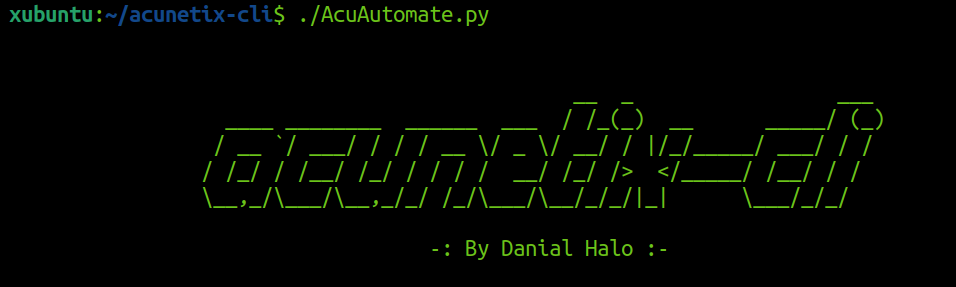
__ _ ___ ____ ________ ______ ___ / /_(_) __ _____/ (_) / __ `/ ___/ / / / __ \/ _ \/ __/ / |/_/_____/ ___/ / / / /_/ / /__/ /_/ / / / / __/ /_/ /> </_____/ /__/ / / \__,_/\___/\__,_/_/ /_/\___/\__/_/_/|_| \___/_/_/ -: By Danial Halo :- usage: AcuAutomate.py [-h] {scan,stop} ... Launch or stop a scan using Acunetix API positional arguments: {scan,stop} Action to perform scan Launch a scan use scan -h stop Stop a scan options: -h, --help show this help message and exit For launching the scan you need to use the scan actions:
xubuntu:~/AcuAutomate$ ./AcuAutomate.py scan -h usage: AcuAutomate.py scan [-h] [-p] [-d DOMAIN] [-f FILE] [-t {full,high,weak,crawl,xss,sql}] options: -h, --help show this help message and exit -p, --pipe Read from pipe -d DOMAIN, --domain DOMAIN Domain to scan -f FILE, --file FILE File containing list of URLs to scan -t {full,high,weak,crawl,xss,sql}, --type {full,high,weak,crawl,xss,sql} High Risk Vulnerabilities Scan, Weak Password Scan, Crawl Only, XSS Scan, SQL Injection Scan, Full Scan (by default)The domain can be provided with -d flag for single site scan:
./AcuAutomate.py scan -d https://www.google.com For scanning multiple domains the domains need to be added into the file and then specify the file name with -f flag:
./AcuAutomate.py scan -f domains.txt The AcuAutomate can also worked with the pipeline input with -p flag:
cat domain.txt | ./AcuAutomate.py scan -p This is Great 😍 as it can enable the AcuAutomate to work with other tools. For example we can use the subfinder , httpx and then pipe the output to AcuAutomate for mass scanning with acunetix:
subfinder -silent -d google.com | httpx -silent | ./AcuAutomate.py scan -p The -t flag can be used to define the scan type. For example the following scan will only detect the SQL vulnerabilities:
./AcuAutomate.py scan -d https://www.google.com -t sql AcuAutomate only accept the domains with http:// or https://
The stop action can be used for stoping the scan either with -d flag for stoping scan by specifing the domain or with -a flage for stopping all running scans.
xubuntu:~/AcuAutomate$ ./AcuAutomate.py stop -h __ _ ___ ____ ________ ______ ___ / /_(_) __ _____/ (_) / __ `/ ___/ / / / __ \/ _ \/ __/ / |/_/_____/ ___/ / / / /_/ / /__/ /_/ / / / / __/ /_/ /> </_____/ /__/ / / \__,_/\___/\__,_/_/ /_/\___/\__/_/_/|_| \___/_/_/ -: By Danial Halo :- usage: AcuAutomate.py stop [-h] [-d DOMAIN] [-a] options: -h, --help show this help message and exit -d DOMAIN, --domain DOMAIN Domain of the scan to stop -a, --all Stop all Running Scans Please submit any bugs, issues, questions, or feature requests under "Issues" or send them to me on Twitter. @DanialHalo